Tag: google chrome

  • Google Chrome 76 Beta Update Now Offers Better Anonymity

    Google Chrome 76 Beta Update Now Offers Better Anonymity

    Over the last few Google Chrome updates, build 73 was essentially the one that introduced a notable feature in the form of dark mode. Google Chrome builds 74 and 75 only focused on nominal aspects such as bug fixes and security. The tech giant, however, in a rather quiet manner added key new features that will make anonymity more easily achievable for users browsing online.

    Google Chrome

    One of Google Chrome’s developer had conveyed that the browsers Incognito mode (or Private more) had always been detectable by a website. Basically, certain subscription-based online channels that had their revenue tied to the users that visit the website could ascertain whether or not it was the same person logging in from an anonymous private mode. This allowed such organizations to charge the user and disallow them from availing the initial first free entry over and over again. The aforementioned ability is now being taken away from developers for furthering user anonymity and privacy when browsing on Incognito Mode.

    Google’s Chromium blog post had another major focus, to have its latest Chrome builds putting more emphasis on phasing out Adobe Flash. The software already has been blocked by numerous major browser in different degree and manner for years now. With the adoption of the build 76 in Chrome, the browser takes new strides in keeping clear of it. Adobe Flash is now turned off by default in Google Chrome, including all of the individual flash items alongside the software. Interested users can discover this setting in the Beta build by going to “chrome://settings/content/flash” and finding the ‘Ask First’ settings turned off beforehand.
    Google Chrome

    Also ReadResearchers Have Successfully Converted Type A Blood To Type O

    Additionally, Google Chrome now features a more enhanced version of the coveted Dark mode. Furthermore, web developers now have the option to program their sites to automatically switch to a darker version of their websites when a user, with dark mode, visits. Chrome version 76’s stable build is scheduled to be available on the 30th of July 2019.

  • Chrome Canary Android App Gets A Dark Mode; Google Chrome App To Follow Suit

    Chrome Canary Android App Gets A Dark Mode; Google Chrome App To Follow Suit

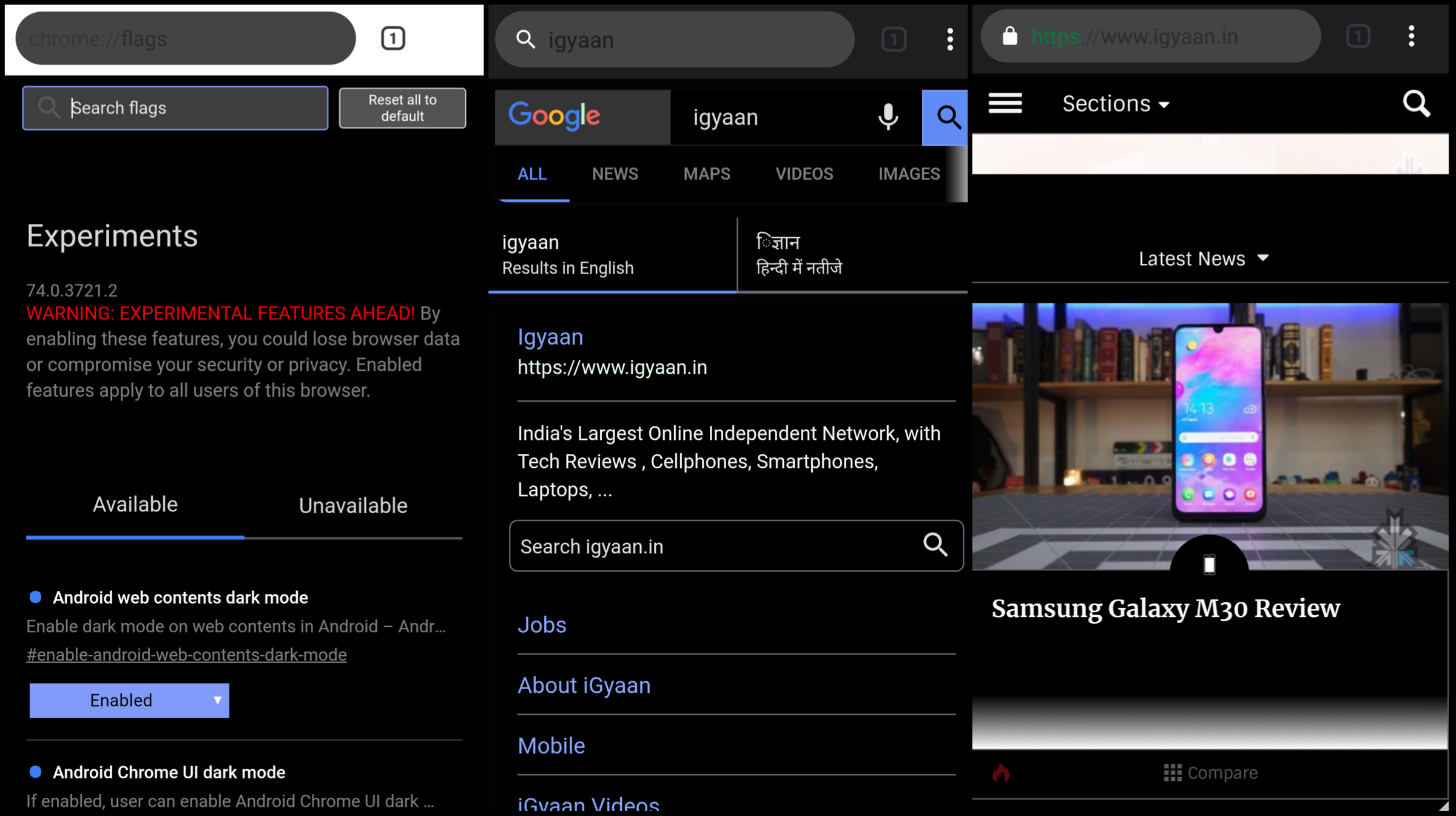
    Looks like Google Chrome for Android is all set to join the ever-expanding list of apps that support a native dark mode. In the latest update to Chrome Canary, a dark mode has been added which can even be forced to be applied to websites. The Chrome Canary app has been known for testing out features before releasing them to the stable Chrome browser. It may be an indication that Google is planning to introduce the long-awaited feature in the following weeks.

    Chrome Canary Dark Mode

    The dark mode has been included in the latest version of the Chrome Canary app having version number 74.0. To activate the feature, users will need to toggle the feature flags in the latest update by typing ‘chrome://flags’ in the URL bar. Then the user needs to hover over to the search menu and type dark mode in the query box. Then a toggle of ‘Android web contents dark mode’ is required to switch from default to enabled. If an additional toggle titled ‘Android Chrome UI dark mode is enabled, a new option called ‘Dark mode’ is added into the applications settings. Choosing to turn this on will make the UI of the browser shift into greyscale.

    The dark mode on the Chrome Canary apps makes use of an aggressive fix to make the background of the websites dark, even if they are not originally themed so. This is assumed to achieved by inverting colours of the website which may end up making the websites look different than before. One word of caution though, the app is unstable to use. This is clear right off the bat as the Play Store listing of the app highlights this aspect right in the title. Moreover, Chrome feature flags is a developer feature and can cause hindrance in the usage of the application due to unresolved bugs.

    Also read: Whatsapp To Introduce Dark Mode, Advanced Search In Updates Soon

    But one thing is clear if Google is trying to experiment with a native dark mode in Google Canary, the feature is most likely to make its way into the Chrome browser once the company has fixed all the bugs. Unfortunately, the release for the stable update is not known yet but is expected to roll out in the subsequent weeks.


  • Google’s New Extension Tells You If Your Password Is Unsafe

    Google’s New Extension Tells You If Your Password Is Unsafe

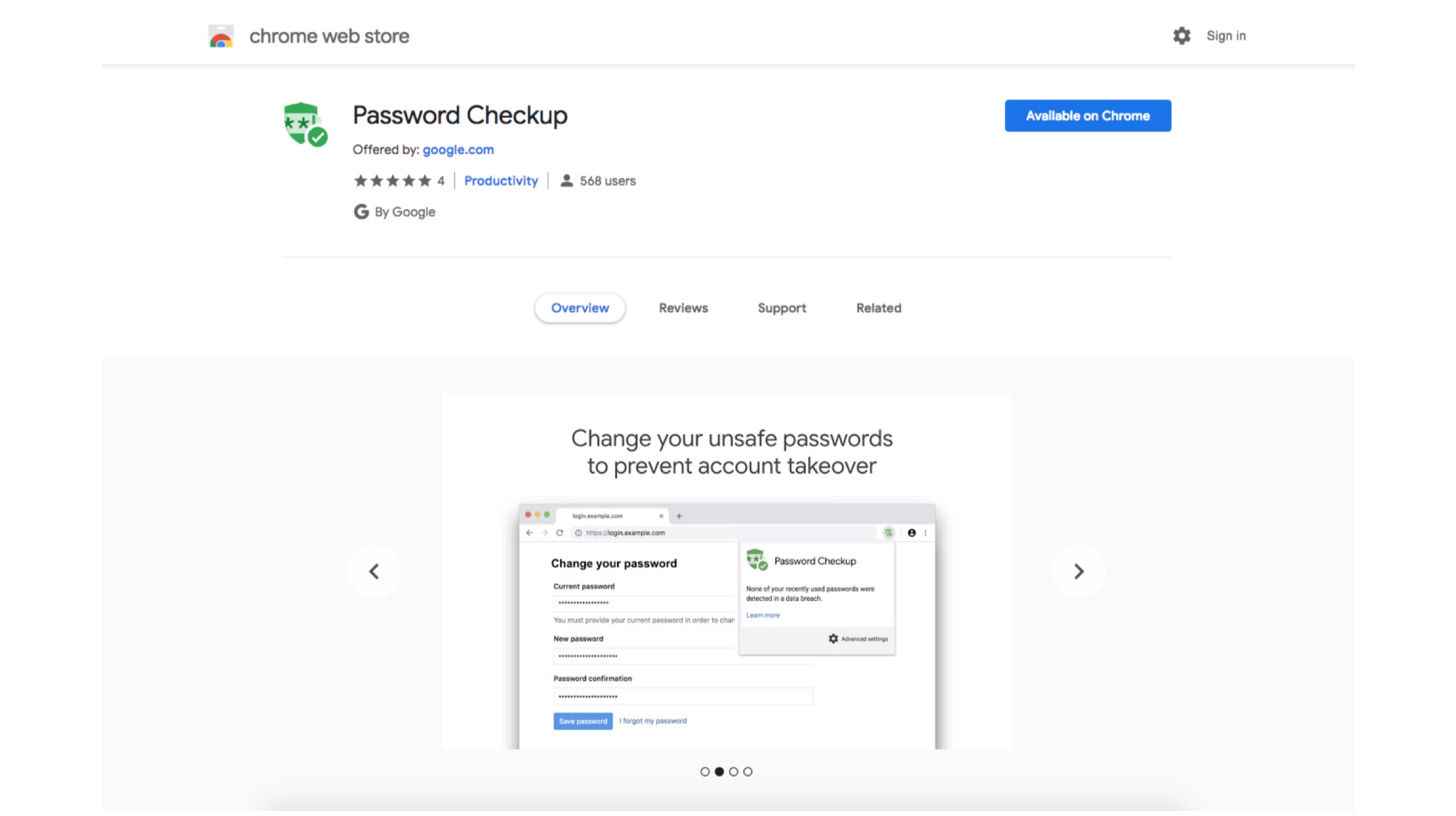
    In this day and age where Internet has taken over everything, one can never be too careful. There have been several data breaches over the past few months which have made people anxious about privacy on internet. Google aims to minimize that anxiety by launching an extension called Password Checkup. The tool will help you check if your data credentials have been compromised in a previous data leak.

    Password Checkup: How Does It Work?

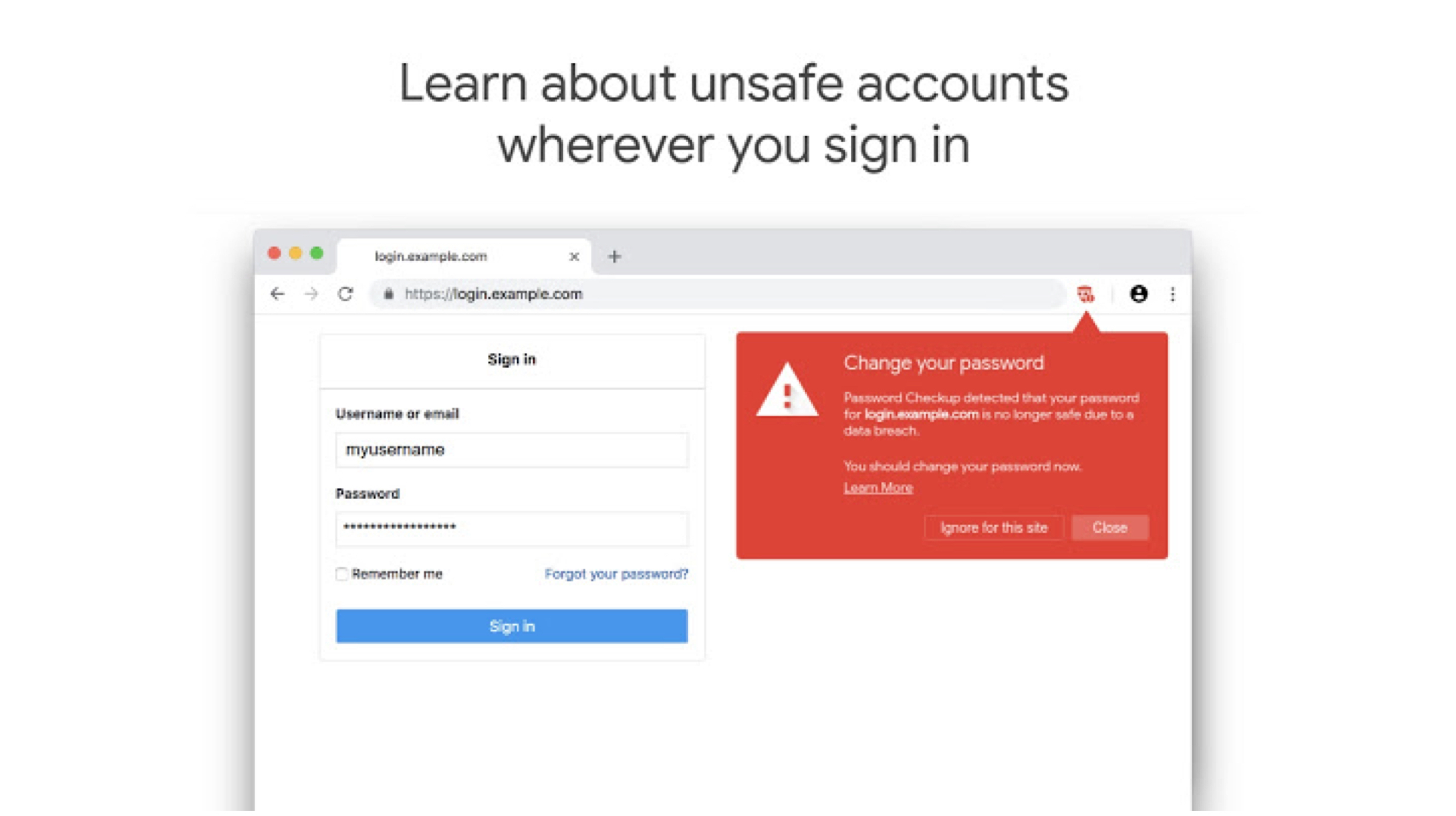
    The extension can be added to the Chrome browser to track login details every time a sign in occurs. It then searches through approximately 4 billion compromised credentials. The extension will then alert if the credentials have been part of a breach and if a password change is required. Google says that it won’t store any of the users data and that the extension will never reveal the credentials to Google. The aim of this added security is to prevent hijack of the extension’s functionality, which could then be used to gain access to a users private info.


    According to the description of the extension, it will anonymously report information on the number of look-ups. Google is also looking to improve the way the extension works over time; hopefully it’ll be embedded into a future version of the Chrome browser so more users can take the necessary steps to protect their accounts. This seems like a great initiative by Google. 

    Also read: Mi Men’s Sports Shoes 2 Launched In India

    Google hasn’t had the best reputation when it comes to data security. But, if their claims are true about not harvesting this data, this could be a great new add-on for people who are concerned about their privacy on the internet. If you are interested in checking out the extension, you can head to the Chrome Extension store, or alternatively click here. 

  • Google Chrome Will Now Let Users Mute Auto-Playing Videos

    Google Chrome Will Now Let Users Mute Auto-Playing Videos

    People who use Chrome on a daily basis for web browsing must be aware of how annoying auto-playing videos can be. Although there are a few tricks you can try and use to disable auto-playing videos, but disabling the wrong thing can completely break a website you actually wanted to use.

    Google has rolled out a beta version of Chrome which will enable users to mute websites which auto-play videos.

    You can download the beta version by heading to this link to get the beta version of Chrome on your machine, for Linux, Windows, or macOS. Since this is the beta version, it is worth noting that it is more likely to be buggy, consume system resources or crash, so it’s better to do this on a machine you don’t rely on for daily important work.

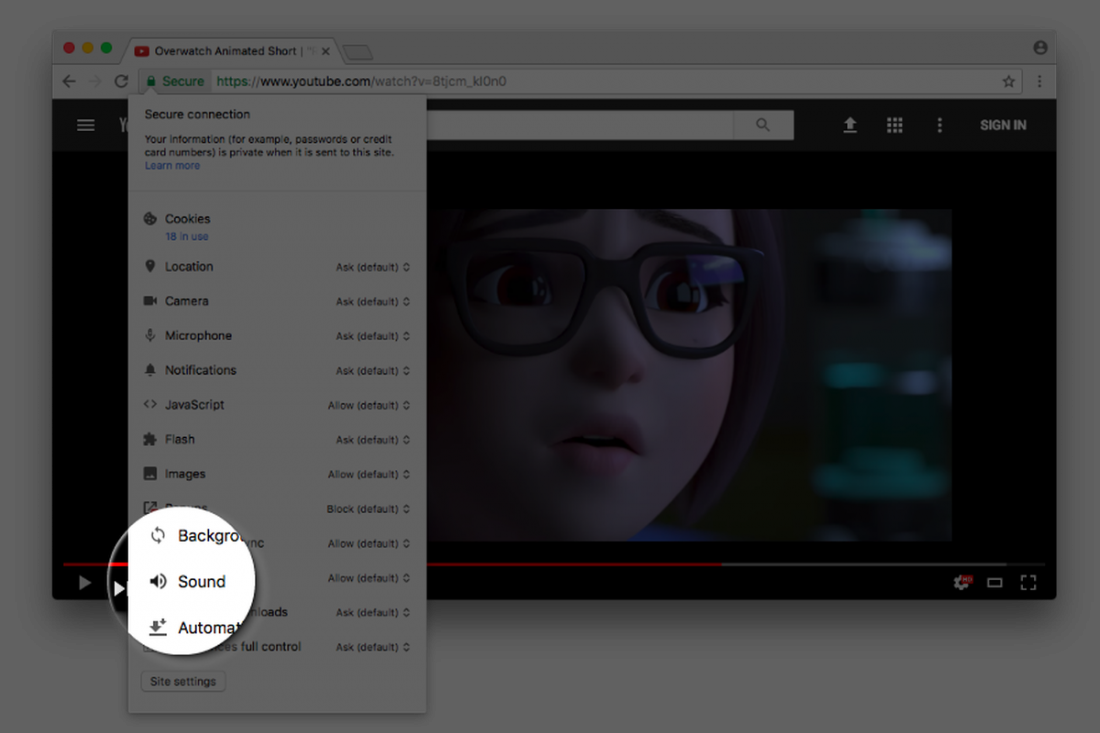
    Once you have the beta installed, it’s a simple process to permanently mute a website that has auto-playing videos. Click on the lock icon next to the website’s name, which normally is an indication it’s using HTTPS to encrypt its website. There should be an option to Allow or Not Allow sound from the website. If you access websites that regularly auto-play websites, just set the sound to Not Allow by default, and you won’t have any more problems with auto-playing videos making noise in the background.

  • Google Chrome Will Let You Permanently Mute Auto-Playing Videos On Websites

    Google Chrome Will Let You Permanently Mute Auto-Playing Videos On Websites

    Google Chrome will soon allow users to permanently mute websites, a long awaited feature that will cheer millions who suffer from auto-playing videos on websites. According to a report, the feature is currently available in the experimental Canary build of the browser and will soon roll out with future Google Chrome update. For those of you who want to give this feature a try, run it with the –enable-features=SoundContentSetting switch, as the feature is off by default.

    Google’s François Beaufort announced on his Google Plus account, that the Chrome team is still “experimenting with a setting to mute/unmute a website directly from the Page Info bubble.”  explaining that “This will give you more control about which website is allowed to throw sound at you automatically.”

    As of now, a user can mute tabs in Chrome by right clicking on them, but the process is canceled out once you close the tab or the Chrome window. But with this feature, a user will be able to permanently block sound on a particular domain. In short, websites on which you disable sound will remain disabled or muted until you turn them back on.

    Google Chrome already has various toggles for Flash, JavaScript, notifications, etc. and the soon-to-be-added sound toggle will work in a similar way.

    According to the update given by François Beaufort, it might be a few weeks or months before we see the feature on Google Chrome.

  • Now Run Android Apps on Windows and Mac Using Google Chrome

    Now Run Android Apps on Windows and Mac Using Google Chrome

    Back in September, Google released a beta project ARC (App Runtime for Chrome) that allowed Android apps to run on Chrome OS. Now the news has surfaced that speaks of its compatibility on every desktop version of Chrome. This means any user running the latest Chrome browser can download and run the Android apps on different platforms like Windows, Mac OS X, and Linux.

    As aforementioned, the project is in beta stage and is officially designed for developers only. But one can download the .apk file of any Android app and install it on their desktops. All you need to download is the ARC Welder tool where you can find the official .apk files of all the Android applications from Play Store.

    The ARC project is a double benefit initiative targeted at customers and developers alike. Customers can port any Android-powered app to the desktops, developers can test any app by submitting it on ARC. The application to run softwares is based on Android 4.4 KitKat, giving users access to a range of standalone apps like Twitter, Facebook, Facebook Messenger and a wide variety games.

    It’s a nice push by Google to make every laptop or Macbook running Windows, Mac OS X, and Linux its platform. Through the project, the internet giant has given folks an easy way to peek into the gigantic Android world and experience it.

  • Google Chrome Now Offering Added Protection From Malicious Sofware

    Google Chrome Now Offering Added Protection From Malicious Sofware

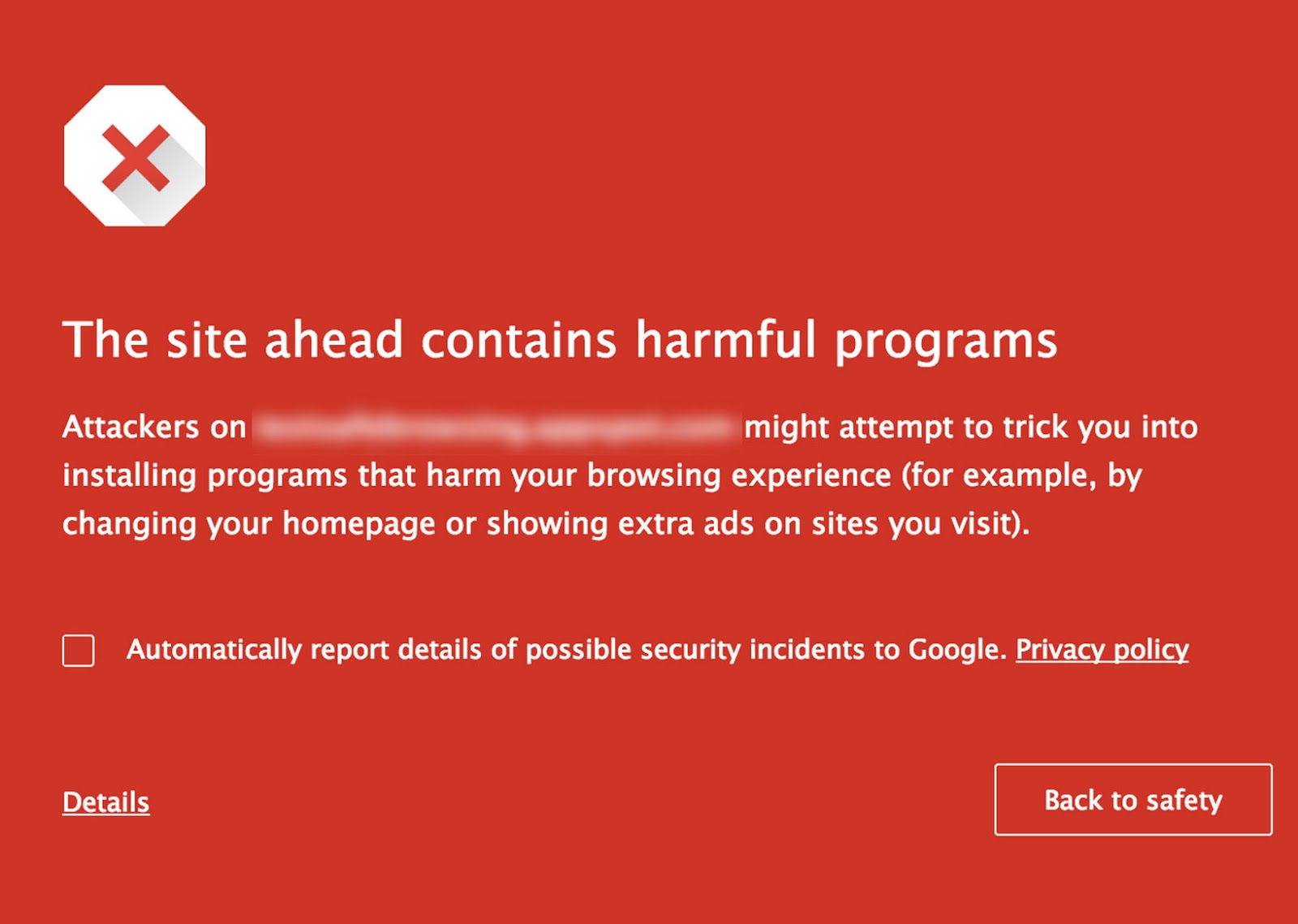
    Search engine giant Google is expanding its SafeBrowsing initiative to make sure its users accidentally don’t download malware while browsing. Apart from the warnings prior to downloading, the Chrome browser from now on will pop up a red flag (like the one below) in case users visit a site that may encourage them to download malware.

    safe browsing

    Google is also asking site owners install its Webmaster Tools to help them tackle any threats and stay on top of any possible issues. Google will in return provide technical support to resolve any issues that may be caused by sites that encourage people to download malicious programs.

    Even Google search now incorporates signals that identify such deceptive sites. This change reduces the chances you’ll visit these sites via search results. In addition, Google is actively disabling Google Ads that lead to sites with unwanted software.

    Google has been criticized in the past, though it’s nice to see the company living up its motto “Don’t be evil”, trying to make the cyberspace a safer place for everyone.

  • Google Makes Bookmarks Interactive With New ‘Bookmark Manager’

    Google Makes Bookmarks Interactive With New ‘Bookmark Manager’

    With the sheer amount of things on the internet, you might find it hard to keep track of everything. To make your work feasible, you create bookmarks, but now the shortage of time to catch up on these bookmarks has led to the never-ending list that just stays there never to be caught back. Google seems to have stepped in the way to make bookmarks more accessible and useful.

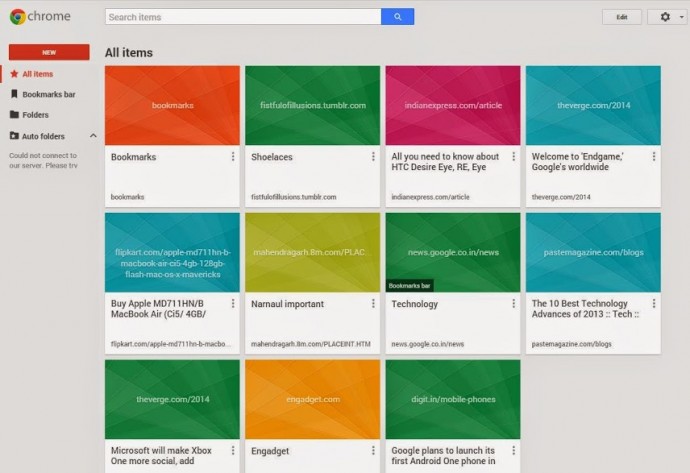
    The company has introduced an extension for Chrome called Google Bookmark Manager. The extension will bring all your bookmarks in a grid view. The bookmarks will all be pooled together in various folders. During the creation of a new bookmark, Google will prompt you with some folder suggestions. To make things even easier, you can add photos or notes to folders you desire to access quickly.

    bookmark manager

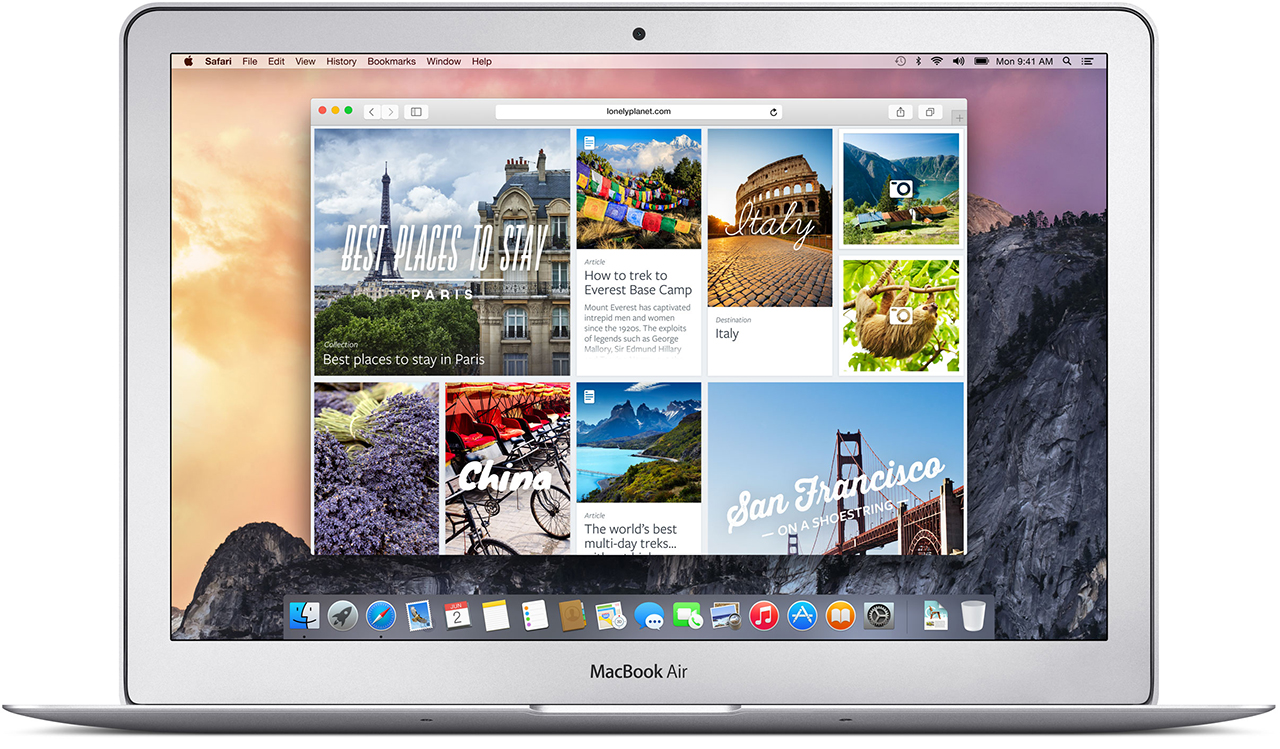
    This new extension will also get a boost from ‘Power Searching with Google’. The extension will be able to scan into the content of bookmarked pages to let you find out what you were looking for. It does seem like Google has got some inspiration from the new Safari bookmarks that are available in Yosemite.

    The bookmark manager will come really handy for folks who want immense convenience to access their references. The bookmarks have been around since the inception of consumer web browser, but it’s good to see it finally getting attention from browser manufacturers. Guess Safari and Chrome have new bookmark managers, Firefox may join soon, but the users of Internet Explorer should anticipate their upgrade by the end of the decade.

  • Google Chrome now Shows Which Tab is Playing that Unwanted Music

    Google Chrome now Shows Which Tab is Playing that Unwanted Music

    Unwanted music from websites is that one possible thing that annoys almost everyone. But when you have multiple tabs open, finding the culprit is almost impossible. Google Chrome’s new 32 beta update fixes that by adding a small speaker icon on the tab that’s playing the music.

    It also lets you know which tabs are using your webcam, or streaming to your TV over Chromecast. Additionally, the Safe Browsing features now automatically blocks malware files, instead of advising you to merely proceed with caution.

    Interested ? We have linked the download page below, check it out!

    [google]

  • Google Will Ban Windows Chrome Extensions Which Don’t Belong to Web Store

    Google Will Ban Windows Chrome Extensions Which Don’t Belong to Web Store

    Google will block third-party browser extensions that aren’t hosted in the Chrome Web Store, in order to battle malware.

     “We’re announcing a stronger measure to protect Windows users: starting in January on the Windows stable and beta channels, we’ll require all extensions to be hosted in the Chrome Web Store”, states Erik Kay, Engineering Director at Google.

    Usually, Chrome will ask for permission before installing extensions on a user’s browser. But scammers have figured out how to silently install extensions without a user knowing.

    These extensions can “override browser settings and alter the user experience in undesired ways, such as replacing the New Tab Page without approval,” Google said in a blog post. “In fact, this is a leading cause of complaints from our Windows users.”

    Google recommends that developers who have extensions hosted outside the Chrome Web Store migrate them “as soon as possible.” If developers don’t make the change, their users will not be able to install their extensions nor will they be able to keep using extensions that have already been installed.

    “Protecting our users is a key priority, and we believe this change will help those whose browser has been compromised by unwanted extensions.” 

    The news comes shortly after Google said it will add automatic malware blocking to Chrome and the option to reset browser settings.

  • Google Chrome Saves Sensitive User Data In Plaintext

    Google Chrome Saves Sensitive User Data In Plaintext

    Google Chrome browser may be storing sensitive data in such a way that it would be relatively easy for a malicious third party to dig it up and steal your identity, among other things.

    Security researchers at Identify Finder said they performed a series of deep scans on several employee computers using the latest version of Sensitive Data Manager (SDM). The scans revealed a bunch of Google Chrome SQLite and protocol buffers storing user information such as names, addresses, email addresses, phone numbers, bank account info, credit card details, and even social security numbers.

    “We confirmed with each employee that sensitive data, such as social security and bank account numbers, were only entered on secure, reputable websites,” claims Identity Finder.

    The data is not protected in the cache, which means that anyone with access to it can extract the information. This does not necessarily mean local access, as malicious software running on a user’s computer, and even social engineering, may yield the same results.

    Handing over the computer to a computer repair shop, sending it in to the manufacturer, or selling it may provide third parties with access to sensitive information stored by the browser.

    Google Chrome is the world’s third most popular web browser with a 16% market share; Firefox has a 19% share and Internet Explorer holds a 58% share, according to Net Applications.

    This is the second finding of a profound Chrome shortcoming in three months. Last July, NSS Labs analyzed the privacy mechanisms built into Internet Explorer, Firefox, Chrome and Safari and found Chrome offering the poorest privacy protection.

    A statement by Google on The Verge reads : 

    Google Chrome is the most secure browser and offers you control over how it uses and stores data. Chrome asks for permission before storing sensitive information like credit card details, and you don’t have to save anything if you don’t want to. Furthermore data stored locally by Chrome will be encrypted, if supported by the underlying operating system. For example, Chrome OS encrypts all data stored locally by default. We recommend people use the security measures built into their operating system of choice.

  • Report : Google Testing Data Compression To Speed Up Chrome for Android

    Report : Google Testing Data Compression To Speed Up Chrome for Android

    Google’s Chrome for Android team is experimenting with a new data compression proxy feature to speed up browsing similar to the methods used by Opera Turbo and Amazon Silk. The feature is currently optional but could one day be flipped on by default if Google deems it ready, significantly helping those on slow connections.

    The latest build of Chromium, the open source browser project which Chrome is built upon, sports this new functionality. The feature was first spotted by developer Francois Beaufort, who talked about it in a Google+ post.

    “Reduce data consumption by loading optimized web pages via Google proxy servers,” Google describes the feature.

    The feature is still in early testing, users can enable it in Chrome for Android via a command line flag, which means they’ll need to be able to run a command like shell on their phones, either remotely via adb or via a terminal emulator on the device.

    It’s unclear whether the technology actually works at this point or whether it’s just a placeholder.

    There are several ways in which Google could lighten the load on the connection and speed up website loading. For one, as the name suggests, Chrome will connect to the Google cloud via SPDY, reducing some of the overhead.

    What’s more, using the proxy means that Chrome will connect to the closest Google data center rather than to a server which may be halfway around the world. Popular websites would also be cached by Google ensuring faster load times.

    Both Opera Turbo and Silk use pre-processing on their respective company’s servers to optimize a web page, reducing the amount of data that is sent to the browser by compression and other methods.

    [TNW]

  • Google Brings Chrome App Launcher To Windows

    Google Brings Chrome App Launcher To Windows

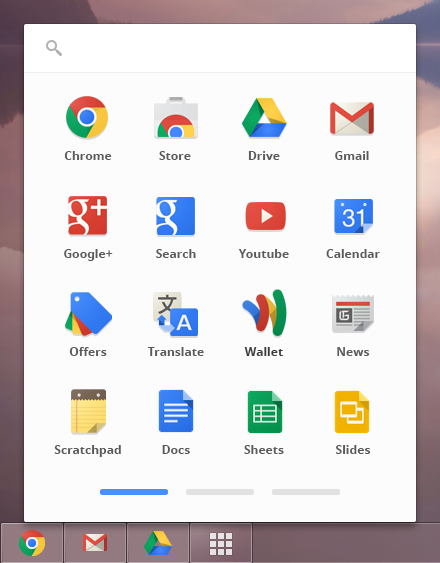
    Google on Wednesday announced a significant bridging of the gap between Chrome and Chrome OS: the app launcher, a little window that features all your apps in one place. The company has ported the dedicated “home for your apps” from Chrome OS to its Chrome browser.

    Available now in a developer preview, the launcher experience is similar to that available on Chrome OS. Users can scroll their mouse over the Chrome icon on the task bar and be provided with a list of Chrome apps to launch them quickly. 

     In the developer preview, Google has included its own Chrome web apps such as Gmail and YouTube, as well as packaged Chrome apps downloaded by users from the Chrome Web Store. Packaged apps deliver an experience as capable as a native app, written in HTML5, JavaScript, and CSS – usually meant to work offline.

    As of now the app launcher is available only for Windows, but the Chrome team said the feature would come to Mac OS X and Linux soon. 

    The Next Web also said users can continue using the Chrome browser as just that – a browser – without having an extra menu.
     
    For those wondering, Google is expected to release Chrome 25 this week or next. This feature won’t be ready till Chrome 26 or Chrome 27, however, meaning it will arrive in April at the earliest.
     
    [The Next Web]
  • Latest Chrome Beta Has Hidden Full Screen Mode

    Latest Chrome Beta Has Hidden Full Screen Mode

    chrome

    A curious Nexus 7 user (Smackel from Reddit) accidentally found out we can turn this hidden feature, Chrome running full screen on an Android device, on by pulling some strings and making a few tricks.

    Full screen browsing is top of many an Android fans wish list for Google’s mobile version of the Chrome browser. On smartphone screens in particular, display space is important. It seems it might not be all that far away.

    As we know, the latest beta build brought about support for WebGL in the mobile browser, and the first thing we need to do is go ahead and enable it. Type the magic line — “chrome://flags/ — into the address bar, and scroll down the list presented before you until you find WebGL. Tap on enable, then follow the prompt to restart the browser. 

    When Chrome has restarted, you want to head on over to the Chrome Experiment Boids and Buildings. Tap on the “launch experiment” button, then the “run” button when the main screen pops up. Then it’s simply a case of sitting back and watching. You don’t need to let it run right through, but it is pretty cool to watch this city get drawn out and constructed in front of you. At this point it’s also worth noting that it seems to run pretty well in the mobile browser. 

    When you come back out of the experiment though, you’ll notice the status bar at the top of the screen has vanished, and the address bar in Chrome has gone a little translucent. After a couple of seconds of doing nothing it just disappears completely. And there we have it, full screen browsing. 

    It is buggy, but it does work, and expands your web pages to take up the full display — on screen buttons not included. To get the address bar back takes just a swipe down from the top, although said swipe doesn’t bring the status bar back with it. Full screen mode seems to stay in place until you exit the app completely. 

    Via Android Central

  • Google Chrome Beta Receives First Update To Fix Bugs

    Google Chrome Beta Receives First Update To Fix Bugs

    chrome

    Google Chrome beta for Android was released just five days ago, but it has already received its first update in what looks to be a coming trend. The desktop beta and developer channels receive weekly updates and Google is unlikely to slow down its improvement schedule for mobile, especially since both versions share a significant proportion of code.

    These bug fixes are mainly about interaction with specific websites, but there are some overarching performance improvements on some devices. These are also a number of outstanding bugs to contend with, including poor performance on the Galaxy Nexus and Nexus S. And while the beta version did decrease the propensity for crashing on the Nexus 10, it didn’t eliminate it altogether. Hopefully this will be addressed in the coming weeks.

    If you’ve already downloaded the Chrome beta via the non-searchable Play Store link, you’ll see an update available for you today. If not, head to this link and get downloading. Chrome beta, like its sibling, is available for Android 4.0+ devices only.

    This update contains a number of fixes, including:

    • 164632 – Edit Bookmark is broken
    • 167351 – Youtube video controls are lost after returning from fullscreen
    • 167016 – Some Samsung Galaxy S2 freezes
    • 168062 – Double tapping on non-zoomable sites scrolls the page to the top briefly before returning to original position
    • 167379 – Sometimes tabswitcher is frozen
    • 166998 – Tab content stretched out while returning to it through side swipe gesture
    • 168632 – Crash – Stack Signature: TabAndroidImpl::FromWebContents
    • 168388 – Sync signed in info text’s font size is too small
    • 168430 – Bookmark star icon doesn’t turn grey/white immediately after bookmarking URL /deleting URL from bookmarks

    Known Issues:

    • Performance is sluggish, noticeably on Galaxy Nexus and Nexus S
    • Frequent freeze on devices with specific versions of Qualcomm GPU driver
    • Text autosizing may break formatting on some sites
    • Video continues playing after exiting fullscreen on android phones
    • [HTC Droid DNA] Getting crash on tabswitcher mode
    • 163439 – yahoo.com page links are not working
    • 166233 – Cannot submit comments on facebook posts or pictures
    • 165244 – Text handler jumps or disappears when moving
    • 162486 – iframe scrolling broken
    • 158633: Tap disambiguation overaggressive
    • 169910 – Flickering while opening new tab

    [Mobile Syrup, Android Task Force]

iGyaan Network
Privacy Overview

This website uses cookies so that we can provide you with the best user experience possible. Cookie information is stored in your browser and performs functions such as recognising you when you return to our website and helping our team to understand which sections of the website you find most interesting and useful.