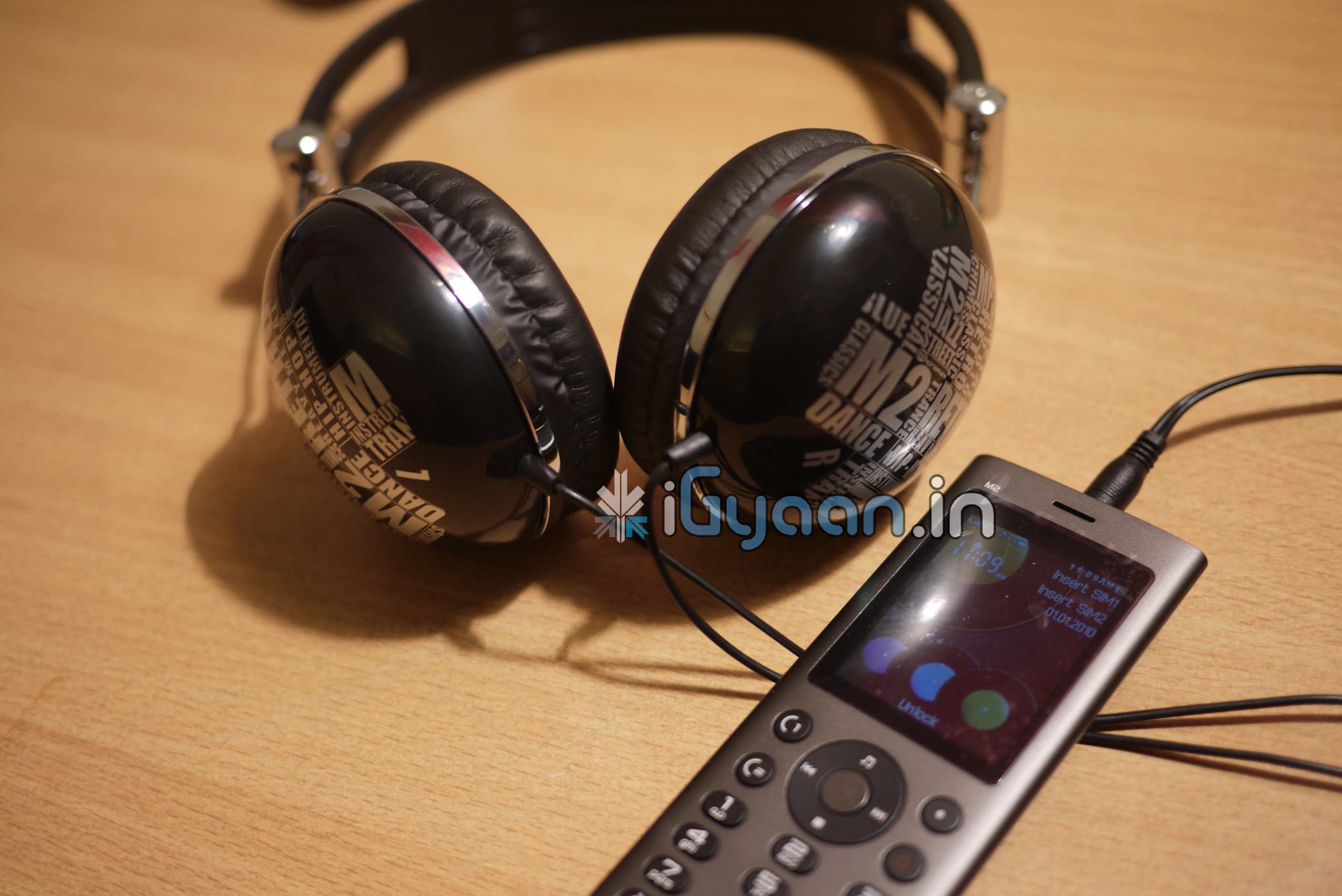
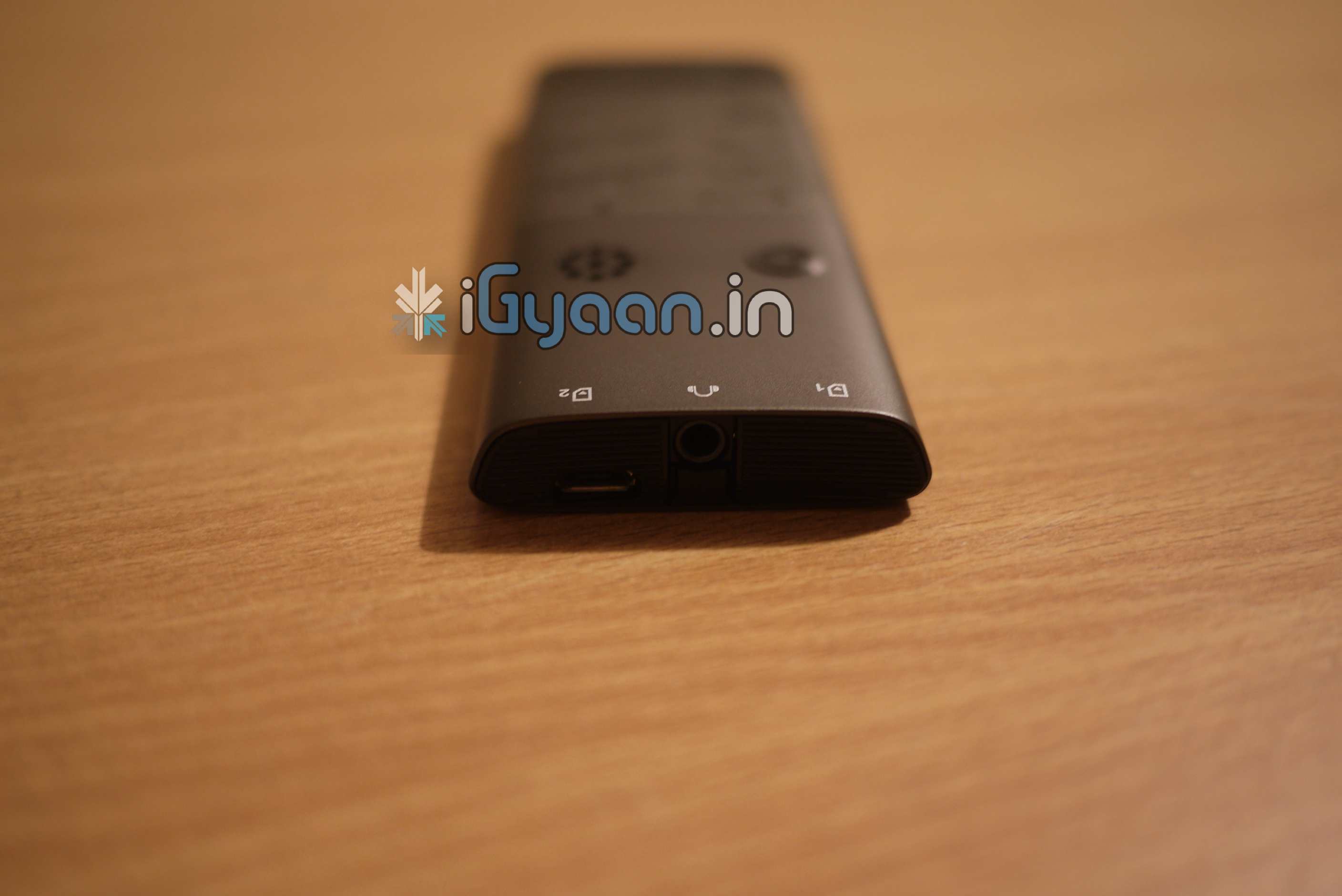
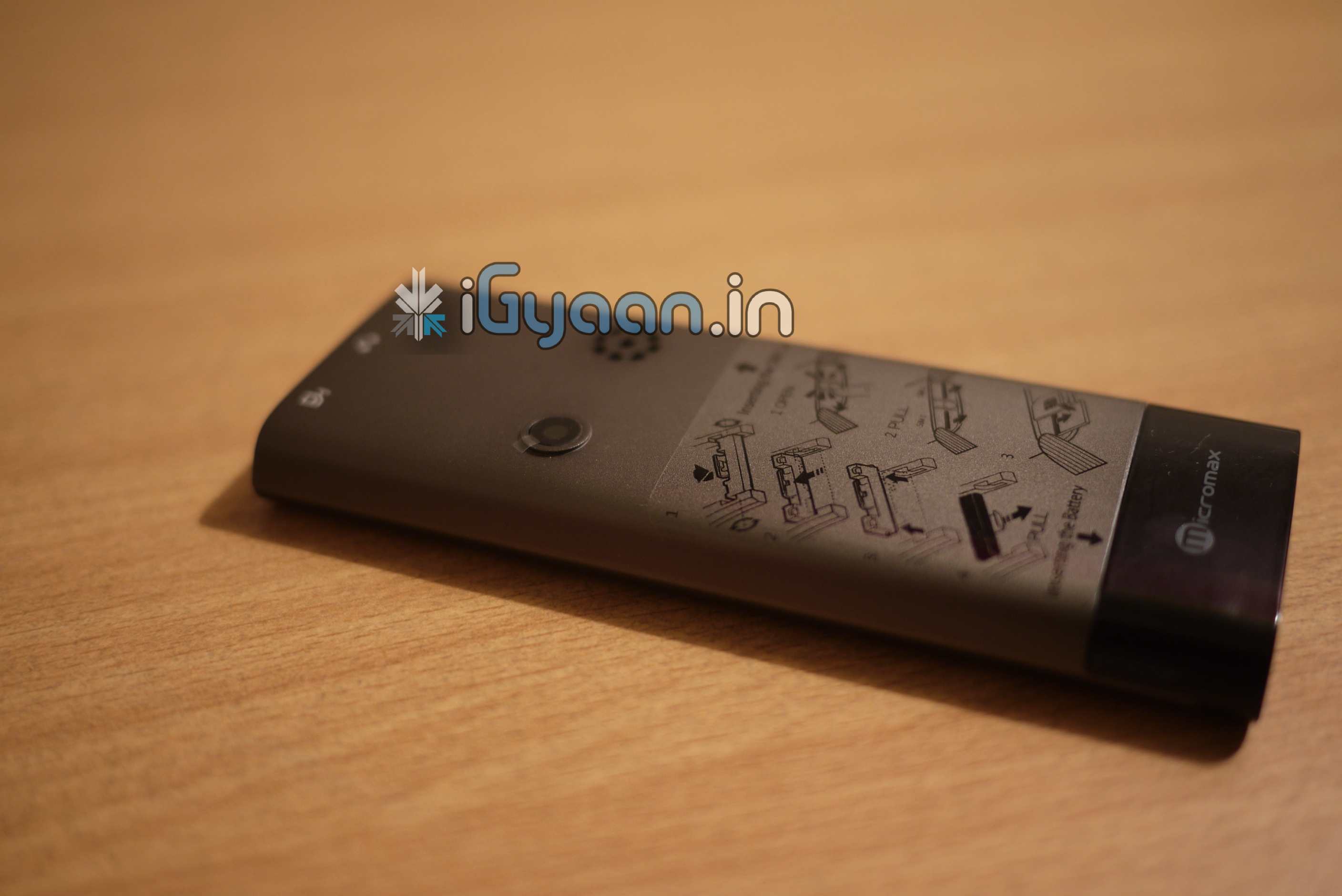
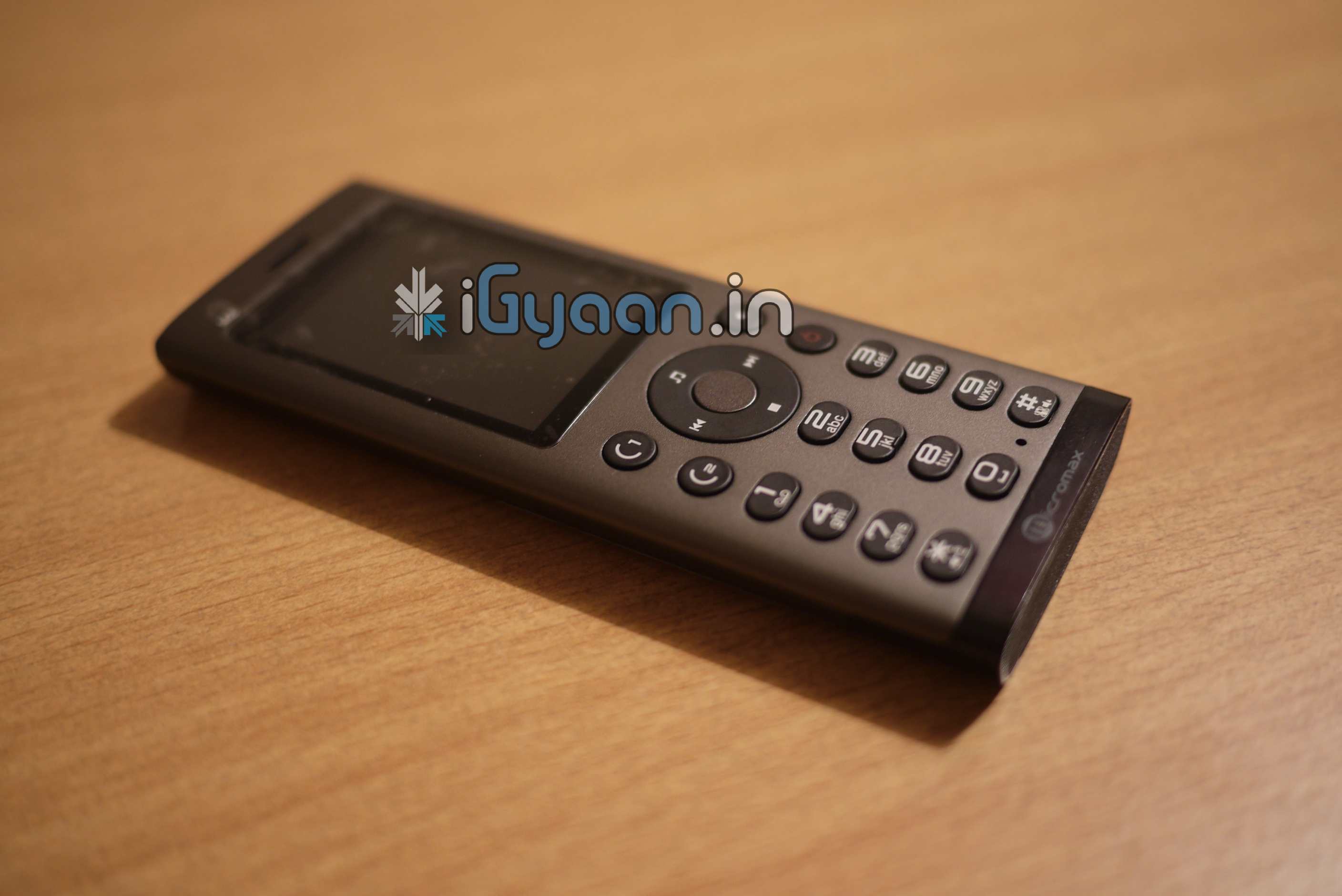
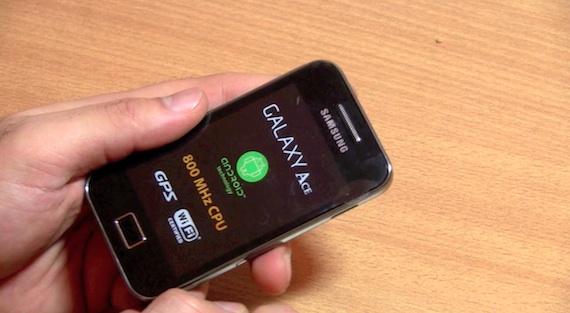
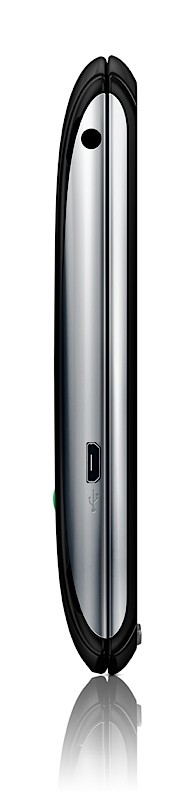
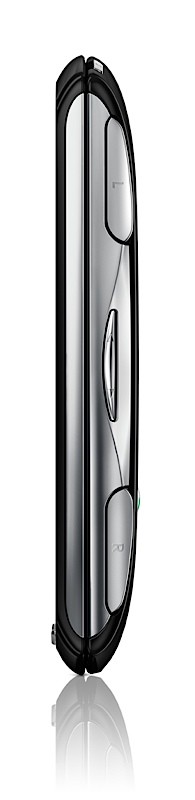
Whats up guys, remember the leaked iPod killer phone from Micromax we talked about . Yup we have it now, it is going to be announced soon and we have an exclusive leaked handset.
Take a look at exclusive pictures of the device.
The device features a unibody construction, true to the name MicroMax has included dual sim capabilities in the device. It also has a touch wheel in the front, comes with awesome massive headphones. Unlike previous rumors the device does have a changeable battery, and comes with an authentic SRS wow HD engine with certification from SRS labs. Device will be slated at the sub 5,000 INR price bracket.
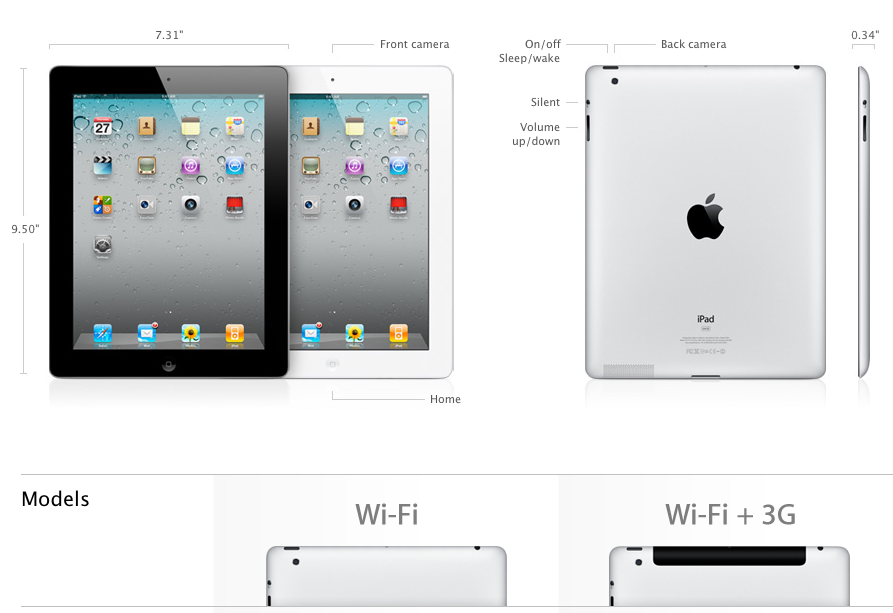
Up to 10 hours of surfing the web on Wi-Fi, watching video, or listening to music
Three-axis gyro
Accelerometer
Ambient light sensor
Wi-Fi
Digital compass
Assisted GPS (3G model only)
Cellular (3G only)
Official Press Release
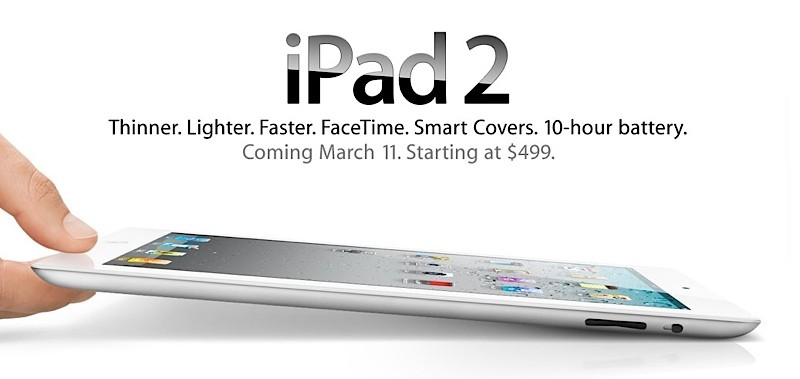
Apple Launches iPad 2
All New Design is Thinner, Lighter & Faster with FaceTime, Smart Covers & 10 Hour Battery
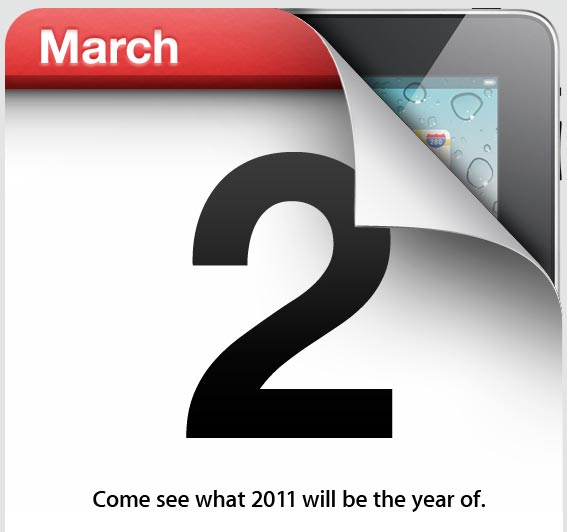
SAN FRANCISCO-March 2, 2011-Apple® today introduced iPad™ 2, the next generation of its magical device for browsing the web, reading and sending email, enjoying photos, watching videos, listening to music, playing games, reading ebooks and much more. iPad 2 features an entirely new design that is 33 percent thinner and up to 15 percent lighter than the original iPad, while maintaining the same stunning 9.7-inch LED-backlit LCD screen. iPad 2 features Apple’s new dual-core A5 processor for blazing fast performance and stunning graphics and now includes two cameras, a front-facing VGA camera for FaceTime® and Photo Booth®, and a rear-facing camera that captures 720p HD video, bringing the innovative FaceTime feature to iPad users for the first time. Though it is thinner, lighter, faster and packed with new features, iPad 2 still delivers up to 10 hours of battery life* that users have come to expect. iPad 2 is available in black or white, features models that run on AT&T’s and Verizon’s 3G networks, and introduces the innovative iPad 2 Smart Cover in a range of vibrant polyurethane and rich leather colors.
“With more than 15 million iPads sold, iPad has defined an entirely new category of mobile devices,” said Steve Jobs, Apple’s CEO. “While others have been scrambling to copy the first generation iPad, we’re launching iPad 2, which moves the bar far ahead of the competition and will likely cause them to go back to the drawing boards yet again.”
With the new front and rear cameras, iPad 2 users can now make FaceTime calls to millions of iPhone® 4, iPod touch® and Mac® users so they can see family and friends anywhere there is Wi-Fi. Photo Booth lets you apply fun visual effects, including eight photo special effects like Squeeze, Twirl and Kaleidoscope, to photos captured by either camera.
iPad 2 comes with iOS 4.3, the latest version of the world’s most advanced mobile operating system, with new features including faster Safari® mobile browsing performance; iTunes® Home Sharing; enhancements to AirPlay®;** the choice to use the iPad side switch to either lock the screen rotation or mute audio; and Personal Hotspot to share an iPhone 4 cellular data connection over Wi-Fi.*** Additional iPad 2 features include a built-in gyro for advanced gaming; HSUPA support for enhanced 3G upload speeds on iPad 2 Wi-Fi + 3G on AT&T, and HDMI Video Mirroring that lets users mirror their iPad screen on an HDTV using an optional adaptor.
The innovative new iPad 2 Smart Cover provides protection for the iPad screen while maintaining its thin and lightweight profile. Designed with a unique self-aligning magnetic hinge that makes it easy to attach and remove, the new iPad 2 Smart Cover automatically wakes iPad 2 when it’s opened and puts it to sleep when it’s closed, and has a soft microfiber lining to help keep the screen clean. The Smart Cover also folds into a stand for typing or viewing videos and is available in vibrant polyurethane for $39 or rich leather for $69 in a range of colors, including a (PRODUCT) RED one which helps support the Global Fund to fight HIV/AIDS in Africa.
Apple also introduced two new apps: iMovie® and GarageBand® for iPad, both available on the App Store? for just $4.99 each. With iMovie, iPad 2 users can shoot and edit videos right on their iPad and post their movies to YouTube, Facebook, Vimeo and their MobileMe? gallery; watch them on their iPod®, iPhone or iPad; as well as view them on their HDTV using AirPlay and Apple TV®. GarageBand turns your iPad into a collection of touch instruments and 8-track recording studio, allowing you to perform with onscreen keyboards, guitars, drums and basses using multi-touch gestures–even if you don’t play a musical instrument.
iPad 2 runs almost all of the over 350,000 apps available on the App Store and there are more than 65,000 native iPad apps available from an incredible range of apps in 20 categories, including games, business, news, sports, health, reference and travel. The iTunes Store gives iPad users access to the world’s most popular online music, TV and movie store with a catalog of over 14 million songs, over 50,000 TV episodes and over 10,000 films including over 3,500 in stunning high definition video. The iBooks® app for iPad includes Apple’s iBookstore?, the best way to browse, buy and read books on a mobile device.
Pricing & Availability
iPad 2 with Wi-Fi will be available on March 11 for a suggested retail price of $499 (US) for the 16GB model, $599 (US) for the 32GB model, $699 (US) for the 64GB model. iPad 2 Wi-Fi + 3G will be available for a suggested retail price of $629 (US) for the 16GB model, $729 (US) for the 32GB model and $829 (US) for the 64GB model. iPad 2 Wi-Fi + 3G compatible with the Verizon network will be available in the US only for a suggested retail price of $629 (US) for the 16GB model, $729 (US) for the 32GB model and $829 (US) for the 64GB model. iPad 2 will be sold in the US through the Apple Store® (www.apple.com), Apple’s retail stores and select Apple Authorized Resellers. iMovie and GarageBand for iPad apps will be available on March 11 for $4.99 each from the App Store on iPad or www.itunes.com/appstore.
iPad 2 will be available in Australia, Austria, Belgium, Canada, Czech Republic, Denmark, Finland, France, Germany, Greece, Hungary, Iceland, Ireland, Italy, Japan, Luxembourg, Mexico, Netherlands, New Zealand, Norway, Poland, Portugal, Spain, Sweden, Switzerland and the UK on March 25; and in many more countries around the world in the coming months. Further international availability and pricing will be announced at a later date.
*Battery life depends on device settings, usage and other factors. Actual results vary.
**AirPlay video requires second generation Apple TV running the latest software.
***Personal Hotspot requires supporting data plan. Customers should check with their carrier for availability.
Apple designs Macs, the best personal computers in the world, along with OS X, iLife, iWork, and professional software. Apple leads the digital music revolution with its iPods and iTunes online store. Apple is reinventing the mobile phone with its revolutionary iPhone and App Store, and has recently introduced its magical iPad which is defining the future of mobile media and computing devices.
What is happening guys, Here is a quick contest for you guys. The Navv India App review will be up shortly but in the meantime if you want to win a free copy of the NAVV INDIA Application.
This app costs US $24.99 in the AppStore. and we will be giving away 5 free copies of the application.
Simply to take part in the competition:-
leave a comment below with your twitter handle and Facebook username
and answer the following question in your tweets and your Facebook profile status
Question: Why is it essential to have a Navigation system while traveling in India
The most interesting and innovative answers will get the promo codes, You can answer the question with as many responses as you like.
Make sure you tag igyaan in your answers : for face book and twitter add @iGyaan in your answer
On twitter you can also add the hashtag #iGcontest
Example answer:
@iGyaan we need navigation because the cows in the middle of the road usually end up throwing us off-course #iGcontest
Remember this 25$ application could be yours and all you need to do is answer the question, the more answers you leave, the better your chances.
So leave a comment below with your usernames on facebook and twitter : and beging flooding your status with funny and interesting answers.
The winning answers will get one copy of Navv India Application and their name on the iGyaan wall of Fame.
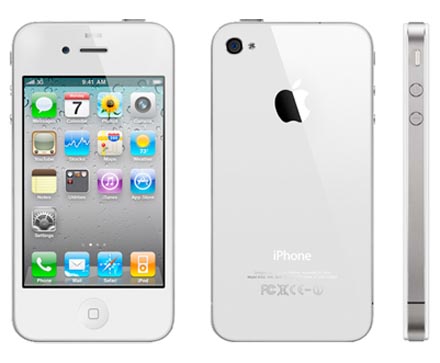
Recent rumors that the Apple iPhone 4 will be launched with BSNL, seem to be coming true. Sources close to us, have notified us that the Apple iPhone 4 for India will be launched very – very soon. Will be available unlocked through the Reliance – Apple – iStores and through other resellers. Price point is set at 40k for 16 and 45k for 32 gigs. Hopefully India gets the white version instantly!
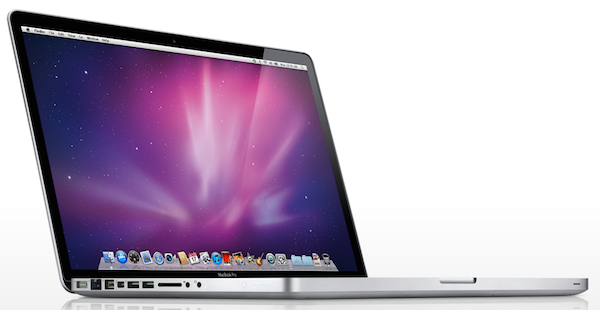
Apple has just refreshed the whole Macbook pro lineup with Sandy Bridge processors , here is the full
13-inch MacBook Pro –
13-inchers are available with Core i5 processors. The lower end model
Features a 2.4GHz dual-core Core i5 processor and 320GB hard drive
Going up to the 2.7GHz dual-core Core i5 CPU and 500GB hard drive
This duo doesn’t get the AMD graphics treatment like the others, Intel’s new powerful HD 3000 graphics.
15-inch MacBook Pro –
Core i7 and AMD Radeon HD 6000M goods
The lower model packs a 2.0GHz quad-core Core i7 processor
AMD Radeon HD6490M graphics, and a 500GB hard drive
The higher end gets you a faster 2.2GHz Core i7 chip
AMD Radeon 6750M graphics and 750GB hard drive.
17-inch MacBook Pro –
The all-powerful 17-incher $2,499 gets that same 2.2GHz Core i7 processor
AMD Radeon 6750M graphics and a 750GB hard drive.
Read The PRESS RELEASE
Apple Updates MacBook Pro with Next Generation Processors, Graphics & Thunderbolt I/O Technology
CUPERTINO, California-February 24, 2011-Apple® today updated the industry-leading MacBook® Pro family with next generation processors and graphics, high-speed Thunderbolt I/O technology and a new FaceTime® HD camera. Featuring the very latest dual-core and quad-core Intel Core processors, the entire MacBook Pro line is up to twice as fast as the previous generation.*
“The new MacBook Pro brings next generation dual and quad Core processors, high performance graphics, Thunderbolt technology and FaceTime HD to the great design loved by our pro customers,” said Philip Schiller, Apple’s senior vice president of Worldwide Product Marketing. “Thunderbolt is a revolutionary new I/O technology that delivers an amazing 10 gigabits per second and can support every important I/O standard which is ideal for the new MacBook Pro.”
Starting at $1,199 the new 13-inch MacBook Pro offers amazing value and performance in a compact design. The highly portable 13-inch MacBook Pro features Intel Core i5 and Core i7 dual-core processors up to 2.7 GHz and Intel HD Graphics 3000. The powerful 15-inch and 17-inch MacBook Pro models feature quad-core Core i7 processors up to 2.3 GHz and AMD Radeon HD graphics processors with up to 1GB of video memory for high performance gaming, pro video editing and graphics intensive applications.
MacBook Pro is the first computer on the market to include the groundbreaking Thunderbolt I/O technology. Developed by Intel with collaboration from Apple, Thunderbolt enables expandability never before possible on a notebook computer. Featuring two bi-directional channels with transfer speeds up to an amazing 10Gbps each, Thunderbolt delivers PCI Express directly to external high performance peripherals such as RAID arrays, and can support FireWire and USB consumer devices and Gigabit Ethernet networks via adapters. Thunderbolt also supports DisplayPort for high resolution displays and works with existing adapters for HDMI, DVI and VGA displays. Freely available for implementation on systems, cables and devices, Thunderbolt technology is expected to be widely adopted as a new standard for high performance I/O.
The MacBook Pro now includes a built-in FaceTime HD camera with triple the resolution of the previous generation for crisp, widescreen video calls. With Apple’s innovative FaceTime video calling software, the new camera allows high definition video calls between all new MacBook Pro models and supports standard resolution calls with other Intel-based Macs, iPhone® 4 and the current generation iPod touch®. FaceTime is included with all new MacBook Pro models and is available for other Intel-based Macs from the Mac® App Store? for 99 cents. The MacBook Pro lineup continues to feature its gorgeous aluminum unibody enclosure, glass Multi-Touch™ trackpad, LED-backlit widescreen display, illuminated full-size keyboard and 7-hour battery.**
As the industry’s greenest notebook lineup, every Mac notebook achieves EPEAT Gold status and meets Energy Star 5.0 requirements, setting the standard for environmentally friendly notebook design.*** Each unibody enclosure is made of highly recyclable aluminum and comes standard with energy efficient LED-backlit displays that are mercury-free and made with arsenic-free glass. Mac notebooks contain no brominated flame retardants, are PVC-free and are constructed with recyclable materials.
Every Mac comes with Mac OS® X Snow Leopard®, the world’s most advanced operating system, and iLife®, Apple’s innovative suite of applications for creating and sharing great photos, movies and music. Snow Leopard builds on more than a decade of innovation and includes multiple features for portable computing such as Multi-Touch navigation, advanced wireless networking, easy file sharing, automated data backup and intelligent power management. The new iLife ’11 features iPhoto® with stunning full screen views for browsing, editing and sharing photos; iMovie® with powerful easy-to-use tools to transform home videos into fun theatrical trailers; and GarageBand® with new ways to improve your playing and create great sounding songs.
Pricing & Availability
The new 13-inch MacBook Pro, 15-inch MacBook Pro and 17-inch MacBook Pro are available through the Apple Store® (www.apple.com), Apple’s retail stores and Apple Authorized Resellers. The 13-inch MacBook Pro is available in two configurations: one with a 2.3 GHz Dual-Core Intel Core i5 and 320GB hard drive starting at $1,199; and one with a 2.7 GHz Dual-Core Intel Core i5 and 500GB hard drive starting at $1,499. The new 15-inch MacBook Pro is available in two models: one with a 2.0 GHz Quad-Core Intel Core i7, AMD Radeon HD 6490M and 500GB hard drive starting at $1,799 and one with a 2.2 GHz Quad-Core Intel Core i7, AMD Radeon HD 6750M and 750GB hard drive starting at $2,199. The new 17-inch MacBook Pro features a 2.2 GHz Quad-Core Intel Core i7, AMD Radeon HD 6750M and 750GB hard drive and is priced at $2,499.
Configure-to-order options include faster quad-core processors up to 2.3 GHz, additional hard drive capacity up to 750GB, solid state storage up to 512GB, more memory up to 8GB DDR3, antiglare and high-resolution display options and AppleCare® Protection Plan. Additional technical specifications and configure-to-order options and accessories are available online at www.apple.com/macbookpro.
*Testing conducted by Apple in February 2011 using preproduction MacBook Pro configurations. For more information visit www.apple.com/macbookpro/features.html.
**The new Wireless Web protocol testing was conducted by Apple in February 2011 using preproduction MacBook Pro configurations. Battery life and charge cycles vary by use and settings. For more information visit www.apple.com/macbookpro/features.html.
***EPEAT is an independent organization that helps customers compare the environmental performance of notebooks and desktops. Products meeting all of the 23 required criteria and at least 75 percent of the optional criteria are recognized as EPEAT Gold products. The EPEAT program was conceived by the US EPA and is based on IEEE 1680 standard for Environmental Assessment of Personal Computer Products. For more information visit www.epeat.net.
Apple designs Macs, the best personal computers in the world, along with OS X, iLife, iWork, and professional software. Apple leads the digital music revolution with its iPods and iTunes online store. Apple is reinventing the mobile phone with its revolutionary iPhone and App Store, and has recently introduced its magical iPad which is defining the future of mobile media and computing devices.
Scientists at the University of Massachusetts Lowell have managed to squeeze over a thousand processor cores onto a single chip. We’ve heard a lot about the potential for future desktop-sized supercomputers, but more than anything else this research proves that in the not-too-distant future it’s likely to be a reality. Interestingly enough, there’s also a green angle to this idea: FPGA chips can be more power efficient than their competitors, and if less computer time is needed to process complex tasks, then the overall power consumption of computers using the tech could be impressively low.
The advance was made by Dr. Wim Vanderbauwhede’s team, who programmed an advanced chip called a Field Programmable Gate Array (FPGA). FPGA systems have been around for a while, and their strength is that they can be programmed “in the field” to best suit whatever task they’re needed for, unlike the hard-coded silicon ship designs you’re probably imagining. The UM team’s innovation was in working out how to program the FPGA to act as mini processor cores, since the tech is typically difficult to work with. This has traditionally been a barrier to their use in desktop PCs, although small FPGAs are often found inside devices like LCD TVs.
Once the 1,000 individual CPU cores had been programmed onto the chip, the scientists took the necessary next step to prove how useful their innovation is: They ran an intensive algorithm through it to test how powerful it was, and they chose a tricky one too–at the core of motion MPEG video processing, used in many online video systems. The results speak for themselves. Using the kilo-core FPGA computer, the team was able to process 5 gigabytes per sec of movie files, which is about 20 times the rate that existing high-end computers can manage.
Android, Android and more Android! Are you already sick of it? We sure are not!
The latest flagship Android smartphone from Dell’s stable is less of a shocker. Check out our Review
The Build Quality
For the Dell Venue , we have two independent views when it comes to build. The front of the device is this shiny, rugged and curved gorilla glass. The chrome trim and good tactile buttons make it an added bonus. But, the poorly designed back cover and cheap plastic utilization suddenly turns our view around.
The overall construction of the device is pretty solid and delivers where most leave off squeaking and rattling. The Dell Venue seems really bulky in the hand and not as refined as the Desire HD when you hold it in your hand.
Hardware Specs
The Dell Venue like others in this price range comes with a whole set of Top notch hardware, But in this age of technology, what was top notch yesterday is a poor mans tale today.
8 MP, 3264×2448 pixels, autofocus, LED flash(Bah!)
4.1 inches, 480 x 800 pixels, AMOLED, 16M Colors capacitive touchcreen.
(Now this is wow! resolution still a tad low if you ask us)
Android 2.2 (why not 2.3, why, why ?)
Those are the only specs worth talking about the rest comes down to the usual WiFi, BLuetooth, MicroUSB, MicroSd- upto 32Gb.
Overall hardware is good and the performance of the device is also good. But, the Quadrant Score shows a whole new story, averaging from 600-700 on the scorecard. The result is simply pathetic!
Multimedia and Camera
Now this is where the Dell Venue raked up on the Points. The Amoled screen is simply superb! The Blacks are so deep that you don’t see the difference between the screen and the surrounding bezel.
The video performance is extraordinary thanks to the display, and possibly the curved glass front. The display makes video on this almost lifelike –
Now, if only we could stretch the display (rolls eyes)
The Loudspeaker is best in class period, Dell has somehow managed to stuff their Android lineup with superior quality speakers. Surprisingly, no one seems to talk about them, But, how could they not? These Phones have possible the best in device speaker we have heard ever. The bass is so good it makes you want to play he song over and over again. The speaker delivers quality sound with high volume, great bass and mid, trebles can be tweaked.
Camera on the Dell Venue is an 8 Megapixel snapper which has autofocus, touch to focus, macro mode and the works when it comes to effects/ brightness settings and timer etc. Images look not so great on the device but great on a computer screen. This may be due to a mis-calibration between the Amoled screen (which displays colors differently) and the Camera, who knows? This however didnt bother us much, and we were happy as long as the images were the way they should be.
Video on the device is also good and smooth – 720p HD video with a whole flurry of effects and settings makes the video mode a lot of fun to use. The 1Ghz chip allows for fast processing and you can download several apps from the marketplace and do your editing right on the device.
Phone and Messaging
We always stress that a smart phone should at first be a smart – PHONE. The Dell venue was a bit of a let down in performing that, we got frequent signal drops and connection failures. It even failed to get a proper signal at times. The “no service” signal bothered us for quite some time, a couple of reboots and it was gone.
3G Connectivity was (the best word for it ) a “Bi$%h” we couldn’t get the damn thing to connect to 3G.
Messaging on the other hand was a breeze the onboard keyboard comes with swype and a bunch of other input options, The reponsiveness of the touchscreen along with clear letters makes typing fairly simple and quick. This makes emailing and sms on the Dell Venue a fun exercise.
Gaming and Internet
We never talk about gaming in our reviews, But, this time we just had to make an exception. The Screen (have we mentioned before how much we love it) makes gaming so much fun with the deep colors, it almost makes you never want to stop, become game playing zombies tilting the device and driving your car, shooting the other zombies or blowing up those crazy “egg stealin” Pigs.
Uhhhhh. Brains!!!!
Internet browsing is a breeze, kinetic scrolling, accelerometer, pinch to zoom and slide to scroll work brilliantly without showing any form of LAG. Did we mention the greatness of the Amoled display? makes browsing and reading on websites atleast 4x better. The Venue comes preloaded with flash for the browser so seamless internet for all the folks.
Battery Life
The Venue had a phenomenal battery life in our tests.
Phone Calls : 5.5 hours
Web browsing 8 – 9 hours
We couldn’t test web browsing over 3G because well the damn device wouldn’t get a connection. piff!
Video Review
Conclusion
A strong device from Dell, in terms of build and hardware capability, Beautiful screen, great battery life.
But it all boils down to poor connectivity and phone call ability and that has let us down a lot. Unless phone calls is not your main criteria for buying a “Phone”,
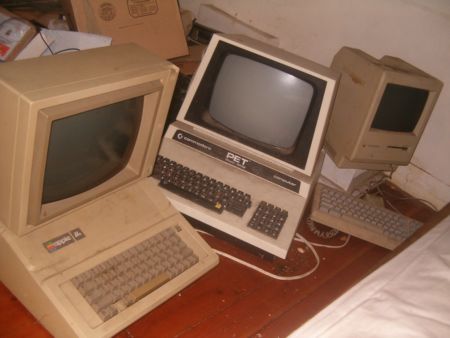
Lots of people today are looking for a new computer. Their reasons for doing so are varied but there are many common complaints that people have with old computers. The primary complaint i receive from users is that their computer is ‘too slow’. While the day to day tasks of the end-user remain pretty much the same (using Microsoft Office, surfing the web, watching movies,playing games etc.), the computing power required to perform those tasks has increased significantly. So does this mean that your old desktop/laptop is now useless and obsolete? Should you throw it away or let it collect dust in a corner? NO. There are many uses for an old computer, a few of which i will be listing below:
Make a Home Server
The home server is one of the easiest and most common uses for an old computer. The basic home server can do simple tasks like sharing files over your home network, while more advanced setups can perform a plethora of tasks such as file sharing, website hosting, torrent downloader, a dedicated firewall for your network, controlling electronic devices in your house etc. The requirements of each user will be different and you should decide the tasks that you would like your server to perform in advance to ensure an easier setup.
The Basic Setup:
I recommend using FreeNAS as an OS for your home server. It is an open-source OS based on FreeBSD which means it is free to download, use and distribute. The most basic task performed by FreeNAS, as the name suggests, is to provide Network Attached Storage in your home. It can perform a wider variety of tasks but we’ll get to that later.
Things you’ll need:
FreeNAS Live CD (Link Below)
Old Computer
Monitor & Keyboard for installation only (you can disconnect them after the install)
Insert the Live CD into your CD drive and wait for the computer to boot up. This can take some time, 5-10 minutes, and you will hear a *chirp* from your PC speaker when the system is ready. At this moment, the system is ready to use as-is from the Live CD or it can be installed onto our hdd or pen drive. I would personally recommend installing the system on your pen drive if your PC supports USB Boot. This leaves more SATA/IDE ports free to attach extra storage.
When you reach the above screen, the system is booted. Since we dont want to run our system off a CD, choose option 9.
We are going to be installing our system on a pen drive so we will choose option 1.
You will receive a warning, Press OK.
Choose your installation media and press OK. In most cases you will have only one option in this step.
Choose your install destination and press OK. In most cases you will have a few options here. Please remember to choose your pen drive at this stage. If the device names (ad0, ad1, etc.) are confusing, you can identify your device with the capacity or manufacturer details.
After this step, FreeNAS is installed on your system. Press Enter and choose the Exit option and you will be returned to the main menu. Choose option no. 7 to reboot your system. To ensure that the system boots from the pen drive, please remove the Live CD and ensure that the pen drive is selected as the primary boot device in your BIOS.
After the reboot, the first thing you have to do is to configure your network interface and LAN IP. These are the last things you need to configure on your FreeNAS box. When you get to the Console Menu, Choose option 1.
Select your Primary interface. If you have multiple interfaces, you can select optional interfaces from the same menu.
After assigning all interfaces select none and press OK.
You will be given a list of assigned interfaces. Press OK and you will be taken back to the Console Menu.
Select option 2 to assign your ip address. I recommend assigning a static ip to your server, so select No when given the option to use DHCP. Enter your ip address, subnet mask, internet gateway and DNS addresses. You do not need to configure an ipv6 address.
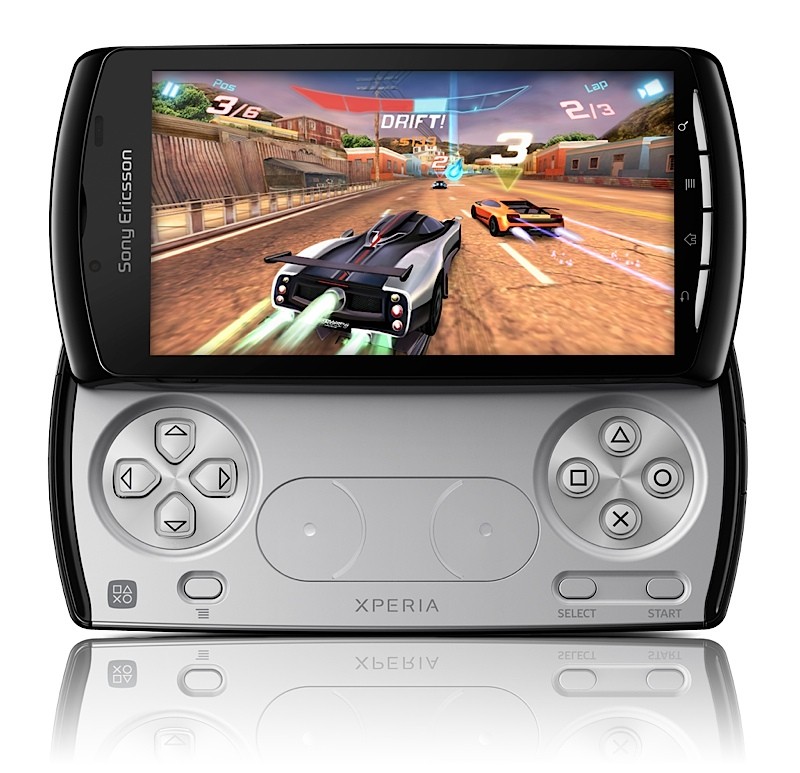
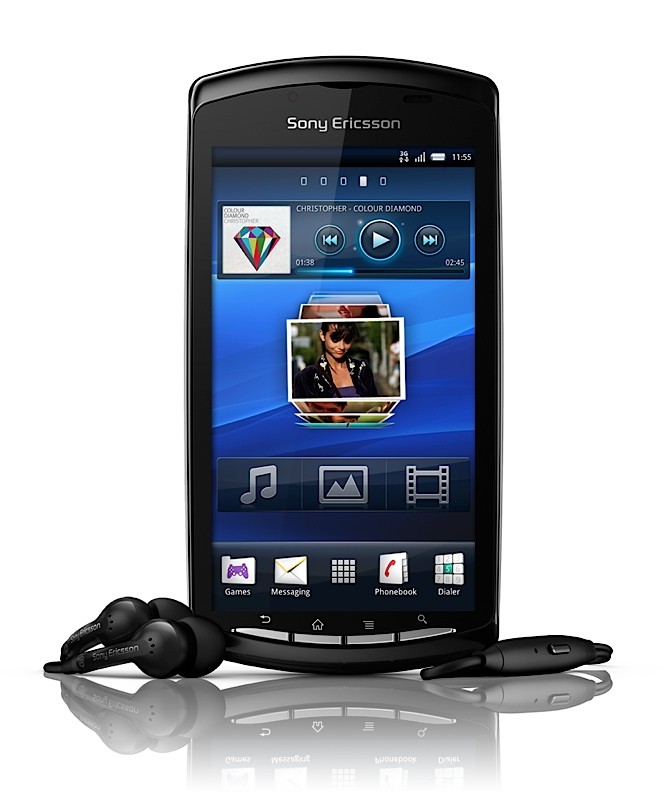
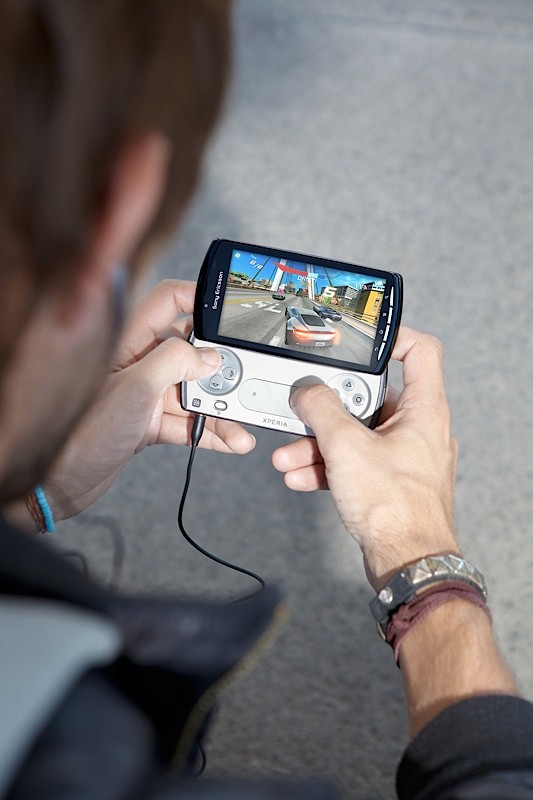
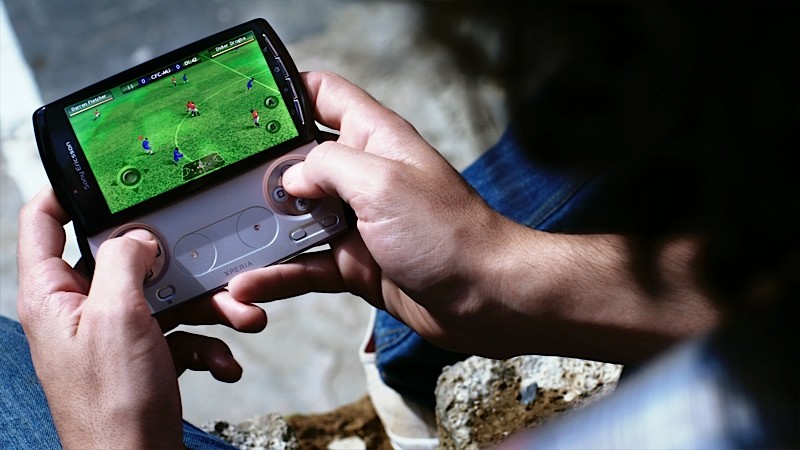
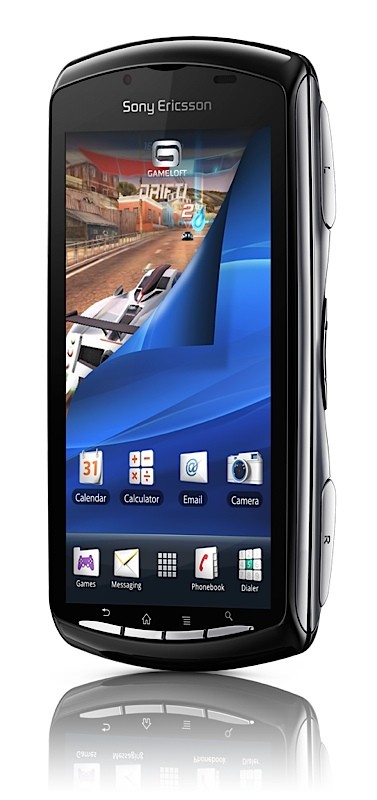
After months of leaks, rumors and blatant denials from Sony Ericsson, the most anticipated device from there stable is finally here the Sony Ericsson Xperia Play.
The best part its playstation certified.Tech Specs include
Latest version of the Android platform (Gingerbread version 2.3)
60fps play-back
Snapdragon 1Ghz processor
Enhanced graphical processor unit the Adreno 205
Dedicated gaming controls for real console quality game play
Four-way directional keys
ABCD keys with PlayStation iconography
Left/right shoulder keys
Two analog touch inputs for joystick action
4-inch brilliant multi-touch display
5.0 megapixel camera
Look at the official Images along with three intro vids from Sony Ericsson.
Official Press Release
ATLANTA, Feb. 13, 2011 /PRNewswire/ – Are Americans ready to play? Sony Ericsson and Verizon Wireless think so. Sony Ericsson today announced that its new Xperia™ PLAY, the world’s first PlayStation Certified smartphone, will be available on the Verizon Wireless Network in the Spring 2011.
“This Spring, expect to see a lot of people with their heads down and thumbs up,” said Peter Farmer, Head of Marketing for North America, Sony Ericsson. “Xperia™ PLAY combined with the power of the Verizon Wireless network gives you everything you need in a smartphone and the one thing you want – the ultimate gaming experience.”
Xperia™ PLAY is powered by the latest version of the Android platform (Gingerbread version 2.3) – and is PlayStation certified, which ensures an optimized gaming experience featuring content from the PlayStation Suite. Xperia™ PLAY will provide a best-in-class gaming experience right out of the box with many of the most popular games pre-loaded, including Asphalt Adrenaline 6, Bruce Lee, Star Battalion, The Sims 3, and Tetris. More than 50 additional titles from top franchises at leading game publishers will be available for purchase at launch.
“Working with Sony Ericsson to bring the world’s first PlayStation Certified smartphone to the nation’s most reliable network builds on our commitment to deliver the best mobile gaming and entertainment experience to our customers,” said Jeff Dietel, vice president-marketing for Verizon Wireless.
According to the Entertainment Software Association’s 2010 consumer survey, in the United States:
67 percent of households play computer or video games
42 percent of heads of households report they play games on wireless devices, up from 20 percent in 2002
The average game player age is 34 and 40 percent of game players are women
Facebook users can enter the First2Play contest and could be one of the first 10 people to get the Xperia™ PLAY by visiting www.facebook.com/SEUSA.
Sony Ericsson Xperia™ PLAY Key Features:
PlayStation Certified gaming experience
Latest version of the Android platform (Gingerbread version 2.3)
60fps play-back enabled through the Snapdragon 1Ghz processor, optimized with enhanced graphical processor unit the Adreno 205
Dedicated gaming controls for real console quality game play, including four-way directional keys, recognizable ABCD keys with PlayStation iconography, left/right shoulder keys and two analog touch inputs for joystick action
4-inch brilliant multi-touch display
5.0 megapixel camera
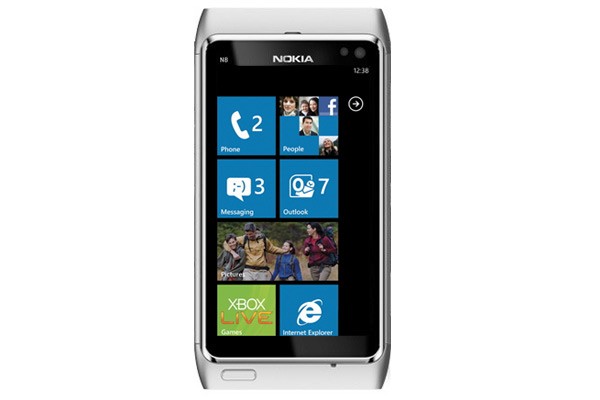
So, Nokia has joined hands with Microsoft to develop future products, what does this mean? We have the details and will be shedding light on the insides and out of the alliance and what it does for us.
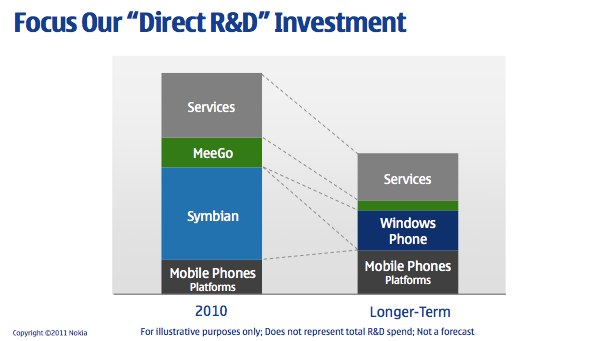
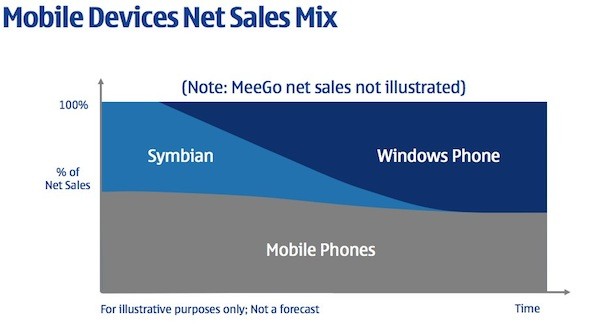
To start off, we expected Symbian to either be completely re-invented or be completely exterminated. Nokia choose the latter, they probably thought it was much easier than to invent an OS in a market that was way ahead of them. This alliance comes with the death of Symbian in a slow and steady manner. In the presentation created by Stephen Elop (ceo of Nokia) t it’s clear that Symbian which is claimed to be a “franchise” OS that Nokia will “harvest” and will be taken over by Windows Phone on Nokia devices just as soon as Nokia and Microsoft can complete the transition.
The transition as Nokia and Microsoft stated, would go on through 2011-2012, and by 2013 Nokia will be shipping only Windows Phone 7 or 8 or whatever version Microsoft throws out to the world. In simple words : Nokia will only ship Windows Phone devices 2013 onwards.
“Nokia expects 2011 and 2012 to be transition years, as the company invests to build the planned winning ecosystem with Microsoft. After the transition, Nokia targets longer-term: (1) Devices & Services net sales to grow faster than the market. (2) Devices & Services non-IFRS operating margin to be 10% or more.”
Stephen Elop says that he expects Nokia to ramp up the transition this year and be ready to ship Windows Phone 7 devices in significant volume in 2012.
With the arrival of Windows Phone to Nokia devices, there are substantial changes that will go on in Nokia’s infrastructure. When Elop was asked by a concerned Finnish reporter, “What happens to Finland,” Stephen responded that a successful Nokia is good for Finland but there will be “substantial reductions in employment” in Finland and around the world. That does mean a lot of frustrated Nokia employees, and a lot of anxiety for them. This may also be a great blow to investors or stock holders, as this may ruin Nokia’s market value on the long run.
Nokia has also been on the Qt warpath for years after purchasing the developer framework from Trolltech back in January of 2008. While Qt will continue on as the development framework for Symbian and MeeGo, Microsoft will give for free Windows Phone Developer Tools (Visual Studio 2010, Expression, Silverlight and the XNA Framework) to developers interested in the platform and exclusively developing for it. Qt will not be adapted for Windows Phone 7 APIs.
Whatever said and done, We personally believe, Nokia’s focus on hardware development will improve the outcome and toss Nokia back up on the anticipated phones / devices list. Also we believe Nokia will be launching a tablet later this year. A tablet that will run a mix of operating systems and an interesting hardware speck at a price that will remain unrivaled. There are only good things to see from Nokia now (or at-least we want them).
Elop also expressed the fact that, Nokia will be allowed to alter anything in the WP7 platform, including layouts and skinning. But, Elop also mentioned that Nokia likely won’t make extensive use of this freedom to tailor Microsoft’s OS. This is a major shift for Microsoft, who forbade HTC from skinning Windows Phone 7 with Sense, the proprietary skin from HTC.
Read the Q&A below from the post announcement session.
No specific announcement for when we’ll see the first Nokia Windows Phone. Ballmer mentioned that the engineering teams have spent a lot of time together already.
Elop confirmed that Nokiawill not be moving to Silicon Valley or anywhere else.
Ballmer said that the partnership is “not exclusive” but some things that Microsoft is doing with Nokia are “unique” allowing Nokia to differentiate itself in the market. Elop added that it’s important for the Windows Phone 7 ecosystem to thrive, which means that multiple vendors must succeed.
Elop didn’t believe that Nokia could create a new ecosystem around MeeGo fast enough.
Nokia will “substantially reduce” R&D expenditures while increasing R&D productivity moving forward.
Nokia did consider adopting Android but decided that it “would have difficulty differentiating within that ecosystem” and the “commoditization risk was very high — prices, profits, everything being pushed down, value being moved out to Google which was concerning to us.” Microsoft presented the best option for Nokia to resume the fight in the high end smarpthone segment.
Elop clarified that MeeGo will ship this year but “not as part of another broad smarpthone platform strategy, but as an opportunity to learn.” Something that sounds very similar to position Nokia took with its so-called “experimental” Maemo-based N900 last year. After the first (and apparently, only) MeeGo device ships this year, the MeeGo team will then “change their focus into an exploration of future platforms, future devices, future user experiences.” Trying to determine the “next disruption” in smartphones.
Responding to “hope for a broad MeeGo-based ecosystem,” Elop said that Nokia simply wasn’t moving fast enough to effectively win and compete against Apple and Google. Windows Phone makes it a “three-horse race,” something that Elop says is pleasing to the carriers he’s been speaking with.
Nokia has different options for its tablet strategy including using something from Microsoft or something that Nokia has developed internally.
Watch the Video of the whole event below
Click on the Next Link Below to read Press Releases