Tag: internet browser

  • Xiaomi’s Mint Browser Is Now Available On The Play Store

    Xiaomi’s Mint Browser Is Now Available On The Play Store

    Xiaomi has lunched its Mint Browser on the Google Play Store. The browser is a lightweight version of an already existing browser which comes in-built along with MIUI. The Mint browser is however not restricted to just Xiaomi devices and can be installed on any Android smartphone. However, the browser is still not available in India, but should be made available soon.

    The Mint browser is a lightweight browser and it is designed to consume fewer resources. The browser is smaller and lighter in terms of download size, installation size, memory and data usage and many other arenas. The light weight nature and small size does have some issues as well. The browser isn’t really feature loaded, but it does have the bare necessities for every day use.

    The browser features an incognito mode. It also has a data sober mode which compresses images to save data. It does not have an ad-blocker which is a common feature among browsers these days. Also , the search engines which you can use is limited to Yahoo, which is the default and Google. To use an alternative like DuckDuckGo, you will have to set that as the default start page.

    It also features a night mode, which is a feature already found on the MIUI browser. This mode turns the webpages dark so as to decrease eye-strain at night. However, this night mode does have its drawbacks. The web page only switches to dark mode after the entire web page finishes loading. Until then, it stays in the original colours.

    Also Read : Apple Wont Ditch The iPhone’s Notch Till 2020

    However, unlike the other Xiaomi browser, this one is clean and free of annoying ads and pop ups. This means there are no notifications, promoted content, ads and pop ups. The app is available for free on the Play Store.

  • New Amazon Internet Browser For Android Weighs 2MB

    New Amazon Internet Browser For Android Weighs 2MB

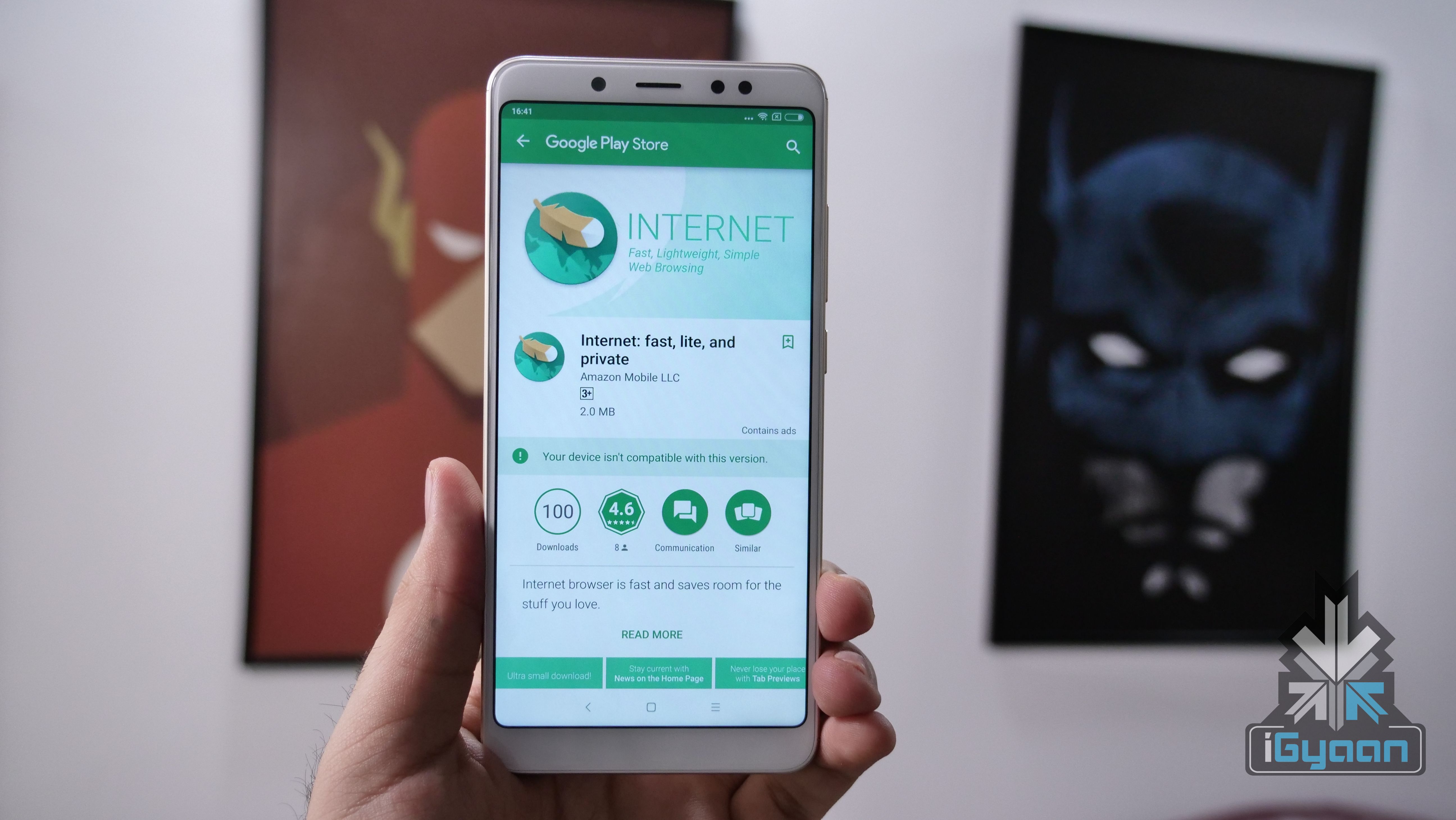
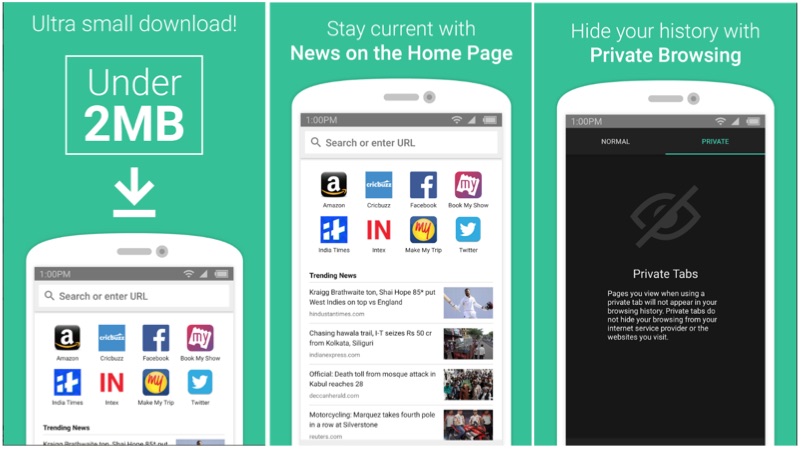
    Amazon has just released a new browser for Android users in India. The new browser, named ‘Internet’ is specifically designed for to consume much less data than usual browsers. Apparently, the Amazon Internet browser also provides a very private user experience as it does not ask for any permissions to collect private data. The app is available to download via Google Play Store and is compatible with Android devices running Android 5.0 Lollipop and above. However, we were not able to install the app on our Redmi Note 5 Pro running Android 7.1.1 Nougat.

    Just like any other browser, the Internet browser app from Amazon Internet has basic features like fullscreen reading mode. The homepage layout is also very similar to other browsers like Chrome with tabs for trending news and most visited pages. Just like the incognito mode on Chrome, there is a private mode to let users hide browsing history from their devices.

    Amazon Internet is not the first ‘lite’ app by Amazon for the Indian audience. The company recently launched the lite version of its highly popular reading app, Kindle. The Kindle Lite, just like Internet, weighs less than 2MB in size and offers a basic e-book reading experience. The app is specifically designed for devices with a slower internet connection and for areas with unstable data connectivity.

    A full-fledged browser that hardly takes up any space is ideal for people with entry-level smartphones. While many of us are used to 4GB RAM and minimum of 64GB onboard storage, there are consumers with entry-level Android smartphones with 8GB of onboard storage. This means that apps like Internet, Messenger Lite etc can help these users get a good user experience without their smartphones running out of space constantly.


  • Microsoft Releases Project Spartan For Testing With Windows 10 Technical Preview

    Microsoft Releases Project Spartan For Testing With Windows 10 Technical Preview

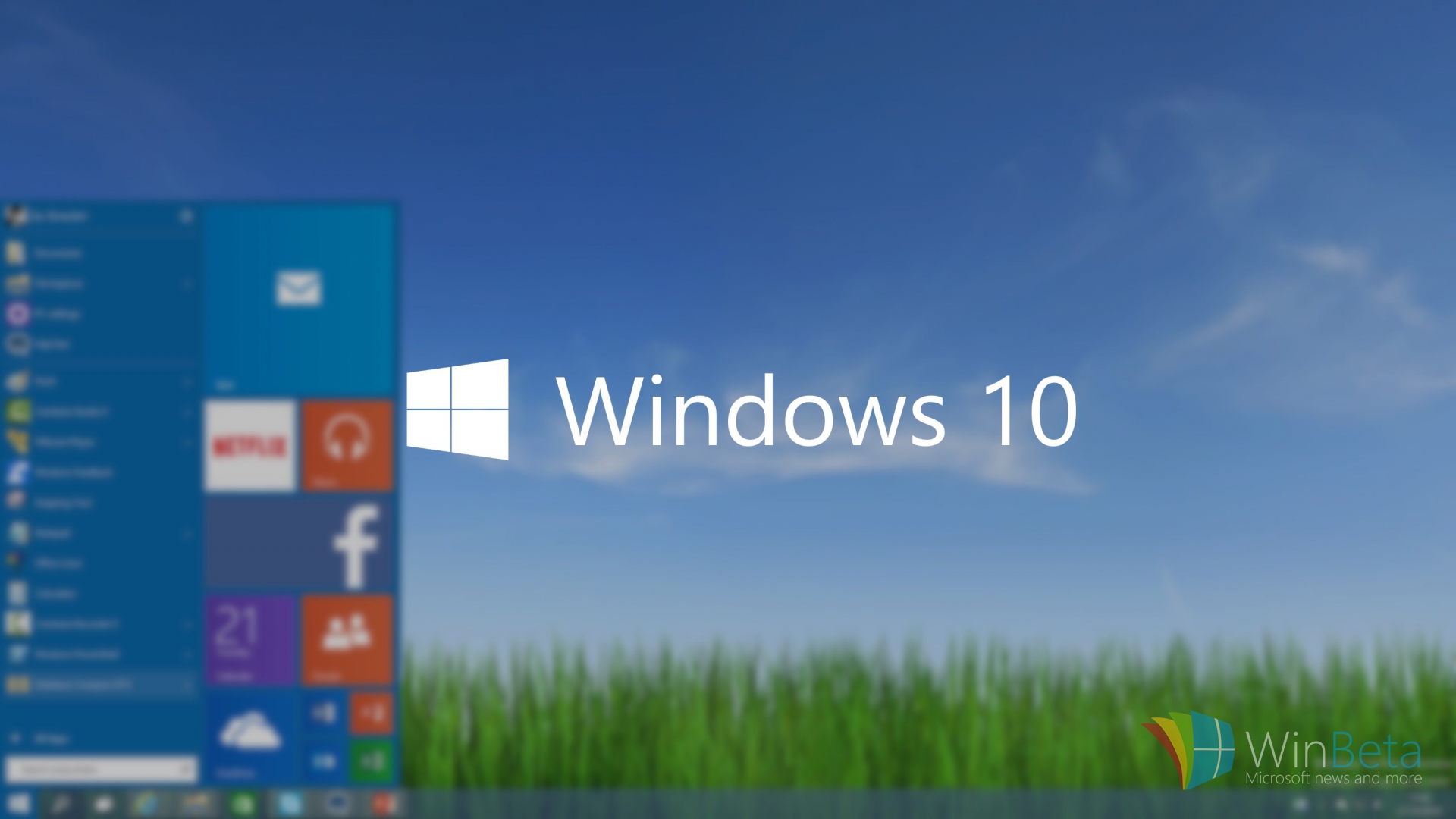
    Microsoft is going for a major revamp with its new operating system, Windows 10. The latest OS will also come with an all new browser, known at present as “Project Spartan”. Microsoft has unveiled Spartan during the consumer preview of Windows 10 in January, and it looked competent enough to take on the likes of Chrome, Safari and others. The latest technical preview of the Windows 10 has now been released, and Microsoft is now giving developers the chance to play with the new browser.

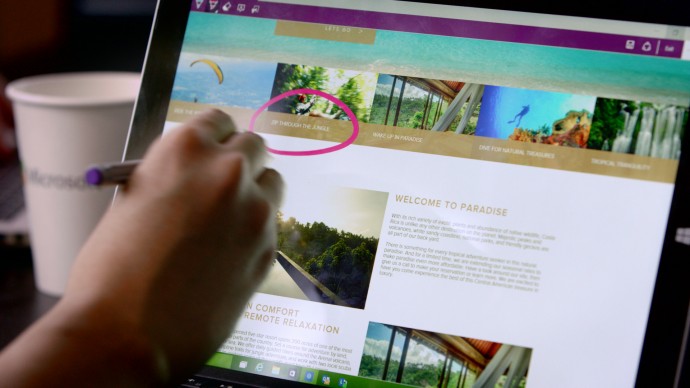
    Project Spartan comes with a brand new rendering engine. This new engine will be faster and will facilitate the new sharing features. The preview also features the most talked about feature of inking, where users can add annotations to existing pages and share them through various channels.

    Cortana, Microsoft’s voice assistant, presently found in Windows Mobile will also be available in Windows 10. Cortana will lead to faster searching capabilities and can be easily conjured up when required. Cortana in Spartan will be available in the US versions of this build, and available more broadly later.

    Project Spartan was unveiled at the Windows 10 consumer preview event held in January.
    Project Spartan was unveiled at the Windows 10 consumer preview event held in January.

    Project Spartan will offer a reader friendly view to spare you from the usual distractions of a regular website. The browser can collect all that you read and lets you save any web page or PDF to let you access them in a distraction-free reading space.

    If you want to take Project Spartan out for a spin, you need to sign-up for the Microsoft Insiders Program and get started for free. You would need to install the Windows 10 Technical Preview, Build 10049. As Project Spartan gains more prominence, Microsoft’s premier internet browser, the Internet Explorer will be pushed into the background. With Windows 10, Microsoft is attempting to take down its competition, who have got an opportunity to advance, thanks to its own folly called Windows 8. So Microsoft has to offer several unique features in Windows 10 to maintain its dominance in the operating system market.

  • Check Out Microsoft’s New Browser ‘Project Spartan’

    Check Out Microsoft’s New Browser ‘Project Spartan’

    Anyone who has been a fan of Windows, has also made fun of Internet Explorer. With the rise of new and lighter internet browsers like Google Chrome and Mozilla Firefox, Internet Explorer lost the race miserably. The main reason was the heavy size of the browser and its inability to catch up with the latest trends such as extension support, tools and much more.

    However, with an exciting new announcement at yesterday’s event, Microsoft has taken its first step to change all that. At the Windows 10 event, Microsoft announced the much-talked about browser app which is codenamed Project Spartan. Microsoft’s new browsing app is a clean browser with a lot of shiny new features and convenient integrations with other Microsoft services.

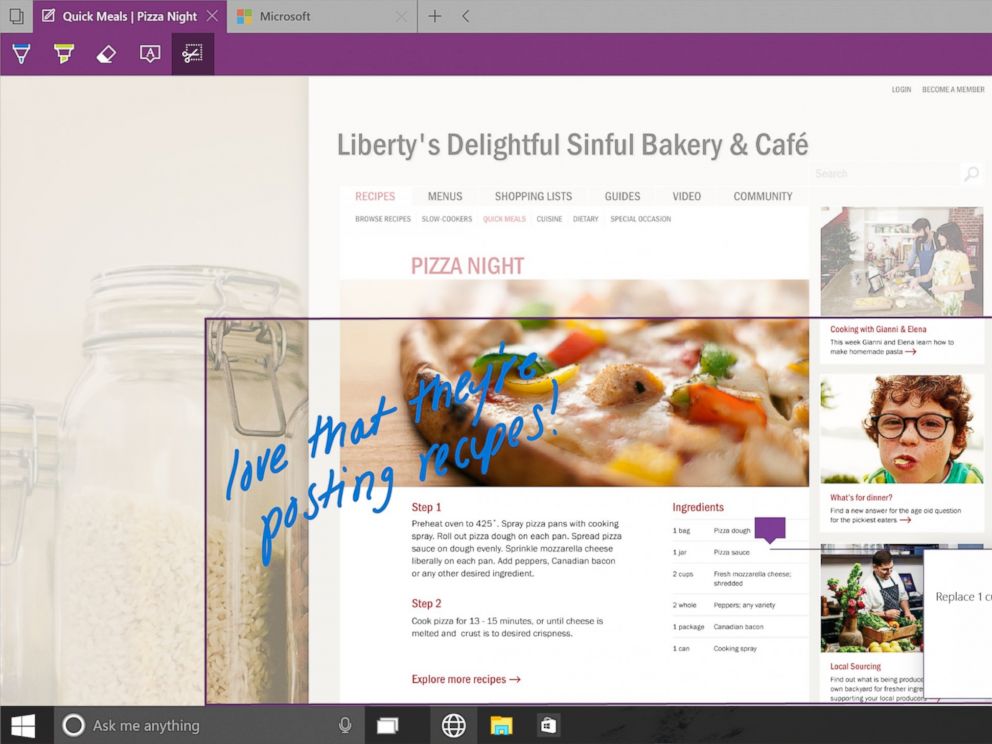
    There’s a “note-taking mode” that lets you draw over the pages with a stylus or add comments with a keyboard, then save the results on OneNote. So picture this, while you’re browsing through a webpage, you spot an important sentence; you can use this tool to highlight the section and then share it further.

     A clean “reading mode” formats a page like a book and adds a syncable reading.

    spartan
    Note Taking Mode

    But these are not the major features of the new browser app. Just like everything else Microsoft announced yesterday, Spartan has Cortana built into it. Microsoft has taken a big leap with Cortana for Windows 10. Considering that the company joined the race much later than rivals Apple and Google, it’s good to see that Cortana has been deeply integrated in the company’s offering.

    With a slew of interesting new features, Spartan seem like a great replacement for the Internet Explorer. It promises to be a simple, fast and smart browser that efficiently ditches Internet Explorer’s dismissal brand image.

  • Get Ready For A Whole New Browser For Windows 10

    Get Ready For A Whole New Browser For Windows 10

    If there is one internet browser that has gathered immense online infamy, it’s the Internet Explorer (IE). As one of the oldest browsers, it helped Microsoft win the browser game as it was provided for free with its Windows OS. It’s competitors, like Netscape Navigator couldn’t compete, because of the massive reach of Windows. But lately with the emergence of browsers like Mozilla Firefox and Google Chrome, the Internet Explorer has taken a back seat. However, Microsoft hasn’t lost out of hope with one of its oldest product yet. It is planning to create a whole new browser for the upcoming Windows 10 operating system.

    According to ZDNet’s Mary Jo Foley, The project is apparently code-named “Spartan”. Microsoft’s top competition Apple introduced multiple features in this year’s version of its browser Safari. With the Spartan, Microsoft hopes to create a light-weight browsing experience similar to that on Firefox and Chrome. This browser will be available for both the desktop and the mobile versions.

    It is also being reported that Microsoft will ship Windows 10 with Internet Explorer 11 for the sake of backward compatibility. Microsoft wishes to reignite the browser wars that it started back in the 90’s. The winner in this battle would be the consumer who will get improved functionalities thanks to the fierce competition.

    Microsoft is going to hold a press event on January 21st where we will get to know more about the consumer aspects of the Windows 10. Maybe we’ll get to know more about Spartan too. The previews of Windows 10 have been appreciated and so we have some hopes with this new browser. Windows 10 is expected to come to the market by next September; only then we’ll finally know whether Microsoft’s Spartan forms a formidable opponent to the three ruling forces of the browser game.

  • Apple OS X Mountain Lion Quick Overview

    OS X Mountain Lion is here, and there are quite a few new features to learn all about, so we sum it up listing the best out of all of them .

    Notification Center

    Just like on iOS , Notification centre gives you all your  alerts and messages under one bar, instead of all over the place. You can access your notification history by clicking the list icon all the way in the top right corner of the OS X menubar. If you want to edit your notification center settings, you can do so in the Notifications section of System Preferences. You’ll be able to decide what kind of notifications individual apps provide, or turn them off entirely.

    Notes and Reminders

    The Notes app lets you save and organize text and images. Reminders allows you to create reminders so you don’t forget to do things. Again they are just like on iOS and sync well with your iDevices.


    Voice Dictation

    Just like on the iPad and iPhone you get voice dictation on Macs, in Mountain Lion (sadly no Siri).  To start dictating, just press the function (fn) key twice. When you’re done dictating, you can click the “done” button or press the function (fn) key twice again. OS X will take a moment and then provide you with the transcribed text. In addition to just offering words, you can say things like “period” or “comma” for punctuation and “new line” to make a new line.

    This feature works in any App or window that accepts text input via keyboard, also in online websites, like in GMAIL, as long as they are accessed in the new Safari.

    AirPlay Mirroring

    If you have an Apple TV, You can now mirror your display on an Apple TV (2nd or 3rd generation) with AirPlay if you enable it in Displays section of System Preferences. Down at the bottom there’s a checkbox beside “Show mirroring options in the menu bar when available.” Check it and you’ll be able to send your display to any detected Apple TV via the menu item in your menubar.

    Messages

    Messages is the iMessage of OS X. It’s been around in beta since Lion and hasn’t changed much in Mountain Lion. You can add your iCloud account to sync messages with an iPhone, iPad, or iPod touch. You can set up various instant messaging accounts, however, so Messages on the Mac is a little bit more functional than it is on iOS. That’s because it replaces iChat. Messages also now pulls out of Beta, so those of you who were experiencing slow takes may enjoy the new experience. 

    iCloud (Documents in the Cloud)

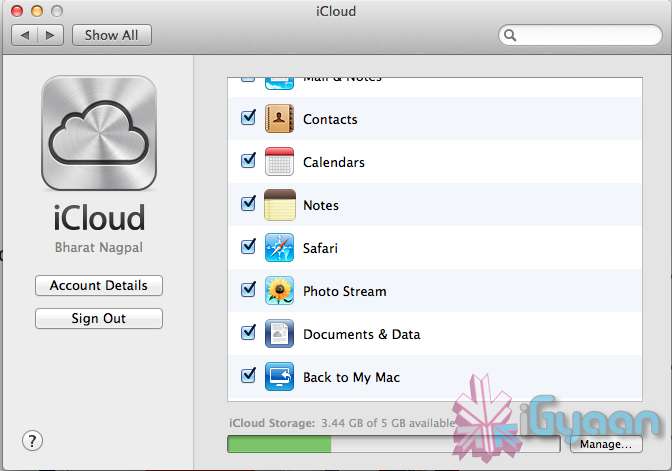
    iCloud has been upgraded significantly in Mountain Lion, you can access it in the same panel in System Preferences. If you turn on “Documents & Data” your documents (including versions of them) will be synced with iCloud, making them available on other iCloud-enabled devices.


    Share

     There is a new button in Mountain Lion, its the Share Button. Not every app has it yet, but many apps will be adding it to allow you to share content easily. In the meantime, Safari is one app that makes sharing sites easy to Messages, Twitter, and Email. If you click an image and then the sharing icon in a window’s toolbar, you’ll be able to share it on Twitter or Flickr. You’ll find other options for other file types as well. If you want to set up sharing accounts, visit the Mail, Contacts, & Calendars section of System Preferences.

    Security and Privacy

    In this new panel available in the System Preferences panel , a new checkbox “Allow applications downloaded from” , which once checked will give option “Mac App Store and identified developers” . This will prevent apps that aren’t signed through Apple’s developer center or downloaded through the Mac App Store from running

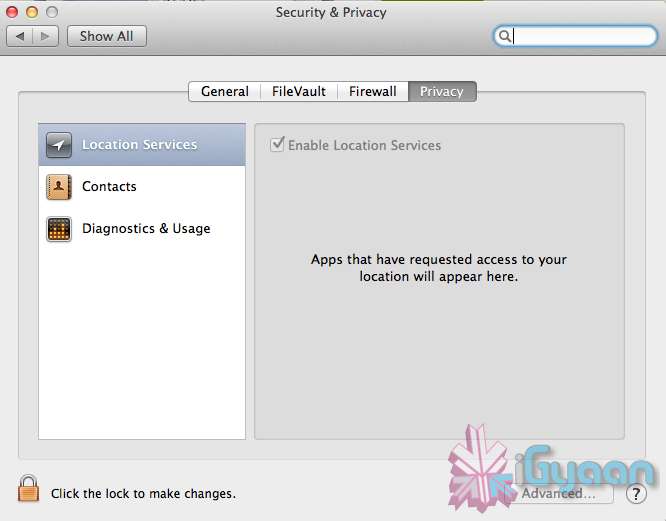
    Under Privacy, you get new privacy settings. This is where you can approve or deny an app’s permission to access certain things like your contacts, location, Twitter account, and more. 

  • Apple unveils Safari 6, Mac Only Version Out Now

    Apple unveils Safari 6, Mac Only Version Out Now

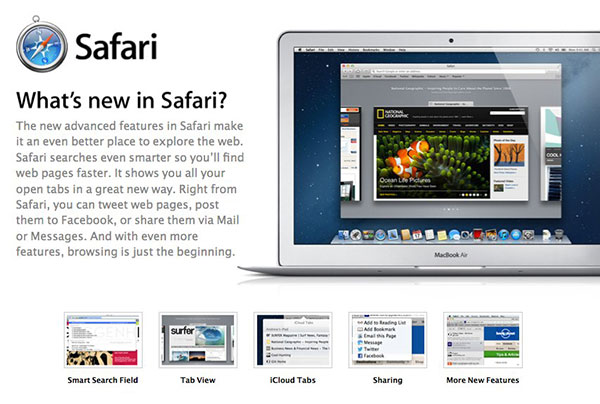
    Apple’s new Operating System, has a key browsing element, the new Safari, version 6, has been launched today alongside the major release Mountain Lion. The new Safari brings about some nice new features including iCloud tabs and a new tab view — both Mountain Lion only.

     There’s also a Do Not Track option to cover your internet tracks, just like the “incognito mode” on Chrome. It also appears that this time around Apple has not released a Windows Version for the software, and all earlier versions of Safari are now removed from Apple’s Servers. 

    [Apple}

  • Apple Mac App Store gets Mountain Lion for Download – US $ 19.99 – 4.05 GB – LION Extinct (PR)

    Apple Mac App Store gets Mountain Lion for Download – US $ 19.99 – 4.05 GB – LION Extinct (PR)

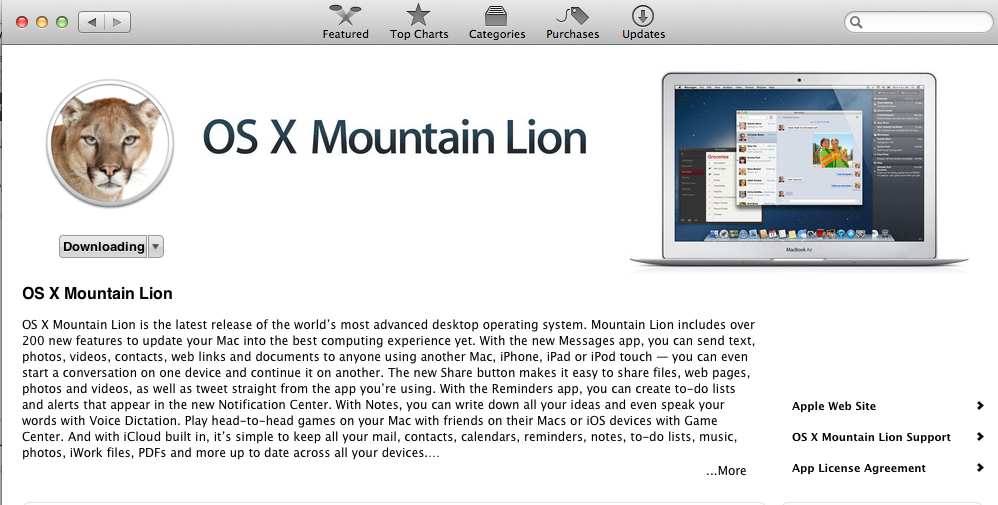
    The Mac App Store gets its own dose of Lion, and you can get it too for a mere US $ 19.99. The new Operating system adds over 200 new features including voice dictation, notification centre, new advanced sharing, ui fixes, customizations to Spotlight, AirPlay Mirroring etc. 


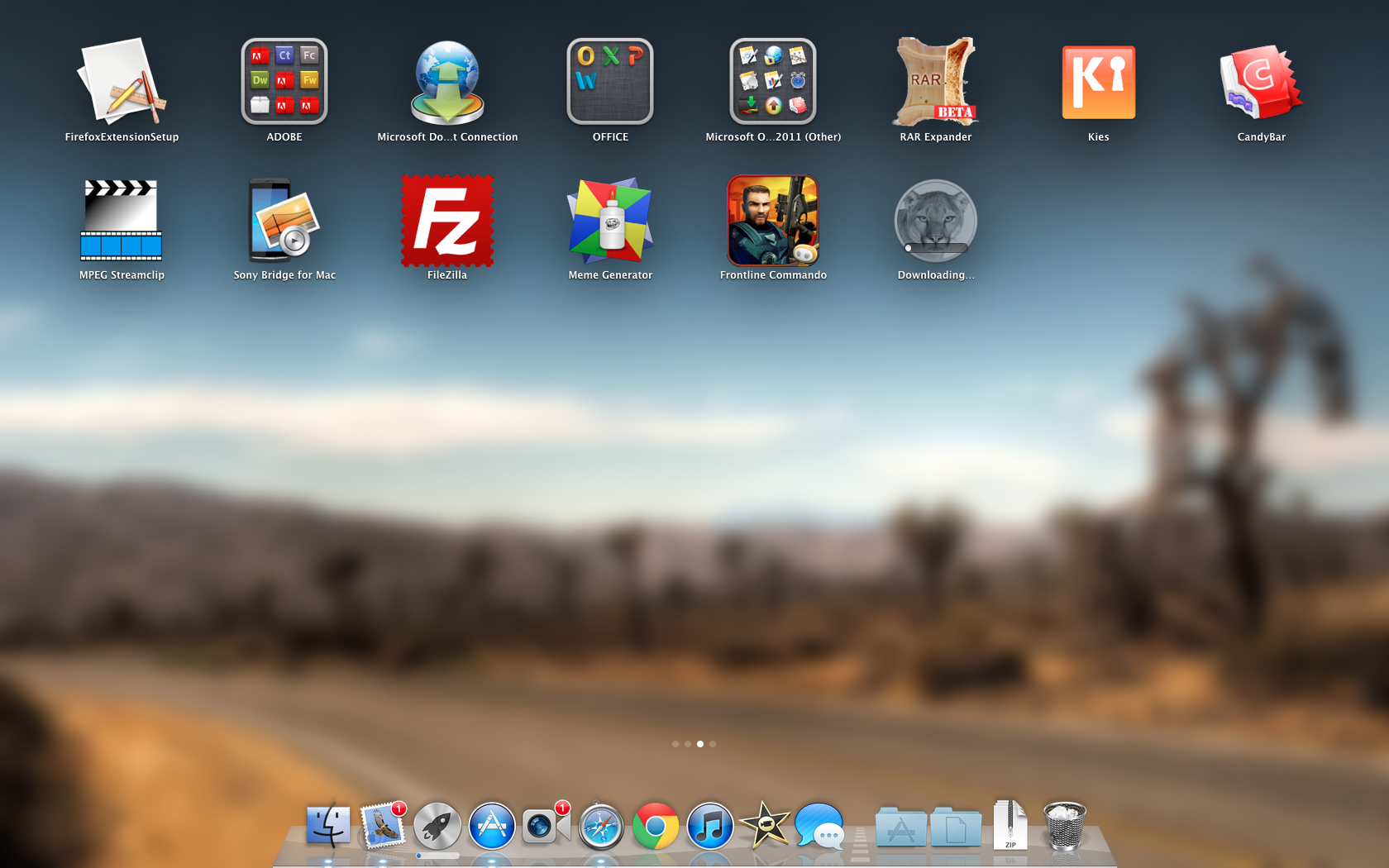
    While we download this 4.05 GB update, and sum it up for you. You can get your own version, at the link below.
     

    [toggle_box title=”Press Release” width=”Width of toggle box”]


    Mountain Lion Available Today From the Mac App Store


    Apple® today announced that OS X® Mountain Lion, the ninth major release of the world’s most advanced desktop operating system, is available as a download from the Mac® App Store?. With more than 200 innovative new features, Mountain Lion includes iCloud® integration, the all new Messages app, Notification Center, system-wide Sharing, Facebook integration*, Dictation, AirPlay® Mirroring and Game Center. Mountain Lion is available as an upgrade from Lion or Snow Leopard for $19.99.


    “With iCloud integration, Mountain Lion is even easier to set up, and your important information stays up to date across all your devices so you can keep editing documents, taking notes, creating reminders, and continue conversations whether you started on a Mac, iPhone or iPad.”


    “People are going to love the new features in Mountain Lion and how easy it is to download and install from the Mac App Store,” said Philip Schiller, Apple’s senior vice president of Worldwide Marketing. “With iCloud integration, Mountain Lion is even easier to set up, and your important information stays up to date across all your devices so you can keep editing documents, taking notes, creating reminders, and continue conversations whether you started on a Mac, iPhone or iPad.”


    With more than 200 innovative new features, Mountain Lion includes:


    iCloud integration, for easy set up of your Mail, Contacts, Calendar, Messages, Reminders and Notes, and keeping everything, including iWork® documents, up to date across all your devices;
    the all new Messages app, which replaces iChat® and brings iMessage™ to the Mac, so you can send messages to anyone with an iPhone®, iPad®, iPod touch® or another Mac;
    Notification Center, which streamlines the presentation of notifications and provides easy access to alerts from Mail, Calendar, Messages, Reminders, system updates and third party apps;
    system-wide Sharing, to make it easy to share links, photos, videos and other files quickly without having to switch to another app, and you just need to sign in once to use third-party services like Facebook, Twitter, Flickr and Vimeo;
    Facebook integration, so you can post photos, links and comments with locations right from your apps, automatically add your Facebook friends to your Contacts, and even update your Facebook status from within Notification Center;
    Dictation, which allows you to dictate text anywhere you can type, whether you’re using an app from Apple or a third party developer;
    AirPlay Mirroring, an easy way to wirelessly send an up-to-1080p secure stream of what’s on your Mac to an HDTV using Apple TV®, or send audio to a receiver or speakers that use AirPlay; and
    Game Center, which brings the popular social gaming network from iOS to the Mac so you can enjoy live, multiplayer games with friends whether they’re on a Mac, iPhone, iPad or iPod touch.


    Additional features in Mountain Lion include the revolutionary new Gatekeeper, which makes downloading software from the Internet safer; Power Nap, which automatically updates your apps and system while your Mac is asleep; and a faster Safari® browser. New features for China include significantly improved text input, a new Chinese Dictionary, easy setup with popular email providers, Baidu search in Safari, and built-in sharing to Sina Weibo and popular video websites Youku and Tudou.


    Pricing & Availability


    OS X Mountain Lion is available from the Mac App Store for $19.99 (US). Mountain Lion requires Lion or Snow Leopard (OS X v10.6.8 or later), 2GB of memory and 8GB of available space. For a complete list of system requirements and compatible systems, please visit: apple.com/osx/specs. OS X Server requires Mountain Lion and is available from the Mac App Store for $19.99 (US). The OS X Mountain Lion Up-to-Date upgrade is available at no additional charge from the Mac App Store to all customers who purchased a qualifying new Mac system from Apple or an Apple Authorized Reseller on or after June 11, 2012.

    [/toggle_box]

    [iTunes]

     

  • Google Chrome becomes worlds most popular browser, IE left in the dust

    Google Chrome becomes worlds most popular browser, IE left in the dust

    Google Chrome has now become the world’s most popular internet browser as it leaves the long running champion the “Internet Explorer” in its dust. According to new numbers from StatCounter, last week Google’s Web browser garnered a 32.76% share, ahead of Microsoft’s 31.94% and Mozilla Firefox’s 25.47% share. At the start of this week, however, Chrome’s share began to slide, falling to 31.88%, just ahead of Internet Explorer’s 31.47% share.

iGyaan Network
Privacy Overview

This website uses cookies so that we can provide you with the best user experience possible. Cookie information is stored in your browser and performs functions such as recognising you when you return to our website and helping our team to understand which sections of the website you find most interesting and useful.