Tag: iPad

  • Mobile Gaming By The Numbers

    Mobile Gaming By The Numbers

    The mobile gaming industry was worth $33 Billion in 2010. Statistics show that you are more likely to leave home without your wallet than your phone. While most people would rather play a game on a console or computer, the mobile market is rising. Check out the info-graphic below for more facts on mobile gaming:


  • Apple launches iCloud and iWork betas, Pricing for advanced users.

    Apple launches iCloud and iWork betas, Pricing for advanced users.

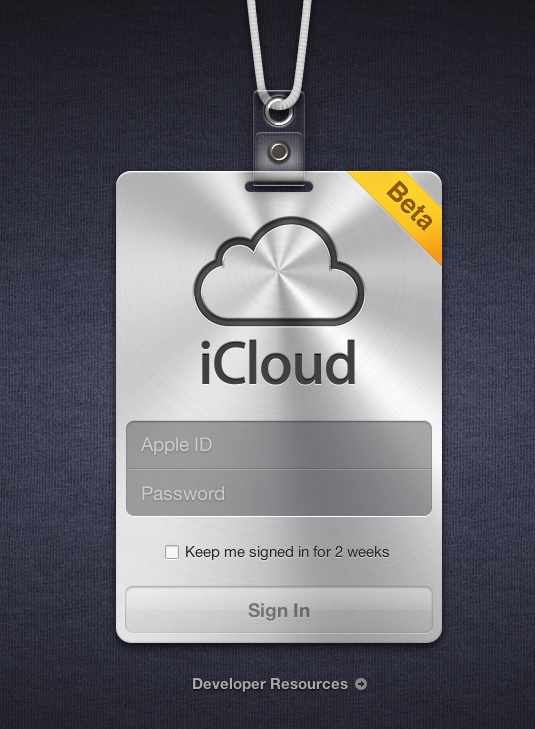
    Apple’s iCloud goes into a beta test mode , with the official site iCloud.com now a host to the beta signup page for a developer only preview of the cloud madness.  For those on iOS5 and Lion 10.7.2 in the test phases can login with their dev account ID and ease the cloud sweetness.

    If you exhaust the free 5Gb of data and need more, then the following pricing applies

    10Gb : US $ 20

    20GB: US $ 40

    50Gb: US $ 100

    A screenshot below shows the iWork icon already included in the beta.


    [MacRumors]

  • Skype for iPad Released (PR)

    Skype for iPad Released (PR)

    The most anticipated update for Skype has been finally released. Skype for iPad is now official and brings voice and video chatting with others on Macs, PCs or other Skype clients. The app is not an add-on in the Skype for iPhone app but a separate iPad app available to download now from the App-Store. The app will let you enjoy the Skype goodness over Wifi or your data connection.


    [toggle title_open=”Collapse” title_closed=”Read the Press Release” hide=”yes” border=”yes” style=”default” excerpt_length=”0″ read_more_text=”Read More” read_less_text=”Read Less” include_excerpt_html=”no”]Skype for iPad

    Bring your Skype contacts closer with full screen video at your fingertips.
    Beautiful and simple, this is Skype built especially for the iPad. Call, video call, or instant message anyone on Skype. Plus, if you add a little Skype Credit, call landlines and mobiles at really low rates.

    Simple to use:
    • Join Skype on your iPad in a few moments or just sign straight in to your account.
    • If you already have a Skype account, your Skype contacts will automatically be there on your iPad.
    • We’ve made adding new Skype contacts really easy.
    • Once they’re in your Contact list, call, video or instant message them in one touch.
    • Flick through recent calls and instant messages in your Skype for iPad history.
    • Skype for iPad works over Wi-Fi or 3G (operator data charges may apply). Call Skype contacts on their iPhone, iPod touch, iPad, PC, Mac and even Skype enabled TVs.

    Access free Skype features:
    • Talk face-to-face or show what you’re seeing with front and back-facing cameras.
    • Use Skype for iPad to call anyone else on Skype – and enjoy near CD quality (SILK) sound.
    • Instant message and add emoticons to personalize your messages.

    Then unlock even more features when you pay a little:
    • Make cheap calls to landlines or mobiles from your iPad.
    • Get an Online Number from Skype so people can call you on your iPad.

    If you want to unlock these extra features, you can pay in a way that suits you.
    • Pay As You Go with Skype Credit – great for when you’re using Skype every now and again.
    • Pay monthly with a subscription – best if you use Skype a lot.

    System requirements:
    • Skype video calling requires iOS 4.0 or above.
    • Send and receive video using front or back camera on iPhone 4, iPad 2nd Generation, and iPod touch 4th Generation.
    • Send and receive video using rear camera on iPhone 3GS.
    • Receive video only on iPad 1st Generation and iPod touch 3rd Generation.
    • Works with any H264 compatible devices, including TVs.[/toggle]

  • Apple will Launch a Cheaper iPad 3 this year?

    Apple will Launch a Cheaper iPad 3 this year?

    According to several reports, Apple has signed deals with various parts suppliers for the release of its next gen iPad this year. in a report DigiTimes claims Taiwan-based component manufacturers including Novatek Microelectronics, Richtek Technology, Capella Microsystems and Integrated Memory Logic have been awarded contracts to supply integrated circuits for the iPad 3.

    This is contrary to earlier reports of a pro / HD / Premium iPad 3DigiTimes states that Apple is seeking to utilize lower cost parts from Taiwanese suppliers in order to “compete with an array of tablet PCs to be launched by rivals in the second half of 2011″.

    We believe the search for cheaper vendor could be possibly for a cheaper retina display for Apple’s manufacturing process and not for the supposed end result cheaper iPad.

    [DigiTimes]

  • Facebook’s Dedicated iPad app leaked in its iPhone app

    Facebook’s Dedicated iPad app leaked in its iPhone app

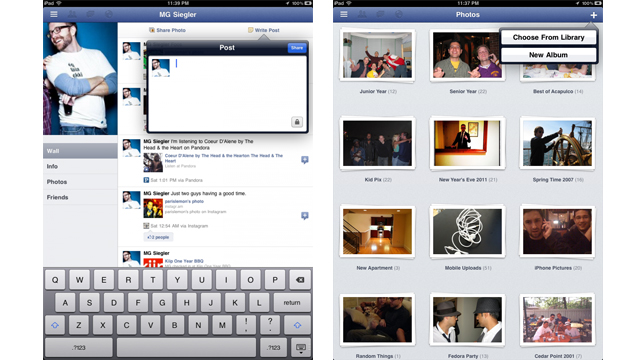
    The much awaited, dedicated iPad app for Facebook has be found in the latest update of the iPhone app.  @AeroEchelon, a Canadian engineering student who first noticed the hidden code says “change the UIDeviceFamily to 2 for iPhone on the Facebook app” . A basic edit of the file structure of the App will allow you to get a preview of the App. 

     The Facebook iPad app uses a left-side menu system that can be accessed by the touch of a button or the flick of the iPad screen. The interface is unlike the other iPad apps for accessing Facebook and TechCrunch calls it “Spectacular”.

    Hit the link for more screenshots and review by TechCrunch.

    [TechCrunch

  • Apple testing Retina Displays from LG and Samsung for iPad 3

    Apple testing Retina Displays from LG and Samsung for iPad 3

    According to Korean Times, Apple is testing 2048 x 1536 displays for the iPad next. 


    Apple’s upcoming iPad 3 will feature an improved display to support quad extended graphics (QXGA), a display resolution of 2048×1536 pixels with a 4:3 aspect ratio to provide full high definition (HD) viewing experience,

    According to their source the iPad 3 is the actual name of the device and not iPad HD. Apple did change its supplier of its primary chipset from Samsung to TSMC earlier this year. This happened due to the series of legal actions b/w Apple and Samsung. Apple however may not find a better manufacturer than Samsung or LG for the display.

  • iOS Is Still Bigger Than Android

    iOS Is Still Bigger Than Android

    Over 15,000,000,000 apps have been downloaded by some 200,000,000 users from the Apple App Store. In total, the App Store has around 425,000 applications available for sale. Last Thursday, Google announced that over 6,000,000,000 app downloads had been made by some 135,000,000 users form the Google Marketplace, which has around 250,000 applications available for sale.

    The growth of Android is spurred on by the release of new Android smart phones and tablets in the market. While the tablets might not be able to dislodge the iPad from the top spot, the smart phones are giving the iPhone a run for its money. Google CEO Larry Page said that new Android devices are activated at a rate of around 50,000 per day. Despite the number of activations, the iPad, iPhone and iPod Touch still lead the pack.

    At present, Apple’s iOS remains the number one mobile operating system but speculation is ripe that its just a matter of time before Android overtakes iOS to become the leading mobile operating system.

  • Is Apple Killing The iPod?

    Is Apple Killing The iPod?

    Apple’s iPod has been around for the last ten years. When it was launched it was a revolutionary product that defined an industry. We’re sure that the iPod will be around for some time but is the end in sight? According to an analysis by Fortune magazine, iPod sales hit their peak during the holiday season of 2008. Since then, sales have been pushing south at a steady pace.

    Apple’s jumped from around 22.7 million iPods sold at the end of 2008 to an expected 8.39 million iPods sold within the third quarter of 2011. These numbers do include the bump in sales received during the holidays, but, when comparing sales with the previous year, there is a 7.2% drop from Q3 of 2010.

    Apple has decided to concentrate its efforts in its smart phone and tablet sales. When you think about the features that are built into Apple’s product line, the decline in sales starts to make sense. The more of Apple’s user base that shifts to the iPad or the iPhone, the more its antiquated iPod line looks like a meager purchase. The only huge difference between an iPod and an iPhone for example is price and capacity. While music lovers can store many many more songs in their iPods, and pay less for it, they are giving up a huge number of features.

    It costs less money to shift from a low capacity iPhone to a high capacity one, than it does to purchase an iPhone and an iPod. And this is not considering those people who have already bought an iPhone and an iPad both. Why would people want all three? We highly doubt that users who use an iPad and/or an iPhone will be wanting to add an iPod touch to their collection.

    Apple’s expected to hit around 7.9 million in third quarter sales for the iPad 2, and around 18.3 million in iPhone sales.

  • EDIT : Why The iOS 5 going to be the Best Mobile OS to Date!

    EDIT : Why The iOS 5 going to be the Best Mobile OS to Date!

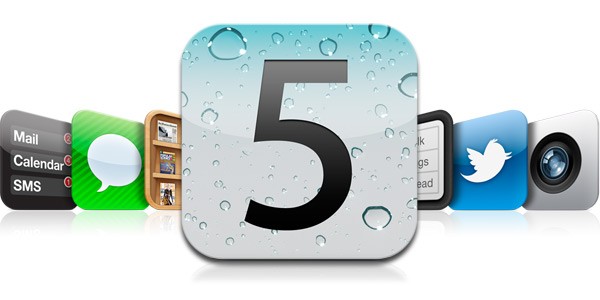
    Apple has recently announced the new iOS 5, The biggest update to their mobile phone OS since the iPhone was launched back in 2007. So Big, infact, that Apple decided to bypass the iPhone 5 launch this year round.

    What the iOS 5 bring that the iOS didn’t already have.

    People loved the iOS for its fluidity and ease of use, its beautiful and clean interface and the simplicity of performing actions to utilize and exploit the abilities the device it was on. The huge list of useful and eye pleasing applications which were designed  to work within the means of the OS and worked on the same basic principle, doing simple things easily and simplifying difficult things.

    But not everyone feels like this. Especially those who take pride in their endeavors to defame the fruit companies products, with their basic set of questions in place. Why does the structure have to be so closed? Why are we not allowed to do things that prior devices allowed us to do? Bluetooth file transfer- File management, Adobe Flash based browsing, even setting a custom ringtone.

    The fact of the matter is, Apple saw that these things were slowing down the Operating Systems usage which in turn deteriorated the whole device. For example, Bluetooth file transfer was the main reason due to which, in 2005,  over 3 million Nokia phones got infected with a virus which would delete important files from the Symbian structure ending basic phone use.

    Adobe flash is the heaviest video plugin ever made ( Adobe’s CEO confirms this) it is heavy on the processor , ram and extremely heavy on battery. Apple saw that by disabling Flash for video within Internet browsing, the overall battery life of device increased considerably. That being said, the user always should to have the choice to make the decision for himself. Adobe flash is allowed in the Application structure and a large number of apps are made with flash. Apple could have enabled Flash for a user to decide. But , in their defense it is easier to ignore a couple of 1000 people complaining about Flash – than a few million complaining about bad battery.

    Apple knows and is sure of one thing and one thing only, if they say their device does something, it does it. They don’t care about anything else and especially those things that they don’t promise or talk about.

    With the new iOS 5 , Apple brings about a large number of change in the Operating Systems use and the way you use your iDevice in a day to day basis. Apple has made these improvements not only due to a large number of demands, But also to take on the competition head first.

    The iOS 5 adds a huge chunk of things that were missing from the iOS over 200 to be precise. It also adds a whole list of new and innovative aspects to the already popular OS. Here are some of the most notable things

    Notifications

    Possibly the most asked-for improvement, the new notification system takes cue from the Android notification panel and takes it one notch higher. Just swipe down from the top of any screen to enter Notification Center.

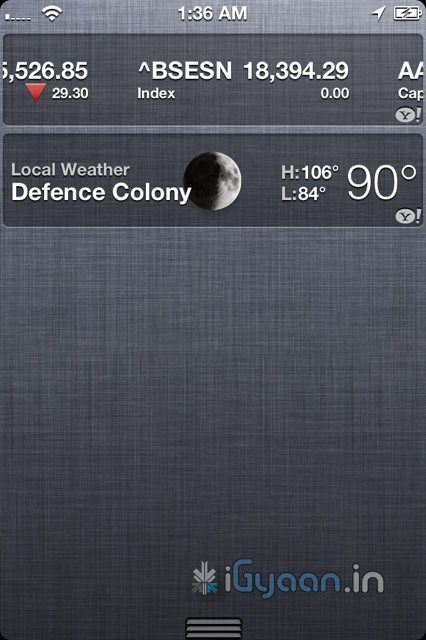
    Choose which notifications you want to see. Even see a stock ticker and the current weather. Notifications appear briefly at the top of your screen, without interrupting what you’re doing.

    The Lock screen displays notifications so you can act on them with just a swipe. Possibly the first OS to have this feature built right into it. Yes you can get it on Android too, but only with a third party plugin.


    iMessage

    What has Apple done here? This is a feature that i personally have been waiting for. Apple has single handedly taken down forces of the mobile world, ping chat, whatsapp etc have stability problems, they break functionality and messages most often don’t reach the intended recipient. Enter – iMessage , Apple has built instant messaging over networks for free into iPods, iPads and iPhones on iOS 5 . You can send text, audio, images and even video over your devices to other people using iOS5 devices. Not only will this take a single most lethal blow at Blackberry, but also eliminate the need for most third party chat plugins

    Almost 60% blackberry users complain that if the iPhone had something close to bbm they would switch, and they will once iMessage comes out. If that does really hold true, then Apple will truly and effectively have stabbed competition right in the chest. Taking out Blackberry would mean great news for Apple and iPhone users, with a large number of people on iPhones, popularity of iMessage is bound to go up. Ergo the iOS 5 Device owner is bound to reap the benefits.


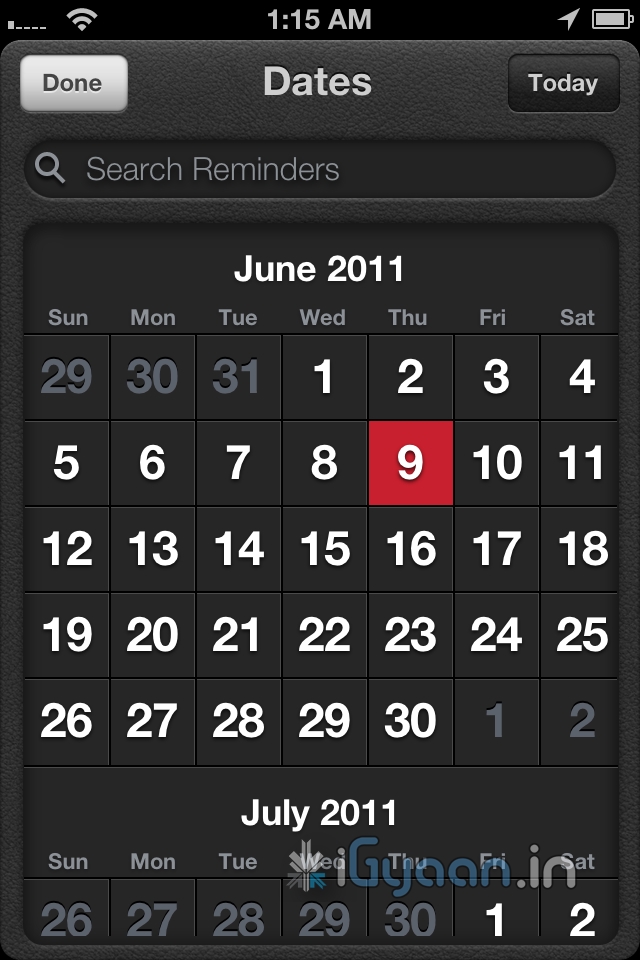
    Reminders

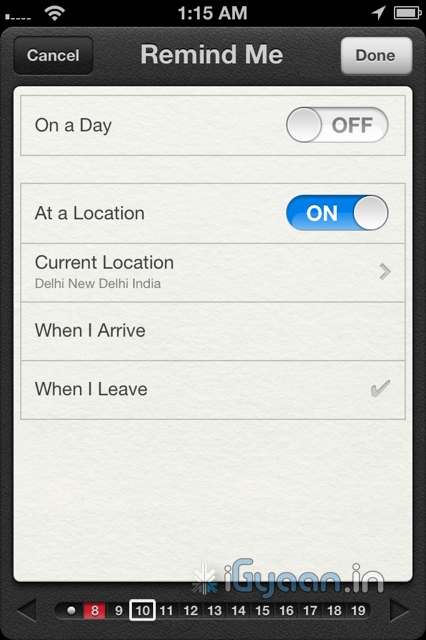
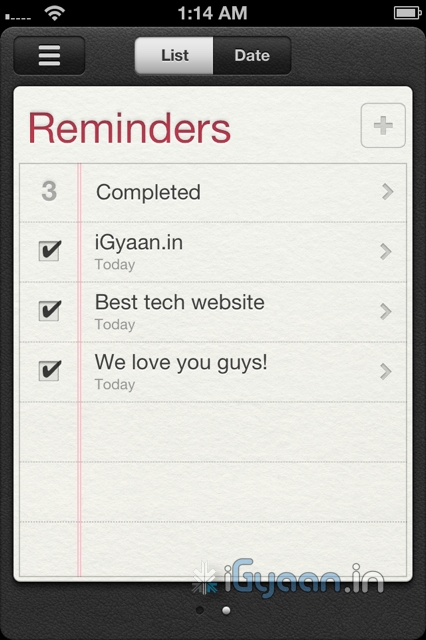
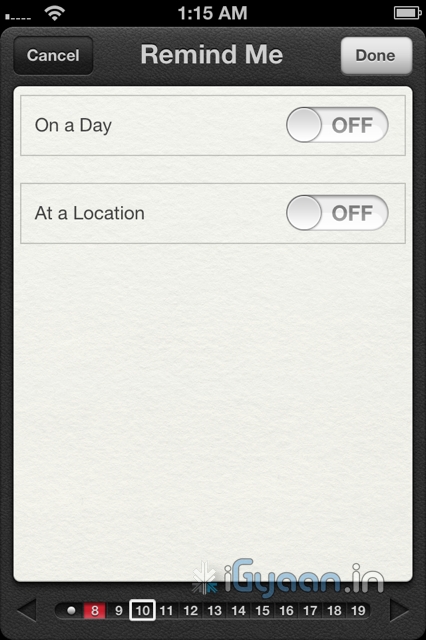
    We fail to understand, why this functionality never existed in the first place. A good reminder system is something every phone should have. whether smart or dumb.  Apple has done something really great with reminders. Not only are they simple to-do lists — complete with due dates and locations, they are also location based. 

    What does location based mean, you ask! Well lets put it in an example: A reminder app will play a sound or flash a note and remind you, that once you leave office you need to buy eggs on the way home, at a fixed time say 10 minutes before you leave office daily( lets say at 5:30pm daily). But in a scenario, where your daily departure time changes from 5:30 pm to say 4:30 pm  you will be reminded to buy eggs when you are already possibly at home. In a alternate scenario you will be reminded to buy eggs at 5:20 pm, but by the time you leave office at 7:00pm ( say you got late)  you will forget.

    Reminders from Apple solves this problem easily. You set a location based reminder – on departure from Office a reminder from the phone will remind you of your duties. The Phone using the GPS detects that you have left office, irrespective of the time, and reminds you that you have to buy eggs on your way home. Far more efficient and far more convenient than any other reminder we have ever used.

    Twitter Integration

    What is so great about twitter anyway? Nothing but the fact that the whole world uses it to share their thoughts. Its not a social network and its not about ads or games, no invitations to unknown parties and no fan pages. Its simple mood sharing, and the new iOS5 has it and will bring it to iPhones , iPods and iPads . The twitter integration is built right into Safari, Photos, Camera, YouTube, or Maps, you can tweet messages or reply to @usernames, you can even share your location. Its nothing great but the fact its built into the OS is really awesome and we like it a lot.

    Camera and Photos

    The iPhone 4 brought the best possible camera that any mobile device had ever had. Sure we have had cameras up-to 12 megapixel on cellphones, but its time that all of us accept the fact that more megapixels is not equal to better camera. The iPhone 4 features a backlit sensor that captures images like a dream, better than any other device to date. The new improvements in the Camera and photo apps take this functionality and extends it into the iOS 5.

    The most noticeable improvement is the use of the volume button as the camera shutter release. People have always struggled tapping the onscreen button, often resulting in shaky and wobbly images. The use of a physical button on the strategic location such as the volume key, makes it almost identical to holding a point and shoot camera- Boom! instant awesome images.

    You can also now open the Camera app right from the Lock screen, use grid lines, pinch-to-zoom gestures, and single-tap focus and exposure locks to compose a picture on the fly. Using iCloud all your pictures are instantly shared with all your devices, iPhone to iPad to your Mac.

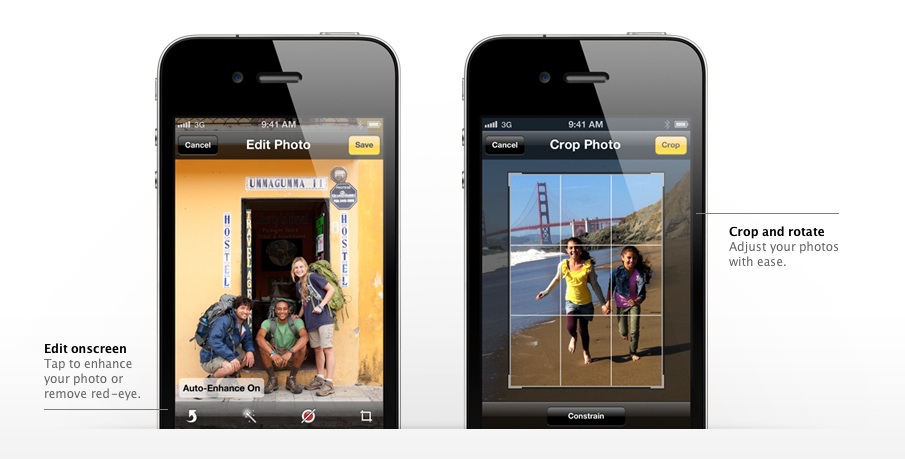
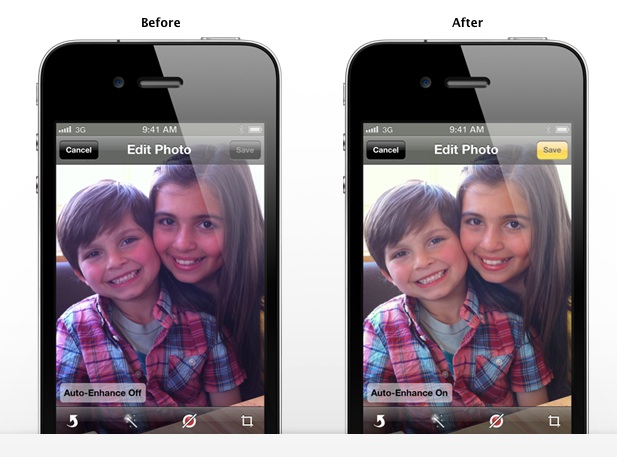
    The photos app allows better editing, crop, rotate, enhance, and remove red-eye without leaving the Photos app, a possible total replacement for Point and Shoot Cameras.

    Wifi Syncing

    Say What ? Did you read wireless sync? yes you did! Since the day the iPhone has been launched people have wanted a way to wirelessly sync their devices, and guess what, Apple allows you to do that in iOS 5. You do require to plug in your device into a charger for the obvious battery drain prevention that a WiFi sync may cause, But its better than getting to a Pc/Mac every time you want to sync. Now daily when you plug in your iPhone, iPad or iPod for charging it will also sync it to your computer. That is simply brilliant!


    200 More Features

    Apart from the above mentioned features the iOS 5 brings about over 200 changes, from improvements in the Mail and Calendar App to new Game center, multitasking gestures on the iPad, device to TV mirroring on the iPad, that fact that now when you buy an iDevice you wont be greeted with the annoying connect to iTunes logo as the devices will be ready to be used without connecting to a PC. iCloud is bringing a whole new list of possibilities to iDevices, and we will talk about it soon. 

    We see Apple progressing to new levels every time they announce something. No matter what anyone says , Apple was the first company to have perfected a touchscreen mobile phone, the first to popularize the concept of an App Store. They might be an expensive product company, a snobby company, with closed circuits and irritating policies. Their devices have a locked OS with limited potential. But it looks like the company is starting to open up to what the customer wants, and they prove it with the iOS 5.

    According to us the iOS 5 is going to be the best Mobile OS to Date. Future enhancement will come and most will follow in Apple’s footsteps, even go further. Windows Phone 7 “Mango” is unlocking 500 features in WP7 and Android is constantly evolving. But till that happens looks like Apple has hit the ball out of the park. The iOS 5 is coming this fall to the iPhone 3Gs – the iPhone 4 the iPad  and the iPad 2. It is also coming to iPod Touch 3rd and 4th gen.

    Thats our opinion, whats yours ? Leave your feedback in the comments below.

    [polldaddy poll=5241624]
  • Infinite Loop – The Accesory With Infinite Uses

    Infinite Loop – The Accesory With Infinite Uses

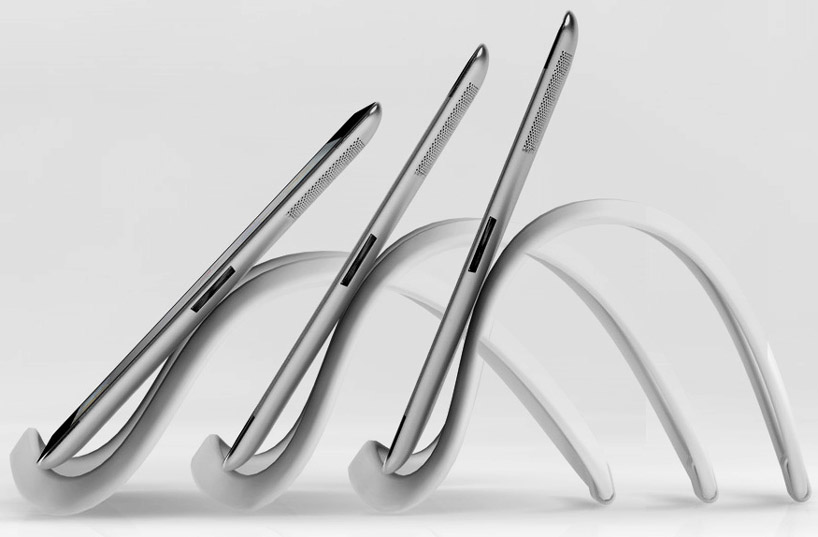
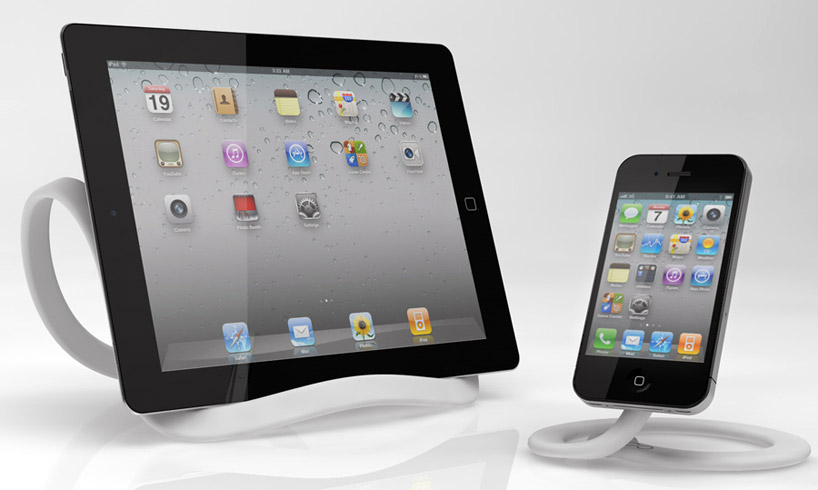
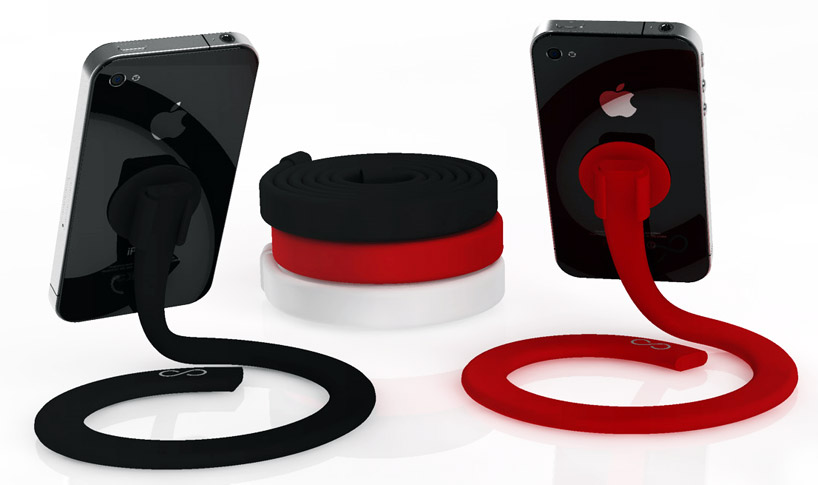
    Tim Gushue, an engineer and designer, has created an accessory that he calls the Infinite Loop. It is basically an extensible, multipurpose stand for tablets and smart-phones, which can be bent into any shape and holds onto a device via suction cups. He plans to develop a series of accessories for the Infinite Loop including clip on speakers, a USB module and a camera screw thread adaptor.

    The device is composed of co-molded metal and plastic and comes in two flavours. There is the two foot long ‘mini-loop’ and the standard four foot long ‘Infinite Loop’. The flexibility and adjustability of the Infinite Loop makes it compatible with virtually all tablets on the market today including the iPad, Playbook, and Galaxy Tab as well as most e-book readers like the Kindle and the Nook. The Mini Loop is compatible with all of Apple’s ‘touch’ products including the iPod and the iPhone as well as virtually any smart-phone that you can stick a suction cup to.

    The device as a whole has been designed for a vast number of uses and its flexible nature means that it can be bent into a variety of shapes. The design is also modular, so multiple Infinite Loops can be joined together to create a larger stand/holder. When not in use, the Loop can be rolled up into a compact circle.

  • Apple vs Samsung – Apple denied a Sped up Suit

    Apple vs Samsung – Apple denied a Sped up Suit

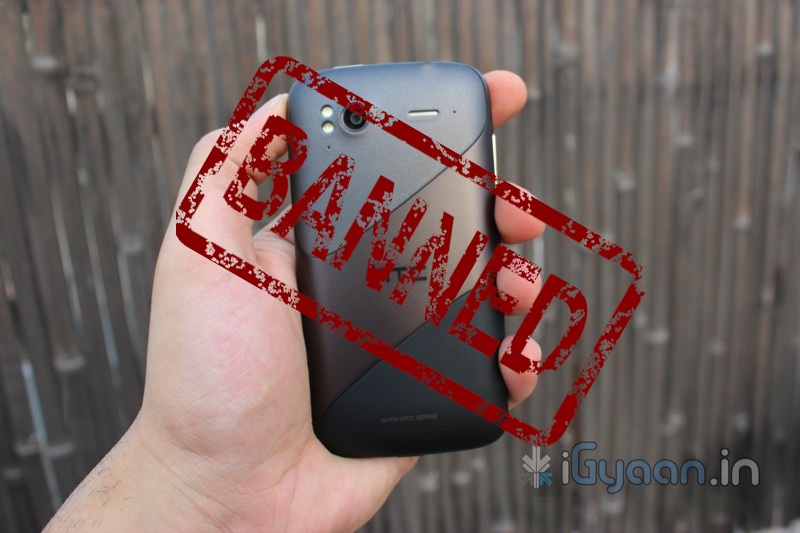
    In the case of Apple vs Samsung, Samsung was earlier denied the motion to put a stop on sale of Apple products in the US which broke the patents held by Samsung. Apple went on to countersue and asked for a ban on sale of Samsung Products like the Galaxy Tab and Galaxy S2 / S among others. Apple has also asked to see upcoming products from the company to ensure that none of them violate trademark and copyright laws. 

    Whats more Apple had also asked for the Judge to speed up the hearing and briefing process. The court put Apple down by denying its request to compress the briefing schedule. The reson for denial is stated as “Apple’s knowledge of Samsung’s alleged infringement for more than a year and the fact it engaged in license negotiations with the Korean company during that time.”


    [Order (PDF)]
  • Apple Files second Patent Infringement Complaint against HTC – Shares Drop

    Apple Files second Patent Infringement Complaint against HTC – Shares Drop

    Its only been a couple of months and Apple has slammed HTC with the second patent infringement case. The US International Trade Commission is reporting that HTC is being accused and  is being asked to stop the import of “personal electronic devices”. Last year, Apple filed a separate action against HTC with the U.S. International Trade Commission, where HTC then leveled its own patent infringement claims against Apple. Preliminary rulings for those cases are expected this week.

     Shares in the world’s No.5 handset maker, HTC Corp (2498.TW), tumbled more than 4 percent on Tuesday, after Apple Inc (AAPL.O) sued the company in a fresh complaint with a U.S. trade panel. 

    HTC said its net profit doubled in the second quarter, beating market expectations. But analysts suggested that because the operating income tracked forecasts, they expected shares of HTC would consolidate before the investor conference at the end of this month, when the company gives guidance for the third quarter. There are rumours out there that HTC would need to pay Apple T$20 billion ($693.64 million) in compensation. 

    That would lower down profit expectations considerably.

  • Dell Peju tablet leaked, 10.1-inch , Windows 8 and Core i5?

    Dell Peju tablet leaked, 10.1-inch , Windows 8 and Core i5?

    A new source of information for the upcoming Dell Peju tablet has surface. Looks the the device is a 10.1 inch tablet has a gorilla glass front and with its internals clocking Core i5 and Windows 8 os. The Device is set to launch in october this year (if the source is to be believed)

    Other Specs Include

    • CPU: Intel Core i5 processor
    • Memory: 4 GB
    • Storage: 64 GB SSD or 120 GB SSD
    • Display: 10.1-inch, wide-angle, 1920×1080
    • OS: Windows 7 Pro / Windows 8 Compatible
    • Slots/ ports: 2-USB, Mini VGA, HDMI, microSD, audio, SIM (3G)
    • Battery: integrated, 5,500 mAh, 6 – 8 hour real-world battery life
    • Connectivity: WiFi b/g, Bluetooth, 3G & 4G
    • Webcam: 1.3 MP Front Facing & 5MP Rear Facing Camera
    • Input: Touch, Stylus, Bluetooth Keyboard, & USB Keyboard. via the docking station. (Keyboard not included)
    • Dimensions: 10.8 x 6.7 x 0.63 inches, 1.9 lbs.


  • Swype Comes to iPhone, IPod and iPad Courtesy Jailbreak : How To

    Swype Comes to iPhone, IPod and iPad Courtesy Jailbreak : How To


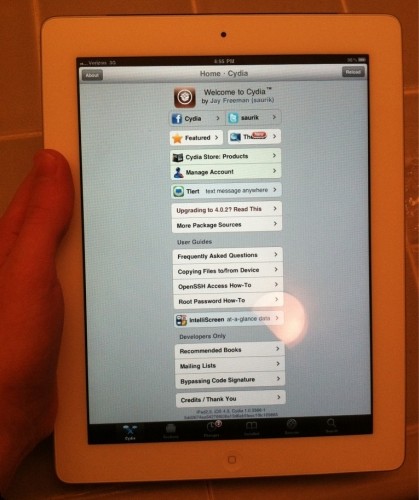
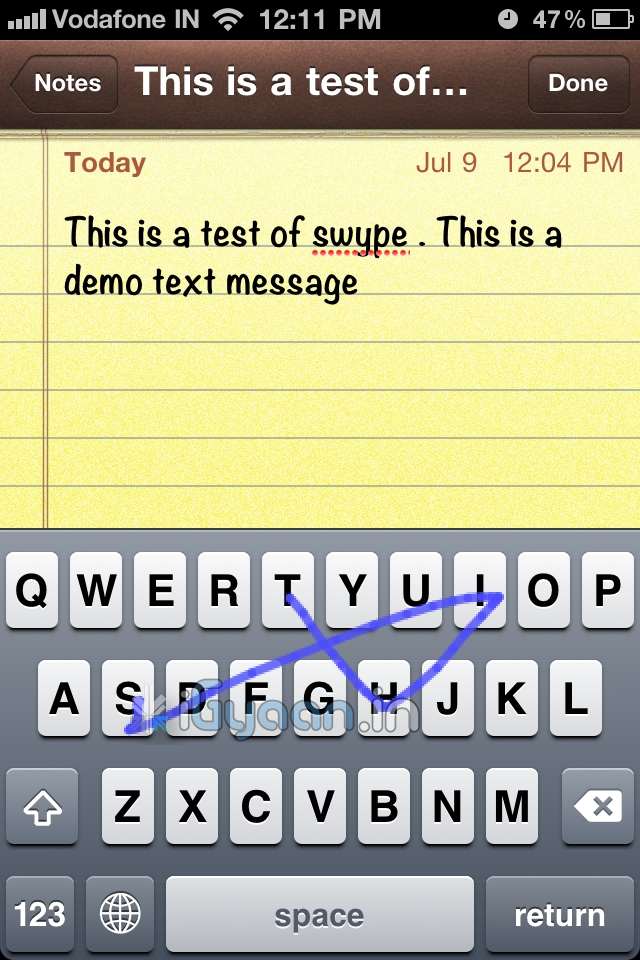
    The most popular keyboard from the Android OS has finally been ported to iOS via Jailbreak. So , if you have already Jailbroken your device, follow the step by step below to add swype to your device


    Step 1:

    •  Open Cydia and move to Manage tab

    Step 2:

    •  Tap on Sources > Edit > Add

    Step 3: 

    • When you tap on add, a window will pop up asking for a URL, type following URL:
    • http://wynd.x10.mx
    • Then tap on Add.

    Step 4: 

    • Once repo is added and packages are downloaded.
    • Go to the “Changes” Screen and Tap on “Swype”
    • Tap Install

    Step 5

    • Once Installed Respring Your Device
    • Swype is enabled on your standard keyboard
    A quick Video Demo is coming up shortly


  • Apple iOS 4.3.4 will Fix the Jailbreak and Security Flaws.

    Apple iOS 4.3.4 will Fix the Jailbreak and Security Flaws.

    [dropcap]T[/dropcap]he PDF exploit that was used in JailreakMe last year which allowed a one tap Jailbreak and a fast unlock for users. Apple had fixed the flaw in its early stages and now its back. Looks like that is the reason for the quick iPad 2 Jailbreak and the new exploit the Jailbreakers have been enjoying. According to the Wall Street Journal, Apple acknowledged the exploit, and is working on an update. The said update will not only fix the JailbreakMe 3.0 exploit but also another exploit that could allow unwanted eyes to your information.

    [Wall Street Journal]

iGyaan Network
Privacy Overview

This website uses cookies so that we can provide you with the best user experience possible. Cookie information is stored in your browser and performs functions such as recognising you when you return to our website and helping our team to understand which sections of the website you find most interesting and useful.