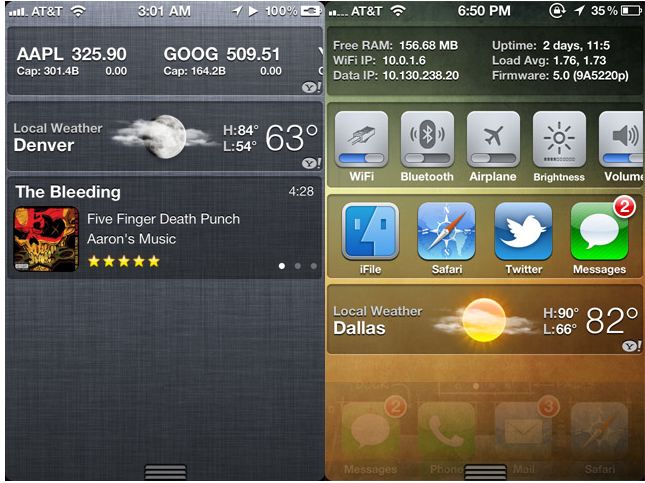
Looks like the devs are on the move, the recently released jailbreak for the iOS5 has already been put to the test. This hack comes in the form of new third-party applications that allow users to tweak the Notification Center with new widgets.
UISettings : Allows users to add quick launch toggles – WiFi / Bluetooth / Data. etc
MusicCenter(upcoming) : Allows users to view names and thumbnails of the Artwork of the currently playing track.
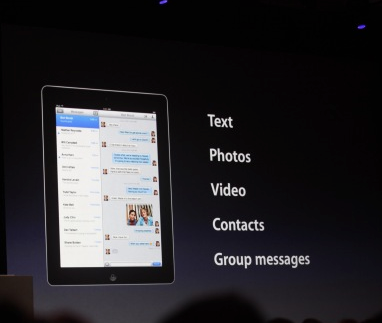
Apple has just announced then new iMessage service at the WWDC as a part of the new iOS 5
Includes delivery receipts, with the option to read them. A typer indicator, so you know if the other person is snoozing, and you can push to all your devices. It handles text messages, photos, video, contacts, group messaging.
Rumors abound that Apple’s new iTunes will have an option to automatically download app updates to your iOS devices without needing to perform a wired sync. The leaked version of iTunes has a My App Updates screen which describes a previously unseen feature “If your device has Automatic Download enabled for apps, your updates will download to your device without having to sync.”
As the Automatic Download setting doesn’t yet exist in iOS, the leak appears to suggest that this feature will become available in iOS 5. All features of iOS 5 will be revealed on Monday during the Apple World Wide Developers Conference. We will be covering the event live here.
We have heard some amazing and shocking stories relating to Apple products, from thieves to muggers,but this by far is the worst. A 17-year-old Chinese boy living in the Anhui province in China sold his kidney for 22,000 yuan, or about $3,400 (INR 1,60,000/-) So that he could buy the iPad 2.
“I wanted to buy an iPad 2 but could not afford it,” the unnamed boy told Shanghai Daily. “A broker contacted me on the Internet and said he could help me sell one kidney for 20,000 yuan.”
He underwent surgery at a Chenzhou hospital. When his parents found out, they notified the police immediately but they have been unable to locate the broker, according to the report. The child now says he regrets his decision.
Make sure the next time you need to buy things you cannot afford, the enjoyment of owning that item, will be a lot less without your crucially important bodily organs.
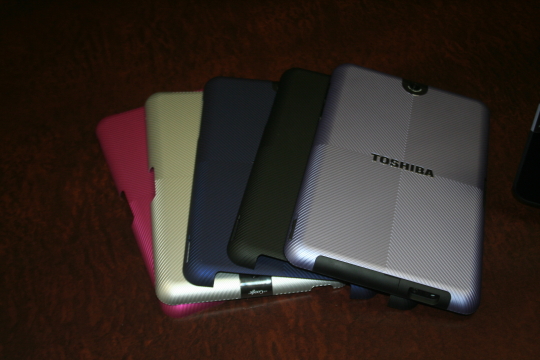
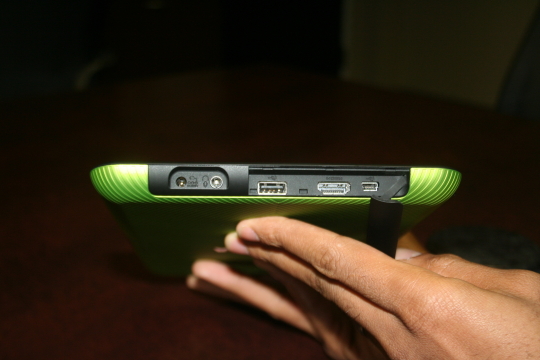
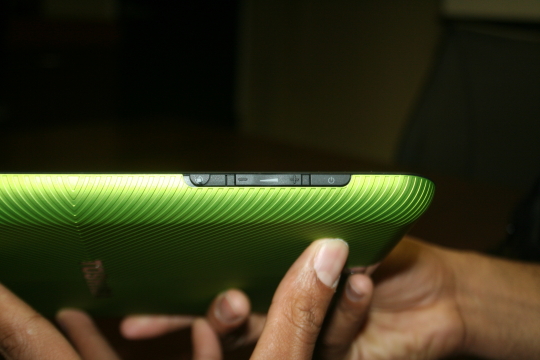
The Japanese manufacturer is coming out with a new tablet called the Thrive this summer. The Thrive has most of the features you’ve come to expect from a tablet, a 10.1 inch screen, the latest version of the Android operating system, Honeycomb 3.1, front-facing 2.1-mega pixel camera and 5-mega pixel rear-facing camera for photos and video conferencing, a gyroscope, rotation lock, and a 7- to 8-hour battery life (that’s continuous hours of playing HD video). It weighs in at 1.6 pounds, and is a little on the thicker side at 0.6 inches.
The thickness was compromised for several features that Toshiba thinks customers will want: built-in HDMI out port, USB, mini USB, SD card slot. In other words, ports you’d find on many computers.The Thrive also comes with a few perks. It has Log Me In software installed for you to control your desktops from the tablet, a file manager built on top of Android for you to view files stored on your pen-drives and SD cards and also a piece of software that’s called PrintShare which allows you to print documents directly from the tablet, which is similar to Apple’s AirPrint and Samsung’s MobilePrint.
The Thrive will come in three sizes: 8GB, 16GB, and 32GB. All are Wi-Fi only, and will be priced at $429, $479, and $579, respectively.
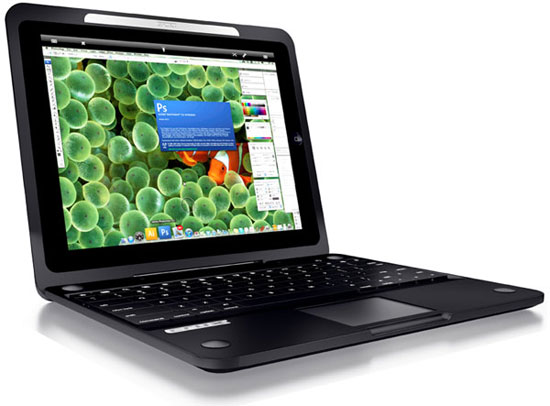
You can now turn your iPad into a fully functional laptop by purchasing the Crux Loaded case. For $250 you can purchase this case which has an iPad dock in place of the screen. It gives you a keyboard and trackpad that connects to your iPad via Bluetooth, and a 7.5 hour extended battery on top of the iPad’s already impressive 10 hour battery. To make full use of it you would need a remote desktop app on your iPad.
Of course, for the price of this dock + the iPad, you could probably buy a decent stand-alone laptop but its always good to have options.
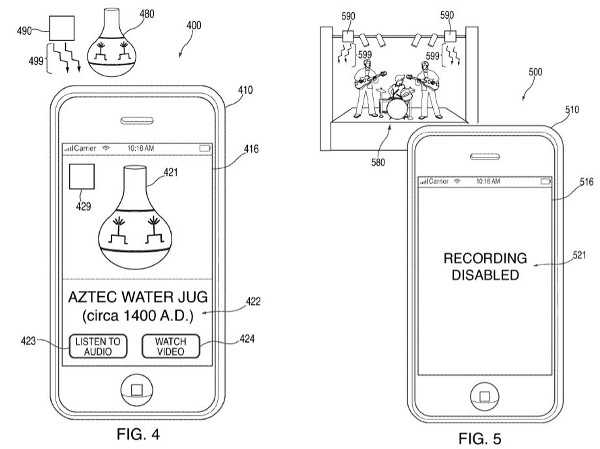
Apple inc. filed a patent yesterday, that they could actually potentially use. Pairing an infrared sensor with the camera already on board, portable devices could receive data from transmitters placed on strategic locations at copyright events.
These transmitters would prevent the camera from recording and would instead show, watermarks, blank screen and even warning messages to the smartphone user.
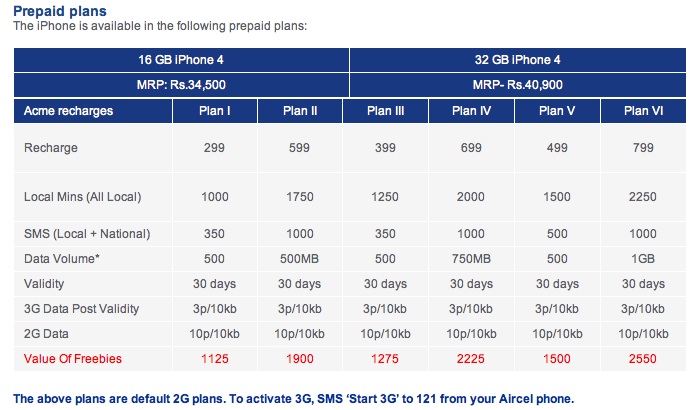
Its already been known for a few days now, but it has been made official. The iPhone 4 officially becomes available in India from tomorrow the 27th of May 2011.
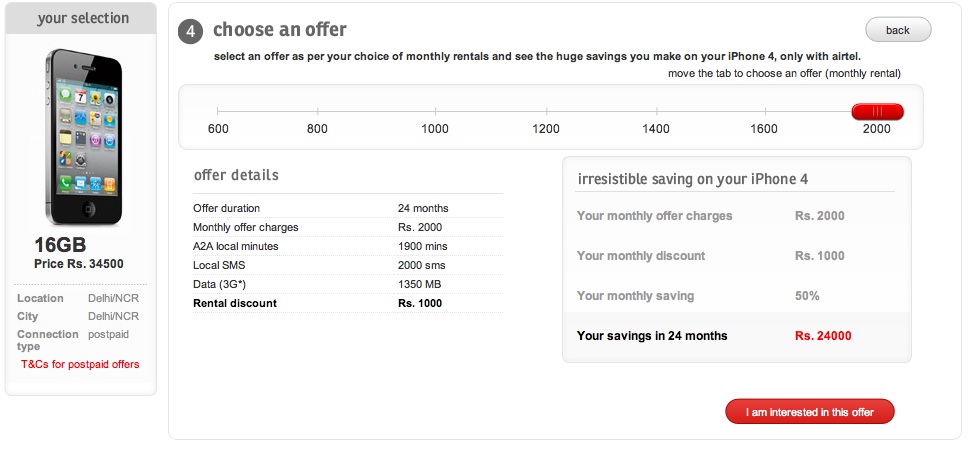
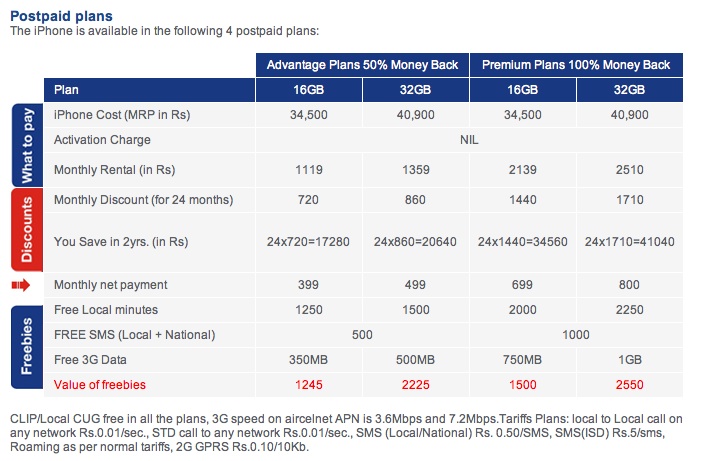
Both Airtel and Aircel have begun pricing their devices
Airtel is offering the iPhone 4 16GB at : INR 34,500 and 32GB at : INR 40,900 these devices will be locked to Airtel.
“As 3G services drive the next wave of growth in the country’s telecom industry, iPhone 4 on Airtel’s exceptional high-speed network will provide customers with a truly mobile 3G experience at affordable service offerings” said Atul Bindal, President, Mobile Services, Bharti Airtel
Prices for the device remain same on Aircel with the carrier lock shifting to Aircel.
Who doesn’t love KungFu Panda? The fact that the second movie is coming out is getting everyone excited. But, wait there is a game to go with that. Enter Kung Fu Panda 2 : Be The Master Game for iOS.
The game comes in various different scrolls or Levels
I LOVE KUNG FU!!! Po is finally a real Kung Fu warrior, but to become a true Master, he must dedicate himself to training. Shifu has revealed to him the Secret of the Thousand Scrolls, and Po’s awesome journey begins with the first two:
PAWS OF POWER – Train with Shifu in the Dojo, swiping and clawing your way through flying training dummies based on all of Po’s greatest foes. But watch out for the bee hives! They’re a major buzz kill.
FEET OF FURY – Scale the towering Waterfall of Agony, jumping higher and higher with the help of firework-powered chairs, bouncy bamboo stilts, and other special items. Leap to new heights… or else it’ll be one big belly flop below!
NEW SCROLLS ON THE WAY!!! – Dedicated warriors will be rewarded as two new Scrolls are revealed with coming updates! SKADOOSH!
KUNG FU TRAINING IS ITS OWN BEST REWARD… But there are plenty of other perks, too! Unlock collectible action figures of the Furious Five! TOTALLY SWEET!
Earn special Achievement Badges to guide you through your training.
Track your progress against other warriors on the Top Trainers leader boards.
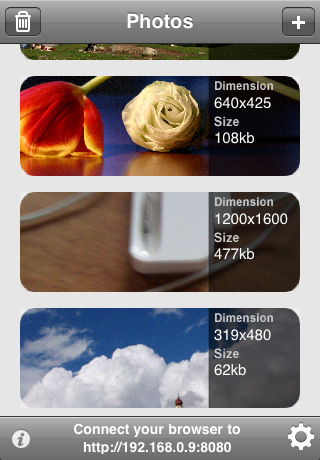
Ever needed to share photos wirelessly from your iPhone, iPod touch or iPad, well WiFiPhoto does just that with ease.
This app comes with an easy setup process simply select your WiFi network and point your Browser to the IP address provided by the App and – bam – all your photos are available for download without the need of any wires or iTunes Syncing. Emailing reduces the size of the image , But with this app you can simply transfer the photos you want quickly and efficiently.
FEATURES
– Simple and elegant interface
– Select multiple photos
– Change image quality to fit your needs
– Download a single picture or a compressed archive of all photos
– Autorotate. No need for further adjustments after download
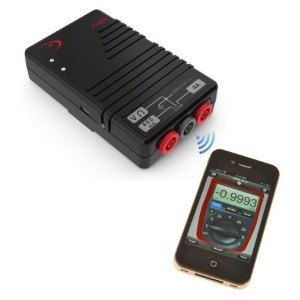
iDVM Digital Multimeter — the world’s very first iDevice-enabled voltmeter, from Redfish Instruments. Designed specifically for auto/ electrical engineers in mind the Device uses Ad-hoc wireless network to connect with whatever iDevice you have. Once you’ve purchased the multimeter and downloaded the accompanying iDVM app, you’ll be able to gather electrical measurements from up to 30 yards away from your target, log data over extended periods of time and export your findings in spreadsheet or graph displays.
Priced at just $220 (Inr 10,000)
Press Release
Redfish Instruments Introduces World’s First iPhone-Enabled Wireless Multimeter
SANTA CRUZ, Calif.–(BUSINESS WIRE)–Redfish Instruments, Inc., a provider of iPhone- and iPad-enabled electronic test and measurement equipment, announced today the introduction of the iDVM™ Digital Multimeter. The iDVM multimeter wirelessly connects to an iPhone, iPad, or iPod Touch via an ad hoc wireless network allowing users to acquire, visualize, and share electrical measurement data on their Apple devices. The iDVM app can be downloaded free from the Apple App Store.
According to Patrick O’Hara, Redfish Instruments’ president and CEO, “The unique pairing of the iPhone or iPad with a digital multimeter provides a user experience that is truly revolutionary. Not since the advent of the LCD has the multimeter been so substantially enhanced.” Regarding the market opportunity, Mr. O’Hara commented, “The iPhone and iPad provide a known user interface that permits customers to interact with electronic test and measurement tools that was not possible prior to this post-pc era. We believe that our new iDVM voltmeter is the first of many new uses for this tremendous interface; we’re excited to be an early pioneer.”
Traditionally, multimeters have not provided an easy method of exporting or saving data. The iDVM permits a user to log data over an extended period of time using the iPhone or the iPad as the storage device. For example, service engineers can use the iDVM to collect data and store it in a report for submission to their clients, or keep the data on the voltmeter for their own records. Using the GeoTag feature of the iPhone or iPad, service engineers can even identify their location as part of the data. The iDVM is built in the USA using all USA-made parts, and uses rechargeable batteries.
The iDVM was designed for a wide range of users-from automotive technicians, to advanced embedded systems engineers, to electrical or building contractors, to field service workers.
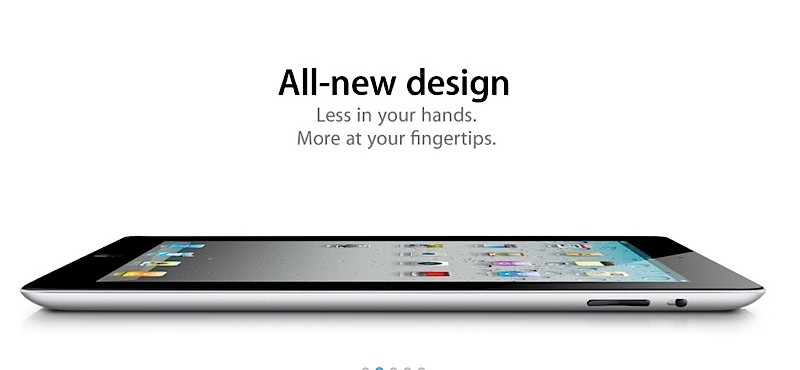
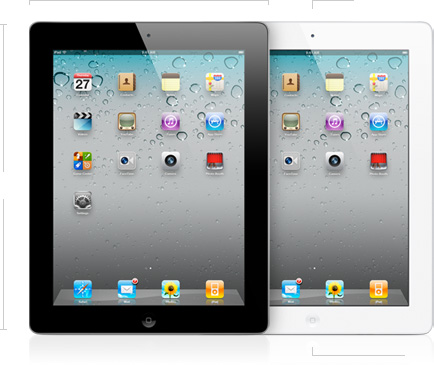
The iPad 2 has finally made it to stores in India, and the stock is apparently flying off of shelves. All stockists were given strict instructions to not take pre orders and the iPad 2 is available on first come first serve basis to those willing to buy it.
Pricing is as follows and various users are complaining of the low stock of white color.
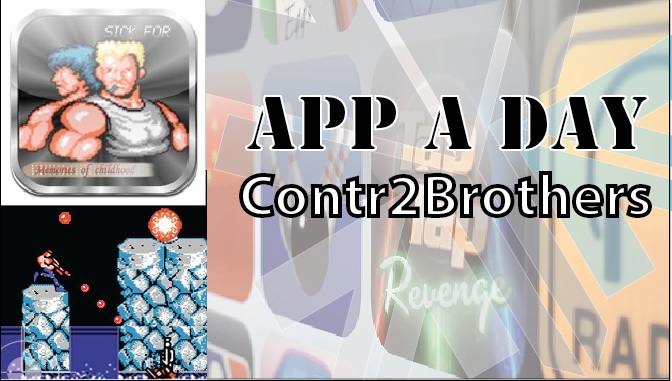
Well we found an app that brings back a few childhood memories of sitting in front of the TV and furiously mashing the controls of the NES to kill a few bad guys and achieve 14-bit glory. Here we have a misappropriatly named game called Contr2Brothers – a copy of the good-old game Contra. It features the same game-play as the original with on-screen controls that are slightly tough to use. The game claims to offer 30 lives but we still haven’t figured out how to get there. The audio is a little irritating after a while so you might want to mute it. One good feature is that the game supports upto 2 players via a bluetooth connection. Download it from the link below to relive your childhood…
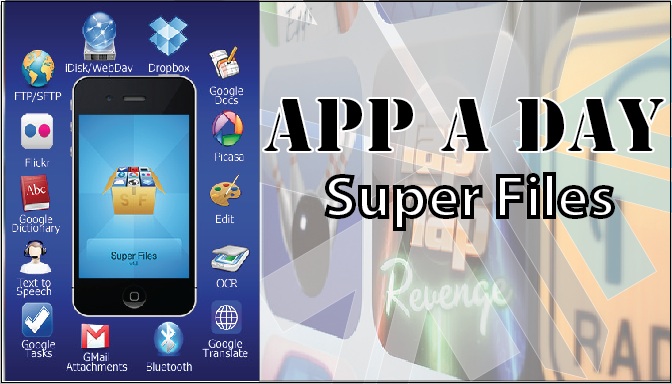
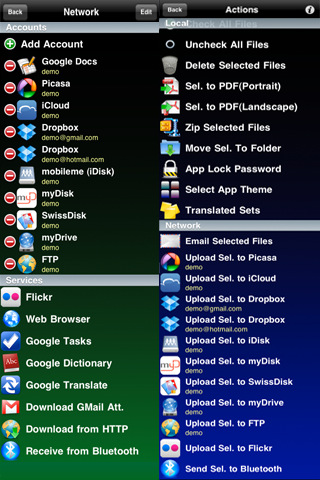
Todays app is exceptionaly useful for Businesses and people who use their phones extensively for work.Superfiles is a frontend for Google Docs, iDisk, Dropbox, Box.net, Flickr, Picasa, WebDAV, FTP, SFTP etc.
What it basically allows you to do is to upload & download documents from your cloud storage or other servers on the go to your iDevice. Edit files on the go. Preview files not supported by other iOS apps, share files between Superfiles via bluetooth, Scan documents with your camera etc.
Some of the features of the app are:
Send/Receive files between Superfiles via Bluetooth
Scan documents, enhance for better OCR
OCR(Optical Character Recognition) of images
Translate documents to 52 languages
Upload/Download files locally to your iPhone using any Web browser
Email selected files
Local preview of CHM, FB2, PDB, EPUB, TXT, CSV, TSV, TAB, XCARDS, HTML, HTM, WEBARCHIVE, PHP, JS, JAVA, CSS, XML, C, CC, CPP, M, MM, H, DOC, DOCX, XLS, XLSX, PPS, PPSX, PPT, PPTX, RTF, RTFD, PAGES, NUMBERS, KEY, PDF files
Create/Edit Text documents
Crop, flip, rotate, resize and enhance images
Convert image from/to JPG/PNG/GIF/BMP/TIF format
Create multipage PDF from several images and text files
Upload/Download/Rename/Move/Delete/Preview for GDocs
Upload/Download from/to Picasa/Flickr
Upload/Download/Rename/Move/Delete/Preview for FTP/SFTP/MobileMe/iDisk/WebDAV/Dropbox/Box.net
Zip and Upzip files
Text-to-speech for 37 languages
Inintially, when you open the app, you might be overwhelmed with the sheer number of options that are available to you. Dont feel intimidated. Its quite easy to use the app. First off, create/log in to your account on any of the providers. After that, just click on the icon for the task you wish to perform.