Tag: mac os x

  • Apple Launches Mac OS X El Capitan

    Apple Launches Mac OS X El Capitan

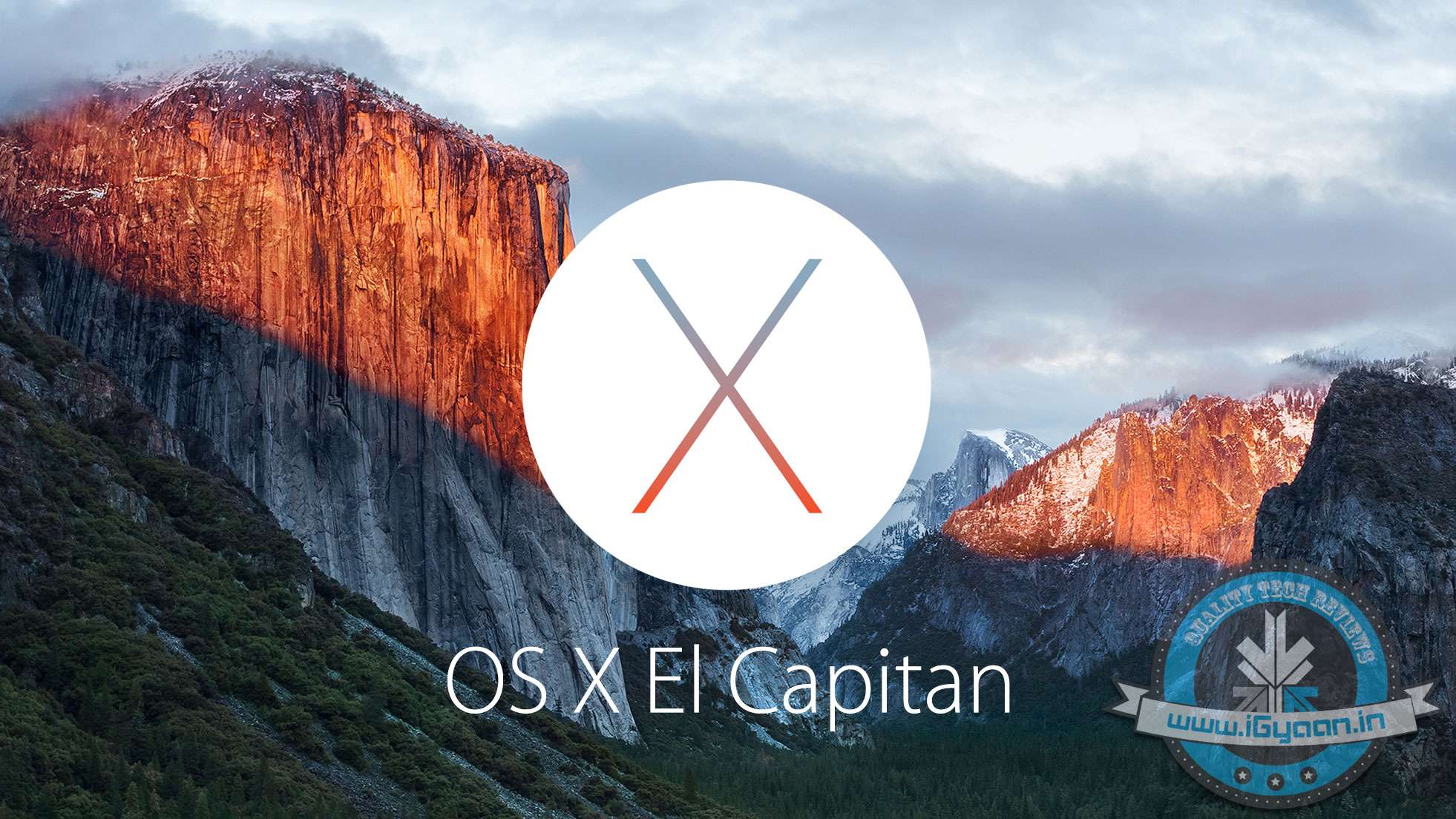
    The new OS for Apple’s personal computers is out and it’s called El Capitan. The new update numbered 10.11 brings not only new visual and usage changes, but also performance improvements.

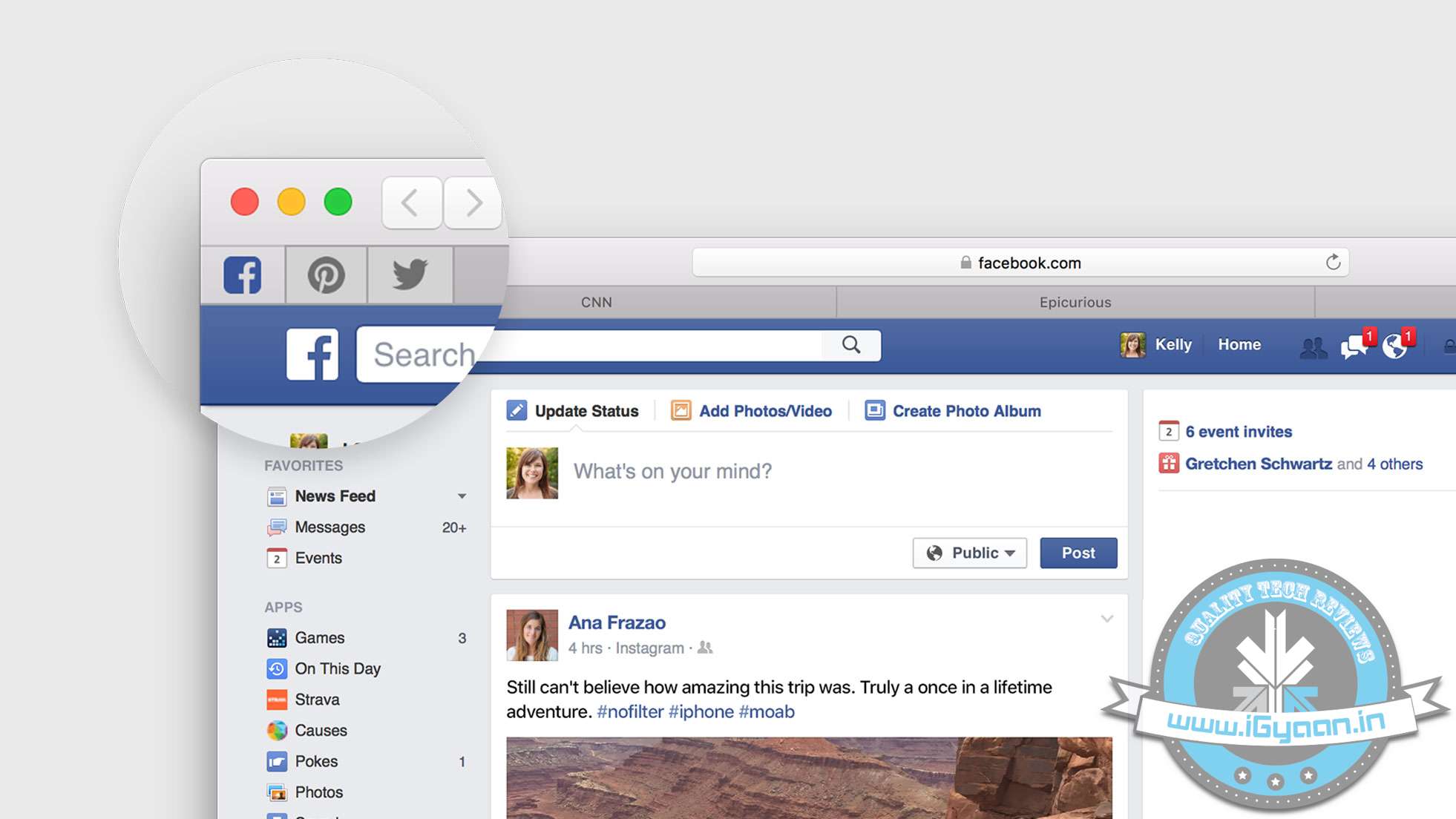
    Mac OS X El Capitan features a newer Safari web browser, which allows you to pin windows with web addresses that you visit frequently. The websites that you pin to Safari will remain active and consistent on the same page.

    mac os x el capitan 2
    Pinned Sites
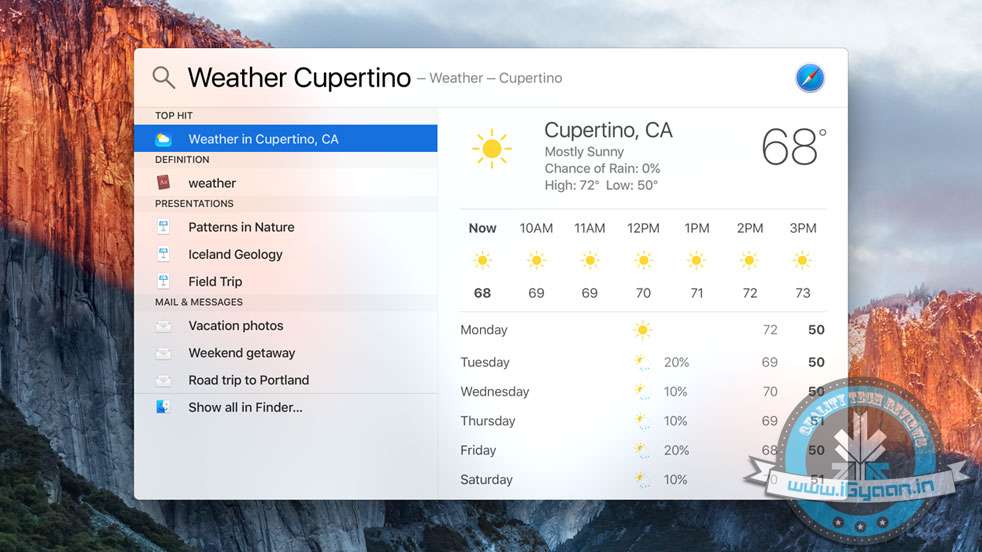
    New Spotlight features allow you to do custom searches that work for you. These searches can be based on what is in your documents, current events or even weather conditions. mac os x el capitan 5


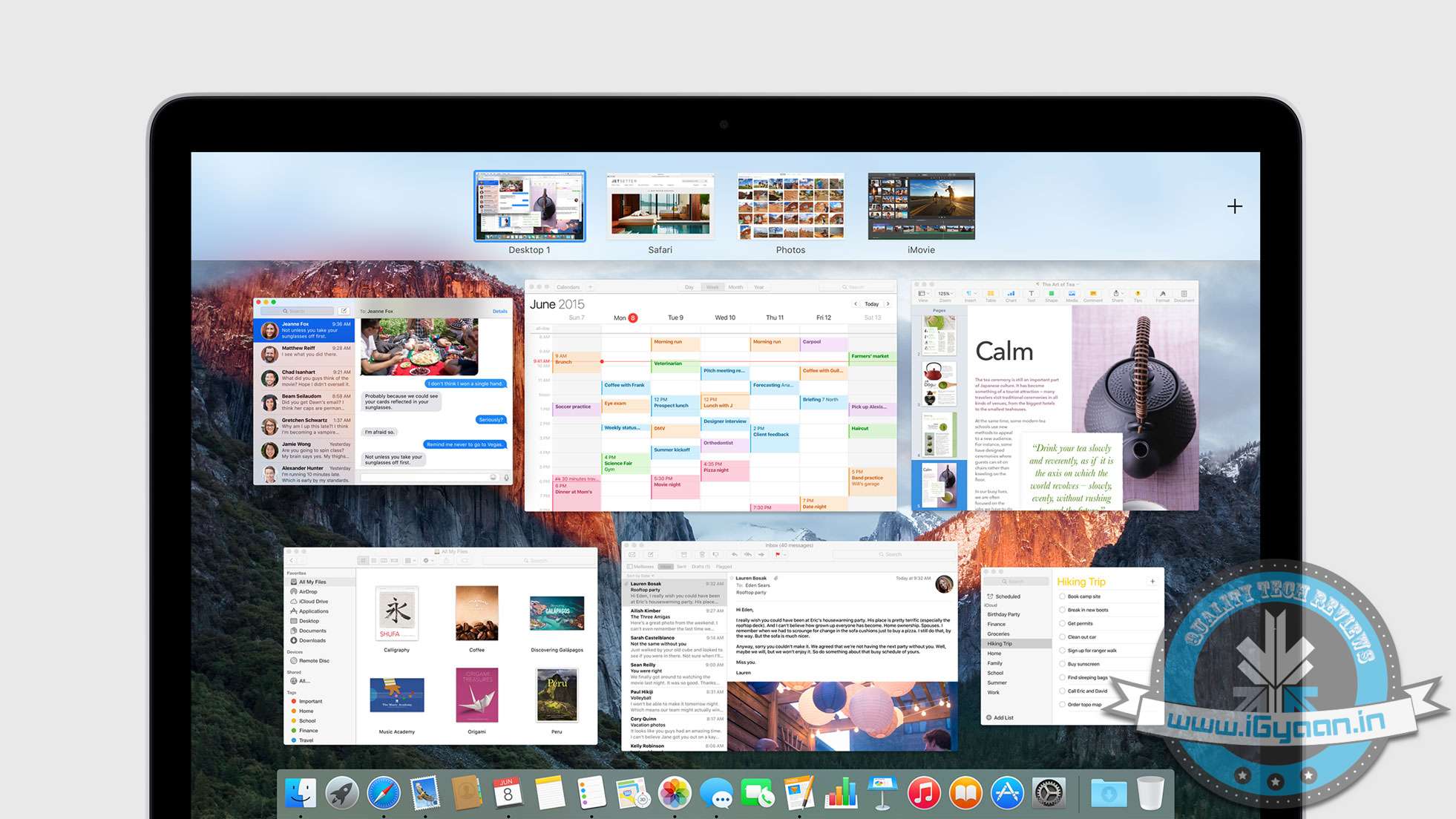
    Enhancements to mission control and the way windows are laid out improve productivity. Pulling windows to the top right allows them to be added to a new desktop. If you want to make a window full screen, dragging it in between two active desktops will launch a full screen desktop for that particular window.

    new Mission Control
    New Mission Control
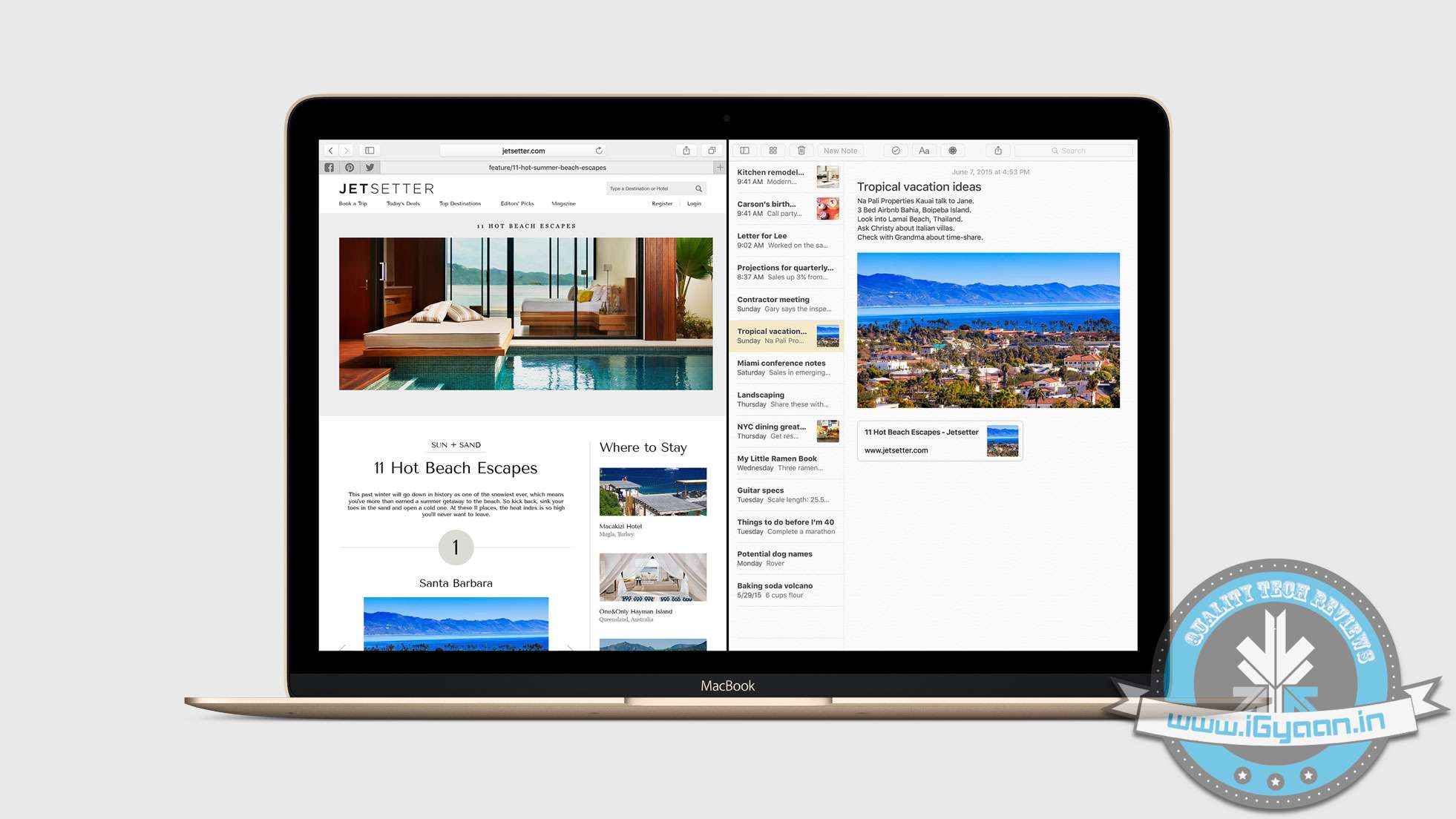
    Adding another app/window to the fullscreen desktop will allow split screen.

    Full Split Screen
    Full Split Screen
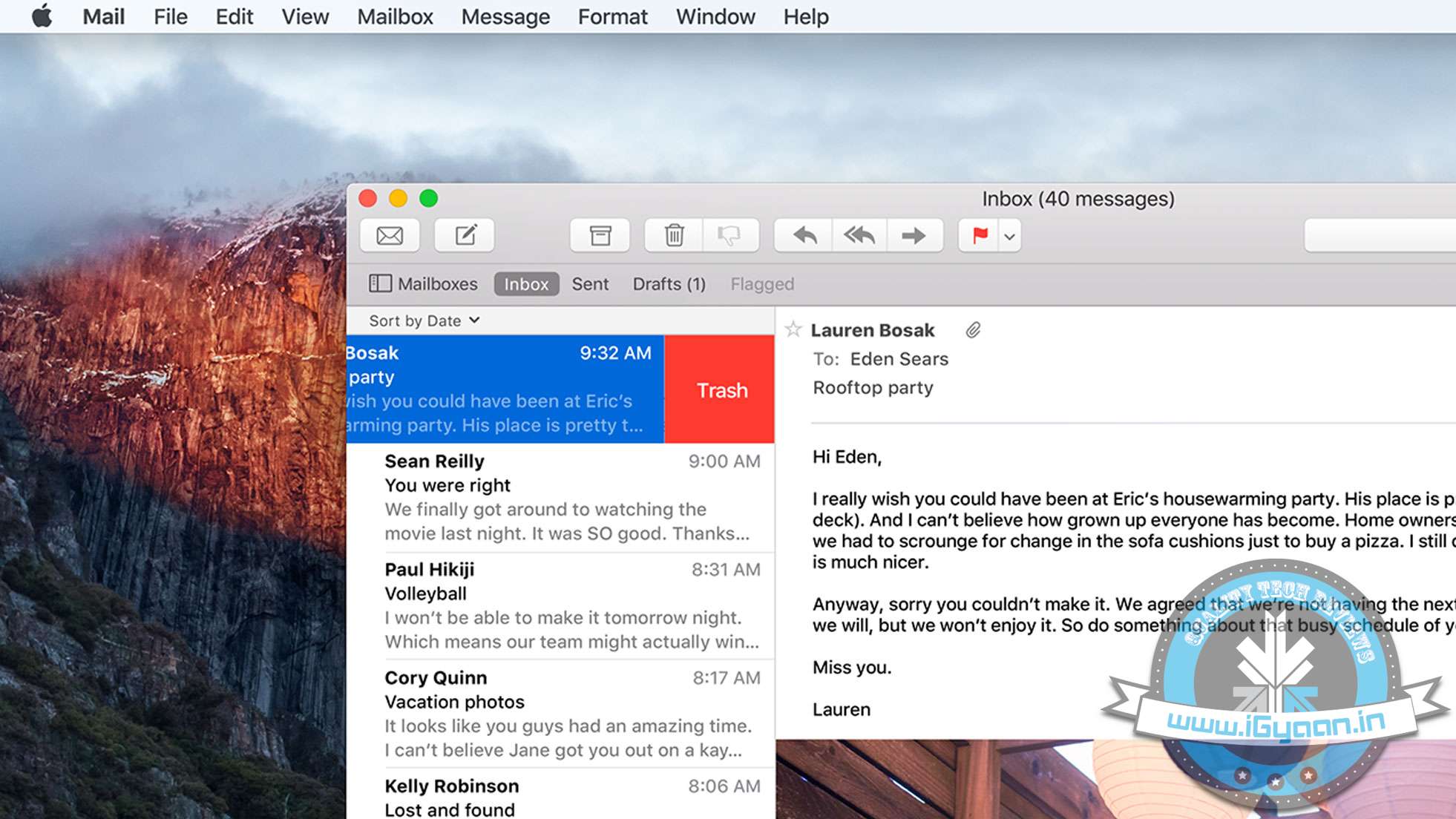
    The mail app gets gestures to archive or trash emails with two finger swipes on the Mac trackpad. New Spotlight search capability will also be available on the new mail app in OS X El Capitan. Left you perform conversational searches like : “Mail that I ignored from Jack”.

    New Mail App
    New Mail App
    When you put the Mail app in fullscreen mode, you can actively pause your drafts, just like in iOS. You can also drag and drop attachments between mail windows.

    mac os x el capitan 4

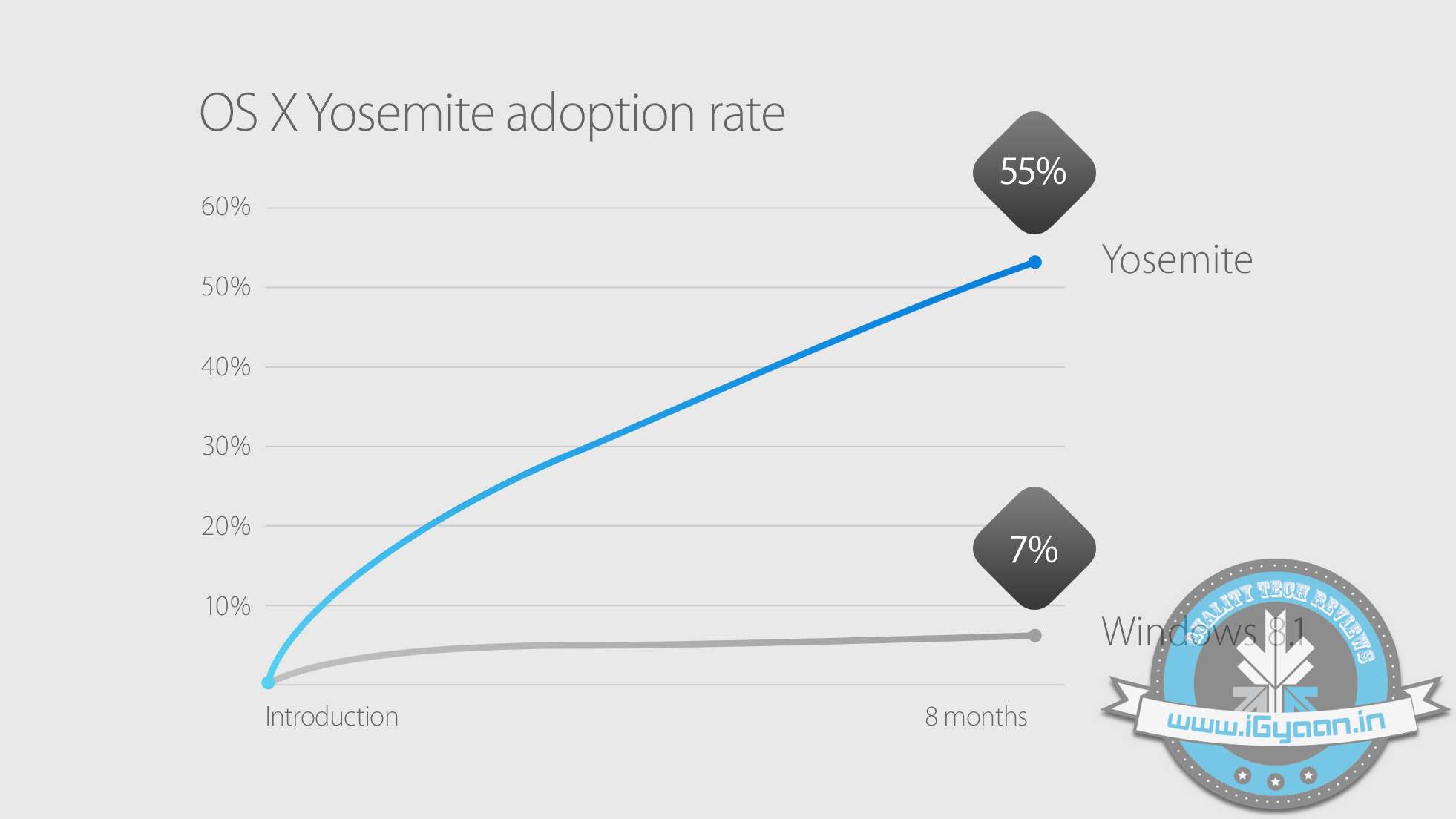
    Mac OS X Yosemite was the most adapted OS for personal computers. With over 55% Mac users shifting to Yosemite since its launch in Oct 2014. Apple has included Mac OS X El Capitan in their public beta in July and will ship as a free update to all Mac users later this year.

    mac os x el capitan 8

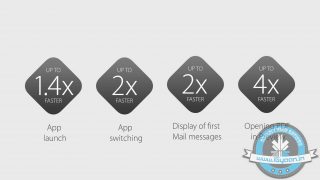
    On the performance front,  Apple claims that opening windows or apps is considerably faster on El Capitan due to the reduction in processes that are performed before executing an action. Bringing Metal to Mac from iOS has allowed Apple to replace OpenGL and enable enhanced graphics for developers and gamers while reducing the CPU overhead by upto 70%. This will also considerably improve battery life on portable computers.


  • 6 Announcements Apple Could Make at the Developers’ Conference Tonight

    6 Announcements Apple Could Make at the Developers’ Conference Tonight

    Since the beginning, Apple’s annual Worldwide Developers Conference (WWDC) has been an epicentre of new-fangled and breakthrough technological advancements. The California-based tech giant discloses its latest software and hardware at the grand conference, and this year will be no different. Apple is expected to introduce a revamped operating software for iPhone, iPad, and Mac, along with some revised and brand new tools like Proactive, Beats Music, and so on.

    The WWDC 2015 will kick off on June 8 and will continue for five days. Here is a list of announcements Apple could make at the annual developers conference:

    1. iOS 9 Bringing Support to Older Phones

    iPhone 4s 0

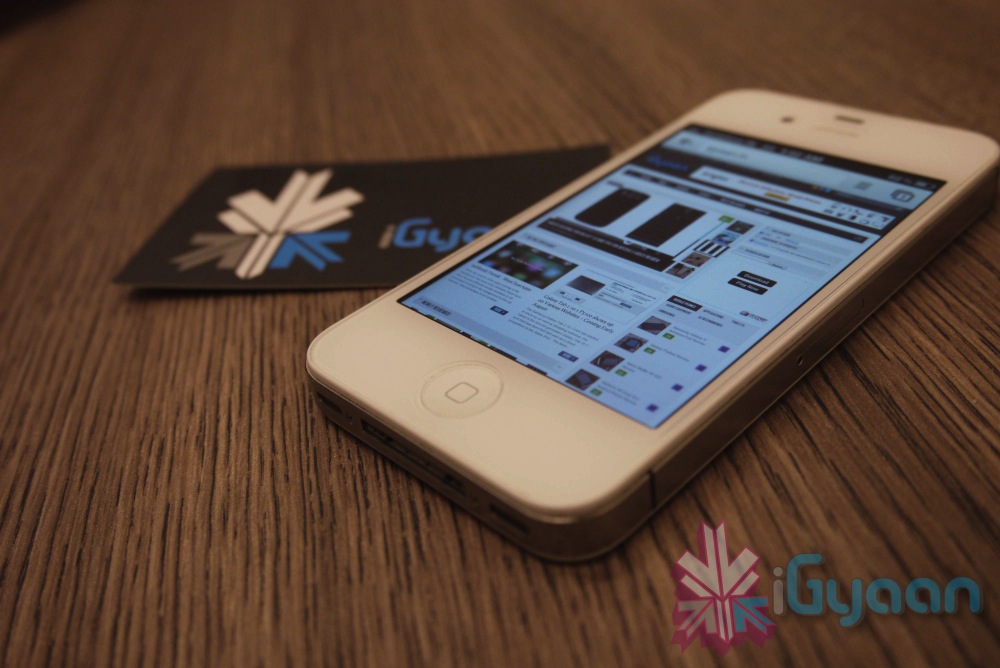
    Definitely, an upgraded mobile operating system will be introduced in the upcoming event, but it won’t be a major overhaul as the previous versions, iOS 7 or iOS 8. It is learnt that iOS 9 would be a much more stable version, compatible with even older devices like iPhone 4s and iPad Mini. Instead of being loaded with all the bells and whistles, the new version will iron out current bugs and lags.

    Apple Maps would be a major fix with iOS 9. The renovated tool will be a complete guide to travel by subways, trains and bus routes.

    2. OS X 10.11 Would be Security-Centric

    apple_imac_screenshot_official_website

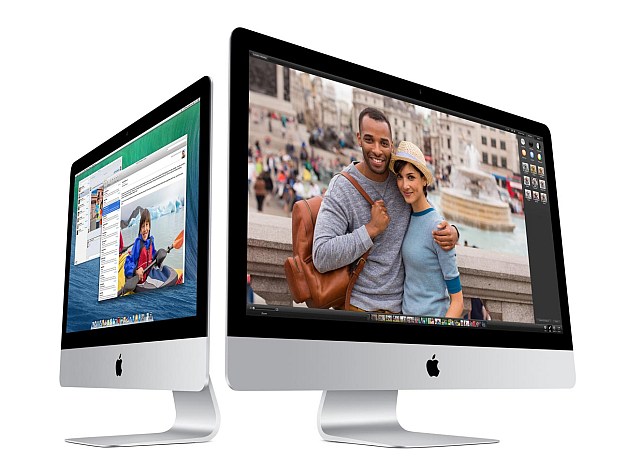
    A refreshed version of OS X is anticipated to unveil on Monday. The newest upgrade OS X 10.11 will have a page from the design language of the Apple Watch that will supplement new a typeface to Mac’s operating system. It will reportedly have a Control Centre Panel popping up from the left side of the screen, probably like the Start Menu on Windows.

    OS X 10.11 will be focused majorly on quality, small-sized apps, and a new security system called ‘Rootless’. It is said to be a kernel-level feature to prevent malware and secure sensitive files, blocking access to even administration-level users. The security measure is considered to be a major blow to the jailbreak community.

    Rootless security and an Apple Watch typeface will be included on iOS 9 as well.

    3. New Digital Voice Assistant ‘Proactive’

    siri-ios-7

    Apple is aiming to take on Google Now with an improved version of Siri – codenamed ‘Proactive’. Unlike Google Now, users don’t even need to ask Proactive and it will keep you informed with required information throughout the day. Proactive will work integrating with apps like Siri, Spotlight, Maps, Calendar and more.

    4. Revamped Music Streaming Service

    180661-beatsmusictitle

    Apple is expected to enter the music streaming ring with the much-awaited Beats Music service. Last year, Apple perplexed the tech industry with the buy out of Beats for $3 billion, but soon the picture began to take shape. It won’t be like other free music streaming services like Spotify and Pandora that offer unlimited tracks without any charge, and is estimated to charge $9.99/month for individuals and $14.99/month for the family plan.

    5. Apple Pay to Enter More Countries

    20141020_apple-pay_0073-640x426

    Apple Pay was a huge success in the US. The mobile payment system will reportedly make way to the new markets like India, China, Europe, Africa and many more. Besides this, a new reward programme is said to debut for the payment service.

    6. Brand New Live TV Service

    hbo now

    It’s confirmed that Apple is not ready to introduce a new version of Apple TV in the developers’ conference. But the segment won’t be untouched. The company plans to unveil ‘live TV’ services that would have almost 25 channels, according to Wall Street Journal. Apple is in negotiations with broadcasters to provide streaming rights for the local broadcast stations across different markets. The service will cost $15/month.

    Stay tuned tonight at 10.30PM IST, iGyaan will be covering the event live.

  • Dropbox to Soon Drop Support for Macs Running OS X 10.5 or Older Versions

    Dropbox to Soon Drop Support for Macs Running OS X 10.5 or Older Versions

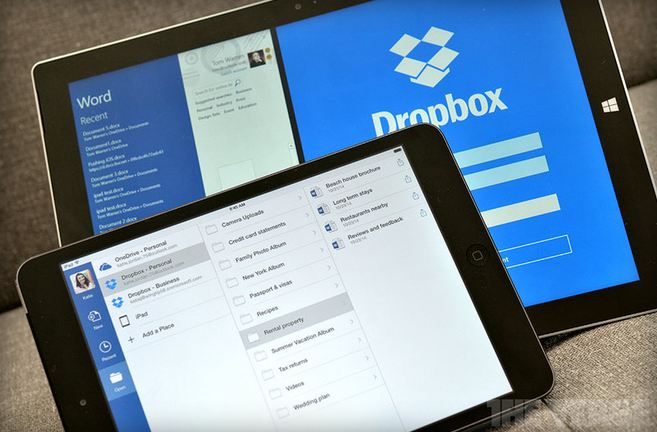
    Upgrade your iMac’s to OS X 10.6 or above, or Dropbox will not work on your system. This statement has come from Dropbox itself who has notified users of older versions through an email that their services will be discontinued on the systems running OS X 10.5 and below. The support for the older version will be taken back starting 18th May.

    dropbox microsoft

    The service provider says that if users, after the decided date, still run their Macs on Leopard or earlier OS X versions, user will be signed out of the Mac app automatically. Although, the Dropbox service will continue to work. The person would not be able to sign in again till he/she gets a newer version of the OS X.

    The company assured the users that even if they don’t update, their photos, videos and other files are safe with them. The same can be accessed through the official Dropbox website.

    One of the users using older OS X version stated the issue on the Dropbox Forum page

    We noticed that you’re running the Dropbox desktop application (client) on an older operating system (OS X Tiger 10.4 or OS X Leopard 10.5). We’re writing to let you know that as of May 18th, Dropbox will no longer support these older versions of OS X.

    Meanwhile, the app developers have given enough time to get the systems upgraded as the changes will come into effect on 18th May.

  • Has Apple Ended it for Paid Operating Systems with OS X Mavericks

    Has Apple Ended it for Paid Operating Systems with OS X Mavericks

    Apple yesterday announced a flurry of new products from the new iPad Air to the iPad Mini with Retina Display, brand new Mac Pro and a revamped Macbook Pro with retina display. Possibly the most subtle and less talked about are the software launches. Apple launched the new Mac OS X 10.9 Mavericks and 7 new applications including a revamp of popular iMovie, iPhoto and Garage Band which made the iLife suite and work based Pages, Numbers and Keynote which made the iWork suite. The best part being the fact that all of the above comes free to Mac owners. 

    Logically all these Apps and Operating System updates are meant for consumption on Apple products, and by making these crucial applications and a major Operating System update free, Apple may have stirred the industry and the likes of Microsoft who basically survive by selling their operating systems and apps.

    Highlights
    Highlights

    Prices of Apple’s Mac OS X have dropped in cost considerably over the years. Apple charged users US $129 for four main OS updates, then Apple dropped the operating system’s upgrade price to $29 with 2009’s OS X 10.6 Snow Leopard, and then to $19 with last year’s OS X 10.8 Mountain Lion. 

    Microsoft was forced to lower the price of its expensive Windows 8 to a mere US $ 29 to compete with Apple last year, where the Redmond company offered its previous OS owners a cheaper upgrade to the new Operating System. However post a golden period the price was returned to a whopping US $ 199 which the company charges for their PRO variant of Windows 8. Microsoft this year however offered Windows 8.1 as a free upgrade to Windows 8 owners, and while many may call it an incremental upgrade, Microsoft continues to claim that Windows 8.1 is a major software overhaul which is “worthy of a price tag”.

    Back in the 80’s software was a part of commuters as a vertically integrated product. Apple with OS X Mavericks has suddenly sprung that era into present day. Since Apple is the only company that manufactures hardware for their software or vice versa, it makes sense for the company to gain profit from hardware sales and make the software free. In essence the user sees it as a freebie especially since it had a price tag prior to it being free. 

    Apple has also ensured that anyone with a Mac computer upto 4 years ago can update to the new Mac OS X Mavericks, which will make old owners of Apple computers happy, since they won’t need to spend money for new operating systems each year. 

    What’s more, Apple has also enabled users to get Apple own apps like the iLIfe suite and iWork suite free of cost, making it a boon for students and daily users. Apple used to drive huge profits from selling applications and operating system upgrades. Most people don’t upgrade their Operating Systems till they buy a new computer, Apple however has sort of changed that, or has tried to change it. Just like software updates on the iPhone that drove more than 80% iPhone owners to upgrade to iOS 7, it is expected that a whole chunk of Mac owners have probably already upgraded to Mac OS X 10.9 Mavericks, or plan to over the weekend. 

    Installer
    Installer

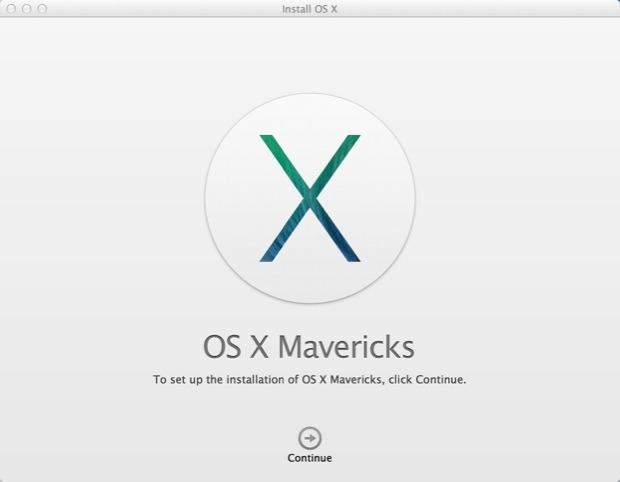
    The upgrade process is simple, hit the Mac App Store download the Mavericks installer, run the installer and about 20 minutes later you are upgraded. As Steve Jobs would say “It just Works!”,  exactly how upgrading a modern operating system should feel like. It gets done with the minimal of fuss and fanfare, and then the operating system steps aside and lets the user get back to work. 

    For Apple owners this may not seem as a big deal, however the folks over at Microsoft are probably festering out new plans as we speak to keep their investors happy. Do you think OS should be free? Let us know below!

  • Apple Announces Multiple Displays on OS X Mavericks

    Apple Announces Multiple Displays on OS X Mavericks

    Apple has updated the Mac OS X and the next version has been named after the California Mavericks. 

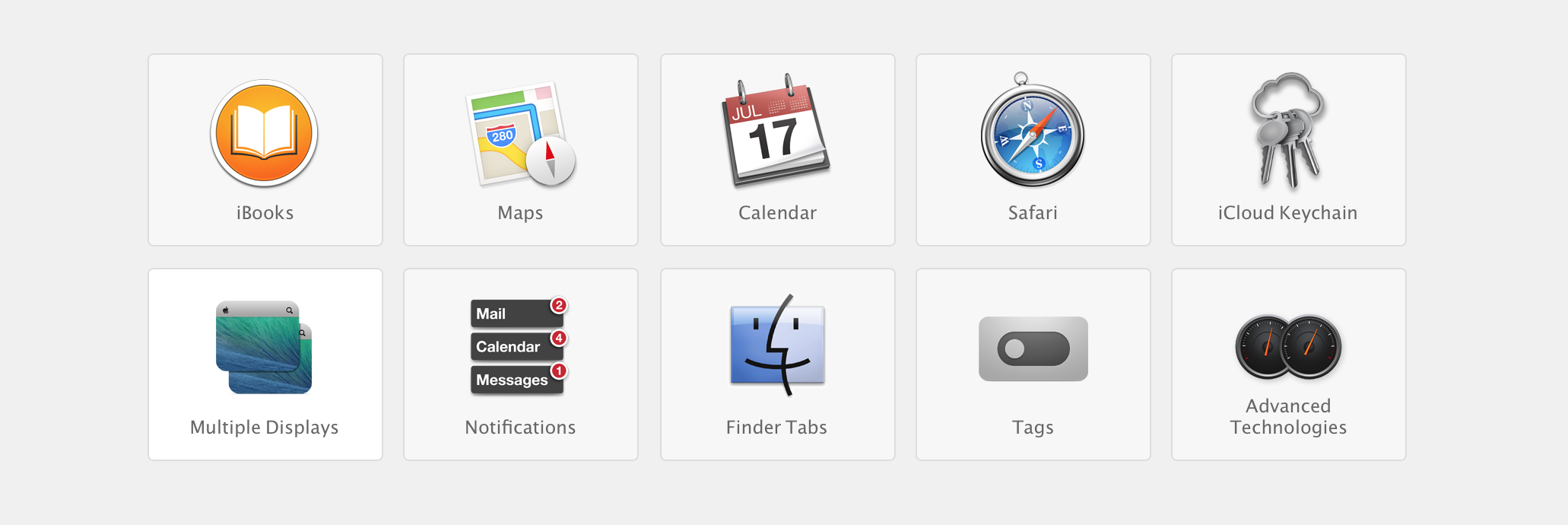
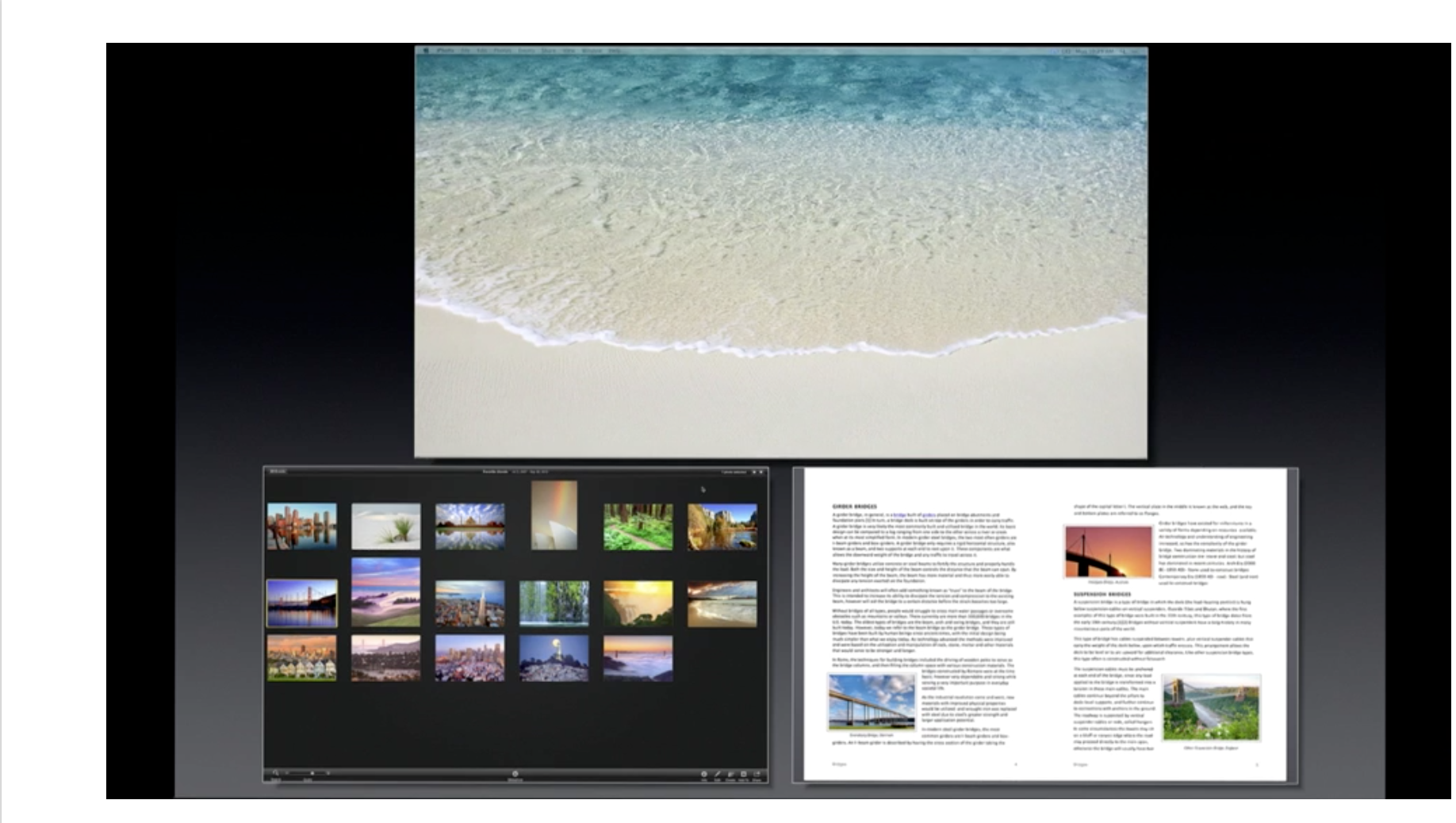
    With three things highlighted, changes: Finder Tabs, Tags and new changes to Multiple displays. With the new multiple displays you can independently run 3 different computers from the same machine.

    With individual control spaces and Mission control on each display. The top menu and dock are also independent for each display and can be called on the live display. 

    When the user shifts through spaces, this will no longer affect all displays, and will only affect the live display. 

    More features of the Mac OS X Mavericks are being announced and expect a full reload soon. 

  • Dropbox adds automatic photo uploads for Windows and Mac : free 500 MB for using it each time

    Dropbox adds automatic photo uploads for Windows and Mac : free 500 MB for using it each time

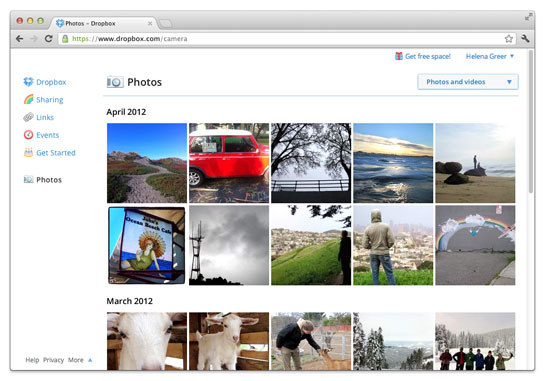
    While Google launched Drive Cloud with free 5 GB Data storage, Dropbox does not want to feel left out at the party. Adding new features for existing users, the company today announced a new app to allow automatic photo uploads from your Windows or Mac computer. 

    Thats not all, Dropbox will also offer upto 3GB free store for using the service, actually 500MB each time you use it to a maximum of 3 GB free.

    [Dropbox]

  • Apple developers get Mac OS X Mountain Lion downloads

    Apple developers get Mac OS X Mountain Lion downloads

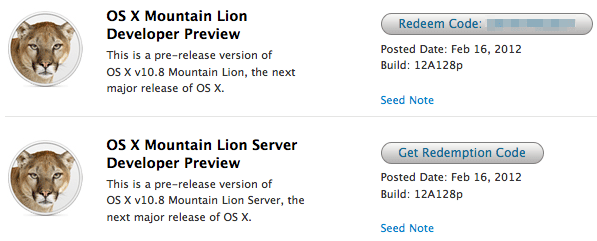
    If you continue to stay on the Apple Developer program then you can have yourself a developer preview download of the new exciting Mac OS X Lion. The new versions of Reminders , messages , gatekeeper, Notification center and iCloud and sharing capabilities can be experienced in this preview.  Hit the link below to sign into your member area and begin the download.

    [Apple]

  • Apple shows off OS X Mountain Lion

    Apple shows off OS X Mountain Lion

    Apple has already begun the next update cycle of the OS X platform with just over a year ago Apple unleashed OS X Lion on Mac owners. This time around the number is bumped to 10.8 and the name to Mountain Lion. The overall outlook of the OS remains the same with more integrations and basic app changes in tow.

    The biggest add-on for the OS has to be the Notification centre that has been inspired from the iOS notification centre.

    Notification Centre.

    The spotlight icon on the far top right of the screen is replaced with a circle with a dot in the centre, which lights up when you receive a message or a notification even a calendar reminder.

    Messages

    The other major release in OS X mountain lain will be the replacement of iChat with messages, which will allow you to message all iOS devices on iMessage and other macs on Messages. Using the service, you can send messages, documents, HD videos and photos (up to 100MB apiece) to one person or several, using phone numbers or email addresses as points of contact. Messages on Mac still incorporates chat services like AIM and GChat. Messages sent through the service are encrypted, and the app also uses a notification to let you know when messages have been delivered / read.

    Reminders

    The next cool thing of our liking that has been ported from iOS to Mac is Reminders. For those who don’t know , this is more of a glorified to-do list. It will sync with iOS reminders keeping the seamless architecture intact.

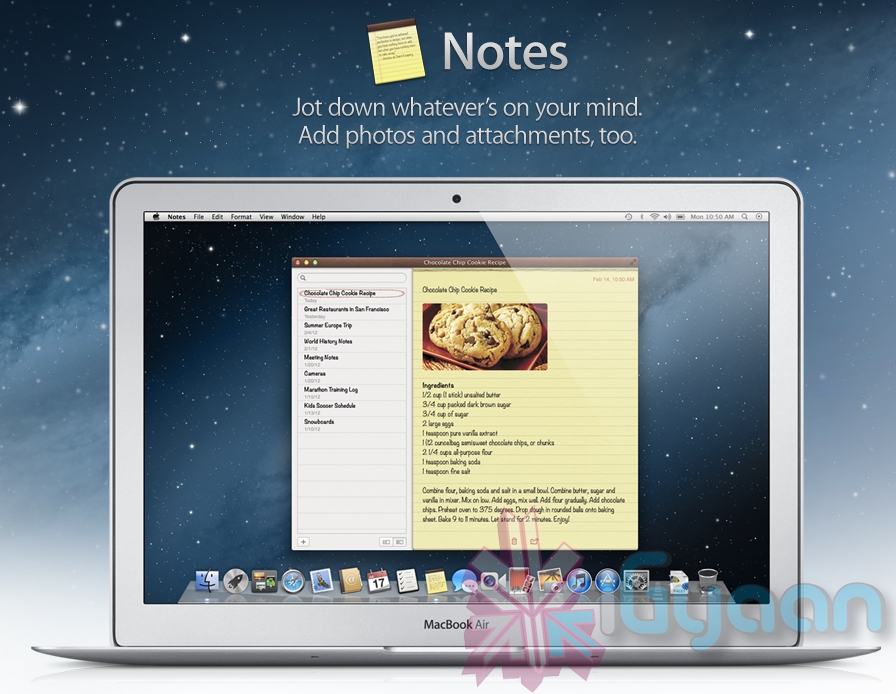
    Notes

    Another addition to the Mac OS X Mountain Lion is the Notes app, which not only completely resembles the on on iOS but also syncs up with all your devices and email addresses via iCloud.


    Apple has added deeper integration of iCloud on Mountain Lion, allowing users to sync up and back up more data, also allowing seamless interconnectivity with all other Apple devices owned by a user. The other additions to Lion include Airplay mirroring, integrated Game center and included sharing – allowing you to instantly share content from your desktop via email, message, AirDrop and third-party services like Twitter, Flickr and Vimeo.

  • VLC Player gets to RC1 stage – Download links

    VLC Player gets to RC1 stage – Download links

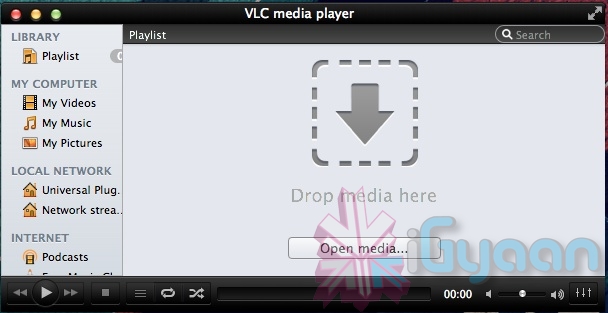
    Possible the most popular open-source video player that works cross platforms. VLC Player, has attained the much desired upgrade to version 2. Although still in its prime stage with the RC1 both Windows and Mac users will be greeted with a fresh new UI. Mac users will especially identify to the new Lion look styling. There’s also a new subtitle manager and support for multiple videos inside RAR files.

    The iOS version is all set to be returned with a bang, whereas Android app gets a development update. The new VLC 2.0 RC1 is currently not available for Windows 64bit platform.


    [VideoLAN]

  • Firefox gets updated to 9, faster Javascript and Lion compatibility added. links

    Firefox gets updated to 9, faster Javascript and Lion compatibility added. links

    Firefox browser has been updated to version 9. This version offers better compatibility on Mac computers running on Mac Lion 10.7, and a faster and juiced up Javascript handling. This is set to improve overall browsing speeds on the browser. Mozilla is claiming a overall 30% boost in performance post the JavaScript optimizations.  Firefox 9 also improves theme integration and swipe navigation for Mac OS X users. Want to take it for a test spin ? Download your version below

    [Mozilla Windows]

    [Mac

    [Linux]

  • OWC launches Mercury Extreme Pro 3G SSD, starting just $68 (PR)

    OWC launches Mercury Extreme Pro 3G SSD, starting just $68 (PR)

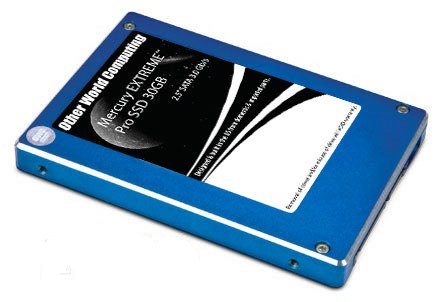
    OWC has announced its new budget 3G SSD lineup, latest 2.5-inch SSD, the 30GB variant of its Mercury Extreme Pro 3G series which has a 3GB/s transfer rate. The company claims that the drive is complaint with all OSs and will give sustained data rates throughout. The drives are on sale now, and the prices start at just US$ 68 or about INR 3000.


    [toggle title_open=”Press Release” title_closed=”Press Release” hide=”yes” border=”yes” style=”default” excerpt_length=”0″ read_more_text=”Read More” read_less_text=”Read Less” include_excerpt_html=”no”]

    OWC Announces Mercury EXTREME Pro 3G As Lowest Cost Of Entry In Award-Winning, Solid-State Drive Line


    $67.99 MSRP SSD Ideal for ‘Supercharging’ Macs and PCs with Faster App and OS


    Operation


    September 27, 2011 Woodstock, IL — Other World Computing (OWC®) http://www.macsales.com, a leading zero emissions Mac® and PC technology company, announced today the addition of its lowest-cost- of-entry Solid-State Drive to its award-winning SSD line. The new OWC Mercury EXTREME™ Pro 3G SSD combines award-winning SandForce® technologies and Tier 1/Grade A NAND to deliver data rates over 275MB/s in a noiseless, more reliable form factor over conventional magnetic hard disk drives. Designed and manufactured in the U.S. with imported parts, the new OWC Mercury EXTREME Pro 3G 30GB SSD’s $67.99 MSRP makes it one of the lowest-priced, high-performance SSDs on the market.


    Maximizes Any Computer’s 3G Data Bus


    Consumers using a Mac or PC equipped with the Serial ATA data bus will find the OWC Mercury EXTREME Pro 3G 30GB is able to deliver near bus saturating speed. Independent tests have confirmed the OWC Mercury EXTREME 3G SSDs delivers sustained data rates over 275MB/s and provides significant benefits in overall system responsiveness and sustained workflow.


    No Slow Down With Repeated Use


    While ordinary SSDs initially offer fast read/write performance; they experience significant write speed degradation over repeated usage. Independent simulation tests conducted by leading drive performance experts like MacPerformanceGuide confirm OWC Mercury SSD’s ultra-efficient Block Management & Wear Leveling technologies are able to eliminate virtually any reduction in data transfer speeds over heavy, long-term usage without dependency on less-than-effective OS TRIM management.


    Up To 100x Greater Data Protection


    By utilizing SandForce DuraClass™ technology along with no moving parts, the OWC Mercury EXTREME Pro 3G provides an increase of up to 100x in data protection, compared to ordinary SSDs and leading enterprise-class hard disk drives. By combining the highest level of Error Correction Code (ECC) and SandForce RAISE™ (Redundant Array of Independent Silicon Elements) technology, along with 7 percent over provisioning, the OWC Mercury EXTREME Pro 3G provides RAID-like data protection and reliability without loss of transfer speed due to parity.


    Risk-Free 30-Day Satisfaction Guarantee


    To ensure the highest level of customer satisfaction and confidence, the OWC Mercury EXTREME Pro 3G SSD comes backed by a 30-Day Money Back Guarantee. If consumers are not completely satisfied with their OWC SSD for any reason, they simply need to contact OWC’s award-winning Customer Service department – which offers 24/7 Live Chat support – to request a full, hassle-free refund.


    “While small in capacity, this new 30GB model offers a huge performance boost in application and OS operation,” said Larry O’Connor, Founder and CEO, Other World Computing. “At its price point, you can’t beat its use as a boot and app load drive while offloading storage and backup duties to platter based drives.”


    Includes Only Mac-Friendly Updater


    While the OWC Mercury EXTREME 3G 30GB SSD comes with the latest SandForce firmware revision, it also includes the industry’s first and only Apple/Mac-compatible firmware updater should the firmware need to be updated in thefuture. The firmware updater eliminates the need for a PC, ownership of Windows or other operating system, or the creation of a specially designated drive partition that other brand SSD updaters have required. For more information onOWC’s proprietary firmware updater, visit:http://eshop.macsales.com/tech_center/OWC/SSD


    Adapters From $3 Offer Easy Install In 3.5″ Drive Bays


    Desktop users wanting to experience the performance benefits of an OWC Mercury SSD can choose from one of five adapters OWC offers starting at $3 for utilizing 2.5″ drives in 3.5″ bays. For an overview of these to determine which adapter can meet particular needs, visit http://blog.macsales.com/11999-drive-adapters-galore%E2%80%94which-is-the-right-one-2


    Pricing, Availability


    Compatible with Macs, PCs and external enclosures that utilize 2.5″ drives, the OWC Mercury EXTREME 3G 30GB SSD is available now from Other World Computing as well as through select retailers. The $67.99 MSRP drive features 7% over provisioning, Tier 1/Grade A NAND, and a three-year warranty. For more information on the OWC


    Mercury EXTREME 3G 30GB SSD, including reseller inquires, visit: http://eshop.macsales.com/item/Other%20World%20Computing/SSDMX030/


    Industry’s Most Comprehensive SSD Line for Macs and PCs


    The new OWC Mercury EXTREME 3G 30GB model joins OWC’s existing line of performance-leading, world record-breaking ‘3G’ (3Gb/s) and ‘6G’ (6Gb/s) Mercury SSDs available for nearly every Mac and PC produced over the past decade in capacities from 30GB to 480GB starting from $67.99. For more information on the complete OWC Mercury


    SSD line, including expert benchmark reviews, visit: http://eshop.macsales.com/shop/SSD/OWC/. For more information on the OWC catalog of over 2,900 performance upgrades and accessories, or for reseller inquires, visit: http://eshop.macsales.com/


    [/toggle]


    [Other World Computing]
  • iTwin’s filesharing USB officially allows Mac OS and Windows to share files.

    The new iTwin USB dongles allow users to share files via USB between Mac and PC, now with Apple’s blessings.  iTwin is a double-sided splittable USB plug that allows you to remotely access files over the web under AES encryption with 256-bit secure coding. it will work between all combinations of 2 PC, 1 Mac 1 PC and 2 Macs.

    Price is INR 5000 or US $ 99.


    Check out official video below!


  • Lion Ultimatum Theme for Jailbroken iPhones brings Desktop looks to boring iOS

    Lion Ultimatum Theme for Jailbroken iPhones brings Desktop looks to boring iOS

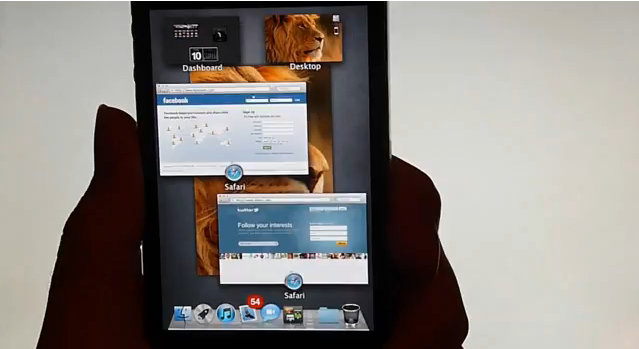
    Want to add flavor to your jailbroken iPhone? The new theme called LION Ultimatum from a theme creator SirTimothy1 brings IOS like looks on Dreamboard. The them also requires you to have your device already jailbroken. This theme comes with a functional file manager and Finder menus, a scrollable dock and draggable windows, along with Stacks, Launchpad, Mission Control and Dashboard. There’s also a customizable lock screen that provides access to the dialer, email and messages. The keyboard can also be modified to resemble the design of MacBook Pro or the traditional Apple Keyboard, thanks to integration with ColorKeyboard. 

    [ModMyi]
  • VMware Fusion 4 brings full Mac OS Lion support to Windows 8 – Mission Control et all

    VMware Fusion 4 brings full Mac OS Lion support to Windows 8 – Mission Control et all

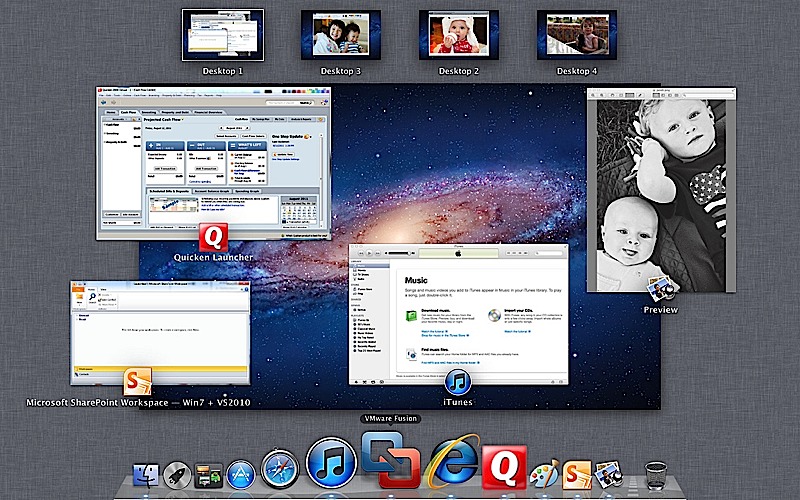
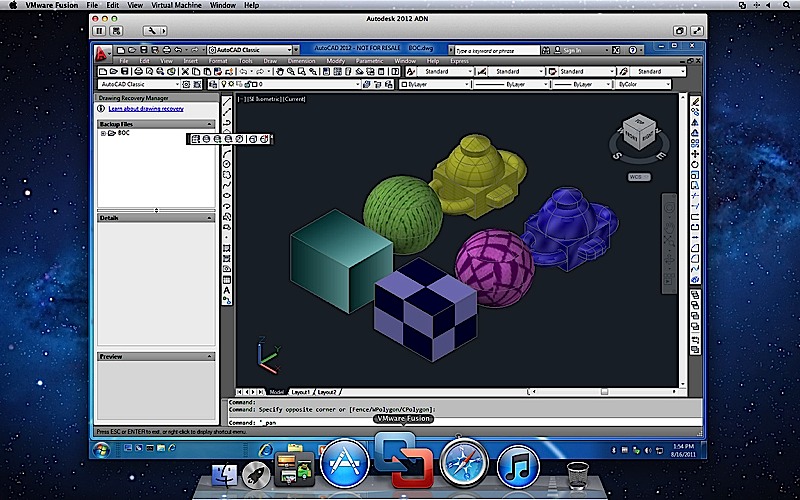
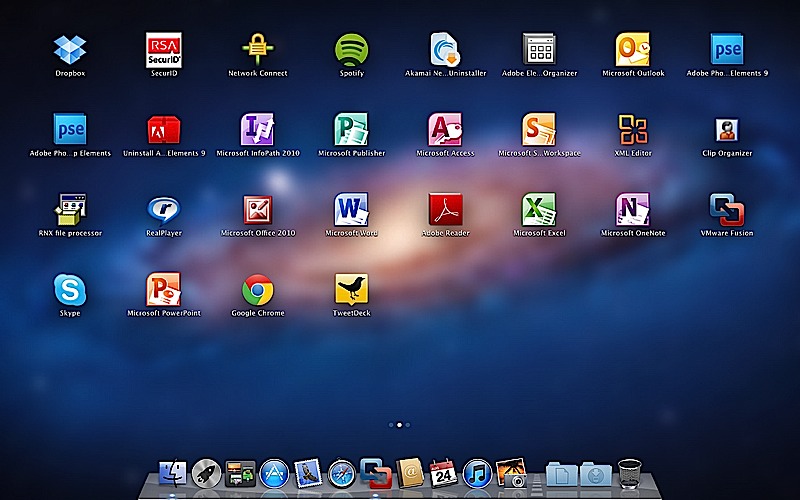
    To fully enjoy the killings of Microsofts new OS, VMware has introduced the new Fusion 4 the latest version of its virtualization software. This version fully works with Mac Lion, there is also support for Expose and Spaces on the Windows side, it also adds the ability to use Mission Control and launch Windows apps from Launchpad.

    The new software costs only US $ 50 or INR 2500 till december when the price goes up to US$ 80( do the math). If you recently bought VMware Fusion you get an upgrade free of cost. 

    The most important thing to note here is that our version of Parallels for Mac has already been doing this for about two months now. Full PR below.


    [toggle title_open=”Press Release” title_closed=”Press Release” hide=”no” border=”yes” style=”default” excerpt_length=”0″ read_more_text=”Read More” read_less_text=”Read Less” include_excerpt_html=”no”]VMware launches VMware Fusion® 4 – The Best Way to Run Windows on a Mac Just Got Better

    PALO ALTO, Calif., Sept. 14, 2011 – VMware, Inc. (NYSE: VMW), the global leader in virtualization and cloud infrastructure, today announced VMware Fusion® 4 – the best way to run Windows on a Mac. Available now at VMware.com for a promotional price of $49.99, VMware Fusion 4 makes it easier than ever for users to run Windows applications with Mac simplicity.

    “Enhancements to VMware Fusion® 4 make it a breeze to run Windows and Mac Applications side by side on a Mac,” said Pat Lee, director, client product management, VMware. “Offering full integration into Apple OS X Lion, VMware Fusion 4 builds on our proven, award winning platform to provide an easy, fast and reliable way to run Windows applications on a Mac.”

    With more than 90 new features and now optimized for today’s multi-core Macs and OS X Lion, key features in VMware Fusion 4 include:

    – Built for OS X Lion – VMware Fusion 4 is designed to provide the best Windows experience on OS X Lion. Add Windows programs to Launchpad, experience them in Mission Control, view them in full screen or switch between them using Mac gestures.
    · Better Performance and Faster Graphics – VMware Fusion 4 has been engineered to run Windows and Mac applications side-by-side with incredible speed and reliability. As a 64-bit Cocoa application, it is optimized for today’s multi-core Macs and delivers 3D graphics up to 2.5-times faster.
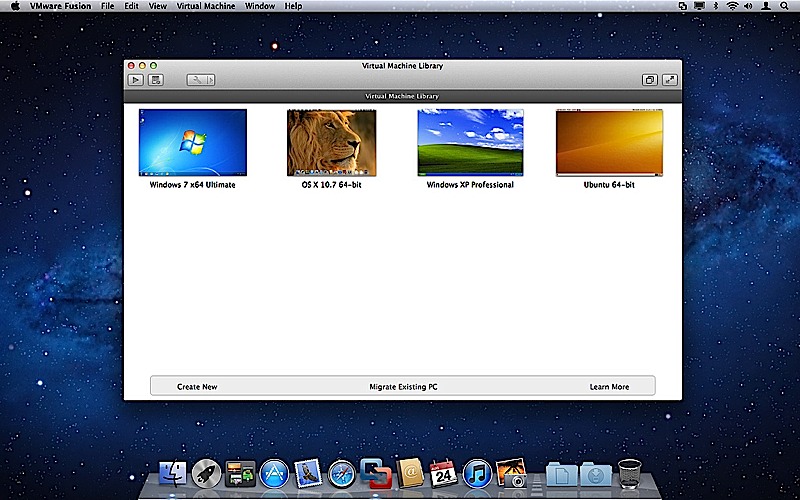
    – Even More “Mac-like” Experience – VMware Fusion 4 enhances the way Windows programs run on a Mac. From the brand new settings menu to the redesigned virtual machine library and snapshot menu, users have even more Mac-like experiences when running Windows programs.
    – Lion Squared – VMware Fusion 4 now supports OS X Lion in a virtual machine, allowing users to get more from their Mac by running OS X Lion, OS X Lion Server, Mac OS X Snow Leopard Server and Mac OS X Leopard Server in virtual machines.

    Switching Made Easy
    VMware Fusion’s migration assistant for Windows makes it easier than ever for users to transfer their entire PC to a Mac, allowing them to make the most of their existing Windows software investment. With VMware Fusion 4 users can get the best of both worlds and have access to Windows programs and files from their PC directly on their Mac, whenever they need them.

    Availability and Pricing
    VMware Fusion® 4 is available until the end of the year for a promotional price of only $49.99. The suggested retail price for VMware Fusion 4 is $79.99. Customers who have purchased VMware Fusion 3 on or after the July 20, 2011 are eligible for an electronic upgrade to VMware Fusion 4 at no additional cost. Volume pricing for corporate users is available from select resellers and www.vmware.com/fusion.

    VMware Fusion 4 is available immediately for download and purchase from vmware.com. VMware Fusion box products will be available at key resellers including Apple, Apple.com, Amazon.com, Best Buy, Fry’s Electronics and many other stores in the coming days. VMware Fusion is available in English, German, French, Italian, Spanish, Simplified Chinese and Japanese.

    Additional Resources
    Learn more about VMware Fusion on the VMware Fusion Blog[/toggle]

  • Apple Faces Patent Infringement, For LG owned Fast Boot up process

    Apple Faces Patent Infringement, For LG owned Fast Boot up process

    A company called Operating Systems Solutions (OSS) is suing Apple for OS X’s fast booting operation.Apple’s function, seen the the Macbook Air launched this year, violates at least one protected claim, which details a four-step method for speedy booting, and involves files like config.sys and autoexec.bat.

    The patent was originally granted to LG Electronics, back in 2002, but is now currently owned by  Operating Systems Solutions (OSS).

    [Patently Apple]

iGyaan Network
Privacy Overview

This website uses cookies so that we can provide you with the best user experience possible. Cookie information is stored in your browser and performs functions such as recognising you when you return to our website and helping our team to understand which sections of the website you find most interesting and useful.