Tag: microsoft

  • Nokia May Make a Comeback in the Smartphone Market Next Year

    Microsoft acquired Nokia’s devices and services business for a heavy sum of $7.2 billion last year. The Finnish company can no longer use the Nokia brand name on smartphones till Q4 2016, and on feature phones for ten years. Once the biggest smartphone maker in the world failed to catch up with the fast-growing market trends set by Apple and Google. But, as most of us considered, it was not the demise of the titan.

    Nokia is planning to bounce back to the smartphone business sometime next year. Reports by online publishing daily Recode suggest that Nokia is gearing to make a comeback in the mobile business, and is working on several new ambitious projects including virtual reality. The company has so far released only two products – an Android app called Z Launcher and the Nokia N1, also dubbed as the first Nokia-branded Android tablet.

    The 6600 was one of the most popular devices and was almost the star of the movie, Cellular.
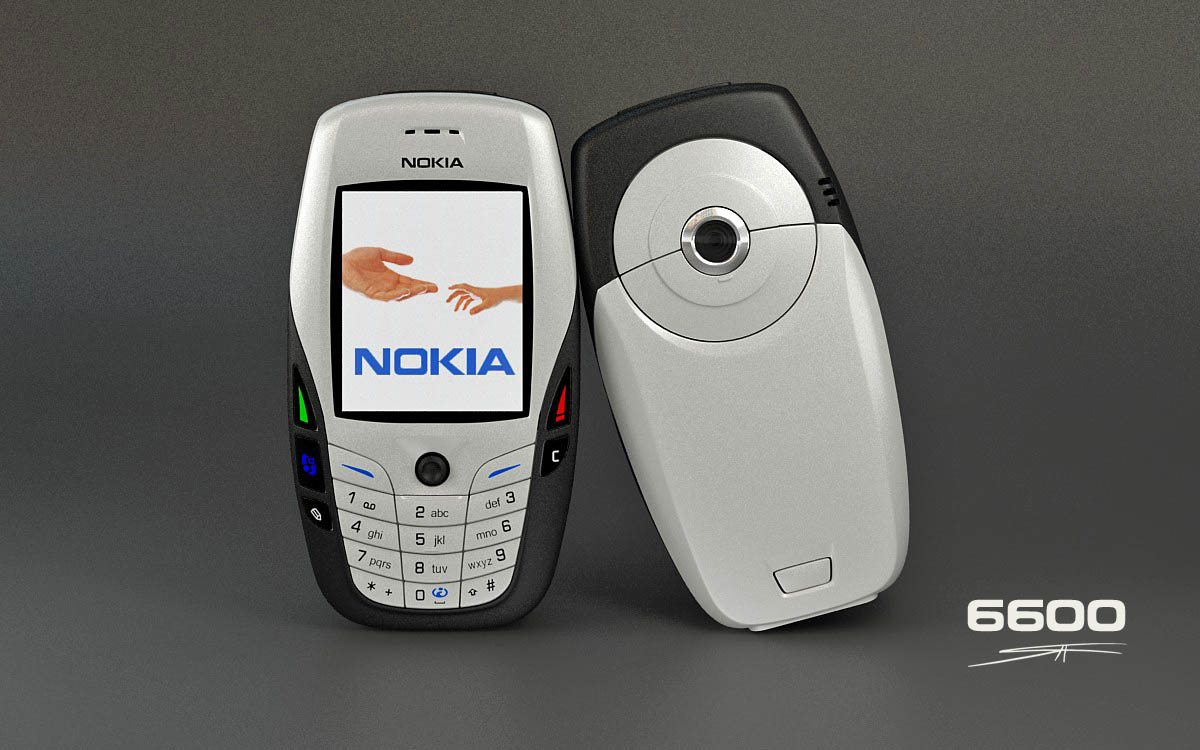
    The 6600 was one of the most popular devices by Nokia and was almost the star of the movie, Cellular.

    It is expected that Nokia will employ the same strategy for the new device as it used for the N1 tablet. The device was launched last year along with a brand licensing agreement with Foxconn. The Finnish company hopes to find a similar brand licensing agreement partner for its next release.

    There has been reports that Nokia has “a lot of great stuff in development’, but there is no certainty about the upcoming Nokia product or if the company is making a comeback by 2016. Therefore, the news should be taken with a pinch of salt.

    With its latest acquisition of Alcatel-Lucent for $16.5 billion, together as Nokia Corporation, the company has set its sights on Virtual Reality, Internet of Things and Cloud Computing, and is ready to greet the world with brand new treats.

  • Hackers Bring Microsoft Cortana’s Android Cousin; Meet Portaña

    Hackers Bring Microsoft Cortana’s Android Cousin; Meet Portaña

    Microsoft’s personal voice assistant Cortana to land on Windows Phone platform is far from debuting on Android devices, but a group of hackers based in Italy has made it possible. The group, who call themselves OrangeSec, claims to have ported Microsoft’s Cortana to Android. The new personal assistant is named as Portaña.

    The hackers made some alterations in Cortana’s program and brought out a version compatible with Google’s operating system. The tweaked version is very much similar to Cortana, but has some limitations. The hackers admit that the project isn’t that impressive and requires users to stay online for work. The reason being, even though it is running on Android hardware, it is still communicating with Microsoft’s back-end servers with the ported interface. To cut it short, you cannot use it to integrate with Android devices like Cortana does with Windows. OrangeSec used combinations of hardware proxies, custom SSL certificates and DNS spoofing for making this project work out. For now, Portaña can communicate in Italian only.

    OrangeSec unveiled their mod at the Droidcon 2015 and admitted it to be a concept only. Hence, there are lesser chances of OrangeSec coming up with an official release. It is rumoured that Microsoft is planning to bring the voice assistant for both iOS and Android, but it doesn’t seem to happen anytime soon.

    Cortana is named after an artificial intelligent (AI) character from the famed video game Halo. The personality of the voice assistant is also derived from the AI companion of the game. Cortana also offers usual voice-assistance features like setting reminders and calendar, weather and traffic information, writing notes and messages.

    The generation of voice assistants kicked off with Apple’s Siri, back with the release of iPhone 4S in 2011. Microsoft soon followed by launching its very own Cortana on Windows 10 PC and smartphones. Meanwhile, Cortana is officially limited to Windows Phone.

  • Later This Year Microsoft Apps Will Come Bundled With Cyanogen

    Later This Year Microsoft Apps Will Come Bundled With Cyanogen

    After months of battling rumours, Cyanogen has officially confirmed that they are partnering with Microsoft. They commented that they will be bringing Microsoft’s useful apps integrated on their popular OS soon. The two companies have supposedly been negotiating for quite some time to create a Cyanogen version which features Microsoft applications.

    In an email to The Verge, Cyanogen CEO said:

    People around the world use Cyanogen’s operating system and popular Microsoft services to engage with what matters most to them on their mobile devices. This exciting partnership with Microsoft will enable us to bring new kinds of integrated services to mobile users in markets around the world.

    Cyanogen said that it would be pre-installing Microsoft apps on its modified Android OS, starting later this year. It means users will have access to Microsoft apps such as Bing, OneDrive, Outlook, OneNote and Microsoft Office. In turn, Microsoft will be experimenting with a number of Android apps. This project has been taken up to lure away consumers’ dependance on the Android applications. It seems like the win-win partnership between Microsoft and Cyanogen.

  • Spartan Vs Internet Explorer : 6 Factors That Give Microsoft’s New Browser an Edge

    Spartan Vs Internet Explorer : 6 Factors That Give Microsoft’s New Browser an Edge

    When Microsoft made official its biggest innovation of the year, Windows 10, everybody was excited to hear about all the modifications it brought with it. It was not just another Windows upgrade, but was a whole new effort to push something fresh. Among other revelations that thrilled the audience, a huge amount of attention was gathered by the modern browser Spartan.

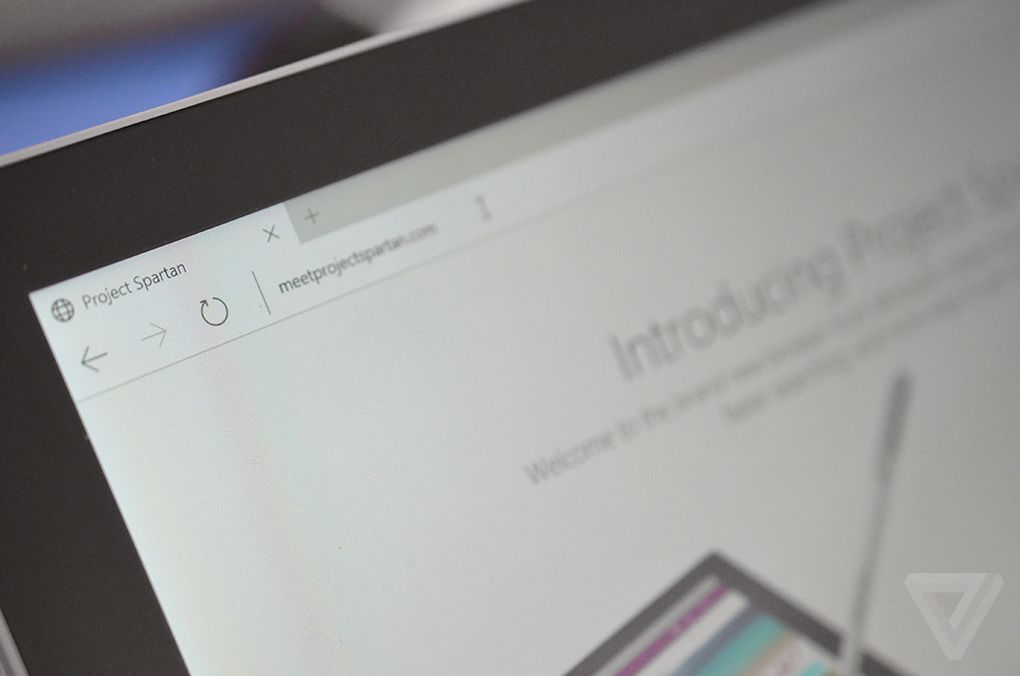
    Spartan is an entirely new web browsing platform for Windows 10 that holds a bunch of really cool new features. The browser has been designed to meet the demands of the today’s fast striding world with a pinch of simplicity. Spartan is the way ahead for Internet Explorer (IE) and a dive into the revolutionary world of the future.

    Here are some of the major differences that makes Spartan stand apart from the fast-fading Internet Explorer.

    1. Faster Rendering Engine:

    spartan edge

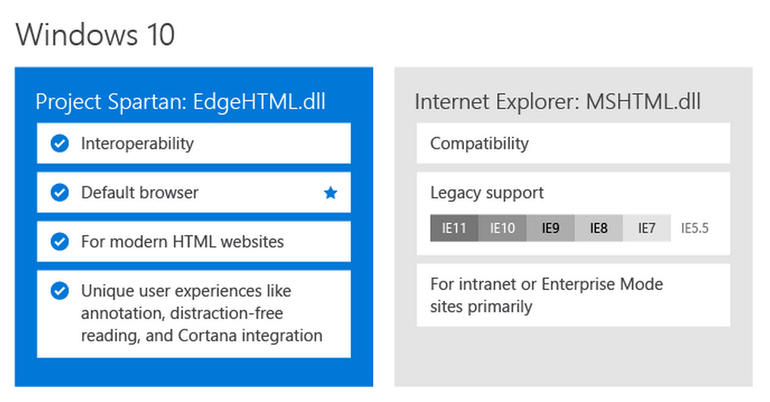
    The most vital and unnoticeable change that makes Spartan a real spartan is the all-new rendering engine ‘Edge’. It is the core of Spartan and is much faster than the existing renderer, Trident. It loads complex pages many times faster than the IE, making it a strong competitor of Google Chrome.

    Meanwhile, Windows 10 comes with two rendering engines as the latest Windows version comprises of two browsers. The Explorer works on Trident, while Spartan is powered by Edge; the latter is the default rendering engine on Windows 10.

    2. Voice Assistant Cortana:

    cortana-03

    Cortana is another significant development that has made Windows and Chrome users restless to try their hands on it. The web browser assimilates with the company’s digital assistance service, Cortana. Through the smart assistance, Windows 10 users can get information on flights, hotel bookings and other vital data on their browser. One can track a particular flight just by typing its name and all the data like departure time, arrival time and current status will appear.

    3. Note-Taking Mode:

    project spartan

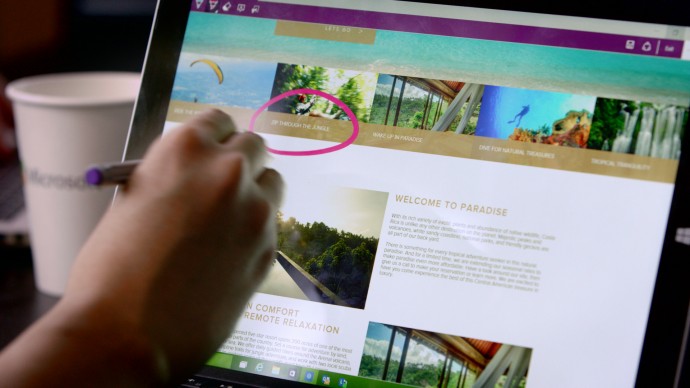
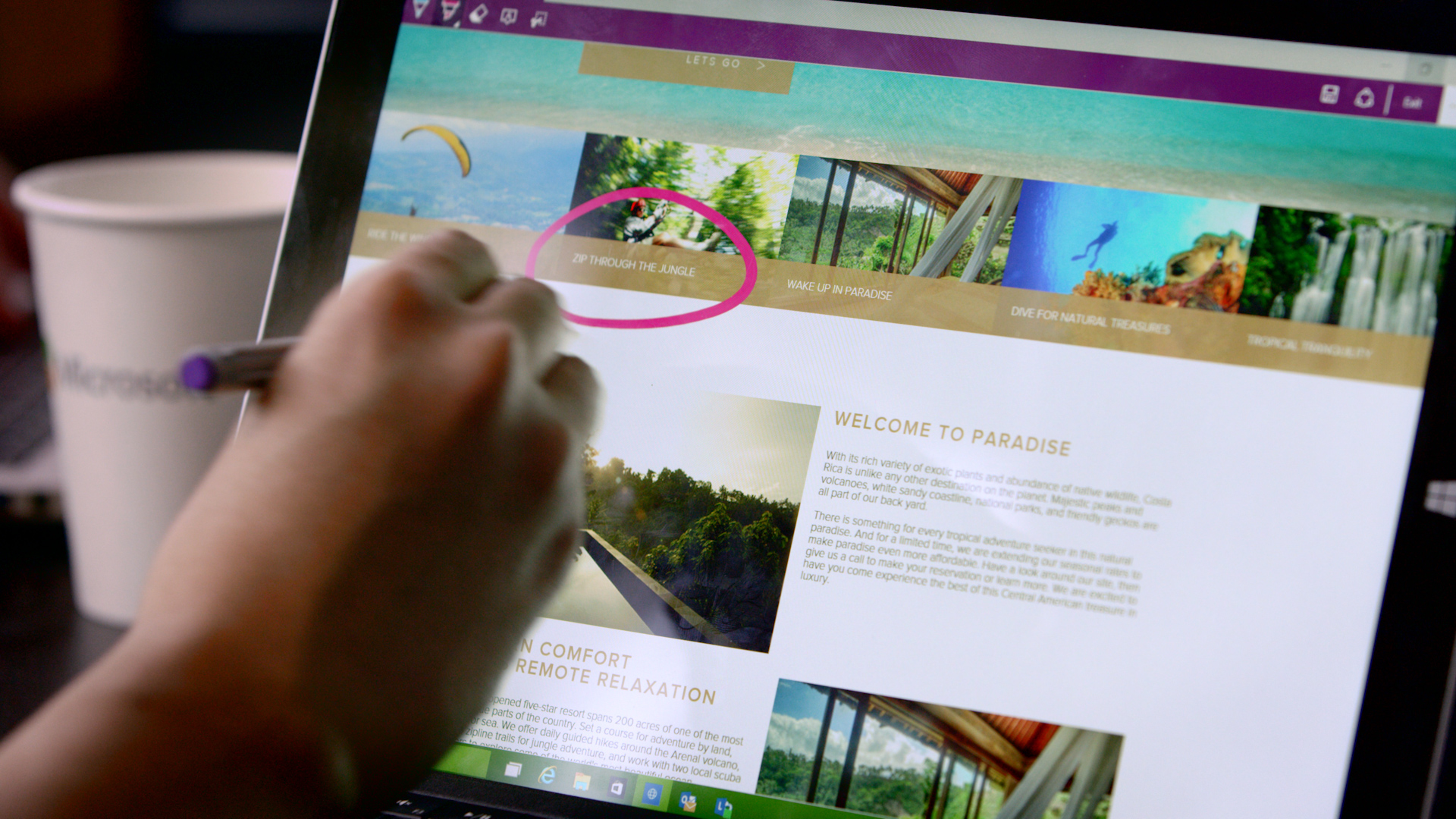
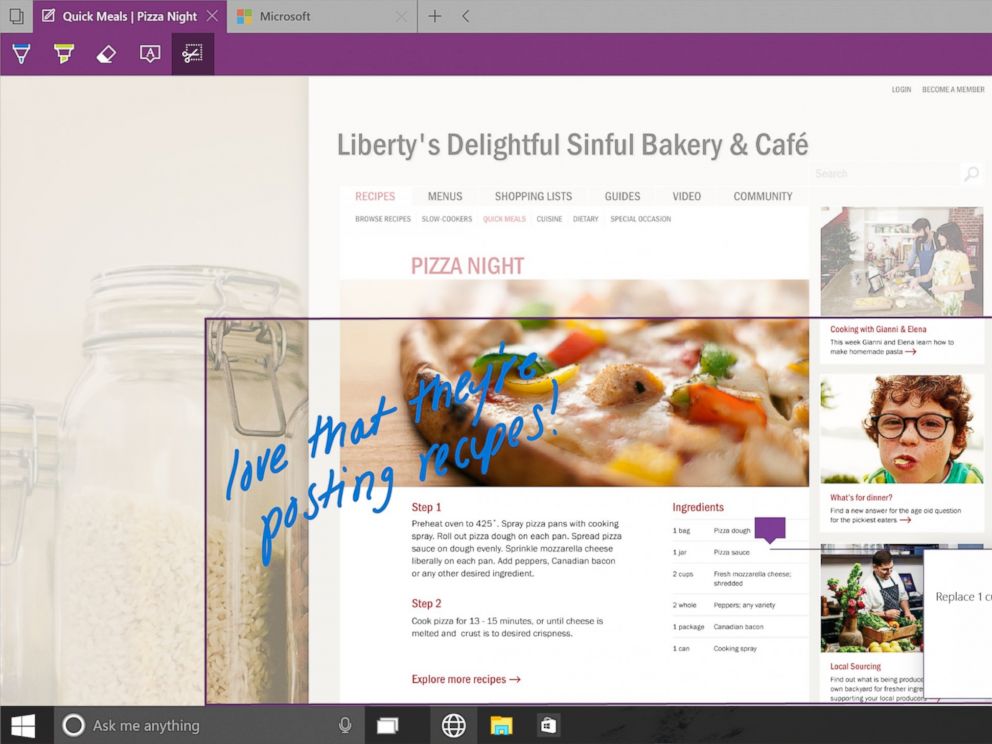
    Spartan has made it easy for users to highlight a specific section on the web page. The note-taking tool facilitates users to add comments and annotations to the web pages with the help of stylus. These pages can also be sent to a friend. As all the browsers support the web note service, the messages can easily be read by any of your friends or colleagues using a different version or OS.

    4. Clutter-free reading mode:

    IE will be replaced with Spartan which will be the browser of the future for Microsoft.
    IE will be replaced with Spartan which will be the browser of the future for Microsoft.

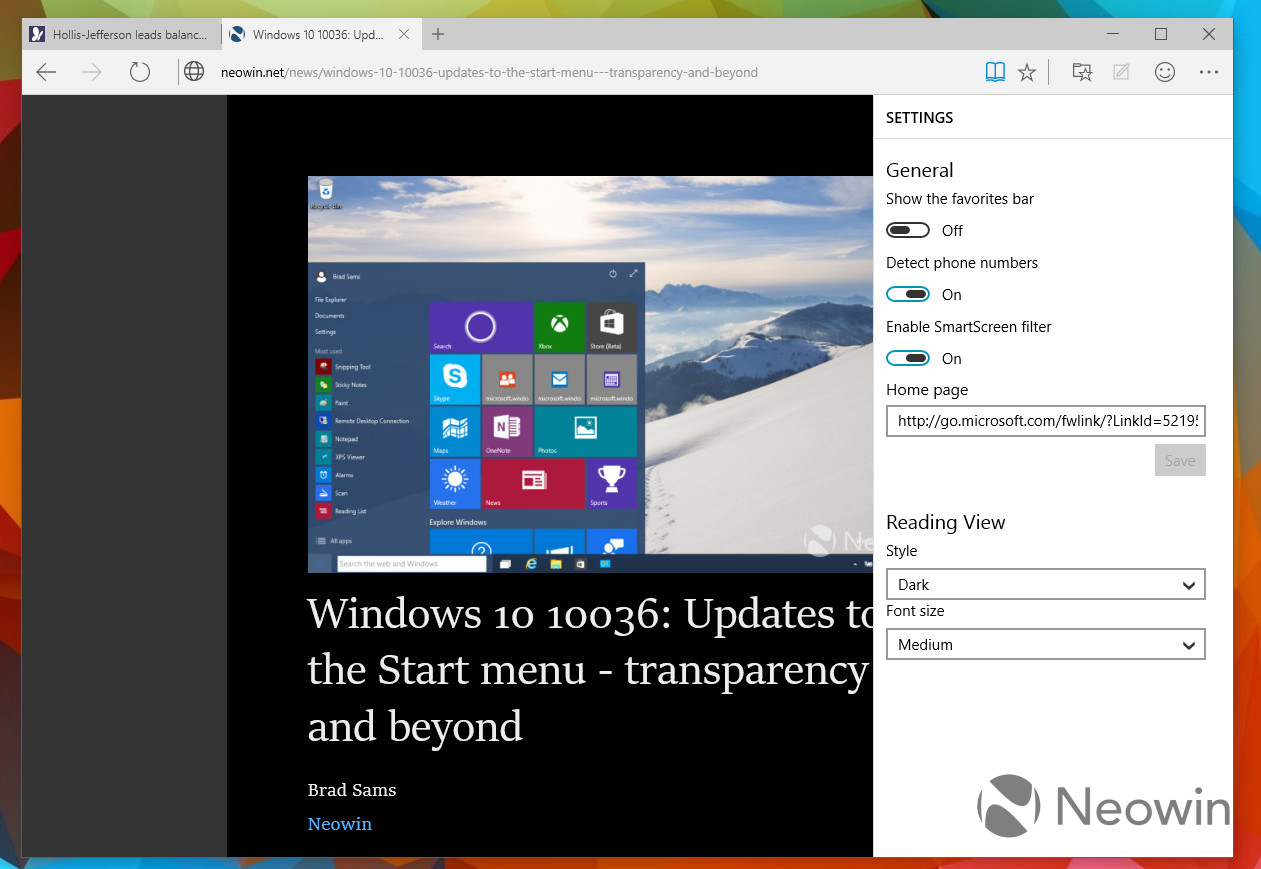
    One of the major modulation that is sure to mesmerise users is the clutter-free reading mode. The feature crops the important details and throws it ahead to focus on the information. The rest unwanted stuff is dumped in the background by default, giving users a de-cluttered view of the web page.

    5. Customizable reading list:

    spartan reading list

    It’s an another new feature in Spartan that offers users a facility of read PDFs and web pages offline. It’s a cross-platform feature that syncs URLs between devices. The feature is almost exactly like what Apple has already offered with its Safari browser.

    6. Simple interface with Group Tab Feature

    spartan interface

    Microsoft has kept its web browser simple because the more simple, the more elegant it looks. The interface is quite light, which makes it all the more appealing, and the icons have been designed for easy and quick understandability. Along with that, there’s a group tab feature that keeps multiple tabs in an organized manner. One can split work tab from personal tab to declutter the messy screen.

    With the launch of Spartan, Internet Explorer – one of the vital means to bring internet to the masses since 1995 – has taken a backseat in Windows 10. It is estimated that Project Spartan will soon be a pivotal part of the golden tech history.

  • Microsoft Brings Document Scanning App ‘Office Lens’ to Android and iOS

    Microsoft Brings Document Scanning App ‘Office Lens’ to Android and iOS

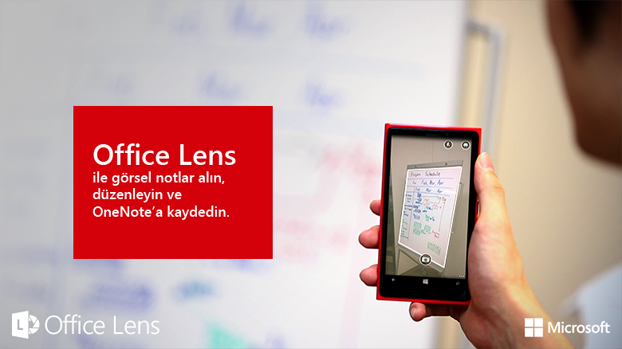
    Microsoft’s last year release ‘Office Lens’ was a big hit in the Windows app arena – and for good reason. The mobile scanning app is a handy tool that lets users take picture of a document and convert it into a editable file format. The same application has now arrived for Android and iOS smartphones, as confirmed by Microsoft.

    The hardware and software firm announced through its official blog post that it has released an Android Preview of the Office Lens on Google Play Store and a full-fledged version of the app for iOS users on the Apple Store. The app is free for download on both the platforms and one can start editing their pictures once the scanning tool is installed on the device.

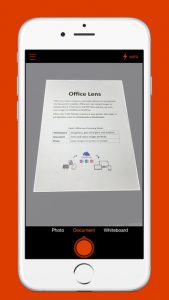
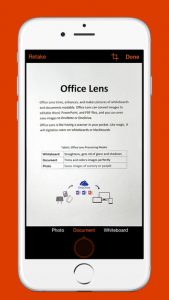
    The uses of Office Lens are varied. As mentioned above, the tool turns a phone into a scanner and scans the picture of the required document, such as menus, receipts or business cards. The cropping feature is pre-installed within the app through which users can cut the required image and discard the rest. The desired image then converts into an editable file which can be saved it in any format of your choice, i.e. Word, PowerPoint presentation or PDF.

    Untitled1

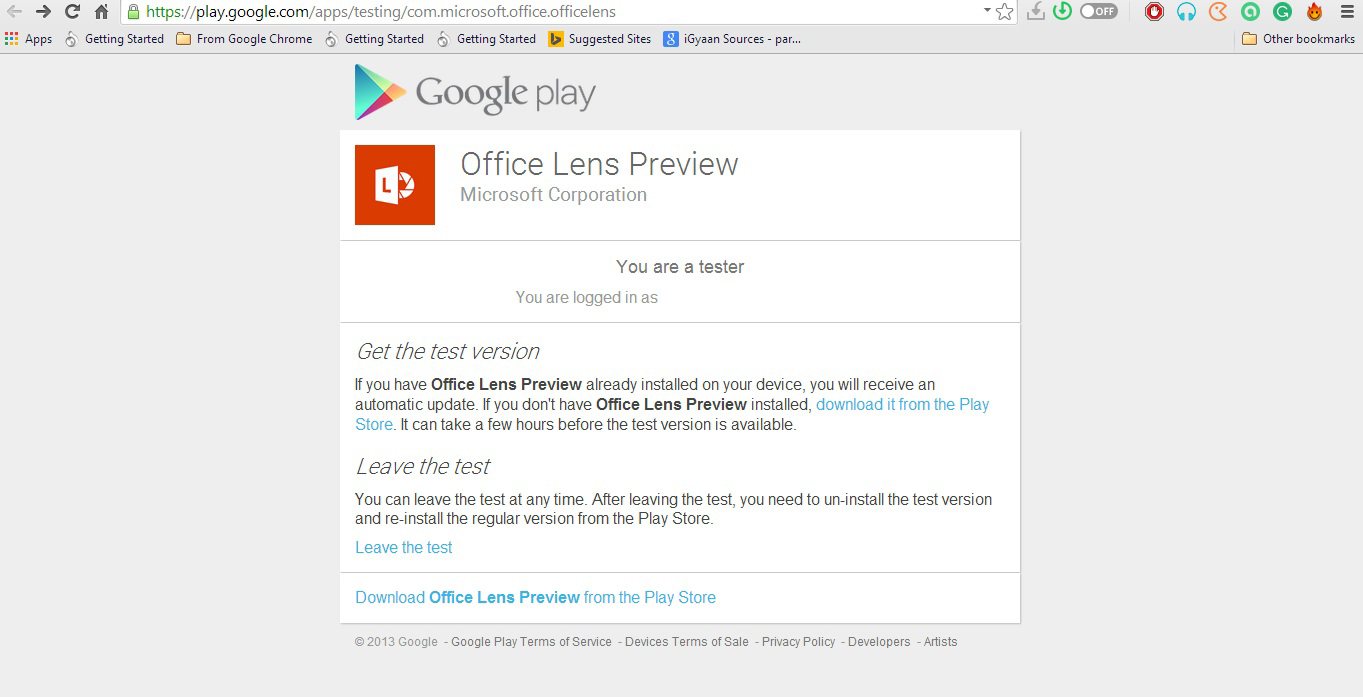
    Meanwhile, Android users have only received a preview of the app. Users can experience the amazing features of the app only when they join Microsoft Office Lens Android Preview community on Google+. However it’s easy to get the application, but the company could have shrinked the process to one-click download, as they have done for iOS users. For now, Android users have to follow these three steps: Join Community > Become a Tester > Download ‘Office Lens Preview’ from Play Store.

    Microsoft has made Office Lens a cross-platform productivity tool from a Windows-only app. The company is well aware of the reach of the Android and iOS platforms and, hence, is pushing the largely appreciated feature from the minute share of the Windows market to the colossal app communities.

  • Microsoft Announces the Sleeker and Lighter Surface 3

    Microsoft Announces the Sleeker and Lighter Surface 3

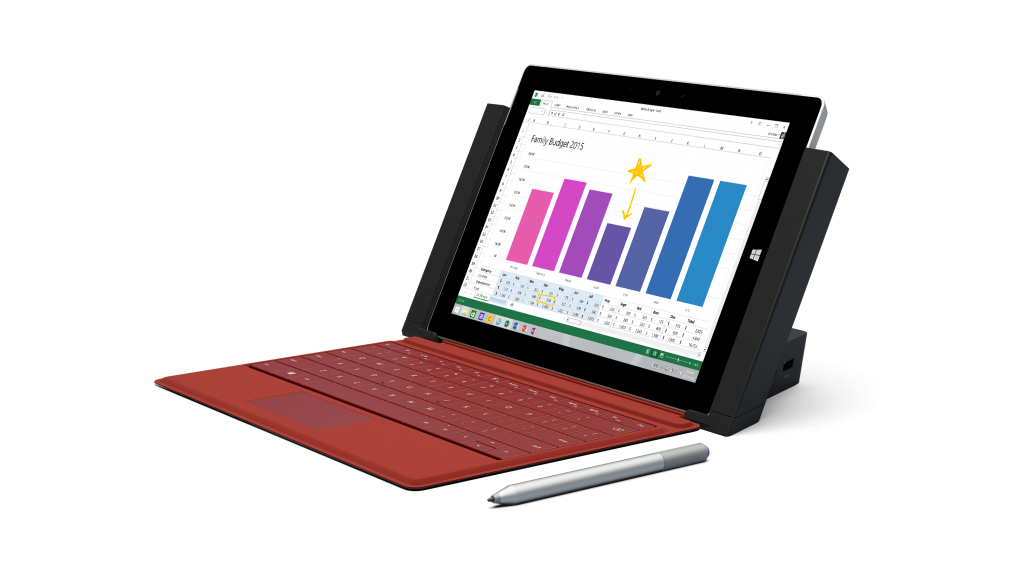
    Alongside Google, Microsoft too made a few announcements. The brand unveiled the new tablet that is sleeker and lighter than the previous iteration. The device comes with a one-year free subscription to Office 365 and is available in two versions – Surface 3 and Surface 3 (4G LTE).

    The Surface 3 holds a thickness of 8.7 mm and weighs a mere 1.37 pounds. Unlike its predecessors, the latest Surface version runs a full version of Windows 8.1 (64-bit), including desktop applications. It has a screen size of 10.8-inch (1920×1280 resolution) with a 3:2 aspect ratio. Powered by a quad-core Intel Atom x7 processor, the Surface 3 features a fanless design with 2GB RAM and 64GB of inbuilt storage.

    surface 3 3
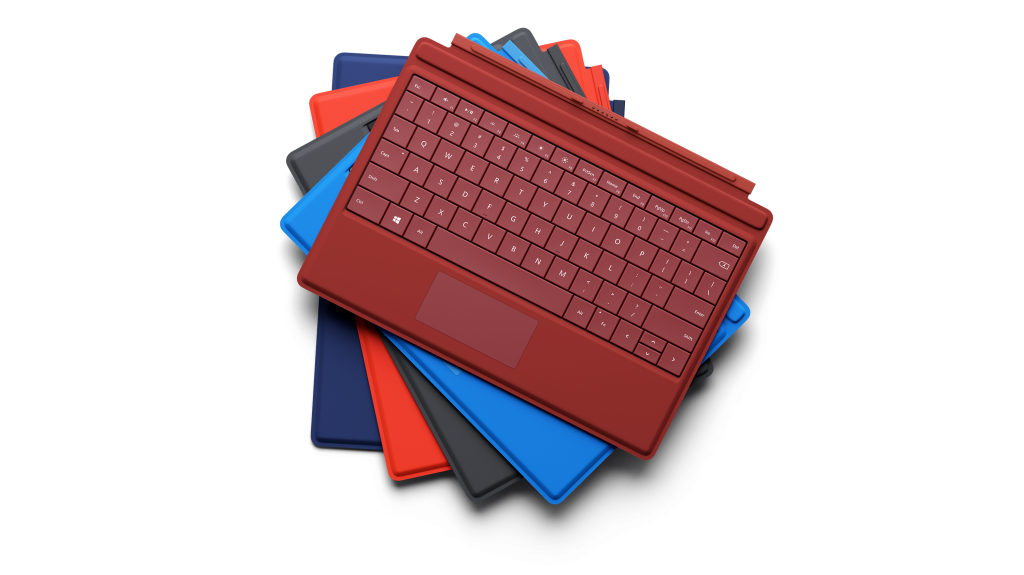
    Type Covers for MIcrosoft Surface 3

    There is an 8MP rear camera along with a 3.5MP front shooter to capture photos. Three speakers with Dolby Audio-enhanced sound are fitted onto the tablet, and a three-position kickstand comes within the box for support. Connectivity options include Wi-Fi (802.11 a/b/g/n/ac), Bluetooth 4.0 low energy and 4G LTE. The Surface 3 has physical connectivity options to connect to other devices like USB 3.0 port, a Mini DisplayPort, a Micro USB, and a microSD card reader.

    surface 3 2
    Surface 3 Docket Station

    The conventional version of Surface 3 holds a price tag of $499, while its 4G LTE version will cost you $599. Both these come with 2GB RAM and 64GB storage. If you wish to buy a higher version with 4GB RAM and 128GB storage space, then you have to dig your pockets for some extra bucks. The enhanced model is priced at $599 for 3G model and $699 for LTE version.

    surface 3 1
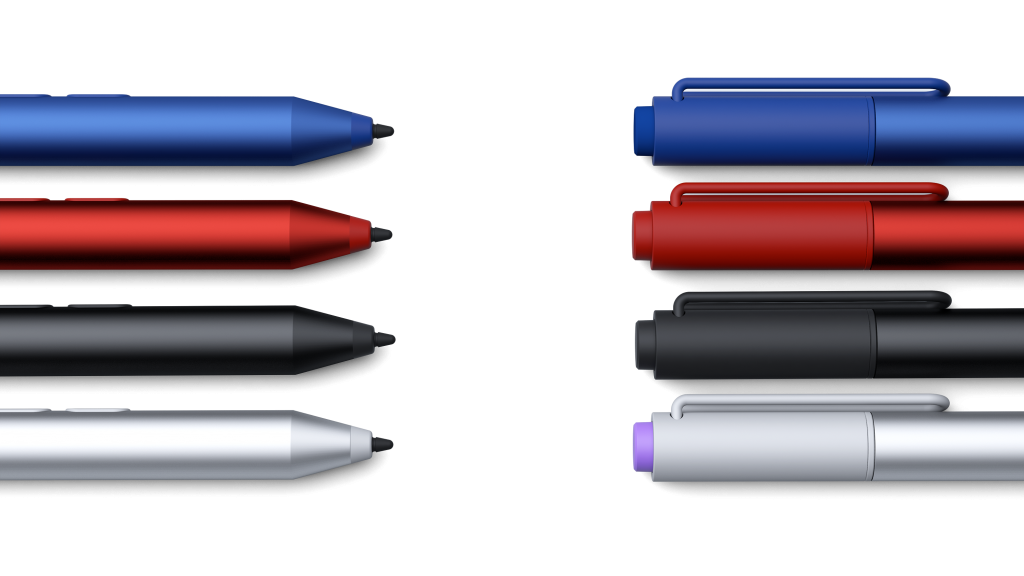
    Surface Pens for Surface 3

    Additionally, Microsoft launched two new accessories. One is the Surface 3 Type Covers featuring an improved trackpad and multi-coloured Surface Pens, and the other is the Docking Station that allows connection to external peripherals and turns the tablet into a full desktop workstation.

    The tablet is up for pre-orders in 26 countries through the Microsoft store. The device will go on sale on May 5, while it will be made available in the 26 markets by May 7.

    The list of countries to first get Surface 3 is: Australia, Austria, Belgium, Canada, Denmark, Finland, France, Germany, Hong Kong, Ireland, Italy, Korea, Luxembourg, Malaysia, the Netherlands, New Zealand, Norway, Portugal, Singapore, Spain, Sweden, Switzerland, Taiwan, Thailand, the U.K., and the U.S.

  • Microsoft Expected to Take on Chromebooks with Inexpensive Windows 10 Laptops

    Microsoft Expected to Take on Chromebooks with Inexpensive Windows 10 Laptops

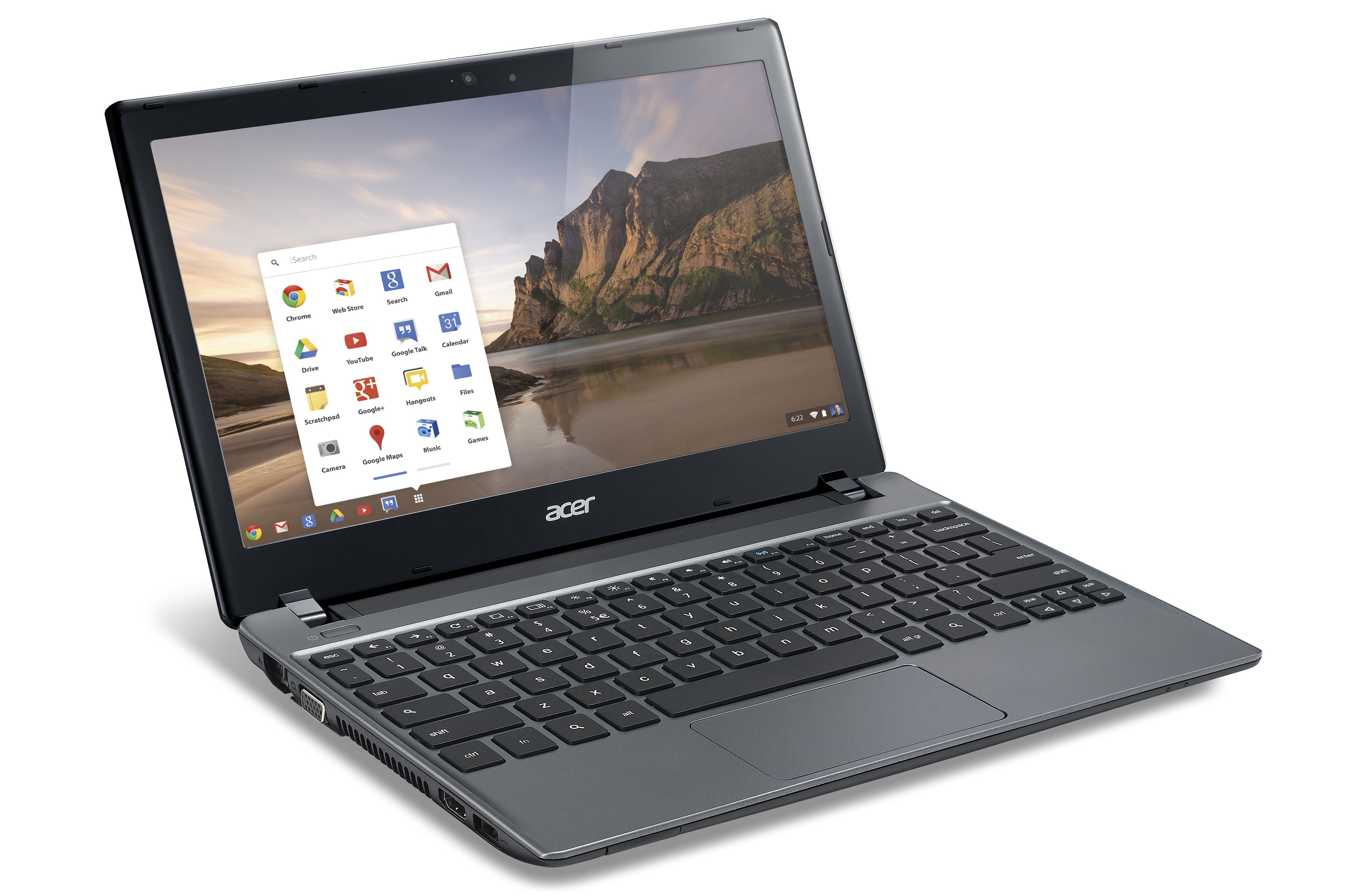
    While Microsoft enjoys a supremacy in the laptop OS domain with Windows, Google is on top of the mobile operating system game with the widely accepted Android by its side. But the search engine giant has also managed a foothold in the hardware arena with its popular Chromebook series. To recoup its audience, the Windows is planning to roll out two new inexpensive products that can counter Google’s Chromebooks.

    According to the online publishing portal Digitimes, the company will release two affordable notebooks in mid-2015. These laptops will be 11.6-inch in size and will run on the latest Windows 10. The price of the notebooks will range from $149 to $179 at the max and will target the education and consumer markets. Unlike bigger laptops with powerful processors and graphics, the forthcoming devices are said to perform basic tasks like internet surfing, social media usage and Microsoft office processes.

    chromebook

    If the source is to be believed then the laptops will house Intel’s Bay Trail-T CR (BTCR) processors. The one for educational purposes will be manufactured by electronics company Elitegroup Computer Systems (ECS) while, for the consumer market, the company will collaborate with China-based 3 Nod to manufacture the laptops.

    It has also been learnt that Microsoft may expand its project and release more models in larger sizes to compete with Google’s 11.6-inch, 13.3- inch, and 15.6-inch notebooks.

    [poll id=”30″]

  • Windows 10 Arrives for Xiaomi Mi 4 ‘Power Users’, Images Spotted Online

    Windows 10 Arrives for Xiaomi Mi 4 ‘Power Users’, Images Spotted Online

    It was only yesterday that Microsoft made an announcement about the summer release of Windows 10 in 190 countries around the world. It was not the only news announced by the software major, and Microsoft surprised everyone with the announcement of its exclusive partnership with Chinese smartphone brand Xiaomi. The multinational firm revealed the development of a Windows-based software (ROM) for Android devices that turn the Android run handsets into Windows phone, is underway.

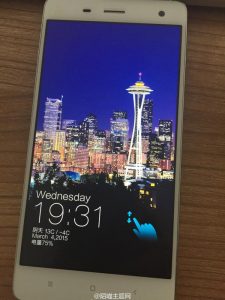
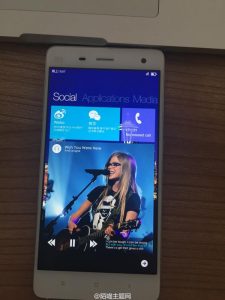
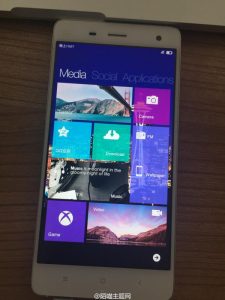
    Today, images of Xiaomi Mi 4 devices running on Windows have surfaced online. Since, Mi 4 is designed to run on Google’s Android platform, these fresh pictures speak of the Technical Preview of Windows 10 that Microsoft was talking about. The invention of a ROM that can swap the OS to Windows on Android devices is ground-breaking. However, it is uncertain how many of us would like to leave the cosmic Android arena to join the confined world of Windows on smartphones.

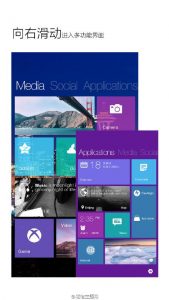
    The new Windows 10 ROM doesn’t offer dual-boot feature and forces itself onto the installed device. Windows 10 then becomes the default OS of the smartphone. The basic idea behind the software is to give Android users an experience of Windows 10 user interface and apps.

    The testing of Windows 10 ROM is limited to a selected group of Xiaomi Mi 4 users. Microsoft picked Xiaomi since it has a vast user base which provides constant feedback on their products. Microsoft aims to use Xiaomi’s already existing user base to receive suggestions by proving the latest version of Windows on their phones.

  • The 6 Biggest Announcements Microsoft Made About Windows 10 Today

    The 6 Biggest Announcements Microsoft Made About Windows 10 Today

    While smartphone brands are grabbing the spotlight with the launch of bigger and better smartphones, Microsoft is holding the attention of the audience with its latest Windows OS. Recently, the Redmond-based company publicized that it is releasing the premier operating system Windows 10 in 190 countries, and China will be the first one to receive it. The company made several other major announcements such as the introduction of Windows Hello, the Voice App and many other innovative features, which got overshadowed.

    We have made an elaborate list of all the important announcements made by Microsoft today. We explain the new developments in detail below:

    Software Pirates Included in Windows 10 Receivers’ List
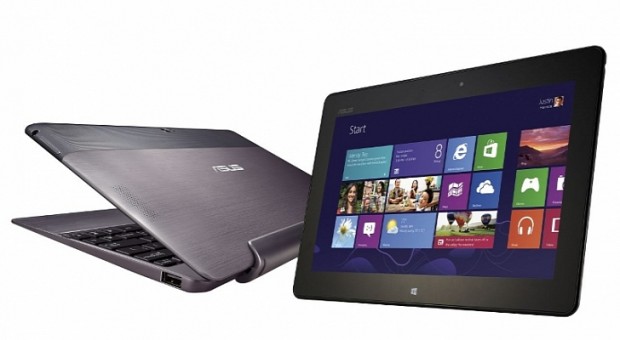
    1375356846_asus-perestaet-vypuskat-planshety-na-platforme-windows-rt

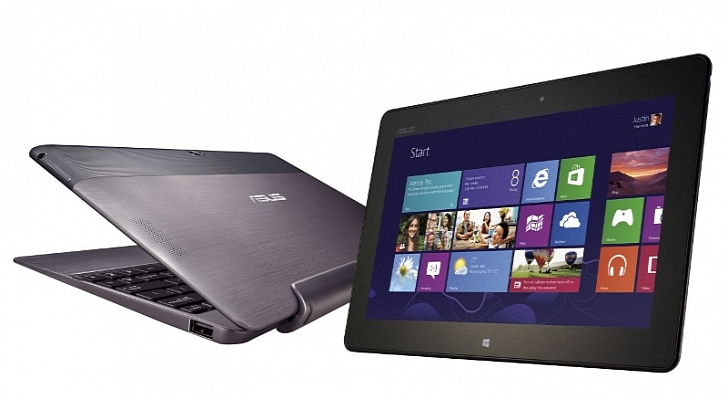
    No matter if you’re running pirated version of Windows 7 and 8, you will still be able to update to the latest legitimate version of Windows 10. The electronics manufacturer has given a nod to the users running dodgy softwares and said that the upgraded version will be sent directly. It’s still under wraps how the company will provide the latest iteration to people using pirated Windows copy.

    The End of Passwords with Windows Hello

    https://www.youtube.com/watch?v=1AsoSnOmhvU

    Microsoft’s new feature is a cool new tool to personalised computing. It eliminates the need for passwords and secret codes and offers unlocking devices through your personal characteristics.

    Windows Hello works on biometric authentication supported by the system. This means the new tool marks your personal features such as your face, iris, fingerprints as the password and gives you instant access to your device. No need to remember complicated alphanumeric arrangements. This subtracts the possibilities of hacking as well. In all, your Windows 10 devices are entirely safe with Windows Hello.

    Windows 10 is coming to 190 Countries, this summer
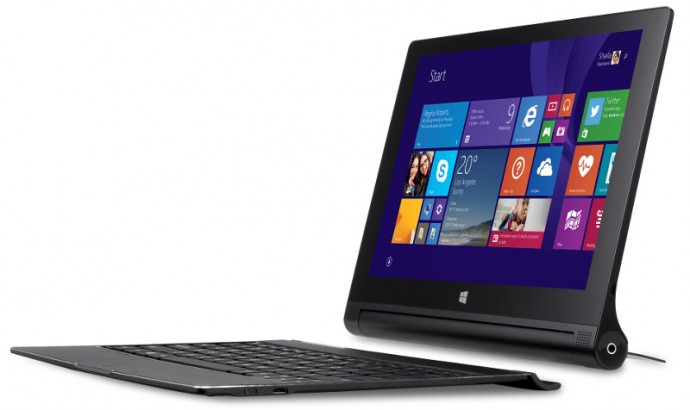
    Lenovo-Yoga-Tablet-2-10-inch-with-Windows

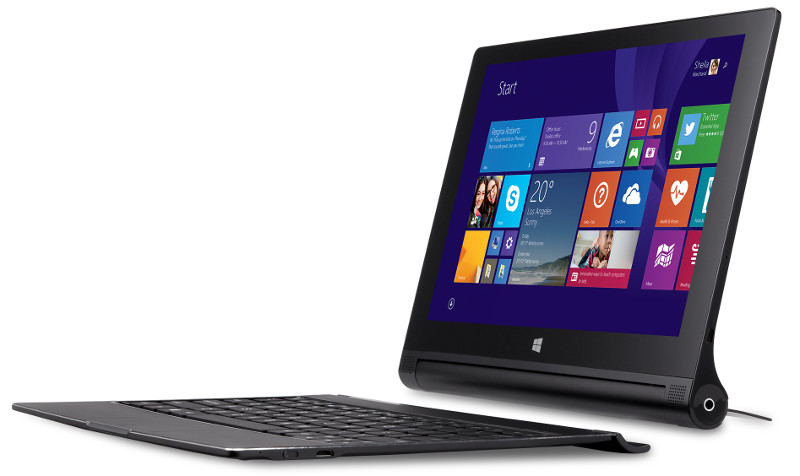
    The announcement that spread a smile among the Windows users across the world is the early arrival of the official release of Windows 10 this summer. The rollout will start with China and 189 will soon follow. All the nations will receive the update by summer, as per the company statement.

    Microsoft will offer a one-year free subscription of the upgrade, which will be available to the customers running Windows 7, Windows 8.1 and Windows Phone 8.1. Users can choose from 111 language options for the new operating system.

    New ROM to convert Android phones to Windows
    samsung windows

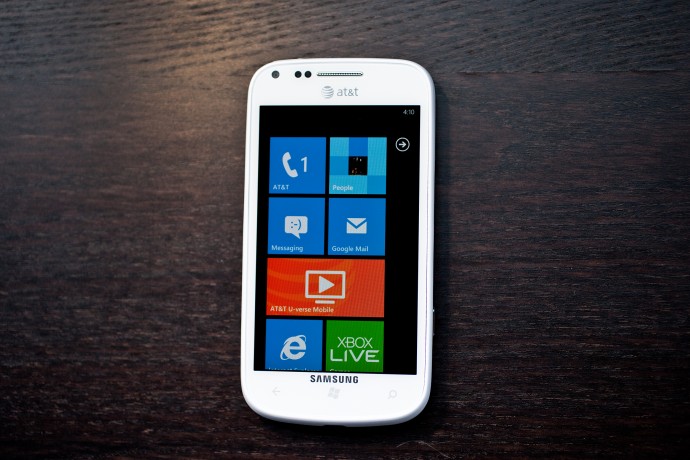
    A big revelation from Microsoft was testing of a new ROM based on Windows. The company has tied up with Xiaomi and is testing the new Windows 10 with a select group of Mi 4 ‘Power users’. The new concept is original and seems to be a budding effort to overtake Android ecosystem in one go.

    The new ROM doesn’t offer dual-boot solution. Once installed, Windows 10 becomes the default OS of the smartphone. It is comparable to the CyanogenMod or any other custom ROM. The Windows-based ROM is designed to get Android users to try Windows 10 native user interface and the Windows-centric apps. Through this, Microsoft hopes to encourage users switch from Android to Windows OS.

    New Windows Version for IoT Devices

    Internet of Things

    Internet of Things (IoT) is the major revolution that the tech world is heading towards. A new version of Windows was introduced by Microsoft that comes free with Windows 10. The new version can go with a diverse IoT devices like ATMs, ultrasonic machines, gateways, and more. The company plans to connect with more machines and is in talks to collaborate with companies like the Raspberry Pi Foundation, Intel, Qualcomm and other tech organizations.

    Compactness with Windows 10
    windows 10

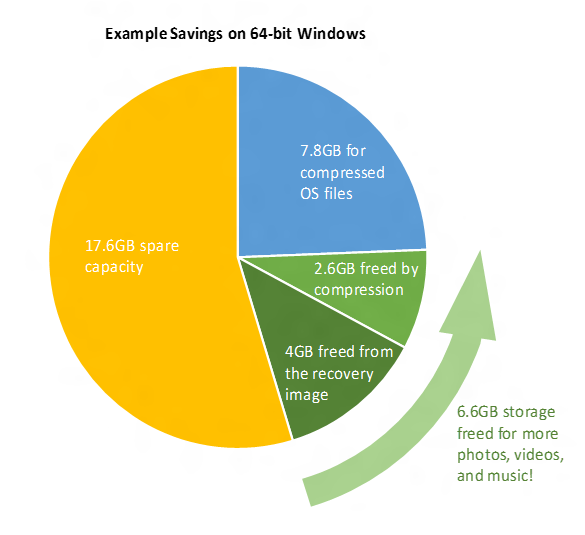
    Microsoft has opted for an approach to squeeze down Windows 10. The new Windows OS compresses files to provide more storage space on the device, offering more free space for music, photos, and videos.

    The condensation of system files on Windows 10 is done through compression algorithm. It restores approximately 1.5GB of storage for 32-bit and 2.6GB of storage for 64-bit Windows. The same is applicable for the Windows phone as well.
  • Hands On | Microsoft Lumia 640 and Lumia 640 XL at MWC 2015

    Hands On | Microsoft Lumia 640 and Lumia 640 XL at MWC 2015

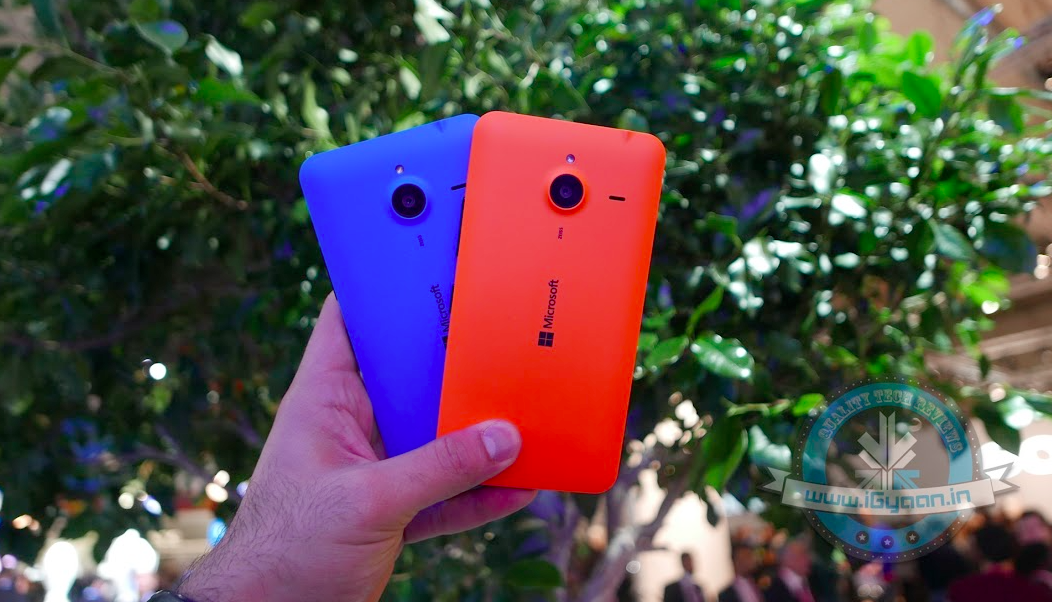
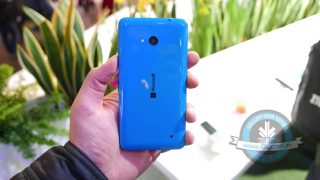
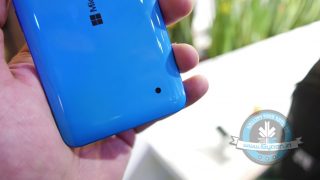
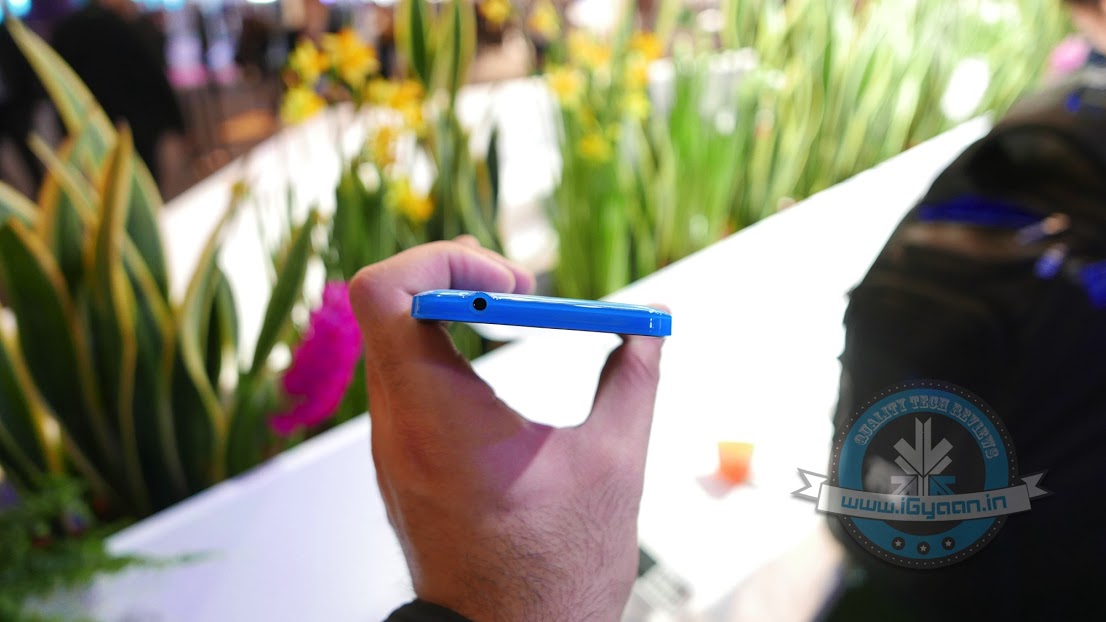
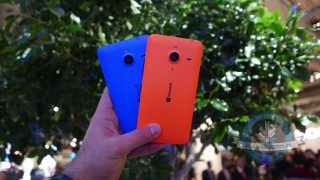
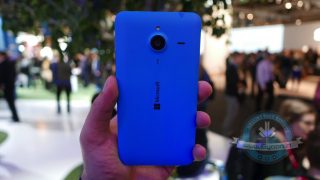
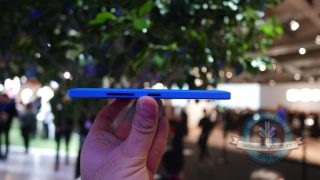
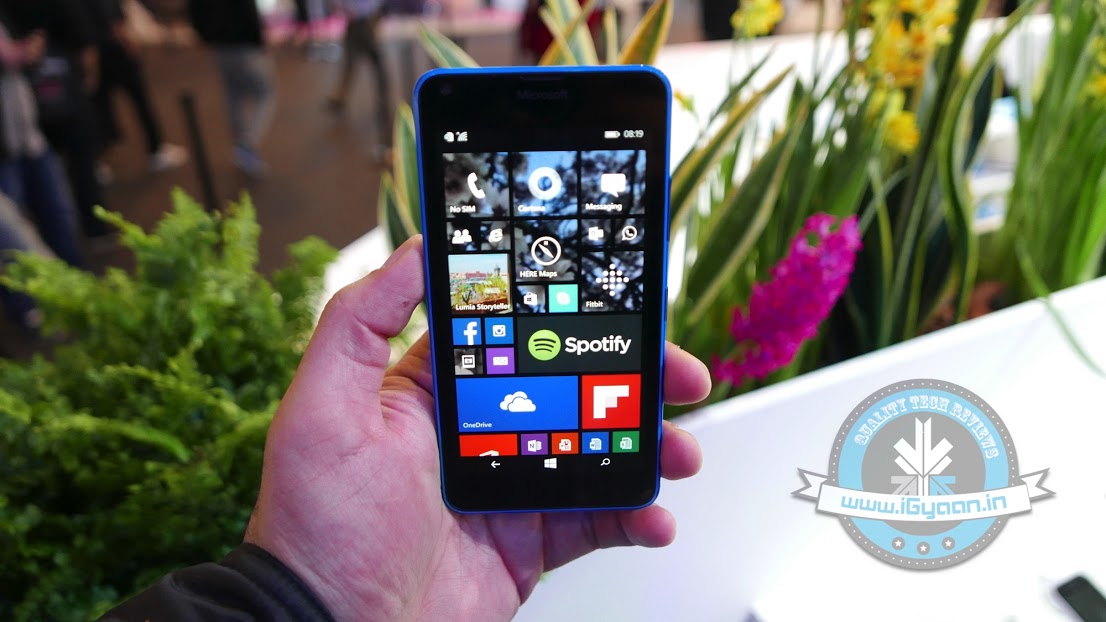
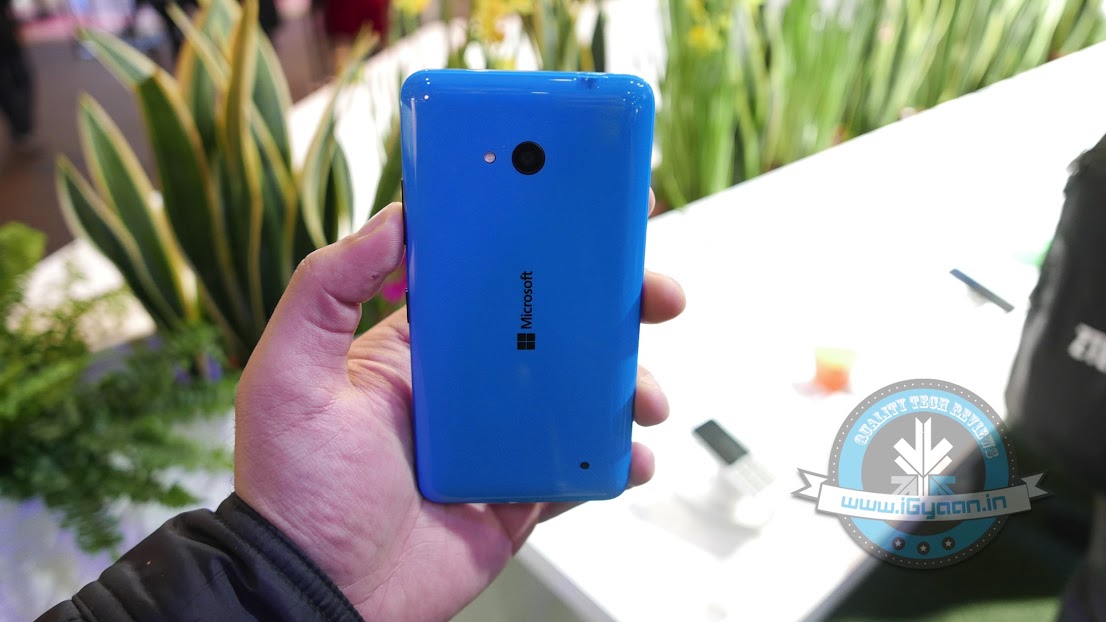
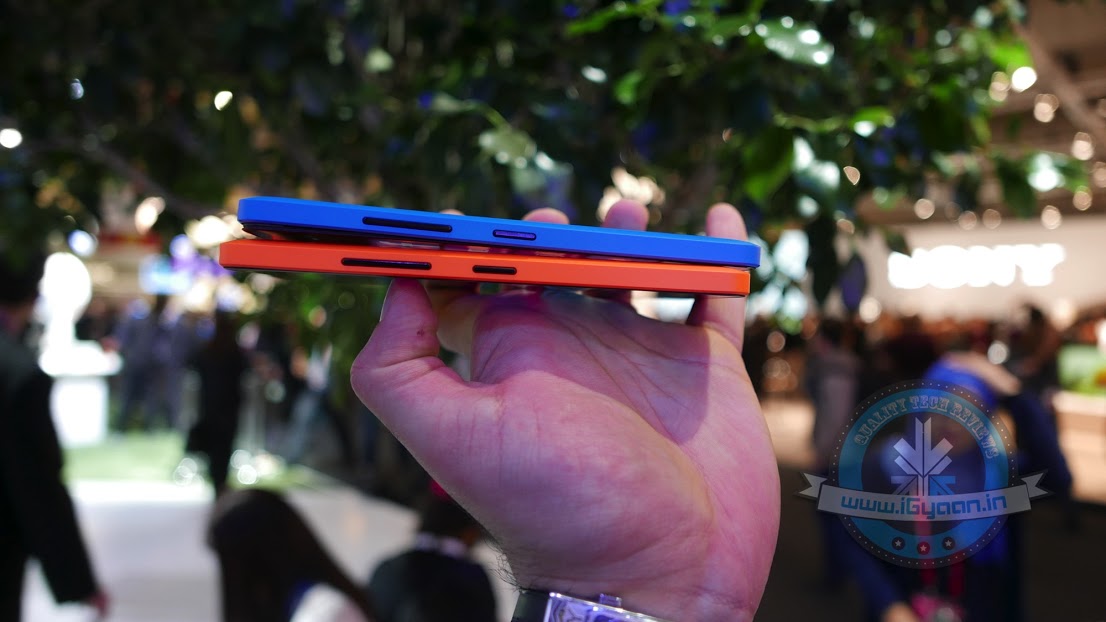
    Earlier today at the MWC 2015, Microsoft stepped on to the podium to showcase two new low-price Lumia smartphones – the Lumia 640 and its big brother Lumia 640 XL.

    The Lumia 640 is a standard Lumia phone and falls under sub-Rs. 10,000 category, while Lumia 640 XL is higher both in size and specs. Microsoft is trying to woo the customers with free Office 365 subscription.

    Talking about Lumia 640 first, the handset touts a 5-inch IPS display with 720p resolution, which has been given a protection of Gorilla Glass 3. The phone has a glossy finish, but its polycarbonate back is heftyEquipped with 1.2GHz Qualcomm 400 quad-core processor, the device packs 1 GB of RAM paired with 8 GB internal storage space. The memory can be expandable up to 128GB via MicroSD card.

    lumia 640 7

    The 8MP camera of the device at a price range of Rs. 10,000 coupled with LED Flash. The secondary shooter stands at 1MP with wide angle lens. A 2,500mAh battery powers the device. The device comes in four colour options – cyan, orange white and black.

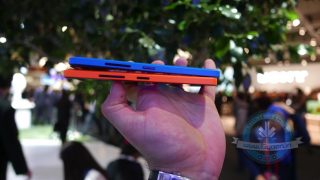
    The Lumia 640 XL is the advanced sibling of Lumia 640 and captures a 5.7-inch IPS LCD screen with 720p resolution. The phone has a matte finish, which adds to the overall appeal. The same 1.2GHz Qualcomm 400 quad-core processor powers the handset, along with 1 GB RAM. The in-built storage space too stands same at 8GB, which is expandable via MicroSD slot up to 128GB.

    lumia 640 19

    The bigger Lumia 640 features a 13MP primary snapper that comes bundled with LED flash and Carl Zeiss optics. Selfie lovers would prefer its front 5MP camera. A more powerful 3,000mAh battery keeps the device working through the whole day.

    Meanwhile, both the models will ship with Windows 8.1, but the company promises to update them soon to the newer version, Windows 10. The Lumia 640 will debut in April and will come at a price of €140 for 3G variant and €160 for LTE version. The Lumia 640 XL, on the other hand, is priced at €190 for the 3G version and €220 for the 4G LTE model. There are also dual SIM versions available for both the phones. Each of them is available in 3G dual-SIM, and LTE single- and dual-SIM models.

    Have a look at their spec sheet:

    SPECS

    MICROSOFT Lumia 640

    MICROSOFT Lumia 640 XL

    Display 5-inch IPS(294ppi)Gorilla Glass 3 5.7-inch IPS LCD(259ppi)Gorilla Glass 3
    Processor 1.2GHz Qualcomm 400 quad-core 1.2GHz Qualcomm 400 quad-core
    RAM 1GB 1GB
    Storage 8GB 8GB
    Expandable Upto 128GB 128GB
    Main Camera 8MP 13MP
    Front Camera 1MP 5MP
    Battery  2500mAh 3000mAh
    Operating System Windows 8.1 Windows 8.1
    Price (LTE) €160 (near Rs. 11,000) €220 (near Rs. 15,000)

    Check out our hands on with the device here:

  • Microsoft Announces Lumia 640 and Lumia 640 XL with Free Office 365 for a Year

    Microsoft Announces Lumia 640 and Lumia 640 XL with Free Office 365 for a Year

    The Mobile World Congress 2015 witnessed a fabulous opening yesterday with a slew of devices from Samsung, HTC, Acer and Huawei, and today morning, Microsoft kicked off (early) at the smartphone carnival. The consumer electronics manufacturer just brought out two low-cost Lumia smartphones, Lumia 640 and Lumia 640 XL. Both are based on the latest Windows 10 and offer free Office 365 for one year.

    lumia 640 13

    Talking about the Lumia 640 first, the gadget sports a 5-inch HD display which is protected by Gorilla Glass 3. The company has equipped the device with 1.2GHz Qualcomm 400 quad-core processor paired with 1GB RAM and 8GB storage. It comes in four colour options – cyan, orange white and black.

    The rear camera is 8MP and comes bundled with LED flash. A 1MP snapper with wide angle lens sits at the front side above the screen. For now, the handsets will be shipped with Windows 8.1, but it will soon be updated to Windows 10.

    The other one, Lumia 640 XL, is a bigger sibling of the Lumia 640. It has a 5.7-inch screen and comes with a 13-megapixel camera with LED flash and Carl Zeiss optics. The front has a 5MP shooter with wide angle lens.

    lumia 640xl 0

     The Lumia 640, arriving next month, is priced at 139 Euro for its 3G version ($155), while the LTE variant will be priced at 159 euro ($178). The biggger Lumia 640 XL will be debuting this month itself. It comes for 189 euro ($211) for the 3G version and 219 euro ($245) for the LTE variant. There are also dual SIM versions available for both the phones. Each of them is available in 3G dual-SIM, and LTE single- and dual-SIM models. More information about the handset and other releases from Microsoft keep checking this space.

  • Microsoft Office 365 is Now Free for Eligible Students Worldwide

    Microsoft Office 365 is Now Free for Eligible Students Worldwide

    Microsoft has finally expanded the free Office 365 subscription for eligible students and teacher globally. The open service was earlier limited to the students of the US only.

    The company made the announcement through its official blog post that reads –

    Millions of students around the world are eligible for free Office from their school and today [Tuesday] we are announcing that we’ve made it easy for all eligible students globally to sign up themselves to get Office 365 and install free Office, Microsoft confirmed via its Office Blogs.

    Students just need to have a valid e-mail address, and they can sign up for a free Office 365 subscription. The users will get access to the latest versions of MS Word, MS Excel, MS Powerpoint, OneNote, Access, and Publisher. These programs can be installed on PCs, Macs and on up to five mobile devices including iPad, Android, and Windows Tablets. Students will also gain a massive storage space of 1TB on OneDrive and Office Online to keep their files safe.

    The company said that the offer can be availed only if schools do have a licensed software. The schools must license the Office in order to get benefitted from the provided service. Meanwhile, students can click here and enter the school-provided email address to access free Office. Teachers can do the same clicking here.

  • Microsoft Outlook to Drop Facebook and Google Chat Support Soon

    Microsoft Outlook to Drop Facebook and Google Chat Support Soon

    Microsoft has today disclosed its plan of removing Google and Facebook chat from its email service Outlook.com. The support will be discontinued within next couple of weeks, as per an e-mail by Outlook to its customer.

    The official notification by Microsoft says that the company is removing the Google Talk integration ‘due to Google’s decision to discontinue the chat protocol used by the Google Talk platform’. No reasons have been disclosed as to why Facebook chat support too will be discontinued.

    outlook

    “We understand that this may disappoint some of our customers, but we hope that you’ll try Skype for Outlook.com chat, and voice, video calling, so you can take advantage of the more robust ways to keep in touch with friends and family,” the e-mail message from the Outlook.com team said.

    Microsoft says that however Facebook and Google chat are coming to a halt, the People feature that keeps contacts up-to-date will remain unaffected. Microsoft is now attempting to push its own Skype chatting and calling services as an alternative chat option. The email asked its customers to activate their Skype for Outlook.com. As earlier said, the services will be there in Outlook just for few more weeks, and then Skype will be the only option to connect to the people.

  • New Microsoft Office Update Extends Support to iCloud Storage

    New Microsoft Office Update Extends Support to iCloud Storage

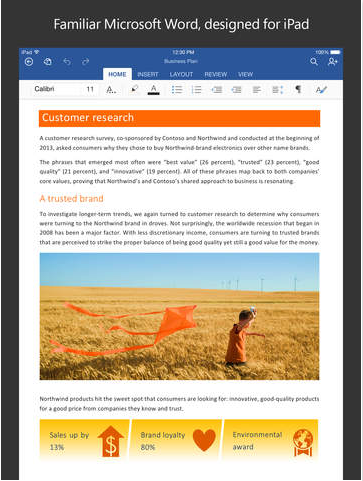
    Microsoft is expanding its horizon and is releasing app upgrades equally for all platforms. They’ve recently taken commendable steps to ensure everyone gets the chance to use their services, without being restricted to Windows. Today, the company updated the Microsoft Office app to Version 1.6, adding iCloud support for iOS customers. The new upgrade allows users on Apple devices running iOS 8 or above, to open, edit, and save Office documents to iCloud.

    microsoft office update

    With the new version, users don’t have to pay for an Office 365 subscription or to use OneDrive. They can view, edit and create docs for free. The upgrade could be a bit confusing for the regular iCloud users as the new version doesn’t allow you to add iCloud as a place in Word, Excel or PowerPoint.  One has to tap on ‘More’ section to access the saved documents on iCloud.

    File type is also a hurdle and users wouldn’t be able to overwrite the docs created with TextEdit on Mac. But you can always create a new document. Simply share your work with others by emailing a hyperlink, the file or a PDF.

  • Microsoft Announces Paid Windows 10 Service Plans for Enterprises

    Microsoft Announces Paid Windows 10 Service Plans for Enterprises

    Few days back, Microsoft unveiled the much-awaited consumer version of Windows 10. The company announced that the upgrade will be free for the buyers for one year, but unfortunately, the free deal doesn’t extend to the enterprise segment.

    The confirmation came from the General Manager of Security at Microsoft, Jim Alkove, who stated in a blog post –

    Windows 7 Enterprise and Windows 8/8.1 Enterprise are not included in the terms of free Windows 10 Upgrade offer we announced last week…

    He further added, “Windows 7 Enterprise and Windows 8/8.1 Enterprise are not included in the terms of free Windows 10 Upgrade offer we announced last week, given active Software Assurance customers will continue to have rights to upgrade to Windows 10 Enterprise offerings outside of this offer – while also benefitting from the full flexibility to deploy Windows 10 using their existing management infrastructure.”

    continuum windows 10

    The company wants to attract more business for upgrade and has rolled out two new operating system service plans for firms to get updates. These are Long Term Servicing Branch and the Current Branch for Business.

    The Long Term Servicing Branch is designed for the companies who don’t require all the features and plan for long-term installation. To such firms, Microsoft will dispatch security and critical updates. On the other hand, Current Branch for Business, is what Microsoft hopes most companies will opt for. In this, critical patches and security fixes will be installed automatically, and IT people will be able to experience many new features.

    The news is no surprise as Microsoft aims at making profit from Windows 10 and business sector is the primary source from which it produces maximum revenue.

iGyaan Network
Privacy Overview

This website uses cookies so that we can provide you with the best user experience possible. Cookie information is stored in your browser and performs functions such as recognising you when you return to our website and helping our team to understand which sections of the website you find most interesting and useful.