Tag: Microsoft Windows 10

  • 9 Super Cool Features of Windows 10

    9 Super Cool Features of Windows 10

    Last night, Microsoft lifted the veil off the consumer version of its much-anticipated operating system Windows 10. The event saw some amazing offerings that were absent in the business version of Windows 10, launched in September the preceding year. Microsoft announced that its new upgrade would be same on all platforms and would be more user-friendly and impressive that ever before.

    We have summed up Top 9 features that make Windows 10 unique-:

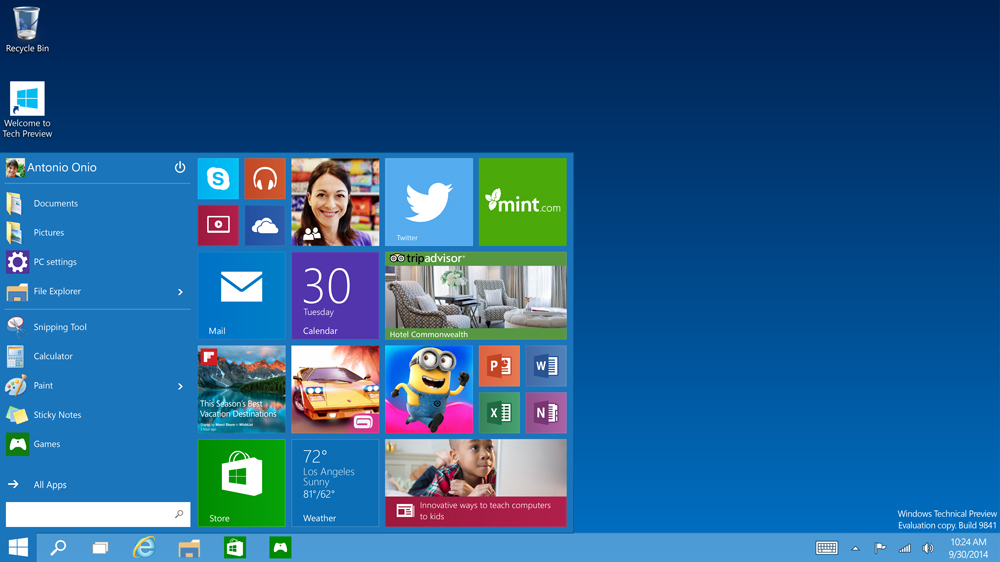
    1. Start Menu
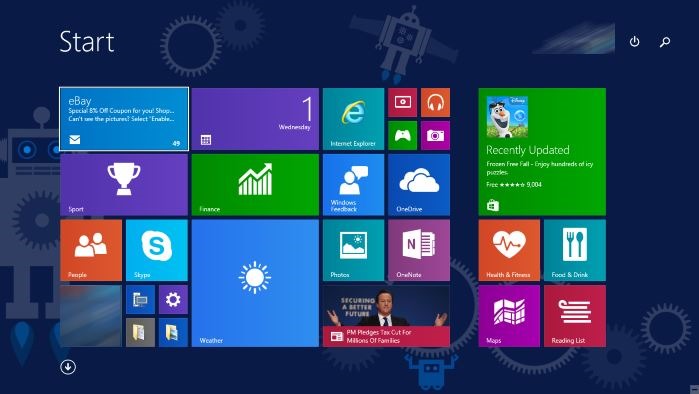
    Start-screen-in-Windows-10

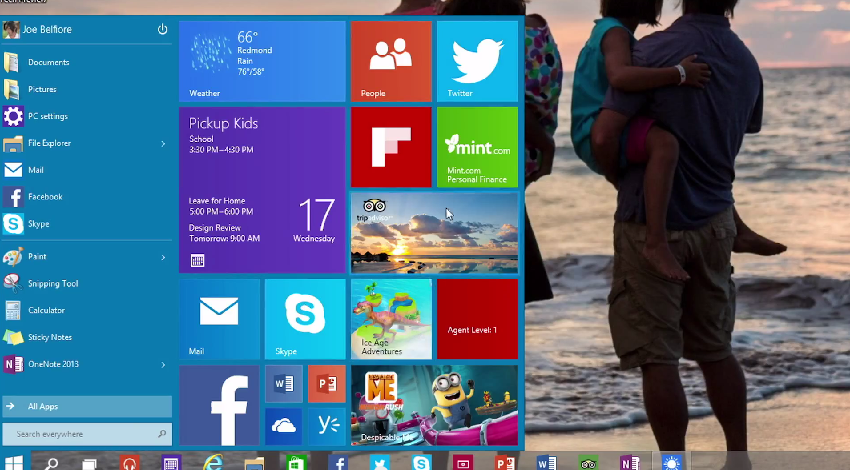
    To start off, Microsoft has added the much-needed tool that was absent from Windows 8 and 8.1 – the Start Menu. People longed to see this on their desktop for past three years, and finally Microsoft has put it back. The new Start menu combines the old-school start icon along with the modern user interface that makes it more comfortable for users to go through.

    2. Action Center
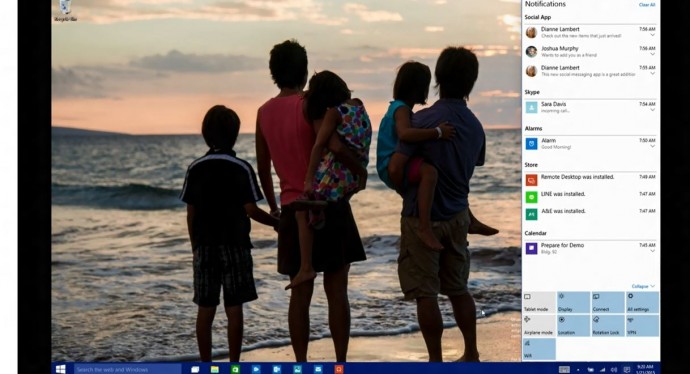
    Windows-10-Action-Center

    Settings have tweaked, to give a cleaner and more understandable look. Windows 10 pushed the fragmented Settings menu and Control Panel out to encompass a unified settings menu called Action Center. Action Center brings together all the frequently used options like Wi-Fi, Bluetooth and more. The refreshed settings shelter all the regular buttons, through which one can instantly switch the Wi-Fi, Bluetooth and other selections on and off.

    3. Continuum
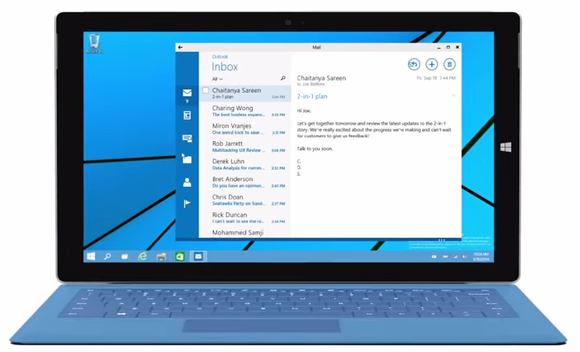
    continuum windows 10

    Continuum is a highly anticipated addition to the Windows 10. Continuum is just like Apple’s Continuity feature that allows you to switch from PC to mobile or tablet from where you left. The feature is designed specifically for convertible devices, switching almost instantly from a mouse and keyboard to a tablet screen.

    4. Notifications Sync
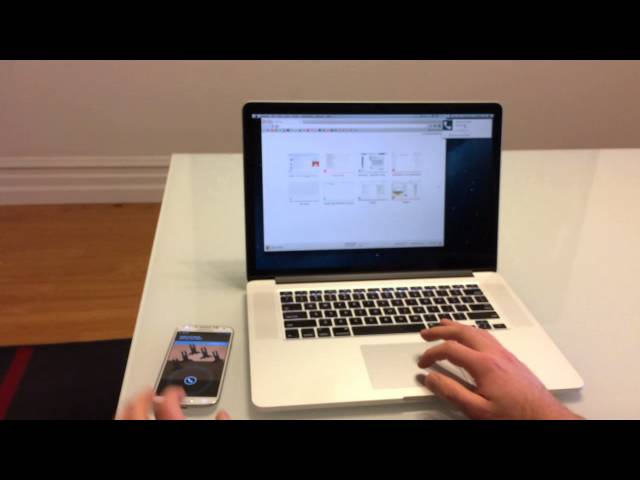
    windows 10 sync

    Microsoft has made full use of its ‘common interface for all platforms’ and has included the notifications syncing feature. With this new tool, notifications will get synced across devices, and once you have dismissed some notifications on a mobile, it will not obstinately pop up again when you switch on your laptop or tablet. Now that’s something really thoughtful by Microsoft.

    5. Cortana
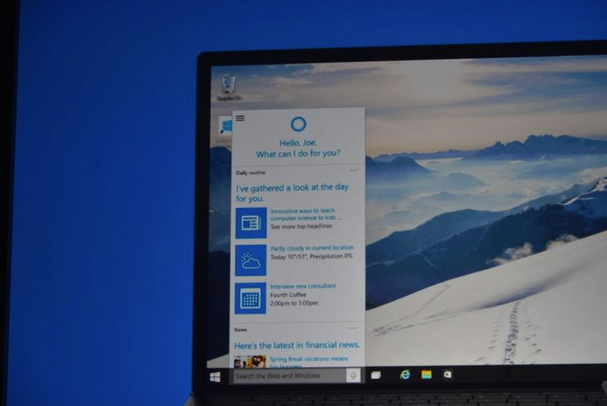
    cortana pc

    The special feature that separates Windows 10 from its predecessors is the intelligent personal assistant Cortana. Cortana will serve as a primary search tool that will look for you. Its reminder capabilities are unparalleled. Not only this, Cortana is much more than a simple robot. Through Cortana you can interact with the device making lif very easy on the go.

    6. Universal Windows Apps
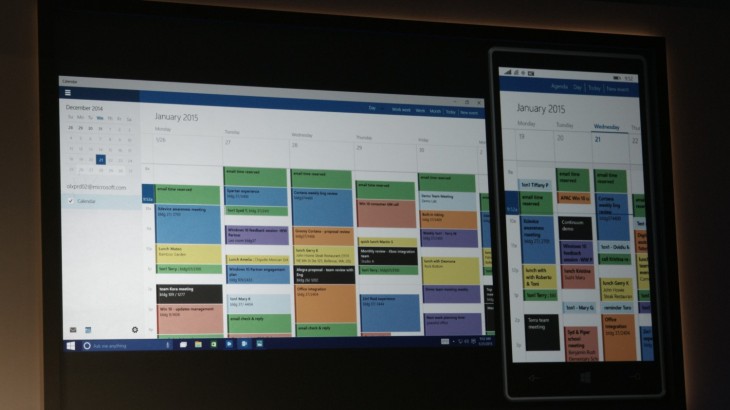
    Windows_10_universal app

    One thing that will benefit Window Phone users is the universal Windows apps. The company has added some new apps that will run on computers, mobile, tablet and as well as on the Xbox One, and has improved the already existing apps. The list of new adoptions includes Outlook that has been modernised to cover comprehensive styling and extra formatting capabilities. Calendar app has been made consistent on all the platforms and Photos has been pinched to remove duplicates.

    7. Project Spartan
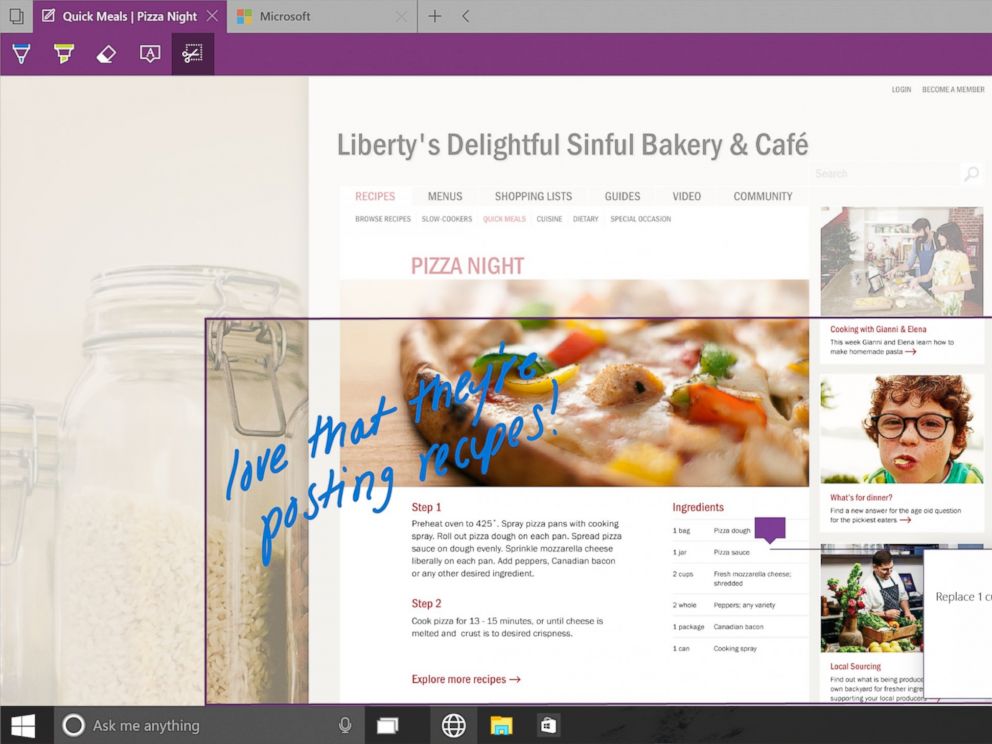
    spartan

    The new browser that’s launched with Windows 10 is dubbed Project Spartan. The main highlight of this browser is its use in social networking. With Spartan, users can send websites with highlights and annotations added to them, something which is not available in any web browser right now. Also, Cortana is deeply integrated with Spartan to make life easier for the non savvy folk.

    8. Xbox Live
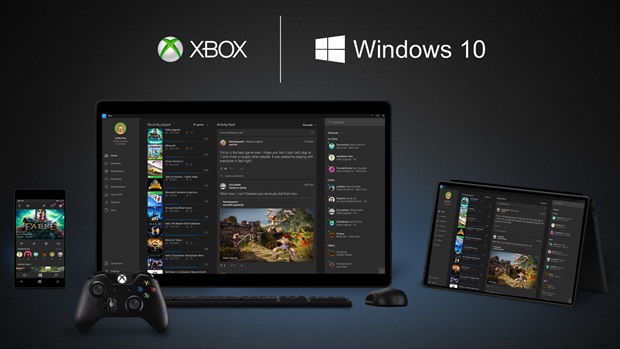
    xbox live windows 10

    There is something for hardcore gamers as well. With the new Xbox app, Xbox Live, on Windows 10, gamers can chat with their pals, share browsed video game clips and can record their games as well. The app also enables you to edit videos as per your willing.

    9. Improved Design and Interface
    windows_10

    Microsoft has proved that it has an eye for details. Users will notice the modern touch given to the icons. With fully-adjustable keyboard, integrated Message and Skype app, Windows 10 is more clean and swift.

  • Microsoft Patents New Tech Which Senses When You Don’t Want to Be Disturbed

    Microsoft Patents New Tech Which Senses When You Don’t Want to Be Disturbed

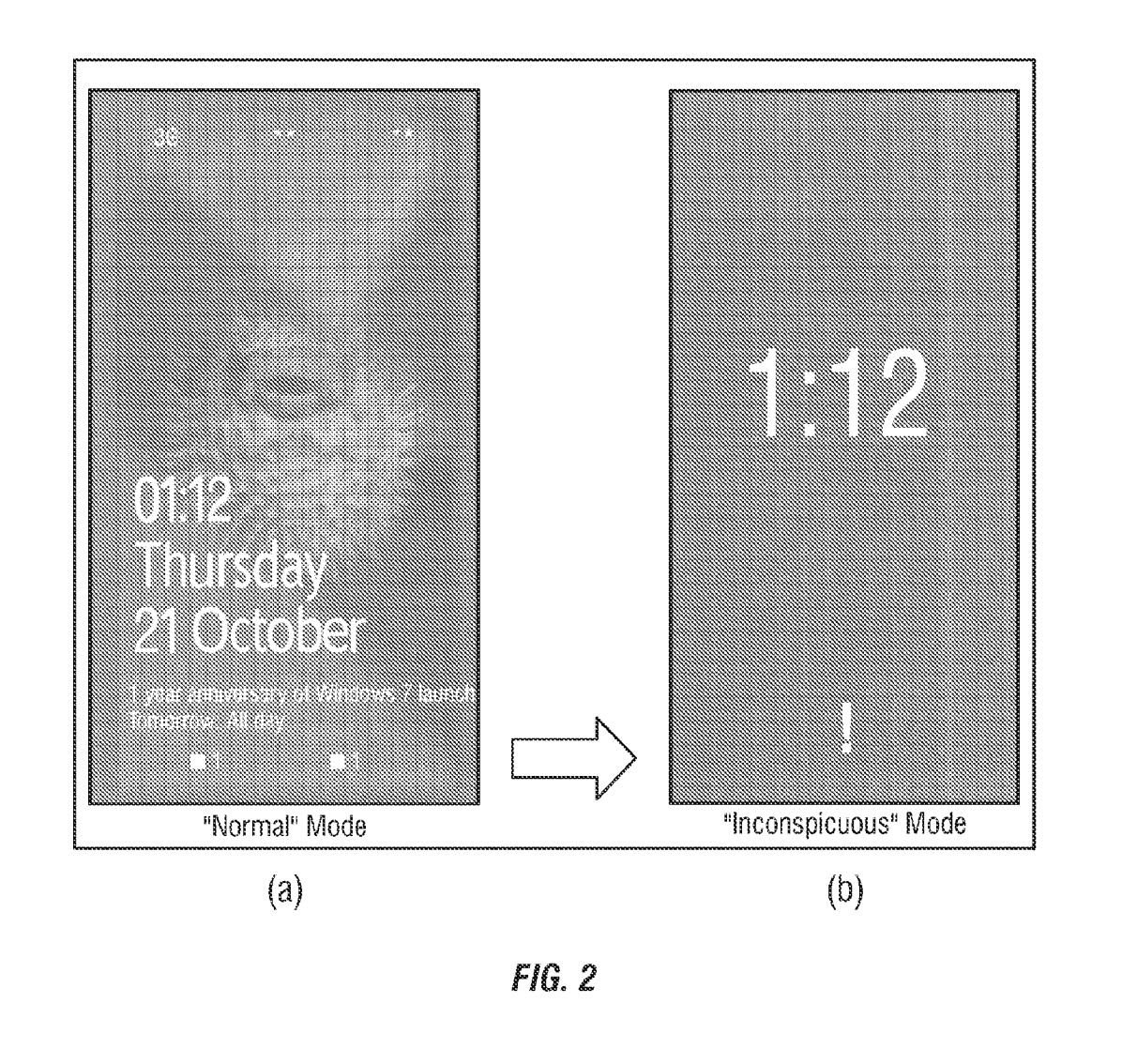
    A smartphone’s loud ring is highly distracting when you’re in the middle of something important. In spite of the available do-not-disturb mode, there’s no feature that is intelligent enough to sense your presence at different places and function accordingly. However, Microsoft has found a solution for this – the inconspicuous mode – which transforms your smartphone smart enough to turn down your device when necessary.

    inconspicuous mode

    As per the latest patent granted to Microsoft this week, the ‘inconspicuous mode’ on the smartphone detects when the user is in a meeting, theatre or is going to bed. Once detected, it automatically turns on and adjusts the brightness and volume level of the device. The mode also reduces the number of notifications on the lock screen so the user does not get distracted from the ongoing happening.

    This intelligent  feature works using the internet. The application checks when the mode is required and detects using GPS, sound, NFC, Wi-Fi  and other data. It also syncs with your Calendar and picks up information that can be of use. For e.g. meeting schedules, movie plans, bedtime, wake up time, etc. If the application finds a meeting schedule, it automatically enters the inconspicuous mode to avoid outside interruptions. The feature is extremely handy and can be turned off when required. Also, it exits the mode on its own as soon as the event that triggered it, finishes.

    If this feature lands on the Windows Phone platform, it will be the next big thing for the brand. Meanwhile, there are bigger announcements by Microsoft coming up soon.

  • Get Ready For A Whole New Browser For Windows 10

    Get Ready For A Whole New Browser For Windows 10

    If there is one internet browser that has gathered immense online infamy, it’s the Internet Explorer (IE). As one of the oldest browsers, it helped Microsoft win the browser game as it was provided for free with its Windows OS. It’s competitors, like Netscape Navigator couldn’t compete, because of the massive reach of Windows. But lately with the emergence of browsers like Mozilla Firefox and Google Chrome, the Internet Explorer has taken a back seat. However, Microsoft hasn’t lost out of hope with one of its oldest product yet. It is planning to create a whole new browser for the upcoming Windows 10 operating system.

    According to ZDNet’s Mary Jo Foley, The project is apparently code-named “Spartan”. Microsoft’s top competition Apple introduced multiple features in this year’s version of its browser Safari. With the Spartan, Microsoft hopes to create a light-weight browsing experience similar to that on Firefox and Chrome. This browser will be available for both the desktop and the mobile versions.

    It is also being reported that Microsoft will ship Windows 10 with Internet Explorer 11 for the sake of backward compatibility. Microsoft wishes to reignite the browser wars that it started back in the 90’s. The winner in this battle would be the consumer who will get improved functionalities thanks to the fierce competition.

    Microsoft is going to hold a press event on January 21st where we will get to know more about the consumer aspects of the Windows 10. Maybe we’ll get to know more about Spartan too. The previews of Windows 10 have been appreciated and so we have some hopes with this new browser. Windows 10 is expected to come to the market by next September; only then we’ll finally know whether Microsoft’s Spartan forms a formidable opponent to the three ruling forces of the browser game.

  • Microsoft Skips 9, Unveils Windows 10 Instead

    Microsoft Skips 9, Unveils Windows 10 Instead

    The next big Windows is finally here. Microsoft did what it does best; arbitrarily name its products. First there were Windows 3.1x, then there was Windows 95 followed by the 98 and then the ME. After these came the modern Windows, namely the XP, Vista, 7 and the 8. Now Microsoft has brought out Windows 10, and it seems it wants to challenge Apple with this one.

    This release will bring back some of the traditional characteristics of Windows that were lost in the Windows 8 transition. Microsoft has said that users from any previous Windows OS can easily switch to Windows 10. The bit that will excite a lot of users is the glorious revival of the Start Menu, which was a characteristic feature of Windows until the 8. It will also be one operating system percolating through desktops to tablets to smartphones.

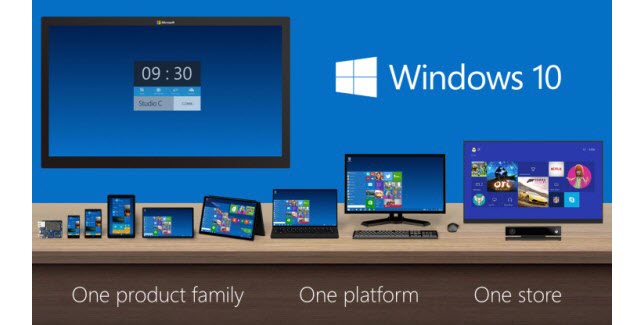
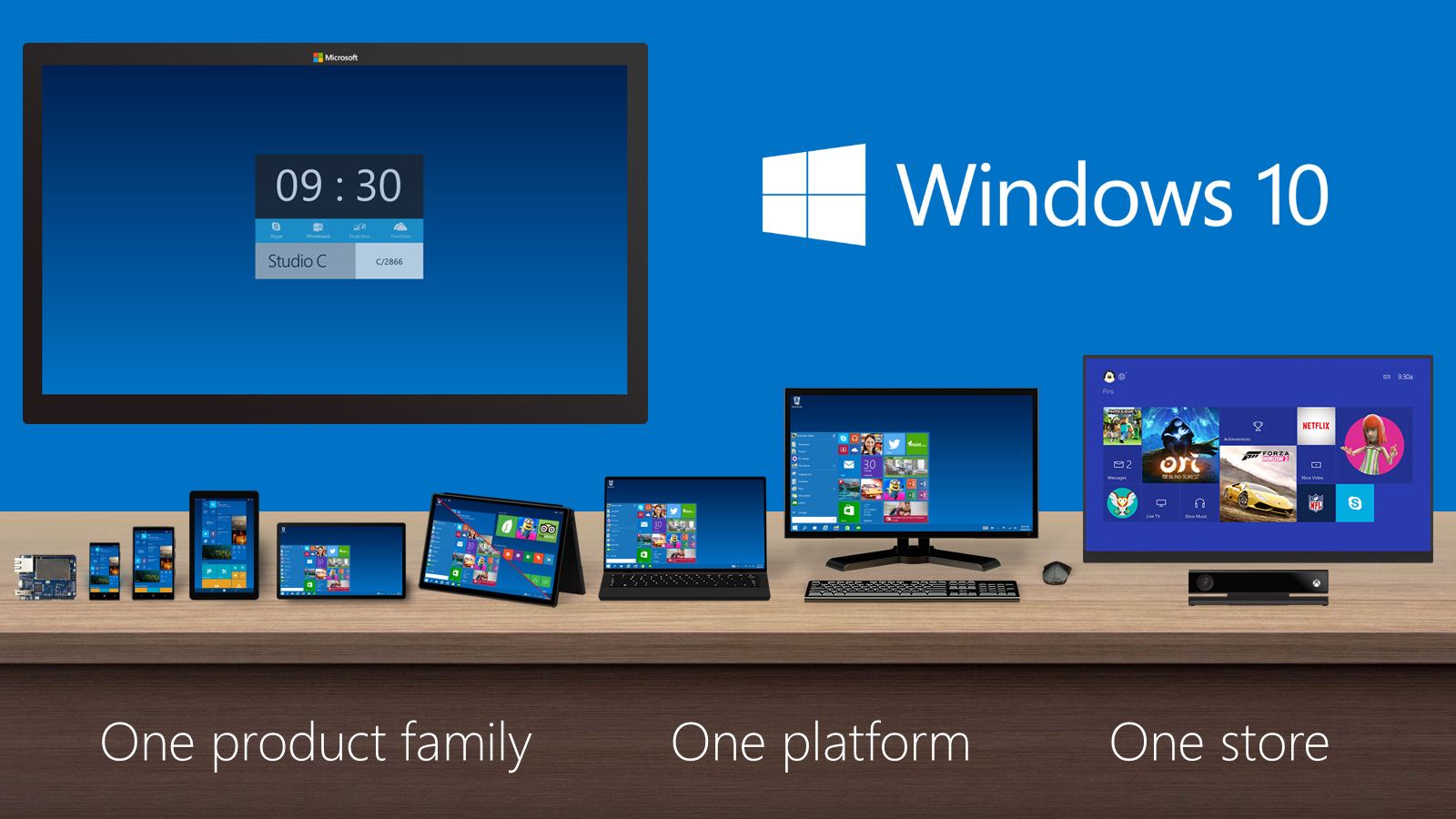
    Windows 10 will work across devices.
    Windows 10 will work across devices.

    The new operating system was unveiled at San Francisco for Business customers. Microsoft will be releasing a technical preview version for selected users. It will be unveiling consumer features early next year. Windows 10 is expected to reach the market by mid-2015. Considering Microsoft nails its flagship operating system in every alternate release, we have a lot of hopes with this one.

iGyaan Network
Privacy Overview

This website uses cookies so that we can provide you with the best user experience possible. Cookie information is stored in your browser and performs functions such as recognising you when you return to our website and helping our team to understand which sections of the website you find most interesting and useful.