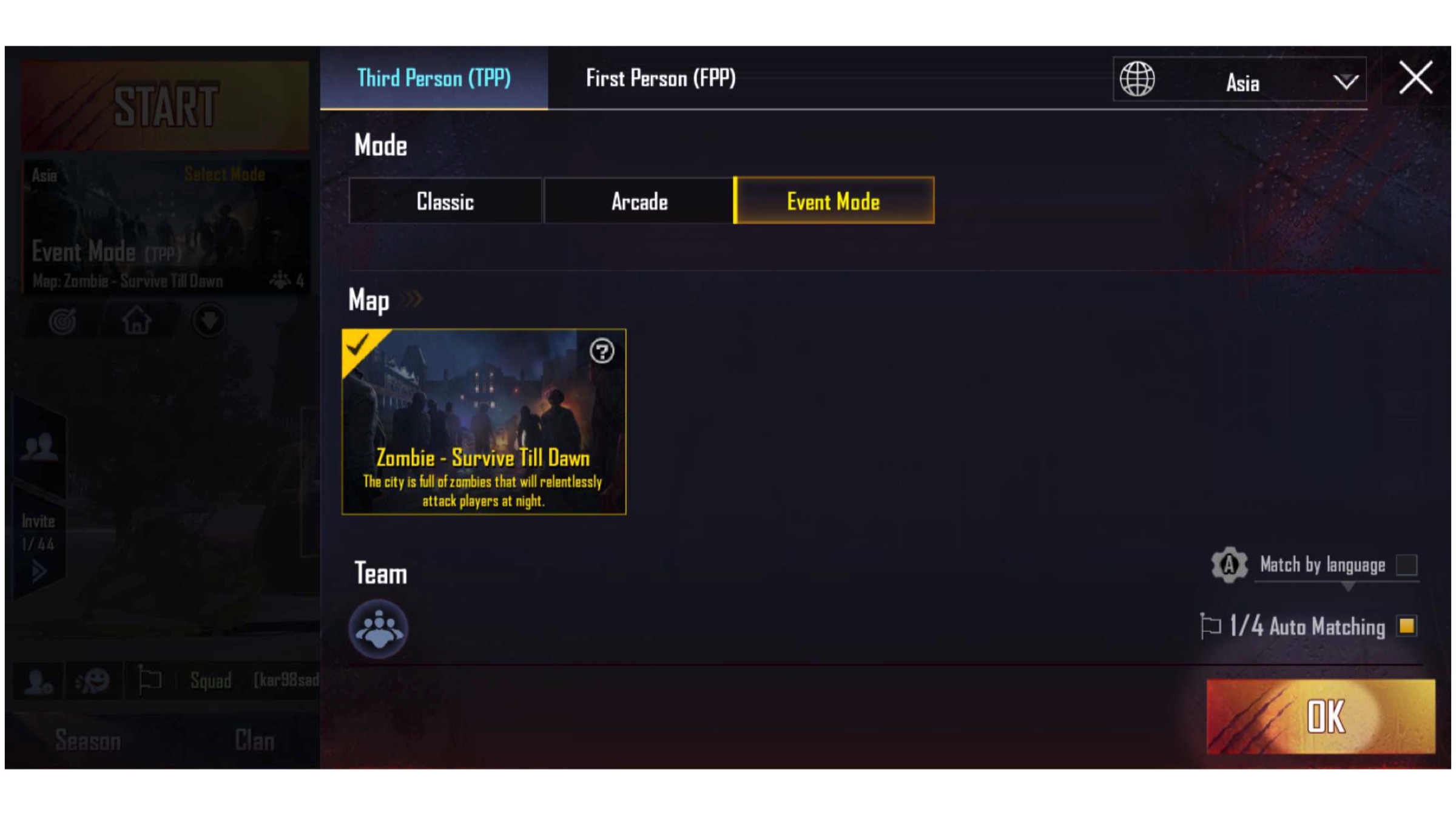
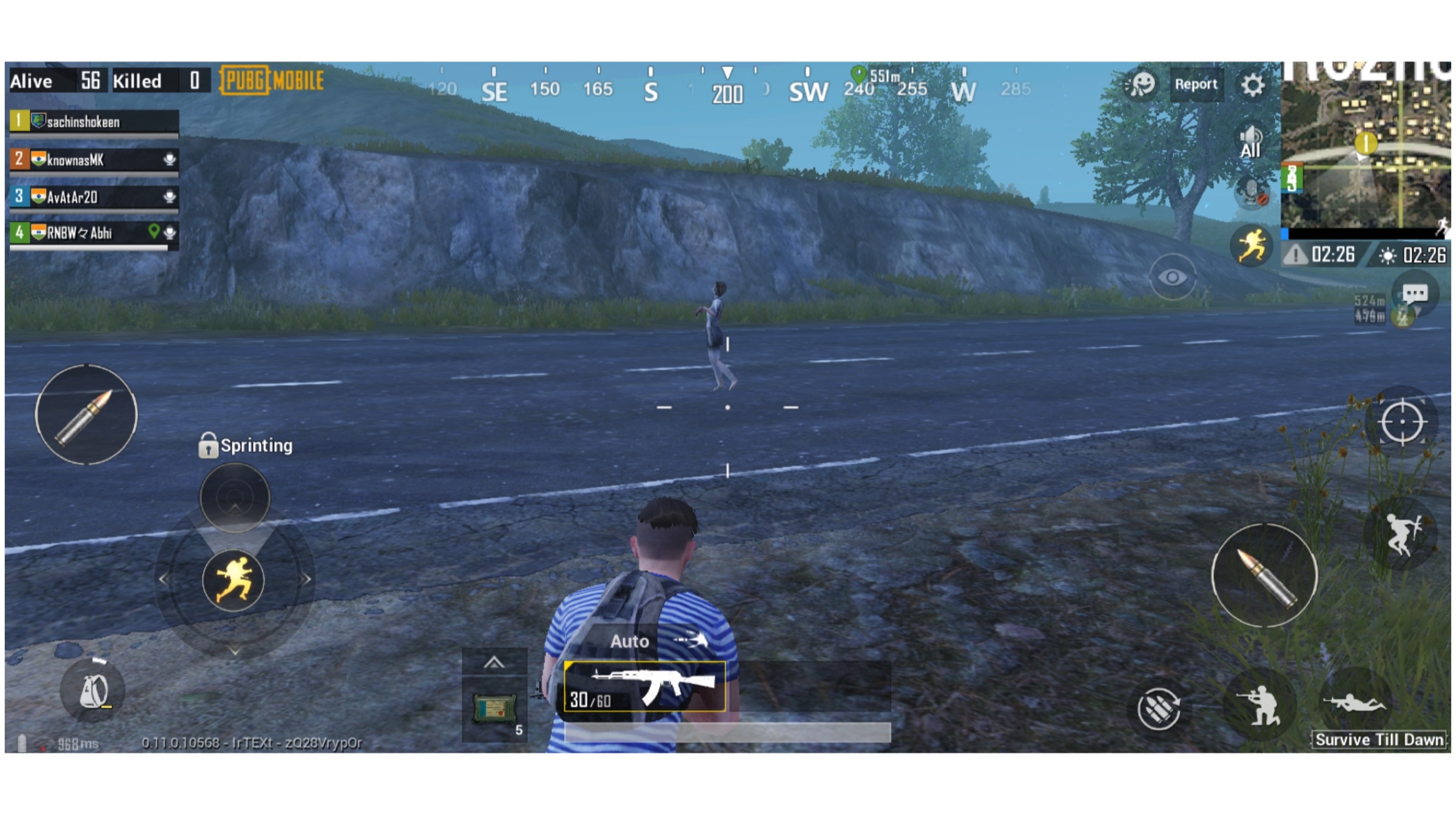
PUBG Mobile was released for smartphones a little over a year ago. The game has since become a phenomenon worldwide. Essentially a version of an already hit PC and console game optimised for smartphones, PUBG Mobile has seen tremendous success. A few weeks ago, it announced a partnership with Capcom’s new game Resident Evil 2 in which a zombie mode was promised in the game. On February 19, the creator of PUBG Mobile, Tencent released an update that adds the much-awaited event to the game. The zombie survival mode is live on the latest PUBG Mobile v0.11.0.
PUBG Mobile v0.11.0: What’s New?
The new update adds two significant updates to PUBG Mobile. One is the aforementioned zombie survival mode. This mode has been made available for a limited time and is only limited to the Erangel map in the game. The players will be able to participate in the game as a team or can go solo for the event. Besides the regular battle royale mode wherein the players have to eliminate each other to become the last man standing, zombies and monsters will also be introduced in the game. Eliminating them will get the players treasures and items. The players will also be able to listen to the Resident Evil 2 theme music in the main menu and while playing the game.
Another noteworthy addition is the introduction of new weather called moonlight on the Vikendi map. This is expected to be an iterative addition and does not affect its playability in any manner. More features in the update include new frames and emotes, new player spaces to get information about a player, and the availability of Sanhok map in the Quick match mode. The update weighs around 440MB on Android devices and is assumed to enhance the excitement about the game.
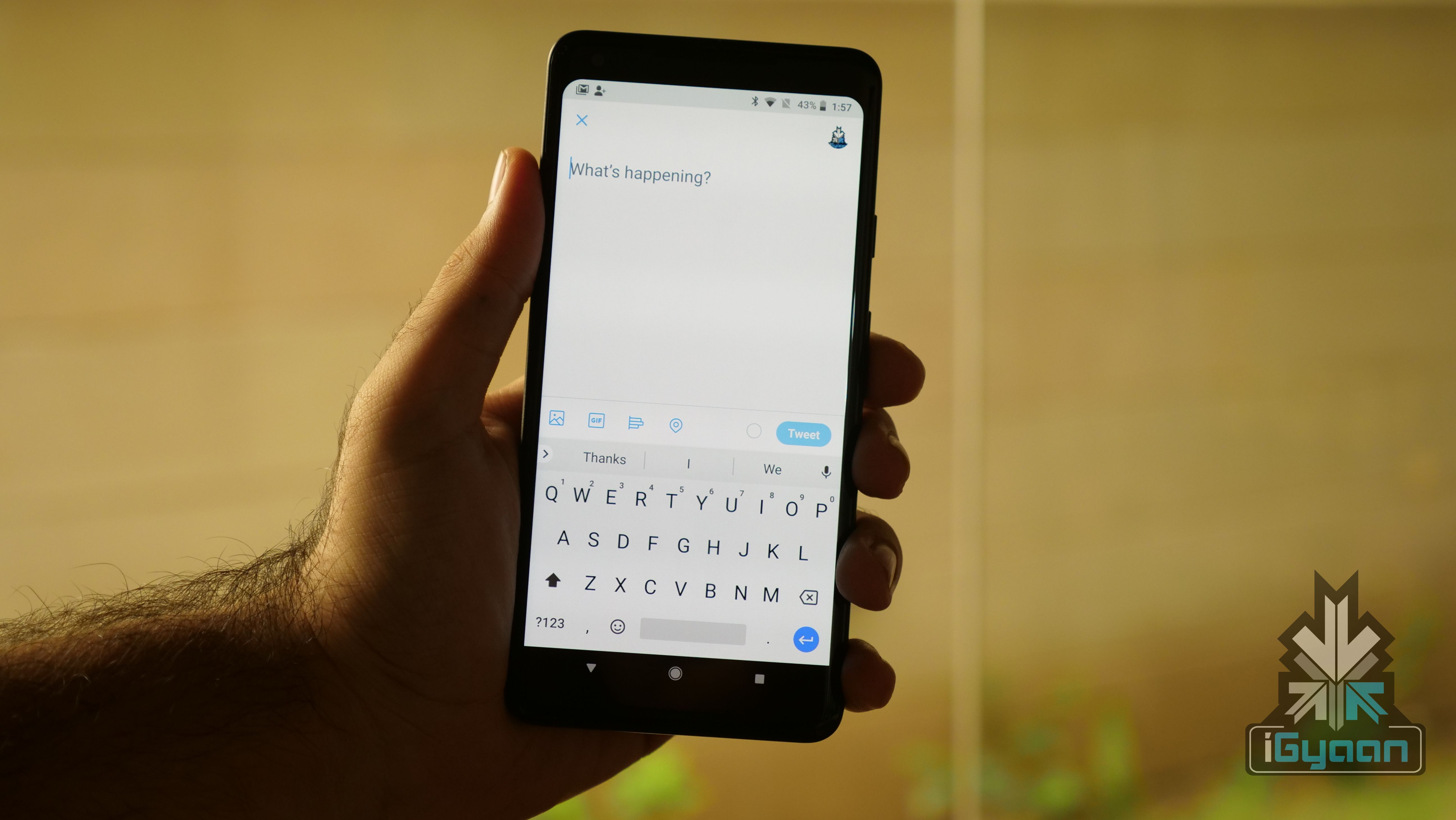
Twitter is constantly working on new updates that aim to provide its users with a better experience while retaining simplicity at the same time. It was reportedly testing the upcoming ‘editable tweets’ feature, the anti-abuse feature and a load of other tools. Twitter has confirmed that it is testing out its quick peek feature on iOS and Android Operating System.
About The Feature
The option will enable users to tap on the @username in the main app feed to pop up the profile which they intend to view. It can be a very helpful feature. Not all accounts on Twitter have relevant usernames which can tell a user more about the person. Also, if the user clicks on a person’s avatar/username, they are taken to the profile page, interrupting whatever they were originally doing. Instead, the new feature will act just like the ‘mouseover’ option which can be experienced on the Twitter desktop website. Users will get an option to follow the person or interact with other options on the profile.
This feature is already being tested on iOS. The company, however, followed up with a reply to its original post just an hour later, confirming an Android update too. Twitter has not posted about the release date of this feature, but users can expect it to be implemented soon.
WhatsApp in an update today has redesigned the settings menu for Android users. The update is now available for WhatsApp Beta users and has the build number v2.19.45. The update brings about significant design changes in the settings menu for the popular messaging app. It should be available in a stable update to the rest of the users soon.
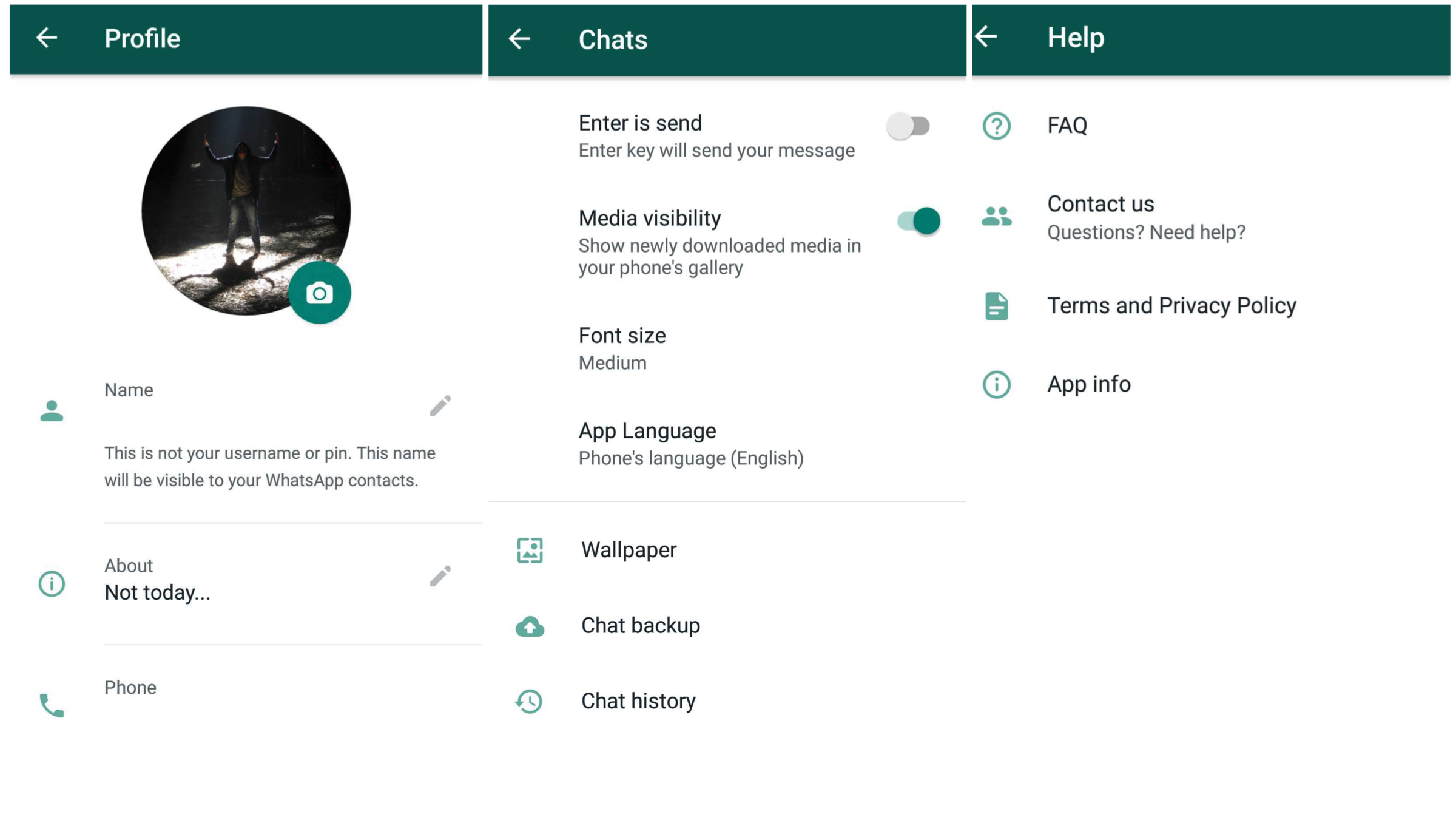
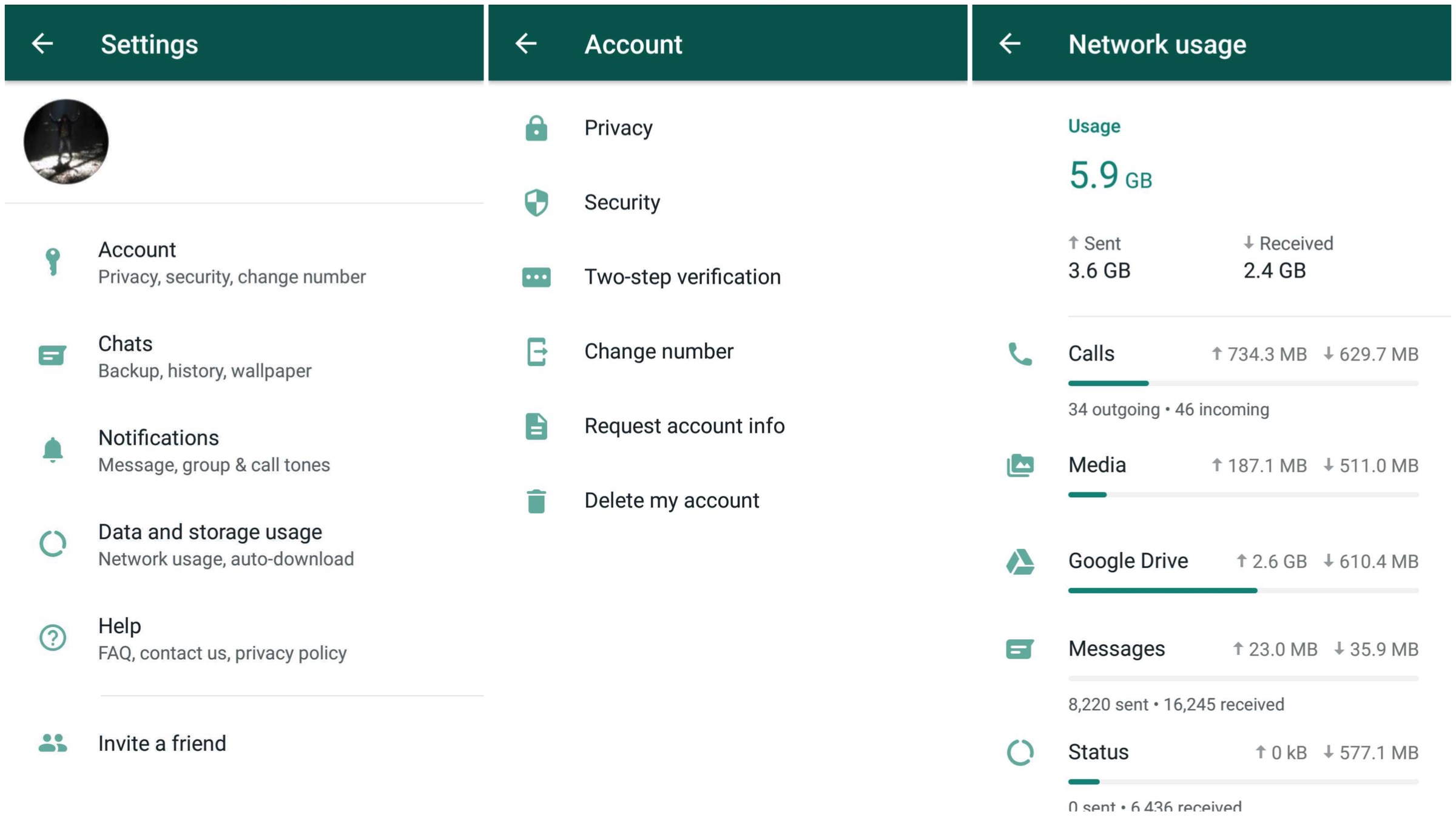
The update doesn’t introduce a new feature or settings altogether, but rather tries to beautify certain aspects of the menu. There are now icons to each option in the settings menu and the network usage page is also redesigned completely.
WhatsApp v2.19.45: What’s New?
The beta version of this update focusses on giving the settings menu of the app a design overhaul. ‘Accounts’ section now has a dedicated icon for each of the submenu. Options like ‘Security’, ‘Change number’, and ‘Two-step verification’ have also gained redesigned icons. The layout of all options in the ‘Notifications’ section remains the same though. All the tools in the ‘Help’ section have also been updated with dedicated icons.
You can now see the net amount of data sent and received in the ‘Network Usage’ option and the memory usage in the ‘Storage’ section. These are absent on the app’s stable version. Also, the menu’s have a very different layout than what existed before and each parameter having an icon of their own. The release date of this update for the stable version hasn’t been announced yet, but it may be available shortly.
Google is revamping the web version of its popular email service, Gmail. The company might showcase new Gmail features at the Google I/O 2018, which will commence on the 8th of May. According to a new leak, Google is also working on a new feature that will enable users to send emails which expire after a specified time, a Self Destructing Email.
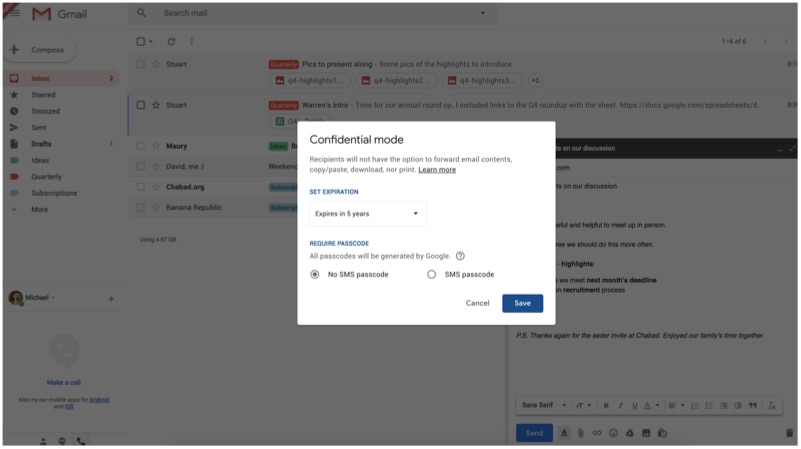
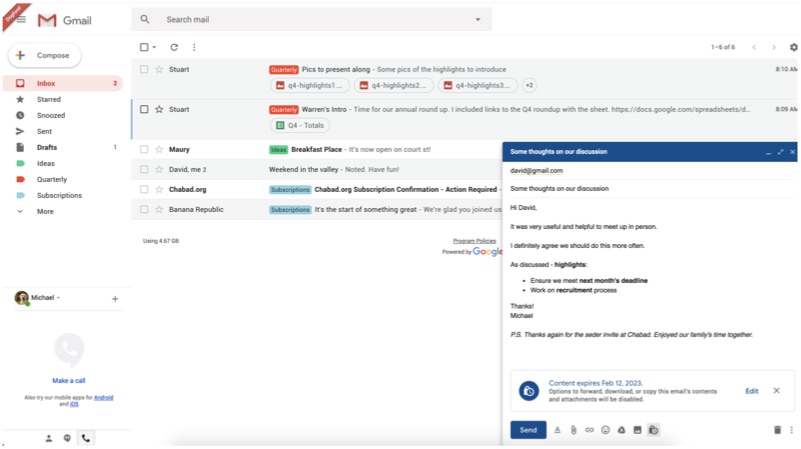
According to leaked images, the confidential mode will work even with third-party email clients like ‘ProtonMail’. Before sending an email, users will be able to specify a time frame post which, the email will be deleted from the recipient’s inbox. The caveat here is that such email won’t be forwardable. However, the feature is still under development, as the option ‘Learn More’ currently redirects to a blank page.
Self Destructing Email Is Straight Out Of Spy Movies
According to the screenshot, one can set an expiry date for as long as 5 years. The user will also be able to set password requirement, where the recipient has to confirm their identity via a code/OTP sent to the recipient as a text message to access the email. The recipient will not be able to take a print out of this email or cannot copy/paste the content as well. However, the leaker was able to seize a screenshot of the email content.
As of now, there is no information about this feature being available to non-Gmail users. When a user sends an email using the confidential mode, the mail will look like any other email. However, when it expires the email will disappear from the inbox. Google has not mentioned end-to-end encryption anywhere, which means the company is most likely to stick with non-encrypted emails.
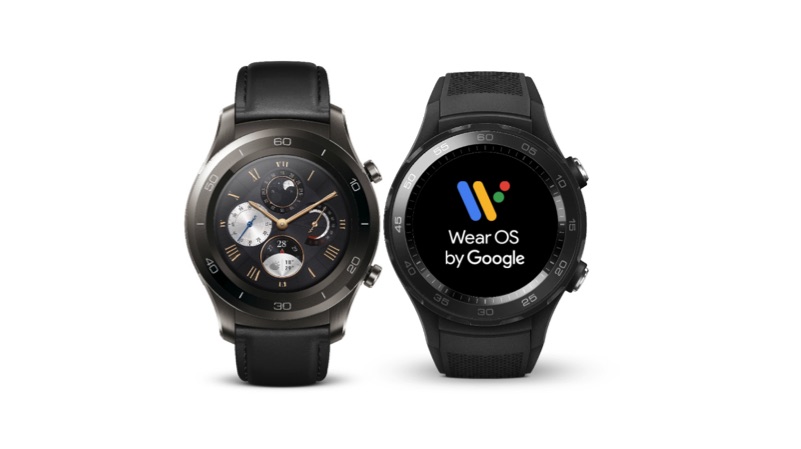
Google recently released the first beta build of Android P for the Pixel smartphones. Similarly, the company has now released an Android P Wear OS developer preview for the Huawei Watch 2, as there is no official Google smartwatch. Here are the top five features from the latest Android P beta preview for Wear OS.
Dark Theme
This is one of the features, that was long due. As most of the smartwatches have an OLED display, a dedicated dark theme will increase the battery life of the device. This feature will also increase the visibility of the content in low light conditions, without straining user’s eyes.
Limited Background Activity
As smartwatches come with a smaller battery, running multiple applications in the background can drain up the juice quickly. With this feature, no application will run on background, except for watch face and settings. Additionally, the watch can run multiple applications in the background when it is charging.
Turn off radios when off body
Most of the smartwatches are capable of connecting to a smartphone via Bluetooth or Wi-Fi. In fact, some of the high-end watches do support LTE for standalone functionality. Being connected to an external network will consume a lot of power. With this update, the watch will get disconnected from a network as soon as the user removes the watch from his wrist.
Wi-Fi will be off when Bluetooth is off
If the watch is not connected to a smartphone using Bluetooth, then it cannot connect to a wireless Wi-Fi network. However, the device can connect to a Wi-Fi network while charging, without being connected to a smartphone. This means, most of the software updates happen, when the watch is charging or when it connected to a charging station.
Restriction to non-SDK methods
This feature is applicable for Wear OS app developers. Starting with the Android P based Wear OS, the app developers have to use official SDK to create newer apps. This will help optimise and increase the compatibility across the smartwatches running on Wear OS.
Apple is expected to release the iOS 11.3 update for compatible iPads and iPhones in the next few days. This will be one of the biggest software updates, after iOS 11.2, which introduced Apple Pay cash.
The company was highly criticised for slowing down older iPhones to save battery life without user’s consent. After this fiasco, Apple also decreases the price of battery replacement from Rs 6,000 to Rs 2,000.
The main focus of this update is to resolve that issue, where, owners of older iPhones will be able to toggle between the performance and battery life with a touch a button. Additionally, this also introduces some other features as well. So, here are the top five features to look forward to in iOS 11.3.
Privacy
If the company decides to introduce a feature, that might interfere with the performance of the device, one might see this option. Additionally, when Apple collects personal data to personalise the user experience, the same icon will be displayed on top of the device. This provides a transparency between the user and company to build a strong foundation of security. Similarly, the setting app icon for privacy has been updated from a grey icon to blue coloured one.
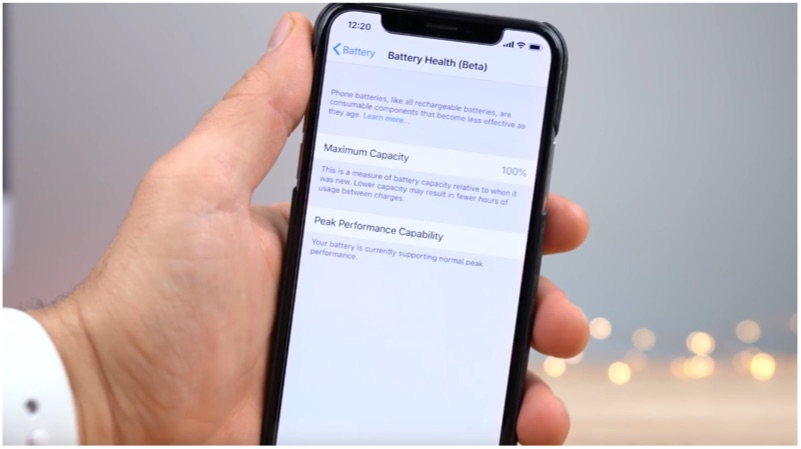
Battery Health
This feature will help users to get detailed insights on iPhones battery condition. Depending on the condition, a user will be able to toggle the switch between performance and battery life. Additionally, Apple says, manually toggling the switch will affect battery life. This means user’s with older iPhones will be able to get back the device performance without replacing the battery.
Four new Animojis
This feature is only limited to the iPhone X users. With this new software update, Apple adds four new Animojis characters. Lion, Dragon, Skull, and Panda are the four new characters that have been added to this update.
Messages on iCloud
iMessages now seamlessly sync with iCloud to free up storage on your phone. This also means that one can access messages on devices like iPad and Mac by signing into your Apple ID. Additionally, if you delete a message on one device, it will be deleted from other devices as well.
Multi-Room support for AirPlay 2
This is one nifty feature, which helps you to play the same music on more than one Apple devices. If you have a Home Pod and an Apple TV, now you will be able to play music on both devices simultaneously.
By now, we’re all mostly aware of the Android Marshmallow and how it’s different from the previous versions. However, at its mega event, Google has announced a couple of new features to its already new Marshmallow version, and here they are.
Firstly, they’ve announced that you can voice stream from the lock screen itself. Basically you have to swipe from a corner to launch it and it’s up and running.
Google also detailed its charging abilities, so now, the Marshmallow can tell you whether you are on the fast-charging mode and also tells you how long until your phone is fully charged.
Google also talked about the app drawer and revealed that the new app drawer will help us look for apps much faster, because it will arrange the apps according to our usage of it. Bringing the most used apps at the top of the app drawer, making them much faster to access.
The company also announced something exciting – the new Nexus devices which come with the Android marshmallow will not have as many ‘pre-loaded’ app. Which means, that since they’re going to be “post-set up”, you can eventually uninstall them, if necessary.
Next, they elaborated further about the ‘Now On Tap’ feature, which basically allows you to search Google automatically from any app, if you press the home button for long enough. They’ve added voice interactions to this, so now you can control apps with your voice. Google also mentioned that the “Okay Google” detection will now work when the screen is switched off too.
Here’s something new about the battery too. The Android Marshmallow will also come with a new “doze” mode that informs apps to sleep (for lack of a better word), when the phone hasn’t been used for awhile. So, when the screen is switched off, the battery life will be 30 percent longer than in previous versions.
The Android marshmallow will roll out on the new Nexus 6P and 5X next week. Till then if you want to brush up on your Android Marshmallow history then look no further and click here.
Apple like clockwork at an event today launched their revisions to the iPhone 6 and iPhone 6 Plus. Named appropriately, and in Apple’s yearly naming system, the iPhone 6s and iPhone 6s Plus. Apple claims that they have changed everything inside the iPhones. But what all has really changed?
Build and Design
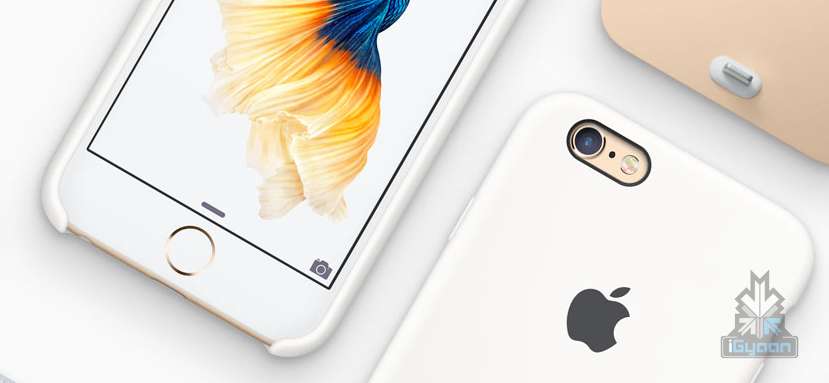
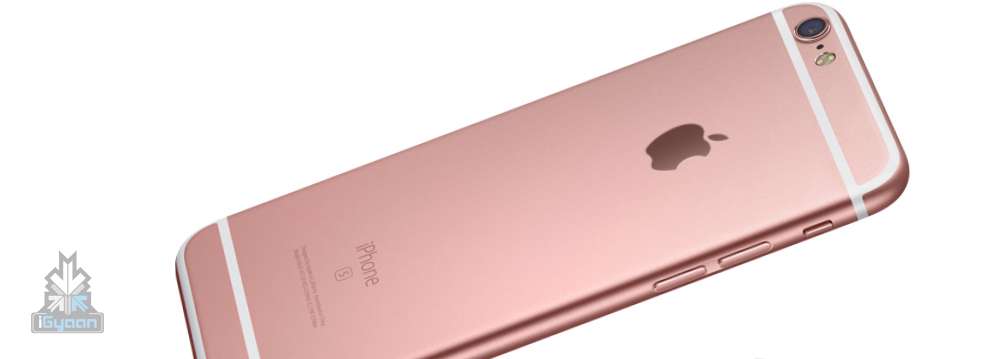
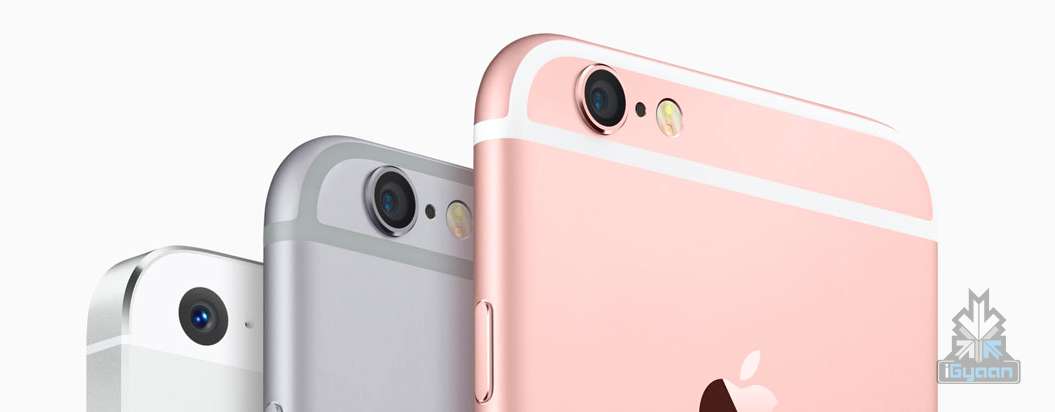
The new iPhones will come in an all new rose gold colour to match with the new Apple Watch colour. Design wise they look the same, with the same identical button layout. The new iPhones, however, are thicker; with the new iPhone 6s now at 7.1 mm up from the 6.9mm of last year and the iPhone 6s Plus up to 7.3mm from 7.1mm on the iPhone 6 Plus.
Weight wise the iPhones are heftier with iPhone 6s up to 143 grams vs last years 129 grams on the iPhone 6 and iPhone 6s Plus now at 192 grams vs 172 grams on the iPhone 6 Plus.
A lot has also changed in the construction of these iDevices. New Apple made series 7000 Aluminium along with extra reinforcement ensures that “bendgate” doesn’t happen this year.
There is also an all new glass layer that Apple claims is tougher than any glass on the market, pointing at Gorilla Glass 4.
Hardware
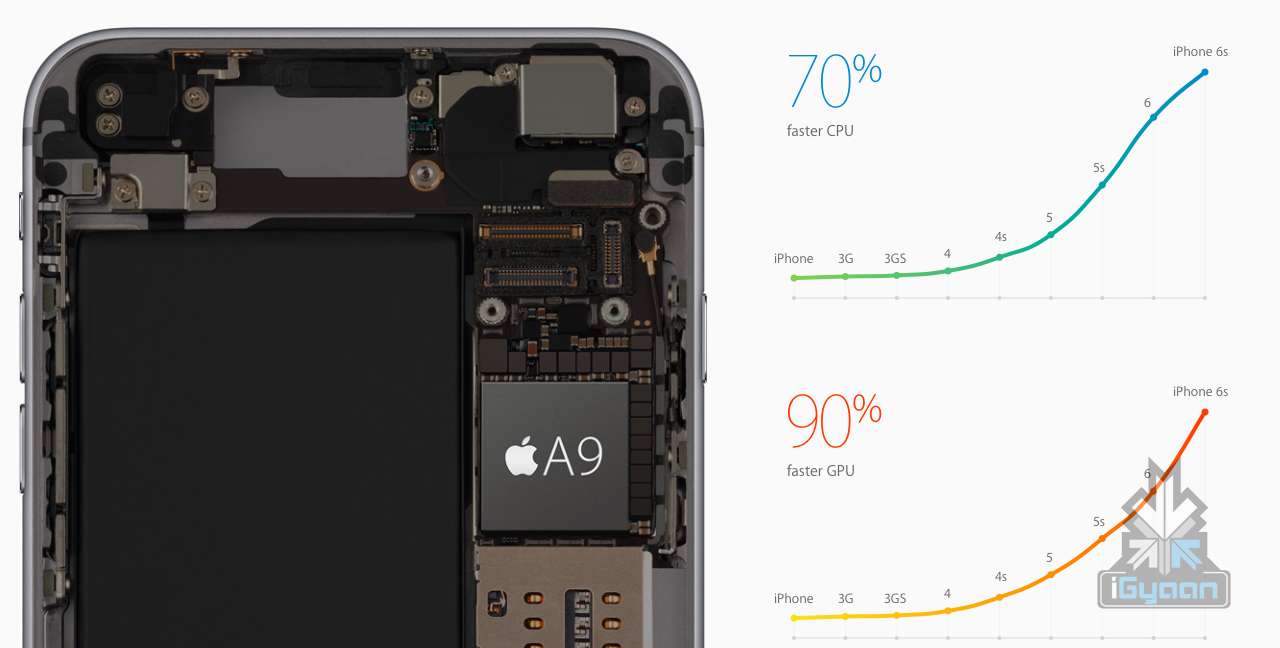
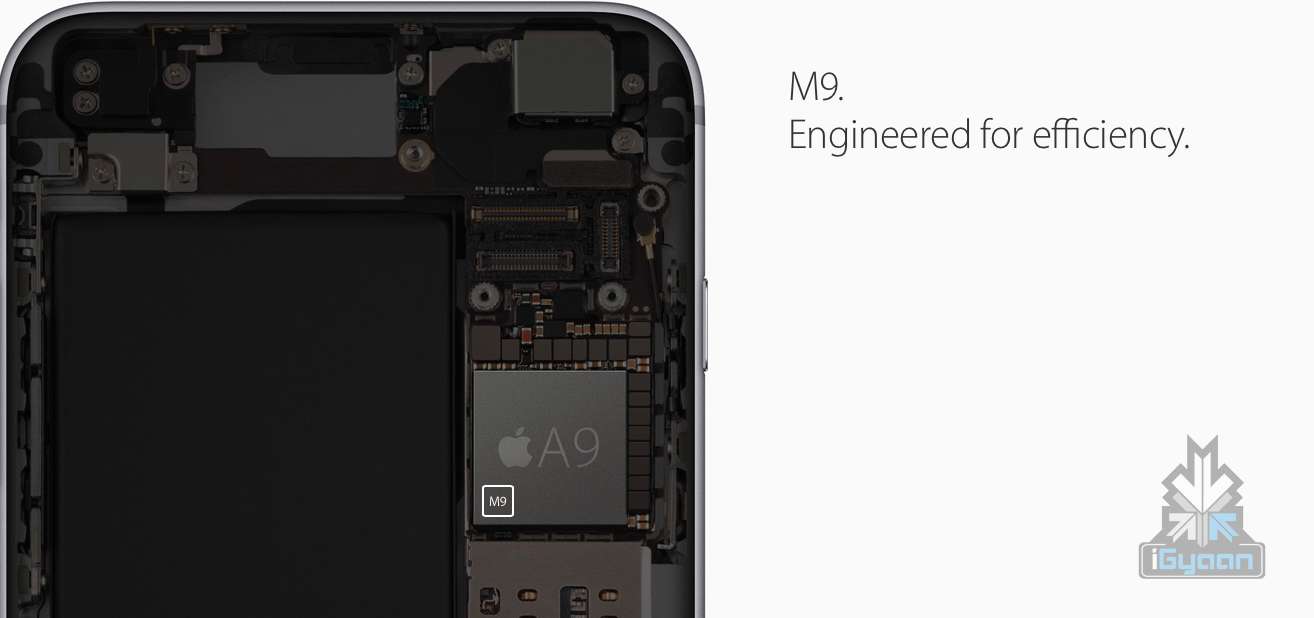
The new iPhones come with a 64 Bit A9 chip with a new M9 co-processor that improves performance and graphic capabilities vs iPhone 6 and 6 Plus that came with A8 chip with M8 Co-processor. The M9 co-processor is now always ‘on’, detecting your movement, vs the M8 which was activated on movement.
The displays remain the same with the same size and same resolution, however the addition of 3D touch will improve user experience considerably.
Camera
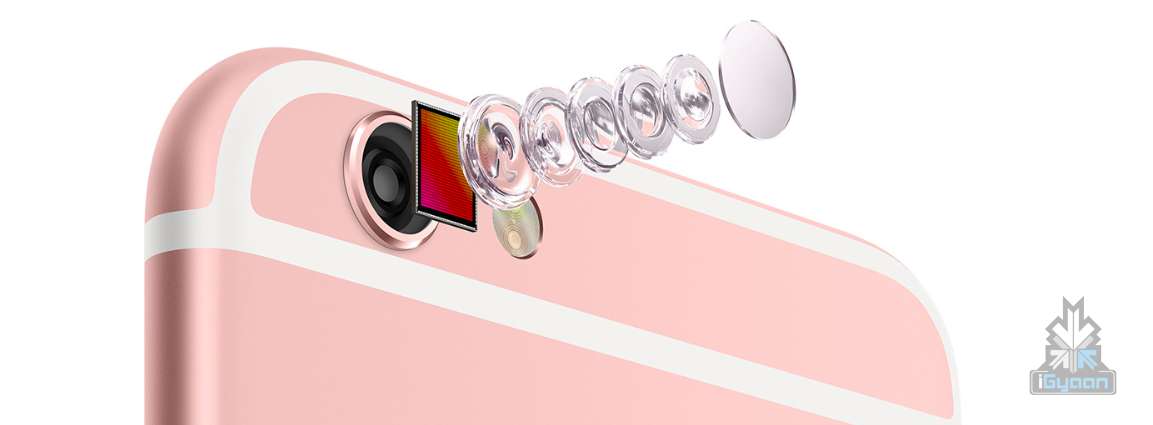
New camera’s will include a 12 MP main camera on both iPhones. Again, like last year only the iPhone 6s Plus gets optical image stabalization. Both iPhones with the newer camera now have the capability of shooting 4k Video and a new “Live Photos” feature that allows you to capture photo moments.
Slo-mo video support for 1080p at 120 fps and 720p at 240 fps, and video stabalization only works up till 1080p video.
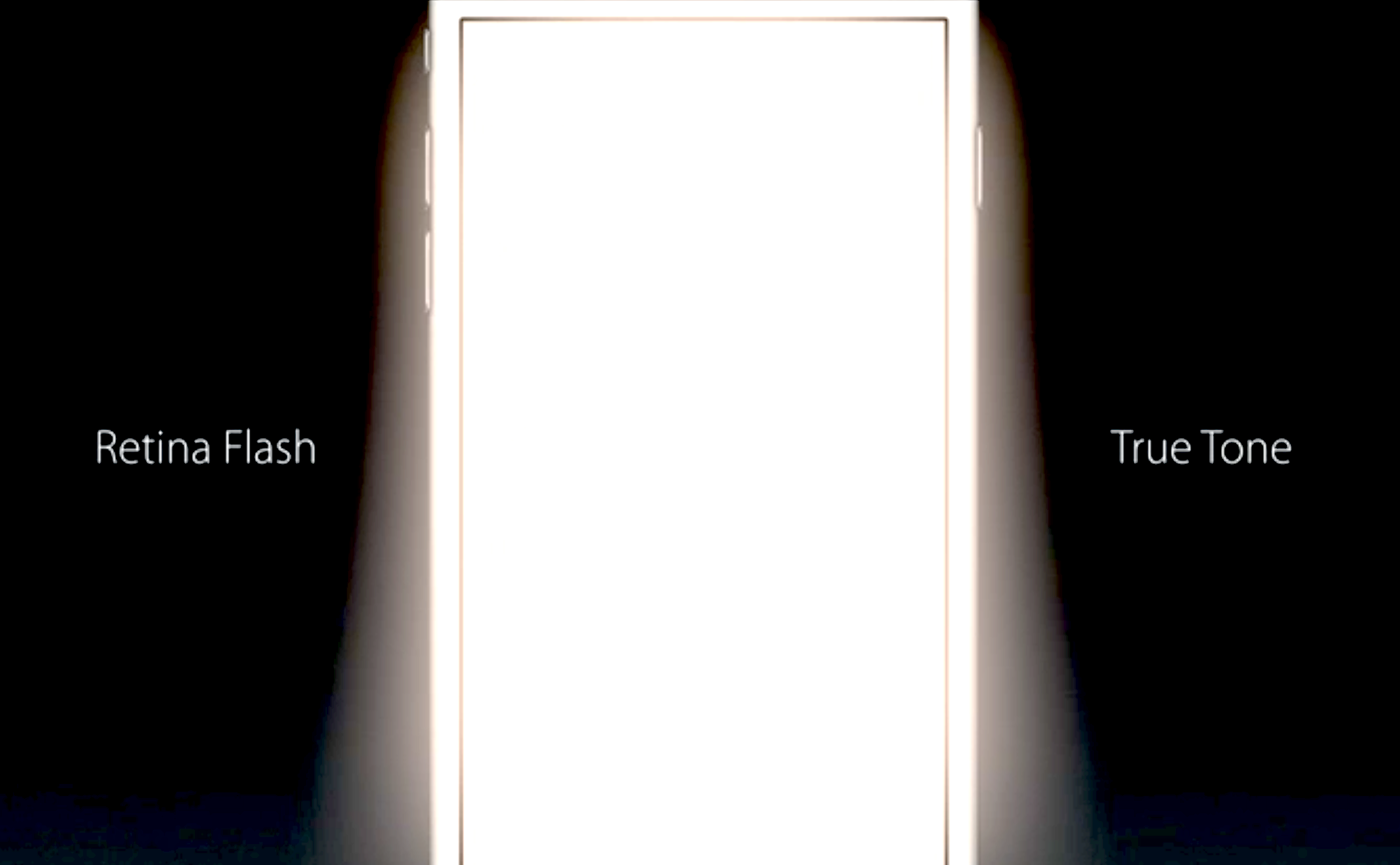
The front camera on the new iPhone 6s and 6s Plus also gets a much needed bump to 5 MP from a paltry 1.2 MP last year, along with an interesting new selfie flash feature which will make the display turn into a true tone flash with 3 times the brightness.
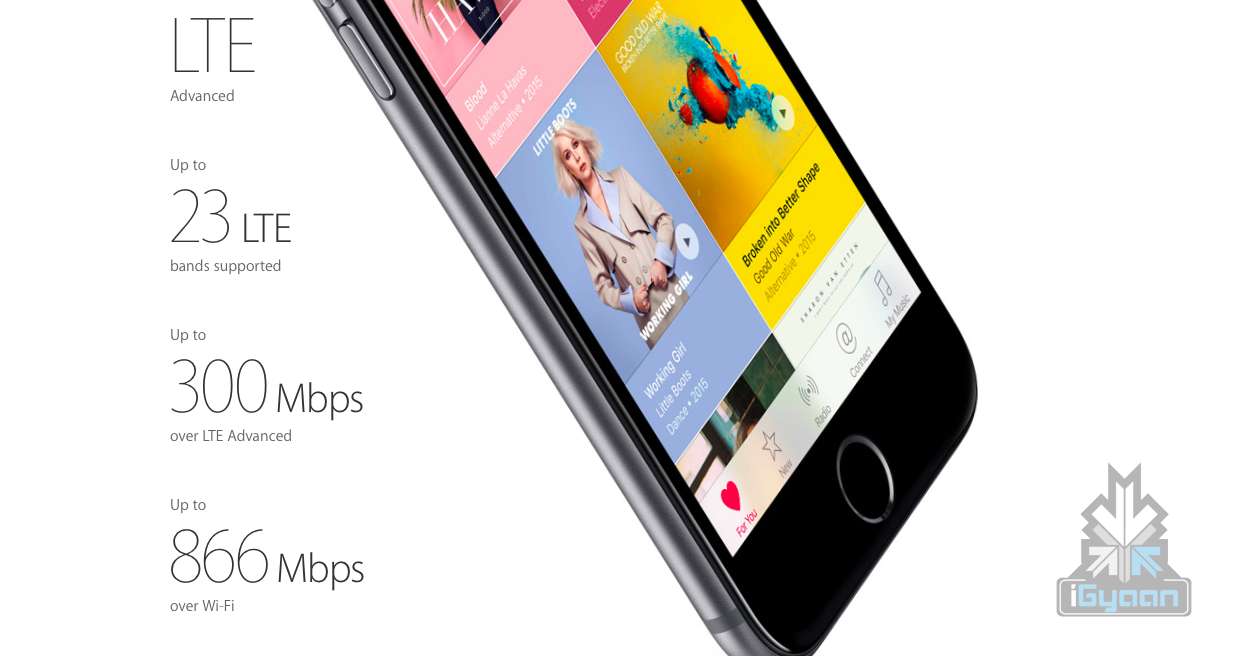
The new iPhones will also support more LTE bands vs last year. Unlocked iPhones will support 23 LTE bands including TD and FD-LTE. The new iPhone 6s and 6s Plus will include VoLTE (Voice over LTE) for better communication capabilities in areas supporting the VoLTE functions.
Software
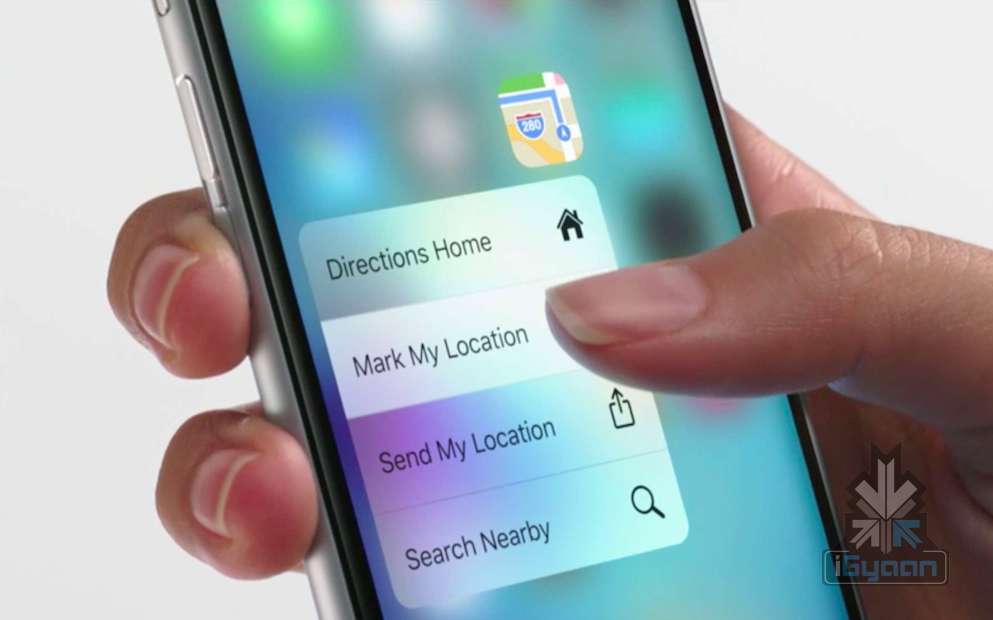
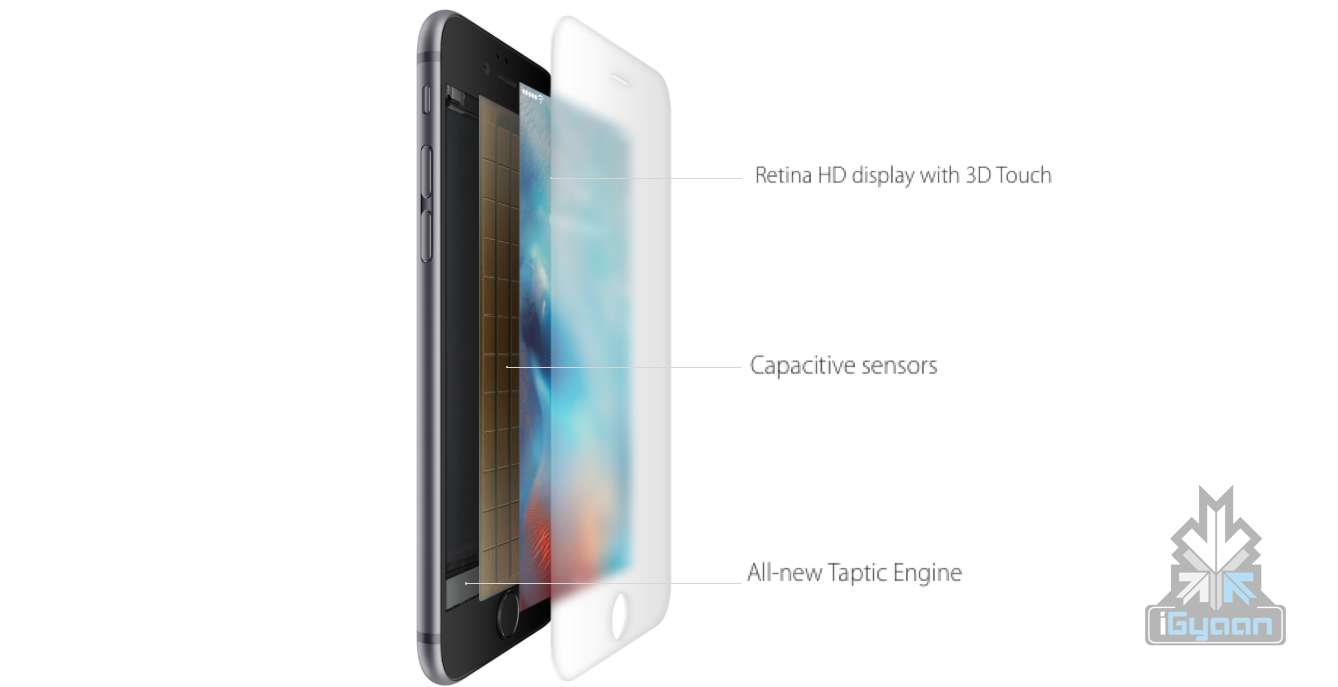
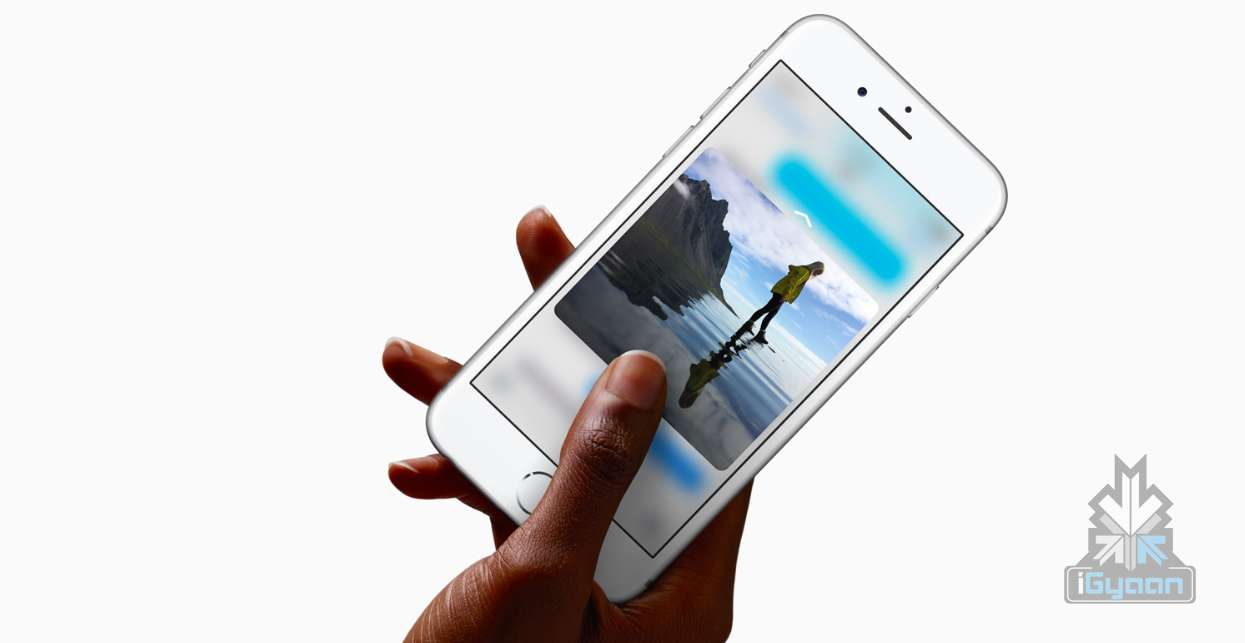
Apart from running iOS 9, thanks to the addition of the new hardware the software will work slightly differently. The new iPhone 6s and 6s Plus feature a new 3D Touch display powered by a Taptic engine. A physical piece of hardware which monitors the input and pressure of a users finger and allows the operating system to respond accordingly.
This will save up time allowing you to decide what part of the app you need to access prior to launching the app. Just like a secondary click it allows for more interaction in gaming and in productivity apps as demonstrated by Apple at their event.
The new photos app will allow for live photos that are captured by the iPhone, vs static photos seen up until now. The images will capture a few seconds of cache video allowing you to replay the moment as it occurred. HTC introduced a similar feature on the original HTC One M7 a few years back , however it required you to be in a specific mode with specific features turned on prior to capture. Apple includes this as standard for each photograph, without compromising on speed of capturing a picture.
Thanks to the new hardware you can now call up Siri using “Hey Siri” even when the iPhone is not connected to the charger.
The new iPhone 6s and 6s Plus cost the same as last year on contract in the US. However their unlocked phone pricing is the same as well.
Specifications
iPhone 6s
iPhone 6s Plus
Display
Retina HD display with 3D Touch, 4.7-inch (diagonal) LED-backlit widescreen
Retina HD display with 3D Touch, 5.5-inch LED-backlit widescreen
Resolution
1334 X 750-pixel resolution at 326 ppi
1920-by-1080-pixel resolution at 401 ppi
Processor
Embedded M9 motion coprocessor
Embedded M9 motion coprocessor
Chipset
A9 chip with 64-bit architecture
A9 chip with 64-bit architecture
OS
iOS 9
iOS 9
Internal Storage
16GB/64GB/128GB
16GB/64GB/128GB
Exapandibility
N/A
N/A
Rear camera
12-megapixel iSight camera with 1.22µ pixels, ƒ/2.2 aperture
12-megapixel iSight camera with 1.22µ pixels, ƒ/2.2 aperture, Optical image stabilization
Rear Camera Video
4K video recording (3840 by 2160) at 30 fps
Optical image stabilization for video, 4K video recording (3840 by 2160) at 30 fps
Front Camera
5-megapixel photos, ƒ/2.2 aperture, Retina Flash
5-megapixel photos, ƒ/2.2 aperture, Retina Flash
Front Camera Video
720p HD video recording
720p HD video recording
Body Dimensions
143 grams
192 grams
Special Features
Fingerprint sensor, 3D force touch, live photo
Fingerprint sensor, 3D force touch, live photo
Connectivity
23 LTE and faster Wi-Fi
23 LTE and faster Wi-Fi
Variants
Silver, Gold, Space Gray, Rose Gold
Silver, Gold, Space Gray, Rose Gold
Price
$199, $299 and $399 respectively for 16GB/64GB/128GB on contract.$649, $749, $849 for 16GB/64GB/128GB respectively unlocked
$299, $399 and $499 respectively for 16GB/64GB/128GB on contract.
$749, $849, $949 for 16GB/64GB/128GB respectively unlocked
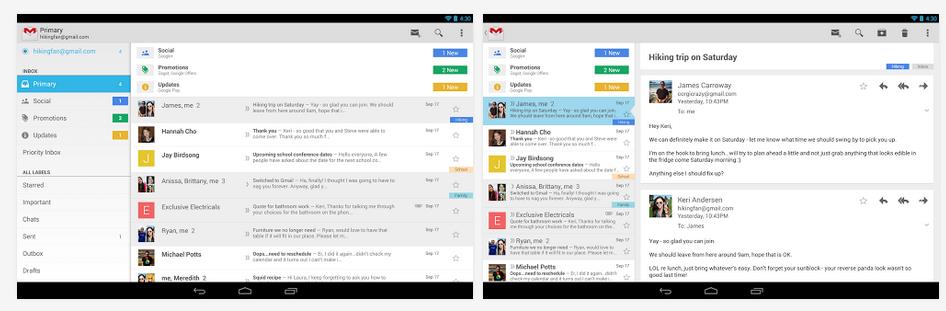
Smartphones are full of applications, and almost every morning we get an update for one or other applications. Following the tradition, Google today updated its mailing application for Android, Gmail is now updated with some more features.
Gmail application for Android has now got additional useful features. Today’s update add features like Vacation Responder, which can be set using the application from the mobile itself and will notify everyone who sends you an email that you are out on an vacation. Furthermore, Google has also added an universal attachment feature which will allow users to attach any kind of file through email(documents, PDFs, zip files).
Other features include enhanced performance of the application on low memory devices. Google has also update the application adding an option to print your emails, but this option is however available only to users on Android KitKat. The update is spreading gradually, so be patient for your turn.
WhatsApp is the most used messaging app throughout all platforms. Whether it is iOS, Android, BlackBerry, Symbian or Windows Phone, this app runs on all platforms.
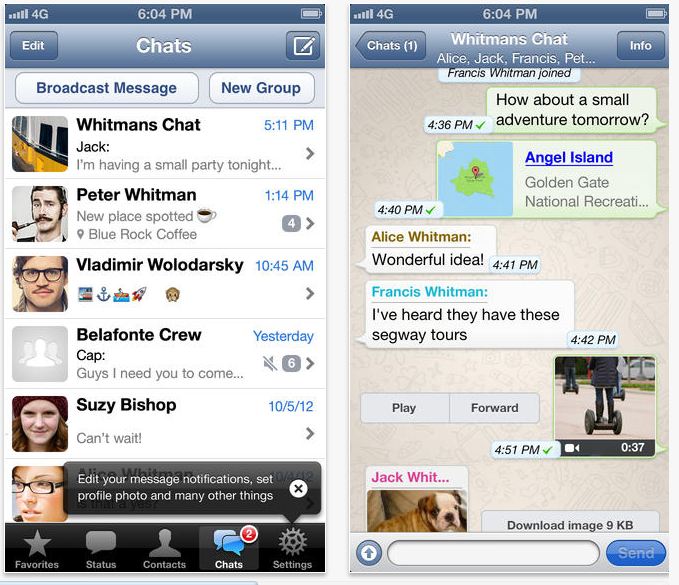
Following other applications to update according to the iOS 7, WhatsApp messenger also gets the much needed update. This new update is late, but it comes with some required changes.
The new interface is simpler, and the new version introduces a broadcast lists. The latest update also improves location sharing with a 3D map, and the photo clickers can crop images and see larger pictures(thumbnails). The new update also allows you to manage your blocked contacts easily.
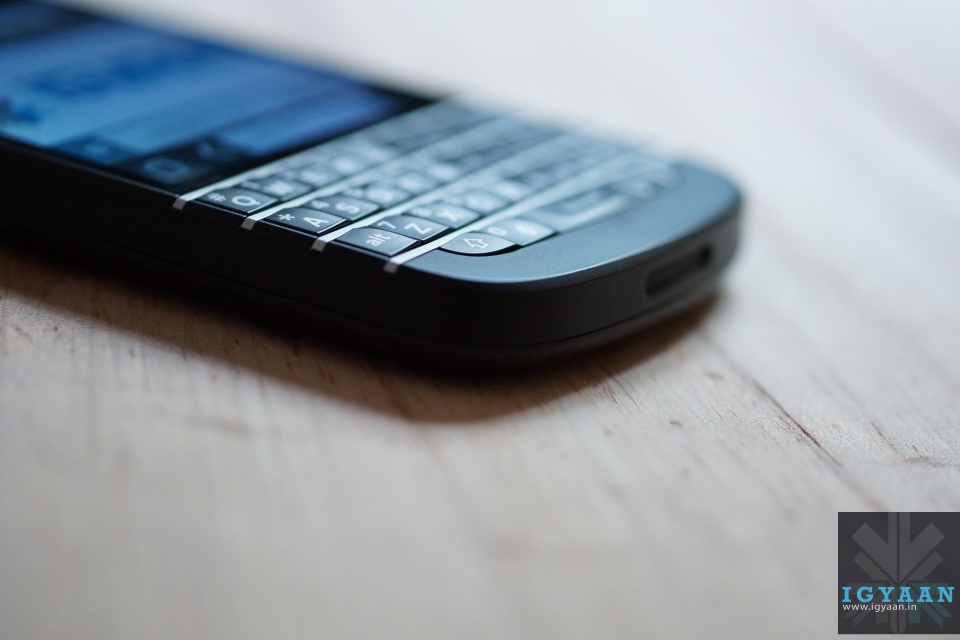
BlackBerry has rolled out BlackBerry 10.2 which will be out for BlackBerry Z10 and Q10. These devices are supposed to get the update starting this week, the update will bring a lot of new features including BlackBerry Priority Hub, BlackBerry Natural Sound for BBM and many other improvements as noted by the company.
The new features included in the latest update from BlackBerry will allow users to look forward to the new BB Priority Hub which organizes user communications according to importance, message previews throughout the user interface and the lockscreen, and the ability to reply directly to BBM notifications.
To update your BlackBerry smartphone to BlackBerry 10.2 software, look for the alert in the notifications section of the BlackBerry Hub. You can also check for software updates through the System Settings menu and selecting Software Updates. The download will happen in the background, so you can continue to use your smartphone as it downloads. For more information on how to update your BlackBerry 10 smartphone check out the source.
BlackBerry OS 10.2 is expected to start rolling out in the following regions pending carrier availability:
Flickr has rolled out previews for its new design of photo pages, which makes your image appear bigger. With the new look, a 25-percent larger picture fills the left side of a page, while its description, comments, meta information and more take rest on a right-hand side.
Yahoo has also made other changes like, promising a speed boost while loading the next image, which can now be done by clicking the current photo. Marissa Mayer and Co. say that this is an early version of the revamp, however, and that not all features have been included. To preview the fresh layout, just navigate to a photo and hit the “Try Our New Photo Experience” button, and you will be able to enjoy the new preview.
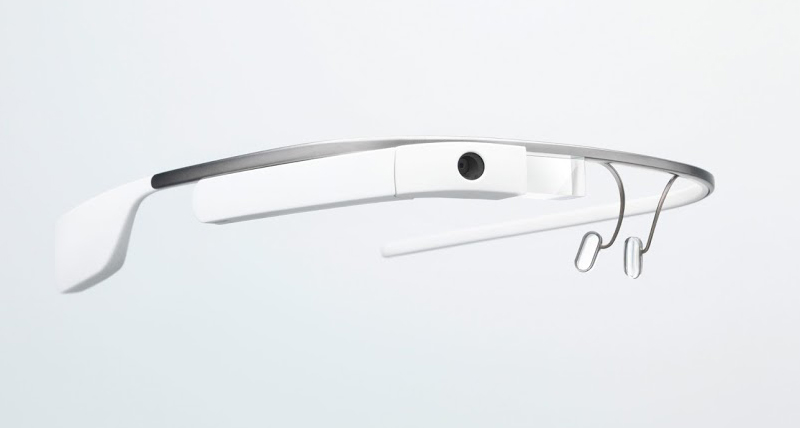
Google has added some new features to the Google Glass in the latest software update for its experiment. There’s a new video player with simple tap to start/pause, swipe to fast forward and rewind commands, and new voice commands for posting an update.
Path and Evernote users can update those apps by saying “okay glass, post an update” for Path or “okay glass, take a note” for Evernote. Speaking of which, voice controls are improved across the board, so you can now chat with Glass more naturally. Which can be a great if it recognizes the voice in neutral accent.
Google also added a new Volume control card in settings, and made it possible to check your timeline and use other features of Google Glass Glass while on an active video call.
The new update also has new cards which includes appointments drawn from your Gmail, nearby movie showtimes with posters, public alerts and the ability to send birthday messages for birthday reminder cards. The new update is named as XE8. Google is constantly trying to improvise the Glass, we will have to wait and see what the final device would look like.
Hyundai has now been in India for 15 years. The company is celebrating its success with the first car they had launched in India. The first generation Santro, with a 1 liter petrol engine, gave India its first tall boy hatchback.
Soon in 2003, Hyundai launched the updated version of the Santro, known as Santro Xing with a 1.1 liter petrol engine. Now, its a decade this car is stil running successfully, as per the sources Hyundai sells 4,000 units a month on average.
Hyundai Santro Xing Celebration Edition
The car’s “Celebration Edition Santro Xing” is the latest revision in the series of updates the car has received. The Celebration Edition adds some interesting new features like – Graphics on the flanks, Rear Chrome garnish, Reverse parking sensors with LED display, Manual sun blind for rear windscreen, new floor mats and Blaupunkt audio system.
If we talk about the mechanics of the car it remains the same, the 1,061cc-4 cylinder petrol engine that outputs 62 Bhp of peak power and 96 Nm of peak torque with a 5 speed of manual gearbox. But, the new Celebration Edition would be available both in petrol and LPG variant. Pricing is still not out but is estimated to be starting from 3.81 lakhs(ex-showroom). The company is planning to offer up the Celebration Edition Santro Xing with special finance options as well.

 Also read: Android To Replace The Back Navigation Button With Gestures In Android Q
 The option will enable users to tap on the @username in the main app feed to pop up the profile which they intend to view. It can be a very helpful feature. Not all accounts on Twitter have relevant usernames which can tell a user more about the person. Also, if the user clicks on a person’s avatar/username, they are taken to the profile page, interrupting whatever they were originally doing. Instead, the new feature will act just like the ‘mouseover’ option which can be experienced on the Twitter desktop website. Users will get an option to follow the person or interact with other options on the profile.