Tag: touch id

  • I Spent A Day With The iPhone X And I Am Done With The Home Button

    I Spent A Day With The iPhone X And I Am Done With The Home Button

    The iPhone has been one of my two primary devices for many years. When Apple announced the iPhone X back in September the biggest concern as a potential iPhone X user was the lack of the two main things that had been engraved in my muscle memory; the home button and the Touch ID.

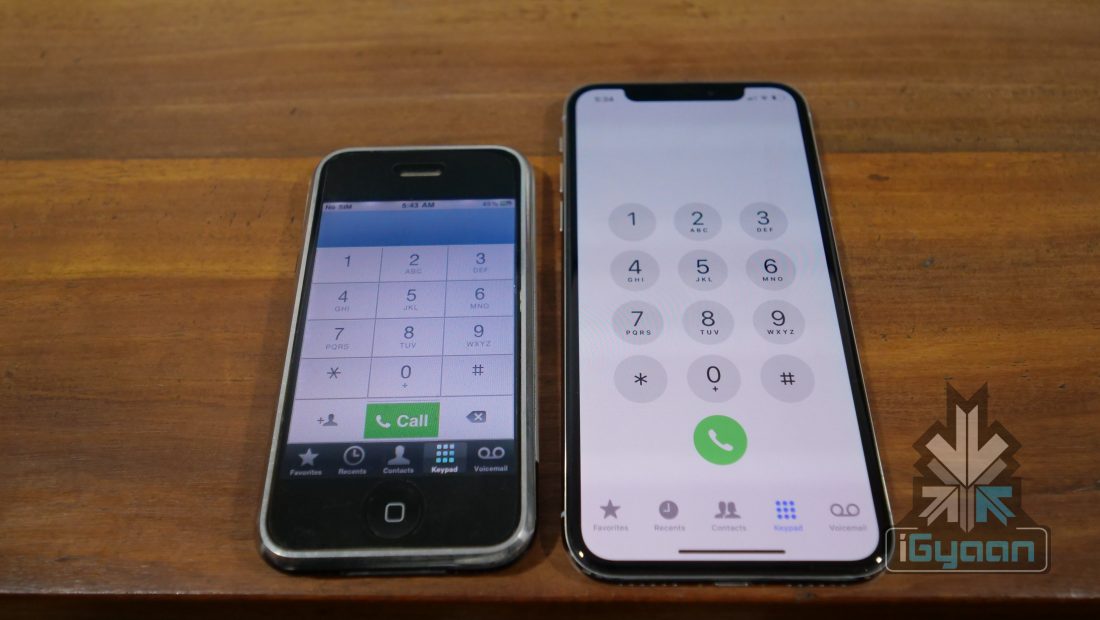
    The iPhone X has a new modern edge to edge design, and with this the iPhone X also loses the home button, the most iconic iPhone feature since the launch of the first iPhone. Using an iPhone required a lot of interaction with the home button and Touch-ID sensor which was also placed in the home button since the iPhone 5s. And it was this high usage of the sensor and button , that made Apple change the fragile physical button with a press mechanism with a more long lasting pressure sensitive sensor with no physical movement. This potentially means that the home button on the iPhone 7 and iPhone 8 will last you as long as the phone is functional.


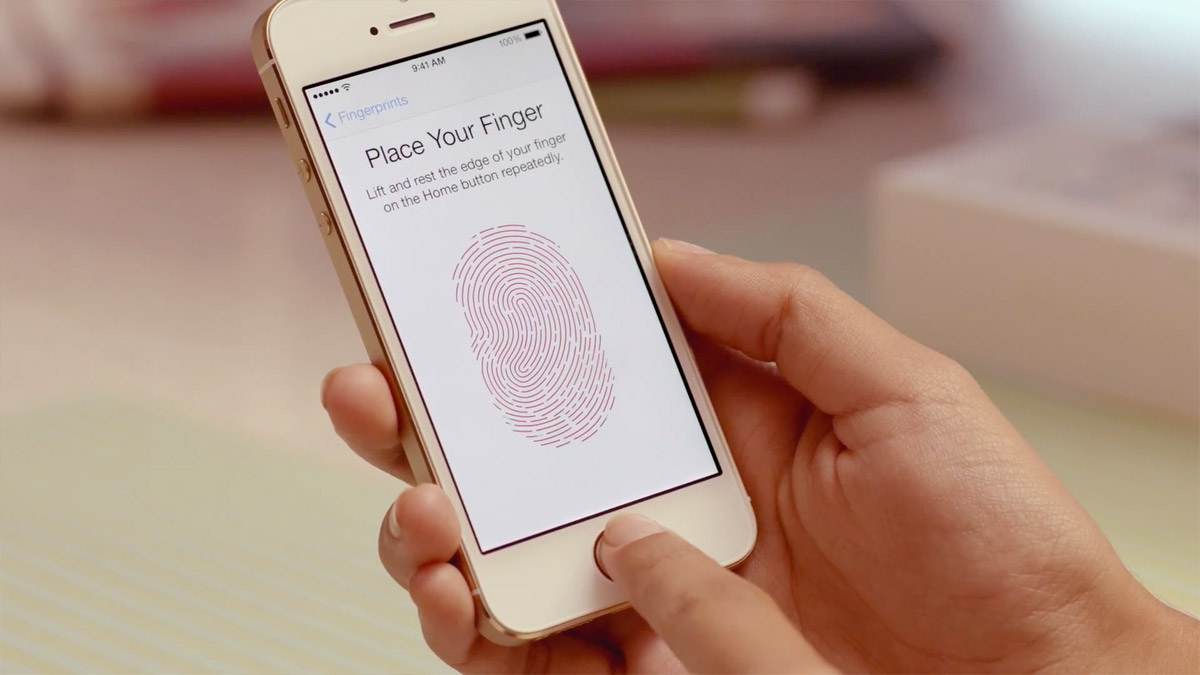
    The Touch ID is also engraved into muscle memory, on an iPhone the Touch ID does a lot more than simply allow access to the phone, it allows access and security to auto-fill forms, logins for apps and passwords for the iCloud Keychain. TouchID is also fused with banking apps and security wallets to enable access. Apple Pay is one of the most common use case scenarios where the Touch ID is used frequently and it is pretty seamless as a payments system.

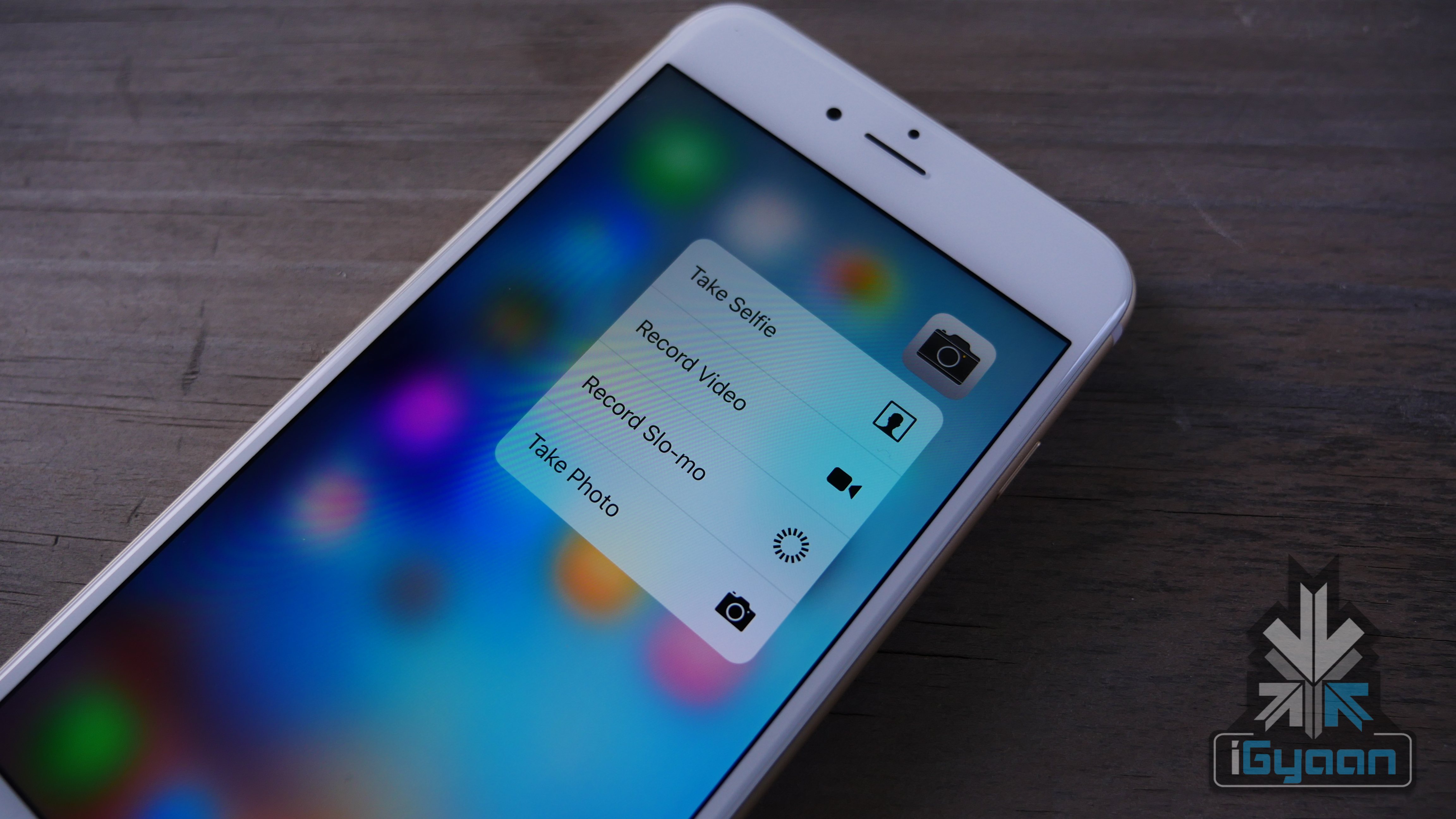
    Being a fan of physical and tactile keys, I was already disappointed that Apple had removed the physical button with a seamless pressure sensitive glass on the iPhone 7. But, since Apple had added a Taptic Engine inside the iPhone 7 and iPhone 8 the feeling of pressing button does remain for each time you press the home button, at least when the phones are powered on.

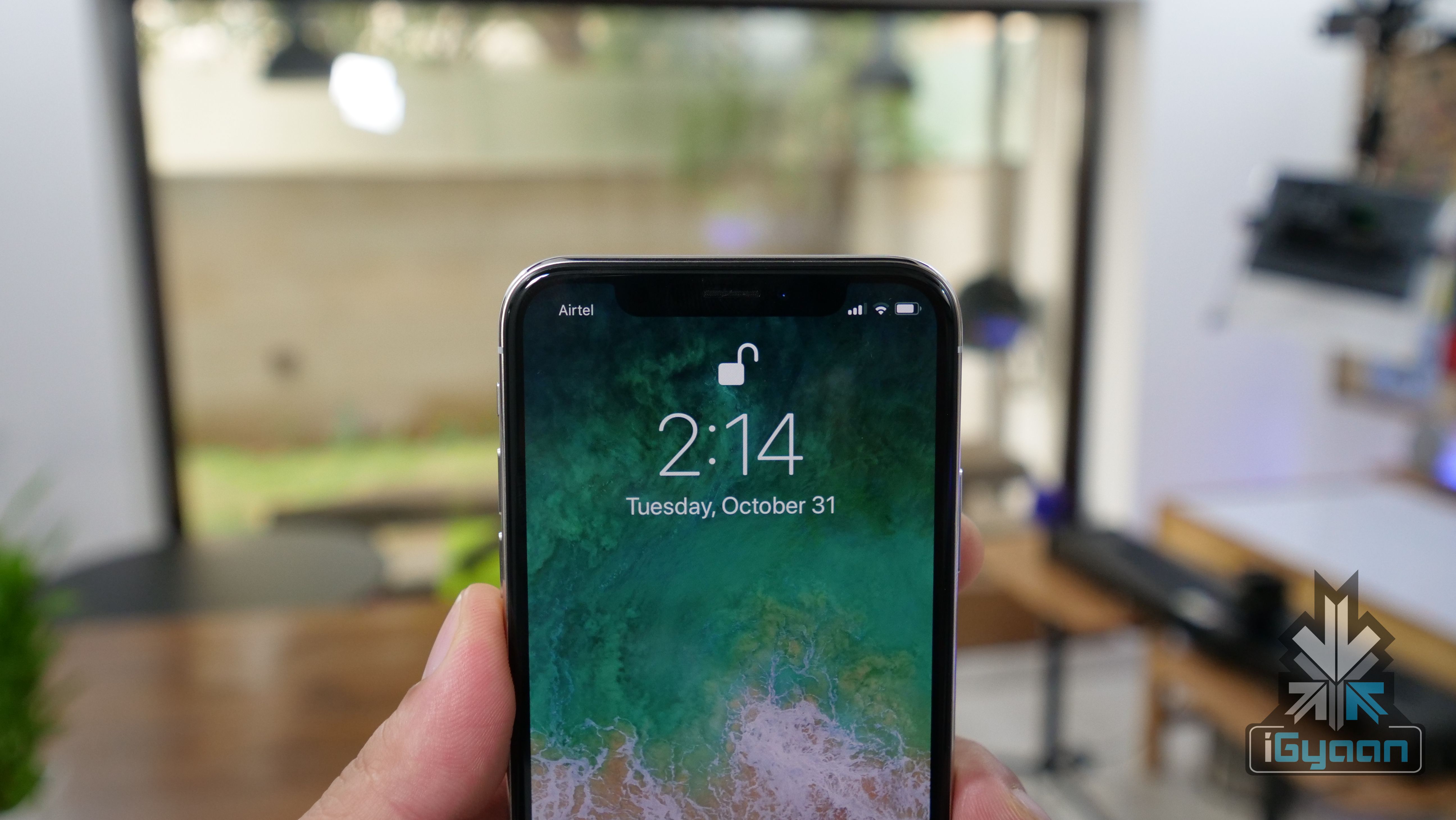
    With the iPhone X, I was pretty sure that getting used to an iPhone without Touch ID and more importantly without a home button would be rather disastrous, and time consuming. But, I couldn’t have been more wrong. The iPhone X has a natural feeling design, and even though that tiny bar at the bottom may appear to have no significance apart from being a design/visual cue, it seems to do a lot more. Only a few minutes into the usage of the iPhone X and the need of the home button seems to fade away. It also helps that apple has made the animations and the transitions very detailed and smooth.  iOS 11 for the iPhone X is also designed to fully make use of the large screen real estate using the edges in different areas differently. In Apple’s words “It just works”.
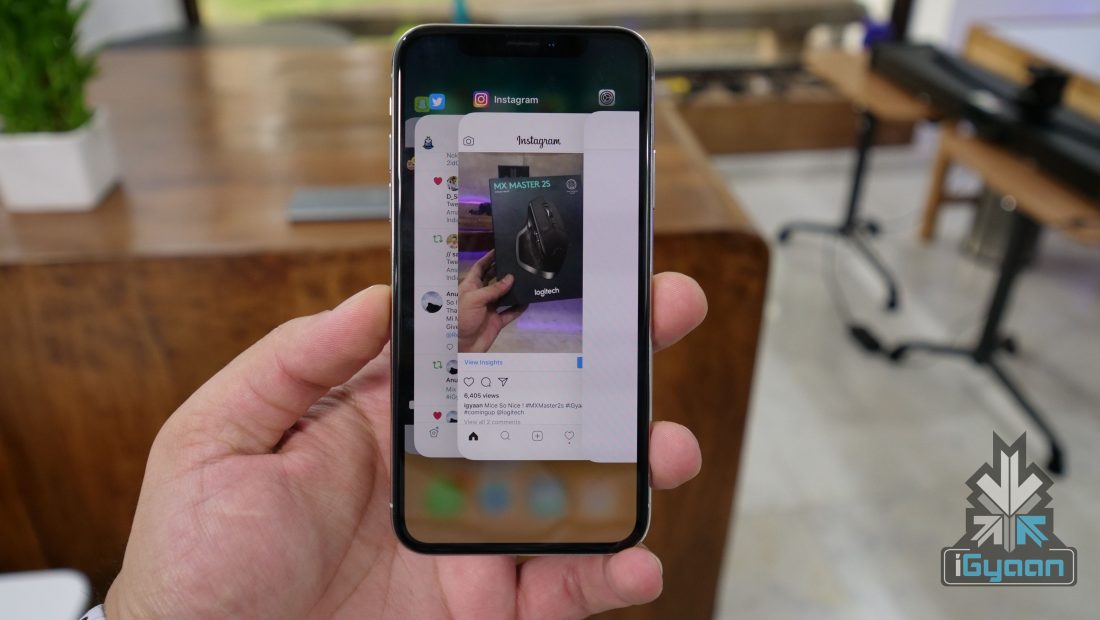
    Face ID on the other hand is something you will take some time with. The fact that you have to look at your phone before you unlock it means, that reaching the home screen from the lock-screen seems to take longer. Normally due to muscle memory you would place your thumb on the iPhone’s Touch ID before you even looked at the display, and would have found your phone already at the home screen by the time you glanced at the screen. This prior action would make the unlock process feel faster than the time it takes for Face ID to unlock, simply because now you have to stare at the phone while it unlocks.

    Face ID is also surprisingly good, works in pitch darkness and even in bright light, in sunlight the phone does see IR interference from the sunlight and thus would require you to bring the phone closer to the face, but it works. It however is not ideal, not after how simple it was to unlock with Touch ID.

    The home button, however, is something that I have happily forgotten, and only realised this when I picked up my iPhone 8 Plus and attempted to swipe up to reach the home screen. This just after spending 24 hours with the iPhone X .

    #RIPHomeButton
  • Apple iPhone 7 May Not have a Home Button

    Apple iPhone 7 May Not have a Home Button

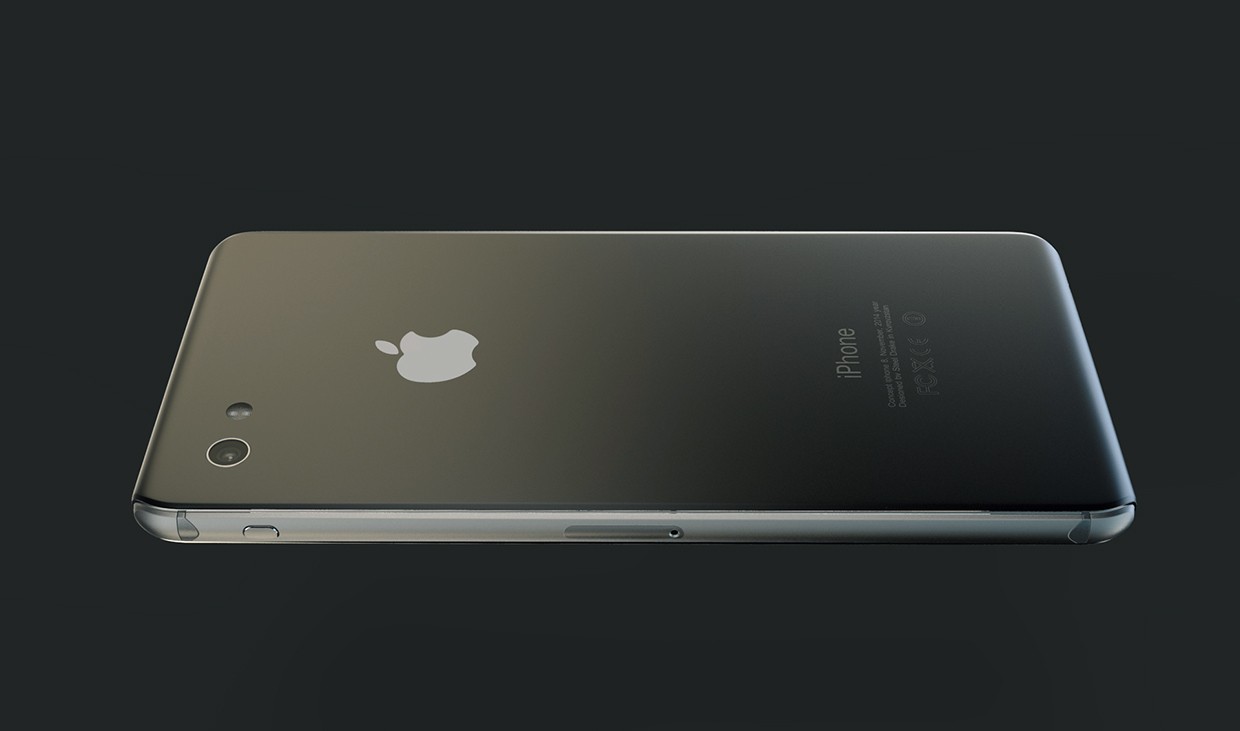
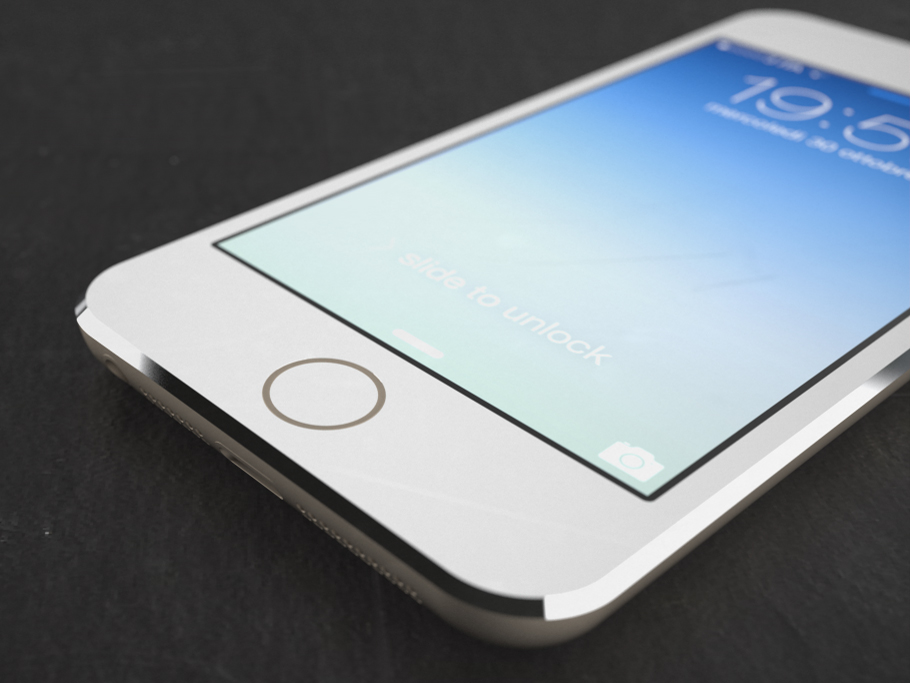
    The iPhone 7 to be launched this year is expected to bring about a significant design change for the Cupertino-based technology giant. With Apple revising the design of the iPhone with each new number, the iPhone 7 is expected to improve its looks drastically in comparison to the iPhone 6s.

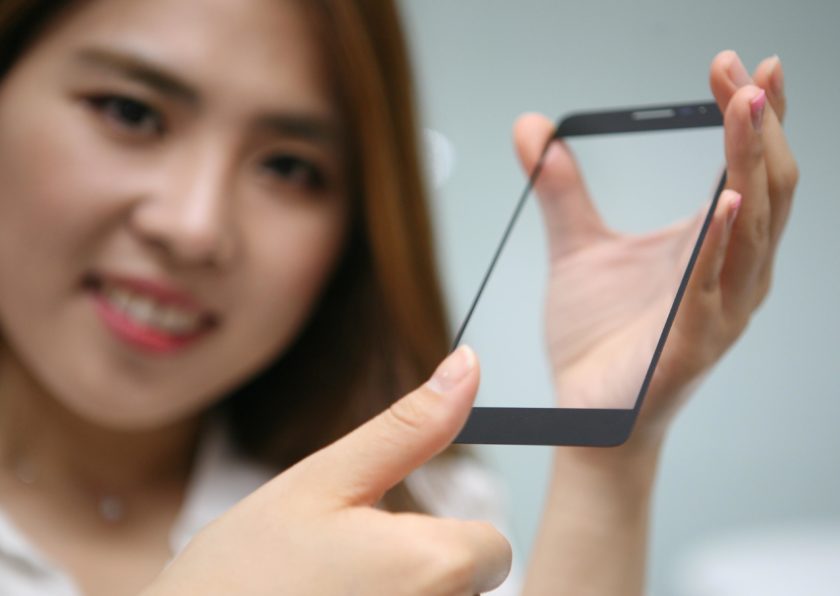
    Adding to the rumors of the new all glass design is the recent announcement by LG. The company announced that they have developed a new display technology which will allow manufacturers of smartphones to place a fingerprint scanner right on the display glass.

    LG-display-fingerprit-2-840×596

    It is not new information that LG is one of the biggest display providers to Apple, and with the next iPhone due in September 2016, LG’s announcement comes right on time. The new display by LG allows the user to scan their finger anywhere on the glass of the screen, making the need for a button or a panel to scan the fingerprint redundant. LG said its new module has a false acceptance rate (FAR) of 0.002 percent. Because the module is sealed under a layer of glass, it remains protected from splashes and scratches.

    Back in June 2015 reports pointed to Apple working on an integrated fingerprint scanner display :

    Apple is internally developing touch and display driver integration (TDDI) single-chip solutions for its iPhones, according to sources in Taiwan’s IC design industry.

    The TDDI single-chip solutions will also come with integrated fingerprint sensors, said the sources. The integrated design would fit into future iPhone designs – models with ultra-thin and ultra-narrow displays, and with a whole plane design eliminating the Home button.

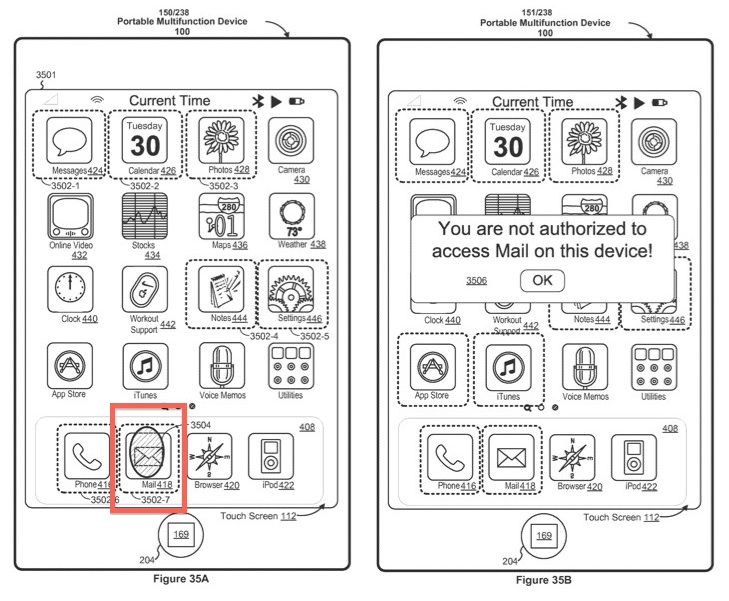
    In fact, Apple also has a patent for the same.

    touch_id_mail_auth

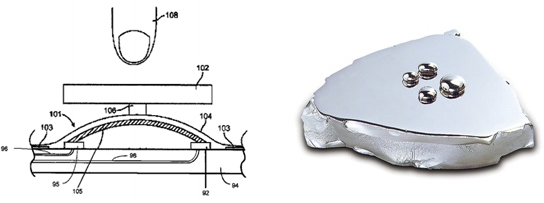
    Other reports point to a flush home button made of liquid metal, which would be recessed when pressed but would return to original shape after recovery.

    Liquidmetal-Home

    LG’s solution, which is 0.3mm thick, is inserted on the lower backside of a smartphone’s cover glass. LG has also designed its own adhesive to allow this module to be stuck to the glass of the smartphone.

    iphone 6s plus 2

    With 3D touch, the need for the home button may also be directly replaced by making the screen 3D touch capable. With LG’s new fingerprint technology, and Apple’s 3D Touch released with the iPhone 6s combined with rumors of a seamless glass design, it is highly likely that Apple may drop the home button on the iPhone 7.

    Via

  • 6 Tech Achievements Predicted by Back to the Future 2

    6 Tech Achievements Predicted by Back to the Future 2

    Our apologies for focusing on Apple and Samsung for so long when there are people out there making hover boards. The world needs more hover boards and other technologies that Back to the Future expected from 2015.

    Yes, we are celebrating the 30th anniversary of the cult and cultural phenomenon that is Back to the Future. Released in 1985, the first Back to the Future was all things groundbreaking, had everything a science nerd could ask for including a time-travelling DeLorean, Marty McFly and Doc Brown, ’nuff said. The massive success of the first movie led to a trilogy.

    If you watched the equally awesome sequel, Back to the Future Part 2 (1989), you’d remember that Marty traveled 26 years into the future, or more precisely, October 21, 2015. And that’s today. Fans of the movie have been eagerly waiting to see if the 2015 as shown in Back to the Future 2 matches the 2015 of today. The movie promised flying cars, flat TVs, hover boards, Artificial Intelligence and a championship season for the Chicago Cubs. Well, we can’t say much about the Cubs, but how about all that technological stuff?

    Flat TVs are already here and have been here for a while, so we can check that off the list. Flying cars are still a way off so we might have to wait a few more years before that can happen. It’s the 21st of October, 2015, so let’s see if our present is what Marty saw 26 years.

    Hover Boards

    One of the coolest moments in the sequel was when we saw Marty riding a hover board. Back in the ’80s this was a pretty exciting scene on the big screen mostly because people were only aware of a normal skateboard. For fans like myself, this remained something awesome even in the early ’00s.

    The hover board needed three specific requirements to work: the ability to hover above ground, the ability to bear your weight, and the ability to last long. While these aspects were seen fulfilled in the movie, it took a long time for reality to get there, but we finally did get there. There are a number of prototypes today that have actually succeeded in making the hoverboard a reality.

    Take the Hendo Hoverboard, for example. In 2011, Greg Henderson invented a hover board that used four maglev engines to rise about an inch off the ground and a 135-kilogram payload. However, the battery lasted only about seven minutes. But this was just the start. Unveiled in August 2015, the most recent hover board created by Lexus is undoubtedly awe inspiring. It’s a prototype hoverboard that uses magnetic levitation technology. The board has two reservoirs of superconducting material that’s kept at -197 degrees C through immersion in liquid nitrogen and can be operated when placed above a track that contains permanent magnets.

    The video showing the board in action makes you want to scream out “Great Scott!” like Doc Brown. Watch the it below and imagine how Marty would love getting on to one of these babies.

    https://www.youtube.com/watch?v=ZwSwZ2Y0Ops

    Artificial Intelligence

    Mart, Doc Brown, and Biff speak into computerized gadgets and the devices respond intelligently. Sound familiar?

    Way before Siri even entered the picture, artificial intelligence already made its appearance on many sci-fi movies, and of course, Back to the Future as well. AI is a process of ‘deep learning’. The ability for a computer to understand human language and respond precisely is something almost every major tech brand today is working on to perfect. AI assistance like Siri and Cortana (first seen in the Halo series) have all drawn inspiration from movies like 2001: A Space Odyssey which featured HAL, the computer in charge of the spaceship.

    AI has come a long way and today it’s become extremely intelligent. And yet, AI knows no bounds. Developers are still exploring, looking at how far and wide AI can reach. Today, AI looks to please consumer needs, so much so that physicists like Stephen Hawkins worry about intelligent machines taking over the world.

    Fingerprint Biometrics

    In the movie, when police officers dropped the 1985 Jennifer to her 2015 home, they had to use her thumbprint to enter the house. The door did not have a typical door knob lock. The thumbpad was also seen on currency devices used by taxi drivers in the movie.

    Back-To-The-Future

    Biometric doorknobs are currently present in the market and work just like they do in the movie. Even smartphones and other gadgets use fingerprint scanners these days for a variety of purposes including that added safety that you need to keep your device protected.


    Visual Displays

    Throughout the movie, you find a number of visual gadgets being used for a number of reasons. You have a flat-screen TV for video conversations, robotic waiters in the shape of flat screen monitors, and you also see a tablet.

    B2F

    Small flat-screens have have been in existence since the 1960’s, but it wasn’t until 2005 that the LCD and Plasma screen TVs took over the traditional Cathode Ray Tube TVs, and could also be mounted on walls like you see in the movie.

    Back_to_the_Future_II

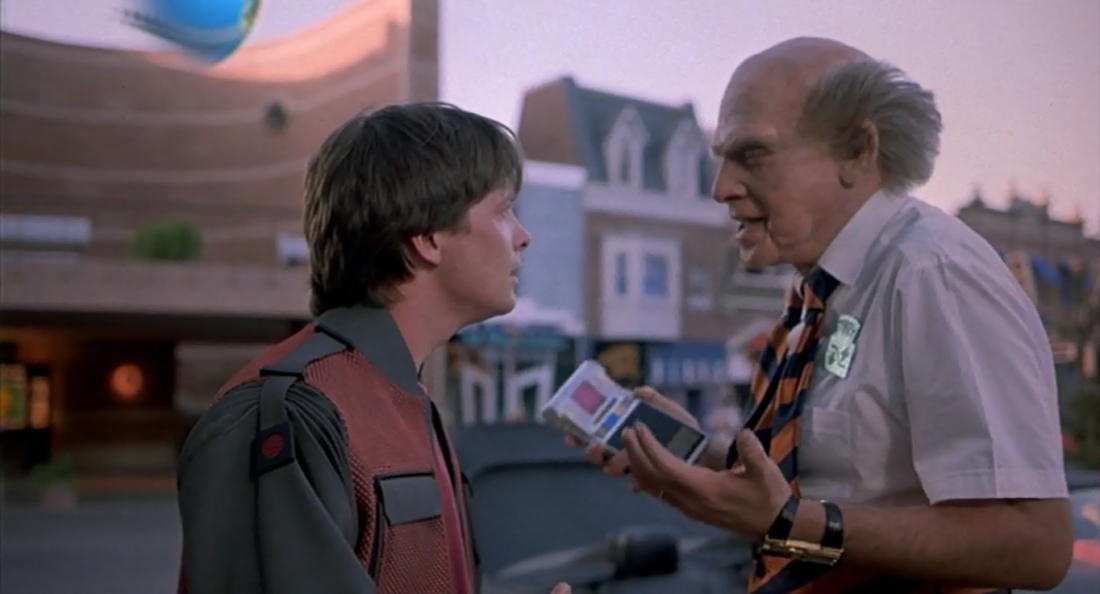
    Now for tablet computers. In the movie, Terry walks up to Marty and asks him to pay via a thumbprint on a pad. It’s interesting to see that the thumbpad is mounted on what looks like a tablet computer. Many years after this you would see Apple making the very first tablet called the iPad.

    Wearable Technology

    Back to the Future 2 also foresaw visual glasses. In a dinner scene with his future kids, Marty Jr. and Marleen are seen sporting electronic video glasses that can also make and receive phone calls. Interestingly, the scene also shows Marty’s mom hydrating a 2-inch pizza in a Black&Decker machine to a size that could easily feed four. Sadly, this technology has not yet been invented in reality by the company yet.

    In recent years, we have seen Google trying to create tech goggles with Google Glass. There’s also the more popular Oculus Rift gaming headset. With these devices in the works, virtual reality is not far. Microsoft also recently announced HoloLens which is supposed to bear some resemblance to junior Marty’s glasses.

    Microsoft Hololens
    Microsoft demonstrating HoloLens

    Self-tying Shoes

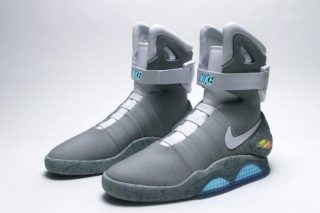
    Marty’s self-tying shoes were one of the more bizarre but neat inventions when he visited 2015. As the name suggests, they were shoes that could tie the laces by itself, and they were Nike. As a homage to the movie, Nike designer Tinker Hatfield has confirmed that the team is working on the very same self-tying shoes as seen in the movie and hopes to have them ready for sale by the end of 2015. It’s a beautiful thing when fiction meets reality, isn’t it now?

    B2F (2)

    Nike Shoes


    Finally, we had to add this last one in because it’s too brilliant to leave out. Among the things Marty saw in 2015, there was Jaws 19 being shown at a theater. Let us assure you that there is no Jaws 19 in existence and the series ended with only three sequels being made, none of which were as commercially successful as the original.

    Jaws 19 was one of the few false predictions in the movie (no flying cars yet), but that didn’t stop Universal Pictures to release a trailer for a fake Jaws 19 movie in celebration of Back to the Future’s 30th anniversary. The trailer is hilarious and you can’t help wonder at how spot on the naming of the titles are if it were true.


  • Apple Pay Expected to Launch on 18th October

    Apple Pay Expected to Launch on 18th October

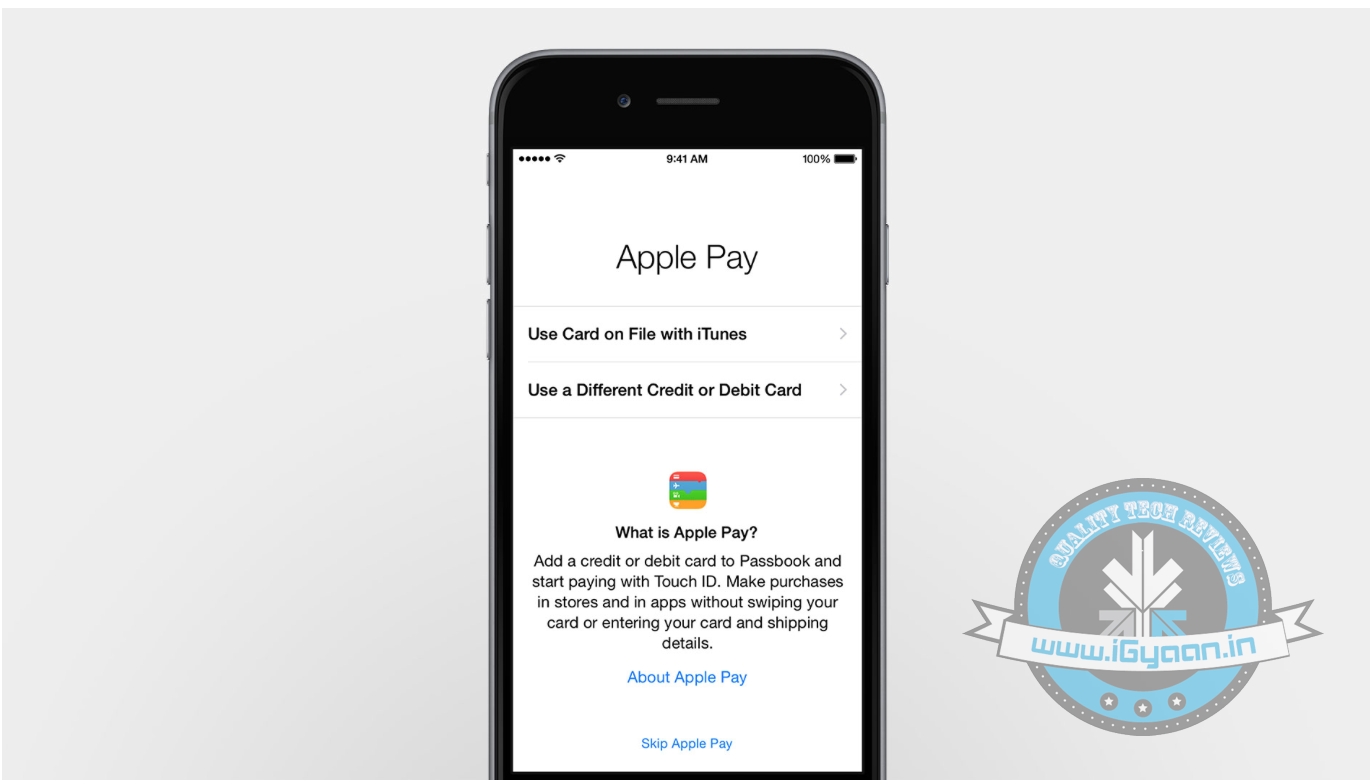
    Apple Pay, Apple’s NFC and Touch ID-based mobile payment solution, might arrive soon than anyone expected. Apple announced its first mobile payment system will launch this month, however the company did not not reveal a specific date. Now, a new leaked memo suggests Walgreens, America’s online pharmacy service, will begin rolling out the service next week on October 18. The training materials, shared by MacRumors, for the Apple Pay launch at Apple retail stores have also detailed some new specifics regarding the Apple Pay setup and transaction processes both on customer iPhones and in Apple retail stores.

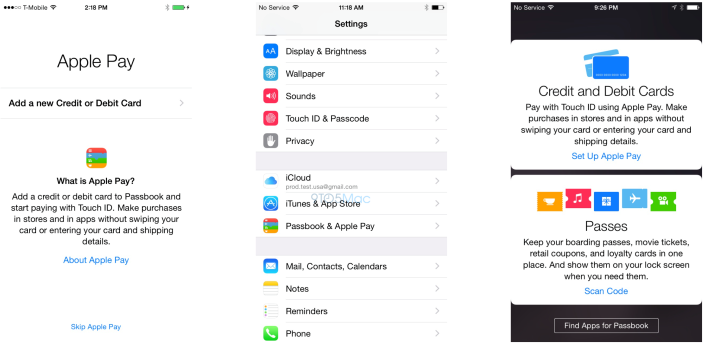
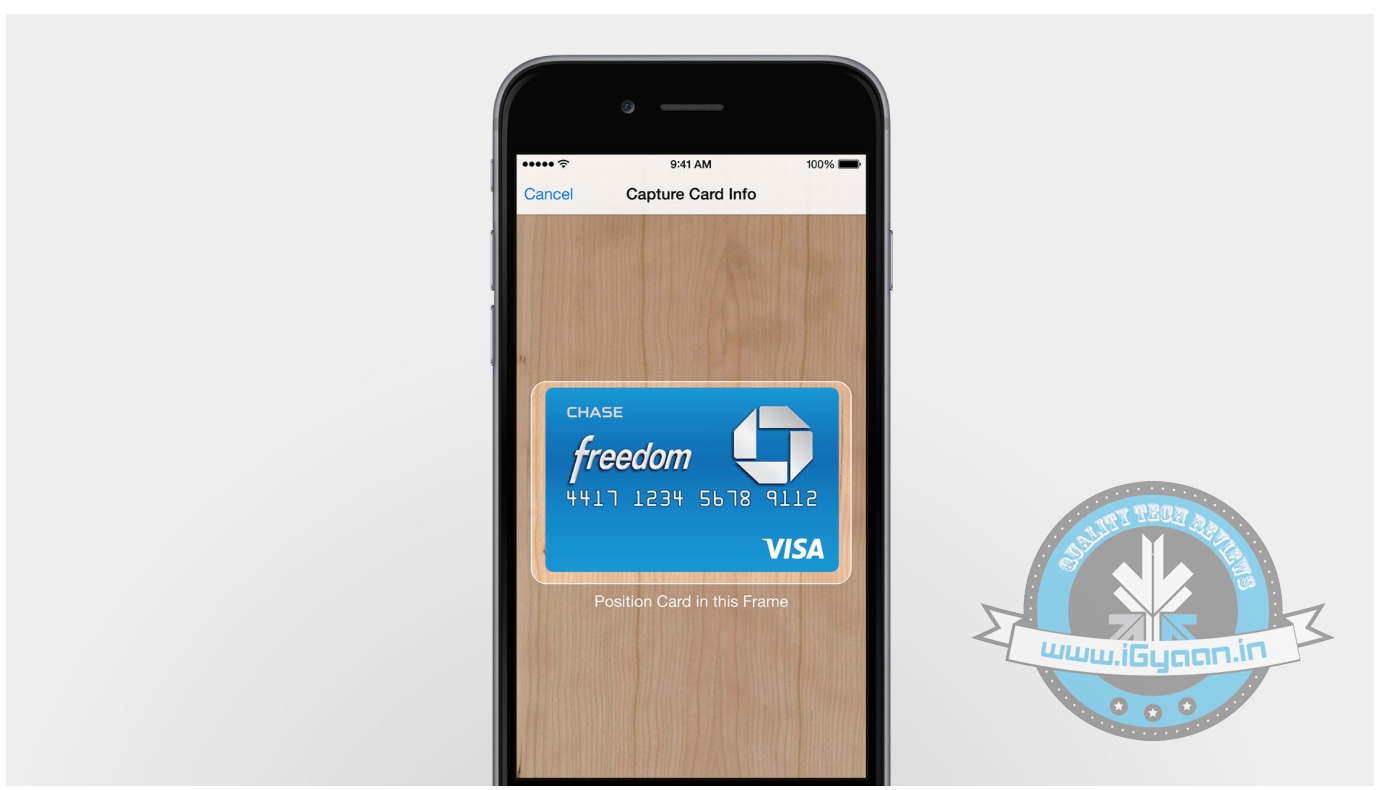
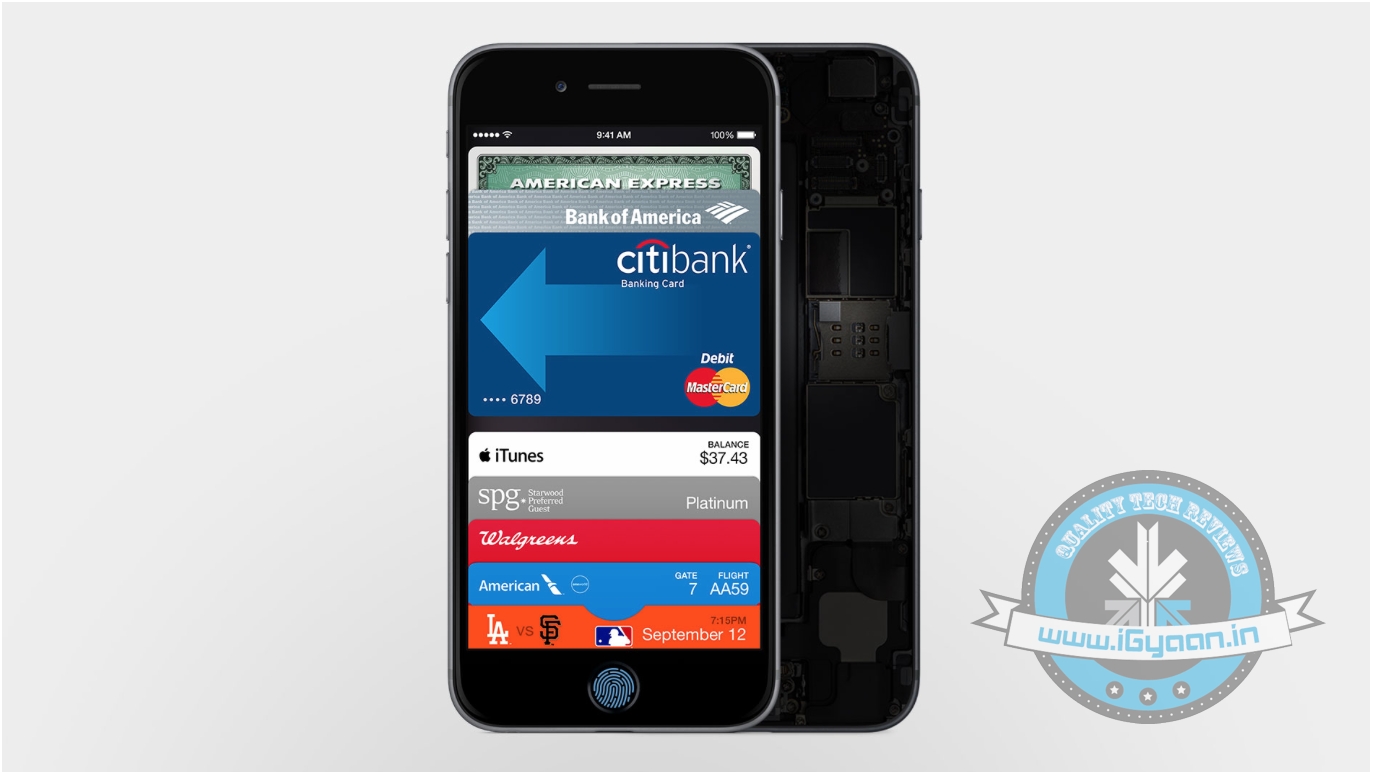
    It’s unclear if this is specific to Walgreens or if the memo is referencing a widespread rollout. However, according to the leak, it’s unclear if this is specific to Walgreens or if the memo is referencing a widespread rollout. Credit cards can be added to Passbook via an iTunes account or by using the iPhone’s camera to scan in details. Passbook will be able to store up to 8 credit/debit cards, according to the training materials.

    applepay1

    The date makes sense, as this Thursday (October 16th) is Apple’s iPad event, which would also be a logical time to announce the roll-out of Apple Pay.  As announced on September 9, popular drug store Walgreens is one of Apple’s major launch partners, along with other companies like McDonalds, Macy’s, Staples, and more. According to the Walgreens memo, customers who have an iPhone 6 will be able to use Apple Pay in Walgreens stores by tapping their devices “to the upper portion of the pinpad to pay for their purchase.”

  • Apple Pay: Easy Digital Payment From Your New iPhone 6 and 6 Plus

    Apple Pay: Easy Digital Payment From Your New iPhone 6 and 6 Plus

    Apple introduced its long awaited and much-leaked iPhone 6 and the 6 Plus. Of course, you must have heard loads about the new smartphones from the Cupertino based tech giant. But there was one amazing innovation presented at the event that is going to make shopping easy, really easy. It’s called the Apple Pay.

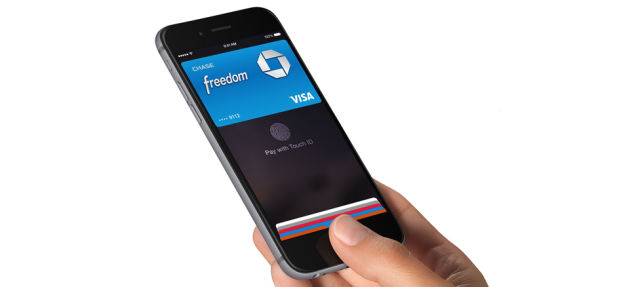
    With the new iPhones, Apple introduces the NFC radio on their phones. With Apple Pay all you need to do for paying at stores is bring your phone near the payment sensor, and that’s it, your payment is done. Apple pay is available on both, the iPhone 6 as well as the iPhone 6 Plus. It uses the Touch id for secure payment.

    Apple Event 18
    Apple Pay is a revolutionary way of payment.

    Well, well you say, what about security, Apple hasn’t had the best of PR in that respect. Well, Apple is leaving no holes barred, the company has inducted a security chip called the Secure Elements on the phones. Not just that, with this new technology, even your name and purchase details remain hidden from the cashiers at the store. You simply pay by keeping your thumb on the touch ID sensor.

    Apple has also take special care that your financial data such as Credit card and account details from falling into the wrong hands. All your credit cards are stored in the Passbook app that doesn’t store any physical data on the device like credit card number and the CVV number. Instead, what you get is a One Time Payment(OTP) number for every transaction that gets transferred to the bank, so neither Apple  nor the merchant gets to know your details.

    The most important bit is that if your Phone gets stolen or lost, you can simply use the Find my iPhone app and suspend all transaction from the phone. As the details credit cards are not physically present on the device, you don’t even need to cancel your cards.

    The Passbook stores all the credit card details at one secure place.
    The Passbook stores all the credit card details at one secure place.

    Apple Pay also works on the internet. When you go for a transaction on a site that supports Apple Pay, you don’t need to go through the troubles typing in all the shipping details and card details. With just one touch you can pay for the items, and you’ll get a notification with all the details of the purchase.

    Adding credit cards to the Passbook is also real easy. You can use the existing cards from iTunes. If you want to add a new card, all you need to do is take an image from your phone and get it confirmed from your bank, and you are ready to shop online.

    Apple will begin the Apple pay service from the month of October in the USA. It will partner with some of the biggest chains and services like McDonalds, Subway, etc. It will also work with apps such as Uber, Groupon and of course the Apple online store. Apple pay will also work with Apple’s latest innovation, the Apple Watch.

    With this Apple has brought the next generation payment technology in the mainstream that seems fast and secure. To actually judge the technology we have to wait for its implementation, but as of now, we are impressed. With the addition of NFC-enabled payment, Apple has matched up to its adversary, Androids Google Wallet and taken it a step further.

  • Leaked iPhone 6 User Manual Confirms Specs and Launch Date

    Leaked iPhone 6 User Manual Confirms Specs and Launch Date

    Everyone is eagerly waiting for the rumored September 9th launch of the new revamped iPhone 6. As the date creeps closer, the World Wide Web is flooded with rumours and leaks. The most recent buzz was that the screen of Apple’s new monster was creating problems for the company, and this might delay the launch of the product.

    Well, Apple enthusiats can breathe easy, one of the most recent leaked images points to the same predicted date: Tuesday, September 9.

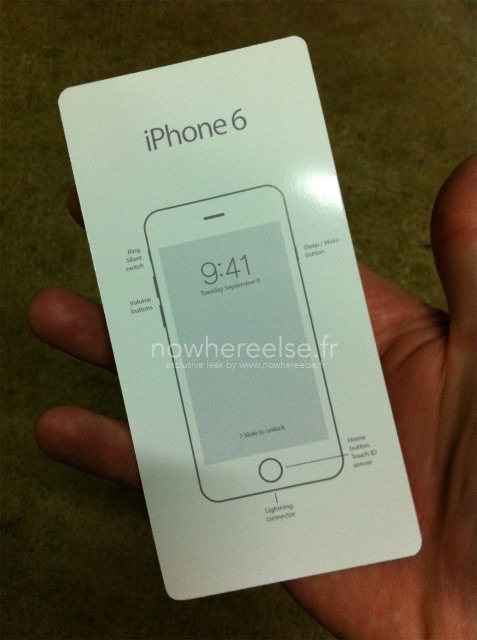
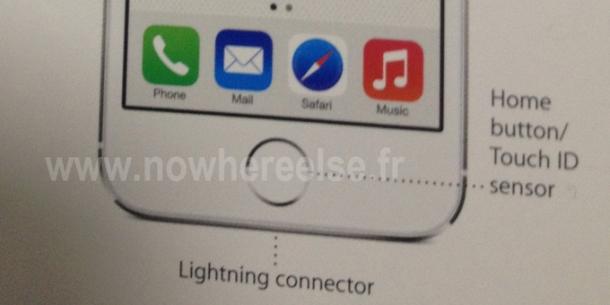
    The image is leaked by a French website called Nowhereelse.fr, which has a strong record of getting its hands on new Apple devices before its public unveiling. The image leaked is a shot of the front of the device’s quick start manual. The device printed on the front has a set date of Tuesday, September 9.

    It doesn’t come as a surprise, since Apple likes to remain consistent to its history. It typically launches its smartphones in September, and last year, the iPhone 5S and iPhone 5C reared their heads on the second Tuesday of September (10th Sept. to be precise).

    iPhone6-manual leak

    If the image is to be believed, the image on the cover of the guide for the presumed iPhone 6 is different than the current model. The shape of the volume buttons have been changed, as have the Sleep/Wake button on the right. The Lightning connector appears to be centered below the home button, which still includes the Touch ID sensor, as marked on the manual.

    However, other leaksters have found reasons to believe that this may not be a legitimate product manual. In the past, Apple has used the original product images on the front of the manual. Also, it is said the font is not in line with Apple’s style.

    We will only know on September 9th if the image is authentic. The company is expected to launch two devices, the 4.7-inch and 5.5-inch smartphones. Rumors suggests that the name of the large device might be  iPhone 6L. Apple is also rumored to include a reversible Lightning cable for the iPhone 6 that allows you to plug it into USB ports from either end. The existing Lightning connector can plug into an iPhone or iPad in any way, but the latest design will bring the flexibility to both ends of the cable.

  • Apple Details iPhone 5s Touch ID Scanner

    Apple Details iPhone 5s Touch ID Scanner

    Apple has updated its iOS Security document to include intricate, detailed information pertaining to the Touch ID sensor that is found on the iPhone 5s. 

    Apple reiterates that Touch ID and its Secure Enclave store only data from scanned fingerprints, rather than actual images. Using a secure boot process, the Enclave – a coprocessor inside of Apple’s A7 processor – verifies and signs information independently of other iOS hardware and software.

    All Secure Enclaves can function independently even if a kernel is compromised and each one contains a unique ID inaccessible to other parts of the system and unknown to Apple, preventing the company or any other third parties from accessing data contained within.

    “Each Secure Enclave is provisioned during fabrication with its own UID (Unique ID) that is not accessible to other parts of the system and is not known to Apple. When the device starts up, an ephemeral key is created, tangled with its UID, and used to encrypt the Secure Enclave’s portion of the device’s memory space,” the document said.

    “Additionally, data that is saved to the file system by the Secure Enclave is encrypted with a key tangled with the UID and an anti-replay counter.”

     And while the A7 processor deals with data from Touch ID, this information is encrypted by the scanner, making it unreadable to the rest of the phone. Only Secure Enclave can authenticate the data.

    “It’s encrypted and authenticated with a session key that is negotiated using the device’s shared key that is built into the Touch ID sensor and the Secure Enclave,” the document reads. “The session key exchange uses AES key wrapping with both sides providing a random key that establishes the session key and uses AES-CCM transport encryption.”

    Apple has also spelt out that it has strict no-third party app rule when it comes to TouchID data. “Touch ID authentication and the data associated with the enrolled fingerprints are not available to other apps or third parties,” reads the document.

  • Rumoured Specs Of iPad 5 And iPad Mini 2 (In Gold) Leak

    Rumoured Specs Of iPad 5 And iPad Mini 2 (In Gold) Leak

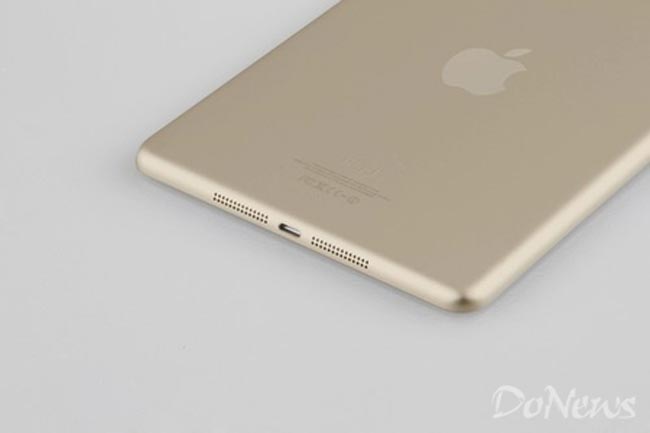
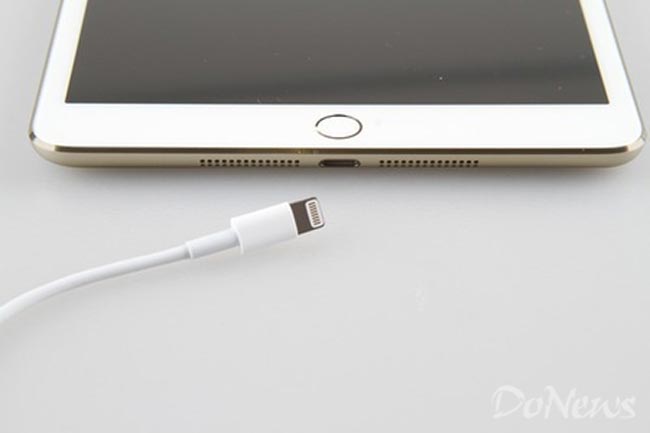
    The iPad Mini 2 is rumored to come in the same colors as the new iPhone 5S, we have already seen a photo of the Space Gray version, and now it looks like we have some photos of the gold version of the iPad Mini 2.

    ipad

    Sonny Dickson, the Australian blogger who revealed most of the details about Apple’s iPhone 5s and iPhone 5c before it was launched, has just revealed a ton of details and shared leaked photos of the next generation iPad mini.

    Dickson also mentioned that, according to his sources, the iPad mini 2 would include Apple’s new A7 64-bit chip, the M7 motion coprocessor we’re seeing in the iPhone 5s, along with 1GB of RAM. As for the 9.7-inch iPad 5, Dickson’s sources revealed that it will pack 2GB of RAM under the hood, presumably sporting the same specs as little brother. He also claims that iPad mini 2 will come in Space Gray, Gold and Silver. The iPad mini 2 will also include Apple’s Touch ID fingerprint sensor, which was introduced with the launch of iPhone 5s.

    If Apple wants Touch ID to be taken seriously and gain mass appeal, it makes sense to have it on as many devices as possible. With that in mind, we’d say it was likely that the iPad 5 will get the same fingerprint scanner, although we can’t say for definite.

    Rumour has it that Apple is hosting a media event on Oct 15, which likely will serve as the iPad 5 and iPad Mini 2 release date and Apple fans are crossing their fingers for the prayer to become real.

    [Via]

  • Apple iPhone 5s User Guide Allegedly leaks, Fingerprint sensor called Touch ID

    Apple iPhone 5s User Guide Allegedly leaks, Fingerprint sensor called Touch ID

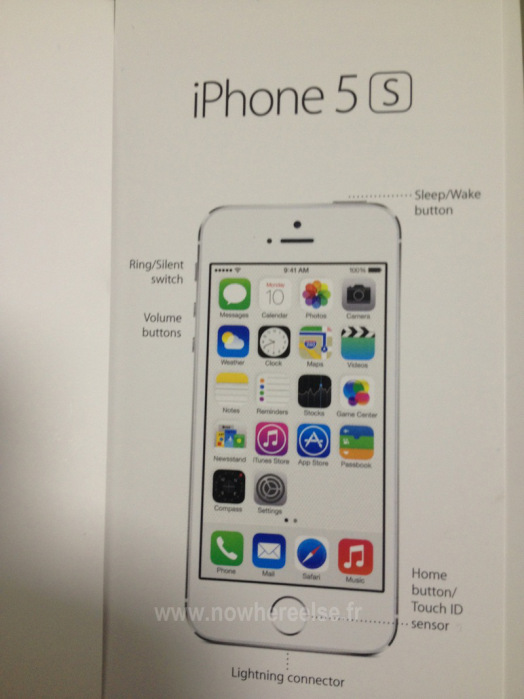
    With Apple’s iPhone event a mere hours away, a new leak showing off the user guide for the supposed “next generation iPhone, the iPhone 5s” has surfaced. 9to5Mac reports that the “alleged” leaked document from Nowhereelse.fr is the inlay “quick user guide” that all iPhone owners are accustomed to, which shows that the home button is also a Touch ID sensor aka fingerprint reader.

    manuel-iphone-5s

    To unlock the iPhone with the fingerprint reader, an iPhone 5S user simply clicks and holds their finger/thumb down on the sensor for a few seconds. It is unlikely that the sensor login and passcode could be used in tandem. There will be a preference in the iPhone’s Settings app to disable the sensor. – says 9to5Mac

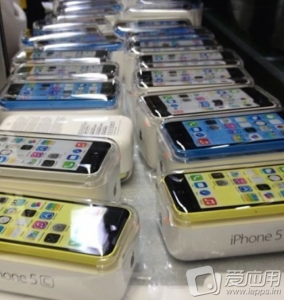
    Touch ID as a name could also mean that the sensor will only act as an unlock security and not as a app launcher or shortcut initiator, as it would on a laptop. Also to note is that Apple will be selling the phones with color matched wallpapers out of the box as the would on the iPhone 5C, whose packaging and box was leaked last week.

    Get live updates at launch here : LiveBlog.

iGyaan Network
Privacy Overview

This website uses cookies so that we can provide you with the best user experience possible. Cookie information is stored in your browser and performs functions such as recognising you when you return to our website and helping our team to understand which sections of the website you find most interesting and useful.