Tag: update

  • Decoded : Snapchat’s Recent “Emoji” Update

    Decoded : Snapchat’s Recent “Emoji” Update

    Snapchat has launched a key update that allows you to recognize your closest friends based on a complex tier system of emojis. Previously, anyone could visit your Snapchat profile and check out who you sent the most number of snaps to. Hence, friendships would be questioned if a person did not appear in the ‘Best Friend’ list.

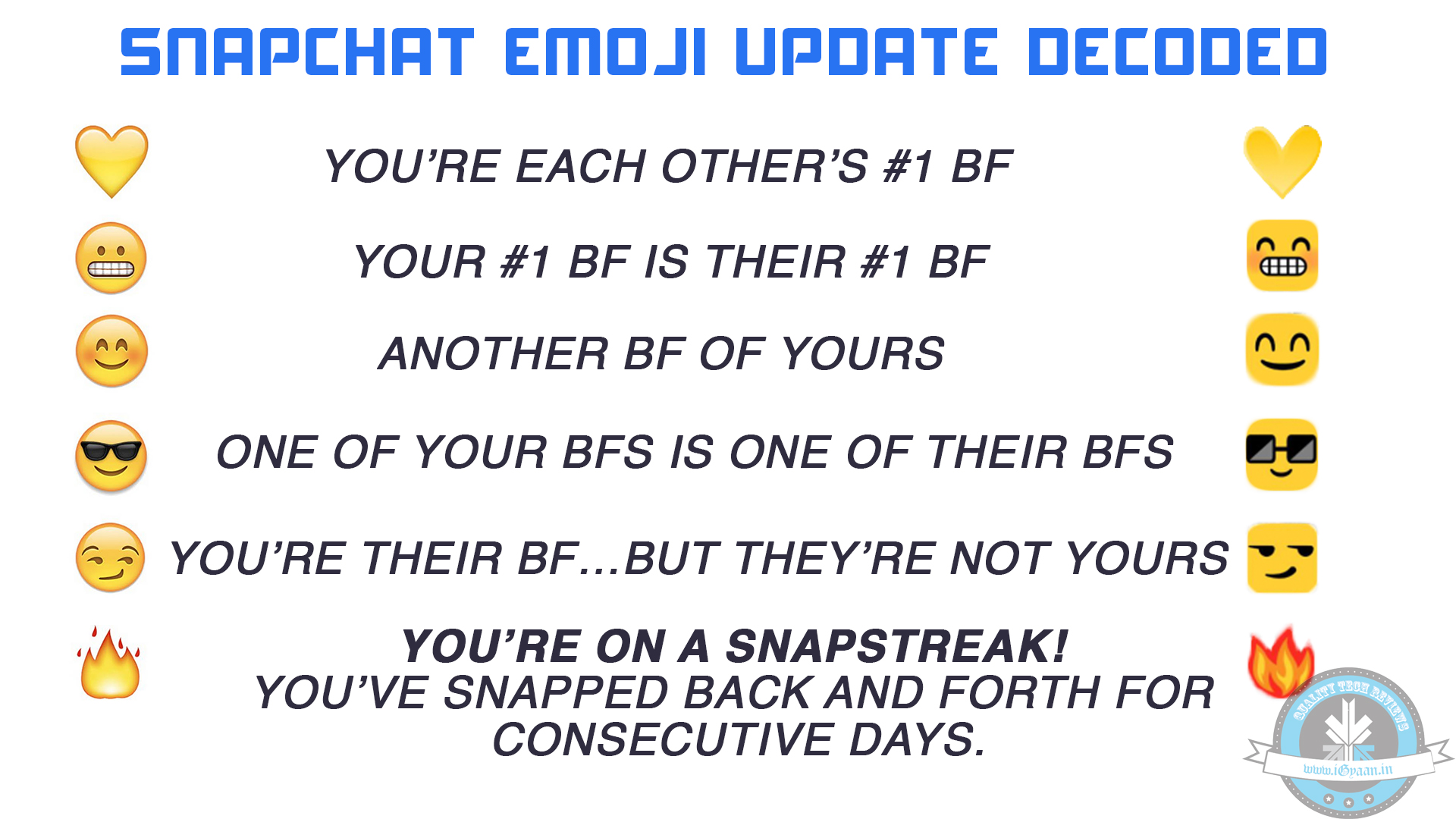
    The app ditched the Best Friend feature in January, and now they are back with a new personal way to see who you’re closest to. The new Friend Emojis on your screen of incoming snaps will only be visible to you. Next to some of your Snapchat friends’ names, you will see an emoji that indicates the status of your photo-sharing friendship. Here is how the new Snapchat emoji looks like:
    SNAPCHAT EMOJI

    • Gold Heart: You are the #1 Best Friend. This is the person to whom you send the most number of snaps, and they snap back at you the most too.
    • Grimace/Grit Teeth: A Mutual #1 Best Friend: You send the most snaps to the same person that they do.
    • Smile: One of your Best Friends: One of the people to whom you exchange snaps the most after your Best Friend.
    • Sunglasses: One of your best friends is one of their best friends: One person to whom you snap the most is also the person another friend snaps the most.
    • Smirk: You are their Best Friend but they are not yours: You don’t send them many snaps, but they send you a lot.
    • Fire: You two are on a Snapstreak: You have snapped this person every day, and they have snapped you back. Increases with number of consecutive days.

    Snapchat has also bought in some technical changes that include a new low-light mode for your phone camera, simply by clicking on the Moon icon on the top of the screen. Also, a new bracket has been added- friends who have not snapped in a while will fall under the category of ‘Needs Love’.
  • Finally! Twitter Now Lets You Retweet With Comments

    Finally! Twitter Now Lets You Retweet With Comments

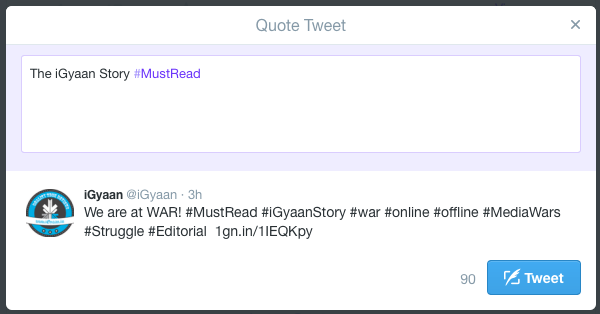
    After several years, Twitter has revamped its Quote Tweet feature to include more space, as demanded by its users. Twitter has finally announced the new update, ‘retweet with a comment’, that will allow users to add a comment to any tweet. Twitter began testing this feature last summer and it was officially released on 6th April. It is currently rolling out for iPhone and web users.

    Twitter retweet

    One of the main complaints about ‘quote retweets’ in the past was that the users hardly had any characters left to add a comment. The new update allows users to embed a tweet in their tweets and add up to 116 characters to any tweet, regardless of the fact of how many characters the original tweet contained. This will allow them to share and comment on tweets without having to shorten the original tweet, that means that the context and the meaning remains unchanged.

     Right now, the update is being rolled out to iPhone and web users.

  • WhatsApp Speeds Up Roll Out of Voice Calling On all Android Devices

    WhatsApp Speeds Up Roll Out of Voice Calling On all Android Devices

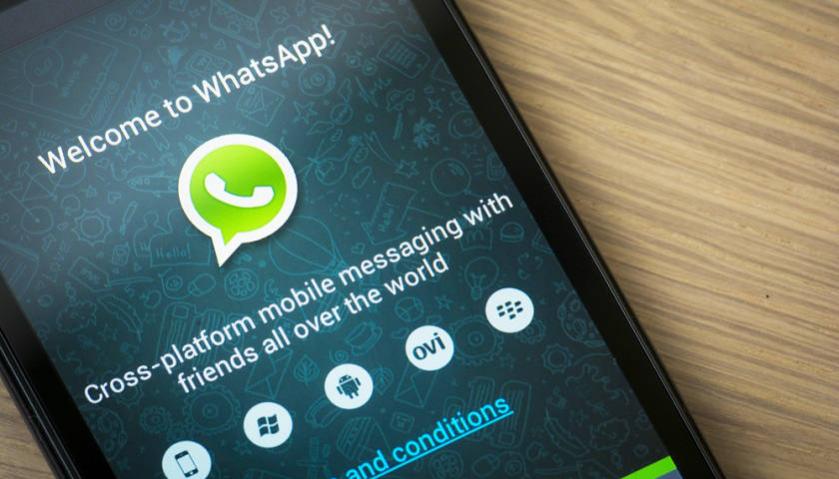
    WhatsApp’s voice calling features has been a long awaited feature. The messaging app has virtually replaced SMS and now it is set to take its aim at the core business of mobile operators. The company had already begun offering the feature for some users through an invite system. It is being reported that WhatsApp has broadened the roll out process for voice calling, and it is available for all Android device.

    This would be an exciting news for the users of the app. To get the update, users will have to receive a call from someone with the feature activated on their device. Once the user receives the call, the user interface will change, and three tabs will be introduced which represent calls, chats and contacts. The call section will feature call records like incoming, outgoing and missed calls.

    WhatsApp has been offering the calling feature unofficially. It was reported a few days back that WhasApp had started offering invites for the feature. Those invites were time limited to a few hours. That time limit has been extended now.

    Recently a malware was doing rounds that claimed to offer voice calling feature but simply directed the users to a malicious website. The website asks people to take part in a survey but ends up installing malware on the victim’s smartphone. So it’s advisable to not click on any random link and wait for the invite call to come to your device.

  • Android 5.0 Lollipop Update Now Rolling Out For Android One Devices

    Android 5.0 Lollipop Update Now Rolling Out For Android One Devices

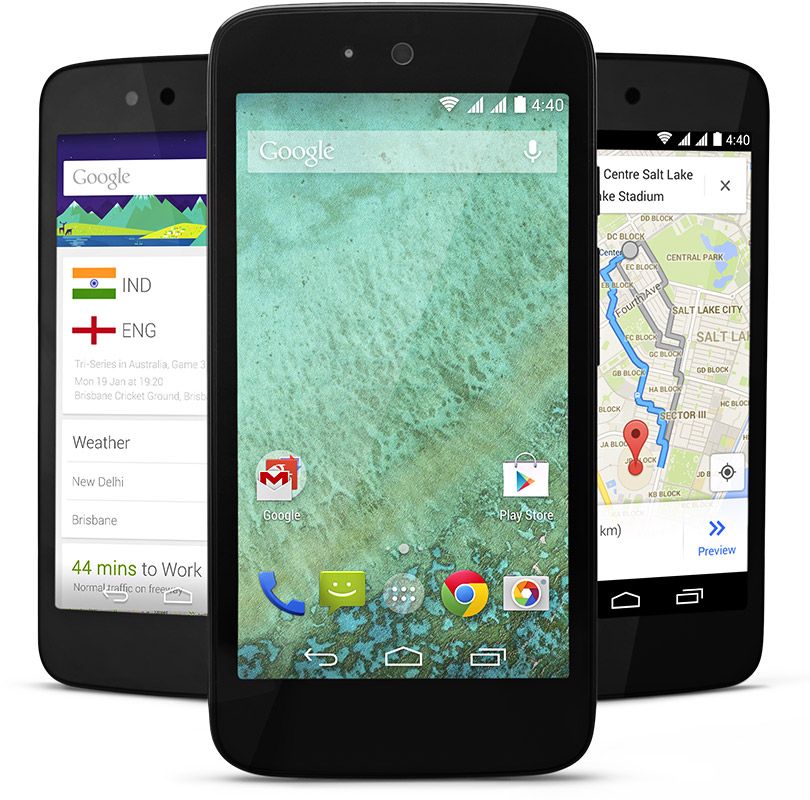
    Google, today, has revealed that it has begun rolling out Lollipop update to a small number of Android One devices in India. This roll-out process will be gradual and on a weekly basis, hence only some randomly selected devices will get the update via OTA, with users on Wi-Fi having a better chance at getting these updates.

    [quote text_size=”small” author=”Ceaser Sengupta” author_title=”Google Product Management Director, in a Google+ post.”]

    To those with Android One phones in India, here’s where we are with the over-the-air (OTA) update that will bring Android Lollipop to you soon. We’ve already started rolling out Lollipop to a small number of phones in India. This is a gradual process and so each week we’ll push the OTA update to more phones selected at random (pro-tip: connecting over WiFi will increase your odds). We thank you again for your patience, and please stay tuned for further updates.

    [/quote]

    It can be recalled that Android version 5.0 was launched back in November 2014, and the Android One users were supposed to be among the first few to receive this update. Unfortunately, that never happened and Lollipop is way past its scheduled time of arrival on the Android One devices.

    android one

    The Nexus line-up of devices have already received the update back in November and manufacturers like Motorola, HTC and Samsung have already started rolling out the update to few of their smartphones.

    As of now, the exact version of the Lollipop for Android One phones has not been revealed yet, but it most likely will be Android 5.1. There are presently three Android One devices in India, Karbonn Sparkle V, Micromax Canvas A1, and the Spice Dream UNO. The owners of these low-cost devices will be pretty excited after this news.

  • Xiaomi Redmi Note 4G Recieves OTA MIUI 6 Update in India

    Xiaomi Redmi Note 4G Recieves OTA MIUI 6 Update in India

    During the Mi 4 launch event in India last month, Xiaomi India had confirmed that all the Xiaomi smartphones released in India will be receiving the MIUI 6 update in the coming weeks.

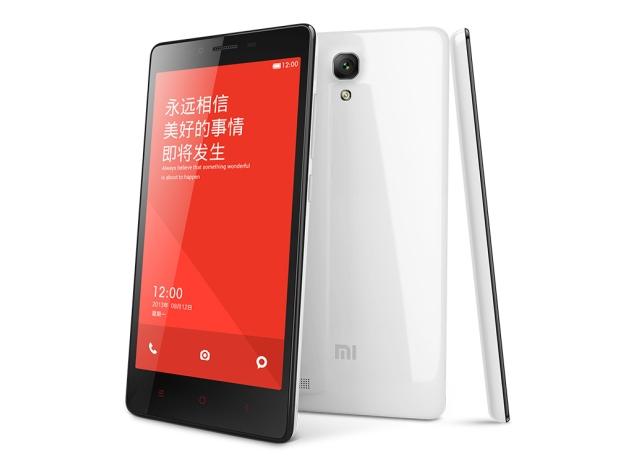
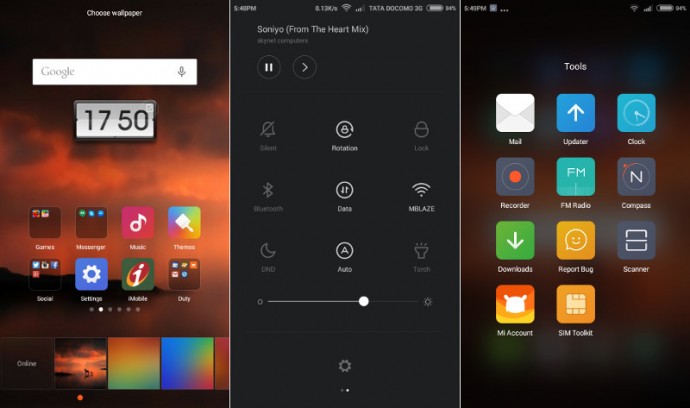
    Xiaomi’s 2013 flagship phone, the Mi 3, received the MIUI 6 update in January. Now its the turn of the Redmi Note 4G to receive the latest MIUI update. According to user reports, the Xiaomi Redmi Note 4G has started receiving the MIUI 6 v6.3.5.0 update over-the-air in India and Taiwan, a few days after the first week of February, as promised by the company.

    According to TheNextDigit, the MIUI 6 update for the Redmi Note 4G is available for download and is about 577MB in size. This update primarily fixes bugs for the lagging in the camera and music playback issue, plus other performance improvements including enhanced notifications, better security functions, improved email app, upgraded notifications shade and UI improvements.

    Xiaomi-Redmi-Note-4G-MIUI-V6.3.5.0

    Considering the fact that Xiaomi is rolling out the MIUI 6 update based on Android KitKat, the Android 5.0 Lollipop update may take some more time to reach the handsets. Redmi 1S and Redmi Note 3G are set to receive the update in early March.

    The Xiaomi Redmi Note 4G, priced at Rs. 9,999, is available via a flash sale model for online sales of the smartphone in India, and via an offline sales model through exclusive Airtel stores.

  • A Quick Guide on How to Use Snapchat’s New Features

    A Quick Guide on How to Use Snapchat’s New Features

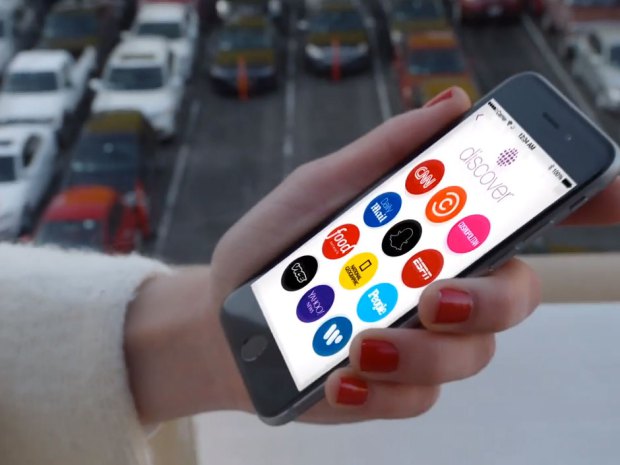
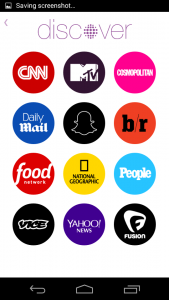
    Snapchat revamped its whole interface with a massive new update.  Well, many are heartbroken after the update removed the ‘Best Friend’ feature. However, there is much more to it than that. Snapchat has added a new ‘Discover’ tool which seems like the beginning of a whole new chapter in the way we consume content online.

    We are listing all the changes and new features of the updated Snapchat.

    1. Discover Tool

    This is the most major change in the app, affecting both the users as well as companies directly. The Discover tool is more like an online magazine than a social media platform. It is intended to feed Snapchat’s young audience a daily flow of content from major media companies. Imagine Flipboard combined with Snapchat.

    The discover tool features full screen photos and videos, awesome long form layouts, and gorgeous advertising. Discover seems like it will act as an always-on Snapchat “channel guide,” focused on delivering users advertising.

    How to Use it: To open the tool, swipe left to open the story page, on the top right side of this page there is a small purple dot. Clicking on it will take you to the Discover homepage and users can select the outlet they wish to view with a simple click. From here you are taken to the available content and swiping left or right allows you to check out everything they have to offer. If you like what you see, it is as simple as swiping up to view extended content such as videos, text and photos. Once you have finished exploring, all you have to is swipe down to return to the homepage of Discover.

    2. The Absence of the Best Friends feature

    This one caused teens everywhere to flip out of disappointment. The update quietly removed everyone’s Best Friends list.  The Best Friends feature was simply a list of people who a user interacted with the most frequently on the app. It’s similar to Myspace’s Top 8 friends, except users can’t control who shows up on their list. Best Friends lists were previously public, so that anyone in a user’s Snapchat contact list could see who they were sending the most snaps to. With this new upgrade, this list became private.

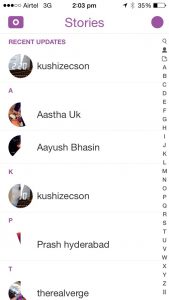
    Another new addition, instead of the long list of friends, there are only the recent updates visible, reminiscent of Blackberry’s BBM messenger updates.


    3. QR Snaptags

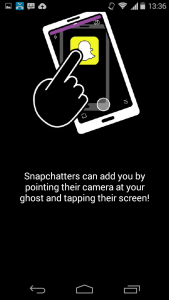
    One more BlackBerry-like feature is the new ‘Snaptags’. This creates a unique QR code for every Snapchat user. When someone points their Snapchat camera at a Snaptag, the app adds the corresponding person as a friend. All you have to do is swipe down on the landing screen and it will show your QR Snaptag. This not only easy but also a great way to fetch more followers. There is a whole community of creators who use Snapchat Stories to entertain millions of fans. They can easily toss their Snaptag up on Instagram, Twitter or Facebook to score more followers.


  • LG to be the First Ones to Give Out the Lollipop

    LG to be the First Ones to Give Out the Lollipop

    LG has so far had a good year. The company got back into focus with its G3 family of devices. Its smartwatches are getting quite an appreciation in the market, and it is ready to bring out devices with its own line of chipsets. In between all of this, the company will also become a customer-darling with its announcement of bring out the new Android 5.0 Lollipop update.

    It was expected that Motorola would be the first one to deliver the new OS update to its users, but LG seems to have beat them to it. The company will begin the update delivery process from Poland by this week. It will then start the update process in other important markets.

    lg-g3-review-19

    The first update will be for G3 users. LG will later announce a schedule for its other devices. In the fast updating and concentrating market, the company who delivers the fastest updates may move forward in the food chain. Motorola has released the Android 5.0 update for its testers on the Moto X devices. A full update will be out this month or early next month.

    The latest Lollipop update is, in fact, the best Android update yet which takes the operating system to the next level. The update adds better battery backup to the devices, and the new material design and animations have been appreciated for introducing a fresh look to the operating system. Here’s a list of all the devices that will be getting the Android Lollipop  update.

  • Android 5.0 Lollipop Encounters Wi-Fi Bug, Roll Out Delays

    Android 5.0 Lollipop Encounters Wi-Fi Bug, Roll Out Delays

    A few days back, Google announced that it had started rolling out the Android 5.0 Lollipop, but as of now, it appears the update has been delayed as there is no news of any new devices receiving the same. The reason, according to reports, seems to be a Wi-Fi bug in the software build. According to a report from Android Police, Google has delayed the release of Android 5.0 after a Wi-Fi bug drained the battery in Nexus 5 devices.

    Google’s Trevor Johns acknowledged this bug and said, “Android Engineering is aware of an issue affecting Nexus 5 users running Android 5.0 which causes significant ‘Miscellaneous’ battery usage while Wi-Fi is enabled. This appears to be caused by an abnormally high number of IRQ wakeup events. We are continuing to investigate this issue.”

    Sources now expect that Google plans to release the Android 5.0 update for Nexus devices starting November 12. There were rumours earlier that Google has not been able to make a stable version of Android 5.0 update for models like Nexus 4 and 5 along with 3G/4G-enabled Nexus 7 and 10 tablets.

    Android 5.0 Lollipop, Google’s most ambitious project yet, brings a slew of new features such as user customisation options, better battery performance, improved security and support for multiple user profiles on the same device.

    The likes of Motorola, Sony and HTC have already confirmed the Lollipop update on their popular devices. Meanwhile, other manufacturers such as Samsung and LG have not yet announced their plans as to when their devices will get the updated version. For a complete list of devices scheduled to receive the Android 5.0 Lollipop update, click here.

  • Latest Flipboard Update Adds Large Number of Customisation Options

    Latest Flipboard Update Adds Large Number of Customisation Options

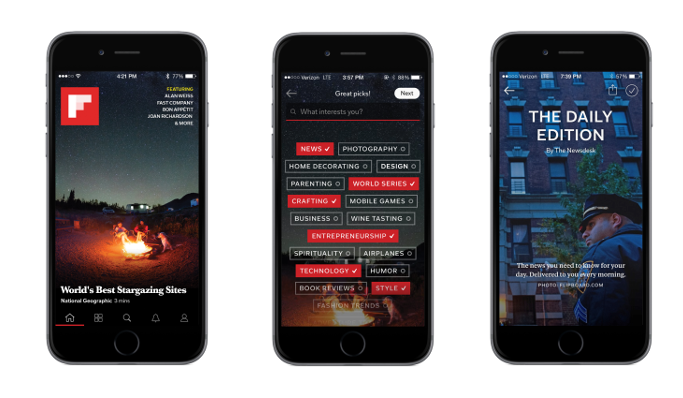
    Flipboard, a popular news aggregation app, has rolled out a new update Flipboard 3.0, which involves better curation of the millions of customized magazines that readers have created — using recommendation technology from Zite, acquired earlier this year.

    The app, which has over 100 million users, has lost some of its buzz to Facebook which has increasingly been used by social networkers for aggregated news. Flipboard now lets you pick from 34,000 topics to help narrow down what specifically matters most to you, and presents curated, topical stories in a form of ‘Personal Magazine’ that pops up as soon as you open the app. This Personal Magazine includes stories shared by friends, and also the top stories from popular topics you’ve followed like hygiene, business, lifestyle, etc.

    Flipboard has added a new feature called ‘The Daily Edition’, an editorially curated news section which gets pushed to you every morning at 7 AM, much like Yahoo News Digest. The Daily Edition is a quick list of main news stories across a variety of topics like sports, business and more, and is selected by an in-house team led by Josh Quittner, Time’s former Director of Digital Editorial Development.

    flipboard-snapshots

    While these new features proved to be hugely popular, the Flipboard Co-Founder and CEO Mike McCue said that after watching readers create more than 10 million magazines on a wide variety of topics, it became obvious that a lot of worthy content was getting lost in the shuffle, because there weren’t enough discovery tools.

    The company also said that their new algorithm for the selection of the news combines the user’s preference and element of surprise together, which has been the result of the Zite acquisition in March.

    The fact that users can choose from more than 30,000 topics now, makes Flipboard the most comprehensive online magazine app. The topic engine also pulls in ‘magazines’ that other Flipboard users have put together. So, for example, you like potato salads, the app will create a steady feed of stories it finds from across the web.

    “That’s the magic here,” Mr. McCue spoke, “It’s people’s perspectives coming together with an algorithmic curator to create something that’s almost like a bionic curator.”

  • Android 5.0 Lollipop Out on 3rd November, Here’s a List of Devices Confirmed to Receive the Update

    Android 5.0 Lollipop Out on 3rd November, Here’s a List of Devices Confirmed to Receive the Update

    A note sent to app developers which was obtained by Android Police informs developers that the Software Development Kit for Android 5.0 is now available. It further advises developers that they can start working and testing their apps on the Android 5.0 platform. It concludes by revealing that Android 5.0 will be available to consumers starting 3rd November.

    This is quite predictable as Google has already said that the refreshed Nexus 6 phone and Nexus 9 tablet will be available early November. Both of them, will come loaded with the latest Android 5.0 Lollipop. It only makes sense for Google to start rolling out the update for existing devices around the same time.

    Typically, as we have seen in the past, Google’s own Nexus devices are the first ones to get latest updates, which is followed by other mobile manufacturers. Google has officially confirmed that its entire Nexus range will be updated to Android 5.0 in the coming weeks. HTC has already said that it will start rolling out Android 5.0 on the HTC One M8 and HTC One M7 worldwide,  “within 90 days of receiving final software from Google”. Meanwhile, Motorola has revealed that its plans to update the first and second gen Moto X and Moto G and other devices with Android 5.0 later this year.

    There’s a whole new look and feel to Android 5.0 Lollipop, courtesy of a concept called Material Design, it paints richer colurs, adds more depth and has more white space. Along with that, it also adds a new notification setup, offers new ways to multitask and has a new battery saving mode. Check out our in-depth article about What to expect from the Android 5.0 Lollipop.

    Now the question is, will your device make it to the list where this update will be rolled out? We’ve compiled a handy  list, with all the devices that will get the new Android Lollipop update.

    Did yours make it?

    Google

    • Nexus 4
    • Nexus 5
    • Nexus 7 (2012)
    • Nexus 7 (2013)
    • Nexus 10

    Google Play Edition

    • HTC One (M7)
    • HTC One (M8)
    • Samsung Galaxy S4
    • Moto G
    • Sony Z Ultra
    • LG G Pad 8.3

    Android One

    • Micromax Canvas A1
    • Spice Dream UNO
    • Karbonn Sparkle V

    Motorola

    • Motorola
    • Moto X
    • Moto X 2nd Gen.
    • Moto G
    • Moto G 4G LTE
    • Moto G 2nd Gen
    • Moto E
    • Droid Ultra
    • Droid Maxx
    • Droid Mini

     Sony

    • Xperia Z
    • Xperia ZL
    • Xperia ZR
    • Xperia Z1
    • Xperia Z1s
    • Xperia Z Ultra
    • Xperia Z1 Compact
    • Xperia Z2
    • Xperia Z2 Tablet
    • Xperia Z3
    • Xperia Z3 Compact
    • Xperia Z3 Tablet Compact

    HTC

    • One (M7)
    • One (M8)
    • One mini
    • One mini 2

    NVIDIA

    • SHIELD Tablet

    Xolo

    • Xolo One

    OnePlus

    • OnePlus One

    For those of you wondering about Samsung devices, we expect the Galaxy S5, S4, Note 3, Note 4, Tab S 8.4 and Tab S 10.5 to receive the update, although it is not official as of yet. We will update this post as soon as new devices are confirmed or begin to receive Lollipop updates.

  • Microsoft Rolls Out Major Updates of it Office Suite for iPad Users

    Microsoft Rolls Out Major Updates of it Office Suite for iPad Users

    Microsoft released the first major update to its Office suite for the iPad. Labeled as version 1.1, Word, Excel, and PowerPoint each received several new features that were widely requested since the suite was released on March 27, 2014.

    office-for-ipad-700x266

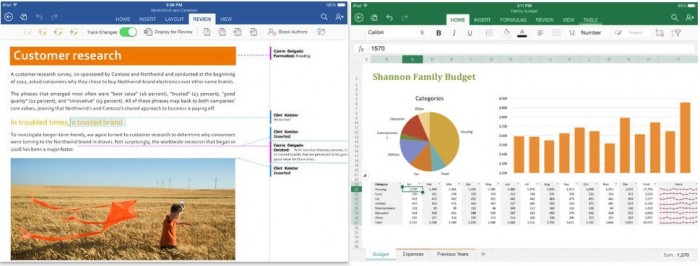
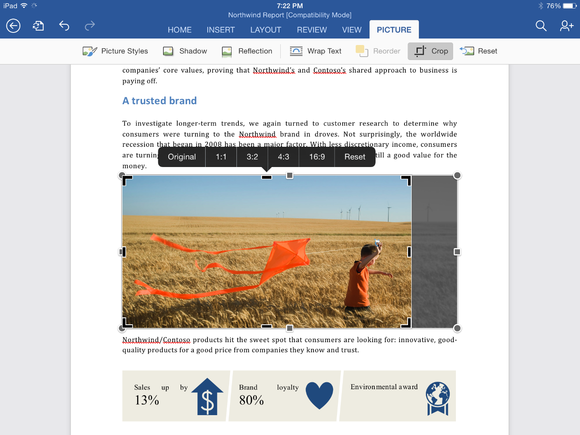
    Although both PowerPoint and Excel received their own unique updates, several features were added to all three apps, including the frequently requested ability to export documents as PDF files. Users can also manually crop photos and images in all three apps using a new crop tool that allows you to choose from a list of popular preset sizes, or create your own. (A reset button is also included.) Finally, Office for iPad also has the ability to import external fonts.

    Word for iPad (1.1 update):

    • Now you can send Word files as PDFs.
    • Picture Tools: Crop to focus on just the right part of a photo, or reset to undo your changes.
    • Fonts: Third-party fonts are now available in the Fonts menu.

    Excel for iPad (1.1 update):

    • Now you can send Excel files as PDFs.
    • Flick to Select: Flick a cell’s selection handle in any direction to quickly and easily select all the data in a row or column.
    • External Keyboard Support: Using an external keyboard is even easier. Use the same keys to input data and move around a worksheet as you would on your PC or Mac.
    • PivotTables: Interact with PivotTables that have source data in the same workbook.
    • Print Options: More paper sizes and scaling options give you more control over the layout when printing your workbooks.
    • Picture Tools: Crop to focus on just the right part of the photo, or reset to undo your changes.
    • Fonts: Third-party fonts are now available in the Fonts menu.

    cropping-a-photo-in-word-for-ipad

    PowerPoint for iPad (1.1 update):

    • Presenter View: View and edit speaker notes, see your next slide, or jump to other slides while presenting.
    • Play Media: Play videos, sound effects, and background music while presenting.
    • Insert Video: Insert videos from your Camera Roll.
    • Picture Tools: Crop to focus on just the right part of the photo, or reset to undo your changes.
    • Presenter Tools: Now you can erase highlights and drawings on your presentation.
    • Send PDFs: Send PowerPoint files as PDFs.
    • Hyperlinks: Add links to your presentation or edit existing ones.
    • Fonts: Third-party fonts are now available in the Fonts menu.

    This update is the second major update the Office software has gotten since its March release. Back in April, the three apps gained some important features that had been missing since the launch, including the ability to print directly from the apps. Microsoft’s Office for iPad apps have proven to be highly successful for the company. During its Q4 earnings call in July, Microsoft announced that its Office for iPad software had been downloaded more than 35 million times.

    microsoft-office-for-ipad

    Microsoft has committed to continually improving its Office for iPad apps, which now directly compete with Apple’s own iWork suite including Numbers, Keynote, and Pages. “As this wave of updates hopefully shows, we’re making good on our commitment to delivering continuous updates and improvements to the Office for iPad apps,” reads the company’s blog post on the new update.

    All of the updates to the new Office apps are currently available and can be downloaded from the App Store for free. While the apps can be accessed for free, unlocking full capabilities, including editing and creating documents, requires an Office 365 subscription. Adding to that, Microsoft’s OneNote app for iPad has also been updated.

  • Lava Rolls Out Android 4.4.2 KitKat Update for Iris 504Q+

    Lava Rolls Out Android 4.4.2 KitKat Update for Iris 504Q+

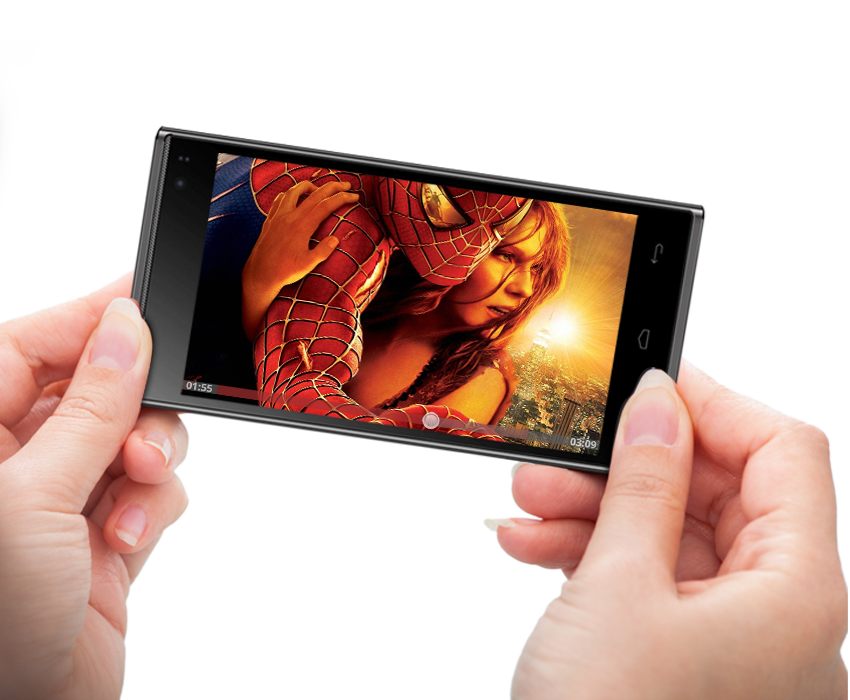
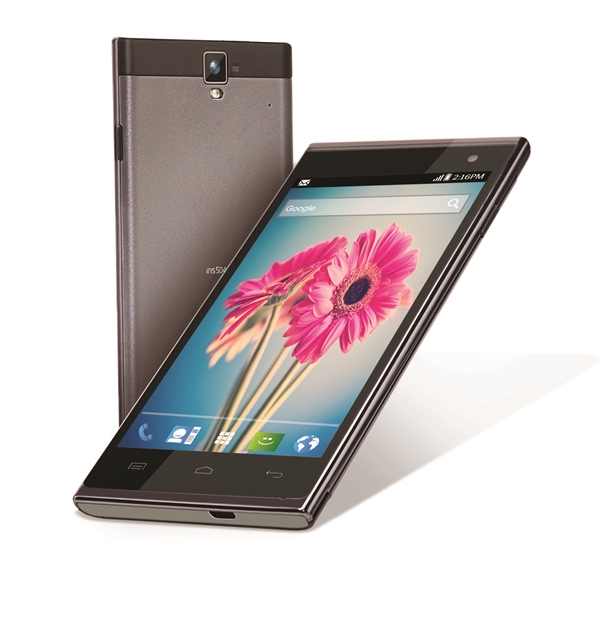
    Domestic smartphone maker, Lava International Limited, has just announced an Android 4.4.2 Kitkat update for LAVA Iris 504Q+.

    The new update, as company said , will improve user experience through an enhanced user interface, superior battery life and software performance. The update also comes with new dialer app which will automatically prioritize contacts according to the most frequently dialed numbers in the phone book. Also the dialer will offer a true-caller like service which will match unknown number from businesses with a local listing on Google Maps.

    The users of Lava Iris 504Q+ will soon get the upgrade notification; on tapping the notification, the user will be guided through the upgrade download and installation process.  Alternatively, the users can download and install manually through “Check Update” functionality that can be found in Settings.

    The update will be downloaded on the memory card only and the user needs to have the memory card inserted in the smartphone while installing. After installation, the Android KitKat software can run with or without memory card in smartphone.

    unnamed

    The new upgrade is said to increase the performance of the device. The Lava Iris 504Q+ packs in 1GB RAM and an internal memory of 8GB, which is expandable up to 32GB via micro-SD card, giving users enough space for applications and multimedia content. It is powered by a 1.3 GHz quad-core processor and Mali 400 MP2 at 500MHz Graphics Unit.

    Another noteworthy feature of the devices is its 10 MP rear auto-focus camera that is powered by Sony Exmor RS Sensor having sensor size of 1/3.2 inch allowing enhanced lowlight performance. Through its unique gesture control and voice command functionality, a user can click a picture by saying just “Cheese” or “Capture” or with a swipe of the hand in air. Lava Iris is available in Grey and Silver colors at the price of  Rs. 11,900.

  • Xiaomi Issues MiUi Update to fix some Mi3 Issues

    Xiaomi Issues MiUi Update to fix some Mi3 Issues

    Xiaomi seems to be pumped up about its new Mi3 sales in India, and the company is hell bent on proving that they are here to stay. The new MiUi update comes just days after the initial batch of phones were sold in India. This update addresses some of the crashing issues that people have been facing, along with other bug fixes and add ons.

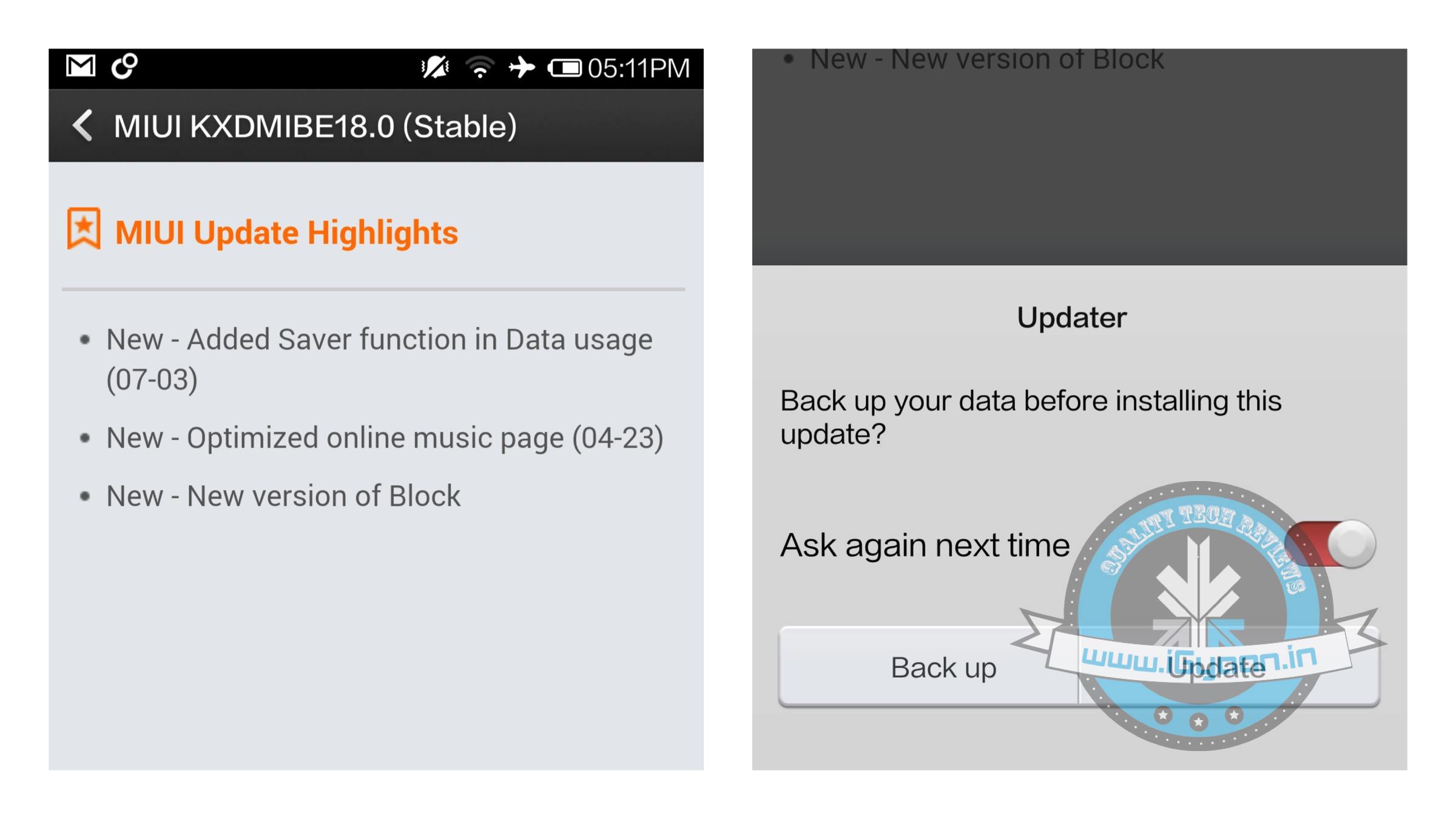
    The new MiUi update adds a new “saver” feature in data usage, which will allow users to possibly save on data costs. The MiUi update also adds a new version of Block and optimises the online music page.

    The file is 592 MB in size and will essentially do a software re-flash, so is recommended that you back up your data before you proceed.

    The Xiaomi Mi3 competes with the flagships for a price that is considered lower than mid range. The Mi3 is powered by a Snapdragon 800 chipset and features a 1920 x 1080p display, has a 3050 mAh battery and comes with 2 GB  of RAM and 16 GB of storage. MiUi comes on top of Android 4.4 Kitkat and hopeful the company will issue the next version of Android, currently known as Android L.

    For more details on the Mi3, read our review here.

  • Chromecast 1.7 Finally Allows Screen Mirroring From Your Phone

    Chromecast 1.7 Finally Allows Screen Mirroring From Your Phone

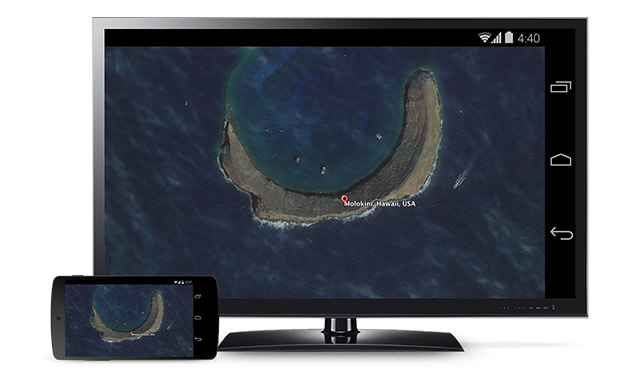
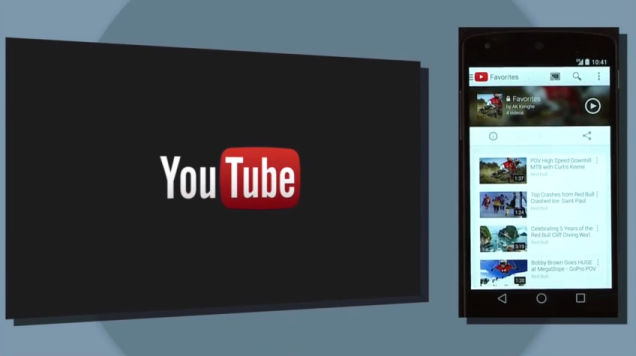
    The new update of Chromecast is the first step of introduction to some awesome features Google unveiled at this years I/O. The Chromecast 1.7 update for Android smartphone and tablet users will have the ability to mirror their screens.

    The new update not only allows users to display their Android homescreens on a Chromecast-connected TV or other device, but you can also use any application now on your television through the pocket-friendly streaming dongle. 

    783908732024948116

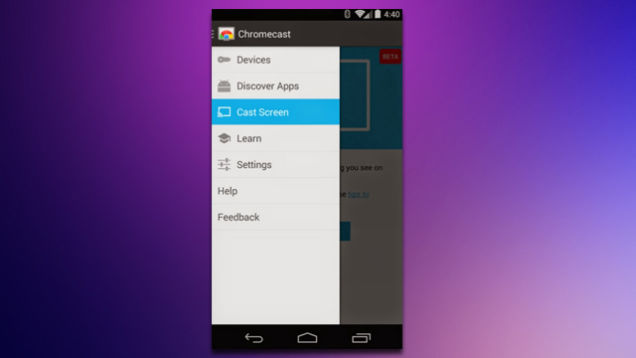
    Upon downloading the new update, you can find the ‘Cast Screen’ option on the left drag navigation menu in the Chromecast app. Nexus devices will see a toggle for screencasting directly in the Android quick settings menu. Once enabled, the user can navigate their phone in the normal manner with a one-to-one projection appearing via Chromecast.

    qfjxijh651m67wslfj2t

    It is still considered to be a beta version and it is sadly not available for everyone immediately. Google said that Samsung, HTC, LG and some others will be first to roll out the new capabilities of Chromecast soon.  Though you may not have the device that is on Google’s compatibility list, but don’t worry too much. We hear there are third-party mirroring apps will solve this problem soon. The company also pointed out the new update will be available at Google Play store soon. 

iGyaan Network
Privacy Overview

This website uses cookies so that we can provide you with the best user experience possible. Cookie information is stored in your browser and performs functions such as recognising you when you return to our website and helping our team to understand which sections of the website you find most interesting and useful.