Tag: USB-C

  • Why USB Type-C Might be the Way of the Future

    Why USB Type-C Might be the Way of the Future

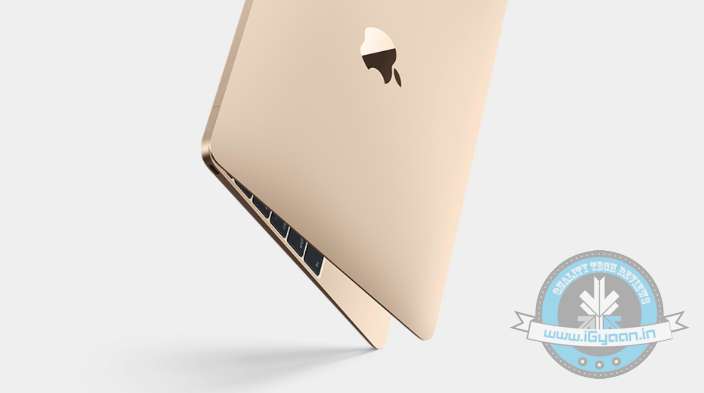
    When Apple presented to the world its cutting-edge Macbook with a universal USB Type-C port, some of the tech critics were suspicion about its usability on present computers and renounced it as technology of the future. However, the tech biggies set their eyes on it and discovering its wide approach, installed the same on its forthcoming products. Now, we see Google Chromebooks, and many other manufacturers like Asus getting on board the revolutionary connector USB-C on its laptops. So, how valuable is USB-C really?

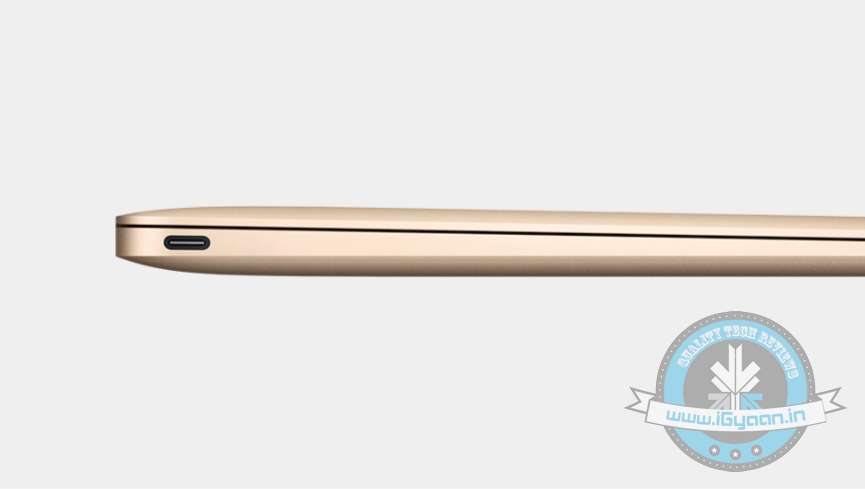
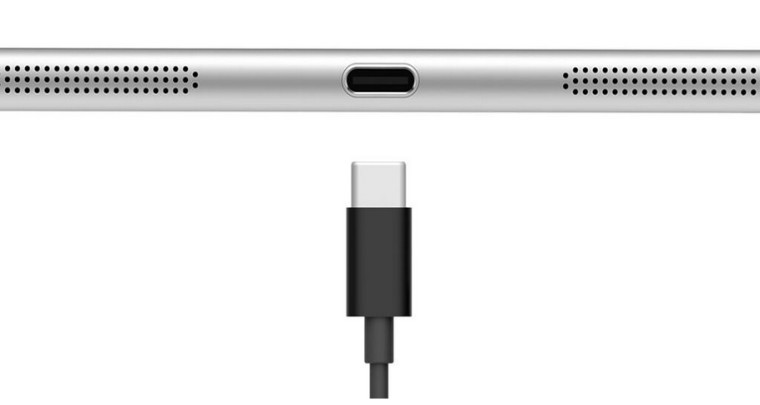
    As many of us know, the USB-C connector is one reversible port that takes care of power, data transfers, and display output. It is slim and compatible with almost every device with standard USB ports. This rids customers of four or six connecting ports that demand your system’s side space and gives manufacturers freedom to trim down the size of machines and, hence, weight. There were speculations that USB-C could outdo Lightning and Thunderbolt connectors, but Thunderbolt has shown its confidence in USB-C connector and unveiled Thunderbolt 3.

    usb-c

    Thunderbolt 3 is a computer port that uses USB-C. The port delivers two 4K displays, fast data transfer, quick charging, and up to 40 Gbps speed over Thunderbolt, which is double the speed of the previous generation, USB 3.1 10Gbps, and DisplayPort 1. With faster connection, users can transfer a 4K movie in just a few seconds. Two 4K displays can be connected that will give astonishing picture quality than an HDTV, nearly 16 million more pixels. As it offers superior viewing experience, gamers can “connect plug ‘n’ play external graphics to a notebook.” But there is a limitation; only the devices with lightning-bolt logo on the USB port will be able to access its blazing speed. Products with Thunderbolt 3 are expected to begin shipping before the end of this year.
    usb-c 1

    According to Intel, the new 12-inch MacBook, Asus Transformer Book, and Chromebook PixelProducts will not work with upcoming Thunderbolt 3 products. Devices with Thunderbolt 3 are expected to begin shipping before the end of this year.

    A USB-C connector is the one standard solution to asymmetrical USB jacks, except for audio. It’s convenient to use and has the potential to replace all jacks. The cross-platform connector of the next-generation will omit all kinds of jacks from future devices and would be a fundamental addition that every producer has to embrace. Nokia has caught up with the trend and its tablet Nokia N1 boasts the reversible USB-C connector. More tablets and even smartphones are expected to hold this tool. The future seems compact and fast, and soon people would prefer to buy devices with a USB-C port already embedded.
  • Why Apple MacBook’s Force Touch is the Trackpad of the Future

    Why Apple MacBook’s Force Touch is the Trackpad of the Future

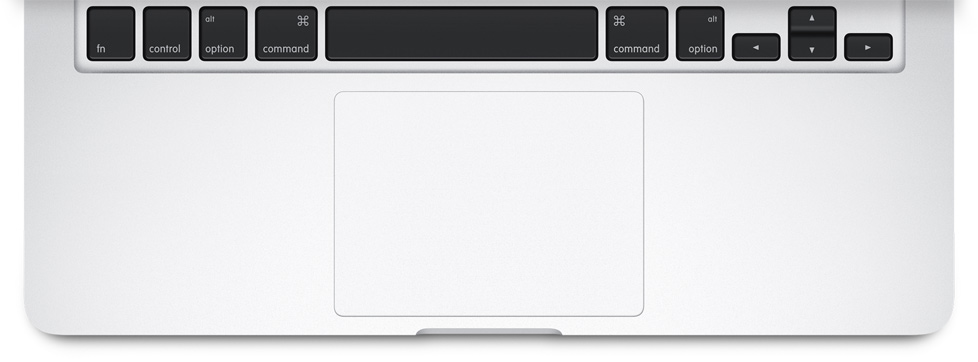
    Steve Jobs had a vision, years ago, that the mouse needed only one button, and it seems his vision is finally realised with the newest addition to its ecosystem, the Apple MacBook. One of the most nerdy aspects about the newly unveiled device is the fact that it comes with a Force Touch trackpad. Force Touch was first introduced months ago with the Apple Watch.

    So, what exactly is ‘Force Touch’ technology?

    Apple MacBook Force Touch

    Simply put, it is the mechanism which senses pressure. It is an entirely novel innovation that merges the previously released Multi-Touch with force sensors. That means besides sensing the multiple points of contact on your screen, the new feature can also gauge the amount of pressure put on each contact; detecting the subtle difference between the quantity of pressure imposed. This makes the technology infused devices smarter than any other smartphones and smartwatches in the world.

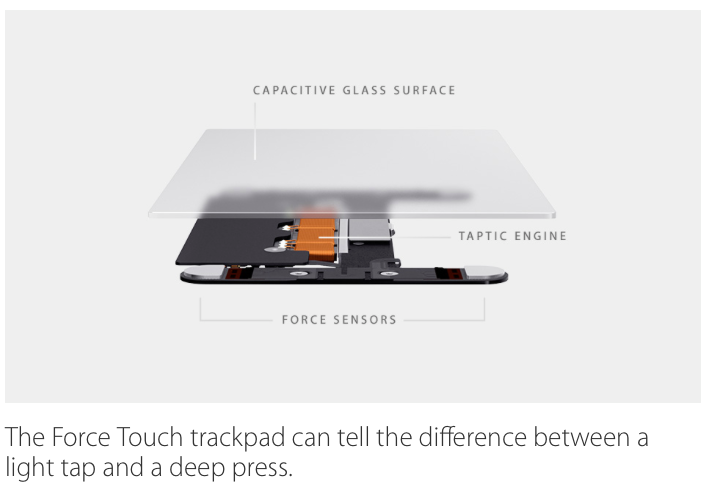
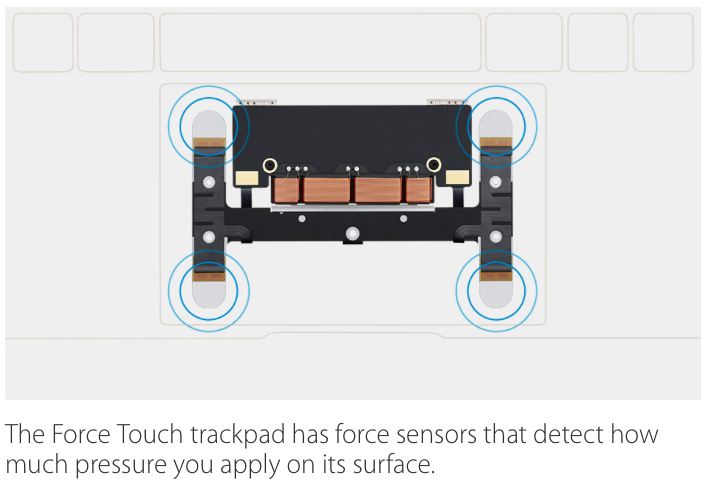
    The current generation of MacBook’s use a ‘Diving Board’ design. The top part of the trackpad remains stable, any part of the lower end can be used to click or right click. The new Force Touch trackpad, gets four new sensors – allowing you to click using any part of the designated surface.

    Apple Force Touch

    Through the sensors on the trackpad of the gadgets, it can judge a light tap and a deep press, bringing a broad range of contextual controls right to your fingertips. The actions can be categorised in three forms: Force click, Accelerator and Pressure-sensing drawing.

    force touch

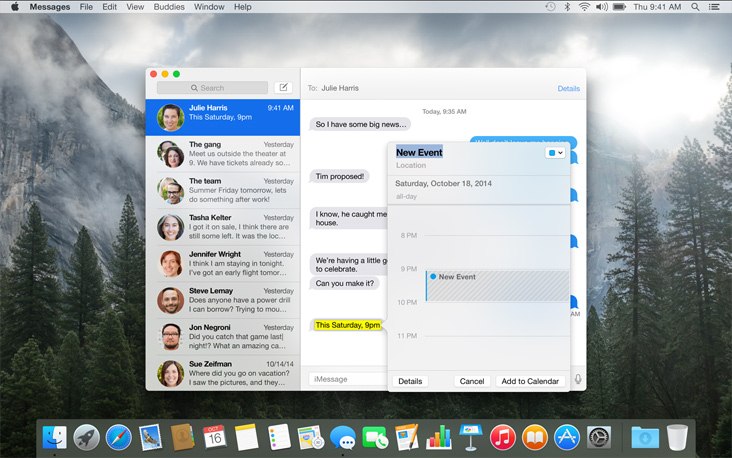
    The Force click gives users access to different websites without switching to the other pages. It can bring up the Wikipedia by clicking a word, preview a file in the Finder, and create a new Calendar by applying a little push on the trackpad. You will be in control of adding new shortcuts to apps, such as bringing up the a map of the location just by force clicking the address.

    accelerator force touch

    The next is accelerator that accelerators the speed of a QuickTime movie. Press harder to fast-forward the shot quickly and if you wish to proceed gradually, steadily apply force on the trackpad. One can also zoom in Maps through the same tactic.

    fource touch drawing

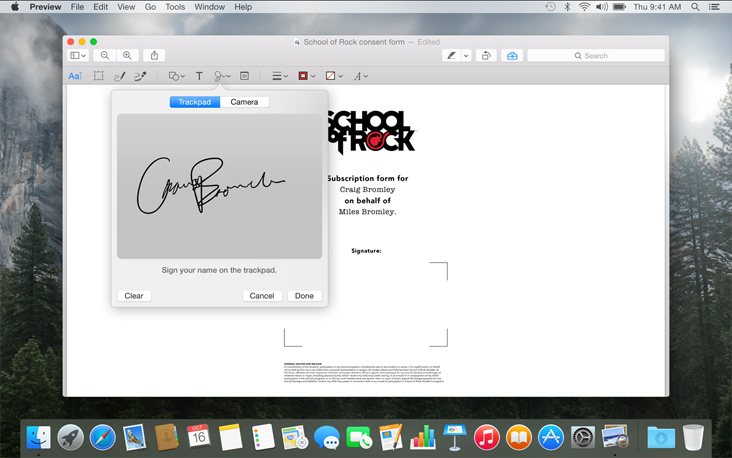
    The next forte of Force Touch trackpad is pressure-sensing drawing. Draw a signature on the device just like a pen on paper. Put more pressure for a bold stroke and press lightly to get a thin line. This drawing can be used as an attachment for emails.

    Apple has slipped the technology in Macbooks and the Apple Watch for now, but it has been learnt that the next iPhone is likely to come with the same feature.

  • Top 7 Coolest Features of the New Apple MacBook

    Top 7 Coolest Features of the New Apple MacBook

    Apple launched their first Macbook seven years back in 2008, showcasing an unimaginable super slim laptop to the world. Now the legacy lives on with Apple announcing its newest Macbook, which surprisingly will be called just the ‘Macbook’. Apple has yet again pushed the boundaries of laptop innovation which are simply commendable, though might have negated certain aspects.

    One can’t deny that the new Macbook reinforces Apple’s philosophy yet again that computers are an extension of the person itself. Here are the coolest features of the new Macbook:

    Edge to Edge Retina Display

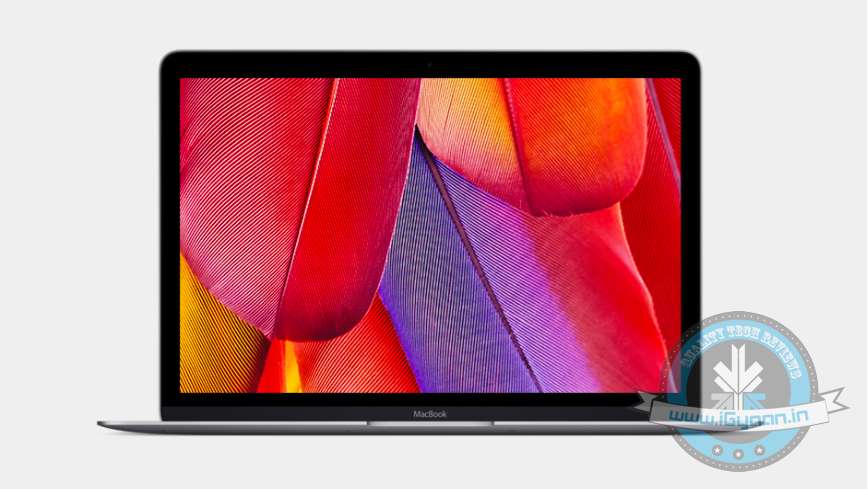
    The latest Macbook gets a 12-inch Retina display with a very small bezel, with a resolution of 2304×1440, and an aspect ratio of 16:10. The display quality is certainly quite a notch up compared to the new Macbook’s predecessors, with the screen built into something that is as thin as a file folder. Apple has again manged to pull of something unimaginable bearing in mind the technical limitations with making something so skinny.

    Apple Macbook 1

    Thinnest and Lightest, Ever

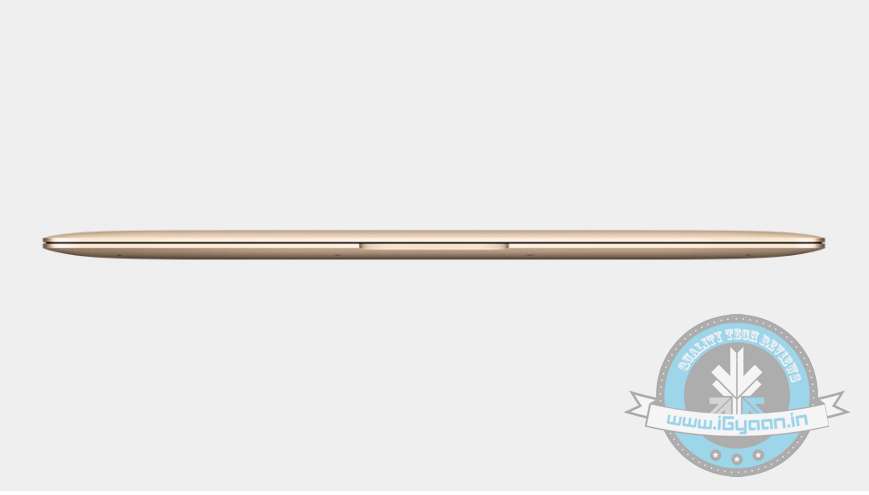
    Talking about thin, the new Macbook redefines the concept of slim, it’s as thin as 13.1mm, compared to 17.3mm of the MacBook Air. It’s 24 percent thinner than the Air, the company mentioned at the event. The new Macbook weighs mere 2 pounds (lightest ever), which is amazingly only half a pound over the original iPad.

    Apple Macbook 2

    Redesigned Keyboard

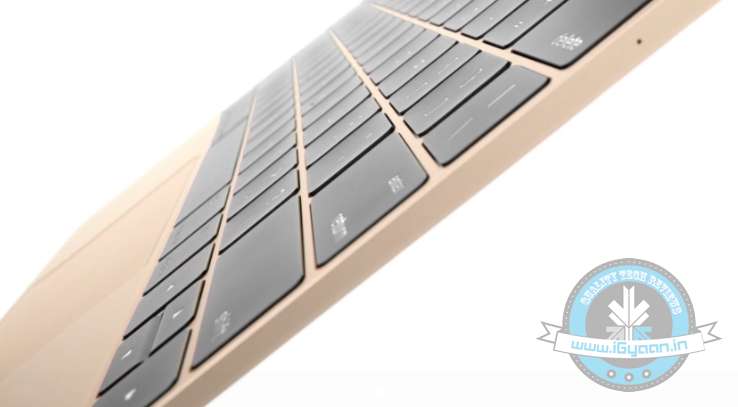
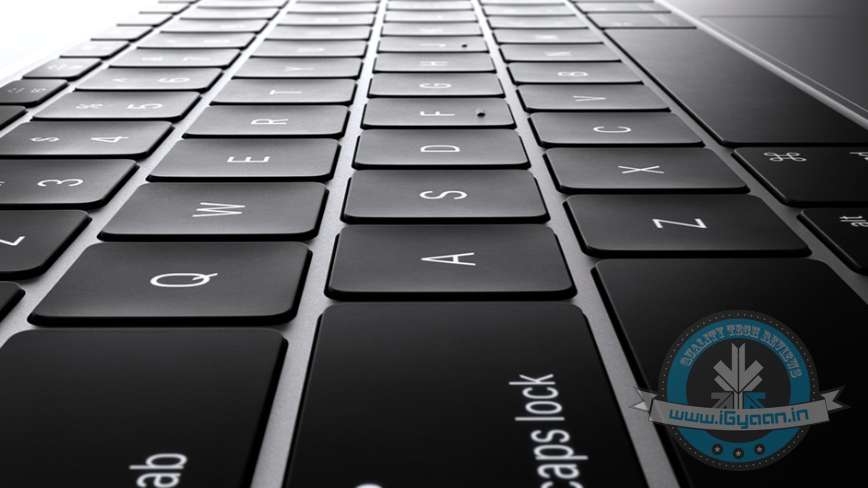
    The new Macbook gets an entirely redesigned 12-inch keyboard. A welcome change compared to the Macbook Air which is less than the full size. The keys have been revamped to a new butterfly mechanism that Apple claims offers more stability with improved keystroke force distribution.

    Apple Macbook 6

    Death of the Right Click

    Steve Jobs had a vision years ago that the mouse needed only one button, and it seems his vision is finally realised as Apple has added the Force Touch trackpad. One of the most nerdy aspects about the newly unveiled device is the fact that it comes with a Force Touch trackpad. Force Touch was introduced with the Apple Watch, it is the mechanism which senses pressure. The Force Touch trackpad has force sensors that detect how much pressure you apply on its surface. So basically, it can tell the difference between a light tap and a deep press.

    Apple Macbook0

    Death of the USB Ports

    The new Macbook has a single USB-C which does everything from charging, to transferring data, sending videos etc. There’s only one port which means you cannot simultaneously charge your laptop or your phone. This is probably a byproduct of their quest to make the thinnest Macbook possible (and make our lives tange-free.)

    Apple has yet again gone against industry standards. In 1998, Apple surprised everyone as its iMac G3 did not include a floppy drive.

    Apple Macbook 4

    Improved Battery Performance

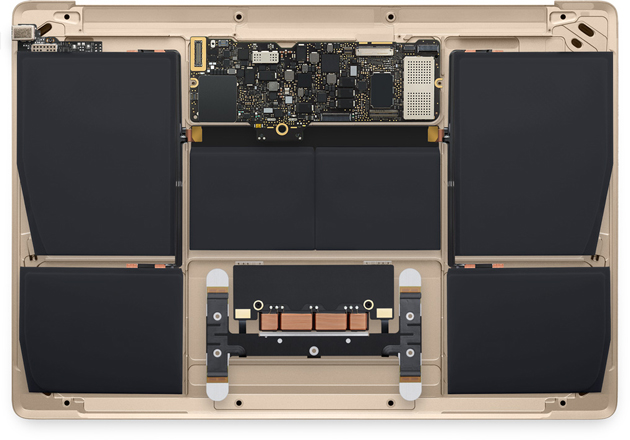
    Apple claims to have added a new, custom-shaped battery that maximizes every millimeter of space, helping the MacBook achieve an all-day battery life. It gets a slightly beefier battery unit than the 11-inch Macbook Air and can deliver  9 hours when on Wi-Fi, and 10 hours watching iTunes video.

    macbook battery

    What Lies Beneath

    Barring all the phenomenal exterior changes, significant changes have been made under the hood. For starters, the new Macbook gets Intel’s Core M processor, which consumes less power and produces less heat. The exact model of the chipset is yet unknown but its likely a tweaked 1.1 Ghz Intel Core M, which offers slightly less processing power than your standard Core i5 or i7, though offer better and efficient power management.

    Pricing

    Okay this might be a “cool” feature, but for most of us pricing would play a major factor. The words ‘Apple’ and ‘budget’ don’t blend in so well, and this holds true for the new Macbook. It comes in two variants, 256GB (1.2GHz Intel Core M) priced at $1299, which is notably higher than the 11-inch Macbook Air. And the second configuration for $1599 features the 12-inch Retina display, 1.2GHz Intel Core M, Intel HD Graphics 5300, 8GB memory.

    The new Macbook certainly has features that would give Mac buyers more than one reason to upgrade. The new Retina display, better power management, ultra portability and with significant price cuts, the new Macbook should attract new potential buyers.

iGyaan Network
Privacy Overview

This website uses cookies so that we can provide you with the best user experience possible. Cookie information is stored in your browser and performs functions such as recognising you when you return to our website and helping our team to understand which sections of the website you find most interesting and useful.