Tag: Windows 10

  • Microsoft Will Begin Rolling Out Windows 10 to Smartphones in December

    Microsoft Will Begin Rolling Out Windows 10 to Smartphones in December

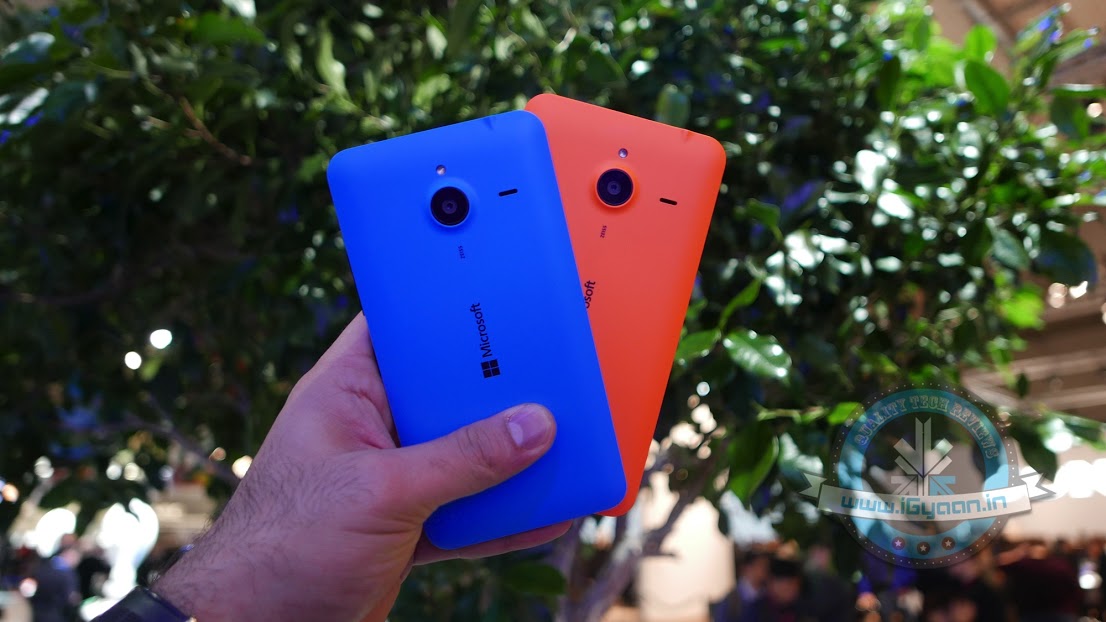
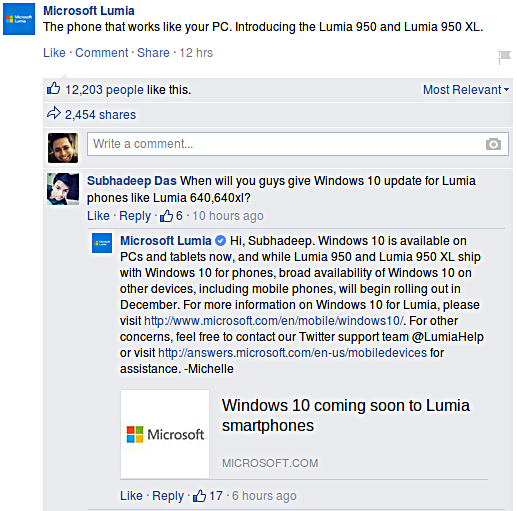
    After Microsoft’s mega event yesterday, we found out that both its Lumia 950 and 950 XL will be powered by the new Windows 10 software. The current Lumia users though, had nothing to gain from this announcement, until now. Recent reports suggest that the existing Lumia owners will also be receiving the Windows 10 update by December.

    This bit of information was seen on Facebook when Microsoft responded to a comment on its official Lumia page. Here is what the conversation looked like :

    Microsoft Lumia Facebook

    Furthermore, they also added that they would “make an upgrade available for majority of Lumia smartphones running Windows Phone 8.1,” however, this announcement is only good for Lumia phones that have an internal memory of 8GB or above. Fair enough. What do you think?

    For more information on Windows 10, click here.

  • Here’s How You Can Watch the Windows Event Live

    Here’s How You Can Watch the Windows Event Live

    Tech year has kept its hand full for a while now with all major brands coming out with their flagship devices and significant updates to their offerings, one after another. Taking a look at the recent past, Apple is an important name which triggered a new season of sorts in the technology circuit just a couple of weeks ago.

    Come September and 2015 would see not only Apple, but also the Google Nexus event. We were just done drawing comparisons between these two events when Microsoft has now arrived with its contribution to the events song and dance. Both Apple and Google events offered the latest in technology, showcasing top-drawer devices, updates, software and accessories. Hopes ride high as we sit back to see if Microsoft too will follow the league of its counterparts.Windows Event '15

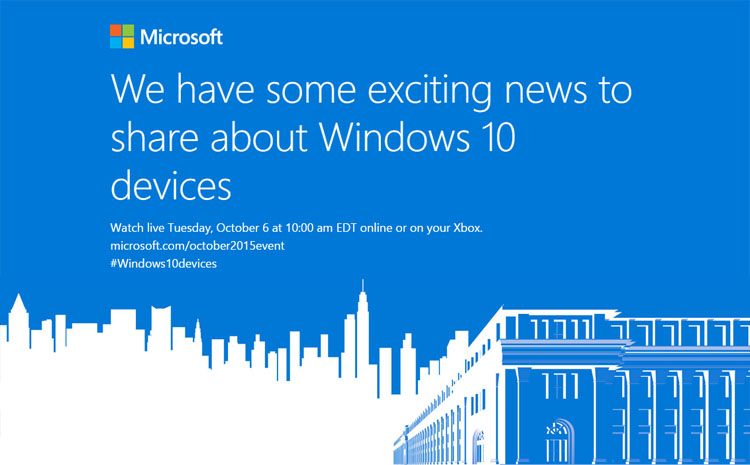
    There is much to expect from the company as it comes out with its first high-end smartphones of the year at event today. There are lots of hardware updates in store, along with additions to the Lumia phones category, a new variant of the Microsoft band, and the Surface Pro can be expected to found at the launch among other things. We might also get to see smartphones and tablets compatible with Windows by the end of the event.

    Windows will be hosting the event in New York today at 10 AM ET. The event can be watched live here  at 7:30pm IST.

  • Windows 10 Powered Xbox One Will Feature A Brand New Dashboard and Cortana

    Windows 10 Powered Xbox One Will Feature A Brand New Dashboard and Cortana

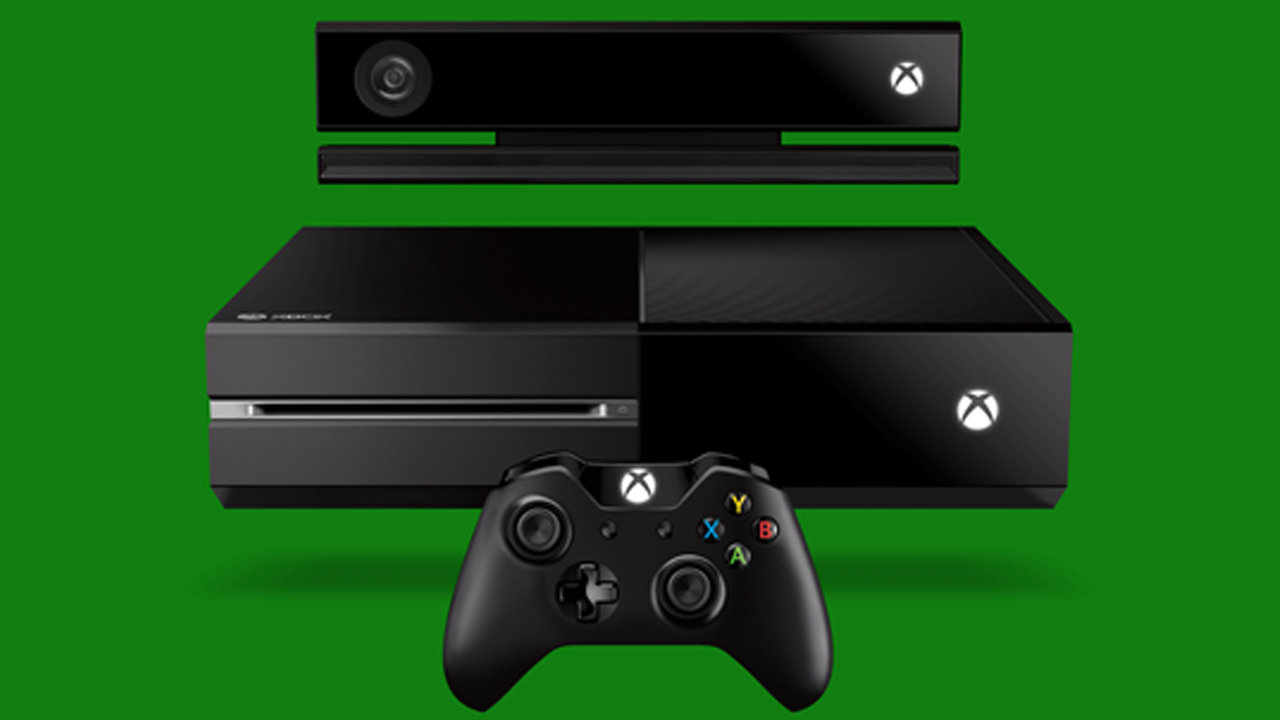
    A new Xbox One is soon to come with a Windows 10 upgrade. Microsoft announced a redesign to the Xbox One dashboard that promises fast, easy-to-use experience. The Xbox One Experience will be available to members of the preview program over the course of this week.

    Participants of the preview will get to test out the console so as to provide a feedback to the Xbox team on the Xbox One’s new UI, which is still “a work-in-progress”. Here’s an eight-minute video of Microsoft’s Larry Hryb and Richard Irvine of the Xbox engineer team providing a detailed look at the consoles new design.

    Some of the major features of this new UI are a cleaner home page, faster access to essential apps such as Friends, Parties, Messages and Notifications, and an emphasis on vertical placement. It also appears that Microsoft is moving away from the tiled interface that was introduced with the Xbox One.

    Another major feature is Cortana. Microsoft’s Kinect system will get a big upgrade which will provide a whole new experience of gaming where you can start a party and invite friends or record videos all without lifting a finger. So you can say “Hey Cortana, record the last minute and share it to my activity feed” and she will publish a game clip straight away. However, it appears you will need to have a Kinect in order to let Cortana to work.

    For existing Xbox One owners, the new update will be available sometime in November.

  • Here’s How  Windows 10 Can Be Installed On Your Mac

    Here’s How Windows 10 Can Be Installed On Your Mac

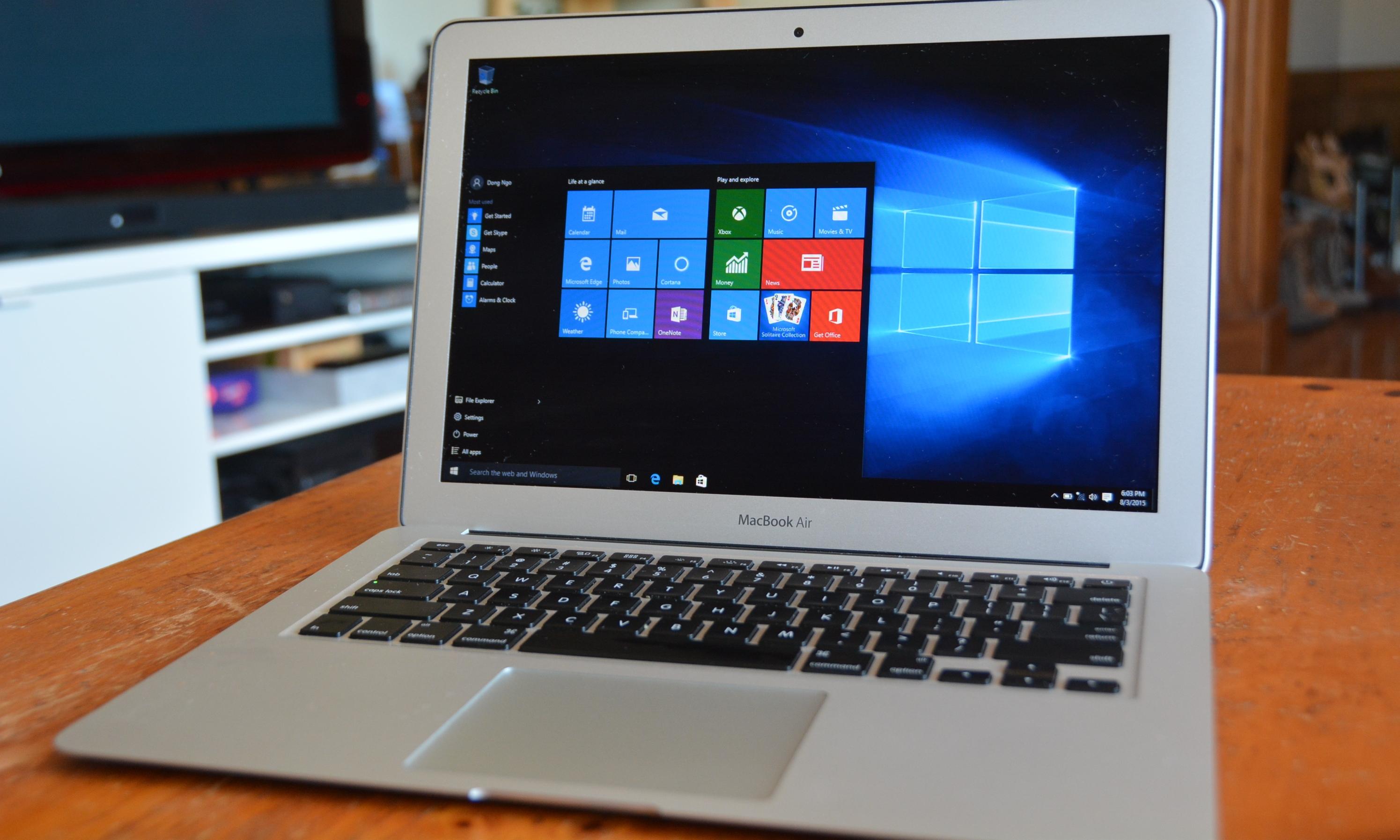
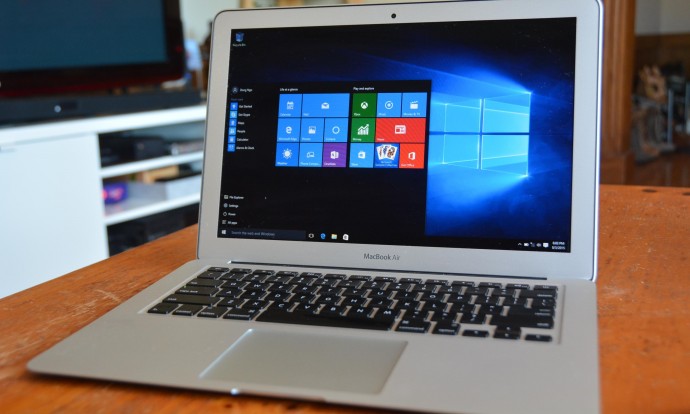
    After getting tremendous positive reviews, Windows 10 makes itself available even to Mac users. However, if you want to use it after the 30 day trial period, then you will have to buy it. You will require two things in order to complete this process – a 5GB pen drive and a second computer that runs on Windows 10.
    Windows on Mac 1

    Step 1: Download Windows 10 from the Windows run laptop and copy it on to your pen drive. You can copy it from the media creation tool on Windows; there are two versions, a 34 bit and a 64 bit version, pick the one that’s compatible with your computer.

    Step 2: Go to the downloaded media creation tool and choose ‘Create installation media for another PC’ and click Next.
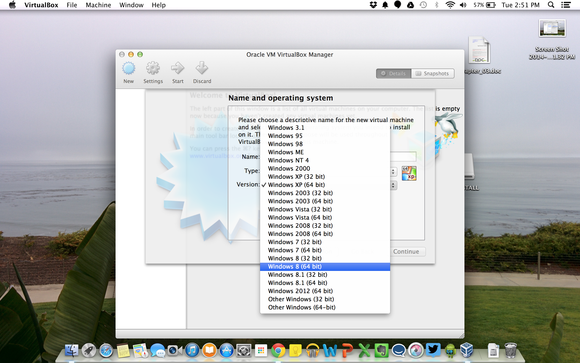
    virtualbox windows selection

    Step 3: Then select Language, edition and the 64 bit architecture for Windows 10.

    Step 4: Save the Windows 10 installer as an ISO file. It is suggested that you avoid using the USB flash drive option.

    Step 5: Save the Windows ISO file on your pen drive and then insert it into the Mac.
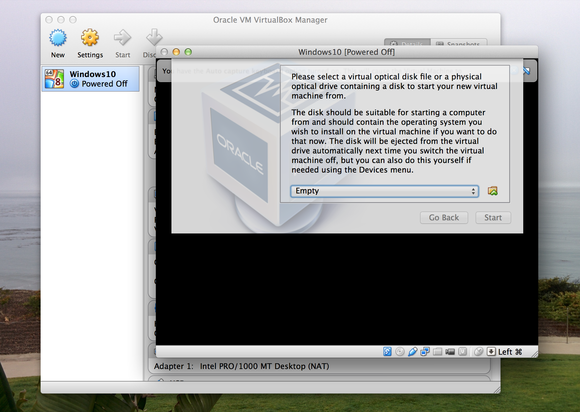
    virtualbox optical disk

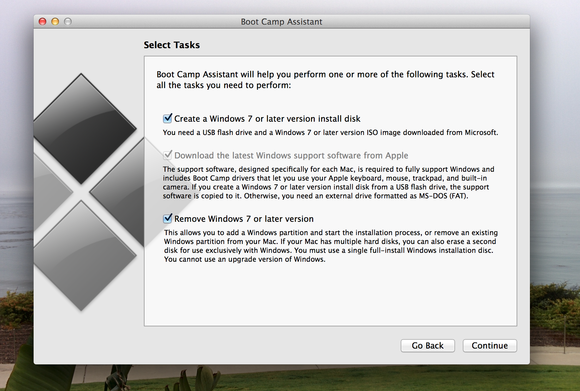
    Step 6: With the pen drive still attached to your Mac, run the ‘Boot camp assistant’, which is located in the Applications folder.

    Step 7: After the above procedure is complete, download the latest Windows support software from Apple and try installing windows 7 or a later version.
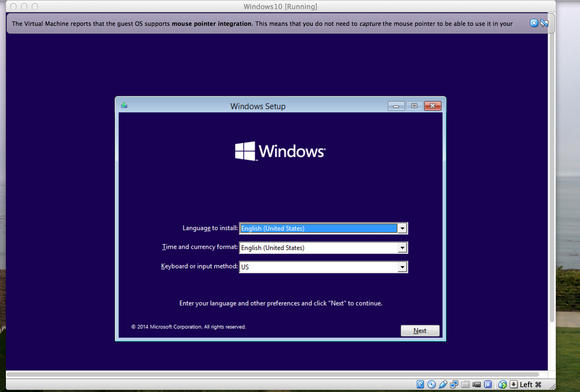
     

    screenshot

    Step 8: If you have copied the Windows ISO on to the desktop then you can automatically locate it, otherwise you will have to click on Choose and look for it. After selecting the pen drive as the install disk, verify everything and Continue.

    Step 9: You will then be asked to choose the size of the partition required for Windows usage; use the slider to select the size. You will need 20GB of space to install the software. Then click Install.

    Step 10: The Mac should boot up from the flash drive automatically and start the Windows set up process. However, in case the Mac doesn’t automatically boot up, you can restart it and “hold down the Option Key after the Apple startup sound and then choose to boot from the flash drive.”
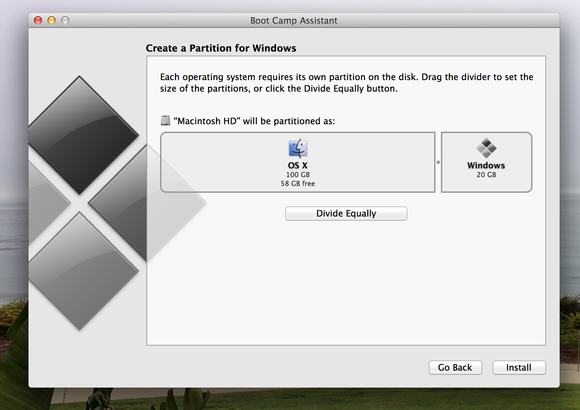
    boot camp partition

    Step 11: After agreeing to the installation term and conditions, you may proceed further.

    Step 12: After this, your will be shown all the existing partitions; pick the one marked ‘Bootcamp’ and click on Format.

    Step 13: Confirm Windows setup
    boot camp launch

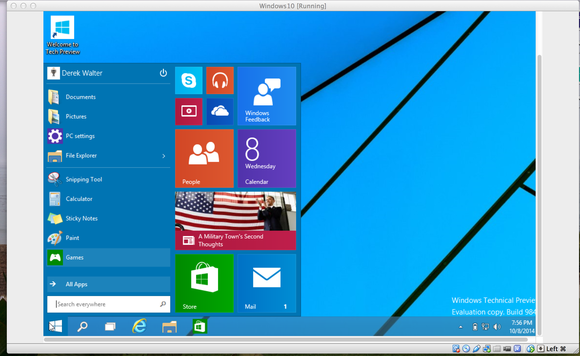
    Step 14: Windows Setup will complete the rest of the process for you, after which your mac should start back up with Windows 10. The process for creating a Windows user account will be the same as in all other Windows computers.

    Step 15: You will be greeted with a Boot Camp installation message, click on Next and follow up on the rest, reboot your computer. And Voila.

    This entire process will now allow you to have both the Mac OS and Windows 10 running on the same machine. However, you can only run one at a time. You can also manually select which operating system to run – hold down the Option key after the Apple startup sound and use the left and right keys to select which one you want to run.
    windows 10 mac start menu

    One can also permanently remove Windows by booting into the Mac OS and running the Boot Camp Assistant again.

    Clearly, this is a long process, and takes up time, energy, and your peace of mind. However, having both of the most efficient operating systems on your device and being able to choose which one you want, seems to be worth the trouble.

    For more information : [tw-button size=”medium” background=”#07ABE2″ color=”” target=”_blank” link=”http://www.cnet.com/how-to/how-to-install-windows-10-on-a-mac/”]Cnet[/tw-button]

    [tw-button size=”medium” background=”#07ABE2″ color=”” target=”_blank” link=”http://www.pcworld.com/article/2824227/how-to-install-the-windows-10-technical-preview-on-a-mac.html”]PC World[/tw-button]
  • 7 Simple Ways to Protect Your Privacy While Using Windows 10

    7 Simple Ways to Protect Your Privacy While Using Windows 10

    Sixty seven million Windows users are rejoicing at the thought of being upgraded to Windows 10 and are enjoying the convenience that comes with Bing knowing your location, Cortana knowing your name and sometimes other personal information. All your contacts, photos and everything are constantly being processed by the new software. It sounds perfect. However, one minor detail is missing. What is Windows 10 doing to protect your privacy as it constantly saves passwords, credit card numbers and personal information?

    Here are a few things you can do to protect you privacy, while using Windows 10 and enjoying its features at the same time:

    1.  Know your Apps:

    microsoft

    Many applications on Windows 10 require your personal information. For example, Maps, which needs your location in order to function. While Maps tells you where its using your personal information, many apps on Microsoft don’t necessarily follow the same protocol. Therefore, it is important to tweak the privacy settings of any app you use so that your personal information going out is limited, if not completely inaccessible.

    2. Communications:

    Microsoft tends to take in all the contact information of their users, just incase their primary means of communicating, fail. It does this so that it can send you information as well as promotions. In order to manage these communications better, click here (if you have a Microsoft account) and here, if you don’t.

    3. Ads:

    ads

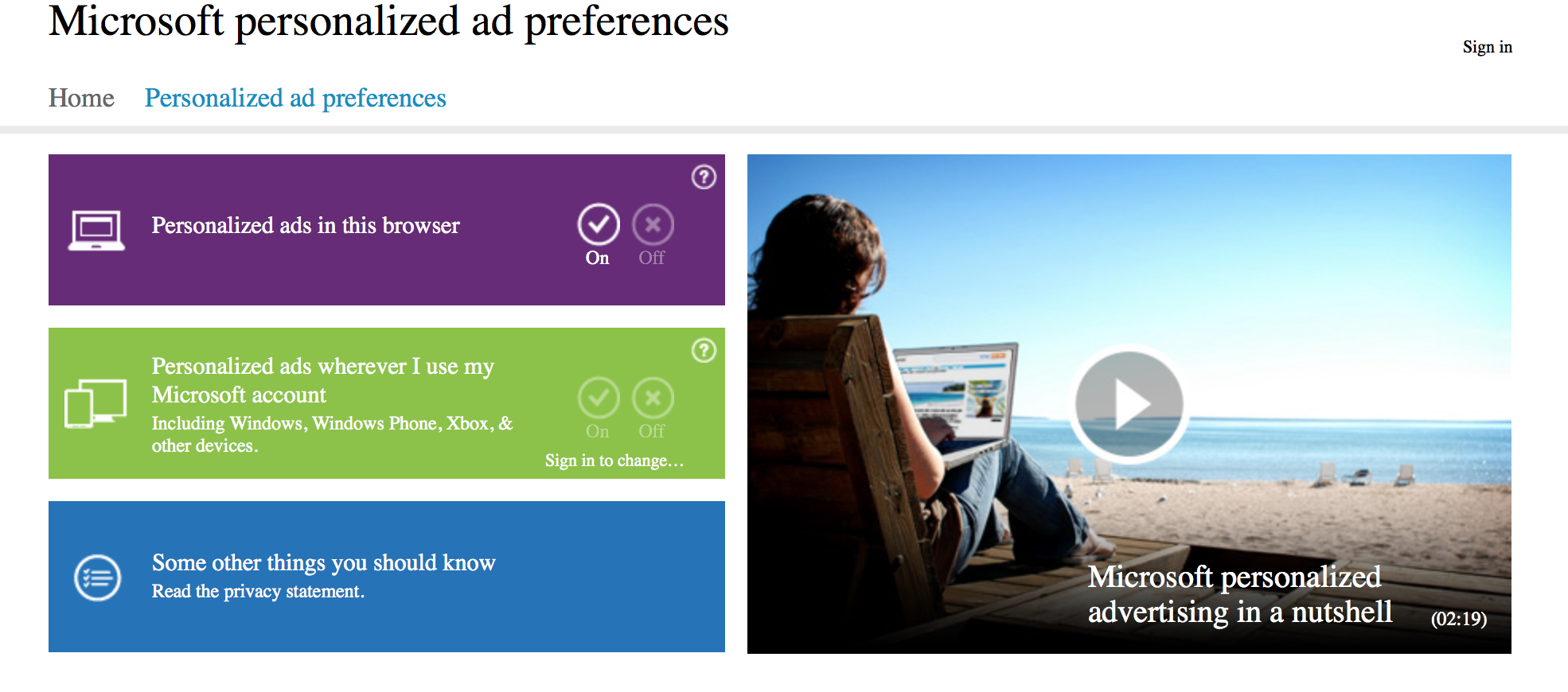
    We all know that advertisements generate revenue. So if Facebook and Google can track you to sell ads, so can Microsoft. Microsoft does it according to your interests and even gives you your own advertising ID to make it simple. However, you can choose not to be a part of interest-based ads by clicking here. Opting out of that though, doesn’t mean that data won’t be collected or the number of ads that pop up will reduce.

    4. Turn off the tracking:

    Follow these steps to prevent Microsoft from collecting random data and information –

    Start > Settings > Privacy > Feedback and Diagnostics > Click “never” to change the feedback frequency and Usage Data to “basic”

    Also, while in the Privacy menu, you can regulate any information from your location, camera, microphone etc. It can be controlled from that menu.

    5. Guard Your Browser History:

    Web Browser

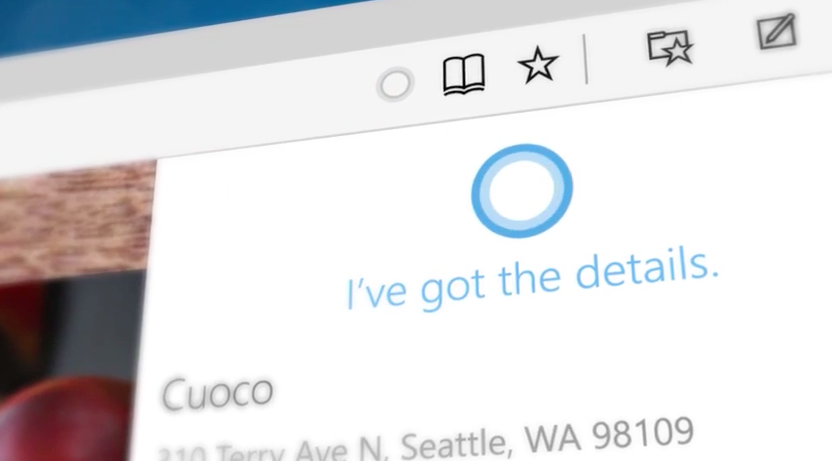
    You can stop the sending of your browsing history by Edge by clicking on the top right corner of Edge, then settings > Advanced Settings > View Advanced Settings, under Privacy and Services, turn off “Have Cortana Assist Me in Microsoft Edge.” This is essential because Edge only sends your information to Microsoft so that Cortana can be further personalised. So all you got to do, is turn her off. And while you’re in the Privacy and Services menu, make sure you turn off “use page prediction to speed up browsing, improve reading, and make my overall experience better.”

    “If you received your Microsoft account from a third party, like an Internet service provider, that third party may have rights over your account, including the ability to access or delete your Microsoft account.” — Microsoft

    6. Don’t Get Tricked Into Creating a Microsoft Account:

    Try and keep all your information within your local computer only. Even if Microsoft urges you to create an account, don’t do it because once done, it pieces together all your metadata and connects it to you ID. This can be a tricky situation and one must be extremely careful while sharing this information. Its never a good idea to share accounts. In order to delete or manage your Microsoft account go to Settings > Accounts > Your Account.

    7. Cortana Can be Creepy:

    cortana

    Yes, at first it is fascinating to have an attractive voice talking back to you and calling you by your name. But, Cortana doesn’t know just your name. She has access to more information than you think she does and the whole situation sounds a little intrusive. So if you want to snap Cortana out of being too clingy, click here. There, you will be able to clear the Interests section as well as the Speech Inking and Typing information.

    Source: [tw-button size=”medium” background=”#07ABE2″ color=”” target=”_blank” link=”http://www.wired.com/2015/08/windows-10-security-settings-need-know”]Wired[/tw-button]
  • Microsoft Assures Users Will Be Able To Access WhatsApp on Edge Soon

    Microsoft Assures Users Will Be Able To Access WhatsApp on Edge Soon

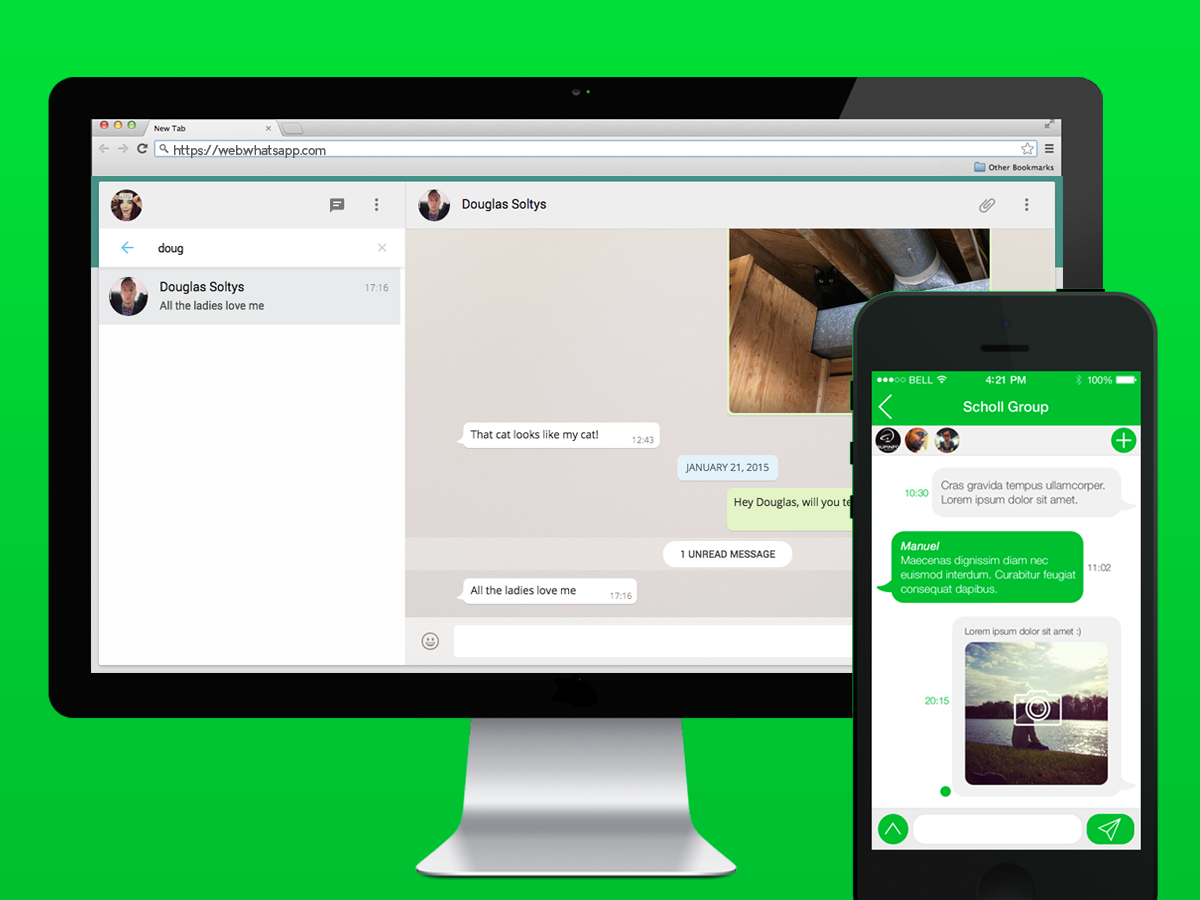
    Microsoft released Windows 10 on 29th July but, if you are an avid WhatsApp Web user, it is likely that you may not be able to use this feature on your brand new Edge browser. At least, not yet.

    If you have been using Internet Explorer, or Microsoft’s brand new browser called Edge in Windows 10, you’ve been out of luck – so far. Currently, WhatsApp Web is not cooperative with Microsoft’s Edge browser, though it can be accessed on Mozilla Firefox, Opera, Apple Safari and Google Chrome, which are all consistent on Windows.

    According to a Windows Central report, a Microsoft program manager revealed that the company is, in fact, striving to get WhatsApp Web support to Edge.

    Softpedia has quoted Microsoft’s Program Manager Greg Witworth (on Twitter), as stating that the Redmond-based company is working with the instant message service company to allow WhatsApp Web to support Edge users.

    The report says that WhatsApp Web for Edge may be made accessible as an OS update; however, there is no particular timeline given for the launch of the service.

    Moreover, Microsoft’s Internet Explorer (IE) does not support WhatsApp Web. Hence, those on Windows need to use other browsers to access WhatsApp on their desktops.

    Meanwhile, WhatsApp Web has been updated to feature aspects at par with the smartphone version of the popular messaging service. You will notice a new “edit” icon adjacent to “current status”, which allows you to make changes to your status and share it with friends. You can also hover over their current profile image, and an option is displayed that can be used for editing the image.

    With the roll out of Windows 10 happening on a global scale, Microsoft has announced the price of the operating system in India. Microsoft’s official online store has listed the Home version under Rs 7,999 and the Pro version for Rs 14,999. For those users who are using Windows XP and earlier versions, or are assembling new PCs or laptops need to purchase the software. And, for those who are operating original Windows 7 and Windows 8, you are eligible for the free upgrade.

    Windows 10 brings a new Edge browser, a new Windows Store, Office 2016 suite and completely redesigned Photos, Videos, Music, Maps, People, Mail and Calendar apps, among other upgrades.

  • Xiaomi Rumoured to Release a Windows 10 Powered Tablet Soon

    Xiaomi Rumoured to Release a Windows 10 Powered Tablet Soon

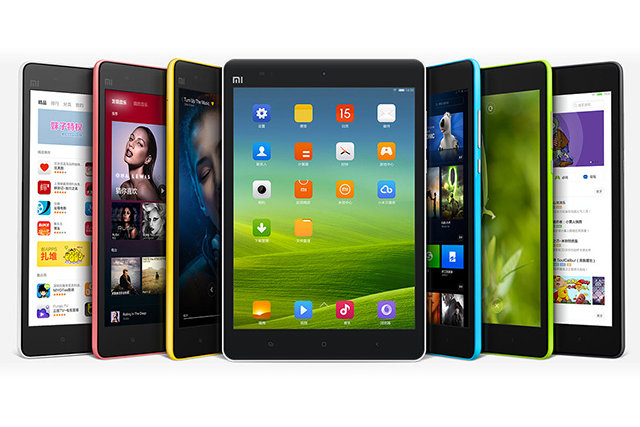
    The new operating system by Microsoft has been stealing all the limelight lately. According to a known Chinese analyst Pan Jiutang, Xiaomi is said to be launching a Windows 10 powered tablet in the ongoing quarter. It is said to be a successor to the Mi Pad tablet launched in May, last year.

    Mi Pad

    It is not known whether the tablet will support the standard Windows 10 version or the Windows 10 Mobile version. Although Microsoft has generally suggested the use of the standard edition for tablets with displays larger than or equal to 8 inches.

    The device is rumoured to release on the 16th of August 2015 along with the new version of the company’s MIUI user interface. However, Xiaomi has not made any official confirmations.

    Source: [tw-button size=”medium” background=”#07ABE2″ color=”” target=”_blank” link=”http://www.gsmarena.com/xiaomi_tipped_to_launch_a_windows_10_tablet_soon-news-13330.php”]GizmodoChina[/tw-button]

  • This Windows 10 Feature May Be Using Up Your Internet Bandwidth

    This Windows 10 Feature May Be Using Up Your Internet Bandwidth

    As people are slowly learning and getting used to the Windows 10 updates, some of them stand out, here is one. A feature called the Windows Update Delivery Optimization gives Microsoft the permission to share parts of your Internet bandwidth, with others.

    This feature saves and uploads parts of your updates files that have been downloaded via Windows Update & Windows Store service, then depending upon your settings, will share that with people on your local network, or people on the internet.

    “Delivery Optimization downloads the same updates and apps that you get through Windows Update and the Windows Store. Delivery Optimization creates a local cache, and stores files that it has downloaded in that cache for a short period of time,” says the description.

    This feature is enabled in all desktop editions of Windows 10 by default; however it only shares files on the local network. There is an option to turn off this feature, one needs to go to the Settings > Update & security > Windows Update > Advanced options. After that, select the ‘Choose how updates are delivered’ and turn off the ‘Dicovery Optimization’ feature.

    Image Source: NDTV Gadgets
    Image Source: NDTV Gadgets

    The feature, is one of the few that could annoy users, just like the Wi-Fi Sense did. The Wi-Fi sense is a feature that was previously available on Windows Phones, whereby it shares the user’s Wi-Fi credentials to all contacts on Facebook, Outlook & Skype.

    Source: [tw-button size=”medium” background=”#07ABE2″ color=”” target=”_blank” link=”http://thenextweb.com/microsoft/2015/07/30/windows-10-steals-your-bandwidth-to-send-other-people-updates/”]TheNextWeb[/tw-button]
  • India Will Need to Wait a While to Experience Cortana

    India Will Need to Wait a While to Experience Cortana

    We’ve all been talking about how iOS’ Siri finally has competition with Microsoft’s voice-activated digital assistant in Windows 10, Cortana. Set to have been seen with the global launch of Windows 10, Microsoft users in India may be left disappointed. Why? Because Cortana isn’t going to be available to us anytime soon due to Microsoft updating the software with “strong local content”, according to Microsoft India Director (Windows Business Group) Vineet Durani.

    source: Microsoft-news
    source: Microsoft-news

    The decision has been made due to a number of reasons. Durani said that Cortana wasn’t just an assistant. Since she is used to find data, track information, set reminders etc, they wanted to make sure that Cortana was synchronised, geographically and locally so that she could cater to the Indian users with more efficiency. Therefore, it isn’t just about getting the Indian accent right, its about being completely in tune to the user’s needs.

    This seems like an understandable move from the Redmond-based firm because Windows 10 is banking on making a comeback from the mild debacle Windows 8 was. They want to make sure they give stiff competition to Apple’s iOS, without any glitches. Hence, we can only hope that when Cortana does make an appearance in India, she’s flawless.

  • Windows 10 Mobile Expected to Launch in November

    Windows 10 Mobile Expected to Launch in November

    With the arrival of the Windows 10 update for PCs and tablets, the release of the software on smartphones too, was highly anticipated. A Windows executive announced today, that the Windows 10 mobile may finally arrive in November.

    “Obviously, there’s some duplication in engineering, sales and marketing, but it doesn’t change our strategy around mobility. Windows 10 Mobile is coming and it’s coming strong. Our core platform is Windows 10. It’s mobile in nature, not just the device, but the experience people will have. So there’s a big emphasis on the… mobile phone side of it. But there’s more thunder on that coming later in the year,” Doherty.

    Reports suggest, that if the Windows 10 makes its debut in November, one can also expect the launch of the rumoured Lumia 950 (codename Talkman) and the Lumia 950 XL (codename: Cityman) around the same time.  Currently, the time-frame suggests that these two devices may be launched in New York in late September or October.

    Image Source: iafrica.com
    Image Source: iafrica.com

    Microsoft is having a separate launch for the Windows 10 mobile so as not to be outshined by other product launches.

  • Windows 10 is Finally Here

    Windows 10 is Finally Here

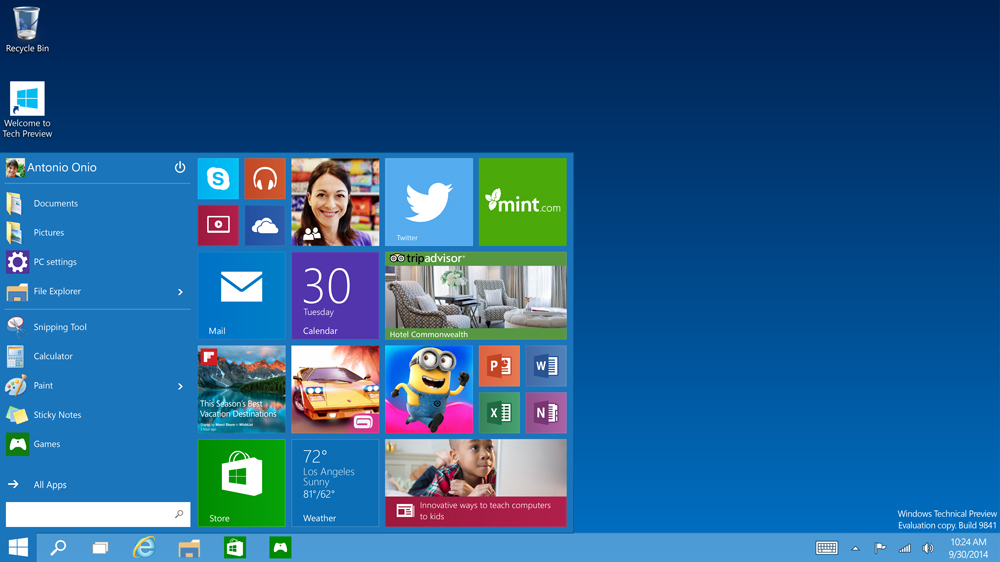
    All Windows users have been anticipating this day for months now, and it is finally here. The Windows 10 launches today, though with mixed reviews. It is being called a great combination of the Windows 7 & 8, especially with the return of features like the Start Button. Other features include Cortana, a new browsing experience with different modes such as the reading mode.

    source: PCworld
    source: PCworld

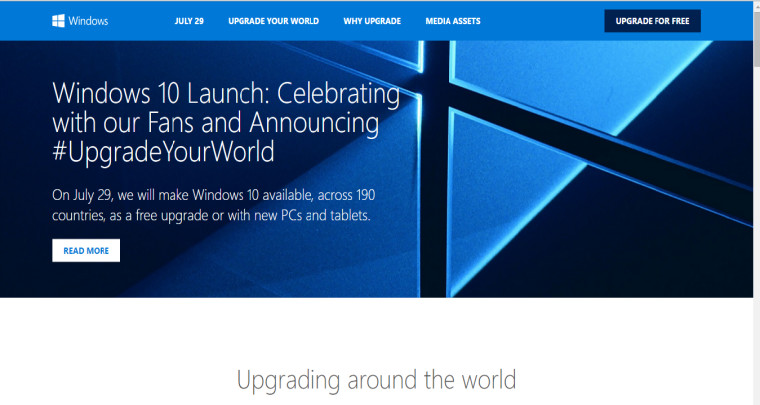
    One can upgrade to the Windows 10 by clicking on the ‘get windows 10’ icon on the Systems Tray of your PC. Otherwise, Windows has also provided a Quick Guide along with a website pertaining to the launch. Those of you who have already clicked on this button and have registered for the new Windows, have only to wait till Windows updates you about the download. The installation might take a day or two, depending on the traffic.

    Windows 10 Upgrade Website

    Most reports don’t call it a ‘traditional launch,’ since Windows 10 has been available to several users for a couple of months. Although, Microsoft says, that Windows 10 will perhaps be the last version of the Windows software program, which will keep updating itself gradually for free, over months and years.

    windows 10

    As of now the Windows 10 will come with many guide videos to help upgraders use the new features such as, the cortana, XBox game streaming, built-in universal apps, and the improved security of Windows 10.

    Windows 10

    However, with mixed reviews, it is yet to be seen, whether Windows 10 will tighten its hold on the market. Let us know about your Windows 10 upgrade.

  • Here’s a Little Help if You Haven’t Received the Windows 10 Upgrade Notification Yet

    Here’s a Little Help if You Haven’t Received the Windows 10 Upgrade Notification Yet

    It is safe to say, that the most awaited update of this month is the Windows 10 update. While many Windows users have still not received the little Windows 10 notification button on their System Tray, what is it that you can do to get your system to step up?

    source: PCworld
    source: PCworld

    The process to prepare your laptop for this upgrade will differ according to the Windows version you are using. If you are running the Windows 7, then the solution is to simply update, because the older version of the Windows 7 is not equipped to a new OS without intermediary updates. What you can do is go over to the Control panel, click on System and then choose the Automatic Updates option, moreover, one can also manually update everything. Once your computer is through with the process, just reboot it and you should be able to see the notification icon for the Windows 10 upgrade.

    continuum windows 10

    What is to be noted here, is that, the icon works solely for the Windows 7 SP1 version and not the Windows 7 Enterprise yet. If the updates aren’t working properly, or if you don’t want to update everything then you can manually update the necessary requirements. The two necessary updates are here and here, after which you can download the app itself. Without these updates, Windows 7 won’t be equipped to upgrade to the Windows 10.

    For more detailed information on the upgrade click here.

    Similarly, for the Windows 8 or 8.1 user, you will need to upgrade your operating system. If you haven’t chosen the automatic updating option then you will have to go to your Settings and select the Change PC Settings option then pick the Update and Recovery button. There are different options to update your PC on a Windows 8/8.1, so if you want to control the update installation, then simply pick the Choose How Updates get Installed option.

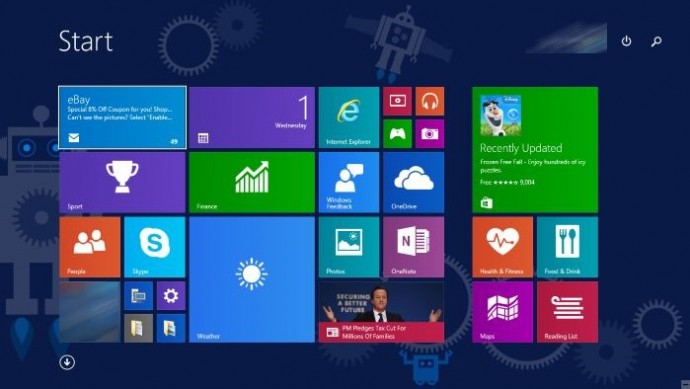
    Start-screen-in-Windows-10

    Here also, however, the Windows 8/8.1 Enterprise and Windows RT/RT 8.1 cannot get the Windows 10 update icon or app. Although, for a manual update, the process is similar to that for Windows 7, for which the links have been given above.

    For computers on a professional network, the option to upgrade is out of your hands. This is because, most schools, colleges and business organizations run networks with a tight firewall protection which is managed by the administration or IT department. Therefore, in these cases one can only hope that one’s organization also plans to eventually update their version of Windows.

    Finally, for older Windows operating systems, if you have picked the “no update for you” option on Windows 7 and 8, one might have already noticed that the new upgrade cannot be downloaded on to your system yet. But, according to sources such as PCgamer.com, Windows is offering an upgrade even for ‘non-genuine’ users. As posted in a Windows blog on May 15th, Terry Myerson wrote that the company would be releasing an attractive Windows 10 upgrade for those running older devices on a non-genuine state.

    windows10invite.0

    So let us wait and see, what the much anticipated Windows Upgrade, holds for us.

  • Here’s What We Know About Windows 10 So Far

    Here’s What We Know About Windows 10 So Far

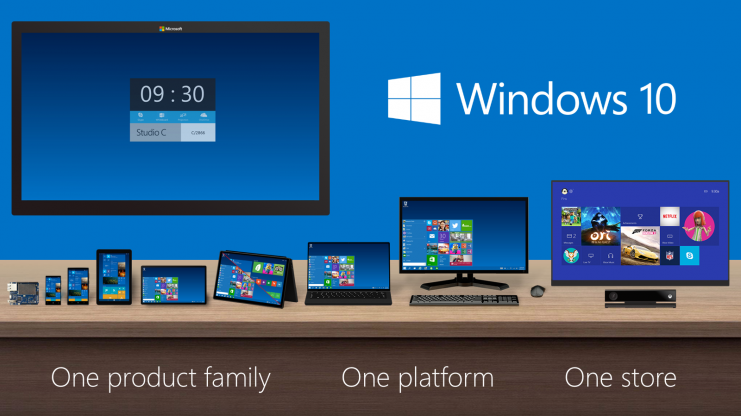
    Windows is by far one of the most widely used OS in the world. It’s also known that Windows XP has been the most popular version of Windows, to the length that it took two years for Windows 8.1 to surpass XP. With Windows 10, Microsoft has taken a multi-platform approach, meaning that your Xbox, phones and other Microsoft products will run on the same OS.

    Microsoft is pulling out all the stops to make Windows 10 available worldwide. From free upgrade to new features, the company has been building up the hype for its new OS day by day. Still, existing Windows users are still confused about certain things like, whether they are eligible for free upgrade or when can they get Windows 10.

    Here’s what we know about Windows 10 so far. We hope that we are able clear your doubts.

    Am I eligible for free upgrade?

    The most frequent question riding on Windows users’ minds, to which Microsoft has changed its answer from time to time. First, it was reported that anyone who uses a copy of Windows 7 or 8.1, genuine or not, will get a free upgrade. The company changed its statement saying that the users using pirated version will not get free upgrade.

    windows_10

    If you use a genuine copy of Windows 7 or 8.1, you will get a free upgrade. You can simply click on the Windows logo on the right side of the taskbar and reserve your free upgrade.

    If you use a pirated version of Windows 7 or 8.1, you will not get a free copy of Windows 10. There is a way to get a free copy though. If you decide to install a preview version of Windows 10 as part of the ‘Windows Insider’ program, you will get a free upgrade as long as you keep receiving the pre-release updates. If you install the preview version, upgrade to the final version on July 29th and then opt-out of pre-release updates, you will not receive the free copy.

    When will I receive my free copy of Windows 10?

    If you are a regular Windows 7 or 8.1 user, and have registered for your free copy of Windows 10, you will not receive it on July 29. On that day, Microsoft will roll out the new OS to the Windows Insiders. Since the majority of the world has registered for the free upgrade, it is obvious that not all of them will receive it on the same day. That is why Microsoft will start notifying reserved systems in parts, which means you will get your free copy of Windows 10 after you have been notified post July 29.

    How do I register for my free Windows 10 upgrade?

    You will see a Windows logo on the right side of your taskbar. Click on the logo will open up a window. Click ‘Reserve your free upgrade’ and enter your Microsoft Account ID. Select the menu and choose ‘View Confirmation’. If this window appears, it means you will be notified about your free upgrade:

    windows 10

    How much space is needed for Windows 10 upgrade?

    According to Microsoft, the Windows 10 upgrade requires only 3GB of space. How much time it takes to download 3GB will depend on your Internet connection.

     Will I lose my personal data after I upgrade to Windows 10?

    Microsoft says that your files and applications will be safe. However, we recommend you to create a backup of your personal files. As far as softwares are concerned, applications like anti-virus will be uninstalled during the update while keeping its settings. If you have a current subscription, Windows will reinstall using the preserved settings.

    Now that your basic doubts have been cleared, we hope that you and us will enjoy Windows 10 when it comes on 29 July.

  • Microsoft Again Clarifies About Who Gets Windows 10 for Free

    Microsoft Again Clarifies About Who Gets Windows 10 for Free

    A few days ago, Microsoft declared that anyone who has signed up and installed the preview version of Windows 10 would get a free upgrade. It seemed an easy way out for those who were using the pirated or non-genuine versions of Windows XP/Vista/7/8.1. In a recent blog post, Microsoft has clarified that the method is not as simple as it seems.

    According to Microsoft’s Gabe Aul, those who have installed the Windows 10 preview will get a free copy, as long as they keep receiving the pre-release updates. “Since we’re continuing the Windows Insider Program you’ll be able to continue receiving builds and those builds will continue to be activated under the terms of the Windows Insider Program,” Gabe wrote in the blog post.

    Tech-Preview_Start-menu

    If a user installs the preview version, upgrades to the final version on July 29th and then opts-out of pre-release updates, he/she will not receive the free copy. According to Microsoft, the preview build will expire without the updates. The user then either has to buy a new license to keep the build or roll back to the previous OS version. “This is not a path to attain a license for Windows XP or Windows Vista systems,” Gabe wrote.

    Genuine Windows 7 or 8.1 users will still receive a Windows 10 free upgrade on July 29th.

  • Microsoft Reveals the Much-Anticipated Windows 10 Pricing

    It’s official. After much speculation and anticipation, the prices of the new and improved Windows 10 has been revealed, as of yesterday. While we all knew that the Windows upgrade was going to be free, the pricing for people who did not have the OS or the licensed version of it, was unclear.

    [pullquote_left] The upgrade from a Windows 10 Home pack to a Pro Pack will just cost $99 [/pullquote_left]

    However, Microsoft, through Neowin, finally announced the prices and the date of release. The cost of Windows 10 Home will be $109 while Windows Pro will cost $199. Incidentally, there was been no hike in price since the Windows 8.1 version came out, which is a pleasant surprise. The upgrade from a Windows 10 Home pack to a Pro Pack will just cost $99. The system will be ready for upgrade on the 29th of July.

    While there was a lot of speculation over the weekend with Newegg reporting a price leak, it has been confirmed that the prices put up by the website, initially, were incorrect.

    Start-screen-in-Windows-10

    Now that we know the price and date, It is important to know a few more things about the Windows 10 upgrade:

    • The upgrade is available for free, for a year, after which all Windows 7 and 8.1 users, will have to purchase the upgrade. So do avail of this offer, soon.
    • You can either download the OS on your Windows 7 and 8.1 versions or buy the new PC.
    • All updates and fixes will come at no additional cost once you’ve downloaded it.
    • They have a ‘reservation link option’ which means you can preload the software and it will install, as soon as it’s ready.
    • All non-genuine Windows users will not get a free upgrade and people using Windows OEM (Other Equipment Manufacturers) will be offered attractive discounts, as per the company’s statement.

    With the revelation of prices, the Redmond-based beast hopes to secure its fortunes in what can be the largest sales of PCs and upgrades that will be witnessed. As per Neowin, the company expects users to avail of the free upgrade that is available for one year and hence is targeting 1 billion installs of Windows 10, in the next 2-3 years. While the task seems daunting at the moment, it’s definitely not an impossible feat.

iGyaan Network
Privacy Overview

This website uses cookies so that we can provide you with the best user experience possible. Cookie information is stored in your browser and performs functions such as recognising you when you return to our website and helping our team to understand which sections of the website you find most interesting and useful.