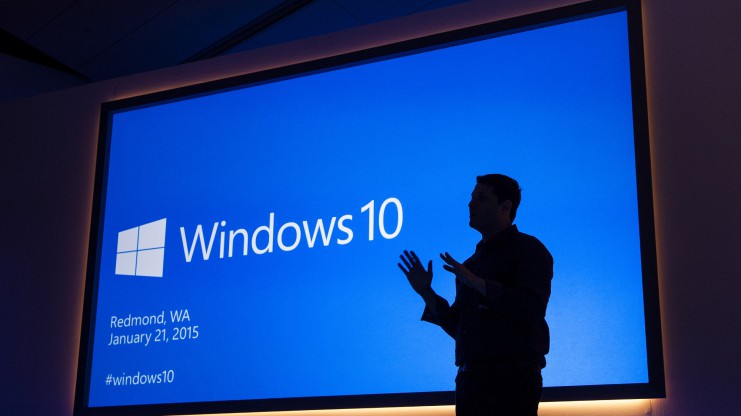
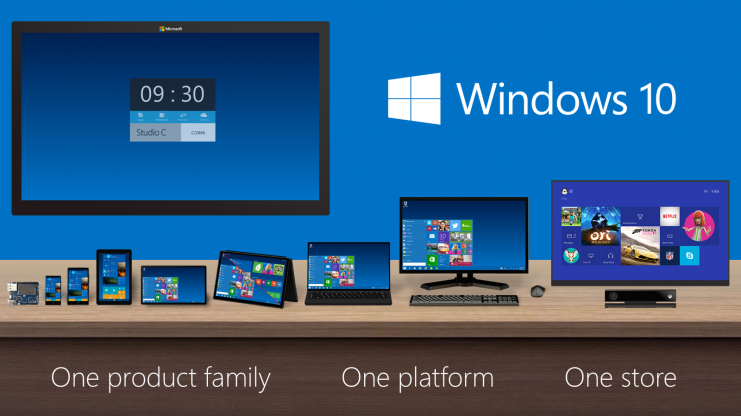
Back in March, Microsoft announced the release of the highly-anticipated Windows 10. The company said that the latest OS would come this summer in over 190 countries and 111 languages. Microsoft hasn’t yet disclosed when the latest Windows is going to debut, but we have some details about its arrival.
As stated by TechCrunch, Windows 10 will release at the end of July. The online tech publisher contacted some officials who disclosed the release date of the next Windows OS.
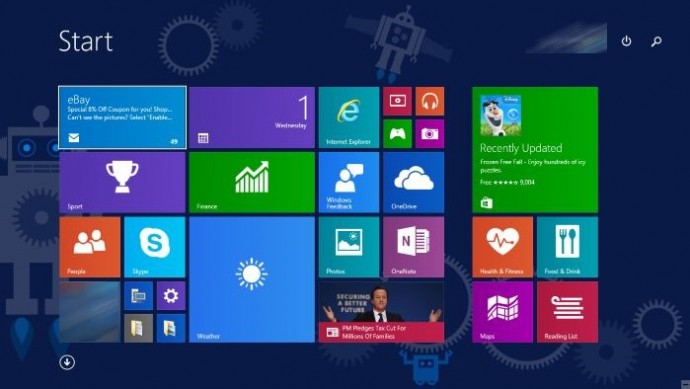
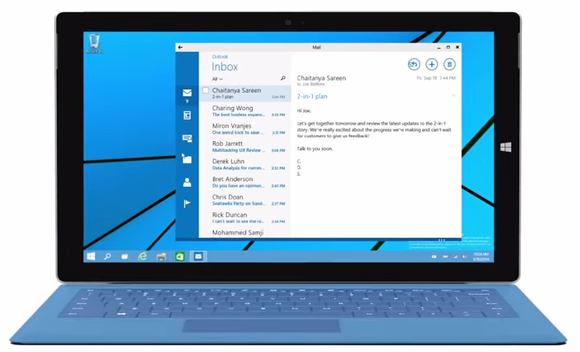
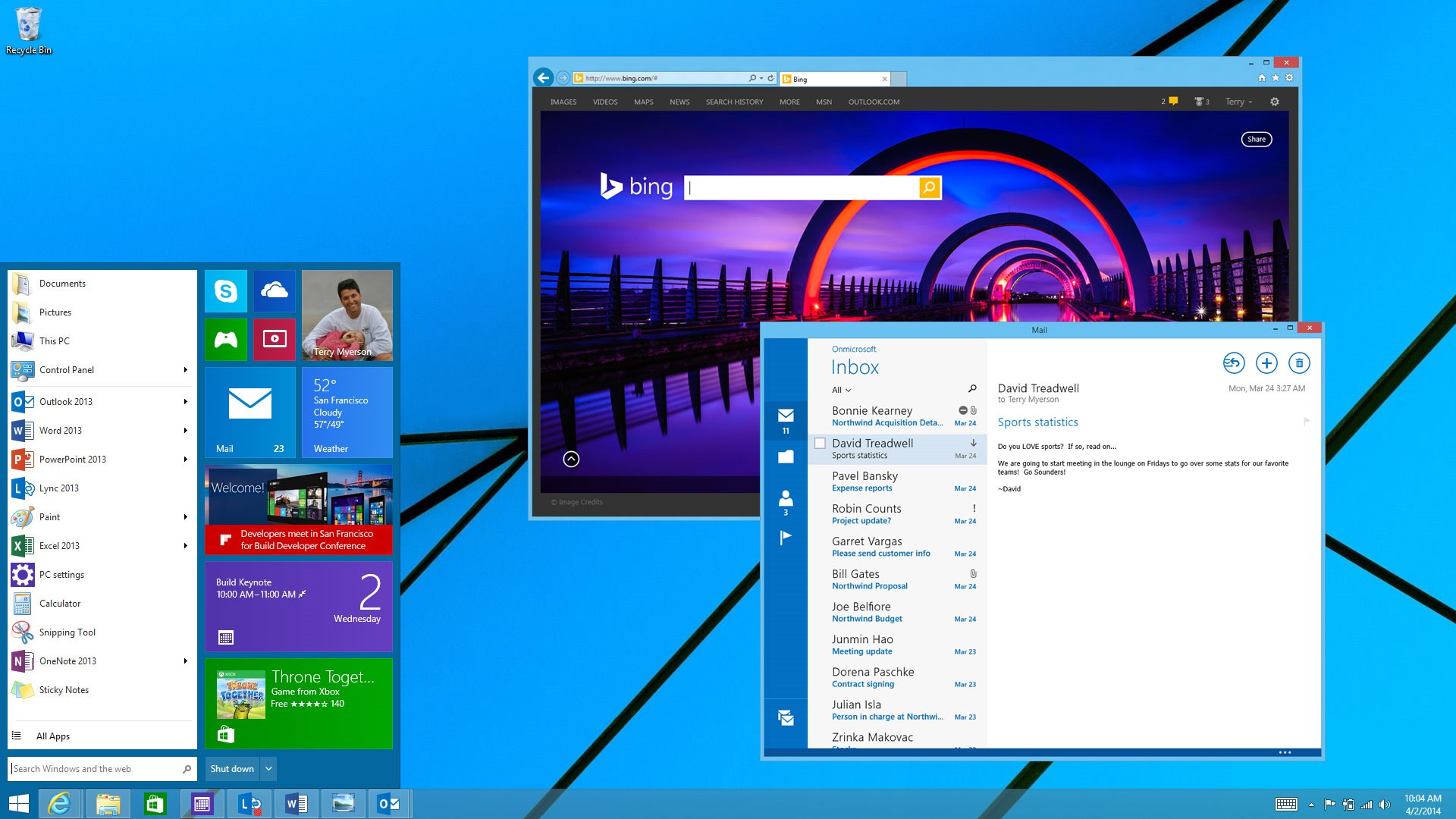
In October 2014, Microsoft released the Technical Preview of Windows 10 that allowed users to view and test the new OS first hand. The Redmond-based firm has high expectations from its latest operating system and is offering it free for its Windows 7, 8.1 and Windows Phone 8.1 users for one year. The new Windows marks the comeback of the Start Menu, which was absent in the previous Windows 8 version. It has some exceptional features like Project Spartan and Cortana. With Project Spartan, users can have an all-new experience while browsing the web. Further developments include tweaks and enhancements to its menu, screen, and other features like Cortana.
For more information on the unique features of Windows 10, click here.
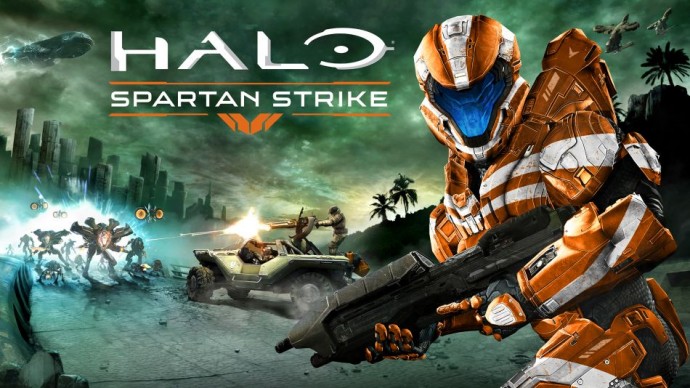
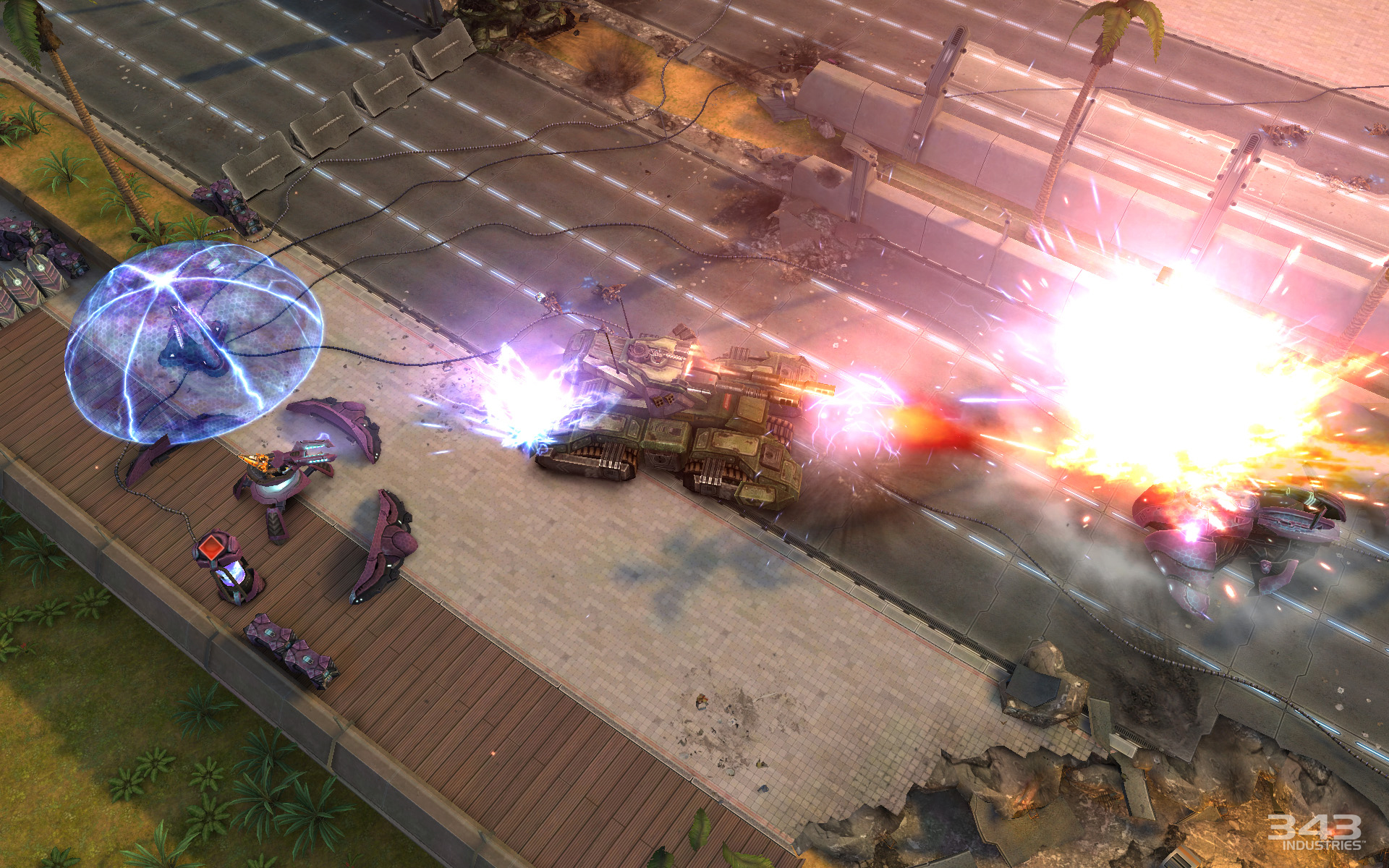
Halo is back again with its newest top-down shooter game. Partnering with Vanguard Games, Microsoft Studios and 343 Industries have launched Halo: Spartan Strike. The new story is touted to be different from previous releases.
The new story is based in the Halo universe on New Mombasa in the year of 2552. The game consists of 30 different levels while maintaining the objective of leading the UNSC troops through jungles and cities against Covenant and Promethean foes. For aid, the player has a huge arsenal of weapons, abilities and vehicles. In addition to this, players can buckle up against each other in a variety of weekly challenges to earn the top spot on the leaderboard. The achievements can be earned to attain new avatars or emblems on Xbox One.
The game is available for $5.99 on iOS, Windows and Steam. For iOS and Steam users, you can also avail Halo: Spartan assault as a bundle for $9.99. The Indian Windows Store lists the game for Rs. 379. Once purchased on any Windows device, this game can be played across different platforms too. This includes syncing of the game data and progress, as long as it is connected to Steam.
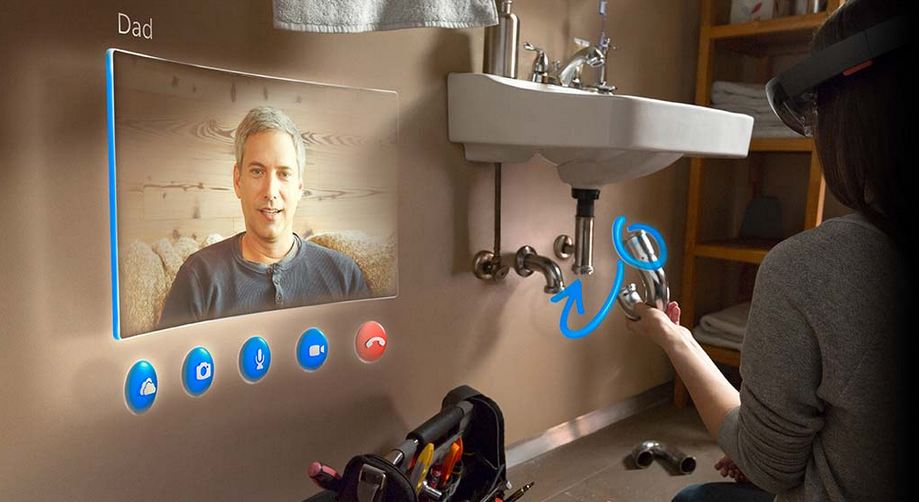
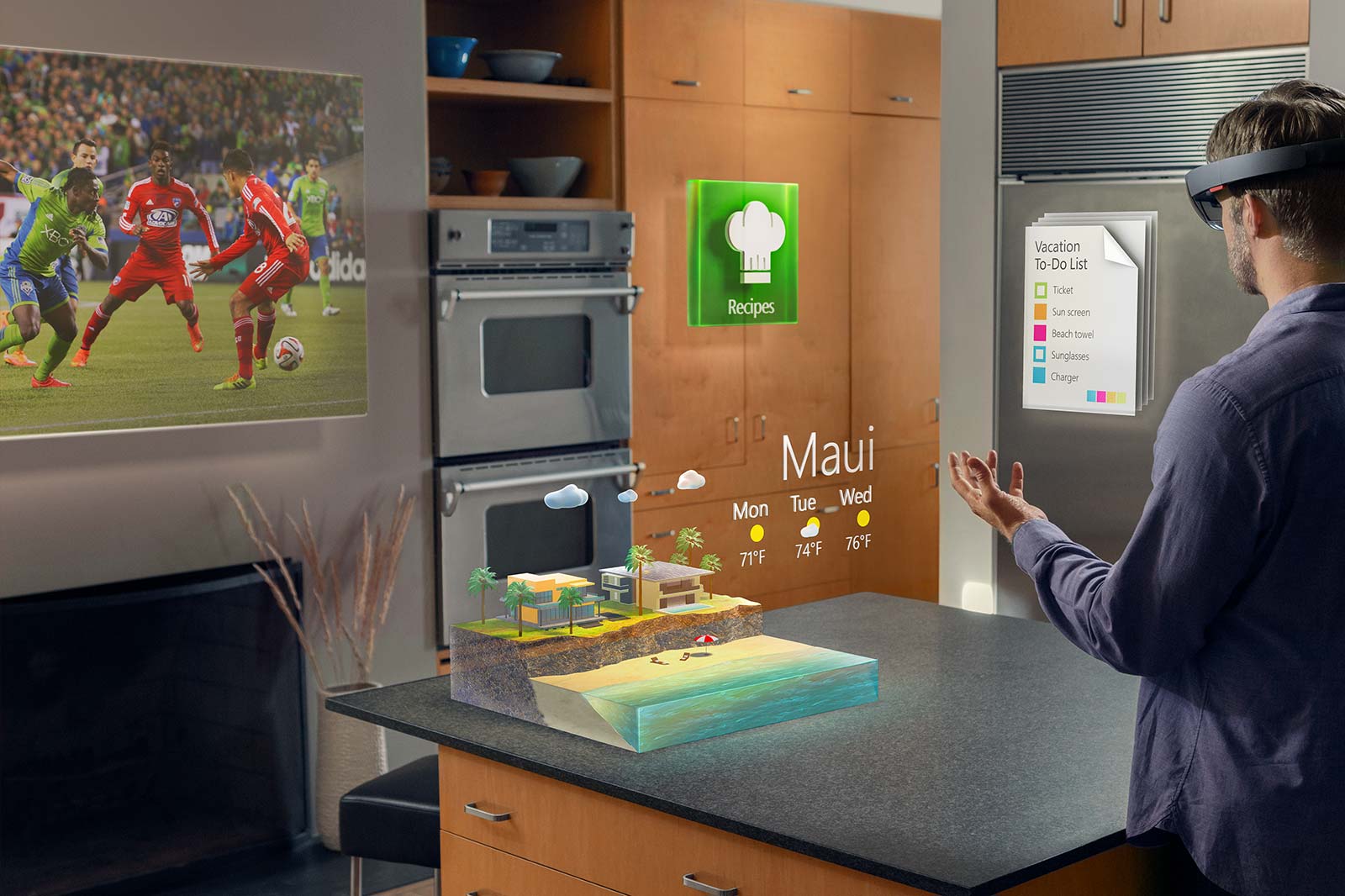
The much-awaited consumer preview of Microsoft’s new operating system, Windows 10 is here. This is, of course, the best Windows OS yet and tries to repent for Microsoft’s follies in Windows 8. There are a lot of amazing features such as the return of the Start menu, Cortana, a new browser dubbed Spartan and much more. Windows 10 seems like it might also give a boost to Microsoft’s ailing smartphone business that it acquired from Nokia. But the gizmo that won everybody’s heart was the HoloLens, a one of a kind wearable that brings science fiction into reality. We look at this amazing innovation from Microsoft and see if the biggest tech company in the world finally found its winning formula.
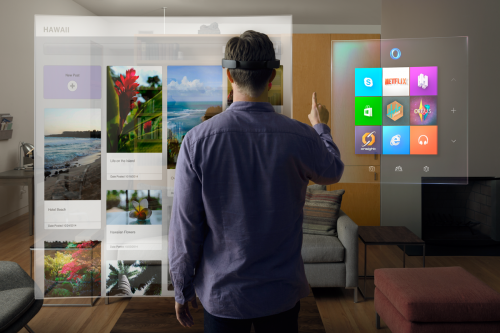
HoloLens can make all our displays obsolete as it can conjure a display anywhere you want
A Seamless Interaction between Digital Life and Real Life
Microsoft hits the top podium stand with the HoloLens at least in terms of imagination and innovation. The HoloLens has no match if you consider the manner in which it is presented. There have been previous attempts at making augmented reality based holographic glasses like Meta 1, but they appeared rather rudimentary. Google’s HoloLens gets the power of Windows 10 that will give it a boost above the rest. Also, with this product, Microsoft finally gets to stand up to Apple, whose biggest innovative offering has been the Apple Watch, which suffers from an extreme battery draining problem.
HoloLens bring Holographs into your everyday life.
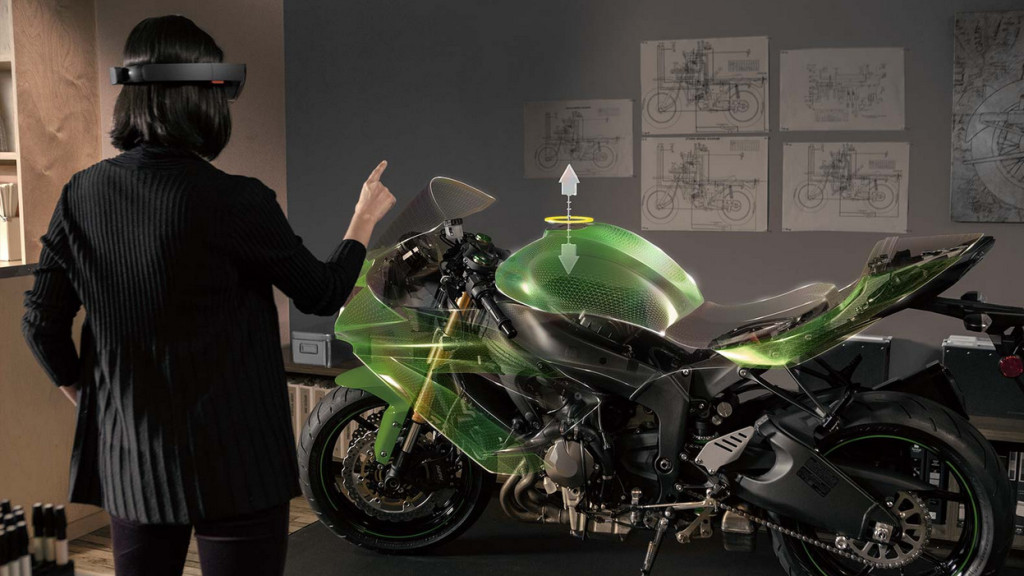
The demos of the HoloLens were definitely mind blowing. The virtual holographic objects appear as if they are a part of the real world. Interaction with this world also feels like a breeze. Microsoft has also unveiled the Holo Studio that lets you create 3D objects in a 3D environment and then using 3D printers, bring them into the real world. Unlike most of the product demo videos that exaggerate the possibilities of the technology, HoloLens seemed to perform exactly as it was presented. The creation process of the quad copter literally felt as if we were in Tony Stark’s workspace.
The Technology
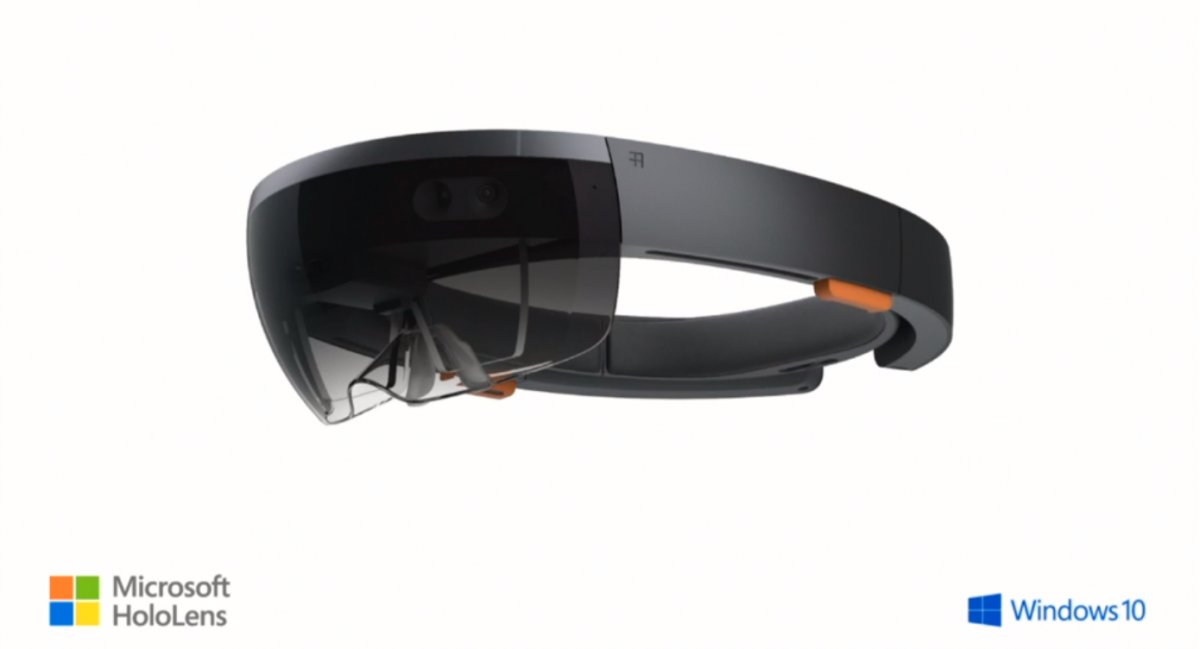
The HoloLens is a self contained computer on its own and doesn’t require connection to Phone or a PC.
The HoloLens is a self-contained computer. It includes a CPU, a GPU, and a dedicated holographic processor unit (HPU). It neither has wire nor does it require a connection to a phone, PC or any other device. It has 120 by 120 field of view, which is even wider than the Kinect. The wide view lets it see what your hands are doing even while they’re completely outstretched. The device has to process a lot of information that might lead to a lot of heat, to solve the issue; there are air vents on the side that disperse the heat. On the right side of the device are the buttons that let you adjust the volume and contrast of the Holographs.
Applications
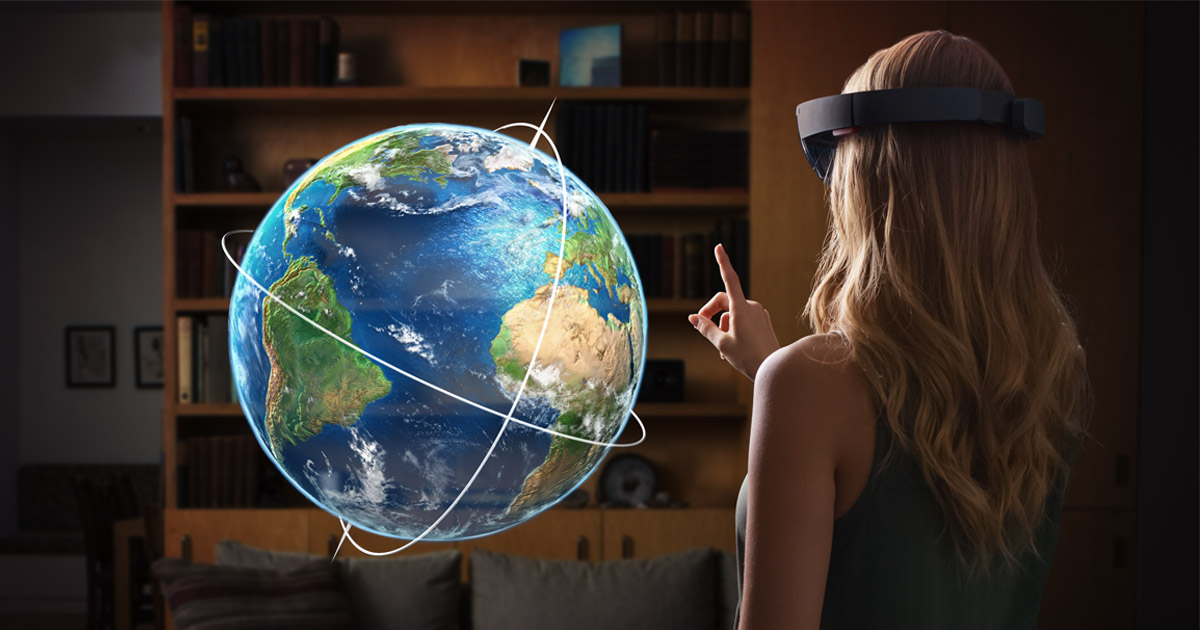
HoloLens doesn’t just present an amazing bunch of features it also makes several previous technology such as various displays almost obsolete. With the HoloLens, you can conjure a display anywhere and of any size you desire. It can be used as a teaching tool and would bring a whole new meaning to “learning by doing”. Students can be given lessons in an interactive format where they’ll get the option to manipulate the lessons to see what happens. For e.g.; a holographic globe can be used in the class learning Geography that shows the movement of ocean currents and the formation clouds caused by it. This would be a lot more interactive than a dull map with lines drawn on them.
Lessons get interactive and more engaging with HoloLens.
You can also bid goodbye to the game boards, and the gaming consoles as the entire world becomes a virtual gaming space. As the technology will progress, developers are bound to introduce virtual reality gaming that with the might of HoloLens, will be better than anything we’ve experienced till now.
Designing process gets real easy with real time 3D modelling coupled with 3D printing.
On the enterprise front, the HoloLens will allow for virtual interactions between the entire team even if they are sitting thousands of kilometres away. Industrial designing, when coupled with 3D printing, would make the design process a lot more interactive. A vehicle designer or an architect can have an all-round view of their project and can find deficiencies and solve it after which they can get a 3D model printed.
Mars, just a HoloLens away
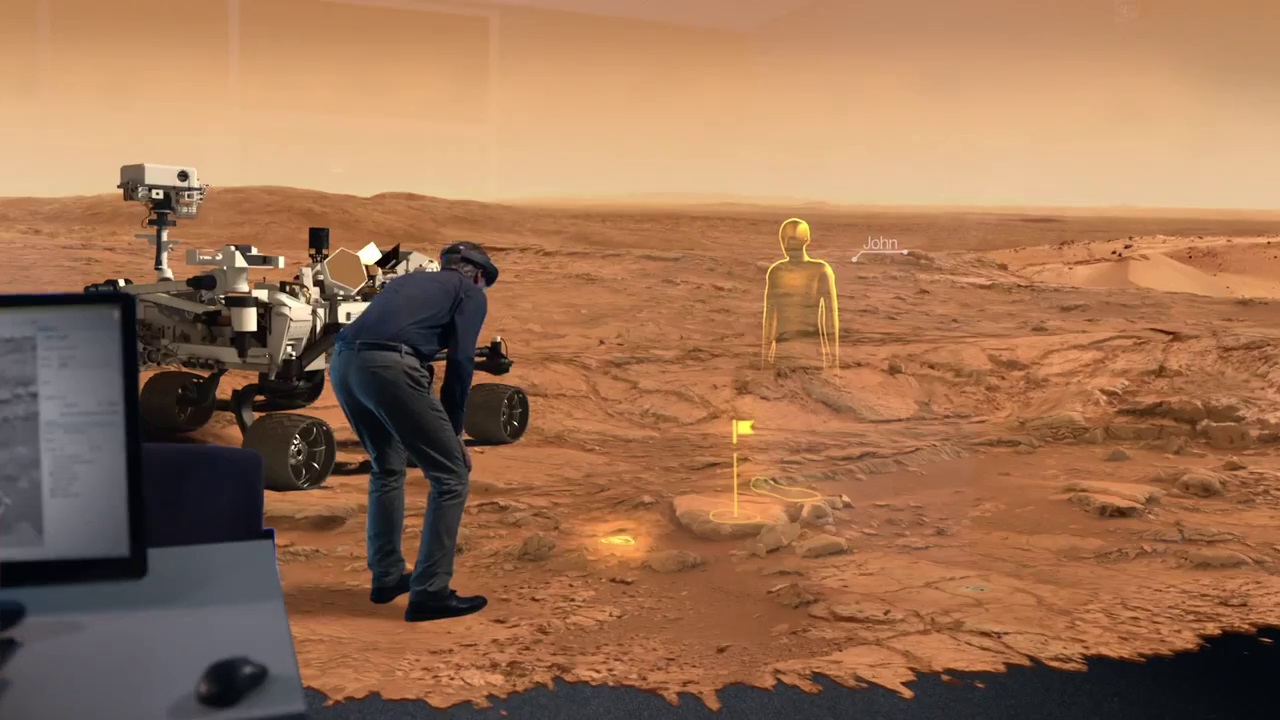
Microsoft has partnered with Nasa to create OnSight that lets scientists walk on Mars surface.
The coolest aspect of the HoloLens is how it is useful for the scientists at NASA. Now the researchers can have an immersive view of the Martian surface. To aid the scientists, Nasa and Microsoft have created a software called OnSight. Using the data sent by the Curiosity Rover on Mars, the scientist can have access to the surroundings of the rover to almost the same degree as a geologist on earth. Nasa plans to proactively use the OnSight software for the research. They also plan to integrate the technology in future missions including the next Mars rover expected to launch in 2020.
Microsoft will be opening the platform for developers this spring. The developers will get access to all the information during Microsoft’s Build conference from April 29 to May 1, 2015. Microsoft has said that it will be priced for both enterprise as well as consumer users. With the HoloLens and the successful preview of the Windows 10, Microsoft has finally managed to win our hearts again. With the HoloLens, everybody gets to be Tony Stark. Microsoft has not just pushed boundaries of holography but has also set a technological standard for others to match.
Dear Apple, that Watch just doesn’t cut it anymore, show us something that really blows our minds.
Microsoft has basically followed in Apple’s path, and made Windows 10 a free update for their existing consumers. There are limitations and this will only be applicable for the first year, which does not seem to be much of an excuse for complaining.
To explain it further Microsoft states :
This is more than a one-time upgrade: once a Windows device is upgraded to Windows 10, we will continue to keep it current for the supported lifetime of the device – at no additional charge. With Windows 10, the experience will evolve and get even better over time. We’ll deliver new features when they’re ready, not waiting for the next major release. We think of Windows as a Service – in fact, one could reasonably think of Windows in the next couple of years as one of the largest Internet services on the planet.
Enterprise customers are not left behind and continue to get the same service and support as previous paid “enterprise” versions.
Microsoft has taken the curtain off the next version of the largest used OS aka Windows and just like rumors suggested they skipped the 9. The next version of Windows aka Windows 10.
Microsoft has followed in the lines of Apple and mostly Mobile methods by making an upgrade to Windows 10 free for all Windows 7, Windows 8.1 and Windows Phone 8.1 users. Calling Windows mostly a service and not a product.
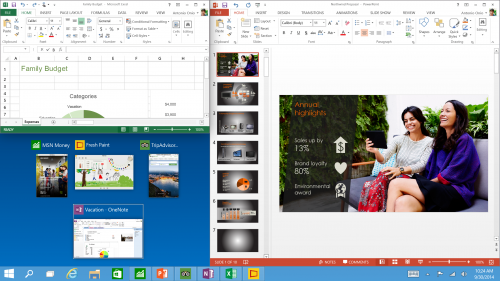
The biggest news that fits into the picture is the seamless integration with Apps across hardware segments, Microsoft has been gunning for this and with Windows 10 it may have become more of a reality.
Now coders will have to make one app which will work across platforms including mobile, tablet and PC.
The new version of Windows will also come with voice assistant “Cortana”. The center of the Cortana experience is housed in the “Notebook”, which should be familiar with those on Windows Phone. Opening this Notebook will show you just what she knows about you.
You can do voice search as well as voice to text typing, which will be a much appreciated add-on.
With previous version of Windows leaving everyone complaining, Microsoft execs are pretty much sure that they have rebuilt their OS from the ground up, and unlike Windows 8 it is not a hasty decision or rollout.
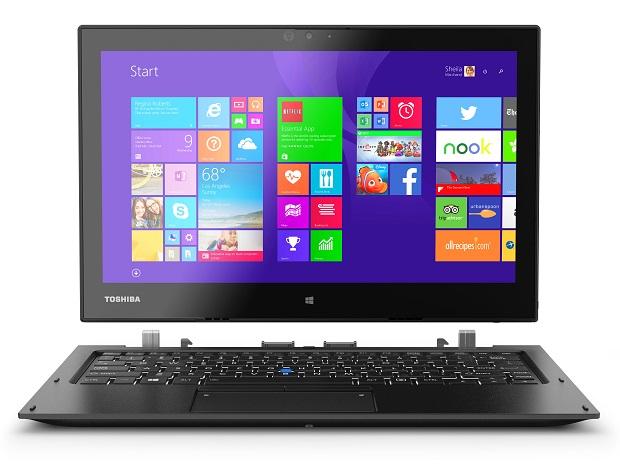
At a time when other companies are bidding CES goodbye, Toshiba still has some offerings left in stock. The Japanese multinational company rolled out a trio of Windows devices at CES 2015 that puts to use the rarely-used digital stylus. The launched devices include a Portege Z20t Ultrabook and a pair of Encore 2 Write tablets.
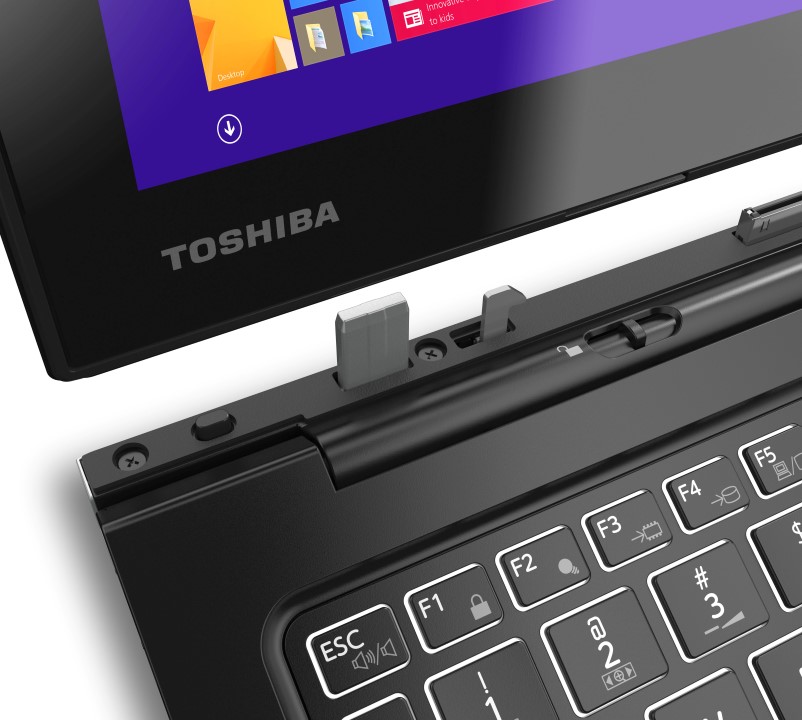
The Portege Z20t Ultrabook by Toshiba is a hybrid laptop that detaches to transform into a tablet. The device features a 12.5-inch display with 1920×1080 (1080p HD) resolution and is powered by an Intel Core M-5Y51 processor paired with up to 8 GB of RAM. The SSD of the Ultrabook is capable of storing as much as 256 GB of data. It comes preloaded with either Windows 8.1 or an upgradable Windows 7 Professional version. On the hardware front, the Portege Z20t has a spill-proof keyboard and weighs a mere 3.3 pounds, which includes the keyboard. Even though it’s a detachable gadget, the hinges don’t bother as they turn to switch the screen into presentation mode.
Toshiba claims that the Z20t can last 17.4 hours on one full charge. The ultrabook adds Toshiba’s key input device Digitizer Pen together with an Eraser. Coming to its price, this Toshiba ultrabook will cost you $1,399.99, for 4 GB of RAM and 128 GB SSD.
The Encore 2 Write series tablets comes with the same set of specs and varies just in price and display size. The 8-inch Encore 2 Write comes at a cost of $349.99, while the 10.1-inch variant of the Encore 2 can be purchased at $399.99. The devices hold a display resolution of 1,280x800p and are powered by Atom Z3735F processor from Intel. They pack 2 GB of RAM, 64 GB of solid-state storage and come preloaded with Windows 8.1. Along with that, the tablets make use of Active Electrostatics pen technology through the company’s innovative product TruPen that has 2,048 points of sensitivity.
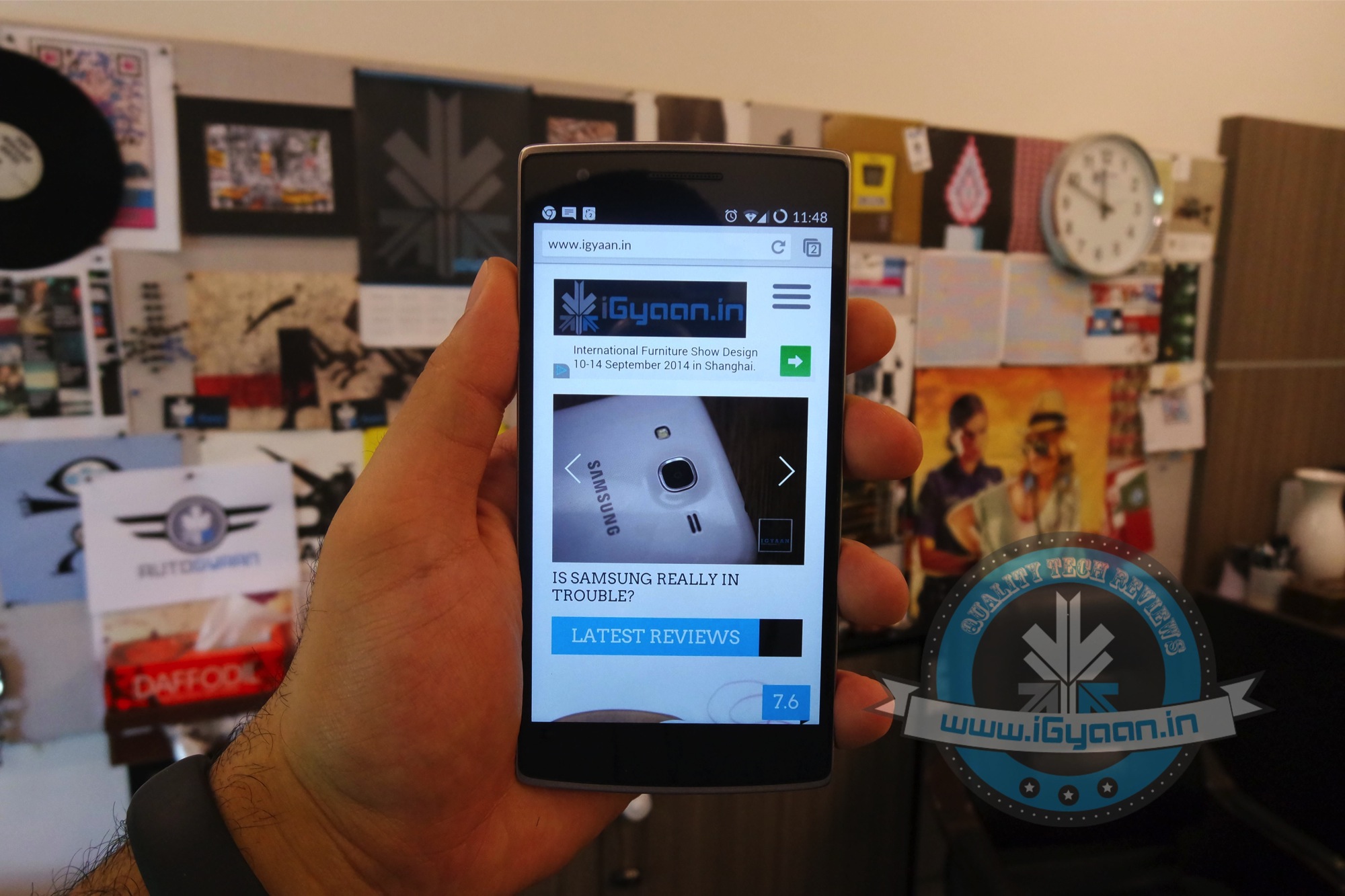
We have seen lot of Windows handset launched this year, and it look like one more manufacturer is interested in launching a device on the platform. OnePlus, a Chinese company has made waves this year with its zero-margin OnePlus One, a high-end 5.5-inch smartphone running on the Android-derived CyanogenMod OS, which sells for half the price of competing phones.
Now, the company is looking to branch out into other areas and operating systems. Speaking with the Indian Economic Times, director of OnePlus Global Carl Pei revealed, “We have had discussions with Microsoft over a Windows Phone smartphone. We are still looking into it.”
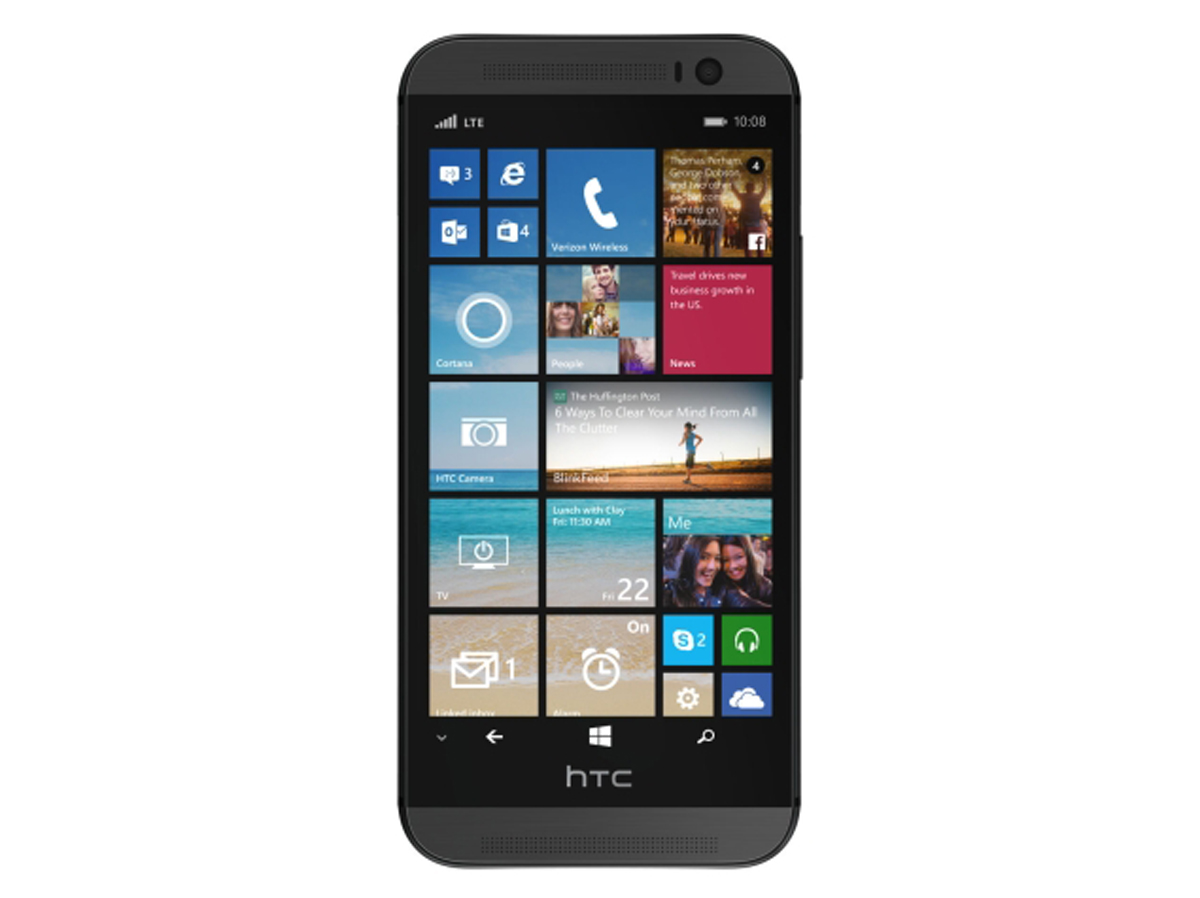
At this stage, it is not known whether the manufacturer is looking to offer the OnePlus One with Windows Phone much like HTC has done with the One M8 for Windows or whether an entirely new handset is in the works.
As the report also notes, OnePlus is planning a successor to the OnePlus One. The OnePlus Two was officially confirmed as being in the works late last month. The OnePlus Two will arrive in the second or third quarter of 2015.
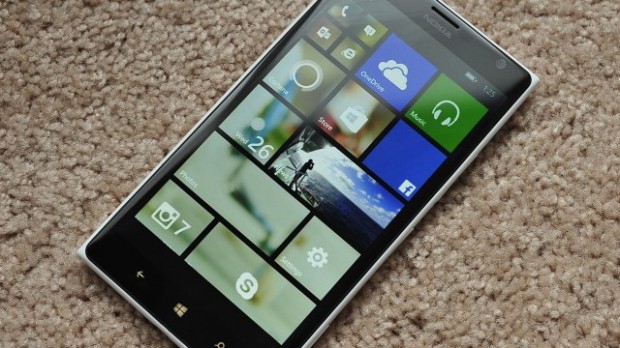
The Windows Phone is making a comeback. This time the operating system has found a home in one of the most appreciated smartphones in the business. The new HTC One M8 with Windows has given a fresh new breath of life to the Windows Phone 8.1 and given users a chance to experience the operating system on a brilliantly designed phone. The success of this phone will definitely encourage other manufacturers to bring out Windows variants in their flagship space.
So we dug deep, scoured through and looked into the Windows Phone 8.1 operating system. With this new Windows Phone 8.1 update the OS is catching up to the giants. We check out how a Windows phone can score over the champions of the smartphone game, Android and iOS.
With the HTC One M8 running Windows Phone 8.1, the OS is back in view
5. Its Customizability
Windows phone 8 didn’t have many customizability features but much has changed since. The Windows phones of course don’t have as many customizability features as Android but it surely has more than the iOS. The ‘Start background’ lets you personalize the homepage. The homegrown apps on the Windows Phone 8.1 are ready to take on the world and the OS is as competitive as others.
4. Cortana
Cortana has some nice quirky attitude.
This one will definitely be a plus for Microsoft. The digital assistant inspired by the widely acclaimed character from Halo is a lot of fun. Cortana is anthropomorphic which means that you can have a conversation with her and because of this, she wins over the robotic Google Now responses. Cortana is capable of doing what Google Now does but with a quirky attitude that you would love. Cortana’s Notebook is a feature worth mentioning. The user customizable Notebook is used by Cortana to find the best results for you.
3. The Action Centre
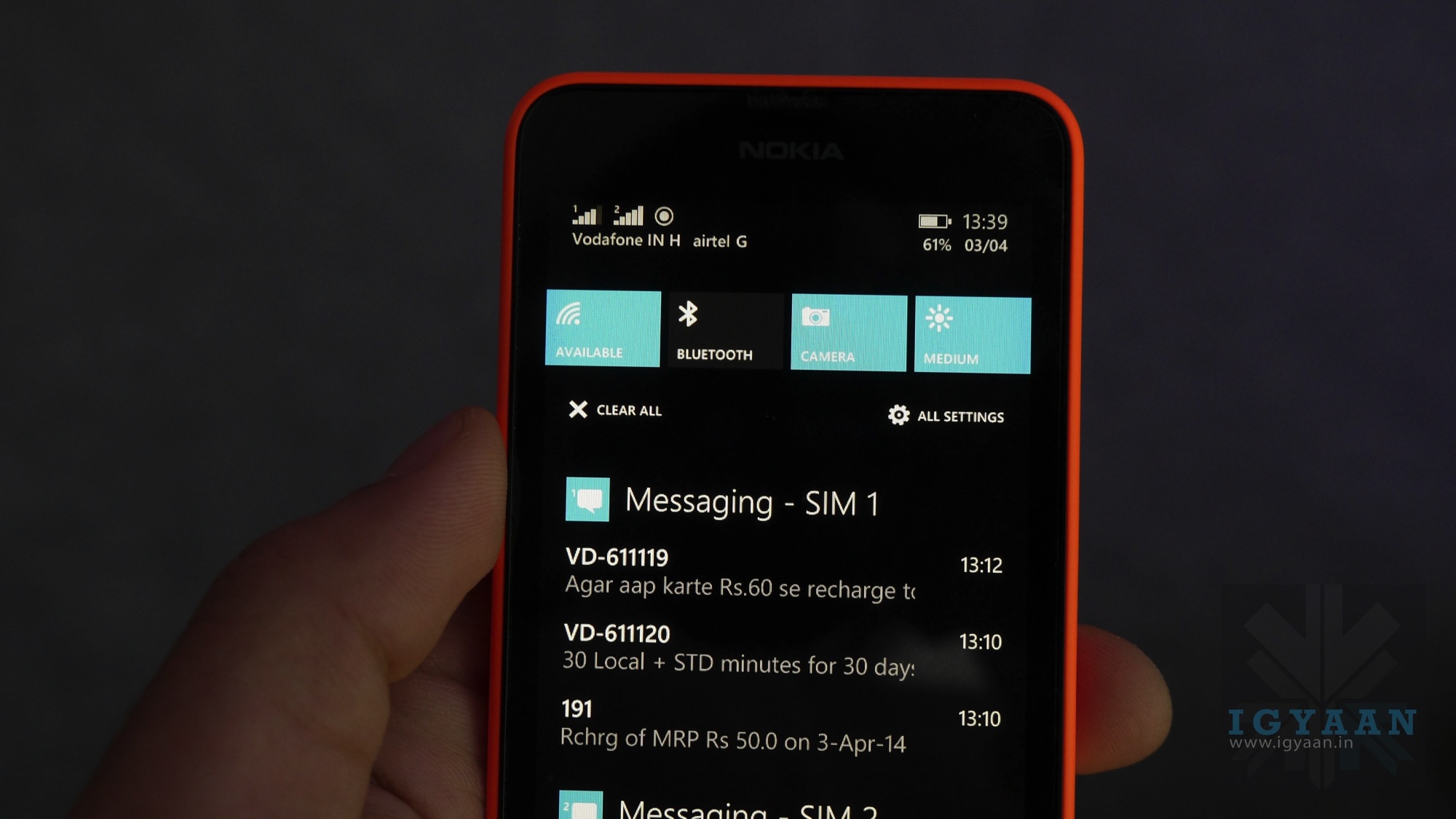
Action Center
The only thing missing from the main screen of a Windows phone was a notification menu. It’s here, Microsoft has brought the ‘Action Center’ in Windows Phone 8.1 which makes the OS fully functional now. The Action Center can be accessed by swiping down the screen from top, just like in Android.
2. Integrated Skype
Skype’s Video calling prowess is globally known. On a Windows system, Skype is the default video dialing client on the Windows Phone 8.1. The app is also integrated with Cortana so you can ask Cortana to video call someone from your contacts.
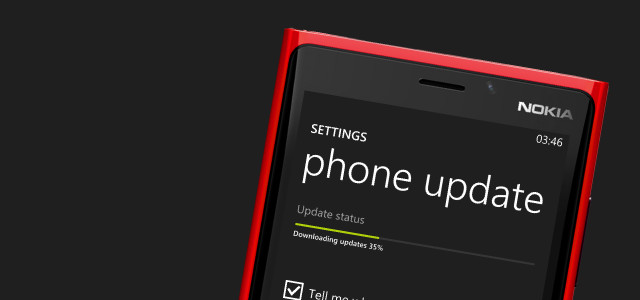
1. Faster Software Updates
Microsoft has said that the cycle of the updates delivery will be sped up to one new update every 6-8 months. The OS upgrade will take place every in one or two years. By speeding up the updates process, the company can generate trust in its consumers of a quality product.
Overall, Windows Phone 8.1 update was one of the most advantageous updates over its predecessors. With Microsoft getting into the mobile game and taking its mobile operating system seriously, it will be interesting to see how the market treats it. With the promise of frequent updates, Windows Phone can surely attract enthusiasts first who are bored of the usual iOS and Android fare. There is a need for a third alternative in the OS market and Windows seems like a good option as it is backed by one of the biggest tech giants. The more attention given to the OS, more the developers will be interested in creating apps for the system.
Now that the update to the Windows Phone 8.1 is days away, we hope to see it grow and give us viable alternatives in the market.
Windows enthusiasts are eagerly waiting for the next Windows offering after being disappointed by the Windows 8. Microsoft has currently named the upcoming operating system (OS), Windows Threshold, which is widely expected to change to Windows 9. The leaks about this new OS make us anticipate a better user experience in comparison to the previous generation OS.
The Verge reports that the company is planning to set a press event on the tentative date of 30th September. This event is supposedly an unveiling of beta version of Windows 9. This report is in line with the earlier ZDNet report which stated that the company was planning on unveiling a preview version in late September or early October.
The Windows 9 preview is expected to showcase the new updated Start Menu that will make a return after its departure in Windows 8. The release is also expected to do away with the charms bar and will bring in many interface changes. Windows was also planning to bring a Cortana like voice assistant into its desktop operating system, but it is unclear whether that will be presented at the event.
Windows 9 is expected to come with various UI updates.
It seems like Microsoft is taking a page out of Apple’s book. Apple had done a beta release of its upcoming Mac OSX Yosemite for the developers. It is also planning to bring Siri like personal assistant to the desktop systems. It will be interesting to see if Microsoft has learnt the lessons from its previous OS adventure and how it corrects them in this version. The company plans to bring in an update for the Windows Phone version too.
It seems like the time for a unified operating systems for phones and computers is nearing. These interlinking of phone and desktop OS will definitely make our interactions with computers faster as we won’t have through multiple operating systems. Microsoft, which has seen a lot of criticism for destroying Nokia, as well as the recent jobs cuts, can really use some positive news right about now.
Fitbit is one of the major players in the activity tracker market, with an estimated 67 percent of all trackers in the US shipping with the Fitbit brand last year. It’s also grabbed more than one million app downloads on Google Play alone, though it remains tight-lipped about the specifics of its App Store figures.
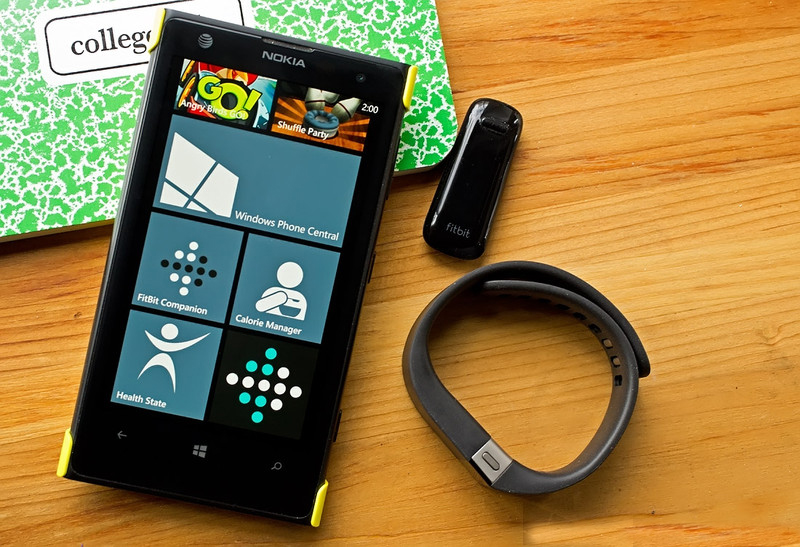
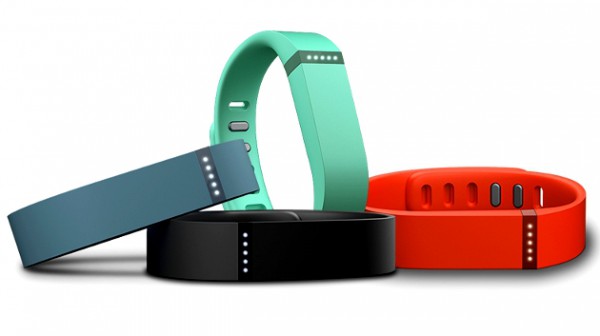
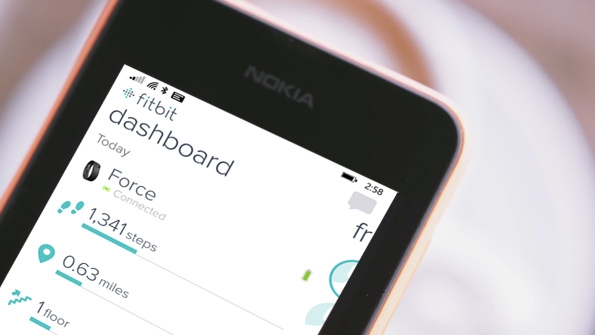
Fitbit is finally expanding its mobile scope beyond that of Android and iOS by launching a version for Windows Phone. The app is near-identical to its iOS and Android counterparts. Simply pair your smartphone over Bluetooth with a Fitbit device like the Flex or the One, and your data will sync automatically.
You can then use the app to monitor progress on your fitness goals by checking in on the steps you’ve taken and the calories you’ve burned. You can also log how much food and water you’ve had today. The Fitbit app is currently only compatible with Windows Phone 8.1 but the OS upgrade will be rolling out to all Lumia devices shortly.
This is a notable move by Fitbit as it has a potential to gain many new users on a platform that’s largely been ignored by the big-brand trackers. Fitbit is among the first to bring such a fully-featured native app to Windows Phone. Some previous third-party attempts have been decent, though they ultimately lacked key features such as real-time Bluetooth syncing, something the official app from Fitbit offers.
Fitbit is staking for the monopoly in the market. Hence, the still nascent market of Windows Phones is targetted by the company which was thought to have only 3% of the market in USA. Recently, the Windows Apps market has seen a lot of new apps rolling out. In just the last few weeks, both Adobe Photoshop Express and on-demand car service Uber have made their debuts as native apps. That doesn’t exactly signal the end of lack of app on the Windows platform. Although it does give Windows Phone enthusiasts some hope that the apps they wish for would soon arrive in their devices.
You can grab the app for your Windows Phone 8.1 device from the Windows Phone store, it’s free and available worldwide in English, with additional languages to come later this year.
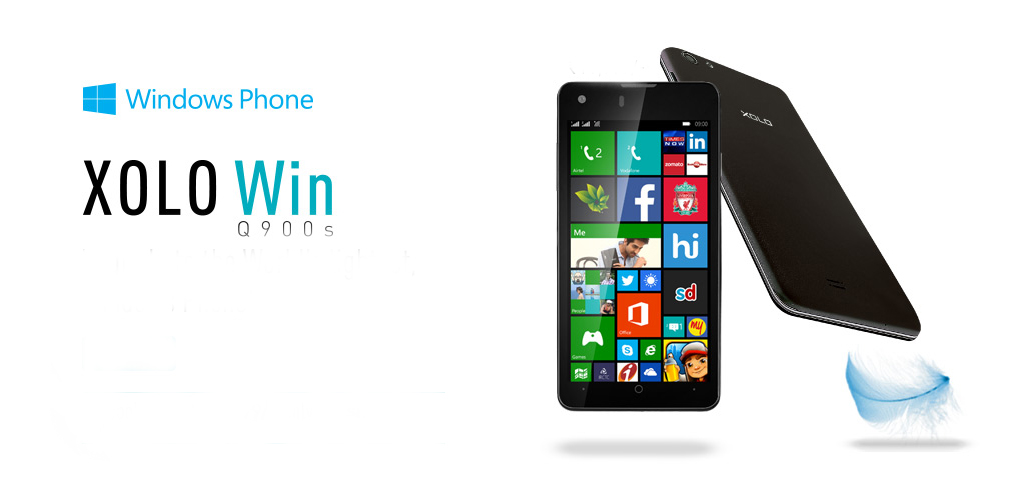
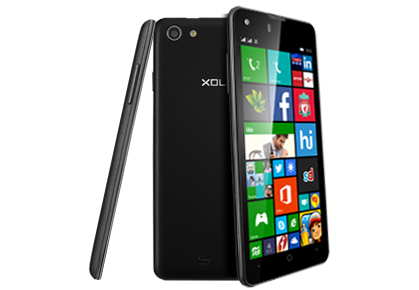
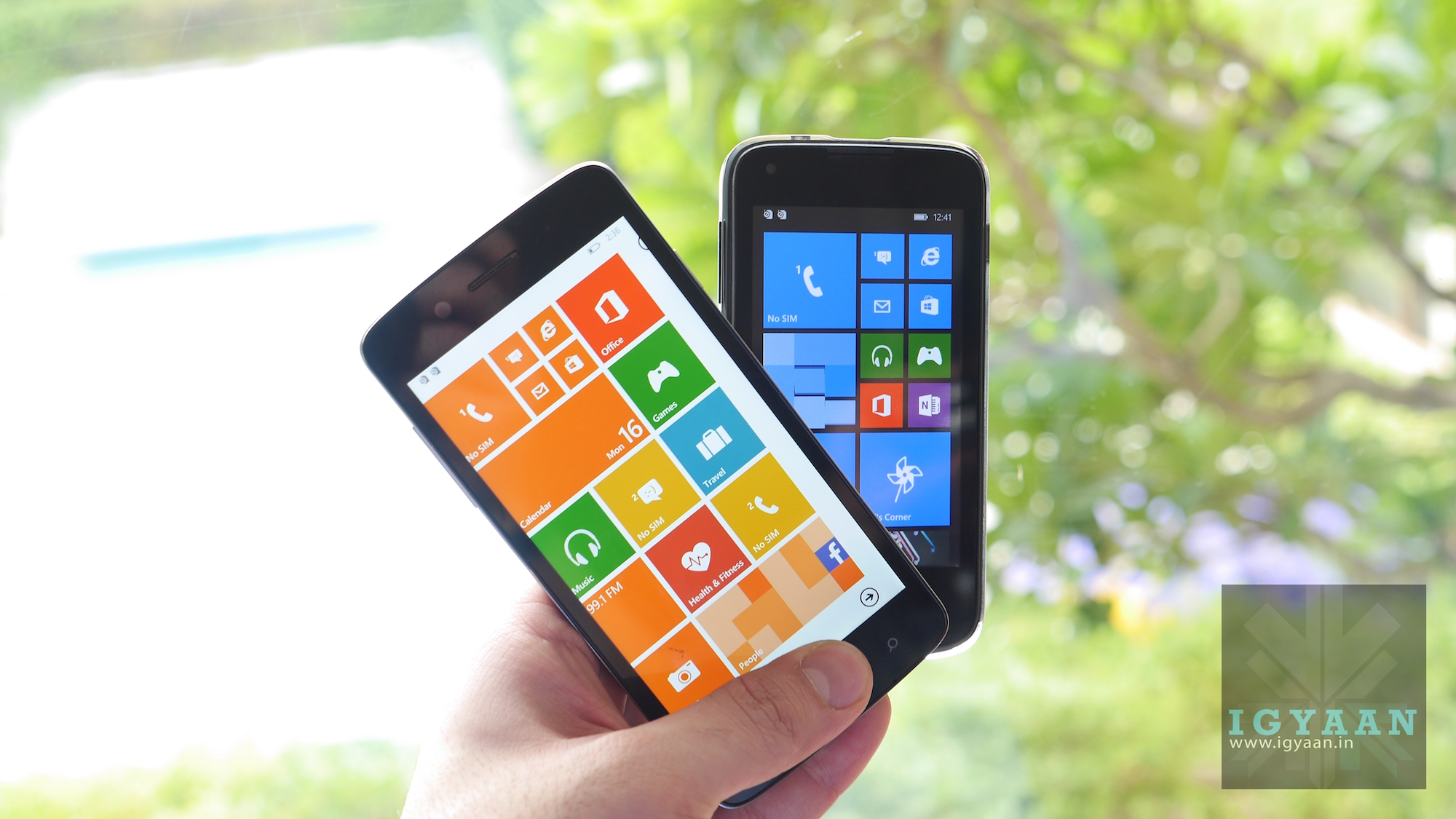
Xolo, following the footsteps of Micromax, has also joined hands with Microsoft to launch a new Windows 8.1 device for the Indian market. Xolo Win Q900s is similar to the devices in Micromax Canvas Win range.
With the launch of Win Q900s, Xolo becomes the second domestic player to launch Windows Phone OS based smartphone in India after Micromax, which released two devices Canvas Win W121 and Win W092 for priced Rs. 9,500 and Rs. 6,500 respectively, earlier this month.
Following the trend of exclusively tying up with an e-commerce website, the Xolo Win Q900s is available on pre-order on Snapdeal. As a special offer the introductory price on the website is Rs. 9,999, while the device is set for a launch in July for a price of Rs 11,999.
The weight of the WIN Q900s is its biggest selling point. It weights all of 100gms, making it one of the lightest smartphones around.
The new Xolo Q900s sports a 4.7-inch HD (1280 x 720p) IPS screen with OGS technology and ships with the Microsoft’s latest Windows Phone OS v8.1, Snapdragon 200 series quad-core processor, Adreno 302 graphics engine, 1GB RAM, 8GB inbuilt memory (expandable up to 32GB) and 1,800 mAh battery which can power the phone up to 23 hours of talk-time and close to 263 hours under standby mode.
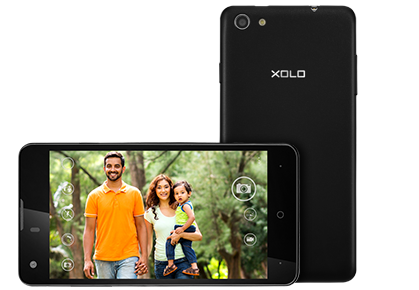
The smartphone includes 8GB of inbuilt storage that is further expandable up to 32GB via microSD card. It also sports a 8 megapixel rear camera with a single LED flash, a 2-megapixel front-facing camera, and comes with a 1800 mAh battery which is rated to deliver up to 14 hours of talk time and up to 246 hours of standby time on 3G network. In terms of connectivity, Xolo Win Q900s supports Wi-Fi, Bluetooth, GPS and 3G connectivity.
Key Specifications:
Display
4.7-inch HD (1280x720p) IPS screen with OGS technology
OS
Windows 8.1
Processor
Qualcomm Snapdragon 200 series quad-core processor with 1.2GHz CPU speed
GPU
400MHz Adreno 302
RAM
1GB
Storage capacity
8GB, expandable up to 32GB
Camera
Main: 8.0-megapixel camera with PureCel(TM) sensor, LED flash, auto-focusFront: 2.0-megapixel camera
Battery
1,800 mAh (Li-Pol)
Network
2G & 3G
Add-ons
Dual-SIM slots, Bluetooth, Wi-Fi, micro-USB v2.0,
Dimensions
135.8 x 67.2 x 7.2 mm
Weight
100 g
Price
INR 11,999;(INR 9,999: Special pre-booking offer at Snapdeal )
Meet the extremely fascinating Susan Kare. She is an artist and designer and has spent most of her life pioneering pixel art. The extremely talented Iconographer has created thousands of icons for hundreds of companies.
As a key member of the Mac software design team, she has created many of the graphical interface elements for the original Apple Macintosh in the 1980’s.
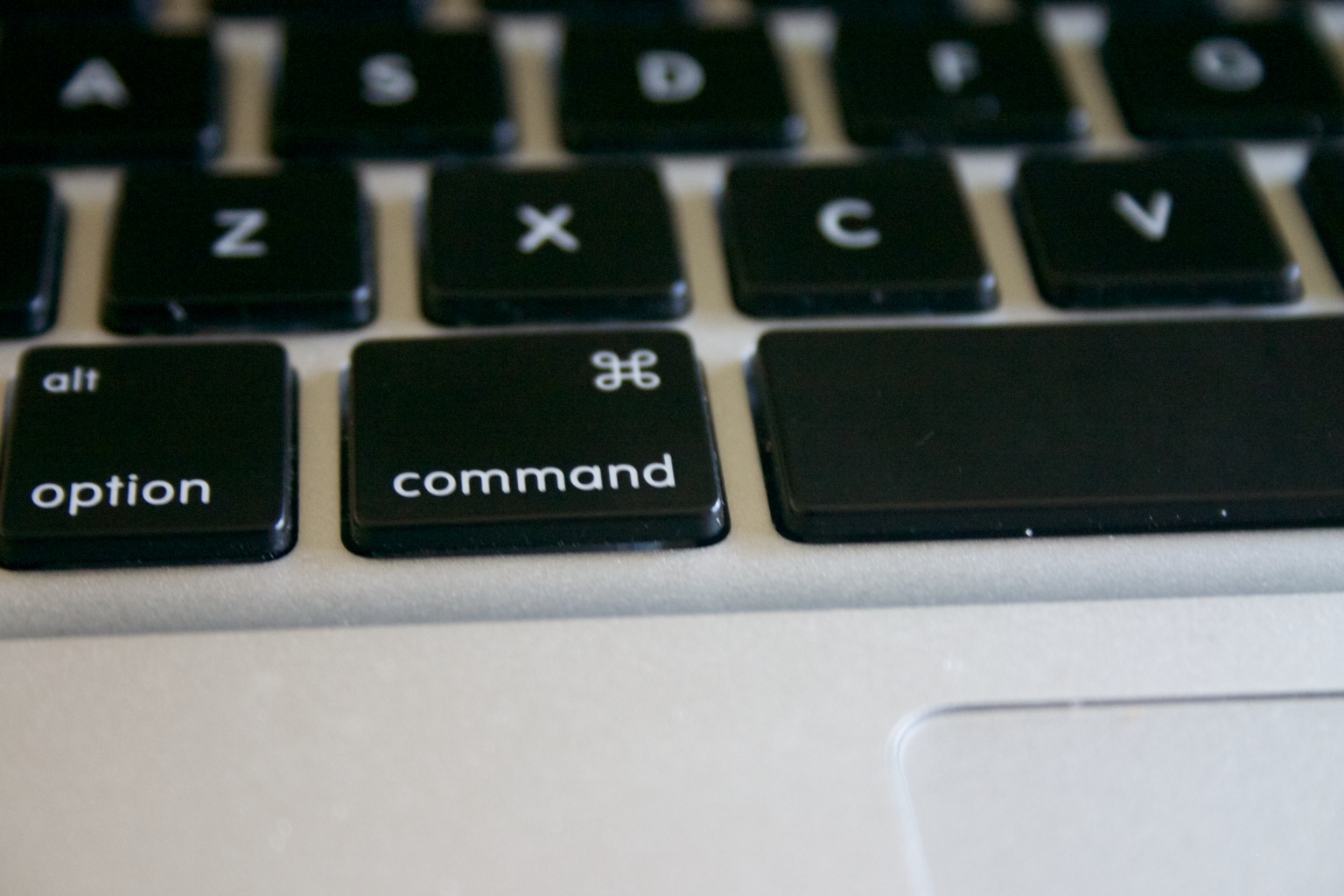
This symbol is formally known as the Command key. Informally, it has had several names. It is known to be been referred as the Apple key,pretzel key, squiggly button, Saint John’s Arms and the Bowen Knot. Without a doubt, it is the most useful key on the board.
The symbol became a part of the Macintosh project when Steve Jobs found that the former Apple symbol overcrowded the menu. It was then, while doing a bit of research, Susan Kare found this symbol while browsing through the symbol dictionary. She’s glad to have chanced upon this cloverleaf-like design, commonly used in Nordic countries as an indicator of cultural locations and places of interest.
In the video,Kare goes on to talk about her journey from Apple to Windows and the evolution of digital Iconography. While talking about the yesteryears, she walks us through the early 80’s when Apple launched its first Macintosh 128K in 1984.
Susan also points out the importance of simplicity in iconography. While explaining the idea, she mentioned a book the called ‘Understanding Comics: An invisible Art’ by Scott McCloud. In which McCloud tells how details make the graphic personal while a sketch with minimilistic details is relatable to most beings.
She ended with a quote of her hero of Graphic Designing:
And it’s here! Micromax just announced its brand new Smartphone series at an event in New Delhi. The two new budget smartphones – Canvas Win W092 and Canvas Win W121 are powered by Microsoft’s new Windows Phone 8.1.
Specs of the Canvas Win W121 include:
12.7 cm (5″) HD IPS Screen
1.2 GHz Quad Core Processor
Qualcomm Snapdragon Processor
1GB RAM and 8GB ROM
8MP AF Rear Camera with LED Flash
2MP FF Front Camera
Leather Finish Back Panel
2000mAh li-polymer Battery
32GB External Storage Capacity
Specs of the Canvas Win W092 include:
Windows Phone 8.1 OS
Qualcomm Snapdragon 200 processor with 1.2 GHz Quad Core CPU
4-inch IPS display
1500 mAh battery
5MP rear camera with flash; 0.3MP front camera
Dual-SIM
1GB RAM; 8GB ROM
The Canvas Win W121 and Canvas Win W092 are priced at Rs. 9,500/- and Rs. 6,500/- respectively, will be available starting early July 2014.
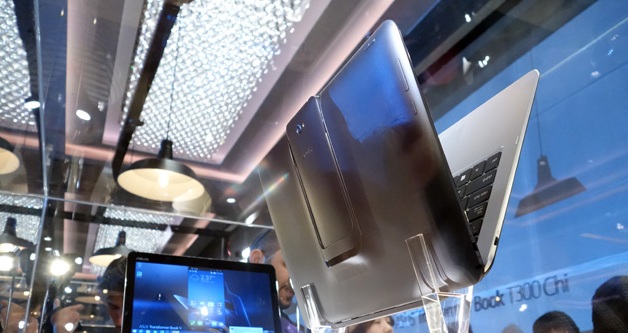
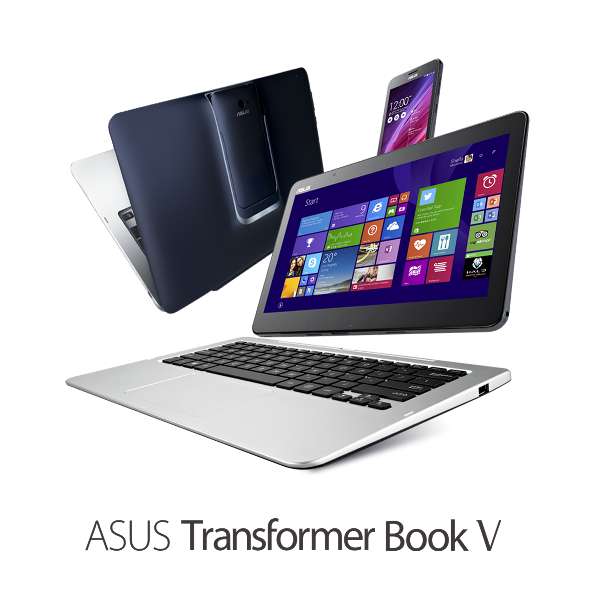
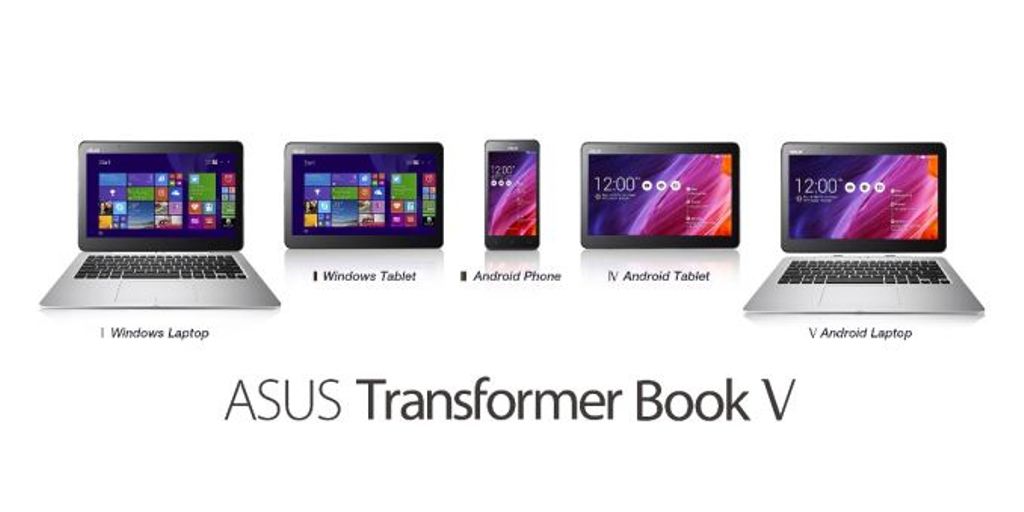
New technology and innovations are flooding in everyday. With the ever growing laptop and smartphone market, companies are trying to woe buyer by introducing crazy ideas and innovation in their products. Asus Transformer Book V is an outcome of this rat-race. Asus announced that they are working on this new piece of hardware which can be used as a tablet, laptop and a phone.
The 3-in-1 device with dual operating system support means it offers five different modes. These include an Android smartphone, an Android tablet, a Windows tablet, a laptop running Android and a Windows 8.1 laptop.
A 12.5 inch laptop/ tablet screen run on Windows 8.1 is powered by Intel Broadwell Chip. The tablet can be used independently as an Android device, when combined with a keyboard dock it turns into an Android laptop and with a mere switch of a key it will turn into a powerful Windows laptop.
With a tap on the screen,the user can switch between Windows 8.1 tablet and an Android 4.4 Kitkat tablet, but only when the phone is docked. The tablet alone has built-in storage of up to 128GB. The un-docked phone of the Asus Transformer Book V runs Android 4.4 Kitkat, and Asus claims it is the world’s first 5in LTE smartphone powered by a quad-core Intel Atom processor. The phone is also powered by a impressive 2,500mAh battery that provides up to 10 hours of web browsing time.
Asus is known for its amalgamation of several form-factors in the same device. Earlier they have promoted this hybrid structure through their FonePad, PadFone and Transformer Book. We may not see this amazing hardware soon. Unless it is powered by an Intel Broadwell chip and launches at the same time as the processor, they it may hit the market this autumn. Asus did not give any pricing or availability details for the Transformer Book.
The company is attempting to create the perfect device for multi-taskers. The Transformer Book V is aimed to bring in greater flexibility for users so that they can easily switch between work and entertainment.
Microsoft has finally shown off its new mobile search assistant, Cortana, its version of Siri and Google Now.
As a part of Microsoft’s new Windows Phone 8.1 update, Cortana is a new Voice Recognition based personal digital assistant. Named after the AI in the popular XBOX title “Halo” the “personal digital assistant,” has the ability to search the Internet, set up alarms, shift calendar appointments, find restaurants, send messages, place calls and more.
Cortana is quite identical to Siri on an iPhone, tap a button and ask the ui a question, however like Google Now Coranta can also tap into applications and and the phone’s core services to deliver you contextual information.It can offer the weather where you’re located, deliver favorite sports scores, or scan email and provide updates on a flight status or package delivery.
Cortana runs on Bing and has a lot of intriguing features, for example it learns from habits of its users when and how they do their tasks. One unique feature of Cortana is that it can actually push the results of its searches over to other apps. Also like competition, Cortana doesn’t need to learn your voice and tries to interact with you naturally.
Cortana wasn’t the only new aspect of Windows Phone 8.1, which now has a notification drawer called Action Center, which collects text messages, emails, calls and updates from social networks and other apps. It also has quick toggles for things like Bluetooth and Wi-Fi seen on Android and iOS both.
Microsoft Also plans to push this Windows for free for hardware makers to use on phones, tablets with screens under nine inches. This should considerably bring down the costs of hardware running Windows.