Author: Meenakshi Rawat

  • Motorola Outs Moto E (Gen 2) With a Bigger Screen, LTE and Android Lollipop

    Motorola Outs Moto E (Gen 2) With a Bigger Screen, LTE and Android Lollipop

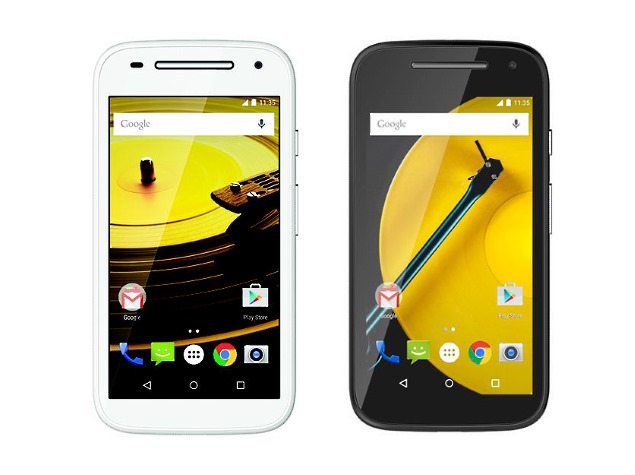
    Last night, Motorola made an announcement that made Moto E fans jump with joy. The company brought out the upgraded version of the popular device – the Moto E (Gen 2), which is another significant addition to its affordable smartphone lineup. The US-based firm introduced two variants of the phone – Moto E (Gen 2) and Moto E (Gen 2) LTE. The earlier one is priced at $119.99 (Rs. 7,400 approx.), and the latter is priced slightly higher at $149.99 (around Rs. 9,200).

    The company stated on its blog post –

    We’re introducing the next generation, packed with more features and functionality to give people around the world even greater access to life’s possibilities – without a hefty price tag.

    The design has been kept the same, and the familiar circular edges, camera and speakers sit on the device. Both the handsets come with double the in-built memory storage than Moto E, i.e 8 GB. The company has stuffed the next-gen phone with many new features like Quick Capture, Active Display and more.
    moto e gen 2 1

    The new Moto E packs very much the same set of specs, but the one thing that will catch your attention is the bigger 4.5-inch screen. However, the quality of both 3G and 4G model is just like the last generation Moto E, qHD (540×960 pixels) display. Both the phones run on Android 5.0 Lollipop. The LTE version is a bit faster than the other model and is powered by 64-bit quad-core 1.2 GHz Qualcomm Snapdragon 410.

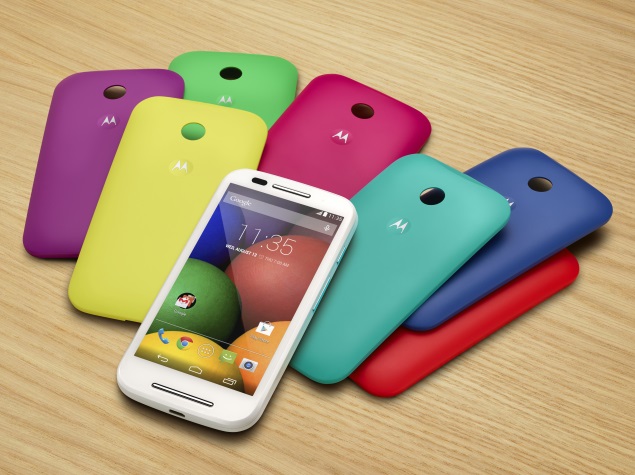
    Unlike Moto E, users can now personalise their devices. The new interchangeable, colourful bands and grip shells are introduced that gives the phones an appealing look. The bands come in six different shades (Golden Yellow, Turquoise, Blue, Raspberry, Purple, Red) and for back plates any colour can be chosen from Golden Yellow, Charcoal, Turquoise, Blue, Raspberry. The handsets are up for grabs in more than 50 countries in North America, Latin America, Europe and Asia.

    Check out the detailed specifications of both Moto E (Gen 2) handsets:

    SPECS Moto E (gen 2) Moto E (gen 2) LTE
    Display 4.5-inch qHD 4.5-inch qHD
    Processor  1.2 GHz quad-core Snapdragon 200 1.2 GHz quad-core Snapdragon 410
    RAM 1 GB 1 GB
    Storage 8 GB 8 GB
    Expandable Upto 32 GB 32 GB
    Main Camera 5 MP 5 MP
    Front Camera 0.3 MP 0.3 MP
    Battery  3100 mAh  2500mAh
    Operating System Android 5.0 Lollipop Android 5.0 Lollipop
    Price $119.99 (Rs. 7,400) $149.99 (Rs. 9,200)
  • Samsung Showcases First Ever 10nm Processor Technology

    Samsung Showcases First Ever 10nm Processor Technology

    With mobile phones going for slimmer and thinner designs, its components are also going narrower in size. So far, all high-end phones are equipped with 28nm or 20nm size system-on-chip (SoC), but Samsung has showcased the sleekest ever SoC that makes a dent in the mobile hardware market.

    Today, at the International Solid State Circuits Conference (ISSCC), the Korean manufacturer demonstrated the 10nm FinFET semiconductor manufacturing process. It’s the world’s first SoC to come in such a minimal size and is expected to be more powerful and energy efficient than the existing offerings. Meanwhile, the latest processor, Qualcomm Snapdragon 810 is built on a 20nm die size. On the other hand, Samsung’s in-house Exynos 7420, said to be embedded on the upcoming Galaxy S6 and S6 Edge flagship devices, uses a 14nm SoC.

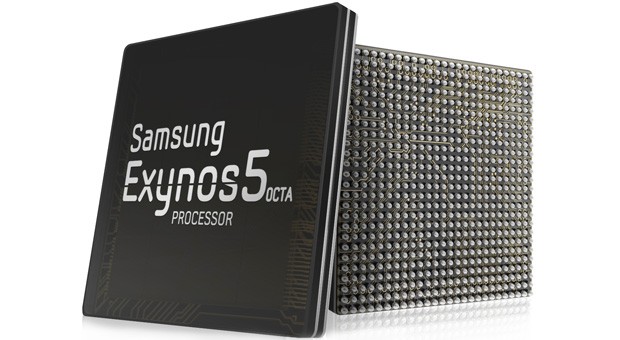
    samsung-exynos-5-octa-chip-1363365230

    Samsung Electronics Semiconductor President, Kim Ki-nam explained the new manufacturing process as a major step in the evolution of the Internet of Things (IoT). He said that it allows more power efficient chipsets at smaller and smaller sizes. It’s also learnt that Samsung is planning on releasing a memory built on the same 10nm die process.

    The company has solidified its steps in the hardware segment and the refurbishment of its in-house operating system Tizen is going in full swing. Samsung has given decent competition to Intel and Qualcomm. Since the Korean firm has just presented the idea, it is not going to come anytime soon (maybe in a year or two).

  • LG G Flex 2 Goes Up for Pre-Order in Select Countries

    LG G Flex 2 Goes Up for Pre-Order in Select Countries

    LG’s second flexible smartphone G Flex 2 garnered positive first impressions at CES this year. The company promised the customers to make it available as soon as possible and seems like they’ve kept their word. Today, the Korean firm announced the global roll out of the curvy G Flex 2. The device is said to arrive in US, UK, France, Germany, Hong Kong and Singapore first through major carriers.

    Carphone Warehouse, a UK retailer, has opened up pre-order of the flagship device, and it will hit the store on March 16. Customers have an option to buy it with or without SIM card. The unlocked, SIM free G Flex 2 comes for £529.99. Many other retailers like Unlocked Mobiles, Clove and more have opened registration for the pre-order of the unlocked device.

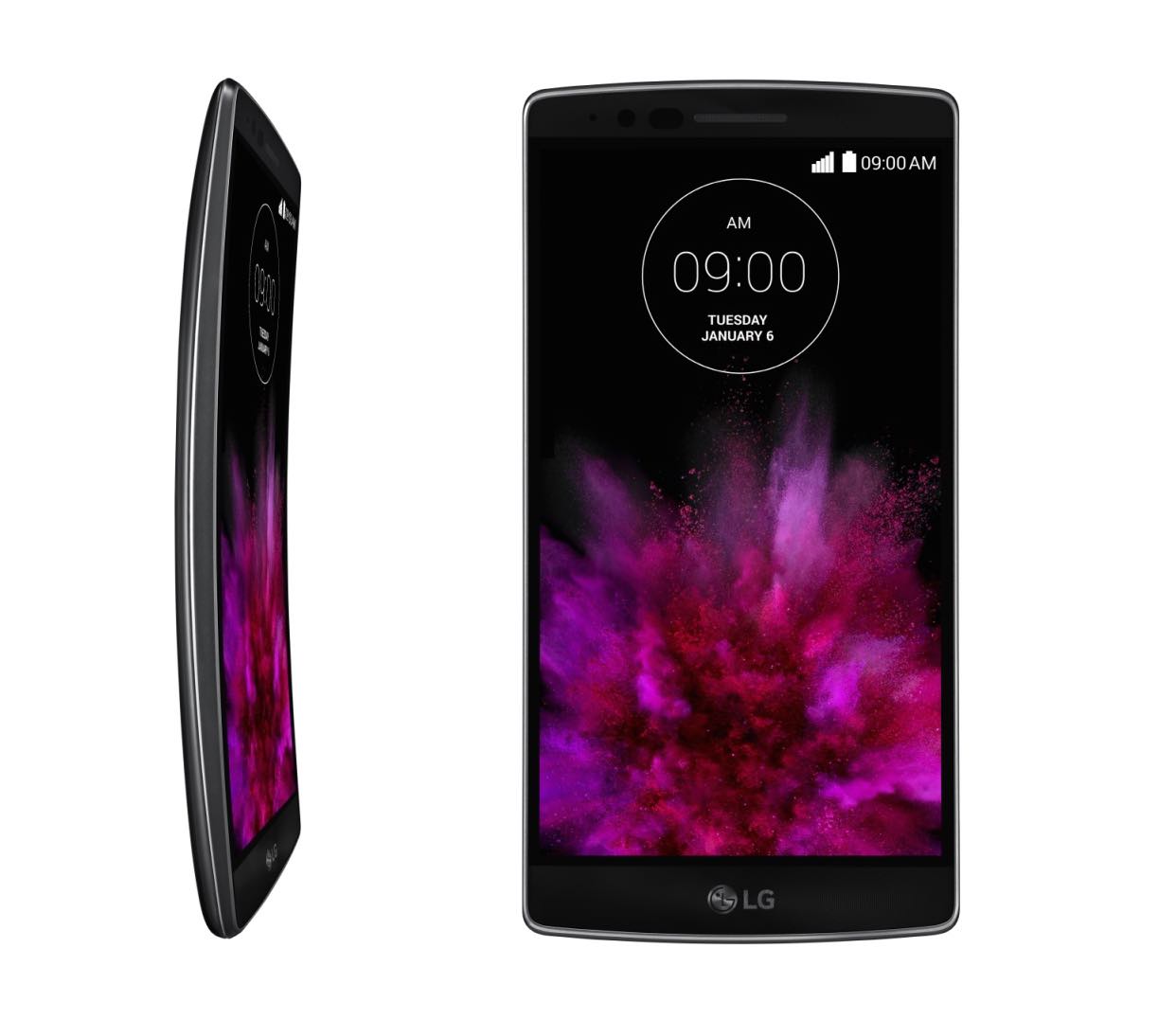
    LG G Flex 2

    This smartphone was acclaimed for being able to restore its original position in less than 10 seconds. The phone is up for grabs in South Korea and folks in North and South America, Asia and Europe will be able to own one post the Mobile World Conference (2 – 5 March).

    Coming to its specifications, the 4G LTE-capable G Flex 2 sports a 5.5-inch full HD display. The Corning Gorilla Glass 3 forms a protective covering over the screen. The device runs on pre-installed Android Lollipop and comes with 2 and 3 GB RAM options, depending on the internal memory. A 13MP snapper sits at the back of the smartphone that comes with features like laser autofocus, optical image stabilization, dual-LED flash.

  • Sony Mistakenly Confirms Xperia Z4 Tablet With 2K Display Ahead of MWC

    Sony Mistakenly Confirms Xperia Z4 Tablet With 2K Display Ahead of MWC

    The approaching Mobile World Conference (MWC) will witness many new smartphones, tablets and other high-end gadgets, and major companies can’t seem to contain their excitement about the event. Samsung and LG have unwrapped some of their devices ahead of the event, and the latest firm join in is Sony.

    Xperia-Z4-Tablet1

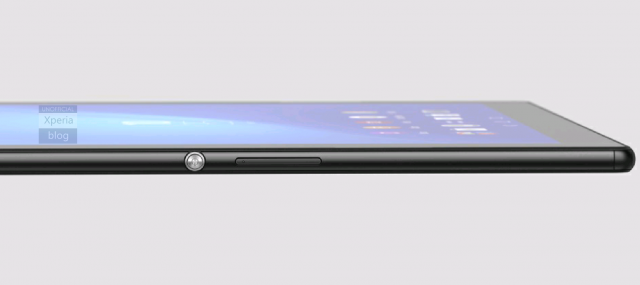
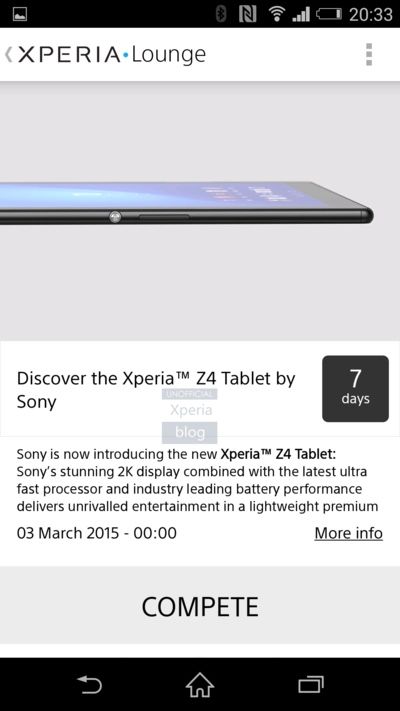
    Recently, Sony gave a glimpse of its next tablet titled Xperia Z4. As per Xperia blog, a brief description along with an image was accidently posted on the Xperia Lounge app of the company. The statement proudly informs of Sony Xperia Z4’s “2K display” and the “latest ultra fast processor”. It also reads that the tablet has “industry leading battery performance.”

    The design of the tablet looks sleek and from the picture, it is evident that volume rockers are placed on the right side. There is one circular key below it which looks like a power button. As the information was accidently slipped, details of the device are still under wraps. But one thing is clear that the phone will make an appearance on 3rd of March in Barcelona.

  • Pebble Time is the First Coloured e-Paper Smartwatch with 7-Day Battery Support

    Pebble Time is the First Coloured e-Paper Smartwatch with 7-Day Battery Support

    Smartwatches are the current hottest trend everyone wants to cash in on. The biggest problem with certain wearables is that they are only compatible with particular handsets. Meet the new smartwatch by Pebble Technologies that is smart in a real sense and can adjust with any smartphone, whether iOS or Android.

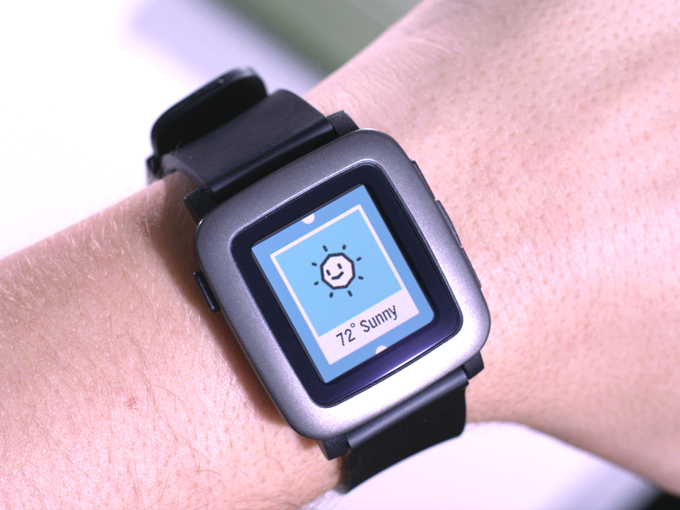
    With Pebble Time, users don’t have compromise, and the watch itself adjusts meeting the needs of the user. The screen of Pebble Time is an e-paper display, just like new YotaPhone 2 and Kindle – a first for any smartwatch. The screen is covered with Gorilla Glass, and the coloured display enhances the overall appeal of the smartwatch. Pebble claims that the battery of the smartwatch can last up to 7 days. However, there’s a catch, and that is that the Pebble timepiece is not touchscreen.

    pebble time3

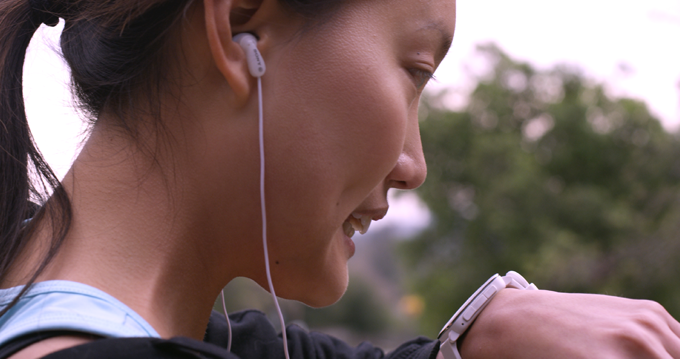
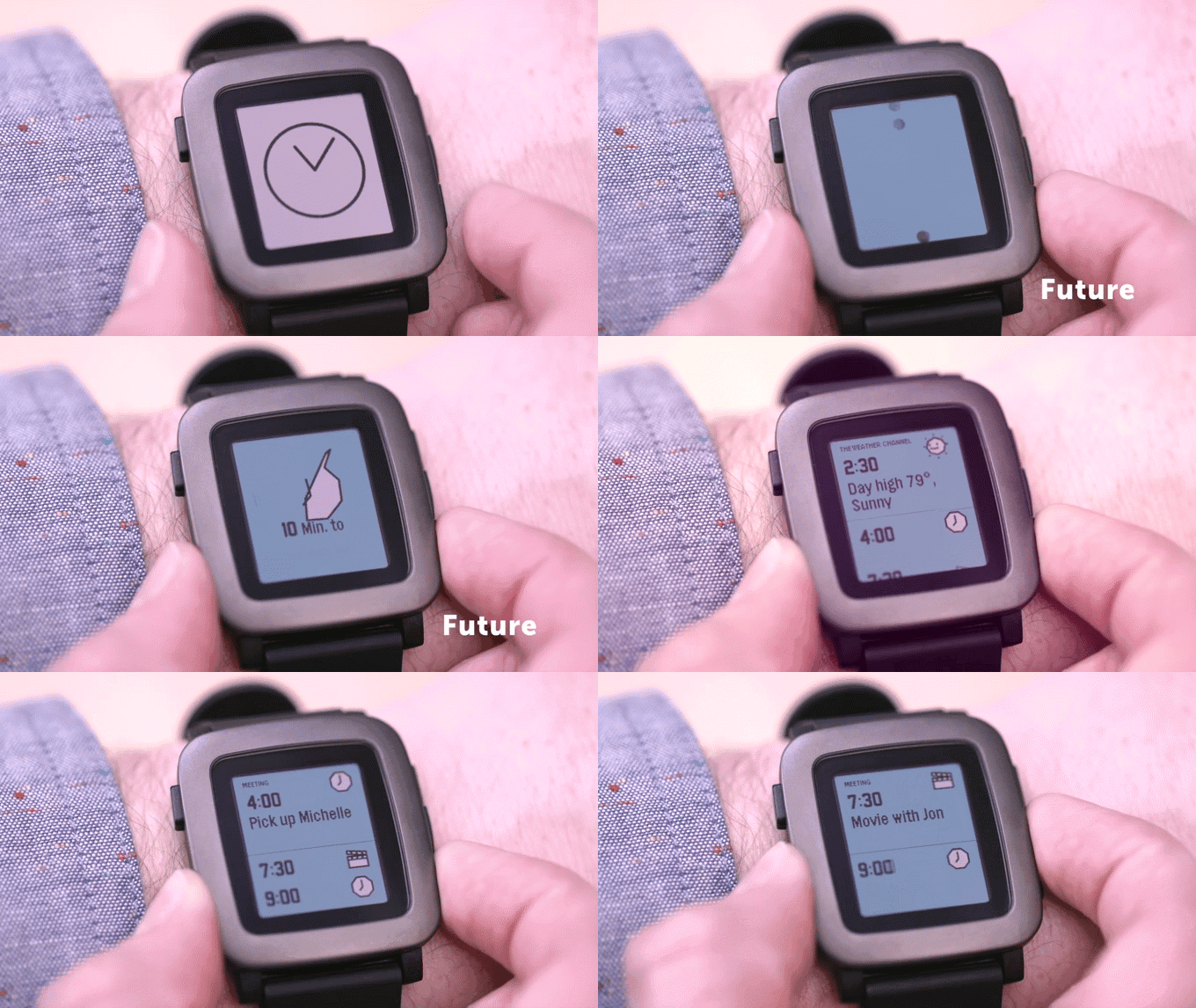
    So how do you operate the device? There is a microphone onboard making it convenient to have a phone-like conversation. Users can reply to the messages by pushing  keys, and there’s also a gyroscope for motion sensing. The new user interface (UI) is focused on a timeline that highlights what’s important over the course of the day. There’s a new app menu, which loads and cache apps as required. You can connect these apps to the timeline, organising all relevant information.

    pebble

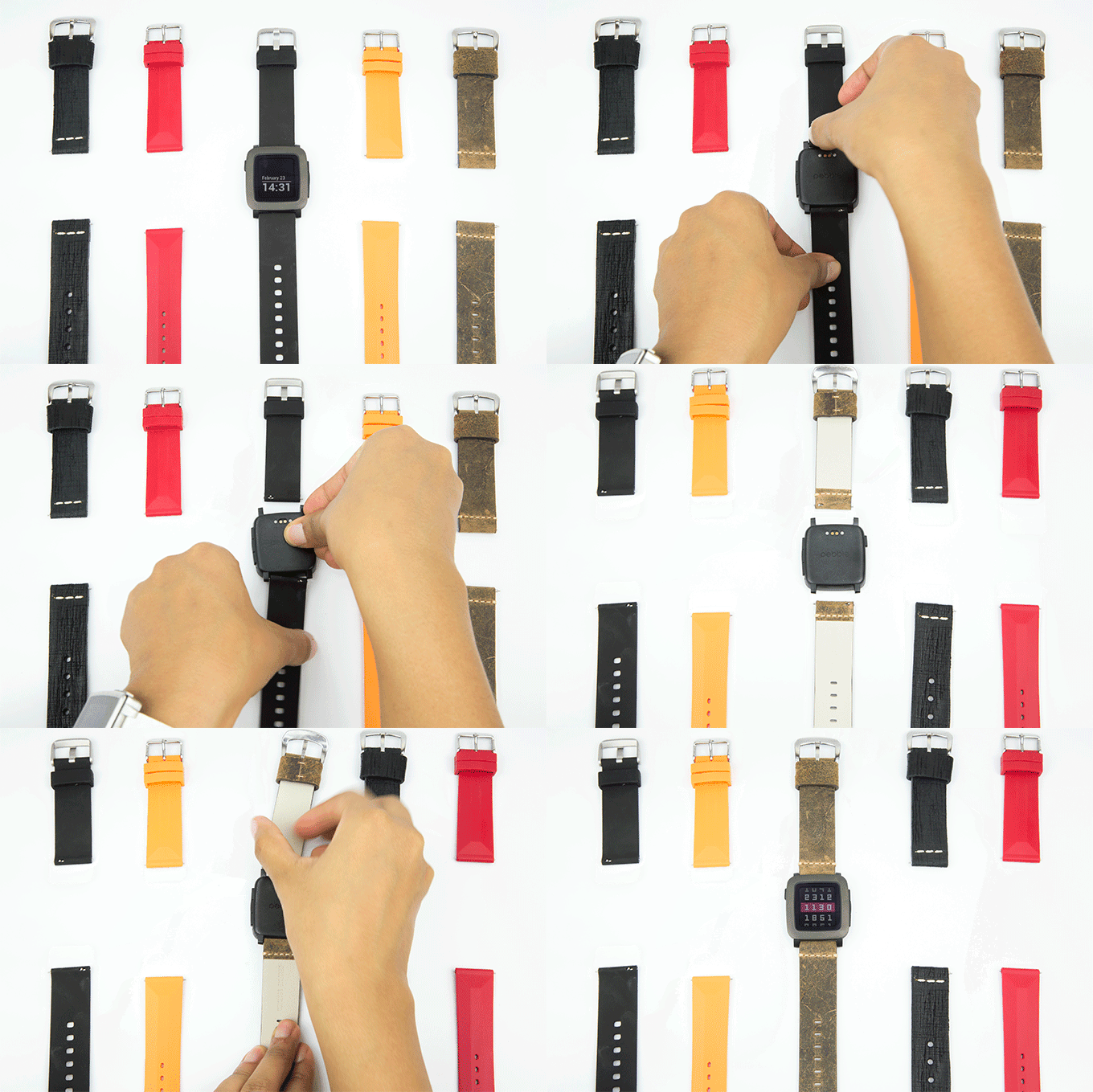
    There are three buttons on the right-hand side of the screen and one on the left. The buttons have been adjusted to easy grip, and one can push each of them effortlessly without any unintentional pressing of the other ones. The top button is for check past events, the middle for present and the third one refers to the future. The smartwatch offers hassle-free customization options, and one can affix any band to the core machinery having 22mm pin.

    pebble time1

    Pebble Time is a $179 smartwatch that is on Kickstarter as of now. It is the fastest project to raise $1 million on Kickstarter in approximately 30 minutes.

    There are many good smartwatches out there, but the Time stands apart. It’s affordable, and the USP is its cross-platform functionality that would have attracted the numerous backers. Early investors can get the Time for $159, but the concession is for supporters only. The watch will retail at a price of $199 once the campaign completes.

  • Samsung Galaxy S6 Expected to Debut in India in Mid-April

    Samsung Galaxy S6 Expected to Debut in India in Mid-April

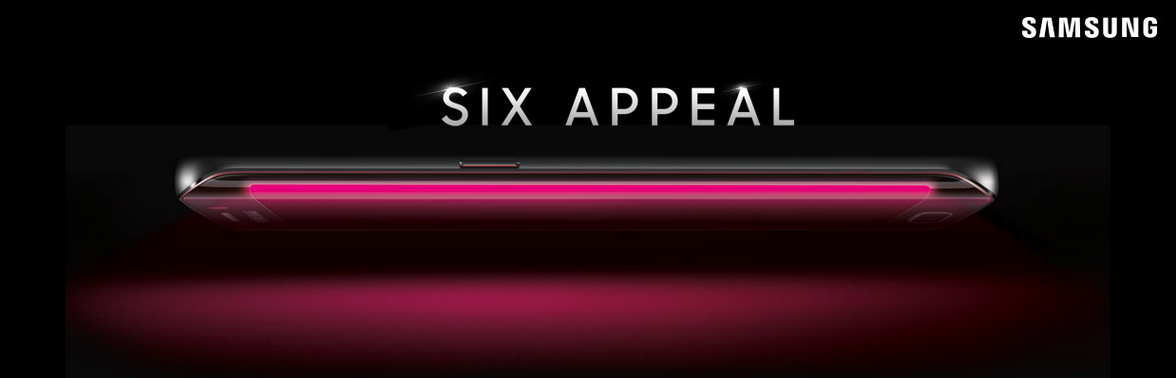
    Samsung’s upcoming flagship Galaxy S6 is the next big thing everybody is waiting for. It is scheduled to unveil at Barcelona on March 1 at the Mobile World Conference (MWC) 2015. The global launch is just around the corner and a fresh round of rumours suggest that it will possibly land in India in April.

    With global launch date drawing nearer, the Korean firm is expected to make things clearer soon. As per IBN Live, the handset will be up for pre-bookings from March itself and the registrations will open for only a couple of weeks.

    Considering the rumours, the Galaxy S6 looks promising and this is what Samsung needs at this moment; a powerful, value for money and an exceptional device. The company is said to have revamped almost everything – from design to software and hardware – it could prove to be a saviour for the drowning electronics producer. With Samsung’s market share following a steep fall in every segment (recently, the tablet segment), Galaxy S6 is its one hope.

  • Lollipop Update Delayed Until March for OnePlus One Devices

    Lollipop Update Delayed Until March for OnePlus One Devices

    At the launch of OnePlus One in India, the Chinese producer confirmed that it will release the latest Android update for the One devices within three months. It’s been exactly three months since (on 23rd February) and the Indian One users are still deprived of the highly acclaimed update.

    The Co-Founder of OnePlus Carl Pei took to Twitter and apologised for the company’s failure in delivering the latest Android OS on time. He announced that it will be delayed further for a few more weeks and will arrive sometime in March. The delay period is for both the operating systems – OxygenOS and CyanogenMod 12S.

    The company is said to be working on an upgrade called CM12S, which will be based on Lollipop. Meanwhile, OnePlus’ own operating system OxygenOS is in progress, and it will also run on Android Lollipop. For now, an Alpha built of OxygenOS is out. Since we already know, Indian OnePlus One devices will not receive any more updates from Cyanogen, and, as a result, current OnePlus One devices run on Google’s Android v4.4 OS.

    Users can advance to the CyanogenMod 12S by simply updating the handset, but if someone wishes to install OxygenOS on their devices, they have to wipe out their phones completely. For now, the users have to wait patiently until March for either of the upgrades.

  • Gmail’s Auto-Complete Glitch Results in Emails Being Sent to Unintended Recipients

    Gmail’s Auto-Complete Glitch Results in Emails Being Sent to Unintended Recipients

    Have you ever mistakenly sent an email to the wrong person? Usually it’s our fault for not double-checking before hitting the send button, but right now there is a glitch in Gmail which isn’t helping the cause. A bug is spotted that might, if you’re careless, help you send emails to unintended recipients.

    The ‘To’ section of Google’s Gmail is facing an auto-complete glitch because of which, it is prioritising the names of people that are less frequently mailed. The auto-complete feature is designed to suggest addresses regularly used. A number of people have reported on Twitter about being troubled because of the bug.

    Google itself confirmed and apologised about the malfunctioned auto-complete feature.

    We’re aware of an issue with Gmail and auto-complete and currently investigating. Apologies for any inconvenience.

    Google has been working aggressively to make its services better for its users, and this bug being in notice of the company, we can expect them to fix it soon. Until then, make sure to triple check the recipients bar before sending out that confidential email.

  • Google Confirms New Chromebook Pixel is on its Way

    Google Confirms New Chromebook Pixel is on its Way

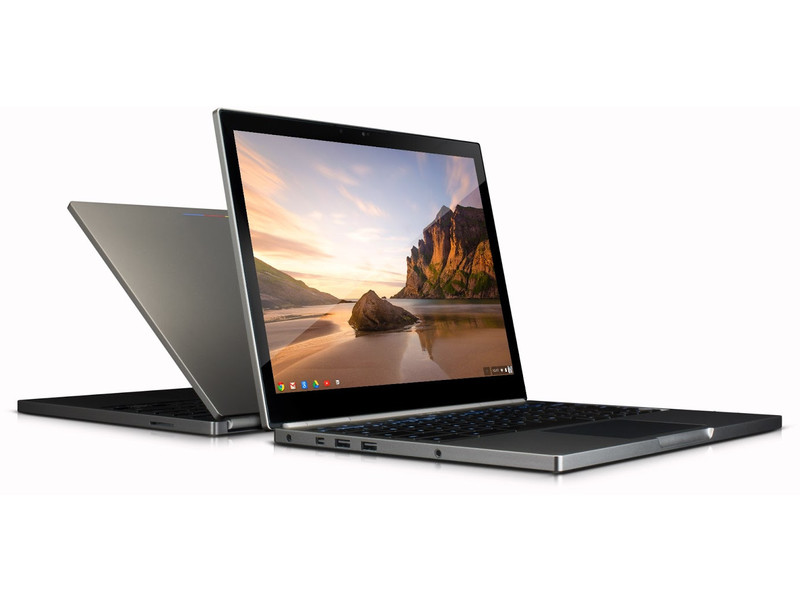
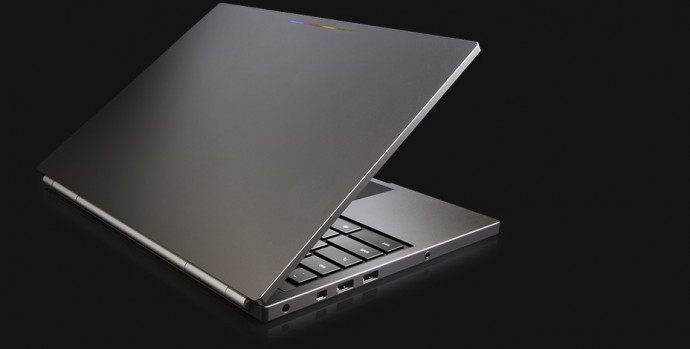
    A fresh round of rumours surfaced that speak of an updated version of Google’s Chromebook Pixel. The Chromebook Pixel is the most premium offering from Google’s Chromebook family. This would be the first update by the company since the original released two years back.

    The confirmation of the news that Chromebook Pixel 2 is currently in works was confirmed by Google executives on a YouTube video, which was later made private. The video showed Renee Niemi, who is responsible for running Google’s Android and Chrome programs for work and education. She confirmed at the TeamWork 2015 partner event about the same.

    OMG Chrome translated the conversation of Niemi who said –

    We do have a new Pixel coming out and it will be coming out soon. We will be selling it… but I just have to set your expectations: this is a development platform…This is really a proof of concept. We don’t make very many of these—we really don’t. And our developers and our Googlers consume 85 percent of what we produce. But yes, we do have a new Pixel coming out.

    chromebook pixel1

    Chromebooks have gained popularity since last year, and many big companies are investing highly in Google’s project running on Chrome OS. It’s a high-performance gadget and is extremely beneficial for educational and business purposes. Samsung, Acer and Dell have their chromebooks, and they come at a much lower price than that of Google.

    There is no news about the display size, the apps it will be equipped with and or any other details regarding the Chromebook Pixel 2. Considering it’s an upgrade, we can expect it to be priced slightly higher that the original Chromebook Pixel, which costs $1,299.

  • Switching From Android to iOS? This iGyaan Guide Will Help You Out

    Switching From Android to iOS? This iGyaan Guide Will Help You Out

    Switching phones with different operating system is easy, but transferring data between the two can be a task. If you are an Android user and are planning to switch to iOS, then you might be concerned about your contacts, music, calendar, photos and videos. This guide will assist you in making a smoother and effortless shift between the two ecosystems.

    The first rule of safe data transfer is backing your device. This way, even if you are stuck at any step, you will have the data with you. Once all your data is backed up, follow the directions below and get started:

    Shift Contacts, Mail and Calendar

    iOS vs Android 11

    One of the easy and quick methods to transfer contacts, emails, and calendar to the iOS is by syncing your Gmail account. Go for the below-mentioned steps on your Android:

    • Go to Settings > Accounts > Google
    • Click on your Gmail account and tap on Sync Gmail, Sync Calendar and Sync Contacts
    • This will sync your selected information to your Gmail account. Now open your iPhone and perform the following steps:
    • Choose Settings > Mail, Contacts, Calendars and add your Gmail account
    • Enable all the options like Mail, Contacts, Calendar and Notes if you wish.

    Transfer Photos and Videos

    iOS vs Android 7

    If you don’t wish to lose the pictures and videos on your Android, then Copy My Data or PhotoSync would be the best option to go for. Perform the below-mentioned method to transfer photos, as well as videos:

    • Download and install PhotoSync (or Copy My Data) on both iOS and Android.
    • Open PhotoSync on Android and make a selection of the pictures
    • Tap on the minuscule, Refresh-like red button on the top and select Phone in the next window that will appear
    • Tap on the iPhone name in the other window or type in IP address in case it doesn’t appear automatically
    • The transfer will begin.

    Transfer Music

    iOS vs Android 13

    Music transfer from Android to iOS conveniently through iTunes. Read and replicate the steps below:

    • Plug in the Android device to a computer and copy your collection to it
    • Install iTunes and go to Library > Music > File > Add Folder to Library.
    • Copy all audio files you want to have on your device
    • Now without closing the iTunes, attach your iPhone to the computer
    • Click Sync on the dialogue box that appears on attaching the iPhone

    All your songs will now appear on your iOS device.

    Transfer Messages

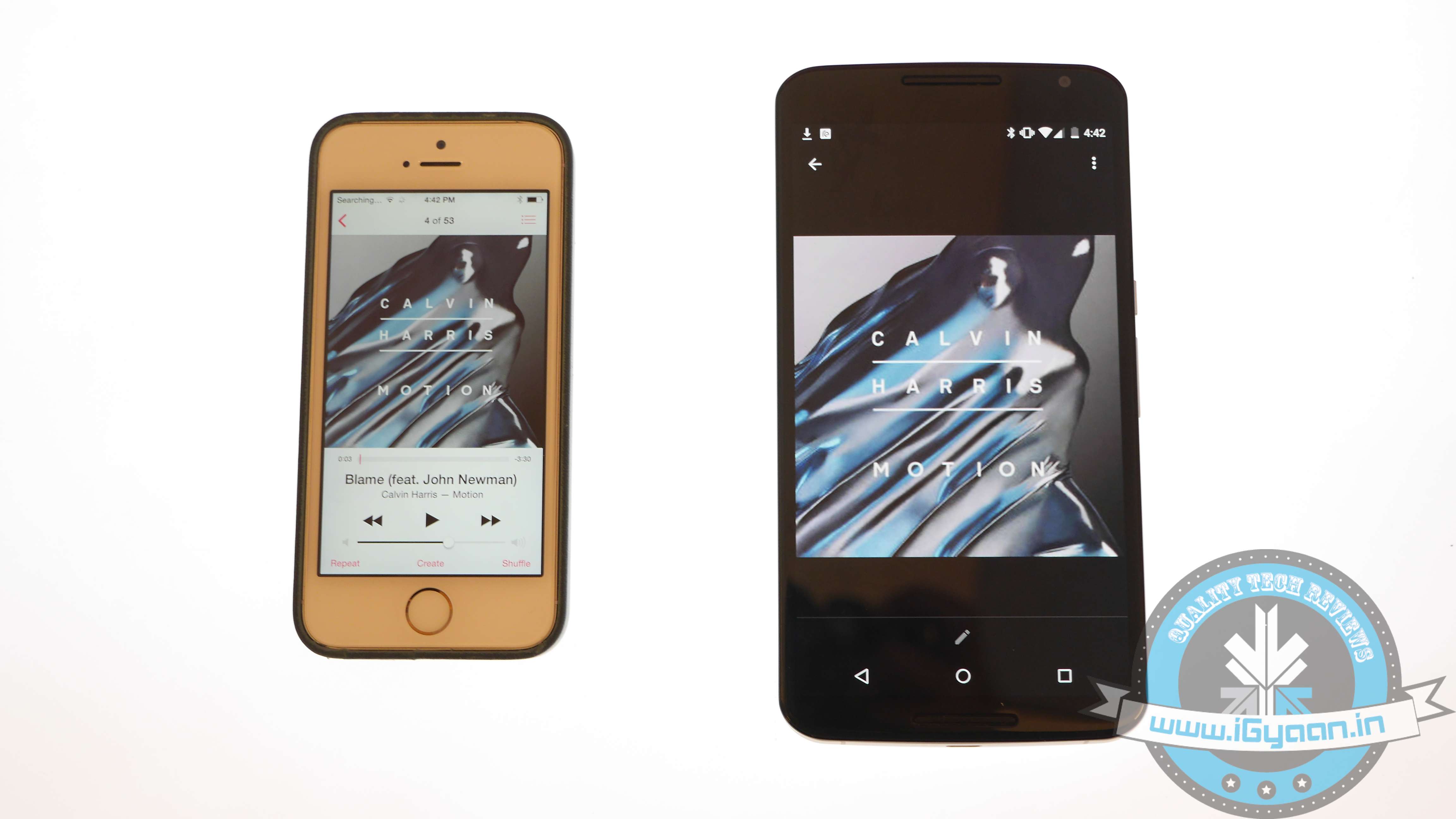
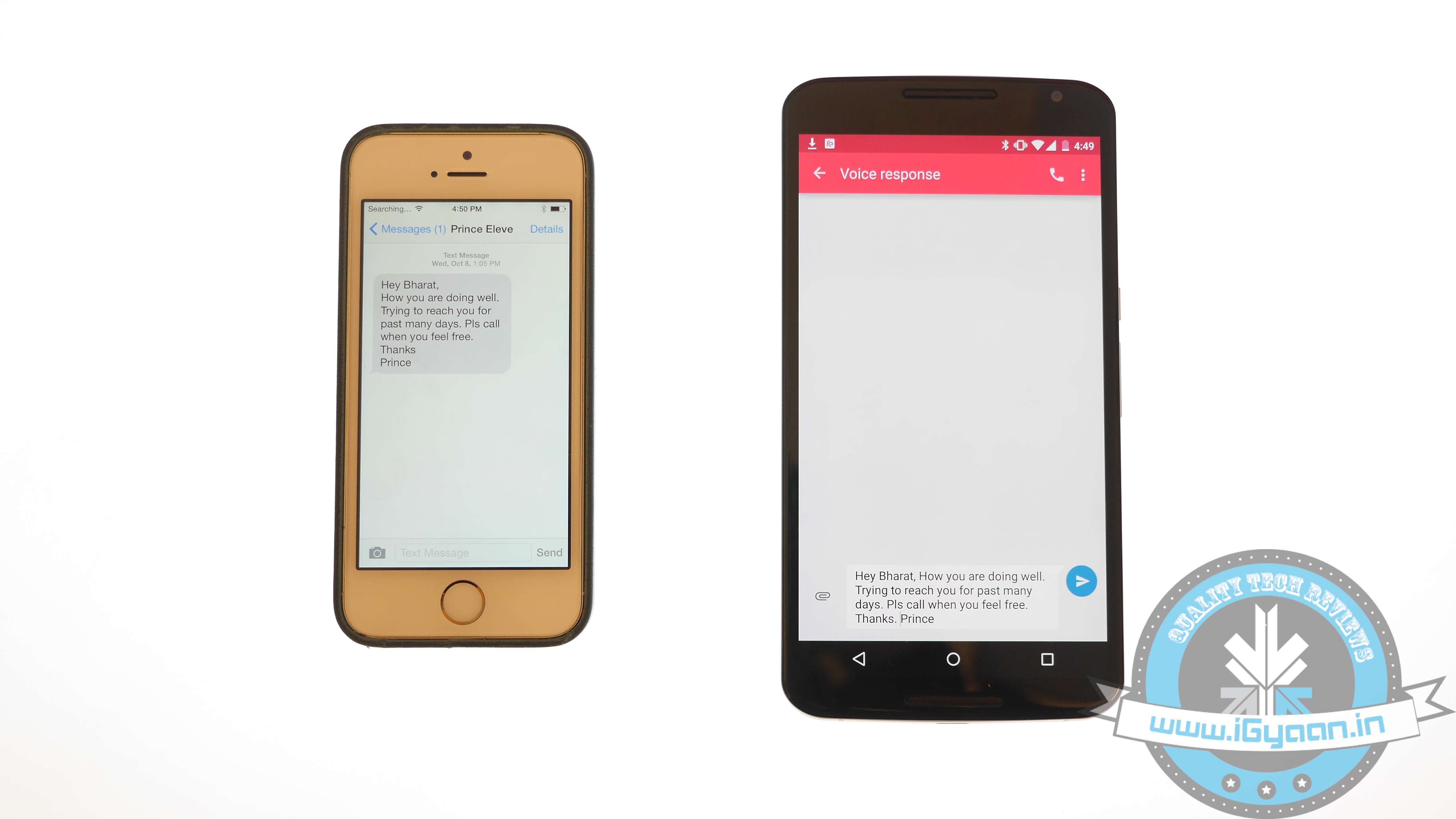
    iOS vs Android 2

    There are moments your messages carry important information and losing them is no option. Well, this means that you have to shift your messages to the new iOS device. Message transfer is a stressful task, but we have figured out the easiest way for you.

    • Download the Phone Transfer app on your computer
    • Connect both Android and iOS via USB to the PC.
    • A window will appear with Android device on left and iOS on the right. Flip the two if it’s not the case as the destination phone has to be on right.
    • Click on Text messages and deselect the rest and press Start Copy

    You can now read the transferred messages on the iOS devices.

    If you want to know how to transfer data from an iOS device to your Android device, then follow this easy guide.

  • Pricing of the Silk White OnePlus One 16 GB Revealed for India

    Pricing of the Silk White OnePlus One 16 GB Revealed for India

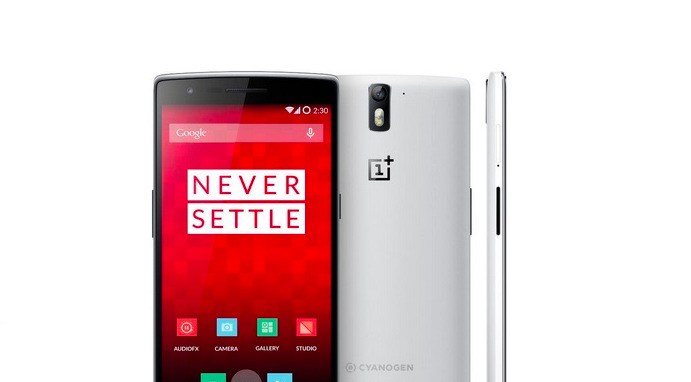
    OnePlus announced the arrival of the 16 GB variant of the One in India a couple of days back. The Chinese electronics producer had cautiously unveiled just the device and not its pricing. OnePlus today launched the new 16GB One device in India with a price tag of Rs. 18,999. The phone will go on sale tomorrow on Amazon India.

    As mentioned earlier, willing buyers will require an invite to make a purchase. To earn an invite, the e-commerce website Amazon India started a contest where users have to answer some necessary questions. The randomly picked lucky winners will be awarded with an invite to buy a OnePlus One (16 or 64 GB). The new economical version of OnePlus One comes in one colour option only – Silk White.

    Throwing light on its specs – the OnePlus One comes with a 5.5-inch full HD (1920×1080 pixels) display. It is fitted with a 2.5GHz Snapdragon 801 quad-core processor and 3GB of RAM. The phone runs on Cyanogen OS 11 as of now, but it will soon be upgraded to Oxygen OS, when it is launched. The smartphone comes with a 13 MP rear and 5 MP front snapper and houses a 3,100mAh battery.

    Watch our full review of the OnePlus One here:

  • LG Teases Four Budget Smartphones Ahead of MWC 2015

    LG Teases Four Budget Smartphones Ahead of MWC 2015

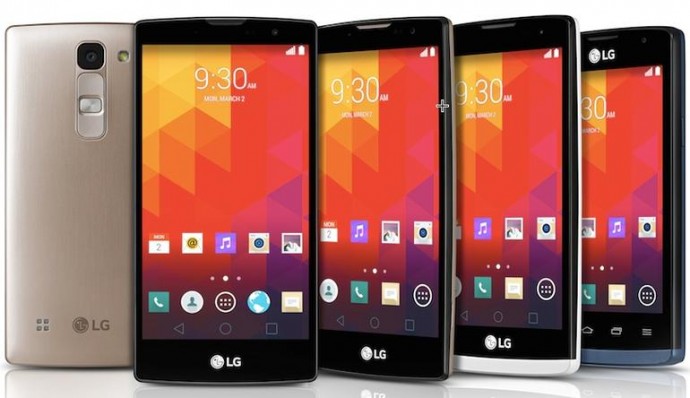
    The long awaited event, Mobile World Conference (MWC) is just around the corner and LG Electronics couldn’t resist teasing some of its offerings beforehand. A few days back the company unveiled that it will be using the MWC stage to launch its next-gen classy smartwatch called LG Watch Urbane. Now as per the recent disclosure, LG will launch four “Mid-Range” smartphones in the upcoming show in Barcelona, namely – Magna, Spirit, Leon and Joy.

    lg magna

    The new lineup of smartphones by the company is available in both LTE and 3G versions, and is 4 to 5-inch in size. The LG Magna and LG Spirit are distinctive from the other two, and boast a slightly curved display and rounded back for better grip. Both are devices hold in-cell tech technology that offers improved sensitivity with faster touch recognition, better outdoor visibility and crisper images.

    lg spirit

    Starting with LG Magna, the device sports a 5.0-inch HD (294 ppi) along with a 1.2GHz or 1.3GHz quad-core chipset. It has an 8MP rear snapper and a 5MP front camera. The phone holds a removable battery of 2,540mAh. The LG Spirit, on the other hand, is 4.7-inch handset with identical 1.2GHz or 1.3GHz quad-core chipset. The other device, LG Leon, features a 4.5-inch screen, while LG Joy packs a handy 4-inch screen, which can easily fit in one’s palm. All the phones run on Android 5.0 Lollipop, except LG Joy.

    The company is infusing popular UX features onto the phones like Gesture Shot and Glass View, which are otherwise a part of high-end devices only. Further details about the gadgets have been kept under wraps and pricing has been kept secretive as of now. The phones will roll out in select markets this week.

  • WhatsApp’s Voice Calling Feature Now Coming to All Android Devices

    WhatsApp’s Voice Calling Feature Now Coming to All Android Devices

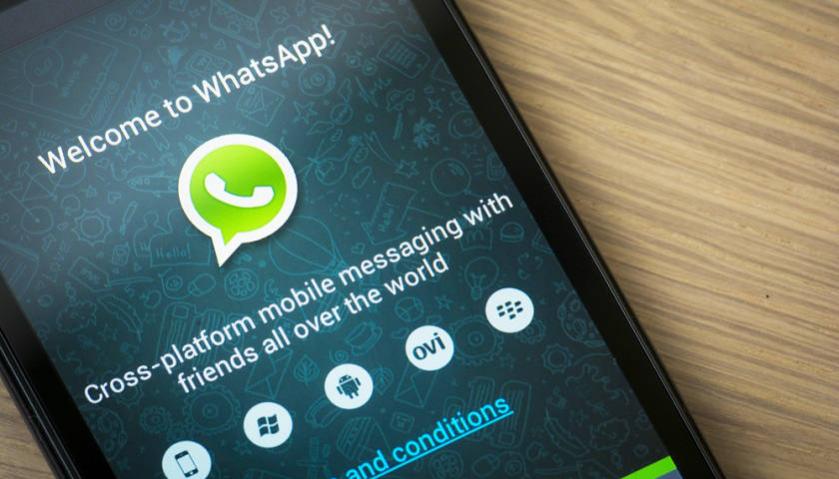
    A few days back it was being reported that WhatsApp was testing voice calling feature on select devices. The messaging giant is now all set to bring the feature to all its Android subscribers. This will be a fantastic news for the users but will also be a major cause of concern for the network operators who have already lost tremendous amount of SMS revenue to messaging apps.

    The update seems to get activated when a user with voice calling capability calls his WhatsApp contacts. Once the update is activated, the user interface also changes to feature a separate voice calling screen. A phone icon also appears next to the WhatsApp contacts, and you can also see the call logs of your device.

    It seems like the update procedure isn’t working for all users yet. There might also be a possibility that the developers might have restricted the number of people a person can invite by voice calling them. WhatsApp hasn’t officially announced the roll-out but with the number of devices supporting the feature, we can anticipate an announcement any time soon.

    With this offering, Facebook owned WhatsApp will also direct an assault at voice calling apps like Viber, WeChat and others. You can even expect a backlash from the phone companies in the form of increased data pack costs. But no matter what, the 700 Million WhatsApp users are going to get a reason to celebrate real soon.

  • 8 Tech Advancements in Cricket That Made Life Easier For the Umpires

    8 Tech Advancements in Cricket That Made Life Easier For the Umpires

    Over the years, Cricket has evolved a lot. The game is over 200 years old and it has changed drastically over the following years. For most of the game’s duration, the decisions were made entirely by the human umpires who stood on the ground with the players. Later with the advent of technology, cameras and mikes were involved to give improved decision making abilities to the referees of the games. But now, there is plenty of technological support that an umpire can refer to before shooting out a decision.

    Let’s take a look at the gadgets adopted by the game of cricket to make the game fairer and more transparent for both sides:

    1. Snickometer

    snickometer

    Snickometer or Snicko is a device that taps on the gaps that were earlier missed. It’s a small microphone that is placed near the stumps to detect if the ball touched the edge of the bat. Through the Snicko, the umpires, as well as the audience can make out the difference in sound frequencies of the ball hitting the ground or it hitting the player’s bat.

    2. Hawk Eye

    hawkeye

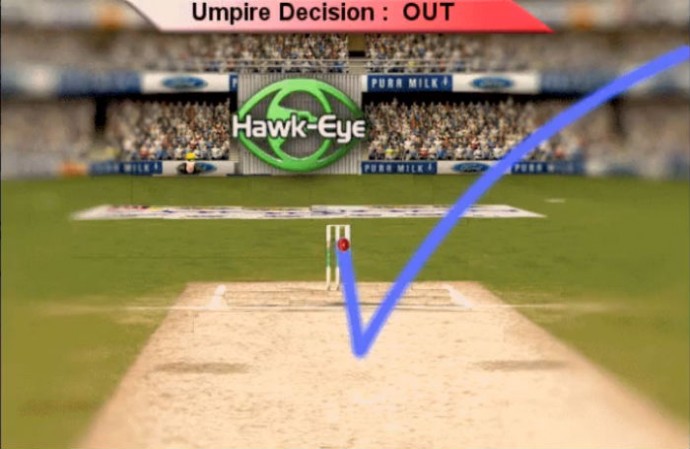
    Hawk Eye came into existence few years back, and it is a very efficient mechanism to judge the LBW (Leg Before Wicket) appeals. The gadget can broadcast the trajectory of the ball using surrounding cameras on the ground.

    3. Hot Spot

    hot spot

    Hot Spot is another useful measure to detect review faint edges and LBW appeals. The technology works on infrared cameras that detect the heat signature of the hit. When a ball touches the bat, the heat signature of that spot flickers, creating a Hot Spot. Thus, it gives the accurate information about the strike.

    4. Slow Motion Cameras

    slowmotion

    Action replays are essential technology for any fast paced sport. The cameras record live match and can be called for reproducing a particular shot. With the use of high-speed cameras, viewers and commentators can see the shot in super slow motion, giving frame by frame view of the scene. It come really handy while judging the spilt second difference between the players arrival in his crease and the wicket keeper blowing the bails off the stumps.

    5. Speed Gun

    speed gun

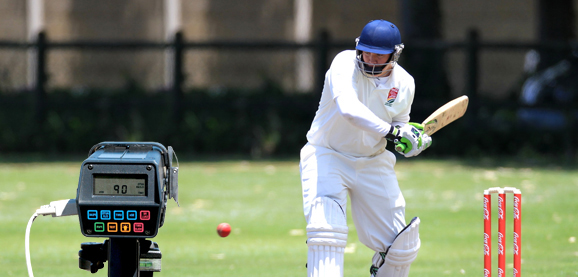
    Another significant gadget that has found a spot on the cricket ground is speed gun. It detects the speed of the bowler, giving an idea what can be the pace of the resultant shot. It acts as a premium medium to keep a record of the bowling speed of different bowlers. It is this gadgetry that made us respect Sachin Tendulkar more for taking on Shoaib Akhtar’s 150-plus Km/h deliveries and sending them flying off the boundary rope.

    6. Helmet Camera

    helmet camera

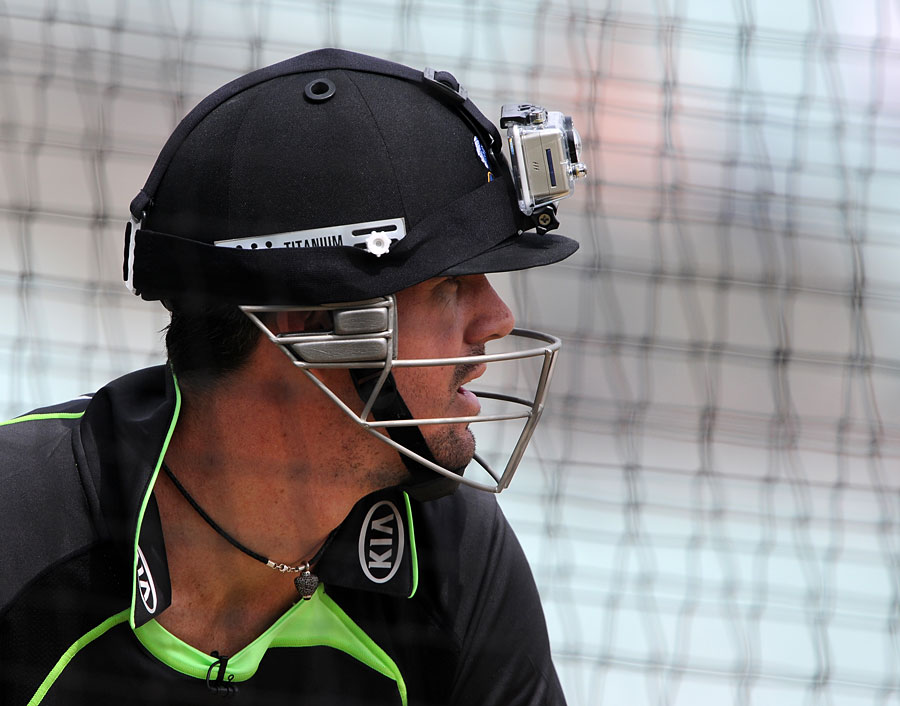
    It is the recent adoption by the cricket board. The batsmen and the wicket-keeper wear a helmet camera on their heads giving a close-up shot of the live match. It also makes for some epic first person POV videos of some of the epic moments within the game like a massive sixer or a batsman’s dive to reach the crease before the keeper has his moment of jubilation.

    7. Glowing Stumps

    glowing stumps

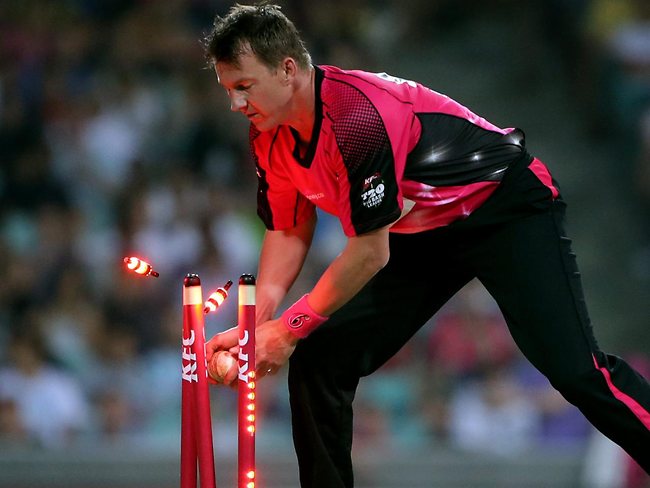
    Until now, camera and stumps were solely responsible for declaring that the ball has strike the stumps or not. The measure was not entirely reliable as camera couldn’t catch the details sometimes. New glow stumps have made the work easier, and it shoots a siren (glows) as soon as the ball hits the stump.

    8. Stump Camera

    stump camera

    These cameras are in use for quite a while. Small cameras are fitted within the stumps at both ends giving a unique to angle of the match. This angle is especially fun to watch when the stumps are bowled off and uprooted by some amazing bowling.

    If you could add a technology to the game of Cricket, what would it be? Write your technology suggestions to make cricket better or more fun in the comment section below.

  • This App Helps You Create a Button That Does Almost Anything For You

    This App Helps You Create a Button That Does Almost Anything For You

    Have you ever wished of a button that could do all in one click? Well, if you did, then your wish has come true.

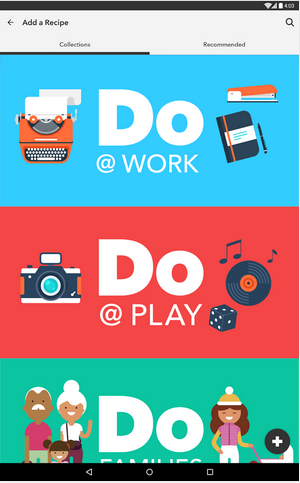
    A start-up firm IF (previously IFTTT) has built three apps, which are customised time-saving shortcut switches. These new apps are titled as Do Button, Do Camera and Do Note. These tools allow users to create recipes of actions to perform automated tasks. A user can add a maximum of three activities to make a recipe.

    The company Co-Founder and CEO Linden Tibbets says about the app:

    IFTTT is really about how do we help people manipulate that digital world, almost like a programmer can, and do it in a really intuitive way

    do switch

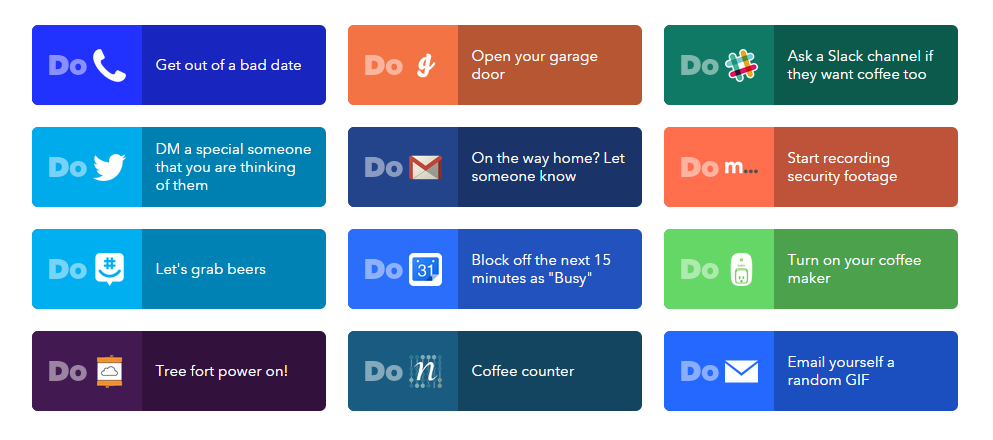
    The Do Button inculcates all the popular activities that people practice from time-to-time. From saving you from a bad date by a phone call to transferring Instagram photos on Dropbox, the Do Button does it all. Find actions and recipes and add them to the Do Button by pressing Activate. The app is compatible with both iOS and Android devices.

    do switch2

    Do Camera is just like Do Button, but it allows users to attach pictures with actions. Upload a photo on Facebook, Twitter, send the image as an email to a friend, or upload it to Evernote. The app allows users to do all this with the press of a button. Just like in Go Button, add actions and make a recipe. Users don’t have to unlock the screen as the app comes in the form of the widget on the lock screen itself.

    Do Note is the last offering by the company with the same idea; besides, it gives users freedom to make a note rather than picking the already chosen actions. Make appointment details on Calendar, send emails, create a reminder while on the go, and do a lot more. It’s like a merger of many switches into one. Do Note is available for free download on both Android and iOS platforms.

iGyaan Network
Privacy Overview

This website uses cookies so that we can provide you with the best user experience possible. Cookie information is stored in your browser and performs functions such as recognising you when you return to our website and helping our team to understand which sections of the website you find most interesting and useful.