Author: Parul Ritvik Sood

  • 5 Super Cool Home Automation Gadgets You Need to Add to Your Wishlist

    5 Super Cool Home Automation Gadgets You Need to Add to Your Wishlist

    Want to pimp up your home and make life easier? Well, thanks to our smartphones, wireless internet and companies that make some awesome innovative gadgets, we can now control everything in our homes anytime and most importantly, from anywhere. The smart home automation industry is still in its nascent stage, however, there are some devices that are already making our lives easier.

    Here’s a wishlist of new home automation gadgets that you would love to have in your bedrooms:

    1. Belkin WeMo Light Switch
    Belkin-WeMo-Light-Switch

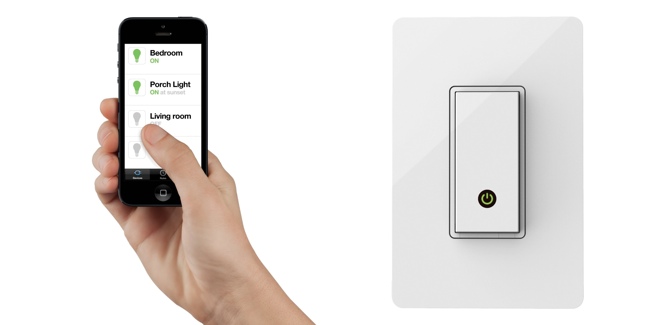
    Are you one of those who always forgets to switch off the lights? Well, then this one is for you. Belkin WeMo Light Switch connects to your home Wi-Fi network and you can control the lights using your iOS or Android device. Control options include switching lights on/off and scheduling lights to go on and off at specific times.

    2. Philips Hue Personal Wireless Lighting
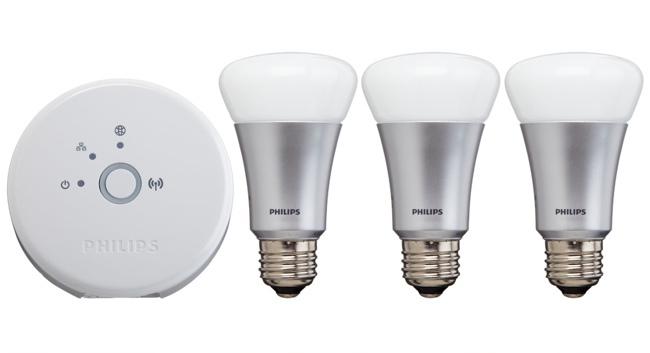
    Philips-431643-Hue-Personal-Wireless-Lighting

    Well, this light is available in the Indian market; however, you need to shell out almost Rs. 30,000 to get one kit. The whole kit will give you amazing lighting experience in your bedroom. This kit includes 4 LED light bulbs that can be controlled wirelessly using a smartphone or a tablet. But here’s the actual fun part – you can change the hue of the light by picking any colour from a picture. Also, the brightness level can be easily controlled through the app as well.

    3. Nest Smoke Alarm
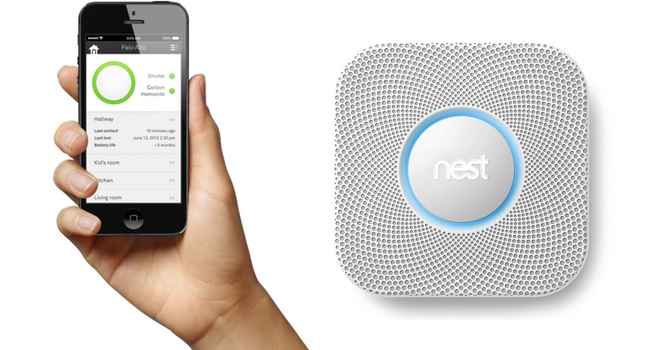
    Nest-Protect-Smoke-and-Carbon-Monoxide

    Nest Protect is a smart and quiet alarm that will give you a heads-up before it goes off. Also it can identify the part of the house from which smoke is coming.   A convenient way to ensure that your iron is not burning your house down.

    4. Belkin Conserve Socket
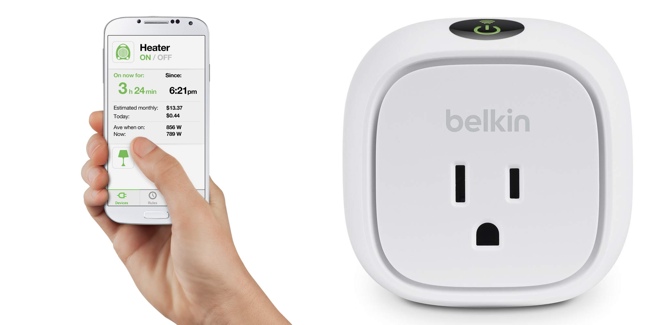
    Belkin-WeMo-Insight-Switch

    Here’s one if you tend to forget to turn the socket off after you’re done charging your phone. This smart outlet automatically turns off after a set amount of time has elapsed. Use this simple, handy tool to prevent mishaps and save money on your monthly electricity bills.

    5. iRobot Roomba
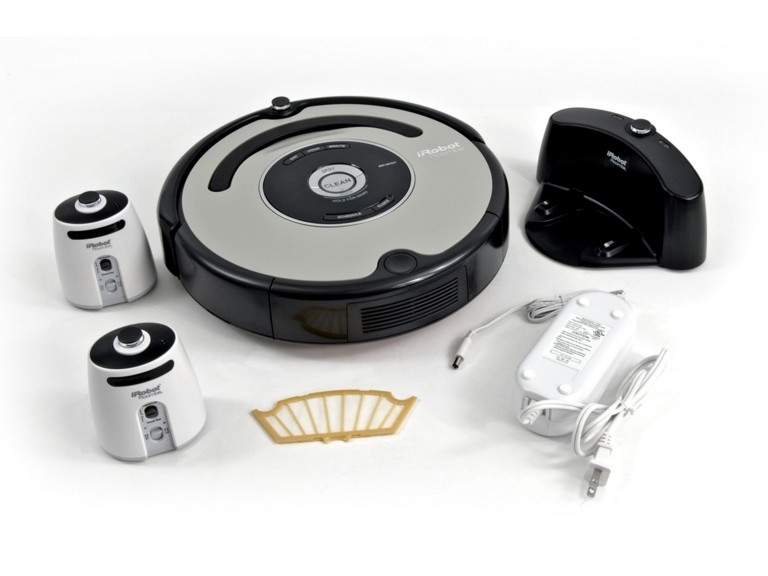
    _iRobot_Roomba_560pm3Detail

    Roomba is a solution for all those who totally rely on technology to solve their problems. iRobot has developed this product that will clean your apartment at the touch of a single button.


  • Sony Opens World’s First Underwater Xperia Aquatech Store

    Sony Opens World’s First Underwater Xperia Aquatech Store

    While most companies pay a premium price to get real estate in popular malls to utilise their high foot fall, Sony is taking a very different approach. Recently, Sony opened its first of a kind underwater store called the Xperia Aquatech store. It is a promotional activity carried out by the Japanese company in Dubai, or rather 4 metre under sea level near the city.

    sony-xperia-aquatech-store-6

    The underwater store is only open to some lucky competition winners, a few people from the media and some special Sony VIPs. The three-day long event aims to demo the marine capabilities of some of Sony’s water-proof devices and most of all, build publicity.

    gsmarena_004

    Sony provided scuba training and dive instructor guides to help people reach the store, along with a boat. They also provided waterproof cases for people who owned an Xperia Z3 or  Z3 Compact phone, because they are only waterproof up to 1.5 metres for fresh water.

    Well, what can we say. Of course, the whole point of this marketing exercise is to underline Sony’s innovation and commitment to making waterproof devices. The whole experience looks extremely pricey and also little risky, but it definitely is very out of the box and should bring about a lot of viral heat.

  • Microsoft Likely to Push Back Windows 10 Release to Late Next Summer

    Microsoft Likely to Push Back Windows 10 Release to Late Next Summer

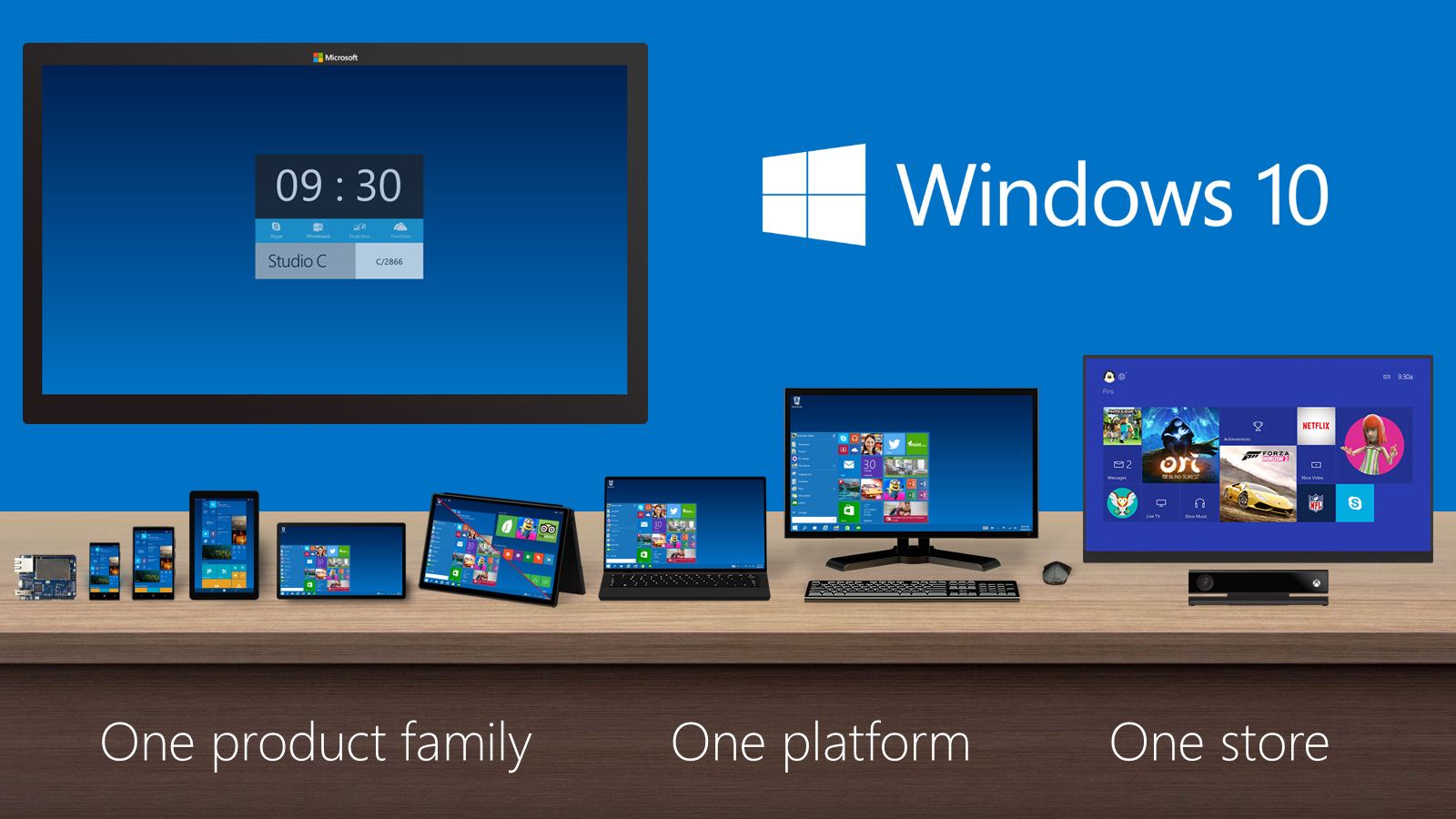
    Well, everyone has been waiting eagerly for the Microsoft’s new OS Windows 10 but unfortunately we might not see it anytime soon. The new version, which is a significant upgrade from Windows 8, is now expected to launch next year in spring. That means, we will have to wait until late summer of next year to get our hands on it.

    Mary Jo Foley, an influential ZDNet reporter, has revealed that Microsoft might delay the launch of the new OS to next year’s late summer or early fall. The report also added that the new Technical Preview of Windows 10 will be coming early summer.

    Microsoft is also expected to roll out Windows 10 Mobile SKU, which is compatible with Windows Phones, ARM tablets and Intel tablets, late January, along with the consumer preview of Windows 10 which will integrate Cortana into desktop OS. The mobile version of Windows is believed to integrate itself into the desktop OS.

    Foley also confirmed that Microsoft will be holding its Build 2015 Conference late april, where it is expected to launch the enterprise version of the Windows 10, which will be constantly updated and tweaked until it gets ready for the public roll out.

    Foley further stated that we could expect the touch version of Office 365 to launch with the Windows 10. Microsoft has made a great deal of iterations with the new OS. The company has emphasised on the return of the Start Menu, and the Continuum mode which detects whether the keyboard and mouse are hooked to the desktop or not and provides you suitable UI.

  • 8 Recent Google Updates You Might Have Missed

    8 Recent Google Updates You Might Have Missed

    Google is on an update spree. Lately, the company has been rolling out new updates across its Android apps and services frequently, however, it is hard to keep track of all the updates. So, we are rounding up recent Google updates that you might have missed.

    1. Google Lollipop 5.0.1

    Android-Lollipop-Banner

    After the roll out of Android Lollipop, Google has begun the process of getting Lollipop 5.0.1 out the door. The company quietly updated its Factory Images page to reveal a 5.0.1 built for the Nexus 9, Nexus 7, and Nexus 10. Installing images from this page does require the flashing of devices in order to update them, and does not carry user data across in the process, unless backed up and restored by the user.

    2. Gmail

    gmail

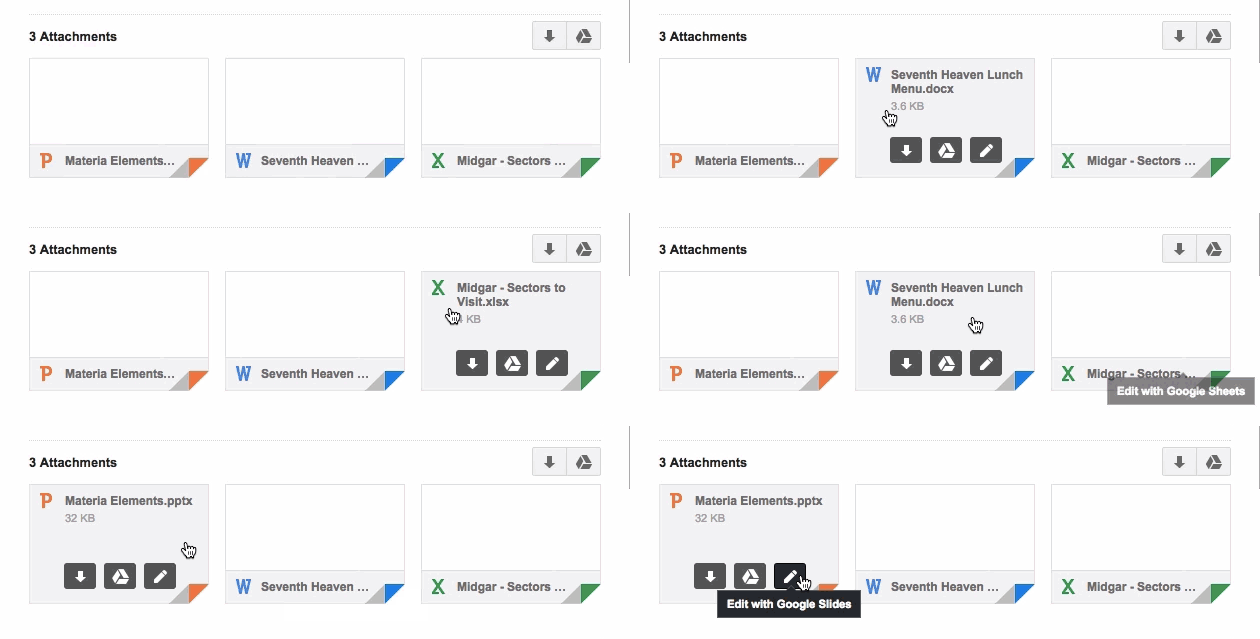
    With the new update, Gmail inbox allows users to edit Microsoft Office documents sent as email attachments. The new feature adds a Google Drive edit icon to Gmail attachments that says ‘Edit with Google Docs’. By clicking on this, the Office files get automatically converted into Google Docs, Sheets, or Slides.

    3. reCAPTCHA

    Recaptcha_anchor@2x

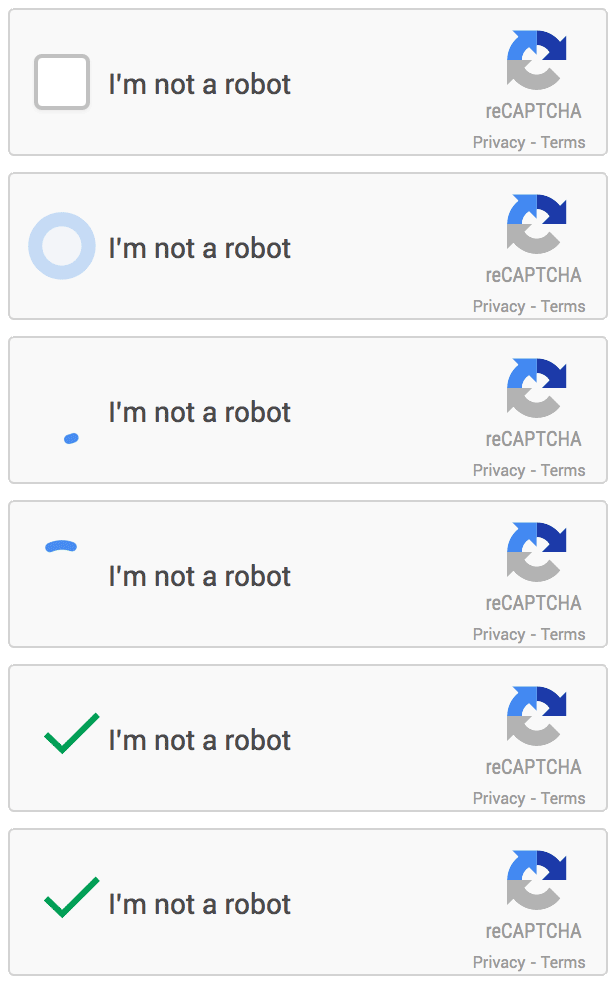
    Google has announced that it is dropping Captcha, its anti-bot system that asks users to identify a deconstructed word or two in order to avoid spamming. The company has admitted that 98 percent of bots can now correctly answer a Captcha and so they are switching to a simple ‘tick the box if you’re not a robot’ system, with all the clever stuff behind the scenes rooting out impostors instead.

    4. News & Weather app

    google-news-app-dark-theme-100533893-large

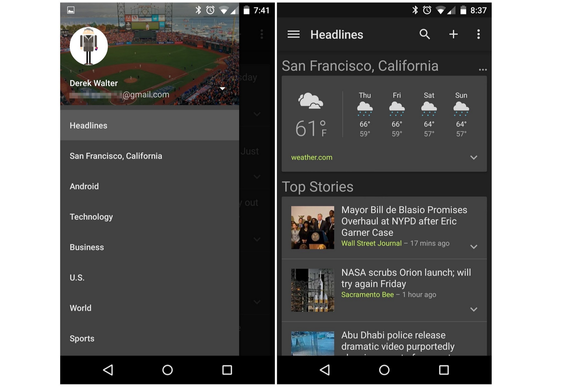
    Google has released an updated version of its News & Weather app on Google Play, which brings brand new dark themes and other changes. The company will roll out the update globally soon. In addition to the dark themes, which can be activated from overflow menu, the updated News & Weather app includes search option, new UI tweaks and bug fixes.

    5. Device Assist

    android-device-assist-primary-100533723-large

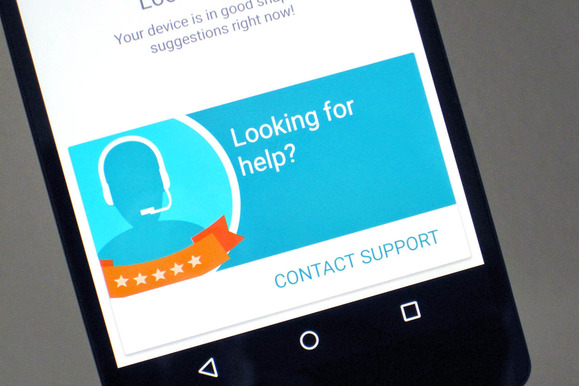
    Google has rolled a new troubleshooting app called Device Assist that offers specific tips and access to support Nexus, Google Play edition, and Android One running on Lollipop. Device Assist will alert you about any settings that could give you trouble, such as battery drain from cranking up the brightness too high. The app also includes a list of common tasks and how to perform them, such as taking screenshots and customising notifications. There is also an option of contacting to the Google Play support via call. Apart from requesting a call, you can also submit your smartphone statistics for more elaborate troubleshooting.

    6. Chrome Beta

    chrome beta

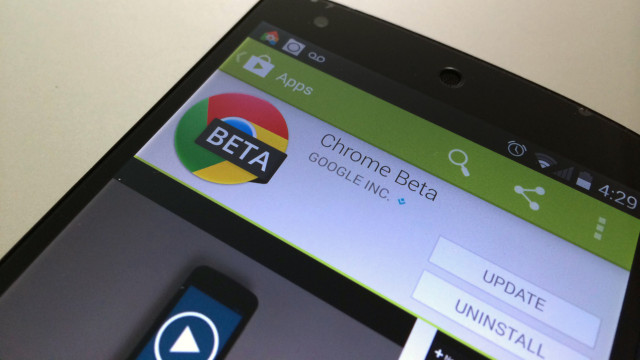
    Chrome Beta for Android has been updated by the company with minor design changes. The address bar has been redesigned for Lollipop users with Merge Tabs and Apps option enabled to go all the way across the display. Google has also added several new flags to the app, allowing users to enable a new bookmark manager and password generator.

    7. Google +

     google+

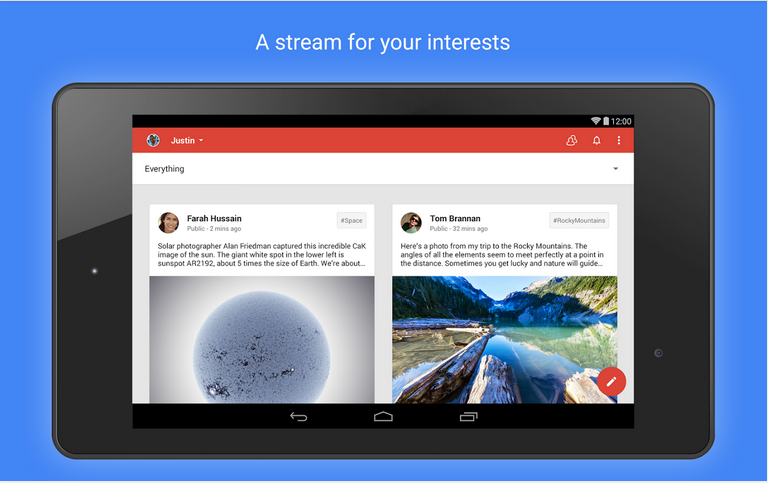
    Google+ has also received an update, debuting the app version 4.8. This update makes a few minor design enhancements too, like Chrome Beta. The ‘new post’ page has been slightly reworked with the publish button moving from bottom to the top and swapping places with the menu button.
    8. Google Play Games (version 2.2)

    Screen-Shot-2014-12-03-at-20.04.24-631x374

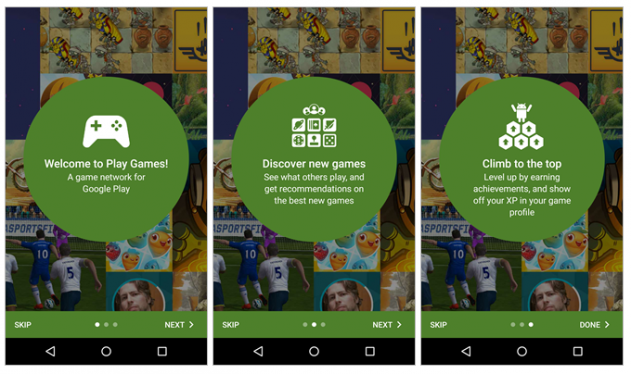
    This update adds a new interface for picking an account to use. The interface also now appears for all users, even those that have added only one account, with a new prompt to easily add another email. Finally, the game detail page has been enhanced with new ‘View in Play Store’ and ‘Share’ options.

  • Here’s the First Look at Cortana Running on Windows 10

    Here’s the First Look at Cortana Running on Windows 10

    Well, it has been a month since the technical preview of Windows 10 is out; although, it doesn’t run Cortana as for now. Cortana is Microsoft’s obvious response to Apple’s Siri, and with Apple looking to integrate Siri into OS X, Microsoft desperately needs to do it right. Right now, Cortana doesn’t have much of a personality in Windows 10, but we expect that it will be there by the time the company rolls it out to the public.

    Anyway, it is pretty much clear and evident that Cortana be will coming to desktops once Windows 10 is available commercially. We are still waiting to see Cortana in action on desktops.

    In a recent video post, WinBeta got access to Cortana on Windows 10. The early version of the Microsoft’s virtual assistant isn’t pretty, however, we can expect Microsoft to tweak it before the roll out of public version.
    This early version, which the popular publication got hold off, got most of the basic stuff in place, such as calling Skype contacts, reading out your calendar and setting reminders just like on Windows Phone. The hard truth is, there are not many Windows Phone users out there and so, this might be the golden chance for the company to push out Cortana to a larger user base.

    Google Now has been available on Chrome and other platforms for some time now. These companies’ devotion towards virtual assistants shows how important they have become. The mere fact that all the big names have come up with their virtual assistants and are looking out to integrate them into desktops defines the future of personal computing.

  • Top 5 Must-Have Accessories for iPhone Owners

    Top 5 Must-Have Accessories for iPhone Owners

    Gotta admit, iPhone users get the choice of picking up some of best phone accessories in the world. From Infrared cases to bike mounts, anything seems possible if you own an iPhone.

    We are listing top 5 iPhone accessories, that will put your old ones to shame.

    1. The Pocket Spotlight

    pocketspotlight

    The Pocket Spotlight is basically a bank of 32 diffused LEDs that will provide soft, even illumination for up to an hour on a full charge. For smartphone users it includes a mount for attaching it to the headphone jack.

    2. Belkin Easefit Plus Armband

    c26-B0094CX0NO-4-l

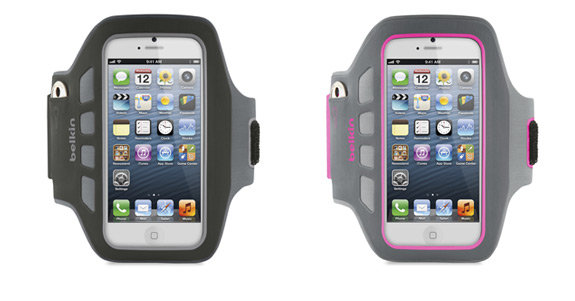
    The compact, modern design makes this a solid effort from Belkin. The lightweight, flexible neoprene material has a touch-through window covering the display. This accessory can also be hand washed. It’s not just for iPhone 6, there are other versions that are compatible with older models of iPhones, and are just as durable.
    3. Quadlock Bike Kit for iPhone 6

    annex-quad-lock-bike-mount-kit-iphone-5-19

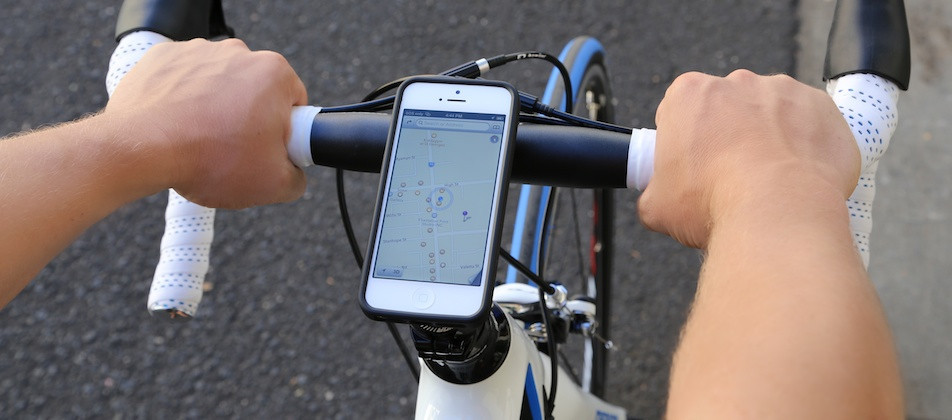
    The tool locks the phone onto a bicycle’s handles, allowing a user to make hands-free calls, keep track of GPS directions and free up pocket space. With Quadlock Bike Kit for iPhone 6, avid cyclists can put it to the ultimate test by mounting their handset on their bike and taking it for a ride.

    4.  Olloclip 4-in-1 iPhone 6 photo lens

    olloclip-iphone-lens-1a6b_600.0000001386313212

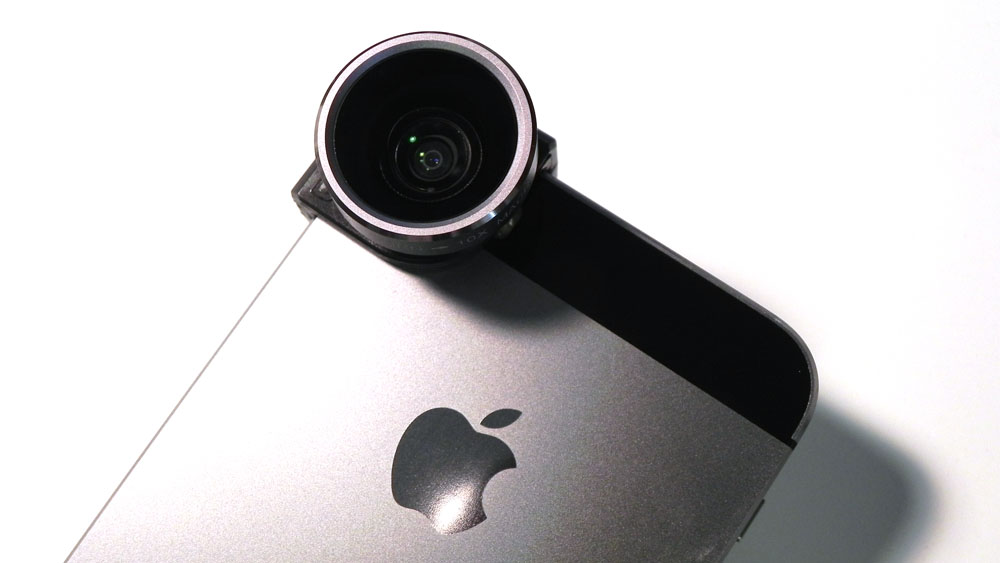
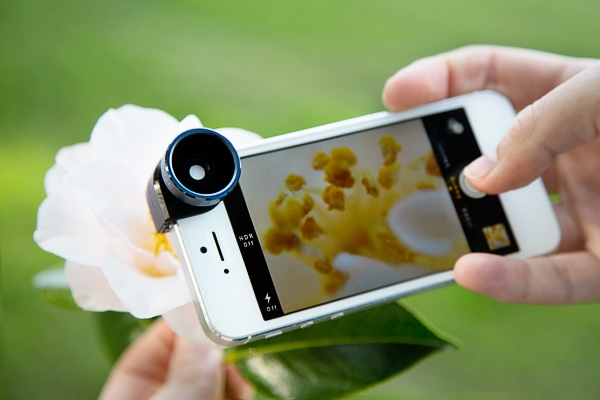
    Well, this one is for Instagram fanatics. If you want up your game in the photo-sharing social network, you desperately need this one. Olloclip 4-in-1 iPhone 6 photo lens  attaches to the iPhone 6 or 6 Plus, clipping onto the corner of the device and enhancing the built-in camera. The lens can shift between fisheye, macro, video and wide-angle.

    5. Grand Cord tacos

    ground

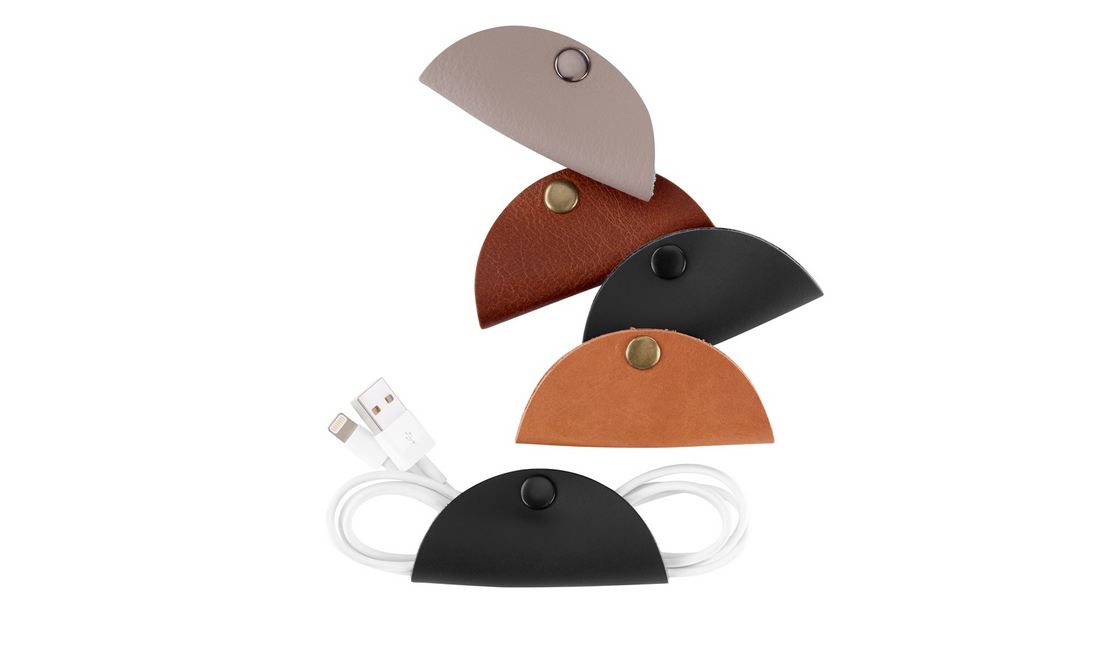
    These tasty looking tacos won’t fill you stomach, however, they will solve some one of the most irritating problems : tangled chords. Ground’s Cord Taco helps you clean up all of those wires for your iOS devices or Mac in your bag, pocket, car, or anywhere else. Seal the 100-percent premium leather structure with its metallic clasp and the look instantly changes from messy to cool and organized. Works great for earbuds, USB cables, and other small wires. Each package includes five Cord Tacos.

  • Xolo Launches the Omega 5.0, We Unbox it!

    Xolo Launches the Omega 5.0, We Unbox it!

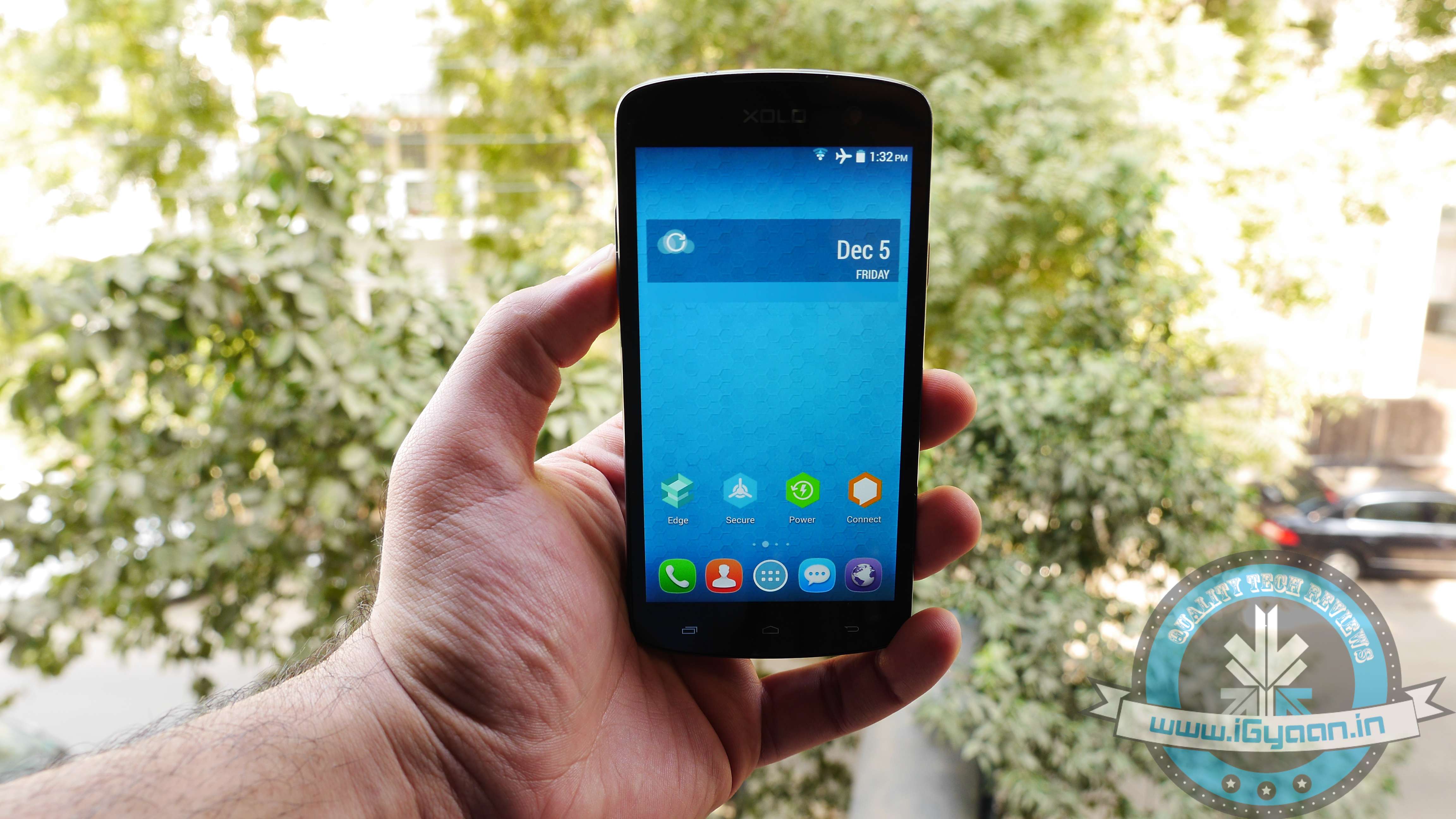
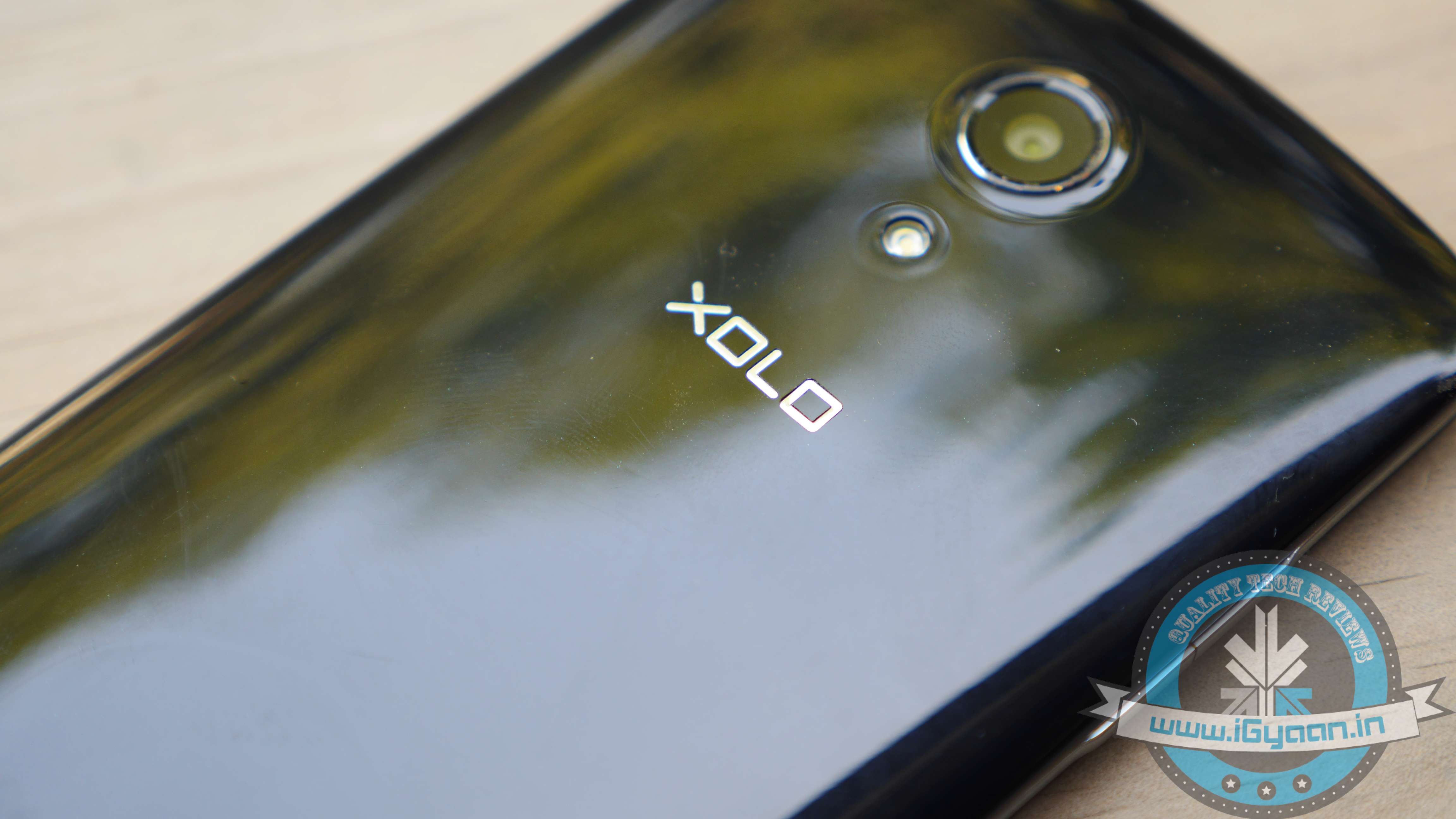
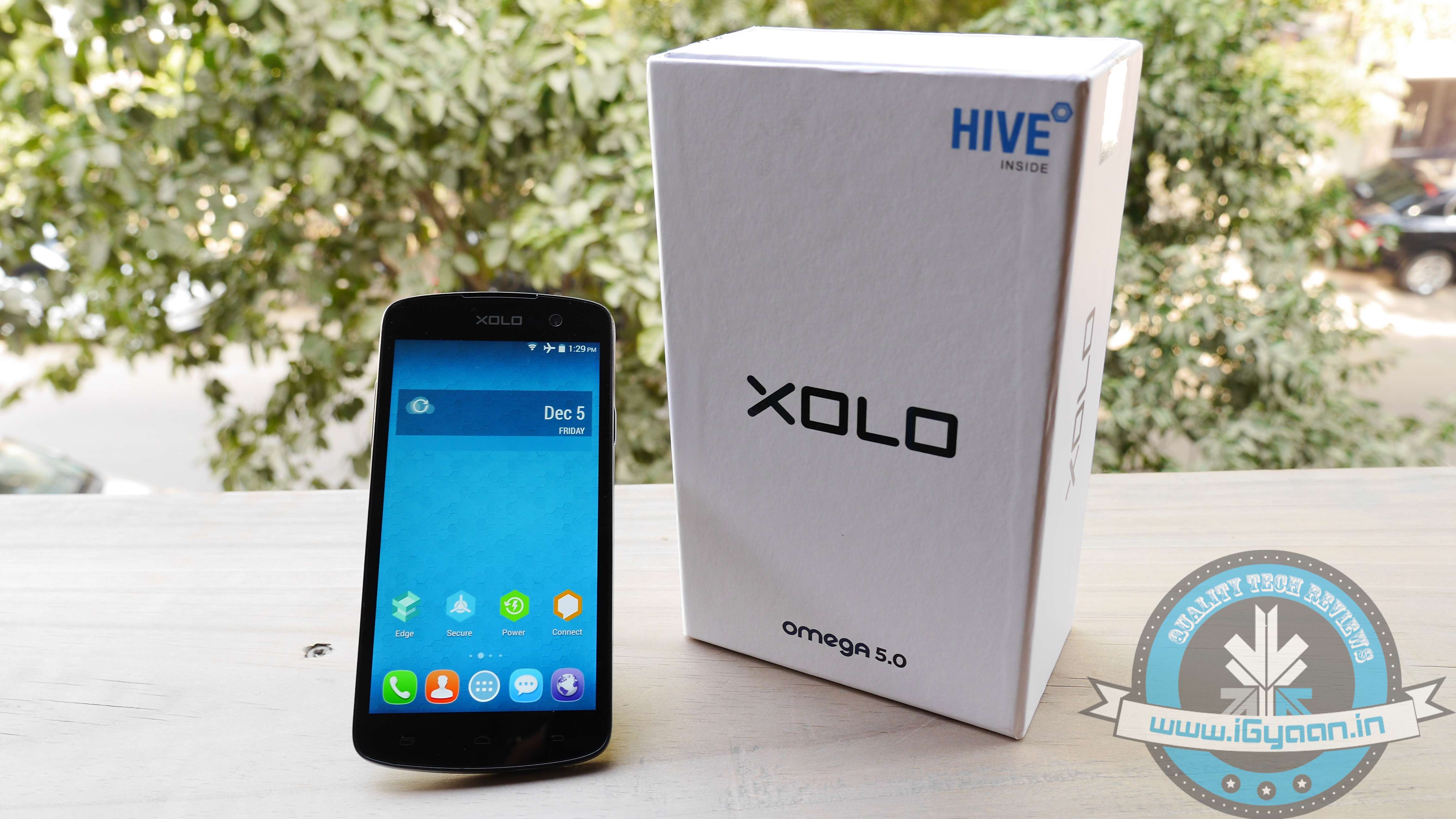
    Xolo has launched two new handsets, Omega 5.0 and Omega 5.5. The Omega 5.0 will be available in all leading online and offline stores starting from 10th December followed by Omega 5.5 on 20th December at the price of Rs. 8,999 and Rs. 9,999, respectively.

    P1070418

    Apart from the launch, the company also announced that all HIVE users including Omega will get the Lollipop update. The details of which will be shared in the coming weeks. Xolo also announced a bunch of launch day offers with the smartphones. Omega 5.0 buyers will get 500MB of free data and unlimited music content on Vodafone Music for a period of two months. Omega 5.5 buyers, on the other hand, will get 1GB of free data and unlimited music content on Vodafone Music for a period of two months.

    The Omega 5.0 is a dual-SIM smartphone that runs on Android 4.4 KitKat out-of-the-box. Other specifications include a 5-inch HD (720×1280 pixels) IPS display; a 1.4GHz octa-core processor (MediaTek 6592m); 1GB of RAM with 8 GB internal memory expandable up to 32 GB via SDcard.

    P1070428

    On the imaging side, it sports an 8-megapixel Auto-Focus camera with Exmor R sensor and a 2-megapixel front-facing camera. And the handset juices up with a 2100mAh battery.

    P1070412

    The Omega 5.5, on the other hand, flaunts a 5.5-inch HD (1280×720 pixels) IPS display, and it too is powered by an Octa-Core processor paired with 1GB of RAM. It includes a 13-megapixel rear camera, 2-megapixel front-facing camera, 8GB internal storage, and a 2,600mAh battery.

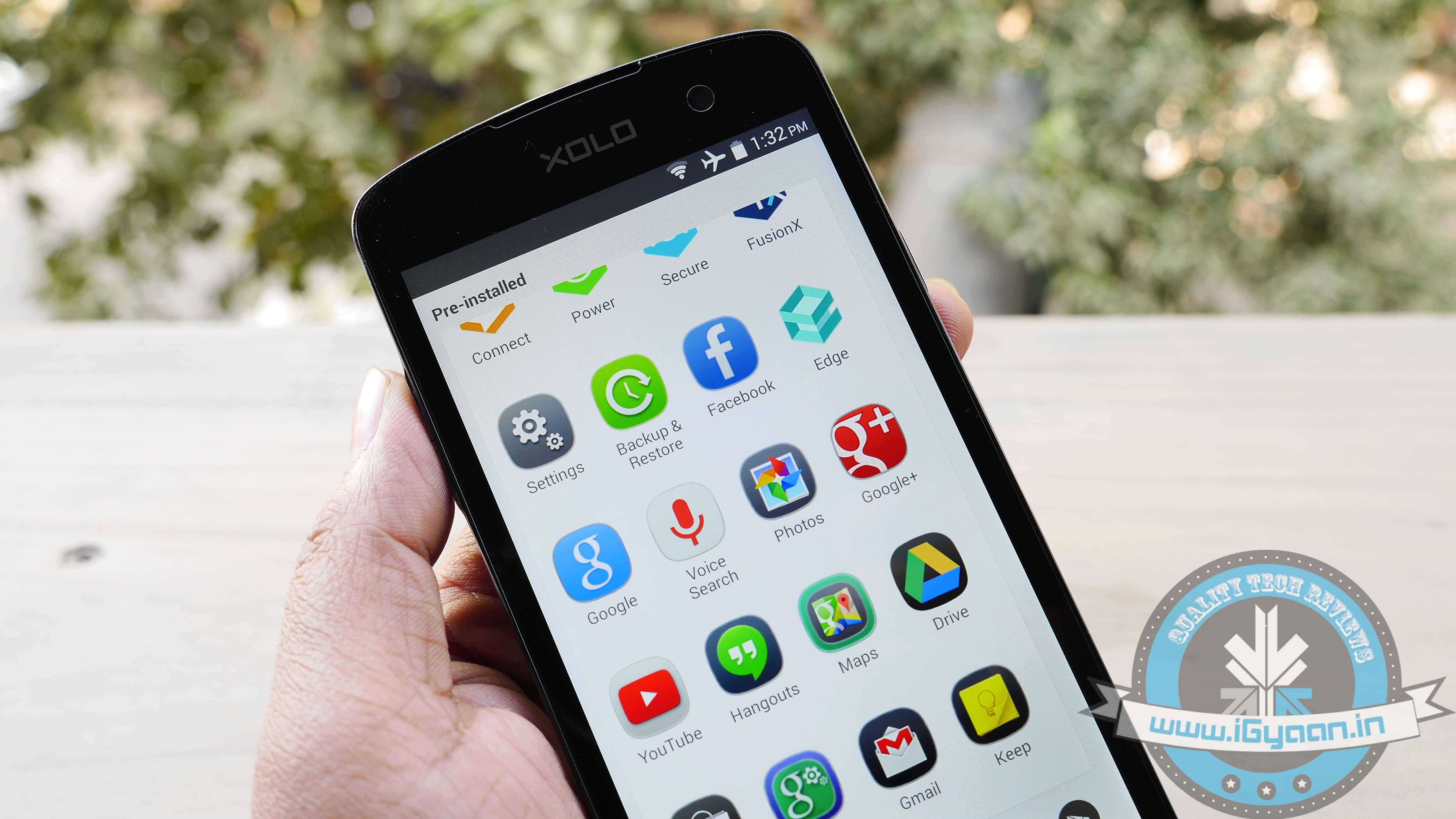
    The smartphones are wrapped with the company’s own Hive UI which the company launched in August this year. Hive UI is similar to what Chinese companies Oppo and Xiaomi have done with ColorOS and MIUI respectively The connectivity option includes 3G; GPRS/ EDGE; Wi-Fi 802.11 b/g/n; GPS/ A-GPS; Micro-USB; Bluetooth 4.0.

    Here’s a spec comparison between the Xolo Omega 5.0 and Xiaomi Redmi Note:

    Specs

    Xolo Omega 5.0

    Xiaomi Redmi Note

    Display  720 x 1280 pixels, 5 inches  720 x 1280 pixels, 5.5 inches
     Processor  MediaTek 6592m, octa-core  1.4GHz  Mediatek MT6592, Octa-core 1.4/1.7 GHz Cortex-A7
     RAM  1 GB  1/2 GB RAM
     Storage   8 GB, expandable up to 32 GB  8 GB, expandable up to 32 GB
     Camera  8 MP rear, 2 MP Front  13 MP rear, 5 MP Front
     Battery  2100mAh  3200mAh
    Operating System  Android 4.4 (KitKat)  Android 4.2 (JellyBean)

  • Bluetooth 4.2 Core Arrives With an Agenda to Focus on the ‘Internet of Things’

    Bluetooth 4.2 Core Arrives With an Agenda to Focus on the ‘Internet of Things’

    The Bluetooth Special Interest Group (SIG) has officially announced version 4.2 of the Bluetooth core specification. The most significant update since last year’s 4.1 version, this one promises greater speed and privacy.

    According to SIG, the new update will increase the transfer rate between two devices connected over Bluetooth by 2.5 times. The recent development in the area of Bluetooth Smart Data packets lets it hold ten times as much data as before, hence the increased speed.

    Also, Bluetooth 4.2 will improve the features of Bluetooth Low Energy which allows low-power IP connectivity over Bluetooth, with a new profile which supports low power wireless personal area network. As a result, Bluetooth devices will be able to directly access the internet through a router or an edge device, rather than have to be bound to a smartphone or any other devices with IP connectivity first.

    bluetooth-4-2

    The SIG said the latest standard will compliment the market and let developers make devices that can easily connect with each other, making Bluetooth 4.2 “the foundation for the Internet of Things”. The update also brings some privacy features. Currently, Bluetooth Beacons can be utilized as a way to track people. However, for privacy conscious people, the new 4.2 will allow the MAC address of Bluetooth devices to be masked unless connecting to a trusted device.

    Well, unlike 4.1 standard which was a software upgrade to 4.0 Bluetooth, 4.2 will require hardware improvements. Some features like privacy controls can still be added to older devices via software, but other capabilities including speed and IPv6 features will require hardware upgrades.

  • 5 Reasons Why AirDroid 3 Might Be The Best Thing to Happen to Android

    5 Reasons Why AirDroid 3 Might Be The Best Thing to Happen to Android

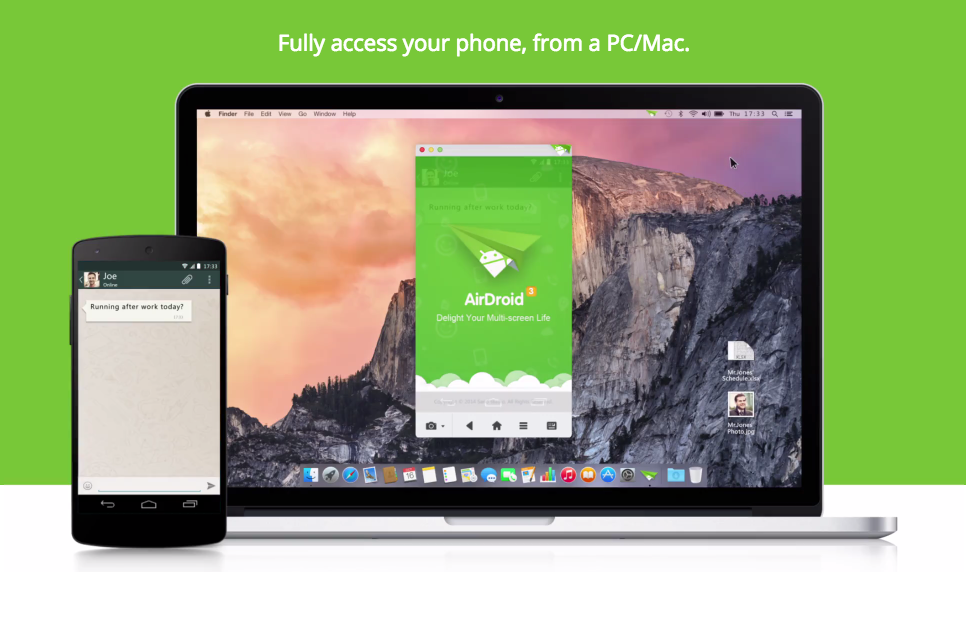
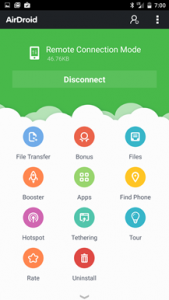
    AirDroid is a tool that allows Android users to perform actions like transferring files, pasting links and text from their web browsers. The third version of the app is finally out of the beta stage and available on Play Store, along with the much-requested desktop clients with Mac and Windows support.

    The new app has an updated UI and a myriad of new features, but the biggest change is the addition of standalone clients for Windows and OS X, besides the app’s famous desktop browser management. It basically brings the Apple’s Continuity feature to Android.

    Here are 5 reasons why AirDroid 3 might be the best thing to happen to Android:

    1. AirMirror

    airmirror_feature_whatsapp_chat_blog_airdroid

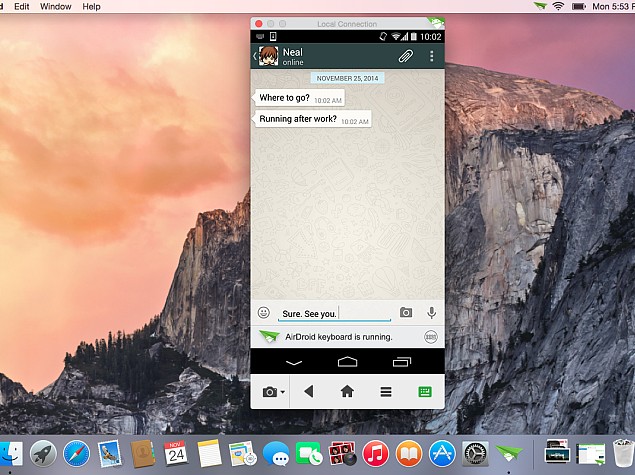
    AirMirror allows users to wirelessly display all of the happenings on their smartphone, directly to their desktop. You can use the mouse to navigate through the app, or make calls, reply to SMS or WhatsApp etc. It is worth mentioning that the AirMirror feature is only supported by rooted devices running Android 4.0 Jelly Bean and higher (or if the Android device is AirDroid-certified). They have not yet provided support to Android 5.0 Lollipop.

    2. Superfast file sharing

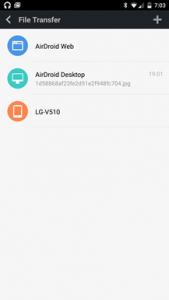
    Though AirDroid has evolved to do a lot more than transfer files, but that has been its USP. You can transfer movies within less than a minute between your Android and PC, using Wi-Fi. Once you get hold of this, it is going to be the default file sharing app for you. It is easy, quick and hassle free.

    nexus2cee_airdroid_thumb

    3. Managing your contact lists and SMS

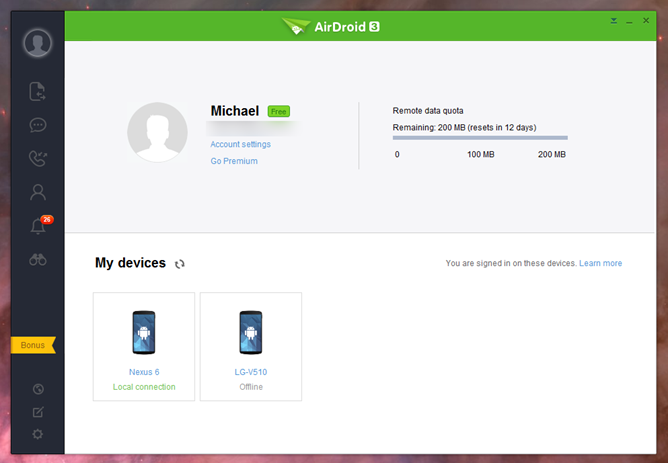
    AirDroid is one of the most sophisticated desktop clients we have ever used. This app is quite handy when you need to send a ton of messages while working on a project, you can directly reply to your messages from your desktop. You can send, delete texts and even search through your inbox, simply by typing the keyword in the search bar. You can also manage your contact lists, create groups, add new contacts, disconnect calls and dial numbers directly from your PC.

    4. Security

    You can also use AirDroid directly to clear data from a remote location. Although, the same functionality can be sourced directly from Android device manager, but to have that functionality incorporated in a frequently used app, makes it more convenient. The intruder feature will take a selfie shot if you fail to enter the correct lock code.

    5. Web Version

    Well, even though AirDroid App has improved tremendously with the version 3, web version remains the best part of the service. The desktop client directly links to the Web version, with which you can then access both front and back cameras via your PC and display real time footage. The feature is easy to use and you won’t even waste your battery as the camera app and display won’t be engaged.

  • Moto E (Gen 2) May Arrive Soon with Snapdragon 400 and LTE

    Moto E (Gen 2) May Arrive Soon with Snapdragon 400 and LTE

    Motorola has garnered much appreciation and made many happy with their first gen Moto E, Moto X and Moto G. Now, after launching the second gen Moto G and Moto X, it seems like the company is working on the second generation Moto E.

    According to the news report by GSMArena, the Moto E (Gen 2) will be debuting soon enough. Just like the Moto G (Gen 2,) it is expected to come with some hardware improvements compared to its predecessor. The report added that the new Moto E may come with the same innards as the first gen Moto G i.e. a Snapdragon 400 processor clocked at 1.2GHz coupled with 1GB of RAM.

    According to the leak, Moto E will feature a 4.5-inch touchscreen with 540×960 resolution, a 5 MP rear camera sans LED flash, and even LTE connectivity. The exact chipset isn’t detailed, however, as mentioned above, it will be the same as Moto G (Gen 1).

    The new Moto E will run Android 5.0 Lollipop out of the box, and we can expect its pricing to compete with budget phones under Rs. 10,000. The highlight of the speculated Moto E second generation model is the addition of 4G LTE connectivity. Indian mobile service providers are slowly adopting the LTE connectivity which is much faster and more reliable than 3G connections. Based on this improvement, manufacturers have also started providing the connectivity option in their budget smartphone variants.

    Last month, a new Motorola smartphone was spotted on the Geekbench benchmark website with a quad-core Qualcomm Snapdragon (MSM8916) 410 chipset clocked at 1.19GHz and 1GB of RAM. Fueling the speculations of a possible successor to the Moto E is the fact that Motorola back in September launched refreshed versions of the Moto G and Moto X, and is unlikely to release another variant of the Moto G anytime soon.

  • Haptic Hologram Tech Makes Star Trek’s Holodeck a Reality

    Haptic Hologram Tech Makes Star Trek’s Holodeck a Reality

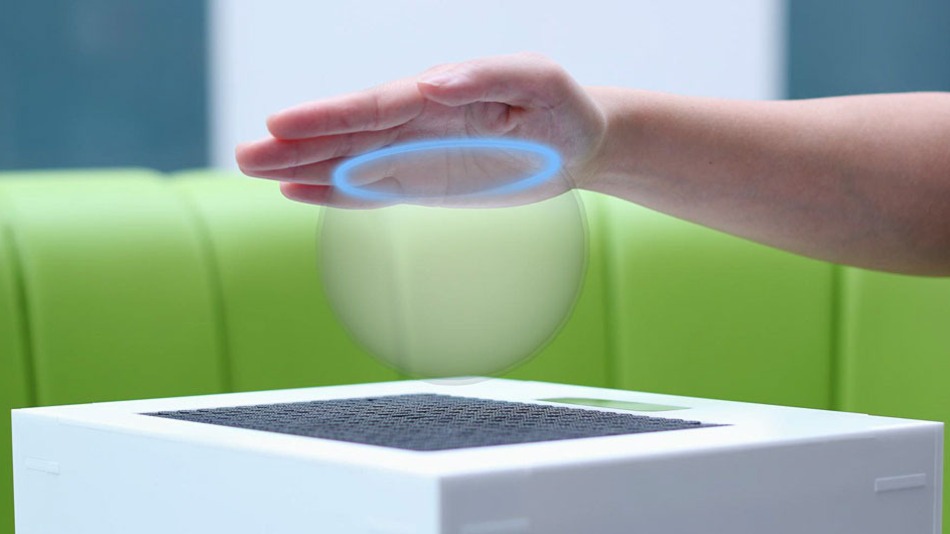
    Well, it’s time we touch the concept of haptic hologram technology which Star Trek introduced to us 20 years ago in the pilot episode of Star Trek: The Next Generation, ‘Encounter at Farpoint’. An English company called Ultrahaptics has developed a method of delivering haptic feedback for holographic imagery using ultrasonic technology.

    The new technology, basically lets you feel without touching. Using ultrasound to project sensations into the air, this new technology is more sophisticated than what is shown in the Steven Spielberg’s adaptation of Philip K. Dick’s Minority Report where Tom Cruise needed gloves to feel the sensation.

    Originally developed in University of Bristol, the developers of the sophisticated system claim that it can deliver different haptic feedback and virtually tactile shapes through ultrasonic waves by changing the feedback of the ultrasonic waves or their modulation frequency.

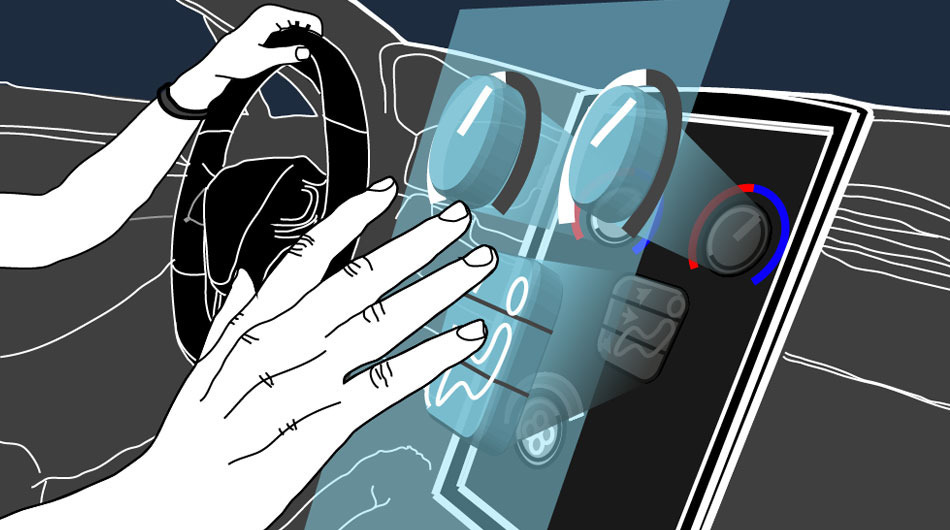
    Concept image showing a possible application of haptic holograms.
    Concept image showing a possible application of haptic hologram.

    The potential of the technology is huge. It could be used in markets such as consumer electronics, games, household appliances and the car industry. A coffee machine that switches on with the wave of a hand from your bed, perhaps. Adding a sense of touch as well as sight and sound will make it easier to completely immerse in virtual reality.

    And the ability to feel the shape of virtual objects could open a whole lot of new possibilities in various fields of research such as doctors could use their hands to examine a lump detected by a CT scan or museum visitors could handle virtual replicas of priceless exhibits while the real thing remains safely behind glass.

    Ultrahaptics is based at Bristol and has been awarded £600,000 to hire more developers and fine tune its remarkable technology. Although the current version of the technology works in a lab setting, developers said that they would have to wait a bit longer to see some of the commercial applications of the technology.

  • Top 4 Ways to Make Sure You Score a OnePlus One Invite in India

    Top 4 Ways to Make Sure You Score a OnePlus One Invite in India

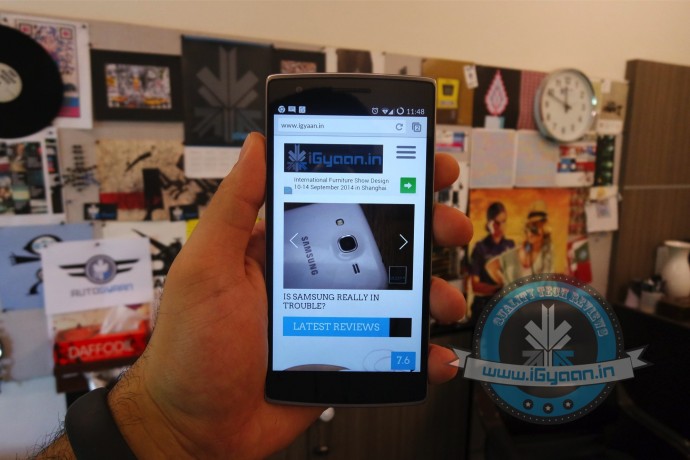
    Well, the ‘Flagship Killer’ has landed in India. The 2nd December event created much excitement among the smartphone lovers. However, the fact that you need to get your hands on an invite to get the OnePlus One has left many confused about how to get the same.

    Although, Amazon and OnePlus have integrated their account services to make it simple for those with invites to purchase their smartphones. There is still some confusion about the invite system. Well, the company has been known for its mismanaged marketing strategy, however, this time around it seems everything is going smooth.

    If you are still wondering how to get hold of an invite, there are quite a few ways to get it. Read on for more:

    1. Amazon Contests

    amazon

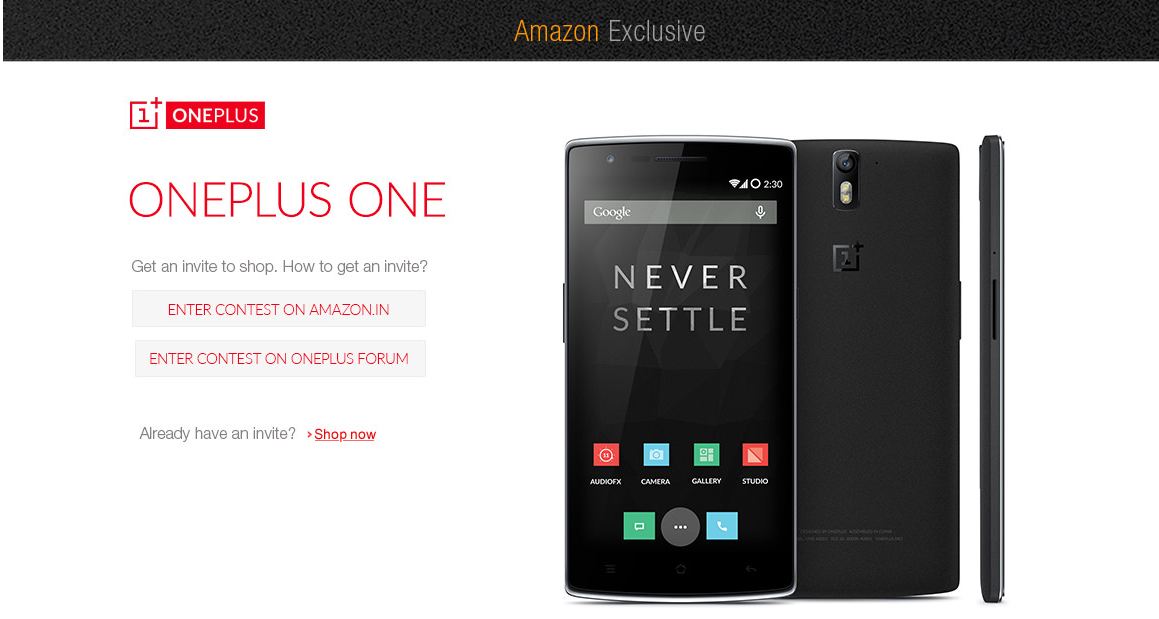
    Amazon and OnePlus are currently running a couple of contests to help you grab the One. Amazon users can earn invites by spotting and clicking on the ‘One in a 1000’ contest across the internet, including select social media websites. A total of 1,000 users that spot and click these contest ads will win an invite. Another method to win one of the 4,000 invites runs involves simply connecting your Facebook account to Amazon India.

    2. OnePlus Accounts

    facebook

    The company will be running marketing or engagement events on its social media, same as it did in other countries, through which it will give out invites. So make sure you like or follow the official accounts on Facebook, Google+ and Twitter.

    3. Get a Friend To Buy One

    Same as in other countries, anyone who has managed to get a OnePlus One smartphone will also receive an invite that can be shared with friends, family or anyone. These invites are valid typically up to 3 and 6 weeks of purchase.

    4. OnePlus Forum

    forum

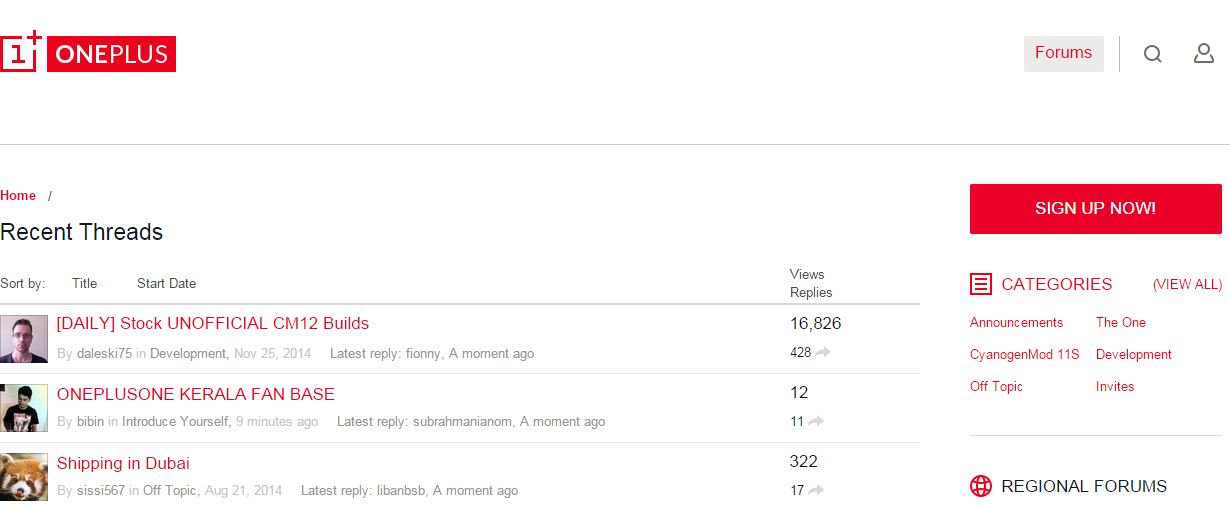
    The website forum is the most famous and efficient way to get an invite. Users who join the OnePlus One forum can either win an invite via an engagement event or contest, or through other forum members distributing the invites. However, there is no way to check the authenticity of the forum members giving out the invites.

    Need to know more about the OnePlus One before you start hunting for invites? Watch our full review here:

  • Everything You Need to Know About Microsoft CEO Satya Nadella

    On 4th February 2014 Satya Nadella was announced the Chief Executive Officer of Microsoft Corporation. He joined Microsoft in 1992 and served leadership roles in both enterprise and consumer businesses across Microsoft for over 22 years. He served as Executive Vice President of Cloud & Enterprise Group and President of Server & Tools at Microsoft Corporation until 4th February, 2014. He led the transformation to the cloud infrastructure and services business. Satya Nadella joined the growing list of India-born executives heading major global corporations. The list already includes PepsiCo CEO Indra Nooyi and Deutsche Bank co-CEO Anshu Jain.

    We are listing 8 facts about Satya Nadella you ought to know:

    1. Love for Cricket

    141010_EM_DumbThingsMenSaid

    [quote text_size=”small” author=”Satya Nadella”]

    I think playing cricket taught me more about working in teams and leadership that has stayed with me throughout my career.

    [/quote]

    He has grown up as a passionate cricketer and has played for his school and college teams.

    2. He was Initially Against the Nokia-Microsoft Collaboration

    BN-CB212_nokia0_G_20140324030045

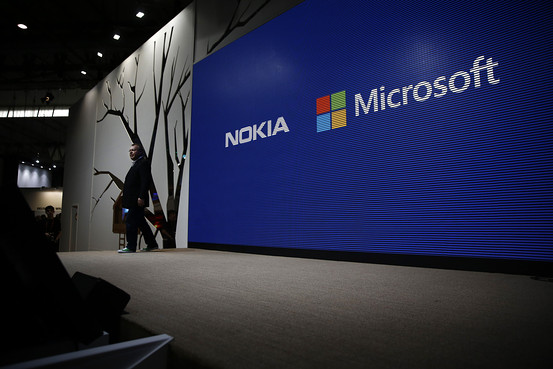
    Some reports say that during the on going talks about the deal had hinted that Microsoft founder Bill Gates and new CEO Satya Nadella were against the Nokia buyout, as was Skype founder Tony Bates and many other unnamed board members. Later, Nadella changed his stance and supported the deal.

    3. Love for Poetry

    Nadella says he loves to sit back and read poetry, which, according to him, is like a code.

    [quote text_size=”small”]

    You’re trying to take something that can be described in many, many sentences and pages of prose, but you can convert it into a couple lines of poetry and you still get the essence, so it’s that compression. The best code is poetry.

    [/quote]

    4. Microsoft’s 3rd CEO

    MS-Nadella-Day1-C-468-R-643x367

    In the 38 years of Microsoft’s history, only three people have held the position of CEO and Nadella is one of them. Former CEOs were Bill Gates and Steve Ballmer.

    5. An Engineer by Education

    Unlike Steve Ballmer, who comes from a managing background and had served as an Assistant Product Manager at Procter & Gamble before joining Microsoft in 1980, Nadella started out as an engineer. He holds a bachelor’s degree in Electronics & Communications Engineering from Manipal University and a master’s in Computer Science from the University of Wisconsin.

    6. Roots and Wings

    Microsoft-Logo-at-Campus-Headquarters

    Nadella’s hometown Hyderabad is a technology hub and houses one of the biggest Microsoft Research and Development Centres outside of the United States. His father, B.N. Yugandhar, still lives in Hyderabad. Nadella’s father has been a member of the elite Indian Administrative Service and a member of the Planning Commission during 2004-2009 under the then Prime Minister Manmohan Singh.

    7. His major role in Microsoft’s transition to cloud

    microsoft-ceo-satya-nadella-its-no-longer-up-for-debate-whether-we-get-the-cloud

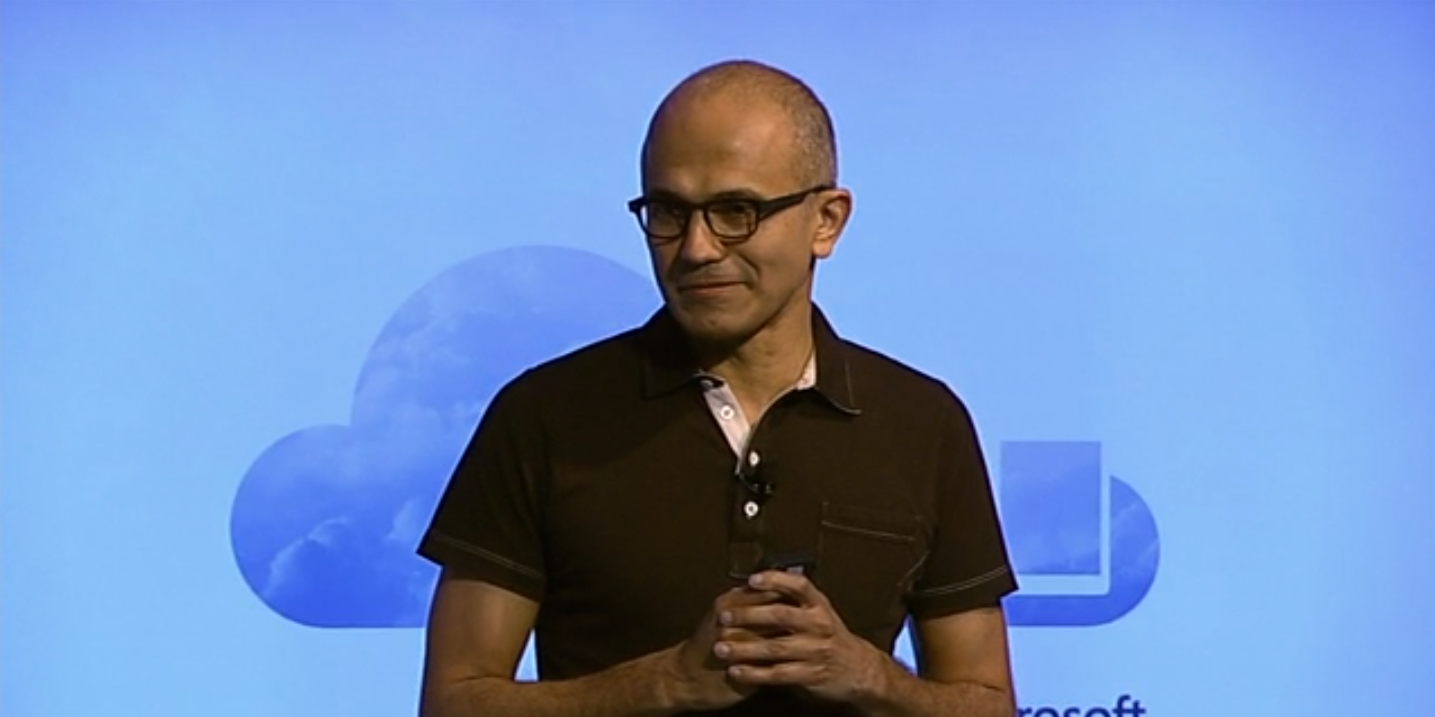
    Before becoming the CEO of Microsoft, he was Executive Vice President of Microsoft’s Cloud and Enterprise Group and was responsible for building and running the company’s Computing Platforms, Developer Tools and Cloud Computing Services. Under Nadella’s leadership, Microsoft is on its way to become as good at web-based services as it ever was at PC software.

    8. One of the most promoted employees in Microsoft

    140205-satya-nadella-jms-0037a_ed7dd67a95380004fa5a6f09bf006bef

    Among his other high-level positions before he served as the Executive Vice President for the Cloud and Enterprise Group last year are President of the Server and Tools Business, Senior VP of R&D for the Online Services Division, VP of the Business Division, Corporate VP of Business Solutions and Search & Advertising Platform Group, Executive VP of Development of Cloud and Enterprise Group.

  • iGyaan Exclusive : Micromax to Set Up OnePlus-like Developers Forum in India

    iGyaan Exclusive : Micromax to Set Up OnePlus-like Developers Forum in India

    Micromax has successfully reached an agreement with Cyanogen through which the company has exclusive rights to offer devices with the custom platform in India. Meanwhile, OnePlus went off-contract due to the exclusivity of the agreement, resulting in no official support or future updates for the ‘flagship killer’.

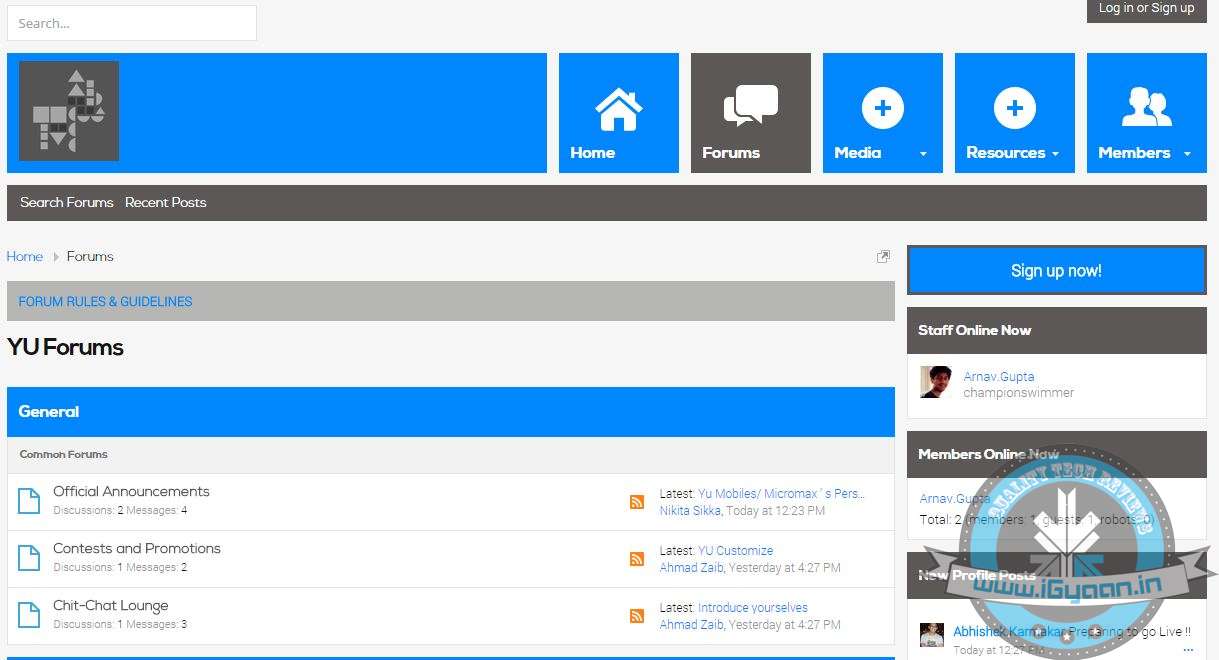
    In line with the open source nature of Cyanogen, Yu is expected to set up a forum where users can contribute ideas and tweaks for the operating system. The suggestions from this forum might get incorporated in the fortnightly updates. For folks who complain about the unavailability of updates on Indian manufacturers, this should be a welcoming news.

    Now, our exclusive sources have revealed that Micromax is all set to make its first big step in these lines. The company, according to our source, has already purchased the domain name http://www.yuplaygod.com/, which is under construction at present. The source added ‘Micromax is turning into a full fledged developer and community-friendly with its new line of YU mobiles.’

    unnamed

    Also, the company has finished working on official forums at http://forums.yuplaygod.com/, however, it is not made public yet. Yu Televentures will be a wholly owned subsidiary of Micromax Informatics. It’s the offspring of a tie-up between Micromax and Cyanogen. Cyanogen is, of course, known world over for making one of the best custom ROMs for Android smartphones.

    OnePlus has gained a lot of popularity globally by taking this path and Micromax is expecting to trace OnePlus’ path here in India. Our source added Micromax is all ready and will make the website and forum live in coming weeks. And you can also expect the first Yu handset to arrive in a couple of weeks.

    Update : After running a Whois search, we found out that the domain is registered under the name of Divanshu Thakral. According to his Linkedin profile, he is the head of Consumer Engagement Products and Services at YU in Micromax India which confirms the information shared above.

    yumobile

  • You Can Now Edit Microsoft Office Documents Directly from Your Gmail Inbox

    Google has recently added another feature to the web-version of its popular email service, Gmail. Now, Gmail inbox allows users to edit Microsoft Office documents sent as email attachments. With Microsoft increasing its popularity in cloud space, Google has taken a right step forward.

    This doesn’t seem like a major update, however, the new feature is a part of Google’s strategy to make its cloud service more universal and make it a one-stop from enterprise workspace. The new feature adds a Google Drive edit icon to Gmail attachments that says ‘Edit with Google Docs’. By clicking on this, the Office files get automatically converted into Google Docs, Sheets, or Slides.

    edit_from_gmail.0

    Clicking this ‘edit’ option on an Office file attachment will convert the file to the preferred Google format, saving it in Google Drive to allow for continuous editing and sharing. Google has also increased the amount of Office file formats so as it can be imported to Docs to make the process easier. The list now includes 15 less-used Office formats including .pps and .ppsx.

    The formats will be converted into Google formats according to their extensions such as dot, dotx, dotm*, docm* will convert into Google Docs; xlt, xltx, xltm*, xlsm* into Google Sheets and pot, potx, potm*, pptm*, pps, ppsx, ppsm* into Google Slides.

    If you don’t want to change your file type, Google has a solution for that too. Google suggests you to use its Office Editing Chrome extension. It is also promising ‘improved charts, images, and tables support for these file formats, but didn’t go into detail.

iGyaan Network
Privacy Overview

This website uses cookies so that we can provide you with the best user experience possible. Cookie information is stored in your browser and performs functions such as recognising you when you return to our website and helping our team to understand which sections of the website you find most interesting and useful.