Warning: Attempt to read property "slug" on null in /home/igyaanin/public_html/wp-includes/taxonomy.php on line 4695
Communication Interface – Page 2 – iGyaan Network
Warning: Attempt to read property "slug" on null in /home/igyaanin/public_html/wp-includes/taxonomy.php on line 4695

Category: Communication Interface

  • Leaked Documents Reveal Android L May Be Called ‘Lemon Meringue Pie’

    Leaked Documents Reveal Android L May Be Called ‘Lemon Meringue Pie’

    Google introduced us to the next big update of Android at Google I/O 2014. Though, the company has already released the developers preview called ‘L Release’, the search engine giant has been tight lipped about what the name of the update would be, once it’s fully operational.

    However, recent leak hint that the new version of Android which was referred to as Android L till now, will be called ‘Lemon Meringue Pie’ once Google releases it officially.

    sdk_androidpolice

    Documents leaked by popular website, Android Police, appears to refer the new version of Android as LMP or Lemon Meringue Pie. One of the documents is an extract from the Android SDK which mentions the current preview build of Android L available for the Nexus 5 and Nexus 7 as the “lmp-preview-release.”

    Also, the website posted a Wi-Fi certification for a yet-to-be announced HTC tablet which has the internal name of the latest Android version ID, LMP. The device is said to be HTC Volantis or Flounder which is expected to be the Nexus 8 or 9. The report also added if you search LMP on the Android Open Source Project repository you get nine hits, one of which refers directly to “LMP” in the subject heading.
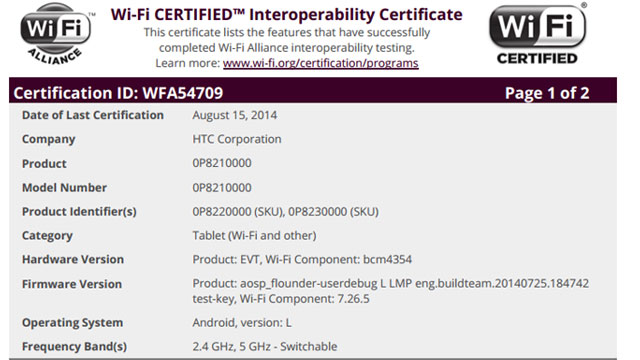
    wifi_certificate

    However, this news should be taken in with a pinch of salt as last year Android KitKat 4.4 was referred KLP or Key Lime Pie prior to the release of Nexus 5 and 7. It is possible that Google may go ahead with an entirely different name, tying up with some company to promote a product just like KitKat. Anyway, it is still unclear what the new version of Android L will be called. Meanwhile, Lollipop, Lemonhead and Licorice are the favorites among Android fans.

    Google is also aiming for a better battery life in Android smartphones. The introduced Project Volta improves the “instrumentation” of battery data through a tool called “Battery Historian.” Google has also added a “Battery Saver” mode in “L” which can be triggered manually or configured to be enabled automatically when battery is low.

  • Samsung Rolls Out 4.4.2 KitKat Update for Galaxy Note 3 Neo in India

    Samsung Rolls Out 4.4.2 KitKat Update for Galaxy Note 3 Neo in India

    Samsung has reportedly rolled out the Android 4.4.2 KitKat for Galaxy Note 3 Neo In India. The smartphone was launched with Android 4.3 Jelly Bean, back in February.  The update includes the usual KitKat uplifts like performance enhancements, cloud-print support, UI improvements, updated Hangouts app, improved downloads app and more. 495 MB in size,the update will also come with Samsung-specific customisations like lock-screen improvements, new launcher settings, improved stability and more.

    The Android 4.4.2 KitKat update is reported to be carrying build number N750XXUCNG6 and rolled-out over-the-air and via Samsung Kies update. Galaxy Note 3 Neo (SM-N750) users can also check for an update by tapping on the Settings> About Phone> Software Update. The update includes a camera option in the lock screen and shows album art while playing music. The status bar strip which contains icons like battery, is now coloured white, while notifications drawer icons have changed as well.

    A document leaked last month has reportedly shown the KitKat 4.2 update schedule for 5 Samsung smartphones. The handsets that are more likely to get the update were the Samsung Galaxy S4 Mini, Galaxy Grand 2 Duos, Galaxy Mega 5.8, Galaxy Mega 6.3, and Galaxy Note 3 Neo. The leaked document had suggested that Samsung has finished testing the Android 4.4.2 KitKat OS for these devices.

    The Galaxy Note 3 Neo sports a 5.5-inch Super AMOLED HD display with a resolution of 1280 x 720 pixels. The device is powered by a hexa-core processor dual-core 1.7GHz Cortex A15 + quad-core 1.3GHz Cortex A7. It is packed with a 2 GB of RAM and 16 GB of inbuilt storage that is expandable up to 64 GB. On the imaging front, it is equipped with an 8 MP primary camera with LED flash and BSI sensor, and a 2 MP secondary camera.

    The Samsung Galaxy Note 3 Neo has preloaded apps like ChatON, WatchON, Screen Mirroring, S Voice, S Health, Group Play, Smart Scroll, Smart Pause, Air View, Story Album and S Translator and more. The S Pen comes with Air Command and Easy Clip feature, and also supports multi-window and S Note.

  • Xiaomi Brings Out MIUI 6 For Developers

    Xiaomi Brings Out MIUI 6 For Developers

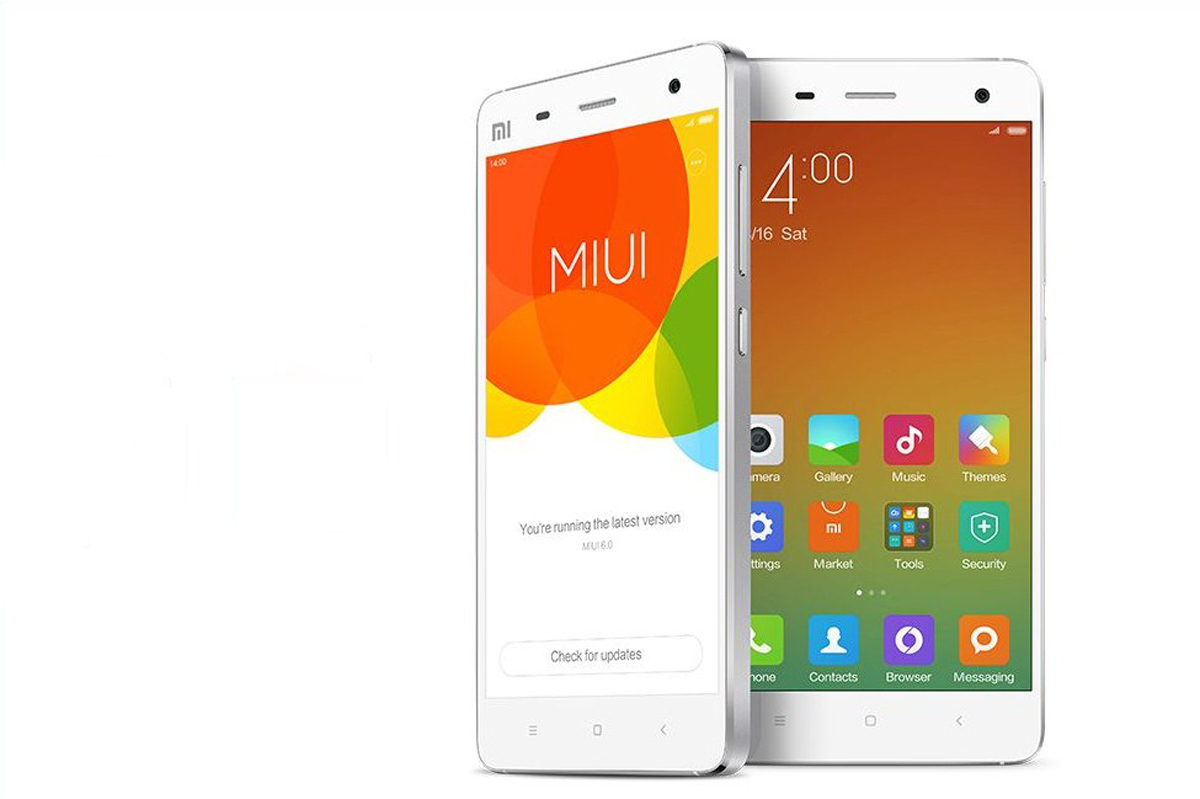
    Xiaomi is growing and how, the young Chinese company has earned tremendous brand recognition in a short period. Its Android based UI, the MIUI has been a recognized and well-appreciated interface. Lot many folks are impressed by the regular updates and superior customizability of the UI. The company announced that it will be bringing the next version of the UI, the MIUI 6 for developers, and it will be out for the users very soon.

    The company released a teaser video of what the new MIUI would look like and true to Xiaomi’s design approach; the new UI looks rather close to iOS 7. Xiaomi doesn’t make it a secret that they derive some of their “inspiration” from Apple products, and this one seems to fall just in line.

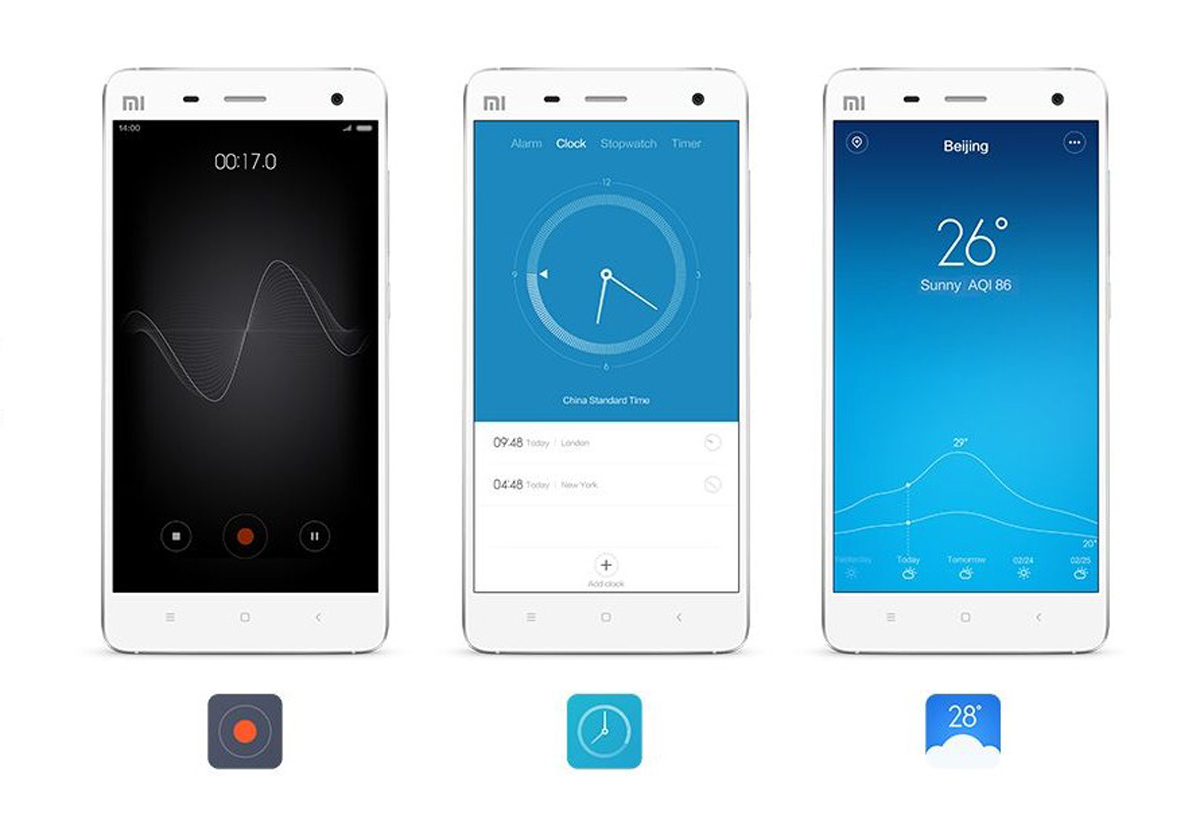
    MIUI 6 will follow a minimalistic design pattern with lots of colors. It will also have enhanced security and new features such as immersive parallax effect on apps like clock.

    Minimalistic Look with subtle graphics.
    Minimalistic Look with subtle graphics.

    The new update according to Xiaomi will be less distracting, and if the visuals are to be believed, the clean interface has some sweet graphics backing it. The new phonebook allows you to identify unknown callers; mark service numbers (as banks, scams, sales) and see a visible menu of the carrier’s hotline numbers so you can easily choose your option without trying to decipher the IVRS.

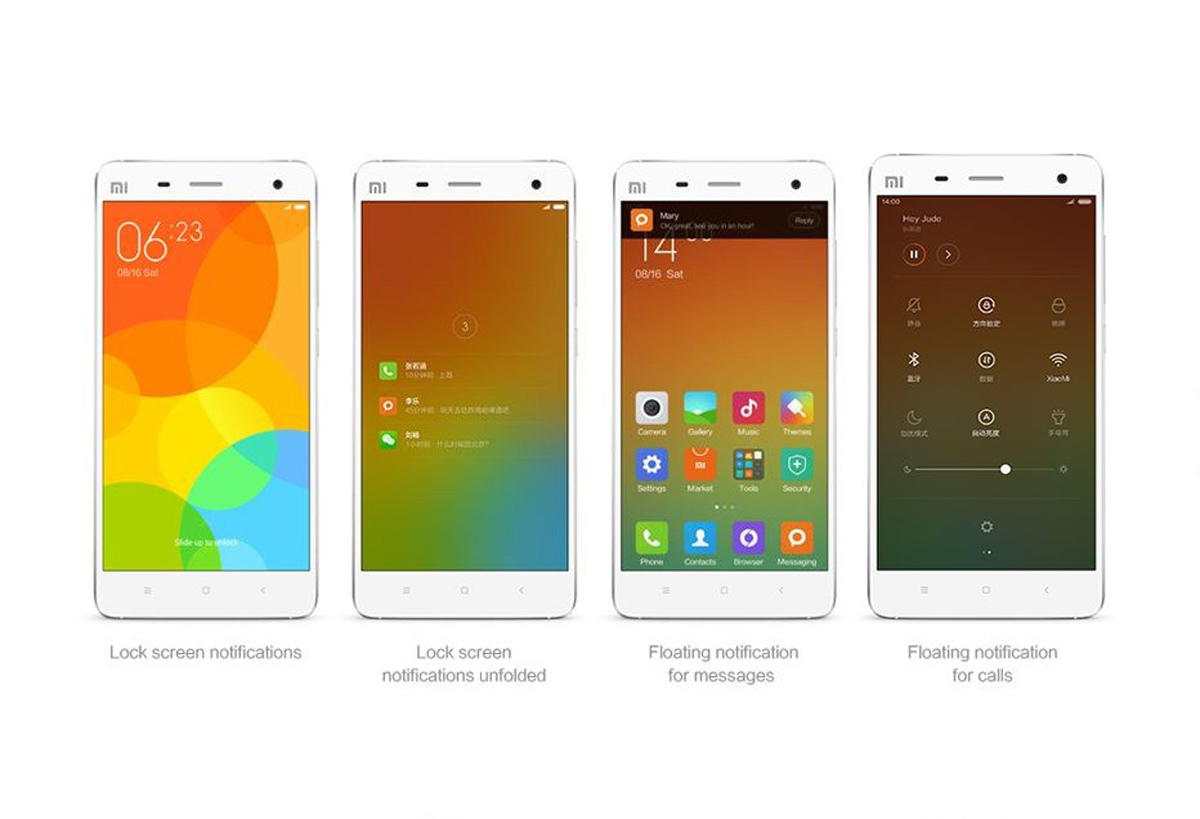
    MIUI 6 will have new gestures for the home-screen and a redesigned notification shade with toggles for various settings. The notification center shows notifications on the lock-screen and the UI has support for more than 5,000 theme options.

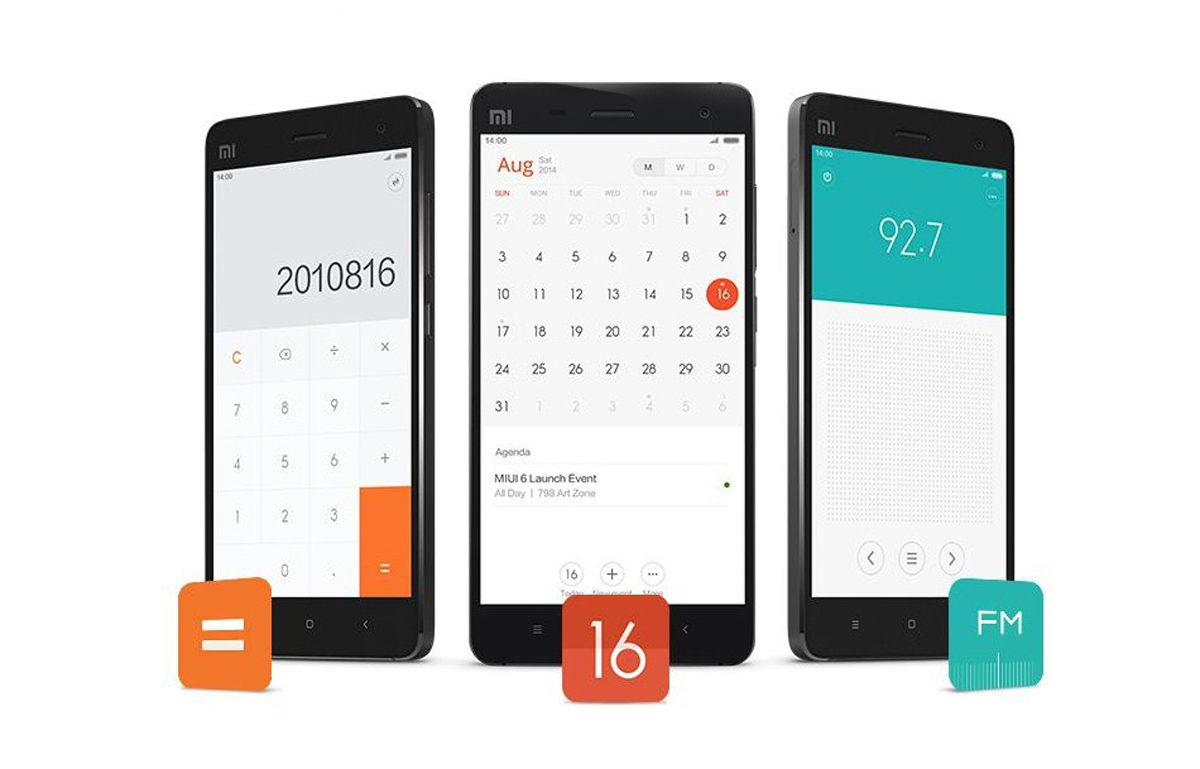
    The Flat design is almost reminiscent of sticky pads.
    The Flat design is almost reminiscent of sticky pads.

    The flat design sure makes some of the apps seems as if they are sticky notes. The translucent features of the UI stand out and give dimension to the content that is also visually appealing.

    The Color options are visually appealing.
    The Color options are visually appealing.
    The Color options are visually appealing.
    The Color options are visually appealing.
    The Color options are visually appealing.
    The Color options are visually appealing.
    The Color options are visually appealing.
    The Color options are visually appealing.

    Overall, the design is clean and easy on the eyes and will definitely impress the seasoned MIUI users as well as new adopters. But it’s time the company took a departure from blatantly copying Apple; even their website follows the Apple design. Now that the company is out of the Chinese borders and made its mark in countries across the globe, it needs an identity for itself. The company is still ahead in terms of product design, both interiors and exterior, than many of its competitors, but “Apple copycats” is not the tag they want when attracting a wide audience.

  • Microsoft Might Release Windows ‘Threshold’ Preview Next Month

    Microsoft Might Release Windows ‘Threshold’ Preview Next Month

    Microsoft’s new update of the Windows operating system codenamed as Windows Threshold should be available as soon as September. The software maker has been gradually working on the release over the past several months, adding and tweaking features ready for a “technology preview” release to the public.

    According to a ZDnet report, Windows Threshold would likely have the official ‘Windows 9’ name, when the ‘technology preview of the OS starts seeding late next month. People who would like to install the Windows 9 ‘Technology Preview’ will have to sign up to receive automatic regular monthly updates that Microsoft is expected to seed, once the preview build gets an official rollout.

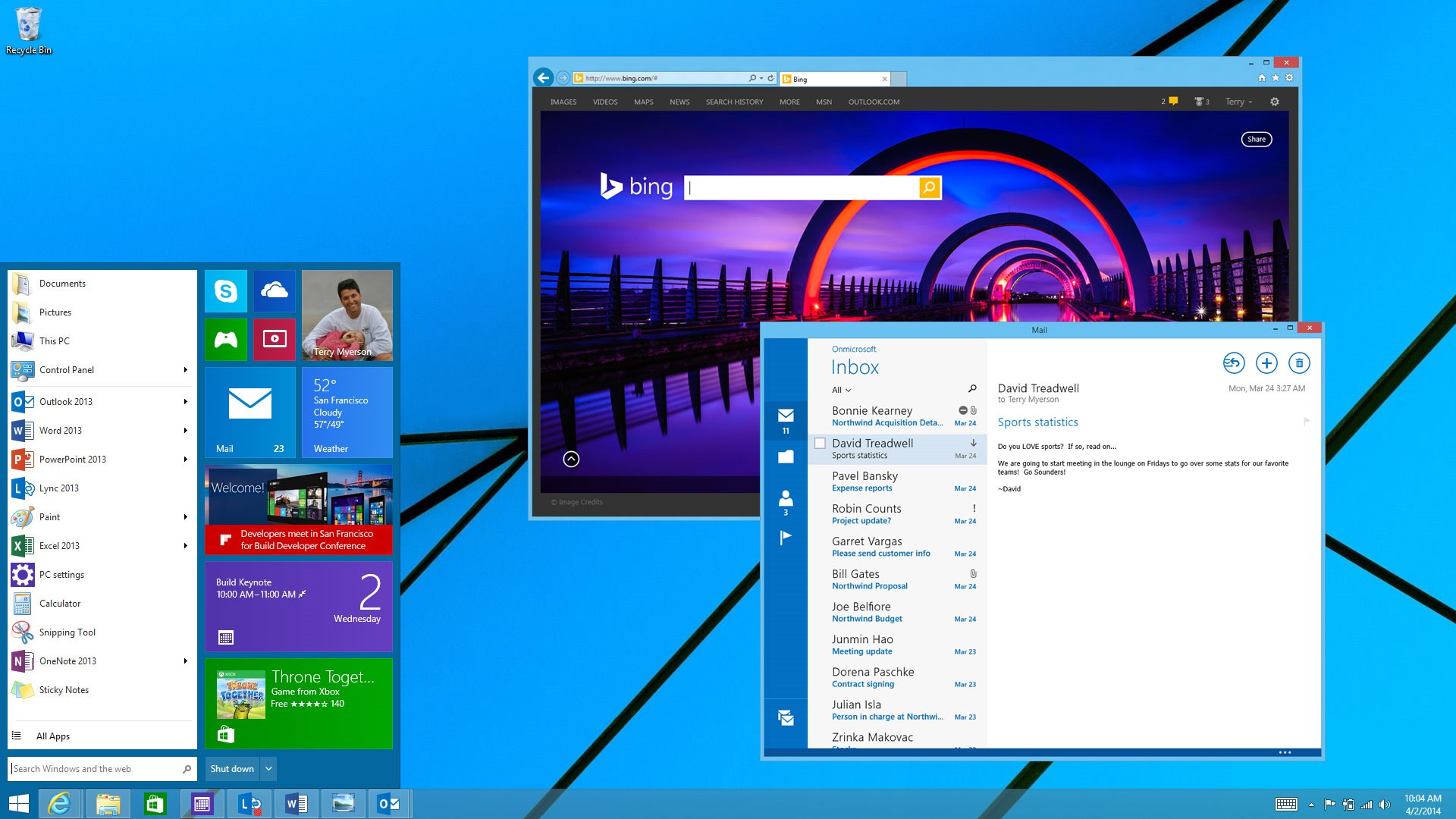
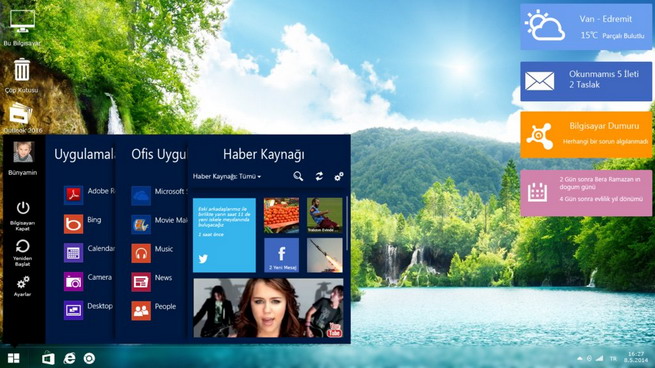
    Windows 9 leaks present a refreshing new look while keeping the classic Windows look.
    Windows 9 leaks present a refreshing new look while keeping the classic Windows look.

    The Windows 9 preview will be similar to how Microsoft first let developers test Windows 8, with features not fully complete or missing. It is said that the updates will be pushed to users who install the preview on an automatic basis, meaning the release will change rapidly over the coming months before it’s finally ready.

    Existing internal versions of Threshold include a new mini Start Menu, “Metro-style” apps that float in separate windows on the desktop, a virtual desktops feature, the removal of the Charms bar feature, and an early version of Cortana. Microsoft is also making several UI changes to Windows 9, including some tweaks on the desktop to improve upon Windows 8.

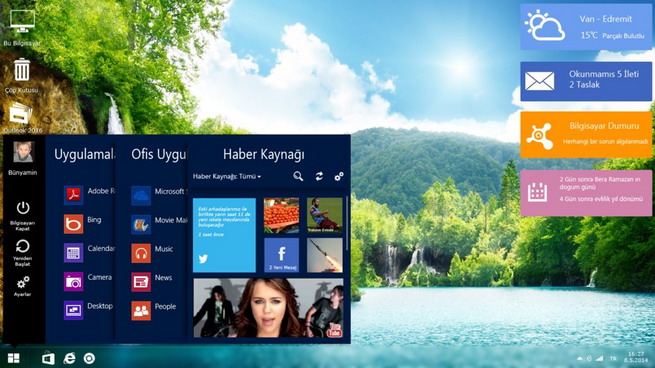
    windows-9-design-concept

    On desktops, Windows 9 ‘Threshold’ interface is expected to boot as default rather than letting users choose between the traditional Windows and metro-style user interfaces.Windows 9, once official, is expected to dynamically fit in the device, which it runs.

    Microsoft CEO Satya Nadella has said Windows 9 will be an all-around OS that will be compatible with personal computers, tablets, smartphones and video-game consoles. In particular, differences between Windows Phone software and standard PC software should be removed. As of now, Windows 9 stable version is expected to start rolling out by spring 2015, though this is yet to be confirmed by Microsoft. The pricing details of this OS are yet to surface.

  • Cortana to Come to Your Desktops With Windows 9

    Cortana to Come to Your Desktops With Windows 9

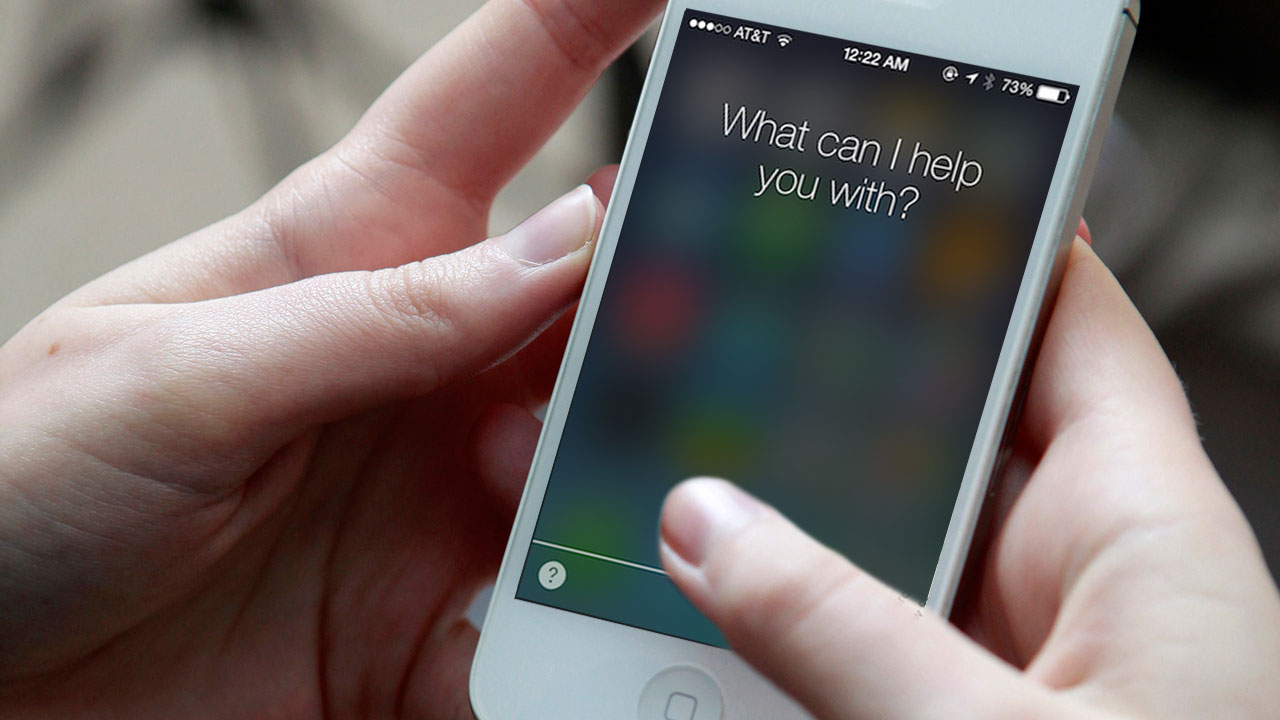
    We all are familiar with the competition between Microsoft and Apple. Just last week we heard rumors about Apple integrating its virtual assistant Siri to its desktop. It looks like Microsoft might be planning the same thing by bringing the Windows 8.1 voice assistant Cortana to the Windows 9.

    maxresdefault
    Microsoft is preparing to include its Cortana digital assistant in the next major version of Windows, Windows 9

    It is said that like the Windows Phone 8.1 phone version, Cortana will be an app and not be integrated into the operating system. Unlike the Windows Phone 8.1 app, however, Cortana is not a ‘full screen experience,’ and rather, will allow users to ‘either type in your question or ask verbally inside a smallish window.’

    Microsoft has been gradually improving Cortana every two weeks by adding additional data points and features, and as the service is HTML driven, these improvements can be expected to make their way over to the Windows 9 version.

    windows-9-design-concept
    windows 9 design concept

    Well, we should keep in mind that a lot can change between now and Windows 9’s eventual release. Microsoft could decide to drop Cortana from Windows 9, at least at first, or reversely more updates to the virtual assistant could allow for even deeper integration into the OS.

    Not too long ago, we had seen leaked images with a revamped Start Menu. Microsoft is also expected to release a preview version of Windows 9 later this year with “Metro-style” apps floating in windows on the desktop, a virtual desktops feature, and the removal of the awkward Charms bar from desktop versions of Windows.


  • Apple May Bring Siri-like Personal Assistant to the Mac

    Apple May Bring Siri-like Personal Assistant to the Mac

    In a development similar to the movie ‘Her’, Apple is planning to bring a voice based personal assistant to their desktop systems that run on Mac OSX platform. The company had filed a patent application back in February which was released yesterday.

    The patent doesn’t exclusively mention Siri, but instead uses the term Apple’s “digital assistant”. The new personal assistant or what some may call desktop Siri, will be able to deliver Siri’s functions with added features. It can be conjured up using predetermined gestures on the touchpad or through an icon on screen.

    Apple’s patent application also states that the digital assistant will be capable of performing tasks of operating systems like moving files, type and send emails, access internet and look for files, photos or play videos on YouTube. The biggest issue though will be people not just screaming at their phones, but their computers too.

    The Yosemite beta has no Siri like feature as of yet so it most probably will be up and running in the next outing of the OSX. It will be a welcome surprise though if Apple includes the assistant in this release itself. But Apple thrives to perfecting its offerings to its best capabilities before bringing it out for its users, so this feature may still be a distant dream.

    In the end, this seems like the natural order of things. Maybe the future where we bid farewell to keyboards and mouse is around the corner.

  • Screen with Vision Correction to Eliminate the Need for Glasses

    Screen with Vision Correction to Eliminate the Need for Glasses

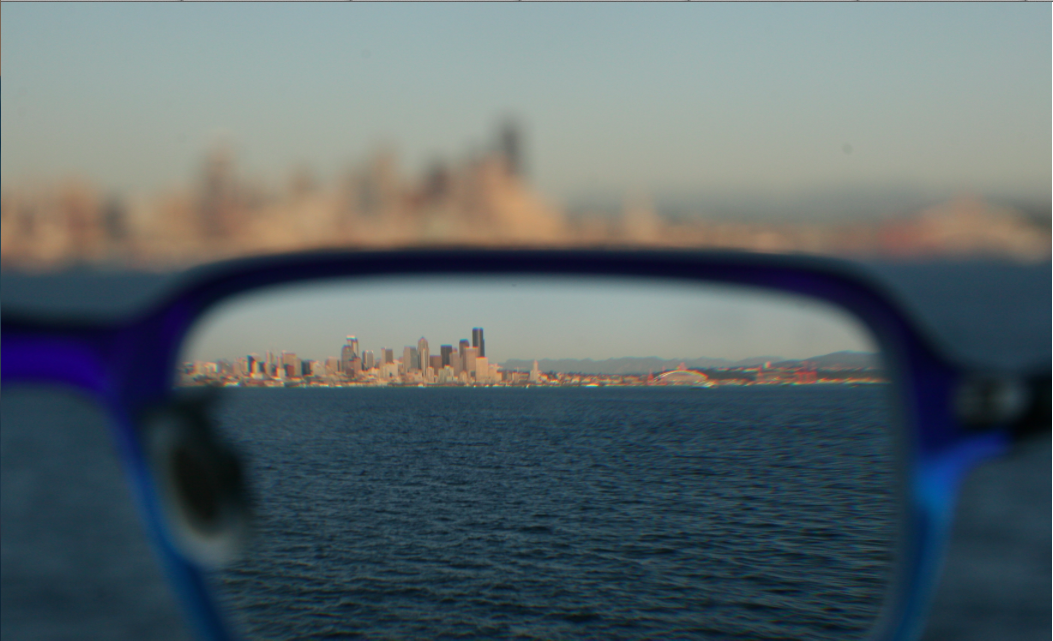
    We use a lot of screens now. If you are working at a technology based institution like coding, gaming or a BPO, you probably even dream of looking at a screen. But all these screens are have an intense adverse effect on our eyes. We are not evolutionary trained to look at light emitting displays all day. This has caused a lot many people to take trips to the ophthalmologists quite regularly. Now scientists from the University of California Berkeley has authored a paper which states that it is possible to create screens that can display their content based on the perception capabilities of the users eyes.

    The premise that the scientists put forward is fairly simple to understand. For the technology to work, it requires an algorithm that alters an image based on the glasses prescription of the users which works in tandem with a light filter in front of the display. The algorithm helps in altering the light emitted from each pixel which is then passed through a tiny hole in the plastic filter. These rays of light reach the retina in a way that recreates a sharp, focused image. The technology will be developed in cooperation with MIT and Microsoft.

    A lot can benefit from this technology, even folks with visual issues which cannot be corrected through the use of glasses, and no, it can’t cure blindness but can address visual issues cased by physical deformity.

    This technology can be embedded in almost all kinds of displays thereby almost eliminating the need for glasses. One major drawback is that it cannot be used by people with multiple optical needs. Also the technology depends of motion tracking to assess the users distance from the display. One of the authors of the paper believes though that these problems can be addressed by using the technology on bigger screens.

    Overall this is a great research for the mobile age. In times when we are forced more and more to look at screens all day with the mobile work cultures, the biggest losers have been our eyes. So what if this technology will still have us looking at screens, at least they will adjust the content as the eyesight devolves.

  • inFORM: The Next Giant Leap For Touchscreens

    inFORM: The Next Giant Leap For Touchscreens

    Touchscreen is the interface of choice for interaction with digital world for quite a while now. Smartphones, tablets, laptops, cameras, refrigerators, even RO water purifiers now come with touch screens. But there is always a divide in such devices; there is no physical feedback. The devices we use, respond to our stimuli and act on our instructions. We have access to our loved ones thousands of kilometers through video conferencing services like skype, but it still lacks the physical appeal of holding hands. Now MIT’s Tangible Media Group with their Project called inFORM intend to change that.

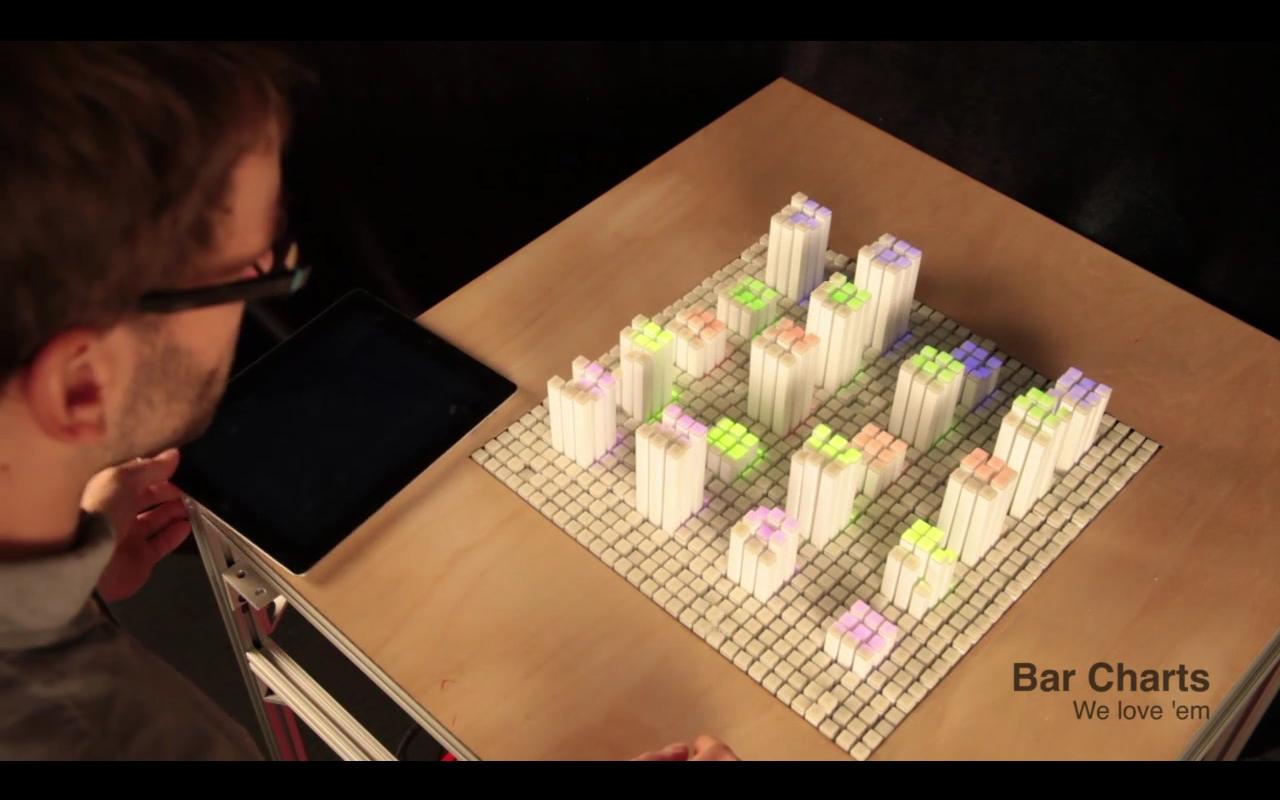
    The inFORM was created by Daniel Leithinger and Sean Follmer and overseen by Professor Hiroshi Ishiiis. It is an attempt to look at the future of interactive interfaces. The surface looks like living clay columns which rise to form shapes and graphs as instructed. The project of course is in a rudimentary stage but the practical applications are unlimited.

    inFORM is great for Work and Play
    inFORM is great for Work and Play

    The technology behind inFORM is inspired by the pin screens which are used for animation purposes. Each block in inFORM is connected to a motor and controlled by a laptop. Using the inputs you can not only move the pins to render digital content physically, but can also register real-life objects interacting with its surface , for which they have hacked the Microsoft Kinect.

    The Tangible Media Group intention with this project is to assess the interfaces of the future. This can be incredibly advantageous for professionals like Designers, Architects, and Engineers who can instantly see their creations in a 3D model and access the flaws of their designs too. The best part is that they can edit and interact with their designs.

    For us regular folks, it can be used for physical game of chess with your friend sitting in Australia while you sit in Norway. With Virtual Reality(VR) gaining steam with Oculus and Project Morpheus, inFORM can be used to define the missing element of touch. So while you are having a VR walkthrough in the park, the inFORM surface can stimulate its surface in accordance to where you are in your VR world, you can feel different surfaces like grass, rocks maybe even rivers under your feet. Now that would be a truly immersive experience.

    InFORM will be greatly beneficial for Education.
    InFORM will be greatly beneficial for Education.

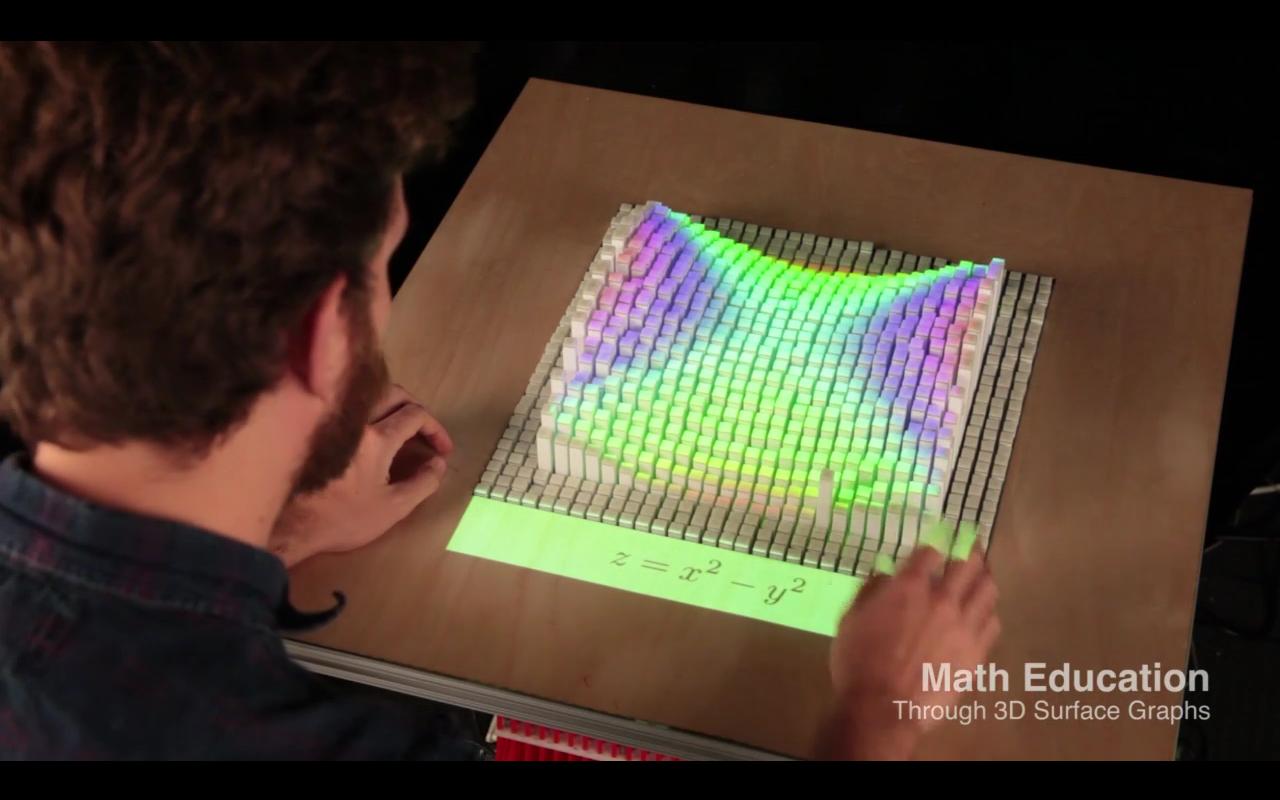
    Even in the field of education this technology can bring a paradigm shift. Now instead of just reading about the movement of tectonic plates in geography class, students can see them move in 3D models. Subjects like Science, Maths, and Geometry will get a lot more comprehensible for students who get to see their theorems and formulas in action.

    This project doesn’t fail to impress even if it is in a nascent stage. Like touch screens gave way to gesture controls that is found in Kinect and Wii and they too are giving way to VR technology, inFORM might be the new claimant for the next innovative technology revolution. Maybe we are closer than we think in terms of interacting with real world atoms instead of digital pixels. We are back into the physical world; the circle seems to be complete.

  • Chromecast 1.7 Finally Allows Screen Mirroring From Your Phone

    Chromecast 1.7 Finally Allows Screen Mirroring From Your Phone

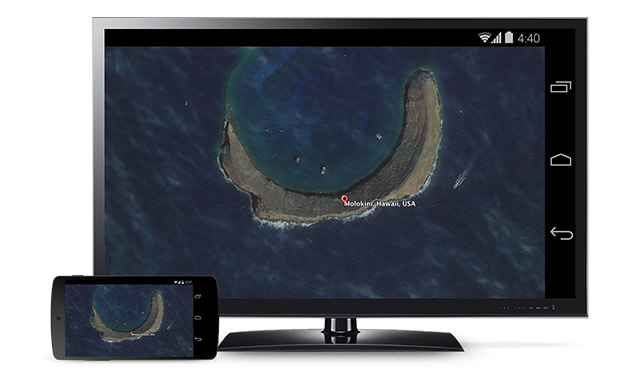
    The new update of Chromecast is the first step of introduction to some awesome features Google unveiled at this years I/O. The Chromecast 1.7 update for Android smartphone and tablet users will have the ability to mirror their screens.

    The new update not only allows users to display their Android homescreens on a Chromecast-connected TV or other device, but you can also use any application now on your television through the pocket-friendly streaming dongle. 

    783908732024948116

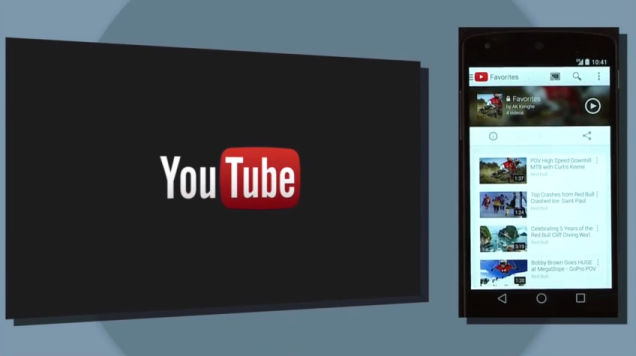
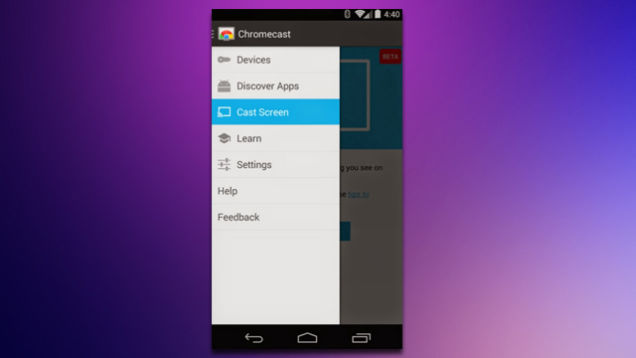
    Upon downloading the new update, you can find the ‘Cast Screen’ option on the left drag navigation menu in the Chromecast app. Nexus devices will see a toggle for screencasting directly in the Android quick settings menu. Once enabled, the user can navigate their phone in the normal manner with a one-to-one projection appearing via Chromecast.

    qfjxijh651m67wslfj2t

    It is still considered to be a beta version and it is sadly not available for everyone immediately. Google said that Samsung, HTC, LG and some others will be first to roll out the new capabilities of Chromecast soon.  Though you may not have the device that is on Google’s compatibility list, but don’t worry too much. We hear there are third-party mirroring apps will solve this problem soon. The company also pointed out the new update will be available at Google Play store soon. 

  • Skully Brings Augmented Reality On-Road for a Safer Ride

    Skully Brings Augmented Reality On-Road for a Safer Ride

    Augmented reality has become a revelation in the gaming world; with products like Sony’s Project Morpheus and the Oculus Rift promising to make play time more entertaining and interactive. Furthermore Google Glass has opened up a new possibility with respect to augmented reality.

    Skully, a San Francisco-based start-up, has given this technology a new meaning.

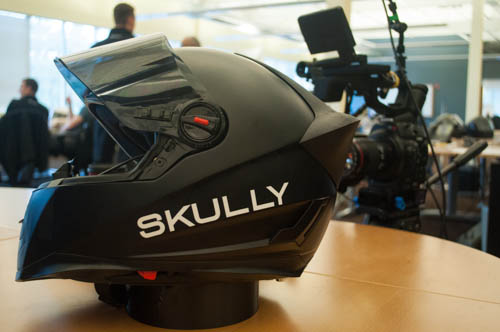
    Skully AR-1, as the company claims proudly, is the world’s first augmented-reality motorcycle helmet. It is an anti-fog, anti-glare and face shield helmet, features a heads-up display that shows blind spots, GPS mapping, weather with other additional features. Skully also features Internet connectivity and a Bluetooth smartphone connection. The Skully AR-1 allows you to control the interface with your voice. You can control your music, send texts, make calls and change your GPS destination, all hands-free. Never before has riding been so connected.

    skully-augmented-reality-helmet-motorcycle-6

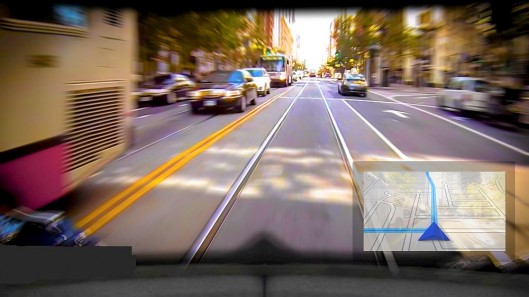
    With Synapse(TM) integrated Heads-Up Display (HUD), Skully provides an      advanced situational awareness system, showing navigation and blind spot    data,  allowing you to stay focused on the most important part of your ride – The   Road. Skully AR-1 has a patented integrated rear view camera system with a 180   degree viewing angle. The rear view camera feeds video to the HUD to provide      complete situational awareness.

    Skully AR-1 is already making waves in the tech world. The helmet won the  coveted  SXSW Accelerator Award in the Wearable Technology in Austin, Texas    this year.

    Key Features include-DSC_0021

    • Lightweight, aerodynamic shell
    • 3D laser-cut foam for a perfect fit
    • Fully adjustable flow-through ventilation
    • Anti-fog, anti-scratch, anti-glare face shield
    • Quick release chin strap and visor
    • SKULLY SYNAPSE (TM) Heads Up Display system with voice control
    • Visual GPS navigation
    • 180 degree wide angle rearview camera
    • Bluetooth connectivity to smartphone
    • Internet connectivity via smartphone

    Presently, Skully AR-1 is not available for commercial sale. However you can apply to become an approved beta-tester for the Skully AR-1. Approved beta-testers may get to test a pre-released version of the AR-1 before the official release date.

  • Rumors Surface About Windows 9 Release Date and Free Upgrade

    Rumors Surface About Windows 9 Release Date and Free Upgrade

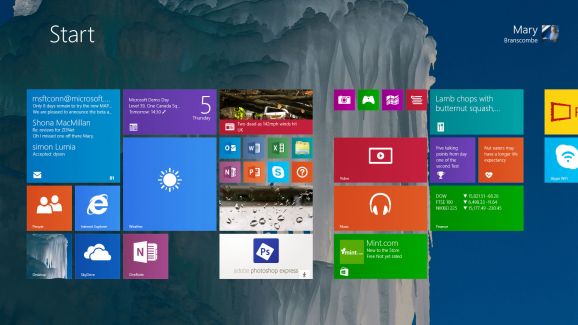
    While, Microsoft is preparing a second update to its Windows 8.1, it is also focused on the larger “Windows 9” release. The new upgrade of  the not entirely successful Windows 8 and now Windows 8.1, seems to be in focus.

    Leaker WZOR claims that either Windows 9 will come out as a free update for those who installed Windows 8.1/Windows 8 Update 2 or these users could have the Windows 9 update with a good discount. Despite rumors of an aggressive development and shipping schedule, there’s no official word about what’s in the next version of Windows, however there are plenty of rumors.

    app tile to download-578-80

    ZDNet reported that “a preview of codename Threshold — which may or may not be named Windows 9 once it’s released — will be available later this year.” It is said that the public preview will be released this fall, and it may be after Windows 8.1 Update 2 is released. Microsoft had been planning to bring the Start Menu back with Update 2, but the company is now planning to deliver that change with Threshold.

    There are also rumors that Microsoft is looking to merge Windows RT and Windows Phone into one “Phone/Tablet” SKU that will just use the Modern UI and will run on ARM-based tablets and phones, along with Intel Atom tablets. That version could also run two apps side by side, which is already a feature on Windows 8 and 8.1 but has yet to be added to Windows Phone. The Desktop/Tablet version of Threshold could offer the desktop UI as default.

    windows-9-design-concept

    The new update also features improvements to the Start Screen including the ability to boot straight into the Desktop, the return of shutdown on the Start menu and a more familiar task bar to unify the old and new user interfaces. The update was announced at Build 2014, along with features teased for Windows updates to come. Microsoft Communications Chief Frank Shaw said the company wasn’t ready to talk about how often Windows updates might come out.

    Meanwhile, Windows 8.1 Update 2 is expected to arrive as part of Microsoft’s monthly security patches in August. The update will include the usual bug fixes, and improvements for upcoming hardware ahead of the holiday season. Windows’ 8.1 Update included a number of interface changes and functionality tweaks, and Update 2 is expected to include some additional minor interface tweaks.

  • The Evolution of Apple’s Command Key

    The Evolution of Apple’s Command Key

    Meet the extremely fascinating Susan Kare. She is an artist and designer and has spent most of her life pioneering pixel art. The extremely talented Iconographer has created thousands of icons for hundreds of companies.

    As a key member of the Mac software design team, she has created many of the graphical interface elements for the original Apple Macintosh in the 1980’s.

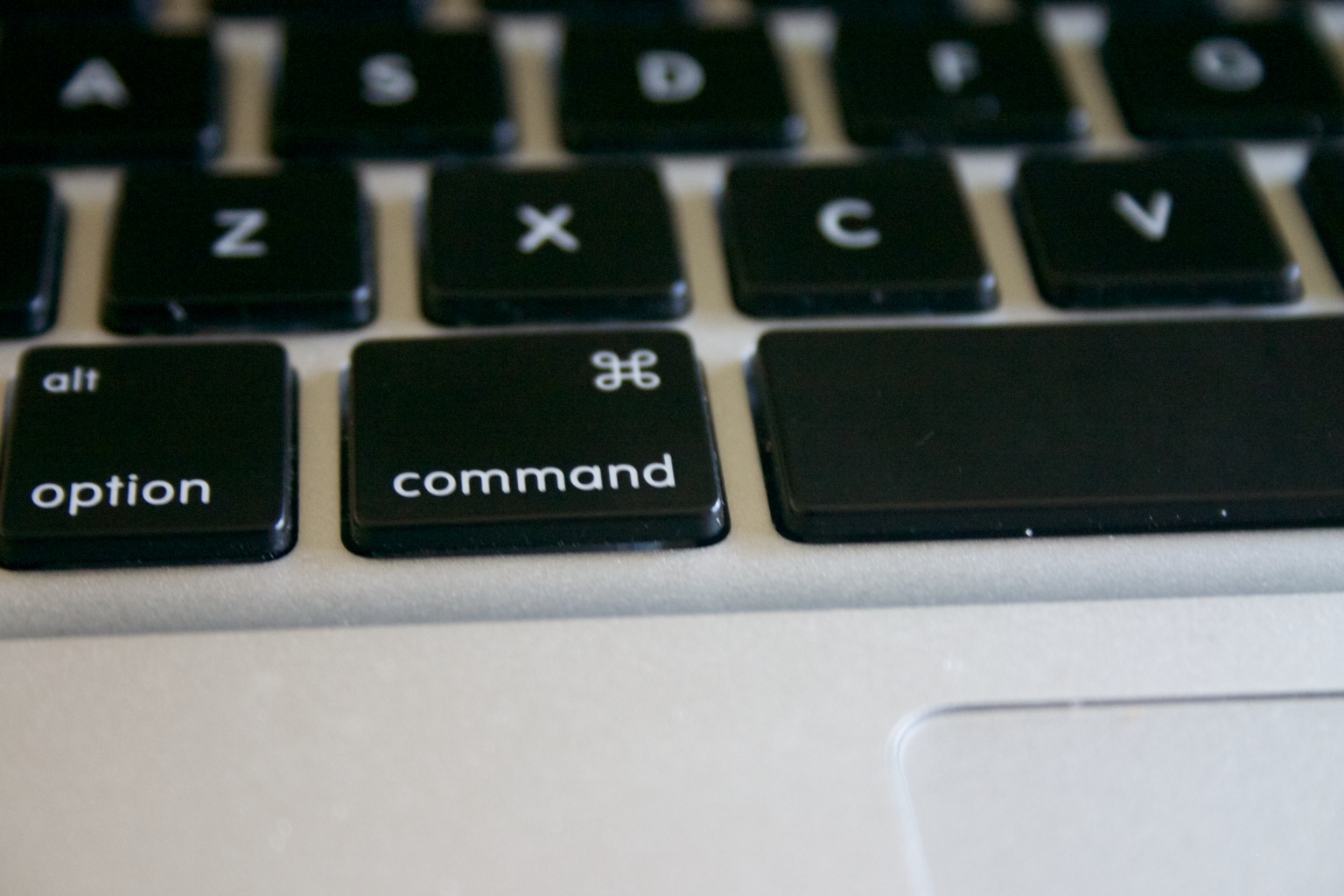
    Susan Kare Command iconThis symbol is formally known as the Command key. Informally, it has had several names. It is known to be been referred as the Apple key, pretzel key, squiggly button, Saint John’s Arms and the Bowen Knot. Without a doubt, it is the most useful key on the board.

    The symbol became a part of the Macintosh project when Steve Jobs found that the former Apple symbol overcrowded the menu. It was then, while doing a bit of research, Susan Kare found this symbol while browsing through the symbol dictionary. She’s glad to have chanced upon this cloverleaf-like design, commonly used in Nordic countries as an indicator of cultural locations and places of interest. 

    In the video,Kare goes on to talk about her journey from Apple to Windows and the evolution of digital Iconography. While talking about the yesteryears, she walks us through the early 80’s when Apple launched its first Macintosh 128K in 1984.

    Susan also points out the importance of simplicity in iconography. While explaining the idea, she mentioned a book the called ‘Understanding Comics: An invisible Art’ by Scott McCloud.  In which McCloud tells how details make the graphic personal while a sketch with minimilistic details is relatable to most beings.

    She ended with a quote of her hero of Graphic Designing:

    [quote text_size=”medium” author=”Paul Rand ” author_title=”Graphic Designer”]

    Create solutions to design problems that are meaningful and memorable

    [/quote]

  • Skype’s Incredible New App Translates in Real-time

    Skype’s Incredible New App Translates in Real-time

    Skype clearly understanding the need of the hour has created an app which might be easiest way to stay in touch with your friends around the globe. With this app, Skype stays true to its motto and hopes to make its international connections easier. The new feature automatically translates conversations in real time. Before the end of 2014, Microsoft plans to release a beta Skype app that will enable real-time translation of people verbally speaking in different languages. 

    Skype Translator, as Microsoft is calling it, appears to be an extension of the real-time translation Microsoft has been developing for over ten years. The company had previously shown the technology in action, with the real-time translation of speech delivered by Microsoft’s Rick Rashid in China. Even more recently, Microsoft released Bing Translator, which performs the same function as Skype Translator, just on Windows 8.

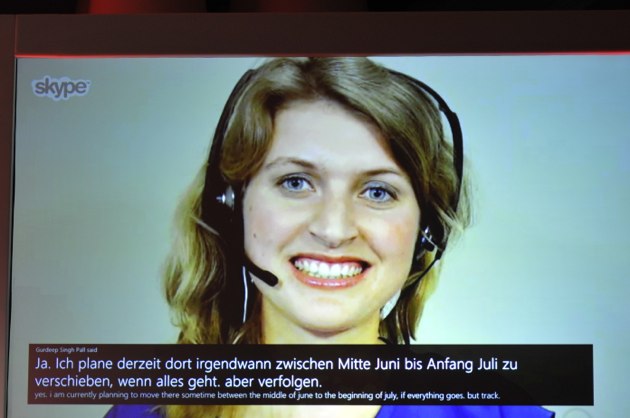
    The feature, dubbed Skype Translator, was demonstrated on Tuesday by Microsoft’s CEO Satya Nadella during an onstage interview at the Recode Code Conference in Palos Verdes, Calif. During the demonstration, Nadella conducted a conversation with Skype chief Gurdeep Singh Pall, who was speaking German, while Skype provided real-time translation of the German into English and vice versa.

    code_1287 On the Microsoft Research site, the company said it’s been working on machine translation for more than a decade, and that earlier translating voice over Skype was “considered a nearly impossible task.” However, four years ago the program got a jumpstart with a project that was able to translate phone calls in real-time. Meanwhile, a separate project improved speech recognition accuracy, Microsoft said. That eventually bolstered other services that listen to human voices, like Microsoft’s Cortana voice assistant for Windows Phone.

    Microsoft had bought Skype in May 2011 for $8.5bn (£5.2bn) – making it the firm’s biggest acquisition at the time. However, it has been facing increasing competition from a multitude of rivals, including Google Hangouts, Apple’s Facetime, Blackberry’s BBM, Tango and Viber.

     Manoj Menon, managing director at consulting firm Frost & Sullivan said that once launched, the new feature could have wide ranging applications in sectors such as education and tourism. He added that the translation feature may also help Microsoft to integrate Skype with its office social network site Yammer. Microsoft also bought Yammer – which operates like Facebook for communication within companies – for $1.2bn in 2012.

     “Microsoft has acquired some great assets such as Yammer and Skype over the past few years,” Mr Menon said. “The ability to integrate these together will help unlock their value and the translate feature is a wonderful step in that direction.” Skype has also been taking other steps to try and attract more users. Last year, it confirmed that it had developed technology for 3D video calls. But it has said it could be many years before the technology is launched.

    While it’s unclear how the beta app of Skype Translator will relate to Skype itself (will the two remain separate apps?), it’s certainly clear that Microsoft is moving ahead fast in terms of real-time translation. 

  • BenQ Launches W1080ST and W1070 Full-HD Short-Throw Video Projectors

    BenQ Launches W1080ST and W1070 Full-HD Short-Throw Video Projectors

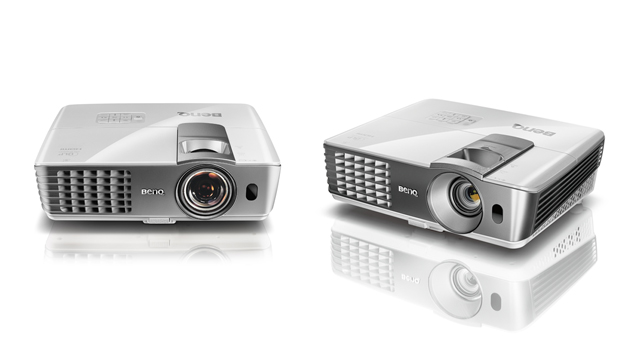
    W1080ST

    BenQ has introduced their latest creation, the world’s first Full-HD short-throw video projectors, the W1080ST and W1070 launched at the CES 2013 and India simultaneously.

     Built to take centre stage in today’s media-rich home entertainment lifestyles, the W1080ST and W1070 support multiple forms of 3D by directly connecting through 2 HDMI 1.4 ports to various devices like Blu-Ray, 3D broadcasting, video games, PC, etc. with NVIDIA 3DTV PC connectivity. Built-in 10W speakers and SmartEco power saving feature also make W1080ST and W1070 a perfect home entertainment projector.

    The BenQ W1080ST, which BenQ claims to be the first short-throw Full-HD video projector, is able to project up to 100-inch big screen in just 1.5 metres, and was introduced at CES 2013.

    [quote]”It has been our constant endeavor to provide the best technology to our consumers to enjoy the ultimate big screen entertainment in their living rooms, we continue to bring the same excitement in 2013 with the launch of world’s first full HD short-throw video projectors W1080ST & W1070,” said, Rajeev Singh, Country Head & General Manager, BenQ India “Both projectors deliver full HD 1080p quality and are equipped with 3D capabilities through which you can enjoy all the fun of motion sensing and 3D games enhanced in size through the use of a home entertainment projector taking home entertainment & gaming to a whole new level.”.[/quote]

    BenQ had also launched the GP10 720P LED projector in October last year. It comes with LED projection technology, 720p HD-ready short-throw projection, 30000 hrs. LED Light Source, 3D-ready, 550 ANSI lumen brightness, optional detachable DVD player, HDMI multimedia connectivity, USB multiple format support for movies, pictures & music, Wireless Display, SD card slot, and two built-in 3W stereo speakers with SRS. GP10 also comes with optional detachable DVD player.

  • LG Launches 100-inch Short Throw Laser Projector

    LG Launches 100-inch Short Throw Laser Projector

    lg

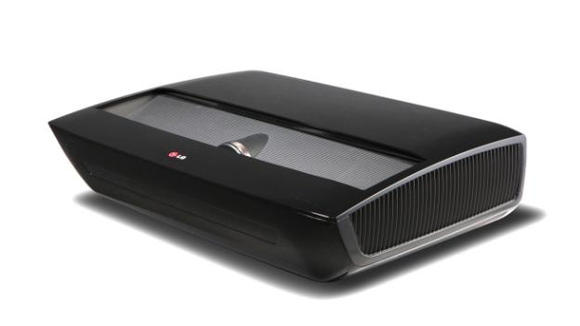
    LG’s new Hecto projector may be just the thing for folks who want a huge viewing space, but have a limited area in which to do it.

    High-end projectors have been around for some time now, but the big issue has been that you needed to have a lot of space between the device and the screen. Using lasers, this latest device from LG only needs 22-inches of clearance to give you a 100-inch diagonal display. Capable of 1080p projection, the Ultra Short Throw unit also features a digital tuner.

    The projector also boasts Smart TV and Digital TV functionality, 3 HDMI ports, audio outs, a 10w speaker and can be placed near the floor in front of the screen, rather than having to be attached to the ceiling.

    LG says the system, built using its laser-based Illumination technology, will provide a better option for those without the space to hang a traditional projector and bring cinema-style viewing to the home.

    [quote]It will provide picture quality “about the equivalent to plasma,” said Tim Alessi, LG product planning director. “It will have great color and black levels, the motion reproduction is excellent and you don’t need a totally dark room as you would with a traditional front projector.”[/quote]

    No word as of yet on a price or release date, but as this one of the many pre-CES 2013 announcements the company is making, we’re sure to learn more in just a few weeks.

iGyaan Network
Privacy Overview

This website uses cookies so that we can provide you with the best user experience possible. Cookie information is stored in your browser and performs functions such as recognising you when you return to our website and helping our team to understand which sections of the website you find most interesting and useful.