
In this age of streaming and downloading, where our hunger for data is exponentially growing, most users often find themselves struggling with this ever losing battle of trying to not exceed or finish up their data allowances.
Data plans have become so expensive that most of us live in constant fear of exceeding our monthly smartphone data allowance, forcing us to run from one Wifi hotspot to another just to conserve as much data as possible.
Today, iGyaan brings to you tips and tricks for Android users to conserve data, and help them keep more of their hard earned money away from the clutches of the evil ISPs.
Chrome Webpage Compression
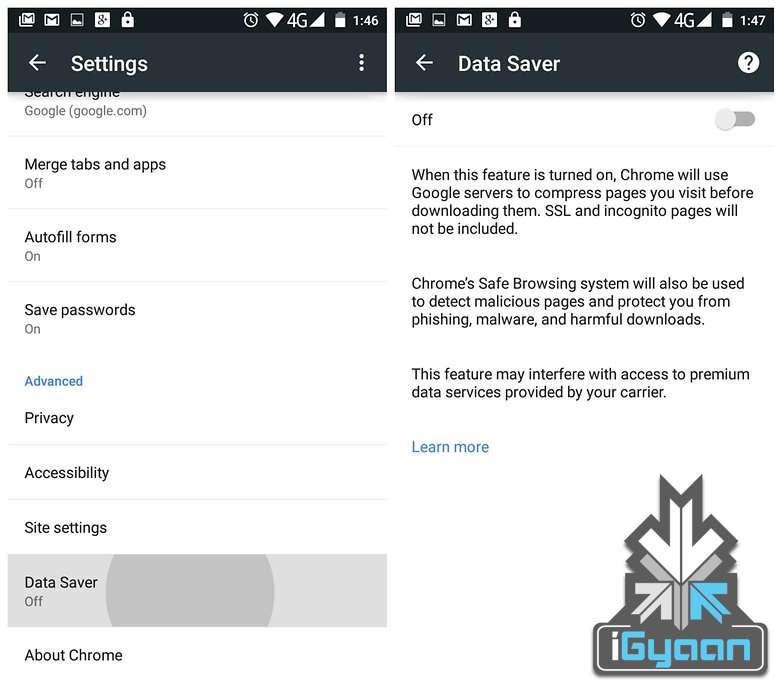
For users who use Google Chrome for browsing the Internet this tip can help them cut down significantly on data used for browsing. Google claims you can save upwards of 35% of data while using Chrome’s Data Saver feature. When enabled, Google’s servers reduce the amount of data that is downloaded when you visit a web page.
But such extreme data saving comes at a cost. When the data saver is enabled, certain websites might load slow, while ones with a lot of images displayed not at their best, but to us it seems like a fair trade for the major data savings that this feature provides.
To activate this feature, the user needs to launch Chrome, tap the three dots in the top right-hand corner, scroll down to the settings button and then click om Data Saver. Just to see the results for yourself monitor Chrome’s data usage after switching the data saver feature on.
Use Opera for Saving Data on Watching Videos
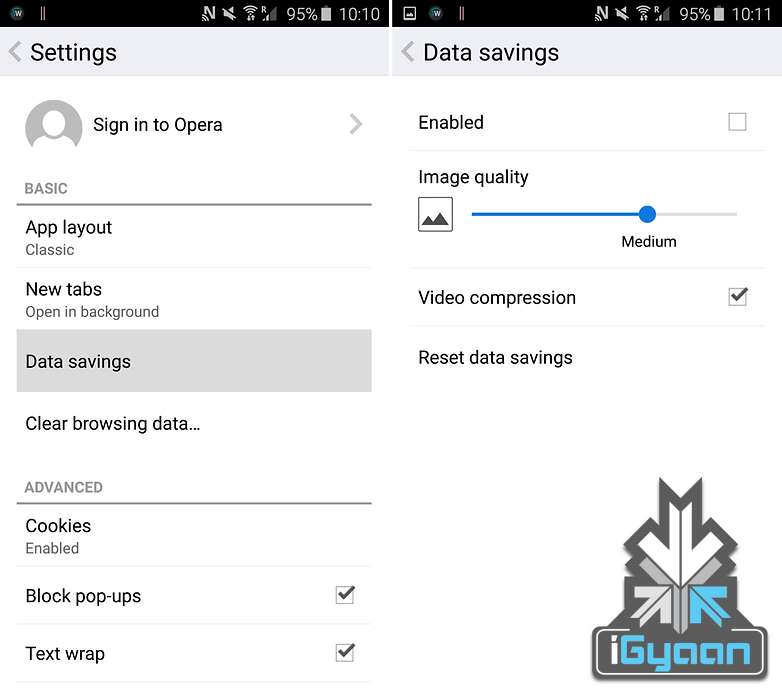
Much like the Chrome browsers compression technology for web pages Opera for Android provides users with a very nifty trick that allows them to watch compressed videos, resulting in almost similar quality content, but greatly reduced size.
The end result being reduced data usage for a very faster loading videos. Can’t say we don’t approve. the Opera browser, go to Settings > Data savings and tick the box that says Video compression.
Restrict Background Data
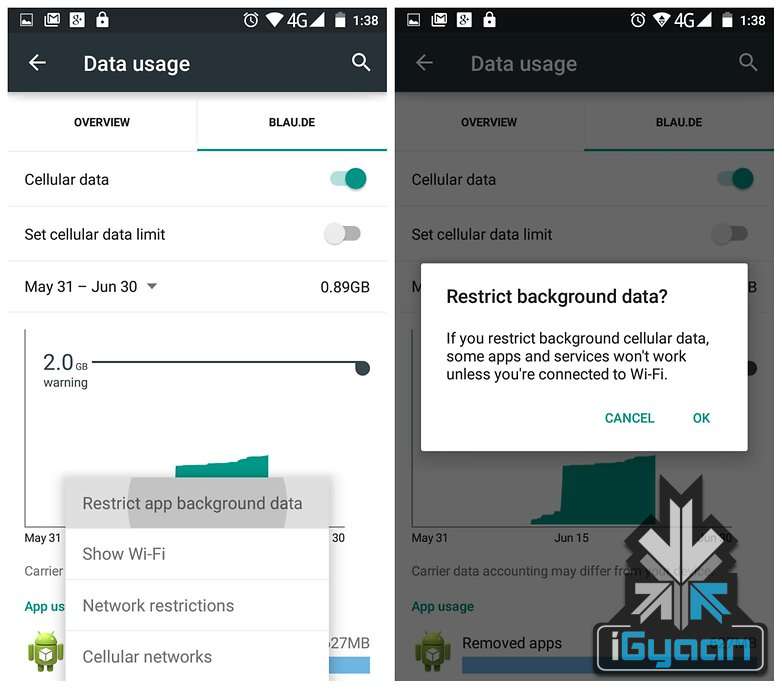
One of the best ways to conserve data that Google provides Android users is with the option of restricting background data using the inbuilt data saving mechanism of the Android operating system.
With this feature users can tell Android to restrict background data usage of specific apps, hence helping in greatly reduce data usage. Apps and tasks such as email syncing, feeds updating, weather widgets and so on can be stopped temporarily, and be taken care of when in a Wifi Hotspot area.
Turn Auto Update Off for Apps
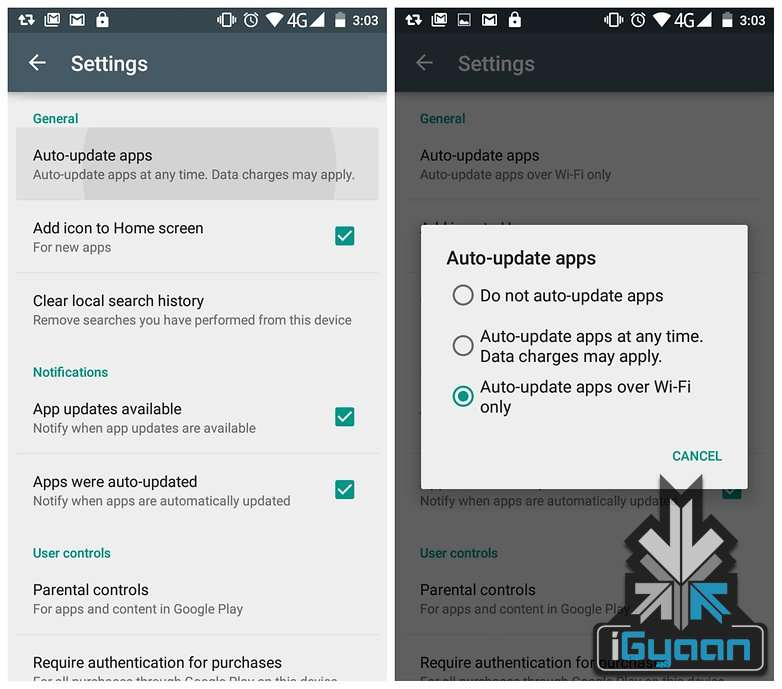
Android by default sets the Play Store to download updates to apps the moment they are available. Depending on your internet speed, this particular feature if left unattended, can eat through your phone’s data pack very quickly. Switching this to Auto Update Apps Over Wifi Only is recommended.
Head to the Play Store and head towards the Settings button. On the page you’ll see Auto-Update Apps. Tap this and make sure you either have it set to ‘Do not auto-update apps’ or ‘Auto-update apps over Wi-Fi only’.
For users looking for more customization, and want to manage individual apps, they can make way to the My Apps page, select an app and then tap the overflow menu to un-check Auto-Update.
Say Bye to the Facebook App

The Facebook App is infamous for its habit of eating through mobile data for fun. Several reports have found that Facebook’s recommended app is a great drain on mobile data on the Android System along with being a dreaded enemy of your battery life. As such, uninstalling it in favour of the Facebook Lite App is highly recommended.
















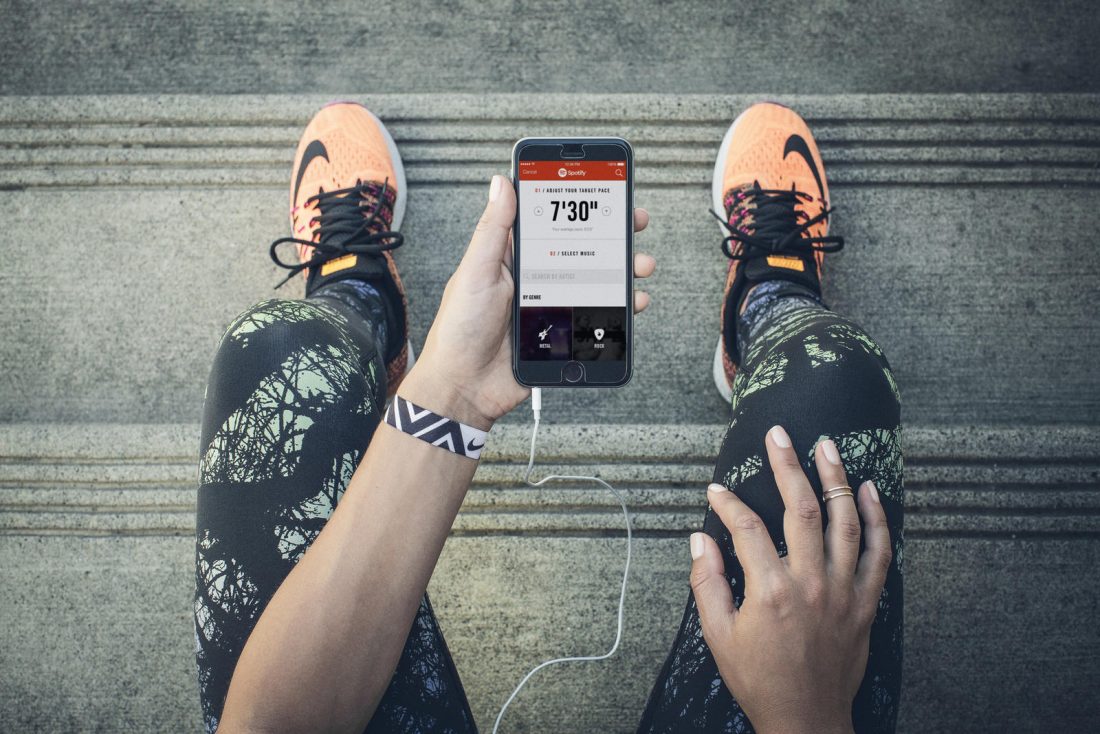 No list on fitness apps can be complete without this. If you already don’t know about this cool and pretty useful app, this is why Nike+ is important -it made running so much better with its constant motivation in the form of trophies, badges and NikeFuel. It allows users various running programmes and challenges to choose from, along with the option of syncing it with your social media accounts. Nike definitely got it right with this one. It is available for both
  Now that we are on the topic of cardio, let’s talk about Tabata. This amazing four minute work-out is made for those who live life on the go. Doing this work-out once in the morning and once in the evening will let you maintain a basic standard of health. The biggest hurdle in doing Tabata is keeping the time in check. But worry not, Tabata Stopwatch Pro is here to save the day. It not only plays your favourite song during the work-out but also notifies you of time intervals every 20 and 10 seconds. It’s available in both the
  If cardio is not your thing, why not try your hand at flexibility and stretching with some good, old Yoga? Daily Yoga is an app which instructs users in Yoga for different parts of the body through comprehensive videos. Depending on the body-part and the trouble you’re facing -from aches to soreness in muscles to fat, Daily Yoga sufficiently covers all requirements. The app is available in the
 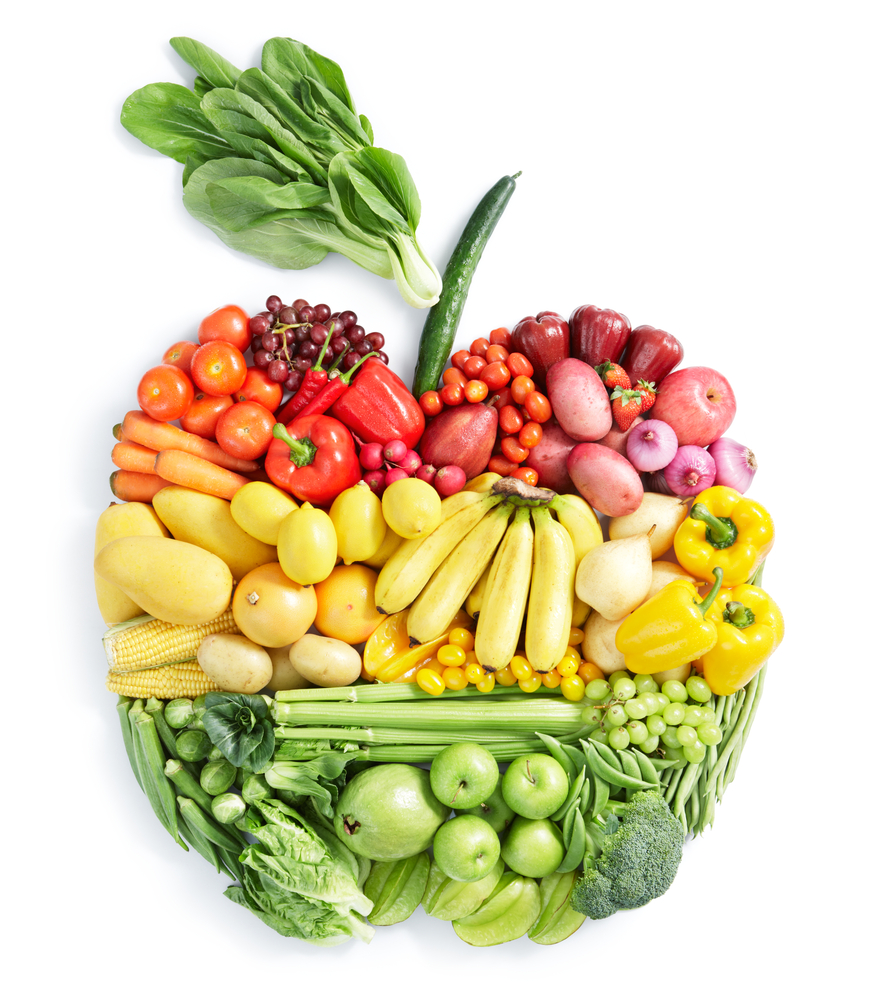 Optimum health requires both physical exercise and a balanced diet to work in unison. Now that we have got the former part covered, it’s time to move on to the latter -that is, the right diet. Calorie Counter, as the name suggests, lets you keep a check on the daily consumption of carbs and fats. You can enter in the meal and it would give you an estimate of your calories. Once you start using it, you’d be pleasantly surprised with how customizeable this app is. Calorie Counter too is available for both
  ‘Nuff with all the huffing and puffing -make sure to keep the body well-hydrated. That’s much easier said than done; making sure to drink enough water is one of the most useful but also the most underestimated hacks ever. Enough water keeps the muscles replenished and healthy enough to take on any exercise regimes. It also keeps the metabolism up and running on its feet making sure your diet and exercise is optimised in the most efficient ways. While