Category: Android

  • LG G2 Launch Scheduled for Aug 7th, Teaser Video Shows Adaptive Learning

    LG G2 Launch Scheduled for Aug 7th, Teaser Video Shows Adaptive Learning

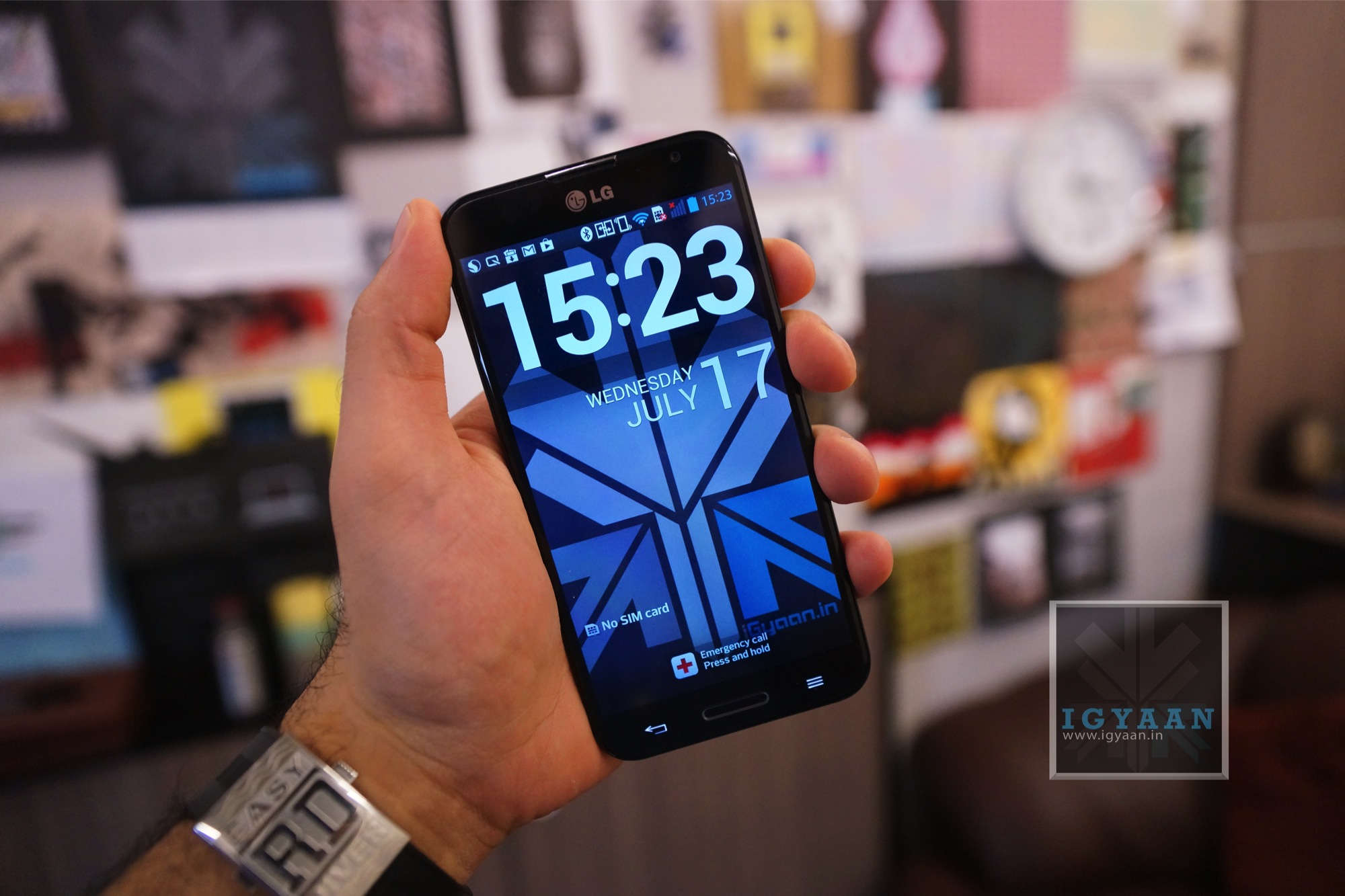
    LG G2 is scheduled to be launched on August 7 thanks to a brand new video by the company that says “Come See how the G2 is Learning from you”. The Video also shows off the rumored back mounted volume buttons. While most of the information about the phone has been leaked or teased, LG claims to have a lot more to show off at launch on the 7th of August 2013.

    [youtube id=”zqmQ1A22nIQ” width=”100%” height=”300px”]

  • DIY : How to Root Micromax Canvas 4 A210

    DIY : How to Root Micromax Canvas 4 A210

    If you recently bought the new Micromax Canvas 4 A210 and need root access to download games or modify the OS?

    Here is a quick method by iGyaan to Root Micromax Canvas 4 A210!

    Simply follow the instructions below.

    (Note : the following method will also work for the Micromax Canvas HD A116)


    Here is what you need

      1. Micromax Canvas 4 A210 (For Sure)
      2. Windows PC/Laptop
      3. USB – MicroUSB Cable
      4. iGyaan Micromax Canvas Root File (based on Motochopper) (Right click and save)
      5. Patience and Perseverance 


    Root Micromax Canvas 4 A210


    Step 1:

    Make sure you phone is fully charged.


     Micromax Canvas 4 A210 Root 0

    Step 2:

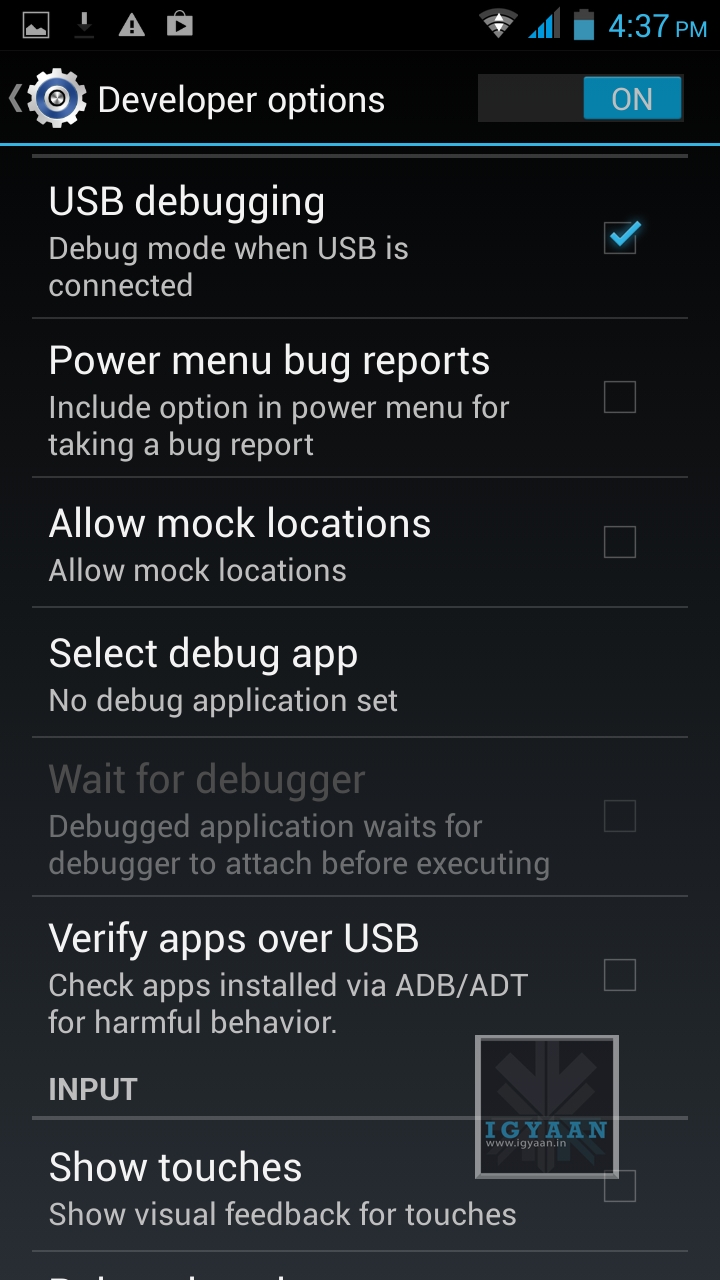
    Enable USB debugging on your device.

    Go to Settings > Development > USB debugging.

    Disable Verify Apps over USB like shown above.

    Not: If you don’t see the  Development Panel, enable it by tapping several times on the Build Number in the Setting > About screen .

    Once enabled connect your Canvas 4 to your PC via the USB cable. (make sure all the drivers for the phone are installed, this will happen automatically)


    Step 3:

    Download the iGyaan Root Tools zip file above and unzip them into a folder called “root” on the Desktop.


    Step 4:

    Open this new “root” folder and launch Run.bat and press Enter.

    Micromax Canvas 4 A210 Root 3

    The Process will begin and your device may reboot several times, DO NOT REMOVE THE CABLE until the process is compete.

    Micromax Canvas 4 A210 Root 2

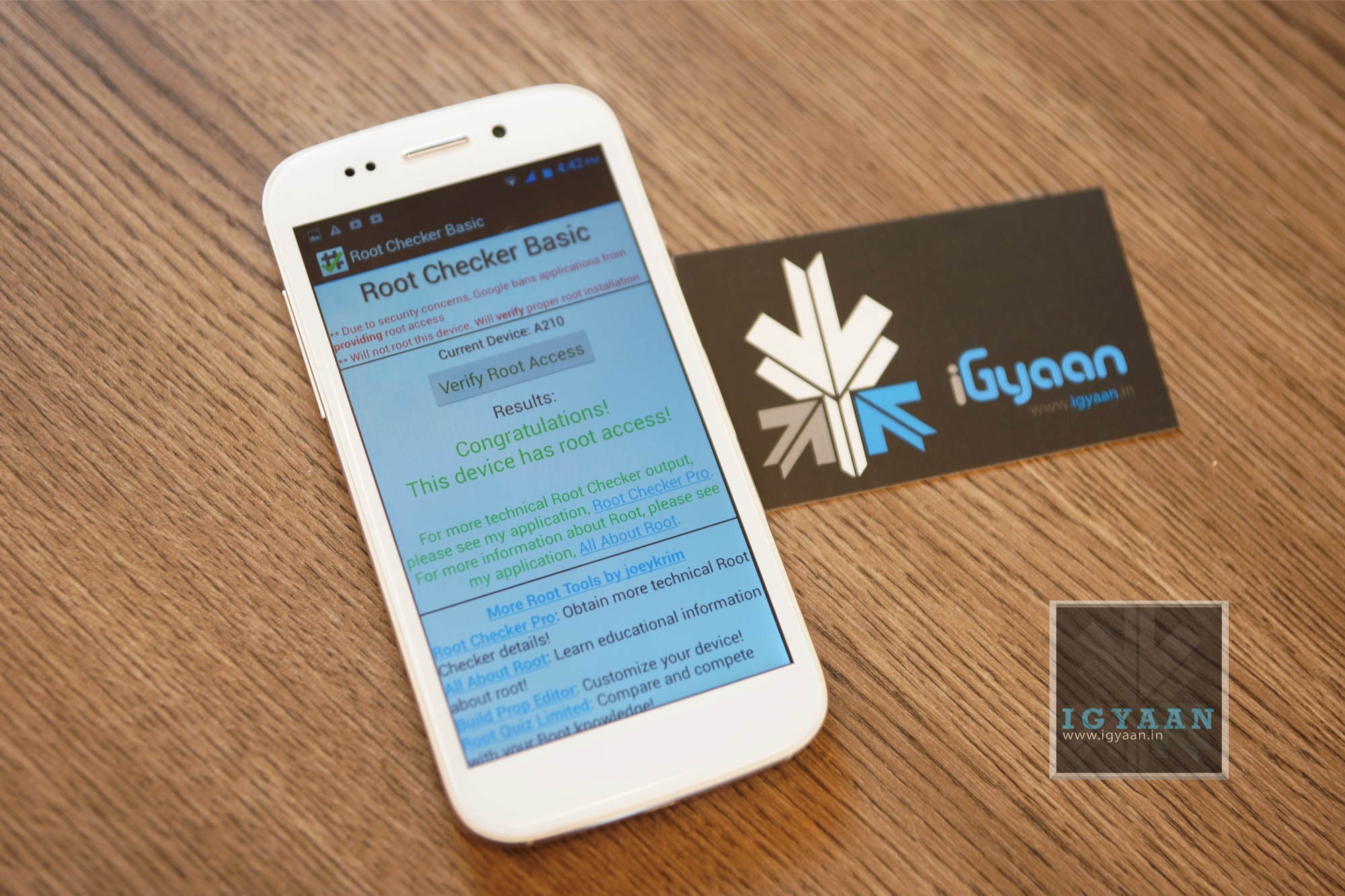
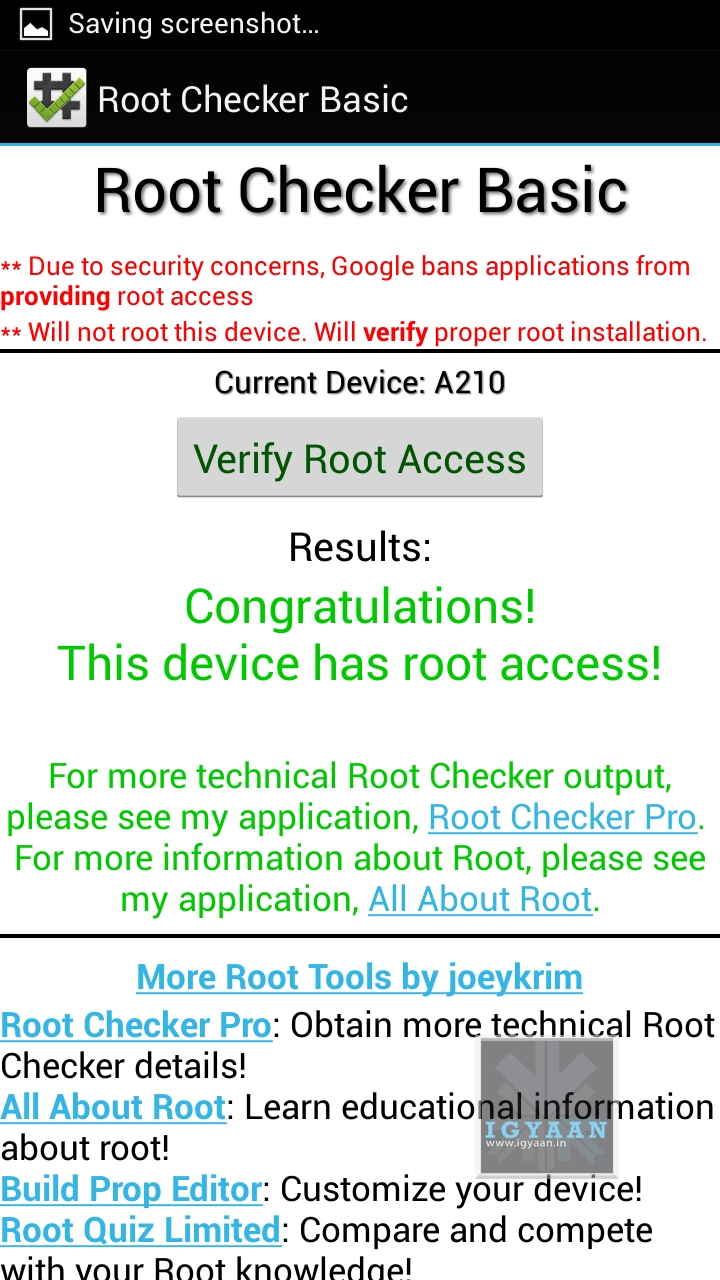
    Once completed you will find “SuperSu” in the application list. You now know how to root the Micromax Canvas 4 A210.


    Micromax Canvas 4 A210 Root 1

    UN Root Micromax Canvas 4

    Simply Open SuperSU > Settings > Full Unroot

    Your Micromax Canvas 4 A210 will reboot and Unroot.


    Video

    [youtube id=”R8VFEcmzCdw” width=”100%” height=”300px”] 


    Related Products

  • Report : Some Samsung Galaxy Note 2 And S3 Variants To Skip Android 4.2.2 For 4.3

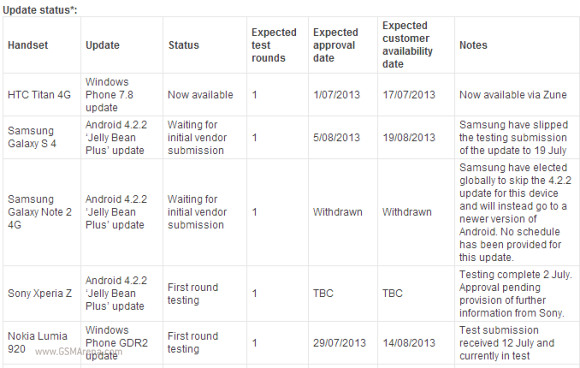
    Report : Some Samsung Galaxy Note 2 And S3 Variants To Skip Android 4.2.2 For 4.3

    Samsung Galaxy Note II users, along with Galaxy S3 owners, have been waiting rather impatiently for their turn to upgrade to Android 4.2.2, which came pre-installed on the flagship GS4.

    Now, it seems as though the company may be moving away from releasing a version of the eight month-old software in favour of waiting for Google’s inevitable Android 4.3 release, which is slated to come to AOSP next week.

    Telstra, an Australian network provider released a statement on their upgrade page claiming, “Samsung have elected globally to skip the 4.2.2 update for this device and will instead go to a newer version of Android. No schedule has been provided for this update.”

    galaxy

    In some ways, this is a good move. Android 4.3 brings OpenGL ES 3.0 support along with standardized Bluetooth LE functionality and a host of other small improvements. Considering some devices, like the Nexus 7, actually dropped in performance from Android 4.1 to 4.2, Samsung may be waiting for Google to fix some underlying code issues before pushing the upgrade trigger.

    While this is in no way an official report, the same would seem likely for the Galaxy S3, which is only waiting in limbo for some sort of upgrade news.

    [Via]

    Related Products


  • Hello Moto: Moto X Press Render Leaked

    Hello Moto: Moto X Press Render Leaked

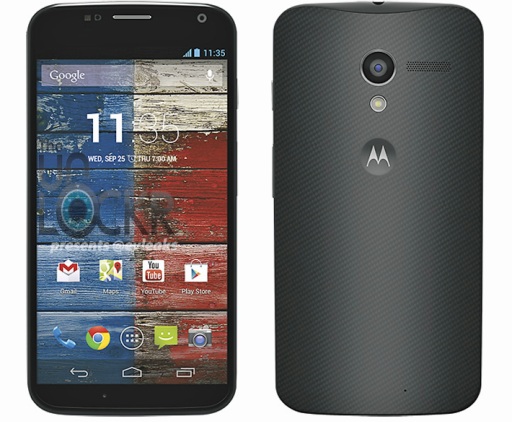
    If you are actively following the news around the Moto X you will know that earlier today the launch date for the elusive Moto X was finalized. Now @eveleaks the notorious tipster for the mobile world has leaked press renders for the hardware. 

    The Moto X is expected to be a Mid Range handset and expected to be priced around 300-400 US $. The hardware expectations are running anywhere from a 4.7 inch to 5 inch HD display which may only run up to 1280 x 720 p screen. An 8 MP main camera and a 2.1 MP front facing camera will finish off the optics, and a Quad Core chipset will handle the processing needs of the Android 4.3 capable handset. 

    If you closely inspect the render it appears to have a carbon fibre weave on the back which sort of resembles the design of the Blackberry Q10, and the interface appears to be running stock Android with no tweaks or overlays as earlier expected.

    Update July 22nd : White Render also leaked :

    The color will be known as Unicorn White, and will be available alongside the black Moto X at launch unlike the Nexus 4. Although rumors of many other colors exist, no real confirmations have come forward.

    moto-x-white-unicorn

  • Motorola will launch the new Moto X on August 1st

    Motorola’s launch teaser for the new Moto X just went out and it seems the company is ready to launch the new phone on August 1st. While the leaks of the super-phone from the company have been a-plently what needs to be seen is whether this will be the next Nexus or not. Google’s Eric Schmidt who was allegedly already spied many times using the phone in the past has not been too secretive about the product.

    No strict details are known, but the fibre like construction and slick curves are the beginning of a new design change at the Google-Motorola campus. The Moto X is expected to be a mid range smartphone and not something that’s all that jazz. The Handset will be targeting the mass market and may even go for free on contract with various US carriers. Despite the fact that Motorola shut down its campus in India, it is expected that the company will make a sharp return India side. 

    moto-x-invite

    Lets see what Google have up their sleeve for the July 25th conference and the 1st August unveiling of the Moto X. Read below Motorola’s Press Note


    [toggle title=”PR”]Moto X: The First Smartphone Assembled in the USA

    There are more than 130 million smartphones in use in the USA today and not one of them was assembled here…until now.

    May 28, 2013 Danielle McNally

    Today at the AllThingsD conference Dennis Woodside revealed how we are reinventing Motorola through a portfolio of products starting with Moto X, a new flagship smartphone that will be designed, engineered and assembled in the USA. We’re not talking about just a handful of units either — available this summer, every Moto X sold in the USA will be assembled in Fort Worth, Texas, making it the first smartphone ever assembled domestically.

    There were a few reasons why we decided to do this. There are several business advantages to having our Illinois and California-based designers and engineers much closer to our factory. For instance, we’ll be able to iterate on design much faster, create a leaner supply chain, respond much more quickly to purchasing trends and demands, and deliver devices to people here much more quickly. And as a part of Google we’re being encouraged to take big bets on things that make a difference.

    We still have a network of global operations, and that won’t change. Our global manufacturing partner remains Flextronics and we’ll continue to assemble devices locally in China and Brazil. But Flextronics is busy looking for people for the new Fort Worth facility now. If you’re interested, we encourage you to check the available positions and apply.

    This is an incredibly exciting time to be in the mobile device industry. Our role in inventing the mobile phone is well known. We’re happy to be shaping its future as well.[/toggle]

  • Micromax Canvas 4 A210 Unboxing, Gaming, Specs and Features

    Micromax Canvas 4 A210 Unboxing, Gaming, Specs and Features

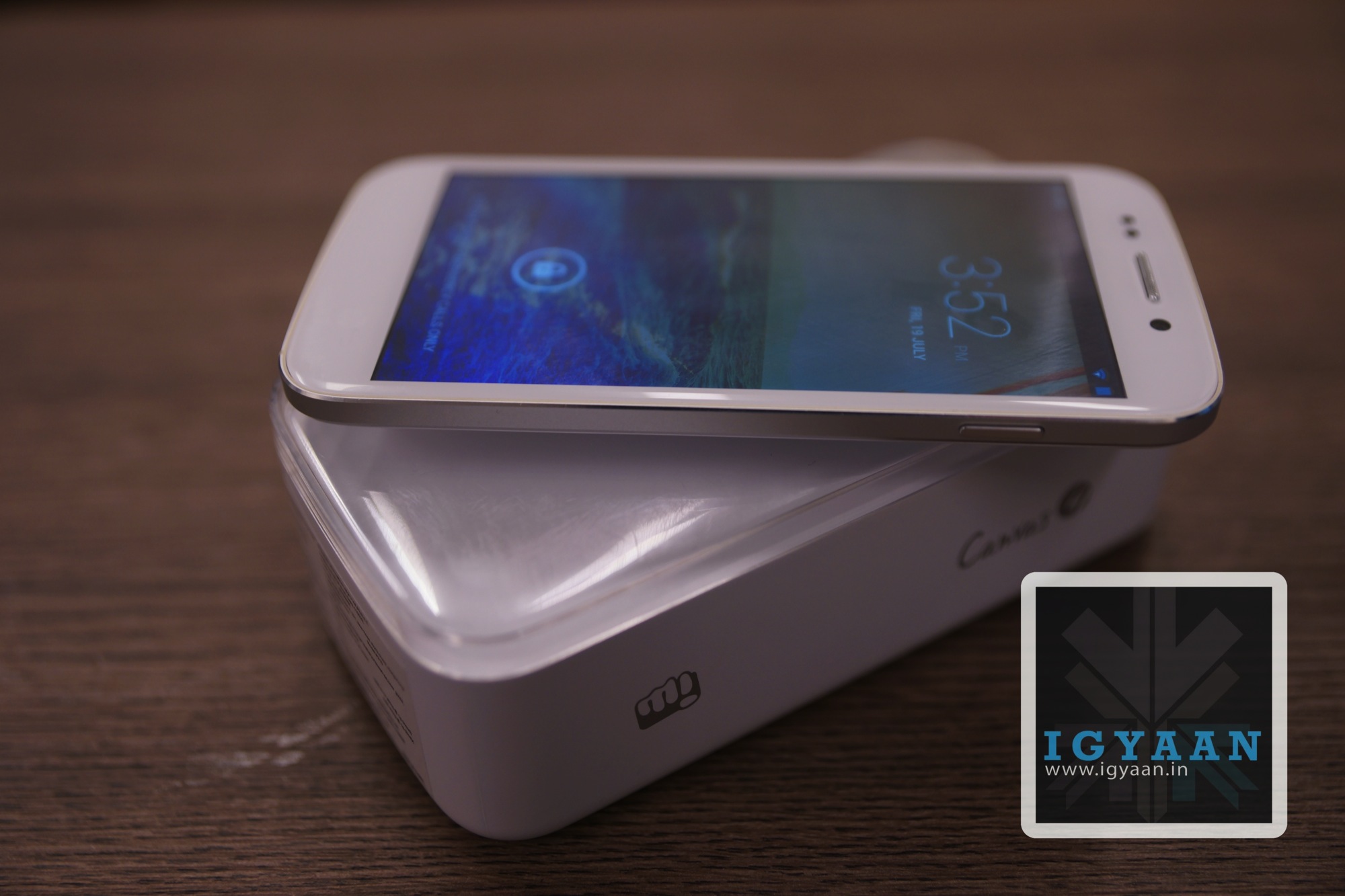
    We recently received a unit for the new Micromax Canvas 4 A210 Unboxing and the smartphone has some interesting elements inside the box. The phone is an upgrade to the Micromax Canvas HD A116 and changes a few hardware aspects but major aesthetics and inbox accessories have been changed.

     Micromax Canvas 4 A210 Unboxing 4

    Micromax Canvas 4 A210 Unboxing

    The box of the new Micromax Canvas 4 will remind you Apple’s packaging of the iPod touch with the phone put on top and the a clear top cover, the design of the packaging is reminiscent of Apple design. Inside the box you will get:

      • The Micromax Canvas 4 A210
      • Flat Tangle Free USB Cable
      • Flat Tangle Free In Ear Earphones
      • Extra Ear-Tips
      • Battery
      • USB Wall Charger
      • Documentation

    First Impression

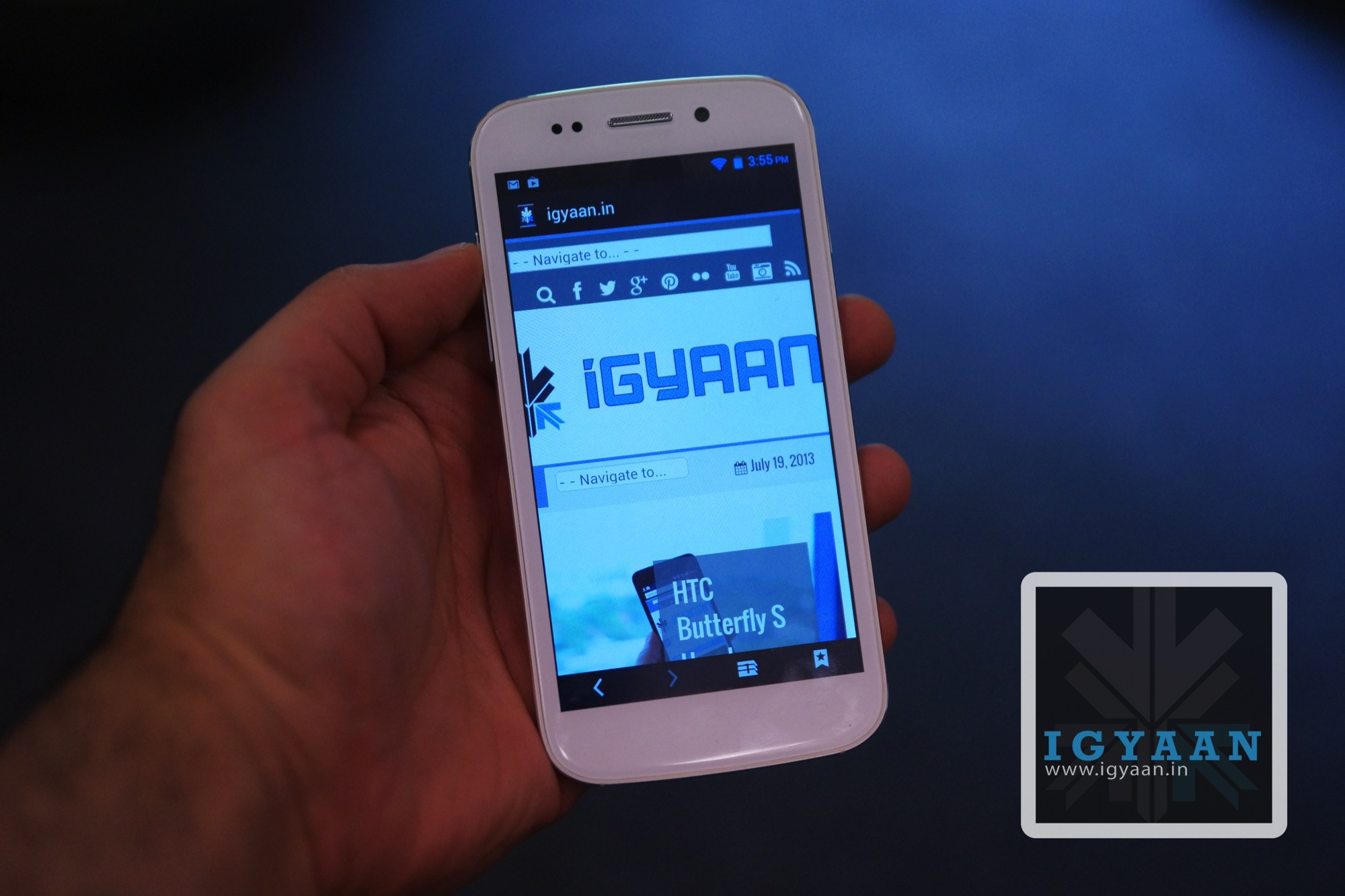
    When we started the Micromax Canvas 4 A210 Unboxing we were surprised with the quality of inbox accessories, for once the company has truly focused on accessories that make the phone work. The USB cable is flat and tangle free so is easy to carry in the pocket and can be twisted and turned to result in its original form with little or no effort. The build quality of the Micromax Canvas 4 is far superior to any Micromax phone in the past, it is solid and robust with a steel shell and plastic back. The front is all glass with a 5 inch display with a now mediocre 1280 x 720p display (where most are promoting a 1080p display). 


    The form factor is very functional and handy, and not a lot of people will be impressed with Micromax’s software gimmicks like the Blow to Unlock feature. The Phone has a 13 MP camera which is now traditionally seen on flagships from Samsung and Sony, what is interesting here is the fact that the Micromax Canvas 4 has a 5 MP front camera which even major manufacturers neglect to feature. Micromax has also bundled several apps that allow for access to Micromax Services like MiZone and M! Security. 

    There is definitely some rattling sound in the unit we received and it comes from around the Sim Tray region. Check out our Micromax Canvas 4 A210 Unboxing video above and the Gaming Video below to get an initial idea of what the Device performs like.

    Buy It Now


    Gaming 

    [youtube id=”iQwaNj4ZgbU” width=”100%” height=”300px”]

  • Watch The Launch of the two new Samsung Galaxy Tab 3.0 Live on iGyaan

    Watch The Launch of the two new Samsung Galaxy Tab 3.0 Live on iGyaan

    Samsung is all Set to Launch the Galaxy Tab 3.0 7 inch called the Tab 211 and the 8 inch called the tab 311 in India. The Galaxy Tab 3.0 211 comes with a Dual-core 1.2 GHz processor and 600 x 1024 pixels, 7.0 inch display. Whereas the Samsung Galaxy Tab 3.0 311 comes with a 1.5-GHz Exynos 4212 and an 8 inch 1280 x 800px display.


    Get Live updates from the launch below


  • LG Optimus G Pro E988 / E 985 Flash Review

    LG Optimus G Pro E988 / E 985 Flash Review

    LG has mostly faced challenges in releasing devices in India, they have either been too late (i.e. Nexus 4 ) or too early (Optimus 3D) in some cases awkward ( Optimus VU) and in some cases they have failed to hit the hammer on the nail (Optimus G). With the new LG Optimus G Pro, the company seems to have almost all the things right except the massive price difference in the US $ when the competition launched their phone and when LG launched their phone. The LG Optimus G pro is available for a price of Rs. 38990 , but does it justify that value? Lets Find Out !

     LG Optimus G pro 5

    Build Quality and Hardware

    The build quality of the LG Optimus G Pro is nowhere near the HTC One, in fact it appears as if the Korean Manufacturers (read: Samsung and LG) like building their phones with plastic as the major component. The LG Optimus G Pro however is no light weight and can hold its own when it comes to build. The construction is solid and don’t expect any rattle or shake from the device.

    The LG Optimus G Pro looks very identical to the Galaxy Note 2, maybe LG is playing on the worlds new weakness for Galaxy devices, as Samsung played for iPhone’s love. 

    The hardware on this phone is as big as the device itself, Qualcomm’s crazy fast quad-core Snapdragon 600 processor clocked at 1.7GHz, with the Adreno 320 GPU, 2 Gigs of RAM and a total of 32 GB of storage.

    The cameras include a set of fantastic full HD capable sensors, with a 13 MP main camera and a 2.1 MP front facing camera which we will talk more about below.

    [youtube id=”JAdBnnjaX7s” width=”100%” height=”300px”]


    LG Optimus G Pro E988 Unboxing 0Display, Multimedia and Camera

    The LCD on the LG Optimus G Pro is not as bright as the Optimus G, where the screen felt just fantastic, here it seems a little dull. The display is big and wonderful no doubt, but it is definitely not the best display out there. LG usually throws in IPS displays and the viewing angles are great, the same is the case with the new LG Optimus G Pro and its IPS Plus LCD display. Add to the great colour reproduction and a 10 point multitouch panel overlay, which works really well. 

    Not only is the display fantastic, so is the audio. The Speakers are loud so if you are watching movies or videos or even playing games, you will be quite pleased with the capabilities of the LG Optimus G Pro.

    LG Optimus G pro 8

    The main camera on the LG Optimus G Pro, yields out great compositions, with a impressive hold on color correction and white balance. You can also manually adjust most of these things, but the auto mode is mostly accurate and can really deliver great pictures. The camera also has several shooting modes, including panorama, quick bust etc all of which work really well. 

    The HD video captured on the LG Optimus G Pro also gets stabilization among other effects. The video comes out nice, has little noise during the day and is well balanced in low light. You can also activate the infamous dual camera mode allowing your video to be captured while you capture the world.

    [youtube id=”hpqyGXOVMIM” width=”100%” height=”300px”]

    Phone, UI and Battery

    The Phone call capability of LG Optimus G Pro is strong and we found networks to be exceptionally potent. The signal strength is almost always proper and we found little or no noise distortion when on calls.

    The Optimus UI on the new Android Jelly Bean interface makes for a great experience, including several apps that actually work really well. The quick remote app on the LG Optimus G Pro controls more things than any remote app out there, it even remembers your AC and lets you control it with the flick of a finger. There are many other features like quick apps, Qslide and quick toggles, the quick note also lets you scribble directly on the screen and then later save it as a note.

    LG Optimus G pro 6

    The UI itself however, is not so pretty looking. It looks kind of clustered and reminds you of a messy lifestyle vs a more refined and organized one on other manufacturer overlays.

    Battery is superb on the LG Optimus G Pro and will last you a really long time. We got good 6-7 hours of talk time over dodgy 3G reception, which is actually really fantastic. Below is the complete test result.


    Function

    Battery Life

    Talk Time  6-7 Hours / 3G
    Internet Usage 7 Hours
    Music Playback 11 hours
    Video Playback 6 hours
    Avg. Charge Cycle 1.5 days


    [youtube id=”anu97GFi2S0″ width=”100%” height=”300px”]

    Conclusion

    If you really want a big phone then this has to be it. The phone is fantastic, it’s fast to boot and responsive throughout, plays games great and has excellent cameras. It is large enough to a point where using it with one hand would simply be foolish, even if you have large hands like mine. The UI is the biggest let down and simply can be written over with a tap of a button. 

    If big is your thing then the LG Optimus G Pro is the right kind of slab for you. 

    LG Optimus G pro 0


  • MoDaCo.SWITCH ROM For HTC One Lets You Switch Between Sense And Stock Android With One Touch

    MoDaCo.SWITCH ROM For HTC One Lets You Switch Between Sense And Stock Android With One Touch

    Have an HTC One with Sense 5.0 but want the goodness of stock Android as well? The best of both worlds? Well, MoDaCo has a solution for you.

    MoDaCo.SWITCH is a ROM that allows the user to easily switch from Sense and Stock Android with the tap of a button. Not only that, the data is maintained between the two UI experiences, so there’s no extra work on your part to keep data up to date with both.

    MoDaCo.SWITCH

    As you’d probably guess–you’ll need to be rooted and all that good stuff to be able to install MoDaCo.SWITCH, but it installs just like any other ROM via a custom recovery.

    Basically, the apps and information you have stored in one ROM are available on the other. This is possible because the underlying systems between these two ROMs are so similar. The HTC One GPe ROM features a lot of the Sense frameworks, so despite the visual and feature difference these ROMs are pretty similar. 

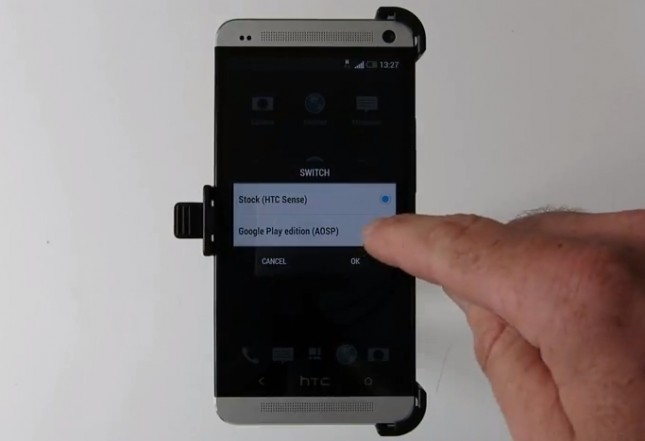
    An app on the handset labeled as “Switch” will bring up the option to choose between the Stock (HTC Sense) ROM and the Google Play edition (AOSP) ROM. Basically tapping either ROM will reboot the phone and allow you to quickly switch. 

    MoDaCo.Switch can be installed via Team Win Recovery Project (TWRP) or ClockworkMod Recovery (CWM), two of the most popular recoveries in the usual way.  

    Further details coming with this video include how the ROM will be based on the 2.24 European HTC One (Android 4.2.2) and the Google Play edition ROMs. Perhaps key here, it was said that MoDaCo.SWITCH is “coming soon.”

    [youtube id=”vOZFIGcIJ5s” width=”100%” height=”300px”]

    [Via]

  • HTC Butterfly S Hands on

    HTC Butterfly S Hands on

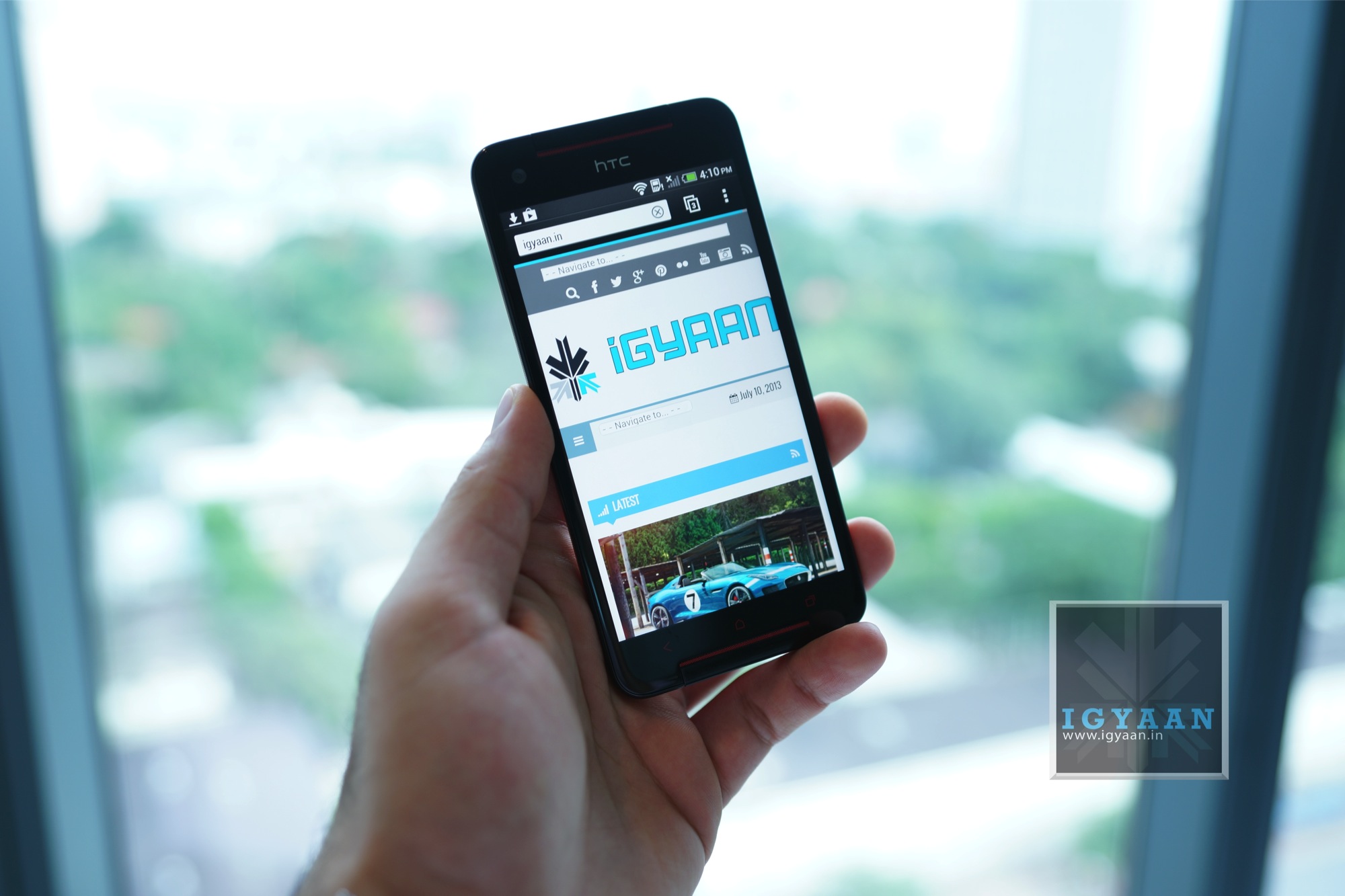
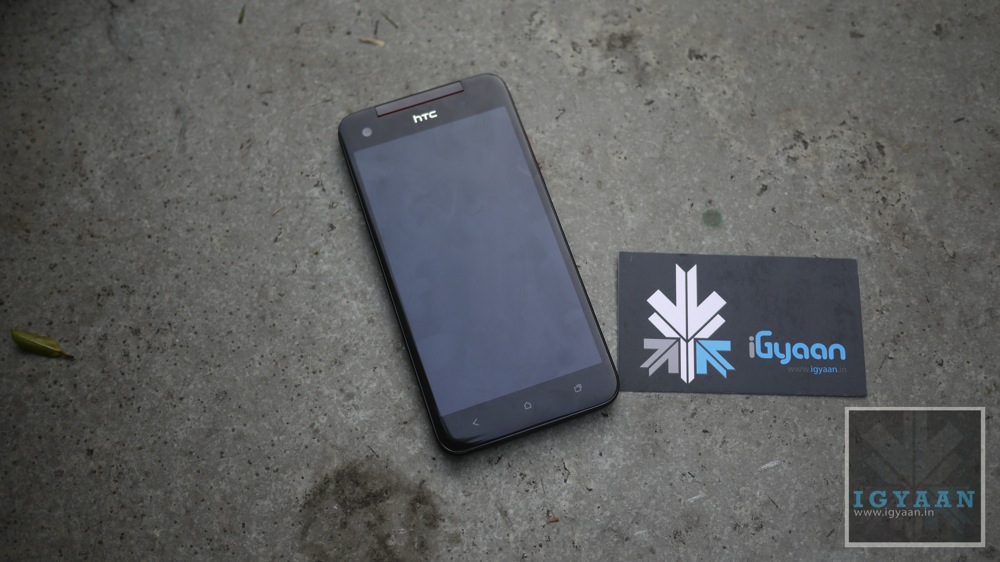
    HTC yesterday at a showcase event held in Thailand showed off the new HTC Butterfly S. A revamp of the HTC Butterfly, the new Butterfly S builds along the same design strategy but adding features from HTC’s popular HTC ONE. 

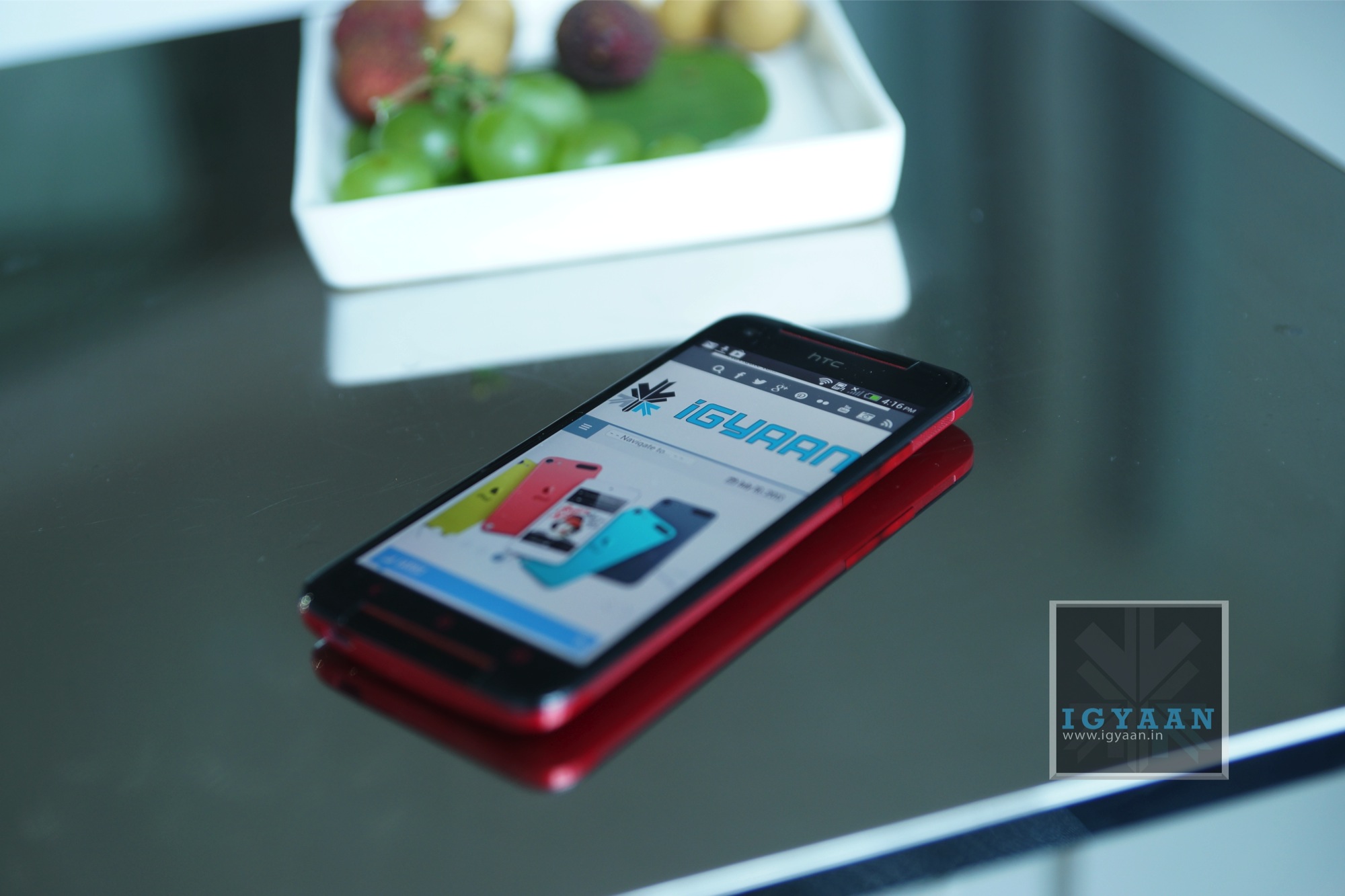
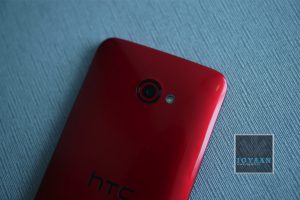
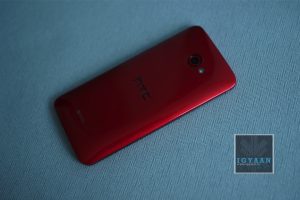
    Curved to fit in the hand the new Butterfly S has been splashed with a metallic finish making it resemble a “car paint job”. The color options for the handset are also not limited to two like last year, this year they include a white, a metal grey and a glossy red. 

    HTC Butterfly S 22

    The HTC Butterfly S is packed with a lot of exciting elements including a 3200 mAh battery, a Qualcomm APQ8064T Snapdragon 600 chipset with a Quad-core 1.9 GHz Krait 300 CPU and the Adreno 320 GPU. The front has a beautiful IPS LCD 3 display of a 5 inch size and a full HD 1920 x1080p resolution and a layer of Gorilla Glass 3. The design and the materials used in the construction of the HTC Butterfly S show to a great extent what the thought process of the company is when they are building a handset. The HTC Butterfly S is not only functional but looks really good. 

    The new HTC Sense 5.0 on top of Android 4.2.2 improves on the Blinkfeed experience as well as the Camera features, including enhanced ZOE file management amang many other improvements. 

    HTC Butterfly S 28

    The HTC Butterfly S caters to a niche, an audience which liked the original Butterfly but wants more. Hopefully it reaches India in all three colors with a price tag in the OH-So-Affordable under 40k price bracket, here is hoping anyway! Check out the images below and stay tuned for Video.


  • HTC Butterfly Now Receiving Android 4.2.2 And Sense 5.0

    HTC Butterfly Now Receiving Android 4.2.2 And Sense 5.0

    After rolling out the Android 4.2.2 update for HTC One last week, the company is giving the same treatment to its older cousin HTC Butterfly.

    The update will install the Android 4.2.2 operating system, the HTC Sense 5.0 user interface, the BlinkFeed live-streaming home screen and the Video Highlights slide show function for the camera, the company said in an e-mailed statement.

    “We are grateful for the support of Taiwanese consumers, and Taiwan is the world’s leading market to receive the new Sense 5.0 software update for the HTC Butterfly,” Jack Tong, president of HTC North Asia, said in the statement.

    Known as the world’s first smartphone with a 5-inch full-HD display, the HTC Butterfly sports a quad-core processor from Qualcomm Inc. and an 8-megapixel camera. It is called the Droid DNA in the United States and the HTC J Butterfly in Japan.

    To build on the success of the large-screen phone, HTC released on a refreshed model on June 28 called the Butterfly S, which comes with the same 5-inch 1080p display, a faster 1.9GHz quad-core processor and a larger battery capacity of 3,200 mAh.

    The update will bring to the phone the Quick Settings feature, a customizable lock screen (that’s limited to widgets), battery percentage in the status bar and the Jelly Bean Daydreams feature. BlinkFeed has also been improved, it will now also pull feeds from Instagram.

  • Micromax Canvas 4 A210 Hands On

    Micromax Canvas 4 A210 Hands On

    Micromax has let out yet another sensation into the market, or has it? Micromax today announced the new Micromax Canvas 4 A210, a double jump in model number but no real jump in specs. The phone is priced at Rs. 17990 and is available to purchase today.

    Micromax Canvas 4 A210 12

    Initial Impressions

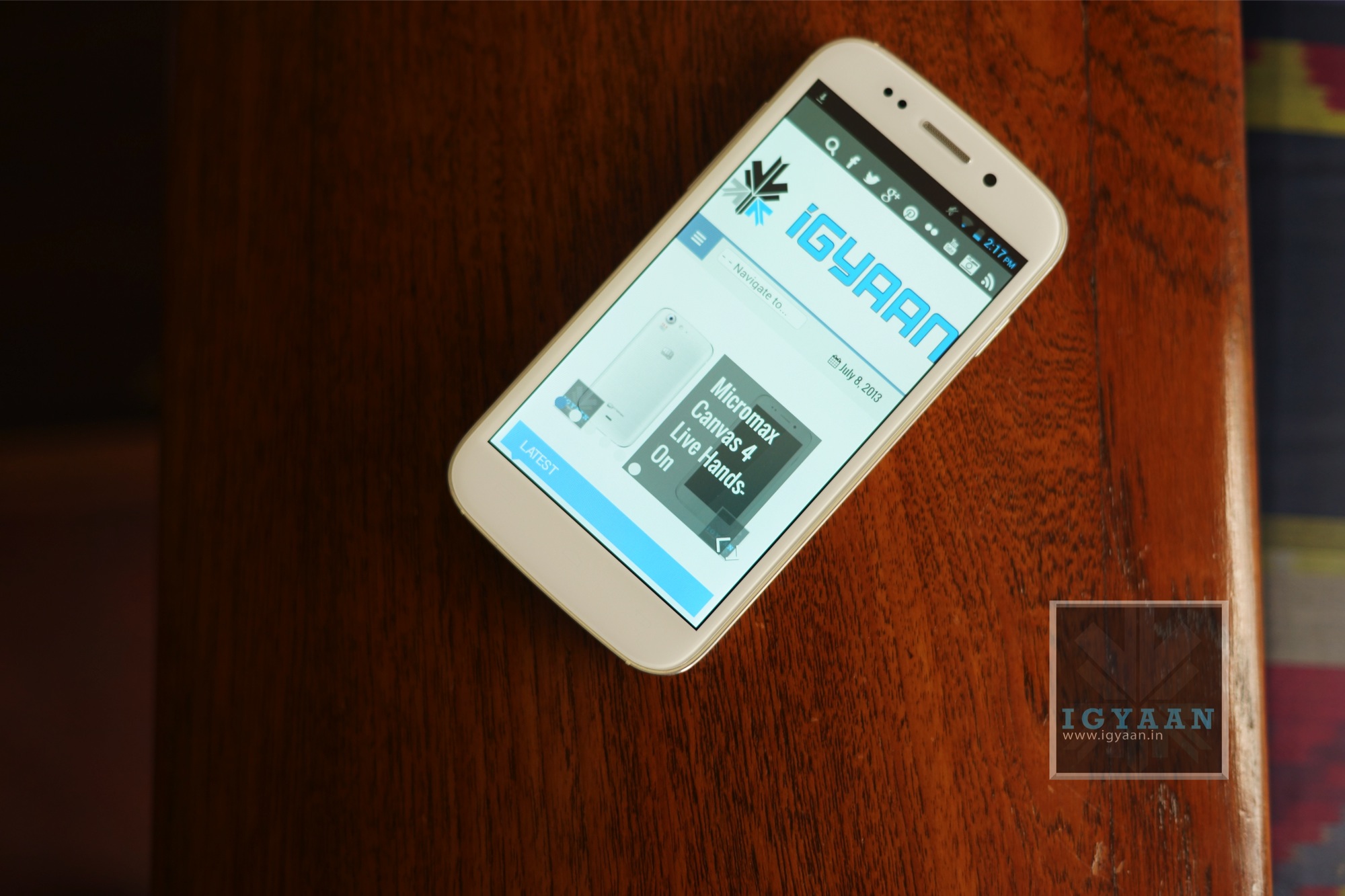
    At the first glance the phone will remind you of each and every Canvas phone you have seen till date, plastic design and glass front and the Micromax Canvas 4 A210 is no different. The built quality is much improved over the previous edition Canvases but it is identical to many a smartphone already in the market. The bezel reminds you of a an iPhone with a stainless steel finish where the back panel is very Samsung.

    Micromax Canvas 4 A210 7

    Micromax has kept exactly the same specs of the Canvas HD with the Micromax Canvas 4 A210 and only bumped up the camera on the back and the front. The Blow to unlock feature, comes via an app and is very gimmicky and should cause a lot of problem for people. The interface is stock apart from a lot of Micromax bloatware and the performance seems shabby at first. 

    The cameras did not boot up on the device we were shown so we were unable to check them out, but the camera app is the standard camera app. The Micromax Canvas 4 A210 is the company’s attempt at making a device which focuses on build quality vs the hardware, and it seems to most this will be a disappointment. The company is also promising good service and easy replacements for the devices, which can only be seen in the time to come. 

    The camera upgrade and design are not the only changes, Micromax has also reduced the battery to a 2000 mAh battery which may end up resulting in lower battery life. Has Micromax built up this phone too much pre launch to the extent that users got really excited? Is the Micromax Canvas 4 A210 overpriced? While we search for the answers check out the images and stay tuned for a hands on Video. 

    Are you keeping or canceling your preorder? Let us know below.

  • Sony’s ‘My Xperia’ Security Service To Roll Out Globally

    Sony has announced that its ‘My Xperia’ service will roll out globally after a successful pilot project in the Nordic regions. The service, which uses a user’s Google login to link phone and web browser, allows users to remotely locate or wipe a device, or sound an alarm to find a lost device when close at hand.

    ‘My Xperia’ will be available for select 2012 and 2013 devices such as the Xperia S, Xperia ion, Xperia T, and Xperia ZL, and the app will roll out via an over-the-air update, not through the Play Store.

    The full feature set is as follows:

    – Sound an alert to get someone’s attention –it’ll also override silent mode and wake the display
    – Map location via myxperia.sonymobile.com
    – Lock the phone to keep info private, and ping a message with contact details
    – Erase both internal and external SD card info / data if required

    Obviously it’d be nice if Xperia owners didn’t ever need to use a tool like this, but because smartphones are small and expensive, they can easily be lost or fall prey to a thief. That’s where a tool like my Xperia would come in, helping a person to locate their lost phone or wipe all of the personal data stored on it if necessary. It sounds like a pretty useful little app, and it’d probably be wise for owners of eligible Xperia hardware to install the my Xperia app onto their handsets just to be safe. If you’ve got a recent Xperia phone laying around, be sure to keep an eye out for the arrival of the my Xperia app in the coming weeks.

    The service will be available on Sony’s website in the coming weeks.

    [Via]

  • Lava Iris 504Q Full Review

    Lava Iris 504Q Full Review

    Build Quality And Design

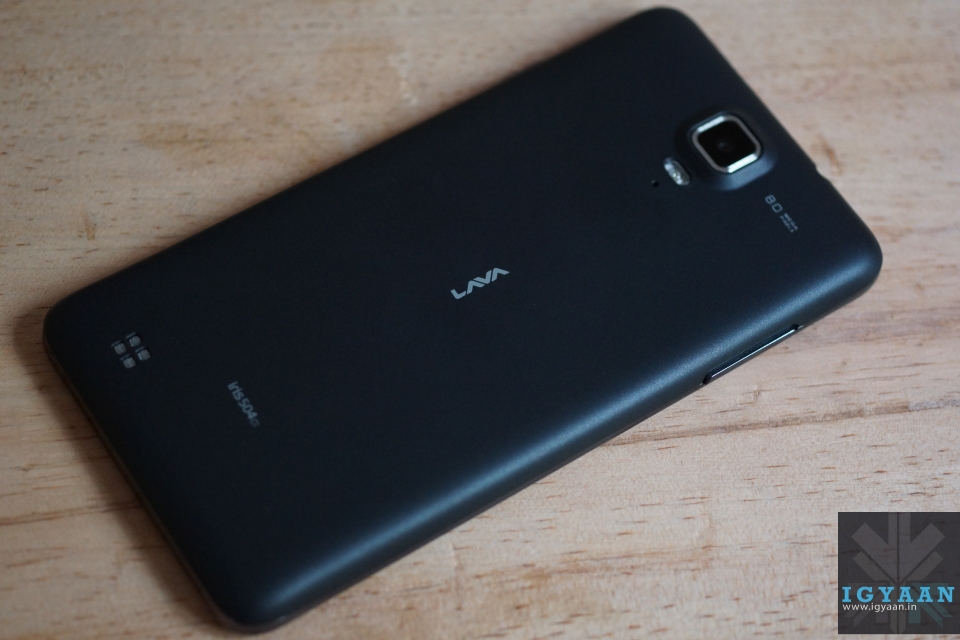
    In a segment that is adding devices by the minute, it is imperative to pay attention to the design of your device to make it stand out. With the Lava Iris 504Q, Lava went for a simple and sleek design. No big bezel or funky colours hogwash. 

    At first glance, the Lava Iris 504Q is really similar to the HTC Butterfly. At the front there is a 5″ display with a HTC Butterfly like speaker grill at the top, and the proximity sensor, front-facing camera next to it. There are three touch-capacitive buttons under the screen, which are backlit and provide haptic feedback.
    Lava Iris 504Q

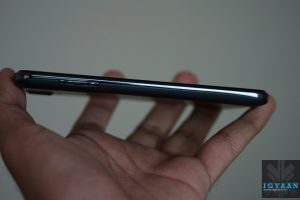
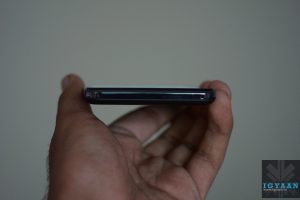
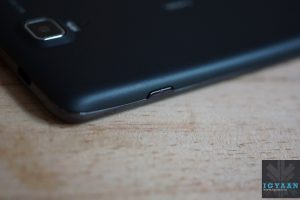
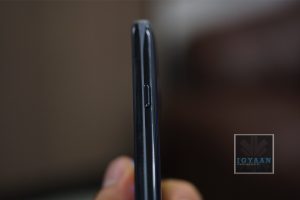
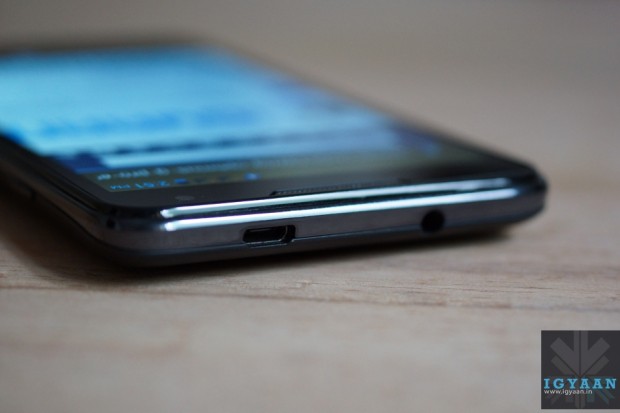
    Towards the right of the device you have a power button, volume rockers towards the left, a microphone at the bottom and your 3.5mm headphone jack along with a micro-USB port at the top.

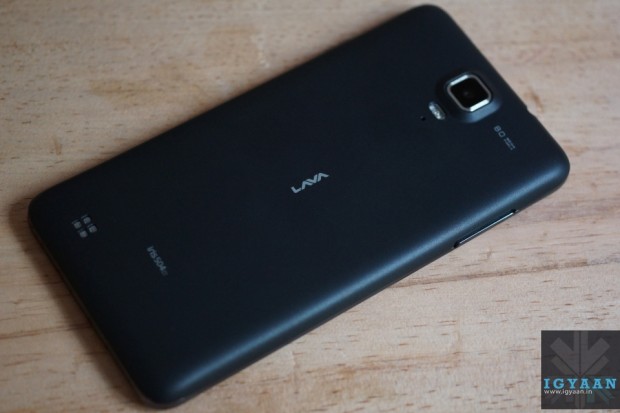
    The slightly-curved back- cover of the device has a soft rubber like finish, even though it’s made of plastic, which gives it a really premium feel. It also makes it less prone to finger prints and scratches.
    Lava Iris 504Q

    An 8 MP camera + flash, and a secondary noise-cancelling microphone grace the back of the device, which has its speaker grill towards the bottom left side. A small LAVA logo sits right in the middle of the device. Lava has managed to get a good balance of subtle branding and design to ensure the phone does not look overly flash and cheap.

    With its dimensions of 140 x 73 x 8 mm and 140 Gms weight, it is really comfortable to operate.

    The build quality is splendid as well, no squeaking noise, no loose parts. Everything about the Lava Iris 504Q feels downright solid. So a big thumbs up to Lava as far as build quality and design are concerned.

    Specifications And Hardware

    The hardware list on the Lava iris 504Q is pretty common on the market, a 5 inch 1280 x 720p screen, 1.2 GHz quad core MediaTek MT6589 processor, a mix of 8 MP and 2 MP cameras, 1 Gig of RAM and a 4 GB storage. Lava is trying various software tweaks to appeal to the market like gestures for the image gallery and clicking pictures. It is essentially a Dual-SIM GSM + CDMA smartphone.

    You also get a microSD card slot, Wi-Fi, Bluetooth 3.0, 3G, and 2000 mAh battery. Detailed tech specs are given at the top.

    Display And Multimedia

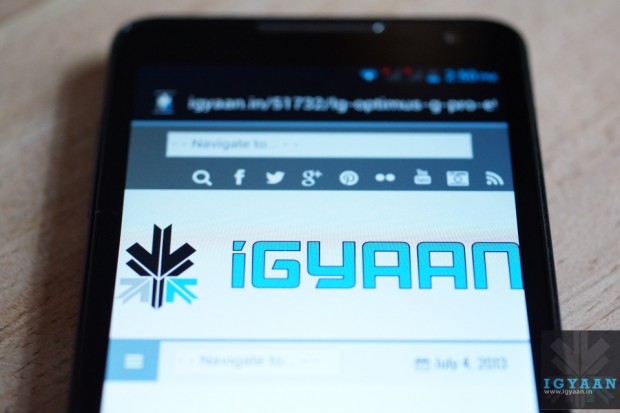
    The display on the Lava Iris 504Q is definitely one of the most impressive in this segment. It employs OGS (One Glass Solution) technology which basically means that there is zero gap between the screen and the glass on top of it.
    Lava Iris 504Q

    With it being an iPS display, viewing angles were bound to be decent, but what impressed us most was the colour reproduction of the panel. Bright, vivid colours and deep blacks make the Lava Iris 504Q feel like a device from a segment higher than the one it is aimed for. Outdoor visibility is decent as well but the one thing that left us slightly disappointed was that Lava didn’t opt for a scratch resistant display.

    Moving on to the mutli-media experience of the device, the Lava Iris 504Q has a custom Lava music player bundled along with it. The app, called Fusion, basically is a replacement for your stock music app, and provides a radio streaming option as well. If we talk about the audio quality, it is sufficiently loud and clear, but due the placement of the speakers, more often than not one tends to muffle the speaker while holding the phone. 

    Video playback on the Lava Iris 504Q was bound to be a joy, given its excellent display. Again, colours were rich and the phone can handle most formats including MP4, AVI, MKV and MOV. The screen size aids the multimedia experience by providing more screen real estate.
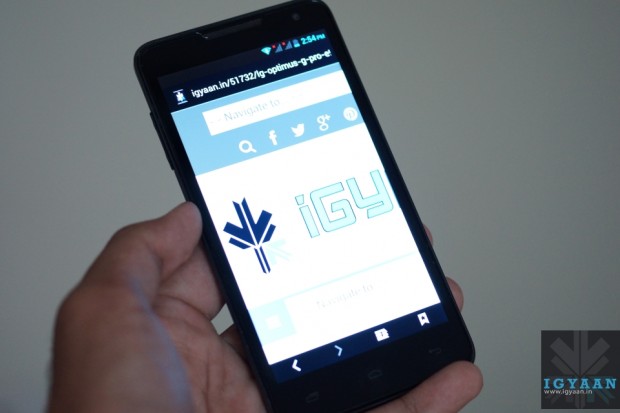
    Lava Iris 504Q

    The stock browser on the Lava Iris 504Q is really impressive. Apart from smooth scrolling and zooming, it provides a host of options like offline reading and searching, which are found in Google Chrome. Text is sharp and easy to read, so overall the browsing experience is quite satisfying.

    The Lava Iris 504Q’s benchmarks scores were decent. It scored above the Canvas HD in our tests. You can watch the benchmarks video below.

    [youtube id=”sf9fu2fLlbg” width=”100%” height=”300px”]

    Gaming on the Lava Iris 504Q was again made better thanks to its screen. It handled games like FIFA 12 and the pre-loaded Modern Combat 2 with ease.

    [youtube id=”3nJHH2BitQg” width=”100%” height=”300px”]

    Camera

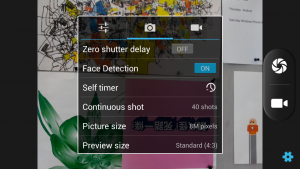
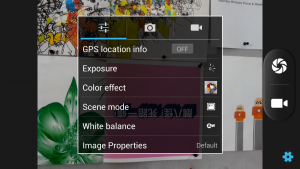
    The Lava Iris 504Q has an 8MP camera with a BSI sensor. The camera app itself is well laid out and provides a bunch of settings and modes including HDR, Panorama, ISO settings, Exposure settings etc.  
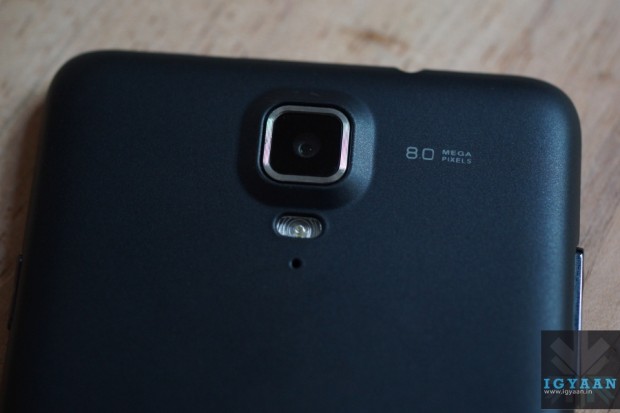
    Lava Iris 504Q

    Starting with outdoor shots, the colours seemed slightly unnatural and overly saturated. The camera tends to over-expose images, and we were expecting slightly more from the Iris 504Q. Macro-shots though seemed much better. Good background blur and sharp detailing. The gesture feature, which we will talk about below, can be used to capture images as well. 

    Indoor shots were a big disappointment however. Even when there was a decent amount of lighting in the room, the Lava Iris 504Q clicked completely unusable images. The flash seemed too weak to aid the process of indoor imaging. So if low-light camera performance is one of your main requirements, you might want to give this one a miss. 

    Video recording is done at 1080p in mp4 format. While we did not find any major flaws with the quality of the video, the Lava Iris 504Q again over-exposed the shots a bit. 

    Network, Phone Call And Messaging

    Phone call quality was very good and we have no complaints with the way the Lava Iris 504Q handles networks. The network holds good throughout the day and you will seldom find the need to wait for a network flash to get over. 

    The keyboard on the Lava Iris 504Q is quite similar to the stock Android keyboard. It is well laid out and can be customized according to your needs via the Google Play store.

    The Lava Iris 504Q provides support for a GSM and a WCDMA SIM card. Network on both was strong throughout our tests.

    Gesture Support

    The Lava Iris 504Q packs in gesture support to separate itself from the herd of devices in this segment.  While it may sound good on paper, we personally feel that it’s more of a gimmick than a useful addition. It does not work with all applications and when tried with the camera app, we were left searching for the option to turn it off. The Lava Iris 504Q kept clicking pictures even when we weren’t ‘swiping’ our hands in front of the display. 

    Conclusion

    Overall, the Lava Iris 504Q is a smartphone that hopes to distinguish itself from the crowded budget smartphone market with its excellent display and simplistic design. While it may not lag behind the others as far as performance is concerned, we feel that Lava could have done a better job with the camera on the device. If you can overlook that, then the price of Rs. 13,499 seems right for the device. 

    Video Review

    [youtube id=”RDtsUujPTAM” width=”100%” height=”300px”]

  • LG Optimus G Pro E988 Unboxing (Video)

    LG Optimus G Pro E988 Unboxing (Video)

    LG today launched their new flagship device for 2013, the LG Optimus G Pro E988 in India (known globally as the E985). The LG Optimus G Pro has been priced at Rs. 39,900 will compete with the likes of the Samsung Galaxy Note 2, the Galaxy S4 and the HTC One in the Android Market.

    LG Optimus G Pro E988 Hands On12

    In terms of specifications, the LG Optimus G Pro has a  True Full HD IPS Plus LCD capacitive touchscreen with a resolution of 1080 x 1920 pixels. It is powered by a Qualcomm Snapdragon 600 processor, which features a 1.7GHz Quad-Core CPU and Adreno 320 GPU. A massive 3140 mAh battery and 2GB of RAM.

    The LG Optimus G Pro has a 32 GB storage along with 64 GB expandability via microSD card. A 13 MP rear camera and a 2.1 MP front camera enable full HD video recording and LG was also the first to show off dual camera features with the LG Optimus G Pro, right before Samsung launched the S4 into the market. 

    The rear of the Optimus G Pro features a glittery digital cube pattern which is seen on the Nexus 4 and LG also says that the Optimus G Pro features a curved glass at the front, which gives it a 2.5D effect.

    LG Optimus G Pro E988 Unboxing 6

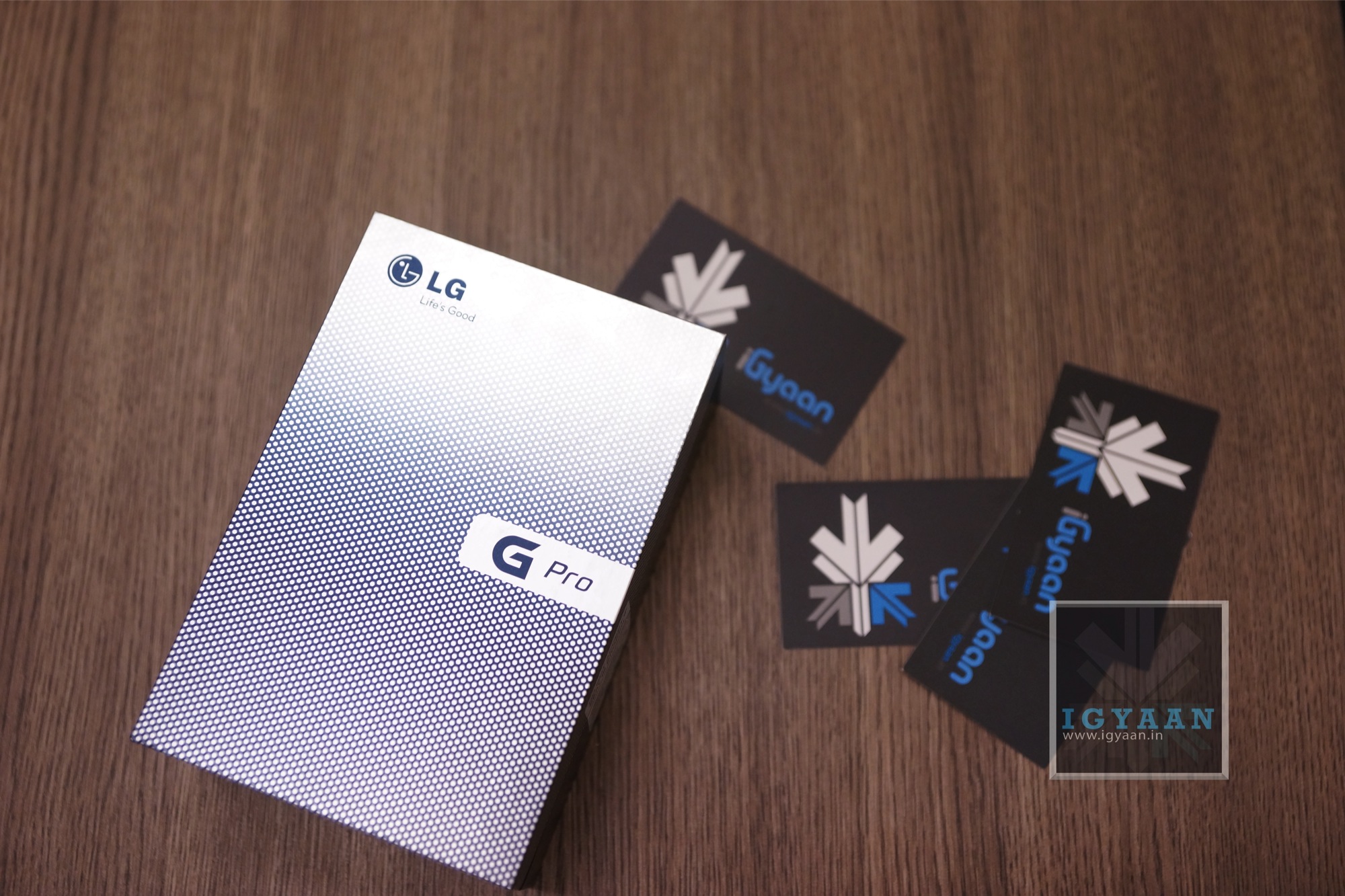
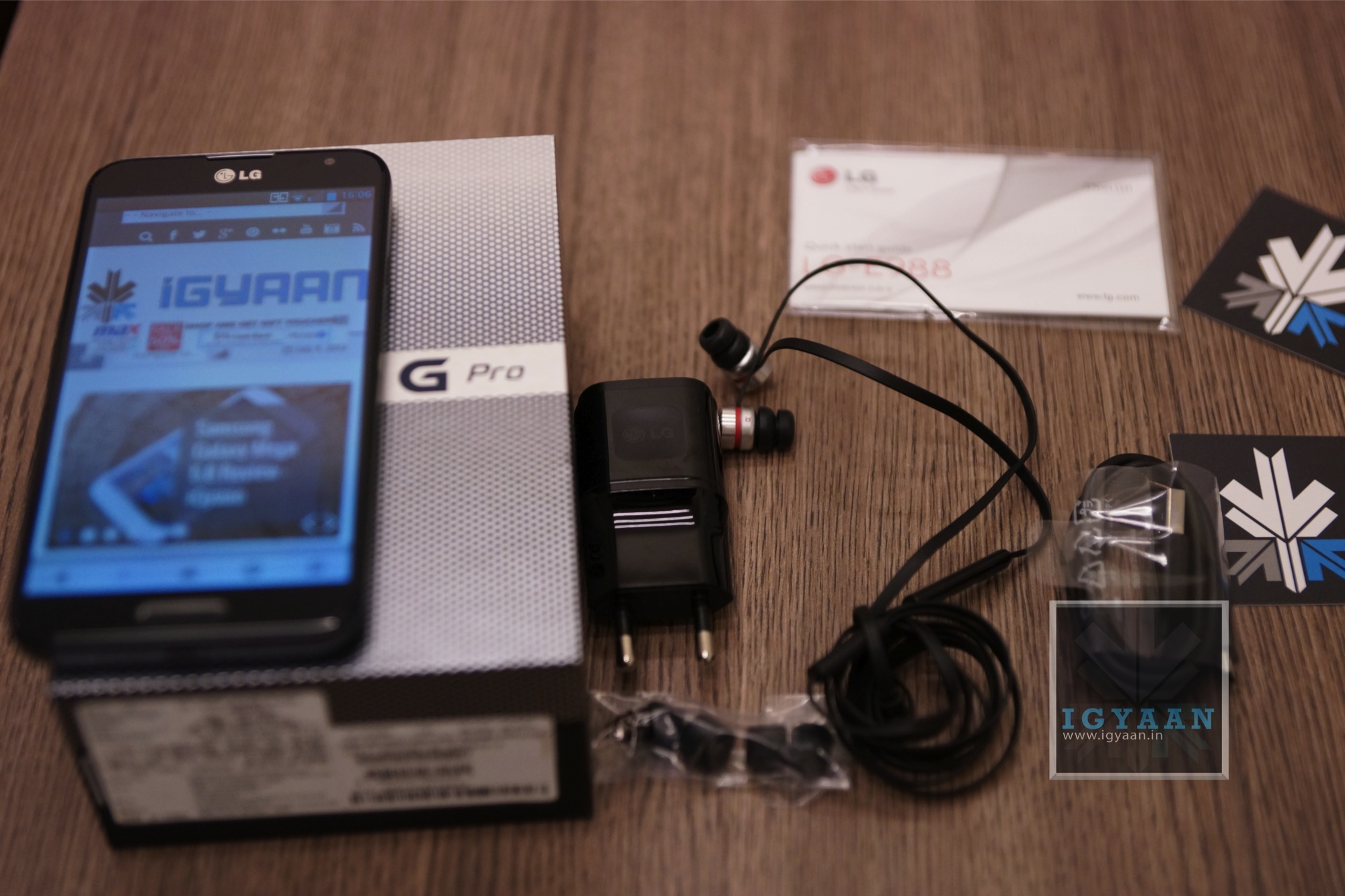
    Inside the box of the LG Optimus G Pro are,

      • Warranty Guide
      • In-ear earphones with a set of ear-tips
      • USB to microUSB cable
      • 3140 mAh battery 
      • Wall charger 
      • LG Optimus G Pro E988 Handset


    LG had originally decided to launch the Optimus G Pro around the 20th of June 2013, but due to the conflicting price of US Dollar vs Rupee, The Optimus G Pro shipments were delayed. The LG Optimus G Pro is also price considerably higher than what LG had originally decided (around Rs. 35000) making it a tough seller, since the competition can continue selling stocks bought at earlier dollar prices. Samsung and HTC are also set to raise prices of handsets if the Dollar Price does not normalize in the coming days. Considering the price increase of the competitors the LG Optimus G Pro might sell better in the coming months.

    Check out our Unboxing video and Images. 


    Buy Now


    [youtube id=”JAdBnnjaX7s” width=”100%” height=”300px”]

iGyaan Network
Privacy Overview

This website uses cookies so that we can provide you with the best user experience possible. Cookie information is stored in your browser and performs functions such as recognising you when you return to our website and helping our team to understand which sections of the website you find most interesting and useful.