Category: Google

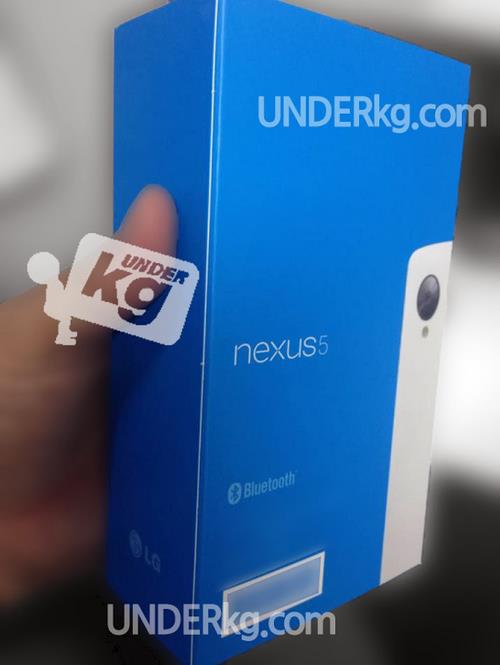
  • Nexus 5 Retail Box Leaks Out, Showing White Color Device

    Nexus 5 Retail Box Leaks Out, Showing White Color Device

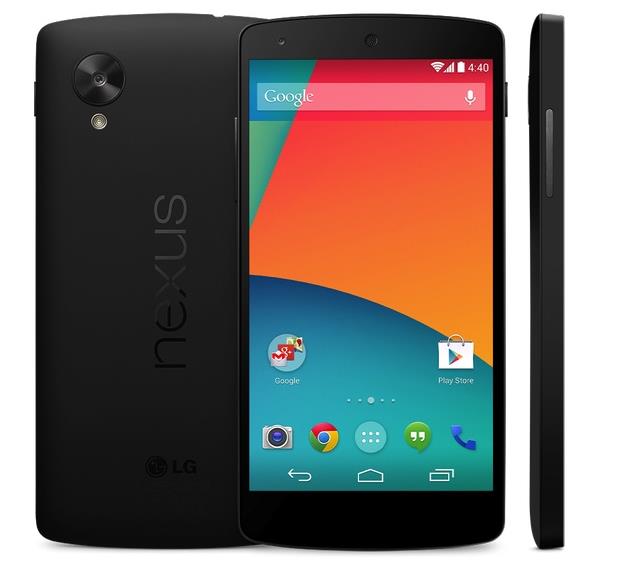
    We have seen Nexus 5 leaks every now and then, rumors from how the device would look like to Google accidentally showing the listing of the device on the play store.

    nexus 5 box

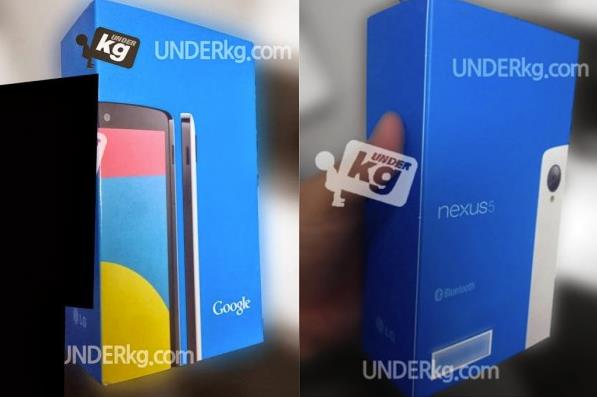
    Now what has leaked out is the packaging of the device, the alleged box is said to be the retail packaging for the upcoming nexus 5. The leaked images were seen on Korean site Underkg.com. In the pictures of the Nexus 5 boxes, which you can see above, it appears that the white version of Google’s next flagship Android phone will keep its regular black front, but bring a white rear to the Nexus series.

    white box

    As mentioned above these are rumors, can be fake. However, we have seen white nexus device before so it will not be something new if the upcoming nexus 5 will also be available in white color as seen in the leaked images. Expected release date is 28 of October, official news still away.


  • Google Posts $14.9 Billion USD Revenue in Q3

    Google Posts $14.9 Billion USD Revenue in Q3

    Google had yet another winning quarter in Q3, bringing home $14.9 billion USD in revenue and $2.97 billion in net income, or $8.75 per share. This represents a 12% revenue increase from this time last year, and a 6% uptick from the Q2 of this year.

    While Android is not specifically broken down in its earnings, as the company gives the software away for free and accrues advertising revenue from the use of its mobile services, mobile ad units continue to cost significantly less than their desktop counterparts, dragging down growth throughout the division.

    Google’s $12.5 billion Motorola acquisition is still not bearing fruit, as the handset company posted losses of $248 million on revenue of $1.18 billion. A year ago those losses were just $192 million on revenue of $1.78 billion.

    While the Moto X was not on sale for much of the quarter, which comprised the period between July 1st and September 30th, it was still available for just over a month. That being said, Google admits to spending a lot of money marketing the product, and Google’s Chief Financial Officer, Patrick Pichette, called the Motorola acquisition a “long-term bet” during today’s earnings call.

    According to Motorola CEO, Dennis Woodside, the Moto X is the first in a series of redesigned products. We’re expecting a low-cost Moto X variant to be announced in the coming months, but we wouldn’t be surprised to see the company come out with a revamped tablet line-up in the near future, too.

  • Google Revealed Nexus 5 On Play Store Priced At $349

    Google Revealed Nexus 5 On Play Store Priced At $349

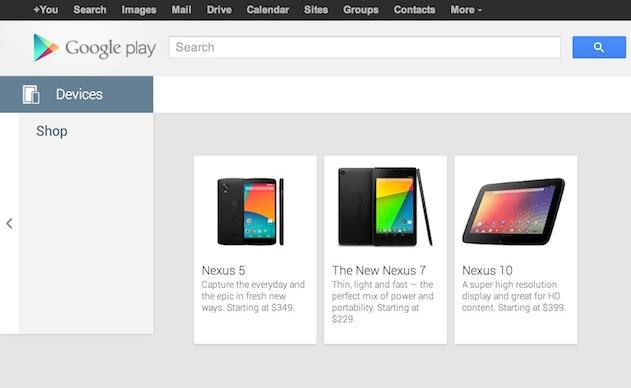
    Google’s much awaited next generation Nexus phone, Nexus 5 has made an official online appearance on the Play Store.

    This is something official and not a leak, as it was found on the Google Play Store, as the phone was listed on the Play Store might be accidentally or Google wants people to keep on talking about the Nexus 5. The listing of the Nexus 7 was with a price tag of 349 USD for the 16 GB Nexus 5, but after sometime Google removed the listing on the Play Store.

    play store

    Previous leaks have showed that the device will feature a new 1080p 4.95-inch display, 2.3 GHz Snapdragon 800. However, this information from Google got everyone a glimpse of how the phone looks like and even an idea of what could be its price, at 349 USD which is approximately 21500 INR this phone can be a success when it lands up to the Indian market. The company might globally launch the device on 28 October. The source link below shows the listing for the device but as said the Nexus 5 listing is been removed from the Play Store for some reason.

    [via]

  • Acer C720 Chromebook Will Be Available Starting Today Priced at 22999 INR

    Acer C720 Chromebook Will Be Available Starting Today Priced at 22999 INR

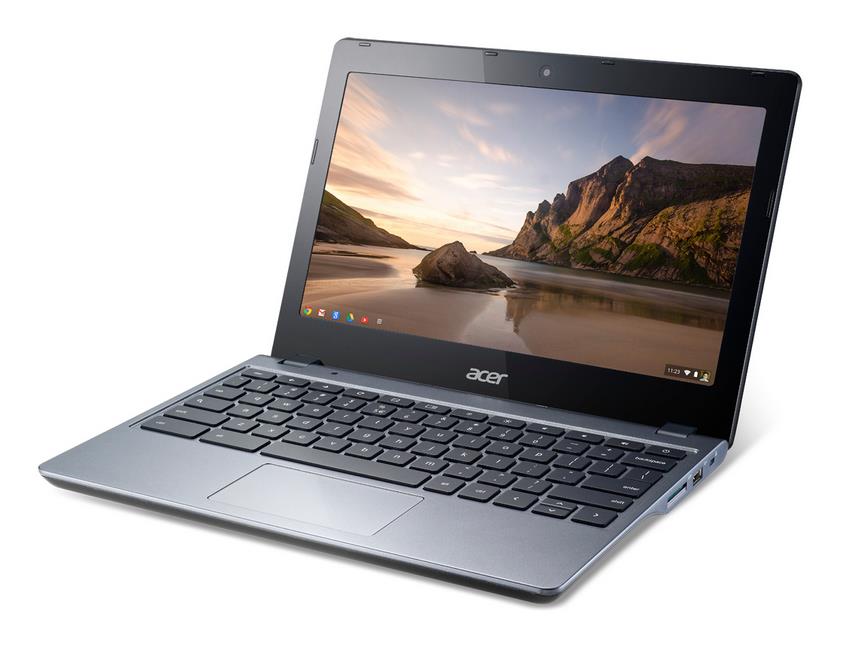
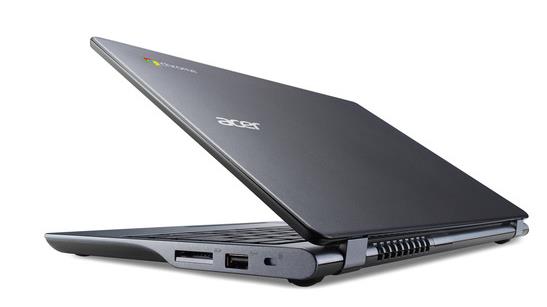
    The Acer C720 Chromebook was launched last week by Acer, and will now be available in Mumbai and Delhi from 17th October onwards. The Chromebook is mainly targeted at consumers in the home and education segment, the device boots in less than 7 seconds and comes with a matte anti-glare display, this is what the company claims. 

    chromebook 1The battery on the Chromebook runs for upto 8.5 hours, and the C720 also features a 2 GB DDR3 RAM. The Acer C720 Chromebook keeps data safe when the device is used by multiple users, such as for collaboration in the classroom and for projects for home, school or work. The device features a 16 GB SSD out of which 10 GB is user available and users get a 100 GB storage on Google Drive, for which the company claims will protects files, documents, and photos safely in the cloud, and ensures that the most current version is always available. Users will also be able to access files offline, and even open and edit MS Office documents as well as Google Documents.


    The Acer C720 is a significant step forward for our highly-acclaimed Acer Chromebook line, as it delivers speedy performance, quick boot times, a matte anti-glare display and a slimmer design that is portable enough for anywhere use,” said Mr. S. Rajendran, CMO, Acer India. “Thesekey advances allow families and students to continue collaborating, learning and playing in exciting ways, all while staying secure since Chrome OS includes multiple layers of protection from online threats.”


    Chromebooks are designed to make computing faster, simpler and more secure for everyone, and we’re delighted that we can now bring this experience to India. Chromebooks have become the go-to laptop for many people around the world and if you love using Chrome on your PC, you’ll get going on a Chromebook in seconds”, said Mr. Caesar Sengupta, Vice President, Product Management, Chrome OS.

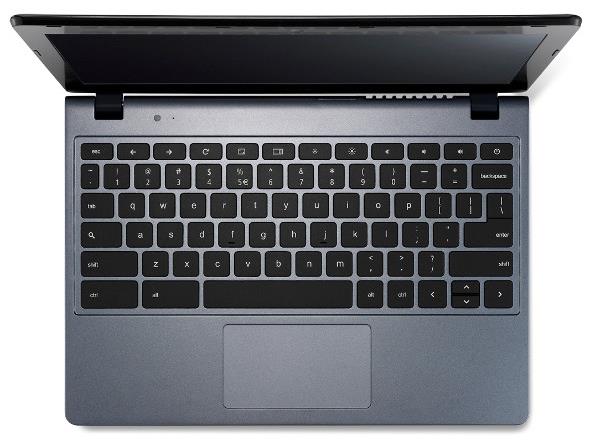
    The Acer C720 includes a full-sized keyboard, and the device weighs 1.25 kg. The Chromebook Acer C720  features a 29.5 cms (11.6 inches) ComfyView™ HD  display with a 1366 x 768 resolution. The Acer C720 also have an integrated HD webcam. The Acer C720 can connect to various electronics devices such as camcorders, digital cameras and smart phones via USB 3.0 port as well as a USB 2.0 port. The device also has an HDMI port for pushing video and content to external displays and HDTVs. The Chromebook also features a SD card slot.


    Intel has a long history of developing compelling products for client computing while enabling new and innovating operating systems. We would like to congratulate Acer on the launch of their Chromebook using Intel processors based on the Haswell microarchitecture. The launch of the Intel processor based Chromebook demonstrates our ongoing work to ensure Intel architecture is the platform of choice for customers and we continue to provide a spectrum of experiences to the end-user” said Sandeep Aurora, Director of Marketing & Market Development, Intel South Asia.

    Acer C720

    The Acer C720 has been launched with a retail price of only Rs. 22,999 in India. Company has introduced financing schemes and some internet packages from various providers.


    [toggle title=”Press Release “]Mumbai, India, October 17th, 2013: The much-awaited Acer C720 Chromebook, which was launched last week by Acer, will be available exclusively at select Croma and Reliance Digital outlets in Mumbai and Delhi from 17th October onwards. Targeted at consumers in the home and education segment, the Haswell-based Acer C720 Chromebook is lightweight, performs faster, boots in less than 7 seconds and comes with a matte anti-glare display.

    Consumers can begin their online fun, research and social networking quickly with the Acer C720 Chromebook. The battery keeps consumers productive for up to 8.5 hours, ideal for all day productivity and fun. Consumers can power through web pages and docs, and will also enjoy fluid HD video and apps with the support of up to 2GB of DDR3 memory.
    “The Acer C720 is a significant step forward for our highly-acclaimed Acer Chromebook line, as it delivers speedy performance, quick boot times, a matte anti-glare display and a slimmer design that is portable enough for anywhere use,” said Mr. S. Rajendran, CMO, Acer India. “Thesekey advances allow families and students to continue collaborating, learning and playing in exciting ways, all while staying secure since Chrome OS includes multiple layers of protection from online threats.”

    “Chromebooks are designed to make computing faster, simpler and more secure for everyone, and we’re delighted that we can now bring this experience to India. Chromebooks have become the go-to laptop for many people around the world and if you love using Chrome on your PC, you’ll get going on a Chromebook in seconds”, said Mr. Caesar Sengupta, Vice President, Product Management, Chrome OS.
    Multiple layers of security features including data encryption and verified boot defend the Acer C720 Chromebook against online threats, malware and viruses. The Acer C720 Chromebook also keeps data safe when the device is used by multiple users, such as for collaboration in the classroom and for projects for home, school or work. Storage on Google Drive protects files, documents, and photos safely in the cloud, and ensures that the most current version is always available. Consumers can also access files offline, and even open and edit MS Office documents as well as Google Documents.

    “Intel has a long history of developing compelling products for client computing while enabling new and innovating operating systems. We would like to congratulate Acer on the launch of their Chromebook using Intel processors based on the Haswell microarchitecture. The launch of the Intel processor based Chromebook demonstrates our ongoing work to ensure Intel architecture is the platform of choice for customers and we continue to provide a spectrum of experiences to the end-user” said Sandeep Aurora, Director of Marketing & Market Development, Intel South Asia.

    The new Acer C720 includes a full-sized keyboard, so consumers can comfortably create and edit documents and spreadsheets. The device weighs only 1.25 kg, making it easily portable device in a backpack or bag. The slim and sleek size of the Acer C720 provides for a vibrant 29.5 cms (11.6 inches) ComfyView™ HD display with a 1366×768 resolution that keeps websites, images and video crisp and clear. The Acer C720’s integrated HD webcam delivers sharp and detailed images and rich color saturation.

    The Acer C720 connects to popular consumer electronics devices such as camcorders, digital cameras and smart phones via its fast USB 3.0 port as well as a USB 2.0 port. It also has an HDMI port for pushing video and content to external displays and HDTVs. In addition, consumers can easily access their content at home or on the go – with 100 GB of free storage on Google Drive for two years. By visiting the Chrome Web Store users can customize their Acer C720 Chromebook with applications for work or play. Other media and files can also be accessed through the SD card reader.

    Pricing, Availability and Warranty
    The Acer C720 has been launched with 2GB of memory and a 16GB SSD at a retail price of only Rs. 22,999 in India.
    Acer has introduced some unique offerings for the benefit of consumers. With Easy Financing schemes from Bajaj Finance at nominal processing fee, owning an Acer C720 is simple and easy. The consumers will also benefit from Acer’s hassle-free customer service & support as the Acer C720 comes with a 2 year warranty.
    Users can also enjoy high speed wireless connectivity on their Acer C720 through exciting data bundle plans by Airtel and Tikona, the service is only available in selected locations depending on the service provider. At just Rs. 2499, consumers can opt for a free Airtel 4G dongle worth Rs 1500 with monthly 10 GB data for 2 months, or choose a free Airtel 3G dongle worth Rs. 1299 along with monthly 6 GB data for 3 months. Consumers desiring broadband connectivity at home can get a free 4 mbps speed Tikona home broadband connection of 8GB data with a validity of 45 days or 100 GB data with a validity of 20 months at just Rs. 3499. Consumers can also receive a free Wi-Fi router along with 100 GB data with a validity of 20 months at just Rs. 4999.
    All Acer C720 Chromebooks are backed by toll-free service and support.

    About Acer
    Established in 1976, Acer is an information and communication technology company dedicated to the research, design, marketing, sale and support of innovative products that enhance people’s lives. Acer’s green supply chain delivers environmentally friendly PCs, displays, projectors, servers, tablets and smartphones — tools our customers need to explore beyond limits and experience more. Ranked No. 3 for notebooks globally (IDC 2012), Acer employs 8,000 people, and 2012 revenues reached US$14.7 billion. Please visit www.acer.co.in for more information.

    © 2013 Acer Inc. All rights reserved. Acer and the Acer logo are registered trademarks of Acer Inc. Other trademarks, registered trademarks, and/or service marks, indicated or otherwise, are the property of their respective owners.[/toggle]
  • Pros and Cons of Buying a Google Chromebook in India

    Pros and Cons of Buying a Google Chromebook in India

    -By Rohan Naravane

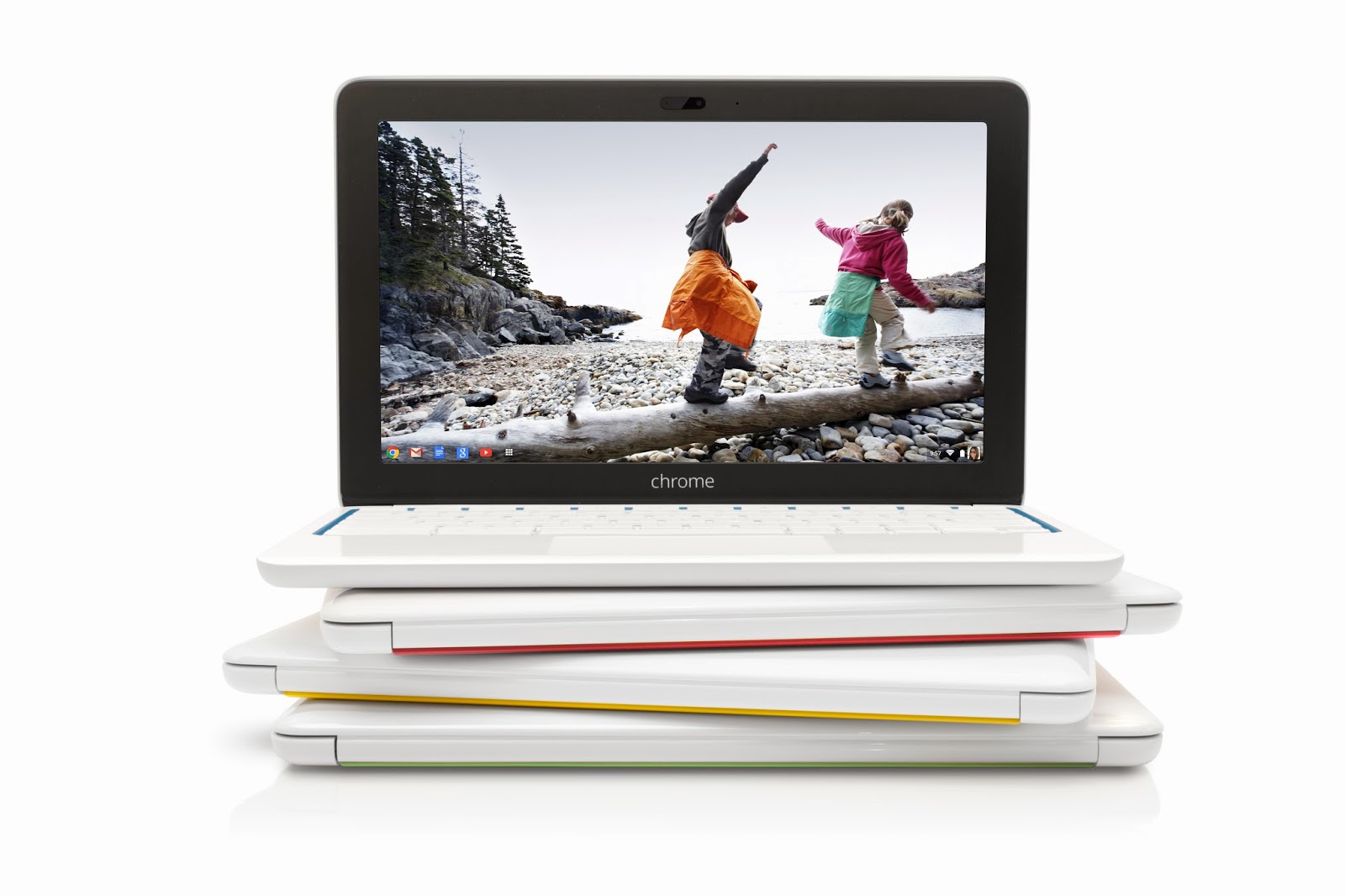
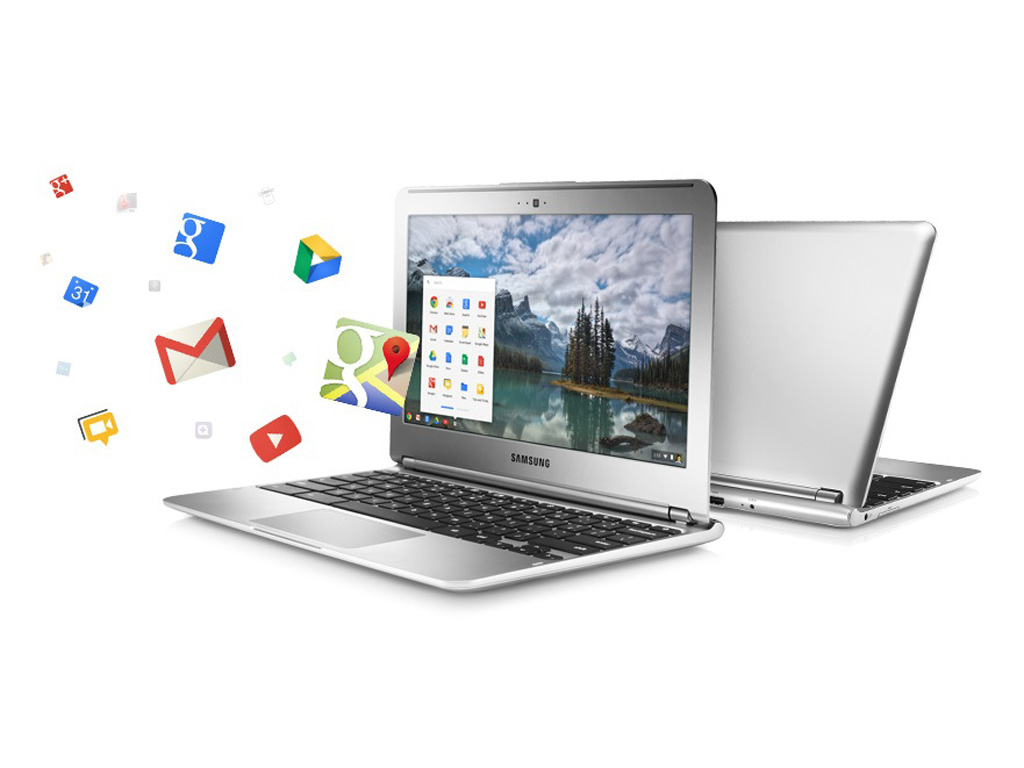
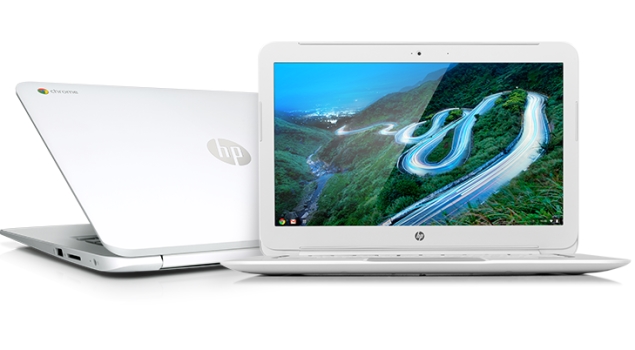
    Google announced the launch of their cloud-centric ChromeBooks in India. Two models; namely the Acer C720 and HP Chromebook 14 are going to be sold via select outlets of Croma and Reliance Digital and online via Flipkart.com. Priced at Rs. 22,999 and Rs. 26,990 respectively, these will go head-to-head with a variety of traditional Netbooks and Laptops available at those price points. With respect to hardware, they’re almost similar but instead of running Windows or Linux as their OS, they run Chrome OS. Chrome OS is a lightweight Linux-based Operating System designed to work purely with web applications. That means, there are very few ‘native’ apps baked into the OS; most of the work you’ll do is online, powered by the built-in Chrome browser. So, what are the Pros and Cons of buying a Chromebook in India over a regular laptop? 

     google-chromebook

    Pros of a Google Chromebook:

     
    • Instant Boot: Chrome OS strips many of the unnecessary processes that a typical computer goes through when you power it on. Thus, a Chromebook is able to typically boot up in about 10 seconds. This is pretty fast; considering a regular laptop running Windows or Linux may take as long as a full 30 seconds for the same. When you close the lid, the Chromebook goes into sleep mode. But when left unused for an extended period, it may shut off to save battery. The good thing is, when you start it again, it would be less agonising of a wait before you can get back to using it. 
     
    • Multi-user features: Chromebooks are designed to be shared. The multiple-login feature, that allows multiple users to keep their data and settings private, and the Guest mode that protects your data when somebody else is using it aren’t unique features as they’re available in other Operating Systems too. But one unique thing is — since very little data is residing on the Chromebook itself, when you log into your Google account on any Chromebook, your desktop, shortcuts, wallpaper…basically everything you personalised shows up the way you left it on any other Chromebook. 
     
    • Virus Protection and Auto Updates: Chrome OS is fairly immune to viruses as it is based on Linux, which by itself has been reasonably virus-free as compared to Windows. Beyond that, Google has baked in the Verified Boot, which stores the initial booting code in read-only memory, so a malicious app cannot take over when your Chromebook boots up. Then there’s the Trusted Platform Module (TPM); a specialised chip that serves hardware-based authentication. Also, all the apps installed from the Web Store run in a sandboxed mode, which means a malicious app cannot mess up the core of the OS. Finally, since there aren’t any apps natively installed in Chrome OS; web-apps by default run their latest version. And Chrome OS updates by itself; much like how the Chrome browser does on other Operating Systems. 
    hp-chromebook-14-635 

    Cons of a Google Chromebook:

     
    • Cannot use native applications: Because Chrome OS is a Linux-based OS that boots into the Chrome browser, there’s no scope for installing native applications. So, if you need to use Tally, Photoshop, MS Office, Skype or any other typical applications people use on computers, beware that you cannot install them on a Chromebook. Sure, you can use web-based alternatives to these apps that may be available on the Chrome Web Store, but they may not provide you with the kind of usability you’re used to. 
     
    • Can’t use Printers and Scanners in a Typical fashion: Google promotes the use of ‘Cloud Print’ with their Chromebooks. What this means is, you’ll need to have a Cloud Print Ready Printer , or have a printer connected to a computer with Internet and Chrome browser installed with Cloud Print set up, to be able to fire a Print from your Chromebook. So, although you may have noticed the USB ports on that Chromebook, you can’t simply plug it in and print or scan, like you can on a regular computer. 
     
    • Can’t store a lot of files locally: Many Chromebooks (especially the ones mentioned above) come with a 16GB SSD as the primary storage. Out of this, roughly 10GB is available to the user. So, if you intend to tank up the Chromebook with photos, videos, music and other big files, you’ll be running out of space pretty soon. Then again, the concept of Chromebook involves you not having to store anything locally, but rather store it on the Internet (Google offers 100GB of cloud storage complimentary for the first two years). In comparison, typical laptops in its price range come with an ample 500GB hard disk that you can fill up to your heart’s desire. 
     
    • Can’t use discs: Chromebooks don’t come with optical drives, nor do they support external ones that connect over USB. If you require to use CDs and DVDs from time to time, the Chromebook is a no-go for you. 
     
    • It needs the Internet to work (most of the time): Although Chrome OS has supports apps to work offline, the crux of the matter is that your content is still online. With the puny 10GB internal storage, most of us possibly cannot have everything we need stored in that much space. So, to retrieve something, the Chromebook is going to need the Internet. And in a country like India where easy-to-connect, open WiFi networks are non-existent, it could be cumbersome when you’re out in the open. Sure, you can use a 3G dongle, but then be prepared to incur the expenditure to access every file that could have just resided on a typical computer. 


    Weighing the Pros and Cons suggests that the Chromebooks are suitable only to a certain type of audience — the kinds who are assuredly going to have Internet omnipresent, and for whom the only application they use on a computer is the web browser. Some people argue that Chromebooks aren’t meant to replace computers; rather serve as inexpensive 2nd computers. Compared to their cost in the US, the Chromebooks launched in India are being sold good 25 to 35 percent higher. In fact, their India pricing is at par with traditional laptops from the same manufacturers. This makes a tough case for Chromebooks to the Indian consumer. But even if it got cheaper, would you want to get one? Or are you not yet ready to migrate to a cloud-only computer? 


    Rohan Naravane manages the content for PriceBaba.com. He is usually found rambling tech on Twitter @r0han.

  • Price Drop: First Generation Nexus 7 WiFi 16 GB Available For 8999 INR

    Price Drop: First Generation Nexus 7 WiFi 16 GB Available For 8999 INR

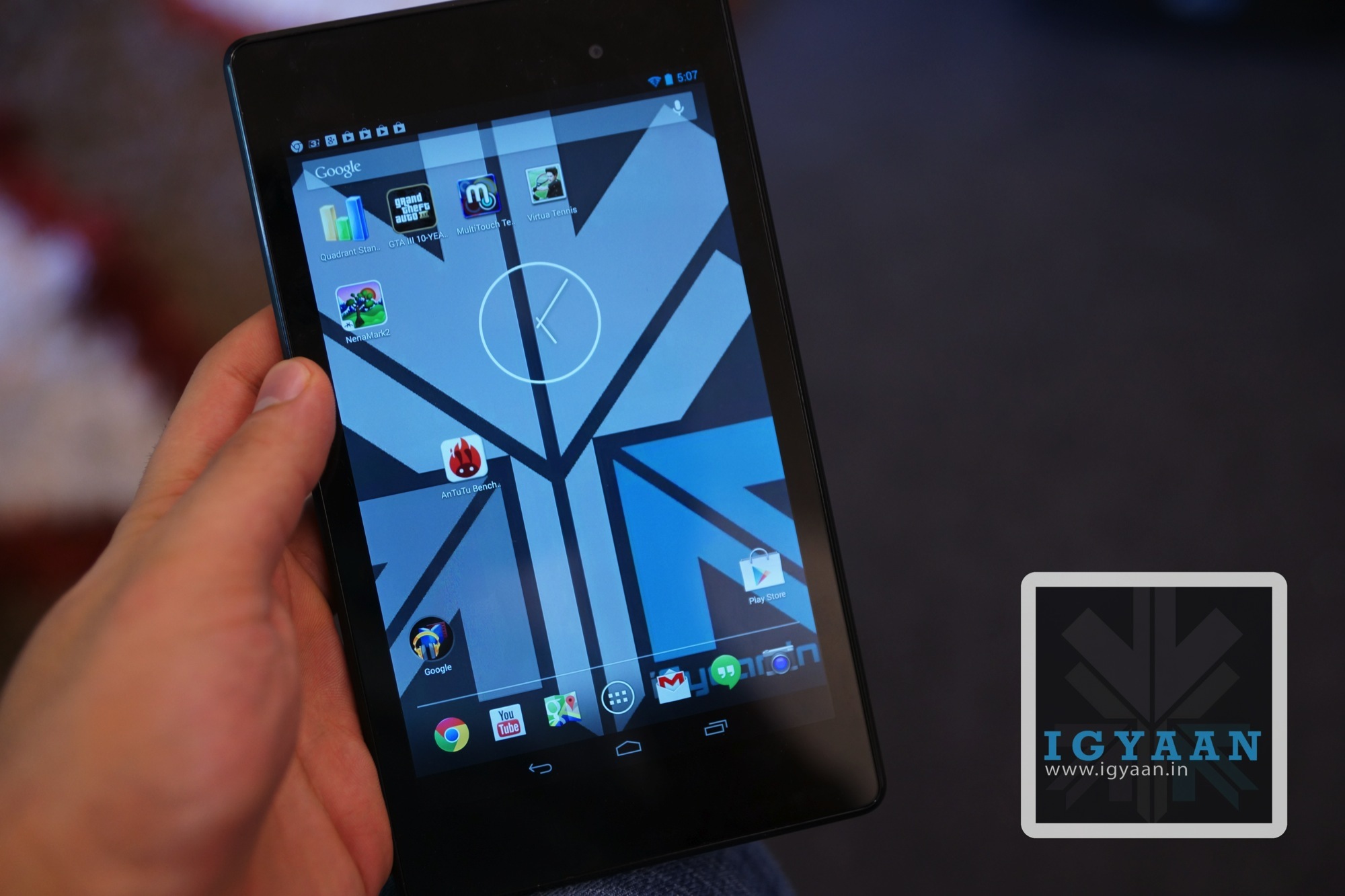
    Nexus 7 has always been a much desired tablet for everyone, the device was launched at a price of 15999 INR. The Nexus 7 features a 7 inch HD display with a 216ppi and is now available at a price of 8999 INR on Flipkart.com.

    The Wifi only 16 GB is priced 8999 INR whereas the other models like the WiFi 32 GB is priced at 11999 INR and the Nexus 7 WiFi and 3G 32 GB is now priced at 14999 INR.

    nexus 7

  • Google Maps Update For iOS Brings In-Line Route Previews, Tips and Tricks

    Google Maps Update For iOS Brings In-Line Route Previews, Tips and Tricks

    Google Maps For iOS might not have satisfied every user, but Google is constantly trying to improve its map on the iOS devices through updates often.

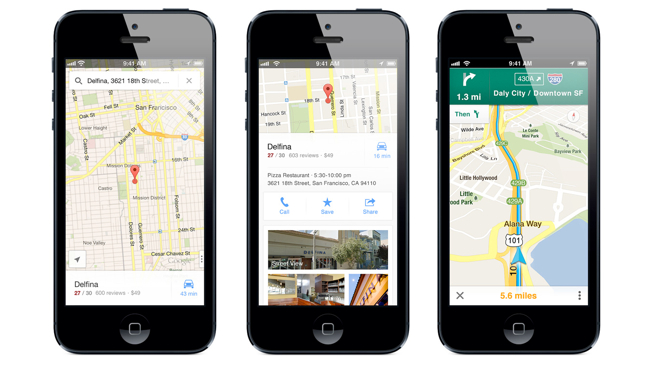
    The new release shows brief route previews with traffic overlays, which makes it easier and less complicated ways to get from one place to another. If you are not aware of how to use the Google Maps on the iOS devices you can also browse a new Tips and Tricks section for help.

    google maps

    The company also claims in the version 2.3.4 update release notes that the new version brings enhanced support for the Arabic and Hebrew languages (including voice commands and prompts) and bug fixes. The update is now available at the app store.

    [via]

  • Latest Chrome OS Update Brings Drag-and-drop Features For Touchscreens

    Latest Chrome OS Update Brings Drag-and-drop Features For Touchscreens

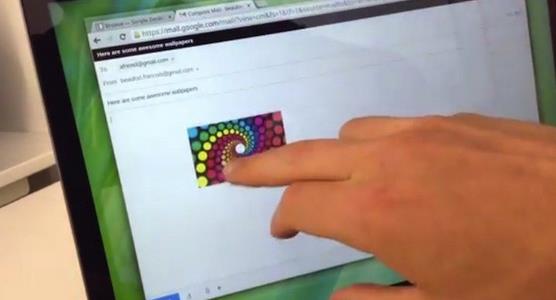
    The Chrome OS users have been enjoying the latest OS features and the touchscreen benefits since September. The latest update of the chrome OS, brings up touchscreen text selection and drag and drop support.

    The platform’s latest version also brings up a number of other changes including the ability to choose audio sources from the tray menu and the addition of on-by-default Quickoffice editor for Word and Excel. Users can now also check their connection using a diagnostics tool and share folders and files direct from the File app. If you’re using any Chrome OS device, you can expect to get the OS 30 update in few days from now.

     Some highlights of these fixes are:

    • Audio source selector in the tray menu
    • Quickoffice (Beta) editor for Word & Excel files on by default
    • Improved UI for release channel switcher – owner accounts 
    • Touch enabled text selection on touch devices
    • Touch enabled drag and drop on touch devices
    • Connectivity diagnostics tool enabled on the Chrome offline page
    • Ability to share folders and files from Files app
    • Better sandboxing for Native Client
  • Leaked Video: This is How Nexus 5 Looks Like, Epic Sunday Treat!

    Leaked Video: This is How Nexus 5 Looks Like, Epic Sunday Treat!

    Leaked information, specifications and other details are spinning in the rumor mills for the Nexus 5 from a couple of days now. Just a day before we saw an image for the Nexus 5, which shows the Nexus 5 revolution and now what has leaked out is a video showing almost everything for the Nexus 5.

    The seven minute video shows the device from all angles as well as running various applications but without any sound. The phone showed in the video is very much similar to what we all have seen in the leaked images, the android version on the device is showed as Key Lime Pie which seems a little strange at the first glance but the description of the video clearly says that this video was recorded when the software of the phone was in the earlier stage. 

    nexus 5

    However, the rumored specifications of the Nexus 5 are a 4.95 inch full HD IPS LCD display, supposedly the device will be powered by a 2.3 GHz Quad-Core processor with a Snapdragon 800 chipset along with a 2 GB of RAM, 8 MP camera, a 1.3 MP front facing camera. The device is believed to be run on Android 4.4 KitKat.

    This is a leaked video, so people anxiously waiting for the device can calm down as the official news should not be away!

  • Google Play To Feature “Designed for Tablets” Apps Section From November 21st

    Google Play To Feature “Designed for Tablets” Apps Section From November 21st

    In an obvious move that should have coincided with the release of the Nexus 10 last year, Google plans to make ‘Designed for tablets’ the default view for tablet users browsing the Play Store.

    Starting on November 21st, users will find their app selection limited to just those apps that have been optimized for large-screen usage. Non-tablet apps will still be downloadable, but will have the caption “Designed for phones” appended to its Play Store release.

    Android tablet users can of course still switch views so they can see all apps or games. Yet Google is clearly confident enough now that there are enough tablet apps out there to make bring the section to the forefront.

    Google claims that over 70 million Android tablets have been activated, though it’s unclear how many of them are still being used or capable of running modern apps and games. Many Android tablets have substandard hardware and older versions of Android that render them incapable of performing optimally with tablet-optimized apps.

    At the same time, companies are weary of spending time and resources creating tablet-optimized apps. Though the number has exploded — 70 million activations sounds like a great number — substantive data continually shows Android behind iOS in terms of actual usage. Building great tablet apps should bridge that gap somewhat, but Google needs to ensure that the experience is consistent throughout its ecosystem, on any number of screen sizes and resolutions.

  • Google Chrome Saves Sensitive User Data In Plaintext

    Google Chrome Saves Sensitive User Data In Plaintext

    Google Chrome browser may be storing sensitive data in such a way that it would be relatively easy for a malicious third party to dig it up and steal your identity, among other things.

    Security researchers at Identify Finder said they performed a series of deep scans on several employee computers using the latest version of Sensitive Data Manager (SDM). The scans revealed a bunch of Google Chrome SQLite and protocol buffers storing user information such as names, addresses, email addresses, phone numbers, bank account info, credit card details, and even social security numbers.

    “We confirmed with each employee that sensitive data, such as social security and bank account numbers, were only entered on secure, reputable websites,” claims Identity Finder.

    The data is not protected in the cache, which means that anyone with access to it can extract the information. This does not necessarily mean local access, as malicious software running on a user’s computer, and even social engineering, may yield the same results.

    Handing over the computer to a computer repair shop, sending it in to the manufacturer, or selling it may provide third parties with access to sensitive information stored by the browser.

    Google Chrome is the world’s third most popular web browser with a 16% market share; Firefox has a 19% share and Internet Explorer holds a 58% share, according to Net Applications.

    This is the second finding of a profound Chrome shortcoming in three months. Last July, NSS Labs analyzed the privacy mechanisms built into Internet Explorer, Firefox, Chrome and Safari and found Chrome offering the poorest privacy protection.

    A statement by Google on The Verge reads : 

    Google Chrome is the most secure browser and offers you control over how it uses and stores data. Chrome asks for permission before storing sensitive information like credit card details, and you don’t have to save anything if you don’t want to. Furthermore data stored locally by Chrome will be encrypted, if supported by the underlying operating system. For example, Chrome OS encrypts all data stored locally by default. We recommend people use the security measures built into their operating system of choice.

  • Report : Google TV To Be Rechristened As Android TV

    Report : Google TV To Be Rechristened As Android TV

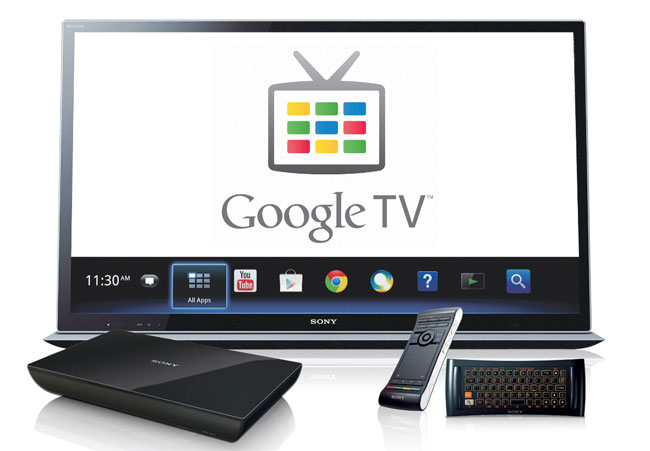
    There’s a new report coming out this evening, via GigaOM, that the next generation of Google TV devices are going to get rebranded as Android TV. GigaOM is also reporting that OEMs are producing new Google TV have been informed them that Google is officially changing the branding to Android TV for the next round of products hitting the market.

    The report also mentions that LG may be planning to update its Google TV hardware to Android 4.2 sometime in October, with other manufacturers to follow in the coming months. Google TV is currently based on Android 3.2 Honeycomb, which is obviously a few versions behind the Android 4.3 software that some of the latest Android phones and tablets are running.

    Despite the fact that a number of manufacturers have thrown their support behind Google TV with products like set top boxes and televisions, the platform never really seemed to gain much traction with consumers.

    It will be interesting to see if the brand change from Google TV to Android TV has any impact on the adoption of the platform, and whether this will help manufacturers to increase sales of these Android powered set to boxes.

    This follows sources who spoke to the Wall Street Journal earlier this month about a set-top box Amazon reportedly has in the works, an effort of its own to better position its streaming Prime instant video service and library of digital videos in consumers’ living rooms.

  • Nexus 5 Images Leaked Again: Nexus 5 Revolution Be Ready

    Nexus 5 Images Leaked Again: Nexus 5 Revolution Be Ready

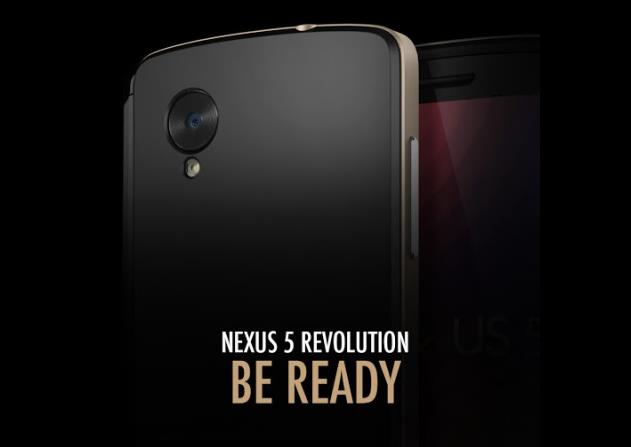
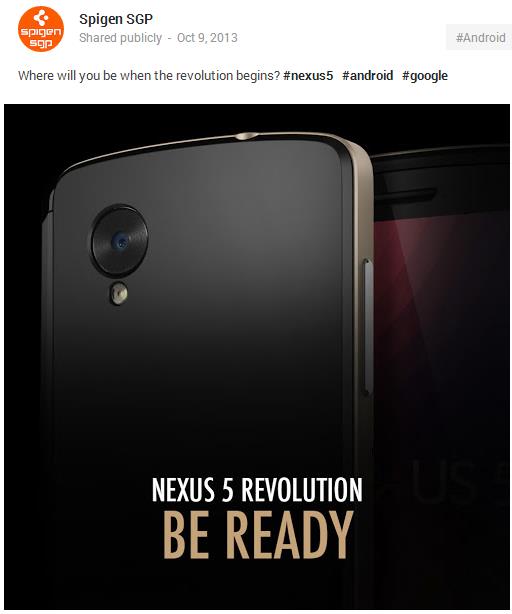
    Case maker SPIGEN leaked the Nexus 5 images yet again with a photo showing back of the device. The recently leaked image shows the large camera sensor at the back of the device which is supposedly a 8 MP camera as per the manual that leaked out previously.

    According to an earlier leak by SPIGEN, the Nexus 5 will launch on October 31, but the latest information shows October 30 is the date. Earlier this month, the rumored Nexus 5 showed up with leaked battery, pricing and storage details. The report showed us that the 16 GB Nexus 5 model will supposedly be priced at $299, while the 32 GB Nexus 5 might be priced at $399.

    nexus 5

    However, the rumoured specifications of the Nexus 5 are a 4.95 inch full HD IPS LCD display, supposedly the device will be powered by a 2.3 GHz Quad-Core processor with a Snapdragon 800 chipset along with a 2 GB of RAM, 8 MP camera, a 1.3 MP front facing camera. The device is believed to be run on Android 4.4 KitKat. While these are some leaked specification, the official news should not be away. Stay tuned!

    [via]


  • Rumour : Next Version Of Google Hangouts To Replace Stock Messaging App

    Rumour : Next Version Of Google Hangouts To Replace Stock Messaging App

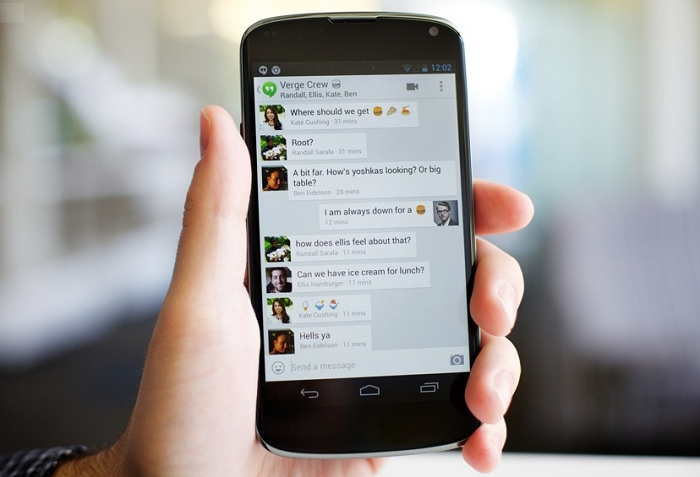
    The next version of Google Hangouts for Android will likely replace the stock Messaging app with a single, unified Hangouts version that detects whether the respondent is also using Google’s new multi-platform chat-and-conference service, and if so will send the message over data, and if not will send it via SMS.

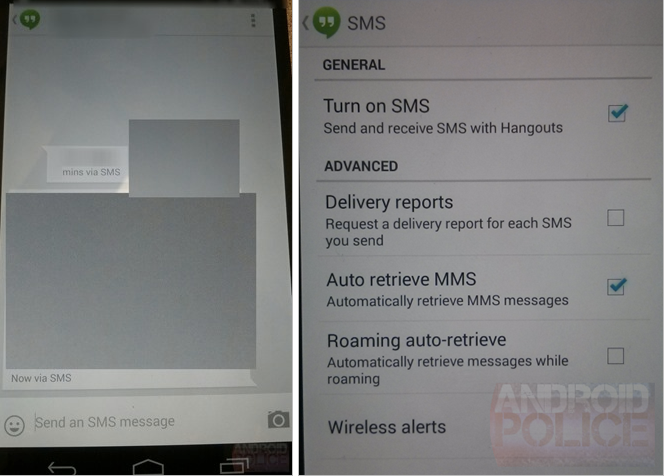
    The revelation was made by Android Police who, after hearing rumours of the service consolidation in Android 4.4 KitKat, received some pretty convincing screenshots showing Hangouts sending messages “via SMS.”

    hangouts

    Messages sent via SMS will show “via SMS” next to the timestamp so that you can always figure out the protocol used for each message delivery. You can request delivery reports for sent SMSes – a feature that is part of the SMS protocol that some of you may be using regularly.

    The fundamental question is whether this will be an Android 4.4-only thing, and how it will work with previous versions. It’s not like Google can update Play Services and all of a sudden hundreds of millions of Android users have a single, unified SMS app. More likely, Hangouts, like many third-party SMS apps, will ask to become the “default” and take over the role of the stock messaging app. Nexus devices will probably receive an update to remove the legacy Messages app and go forth with just Hangouts.

    Guess we’ll have to wait and see!

    [Via]

  • Google in Talks With DTH Providers To Bring YouTube on Television

    Google is planning to get into Indian televisions as Google is reportedly in talks with direct to home cable providers to bring its very own YouTube service to televisions screens in India.

    Every month over 6 billion hours of videos are viewed on YouTube, whereas 100 hours of videos push their servers every minute. The company believes that by collaborating with DTH providers, TV makers or the device manufacturers, people can access YouTube on every possible screen like mobile, tab, PC, and TV.

    The Global Director Francisco Varela declined naming the DTH providers they were in talks with, but mentioned that the company was seeking a tie-up as soon as possible. Access to DTH subscribers would certainly increase viewership for YouTube and this already is a key factor in the company’s digital marketing and advertising cost. 


iGyaan Network
Privacy Overview

This website uses cookies so that we can provide you with the best user experience possible. Cookie information is stored in your browser and performs functions such as recognising you when you return to our website and helping our team to understand which sections of the website you find most interesting and useful.