Category: iGyaan

Everything Exclusive to iGyaan

  • Unboxing and Hands On : Samsung Galaxy On 5 and Galaxy On 7

    Unboxing and Hands On : Samsung Galaxy On 5 and Galaxy On 7

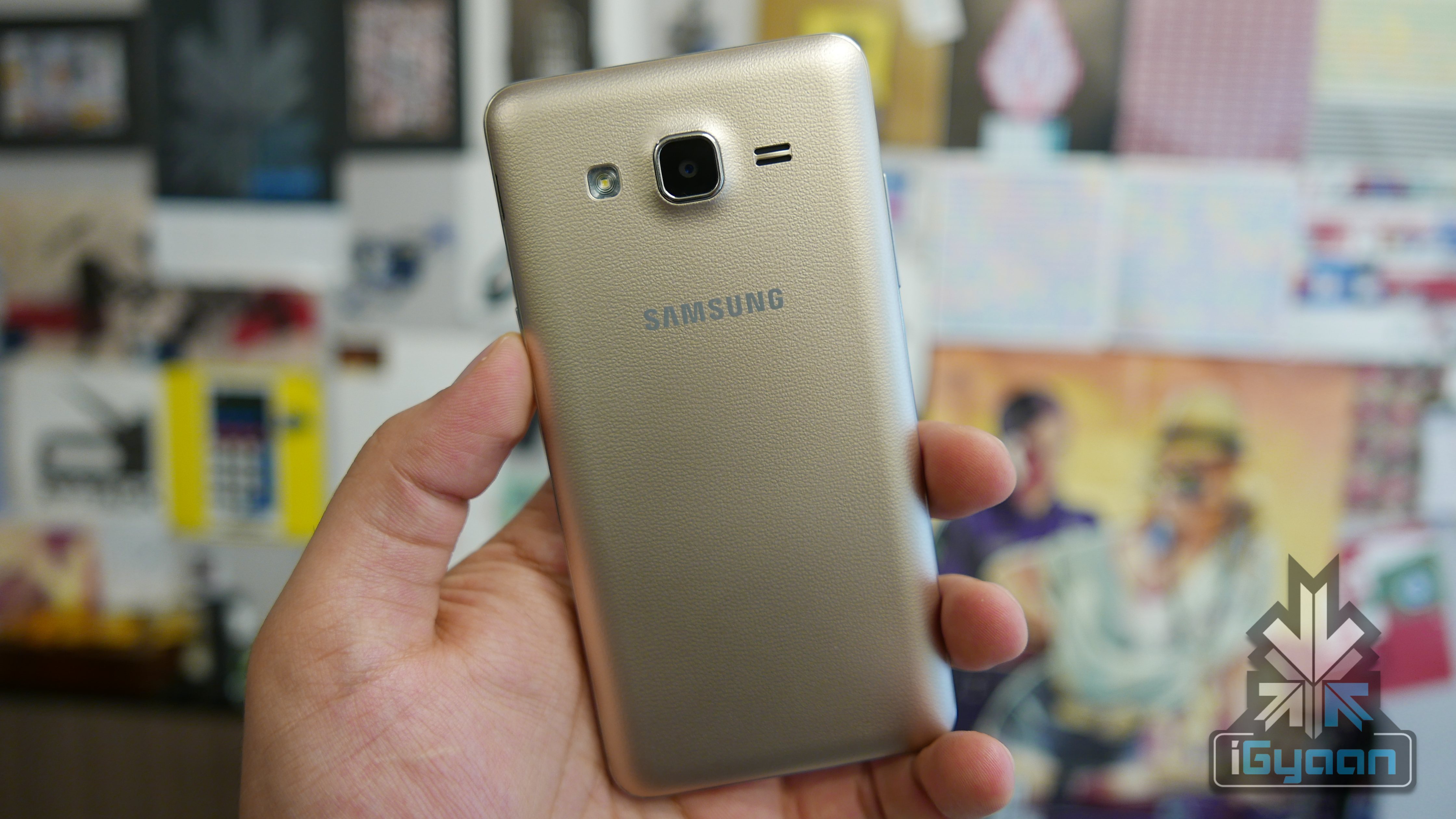
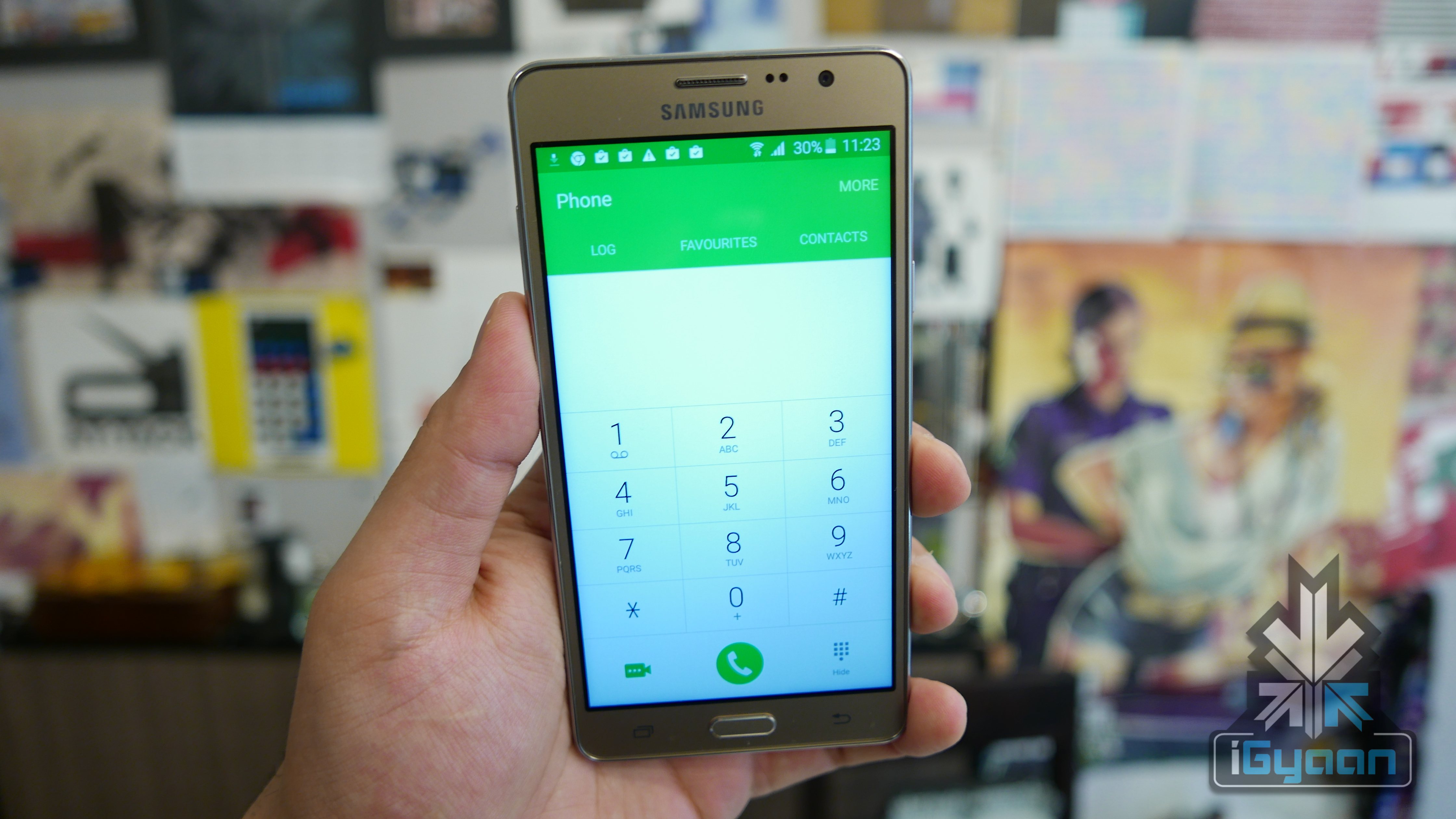
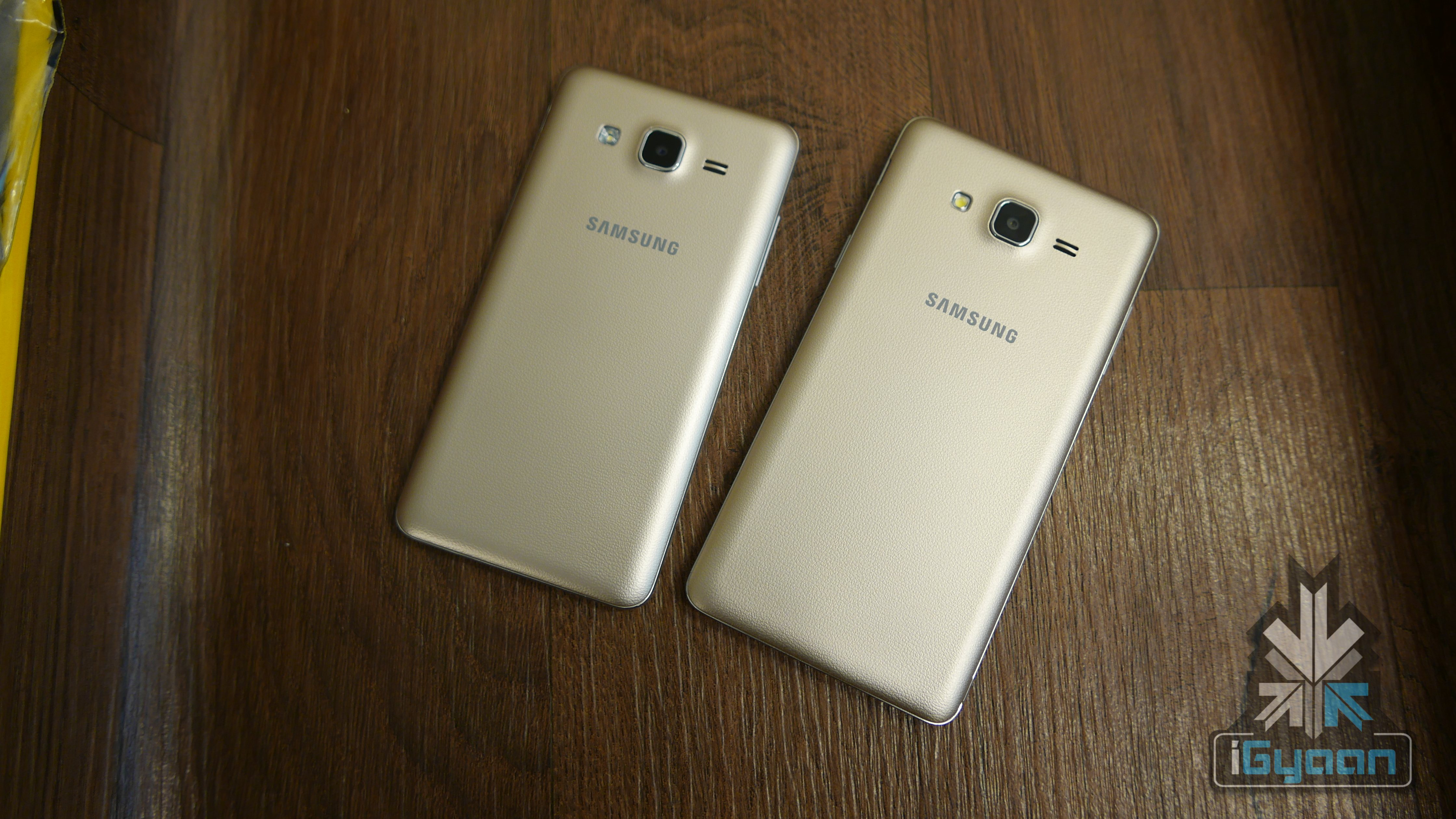
    Samsung has today launched two new handsets the On5 and the On7 in their ongoing efforts to take over the budget market. The handsets are not a lot different from their previous edition J series phones and appear to be identical in terms of design to last year’s design lineage for Samsung.

    The Samsung Galaxy On5

    The new Galaxy On5 is priced at Rs 7999 and is a younger sibling to the On7. While both handsets appear to be identical, there are a few major differences.

    The On5 has a Exynos heart with 1.3 GHz on the clock, along with 1.5 GB of RAM. The display has a resolution of 1280x720px on the 5 inch glass. The main camera is 8 MP and the front camera is a 5 MP both with f2.2 lenses and 1920 x 1080p video capture.

    Samsung Galaxy On5 iGyaan 7

    The back has a soft touch plastic that mimics leather in look. The phone is capable of taking two 4G enabled sim cards along with expandability of upto 128 GB. The inbuilt storage on the phone is 8GB.

    The UI is snappy and quick and not much more than you can expect from an Rs. 8000 phone. The camera app is also custom Samsung and offers many of the new app features, including PRO mode and quick launch.

    The Samsung Galaxy On7

    The On7 on the other hand has a larger 5.5 inch display albeit the same resolution at 1280 x 720p.

    The chipset is completely different as the On 7 uses a Qualcomm Snapdragon 410 which is clocked at 1.2 GHz on 4 cores. 1.5 GB of RAM and 8 GB of storage complete in internals. A 3000 mAh battery powers the On 7 vs the 2600 mAh on the On 5.

    Samsung Galaxy On7 iGyaan 6

    The camera on the back gets a bump up to 13 MP ( actually 12.8 MP) along with a slightly improved f2.1 lens. The front captures 5 MP stills and both cameras capture 1080p video.

    Samsung Galaxy On7 iGyaan 0

    The On 5 and On 7 are identical in design and looks and are completely made from plastic parts. The extensive use of plastic makes them lightweight, however, cheapish looking.

    With Micromax set to launch the next canvas tomorrow, waiting might be a good decision.


  • New Episode | While You Were Out

    New Episode | While You Were Out

    Here’s the latest While You Were Out Video.

    The stories we talked about today include the following:

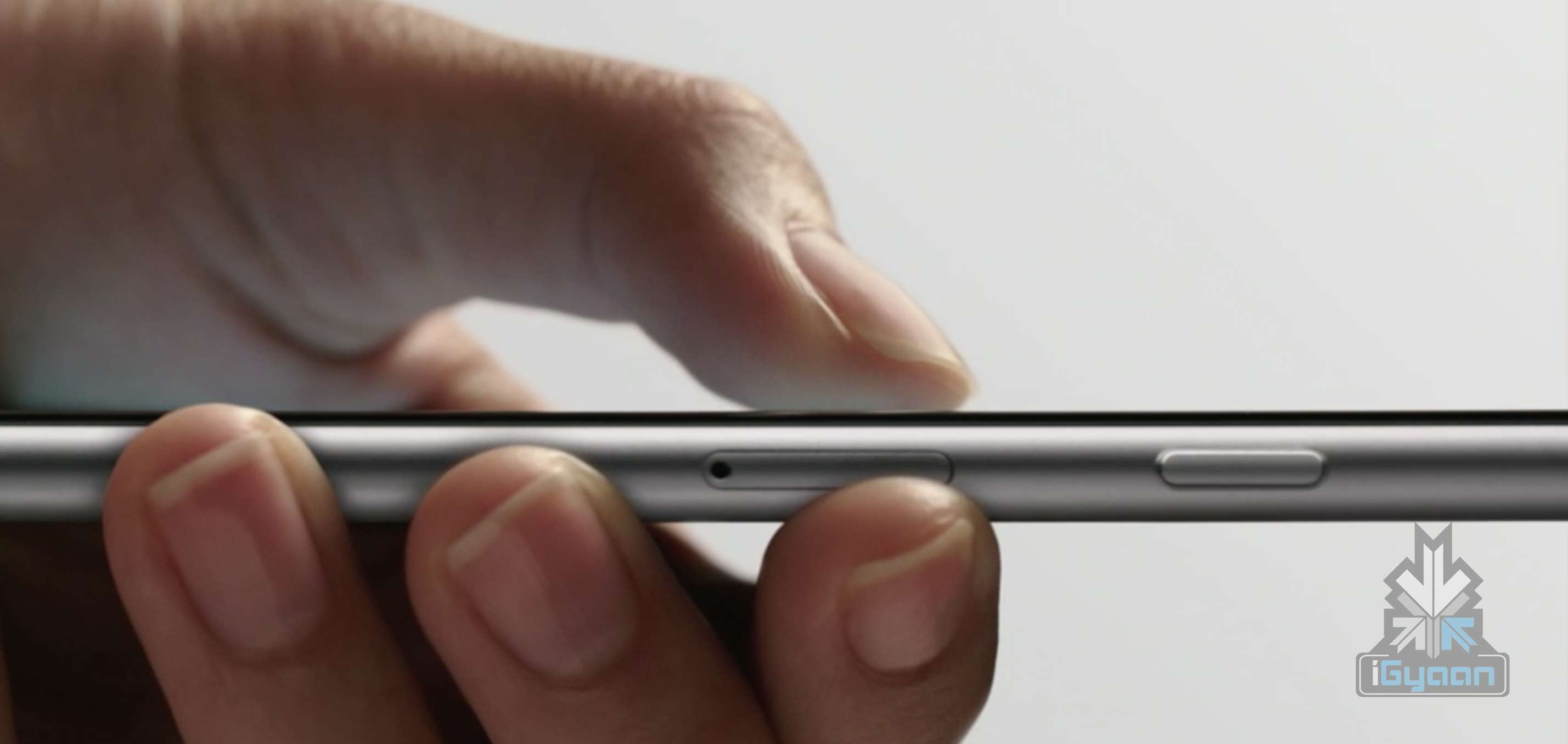
    1. Samsung and Xiaomi to introduce 3D Touch like technology in future devices: 3D Touch has been in news ever since the new iPhones came out last month. Now Xiaomi Mi5 and Samsung Galaxy S7 are expected to include the feature as well.

    2. The Apple Watch is set to arrive in India next month: Despite being globally launched as early as March this year, the Apple Watch is going up for sale in India on the 6th of November. Prices are expected to start from Rs. 35,000.

    3. Nextbit comes out with a cool new smartphone called Robin, a fully crowd-funded project: After having raised over $1.5 million on Kickstarter, Nextbit Robin is up for pre-orders in India. It’s currently marked at $399.

    4. Samsung launches two budget phones in China: Samsung Galaxy On5 and On7, expected to make their appearance in India early next month, have been launched in China. They are currently priced at $150 and $200 respectively.

    5. iPhone 6s arrives to a disappointing response in India: iPhone 6s sales has not seen the same enthusiasm as iPhones always witnessed in India. One of the main reasons for it could be the price which is almost Rs. 20,000 higher than its price in the US.

    If you have any tech related questions, leave them in the comments below or put them up on Twitter with the hashtag #WYWO .

  • Tips and Tricks to Survive With a 16 GB iPhone

    Tips and Tricks to Survive With a 16 GB iPhone

    So you have a 16 GB iPhone and you don’t really know why. You just do. Or you might be planning to go for the new iPhone 6s series, but you’re not sure whether a 16 GB storage is worth it. Well, even we don’t know why Apple hasn’t already killed off the 16 GB variant. But the fact is that they haven’t and there are people around the world who have to deal with living with a 16 GB iPhone.

    Moreover, it’s not really 16 GB, is it? It’s actually about 10 GB as Apple’s OS and pre-loaded apps like iBooks, Photo Booth and others eat up about one-third of your storage. So, considering all that, close to 10 GB is what you’re left with that you can actually call your own.

    With new technology comes new, faster ways to fill up your limited storage. A single graphic-intense game like GTA can take up 1-2 GB of storage. An HD movie can take up to 5 GB. So 16 GB users feel the storage blues at least once a month. But don’t worry, we’re here to give you some tips and tricks on how you can easily manage with your 16 GB device.

    1. HDR Comes With a Price

    If you have an iPhone 4 or higher, you have the ability to take amazing High Dynamic Range (HDR) images. Yes, the images are crisp and spectacular, but heavy on your storage. What HDR does is that it combines multiple pictures at different exposures and then combines them to give you one great shot. This is what makes the camera in your iPhone one to beat.

    But what HDR also does is that it saves the original picture as well, so that you can see and compare the detailing. Depending on whether the HDR has come out better or not, you can choose to keep the former and delete the latter, or vice versa. Either way, double photos take up double space, which is not good if you’re a 16 GB iPhone user. You can choose not to save your original photo if you know HDR images is what you want by going to Settings > Photos & Camera > Keep Normal Photo and unselecting it.
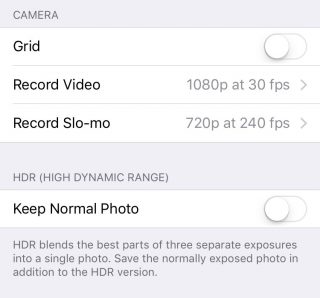
    HDR

    2. Thank God for Apple Music

    Say what you may about Apple Music, but it is definitely a godsend for 16 GB iPhone users. One of the major storage eaters is music. We tend to store a lot of music because we need it for our morning office trips, exercising, studying, everything. And we tend not to realise that in our excitement to store every new song that takes our fancy, we eat up that precious storage space.
    Along came Apple Music to save the day. The music streaming service that began three months ago lets you stream unlimited music and lets you add as many songs and albums to your library without taking a single megabyte.
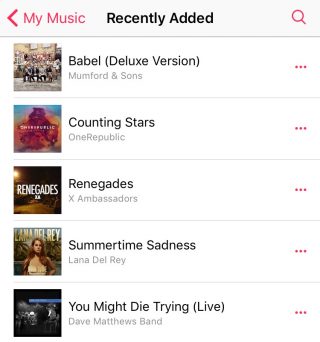
    Apple Music (4)

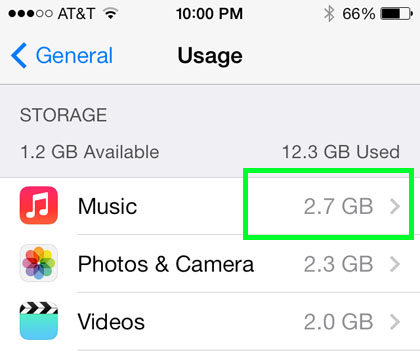
    To delete your stored music, head on over to Settings > General > Storage & iCloud Usage > Manage Storage > Music and left slide on artists you want to delete or delete them all together via All Songs. Once you’ve deleted all your songs, you can go nuts and start loading up your library with music from Apple Music that won’t leave a mark in your storage.

    3. Get Religious

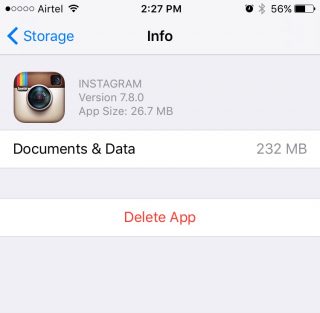
    iPhone users have to practice a specific religion. This religion requires you to check in on your storage every once in a while, see the apps that are consuming a lot of storage, delete them, and download the app(s) again.
    Storage-iPhone

    With a 16 GB storage, you can download any app you want. Go crazy with it as long as you remember to check back on them every once or twice a month. Apps like WhatsApp and Instagram take up a lot of space over time because of all media files that you end up downloading, or the hundreds of pictures you scroll through. When you find yourself approaching the 16 GB limit, head over to Settings > General > Usage > Manage Storage, find out whats bulking up and delete that app. You can always download the app again.

    4. Don’t Let Your iPhone Download Without Your Permission

    Apple tends to choose certain settings on your behalf. You may not even be aware of it until much later. One such setting is the Media Auto Download on WhatsApp, which is set on both Wi-Fi and Cellular by default. This means that any media file sent your way, be it in a group or individual, will automatically be downloaded to your media folder, whether you like it or not.

    WhatsApp-iOS (2)


    So, if you want to control the media you download, open WhatsApp and go to Setting > Chats and Calls > Media Auto-Download where you’ll find three separate options: Images, Audio and Video. You can then make the changes to each option accordingly.

    5. iCloud’s the Limit

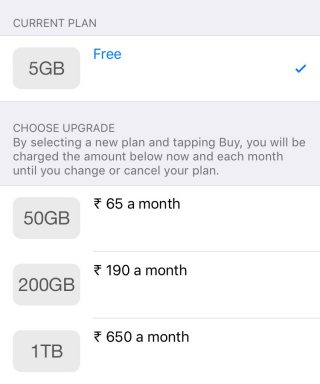
    The best way to beat storage woes is to pay for it. Along with the launch of iOS 9, Apple also bumped up the storage offered on iCloud as well as cut the prices of its plans. You can now get 50 GB of cloud storage at Rs. 65 ($0.99) per month, 200 GB at Rs 190 ($2.99) and 1 TB at Rs. 650 ($9.99). That comes to around Rs. 650 a year for a the base tier, which is not bad considering a 64 GB iPhone would cost around Rs. 10,000 more. You can purchase more storage by going to Setting > iCloud > Storage and click on ‘Buy More Storage’.
    iCloud

    To activate iCloud, all you have to do is go to Settings > iCloud and log in using your Apple ID. Once your Cloud is set up, you can choose the options like Photos, Mail, Contacts  and Calendars that you want stored in the Cloud. Next thing you’ll want to do is go to Photos via settings and turn on the ‘iCloud Photo Library’ option so that your entire library gets uploaded in iCloud.

    6. Stay Up-to-Date

    By this we mean always be on the latest update. iOS 9 has made some neat changes and the company has tried to focus on storage solutions more than ever before. Apple also introduced “app thinning”, which is a combination of enhancements that result in apps taking only as much space as they need in the moment. With this feature, developers are working on improving their apps so that it doesn’t take up unnecessary space.
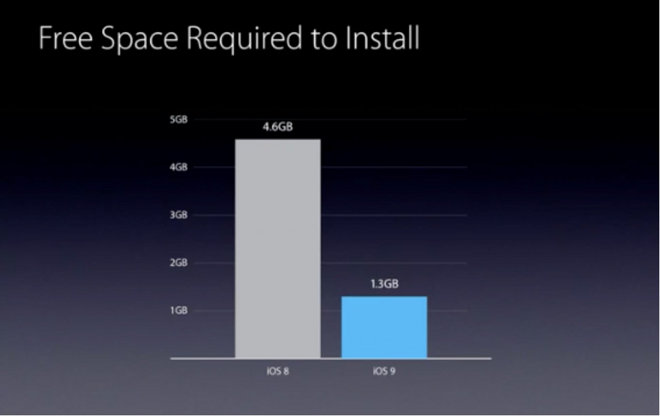
    Apple has also reduced the amount of storage space required by the iOS 9 OTA update from 4.6 GB to 1.3 GB. The difference won’t show in your storage, however. iOS 9 doesn’t free up storage for users, but it does make updating your iPhone easier with lighter files over the air.

  • Let’s Game | Episode 1 | Top 5 Favourite Games of All Time

    Let’s Game | Episode 1 | Top 5 Favourite Games of All Time

    iGyaan is here with a platform for all gamers in the country. With so many gamers, game developers and sellers in India, it is time to build a community dedicated to them.

    iGyaan launches ‘Let’s Game’ in collaboration with Motorola for all Indian gamers to come together. Find all other details in the video below.

    Subscribe to our channel to follow ‘Let’s Game’ and all that it has to offer. If you have any suggestions about what all ‘Let’s Game’ should be about, the content it should include and any other gaming-related topics that you think it should cover, tell us about them.

    Be part of the community, and help it evolve with you.

  • Nexus 5X: Unboxing and Hands On

    Nexus 5X: Unboxing and Hands On

    As you all know, Google’s Nexus 5X was launched in India on October 13, 2015. We managed to get our hands on the 5X and did a quick unboxing and setup of the device.

    The Nexus 5X comes with a 5.2-inch FHD display, USB Type-C which allows almost 4 hours of battery post a 10-minute charging routine, and is available in three colours – Carbon black, Quartz white and Ice blue.

    It is further packed with a 2 GB RAM, Qualcomm Snapdragon 808 chipset and OS Android Marshmallow 6.0. On the camera front, the device comes equipped with a 12.3 MP rear camera and a 5 MP selfie camera. The smartphone is capable of capturing 4K and slow-motion videos, making this phone the most advanced multimedia Nexus device to date.

    The Nexus 5X is priced at Rs, 31,990 for the 16 GB variant and Rs. 35,990 for the 32 GB variant. We will have a full hands on review of the Nexus 5X soon.

    Specification LG Nexus 5X
    Display 5.2-inch Full HD IPS (1920 x 1080 / 423ppi)
    Resolution 1080 x 1920 pixels (~424 ppi pixel density)
    Chipset  1.8 GHz Qualcomm Snapdragon 808
    CPU Quad-core 1.44 GHz Cortex-A53 & dual-core 1.82 GHz Cortex-A57
    GPU  Adreno 418
    RAM 2 GB LPDDR3 RAM
    Front Camera 5 MP with F/2.0 Aperture
    Rear Camera Up to 12.3 MP with F/2.0 Aperture
    Storage 16 or 32 GB eMMC ROM
    Expandability  NA
    Battery 2,700 mAh (embedded)
    Connectivity Wi-Fi 802.11 a, b, g, n, ac / Bluetooth 4.2 / NFC / Type-C USB
    Operating System  Android OS, v6.0 (Marshmallow)
    Price Rs. 31,990/ Rs. 35,990
  • Hands On | Sony Xperia Z5 and Z5 Premium

    Hands On | Sony Xperia Z5 and Z5 Premium

    Sony might have been getting flak for being slow on innovation for the past few years. However, with the launch of the new Sony Xperia Z5 Premium along side the more mainstream Xperia Z5 and Xperia Z5 compact, the Japanese giant is ready to set the record straight.

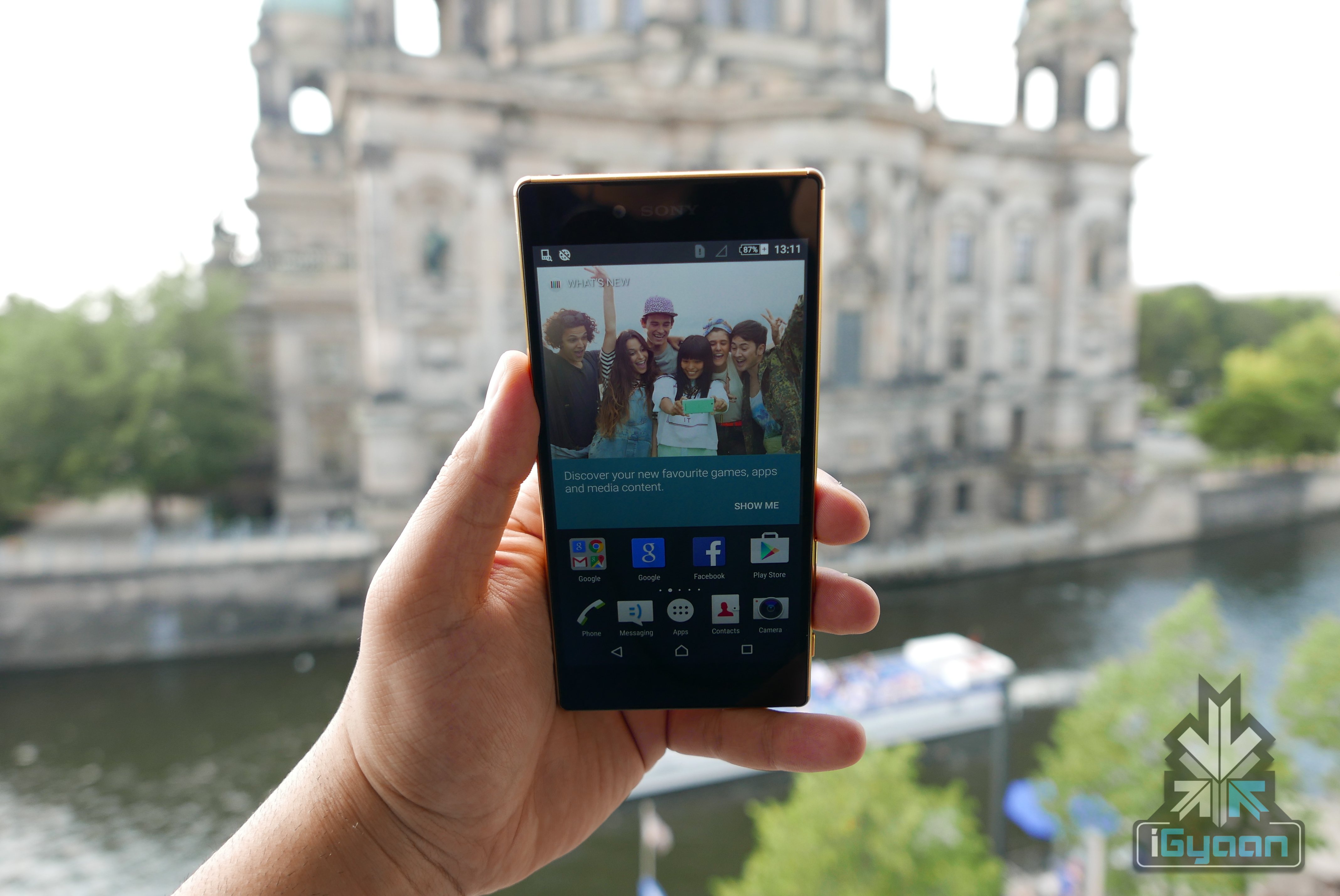
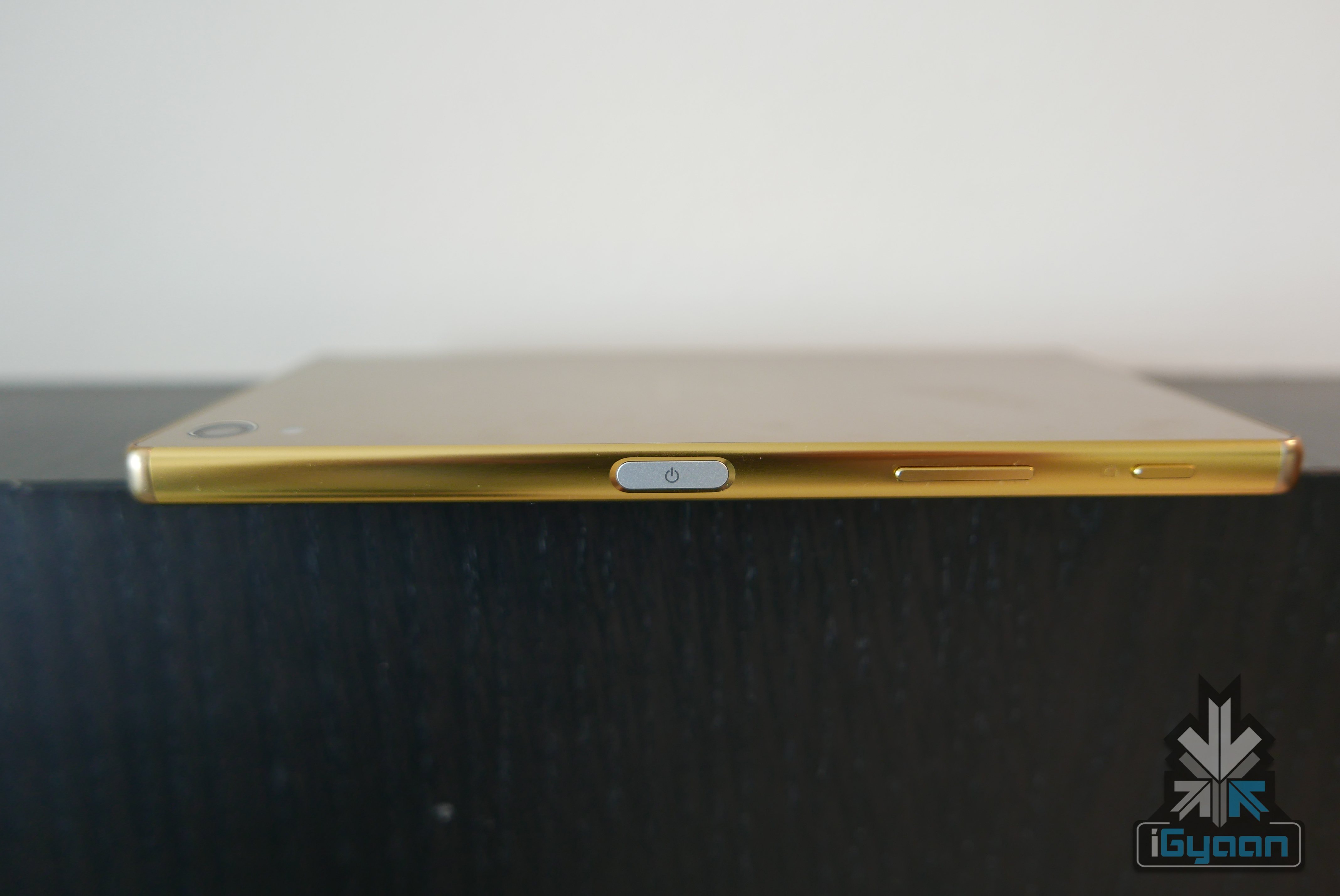
    The Sony Xperia Z5 Premium is the worlds first 4k display equipped smartphone. Sony has also included a new fingerprint scanner at an innovative location, right on the power button. The fingerprint scanner makes it easy to unlock the device efficiently, its quick and very accurate, making it a pleasure to use.

    Fingerprint scanner on the power button
    Fingerprint scanner on the power button

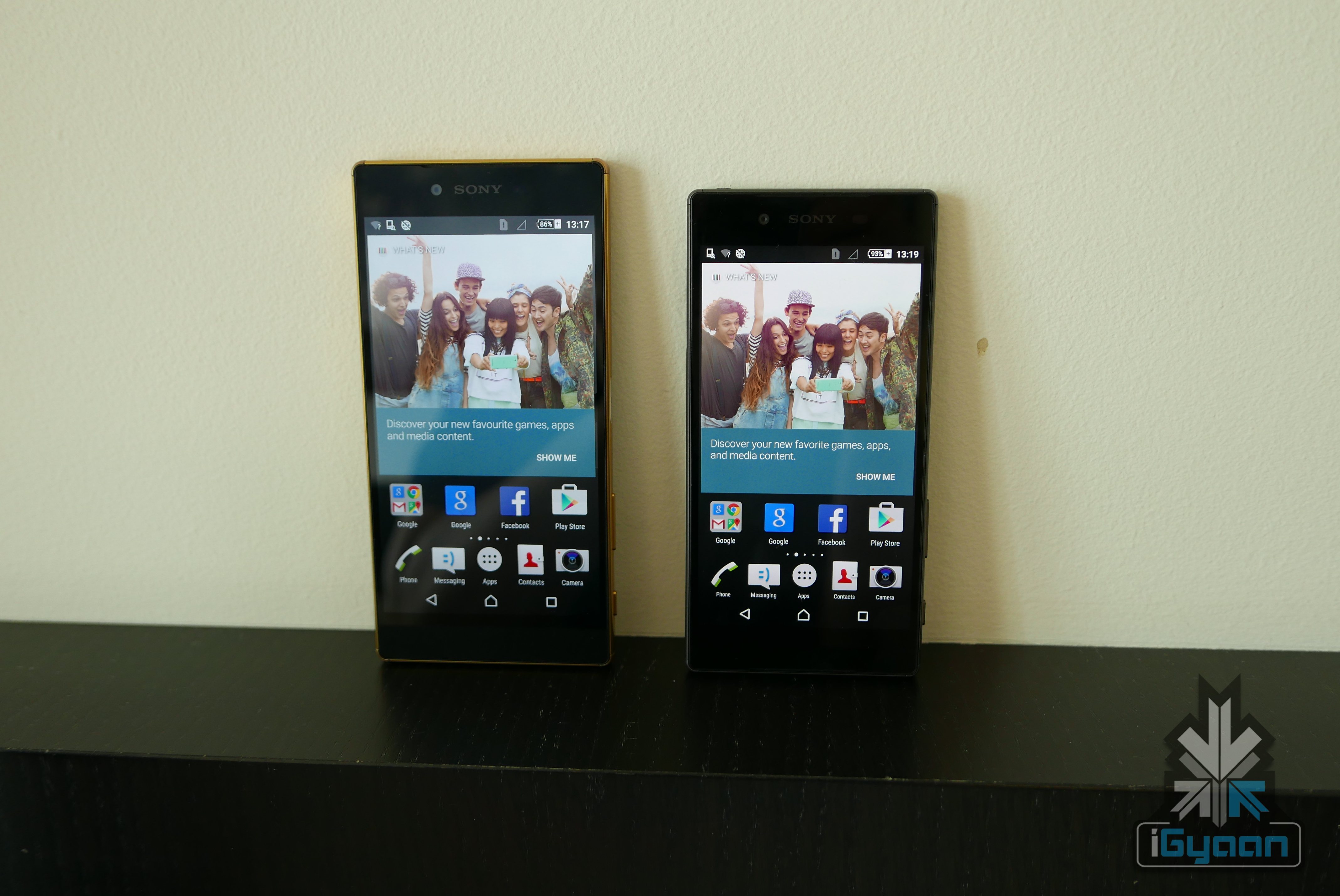
    Sony has not done much about the design apart from adding a matte finish on the Z5 and a ultra glossy finish on the Z5 Premium which will be available in Gold or Chrome. The remaining  design is based on the use of metal as a structure and Gorilla Glass 4 on the front and back of all the devices.

    Sony Xperia Z5 Premium 29

    The premium with its 5.5 inch display is just a bit bigger and comfortable for most and also sits in the same size dimensions as the iPhone 6 Plus. Th rounded metal frame feels great and easy to hold.

    Sony Xperia Z5 Premium 44

    The 23MP camera is an immense pleasure to use, with the dedicated shutter button. Images are captured quickly and look sharp, especially thanks to the 4k display. The in body image stabalization that we were able to test also looks fantastic.

    While most of the interface is still designed like olden Sony Timescape, the UI is fast and responsive and looks glorious on the UHD display. Android 5.1.1 is pre-installed and will be updated frequently and promptly promises Sony.

    The front of the device also houses- boom sound style dual stereo speakers which is nice and loud. The audio is crisp and well balanced.

    Sony has been able to truly capture our attention with the launch of these new handsets, but do we really need a 4k display smartphone and how will it affect the battery life? These are almost the same questions we asked at the time of QHD display. Stay tuned for our Review on the Xperia Z5 and Z5 premium soon and check out the spec sheet below:

    Specification

    Sony Xperia Z5

    Sony Xperia Z5 Premium

    Sony Xperia Z5 Compact

    Display

    5.2 inch display  5.5 inch 4K Ultra HD 4.6 inch display

    Resolution

     1920 x 1080p  4k – 806ppi 1920 x 1080p

    Chipset

       Qualcomm Snapdragon 810   Qualcomm Snapdragon 810  Qualcomm Snapdragon 810

    Processor

    Octa Core – 64 bit  Octa Core – 64 bit Octa Core – 64 bit

    GPU

     Adreno 430 Adreno 430  Adreno 430

    RAM

     3GB  3GB 3GB

    Storage

     32GB internal memory  32GB internal memory   32GB internal memory

    Expandability

     –  200 GB  –

    Rear Camera

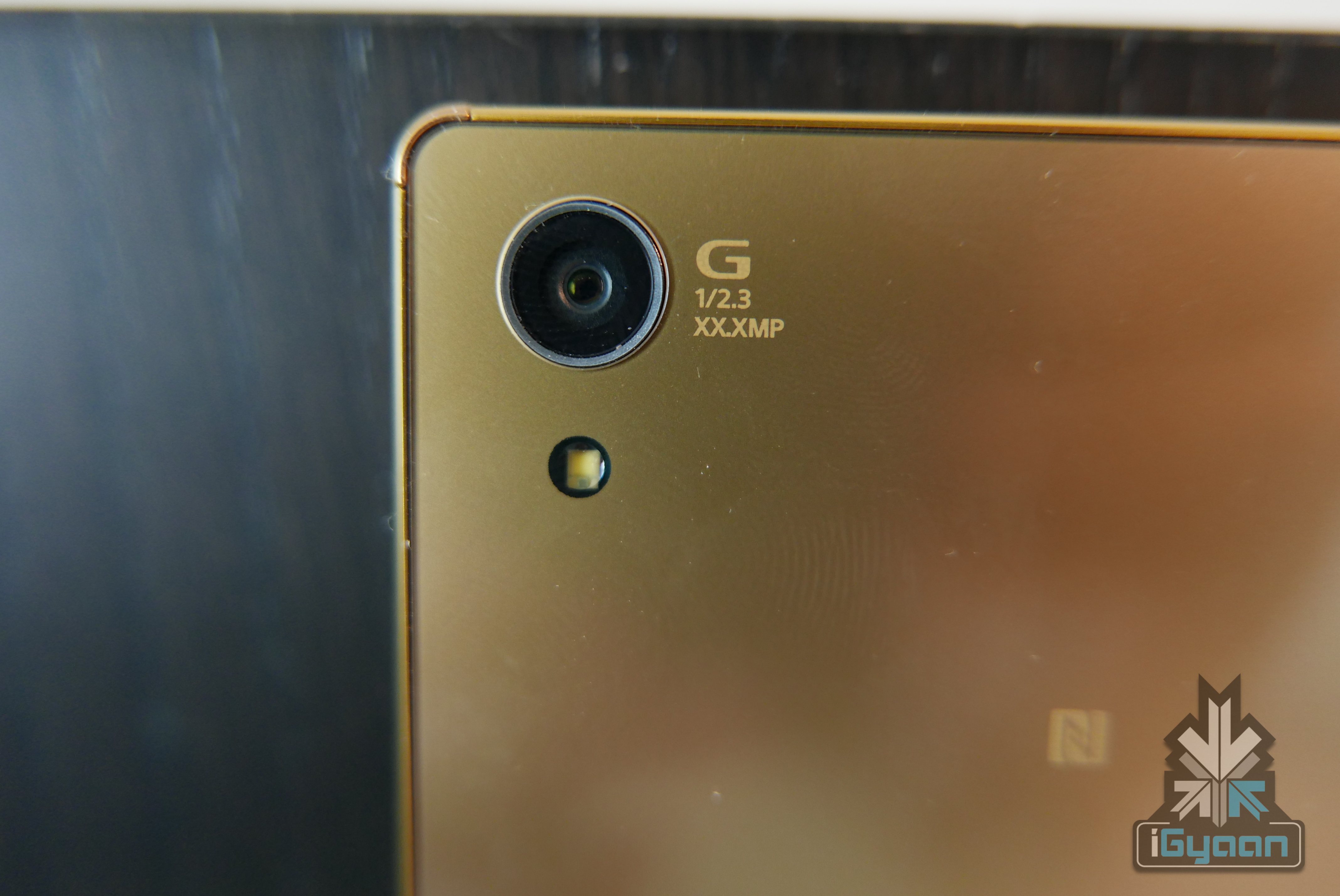
     23MP sensor, F2.0 G Lens, 1/2.3 Exmor RS  23MP sensor, F2.0 G Lens, 1/2.3 Exmor RS  23MP sensor, F2.0 G Lens, 1/2.3 Exmor RS

    Rear Camera Video

    4k 4k 4k

    Front Camera

     5MP  5MP 5MP

    Front Camera Video

     1080p  1080p  1080p

    Battery

     2 days stamina with Qualcomm Quick Charger  3430 mAh battery lasting for up to two days, with quick charge  2 days stamina with Qualcomm Quick Charger

    Operating System

     Android 5.1  Android 5.1  Android 5.1

    Connectivity

     4G LTE, Single SIM and Dual SIM  Single SIM and Dual SIM  4G LTE

    Miscellaneous

    Fingerprint sensor, Colours: White, Graphite Black, Gold and Green  Fingerprint sensor  Yellow and Coral

    Price

     –  –

  • Battery Management Lessons for iPhone users

    Battery Management Lessons for iPhone users

    It is a well known fact that we consider the iPhone as an amazing development made in technology, but it often becomes a slab of glass and metal once it’s drained out of battery.

    And as irritating as it gets when we run out of battery, there are some easy ways of extending its battery for a while longer.

    Here are some simple tricks and tips for iPhone users fed up with their phone’s battery:

    Low Power Mode

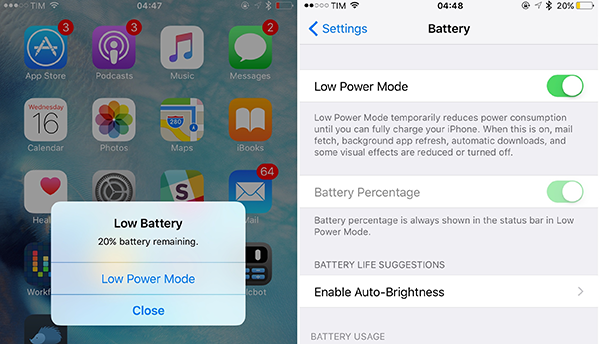
    The recent introduction of iOS 9 came with a special feature of a power saving mode. This update warns you with a message when your battery drops down to 20% and offers Low Power Mode.  Activating Low Power Mode reduces animations throughout the system. It also decreases the time before the screen darkens and makes every effort to save your battery for a little longer. When power saving mode is activated, the battery indicator turns from either green or red, to yellow.

    Also, Low Power Mode can be activated at other times: look for the option in the new Battery section of Settings once you’ve upgraded to iOS 9.battery extension

    Toning down on visual effects in iOS 7 and iOS 8

     The parallax effect introduced in iOS 7, which makes your icons and notifications appear to be floating, might be pretty and cool. But at the same time, it drains the battery of your phone like a vampire, by constantly using your phone’s graphics processor. So, when you’re` in a place where charging your phone would not be possible, you could save your battery by disabling this feature.

    You can switch to static rather than dynamic wallpaper – the iOS 7-style wallpaper that moves around as you tilt your phone. This will cut down the power drain a little. When you set a new Wallpaper, tap where it says ‘Perspective Zoom: On’ to turn it off.

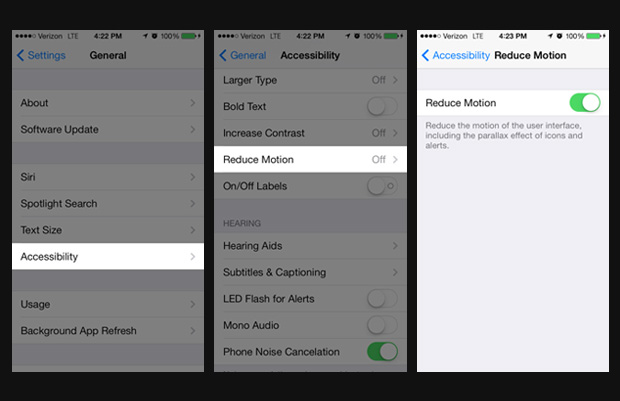
    You can also go to Settings > General > Accessibility > and switch on Reduce Motion to temporarily turn off all the parallax effects.battery extension

    Cool not Hot Phone

    There is no other way to say this – heat is really bad for batteries. It would be wise not to leave your phone lying in direct sunlight. The ideal comfort zone claimed for its best performance is between 16° to 22° C (62° to 72° F). Exposing it to a temperature higher than 35° C (95° F) can permanently damage battery capacity, so battery won’t power your device for long on a given charge. Also, it is advised that the cases should be removed while charging, as certain cases tend to generate excess heat that can affect battery capacity.

    Reduce Screen Brightness, Turn Off Vibration and AirDrop

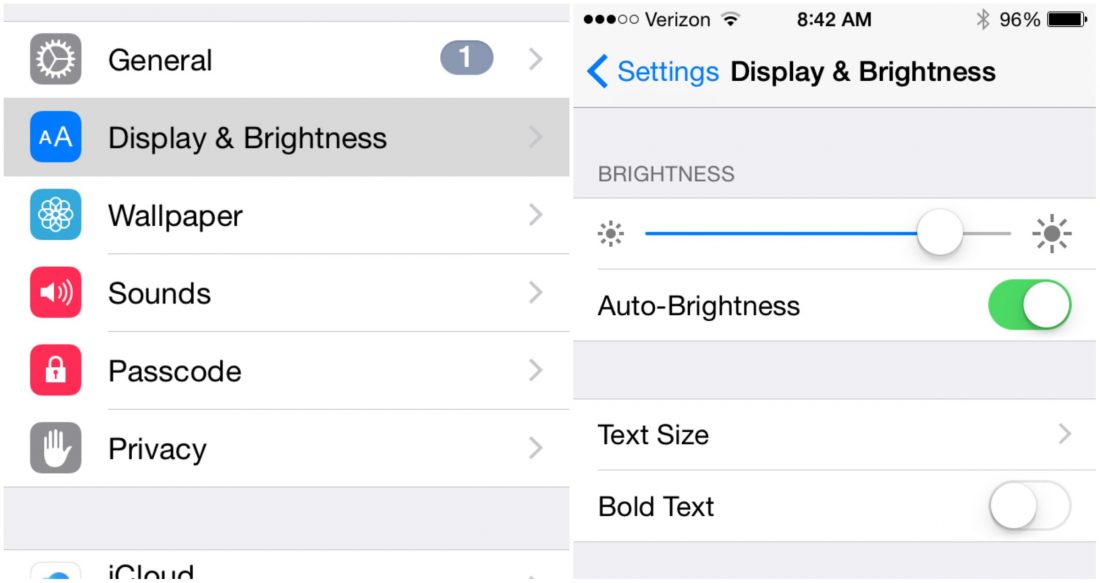
    A simple way of saving battery is by reducing the brightness level of your iPhone screen. The brighter the default setting for the screen, the more power it consumes.battery extensionThere are a number of ‘Beep’ and songs to choose from for message and call notifications. Leaving out the rattling of your phone when a call or a message comes can save a little of your battery.battery extension
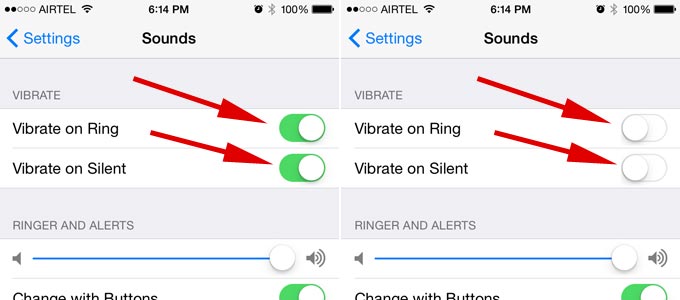
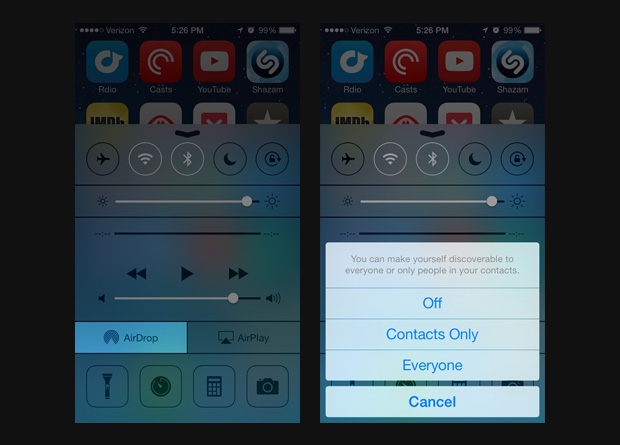
    Also, turning off bluetooth and AirDrop whenever it is not in use can help in retaining battery life. Next time you are done transferring photos and files to and from other phones, make sure your bluetooth and AirDrop is turned off immediately after. battery extension

    Disable Siri Shortcut

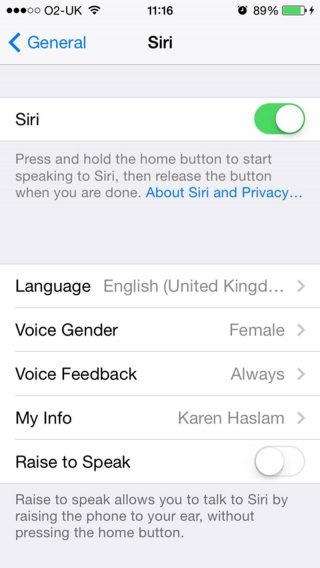
    Yes, even Siri can be a bit of a drain on battery life. You’ll find the ‘Raise to Speak’ option in Settings > General > Siri -if you aren’t using it, make sure to turn it off. That sensor is active whenever your phone is unlocked. If it detects you holding your phone next to your face, it will make Siri listen automatically.battery extension

    Update manually, Avoid Background Refresh App

    Although updating your phone automatically seems to be the easiest way of updating, it is best to update manually. As it is handled automatically within the device it eats up tremendous amount of battery.

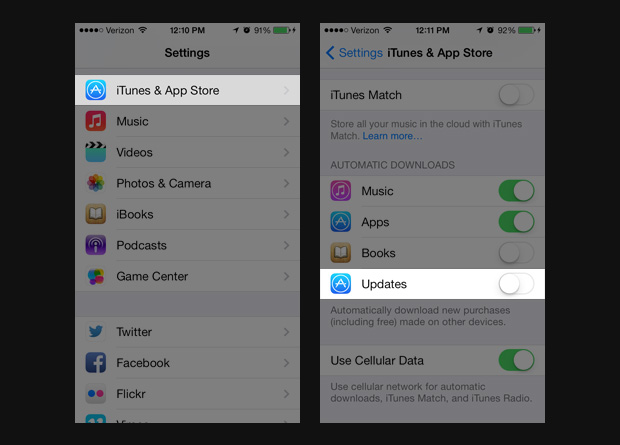
    Go to Settings> iTunes & App Store> In the Automatic Downloads section, find Updates> Move slider to off/white.battery extension

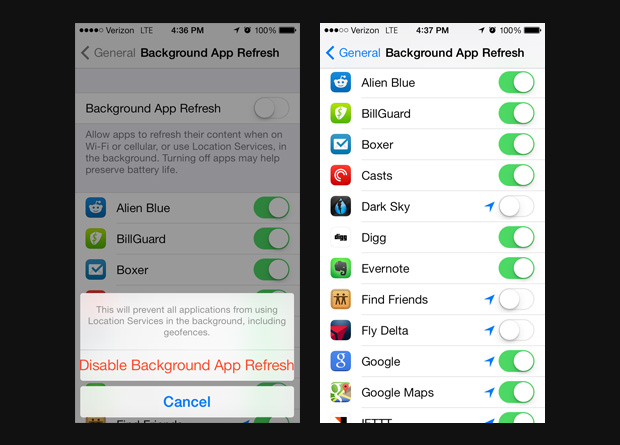
    It is also advisable to not use background app Refresh. We know how convenient it is when your device automatically updates the most used apps for you -but for the love of battery- it is better if this is disabled.

    Go to Settings> General> Handoff & Suggested Apps> Move the My Apps and App Store sliders to Off.battery extension

    High-Impact Games 

     This comes as no surprise that games and apps with high-end graphics and quality tends to consume more battery. So when you are playing games with 3D image quality or apps like the GPS chip for maps, and location-based apps it consumes more battery than when you are reading a book on Kindle.battery extension

    Follow these simple steps to prevent your iPhone from draining out of juice. Next time you land yourself in a dystopic world which lacks all forms of charging options, you’d know what to do.

  • New Episode | While You Were Out – iGyaan’s Latest Video Segment

    New Episode | While You Were Out – iGyaan’s Latest Video Segment

    Check out our newest WYWO video below:

    These are the stories we talked about today:

    Google Nexus 5X and 6P Arrive in India on 13th October: The devices arrive in the country with the following price tags: entry level 5X is marked at Rs. 31, 900 while 6P  at Rs. 39,999.

    Sony Xperia Z5 and Z5 Premium Rumoured to Launch This Month: Sony is holding an event on the 21st of this month and it is rumoured to be the official launch of Xperia Z5 and Z5 Premium.

    Call of Duty: Black Ops 3 Up For Pre-Order: Gamers, heads up! The newest Call of Duty edition is ready for pre-order on Flipkart. Time to prepare yourself for a whole new level of gaming.

    Lamborghini Catches Fire During a Selfie Moment: Looks like selfies are becoming more and more lethal. The owner of this charred Lamborghini would definitely agree with the statement. Click on the link to check out rest of the story.
    Apple Retail Stores to Open in the Country: After five years, users of iPhones in the country would be able to get servicing of their devices done in India. Apple is all set to open 6 stores in the country.
    If you have any tech related questions, leave them in the comments below or put them up on Twitter with the hashtag #WYWO .
  • Nexus 6P | Hands On

    Nexus 6P | Hands On

    Google’s Nexus 6P has officially launched in India today. The company had sent out invites for the event starting at 11 am. The Huawei-made Nexus 6P and the LG-made Nexus 5X released ahead of the iPhone 6s and 6s Plus launch that is set to hit the markets on the 16th.

    The Nexus 6P will be made available exclusively for Flipkart. Pre-orders for the phones will start tonight and the devices will begin shipping from October 21. Those who pre-order the Nexus 6P will get a Chromecast dongle worth Rs. 2,999 from Flipkart. The devices can also be purchased later on from select offline retailers such as Croma, The Mobile Store, among others.

    Huawei Nexus 6P 23

    The Nexus 6P is priced at Rs. 39,999 for the 32GB, Rs. 42,999 for the 64GB, and Rs. 47,999 for the 128GB variant. The 6P features a 5.7-inch QHD touchscreen, Qualcomm’s Snapdragon 810 chipset, with 3 GB RAM, a 3450mAh battery, and a USB Type-C port. The camera sports a 12.3MP sensor with laser autofocus, dual-LED flash at the rear and a rather impressive 8MP on the front. This pure Android phone will run on the latest Marshmallow operating system.

    Huawei Nexus 6P 21

    Our initial reactions towards the 6P were quite favorable. One of the main highlights of the Nexus 6P is the Nexus Imprint. The fingerprint sensor on the back is fast and fluid in accessibility, which according to Google only “gets better over time” as it learns more about your unique fingerprint. Another major improvement is the camera. The 12MP rear camera takes crisp and clear pictures even in low light due to the 1.55 micron pixels, which is greater than the iPhone 6s Plus.

    Huawei Nexus 6P 26

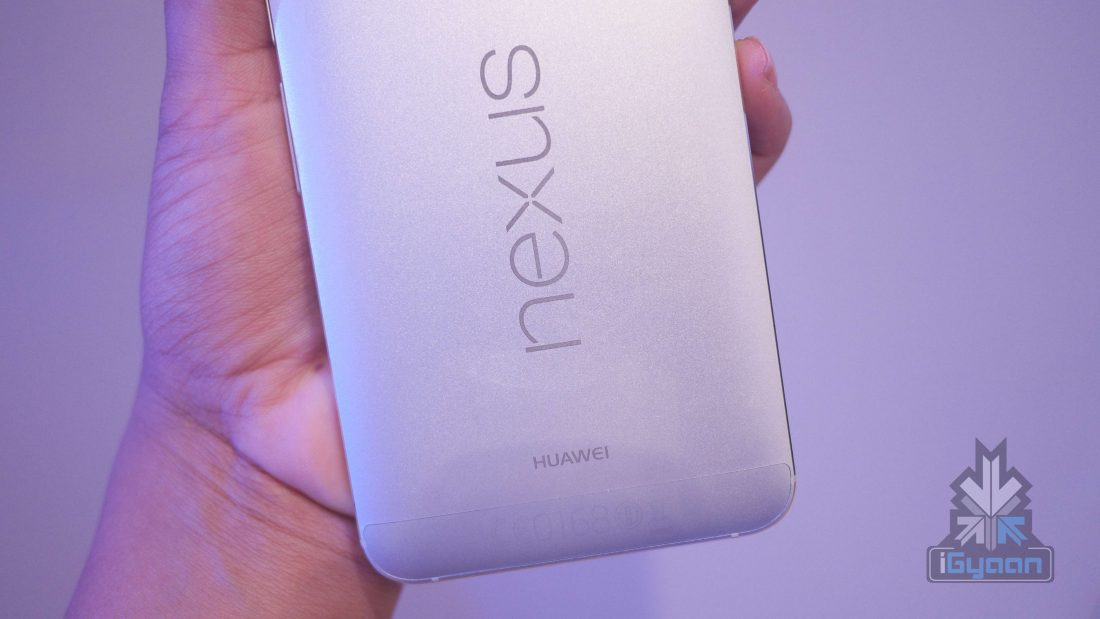
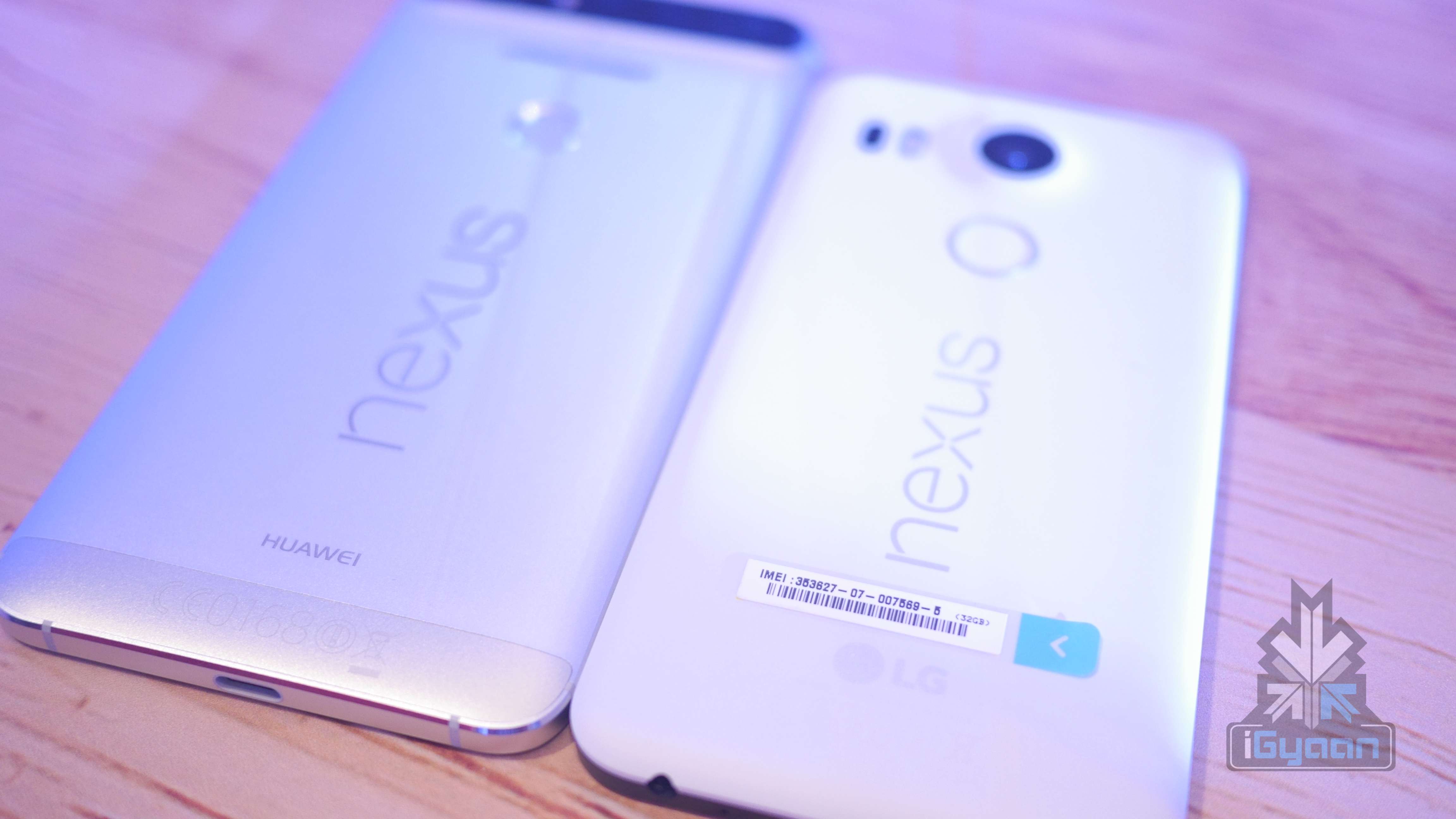
    Compared to the Nexus 5X, the 6P has a more premium look to it. It has a full-metal body, built out of aluminium with diamond chamfers around the edges. The metallic finish of the body is smooth and feels comfortable in your hand, but is heavier than the Nexus 5X, which comes with a plastic body. One concern that arose regarding the leaked images of the Nexus 6P was just how much the black camera bar on the top would put off users. However, on using the Nexus 6P, the bar seemed like a welcomed change and does not stick out as much as one would think.

    Huawei Nexus 6P 11

    The Nexus 6P is on the expensive side, but some improvements especially on the camera front make it worth buying if you’re looking at the market for premium handsets. As mentioned, the Nexus 6P will be available for pre-order tonight on Flipkart.

  • LG Nexus 5X | Hands On

    LG Nexus 5X | Hands On

    The latest devices by Google have finally arrived in India. Starting today at 2 PM, Amazon has begun pre-orders for Google Nexus 5X in the country. The smartphone will be finally available on the 21st of October.

    The device was first introduced to us last month by Google in their official event, and is now marked at a price of Rs. 31,990 for the 16 GB variant and Rs. 35, 990 for the 32GB variant in India.LG Nexus 5X 3

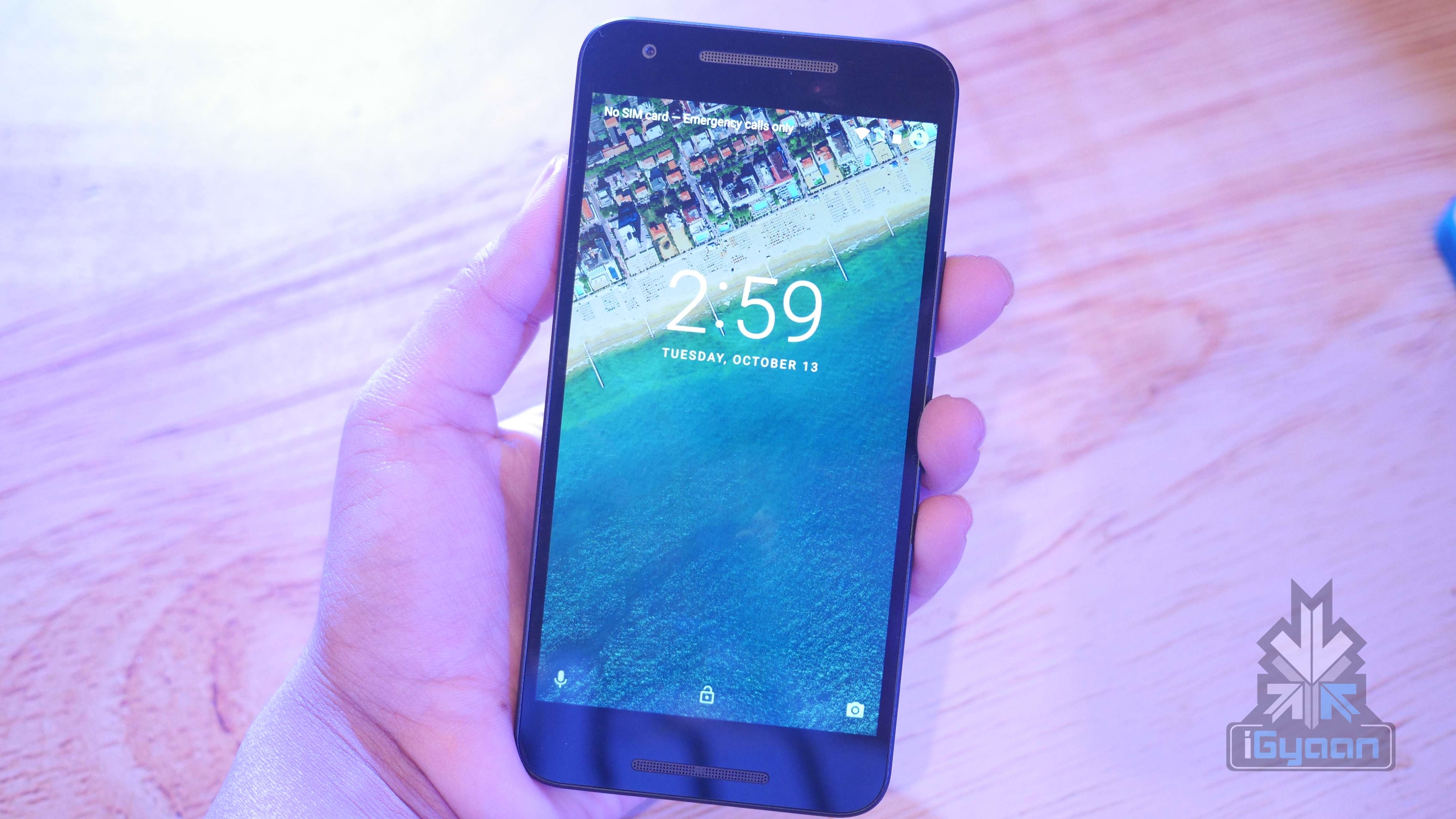
    The Nexus 5X comes with a 5.2-inch FHD display, USB Type-C which allows almost 4 hours of battery post a 10-minute charging routine, and is available in three colours – Carbon black, Quartz white and Ice blue. The company will also be bringing in a range of covers to India, along with the handsets, priced at Rs. 2,800.

    LG Nexus 5x 21

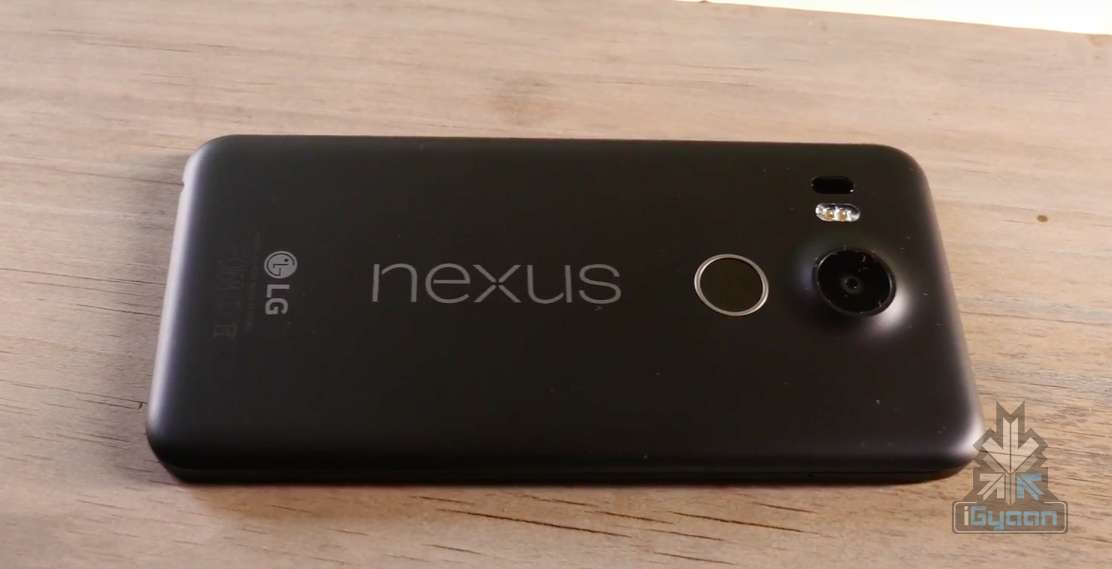
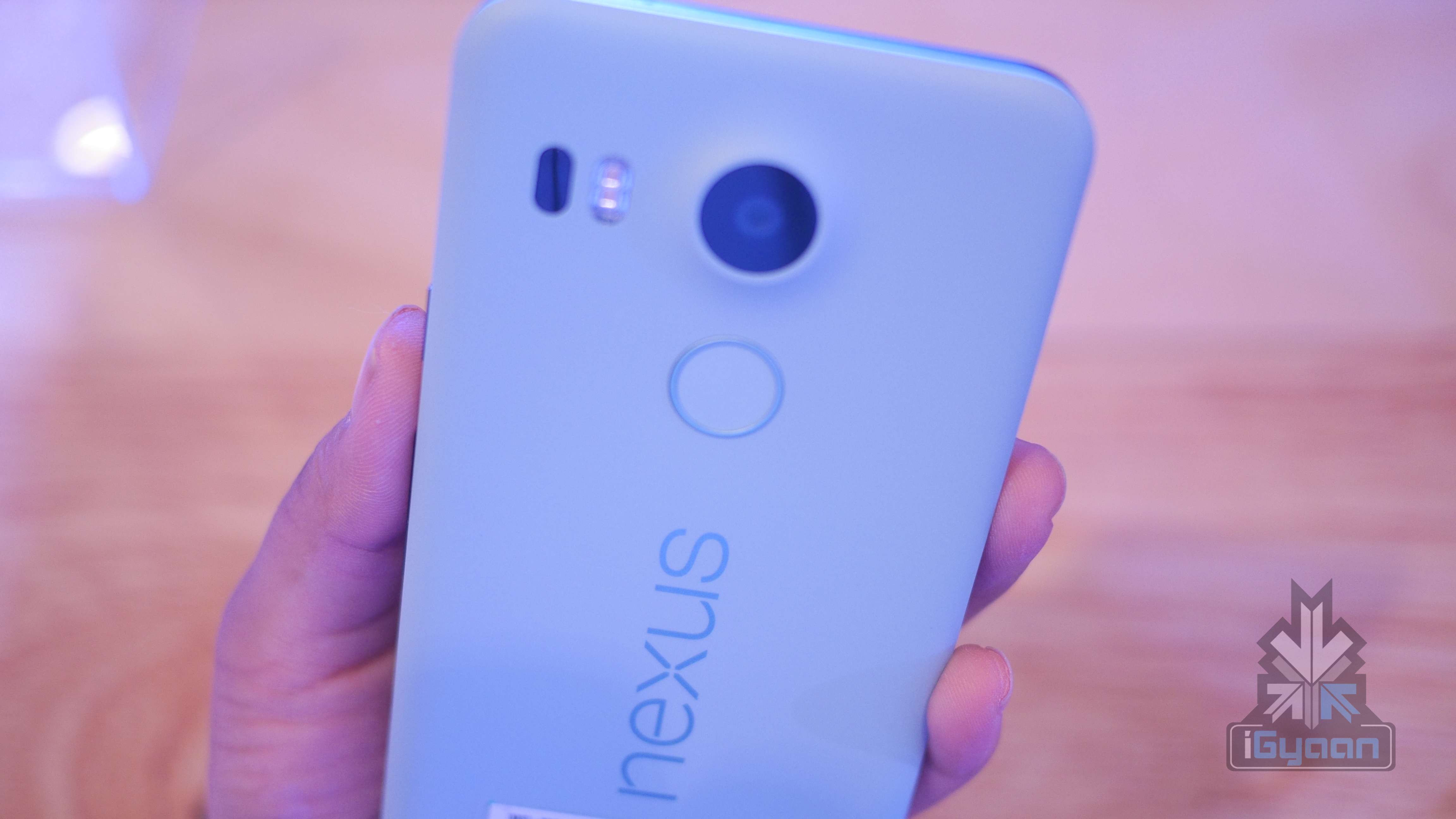
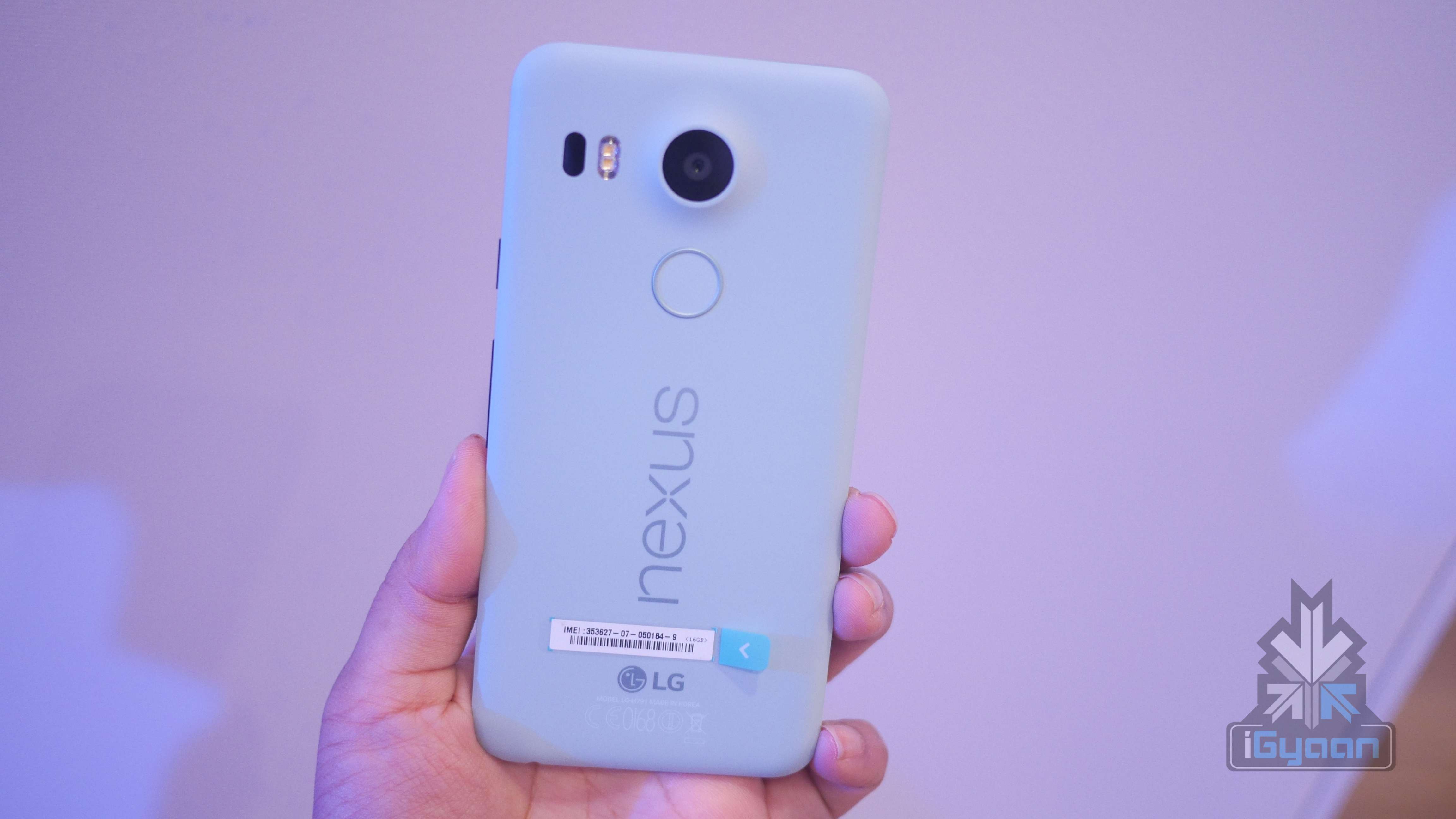
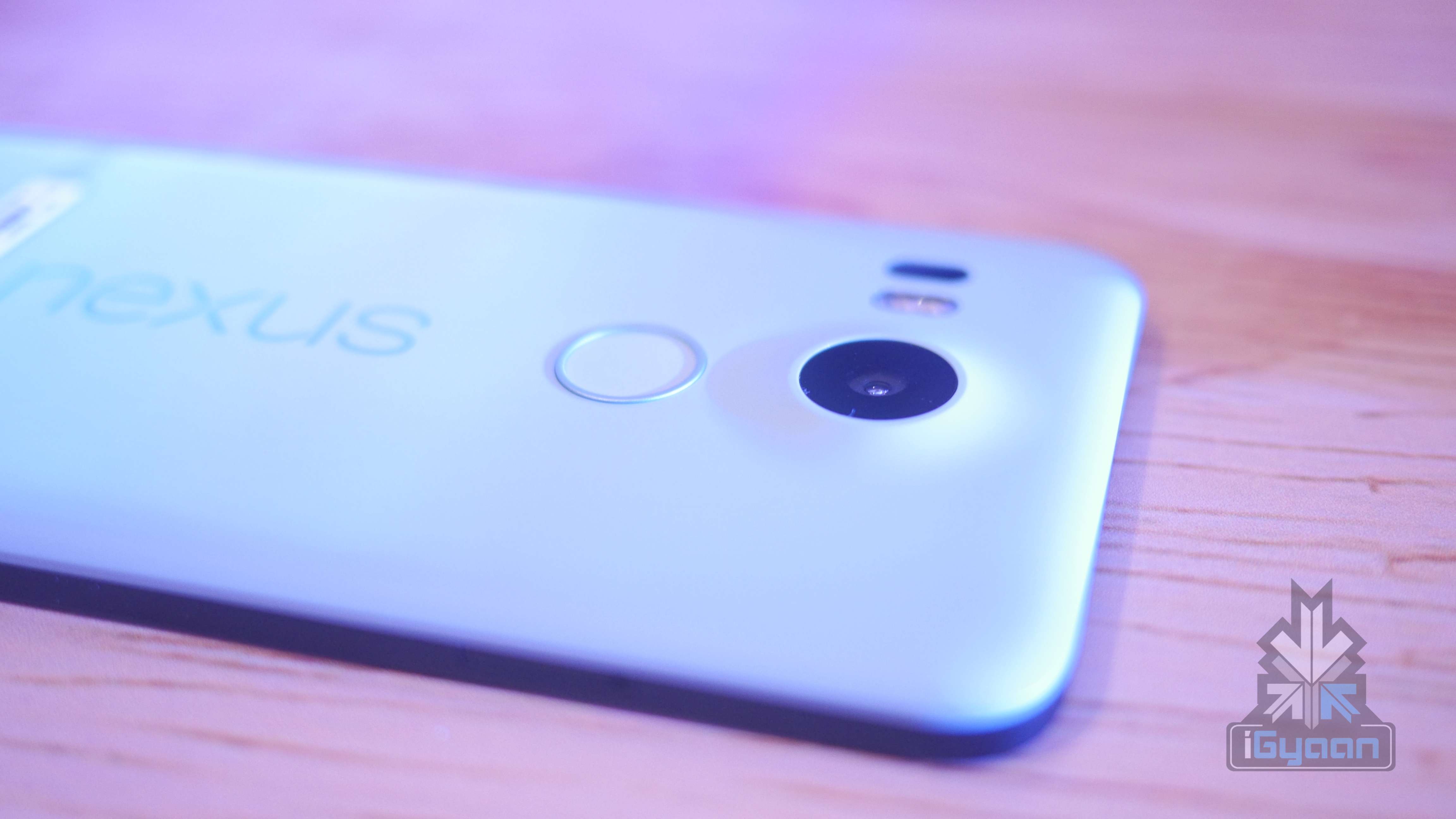
    We checked out the Ice Blue variant. The back of the smartphone comes with a smooth matte finish. The size of the device feels just right in the hands.

    LG Nexus 5X 8

    On the camera front the smartphone comes equipped with a 12.3 MP rear camera and a 5 MP selfie camera. The smartphone is capable of capturing 4K and slow-motion videos, making this phone the most advanced multimedia Nexus device to date. LG Nexus 5X 0

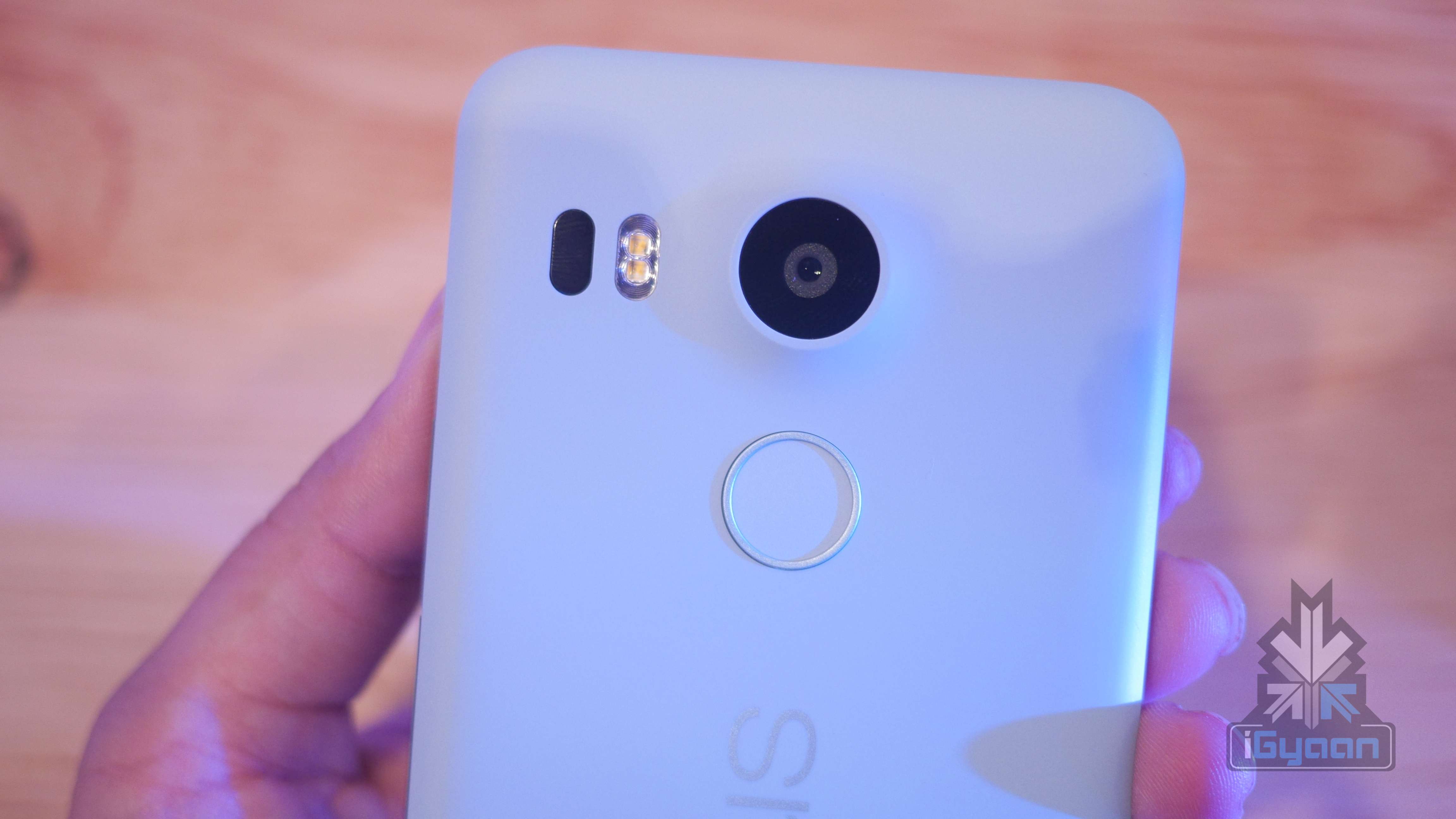
    As opposed to the all-metal body of the Nexus 6P, 5X comes in a plastic body of size 147 x 72.6 x 7.9 mm, and weighs 136 g. The device also has Nexus Imprint, a fingerprint sensor located on the back of the body. A single touch of the sensor would power on and unlock Nexus 5X for usage.

    LG Nexus 5X 5

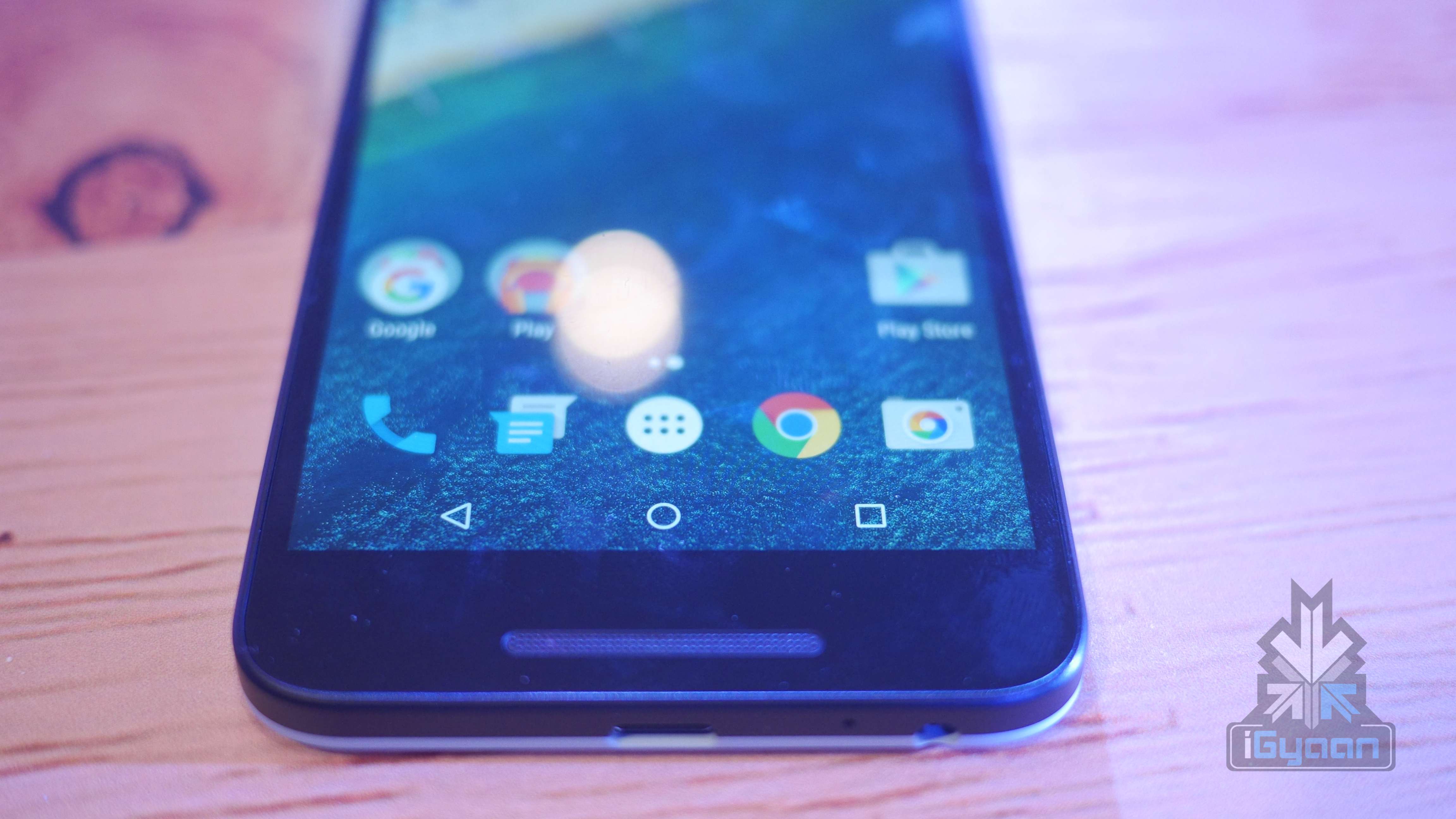
    It is further packed with a 2 GB RAM, Qualcomm Snapdragon 808 chipset and OS Android Marshmallow 6.0. The stock Android is seamless as always; Google has provided minimal bloatware – a move which will be appreciated.

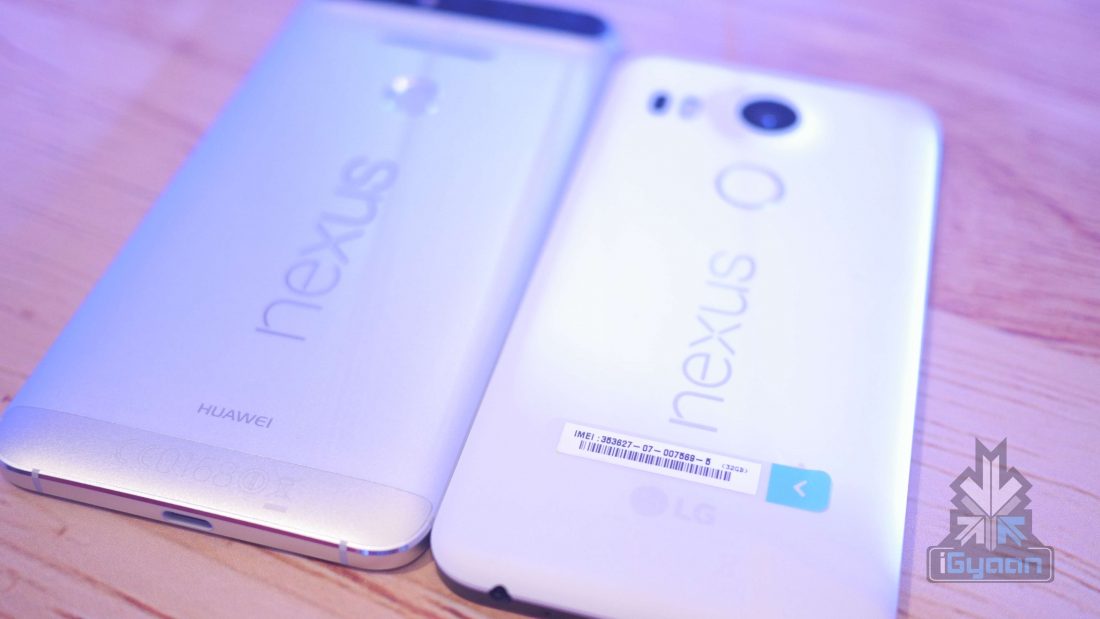
    Huawei Nexus 6P and LG Nexus 5X
    Huawei Nexus 6P and LG Nexus 5X

    That’s all for now, we will be bringing you an in-depth review of the device shortly.


    The specs of Google Nexus 5X are as follows:

    Specification LG Nexus 5X
    Display 5.2-inch Full HD IPS (1920 x 1080 / 423ppi)
    Resolution 1080 x 1920 pixels (~424 ppi pixel density)
    Chipset  1.8 GHz Qualcomm Snapdragon 808
    CPU Quad-core 1.44 GHz Cortex-A53 & dual-core 1.82 GHz Cortex-A57
    GPU  Adreno 418
    RAM 2 GB LPDDR3 RAM
    Front Camera 5 MP with F2.0 Aperture
    Rear Camera Up to 12.3 MP with F2.0 Aperture
    Storage 16 or 32 GB eMMC ROM
    Expandability  NA
    Battery 2,700 mAh (embedded)
    Connectivity Wi-Fi 802.11 a, b, g, n, ac / Bluetooth 4.2 / NFC / Type-C USB
    Operating System  Android OS, v6.0 (Marshmallow)
    Price Rs. 31,990/ Rs. 35,990
  • Moto X Style and Moto X Play: Unboxing and Hands On

    Moto X Style and Moto X Play: Unboxing and Hands On

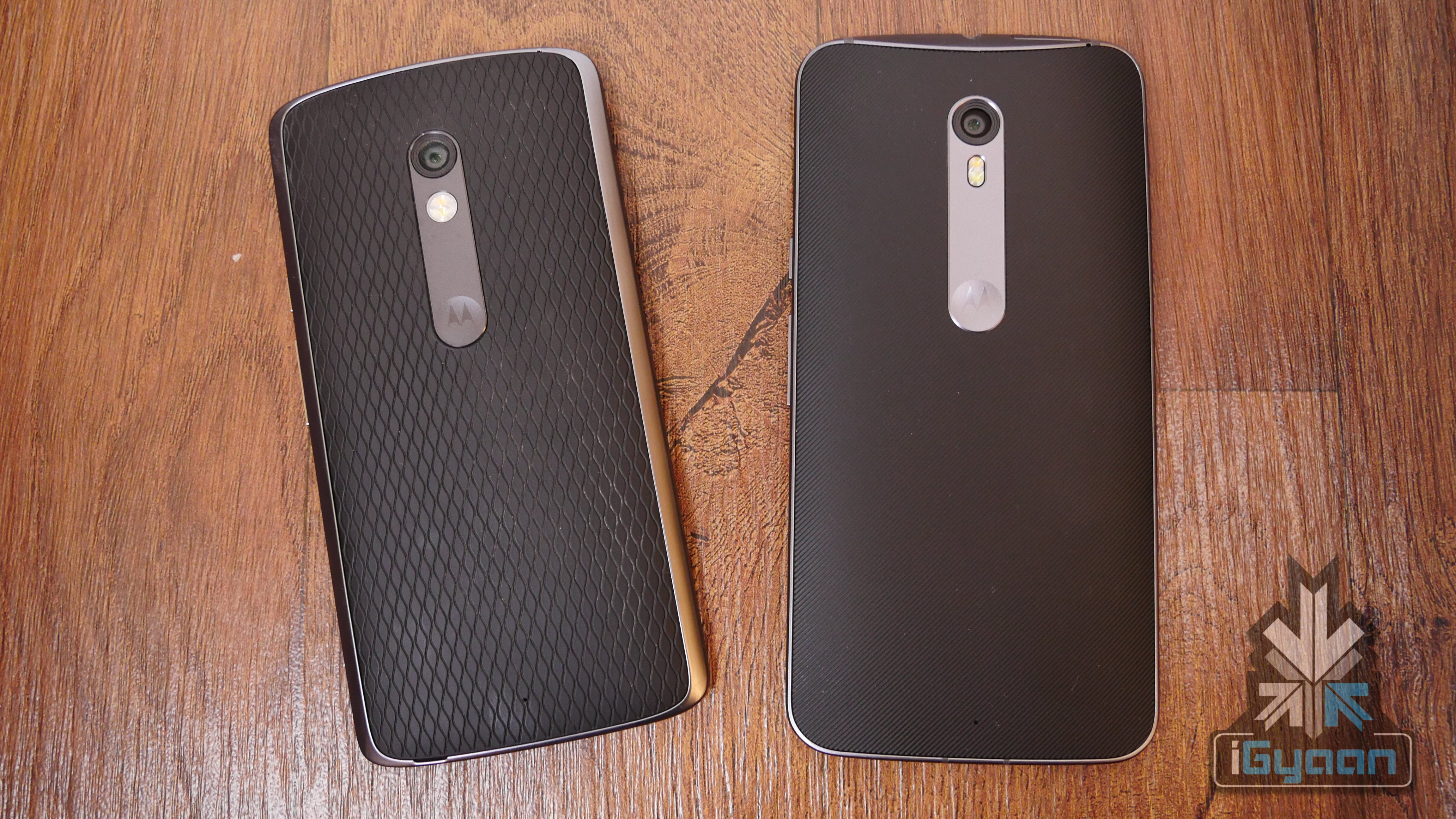
    The newest Motorola device on the block, Moto X Style, was launched in the country last week, and is up for grabs starting 12 AM on 14th-15th October. The phone is mostly a style variant of the Moto X Play which was launched in India last month.


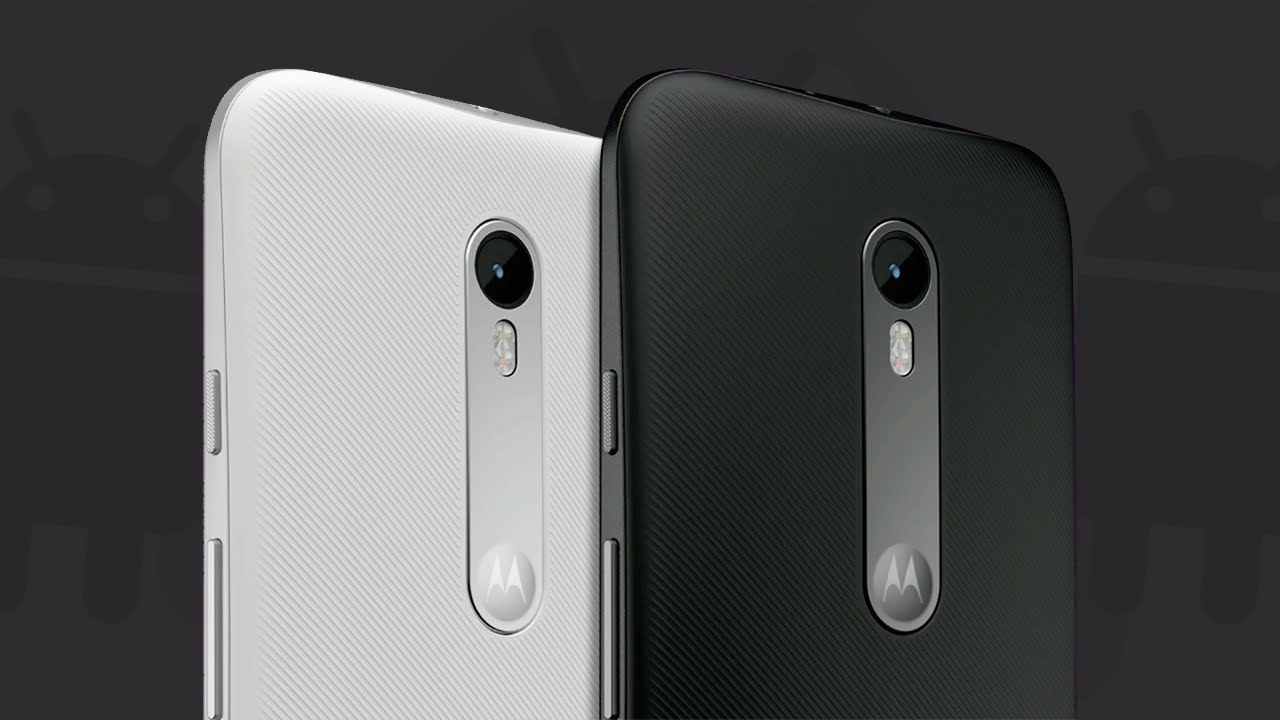
    Moto X Play comes with changeable back covers available in different colours. This is a feature Moto X Style falls short of as its body is a single, non-detachable unit.Moto X Style vs PlayThe two phones are quite similar on the specs front with X Style not having much to add to X Play. If anything, Style is lower on the battery front with a 3,000 mAh bettery than Play at 3,630 mAh. Style is slightly bigger and heavier than Play and is priced much higher.

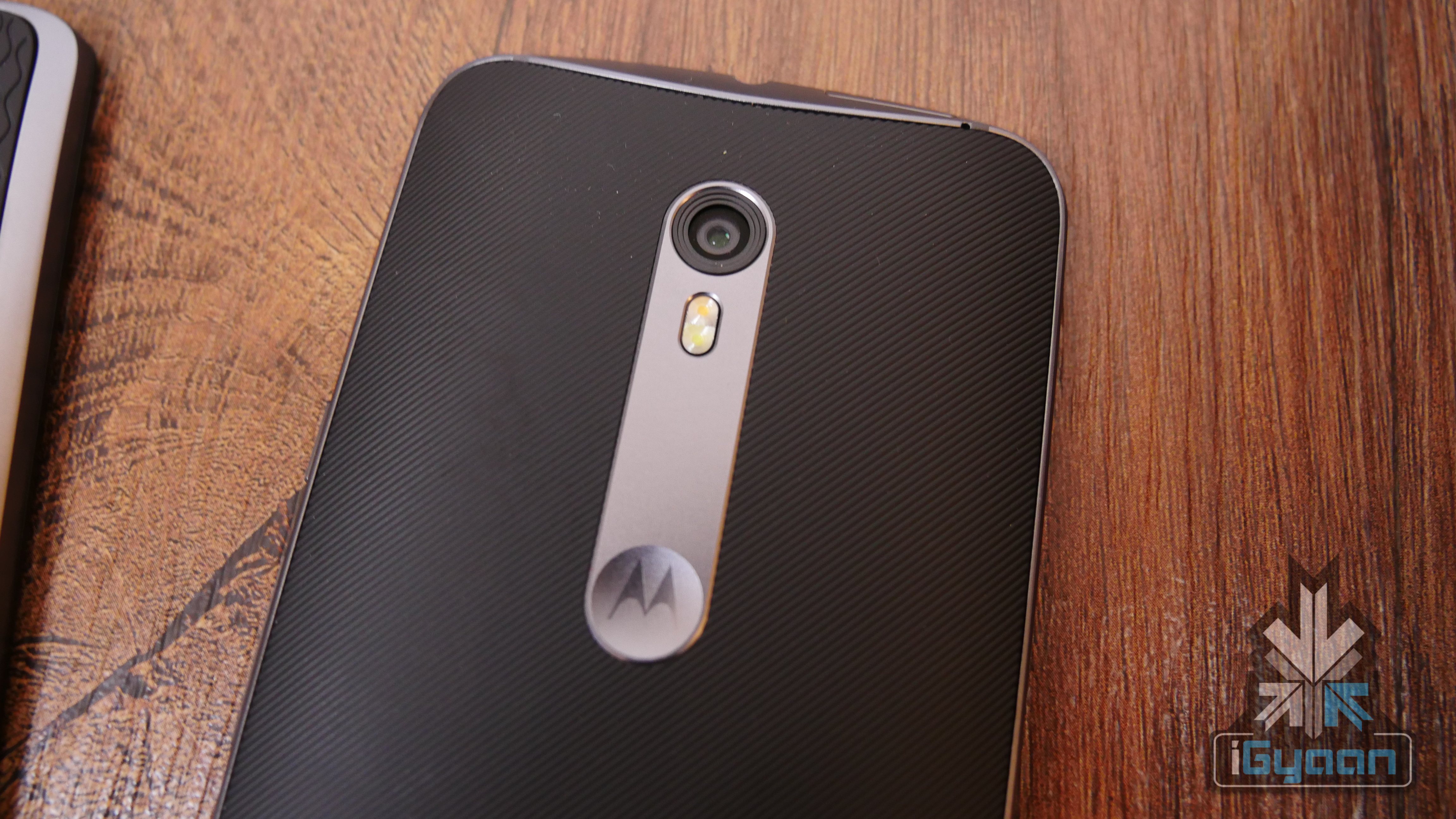
    moto x style
    Moto X Style

    The cameras of both phones are marked at 21 MP. The main difference is in the front camera – Style comes equipped with a flash in the front camera as well while Play doesn’t.

    Moto X Play 6
    Moto X Play

    The specs of the two phones are as follows:

    Specification Moto X Style Moto X Play
    Display 5.7 inch, TFT LCD, Corning Gorilla Glass 3 5.5 inch, Capacitive touchscreen, Corning Gorilla Glass 3
    Resolution 1440 x 2560 pixels (~520 ppi pixel density) 1080 x 1920 pixels (~403 ppi pixel density)
    Chipset Qualcomm Snapdragon 808 SOC  Qualcomm MSM8939 Snapdragon 615
    Processor 1.8 GHz Hexa-core 1.7 GHz Octa-core
    CPU Dual-core 1.8 GHz Cortex-A57 & quad-core 1.44 GHz Cortex-A53  Quad-core 1.7 GHz Cortex-A53 & quad-core 1.0 GHz Cortex-A53
    GPU Adreno 418  Adreno 405
    RAM 3 GB  2 GB
    Storage 16 GB/ 32 GB/ 64 GB  16 GB/ 32 GB
    Expandability 128 GB with microSD card 128 GB with microSD card
    Rear Camera 21 MP with an f/2.0 aperture  21 MP rear, auto-HDR, dual-LED flash
    Front Camera 5 MP with flash  5 MP
    Battery 3,000 mAh  3,630 mAh battery
    Operating System Android 5.1.1 (Lollipop)  Android 5.1.1 (Lollipop)
    Connectivity Wi-Fi 802.11 a/ b/ g/ n/ ac, GPS, NFC, Bluetooth v 4.10, GSM, 3G, 4G/ LTE  Wi-Fi 802.11 a/b/g/n, dual-bandBluetooth v4.0, Micro USB v2.0
    Price Rs. 29,999 for 16 GB and Rs. 31,999 for 32 GB  Rs. 18,499 for 16 GB and Rs. 19,999 32 GB
  • Apple iPhone 6s Plus Unboxing and Hands On

    Apple iPhone 6s Plus Unboxing and Hands On

    Apple’s latest iPhone is all set to launch in India on the 16th of October. Pre orders have begun on major e-commerce websites, most of which promise to deliver the new iPhone 6s and 6s Plus 2-4 days from launch. There is also a traditional launch which will happen in major cities, where people will cue up to buy the phone on the day of the launch.


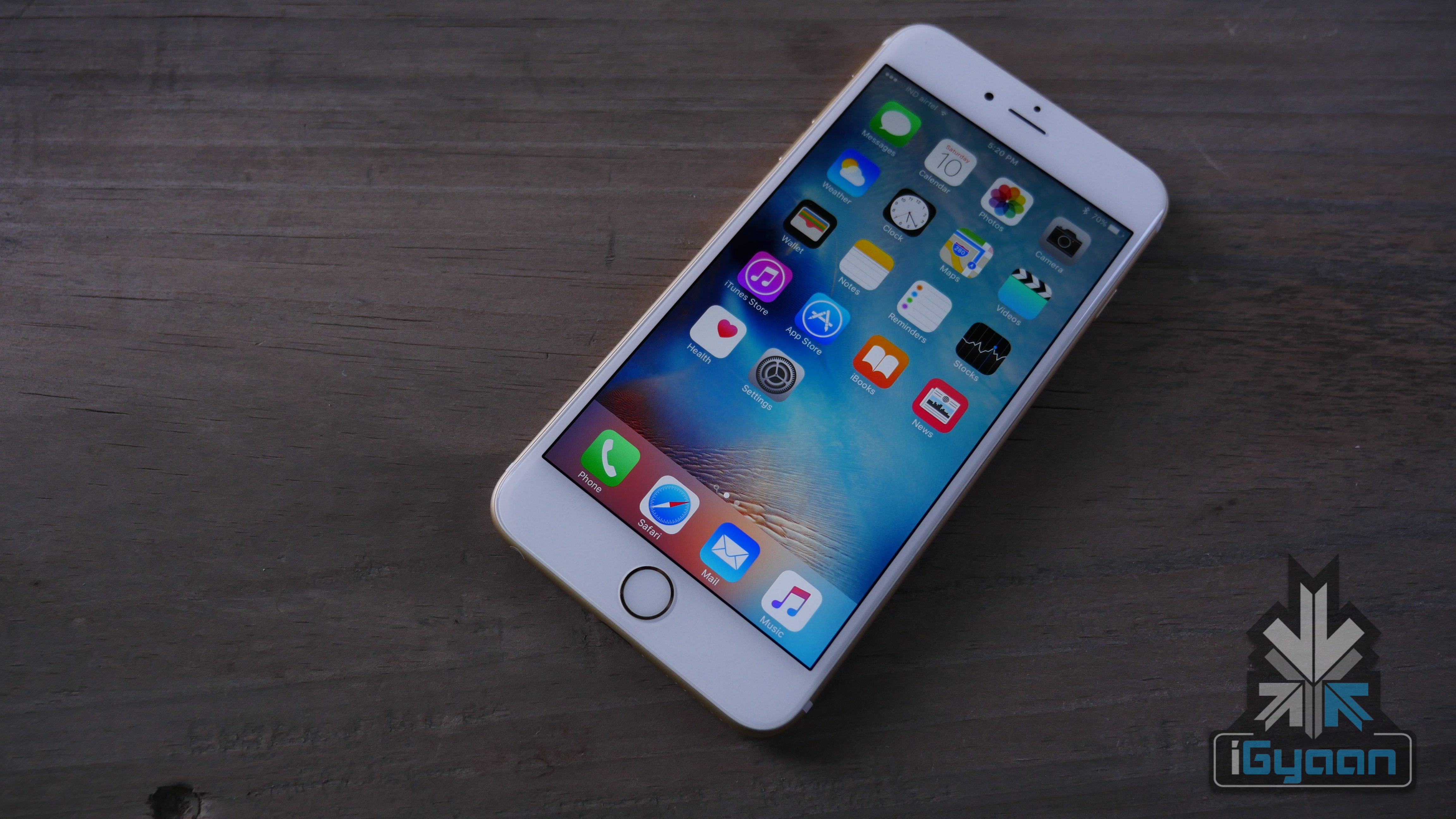
    Apple has not made major design changes, as a matter of fact the only design change is the fact that the new iPhone 6s is heavier and thicker than the iPhone 6 and so is the case of the iPhone 6s Plus when compared to predecessor iPhone 6 Plus.


    iphone 6s plus 8

    The iPhone 6 plus with its added weight feels much better and sturdier to hold in the hands. The reinforced aluminium frame takes a lot more pressure and there is no more “Bendgate“.

    iphone 6s plus 2

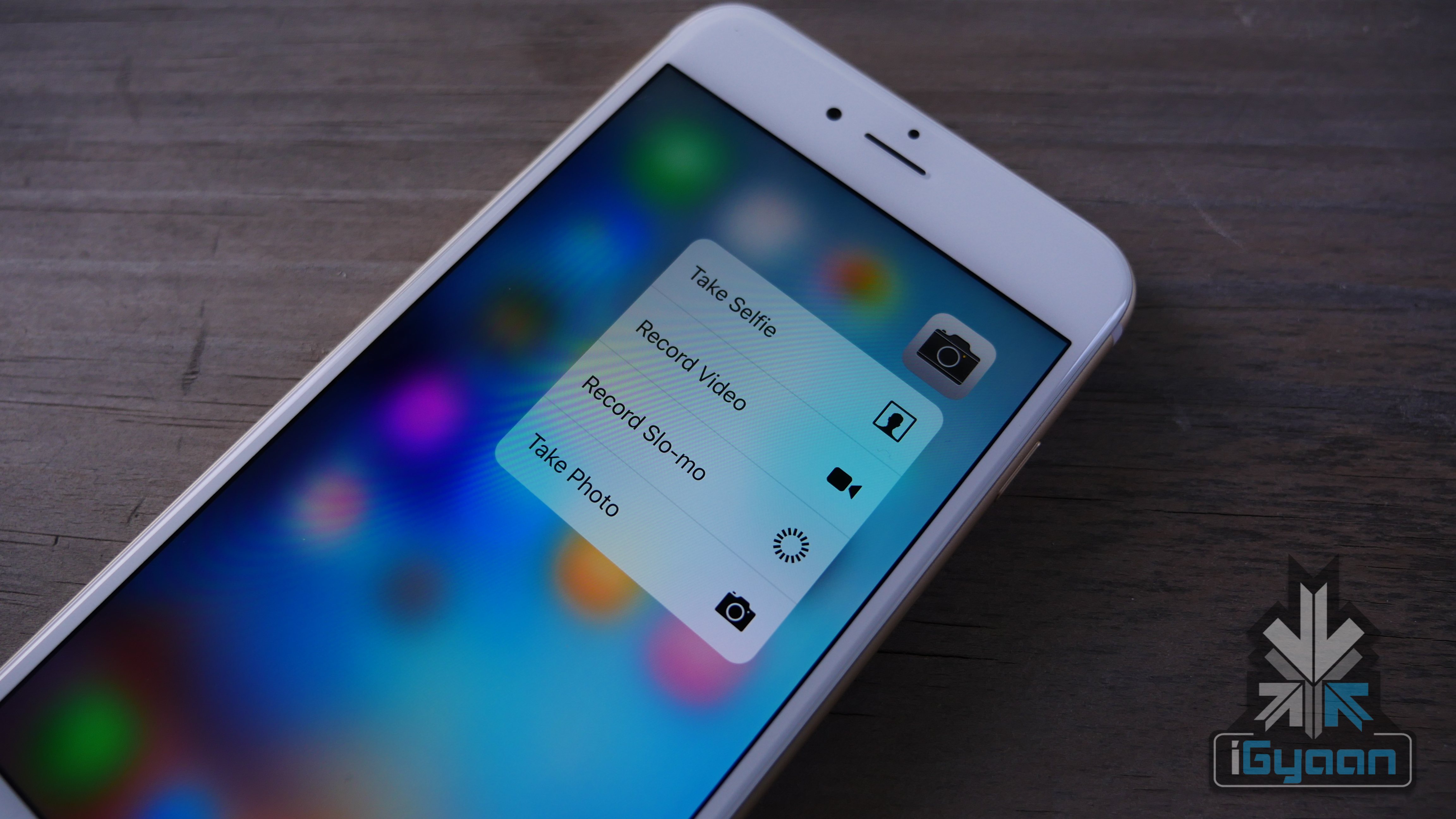
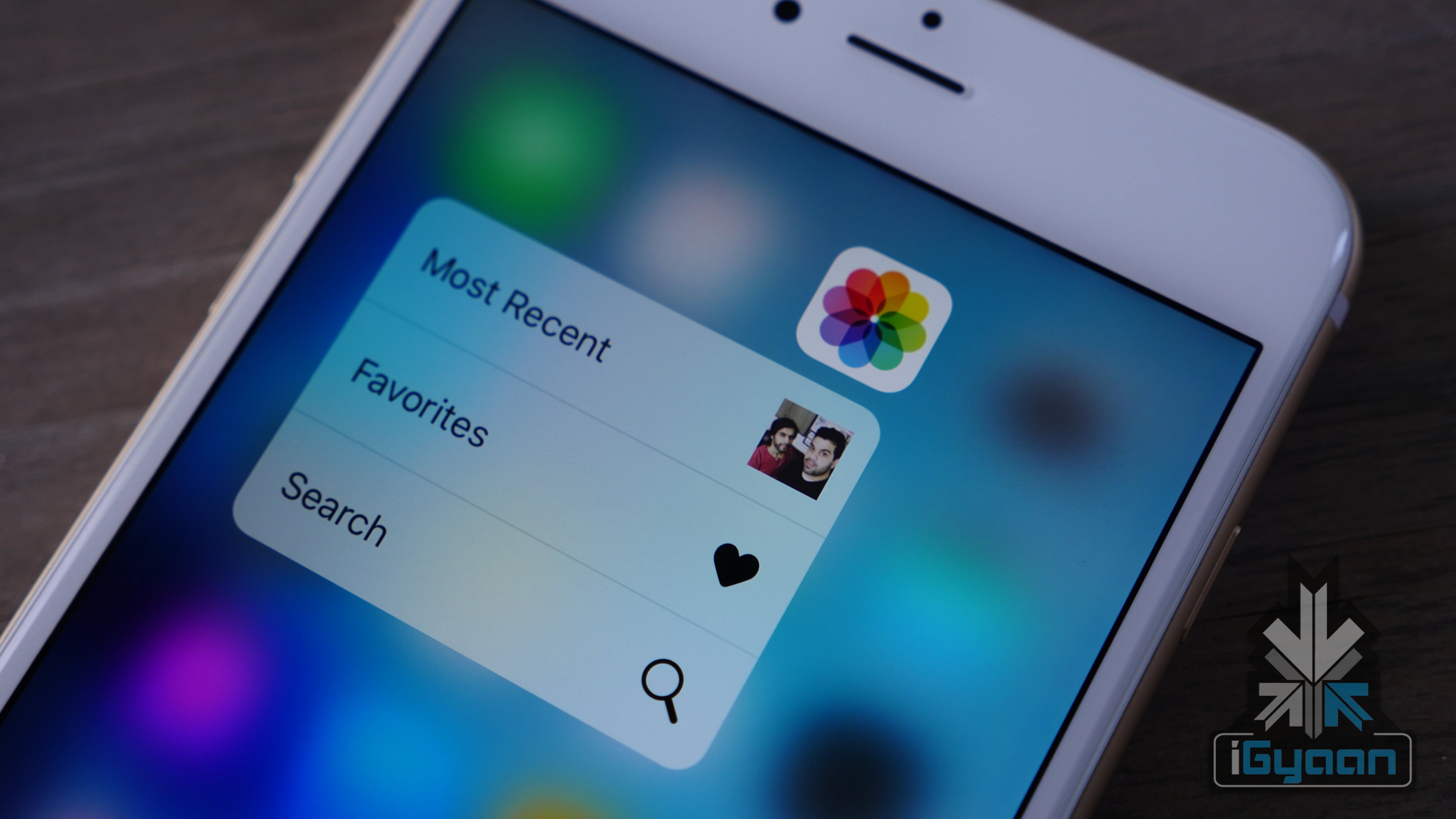
    The new 3D touch is something that could become a big deal when more apps start to leverage the tech. As you will see in the video, it takes a while to get used to it, but is a lot of fun to use.

    The cameras are a big welcome change. The front camera gets 5 MP which means front portraits aka. SELFIES, are now much improved. However the front camera only shoots 720p video. Boo Apple!

    iphone 6s plus 3

    The rear camera however, is now a 12 MP shooter with 4k Video capability, which was much needed. New Live photos and optical image stabalization. All of which will require a lot of space on your iPhone. Pro Tip : if you use the camera a lot, avoid the 16 GB variant of the iPhone 6s / 6s Plus.

    Check out the hands on video above and stay tuned for more. Full Specs below:

    Specifications iPhone 6s iPhone 6s Plus
    Display  Retina HD display with 3D Touch, 4.7-inch (diagonal) LED-backlit widescreen Retina HD display with 3D Touch, 5.5-inch LED-backlit widescreen
    Resolution  1334 X 750-pixel resolution at 326 ppi  1920-by-1080-pixel resolution at 401 ppi
    Processor  Embedded M9 motion coprocessor  Embedded M9 motion coprocessor
    Chipset  A9 chip with 64-bit architecture A9 chip with 64-bit architecture
    OS  iOS 9  iOS 9
    Internal Storage  16GB/64GB/128GB  16GB/64GB/128GB
    Exapandibility  N/A  N/A
    Rear camera  12-megapixel iSight camera with 1.22µ pixels, ƒ/2.2 aperture  12-megapixel iSight camera with 1.22µ pixels, ƒ/2.2 aperture, Optical image stabilization
    Rear Camera Video  4K video recording (3840 by 2160) at 30 fps  Optical image stabilization for video,  4K video recording (3840 by 2160) at 30 fps
    Front Camera  5-megapixel photos, ƒ/2.2 aperture, Retina Flash  5-megapixel photos, ƒ/2.2 aperture, Retina Flash
    Front Camera Video  720p HD video recording 720p HD video recording
    Body Dimensions  143 grams  192 grams
    Special Features  Fingerprint sensor, 3D force touch, live photo  Fingerprint sensor, 3D force touch, live photo
    Connectivity  23 LTE and faster Wi-Fi 23 LTE and faster Wi-Fi
    Variants

    Silver, Gold, Space Gray, Rose Gold

    Silver, Gold, Space Gray, Rose Gold

    Price  Rs. 62000, Rs. 72000 and Rs. 82000  for 16GB/64GB/128GB respectively unlocked

    Rs. 72000, Rs. 82000 and Rs. 92000 for 16GB/64GB/128GB respectively unlocked

  • Introducing ‘While You Were Out’

    Introducing ‘While You Were Out’

    This is iGyaan’s latest segment where we bring to you all that you may have missed from the tech world.

    Here are the stories we talked about today.

    Moto X Style: Launched in the Country and Up For Pre-Order

    iPhone 6s and 6s Plus Price Confirmed, Pre-Booking on Snapdeal, Infibeam, Amazon

    iPhone 6s Users Facing Battery Problems Due to Faulty Samsung Chips

    Exclusive : India Pricing of the Nexus 6P and Nexus 5X Revealed

    Open Sale for OnePlus 2 on 12th October

    If you have any questions for our next episode, leave them in the comments below.


  • An App That Lets You Learn Anything For Free

    An App That Lets You Learn Anything For Free

    Seldom do you come across an app that actually makes you learn something. These days apps have taken over practically everything we used to make an effort to do. From buying your groceries to shopping for clothes, right from the comfort of your home. So how about an app that gives you free education for a change? And by free we really mean free.

    Khan Academy is a non-profit educational organization that was created in 2006, that offers “a free, world-class education for anyone, anywhere”. The organization, founded by Salman Khan (not to be confused with the actor), began by producing micro lectures in the form of YouTube videos.

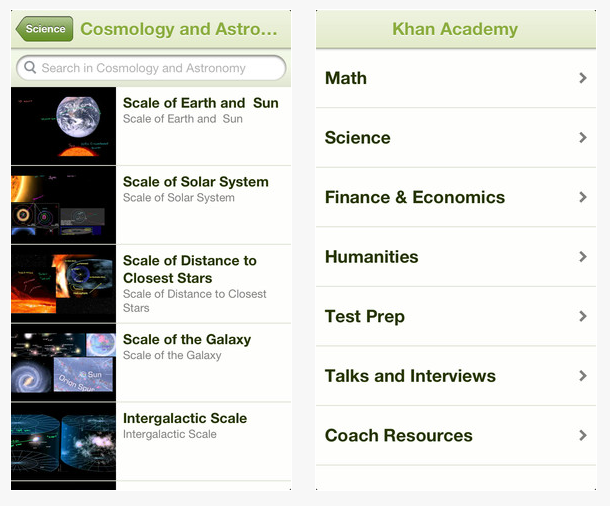
    Now, the organization has extended their website in the form of an app. You can use the Khan Academy app to browse the platform’s collection of educational videos. You can also bookmark topics, while everything will be synced between the app and the website. The app is genuinely free, with no in-app purchases or user account requirement.

    The app features a collection of thousands of videos of topics that range from math, science, economics and finance, arts and humanities, computing, and many more, which are broken down into sub-categories like history, music, physics, chemistry, macroeconomics, once you select a topic.

    Khan Academy

    It also comes with a built-in search function that lets you find the topic and category you’re looking for more precisely. You even have the option to save videos for offline mode. As an educational app, Khan Academy is great for watching short videos on the go. As a free app it does more to provide education than most other apps you find these days. With almost 40 percent of the world with internet access, Khan Academy has the potential to reach far and wide.

    Khan Academy app

    Now, while the app does provide useful educational videos, it still has some cons to it. Being a free app, you’re bound to find some lectures to be below par. Anyone can post lectures on any topic, but not everyone’s a certified teacher. Even founder Salman Khan has tried his hands at multiple course lectures, and has found some disagreement with his mathematical skills or his lack of preparation.

    Another potential problem is the language. Though the organization’s ambition is education on a global scale, the language in the videos are mostly in English. The webpage does have a few popular languages to choose from like Spanish, French, or Portuguese.

    But these are minor bugs when compared to what Khan Academy is offering for free i.e. education for all. The organization reaches out to those without proper educational accessibility or guidance. Educators are supporting the cause and students are appreciating the site’s straightforward and easy learning structure. Khan Academy is available on App Store and Google Play. So, download it now and spread the knowledge, people.

  • A Quick Guide to Help Secure Your Online Browsing

    A Quick Guide to Help Secure Your Online Browsing

    It’s uncanny how closely every little act of ours in the Cyber Space is tracked and recorded. Users of the virtual world seem to have consciously surrendered their privacy in exchange for cat videos, Instagram hearts and of course, selfies. Meet the Big Brother of our generation, boys and girls -the Internet. Dangerously close to being disturbing, a user’s privacy is no more a matter of concern for them, or even a territory under their control.

    Ever wondered why items from your last visit to Flipkart keep popping up on your Facebook homepage? How does YouTube know about that designer bag you’ve been drooling at on Myntra? Ask any one of these questions and thus begins a trail of creepy realisations. Every time a website is visited by a user, a linked network of all sorts of virtual pathways is put in motion that can be traced back to the user at any given point of time.

    A unique identifier for any computer on the internet is called its IP address. This is what the computers use to send data to other computers connected on the network. Your IP address leaves all your online browsing -pretty much your entire virtual existence -vulnerable to any hacker with even a rudimentary knowledge of hacking. Visiting the top 50 websites an average user opens would result in installing over 3000 tracking files on the computer. Though anonymous proxy servers are a great option of hiding your IP address, there’s still an entire sea of information related to your Web surfing stored on your computer.Internet

    Cookies are another aspect of browsing which leaves your Web history open to access by others. The user can block cookies entirely, which would also disable online banking and shopping websites as well, or simply third party cookies.

    One of the most basic steps of wiping the slate clean is deleting your Web surfing history. Pretty much all browsers allow  the user this option of covering their tracks. However despite these guidelines, any network administrator can access the history at the network level even if it is removed from your computer.

    Don’t lose heart though for there’s a way around all of this as well – and that is where privacy settings of individual browsers come in. Let’s take a look at the five most used browsers and their privacy settings:

    Internet Explorer

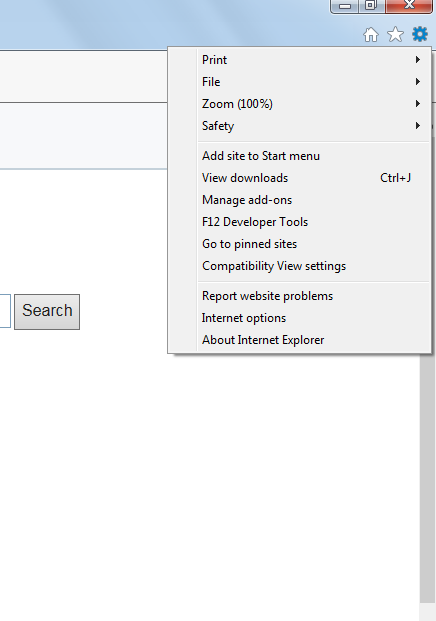
    1. Open a new tab and select ‘Safety’ on the top right corner tabInternet Explorer Step 1

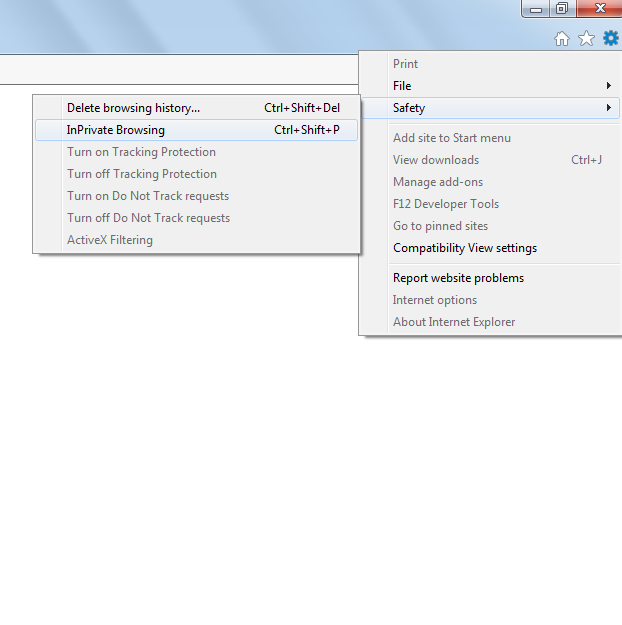
    2. Select. ‘InPrivate Browsing’ from the new tab that opens. (Control+Shift+P)Internet Explorer Step 2And voila!

    Safari

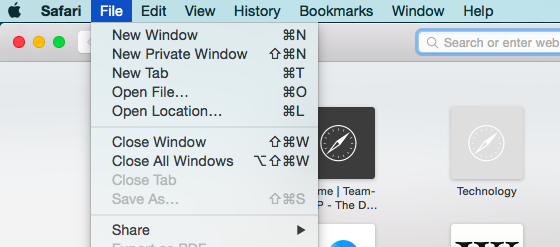
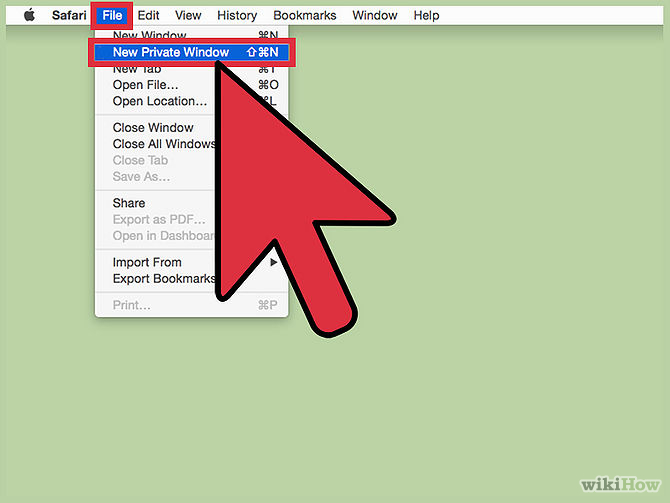
    1. Go to the main Safari menu.

    Safari Private Browsing

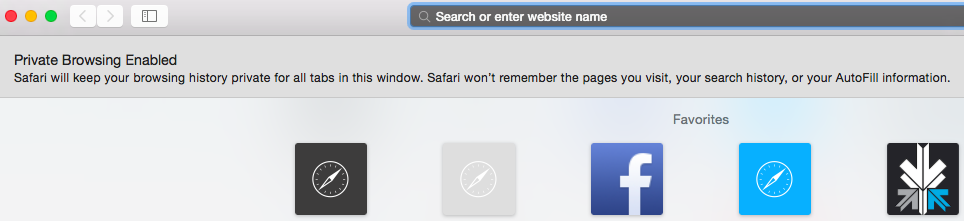
    2. From ‘File’, choose ‘New Private Window’. (Command+Shift+N)

    Safari Private Browsing  2

    You, techno-geek, you, that’s how you make Jobs proud.

    Google Chrome

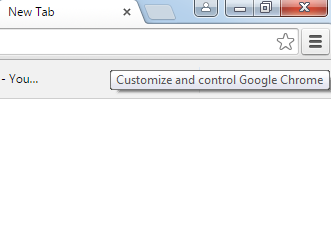
    1. Click on the page icon next to the URL window on the top right of the screen.

    Google Chrome Step 1

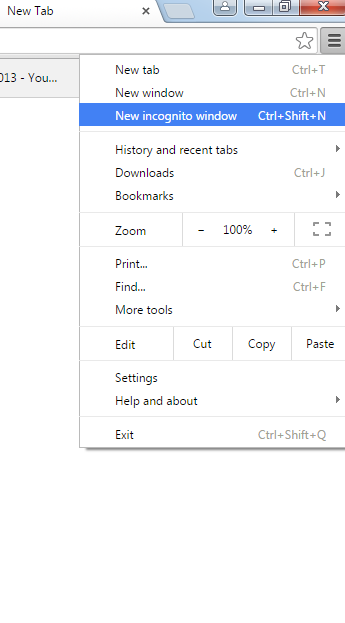
    2. Select ‘New Incognito Window’. (Control+Shift+N)

    Google Chrome Step 2

    Congratulations, Facebook will no longer know about the Mills and Boons you’ve been bulk-buying off Amazon.

    Firefox

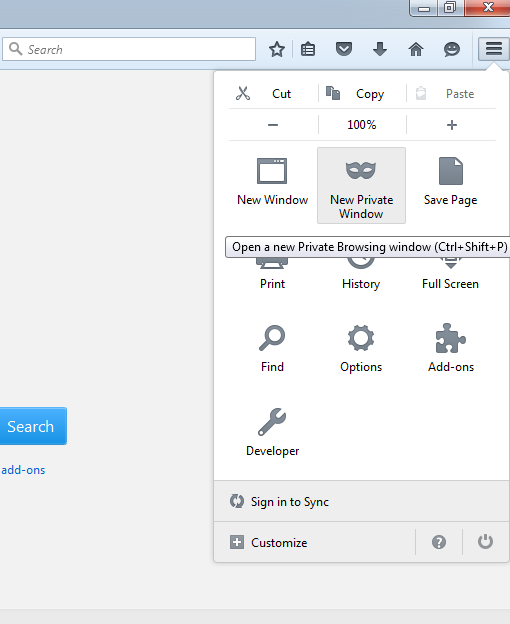
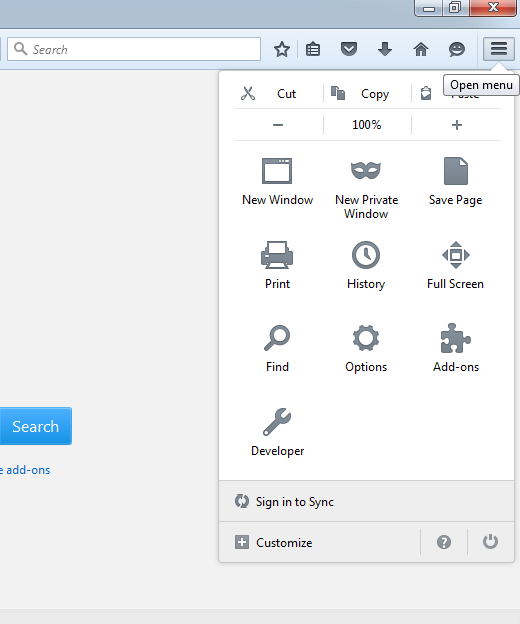
    1. Click on the menu button on the top right side of the browser window.Firefox Step 1

    2. Click on ‘New Private Window’ (Control+Shift+P)Firefox Step 2

    Yes, it’s that simple. Who would have thought, right?

    Opera

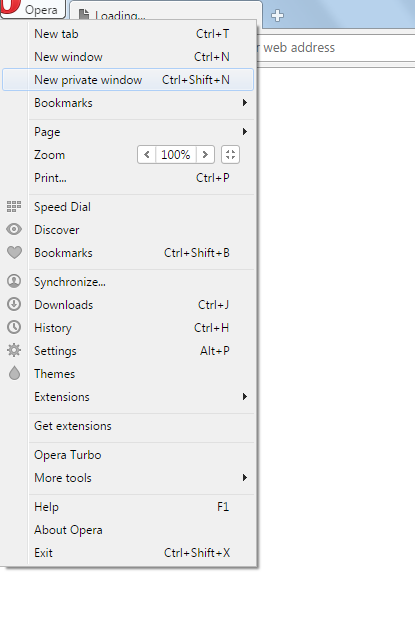
    1. Go to the ‘Opera’ button on the top-left corner of the screen.Opera Step 1

    2. Choose ‘New Private Window’. (Control+Shift+N)Opera Step 2

    My, my, look at you working out that secrecy muscle now.

    These are some basic hacks to help you avoid online tracking. While the country kicks up a ruckus about the recent proposal of storing instant messages for at least 90 days before being able to delete them, all the best hiding your virtual activity from the government for now. May your secrets be dark, deep and worthy of all the trouble of hiding them.


iGyaan Network
Privacy Overview

This website uses cookies so that we can provide you with the best user experience possible. Cookie information is stored in your browser and performs functions such as recognising you when you return to our website and helping our team to understand which sections of the website you find most interesting and useful.