Category: iOS

  • Tips and Tricks to Survive With a 16 GB iPhone

    Tips and Tricks to Survive With a 16 GB iPhone

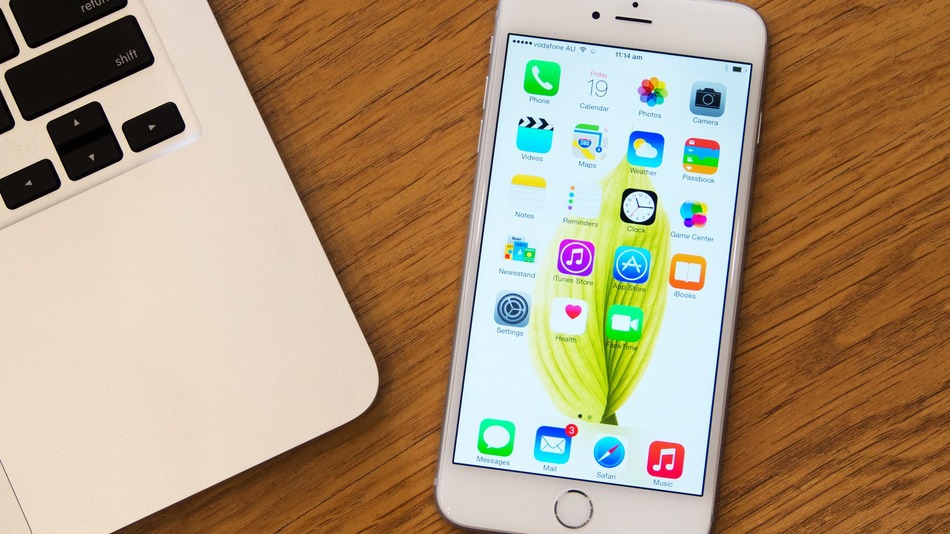
    So you have a 16 GB iPhone and you don’t really know why. You just do. Or you might be planning to go for the new iPhone 6s series, but you’re not sure whether a 16 GB storage is worth it. Well, even we don’t know why Apple hasn’t already killed off the 16 GB variant. But the fact is that they haven’t and there are people around the world who have to deal with living with a 16 GB iPhone.

    Moreover, it’s not really 16 GB, is it? It’s actually about 10 GB as Apple’s OS and pre-loaded apps like iBooks, Photo Booth and others eat up about one-third of your storage. So, considering all that, close to 10 GB is what you’re left with that you can actually call your own.

    With new technology comes new, faster ways to fill up your limited storage. A single graphic-intense game like GTA can take up 1-2 GB of storage. An HD movie can take up to 5 GB. So 16 GB users feel the storage blues at least once a month. But don’t worry, we’re here to give you some tips and tricks on how you can easily manage with your 16 GB device.

    1. HDR Comes With a Price

    If you have an iPhone 4 or higher, you have the ability to take amazing High Dynamic Range (HDR) images. Yes, the images are crisp and spectacular, but heavy on your storage. What HDR does is that it combines multiple pictures at different exposures and then combines them to give you one great shot. This is what makes the camera in your iPhone one to beat.

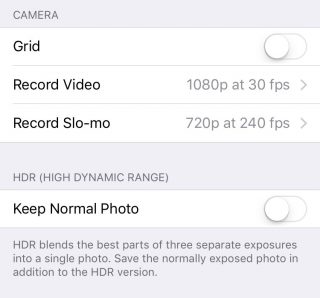
    But what HDR also does is that it saves the original picture as well, so that you can see and compare the detailing. Depending on whether the HDR has come out better or not, you can choose to keep the former and delete the latter, or vice versa. Either way, double photos take up double space, which is not good if you’re a 16 GB iPhone user. You can choose not to save your original photo if you know HDR images is what you want by going to Settings > Photos & Camera > Keep Normal Photo and unselecting it.
    HDR

    2. Thank God for Apple Music

    Say what you may about Apple Music, but it is definitely a godsend for 16 GB iPhone users. One of the major storage eaters is music. We tend to store a lot of music because we need it for our morning office trips, exercising, studying, everything. And we tend not to realise that in our excitement to store every new song that takes our fancy, we eat up that precious storage space.
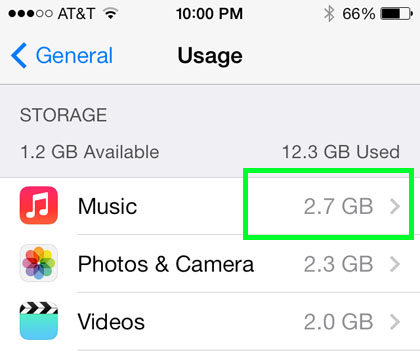
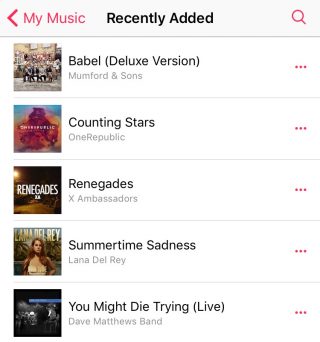
    Along came Apple Music to save the day. The music streaming service that began three months ago lets you stream unlimited music and lets you add as many songs and albums to your library without taking a single megabyte.
    Apple Music (4)

    To delete your stored music, head on over to Settings > General > Storage & iCloud Usage > Manage Storage > Music and left slide on artists you want to delete or delete them all together via All Songs. Once you’ve deleted all your songs, you can go nuts and start loading up your library with music from Apple Music that won’t leave a mark in your storage.

    3. Get Religious

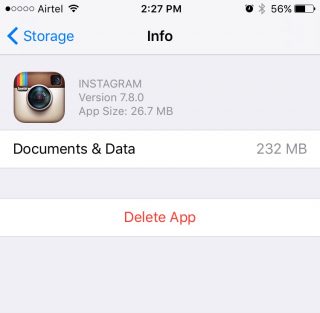
    iPhone users have to practice a specific religion. This religion requires you to check in on your storage every once in a while, see the apps that are consuming a lot of storage, delete them, and download the app(s) again.
    Storage-iPhone

    With a 16 GB storage, you can download any app you want. Go crazy with it as long as you remember to check back on them every once or twice a month. Apps like WhatsApp and Instagram take up a lot of space over time because of all media files that you end up downloading, or the hundreds of pictures you scroll through. When you find yourself approaching the 16 GB limit, head over to Settings > General > Usage > Manage Storage, find out whats bulking up and delete that app. You can always download the app again.

    4. Don’t Let Your iPhone Download Without Your Permission

    Apple tends to choose certain settings on your behalf. You may not even be aware of it until much later. One such setting is the Media Auto Download on WhatsApp, which is set on both Wi-Fi and Cellular by default. This means that any media file sent your way, be it in a group or individual, will automatically be downloaded to your media folder, whether you like it or not.

    WhatsApp-iOS (2)


    So, if you want to control the media you download, open WhatsApp and go to Setting > Chats and Calls > Media Auto-Download where you’ll find three separate options: Images, Audio and Video. You can then make the changes to each option accordingly.

    5. iCloud’s the Limit

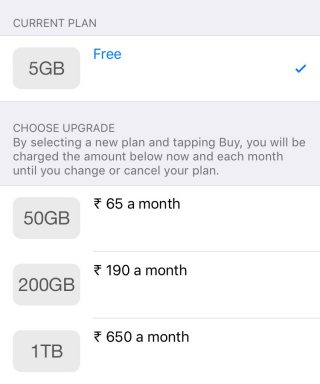
    The best way to beat storage woes is to pay for it. Along with the launch of iOS 9, Apple also bumped up the storage offered on iCloud as well as cut the prices of its plans. You can now get 50 GB of cloud storage at Rs. 65 ($0.99) per month, 200 GB at Rs 190 ($2.99) and 1 TB at Rs. 650 ($9.99). That comes to around Rs. 650 a year for a the base tier, which is not bad considering a 64 GB iPhone would cost around Rs. 10,000 more. You can purchase more storage by going to Setting > iCloud > Storage and click on ‘Buy More Storage’.
    iCloud

    To activate iCloud, all you have to do is go to Settings > iCloud and log in using your Apple ID. Once your Cloud is set up, you can choose the options like Photos, Mail, Contacts  and Calendars that you want stored in the Cloud. Next thing you’ll want to do is go to Photos via settings and turn on the ‘iCloud Photo Library’ option so that your entire library gets uploaded in iCloud.

    6. Stay Up-to-Date

    By this we mean always be on the latest update. iOS 9 has made some neat changes and the company has tried to focus on storage solutions more than ever before. Apple also introduced “app thinning”, which is a combination of enhancements that result in apps taking only as much space as they need in the moment. With this feature, developers are working on improving their apps so that it doesn’t take up unnecessary space.
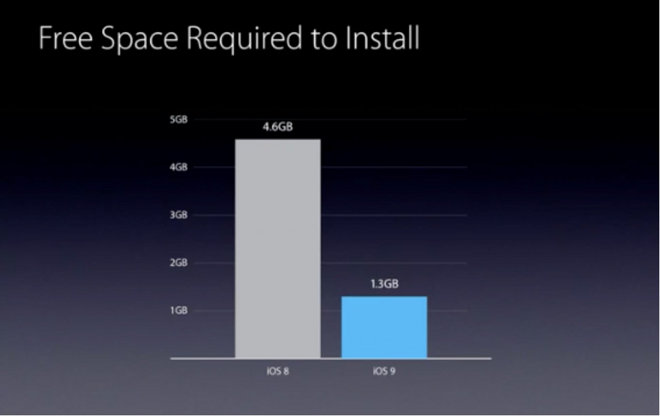
    Apple has also reduced the amount of storage space required by the iOS 9 OTA update from 4.6 GB to 1.3 GB. The difference won’t show in your storage, however. iOS 9 doesn’t free up storage for users, but it does make updating your iPhone easier with lighter files over the air.
  • Apple Gets Sued Over iOS 9 Wi-Fi Assist Feature

    Apple Gets Sued Over iOS 9 Wi-Fi Assist Feature

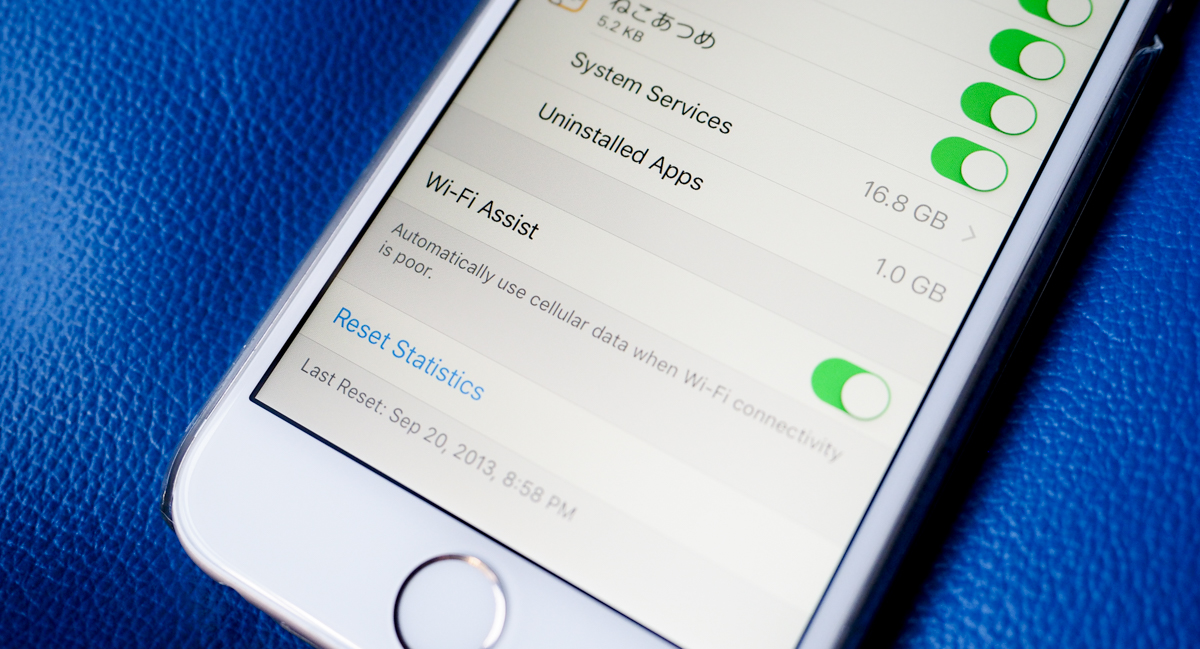
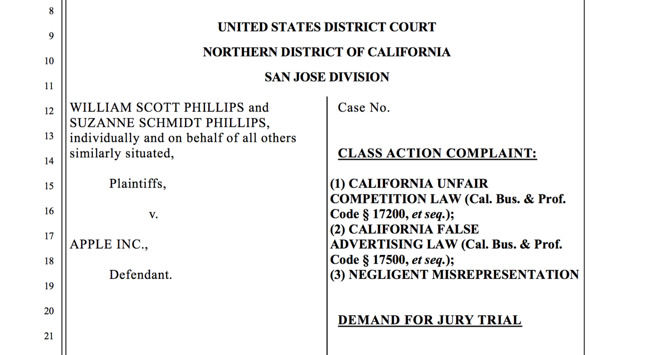
    It seems everyone loves to sue Apple left, right and center these days. And sometimes the lawsuits come from the most unexpected reasons possible. In one such case, a California-based couple has filed a class-action lawsuit accusing Apple for not informing iPhone owners of the potential data charges over Wi-Fi assist. The feature silently uses cellular data when Wi-Fi quality is poor. According to the plaintiffs, this feature has caused over $5 million in data charges to potentially affected customers.

    Lawsuit

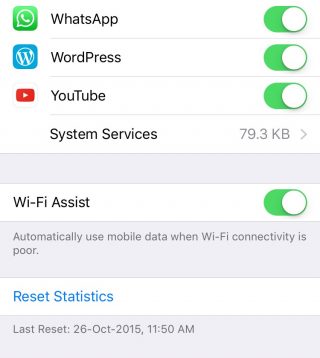
    Apple has a tendency to add new features and set defaults without informing users. This is part of Apple’s philosophy of deciding features for users so that they don’t have to, and letting them discover the features on their own, if they can. While most features do not actually dip into your pockets and are quietly working in the background, others can cost you, if you’re not aware of it.

    WiFi Assist

    Wi-Fi Assist was added in iOS 9 to ensure that you get seamless internet connectivity at all times. But apparently, the feature does more harm than good, according to some people. The exact damage is not known, yet. The lawsuit doesn’t mention the amount of charges incurred with W-Fi Assist, though the couple believe that it exceeds $5 million. In the off chance that the couple actually do win the lawsuit, this could be potentially problematic for companies like Samsung as well, who have also implemented similar Wi-Fi boosts.

  • Facebook Admits its App is Sucking Your iPhone’s Battery Dry

    Facebook Admits its App is Sucking Your iPhone’s Battery Dry

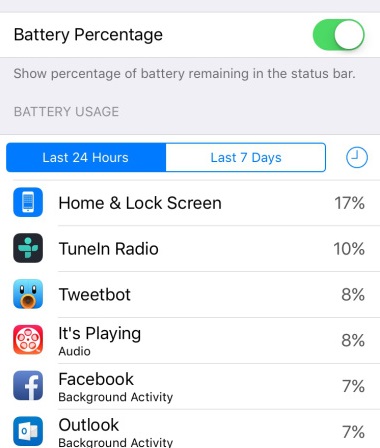
    Last week we had mentioned that the Facebook app for iOS may be the reason why your iPhone’s battery is draining faster than usual. Facebook has now confirmed that it is indeed their iOS app that is causing the battery issue. Many users have reported that the Facebook app in the battery menu shows as consuming quite a bit of battery even when usage is at a minimum.

    “We found a few key issues and have identified additional improvements, some of which are in the version of the app that was released today,” wrote Facebook’s Ari Grant yesterday.

    The first issue we found was a “CPU spin” in our network code. A CPU spin is like a child in a car asking, “Are we there yet? Are we there yet? Are we there yet?”with the question not resulting in any progress to reaching the destination. This repeated processing causes our app to use more battery than intended. The version released today has some improvements that should start making this better.

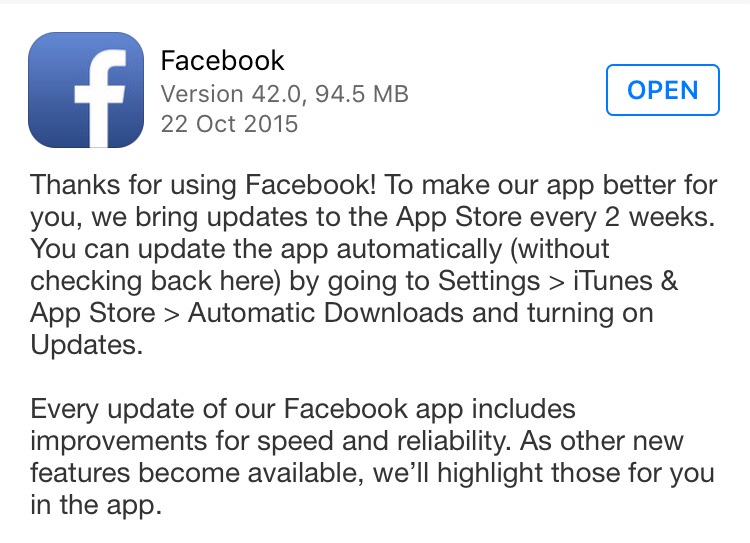
    Indeed, Facebook did come out with an iOS update yesterday (as it usually does every 2 weeks for improvement in speed and reliability). The update description did not mention any ‘bug’ fixes, but going by the word of Grant, you may start seeing some improvements once you’ve updated the app.

    Facebook Update

    Another issue for battery drain is due to the way Facebook handles audio playback. “If you leave the Facebook app after watching a video, the audio session sometimes stays open as if the app was playing audio silently. This is similar to when you close a music app and want to keep listening to the music while you do other things, except in this case it was unintentional and nothing kept playing. The app isn’t actually doing anything while awake in the background, but it does use more battery simply by being awake,” Grant said, promising that their new fixes will solve this issue and will remove background audio completely.

    You can download the update now, if you haven’t already. Don’t expect the update to solve all the battery issues at once. It may take a couple of more updates for Facebook to completely be rid of bugs that are sucking all the juice.

    Source: [tw-button size=”medium” background=”#07ABE2″ color=”” target=”_blank” link=”https://www.facebook.com/arig/posts/10105815276466163?pnref=story”]Facebook[/tw-button]

  • New iOS 9 Update Brings Tons of New Emojis, Live Photos Improvements

    New iOS 9 Update Brings Tons of New Emojis, Live Photos Improvements

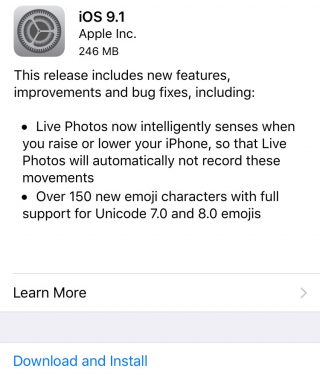
    It’s about time you got an emoji that lets you ‘flip the bird’. Wait, let’s rephrase that. It’s about time you got some new ways to express while messaging. Apple has released it’s latest iOS 9.1 update that comes with two major features.

    IMG_0035


    The first is related to Live Photos. Live Photos will now be able to sense when you move your hand higher or lower, and will ignore the movements.

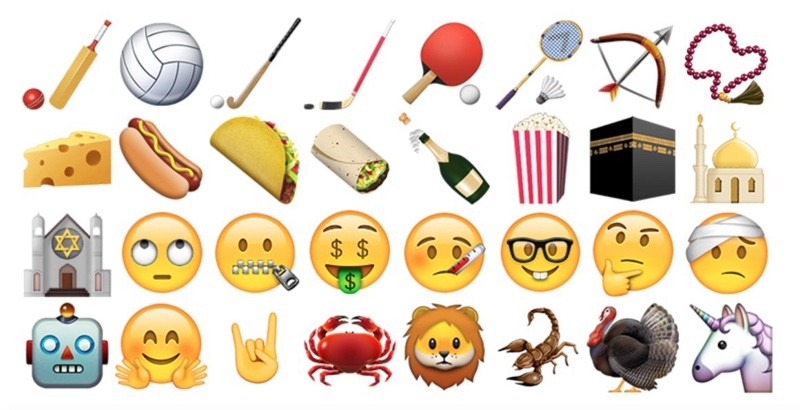
    The second new feature is a lot more exciting. The latest updates brings over 150 new emoji characters which include taco, burrito, cheese wedge, money eyes, and the middle finger. Yes, you read that right. There is now an emoji that lets you send a middle finger to anyone if you find yourself unable to express your feelings through the word.

    There is a catch, though. The new emojis can be sent only to those who have updated to the iOS 9.1. So, non-iOS users and iOS users still on the older version will not know when you’re giving them the finger. Some would say there is a certain evil joy in that too.

    ios9 emoji

    Apart from these changes, iOS 9.1 includes new features and compatibility updates for upcoming Apple products like the fourth-generation Apple TV and the iPad Pro. The new Apple TV requires iOS 9.1 for setting up. The new update also fixes a lot of bugs such as unresponsive Calendar, issues with Game Center and some issues with Mail search, among other things.

    In case you haven’t already updated your iPhone to the new iOS 9.1 update, you can do so now. For those who don’t know how to get it done, simply head over to Setting > General > Software Updates and hit on ‘Download and Install’. You can also connect your device to the computer and update via iTunes. Once installed, play around with all the new emojis and show some love to your friends by sending them the finger.


  • Apple Music Has Over 15 Million Users Now

    Apple Music Has Over 15 Million Users Now

    Apple Music has been growing since its inception back in June. Apple CEO Tim Cook recently gave an update on how people are taking to the new music streaming service, and he feels delighted, to say the least. “It’s going really well,” he told Wall Street Journal editor-in-chief Gerard Baker on stage at WSJD Live. “Fortunately, lots of people are liking it.”

    There are over 15 million users right now with 6.5 million users already paying for the service and the rest still enjoying the 3-months free trial period. After the trial period users have to pay $9.99 for individual subscriptions or $14.99 for families. In India, it costs Rs. 120 per month for individual subscription and Rs. 180 for families after trial period ends.

    Given the number of users – both paying and non-paying – on Apple Music right now, the service is getting closer and closer to Spotify, which has over 20 million paying users.

    Apple Music

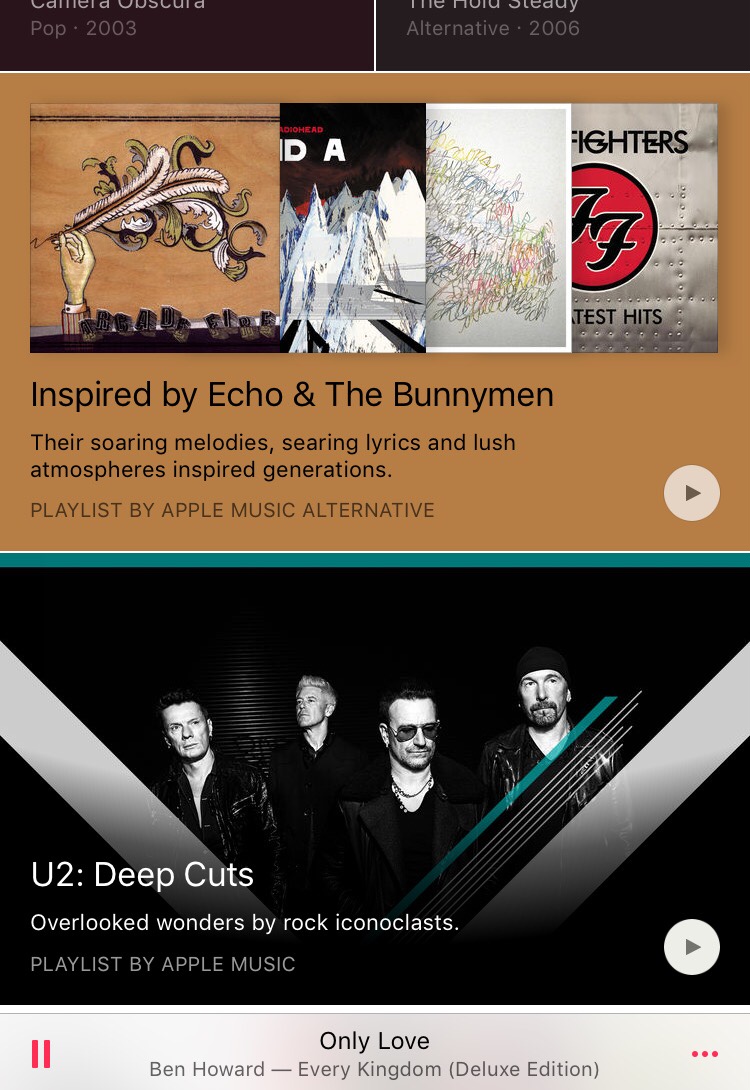
    The free-trial for June users ends this month. So October is the first month Apple has started collecting payments. There are people still joining the service for the first time this month. Apple Music has seen mixed opinions from people. There are those who especially love the curated playlists offered in Apple Music, while others are happy staying with Spotify.

  • Here’s How You Can Jailbreak Your iOS 9 iPhone Or iPad

    Here’s How You Can Jailbreak Your iOS 9 iPhone Or iPad

    Jailbreak for iOS 9 is now official thanks to the team at PanGu. For the uninitiated, Jailbreak is what you do when you want more from your operating software. Jailbreaking allows for more customization of your device and gives you apps that are otherwise not found in the app store. Jailbreak for iOS is especially useful because Apple has a tougher screening process when it comes to the apps it selects for the App Store.

    The name suggests that this is something that can involve some risks. With jailbreaking, you are in fact changing the way your iPhone or iPad functions in certain areas and you also have access to features that Apple has not incorporated. So, jailbreaking does come with its own set of risks, and it’s always advised to backup your data in iTunes before you proceed with jailbreaking your iPhone or iPad.

    How to Jailbreak iOS 9:

    1. Download an anti-bug/ bug-fixing app

    Jailbreaks often have some bugs. Before jumping straight to jailbreaking your device, you should download a tool that fixes the various bugs. So the first thing you want to do is download Pangu’s jailbreak tool.

    Jailbreak

    2. Back up your device

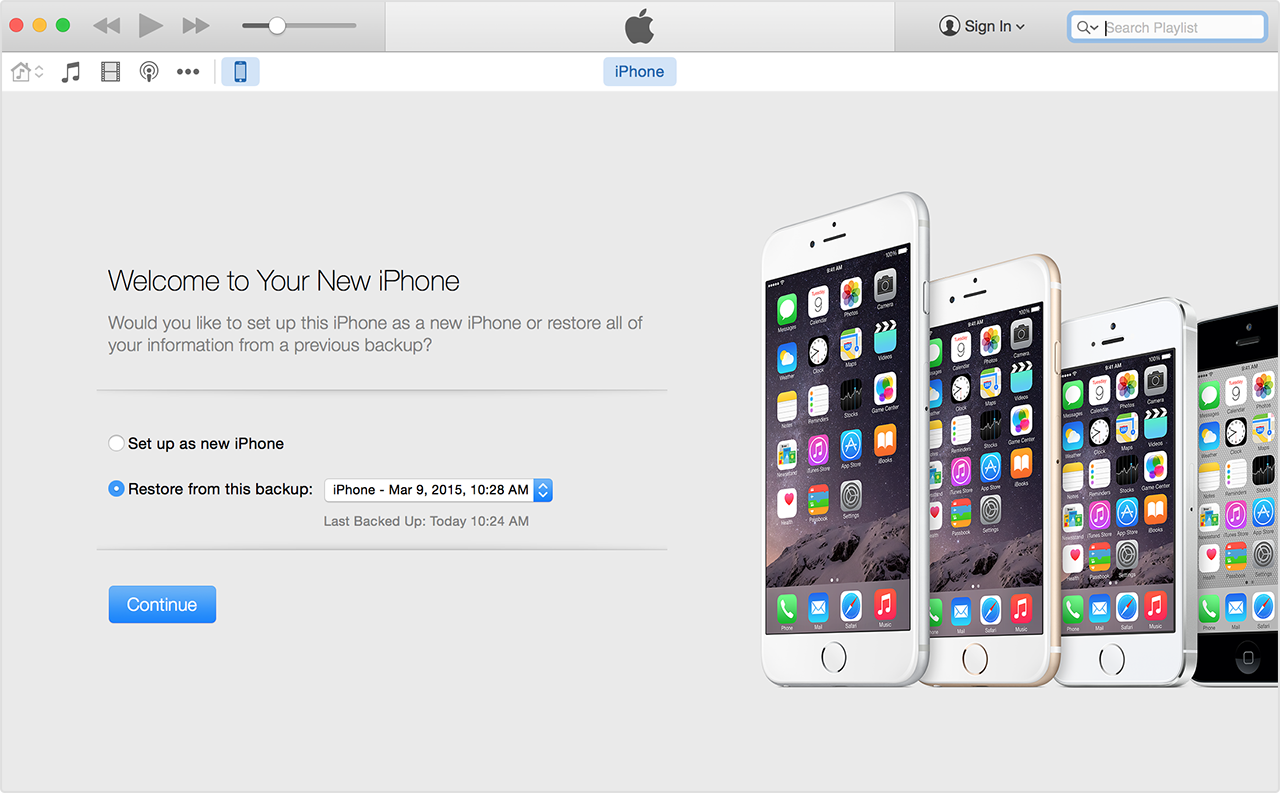
    While your tool downloads, you can use the time to backup your iPhone in iTunes. You need a fresh install of iOS 9.0.2  and set up your device as a new device to apply the jailbreak. So, you need to download iOS 9.0.2 through your PC via USB. It is advised that you shouldn’t download through Wi-Fi as that may cause some issues.  Once you’ve backed up your device, click ‘set up as new iPhone’.

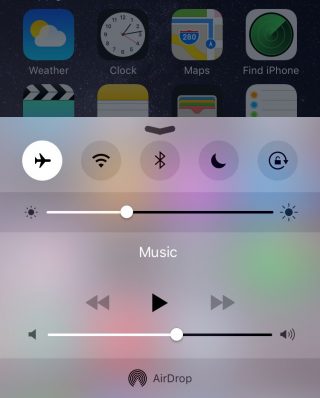
    A couple of more steps before you begin jailbreaking require you to switch off ‘Find my iPhone’ and Wi-Fi, disable passcode and switch to airplane mode.

    Airplane Mode

    3. Follow the instructions running on the PanGu tool

    Run the PanGu tool and the program will tell you if your phone is ready. Follow the instructions clearly when the program begins. After about 50 percent, the device will restart and you will have to unlock your phone and enable airplane mode once again as well as click on the PanGu icon on your device.

    4. Watch out for the Cydia icon

    You’ll know your jailbreak has worked when you see the Cydia icon in your device. If it’s there it means you’ve had a successful jailbreak and you may proceed to restore your backed up data. Once you restore your data, all your files will be there including Cydia.

    cydia

    5. Restore your device and check out the tweaks

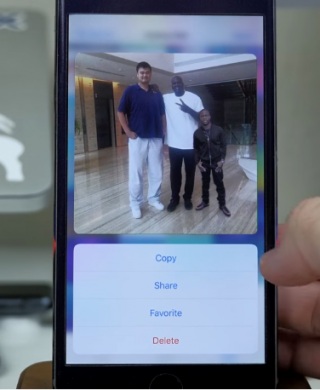
    There are some pretty neat tweaks offered here. A tweak called Universal Force brings the latest 3D Touch feature to your older devices. You won’t get the full features of the 3D Touch, though, but what Universal Force does offer is that it gives you the peek and pop functionality for your apps, pictures and mail. You can press and hold on a picture in your gallery for a quick peek along with options to Copy, Share, Favorite or Delete the picture all from your Photos grid.

    Jailbreak 1

    A Better5IconDock tweak lets you have 5 icons in your dock rather than just 4. So there is extra room to add your most frequented app.

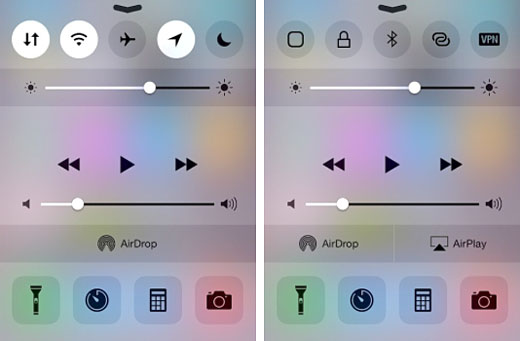
    Finally, CCSettings for iOS 8 gives you one of the best tweaks where you can now have a ton of different toggles in your Control Centre rather than the traditional 5 limit.  There are loads of other tweaks that give your iPhone and iPad some flavour and some fun features to play around with.

    Source: [tw-button size=”medium” background=”#07ABE2″ color=”” target=”_self” link=”http://www.forbes.com/sites/antonyleather/2015/10/18/how-to-jailbreak-your-ios-9-ipad-or-iphone/3/”]Forbes[/tw-button]

  • This Could Be The Reason Your iPhone’s Battery Is Dying On You

    This Could Be The Reason Your iPhone’s Battery Is Dying On You

    Has your iPhone been dying on you faster than usual? Facebook could be the reason for it. The company recently confirmed that its iOS app is causing serious battery drain issues and is working to fix it. Apparently, the app continues to run in the background even when your Background App Refresh is turned off.

    A spokesperson for Facebook gave a statement to TechCrunch confirming the issue and promising that the company will fix the problem soon.

    “We have heard reports of some people experiencing battery issues with our iOS app. We’re looking into this and hope to have a fix in place soon,” the spokesperson said.

    FB ios

    The reason behind the battery drain is not yet known. While some believe that it could be due to Facebook’s new update that allows for autoplay of videos, other believe that this does not take up battery any more than the previous version did.

    Facebook hasn’t commented on the various theories around why the app has been gulping down battery, and has only stated that they’re working to fix it. Whether this is a bug or ‘audio hijacking’ as some conspiracy theories suggest is something only the company would know about. If you find yourself facing the same issue, be patient. For now, you can ditch the iOS app and log on to Facebook through the mobile web until Facebook comes out with a new update.


  • Gaming Apps of the Week: Nibblers and Jetpack Joyride ‘Back to the Future’

    Gaming Apps of the Week: Nibblers and Jetpack Joyride ‘Back to the Future’

    There are so many apps and games that come out every week that it is a little difficult to sort through the mess. Not all of them succeed in drawing users attention. It takes a while for an app to accumulate a base. And then there are some games that don’t really require too much thought. It’s usually the simplest ones that become highly addictive and popular. So, in today’s app(s) of the week, we have two games to please your addictive soul.

    Nibblers

    Nibblers

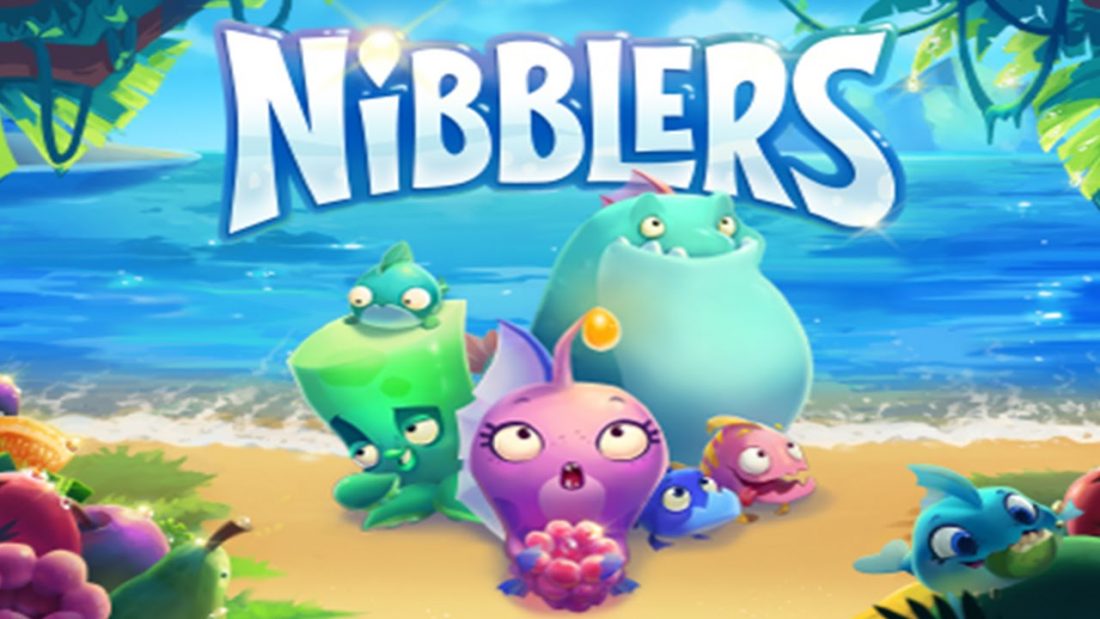
    Nibblers is the latest game developed by Rovio. The company behind Angry Birds is trying to bounce back with its newest match 3 game. For the past few years Rovio has been trying to regain the glory it achieved with Angry Birds. The sequel to Angry Birds did not meet with the same level of enthusiasm. With Nibblers, Rovio might be on to something.

    Nibblers

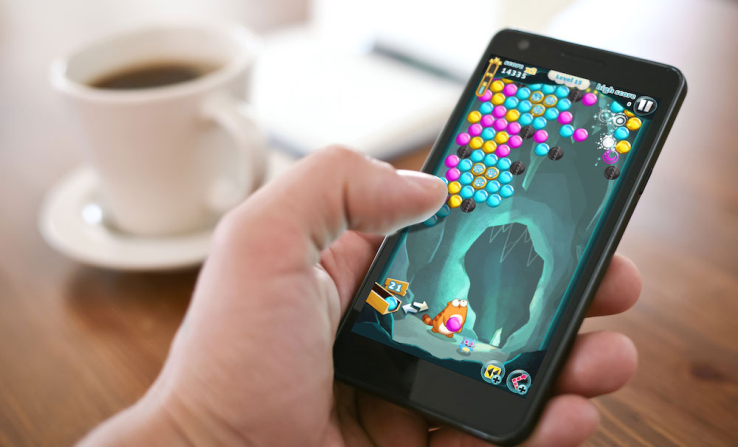
    Nibblers is a simple yet addictive game where players must match up fruits to take out monsters and continue along the game. The game is similar to many match 3 games out there like Candy Crush, but Rovio has added something extra just to stand apart. You can knock enemies off of bushes and sand before they get the jump on you, power ups, obstacles and hidden fish power give the game a bit of flair. The levels also constantly shift from the currents of the water. These little additions to the standard 3 match game makes Nibblers a fun play with some twists and turns.

    As simple as the game may sound, it is not as easy as most other game in this genre. The difficulty is in matching the fruits that border the lizards in order to cause damage. Damaging the lizards enough time will cause them to go up in a puff of smoke and the whole ordeal can be a little challenging. You win the level when all the lizards have been defeated.

    With up to 200 levels that can be played for free, you can spend loads of free time on the game. We think the game is worth a visit if you’re looking for something new to play this week. You can download it on Google Play Store and App Store for free.

    Jetpack Joyride

    jetpack-joyride-back-to-the-futu

    Yes, it’s not a new game and it’s been there since 2011. But what is new is the new Back to the Future-themed update that was released just last week. Halfbrick Studios launched this new mode celebrating the 30th anniversary of the cult favorite sci-fi film franchise Back to the Future.

    The new mode is set at Hill Valley, home of the film’s main character Marty McFly. It’s a time trial mode so players will get to drive the DeLorean Time Machine car or the hoverboard and will have to collect flux capacitors that add an extra 5 seconds to the remaining time. However, if you collide with the surrounding in your screen, your time will reduce by 10 seconds.

    Jetpack Joyride

    Collect enough flux capacitors and you will get to unlock a total of three beloved characters from the film – Marty McFly, Doc Brown and Biff Tannen. The game is only free for this month, after which you will have to pay to play the Back to the Future themed mode.

    This latest update by Halfbrick has once again brought the addictive game that many have grown out of  back in the limelight. So if you thought you were done with the game then think again. All we’re saying is that you get to control the DeLorean and the hoverboard, and that’s reason enough to go for it. You can download Jetpack Joyride from Google Play Store and App Store and have a little fun.

    So these are the two games for this week. Be sure to let us know what you think about the games in the comments below.

  • WhatsApp Rolls Out 3D Touch Support For iPhones 6s

    WhatsApp Rolls Out 3D Touch Support For iPhones 6s

    Apple introduced the 3D Touch with their latest iPhone 6s and iPhone 6s plus. It is, without a doubt, one of the coolest technological improvements from the company in a long while. As you may know already, the 3D Touch makes navigating apps a whole lot easier with the ability to ‘Peek and Pop’, as Apple calls it.

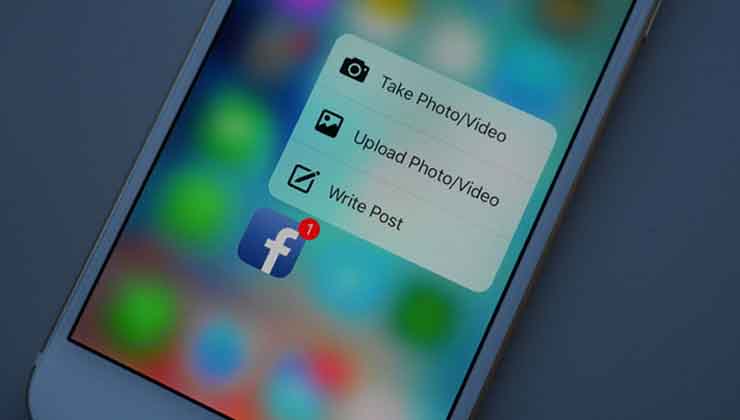
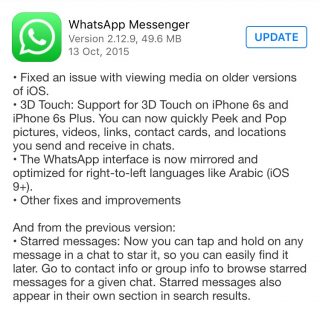
    Apps like Instagram, Twitter and Facebook have already begun rolling out updates that make use of the 3D Touch feature. Now WhatsApp joins the list as well. The messaging service rolled out its latest version yesterday and the description mentions how you’ll be able to make use of the 3D Touch feature with your latest iPhone.

    WhatsApp Update

    While not many found the previous update (starring a message by tapping and holding the message) all that useful, the new update is sure to be a treat for iPhone 6s and iPhone 6s Plus users out there who want to get as much out of the 3D Touch feature as they can. As the update mentions, the 3D Touch feature will now allow you to quickly Peek and Pop pictures, videos, links, contact cards, and locations that you send and receive in chats.

    Another update is not 3D Touch related but worth a mention. The WhatsApp interface is now mirrored and optimized for right-to-left languages like Arabic.

  • YouTube’s iOS App Now Let’s You Edit Videos On the Fly

    Recent reports suggest that Google has updated its YouTube iOS app with some basic in-app editing features. The new YouTube version 10.38 was released on Monday in the App Store for the iPhone, iPad and iPod Touch.

    YouTube 10.38

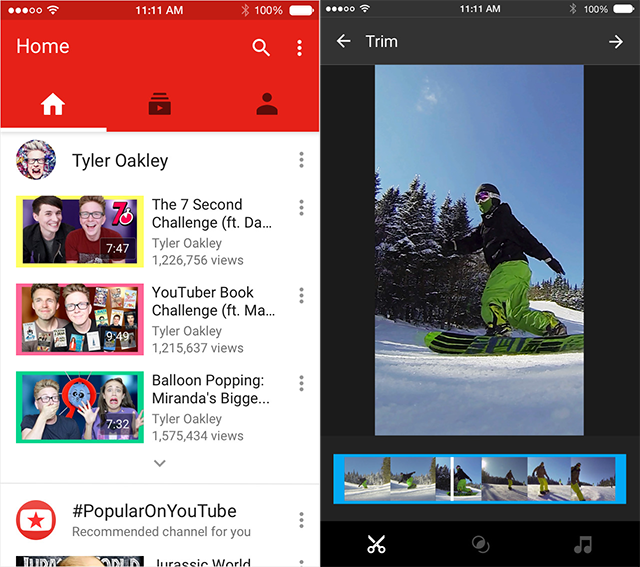
    The in-app editing features include trimming a video, applying filters, and changing background music. So, if you want to upload a video on YouTube you can now just film it using your iPhone and upload it accordingly, instead of going through the long process of uploading it on to your PC and then using a third-party editing app. However, the editing features on YouTube are still quite basic, so if you’re going in for some serious editing, then it’s probably best to use the third-party apps for now.

    YouTube iOS

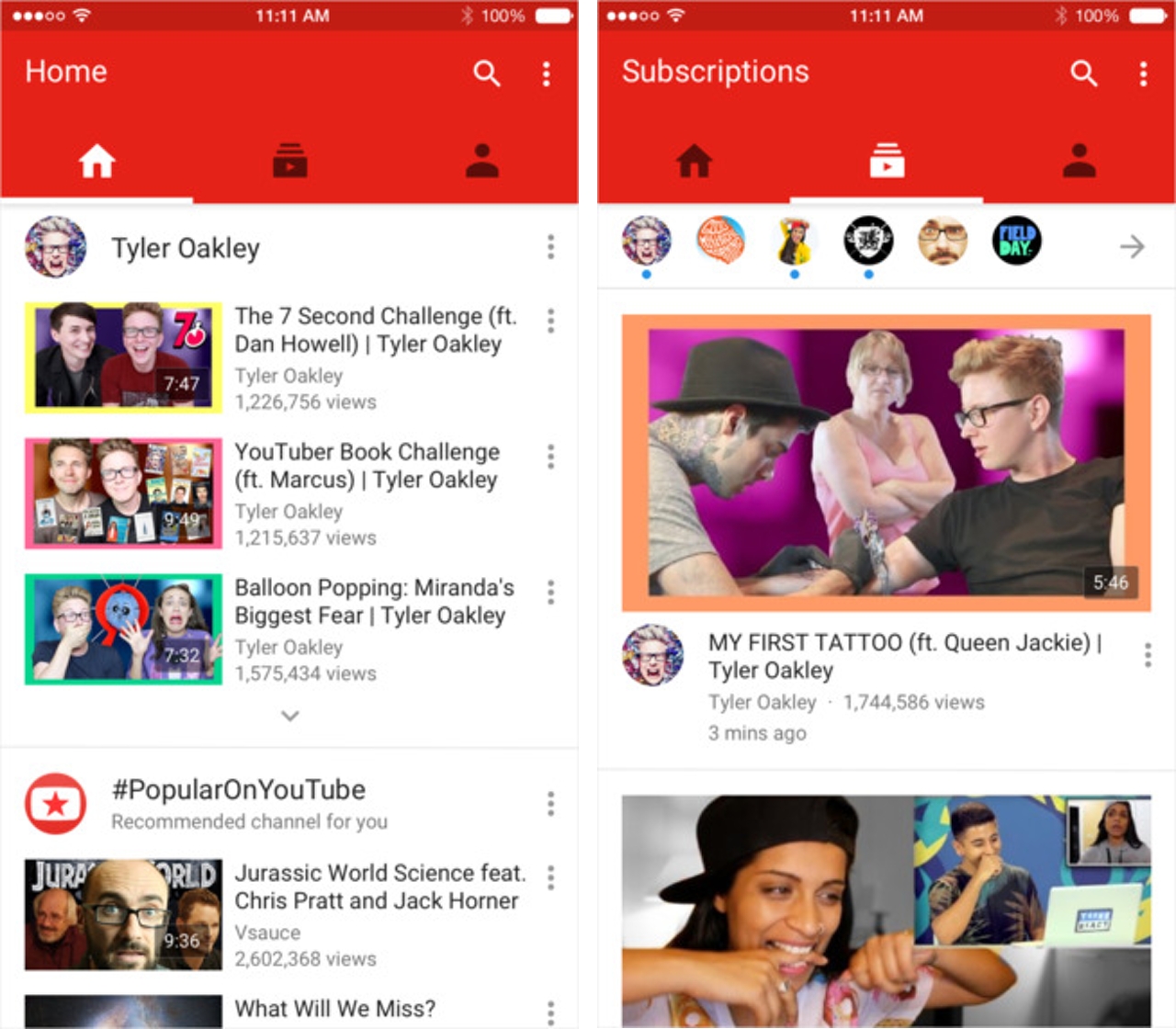
    The update is not just for users who create videos and upload them. YouTube has also gone through a minor display makeover for the lay YouTube user. So, if you watch videos on YouTube to waste your life away then the new updates help you. You can now swipe left to see your subscribed channels and swiping once more to the left will reveal your account page.

    You can also just tap one of the three icons at the top of the page to navigate between your home page, subscriptions page and the account page. There’s one last thing, there are three dots at the upper right of your screen which can lead you to your YouTube settings, help screen and other features.

    You can download the YouTube app for free on the iTunes App Store.

  • LowRes Coder App for iOS Lets You Create Your Own 8-bit Games

    LowRes Coder App for iOS Lets You Create Your Own 8-bit Games

    Have you ever had a great game in mind but never could get it past the idea stage because you just didn’t know how? Well, there is an iOS app called LowRes Coder that allows you to create that 8-bit game you’ve always wanted to ever since you played Snakes and Space Invaders all those years ago.

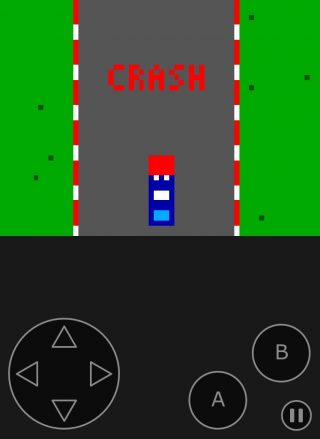
    The LowRes app for iPhone, iPad, and iPod Touch provides you the tools to program retro looking games and demos, and you don’t need to be a programming genius to do so. With this app you can be the designer and the developer. It is a user-friendly way to create your very own game and run it on a virtual game console once you’re finished.

    LowRes App (4)

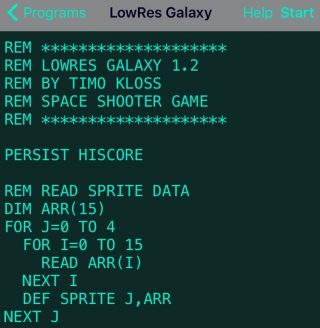
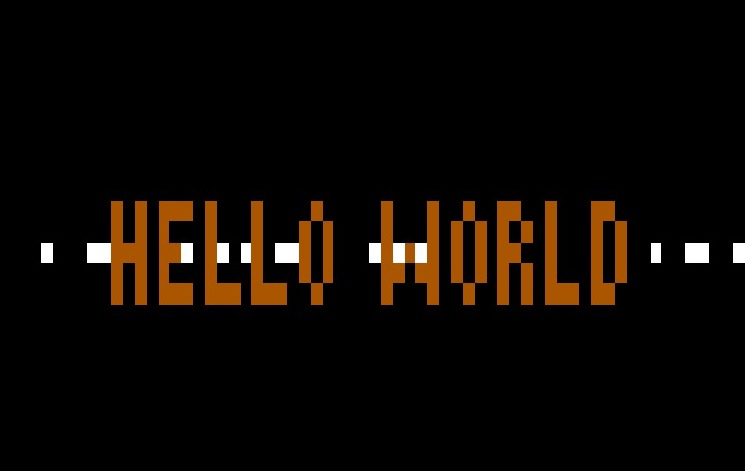
    The app uses basic programming language that is easy to understand. It is the “classic” language that programmers used a long time ago, and it is perfect for anyone who is keen on knowing how programming works. Consider it as a beginners guide to programming, if you may. The app uses three sound generators, 8×8 pixel sprites, 16 colours, and 64×64 pixels. It is inspired by 8-bit systems with an integrated BASIC interpreter and editor.

    Have an idea? Run with it

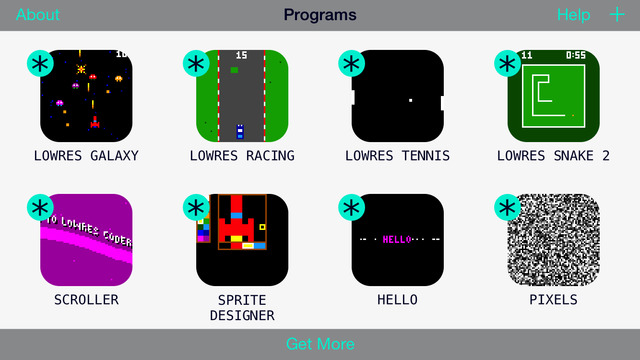
    Before you jump to a new page to start creating your codes, you need to know what to write. The app comes pre-loaded with games like Snake, Tennis, Racing, and Galaxy (some nostalgia for all). You can open any one of them and program more features into them, to make them more unique and fun. The sample lines give you an idea of how codes are written so that you can create your own game from scratch. If you’re new to programming this is a great way to learn the basics.

    LowRes App

    See what others are creating

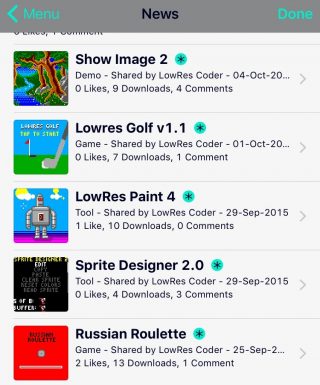
    There is a big community of amateur programmers out there who just love to make their own hopping, jumping, slithering games. The app lets you publish your games on your own profile page, which is then visible by the community.  You can check out others games and have others try out yours. Its a great way to get ideas, inspiration, and share your passion for programming.

    LowRes App (2)

    What are you waiting for?

    You’ve probably got an idea of what this app does for you. And if you are the curious type, you’ll appreciate an app that gives you the potential to one day, go beyond 8-bit gaming. This app won’t turn you into coding savants, but it’ll set up the basics. The app allows you to create new games and make changes to pre-loaded ones, which is pretty neat for a free version. Even if you’re not into coding right now, the app lets you play tons of games on the community, till you get an idea of how easy it is to make them.

    The free download limits the amount of lines you can use to 24 (you can do a lot in 24), however, if your dream game is a little more complex than that, you can go for the full version via in-app purchase for $2.99. You can download the app here for iOS users. Code on, people.

    LowRes App (3)


  • ‘Stick with Android’ App Mocks ‘Move to iOS’

    ‘Stick with Android’ App Mocks ‘Move to iOS’

    Android fans have spoken. The Move to iOS  Android app that was launched by Apple recently was received like a cold slap by Android users. Now an Android developer has come out with a hilarious reply by creating a ‘Stick with Android’ app.

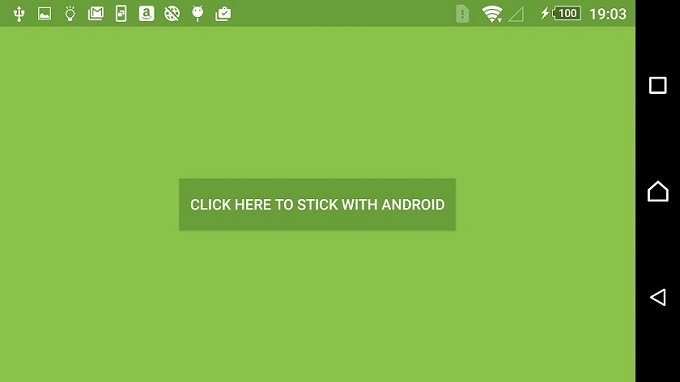
    A developer named Jonatthias released the app on Google Play Store and this is the app’s description:

    “Everything about Android is designed to be easy. That includes sticking with it. With just one step, you can keep your content automatically and securely on your Android device with the Stay on Android app. No need to save your stuff elsewhere before staying on Android. The Stay on Android app securely keeps you away from switching to another (worse) platform.”

    Clearly, the description wages an all out war to take down the apparently insulting Move to iOS app. The Stick with Android app doesn’t do much except show a single button on screen that says “Click here to stick with Android” which, when pressed, lets the user stick with Android. And it’s as simple as that.

    Stick-with-Android

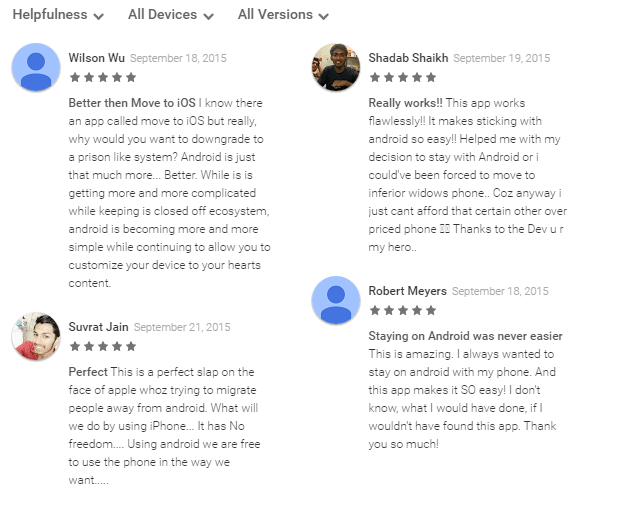
    However, the hilarity does not end there. The app has an almost perfect 5 star rating in the Google Play Store whereas the Move to iOS app currently has a 1.8 rating, which is perhaps more to do with the existence of the app rather than the functionality of it. This practically useless app is one of the best rated Android apps at the Store.

    As usual, the best part about an app like this is the user reviews. Click here if you want to download the app for a quick giggle.

    Stick with Android


  • Hacking Trouble Continues for iOS 9

    Hacking Trouble Continues for iOS 9

    Heads up, iOS 9 users. In what seems to be another of the many disappointing updates about Apple, it has been revealed that your photos and contact details are open to access by others in seven basic steps. This comes in wake of the recent breach of security in Apple’s iOS App Store.

    iPhone 6s 0

    If you thought your iPhone’s lock code and TouchID can protect your data from hacking, it’s time to burst that little bubble with the following seven steps:

    1. The first step requires you to enter a wrong password four times on your PIN-protected Apple device which runs on iOS 9.
    2. Next, the fifth time that is, first three numbers should be entered, and then press and hold down the home button to launch Siri instantly. Right after this, enter the 4th digit.
    3. On getting a response, ask Siri for the time. Add a new Clock now by tapping on the Clock icon.
    4. Once the new clock has been added, write anything in the Choose a City field,  followed by a double tap to get the copy and paste option.
    5. Next you choose the ‘All’ option, followed by ‘Share’, and then the ‘Message’ icon in the Share option, where, once again you type anything.
    6. Now tap ‘Return’, and double tap on the top contact name.
    7. And finally, finish off by selecting ‘Create New Contact’, followed by ‘Add Photo’, and at the end ‘Choose Photo’.

    And in this manner, a hacker would have gained access to your entire phone library. However, there is a way to protect your data against this. Disabling Siri on the lock screen by going to the Settings Menu is a way to prevent it. From Settings, select Touch ID and Passcode and then disable Siri. The device would now have to be necessarily unlocked for Siri to work.

    While iOS 9 tries to set its feet amidst the quicksands of tech-glitches, it’s better to stay wary of hacking-threats looming overhead. Let’s see what is the next exciting piece of news we get to hear about Apple’s newest devices.

    Source: [tw-button size=”medium” background=”#07ABE2″ color=”” target=”_blank” link=”http://www.gizbot.com/apps-software/apple-ios-9-lets-anyone-bypass-security-code-access-photos-contacts-in-7-simple-steps-028384.html”]Gizbot[/tw-button]

  • Apple Releases Bug Fixes For iOS 9

    Apple Releases Bug Fixes For iOS 9

    Last week, Apple released its latest operating system which came with its fair share of bugs and glitches to the annoyance of many. This is not a new phenomenon as last year’s iOS 8 saw perhaps the most number of bugs. However, Apple is now working quickly to remove the issues with its new update. The new iOS 9.0.1 update is ready to be installed today and it removes some, not all, of the bugs that Apple users have been facing.

    Issues such as broken alarms and timers, distorted paused videos in Safari and Photos, and one the left users stuck on the ‘Slide to Upgrade’ screen, preventing them from using their device unless they rolled back to iOS 8, have been fixed with the latest update. Despite the bugs, the iOS 9 has seen the highest adoption rate so far with more than 50 percent of devices already on the latest OS. Clearly, Apple fans have not been deterred by news of users having issues downloading the OS on the first day.

    iPhone 6

    The release of iOS 9.0.1 mirrors that of iOS 8.0.1 which also came out just a week after the release of OS 8, though to much ire as the second update to iOS 8 did not seem to fix bugs but rather created more. Users reported that iOS 8.0.1 was breaking cellular reception and other features like Touch ID. Apple is not looking to make the same mistakes again with this latest update.

    For those who haven’t updated your iPhone or iPads yet can do so today (and after midnight in India). Do not expect all your troubles to disappear right away. Let us know if the latest iOS 9.0.1 has made your life more easier.

iGyaan Network
Privacy Overview

This website uses cookies so that we can provide you with the best user experience possible. Cookie information is stored in your browser and performs functions such as recognising you when you return to our website and helping our team to understand which sections of the website you find most interesting and useful.