Category: Apps and Software

Games, Apps, Softwares, Operating Systems and Software Hacks

  • Windows 10 Spring Update Will Get A New ‘Timeline’ Feature

    Windows 10 Spring Update Will Get A New ‘Timeline’ Feature

    Microsoft is in the final stage of launching the next big software update for Windows 10 called ‘Spring Creators Update’. The company is yet to announce the launch date of the update. However, according to a source, the update will go live on the 10th of April. In fact, this date collides with Windows 10 Creators Edition launch date. There are a lot of changes and new features included in the upcoming major software update from Microsoft.

    The update will be first tested with a set of users in the initial wave. Later on, the update will be made available for the rest of the users. In fact, the update might take months to land on your device. If you are an eligible Windows Insider, then you will be able to test the RTM (Release To Manufacturing) build before April.

    New features

    The spring update will have plenty of new features. The update will improve the user experience on Microsoft Edge browser, new action centre, and a task view feature. Similarly, there are minor UI refinements, which improves the overall user experience. The most interesting feature of this update is the new Timeline feature.

    The task view will be renamed as Timeline, which allows a user to go back up to 30 days to edit a document or pick up a task. These apps/tasks will be listed according to time. However, every app will not support this feature. Most of the Microsoft applications like Word, Edge, Powerpoint will support this feature from the beginning.

  • MIUI 9.5 Is Coming To These 30 Smartphones

    MIUI 9.5 Is Coming To These 30 Smartphones

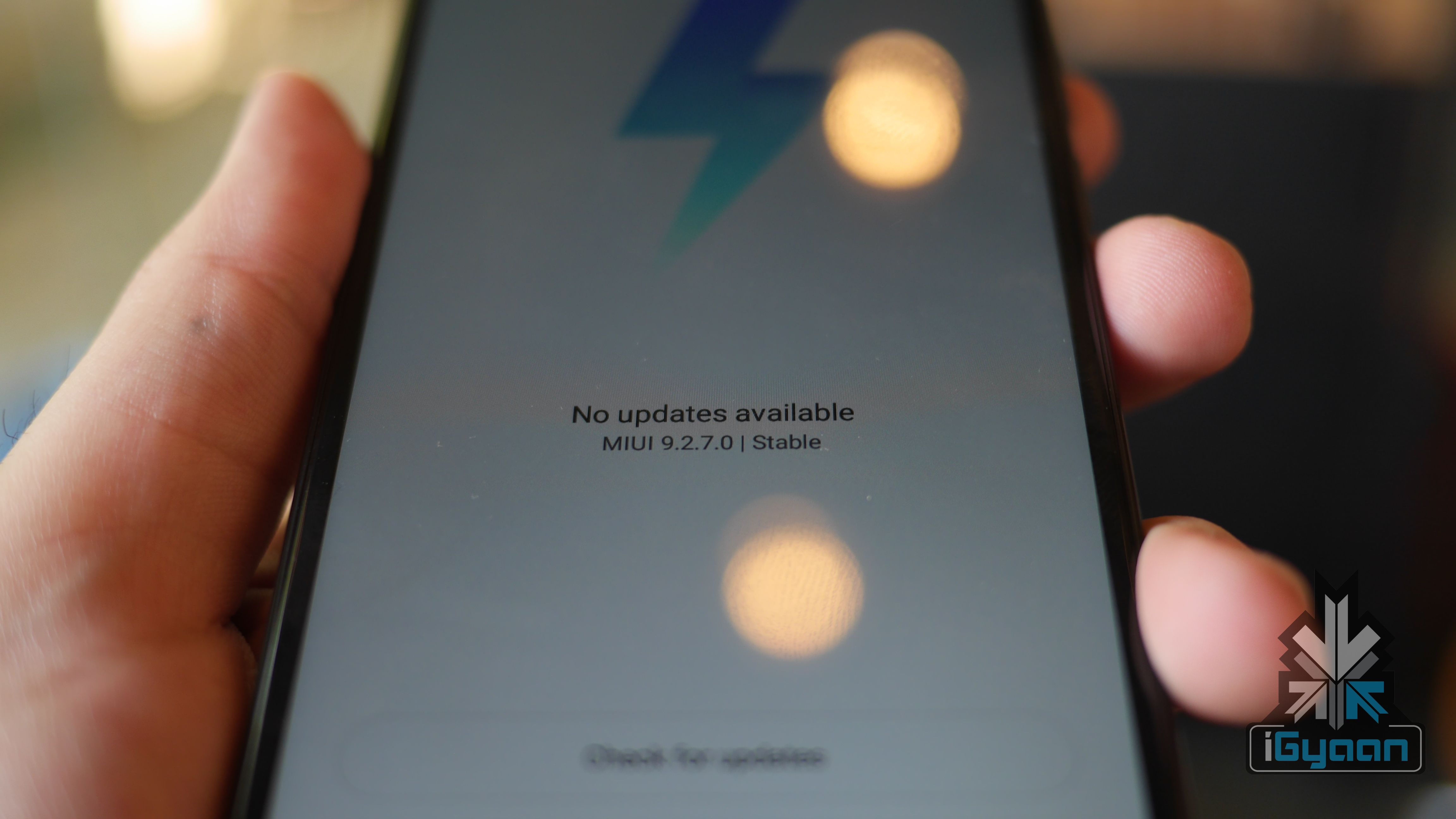
    Xiaomi only recently rolled out MIUI 9 for almost all of its smartphones here in India. The Chinese smartphone maker was commended for not leaving old devices in the dark and even the Redmi 1s, launched over three years ago, received the MIUI 9 update. However, the support will end there for a lot of these smartphones. Xiaomi has announced that the new MIUI 9.5 update will start seeding in late-March. It will gradually reach about 30 Xiaomi devices by the end of April 2018.

    MIUI 9.5 Update Timeline

    Late-March: Redmi Note 3 Special Edition, Redmi Note 3 Qualcomm, Redmi Note 4 Qualcomm/Redmi Note 4X, Mi Max, Mi Max Prime, Redmi 3S, Redmi 4 Prime, Redmi 4A and Redmi Note 4 MTK.

    Early-April: Redmi Note 5A Prime/Redmi Y1, Redmi Note 5A/Redmi Y1 Lite, Redmi 5A, Redmi 5 Plus, Redmi Note 5/Pro, Redmi 5, Mi Max 2, Mi 5/Pro, Redmi 4X, Mi 6 and Mi MIX 2

    Mid-April: Mi Note 2, Mi 5s, Mi MIX, Mi Note 3, Mi 5s Plus, Redmi Note 2, Redmi 3, Redmi 4, Mi 3, Mi 4

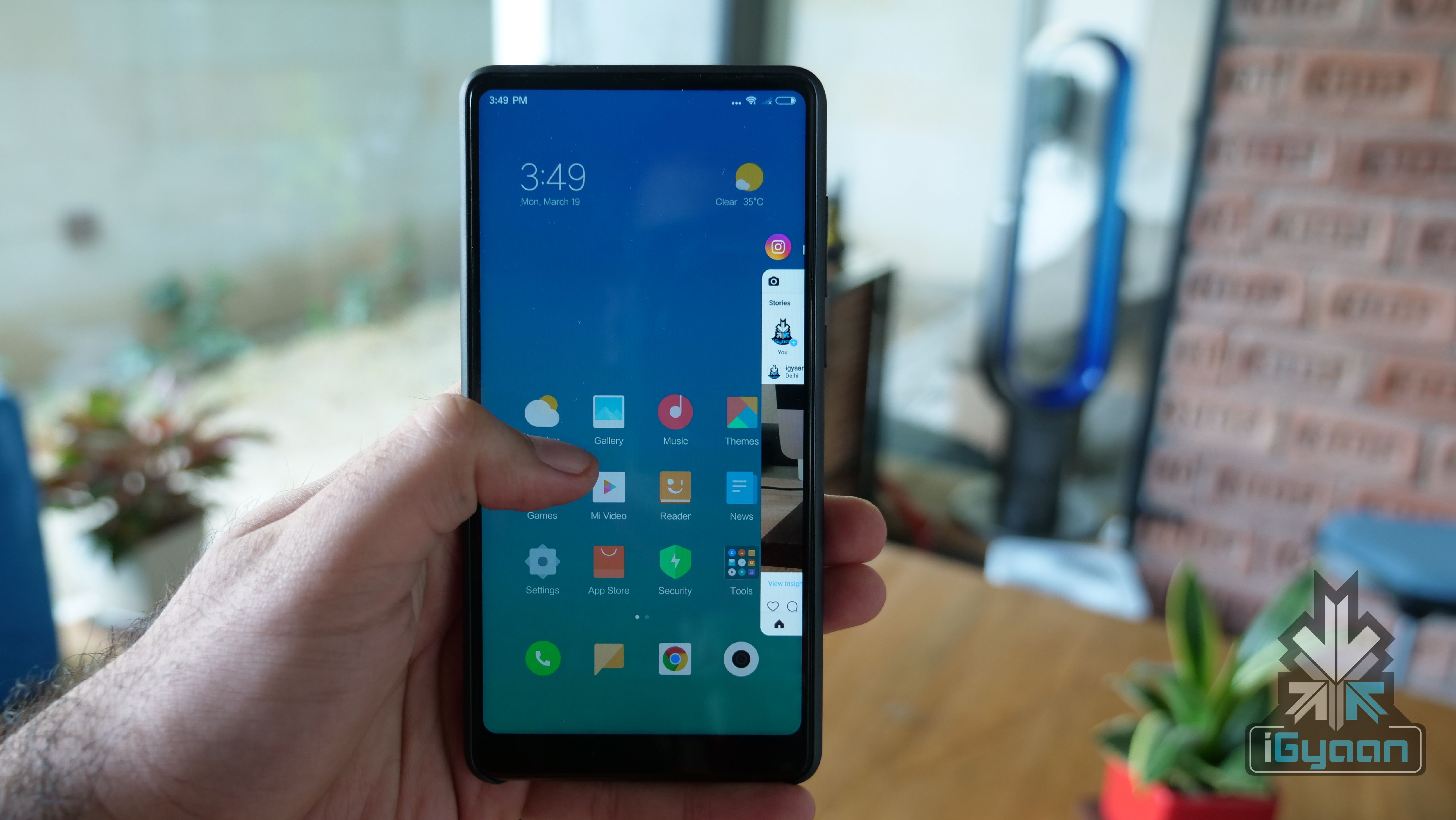
    The company has not announced any new features that will be a part of the new MIUI update. However, there are a few users who have been using a stable build of MIUI 9.5 on Redmi Note 4 units. The new update will bring in features like Notification Shade, Quick Reply and the February security patch.

    Despite the latest MIUI update, none of the Xiaomi smartphones barring the Mi MIX 2 run on Android 8 Oreo. However, after Xiaomi launched the Redmi Note 5 in China running Android 8 Oreo, it looks like at least the 2018 Xiaomi lineup will get a software upgrade.

    The Xiaomi Redmi Note 5, Note 5 Pro and Redmi 5 have an 18:9 aspect ratio, like the Mi MIX 2. There is a possibility of these devices also getting support for gesture-based navigation with a future Android 8 Oreo update.

  • Android Users Can Now Try Out Apps Before Installing Them With Google Play Instant

    Android Users Can Now Try Out Apps Before Installing Them With Google Play Instant

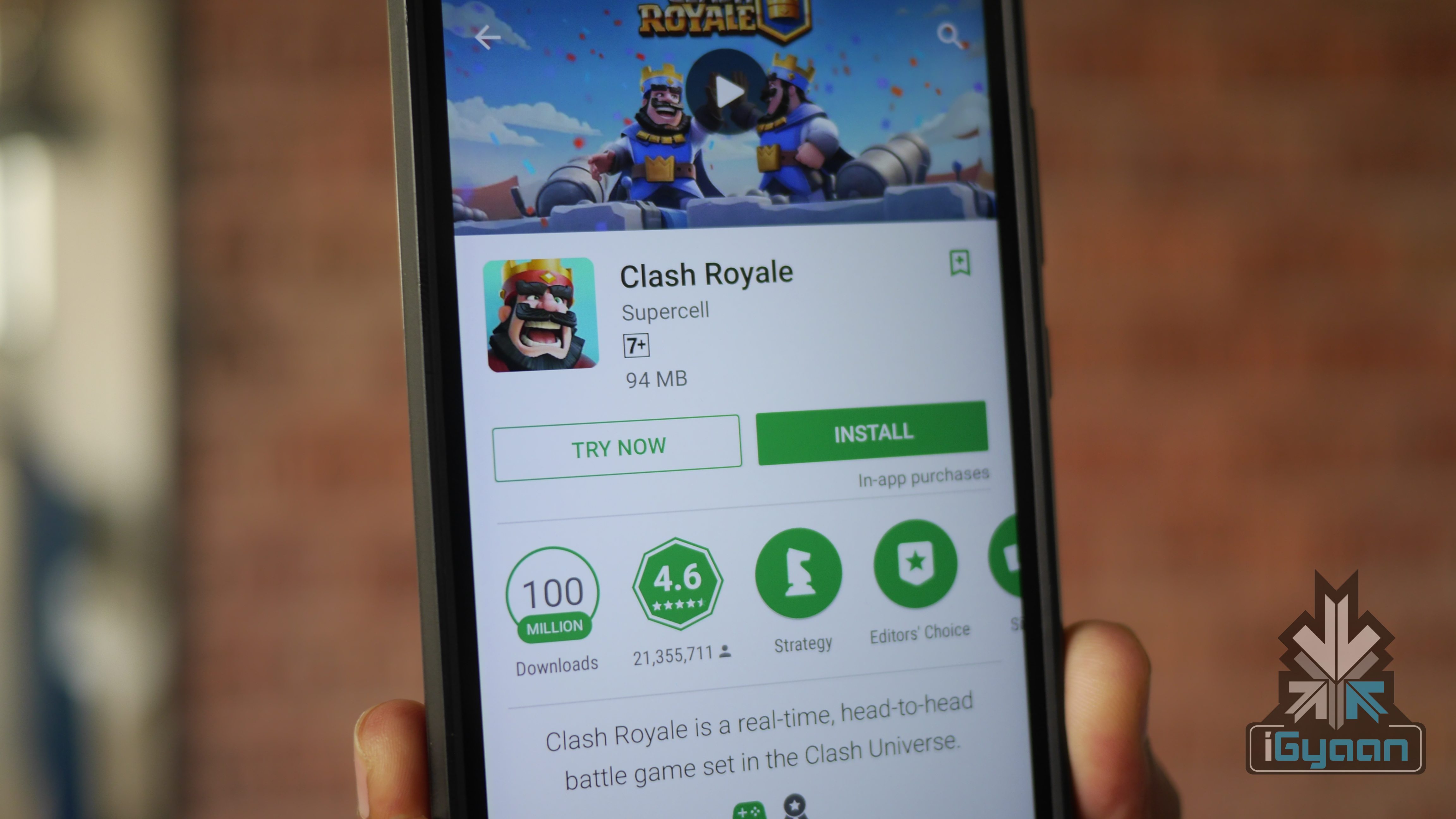
    Google has launched a new service called ‘Play Instant’. It essentially allows users to try out apps and games before downloading or purchasing them. Users don’t have to download a separate app for this service as it blends in with the new Play Store app. The feature will be compatible with all Android devices.

    This is another step by Google to save data and storage. The company recently announced Android Go as well. It is a much more toned down version of Android, meant to work on devices with less than 1GB RAM. The new service means that users can now try out new apps before wasting a lot of data. For people who are low on storage, they can analyse an app and decide whether they should free up space on their smartphone or not.

    Android Go

    While it sounds archaic to have a smartphone running out of storage, there are still a lot of people who use entry-level Android devices that have 8GB of onboard storage. For such people, Play Instant is a great service. Interestingly, there are a few games that are a part of this service right now. At the time of writing, Google had listed six games that can be tried out without installing.

    Simultaneously, Google has also introduced the new Play Games app. While it doesn’t have a UI overhaul, it now features an ‘Arcade’ tab. This is where users can discover new games by watching trailers of new and old games. The idea is for Play Games and Play Instant to tie in together and allow users to try out every game. That, however, is still in a distant future.

  • PUBG Now Available On Android And iOS In India

    PUBG Now Available On Android And iOS In India

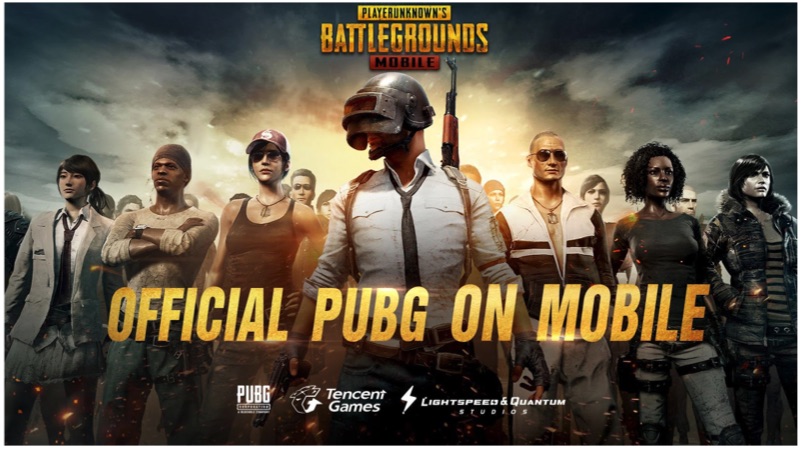
    PlayerUnknown’s Battlegrounds (PUBG) is now available for smartphones and tablets running on iOS and Android OS. The game is developed by a China-based company Tencent, the corporation that owns WeChat. PUBG is a multi-player online battle royale game where around 100 players parachute into an unknown location. To survive in the game, one has to rummage for weapons to kill fellow players. The safe area decreases over the time, which forces the players to engage in a battle. The last player or the team that survives will be the winner of the round.

    PUBG

    The mobile version of PUBG has an experience very similar to the PC version. However, the graphics have been toned down to support mobile GPU. Unlike PC or the Console version, the game is limited to a single map, which still offers a long-lasting gameplay. The game weighs around 670MB at the time of download and requires at least 1GB of storage space.

    The game was originally released for Windows OS in the March of 2017. Later that year, the game was released for Xbox under preview programme. One can play this game on a PC or a console and now, a smartphone.

    PUBG

    Gameplay

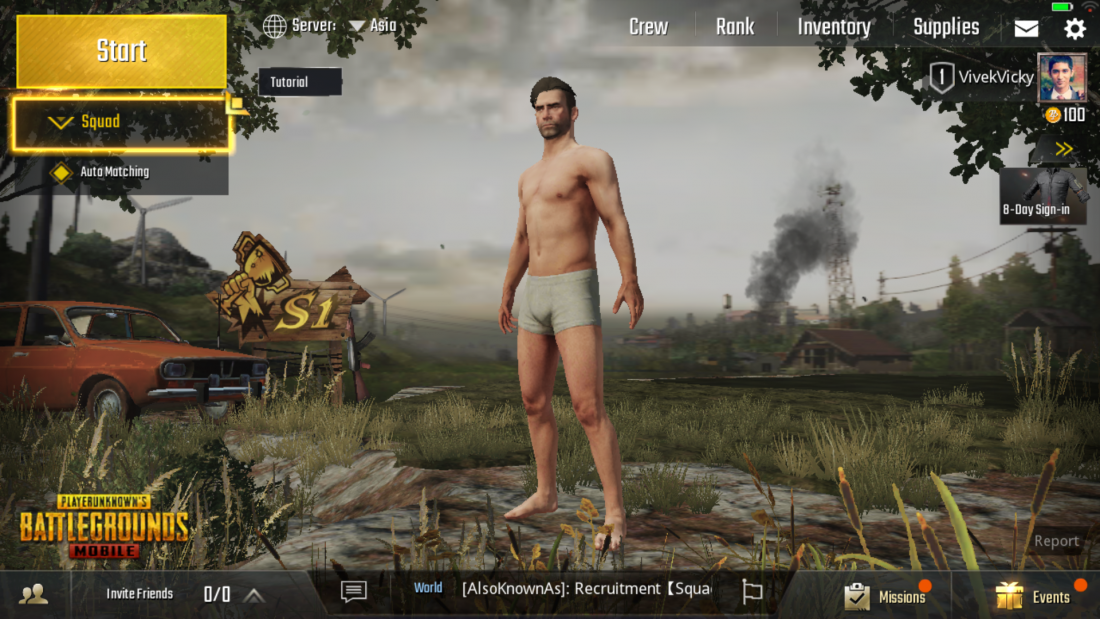
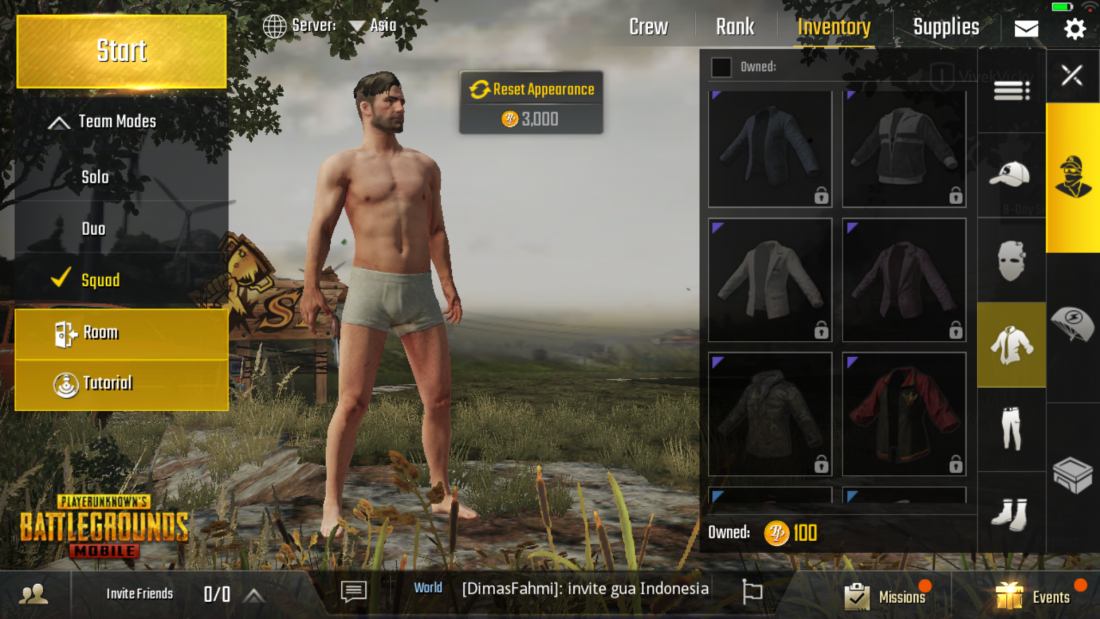
    As this is an online multi-player game, it requires an active internet connection. One can play as a guest player or can connect his/her Facebook account, which helps to save your gaming. One can customise the look and fashion of the character from the inventory menu option. After choosing the look of the player, he/she will be carried in an aeroplane and the player has to jump off the pane mid-way.

    PUBG

    After that, you have to search for your opponent to kill them. Similarly, the game will let you know about your teammate’s condition. The gameplay looks smooth even on a two-year-old Xiaomi Redmi Note 3 smartphone (2GB RAM model). So, this game can be easily played even on a non-flagship smartphone.

  • Amazon Prime Music Review

    Amazon Prime Music Review

    On the 28th of February, Amazon launched its Prime Music service in India. The new music streaming service joins the ever-growing list of music streaming services in India. While the likes of Saavn, Gaana, Wynk are free to use, Prime Music comes at a cost. It is exclusively available for Amazon Prime users only. Unlike something like Apple Music where you pay just for the music streaming, you get services like Prime Video and free one-day delivery with Amazon Prime subscription. So, how does the Amazon Prime Music stack up in the real world? Let’s find out!
    Subscription

    Amazon Prime service was launched in late-2016 at Rs 499 per year. That, however, has now increased to Rs 999 per year. At first, the subscription meant free one-day delivery but, it soon launched Amazon Prime Video in India. Ever since then, the video streaming service has consistently added international and local Indian content which has been appreciated across the table. With Amazon Prime Music, existing users don’t have to pay anything extra and simply need to sign in using their Amazon account.

    Essentially, when you renew your Prime subscription, you pay for three services which, in a grand scheme of things, is a pretty decent amount. While we would always love things to be free, the Prime subscription for these services is pretty good. However, the conundrum is for people who don’t have a subscription. In that case, if you just want a new music streaming service, then Amazon Prime Music does not make sense. For Android users, Apple Music has made some great changes recently and costs only Rs 120 per month. So, just the Prime Music on its own is not a great value proposition.
    App And UI

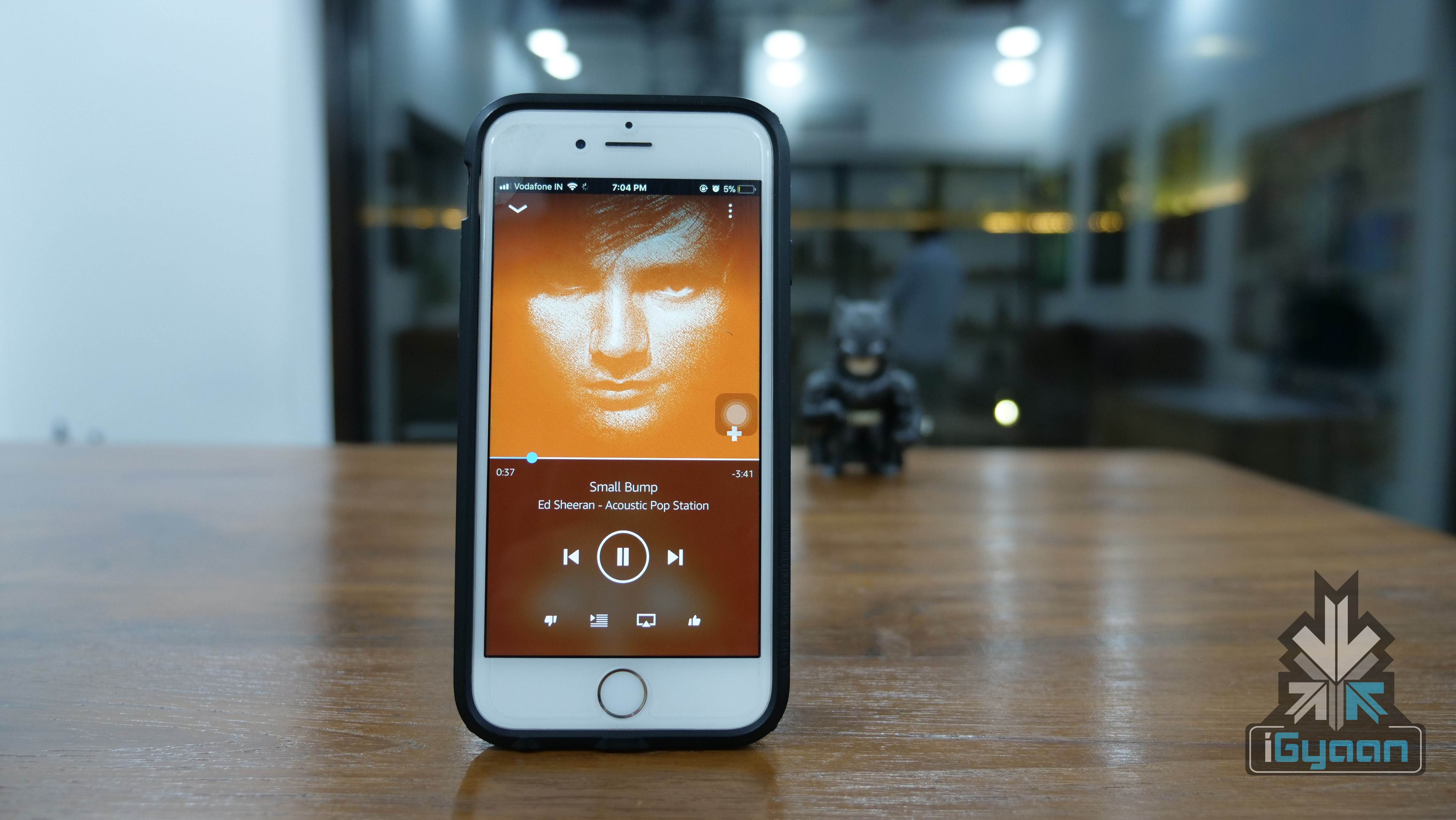
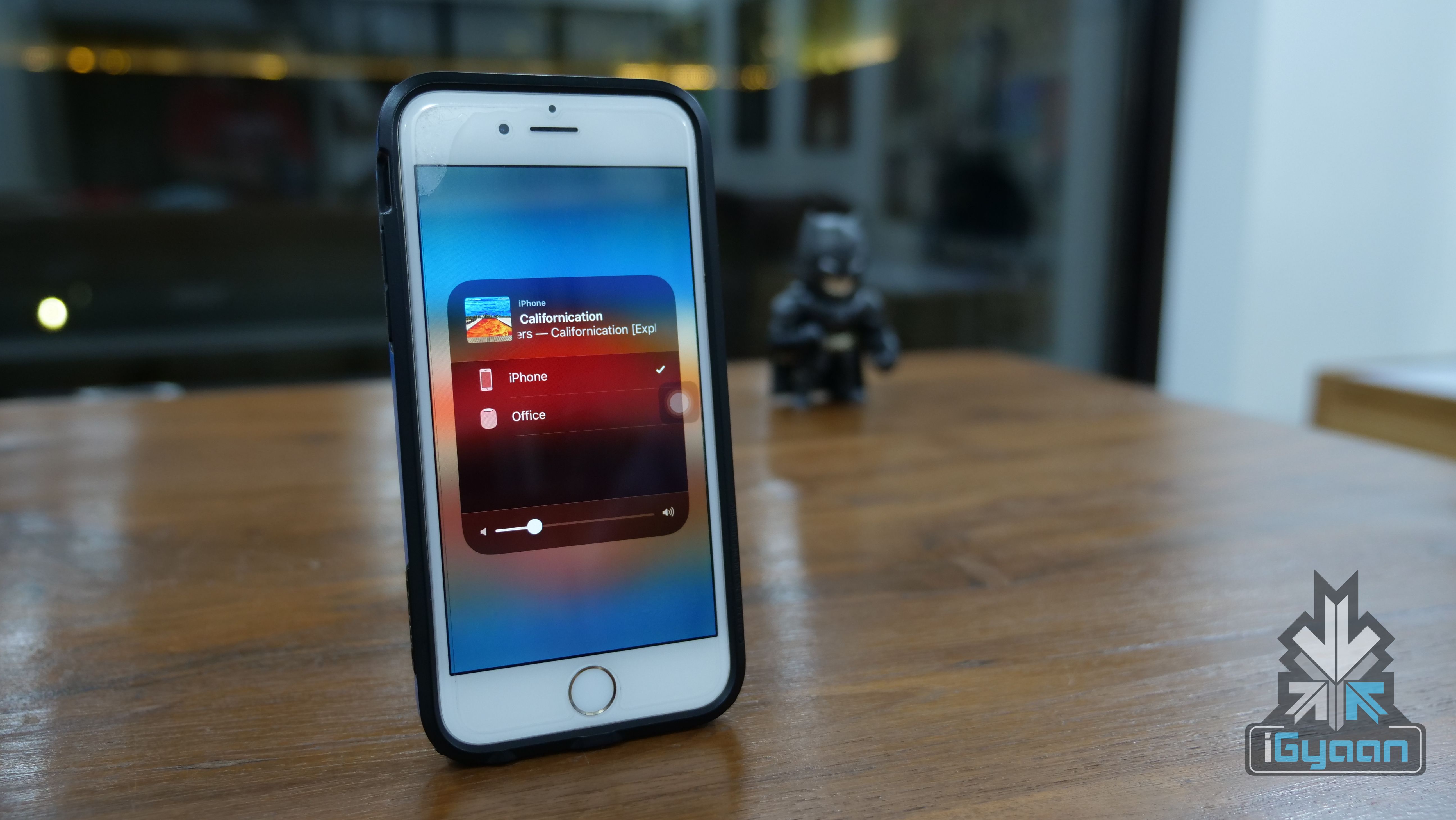
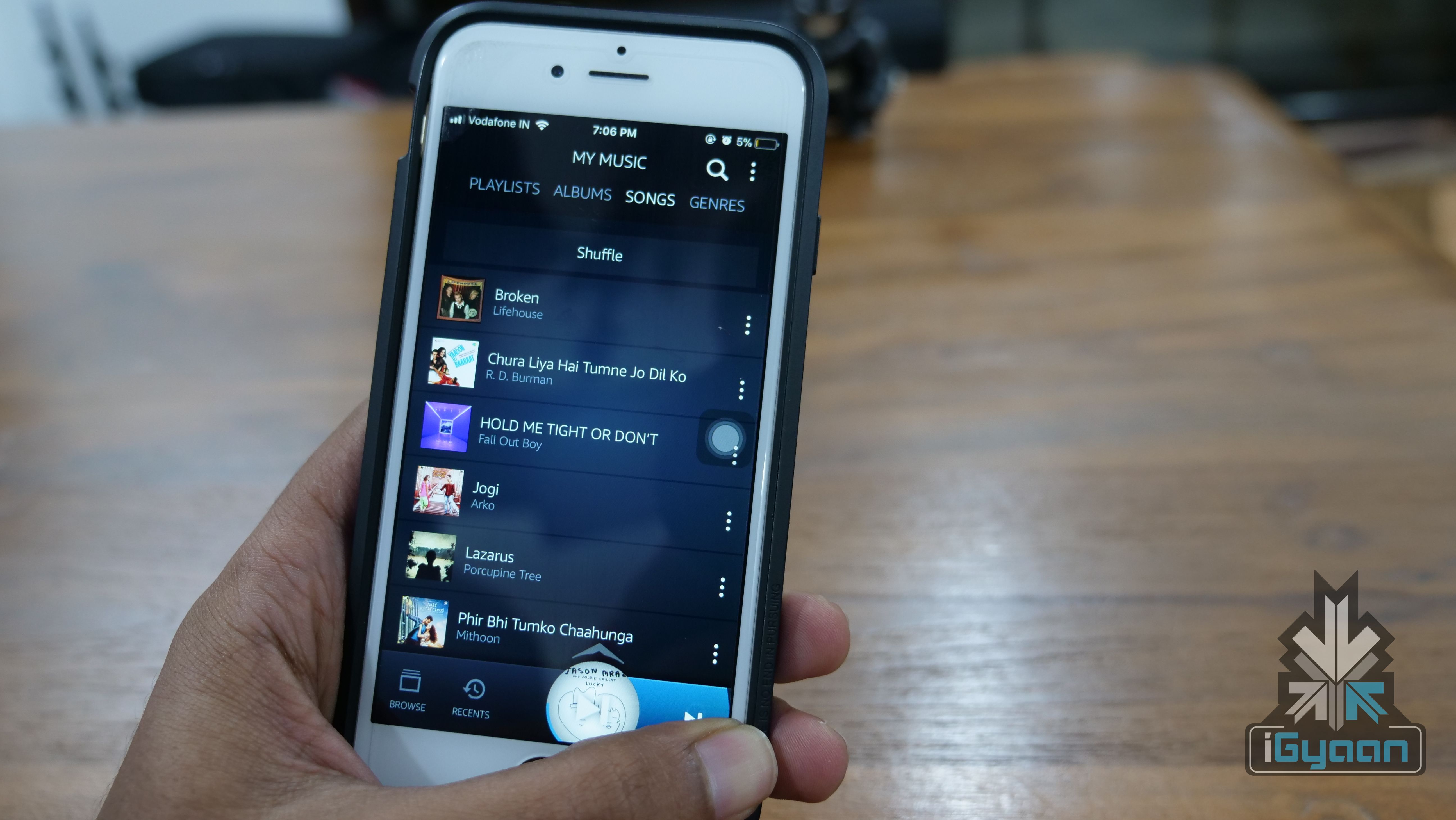
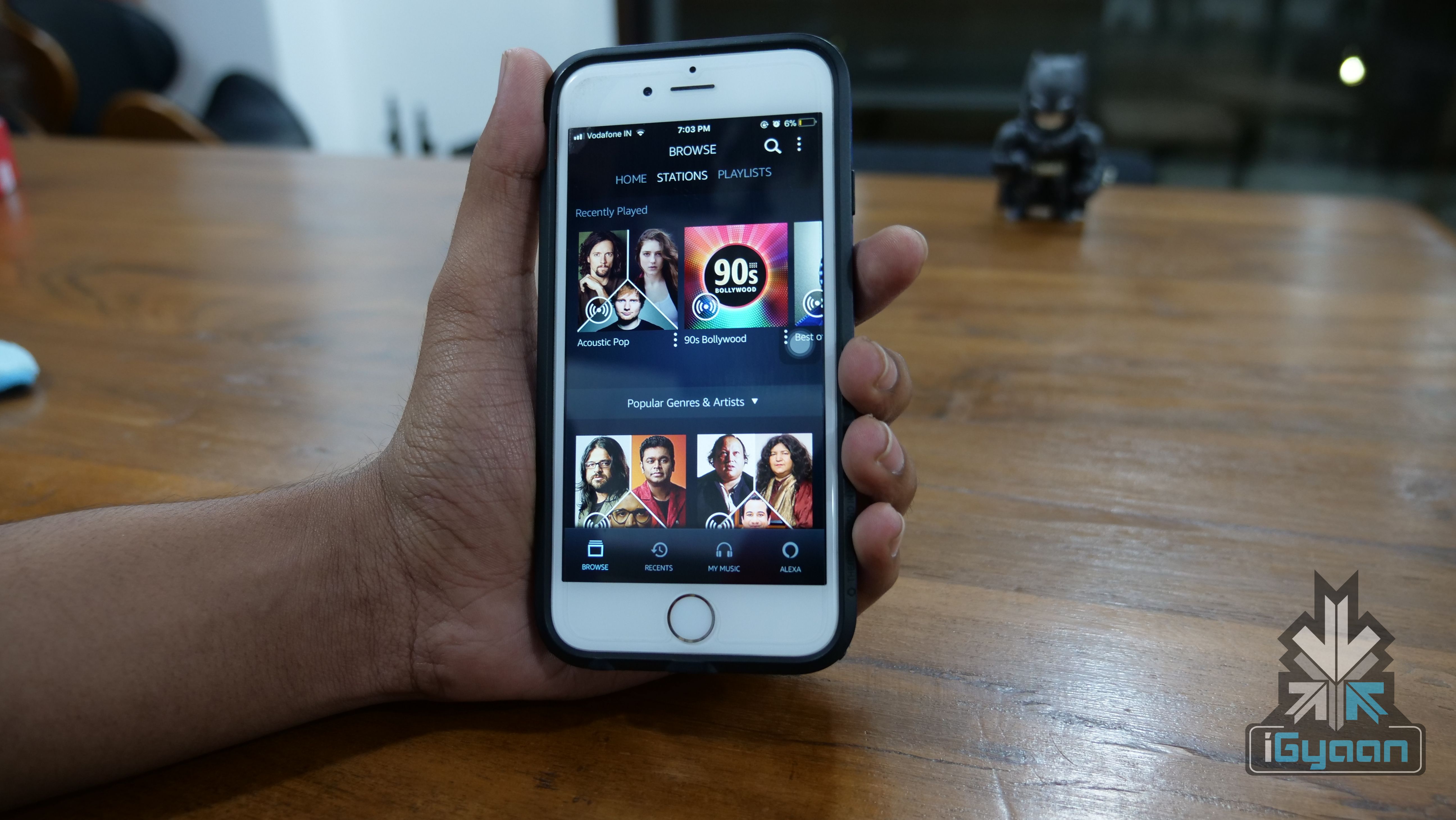
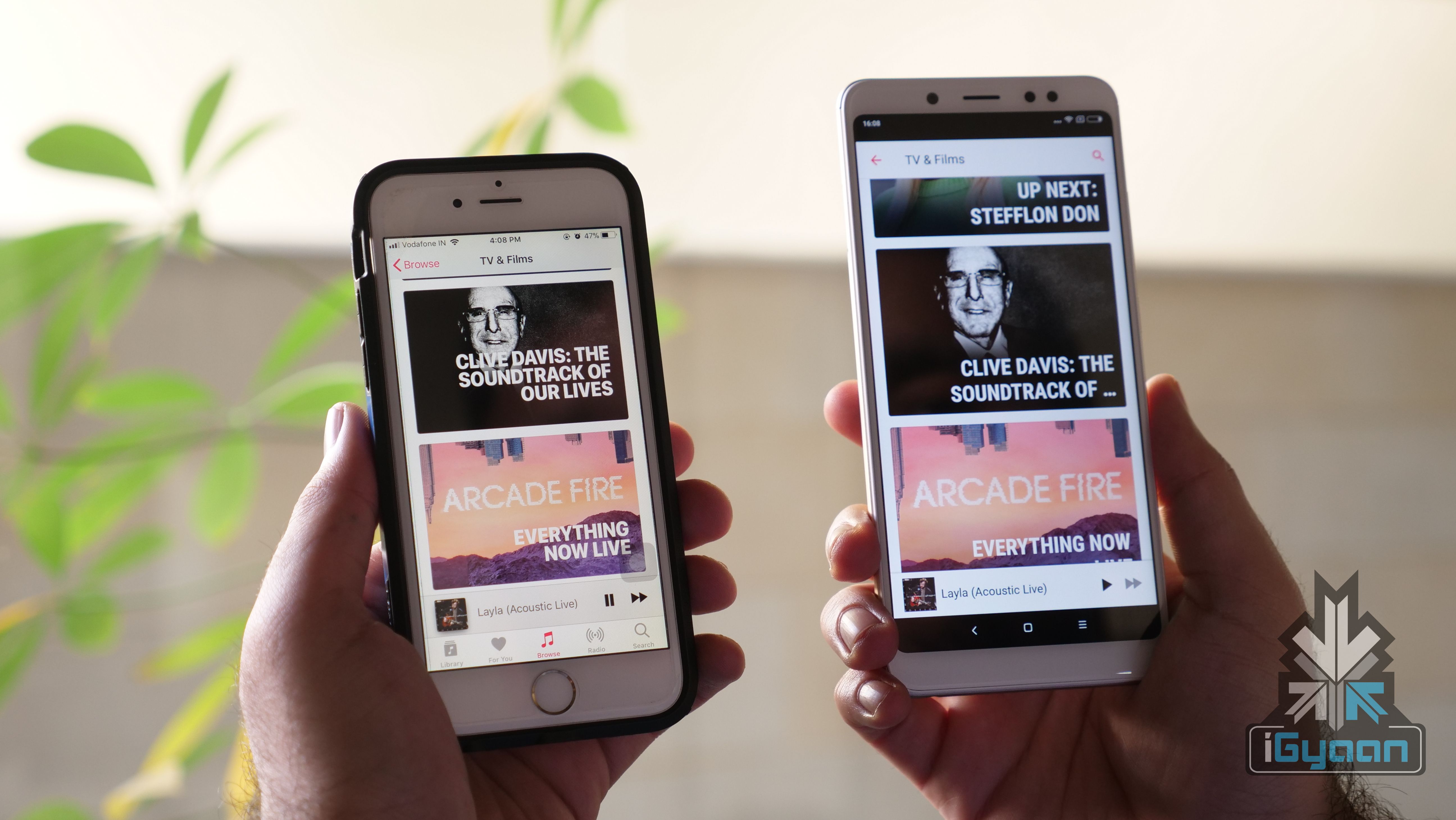
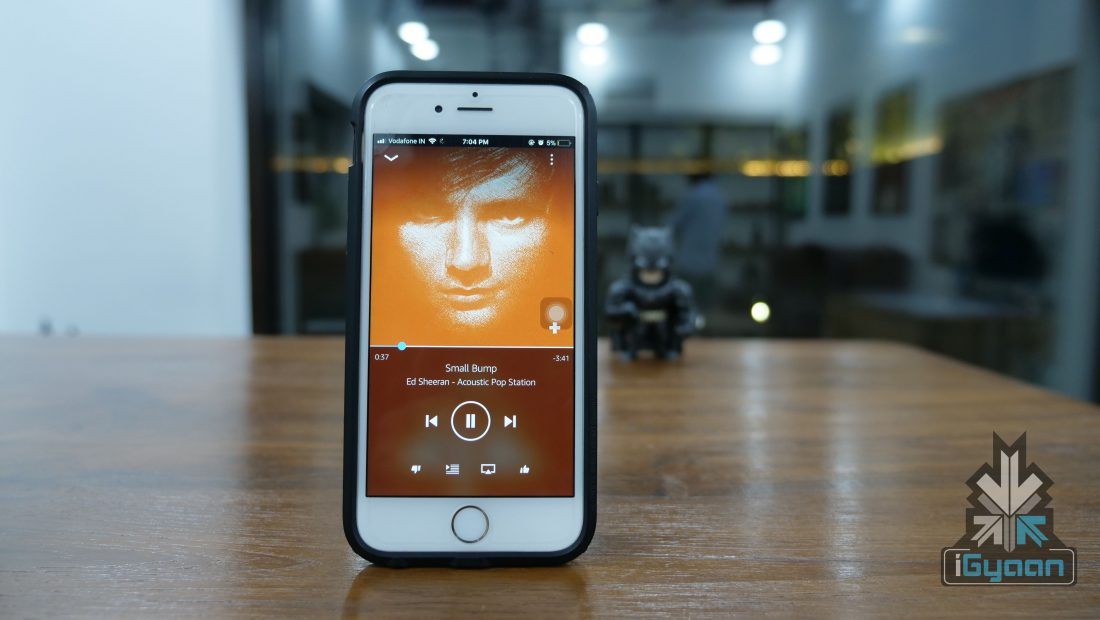
    The Prime Music app for iOS weighs in at about 65MB, which means people still using a 16GB iPhone should not have trouble installing this app. The Android version of the app comes with a similar weight. The app UI is pretty neat and simple. The dark theme is refreshing but, there isn’t an option to enable or disable it. The four toggles at the bottom help you navigate between offline music library, Alexa and recently search/played songs.

    The app also has a few gestures involved. The now playing screen gets minimised into a circle between the four bottom toggles. Once minimised, you can drag the circle to the right to move to the next song or drag it to the left to move backwards. This is a nifty feature especially when you’re browsing songs within the app while listening to something else. Instead of pulling up the Now Playing screen or the control centre, you can shift between songs.
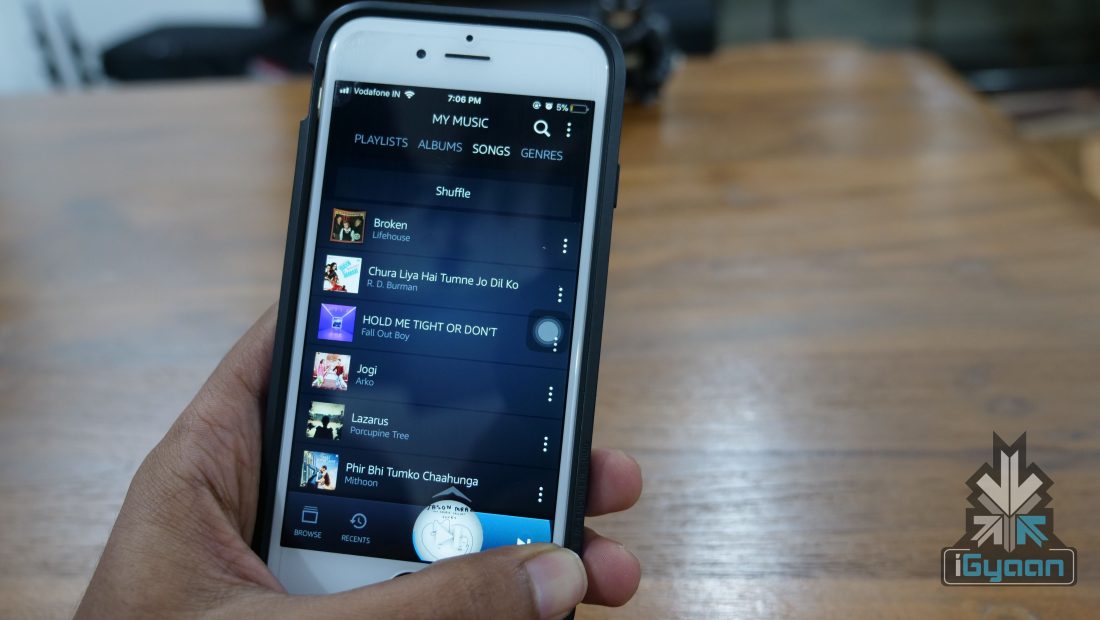
    In Apple Music, the bottom bar has the option to skip a song or pause it but, no option to go back to a song. Also, gestures are the future, and the Prime Music app uses them pretty well.

    One inexcusable feature missing from this paid streaming service is lyrics. While it is not a commonly used feature, it should be available for users who pay for a music streaming service. Apple Music, for example, has this feature and so does Gaana, which is, in fact, a free streaming service. Maybe, the feature will be added in a future update.

    Music Library

    Amazon has not been open about the total number of songs in its library. Hence, it is not possible to compare it with other services like Apple Music or Google Play Music. But, what we can say is that we found almost all the songs we searched for. Right from Where’s My Man by Velvet Underground to Attention by Charlie Puth. That, usually, is the litmus test for music streaming services if it can find a very old song and a very new song.

    The interesting feature of Amazon Prime Music is its local language music. We were able to find the Telugu song Blockbuster and the Kannada song Gamanava. What we were not able to find was indie content by Indian musicians. This is where Saavn is excelling thanks to its Saavn’s Artists Original division. So, if you are into indie music and mainly independent Indian artists, then the Prime Music library won’t suffice.
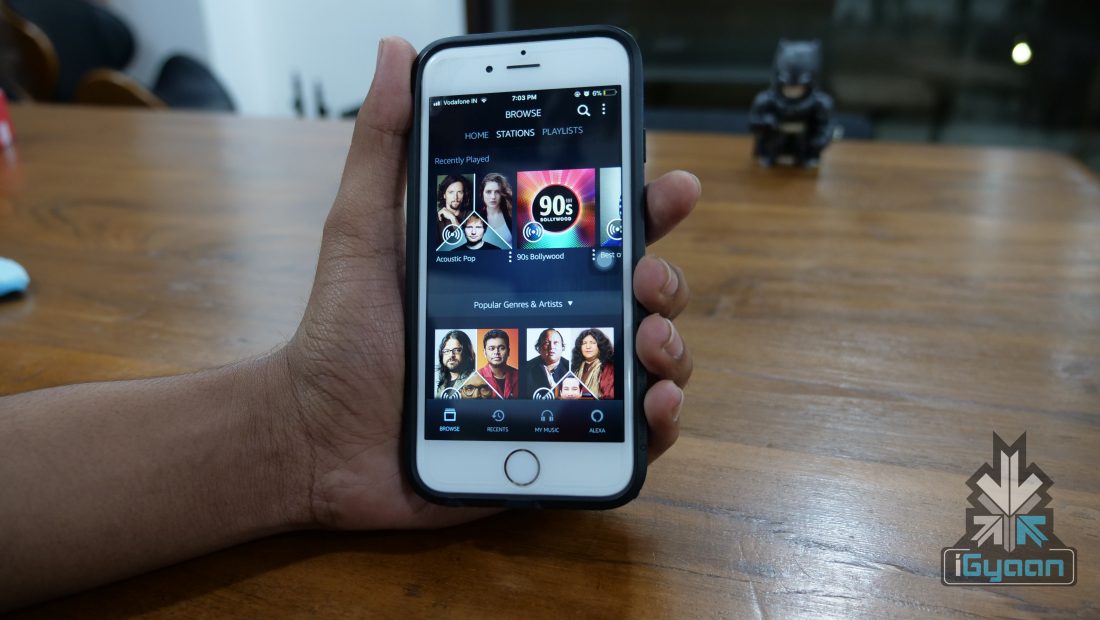
    Like a lot of other music streaming services, it also has curated playlists that get more accurate with more usage. We listen to a lot of classic rock and a few curated playlists had some great songs that we hadn’t heard of. And honestly, there is nothing better than to discover new songs that become an instant favourite. For example, we discovered Today by The Smashing Pumpkins and it is now a part of every playlist we listen to here.

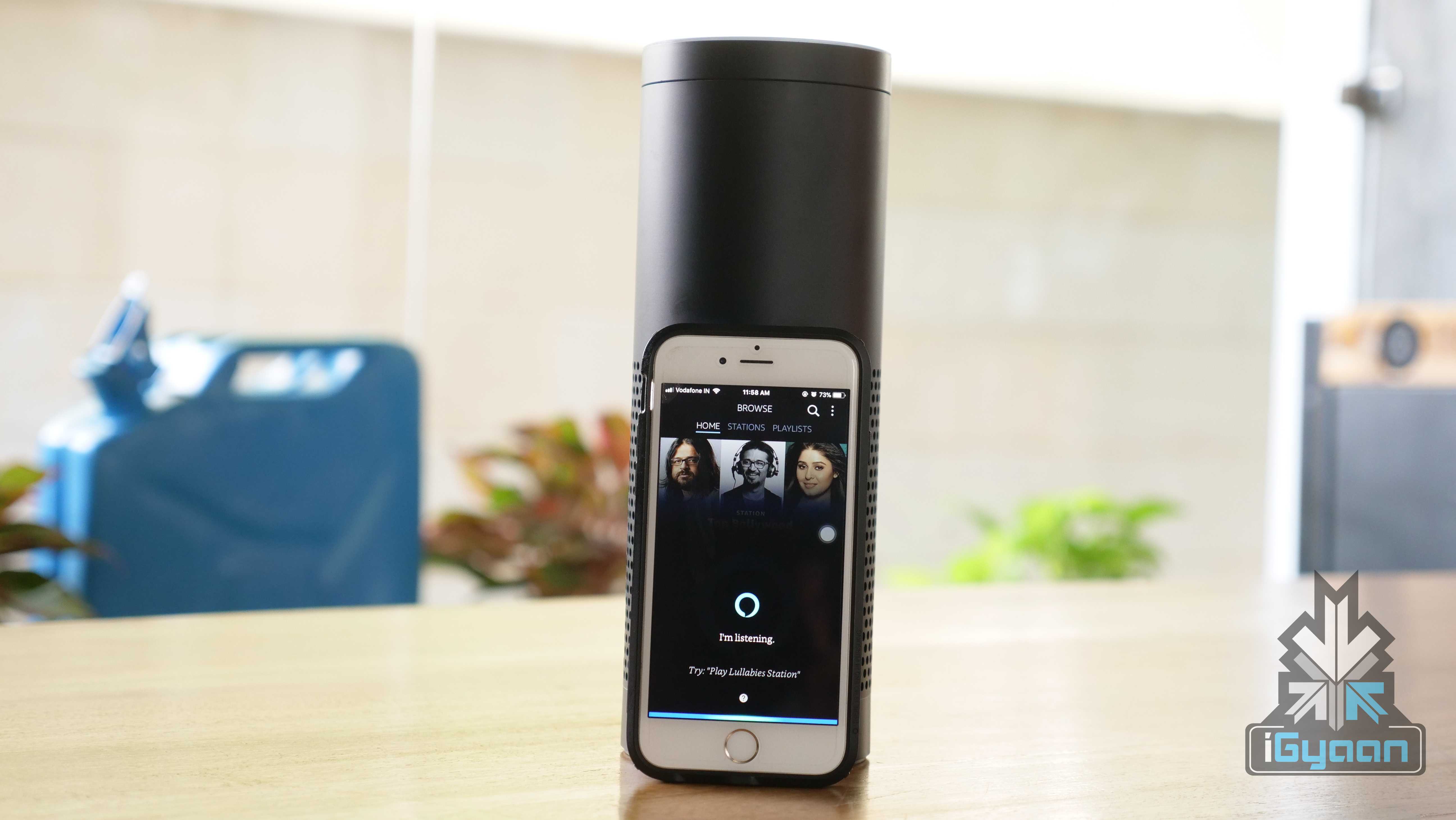
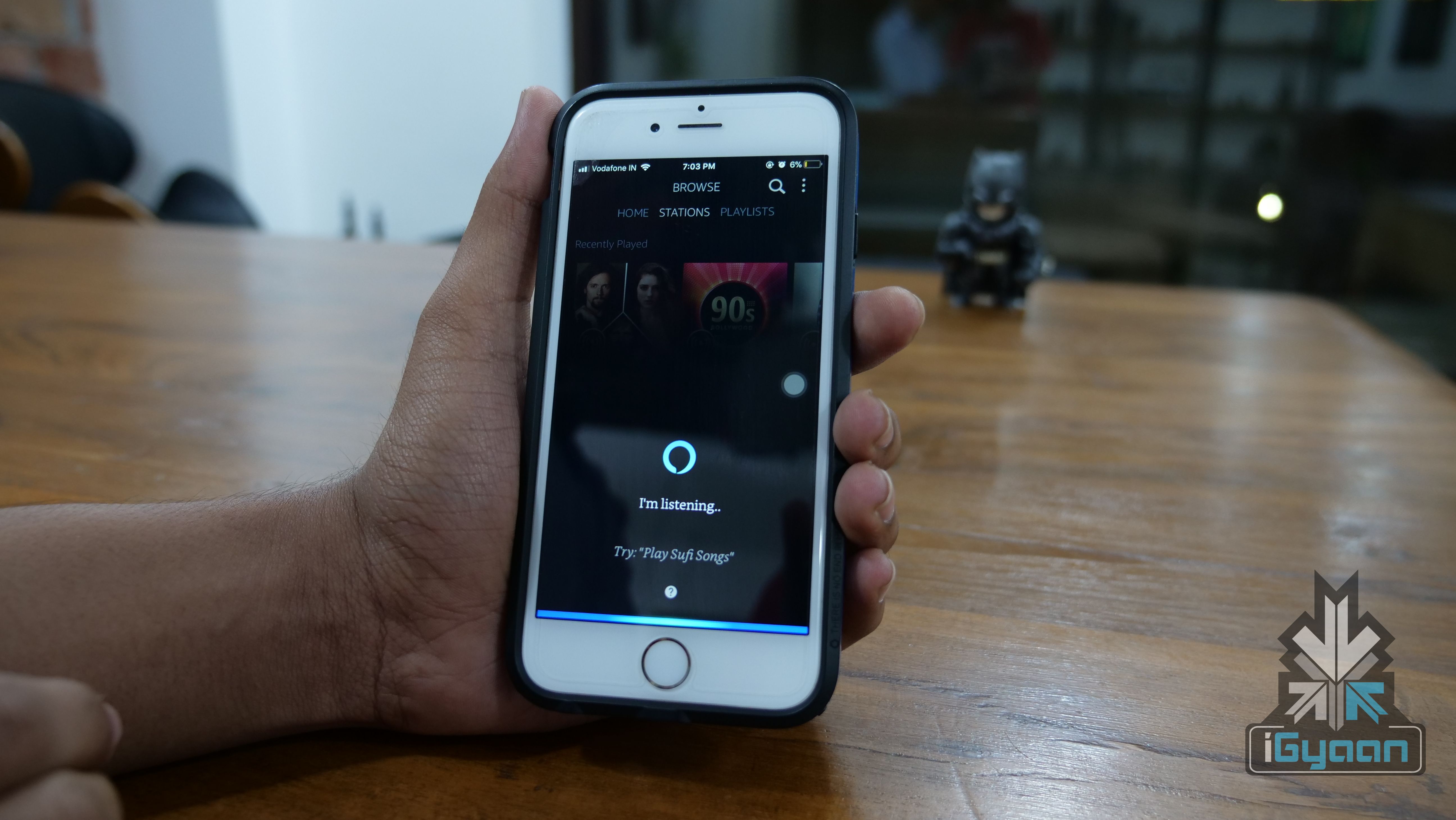
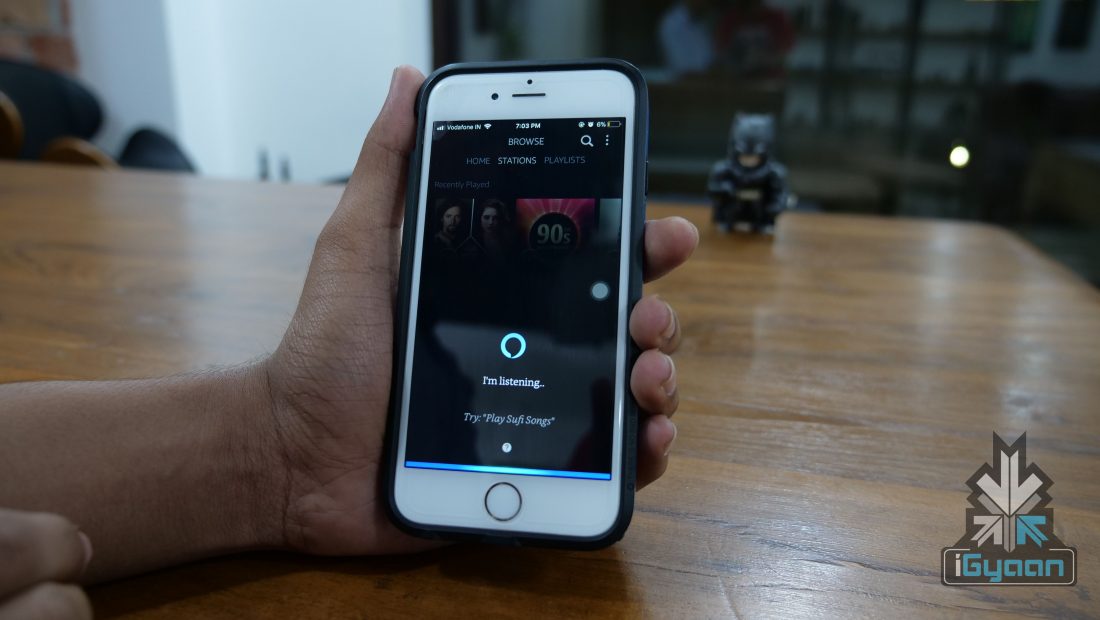
    Alexa within the app is a hit or a miss. Unless you have an Echo device or can’t type, Alexa remains unused. A lot of the times, Alexa fails to recognise a song we ask for and then just delays the time for us to start playing that song. Even famous songs like Thats The Way by Led Zeppelin was not recognised by Alexa in our daily usage.
    At the end of the day, a music streaming service without a lot of music titles is a failure. Amazon Prime has most of the songs people would commonly listen to. But, the lack of independent music artists means that many young listeners would choose a different service.

    Verdict

    It is pretty simple, if you have an Amazon Prime subscription, then the Prime Music is great. You essentially have a music and video streaming service for a price of Rs 999 per year. Compared with Apple Music’s Rs 120 per month and Google Play Music’s Rs 99 per month, and Prime Music is a steal! But, is it worth spending a thousand rupees just for the music streaming service? No. There is Saavn that has good independent music titles and is a free service albeit, annoying ads.

    At the end of the day, the Amazon Prime Music as a package with other Amazon services is a great deal. On its own, it will be hard to convince customers to pay for it.

  • Samsung Galaxy S6 Edge+ To Get Android 7 Nougat Update

    Samsung Galaxy S6 Edge+ To Get Android 7 Nougat Update

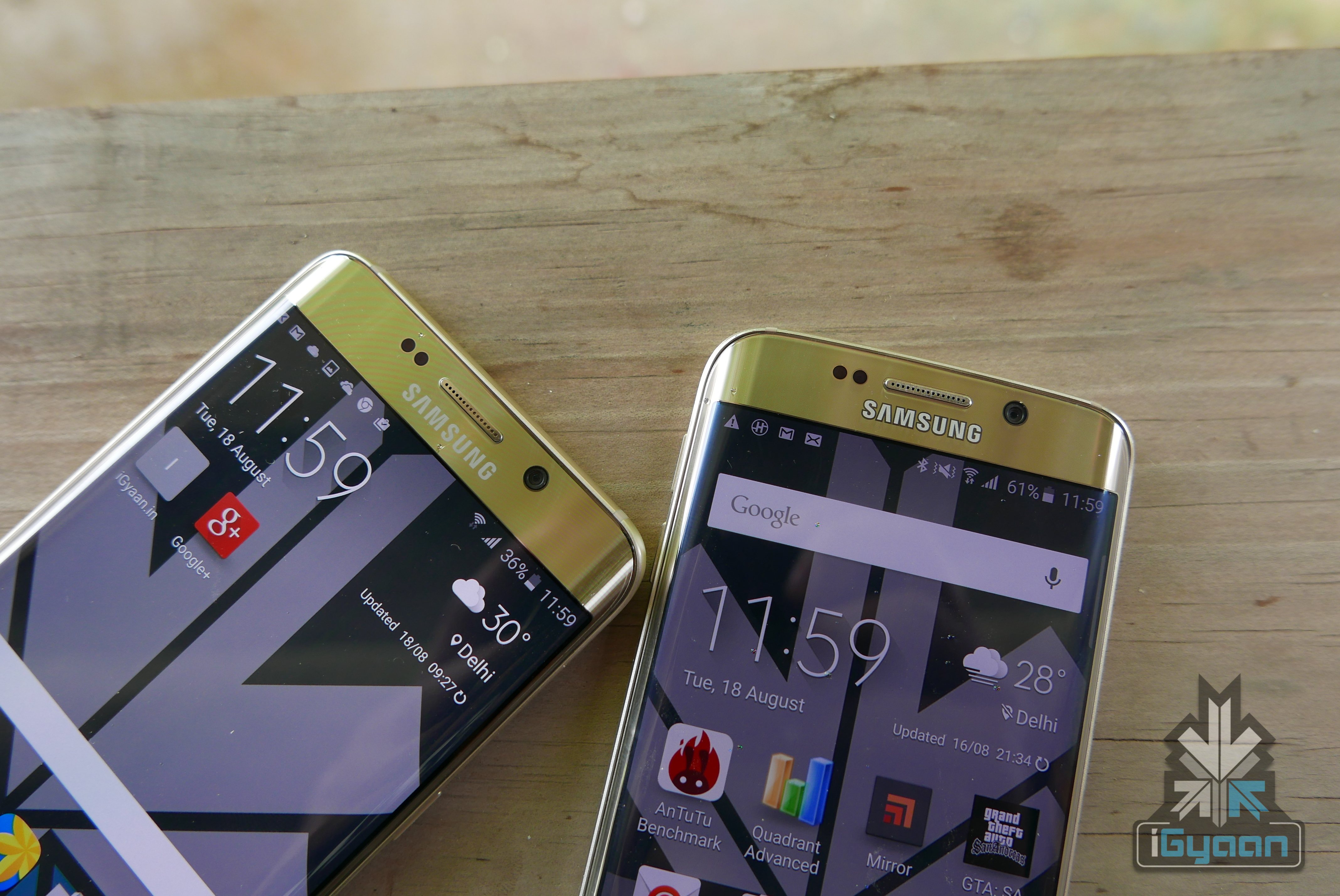
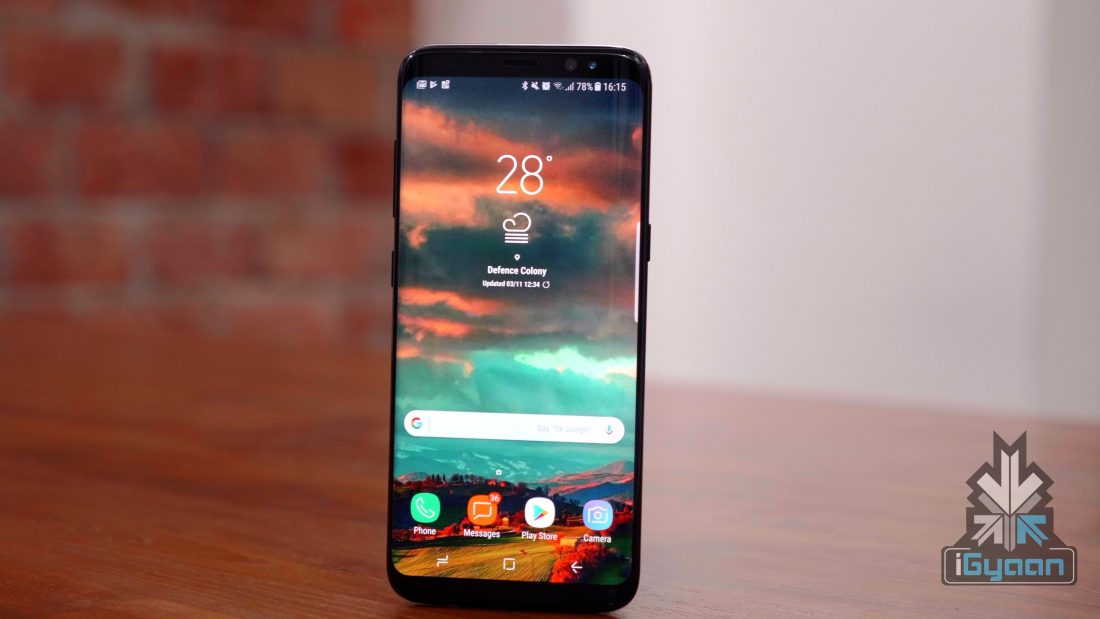
    Samsung recently launched the Galaxy S9 and the Galaxy S9+ in India. The smartphones resemble the Galaxy S8‘s design with a new camera setup with variable aperture. After launching its flagship series, the company is updating its older portfolio with the newer version of Android OS. Samsung follows the two-letter OS upgrade for its flagship smartphones. The Galaxy S8 was released with Android Nougat and the device has received an update for Android Oreo.

    According to an official document found on Samsung’s website, the company is planning to upgrade at least 6 devices, which have completed the two year’s OS cycle. However, unlike the S8 or the S7, these devices will not receive the latest Oreo update. Instead, these OS builds will be based on an older Android version with security patch and bug fixes. Though these devices are listed to receive the software update, no time frame is mentioned.

    Galaxy S6
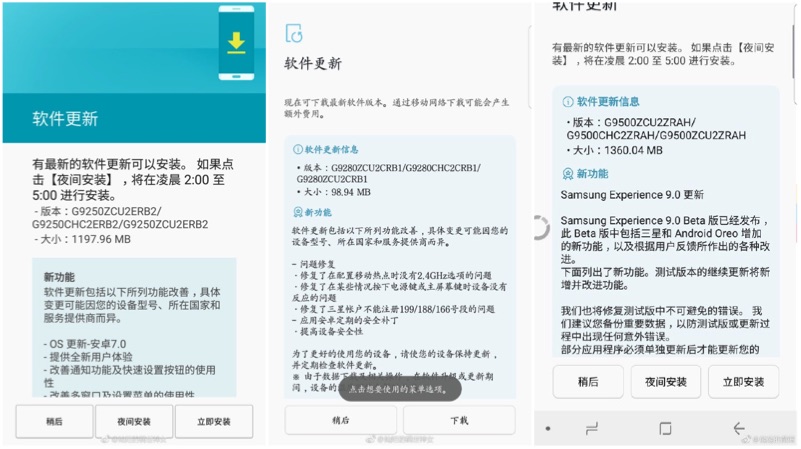
    Left to right: Update for Galaxy S6 Edge, Update for Galaxy S6 Edge+, Update for Galaxy S8

    According to the document, the Samsung Galaxy S6 Edge will receive Android 7 Nougat update G9250ZCU2ERB2. The update weights at 1233.30MB, which upgrades the smartphone from Android Marshmallow to Android Nougat. However, the Galaxy S6 Edge+ and the Galaxy Note 5 are expected to receive the incremental software update. The Samsung Galaxy S8 and the Note 8 will receive Android 8 Oreo update with Samsung Experience UI 9.0. In fact, the update for the Galaxy S8 and the Galaxy Note 8 is already live in most of the countries.

    Galaxy S6

    Samsung Devices Listed
    • Galaxy S6, S6 Edge
    • Samsung Galaxy S8, S8+
    • Galaxy Note 5, Note 8
  • Top Three E-Wallet Apps In India

    Top Three E-Wallet Apps In India

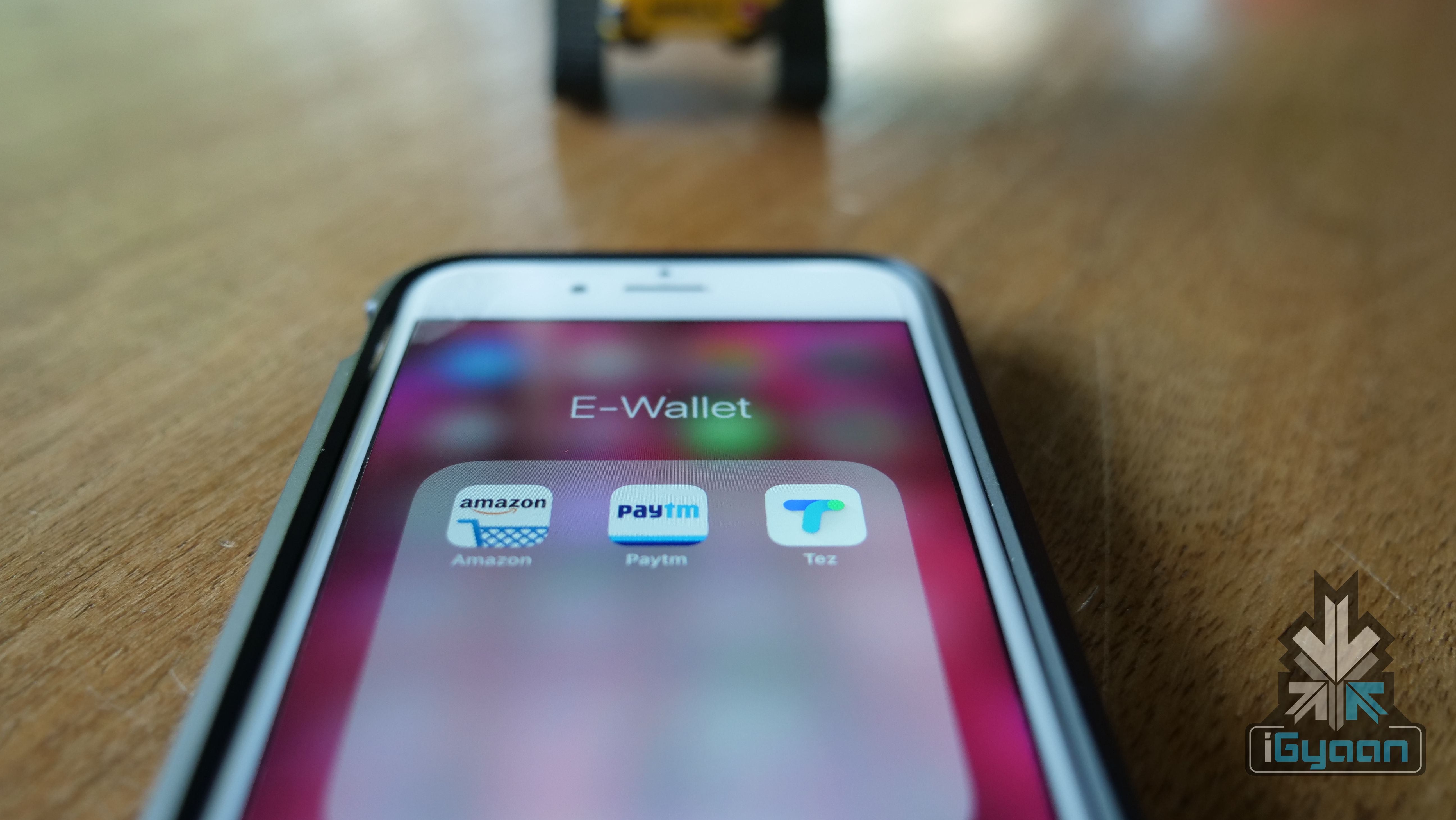
    For most of the transactions, we use physical currency. However, that goes out the window once most of your currency is demonetised. But, thanks to some really good e-wallet apps, transactions are not that difficult. So, let’s have a look at the top 3 e-wallet apps in India.

    e-wallet

    Paytm

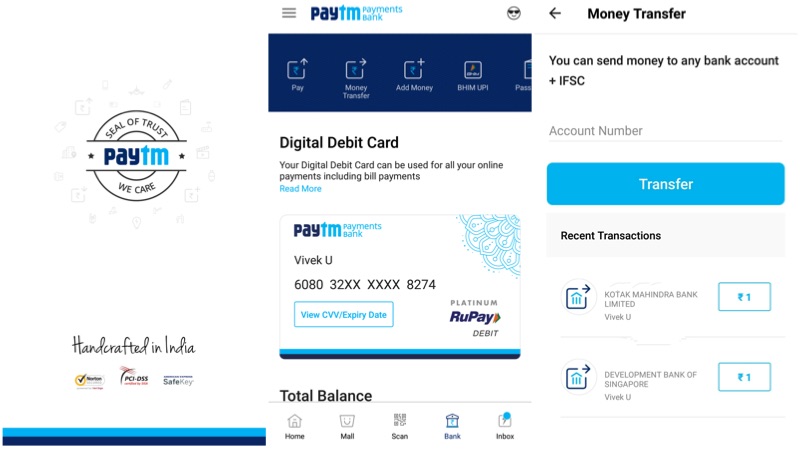
    Paytm is probably the first widely accepted e-wallet service in India. It can be accessed using an iOS or an Android smartphone. In fact, one can also access it using any of the standard web browsers. The platform comes with features like Paytm Wallet, where a user can use the wallet to make seamless transactions. Recently, Paytm has also started the Paytm payments bank, where the user can create a virtual savings bank account and get its own physical debit card. The platform also offers the ability to transfer money to bank accounts for a nominal fee. Paytm can be used to recharge mobiles, DHT, paying electricity bills, paying college tuition fees etc.

    e-wallet
    Google Tez

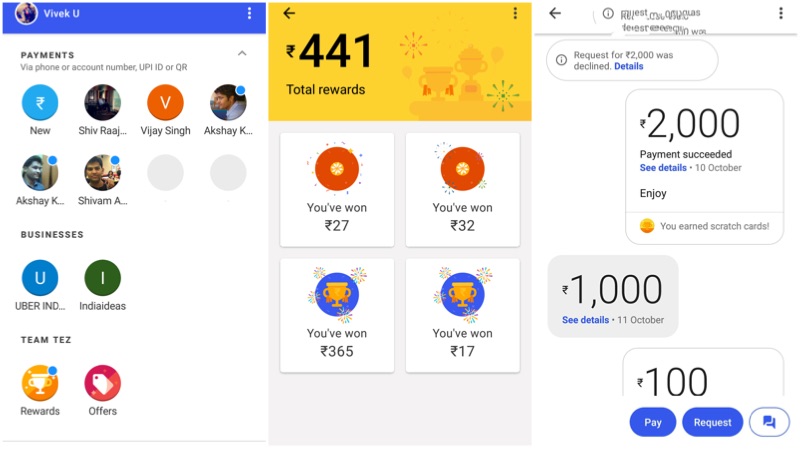
    Google Tez is the newest member of the e-wallet group. Unlike most of the e-wallets, Tez does not have the wallet service. The money sent/received will directly reflect in the user’s bank account. To use Google Tez, one has to have an active bank account with the Unified Payment Interface (UPI). Tez also offers coupons in return for the transactions. A user can win from Rs 1 to Rs 1,00,000by scratching those coupons on Google Tez. One can link the UPI account created on Tez to the third party apps like Uber. Similarly, one can invite others to Google Tez to earn Rs 51.

    e-wallet

    Amazon Pay

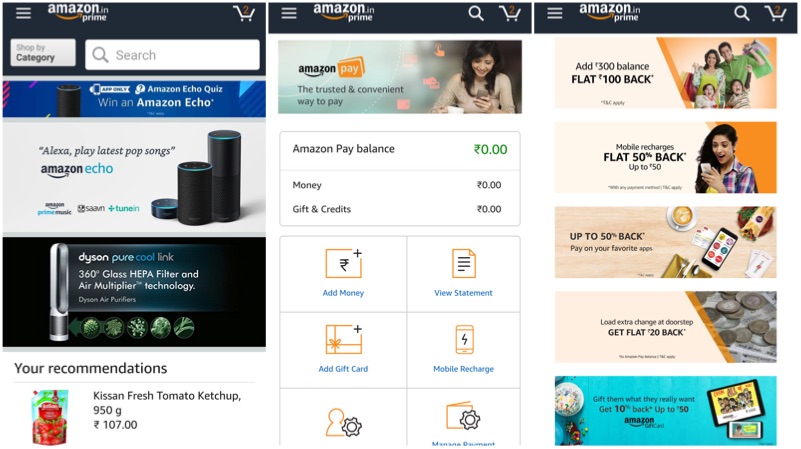
    Amazon Pay is similar to Paytm with an Amazon Wallet. As the name suggests, this feature is initiated by Amazon, which can be used to shop on Amazon. However, one can also use this feature to pay the post-paid account bills, recharge pre-paid numbers and can be used with other services like Bookmyshow and Tapzo. Amazon Pay comes with additional perks like 50% cashback on recharges, Rs 100 back by adding Rs 300 to the wallet and more. If you are an online shopping junkie, then this a must have e-wallet service.


  • Spotify To Soon Launch In India

    Spotify To Soon Launch In India

    Up until a few years ago, music streaming services in India were almost non-existent. However, with the internet becoming cheaper and more accessible thanks to Jio, music streaming has come to the fore. While Apple Music, Gaana, Saavn and now Amazon Prime Music have a great deal of customer base, Spotify has been missing from the Indian market. That is about to change soon, as the CEO of Spotify has conceded that the company will soon launch its music streaming services in India.

    Spotify CEO Daniel Ek, during the Investor’s Day in New York, said:

    We are working on launching in some of the biggest markets in the world, including India, Russia, and Africa which has a very rich musical culture.

    Signs were already there, that Spotify was planning something for India. It hired a former Google Business Manager to head its Marketing in India and even leased an office space in Mumbai. The company already has 308 employees in Australia, Brazil, Singapore, and others markets, including India.

    AmazonPrime Music

    Spotify, despite its huge success internationally, will have a hard time in India. It will be a late-entrant and have a hard time trying to make people shift from a service like Saavn that offers a great experience for its free customers. Although the free service has ads, the local music library it possesses is a great advantage.

    Spotify And Its Competition

    Internationally, Spotify’s only real competition is Apple Music. In India as well, Apple Music has a great customer base. Apart from Apple Music, Saavn, Gaana, Wynk and others have a great foothold in the music streaming service as well. For Spotify to compete, it will have to get its pricing spot on. Apple Music is priced at Rs 120 per month but, it also has a student subscription plan that is priced at Rs 60 per month.

    Apple Music

    While people have been exposed to Spotify due to the internet, it will have to bring in something extra to sway customers. Thanks to India’s diverse culture, local music is an important feature. If Spotify provides local language music, then the company will have an advantage. Another interesting feature that Spotify possesses its desktop mode. Only Apple Music and Amazon Prime Music have a desktop version right now.

  • Three Amazon Prime Services Everyone Should Know About

    Three Amazon Prime Services Everyone Should Know About

    Amazon introduced Amazon Prime in India at the end of 2016. Initially, the subscription was priced at Rs 499 with 12 months validity. However, at the end of 2017, the charges were doubled to Rs 999. The company also offers a free trial of the Prime membership for the first 30 days, where a user gets a clear picture of the services provided under the Prime membership.

    Free One-Day Delivery

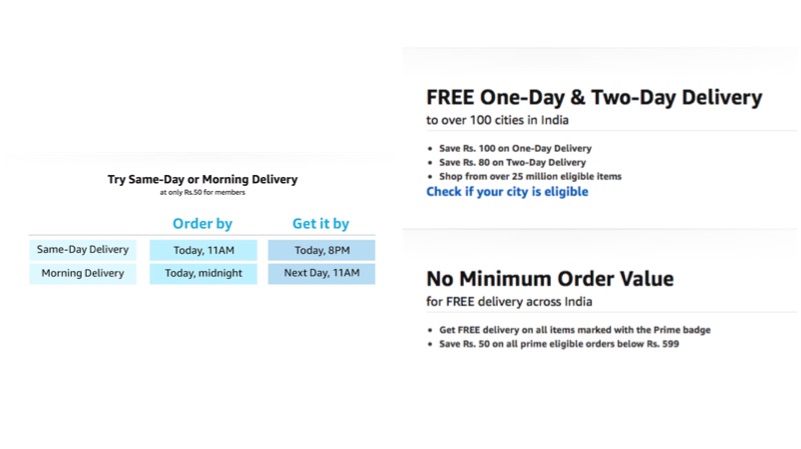
    Amazon offers free delivery for every customer. However, the price of the product should be more than Rs 500. If you are a prime member, then the company offers free delivery within one day. Note that, normal users have to pay Rs 50 to get the delivery in one day. Users living in Bengaluru, Delhi, Mumbai, and Hyderabad can avail free same day delivery at a discounted price.

    Amazon Prime

    Amazon Prime Video

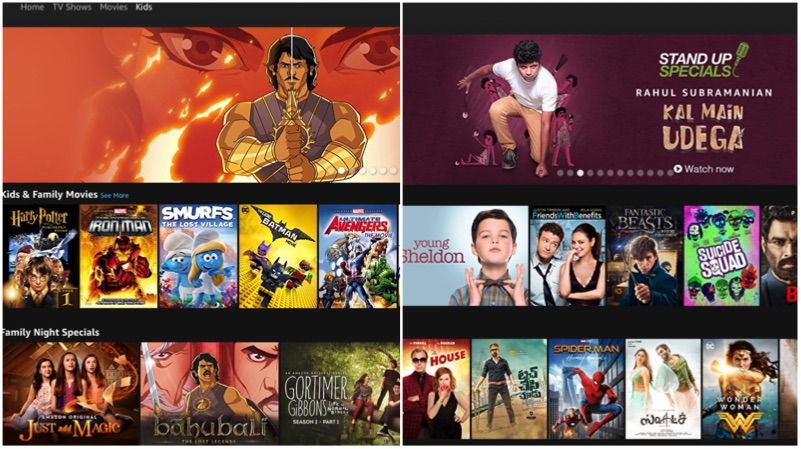
    Though it does not have as many exclusive titles as Netflix, the library is getting better by the day. Be it Indian stand-up comedy shows or original series, it has everything. One can access Amazon Prime Video from a smartphone or a computer. Young Sheldon, Two And A Half Men, and Grey’s Anatomy are some of the favourite shows, that we keep an eye on. The perks don’t end there, as one can download these shows to watch them in the offline mode. The collection also has a dedicated section of children’s shows and movies.

    Amazon Prime

    Amazon Music

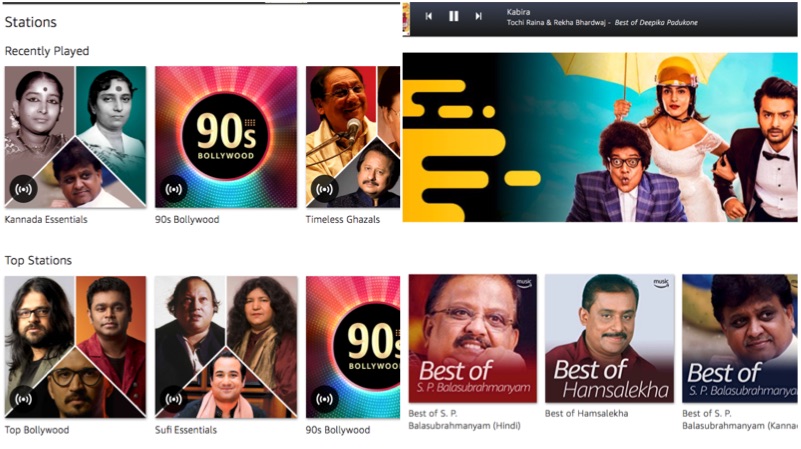
    Amazon recently launched its music streaming service here in India. A member can access millions of songs. The service offers ad-free music experience with curated music playlists. Users can access Amazon Music from a computer or a smartphone running on iOS or Android. The library consists of music from almost all the regional languages including Kannada, Hindi, Telugu, Malayalam, and Tamil.

    We have used Gaana, Hungama, Wynk, and other music services and none of those match the Amazon Music’s choice of songs. However, Amazon is still not clear about the number of songs its library has but, so far, we have been able to find almost any song we asked Alexa for.

    Amazon Prime


  • Samsung Galaxy Note8 Android 8 Oreo Starts Seeding

    Samsung Galaxy Note8 Android 8 Oreo Starts Seeding

    Samsung launched the Galaxy S9 and the S9+ in India on the 6th of March and the devices went on sale on 16th of March. And now, the company has started updating their existing devices to Android 8 Oreo operating system. As the update was available for the Galaxy S8 and S8+, the Galaxy Note8 has started receiving the software update based on Android 8 Oreo.

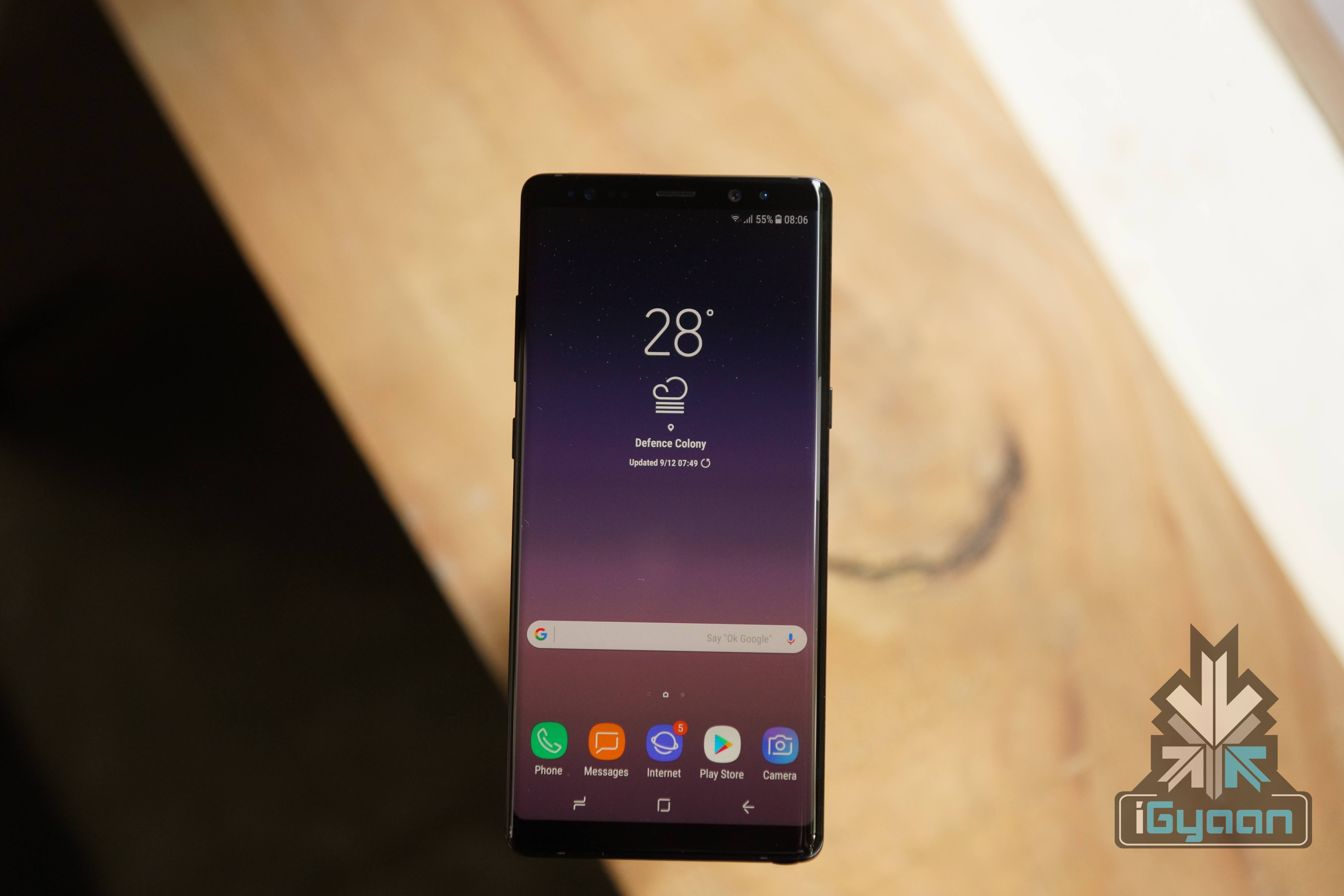
    The update comes with the firmware version N950FXXU3CRC1, which includes security update for the month of March. The Android 8 Oreo update brings in some new features to the device with Samsung Experience UI 9.0. This update includes features like a customisable keyboard, new emojis, new stickers, and support for dual apps.

    Specifications of the Samsung Galaxy Note 8

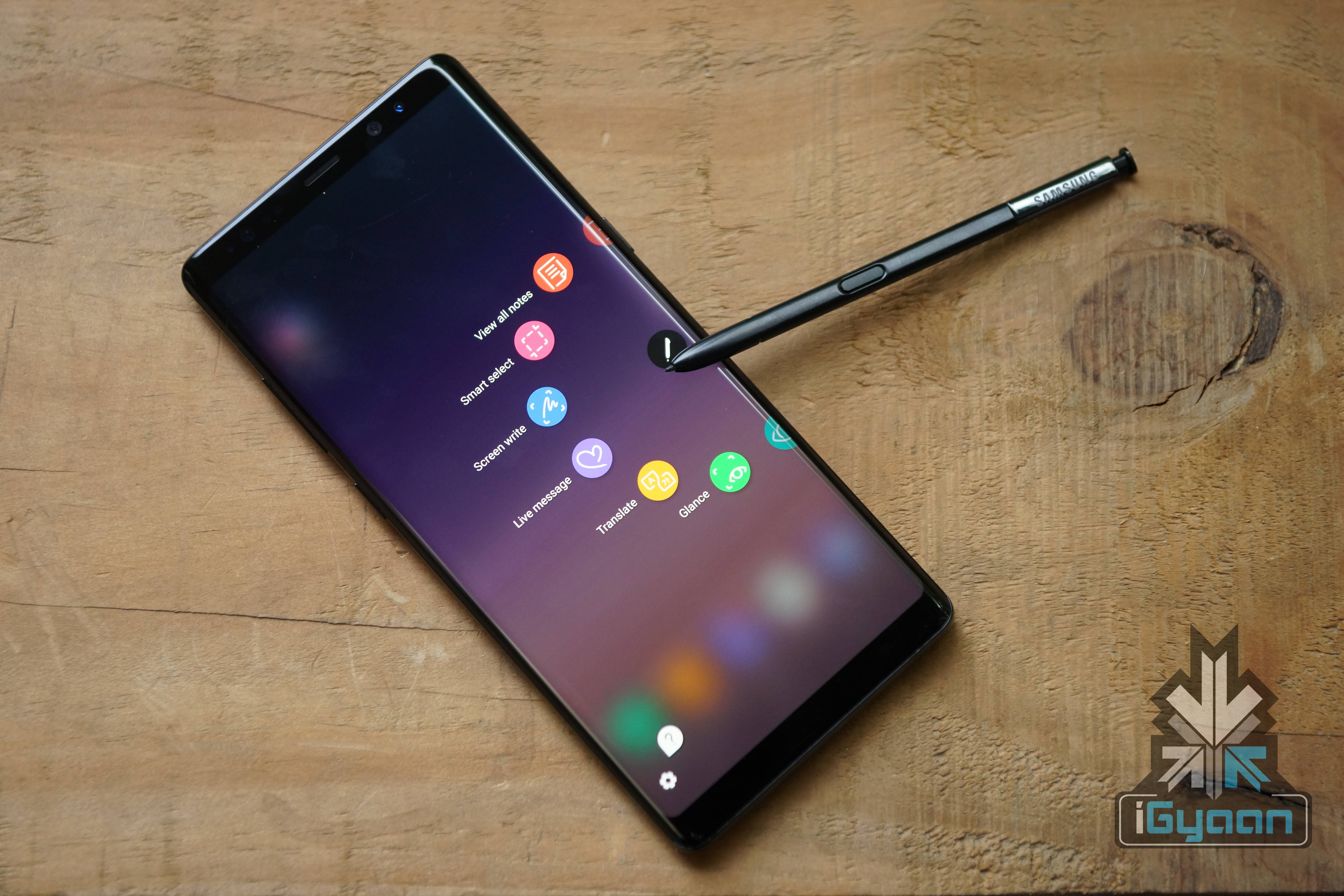
    The Galaxy Note8 has a 6.3 inch 2960 x 1440 px Super AMOLED display with an 18.5:9 aspect ratio with an all-glass body and a metal frame. Powering the device is a 3300 mAh battery with wireless charging capabilities. The device has the Exynos 8895 chipset, 6GB of RAM and 128GB onboard storage. The graphics are handled by the Mali-G71 MP20 GPU. The Galaxy Note8 and the S Pen are both IP68 certified water and dust resistant and will be available in Midnight Black and Maple Gold colour variants.

    Galaxy Note 8

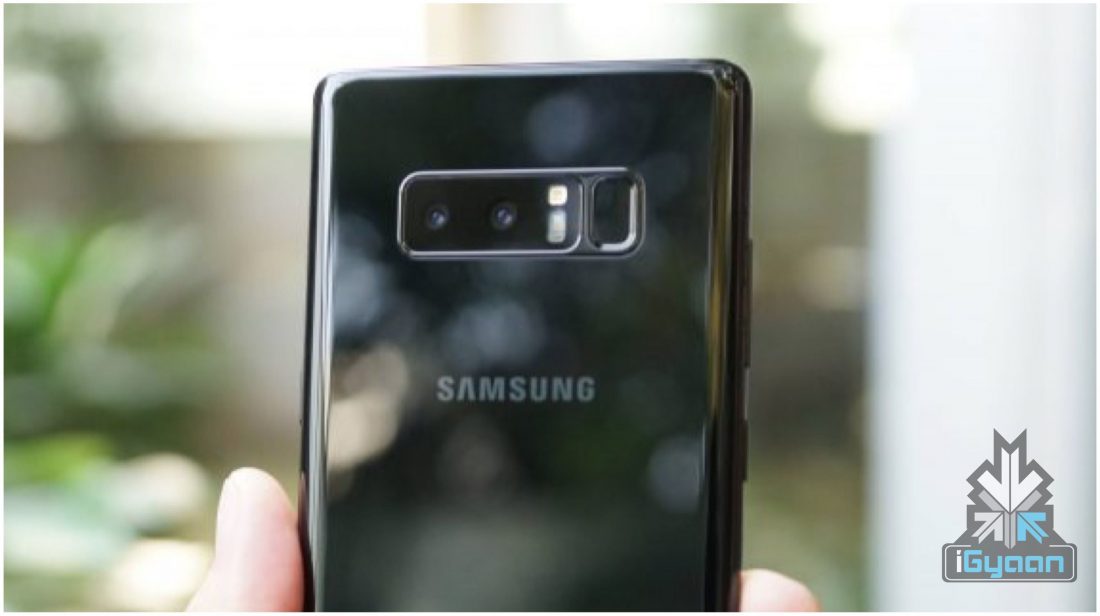
    The Galaxy Note8 is also the first Samsung smartphone to feature a dual-camera setup. The new Note8 has a 12MP dual-camera setup, one of which has a wide lens and the other a telephoto. The use of dual camera allows for the ability to blur out the background for bokeh effect shots. Samsung claims that the first smartphone to feature OIS in both the cameras at the back. The Samsung Galaxy Note8 also records 4K videos at 30 FPS along with high-speed video at a lower resolution. The front camera has an 8MP sensor with an f/1.7 aperture and also records 4K UHD videos at 30 FPS.

  • Google Assistant Now Chats In Hindi

    Google Assistant Now Chats In Hindi

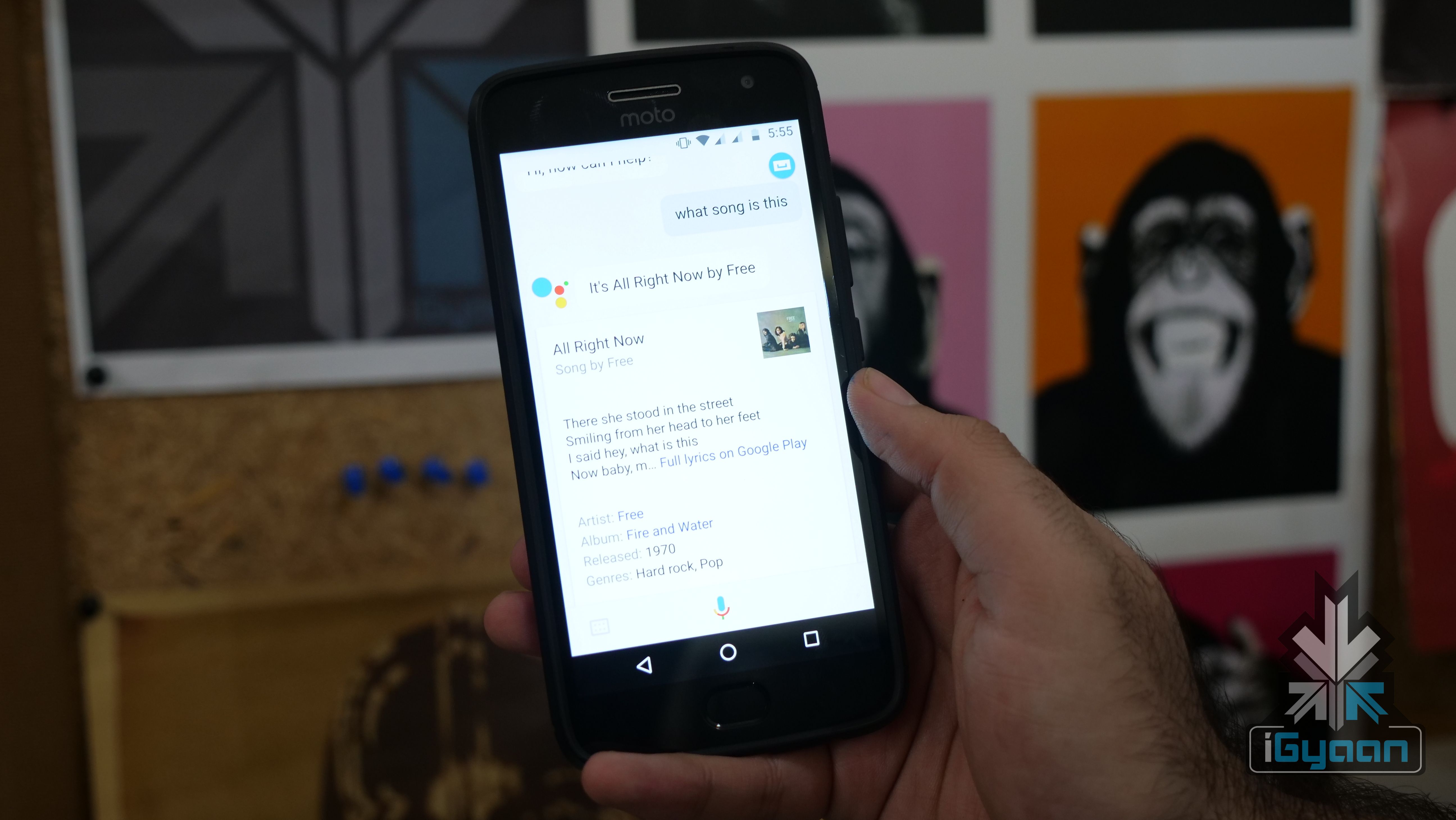
    Google Assistant is one of the most used voice assistants in the world. The Google Assistant is available on Android smartphones running on Android 6 Marshmallow or newer versions. In fact, the company is also working to bring this feature to Android 5 Lollipop running devices.

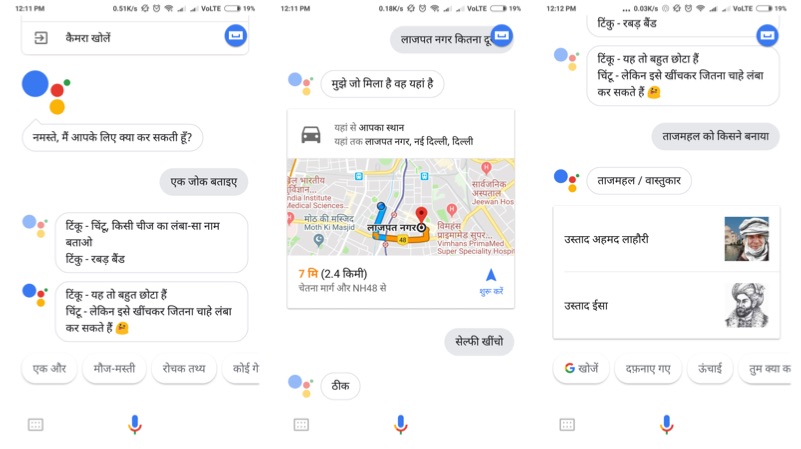
    It is also available for iOS, JioPhone, and Android Oreo Go edition smartphones as well. Google today announced that the Google Assistant will be now available in Hindi. Hindi is the first Indian language to support Google Assistant, which is the most commonly used language in India. Similarly, this will enable Google to onboard the next million users to use the Assistance, who cannot understand English.

    The Google Assistant will get better over time. With your permission, it can learn your preferences, your likes and your dislikes. All these things happen in a private and secure way, without sharing your details. To access the Google Assistant in Hindi, set your device language to Hindi and update your Google Search app to the latest version.

    Google Assistant

    Purvi Shah, Technical Program Manager, Assistant said:

    The Google Assistant is truly Indian, it’s your helpful dost that speaks our language and understands the things you care about, from finding biryani recipes, to pulling up the latest cricket score, or finding directions to the nearest ATM. In order to make it even more useful to Indians over time, developers and businesses can now build Actions for the Hindi Assistant through the developer platform Actions on Google. Once an action is built, you can just say “Ok Google, talk to” and access the service or content straight through your Google Assistant.

    Here are some examples of questions you can ask your Assistant
    • Sabse kareeb Punjabi restaurant kahaan hain?
    • Dadar tak pahunchne mein kitna samay lagega?
    • Cricket ka score kya hain?
    You can even instruct it
    • Kal subah mujhe saat baje jagaao
    • Selfie kheencho
    • Daddy ko SMS bhejo “5 minutes mein pahunchenge”
  • New Google Maps Feature Lets Users Publicly List Locations

    New Google Maps Feature Lets Users Publicly List Locations

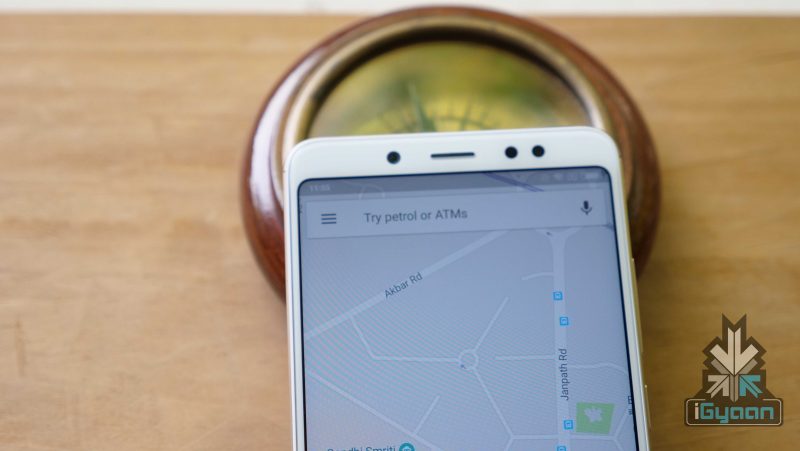
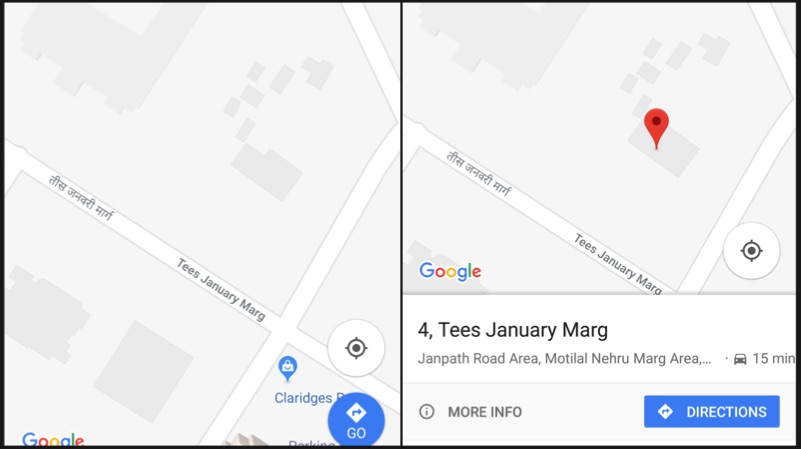
    Google Maps recently announced a bunch of new features for India. These new features ease the process of searching or sharing an address. The company has combined area code with the local code to generate a unique “Plus” code for every geographical area. The Google Maps Plus code can be broadcasted across social media platforms for sharing.

    Google Maps Plus Code

    The Google Plus code is a combination of GPS location details and the local area pin code. Up until now, Google Maps let the users share direct GPS locations. However, with the Google Maps Plus Code, the sharing of location is a lot easier. This feature is available for both Android and iOS operating systems.

    Google Maps

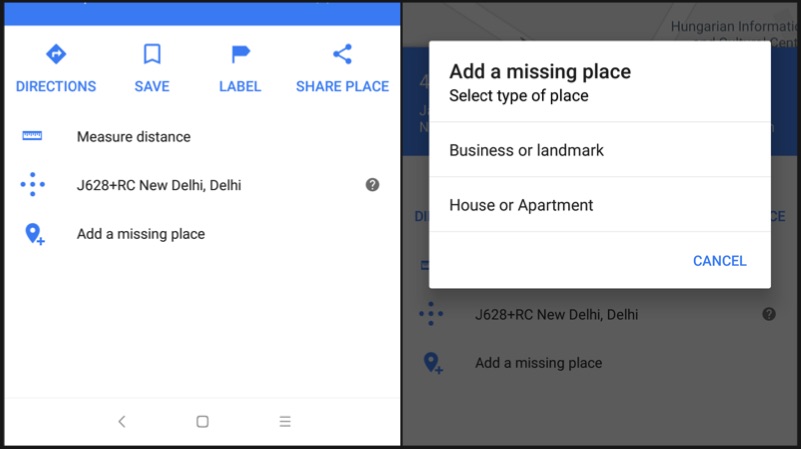
    How to add missing Address
    • Open Maps
    • Touch and hold the place to select the marker
    • Click on the description of the place
    • Click on “Add a missing place” option
    • Enter the details such as name, website etc and press the arrow mark on the top right corner
    How to generate Plus Code
    • Open Maps on your iOS or Android device
    • Touch and hold the place to select the marker
    • Click on the description of the place
    • Scroll down to the bottom to find the Plus code
    • Copy the code by pressing on it

    Google Maps

    How to search an address using Plus Code
    • Copy and paste the code into Google Maps search bar and hit enter to find the navigation for the address
    • Or simply, copy paste the code into Google search, and the address will be shown in the search results
  • Android 8 Oreo For Xiaomi Mi MIX 2 Brings iPhone X Like Gestures

    Android 8 Oreo For Xiaomi Mi MIX 2 Brings iPhone X Like Gestures

    Launched back in October of 2017, the Xiaomi Mi MIX 2 succeeded the 2016 bezel-less device, Mi MIX. It followed a similar design language with thin bezels and a thick chin to house the front camera. But, like almost every other Xiaomi smartphone, it ran on Android 7 Nougat with MIUI on top. After updating the Mi A1 to Android 8 Oreo, the Mi MIX 2 has also received the stable build for Android 8 Oreo.

    Mi MIX 2 Android 8 Oreo Update

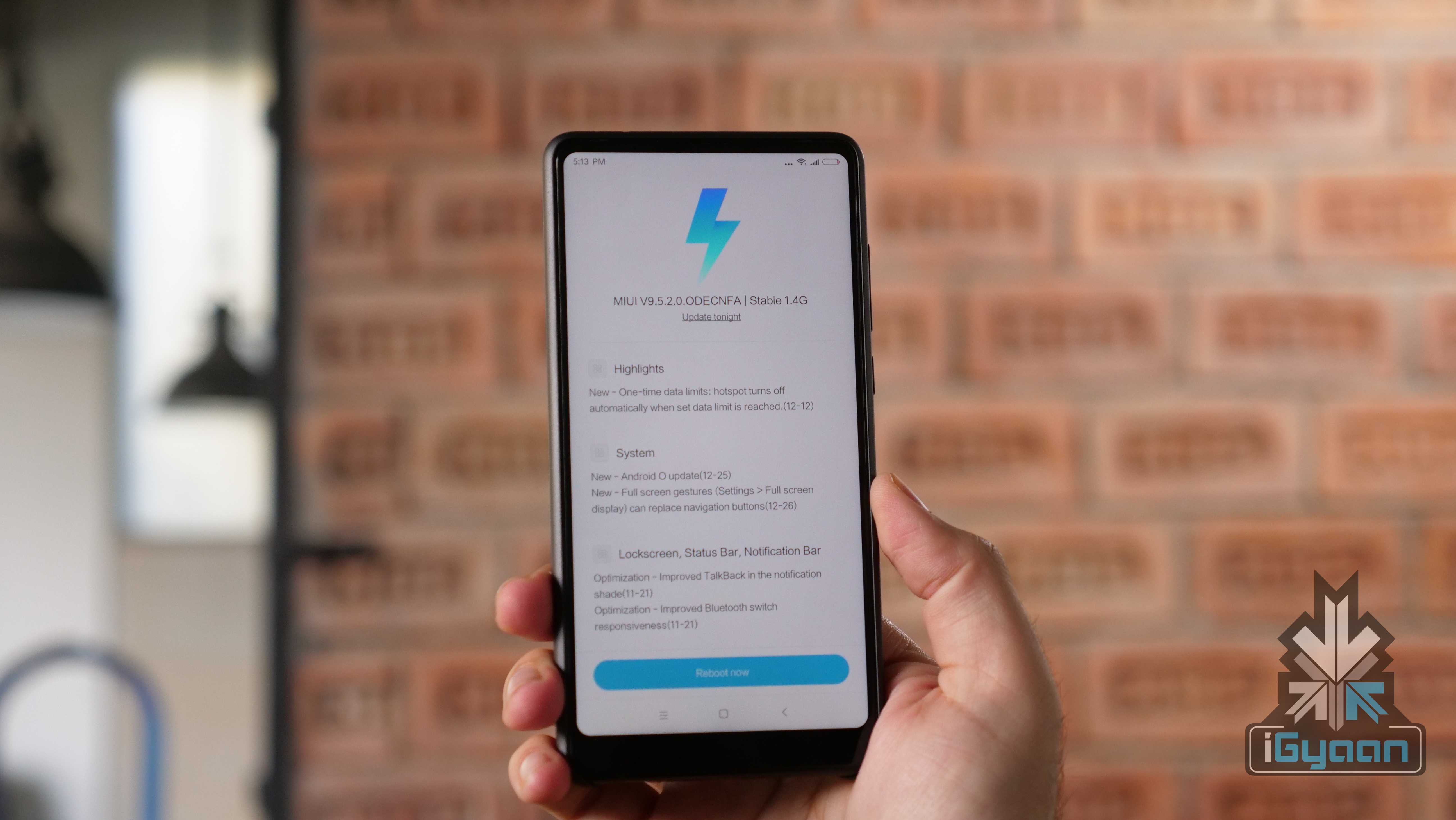
    The update weighs in at about 1.4GB and should be rolled out to all devices soon. To install the update, you need to charge your Mi MIX 2 first. Then head to Settings>About Phone>System Update. Then download the update and install it.
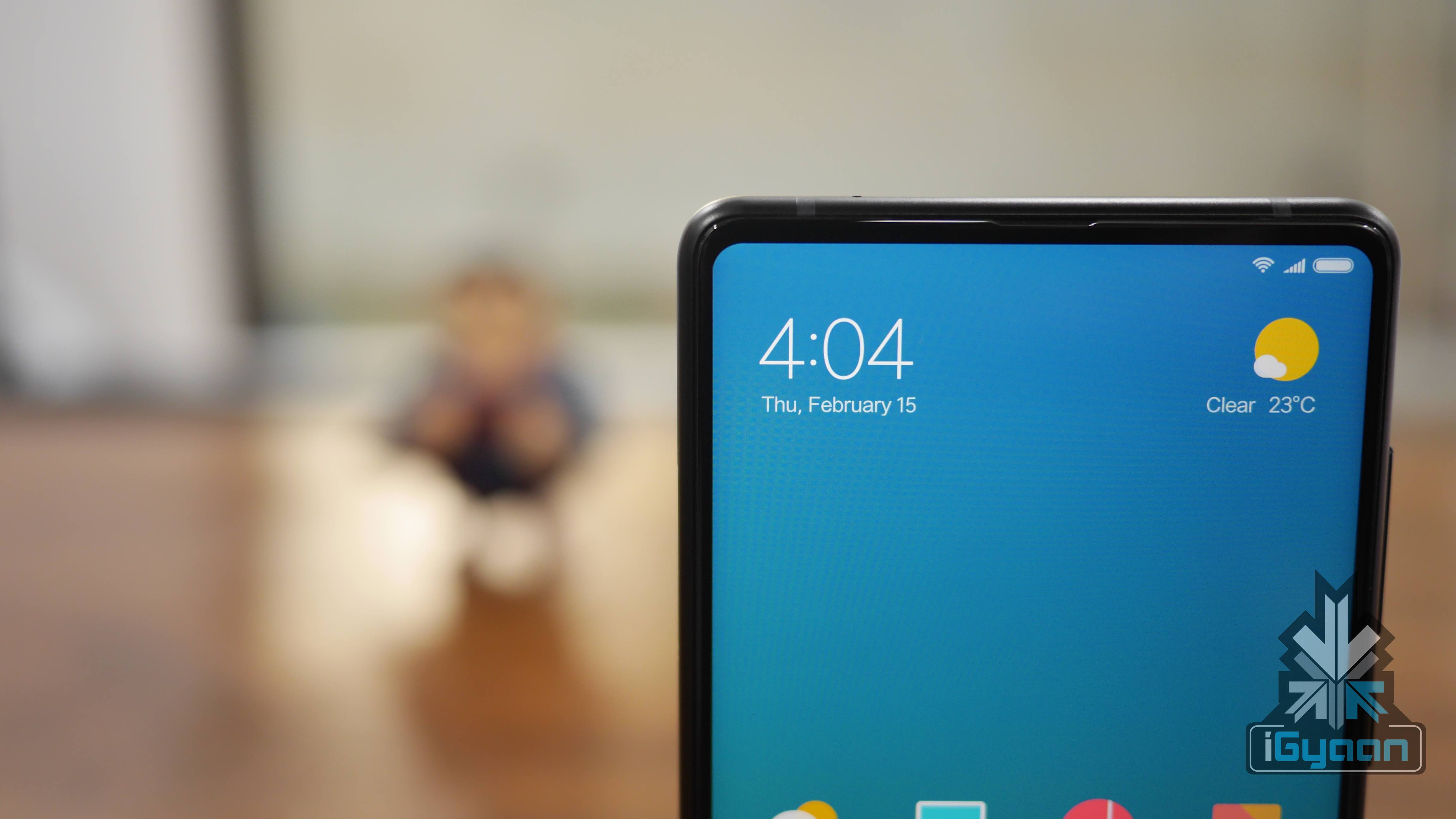
    Full-screen gestures is a highlight feature that has been added. Introduced in a Beta build back in December, the gestures essentially replace the stock buttons for navigation within the UI. We will be testing out the gestures to check how the implementation works with a smartphone Xiaomi Mi MIX 2’s size.

    However, users will barely feel the difference after switching to Android 8 Oreo considering how heavily customised MIUI skin is.

    Over the years, Xiaomi devices have been deprived of the latest version of Android OS. However, it recently received a lot of plaudits for updating devices as old as 4 years to the latest version of its MIUI skin. Even smartphones like the Redmi 1s Prime and Redmi Note 4 have been updated to MIUI 9 which is commendable. Whether more Xiaomi devices will be added to this list is yet to be seen. But, the signs are good so far.

    • 5.99 inch IPS LCD
    • 2160 x 1080 px, 18:9 aspect ratio
    • Qualcomm Snapdragon 835
    • 6GB RAM, 128GB storage
    • Android 8 Oreo, MIUI 9
    • 12MP f/2.0 Primary Camera
    • 5MP Secondary Camera

    [widgets]

  • Top Three File Sharing Apps For Android And iOS

    Top Three File Sharing Apps For Android And iOS

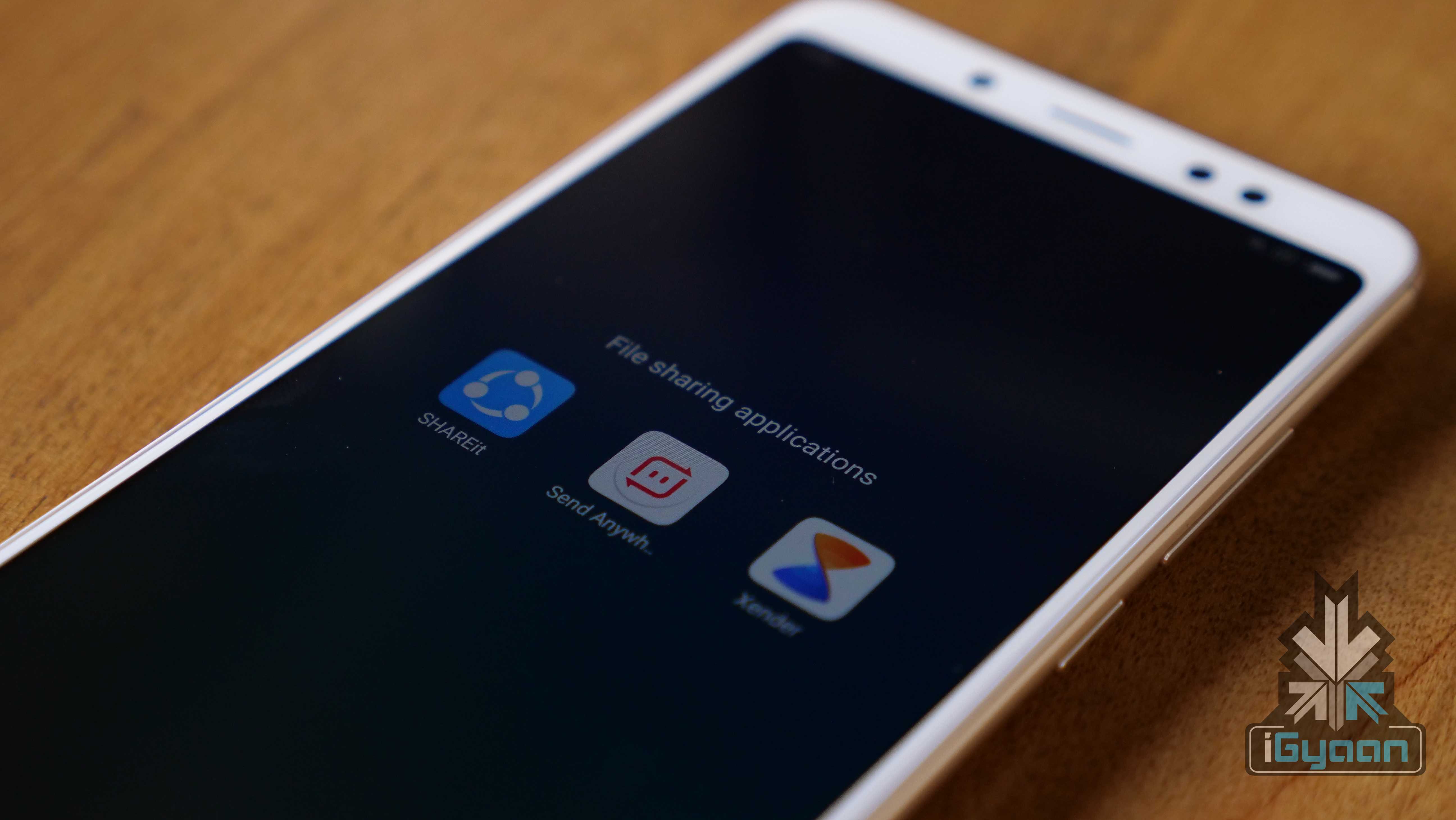
    The Bluetooth technology has come a long way but, it is still not the best way to send large files. Users share different file types across different devices, including smartphones, tablets, computers etc. Sometimes, sharing a large sized file like an HD movie over Bluetooth might be cumbersome. So, here are the top three apps that can be used to share files across the devices with the touch of a button.

    SHAREit

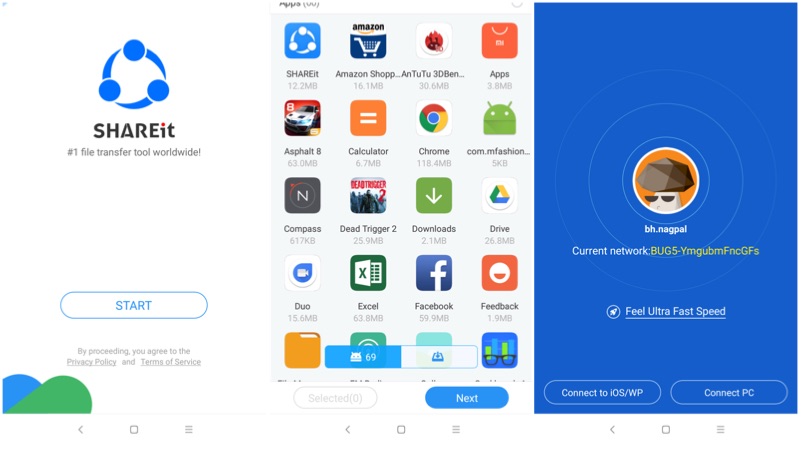
    If you are a smartphone user, then you would have heard this name at least once in your life. SHAREit has been in the file-sharing business from last few years. This application is mainly used to share files between closely located devices (~10 meters). Both the users have to have the application to either send or receive a file. The app supports Android to Android, Android to iOS, iOS to iOS files transfer. This works on the principle of Wi-Fi and Wi-Fi Hotspot. Usually, receiving device will create a secure hotspot and the sender has to join the network. The files transfer happens via Wi-Fi with an average data transfer speed of 5 MBPS.

    File sharing

    Sendanywhere

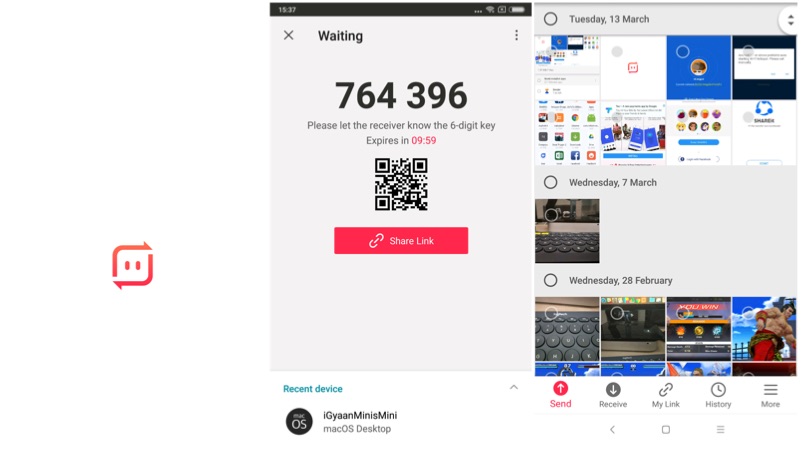
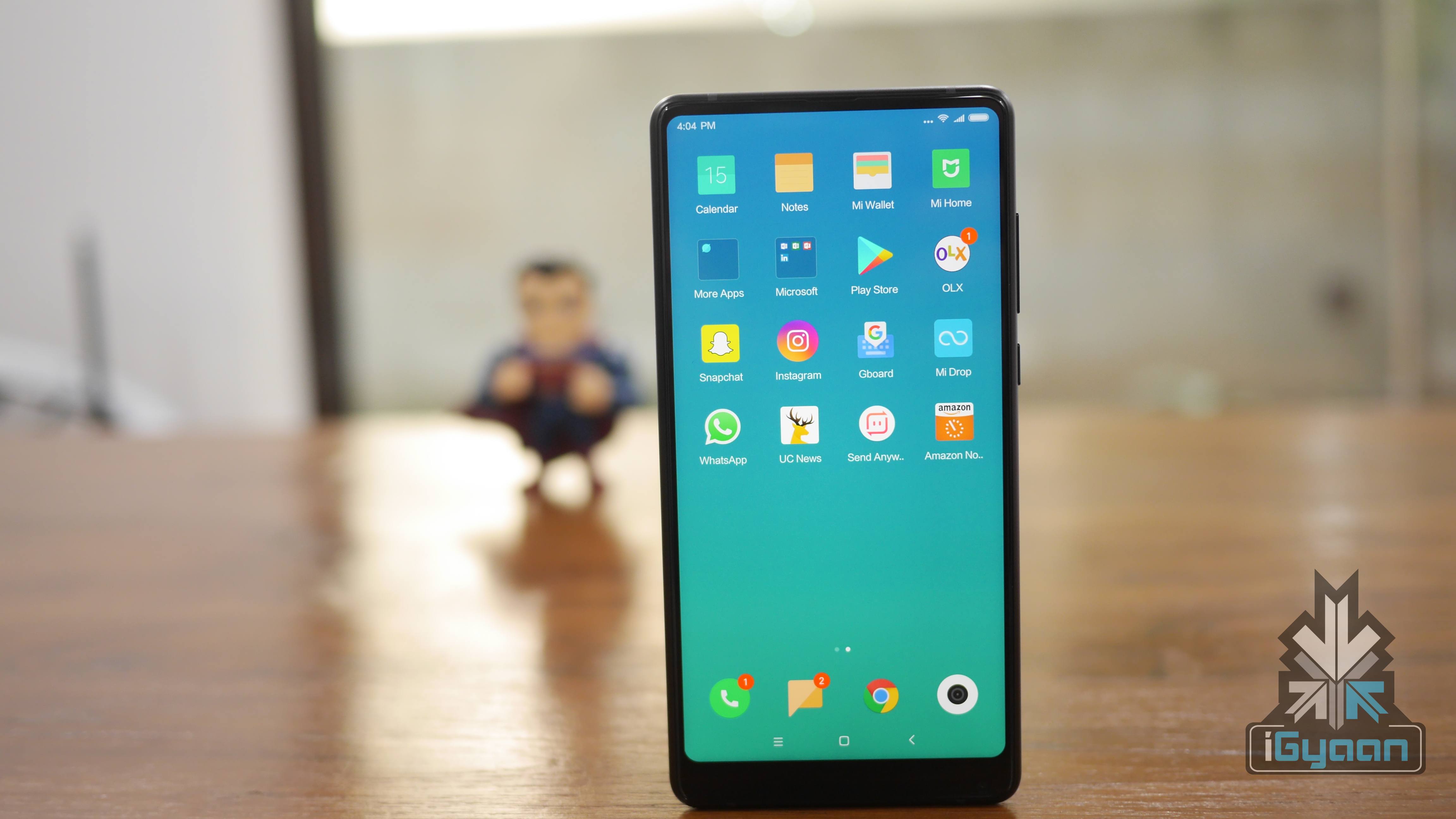
    At iGyaan, we use sendanywhere application. This is a cross-platform app and connects well with Android, iOS and, macOS in no time. The working procedure is a bit different compared to SHAREit. A user has to select the files, which he is interested in sharing. Then, the application generates a unique 6 digit key, which has to be entered on the receiver’s end. Unlike SHAREit, this even with the remotely located devices. However, both the parties should have an active internet connection to initiate the transfer.
    File sharing

    Xender

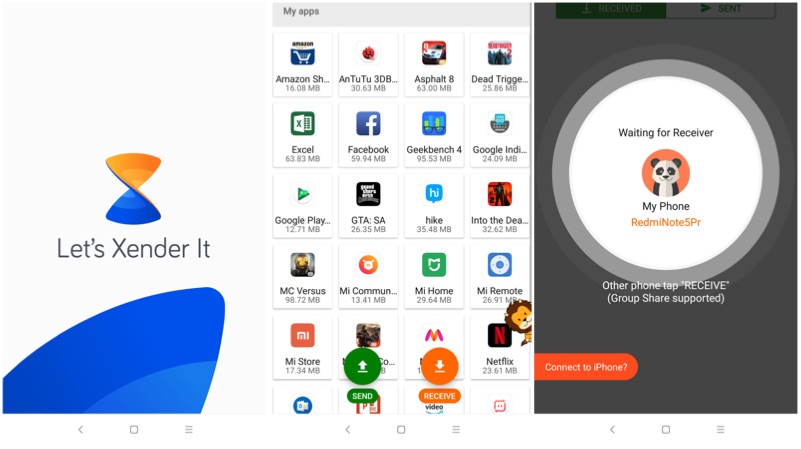
    The working principle behind Xender is similar to SHAREit. However, Xender’s UI looks better than the SHAREit. The applications work on iOS and Android devices. In fact, when you are sharing a file, the app specifically asks to connect to an iPhone. The app comes with different menu buttons, which has an option to select apps, photos, music files, and videos.
    File sharing

  • Top Three Photo Editing Apps For Android

    Top Three Photo Editing Apps For Android

    Smartphones, nowadays, are judged on their camera capabilities. Devices like the Google Pixel had a lot of shortcomings which were overlooked thanks to its brilliant camera performance. However, there is always scope for a bit more beautification of images that go on our social media accounts.

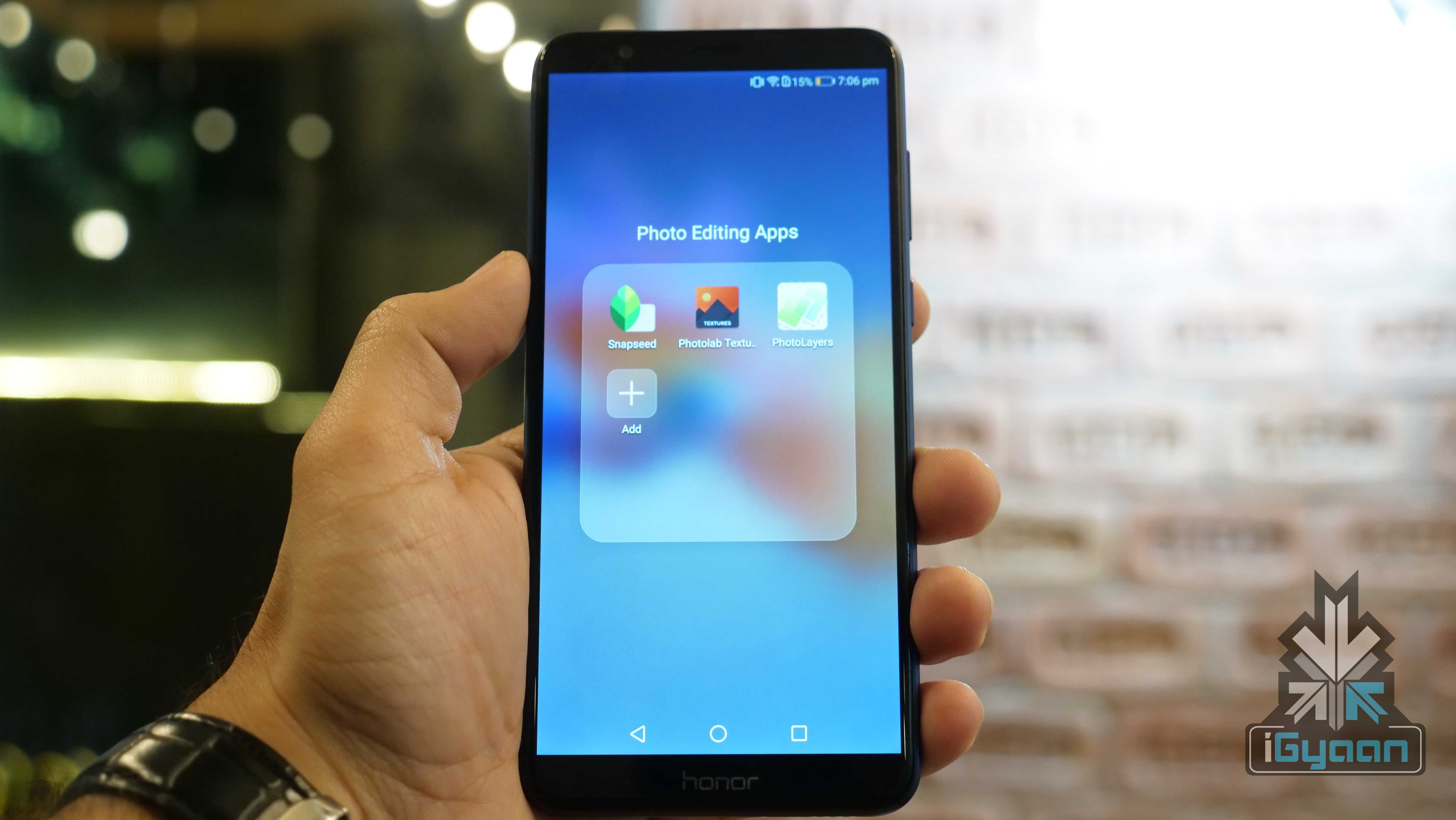
    Here are the top three photo editing apps for Android. All three apps are free to download and offer different sets of features to enhance the photos on your smartphone in no time.

    Snapseed

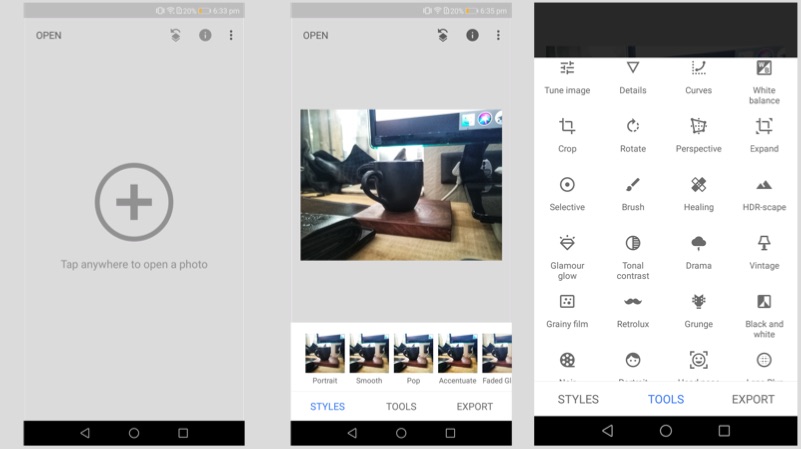
    Snapseed is a professional photo editing app developed by Google. The app offers multiple tools, including selective focus, HDR Landscape, changing the tonal contrast. The app also offers Portrait mode, which converts a normal photo into a Portrait photo with a varied depth of field. One can double the exposure, add frames and texts for the images. The app also directly social media sharing.

    Photo Editing

    Photolab Textures

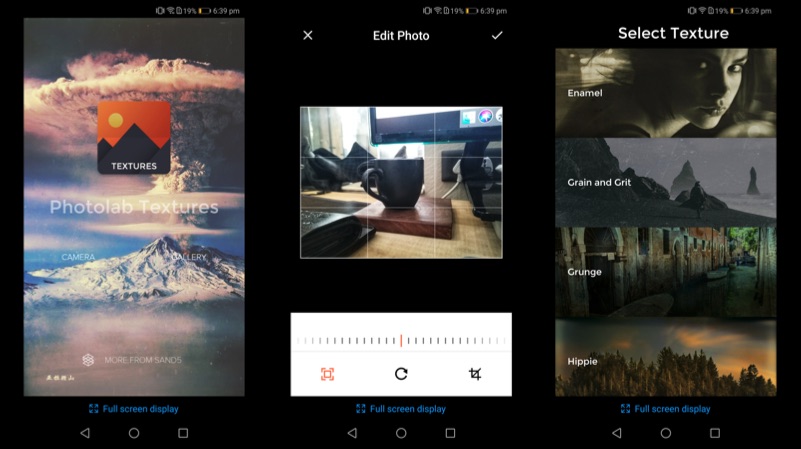
    Photolab Textures offers a simpler function compared to Snapseed. In fact, the app can be used to convert your photo into an art piece. The app offers a different selection of textures, including Enamel, Grain and Grit, Hippie, and Landscape Enhance. Each of these textures gives a completely different output, which changes the entire photo into a masterpiece.

    Photo Editing

    PhotoLayers

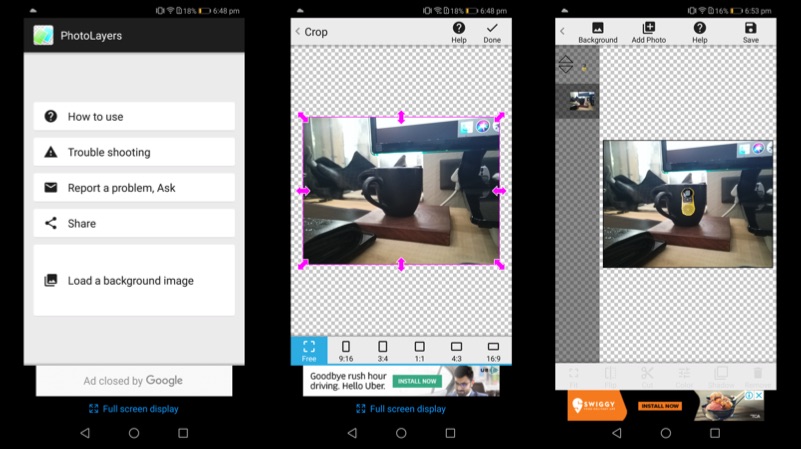
    PhotoLayers is a unique app, which helps to create photomontages. The app has a built-in tool, that converts the un-needed arear into transparent. The app can be used to combine up to 11 pictures to create a collage. One can also play with the colour tone to make the photo more attractive. Import a photo as a background and then import the photo, that you want to highlight, select the edit tool and erase the background. The app even has a tutorial for the first time users, which explain the different functions of the app.

    Photo Editing

iGyaan Network
Privacy Overview

This website uses cookies so that we can provide you with the best user experience possible. Cookie information is stored in your browser and performs functions such as recognising you when you return to our website and helping our team to understand which sections of the website you find most interesting and useful.