Category: Apps and Software

Games, Apps, Softwares, Operating Systems and Software Hacks

  • How Amazon’s New Email Service Plans to Take Over the Corporate Arena

    How Amazon’s New Email Service Plans to Take Over the Corporate Arena

    In the age of instant communication, the email has almost taken a back seat. It is used mostly for official communications and sharing files or maybe to receive a lot of junk newsletters from sites. Google’s Gmail and Microsoft’s Outlook.com are the most used email clients, but Amazon wants to capture some of their territory in the corporate sector with its new email service.

    Known as the Amazon WorkMail, the mail client gives users the ability to seamlessly access their email, contacts, and calendars using Microsoft Outlook, their web browser, or their native iOS and Android email applications. Users can integrate Amazon WorkMail with their existing corporate directory and control both the keys that encrypt the data and the location in which the data is stored.

    webservice
    The service is created by Amazon Webservices.

    WorkMail has been created by Amazon Web Services (AWS) which is the company’s cloud computing wing. At present, the service offers email and scheduling service but is expected to increase its offerings as time passes.This is a big bet by the company and analysts claim that if successful, the project can fetch Amazon about $10 Billion annually.

    At present, you can access a 30-day free trial with which you can connect up to 25 users with Amazon WorkMail. The service costs $4 per user per month which includes 50GB of storage per user. Google and Microsoft have a stronghold in the corporate sector, and Amazon would have to provide competent services to break into the market of the big boys.

  • HTC Rolls Out Lollipop for One M8 Users in Europe

    HTC Rolls Out Lollipop for One M8 Users in Europe

    Good news has arrived for HTC owners; the company has started rolling out Android 5.0 Lollipop for its M8 users. The confirmation has come from many reliable sources including HTC Senior Communications Manager Jeff Gordon and prominent ROM Developer LlabTooFer, who took to Twitter stating –

    Users can check for the same on their devices. Finding the update is very easy. Just go to Settings > About Phone > System Update and download the update.

    Lollipop is the latest operating system released by Google. It offers added fluidity through a new user interface (UI) and users will experience improved natural touch screen interactions. The Material Design adds bold colours to the screen. Along with that, the new Android update lets you have a look at the notifications on the lock screen itself and facilitates dismissing them without unlocking it. In all, it offers users a pure, bloatware-free and seamless Android experience.

    Lollipop was released in November last year. We hope that India, as well as other nations, get the  soon.

  • Check Out Vivaldi, a New Browser Aimed at Power Users

    Check Out Vivaldi, a New Browser Aimed at Power Users

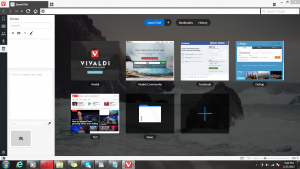
    Former CEO and Co-Founder of Opera, Jon von Tetzchner has announced the first preview of ‘Vivaldi’, a new Chromium based browser built primarily for power users. The new browser is still in its Beta phase, and is available for Windows, Mac and Linux.

    It features utilities like Quick Commands, the familiar Speed dial that shows your favourite tabs on the new tabs page along with gesture-based mouse controls. In addition, it gets some new nifty tricks like organising multiple tabs into one stack for easy and clutter free browsing. Another new feature allows users to take notes right in the browser along with taking screenshots.

    vivaldi_browser_teaser_page

    The new browser takes a lot of inspiration from Opera, and von Tetzchner duly acknowledges that.  Vivaldi uses the Chromium (Blink) rendering engine found in Chrome and is built entirely using the latest web technologies including React, Node.js along with a number of node modules.

    As of now, only the technical preview for the browser is available. Though in the coming months, it is likely to add sync, mail support, improved performance and extensions. In addition, the browser will be shaped by the community; hence it will be driven by user demands.

    You can download a technical preview of the Vivaldi browser here. We tried it out for a while, and it seems to be a rather snappy browser that pays homage to Opera. The browser’s interface subtly changes colors as you navigate from one site to another to match the dominant color on the page. It’s certainly got a potential for power users, with nifty features like ‘quick commands’ that helps you search or run commands, identical to OS X’s Spotlight.

  • TRAI’s Android App Allows Users to Provide Instant Feedback on Operators

    TRAI’s Android App Allows Users to Provide Instant Feedback on Operators

    Telecom Regulatory Authority of India (TRAI) is perhaps tightening the noose on service providers in India, as mobile phone subscribers from now on can give instant feedback to TRAI about the quality of services provided by operators via an Android based app. Operators will be penalised if they fail to meet minimum service quality benchmarks set up by the regulatory authority.

    [quote text_size=”small” author=”Sudhi Gupta” author_title=”TRAI Secretary”]

    Considering the growing penetration of Internet and smartphones, Trai has introduced a Web-based application as well as an Android-based app for assessing customer perception of cellular services.

    [/quote]

    Under current regulations, TRAI can levy a penalty of upto Rs.50,000 on mobile service providers in an event when they fail to comply to a service parameter, the amount is doubled if they repeat the same shortcomings again.

    Earlier today, TRAI also issued draft regulations to facilitate full mobile number portability that is set to start from May 3.

  • Top 5 ‘Lite’ Apps You Should Download to Save Battery and Storage

    Top 5 ‘Lite’ Apps You Should Download to Save Battery and Storage

    Apps help us stay connected, book movie tickets, message our loved ones and improve our overall daily efficiency. But it’s not all pretty; they also tend to suck up our phone’s battery life. As apps improve and become more sophisticated, they tend to drain more battery from your smartphones. Well, there’s an easy way out to this problem, there are plenty of free ‘lite’ versions you can use as alternatives.

    We are listing top 5 Lite-versions of your favorite apps that will help save your smartphone’s battery life.

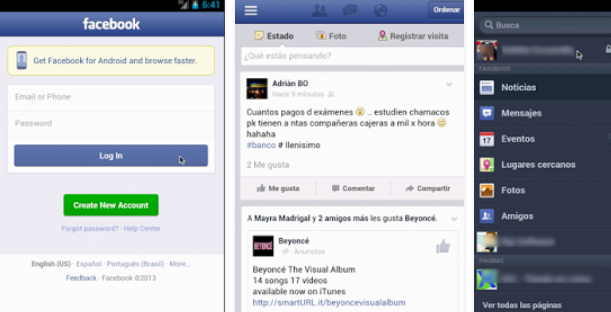
    1. Lite WebApp for Facebook

    Facebook Lite

    As much as we appreciate Facebook’s strategy to continuously keep updating their app with new features, we have to admit that the official Facebook app slows down and exhausts our smartphones. Lite WebApp is a Facebook look-alike app designed for phones with low memory and can save some of your battery. The best part that you’re sure to appreciate, it still syncs your Facebook inbox, which Facebook recently dropped in the favour of their standalone Messenger App. Since we still don’t have access to the newly launched Facebook Lite, we’ll have to make do with this one.

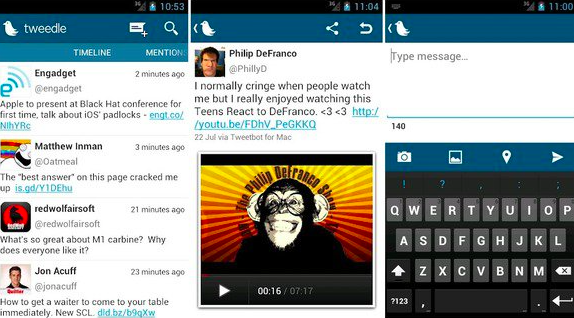
    2. Tweedle for Twitter

    Tweedle for Twitter

    The worst part about the official app for Twitter is that it constantly refreshes the feed. This is the reason it consumes a ton of battery life. Tweedle, an alternative to Twitter, runs smoothly, consumes less battery and has a clean interface. The app saves battery as the user needs to manually refresh the feed to use it.

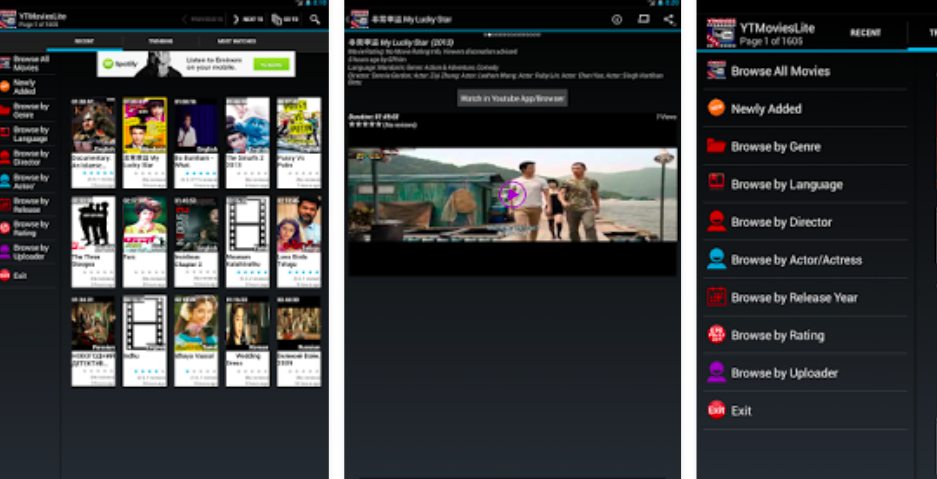
    3. YTMovies (Lite) for YouTube

    YT Movies

    YT Movies lets you watch YouTube clips and send them to your smart TV and other media players. YTMovies(Lite) is ad-supported with limited options, and is only available for Android devices. It also offers a pro version called Pro YT Movies, which however, is not free.

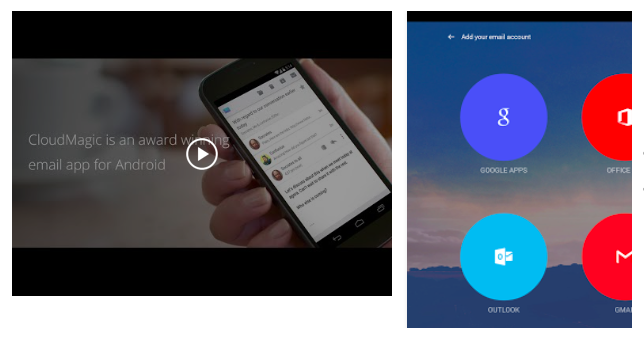
    4. CloudMagic for E-mails

    Cloud Magic for EMails

    Mail apps can destroy your battery life as they are constantly synced to the e-mail websites to refresh the feeds. A great alternative to your e-mail apps is CloudMagic, which simply merges all of your email accounts into one app. You can find emails quickly and, most importantly, it’s easy on battery life.

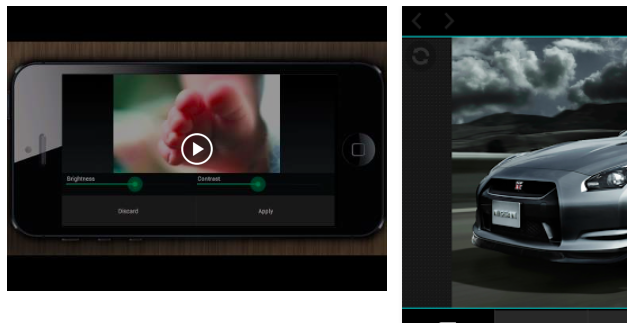
    5. PicShop Lite for photo editing

    PicShop Lite

    Smartphones come handy when you need to edit photo directly from the phone gallery. There are loads of photo-editing apps available in the app store such as Hipstamatic, Snapseed, Pixlr-o-matic and many more. But on-the-go photo editing apps eat up your phone’s memory and suck battery really fast. PicShop Lite app massively reduces memory usage and allows you to edit, add filters and frames, and share your photos.

  • Facebook Brings Out a ‘Lite’ App For Low-End Android Devices

    Facebook Brings Out a ‘Lite’ App For Low-End Android Devices

    Facebook launched a handful of standalone apps last year including the newest offerings called Rooms. Facebook’s strategy to monopolize and drive funds from its already established multi-billion user base is quite clear. Now, another app, called Facebook Lite has been launched by the company for emerging markets.

    Technically, Facebook Lite is specifically designed for low-end Android devices in emerging markets. The app has been quietly rolled out in a handful of countries such as Asia and Africa over the weekend (Bangladesh, Nepal, Nigeria, South Africa, Sudan, Sri Lanka, Vietnam and Zimbabwe to be precise) where it is being tested with the aim to further expand.

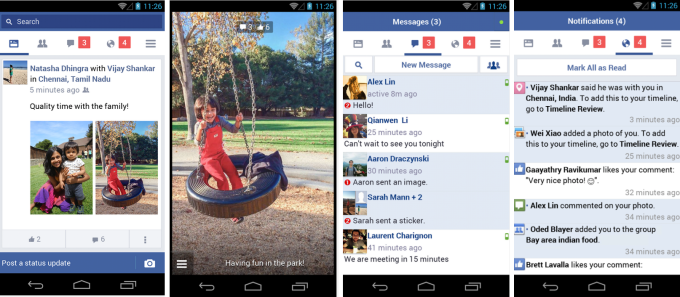
    Facebook Lite is only 252k in size and look quite similar to the simplified version of the mobile website launched in 2009. The smaller size will accommodate low-end and dated Android devices and those on 2G/poor quality internet connections.

    fb-lite

    The app is based on Snaptu, Facebook’s feature phone client, however, it includes some familiar Android features such as  push notifications and camera integration, to make the experience a more sophisticated one.

    Primary focus of the app will be tapping soaring sales of low-end smartphones in Asia. A stand alone app seems to be a perfect way out and taking advantage of the emerging markets. Apparently, the move has seen fruitful results already. It has already crossed 10,000 downloads, with a 4.6 rating from an initial 693 reviewers.

  • Lollipop Out for Moto G (1st and 2nd Gen) Users in India

    Lollipop Out for Moto G (1st and 2nd Gen) Users in India

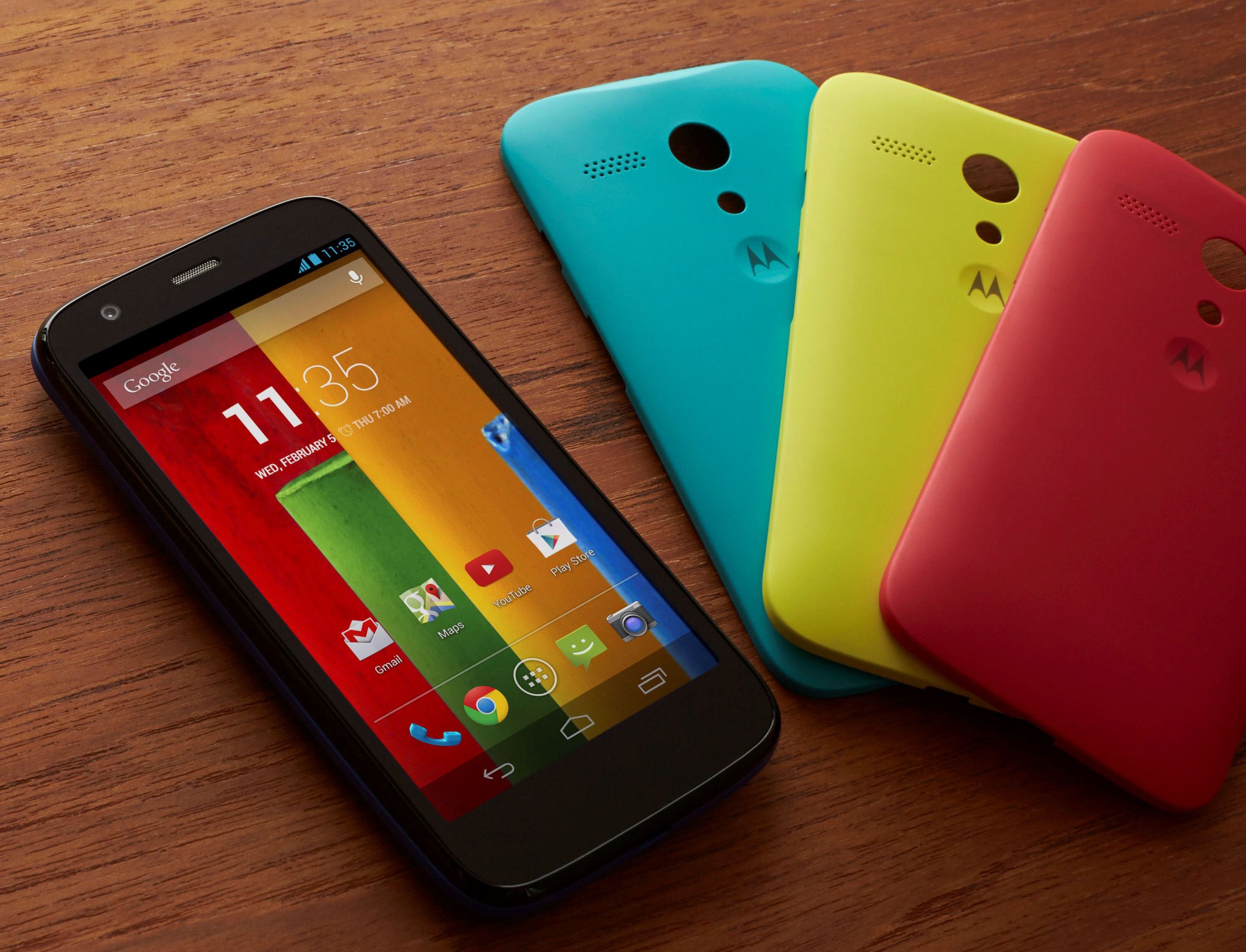
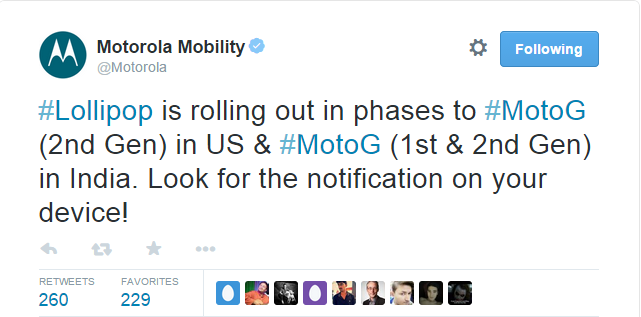
    Earlier today, Motorola announced that it has started rolling out Android 5.0 Lollipop for Moto G and Moto G (Gen 2) devices in India. The update is also out for the Moto G (2nd Gen) users in the US.

    The company stated that the OTA update is releasing in phases and users can look for it on their devices. Meanwhile, some of you may not find it instantly, and it may take a day or two.

    moto lollipop

    With added fluidity through UI of the new Lollipop, users will now experience improved natural touch screen interactions. Besides that, the new Android update lets you have a look at the notifications on the lock screen itself and facilitates dismissing them without unlocking it. In all, it offers users a pure, bloatware-free and seamless Android experience.

    To check for an update on your device, go to Settings > About Phone > System Updates. Download the same, and once it’s done, you’ll feel like you’re holding a completely different device in your hand.

    Motorola is one of the best companies out there in terms of timely updates. The devices launched by the company get proactive support from the enterprise. So, if you are a Motorola owner, the wait for your Lollipop will shortly come to an end.

  • Get WhatSIM to Use WhatsApp Anywhere in the World Without the Internet

    Get WhatSIM to Use WhatsApp Anywhere in the World Without the Internet

    WhatsApp has all but replaced SMS. The service has gained a massive following and has about 700 million monthly users. The hitch with the service is that you always need the internet to stay connected with your contacts. But a new SIM called WhatSIM will let you access WhatsApp anywhere in the world without the need of the internet.

    Sounds too good to be true? Well, this is for real. WhatSIM has been invented by Manuel Zanella, who is also the founder of ZeroMobile, Italy’s first Global Mobile Operator for low-cost roaming. The company offers the SIM for a price of €10 with an additional €5 shipping charge. Once purchased, the SIM can be used for an entire year without any subscription fee.

    WhatSIM finds the best network in the region and automatically shifts to it thus giving you non stop connectivity to whatsapp.
    WhatSIM finds the best network in the region and automatically shifts to it thus giving you non stop connectivity to WhatsApp.

    The company claims that WhatSIM can be used anywhere in the world as it connects to the provider with the best coverage and signal wherever you are. If you change your position, it automatically searches for a new provider. If a better one is available, it connects by itself without you even noticing.

    The service only takes care of texts. For other features such as videos, images, audio, etc, you would need to buy credits. These credits start from €5. You will require 150 credits to send photos, 600 credits to send videos and 30 credits to send voice texts. The recharge will begin February 26. So if you are a globetrotter or simply living in a land with awful internet connectivity, then WhatSIM may be a good option for you.

  • Twitter Brings ‘While You Were Away’ Feature for iOS Users

    Twitter Brings ‘While You Were Away’ Feature for iOS Users

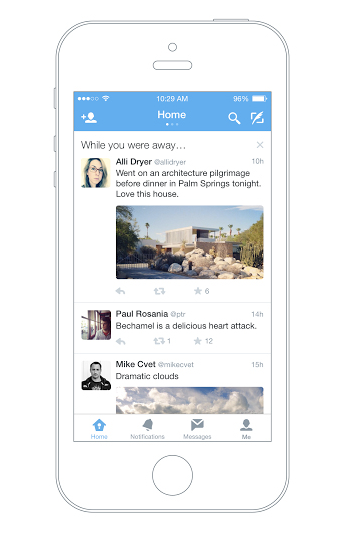
    Twitter has officially announced a feature that will help users recapitulate the tweets they have missed since the last login. Termed as ‘while you were away’, the feature is only available for iOS users as of now.

    twitter while you were away

    With this new feature, the iOS users will notice a snapshot once they are logged in. This snapshot will combine the missed tweets that can be those that are relevant to you or that are popular. While some may have queries about how the app could choose what users want to see; the new feature makes the selection as per an algorithm. This algorithm takes care of engagement along with other user habits. Based on all these facts, the app makes a list and pops it up at the time of login.

    The company says that it aims to keep up the users with the fast running world. The latest feature will dig out information and compile it for you so that you never miss out anything and stay up to date even if you are not on Twitter 24*7. The official blog post reads –

    No matter how much time you spend on Twitter. With a few improvements to the home timeline we think we can do a better job of delivering on that promise without compromising the real time nature of Twitter.

    Although, the feature is available only on iOS devices for now, the company has assured everone that they will soon roll it out on the Android app and website twitter.com.

  • 9 Super Cool Features of Windows 10

    9 Super Cool Features of Windows 10

    Last night, Microsoft lifted the veil off the consumer version of its much-anticipated operating system Windows 10. The event saw some amazing offerings that were absent in the business version of Windows 10, launched in September the preceding year. Microsoft announced that its new upgrade would be same on all platforms and would be more user-friendly and impressive that ever before.

    We have summed up Top 9 features that make Windows 10 unique-:

    1. Start Menu
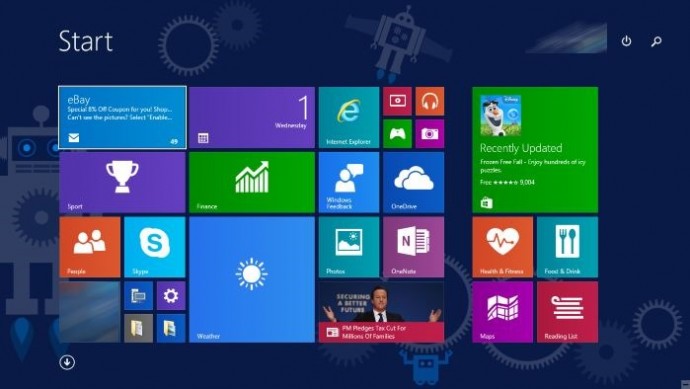
    Start-screen-in-Windows-10

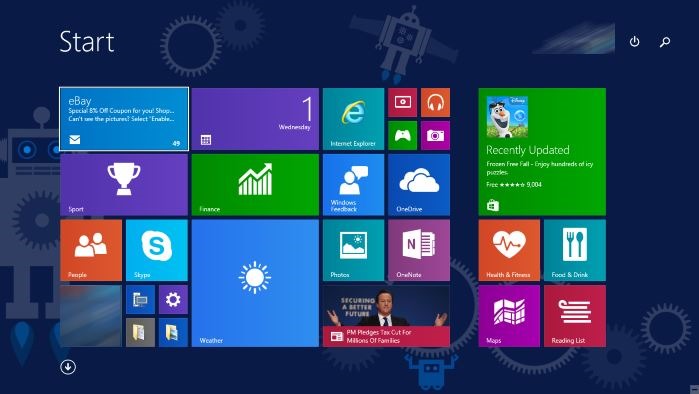
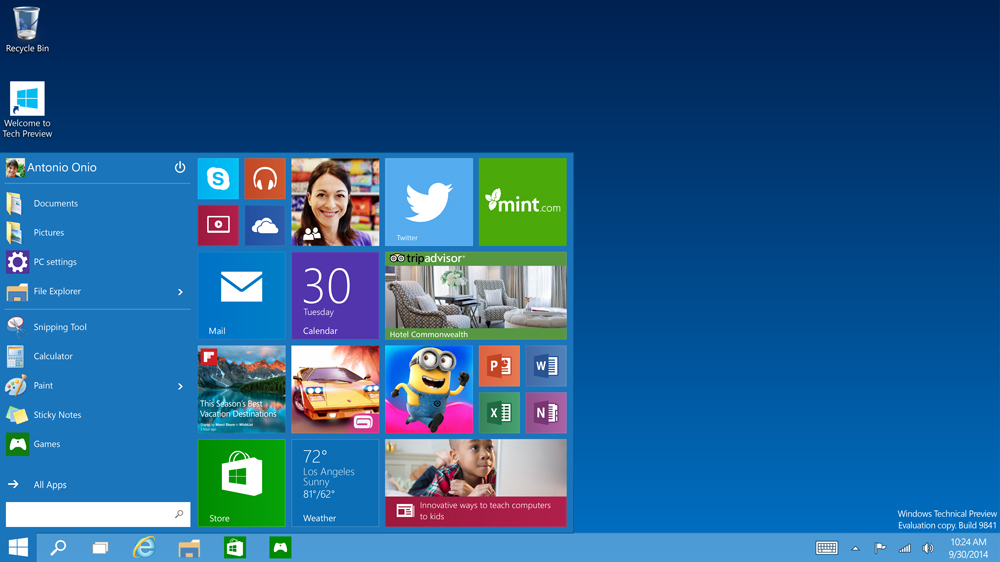
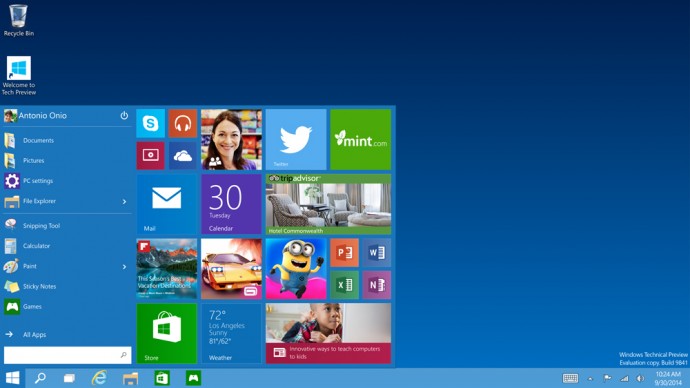
    To start off, Microsoft has added the much-needed tool that was absent from Windows 8 and 8.1 – the Start Menu. People longed to see this on their desktop for past three years, and finally Microsoft has put it back. The new Start menu combines the old-school start icon along with the modern user interface that makes it more comfortable for users to go through.

    2. Action Center
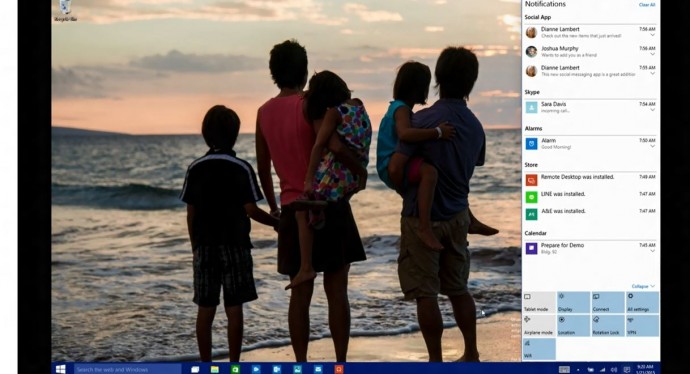
    Windows-10-Action-Center

    Settings have tweaked, to give a cleaner and more understandable look. Windows 10 pushed the fragmented Settings menu and Control Panel out to encompass a unified settings menu called Action Center. Action Center brings together all the frequently used options like Wi-Fi, Bluetooth and more. The refreshed settings shelter all the regular buttons, through which one can instantly switch the Wi-Fi, Bluetooth and other selections on and off.

    3. Continuum
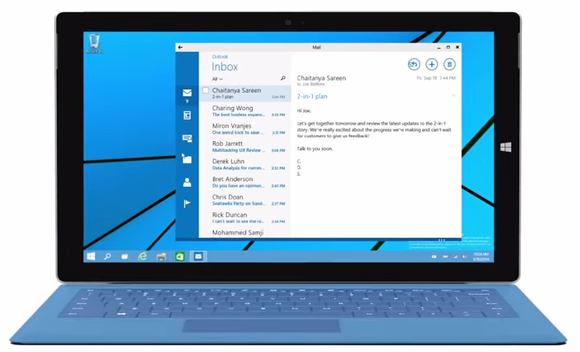
    continuum windows 10

    Continuum is a highly anticipated addition to the Windows 10. Continuum is just like Apple’s Continuity feature that allows you to switch from PC to mobile or tablet from where you left. The feature is designed specifically for convertible devices, switching almost instantly from a mouse and keyboard to a tablet screen.

    4. Notifications Sync

    windows 10 sync

    Microsoft has made full use of its ‘common interface for all platforms’ and has included the notifications syncing feature. With this new tool, notifications will get synced across devices, and once you have dismissed some notifications on a mobile, it will not obstinately pop up again when you switch on your laptop or tablet. Now that’s something really thoughtful by Microsoft.

    5. Cortana
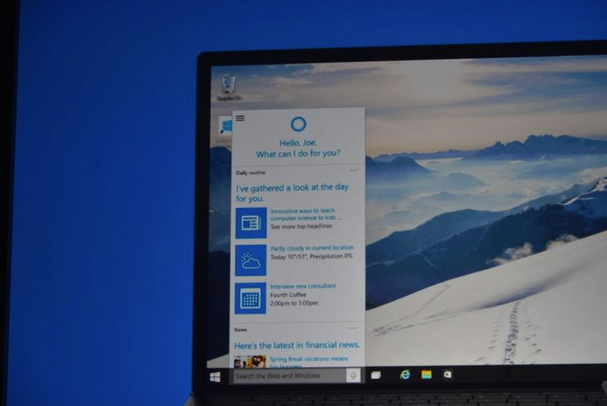
    cortana pc

    The special feature that separates Windows 10 from its predecessors is the intelligent personal assistant Cortana. Cortana will serve as a primary search tool that will look for you. Its reminder capabilities are unparalleled. Not only this, Cortana is much more than a simple robot. Through Cortana you can interact with the device making lif very easy on the go.

    6. Universal Windows Apps
    Windows_10_universal app

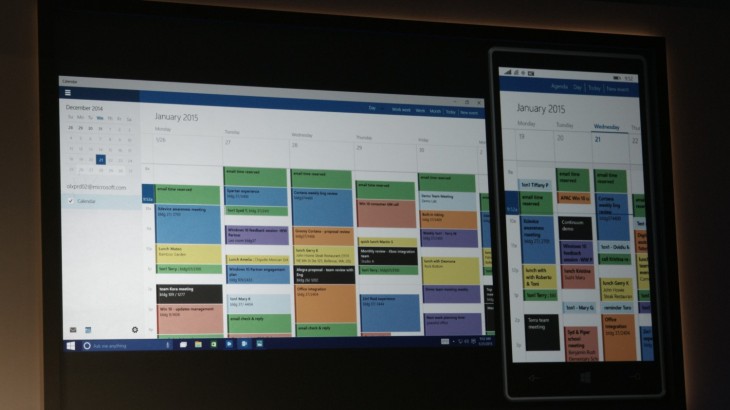
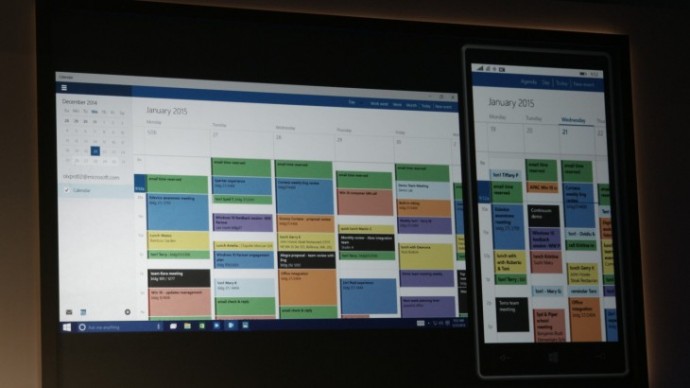
    One thing that will benefit Window Phone users is the universal Windows apps. The company has added some new apps that will run on computers, mobile, tablet and as well as on the Xbox One, and has improved the already existing apps. The list of new adoptions includes Outlook that has been modernised to cover comprehensive styling and extra formatting capabilities. Calendar app has been made consistent on all the platforms and Photos has been pinched to remove duplicates.

    7. Project Spartan
    spartan

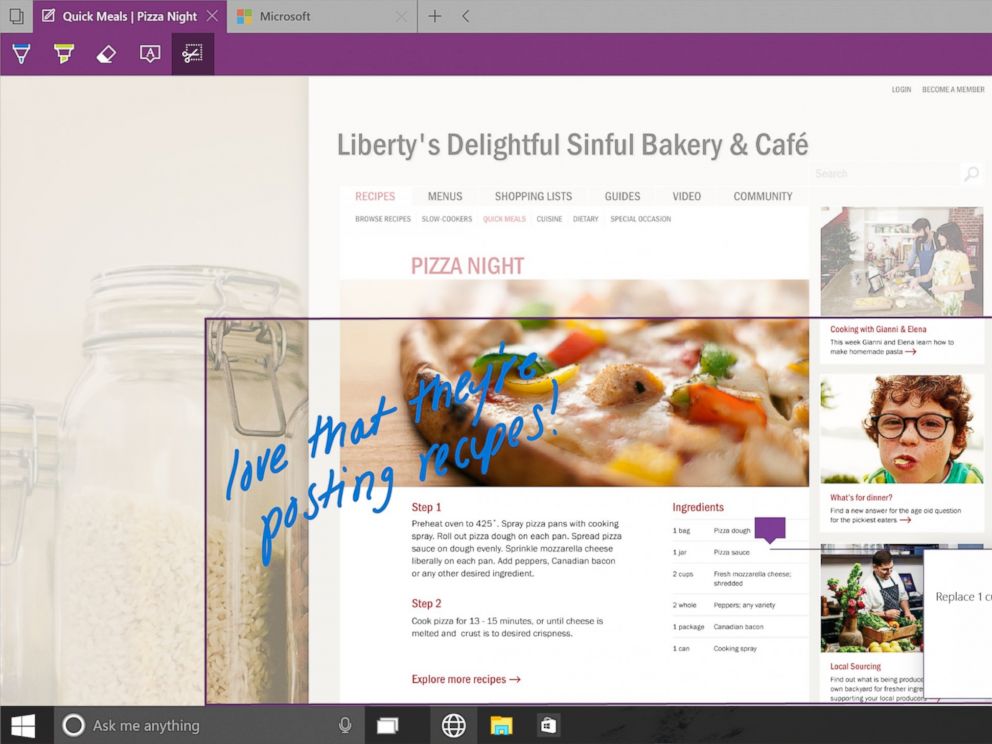
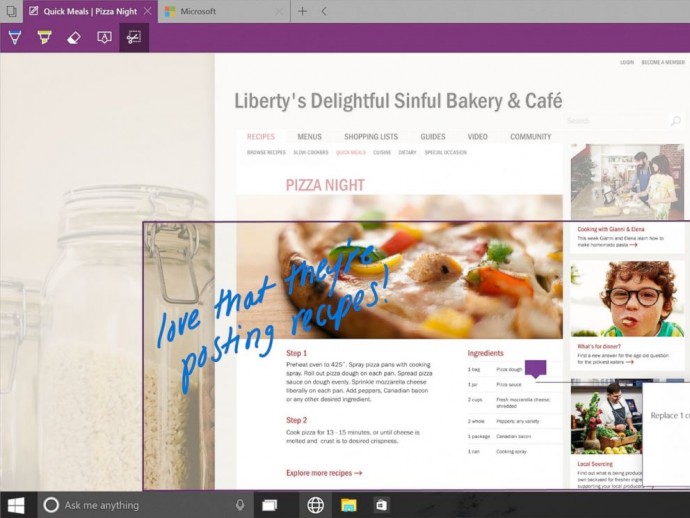
    The new browser that’s launched with Windows 10 is dubbed Project Spartan. The main highlight of this browser is its use in social networking. With Spartan, users can send websites with highlights and annotations added to them, something which is not available in any web browser right now. Also, Cortana is deeply integrated with Spartan to make life easier for the non savvy folk.

    8. Xbox Live
    xbox live windows 10

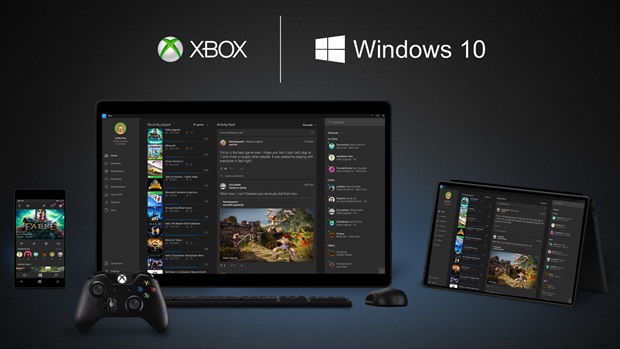
    There is something for hardcore gamers as well. With the new Xbox app, Xbox Live, on Windows 10, gamers can chat with their pals, share browsed video game clips and can record their games as well. The app also enables you to edit videos as per your willing.

    9. Improved Design and Interface
    windows_10

    Microsoft has proved that it has an eye for details. Users will notice the modern touch given to the icons. With fully-adjustable keyboard, integrated Message and Skype app, Windows 10 is more clean and swift.


  • Windows 10 is a Free Upgrade for Existing Windows 7 and 8.1 Users

    Windows 10 is a Free Upgrade for Existing Windows 7 and 8.1 Users

    Microsoft has basically followed in Apple’s path, and made Windows 10 a free update for their existing consumers. There are limitations and this will only be applicable for the first year, which does not seem to be much of an excuse for complaining.

    To explain it further Microsoft states :

    This is more than a one-time upgrade: once a Windows device is upgraded to Windows 10, we will continue to keep it current for the supported lifetime of the device – at no additional charge. With Windows 10, the experience will evolve and get even better over time. We’ll deliver new features when they’re ready, not waiting for the next major release. We think of Windows as a Service – in fact, one could reasonably think of Windows in the next couple of years as one of the largest Internet services on the planet.
    Enterprise customers are not left behind and continue to get the same service and support as previous paid “enterprise” versions.

    More Here..

  • Microsoft Windows 10 Official Makes Apps Universal

    Microsoft Windows 10 Official Makes Apps Universal

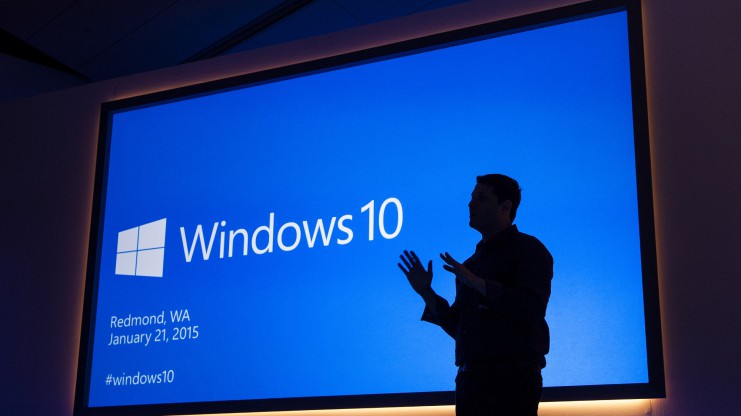
    Microsoft has taken the curtain off the next version of the largest used OS aka Windows and just like rumors suggested they skipped the 9. The next version of Windows aka Windows 10.

    Microsoft has followed in the lines of Apple and mostly Mobile methods by making an upgrade to Windows 10 free for all Windows 7, Windows 8.1 and Windows Phone 8.1 users. Calling Windows mostly a service and not a product.

    ms-event-2015-01-21-win10-46-741x416

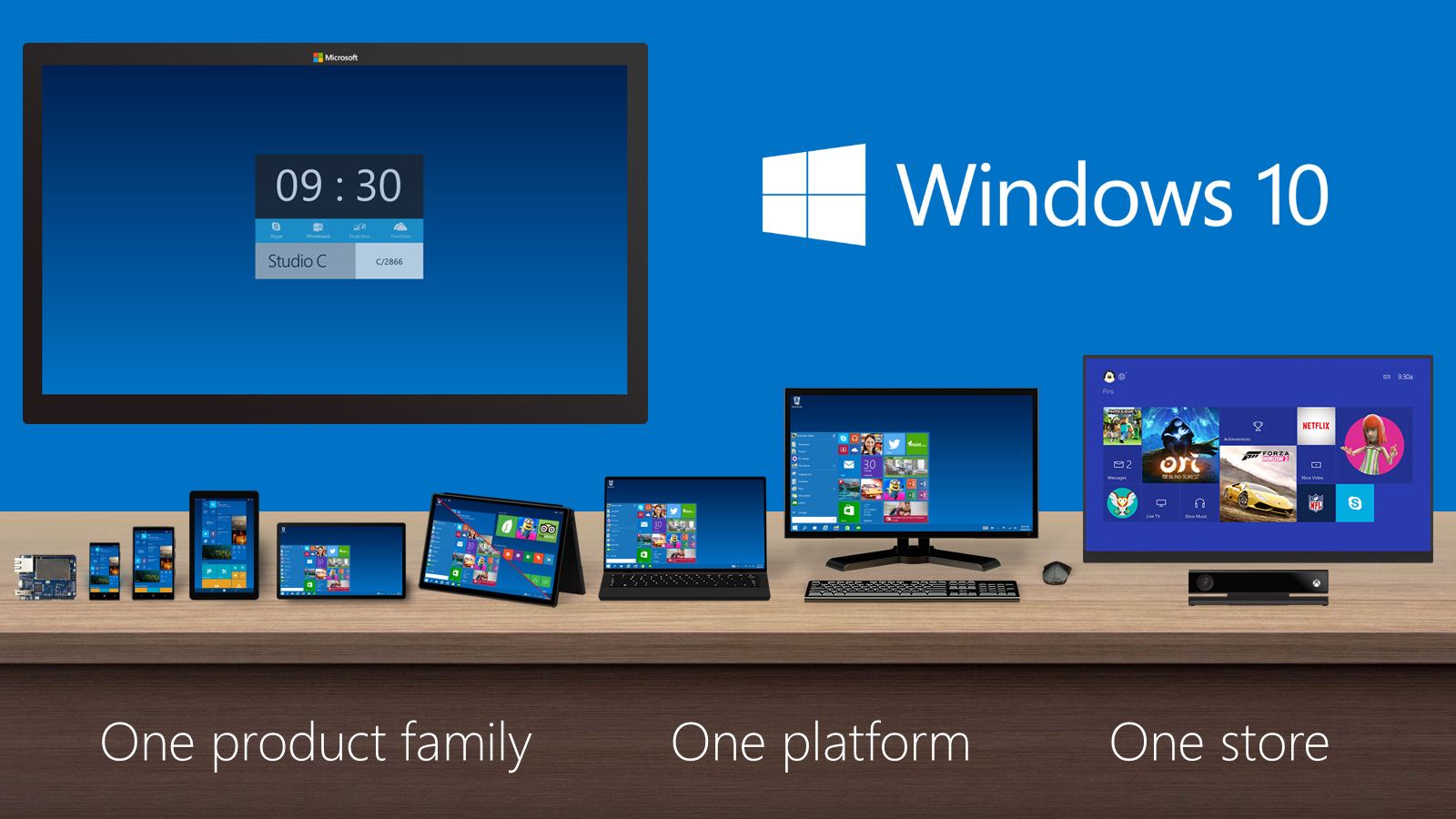
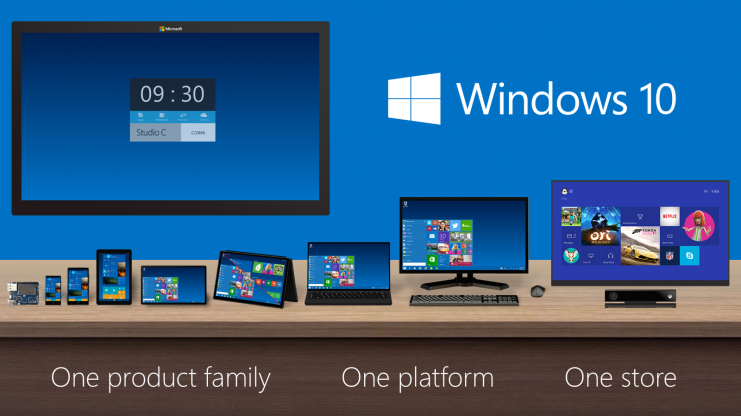
    The biggest news that fits into the picture is the seamless integration with Apps across hardware segments, Microsoft has been gunning for this and with Windows 10 it may have become more of a reality.

    Now coders will have to make one app which will work across platforms including mobile, tablet and PC.

    Windows_Product_Family_9-30-Event-741x416

    The new version of Windows will also come with voice assistant “Cortana”. The center of the Cortana experience is housed in the “Notebook”, which should be familiar with those on Windows Phone. Opening this Notebook will show you just what she knows about you.

    You can do voice search as well as voice to text typing, which will be a much appreciated add-on.

    With previous version of Windows leaving everyone complaining, Microsoft execs are pretty much sure that they have rebuilt their OS from the ground up, and unlike Windows 8 it is not a hasty decision or rollout.

    https://www.youtube.com/watch?v=teoZk3QEc40

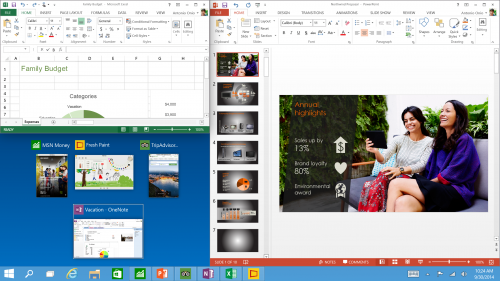
    Along with Windows 10 Joe Belfiore demonstrated new versions of Powerpoint and Outlook for a better productivity experience.

    Tech-Preview_Three-program-snap-and-suggestions-500x281

  • Chrome Extension Streamus Adds a Super Convenient Music Player to Your Browser

    Chrome Extension Streamus Adds a Super Convenient Music Player to Your Browser

    Late last year, YouTube launched its highly anticipated music service YouTube Music Key. Unfortunately, not everyone had access to it as the service was invite-based. The ad-free service was available to selected users at the cost of $7.99 per month. Other options trim down to inconvenient apps that require you to sign in to websites or don’t allow background listening. However, there will be no longer a need for any of them.

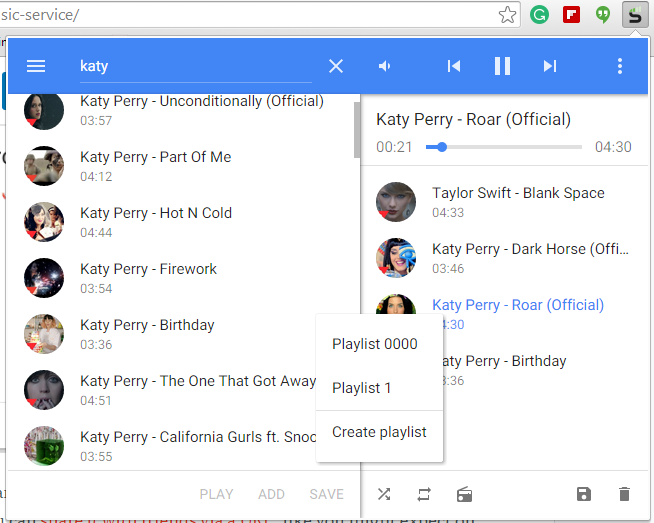
    Streamus, a Chrome extension, is a new music service that simply uses YouTube content and plays it through a convenient music player. The extension sits on the top right corner of the address bar and pops up when chosen. It is very simple, and cuts off the need to visit YouTube to search for music.

    streamus2

    You can also make a playlist, hear your favourite tracks, and can share the same with your friends via a URL. There is also an option of radio from where you can listen to the national and international stations. All in all, it’s an amazing player to get a quick access of your favourite tracks.

  • Dropbox to Soon Drop Support for Macs Running OS X 10.5 or Older Versions

    Dropbox to Soon Drop Support for Macs Running OS X 10.5 or Older Versions

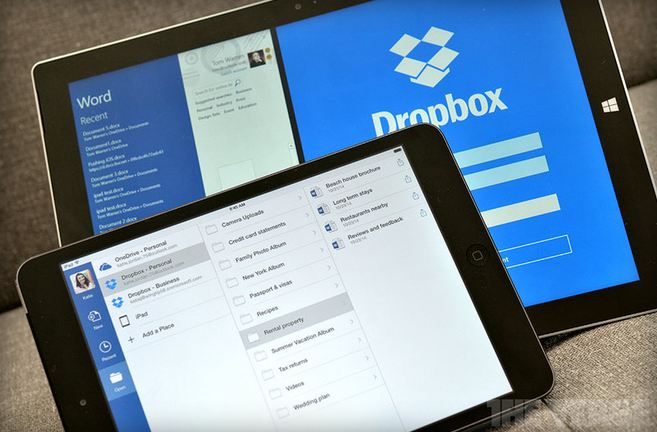
    Upgrade your iMac’s to OS X 10.6 or above, or Dropbox will not work on your system. This statement has come from Dropbox itself who has notified users of older versions through an email that their services will be discontinued on the systems running OS X 10.5 and below. The support for the older version will be taken back starting 18th May.

    dropbox microsoft

    The service provider says that if users, after the decided date, still run their Macs on Leopard or earlier OS X versions, user will be signed out of the Mac app automatically. Although, the Dropbox service will continue to work. The person would not be able to sign in again till he/she gets a newer version of the OS X.

    The company assured the users that even if they don’t update, their photos, videos and other files are safe with them. The same can be accessed through the official Dropbox website.

    One of the users using older OS X version stated the issue on the Dropbox Forum page

    We noticed that you’re running the Dropbox desktop application (client) on an older operating system (OS X Tiger 10.4 or OS X Leopard 10.5). We’re writing to let you know that as of May 18th, Dropbox will no longer support these older versions of OS X.

    Meanwhile, the app developers have given enough time to get the systems upgraded as the changes will come into effect on 18th May.

  • Microsoft Patents New Tech Which Senses When You Don’t Want to Be Disturbed

    Microsoft Patents New Tech Which Senses When You Don’t Want to Be Disturbed

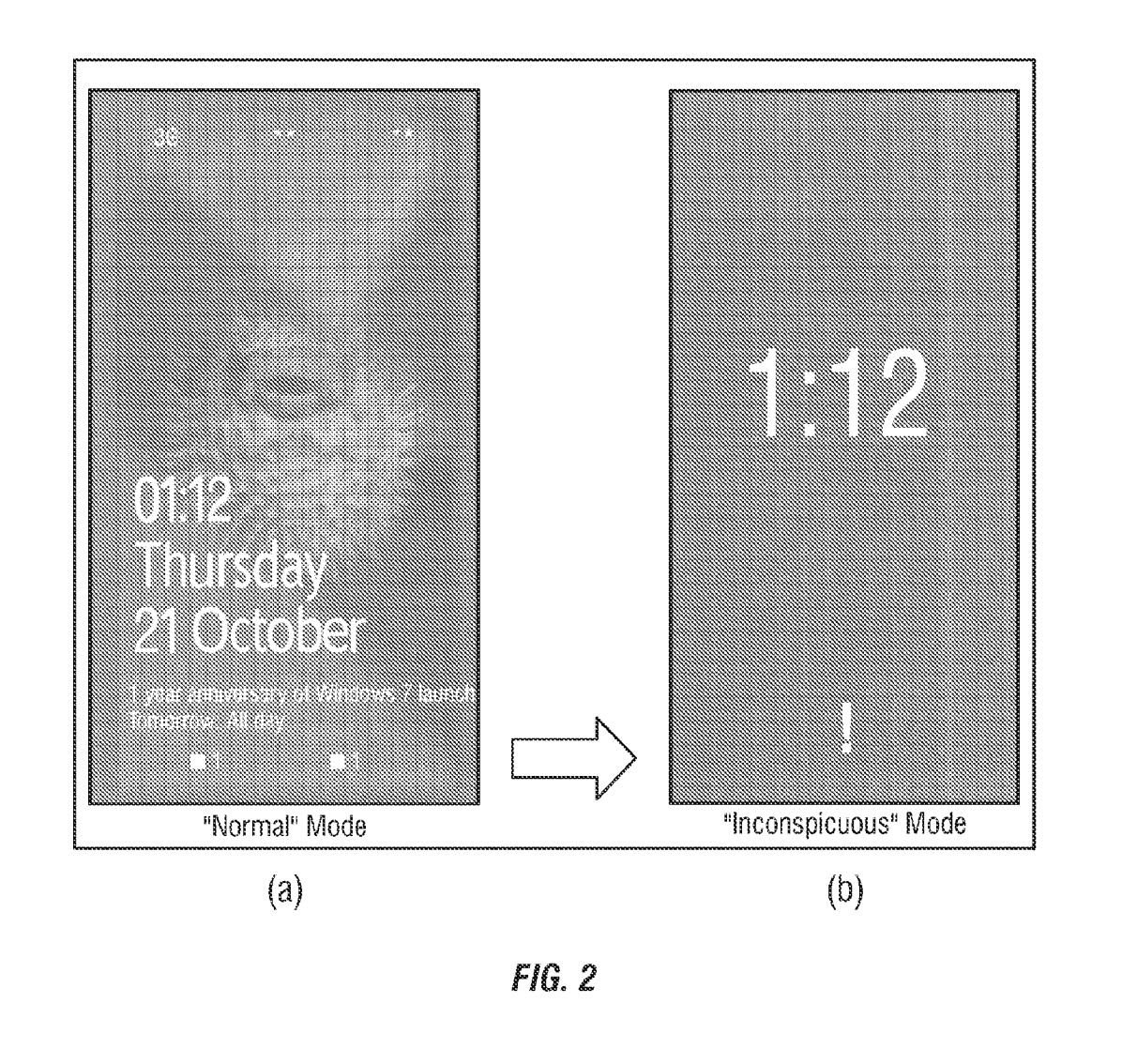
    A smartphone’s loud ring is highly distracting when you’re in the middle of something important. In spite of the available do-not-disturb mode, there’s no feature that is intelligent enough to sense your presence at different places and function accordingly. However, Microsoft has found a solution for this – the inconspicuous mode – which transforms your smartphone smart enough to turn down your device when necessary.

    inconspicuous mode

    As per the latest patent granted to Microsoft this week, the ‘inconspicuous mode’ on the smartphone detects when the user is in a meeting, theatre or is going to bed. Once detected, it automatically turns on and adjusts the brightness and volume level of the device. The mode also reduces the number of notifications on the lock screen so the user does not get distracted from the ongoing happening.

    This intelligent  feature works using the internet. The application checks when the mode is required and detects using GPS, sound, NFC, Wi-Fi  and other data. It also syncs with your Calendar and picks up information that can be of use. For e.g. meeting schedules, movie plans, bedtime, wake up time, etc. If the application finds a meeting schedule, it automatically enters the inconspicuous mode to avoid outside interruptions. The feature is extremely handy and can be turned off when required. Also, it exits the mode on its own as soon as the event that triggered it, finishes.

    If this feature lands on the Windows Phone platform, it will be the next big thing for the brand. Meanwhile, there are bigger announcements by Microsoft coming up soon.

iGyaan Network
Privacy Overview

This website uses cookies so that we can provide you with the best user experience possible. Cookie information is stored in your browser and performs functions such as recognising you when you return to our website and helping our team to understand which sections of the website you find most interesting and useful.