Category: Apps and Software

Games, Apps, Softwares, Operating Systems and Software Hacks

  • Top 5 HD Games That Will Push Your Flagship to its Limit

    Top 5 HD Games That Will Push Your Flagship to its Limit

    While some of you are content playing 8-bit Flappy bird and Candy Crush on your smartphones, others like to take full advantage of their high resolution displays of their devices. These days most smartphones come with the top notch specs that are capable of handling console quality gaming. So, why not use it?

    Everybody wants to play high definition games that are visually impressive, but not everybody can because HD games have some restrictions on the hardware. If you want to play them you, must have a really high-end device that is powered by a powerful processor, to be able to enjoy the games.

    We are listing 5 of the best games whose graphics are so realistic they’ll knock your socks off.

    5.Real Racing 3

    real racing 3

    Okay, most of you will cringe your nose reading the name of the game as it has been criticised for the large amount of in-app purchases required to be successful in the game. However, one can’t deny the fact that Real Racing 3 is one of the most graphically impressive games Android has ever had the pleasure of knowing. Unfortunately, this means that you have to empty large memory on your handset, 1.6 GB to be precise.

    Download – Google Play (Free)

    4. Asphalt 8 : AIRBORNE

    asphalt 8

    This games needs no introduction, we all have practically grown up playing this game on our old-gen Motorola and Nokia handsets. The 8th edition of the Asphalt is more beautiful than ever with a impeccible graphic quality, shaders new generation geometric real-time reflections, and other awesome effects. The game can now enjoy an arcade racing as frantic as spectacular with the attractive possibility to drive the best cars on the planet; the cars perform jumps and amazing stunts. The game is full of events and races to participate and there are more than 180 events in career mode to play, divided into eight seasons.

    Download – Google Play (Free)

    3.  Dead Trigger 2

    dead_trigger_2

    The second version of the popular zombie slaying game requires a high-performing hardware and when you play it on display with a high resolution, it offers a graphical experience like no other. Even if you aren’t a fan of point and shoot games or guns in general, it’s worth trying it out in order to admire the graphics. When installing, take heed of the 414 megabytes and the fact that you can only play when connected to the internet.

    Download – Google Play (Free)

    2. Wild Blood

    wildblod

    If you dream of fantasy worlds regularly this one is for you. A paid app, Wild Blood mixes elements from the legend of King Arthur and the Knights of the Round Table with an action game. Not to mention the breath-taking graphics. The game lacks a plot, but the fantastic and dazzling imagery makes up for it.

    Download – Google Play (Rs. 420)

    1. Assassin’s Creed Pirates

    assassins-creed-pirates

    This game not just gives you the best imagery among the other but also an amazing gameplay. This is the sole reason, Assassin’s Creed Pirates makes it to the top of our list. The starting point of the game is a map that will take you to many different missions, like looking for an old friend or bringing home some pillaged loot. Of course, the way there is treacherous, full of obstacles with guns, swords and all sorts of pirate business.

    Download – Google Play (Free)
  • Facebook is Testing a Voice Transcription Feature for its Messenger App

    Facebook is Testing a Voice Transcription Feature for its Messenger App

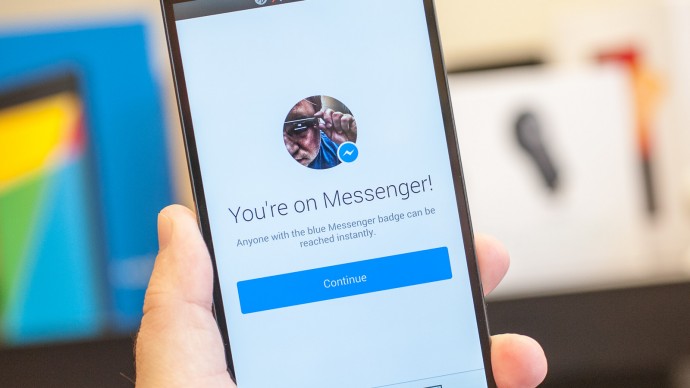
    Facebook’s standalone Messenger app is an important part of the company’s offering with 500 million Messenger users sending billions of messages everyday. The company has been focusing a lot on stickers lately, even releasing an app solely dedicated to applying stickers to your photos.

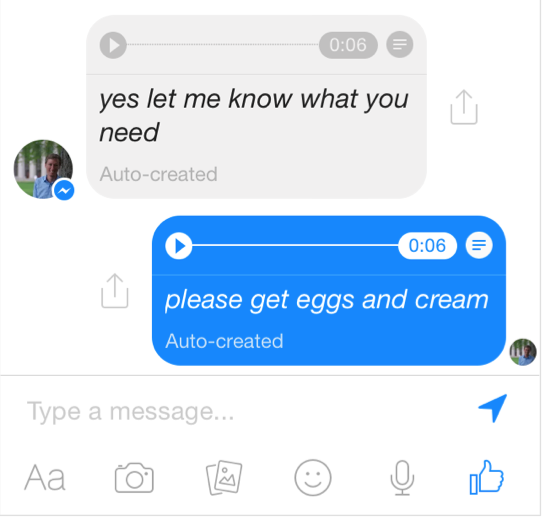
    However, now it seems like Facebook is shaking things up. The company is planning to add a new voice transcription feature for its Facebook Messenger. As announced by David Marcus, Head of Facebook’s Messenger team, this feature allows users of the Facebook Messenger app to read transcripts of voice messages instead of listening to them.

    voice transcript facebook

    So, now when you send or receive a voice clip, you’ll see a text preview of the message. Both sender and receiver can see the text, unless you decide to turn it off.

    Unfortunately, most of us won’t see the feature any time soon. Marcus wrote on the Facebook Post :

    Today we are starting to roll out a small test that helps people read the voice clips they receive instead of having to play them out loud. Our plan is to test this feature at a tiny scale for now and we’re looking forward to seeing what you think of it before making the experience more widely available.

    The transcription is automatic, and will hopefully become a more widely available feature in the future, though that isn’t guaranteed at this point.

  • Microsoft Suspends Support, No Further Updates and Assistance for Windows 7 Users

    Microsoft Suspends Support, No Further Updates and Assistance for Windows 7 Users

    Microsoft’s former version Windows 7 is an addictive one. It has all the necessary features and most important of all, it’s user-friendly. Even after the roll out of Windows 8 a couple of years ago, there are many people across the globe who still rely on updates and support for Windows 7. However, Microsoft seems to think otherwise. The US-based company has decided to retire the 5-year-old operating system still prominent on more than half of the desktop population running Windows.

    The announcement read that Windows 7 users will neither get new updates nor any help related to the OS. Nevertheless, according to a publishing daily, the company will continue to patch security vulnerabilities until 2020. The suspension of support to Windows 7 will make way for the forthcoming Windows 10.

    The up and coming Windows 10 is one of the most anticipated operating systems by the company. The new OS is expected to come with a ton of features and is said to integrate Cortana onto the desktop. The update will release late summer this year.

  • Microsoft’s Denim Update is Coming To Lumia Soon

    Microsoft’s Denim Update is Coming To Lumia Soon

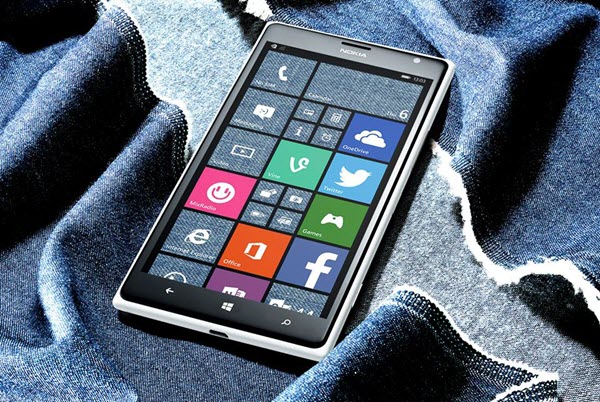
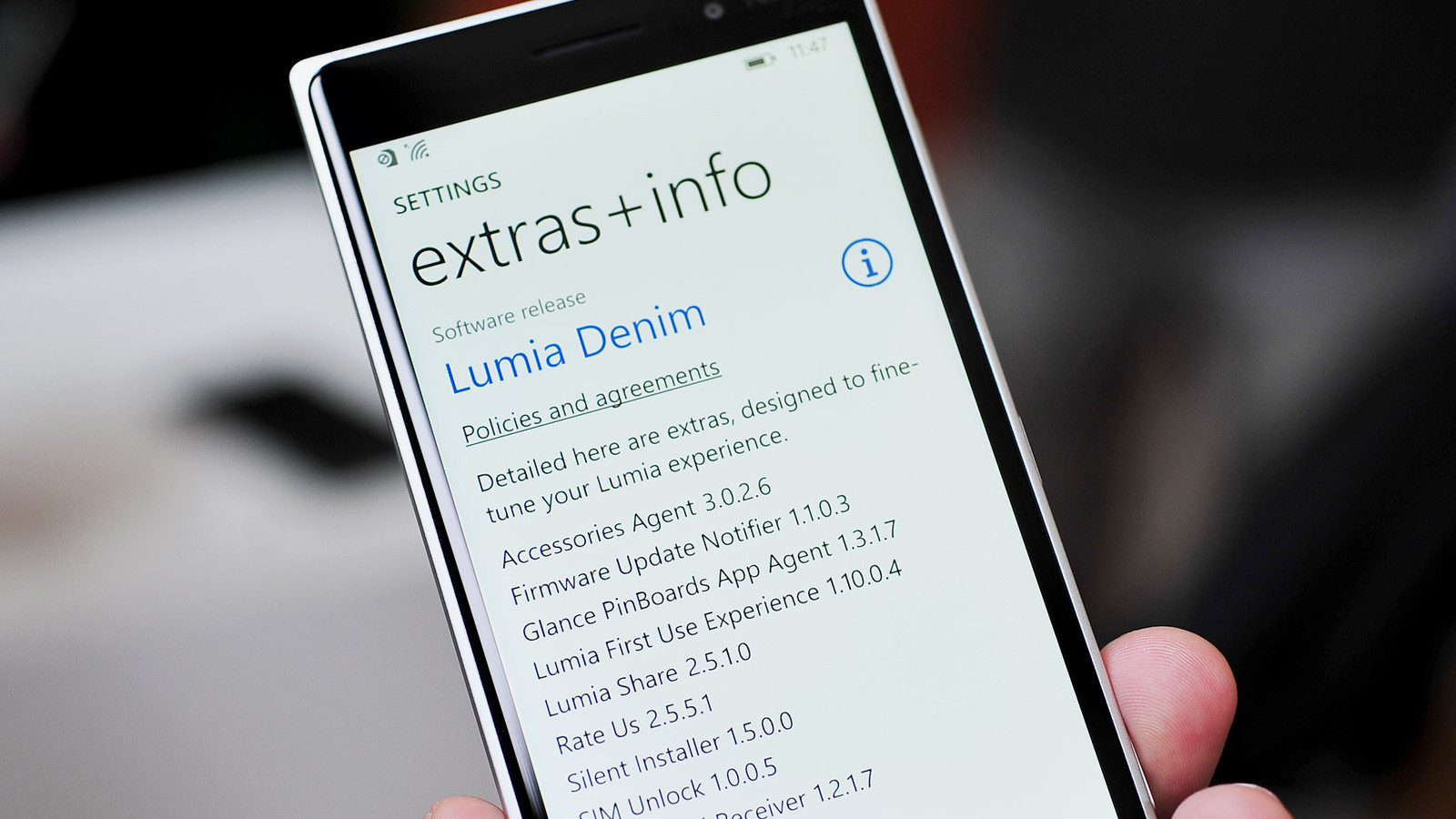
    The much-talked about Microsoft’s ‘Lumia Denim’ update for Windows 8.1 operating system has begun to roll out to Lumia devices, globally.

    According to the company, they are starting the wider roll out of Lumia Denim, a Windows Phone 8.1 Update 1 upgrade that packs a lot of improvements to both imaging and Cortana voice commands and new features like live folders on your start screen and an enhanced glance screen.

    Lumia_Denim_lede_0

    The Denim update has already debut in US through Verizon with 822 and 928 back in December, but the broader deployment suggests that other Lumias are due relatively soon. If you own new handsets like the Lumia 830, 930 or 1520 , you’ll get faster shooting, Rich Capture (high dynamic range, dynamic exposure and dynamic flash) and better image quality.

    Apart from the 830, these phones can also handle 4K video and hands-free Cortana commands. Everyone gets features like Start screen folders, a better web browser and Cortana refinements that include support for in-car speech. Denim is the fourth update to Windows Phone 8.1-equipped Lumia phones, after Lumia Amber, Black and Cyan.

    It’s arriving in waves by country and device, and a wider roll out will commence within the month, according to the company. There is still uncertainity as to whether Indian Lumias will be included in latest wave of update or not.

  • Google Maps Lane Guidance Feature Makes For a Handy Travel Companion

    Indian roads always remain packed with vehicles. These busy roads notice honking and screaming on working days as well as on weekends. People have to leave home half an hour or an hour in advance to counter traffic. Not any more! Now Indians don’t have to freak out in the traffic jam as Google Maps has launched a lane advisory system in India.

    Lane-Guidance

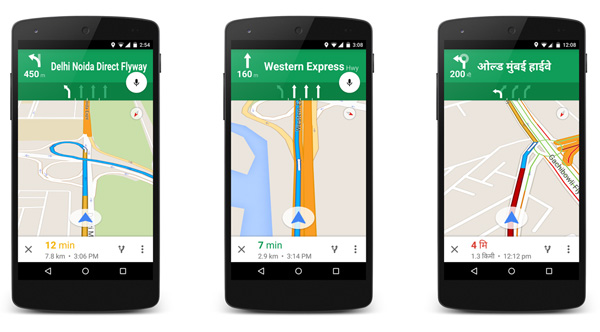
    With this new feature, Google Maps gives voice guidance to the users, enabling them to see and hear voice-guided instructions about the alternate lane they should take to avoid traffic. The app is compatible with both Android and iOS and gives lane guidance in around 20 major cities. Google aims to make the app handy and more useful for regular travellers. Director, Producer and Program Management of Google Suren Ruhela clarified the main motive behind updating the app saying –

    With the Google Maps app for iPhone/iPad and Android, users will now be able to see and hear voice-guided instructions, signalling which lane they should stay in or move to while in navigation mode.

    She further said that the company will continue to upgrade Google Maps for mobile to make it a handy travel companion.

    The 20 cities included in the lane guidance feature are Ahmedabad, Bengaluru, Bhopal, Chandigarh, Chennai, Coimbatore, Delhi, Hyderabad, Indore, Jaipur, Kolkata, Lucknow, Mumbai, Mysore, Nagpur, Pune, Surat, Thiruvananthapuram, Vadodara and Visakhapatnam. Drivers in this cities will be able to choose on lane option for easy commute in their mother tongue. The app added Hindi as a default accent last year in July.

    The app added a couple of other features as well like turn-by-turn voice guidance, which user’s can get in preferred language. Drivers can change the language from the ‘Language and input’ option. The added feature is a really supportive addition to improving search experience for Indian users.

    With traffic the way it is, even in the smallest towns in India, this is quite an initiative by Google Maps to help the hapless stuck in everyday traffic!

  • Facebook Jumps into Business Social Networking With ‘Facebook at Work’

    Facebook Jumps into Business Social Networking With ‘Facebook at Work’

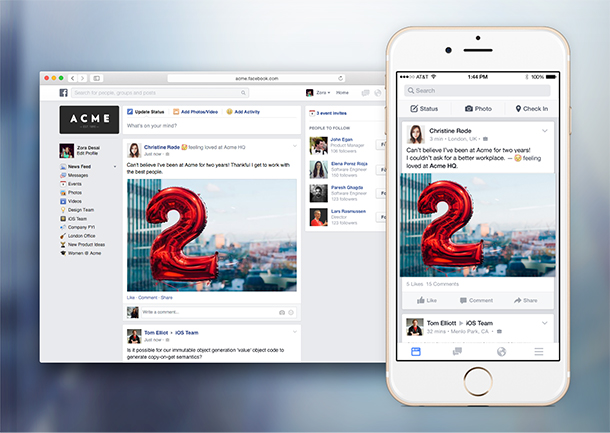
    Facebook’s previously rumored enterprise-focused social app, Facebook at Work, has been released for public. The company is launching new iOS and Android apps called “Facebook At Work,” along with a web version accessible via its main website.

    The app lets companies create their own social networks amongst their employees that are built to look and act like Facebook itself. The main purpose of the app and web tool is to eliminate the presence of E-mails as the primary communication medium and provide a collaboration tool that lets colleagues communicate with a more familiar interface. However, there are handful of differences between the two social apps.

    facebook work

    There are zero advertisements and the company doesn’t track users or hold their data. Facebook says a key feature of the app is Groups, which the company believes could replace email lists that appear never-ending and seem to grow larger with time. Employers can create separate log-ins for employees to use with their Work accounts, or users can link these up with their other profiles to access everything in one place.

    Facebook is jumping into this existing market with all of its social media knowledge and attempting to make a smooth transition to a business product. The workplace app puts Facebook head-to-head with the likes of Microsoft’s Yammer, Slack, LinkedIn, Convo, Socialcast, and a huge number of others who are trying to tackle this space.

    ‘Facebook at Work’ is currently free, while most of the other apps offer tiers of pricing. By making this free, Facebook could potentially drive a lot more users to its wider network. Facebook At Work is now available for download on iOS, and we’ll update with link to the Android version once it’s live, though both are usable via a limited access at present.

  • XOLO One Confirmed to Receive Lollipop Update 16th January Onwards

    XOLO One Confirmed to Receive Lollipop Update 16th January Onwards

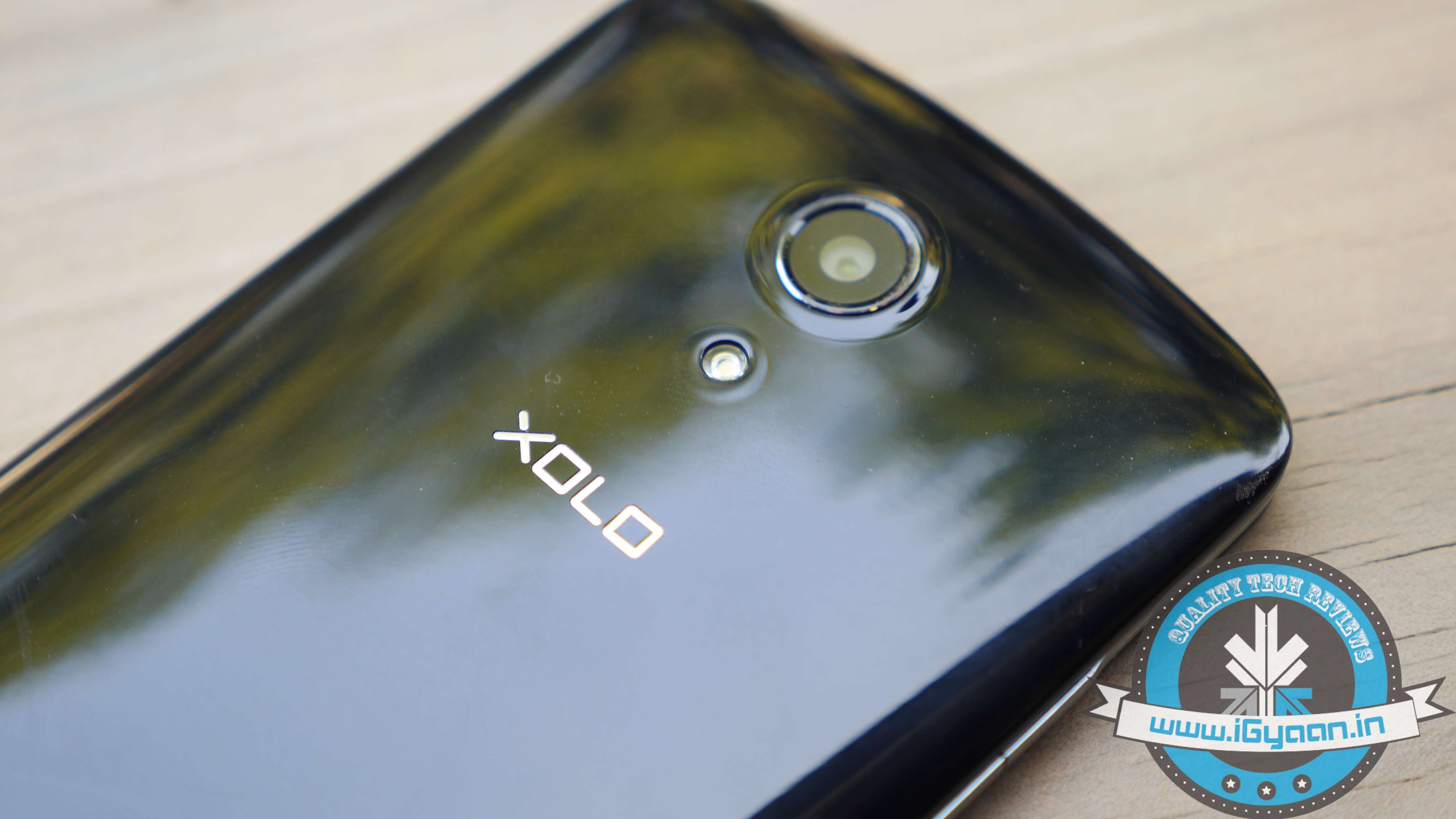
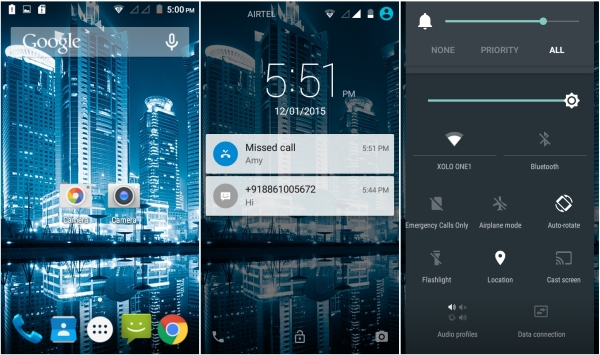
    Even though it has been a while since Google officially brought out the Android 5.0 Lollipop Update, barely 50% devices have received the update. Many smartphone manufacturers are still struggling to update their devices. Now XOLO has has made an announcement that its budget device XOLO One will be getting the Lollipop update. According to the company, the update will officially roll out on the 16th of this month.

    xolo one lollipop

    XOLO One flaunts a 4.5-inch LCD display and is powered by a quad-core Cortex-A7 processor clocked at 1.3 GHz. In terms of memory, the device features 2 GB of RAM along with 8 GB of internal storage capacity that can be expanded up to 32 GB via MicroSD card. It has a 5 MP rear camera and houses a 1700mAh battery.

    XOLO One is priced for Rs. 6,599 in India. Motorola too announced of its devices getting the Lollipop update today. All the handsets released in 2013 and 2014 are said to get the upgrade really soon.

  • With More Than 700 Million Users, WhatsApp is Growing Strong

    With More Than 700 Million Users, WhatsApp is Growing Strong

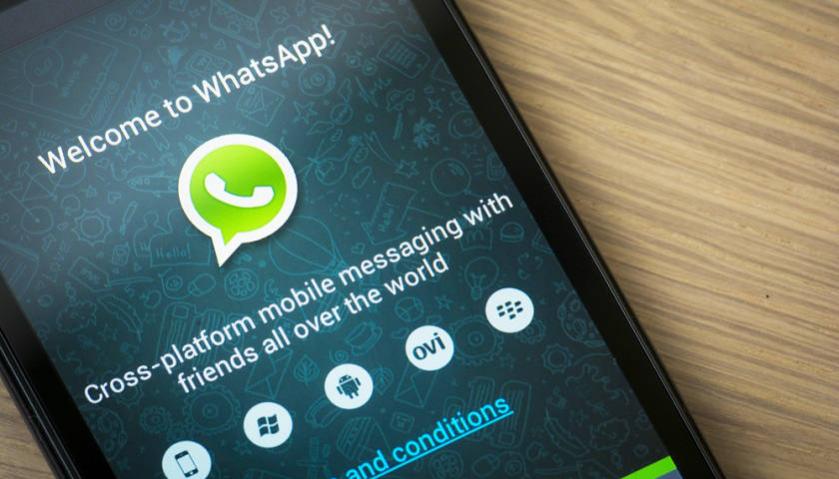
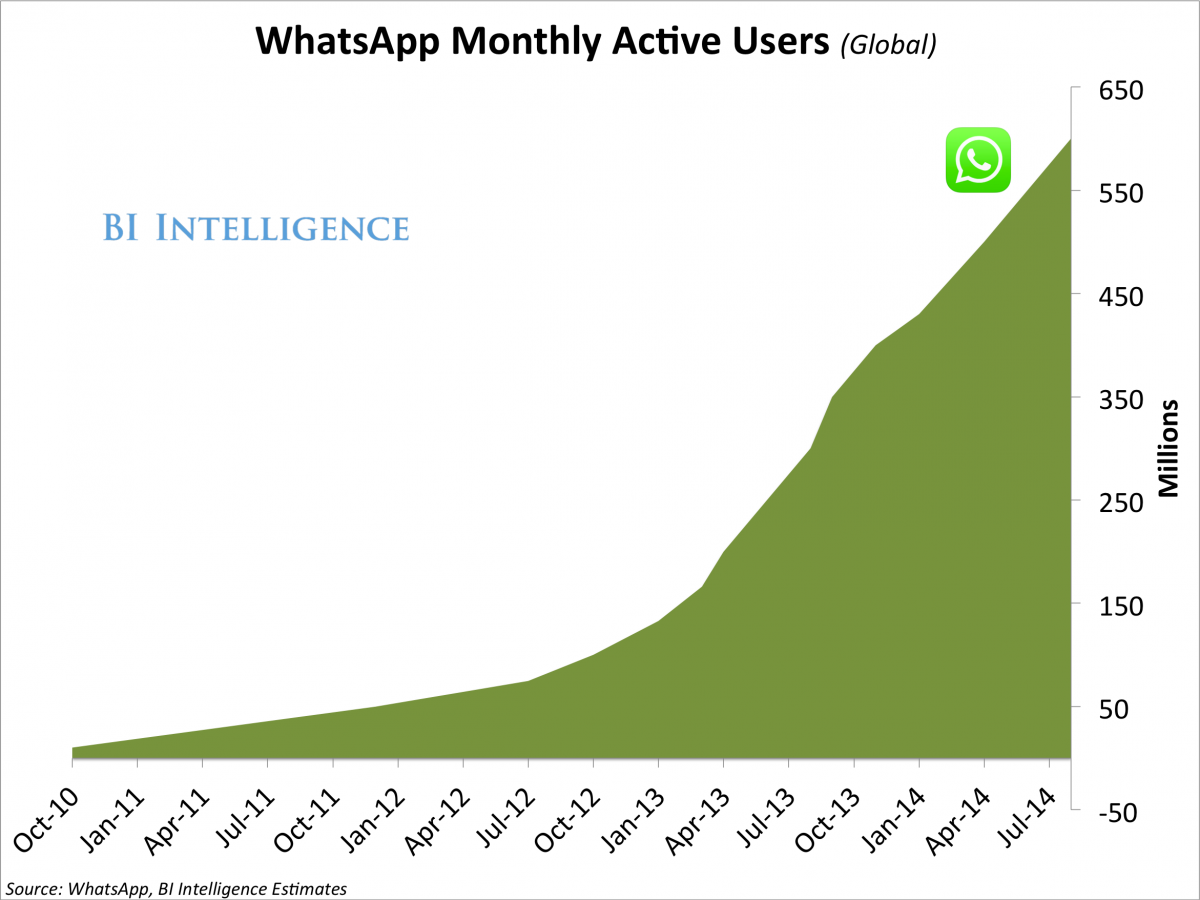
    WhatsApp has rapidly grown from a meager messaging app to a formidable force that has made SMS nearly obsolete. The app is available on all the prominent mobile platforms. The app is rapidly gaining a massive user base and a new report by BI Intelligence shows, at present, it is being used by over 700 Million folks.

    WhatsApp co-founder and CEO Jan Koum wrote a Facebook post where he made the announcement of the 700 million strong user base. He also mentioned that the users of WhatsApp send over 30 Billion messages every single day. This clearly shows why the network providers are so infuriated by the free messaging services as these apps are causing a massive dent in their revenues.

    In four months since August last year Whatsapp has added 100 Million new users
    In four months since August last year Whatsapp has added 100 Million new users

    The rate of growth of WhatsApp is exponential too. Just last August the company had announced that it had gathered 600 Million subscribers. The speed of adoption is similar to its parent company, Facebook, which now hosts the profile of over 1.28 Billion monthly users and which is rapidly growing.

    WhatsApp is not just a messaging app anymore. It is being utilized for political, marketing, spreading information and even entrepreneurial collaboration. It will, in the coming future face some challenges from the network providers and vested interests, but if the past and the latest report is any indication, WhatsApp is only going to get stronger.

  • Check Out What Microsoft’s New Browser ‘Spartan’ Has to Offer

    Check Out What Microsoft’s New Browser ‘Spartan’ Has to Offer

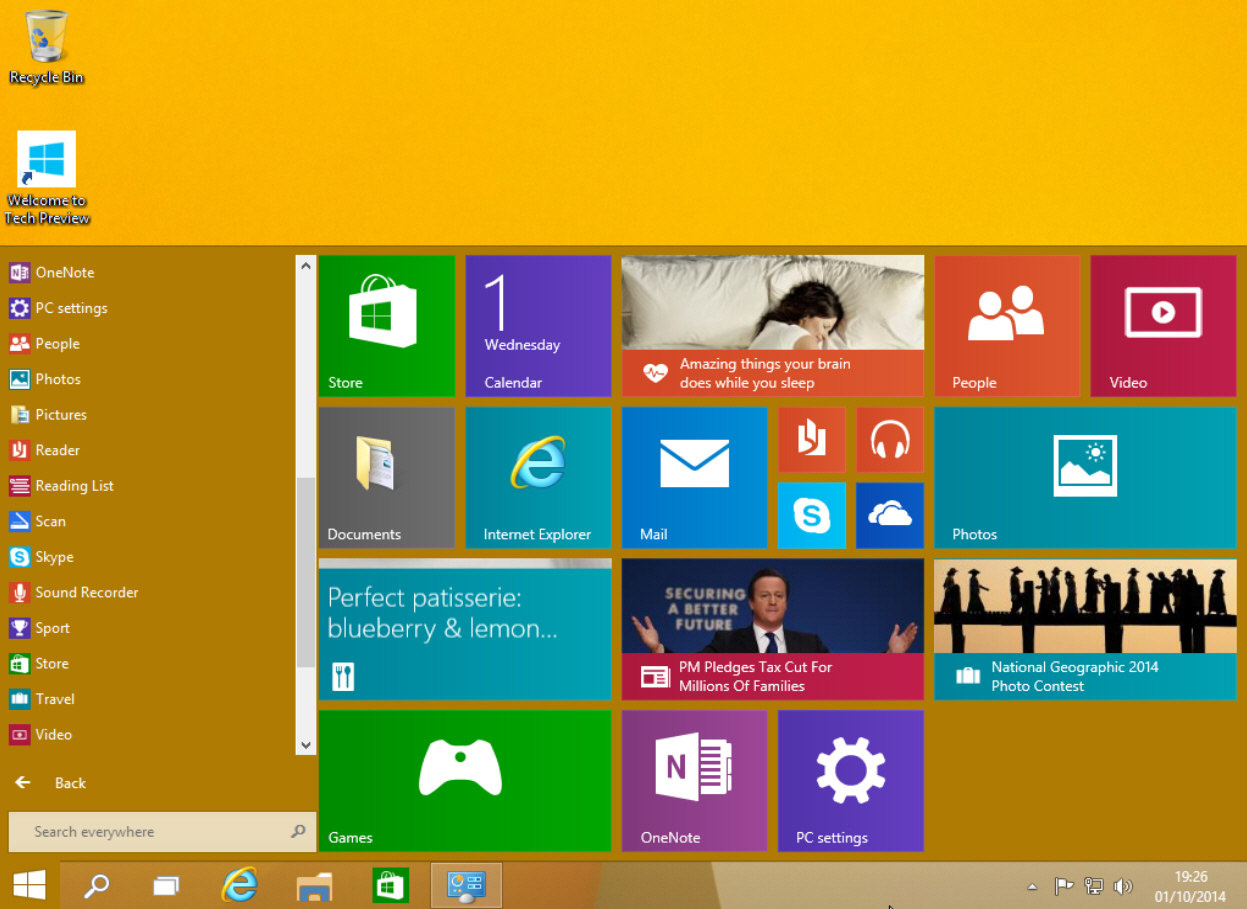
    Microsoft is leaving no stone unturned in building its upcoming operating system Windows 10 and the company is presently working on overhauling the browser of its forthcoming Windows. According to a recent revelation, the new browser, tentatively titled ‘Spartan’, is said to have some exceptional features. These features are not contained in any other browser till date.

    The first major feature of Spartan is the inking support through which Windows 10 users hold support to the web note service. Through this, users can add web pages and send notes to a friend with the help of a stylus. The personal notes written by you gets stored on a copy of the web page, which can later be seen at any browser. As all the browsers support this service, the messages can be easily be read by any of your friend or colleague using a different version or OS.

    The second major advancement is the group tab feature in which users can categorize tabs as per their choice. One can split work tab from personal tab to declutter the messy screen. The company has also hinted at launching custom themes with Spartan, but they may arrive as future updates of Spartan.

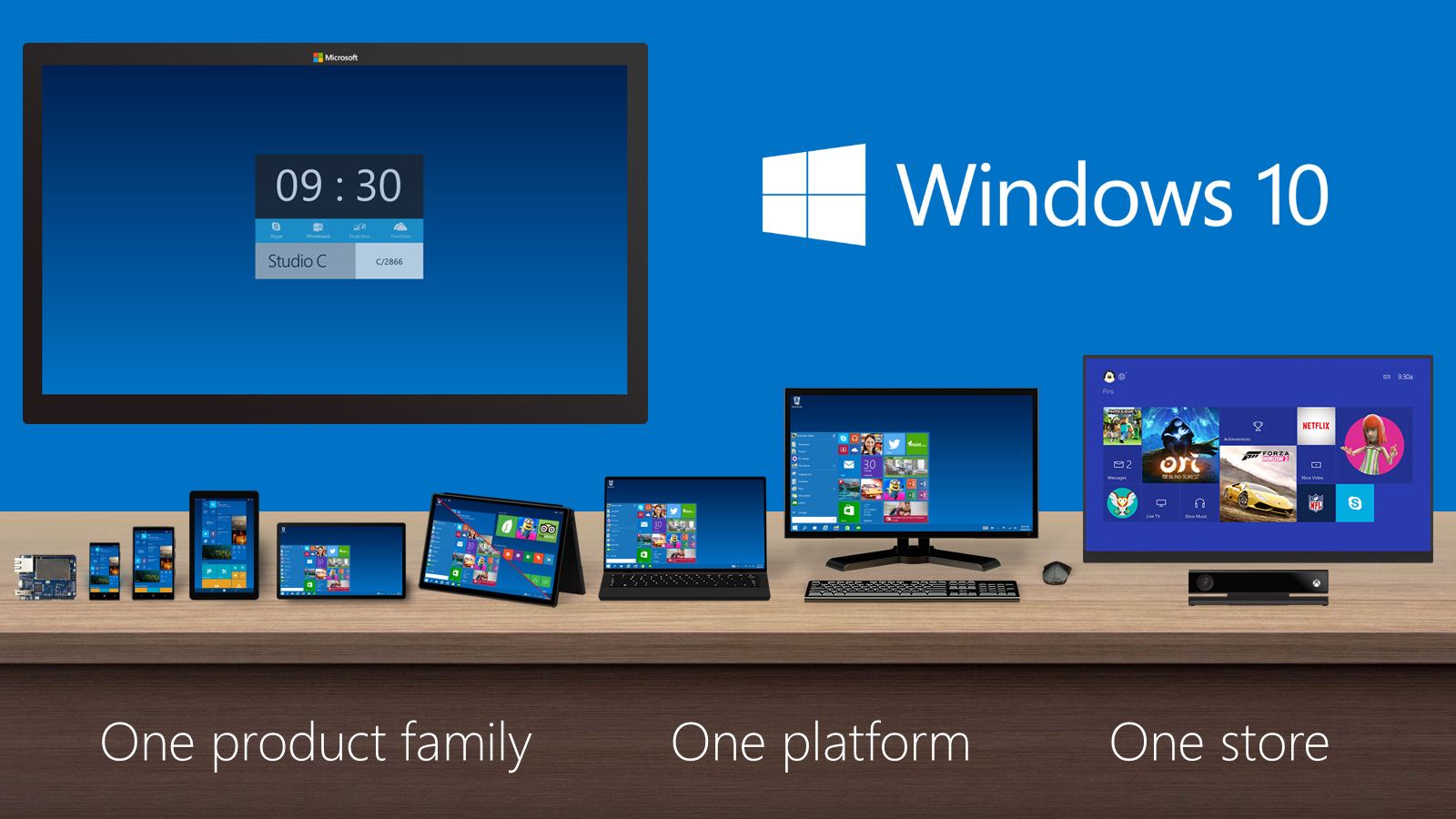
    COnsidering the initial presentation of Windows 10, it seems like Lumia phones are only going to get better
    COnsidering the initial presentation of Windows 10, it seems like Lumia phones are only going to get better

    Another important feature of the up-and-coming web browser its assimilation with the company’s digital assistance, Cortana. Windows 10 users will be able to get information on flights, hotel bookings and other vital data in the browser. One can track a particular flight just by typing its name and all the data like departure time, arrival time and current status will appear before the user.

    Unlike the previous OS by Microsoft, this time it is going to be a single browser for all platforms whether computer, handset or tablet. For the latter two devices, it will be available as an app on the Microsoft Store. It was earlier reported that Microsoft will be bringing back Internet Explorer with the Windows 10. Microsoft as well as the audience, has high hopes from the latest Windows as its preceding version. Windows 8, was a big blunder; we hope that the Windows 10, Spartan and Cortana stand up to their expectations.

  • Get an Organised Facebook Page With These 7 Tips And Tricks

    Get an Organised Facebook Page With These 7 Tips And Tricks

    Social platform Facebook is widely used by people of all groups. Though, it’s an amazing means to share updates, pictures and more with your friends and family, it sometimes pesters users through advertisements, invitations popping up to play games, posts sharing on your behalf and many more.

    Have you ever been in such circumstances where your mum scolded you on Facebook and likes of that post multiplied in minutes with people having a good laugh at it? Well, we all must have come across one or the other issues in the gigantic service, but fret not as the below-listed tips and tricks will keep awkward situations at bay.

    1. Remove Facebook Advertisements

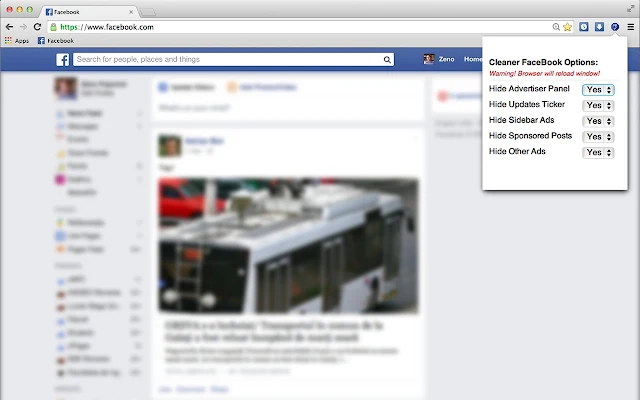
    Advertisements are the most annoying part of any web page and same is the case with Facebook. Whenever we login to our account, a plethora of ads force us to leave the page. However, you would no longer be frustrated opening up your Facebook account as ‘Cleaner’ will keep your page tidy. Download Facebook Cleaner and avoid ads and updates on your account.

    2. Keep parents off Facebook

    facebook album link share

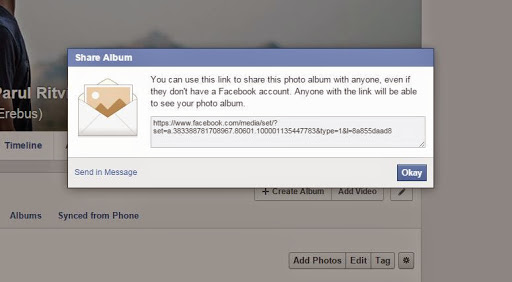
    Many a times it is seen that mums are interested in the activities of their grown-up kids. In spite of your mums’ continuous threats to join Facebook, you can sit back and relax as she would no longer complain. Now show her the pictures of your choice and be at the best of your behaviour. All you need to do is open the desired album, tap settings and copy the link. You can send this album as an email or via ‘Send in Message’ option, as per your liking.

    3. Discontinue auto-playing Facebook videos

    facebook video autoplay

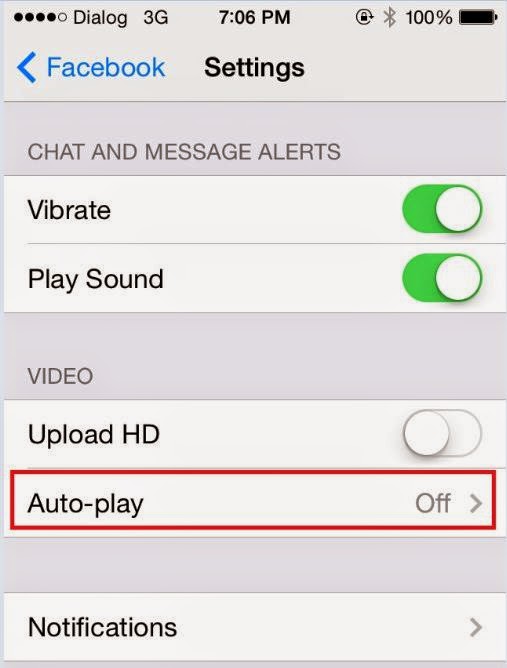
    ‘This video is completely ridiculous. Why the hell people update such stuff.’ You must have said similar lines for disgusting videos auto-playing on your Facebook page as you scroll down the recent activities of your friends. Many a times we don’t bother and pause the videos individually, but seldom when we’re in a hurry to sneak onto our account for a few minutes, the videos automatically start playing. Well, this can be avoided by making some slight changes. Click on Settings -> App settings and choose Off on the Video AutoPlay option on the Android phone. iOS users can turn it off by choosing Settings on the phone and then clicking Facebook>Settings>Off under Video Auto-play option.

    4. Restrict apps’ requests and notifications

    facebook block apps

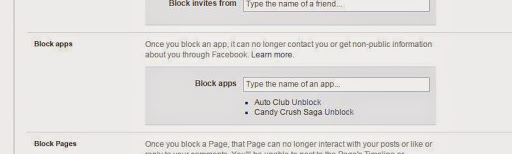
    With advancements in technology, games are no more the same as they used to be. You can now connect to Facebook and can ask your friends for help in case you’re stuck in the middle of some game and a lot more. Usually, these games send notifications to your friends or ask you to join it, which is quite pestering. However, you can easily get rid of the irritating updates by clicking the downward triangle icon. Then in your Setting options; click to customise your blocking options. Then enter the name of the apps you no longer want to get notifications of.

    5. Stop apps posting on your behalf

    facebook

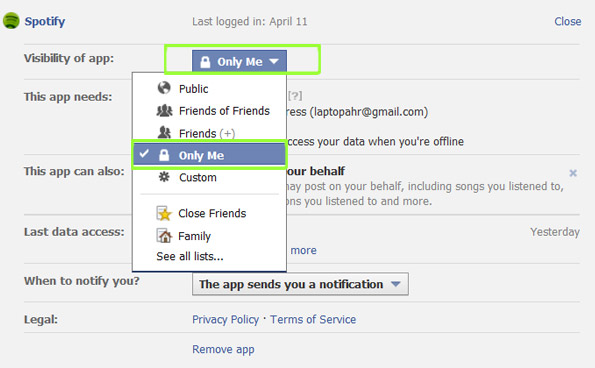
    Some of us involve ourselves in Candy Crush or Subway Surfer to beat the boredom, but at the same time we don’t want our boss or teachers get record of  our gaming achievements. Many apps insist on posting the recent record break or achievements on the wall, but preventing them is much easier than one would have thought. Go to downward triangle and choose Settings and then Apps. Edit the list of offending apps and set ‘Visibility of app field to ‘Only me’. Your achievements will be updated on the wall but only you will be able to see them.

    6. Unfollow People

    facebook unfollow

    You may be friends with some people, but you no longer desire to receive or share News Feeds with them. It can be your ex-boyfriend or an irritating friend. Removing them from your friends’ list may hurt them but there’s a way to ignore them without even letting them know.

    The easiest way to hide the activities is by going to the status of the unwanted person and choose ‘Unfollow [friend’s name]’. You can also remove a particular uninteresting post from appearing on your page. Also, confine status updates to your close friends by choosing a list in the Friends drop-down option before hitting post.

    7. Select Display Pictures Only on Facebook Profile Page

    Facebook Friends box

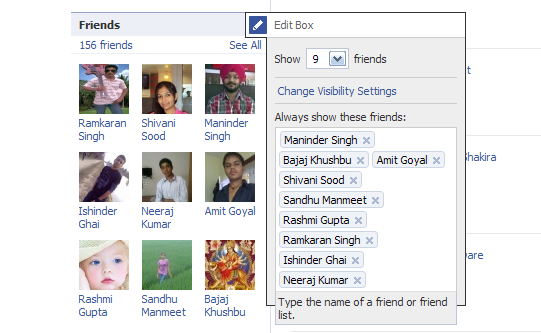
    On the left-hand corner of the page, there is a Friends box with tiny pictures of your friends. However, you don’t get in touch with them often and they still appear shamelessly on your page (not your friends, but Facebook is to be blamed for this). But there’s a way you can decide what all friends you want to see on your page. Go to the Edit option on your Friends box and list the names of your friends. The chosen friends will now appear in your Friends box.

  • Top 5 Time Lapse Alternatives For Android Users

    Top 5 Time Lapse Alternatives For Android Users

    Time-lapse video mode is is one of the coolest feature in iOS 8. Timelapse videos, which take frames at slow speeds to give the illusion that time is speeding up, have always been difficult to create, and required expensive equipment. However, there are a handful of apps that combines the simplicity of the photo sharing service and an image stabiliser to put time lapse photography in everyone’s hands. And, yes! There are some for Android users too.

    This is a list of the Top 5 iOS’s time lapse mode alternatives for Android users.

    1. Framelapse

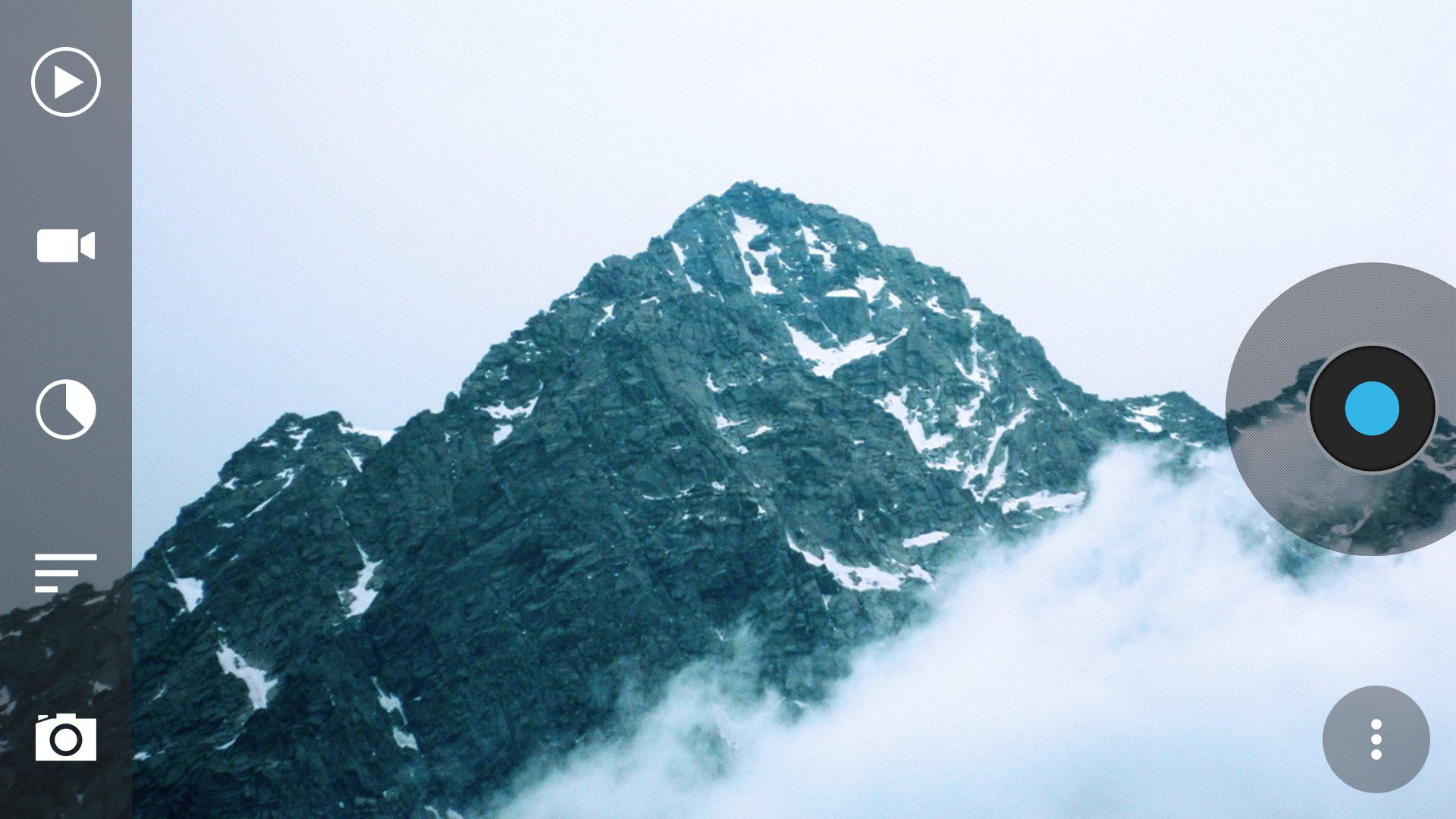
    If you want something similar to iOS 8’s automatic time lapse mode, Framelapse is the one app you are looking for. A “simple, fast and intuitive interface” lets you control frame interval, video duration, zoom, autofocus, white balance, color effects, exposure compensation and more, and that’s all in the free version. If you upgrade to pro for $3, you get exposure locking, white balance locking, Sleep Mode (screen off) while recording to significantly reduce battery drain, Wizard Mode that sets the frame interval automatically, and a few other features as well.

    Download : Play Store

    2. LapseIt

    Arguably, one of the most popular time lapse app for both Android and iOS, LapseIt gives users the most control of any of the apps but trades in the super-simple “just point-and-shoot” capability. Among LapseIt’s popular features are the ability to import and speed up video, the ability to import image sequences from DSLRs or GoPros, the ability to attach music from your library to your finished time-lapse and more. You can also use it to create stop motion sequences.

    Download : Play Store

    3. Hyper TimeLapse

    hyperlapse

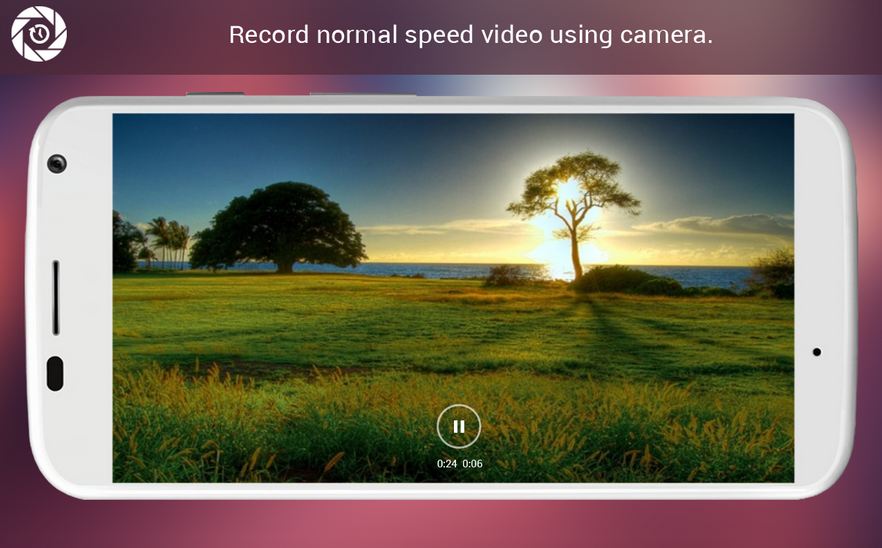
    It is, in true sense, quite an efficient alternative to Instagrams highly-popular Hyperlapes app.  It even describes itself as a Hyperlapse alternative in the Google Play store. It’s really easy to use, and has a great interface. Just push the record button to record the video, and then speed it up using customizable frame rate up to 8x as per your preference. It is quite simple, however, there are some functionalities that are missing.

    Download : Play Store

    4. EasyLapse

    Similar to Hyper TimeLapse it is quite simple to use, as the name itself suggests. The app provides you with basic functions and runs quite smoothly. The best thing about the app is its social media integration. You can share your wonderful time lapse video easily, upload it to Instagram or Facebook with a few taps.

    Download : Play Store

    5. Droid Timelapse

    droid timelapse

    This free app comes with the single purpose of recording time-lapse videos on Android devices, and it has no ads. It supports the highest resolution of your camera (up to 1080p), has a recording delay timer, so you can control the speed of your time-lapse and the resulting video is of high MP4 quality. You also have both manual and auto-focusing modes, as well as the option to fine-tune white balance and color effects.

  • AAP Brings Out Muffler Man, an Android Game ‘That Fights Corruption’

    AAP Brings Out Muffler Man, an Android Game ‘That Fights Corruption’

    Just when you thought AAP (Aam Admi Party) peaked at becoming the laughing stock among the Indian public, the party volunteered a bigger and better joke. Its digital agents have developed an Android Game called Muffler Man, in an effort to increase donations. Muffler Man (who looks quite similar to Mr. Arvind Kejriwal, but faceless) jumps all the way from India Gate to limitless sky.

    Download Now!


    The funny faceless Muffler man jumps on various platforms overcoming hurdles like corruption and bribe to win the game. According to the developers, they decided to keep the protagonist faceless to represent the common man. There are platforms like bribe, scam and corruption that will bring you down. Also there are brooms or ‘JHARU’ (party’s official symbol) which gives the Muffler Man the power to fly with a funny red cape.

    In the latest bid to garner more donations, AAP has linked this game with all new campaign hash tags. Well, even if it is quite a new thing in Indian politics, one thing is true, we couldn’t stop laughing when Muffler Man collected 3 ‘JHARUS’ to fly like Superman!

  • OnePlus Works Out a New Variant for the Cynogen

    OnePlus Works Out a New Variant for the Cynogen

    The Chinese electronics manufacturer OnePlus was granted some time by the Delhi High Court to think of some alternative to Cyanogen embedded on its devices and the firm has made the best use of this liberty. OnePlus has announced the development of an alpha version of its non-Cyanogen ROM called ‘Android Lollipop Alpha’. It is said to be in the early stages and an official roll out is yet awaited.

    The Android Lollipop Alpha is a result of the allegations put by the homegrown smartphone maker Micromax on OnePlus, which was in an exclusive agreement with Cynogen. According to the statement by Micromax, OnePlus devices cannot run on CyanogenMod as the exclusive rights to use the same are with Micromax. The flagship phone was banned by the Delhi High Court and even its promotion and import was restricted in India. Later, the court lifted the ban temporarily and granted the Shenzhen-based electronics giant a few weeks time to come up with an alternative to Cyanogen.

    The company said that the new ROM has nothing extra to offer and comes with the stock features of AOSP Lollipop. It also added that users will come across a lot of bugs as the ROM is in early stages.

    As per the statement on the OnePlus forum –

    This is the first step in what will become our own custom ROM. It’s so early, in fact, that this build contains no extras beyond the stock features of AOSP Lollipop. It’s the base that we will continue to build upon, improve, and customize as we stabilize core functionalities on the latest firmware updates.

    As we look towards the official ROM release in the near future, we will keep to our promise and deliver an experience that is customizable, yet bloat-free with stock-Android-like simplicity by default; we wouldn’t ask you to settle for anything less.

    Willing users can download the new ROM here, but the company will not cover any damages caused by the Android Lollipop Alpha.

    A few bugs known to be occurring in the new ROM are:

    1. Data roaming turns on by default
    2. The ROM is likely to cause bricking. It’s advisable to take the backup of your data.
    3. Unstable camera and video.
    4. Capacitive keys do not turn off when you enable software keys.
    5. Periodical clock crash.
    6. Startup time will be a bit slow on first boot.
    7. Unstable Wi-Fi.
    8. Build not eligible for OTA updates.

    With the deadline on this Chinese smartphone company from the Delhi High Court, it seems that OnePlus has done all it could to work on a variant of the Cynogen. However, this new ROM seems to have a few bugs and it will be interesting to observe whether this will hinder the sales of OnePlus in India.

  • Uber to Resume Services With Additional Security Measures

    Uber to Resume Services With Additional Security Measures

    The Uber owners can now breathe a sigh of relief as Delhi government has lifted ban on the app-based transportation service. Delhi Transport Department on Monday added some new rules in the Radio Taxi Scheme 2006 which include cab-hailing apps like Uber, Ola and more to the category of Radio Taxis. The declaration has come as a welcome note for the ride-sharing service as its status was uncertain post the ban implemented earlier this month.

    Uber services were banned in Delhi as a result of the rape incident committed by a registered Uber driver two weeks ago. The app faced an outrage of people all over the world, and as a result, its services were barred in the capital.

    As per the modified rules in the Radio Taxi Scheme 2006, the app-based taxi companies can resume their services in the national capital once they obtain a license. All licensees need to maintain a minimum fleet of 200 radio taxis. It can be done either by owning a car or by an agreement with individual drivers possessing licensed taxi permits. The new law overrules the existing rule which say that those services will only be eligible to own licenses who have at least 500 cabs.

    The modified rule received a mixed response from the taxi-app owners, however, Uber head seemed relieved with the decision. The head of Uber Asia operations Eric Alexander commented-

    All the information solicited from Uber has been dutifully provided to the authorities. We look forward to a positive outcome which benefits the people of Delhi.

    The rule says that the app-driven taxis should incorporate GPS and GPRS trackers, a printer along with a display panel through which passengers could keep a tab on the path and total distance covered. Furthermore, a helpline center, an authorised call center or a web portal should be established for the security of female passengers. Also, licensees need to list all the details on the website like ownership, registered address, contact details, fare structure, control room number, services offered, insurance liabilities, together with a section for redressal of grievances.

    Although the lift of this ban has been met with mixed emotions; we pray that the security measures implemented are enough to prevent any such incident in future.

  • WhatsApp’s Free Voice Calling Feature Captured in a Leaked Screenshot

    WhatsApp’s Free Voice Calling Feature Captured in a Leaked Screenshot

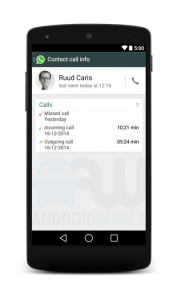
    At the commencement of year 2014, it was learnt that WhatsApp was planning on diminishing the dependability of its users on other calling services and had glad plans of introducing a voice calling feature. Months passed, but there was no sign of the said feature on the cross-platform mobile messaging service. However, a reliable source has come up with some interesting screenshots that depict the calling feature on WhatsApp.


    The website Androidworld.nl posted some pictures of the new version of WhatsApp that shows voice calling. The screenshots also suggest that the upgraded version will have a separate window for making calls to WhatsApp contacts and a dedicated call log. Users can keep a tab on missed calls, ongoing calls and received calls through this window. Additionally, it can also include options like call mute, switch to text message, and hang up.

    However, these are just leaks and there is no proof of its authenticity. Jan Koum, WhatsApp CEO, said in an industry conference that the company will surely be rolling out voice calling feature in Q1 2015. The delayed release has been due to some technical complications faced by the development team.

    If WhatsApp succeeds in overcoming all the said hurdles and brings out a version featuring voice calling, it can prove to be a threat for the other services like Viber, Line, Facebook Messenger and more.

iGyaan Network
Privacy Overview

This website uses cookies so that we can provide you with the best user experience possible. Cookie information is stored in your browser and performs functions such as recognising you when you return to our website and helping our team to understand which sections of the website you find most interesting and useful.