Category: Apps and Software

Games, Apps, Softwares, Operating Systems and Software Hacks

  • OnePlus Argues One Devices Running on a Different Cyanogen Version

    OnePlus Argues One Devices Running on a Different Cyanogen Version

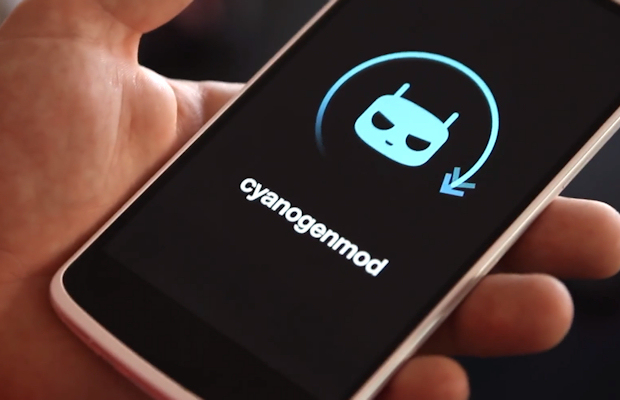
    Finally, the Shenzhen-based smartphone manufacturer OnePlus has retaliated; taking on the allegation made by Micromax saying that they are not infringing any rights exclusive to the India consumer electronics firm, Micromax. It argued that the Cyanogen operating system (OS) version used by them is different from that used by Micromax.

    Last week a complaint was lodged by Micromax to the Delhi High Court saying that the company has acquired exclusive right to use CyanogenMod trademark all across South Asia. This led to the temporary ban of OnePlus devices from selling, promoting or for that matter, even importing its devices to the Indian soil.

    OnePlus argued before a bench headed by Justice Pradeep Nandrajog, commenting that the version embedded in their OnePlus One devices is Cynogen CM11S, while Micromax handsets run on a completely different version of the new software. As per the agreement between Micromax and US-based software firm, an exclusive clause states that Cyanogen cannot collaborate with any another smartphone maker in the Indian subcontinent. However, it did not extend to the fact that a different version could not be used in other devices. The Chinese company also added to its statement that the version point was not mentioned by any judge who has passed the restraining order.

    Senior advocate Kapil Sibal representing OnePlus said,

    It does not mean that we cannot do business.

    He also suggested that his client should be given three months time to substitute Cyanogen with another software based on Android operating system and sell its already manufactured devices. It was also observed by the bench that the US-based firm Cyanogen had not been fair to the Chinese manufacturer stating that Micromax  didn’t give time to the Chinese firm to make any changes to its device.

    “Your client (Cyanogen) did not show fairness to either Micromax or Shenzhen. If this is how you want to proceed, that is wrong,” said the bench to the US firm counsel. Further hearing of the case will be held tomorrow.

    Although it certainly seems that OnePlus has been wronged, it will be interesting to observe which way the decision goes. In the meantime OnePlus fans can patiently hope and pray that their beloved phone stays in the Indian market.
  • Android Lollipop Captured in a Leaked Screenshot on LG G2

    Android Lollipop Captured in a Leaked Screenshot on LG G2

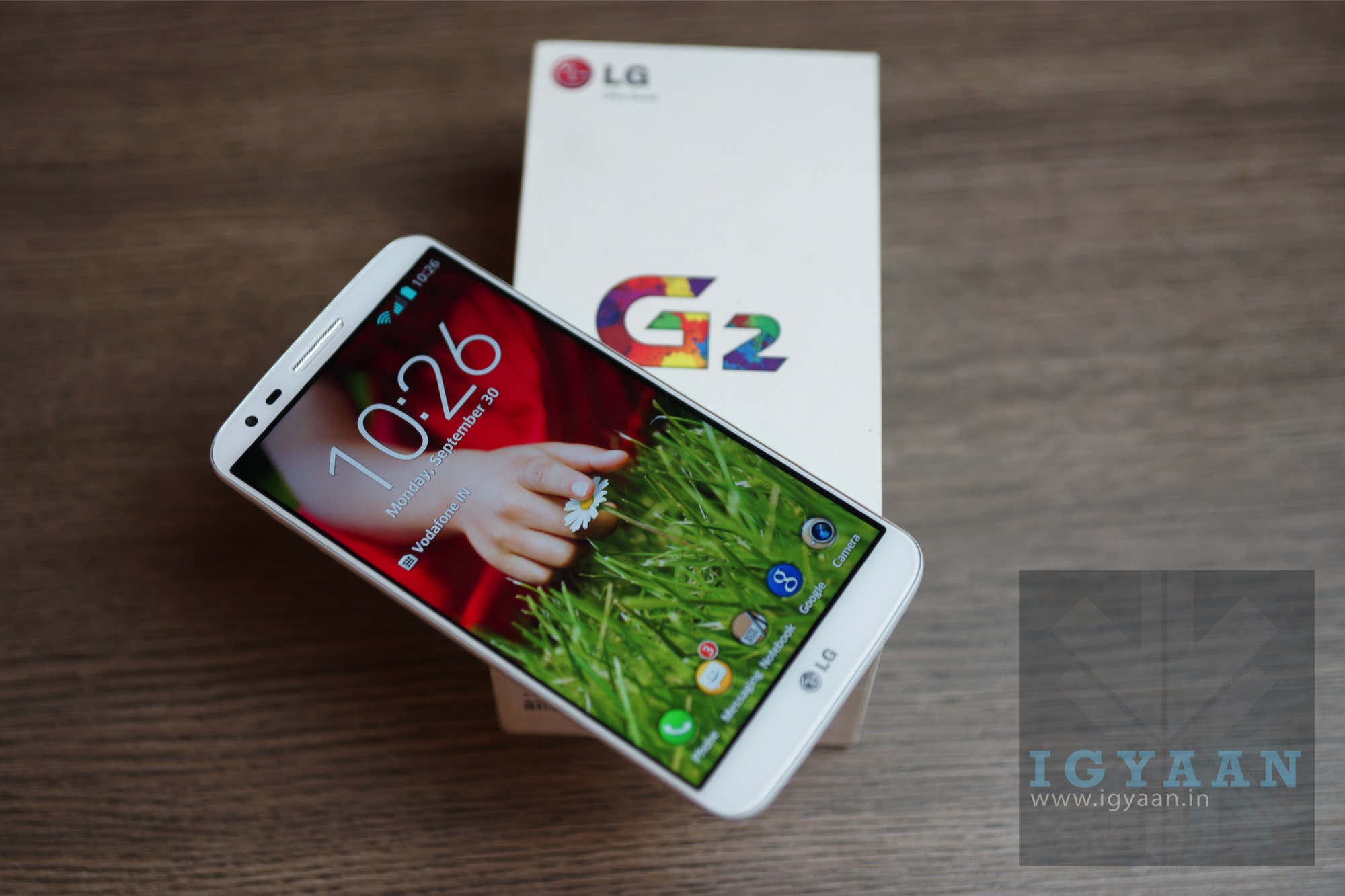
    Mere weeks have passed since the roll out of Google’s Android 5.0 Lollipop, and all the smartphone manufacturers are doing everything to upgrade their devices with Google’s new OS. Countable number of devices have received the update so far and Nexus devices top the list for  obvious reasons. The South Korean giant LG’s flagship, LG G2 has been recently caught with Lollipop on it.

    LG-G2

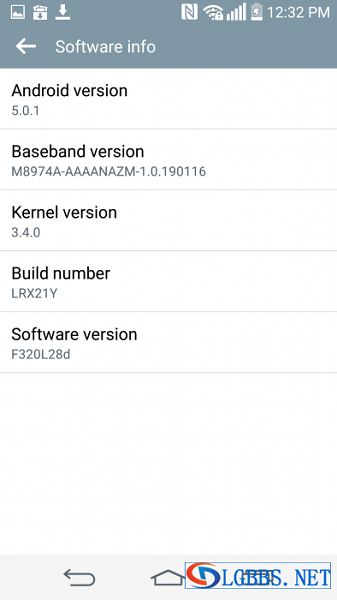
    An authentic Italian technology web portal unveiled a screenshot that shows Android 5.0.1 on the LG G2 with a build number LRX21Y. However, the leaked pictures of the update was of the LTE-Advanced version bound to South Africa only. It is believed that the global LG G2 users will soon witness the update on their devices. The leaked image itself is a pretty good sign that the company is working on it.

    It is an impressive step by the firm to upgrade their 2013 released smartphone with Lollipop. Meanwhile, all G2 users can check out their devices for an OTA update.

    The LG G2 features a 5.2-inch IPS display with 1080×1920 pixels along with Corning Glass 2 protection. Initially, the device ran on Android 4.2.2 Jelly Bean OS out of the box; but later it was upgraded to KitKat. Now it is said to support Lollipop as well. The phone is powered by quad-core Snapdragon 800 processor and comes with 2 GB of RAM. It packs a 13MP primary camera and a 2.1MP secondary snapper that can take amazing selfies. The phone has 16 GB of internal storage capacity and comes with connectivity options like 4G LTE, 3G, Bluetooth 4.0, Wi-Fi and microUSB. The 3000 mAh Lithium-Polymer battery powers the device for a complete day usage.

    With the incredible interface of Lollipop, the old G2 models will come to life. However, till the time LG makes an official announcement, global users will have to wait.

  • 5 Weather Apps That Offer Much More Than Just a Climate Update

    5 Weather Apps That Offer Much More Than Just a Climate Update

    Gone are those days when weather apps were used just to forecast climatic conditions. With the technological advancements today, we can fetch much more information than finding out if it would be cloudy today or it’s going to rain.

    We are listing top 5 weather apps that are worth some space in your clustered app collection.

    1. Swackett

    swackett

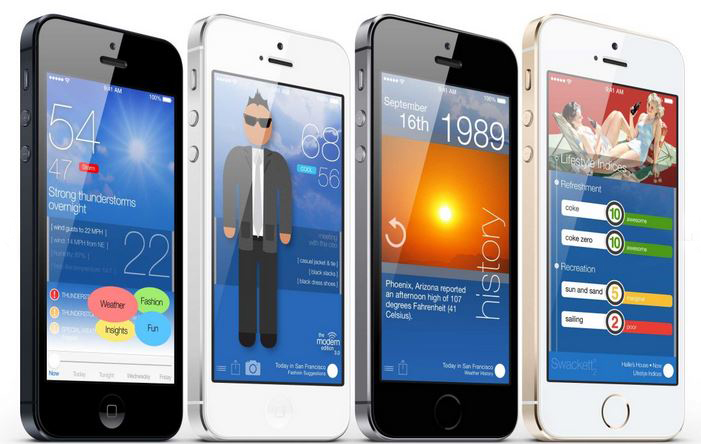
    This is a fun new app that puts to use the general weather data into information that is specific and useful if you are planning for outdoor games. It rates the climate from excellent to poor for activities like golf, ski, tennis, etc. Also, it facilitates a visual weather reporter suggesting you how to dress in accordance with the environment through crafted people symbols called peeps. These swackett peeps sometimes carry an umbrella and the other times a jacket, depending upon the weather outside.

    Platform: Swackett is compatible with both iOS and Android devices.

    2. Weather and Clock Widget

    Screenshot_2014-12-22-12-31-44

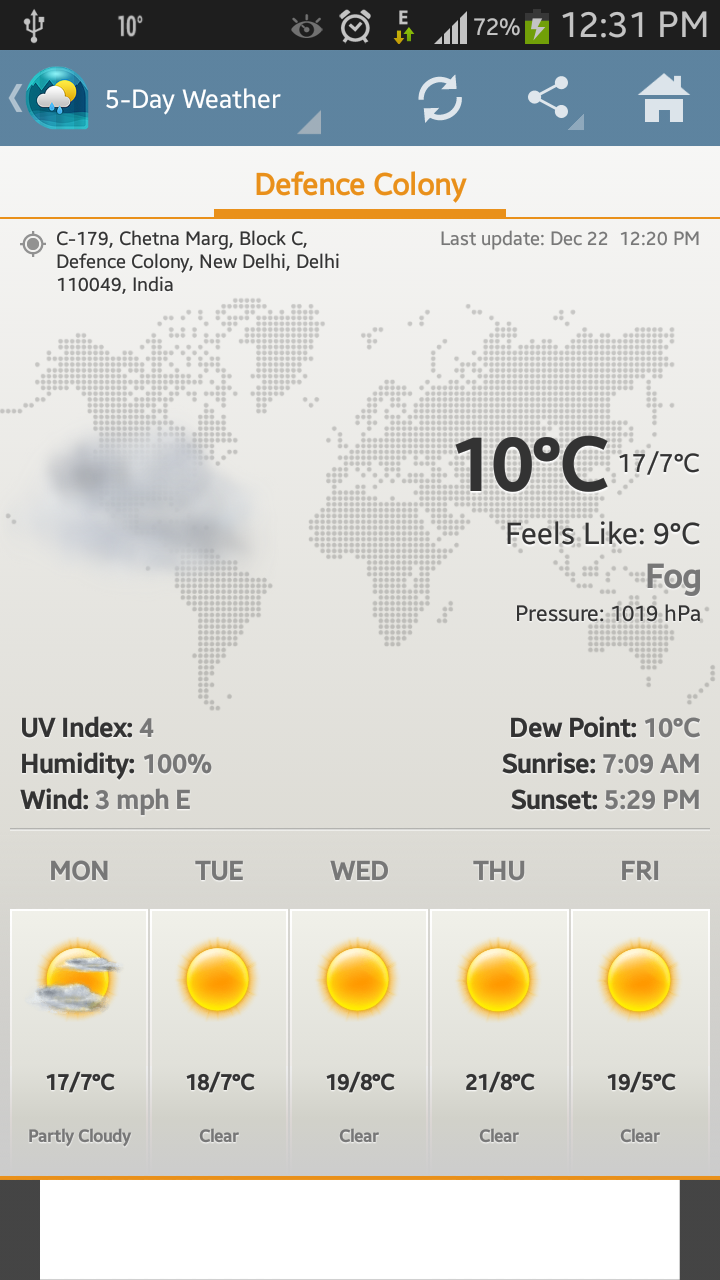
    Weather and Clock Widget is a must-have app in our collection. Like other weather apps, it keeps users updated with the climate outside along with informative sunrise and sunset timings. Additionally, it supplements operators with other important facts like humidity, pressure, wind speed and direction. Along with the recorded temperature, the app gives precise weather notification with ‘feel like’ temperature. Besides that, the app assists users locate the exact position that they are presently at. That means, it acts like a map as well.

    Platform: The app is supported by Android phones only and is absolutely free.

    3. WeatherBug

    weatherbug

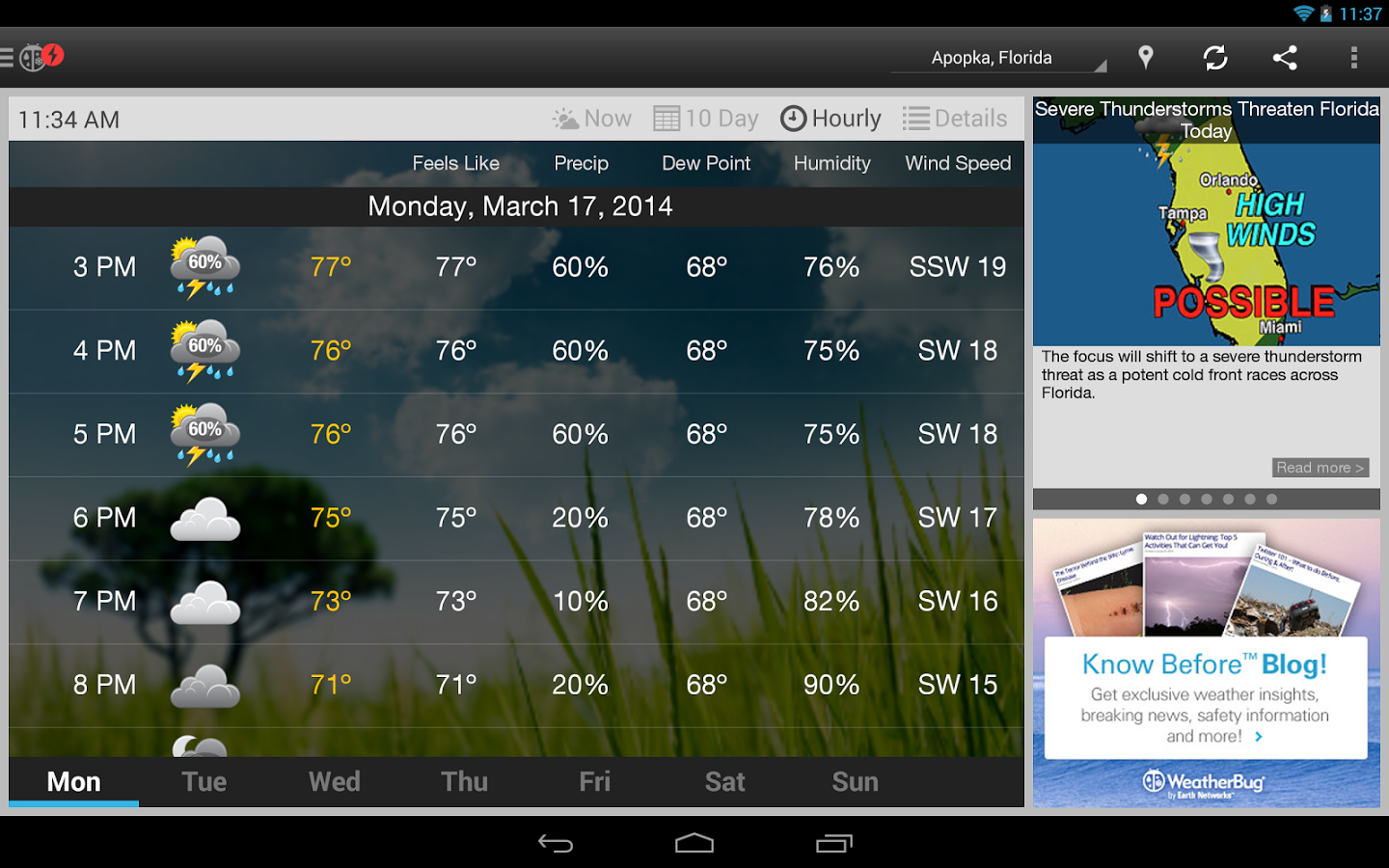
    WeatherBug is an easy-to-use application to keep a check on weather. Together with basic temperature notifications, the app comes with build-in alert system to warn operators if any significant change in weather can be felt in next few hours. It informs users about hurricanes, floods and other severe weather conditions. The USP of the application is that it displays a playable radar image of the forecast. This enables one to see from where the weather is coming from and in which direction it is moving. This app has one of the best radar features. Also, the warning system will alert you if you’re actively tracking that region.

    Platform: It goes with both iOS and Android platforms.

    4. The Weather Channel

    Screen Shot 2014-12-22 at 12.44.28 PM

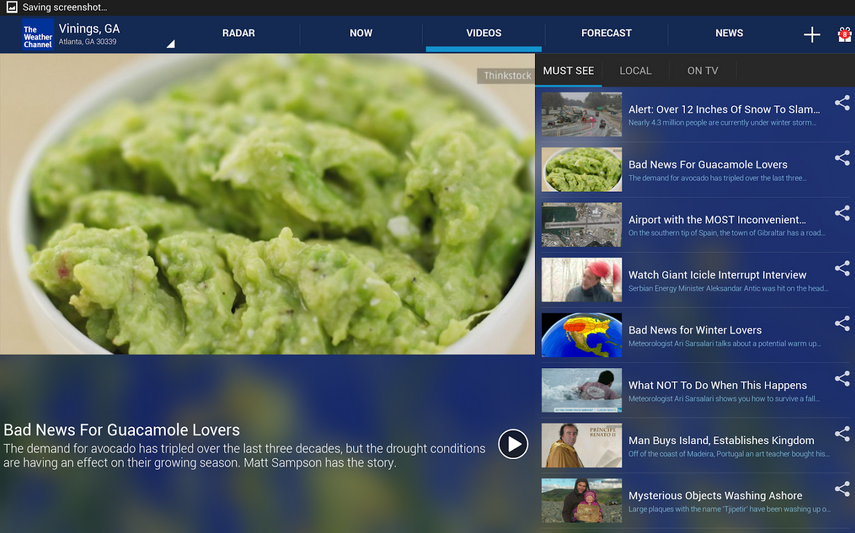
    The Weather Channel is among the highly downloaded weather apps. It provides accurate and up-to-date information about the temperature outside. Its features include usual gamut of weather conditions like wind speed, dew point, pressure, humility and more along with 36 hours and 10 days forecast options. Other features include options like Radar, Now, Videos, Forecast and News.

    Platform: It is compatible with iOS and Android devices.

    5. Yahoo! Weather

    yahoo-weather

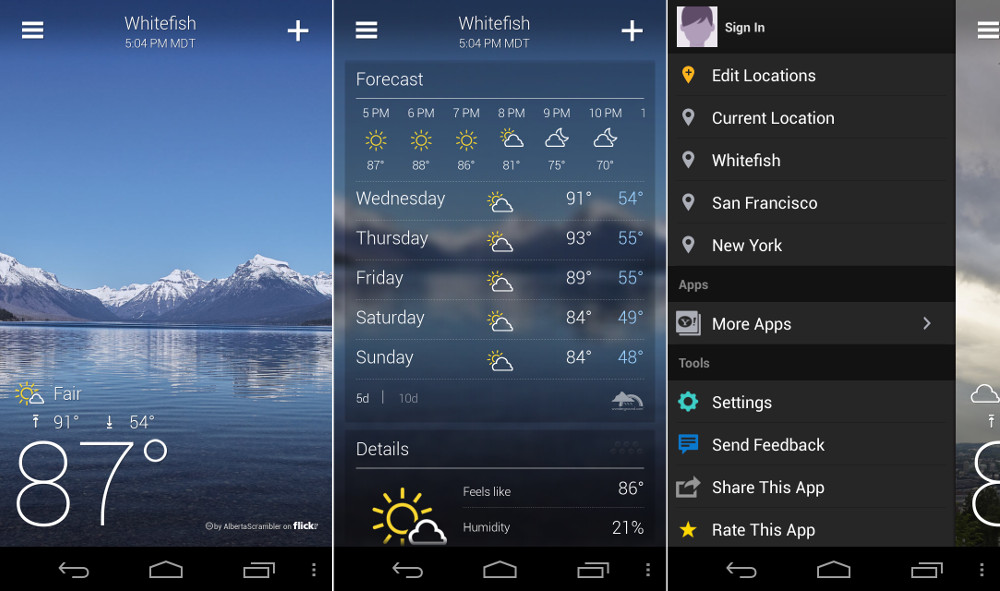
    The winner of 2013 Design Awards by Apple, Yahoo! Weather is an app that will make your home screen gorgeous. It displays the image of users’ location along with weather notification, time and other specifications. It exhibits interactive radar, heat and satellite maps, which are neat. Also, one can get detailed weather forecast of up to 5 days to plan things accordingly.

    Platform:Both iPhone and Android devices support the app.

  • Snap 360 Degree Pictures on Your iPhone with 3DAround

    Snap 360 Degree Pictures on Your iPhone with 3DAround

    Well are you tired of clicking pictures from every angle to get better perspective. What if you could click a picture which can swivel around same as you see in those e-commerce websites? Well, it is now possible with your iPhones.

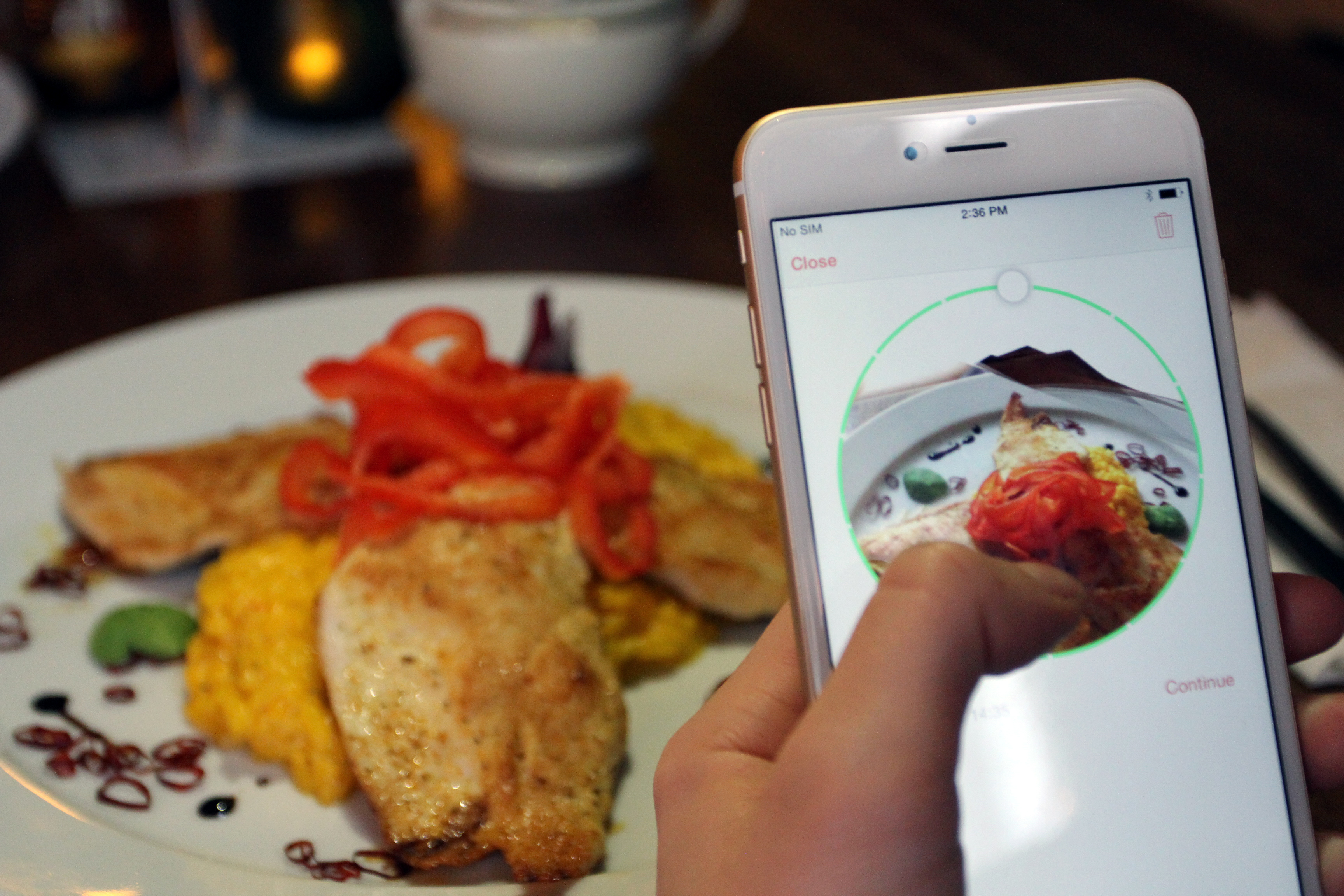
    A new iOS app, 3DAround allows iPhone 6 users to take 360 degree pictures of objects and then show them as 3D photographs. Made by Swiss software company Dacuda, this app  takes pictures that are not just 3-dimensional, but interactive too.

    dacuda-3daround-gif-small

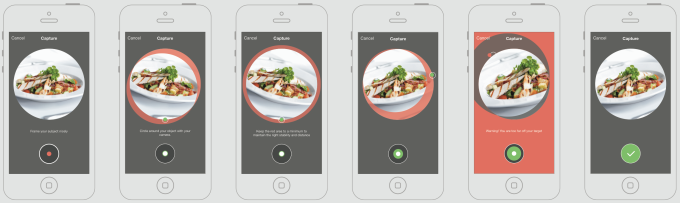
    All you have to do is revolve your camera phone around an object and 3DAround stitches together all the photos into a 3D image which the viewer can spin at will. Free to download, this app primarily targets food photography but it works just as well with any similarly sized object.

    The 3DAround app extracts depth and structure information from a success of rapid-fire photos to create the 360-degree views. You’ll be able to interactively view the swivel-able photo through the 3DAround app or WebGL-equipped browsers like Chrome, and share some version of the images to Facebook, Twitter, and Pinterest.

    screen-shot-2014-10-24-at-1-05-03-pm

    By tilting the phone, the image shifts and pans around the object with movements.

    With the recent launch of devices like HTC EVO sporting stereoscopic double cameras that can take slightly “3D” photos, 3DAround for iOS gives iPhone users an edge.  Apple’s iOS8 camera is a key component of 3DAround functionality, according to the company. The phone’s integrated gyro sensor lets the app capture in holographic detail, the presentation of all types of food.

  • Motorola Rolls Out Android Lollipop Update for Moto X (Gen 2) in India

    Motorola Rolls Out Android Lollipop Update for Moto X (Gen 2) in India

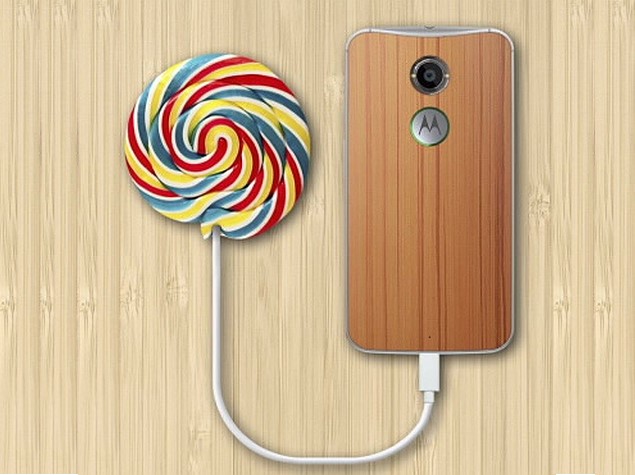
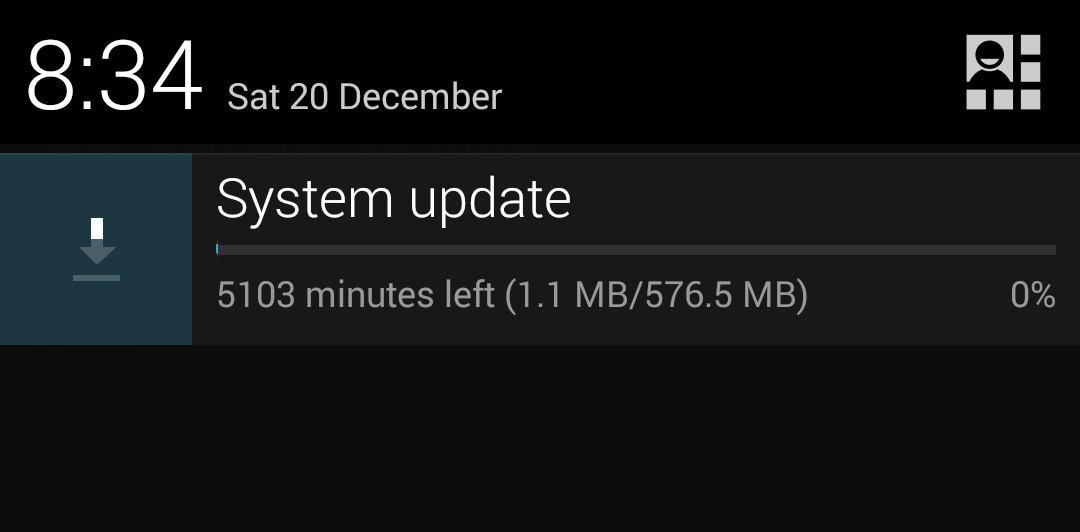
    Here’s an announcement for which all Moto X (Gen 2) owners in India were eagerly waiting for. Motorola revealed that it has started rolling out the Android 5.0 Lollipop for the Moto X (second generation) users in India. The company says that other Motorola devices will also be getting the update soon.

    Lollipop, the latest version of the Android mobile operating system, was first released for Nexus 6. The update for the Moto X (2nd Gen) was first rolled out in Brazil, Mexico and the US.

    moto-x-gen2

    Here are the steps to update the Moto X (Gen 2) to Lollipop:

    1. Go to the app menu and select ‘Settings’ icon.
    2. Select ‘About Phone’.
    3. Select ‘System updates’.
    4. Select ‘Download’.
    5. Select ‘Install’ once the download is done.
    6. Restart your phone once you have installed it.

    With added fluidity through UI of the new Lollipop, users will now experience improved natural touch screen interactions. Along with that, the new Android update lets you have a look at the notifications on the lock screen itself and facilitates dismissing them without unlocking it.

    With this announcement, the Schaumburg-based firm has fulfilled its commitment to offering its users a pure, bloatware-free and seamless Android experience.

  • Google’s Inbox Update Lets You Email Through Your Wrist

    Google’s Inbox Update Lets You Email Through Your Wrist

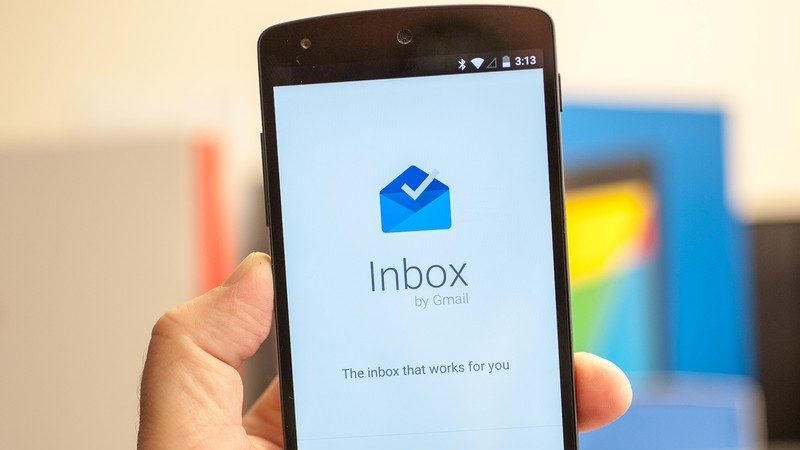
    People are still itching to getting their hands on the Google’s new email client Inbox, though the company is all ready to update the new app. The task-oriented email client has been widely appreciated for its de-clustered and powerful algorithms that sought out your emails based on priority.

    The new 1.2 version of Google Inbox will bring Android Wear support, letting you check mail, send replies and mark completed items from the comfort of your wrist. Earlier, when an email through Inbox was sent to your Android Wear device, it only let you dismiss or open the message on your device. This new update now allows you to read the entire message, reply, and mark it as done, without your phone.

    Additionally, Inbox is getting an improved tablet layout, which is better optimised for devices with larger screens, especially for Nexus tablets. The new update has brought some useful features in the core app too, including suggestions for reminders and a better tablet interface.

    The update is already rolling out to the users worldwide starting from the US. However, if you don’t want to wait and manually install it, you can download the .apk here.

  • Top 5 Photo Filters and Editing Apps Available For iPhones

    Top 5 Photo Filters and Editing Apps Available For iPhones

    Today’s smartphones offer image quality that is at par with point and shoot cameras. With high megapixel sensors and optical image stabilization, more and more people are taking photos with their smartphones and leaving their digital cameras behind. This has created greater demand for picture enhancement before you share them on social media or print. Having a top-notch photo editing apps in your arsenal can help you brighten your shots, crop away unnecessary details, fine tune colour and apply innovative special effects. With this massive influx of photo sharing ushered in by the iPhone and social media, photo editing and filter apps have massively grown in popularity.

    We are listing 5 of the best photo filters and editing apps available for the iPhone.

    1. Afterlight

    Afterlight

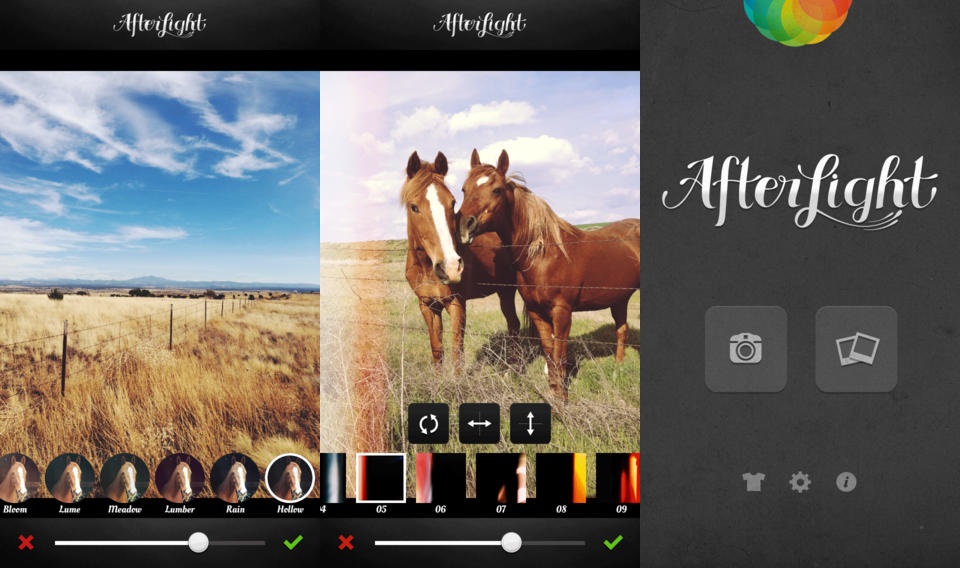
    Afterlight is a photo editing app aimed directly at the Instagram user, featuring easy to use, smooth and adjustable filters, photo frames, and other useful photo editing tools like the double exposure editor. In addition, users can also apply textures and light leaks, slider-adjustable filters, transformantion and straightening tools.

    2. FaceTune

    carousel-1-bg

    Rather than providing a powerful set of all around photo editing features, FaceTune focuses on making your selfies and portraits look as beautiful as possible. FaceTune offers users a variety of tools for touching up your photos, which include tools for whitening stained teeth, red-eye adjustment, colourizing greying hair, and pimple and blemish removal. In addition to the photo touch ups, the app also comes with a variety of tools for tweaking lighting and focus, adding filters, rotating and flipping photos, as well as more extreme photo transformations.

    3. Retrica

    10658730_587626291360557_159281701511843000_o

    Retrica provides a slightly different take on a photo filter’s app. The app starts up in camera mode, but right from the camera you can customize your picture before you even take it. This enables you to perfectly match your photo with filters, frames, tilt shift and more. From there, you share your photo in the manner  you like.

    4. PicLab HD

    0925piclabhd

    If motivational posters or funny Internet memes are your thing, then PicLab HD is the perfect app for you. PicLab HD makes it a snap for users to edit photographs and add slick decorations and captions for your own custom image. Filters allow for quick photo effects, while fine tuning brightness, saturation etc. Layer-based editing, multiple text styles and packs, as well as numerous overlays, illustrations and other art effects then allow you to get your message across with artistic or quirky typography.

    5. Cymera

    banner-cymera-app-review

    Cymera is a multi-purpose app that is designed to be used as both a camera and photo editor. It has everything you need in a Smartphone camera and photo editor to help you capture and edit images. Cymera offers huge variety of hand-picked filters, shooting modes, face detection, collage effects and many decoration options.

  • Yosemite’s Popular Continuity Feature is Now Compatible With Older Macs

    Yosemite’s Popular Continuity Feature is Now Compatible With Older Macs

    Back in mid-2014, we saw the release Apple’s OS X update Yosemite. The revised version was free to upgrade. However, there was a minor glitch in this set-up, some of its prominent features only supported Macs with Bluetooth 4.0. One such feature of the new update was Continuity/Handoff, but according to the latest revelation, this feature can now run on older Apple desktops as well.

    Continuity is a term used by Apple for a range of new features that bring the iOS and Mac OS X devices closer. It offers you to seamlessly shift between Mac OS X and iOS devices; you can pick up on one device right where you left off on the other.

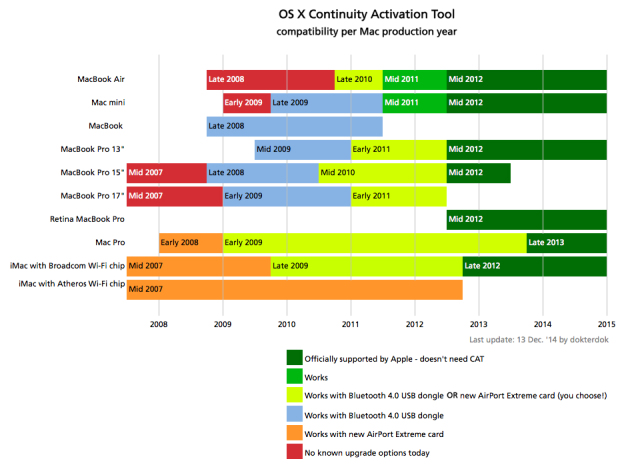
    According to an update by a user on Reddit, the Continuity/Handoff tool can be activated just by adding a simple tool on your Mac. This tool makes the hardware compatible by adding Bluetooth 4.0 dongle to run Continuity on your 2008 Macs or later.

    Continuity Activation Tool 2.0 has been released! Enable Continuity on many Macs from 2008 and later just by adding a Bluetooth 4.0 USB dongle. Many thanks to the community for the excellent beta testing work!

    Given below is a list of Macs that will support Continuity. You can also learn about the Continuity Activation Tool on github.

    apple-continuity

  • WhatsApp on Web Might be a Reality Soon

    WhatsApp on Web Might be a Reality Soon

    The popular cross-platform mobile messaging tool WhatsApp has made a mark in the smartphone arena and now the service is planning to make its grip on the web platform as well. If the rumours are to be believed, WhatsApp may soon come up with a web version of its widely-accepted messaging app.

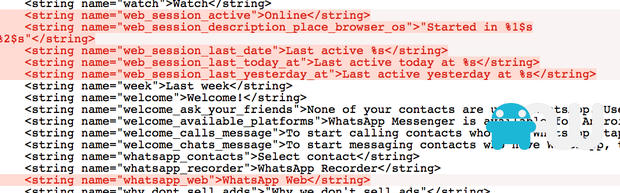
    As per a report by AndroidWorld.nl, the screenshot of the HTML programme above encodes word ‘WhatsApp Web’. In addition to that, the code also embeds logging into a web service and checking online status, the later feature is seen on the mobile version. However, there is no definite evidence in support to the report, and an official announcement from the largest mobile service is still awaited.

    whatsapp web

    In today’s day, where everything is about seamless interconnectivity between web and mobile, WhatsApp shouldn’t remain constricted to smartphones.

    Meanwhile, WhatsApp is the only popular messaging service which doesn’t have a web version. Its competition such as Line, Viber, Telegram and WeChat allow users to text both via phone and web. With a user base of over 600 million, the tool definitely needs a web version.

  • Tried and Tested : Top 5 Personal Safety Apps That Need a Permanent Spot on Your Device

    Tried and Tested : Top 5 Personal Safety Apps That Need a Permanent Spot on Your Device

    Safety has become a primary concern of every individual, especially women. The recent Uber incident in the capital goes to show that taking safety precautions no longer remains an option, but has become a necessity.

    Our phones are loaded with many apps to amuse us, but there is an urgent need to install one of the below listed emergency tools to make sure your loved ones and family knows your whereabouts in hard times. These apps are quite handy and you will always feel a support with any of them on your phone.

    We are jotting down top 5 apps that will safeguard you in uncomfortable situations:

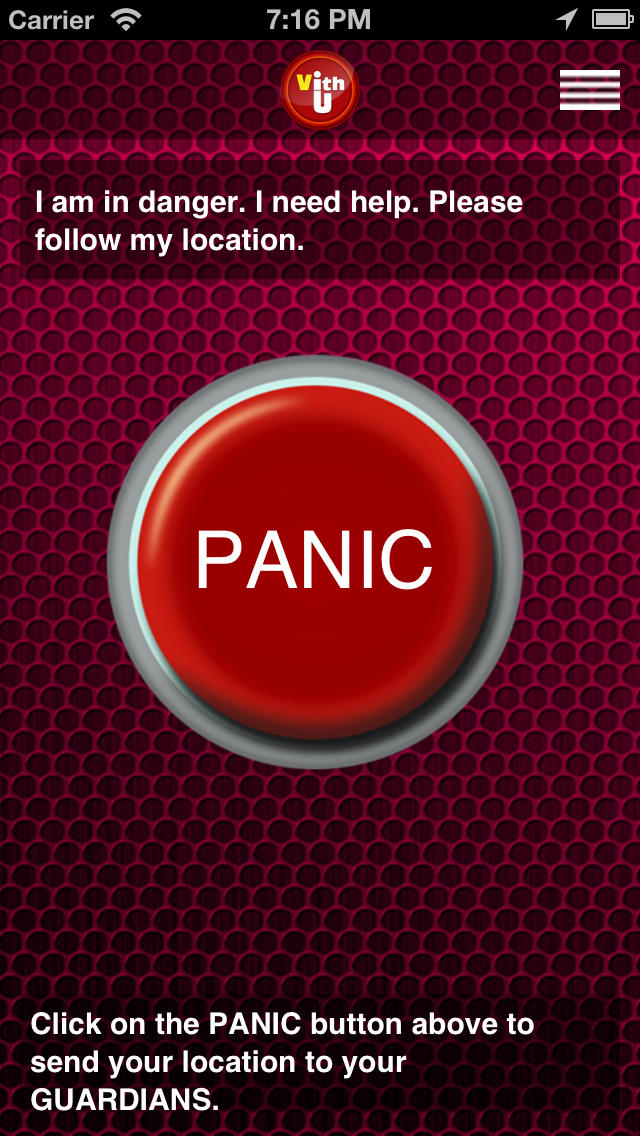
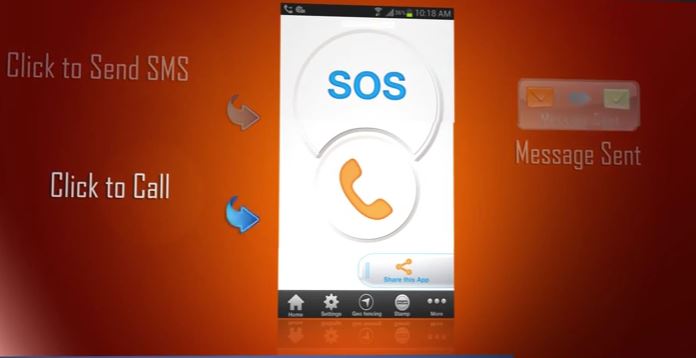
    VithU

    vithU

    This emergency application alerts your contacts added in the app with just the push of a power button twice consecutively. The recipients receive the message, “I am in danger. I need help. Please follow my location.” The app keeps updating recipients with your location details every 2 minutes.

    Pros:

    • Instant and facilitates locating you with your present position.
    • Convenient to use.
    • Offers safety tips in an emergency situation with ‘Tips Feed’ option.
    • Compact (acquires only 2.2 MB space on your device.)

    Cons:

    • Doesn’t record background sounds.

    Women’s Security

    Women’s Security

    With this, only a finger touch is enough to notify your recipients. It records surrounding voices for 45 seconds and sends out an alert (through mail and message) along with your location.

    Pros:

    • Works even without a working internet connection.
    • Recording remains hidden within the device.
    • Easy usability.
    • Comes in handy with 517KB size.

    Cons:

    • Doesn’t offer continuous tracking of the person in trouble.

    Safetipin

    safetipin

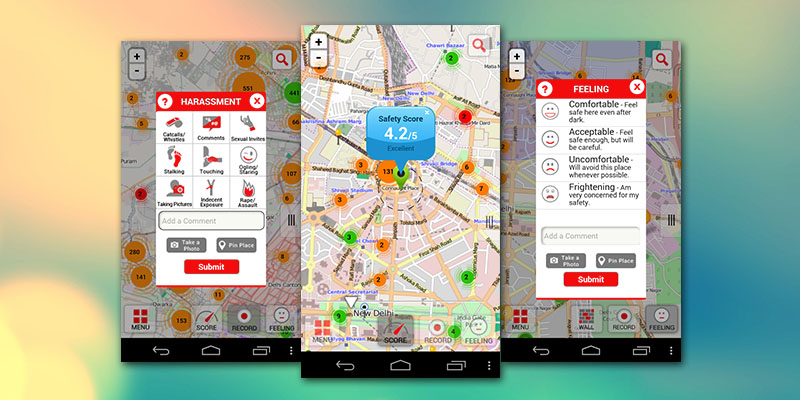
    It is a complete safety package. It lets you know about how secure the area is where you are residing. Tracking and alarm features locating friends and family over GPS, and let them track you. The personal safety app keeps you updated about the possible harassment threats and precautions to be taken to keep yourself safe.

    Pros:

    • Directory option to find local emergency help numbers.
    • Helps locate nearest police station, hospital or pharmacy, and suggests directions to reach there.
    • Allows views sharing about locations.

    Cons:

    • Needs a working internet connection.
    • Doesn’t have an instant access button to notify in emergency.

    Scream Alarm!

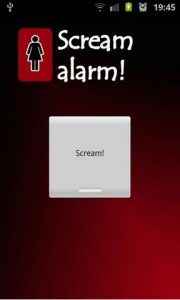
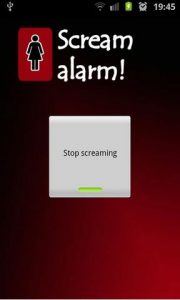
    Scream Alarm! is an app which makes a very high scream for you. This feature is a boon when you experience a potential threat.

    Pros:

    • Makes a loud, shrill woman’s scream.
    • Helpful to make passers-by learn that you need help.

    Cons:

    • Requires unlocking the screen first to activate it.
    • Doesn’t inform contacts that you need help.
    • Doesn’t facilitate sending location and other vital information.
    • Sound recording not available.

    Nirbhaya: Be Fearless


    nirbhaya

    Another app to keep you safe is Nirbhaya: Be Fearless, which allows you to send messages and call contacts added in the app. All you need to do is press the power button. Also you can shake to send an emergency message.

    Pros:

    • Shake feature sends a message even when the phone is locked.
    • Informs about the safety level of areas.
    • Instantly dispatches emergency message.
    • Gives an alert about the potential unsafe area.

    Cons:

    • You might alert your close ones even when there isn’t an emergency.
  • Indians Can Now Watch YouTube Videos Offline on their Smartphones

    Indians Can Now Watch YouTube Videos Offline on their Smartphones

     YouTube received an enthusiastic response when it announced that it will soon facilitate audience with viewing videos offline. The company kept its word and recently launched its offline feature during a press event.

    With this new feature, users can watch videos even when offline through the YouTube app. However, to make it possible, one has to first download the video using thier data pack or Wi-Fi. Once the desired video is taken offline, it can be watched buffer-free within the time frame of 48 hours.

    The Vice-President of Engineering, YouTube commented:

    [quote text_size=”small”]

    Already, we’re seeing over 40 per cent of our traffic in India come from mobile devices. By launching this offline experience on YouTube in India today, we hope to help people move past the challenges of data connection, speed and cost to enjoy a smooth, buffer-free version of YouTube.

    [/quote]

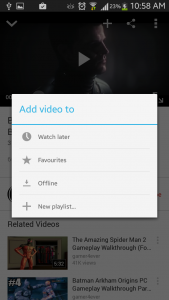
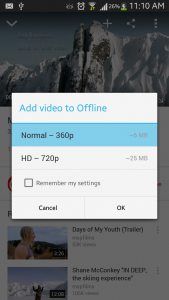
    The offline video service works like when you chose to download a desired video, it asks you for the playback quality of the same. One you chose the quality of the video, it downloads and automatically adds it to the offline section for you to watch it later.

    Ajay Vidyasagar, Regional Director of YouTube commented that India is the fifth-largest market for partner revenue in the world. Features like this will just make this stronger. He believes that we could get into the top three markets very soon.

    The online video channel has partnered with different music companies and production houses in India like Saregama, T-Series, Shemaroo and Yashraj Films to provide content. The service has also been launched in Indonesia and the Philippines, along with India.

  • Tips and Tricks to Make Your Smartphone Theft-Proof

    Tips and Tricks to Make Your Smartphone Theft-Proof

    Smartphones have become an integral part of our lives. They save us the hassle of carrying around cards and other vital data as it has become an all-in-one device that contains and protects all our important information.

    Smartphone theft has become a usual affair and we hear of it every now and then. But have you ever considered the thought that you might become a victim or misplace your precious device one day? Luckily for us, several smart apps have released and by installing them, you can easily locate and retrieve your device if misplaced or lost. We strongly recommend you to download one before you find yourself in a similar situation.

    Given listed are some anti-theft apps and steps to install them:

    Save your IMEI Number

    Before anything else, save your IMEI number. The IMEI is the first thing you need once you lose your phone. Note it down anywhere else other than your device.

    Download Find My iPhone

    Find_My_iPhone_APP

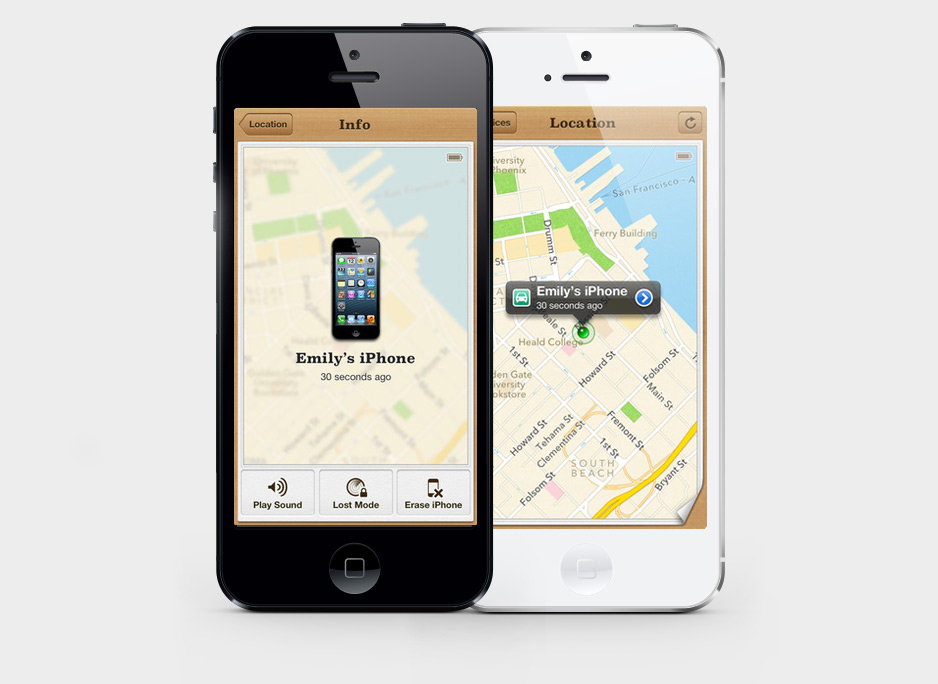
    It’s a free application that supports all iOS devices. It helps you locate your lost phone, and remotely lock and swipe your iOS device, if needed. Find My iPhone requires an iCloud account. It’s easy to install and use. Just follow these simple steps:

    • Go to Settings on the home screen
    • Tap iCloud option
    • Click Accounts and then sign in
    • Scroll down and turn on the Find My iPhone slider; it will turn green

    Once you turn it on, you will receive a message notifying that this will turn on GPS on your device.

    • Tap Allow to turn Find My iPhone on

    Get Prey Anti-Theft

    prey

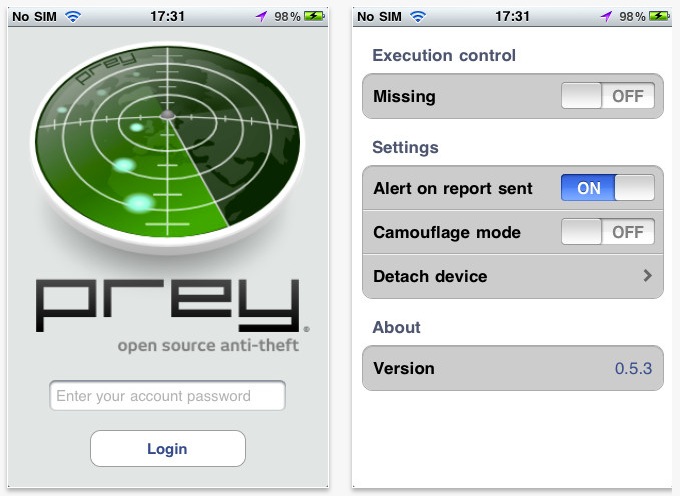
    This is another free app for iOS to track down your device. Along with showing the current location of the lost iPhone, this app also keeps a track of the locations where your device was used. Besides informing you about the location of the thief, the app clicks a picture of the thief, making it easy to recognise. Steps involved in installing this app:

    • Download the Prey Anti-Theft application
    • Create an account within the app; you will get a verification e-mail
    • Open the email and Verify your account
    • Login to your account on Prey’s web interface
    • Download the iPhone app and install it
    • Click Already a Prey User and fill in the required details
    • Configure your device by using setting on the web browser
    • Turn it to MISSING when your device gets lost

    Prey allows you to register three devices on a single account.

    Get Lookout

    Lookout

    Lookout is an all-around anti-theft app for Android devices, which locks your phone and displays a custom message once your phone gets lost. Also it lets you swipe the data if your device falls into the wrong hands. Just like the anti-theft apps for iPhone, this Lookout too clicks a picture of the culprit. Install the app with below mentioned steps:

    • Go to http://lookout.com/ and download Lookout
    • Sign up with all the necessary information and get started
    • Tab Missing Device option
    • Tap Locate to locate your device
    • Tap Scream to sound the alarm on your phone
    • Click Wipe to delete all the data

    Download Cerberus

    cerberus

    Just like Lookout, Cerberus takes the photo of the suspect when someone makes an attempt to unlock your phone.

    • Download Cerberus
    • Sign in and fill all the details like Username, email address and password
    • Configure Cerberus by ticking Wrong unlock code, Alarm stopped, Message dismissed and other options

    With this, you are set. Now, whenever you lose your cellphone, it will make a loud sound even if on silent and will track down the location along with taking a picture of the culprit.
  • Google Translate’s Latest Update Decodes Speech and Text Within Pictures

    Google Translate’s Latest Update Decodes Speech and Text Within Pictures

    Google Translate has become an essential feature of the internet. It is one of the primary tools used by folks world over to learn about other corners of the world. The service by Google  lets you translate an entire website with just a couple of clicks. With the growth of global interconnectivity, consumer translator mediums have become more and more useful. Google is constantly working towards making its translator better and hence keeps actively updating the features. This time around Google is reportedly giving its translator the ability to decipher speech in addition to the text within pictures.

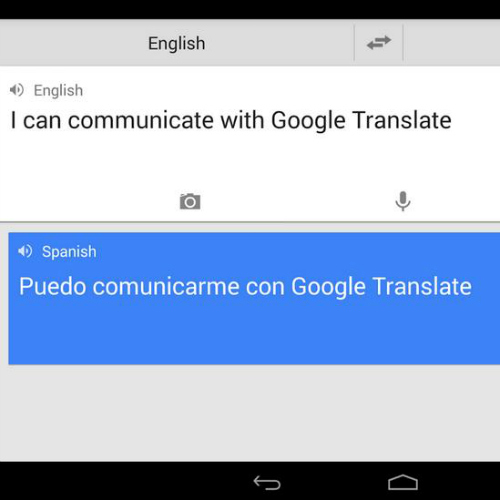
    According to a report by Android Police, the updated Google Translate will use Google’s Word Lens to do the same. This will aid users in translating directions, menus, signs in foreign language into an understandable expression. Meanwhile, the conversation mode of Google Translate lets people of different languages hold discussion, but with the new feature, chatting would be much more instant.

    google translate

    With the new update, users don’t have to chose the language as the app will do it for you. It will automatically detect the speech and decode it. As for now, it recognises seven languages in total – English, Italian, French, German, Russian, Portuguese and Spanish. However, we can expect the inclusion of other languages later. The new feature can only translate the above listed languages to English and vice versa e.g. Russian message cannot be converted to Spanish or to any other language else than English.

  • Android Devices Vulnerable to Lurking Malware That Sends Out Private Data

    Android Devices Vulnerable to Lurking Malware That Sends Out Private Data

    Google’s mobile operating system Android is used in many devices such as tablets, smartphones, smartwatches and more. The OS is convenient to use and for that reason, its sale is recorded more than the combined sales of Windows, iOS and Mac OS X in 2012, 2013 and 2014. However, this is also true that Android is the weakest OS and an prey to malware and Trojans.

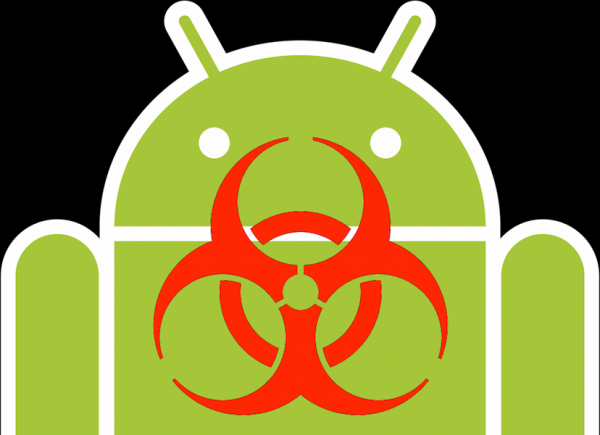
    A new discovery has showcased that a Trojan named ‘Android SMSSEND’ is lurking. It is a threatening Trojan virus that steals essential data from your Android smartphone and leaks confidential information to all those in your contact list. This is done by sending messages to your contacts. The sensitive information that it dispatches illegally includes IMEI number, device ID, device type, contacts, pictures, passwords and personal banking information.

    android malware

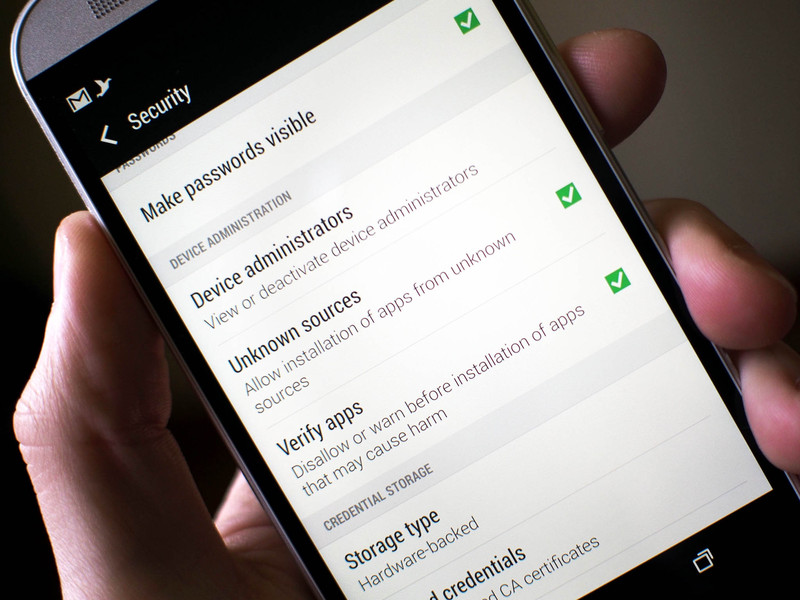
    It is estimated that Android SMSSEND can install spyware, track your phone location, illegally access text messages and harm your system. Although, Google uses a malware scanner Google Bouncer to keep a close watch at these viruses, but the scanner seems inadequate. Whenever a user installs a third-party app, a warning message appears on screen to alert the user about the suspicious app.

    It’s highly advisable not to download and install applications from untrusted sources. Also, one should run full system scan after every 3-4 days. In case, you are installing an application, read all the permissions beforehand. To save your data, it is recommended to take regular backup of the device. Last but not the least, one should avoid using unknown Wi-Fi networks as they may not be secure.

  • Apple’s Mobile Security Measures Minimise iPhone Theft by 40%

    Apple’s Mobile Security Measures Minimise iPhone Theft by 40%

    Mobiles have become an easy target for thieves these days. Their compact size and the fact that their after-sales value is quite good doesn’t hurt the cause. However, it seems like iPhone users need not worry as Apple’s security measures are said to be super helpful in recovering smartphones.

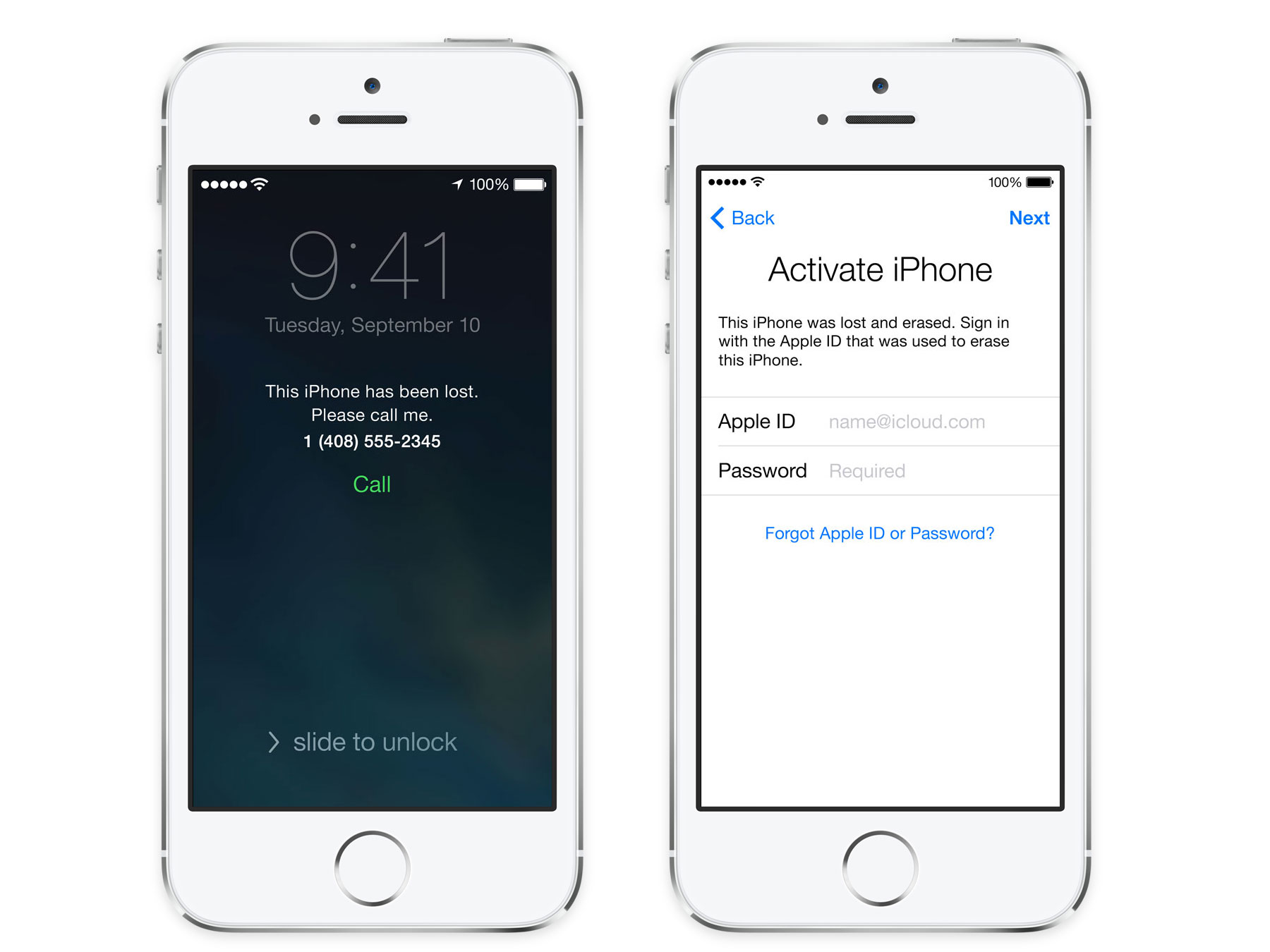
    According to a report by American Federal Communications Commission (FCC), Apple has reduced the problem of phone theft by as much as 40 percent. The report stated that the company’s security apps Find My iPhone and Activation Lock have gone a long way to curb iPhone robbery. The commission also appealed all to come together to fight back this situation and become more aware of their surroundings.

    activation lock

    The commission commented to treat phone theft as a credit card theft. Your phone is very important as significant information like card details are stored on the device. It is also recommended that iPhone owners note down the International Mobile Station Equipment Identity (IMEI) number of their device. The commission advised the users to lock their screen through lock screen function and secure the device using passwords and pins, and report lost of your smartphone as soon as possible.

    According to a report, 59 percent of robberies involved smartphones in San Francisco, while in New York, the figure of smartphone robbery was 46 percent. In London, it reached to 50 percent. However, after the Apple Activation Lock, the burglary saw a turn down by 38 percent in San Francisco, 24 percent in London and 19 percent in New York.

iGyaan Network
Privacy Overview

This website uses cookies so that we can provide you with the best user experience possible. Cookie information is stored in your browser and performs functions such as recognising you when you return to our website and helping our team to understand which sections of the website you find most interesting and useful.