Category: Apps and Software

Games, Apps, Softwares, Operating Systems and Software Hacks

  • Microsoft Likely to Push Back Windows 10 Release to Late Next Summer

    Microsoft Likely to Push Back Windows 10 Release to Late Next Summer

    Well, everyone has been waiting eagerly for the Microsoft’s new OS Windows 10 but unfortunately we might not see it anytime soon. The new version, which is a significant upgrade from Windows 8, is now expected to launch next year in spring. That means, we will have to wait until late summer of next year to get our hands on it.

    Mary Jo Foley, an influential ZDNet reporter, has revealed that Microsoft might delay the launch of the new OS to next year’s late summer or early fall. The report also added that the new Technical Preview of Windows 10 will be coming early summer.

    Microsoft is also expected to roll out Windows 10 Mobile SKU, which is compatible with Windows Phones, ARM tablets and Intel tablets, late January, along with the consumer preview of Windows 10 which will integrate Cortana into desktop OS. The mobile version of Windows is believed to integrate itself into the desktop OS.

    Foley also confirmed that Microsoft will be holding its Build 2015 Conference late april, where it is expected to launch the enterprise version of the Windows 10, which will be constantly updated and tweaked until it gets ready for the public roll out.

    Foley further stated that we could expect the touch version of Office 365 to launch with the Windows 10. Microsoft has made a great deal of iterations with the new OS. The company has emphasised on the return of the Start Menu, and the Continuum mode which detects whether the keyboard and mouse are hooked to the desktop or not and provides you suitable UI.

  • 8 Recent Google Updates You Might Have Missed

    8 Recent Google Updates You Might Have Missed

    Google is on an update spree. Lately, the company has been rolling out new updates across its Android apps and services frequently, however, it is hard to keep track of all the updates. So, we are rounding up recent Google updates that you might have missed.

    1. Google Lollipop 5.0.1

    Android-Lollipop-Banner

    After the roll out of Android Lollipop, Google has begun the process of getting Lollipop 5.0.1 out the door. The company quietly updated its Factory Images page to reveal a 5.0.1 built for the Nexus 9, Nexus 7, and Nexus 10. Installing images from this page does require the flashing of devices in order to update them, and does not carry user data across in the process, unless backed up and restored by the user.

    2. Gmail
    gmail

    With the new update, Gmail inbox allows users to edit Microsoft Office documents sent as email attachments. The new feature adds a Google Drive edit icon to Gmail attachments that says ‘Edit with Google Docs’. By clicking on this, the Office files get automatically converted into Google Docs, Sheets, or Slides.

    3. reCAPTCHA
    Recaptcha_anchor@2x

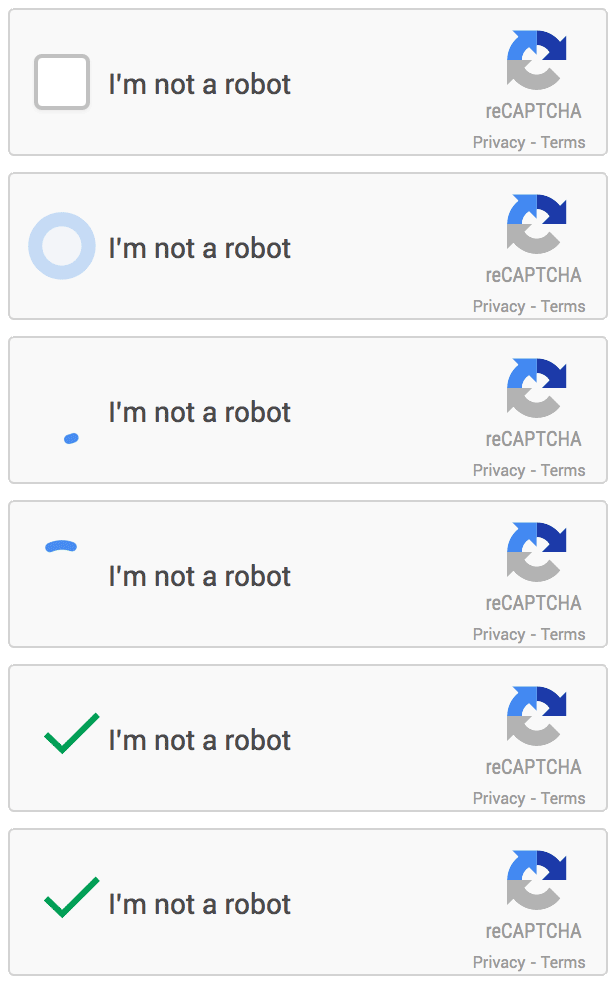
    Google has announced that it is dropping Captcha, its anti-bot system that asks users to identify a deconstructed word or two in order to avoid spamming. The company has admitted that 98 percent of bots can now correctly answer a Captcha and so they are switching to a simple ‘tick the box if you’re not a robot’ system, with all the clever stuff behind the scenes rooting out impostors instead.

    4. News & Weather app
    google-news-app-dark-theme-100533893-large

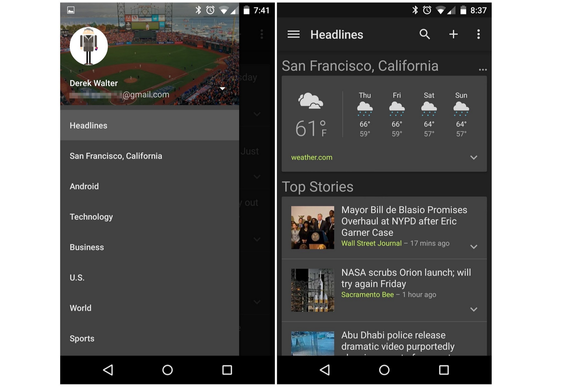
    Google has released an updated version of its News & Weather app on Google Play, which brings brand new dark themes and other changes. The company will roll out the update globally soon. In addition to the dark themes, which can be activated from overflow menu, the updated News & Weather app includes search option, new UI tweaks and bug fixes.

    5. Device Assist
    android-device-assist-primary-100533723-large

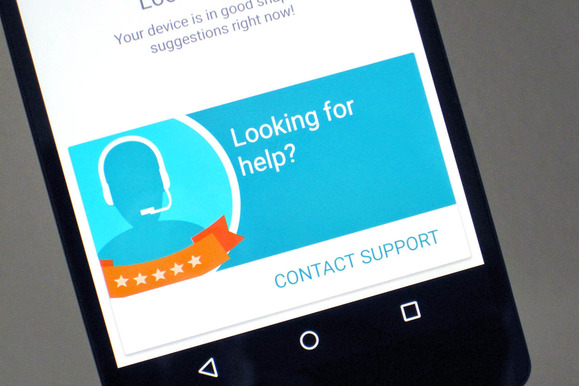
    Google has rolled a new troubleshooting app called Device Assist that offers specific tips and access to support Nexus, Google Play edition, and Android One running on Lollipop. Device Assist will alert you about any settings that could give you trouble, such as battery drain from cranking up the brightness too high. The app also includes a list of common tasks and how to perform them, such as taking screenshots and customising notifications. There is also an option of contacting to the Google Play support via call. Apart from requesting a call, you can also submit your smartphone statistics for more elaborate troubleshooting.

    6. Chrome Beta
    chrome beta

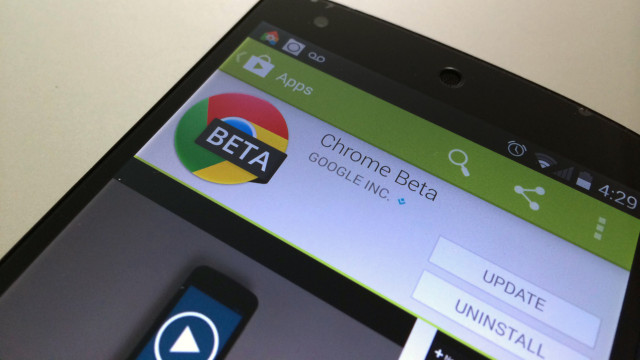
    Chrome Beta for Android has been updated by the company with minor design changes. The address bar has been redesigned for Lollipop users with Merge Tabs and Apps option enabled to go all the way across the display. Google has also added several new flags to the app, allowing users to enable a new bookmark manager and password generator.

    7. Google +
     google+

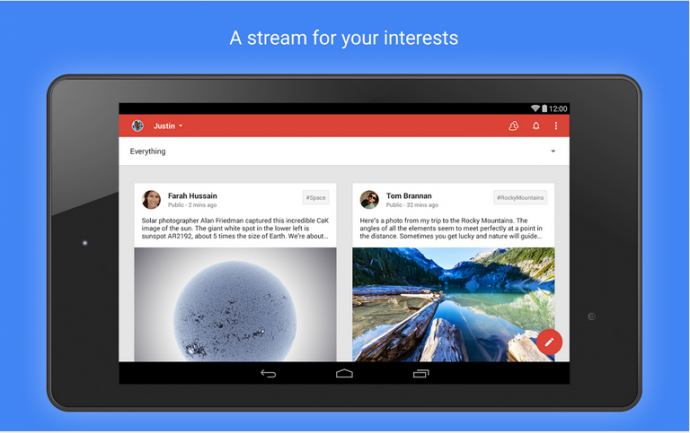
    Google+ has also received an update, debuting the app version 4.8. This update makes a few minor design enhancements too, like Chrome Beta. The ‘new post’ page has been slightly reworked with the publish button moving from bottom to the top and swapping places with the menu button.

    8. Google Play Games (version 2.2)
    Screen-Shot-2014-12-03-at-20.04.24-631x374

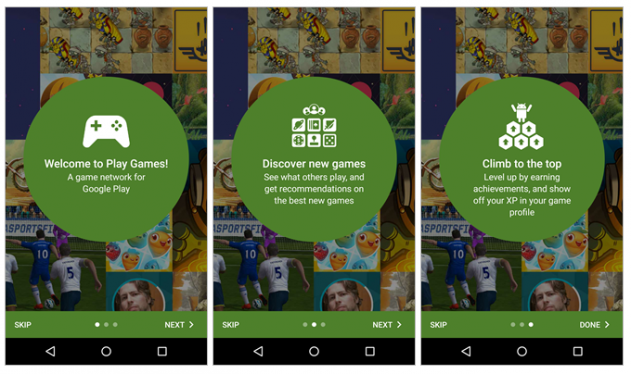
    This update adds a new interface for picking an account to use. The interface also now appears for all users, even those that have added only one account, with a new prompt to easily add another email. Finally, the game detail page has been enhanced with new ‘View in Play Store’ and ‘Share’ options.
  • Here’s the First Look at Cortana Running on Windows 10

    Here’s the First Look at Cortana Running on Windows 10

    Well, it has been a month since the technical preview of Windows 10 is out; although, it doesn’t run Cortana as for now. Cortana is Microsoft’s obvious response to Apple’s Siri, and with Apple looking to integrate Siri into OS X, Microsoft desperately needs to do it right. Right now, Cortana doesn’t have much of a personality in Windows 10, but we expect that it will be there by the time the company rolls it out to the public.

    Anyway, it is pretty much clear and evident that Cortana be will coming to desktops once Windows 10 is available commercially. We are still waiting to see Cortana in action on desktops.

    In a recent video post, WinBeta got access to Cortana on Windows 10. The early version of the Microsoft’s virtual assistant isn’t pretty, however, we can expect Microsoft to tweak it before the roll out of public version.

    This early version, which the popular publication got hold off, got most of the basic stuff in place, such as calling Skype contacts, reading out your calendar and setting reminders just like on Windows Phone. The hard truth is, there are not many Windows Phone users out there and so, this might be the golden chance for the company to push out Cortana to a larger user base.

    Google Now has been available on Chrome and other platforms for some time now. These companies’ devotion towards virtual assistants shows how important they have become. The mere fact that all the big names have come up with their virtual assistants and are looking out to integrate them into desktops defines the future of personal computing.

  • Bluetooth 4.2 Core Arrives With an Agenda to Focus on the ‘Internet of Things’

    Bluetooth 4.2 Core Arrives With an Agenda to Focus on the ‘Internet of Things’

    The Bluetooth Special Interest Group (SIG) has officially announced version 4.2 of the Bluetooth core specification. The most significant update since last year’s 4.1 version, this one promises greater speed and privacy.

    According to SIG, the new update will increase the transfer rate between two devices connected over Bluetooth by 2.5 times. The recent development in the area of Bluetooth Smart Data packets lets it hold ten times as much data as before, hence the increased speed.

    Also, Bluetooth 4.2 will improve the features of Bluetooth Low Energy which allows low-power IP connectivity over Bluetooth, with a new profile which supports low power wireless personal area network. As a result, Bluetooth devices will be able to directly access the internet through a router or an edge device, rather than have to be bound to a smartphone or any other devices with IP connectivity first.

    bluetooth-4-2

    The SIG said the latest standard will compliment the market and let developers make devices that can easily connect with each other, making Bluetooth 4.2 “the foundation for the Internet of Things”. The update also brings some privacy features. Currently, Bluetooth Beacons can be utilized as a way to track people. However, for privacy conscious people, the new 4.2 will allow the MAC address of Bluetooth devices to be masked unless connecting to a trusted device.

    Well, unlike 4.1 standard which was a software upgrade to 4.0 Bluetooth, 4.2 will require hardware improvements. Some features like privacy controls can still be added to older devices via software, but other capabilities including speed and IPv6 features will require hardware upgrades.

  • Disney Unveils its First Learning Project for Kids Called Imagicademy

    Disney Unveils its First Learning Project for Kids Called Imagicademy

    Disney gave a preview of its digital learning project called ‘Imagicademy’, which will launch on 11th December. At a press event in New York, the company outlined its mobile learning app for kids, along with an app where parents can keep a follow-up log, and also see recommended physical activities that go along with the in-app lessons. In addition, Disney is also planning to launch printed materials along with smart-toys.

    “As you can see, it’s so much more than a set of digital apps — it’s about a brand. It’s a comprehensive suite of connected experiences, all of which have been created with quality, attention to detail, and, yes, magic”, said Andrew Sugarman, executive vice president of Disney Publishing Worldwide.

    The company also has plans for a suite of 30 similarly branded apps covering creative arts, maths, science, language arts and social skills. The first app to launch will be Mickey’s Magical Math World on iPad, along with complementing app for parents.

    These apps have been built in consultation with a number of education experts. Professor at University of Denver, Doug Clements was on stage and shared his insights on the importance of early math learning, and how much kids grasp if they’re offered a playful approach.

    For now, the target age group for these initial apps is three to five. In time, there will be apps for 6-8 year age group, and might feature other Disney characters and brands like Star Wars and Marvel.

    Have a look at the demo video of Mickey’s Magical Math World in the video below:

  • 5 Reasons Why AirDroid 3 Might Be The Best Thing to Happen to Android

    5 Reasons Why AirDroid 3 Might Be The Best Thing to Happen to Android

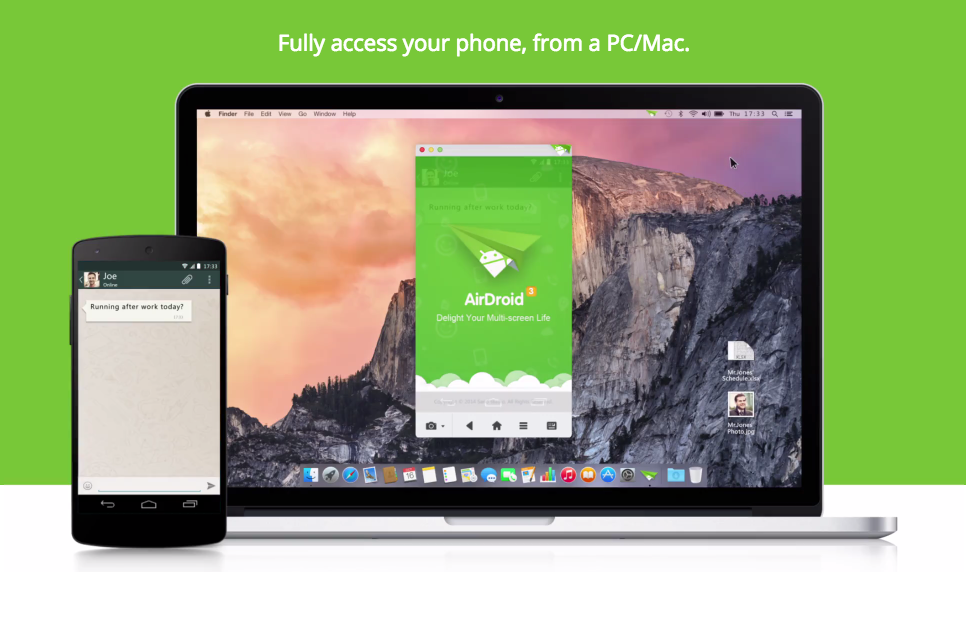
    AirDroid is a tool that allows Android users to perform actions like transferring files, pasting links and text from their web browsers. The third version of the app is finally out of the beta stage and available on Play Store, along with the much-requested desktop clients with Mac and Windows support.

    The new app has an updated UI and a myriad of new features, but the biggest change is the addition of standalone clients for Windows and OS X, besides the app’s famous desktop browser management. It basically brings the Apple’s Continuity feature to Android.

    Here are 5 reasons why AirDroid 3 might be the best thing to happen to Android:

    1. AirMirror

    airmirror_feature_whatsapp_chat_blog_airdroid

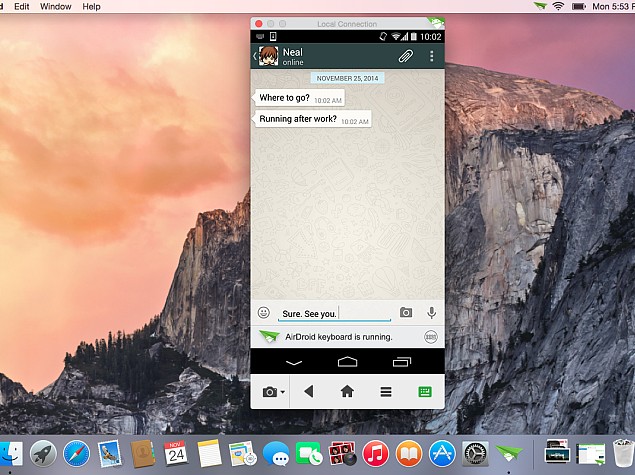
    AirMirror allows users to wirelessly display all of the happenings on their smartphone, directly to their desktop. You can use the mouse to navigate through the app, or make calls, reply to SMS or WhatsApp etc. It is worth mentioning that the AirMirror feature is only supported by rooted devices running Android 4.0 Jelly Bean and higher (or if the Android device is AirDroid-certified). They have not yet provided support to Android 5.0 Lollipop.

    2. Superfast file sharing

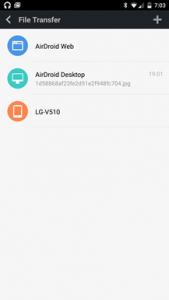
    Though AirDroid has evolved to do a lot more than transfer files, but that has been its USP. You can transfer movies within less than a minute between your Android and PC, using Wi-Fi. Once you get hold of this, it is going to be the default file sharing app for you. It is easy, quick and hassle free.

    nexus2cee_airdroid_thumb

    3. Managing your contact lists and SMS

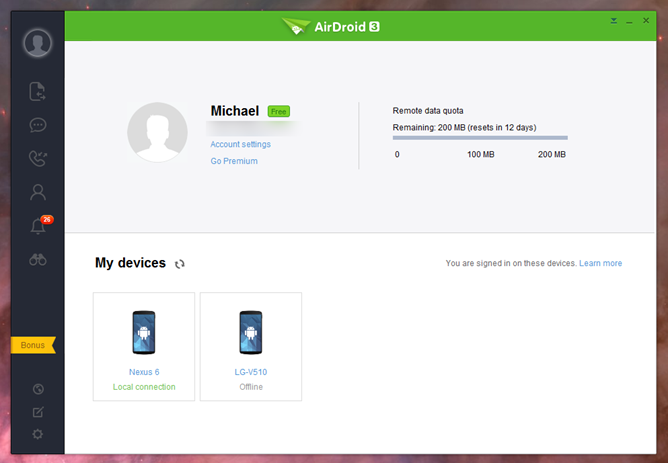
    AirDroid is one of the most sophisticated desktop clients we have ever used. This app is quite handy when you need to send a ton of messages while working on a project, you can directly reply to your messages from your desktop. You can send, delete texts and even search through your inbox, simply by typing the keyword in the search bar. You can also manage your contact lists, create groups, add new contacts, disconnect calls and dial numbers directly from your PC.

    4. Security

    You can also use AirDroid directly to clear data from a remote location. Although, the same functionality can be sourced directly from Android device manager, but to have that functionality incorporated in a frequently used app, makes it more convenient. The intruder feature will take a selfie shot if you fail to enter the correct lock code.

    5. Web Version

    Well, even though AirDroid App has improved tremendously with the version 3, web version remains the best part of the service. The desktop client directly links to the Web version, with which you can then access both front and back cameras via your PC and display real time footage. The feature is easy to use and you won’t even waste your battery as the camera app and display won’t be engaged.

  • 5 Features That Make the Newest Communication App ‘Wire’ Cooler Than WhatsApp

    5 Features That Make the Newest Communication App ‘Wire’ Cooler Than WhatsApp

    Cross-platform mobile messaging apps are doing tremendously well these days. The industry has quietly grown into a billion-dollar empire; many applications have released while some are still developing. Newest entrant in this arena is Wire. Skype co-founders and few other tech veterans have joined hands and recently launched this new mobile messaging app. The developers are late to the messaging game but seem pretty confident about matching up with the other communication giants.

    The app is a modern messaging system that merges various functions for which we seem to need a whole lot of different tools. It is said to have elements of Skype, WhatsApp and Slack (the newest workplace communication service.) The founders claim it is more than just a normal messaging app and will solve all the nagging problems persistent in other communication tools. This is what the Co-Founder and CEO of Wire, Janus Friis, has to say. Frris draws light on the latest release saying that what attracted them to Wire was that it was something truly new and not just marginal improvement. He added that it is now the time to create the best possible communication tool.

    [quote text_size=”small”]

    This is not just an app. Skype was launched more than a decade ago. A lot has changed since then – we are all used to free calls and texting, and we have taken to carrying our computers in our pockets.

    [/quote]

    Listed below are 5 features you can expect from the latest release:

    1. All-in-One App

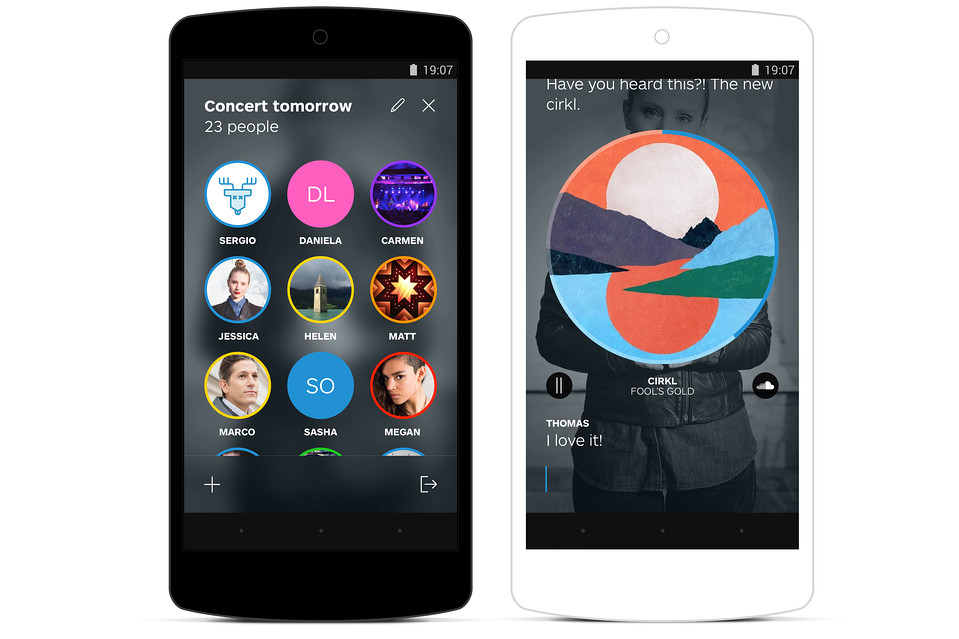
    As mentioned earlier, Wire is a blend of features for which users need to install separate tools. Once you install Wire on your device, it lets you know people in your contact list to whom you can start chatting with. This service allows users to call another person, engage in group messaging, share videos, music, pictures and more.

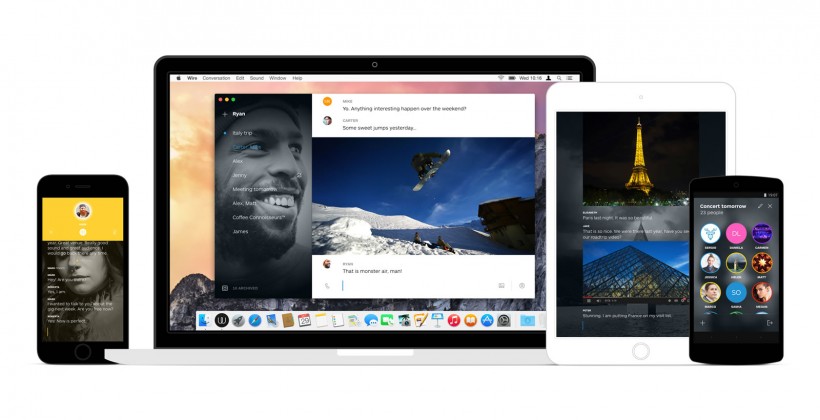
    2. Seamless Continuity Between Smartphone and Desktop

    The coolest bit we found about Wire (desperately needed in WhatsApp) is that it’s synced with your desktop. Yes, you can continue to engage in conversation with your selected groups and people on your tablet, PC, as well as mobile, right where you left it. The app is thoughtfully designed and looks utterly beautiful.

    wire-app-820x420

    3. Crisp Sound

    The company claims that the sound quality of the new app is amazing. They’ve developed a technology that lets users feel like they are communicating face-to-face. Wire swiftly moves from pictures and videos to HD voice to give you an experience that you wouldn’t have practiced in other apps.

    4. Efficient Group Management

    Through this new tool, users can easily make groups around their common interests and get notifications whenever a new photo, video or a message is added to the group. Unlike other social networking sites, it allows you to dismiss unwanted members out of the group by which you will be saved from getting unwanted notifications.

    5. Embedded Players for SoundCloud and YouTube File Sharing

    With Wire, users can transfer files without any hassle. The tool comes with in-built players that allows you to post YouTube and SoundCloud files. The shared videos and sound files get beautifully inline within the text and do not look out of sync.

    Security has become a major concern for users nowadays and that is the reason many social networking sites have been told to clear their policies. Wire uses end-to-end encryption for all its calls, messages and media. The ‘more-than-messaging’ app is available on iOS, Android and OS X devices for now but it will soon arrive for browsers. The app has been designed keeping in mind the idea of using it on the go, so it is more battery friendly. These days, users are more dependent on social apps like WhatsApp, Hike, Skype and more. We’ll have to wait and see if this all-in-one app settles in well with the Indian market.

  • Here Are 5 Podcatchers You Need to Check Out

    Here Are 5 Podcatchers You Need to Check Out

    Podcasting apps aka podcatchers have become an important part of popular culture. Be it music, fashion, tech or food, you can find millions of podcasts online. The app ecosystem is blessed with a strong selection of podcast apps to choose from, but there are some more worth your time and money than others. The best-in-class examples automatically download and sort the newest episodes of your subscribed podcasts, help manage your subscriptions and also include a variety of other features.

    Here are the top 5 of our favorite podcasting apps for iOS and Android devices.

    1. Pocket Casts (iOS and Android)


    If you are even remotely familiar with podcatchers, you must have heard this name. It has been a crowd-favorite, however, the latest update has risen it to the top. The new update has added amazing mix of style and function in the app. Some of the features that make it the best are cloud sync, a huge library, video support, variable speed playback and unforgettable Chromecast support. It is the only app which provides a widget, full controls in the notification tray, auto download and delete, a sleep timer and OPML import and export support. This one of the best and one of the most full featured podcast apps is available in the app ecosystem. It is available on Android  for Rs. 199 and on iOS for Rs. 250.

    2. Instacast (iOS)

    It is one of those apps that like to re-invent itself from time to time, which include frequent in-app purchases. However, these updates are quite useful and it’s hard to deny that the Instacast team works continuously to improve the app with each generation. The latest Instacast 5 comes with a redesigned media player with easy swipe access to an episode’s chapters, a Night mode that can be toggled or set to automatically trigger based on time of the day, keyword search tools and more have been added to an already feature-packed podcast app. The app is free, however, there are some important in-app purchases hat better you experience such as previously mentioned night mode.

    3. Downcast (iOS)

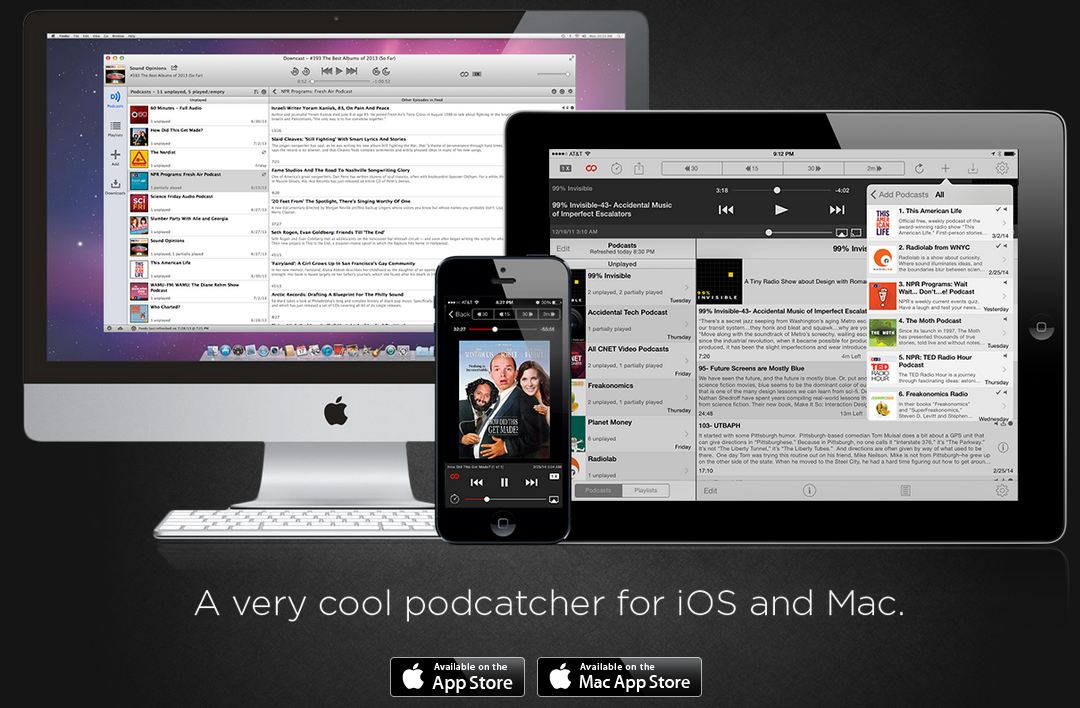
    downcast

    One of the most critically acclaimed podcast app, this app will provide you a robust online search for podcast subscriptions, auto-downloading and the ability to import and export OMPL podcast feeds help you ensure your podcasts stay up-to-date. The playlist can be customized which lets you tinker and selectively build your playlists on the go, while numerous playback options (such as episode streaming, variable speed playback, video podcast support and more) allow you to play your content however you like. Available on iOS for Rs. 190.

    4. Doggcatcher (Android)

    Doggcatcher-podcast-app

    This one is for power users. Doggcatcher gives you uncountable number of functions including advanced search, variable playback speeds, auto-downloading, feed customization, auto-cleanup, UI customization and even the ability to run episode diagnostics and send logs to the developer. Although it lacks a bit in user interface but it makes up for everywhere else. essentially, this app will let you do so much  than you could ever want with your podcasts, and constant updates keep it on front row. Doggcatcher also comes with a full 7-day free trial too. Available on Android for Rs. 183 (approx.)

    5. AntennaPod (Android)

    Listen-High-Quality-Podcasts-With-Ads-Free-Using-AntennaPod-For-Android

    AntennaPod is essentially a free open-sourced podcatcher. It offers all the basic features you expect from a podcatcher, like streaming and downloading episodes, refreshing all feeds automatically or adding them to a queue to listen to them late. AntennaPod gives you solid podcatcher functionality without costing you a cent. Access to the Gpodder.net podcast directory gives you access to a large network of podcasts, while OPML, Atom and RSS support allows users to quickly import their favorite feeds into AntennaPod. Home and lock screen widgets allow users to quickly start, pause and resume playback without having to bring up the full app.

  • Cyanogen Ditches OnePlus in Favour of Micromax in India

    Cyanogen Ditches OnePlus in Favour of Micromax in India

    While Indian smartphone lovers were anticipating the launch of the ‘Flagship Killer’, OnePlus has dropped a bomb that was not expected by anyone. The company has shared some disappointing news on its official blog. Well, Cyanogen had granted exclusive rights in India over the Cyanogen system to another company.

    That means, the flagship killer will be reaching the country with the popular Cyanogen OS onboard for now. However, it won’t be getting any official support or future updates. The company also added that the One will continue to be supported globally and receive frequent OTAs.

    The reason for this disappointment is a recent agreement between Cyanogen and homegrown smartphone maker Micromax, through which the latter has exclusive rights to offer devices with the custom platform in India. So, while the company has no other choice than to bring the OnePlus One to the country with the CM11S OS inside, it’ll be developing its own firmware as a replacement in the future.

    The company estimated that they will be able to release our first community build to Indian users next month and have a production-ready build in February. The system will be based on Lollipop, the company said, and will be built to be stable, fast, and lightweight. The smartphone manufacturer also revealed that it will be bloatware-free and will only carry the features important to users. It further stated that they don’t have any intention to iterate Google’s Material design and stock Android experience.

    Cyanogen OS was one of the main reason a lot of people wanted to get their hands on the OnePlus One. The fact that Cyanogen saves users from the trouble of rooting, unlocking the bootloader and flashing a new ROM as well as assures them that the phone will be supported in the long run, have made it popular and it has built quite a following in recent years.

    As we reported earlier, OnePlus One is going to launch on 2nd December (tomorrow) in India and will be sold exclusively through Amazon.in. The device is expected to be priced around Rs. 24,990 for 64 GB and Rs. 19,990 for 16 GB variant.

  • Microsoft to Unveil the Consumer Preview of Windows 10

    Microsoft to Unveil the Consumer Preview of Windows 10

    Everyone is excited about the upcoming Windows 10. Not only is Microsoft bringing back the familiar look that we have come to love and appreciate, it is bound to come with better features than ever before. The company already unveiled a beta version for developers, and it touched on the basic tweaks. But coming January, the company will be unveiling a preview for the consumers and will give more details of its arrival in the market.

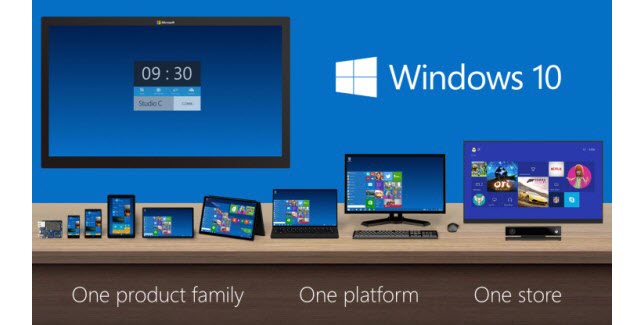
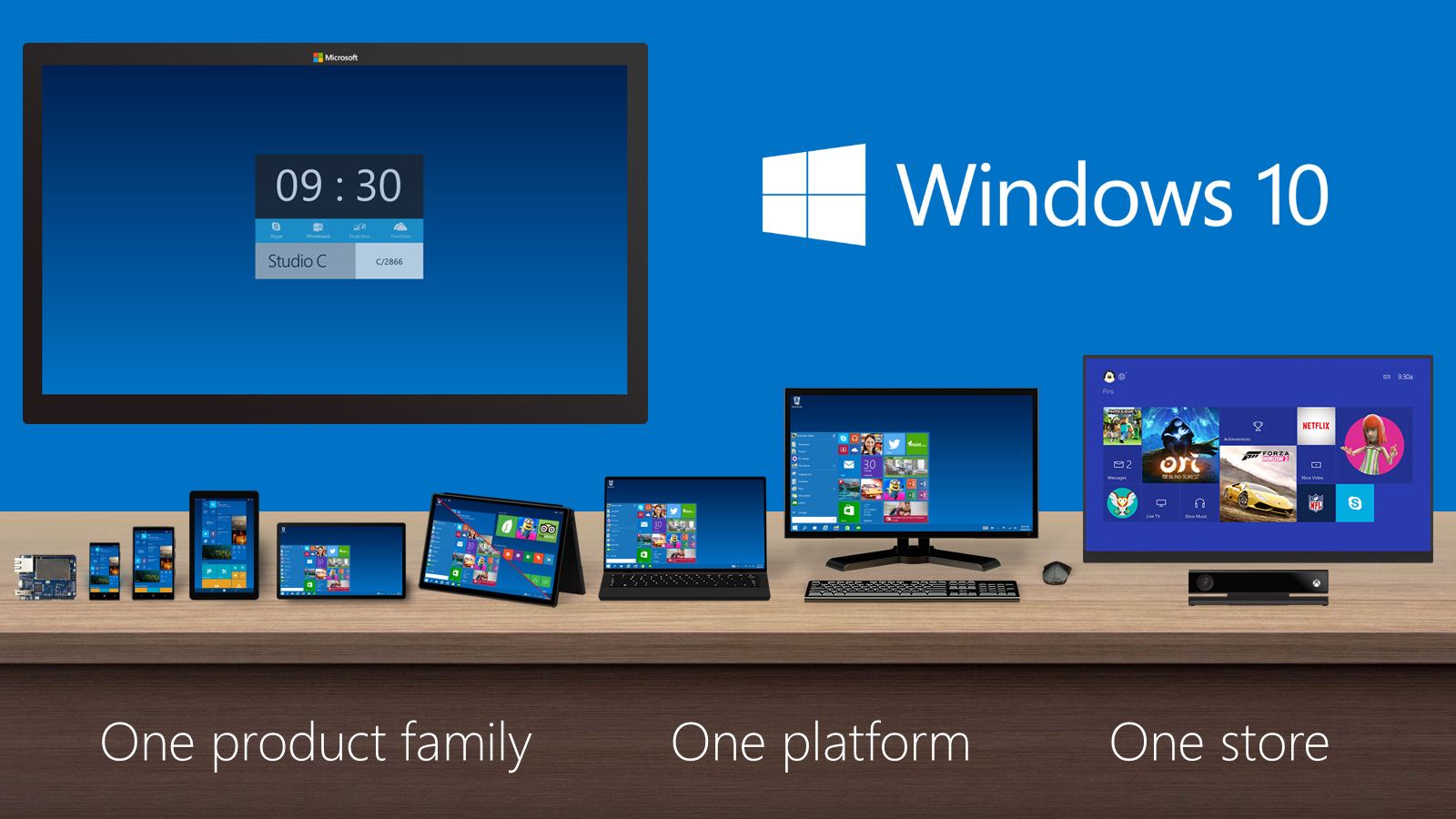
    The Verge reports that Microsoft is expected to hold its press conference to unveil the product by the end of January. The preview by Microsoft seems to be taking things to a new level. The best bit of this new OS update is that it works across multiple platforms as one operating system. They have also introduced a feature called ‘Continuum’ that makes it easier to switch from touch to non-touch devices.

    windows 10
    Windows 10 Start menu

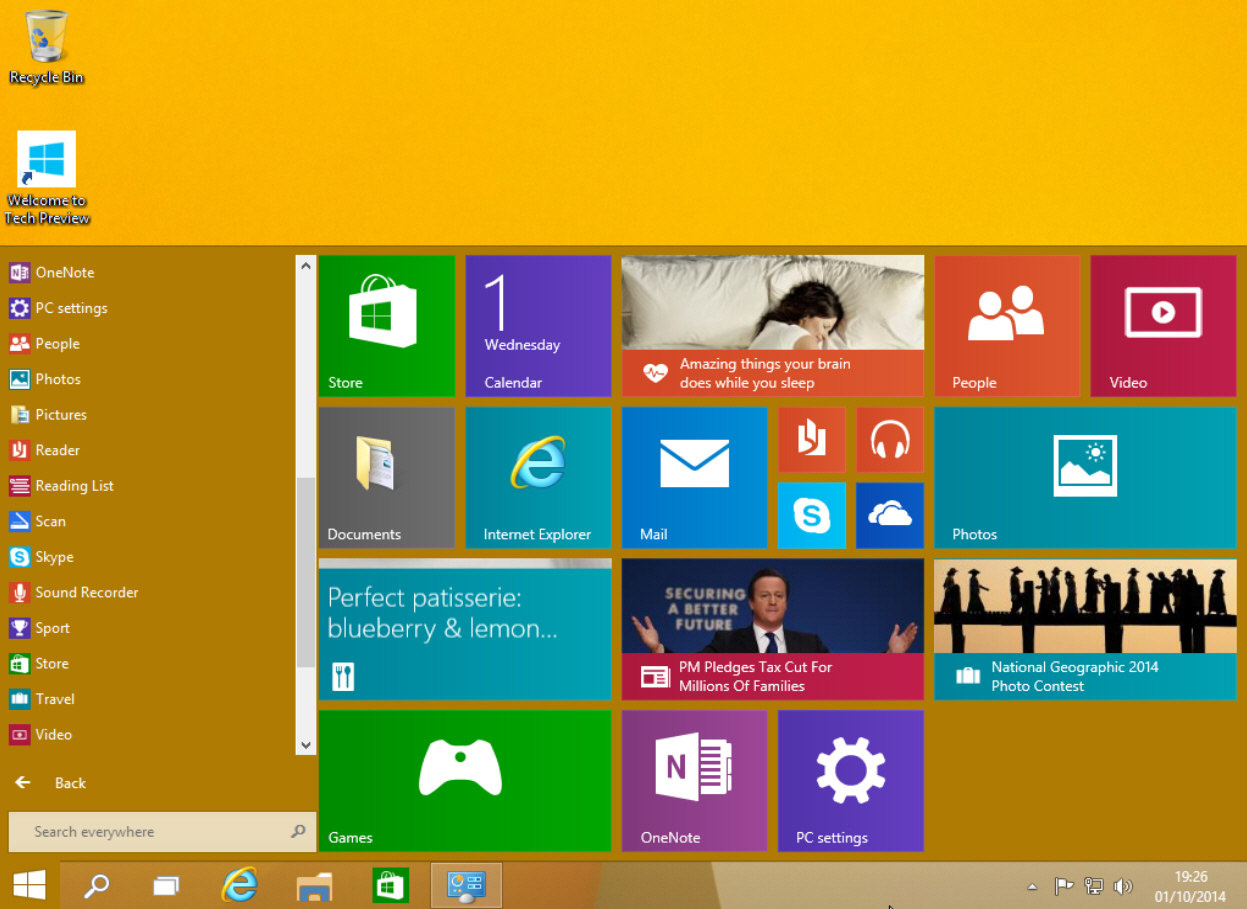
    The other important upgrades in the upcoming version include the return of the much-missed Start menu. This time around, the menu is empowered with Windows 8 style live tiles and is customisable. Taking cues from Mac OS X, the company is also adding multiple desktops to Windows 10. For the nerds out there, Microsoft has made it easy to use Command prompt in this version, well about time.

    Microsoft has also said that Windows 10 will be a free upgrade for personal users, which is just fantastic. The company will be making an official announcements on dates by the end of the year, and we’ll get you all the latest on its arrival.

  • Dropbox Gets Exclusive Real Estate on Microsoft Office Apps

    Dropbox Gets Exclusive Real Estate on Microsoft Office Apps

    Couple of weeks ago, Microsoft and Dropbox announced the plan to integrate Office and Dropbox within their web and mobile apps. The feature is now available in its latest app updates for iOS and Android. The move has come as a great surprise for Office users as they can access and edit Office documents from within the Dropbox.

    iOS-and-Android-version-1

    Along with the ability to edit documents right from the Dropbox, users can also access Dropbox from Office apps and share new or edited files from the Office apps using Dropbox’s Share functionality. Dropbox has instructions on how to use the new integration with Microsoft’s Office apps on its website.

    To get started, make sure your Dropbox app is up to date on your iPhone, iPad, or Android phone, then open any Office doc, spreadsheet, or presentation in your Dropbox. Tap the new Edit icon (shown above) to start editing in the latest Office apps. When you’re done, your changes will be saved back to Dropbox automatically.

    Under the partnership, Dropbox gets a prime space that is used by more than a billion people, and the potential to make an even bigger name for itself particularly in the business enterprises. Notably, Microsoft has its own cloud service called OneDrive which will co-exist with Dropbox in the Office for iPad apps, letting users natively browse, open and edit Office documents uploaded on the Dropbox directly within the app.

    You can get the new features through the latest Dropbox app for iOS starting today and the latest versions of Microsoft’s Word, Excel, and PowerPoint Office apps. The integration is also expected to arrive for web users early next year.

  • Apple to Donate Retail Revenues For World AIDS Day

    Apple to Donate Retail Revenues For World AIDS Day

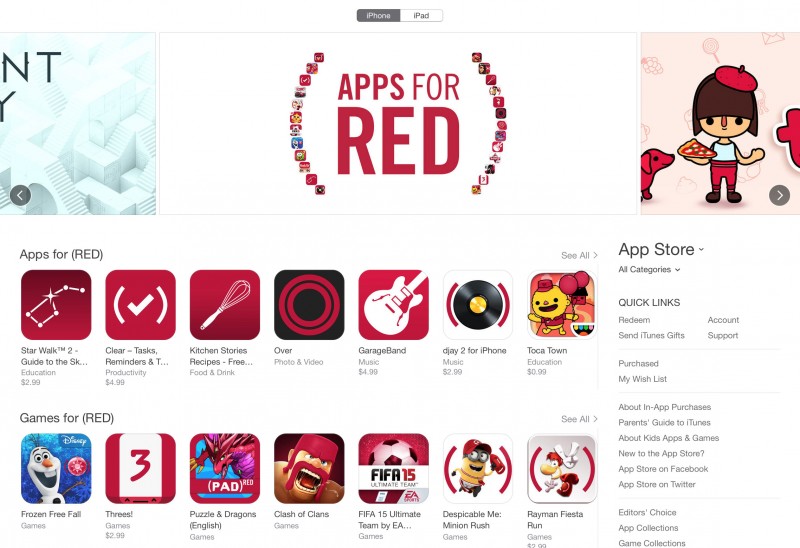
    Apple is extending hands to make the globe an AIDS-free place. Starting from today, Apple has launched a campaign for World AIDS Day 2014 to help (PRODUCT)RED. During the campaign, the company will offer special ‘Apps for (RED)’ section in the App Store that will contain 25 apps with exclusive new content that will benefit the Global Fund to fight AIDS.

    For two weeks, Apple and the participating developers will donate all global proceeds from downloads as well as in-app purchases to the Global Fund. The effort is one in a series of promotions the American multinational giant is doing during the holiday season with (RED). On Friday, 28th November, the Apple customers in the US will receive gift cards after purchasing selected Apple products. And on Monday, 1st December i.e. World AIDS Day, the company will donate an undisclosed percentage of its retail and online sales to the Global Fund.

    appsforred-apple

    “Apple is a proud supporter of (RED) because we believe the gift of life is the most important gift anyone can give,” said Tim Cook, Apple’s CEO. “For eight years, our customers have been helping fight AIDS in Africa by funding life-saving treatments which are having a profoundly positive impact. This year we are launching our biggest fundraising push yet with the participation of Apple’s retail and online stores, and some of the brightest minds in the App Store are lending their talents to the effort as well.”

    The ‘Apps for (RED)’ campaign in the App Store will run from Monday, 24th November to Sunday, 7th December, and will include special versions of apps like Angry Birds, Clash of Clans, djay 2, Clear, Paper, and more. Apple and (PRODUCT)RED have worked together for a number of years, and the latter organisation announced in June that Apple has made a contribution of $75 million. Throughout the history of their partnership, Apple has released a number of (RED) devices including iPod nano and shuffle, iPad Smart Cover, iPhone Bumper, and iPhone cases. With every (RED) product bought, Apple will donate a portion of the purchase amount to the charity.

  • Facebook Makes Groups More Fun With the New App

    Facebook Makes Groups More Fun With the New App

    Facebook has been a medium to bring together people within India and overseas and now, the online social networking service has taken a step further to team up different groups on a project.

    The California-based giant has come up with a new app called ‘Facebook Groups’. This application allows people share information easily and quickly. Although, it is aimed at enterprise collaboration, it can prove useful for student and friends who want to coordinate on assignments. The company stated that the stand alone app will provide a much easier way for Facebook members to access and manage groups from their phones.

    The company is not forcing users to migrate to this new app as it did for Messenger. Users can use this new service through the main Facebook site itself. The company has said that it would not sell advertising on the app, at least for now.

    The app allows users to create a new group and also discover the already existing groups. The ‘Discover’ tab comes with an added advantage. It gives recommendation based on the user’s page likes history, the groups that their friends follow, and also the city the user belongs to. These groups can also be brought to the home screen for easy access.

    The app is available on all iOS and Android devices.

  • Google Maps 9.1 Update Adds Destination Info, Alternate Routes and More

    Google Maps 9.1 Update Adds Destination Info, Alternate Routes and More

    A month ago, Google Map received the Material Design makeover and revamped the in-app restaurant reservations for good measure (only in the US). Now, a new version is rolling out with much-needed new navigation tools.

    Earlier, the update to Google Play services was rolled out by the company. This update brought Play services to version 6.5 and added improvements to Google Maps, Google Wallet, Google Drive and Google Fit. The majority of the update was aimed at Maps, bringing additional features which allowed third-party apps to take advantage of a more seamless integration with Maps.

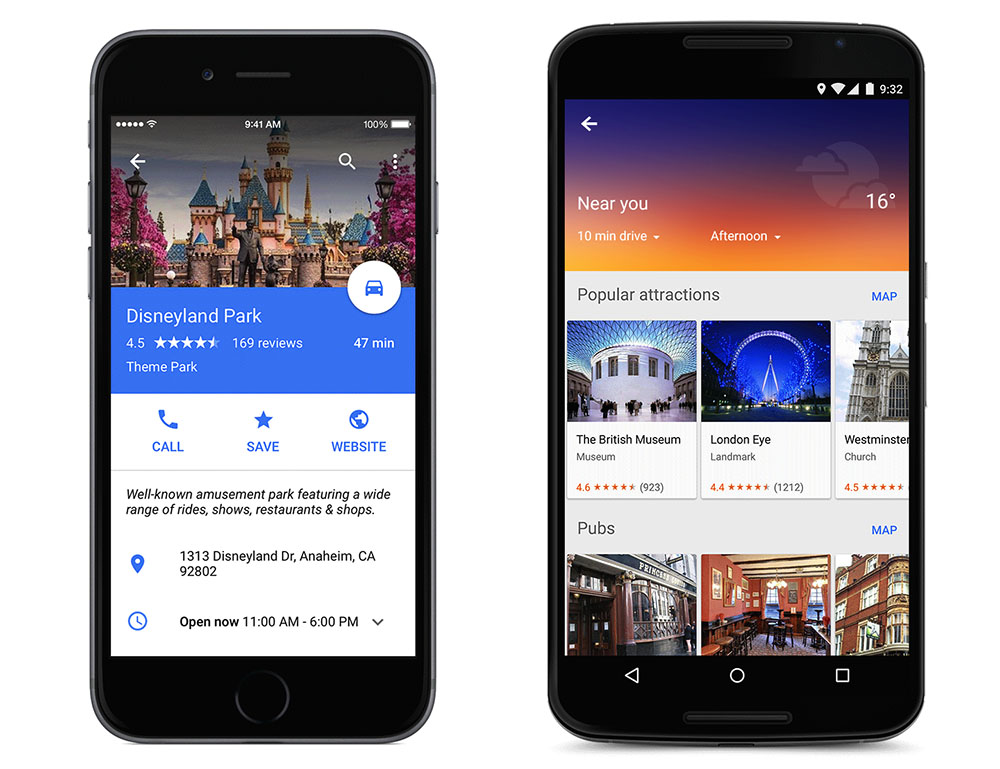
    Now, in addition to letting you know exactly how much time that alternate route will save, the app will display estimated time, weather and a smattering of facts about your destination. Google has also added the ability to show and hide traffic with a simple voice command. Of course, there are also some features hiding under the surface and to know that, you have to juggle with the app yourself.

    Google Maps 9.1 will also offer improved rerouting options, telling users how much time can be saved by rerouting, and offering ‘route-around’ alerts for closed roads. The application will also offer transit schedule changes for early or late arrivals.

    If Google Maps is your go-to app for checking out hotels, restaurants, or scanning other cool stuff, then these new features could save a couple of steps by putting them all in one app. Google is working to make Maps the all-in-one travel and destination tool so that you don’t have to check out competitors like Yelp for information.

    The 9.1 version will be rolling out soon to your device, however, the apk for the new version is available here.

  • Microsoft to Add Chat Feature on Word and PowerPoint Apps

    Microsoft to Add Chat Feature on Word and PowerPoint Apps

    Microsoft Office is perhaps the best productivity tool out there. For over two decades, the software has been the centerpiece of Microsoft along with the Windows operating system. Having had a long history, the software family has evolved greatly over the years and is now a multi-platform system used world over. Microsoft is now taking the tools a step further and adding more features for its web-based versions of Word and PowerPoint for increased collaborative efficiency.

    The tech giant is introducing chat feature in the Office Online versions of Word and PowerPoint. The service will be powered by Skype; that was acquired by Microsoft in May 2011 for $8.5 billion. It is not yet available on Excel and others from the MS Office portfolio.

    This feature will come handy for folks working on group projects. Microsoft had already brought features like real-time editing on the web apps, and now the users can converse about the changes in the app itself, wouldn’t the need of a secondary tool for chat purpose. It will also be easy to point out the slacker of the group as the records of the conversations are saved and hence, it can be reviewed later.

    With these updated features, Microsoft wants to challenge the dominance of Google, whose Drive apps are really popular. Using the goodwill of its Office apps, the company intends to stay valid in the collaborative cloud age.

iGyaan Network
Privacy Overview

This website uses cookies so that we can provide you with the best user experience possible. Cookie information is stored in your browser and performs functions such as recognising you when you return to our website and helping our team to understand which sections of the website you find most interesting and useful.