Category: Apps and Software

Games, Apps, Softwares, Operating Systems and Software Hacks

  • Microsoft Offers Football Fans an Improved Experience on Xbox One and Windows 8

    Microsoft Offers Football Fans an Improved Experience on Xbox One and Windows 8

    The start of a new NFL season is just around the corner, and Microsoft’s been working hard to improve the experience for football fans on the Xbox One. A new version of the NFL app for Xbox One, coming out later this month, is how the company plans to do it.

    There are a lot of new features, with Fantasy Football and NFL Now, the league’s upcoming online video service, is playing a huge role in the refreshed version. First and foremost, Microsoft wants its NFL app to feel like your own, which is why it lets you personalize it with content from team and players you’re interested in, as well as different media provided by NFL Network, NFL RedZone, NFL Sunday Ticket and NFL Now.

    nflxboxapplead

    The new version has an updated Snap mode that shows a stream of plays made by your fantasy players. And instead of navigating menus to play highlights, you’ll be able to set global Xbox One notifications for when fantasy players make big plays. Just hold the Xbox button and a replay will Snap to the side of the screen alongside whatever you’re doing. Perhaps most importantly, the new app will work with more fantasy football leagues beyond NFL.com. Microsoft representatives confirmed that ESPN is on board, and work is underway to bring Yahoo and CBS into the fold.

    The new app is a fruitful result of NFL and Microsoft’s $400 million, multi-year partnership. It’s worth noting that you won’t have to buy an Xbox One to get most of these features. The NFL app will be one of the very first “universal” apps on the console. That means the same app will work both on Xbox Ones and Windows 8 PCs — a feat made possible by the fact that the game console partially runs on Windows. Of course, the advantage of having a Xbox is that you can pass your cable feed directly through the console and use the NFL app side-by-side with live games.
    NFLSurfacelead

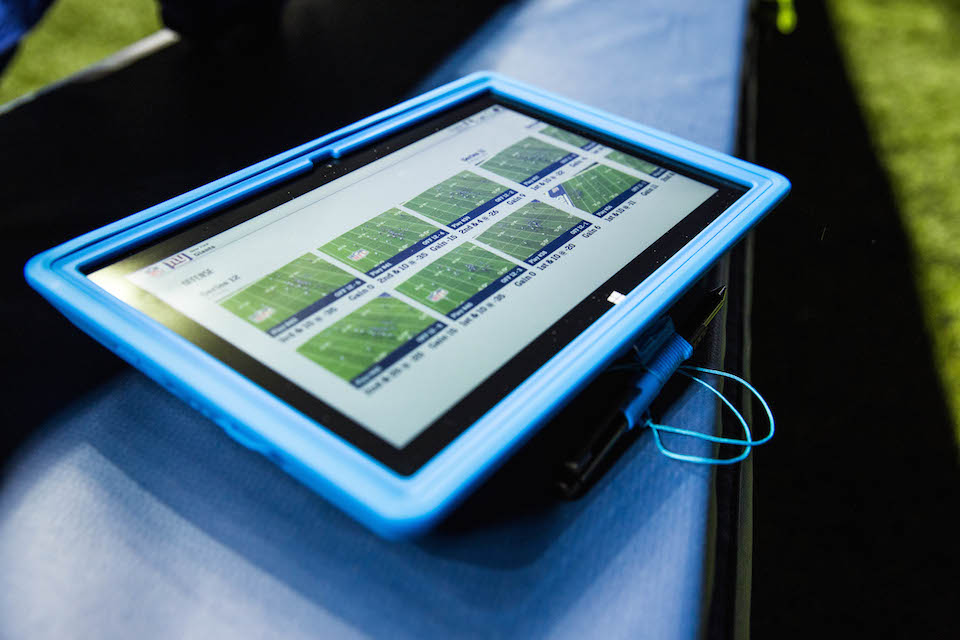
    To go along with the introduction of a new NFL app for Xbox One and Windows 8, the software giant has also planned to help professional coaches and players during games with Surface Pro 2 tablets. It allows NFL teams to review plays instantly on the sidelines.

  • Microsoft Rolls Out Major Updates of it Office Suite for iPad Users

    Microsoft Rolls Out Major Updates of it Office Suite for iPad Users

    Microsoft released the first major update to its Office suite for the iPad. Labeled as version 1.1, Word, Excel, and PowerPoint each received several new features that were widely requested since the suite was released on March 27, 2014.

    office-for-ipad-700x266

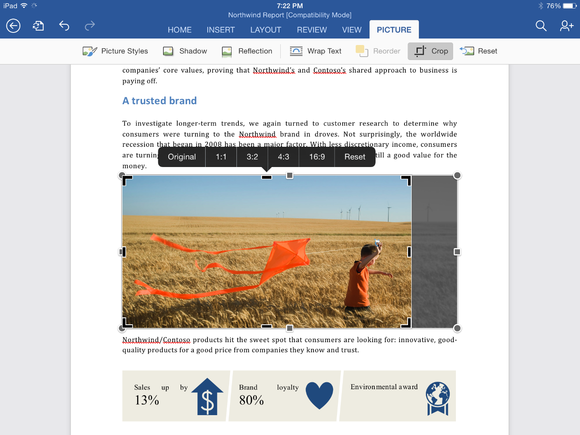
    Although both PowerPoint and Excel received their own unique updates, several features were added to all three apps, including the frequently requested ability to export documents as PDF files. Users can also manually crop photos and images in all three apps using a new crop tool that allows you to choose from a list of popular preset sizes, or create your own. (A reset button is also included.) Finally, Office for iPad also has the ability to import external fonts.

    Word for iPad (1.1 update):

    • Now you can send Word files as PDFs.
    • Picture Tools: Crop to focus on just the right part of a photo, or reset to undo your changes.
    • Fonts: Third-party fonts are now available in the Fonts menu.

    Excel for iPad (1.1 update):

    • Now you can send Excel files as PDFs.
    • Flick to Select: Flick a cell’s selection handle in any direction to quickly and easily select all the data in a row or column.
    • External Keyboard Support: Using an external keyboard is even easier. Use the same keys to input data and move around a worksheet as you would on your PC or Mac.
    • PivotTables: Interact with PivotTables that have source data in the same workbook.
    • Print Options: More paper sizes and scaling options give you more control over the layout when printing your workbooks.
    • Picture Tools: Crop to focus on just the right part of the photo, or reset to undo your changes.
    • Fonts: Third-party fonts are now available in the Fonts menu.

    cropping-a-photo-in-word-for-ipad

    PowerPoint for iPad (1.1 update):

    • Presenter View: View and edit speaker notes, see your next slide, or jump to other slides while presenting.
    • Play Media: Play videos, sound effects, and background music while presenting.
    • Insert Video: Insert videos from your Camera Roll.
    • Picture Tools: Crop to focus on just the right part of the photo, or reset to undo your changes.
    • Presenter Tools: Now you can erase highlights and drawings on your presentation.
    • Send PDFs: Send PowerPoint files as PDFs.
    • Hyperlinks: Add links to your presentation or edit existing ones.
    • Fonts: Third-party fonts are now available in the Fonts menu.

    This update is the second major update the Office software has gotten since its March release. Back in April, the three apps gained some important features that had been missing since the launch, including the ability to print directly from the apps. Microsoft’s Office for iPad apps have proven to be highly successful for the company. During its Q4 earnings call in July, Microsoft announced that its Office for iPad software had been downloaded more than 35 million times.

    microsoft-office-for-ipad

    Microsoft has committed to continually improving its Office for iPad apps, which now directly compete with Apple’s own iWork suite including Numbers, Keynote, and Pages. “As this wave of updates hopefully shows, we’re making good on our commitment to delivering continuous updates and improvements to the Office for iPad apps,” reads the company’s blog post on the new update.

    All of the updates to the new Office apps are currently available and can be downloaded from the App Store for free. While the apps can be accessed for free, unlocking full capabilities, including editing and creating documents, requires an Office 365 subscription. Adding to that, Microsoft’s OneNote app for iPad has also been updated.

  • Facebook Launches Internet.org App for Free Internet Access in Zambia

    Facebook Launches Internet.org App for Free Internet Access in Zambia

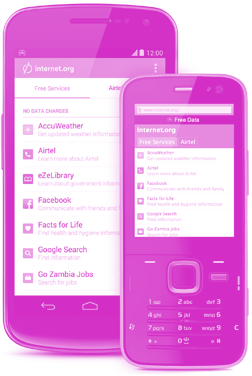
    Facebook’s internet accessibility initiative Internet.org today launched its Android and web app for the developing world with free data access to a limited set of services including Facebook, Messenger, Wikipedia, and Google Search. It also provides local health, employment, weather, and women’s rights resources.

    Internet.org_ (1)

    Internet.org’s app is just launched in Zambia before coming to other developing countries which is in partnership with local carrier Airtel who provides the free access in hopes that Zambians see the web’s value and buy pre-paid data through the app to explore the rest of the Internet.

    10574702_344525639029305_1278593965_n

    The Facebook Zero has been giving the developing world access to a stripped down version of Facebook since 2010. But this new Internet.org app with other services will be available as a compact, standalone Android app, baked into the Facebook for Android app, or freely available as a mobile website that the feature phones carried by the vast majority of Zambians can access.

    Online services accessible through the app range from AccuWeather to Google search, Wikipedia, a job search site as well as a breadth of health information. Facebook’s own app, along with its Messenger service, is also included. The app will work on Android phones as well as the simple “feature phones” that are used by the majority of people in Zambia.

    If users click on a link that takes them outside of the 13 predetermined services, they will get a warning that they may incur data charges. One thing missing from the features is email. Many people who are new to the Internet in developing nations don’t use email, opting to use messaging apps or social media sites instead.

    The company said Zambia is a country with 15 percent Internet penetration, it is a huge amount of people that can be connected. Zambia’s population is about 15 million according to the CIA World Factbook. The app will spread to additional countries down the line, but there is no word on which ones.

    The move comes as Facebook steps up investments in its Internet.org project, which seeks to connect the “next 5 billion” users to the Internet, many of whom lives in places like Africa and India. In March Facebook announced plans to use drones and satellites to deliver Internet connectivity to people in certain parts of the world.

    The initiative also has the potential to boost the size of Facebook’s audience, which currently totals 1.32 billion monthly users.

  • Encrypt Calls and Messages on Your iPhone with the Signal App

    Encrypt Calls and Messages on Your iPhone with the Signal App

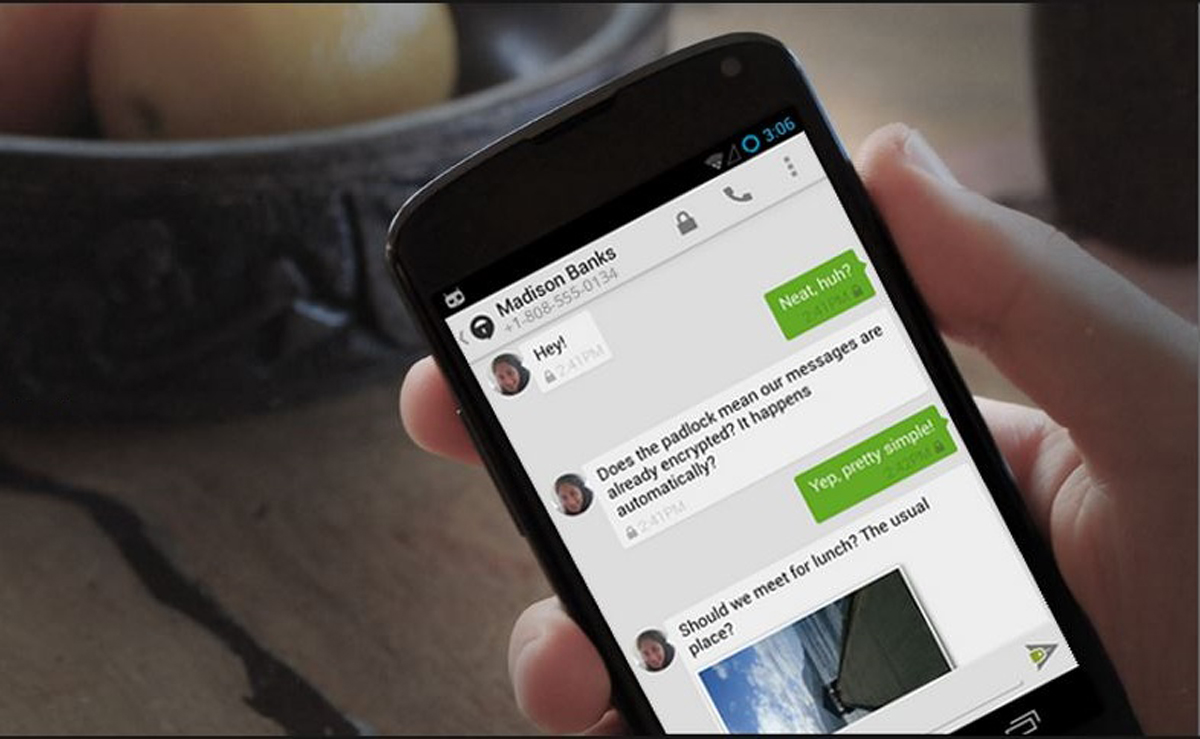
    Snooping by government agencies is one of the major concerns of people using technology today. Even the people in the highest echelons of power and security have been a victim of this act of unwarranted infringement of privacy. It has been reported recently that the analysts at NSA would frequently trade around personal images, mostly in compromising situations around their workplace. This kind of revelation encourages people to look for encryption services which can help keep their content absolutely safe. In comes SIGNAL for the rescue.

    Signal is an iPhone app created by Open Whisper Systems. The nonprofit had previously brought encryption apps for Android called Redphone to secure phone conversations and TextSecure for encrypted messages. Now they bring their encryption might to iOS.
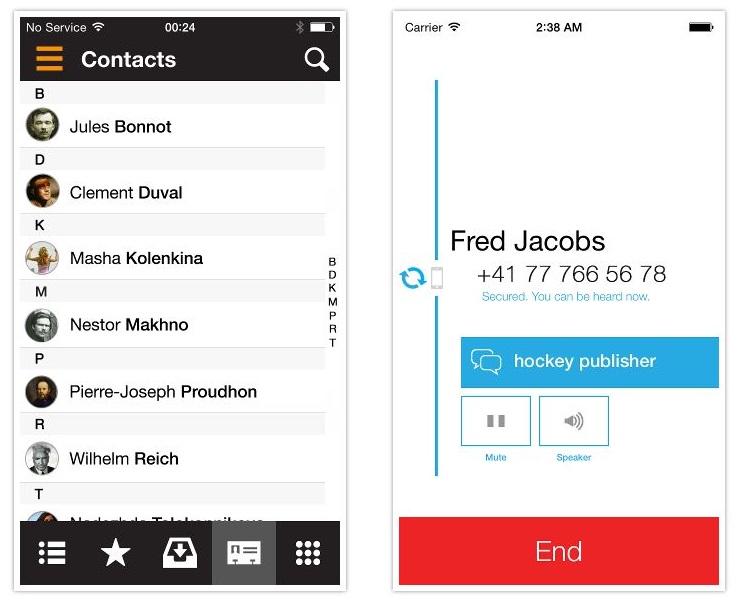
    The app is fairly simple to install. You need to punch in a one-time activation code. Like other communication apps the app saves the contacts that have been entered once and shows the contacts which can be contacted using the app.

    signal

    To ensure that the encryption has taken place and the communication is secure; both sides have a word on their screens. The users have to exchange this on screen word to verify the encryption. If the connection is not secure the words will not match.
    The organization intends to provide encrypted communication medium to all. They will soon add text messaging capability to Signal thereby making a unified app for private conversation.

    One of the major concern that is not being addressed is what if the app is misused by criminal and Anti social elements. We still remember how the London riots were fueled in through BBM messengers. So the company which is doing a good work for the citizens has to come out with a transparent document as to how they will prevent harm to the said citizens from themselves. Sometimes a good tool can become a monstrous weapon.

    Overall this is a fantastic tool for folks who want to prevent eavesdroppers from dropping on their communication, may it be from governments or unscrupulous elements. Its potential for harm needs to be understood and addressed as soon as possible.

  • 5 Cool Messaging Apps You Could Use Other Than Whatsapp

    5 Cool Messaging Apps You Could Use Other Than Whatsapp

    Staying connected in a meaningful way makes us happy and sharing our thoughts, emotions and stories is what makes these connections rich and real. In a world where everything is moving too fast, messaging services offer you a way to connect and express yourself instantaneously.

    We are listing 5 messaging apps that might change the way you stay connected with your loved ones:

    1. Path Talk

    The new app includes a handful of features that are not available on most of the popular messaging apps, including one called ‘Ambient Status’ that automatically detects what you’re doing and shares that with others in your network. For example, the app uses geo-location on your phone to determine when you’re nearby another friend, in transit, or even working out. The app will also alert friends if you’re listening to music and what song you’re playing. All of these Ambient Status updates happen automatically, and can be altered in settings if users don’t feel comfortable with the app sharing on their behalf.

    2. Telegram

    unnamed

    Telegram is a messaging service combining the speed of WhatsApp with Snapchat’s ephemerality and advanced new security measures. Telegram feels in many ways like a straight-up clone of WhatsApp, from its green double-checkmark read receipts to its cartoonish wallpapers. There’s also the usual gamut of messaging app features including the ability to see a friend’s online status and attach photos, videos, your location, contacts, and documents to messages. But where it lacks in originality, Telegram makes up for it in speed and security features.

    3. MessageMe

    MessageMeLogo

    Message Me is a mobile free messaging app with a lot of visual features and personalization. It allows people to send SMS text messages and make voice calls to their friends for free, same as most instant messaging apps. One of its more popular features is the ability to draw or “doodle” on photos, making it easy to annotate and share images. When someone shares an image with you, you can draw right on top of it, dashing off a hand-scrawled comment or caption before passing it along to your own pals. That feature, plus the ability to grab images and other media from the Web and quickly share them in an SMS message to your friends and family, has made MessageMe a popular download since its launch.

    4. Mezy

    Mezy-Icon

     Mezy is a new social messaging app where friends post messages (photos/videos/text) to a location on a map. When a user’s followers go to the location chosen by the user, the message is unlocked and able to be seen and commented on by others who have discovered it.  Users can post a mezy anywhere in the world – not just their current location. When a follower enters the geographic location, the mezy then appears in their feed. No one else can see a mezy unless they have been granted access.

    5. Voxer

    Voxer-logo

    Voxer is commonly known as a “walkie-talkie” or “push-to-talk” app because when you click on its little talk button, you can send an instant voice message or multimedia message to a pal. The message is either instantly played through your friend’s phone speakers if their phone is turned on and the app is running, or it is received as a recorded message like voicemail. Voxer also enables text and photo messaging, like most mobile messaging apps do. It also enables VOIP voice calling like Skype does, and group messaging. Voxer is free for individuals and works with Android and iOS devices. A business version also is available with extra features for a fee.

  • Apple to Buy Radio Curation App Swell for $30 Million

    Apple to Buy Radio Curation App Swell for $30 Million

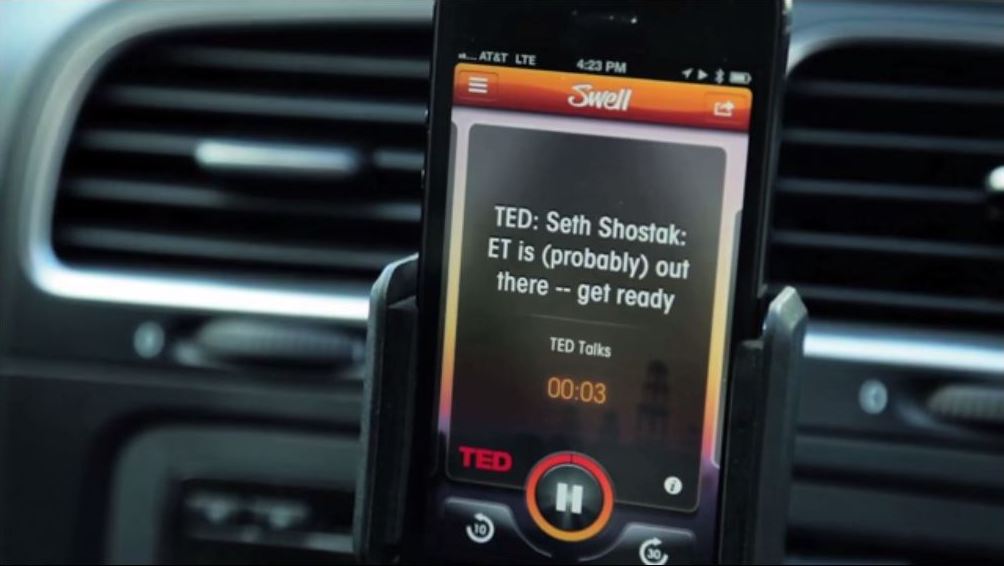
    In the year of acquisitions, Apple’s latest is a $30 Million purchase of a Radio curation service called Swell. The report was brought out by Recode which said that Apple is close to buying the service.

    Swell is a Radio and podcast compiler app which is currently available to iOS device users. It is a great service which is often compared to Pandora but for talk radio. The service offers access to major talk radio content providers.

    It is said that under the clauses of the agreement, the team behind Swell will also come work for Apple. Apple might want to utilize their talents to better their own streaming service which is one of their least appreciated products. Swell’s app developers were also working on an Android version of their app, but with this acquisition, that project is probably out the window.

    Apple has been seen this year going on a spending spree with a major Beats Audio purchase and other such smaller ones. In total the company has completed about 30 plus acquisitions in the past nine months. With this latest purchase of Swell, the app will now be taken down from the app store by the end of this week. It might be reintroduced with the new iOS 8 release.

  • Top 6 Apps Exclusively Available For Android Users

    Top 6 Apps Exclusively Available For Android Users

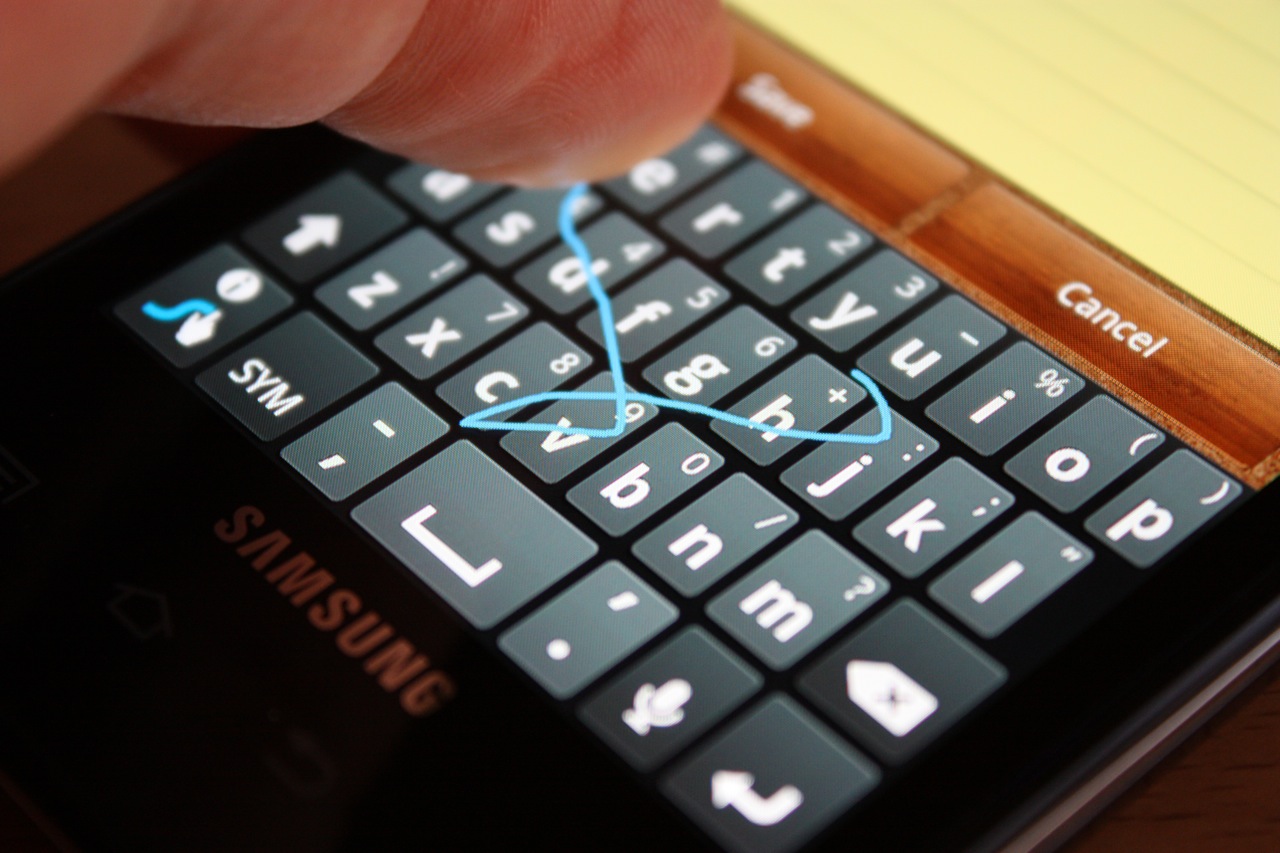
    1. Swift Keyboard

    Swype

    Don’t like Apple’s on-screen keyboard? Tough luck, you can’t change it! Most flagship Android phones are coming out with the swype keyboard; however if not available the swift keyboard app can be downloaded. This feature enables you to swipe across the keyboard; and once you get the hang of it, it’s incredibly fast. It is however, expected that iOS 8 will be launched with this feature.

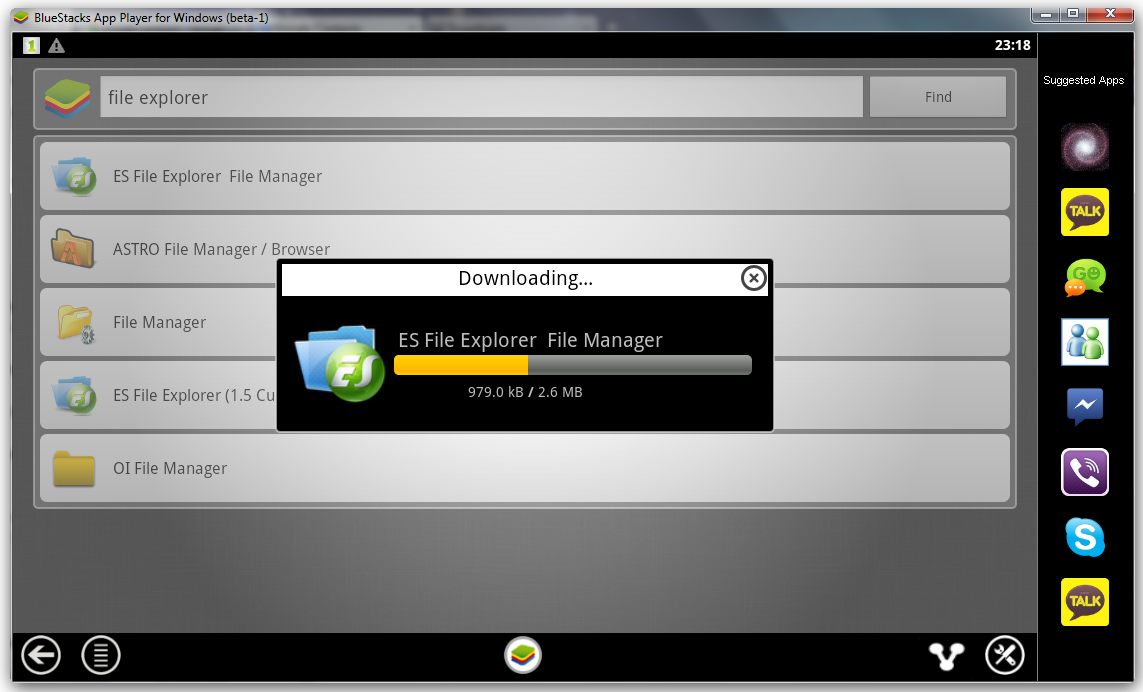
    2. ES File Explorer

    ES-File-Explorer

    ES File Explorer gives you the ability to control your Android device just like a PC. You can manage your files and applications, kill unwanted tasks and upload files and folders to your favorite cloud service. This app however is not available on iOS

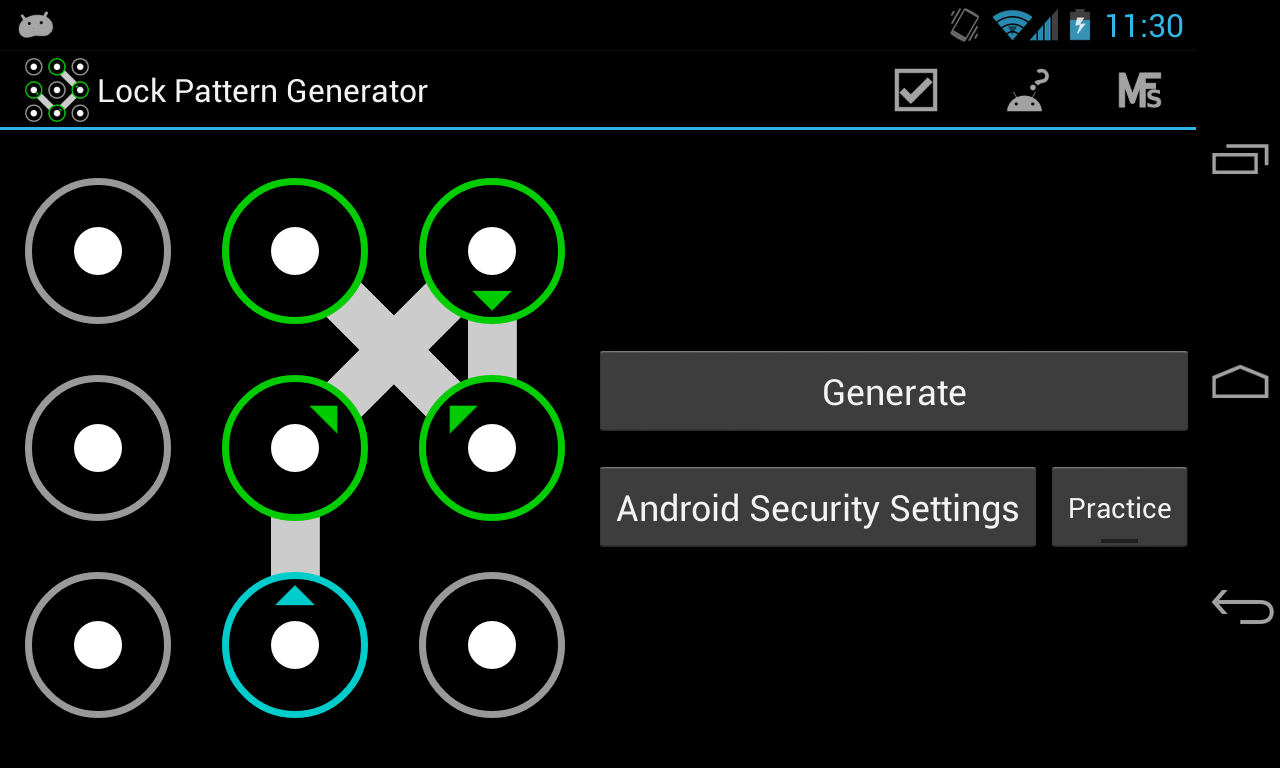
    3. Cover Lock Pattern

    pattern lock

    The Lock Screen is another bit of iOS many people would like to customize, and once again on Android there are all kinds of apps that Apple owners can only envy.

    4. Link Bubble

    link_bubble

    Imagine you find an interesting link on Twitter. Link Bubble will let you click on it and then load it in the background while you continue using Twitter. Once you close the app, the link will be available for your viewing pleasure. It can be tough to remember all the cool stuff you see online, so Link Bubble makes it easier for you to keep track of everything.

    5. Tasker

    Tasker

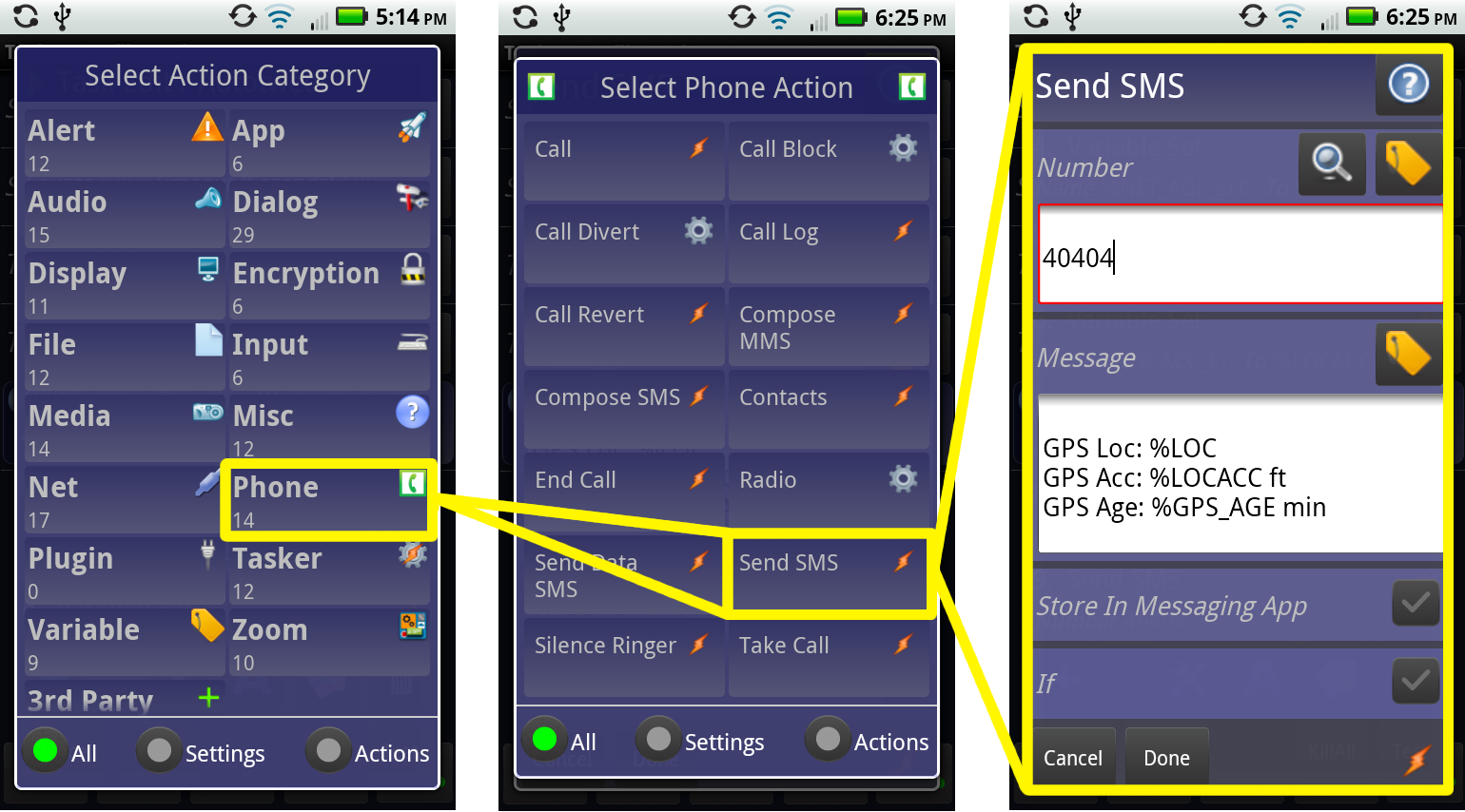
    Tasker contains more than 200 actions and triggers that let you control various aspects of your device. Tasker could well be the poster child for Android apps: it’s a little intimidating at first, but the things it can do are incredible.

    6. Avast Mobile Security

    Avast Security

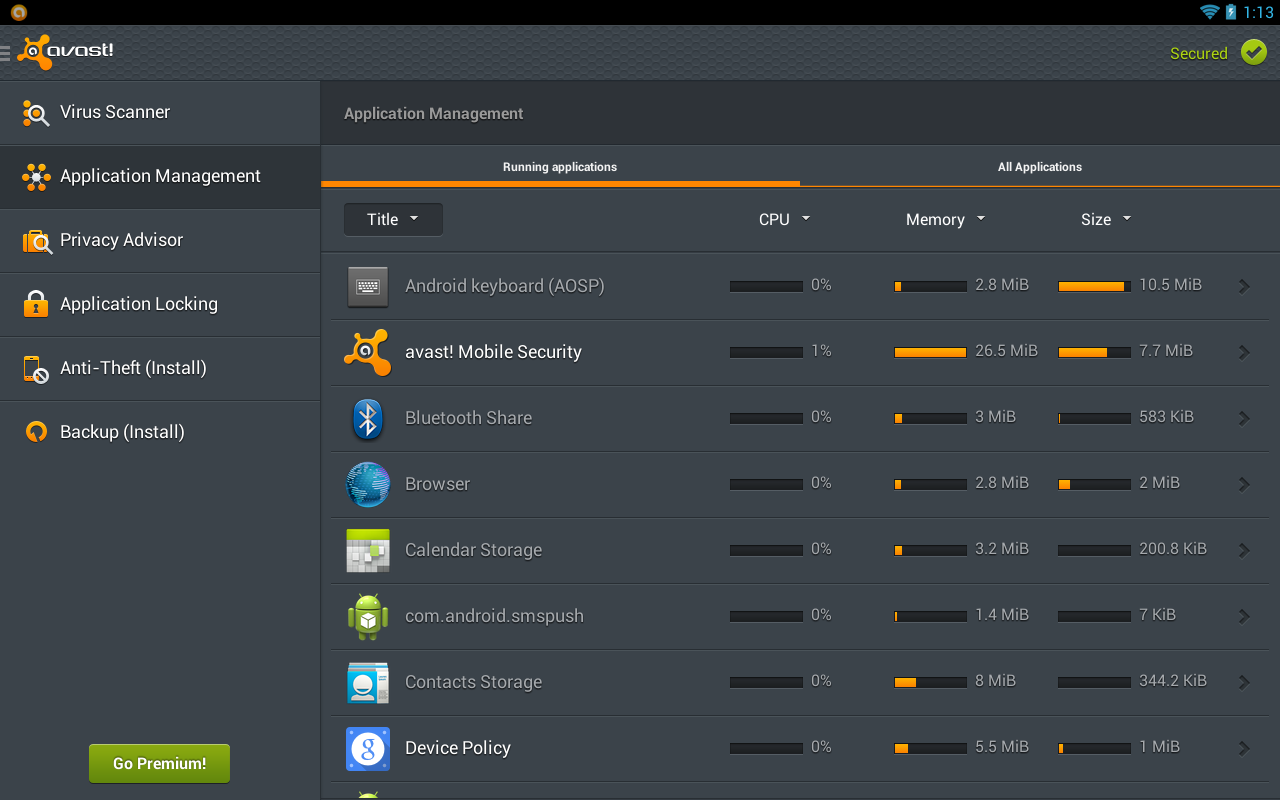
    In addition to keeping your Android handset free of malware, Avast Mobile Security and Antivirus lets you lock specific apps so other users can access them without your permission. It is one of the best security software for your phone.

  • OS X Yosemite Public Beta Released, Here’s How You Can Get it

    OS X Yosemite Public Beta Released, Here’s How You Can Get it

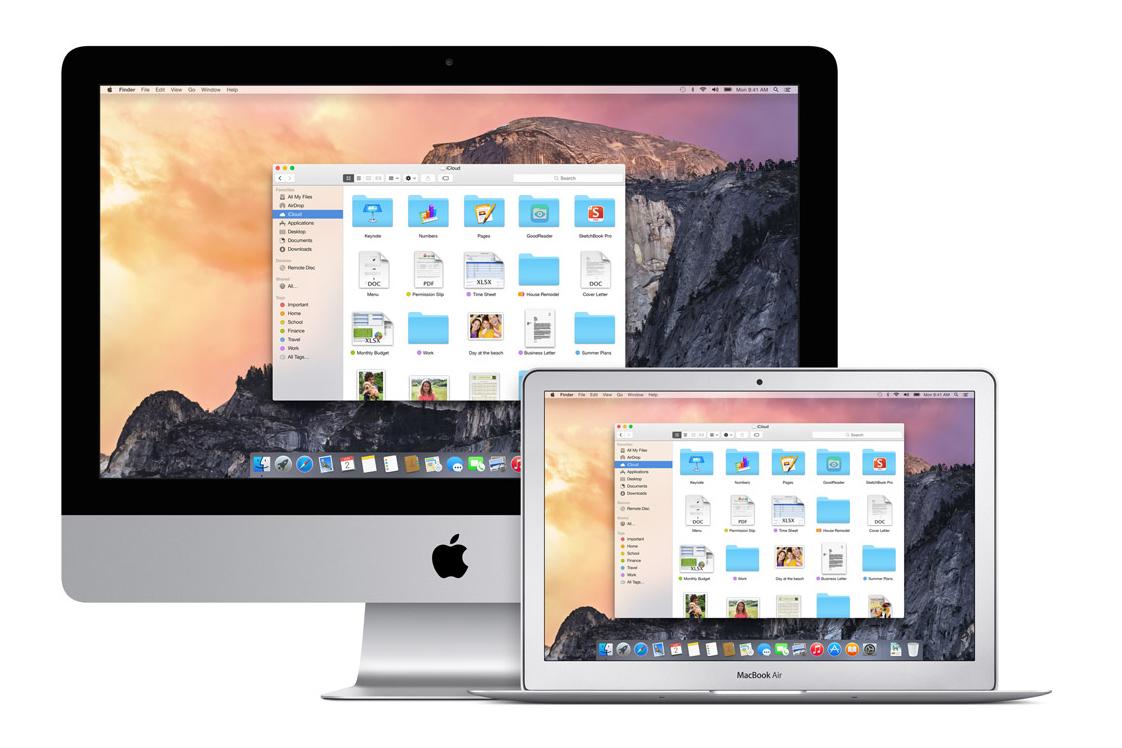
    Apple first showcased their latest version of Mac OS, labeled OS X Yosemite, earlier this year at WWDC. It featured a completely redesigned user interface and better OS X to iOS integration. A lot of users have been waiting patiently to get their hands on it ever since. While developers have had access to the all new versions of Mac OS X ever since the announcement, Apple are finally allowing the general public to get a taste of Yosemite starting Thursday, 24th July.

    To know about its various new features and their functionalities, follow this link to read more.

    OSX 3

    So here’s how it works. All users who signed up with their Apple ID on the beta program website (its still not too late to do so) will get an email with a link and an activation code which will allow them to download the latest build.

    Users should keep in mind that this beta build, while fairly stable, might (and will) still contain bugs and errors. Apple clearly states that the software is still in development, which means some applications and services might not function properly. Also, some of those awesome new features require an iOS 8 device, which is not part of the program.  The beta version has a built-in Feedback Assistant application, if users want to report any bugs or provide any feedback on the build as they’re using it.

    OSX 4Having the latest OS X Mavericks is a prerequisite for the installation of this build. We also recommend that you first back up your Mac using Time Machine before installing this build. Also, if you have a secondary Mac, you should install the beta onto that, rather than risking your primary machine.
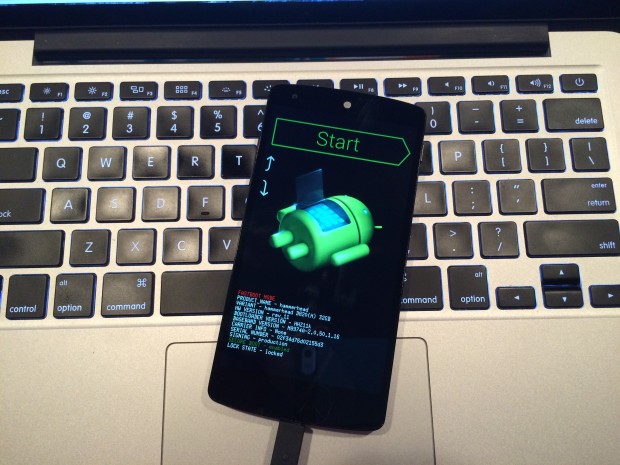
    Now, if at any stage, users feel that they do not want to be part of the program, Apple will also give instructions to revert back to OS X Mavericks. So, if you just can’t wait till Apple officially releases the latest Mac OS X this fall, hit this link.

    By Pranav Arora

  • Google with Udacity Offers You a Course in Android App Development

    Google with Udacity Offers You a Course in Android App Development

    Android is going places. There is no other operating system that has been integrated simultaneously in so many multiple platforms. From Mobiles, Tablets, Gaming Consoles to Television and Cars, Android seems like it’s taking over everything. Now all this integration requires apps and developers who make that app. With over a billion devices activated, Android is here to stay for a considerable while. A lot many people have shown interest in making apps but they don’t have the skill sets for it. Google understands that and has tied up with Udacity.

    Install-Android-L-Beta-on-Nexus-5-620x465
    You can be a part of the Android ecosystem with this course

    The program is called “Developing Android Apps: Android Fundamentals” and the course is exactly what the name suggests. The program aims at giving assistance to programmers who don’t have the skillsets to make android apps.

    Google Developer Reto Meier, Dan Galpin, and Katherine Kuan will train potential Android developers. Their curriculum gives step by step instructions in building an app. The course will also teach the basics of mobile app development in general and Android development in particular. The best part, you can get personalized support and feedback from the instructor.

    By the end of the 8 week course, programmers would be able to build a cloud-connected Android app, and understand the tools, principles, and patterns that underlie all Android development.

    For applying to this course you need a strong working knowledge of Java or another object-oriented programming language. Access to an Android device is not compulsory but is advisable for this course.

    The program on Udacity is free for a 2 week trial after which the course costs $150/month, which is pretty reasonable as it comes with verified certificates on completion. So if you have an idea for a brilliant app but were limited by your programming capability, this is an opportunity for you. Most importantly, just remember that there is no stupid idea, the living proof for that is an app called YO (yeah, that exists.) So go ahead, maybe your app will be the next silly app to be valued at $10 million, this one is harder to believe but is true too.

  • 5 Ridiculous Apps That You Won’t Believe Exist

    5 Ridiculous Apps That You Won’t Believe Exist

    App stores offers the plethora of programs that can do everything from turning your iPhone into a gaming console and a TV remote to software that helps you scout out the best restaurants. But for every useful app, there are ten fairly pointless ones. Let’s face it, stupid apps are becoming commonplace on the smartphones. So which are the worst of the worst? Narrowing them down was tough, but we’ve dug up 5 of the most painfully pointless apps:

    1. Hair Clinic for Man and Woman

    264439_larger

    Your iPhone holds the power to make sure your hair looks good. Seriously? Hair Clinic For Man and Woman claims to be the “World’s First Mobile Hair Clinic System”. Its makers say the app generates inaudible frequencies that “promote blood circulation around hair root..” All you have to do is move the handset around your scalp while the app sends the frequencies. Um, hopefully nobody is stupid enough to believe that.

    2. Pocket Girlfriend

    Parental-Advisory-psd20206

    Who needs a real girlfriend when you can have a pocket girlfriend. Customize her with hundreds of different options so that she’ll respond and converse with you, fulfilling your every need. The only person who would find comfort in a ‘Pocket Girlfriend’ would be Dr Rajesh Koothrappali from the TV show Big Bang Theory. 


    3. Yo!

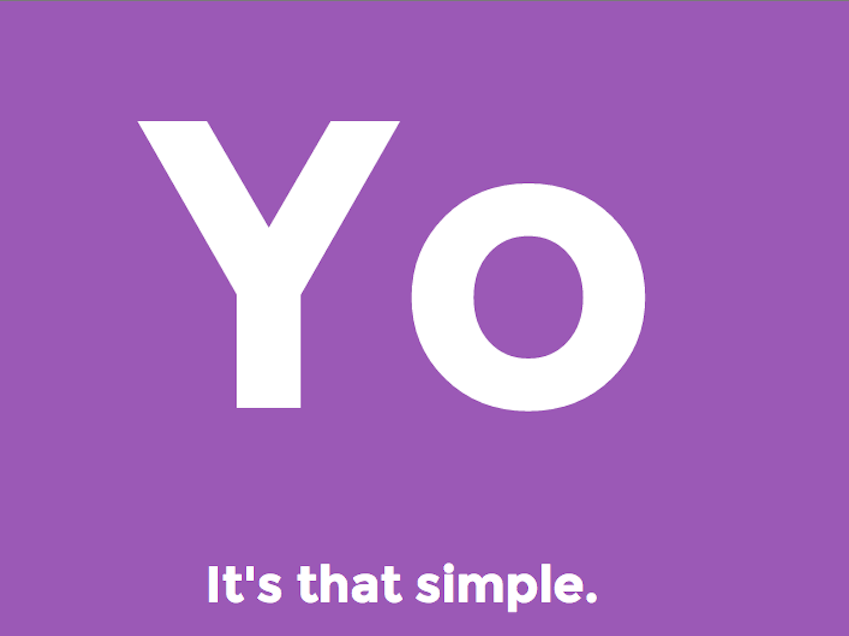
    yo-app-2Twitter with 140 words is so cliche, Yo! is the the new scene. This app doesn’t do anything apart from sending the message ‘Yo!’ to your friends. The way it works is: You choose a username. You “add friends” by typing in their usernames. Then, when you want to message them, you hit their name. It sends a “Yo”. If they hit your name, they send a Yo back. That’s all you can do with this app, it has no other use. The fact that this app has around 800,000 users makes it even more bizarre.

    4. Drunk Dialer

    drunk-dialer-t-shirt-1344971065

    This one was made in hoped of avoiding the embarrassment that comes with drunk dialing. Drunk Dialer is like a sobriety test: If you can type the numbers that keep jumping around on your screen, hit the Call button and you’re good to go. But if you’re not quick enough, the harder it is to hit the right key. Do we really need an app that protects us from drunk dialing?


    5. Beer Opener

    d6fbc8c3-761a-4bf8-aa3e-b63e0490d4cc

    I can best describe the problem with Beer Opener by quoting its App Store description: “Experience the joy of opening a cold refreshing beer bottle without the inconvenience of actually consuming beer!”. Beer Opener lets you pretend to open a real-world bottle. You hold your iPhone over the bottle, grab the virtual cap that pops up on the screen, and open away – without the terrible hassle of having to drink the thing. Are we missing something?
  • Top 5 Reminder Apps a Forgetful Person Should Download Now

    Top 5 Reminder Apps a Forgetful Person Should Download Now

    Say goodbye to the outdated sticky notes and reminder boards and say hello to the Reminder Apps. With a hectic schedule and countless things to remember these could be your lifeline.

    With millions using smartphones today, we have compiled a list of our favourite for Notices and Reminders to simplify your day.

     5. DO-It (Tomorrow)

    Do-it-tomorrowDo you love procrastinating? Is your motto: ‘Why do it today what you can do it tomorrow?’ That’s the spirit! This is the  perfect app for you. Tasks not ticked off the previous day are automatically carried forward. Do It  (Tomorrow) makes it easy for users to postpone their tasks to the next day, which makes it a very  pragmatic and realistic app. The app also supports cloud syncing and has a pretty neat user interface. Though some people may face problems with the interface as the view sometimes freezes in the middle of  two pages.


    4. Any Do

    Any DoAny DO is among the most popular reminder apps for both iOS and Android, and for good reason. Not only  does it have a very neat user interface, it offers a lot of different ways of creating reminders and triggering  alerts. The app supports location-based reminders, tasks that don’t have a specific time associated with  them and even folders that can be helpful in keeping things well-organized. Any DO allows you to  create reminders both via text input and voice commands.

    This is a great app for personal as well as  business use.

    3. Astrid To Do List

    AstridIf you’re looking for an app with a little more options, Astrid is the app to get. It’s easy to set up and also throws in some more “advanced” options like Google task sync, priority levels, tags, timed reminders, and calendar integration. Astrid Tasks is intuitive and compact, but doesn’t skimp on flexibility or options. It has a home-screen widget, quick add function, alarms, reminders, a back-up function, tags and even a timer. Despite these multiple functions, Astrid couldn’t be simpler to use. Perhaps the only drawback is its limited widget options.

    2.To Do Reminder

    To Do ReminderTo Do Reminder App is quick and easy to use; you can set a task in the reminder list in mere seconds. It has  an easy-to-use interface with a voice handling feature available. Additional attractive features include  Synchronising birthdays from Facebook, daily-weekly or monthly repetition of a task.

    Being quicker and relatively easier to use however limits the customization options and functionalities available in  this app.

    1. Evernote

    EvernoteThe Top app and one of the most popularly used one when it comes to Reminders is Evernote. Evernote lets you take  notes, capture photos, create to-do lists, record voice reminders and makes these notes completely  searchable, whether you are at home, at work, or on the go. Its key features include -In-app and email  alarms, pinning notes to the top of your note list and even a web clipper (which allows you to save  anything you see online).

    Exceeding the limit of its download, Evernote requires a payment of a subscription fees which perhaps is its only dis-advantage.

  • Top 5 App that Every Movie Buff Should Download

    Top 5 App that Every Movie Buff Should Download

     Being a movie buff is not an easy task, your desktop usually overflows with new downloads and it’s hard to keep track of every movie you watch. I used to juggle with my movie collection and all the film-related stuff.  Until now. I have found a perfect solution: my Smartphone. There are loads of apps that let you manage films, watch trailers, play games etc. I have listed 5 of my favorite apps that I think every movie-buff should have:

    1. Flixster

    flixster

    Flixster is a very popular app that gives you an on-hand experience of equally popular website of same name. The app enables you to compare movie ratings and tastes with film buffs around the net. In addition to user ratings, Flixster grants you instant access to a flick’s freshness rating at aggregator Rotten Tomatoes, which it owns. You can also use it to find movie information, showtimes, maps and ticket prices, or to watch trailers. The app is well suited for both; a one-stop shop for planning a night out or as an app that will help you brag about your film knowledge.

    2. Scene it?

    mzl.kstsafix.175x175-75

    This one is one of my favorite movie apps of all time. Makers of the app, Screenlife, started out with DVD and card-based party games for film buffs. Which then evolved and spread to consoles such as Xbox 360, PlayStation and Wii, social media sites such as Facebook, and now to the mobile platforms of iPhone and iPad.  The app serves up trivia, images and video optimized for mobile devices. It’s designed for party play, and the iPad hi-def version is amazing. Available genre packs include comedy, romance and horror, as well as the Twilight series, the Harry Potter series and the TV show “30 Rock.”

    3. My Movies

    MyMovies

    My Movies is just the right app for a typical movie buff. Simply add your movies manually or scan their bar codes using your phone’s camera, and you’re off and running. You can browse details about your flicks, watch trailers for movies in your collection and search and filter by type (DVD, Blu-ray, HD DVD), genre, watched, parental rating levels, production years, personal categories and online status. It’s also a handy way to keep track of which movies you’ve loaned out and it might prevent you from buying a movie you already own on VHS, Beta, DVD, special edition and Blu-ray.

    4. RunPee

    138388286

     Well it’s true, nobody can make it through the Lord of the Rings trilogy without making a trip to the bathroom. As an unfortunate consequence you sometimes miss most important part of movie. Well, RunPee is an app that will solve this problem. This app lists slow times in each film best suited for taking care of business, it also tells you how long you can be away (usually four minutes) and what you’ll miss. The app also lists what happens in the first five minutes of the film, and whether there’s a teaser clip waiting for you after the credits roll.

    5. BookMyShow

    unnamed (1)

    We couldn’t complete the list without mentioning the most useful one for India. The mobile counterpart of the popular ticketing website BookMyShow is as effective as its web version. It provides every possible option you get in desktop version. It’s the mere simplicity and clean interface of this app that makes ticket booking very easy.The interesting thing is it shows if any of your friends on Facebook are also gonna watch the same movie.

  • Top 5 Apps That Will Help You Adjust To a New City

    Top 5 Apps That Will Help You Adjust To a New City

    Fresh out of college, moving to a new city and living alone for the first time? Well, it happens to most of us at some point of time in our lives. Moving to a city you are unfamiliar with can be super stressful. You know that the only way you are going to find your way around, stagger across the local hotspots, and make friends is to leave your home and attempt to embrace the city head on. Still, as nervous and excited as you may be, it does not take away the fear of getting lost, being alone, or totally missing out on things because you are not visiting the right places on the best days.

    But, thanks to the modern technology, there are an abundance of apps that will do everything from guide you around the city to help you make dinner reservations or find a park with trails. You may even feel a little less “alone” while exploring when you have an app to reference. And yes, if you have Google Now or Siri, they won’t let you feel alone, at least you will have someone to talk to. We have come up with a list of 5 apps that will help you blend in and enjoy the stay when you relocate in a new city.

    1. HopStop

    7wbswvugub3hruaxzx3zThis app is available for Android, iPhone, iPad, and Mobile Web. It has been named an essential by both “Travel” and “Time” magazine. HopStop gives you door-to-door directions, but unlike most apps that focus on driving directions, this one gives you a lot more. You can get biking, walking, and taxi directions in more than 300 cities. This will be your heartfelt companion while you’re stressed about the change in your life.
    2. BrightNest

    BrightNest_iconWhether you’re moving from your college hostel to your first apartment or you’re just looking for a fresh start, BrightNest has tons of home improvement and organization tips that will impress your guests. This app essentially helps create and maintain a customized to-do list for your home. BrightNest is especially handy for renters who are moving to an entirely new and unfamiliar city.

    3. Around Me

    iconAround me is a GPS-based app that will take your exact location and tell you everything that is close by. This app is a great way to find new restaurants, ATM machines, grocery stores, gas station, or anything for that matter. Especially when you are craving for your favorite donuts from Dunkin’s or M.O.D. It’ll tell you exactly the direction you need to be moving in.

    4. Happy Houred

    best-apps-for-the-iphone-beer-apps-happy-houredWell, how are you going to find out the right places to buy beer on a Friday night, if you don’t have any local friends in the city? Happy Houred does just this. It could take you months to discover which bar has the specials you are interested in on any given day. This app tells you where to find the best shot specials, cheaper brews, half-off pizza, and so much more. Happy Houred has listings for more than 22,000 cities and continuously adding on the list.

    5. Fan Finder

    588622_largerIt is the easiest way to make friends. Football season is going on, and we all want to cheer for our favorite team. The trick is figuring out exactly where you should do this. FanFinder from the iTunes store locates US sports bars where fans of your favorite team are watching the big game. It covers almost all, it has special sections for NHL, NFL, MLB, NBA, football and basketball.

  • Google’s Revolutionary App Translates Sign Language into Speech

    Google’s Revolutionary App Translates Sign Language into Speech

    Google is building an app called Google Gesture which translates sign language into speech. It analyses the muscle activity and position of the hand and forearm using electromyography which then uses the smartphone application and translates it into speech in real time.

    Google is working with students of Berghs School of Communication in Stockholm, Sweden for the development of this app that will help dumb people to communicate. Google Gesture will be paired with bands worn in forearms that read muscle movement while the user converses using signs. The readings are then sent to the app which analyse these movements and turn it into speech.

    [quote]

    For some people, sign language is a must. While others don’t understand sign language, which means a lot of interesting conversations never takes place. How can we at Google help bridge the gap between those who use sign language and those who don’t?

    [/quote]

    The aim of this project is to fix the problem of communication for people who are unable to speak and depend on gestures to communicate daily. Google has been constantly working with people around the world, creating technology that will help people from all walks of lives.

    In the past, Google had developed a software that enables the deaf and hard of hearing to communicate via technology. For example, Android offers an option on its Google Translate App that turns speech into text.

  • Nokia Releases the New ‘Z Launcher’ App

    Nokia Releases the New ‘Z Launcher’ App

    These are hard days for Nokia. Once the largest phone vendor by a staggering margin, Nokia has sold its devices and services business to Microsoft and will now try different sectors as it looks toward the future. The company tried something similar by launching an app called Z launcher, a truly novel home screen replacement for Android phones.

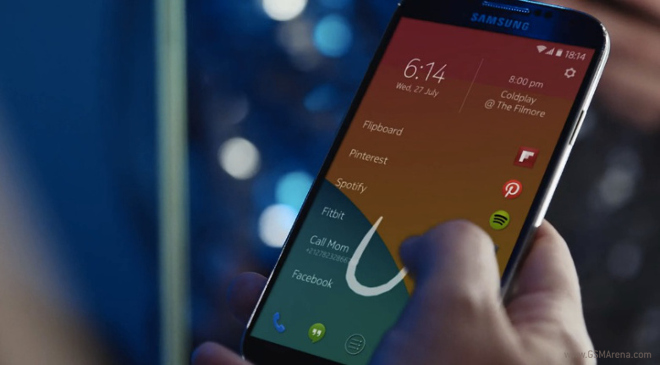
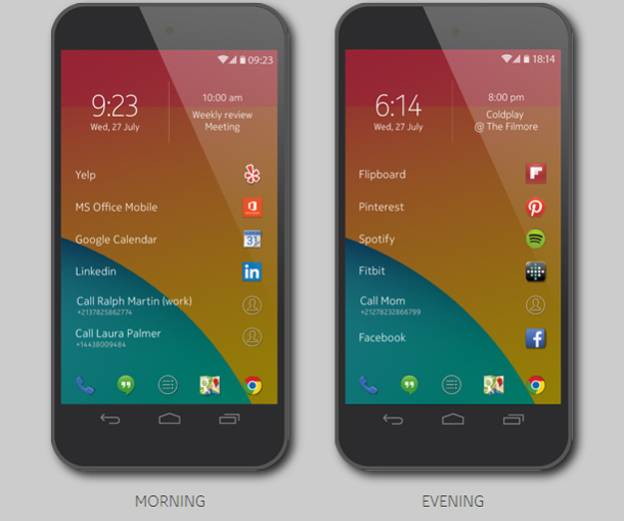
    Launched on Thursday, this screen app is able to accomplish this by dynamically changing the most frequently used apps throughout the day. Z Launcher is also able to include your contacts and frequently visited websites into the mix and making it a more complete experience.

    At the top of the screen are the time, date and the upcoming calendar event. Tapping the time will open Android’s clock app and tapping the calendar event will open the phone’s Calendar app. The remainder of the screen is dedicated to just a few apps, contacts and web pages.

    nokia-z-launcher-2

    Five static shortcuts appear at the bottom of the screen, while the majority of the launcher screen is occupied by six additional shortcuts. These items lead to a combination of apps, contacts and web pages that you open most often.

    If Z Launcher does not offer the apps you are looking for, you can easily bring them up by accessing a feature called Scribble. Scribble works by just drawing the first letter or two of the app or contact you want to access. It then instantly brings you to the proper selection. This virtually eliminates the need to tap, scroll, and hunt for the application or contact you are searching for. 

    The Z launcher is a very nifty offering from Nokia and it has the potential to completely change the way you use your phone. Smartphones are all about apps, plain and simple. With the Z Launcher, your most used apps take center stage and everything else is a few short swipes away.

    It’s currently available only to a limited number of users in a rough alpha release. And while the alpha should run on many Android phones, Nokia has only tested it on the Nexus 5 and the recent Galaxy S models.

iGyaan Network
Privacy Overview

This website uses cookies so that we can provide you with the best user experience possible. Cookie information is stored in your browser and performs functions such as recognising you when you return to our website and helping our team to understand which sections of the website you find most interesting and useful.