Category: Computing

All the Computer and Laptop news, bundled with all add ons including Printers and Peripherals.

  • Lets Game: Gaming And Benchmarks Of Rs. 70,000 Gaming PC

    Lets Game: Gaming And Benchmarks Of Rs. 70,000 Gaming PC

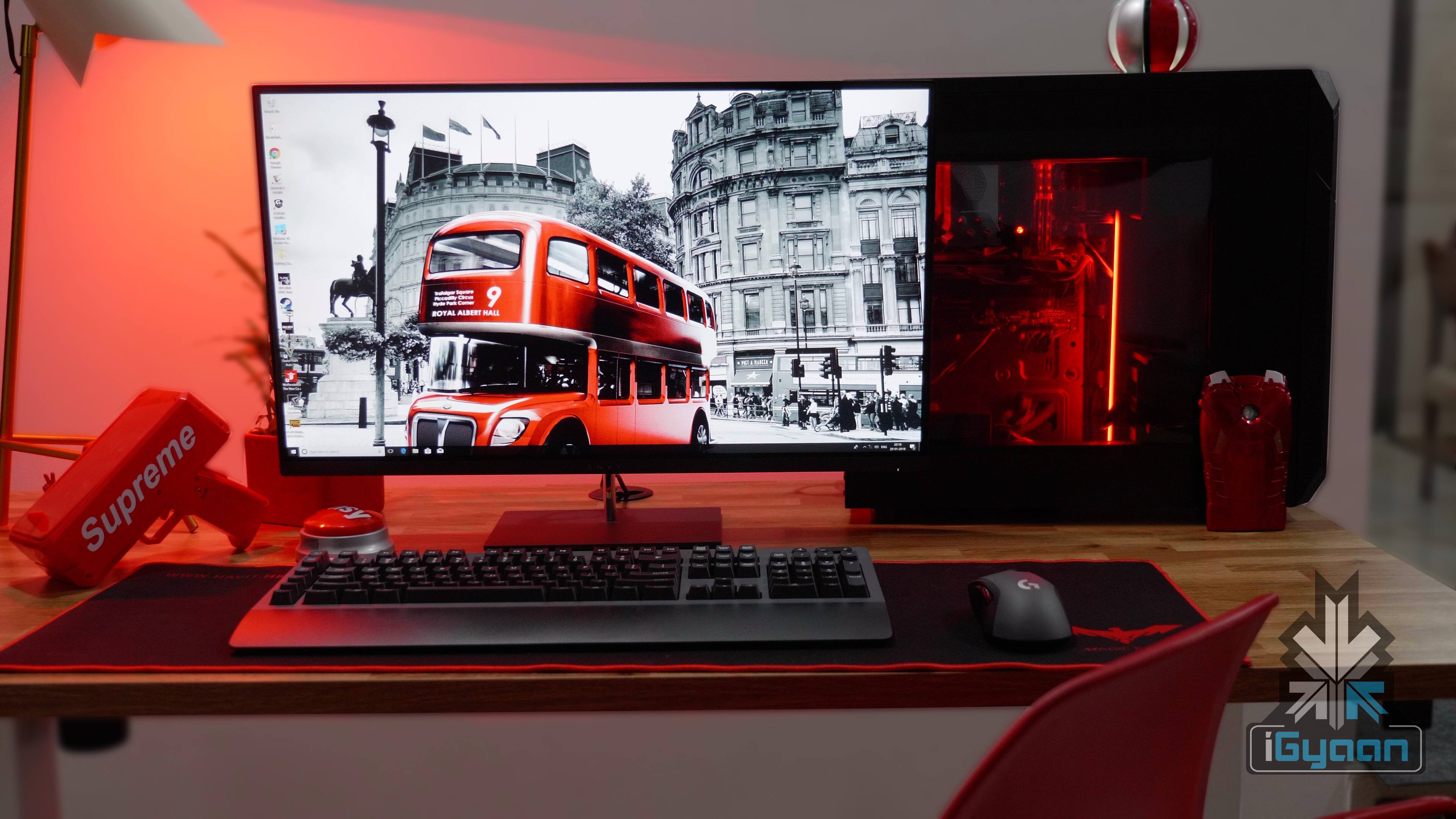
    After kicking off our PC builds with a budget of Rs. 30,000, we decided to take things up a notch. We chose a budget of Rs. 70000 and set out to build a machine worthy of being our Gaming PC. If you have been gaming for a while and looking to up the ante, then this build is right up your alley!

    Just like budget PC, we put our 70K gaming PC through its paces and following are the results!

    Game Settings Average FPS
    Gears Of War Extreme 60fps
    Wolfenstein: The New Colossus Extreme 60fps
    GTA V Extreme 60-100fps
    COD: World War II Extreme 60fps
    PUBG Extreme 60-100fps

  • Gaming PC On A Budget Of Rs. 70,000!

    Gaming PC On A Budget Of Rs. 70,000!

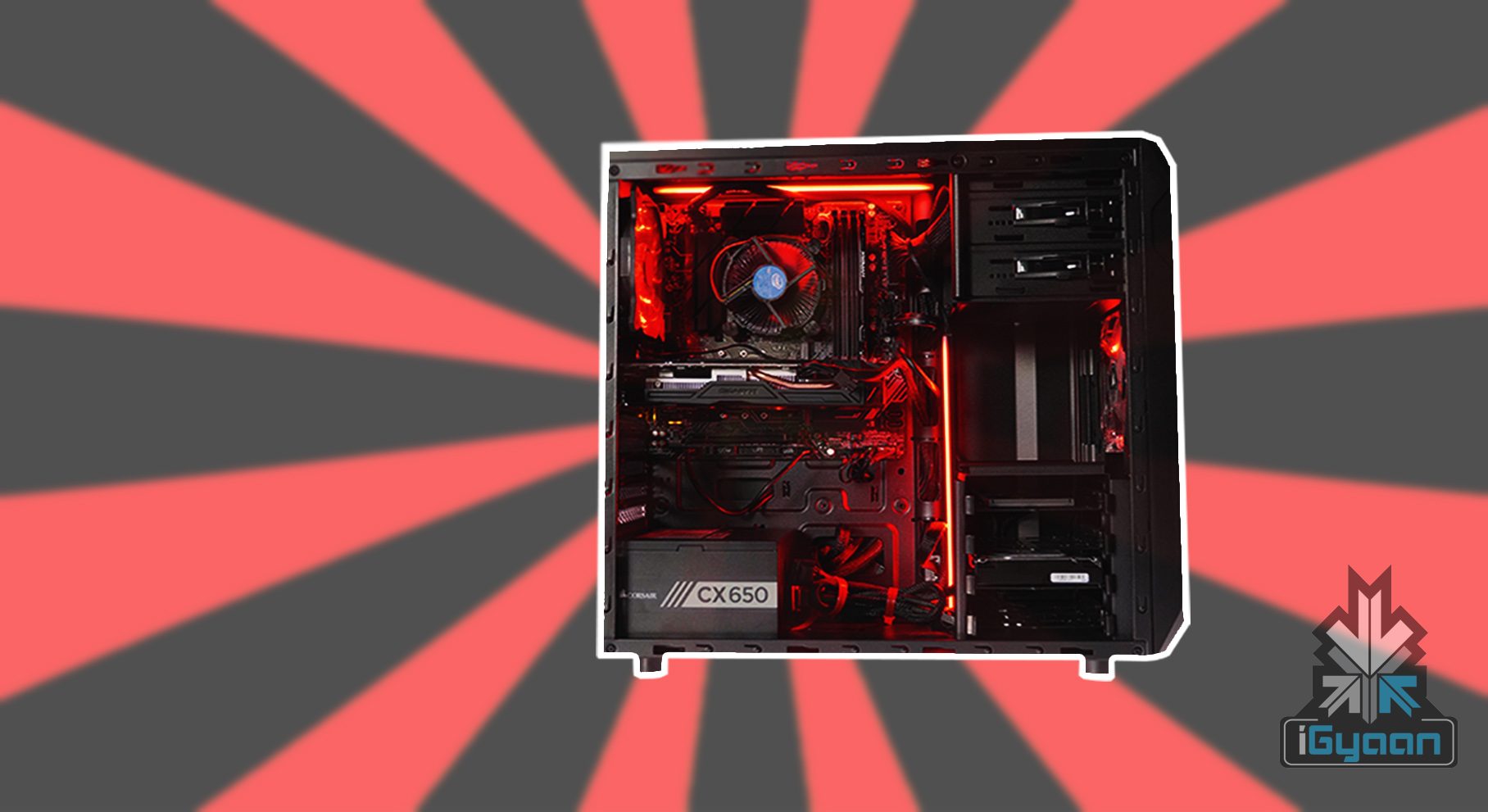
    After we built our budget gaming PC, it was time to take it up a notch. With a lot more budget in hand, this is what we used to our build gaming PC with a budget of Rs. 70,000.

    Corsair Carbide Spec 01

    The cabinet we used for the build is the Corsair Carbide Spec 01. This one as well has a size glass panel to show off all the components of your PC and put LED lights in it for some colour. It is built to give a clean look to your PC and also has good cable management. It has seven PCIe slots with room for long graphics cards up to 420 mm long.

    Corsair CX650W 80 Plus Power Supply

    For a power supply, we have opted for another Corsair product, the CX650W power supply. For our powerful gaming PC, this was an ideal fit!

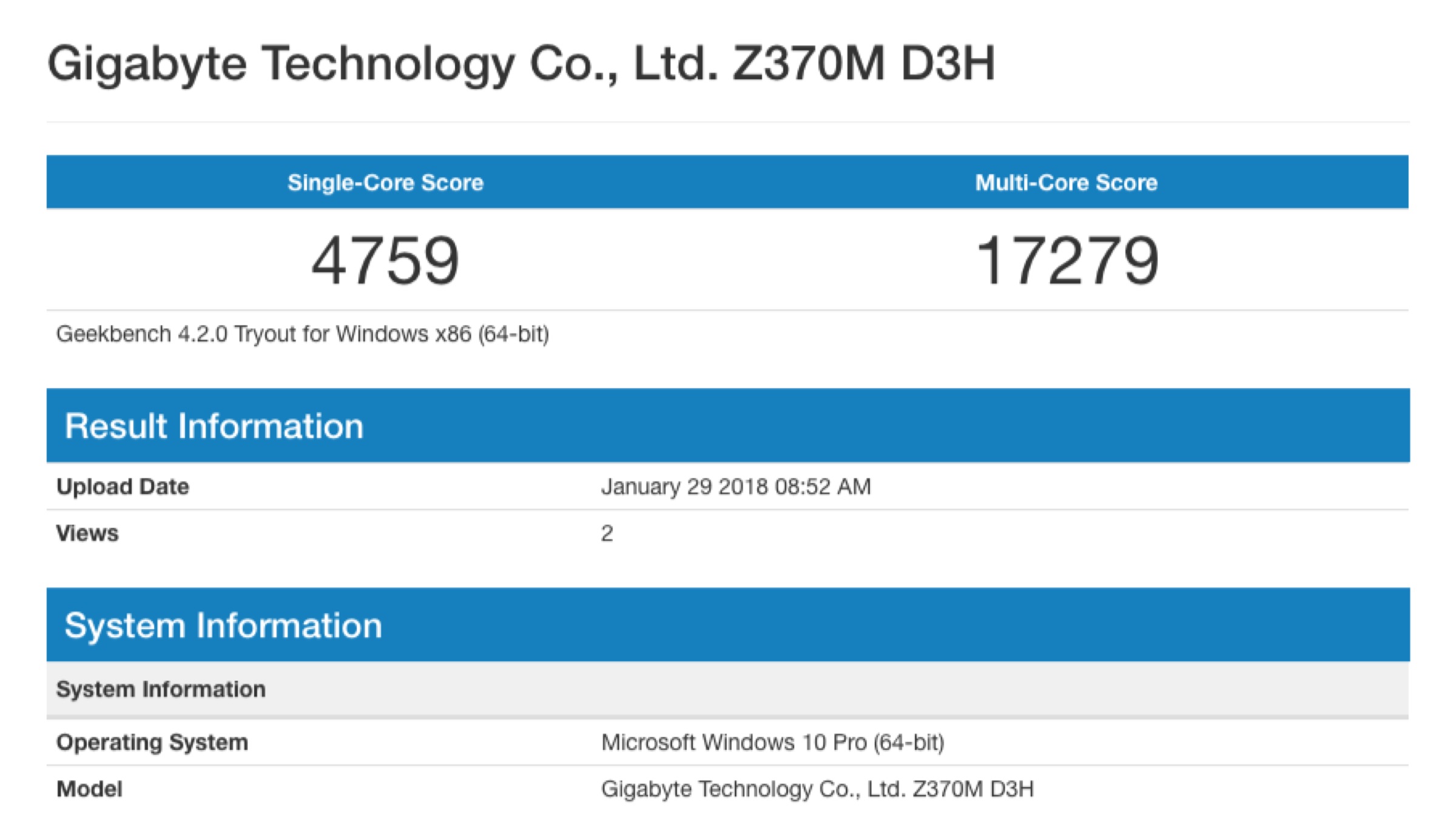
    Gigabyte Z370M D3H Motherboard

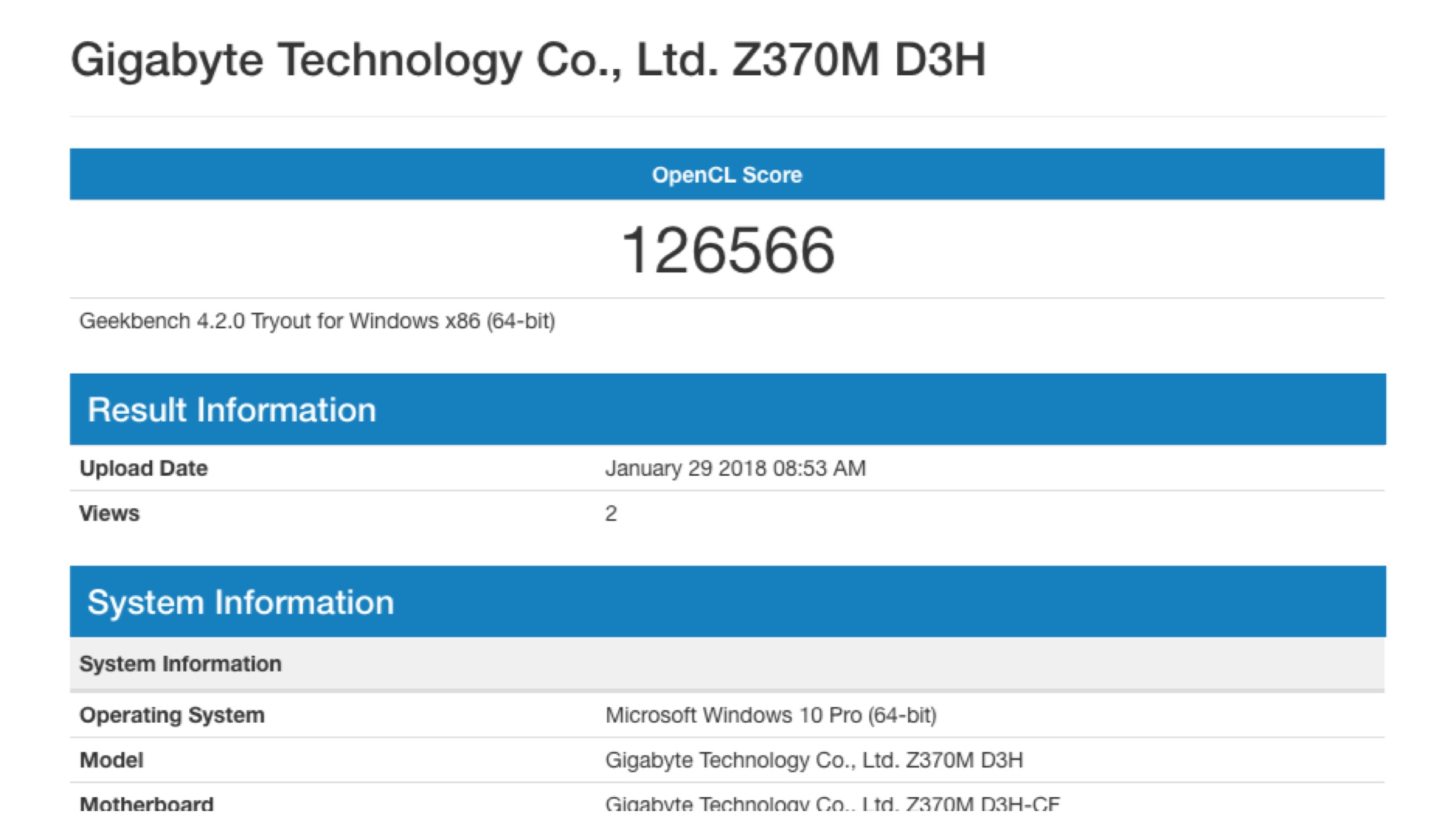
    This motherboard was the best one in our budget. It supports up to 8th Gen Intel Core Processors and has 2-Way CrossFire Multi-Graphics Support. This motherboard is futureproof if we want to upgrade to an i8 processor in the future.

    HyperX FURY 8 GB RAM

    To handle high-end gaming, you need good quality and quantity of RAM. We have gone for a HyperX Fury 8GB RAM for this build. Its low 1.2 volts draw less power from the system and keeps the PC cool and quiet. Its lower power requirements result in less heat and higher reliability.

    Seagate Barracuda 2TB HDD

    The Seagate Barracuda 2TB hard drive provides ample storage and reliability for this gaming PC.

    Intel Core i5 8400

    The Intel Core i5 8400 processor fit in our budget and requirements. This PC build is shaping to be quite epic!

    GIGABYTE GeForce GTX 1060

    To handle all the graphics, we went for the GeForce GTC 1060. It is currently sold out online so we will leave a link for an alternative GPU for your PC build.

  • Razer Phone 2, Project Linda Could Be Announced At IFA 2018

    Razer Phone 2, Project Linda Could Be Announced At IFA 2018

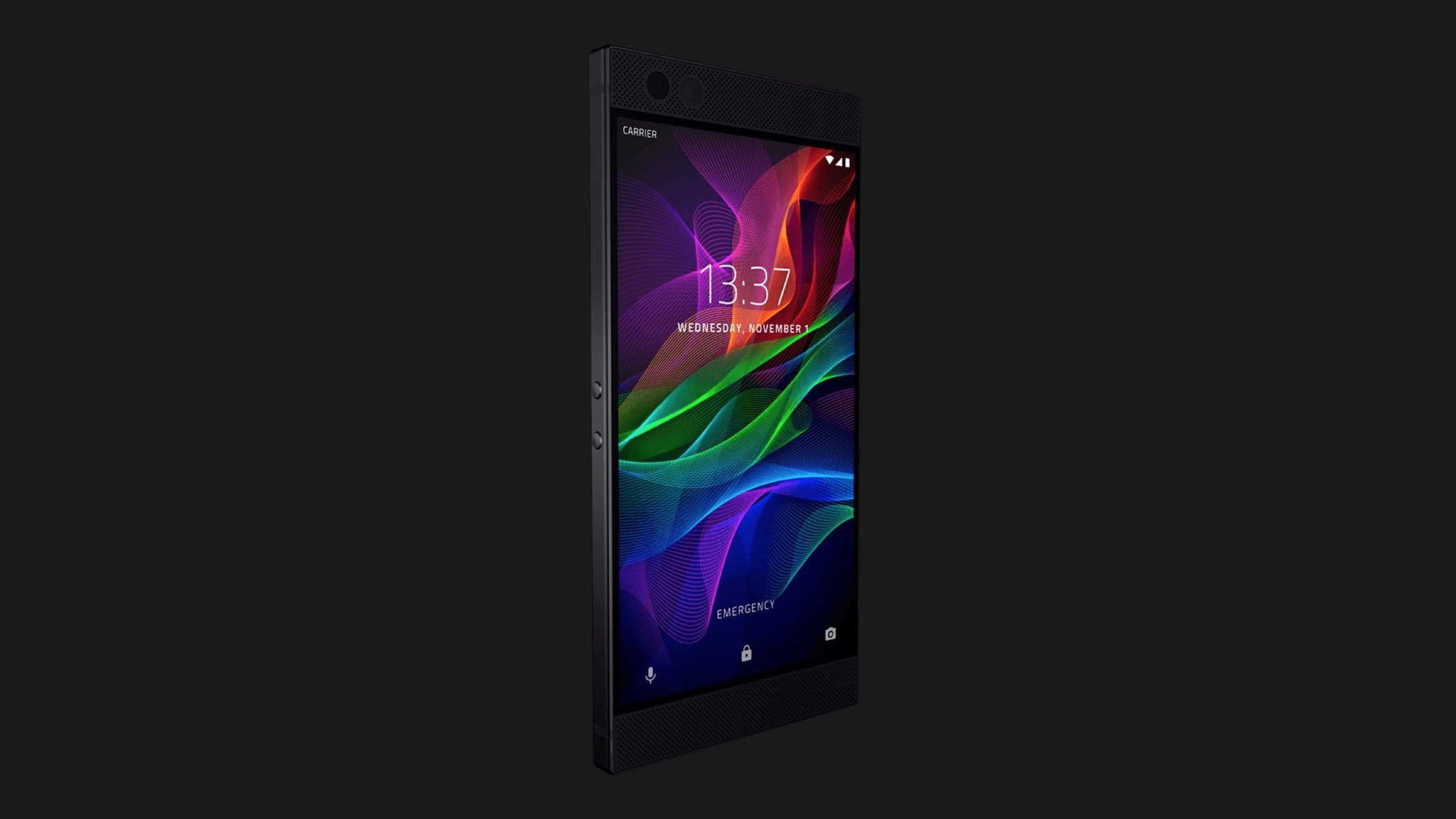
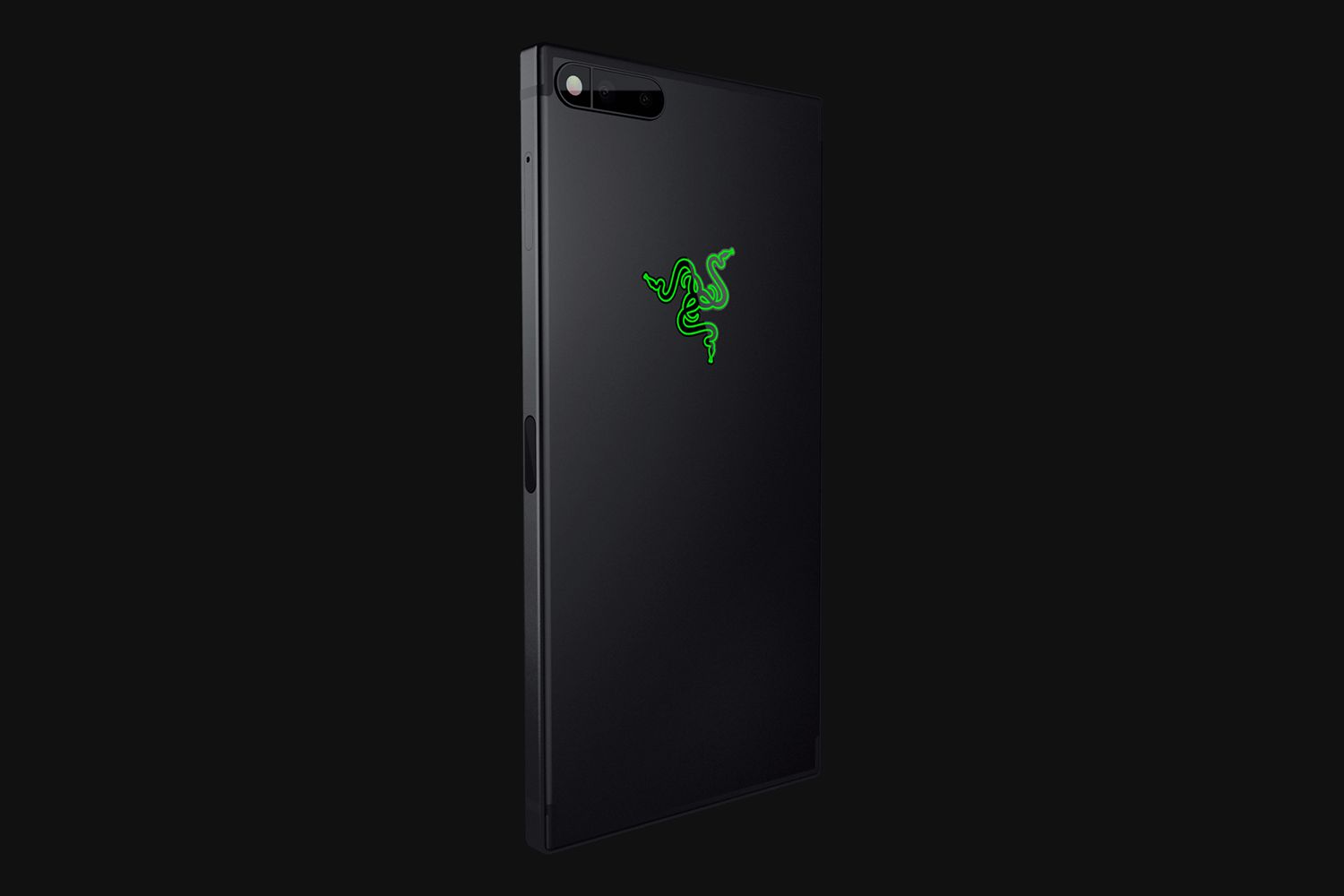
    Razer, one of the most popular gaming accessories maker surprised everyone by launching a smartphone in late-2017. The eponymous device was marketed as a smartphone for gamers with high-end specifications. One of the most interesting aspects of the Razer Phone was its display. The phone from Razer is the only smartphone to have a 120Hz refresh rate (iPad Pro is a tablet and also has the 120Hz refresh rate).

    It looks like the Razer Phone was not just a one-off experiment by Razer as a report claims that the company is planning to launch the Razer Phone 2 (tentatively named) in September. This means that an IFA 2018 announcement is likely. The “company insider” also claims that Project Linda, a concept showcased by Razer at CES 2018 could also make its way to the market along with the new smartphone.

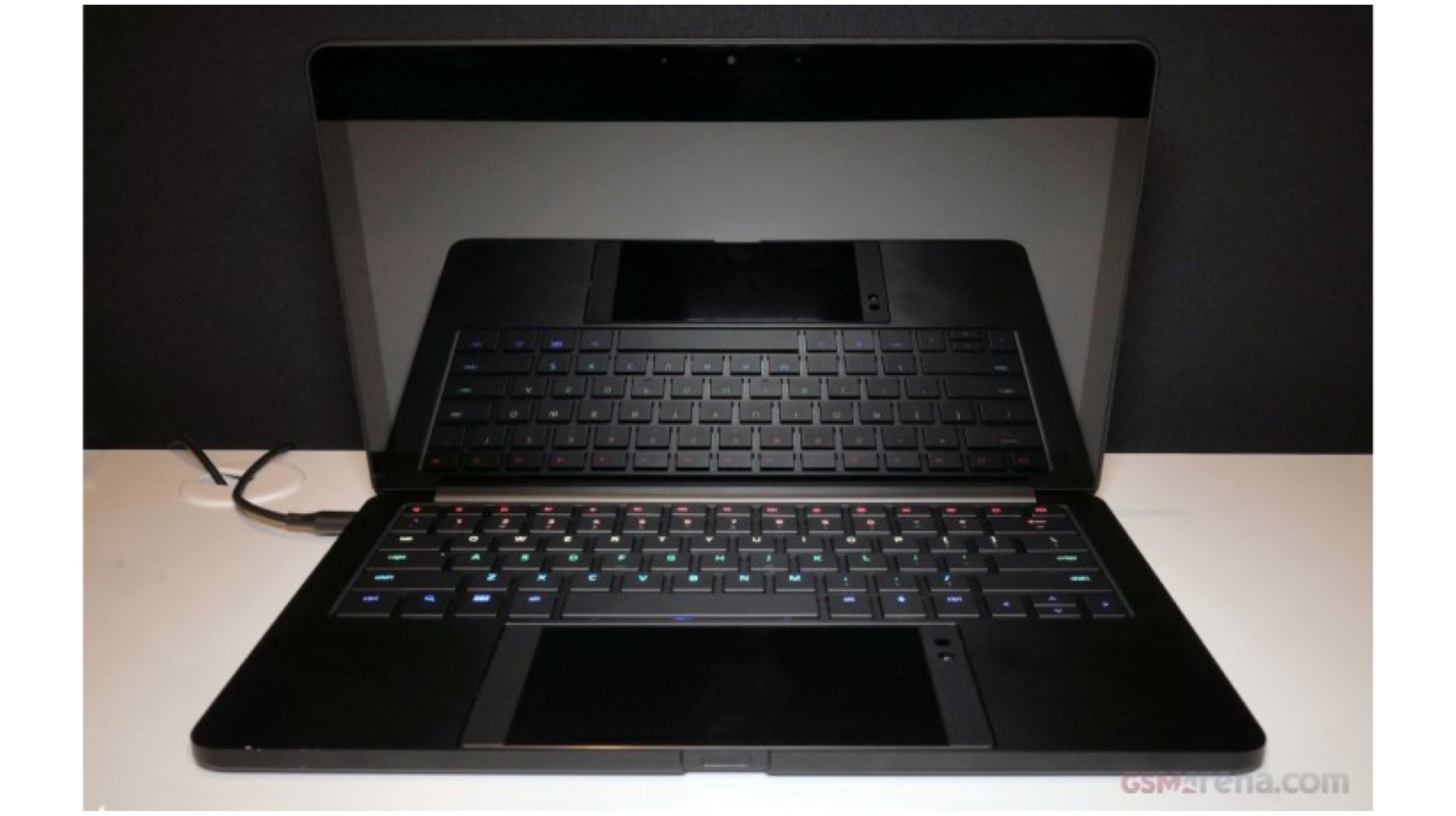
    Project Linda is a concept that Razer revealed at CES 2018, wherein the Razer Phone powers the whole laptop. It is a laptop shell with a cutout for the Razer Phone in place of a trackpad. Once the phone is placed inside the cutout, a USB C pin connect the laptop case to the Razer phone. Once connected, the laptop uses the smartphone’s hardware to function and the phone’s display turns into a trackpad. Everyone who covered this concept talked about the Razer Phone’s speakers being enough to produce sound out of a laptop which means that the laptop case does not have any speakers built into it.

    While the concept is very interesting, everyone thought that this would remain a concept only, just like a lot of other concept products found in CES. However, Razer CEO Min-Liang Tan teased on Twitter that it could be a consumer-ready product soon.

    https://twitter.com/minliangtan/status/953064773238669312

    Considering that project Linda took about 2-3 months, and the design work only took about one of those months to be ready, it is possible that Razer feels the concept is ready to be turned into a product.

  • Lets Game! Budget Gaming PC: Gaming And Benchmarks

    Lets Game! Budget Gaming PC: Gaming And Benchmarks

    One of the most requested series on iGyaan has been building a budget gaming PC. We finally took the onus upon us and decided to build a budget gaming PC which should suffice most of the needs of a gamer who is just starting out and isn’t ready to shell out a lot of cash in the beginning. If you are a novice and testing the waters of the gaming world, then this build should be ideal for you.

    After we built the PC, a lot of people had doubts over the capabilities of our PC. We put the gaming PC through its paces and it came out with flying colours.  Here are the results of what we built.

    Gaming Performance

    Game Settings Average FPS
    Asphalt 8 Extreme Over 60fps
    Tomb Raider Extreme Over 60fps
    Gears Of War Extreme 4o-55fps

    3D Benchmarks

    Cloud Gate 12010
    Time Spy 1159
    Fire Strike 3191
  • Intel Launches 8th Gen Core Processors with Radeon RX Vega M Graphics At CES 2018

    Intel Launches 8th Gen Core Processors with Radeon RX Vega M Graphics At CES 2018

    Intel has launched its 8th generation of Core processors integrated with Radeon Vega graphics. After months of speculations, Intel announced its partnership with AMD in late-December. Dell and HP will be the first in line to launch new laptops using these processors, but, specifics of such laptops will be available once the companies unveil their own laptops. Other OEMs are expected to announce new products using these processors in early-2018.

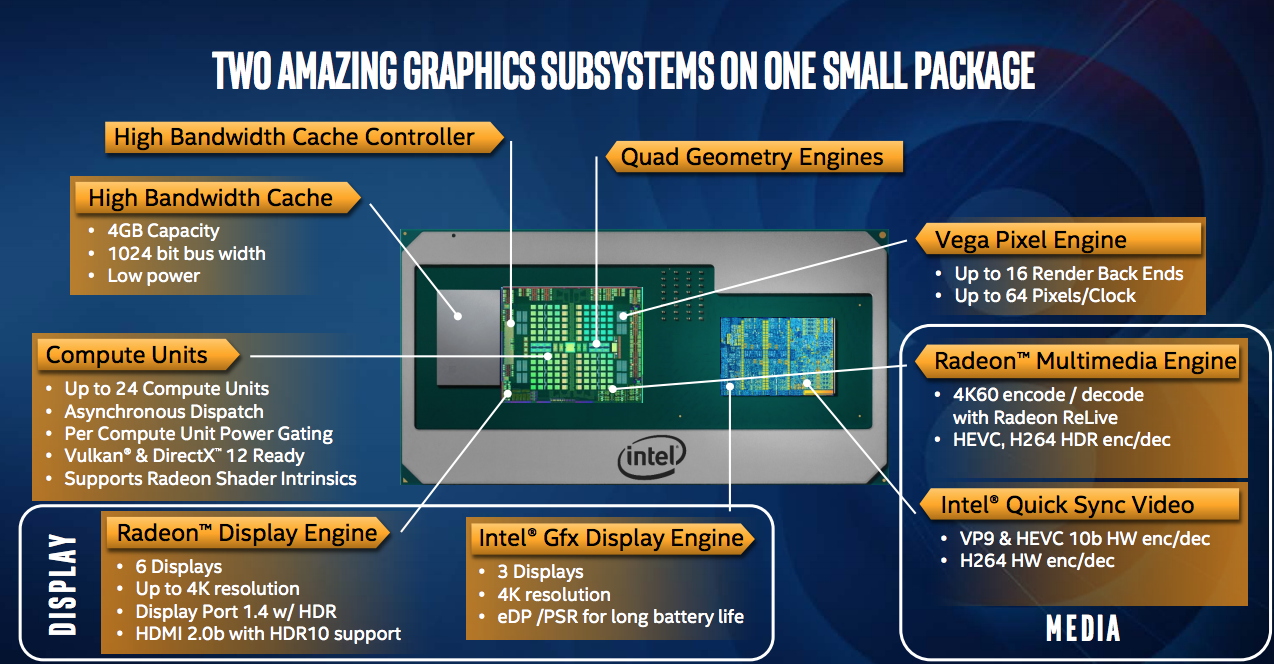
    Aimed at the ever-growing target audience of “gamers,” Intel has also launched a new line of its own compact NUC PCs featuring the new processors. Of the five new CPUs unveiled, two have 100W thermal ratings and are designed for desktop systems, while three have 65W ratings and are made for high-end laptops. Interestingly, all the five CPUs will have Radeon Vega graphics built on the same physical package, while the Intel HD 630 graphics will take over the reins when a less graphics intensive task will be in hands.

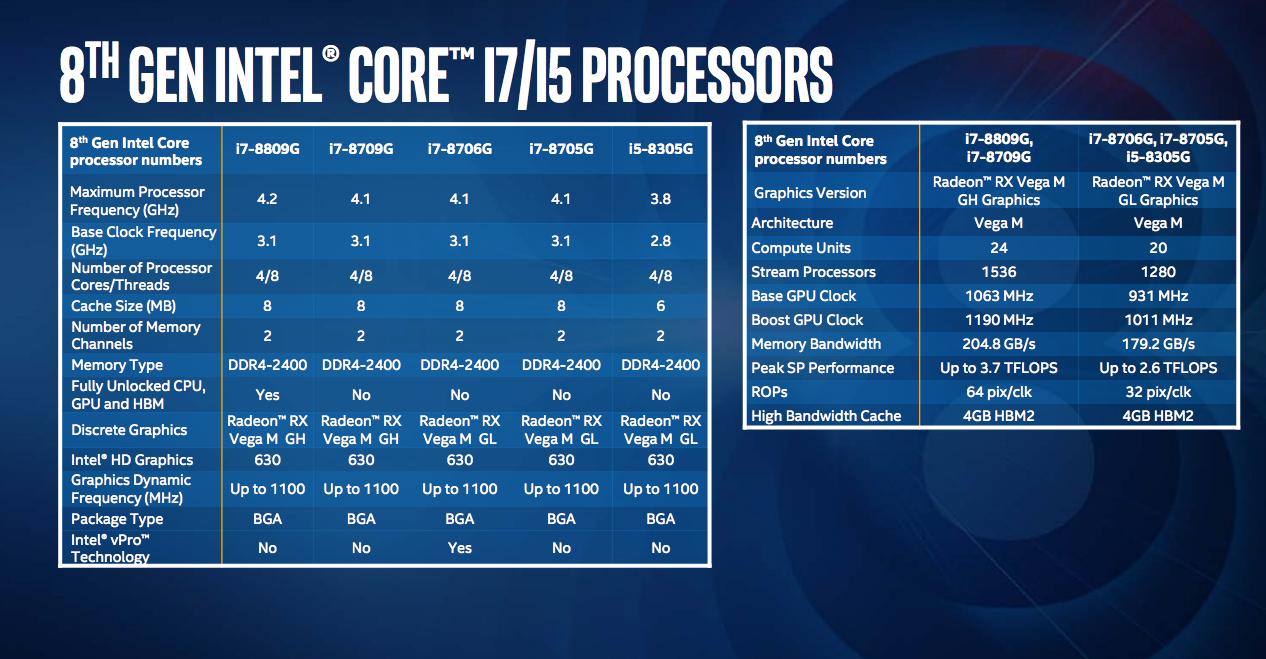
    The most advanced and powerful processor of the lot is the i7-8809G which was leaked before its official unveiling. It is worth noting that the i7-8809G is fully overclockable. It has a base and boost clocks of 3.1GHz and 4.2GHz respectively. Similar to this is the non-overclockable Core i7-8709G with the same base clock but a marginally lower 4.1GHz boost clock. Both have four CPU cores with Hyper-Threading, and 8MB of cache. Both also feature the Radeon RX Vega M GH GPU which has 24 compute units comprised of 1536 stream processors, running at between 1063MHz and 1190MHz.

    Next up are the Intel i7-8705 and i7-8305G processors designed for laptops. While the 8705G has a base and boost clocks of 3.1GH and 4.1GHz with 8MB of cache, the 8305G has a base and boost clocks of 2.8GHz and 3.8GHz with 6MB of cache. Both feature the Radeon RX Vega M GL GPU on package, which has 1280 stream processors clubbed into 20 compute units, running at between 931MHz and 1011MHz.

    The last of the lot is the i7-8706G, which is identical to the 8705G but, is the only one out of the fice which supports Intel’s vPro technology for business-class remote management and security features.

    As far as the Radeon Vega graphics are concerned, both the variants have up to 4GB of high-speed HBM2 of memory connected via a 1024-bit bus. Both GPUs will be able to support six independent 4K displays through the Radeon GPU and three additional displays through the Intel GPU.

  • Building A Budget Gaming PC

    Building A Budget Gaming PC

    One of the most requested series on iGyaan has been building a budget gaming PC. We finally took the onus upon us and decided to build a budget gaming PC which should suffice most of the needs of a gamer who is just starting out and isn’t ready to shell out a lot of cash in the beginning. If you are a novice and testing the waters of the gaming world, then this build should be ideal for you.

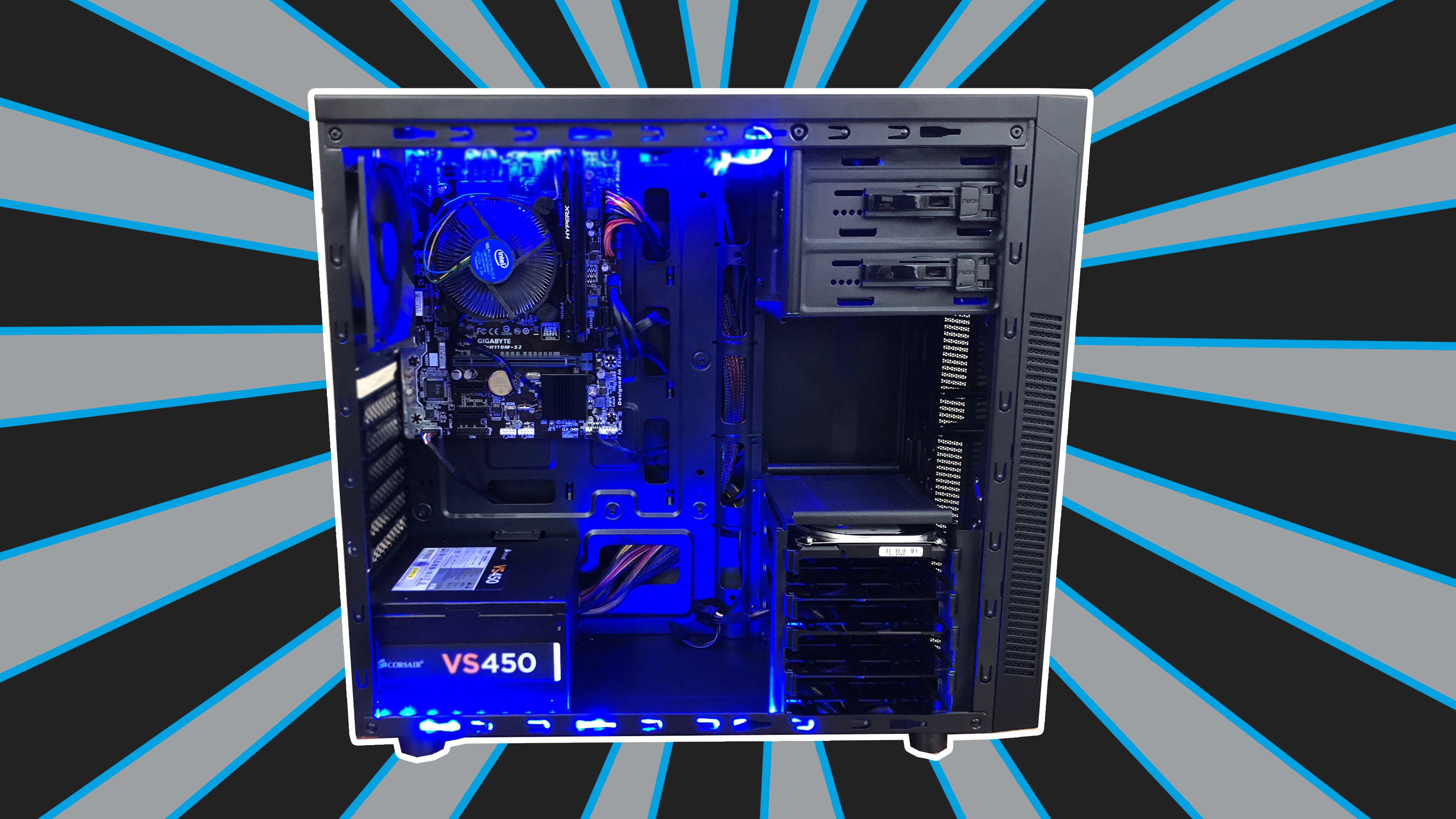
    Corsair 100R Cabinet

    [amazon_link asins=’B00RORBQNW’ template=’ProductAd’ store=’igyaan-21′ marketplace=’IN’ link_id=’a99b305f-e968-11e7-80e1-7341708c04f0′]

    A relatively quiet and good-looking chassis with a matte black finish, the Corsair 100R is ideal for people on a budget. It has a glass side so that you can add LED lights inside and give it a transparent look, something which is very popular among gamers.


    Corsair VS450 450-Watt Power Supply

    [amazon_link asins=’B00X8QBT6M’ template=’ProductAd’ store=’igyaan-21′ marketplace=’IN’ link_id=’b88915cf-e970-11e7-b87a-27693f610cfd’]

    This is again a relatively cheap but an efficient power supply. If you’re looking for a good power supply that won’t break the bank, then the Corsair VS450 is the way to go. There are many power supplies that we could’ve opted for, but this one solved the purpose and didn’t let the price of th overall build go above our budget.


    Gigabyte GA-H110M-S2 Motherboard

    [amazon_link asins=’B06Y4SG6RY’ template=’ProductAd’ store=’igyaan-21′ marketplace=’IN’ link_id=’2d005164-e96a-11e7-a1c4-b1421334aa32′]

    Thanks to the updated BIOS, this motherboard will let you use the Intel i3 7100 which is exactly what we will be using in this build. It has the Intel H110 chipset and the 2-channel DDR4 memory type along with 1 x PCIe 3.0 x16 graphic interface.


    HyperX Fury 8GB RAM

    [amazon_link asins=’B01D8U2BKA’ template=’ProductAd’ store=’igyaan-21′ marketplace=’IN’ link_id=’3c644a43-e96a-11e7-91c8-2bf7df35326f’]

    This RAM is a DDR4 2400 RAM. HyperX Fury DDR4’s lower power requirements result in less heat and higher reliability and the low 1.2 volts draws less power from the system which results in a cooler and quieter PC.


    Seagate Barracuda 1TB Hard Drive

    [amazon_link asins=’B01LNJBA2I’ template=’ProductAd’ store=’igyaan-21′ marketplace=’IN’ link_id=’d398d6f4-e96f-11e7-92e2-592946254c35′]

    In our build, we have decided to use the Seagate Barracuda 1TB hard drive which will slow the bootup speed but, we chose this instead of an SSD to keep the price of the PC at a bare minimum.


    Intel i3 7th generation 7100 CPU

    [amazon_link asins=’B01NCESRJX’ template=’ProductAd’ store=’igyaan-21′ marketplace=’IN’ link_id=’b0fb87a1-e971-11e7-b40c-0f21c4eef032′]

    Now, since this is a budget PC build, we decided to go for the Intel i3 Kaby lake 7th generation 7100 processor instead of the i3 8th generation as it would’ve skyrocketed the total price of our build. This build had a strict budget and we had to work around it.


    Gigabyte GeForce GT 1030

    [amazon_link asins=’B071DY2VJR’ template=’ProductAd’ store=’igyaan-21′ marketplace=’IN’ link_id=’e524434d-e96f-11e7-a485-411e9f877f98′]

    This graphics card comes with a 2GB DDR5 64-bit memory. It goes to 1506 in overclocking mode and 1468 in gaming mode.


    Stay tuned for an in-depth benchmarks and gaming test of this budget PC.

    Watch the full video here –


  • Dell Launches The XPS 13 In India At A Price Of Rs. 84590

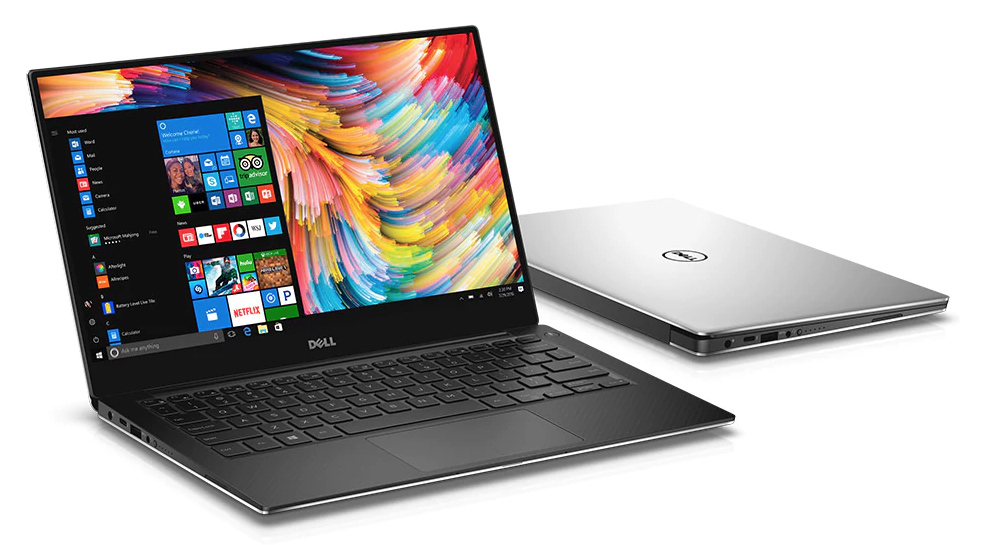
    Dell Launches The XPS 13 In India At A Price Of Rs. 84590

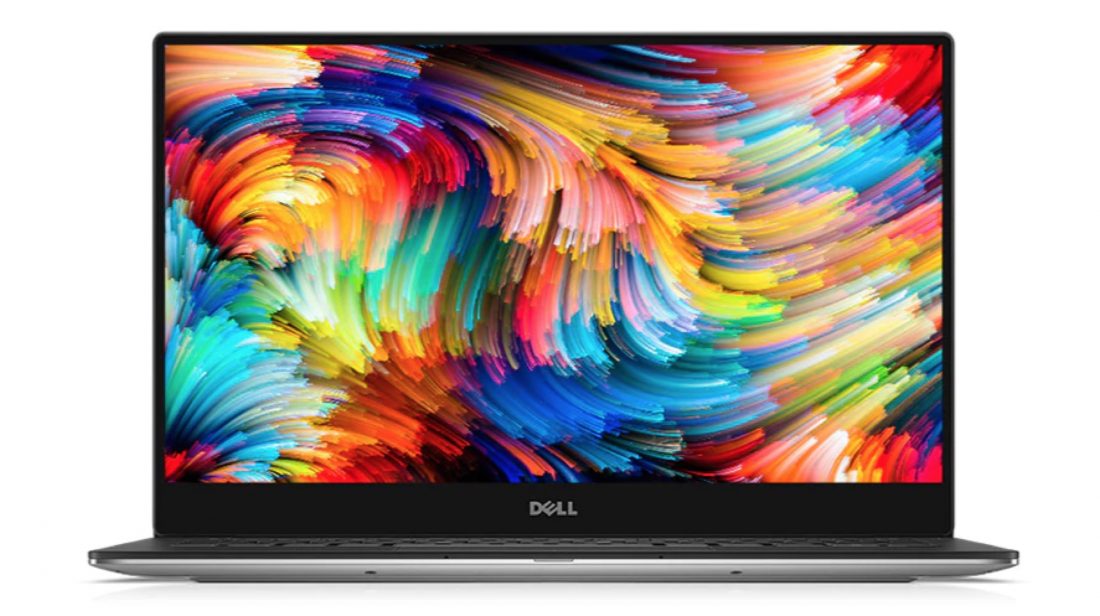
    Dell has launched its new laptop, the Dell XPS 13 in India at a starting price of Rs. 84590. The laptop is available to buy at www.dell.co.in, select Dell Exclusive Stores, Croma and Reliance Digital outlets. The design of the Dell XPS 13 looks like the laptop version of the Xioami Mi Mix 2 with thin bezels on the top and both the sides with a thick bottom bezel.

    It has a 13.3-inch IGZO IPS InfinityEdge touch display with 3200 x 1800 px resolution with a brightness of up to 400-nits.

    Under the hood, the Dell XPS 13 has the 7th generation Intel Core i7-7560U Processor, up to 16GB LPDDR3 1866MHz RAM, 512GB PCIe Solid State Drive and the Intel Iris Graphics 640 to handle all the graphics intensive work. The keyboard on the laptop is backlit and is accompanied by a fingerprint sensor.

    The Dell XPS 13 runs Windows 10 Home out of the box and comes with a 12-month subscription for McAfee LiveSafe antivirus software. For connectivity, it has two USB 3.0 – 1 w/PowerShare, one SD card reader (SD, SDHC, SDXC), one 3.5mm Headset jack, one Noble lock slot and one Thunderbolt 3 (2 lanes of PCI Express Gen 3) slot.

    Powering the laptop is a 60WHr battery which is charged through a 45W AC adapter.

    Buy It Here.

  • Google Chrome Will Now Let Users Mute Auto-Playing Videos

    Google Chrome Will Now Let Users Mute Auto-Playing Videos

    People who use Chrome on a daily basis for web browsing must be aware of how annoying auto-playing videos can be. Although there are a few tricks you can try and use to disable auto-playing videos, but disabling the wrong thing can completely break a website you actually wanted to use.

    Google has rolled out a beta version of Chrome which will enable users to mute websites which auto-play videos.

    You can download the beta version by heading to this link to get the beta version of Chrome on your machine, for Linux, Windows, or macOS. Since this is the beta version, it is worth noting that it is more likely to be buggy, consume system resources or crash, so it’s better to do this on a machine you don’t rely on for daily important work.

    Once you have the beta installed, it’s a simple process to permanently mute a website that has auto-playing videos. Click on the lock icon next to the website’s name, which normally is an indication it’s using HTTPS to encrypt its website. There should be an option to Allow or Not Allow sound from the website. If you access websites that regularly auto-play websites, just set the sound to Not Allow by default, and you won’t have any more problems with auto-playing videos making noise in the background.

  • Apple iMac Pro To Go On Sale In India At A price Of Rs. 4,15,000

    Apple iMac Pro To Go On Sale In India At A price Of Rs. 4,15,000

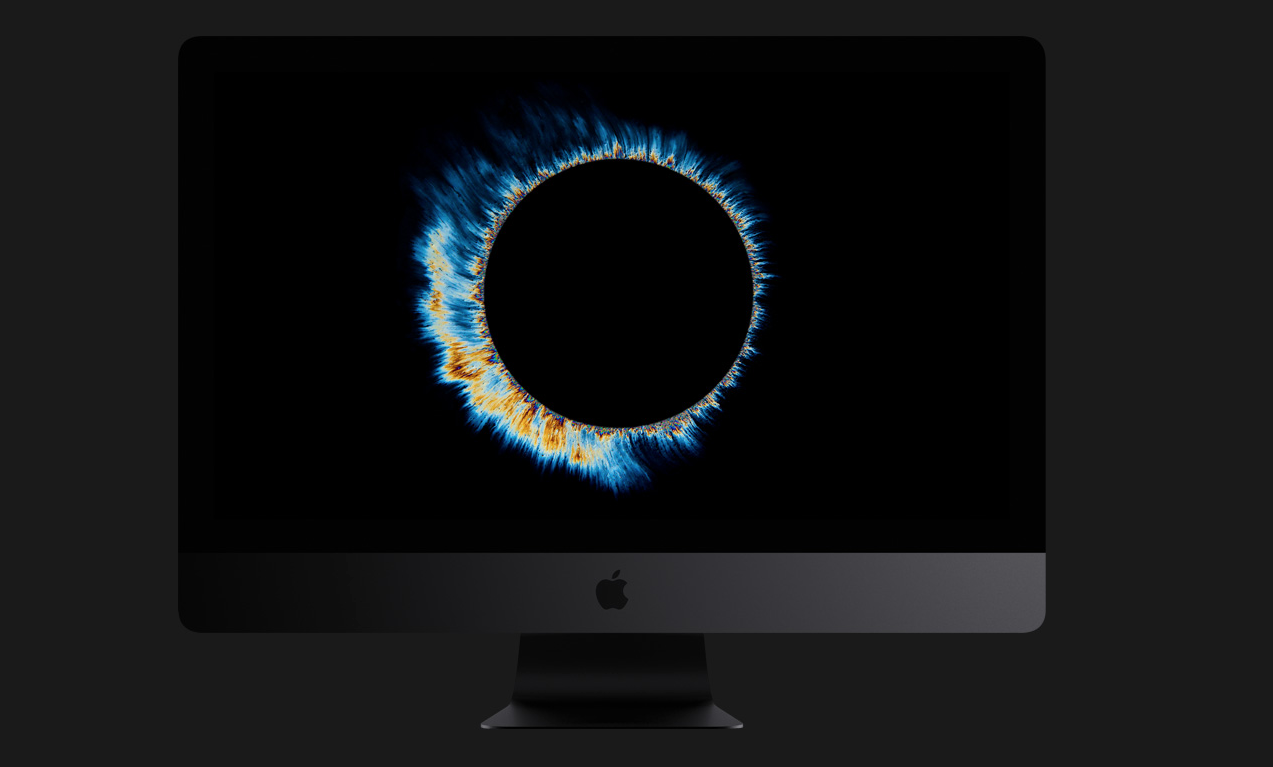
    Apple iMac Pro will go on sale in India at a price of Rs. 4,15,000. Apple recently announced that the iMac Pro will go on sale in the US from the 14th December at a price of US $4999.

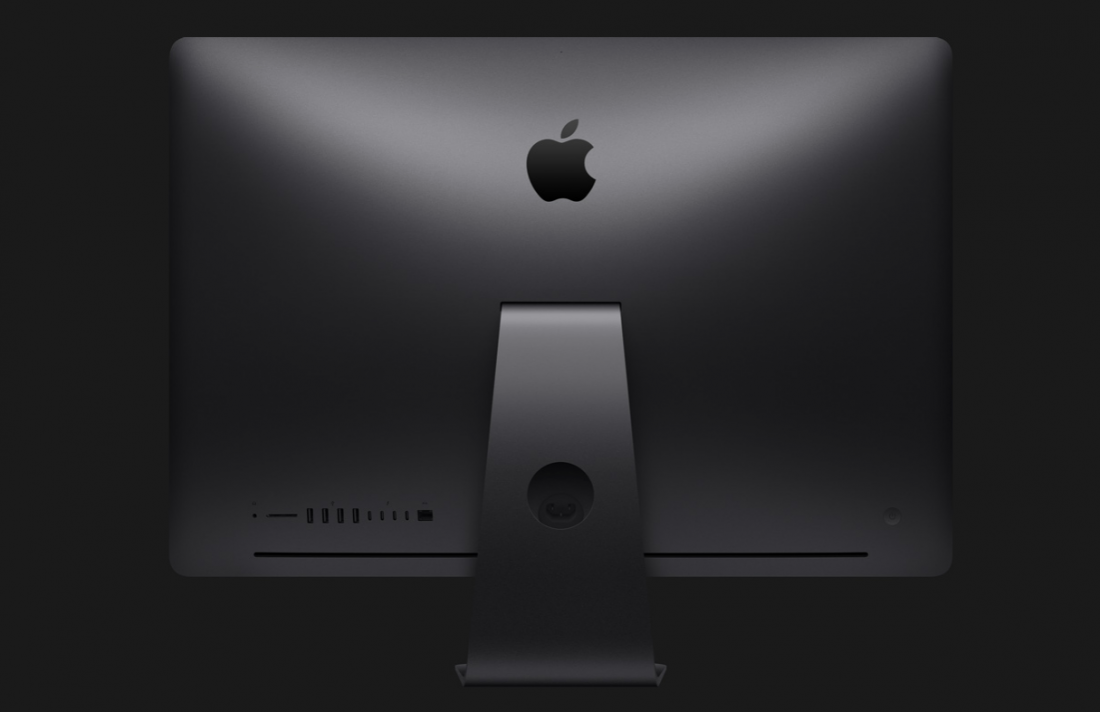
    The iMac Pro has a 27-inch Retina 5K display with a 5120 x 2880 px resolution and 500 nits of brightness. The iMac Pro will be available in only one colour variant, Space Gray.

    Under the hood, the iMac Pro’s base model comes with an 8-core Intel Xeon processor which can go up to 18 cores, 32GB of 2666MHz DDR4 ECC memory RAM with the other two variants having 64GB or 128GB of RAM. The base model has 1TB hard drive with 2TB or 4TB being the other two options. Handling the graphics in base model will be the Radeon Pro Vega 56 graphics processor with 8GB of HBM2 memory, this can also be configured up to Radeon Pro Vega 64 graphics processor with 16GB of HBM2 memory.

    Just above the display is an improved 1080P FaceTime camera.

    In terms of the number of ports and connectivity, it has four Thunderbolt 3 (USB-C) ports, a 3.5mm headphone jack, SDXC card slot, and an Ethernet port.

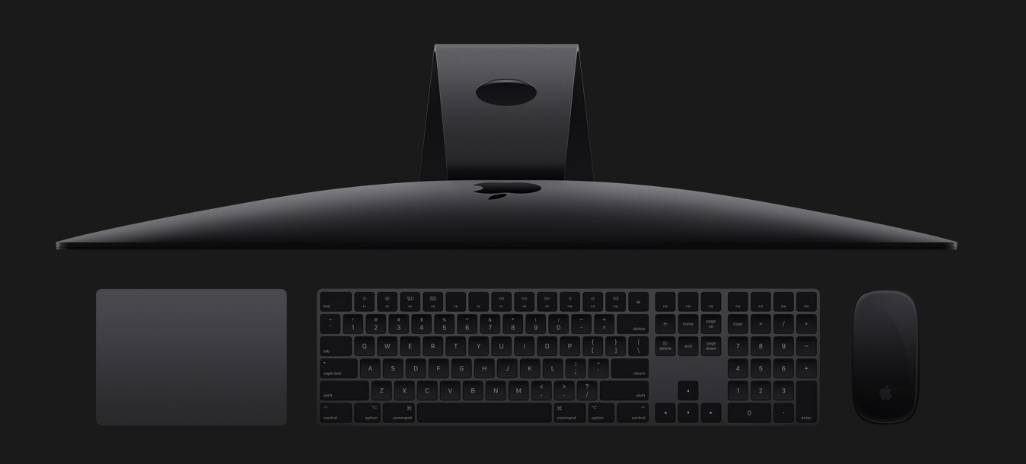
    Along with the iMac Pro, the consumers will also get a Space Gray Magic Keyboard with Numeric Keypad, and a Space Gray Magic Mouse 2 along with the essential cords.

    Apple has not confirmed the date from which the iMac Pro will go on sale in India. We will keep you updated on all the news and the date of sale of the new iMac Pro.

  • Samsung Notebook 9 Pen With S Pen Launched

    Samsung Notebook 9 Pen With S Pen Launched

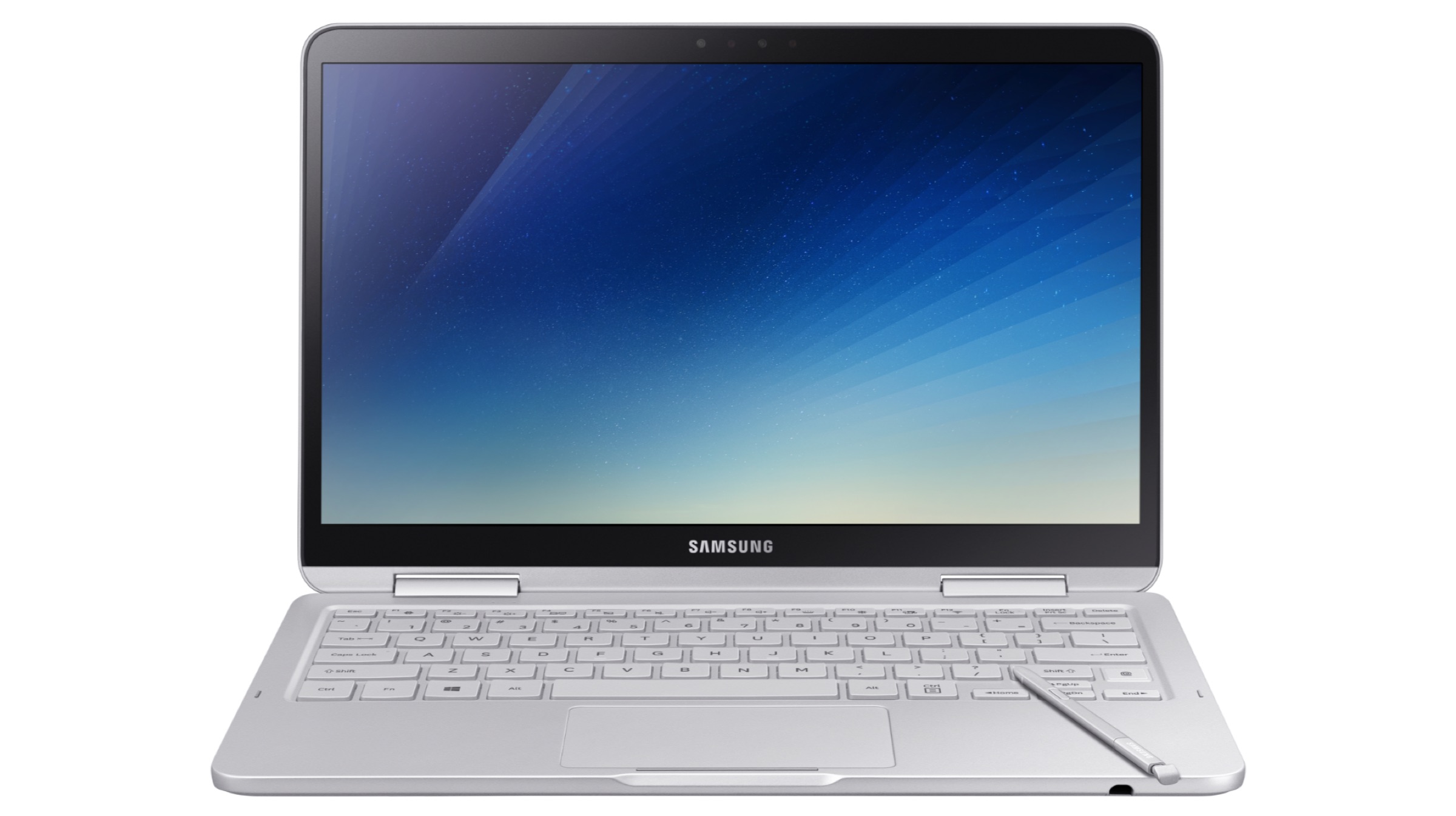
    Samsung has launched its new ultrabook, the Samsung Notebook 9 Pen and three upgraded variants of the Notebook 9. The pricing all the variants and the new Notebook 9 Pen will be announced closer to the release date which is late-December. All the ultrabooks will run Windows 10 out of the box.

    The Notebook 9 (2018) is an upgrade over the Samsung Notebook 9 with three variants ranging from 13.3-inch to 15-inch screen size. The Notebook 9 (2018), with a weight of up to 1.29 kg and a thickness of 15.4mm, is also one of the lightest and thinnest notebooks in its category.
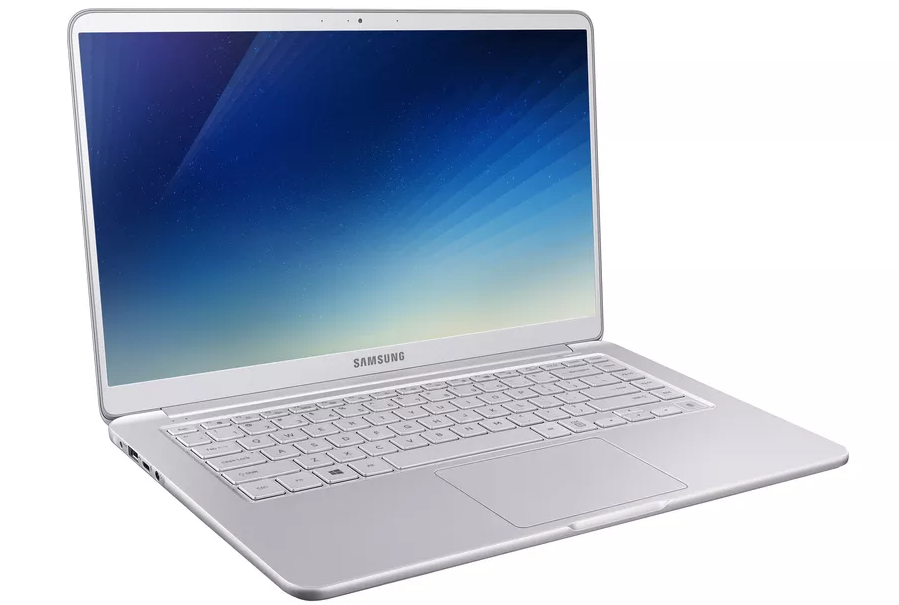
    The 2018 variants of the Samsung Notebook 9 have a 13.3-inch (900X3T & 900X3U) and 15-inch (900X5T, 900X5U, and Discreet Graphics 900X5T) Full HD RealViewTouch display with a resolution of 1920 x 1080 px. It will be available in two colour variants, Titan Silver and Crush White.

    Under the hood, the Notebooks have the 8th generation Intel Core i7 processor, up to 16GB DDR4 RAM, up to 1TB NVMe PCIe SSD, and Intel HD graphics. The 15-inch variant offers an option of upgrading to a 2GB GDDR5 Nvidia GeForce MX150 graphics card. The Notebook 9 (2018) has a fingerprint sensor, backlit keyboard, and a precision touchpad.

    Samsung claims that the 75Wh hexacell battery on the Notebook 9 (2018) is its “largest and most powerful battery placed inside a notebook.” It also supports fast charging for the company’s claimed “always on” capabilities.

    In terms of connectivity, it includes two USB 3.0 ports, an HDMI port, microSD storage, and a single USB Type-C port.

    The Samsung Notebook 9 Pen has a 13-inch (930QAA) RealViewTouch display with a resolution of 1920 x 1080 px resolution. The Notebook 9 Pen will only be available in Titan Light colour variant.
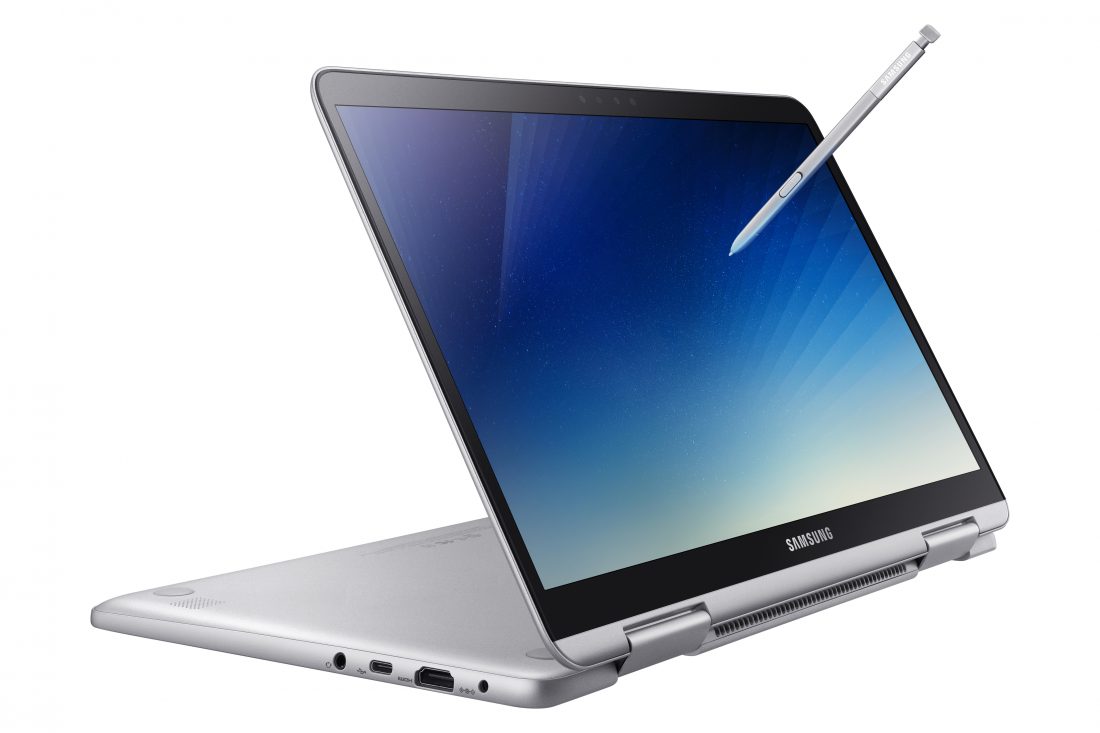
    The 2-in-1 ultrabook has the 8th generation Intel Core i7 processor, up to 16GB DDR4 RAM, up to 512GB NVMe PCIe SSD, and Intel HD graphics. The Notebook 9 Pen has a bundled Integrated S Pen, along with a fingerprint sensor, backlit keyboard, and precision touchpad. It also has an IR 720P camera.

    The new S Pen is battery-free and built into the device for immediate use. Samsung claims it can recognise 4,096 levels of pressure with a fine 0.7mm tip and convenient tilt detection to allow a more natural writing and drawing experience.

    For connectivity, it has an HDMI port, a USB Type C port, a USB 3.0 port and a microSD card slot.

    Samsung has primarily focused on smartphones and tablets in the past few years. The N otebook 9 marks the return of Samsung’s notebook business, pricing will be key, stay tuned for updates on launches in India.
  • Apple iMac Pro To Go On Sale From The 14th Of December At A Price of US $4999

    Apple iMac Pro To Go On Sale From The 14th Of December At A Price of US $4999

    The Apple iMac Pro launched back in June will go on sale on apple.com from the 14th of December. While all the details have not been released yet, the base model will go on sale for a price of US $4999.

    The iMac Pro has a 27-inch Retina 5K display with a 5120 x 2880 px resolution and 500 nits of brightness. The iMac Pro will be available in only one colour variant, Space Gray.

    Under the hood, the iMac Pro’s base model comes with an 8-core Intel Xeon processor which can go up to 18 cores, 32GB of 2666MHz DDR4 ECC memory RAM with the other two variants having 64GB or 128GB of RAM. The base model has 1TB hard drive with 2TB or 4TB being the other two options. Handling the graphics in base model will be the Radeon Pro Vega 56 graphics processor with 8GB of HBM2 memory, this can also be configured up to Radeon Pro Vega 64 graphics processor with 16GB of HBM2 memory.

    Just above the display is an improved 1080P FaceTime camera.

    In terms of the number of ports and connectivity, it has four Thunderbolt 3 (USB-C) ports, a 3.5mm headphone jack, SDXC card slot, and an Ethernet port.

    Along with the iMac Pro, the consumers will also get a Space Gray Magic Keyboard with Numeric Keypad, and a Space Gray Magic Mouse 2 along with the essential cords.


  • Nvidia Titan V GPU Is Here And It Costs $2999

    Nvidia Titan V GPU Is Here And It Costs $2999

    Nvidia has announced the new Titav V GPU priced at US $2999. The company claims that the Titan V is “the most powerful PC GPU ever created.”

    The Titan V sells for $2,999 and is focused on AI and scientific simulation processing. Nvidia claims 110 teraflops of performance from its 21.1 billion transistors, with 12GB of HBM2 memory, 5120 CUDA cores, and 640 “tensor cores” that are said to offer up to 9x the deep-learning performance of its predecessor.

    Nvidia founder and CEO Jensen Huang said in a statement:

    Our vision for Volta was to push the outer limits of high performance computing and AI. We broke new ground with its new processor architecture, instructions, numerical formats, memory architecture and processor links. With Titan V, we are putting Volta into the hands of researchers and scientists all over the world. I can’t wait to see their breakthrough discoveries.

    Here are all the specs you need to know about the Titan V:

    Graphics Processing Clusters 6
    Streaming Processors 80
    CUDA Cores 5120
    Texture Units 320
    Base Clock 1200 MHz
    Boost Clock 1455 MHz
    Memory Clock 850 MHz
    L2 Cache Size 1.7 Gbps
    Total Video Memory 12288 MB HBM2
    Transistor Count 21.1 Billion
    Connectors 3 x Displayport, 1 x HDMI
    Form Factor Dual Slot

    With lots of big titles expected to be launched in 2018, this new GPU will add to the gamer rush. If you are willing to splash the cash, then you can buy the Titan V here.

  • Apple Has Fixed The MacOS Security Flaw Already

    Apple Has Fixed The MacOS Security Flaw Already

    Only yesterday (29th November), the news broke out of a major security flaw that allowed anyone to gain root access to a Mac device running MacOS High Sierra.

    Apple issued a statement:

    Security is a top priority for every Apple product, and regrettably we stumbled with this release of macOS.

    When our security engineers became aware of the issue Tuesday afternoon, we immediately began working on an update that closes the security hole. This morning, as of 8:00 a.m., the update is available for download, and starting later today it will be automatically installed on all systems running the latest version (10.13.1) of macOS High Sierra.

    We greatly regret this error and we apologize to all Mac users, both for releasing with this vulnerability and for the concern it has caused. Our customers deserve better. We are auditing our development processes to help prevent this from happening again.

    Apple’s latest MacOS High Sierra operating system had a very serious flaw that allowed anyone with access to a Mac gain root access by simply typing “root” as the username. The flaw didn’t even require someone to enter a password, which means that anyone with zero hacking knowledge and evil intentions could get into your Mac.

  • This MacOS High Sierra Bug Lets Anyone Login Into A Mac

    This MacOS High Sierra Bug Lets Anyone Login Into A Mac

    Securing our gadgets in this day and age is of utmost priority since most of our lives are now digital. But, it appears that your Mac running MAcOS High Sierra might be susceptible to a serious security hack.

    Apple’s latest MacOS High Sierra operating system has a very serious flaw that can allow anyone with access to a Mac gain root access by simply typing “root” as the username. It appears that the flaw doesn’t even require someone to enter a password, which means that anyone with zero hacking knowledge and evil intentions can get into your Mac.

    Apple has responded to the complaints and announced that it is working on a fix.

    Patrick Wardle, a security researcher with Synack said:

    We always see malware trying to escalate privileges and get root access. This is best, easiest way ever to get root, and Apple has handed it to them on a silver platter.

    This was Apple’s response:

    We are working on a software update to address this issue. In the meantime, setting a root password prevents unauthorized access to your Mac. To enable the Root User and set a password, please follow the instructions here: https://support.apple.com/en-us/HT204012.

    If a Root User is already enabled, to ensure a black password is not set, please follow the instructions from the ‘Change the root password’ section.

    If you are one of the many people who updated their Mac machine to the latest OS, it will be sensible to follow Apple’s instructions until a new update fixes this major security bug.

  • NVIDIA GeForce GTX 1070 Ti Launched At A Starting Price Of Rs 39000

    NVIDIA GeForce GTX 1070 Ti Launched At A Starting Price Of Rs 39000

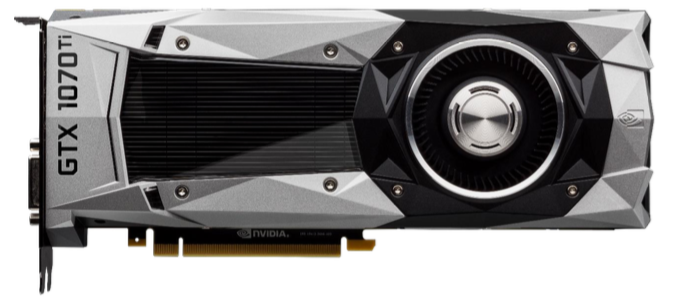
    NVIDIA has launched the new GeForce GTX 1070 Ti in India and will be available worldwide from the 2nd of November. The starting price of the GPU is Rs 39000 in India.

    The GeForce GTX 1070 Ti is packed with 2,432 cores and 8 GB of memory running at 8Gbps for a total bandwidth of 256 GB/s. It delivers double the performance of the famous GeForce GTX 970.

    The base clock speed of the GeForce GTX 1070 Ti is 1607 MHz. The typical Boost Clock speed is 1683 MHz. The Boost Clock speed is based on the average GeForce GTX 1070 Ti card running a wide variety of games and applications. Note that the actual Boost Clock will vary from game-to-game depending on actual system conditions. GeForce GTX 1070 Ti’s memory speed is 8 Gbps data rate. The GeForce GTX 1070 Ti reference board measures 10.5” in length. Display outputs include one HDMI, one DVI and three DisplayPort connectors. One 8-pin PCIe power connector is required for operation.

    GeForce GTX 1070 Ti-based graphics cards will begin shipping November 2 from the NVIDIA GeForce Partner Network, including ASUS, Colorful, EVGA, Gainward, Galaxy, Gigabyte, Innovision 3D, MSI, Palit, PNY and Zotac.

iGyaan Network
Privacy Overview

This website uses cookies so that we can provide you with the best user experience possible. Cookie information is stored in your browser and performs functions such as recognising you when you return to our website and helping our team to understand which sections of the website you find most interesting and useful.