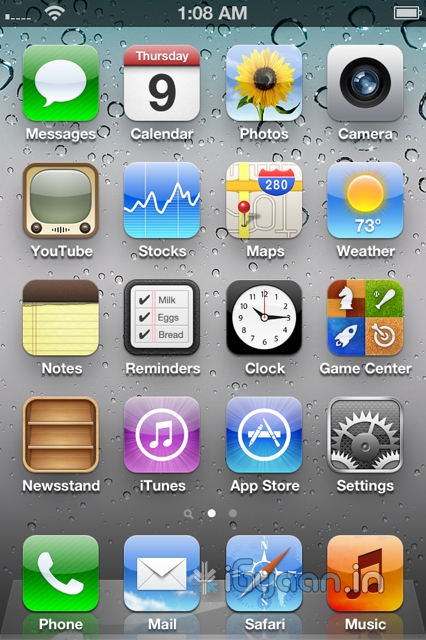
The Google Plus app for the iOS is finally here. Looks identical to the Android App and is available to download from the App Store.
Hit the Link Below to get your own.
[iTunes]



Latest Technology News, Alternative, Bio-Tech, Medical, R&D and Innovations

The Google Plus app for the iOS is finally here. Looks identical to the Android App and is available to download from the App Store.
Hit the Link Below to get your own.
[iTunes]

HTC has just invited us to the launch of their new Smartphone tomorrow. Most likely its the HTC ChaCha, but it could also be the 3D. We wont know till we know, But we do know that there is a new phone coming tomorrow and iGyaan will have the details. Also Check out the invite below, and yes we know you folks act funny so we have smudged out the details of the location etc.


According to a study, conducted by the virtualization management firm Veeam, of 544 large businesses in the UK, US, France and Germany, nearly four out of ten servers are virtual.
The V-Index study shows that across the countries, on average, about 39 percent o servers are virtualized, with a typical large business running 470 virtual machines and 113 hosts. Almost nine in ten businesses use virtualization to some degree with four out of ten feeling that further virtualization is outweighed by reliability concerns. A similar proportion are waiting to refresh their hardware before further virtualization.
The most widely used hyper-visor is VMware, used by 84 percent of firms. Six in 10 also use Microsoft Hyper-V, fifty-five percent use Citrix Xen and 12 percent use alternatives. Ratmir Timashev, chief executive at Veeam had this to say:
While the results show that virtualization has become a standard technology in most enterprises, it is clear that there is still room for increased penetration.
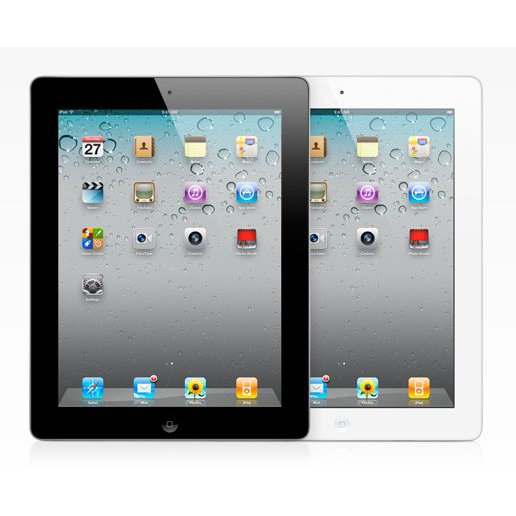
According to Korean Times, Apple is testing 2048 x 1536 displays for the iPad next.
Apple’s upcoming iPad 3 will feature an improved display to support quad extended graphics (QXGA), a display resolution of 2048×1536 pixels with a 4:3 aspect ratio to provide full high definition (HD) viewing experience,
According to their source the iPad 3 is the actual name of the device and not iPad HD. Apple did change its supplier of its primary chipset from Samsung to TSMC earlier this year. This happened due to the series of legal actions b/w Apple and Samsung. Apple however may not find a better manufacturer than Samsung or LG for the display.

And Telling you
We are now helping you shift your Facebook contacts to Google + .
It is a tedious, process but it works

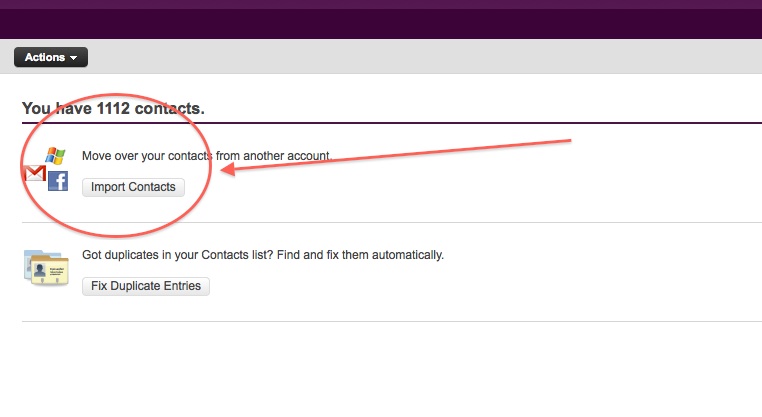
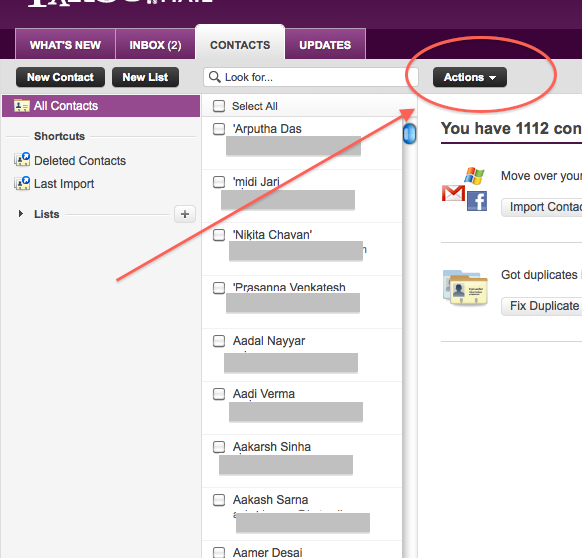

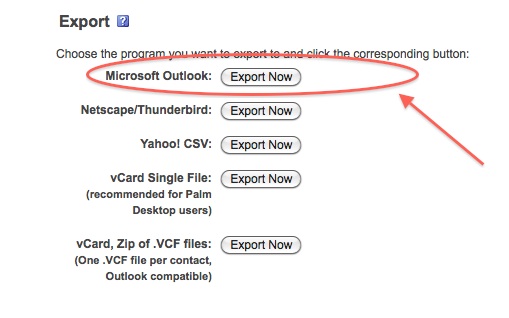
At this point you would want to say to yourself, Why would i need a windows mail account?
Answer : Currently Google + supports contact import from Yahoo and Hotmail. But once you import your contacts from Facebook to yahoo mail, Google plus can’t import them. Same is the case with Hotmail/Windows Live Mail. But with our work around Google Plus will import your contacts, So go on ahead:


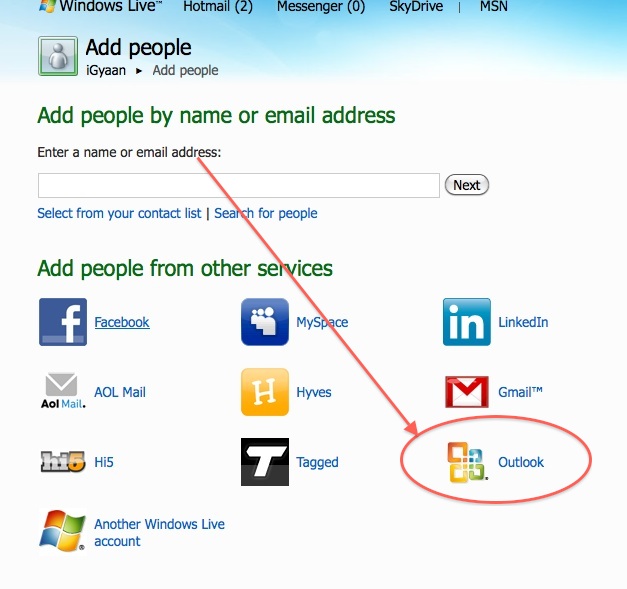

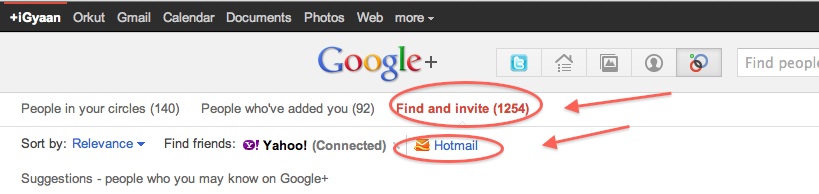

Today we are going to help you set up a Google Plus Account – Step By Step
If you don’t already have an invitation to Google plus, then you should consider making friends with better people, like us.
Hit this link to get an Invite
Note:
When you get an invite it should look something like the image below

After you get an invite you will need to click the button : 
Once you click on the button you will be redirected to the registration page:

Add your details, upload and crop your profile Photo.
And you are all set to CLICK JOIN
Now that you are in, you would want to set up your profile.
You will be greeted with a similar welcome page :


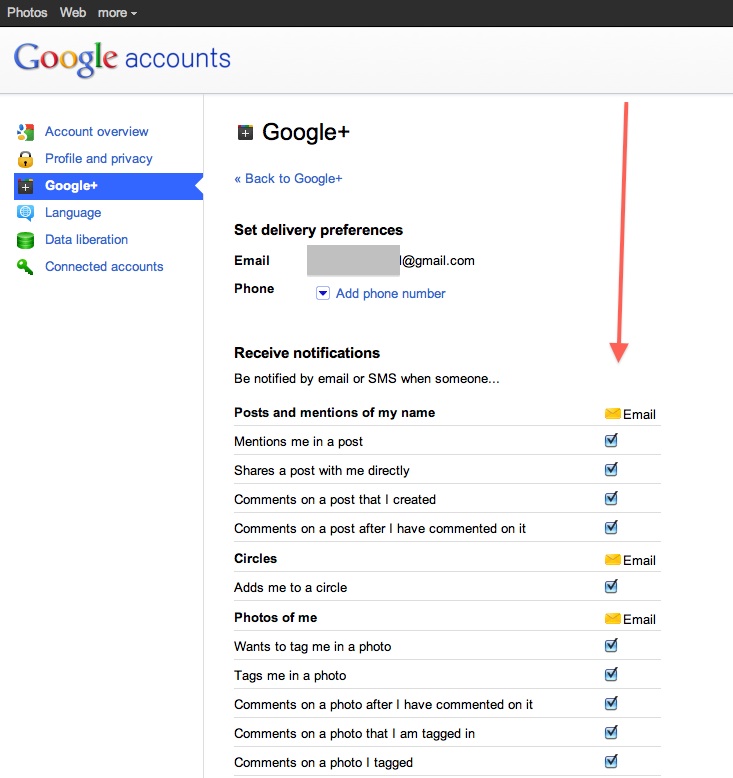
Hit the circles button on your profile page to set up Circles.

Once on the circles page you will be able to , find people by email addresses or by searching for them over other networks and email services like yahoo mail or hotmail.

Simple create circles of your choice, Like Friends, Family, Colleagues, Game Buddies, College, etc.
You can also add the same person to multiple circles.
Once you are done finding and adding your friends, its time to start posting!.

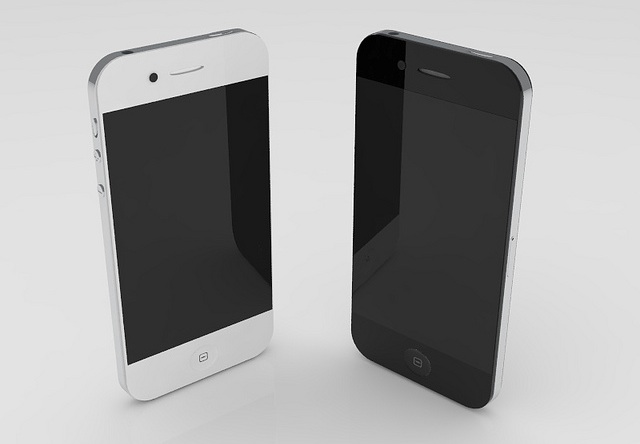
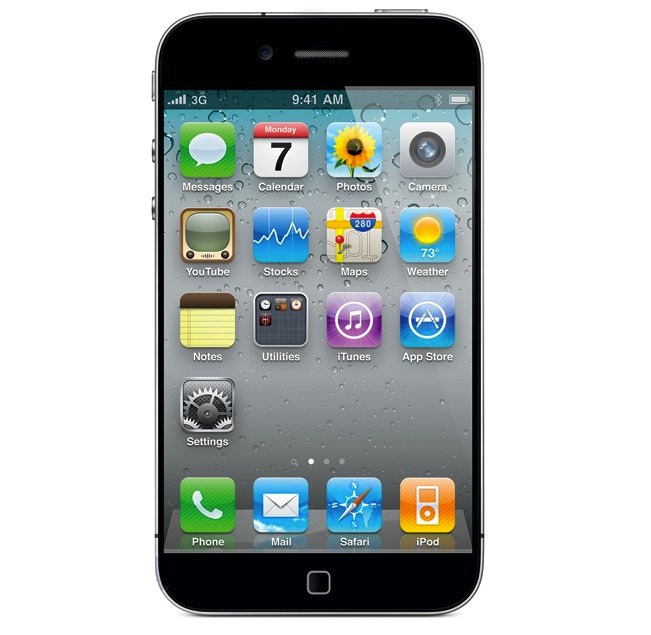 Say it isn’t so! Several rumors are pointing to a further delay in the launch of Apple most anticipated phone since the original iPhone n 2007. According to a story on a chinese website, the overheating A5 chip was the first cause of delay in the iPhone 5 and the shift from June to a supposed September release.
The story goes on to say that Apple will be transitioning to a 28-nanometer manufacturing process with the A6 chip, apparently due next year. The A5 chip that goes into iPad 2 is manufactured on Samsung’s 45-nanometer process and is almost twice the size of the iPhone 4?s A4 processor. That is not acceptable for the constantly shrinking size of the iPhone.
If there is any truth to the story, then we think Apple might release an iPhone 4s sort of modest yet sufficient upgrade which will satisfy the hungry customer for another year, say gorilla glass, 8mp camera dual core A4 chipsets. Either way get ready to take on news with a pinch of salt as we start to get closer to the real deadlines.


Adobe is now allowing people to download the latest version of their desktop flash player, Flash Player 11 beta.
Key benefits of the Flash Player 11 desktop beta include:

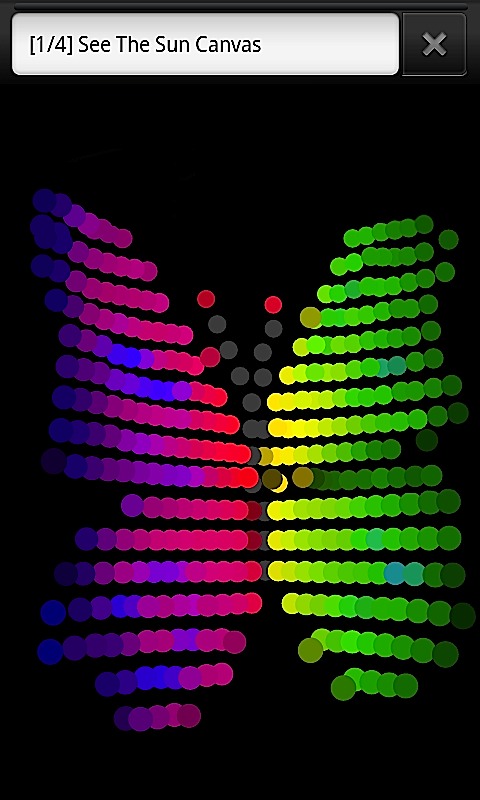
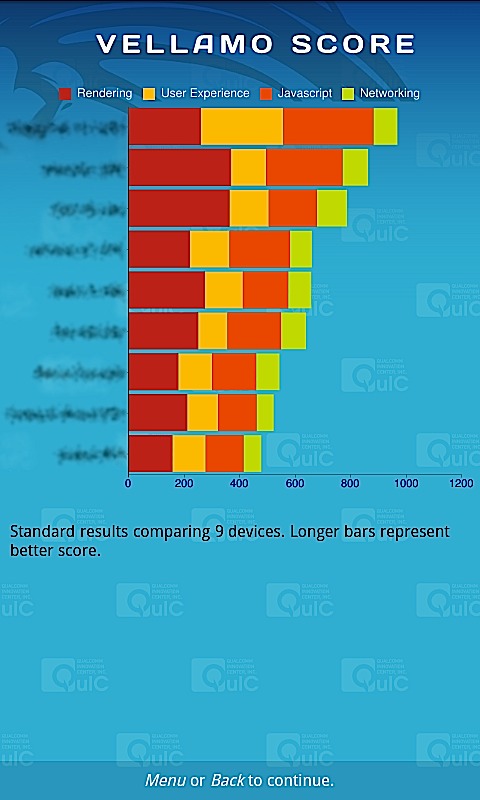
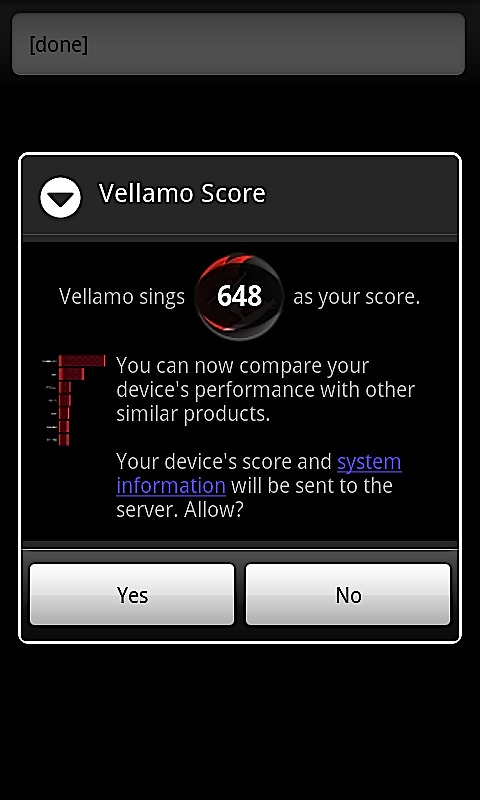
The mastermind behind a flurry of chipsets for Mobile phones, also responsible for graphic benchmarks like Neocore. Qualcomm has just launched the Vellamo Benchmark for Android devices. This benchmark if for mobile browser lagging tests. Vellamo is essentially a suite of 11 tests designed to gauge browser performance on Android phones and tablets.
To operate it requires any Android Device over OS 2.0
MSI has announced that it will be releasing the world’s first PCI Express Gen 3 motherboard and exclusive Click BIOS II with unified interface. This motherboard will bring together may new technologies to boost performance. Read the Press Release for more information.
[toggle title_open=”Collapse Press Release” title_closed=”Expand Press Release” hide=”yes” border=”yes” style=”default” excerpt_length=”0″ read_more_text=”Read More” read_less_text=”Read Less” include_excerpt_html=”no”]
New Delhi, India: MSI, the world-renowned mainboard and graphics card manufacturer, officially launches the Z68A-GD80 (G3), featuring world’s first large bandwidth PCI Express Gen 3 mainboard, and the latest UEFI technology: Click BIOS II which features a homogenous interface both under Windows and the UEFI interface. Conforming to Intel’s latest design standard, the MSI Z68A-GD80 (G3) with PCI Express Gen 3 provides a data transfer rate that is 200% faster than PCI Express Gen 2, enhancing the performance of graphics cards without bandwidth limitations. Click BIOS II, allows simple and intuitive system adjustments in both Windows and the UEFI interface! In addition, Z68A-GD80 (G3) utilizes MIL-810STD Certified Military Class II components and are equipped with OC Genie II technology which increases the performance of hard drive up to 457%. The MSI Z68A-GD80 (G3) enables next generation superior performance with PCI Express Gen 3 and OC Genie II, ultimate stability with certified Military Class II components and an extreme user-friendly Click BIOS II interface both in Windows and in the UEFI BIOS.
If you want to own the highest specification, components and the most superior performance and technology, the best choice is MSI Z68A-GD80 (G3). The product is expected to hit the market in the very early Q3 2011 as the first PCIe Gen 3 mainboard available in the global market.
The world’s 1st PCI Express Gen 3 Mainboard – unparalleled performance
With the Z68A-GD80 (G3), MSI introduced the world’s first PCI Express Gen 3 mainboard in Computex 2011. With ultra-high 32GB/s transfer bandwidth, PCI Express Gen 3 is 200% faster than PCI Express Gen 2. This allows the MSI Z68A-GD80 (G3) to process huge amounts of data and information, maximizing the performance of AMD CrossFireX and NVIDIA SLI multi-GPU solutions.
MSI Z68A-GD80 (G3) is backwards compatible with all the devices with PCI Express 2.0 or older devices already available on the market and enhances their performance considerably. For example, PCI Express 2.0 SSD devices on MSI Z68-GD80 (G3) mainboards perform 14% faster than on competitor’s mainboards.
Click BIOS II with unified interface – provides the best experience
OC Genie II unleashes total system power
Military Class II brings top quality and stability
[/toggle]
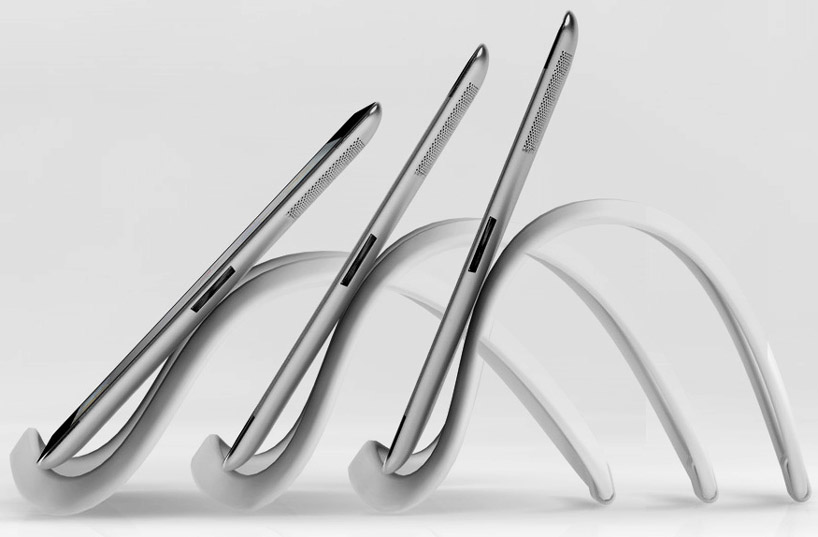
Tim Gushue, an engineer and designer, has created an accessory that he calls the Infinite Loop. It is basically an extensible, multipurpose stand for tablets and smart-phones, which can be bent into any shape and holds onto a device via suction cups. He plans to develop a series of accessories for the Infinite Loop including clip on speakers, a USB module and a camera screw thread adaptor.
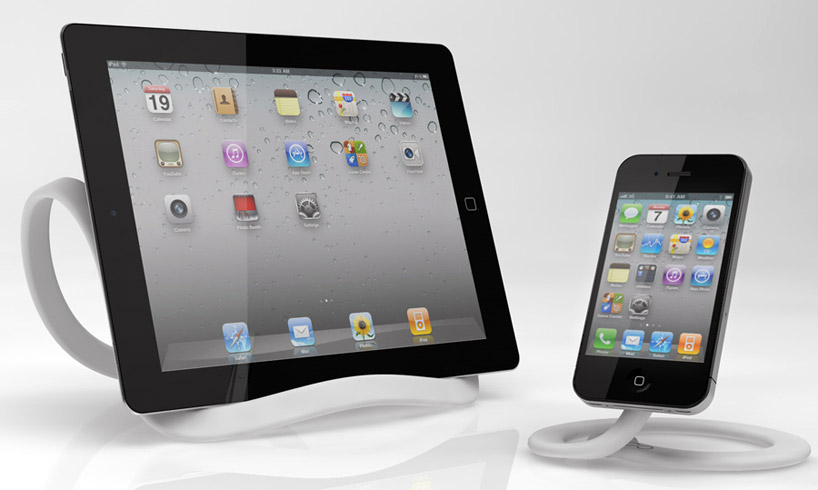
The device is composed of co-molded metal and plastic and comes in two flavours. There is the two foot long ‘mini-loop’ and the standard four foot long ‘Infinite Loop’. The flexibility and adjustability of the Infinite Loop makes it compatible with virtually all tablets on the market today including the iPad, Playbook, and Galaxy Tab as well as most e-book readers like the Kindle and the Nook. The Mini Loop is compatible with all of Apple’s ‘touch’ products including the iPod and the iPhone as well as virtually any smart-phone that you can stick a suction cup to.
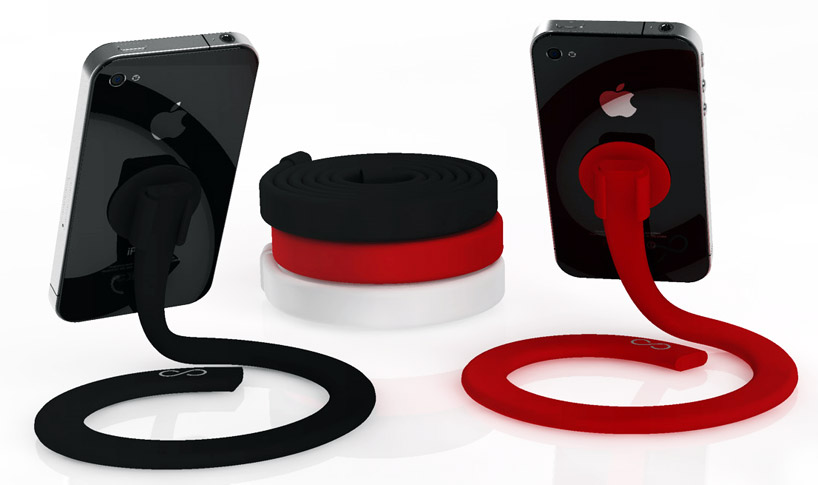
The device as a whole has been designed for a vast number of uses and its flexible nature means that it can be bent into a variety of shapes. The design is also modular, so multiple Infinite Loops can be joined together to create a larger stand/holder. When not in use, the Loop can be rolled up into a compact circle.
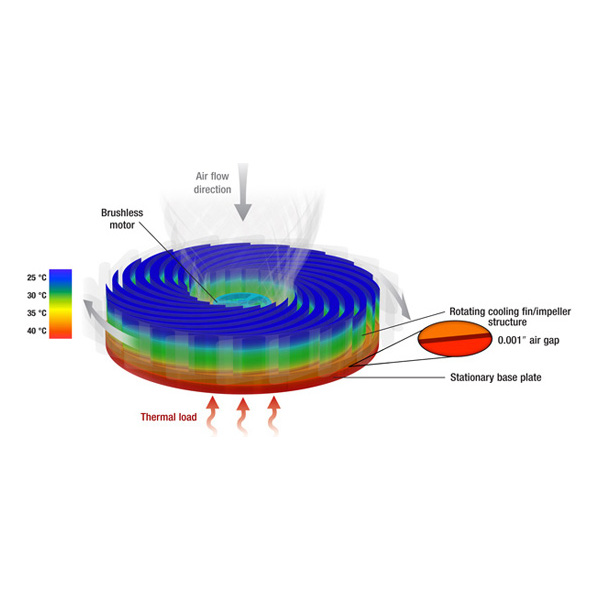
The traditional way with which most computers deal with heat is a heat-sink and a fan assembly over the processor. Of course you have custom solutions like liquid cooling, but they’re out of the budget for most people. Unfortunately, this idea is quite dated and hails from the heydays of computing. New technology requires new solutions and that’s exactly what Jeff Koplow, a researcher at Sandia National Laboratories has developed.
The problem with traditional heat-sinks is that, while the fins provide adequate surface area to cool the processor, a layer of air clings to the fins, which reduces efficiency, acting as an insulator. To compensate, the CPU fan can be cranked up to move more air, but that becomes noisy and uses more energy. As the heat-sink itself doesn’t move, it becomes a great place for dust to settle.

Jeff has come up with an ‘air bearing heat exchanger’, which is just a fancy way of saying that he’s combined the heat-sink and fan into a spinning heat-sink. The heat exchanger is separated from the processor by just 1/1000th of an inch, and as it spins, it forces air out from the center of the exchanger, cooling the fins and eliminating the insulating layer of air. This turns out to be so efficient, that it can be run at much lower and quieter speeds. You can even overclock your CPU a few notches without it being any worse for the wear. As the heat-sink is spinning, it also becomes immune to dust.
A prototype has been developed which doesn’t require any fancy metals or electronics, just good design. This hopefully means that the technology will be easily mass producible and will be available to the market soon.

 In the case of Apple vs Samsung, Samsung was earlier denied the motion to put a stop on sale of Apple products in the US which broke the patents held by Samsung. Apple went on to countersue and asked for a ban on sale of Samsung Products like the Galaxy Tab and Galaxy S2 / S among others. Apple has also asked to see upcoming products from the company to ensure that none of them violate trademark and copyright laws.
Whats more Apple had also asked for the Judge to speed up the hearing and briefing process. The court put Apple down by denying its request to compress the briefing schedule. The reson for denial is stated as “Apple’s knowledge of Samsung’s alleged infringement for more than a year and the fact it engaged in license negotiations with the Korean company during that time.”
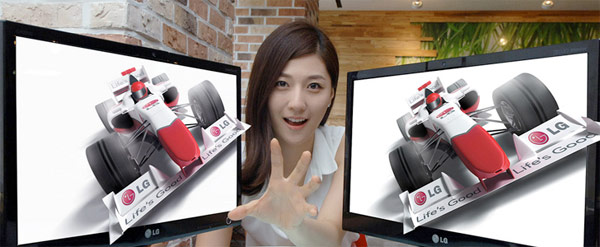
The LG D2000 has been officially launched and It features a glasses free 3D experience.
“With a full line-up of 3D TVs, laptops, projectors and smartphones, LG Electronics is by far and away the industry leader in all things 3D.” said Si-hwan Park, Vice President of the Monitor Division at LG’s Home Entertainment Company. “LG’s position has always been that 3D will and must eventually function without glasses. The D2000 is a look at what the future has in store.”
The monitors are already shipping in Korea with the DX2000 label and will soon hit India somewhat south of September 2011.
Read the press release below
[toggle title_open=”Collapse” title_closed=”Read the Press Release” hide=”yes” border=”yes” style=”default” excerpt_length=”0″ read_more_text=”Read More” read_less_text=”Read Less” include_excerpt_html=”no”]
 SEOUL, July, 13, 2011 – LG Electronics (LG) today unveiled the world’s first glasses-free monitor utilizing eye-tracking technology to maintain an optimal 3D image from a range of viewing angles. The 20-inch D2000 (Korean model: DX2000) monitor was developed as a fully functional entertainment display capable of reproducing games, movies and images in all their realistic glory. “With a full line-up of 3D TVs, laptops, projectors and smartphones, LG Electronics is by far and away the industry leader in all things 3D.” said Si-hwan Park, Vice President of the Monitor Division at LG’s Home Entertainment Company. “LG’s position has always been that 3D will and must eventually function without glasses. The D2000 is a look at what the future has in store.”
The D2000’s 3D effect comes courtesy of glasses-free parallax barrier 3D technology, and the application of the world’s first eye-tracking feature to the monitor. The combination of parallax barrier and eye-tracking in a single unit promises to open up new horizons for glasses-free 3D products.
Existing glasses-free 3D technologies generally require viewers to stay within a tightly restricted angle and distance to perceive the 3D images. However, the D2000 has done much to resolve this issue, allowing viewer much freer movement and more comfortable viewing. Eye tracking in the D2000 works via a special camera sensor attached to the monitor which detects changes in the user’s eye position in real-time. With this information, the monitor calculates the angle and position of the viewer and adjusts the displayed image for the optimal 3D effect.
In addition to playing back existing 3D content, the D2000 has a highly refined 2D to 3D conversion feature which adds a new dimension to existing movies and game playing.
The D2000, available in Korea this month, will be introduced in other markets around the world in the latter part of 2011.
[/toggle]