Blog

  • Xolo Launched its First Windows Smartphone

    Xolo Launched its First Windows Smartphone

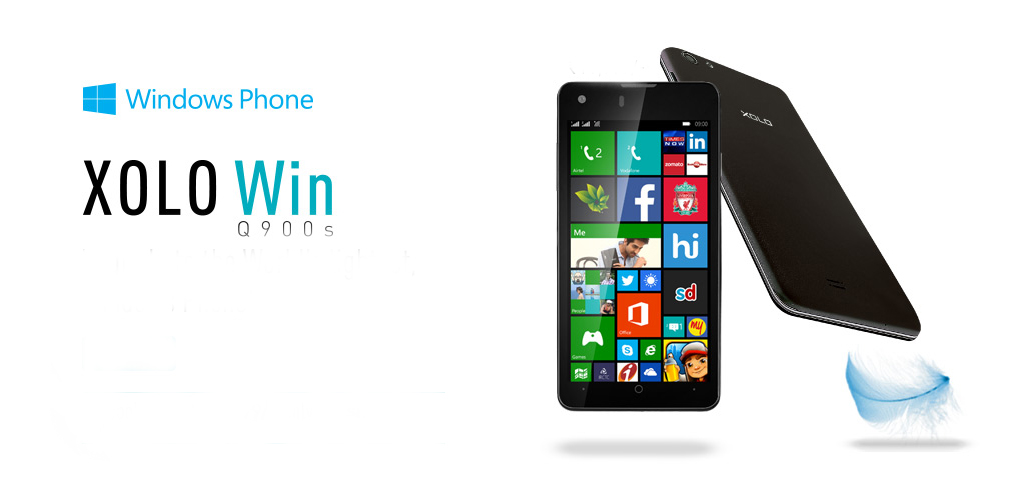
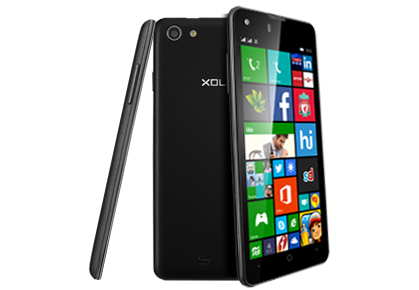
    Xolo, following the footsteps of Micromax, has also joined hands with Microsoft to launch a new Windows 8.1 device for the Indian market. Xolo Win Q900s is similar to the devices in Micromax Canvas Win range.

    q900s-slim

    With the launch of Win Q900s, Xolo becomes the second domestic player to launch Windows Phone OS based smartphone in India after Micromax, which released two devices Canvas Win W121 and Win W092 for priced Rs. 9,500 and Rs. 6,500 respectively, earlier this month.

    Following the trend of exclusively tying up with an e-commerce website, the Xolo Win Q900s is available on pre-order on Snapdeal. As a special offer the introductory price on the website is Rs. 9,999, while the device is set for a launch in July for a price of Rs 11,999.

    The weight of the WIN Q900s is its biggest selling point. It weights all of 100gms, making it one of the lightest smartphones around.

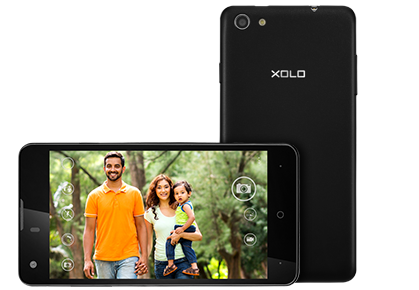
    q900s-camera

    The new Xolo Q900s sports a 4.7-inch HD (1280 x 720p) IPS screen with OGS technology and ships with the Microsoft’s latest Windows Phone OS v8.1, Snapdragon 200 series quad-core processor, Adreno 302 graphics engine, 1GB RAM, 8GB inbuilt memory (expandable up to 32GB) and 1,800 mAh battery which can power the phone up to 23 hours of talk-time and close to 263 hours under standby mode.

    The smartphone includes 8GB of inbuilt storage that is further expandable up to 32GB via microSD card. It also sports a 8 megapixel rear camera with a single LED flash, a 2-megapixel front-facing camera, and comes with a 1800 mAh battery which is rated to deliver up to 14 hours of talk time and up to 246 hours of standby time on 3G network. In terms of connectivity, Xolo Win Q900s supports Wi-Fi, Bluetooth, GPS and 3G connectivity.

    Key Specifications:

    Display 4.7-inch HD (1280x720p) IPS screen with OGS technology
    OS Windows 8.1
    Processor Qualcomm Snapdragon 200 series quad-core processor with 1.2GHz CPU speed
    GPU 400MHz Adreno 302
    RAM 1GB
    Storage capacity 8GB, expandable up to 32GB
    Camera Main: 8.0-megapixel camera with PureCel(TM) sensor, LED flash, auto-focusFront: 2.0-megapixel camera
    Battery 1,800 mAh (Li-Pol)
    Network 2G & 3G
    Add-ons Dual-SIM slots, Bluetooth, Wi-Fi, micro-USB v2.0,
    Dimensions 135.8 x 67.2 x 7.2 mm
    Weight 100 g
    Price INR 11,999;(INR 9,999: Special pre-booking offer at Snapdeal )

  • DJ Khaled’s ‘We The Best Sound’ Headphones to Take On Dr Dre’s Beats

    DJ Khaled’s ‘We The Best Sound’ Headphones to Take On Dr Dre’s Beats

    After the amazing record label “We The Best Music Group”, DJ Khaled partnered with Heads Audio & Bang Olufsen to introduce a namesake Headphones brand to take on the Dr. Dre’s Beats. The brand will be known as We The Best Sound.

    Dj Khaled is known for his collaborations with the crème de la crème of the Hip Hop world like Jay-Z, Kanye West, Nicky Minaj, Ludacris, Chris Brown, Drake and many more. He has also won multiple awards for his collaborations.

    On the Headphones front he has a much more formidable opponent in Beats. Dr Dre’s brand has had a long head start and has also been featured on DJ Khaled’s videos. Also the recent Apple acquisition gave it a considerable boost. So it would be interesting to see how We The Best scores up against the Beats.

    Yesterday, he posted an update on Instagram and he had this to say:

    [quote text_size=”small” author=”DJ Khaled”]

    “Today I am proud to announce that I have partnered with Heads Audio & Bang Olufsen to create the best audio in the market place, We The Best Sound. We The Best Sound represents the very best in audio entertainment. Alongside the prestigious Bang Olufsen brand, We The Best Sound and Heads Audio will provide the listener with the highest quality sound in electronic audio entertainment and will continue to carry on the tradition in excellence set by Bang Olufsen. It will also provide the listener a chance to hear audio the way I hear it when creating my music. I take pride in crafting a sound based on time, care and most importantly the best quality sound on the planet. Embark on this journey in sound with me…you won’t be disappointed. We The Best Sound, the brand you can trust. H6 with Dj Khaled by B&O @wethebestmusic @wethebestsound @headsaudio @beoplay #GODISTHEGREATEST!”

    [/quote]

    The Headphones themselves look good. Though special consideration should go to the Iron Man Red and Gold color tones, a combination of classy and flashy. Since yesterday his instagram account has been filling up with him posing with a wide barrage of celebrities. He even had one with Larry King (who knew someone would consider Larry King for headphone endorsement).

    It’s actually good for the music industry to have sound equipment merchandising. Considering the fact that it is hard to make money out of sales because of internet piracy, a trademarked hardware would definitely be an advantage for the industry. We’d surely like to see more competition in the field.

    Come on Eminem, where are the GOD’s Headphones?

  • Samsung Refreshes its Galaxy Line-Up With Four New Budget Phones

    Samsung Refreshes its Galaxy Line-Up With Four New Budget Phones

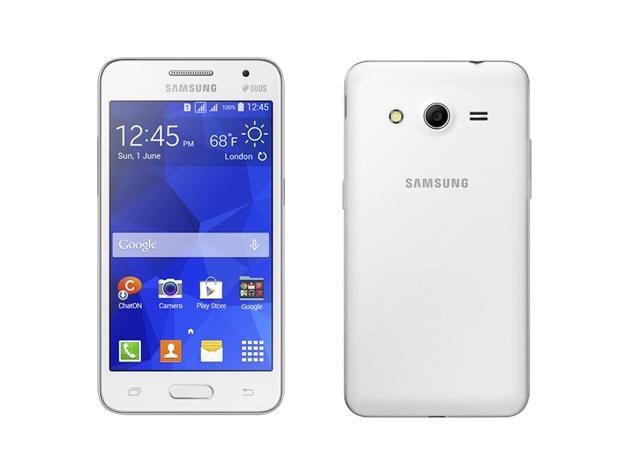
    Samsung is getting ready to play its card in the ever-crowded budget phone segment with the release of its four new phones. The Galaxy Core II, Galaxy Young 2, Galaxy Ace 4 and Galaxy Star 2 are successors of the best-selling range of Samsung phones. These newly launched Galaxy smartphones are touted to be targeted at the affordable segment. The South Korean consumer electronics giant, as of now, has not revealed any pricing or availability details of the four smartphones.

    All the four phones run on KitKat 4.4 with the company’s TouchWiz Essence UI. While, Galaxy Core II, Galaxy Star 2, and Galaxy Young 2 are dual-SIM devices, the Galaxy Ace 4 is a single SIM device and has been launched in 3G and LTE variants.

    1. Galaxy Core II

    galaxy_core_ii

    Galaxy Core II is the most powerful device among the recently announced phones. It is equipped with a 4.5″ WVGA display and runs on a quad-core 1.2GHz processor. Furthermore, it includes 768MB of RAM, 4GB expandable storage, a 5MP rear camera with a LED flash, a VGA front snapper, and a 2,000mAh battery. Samsung Galaxy Core II offers fast 3G connectivity with 21Mbps downlink, dual-SIM, Wi-Fi N, Bluetooth 4.0, GPS with GLONASS and FM radio. It runs on Android 4.4 KitKat and will become available in White and Black colours.

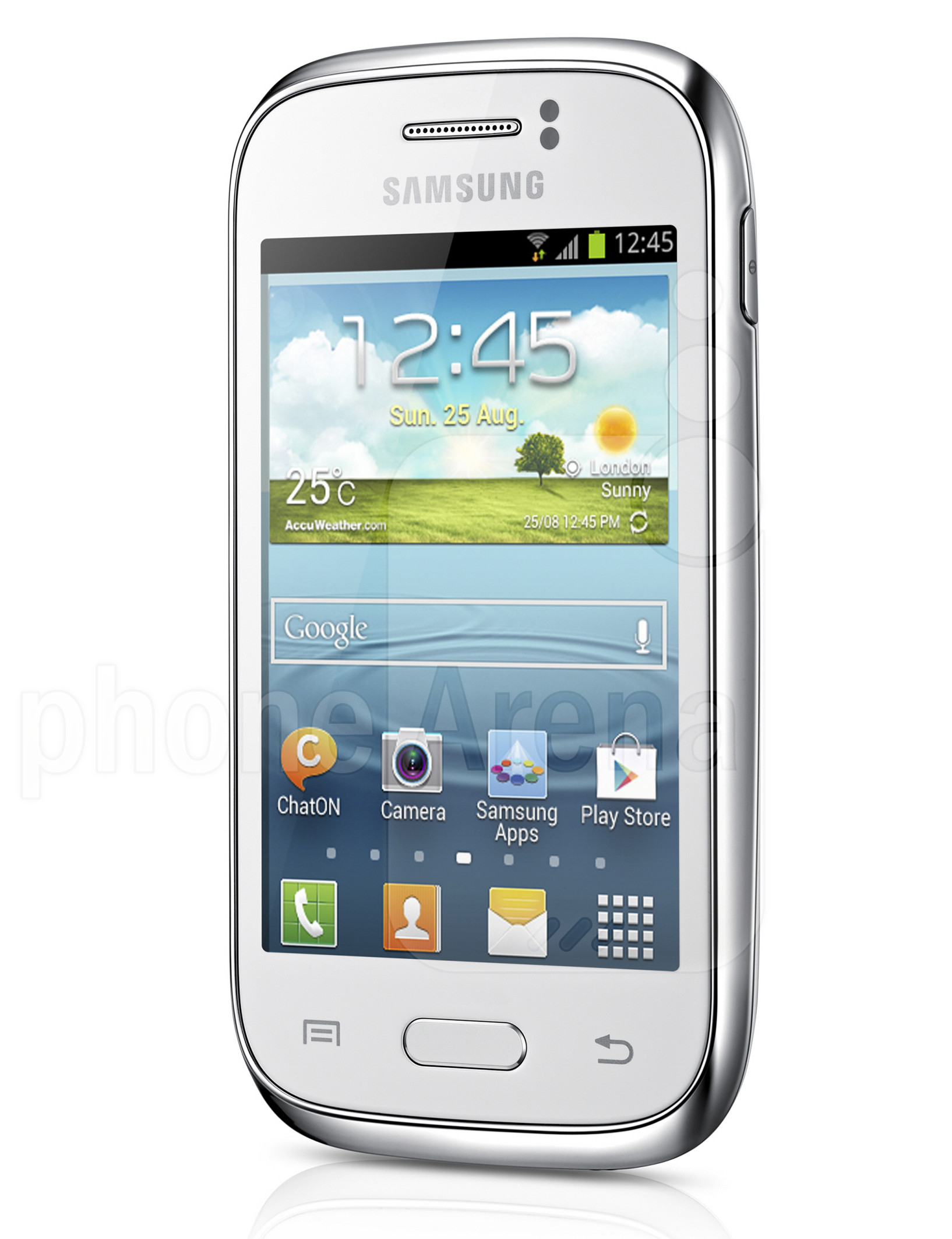
    2. Galaxy Young 2

    samsung

    A small sized smartphone with 3.5″ HVGA display phone, Galaxy Young 2  is backed by a 1GHz single-core processor clubbed with 512MB of RAM. There is a 3-megapixel fixed-focus rear camera. It comes with 4GB inbuilt storage which is further expandable up to 32GB via microSD card. The phone provides you with connectivity options including Bluetooth 4.0, Wi-Fi b/g/n, A-GPS, GLONASS, 3G and Micro-USB. It measures 109.8×59.9×11.8mm and weighs 108 grams. The Galaxy Young 2 packs a 1300mAh battery and comes in two colour variants – Iris Charcoal and White.

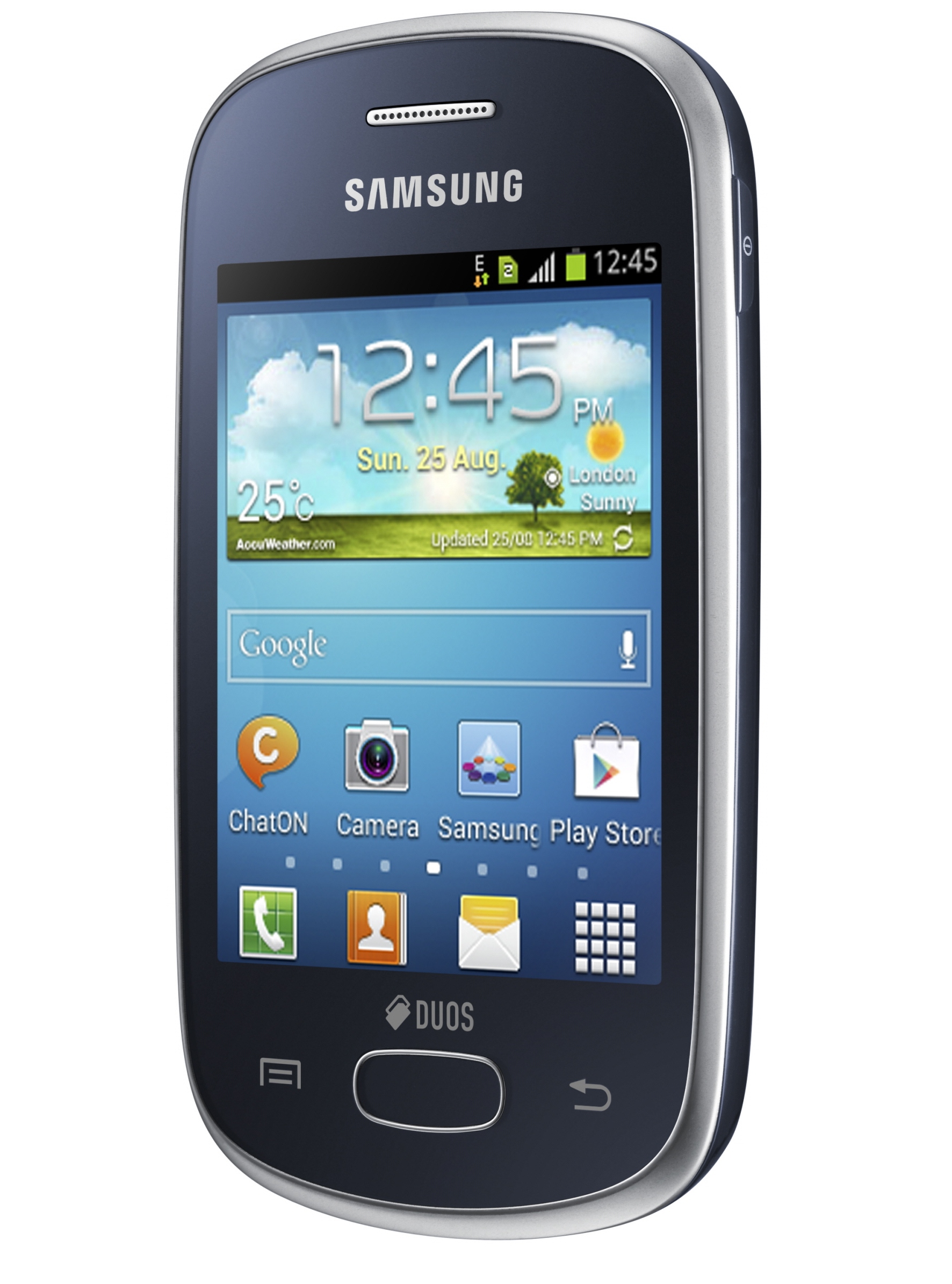
    3. Galaxy Star 2

    GALAXY-Star-DS-Product-Image-2

    The Samsung Galaxy Star 2 also comes with a 3.5-inch HVGA. It is powered by a single-core Spreadtrum SC6815A clocked at 1GHz alongside 512MB of RAM. The smartphone sports a 2-megapixel fixed focus rear camera and includes 4GB of inbuilt storage which is further expandable up to 32GB via microSD card. The phone has 1300mAh of battery and for connectivity it includes Bluetooth 4.0, Wi-Fi b/g/n, and Micro-USB options. The major dissapointment in this phone would be the fact that it does not have 3G network support.

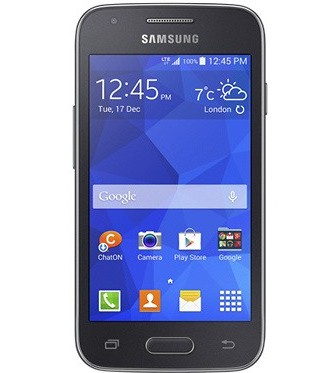
    4. Galaxy Ace 4

    gsmarena_001

    The Samsung Galaxy Ace 4, as mentioned earlier, comes in two variants – LTE and 3G. The Galaxy Ace 4 3G features a 1GHz dual-core processor, 512 MB of RAM, 4-inch WVGA display, 4GB of internal storage, a microSD slot, 5-megapixel rear camera, VGA front-facing camera, and a 1,800 mAh battery. The LTE variant of the Ace 4 gets a faster processor clocked at 1.2GHz, 1GB of RAM, and a higher-capacity 1,800 mAh battery. The smartphone comes with Bluetooth 4.0, Wi-Fi b/g/n, A-GPS, GLONASS, and Micro-USB connectivity options. Both variants will be available in Iris Charcoal and Classic White colors.

  • Sony Finally Launches A7S With 4K Video Capture in India

    Sony Finally Launches A7S With 4K Video Capture in India

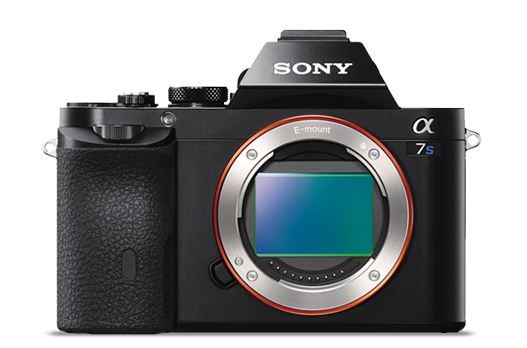
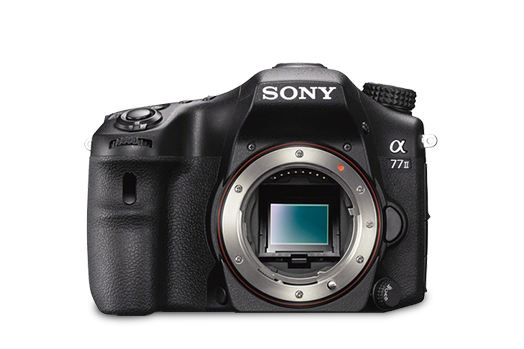
    Adding to its extensive camera market, Japanese Electronic giant Sony has launched three new cameras in its Alpha range of DSLR segment and cyber-shot range; A77 II, A7s and Rx100 III.

    a7s
    Sony Alpha A7s

    The highlight of the launch is the A7S which brings in 4K video quality for professional photographers and videographers. Successor of A7 and A7R, the camera features a new 12.2 effective megapixel 35mm full frame Exmor CMOS sensor with a BIONZ X image processor which will allow it to shoot at a sensitivity range of ISO 50–409,600. It is also the first model to utilise the entire width of a full-frame image sensor for 4K video. Priced at Rs 1,54,990, the A7s will start selling in mid July.

    In video mode, the A7S can output 4K video at QFHD (3,840 x 2,160) to an optional external 4K compatible recorder, and can record full HD (1,920 x 1,080) at frame rates of 60p, 60i, 30p and 24p directly to a compatible memory card. Video modes can be changed from full-frame to APS-C (super 35mm equivalent) if desired, and in this crop mode, the camera can support high frame rate 120fps shooting at standard HD resolution (1,280 x 720p), creating a 5x slow-motion effect.

    a77 iii
    Sony Alpha A77 III

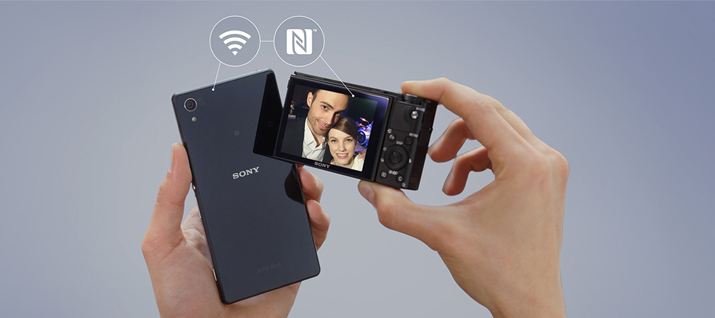
    Secondly, the company has also launched three models of A77 II, priced between Rs 84,990 to Rs 1.14 lakh. It features a 79 autofocus detection points with 24.3 megapixel image sensors and already available in the market.  It will also come with an on-board Wi-Fi that allows one-touch connection with smartphones and tablets.

    rx100
    CyberShot RX100 III

    The last addition to Sony’s camera market is an update of its popular Cyber-shotTM RX100 camera. The Cyber-shotTM RX100 III comes with an upgraded lens and faster image processor and a retractable OLED Tru-FinderTM with ZEISS T. The camera will have enhanced movie features and a 180-degree tilting LCD. The camera will have a 20.1 effective megapixel back-illuminated 1.0-type Exmor RTM CMOS sensor. The camera is priced Rs 54,900.

  • Top 5 Websites to Buy Sports Gear Online

    Top 5 Websites to Buy Sports Gear Online

    Following the football matches everyday has given us the much-needed inspiration to bring some physical activity back into our lives. But we’ve always been a bit reluctant to buy sports equipment online for one reason: their originality. After trying and testing several websites, we found some really cool ones which provide a wide variety of options for sports apparel, gears and accessories.  Have a look at what we discovered:

    1. Decathlon

    decathlon (1)French sports goods giant, Decathlon, have an amazing website with excellent customer service. You can buy the products through sports categories like Gold, Tennis, Football etc. as well as according to gender and age. Decathlon is a trusted name which as been in business for past 44 years. We’d highly recommend this if you’re planning an adventure trip. They have it all – sleeping bags, tents, camping furniture, fishing rods and much more.

    2. Sports365

    283079_py2svyOmOFd6hqib3IwKyUsJt

    Backed by tennis ace Mahesh Bhupathi, Sports365 offers widest assortment of sports goods and fitness equipment online. A right place for people looking for quality and genuine sporting gears. You can purchase sports equipment, accessories, apparel, and even footwear. The website claims to offer over 8,000 sports and fitness products from international brands that include Yonex, Head, Wilson, Babolat, Puma, Adidas, Prince, GM, Arena, Donic, Tunturi, and Body Sculpture among others. All the products are competitively prices with discounts as high as 45%.

    3. Wiggle

    wiggle2_1

    Leaving aside its strange choice of name, this website is quite cool. Especially if you are into cycling, Wiggle is the best place on the internet for you. They have been around since 1920’s and their online service is is as good as their stores. They provide you sporting gears for cycling, swimming  and running. The prices are slightly on the high-end, but they deliver for free.

    4. Online Sports

    onlinelogo

    Online Sports is a website where you can buy just about anything sports related from jerseys to dartboards. It is a very organised website with loads of option to choose from. All the categories are in clean drop down menus and you can easily sort the merchandise by your favorite teams. You can browse the items by sport, brands, or even by a favorite team.

    5. Playmore.in

    playmore

    PlayMore.in claims to bring top quality products at highly competitive prices delivered right at your door step. They have the standard sections for hiking, cycling, running, sports and fitness. Once you’ve placed your order, they promise to deliver with fifteen working days. One of its major drawbacks is that you only have 24 hours after delivery to decide if you’re satisfied by your order or not. The website usually has several discounts running on various equipment.

  • DIY : Install Android L On a Nexus Device Right Now

    DIY : Install Android L On a Nexus Device Right Now

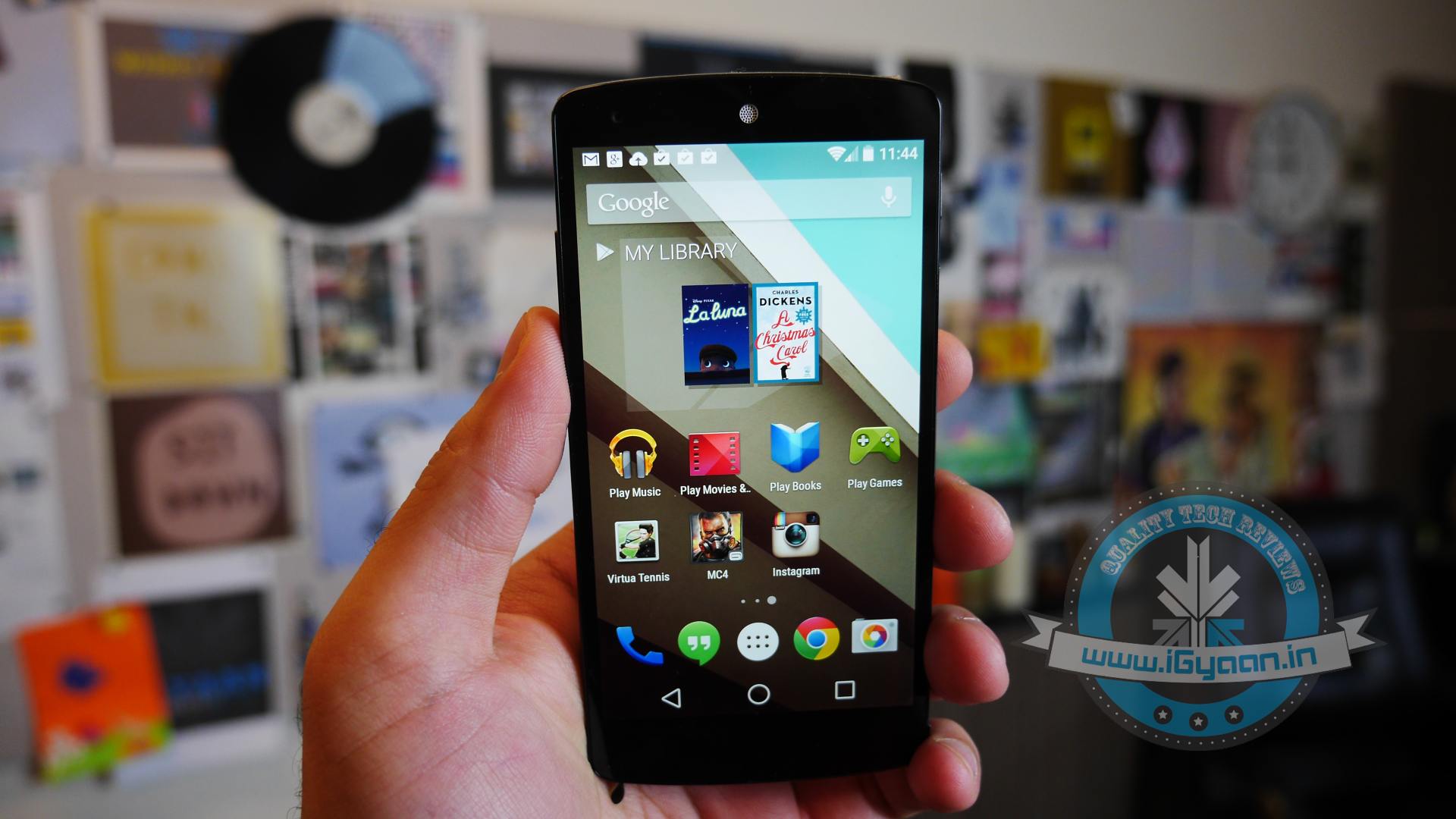
    At the I/O 2014 conference, Google showcased the latest version of Android, known only as L until its official launch later this year. Now, Google is offering an Android L Developer Preview, which is essentially an Android L Beta that comes complete with Android L factory images for the Nexus 7 and Nexus 5. You will need these Android L factory images to install the Android L Beta on your device. In addition you will need to install the Android SDK or at least ADB and Fastboot.

    Android L may not yet be ready for prime time, but a preview version is now available for Nexus 5 and Nexus 7 (2013 Wi-Fi model), giving users the option to get comfortable with the slew of changes it introduces. Here is how you can download and install it.

    P.S. Don’t forget to Back-up first.

    Also, if you are just interested in our detailed look at Android L : Hit the bottom ! or Click Here.

    google_android_l_developer_preview_screenshot_googleio

    What you Need

    • The Android SDK Tools, that you can download from Google Developers
    • The Android L preview factory image for your Nexus 5 and/or 2013 Wi-Fi Nexus 7, that you can also download from Google Developers.
    • A program that can handle archived files, like 7-Zip or WinRAR.

    How to do it

    Step 1.

    Before you can install the Android L Beta to Nexus devices you will need to install ADB and Fastboot to your computer. This is a program that runs on your computer to connect to your Android through a USB cable and flash the Android L Beta to your device.

    HOW TO INSTALL ADB ON WINDOWS

    If you are using a Windows machine, including up to Windows 8 and Windows 8.1 you can use the 15 second adb installer to streamline the process.

    Download the ADB installer for Windows. Find the file, right-click on it and choose Run as Administrator. When prompted you need to give the app access to run as an administrator. After the app launches type a Y and enter to select yes to Install ADB & Fastboot, to intsll ADB/Fastboot systemwide and to install Drivers. When a new window pops up follow the steps to install the drivers.

    After this is installed you should be ready to install the Android L Beta on the Nexus 5 and Nexus 7.

    HOW TO INSTALL ADB ON MAC, LINUX & CHROMEOS

    Nexus Tools makes it easy to install ADB on a Mac, Linux or even ChromeOS. All you need to do is open Terminal on your computer and paste in the code from xda.

    This will install ADB and Fastboot on Mac, Linux and Chrome OS without the need to do anything else.

    After the script completes you can type ADB or Fastboot to start running either program.

    Step 2.

    If you are on a Mac/Linux/Chrome OS jump to Step 12
    Windows PC folks; go to the folder where Android SDK Platform-tools is located (in my case, its path is C:\Program Files (x86)\Android\android-sdk\platform-tools) and copy the following files to the Root folder:

    • AdbWinApi.dll;
    • AdbWinUsbApi.dll;
    • fastboot.exe.

    Step 3.

    While in the Root folder, extract the Android L preview factory image to the same location. This will create a new folder inside Root, which name depends on the device.

    Step 4.

    Open the folder and copy all of its contents to Root.

    Step 5.

     Now, you have to install the correct drivers for your Nexus 5 and/or Nexus 7. Here is what you need to do:

    • After connecting the device to the PC, power the Nexus off.
    • Turn on your device in fastboot mode; the key combination for your device is either volume down + power  or volume up + volume down + power.
    • From Device Manager (Computer -> Properties -> Device Manager) identify your device (it will show up with a yellow exclamation mark icon).
    • Right click on it, select Update Driver Software and then select Browse my computer for driver software.
    • Select Let me pick from a list of device drivers on my computer.
    • From Have Disk… option manually install the android_winusb.inf driver ( its location may be same as C:\Program Files (x86)\Android\android-sdk\extras\google\usb_driver). Accept any prompts that may appear.
    • Select the Android ADB Interface option when given the option. Accept any prompts that appears.

    Step 6.

    Enter fastboot mode, open a command prompt window in the Root folder (while pressing the Shift key, right click inside it and select Open command window here) and use the fastboot devices command.

    Step 7. 

    Open a command prompt in the Root folder. Use the fastboot oem unlock command to unlock the bootloader. A prompt will show up on your Nexus device; use the volume keys to select Yes and press the power button to validate. This command will erase all personal data from the device.

    Step 8. 

    Use the flash-all.bat command to perform a clean install of the Android L preview. Alternatively, you can also open the file with the same name from the Root folder.

    Step 9.

    Using Notepad, open the flash-all.bat file (or, right click on it and select Edit). To avoid any issues make sure that your Nexus device is disconnected from the PC beforehand.

    Step 10.

    Identify the fastboot -w update sequence. Remove the -w so the sequence is fastboot update. Save the changes.

    Step 11. 

    Connect your Nexus device to the PC in fastboot mode. Open the flash-all.bat file in the Root folder.

    Android L 1

    Step 12

    For Mac/Linux/ Chrome OS users

    Extract the downloaded Android L file onto a folder on your desktop named “android”

    Now open a Terminal window and type the following:

    adb reboot bootloader
    (this will reboot your device into fastboot mode)

    In Fastboot type:

    fastboot oem unlock

    Then hit enter. Follow the on-screen instructions and choose to erase the device. Wait a minute or so for it to unlock. This removes everything on your device.

    Now Go into your desktop folder in Terminal

    cd /USER/desktop/android
    (replace "USER" with your username)
    
    Then type in the following
    sudo ./flash-all.sh
    (wait about 5 minutes and your phone will reboot into Android L)

    And you’re done. Following these steps your device will run the Android L preview. Be aware that you may encounter bugs due to it being in an earlier stage of development. In case you wish to go back to KitKat, you can apply the same steps as detailed in this article, but using a KitKat factory image instead. 

    Hands on with Android L

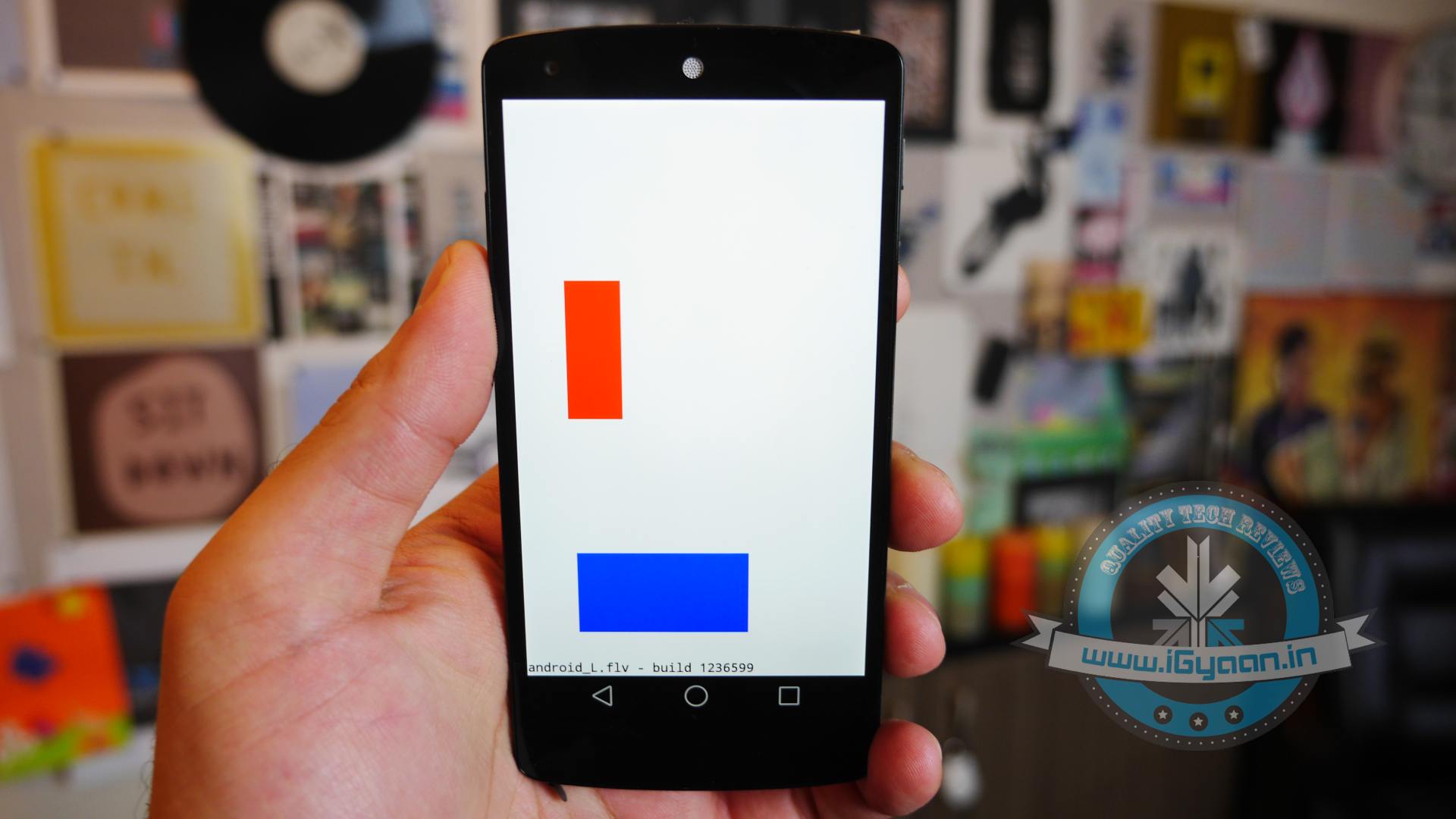
    Here is what the Animation looks Like:

  • Micromax Canvas Gold A300 Review

    Micromax Canvas Gold A300 Review

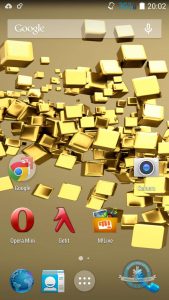
    Micromax has recently transitioned into a newer dimension of phones, from bulky and dated phones running older versions of Android, the trend is now to get shapely, sleek devices with Android KitKat out of the box. The current flagship, aka the Micromax Canvas Gold A300, is a testament of that, and while the Canvas Knight was burning our desires (quite literally), the Golden boy here may have turned our mood around. Let’s see how it holds up.
    canvas gold a300 review 6

    Overview

    [pullquote_left]The oddly questionable gold colour is far from that of the iPhone 5s[/pullquote_left]

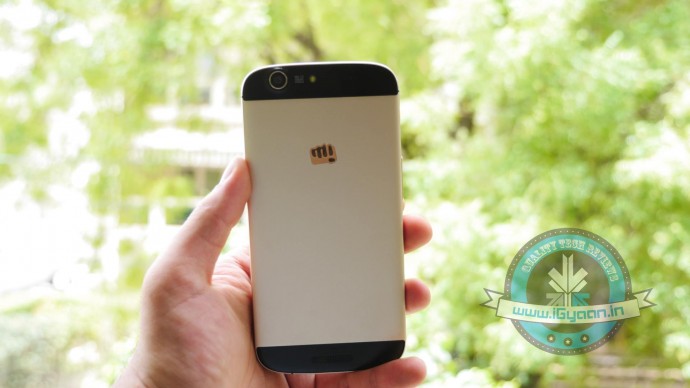
    The Canvas Gold A300 is yet another flagship Canvas phone from the company that promises a roundup of interesting elements. A good set of specifications, great build quality, design and good optics, giving it a big thumbs up on the premium look and feel. Even though most have called it a replica of the iPhone 5s in a bigger version, the oddly questionable gold colour is far from that of the iPhone 5s.

    Hardware and Build

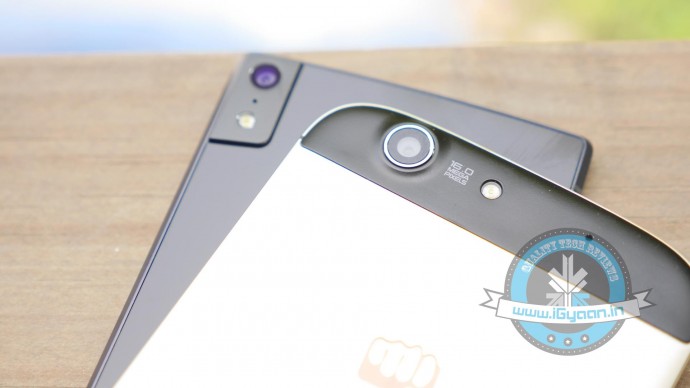
    Running the Canvas Gold A300 is an Octa-Core Mediatek 6592T chipset clocked at 2.0 GHz tied up with 2 GB of RAM and 32 GB of Storage. 25GB of the 32 GB is available to dump your media, games and files. The rear camera is a 16MP shooter with a 5MP front camera which does an impressive job with selfies (see camera section)
    canvas gold a300 review 14

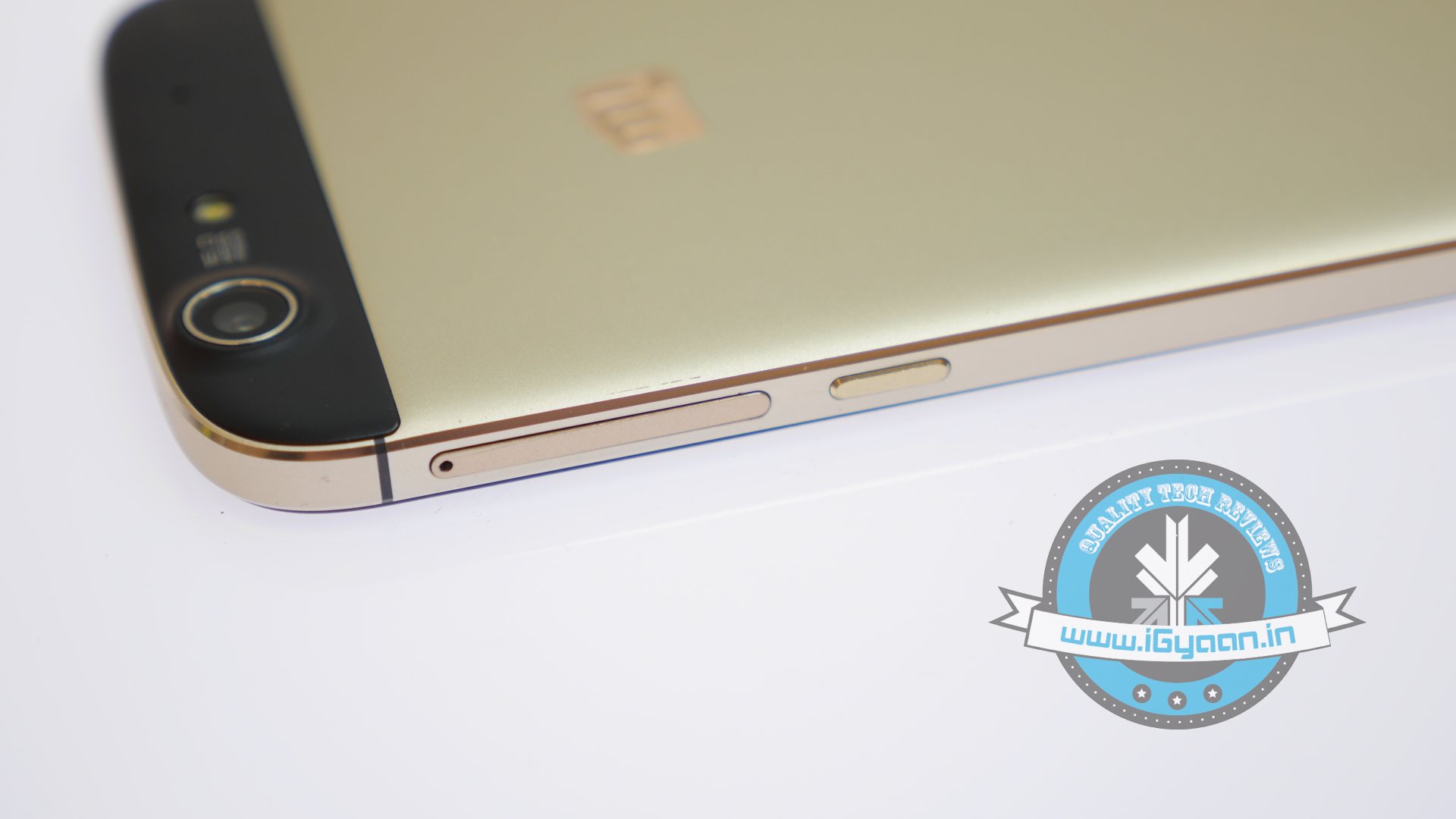
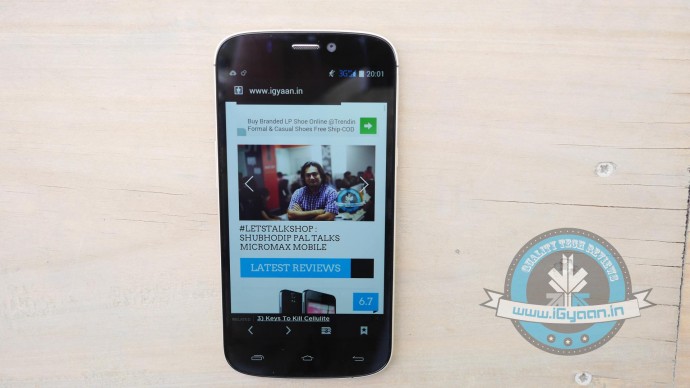
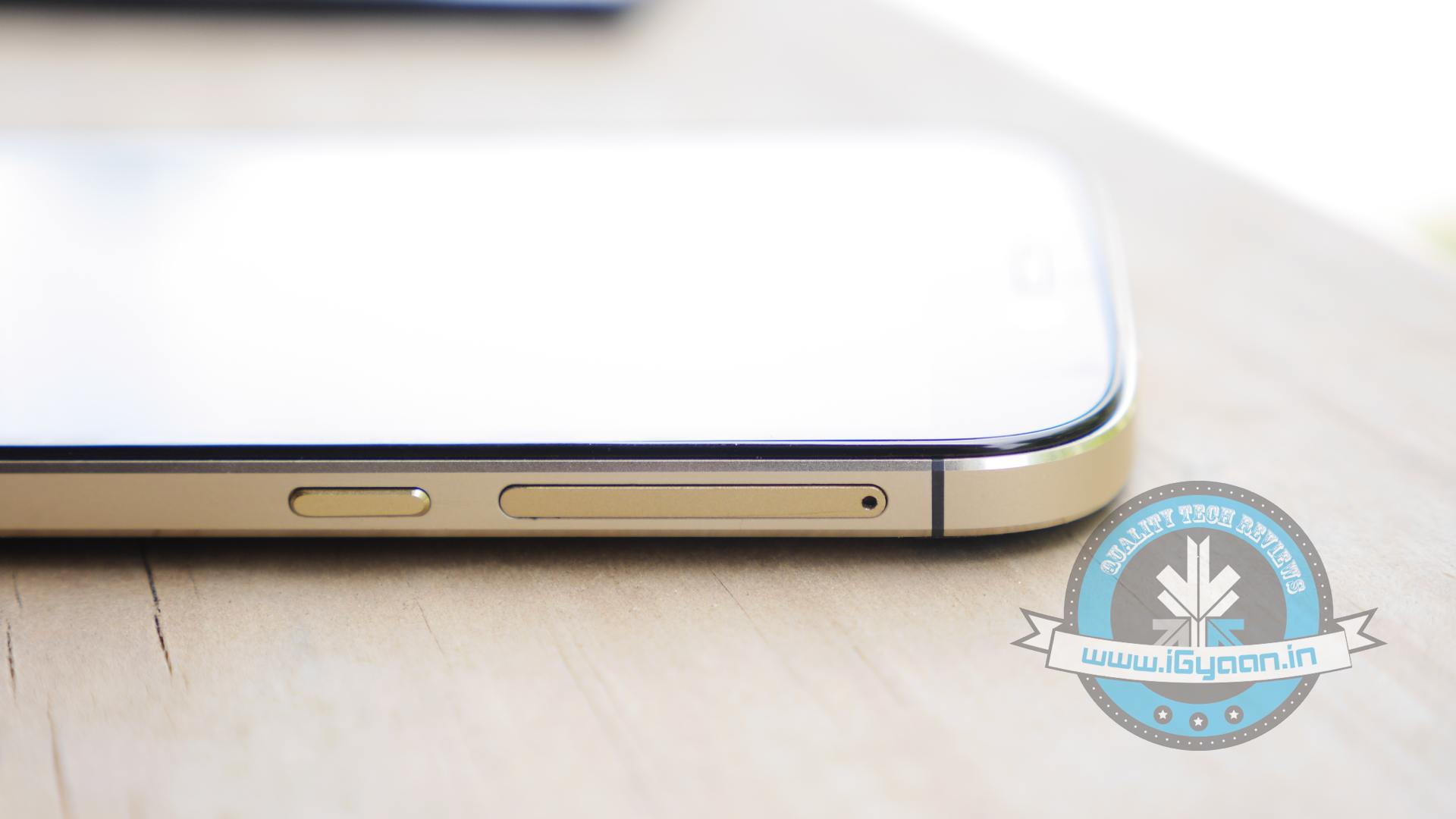
    The front has an impressive and vivid 5.5 inch 1920 x 1080p display this is surprisingly visible outdoors and has good viewing angles. The phone has dual SIM capabilities and can run data on 3g on both cards. The Sim slots comprise of a full size SIM slot and a micro SIM slot on either side of the device.

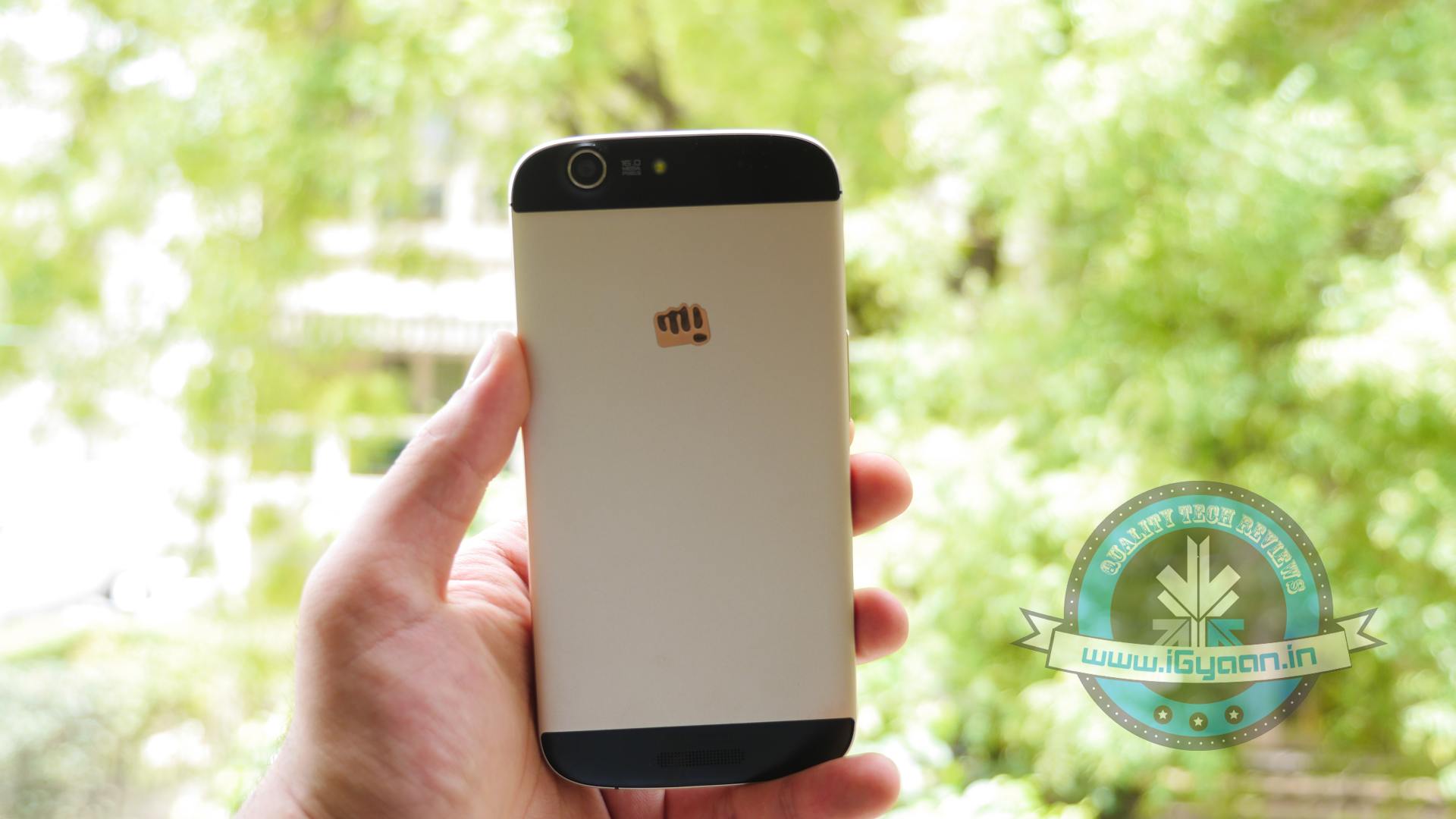
    The phone is manufactured out of a “single billet” of aluminium alloy with slots for antennas in plastic on the rear of the device. The phone is readily available in two variants, a Gold+White and the Gold+Black, the only difference being the plastic inserts and the colour of the bezel.
    canvas gold a300 review 20

    Apart from the exceptionally golden – gold colour the phone has a pretty good design, and the metal is nicely finished to give a great feel in the hand. The beveled edges of the phone quite replicate the iPhone look, seen specifically iPhone 4 and up. The flat lay-on-the table design will be appreciated by owners quite a lot, although a fatter lip for the front would have given a strong protection to the screen albeit taking away a bit of the slim profile of the smartphone.

    Phone and Networks

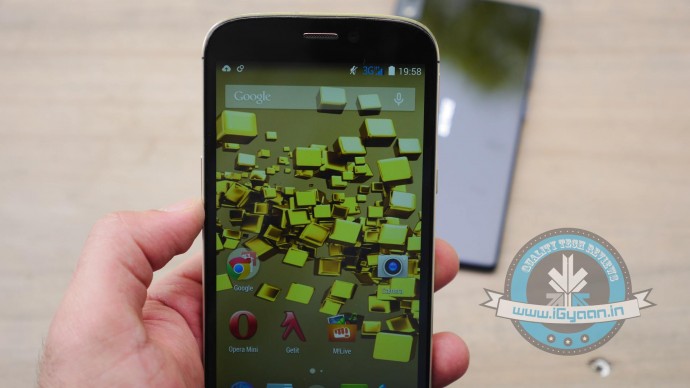
    The phone is unique in many ways, instead of selection your data network, you can have data on either SIM, which is great. The weird combination of Sim card sizes may work for some people, especially if they don’t want to cut/get micro SIM cards vs. regular sized ones.
    canvas gold a300 review 4

    The networks are strong and audio in and out of the phone is impressive. The network remains positively active even during tower switches, and we didn’t see a huge problem with dropped calls.

    The WiFi seemed a bit low to us, and in our initial tests seemed weak.

    Multimedia, Display and Camera

    For most media is playable on the Canvas Gold A300, and we found nothing to complain about, the audio could be a little bit louder in our opinion. The music output from the headphones is a lot more impressive when compared to any previous handset, the “flaming knight” included.

    As far as the video playback goes, the display does a fantastic job, jitter-free vibrant video playback. The phone is capable enough and will deliver a good experience to most users.
    canvas gold a300 review 3
    The camera system is a good hardware and software upgrade, and the 16 MP sensor is big enough to give a noise free low light performance. The day shots are noteworthy and brilliantly saturated to give a larger than life photography experience. The camera app is simplistic and new features like 99 shot continuous burst along with tap-hold to track subjects actively will come in handy for video.

    Video capture frame rates are slow to display on the screen, in fact when you are capturing video there seems to be a lag in the screen aka the viewfinder. But, we were testing a pre-production software and apparently this has been fixed in the final build. Video is captured at a resolution of 1920 x 1080p at 30fps just like many other handsets in this bracket.

    Performance and Gaming

    The Canvas Gold A300 is a star performer scoring great results on benchmarks and showing excellent performance in daily use overall. You will be happy multitasking on this handset as it can handle app switching very well and thanks to inbuilt RAM management the phone automatically drives resources to the active application. The apps in the background use the adaptive suspend from Android KitKat.

    Thanks to all this software and management goodness, the gaming experience is excellent, with heat at a minimum. The device does heat up from around the camera with extended periods of use, however the minute you are done you will be happy to put the phone in your pocket and move out. Games have a superfluid experience along with excellent touch screen feedback and responsiveness.

    Battery Life and Conclusion

    The battery on the Canvas Gold A300 lasts a good full day of use, and thanks to KitKat and power management you will not be searching for the charger in a hurry. The bloatware on the Canvas Gold A300 has been brought down to a minimum, and most of the preloaded apps useful, those which are not required can be gotten rid of.

    With a software update thanks to FOTA, the device may get Android L (hopefully) and with the company working to fix their service issues the Micromax Canvas Gold seems like a good overall product. With little or no complaints from the hardware and excellent UI including a new keyboard (Swiftkey) pre loaded for use, most will be happy with the device out of the box.

    With more options in this price bracket including Gionee Elife S5.5,  the Moto X and the Desire 816 it will mostly come down to user requirements.

    Review Video

    [tw-column width=”one-half”]

    GOOD THINGS

    • Build Quality is Impressive
    • Powerful Hardware
    • Great Battery
    • KitKat and FOTA Updates
    • Cameras are sharp

    [/tw-column]

    [tw-column width=”one-half” position=”last”]

    BAD THINGS

    • Strange Gold Colour
    • No Lip around Display
    • No Included Case

    [/tw-column]

  • Microsoft Rumored to Launch its Own Smartwatch This October

    Microsoft Rumored to Launch its Own Smartwatch This October

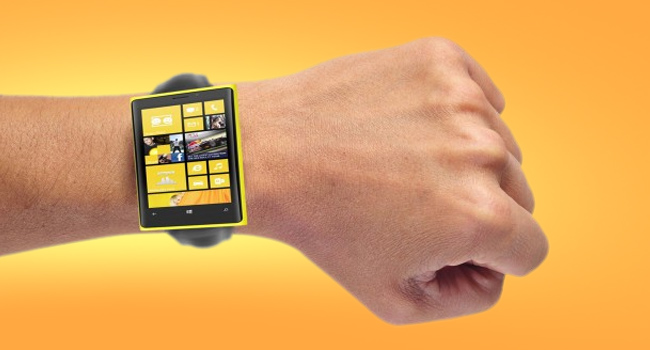
    We start this new week with a fresh rumor about Microsoft’s plans to come up with a new Smartwatch. After Google and Apple, its arch-rivals, investing huge in the wearable technology, Microsoft also may enter this segment with the launch of a Smartwatch this October.

    Though there are hardly any details about the device Microsoft is coming up with, Tom’s Hardware, an online publication, has reported “trusted source with knowledge of the development has verified some of that information and provided us with additional details about the device.”

    Microsoft’s watch apparently ditching the popular chunky appearance we're seeing with current smartwatches like the Gear and the G Watch. Instead, Microsoft has gone with a slim band design that is said to resemble a thinner, flatter version of the Nike Fuel band.
    Microsoft’s watch is ditching the popular chunky appearance wand has gone with a slim band design.

    For starters, the source confirmed the earlier rumors about Microsoft’s plan of preparing a cross-platform Smartwatch with the ability to continuously track your heart rate and sync the data to your devices.

    It has also been said that the device might be dropping the popular chunky appearance we’re seeing on the current Smartwatches like the Gear and the G Watch. Instead, Microsoft will go for a slim band design that is said to resemble a thinner, flatter version of the Nike Fuel band. Details about the hardware are less, though it is said that there are 11 sensors under the hood and a mix of chips including some from TI and Atmel.

    Like the rest of the rumors, the timeline for the watch’s release date isn’t too certain. But it is said that Microsoft could be targeting for an October release. Also the Smartwatch won’t just tie in with Windows Phone devices, but will also work with both iOS and Android smartphones.

    The market is just starting to explode with wearables, with Apple announcing its first iWatch later this year and Samsung expected to launch a Smartwatch in the summer that can independently make calls. Google is also aiming big in this segment with the launch of Android Wear at this year’s Google I/O.

  • Top 5 App that Every Movie Buff Should Download

    Top 5 App that Every Movie Buff Should Download

     Being a movie buff is not an easy task, your desktop usually overflows with new downloads and it’s hard to keep track of every movie you watch. I used to juggle with my movie collection and all the film-related stuff.  Until now. I have found a perfect solution: my Smartphone. There are loads of apps that let you manage films, watch trailers, play games etc. I have listed 5 of my favorite apps that I think every movie-buff should have:

    1. Flixster

    flixster

    Flixster is a very popular app that gives you an on-hand experience of equally popular website of same name. The app enables you to compare movie ratings and tastes with film buffs around the net. In addition to user ratings, Flixster grants you instant access to a flick’s freshness rating at aggregator Rotten Tomatoes, which it owns. You can also use it to find movie information, showtimes, maps and ticket prices, or to watch trailers. The app is well suited for both; a one-stop shop for planning a night out or as an app that will help you brag about your film knowledge.

    2. Scene it?

    mzl.kstsafix.175x175-75

    This one is one of my favorite movie apps of all time. Makers of the app, Screenlife, started out with DVD and card-based party games for film buffs. Which then evolved and spread to consoles such as Xbox 360, PlayStation and Wii, social media sites such as Facebook, and now to the mobile platforms of iPhone and iPad.  The app serves up trivia, images and video optimized for mobile devices. It’s designed for party play, and the iPad hi-def version is amazing. Available genre packs include comedy, romance and horror, as well as the Twilight series, the Harry Potter series and the TV show “30 Rock.”

    3. My Movies

    MyMovies

    My Movies is just the right app for a typical movie buff. Simply add your movies manually or scan their bar codes using your phone’s camera, and you’re off and running. You can browse details about your flicks, watch trailers for movies in your collection and search and filter by type (DVD, Blu-ray, HD DVD), genre, watched, parental rating levels, production years, personal categories and online status. It’s also a handy way to keep track of which movies you’ve loaned out and it might prevent you from buying a movie you already own on VHS, Beta, DVD, special edition and Blu-ray.

    4. RunPee

    138388286

     Well it’s true, nobody can make it through the Lord of the Rings trilogy without making a trip to the bathroom. As an unfortunate consequence you sometimes miss most important part of movie. Well, RunPee is an app that will solve this problem. This app lists slow times in each film best suited for taking care of business, it also tells you how long you can be away (usually four minutes) and what you’ll miss. The app also lists what happens in the first five minutes of the film, and whether there’s a teaser clip waiting for you after the credits roll.

    5. BookMyShow

    unnamed (1)

    We couldn’t complete the list without mentioning the most useful one for India. The mobile counterpart of the popular ticketing website BookMyShow is as effective as its web version. It provides every possible option you get in desktop version. It’s the mere simplicity and clean interface of this app that makes ticket booking very easy.The interesting thing is it shows if any of your friends on Facebook are also gonna watch the same movie.

  • This Start-Up is Recycling Old Smartphones to Save Trees

    This Start-Up is Recycling Old Smartphones to Save Trees

    A lot of us have our old smartphones lying around as junk. Selling them wouldn’t add much to our bank accounts and fixing them would cost too much. What if you could donate it for a good cause? Well, a San Francisco based start-up called Rainforest Connection may have found the perfect solution. The company is planning on recycling old smartphones into devices that detect deforestation and alert authorities to illegal logging activity or poaching.

    The smartphone is connected to a solar panel that will power the smartphone which is programmed to pick up destructive sounds, such as chainsaws or alarmed animals. Hidden in the trees, this device will alert local authorities via text message, who can then respond immediately. Also, anyone who downloads the Rainforest Connection app can listen live to the sounds of the Sumatra rainforest.

    Rainforest-Connection

    The start-up has conducted an experiment which built a security network of devices in the Air Tarusan reserve in western Sumatra to prevent illegal logging.

    It is a simple idea, that will make a huge difference. Ambient sounds in the rainforest will be continuously recorded and screened using the phones’ microphones and onboard software. Any noises that match the sound-signature of a chainsaw will trigger an alert, providing rangers with information to intervene and stop the deforestation, according to Rainforest Connection’s website.

    dfe1b4a8878854bf30673eee13590c92_large

    Alerts can be sent using cell networks that already exist wherever the devices are installed. For instance, in Sumatra Rainforest,  home of a small batch of phones the company is installed and unlimited cell phone data cost was just $2.89 per month.

    Each phone covers a circular area of about a third of a square mile, which means 15 phones are insufficient for all of Air Tarusan’s 96 square miles of old-growth forest, but it’s a start.

    Current anti-deforestation efforts are aided mainly by satellites, which do not provide live updates. This means responders are often too late to stop environmental crimes before they happen. But Rainforest Connection’s device can detect exact locations and times, instantly providing information on which areas of the forest are in danger.

    Right now, Rainforest Connection has able to collect 21% of it’s pledged goal which is $100,000. The company’s effort to raise funds is backed by singer Neil Young, who appears in a video on Rainforest Connection’s Kickstarter page.

  • Android TV : Could it Mean Third Time Lucky for Google?

    Android TV : Could it Mean Third Time Lucky for Google?

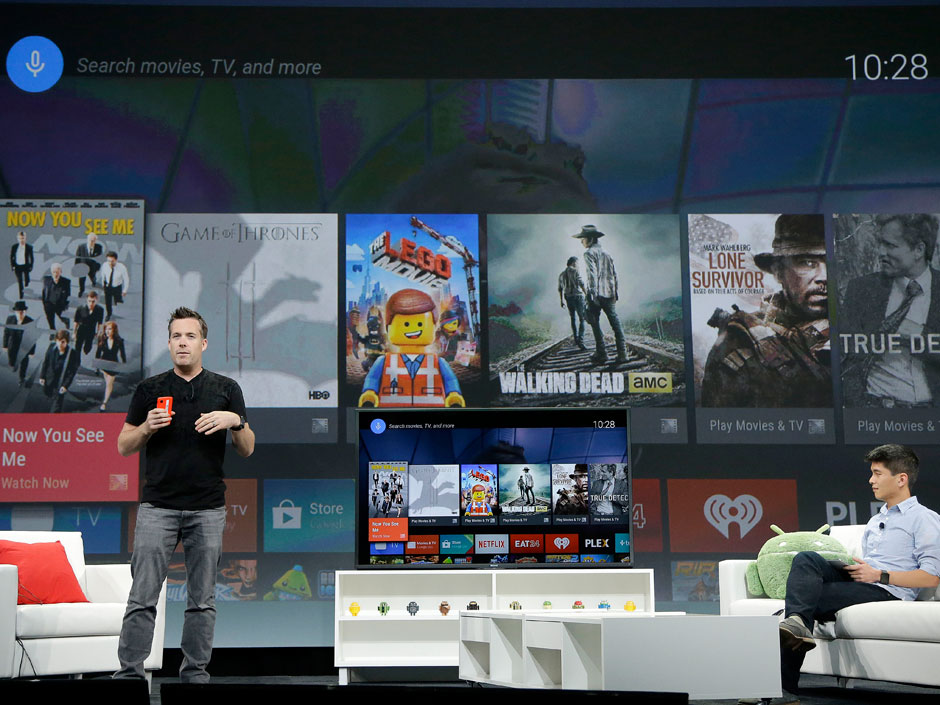
    Google has been trying very hard to get into our living rooms for long time now. Google TV was introduced way back in 2010 with the first Google TV’s being made by Sony and Logitech. In the second generation of devices, LG, Asus and others had also partnered on Google TV. But sadly, Google TV wasn’t a success. Nor was the Nexus Q which was a media-streaming entertainment device introduced in June 2012. Even Nexus Q wasn’t much of a success and later was replaced by Chromecast which was launched at last year’s Google I/O.

    android-tv

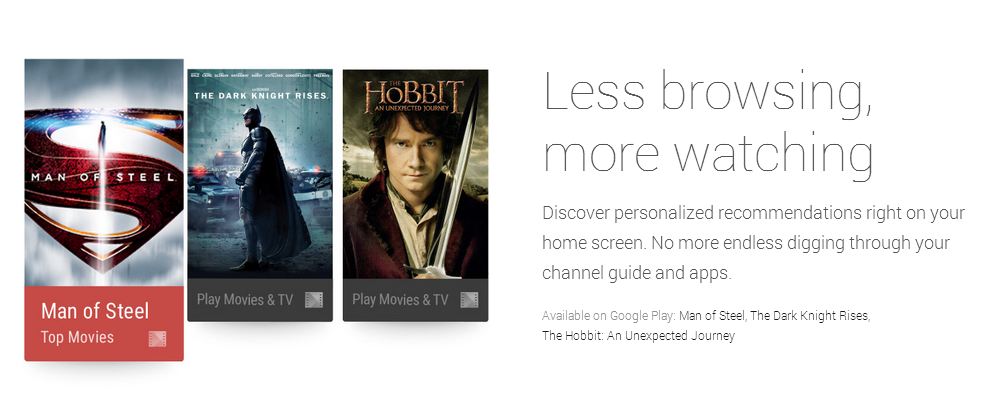
    Though, it seems like Google’s new Android TV may have a bright future ahead of it. Since Google has only showcased the developer-kit of the Android TV called ADT-1, you won’t be able to buy it for a while. But that won’t be an issue once manufacturers begin selling their consumer-facing devices later this fall. Android TV is still in pre-production, so a lot of things are likely to change between now and its final release.

    Unlike its previous effort in smart TV software mentioned above, Android TV will work with a number of different chipsets. It’s designed to enable Android developers to create apps using the same Android toolset that they use for mobile phones and tablets.

    android tv3

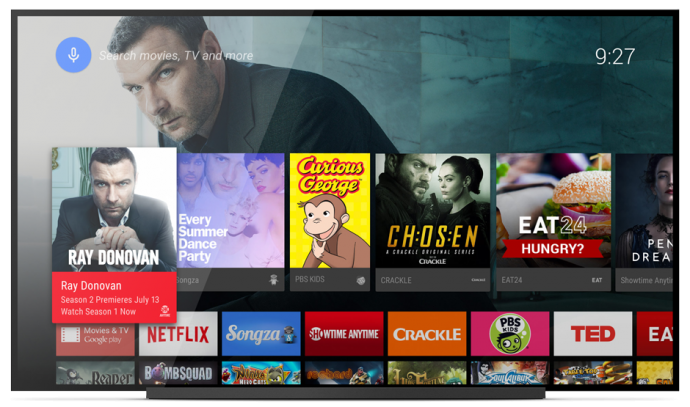
    Android TV will play movies and TV shows, and users will be able to control it via mobiles phones and tablets. Google Engineering Director Dave Burke showed off how the system works to enable search and navigation either via text or voice. He even showed off the ability to control the TV via an Android Gear Smartwatch.

    Chromecast will run on Android TV with full support, so users can beam content from their mobile devices straight to the TV. The new platform also enables users to launch an app store developed specifically for a 10/UI.

    android tv2

    According to Google, the OS will be available for smart TVs (Sony and Sharp have signed on to build televisions with the OS built in), media streamers, set-top boxes, cable boxes and micro consoles. This platform will be ideal for those manufacturers that are interested in getting into the smart TV businesses, but don’t have the resources to develop their own ecosystem. It’s a good opportunity for smaller companies and start-ups to help building the Android TV hardware.

    Google pointed out some technical requirements to ensure that Android TV doesn’t offer an inconsistent  user experience such as:

    • 2GB of RAM,
    • 8GB of flash storage,
    • WiFi and/or Ethernet,
    • Bluetooth 4,
    • Play-ready DRM,
    •  Widevine level

    Companies also suggested to incorporate mics for voice input, and standardized controller button mapping. These guidelines are cricial because the system needs to be powerful enough to handle graphic-intensive games, entertainment apps and connectivity between the TV and mobile devices via Google Cast which Google is focusing on with Android TV.

    No one can give a final verdict for Android TV as yet, company has a long way ahead as far as it is concerned. Of course, a lot will depend on the pricing of the new software which has to compete with the already settled Smart TV makers.

  • Apple Launches an Updated 16GB iPod Touch With a Low Price Tag in India

    Apple Launches an Updated 16GB iPod Touch With a Low Price Tag in India

    It’s been two years, Apple has’t come up with any notable updates about its iPod Touch products. Without any formal announcement Apple decided to launch its 16GB iPod touch in India. The new device comes with a 5MP iSight camera as well as a lower price tag.

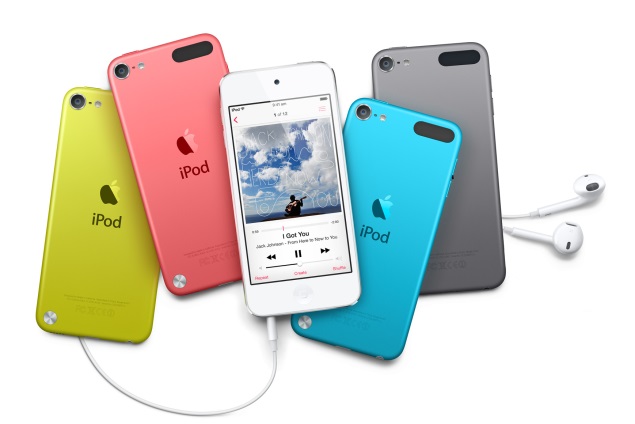
    Earlier, the 16GB variant was the only member of the iPod family that came without a rear camera and was available only in Silver color. Now, like the 32GB and 64GB variants, it will come with a 5-megapixel iSight rear camera capable of recording full-HD video and will be available in Pink, Yellow, Blue, Silver, Space Grey, and Red color.

    touch

    The iSight camera is the same which was found on the aged iPhone 4. The updated and cheaper 16GB iPod touch now comes with pricetag of Rs 16,900. The other sizes are getting a price drop, too. The 32GB is priced at Rs 20,900, and the 64GB is for Rs 24,900. This is probably because of the continued slide in iPod sales as more people shift to smartphones as their preferred mobile entertainment device.

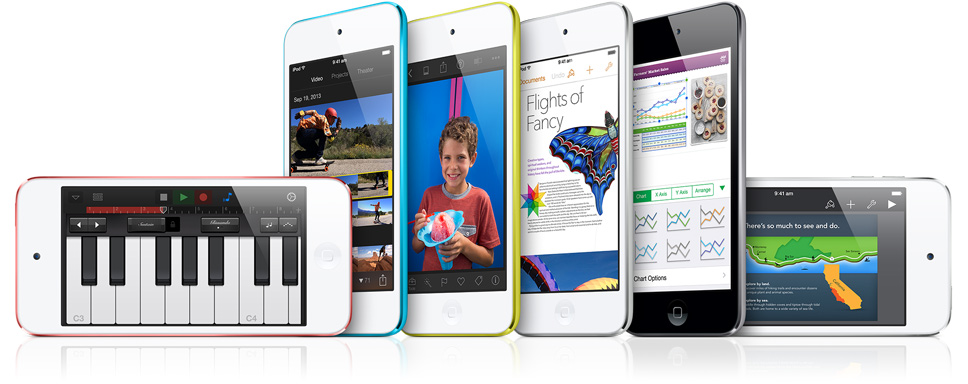
    All members of the iPod touch family now feature the same 4-inch Retina display, 5-megapixel iSight camera, Apple A5 SoC, and FaceTime (front-facing) camera. The A5 processor is also used in the iPhone 4S. The iPod touch runs iOS 7 with support for Siri, Apple’s virtual assistant. The company claims 40 hours of battery life with audio playback, and 8 hours of video playback.

    Apple had launched its ‘iPod’ range of portable media players in 2001 and its various versions include iPod Shuffle, iPod Nano, iPod Touch and iPod Classic. According to the company’s annual report, Apple globally sold over 26.3 million units of iPods in the year ending September 28, 2013.

  • 5 Easy Ways You Can Shoot Underwater This Summer

    5 Easy Ways You Can Shoot Underwater This Summer

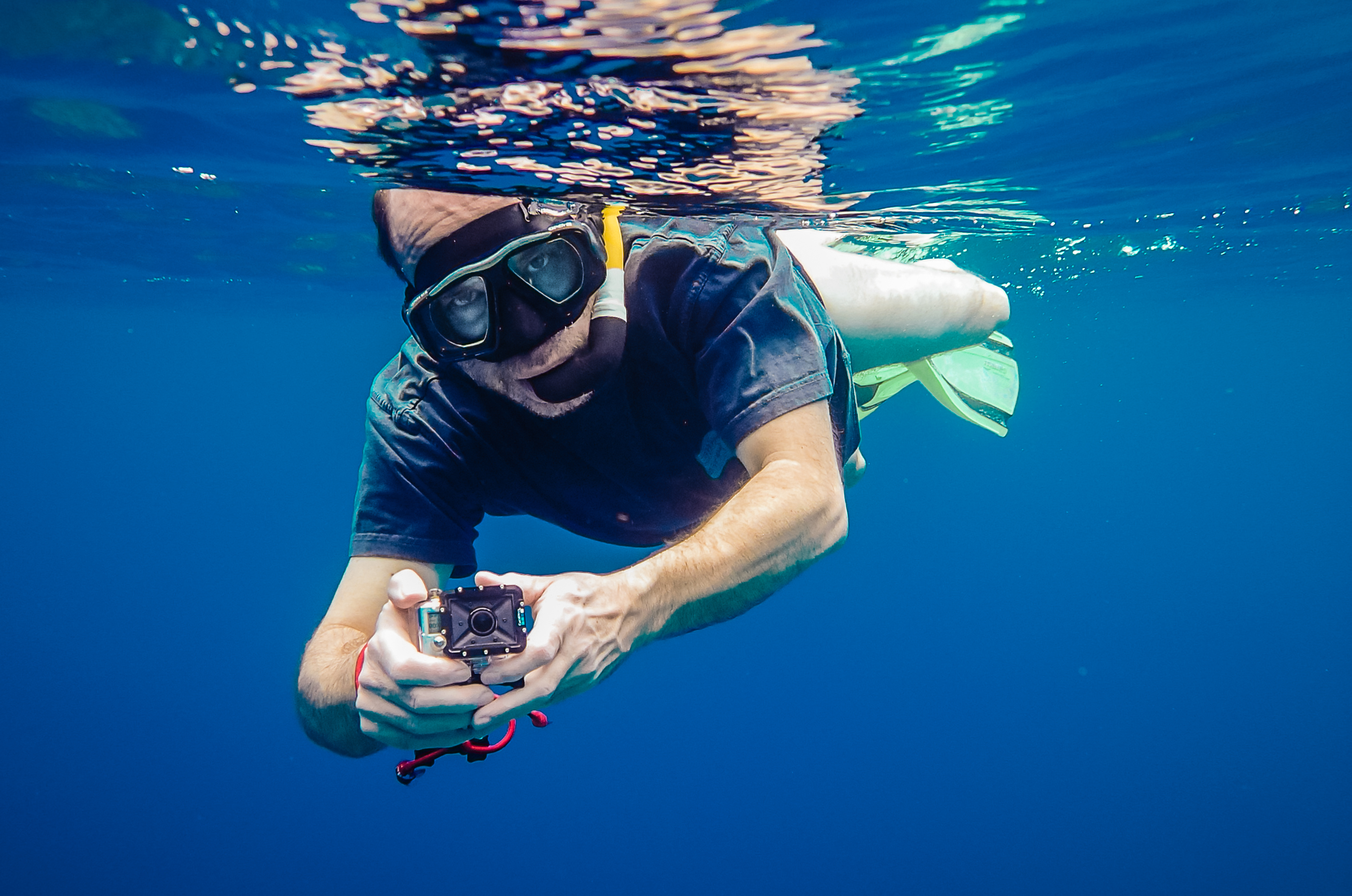
    Summers are here in full force and its that time when we can beat the heat and enjoy swim sessions with friends and family. Now it would be nice to ingrain some of these fun memories digitally. But there is always that horrifying thought of dropping your phone in the water. Luckily, companies these days are coming up with new devices that can shoot and click near or underwater without any damage caused.

     Here is the list of awesome devices that will help you click and shoot underwater:

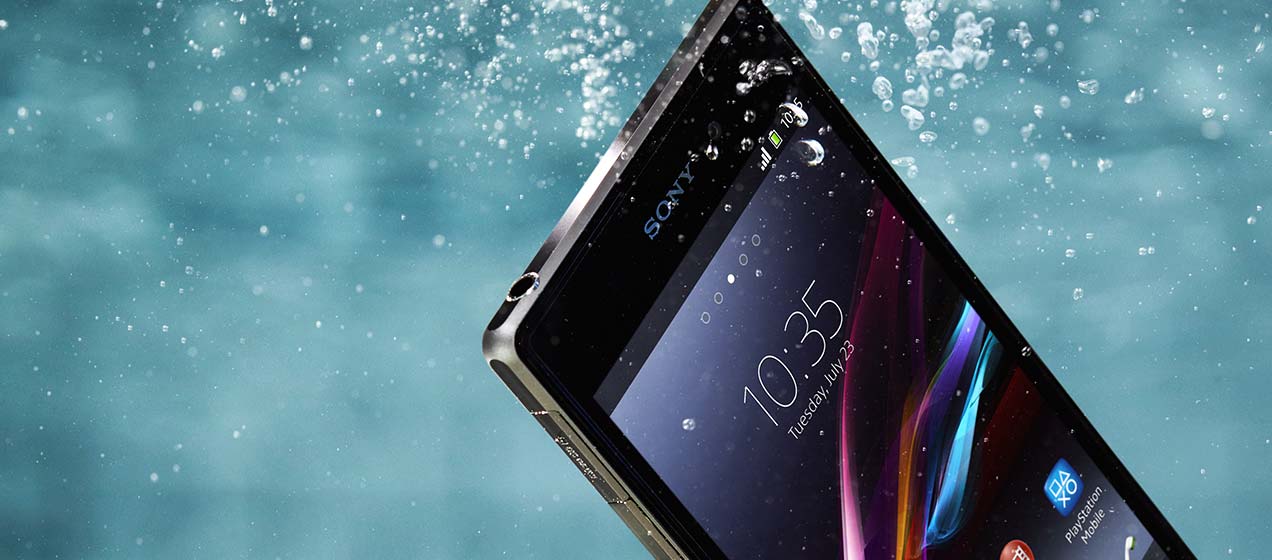
    1.Sony’s Xperia Z2

    Sony-Xperia-Z2

    If you’re really serious about it, you could invest in a new phone. Sony started the ball rolling for high-end water resistant smartphones when it announced the Xperia Z back in 2013. Since then in almost all its top-of-the-range Xperia Android phones have been able to survive a dunking. It is touted to be the World’s best camera and camcorder in a waterproof smartphone device. We’d give this one some serious thought.

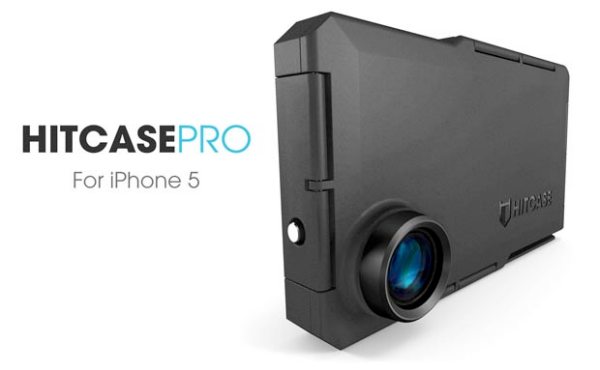
    2.HitCase For iPhone

    Hitcase-Pro-cases-increases-iPhone-5-versatility

    The Hitcase Pro for iPhone 5 turns your iPhone into a rugged GoPro style video camera with a fisheye lens and a water proof and shock proof case. There are also optional accessories available which help users mount their iPhone 5 to a car, boat and helmet. The Hitcase Pro works great in extreme environments or while playing extreme sports. Use it for any activity where someone might want to shoot video with an iPhone 5 camera, but can’t hold the phone while shooting.

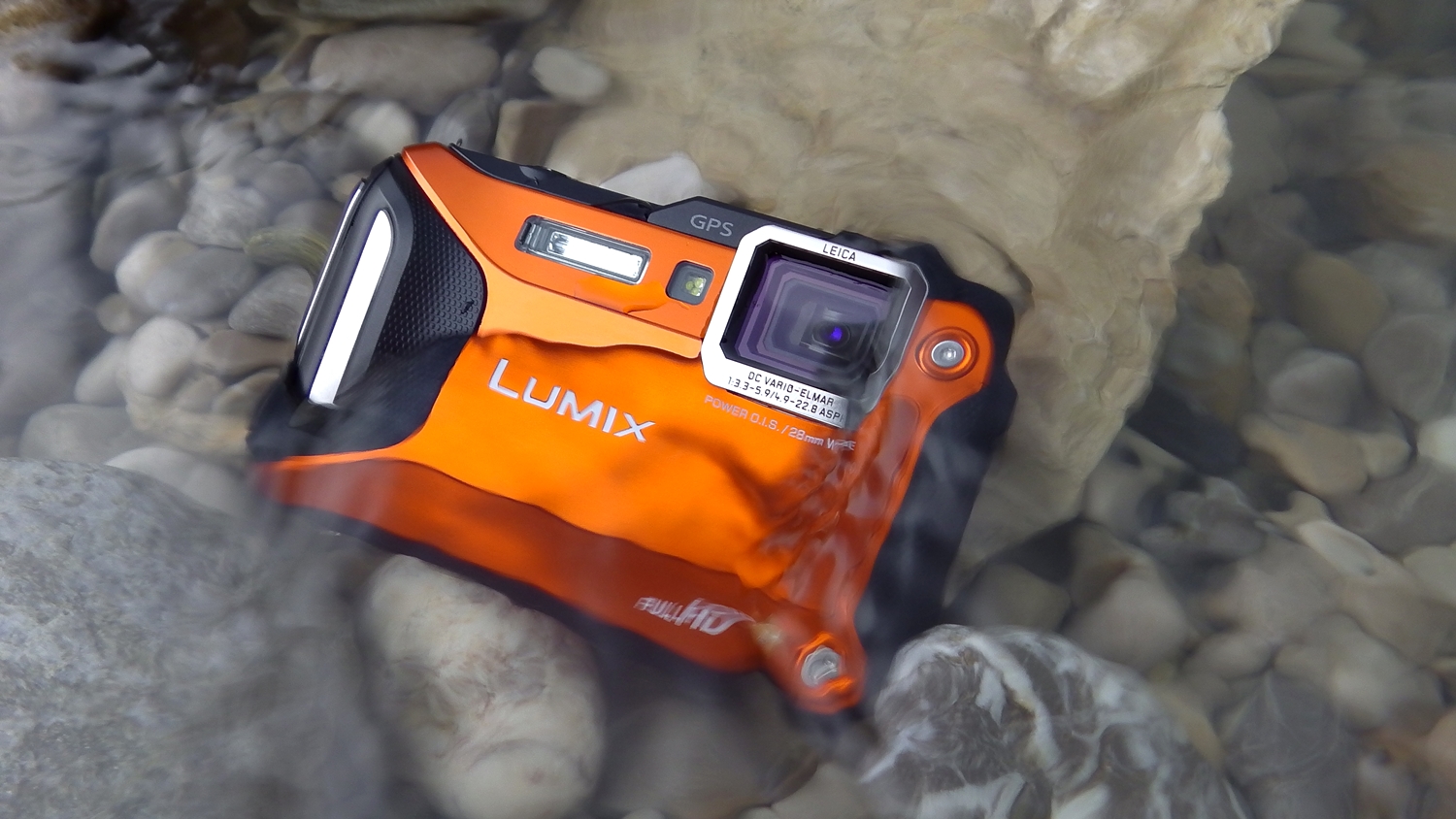
    3.Panasonic Lumix TS5

    lumix_stein2

    Panasonic Lumix TS5 is still the best rugged, waterproof camera for the second year running. No competitor can match its excellent photo and video quality under a variety of conditions both above and below water. The camera can dive upto 13metres deep and can even withstand a 2 metre drop.  

    4.The Olympus Tough TG-2

    Olympus_TG1
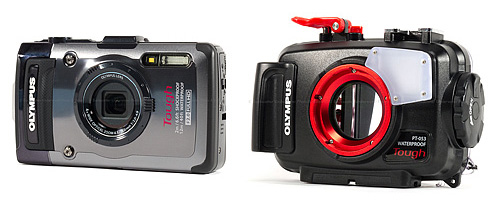
     The Olympus TG-2 is a fantastic splashproof pocket camera, one that you can take snorkeling on its own, or take it deeper while diving using its PT-053 Underwater Housing. In addition, the TG-2 Tough lives up to its name, as it is shockproof, crushproof, freezeproof and dustproof. With a fast f2.0 lens, and an impressive depth rating of 50 feet (without a housing), the Olympus TG-2 is a great camera to keep with you on the boat, and take with you while swimming or in any damp environment without any concern for it getting wet.

    5.GoPro Dual Hero system

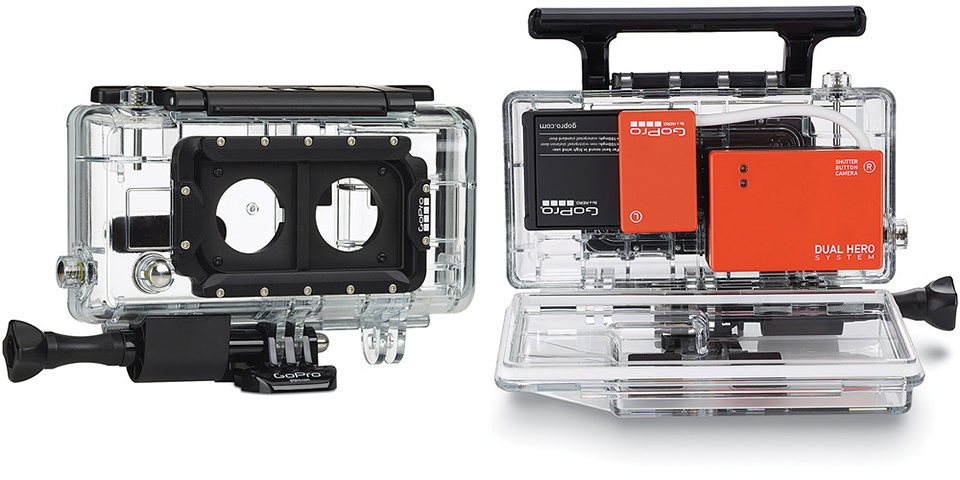
    gopro_dual_hero_systemAnd lastly, its the super-cool housing that GoPro introduced recently. It can accommodate two HERO 3+ Black Edition cameras enabling you to capture full-resolution video and photos simultaneously without compromised image quality. By having two separate cameras housed in the Dual HERO System, you will be able to record video and still images at the same time. Having the two cameras focussed on the same subject, it will also make the recording of 3D video that much easier.

  • GoPro Introduces Impressive New Housing For 3D Capture

    GoPro Introduces Impressive New Housing For 3D Capture

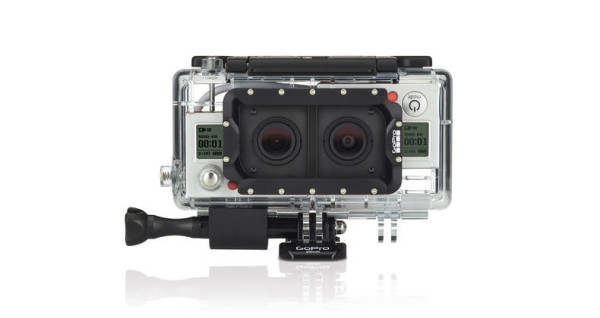
    The maker of “the world’s most versatile camera” unveiled a new system that accommodates two cameras at the same time, adding a bit to the adventure. The housing can accommodate two HERO 3+ Black Edition cameras enabling you to capture full-resolution video and photos simultaneously while not compromising the image quality. While the Dual system won’t be available for a while, GoPro also introduced two new housings plus a flexible mount that should appeal to a number of users, especially divers.

    New-Gopro-blackout-dive-3d-housing-gooseneck-mount-5-600x318

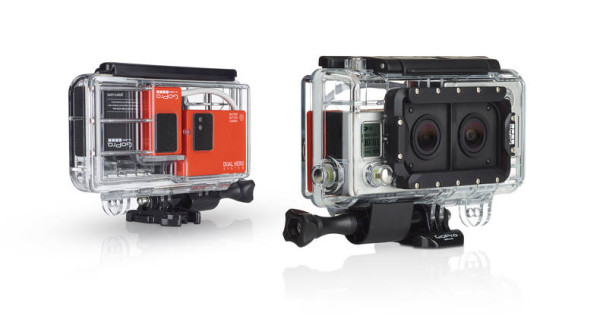
    By having two separate cameras housed in the Dual HERO System, you will be able to record video and still images at the same time. Having the two cameras focused on the same subject, it will make the recording of 3D video that much easier.

    Not only will the Dual Hero system capture synchronized footage that can be converted to 3D, the set up will also allow you to capture simultaneous photo and video footage. You can already do that to a point with a standard camera, but the Dual system allows for full quality photo and video to be taken at once. 

    New-Gopro-blackout-dive-3d-housing-gooseneck-mount-1-600x318

     GoPro has also thrown in a pair of free 3D anaglyph glasses with this Dual HERO System , so you will be able to edit or view the footage straight from a 3D compatible monitor or television. Made from the same waterproof material, it works on a single interface so that you can control both unit through only one camera’s settings and modes. The new Dual Hero is waterproof upto 60 meters and has been built to withstand wet, damp or dirty conditions. This system has more perks some of them are mentioned below:

    • Integrated Mini USB port enables data offload, battery charging and live-feed video when used with the included Skeleton Backdoor
    • Includes two sets of Curved + Flat Adhesive Mounts for mounting to your gear
    • Includes two pairs of 3D anaglyph glasses for viewing your 3D content
    • Compatible with most GoPro mounts
    • Compatible with the GoPro App and Wi-Fi Remote

    Requiring a GoPro Composite or Combo Cable, you will be able to accesses the Dual HERO System’s integrated Mini USB port for data offload, battery charging, and live-feed video to an external monitor. 

    You can get your hands on it for $200. The HERO+ Black cameras will be sold separately. The system is available on the official website for sale.

  • Moto 360 Finally Unveiled, While LG G Watch And Samsung Gear Live Are Now For Sale

    Moto 360 Finally Unveiled, While LG G Watch And Samsung Gear Live Are Now For Sale

    Exciting new Android Wear was finally showcased at the Google I/O 2014 with announcements of the launches of LG G Watch and Samsung Gear Live. The only one remaining is the Moto 360 smartwatch, which won’t be available to pre-order until later this summer.

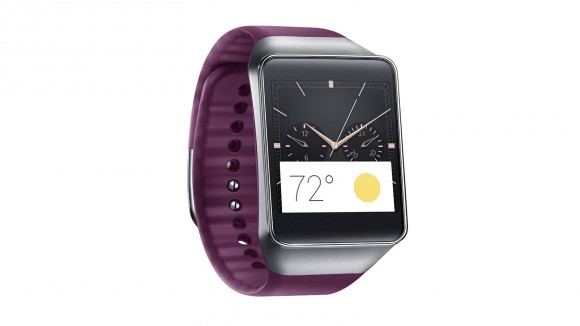
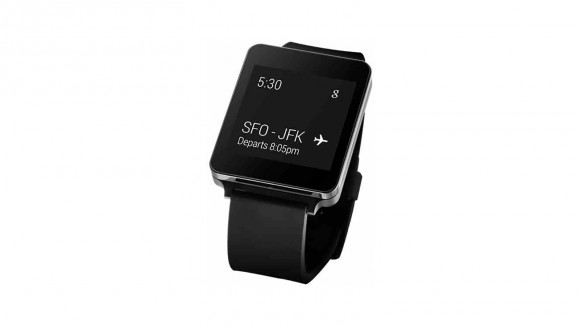
    Samsung’s Gear Live and LG’s G Watch, both powered by Android Wear are the first devices to adopt the new Google software specifically designed for wearables. The G Watch is equipped with Google’s voice recognition service and can perform the simplest of tasks including checking email, sending text messages and carrying out an online search at users’ voice command.

    Samsung 03-580-90
    The Samsung Gear Live

    Both of the devices cannot make phone calls by themselves but can be connected to many of the latest Android-based smartphones. A typical smartwatch allows users to make calls, receive texts and e-mails, take photos and access apps. The G Watch opened Thursday for online pre-order in 12 countries including the United States, France and Japan before it hits stores in 27 more including Brazil and Russia, which is touted for early July. Read our story about the Top 4 Awesome things Google Android Wear can do.

    lg watch
    The LG G Watch

    Gear Live was also available for online pre-order from Thursday. Samsung introduced its Android-based Galaxy Gear smartwatch last year but it was given a lukewarm reception by consumers.  Samsung’s arch rival Apple is believed to readying to launch its own smartwatch soon.

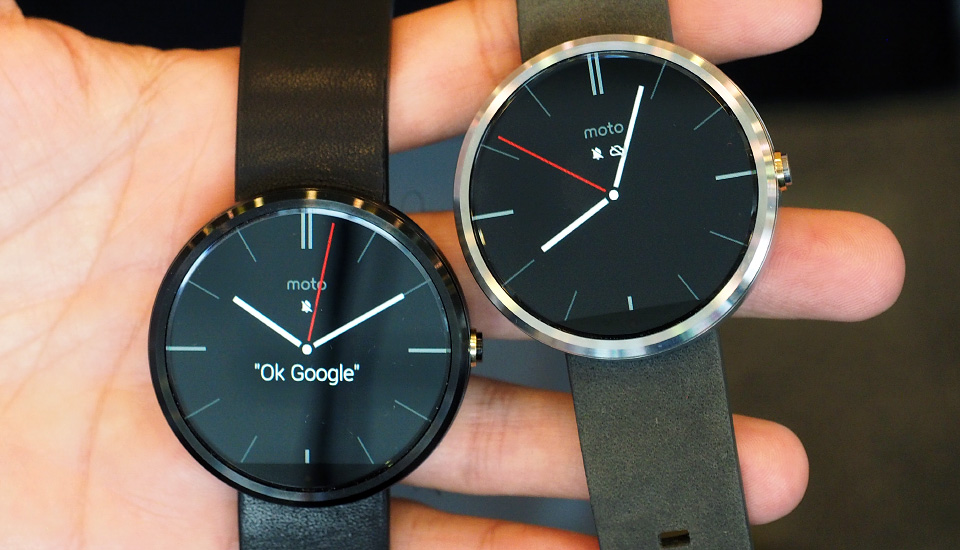
    Despite the Moto 360 still being one of the first watches to arrive running Android Wear OS, there is still some time before you can get your hands on the device. Google did, however, demonstrate many of the features that will be available to these devices, including voice commands for sending texts, getting directions, and music playback. With the smartwatch you’ll also be able to receive and dismiss notifications, accept or decline calls, and dictate notes and reminders.

    moto360lead
    The Moto 360

    The looks of the Motorola smartwatch is its best feature. According to the team, the round design is meant to appeal to both genders while ditching the sharp corners that can dig into your wrist. The shape is an improvement over the square designs that we normally see on smartwatches, which makes the Moto 360 look like a regular fashionable watch from a distance.

    The launch of Android Wear is fueling the empty smartwatch market. If Android Wear’s market takes of, our domestic lives will be soon be ruled by Android powered smart devices. Unless, Apple surprises us with its contender.

iGyaan Network
Privacy Overview

This website uses cookies so that we can provide you with the best user experience possible. Cookie information is stored in your browser and performs functions such as recognising you when you return to our website and helping our team to understand which sections of the website you find most interesting and useful.