Tag: Android M

  • We Can Expect to See Android Marshmallow 6.0 on the LG G4 Soon

    We Can Expect to See Android Marshmallow 6.0 on the LG G4 Soon

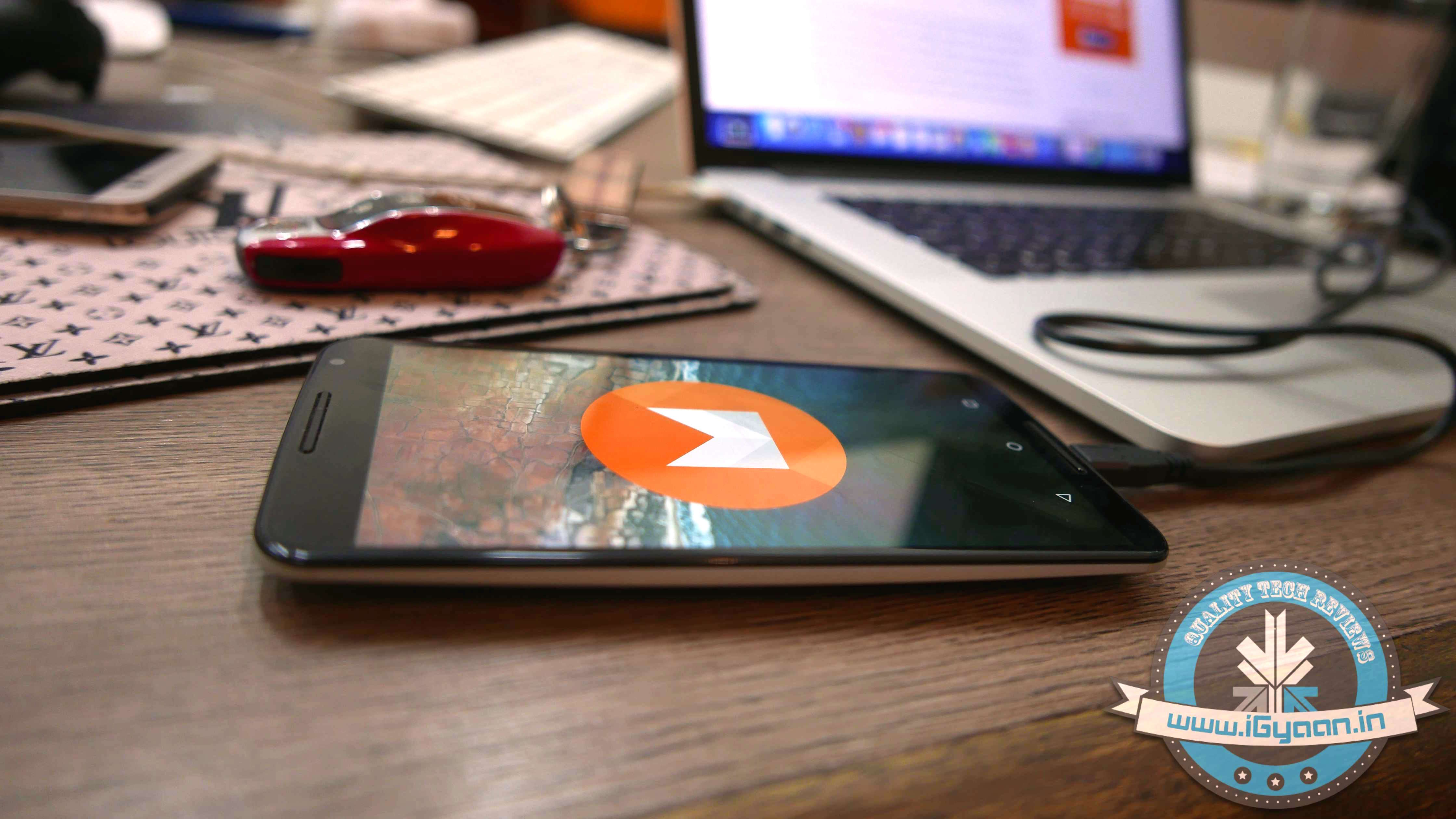
    A report has confirmed that LG will begin to roll out the highly awaited Android M 6.0 in the G4, in the coming week. Rejoicing? Hold on. They plan to do this only in Poland though and then roll out the update to other countries.

    LG marketing, VP Chris Yie said in a statement:

    “By working closely with Google, LG has been able to bring Android 6.0 to the G4 ahead of any of our competitors,”

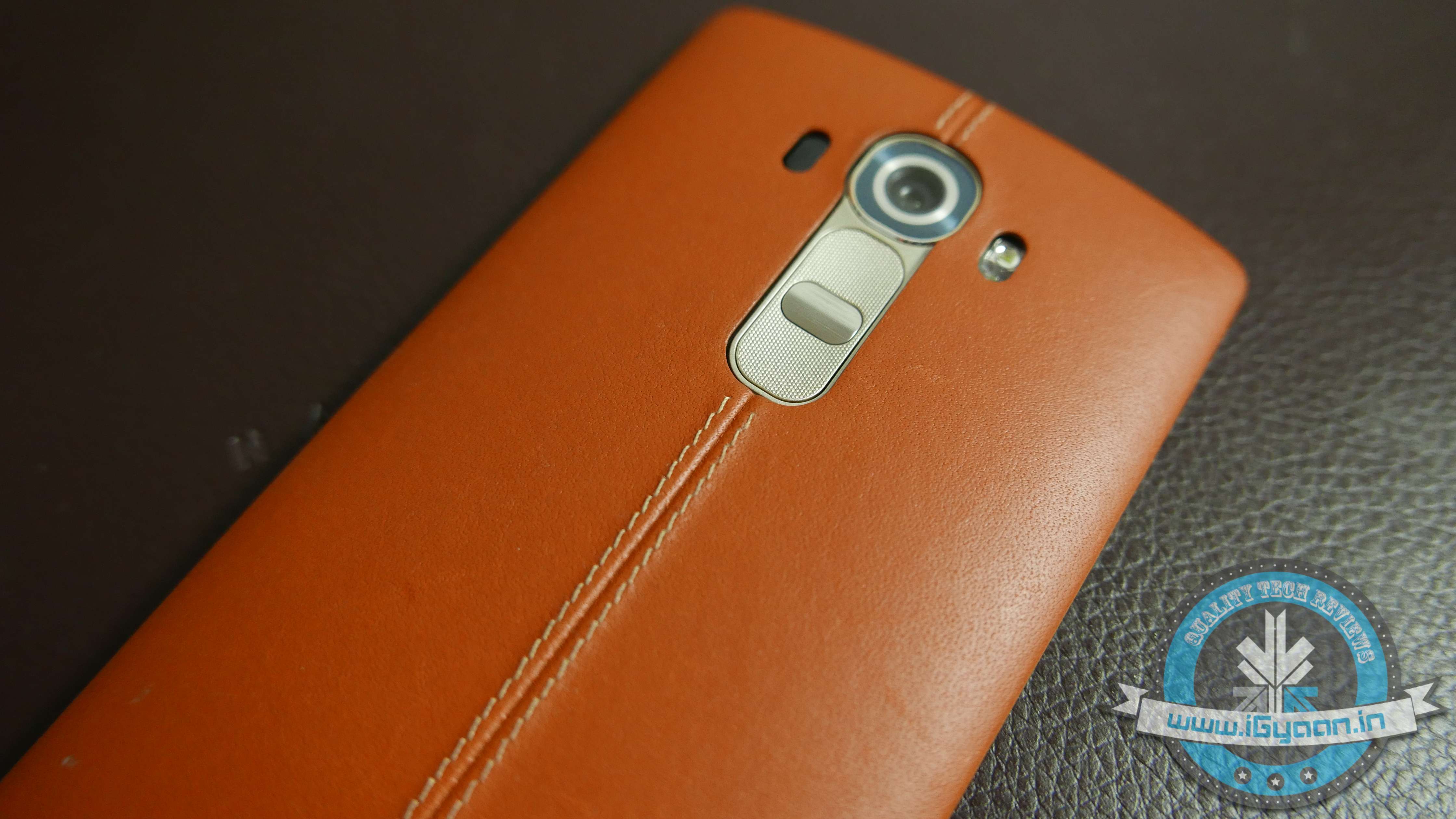
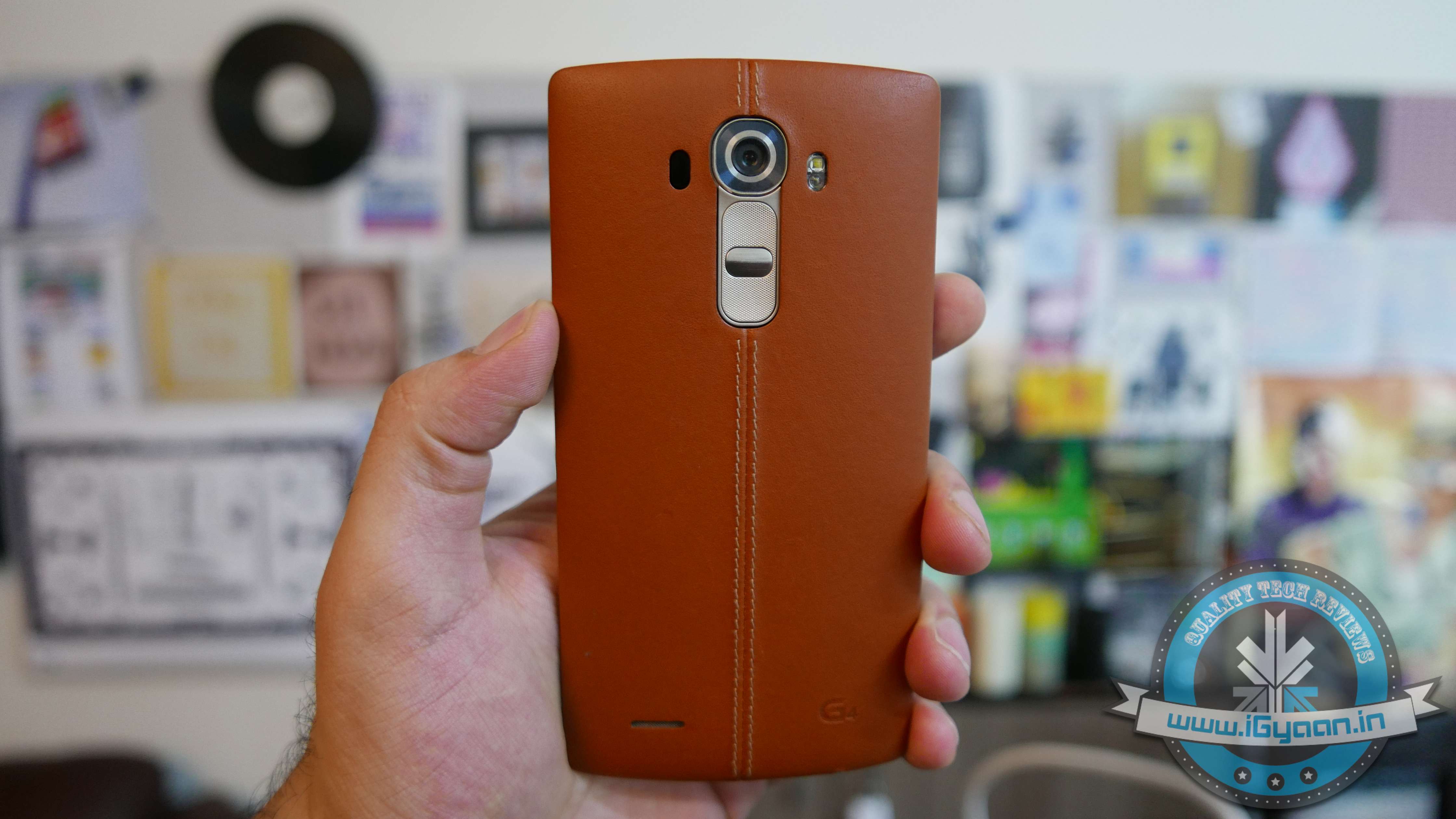
    Unveiled back in April, the latest flagship from LG’s stable, LG G4, is available with a price tag of Rs. 41,500 in India. One of the most highlighted features of the device is its powerful camera. It boasts a 16MP camera with f/1.8 aperture (widest aperture on any smartphone camera) equipped with Optical Image Stabilization 2.0, color spectrum sensor, and Laser Auto Focus functionality.

    Lg G4 Hands On 7

    The bad news is you have to have an LG G4 somewhere in Poland to be ecstatic about this news because LG hasn’t announced any other phone they will be making the update available on.  However, the good news is that it means that we can see the update in India, soon.

    Stay tuned for more information and updates on iGyaan.

  • Hands On with Android 6.0 Marshmallow

    Hands On with Android 6.0 Marshmallow

    The latest Android Marshmallow is out and we all want to know if the new features, that have been hogging the spotlight for a while, are what they boast of or not. An early hands on with the latest operating system will give you an idea of what to expect.

    We look at a few key features that are touted to be big game changers for Android.

    Now on Tap

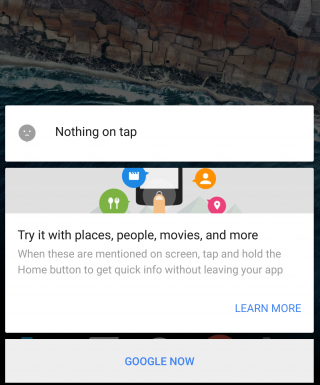
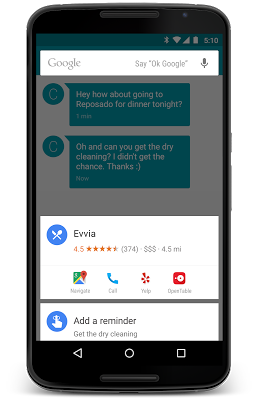
    This is the biggest feature of Android Marshmallow and one that the company is banking on the most for the success of the latest operating system. Now on Tap is a feature that can be launched in any page by pressing and holding the Home button. Once you do that, the feature will suggest some helpful information based on certain important keywords on that page. So, for example, if you’re reading some news article, Now on Tap will provide you some suggestions based on that particular news story, which could be certain names that figure in the story, or a google search of the background of the story.

    Marshmallow

    While this feature suggest usefulness, there are times when Now on Tap just doesn’t offer much information at all. It basically depends on the page you’re in. Another thing is that Now on Tap comes up with what it thinks are useful information and not necessarily what you may find useful. You could be looking for A but shows you M instead.

    However, Now on Tap does provide information when it finds something good, there’s no doubt about that. It makes it easier to find out things if you’re lucky to get the right keyword info. You no longer have to leave one app to begin search in another. It’s a good start but a perfect one.

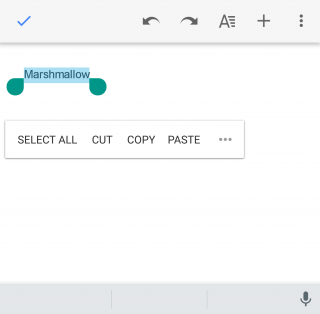
    Cut, Copy, Paste made easy

    Marshmallow (2)

    This may not look like a big change but even small ones are welcomed if it makes life just one second faster. The new cut, copy, paste option now features just below the text, rather than at the top of the screen, which makes reachability that much better. You’ll find you can get work done faster that way if you’re working on some document.

    Doze

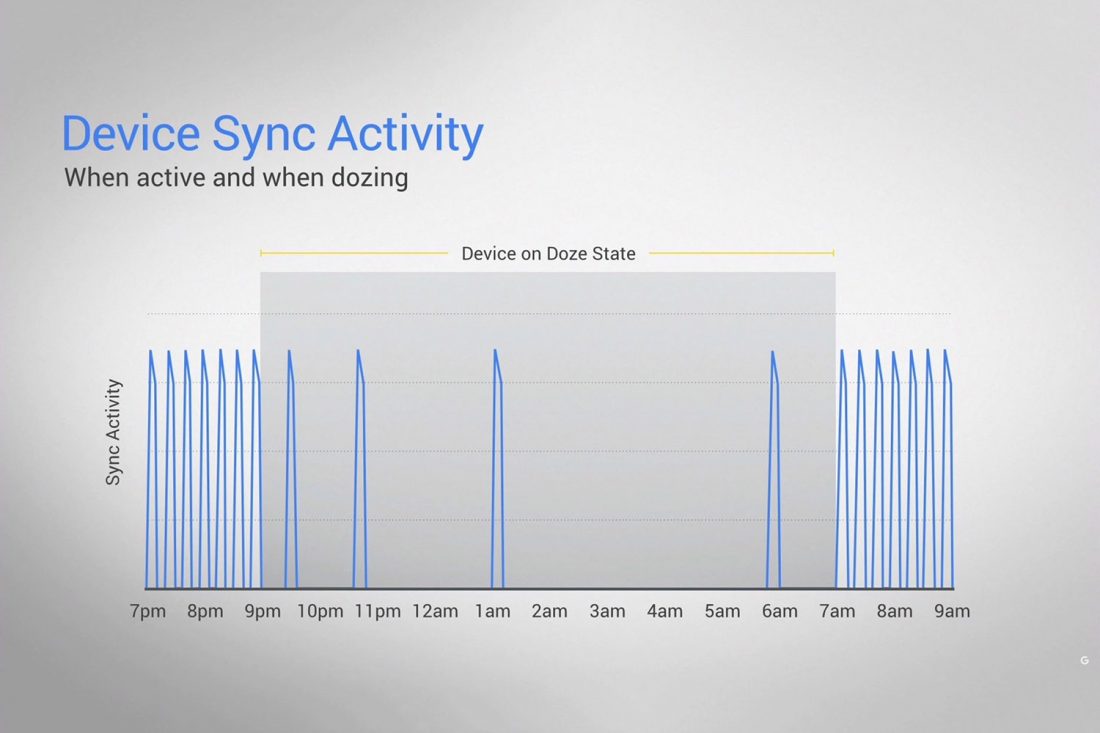
    This is a feature that will find acceptance from all. Who doesn’t appreciate a feature that helps save battery life? Here’s the thing about Doze – you won’t see it work with your eyes. Everything happens in the background. The phone detects when it’s not being moved or touched and then reduces the background activity to conserve battery.

    Marshmallow Doze

    Does it really work? We kept the phone untouched for half an hour and made notes of the change in battery percentage, and based on what we’ve found it does seem to work. It’s safe to say that you can expect at least 30 minutes of extra battery life with the latest update, which is what Google has promised.

    Doze uses your phone’s accelerometer to know when your phone is at rest. The ‘Doze’ feature, however, will only work if your phone is kept on a table or hard surface and will not work if you’ve kept it in your pocket, or if it senses motion.

    “By offloading sensor processing from the main CPU to the Android Sensor Hub, we’re able to run at a fraction of the power budget.” Google’s Dave Burke explained last week.

    Control over Permission and Privacy

    Marshmallow (3)

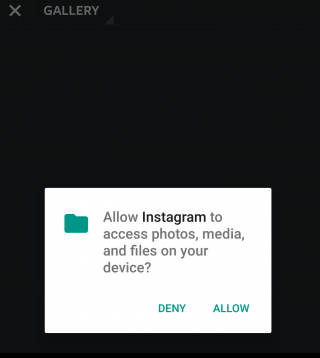
    It’s always good to know just how much your phone is accessing your apps. Before the Marshmallow upgrade, you were basically allowing your newly downloaded apps to access everything from your location to your photos. Now, however, you can say yes or no to specific permissions within an app, which gives you more control over the information that is given to the app.

    This feature has already been seen in the iOS and it is perhaps one of the more obvious influences here.

    App waterfall

    Marshmallow (4)

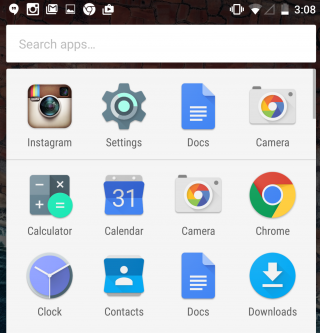
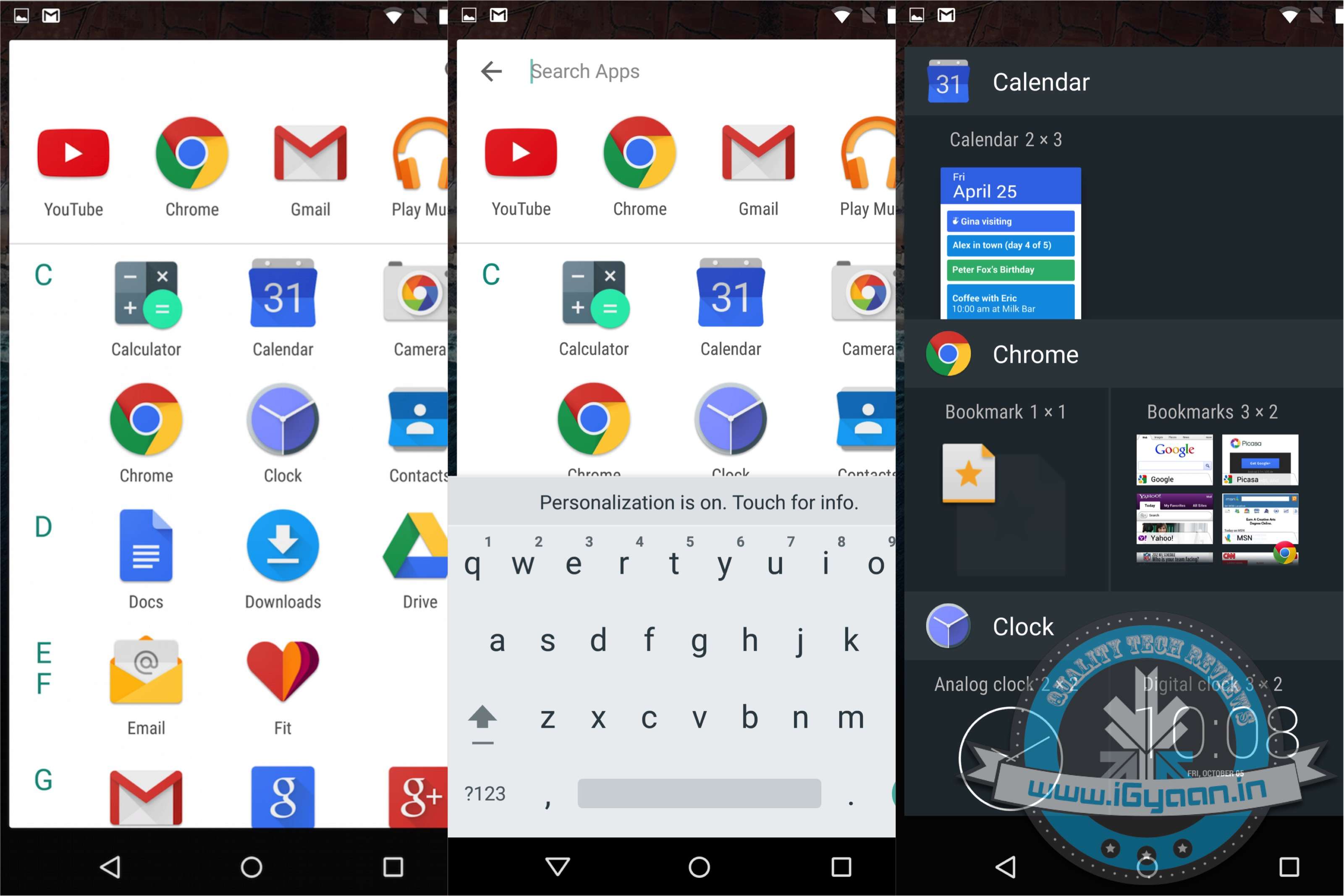
    Your ‘app drawer’ is the place all your apps are kept, both used and unused ones. It exists so that you don’t have to clutter your Home screen with all the native and foreign apps that are there in your phone. Android has not neglected that. You will now see that the drawer moves horizontally making it a simple scroll screen rather than swiping your thumb from right to left. What’s more, you also have a search bar on top of the drawer that allows you to type the app you’re looking for instead of wasting time searching for it normally. A similar feature appeared with the iOS 9 upgrade that had a search bar in the Settings menu.

    These are just a few features that we thought to mention on our initial use. The Marshmallow upgrade promises a lot more and we’re sure to find new things as we continue to explore. Here’s a list of devices that are eligible for the Android upgrade. If your device is in it we suggest you go ahead and download it and have a little fun yourself.

  • Top 5 Android Marshmallow Features

    Top 5 Android Marshmallow Features

    Last night, at the Google I/O Conference, we got a first look at the next big Android update. Google detailed the new features that are going to be made available with Android Marshmallow.

    We’ve already spoken about all the major announcements, we’re now bringing the spotlight to Android M. Are you wondering what sets it apart from Lollipop? Check out the list below.

    Clearer Security Permissions

    When you launch a newly downloaded app, do the permissions you’re ‘Accepting’ ever worry you? To make things simpler for users, Google has removed that step and instead you’re now going to be asked for a permission, when you choose to use a particular feature within an app. For example, if you’re using WhatsApp and you would like to send a picture directly from the chat box, a pop-up will appear requesting WhatsApp to access your camera.

    So how this essentially helps you is that instead of hurriedly accepting the permissions on downloading an app, this way, you know exactly the functions a particular app has access to. This change is very similar to the way iOS handles their app permissions.

    android m

    Now on Tap

    The company has taken Google Now one step further with ‘Now on Tap’. This feature is not just available with a single tap of a button, it can now be launched while you’re viewing a particular webpage or an app. For example, if you’re viewing a friend’s Facebook profile, you can use Now on Tap to find out more details about the person. It may then link you to the person’s Twitter and Instagram profile.

    Another quick example, if you’re discussing a restaurant with a friend via chat, Now on Tap can give you details about the eatery. All in all, it can be launched to give context to anything you’re doing – without having to leave an app.

     android m 5

    ‘Doze’ to Save your Battery

    With the new feature ‘Doze’, Android gives your phone the ability to detect if the smartphone has been left unattended for a while. In which case, M will reduce the background activity, giving the phone longer battery life.


    andorid m 2

    Android Pay

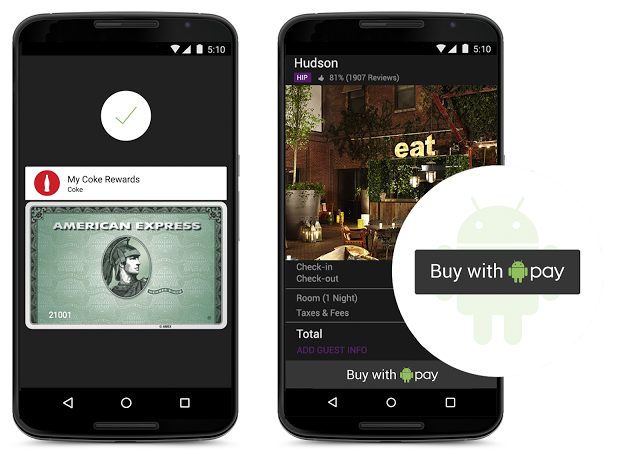
    At the conference Google also announced Android Pay. Like every other mobile payment system, it will enable Android users to simply and securely use their Android phones to pay in stores or for Android Pay partner apps. Google has taken this one step ahead, it has added useful fingerprint support which allows users to confirm a purchase with their fingerprint. The newly-added fingerprint support can also be used to unlock devices. The company promises  that it works consistently across a range of devices and sensors.

    android m 6
    Image Credit: Gazette Review

    This is only the first look at the latest version of Android. At the conference, Google stressed upon the fact that the company will continue to work on developing it further. Android M is expected to release later this year.

    Easier to “Cut, Copy, Paste”

    Google understands the number of time we need to copy and paste text from one tab to another. Hence it is going to be making our life easier by bringing the options right above the text we want to cut, instead of at the top of the screen. It may not seem like a major change, but it’s small features like these that combine to make our phone usage quick.

  • Nexus Owners Get Ready! Android 6.0 Releases Next Week

    Nexus Owners Get Ready! Android 6.0 Releases Next Week

    Google has announced that the release of Android 6.0 Marshmallow will take place next week. The news was given to international press and audience at the official event. The exact date has not been confirmed but according to speculations, it should be the 5th of the month. As expected, Google line-up of Nexus devices will be receiving the update first. However, if you own any other Android device other than Nexus you might have to wait longer before being able to use Marshmallow.

    Android M install 0

    One of the highlights of the new OS is Doze, the power saving mode which prompts the phone to shut itself down if the device has not been moved or touched for a while. Other features include finger print sensors which make using Android Pay very convenient and an updated version of Google Play called Google Play on Tap  As for the rest, we’ll have to wait and see what more Marshmallow has to offer. Watch this space for all the latest updates from the event.

  • Top 5 Features of Android Marshmallow

    Top 5 Features of Android Marshmallow

    Three days ago, Google announced the sweet its Android OS was named after; Marshmallow. Now that it’s out in the open, let’s take a look at 5 noteworthy features it has:

    1. App Permissions : You’re the Boss

    This feature has gotten a makeover and Google will now allow users to take a call on which permissions they want to allow or revoke, based on the usage of these functions. Unlike right now, where you don’t have a choice but to agree to all app permissions on first install or updates, in Android M, you will get a notification asking you to allow an app to use a specific function.

    Google helps to give permission in parameters like, location, camera, contacts etc. So if you’re using WhatsApp and you want to send a voice message, the App Permissions tab will pop up, asking you for permission to use the microphone. You can also revoke the permission later if you so wish. This is exactly the way Apple handles it on iOS.

    android m

    2. Better Web Experience: Custom Chrome Tabs

    The web browsing experience has been further enhanced with Chrome Custom tabs, a new feature, that will let you include webviews within a particular app, without switching to the Chrome browser on your phone. Features such as automatic sign-in, saved passwords, autofill etc., will work on the apps seamlessly. The Chrome Custom tab also blends with the colours and fonts of the app it is being opened with to make it more seamless than it already is.

    3. App Linking

    Known as Intents, Android currently supports the app linking system, which lets you open a web link in a web browser or app. Before, if you had a Twitter link in, say your inbox and you clicked on it, you got a prompt asking if you want to open the link in your browser or within the Twitter app, which is installed on your phone.

    So now, Android M will first let developers add an auto-verify feature within their code, which will, in turn, help open the link within the respective app (provided the app is installed on your phone). Instead of giving you the option. Don’t worry about the security because it is only after post-authentication and verification, that this feature will follow through.

    4. Android Pay

    With this feature, all you need to do is unlock your phone, keep it near and NFC (near-field communication) terminal and voila, your payment is done. You don’t even have to open the app for this because payments are done by using NFC and host card emulation techniques for smooth tap-to-pay services.

    Worried about security again? Google claims that once you share your credit card details, it creates a virtual account number. So, your real card number isn’t actually shared with the store you’ve shopped from.

    android pay

    5. Power management

    Since battery is a perpetual problem, Android M will feature something called ‘Doze’ that will optimally manage the background processes.The OS keeps a watch on the motion detection sensor and if it sees no activity for a while, it shuts down some processes. However, alarms and high priority notifications can still be activated on this mode. Confident about this feature, Google claims that it helped the Nexus 9 to increase its stand by time by almost double, as compared to Android 5.0 Lollipop.

    Although those were just top 5, features like the standardised finger support and the USB Type-C for charging support, will just make your life easier. You can authorise an Android Pay transaction, unlock your device or make Play Store purchases, all with the sensor. Similarly, a USB Type-C has a bi-directional port which you can use to charge the phone along with another device.

  • It’s Official : Android 6.0 is Called Marshmallow

    It’s Official : Android 6.0 is Called Marshmallow

    Last night, Google’s mobile operating division announced its latest update and calls it the Android 6.0 marshmallow (sorry, not mithai). This puts an end to our speculation of what the statue of a green droid holding the new dessert figurine meant.

    android m marshmallow

    This news was announced by Dave Burke, Android’s VP of Engineering via his Twitter account on Monday. Reports also suggest, that Google has released a “near-final” SDK version of the new operating system for developers.

    “Whether you like them straight out of the bag, roasted to a golden brown exterior with a molten centre, or in fluff form, who doesn’t like marshmallows? We definitely like them,” wrote Jamal Eason, Product Manager, Android in the blog post.

    The Android 6.0 is said to largely be aimed at delivering stability and performance improvements, and will bring new features such as – the Android Pay, Tap on Now, new app permissions model, built-in support for fingerprint scanner, as well as support for the USB Type-C standard. Reports also say, that this new version also offers native support for the 64-bit ARMv8 architecture.

    Android M

    The Android v6.0 will be shipped later this year while the company is also rumoured to be releasing two Nexus smartphones along with it.

    Source: [tw-button size=”medium” background=”#07ABE2″ color=”” target=”_blank” link=”http://android-developers.blogspot.in/2015/08/m-developer-preview-3-final-sdk.html”]Android Blogspot[/tw-button]


  • Name Game: Google Teases the Name of the New Android M

    Remember the last time we asked you to guess what the next version of Android will be named? It’s entertaining to see which candy will get to hold the coveted title of being the latest Android OS’ name. Last year, it was Lolllipop and this October, we should hopefully see what Android M is going to stand for.

    Googlers Nat and Lo were seen having some fun with the names as well as giving us a sneak peak of the new Android statue that will be displayed in the front lawn of the Google HQ, like every year. Take a look at the video below:

    Apart from a new name, the Android OS will see a hoard of updates like support for Android’s version of Touch ID, better battery life management,  improved permissions settings for apps and a smarter Google Now.

    Th funfilled video leaves you thinking of all the delectable edibles that start with the letter M. So go ahead, tell us what you think it’s going to be as we wait for October to come.

    Source: [tw-button size=”medium” background=”#07ABE2″ color=”” target=”_self” link=”http://www.in.techradar.com/news/phone-and-communications/mobile-phones/Google-starts-the-guessing-for-the-official-name-of-Android-M/articleshow/48501688.cms”]Techradar.india[/tw-button]

  • List of the First Smartphones Most Likely to Run Android M When it Launches

    List of the First Smartphones Most Likely to Run Android M When it Launches

    While Android Lollipop was a complete overhaul from its previous iteration (in terms of design and features), Android M is said to be a mere improvement. At the Google I/O conference, Senior VP Sunder Pichai announced that the company has spent effort on improving the software, rather than redesigning it. Nonetheless, we can’t wait to have the brand new set of features on our smartphones.

    Well, we’ve now decided to take on the burning question everyone wants answered, “Will my smartphone be upgraded to Android M?”.

    Here’s a list of smartphones that are most likely to receive the update first.

    Nexus Devices

    Google Nexus 6 3

    No surprise here. The Developer Preview is already out for Nexus 5, Nexus 6, Nexus 9, Nexus Player; and it sure looks good. As tradition goes, Google’s very own line-up of Nexus devices will be the first ones to receive the official update.

    The Moto Brigade

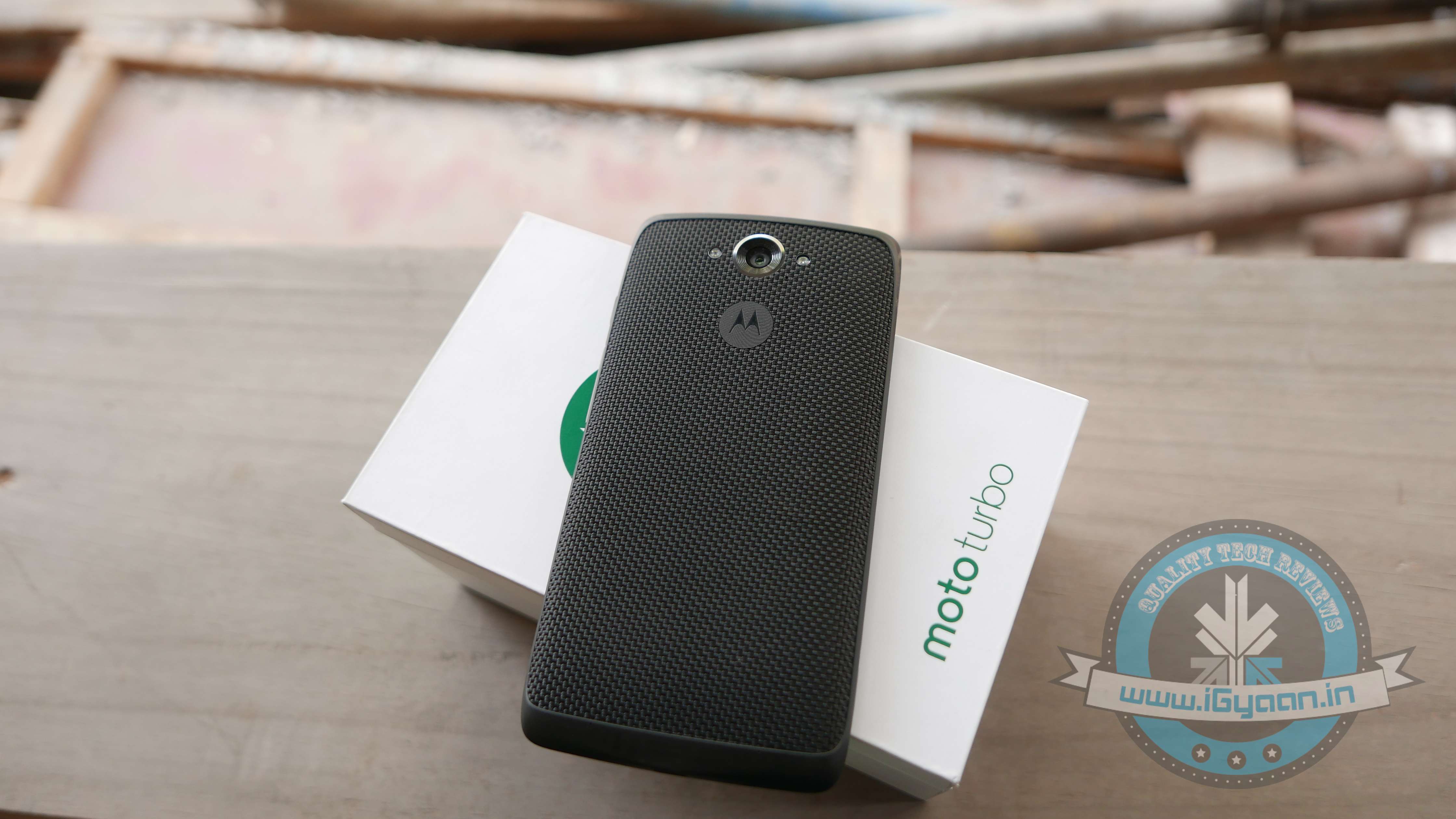
    Moto Turbo India 5

    Motorola has always been efficient in providing timely software updates. Even when Android Lollipop released, Motorola ensured its customers had it before many others. Moto X and Moto Turbo are first in line to get the Android M update, followed by the Moto G. Unfortunately, Moto E may not make the cut.

    OnePlus

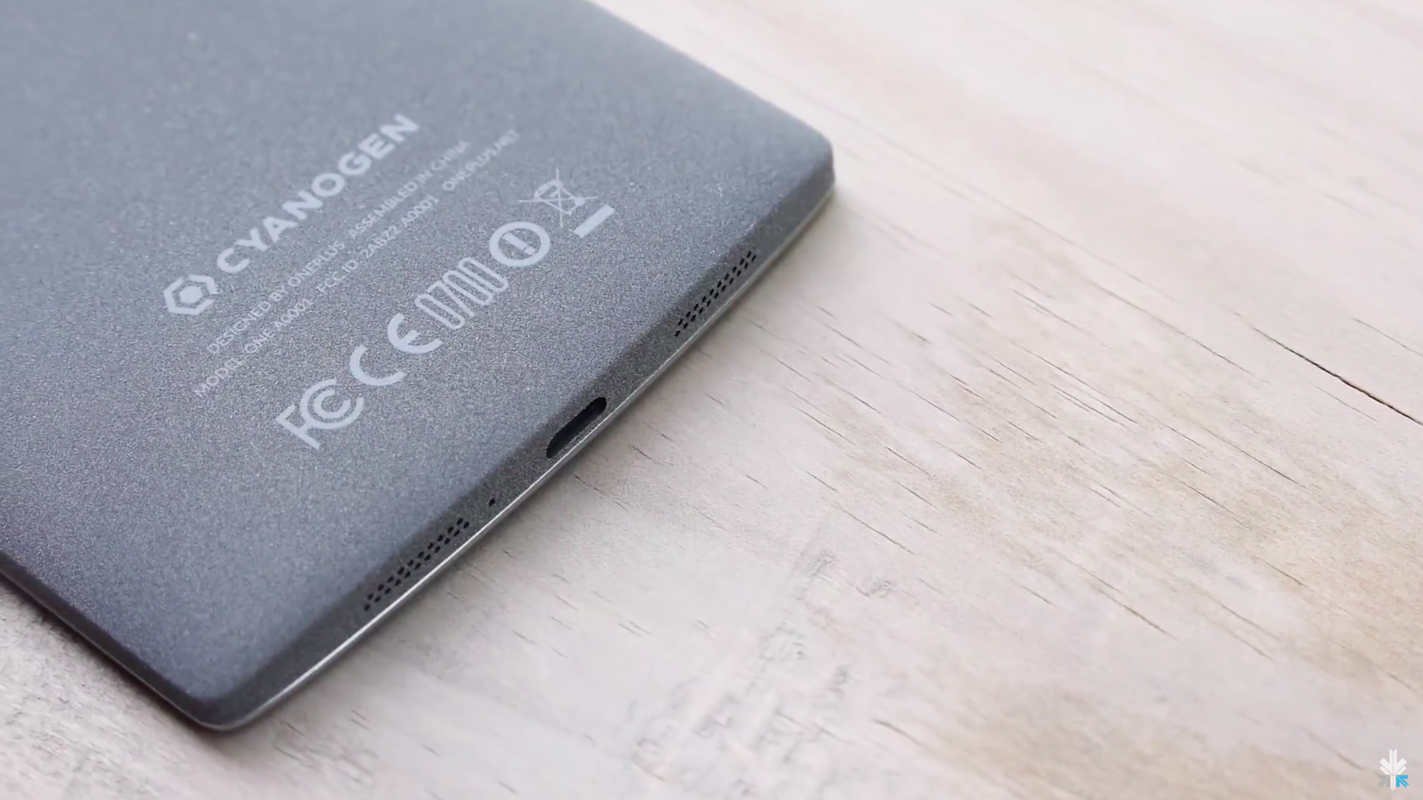
    cyanogen oneplus

    By the time Android M rolls out, we expect OnePlus would have announced its next flagship, the OnePlus Two. The company, just like Motorola, has been known to provide timely updates. Also heeding to the fact that the company has buried the hatchet with Cyanogen, we can expect both, OxygenOS as well as Cyanogen to be out in their Android M versions soon. In fact, all devices powered by Cyanogen (such as Yuphoria, Yureka) would be the privileged ones to receive Google’s latest update.

    Samsung Devices

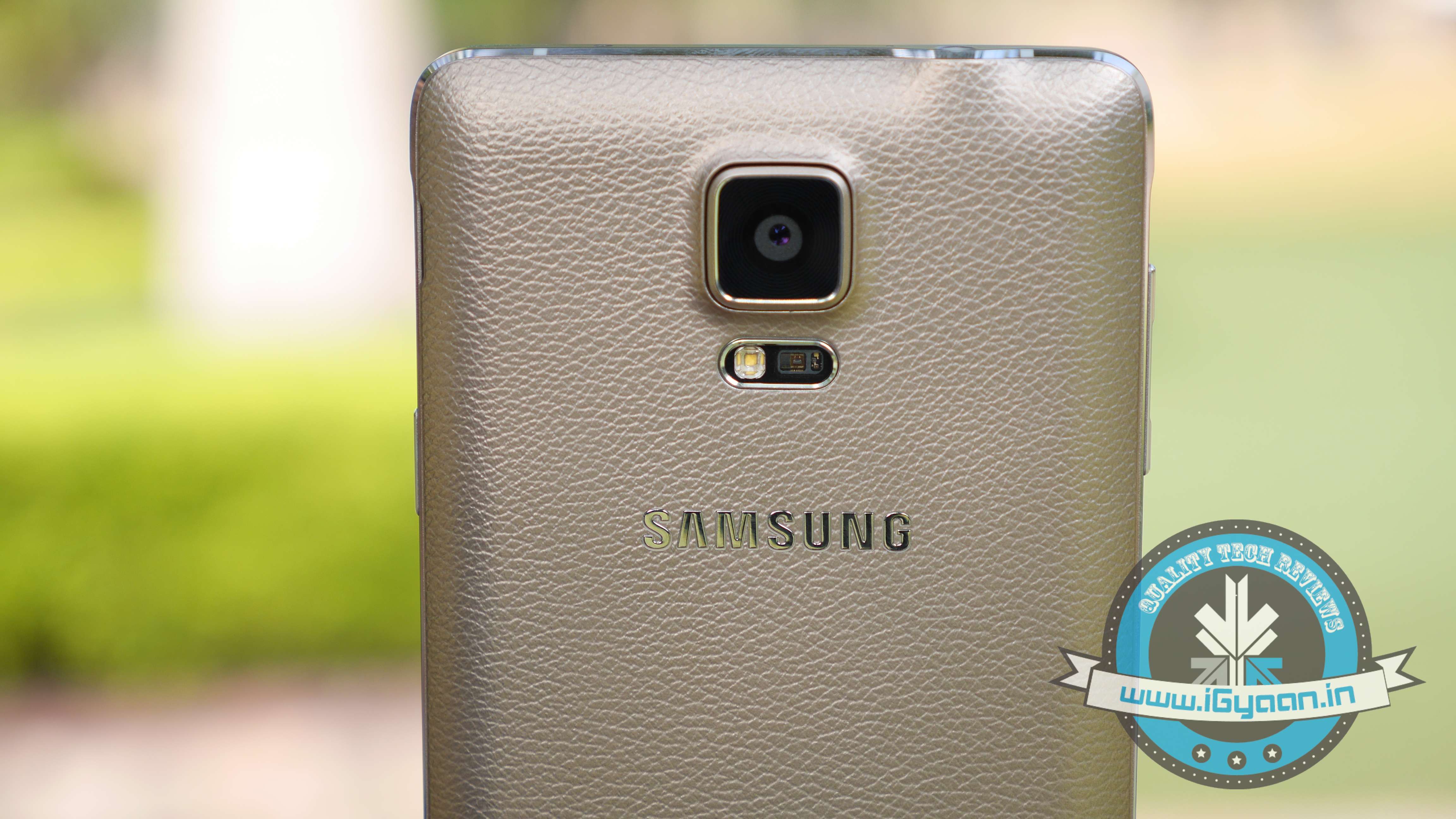
    Samsung Note 4 2

    While there is no official word from the company, Samsung Galaxy S6, Galaxy S5 and Samsung Note 4 are expected to be the first few devices to receive the Android M update. Also, the Samsung Galaxy Note 5 which is expected to launch between October and September 2015, will be upgraded to Android’s latest operating system.

    HTC

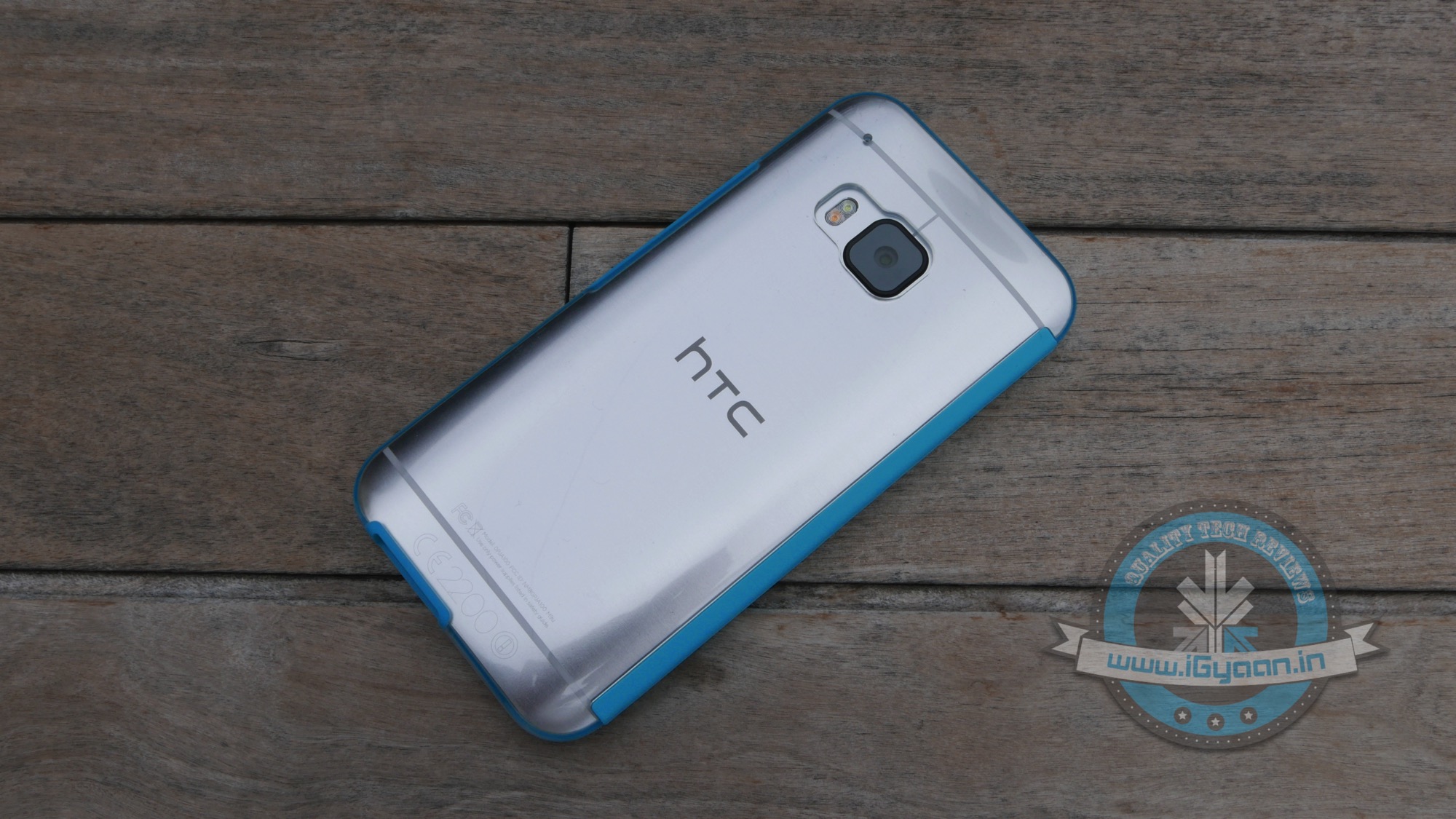
    HTC ONE M9 iGyaan 26

    HTC is one of the few companies that has jumped the gun and officially announced that their line-up of smartphones will be receiving the Android M update. The company recently stated that HTC One M9 and One M9+ are going to get it first, followed by other devices. The company was unclear about which these ‘other devices’ might be, we’re guessing they were talking about the HTC One E9 and the previous-gen One M8.

  • How to Install Android M on Your Nexus Device

    How to Install Android M on Your Nexus Device

    At the I/O 2015 conference, Google announced the next version of Android. The company detailed some interesting features that will be available on Android devices later this year. With Android M, they have focused on improving the system’s overall quality and fixing the bugs found on Lollipop. While Google SVP Sundar Pichai’s speech seemed impressive, we wanted to see for ourselves what the fuss was all about.

    We installed Google’s Android M developer preview on our Nexus 6 and decided to share the step-by-step procedure.

    Disclaimer: 

    • Before you decide to install Android M on your device, consider the fact that it will wipe the smartphone’s memory entirely.
    • The developer preview also contains several bugs and may be unstable.
    • We wouldn’t recommend installing the OS on the Nexus device you use on an everyday basis. Some of the major applications are having trouble loading on Android M.
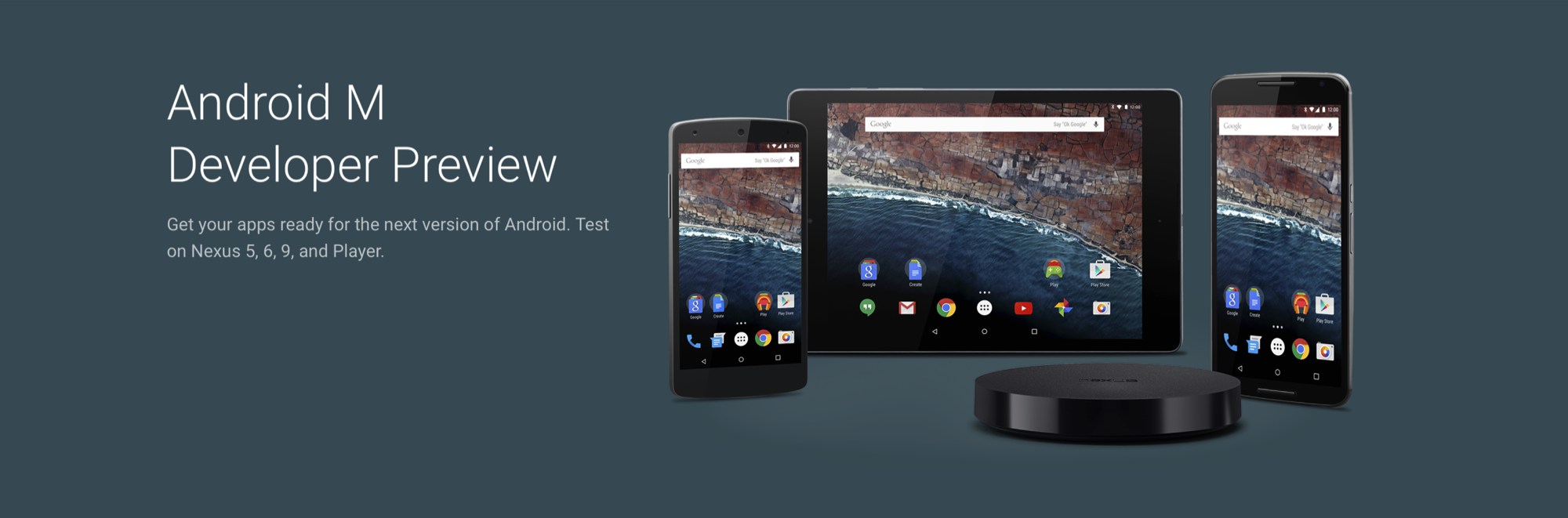
    • The Developer Preview is only out for Nexus 5, Nexus 6, Nexus 9 and Nexus Player.

    Preparation 

    • Back-up your Nexus Device.
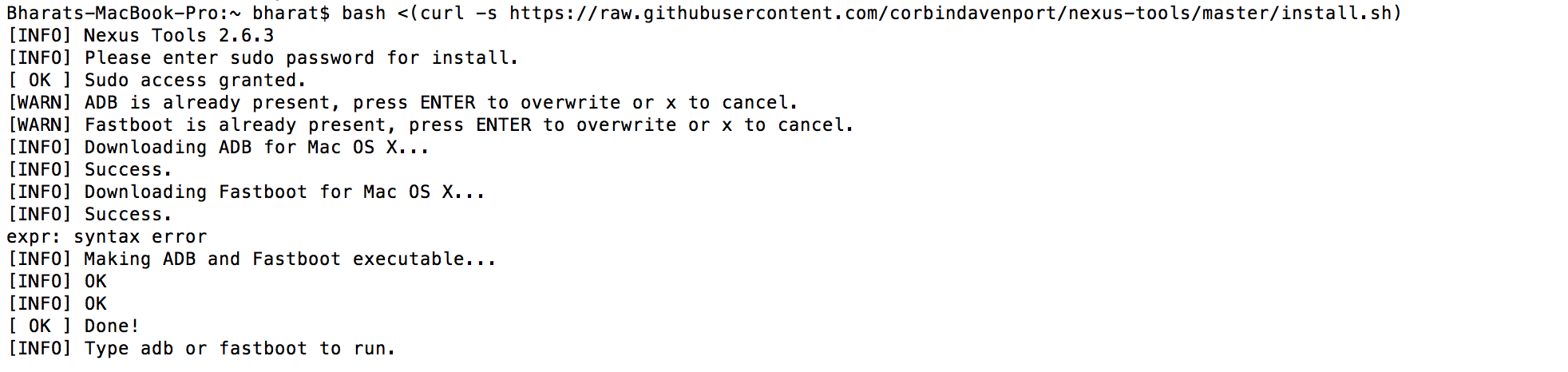
    • To make this quick and easy, before you begin, make sure you have ADB and fastboot installed on your computer.  The easiest way to install ADB on your machine is by inserting the following command on your Command Line/Terminal:
      bash <(curl -s https://raw.githubusercontent.com/corbindavenport/nexus-tools/master/install.sh)Android M 3
    • Download the factory images for your device here. Unzip and save them on a file on your desktop.

    Method

    • Now to begin, enable your device’s debugging mode and connect it to your computer via a USB cable.
    • Open an ADB command line and enter ‘adb reboot boot loader’Android M
    • Open the folder containing your factory images.
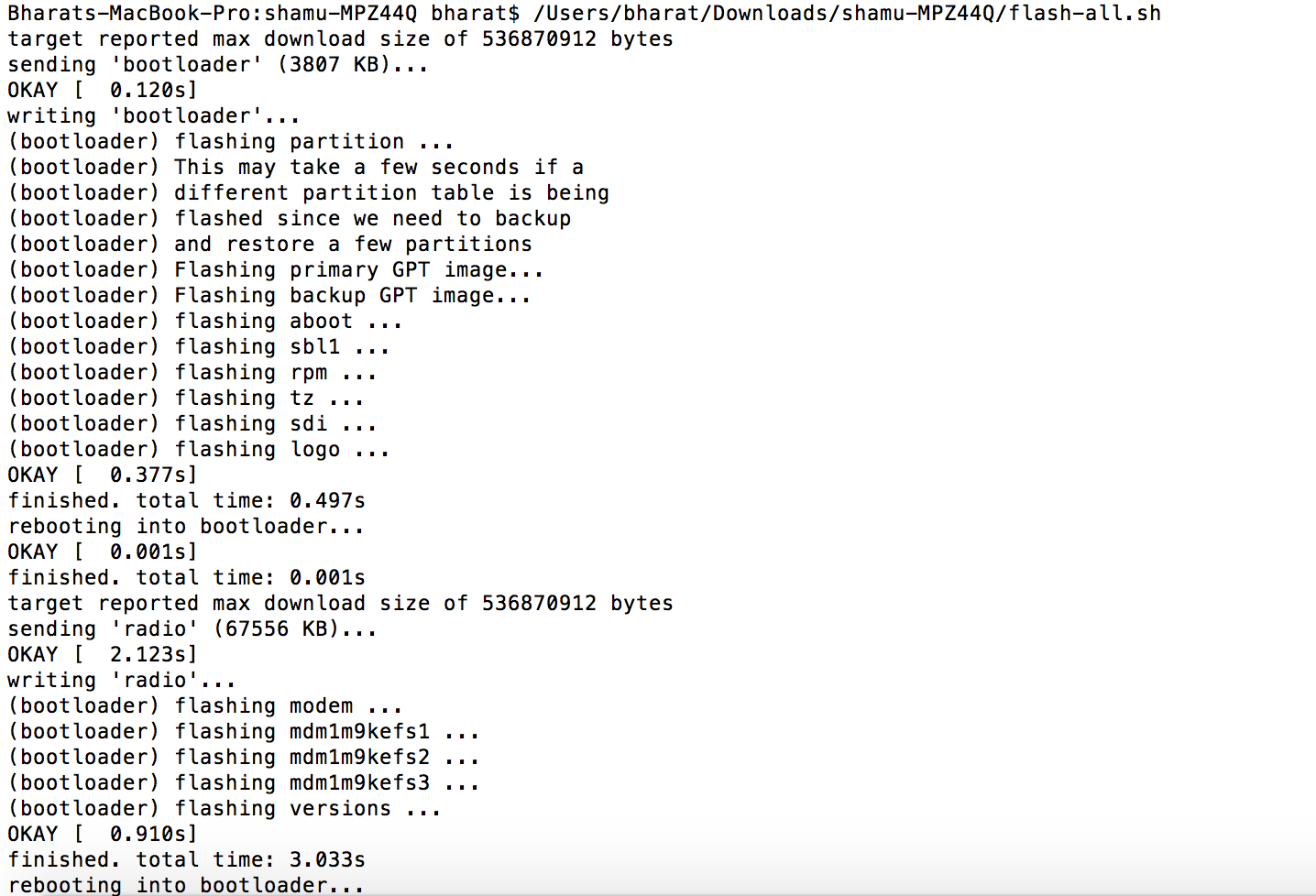
    • Now on the ADB command line, enter ‘flash-all’ to run the installation. This is the final step and it will initiate the process, as seen below: android M 2

    You will now have to wait till it gets installed. It took us approximately 5 minutes.

    Now you can enjoy fiddling around. To read more about Android M, click here.

  • Google May have Forgotten to Announce One Big Android M Feature

    Google May have Forgotten to Announce One Big Android M Feature

    Despite all the announcements made at Google I/O for the new Android M OS , Google left out a set of updates that may be slightly more crucial to some people. With the developer preview of Android M now available to those with Nexus devices, some of the new features we saw are interesting.

    However, one big thing that will affect every Android phone buyer in India is the new handling of microSD storage. With Android M, all new handsets will have the ability to turn microSD card storage into system memory. This is a very big deal, especially because it will make buying a larger capacity smartphone redundant. Companies often charge premiums for higher capacity variants of the same hardware, differentiating them only on the inbuilt storage.

    Google Now Launcher
    Google Now Launcher

    Sources tell us that Samsung intentionally left out microSD card storage from the Galaxy S6 and S6 Edge to earn premiums on higher capacities. They also did this because they were aware of this feature being launched in the next update of Google’s Android operating system. If Samsung had given the ability to install a microSD on the Galaxy S6 and S6 Edge, after the launch of Android M and Samsung’s update, it would have meant either lower earnings on the higher storage variants or a halt in sale all together as people would get the cheapest and then install a microSD.

    Android M Developer

    Here are the other hidden features of Android M:

    1. Uninstall apps using the Google Now Launcher. Long tap any app and drag up and right.
    2. Head over to Settings > Device > Apps > Advanced > Memory  to visit the RAM Manager. This feature lets you seethe performance of each App on your device per the RAM available on the handset. This nifty feature also allows you to kill Apps that consume too much memory.Android M screens 0
    3. Support for MIDI devices: a feature that budding musicians have had on the iOS devices for a while now comes to Android and will allow you to attach Keyboards and DJ decks that support MIDI connections.
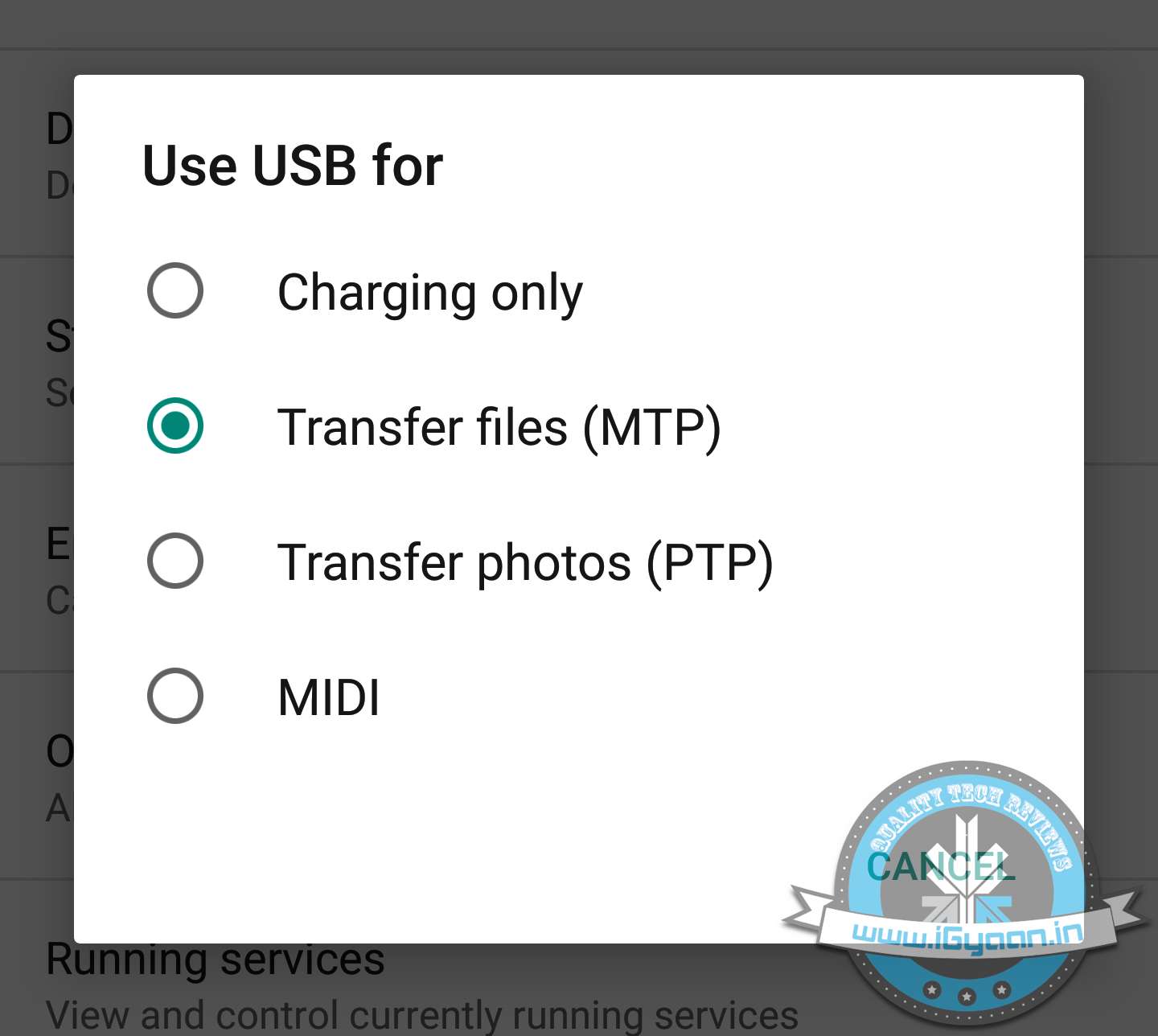
    4. USB OTG is also standard, and all devices with Android M will support USB OTG. This mixed with the new microSD management will essentially end the high price variant devices.
      multi window
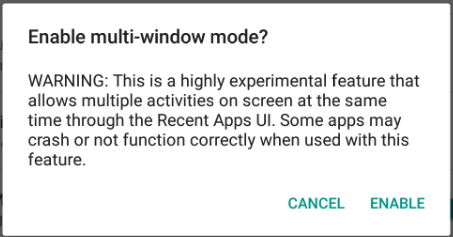
    5. Multi-window support can also be enabled by going through a slightly back end process.
    6. Hotspot 2.0 allows you to create Wireless Hotspots on both the 2.4 GHz and 5 GHz bands.
    7. Swiping from the bottom left to  right on the Lock Screen will now launch Google Now Voice search vs the dialer in Android Lollipop.
      Android M screens 1
    8. The new Doze feature is highly customisable and can be turned on or off on a per app basis. Allowing you to save battery on the usage of apps you do not need in the background.


  • Everything You Need to Know About Google I/O 2015 Launches

    Everything You Need to Know About Google I/O 2015 Launches

    Google kicked off its annual developers’ conference, the 2015 I/O yesterday in San Francisco, California. As anticipated, the search engine giant threw light on the much-awaited version of Android OS, disclosing functions of Android M in fine detail. Along with some anticipated features like app permissions, Photo app, Android Pay; there are many more additions to the Google ecosystem.

    Here are all the important announcements by the company:

    1. App Permissions
    android m

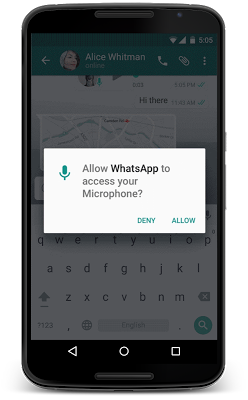
    Google has tweaked Android M to terminate the traditional way of gaining app permissions. Unlike the current practice, users can permit apps to use a particular function and can also revoke its use. Google has defined eight parameters to give apps permission. These include camera, location, contacts, calendar and few more. With Android M, users can now easily understand the different parameters an app is accessing.

    2. Resolved Battery Issue
    andorid m 2

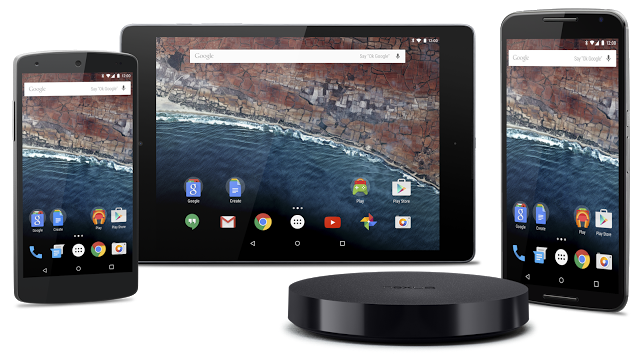
    With Android Lollipop, Battery drain was one of the major issues that ticked off Android users to a large extent. The tech giant has introduced a new feature that helps the phone battery run for an extended period of time. Dubbed as Doze, the feature uses motion detection to check if the smartphone is left unattended for a while. The screen then automatically goes to sleep, reducing the background activity; hence giving the phone a longer battery life.

    3. Chrome Custom Tabs to Switch Between Apps

    android m custom tabs

    Android M comes with an interesting feature called Chrome Custom Tabs that appear like an in-app Chrome browser. It loads pages faster, filling vital information like email and password. Another important function is that it allows developers to add custom features on top of the apps. For example, Twitter can provide a tweet on any app, which will direct the user to the Twitter app loading it automatically. It allows for quick movements between two applications.

    4. New Google Photos App
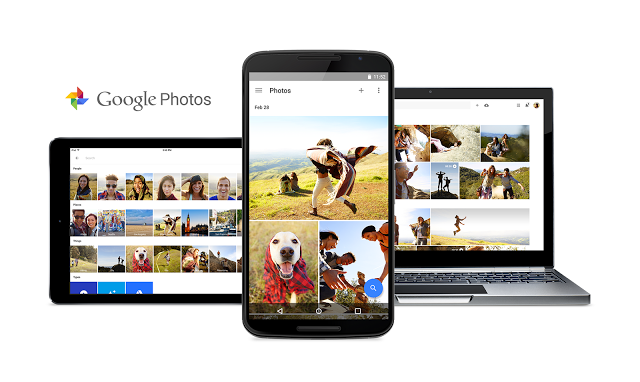
    google photo app

    Google Photo app is a refurbished app with an ability to back up photos and videos, and that too free of cost. However, there is a restriction on their size, but you can upload as many as you wish. These images can be segregated on the basis of location, people, time interval and more. Besides the new app, some interface tools were also introduced for the purpose of sharing and making collages and turning them into movies. As per the company, the app is now available on Android, iOS and web.

    5. Maps and Chrome Go Offline
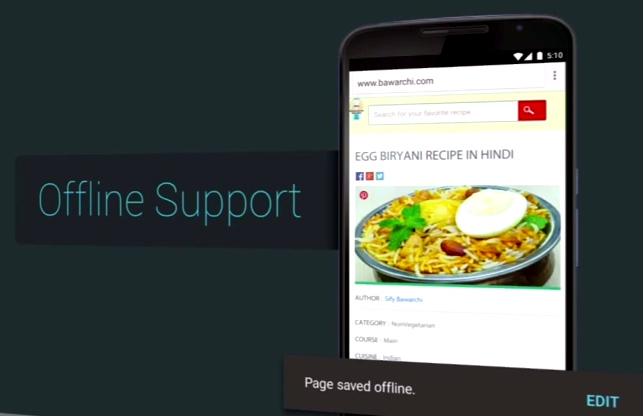
    Google-Chrome-Offline-Support

    This new feature by Google will help internet users access its products in every corner of the world. A dedicated search results page is built for faster loading by showing fewer images. Users will be able to save web pages offline just like YouTube videos. Along with that, Google Maps has been given a push offline where users can access a bunch of features with no internet connectivity like reviews and information, and give turn-by-turn directions offline. The feature will work in areas with poor internet connectivity.

    6. Revamped Android Wear
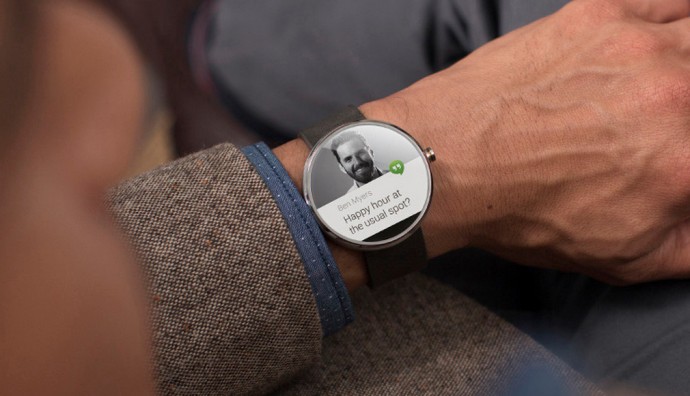
    moto-360-3

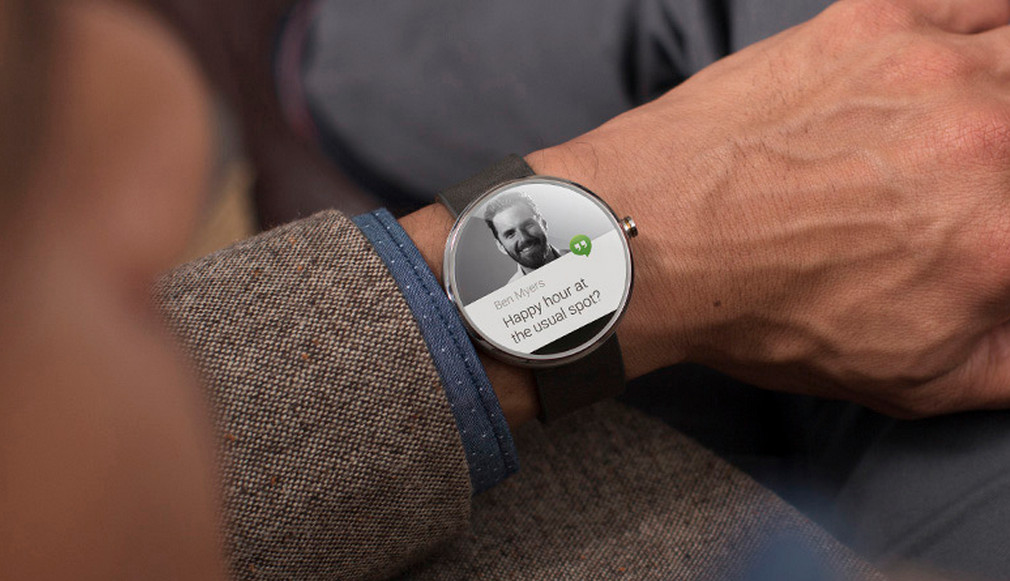
    Android Wear has been updated with a slew of new apps and features. There will be a convenient option to call Uber cabs now. Just like the always-on screen, apps will also remain on always showing information in black and white mode, taking care of the battery. Navigating through Google Maps to get constant direction status and many more features that requires the screen to be on, will be a lot easier. A new app launcher is inculcated as well, along with a feature to convert drawings to emojis.

    7. Smart Home
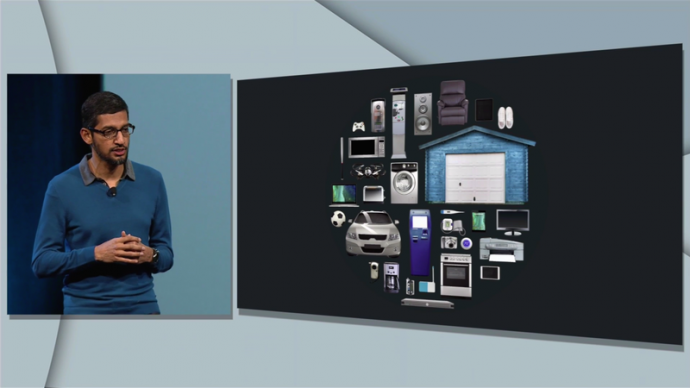
    android m smart homes

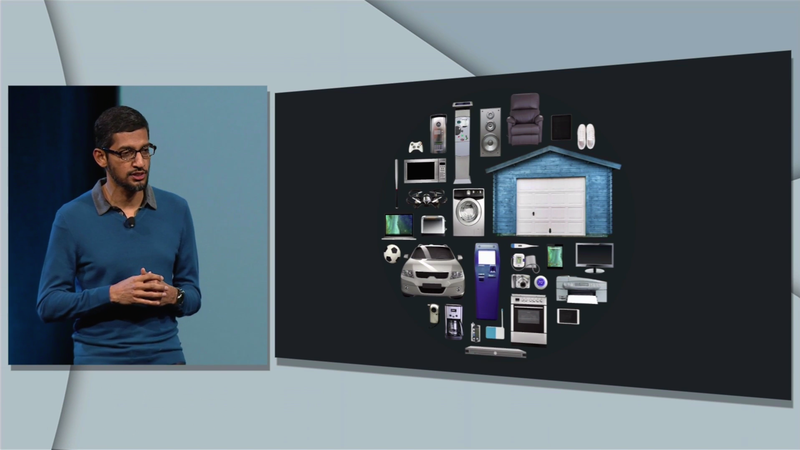
    Another expected update was the Smart Home launched along with an operating system Project Brillo and a communication system Weave. Brillo is a trimmed down version of Android, while the latter is Google’s IoT that allows devices to communicate with each other. Both the softwares work together to make your homes truly smart homes. Once both Brillo and Weave are installed on the smart devices, Weave can command devices like refrigerators, ovens, lift bulbs, door locks, etc. The system has build-in Wi-Fi and Bluetooth support.

    8. HBO Now on Android
    hbo now

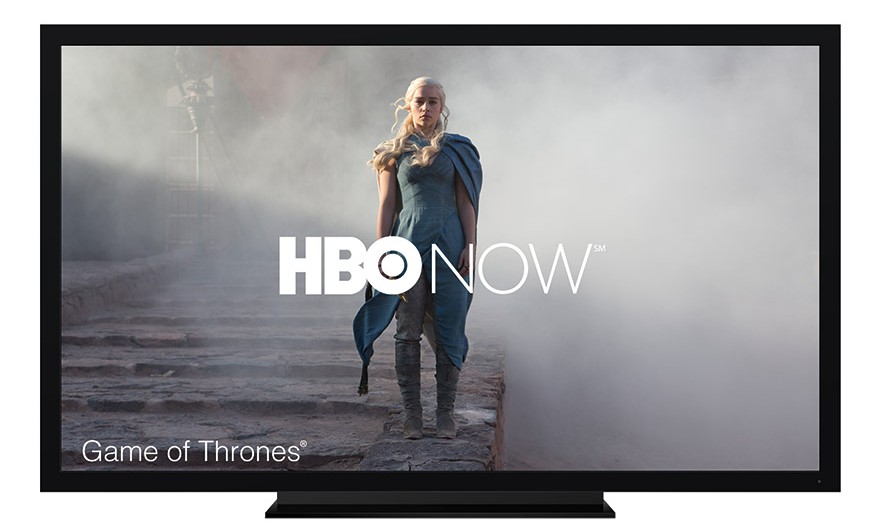
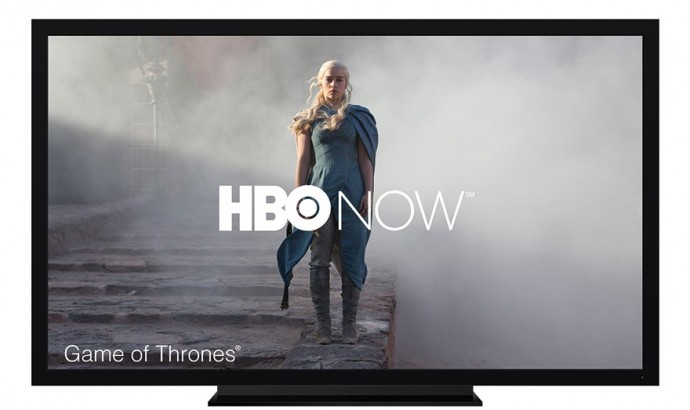
    Far from our anticipation, Google announced the arrival of the streaming-only service HBO Now on Android and Chromecast. There is no definite time of its launch on the platform, but speculations are rife about it coming in June this year. Surprisingly, there are no fresh Chromecast or Android TV this time.

    9. Redesigned Google Cardboard

    google cardboard

    Seeing the current trends of bigger phones, the tech major decided to reconstruct its affordable VR headset, Google Cardboard. The new version of Google Cardboard can hold phones with six inch displays. A cardboard button will appear on the new version instead of the original magnet clicker that is said to work with any phone. Google has launched a dedicated Cardboard app, along with a virtual reality education tool Expeditions for educational purpose. The bigger VR headset can be acquired through Google’s partners.

    10. Google VR Camera Rig
    google-camera-rig

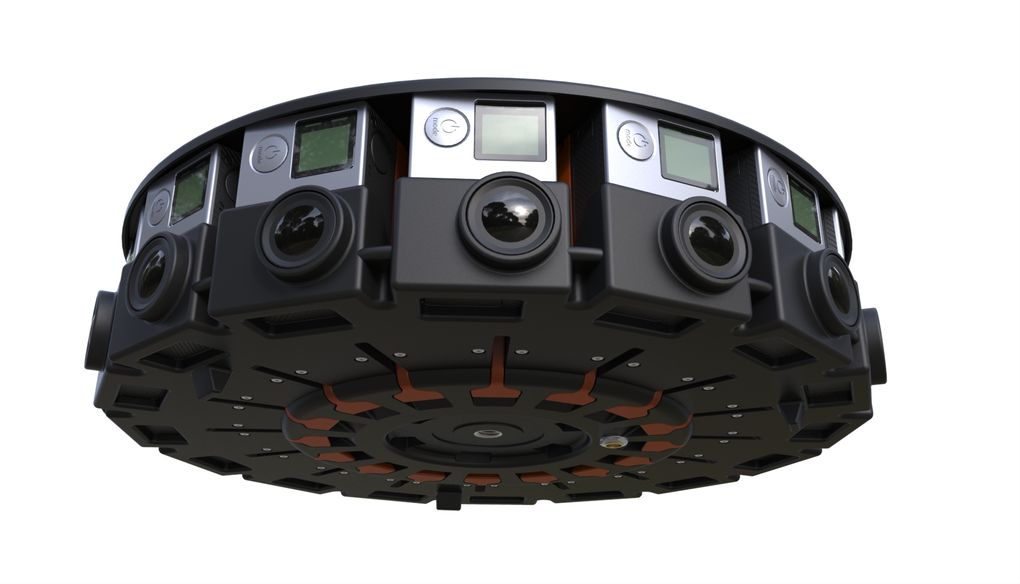
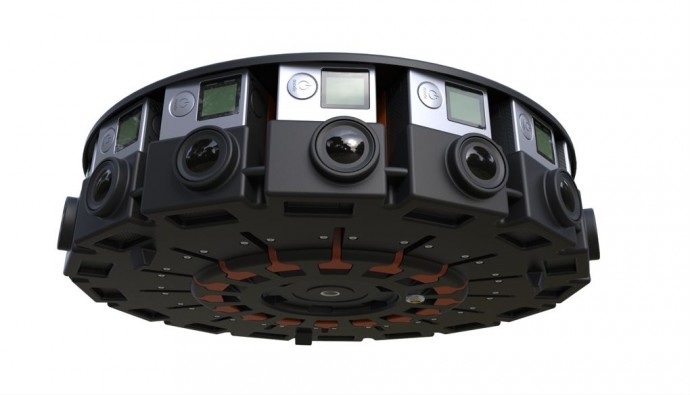
    The company seems to have given a deeper thought to the recently explored virtual reality domain. VR headsets have been available for quite a while, but the content for them was missing. Google in partnership with GoPro has built a VR camera rig, Jump, that is a 16-camera array designed to shoot 3D VR content. The VR camera rig will shoot content and the assembler of Google will weave them together figuring out the depth of different images. It can build content for the VR headsets as well as video-sharing websites like YouTube.
  • Fresh Round of Rumours Emerge About Google’s Android M

    Fresh Round of Rumours Emerge About Google’s Android M

    Google is restlessly dispatching the Lollipop version of its Android operating system to maximum number of devices. Some smartphones are enjoying the sweetness of the Android Lollipop, but there is a huge per cent patiently waiting to for an OTA update on their handsets. Google is simultaneously working on bringing out a fresh version of Android OS, temporarily titled as Android M, that is estimated to see a launch in the forthcoming Google I/O conference. Rumours have been rife about Android M for quite a while. Let’s see what they have to say about the upcoming mobile OS.
    Much to our surprise, the next Android OS won’t have any special design aspects to wait for, as per a report by Android PIT. It is reported to be a minor upgrade of the present Android version with slight changes in design and features. The report by Android PIT cites that the upcoming version will not be a major overhaul in terms of design. It said to “expect evolutionary change and refinement rather than a gee-whiz new look.”

    211-android-apple

    If we talk about the features, the Android M is speculated to bring a major improvement that will bring Android OS closer to Windows OS and iOS, by a step. If rumours are to be believed, the forthcoming Android M will have a revamped notifications setting where alerts are unified across different platforms. That means, the notifications will appear on your smartphone, the tablet and the PC as well.

    Connected devices will be another area of focus on Android M. The Smart Home feature will be tweaked majorly to improve wireless control over connected devices.

    Meanwhile, there were reports of the new OS handling over the privacy policy to users, which was needed since quite long. However, there has been no confirmation on any of these reports as yet. Know more about Android M here.

  • Google’s ‘Android M’ Likely to Hand Over Privacy Controls to Users: Report

    Google’s ‘Android M’ Likely to Hand Over Privacy Controls to Users: Report

    Google’s upcoming Android OS is the next big thing everybody is looking forward to. There are speculations of the tech giant gearing to unveil the mysterious ‘Android M‘ in the Google I/O conference 2015. Bloomberg has surfaced another vital fact about the forthcoming Android version that would bring data apps control in the hands of users.

    According to a report by the global business and financial information portal, Google is planning to provide users with privacy controls that would allow users grant permissions to a particular app. This way, users themselves can decide what apps can penetrate more into the content and which can’t. These may include photos, contacts or location. The privacy controls would bring Android OS closer to Apple’s iOS that furnish users with the freedom to apps permission.

    Google Messenger 1

    For now, Android users cannot decide permissions for the app. Whenever a user wishes to download a new application, he/she is directed to the setting page to provide the app with required permissions. Refusing to the permissions leads to cancellation of the app download. Presently, the customization option is available on Cyanogen and Xiaomi’s MIUI 6.

    The demand for privacy on Android devices is being made for quite a while. Paying a little attention to the rising voices, Google has lost 3 percent share in Europe’s five largest countries, coming down to 69 percent. On the other hand, the share of iOS has increased from 18.6 percent to 20.3 percent in those five countries.

    However, there is no confirmation from the company, but the mounting pressure may force Google to come up with the advanced Android version this time. Google’s annual I/O developers’ conference is scheduled for 28th of this month.

iGyaan Network
Privacy Overview

This website uses cookies so that we can provide you with the best user experience possible. Cookie information is stored in your browser and performs functions such as recognising you when you return to our website and helping our team to understand which sections of the website you find most interesting and useful.