Tag: apps

  • App Of The Week – Comics Is Everything You’ve Ever Wanted To Read Comic Books on the Go

    App Of The Week – Comics Is Everything You’ve Ever Wanted To Read Comic Books on the Go

    Some of the fondest memories of a comic book reader are peeling off the plastic wrap off of the comic book and turning the cover page. That sound of fresh paper rattling still makes us a little giddy inside. As much as we hate to admit, digital books are the present and the future. The purists still believe that nothing’s better than the feeling of a physical book in the hand and the sound of the rattling pages is unparalleled. But, the success of Kindle and reading apps tell us a different story. The handiness of a small gadget essentially carrying your whole library is too good a deal for avid readers to not look into. The comic book readers have long been waiting for a solid platform to satiate their digital comic book cravings.

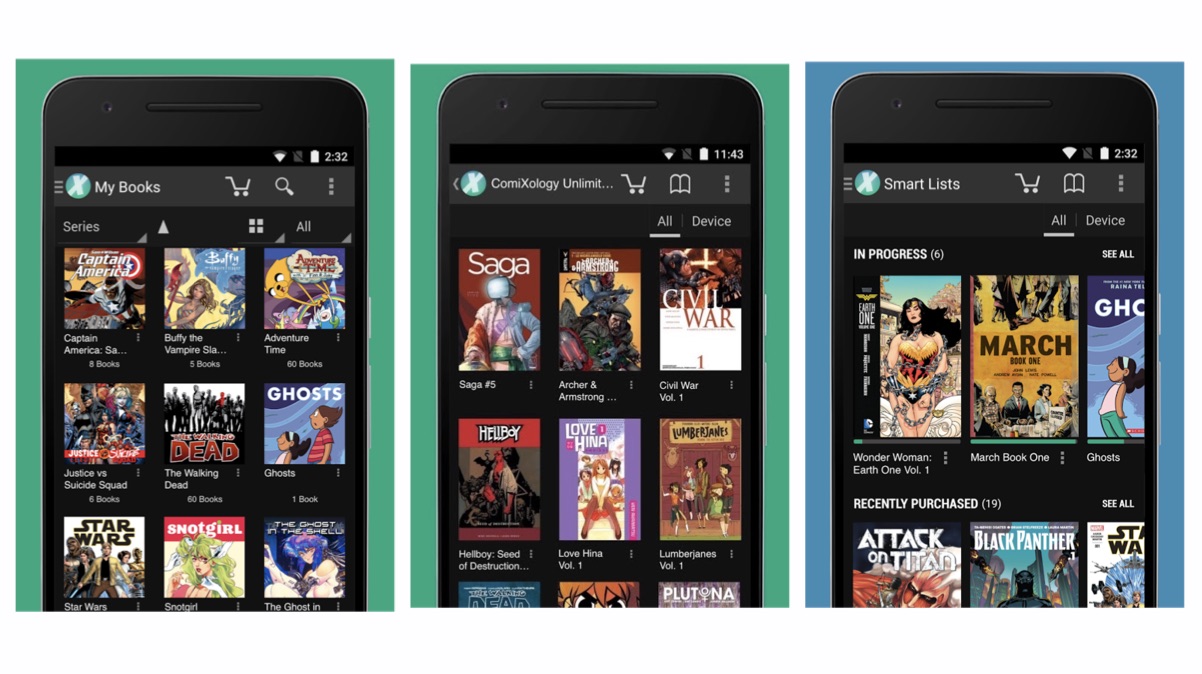
    We went on a spree to find you the perfect app for comic books and boy do we have a good one! Comics by ComiXology is all you’ll ever need and it is great. With a collection of over 75,000 graphic novels, comics and manga this is your one true flight-mate.The collection is mostly paid but there are a few free comic books to get you started.

    As is with every app, to access the full library you need to buy the books and read them offline while you are on a flight or a place where you can’t access the internet. From Archies to DC and Marvel to Appleseed, the collection is huge and it’ll take you the long time to even try and finish reading the whole library. Another important box that this app checks out is the UI. An easy-to-use app with proper refined categories and an easy payment method makes using the app an absolute walk in the park. It has all the necessary tabs to help you find the comic book you’re looking for. The text is crisp and the images are sharp to keep you immersed in whatever you’re reading.

    Available for free, this app is a must-have for all you comic book/graphic novel enthusiasts who travel a lot and can’t afford to give up the precious space in your hand-baggage. This handy little app will soon become your go-to saviour from the perpetual boredom. Check out the app below and tell us what you feel about it!

    [button type=”link” link=”https://play.google.com/store/apps/details?id=com.iconology.comics&hl=en” variation=”btn-info”]Explore The App Here[/button]
  • Samsung to Launch its Apps for iOS

    Samsung to Launch its Apps for iOS

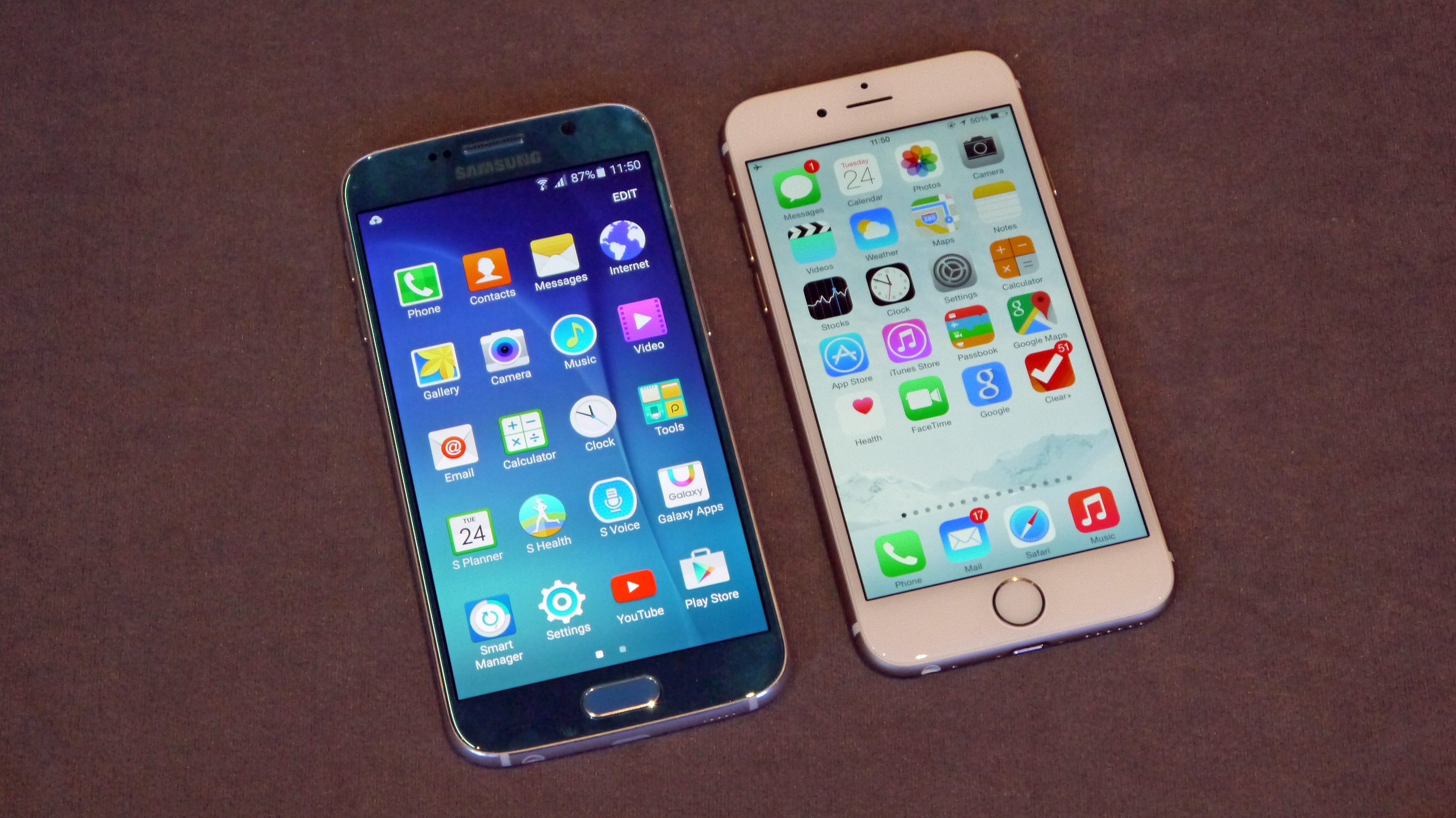
    Looks like Samsung is going by the “if you can’t beat them, join them” philosophy. The Korean giant is reportedly planning to launch its apps for iOS devices. Though the love-hate relationship between Samsung and Apple continues, it doesn’t mean the former can’t make some cash off of the latter’s user base.

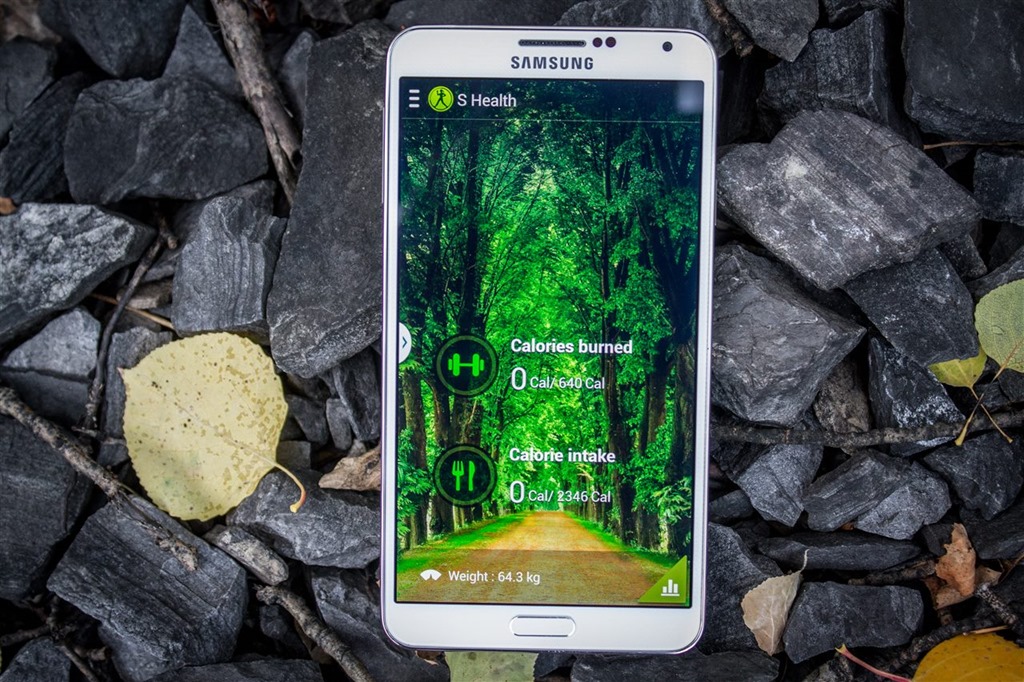
    Gear Manager, S Health, Smart Camera and Remote Control are some of the apps that Samsung is planning to launch on iOS. These utility apps are meant to work for Samsung’s smart devices like smart TVs, smartwatches and smart cameras.

    Samsung S Health

    Samsung’s idea accepts that there is a huge iOS user base who are being shunned from buying Samsung’s other smart devices for compatibility reasons, and it wishes to change that. Samsung’s smart TVs, for example, have a number of neat features that iPhone users cannot use through their phones. The company wants to make money where it can, and including iOS users is just a smart way to do that.

    Google and HTC have already embraced the idea of having as many users using their products as they can no matter which platform they use. It doesn’t look like Apple would have any problem with Samsung’s app on its App Store if it means more users buying iOS devices as well. It looks like a win-win situation from where we see it.

  • Android Safer Than iOS According to Reports

    Android Safer Than iOS According to Reports

    The mythbusters are back, and this time one of the all time popular myths regarding iOS has been busted. According to a new study, it turns out that iOS isn’t as malware-proof as people have come to believe. In fact, reports suggest that Android is safer and more secure than iOS.

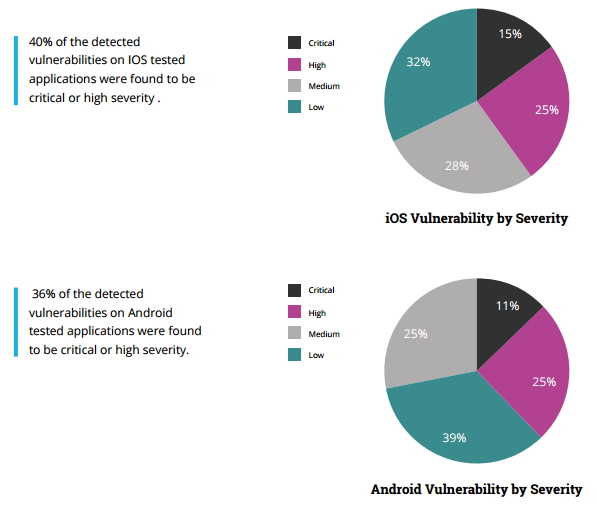
    The study carried out by Checkmarx and AppSec Labs claim that Apple’s ‘wall garden’, that is the App Store, is filled with apps that have greater percentage of critical or high severity security vulnerabilities when compared to Android apps.

    According to the report, a critical vulnerability is defined as one “that exposes a major security risk with a direct exploit (not needing user involvement). If exploited, the security threat might cause major damage to the application and/or have major impact on the company.”

    Here’s what the claim means for everyone. Firtsly, it breaks the image of iOS being regarded as the most fool-proof operating system. Secondly, it also means that there is now no safe operating system out there as all the major players are now on the same boat. Of course, it was only a matter of time for a report such as this to come out. Hackers do tend to target big names, especially ones that claim to be unbreakable.

    “With more than 1.5 million apps available in the two main app stores, Apple and Android, and hundreds of billions of downloads to date, the mobile landscape has quickly become the main playground for hackers and attackers.”

    ios-vs-android-security

    As the reports suggest, 36 percent of Android apps were found to be potentially critical or highly severe while a surprising 40 percent of iOS apps were deemed critical, crushing the common misconception that iOS is a safer platform.

    There seems to be some credibility to this report, especially after the recent news that a popular app on the App Store, called InstaAgent, has been leaking Instagram username and passwords and sending them off to a remote server as well as publishing unauthorized images to users account without their consent.

    Checkmarx’s Amit Ashbel explained to GeekTime that most of the security flaws are the result of vulnerabilities in developers’ code. “The mobile application industry as a whole is lagging behind on secure coding best practices,” he added.

    Well, that’s one less thing for iPhone users to brag about now.

    Source: [tw-button size=”medium” background=”#07ABE2″ color=”” target=”_blank” link=”https://www.checkmarx.com/2015/11/05/the-state-of-mobile-app-security/”]Checkmarx[/tw-button]

     

  • A Revamped Google Play Store Coming Out Soon

    A Revamped Google Play Store Coming Out Soon

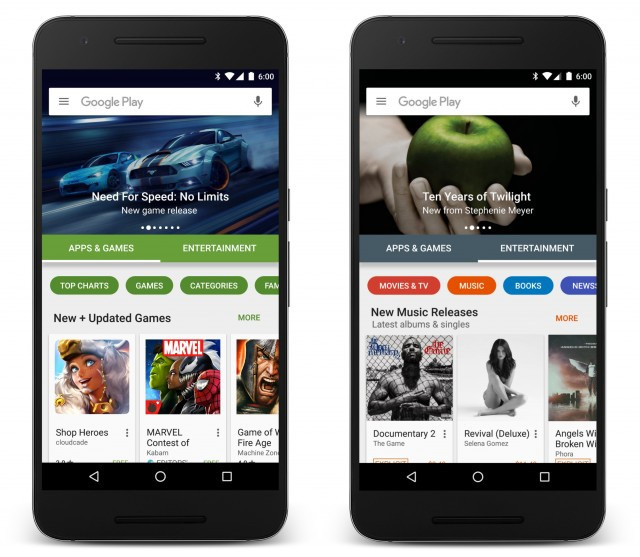
    Google is revamping its Google Play Store. A redesigned version of the Play Store began rolling out on Thursday and the changes are quite evident. The homepage has a whole new look to it with horizontal scrolling and improved search features.

    One of the first things you’ll notice on opening the new Play Store is the two clearly divided sections: Apps and Games and Entertainment. Previously there were six categories, but now they will be found under these two major sections, which makes it easier to navigate. In the Apps and Games section you’ll find all your social media apps and games, and basically all your chart topping apps for your smartphone and tablets. In the Entertainment section you have your movies, TV shows, news, music, books, and more.

    Play-Store-new
    Image: Google

    The search and discovery features also come with improvements. You’ll now get better recommendations and more relevant results based on what you’re looking for. Google promises an impressive selection and richer apps in the new Play Store.

    The revamped Play Store also comes with a new header that gives room for latest and popular apps, games, movies, books, and more. You can scroll through the suggested apps right from your homescreen and find out what’s trending. It is likely that the apps will also show tailor-made suggestions based on the users Play Store downloads.

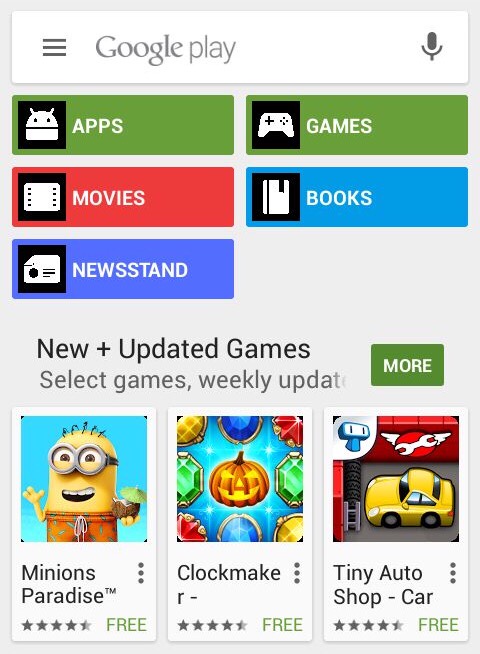
    Google Play Store
    Current Version

    The new Play Store update will roll out gradually to Android users over the next few weeks.

  • Gaming Apps of the Week: Nibblers and Jetpack Joyride ‘Back to the Future’

    Gaming Apps of the Week: Nibblers and Jetpack Joyride ‘Back to the Future’

    There are so many apps and games that come out every week that it is a little difficult to sort through the mess. Not all of them succeed in drawing users attention. It takes a while for an app to accumulate a base. And then there are some games that don’t really require too much thought. It’s usually the simplest ones that become highly addictive and popular. So, in today’s app(s) of the week, we have two games to please your addictive soul.

    Nibblers

    Nibblers

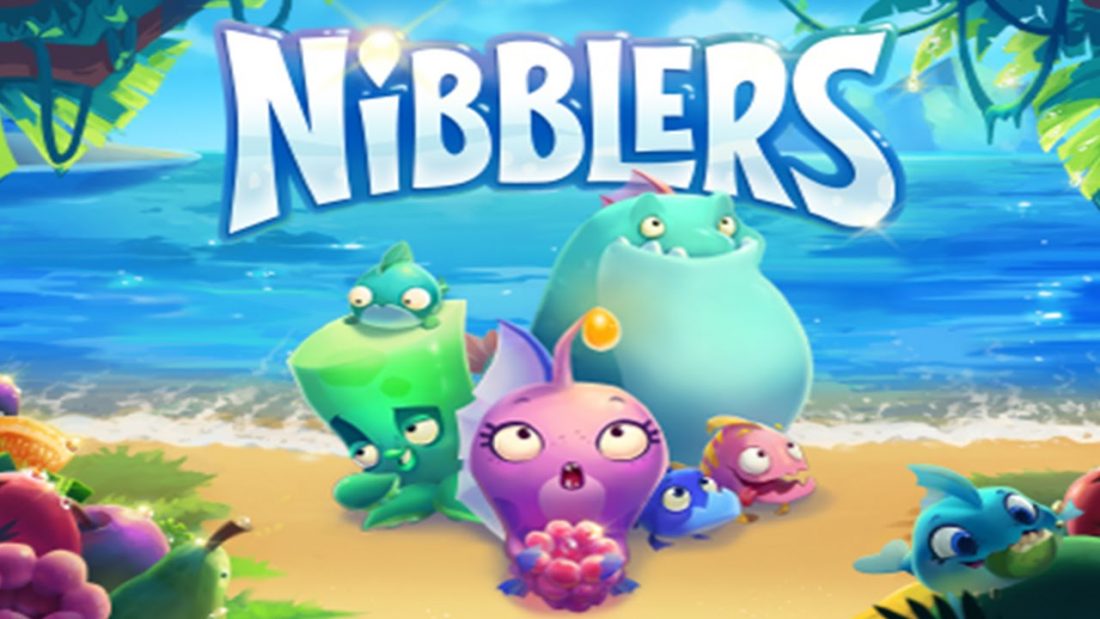
    Nibblers is the latest game developed by Rovio. The company behind Angry Birds is trying to bounce back with its newest match 3 game. For the past few years Rovio has been trying to regain the glory it achieved with Angry Birds. The sequel to Angry Birds did not meet with the same level of enthusiasm. With Nibblers, Rovio might be on to something.

    Nibblers

    Nibblers is a simple yet addictive game where players must match up fruits to take out monsters and continue along the game. The game is similar to many match 3 games out there like Candy Crush, but Rovio has added something extra just to stand apart. You can knock enemies off of bushes and sand before they get the jump on you, power ups, obstacles and hidden fish power give the game a bit of flair. The levels also constantly shift from the currents of the water. These little additions to the standard 3 match game makes Nibblers a fun play with some twists and turns.

    As simple as the game may sound, it is not as easy as most other game in this genre. The difficulty is in matching the fruits that border the lizards in order to cause damage. Damaging the lizards enough time will cause them to go up in a puff of smoke and the whole ordeal can be a little challenging. You win the level when all the lizards have been defeated.

    With up to 200 levels that can be played for free, you can spend loads of free time on the game. We think the game is worth a visit if you’re looking for something new to play this week. You can download it on Google Play Store and App Store for free.

    Jetpack Joyride

    jetpack-joyride-back-to-the-futu

    Yes, it’s not a new game and it’s been there since 2011. But what is new is the new Back to the Future-themed update that was released just last week. Halfbrick Studios launched this new mode celebrating the 30th anniversary of the cult favorite sci-fi film franchise Back to the Future.

    The new mode is set at Hill Valley, home of the film’s main character Marty McFly. It’s a time trial mode so players will get to drive the DeLorean Time Machine car or the hoverboard and will have to collect flux capacitors that add an extra 5 seconds to the remaining time. However, if you collide with the surrounding in your screen, your time will reduce by 10 seconds.

    Jetpack Joyride

    Collect enough flux capacitors and you will get to unlock a total of three beloved characters from the film – Marty McFly, Doc Brown and Biff Tannen. The game is only free for this month, after which you will have to pay to play the Back to the Future themed mode.

    This latest update by Halfbrick has once again brought the addictive game that many have grown out of  back in the limelight. So if you thought you were done with the game then think again. All we’re saying is that you get to control the DeLorean and the hoverboard, and that’s reason enough to go for it. You can download Jetpack Joyride from Google Play Store and App Store and have a little fun.

    So these are the two games for this week. Be sure to let us know what you think about the games in the comments below.

  • Facebook Tops Networking, WhatsApp in IM Apps in India

    Facebook Tops Networking, WhatsApp in IM Apps in India

    It comes as no surprise really that WhatsApp is the most popular messaging app in India, according to reports by global research consultancy firm TNS. Facebook remains the most popular social networking site in India with 51% of users logging in daily, while 56% users are on WhatsApp daily.

    “The social networking market of India is Facebook centric, which is fueling the adoption of Facebook Messenger also as the IM platform for private messaging. However, WhatsApp is by far the most popular IM platform in India.” TNS India executive director Parijat Chakraborty commented.

    When compared to countries such as Thailand (78%), Taiwan (75%), and Hong Kong (72%), India’s Facebook usage is much lower. Interestingly, India is the second largest base with over 125 million users for Facebook. The Unites States comes first.

    In Asia-Pacific, three out of five internet users or 61% are now instant messaging on a daily basis, while four or 82% are using it on a weekly basis, the report said. “the popularity of IM has soared over the past year, with a 12% uplift in daily usage globally as more people opt for closed messaging platforms such as WhatsApp, Facebook Messenger and WeChat”, it added.

    The numbers are out now and it goes to show just how much WhatsApp and Facebook has taken over our lives. TNS has said that social media will continue to hold a strong position allowing content to go more viral and the challenge for brands is to create content that consumers actually want to see.

  • Top 5 HD Games That Will Push Your Flagship to its Limit

    Top 5 HD Games That Will Push Your Flagship to its Limit

    Gaming nerds with powerful smartphones need a good game or two that fully showcases what their phones are capable of. The games we’re talking about are the console-like high-definition games that are heavy, processor-consuming, and feature kickass visuals.

    Give your Pac-Man 256 and Crossy Road a break and let your smartphone shift into overdrive with these high-definition games.

     Walking Dead: The Game

    Are you a fan of The Walking Dead TV show or the comics? Well, you don’t have to be to enjoy this 5 episode zombie apocalyptic game. Yes, the game is set in the same fictional world as the comics, but the characters are mostly new. There’s plenty of zombie killing and gore if you’re thirsty for blood. The story keeps you hooked and the game hinges on the choices that you make. The graphics are pretty great and the zombies are clear enough to put some genuine fear in your movements.

    The 1st Season is free but you’ll have to  pay via in-app purchase for season 2-5. Download it here for Android and here for iOS.

    Implosion – Never Lose Hope

    Implosion is an all out hack-and-slash action game developed by Rayark Games. The game has impressive graphics and control systems and works well within the limitations of the hardware to give you something exciting.

    In the game, you wear a mech-suit with a number of weapons at your disposal, travelling through a post-apocalyptic wasteland. The game is simple enough: slash and dash your way through mutant armies and monsters. Honestly, do you need anything more? The game is free for Android users, but iOS users will have to shell out Rs. 620 for it.

    Brothers in Arms 3: Sons of War

    This is Call of Duty for your mobile. Brothers in Arms is your traditional war game with loads of gun fight. Released in December 2014, The 3rd game in the series is set during World War II that sees you shooting, stabbing, and blasting your way through the Nazis. The levels are small and just right for those who want to be able to stop and get back to work.

    If you’re in for a simple, shoot and kill video game that boasts of a pretty neat sound design then you should definitely download Brothers in Arms 3. Click here for Android users and here for iOS.

    Gangster Vegas

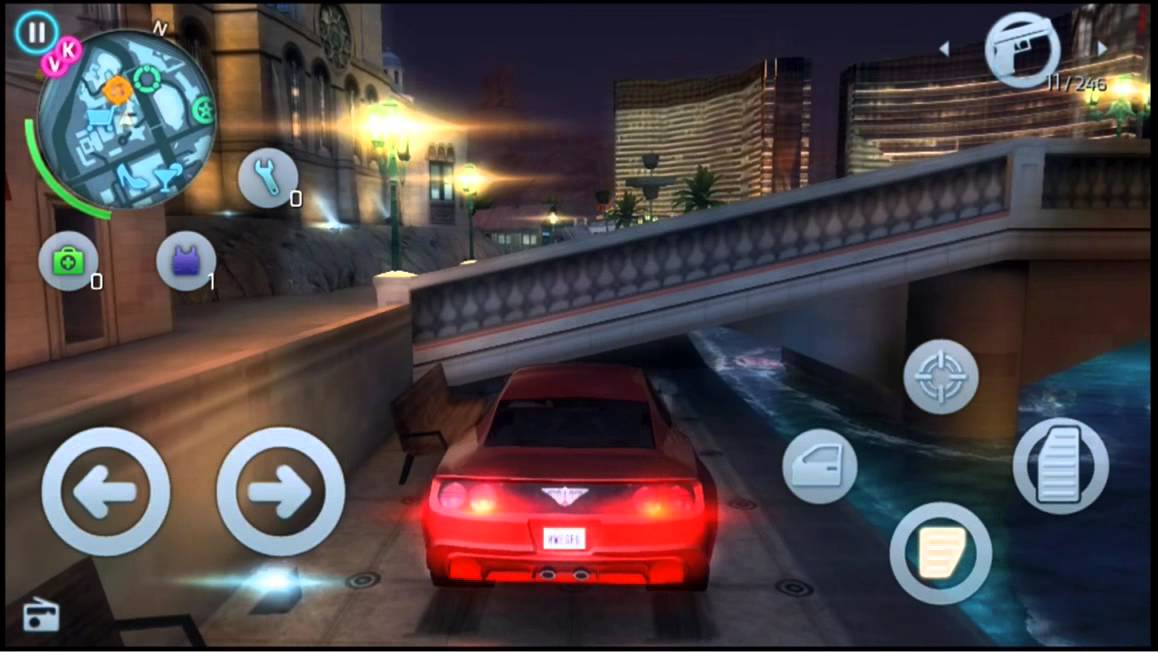
    Now this is the Grand Theft Auto for the mobile. Gangster Vegas released in 2013 and is still among the top downloaded games today. The game is set in Las Vegas and the story is set around Jason Maloe, a mixed martial arts fighter. The game employs many of the elements from popular driving games, third-person shooters and features a GTA-like “open world” gameplay.

    Let it be known that Grand Theft Auto is also available for the mobile for Rs. 300. So, if you want a free solution to your ‘gangsta’ needs, you can download Gangster Vegas here for Android and here for iOS.

     Leo’s Fortune

    Okay, we’ve saved the best for the last. Leo’s Fortune is a super fun ride and beautifully crafted for your smartphone. This highly rated Swedish game features a mustachioed “fluff ball” and his goal is to recover stolen treasure in the form of gold coins. The player guides Leopold and slides him through various platform levels. The game is not free and costs around Rs. 300 but this one is guaranteed to deliver on the ultimate fun quotient.

    We’d recommend you to go for Leo’s Fortune just to be able to slide Leo left and right, which is really fun and the game’s graphics is one of its highlights. If you’re still a little skeptical about this game, you can read the reviews on the App Store and Google Play and decide whether its worth your money.

    Have more games you think, will blow your mind? Let us know in the comments below.


  • 10 Super Useful Apps to Help Manage a Startup

    10 Super Useful Apps to Help Manage a Startup

    As apps become more prevalent and powerful, entrepreneurs and small business owners are relying on these savvy tools to help their businesses grow and run more smoothly. Some of the apps in this arsenal will help you get a lot done with minimal personnel, since things are just starting out and human resources may be limited at this point.

    We are listing top 10 apps to get you organized, connected, visible and will likely contribute to your start-up’s success.

    1. Slack

    slackSlack provides you with real-time messaging, archiving and integrations to other tools, such as Google Docs and Trello. This means less internal email communication and keeping things quick and on the go. Using Slack would mean no one will miss out on anything, and everyone is clear on what’s happening on each project. The app comes with a feature which allows you to be notified when certain terms or words are used by the team, meaning you are always on top of the urgent things.

    2. Zendesk

    Zendesk

    If your business targets for excellent customer service then Zendesk is one app that’ll help you take over the entrepreneurial world. It is vital to understand what your customers need and like everything in this world, each person has a varied requirement. In such a scenario, you need to keep a check where you are standing in comparison to all your competitors. Zendesk helps you do all this and much more.

    3. Salesforce Sales Cloud

    salesforce_cloudsSalesforce is the industry standard for CRM, and it’s a great starting point for your new business. Salesforce effectively primes your customer-interfacing business channels for sales. What’s more, due to its wild popularity, Salesforce Sales Cloud is also among the most compatible apps on the market.

    4. SurveyPocket

    surveypocket-SurveyPocket helps you put together mobile-friendly surveys. It helps get to know your target customers better than by surveying them – before you invest time, money, and effort in the wrong endeavours. SurveyPockets lets you get feedback from your audience, and it’s an app that is especially capable of mobile surveying.

    5. ZohoDocs

    ad1-1B-wall2

    In the course of running your new business, you’re going to generate tons of documents day one onward. Zoho Docs help you safely dump proprietary, sensitive documents that you can’t afford to lose, as well as accounting and tax reporting-related documents that you’ll need to store for years.  Zoho Docs is a great place to start with online file storage that adds user access control to an otherwise intuitive set of features.

    6. SureDone

    suredone

    It one of most relied upon online selling solutions. It allows you to easily sell from your e-Commerce website, as well as from marketplaces like eBay, Amazon, and Google Shopping. If your startup plans to offer any type of products, SureDone is the perfect choice to help you reach the widest market possible, easily.

    7. HootSuite

    hootsuite

    HootSuite is a social networking app that reduces the time it takes to manage your startup’s social media presence. Twitter, Facebook, and LinkedIn are requisites at this point. HootSuite not only lets you automate posting and sharing, but it tracks brand mentions and inquiries and reports them to you, all from a convenient dashboard.

    8. Expensfy

    ExpensfyExpensify, an app that keeps track of business expenses and mileage, while letting users scan and upload receipts. Users can even sort file receipts by trip and submit expense reports to employers with the click of a button. Founded by David Barrett, the app has exploded to almost 1 million users and processes over $2 million in expenses daily.

    9. TrackMaven

    trackmaven-1

    TrackMaven streamlines your ability to monitor data on your competition, without going through the hassle of consulting multiple sources. Filter the marketing activity you want alerts for and erase all the extra white noise.

    10. TimeStation

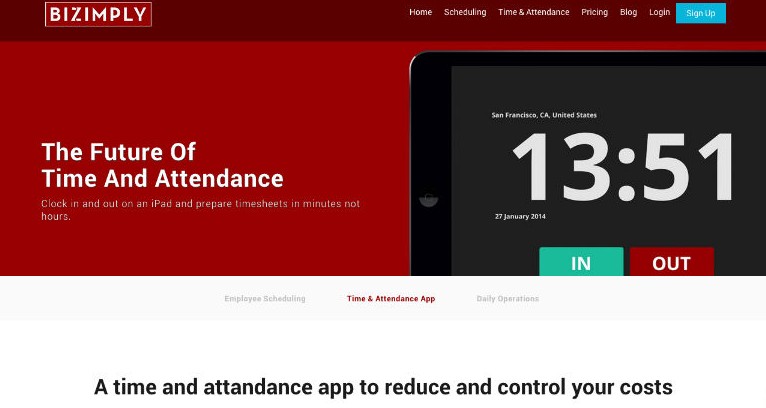
    Timestation is an app extention of popular employee managment website called Bizimply. It turns your iOS device into a cloud-based time and attendance system. Using our Fast-Scan technology, employees can punch In and Out in less than a second. The best thing is that TimeStation runs in the cloud, so there’s no software or servers to maintain. Managers can see who’s in and run time and attendance reports anytime, anywhere. TimeStation is the perfect solution for small and medium businesses looking to track time and attendance without the usual costs and overhead of traditional systems.

  • Top 9 Apps to Download if You’re Travelling Abroad This Summer

    Top 9 Apps to Download if You’re Travelling Abroad This Summer

    If you’re one of the lucky few who get to escape the country’s blistering summer, we’ve got some handy tips for you. We’re here to tell you how to utilise what technology has to offer to ensure you have a safe, fun, and stress-free vacation.

    First things first, figure out the best way to get an affordable data connection on your phone, in the countries you’re visiting. There are several companies (Lyca, Matrix) that provide you with international calling cards, even before you leave the country.

    So, let’s get started.

    Pack Up!

    The excitement of the journey begins when you start deciding the stuff you’re going to be carrying with you. If you’re willing to spend a minimal amount on an app, we’d recommend Packing Pro (iOS). Just like its name suggests, it helps you pack like a pro. You can make customised to-do lists, but the best part about this app would be the ‘Expert List’ assistant. This has already got packing lists ready depending on if you’re a male/female, if you’re going camping or if you’re stepping out for a short business trip. The app is intuitive and customisable, and in our opinion, worth every rupee spent.

    How to Fill the Language Gap

    google-translate-word-lens

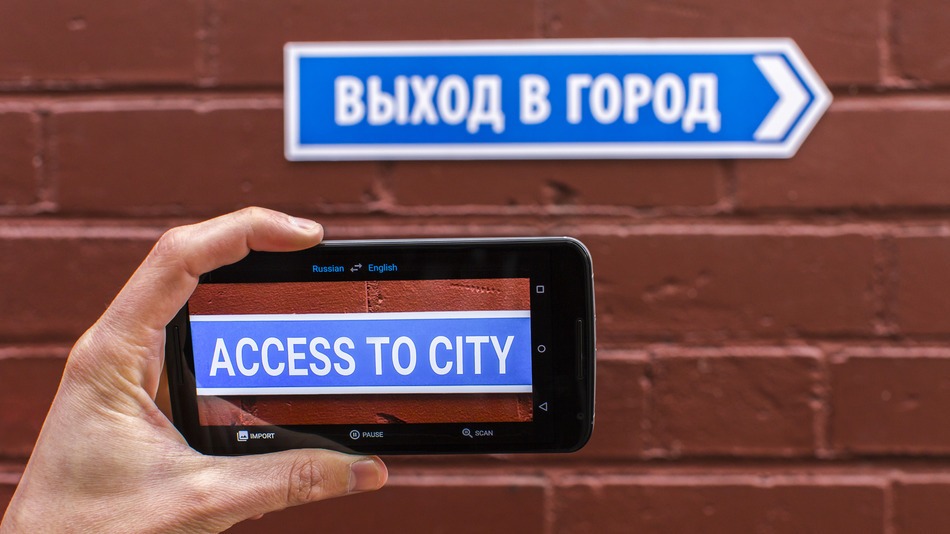
    A recent update to the Google Translate app, integrated a World Lens tool. Word Lens uses the smartphone’s camera to scan scenes, identify writing and then display it as if it were written in English. You can hover your device in front of menus, road signs, and more, and see the translated text overlaid on the screen immediately without any internet connection. Pretty neat, right? A super useful feature when you’re jet-setting across the world and trying to make your way through foreign cities, where English isn’t the first or second language.

    TripLingo, on the other hand, gives you some of the commonly used phrases in a particular language. Believe us when we say this, you’d want to memorise how to say “Where is the Bathroom?” in Mandarin, before you land in China. This app also gives you a crash course in local customs and etiquette.

    Both Google Translate and TripLingo, are available for free on the Play Store.

    Make Some Lists 

    to-do

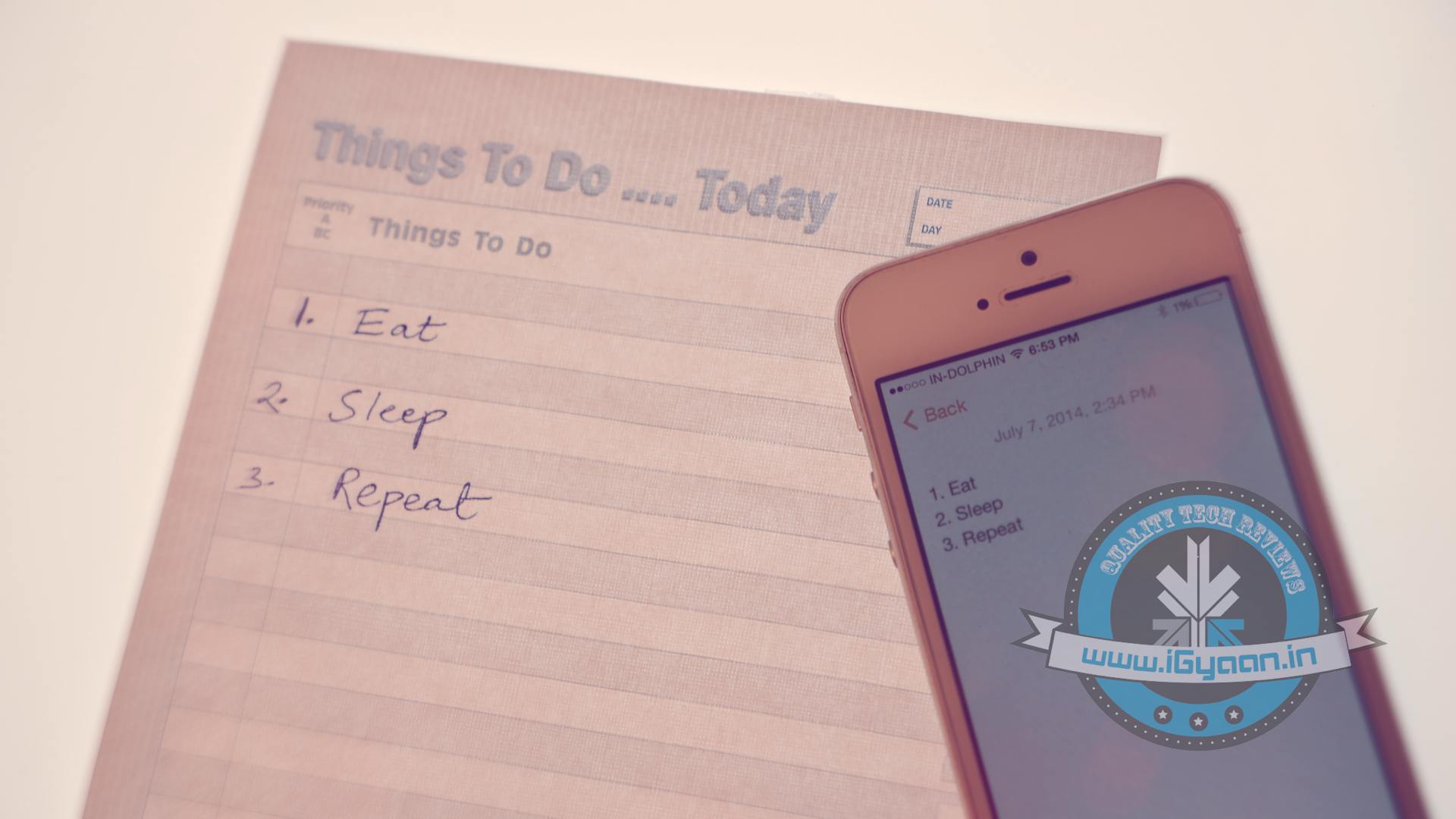
    To prepare for a trip abroad, the first thing any travel magazine will recommend is that you make a list. A list of things to pack, a list of places you’d want to visit and even a list of things you want to buy. If you’re flying solo, the Notes app provided on your smartphone would suffice. However, in case you’re travelling in a group, ask everyone to download a single note-taking app. Go for Slack or Evernote.  You can make a checklist and multiple people can contribute and edit the list while on the go. While these apps may be designed for businesses, they serve the purpose just as well.

    Both Slack and Evernote are available for free on the Google Play Store.

    How to Make Sure You Never Get Lost

    travel-apps-11

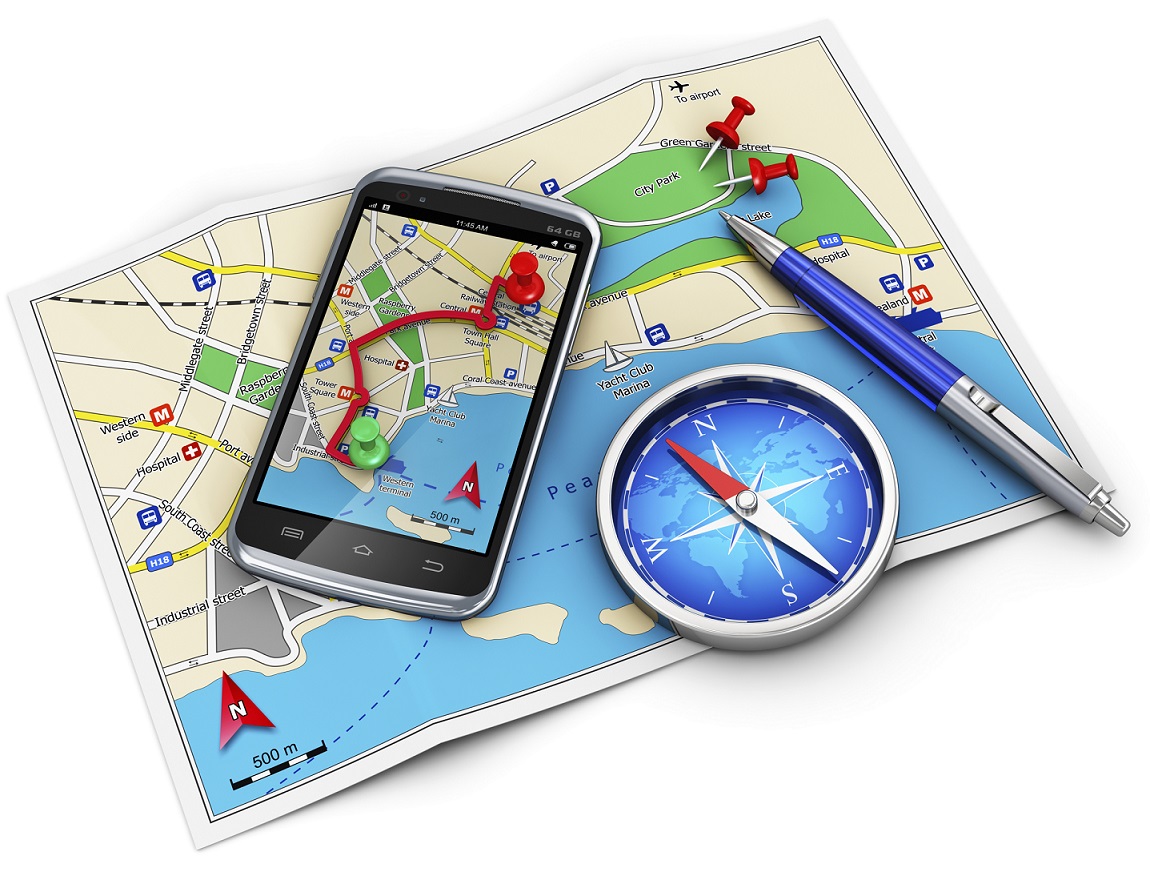
    Other than Google Maps, there are a slew of apps available to help you navigate your way through an unknown city. From the bunch, we would recommend City Mapper and Moovit. The two help you make your way around a city’s public transport system. Just add your destination and it will tell you how to get there. Other than route-navigation, it gives you step-by-step instructions which include local modes of travel (ferry timings, cycle pick-up, etc.) The highlight about the apps is the fact that they provide real-time updates. For example, if the bus you’re waiting for is held up in traffic, it will tell you exactly how much longer you would have to wait for.

    Google Maps, City Mapper and Moovit, are available for free on the Play Store.

    So, What do Locals Do Around Here?

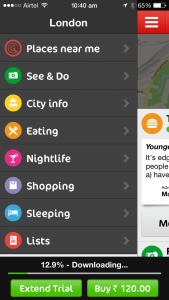
    The traditional way to find out the hidden gems of a city, would be to try and strike a conversation with a local resident of the town you’re visiting. We now have an app which will help you with this, and much more. Available in more than 40 cities worldwide, Like a Local gives you genuine reviews about the local restaurants and markets to check out. The app promises that their recommendations have been curated solely by local editors. If you hate being a tourist in a foreign city, this one’s for you.

    Like a Local Offline CityGuide is available for free on the Google Play Store. If you’re still contemplating where to head to this summer, you can click here for inspiration.

  • Now Run Android Apps on Windows and Mac Using Google Chrome

    Now Run Android Apps on Windows and Mac Using Google Chrome

    Back in September, Google released a beta project ARC (App Runtime for Chrome) that allowed Android apps to run on Chrome OS. Now the news has surfaced that speaks of its compatibility on every desktop version of Chrome. This means any user running the latest Chrome browser can download and run the Android apps on different platforms like Windows, Mac OS X, and Linux.

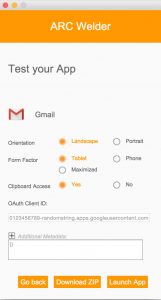
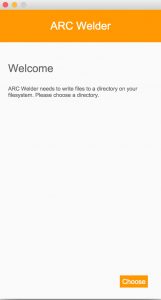
    As aforementioned, the project is in beta stage and is officially designed for developers only. But one can download the .apk file of any Android app and install it on their desktops. All you need to download is the ARC Welder tool where you can find the official .apk files of all the Android applications from Play Store.

    The ARC project is a double benefit initiative targeted at customers and developers alike. Customers can port any Android-powered app to the desktops, developers can test any app by submitting it on ARC. The application to run softwares is based on Android 4.4 KitKat, giving users access to a range of standalone apps like Twitter, Facebook, Facebook Messenger and a wide variety games.

    It’s a nice push by Google to make every laptop or Macbook running Windows, Mac OS X, and Linux its platform. Through the project, the internet giant has given folks an easy way to peek into the gigantic Android world and experience it.

  • Microsoft Office for Android Tablets is Out Now

    Microsoft Office for Android Tablets is Out Now

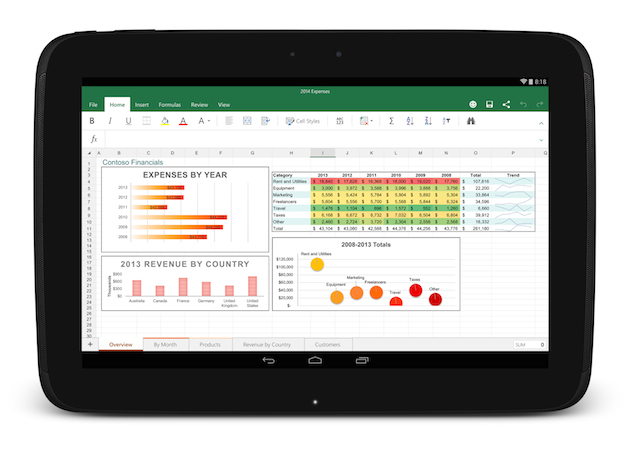
    After two months of beta testing, Microsoft has released the final version of Office for Android tablets. As with the iOS apps launched last year, Office is essentially free to use on Android for most consumers, though certain premium features and business functionality require an Office 365 subscription.

    The list of requirements to use the app include having a tablet that’s 7-inches or larger that’s also running Android 4.4 KitKat or newer. They also need to have to have an ARM-based processor and 1GB of RAM or above.

    office foe android

    All of the Office apps have a similar home screen. You can store your files either locally on your device, on your Microsoft OneDrive account, at a SharePoint location or on Dropbox. Once you sign in you’ll automatically be signed into OneDrive so you can sync files between devices, but the apps also feature Dropbox integration if that’s the file syncing solution you prefer.

    The one thing the new Android version of Office lacks is support for phones, which are still stuck with the older, more limited Office Mobile. The recent flood of Microsoft apps is a part of the company’s plan to put Office apps on all the popular devices whether they are running on Microsoft’s OS or not.

  • Top 5 ‘Lite’ Apps You Should Download to Save Battery and Storage

    Top 5 ‘Lite’ Apps You Should Download to Save Battery and Storage

    Apps help us stay connected, book movie tickets, message our loved ones and improve our overall daily efficiency. But it’s not all pretty; they also tend to suck up our phone’s battery life. As apps improve and become more sophisticated, they tend to drain more battery from your smartphones. Well, there’s an easy way out to this problem, there are plenty of free ‘lite’ versions you can use as alternatives.

    We are listing top 5 Lite-versions of your favorite apps that will help save your smartphone’s battery life.

    1. Lite WebApp for Facebook

    Facebook Lite

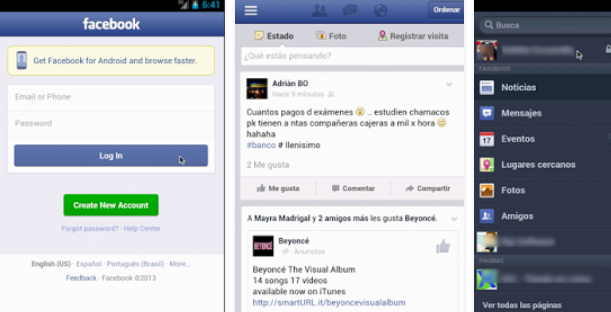
    As much as we appreciate Facebook’s strategy to continuously keep updating their app with new features, we have to admit that the official Facebook app slows down and exhausts our smartphones. Lite WebApp is a Facebook look-alike app designed for phones with low memory and can save some of your battery. The best part that you’re sure to appreciate, it still syncs your Facebook inbox, which Facebook recently dropped in the favour of their standalone Messenger App. Since we still don’t have access to the newly launched Facebook Lite, we’ll have to make do with this one.

    2. Tweedle for Twitter

    Tweedle for Twitter

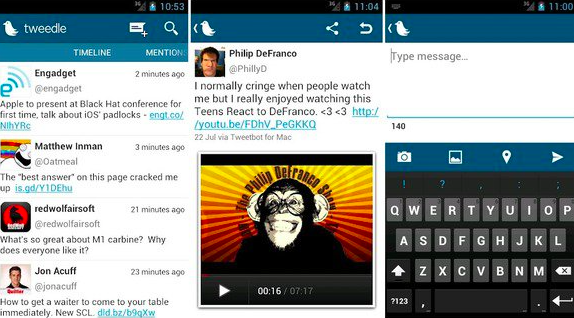
    The worst part about the official app for Twitter is that it constantly refreshes the feed. This is the reason it consumes a ton of battery life. Tweedle, an alternative to Twitter, runs smoothly, consumes less battery and has a clean interface. The app saves battery as the user needs to manually refresh the feed to use it.

    3. YTMovies (Lite) for YouTube

    YT Movies

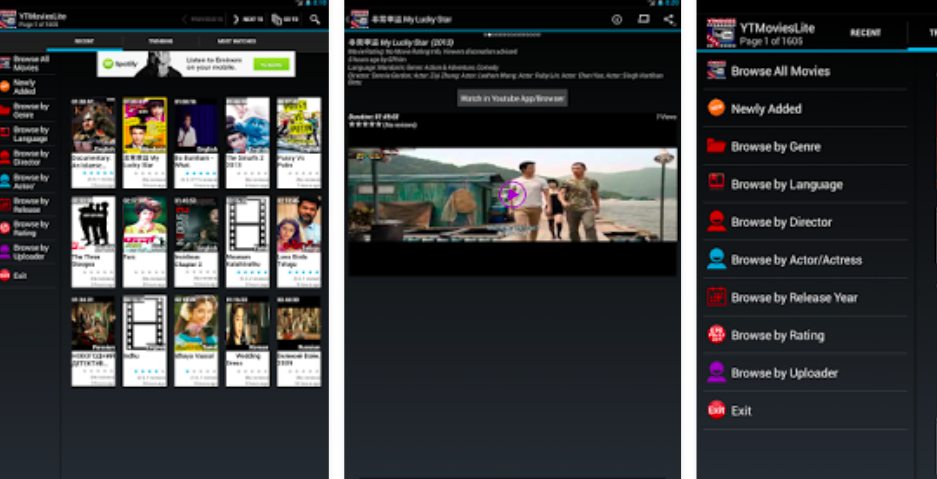
    YT Movies lets you watch YouTube clips and send them to your smart TV and other media players. YTMovies(Lite) is ad-supported with limited options, and is only available for Android devices. It also offers a pro version called Pro YT Movies, which however, is not free.

    4. CloudMagic for E-mails

    Cloud Magic for EMails

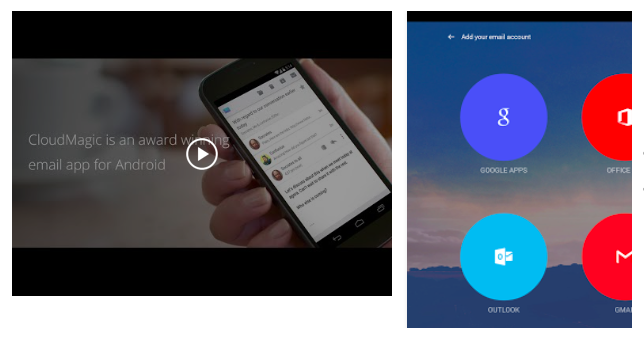
    Mail apps can destroy your battery life as they are constantly synced to the e-mail websites to refresh the feeds. A great alternative to your e-mail apps is CloudMagic, which simply merges all of your email accounts into one app. You can find emails quickly and, most importantly, it’s easy on battery life.

    5. PicShop Lite for photo editing

    PicShop Lite

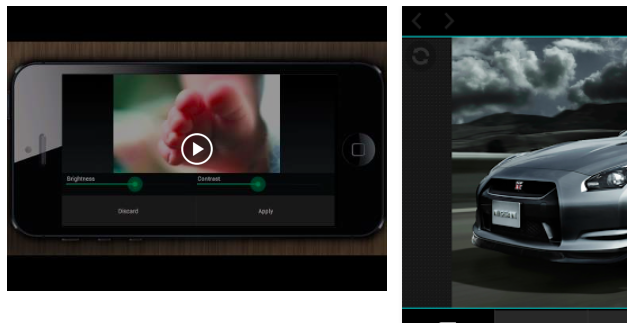
    Smartphones come handy when you need to edit photo directly from the phone gallery. There are loads of photo-editing apps available in the app store such as Hipstamatic, Snapseed, Pixlr-o-matic and many more. But on-the-go photo editing apps eat up your phone’s memory and suck battery really fast. PicShop Lite app massively reduces memory usage and allows you to edit, add filters and frames, and share your photos.

  • Top 5 HD Games That Will Push Your Flagship to its Limit

    Top 5 HD Games That Will Push Your Flagship to its Limit

    While some of you are content playing 8-bit Flappy bird and Candy Crush on your smartphones, others like to take full advantage of their high resolution displays of their devices. These days most smartphones come with the top notch specs that are capable of handling console quality gaming. So, why not use it?

    Everybody wants to play high definition games that are visually impressive, but not everybody can because HD games have some restrictions on the hardware. If you want to play them you, must have a really high-end device that is powered by a powerful processor, to be able to enjoy the games.

    We are listing 5 of the best games whose graphics are so realistic they’ll knock your socks off.

    5.Real Racing 3

    real racing 3

    Okay, most of you will cringe your nose reading the name of the game as it has been criticised for the large amount of in-app purchases required to be successful in the game. However, one can’t deny the fact that Real Racing 3 is one of the most graphically impressive games Android has ever had the pleasure of knowing. Unfortunately, this means that you have to empty large memory on your handset, 1.6 GB to be precise.

    Download – Google Play (Free)

    4. Asphalt 8 : AIRBORNE

    asphalt 8

    This games needs no introduction, we all have practically grown up playing this game on our old-gen Motorola and Nokia handsets. The 8th edition of the Asphalt is more beautiful than ever with a impeccible graphic quality, shaders new generation geometric real-time reflections, and other awesome effects. The game can now enjoy an arcade racing as frantic as spectacular with the attractive possibility to drive the best cars on the planet; the cars perform jumps and amazing stunts. The game is full of events and races to participate and there are more than 180 events in career mode to play, divided into eight seasons.

    Download – Google Play (Free)

    3.  Dead Trigger 2

    dead_trigger_2

    The second version of the popular zombie slaying game requires a high-performing hardware and when you play it on display with a high resolution, it offers a graphical experience like no other. Even if you aren’t a fan of point and shoot games or guns in general, it’s worth trying it out in order to admire the graphics. When installing, take heed of the 414 megabytes and the fact that you can only play when connected to the internet.

    Download – Google Play (Free)

    2. Wild Blood

    wildblod

    If you dream of fantasy worlds regularly this one is for you. A paid app, Wild Blood mixes elements from the legend of King Arthur and the Knights of the Round Table with an action game. Not to mention the breath-taking graphics. The game lacks a plot, but the fantastic and dazzling imagery makes up for it.

    Download – Google Play (Rs. 420)

    1. Assassin’s Creed Pirates

    assassins-creed-pirates

    This game not just gives you the best imagery among the other but also an amazing gameplay. This is the sole reason, Assassin’s Creed Pirates makes it to the top of our list. The starting point of the game is a map that will take you to many different missions, like looking for an old friend or bringing home some pillaged loot. Of course, the way there is treacherous, full of obstacles with guns, swords and all sorts of pirate business.

    Download – Google Play (Free)

  • Facebook Jumps into Business Social Networking With ‘Facebook at Work’

    Facebook Jumps into Business Social Networking With ‘Facebook at Work’

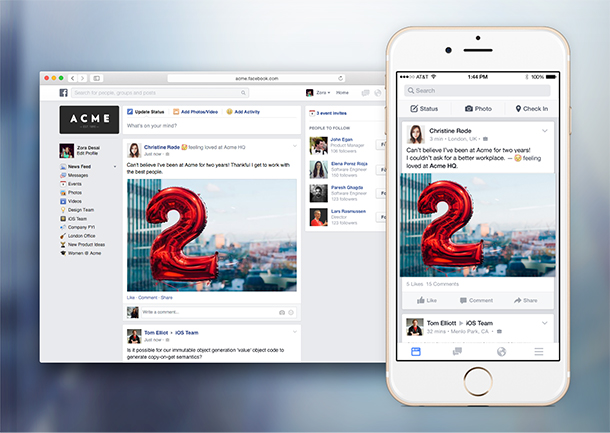
    Facebook’s previously rumored enterprise-focused social app, Facebook at Work, has been released for public. The company is launching new iOS and Android apps called “Facebook At Work,” along with a web version accessible via its main website.

    The app lets companies create their own social networks amongst their employees that are built to look and act like Facebook itself. The main purpose of the app and web tool is to eliminate the presence of E-mails as the primary communication medium and provide a collaboration tool that lets colleagues communicate with a more familiar interface. However, there are handful of differences between the two social apps.

    facebook work

    There are zero advertisements and the company doesn’t track users or hold their data. Facebook says a key feature of the app is Groups, which the company believes could replace email lists that appear never-ending and seem to grow larger with time. Employers can create separate log-ins for employees to use with their Work accounts, or users can link these up with their other profiles to access everything in one place.

    Facebook is jumping into this existing market with all of its social media knowledge and attempting to make a smooth transition to a business product. The workplace app puts Facebook head-to-head with the likes of Microsoft’s Yammer, Slack, LinkedIn, Convo, Socialcast, and a huge number of others who are trying to tackle this space.

    ‘Facebook at Work’ is currently free, while most of the other apps offer tiers of pricing. By making this free, Facebook could potentially drive a lot more users to its wider network. Facebook At Work is now available for download on iOS, and we’ll update with link to the Android version once it’s live, though both are usable via a limited access at present.

  • Top 5 Time Lapse Alternatives For Android Users

    Top 5 Time Lapse Alternatives For Android Users

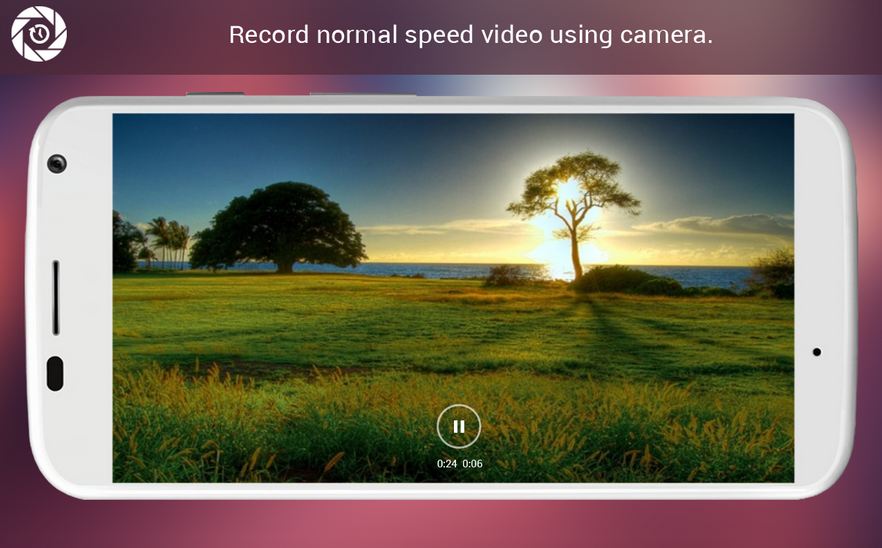
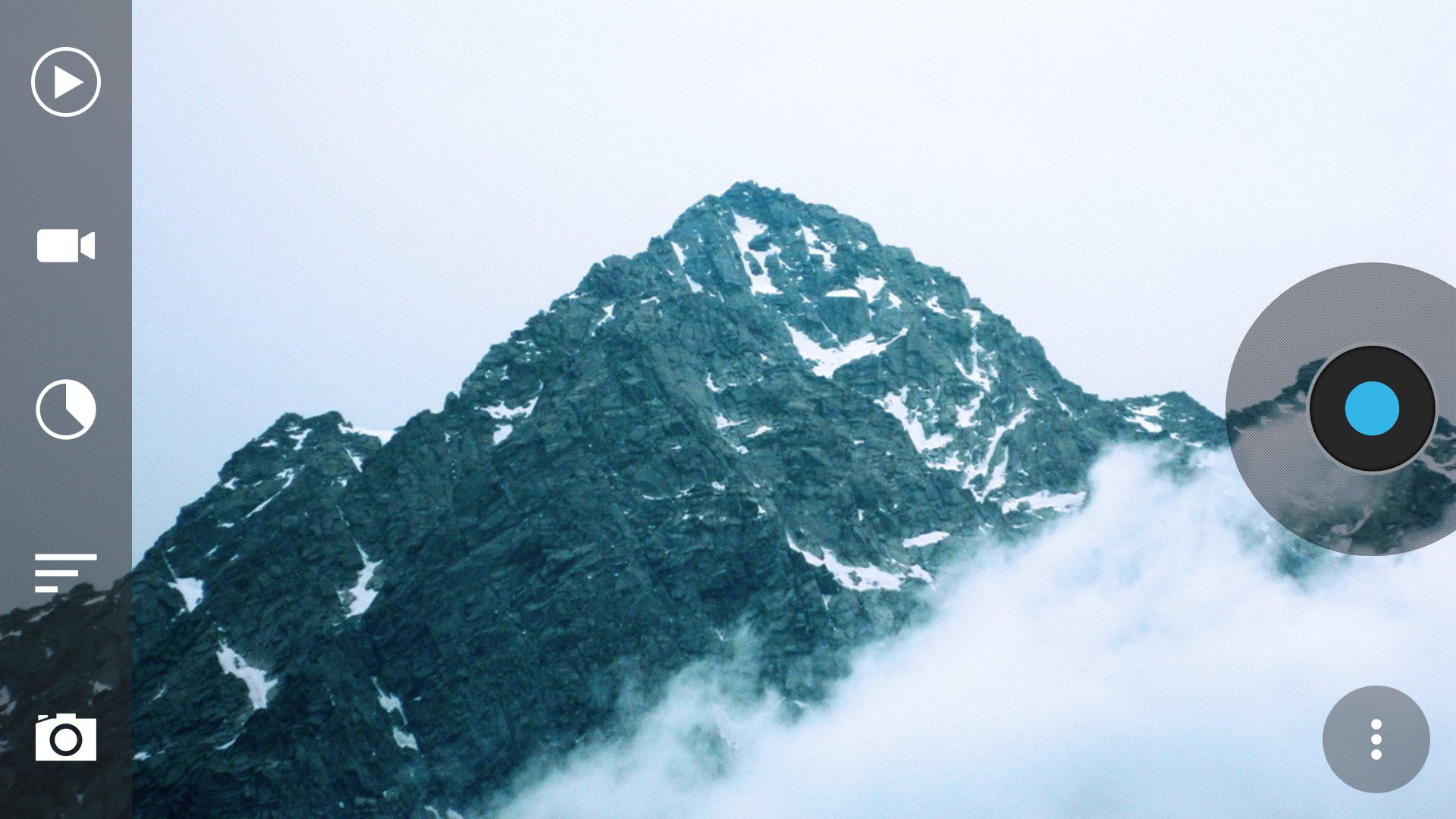
    Time-lapse video mode is is one of the coolest feature in iOS 8. Timelapse videos, which take frames at slow speeds to give the illusion that time is speeding up, have always been difficult to create, and required expensive equipment. However, there are a handful of apps that combines the simplicity of the photo sharing service and an image stabiliser to put time lapse photography in everyone’s hands. And, yes! There are some for Android users too.

    This is a list of the Top 5 iOS’s time lapse mode alternatives for Android users.

    1. Framelapse

    If you want something similar to iOS 8’s automatic time lapse mode, Framelapse is the one app you are looking for. A “simple, fast and intuitive interface” lets you control frame interval, video duration, zoom, autofocus, white balance, color effects, exposure compensation and more, and that’s all in the free version. If you upgrade to pro for $3, you get exposure locking, white balance locking, Sleep Mode (screen off) while recording to significantly reduce battery drain, Wizard Mode that sets the frame interval automatically, and a few other features as well.

    Download : Play Store

    2. LapseIt

    Arguably, one of the most popular time lapse app for both Android and iOS, LapseIt gives users the most control of any of the apps but trades in the super-simple “just point-and-shoot” capability. Among LapseIt’s popular features are the ability to import and speed up video, the ability to import image sequences from DSLRs or GoPros, the ability to attach music from your library to your finished time-lapse and more. You can also use it to create stop motion sequences.

    Download : Play Store

    3. Hyper TimeLapse

    hyperlapse

    It is, in true sense, quite an efficient alternative to Instagrams highly-popular Hyperlapes app.  It even describes itself as a Hyperlapse alternative in the Google Play store. It’s really easy to use, and has a great interface. Just push the record button to record the video, and then speed it up using customizable frame rate up to 8x as per your preference. It is quite simple, however, there are some functionalities that are missing.

    Download : Play Store

    4. EasyLapse

    Similar to Hyper TimeLapse it is quite simple to use, as the name itself suggests. The app provides you with basic functions and runs quite smoothly. The best thing about the app is its social media integration. You can share your wonderful time lapse video easily, upload it to Instagram or Facebook with a few taps.

    Download : Play Store

    5. Droid Timelapse

    droid timelapse

    This free app comes with the single purpose of recording time-lapse videos on Android devices, and it has no ads. It supports the highest resolution of your camera (up to 1080p), has a recording delay timer, so you can control the speed of your time-lapse and the resulting video is of high MP4 quality. You also have both manual and auto-focusing modes, as well as the option to fine-tune white balance and color effects.

iGyaan Network
Privacy Overview

This website uses cookies so that we can provide you with the best user experience possible. Cookie information is stored in your browser and performs functions such as recognising you when you return to our website and helping our team to understand which sections of the website you find most interesting and useful.