Tag: google

  • DIY : Install Android L On a Nexus Device Right Now

    DIY : Install Android L On a Nexus Device Right Now

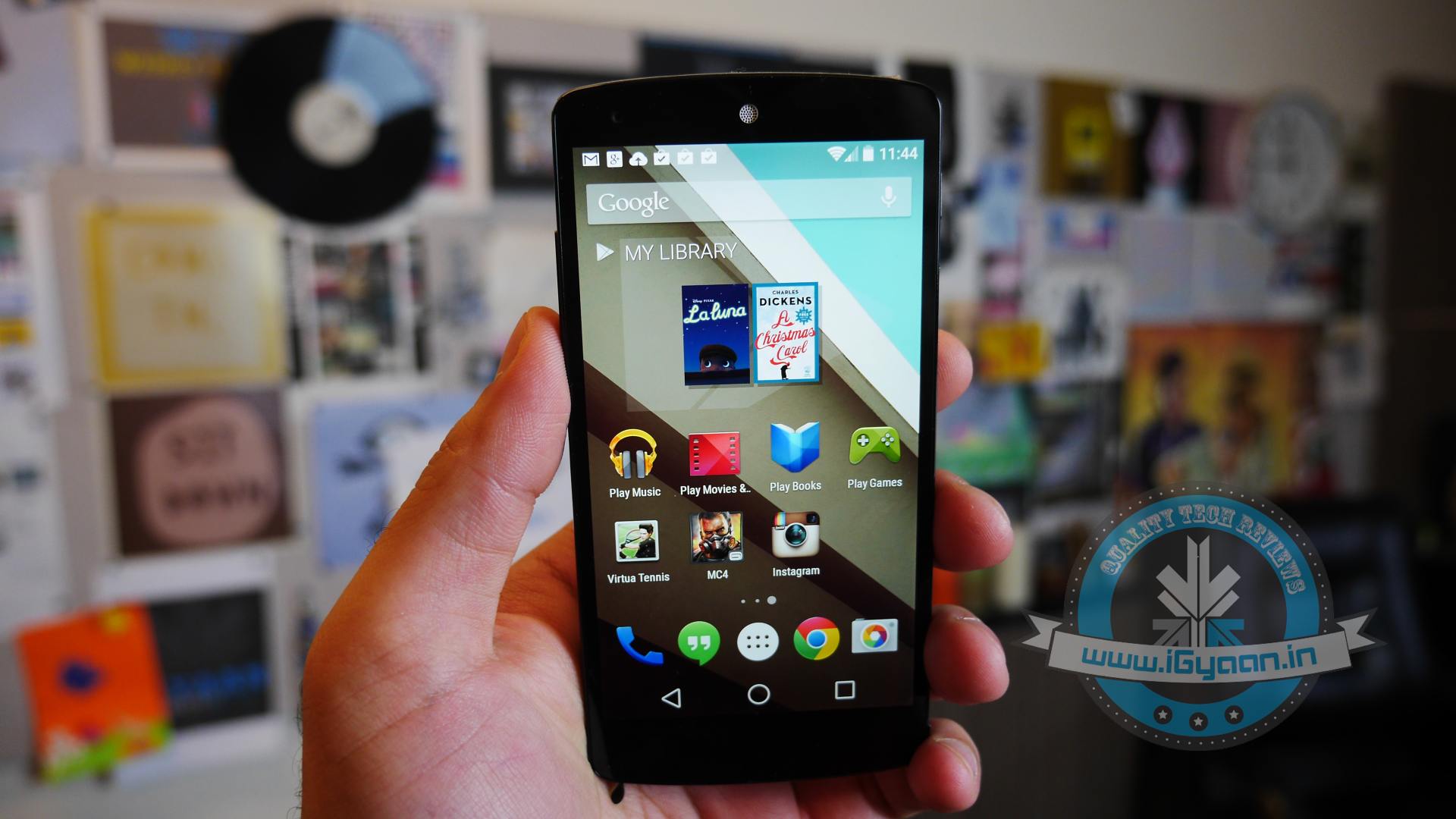
    At the I/O 2014 conference, Google showcased the latest version of Android, known only as L until its official launch later this year. Now, Google is offering an Android L Developer Preview, which is essentially an Android L Beta that comes complete with Android L factory images for the Nexus 7 and Nexus 5. You will need these Android L factory images to install the Android L Beta on your device. In addition you will need to install the Android SDK or at least ADB and Fastboot.

    Android L may not yet be ready for prime time, but a preview version is now available for Nexus 5 and Nexus 7 (2013 Wi-Fi model), giving users the option to get comfortable with the slew of changes it introduces. Here is how you can download and install it.

    P.S. Don’t forget to Back-up first.

    Also, if you are just interested in our detailed look at Android L : Hit the bottom ! or Click Here.
    google_android_l_developer_preview_screenshot_googleio

    What you Need

    • The Android SDK Tools, that you can download from Google Developers
    • The Android L preview factory image for your Nexus 5 and/or 2013 Wi-Fi Nexus 7, that you can also download from Google Developers.
    • A program that can handle archived files, like 7-Zip or WinRAR.

    How to do it

    Step 1.

    Before you can install the Android L Beta to Nexus devices you will need to install ADB and Fastboot to your computer. This is a program that runs on your computer to connect to your Android through a USB cable and flash the Android L Beta to your device.

    HOW TO INSTALL ADB ON WINDOWS

    If you are using a Windows machine, including up to Windows 8 and Windows 8.1 you can use the 15 second adb installer to streamline the process.

    Download the ADB installer for Windows. Find the file, right-click on it and choose Run as Administrator. When prompted you need to give the app access to run as an administrator. After the app launches type a Y and enter to select yes to Install ADB & Fastboot, to intsll ADB/Fastboot systemwide and to install Drivers. When a new window pops up follow the steps to install the drivers.

    After this is installed you should be ready to install the Android L Beta on the Nexus 5 and Nexus 7.

    HOW TO INSTALL ADB ON MAC, LINUX & CHROMEOS

    Nexus Tools makes it easy to install ADB on a Mac, Linux or even ChromeOS. All you need to do is open Terminal on your computer and paste in the code from xda.

    This will install ADB and Fastboot on Mac, Linux and Chrome OS without the need to do anything else.

    After the script completes you can type ADB or Fastboot to start running either program.

    Step 2.

    If you are on a Mac/Linux/Chrome OS jump to Step 12
    Windows PC folks; go to the folder where Android SDK Platform-tools is located (in my case, its path is C:\Program Files (x86)\Android\android-sdk\platform-tools) and copy the following files to the Root folder:

    • AdbWinApi.dll;
    • AdbWinUsbApi.dll;
    • fastboot.exe.

    Step 3.

    While in the Root folder, extract the Android L preview factory image to the same location. This will create a new folder inside Root, which name depends on the device.

    Step 4.

    Open the folder and copy all of its contents to Root.

    Step 5.

     Now, you have to install the correct drivers for your Nexus 5 and/or Nexus 7. Here is what you need to do:

    • After connecting the device to the PC, power the Nexus off.
    • Turn on your device in fastboot mode; the key combination for your device is either volume down + power  or volume up + volume down + power.
    • From Device Manager (Computer -> Properties -> Device Manager) identify your device (it will show up with a yellow exclamation mark icon).
    • Right click on it, select Update Driver Software and then select Browse my computer for driver software.
    • Select Let me pick from a list of device drivers on my computer.
    • From Have Disk… option manually install the android_winusb.inf driver ( its location may be same as C:\Program Files (x86)\Android\android-sdk\extras\google\usb_driver). Accept any prompts that may appear.
    • Select the Android ADB Interface option when given the option. Accept any prompts that appears.

    Step 6.

    Enter fastboot mode, open a command prompt window in the Root folder (while pressing the Shift key, right click inside it and select Open command window here) and use the fastboot devices command.

    Step 7. 

    Open a command prompt in the Root folder. Use the fastboot oem unlock command to unlock the bootloader. A prompt will show up on your Nexus device; use the volume keys to select Yes and press the power button to validate. This command will erase all personal data from the device.

    Step 8. 

    Use the flash-all.bat command to perform a clean install of the Android L preview. Alternatively, you can also open the file with the same name from the Root folder.

    Step 9.

    Using Notepad, open the flash-all.bat file (or, right click on it and select Edit). To avoid any issues make sure that your Nexus device is disconnected from the PC beforehand.

    Step 10.

    Identify the fastboot -w update sequence. Remove the -w so the sequence is fastboot update. Save the changes.

    Step 11. 

    Connect your Nexus device to the PC in fastboot mode. Open the flash-all.bat file in the Root folder.
    Android L 1

    Step 12

    For Mac/Linux/ Chrome OS users

    Extract the downloaded Android L file onto a folder on your desktop named “android”

    Now open a Terminal window and type the following:

    adb reboot bootloader
    (this will reboot your device into fastboot mode)

    In Fastboot type:

    fastboot oem unlock

    Then hit enter. Follow the on-screen instructions and choose to erase the device. Wait a minute or so for it to unlock. This removes everything on your device.

    Now Go into your desktop folder in Terminal

    cd /USER/desktop/android
    (replace "USER" with your username)
    
    Then type in the following
    sudo ./flash-all.sh
    (wait about 5 minutes and your phone will reboot into Android L)

    And you’re done. Following these steps your device will run the Android L preview. Be aware that you may encounter bugs due to it being in an earlier stage of development. In case you wish to go back to KitKat, you can apply the same steps as detailed in this article, but using a KitKat factory image instead. 

    Hands on with Android L

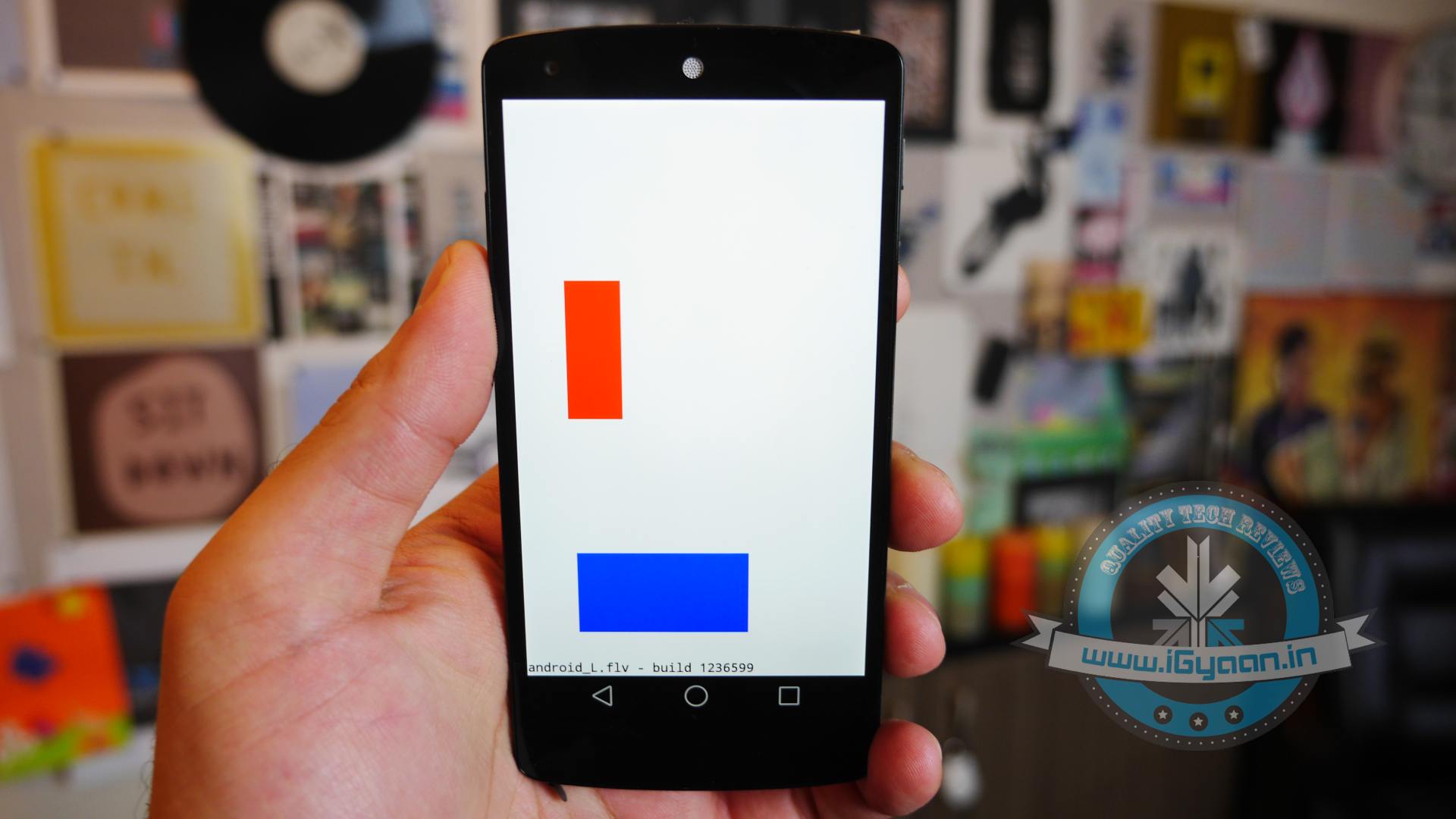
    Here is what the Animation looks Like:
  • Android TV : Could it Mean Third Time Lucky for Google?

    Android TV : Could it Mean Third Time Lucky for Google?

    Google has been trying very hard to get into our living rooms for long time now. Google TV was introduced way back in 2010 with the first Google TV’s being made by Sony and Logitech. In the second generation of devices, LG, Asus and others had also partnered on Google TV. But sadly, Google TV wasn’t a success. Nor was the Nexus Q which was a media-streaming entertainment device introduced in June 2012. Even Nexus Q wasn’t much of a success and later was replaced by Chromecast which was launched at last year’s Google I/O.

    android-tv

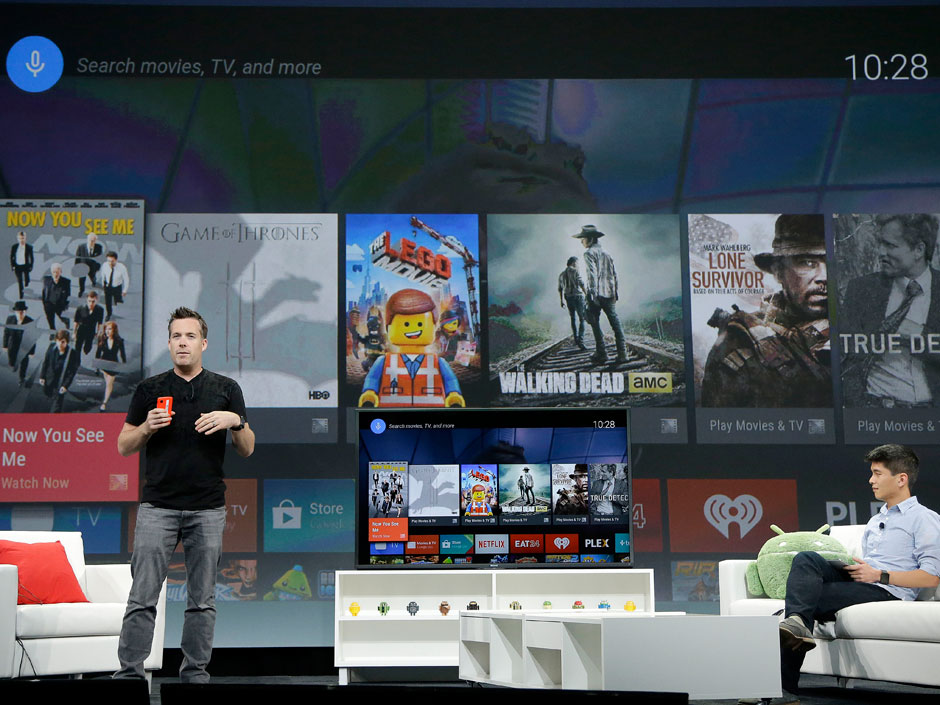
    Though, it seems like Google’s new Android TV may have a bright future ahead of it. Since Google has only showcased the developer-kit of the Android TV called ADT-1, you won’t be able to buy it for a while. But that won’t be an issue once manufacturers begin selling their consumer-facing devices later this fall. Android TV is still in pre-production, so a lot of things are likely to change between now and its final release.

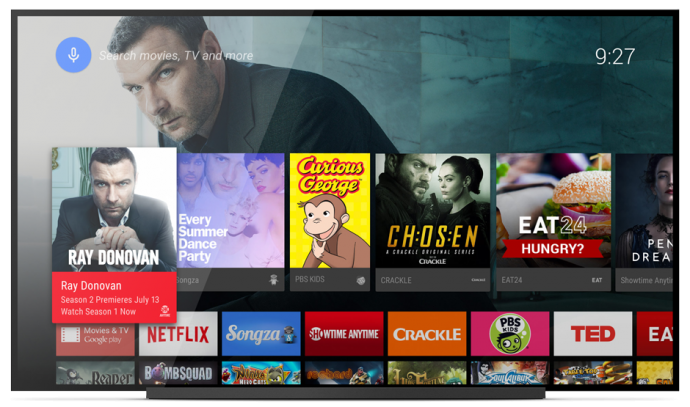
    Unlike its previous effort in smart TV software mentioned above, Android TV will work with a number of different chipsets. It’s designed to enable Android developers to create apps using the same Android toolset that they use for mobile phones and tablets.

    android tv3

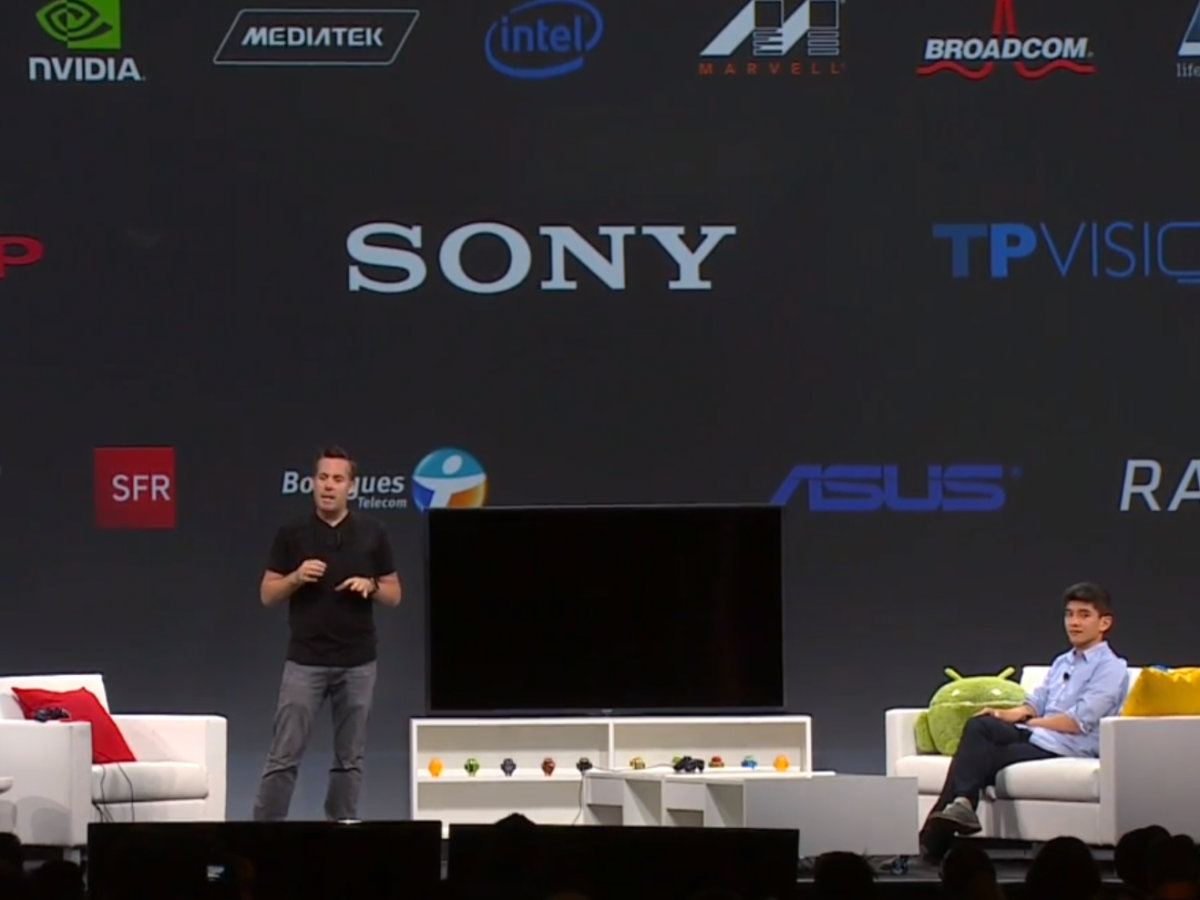
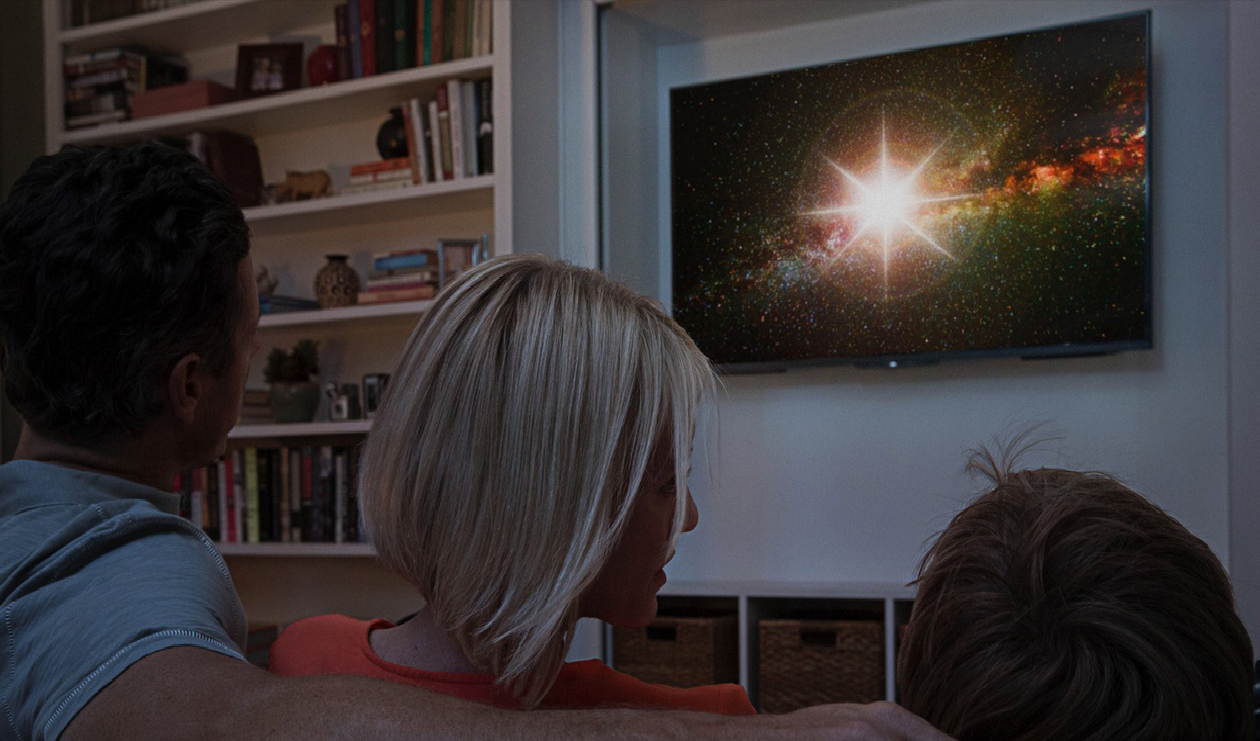
    Android TV will play movies and TV shows, and users will be able to control it via mobiles phones and tablets. Google Engineering Director Dave Burke showed off how the system works to enable search and navigation either via text or voice. He even showed off the ability to control the TV via an Android Gear Smartwatch.

    Chromecast will run on Android TV with full support, so users can beam content from their mobile devices straight to the TV. The new platform also enables users to launch an app store developed specifically for a 10/UI.

    android tv2

    According to Google, the OS will be available for smart TVs (Sony and Sharp have signed on to build televisions with the OS built in), media streamers, set-top boxes, cable boxes and micro consoles. This platform will be ideal for those manufacturers that are interested in getting into the smart TV businesses, but don’t have the resources to develop their own ecosystem. It’s a good opportunity for smaller companies and start-ups to help building the Android TV hardware.

    Google pointed out some technical requirements to ensure that Android TV doesn’t offer an inconsistent  user experience such as:

    • 2GB of RAM,
    • 8GB of flash storage,
    • WiFi and/or Ethernet,
    • Bluetooth 4,
    • Play-ready DRM,
    •  Widevine level

    Companies also suggested to incorporate mics for voice input, and standardized controller button mapping. These guidelines are cricial because the system needs to be powerful enough to handle graphic-intensive games, entertainment apps and connectivity between the TV and mobile devices via Google Cast which Google is focusing on with Android TV.

    No one can give a final verdict for Android TV as yet, company has a long way ahead as far as it is concerned. Of course, a lot will depend on the pricing of the new software which has to compete with the already settled Smart TV makers.

  • Moto 360 Finally Unveiled, While LG G Watch And Samsung Gear Live Are Now For Sale

    Moto 360 Finally Unveiled, While LG G Watch And Samsung Gear Live Are Now For Sale

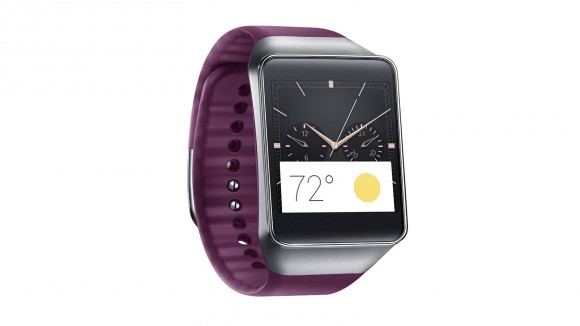
    Exciting new Android Wear was finally showcased at the Google I/O 2014 with announcements of the launches of LG G Watch and Samsung Gear Live. The only one remaining is the Moto 360 smartwatch, which won’t be available to pre-order until later this summer.

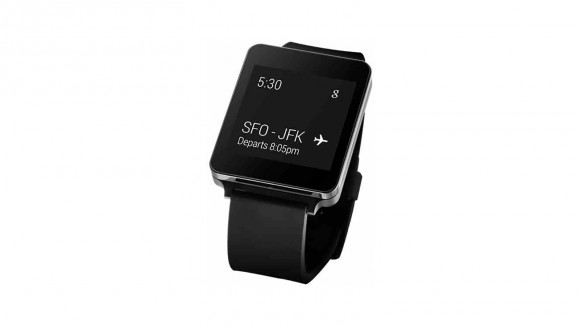
    Samsung’s Gear Live and LG’s G Watch, both powered by Android Wear are the first devices to adopt the new Google software specifically designed for wearables. The G Watch is equipped with Google’s voice recognition service and can perform the simplest of tasks including checking email, sending text messages and carrying out an online search at users’ voice command.

    Samsung 03-580-90
    The Samsung Gear Live

    Both of the devices cannot make phone calls by themselves but can be connected to many of the latest Android-based smartphones. A typical smartwatch allows users to make calls, receive texts and e-mails, take photos and access apps. The G Watch opened Thursday for online pre-order in 12 countries including the United States, France and Japan before it hits stores in 27 more including Brazil and Russia, which is touted for early July. Read our story about the Top 4 Awesome things Google Android Wear can do.

    lg watch
    The LG G Watch

    Gear Live was also available for online pre-order from Thursday. Samsung introduced its Android-based Galaxy Gear smartwatch last year but it was given a lukewarm reception by consumers.  Samsung’s arch rival Apple is believed to readying to launch its own smartwatch soon.

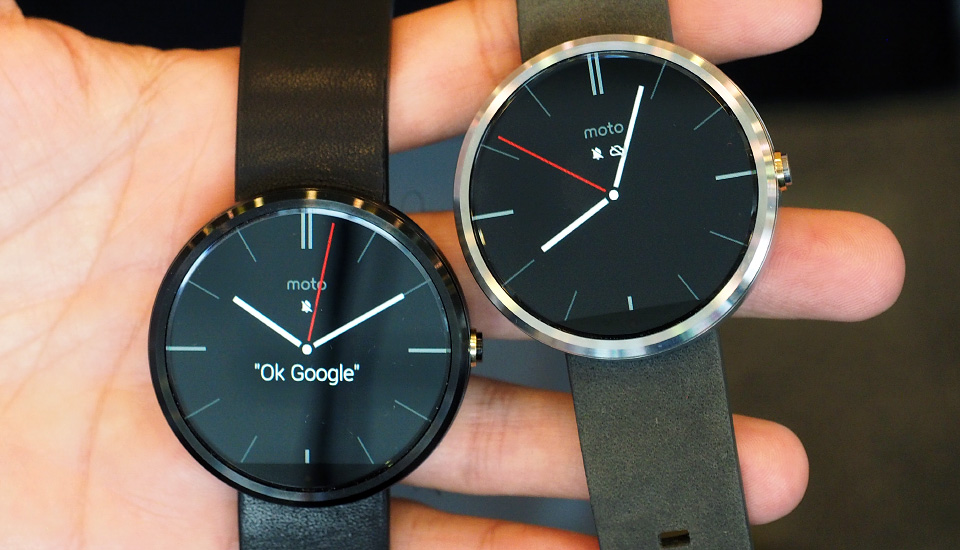
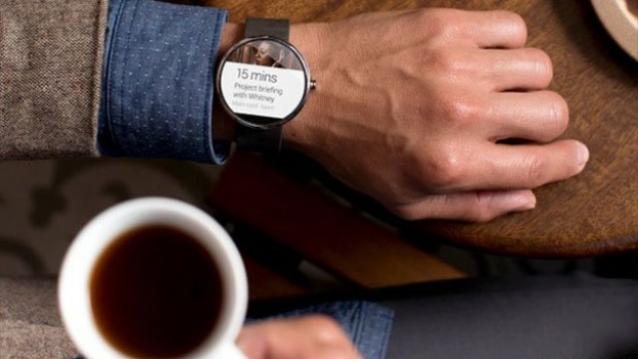
    Despite the Moto 360 still being one of the first watches to arrive running Android Wear OS, there is still some time before you can get your hands on the device. Google did, however, demonstrate many of the features that will be available to these devices, including voice commands for sending texts, getting directions, and music playback. With the smartwatch you’ll also be able to receive and dismiss notifications, accept or decline calls, and dictate notes and reminders.

    moto360lead
    The Moto 360

    The looks of the Motorola smartwatch is its best feature. According to the team, the round design is meant to appeal to both genders while ditching the sharp corners that can dig into your wrist. The shape is an improvement over the square designs that we normally see on smartwatches, which makes the Moto 360 look like a regular fashionable watch from a distance.

    The launch of Android Wear is fueling the empty smartwatch market. If Android Wear’s market takes of, our domestic lives will be soon be ruled by Android powered smart devices. Unless, Apple surprises us with its contender.

  • Top 4 Awesome Things Google Android Wear Can Do

    Top 4 Awesome Things Google Android Wear Can Do

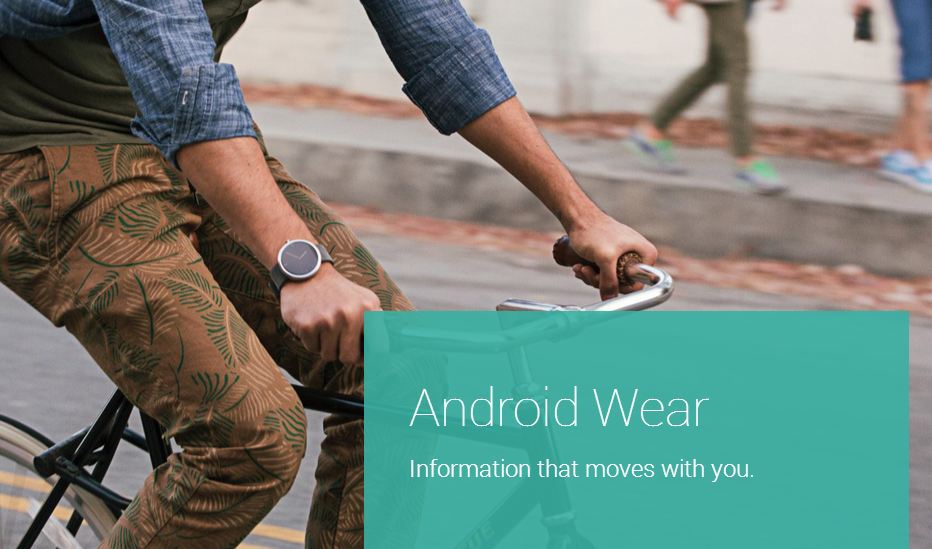
    If Google achieves its goal, Android will be not only on the phone in your pocket, but also wrapped around your wrist soon. As Google pointed out that we check our phones 125 time per day on an average, the new wearable gadget, aptly dubbed as Smartwatch, will take on much of that burden from the hand set. 

    During an I/O 2014 demo, it showed how smartwatches like LG’s G Watch paired with Android 4.3 or higher phones which will display the most important info to you at any given time. That includes flights, the weather, your commute, appointments, reminders,  notes and messages.  Here are the list of thing Android Wear can do: 

     1. Search

    awOne feature that comes handy with Android wear is ‘Google Now’. If you’ve used Google voice search or Google Now on an Android smartphone you’ll know what to expect here. Google Now is built into Google’s search app on both Android and iOS and serves as an answer to Apple’s Siri. A virtual digital assistant, just without the sarcasm and personality that the iPhone’s disembodied voice is known for. Google Now is all about answers—it can answer a wide range of questions, make recommendations and predict what information users need based on what they are doing or where they are at.
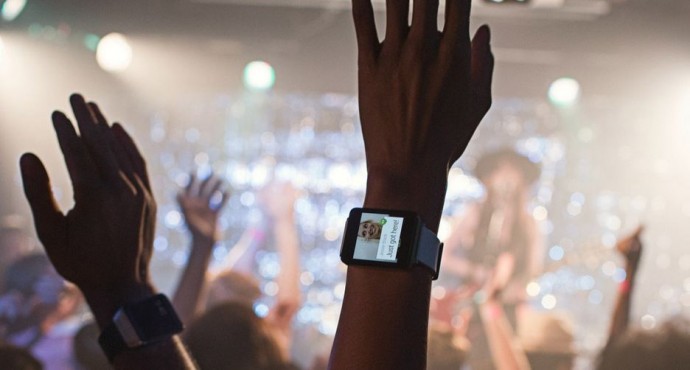
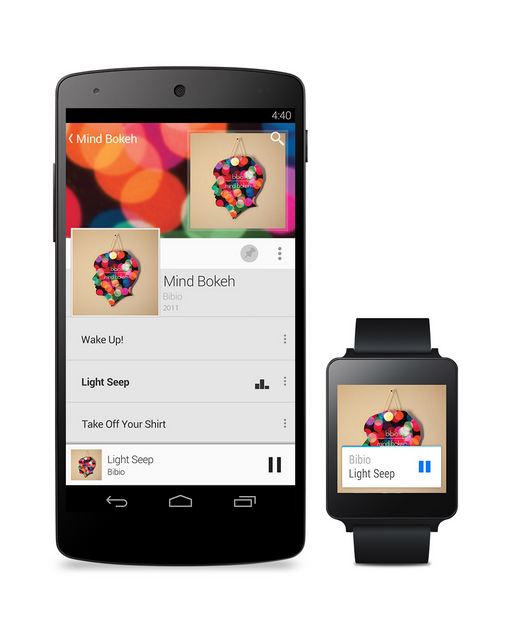
    You can ask Google Now, what song is playing, for nearby locations, for the latest sports score, and for the weather forecast. Even better Google Now shows search information before users even ask for it—such as flight information popping up when you have to catch the plane. All of this information is presented on white cards that slide up on the watch face and can be tapped or flicked for more info, or swiped away when no longer needed—this too is the familiar Google Now user interface and similar to what Google Glass does, which is also powered by Android.

     2. Voice

    a w1
    Google Now is dependent on two types of input; speech and text while we use it on the phone. With Android Wear nobody seems to be typing. Rather, all the input seems to be dependent on voice commands for both search and messaging. Though, it seems that using Android wear in noisy places like concerts or stadiums will be a tough task. But on the other hand, Google does have a reputation for best-in-class voice recognition. 

    3. Location

    Finding location is one of the key features of the Android Wear. Same as Google Now, Android Wear will aim on hands-free and voice navigation. Being a Google product will also send various notification based on the location like possibility of rain, good resturants around, warning about floods in the area etc.

    4. Fitnessa w

    One more important function is its fitness tracking. Right now, such functions are being handled by devices like the Jawbone’s Up, the Fitbit and the Nike+ FuelBand. With Android Wear, Google clearly wants the only thing on your wrist to be an Android powered watch. One example high at Google I/O is showing the number of steps taken for the day and week. Android Wear devices made with heart rate monitors will also be able to tap into that data for compatible apps.

    After showing-off Android Wear, Google announced a number of upcoming devices that will run its new platform. Chief among them was the new Samsung Gear Live, company’s first device to use Google’s wearable platform, along with LG G watch which are now available to preorder from the Google Play store. But those interested in the Moto 360 smartwatch will have to wait, as Google said it won’t be available to pre-order until later this summer.

  • Here Is What Happened At The Google I/O

    Here Is What Happened At The Google I/O

    The developer’s conference, Google I/O was kicked off with with a ton of interesting news. Google has taken the wraps off and unveiled several new products, including the Android TV, Android Auto and the Android L. The keynote for the Google I/O 2014 developer conference created  a lot of buzz for the tech community. Here is a list of some of the keynotes from the conference:

    Android Wear

    Google-Android-Wear

    We finally got to see smartwatches running on Google’s Android Wear OS, in the form of LG’s G Watch and the Samsung Gear Live.The watches connect with your smartphones to provide direct access to handset notifications, allowing you keep check on your mobile apps without using your phone. And yes, they are also equipped with sensors that can monitor things like how many steps you took and your heart rate.

    AndroidOne

    android-one

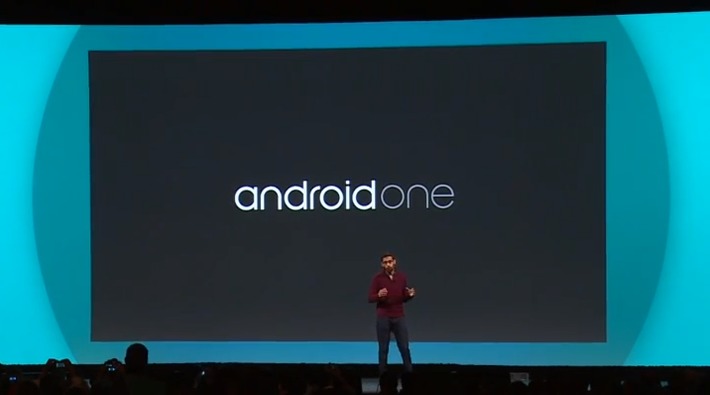
    Google also announced a new set of hardware reference platforms, called AndroidOne. This will provide opportunity for Google’s partners, such as Micromax. This also means that companies will now be able to develop devices quickly and cheaply.With AndroidOne, Google aims to bring a quality Android experience to the emerging markets, at affordable prices.

    Android ‘L’


    It may not have been announced officially just yet, but we did get a peek at what Google’s plans for it are. The next “L” version of Android is updated with a new software layer called Android Runtime (ART) that Google claims will double performance. It will also be bringing an entirely new interface with it. Google is calling the new look Material Design, and it focuses on the dynamic animations and creating depth through the use of virtual lighting and shadows. The design will also be consistent across all of Google’s apps on all devices associated with it.

    Chromebook

    sundar-pichai-google-io-chromebook-1

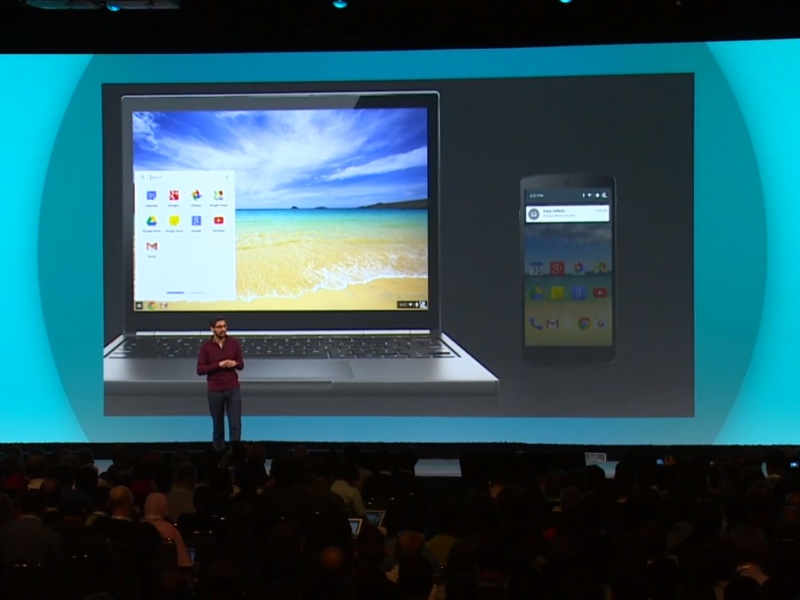
    Google Chromebooks are focused on avalabilty of the Internet at budget prices. And this year these Chromebooks have gotten several new tricks under their sleeves. You’ll soon be able to receive calls and notifications of your phone right from your Chromebook, and open Android apps on the device.

    Android TV

    google-io--android-tv

    Google’s Android TV is another initative all set to rule our domestic lives. With Android TV, smartphones, tablets, and even smartwatches, can now replace your old remote control. The entire platform is designed to give you a fresh Android experience on the biggest screen in your house.

    Android Auto

    google_io_2014_android_auto-630x367

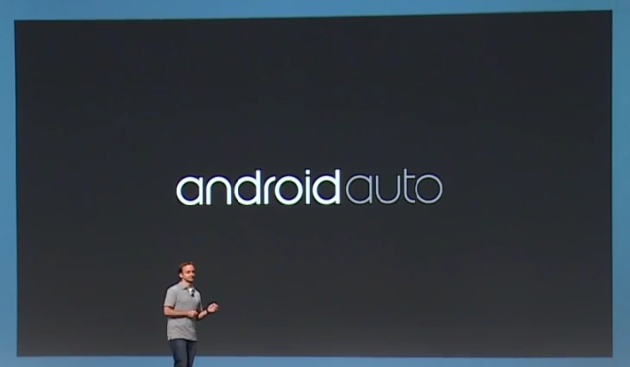
    Competing against Apple’s CarPlay, Google announced a new interface for cars that will create a whole new hands-free Android experience to your vehicle’s navigation system. Now, plugging your device into a compatible car will launch Android Auto, with Google Now-style info cards, navigation directions, and some awesome features like dictating text messages or letting you answer calls, without taking your eyes off the road.

    Chromecast

    Chromecast_dongle

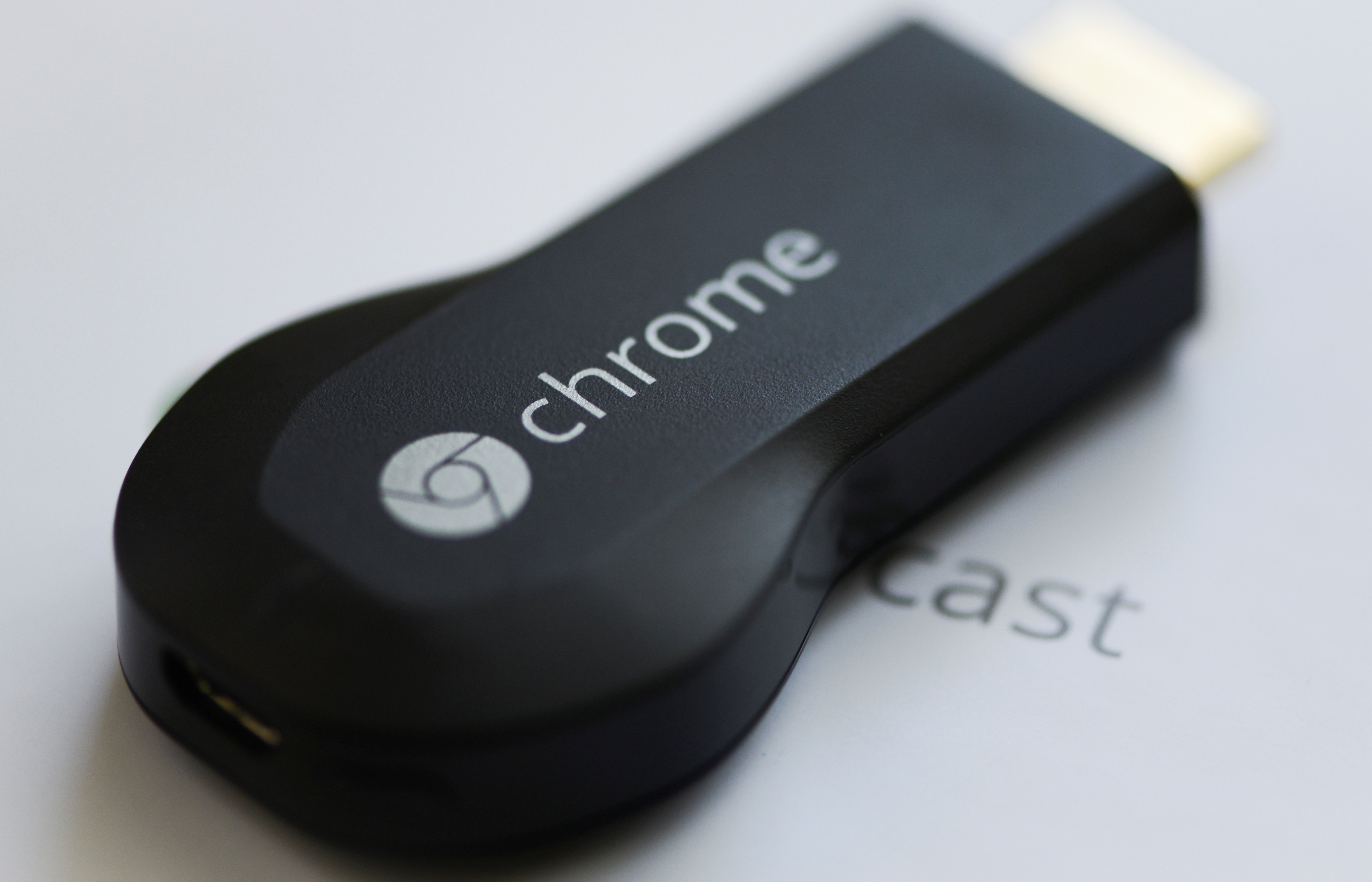
    Though there was no news about new Chromecast during the event, still Google hinted a few updates on the streaming media stick including its ability to mirror your entire Android device directly onto your television screen. The Chromecast’s biggest weakness is obviously the lack of supporting apps, and this new feature shall solve this problem.

  • Google Announces its Domain Registration Service

    Google Announces its Domain Registration Service

    Google has become an umbrella brand that touches our lives more than anything else we use daily. Adding to its long list of utility offerings, Google will soon launch its own web domain registration service.

    The company recently announced a beta service called Google Domains, which marks the beginning of its full-fledged domain registration business.

    Capture
    For now, the service is invite-only, but it looks like it will provide a bevy of features typically found on registrars such as GoDaddy, Namecheap and Hover. According to the company, the service will help users search, find, purchase and transfer domains – whether it’s .com, .biz, .org, or any other new domains that are released to the Web.

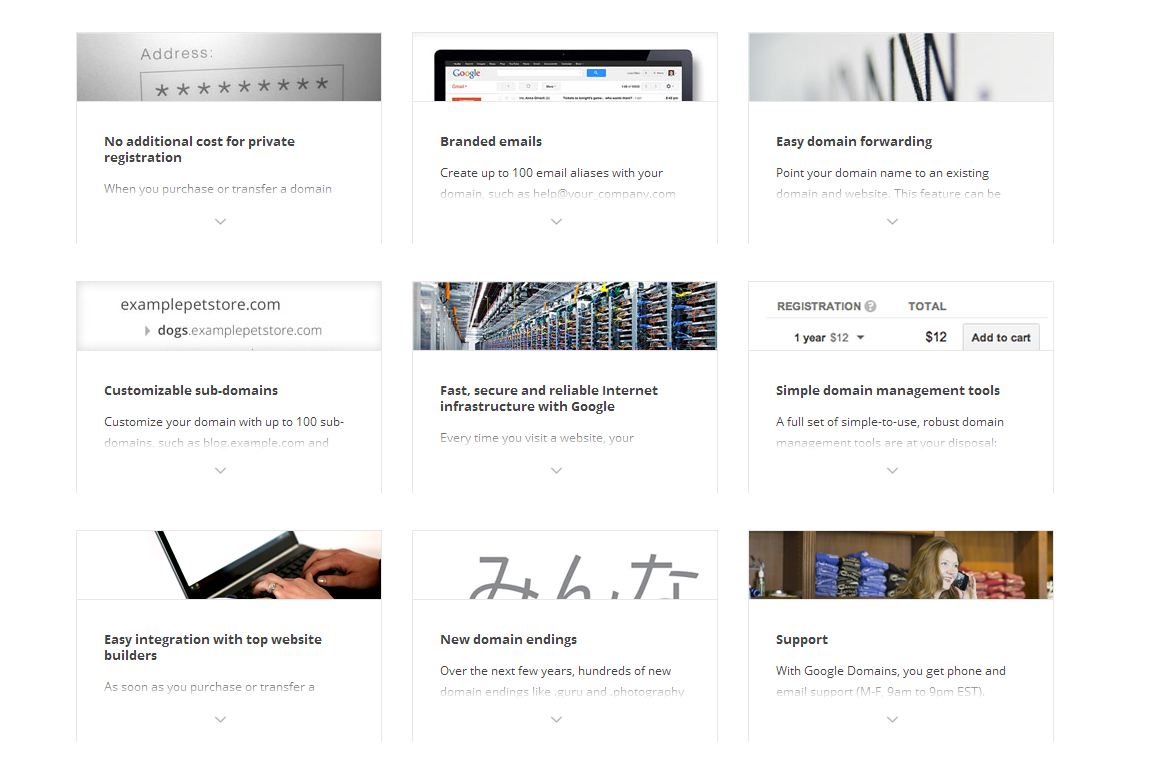
    Google Domains will provide free private registrations, 10 million resolutions per year on Google’s DNS servers, branded email that forwards to an existing mail account and domain forwarding. Google says it will support a variety of different gTLDs (generic top level domains), including offerings such as .photography and .guru that are said to be rolling out over the next few months.
    The move represents competition for GoDaddy, the world’s largest domain name registrar with over 57 million domains under its management. The registrar has privacy protection starting from US$7.99 per domain and email services from $4.99 a month.

    feature page

    Google’s plan for the service includes:

    • $12 domain registrations
    • No extra cost for private registrations
    • Email aliases
    • Customizable sub-domains
    • Domain management tools

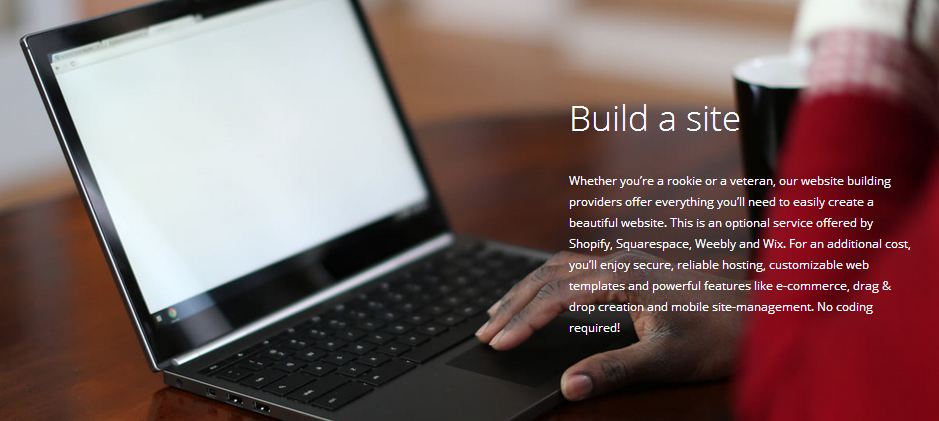
    While the service will provide us with the ability to buy customized URLs, Google won’t provide the actual site hosting. Partners such as Wix, Weebly, Shopify, and Squarespace will provide hosting and website building services to registrants.

    It seems like the right move for a company that makes the majority of its money through search. This would help them get more businesses online. Considering the fact that Google also provides tools for analytics and cloud storage, it seems like a domain registration service will fit right in.

  • Google’s Revolutionary App Translates Sign Language into Speech

    Google’s Revolutionary App Translates Sign Language into Speech

    Google is building an app called Google Gesture which translates sign language into speech. It analyses the muscle activity and position of the hand and forearm using electromyography which then uses the smartphone application and translates it into speech in real time.

    Google is working with students of Berghs School of Communication in Stockholm, Sweden for the development of this app that will help dumb people to communicate. Google Gesture will be paired with bands worn in forearms that read muscle movement while the user converses using signs. The readings are then sent to the app which analyse these movements and turn it into speech.

    [quote]

    For some people, sign language is a must. While others don’t understand sign language, which means a lot of interesting conversations never takes place. How can we at Google help bridge the gap between those who use sign language and those who don’t?

    [/quote]

    The aim of this project is to fix the problem of communication for people who are unable to speak and depend on gestures to communicate daily. Google has been constantly working with people around the world, creating technology that will help people from all walks of lives.

    In the past, Google had developed a software that enables the deaf and hard of hearing to communicate via technology. For example, Android offers an option on its Google Translate App that turns speech into text.

  • Top 5 Chrome Extensions Everyone Should Add

    Top 5 Chrome Extensions Everyone Should Add

    Many people use Google Chrome as their major web-browser on their PCs, tablets and phones these days. It’s a great, swift and feature-packed cross-platform browser that’s easy. Google Chrome also provides abundant apps and extensions to make your internet experience even more pleasant. Though picking the ones you need may be tricky. Most people never even hear about the extensions that may work extremely well for them. Well, we’ve listed 5 really useful Google Chrome extensions for you to check out:

    1. Clearly

    clearly‘Cleary’ by Evernote is a very helpful extension, particularly if you’re a student, writer or just someone who spends a lot of time doing research on the internet. It helps you focus only on the reading the important part of the article, blog or news; blocking out everything that is redundant. You can even save the sources to Evernote for later study. ‘Clearly’ also makes it probable to put in order the saved articles by tags, add footnotes or even let the extension read the material back to you. You can even change the background or font size of the materials. It is a very useful app, but you should know that it might not work on all websites.

    2. Faces.im

    Get-Facebook-Chat-Head-Notifications-To-Google-Chrome-With-Faces.im-ExtensionThis handy little tool brings Chat Heads to the desktop, enabling you to keep track of your Facebook messages in the simplest manner. It offers you notifications with small, modest head popups like the mobile app. And when they do show up , this could simply mean a new Facebook message is pending. The pop up circle displays your friend’s photo just like the Messenger app, their name, and recent message they sent when you hover the mouse pointer over their photo.

    3. Agora

    unnamed (1)If you want to get the most out of your money, then use this comparison shopping service. Agora for Chrome aims to provide a clever solution. It gives you your personal workstation where you can append products to your dashboard, put them in order and make comparisons in order to make the best purchasing choice. Although still in early beta, the service works absolutely flawlessly.

    4.TL;DR

    tldr-tldrlogo-2TL;DR (Too Long; Didn’t Read) is a clever extension, it creates a summary of any web article you don’t have time to read fully. It allows you to choose between four different summary lengths, depending on the amount of time you have. With the summaries found on tl;dr, you can easily select what you really want to read and save precious time. Read only what matters, skim the rest.

    5. Ginger

    Ginger_Software_LogoIt is an online spelling and grammar checker extension. Ginger proofreads your typing and cleans up your mistakes with a simple click. The extension integrates itself with the browser’s interface and works in text input fields. Whether you type in a misspelled word or use bad grammar, the extension underlines the mistake. Right-click the word, and a small popup will open, listing alternate word suggestions for incorrectly spelled words or the correct word itself, in the event that you’ve used the wrong tense.
  • Google ‘Accidentally’ Leaks Their Next Android Phone

    Google ‘Accidentally’ Leaks Their Next Android Phone

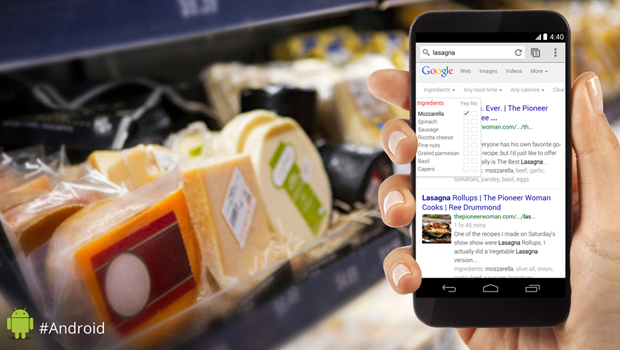
    Google Nexus 5 was one of the best phones in the market in 2013. Recently, there has been quite a few of rumors regarding Google’s plans of discarding the Nexus for a new Silver program. But a tweet by Android’s official account shows an unknown smartphone, which looks almost like the Nexus 5 with minute changes.

    This promotional tweet was intended to endorse a new feature in Google Now (the ability to see recipe checklists while shopping), exposed a new-looking phone. The photo shows that the alleged Nexus 6 doesn’t have the speaker grill or the camera on the front. The screen also appears to be larger and the bezels are slightly smaller.

    This is not the first time Google has “accidentally” leaked a photo of a yet impromptu device either. Back in November last year, Google posted a promotional photo of a new Nexus tablet and it created a lot of talk about the Nexus 8 tablet. More recently, a header on Google’s micro website revealed an unknown tablet, which subsequently sparked Nexus 8 rumors. Infact, the first look of the Nexus 5 was accidentally revealed when Google posted and subsequently deleted a video on YouTube.

    Seems like we have enough reasons to believe that this may be the Google’s next Android phone. We’re just not sure if this was an intentional move or just a goof-up.

  • One Step Ahead: 3D Imaging on New Google Tablet

    One Step Ahead: 3D Imaging on New Google Tablet

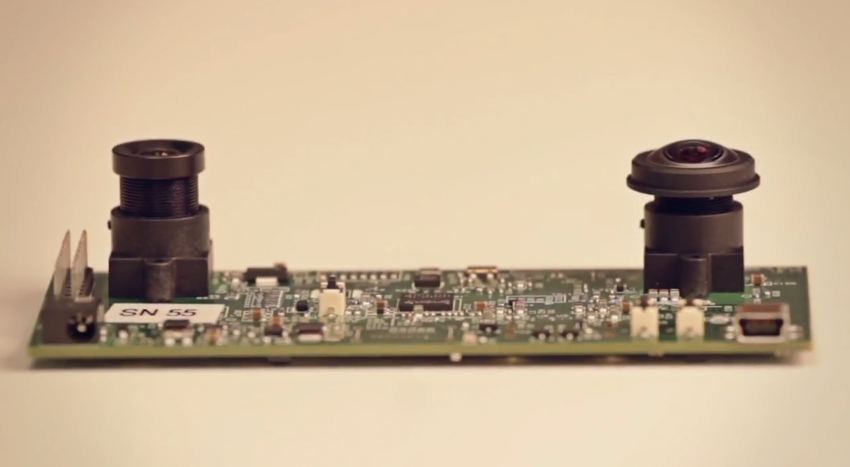
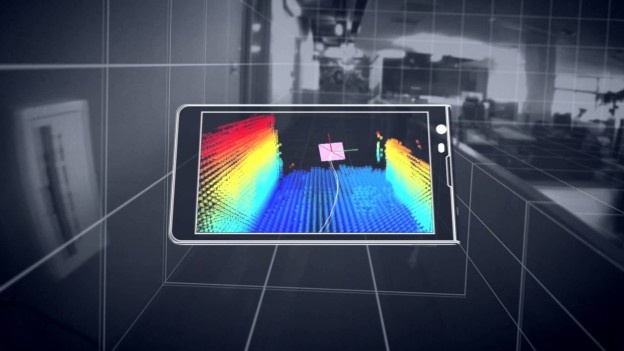
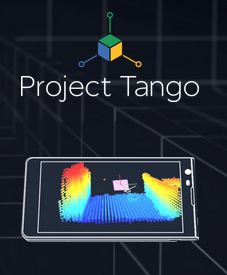
    “What if you could walk into a store and see exactly where that thing you need to buy is, or play hide-and-seek in your home with that character from your favorite game, or help the visually-impaired navigate that place they have never been able to to go on their own? We believe the possibilities are vast.” That’s been Google’s Project Tango‘s vision. And now, Google is reportedly working on a tablet version of this initiative, that incorporates multiple advanced imaging sensors into a portable device for real time 3D imaging and mapping.

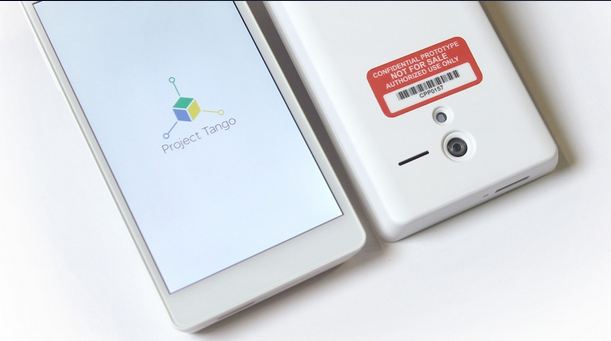
    tp1According to The Wall Street Journal, the Internet search giant is further exploring into computer vision technology with a 7-inch tablet which has two rear-facing cameras, infrared depth sensors and highly customized software. The small-format slate seems to be an oversized version of the existing prototype Project Tango smartphone released in February by Google’s Advanced Technology and Projects division.

    Google’s Project Tango webpage notes the sensor suite “allows the phone to make over a quarter million 3D measurements every second. Updating its position and orientation in real-time, and then further combining that data into a single 3D model of the space around you.”

    In February, Google had released a prototype smartphone out of that group, which also boasts sensors that could come up with a 3D map of your surroundings. The tablet appears to have the same or similar imaging hardware as the smartphone version, which features a regular camera mounted near the top of the handset, a motion-sensing camera placed opposite and incorporated depth sensors mounted between the two. It is unknown what type of CPU will power the tablet, but the phone boasts two “computer vision” processors and assorted positioning sensors for calculating movement in three-dimensions.

    The project’s recommended applications range from the ordinary, such as capturing the dimensions of a home before furniture shopping simply by waving the phone around a room, to the helpful, such as aiding the visually impaired inside unfamiliar buildings, to the playful, such as turning a foyer into a virtual-reality game space.

    ptFacebook is also exploring advanced computer vision technology with its planned $2 billion acquisition of Oculus VR, the maker of virtual reality headset Oculus Rift. The headset was originally intended for use with gaming devices, but Facebook has said it plans to extend its virtual reality capabilities beyond gaming into areas such as communications, media, entertainment, and education.

    Developers already have their hands on the phone and WSJ reports the company plans to release the tablet to select testers prior to Google I/O, which begins on June 25.

  • Peace at Last : Apple-Google War is Done for Good

    Peace at Last : Apple-Google War is Done for Good

    Seems like every techie journalists staple source of conflict beat is about to get over. On Friday, Google and Apple decided to call it quits on the incessant exercise of suing and counter suing each other. They have asked the courts to dismiss the remaining patent lawsuits and have decided to settle the matters outside the courts.

    The conflict between the two Silicon Valley giants started in 2010. Steve Jobs’ disdain for Google became evident when he commented on the fact that Google had ripped off the iPhone. In a strong statement, he swore he was going to spend his last dying breath trying to destroy Android since he believed it to be stolen. Words which didn’t suit his stature.

    The company has now made a sensible decision of discontinuing needless pursuit. After all Android is at the top of the charts with 52.5% of the smartphone operating system market. The Android and the iOS have evolved into completely different systems now.

    This gives no indication that the companies are going for a license sharing agreement. They will though use the money they were spending on expensive lawyers on real innovation in the market. A fact that satisfies everyone. The battle will now be on real free market capitalism principles. This advancement also doesn’t put an end to the Apple-Samsung wars which was widely viewed as the Apple’s proxy war on the Android system. Apple had won a compensation of $930 million against Samsung in 2012.

    Motorola Mobility was also waging a patent war with Apple. Google bought Motorola Mobility to access Motorola’s patent library thereby protecting other Android Vendors. With the acquisition Apple and Google directly came face to face. Google later sold the Smartphone businesses of Motorola to Lenovo while keeping a majority of the patents.

    There is also a happy ending to the story. Like in clichéd endings of movies about warring factions, the two super giants also agreed to work together in the field of patent reforms. This can be good for the overall market too. In an era where knowledge is increasingly getting privatized, an initiative by familiar names would help boost the conversation on the concept of patents in our economies.

  • Yahoo! To End Facebook And Google Sign-Ins

    Yahoo! To End Facebook And Google Sign-Ins

    Yahoo is planning on removing all of the Facebook and Google login functionality in a move to heighten the overall user experience. This latest move by CEO Marissa Mayer who has been shaking up nearly everything from search to company culture to acquisitions.

    “Yahoo is continually working on improving the user experience,” the company said in a statement, noting that the new process “will allow us to offer the best personalized experience to everyone.”

    For now, users can still access Yahoo services using their Facebook or Google log-ins. A timeline wasn’t provided for when exactly they will cease to exist.

    As TNW reports, the move to integrate Facebook and Google log-ins three years ago came as Yahoo sought to tap on their huge numbers of users — but it seems like CEO Marissa Mayer is keen to take a different route in a bid to reclaim native users and revive its ecosystem.

    The first Yahoo service to require the new sign-in process is Yahoo Sports Tourney Pick’Em, a service focused on the NCAA college basketball tournament which begins later this month. News of the change to Yahoo’s Tourney Pick’Em sign-in process was first reported by the technology blog Betanews.

  • Google Launches Indoor Maps in India

    Google Launches Indoor Maps in India

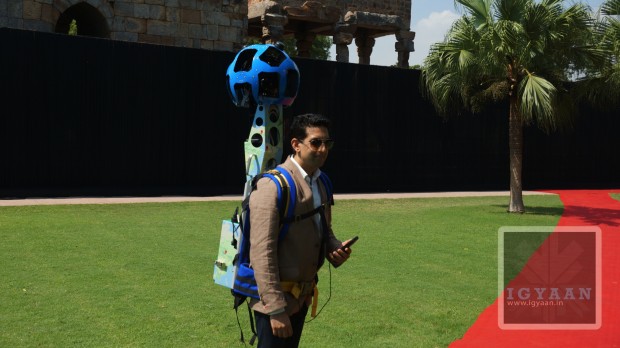
    Google announced indoor maps for a number of public spaces such as malls etc today. After giving us the street view for the historical monuments, Google will now provide view for malls.

    The indoor maps launched today include locations like:

    • Shopping Centres
      • Bangalore
        • Ascendas Park Square Mall
        • Gopalan Arcade Mall
        • Gopalan Innovation Mall
        • Gopalan Legacy Mall
        • Gopalan Signature Mall
        • Inorbit Mall Banglore
        • Orion Mall
        • The Forum
        • UB city
      • Bhopal
        • Ashima Mall
        • C21 Mall
      • Chennai
        • Ampa SkyWalk
        • Bergamo
        • Forum Vijay Mall
        • Ramee Mall
        • Spectrum
      • Coimbatore
        • Fun Republic Mall
      • Chandigarh
        • DLF City Centre
        • Fun Republic Mall
      • Dehradun
        • Pacific Mall
      • Delhi
        • Ansal Plaza, Khel Gaon
        • Ambience Mall Vasant Kunj
        • DLF Emporio Mall, Vasant Kunj
        • DLF Place Saket
        • DLF Promenade Mall
        • MGF Metropolitan Saket
        • MGF Square City
        • Pacific Mall (Tagore garden)
        • Select City Walk Saket
      • Ghaziabad
        • Pacific Mall
        • Shipra Mall
        • The Opulent
      • Goa
        • Caculo Mall
      • Gurgaon
        • Ambience Mall
        • Ansals Palam Vihar
        • MGF Mega City
        • MGF Metropolitan Mall
        • Sahara Mall
      • Hyderabad
        • Inorbit Mall
        • Manjeera Mall
        • Prasadz
      • Jaipur
        • MGF Metropolitan Mall
        • Pink Square Mall
        • World Trade Park
        • Triton Mall
        • Crystal Court
      • Kochi
        • Abad Nucleus Mall
        • Bay Pride Mall
        • LuLu International shopping mall
      • Kolkata
        • City Centre
        • City Centre II
        • Merlin Homeland Mall
      • Lucknow
        • Fun Republic Mall
        • West End Mall
      • Ludhiana
        • West End Mall
      • Moradabad
        • West End Mall
      • Mumbai
        • Fun Republic
        • Growel Mall
        • Inorbit mall Malad
        • Inorbit mall Vashi
        • Korum Mall
        • Palladium Mall
        • R City
      • Noida
        • Ansals
        • Centre Stage Mall
        • Great India Place
      • Pune
        • Amanora Park Town
        • Inorbit Mall
        • Kumar Pacific Mall
        • Phoenix Market City
      • Raipur
        • City Centre 36
      • Vadodara
        • Inorbit Mall
    • Museums
      • Delhi
        • National Gallery Of Modern Art
      • Hyderabad
        • Salar jung
    • Convention Centers
      • Hyderabad International Convention Center
    • Retail
      • Bangalore Hypercity, Inorbit Mall

    The list above shows all the locations where indoor maps can be used via Google Maps. In some locations, users will have the option of using the indoor My Location feature. Which allows you to move up or down a level in a building with multiple floors, the map will automatically update to display which floor you are on. 

  • Google’s Project Ara Conference Announced

    Google’s Project Ara Conference Announced

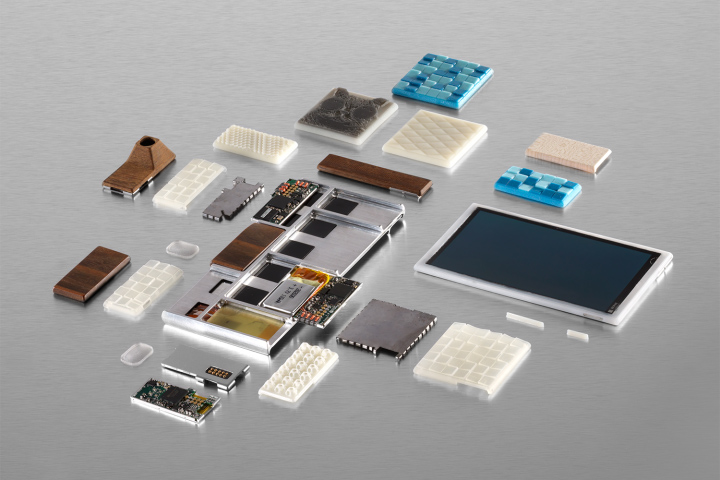
    Google today revealed the first details of its Ara Developers’ Conference, a series of events that’ll focus on getting devs up to speed on the current and upcoming features of Project Ara. A new follow-up profile by TIME indicates we could see the device come to market by next year, with a $50 price tag to start. 

    That MDK should be released in early April, Google says, as a free and open platform specification, along with a reference implementation that will help would-be Ara module developers to create their own piece.

    The event will take place in Mountain View, California, and will be streamed online to the whole world. In fact, Google claims that Project Ara is designed for 6 billion people. This indicates that Android maker may be working on a highly affordable modular phone for the masses.

    Project Ara began as a project in the Motorola Mobility skunkworks, but after the news that Lenovo would buy the smartphone company, Google confirmed that it would be keeping the Ara team. 

    Headed under the Advanced Technology and Projects (ATAP) division, the platform is meant to be a single hub onto which the user can place their own hardware.  This means CPUs, cameras, sensors, screens, baseband, modems, connectivity, storage – the whole gamut.

  • Google Announces Project Tango, a 5 inch Android Smartphone that Can Map the World Around You

    Google Announces Project Tango, a 5 inch Android Smartphone that Can Map the World Around You

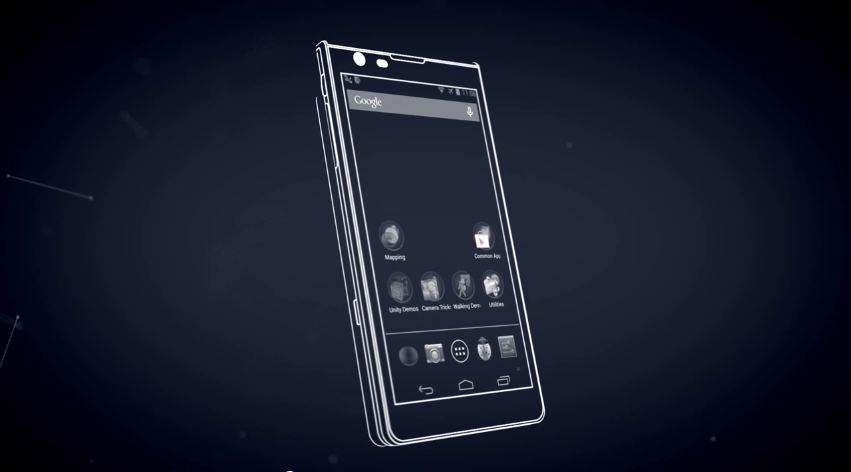
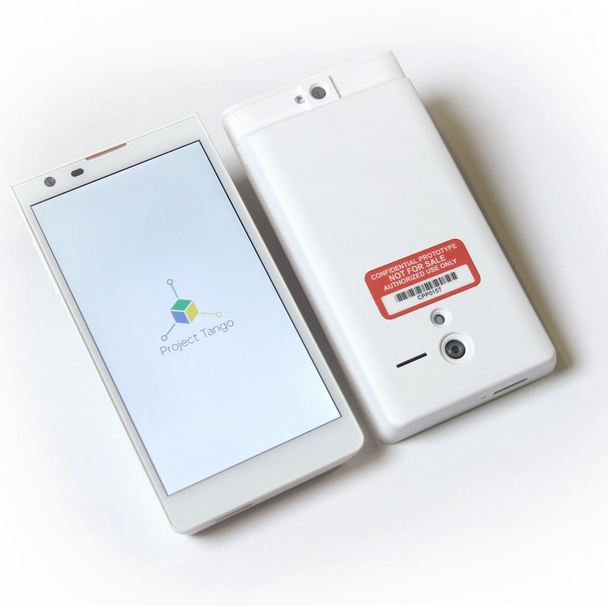
    The goal of Project Tango is to give mobile devices a human-scale understanding of space and motion. The device is a 5 inch Android prototype smartphone equipped with 3D sensors and other components to track motion and map the surroundings around you. 

    project tango 5

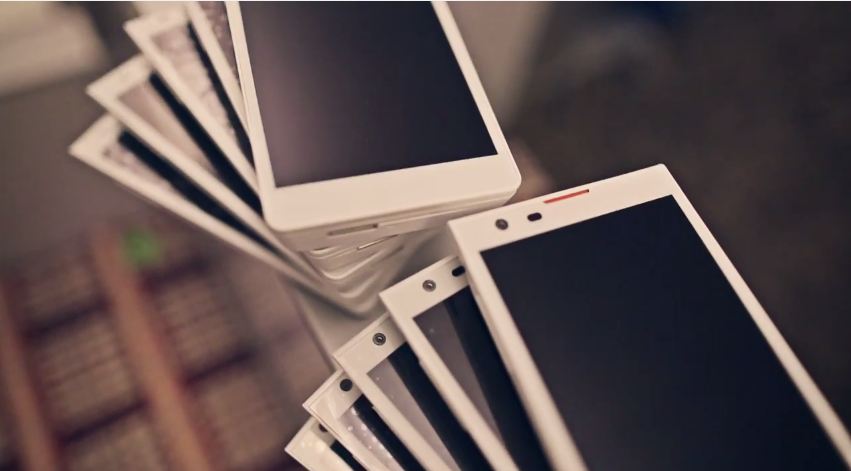
    Google has 200 devices that they are preparing to give out to developers who want to build mapping tools, games, and new algorithms that can take advantage of the technology on the prototype smartphone, and these developer editions will ship by 14th March 2014 as planned by Google. 

    Google’s Advanced Technology and Projects (ATAP) group is the brains behind the project Tango. By now, you might have got an idea of what exactly is Project Tango, now lets see how it works:

    project tango

    The device in the Tango project will work by using a motion tracking camera and a sensor built into the backside of the prototype android smartphone. Once the smartphone is moved around, the sensors will detect everything in front of them, and as a result it will build a 3D map of the surroundings using the data captured. 

    The Project Tango is capable of doing more as per ATAP, while they emphasize this on being at an early stage, they also believe developers will do wonders with this prototype. Project Tango is result of one year research from ATAP, they worked with universities, research labs, and industrial partners spanning nine countries around the world to harvest research from the last decade of work in robotics and computer vision, concentrating that technology into the prototype smartphone. 

    tango

    This project comes from Google’s Advanced Technology and Projects team, the same team which was associated with Motorola but Google decided to keep them, while they let go Motorola. We will keep you updated with all the latest happenings related to the Project Tango, however, you might want to watch the video below to know more:

    [youtube url=”http://www.youtube.com/watch?v=Qe10ExwzCqk”]

    [Project Tango]

iGyaan Network
Privacy Overview

This website uses cookies so that we can provide you with the best user experience possible. Cookie information is stored in your browser and performs functions such as recognising you when you return to our website and helping our team to understand which sections of the website you find most interesting and useful.