Tag: iOS

  • New iPad Pro Might Come With a Keyboard and Force Touch

    New iPad Pro Might Come With a Keyboard and Force Touch

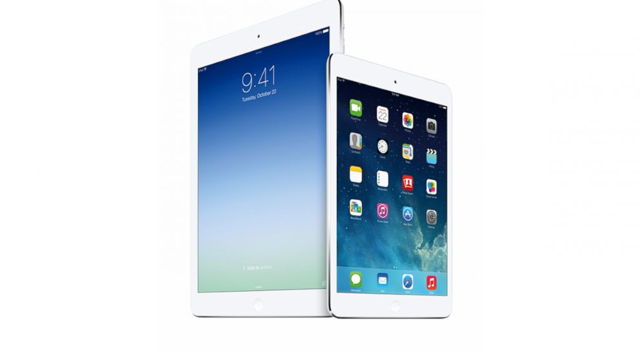
    Apple had launched its first generation 9.7 inch iPad in April 2010, followed by the iPad mini with a 7.9 inch display in October 2012. Now, according to reports, Apple is planning to launch the new iPad Pro with a 12.9 inch display this year, at their upcoming event on the 9th of September 2015.

    apple ipad plus

    Further sources have suggested that the iPad Pro could have a 2732 x 2048 pixel resolution and might have design aspects similar to the iPad Air. 9to5mac says that the iPad Pro will “literally look like a big iPad.” Other design features say that it will also have an aluminum shell, a FaceTime and iSight camera.

    This device is also expected to come with the Force Touch technology, that Apple is planning to introduce in the next set of iPhones – iPhone 6s and 6s Plus. This is what 9to5mac says about the new iPad Pro:

    “The stylus will open up the door to enhanced drawing and design apps on the new iPad, and the integration with the Force Touch screen will allow the stylus and the iPad Pro to work differently based on the levels of pressure applied by the stylus to the iPad’s display.”

    Apple is apparently designing the iPad Pro to be compatible with a Bluetooth keyboard and is also allegedly working on a revamped keyboard accessory for the iPad Pro. However, there is no further information on this front, and we’ll just have to wait for the 9th of September to see what Apple Inc. has to offer us this time.

  • Here’s An App That Will Never Let You Walk Alone

    Here’s An App That Will Never Let You Walk Alone

    Today we’re going to talk about an app called Companion that is basically a virtual security app for you. So, now when you just have to get something to eat, and the only store open is that shady corner store; you’ll have a companion, virtually.

    “Companion is a peer-to-peer safety app that improves public safety and provides peace of mind to anyone on the move!”

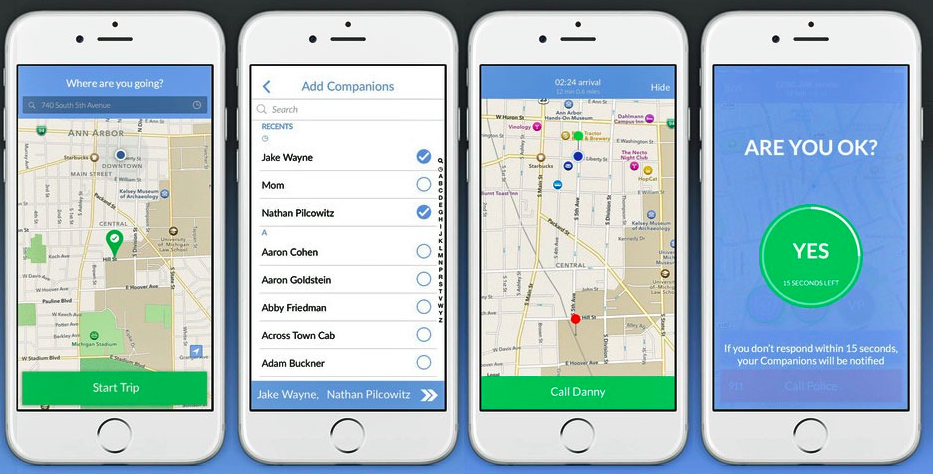
    Now the best thing about this app is that, the person you pick to be your ‘companion’ doesn’t need to be an app user! So now all you have to do is, enter your destination and select anyone in your contacts to be your ‘Companion’. The ‘companion’ can now track your progress and will be automatically notified when you arrive at your destination safely.

    companion app

    This app can also detect when you start running or in case you fall, or even if your headphones have been pulled out of the jack. There is a fifteen seconds time period within which, if you don’t respond, the app will notify your ‘companion’ immediately. Apart from this you can also contact the local police department to report an emergency.

    Furthermore, for University students, the app comes with the ability to report areas around the campus which you can record as a safe zone, and similarly you can even record an “I feel nervous” zone. The Companion app is said to contact your school or university’s officials upon detecting suspicious activity.

    This app can be downloaded on both iOS and Android devices. Check it out here:


    Source: [tw-button size=”medium” background=”#07ABE2″ color=”” target=”_blank” link=”http://companionapp.io/”]Companion[/tw-button]

  • Microsoft’s New project To make 3D Scanning Possible On the iPhone Soon

    Microsoft’s New project To make 3D Scanning Possible On the iPhone Soon

    Microsoft is now creating a camera for smartphones, that can also be a 3D scanner. The name of this project is – MobileFusion and the first research has been conducted on an iPhone 5S to scan objects by moving the phone around them. Kind of like the new pen scanner we just reported about.

    The phone is said to be able to capture and track objects and then build up a model as the camera captures it from different angles. Microsoft has stated that no additional hardware would be required to turn the iPhone or any other smartphone into a 3D scanner. All the computation is done within the phone itself.

    MobileFusion

    Microsoft’s project is quoted as being different from other projects such as, Google’s Tango project, which uses additional hardware. It has also been said, that Microsoft’s single camera should be enough to make models for printing or use in augmented reality gaming.

    As of now, they are trying to get it running on the iOS, Android and Windows Phone.However, the date of release or any news of mass production is unavailable. Stay tuned and watch the video below:

  • WhatsApp Opens Up its Web Service to iOS Users – Finally!

    WhatsApp Opens Up its Web Service to iOS Users – Finally!

    WhatsApp has recently opened up access to its web service for Apple iPhone users. This service allows you to send and receive messages on your computers and phones.

    WhatsApp Web 01

    This function is still being rolled out, and hence may not be available to all users immediately, but those of you who have the latest version of the WhatsApp app should be able to find a “web” menu option under the “settings”.

    “Our web client is simply an extension of your phone: the web browser mirrors conversations and messages from your mobile device – this means all of your messages still live on your phone.” – WhatsApp Blogspot

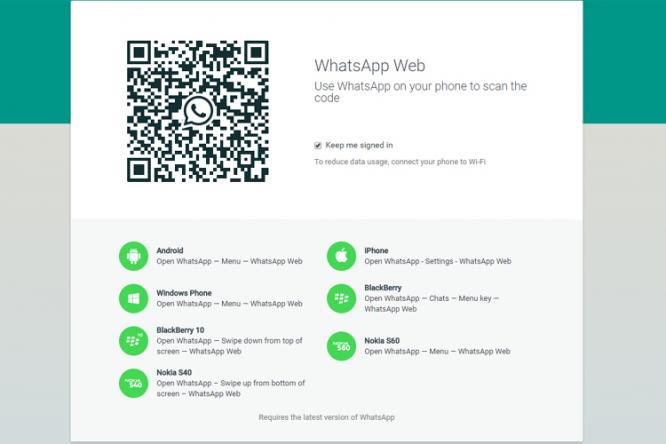
    However, the feature works through the internet, so, the phone has to be connected to the internet, otherwise the conversation will drop out and all the users’ texts will remain on the phone. The web can sync data with the phone app that allows messages to be received and sent, within the browser. In order to sync your iPhone with the web client, you will first have to scan a QR code from WhatsApp’s website using your phone.

    The WhatsApp web client had been launched in January 2015 and has since been available to Google, Windows, Blackberry and Nokia operating systems. However, this is the first time it has been available for Apple’s smartphone device.

  • This iOS Trick Will Let You Test Your Signal Strength At All Times

    This iOS Trick Will Let You Test Your Signal Strength At All Times

    Telecom companies in India are putting us through a lot these days. If it’s not the ever increasing bills we face monthly, it’s the incessant call drops. We now know a trick for iPhone users that will help detect the amount of network you have, other than the signal bars. Field Test Mode makes things slightly easier.

    How to initiate Field Test Mode on an iPhone:

    1. Open the phone’s keypad, as if making a call.

    2. Add *3001#12345#* and hit the call button.

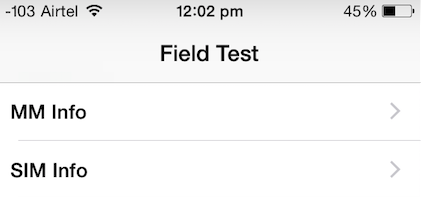
    3. Now on the top left corner you will see a number indicating your network strength.

    ios signal trick

    If you hit the home button, the sign will return to signal bars. Here’s how you can retain the number:

    Follow the earlier three steps. Once the page appears on your screen, hold your power button till “Slide to Power Off” comes on the screen. Release the power button, and hold the Home button until Field Test Mode quits. You can now tap on the signal bar, to switch between the bar and numbers. To opt out of this, you can simply restart your iPhone.

    How to Read the Numbers :  It’s simple – the lower the number, the more likely you are to experience bad signal.  Anything lower than -110 is a problem, and anything above -80 is considered good. With this feature, you’re more likely to know when you would be experiencing problematic call drops.

  • Here’s How  Windows 10 Can Be Installed On Your Mac

    Here’s How Windows 10 Can Be Installed On Your Mac

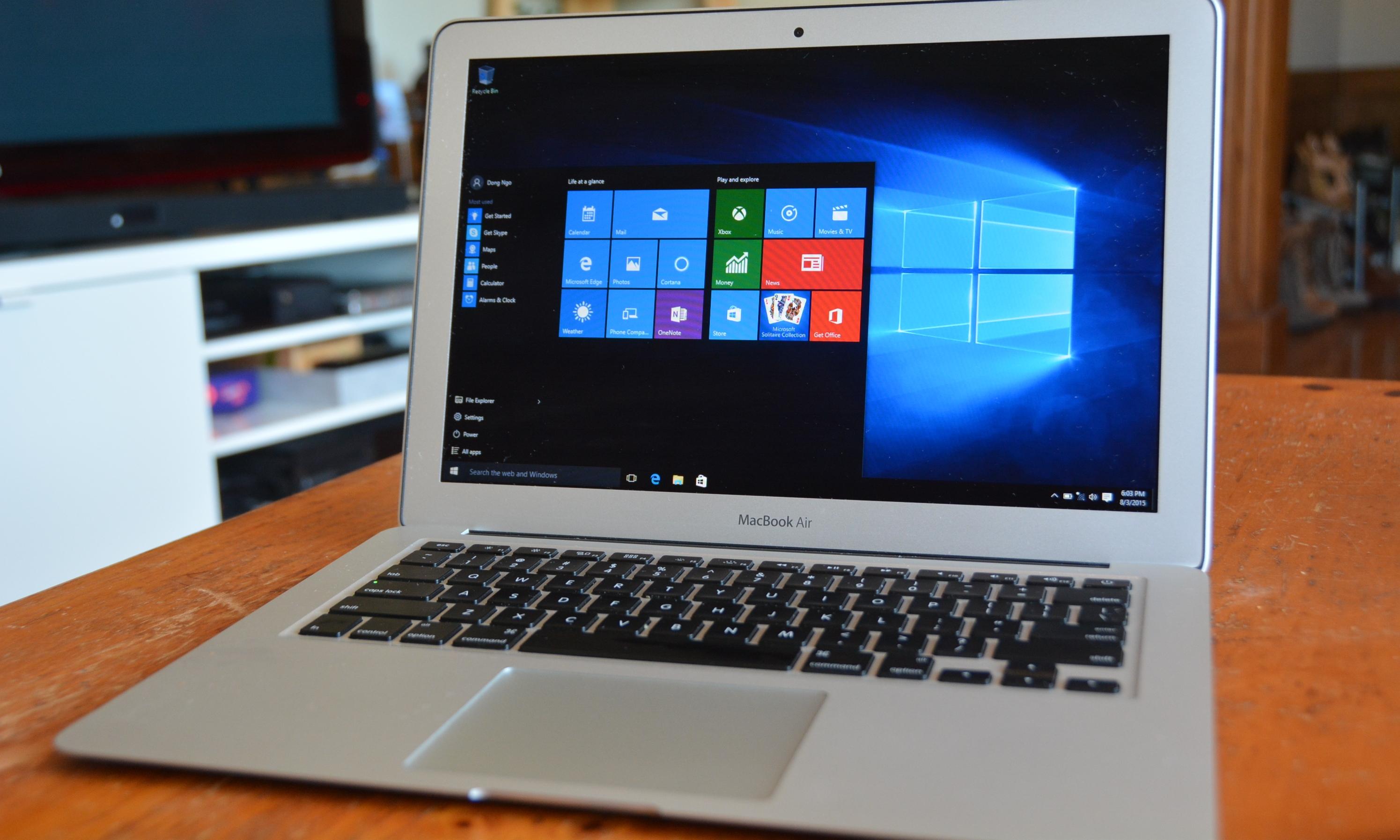
    After getting tremendous positive reviews, Windows 10 makes itself available even to Mac users. However, if you want to use it after the 30 day trial period, then you will have to buy it. You will require two things in order to complete this process – a 5GB pen drive and a second computer that runs on Windows 10.
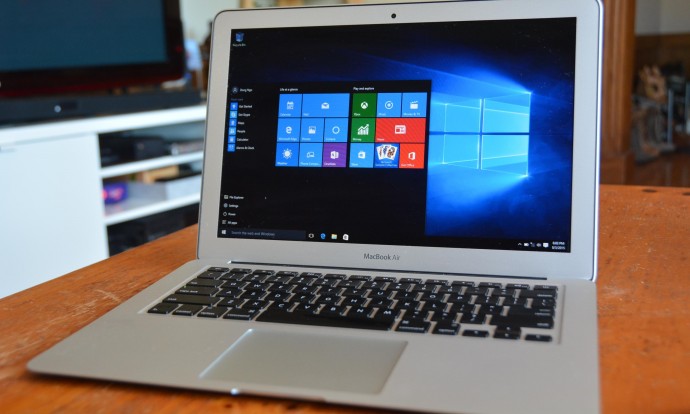
    Windows on Mac 1

    Step 1: Download Windows 10 from the Windows run laptop and copy it on to your pen drive. You can copy it from the media creation tool on Windows; there are two versions, a 34 bit and a 64 bit version, pick the one that’s compatible with your computer.

    Step 2: Go to the downloaded media creation tool and choose ‘Create installation media for another PC’ and click Next.
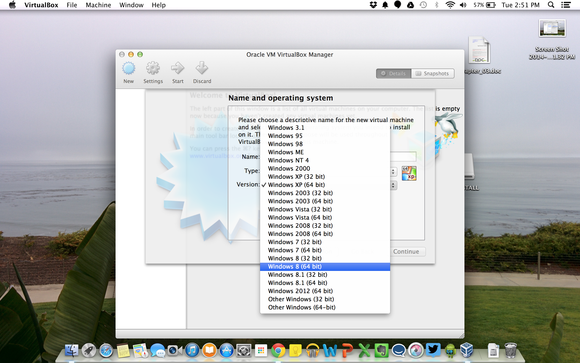
    virtualbox windows selection

    Step 3: Then select Language, edition and the 64 bit architecture for Windows 10.

    Step 4: Save the Windows 10 installer as an ISO file. It is suggested that you avoid using the USB flash drive option.

    Step 5: Save the Windows ISO file on your pen drive and then insert it into the Mac.
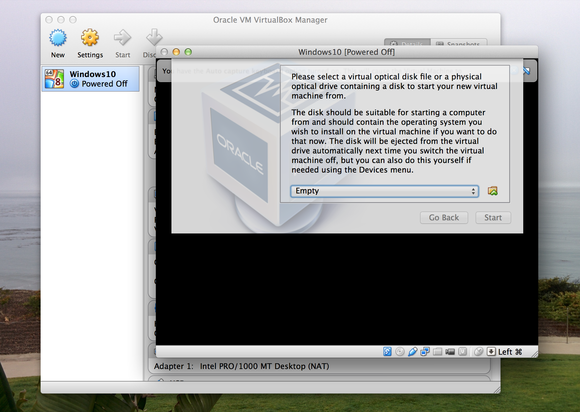
    virtualbox optical disk

    Step 6: With the pen drive still attached to your Mac, run the ‘Boot camp assistant’, which is located in the Applications folder.

    Step 7: After the above procedure is complete, download the latest Windows support software from Apple and try installing windows 7 or a later version.
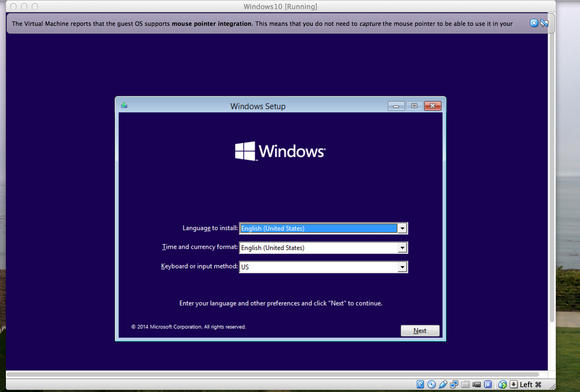
     

    screenshot

    Step 8: If you have copied the Windows ISO on to the desktop then you can automatically locate it, otherwise you will have to click on Choose and look for it. After selecting the pen drive as the install disk, verify everything and Continue.

    Step 9: You will then be asked to choose the size of the partition required for Windows usage; use the slider to select the size. You will need 20GB of space to install the software. Then click Install.

    Step 10: The Mac should boot up from the flash drive automatically and start the Windows set up process. However, in case the Mac doesn’t automatically boot up, you can restart it and “hold down the Option Key after the Apple startup sound and then choose to boot from the flash drive.”
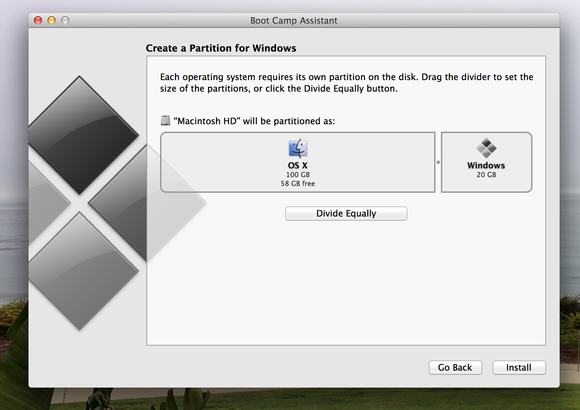
    boot camp partition

    Step 11: After agreeing to the installation term and conditions, you may proceed further.

    Step 12: After this, your will be shown all the existing partitions; pick the one marked ‘Bootcamp’ and click on Format.

    Step 13: Confirm Windows setup
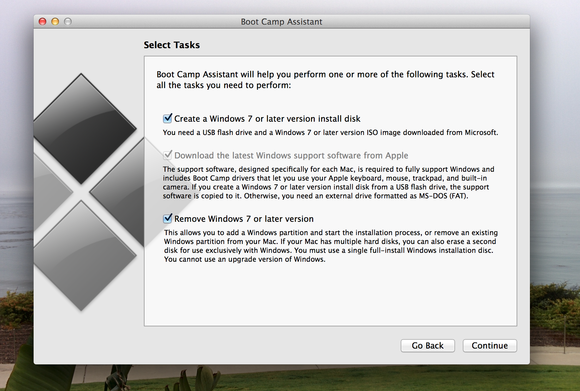
    boot camp launch

    Step 14: Windows Setup will complete the rest of the process for you, after which your mac should start back up with Windows 10. The process for creating a Windows user account will be the same as in all other Windows computers.

    Step 15: You will be greeted with a Boot Camp installation message, click on Next and follow up on the rest, reboot your computer. And Voila.

    This entire process will now allow you to have both the Mac OS and Windows 10 running on the same machine. However, you can only run one at a time. You can also manually select which operating system to run – hold down the Option key after the Apple startup sound and use the left and right keys to select which one you want to run.
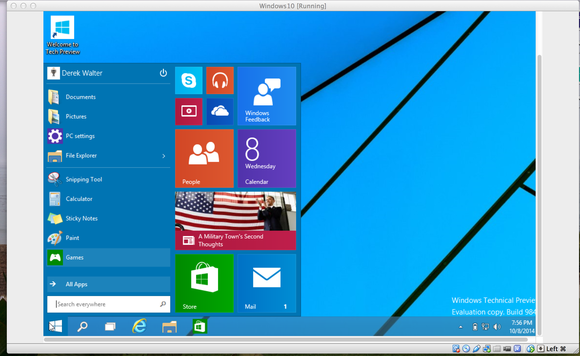
    windows 10 mac start menu

    One can also permanently remove Windows by booting into the Mac OS and running the Boot Camp Assistant again.

    Clearly, this is a long process, and takes up time, energy, and your peace of mind. However, having both of the most efficient operating systems on your device and being able to choose which one you want, seems to be worth the trouble.

    For more information : [tw-button size=”medium” background=”#07ABE2″ color=”” target=”_blank” link=”http://www.cnet.com/how-to/how-to-install-windows-10-on-a-mac/”]Cnet[/tw-button]

    [tw-button size=”medium” background=”#07ABE2″ color=”” target=”_blank” link=”http://www.pcworld.com/article/2824227/how-to-install-the-windows-10-technical-preview-on-a-mac.html”]PC World[/tw-button]
  • Apple Wants to Create New Mobile Products for the Android Ecosystem

    Apple Wants to Create New Mobile Products for the Android Ecosystem

    After announcing the release of Apple Music for Android, Apple has gone even further by posting a job listing, looking for a software engineers to create products for Android users.

    apple music

    This new position is reportedly not for the Apple Music but for new mobile products that Apple plans to launch for Android users. Some of the speculated apps that might be in for this project are – the iWork, iCloud, iMessage, Safari, iTunes etc. It is said that releasing iCloud on Android would give users another option to access their files.

    android-logo

    However, it seems like Apple’s iOS is finally facing the Android challenge head-on by expanding its accessibility, especially after reports have shown them losing numbers in  markets in USA and China. No further information is available on what these new mobile products are going to be.

    Source: [tw-button size=”medium” background=”#07ABE2″ color=”” target=”_blank” link=”http://9to5mac.com/2015/08/05/apple-job-listing-android-apps/”]9to5[/tw-button]
  • Sales Numbers of iOS Devices Make Us Question the Requirement of PCs

    Sales Numbers of iOS Devices Make Us Question the Requirement of PCs

    We have more proof that history repeats itself – after Android phone sales surpassed those of Windows computers in 2012, an analyst has estimated that the same thing will  happen again, this time, it will be iOS devices instead of Android. As ZDNet reports it, an analyst has tweeted a trailing 12-month chart of iOS and PC sales using data from various companies.

    https://twitter.com/BenedictEvans/status/623668376280395776

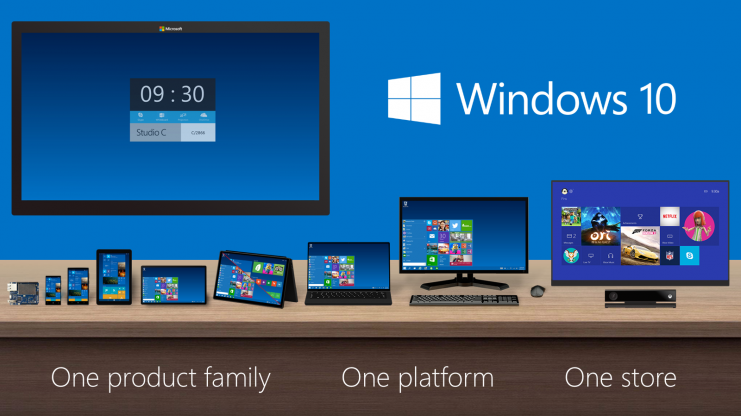
    If you look at the graph closely, you will see that while PC sales increased post June 2009, right when Microsoft introduced Windows 7 and experienced a sharp decline post June 2012, when Microsoft introduced Windows 8, a well-intentioned but misfired attempt for cross platform OS. At the same time, Apple introduced iPhone 4S, which set a precedent for future iPhone designs and was a notable improvement over iPhone 3GS. Not to forget, iOS 5 achieved what Microsoft tried to – cross platform OS for the iPad, iPhone and iPod.

    Windows_Product_Family_9-30-Event-741x416

    Moreover, over the years, developers and manufacturers have made phones and tablets suitable for tasks that required PCs. For example, you can now create and edit a PowerPoint Presentation on your phone, a task which required a PC in earlier times. Apps like Instagram and Pixlr allow users to edit their photos at a basic level, WordPress’ app allows you to manage your blog on the go and more such apps have made it possible to ditch the PC for basic tasks. Still, the PC won’t be extinct right away, as there is still some use for it.

    Microsoft still has a chance to beat Apple at its cross-platform game, when it rolls out Windows 10 next week. It seems Microsoft has learned from its mistakes; Windows 8 and Windows 8.1 and can hopefully regain its position as the leader of the PC market.

    Source: [tw-button size=”small” background=”” color=”” target=”_blank” link=”http://www.zdnet.com/article/hello-post-pc-world-ios-devices-sales-now-match-those-of-windows-computers/”]ZDNet[/tw-button]
  • 5 Apps That Will Allow You to Exchange Files Between iOS and Android

    5 Apps That Will Allow You to Exchange Files Between iOS and Android

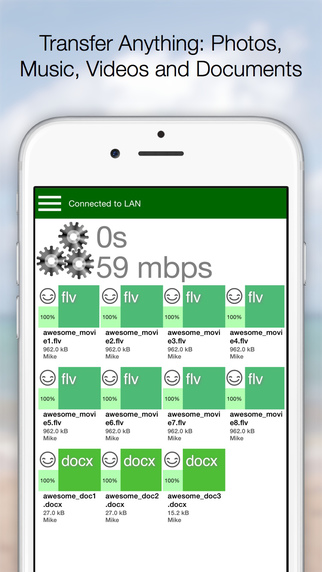
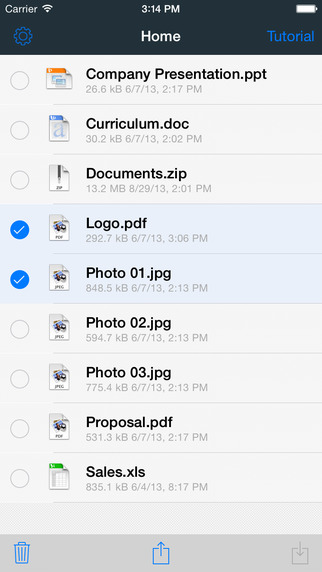
    Thanks to apps like WhatsApp and Hike, sharing images, music and videos between iOS and Android devices has become easy. Still, there are some files that cannot be sent over through WhatsApp and even if we e-mail the files, the large size of the file will eat most of the internet data. There are some apps which will allow you to send files between Android and iOS devices without any hassles:

    1. Instashare:

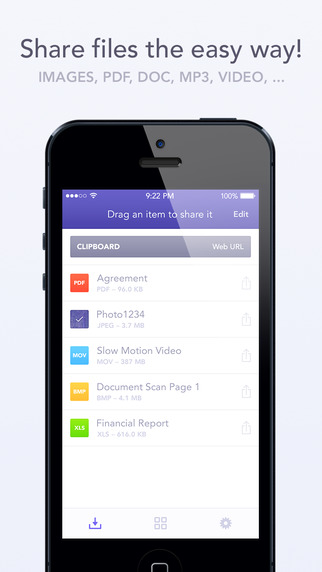
    instashare

    The Instashare app works on a simple principle- drag and drop the file onto your nearby contacts list and the app takes care of the rest. It works on the same principle of Apple’s AirDrop. Instashare supports all types of file formats and works easily on both Android and iOS.

    2. Fast File Transfer:

    file fast transfer

    The app, available for Android users, creates a local Wi-fi network and allows iOS devices to log into them. The user can then send large files over small distances through the local Wi-Fi network created. The network is unique to the Android device and allows the iOS device to log into it. It’s faster than Bluetooth and easy to use.

    3. Feem:

    feem

    Feem works just like Fast File Transfer, sending files over locally created wi-fi networks. The app has to be installed in both iOS and Android devices, though. Once the users enter their partner’s username, they can easily exchange the files.

    4. Sharable:

    sharable

    Sharable works just like Instashare, except it’s completely free, without any advertisements and restrictions on file size. The device connects users through their device’s local wi-fi.

    5. File Transfer For iOS / Android:

    file transfer for iOS

    File Transfer for iOS, along with the companion app File Transfer for Android, allows users to transfer files between their different devices. It uses Bluetooth when possible, making the process of sending files through Wi-Fi, unnecessary. The software automatically detects nearby devices.

  • New Beta Version of iOS 9 Includes Apple News and Lots of New Features

    New Beta Version of iOS 9 Includes Apple News and Lots of New Features

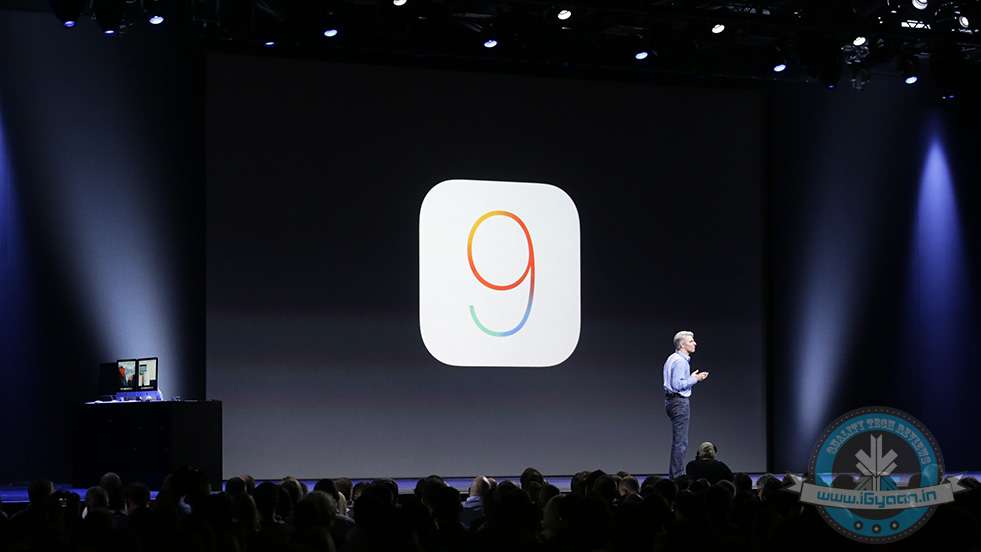
    Apple has released a new beta version of iOS 9 to app developers, with several new features and changes being introduced. The beta version has been released to registered developers and is available for iPhone, iPad and iPod touch.

    ios 9 news 4
    Apple News

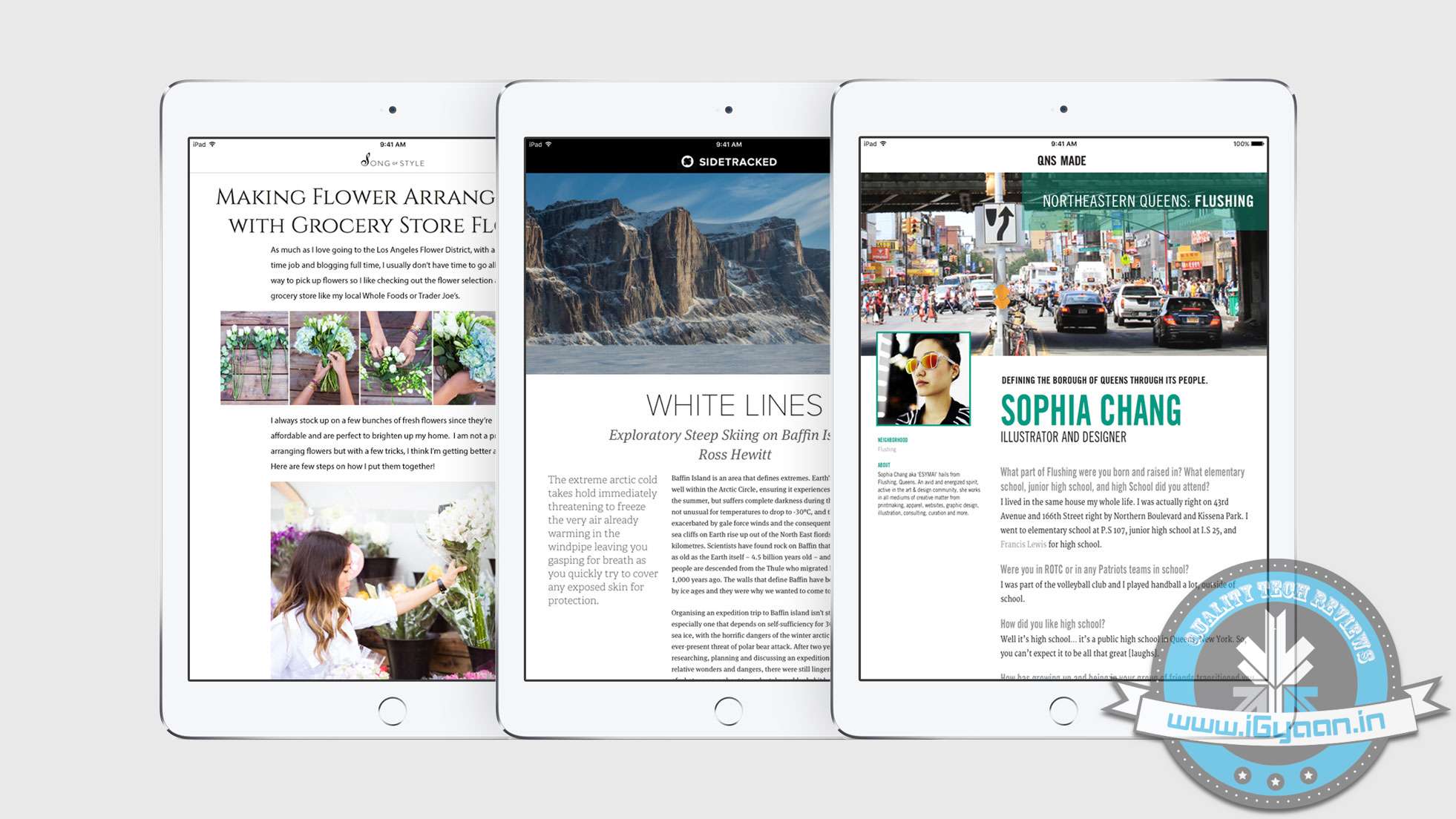
    Most notable features of the new iOS beta version include Apple News and a separate folder for screenshots and selfies. Apple News is a Flipboard like app that curates news from different publications like The New York Times and Entertainment Weekly. The feed will show news according to your liking and allows you to save and share an article you like. For now, Apple News will include content from The New York Times, CNN, ESPN, The Atlantic, and Slate.

    By segregating the selfies and screenshots folder, Apple has made it easier for users to organize and share the images. Under the current version, all photos clicked (screenshots, selfies, pictures) are stored in a single folder. Users prefer to send a screenshot rather than describe in a text. By separating images, it becomes easier to scroll through folders than a single folder.

    iOS 9 beta also includes a new 4×4 grid layout for folders in iPads, a new calendar icon and even Siri gets an improvement – Apple has dropped the famous ‘ding’ activation sound.

    Apple announced the latest version of iOS WWDC last month. The new software will be available to  iPhone and iPad users in September.

    The third beta version of iOS 9 is currently available to registered developers only and will be made available to public later this month.

    Source: [tw-button size=”small” background=”” color=”” target=”_blank” link=”http://9to5mac.com/2015/07/08/ios-9-beta-3-apple-music/”]9to5Mac[/tw-button]
    Additional Inputs from : [tw-button size=”small” background=”” color=”” target=”_blank” link=”http://www.bgr.in/news/apple-ios-9-3-brings-separate-folders-for-selfies-and-screenshots/”]BGR[/tw-button]
  • Google Updates Hangouts for iOS Users

    Google Updates Hangouts for iOS Users

    Good news for iOS users who still use Hangouts. In a blog post, the company announced “Hangouts 4.0”, an improved version of the messaging app for iOS. The new update includes bugs and performance fixes and a new design.

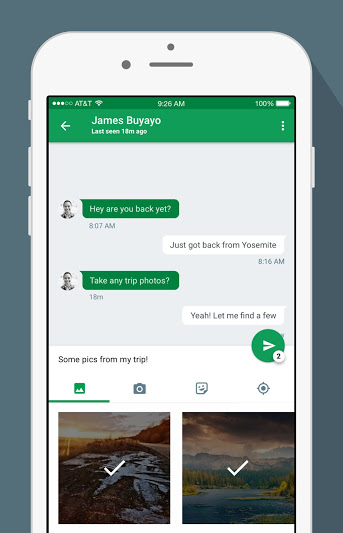
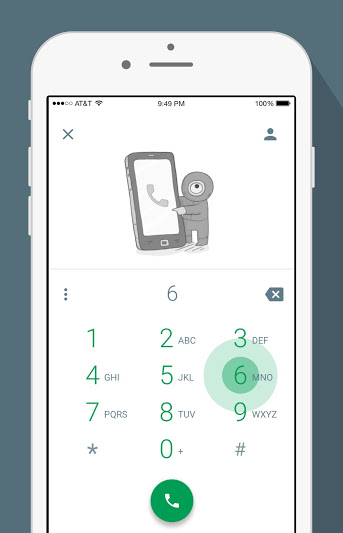
    The most notable improvement in the new Hangouts is the easier access to send photos and stickers. In the previous versions, the option was hidden behind a paperclip button. In the new version, the attachment options are now located on a strip below the text entry field.

    Hangouts_iOS_Share_Photos

    The strip makes it easier to select photographs and stickers without exiting the chat window. The camera button will open a mini viewfinder below the text field. The new version features a Quick Compose button that finds the most frequent contacts and starts a new conversation. The dialler gets a new user interface as the standard buttons have been replaced by green floating action buttons – circular buttons that lift and display an ink reaction on a press.

    Hangouts_iOS_Dailer

    The update also includes many bugs fixes and performance improvements. Hangouts 4.0 is currently available on the App Store. Google will soon announce the Android update for Hangouts.

  • iOS 9’s ‘Low Power Mode’ to Reduce iPhone’s Performance by 40%

    iOS 9’s ‘Low Power Mode’ to Reduce iPhone’s Performance by 40%

    While iPhone users have a lot to boast about, battery life of their smartphones is not something that is easily discussed. Apple acknowledged the problem, and at WWDC this year, it was one of the most important issues addressed. At the event, we learned that iOS 9 would feature a “low power mode” that would extend the battery life upto three hours. The mode will allow for devices to reduce power consumption and restrict to only phone call capability.

    Now, a new report has revealed that the mode will reduce the performance of the iPhone in exchange for improving the battery life.

    The guys at MacRumors ran a benchmark test on iPhone 6 Plus and iPhone 5s to test the device’s processor power. They discovered that the single and multi-core scores for the processors dropped by 40% when iOS 9’s “Low Power Mode” was turned on.

    When turned on, the mode reduces the CPU speed, which results in the shutting down of background activities like mail fetch, background app refresh, motion effects and brightness. Nothing has been mentioned about activities such as browsing web, making calls after iOS 9 activates the energy saving mode.

    Source : [tw-button size=”medium” background=”#07ABE2″ color=”” target=”_blank” link=”http://www.macrumors.com/2015/06/25/ios-9-low-power-mode-benchmarks/”]MacRumors [/tw-button]
  • 6 Announcements Apple Could Make at the Developers’ Conference Tonight

    6 Announcements Apple Could Make at the Developers’ Conference Tonight

    Since the beginning, Apple’s annual Worldwide Developers Conference (WWDC) has been an epicentre of new-fangled and breakthrough technological advancements. The California-based tech giant discloses its latest software and hardware at the grand conference, and this year will be no different. Apple is expected to introduce a revamped operating software for iPhone, iPad, and Mac, along with some revised and brand new tools like Proactive, Beats Music, and so on.

    The WWDC 2015 will kick off on June 8 and will continue for five days. Here is a list of announcements Apple could make at the annual developers conference:

    1. iOS 9 Bringing Support to Older Phones

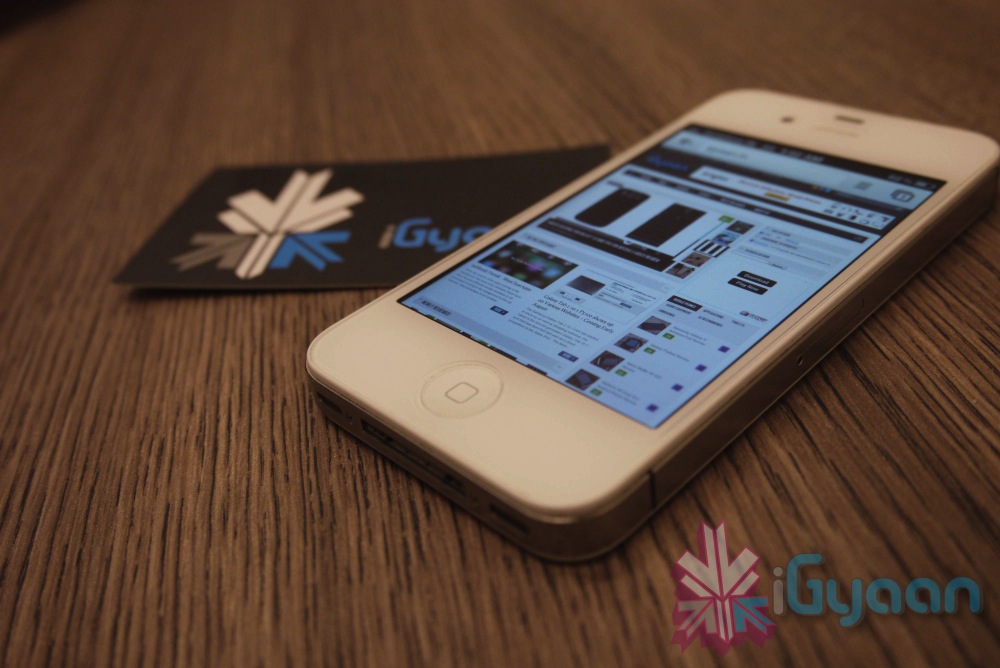
    iPhone 4s 0

    Definitely, an upgraded mobile operating system will be introduced in the upcoming event, but it won’t be a major overhaul as the previous versions, iOS 7 or iOS 8. It is learnt that iOS 9 would be a much more stable version, compatible with even older devices like iPhone 4s and iPad Mini. Instead of being loaded with all the bells and whistles, the new version will iron out current bugs and lags.

    Apple Maps would be a major fix with iOS 9. The renovated tool will be a complete guide to travel by subways, trains and bus routes.

    2. OS X 10.11 Would be Security-Centric

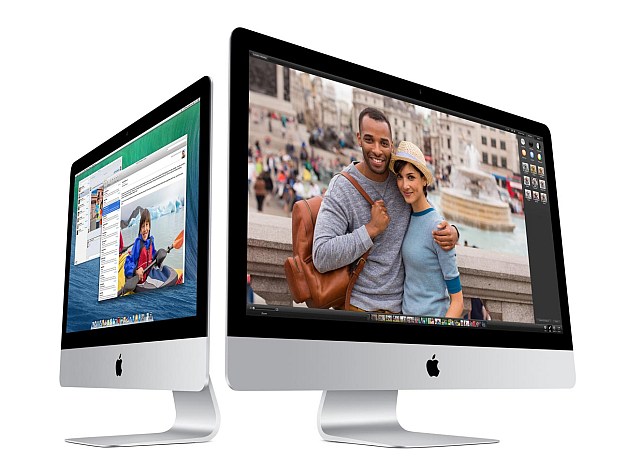
    apple_imac_screenshot_official_website

    A refreshed version of OS X is anticipated to unveil on Monday. The newest upgrade OS X 10.11 will have a page from the design language of the Apple Watch that will supplement new a typeface to Mac’s operating system. It will reportedly have a Control Centre Panel popping up from the left side of the screen, probably like the Start Menu on Windows.

    OS X 10.11 will be focused majorly on quality, small-sized apps, and a new security system called ‘Rootless’. It is said to be a kernel-level feature to prevent malware and secure sensitive files, blocking access to even administration-level users. The security measure is considered to be a major blow to the jailbreak community.

    Rootless security and an Apple Watch typeface will be included on iOS 9 as well.

    3. New Digital Voice Assistant ‘Proactive’

    siri-ios-7

    Apple is aiming to take on Google Now with an improved version of Siri – codenamed ‘Proactive’. Unlike Google Now, users don’t even need to ask Proactive and it will keep you informed with required information throughout the day. Proactive will work integrating with apps like Siri, Spotlight, Maps, Calendar and more.

    4. Revamped Music Streaming Service

    180661-beatsmusictitle

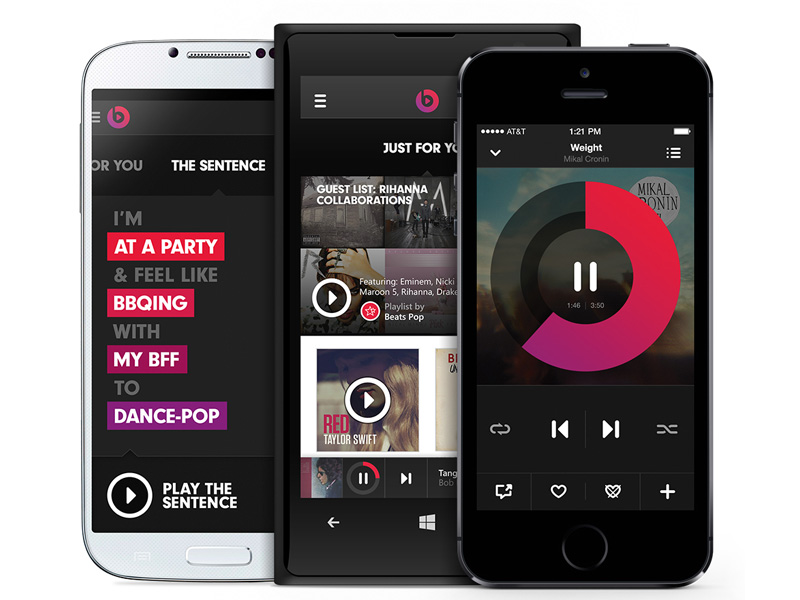
    Apple is expected to enter the music streaming ring with the much-awaited Beats Music service. Last year, Apple perplexed the tech industry with the buy out of Beats for $3 billion, but soon the picture began to take shape. It won’t be like other free music streaming services like Spotify and Pandora that offer unlimited tracks without any charge, and is estimated to charge $9.99/month for individuals and $14.99/month for the family plan.

    5. Apple Pay to Enter More Countries

    20141020_apple-pay_0073-640x426

    Apple Pay was a huge success in the US. The mobile payment system will reportedly make way to the new markets like India, China, Europe, Africa and many more. Besides this, a new reward programme is said to debut for the payment service.

    6. Brand New Live TV Service

    hbo now

    It’s confirmed that Apple is not ready to introduce a new version of Apple TV in the developers’ conference. But the segment won’t be untouched. The company plans to unveil ‘live TV’ services that would have almost 25 channels, according to Wall Street Journal. Apple is in negotiations with broadcasters to provide streaming rights for the local broadcast stations across different markets. The service will cost $15/month.

    Stay tuned tonight at 10.30PM IST, iGyaan will be covering the event live.

  • Microsoft Launches Office Preview Apps for Android Phones

    Microsoft Launches Office Preview Apps for Android Phones

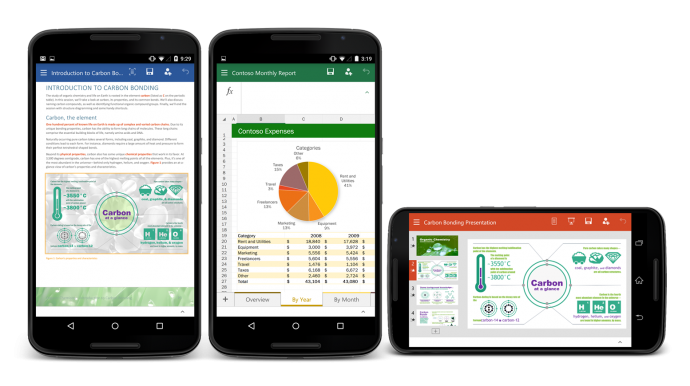
    Android phones were the only devices that were left for Office apps. Following the roll out of Office preview apps for iPhone, Windows Phone and Android tablets, Microsoft has today launched Word, Excel and Powerpoint apps for Android devices. This release will only see the beta, or preview version available. Microsoft said in its statement:

    The Office for Android phone apps are modern, optimised for touch and designed to work on the go.

    Users will be able to create, open, save files from their Android devices and access them through services like OneDrive, SharePoint, Dropbox and Google Drive. Collaboration within a group project will become easier as Office for Android allows users to track changes, comment and markup documents. These apps are optimised for touch and smaller screens, with the Menu button at the bottom of the screen instead of the top for user-friendly thumb use.

    To download the apps, users will have to join the Office for Android community on Google+. Once users have joined, they will receive links for downloading each app separately, for Word, Excel and Powerpoint. But be warned, users will not be able to access these links unless they are approved. Microsoft also recommends a device with at least 1GB of RAM and Android 4.4 or later versions.

  • In-built Data Saving Feature on Your Phone’s Browser is Just a Few Clicks Away

    In-built Data Saving Feature on Your Phone’s Browser is Just a Few Clicks Away

    Your smartphone is concealing a secret tool under the hood that can save the browsing data to a large extent. The feature is already available for the desktop version of Chrome as an extension called Data Saver (Beta). The nifty data saving feature in the Setting menu of Chrome compresses the pages and allows quick access to websites.

    With this feature on, Chrome uses Google servers to compress pages you visit before downloading them. Users can make extended use of their internet data pack by spending the same amount. The feature is available on Android and iOS both. Here’s how you can activate it:

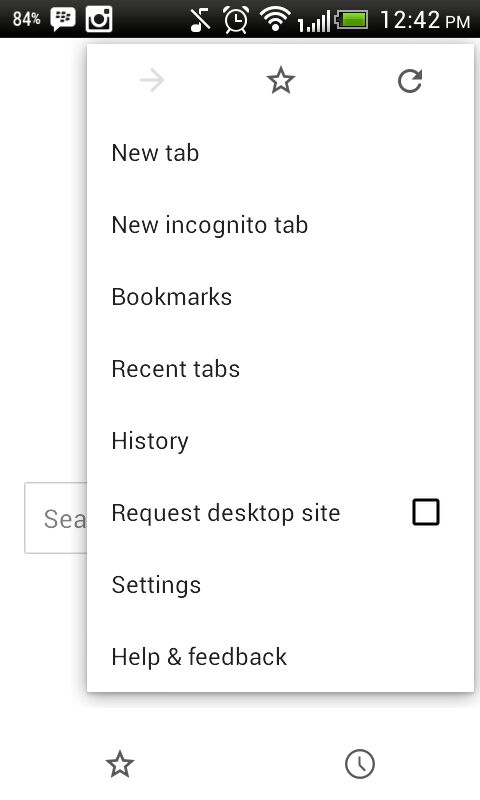
    1. Go to your Chrome Web Browser and tap on the left touch-sensitive button.

    AuKyO7zHU-nDtesUdLqBzwIGMUgE6p6DHfVWAG3J767c

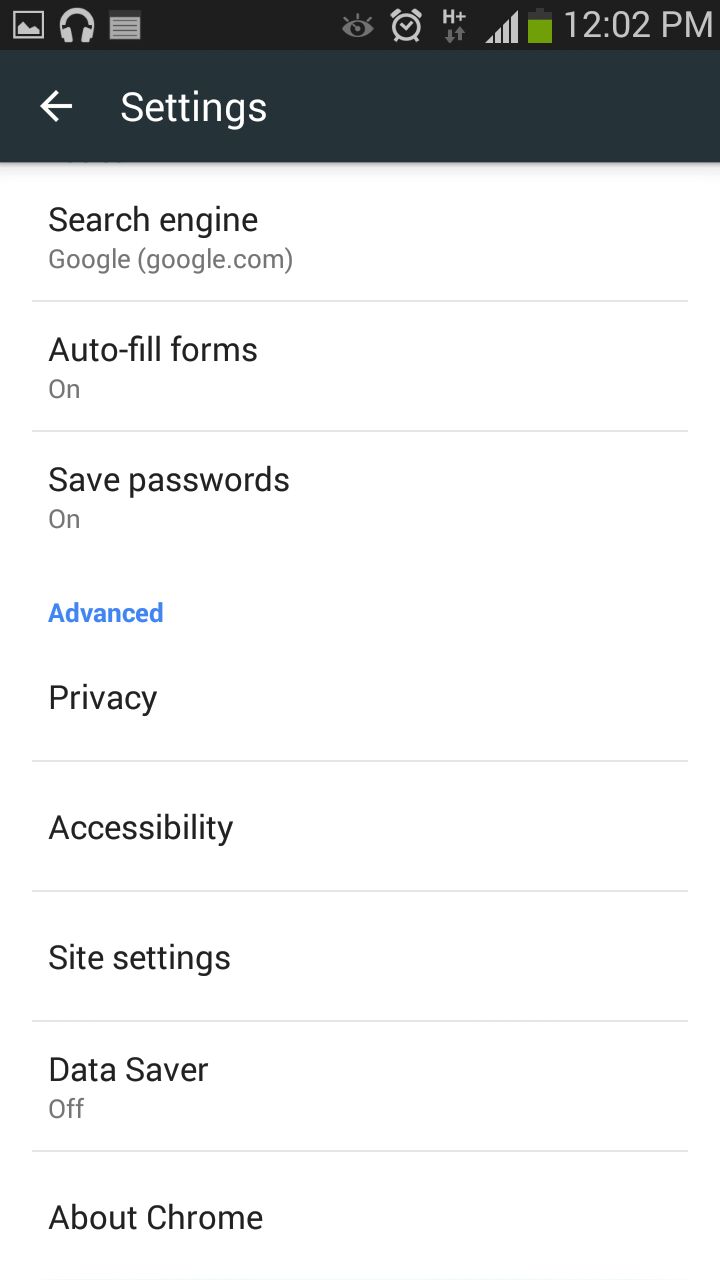
    2. Tap on Settings and you will see a few options under Basic and Advanced category.

    AuerDxhLESTj1OCvKse7RtjETAg5_ExGvvjOrodX_TIP

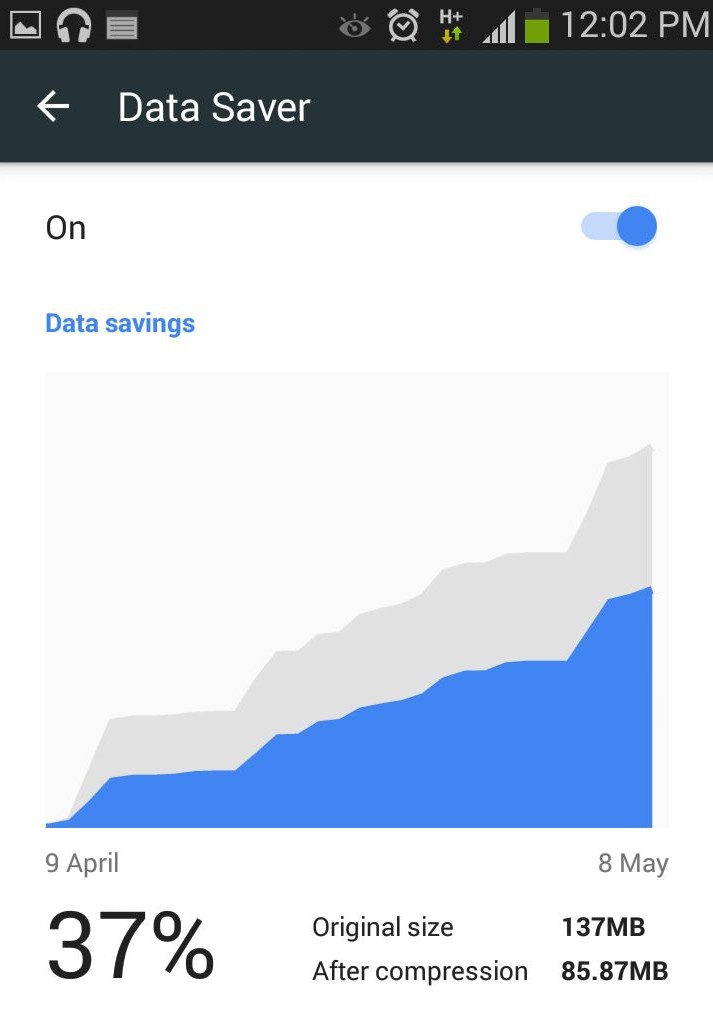
    3. In the Advanced section, search for Data Saver and turn it on.

    ApmTaNI2dmNYkhPMZwE1otyzzioxft6ejw0tGx42Zjhi

    Chrome will now start compressing pages for you to load it fast and will also save the data.

iGyaan Network
Privacy Overview

This website uses cookies so that we can provide you with the best user experience possible. Cookie information is stored in your browser and performs functions such as recognising you when you return to our website and helping our team to understand which sections of the website you find most interesting and useful.