Author: Parul Ritvik Sood

  • Upcoming Moto X+1 May Have 4K Video Recording Capability

    Upcoming Moto X+1 May Have 4K Video Recording Capability

    There is a flood of rumors about the new Moto X+1. Most recently, the famous phone leaker @Evleaks has released the first press render of the smartphone covered in a case. TKTechNews has also leaked a couple of videos showing the smartphone in action.

    Other than announcing the possibility of a device, Motorola has remained tight-lipped about the upcoming model. Even without the company’s help, Moto X+1 is turning out to one of the worst kept tech secrets.
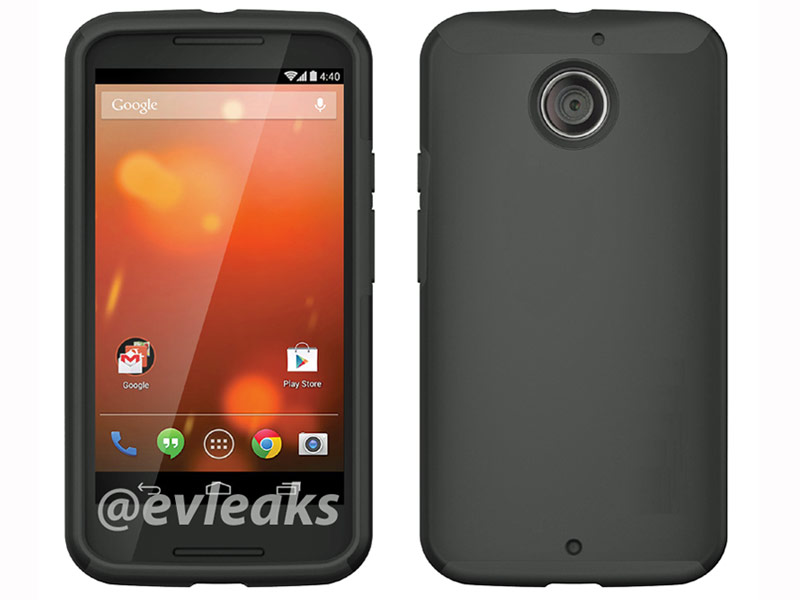
    motorola-moto-x1

    The leaked press render shows a device that is very plain and covered by a protective case. However, there are a couple of inconsistencies that have raised questions over the accountability of the photo. The leak illustrates that the notification bar on the home screen is opaque and translucent as per KitKat’s design. Some odd points noted are the lack of a flash alongside the rear camera and the absence of the front camera.

    Here is the leaked video that features Moto X+1 by TKTechNews:

    From the above video, one can see that the smartphone records crisp, detailed footage. It can quickly auto-focus during constant movement and even zoom in and out without losing pace with the movements.

    This video also shows us that the smartphone may have 4K video recording abilities, apart from the standard 1080p format. Overall, this video offers hope that the Moto X+1 will provide a solid imaging experience. Last week, the same YouTube channel posted a video of  a similar handset wrapped in plastic, which is allegedly the Moto X+1.

    It is said that Moto X+1 may have a 5.2inch display, and 1,080 x 1,920 pixel resolution. Furthermore, rumors illustrate that the phone will include a Snapdragon 800 processor, 2GB of RAM and 16/32 GB of internet storage.

  • Google Announces its Domain Registration Service

    Google Announces its Domain Registration Service

    Google has become an umbrella brand that touches our lives more than anything else we use daily. Adding to its long list of utility offerings, Google will soon launch its own web domain registration service.

    The company recently announced a beta service called Google Domains, which marks the beginning of its full-fledged domain registration business.

    Capture
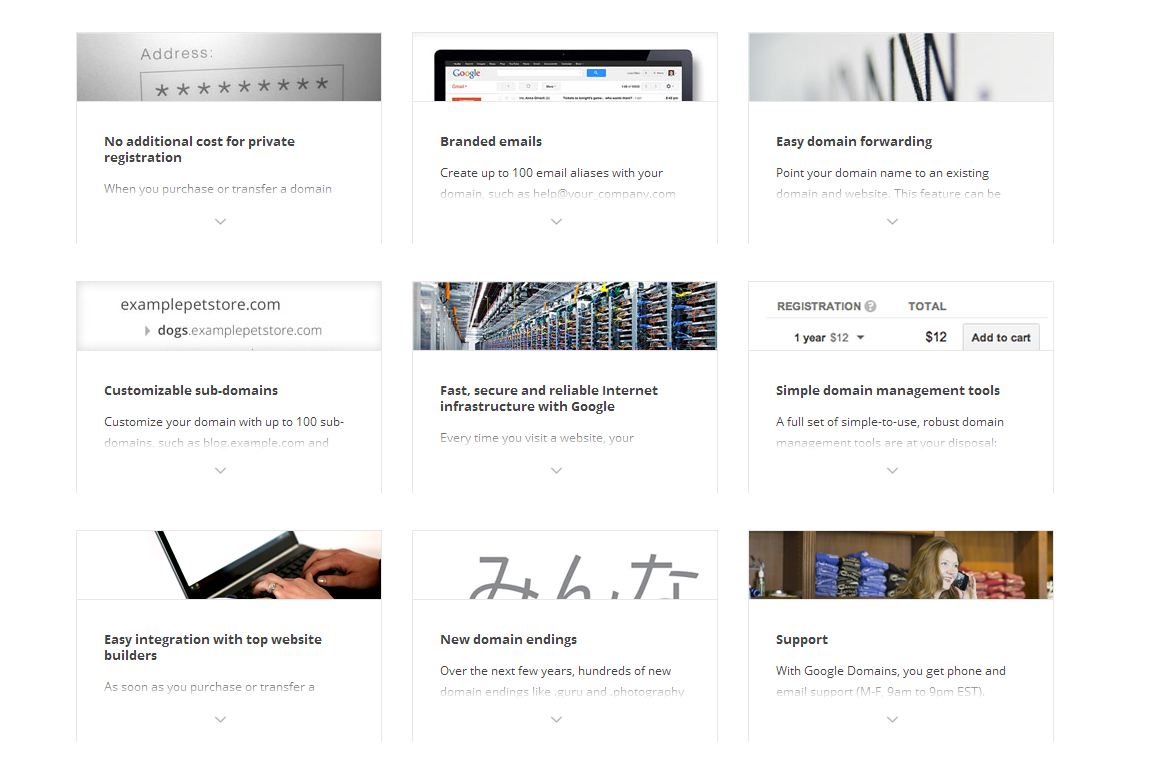
    For now, the service is invite-only, but it looks like it will provide a bevy of features typically found on registrars such as GoDaddy, Namecheap and Hover. According to the company, the service will help users search, find, purchase and transfer domains – whether it’s .com, .biz, .org, or any other new domains that are released to the Web.

    Google Domains will provide free private registrations, 10 million resolutions per year on Google’s DNS servers, branded email that forwards to an existing mail account and domain forwarding. Google says it will support a variety of different gTLDs (generic top level domains), including offerings such as .photography and .guru that are said to be rolling out over the next few months.
    The move represents competition for GoDaddy, the world’s largest domain name registrar with over 57 million domains under its management. The registrar has privacy protection starting from US$7.99 per domain and email services from $4.99 a month.

    feature page

    Google’s plan for the service includes:

    • $12 domain registrations
    • No extra cost for private registrations
    • Email aliases
    • Customizable sub-domains
    • Domain management tools

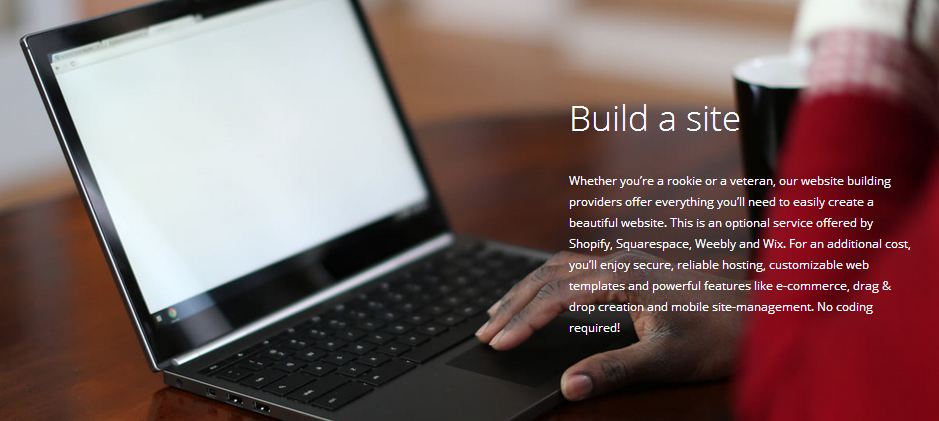
    While the service will provide us with the ability to buy customized URLs, Google won’t provide the actual site hosting. Partners such as Wix, Weebly, Shopify, and Squarespace will provide hosting and website building services to registrants.

    It seems like the right move for a company that makes the majority of its money through search. This would help them get more businesses online. Considering the fact that Google also provides tools for analytics and cloud storage, it seems like a domain registration service will fit right in.

  • The Best 4 Websites to Showcase Your Creative Talent

    The Best 4 Websites to Showcase Your Creative Talent

    If you are a serious artist, you may have a website for your artwork, but how much traffic are you really able to grab online? In my opinion, it is not a great option until to you are modern day Picasso. Furthermore, coding a website is tricky and time-consuming. You’d rather use those hours to concentrate on your work.

    The best option is to sign up to one of these ready-made websites that provide you a platform to showcase your artwork. These websites charge you little or nothing and some of them even allow you to sell it to a global audience. Moreover, you get to interact with an enormous community of worldwide artists and get their feedback. Here is a list of our favorite four:

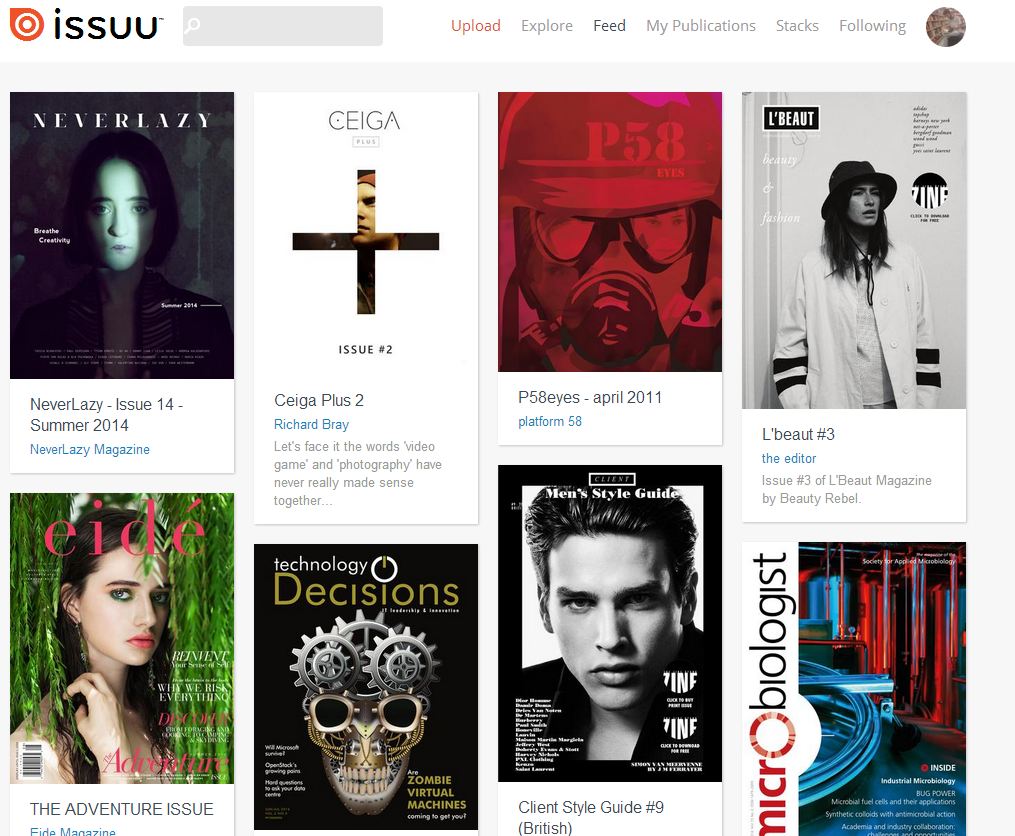
    1. ISSUU

    issuu

    If you are into writing articles, this the best website you can go to. Issuu is the fastest growing digital publishing platform in the world. It is a community of millions of avid readers who use this website to read the free publications created by enthusiastic young writers from all over the globe. They cover a top of topics:  fashion, lifestyle, art, sports and global affairs are just a few of them. You can publish anything that you want for free. The website also provides you with the option of a premium account where you can customize your magazine layout.

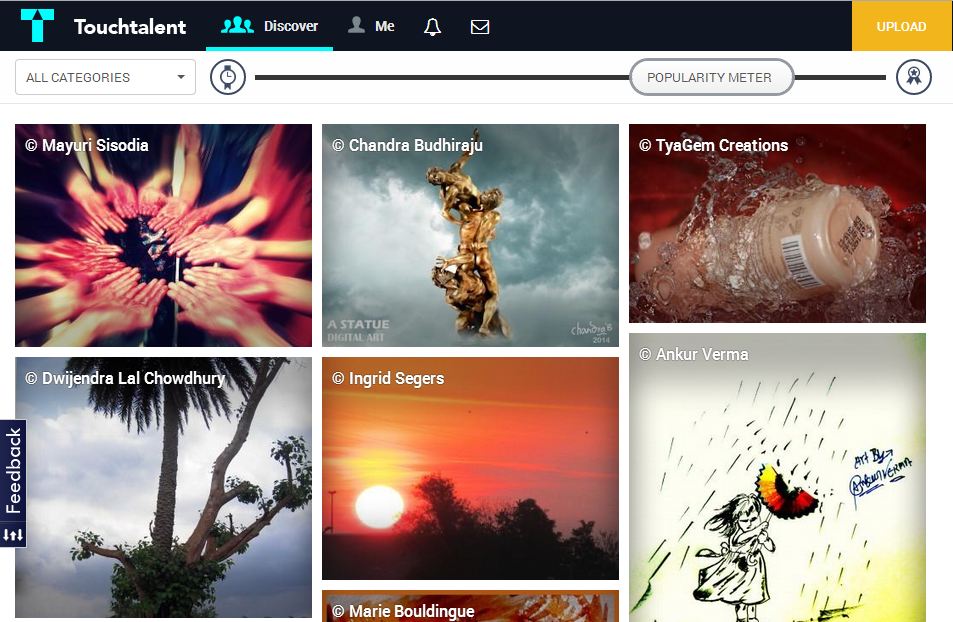
    2. Touchtalent

    touch

    Touchtalent is a community of art lovers, art buyers and artists. Touchtalent is the perfect if you are a painter or a poet. They provide you with an interactive interface and an option of creating a digital portfolio. You also can get connecting with art lovers and buyers to sell your artwork. It is heavily based on the social media, and you can share your artworks in different social networking websites very easily through Twitter, Tumblr, Facebook, etc.You can also use their Go-pro option for $60 a year. It provides you extra perks like unlimited uploads and personal messaging.

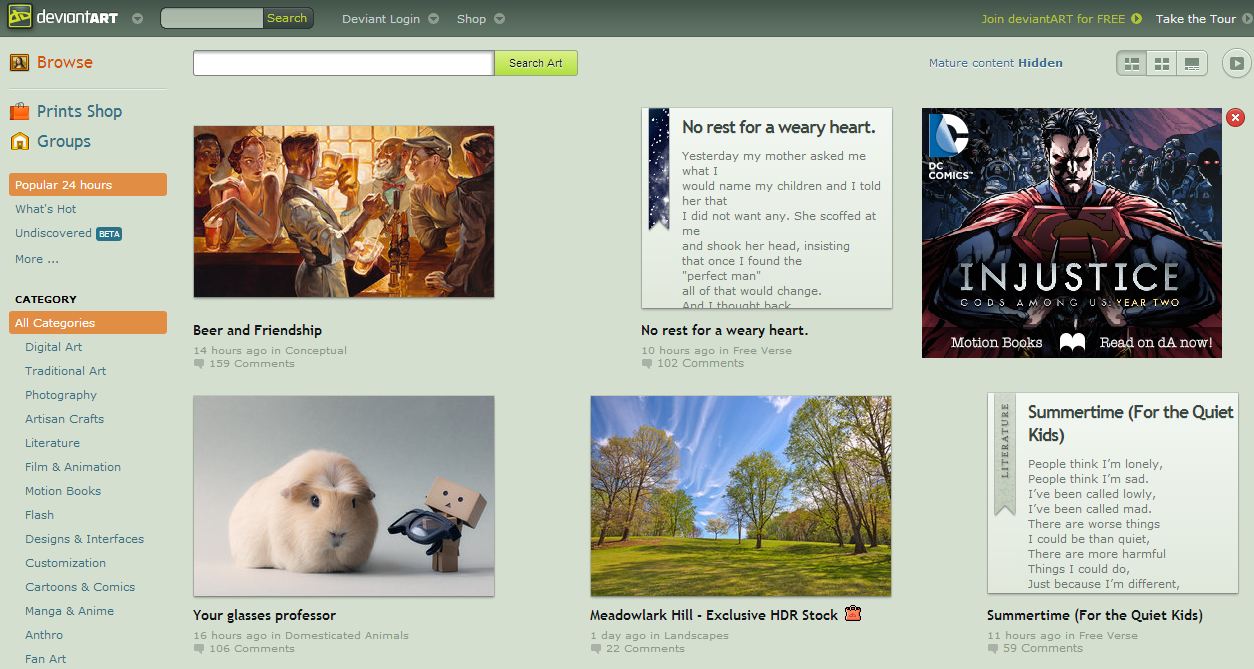
    3. deviantART

    deviantart

    devianART is probably the most famous websites on this list. It is an online community showcasing various forms of user-made artwork. DeviantArt aims to provide a platform for any artist to exhibit and discuss pieces of work. The Works of artists are organized in a comprehensive category structure, including photography, digital art, traditional art, literature, etc. deviantART is totally free and enables you to build a strong fanbase. It also has a section called deviantART shop where you can sell your work.

    4.Behance

    behance

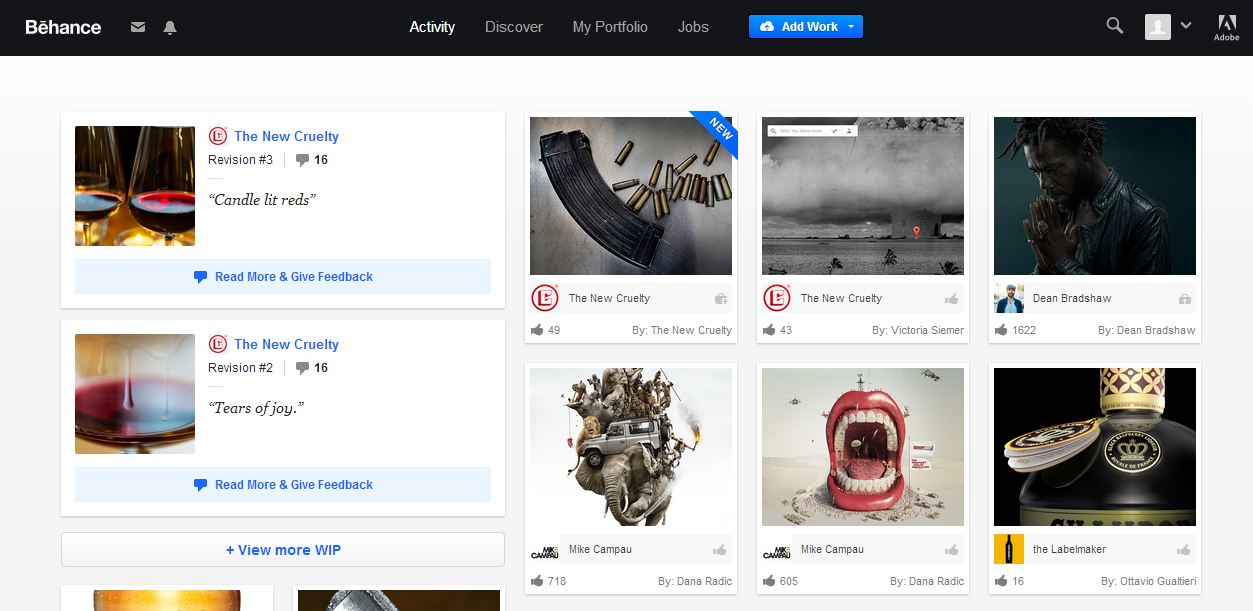
    Behance is a leading online platform to showcase and discover creative work. Introduced by Adobe in 2006 this website provides you with a platform to update your creative work in one place and broadcast it widely and efficiently. Through which companies explore the work and access talent on a global scale. Their Motto is: To empower the creative world to make ideas happen.

  • What to Expect From the New BlackBerry Z3

    What to Expect From the New BlackBerry Z3

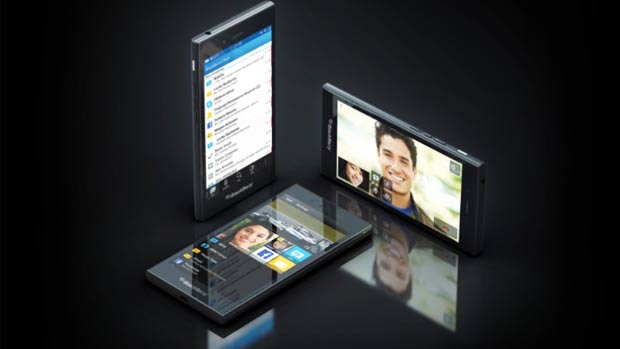
    They haven’t announced it officially, but rumor has it that Blackberry Z3 will be launched in India tomorrow. Invites to a special event have been sent out to the Indian press for tomorrow, although they don’t mention any Z3 launch plans. 

    According to reports online, the new phone by BlackBerry was received well at its Indonesian launch a month back. The device has a Qualcomm Snapdragon 400 chipset along with an ARM-based 1.2GHz dual core processor and an Adreno 305 GPU. It is also equipped with 1.5 GB of RAM and a 5-inch 540 x 960 pixel (220ppi) display. 

    BlackBerry’s Z3 is equipped with a 5-megapixel autofocus rear camera and  a 1.1-megapixel fixed-focus front-facing camera. The smartphone includes 8GB of inbuilt storage, expandable up to 32GB via microSD card. Also it fashions a 2500mAh battery, which delivers up to 15.5 hours talk time. It provides  connectivity options through Wi-Fi, Bluetooth, 3G, GPS, NFC and Micro-USB.

    23-06-14-05

    The smartphone comes loaded with some BlackBerry services such as BlackBerry Hub, BBM, Time Shift, Story Maker camera features, and BB10 browser. BlackBerry had announced the Z3 touchscreen smartphone, alongside a Classic model with a keyboard, the Q20, at the sidelines of MWC.

    The device is said to belong to the affordable price segment. According to us, it is quite crucial for the Z3 to have its price set in the budget category, against other budget-focused Android devices. Especially since the popularity of this particular segment has picked up considerable speed recently.

    Its cost is 2,199,000 Indonesian rupiah, which when converted to Indian rupees comes to approximately Rs 11,000. Although we cannot expect that this is the final price of the handset in the country, it would hover around that mark. BlackBerry was once a market leader in India and has recently lost out due to the tough competition. Can this be the company’s attempt at a comeback?

  • The Android War : Gionee S5.5 Vs HTC Desire 816 Vs Sony Xperia M2 Vs Micromax Canvas Gold

    The Android War : Gionee S5.5 Vs HTC Desire 816 Vs Sony Xperia M2 Vs Micromax Canvas Gold

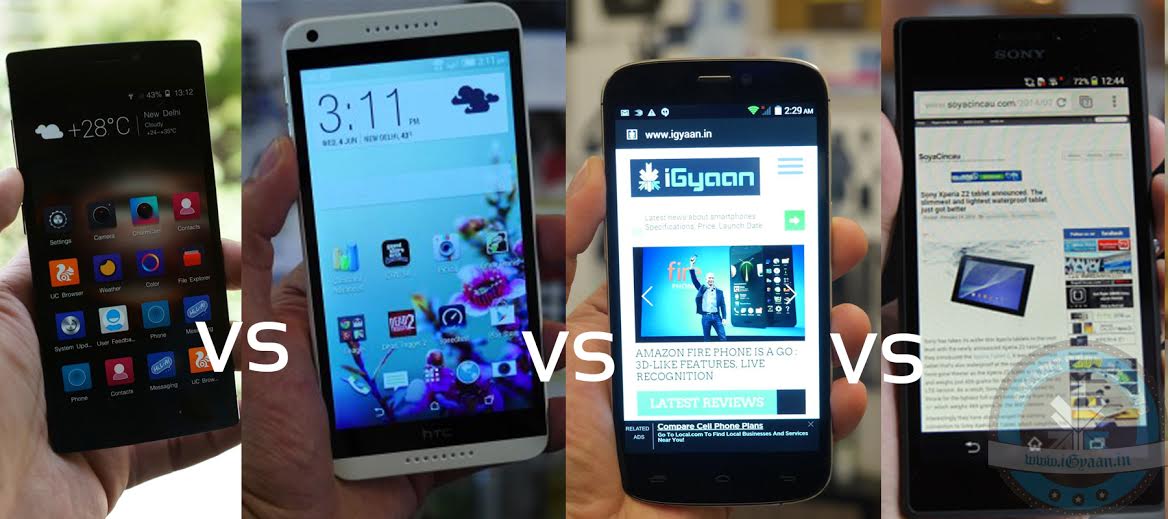
    Android market has come up with some of the best devices this season. The flagship Android segment has always been on war, and these four are in their most bloody mood. HTC Desire 816, Micromax Canvas Gold, Gionee S5.5 and Sony Xperia M2 are the front runner in the INR 20-25,000 category.

    The international brands Sony and HTC have been challenged quite effectively by the domestic contenders Micromax and Gionee.  Let’s have a quick blow by blow of where each phone bests its opponents.

    Phone Gionee S5.5 HTC Desire 816 Sony Xperia M2 Micromax Canvas Gold
    Price Gionee Elife S5.5
    INR 21,500
    HTC Desire 816

    INR 23,990

    Sony Xperia M2 Dual
    INR 19,300

    Micromax-Canvas-Gold-A300-150x150

    INR 21,799


    Operating System Android (4.2) Android (4.4) Android (4.3) Android(4.4.2)
    Display 5 inches
    Screen Type: Super AMOLED Capacitive Touch Screen
    Details: 16M Colors
    Screen: 1920 X 1080
    5.5 inches
    Screen Type: Super LCD2 Capacitive Touch Screen
    Details: 16M Colors
    Screen: 1280 X 720
    4.8 inches
    Screen Type: TFT capacitive touchscreen
    Details: 16M Colors
    Screen: 960 X 540
    5.50 inches
    Screen type Capacitive
    Resolution 1080×1920 pixels
    Camera 13 MPTouch Focus, Face & Smile Detection

    13 MP

    Geo-Tagging, Touch Focus, Face Detection, Simultaneous HD Video and Image Recording, HDR

    8 MP

    Geo-Tagging, Touch Focus, Face and Smile Detection, Image Stabilization, HDR, Panorama

    16 MP

    Architecture, Electronic Image Stabilization, Cheese, Burst, Face Beauty Mode, Live Photo Mode, Auto Gesture Mode, HDR Mode

    CPU 1.7 GHz MediaTek MT6592, Octa-Core 1.6 GHz Qualcomm MSM8928 Snapdragon 400, Cortex-A7, Quad Core 1.2 GHz Qualcomm MSM8226-0 Snapdragon 400, Cortex-A7, Quad Core 2 GHz octa-core MediaTek MT6592T processor
    RAM
    2 GB
    1.5 GB
    1GB 2GB
    Internal Storage 16 GB 8 GB  8 GB 32GB
    Battery 2300 mAh, Non-Removable, Lithium-Ion 2600 mAh, Non-Removable, Lithium-Ion Polymer 2300 mAh, Non-Removable, Lithium-Ion Li-Polymer 2300 mAh, Removable, Lithium-Ion

    All phones are the best their manufactures offer in this price category. Gionee certainly gets an extra point for its ultra slim S5.5, but Desire 816’s build quality steals the show. The new Micromax Gold offers a 16MP camera with a wide range of features it doesn’t have much competition against the 13MP in S5.5 and Desire 816; and the 8MP in Xepria M2. Also, the Micromax Gold champagne-colored body makes it a great looker, with 32 GB of internal storage and 2 GB RAM. In the end, the efficiency of the device is based on the needs of the user.

  • Apple Cuts $200 on its New iMac

    Apple Cuts $200 on its New iMac

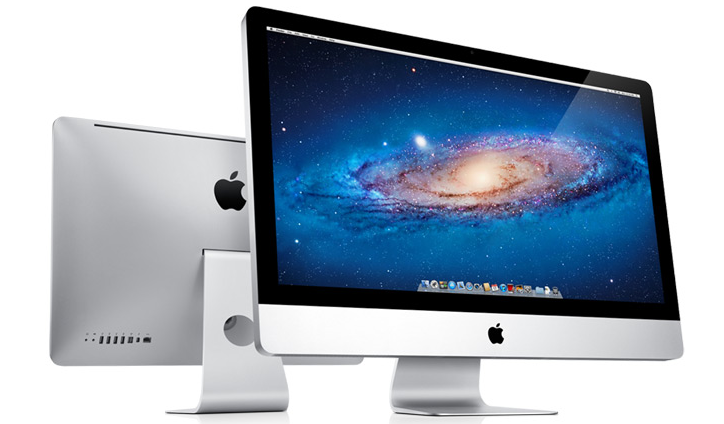
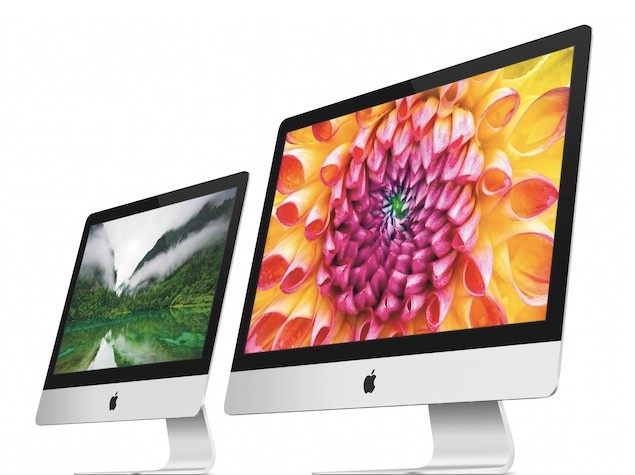
    It came as a surprise, when Apple launched new all-in-one iMac desktop computer.The new variant is slightly lower in price but with some significant changes in it’s build. The new 21.5-inch iMac is as slim as it’s older variants. 

    The $200-cheaper iMac is missing some of the regular iMac specs. The built of the cheaper iMac is 40 percent slower in performance when compared to Apple’s older lower-end desktop computer. It has a dual-core Intel Core i5 processor running at 1.4GHz, 8GB of RAM, and has a 500GB hard drive.

    The new variant provides with non-upgradable 500gb hard drive against older variant’s 1TB  and an Intel integrated GPU compared to high-end Intel graphics card in the old model. It does have the same 21.5-inch, 1080p screen and the same 8 GB of RAM. The RAM of the device is non-upgradable, but the hard drive can be upgraded for a price. A 1 TB drive is available for an extra $50, while $250 will buy either a 256 GB solid-state drive or a 1TB Fusion Drive, which combines a small SSD with a larger hard drive.

    apple_imac

    Apart from these changes, the computer’s internal parts have no major difference compared to the regular iMac. While others see it as a wise move for the iMac-maker to drive sales, the offered iMac 2014 specs are neither perfect for graphic design work, nor for gaming.

    However, the new variant is good enough for casual home computing  and a great option for those who want the Apple quality, design and software but at a lower price. This may ensure Apple’s intent to make its all-in-one desktop more affordable.

    The late release of this cheaper model in the iMac product line stands in contrast with Apple’s usual strategy. The company often lowers the price of existing models as they age in order to continue to attract customers while the next year’s lineup is on the way. In April, Apple upgraded the processors in the MacBook Air, while simultaneously lowering the price by $100.

  • Top 5 Apps That Will Help You Adjust To a New City

    Top 5 Apps That Will Help You Adjust To a New City

    Fresh out of college, moving to a new city and living alone for the first time? Well, it happens to most of us at some point of time in our lives. Moving to a city you are unfamiliar with can be super stressful. You know that the only way you are going to find your way around, stagger across the local hotspots, and make friends is to leave your home and attempt to embrace the city head on. Still, as nervous and excited as you may be, it does not take away the fear of getting lost, being alone, or totally missing out on things because you are not visiting the right places on the best days.

    But, thanks to the modern technology, there are an abundance of apps that will do everything from guide you around the city to help you make dinner reservations or find a park with trails. You may even feel a little less “alone” while exploring when you have an app to reference. And yes, if you have Google Now or Siri, they won’t let you feel alone, at least you will have someone to talk to. We have come up with a list of 5 apps that will help you blend in and enjoy the stay when you relocate in a new city.

    1. HopStop

    7wbswvugub3hruaxzx3zThis app is available for Android, iPhone, iPad, and Mobile Web. It has been named an essential by both “Travel” and “Time” magazine. HopStop gives you door-to-door directions, but unlike most apps that focus on driving directions, this one gives you a lot more. You can get biking, walking, and taxi directions in more than 300 cities. This will be your heartfelt companion while you’re stressed about the change in your life.

    2. BrightNest

    BrightNest_iconWhether you’re moving from your college hostel to your first apartment or you’re just looking for a fresh start, BrightNest has tons of home improvement and organization tips that will impress your guests. This app essentially helps create and maintain a customized to-do list for your home. BrightNest is especially handy for renters who are moving to an entirely new and unfamiliar city.

    3. Around Me

    iconAround me is a GPS-based app that will take your exact location and tell you everything that is close by. This app is a great way to find new restaurants, ATM machines, grocery stores, gas station, or anything for that matter. Especially when you are craving for your favorite donuts from Dunkin’s or M.O.D. It’ll tell you exactly the direction you need to be moving in.

    4. Happy Houred

    best-apps-for-the-iphone-beer-apps-happy-houredWell, how are you going to find out the right places to buy beer on a Friday night, if you don’t have any local friends in the city? Happy Houred does just this. It could take you months to discover which bar has the specials you are interested in on any given day. This app tells you where to find the best shot specials, cheaper brews, half-off pizza, and so much more. Happy Houred has listings for more than 22,000 cities and continuously adding on the list.

    5. Fan Finder

    588622_largerIt is the easiest way to make friends. Football season is going on, and we all want to cheer for our favorite team. The trick is figuring out exactly where you should do this. FanFinder from the iTunes store locates US sports bars where fans of your favorite team are watching the big game. It covers almost all, it has special sections for NHL, NFL, MLB, NBA, football and basketball.

  • 5 Vintage Tech Ads That Will Make You ROFL

    5 Vintage Tech Ads That Will Make You ROFL

    We frequently go back to quoting the relatable posts from ‘when we were a 90’s kid’. The times were simple and in the absence of screens we actually went out in the sun to interact with the real 3D world, instead of trying to grab at air while wearing dorky glasses. Remember when we spent countless hours on those 8-bit games with our sibling, screwing with them every time it was their turn? So, if you are a 90’s kid, you would have also grown up as a generation who experienced the big technology evolution.

    This train of thought got me thinking about the technology that used to excite us in the past. And what records an era in time better than an advertisement of that period. So I decided to dig up some hilarious vintage tech ads. Watch them, they’ll make you wonder, “where we really so excited about this stuff?”

    1. Motorola Flip phone (Vintage Early 90’s)


    Motorola was a true pioneer in personal communications. They introduced the world’s first commercial portable cellular phone. Watching this commercial you will wonder how our lives have transformed in past few decades and obviously the funny voice-over tingle your nerves.

    2. Ms-Dos 5 Upgrade Promotion (1991)


    I’m sure you are going to ROFL-ing when you watch this video. It seems Microsoft spent quite a lot of money back in day, to get people use MS-DOS.

    P.S.-  Our pal MC C-Prompt paved the way for generations of goofy white rappers. You know, like Vanilla Ice. And Eminem.

    3. The Kids Guide to the Internet (1997)


    This is the best vintage video I have ever seen. It is not exactly an ad, but I so wanted you guys to watch it. Video starts with a text asking viewers ‘Adjust the VCR tracking for the clearest picture.’ Okay. But what the hell is VCR tracking?

    4. Windows 1.0 (1986)


    I didn’t know who this guy is introducing the then ‘New’ Windows 1.0. Trust me when you find out who this man is, it will make this ad even more hilarious. He is the present CEO of Microsoft, Steve Balmer. You have to appreciate the enthusiasm of Mr. Balmer though. Maybe it was this zealousness for the company that got him his present job.

    5. IBM PS/2 (1989)


    ‘In your Business, you have got a mission: to rise up the competition. How are you gonna do it? Well, you have to PS/2 it!’ It’s all fun and games until this song gets stuck in your head for four days. Trust me.

  • Amazon Lends a Lifeline to Blackberry

    Amazon Lends a Lifeline to Blackberry

    Just when we though that Canadian handset-maker Blackberry was counting its last days, they have come up with some exciting news. It looks like the former mobile giant is attempting a comeback, with a little help from Amazon. BlackBerry announced on Wednesday that when it launches BlackBerry OS 10.3 this fall, the Amazon app store – and its 240,000 Android apps – will come with it.

    In an attempt to solve the app deficit that BlackBerry users are facing, the Canadian handset-maker has entered a licensing agreement with the Amazon Appstore. The deal will also allow BlackBerry to bundle Amazon Appstore on its devices. The company will provide access to two app stores BlackBerry World and Amazon Appstore when the BlackBerry 10.3 OS reaches the public in September-October 2014.

    o-LAWSUIT-AMAZON-APPLE-APP-STORE-facebook

    With the availability of Amazon Appstore on BlackBerry 10 devices, the company can meet two essential needs – greater app availability for its smartphone users and enhanced productivity solutions for enterprises. BlackBerry users can also access video and music through a number of popular third-party services available on Amazon Appstore and BlackBerry World.

    Interestingly, BlackBerry 10 users (on BlackBerry OS 10.2.1) can also install third-party app stores like Amazon Appstore and 1Mobile Market through their websites and install Android apps through them.

    With this move, BlackBerry is heavily expanding the app selection for its handsets, allowing for easy installation of Android applications in an officially-sanctioned way. And as Amazon lends BlackBerry a lifeline, the e-commerce company also announced its own foray into the smartphone market with the unveiling of a rumored 3-D mobile device called Amazon Fire.

  • Google’s Revolutionary App Translates Sign Language into Speech

    Google’s Revolutionary App Translates Sign Language into Speech

    Google is building an app called Google Gesture which translates sign language into speech. It analyses the muscle activity and position of the hand and forearm using electromyography which then uses the smartphone application and translates it into speech in real time.

    Google is working with students of Berghs School of Communication in Stockholm, Sweden for the development of this app that will help dumb people to communicate. Google Gesture will be paired with bands worn in forearms that read muscle movement while the user converses using signs. The readings are then sent to the app which analyse these movements and turn it into speech.

    [quote]

    For some people, sign language is a must. While others don’t understand sign language, which means a lot of interesting conversations never takes place. How can we at Google help bridge the gap between those who use sign language and those who don’t?

    [/quote]

    The aim of this project is to fix the problem of communication for people who are unable to speak and depend on gestures to communicate daily. Google has been constantly working with people around the world, creating technology that will help people from all walks of lives.

    In the past, Google had developed a software that enables the deaf and hard of hearing to communicate via technology. For example, Android offers an option on its Google Translate App that turns speech into text.

  • Nokia Releases the New ‘Z Launcher’ App

    Nokia Releases the New ‘Z Launcher’ App

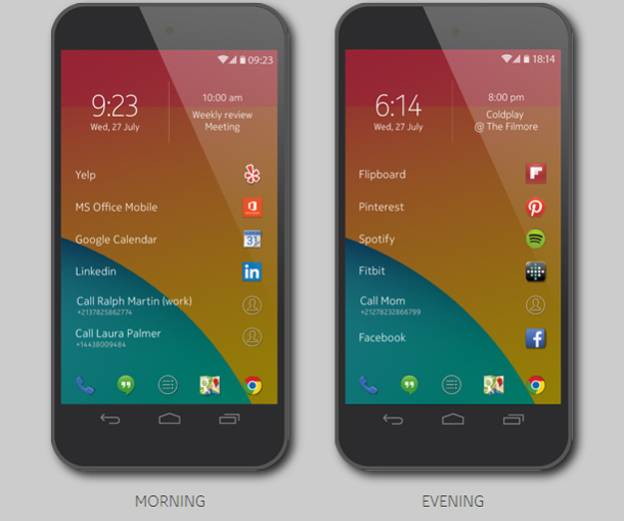
    These are hard days for Nokia. Once the largest phone vendor by a staggering margin, Nokia has sold its devices and services business to Microsoft and will now try different sectors as it looks toward the future. The company tried something similar by launching an app called Z launcher, a truly novel home screen replacement for Android phones.

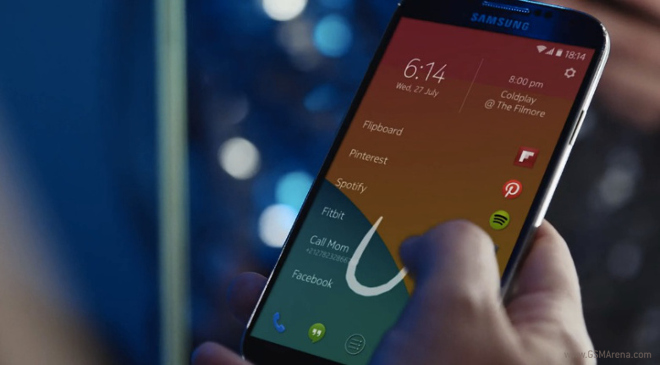
    Launched on Thursday, this screen app is able to accomplish this by dynamically changing the most frequently used apps throughout the day. Z Launcher is also able to include your contacts and frequently visited websites into the mix and making it a more complete experience.

    At the top of the screen are the time, date and the upcoming calendar event. Tapping the time will open Android’s clock app and tapping the calendar event will open the phone’s Calendar app. The remainder of the screen is dedicated to just a few apps, contacts and web pages.

    nokia-z-launcher-2

    Five static shortcuts appear at the bottom of the screen, while the majority of the launcher screen is occupied by six additional shortcuts. These items lead to a combination of apps, contacts and web pages that you open most often.

    If Z Launcher does not offer the apps you are looking for, you can easily bring them up by accessing a feature called Scribble. Scribble works by just drawing the first letter or two of the app or contact you want to access. It then instantly brings you to the proper selection. This virtually eliminates the need to tap, scroll, and hunt for the application or contact you are searching for. 

    The Z launcher is a very nifty offering from Nokia and it has the potential to completely change the way you use your phone. Smartphones are all about apps, plain and simple. With the Z Launcher, your most used apps take center stage and everything else is a few short swipes away.

    It’s currently available only to a limited number of users in a rough alpha release. And while the alpha should run on many Android phones, Nokia has only tested it on the Nexus 5 and the recent Galaxy S models.

  • PlayDrone Discovers a Serious Security Breach in Google Play

    PlayDrone Discovers a Serious Security Breach in Google Play

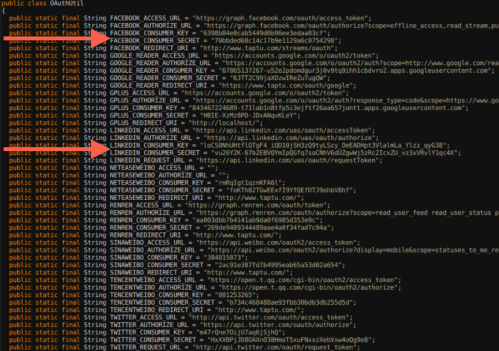
    By developing a new tool called PlayDrone, Jason Nieh, professor of computer science at Columbia Engineering, and PhD candidate Nicolas Viennot reported that they have discovered a crucial security problem in Google Play – the official Android app store where millions of Android users get their apps.

    PlayDrone uses hacking techniques to find a way around Google’s security to download Google Play apps, and then recover and analyse their sources. It scales down by simply adding more servers and in this way, it manages to compile over 880,000 of the 1.1 million free apps it downloads.

    columbiaengi
    An image of the secret keys discovered by PlayDrone

    While analyzing this, it was found that developers often store their secret keys of their app’s software similar to username and password data, which can be further used to steal user data or resources from entities such as Amazon and Facebook.

    Even the “Top Developers” promoted by Google Play have included these vulnerabilities in their apps. These vulnerabilities can affect users even if they are not actively running the Android apps.

    This tool, Playdrone, not only revealed this security loophole but also used it to provide insight into Android apps and improve the quality of Google Play. For example, the tool also found that roughly 25 percent of all free apps on Google Play are clones of other apps. This information could be used to help Google crack down on cloned content, which would be great news for developers who are creating original apps. Google Play has more than one million apps and over 50 billion app downloads.

    It also performed an analysis of the 10 best rated and 10 worst rated apps on the Google Play store, and found that even the worst-rated app has over a million downloads. Google is now using the techniques to scan all the apps for such problems to prevent this from happening again in the future.

  • The 5 Major Differences Between Slingshot and Snapchat

    The 5 Major Differences Between Slingshot and Snapchat

    We’ve known that Facebook has been working on Slingshot for the last six months. The app has just went live on Google Play. Along with that, they officially announced it on their Facebook page and also released a new promo video announcing availability of Slingshot for both Android and iOS. 

    If there were any doubt that Facebook will be taking on Snapchat, the public launch and availability of its new Slingshot app has now confirmed it.

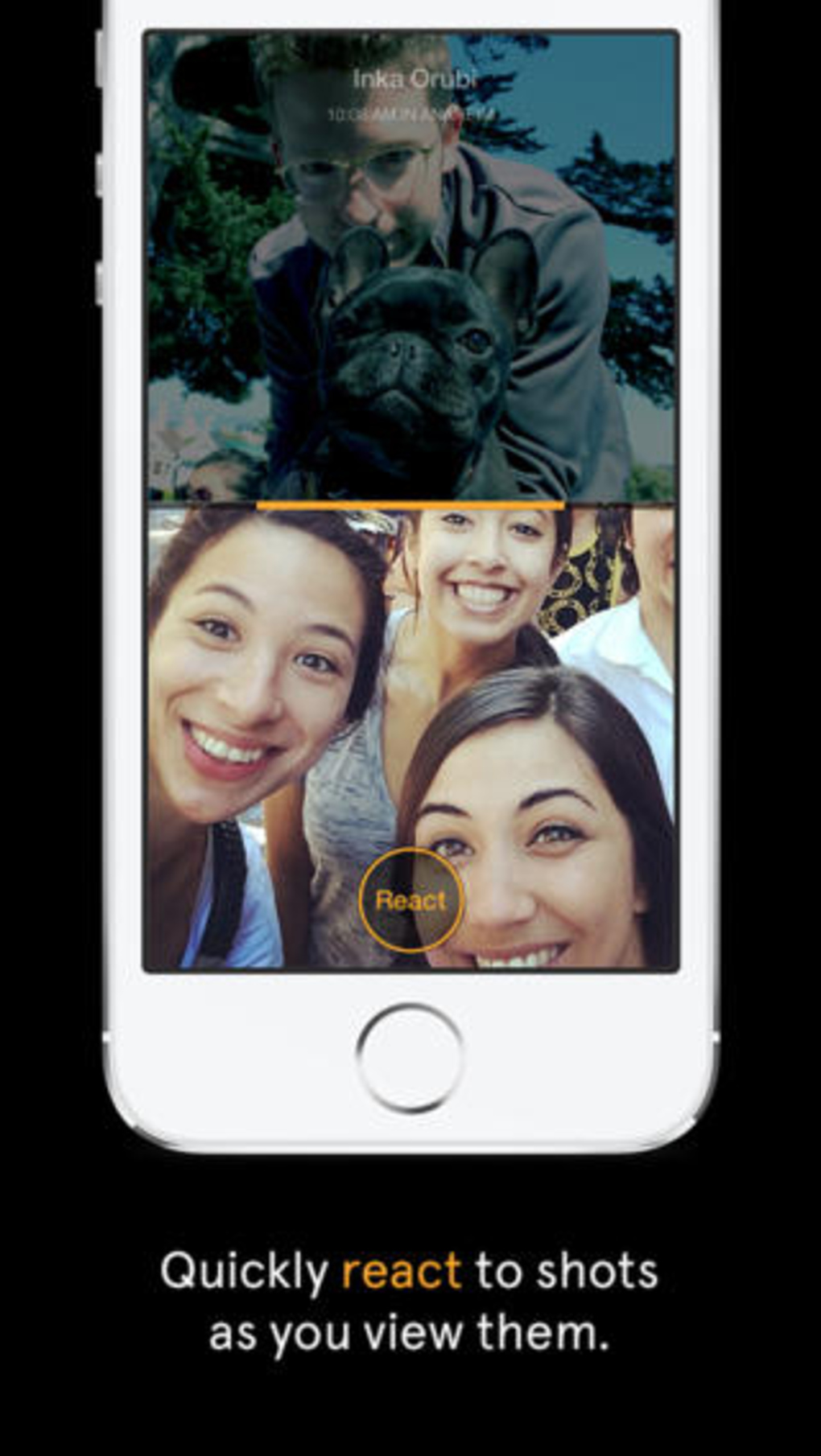
    The free app lets you take a quick photo or video, mark it up with colorful drawings, caption it with big white text, and then send it off to your chosen contacts. But when you receive your first message, you realize that this app is something completely different. Rather than just copying Snapchat feature by feature, Facebook is putting in a rather intriguing twist to the messaging trend by focusing on a more social aspect. So, we decided to list 5 things that make Slingshot different from Snapchat.

    1. The Social Factor

    screen568x568-5_verge_super_wide

    When an app comes out of the Facebook oven, there is not even a slight chance that there can be anything lacking in its social media element.  Slingshot does not solely rely on your Facebook friends list for contacts. Accounts are tied to your phone number, which you must verify before you can start using the app. Once you have verified your account, you can search for friends from your contacts list, Facebook or look up individuals by user name.

    2. No Approval Needed

    facebook-

    Slingshot allows you to search for people you know and there isn’t one central contacts menu where you can easily view all your connections. And, unlike Snapchat, there is no approval process for adding connections. Anyone can send messages to anyone whose information they might have. Facebook says an approval process is necessary because users can simply choose to ignore the message they don’t want to see. You can also choose to ignore all messages from individual users by hiding them.

    3. No One-Sided Sharing

    screen568x568-7_verge_super_wide

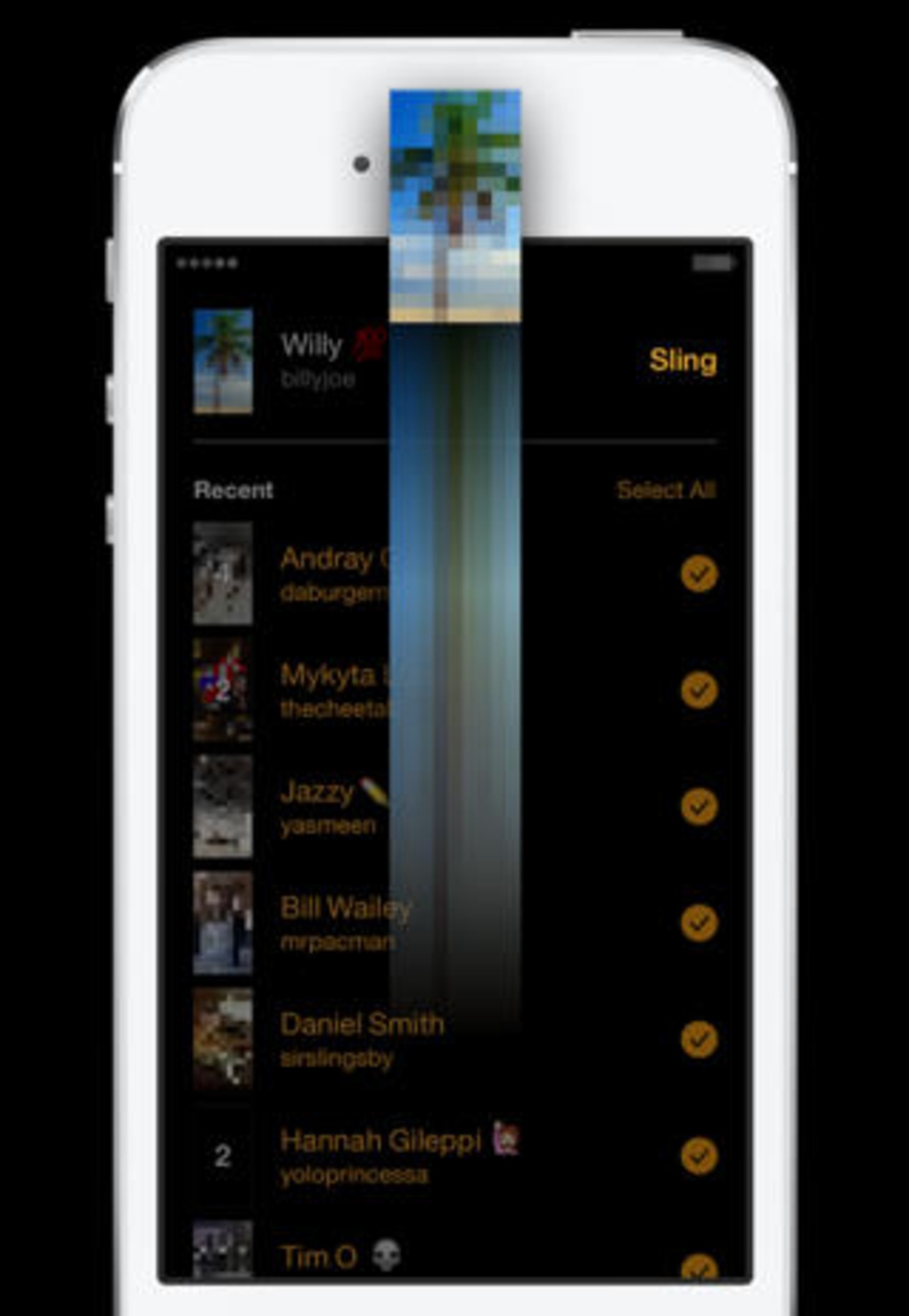
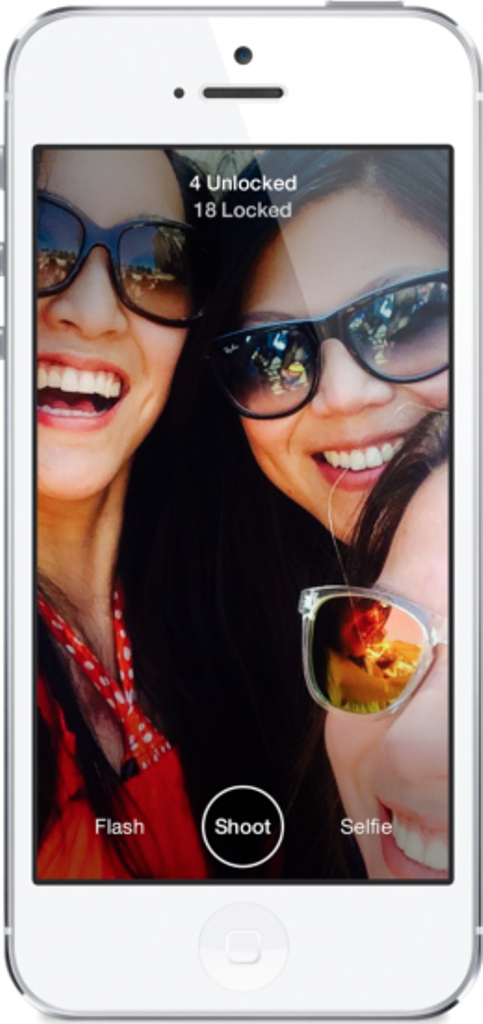
    One noteworthy aspect of the app is that it won’t allow you to see a new picture messages unless you send one of your own back. Facebook says the reason behind this is to take the pressure off users to constantly read and send messages. With so many mobile apps competing for people’s attention, Slingshot’s ability to self-perpetuate engagement could be the key to traction. One friend doesn’t have to do all the work to entertain others, who consume without creating, breaking the chain. With Slingshot, the conversation never dies because the last message is always waiting to be unlocked.

    4. Better Camera quality

    screen568x568-6_verge_super_wide

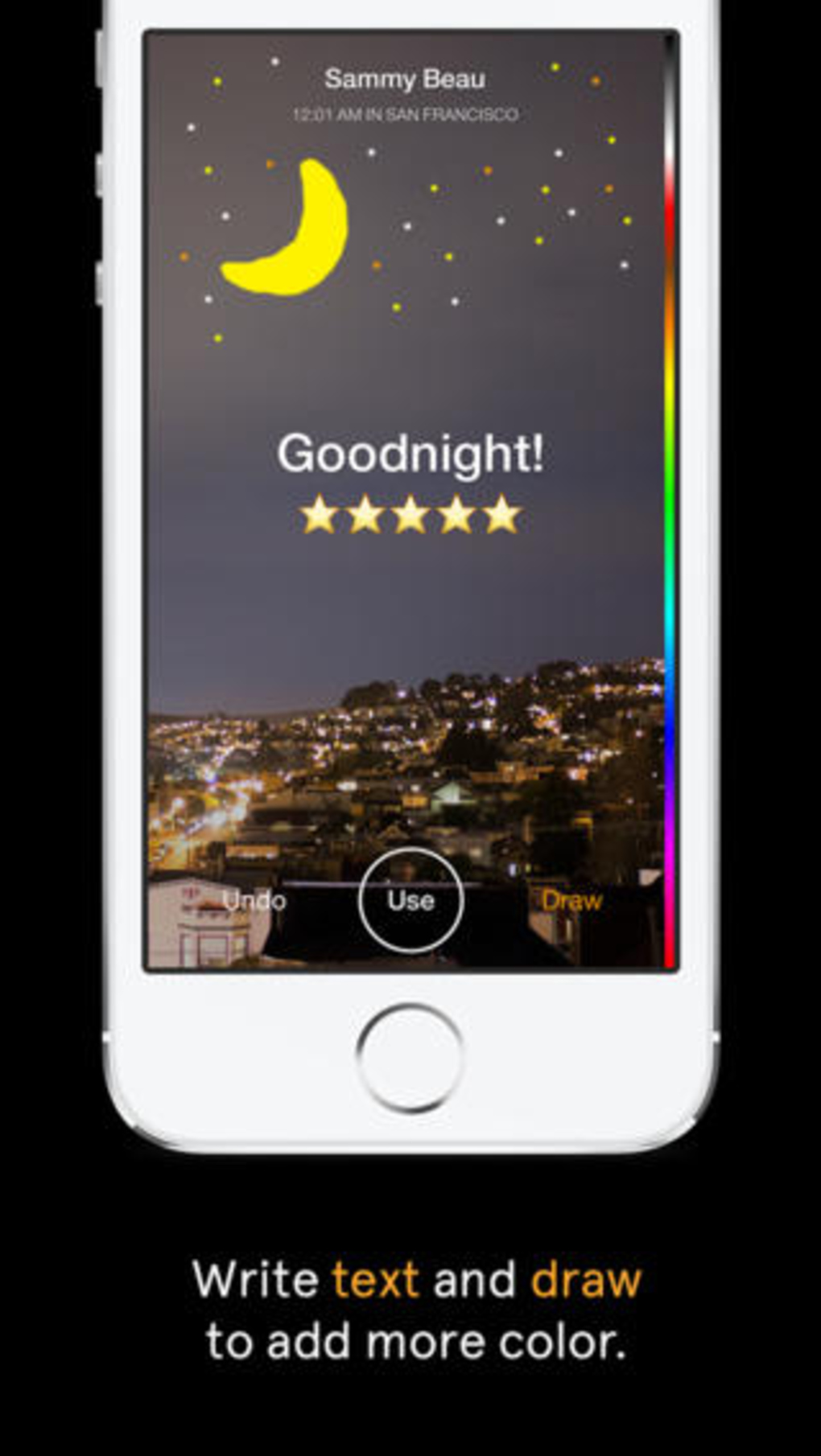
    Launching Slingshot immediately takes you to the app’s camera. The selfie button toggles between the device’s front and rear-facing cameras, and holding down the shutter button allows you to record a video. Slingshot’s overall camera quality is better than Snapchat’s, even when you zoom in. As with Snapchat, you can add drawings and text to the photos and videos you send in Slingshot but both features feel far more elegant and give you much more control in the latter.

    5. Customized Text

    screen568x568-4_verge_super_wide

     Text is limited to 140 characters, but can be repositioned on the image. Unlike Snapchat’s text, which always remains the same size and at the same place, Slingshot’s text will get bigger when you drag it down from the top of the screen. The drawing tool is also far more advanced than Snapchat’s — you can adjust both the color and the size of the brush. Dragging along the color bar selects a color, dragging left or right changes the brush size, moving the tool right makes the brush smaller and moving it left makes it larger.

  • More Rumors Surface About Apple’s iPad Air 2 And iPad Mini 3

    More Rumors Surface About Apple’s iPad Air 2 And iPad Mini 3

    Rumor has it that we might witness the launch of two iPad variants this year. Following the iPhone 6, which regularly appears in pictures in mockup form, an iPad Air 2 mockup has also leaked in similar images.

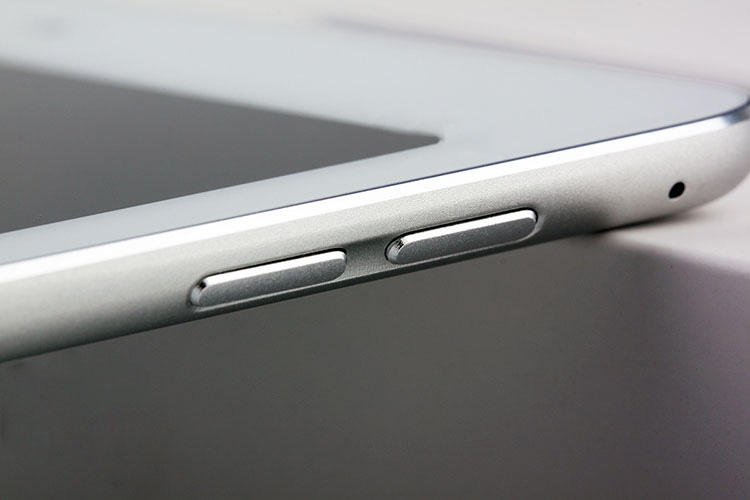
    The images reportedly show the final design of the iPad Air 2, with dimensions, design, ports, camera and button placements supposedly an exact replica of the device which is supposed to launch later this year.

    gsmarena_008
    Leaked Images of iPad Air 2 by GSMArena

    The speculation started last week. According to the South Korean news agency, about 6.2 million LCD displays to be installed in the iPad Air 2 will enter initial production from June to September this year.

    Not much is known about iPad Air 2, apart from rumors that it will come with the Touch ID fingerprint security feature that is going to be standard on all next-gen Apple mobile devices. This same technology will be available for the iPhone 6 and iPad Mini 3, both of which are also rumored to be under development.

    Touch ID was one of the biggest innovation Apple brought to the iPhone 5S. Basically a fingerprint scanner used to lock your phone securely, or buy apps at the press of a button, its brilliance comes from how easy it is to use.

    ipad-air-2-dummy-unit-2
    Leaked Image of iPad Air 2 by GSMArena

    There are a number of rumors going around the internet that suggest the iPad Air 2 may not follow the path of the last two iPad releases. There are some reports of minor changes in the camera as well. It is said that it will be raised from 1.2 megapixels to 1.5 megapixels, while the rear-camera will be upgraded from 5 megapixels to 8 megapixels. Quite possibly the iPad Air 2 will come installed with Apple’s newest A8 processor, which the iPad Mini 3 will reportedly share.

    Apple tends not to announce devices under development until shortly before release. Given the fact Apple has not given any new information regarding the iPad Air 2, it is difficult to confirm if such a device even exists. The same can be said of the iPad Mini 3, which is the fabled replacement of the current iPad Mini with Retina Display, more commonly dubbed as the ‘iPad Mini 2’.

  • Lenovo Launches Two New Laptop-Tablet Hybrids In India

    Lenovo Launches Two New Laptop-Tablet Hybrids In India

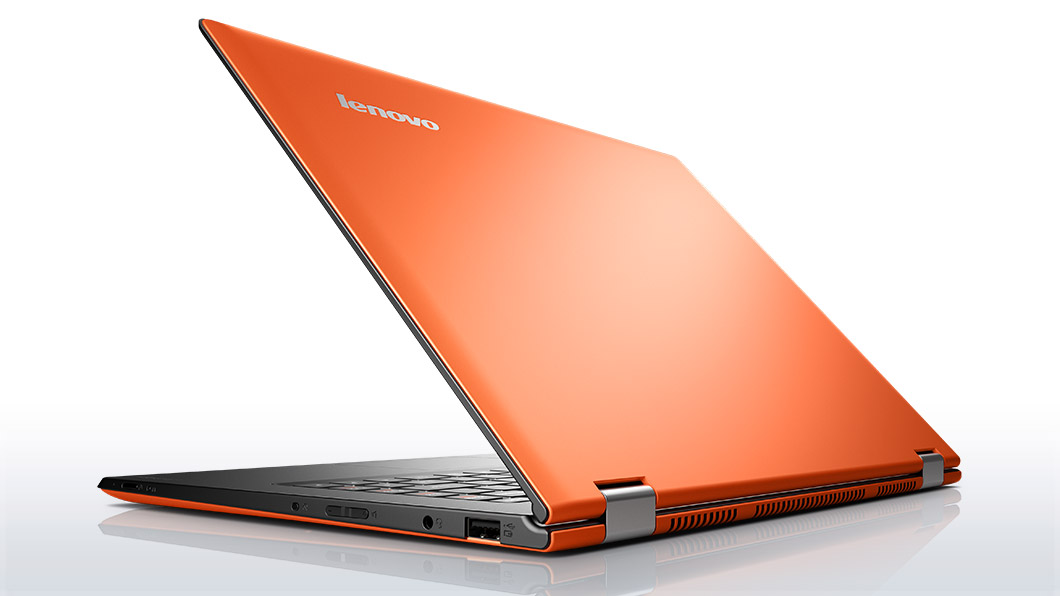
    Lenovo has launched two new laptops/tablet hybrids in India – Lenovo Yoga 2 and Flex 2. First, let’s have a look at the Lenovo Yoga 2.

    It is a new addition to the Yoga line of Lenovo laptops is a Laptop-Tablet hybrid and features a 13.3-inch Full HD (1920×1080) LED Backlit display with 10 finger multi-touch support.

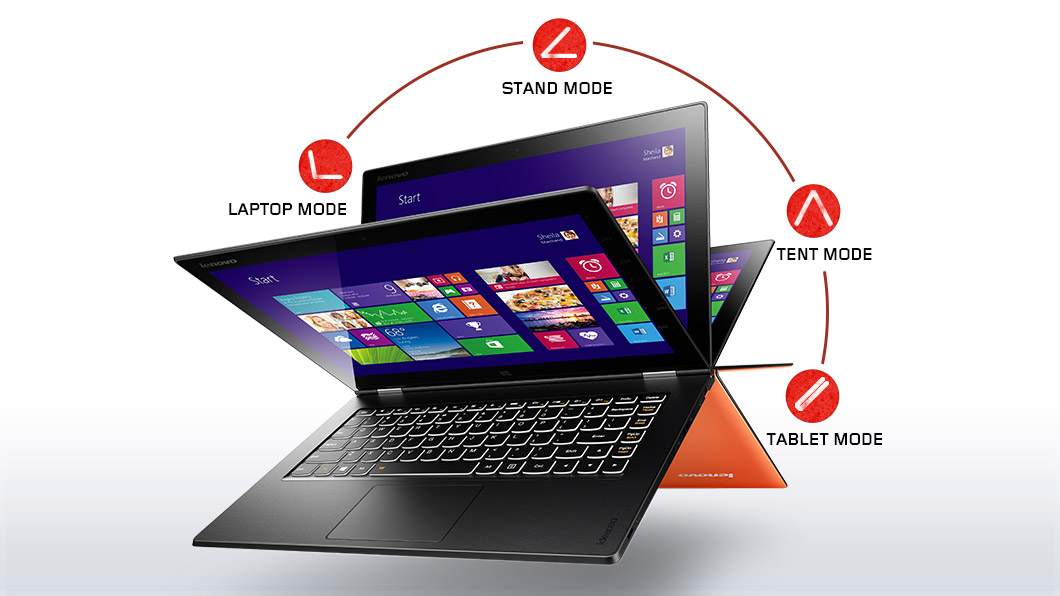
    lenovo-laptop-convertible-yoga-2-pro-orange-front-1
    The many phases of the Lenovo Yoga 2

    It is powered by a 4th-gen Intel Core i7 4500U quad-core processor running at a clock speed of 1.8GHz. Yoga 2 runs Windows 8.1 operating system and Intel HD 4400 Graphics. It has 8GB of RAM and comes with 500GB of Solid-State Hard Drive coupled with 16GB of SSD for faster performance.

     Yoga 2 supports Intel 7260 b/g/n Wireless network card, Bluetooth 4.0 and is powered by a 6-cell 50 Watt Lithium-Ion battery. Lenovo claims that the battery will last 8 hours of usage after a full charge. The hybrid is 0.68-inch thick and weighs around 1.5kg. The screen on Yoga 2 can be rotated all the way to 360 degrees so that it can be used as a tablet.

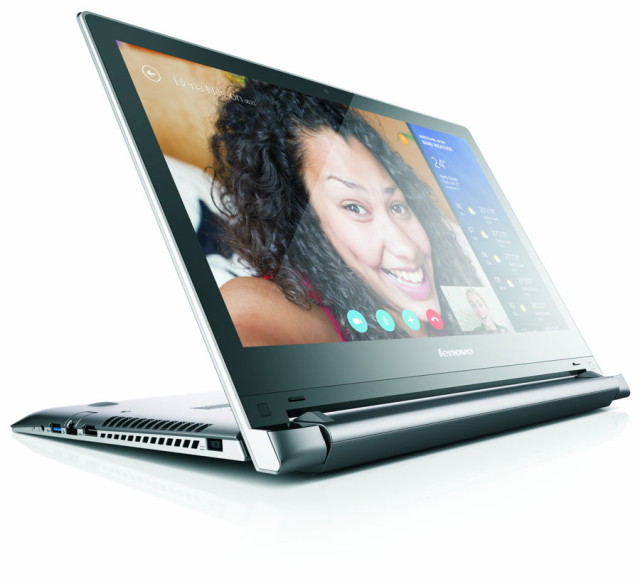
    Coming to second device, the new hybrid in the Flex series of Lenovo is the Flex 2 which features a larger display than the Yoga 2. Flex 2 is equipped with 14-inch Full HD (1920×1080) display. It can be used as a laptop and also supports 300 degree rotation for use in “stand mode” which is introduced for touch-based use or watching movies. It also features the 10-point multi-touch display. Users can choose between an Intel processor or an AMD A8 APU on the Flex 2. One model comes with Intel Core i7 processor with NVIDIA GPU while the other comes AMD A8 APU with Radeon M230 GPU.

    Flex-2-14_02-640x586
    The 300 Degree rotation feature of the Lenovo Flex 2

    The Flex 2 comes with 1TB of HDD storage but users can buy the upgraded versions which features up to 256GB SSD as well. It supports Bluetooth 4.0, USB 3.0 and microHDMI as well. Lenovo promises 6 hours of battery life on the Flex 2. Even though the company claims that Flex 2 is designed for users who are light-travelers, it weighs almost 2 kg which makes it even more heavy than the Yoga 2 hybrid.

    Both the hybrids are based on Windows 8.1. The devices will be available at all Lenovo Exclusive stores, multi-brand outlets and other retail stores. Yoga 2 has been priced at Rs 59,990 while the Flex 2 costs Rs 41,900.

iGyaan Network
Privacy Overview

This website uses cookies so that we can provide you with the best user experience possible. Cookie information is stored in your browser and performs functions such as recognising you when you return to our website and helping our team to understand which sections of the website you find most interesting and useful.