Category: Google

  • Google Partners With Novartis To Create World’s First Smart Contact Lens

    Google Partners With Novartis To Create World’s First Smart Contact Lens

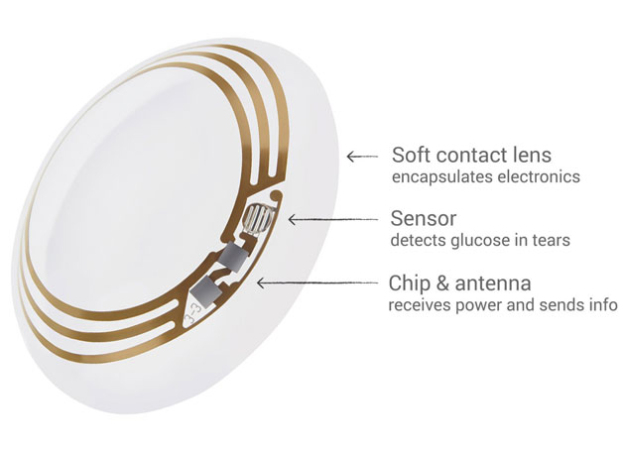
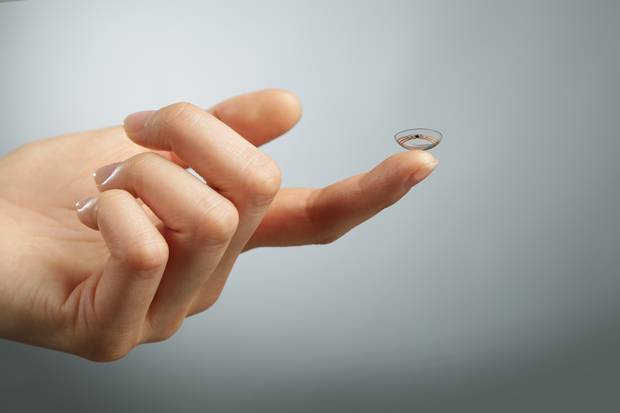
    Google and Novartis join hands to set new boundaries of wearable technology. Google’s smart contact lens technology is one step closer to reality with the company announcing its partnership with Swiss pharmaceutical firm Novartis .

    The press release stated that Novartis’s Alcon unit will work with Google’s secretive Google X division on lenses with non-invasive sensors, microchips and embedded miniaturized electronics to monitor insulin levels for people with diabetes, or to restore the eye’s natural focus in people who can no longer read without glasses. No terms of the deal are yet disclosed.

    atelier-lentille-connectee

    Google said it hoped the technology would help diabetics around the world by removing the need to perform regular, painful blood tests. Novartis has said that in addition to helping diabetics manage their disease, it is hoped that the technology can also be modified to help those suffering from vision loss that occurs with age.

    Novartis’ CEO Joe Jimenez identified eye care as one of three key divisions, along with branded and generic drugs, in announcing a $28.5 billion restructure of the company in April that involved selling off the vaccines and animal-health units and buying GlaxoSmithKline PLC’s cancer business.

    “The promise here is the Holy Grail of vision care, to be able to replicate the natural functioning of the eye,” Jimenez said. “Think about a contact lens that could help the eye autofocus on that newspaper and then when you look up it would autofocus in the distance.This is a key step for us to go beyond the confines of traditional disease management, starting with the eye.”

    google-smart-contact-lens-1

    The smart contact lens technology were originally developed by Google X, the “audacious” research and development lab that is responsible for the company’s self-driving cars, internet weather-balloons and Google Glass.

    Google co-founder Sergey Brin said: “Our dream is to use the latest technology in the miniaturization of electronics to help improve the quality of life for millions of people. We are very excited to work with Novartis to make this dream come true.”

  • Google with Udacity Offers You a Course in Android App Development

    Google with Udacity Offers You a Course in Android App Development

    Android is going places. There is no other operating system that has been integrated simultaneously in so many multiple platforms. From Mobiles, Tablets, Gaming Consoles to Television and Cars, Android seems like it’s taking over everything. Now all this integration requires apps and developers who make that app. With over a billion devices activated, Android is here to stay for a considerable while. A lot many people have shown interest in making apps but they don’t have the skill sets for it. Google understands that and has tied up with Udacity.

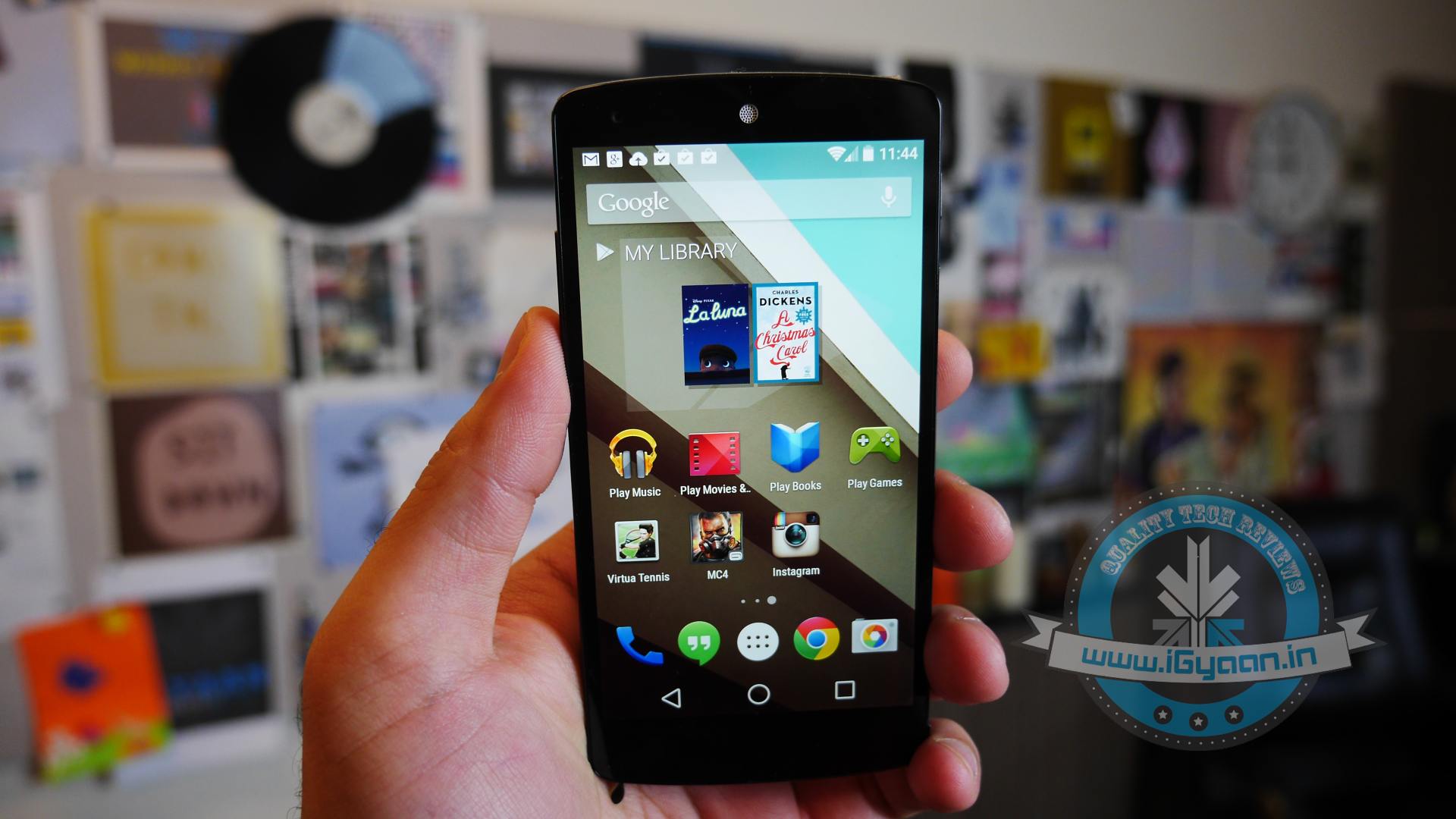
    Install-Android-L-Beta-on-Nexus-5-620x465
    You can be a part of the Android ecosystem with this course

    The program is called “Developing Android Apps: Android Fundamentals” and the course is exactly what the name suggests. The program aims at giving assistance to programmers who don’t have the skillsets to make android apps.

    Google Developer Reto Meier, Dan Galpin, and Katherine Kuan will train potential Android developers. Their curriculum gives step by step instructions in building an app. The course will also teach the basics of mobile app development in general and Android development in particular. The best part, you can get personalized support and feedback from the instructor.

    By the end of the 8 week course, programmers would be able to build a cloud-connected Android app, and understand the tools, principles, and patterns that underlie all Android development.

    For applying to this course you need a strong working knowledge of Java or another object-oriented programming language. Access to an Android device is not compulsory but is advisable for this course.

    The program on Udacity is free for a 2 week trial after which the course costs $150/month, which is pretty reasonable as it comes with verified certificates on completion. So if you have an idea for a brilliant app but were limited by your programming capability, this is an opportunity for you. Most importantly, just remember that there is no stupid idea, the living proof for that is an app called YO (yeah, that exists.) So go ahead, maybe your app will be the next silly app to be valued at $10 million, this one is harder to believe but is true too.

  • Microsoft Is Pulling Up Its Sleeves To Tackle The Chromebook Frenzy

    Microsoft Is Pulling Up Its Sleeves To Tackle The Chromebook Frenzy

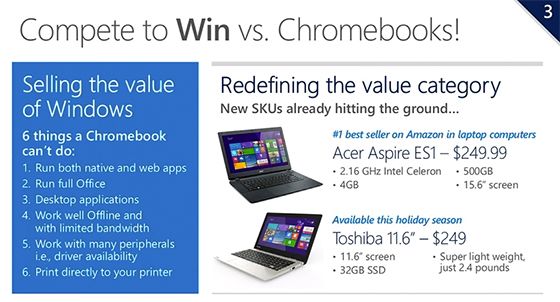
    Yesterday, at WPC 2014, Microsoft’s COO Kevin Turner revealed company’s plan to take over Google Chromebook. Turner said that HP is planning to release a $199 laptop running Windows this holiday season. He didn’t provide any specs for HP’s “Stream” device, but he did show detailed $249 laptop options from Acer and Toshiba.

    Acer’s low-cost laptop will ship with a 15.6-inch screen and a 2.16GHz Intel Celeron processor, and Toshiba’s includes a 11.6-inch display. It appears that Intel’s Celeron chips will help Microsoft’s PC partners push out cheaper devices in the race to the bottom.

    windows-v-chrome
    Microsoft explains why Windows is better!

    It is also revealed that HP will release its 7- and 8-inch versions of new “Stream” PCs for $99 along with the main variant, and both running versions of Windows. Microsoft has been gradually cutting Windows license costs to help PC makers to reduce their device prices, and it’s clear the company is taking the Chromebook threat seriously now that its popularity is rising day by day.

    As Microsoft points out, there are some things you can do on a Windows machine that you cannot on a Chromebook. You can run the full version of Microsoft Office, be sure that most printers and other peripherals will support your device, and run native Windows apps. You can also install the Chrome web browser and do nearly anything you would be able to do on a Chromebook.

    Chromebook-Pixel-logo-600x337
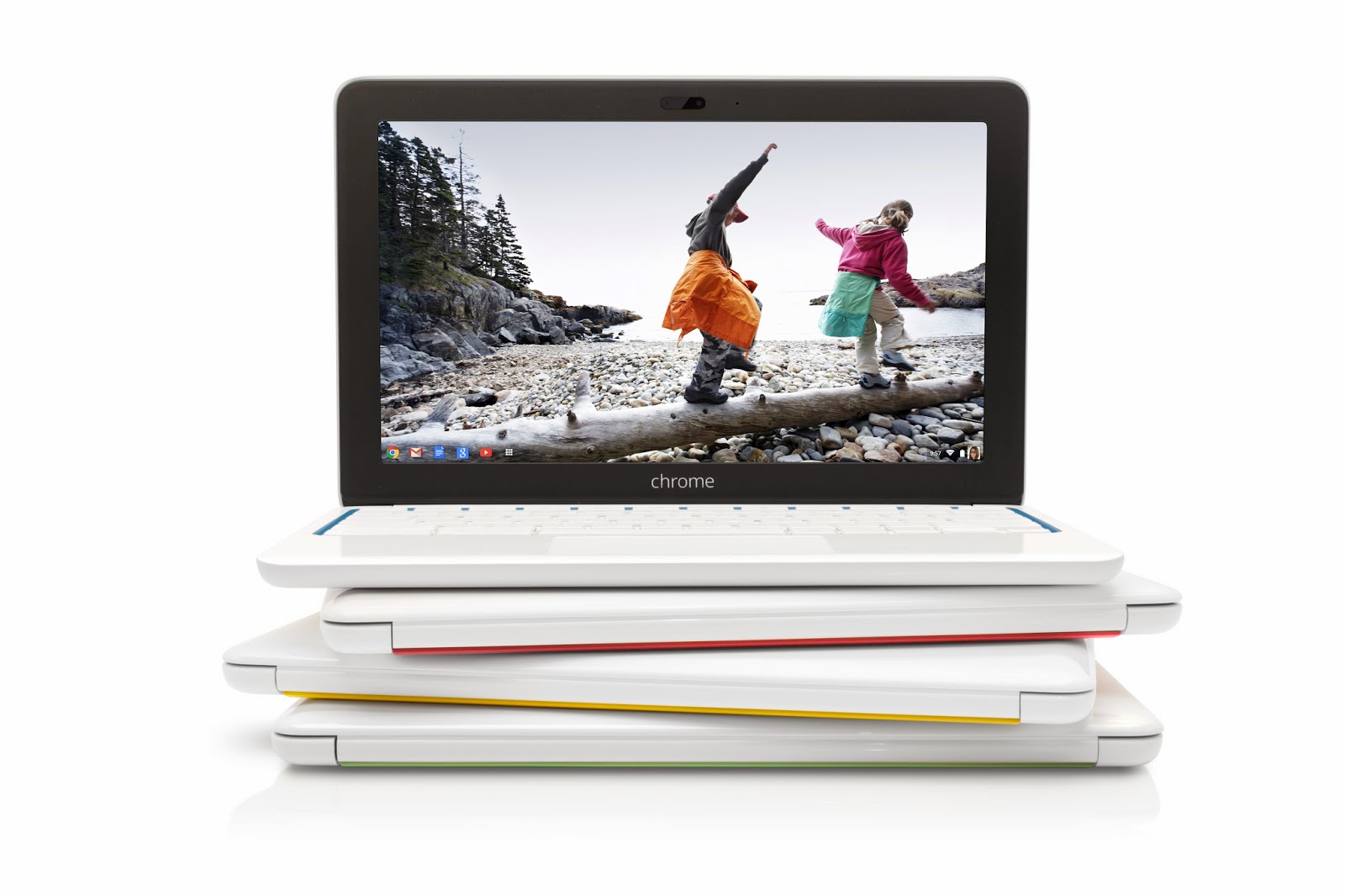
    Google sold 2.1 million Chromebooks in 2013

    But some of Microsoft’s allegation on Chromebook are not entirely true. You can use some Chrome web apps even without an internet connection, use Google Cloud Print to send print jobs to supported devices, Google Drive (or Microsoft Office Web Apps) for some document editing, or even load Ubuntu, Debian, or another Linux distribution if you want desktop apps.

    Furthermore, Chromebooks boot quickly, offer a secure platform since apps run in a sandboxed security mechanism, and the ease that comes with knowing that almost all of your data is backed up in the cloud so you can pick up where you left off just by logging into any other machine connected to internet.

    Google has been praised for how clean and user-friendly its Chrome OS has been, while Microsoft’s Windows 8 has struggled to catch on since it launched in 2012. Google sold 2.1 million Chromebooks in 2013. Meanwhile, the ultraportable Windows 8 laptop-tablet hybrids declined by 7.4% last year. While Microsoft is now competing on price, only time will tell if the underpowered devices can match the smooth performance of a Chromebook.

  • New Leaked Images Reveal Google Play’s Makeover

    New Leaked Images Reveal Google Play’s Makeover

    We have been introduced to Android L and Google’s new Material Design UI, which is expected to infiltrate most of Google’s own apps, at this year Google I/O. We will have to wait until Android L’s public launch this fall before we get a good look at these updated apps, but the rumor flying high these days aren’t going to make us wait that long for a peek at Google Play Store makeover.

    updatedplaystorephoneaam

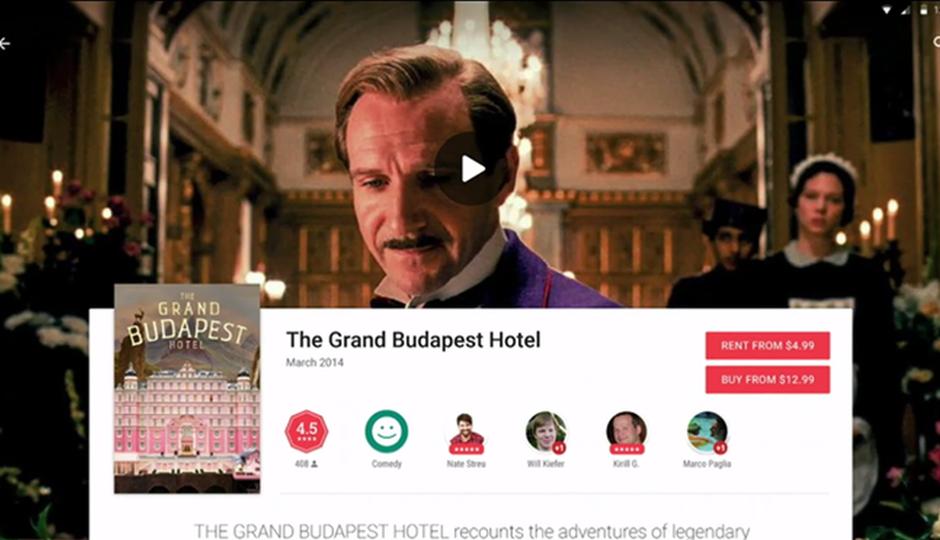
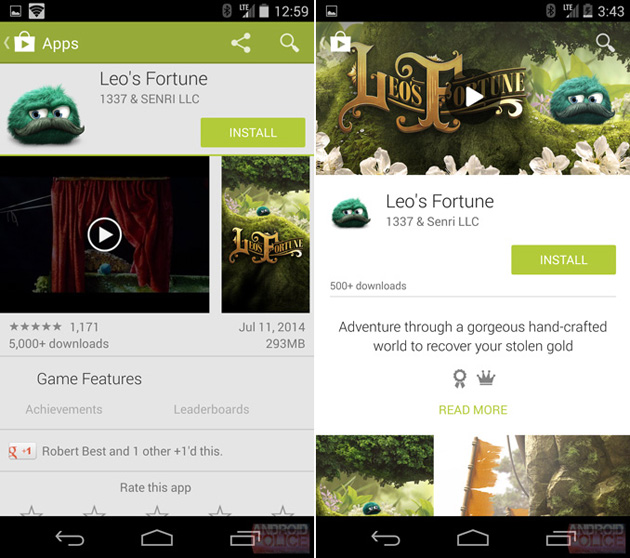
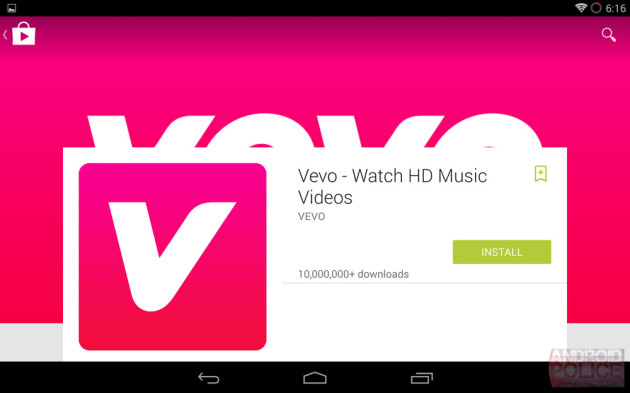
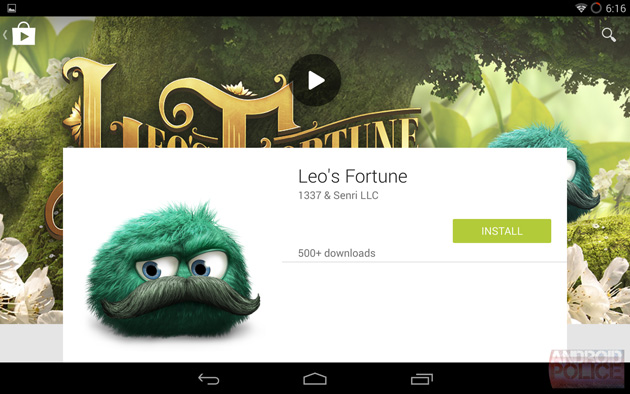
    Android Police reports that Google will be redesigning their interface and aesthetics of the Play Store for Android devices and added that the content listings focus on the new design. Screenshots also shared by Android Police purportedly reveal the Material Design version of the Play Store for both phones and tablets. When compared to the current iteration of the Play Store, the refreshed version uses larger images and album art in the background of a listing.

    updatedplaystoretablet-630x393

    There is more white space between the content and the review sections are bit more colorful with the addition of color review bars. The new layout and design of the Play Store will be primarily focused on content, with the video or trailer for the item and the app icon or movie/album/magazine cover being more prominent. The content and the text describing the item is lower and you will not be able to view it upon immediate entry.

    The whole store listing page has changed, to one that uses artistic layout on a largely white canvas with the new Roboto font highlighted during the Google I/O conference. However, this design is still under wraps and could change entirely by the time it is launched.

    google-play-store-2014-redesign-leak

    Recently Samsung has also showed off  its app store with a focus on Galaxy devices. The new Samsung Galaxy Apps store will feature “hundreds of apps” exclusively for Samsung Galaxy mobile users, the company stated in a blog post. The new app store offers higher customization and includes a variety of promotions and discounts for users of Samsung Galaxy mobile devices.


  • Wear Mini Launcher Makes Android Wear Easy to Flaunt

    Wear Mini Launcher Makes Android Wear Easy to Flaunt

    You finally got your Android wear device and you are proud of it. You’s like to flaunt it but it is taking some time to get used to. You wish there was an easier way of getting around your smart-watch. Well worry no more, the developers have come to your rescue and they will give you the Android experience that you have come to know. So go ahead and install the Wear Mini Launcher.

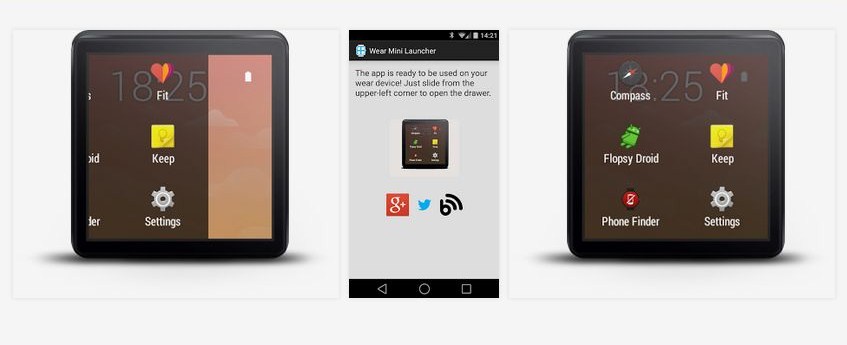
    A developer named Nicolas POMEPUY has introduced the Wear Mini Launcher app on the Google Play Store. The app allows the users to swipe right from the top left side of their smart-watch to display an app drawer, like the one in the phones. With this the user can scroll up and down to access all the apps.

    wear mini launcherTo make the launcher work the first time you can either open the app while the watch is connected or run the app directly on your Android wear.

    The app greatly reduces the amount of time spent to find and open an app. This launcher will definitely make your life easier if you own an Android Wear device or will encourage you to get one if you don’t have one already. This is also a good example to state the inclination of the developers interest in developing apps and content for the wearables. We can now be optimistic about the future of wearable tech.

    You can download the app from here.

  • Leaked Video Shows a Mysterious Motorola Phone Running Android L

    Leaked Video Shows a Mysterious Motorola Phone Running Android L

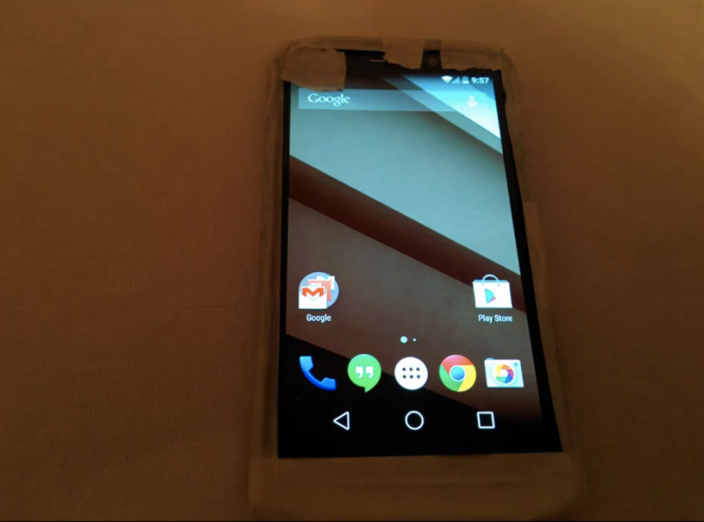
    Motorola is right now haywired with Lenovo  planning to take it over. The company definitely has some handsets in its pipeline to release. This time we have come across a new video starring unidentified Motorola device that appears to running Android L. This unknown device, claimed to be a Motorola X+1 or the X2, has been shown on video courtesy of TK Tech News.

    moto-vz

    However, the Youtuber could not confirm if the new device is, in fact, the Moto X+1. On the contrary, the site talks about how the alleged device could also be a new Droid device, if not Moto X+1. Going by the actual size of the device shown in the video and when compared to the Nexus 5 placed side-by-side, the handset easily crosses 5 inches diagonally. 

    Furthermore, the display has Full HD resolution, with TK Tech News speculating it may have an AMOLED screen. We think that Motorola has had their hands on the Android L preview for a while now, given how Google usually lets manufacturers have the first look in order to get development going. So it’s certainly possible that this is some kind of a Motorola prototype device used for testing beta version of  L.

    Motorola has had an amazing year with the super successful release of the two best-seller Moto G and even cheaper Moto E. While, company still lacks a flagship smartphone in their offering, this alleged device may be the the new Motorola hero.

  • Chromecast 1.7 Finally Allows Screen Mirroring From Your Phone

    Chromecast 1.7 Finally Allows Screen Mirroring From Your Phone

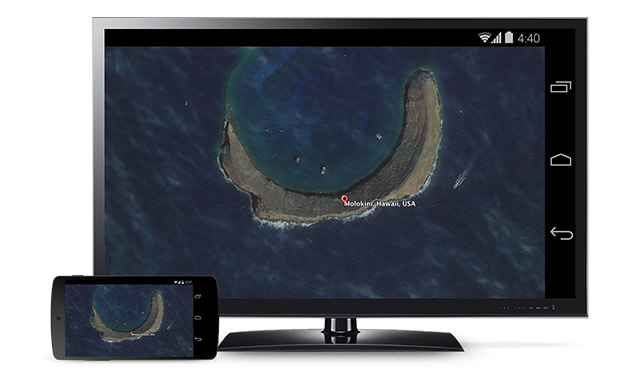
    The new update of Chromecast is the first step of introduction to some awesome features Google unveiled at this years I/O. The Chromecast 1.7 update for Android smartphone and tablet users will have the ability to mirror their screens.

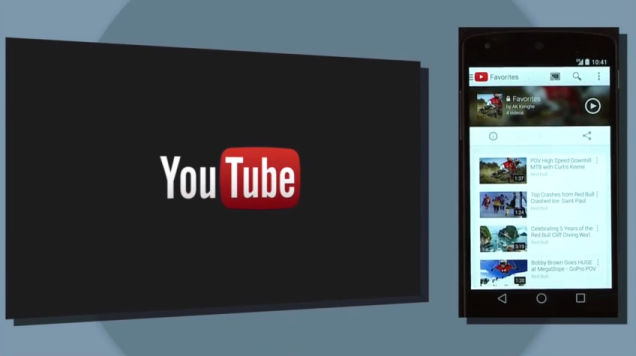
    The new update not only allows users to display their Android homescreens on a Chromecast-connected TV or other device, but you can also use any application now on your television through the pocket-friendly streaming dongle. 

    783908732024948116

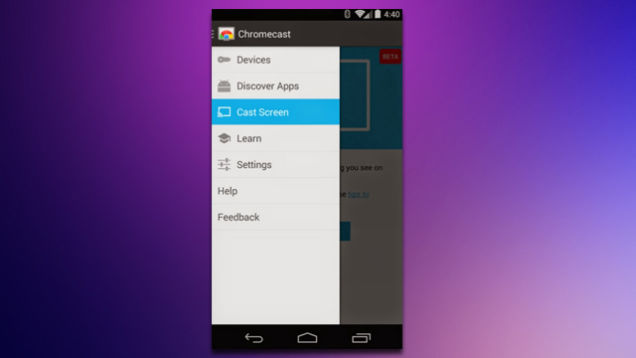
    Upon downloading the new update, you can find the ‘Cast Screen’ option on the left drag navigation menu in the Chromecast app. Nexus devices will see a toggle for screencasting directly in the Android quick settings menu. Once enabled, the user can navigate their phone in the normal manner with a one-to-one projection appearing via Chromecast.

    qfjxijh651m67wslfj2t

    It is still considered to be a beta version and it is sadly not available for everyone immediately. Google said that Samsung, HTC, LG and some others will be first to roll out the new capabilities of Chromecast soon.  Though you may not have the device that is on Google’s compatibility list, but don’t worry too much. We hear there are third-party mirroring apps will solve this problem soon. The company also pointed out the new update will be available at Google Play store soon. 

  • You Can Now Correct Google Now by Simply Saying “No! I Said”

    You Can Now Correct Google Now by Simply Saying “No! I Said”

    A new update for Google Now, a voice-based smart assistant, is tiny but a significant one. The new update will let users correct the search engine when it doesn’t correctly understand what they ask for.

    Voice searches with Google Now can sometimes be excruciatingly irritating. Its accuracy is predicated on many factors, such as the quietness of your surroundings and the clarity of your speech and the worst of all its inability to correctly perceive non-American accents, so results can be pretty inaccurate at times.

    google-now-sign

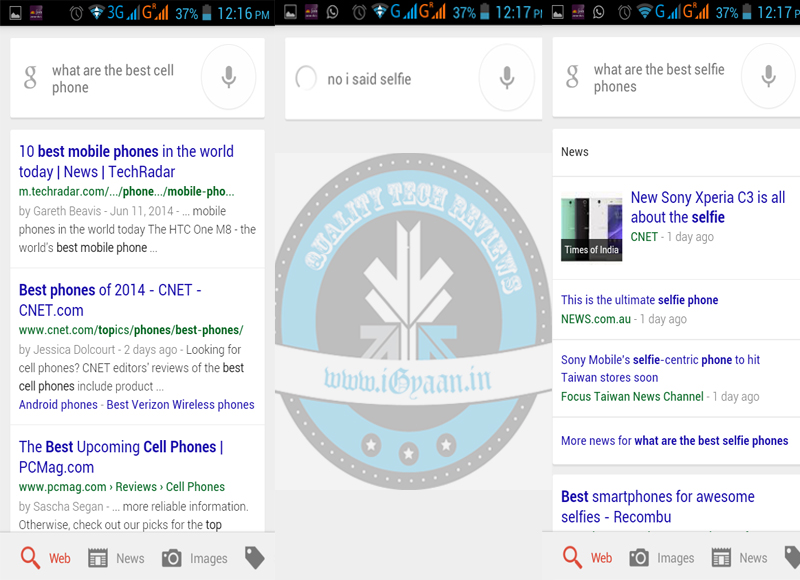
    So Google, acknowledging this problem, provided an update of a correction hot phrase which starts with “No, I said,” and has to be followed by the word or words Google Now has misunderstood. So, by simply saying “No, I said” you can change certain words with your voice that Google Now misunderstood.

    For example you want know what are the best ‘selfie’ phones available, but Google Now translated it to ‘cell’ phones. So, if you just say “OK Google: No, I said selfie, Google Now will correct itself and then search for what you meant in the first place, presumably because it can figure out which word is most likely to be wrong.

    google now

    Word correction is one of the latest Google Now features that Google has made available to the users. The virtual assistant has come a long way and learned many other cool new tricks recently. Google Now lets users control media with their voice, and it can create event cards based on email conversations, better manage call reminders, and tell you when to get off your bus or train. Google now features are also present on Android Wear based devices which will surely make life easy for many.

  • The Top 5 Powerful Women in The Tech Industry Today

    The Top 5 Powerful Women in The Tech Industry Today

    Google launched a new initiative offering vouchers to any women and minorities interested in learning how to code. This new initiative came just days after Google published a diversity report that revealed only 30% of its employees are women. While, we appreciate what Google is trying to do, we still have some dynamic and powerful women on the front row of Tech industry who inspire us. We are listing 5 of these amazing women, we love, respect and admire.

    1. Sheryl Sandberg

     sheryl_sandberg_600x450Chief Operating Officer, Facebook

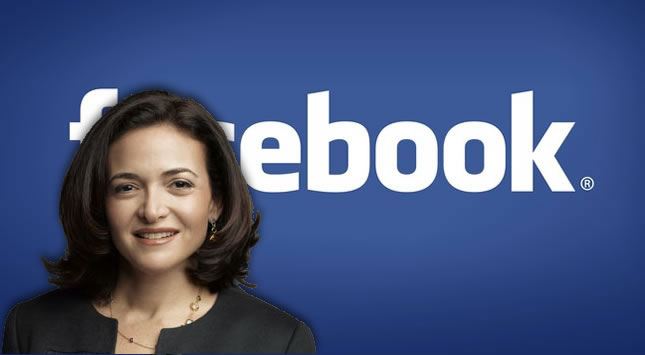
    She has been named one of the 100 most influential people in the world according to Time magazine. She is is worth US$1 billion, due to her stock holdings in Facebook and other companies. Sandberg was poached from Google by Mark Zuckerberg, six years ago, to take charge as Facebook’s COO. Sandberg oversees Facebook’s business operations including sales, marketing, business development, legal, human resources, public policy and communications. She has been responsible for steering Facebook towards profitability.

    2. Virginia Rometty

    0x600 Chairman and CEO, IBM

    She is the only women to head IBM and she has been named as Fortune magazine’s “50 Most Powerful Women in Business” for eight consecutive years, ranking #1 for 2012. She has a net worth of $45 million and annual salary of $15 million. She attended Northwestern University where she earned a bachelor’s degree in electrical engineering and computer science. Her first job out of school was at General Motors. She in then joined IBM where she quickly rose the ranks of Big Blue’s corporate ladder. She has served as IBM’s CEO since October 2011.

    3. Ursula Burns

     Ursula BurnsChairman and CEO, Xerox

    She is the first African-American woman CEO to head a Fortune 500 company. In 2014, Forbes rated her the 22nd most powerful woman in the world. The 51-year-old Burns started her career as an engineering intern in 1980. Burns led several business teams including the office color and fax business and office network printing business. In April 2007, Burns was named president of Xerox, expanding her leadership to include the company’s IT organization, corporate strategy, human resources, corporate marketing and global accounts. Her salary package for 2008 stood at $887,500, but total compensation stood at a whopping $6,003,126.

    4. Padmasree Warrior

     Padmasree-WarriorChief Technology & Strategy Officer, Cisco Systems

    The former CTO of Motorola, Inc. is listed as the 71st most powerful woman in the world by Forbes this year. Born and raised in India, Padmasree Warrior joined Motorola in 1984 and worked in different roles at the company with the last one being the chief technical officer (CTO). She left Motorola and joined Cisco Systems as CTO in 2007. At Cisco, she is responsible for strategic partnerships, mergers and acquisitions, integration of new business models, incubation of new technologies and talent.

    5. Marissa Mayer

     Draghi Speaks At The World Economic ForumCEO, Yahoo!

    Previously, Mayer was executive and key spokesperson for Google. Mayer was ranked eighth on the list of America’s most powerful businesswomen of 2013 by Fortune magazine. She joined Yahoo! in 2012 as president and CEO taking over the responsibility of resurrecting the ailing internet giant. Since then, the company has revamped a number of its products and acquired biggies like Tumblr. Yahoo paid Mayer a total salary of $36.6 million in 2012 which includes $454,862 in salary, $35 million in stock awards and a bonus of $1.12 million in addition to over $40,000 in other compensation, as per a regulatory filing.

  • Breaking : Google Nexus 8 spotted on Indian Import Manifest

    Breaking : Google Nexus 8 spotted on Indian Import Manifest

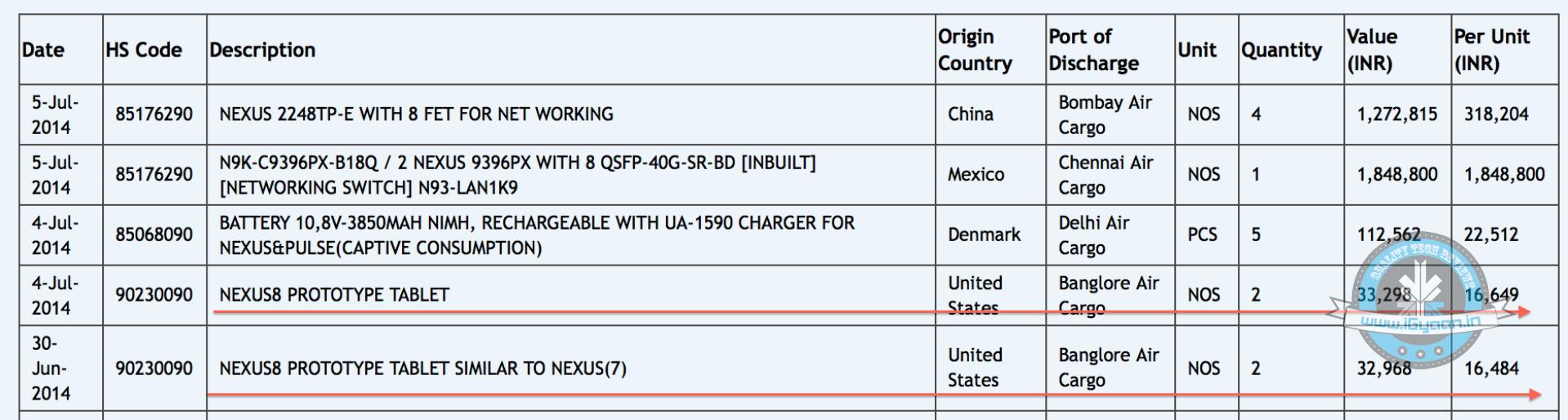
    Is this the next Nexus tablet the Nexus 8 being shipped to India? The import database shows a Nexus 8 prototype (marked as being similar to Nexus 7) shipped from USA to Bangalore via Air shipment.

    Nexus 8

    No information is let out on the specifications of the device, but here are a few things we do get to know, the Nexus 8 is real and will be 8 inches, the price is estimated to be between Rs. 18,000-20,000 keeping in mind previous similar leaks and final pricing.

    The manifest makes the tablet as “similar to the Nexus 7” possibly to make it easier for customs to release the device with whatever fixed charges they might have for an already established unit.

    In conversation with HTC’s Faisal Siddiqui , he was mum on their work in tablets, unlike previous occasions when HTC would continue to reinforce that “they are a mobile phone company”.

    Either way, with an estimated under Rs. 20,000 price for the entry level variant , an 8 inch tablet built by HTC sounds more promising. Even more than the Google Nexus 7 of 2013

  • Android Wear Based Samsung Galaxy Gear Live Now Available in India

    Android Wear Based Samsung Galaxy Gear Live Now Available in India

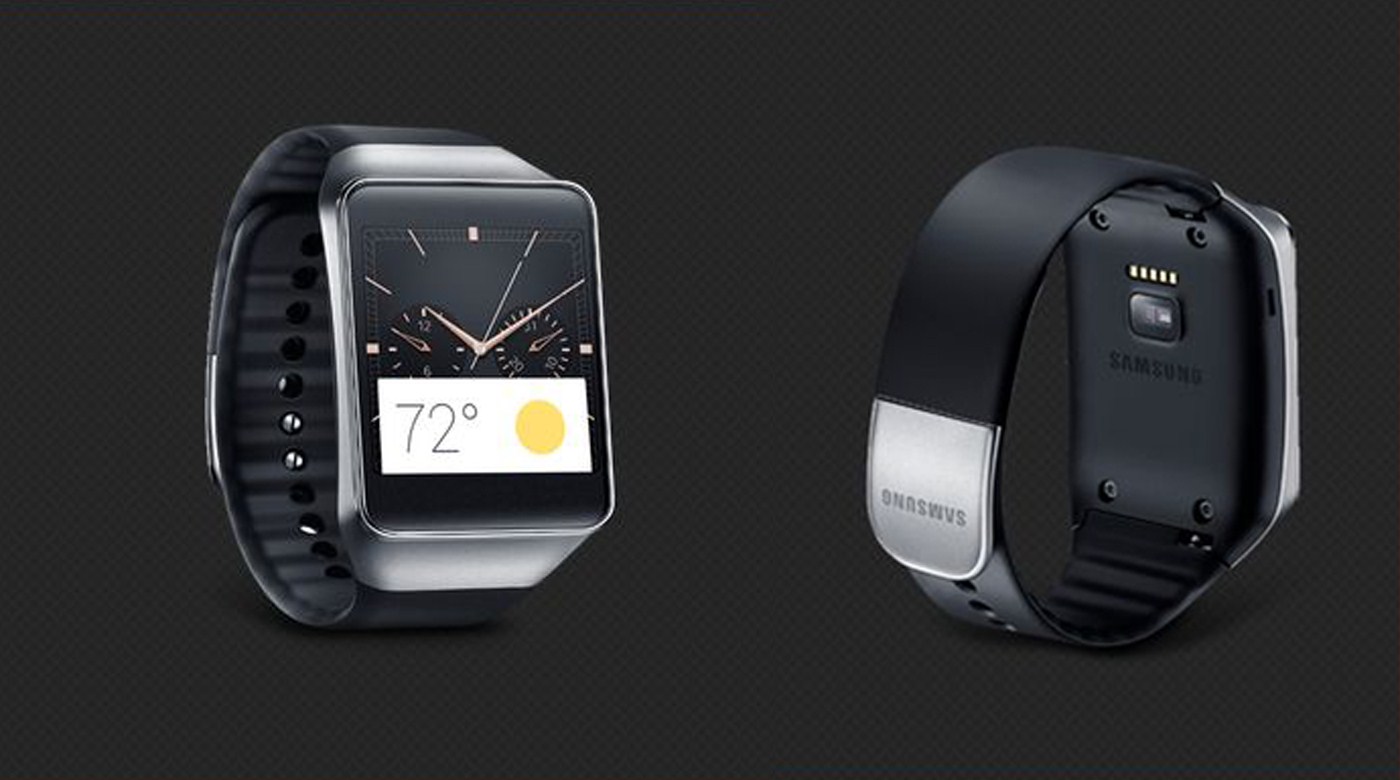
    If you were waiting for the Android Wear based smartwatches then your wait is over. Samsung has released its Android smartwatch OS based Galaxy Gear Live at the Play Store for Rs15,900.

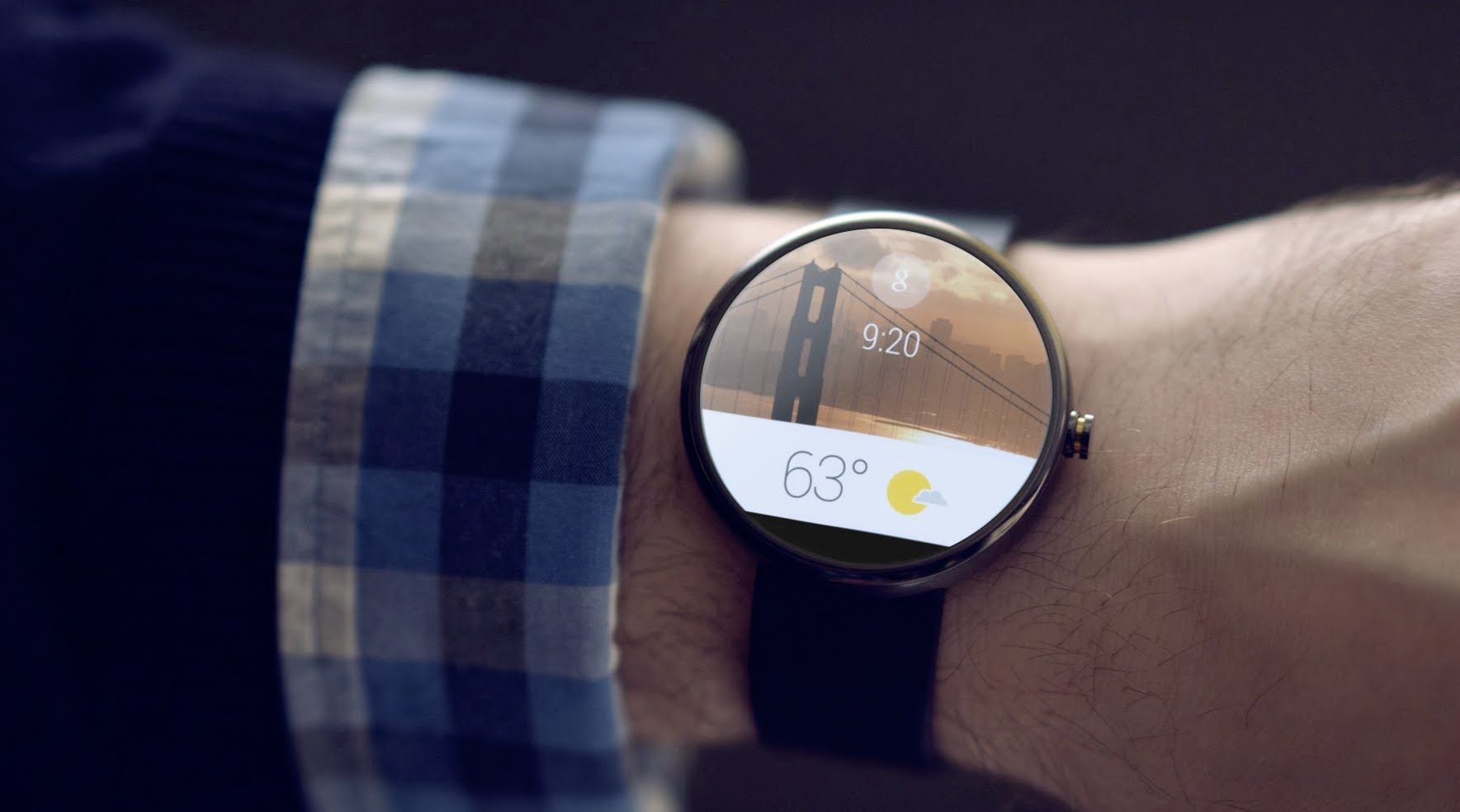
    Android Wear was one of the most exciting announcements at this year’s Google I/O. The OS has a number of good features. The Galaxy Gear Live was introduced along with the LG G watch and the MOTO 360 watches.

    The watch sports a 1.63 inch Super AMOLED touchscreen display with 278 ppi. It is powered by a 1.2 GHz processor and a 512 MB RAM. The phone sports a 4 GB internal storage which is good enough for the functions it offers.

    The Gear Live has a heart rate monitor, accelerometer, gyroscope, compass and the best part, it is water and dust resistant. The watch takes its juice from a 300 mAh battery.

    The Android Wear has a lot of features right out of the box. It is voice controlled device and lets you access and reply to important notifications from your phone. It is almost a portable control for your phone with health monitoring features of its own. It can be used for checking messages and emails, doing online searches, navigation and a lot more.

    The Android wearables will definitely get a boost with the Android Wear. Presently the Moto 360 with its round display looks the most alluring but its other first generation Android wear siblings don’t fall too far behind.

  • A Simple Trick That Allows You To Access ‘Ok Google’ From Anywhere

    A Simple Trick That Allows You To Access ‘Ok Google’ From Anywhere

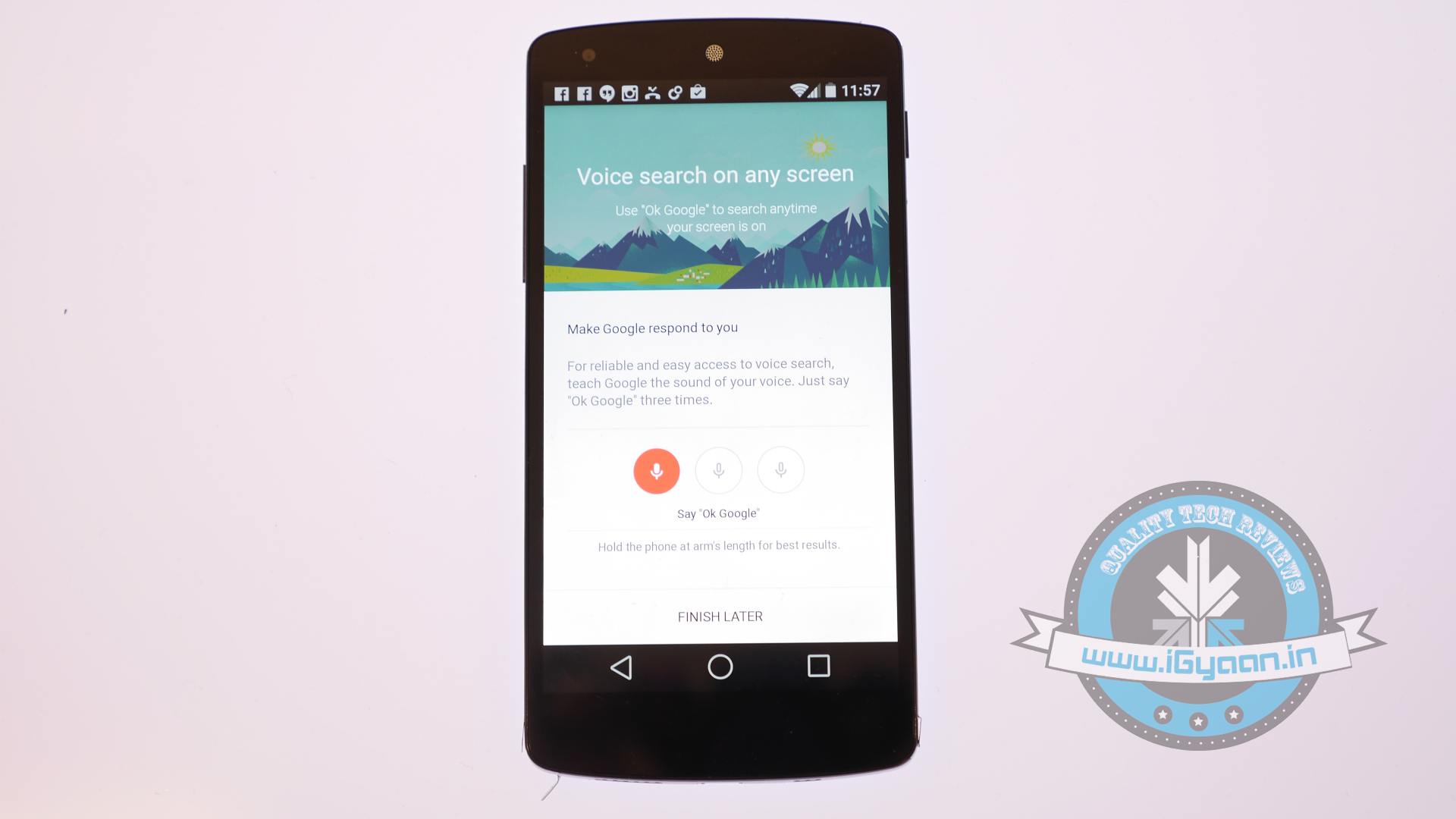
    Moto X had a great feature which allowed users to reach Google Now from anywhere, even from the lock screen. It is a particularly useful feature when you are on the move or want to write a reminder instantly. Google announced that it will bring the Moto X like ability to all Android phones but that will take a while. Now a reddit user pr01etar1at has figured out a crack to have the same features on your 4.3 and above phones before Google officially releases it for your phone.

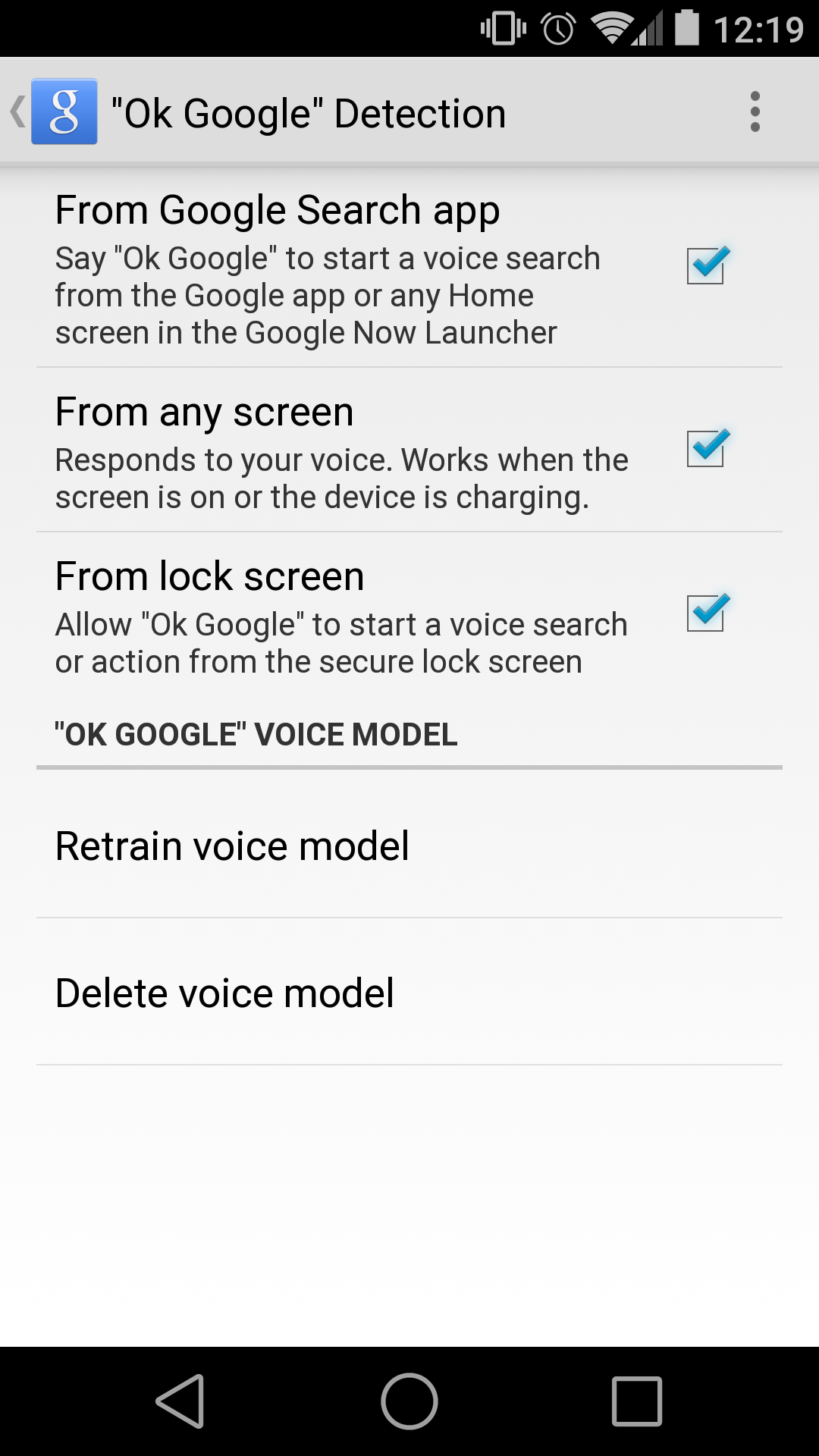
     OK google2Following some simple steps you can have Ok Google hotword detection from anywhere on your device. We would like to warn you though that this might not work on all phones.

    All you need to do is search for “Ok Google Everywhere” on your search bar. Now when you go back to the Voice setting menu, you will get new options in the voice detection section. The options will let you set the detection capability according to your discretion.

    One suggestion that we’d like to give Google is giving an option for customizing the hotword. Considering the fact that Google’s Android is the World’s most selling operating system, once folks get a hang of this voice assistant, we’ll start listening to “Ok Google” everywhere. A personalisable hotword would come really handy for situation like those.

  • Project Volta to Increase Android L Battery Performance

    Project Volta to Increase Android L Battery Performance

    At the recently concluded Google I/O, the new Android L was showcased and it has received unanimous admiration. Even though Apple has won this year’s developer conferences by creating a new seamlessly interconnected universe; Google has a few surprises in the battery efficiency arena with its own Project Volta.

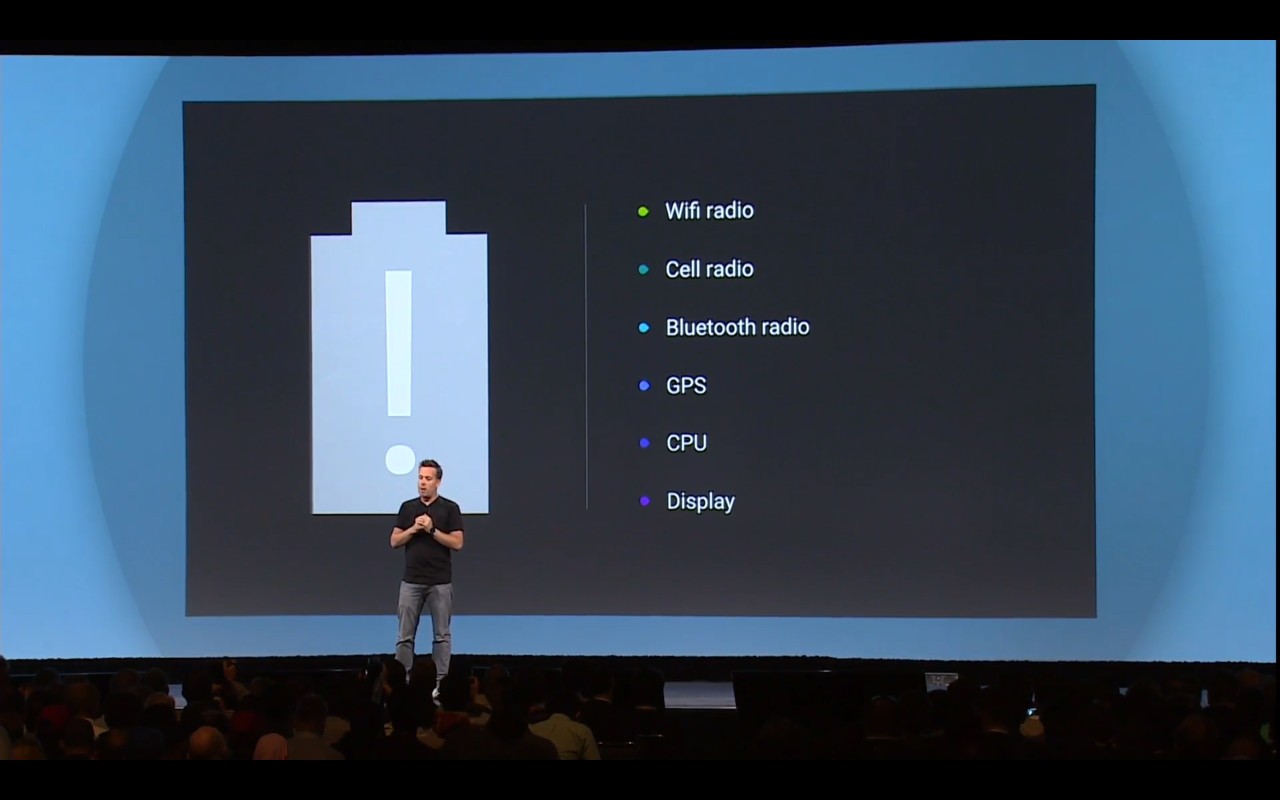
    volta
    Project Volta aims to bring fundamental enhancement in Android for better battery life.

    Battery technology has lagged in competition to almost all other elements of the phone designs. Within a short span of time, we have gone from HD to 2K phone screens. We have 4K video recording, better processors, better RAM, even the OS’s are competitive and getting better with each release. The loser in this entire race has been the battery. Even though, the phone manufacturers have compensated by making bigger batteries but almost all of them give only about a day’s worth of backup in their respective phones.

    Google is working on the lines of its previous Project Butter initiative during the release of Android 4.1. Project Butter was directed towards making fundamental changes in Android to make it more efficient, smooth and lag free. There was also the Project Svelte, which was directed towards running the Android 4.4 on low-end devices, thereby making KitKat a truly inclusive Android operating system.

    With Project Volta, Google introduces a slew of measures to find enhancements to the Android system to increase battery efficiency. Google hopes to fix fundamental flaws in its software architecture to address the battery issue.

    Google invented a tool called the Battery historian for the developers to access what apps were using battery at a specific period. Using this, developers got to play around with the various variables which could help to make the best use of the precious juice in the battery.

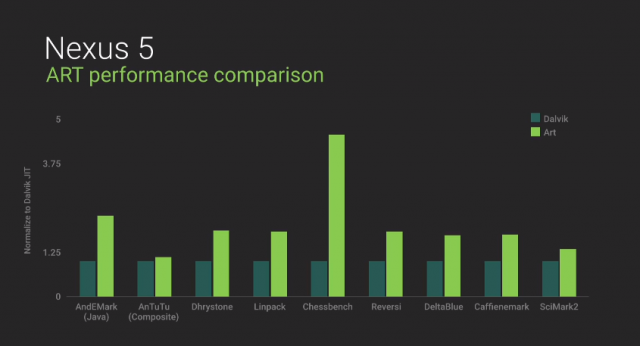
    ART helps increase performance remarkably
    ART helps increase performance remarkably

    Android is also completely incorporating the Android Runtime or ART and switching over from Dalvic runtime in a bet to improve efficiency and speeds. ART is available for testing on the Android 4.4, if some of you want to let your inner nerd flow. The difference between the two is that Dalvic compiles code every time an app starts and thereby waking the processor and in turn sucking in some juice every time. On the other hand, ART compiles and optimizes the codes well in advance thereby requiring less power to run apps.

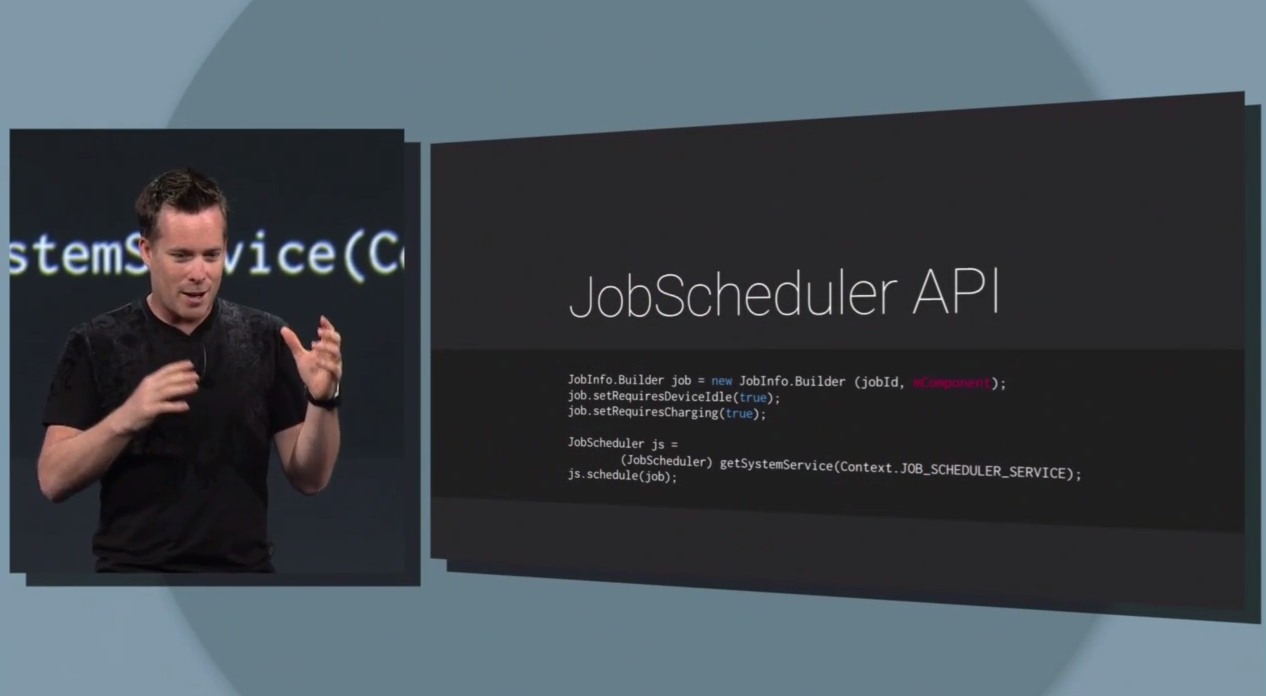
    Hibschedular API will help batch multiple functions at once to increase efficiency.
    JobSchedular API will help batch multiple functions at once to increase efficiency.

    Project Volta also introduces a new Job Scheduler API. With this, developers could program certain apps to work only when corresponding conditions are met. So instead of individual apps arbitrarily asking for processor access, multiple functions can be batched together and done at once for minimum use of battery life so that you can spend that extra juice for watching “dogs and babies” videos on YouTube.

    Apart from this Android also inducted the battery saver mode which has been seen on manufacturers like Samsung and HTC. When the phone reaches the predetermined low battery level, the processor is slowed down, screen is dimmed, animations are reduced and the radio usage is decreased. This option is to maximize the last few moments of the battery before finding the sanctuary of a plug point.

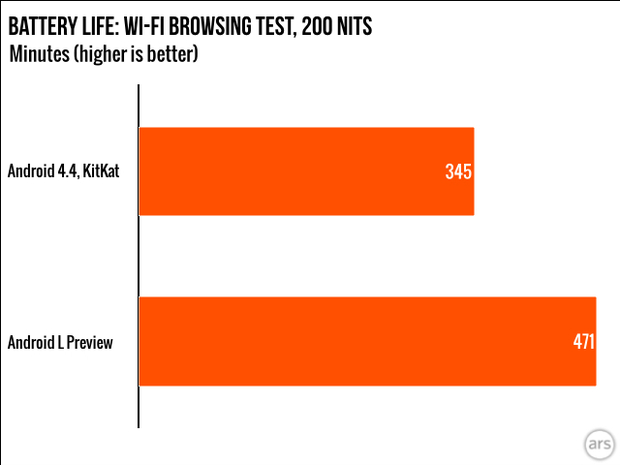
    Ars Technica's test showed a 36% increase in battery efficiency
    Ars Technica’s test showed a 36% increase in battery efficiency

    These efforts seem to be showing some results as Ars Technica did an extensive test and found the Android L to be 36% more battery efficient, and that’s quite impressive.

    There have been some efforts by the markets to address the battery issue. The Oppo Find 7 is a good example. With its fast charging VOOC charger, the Find 7 boasts of charging 0-75% battery in 30 minutes. Apart from this the market is also flooded with power-banks but they become just one more extra piece of equipment to charge and carry around. What is needed is a back-to-drawing-board study of the battery and maybe Google should make it a priority at the Google X (its semi-secret research facility) now.

    With the amount of dependency we have on our smartphones and the information they hold on us, battery technology should be a priority research. The company that delivers the best battery improvement will surely emerge a winner in this over-saturated market. It’s about time that Smartphones got some Smart Batteries.

  • Death of Orkut and The End of The Previous Generation of Social Media

    Death of Orkut and The End of The Previous Generation of Social Media

    Google recently announced the shutting down of its Orkut service. After seeing a huge user base in Brazil and India, the social network just couldn’t keep up with the rapidly innovating competition. The social network service will officially shut down on September 30th.

    Google will close the curtains on Orkut on September 30th
    Google will close the curtains on Orkut on September 30th

    Orkut was the first social network that I laid my hands on and even on a 56000 bps connection; it was pure fun. Back in 2005, this was a better medium of interaction with friends with whom we could spend every waking moment with. It was a more interactive service than the dull telephone call,even though it did take 15 minutes to post a single ‘scrap’ (equivalent to fb’s wall post) on a friend’s profile. It was more interactive than Yahoo or MSN messengers which were staples of all internet connected computers of that era. Uploading or even viewing a single image was a night long affair which would skyrocket the phone bill and hence was meant to be avoided.

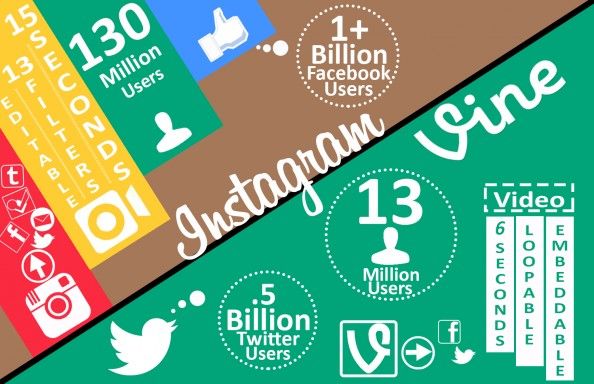
    Social media has come a long way from my first encounter with it. The giants, Facebook and Twitter, have made their mark and cleared their competition while increasing their user base exponentially. Now one out of every seven human being has a Facebook account, and there are about six hundred forty five million users of Twitter worldwide. If Facebook were a country, it would have been the third most populous country in the world.

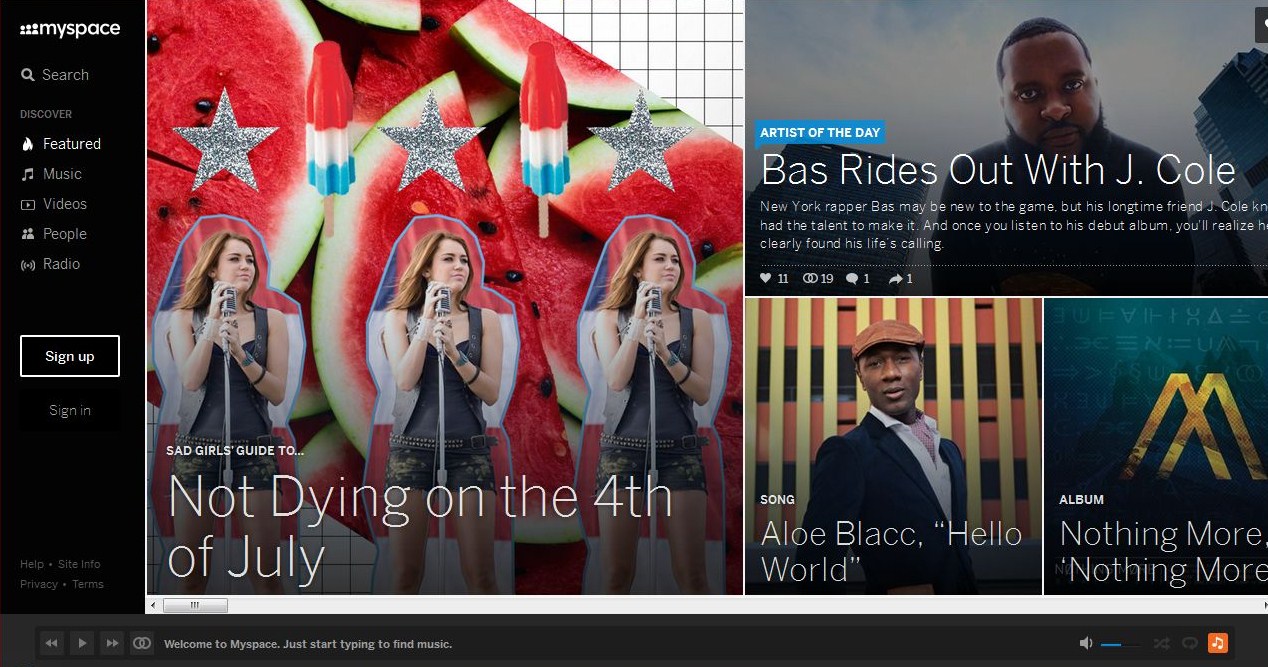
    The Grand Daddy of Social networks has reinvented itself into a music heavy platform
    The Grand Daddy of Social networks has reinvented itself into a music heavy platform

    The social media evolution began in 2003 with the inception of Myspace. Myspace created the foundation on which thousands of startups tried their luck on and Facebook ultimately won the game. Myspace has since had a new owner in Justin Timberlake, who has reinvented it in a music heavy flair.

    Even social broadcast mediums like Blogger faced intense competition from micro-blogging revolution which came with Twitter. It took social interactions to a whole new level. With almost first person interaction with the who’s who of the world, it somehow brought an egalitarian aspect to the society.

    The news media has also seen a major shift in information dissemination with the advent of social media. Now you don’t have to go find the news, the news finds you. Almost all major newspapers and media houses have their social media pages, and there is a predatory race to who could gather the most reach and most subscribers.

    Erik Qualman in Socialnomics states that “Social Media is the biggest shift since Industrial Revolution.” He says that the four P’s of Marketing; Product, Place, Price, Promotion are now replaced by the 4 C’s of Digital; Creating, Curating, Connecting, Culture. Within our social media profiles, it’s clearly evident that digital marketing is now a major priority for companies around the world. An economy of “likes” is taking shape.

    Instagram and Vine have grown because of their simplistic and swift approach
    Instagram and Vine have grown because of their simplistic and swift approach

    But this has also had some drawbacks. Because of the massive overload of information, the average human attention span is at seven seconds, in comparison, a Goldfish has 8 seconds of attention span. This is the reason why services like Instagram which are swift and efficient have been able to consolidate a faithful following. Apart from these, unscrupulous elements have found a whole new ecosystem to exploit naïve and unsuspecting victims. Fortunately lot many nations around the world have started talking about regulations for social media. These laws should be directed towards upholding freedom of speech while protecting privacy concerns to be efficient.

    The death of Orkut does raise some questions on longevity of the social media ecosystems. The companies that have constantly read the user demands and have innovated with it have succeeded. It is this reason that we see Mark Zuckerberg signing up multi-billion dollar acquisitions. Mobile is where the game is to be played in the future and Whatsapp, Snapchat have fast become interaction medium between friends and acquaintances.

    Google can create a new revolution with its wearable technology.
    Google can create a new revolution with its wearable technology.

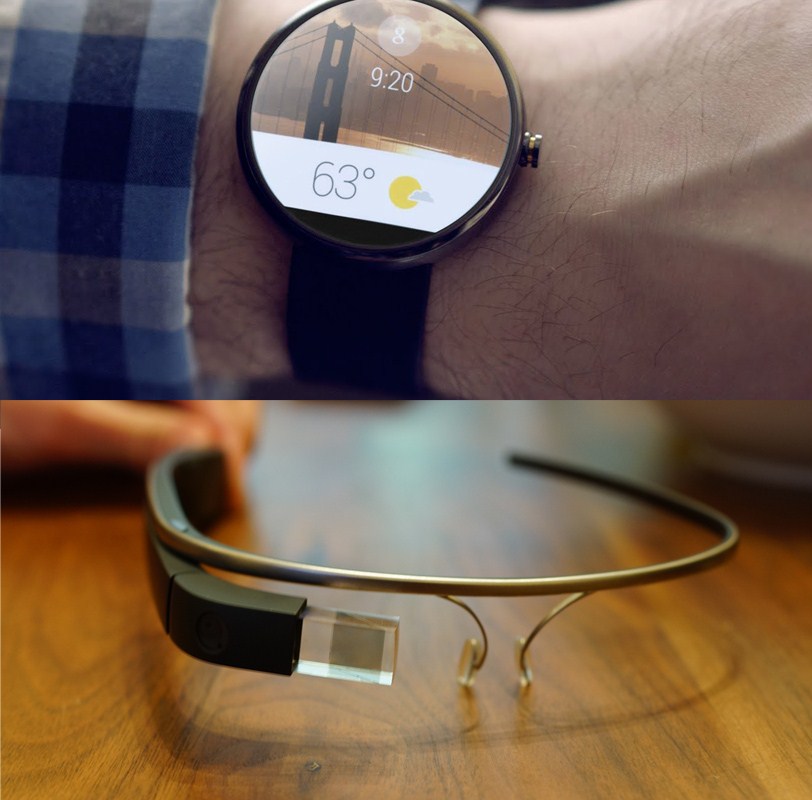
    For Google, which has struggled to offer a winsome social network experience, this is an opportunity to either start afresh or start anew. Google is at an advantage to take some risks right now considering it is the leader in the mobile OS business. Its hardware platforms like Android Wear, and Google Glass provide it an opportunity to experiment and innovate. In the era of portables and identical looking operating systems, the world is looking constantly looking for the next big thing. It is for the future to see if it emerges from a giant as the iPod did from Apple or from an unknown garage workshop like in the case of Facebook.

  • DIY : Install Android L On a Nexus Device Right Now

    DIY : Install Android L On a Nexus Device Right Now

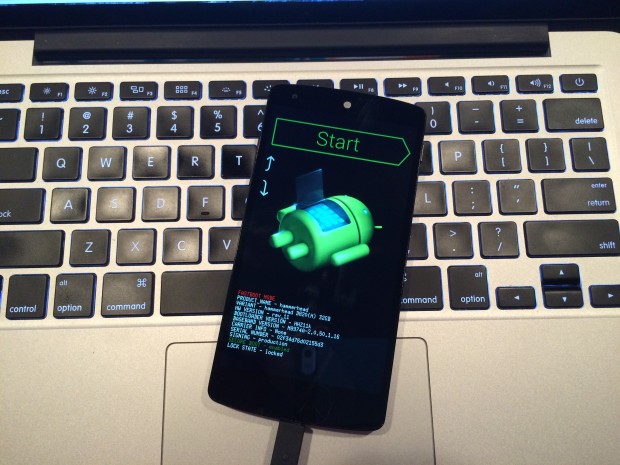
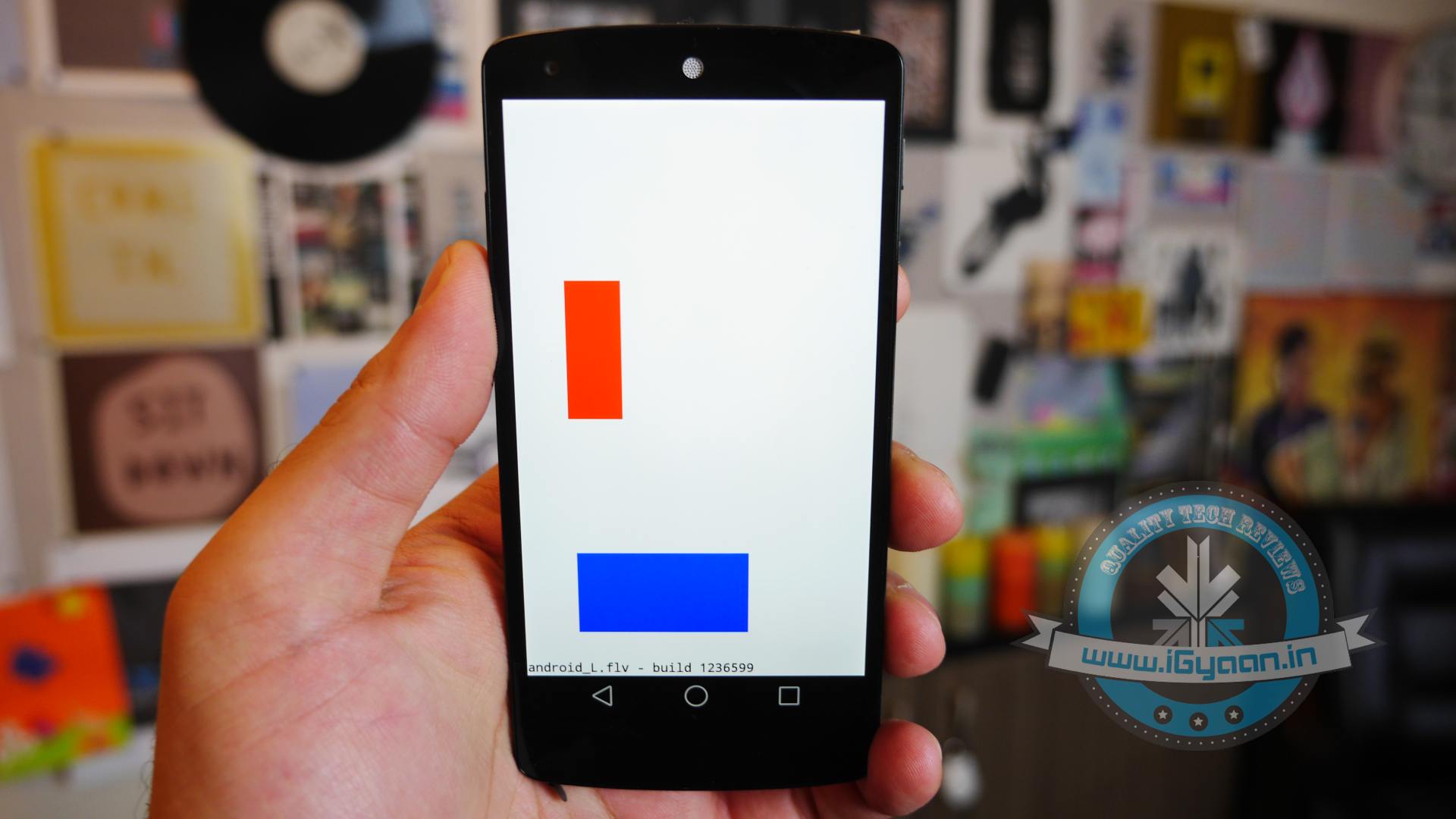
    At the I/O 2014 conference, Google showcased the latest version of Android, known only as L until its official launch later this year. Now, Google is offering an Android L Developer Preview, which is essentially an Android L Beta that comes complete with Android L factory images for the Nexus 7 and Nexus 5. You will need these Android L factory images to install the Android L Beta on your device. In addition you will need to install the Android SDK or at least ADB and Fastboot.

    Android L may not yet be ready for prime time, but a preview version is now available for Nexus 5 and Nexus 7 (2013 Wi-Fi model), giving users the option to get comfortable with the slew of changes it introduces. Here is how you can download and install it.

    P.S. Don’t forget to Back-up first.

    Also, if you are just interested in our detailed look at Android L : Hit the bottom ! or Click Here.
    google_android_l_developer_preview_screenshot_googleio

    What you Need

    • The Android SDK Tools, that you can download from Google Developers
    • The Android L preview factory image for your Nexus 5 and/or 2013 Wi-Fi Nexus 7, that you can also download from Google Developers.
    • A program that can handle archived files, like 7-Zip or WinRAR.

    How to do it

    Step 1.

    Before you can install the Android L Beta to Nexus devices you will need to install ADB and Fastboot to your computer. This is a program that runs on your computer to connect to your Android through a USB cable and flash the Android L Beta to your device.

    HOW TO INSTALL ADB ON WINDOWS

    If you are using a Windows machine, including up to Windows 8 and Windows 8.1 you can use the 15 second adb installer to streamline the process.

    Download the ADB installer for Windows. Find the file, right-click on it and choose Run as Administrator. When prompted you need to give the app access to run as an administrator. After the app launches type a Y and enter to select yes to Install ADB & Fastboot, to intsll ADB/Fastboot systemwide and to install Drivers. When a new window pops up follow the steps to install the drivers.

    After this is installed you should be ready to install the Android L Beta on the Nexus 5 and Nexus 7.

    HOW TO INSTALL ADB ON MAC, LINUX & CHROMEOS

    Nexus Tools makes it easy to install ADB on a Mac, Linux or even ChromeOS. All you need to do is open Terminal on your computer and paste in the code from xda.

    This will install ADB and Fastboot on Mac, Linux and Chrome OS without the need to do anything else.

    After the script completes you can type ADB or Fastboot to start running either program.

    Step 2.

    If you are on a Mac/Linux/Chrome OS jump to Step 12
    Windows PC folks; go to the folder where Android SDK Platform-tools is located (in my case, its path is C:\Program Files (x86)\Android\android-sdk\platform-tools) and copy the following files to the Root folder:

    • AdbWinApi.dll;
    • AdbWinUsbApi.dll;
    • fastboot.exe.

    Step 3.

    While in the Root folder, extract the Android L preview factory image to the same location. This will create a new folder inside Root, which name depends on the device.

    Step 4.

    Open the folder and copy all of its contents to Root.

    Step 5.

     Now, you have to install the correct drivers for your Nexus 5 and/or Nexus 7. Here is what you need to do:

    • After connecting the device to the PC, power the Nexus off.
    • Turn on your device in fastboot mode; the key combination for your device is either volume down + power  or volume up + volume down + power.
    • From Device Manager (Computer -> Properties -> Device Manager) identify your device (it will show up with a yellow exclamation mark icon).
    • Right click on it, select Update Driver Software and then select Browse my computer for driver software.
    • Select Let me pick from a list of device drivers on my computer.
    • From Have Disk… option manually install the android_winusb.inf driver ( its location may be same as C:\Program Files (x86)\Android\android-sdk\extras\google\usb_driver). Accept any prompts that may appear.
    • Select the Android ADB Interface option when given the option. Accept any prompts that appears.

    Step 6.

    Enter fastboot mode, open a command prompt window in the Root folder (while pressing the Shift key, right click inside it and select Open command window here) and use the fastboot devices command.

    Step 7. 

    Open a command prompt in the Root folder. Use the fastboot oem unlock command to unlock the bootloader. A prompt will show up on your Nexus device; use the volume keys to select Yes and press the power button to validate. This command will erase all personal data from the device.

    Step 8. 

    Use the flash-all.bat command to perform a clean install of the Android L preview. Alternatively, you can also open the file with the same name from the Root folder.

    Step 9.

    Using Notepad, open the flash-all.bat file (or, right click on it and select Edit). To avoid any issues make sure that your Nexus device is disconnected from the PC beforehand.

    Step 10.

    Identify the fastboot -w update sequence. Remove the -w so the sequence is fastboot update. Save the changes.

    Step 11. 

    Connect your Nexus device to the PC in fastboot mode. Open the flash-all.bat file in the Root folder.
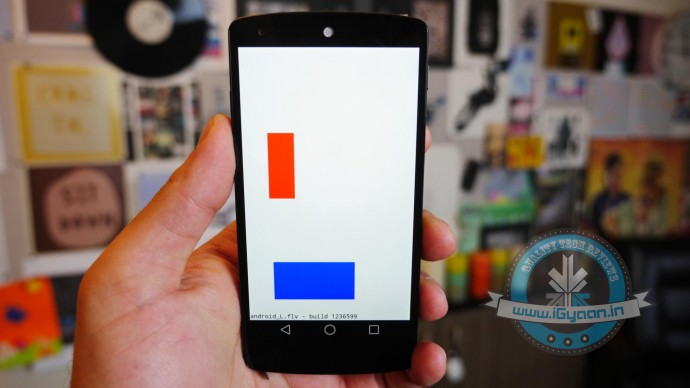
    Android L 1

    Step 12

    For Mac/Linux/ Chrome OS users

    Extract the downloaded Android L file onto a folder on your desktop named “android”

    Now open a Terminal window and type the following:

    adb reboot bootloader
    (this will reboot your device into fastboot mode)

    In Fastboot type:

    fastboot oem unlock

    Then hit enter. Follow the on-screen instructions and choose to erase the device. Wait a minute or so for it to unlock. This removes everything on your device.

    Now Go into your desktop folder in Terminal

    cd /USER/desktop/android
    (replace "USER" with your username)
    
    Then type in the following
    sudo ./flash-all.sh
    (wait about 5 minutes and your phone will reboot into Android L)

    And you’re done. Following these steps your device will run the Android L preview. Be aware that you may encounter bugs due to it being in an earlier stage of development. In case you wish to go back to KitKat, you can apply the same steps as detailed in this article, but using a KitKat factory image instead. 

    Hands on with Android L

    Here is what the Animation looks Like:
iGyaan Network
Privacy Overview

This website uses cookies so that we can provide you with the best user experience possible. Cookie information is stored in your browser and performs functions such as recognising you when you return to our website and helping our team to understand which sections of the website you find most interesting and useful.