Category: iGyaan

Everything Exclusive to iGyaan

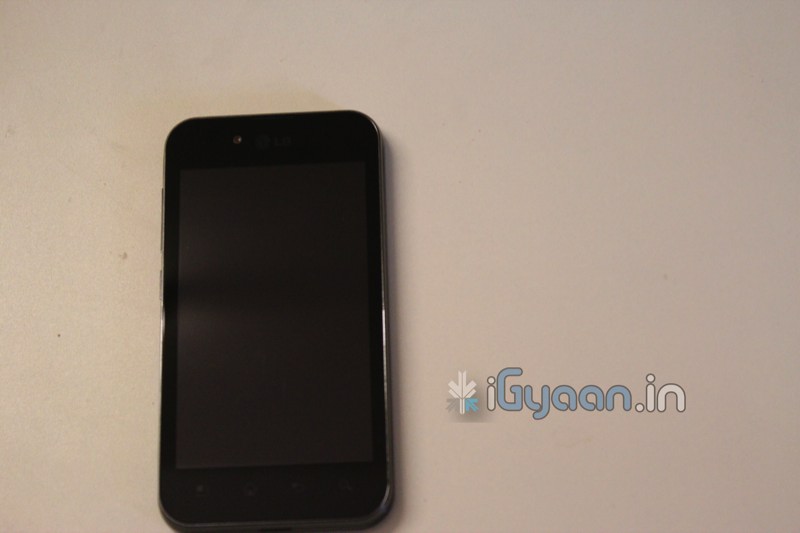
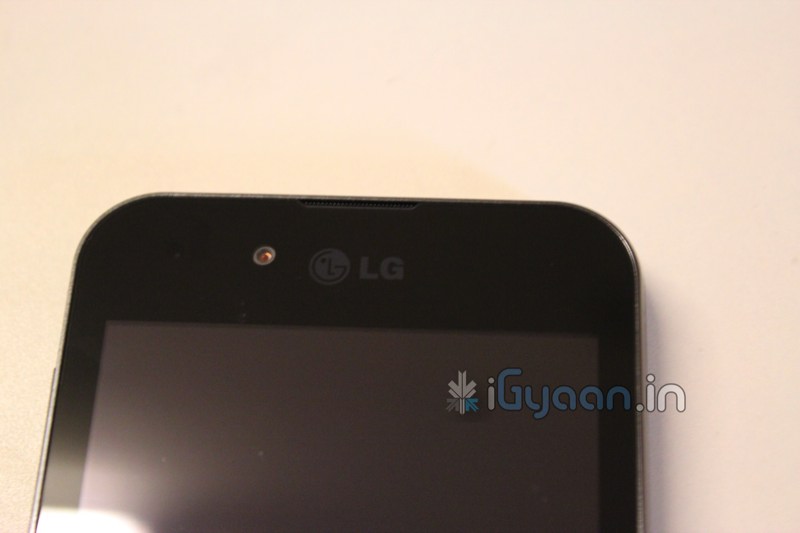
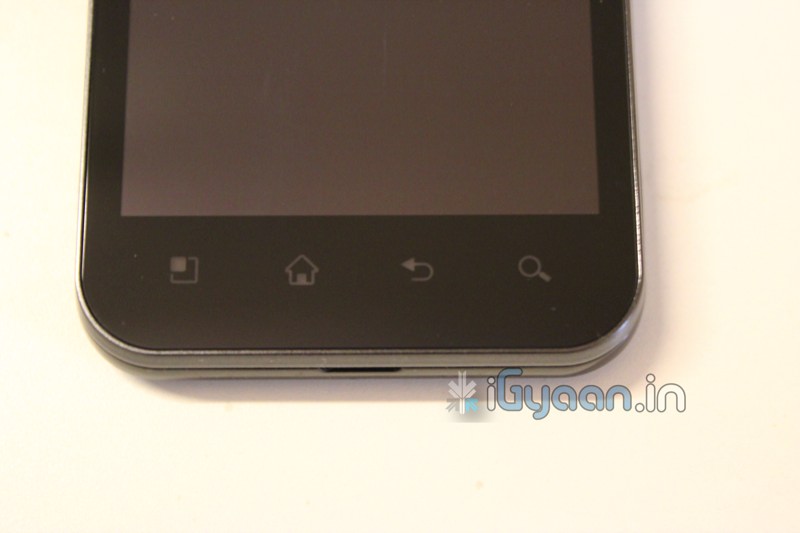
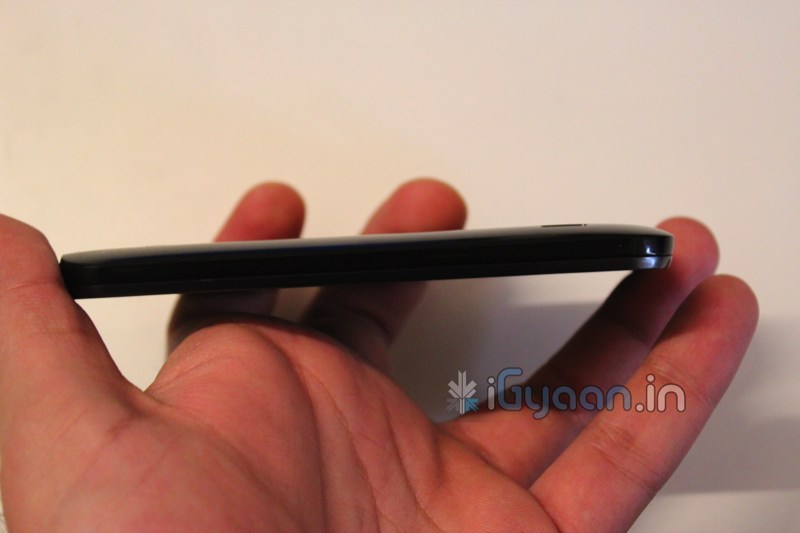
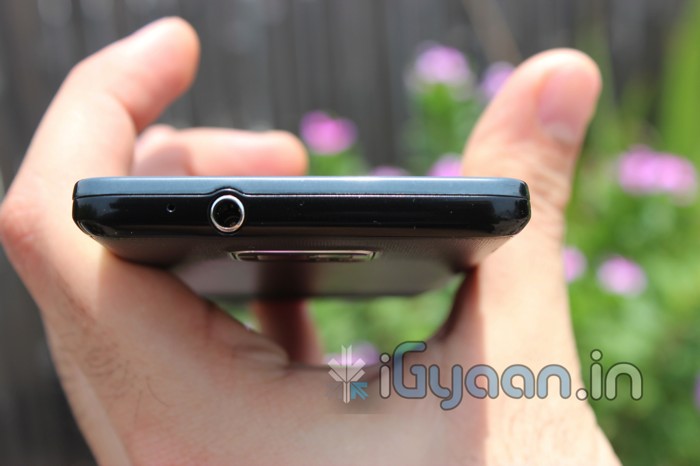
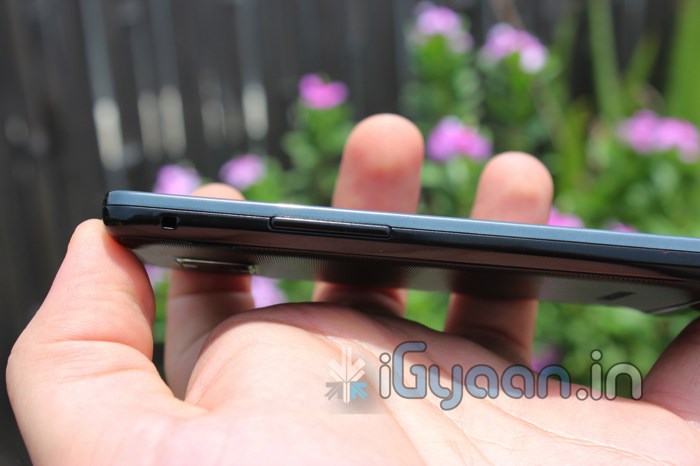
  • LG Optimus Black Unboxing and Hands On with Video

    LG Optimus Black Unboxing and Hands On with Video

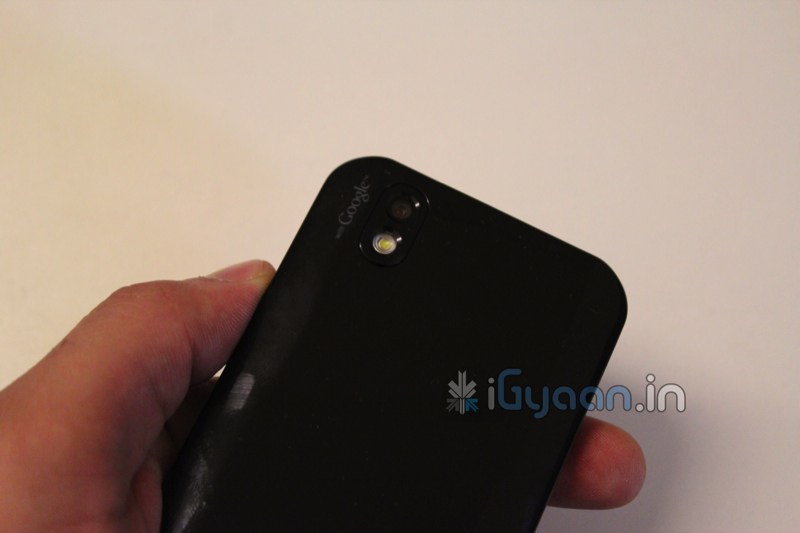
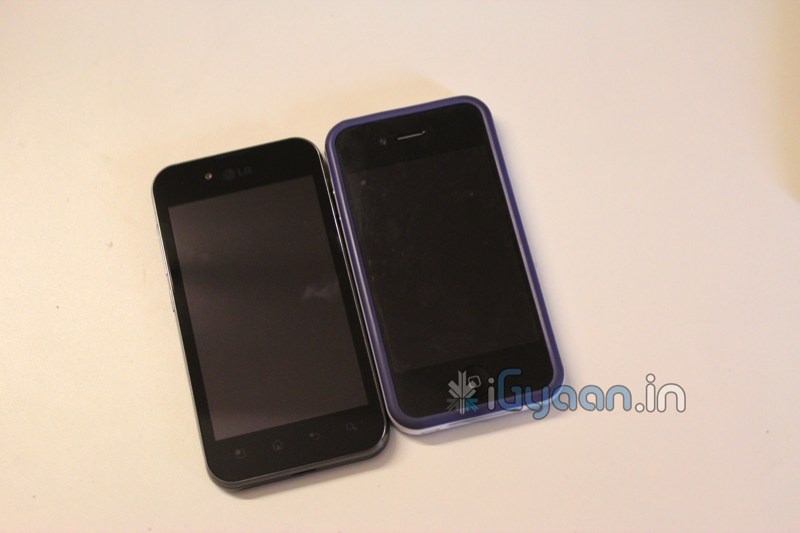
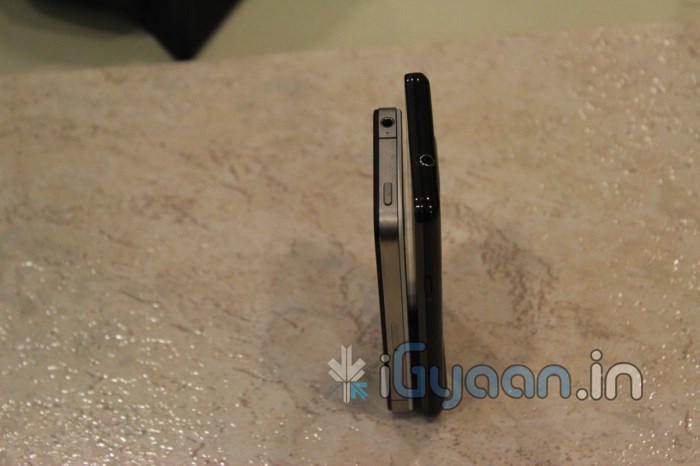
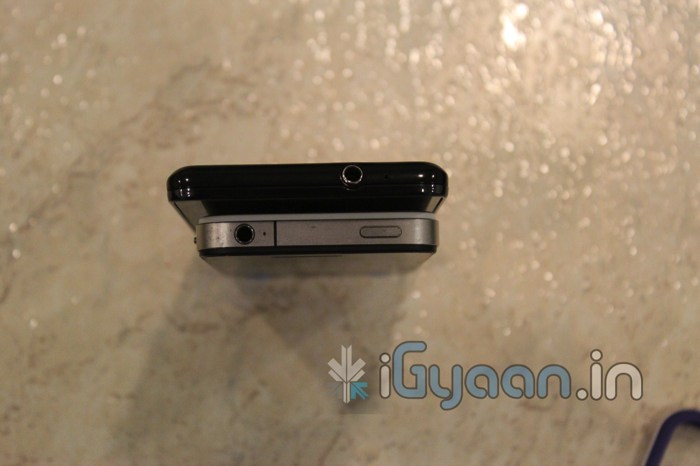
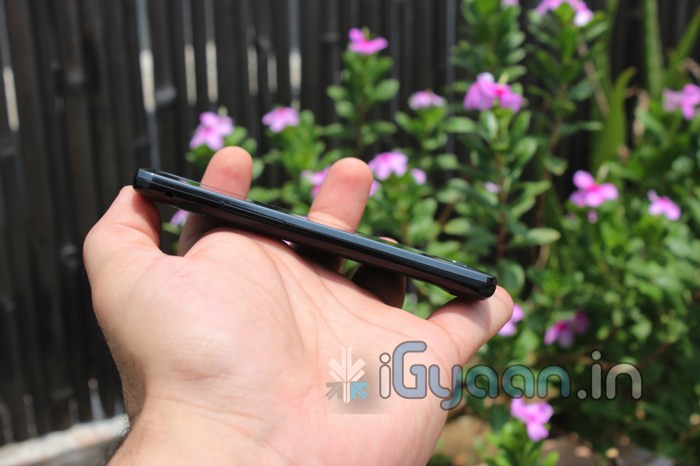
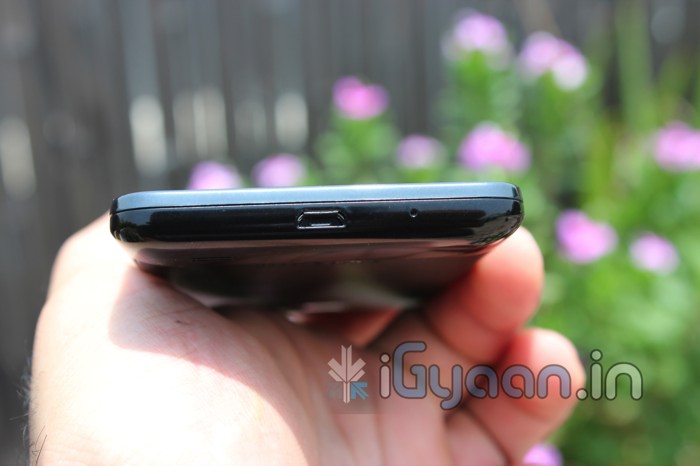
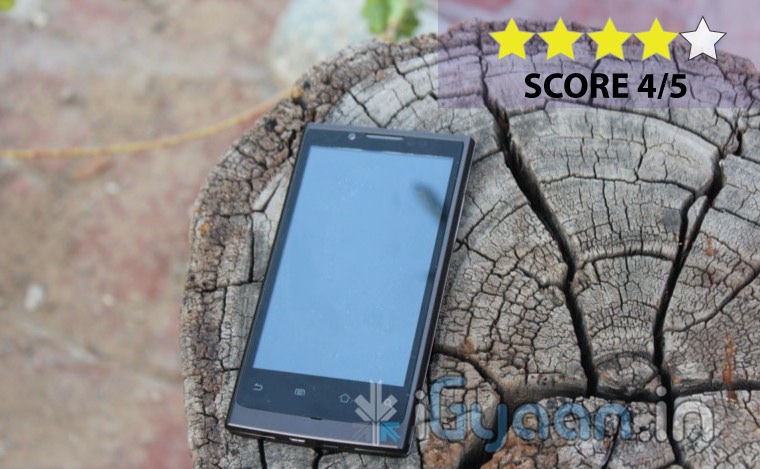
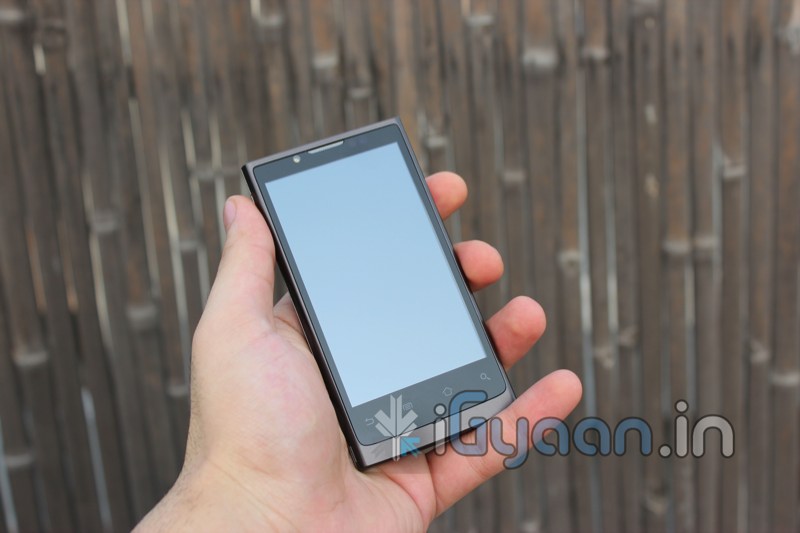
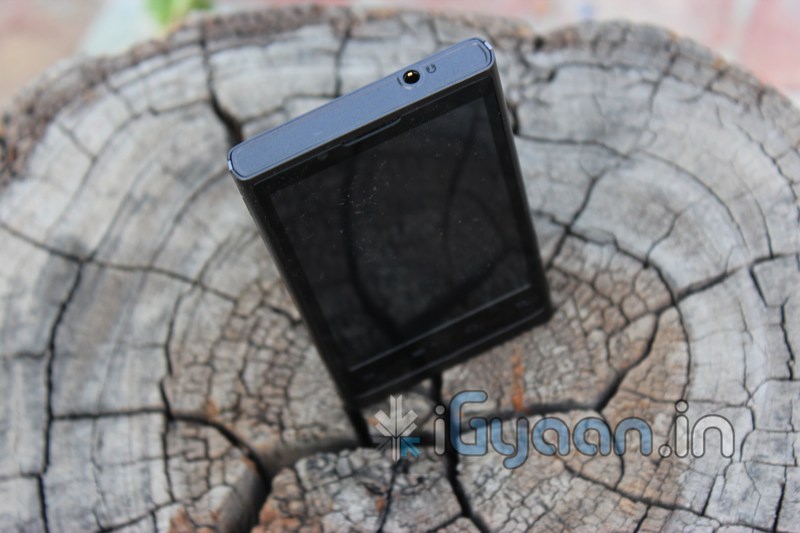
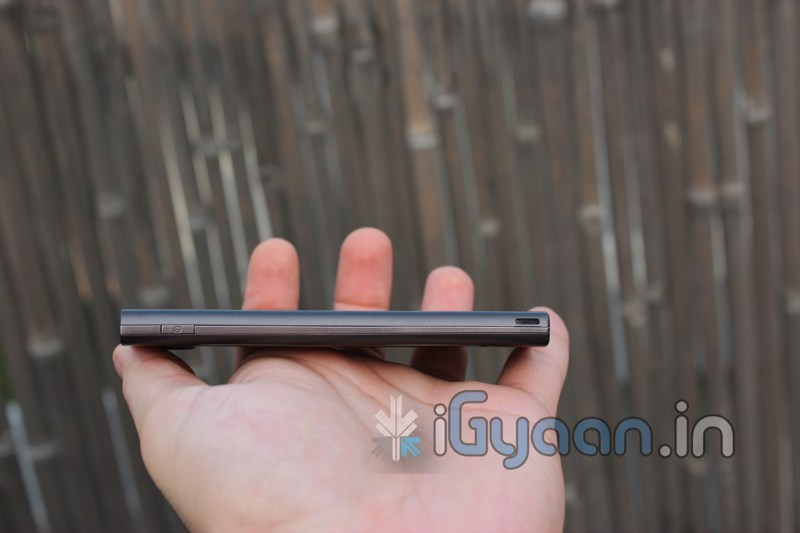
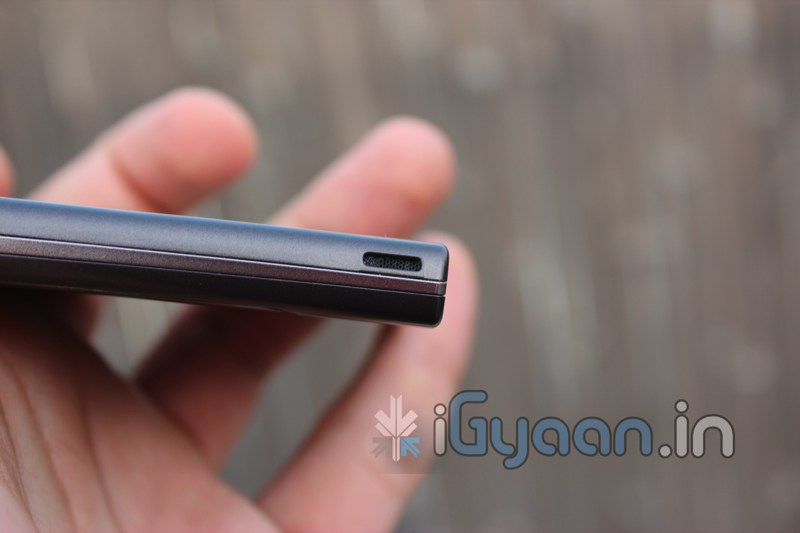
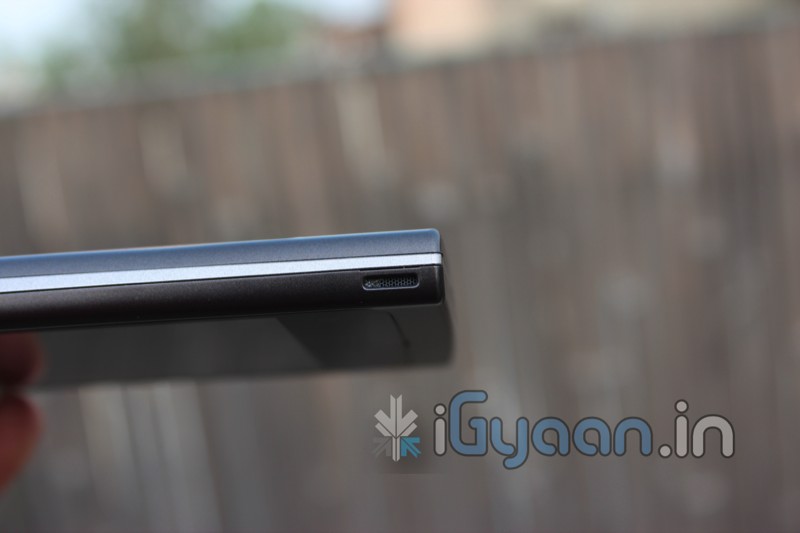
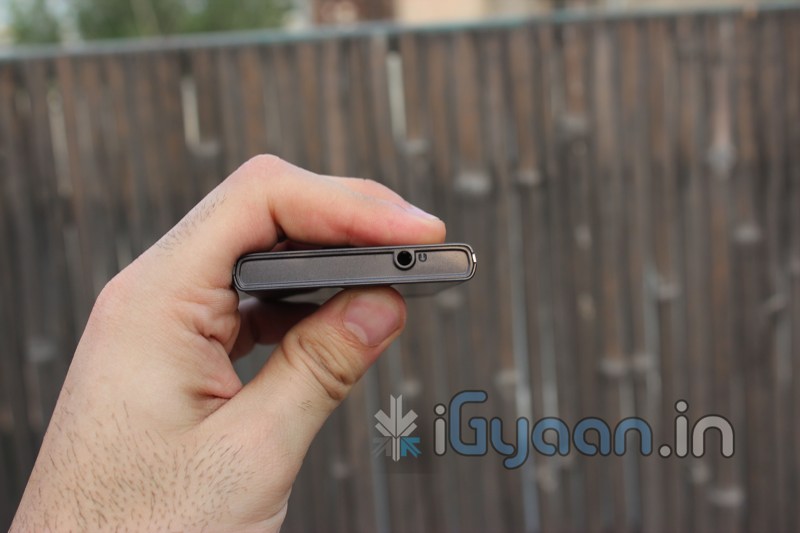
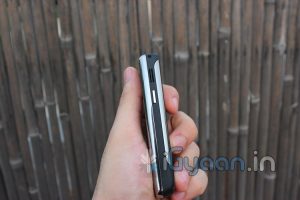
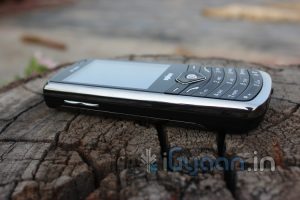
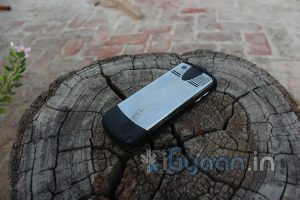
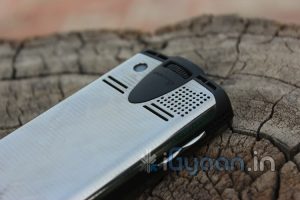
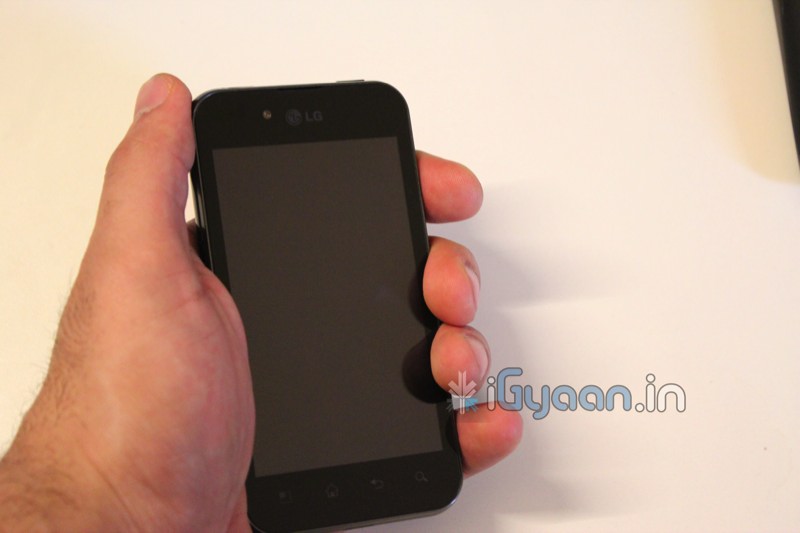
    The LG Optimus Black Was announced just recently in India, and we are here today with a quick unboxing and hands on preview of the device.

    Important specs include:

    Name Type
    Operating System   Android OS v2.2
     Dimensions  122mm x 64mm x 9.2 mm
     Weight  109g
     Display Screen  4 inch WVGA IPS LCD
     Processor  1 GHz Cortex A8 Processor
     RAM  512 MB
     Storage  2GB Internal + 32GB Optional
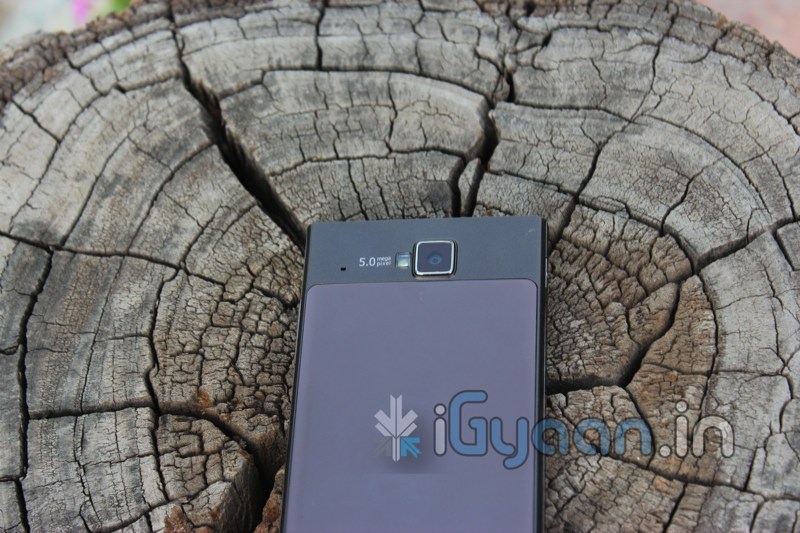
     Camera  5 MP Rear : 2 MP Front (AF)
     Video  720P VIDEO @30 fps
     Connectivity  Wi-Fi, 3G, GPRS, EDGE,
    A-GPS, Bluetooth v3.1 with EDR
     Battery  1500 mAh Li-Ion
     
    The Price of the Device is about : Rs. 19,800 in the Market


    Image Gallery


    Video Unboxing

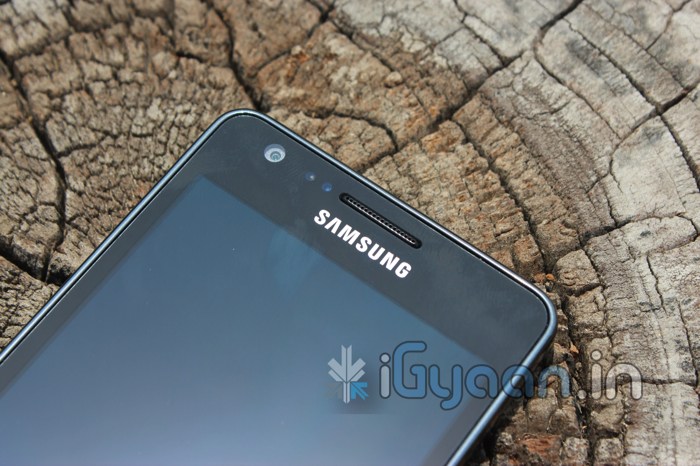
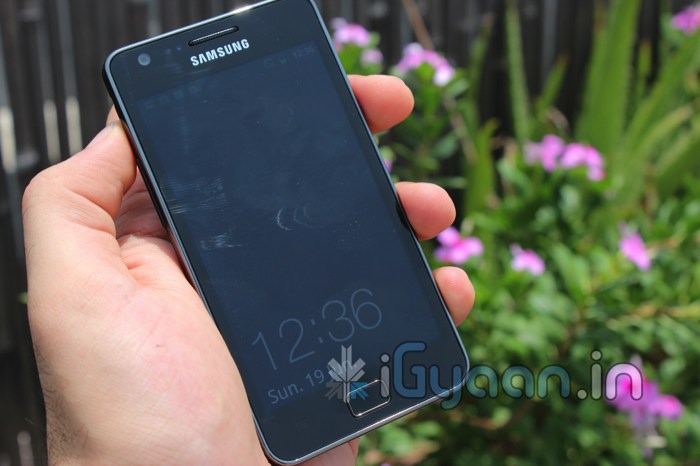
  • The Samsung Galaxy S2 Review

    The Samsung Galaxy S2 Review

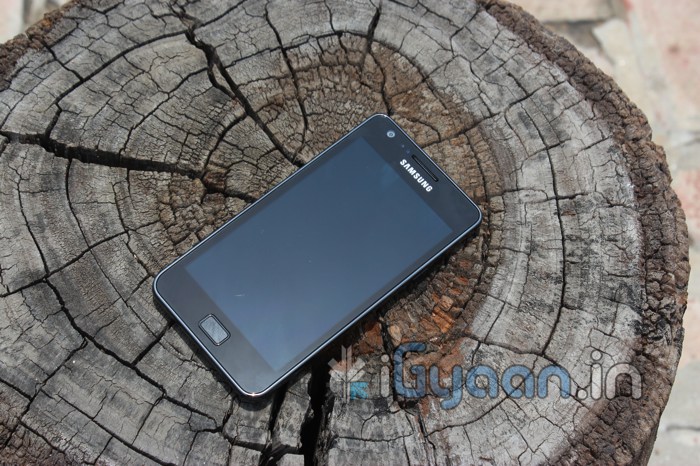
    One of the Smartest Smart Phones to hit our country, The Samsung Galaxy S2 has gathered a lot of public attention. But, does it stand up to the challenge put out by Day-to-Day Smart-Phone use? Lets Find Out!

    BUILD QUALITY, HARDWARE & DESIGN

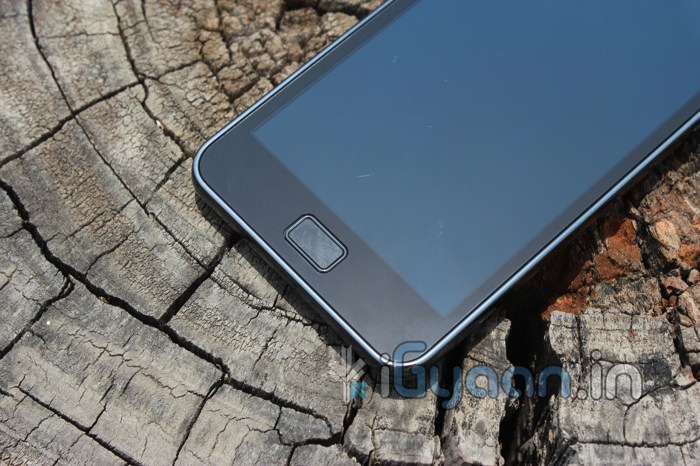
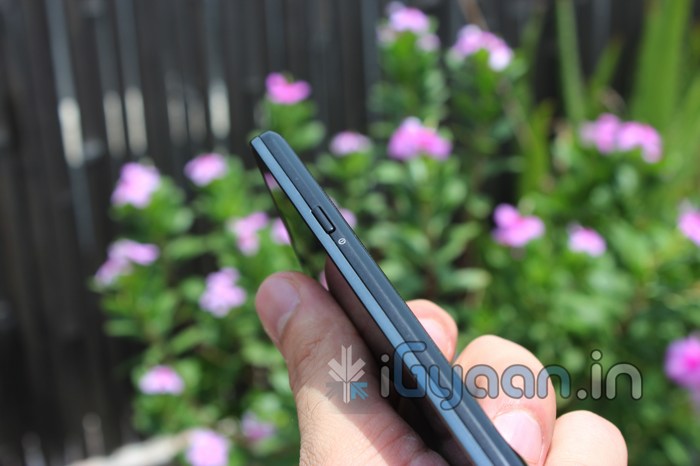
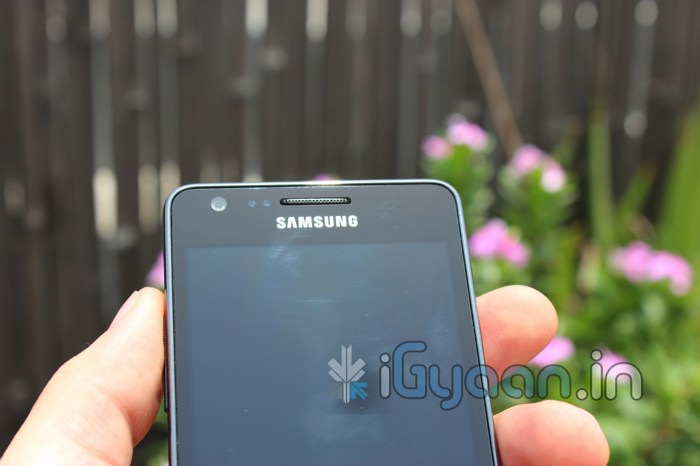
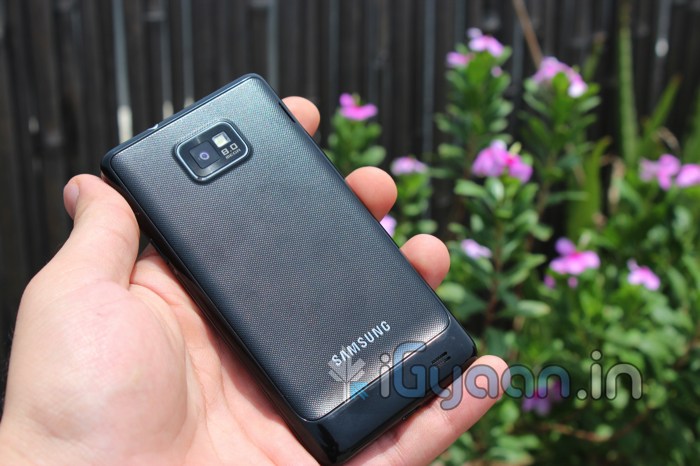
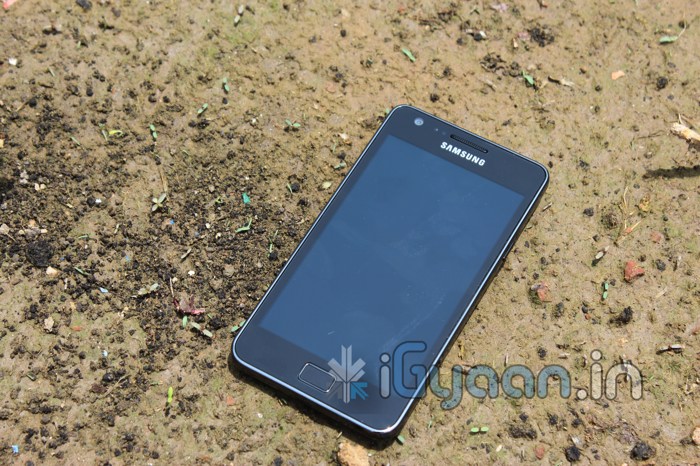
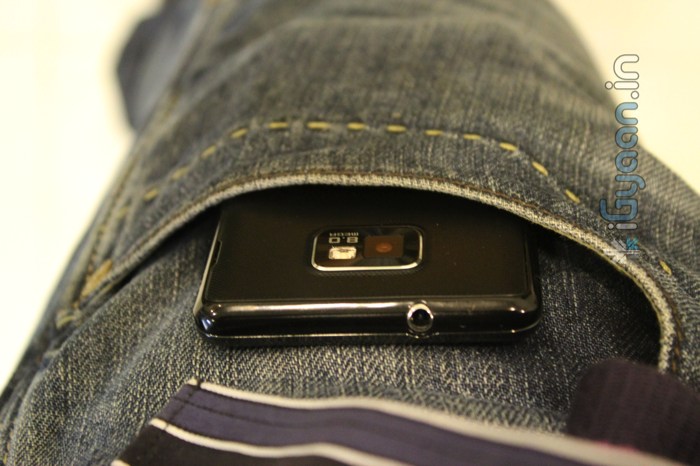
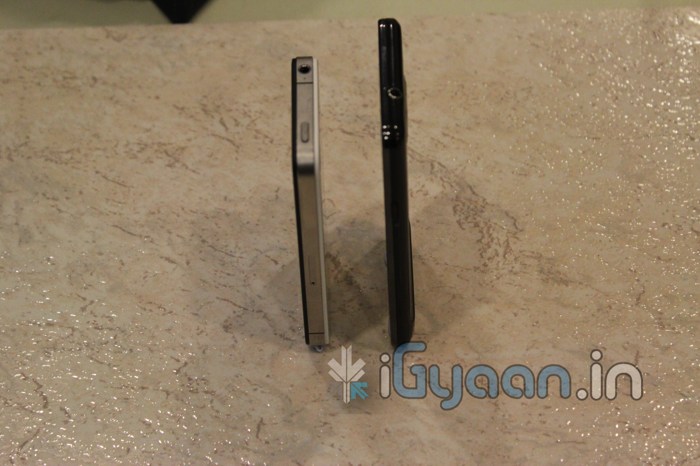
    The Galaxy S2 has a nice design, a sleek body and extra tough glass. But the build quality of the phone may not be up to the mark. The device features a total plastic construction that defies all laws of mobile phone existence. At just 8.5mm thick the device boasts an extremely slim profile. The back panel/cover is a flimsy piece of plastic that is fidgety to remove and put back on and also rattles when the phone is shaken.

    The screen on the other hand is extremely tough, it also resists scratches and impacts without a question in mind. Overall, the build is solid, the plastics don’t bend easily and are not cheap to look at either. But are not nearly enough when you compare it with what you pay for the device.

    In terms of hardware the two major things working for the Indian version of the Samsung Galaxy S2 are

    • Super Amoled Plus Screen – 480 x 800 px – 4.3 inches
    • 1.2 GHZ dual core processor

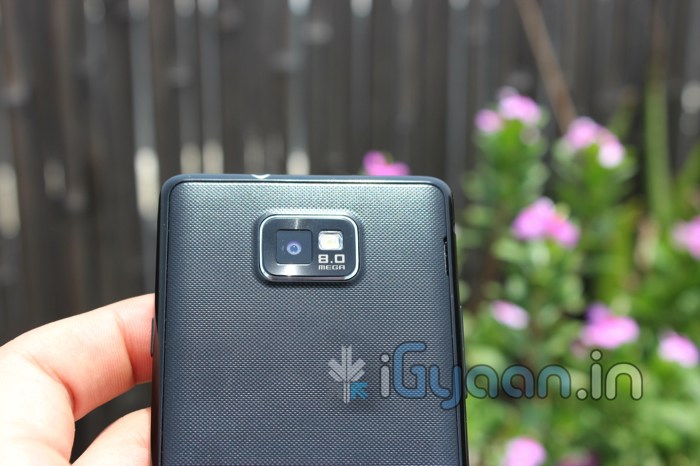
    The performances of these two major hardware components can be seen from the get go, and are attracting people towards the GS2. There is also 1 GB of RAM, giving an effective 853MB for usage (we really don’t know why only 853 is there totally). There is no NFC on the Indian Samsung Galaxy S2, and why would you need it anyway? The 8 MP rear camera with full HD video recording, a 2 MP front camera, 1650mah battery. You can also check out the full Spec Sheet Here

    CAMERA AND MULTIMEDIA

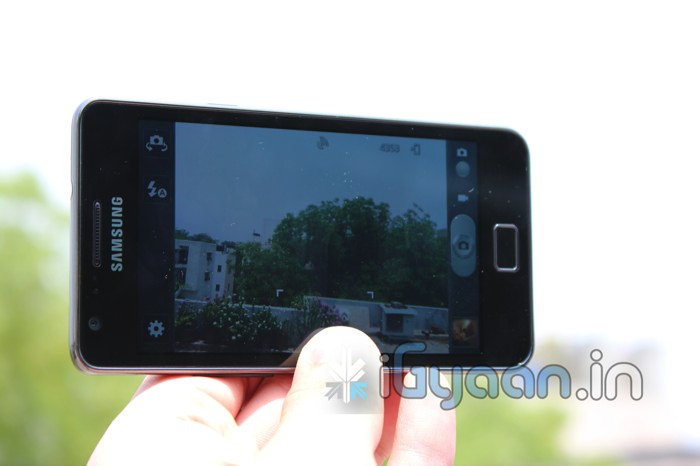
    The Camera on the S2 is brilliant; the screen viewfinder makes it even better. The colors are projected to the screen as-is, and are captured beautifully with the 8MP lens. The camera is fast to focus and has great exposure values. Tap to focus lets you select you subject and one click capture brings you an experience that’s hard to replicate. The camera app is also packed with a long list of settings and effects you can tweak and play around with. Shooting modes, scene modes, effects, image size, exposure values, white balance, noise reduction and anti shake to name a few.

    Macro mode is exceptionally great as it can capture close-ups with great detail. There is also a timer, ISO settings, Metering selection, blink detection and geo-tagging. The S2 has a fully loaded camera app and a great camera lens to go with it. Overall performance of the camera is easily notable and can replace your point and shoot camera for day-to-day use. The flash is bright and has a great field of coverage.

    Video capture at 1080p is smooth and without frame drops, although you can notice the autofocus on the camera struggle during the video recording output. Videos are clean and the microphone picks up sound just great. Video is so good in fact we actually shot an unboxing video on full HD with the Samsung Galaxy S2 – Check it HERE

    Sounds from the speaker are actually louder than we expected. Audio quality is clear and speech notions can be understood easily. Why we emphasize on speech is because you will be watching a lot of videos and movies on the STUNNING AMOLED PLUS display. It is the best possible display from Samsung to date. With amazing depths of color and a great resolution (480 x 800) the display is very vivid. Colors are bold and there is no washout even at greater viewing angles. Some may argue that the colors on the screen are not what they appear to be, and the AMOLED screen gives a heightened look to a normal display/video.

    The included earphones are not a great match with the S2, the bass on the earphones is poor, watching movies or listening to music. If you enjoy good depth, you wont enjoy the included earphones. The placement of the main speaker can also be bothersome, especially when you hold the device in landscape to watch videos or play games. You will find your fingers covering up the main speaker for a total loss of sound.

    PHONE AND MESSAGING

    Nice large dialer, good speaker, strong mic and excellent network performance make the Galaxy S2 a great phone aswell. We tested the phone capability over extended periods of use and failed to get one reason to complain about the device. It was pure performance for the phone through out.

    The Keyboard on the GS2 is well spaced out in portrait and is very responsive during those long messaging sessions. You also have a huge list of settings that you can modify to make the keyboard a complete unit for you. From auto text to auto replace, modifiers and word learning, the keyboard is simply intelligent. You can also switch to the included Swype keyboard for a faster input experience. In Landscape, typing is fast and efficient and the keys are wide enough to compile long emails without breaking a sweat.


    DATA & INTERNET

    Getting a smartphone like this? Expect to get a 3G data plan if you don’t already have one. This phone turns you into an “on the go data monster”. With the constant need to feed information into the device the unit comes ready to handle all sorts of online activity, from social feeds directly on your homescreen to business mails in a secret box. You get the latest news, weather information and stock prices without ever needing to install an app or setup the device. 3G / HSDPA performance is somewhat good, we found that the device would drop the connection to the server and would require a restart of the data service from the settings app. We have never faced a similar issue with any other Android device an it appears to be a glitch in the software somewhere. Another thing to note, is that when the device is in this suspended data connection mode, the back of the phone starts to heat up incredibly fast which leads to an equally fast battery drain.

    Wi-Fi Hotspot, also acts up (due to the network error we presume) and you will find your self constantly struggling with the error messages on the portable hotspot window.

    BATTERY LIFE

    If you haven’t read the section above we suggest you go ahead and read it. The battery life is largely affected by data mismanagement.

    Values 2G 3G 3G with Error
    Talk Time upto 7 Hours 4.5 hours 1 hour
    Standby time 36 Hours 24 hours 6 Hours
    Web Browsing 8-9 hours 4-5 hours
    Video Streaming 4 Hours 2 Hours
    Music Streaming 14 hours 6 hours

    Wi-Fi Values stand more or less the same with 2G data


    GAMING

    We though we would include this section just to clarify a lot of questions. While the device is perfectly capable of running high graphic games, you will not find us showing you videos of any such games for one simple reason. They don’t work on the device. Most games like Fast 5, NFS shift Asphalt, Assassins creed, Settlers crash on start up and some don’t show visuals. This is possibly a software -hardware integration glitch and perhaps the games are not designed to run on dual core smart phones. Other games like Angry Birds -All, Gun Brothers and our new favorite Age of the Zombies work perfect and without any issues.

    DUAL CORE

    The Samsung Galaxy S2 is India’s second phone to boast a dual core processor, and after our previous let down, we a happy to say that Samsung has managed to utilize the dual core- Android combo perfectly and has made it possible for the end user to enjoy the total experience. The phone is not only fast and responsive it is a super performer. All visuals play smooth, graphics and renders are fast all of this with tons of ram to spare. The Galaxy S2 also uses Android suspend multitasking which enables you to pause your ongoing app in real time and switch to another app, and then come back to the previous app without loosing data, or in our case lives.

    There is the heating issue that is causing battery loss but we believe its due to the data glitch and can be resolved by switching data modes, or turning on data as and when required (which can be troublesome, but is a quick fix until Samsung can fix it). If you haven’t already seen the benchmarks, check them out here.

    CONCLUSION

    The Samsung Galaxy S2 is highest spec’d phone available in India through official channels, its thin and light, its got a beautifully vivid display and a dual core processor that’s on steroids. The Galaxy S2 is ready to perform from the get-go and looks good doing it. Yes its got a flimsy looking build and some overheating issues. But why do we feel okay looking  past those? Possibly because poor build usually leads to a damaged display, but in this case the gorilla glass wont let that happen. As far as the battery drain- data error issue, Samsung is already working on pushing an update that will fix these issues.

    [xrr rating=4.25/5 label=”We Rate The Galaxy S 2 : ” imageset=shiny_yellow_star display_as=fraction_stars]

    PRICE :

    Rs: 30500/-

    US$ 700 /-


    VIDEOS


    UNBOXING VIDEO

    REVIEW VIDEO PART I

    REVIEW VIDEO PART II

  • EDIT : Why The iOS 5 going to be the Best Mobile OS to Date!

    EDIT : Why The iOS 5 going to be the Best Mobile OS to Date!

    Apple has recently announced the new iOS 5, The biggest update to their mobile phone OS since the iPhone was launched back in 2007. So Big, infact, that Apple decided to bypass the iPhone 5 launch this year round.

    What the iOS 5 bring that the iOS didn’t already have.

    People loved the iOS for its fluidity and ease of use, its beautiful and clean interface and the simplicity of performing actions to utilize and exploit the abilities the device it was on. The huge list of useful and eye pleasing applications which were designed  to work within the means of the OS and worked on the same basic principle, doing simple things easily and simplifying difficult things.

    But not everyone feels like this. Especially those who take pride in their endeavors to defame the fruit companies products, with their basic set of questions in place. Why does the structure have to be so closed? Why are we not allowed to do things that prior devices allowed us to do? Bluetooth file transfer- File management, Adobe Flash based browsing, even setting a custom ringtone.

    The fact of the matter is, Apple saw that these things were slowing down the Operating Systems usage which in turn deteriorated the whole device. For example, Bluetooth file transfer was the main reason due to which, in 2005,  over 3 million Nokia phones got infected with a virus which would delete important files from the Symbian structure ending basic phone use.

    Adobe flash is the heaviest video plugin ever made ( Adobe’s CEO confirms this) it is heavy on the processor , ram and extremely heavy on battery. Apple saw that by disabling Flash for video within Internet browsing, the overall battery life of device increased considerably. That being said, the user always should to have the choice to make the decision for himself. Adobe flash is allowed in the Application structure and a large number of apps are made with flash. Apple could have enabled Flash for a user to decide. But , in their defense it is easier to ignore a couple of 1000 people complaining about Flash – than a few million complaining about bad battery.

    Apple knows and is sure of one thing and one thing only, if they say their device does something, it does it. They don’t care about anything else and especially those things that they don’t promise or talk about.

    With the new iOS 5 , Apple brings about a large number of change in the Operating Systems use and the way you use your iDevice in a day to day basis. Apple has made these improvements not only due to a large number of demands, But also to take on the competition head first.

    The iOS 5 adds a huge chunk of things that were missing from the iOS over 200 to be precise. It also adds a whole list of new and innovative aspects to the already popular OS. Here are some of the most notable things
    Notifications

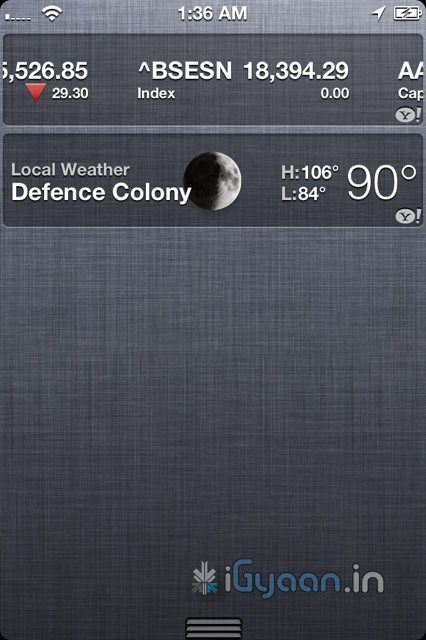
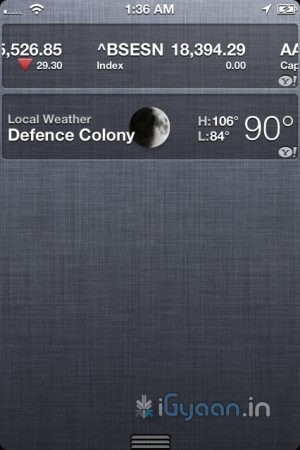
    Possibly the most asked-for improvement, the new notification system takes cue from the Android notification panel and takes it one notch higher. Just swipe down from the top of any screen to enter Notification Center.

    Choose which notifications you want to see. Even see a stock ticker and the current weather. Notifications appear briefly at the top of your screen, without interrupting what you’re doing.

    The Lock screen displays notifications so you can act on them with just a swipe. Possibly the first OS to have this feature built right into it. Yes you can get it on Android too, but only with a third party plugin.


    iMessage

    What has Apple done here? This is a feature that i personally have been waiting for. Apple has single handedly taken down forces of the mobile world, ping chat, whatsapp etc have stability problems, they break functionality and messages most often don’t reach the intended recipient. Enter – iMessage , Apple has built instant messaging over networks for free into iPods, iPads and iPhones on iOS 5 . You can send text, audio, images and even video over your devices to other people using iOS5 devices. Not only will this take a single most lethal blow at Blackberry, but also eliminate the need for most third party chat plugins

    Almost 60% blackberry users complain that if the iPhone had something close to bbm they would switch, and they will once iMessage comes out. If that does really hold true, then Apple will truly and effectively have stabbed competition right in the chest. Taking out Blackberry would mean great news for Apple and iPhone users, with a large number of people on iPhones, popularity of iMessage is bound to go up. Ergo the iOS 5 Device owner is bound to reap the benefits.


    Reminders

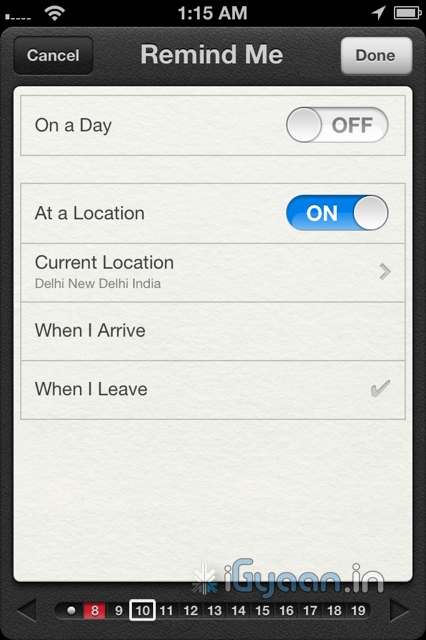
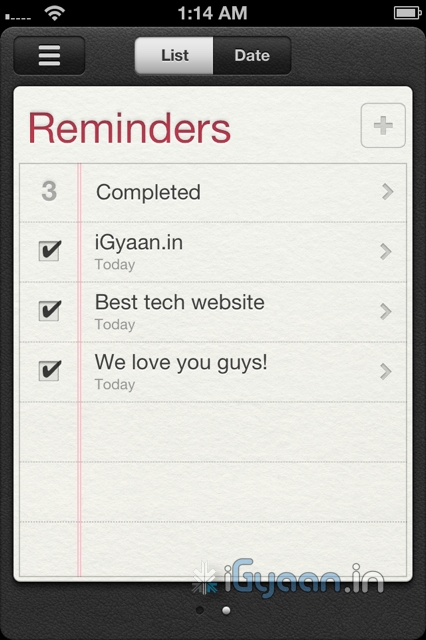
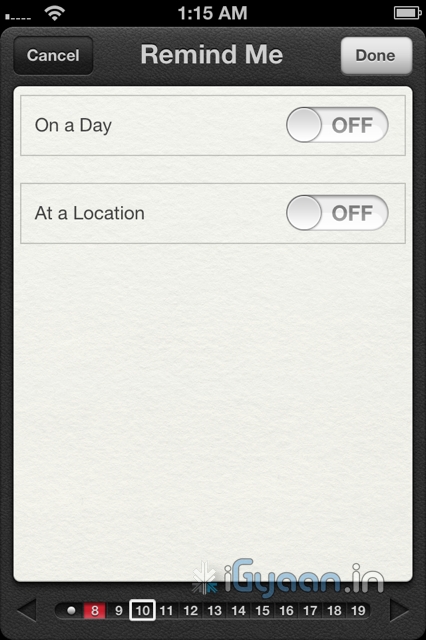
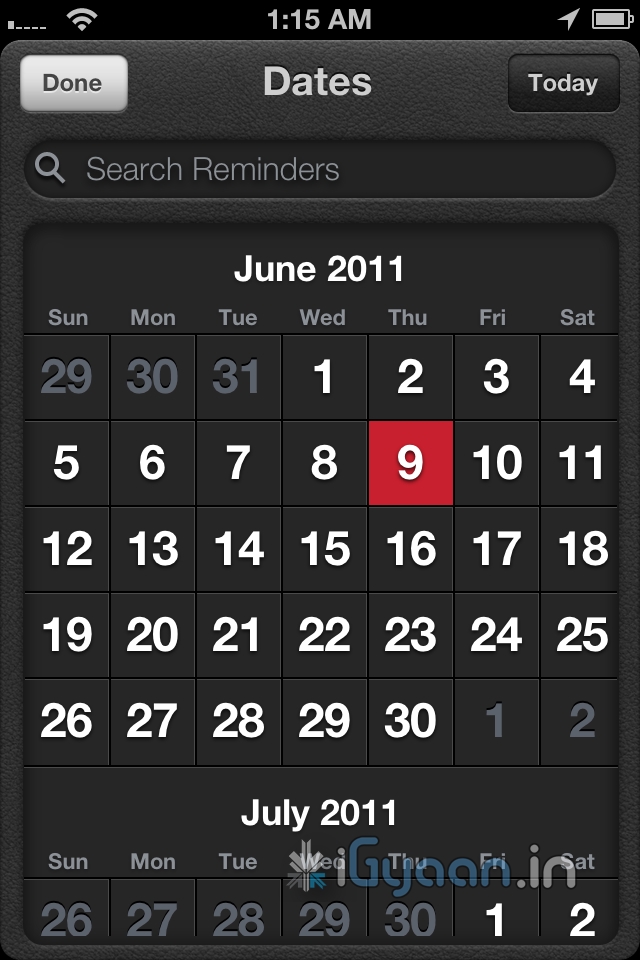
    We fail to understand, why this functionality never existed in the first place. A good reminder system is something every phone should have. whether smart or dumb.  Apple has done something really great with reminders. Not only are they simple to-do lists — complete with due dates and locations, they are also location based. 

    What does location based mean, you ask! Well lets put it in an example: A reminder app will play a sound or flash a note and remind you, that once you leave office you need to buy eggs on the way home, at a fixed time say 10 minutes before you leave office daily( lets say at 5:30pm daily). But in a scenario, where your daily departure time changes from 5:30 pm to say 4:30 pm  you will be reminded to buy eggs when you are already possibly at home. In a alternate scenario you will be reminded to buy eggs at 5:20 pm, but by the time you leave office at 7:00pm ( say you got late)  you will forget.

    Reminders from Apple solves this problem easily. You set a location based reminder – on departure from Office a reminder from the phone will remind you of your duties. The Phone using the GPS detects that you have left office, irrespective of the time, and reminds you that you have to buy eggs on your way home. Far more efficient and far more convenient than any other reminder we have ever used.

    Twitter Integration

    What is so great about twitter anyway? Nothing but the fact that the whole world uses it to share their thoughts. Its not a social network and its not about ads or games, no invitations to unknown parties and no fan pages. Its simple mood sharing, and the new iOS5 has it and will bring it to iPhones , iPods and iPads . The twitter integration is built right into Safari, Photos, Camera, YouTube, or Maps, you can tweet messages or reply to @usernames, you can even share your location. Its nothing great but the fact its built into the OS is really awesome and we like it a lot.

    Camera and Photos

    The iPhone 4 brought the best possible camera that any mobile device had ever had. Sure we have had cameras up-to 12 megapixel on cellphones, but its time that all of us accept the fact that more megapixels is not equal to better camera. The iPhone 4 features a backlit sensor that captures images like a dream, better than any other device to date. The new improvements in the Camera and photo apps take this functionality and extends it into the iOS 5.

    The most noticeable improvement is the use of the volume button as the camera shutter release. People have always struggled tapping the onscreen button, often resulting in shaky and wobbly images. The use of a physical button on the strategic location such as the volume key, makes it almost identical to holding a point and shoot camera- Boom! instant awesome images.

    You can also now open the Camera app right from the Lock screen, use grid lines, pinch-to-zoom gestures, and single-tap focus and exposure locks to compose a picture on the fly. Using iCloud all your pictures are instantly shared with all your devices, iPhone to iPad to your Mac.

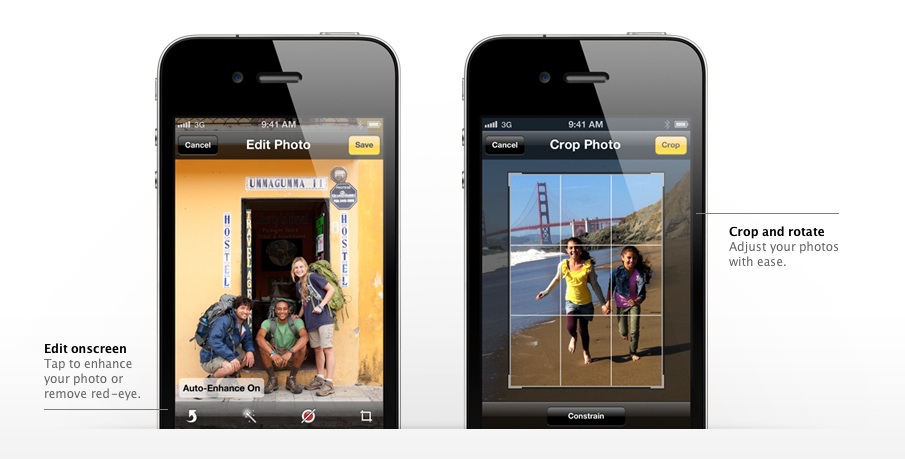
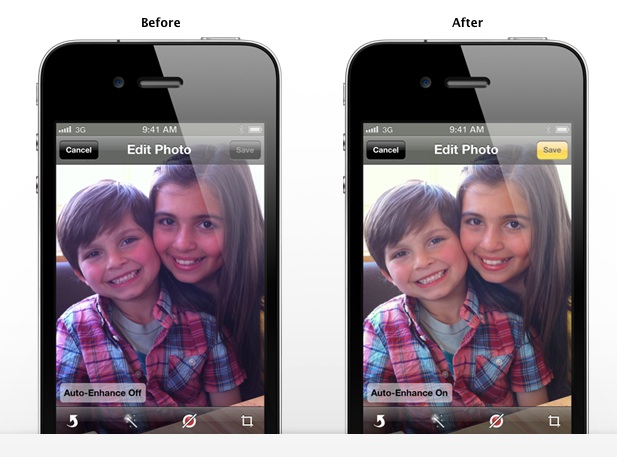
    The photos app allows better editing, crop, rotate, enhance, and remove red-eye without leaving the Photos app, a possible total replacement for Point and Shoot Cameras.

    Wifi Syncing

    Say What ? Did you read wireless sync? yes you did! Since the day the iPhone has been launched people have wanted a way to wirelessly sync their devices, and guess what, Apple allows you to do that in iOS 5. You do require to plug in your device into a charger for the obvious battery drain prevention that a WiFi sync may cause, But its better than getting to a Pc/Mac every time you want to sync. Now daily when you plug in your iPhone, iPad or iPod for charging it will also sync it to your computer. That is simply brilliant!


    200 More Features

    Apart from the above mentioned features the iOS 5 brings about over 200 changes, from improvements in the Mail and Calendar App to new Game center, multitasking gestures on the iPad, device to TV mirroring on the iPad, that fact that now when you buy an iDevice you wont be greeted with the annoying connect to iTunes logo as the devices will be ready to be used without connecting to a PC. iCloud is bringing a whole new list of possibilities to iDevices, and we will talk about it soon. 

    We see Apple progressing to new levels every time they announce something. No matter what anyone says , Apple was the first company to have perfected a touchscreen mobile phone, the first to popularize the concept of an App Store. They might be an expensive product company, a snobby company, with closed circuits and irritating policies. Their devices have a locked OS with limited potential. But it looks like the company is starting to open up to what the customer wants, and they prove it with the iOS 5.

    According to us the iOS 5 is going to be the best Mobile OS to Date. Future enhancement will come and most will follow in Apple’s footsteps, even go further. Windows Phone 7 “Mango” is unlocking 500 features in WP7 and Android is constantly evolving. But till that happens looks like Apple has hit the ball out of the park. The iOS 5 is coming this fall to the iPhone 3Gs – the iPhone 4 the iPad  and the iPad 2. It is also coming to iPod Touch 3rd and 4th gen.

    Thats our opinion, whats yours ? Leave your feedback in the comments below.

    [polldaddy poll=5241624]
  • How To : Import Your Facebook Contacts to Google Plus (+) : Step by Step

    How To : Import Your Facebook Contacts to Google Plus (+) : Step by Step

    After getting you an Invite,

    And Telling you

    How to Setup your Account on Google Plus.


    We are now helping you shift your Facebook contacts to Google + .

    It is a tedious, process but it works


    Step 1. Yahoo Mail

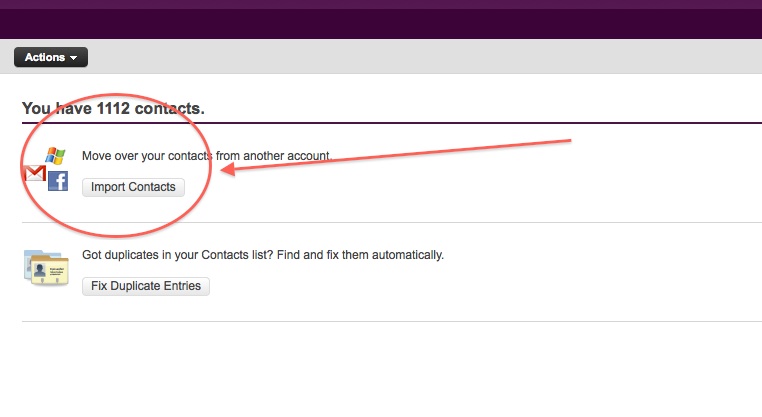
    • Create a Yahoo mail account if you don’t already have one.
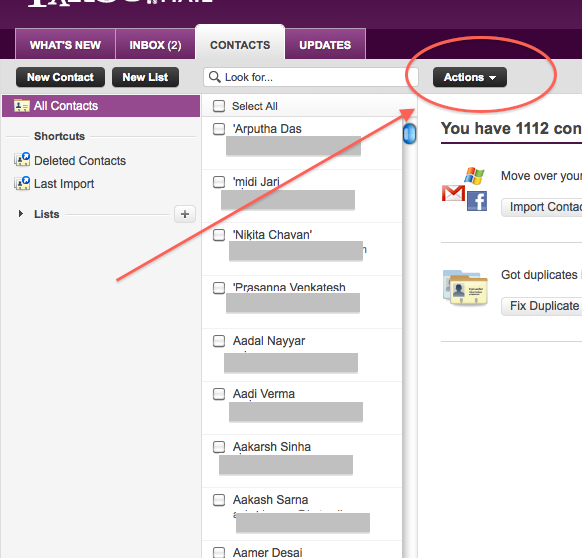
    • Login and click the contacts tab.
    • Once in the contacts tab you will be able to import contacts from Facebook.
    • Go ahead and do that.
    • After you enter your Facebook details all your contacts will appear in the contacts tab.
    • Next its time to export the contacts.
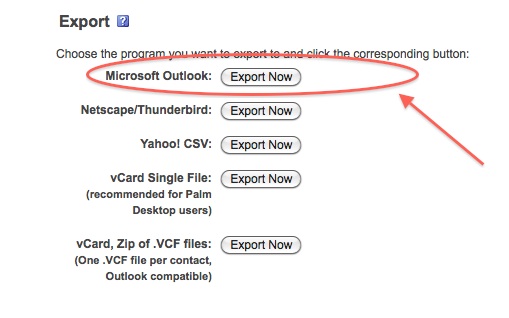
    • Click  the Actions button in the contacts screen.
     
    • Now click Export all and choose the Microsoft Outlook option.
    • Save the file
    • Move on to Step 2
     

    Step 2 : Windows Live Mail

    At this point you would want to say to yourself, Why would i need a windows mail account?

    Answer : Currently Google + supports contact import from Yahoo and Hotmail. But once you import your contacts from Facebook to yahoo mail, Google plus can’t import them. Same is the case with Hotmail/Windows Live Mail. But with our work around Google Plus will import your contacts, So go on ahead:

    • Make sure you have a Windows Live Mail or Hotmail account (if not get one) 
    • Next go into the Contacts Menu
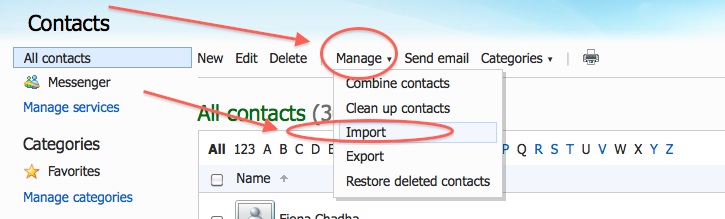
    • Click Manage and then Click Import


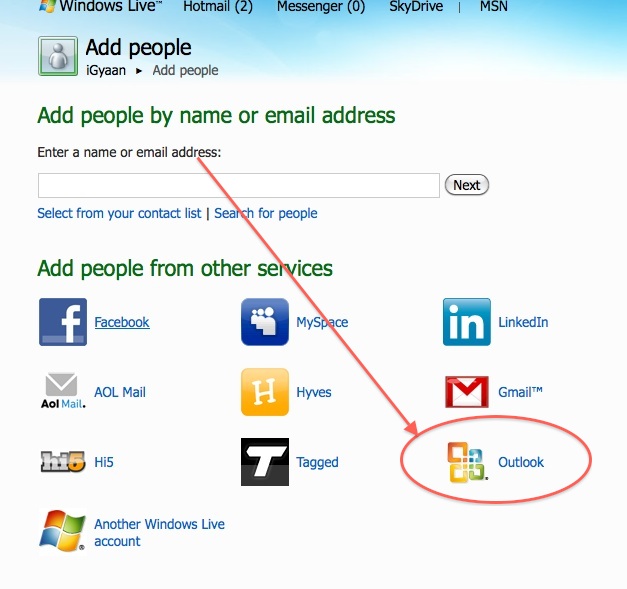
    • Next, Choose  Outlook and import the file you previously exported from Yahoo mail.
    • Now that your contacts are imported in yahoo mail the next step is to add them to Google Plus

    Step 3 : Google Plus

    • Log onto your Google Plus account
    • Visit the Circles tab
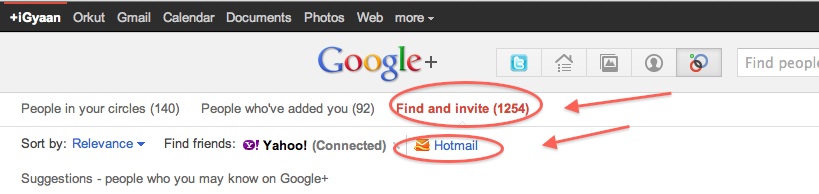
    • Click find and Invite
    • Click on hotmail
    • Enter your details


    You are Done!

    You have successfully imported your Facebook Contacts into Google Plus. 
    Now go ahead and add people to the circles of your choice and invite them.


  • Tech 101: How OLED Displays Work

    Tech 101: How OLED Displays Work

    In our previous article, we explained How Modern LCDs Work. In this article, we’ll be exploring how the new generation of displays based on OLED technology work.


    What Exactly are OLEDs?

    There are a lot of products in the market today ranging from TV’s to Laptops and even Smart Phones that contain an OLED display. But what are these displays and how do they work? OLED stands for Organic Light Emitting Diode. This technology is named after the organic polymers that are used in its construction. For a long time, organic compounds have been assumed to be electrical insulators but new research and manufacturing techniques have allowed the industry to use these polymers for many applications on a vast scale.

    OLEDs are solid-state devices which are composed of thin films of organic molecules which emit light when a current is applied. OLEDs can provide brighter crisper displays that use less power than conventional Light Emitting Diode (LED) and Liquid Crystal Display (LCD) technologies. Another application for OLEDs is in the form of lights to be used in homes and offices. These lights have a long life and are very efficient.


    The Manufacturing Process

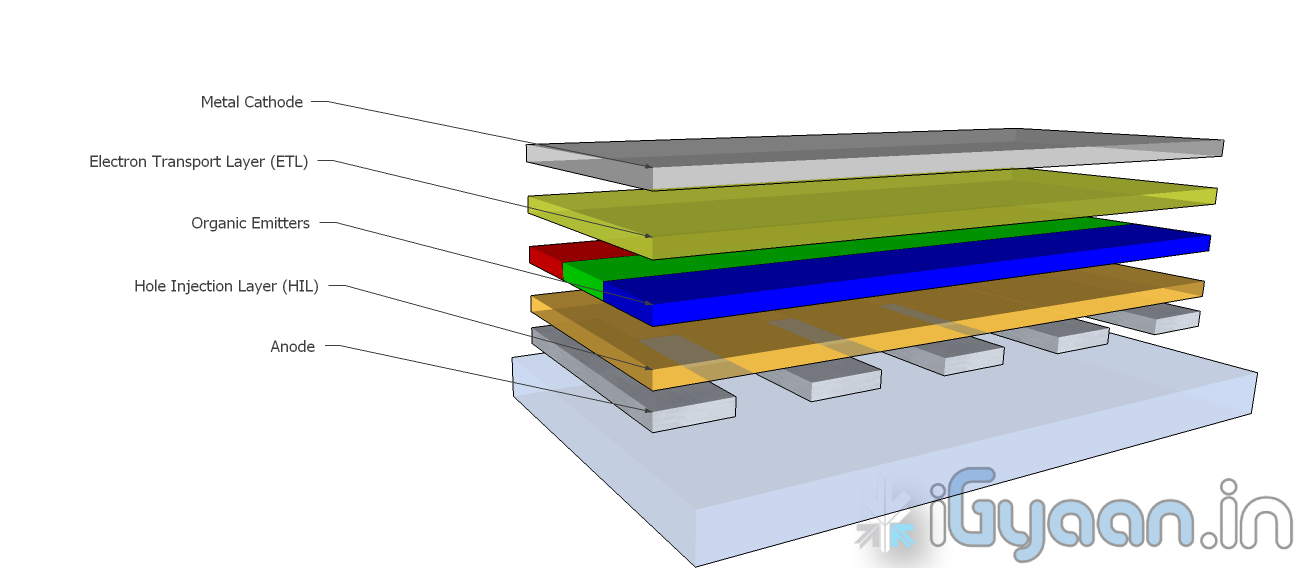
    OLEDs are basically layers of organic material sandwiched between an anode and a cathode and mounted on a substrate. This entire device is usually between 100 to 500 nanometers thick or is about 200 times thinner than a human hair.

    The substrate is usually a sheet of glass which is coated with a transparent conductive oxide which works as the anode. The next layer consists of hole injection material, the organic emitters and the electron transport layer which are together referred to as the organic stack. On top of the organic stack is the inorganic cathode. The device operates as follows:

    • Cathode – The cathode injects electrons into the system when a current flows through the device. It may or may not be transparent.
    • Organic Stack – This layer is made up of different organic polymers that are built up in layers. This is where light is made. The organic stack consists of the following layers:
      • Electron Transport Layer (ETL) – This layer consists of organic polymers or plastics that transport electrons from the cathode to the Organic Emitters.
      • Organic Emitters (OE) – This is a layer that is made up of organic polymers that may or may not be mixed with phosphorescent chemicals.  One polymer used in this layer is polyfluorene.When an electron finds a hole, it falls into the hole and gives up energy in the form of light.
      • Hole Injection Layer (HIL) – This layer is made up of polymers that transport electrons to the anode. This leaves ‘holes’ for electrons transported from the ETL to fill.
    • Anode – The anode removes electrons from the system when a current flows through the device. It is always transparent.

    This is the process by which a single OLED works. To turn them into colour displays, manufacturers place several layers of OEs on a display. There are various methods with which these individual pixels can be turned into a full colour display.


    Types of OLED Displays

    There are several types of OLED Display

    • Passive-matrix OLED
    • Active-matrix OLED
    • Transparent OLED
    • Top-emitting OLED
    • Foldable OLED
    • White OLED
    Passive Matrix OLEDs or PMOLEDs

    PMOLEDs are designed in a hash pattern. The anode and cathode are made in strips that are arranged perpendicular to each other. The points of intersection of the strips of anode and cathode make up the individual pixels where light is emitted. External circuitry is used to control which pixels are on and what colour they emit. The brightness of each pixel is dependent on the amount of current in the system.


    Active Matrix  OLEDs or AMOLEDs

    AMOLEDs have a full layer of anode and cathode materials but they borrow a technology from LCDs to produce a visible display. Sandwiched between the anode and the organic layer is a layer of thin film transistors or TFTs that makes the array. The TFT array is the circuitry that decides which pixel is on and what colour it displays. AMOLEDs are more efficient than PMOLEDs because the external circuitry used to run the PMOLEDs consumes more power. AMOLEDs also have a faster refresh rate which makes them more suitable to larger displays used in televisions and computer monitors.


    Transparent OLEDs or TOLEDs

    TOLEDs are constructed with only transparent  components, and are upto 85% as transparent as the substrate used when they are turned off. When it is turned on, the display still allows light to pass both ways and remains transparent. It can have either an active matrix or a passive matrix. This technology would be perfect for Heads Up Displays and Medical Equipment.


    Top Emitting OLEDs or TEOLEDs

    TEOLEDs are constructed with a substrate that is either opaque or reflective. They are perfectly suited for an active matrix design. They are used in smart-cards.


    Foldable OLEDs or FOLEDs

    FOLEDs are constructed with a highly flexible substrate which could either be a plastic or metallic foil. These types of OLEDs are very lightweight and durable. They are used in cell phones and can reduce breakage. They could also potentially be integrated into fabrics to create smart clothing.


    White OLEDs or WOLEDs

    WOLEDs  emit pure white light that is brighter and more uniform than the light which is emitted by fluorescent lights. . WOLEDs can be made in large sheets and can reduce energy costs massively if used to light homes and buildings due to their low power consumption.


    Advantages and Disadvantages of OLEDs

    OLEDs offer many advantages over the current favorite, LCDs and LEDs.

    • The organic construction of an OLED is much thinner than the many layers required for an LCD or LED display.
    • OLEDs can be built onto a thin plastic substrate which allows them to be flexible instead of the glass used in LCDs and LEDs.
    • Due to its design, an OLED display is much brighter than an LED display. This is because the conductive and emissive layers of an OLED can be stacked several times to produce more light than an LED while still remaining extremely thin.
    • Since OLEDs emit light themselves, they do not require a back-light. LCDs work by selectively  blocking areas of the back-light to produce individual pixels. OLEDs are also much more energy efficient than LCDs because they lack a back-light.
    • As OLEDs are made from plastics, they can be built into large thin sheets which makes them much easier to produce. It is much more difficult to create an LCD display of the same size.
    • OLEDs have a much viewing angle than LCDs because they do not block light in any fashion. Since they produce their own light, they can provide a field of view of upto 170o.

    For all their advantages over LCDs and LEDs, OLEDs have a few problems as well.

    • Red and green OLED films have a very long life of between 46,000 to 230,000 hours while blue OLED films currently have a much shorter lifespan of around 14,000 hours.
    • The manufacturing process for OLEDs is not cheap as of now.
    • OLEDs are not at all water resistant and can easily be damaged on contact with even a few drops of water.


    While LCD and LED technology remains in the mainstream, OLEDs are making headway into the television, computer and mobile segments. Manufacturers and engineers are realizing the potential benefits of using OLED technology for their devices. In the next few years we should see an increase in OLED sales as well as some novel applications of the technology.

    Stay tuned to the Tech 101 segment to learn more about what makes our everyday devices tick.

  • How to : Set up your Google Plus Account Step by Step

    How to : Set up your Google Plus Account Step by Step

    Today we are going to help you set up a Google Plus Account – Step By Step


    Step 1 : Invitations

    If you don’t already have an invitation to Google plus, then you should consider making friends with better people, like us.

    Hit this link to get an Invite 

    Note:

    • You will need a gmail email address or a fully qualified google profile to get this to work.
    • Google apps and associated email addresses  are currently not supported

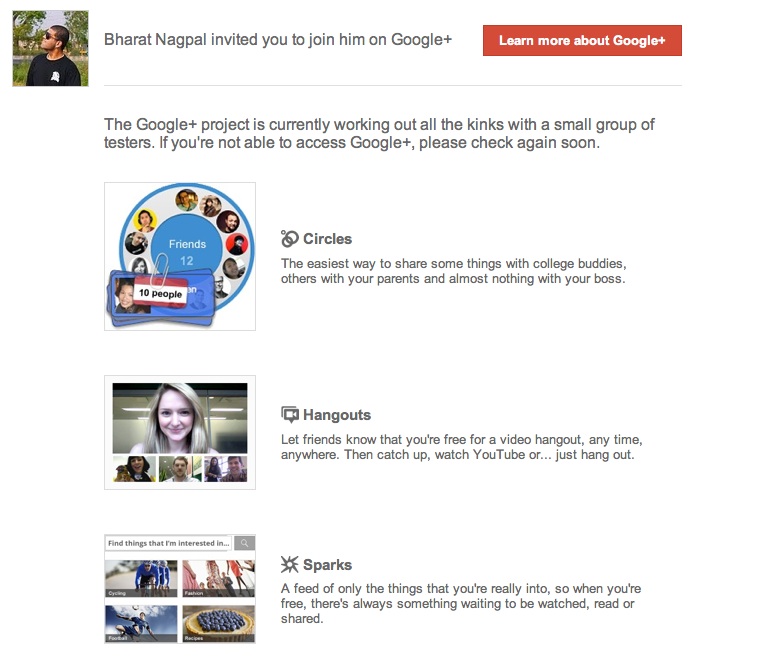
    When you get an invite it should look something like the image below


    After you get an invite  you will need to click the button :  


    Step 2 : Register 

    Once you click on the button you will be redirected to the registration page:


    Add your details, upload and crop your profile Photo.

    And you are all set to CLICK JOIN


    Step 3 : Profile

    Now that you are in, you would want to set up your profile.

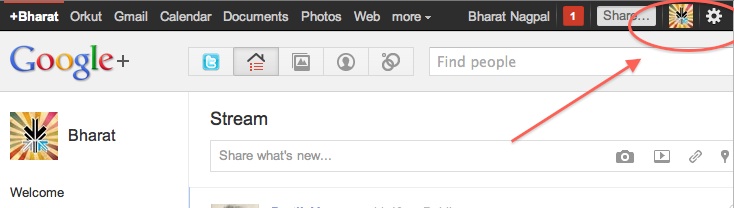
    You will be greeted with a similar welcome page : 

    welcome page
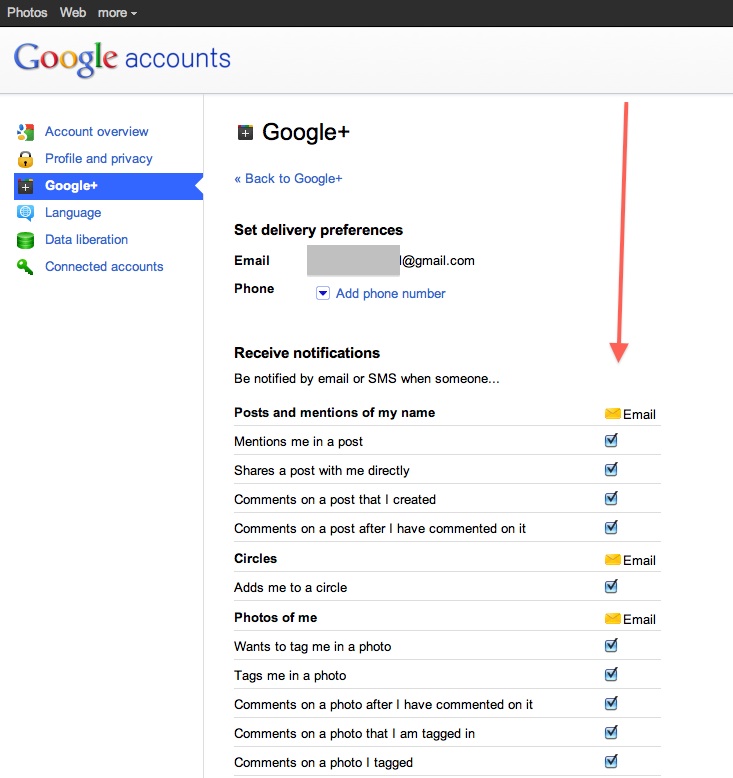
    • Click the sprocket settings button on the top right of you browser to get into Google Plus settings.


    • Next, Set up your privacy and sharing settings in the page.

    HIT – SAVE, and you are done!


    Step 4 : Setting up Circles

    Hit the circles button on your profile page to set up Circles.


    Once on the circles page you will be able to , find people by email addresses or by searching for them over other networks and email services like yahoo mail or hotmail.

    Simple create circles of your choice, Like Friends, Family, Colleagues, Game Buddies, College, etc.

    You can also add the same person to multiple circles.

    Once you are done finding and adding your friends, its time to start posting!.


    Step 5 : First Post!

    • Simple click on the share bar in your Google Plus homepage and start writing.
    • You can add media like videos or photos or even links and location from where you are posting.
    • Also select what all circles you would like to share this post with.
    • You can also leave it blank to share with everyone
    Once you are done typing click the green Share button.

    Congratulations you have successfully started using Google Plus (+)


    You can now start inviting your friends too!
    Stay tuned for an update to this post where we share details about Sparks, Hangouts and Streams


    We also have a tutorial on how to transfer your Facebook friends to Google + here.
  • The HTC Sensation Full Review

    The HTC Sensation Full Review

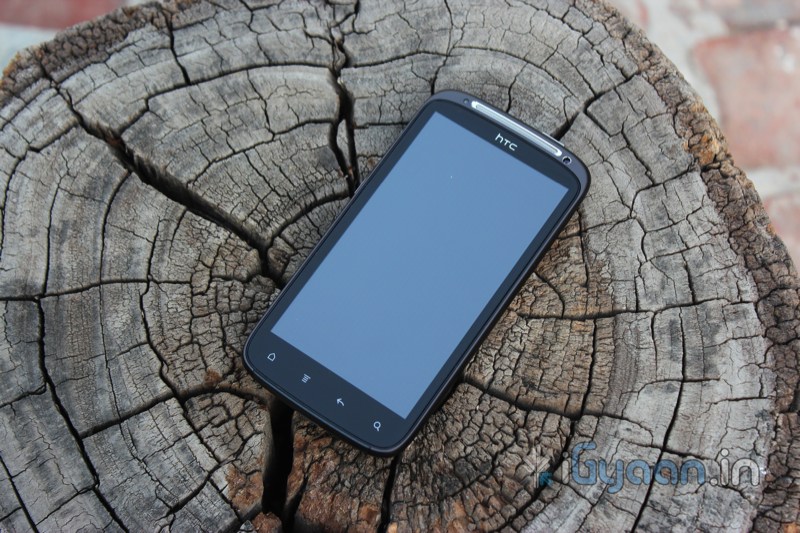
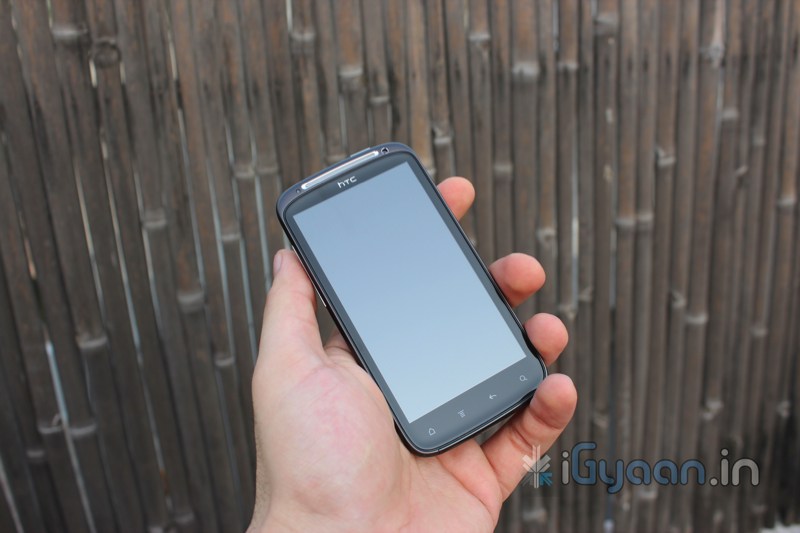
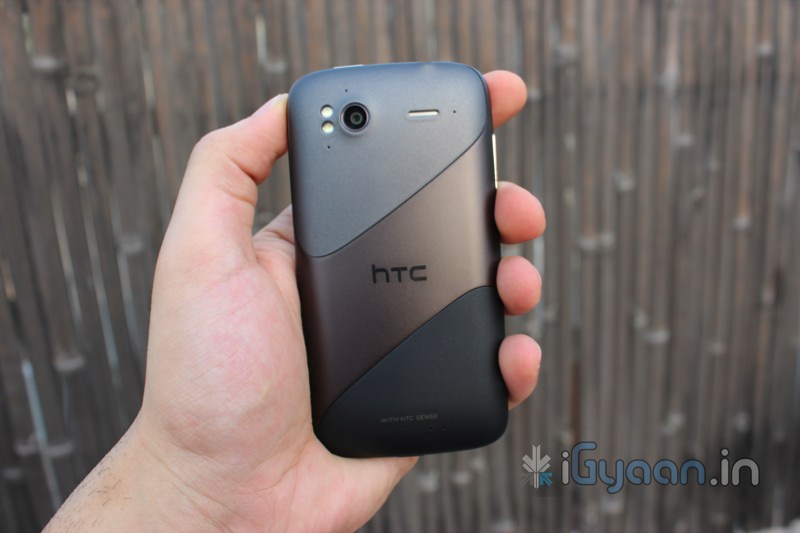
    After the sudden downpour of benchmark gods in the division of mobility, HTC also let out its dual core beast amidst  the ever growing population. The HTC Sensation is the first dual core phone from HTC and also the highest resolution device from the company. Lets see if it actually fares decently well with the competition in the market.


    BUILD QUALITY

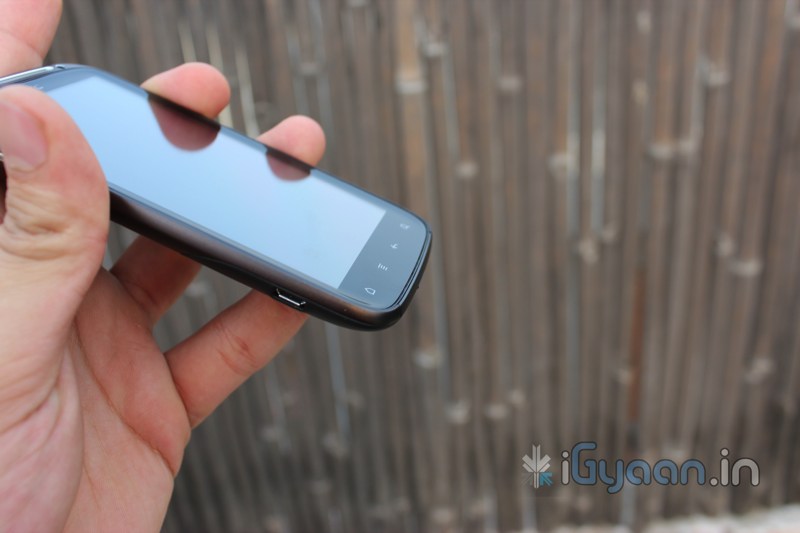
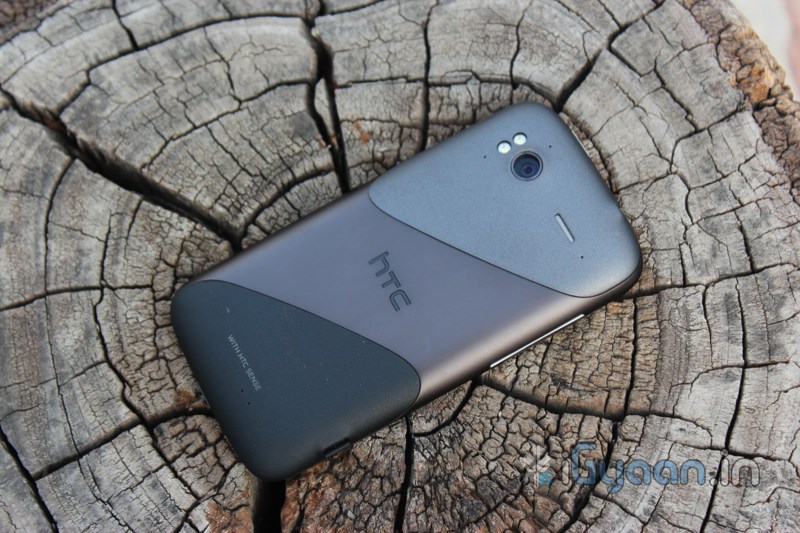
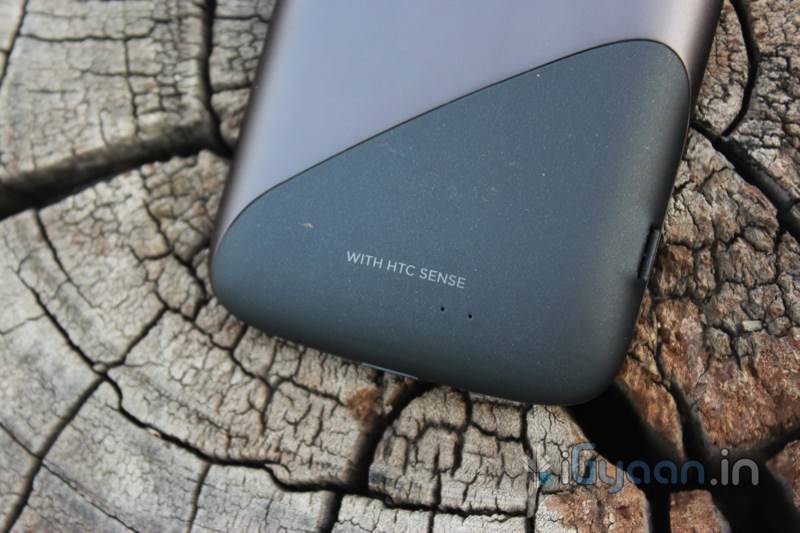
    If you want benchmarks for build quality when it comes to mobile devices, HTC is the global standard. HTC has always managed to surprise us with their quality and build standards. Solid unibody construction along with a tough front facing gorilla glass display which is not only impact resistant, but is also very scratch resistant. The back of the device has rubber accents in strategic locations making it an easy to handle and operate phone. The device is well build and you can see that as soon as you pick up the device in your hand. 

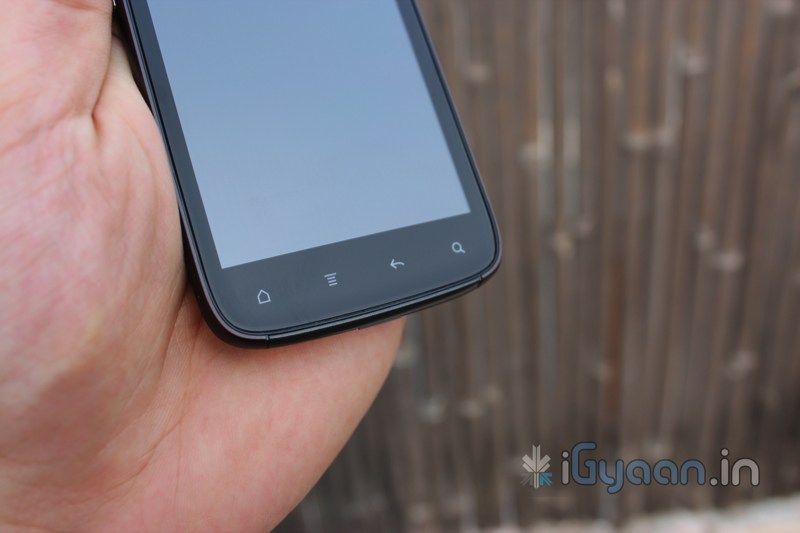
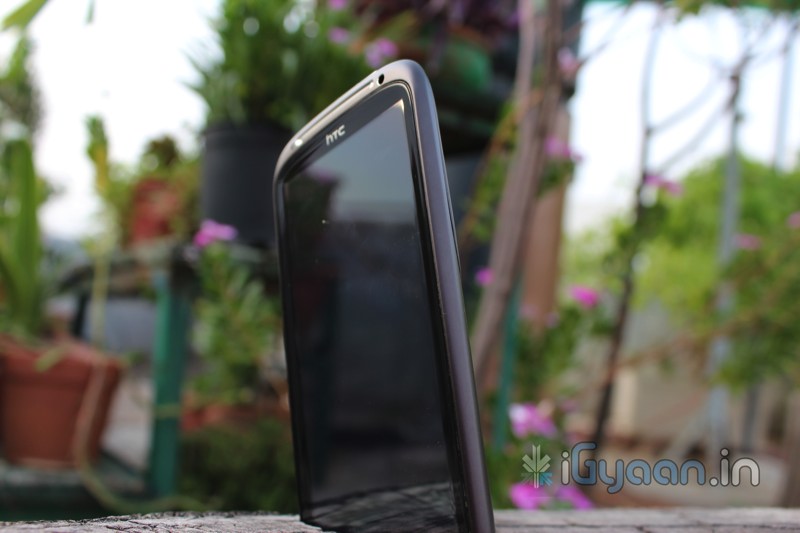
    With no shaking and rattling this device is robust and built to last. The upward edged glass is functional and is easy on the fingers as you slide off – off the screen. The designers of the HTC Sensation took everything into perspective from the aesthetics to the functionality and the intelligent placement of the buttons – which by the way are extremely tactile and responsive. 

    HARDWARE

    There is no questioning the latest hardware in the Sensation, the latest dual core processors a very high resolution screen, functional 8 megapixel camera with full HD video at 1080p.


    DESIGN

    While it may not be as clean and sleek as the Samsung Galaxy S2, The Sensation wasn’t meant to be. HTC Sensation takes its design cues from the practical and robust hues of life. You can call it a Range Rover in front of a 7 series ( Galaxy S2) while both may have powerful engines, the rover is more practical in India, is tougher, bolder and solid. Nothing describes holding the HTC Sensation better than this, Its a premium SUV in the smartphone market.

    PHONE AND MESSAGING

    Superior audio in and out from the Sensation during calls, is the only main thing we saw. The network performance was excellent and sustained throughout our test period. 3G and WCDMA performance excelled in the Sensation as we literally hogged the bandwidth of our providers. With brilliant performance from even the likes of an MTNL trump number ( usually 2 – bars, and weak performance in our area), we were literally amazed at how well this phone handled networks. With as little as two dropped calls in two weeks of testing, this phone has scored the top rank in the iG Phone- Networks Review till date.

    The touchscreen on the Sensation is a 4 point multitouch, what that means is that you can have 4 simultaneous inputs. What it also means is that you can use the onboard keyboard as fast  as you can move your thumbs. As soon as you lift the finger and tap the next letter, the device is already recognizing your input and will accept the desired letter. Brilliant keyboard , with an definable auto-correct smooth interactions throughout. 

    DATA & INTERNET

    Getting a phone like the sensation and ignoring the Internet connectivity is like buying a spacecraft without the intention to visit the moon. The device is built for online connectivity, with a superb end user experience while browsing the web, streaming audio, playing multiplayer games or even watching an iGyaan review or two. The connections to WiFi are strong and stable, the device can connect to our wireless networks in areas which other phones would term as dead spots. In a head to head comparison the WiFi network on the Sensation was much better than that on the Galaxy S2.

    The Hotspot feature is possibly the one we used the most on the Sensation. Because, the network performance was so great, we were able to share our 3G networks over 7 devices and were able to enjoy the shared bandwidth and download speeds of the connection. We did  struggle to upload our posts from a off road cafe on the Delhi-Gurgaon expressway over a 512kbps upload connection split 7 way, but the Sensation is not to blame for it.

    BATTERY LIFE

    Unlike the Galaxy S2 the Sensation has a very stable OS, add to the mix a brilliant power management framework and you get a brilliant powerhouse with excellent battery life.

    Values 2G 3G WiFi
    Talk Time upto 9 Hours 6 hours
    Standby time 48 Hours 36 hours 7 Days
    Web Browsing 8-9 hours 5 hours 5 Hours
    Video Streaming 4 Hours 2.5 Hours 4 Hours
    Music Streaming 14 hours 9 hours 14 hours


    GAMING 

    We found that most games work great with the device and we had no issues with incompatibilities. The only issue that we did see is the difference in display size. Some apps failed to recognize the QHD display on the HTC Sensation and came as mini boxes within the screen of the Sensation, limiting them to their maximum pixel size. The processor is managed well with the GPU and can deliver great graphics and a brilliant gaming experience. Align those with excellent sensors, including a gyroscope and a brilliant touch screen, you have yourself a gaming device

    DUAL CORE

    We feel HTC did a  better job than LG did on the Optimus 2X and Samsung on the S2. Sure the Optimus 2x is cheaper and Samsung has better benchmark results, HTC is more organized and professional and the framework and implementation of the hardware is built to last. The OS is tweaked to give little or no errors and is bug and crash free. Graphics and Implementation of the user interface elements is absolutely stunning and smooth. The Sensation impressed us in all hooks when it came to stuff under  the hood, yes it didn’t score high on quadrant, but it can with a little tweaking. Currently the Sensation is a mature device and not as young and energetic as the Galaxy S2 especially when it comes to Processor and Graphics.

    ADD ON NOTES

    The Sensation has a much higher resolution display in comparison to the S2, but the super Amoled plus trumps the extra resolution 4 times over. The Amoled plus screen is extremely vivid and lifelike. We faced a lot of network issues on the S2, but none on the Sensation, the battery drain issue faced on the S2 was also nowhere to be found on the Sensation. The device does not overheat and performance is smooth throughout. 

    CONCLUSION

    The HTC Sensation is true competition to the Samsung Galaxy S2 and the hype around it. The S2 failed to deliver where it mattered most, the Sensation on the other hand does everything that its meant to and more. The Sensation also is a bit cheaper than the Galaxy S2 in the market and provides excellent user support throughout its service channels. The device is robust, well made and is built to impress. If you are looking for a good investment for your moolah, this is the true multi-taskers of choice. 

    If it wasn’t for the washed out display in comparison to the Super Amoled Plus, this device would have scored maximum score but for now :

    [xrr rating=4.5/5 label=”We Rate The Sensation : ” imageset=shiny_yellow_star display_as=fraction_stars]
    PRICE :IN Rs. 29,000/- 


    UNBOXING VIDEO


    SAMPLE VIDEO CAMERA FOOTAGE


    REVIEW VIDEO


    iG Tech labs

  • Edit : The iPhone 5, What to Expect?

    Edit : The iPhone 5, What to Expect?

    The Anticipation clock of most humans starts to ring with the sight of an Apple Product Launch. This time around people are expecting 3 new launches. The iPod refresh, the iPad with some minor changes and most importantly the iPhone 5 (or iPhone 4s). 

    The iPhone is the most successful smartphone ever made, with in excess of 18.5 million devices sold this year the iPhone has set records that are yet to be matched. Why everyone loves the iPhone? There could be several answers:

    • The User Interface
    • The OS
    • The Hardware
    • The Looks
    • The Company Name / Brand Value
    • Pricing
    It could be any or all of the factors from above, we really don’t know.  The iPhone has always been marketed as a magical device, with the right amount of hype. Keeping price at a point where it was just above the competition and just low enough to be an approachable target (for those looking for a smart phone) . This strategy has also led people into believing that Apple Devices are super premium and most people in India still hold them at gold value (sometimes more value that those useless super value phones).
    Whatever the reason behind the iPhones popularity, we know a new one is coming and following rumors and yearly cycles , here is what we think the iPhone 5 is going to be like.

    Name

    The most obvious guess for a name of the upcoming iPhone would be the iPhone 5 , but unless Apple is planning some major changes the new iPhone may just as well be called the iPhone 4s. Whatever said and done the word “iPhone” will be there and a 5 would sound much better than an iPhone 4s. Some people suggest that the new device will be called iPhone 4 HD,  but that seems like an unlikely name for a device from Cupertino.

    Hardware

    There is no guessing the obvious, Apple has already shown off their A5 chipset in the iPad 2 , and just like the iPhone 4 had the iPads chip, the next iPhone will have the new Apple dual core A5 chip. This will boost the speed and performance of the iPhone 5 (we are just going to stick to that name for now)  upto four times. Also, in tow will be RAM upgrades and a bigger 8 megapixel camera sensor, which has been talked about

    Various rumors and speculation points to a larger Edge to Edge display on the front of the device. A possible 3.8 inch or even 4 inch capacitive display can do no harm to Apple’s Jesus phone, giving it a larger screen – real estate would require pumping in more pixels per inch to retain the “Retina Display” badge.

    Design 

    Now this is where the controversy starts. The iPhone 4 had a impressively new design which was loved by everyone when it was launched. Mostly everyone appreciated the new stainless steel design, although there were some who said that it was not as nice looking as the original iPhone. The new design brought a lot of possibilities for Apple especially in the components department. A machined design meant that they could stuff their components into the phone and still have room for a large battery. The frame of the iPhone was the most impressively designed structure to be ever used in a SmartPhone, leaving only the glass front and back in question, which did end up weakening the whole device and making it prone to damage.

    The Antenna design, dubbed Antennagate put Apple in the wrong kind of limelight and has ever since been know as the “break all or make all” theory for last years Jesus phone. Everyone thought the antenna problem would diminish the sales of the iPhone 4, but it actually gave them so much publicity that the device did better than expectations from the company HQ.

    Using a similar antenna on the next iPhone would be a not-so-smart move from Apple, although there are those who would still buy the device, a large chunk of the audience would think that Apple ignores the consumer, and  move onto alternatives.

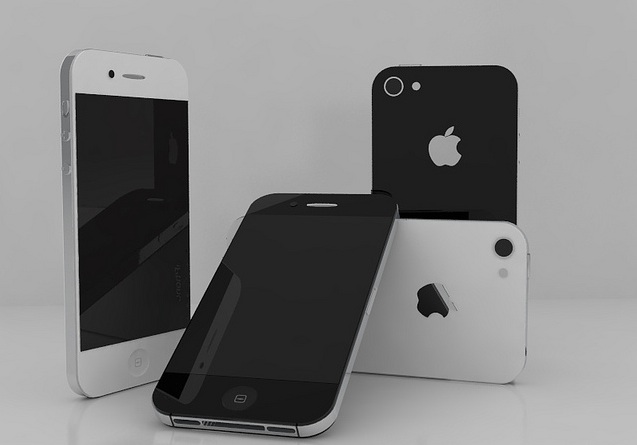
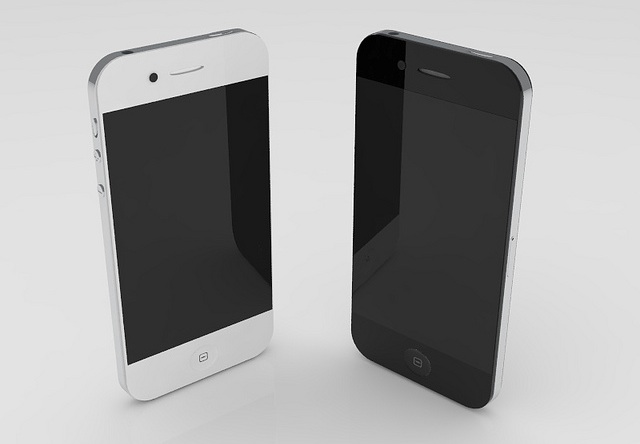
    The tear drop design has had many references in rumors of the upcoming iPhone 5, a device machined out of Aluminum (unibody is Apple’s forté) which is really slim for the most part but thicker in arears that will  hold the antenna and battery. A device of such design will do fantastically well with the young consumer base of Apple’s baby.


    Operating System

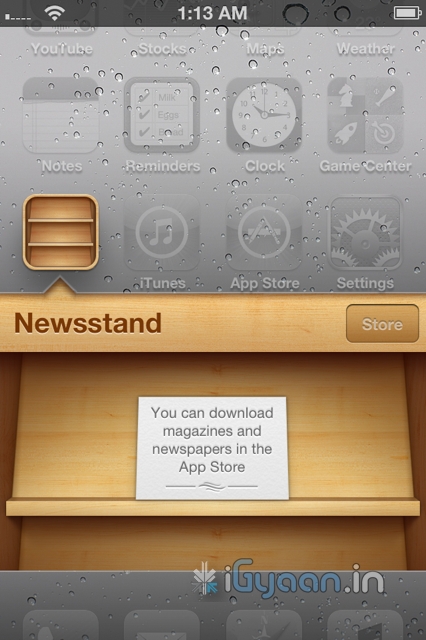
    We all know the iPhone 5 will have the iOS 5, which will radically enhance the usability of the phone. With dedicated notifications, iMessage, iCloud, Newsstand, Twitter integration, Wireless Device syncing, new photo editing, and the use of volume button as a dedicated camera shutter release. The iOS 5 is ready to give stiff competition to its competitors, still remaining the most secure and bug free mobile OS below the stratosphere . There are still basic features missing from the iOS, bluetooth file transfer being one of them.

    One More Thing!

    Apple may introduce a new cheaper iPhone this year, to target the Android buying generation. A similar strategy already kind of exists with the iPhone 4 being the pedigree and the iPhone 3Gs being sold for Rs. 19,990 (USD 400). 

    But these rumors point to a completely new and cheaper device id, possibly a US $ 200 iPhone ( they could relaunch the 3GS at 200 $/ or drop in a sim card in the iPod touch). Nobody really knows till Steve walks up on stage ( hopefully) with the next “Magical” device and amazes the audience watching the event worldwide. 

    No matter how many expectations are met, the iPhone 5 is coming and its coming soon. So hold on to your monies and wait for its arrival, for you never know what technologies might make you drop loyalties and compel you to make the switch.

    Here is a list-up of all the expectations we have

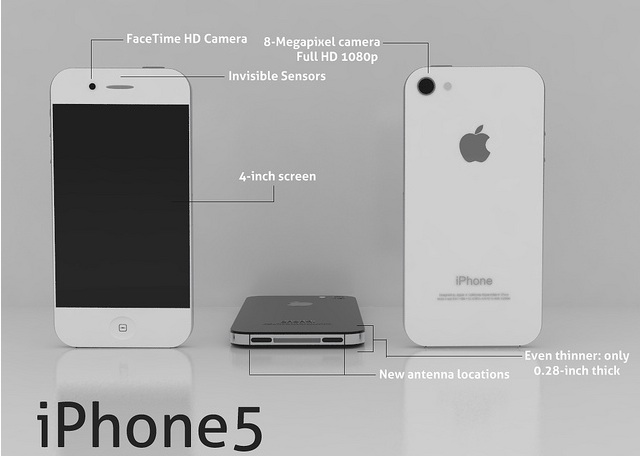
    • A Completely new design
    • An 8 Megapixel  camera possibly on the opposite side of the back panel.
    • Separate Camera Flash for better allumination
    • Larger screen with the same Retina resolution
    • The new A5 chip with 1 GB RAM
    • 32/64 Gb capacities
    • HD Facetime Camera
    • Slimmer profile
    • Back panel made out of tougher glass/ Aluminum / Steel
    Expectations can run wild, leave a comment below if you have any other expectations!

    [polldaddy poll=5223743]
  • Swype Comes to iPhone, IPod and iPad Courtesy Jailbreak : How To

    Swype Comes to iPhone, IPod and iPad Courtesy Jailbreak : How To


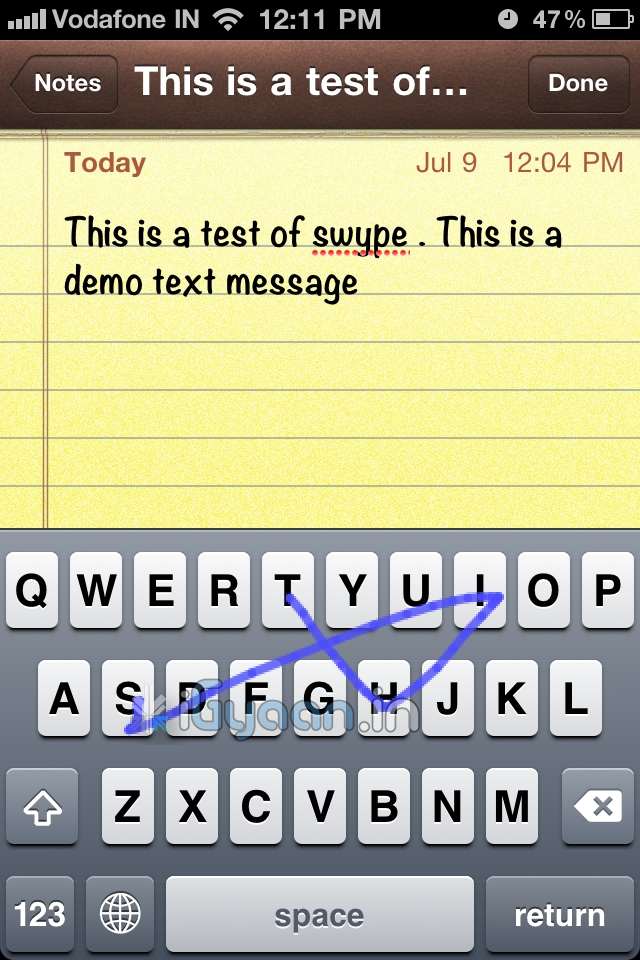
    The most popular keyboard from the Android OS has finally been ported to iOS via Jailbreak. So , if you have already Jailbroken your device, follow the step by step below to add swype to your device


    Step 1:

    •  Open Cydia and move to Manage tab

    Step 2:

    •  Tap on Sources > Edit > Add

    Step 3: 

    • When you tap on add, a window will pop up asking for a URL, type following URL:
    • http://wynd.x10.mx
    • Then tap on Add.

    Step 4: 

    • Once repo is added and packages are downloaded.
    • Go to the “Changes” Screen and Tap on “Swype”
    • Tap Install

    Step 5

    • Once Installed Respring Your Device
    • Swype is enabled on your standard keyboard
    A quick Video Demo is coming up shortly


  • How To: Move your Facebook Photos to Picasa

    How To: Move your Facebook Photos to Picasa

    With Google+’s popularity on the rise, a lot of users are looking for an easy way to shift their albums from Facebook to Picasa. The aptly named move2picasa.com website allows you to log in with your Facebook id and copy all your photos to Picasa. Please note that the photos would be moved without captions etc.

    If you have a lot of photos, it could take you a few hours to transfer them. Apparently, the more photos that you and others try to transfer, the slower the service will be. Despite the wait, this seems to be an adequate solution for most people. One other thing, you either move all your photos or you move none. There is no feature to select or filter which images are copied.

    Once your photos are in Picasa, sharing them with your circles is very easy. The web app was built by AmiWorks’ Aman Kumar Jain and Amogh. According to the website, some 300,000 photos have already been moved.

  • Spice Mi 410 Full Review

    Spice Mi 410 Full Review

    The Mi 410 is the first attempt from Spice to attack the 1 GHZ smartphone market in India. Possibly the only phone to offer these specs at a pretty decent price. Lets look into the Spice MI 410 carefully.


    BUILD QUALITY, HARDWARE & DESIGN


    The Spice MI 410 is built to last, metal accents and a full metal back cover,  a metal frame and solid construction make the Mi 410 an extremely robust device. The volume rocker and the power button are flush with the device and highly tactile. The screen is also scratch resistant, but its no gorilla glass.

    The device or its internals don’t  shake or rattle and the phone is like one solid piece of hardware. Talking about hardware, lets look at the specs.


    OS ANDROID 2.2
    Processor 1GHz Qualcomm Snapdragon MSM8255
    Flash ROM 2GB eMMC
    Ram 512MB
    Dimensions 122X 66X 9.9 mm
    Weight 143 gm
    Display 4.1-inch Capacitive Touch Screen , 800 X 480 WVGA
    Camera 5 MP rear with HD Video, 0.3MP front
    Battery 1400 mAH
    Talk Time Upto 380 Mins GSM , Upto 300 Mins (3G)
    Standby Time Upto 300 Hours
    Network Quad band GSM , Tri-band 3G, HSDPA/HSUPA , up to 14.2 Mbps
    Connect Bluetooth v2.1 EDR
    Other Supports Flash 10.1
    Price Rs. 14,000/-


    Design on the Mi410 is pretty good too with a flat slab/tablet type structure on the device. It one of those designs that may not appeal to all in the beginning, but grows on you as you begin to use the device. Honestly, it kind of reminds us of end 2010 HTC phones, with really prominent edges.

    CAMERA & MULTIMEDIA

    The rear camera on the Mi410 is a 5MP autofocus camera which does a good job of focusing, you can actually see the camera move when its trying to focus, making it an exceptionally great autofocus mechanism. It also utilized 4 point metering to gain a focus point allowing it to be accurate in most situations, indoor, outdoor or night mode.

    Video quality is also decent with jitter free recording and smooth capture. While in video mode the zoom option while recording is missing, but was not quite missed.

    The screen is nice and vivid and has a comparatively large ppi at 227.55 ppi. With a native resolution of 480×800 pixels making it a very good display. We have no complaints with the display and in-fact were quite happy with it. The screen is good for watching videos and browsing the internet. The ppi is rich enough for reading books, documents and articles without trouble. Let us remind you that its no retina display, but its possibly one of the best resolutions you can get for the price.

    The inclusion of stereo speakers caught our attention at the get go. Its surprising the kind of sound you can get from these speakers. In a normally quiet environment the speakers are sufficient for watching videos and movies. The speakers are loud and clear with accurate channel mapping.

    The touch screen on the Mi410 seems like a bother initially, after a bit of playing around we found out that the maximum issue is with the lock screen, where the screen response seems to be less, it also seems like a software glitch, as we upgraded to 2.3 the touch sensitivity issue reduced significantly, but is still there. Pinch to zoom and scrolling work fine and are not affected by the issue.

    The included earphones are simply ordinary and don’t expect much from them. While they can be used for simple handsfree usage, if you want to enjoy music on this device, invest in a good pair of earphones.

    PHONE & MESSAGING

    The sound quality from the earphones and the outgoing sound from the mic is great, and more than expected. While network strength is constantly 1 bar less, it does not affect the usage of the device and in our signal measurement test we would get a consistent -60db value.

    Messaging and typing on the keyboard is achieved with ease and effortlessness. The keyboard is well spaces with large keys and responsive, the touch sensitivity issue does not occur in the keyboard, that why we insist its a software issue and not hardware (we could be wrong too).

    BATTERY LIFE

    A lot of people asked us to test the battery and we did some extensive tests on the battery.

    VALUES 2G 3G WiFI
    Talk Time 5 Hours 3.5 Hours -NA-
    Standby Time 72 Hours 50 Hours 5 days
    Internet Browsing 5-6 hours 5 hours 8 hours
    Video Playback 3 hours 3 hours 3 hours
    Video Stream 2.5 hours 1 Hour 3.5 hours
    Music 12 hours 12 hours 12 hours
    Music Stream 7 hours 5 hours 8.5 hours


    We noticed a well managed battery life even with the wifi hotspot on. Battery was inconsistent and scores above are average from out tests.


    CONCLUSION

    The Spice Mi410 is an extremely great option at its price. With features usually found in devices upwards of 20k. This device also looks, feels and performs like an expensive phone, so it should be a satisfying experience for the user. The fact that this handset is easily root-able will let people exploit the real benefits of the device. The screen issue may bother some , but it is not enough to not let us recommend this phone to some one who has this device in mind.


    PRICE : 14,000/-

    [xrr rating=4/5 label=”We Rate it : ” imageset=shiny_yellow_star display_as=fraction_stars]


    UNBOXING VIDEO

    REVIEW VIDEO

    CAMERA SAMPLE


    iG Tech Labs

  • Spice Popkorn – M9000 Cinema Projector Phone Full Review

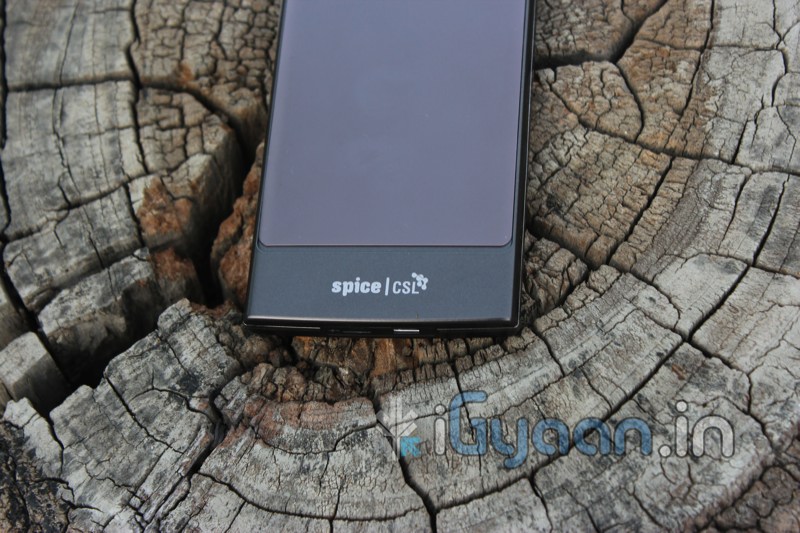
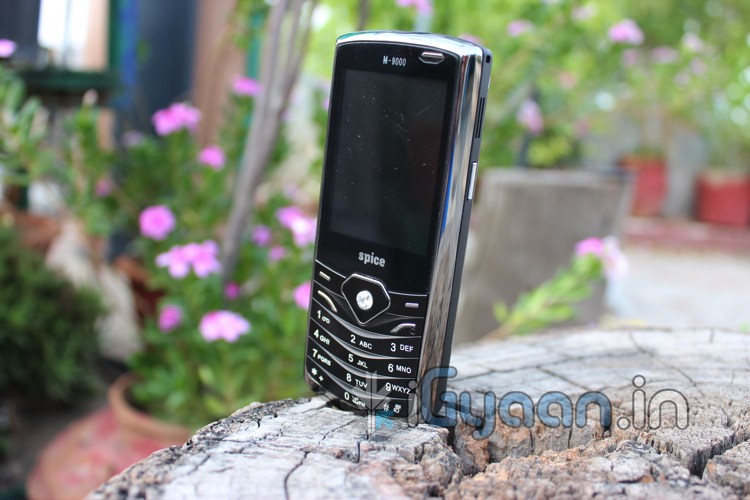
    Spice Popkorn – M9000 Cinema Projector Phone Full Review

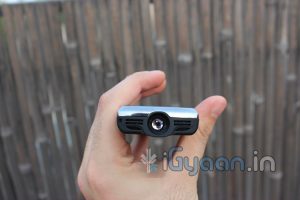
    The Spice Popkorn is the first phone in India to have a built in projector and as such sets the standard for all future devices with this technology. Lets find out how it fared at the iGyaan Lab.


    Build Quality, Hardware & Design

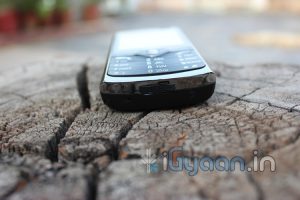
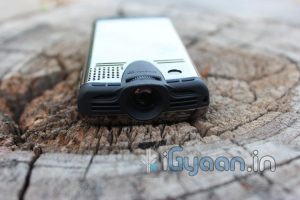
    The Popkorn has a standard candybar design that is much thicker than a regular candybar phone due to the inbuilt projector. It feels quite solid and is comfortable to hold with its metal and rubberized plastic body. The phone weighs 123g and is quite a bit heavier than phones of a similar design, but due to its form factor, it still feels quite comfortable in the pocket.

    One feature that we thought was a little delicate was the telescopic antenna. Its quite thin and fells like it will bend if a little too much pressure is applied. Be careful when expanding and retracting the antenna as you use this device.

    The screen on the Popkorn is a 6cm 320x240px QVGA display which is quite vivid and displays good contrast in colours. Its nothing to boast about, but then its not the only display the phone has. The device has Dual SIM capabilities and supports GPRS and WAP connectivity. It also has built in bluetooth to allow you to connect your phone to a bluetooth device. It does not support 3G or WiFi.

    Included Accessories

    The phone comes with a tripod and a tripod mount. We felt that the quality of the tripod could be improved as  it feels like it might tip over with the weight of the phone, but such is not the case. The tripod mount holds the phone securely and keeps it nicely balanced on top of the tripod.

    Overall, the build quality of this device is exceptional, when you consider the fact that Spice has managed to stuff a projector into a device that weighs only 123g.

    Camera and Multimedia

    The Popkorn has a 3.2MP rear facing fixed focus camera that can capture images upto 2048 x 1536 px. It can also record video at a maximum of 15fps and also comes with a 4x digital zoom.The camera can be used as a webcam as well, once you plug it into your computer via the included USB cable.

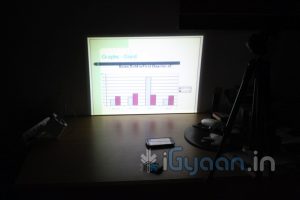
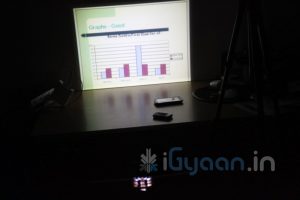
    The projector on the device, in our tests, has given a readable display of approximately 40 inches at its largest and 2″ at the smallest. That’s a HUGE screen from a tiny device. We recommend that the phone be setup so that the display is approximately 27″ to 30″ large as this gives the best picture quality. However, the projector is not extremely bright so using it in a well lit room is not advisable. Keep the lights off and the curtains drawn when using the projector. With many air vents around the phone, we did not notice any significant heating of the device, even after extensive use of the projector.

    Another great use of the projector is to watch TV. The Popkorn catches analog TV signals from its telescopic antenna. Channels can be programmed and saved to the device so that you can view them at your leisure. While watching TV is a nice recreational activity, the phone also has a feature that can come in handy while at work. It has the ability to playback PowerPoint Presentations, and with the included laser pointer, you can make excellent professional presentations. You no longer need to carry your laptop to your meetings. Simply copy your ppt onto the memory card and carry the phone.

    The phone also has built a built in FM radio, and with the telescopic antenna, you do not require headphones to catch a signal. It also has the ability to schedule and record FM radio so you can catch all your shows at your pleasure. The speaker phone is very loud and gives sufficient sound to be clearly heard in a large room. Spice has also included an external speaker which increases the audio output of the device many-fold. The speaker also has a built-in battery so it does not drain the battery on the phone while in use. A few cables have been included to connect as well as charge the speaker.


    Phone and Messaging

    The Popkorn supports Dual SIM cards. It also has a standard numpad which makes dialing and placing calls a breeze. The microphone and earpiece perform as expected and we have no complaints. As stated, the loudspeaker is really loud and provides a good hands free experience.

    Typing on the phone is also easy as the keypad is quite responsive and the keys are easy to press.


    Data & Internet

    The Popkorn supports GPRS and WAP. It has a browser that leaves a lot to be desired. One feature we found lacking was WiFI. It would have been great if we could use WiFi to browse the internet on the projector or even stream videos directly to the device via our desktops/laptops. Maybe they will include this feature in the next version of the device.


    Conclusion

    When we got this device, we had low expectations of its performance. However, after using it for a while, we were, quite literally, blown away. The phone by itself is comparable to any number of Dual SIM phones that are on the market today, but the other features that it packs set it a world apart. The Projector with its Video playback, Analog TV and Presentation capabilities left us in awe. For its price, it is possibly the most inexpensive projector on the market today. The fact that its a phone and can fit in your pocket just adds icing to the cake.

    MRP: Rs. 6699/-

    [xrr rating=3.75/5 label=”We Rate it : ” imageset=shiny_yellow_star display_as=fraction_stars]


    Unboxing Video

    Full Review


  • Poll :  And The Winner Is !

    Poll : And The Winner Is !

    Sometime back we asked you what your next phone is going to be. A lot of you answered and we decided to let you guys know the Result


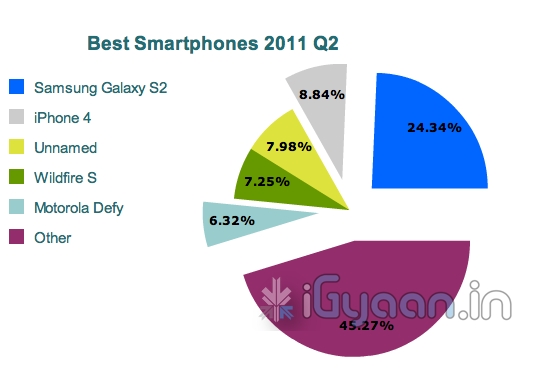
    As per our Readers, by a clear margin, the most popular Smartphone for Q2 2011 is the Samsung Galaxy S2, which got 25 % of the crowd voting for it. Followed by the iPhone 4 which was at approx. 9 % .

    About 8% users mentioned other phones not mentioned in the poll and approx. 7%  and 6% for the Wildfire S and Motorola Defy respectively.

    The rest of the phones including, and not limiting to, the HTC Sensation (4.5%)  Optimus 2X (2 %) Galaxy S (3 %) and those waiting for the iPhone 5 fell in the 45 % (others) category.

    You can find the original poll over here [button link=”https://igyaan.in/2011/06/poll-phone/” bg_color=”#1f1fff”]Click Here[/button]

  • How to : Upgrade the Spice Mi 410 to 2.3.4 Gingerbread Step by Step

    How to : Upgrade the Spice Mi 410 to 2.3.4 Gingerbread Step by Step

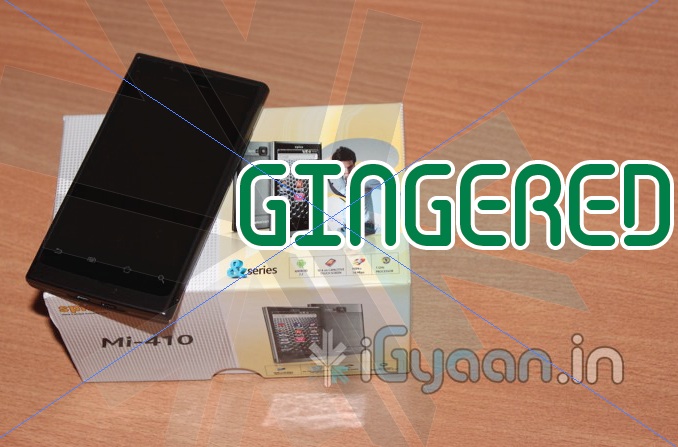
    The Spice Mi 410 was launched some time back, we also got an unboxing video for you guys. Now thanks to several readers of iGyaan, we found a way to update the Mi-410 to the latest Software Update Android 2.3.4 aka Gingerbread, and we tell you how!


    Note : Please take a backup of your device, contacts/ pictures / files, anything thats important.

    Also Note : This might void your warranty or damage your device and you do this at your own risk


    What you Need!

    1. Spice Mi 410 (Duh!)
    2. A Windows / Mac
    3. Data cable (USB-microUSB) / Memory Card reader
    4. Patience
    5. Combo Update [button link=”http://www.cherrymobile.com.ph/downloads/MAGNUM_softwareupdate2.zip” style=”download”]DOWNLOAD [/button]

    Step 1

    Download the above mentioned file, its an update for Cherry Mobile Magnum, which is actually the same handset, branded under the cherry mobile name.


    Step 2

    Extract the ZIP file. downloaded above and copy the extracted FB0-318B-0-5019-A01.nb0 to your SD card. Make sure it is placed in the Root Folder and not in the Downloads folder.

    Also rename the file FB0-318B-0-5019-A01.nb0 to firmware.nb0 you can do this before or after copying the file, it does not matter.


    Step 3

    Enter bootloader mode :

    • To do this first power off your device.
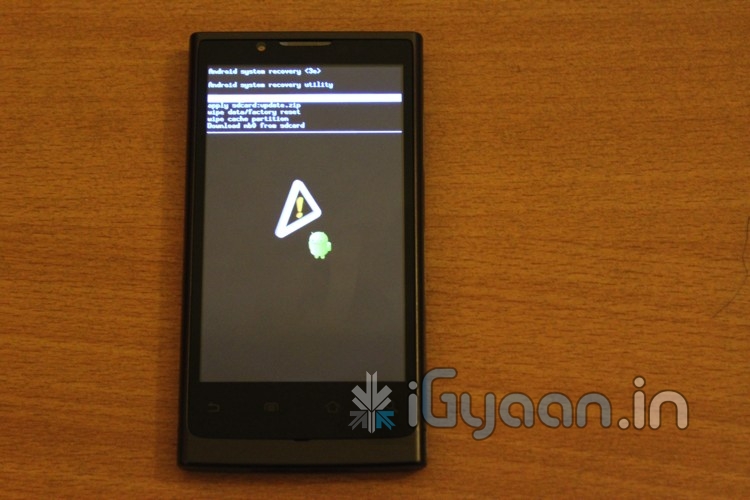
    • Once off, Hold – Vol Up + Vol Down + Power Button and you will see the Android Image as below

    • Next Hold down on the home button and you should be in the bootloader mode see below


    Step 4

    • Use the volume down button to scroll to “Download nb0 from SD card”
    • Then tap the back Button


    Your phone should now upgrade to the new firmware and reboot into the new os with the Cherry Mobile Logo.

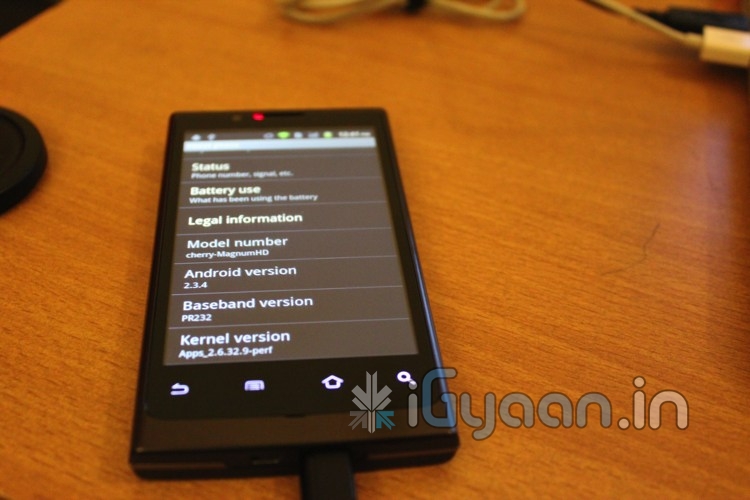
    Quickly jump into Settings to confirm the Upgrade

  • EDIT : A Smartphone or a Tablet, What to Buy?

    EDIT : A Smartphone or a Tablet, What to Buy?

    The question haunts every smartphone buyer, “should i instead buy a tablet?”. In the past few weeks we have got over a hundred emails asking us this question.

    Tablet season is here and its going to stay. When tablets were launched globally starting with the 1st iPad in the United Stated, analysts speculated that the market in India would not adapt to a tablet lifestyle. Today more than 25% of India’s mobile internet traffic is from iPads alone, another 10% from other tablets. Analyst have been proven wrong yet again, but the question still remains a Tablet or a souped up Smartphone?

    We shall try and resolve this predicament for you.

    A smartphone today has come a long way from what it was when the term was invented. Smart phones started off as basic day to day mobile phones that did a little bit more. A color screen, an mp3 player and customizable ringtones, a WAP browser and VGA cameras with infrared photo sharing. People were happy with these features and were shelling out Rs. 25-35 thousand for devices that were just smart.

    Today you can’t be happy with what you pay for, A dual core phone, WiFi – N, Bluetooth 3.0, GBs of Ram, Multiple GBs of storage, touchscreens, slim designs, gorilla glass, unibody constructions and a whole host of Apps that do everything else. But its still not enough, we need higher spec’d displays LCD, SLCD, Amoled, Super Amoled, Super Amoled Plus and now Super Amoled Plus HD. Why is there a constant need for upgraded technology? Socially a man buying a phone always has the need to be on top of technology (This is directly proportional to the size of his, since this is a public page lets say “car”) The newer and more expensive the tech, the more a man feels like a man. Why shouldn’t we? we have a right to everything that makes us happy, and a right to get what we pay for and sometimes more than what we pay for.

    A Smartphone today is the ultimate tool for a man ( student through Business men) from lectures, to calculations , wind speeds, weather info, document editing, printing , presentations, video editing, photo editing, emails, messaging everything can be achieved on a smartphone. So why should we not get one.

    APPS ON THE DEVICES OF TODAY


    Tablets in the market today are essentially blown up versions of the devices we carry in our pockets, the iPad 1 matched the specs of the iPhone 4 , (infact the phone had more ram) and the iPad 2 will be dwarfed by the iPhone 5s specs. Similarly Android phones dwarf the tablets, Galaxy S2 and Sensation are far more powerful than any Android tablet in the market today.

    So is a larger screen a better option?

    No one can really answer that question for you, it all comes down to what you do with the device you buy. I personally hate carrying my tablet and only like to carry my phone. A tablet is useful while traveling its a multimedia powerhouse- gaming , movies, videos even basic editing work can be done easily on a tablet.  I also have met and often bump into folks who like carrying a tablet everywhere even to the GYM ( seriously what are they thinking?). Upon a little investigation you find out that they spent their budget on a tablet with phone call abilities and don’t own a phone anymore.

    PADFONE

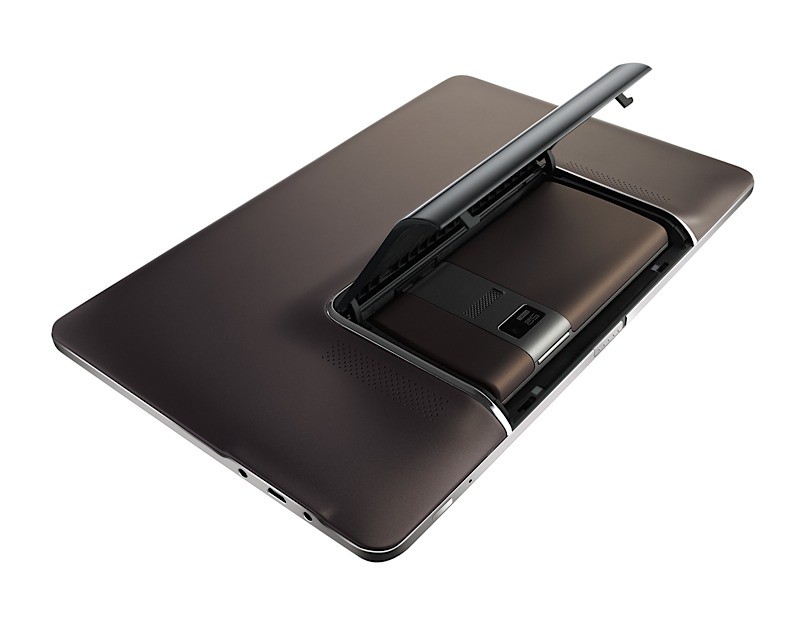
    In an ideal world a product like the Asus Padfone would be perfect. A smartphone which converts into a tablet when you need it to be one, what else could one ask for? Devices like the Padfone are going to be the ultimate tool of a technology lover, but they still have time to arrive.

    Till then our recommendation is:

    If you really want to, then get a tablet and fulfill your dreams. But keep in mind that a tablet will never replace a phone and you should always have a phone handy, whether a Smartphone or a standard phone is what your budget will answer (even your day to day requirements). Carrying a tablet around as a phone will not only make you look, well how should we put it, like a “doofus”. Unless you are totally business oriented and your work calls for it. But then if you are a business man then you probably already own a smartphone, right?

    According to us, tablets today are not yet there, not ready to beat a good phone. Invest in a good phone, you will get more done. A tablet is only eye candy, a large touchscreen that has been a part of Sci-Fi movies for a long time and today when the opportunity is here, everyone wants to grab it. Get one only as a secondary device, something between your phone and your notebook, as a notebook replacement even, if you don’t have much work except document editing than a tablet will fulfill your notebook requirements and look good doing it. Plus there is always the benefit of Angry Birds on a large screen.

    [polldaddy poll=5187177]

iGyaan Network
Privacy Overview

This website uses cookies so that we can provide you with the best user experience possible. Cookie information is stored in your browser and performs functions such as recognising you when you return to our website and helping our team to understand which sections of the website you find most interesting and useful.