Category: iOS

  • Apple Haters Pounce on ‘Move to iOS’ App

    Apple Haters Pounce on ‘Move to iOS’ App

    We love controversies. And there is no one more likely to stir up mixed reactions that take over the internet quite as much as Apple. In a move that was sure to create a buzz just from its title, Apple released an Android app (yes, we said Android) called ‘Move to iOS’ which allows Android users who are looking to switch to Apple to do so in an easy fashion.

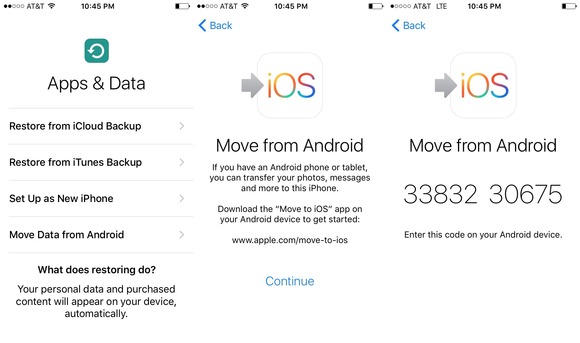
    The app allows a smooth, easy way to transfer all your data such as contacts, photos, messages and bookmarks from your old Android device to your new iPhone. Apple promises a simple process to transfer your Android data. However, the app will only work if you’re setting up your iPhone or iPad as a new device.

    Move to iOS

    Now for a quick tour on how the app works. When you begin setting up your iPhone or iPad, you will select a language, cellular or wireless network, then choose the apps and data you want to transfer. You will then select the Move Data from Android option in the transfer content screen. Then open the ‘Move to iOS’ app on your Android device. You’ll be prompted to enter a nine-digit code on both devices after which the transfer will begin.

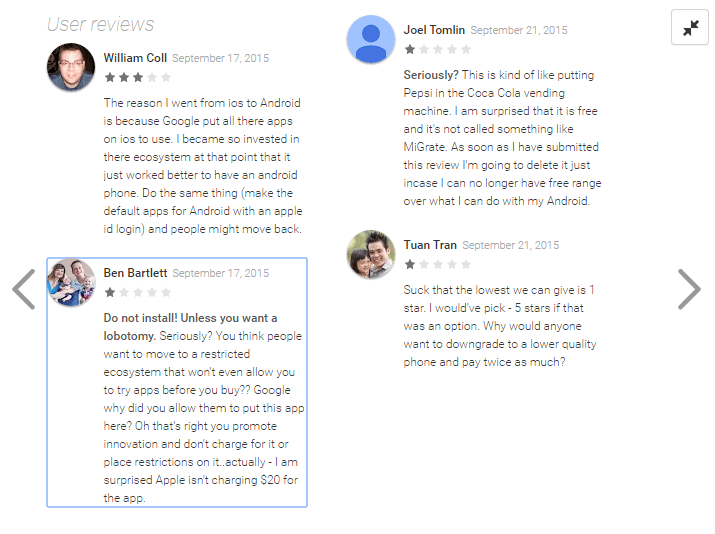
    While this app is truly helpful for those who want to switch over to the iPhone and would deserve anywhere between 4-5 stars, it, however, has received a hilarious 1.7 out of 5 rating on the Google Play Store. The low rating is credited to Android users who have shown their scorn at the app by giving it the lowest rating possible and by posting hateful reviews. Just for fun, here are some of them.

    Move to iOS Reviews

    While Android users have voiced their opinions (which have less to do with the app itself), you can download this app here if you are planning to switch from Android to iOS. It is a solid app that allows smooth transfer of data, no matter what haters say.

    Image Source: [tw-button size=”medium” background=”#07ABE2″ color=”” target=”_blank” link=”http://www.macworld.com/article/2984758/ios-apps/hands-on-with-apples-move-to-ios-android-app.html”]Mac World[/tw-button]

  • 11 Hidden iOS 9 Features That Everyone Should Know

    11 Hidden iOS 9 Features That Everyone Should Know

    By now most iPhone and iPad users must have updated their device to the new iOS 9. With the update users would have also found some changes and features that are brand new.

    We recently spoke about a few of the more visible changes that came with the new update. Today, we’ll look at some other new hidden additions that you might not have noticed as yet.

    Drag and select multiple pictures
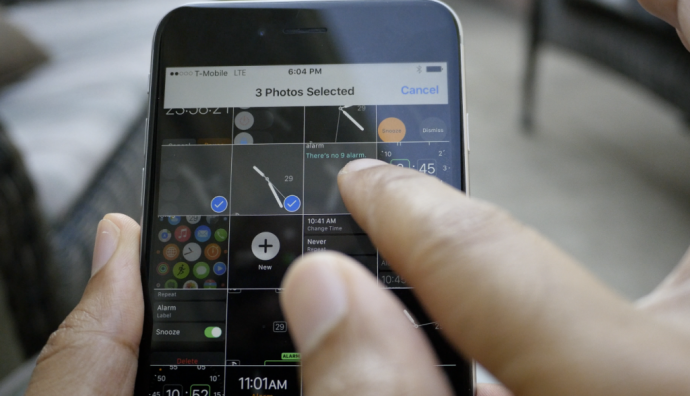
    iOS 9 Photos

    Now, before you start thinking that the multiple select option already existed, we are not denying that. But now with the iOS 9, users can select multiple photos from within the Photos app more easily. After you tap on “Select” you can hold and drag around your finger to select as many photos as you wish without having to select every photo individually. Along with this is the ability to hide multiple photos at once.

    Siri can now recognize your voice

    Hey-Siri-640x557

    If you like to command Siri from a distance when your iPhone or iPad is on charge then you can enable the Allow “Hey Siri” option in General > Siri settings. However, this is not the new feature we’re talking about. Now, when you newly activate “Hey Siri” on iOS 9, you’ll be taken through a couple of steps which requires you to speak aloud a few sentences so that Siri can recognize your voice. Once you’ve finished the steps, Siri will now be able to recognize you and will respond to your voice when you say “Hey Siri”.

    Siri has a new audio wave
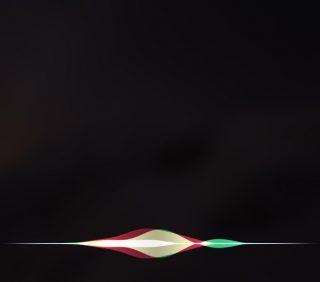
    Siri


    Not only has Siri become smarter, but it’s groovier as well. The audio wave that shows up when you talk to Siri is now a lot more colorful and way cooler than the simple, old white colored waves. This little change does a lot more for the aesthetics of Siri rather than functionality. It’s simply a fashion change for Siri and we’re loving the new look.

    Quickly call and message people via Proactive
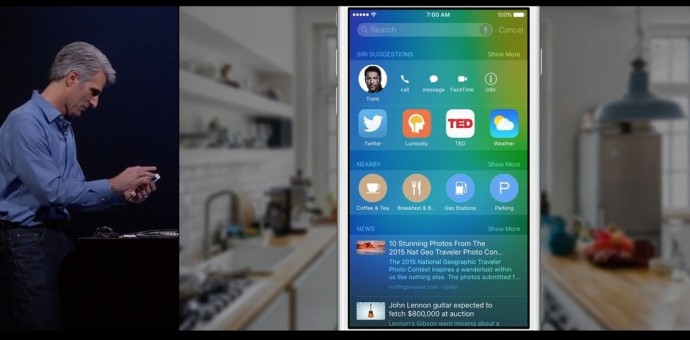
    iOS 9


    Have you tried swiping right on your Home screen yet? You’ll find a new Siri Suggestions page with a search bar on top. Siri has indeed become more useful than ever. Type the name in the bar and you’ll find multiple options such as message, call, or mail for that person. This is also a neat way of finding emails of the person without having to search for it in the Mail app. Siri suggests just about everything you would want to find.

    Hidden iCloud Drive app
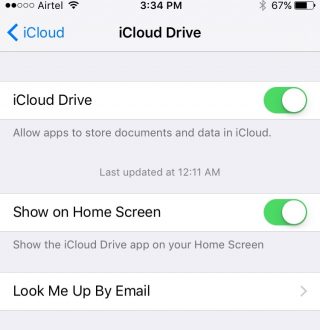
    018b0c4cb9e68560a1e287709c121ed320c06cd6fe

    You can now have an iCloud Drive icon on your home screen. The setting is switched off by default at first, so you’ll have to enable it by going to Settings > iCloud > iCloud Drive and turning on the “Show on Home Screen” option.

    Silence Siri using Ringer (mute button)
    01d7e79679173cc2ddeb973a1e1943235a79d4ac5f

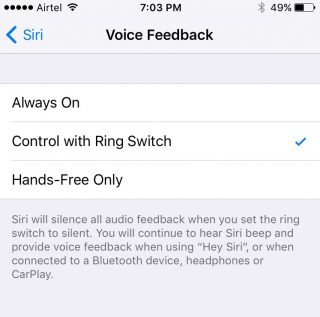
    If you don’t want Siri to talk and would rather just read the info text on screen, you have the option of muting it by simply flipping the Ringer switch. To activate it, you need to go to Setting > General > Siri, click on Voice Feedback and switch from “Always” to “Control with Ringer Switch”.

    Quick Reply for almost all apps


    iOS 9

    You can now Quick Reply for most third-party messaging apps. Earlier you could only Quick Reply for Mail and stock messenger, but now you can pull on the notification you’ve received from mostly any third-party app (including Twitter) and the option to quickly reply will be available.

    Larger multi tasking screen
    0165f852c5f9ca2274ec91c4cd5350c309e204ab4a

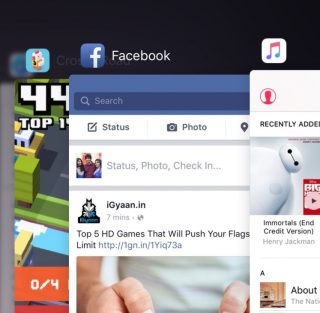
    When you double click the Home button, you’ll find that all your active apps are larger and more easily readable, taking up a good amount of screen space so that you can see what’s showing on the app without having to open it. It’s the little things that make life easier.

    Audio app suggestions
    iOS 9 Lock Screen


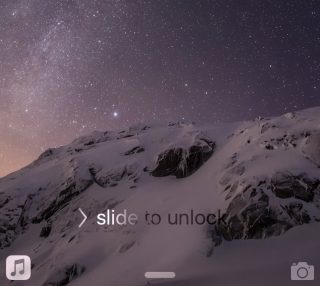
    When you plug in your headphone into the jack, you’ll notice that the music player opens up automatically in your lock screen or suggests the audio app you are most likely to use in the bottom left. The suggestion is not only based on the app you use most but also takes factors such as location into account.

    Search through Settings
    01c459edca1eb0abbc0501f0183f14913b8edb9718

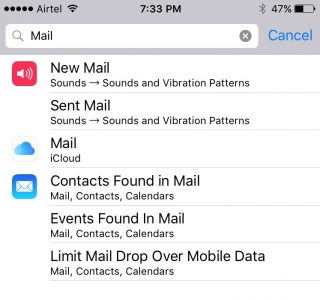
    If you have a particular setting in mind that you want to change, you don’t have to look through the entire Settings app. There is now a search bar on top of Settings where you can type in a particular query (e.g. “Mail”) and everything matching that query will appear in a list below.

    Wi-Fi Assist

    0147536242f5fe0da826e4b2a6f53bd41f8c528df1

    Another helpful addition is the Wi-Fi Assist option that is enabled by default once you update your device to iOS 9. This feature is for situations where your mobile data may be more powerful than your Wi-Fi. When enabled the feature will switch you to mobile data if your Wi-Fi connection shows some trouble.

    Along with our previous post on iOS 9, we’ve covered quite a few new hidden features, and yet the latest update offers a whole lot more. Keep exploring and tell us what new feature you’ve discovered in the comments below.

    Image Source : [tw-button size=”medium” background=”#07ABE2″ color=”” target=”_blank” link=”http://www.imore.com/ios-9-faq”]iMore[/tw-button]

    [tw-button size=”medium” background=”#07ABE2″ color=”” target=”_blank” link=”http://www.igeeksblog.com/quick-reply-from-lockscreen-on-iphone-and-ipad/”]iGeeksBlog.com[/tw-button]
  • 5 Cool Features of iOS 9

    5 Cool Features of iOS 9

    iOS 9 is finally out, and those of you who haven’t updated your iPhones and iPads yet can do so while we tell you some of the neat new features of the latest operating system.

    New icons

    011ed5879fb24339be3910d11b899362dbe85caca7

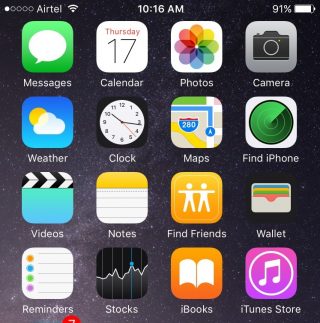
    Whenever we do an update it’s obvious our eyes are going to search for something new from the get go. While the iOS 9 is mostly the same as the iOS 8 in terms of the look of it, users will find three brand new icons in their home screen (Well, two actually and one revamped). The two new default apps are called Find iPhone and Find Friends. Both these apps were already available for download in the App Store. Find Friends/iPhone is pretty useful if you want to know if a friend is nearby for a cup of coffee, or if you’ve suffered a mini heart-attack from losing your iPhone.

    The Passbook has been renamed as Wallet, which is a cleaner name and suits that fact that the app can now store all your credit cards, reward cards and membership cards.

    A back button


    0119e9620c5dde814972d8d7fd656a5d8bf3cd8f13


    The iOS 9 has plenty of new features that are hidden away from the usual ones. Once you start using your device as you normally would, you’ll find subtle changes and additions in your iPhone that really make a difference to your usability.

    Take for instance the new back button that appears on the top-left corner of your screen when you switch from one app to another. And if you open a link from your Mail that takes you to Safari, the back button will appear that will take you back to Mail. Now you won’t have to double-click the Home button every time you want to go back to the previous app.

    New Low Power Mode


    0166c8c88067dc3e5379a40cde8644836efd09e44f

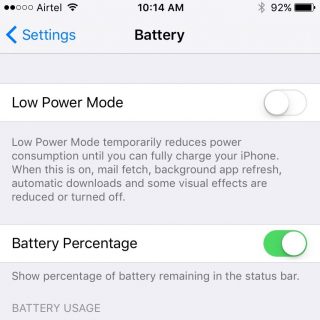
    This is perhaps one of the best new features Apple could have provided. The new Battery settings comes with The Low Power Mode which promises to give you an additional 3 hours of battery life, if you find yourself on really low power and still need the phone to stay alive for a few more hours.

    The Low Power Mode disables background app refresh, automatic downloads, mail fetch and visual effects to give you as much extra battery life as it possibly can. Battery information will be displayed in the Notification Center for the iOS device and the Apple Watch.

    Changes to the shift key

    0176c86e7956390bad0ac2100fd11fdc647ce80d25


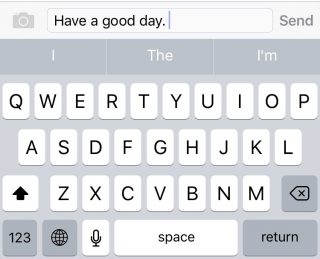
    Apple has made another subtle but much needed change to the keyboard. You can actually see the capitalized letters when you turn on the caps lock. The letters change to upper case when ‘shift’ is on and change back to lower case when ‘shift’ is turned off.

    New Notes app

    01fa1ab0a97825190ae34c2a65ce175ca6c905631f

    Notes has undergone some major changes. You now have the feature to add Photos to your notes, make a checklist, and draw and doodle using your fingers. The Notes app also allows you to embed websites, photos, maps, and more without having to leave the app.

    You can take a photo from within the Notes app as well. Finally, you can arrange the items attached to your notes with the new Attachment Browser.

    These are but a few of the subtle and not-so-subtle changes that come with the new iOS 9. Other features also include split-screen multitasking and picture-in-picture for the iPad, a new and improved Siri, with a Proactive feature when you swipe right on the homescreen, transit directions in Maps, new search bar in Settings, and much more. Though some of these features are yet to work well in India.

    What are your favorite updates from the new iOS 9? Let us know in the comments below.

  • Top 4 Ways to Get Your Apple Device Ready For iOS 9

    Top 4 Ways to Get Your Apple Device Ready For iOS 9

    Those of you who were up-to-date with the Apple event that took place last week will remember that the new iOS 9 update is scheduled for a September 16 release, which is today. The update is compatible for all current iPhones and iPads.

    However, before you press that ‘Download and Install’ button, here are a few things you can do to prepare your phone for the update.

    Check Compatibility

    All the way back to iPhone 4s and iPad 2.

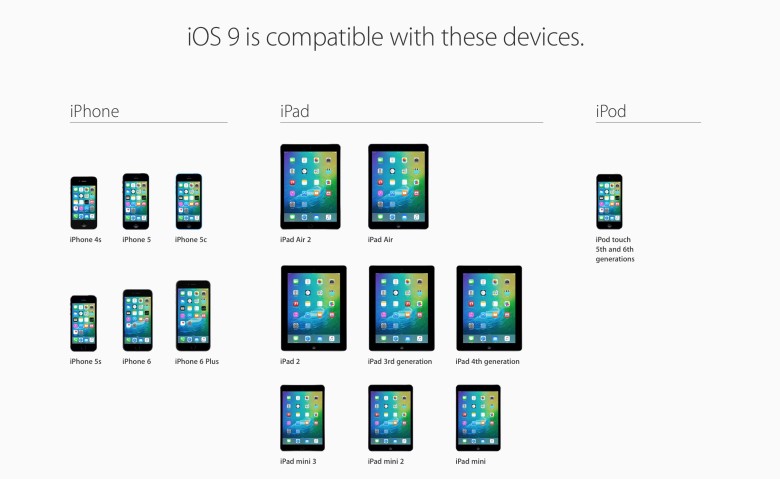
    Before you get too excited, you should check whether you iPhone is compatible for an iOS 9 update. This is especially the case for those who are using really old Apple devices (we’re talking almost ancient). The new iOS 9 is compatible devices as old as the iPhone 4s, iPad 2, and 5th generation iPod touch, but will not work for the iPhone 4.

    Free up some storage

    The new iOS 9 comes as a huge relief for 16 GB users as it will take up only 1.3 GB of space compared to iOS 8’s massive 4.58 GB. We can almost here the cries of joy over this news. However, before you can enjoy all that extra free space chances are that you’ve already filled up your 16 GB device to the brim. Any update requires some free space, so now would be a good time to delete some of the really old apps that you no longer use. You can press and hold on an icon till it does its little jig and then tap the X on the upper left to delete it, or you can go to the Usage option in Settings to find out which app is taking the most space and delete it from there.

    Back-up your data

    There’s always that hint of fear when you go for a new update. Sometimes due to some bugs, your device may crash a lot like it did with iOS 8 in its initial months, or you may find that some of your data missing. Hence, we suggest you back-up your data using either iCloud or iTunes to be on the safe side.

    If you’re backing up using iCloud simply go to Settings > iCloud > Storage & Backup and toggle iCloud Backup to ON and finally tap on Back Up Now.

    If you wish to back up using iTunes simply open iTunes and go to File > Devices > Transfer Purchases and once that is done go to File > Devices > Back Up.

    Clean up your media

    iPhone 6s 8

    The iOS 8 recently introduced the Apple Music in which you can stream unlimited music for a monthly subscription. Those who have subscribed to it most likely stream all their music freeing up a lot of space. However, those who still have a lot of music or videos saved to their devices should take some time out and delete the ones you no longer listen to or watch.

    Once you’ve sufficiently freed up your space, you can go ahead and download the new iOS 9. Wait for your Settings app to show a little red circle on the top-right corner sometime today, and update away.

  • Here’s a Camera App that Can Make Your Pictures Look Professional

    Here’s a Camera App that Can Make Your Pictures Look Professional

    When we purchase a smartphone today, one of our primary concerns is having a phone with an excellent camera, especially for the amateur photographers and Instagrammers out there. Gone are the days of carrying around a separate digital camera, and rightly so if your phone has the capabilities of taking quality photographs almost as clear as a DSLR camera. And one cannot deny that today’s iPhones are winning in the camera department.

    Tap, tap, tap, a company that created the third-party camera app, Camera+ for iOS users, is selling its app for free now. The app currently has a strong 14 million user base, and has earned $18 million dollars in sales. The app is useful for those who want a little more from their iPhones, providing a bunch of extra editing tools – both basic and advanced – such as special effects and lighting filters, an image stabilizer, and integrated sharing with Facebook, Flickr, and Twitter. But until now, the app was only available as a paid download.

    http://theawesomer.com/app-camera/44278/
    Edited using Camera+

    The company will continue to have the paid version for users who want the complete set of features. The free app will have most of the basic features for free and select advanced features via in-app purchases, which include manual shooting, advanced editing, and lossless TIFF, to name a few. The free app will be a great advantage for those iPhone users who have a hobby for photography and like to play around with various editing features without having to pay for it.

    060910_App_Camera_plus_4
    Edited using Camera+

    The app has received favorable reviews. PC Advisor gave the app 4-and-a-half stars out of 5 and declared it a “must-have” app for iPhone photographers. Wired gave the app a 9 out of 10, describing it as a “secret weapon” for photographers, stating that it contained so much functionality that it was “too easy to get lost in the deeply layered menus or forget where you found that killer function the other day.”

    Click here to download the app. Who knows, maybe you could start your very own phone photography blog and click amazing pictures like the ones given below:

    Natali Prosvetova ~ This will be my monument
    Claude Panneton ~ Abandoned

    Source: [tw-button size=”medium” background=”#07ABE2″ color=”” target=”_blank” link=”http://theawesomer.com/app-camera/44278/”][/tw-button]
    [tw-button size=”medium” background=”#07ABE2″ color=”” target=”_blank” link=”http://www.pixelsatanexhibition.com/”][/tw-button]

  • 6 Things You May Have Missed During the Apple Launch

    6 Things You May Have Missed During the Apple Launch

    The iPhone 6s and 6s Plus have finally been revealed. After whispered talks for weeks, Apple has delivered its latest offering and is out to be judged. While the world was watching in anticipation as to whether the rumored features and upgrades to the phone – such as camera and Force Touch – were delivered or not, we’ve decided to highlight some details and features about the other products from the launch that you may have missed out on.

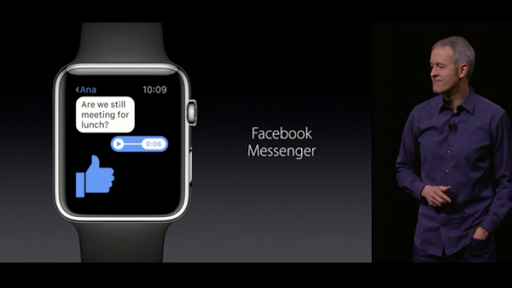
    1. Apple Watch to come with Facebook Messenger, iTranslate and AirStrip:

    COeiFQIWEAAmYUv


    COeiE10WEAAI2-Y

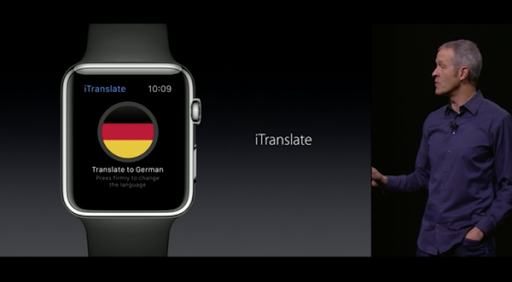
    Apple has introduced the Messenger app on the watch along with an app that translates one language to another, and an app called Airstrip for healthcare providers that receives information and can differentiate between a baby and mother’s heart rate during pregnancy.

    Apple has also tied up with Hermes to design new gold leather bands for the watch, which will cost the same as the Sports. WatchOS2 will release on the 16th of September.

    2. iPad Pro will include the 3D4Medical app:

    iPad Pro Pencil Keyboard 2

    This will allows users to see 3D models of the body in real-time. This app will be particularly useful for patients and medical professionals as it allows users to view 3D images of injuries and can plan out surgeries as well. Are you willing to trust a doctor with an iPad?

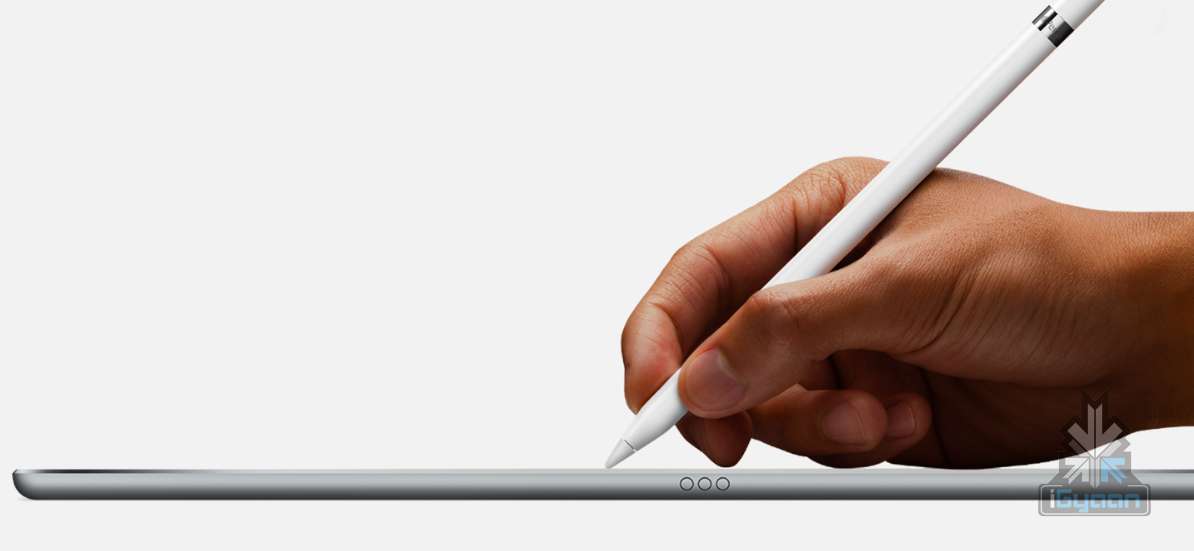
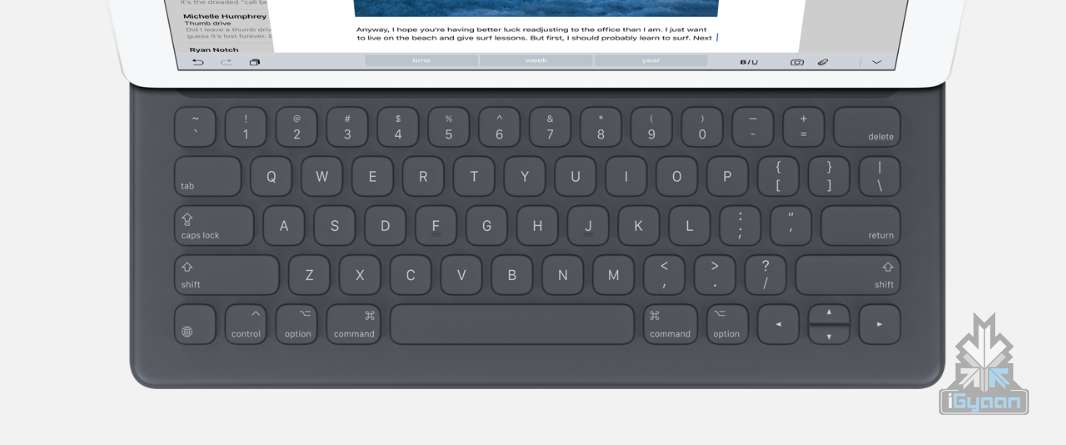
    3. The iPad Pro will come with an Apple Pencil and keyboard:

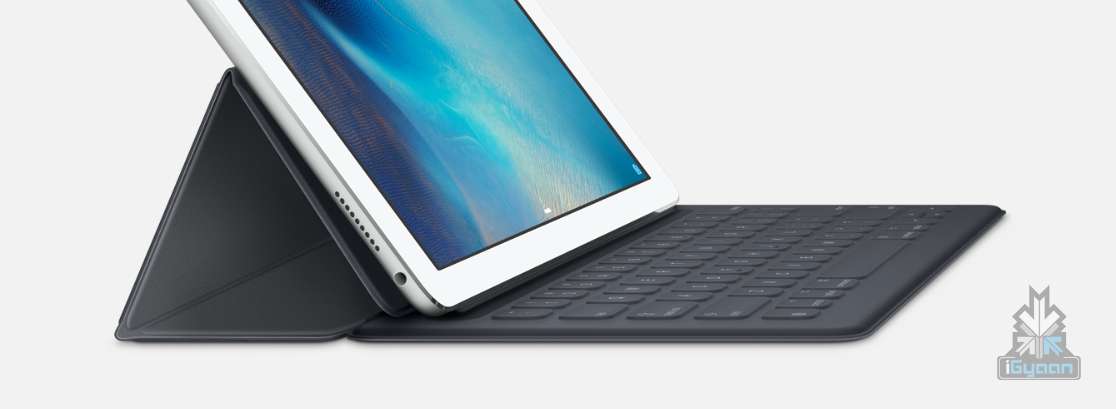
    The new iPad Pro will feature a stylus called the Apple Pencil and so far this addition has received lukewarm reception. It also comes with a keyboard sold separately for $169,  which  magnetically attaches to the iPad.

    iPad Pro Pencil Keyboard 8 iPad Pro Pencil Keyboard 0

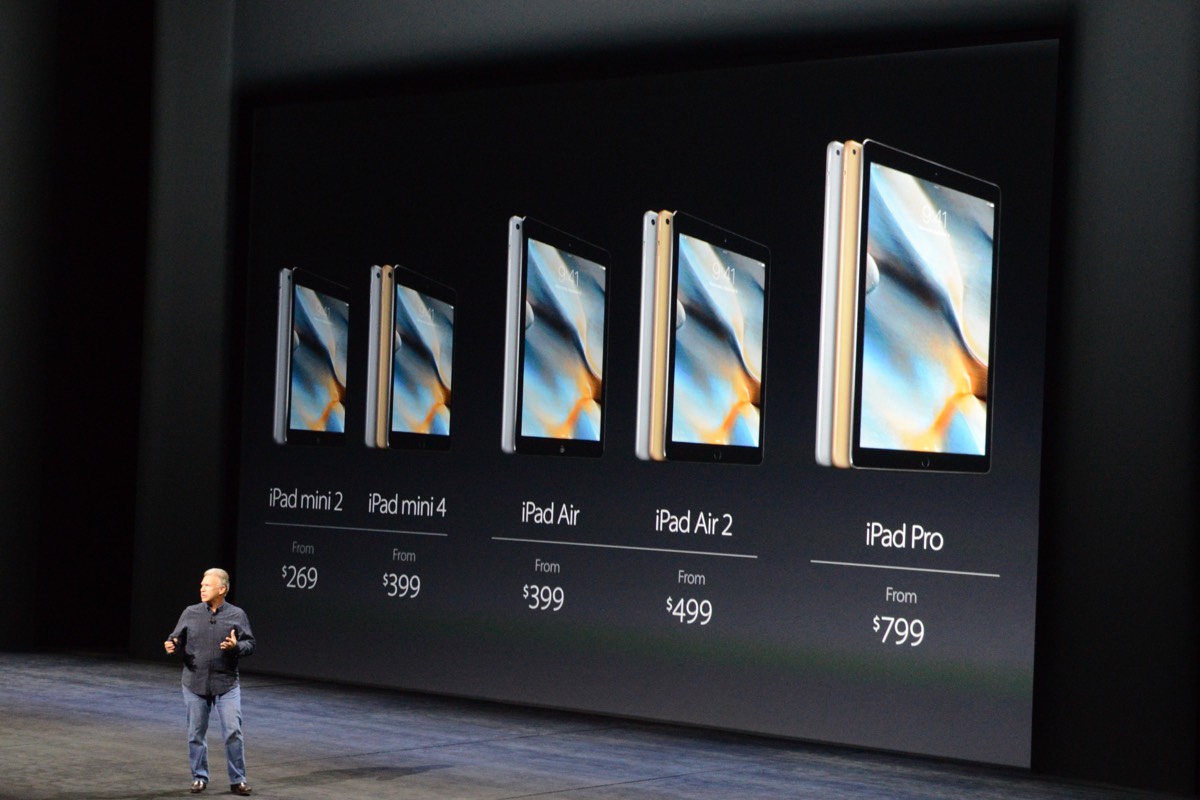
    4.The iPad Mini 2 becomes cheaper while iPad Mini 4 will come with an upgraded A8x processor:

    This means that it will be able to run all of the iOS 9’s multitasking features. With an upgraded 8 megapixel rear camera, the iPad mini 4 is now very much at par with the iPad Air 2.

    dsc2149

    5. Apple TV will have a voice and touch enabled remote:

    It also introduces iOS features such as weather and sports scores to the TV. It’s called TV OS “Based on iOS and built for the living room”. The TV also allows you to quick rewind 15 seconds by asking “what did she say?”. A great feature if one tends to miss out on a scene. The remote will also feature an accelerometer and a gyroscope that will detect body motions, similar to the Wii.

    6. Harmonix introduced a game called Beat Sports for the Apple TV:

    You hit pitches by swinging the remote, which means the remote indeed has motion control. “Beat Sports combines the joy of hitting balls with the joy of hitting notes” and can be played using the iPhone and iPod Touch as well.

    BEATS

    Now that we’ve got the big and small covered, you can decide for yourselves whether Apple has indeed paid attention to the finer details or not. Expected to roll out their devices next month i.e, October, one will have to wait and find out if the new products are a hit. And if the past is any indication, they will be.

  • Sales Numbers of iOS Devices Make Us Question the Requirement of PCs

    Sales Numbers of iOS Devices Make Us Question the Requirement of PCs

    We have more proof that history repeats itself – after Android phone sales surpassed those of Windows computers in 2012, an analyst has estimated that the same thing will  happen again, this time, it will be iOS devices instead of Android. As ZDNet reports it, an analyst has tweeted a trailing 12-month chart of iOS and PC sales using data from various companies.

    https://twitter.com/BenedictEvans/status/623668376280395776

    If you look at the graph closely, you will see that while PC sales increased post June 2009, right when Microsoft introduced Windows 7 and experienced a sharp decline post June 2012, when Microsoft introduced Windows 8, a well-intentioned but misfired attempt for cross platform OS. At the same time, Apple introduced iPhone 4S, which set a precedent for future iPhone designs and was a notable improvement over iPhone 3GS. Not to forget, iOS 5 achieved what Microsoft tried to – cross platform OS for the iPad, iPhone and iPod.

    Windows_Product_Family_9-30-Event-741x416

    Moreover, over the years, developers and manufacturers have made phones and tablets suitable for tasks that required PCs. For example, you can now create and edit a PowerPoint Presentation on your phone, a task which required a PC in earlier times. Apps like Instagram and Pixlr allow users to edit their photos at a basic level, WordPress’ app allows you to manage your blog on the go and more such apps have made it possible to ditch the PC for basic tasks. Still, the PC won’t be extinct right away, as there is still some use for it.

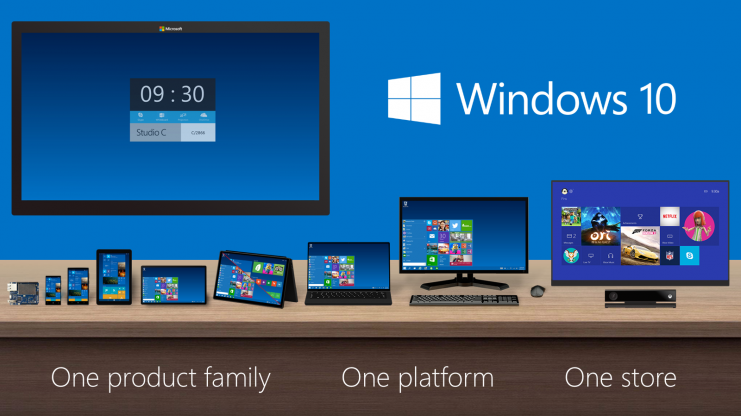
    Microsoft still has a chance to beat Apple at its cross-platform game, when it rolls out Windows 10 next week. It seems Microsoft has learned from its mistakes; Windows 8 and Windows 8.1 and can hopefully regain its position as the leader of the PC market.

    Source: [tw-button size=”small” background=”” color=”” target=”_blank” link=”http://www.zdnet.com/article/hello-post-pc-world-ios-devices-sales-now-match-those-of-windows-computers/”]ZDNet[/tw-button]
  • 5 Apps That Will Allow You to Exchange Files Between iOS and Android

    5 Apps That Will Allow You to Exchange Files Between iOS and Android

    Thanks to apps like WhatsApp and Hike, sharing images, music and videos between iOS and Android devices has become easy. Still, there are some files that cannot be sent over through WhatsApp and even if we e-mail the files, the large size of the file will eat most of the internet data. There are some apps which will allow you to send files between Android and iOS devices without any hassles:

    1. Instashare:

    instashare

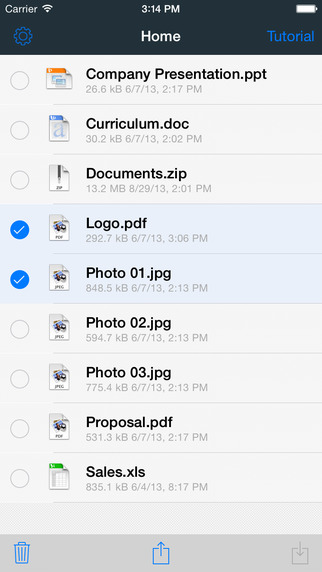
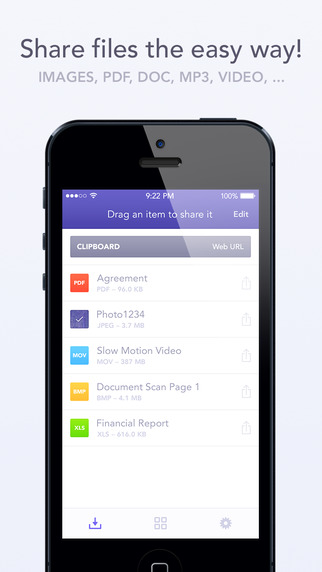
    The Instashare app works on a simple principle- drag and drop the file onto your nearby contacts list and the app takes care of the rest. It works on the same principle of Apple’s AirDrop. Instashare supports all types of file formats and works easily on both Android and iOS.

    2. Fast File Transfer:

    file fast transfer

    The app, available for Android users, creates a local Wi-fi network and allows iOS devices to log into them. The user can then send large files over small distances through the local Wi-Fi network created. The network is unique to the Android device and allows the iOS device to log into it. It’s faster than Bluetooth and easy to use.

    3. Feem:

    feem

    Feem works just like Fast File Transfer, sending files over locally created wi-fi networks. The app has to be installed in both iOS and Android devices, though. Once the users enter their partner’s username, they can easily exchange the files.

    4. Sharable:

    sharable

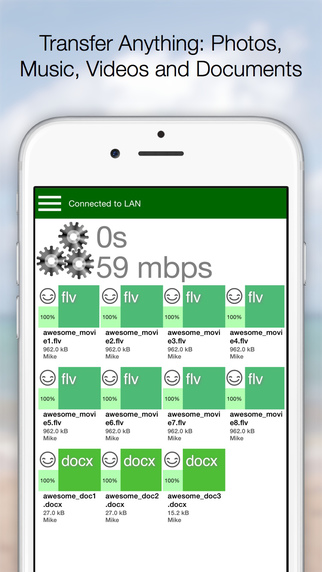
    Sharable works just like Instashare, except it’s completely free, without any advertisements and restrictions on file size. The device connects users through their device’s local wi-fi.

    5. File Transfer For iOS / Android:

    file transfer for iOS

    File Transfer for iOS, along with the companion app File Transfer for Android, allows users to transfer files between their different devices. It uses Bluetooth when possible, making the process of sending files through Wi-Fi, unnecessary. The software automatically detects nearby devices.

  • Tech Highlights of the Week: More OnePlus 2 Details, iOS 9 Beta Available for Public and Much More

    Tech Highlights of the Week: More OnePlus 2 Details, iOS 9 Beta Available for Public and Much More

    This week was loaded with new product releases and announcements from around the world. We have compiled a list of news that made the rounds.

    Here are the top highlights of the week:

    LG hints at Google Nexus Handset

    LG Google Nexus 4 India Review iGyaan 48

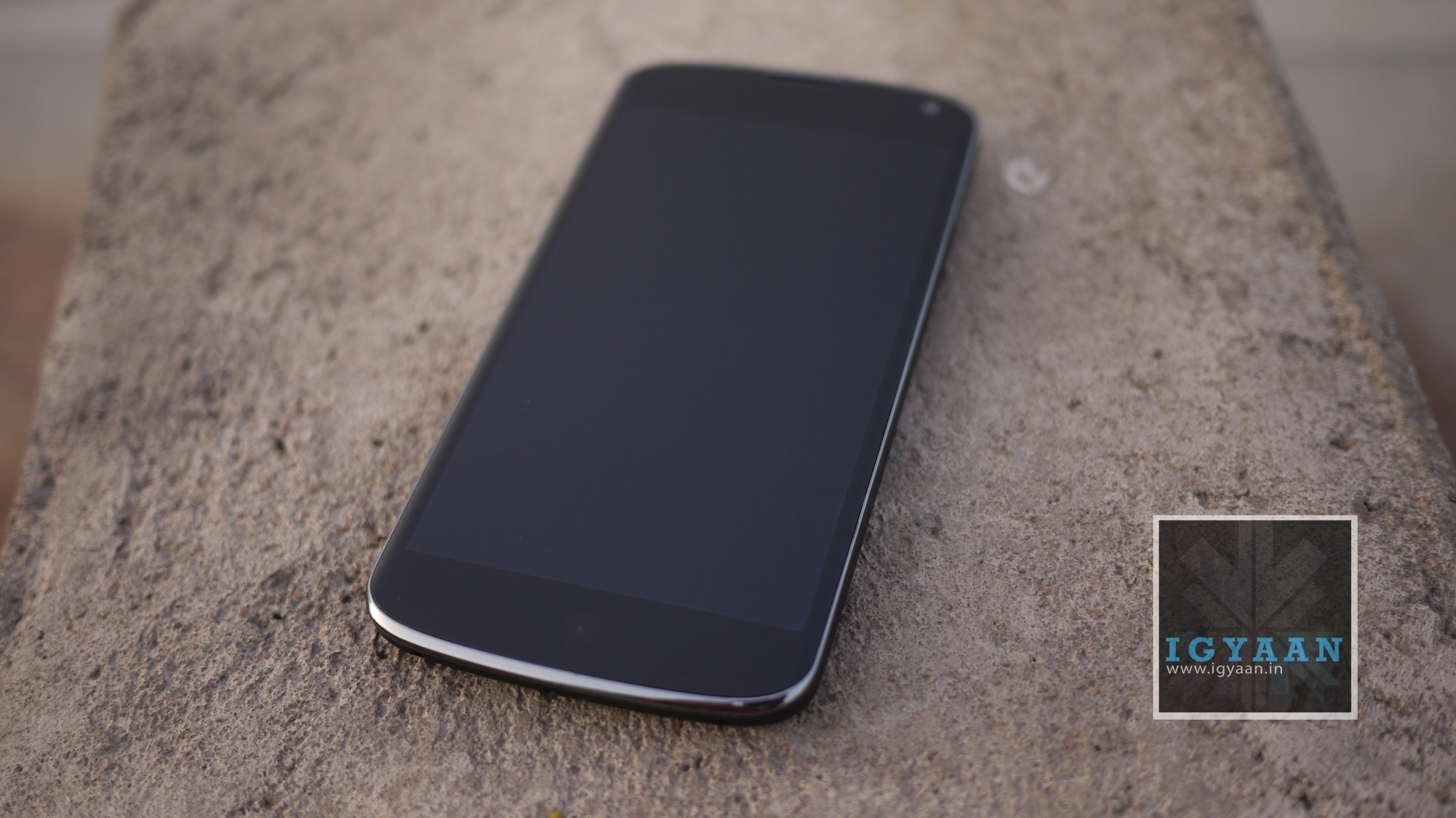
    According to rumors, Google has teamed up with LG to produce the next Google Nexus handset. The device will reportedly sport a 5.2-inch screen display, six-core Snapdragon 808 processor by Qualcomm, and 2700mAh battery pack. It seems Google wants to recreate the success of Nexus 5, which was manufactured by LG.

    Instagram Now Allows 1080x1080p Squares

    instagram

    What’s the point of clicking photographs in HD if you can’t view it in Instagram? Instagram users can now rejoice as they can store images in HD resolution. The app has upgraded the resolution from 640 x 640 pixels to 1080×1080 pixels.

    Truecaller Launches Messaging App to Keep Your Inbox Spam Free

    truemessenger by truecaller

    Truecaller has launched its messaging app, Truemessenger, which basically serves the same function as its parent app – filter out spam and messages from unknown numbers.

    OnePlus Two Details

    oneplus two 810

    With just two weeks left for the OnePlus 2 launch, here are some of the key details that have been revealed about the upcoming phone –

    • The phone will not be priced more than Rs. 28,500, OnePlus confirmed on Twitter.
    • OnePlus 2 will arrive with a 4GB RAM and may sport a metal body.

    LG G4 Review

    Lg G4 Hands On 14

    Check out our review of the LG G4 and find out if it is worth a hole in your pocket.

    LG launches two new G4 variants

    LG G4

    LG has released two new variants in its G4 lineup, the LG G4 Stylus and the G4 Beat.

    Xolo Launches Black

    xolo black

    Xolo has launched “Black” through Flipkart priced at Rs. 12,999. The company hopes the phone will be able beat to rivals Motorola and Xiaomi.

    iOS 9 beta released for public

    iOS 9

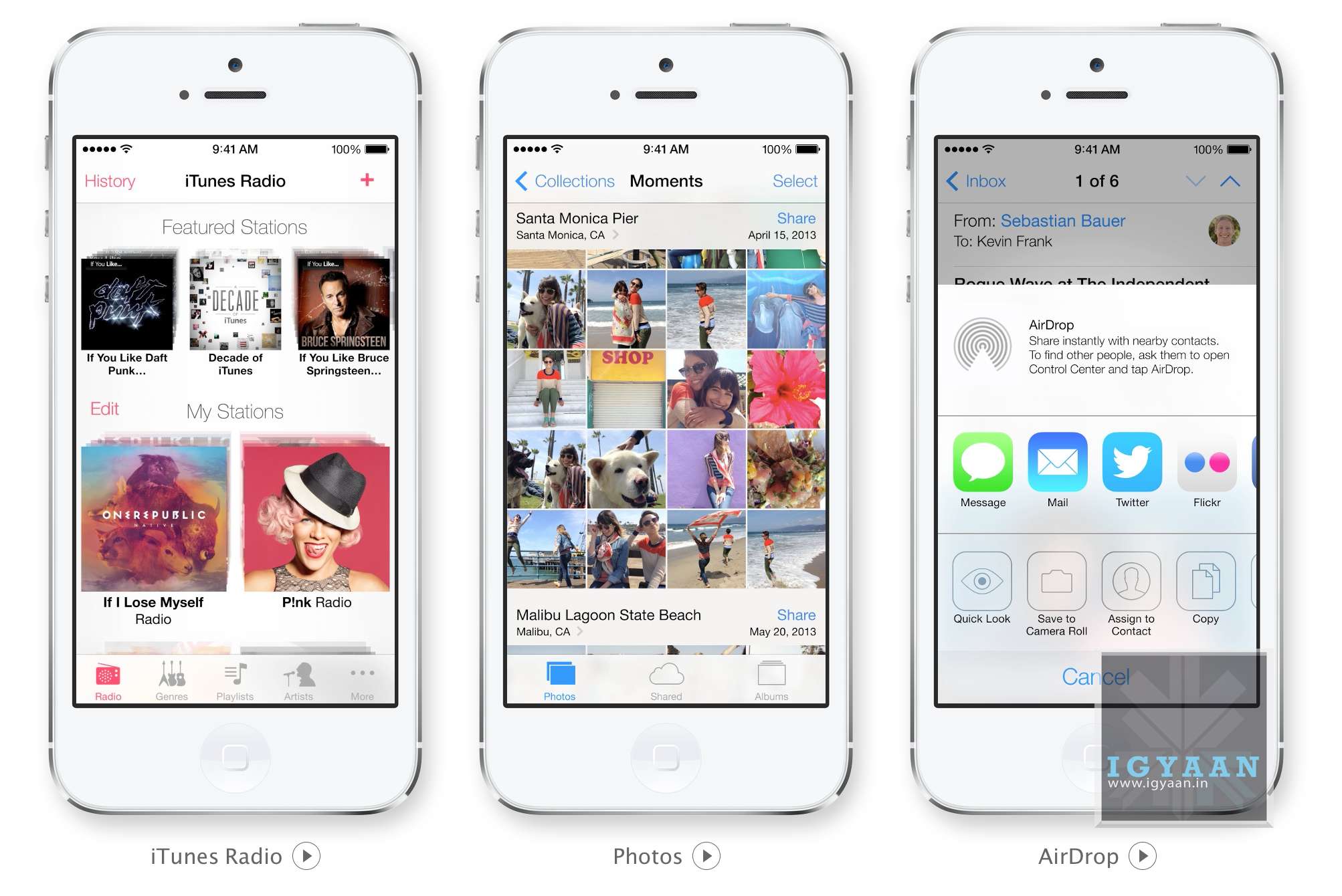
    Apple has released the beta version of iOS 9 for the public. The company has introduced some new features such as separate folder for selfies and screenshots and Apple News.

    GoPro Is Back With the New Tinier GoPro Hero4 Session

    gopro

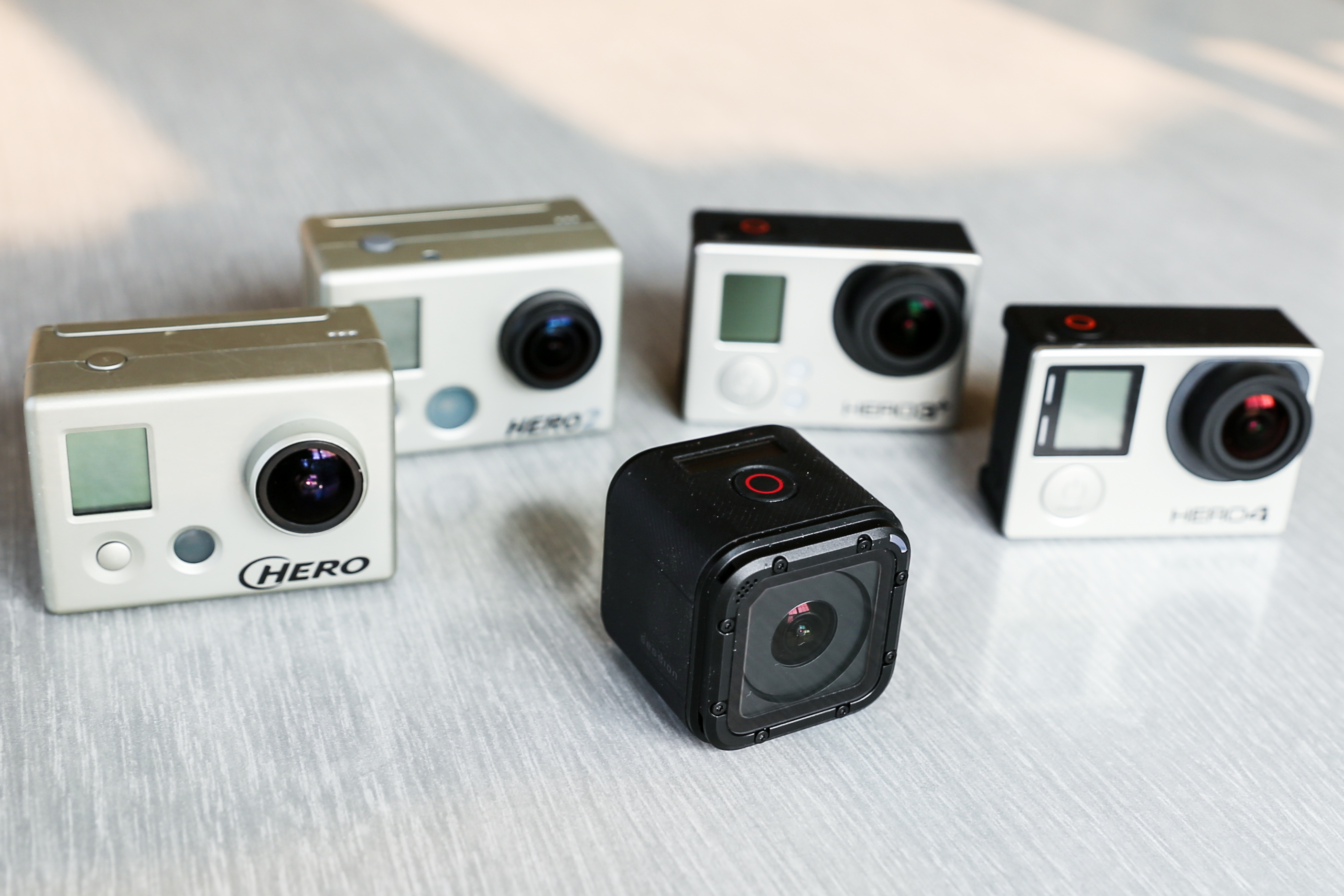
    GoPro, the company well known for making incredible cameras for adventure and sports terrain, has unleashed their newest and the smallest beast yet, the GoPro Hero4 Session. The new camera is the first significant redesign of the company’s omnipresent camera in nine years.

  • New Beta Version of iOS 9 Includes Apple News and Lots of New Features

    New Beta Version of iOS 9 Includes Apple News and Lots of New Features

    Apple has released a new beta version of iOS 9 to app developers, with several new features and changes being introduced. The beta version has been released to registered developers and is available for iPhone, iPad and iPod touch.

    ios 9 news 4
    Apple News

    Most notable features of the new iOS beta version include Apple News and a separate folder for screenshots and selfies. Apple News is a Flipboard like app that curates news from different publications like The New York Times and Entertainment Weekly. The feed will show news according to your liking and allows you to save and share an article you like. For now, Apple News will include content from The New York Times, CNN, ESPN, The Atlantic, and Slate.

    By segregating the selfies and screenshots folder, Apple has made it easier for users to organize and share the images. Under the current version, all photos clicked (screenshots, selfies, pictures) are stored in a single folder. Users prefer to send a screenshot rather than describe in a text. By separating images, it becomes easier to scroll through folders than a single folder.

    iOS 9 beta also includes a new 4×4 grid layout for folders in iPads, a new calendar icon and even Siri gets an improvement – Apple has dropped the famous ‘ding’ activation sound.

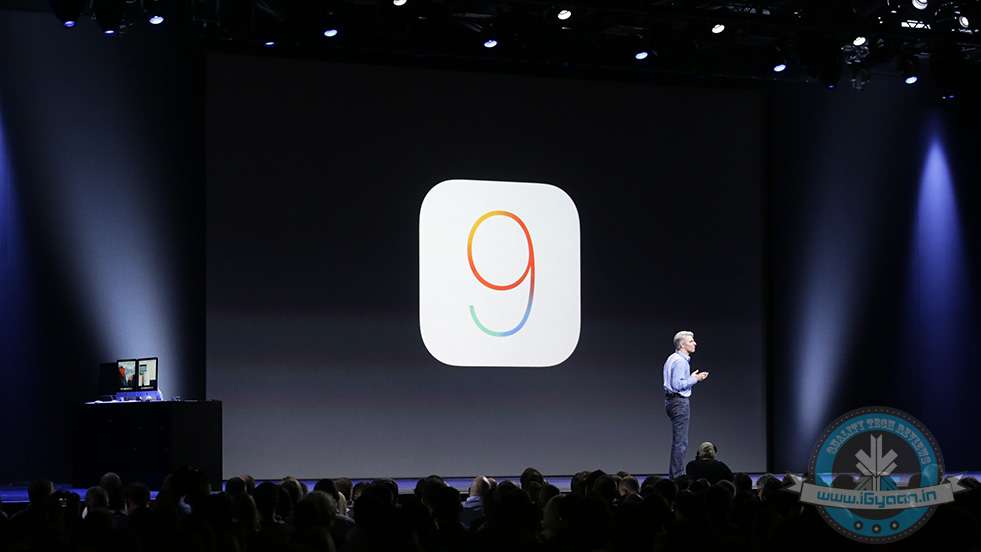
    Apple announced the latest version of iOS WWDC last month. The new software will be available to  iPhone and iPad users in September.

    The third beta version of iOS 9 is currently available to registered developers only and will be made available to public later this month.

    Source: [tw-button size=”small” background=”” color=”” target=”_blank” link=”http://9to5mac.com/2015/07/08/ios-9-beta-3-apple-music/”]9to5Mac[/tw-button]

    Additional Inputs from : [tw-button size=”small” background=”” color=”” target=”_blank” link=”http://www.bgr.in/news/apple-ios-9-3-brings-separate-folders-for-selfies-and-screenshots/”]BGR[/tw-button]
  • HDFC Will Now Provide Banking Services Through Apple Watch

    HDFC Will Now Provide Banking Services Through Apple Watch

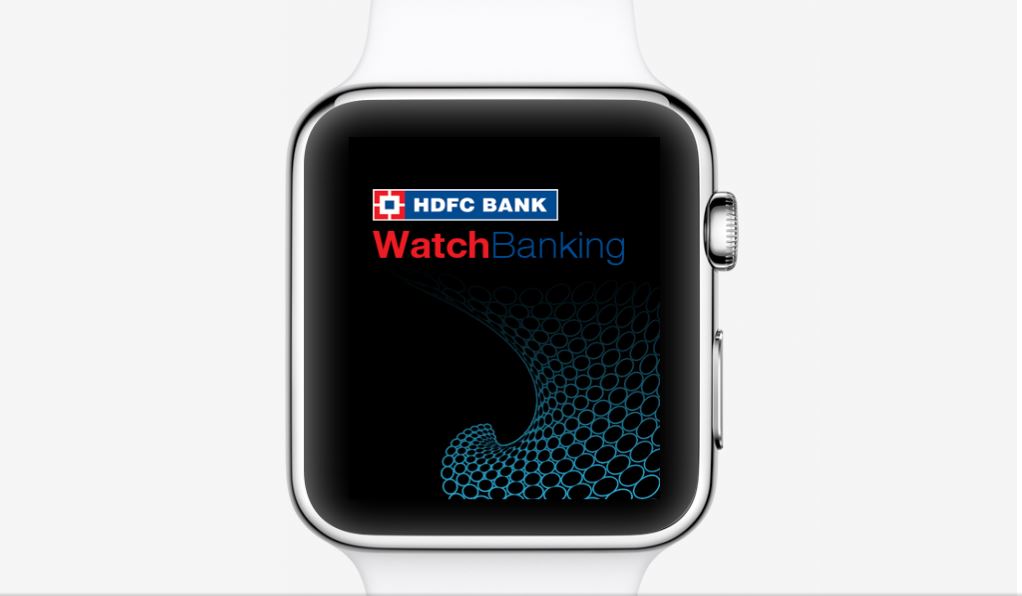
    HDFC has introduced WatchBanking, an app that allows you to carry out transactions from your Apple Watch. It’s another matter that the watch hasn’t been very popular in India, unlike its cousins iPhone and iPad. Still, it’s refreshing to see HDFC take the “better-now-than-later” approach, considering that Indian banks are known for being slow when it comes to adapting new technology.

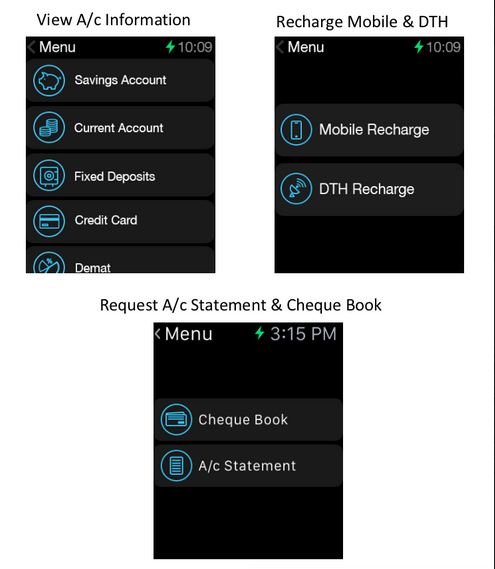
    HDFC claims that the app has been designed by keeping the functionality of Apple Watch in mind. For now, the app allows you to carry out ten types of transactions such as Bill Payments and Recharges. It allows you to see your account information and locate nearest ATMs, just like the regular HDFC app for iOS.

    hdfc watch banking

    The bank scores extra points as customers won’t have to download a separate app for Apple Watch. They can activate WatchBanking from an upgraded version of HDFC Bank’s MobileBanking App itself. The bank assures no security flaws since the watch will act as a projection device. The data will flow from the mobile phone to the bank’s servers. Additionally, there is a watch banking PIN that the user himself will set during the one-time setup process, using his unique id and password.

    HDFC says that it aims to provide banking services through all wearable devices across all platforms, including iOS and Android.

    With WatchBanking, HDFC follows CitiBank, which recently launched its own banking app for Apple Watch. The trend will continue to follow if the market for smart wearable grows.

  • Google Updates Hangouts for iOS Users

    Google Updates Hangouts for iOS Users

    Good news for iOS users who still use Hangouts. In a blog post, the company announced “Hangouts 4.0”, an improved version of the messaging app for iOS. The new update includes bugs and performance fixes and a new design.

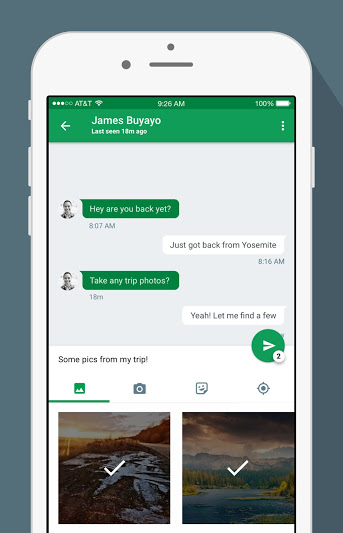
    The most notable improvement in the new Hangouts is the easier access to send photos and stickers. In the previous versions, the option was hidden behind a paperclip button. In the new version, the attachment options are now located on a strip below the text entry field.

    Hangouts_iOS_Share_Photos

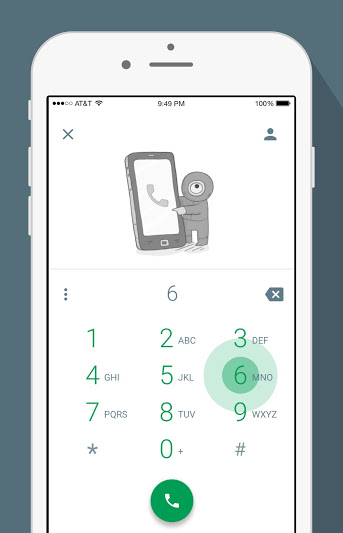
    The strip makes it easier to select photographs and stickers without exiting the chat window. The camera button will open a mini viewfinder below the text field. The new version features a Quick Compose button that finds the most frequent contacts and starts a new conversation. The dialler gets a new user interface as the standard buttons have been replaced by green floating action buttons – circular buttons that lift and display an ink reaction on a press.

    Hangouts_iOS_Dailer

    The update also includes many bugs fixes and performance improvements. Hangouts 4.0 is currently available on the App Store. Google will soon announce the Android update for Hangouts.

  • iOS 9’s ‘Low Power Mode’ to Reduce iPhone’s Performance by 40%

    iOS 9’s ‘Low Power Mode’ to Reduce iPhone’s Performance by 40%

    While iPhone users have a lot to boast about, battery life of their smartphones is not something that is easily discussed. Apple acknowledged the problem, and at WWDC this year, it was one of the most important issues addressed. At the event, we learned that iOS 9 would feature a “low power mode” that would extend the battery life upto three hours. The mode will allow for devices to reduce power consumption and restrict to only phone call capability.

    Now, a new report has revealed that the mode will reduce the performance of the iPhone in exchange for improving the battery life.

    The guys at MacRumors ran a benchmark test on iPhone 6 Plus and iPhone 5s to test the device’s processor power. They discovered that the single and multi-core scores for the processors dropped by 40% when iOS 9’s “Low Power Mode” was turned on.

    When turned on, the mode reduces the CPU speed, which results in the shutting down of background activities like mail fetch, background app refresh, motion effects and brightness. Nothing has been mentioned about activities such as browsing web, making calls after iOS 9 activates the energy saving mode.

    Source : [tw-button size=”medium” background=”#07ABE2″ color=”” target=”_blank” link=”http://www.macrumors.com/2015/06/25/ios-9-low-power-mode-benchmarks/”]MacRumors [/tw-button]
  • Another Useful Hidden Feature of iOS 9 Discovered

    Another Useful Hidden Feature of iOS 9 Discovered

    At this year’s WWDC, Apple made a string of announcements about its future. Especially Apple iOS 9 was seen to be a major overhaul. The company showed off the software’s multitasking featurelow power mode and Siri’s Proactive mode. However, Apple didn’t disclose many fresh apps and exciting features, which make its OS all the more seamless.

    According to a new report, iOS 9 can delete apps temporarily to accommodate software updates. If the operating system is short of storage, it will prompt the user to temporarily delete the apps before installing the updates. After updates have been installed, iOS 9 will automatically re-install those apps.

    https://twitter.com/Kaleb_Butt/status/613403921512411136/photo/1

    The feature was discovered by developers who installed the new beta version of iOS 9, as per a report by 9to5Mac. According to the report, the data will remain intact.

    One of the main criticisms of iOS 8 was the amount of exorbitant space it took for installing updates. To make up for it, Apple announced at 2015 WWDC that the new iOS would only require only 1.35 GB of space, a huge improvement from iOS 8, which used 5.5 GB. The announcement was a relief to the iPhone users who use the 16 GB variant.

    With iOS 9, Apple is making efforts to utilize the storage space. At WWDC, Apple mentioned that developers will be able to “thin” their apps, freeing up more storage for media and other content.

  • This Might be the Easiest Way to Tell Your Friends You’re ‘Free’ to Hang Out

    This Might be the Easiest Way to Tell Your Friends You’re ‘Free’ to Hang Out

    On an odd Friday night, when you decide you’d rather spend the night in, you want some company to watch a movie or grab a quiet meal. What do you do? You don’t want to spam the handful of close buddies who might already have their plans set for the evening. Nor can you put up a status on a social networking site, lest a creepy acquaintance accepts your invitation and lands up to your door.

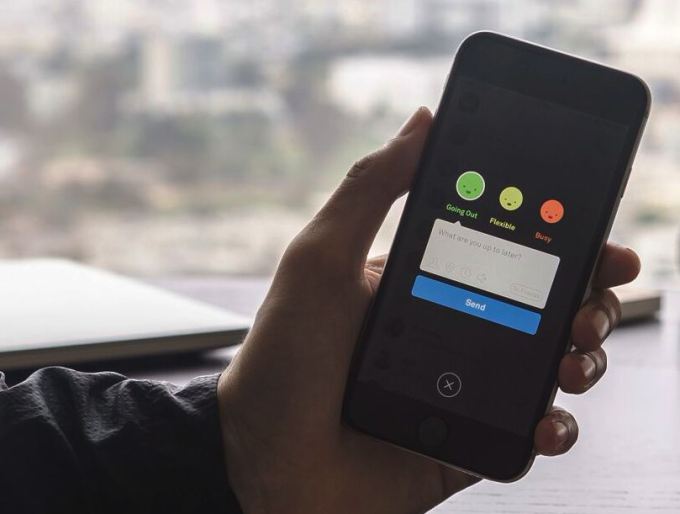
    Well, here is a solution to that: the ‘Free’ App. This app shows you a list of your friends who are free. It will allow you to share your availability to coordinate easily and make plans with friends. Developed by Danny Trinh, a former lead designer at Path, a social app, he explains:

    With smartphones, we’re more connected than ever—there’s Gchat, WeChat, Snapchat, Facebook Messenger, and more—but as connection has become the default, we’ve lost ways to announce, “I’m up to hang.” In a world where everyone’s online all the time, what’s the actual availability signal on top of that? That’s what we’re trying to build. Put another way, now that we carry chat on us at all times, the green dot is assumed.

    Once downloaded, the app asks you to enter your number, register an account and provide your name, a username and your email address. You can set up your photo and use a given list of filters. The app then syncs your contacts.

    img_3184-png

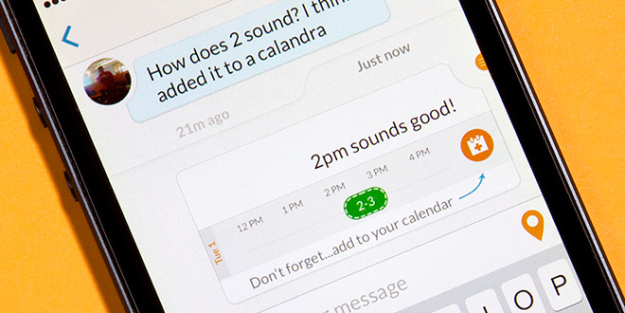
    You can let your friends, who might be nearby at that time, know that you are ready to go out (green), flexible (yellow) or busy at that moment (red).  However, for the app to work, you must enable location services on your phone. You can also attach a message, tag friends you are with and select a place and time, just like Facebook. Once you set up your first status, you have the option to choose which buddies to send it to and for how long they can see the message or status. These statuses go into Free’s feed that you can quickly flick through to all your friends’ plans, and disappear the next morning.

    press-phone

    True, there are so many social networking apps right now, like Facebook, WhatsApp and Twitter. But the reason Free might win is that it cuts out the clutter to focus back on in-person communication. For now, the app is available only for iOS devices.

iGyaan Network
Privacy Overview

This website uses cookies so that we can provide you with the best user experience possible. Cookie information is stored in your browser and performs functions such as recognising you when you return to our website and helping our team to understand which sections of the website you find most interesting and useful.