Category: Apps and Software

Games, Apps, Softwares, Operating Systems and Software Hacks

  • Polygram : A New Social Network Powered By Facial Recognition

    Polygram : A New Social Network Powered By Facial Recognition

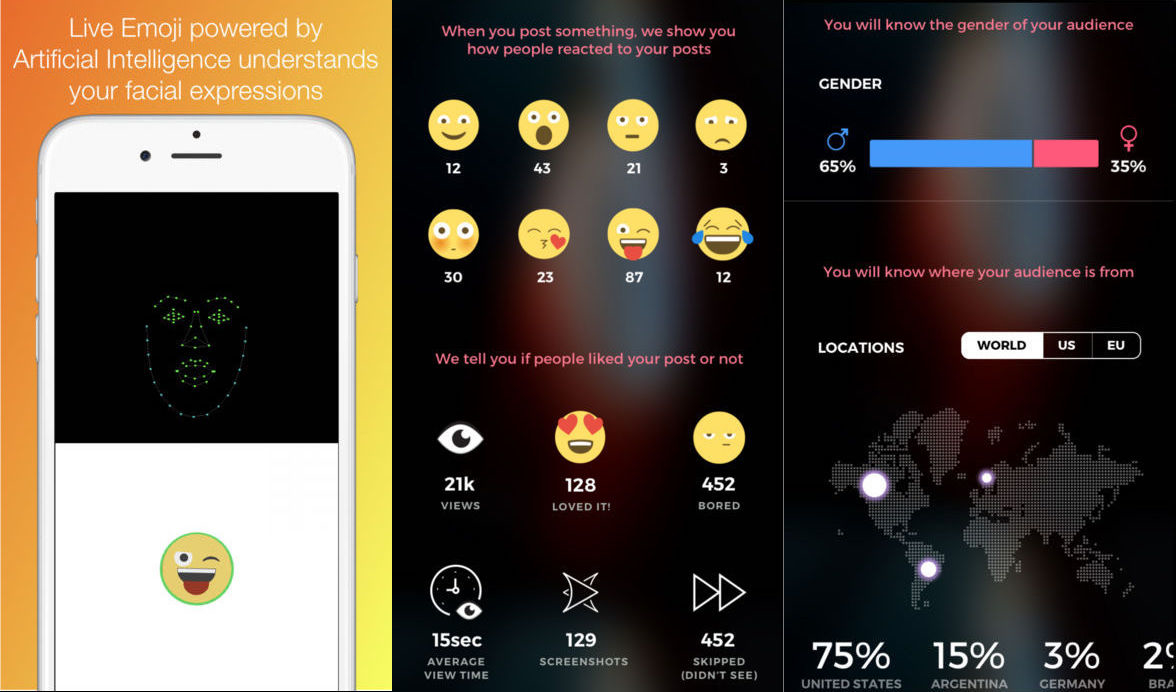
    While the internet is flooded with social networks like Facebook, Snapchat, Twitter, Polygram, a new photo-sharing social network comes packed with some unique and innovative features. The photo sharing social network tracks your facial expression to choose an emoji which corresponds to your reaction. So instead of looking at user picked reaction to a particular post, Polygram lets you view the actual emotional reactions people have to the photos you post.

    But that is not all, along with face-controlled emojis, the app offers geographical and demographic analytics which let you determine the location and the gender of your viewers. Few other features include filters designed by plastic surgeons to make you look more attractive, for private images, the app provides a “wipe-to-reveal” function which covers the image with fog-like covering. In order to see the image, the viewers will have to wipe away the blur, but that blurriness rapidly reappears so the viewer is unable to see the whole picture. In case a viewer tries to screenshot or take a photo with a second camera, only the currently visible section will be recorded. You will also receive a notification along with a copy of the image they captured or took a screenshot of.

    Official Video

    Even with all these new features, Polygram might have a hard time breaking into the scene. Company’s co-founder Faryar Ghazanfari believes that the app can will gain popularity amongst the millennials as no other social media platform offers facial detection and analytics.

    Ghazanfari says that “Influencers and content creators are the oxygen in this ecosystem,” and “We have white glove service for influencers, with full-time employees that just create custom features for them.” So if the app can deliver enough usage and views, Ghazanfari thinks people might start purposefully sharing on Polygram too.

    Though the company managed to raise $2.1 million in seed funding, Polygram will still have to sign up substantial number of users and ensure that they invest time in this platform to compete with the likes of Instagram and Snapchat. The app is currently available on iOS only.
  • Top Tech Stories Of The Week

    Top Tech Stories Of The Week

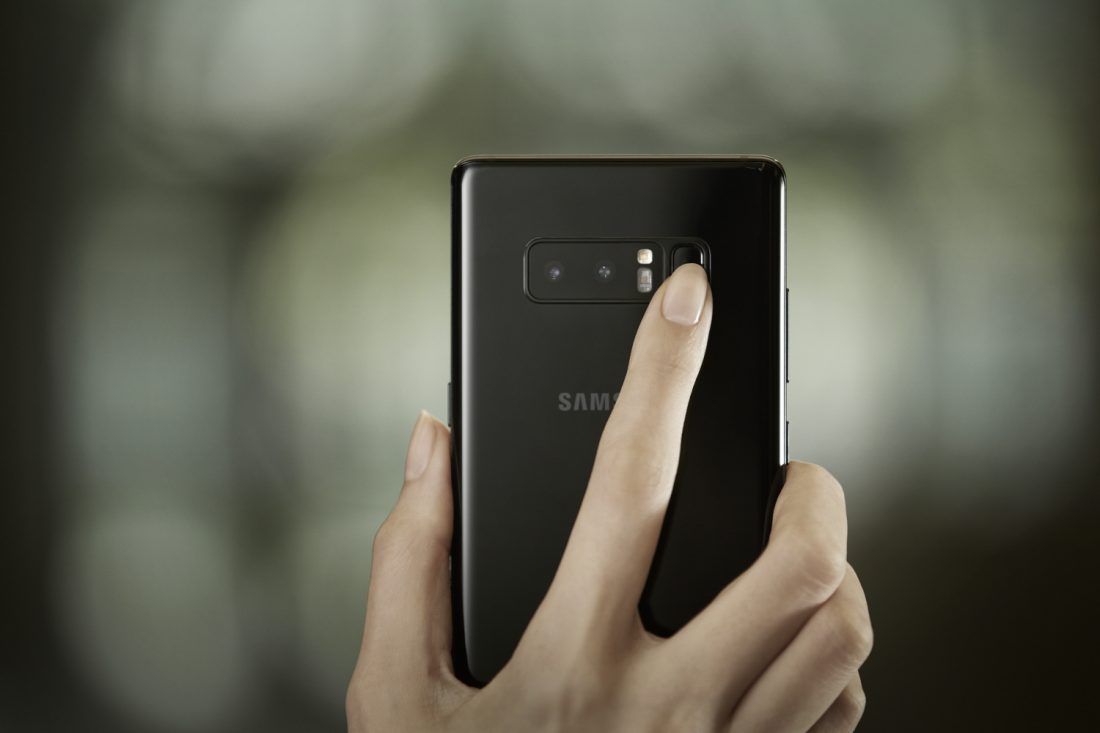
    Samsung Galaxy Note8 Officially Launched

    Samsung launched the highly-anticipated Galaxy Note8 in New York on August 23 during its ‘Unpacked 2017’ event. Priced at Rs 74,999 the Galaxy Note8 is the first Samsung to feature a dual-camera setup. Both the cameras are 12 MP and both have OIS, one has a wide lens while the other a telephoto lens. The Galaxy Note8 also has an IRIS scanner on the front, sadly the fingerprint sensor still sits on the back of the phone next to the cameras.

    Read Full Story Here

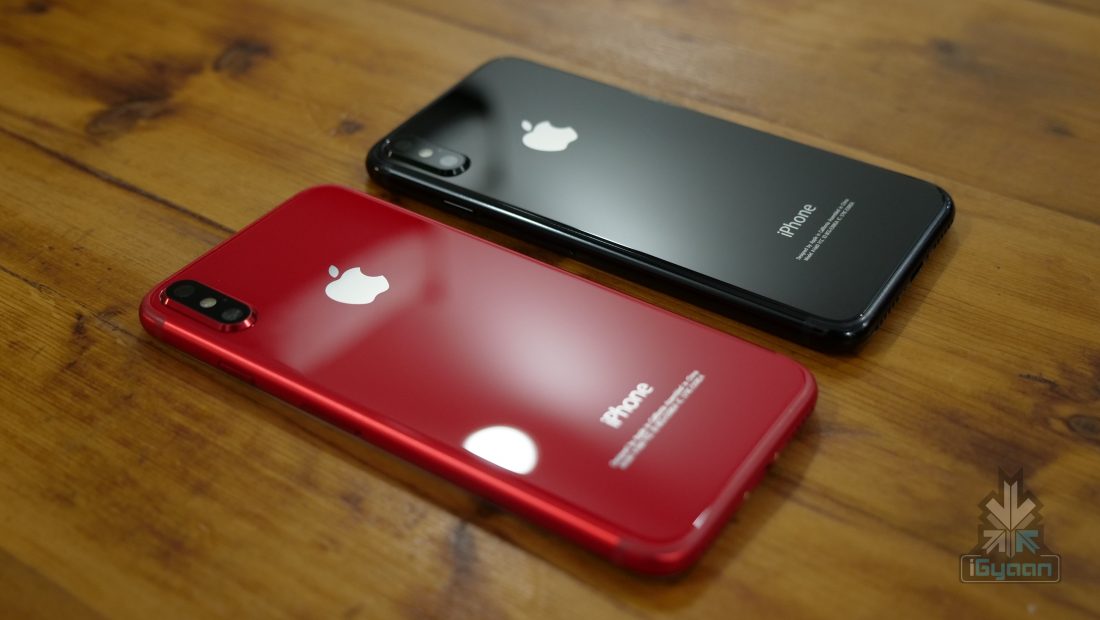
    Apple May Launch The iPhone 8 On September 12

    Apple looks all set to launch the new iPhone on September 12. Apple has been hosting its iPhone launch events in September since 2012. September 12 also falls on a Tuesday, which is in line with the previous iPhone announcement events. It is rumoured that the main iPhone 8 will be available in extremely limited numbers at launch. Along with the new iPhone 8, the launch of the iPhone 7S, 7S Plus, Apple TV with 4K video output, LTE enabled Apple Watch is also expected.

    Read Full Story Here

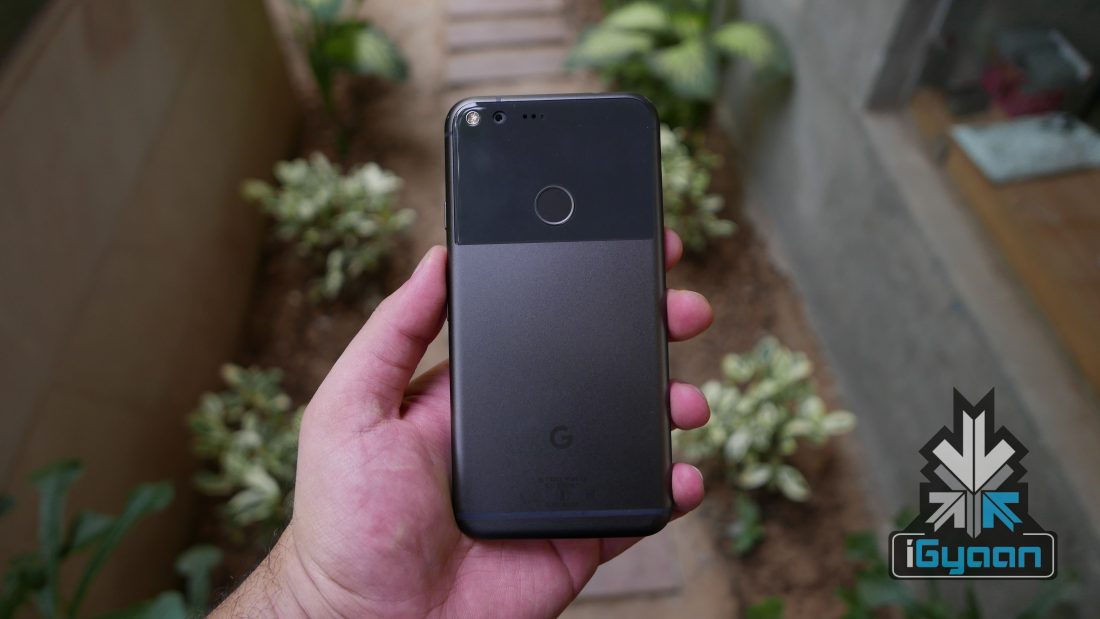
    Google Pixel 2 And Pixel XL 2 Will Be Launched On October 5

    The follow-up to last year’s lineup of Pixel devices, the pixel 2 and Pixel XL 2 could be launched on October 5th according to a tipster. This tip comes after specifications of the Pixel 2 were leaked through an FCC filing document. In his tweet, Evan Blass claims that both the devices will have the Qualcomm Snapdragon 836 chipset, instead of the much-anticipated Qualcomm Snapdragon 835 chipset.

    Read Full Story Here

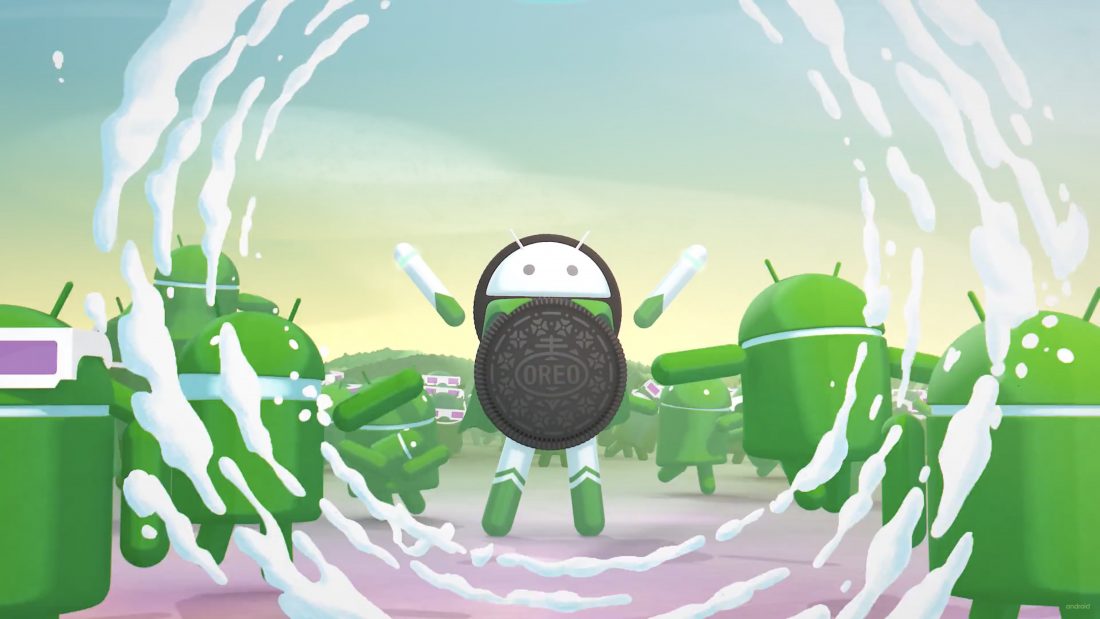
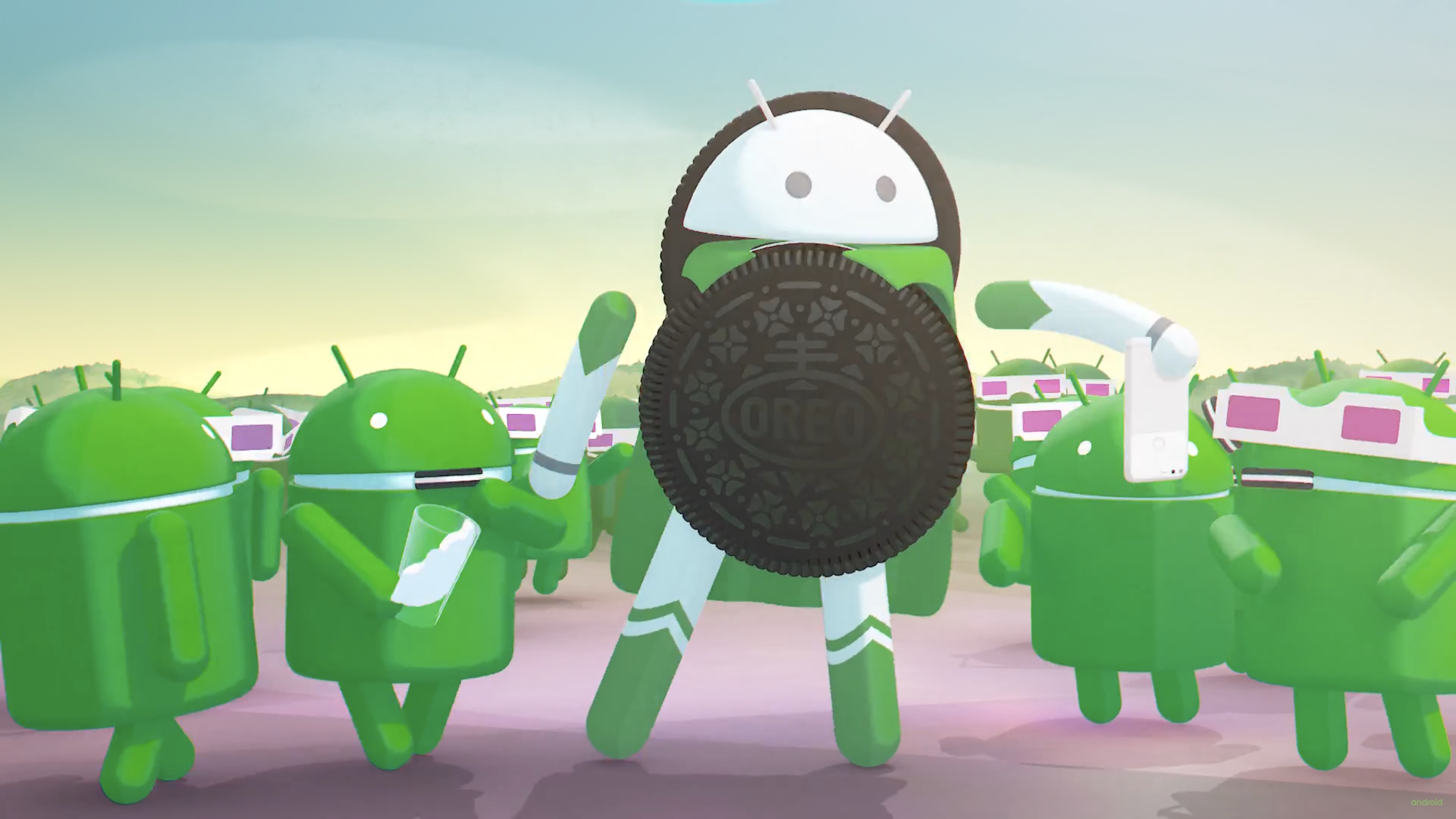
    Android 8.0 Oreo Officially Launched

    Google officially launched the next generation of its Android OS, 8.0 Oreo during the first Solar Eclipse in the USA since 1917 on August 21. The Google Pixel 2 and Pixel XL 2 are tipped to be the first sdevices to run Android 8.0 Oreo while many other smartphones will soon follow suit.

    Features such as the new picture-in-picture mode, auto fill framework, notification dots and much more will be available when the Android 8.0 Oreo starts rolling out to devices later this year.

    Read Full Story Here

    Moto G5S Plus To Launch In India On 29th August

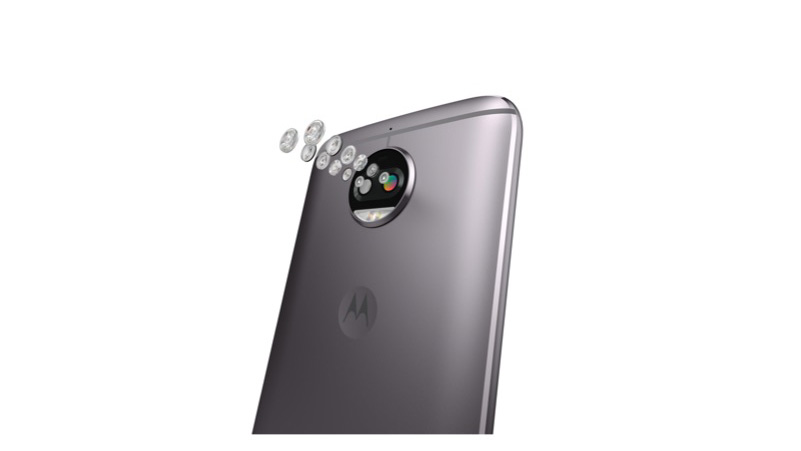
    Lenovo-owned Motorola is set to launch the Moto G5S Plus in India on 29th August. The smartphone will be an Amazon exclusive in the beginning and will be available at offline retailers later.The Moto G5S Plus’ widely speculated feature, the rear mounted 13MP dual-camera with an f/2.0 aperture and dual tone LED flash, comes with video stabilization and 4K video recording at 30 FPS.

    Read Full Story Here


  • Google Chrome Will Let You Permanently Mute Auto-Playing Videos On Websites

    Google Chrome Will Let You Permanently Mute Auto-Playing Videos On Websites

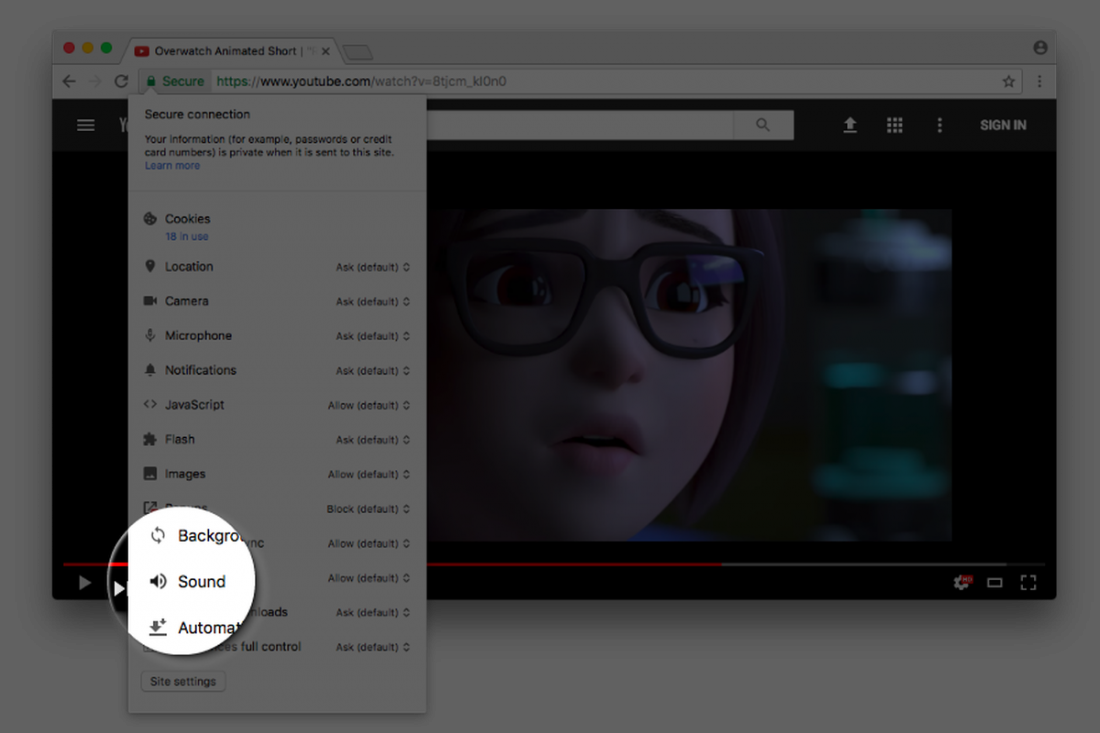
    Google Chrome will soon allow users to permanently mute websites, a long awaited feature that will cheer millions who suffer from auto-playing videos on websites. According to a report, the feature is currently available in the experimental Canary build of the browser and will soon roll out with future Google Chrome update. For those of you who want to give this feature a try, run it with the –enable-features=SoundContentSetting switch, as the feature is off by default.

    Google’s François Beaufort announced on his Google Plus account, that the Chrome team is still “experimenting with a setting to mute/unmute a website directly from the Page Info bubble.”  explaining that “This will give you more control about which website is allowed to throw sound at you automatically.”

    As of now, a user can mute tabs in Chrome by right clicking on them, but the process is canceled out once you close the tab or the Chrome window. But with this feature, a user will be able to permanently block sound on a particular domain. In short, websites on which you disable sound will remain disabled or muted until you turn them back on.

    Google Chrome already has various toggles for Flash, JavaScript, notifications, etc. and the soon-to-be-added sound toggle will work in a similar way.

    According to the update given by François Beaufort, it might be a few weeks or months before we see the feature on Google Chrome.

  • Android 8.0 Oreo : What Phone Makes The List

    Android 8.0 Oreo : What Phone Makes The List

    Google officially launched its latest Android OS, 8.0 Oreo during an event that ‘eclipsed’ the Solar Eclipse on August 21. Developers have had access to a preview version of Google’s latest mobile operating system since mid-March, with updated versions releasing in May, June, and July.

    The new OS comes with a lot of new features and under the hood upgrades for better user experience. Highlights of new features in Android 8.0 Oreo

    • A new picture-in-picture feature allows users to continue operating the device without interruptions for things like watching a video.
    • Users can now organise notifications into custom channels and modify the alerts for the entire channel.
    • An auto fill framework in the operating system makes the repeated filling of forms easy for the user.
    • Original Equipment Manufacturers (OEM) can specify a look and feel for the UI by choosing between various icon shapes by using Adaptive Icons
    • Smart sharing feature allows the operating system to guess the context of a photo, and pick the best application to hand the image over to.
    • There are also background execution limits, which ensures that applications running in the background don’t use up a lot of system resources.

    A lot of you must be wondering whether your Android device will be updated to 8.0 Oreo or not. Let’s find out

    Google Devices

    This is a no-brainer. If you own the Nexus 5X, 6P or the Google Pixel or the Pixel XL, an Android O update isn’t far away. Google Pixel  2 and Pixel XL 2 will be the first devices running Android 8.0 Oreo when they’re launched and an update to the Nexus devices and previous gen Pixel smartphones will follow soon.
    Samsung

    Samsung launched the Galaxy Note 8 running Android 7.1.1 Nougat and promised an update to Android Oreo in the coming months. This suggests that the Samsung Galaxy S8 and S8+ may also receive an update before the mid-2018 launch of the Galaxy S9. Samsung’s mid-range devices may also receive an Android Oreo update but later next year.

    HTC

    HTC has officially announced that the HTC 10, U Ultra and the new flagship U11 will receive the Android Oreo update in the coming months.

    OnePlus

    Carl Pei has announced that Oneplus 5, 3T and 3 will all receive Android 8.0 Oreo update. However, it was also announced that this update will be the last Android OS update for last year’s OnePlus 3 and 3T.

    Motorola

    Moto Z2 Force, Z2 Play, G5S, G5S Plus, G5 and G5 Plus are all in line to receive an upgrade to Android 8.0 Oreo keeping up with Lenovo-owned Motorola’s promise.

    Lenovo

    Lenovo recently dropped its custom VibePure UI for pure Android skin and promised that the K8 Note and other K Note devices will receive the Android Oreo update. The timeline though is not confirmed.

    LG

    LG is on the verge of launching its late 2017 flagship, the LG V30 on August 31. The phone will most likely run Android 7.1 Nougat and will be updated to Android Oreo later on. Along with the LG V30, LG G6, LG V20, and V10 might also receive the update in the coming months.


  • WhatsApp Coloured Text Status Now Rolling Out to Android and iPhone

    WhatsApp Coloured Text Status Now Rolling Out to Android and iPhone

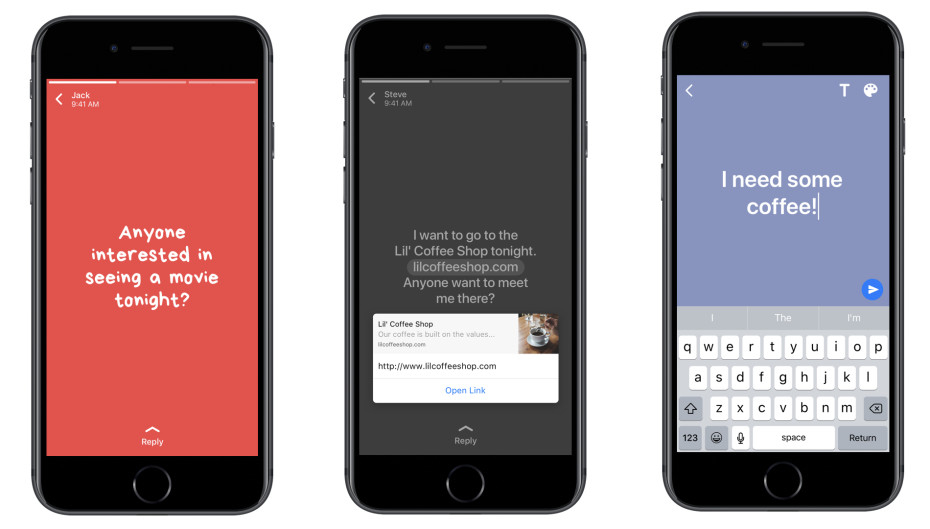
    WhatsApp has added a new feature to its ranks, quite similar to Facebook’s colourful status update. Apparently, now you can change our WhatsApp status update to suit your mood. The Users will now be able to update their statuses with more than just images or videos, and use colourful meme-like text posts.

    The new feature which is rolling out to Android and iOS devices, lets you write a snippet of text, choose a background color, and customize the font. This feature is specifically for WhatsApp’s Snapchat Stories clone. The Snapchat-like status update which disappears in 24 hours, was first introduced in February. Last month, Facebook announced that WhatsApp status feature has hit 250 million daily users, exceeding the Snap’s main product.

    Much like Facebook, the new WhatsApp update allows you to link out to other websites from within a text post. Seems like Facebook is handing down similar upgrades to its messaging app, which the social networking website acquired for 19 Billion dollars in 2014.

    Though WhatsApp has confirmed the new colourful text update, all may not be able to use the new feature as it has been remotely activated, and full-fledged rollout is still awaited.

    For iPhone users, the pen icon appears next to the camera icon in the new Status bar. For Android users, the floating pen icon shows up at the bottom of the Status tab, above the camera icon.

     The option to type a status, choose a font, emoji, and the background colour as well shows up by clicking on the pen icon. After writing the status and making necessary changes, press the green arrow key to send the text status. The status will then be published on WhatsApp for all your contacts to see. As usual, you can control who sees your status and know who viewed it by clicking on the ‘eye’ icon at the bottom of the screen.

  • Top 5 Free Android Keyboard Replacements

    Top 5 Free Android Keyboard Replacements

    If you are like us and use your phones a lot, a better keyboard may be out there for you. A simple ‘keyboard’ search on the Google Play Store brings up thousands of options for you to choose from, but, which ones are worth your time and effort?

    SwiftKey

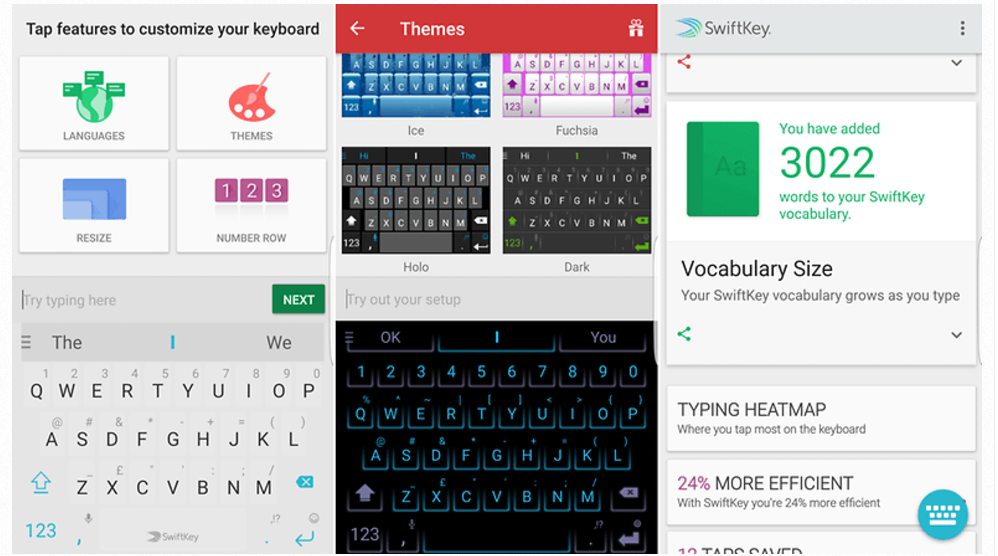
    You’ve either used or at least heard about this keyboard. One of the most downloaded keyboards in the Play Store. SwiftKey supports a host of different themes which can be downloaded free of cost once you sign in with your Google account. The SwiftKey-board also has multi-language support from Zulu to Hindi to even ‘Hinglish’ and also has a host of emojis while it can also access the inbuilt emojis in your device. You can even resize the keyboard according to your reachability.

    The best thing about the keyboard, apart from all the customisations, is the accuracy of its prediction. It learns your typing pattern over time, and can literally have a generic conversation on your behalf. It also has an interesting stats for you, like the typing heat map, the time you’ve saved by using the SwiftKey keyboard.

    Download SwiftKey

    Fleksy

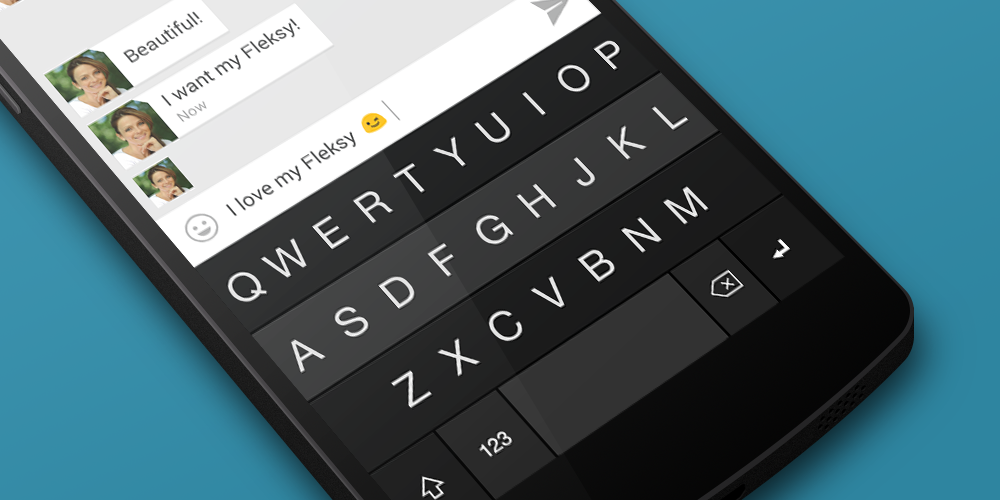
    Forget using the backspace key and discover a whole new way of ‘swiping’ on your keyboard. Fleksy is colourful, customisable and a lot of fun to use. It takes you a while to get used to the style of operating the keyboard but, its hard to give that up once you’re accustomed to it. With Fleksy, you can type fast and inaccurately and let the keyboard to do the correction, and more often than not, it does the job well.

    You can choose from a host of themes, and even use a personal image as the background for the keyboard. Just like SwiftKey, it also has support for multiple languages. Fleksy also allows you to send emoji, stickers and GIFs directly from the keyboard. You can also select predicted words as you type or customize the size of the spacebar to suit your needs. You can also swipe on the keyboard to perform actions such swiping right to left on the keyboard deletes the current word.

    Download Fleksy

    Gboard

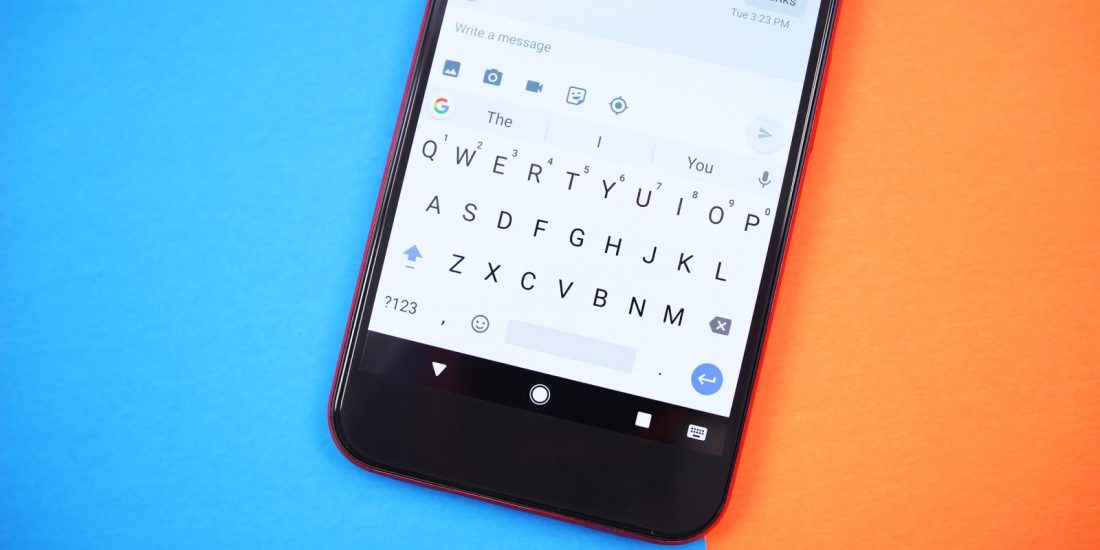
    The Google Keyboard offers a clean interface and quite a few smart features. Just like the previous two keyboards, it has support for themes and multiple languages. The auto predict is accurate and so is the swipe feature. All you need to do is swipe over the letters and it predicts the words accurately more often than not.

    One standout feature is the speech-to-text feature which is pretty accurate as well and doesn’t confuse the accents. Just like Swiftkey, Google’s keyboard remembers everything you type and is able to optimise its suggestions.

    Download Gboard

    Chrooma Keyboard

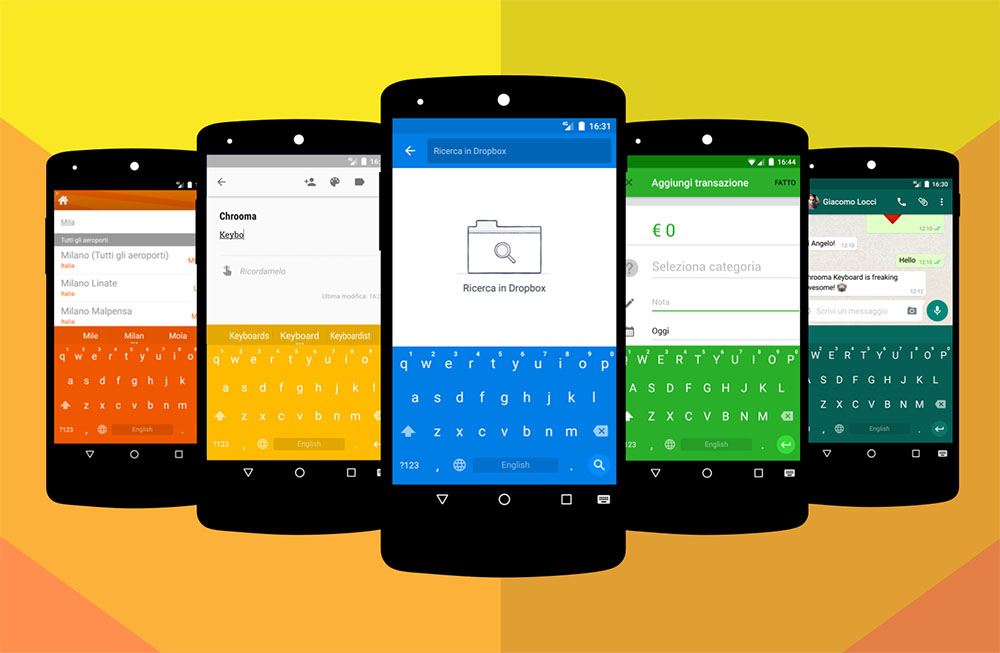
    Chrooma keyboard has a standout feature for all the people who like to mix it up with the themes on their run-of-the-mill keyboards. It has an adaptive theme feature in which it changes its colour according to the application you’re using. For example, while typing in the Facebook Messenger, the keyboard will have a blue accent and will change to green if you switch to WhatsApp.

    Other than the customisations, it has support for multiple languages and you can send emojis and GIFs right from the keyboard. The top row of the keyboard can be swiped right or left to display the number pad or predictive words/emojis.

    Download Chrooma Keyboard

    GIF Keyboard by Tenor

    Arguably the most fun keyboard on this list, the GIF keyboard lets you send tons of GIFs (as the name suggests) to friends across platforms. It doesn’t become your default keyboard, but you can integrate it with your keyboard of choice and send GIFs by simply typing ‘#’ followed by the theme you’re looking for.

    Among other features, you can also record a snippet from a video on your phone and create a custom GIF or use your device’s camera to record and create a GIF of your own. This keyboard is all about that perfect GIF!

    Download GIF Keyboard by Tenor


  • MIUI 9 Launched With New Features

    MIUI 9 Launched With New Features

    MIUI has long been one of the most polarising custom Android skins. It has garnered quite a fan base across the board but also has its fair share of cynics, and you can’t disregard either. For long, MIUI has been a highly customisable but also slow and unstable skin that a lot of people love to hate. Even Xiaomi’s latest flagship Mi 6 with all the high end specs was found to be a little slow in certain areas. To deal with all that, Xiaomi has launched MIUI 9 with new features. It is worth noting that MIUI 9 will for the time being just be available in China, and the release date for other markets has not yet been announced.

    Faster App Launching Speed

    One of the main criticisms of MIUI has been its sluggish nature and the slow speed of general usage even in the flagship devices. Keeping that in mind, Xiaomi has promised much faster app launching speeds and navigation between multiple apps will be snappier as well. Performance enhancements are always welcome and this looks to be a step in the right direction for the Chinese giant.

    Under The Hood Updates

    Xiaomi has also introduced MIUI 9 with a few features that run in the background for example application prioritisation. This basically means that apps in the foreground will use up more power, but that has been on Android for a while. It also has better cache management, a new file system and a bunch of other tweaks to make the user experience crisper and snappier.

    The ‘Smart’ Features

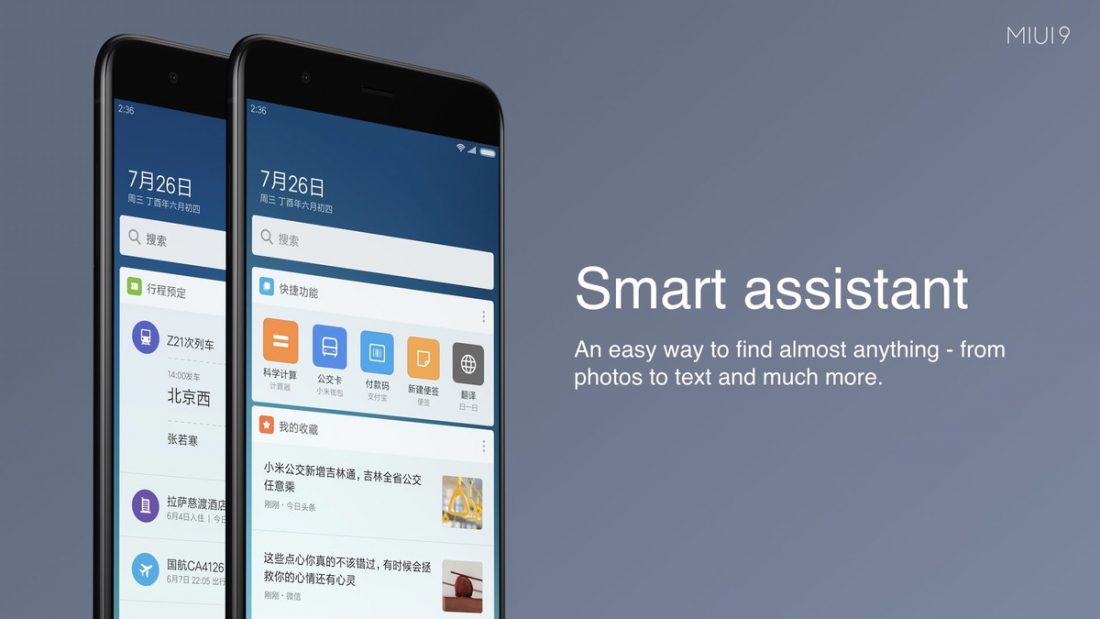
    Xiaomi has also launched its Smart Assistant to compete with the likes of Google Assistant, Siri, Alexa and even Bixby. The voice assistant will be available in China only for the time being as localisation of the software may take time. Image search allows you to search your image talliers by image context keywords, so if you a looking for pictures with dogs that you have clicked you will be able to do that. The Smart App Launcher is a feature that makes a lot of sense as well. It basically means that you can open up a relevant app on the basis of the content on your current app. For example, if a friend sends you a restaurant’s name, you can open up Zomato to look up the restaurant.

    Split-screen Is here, Finally.

    The split-screen feature was one of the major upgrades in Android Nougat and a plethora of phones from mid-rangers to flagships have embraced this handy little feature. Xiaomi, on the other hand, has launched it just now with MIUI 9 and it’s a welcome update.

    Xiaomi will begin to roll out the MIUI developer beta 9 from August 11 to the Xiaomi Mi6, with more phones will follow suit in the coming months. There is no clarity as to when Xiaomi will launch MIUI 9 in the global market.

  • App Of The Week – Comics Is Everything You’ve Ever Wanted To Read Comic Books on the Go

    App Of The Week – Comics Is Everything You’ve Ever Wanted To Read Comic Books on the Go

    Some of the fondest memories of a comic book reader are peeling off the plastic wrap off of the comic book and turning the cover page. That sound of fresh paper rattling still makes us a little giddy inside. As much as we hate to admit, digital books are the present and the future. The purists still believe that nothing’s better than the feeling of a physical book in the hand and the sound of the rattling pages is unparalleled. But, the success of Kindle and reading apps tell us a different story. The handiness of a small gadget essentially carrying your whole library is too good a deal for avid readers to not look into. The comic book readers have long been waiting for a solid platform to satiate their digital comic book cravings.

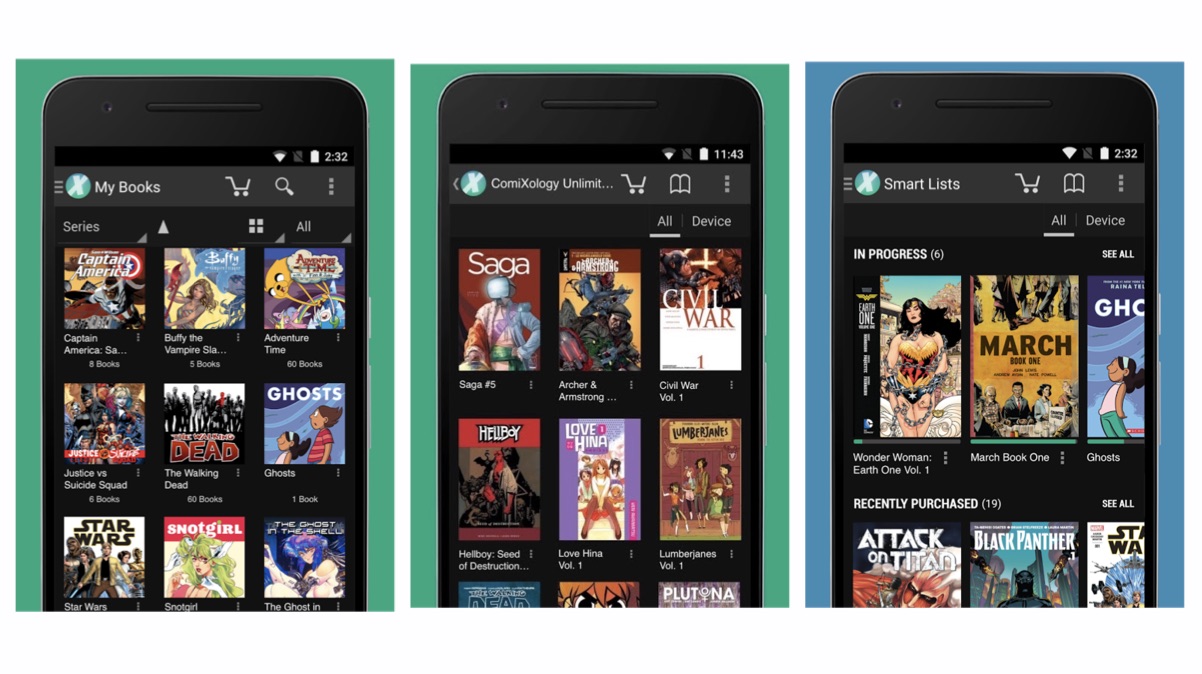
    We went on a spree to find you the perfect app for comic books and boy do we have a good one! Comics by ComiXology is all you’ll ever need and it is great. With a collection of over 75,000 graphic novels, comics and manga this is your one true flight-mate.The collection is mostly paid but there are a few free comic books to get you started.

    As is with every app, to access the full library you need to buy the books and read them offline while you are on a flight or a place where you can’t access the internet. From Archies to DC and Marvel to Appleseed, the collection is huge and it’ll take you the long time to even try and finish reading the whole library. Another important box that this app checks out is the UI. An easy-to-use app with proper refined categories and an easy payment method makes using the app an absolute walk in the park. It has all the necessary tabs to help you find the comic book you’re looking for. The text is crisp and the images are sharp to keep you immersed in whatever you’re reading.

    Available for free, this app is a must-have for all you comic book/graphic novel enthusiasts who travel a lot and can’t afford to give up the precious space in your hand-baggage. This handy little app will soon become your go-to saviour from the perpetual boredom. Check out the app below and tell us what you feel about it!

    [button type=”link” link=”https://play.google.com/store/apps/details?id=com.iconology.comics&hl=en” variation=”btn-info”]Explore The App Here[/button]

  • People, MS Paint Is Officially Dead

    People, MS Paint Is Officially Dead

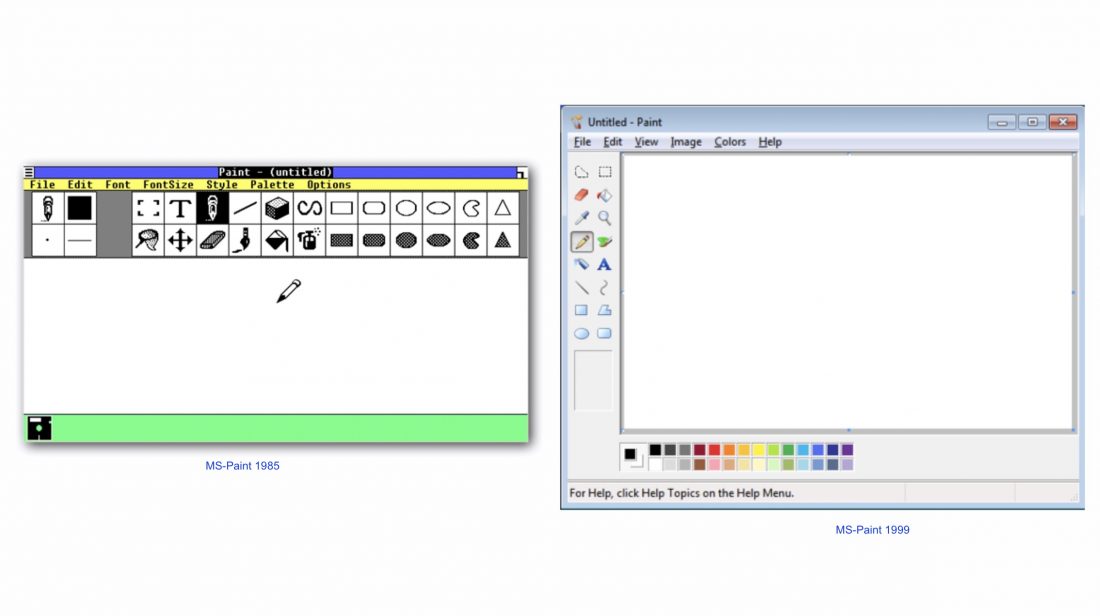
    The good ol’ MS Paint, the tool that inspired the lot of us to become artistes is getting ‘deprecated’, according to Microsoft. In a recent announcement by Windows, it listed out the features and software that will be in the Windows 10 Fall Creators Update. The iconic MS Paint was first introduced by Microsoft back in 1985 ie 32 years ago! MS Paint will be missed, not for its functionality but for just being, well Paint. It’s like that old t-shirt which doesn’t fit you anymore but you can’t give it away either because it was cool a several year ago. MS Paint getting the axe doesn’t come as much of a surprise though, as Microsoft is now pushing Paint 3D as the next big thing in their repertoire.

    As per the announcement, don’t expect MS Paint to vanish off the face of the earth just yet, as it states that MS Paint will ‘deprecated’ rather than ‘removed effective immediately.’ What this essentially means is that the software is not in active development and can be removed in the future updates. MS Paint will be available through the App Store with its functionality integrated with paint 3D. If you’re wondering what this Paint 3D is, then here’s a small introduction: It is nothing like our ‘masterpiece creator MS Paint.’As the name suggests, it is designed to make in 3D. Paint 3D will let users turn parts of photos, artwork into full-fledged 3D objects. It was announced back in April 2017 with the Creator’s Update. It also lets users work on a 2D image and convert it into 3D artwork.

    MS Paint is here to stay, it will just have a new home soon, in the Windows Store where it will be available for free.

    The final word on when MS paint will be removed in its entirety is not out there, yet. The Windows 10 Creators’ Autumn update will start rolling out soon, although a definitive date has not been announced, expect the gradual removal MS Paint as soon as the update starts rolling.

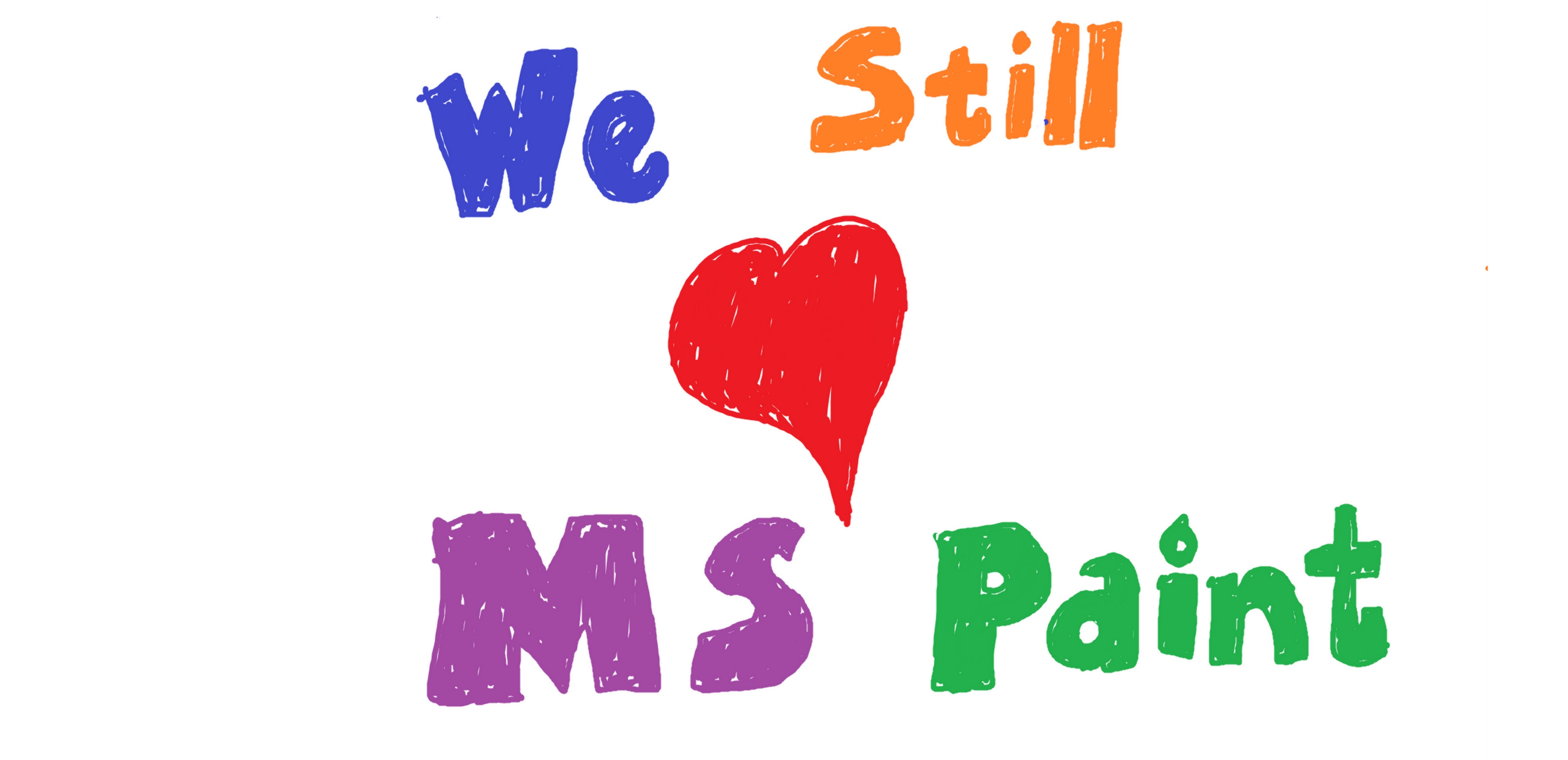
    Till then enjoy this MSPaint creation :


  • Samsung Bixby’s Voice Is Ready For Showtime

    Samsung Bixby’s Voice Is Ready For Showtime

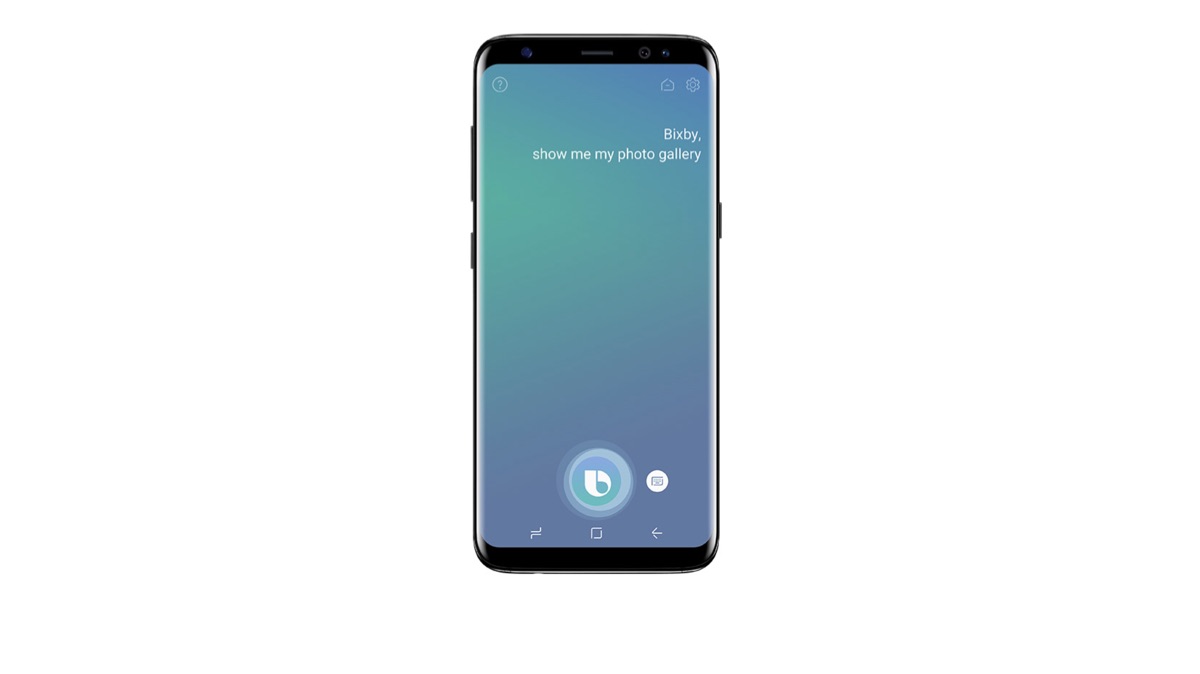
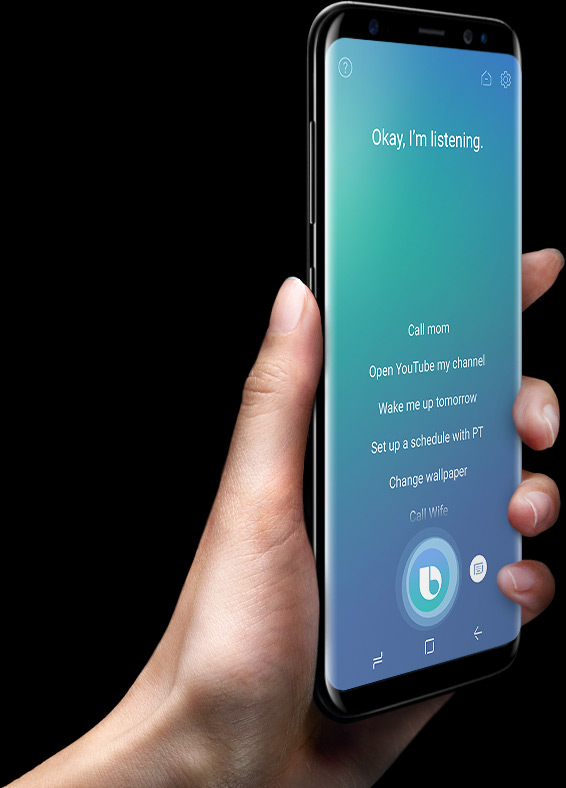
    With the markets flooded with the likes of Siri, Google Assistant, Alexa etc. Samsung’s Bixby is the latest to join the mixer. The company recently announced that the voice support of its smart assistant is out in US, available to Galaxy S8 and S8+ owners. Samsung states that an opt-in Beta test in US on Bixby’s voice support which will be later available in other markets and an eventual release in India. Over 100,000 Galaxy users issued about 4 million voice commands in the early access programs. The test led to faster response time, improved understanding of phrasing the same query differently, better hands-free functionality and ability to read messages and emails aloud, provided you use its stock apps on Galaxy S8.

    Similar to its competitors, Bixby can be launched with a push of a button (dedicate to Bixby) on the side of S8 or S8+ or by simply saying “Hi Bixby”. Very much like Siri, Google Assistant and the likes, Bixby can set alarms, send messages, read the news along with image recognition and barcode scanning. But what sets it aside from its contendors is the ability to access the granular phone setting and switch between different menu screens to run commands.


    Samsung had earlier planned on making Bixby more aware of the user’s wants and needs, as to customize the user experience. Samsung believes that Bixby will gradually improve as it continues to recognise and learn user’s preferences and adapt accordingly. Choosing not to limit itself to smartphones, Samsung also added Bixby to its line of smart refrigerators last month though without voice support for now.


  • Anytime May Be Amazon’s Answer to WhatsApp and Messenger

    Anytime May Be Amazon’s Answer to WhatsApp and Messenger

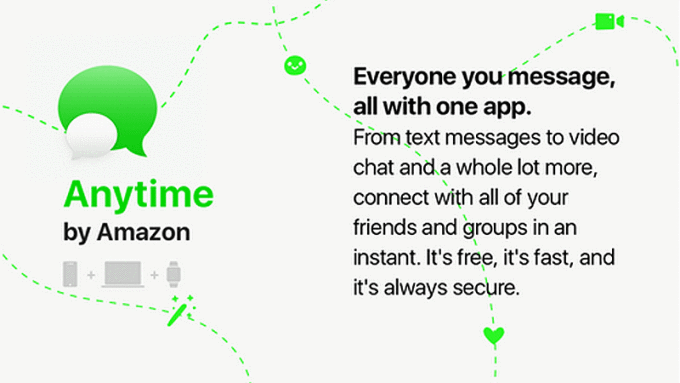
    With the ever increasing messaging apps, here’s another name to add to the messaging app consortium. Though with Facebook, Apple and Google, the messaging apps have reached a saturation point, it reportedly hasn’t stopped Amazon from taking a shot at it. According to reports, Amazon has been working on it’s own messaging app for Android, iOS and desktop.

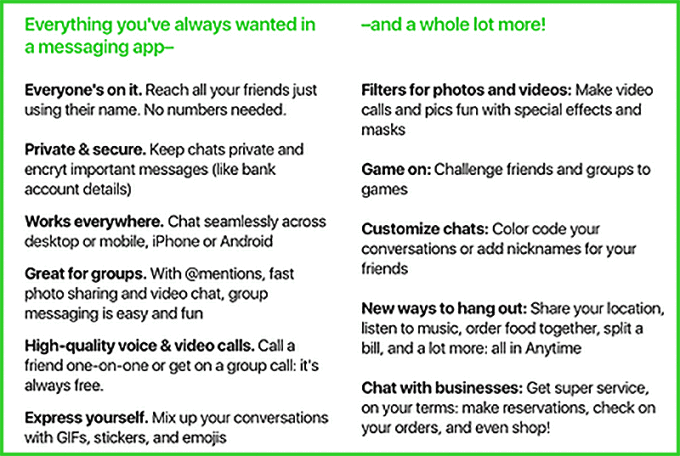
    While it’s a little too early to speculate the app’s features, the Anytime app is rumored to be a full-featured, standalone messaging app for smartphones, tablets, PCs and smart watches.  Designed to let people chat via text and video, exchange photos with filters, play games etc. Anytime will allow the users to engage with other Amazon services like making reservations, shopping, business interactions etc while sharing all this with your messaging buddies. The app is also said to include all the mainstay features like message encryption, stickers  to begin with and then voice and video calls at a later stage.

    Amazon has also been reported to survey its customer base about the potential features. Some of which include, groups, gaming, filters for images and video, and personal along with business chats.

    The app is also apparently different from the likes of WhatsApp and messenger in the following ways.

    • Reportedly, only a name will be required to reach out to another user.
    • Unlike WhatsApp, Anytime might not be dependent on phone numbers of users.
    • Only Twitter-style @ mentions will be needed to share photos or bring people into conversations.
    • The chats can be color-coded just in case you need to highlight the  important ones.

    Amazon has already paved it’s way in the messaging and communications market with the launch of Chime- A video conferencing app for business users.  Provided the rumors are correct, a chat app would offer Amazon another way to bring people into its stride. Anytime is reported to be  designed to compete against messaging apps such as Facebook Messenger, WhatsApp etc and the fact that no phone number is needed to registerer the app maybe something that will excite potential users.

  • Windows Phone is Officially Dead

    Windows Phone is Officially Dead

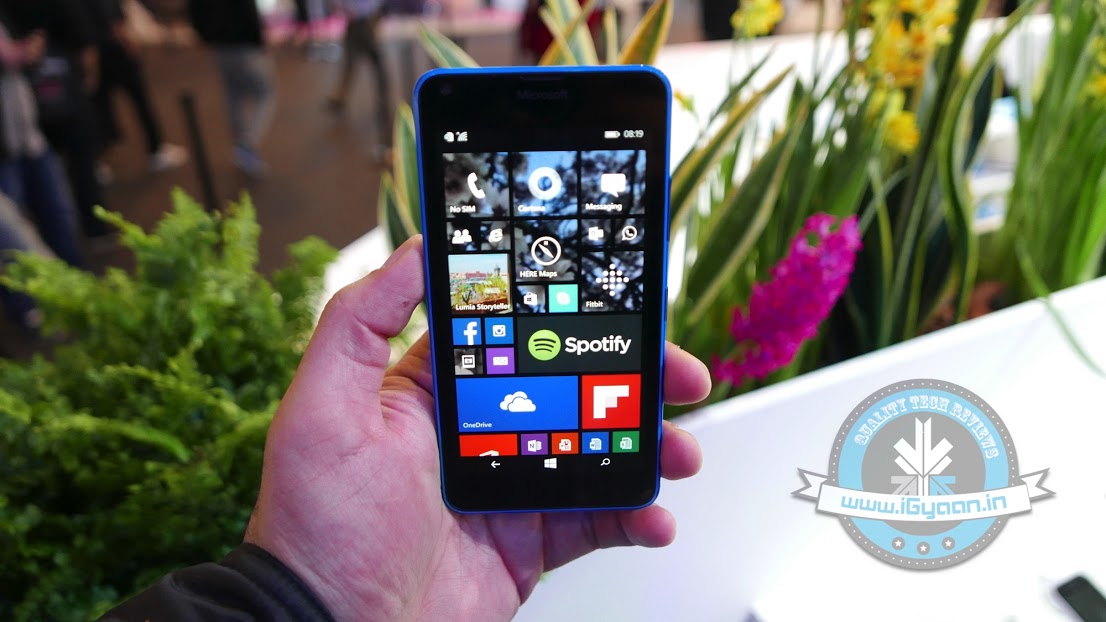
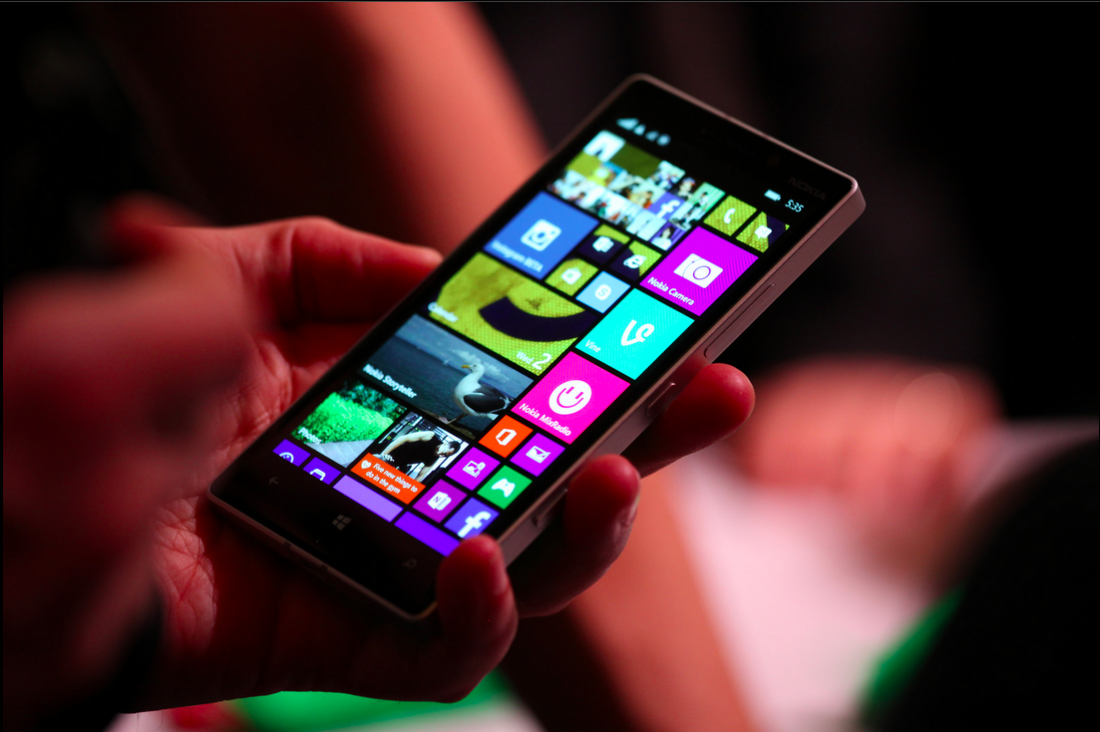
    A minute of silence as Microsoft pulls the plug on Windows Phone 8.1, for those of you who have been paying attention, the inevitable has happened. Effective today, Microsoft is ceasing support for Windows Phone 8.1. Though phones running the platform will not be bricked, but the company will not be pushing any future updates for Windows Phone 8.1. The Windows Phone operating system was Microsoft’s biggest efforts in countering Android and iOS. However, as 99.6% of the smartphones run Android or iOS Microsoft failed to capture the market with Windows Phone and it never truly got off the ground.

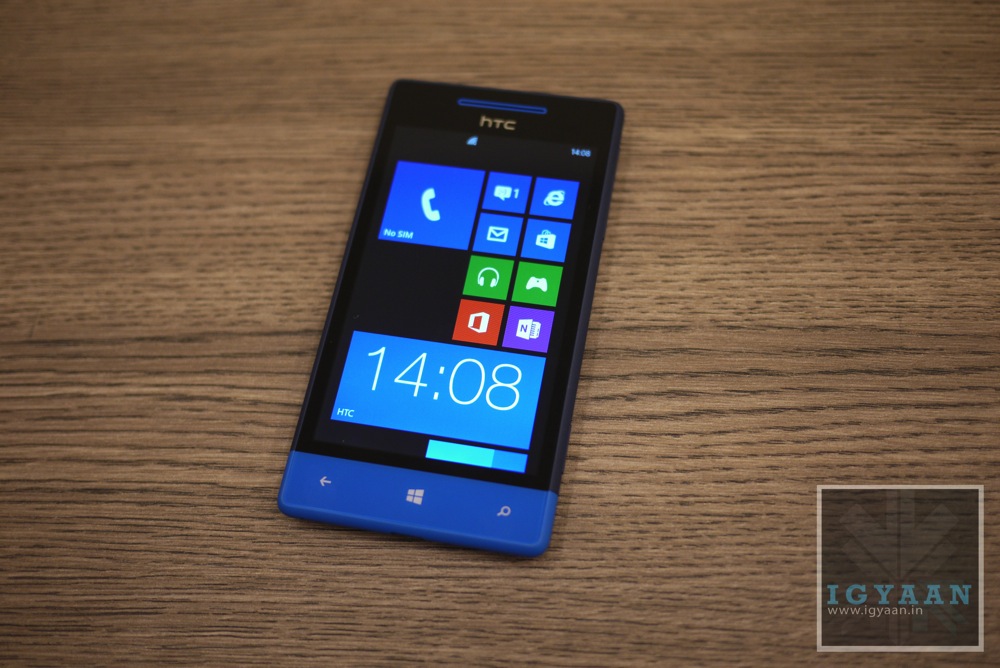
    htc windows phone 8s hero

    While a few good phones were launched in the early days by HTC and then by Microsoft in partnership with Nokia aka the Lumia handsets, but they failed to gain popularity unlike their competitors. Though Microsoft continues to support Windows 10 Mobile, it’s unclear how long and to what extent that support will be available.

    Rumor has it that Microsoft has branched out its Windows Mobile development into a “feature2” division that will only maintain Windows 10 Mobile until  2018, while any support for Windows Phone 8.1 has been officially terminated. Over the past year , it has becoming quite clear that company is shifting back it’s focus from smartphones to PCs. Microsoft’s new mobile strategy now seems to involve creating apps and integrating iOS and Android with Windows.

  • Apple Clips App Edits Images and Video on iPad and iPhone

    Apple Clips App Edits Images and Video on iPad and iPhone

    Apple has also announced that come April 2017, a new App will hit the App Store from the company. Called clips the app is designed to allow you to combine text, images and videos to make socially sharable posts.

    Users will be able to create animated captions called “Live Titles,” and apply effects including comic book filters, speech bubbles, shapes and full-screen animated posters.

    Clips gives iPhone and iPad users a new way to express themselves through video, and it’s incredibly easy to use,” said Susan Prescott, Apple’s vice president of Apps Product Marketing. The effects, filters and amazing new Live Titles we’ve designed for Clips let anyone make great-looking, easily sharable videos with just a few taps.
    With Live Titles in Clips, users can add animated captions and titles using just their voice. Captions are generated automatically as a user speaks, and appear on screen perfectly synced with the user’s voice. Users can mix and match different styles, and tap any title to adjust text and punctuation, or even add inline emoji. Live Titles supports 36 different languages.

    Clips will be available on the App Store for free beginning in April, and is compatible with iPhone 5s and later, the new 9.7-inch iPad, all iPad Air and iPad Pro models, iPad mini 2 and later, and iPod touch 6th generation. Devices must be running iOS 10.3 to be able to download Clips.


  • HTC Sense Companion Now Pushing to HTC U Ultra Devices

    HTC Sense Companion Now Pushing to HTC U Ultra Devices

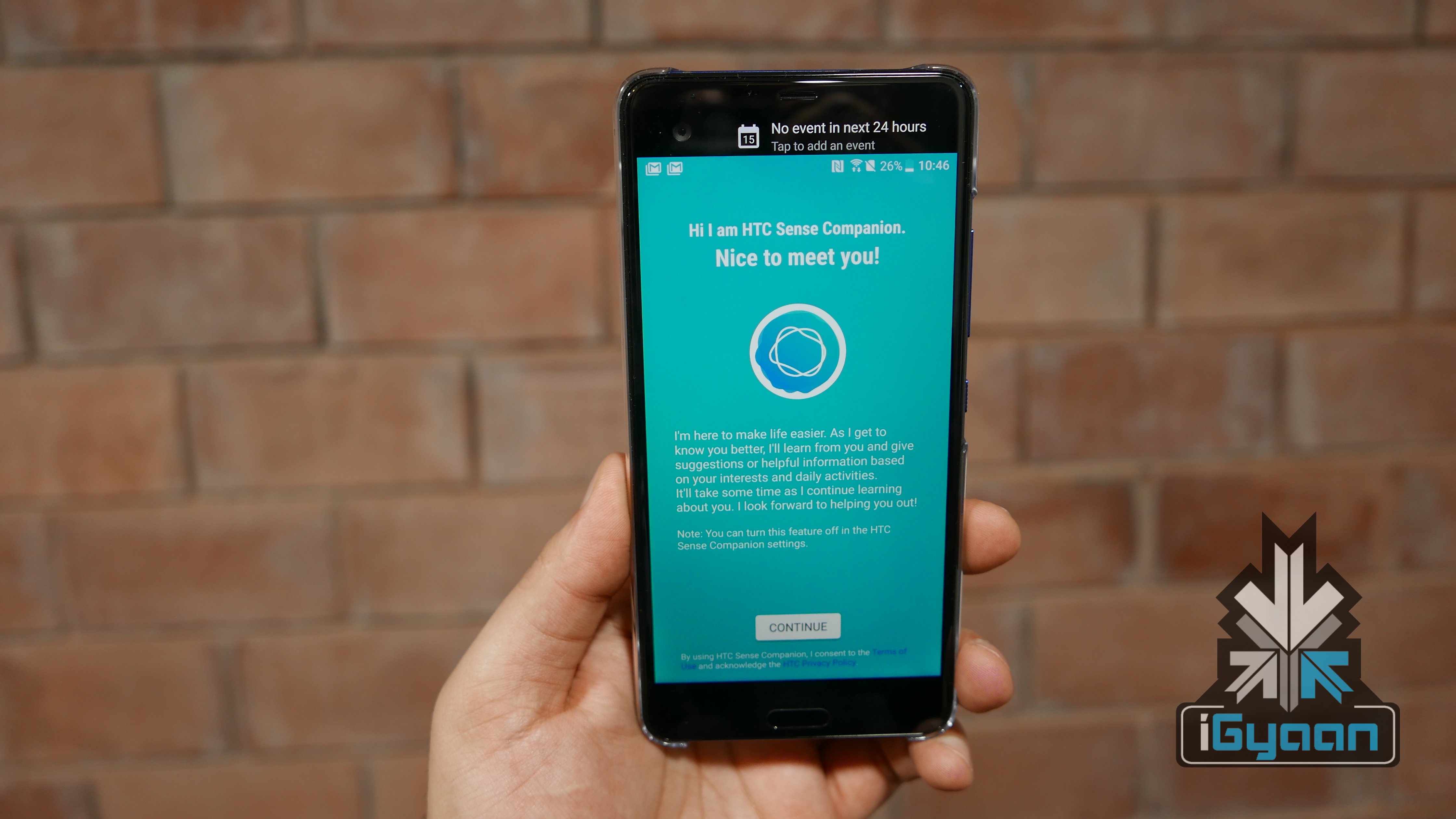
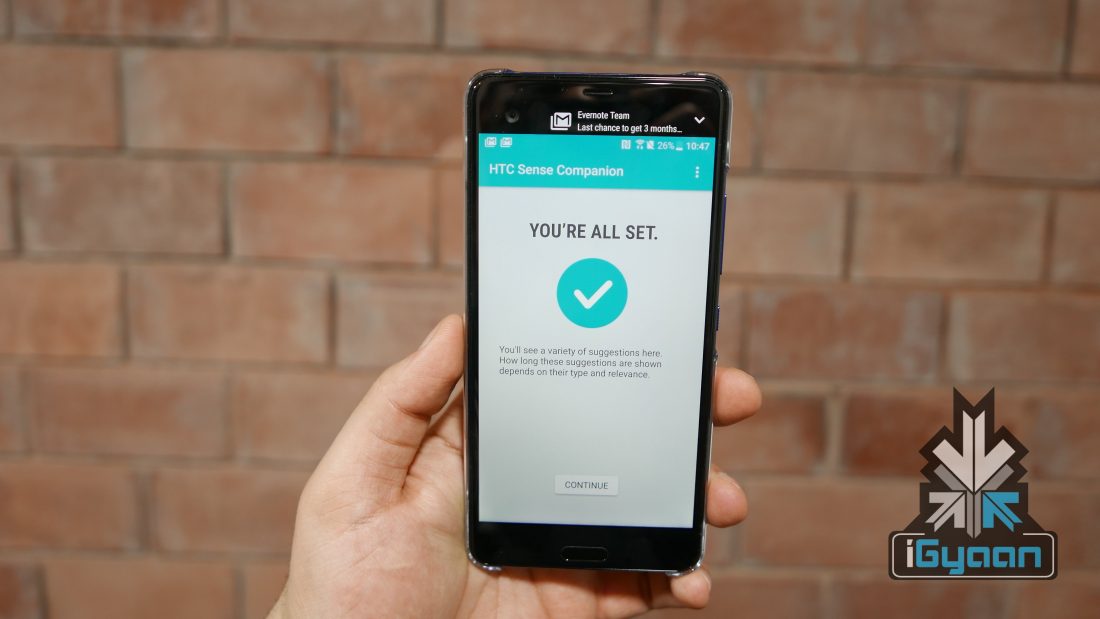
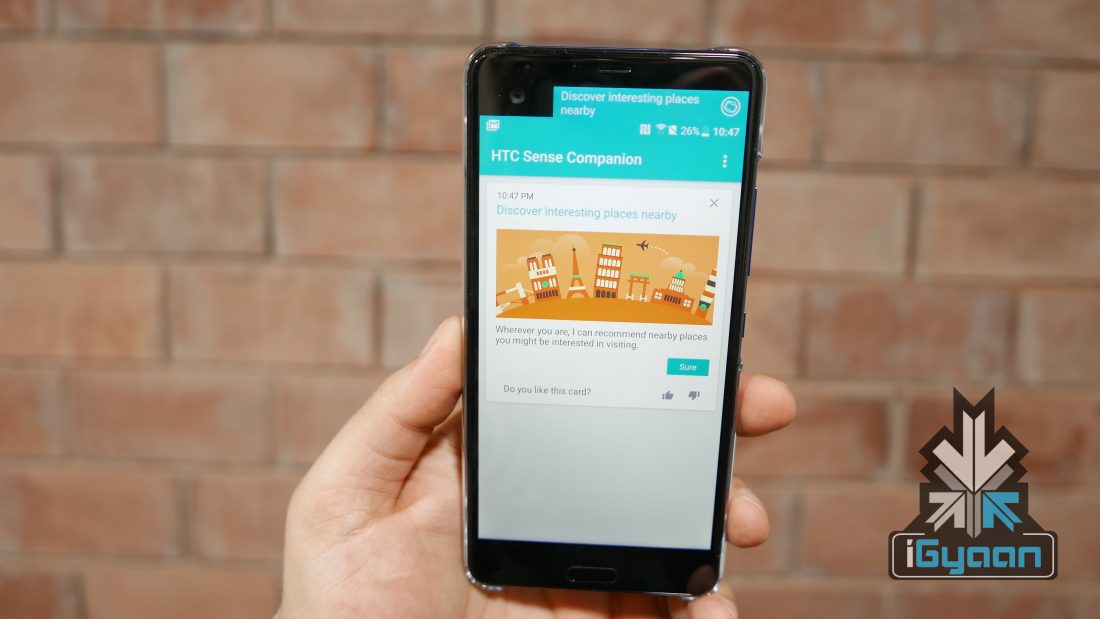
    HTC has officially rolled out the HTC Sense Companion to HTC U Ultra Devices today. The minor update allows users to access the new virtual assistant on their HTC U Ultra devices. HTC is pushing out the update in a phased manner, so users should start to see the assistant in some hours if not immediately.

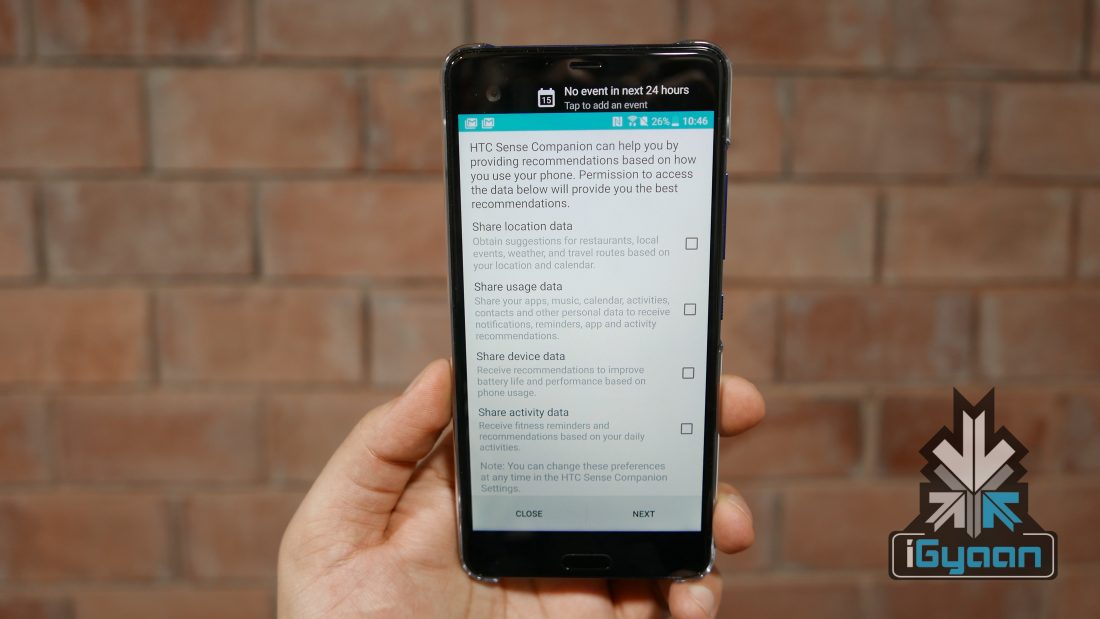
    The HTC Sense Companion is HTC’s answer to the Google Assistant, Apple’s Siri and Samsung’s upcoming Bixby. HTC claims that the AI on the Sense Companion leads and improves over time, based on your habits and needs . The update is free and is available via the Google Play store. While, not an interactive assistant like Apple’s Siri or Google’s Assistant the Sense Companion trans your updates, reminders, contacts , locations, etc and reminds you of things based on habits using the secondary display.

    While still in nascent state, the companion, honestly looks quite like “Google Now” with the cards and location based recommendations for food and lifestyle.


  • Code Like a Pro With BitBucket Git Solution

    Code Like a Pro With BitBucket Git Solution

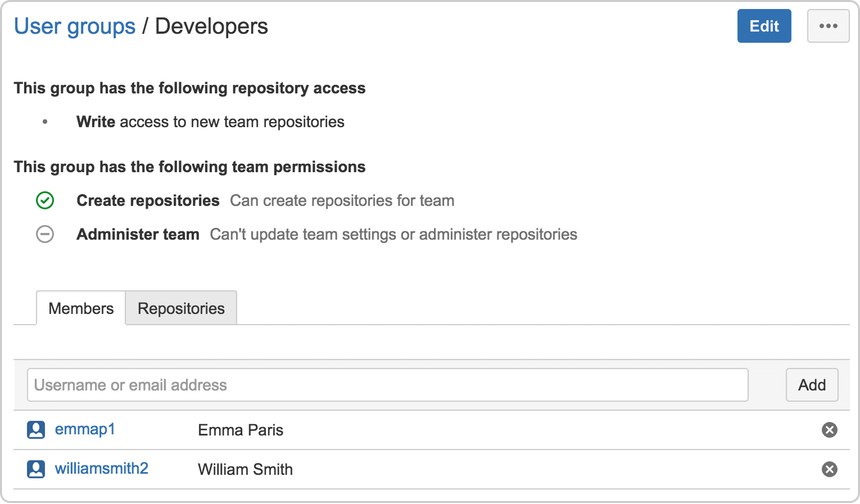
    Coding is becoming the quintessential millennial language, and with many new startups and entrepreneurs drifting towards a digital business strategy, writing a great code is not the only requisite. What if you could get a secure place to share and collaborate on your code? What if you could streamline your code workflow, storing revisions and create repositories for download and future referencing? Well, Atlassian Bitbucket is one such solution.

    Bitbucket is designed for small businesses and startup code developers, who need an easy and safe environment to code for their business, without the need to set up high end and expensive infrastructure. Bitbucket is available in two different options. A Bitbucket Server which allows you to host your code on an owned independent server using the Bitbucket platform and manage your coding workflow with complete control, or a BitBucket Cloud which would allow for on the fly expansion and failsafes, without the need for deploying several servers.

    If you have a small business with 5 or less users, then BitBucket is completely free, with the ability to have unlimited public and private repositories. You can keep increasing the plan as you go ; US$ 10 for 10 users and upto US$ 200 for unlimited users a month. With the free plan, the usage and deployment of repositories is unlimited with no questions asked, as your teams grow you can increase the plan to suit your needs.

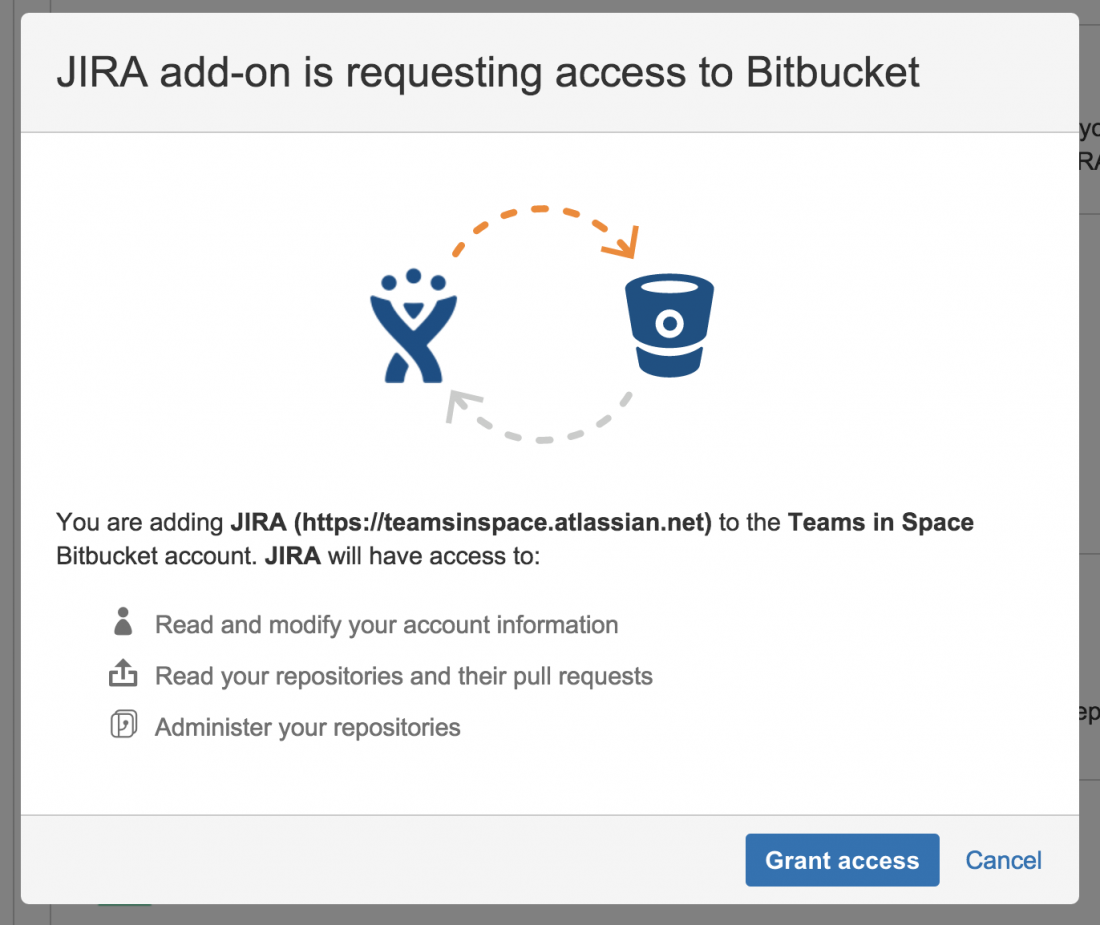
    JIRA and Bitbucket work with seamless integration and allow programers to evaluate details of branches, commits and pull requests right in the JIRA Cloud issues. Since the sync works with pull requests, the JIRA Cloud workflow issues are updated automatically while you continue to work on advancing your software’s code.

    If you are using GitHub importing your repositories into BitBucket is easily done from the dashboard. Admins can define access controls for users allowing better control for who has access to what part of the coding process.


    For safety of your work, a ability to setup Two-factor authentication (2FA) and Universal 2nd Factor (U2F) authentication, ensures a clean disturbance free and secure platform for your next billion dollar idea. BitBucket is used by over 9 lakh development teams world wide including developers for companies like Starbucks, Ford, Myntra.com and even payment systems like PayPal.com code and deploy using Bitbucket.

    If you have a brilliant team working on the next big code, the BigBucket platform may be a great place to start. Did we mention it is absolutely free? Click Here to know more. 

    Partner Post

iGyaan Network
Privacy Overview

This website uses cookies so that we can provide you with the best user experience possible. Cookie information is stored in your browser and performs functions such as recognising you when you return to our website and helping our team to understand which sections of the website you find most interesting and useful.