Category: Apps and Software

Games, Apps, Softwares, Operating Systems and Software Hacks

  • How to Install Android M on Your Nexus Device

    How to Install Android M on Your Nexus Device

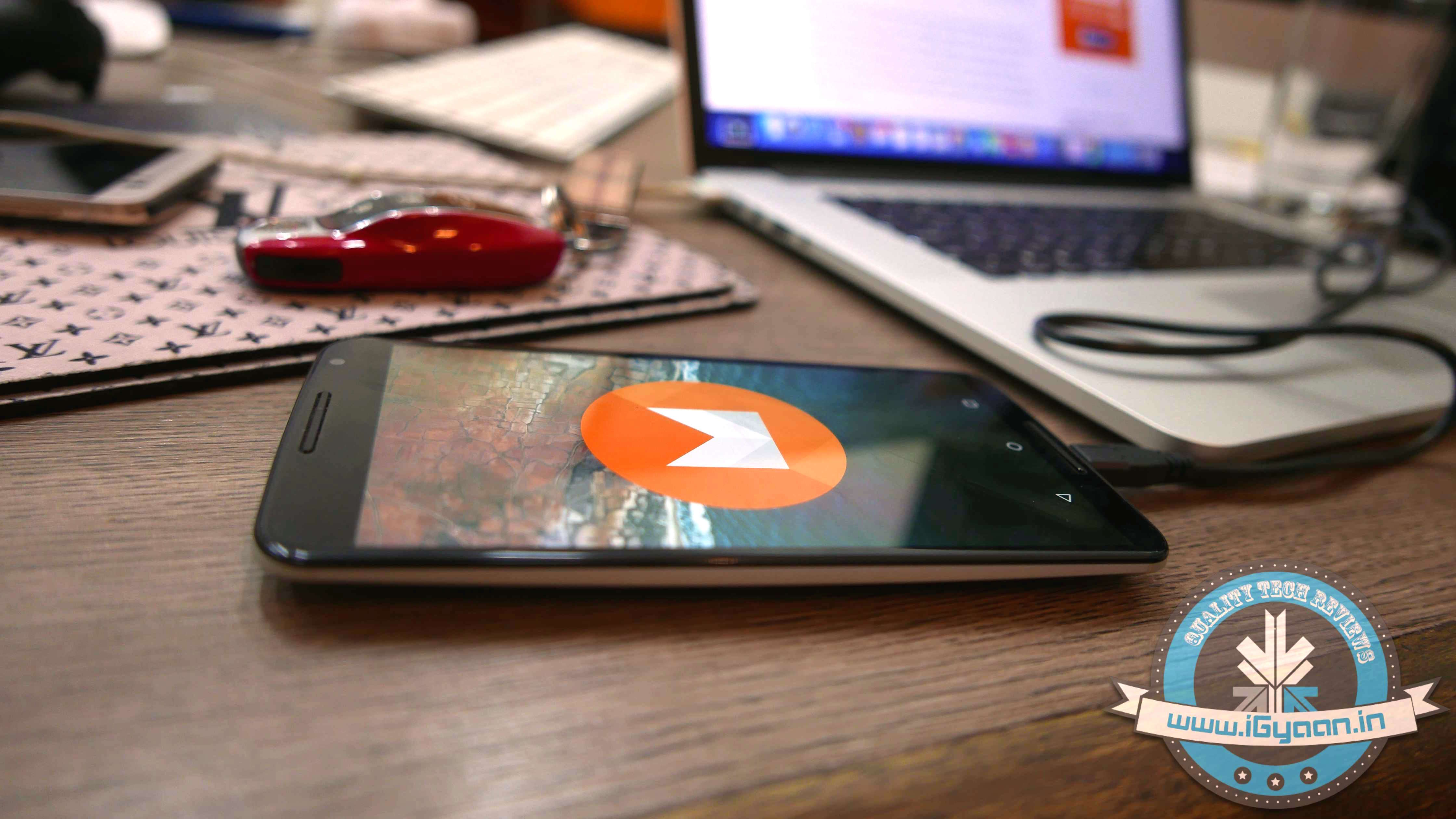
    At the I/O 2015 conference, Google announced the next version of Android. The company detailed some interesting features that will be available on Android devices later this year. With Android M, they have focused on improving the system’s overall quality and fixing the bugs found on Lollipop. While Google SVP Sundar Pichai’s speech seemed impressive, we wanted to see for ourselves what the fuss was all about.

    We installed Google’s Android M developer preview on our Nexus 6 and decided to share the step-by-step procedure.

    Disclaimer: 

    • Before you decide to install Android M on your device, consider the fact that it will wipe the smartphone’s memory entirely.
    • The developer preview also contains several bugs and may be unstable.
    • We wouldn’t recommend installing the OS on the Nexus device you use on an everyday basis. Some of the major applications are having trouble loading on Android M.
    • The Developer Preview is only out for Nexus 5, Nexus 6, Nexus 9 and Nexus Player.

    Preparation 

    • Back-up your Nexus Device.
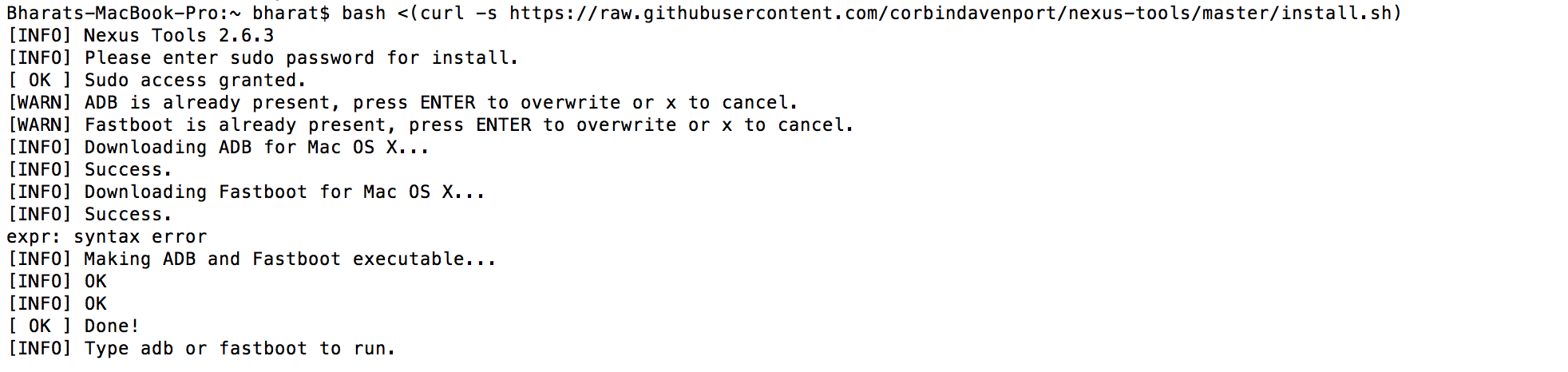
    • To make this quick and easy, before you begin, make sure you have ADB and fastboot installed on your computer.  The easiest way to install ADB on your machine is by inserting the following command on your Command Line/Terminal:
      bash <(curl -s https://raw.githubusercontent.com/corbindavenport/nexus-tools/master/install.sh)Android M 3
    • Download the factory images for your device here. Unzip and save them on a file on your desktop.

    Method

    • Now to begin, enable your device’s debugging mode and connect it to your computer via a USB cable.
    • Open an ADB command line and enter ‘adb reboot boot loader’Android M
    • Open the folder containing your factory images.
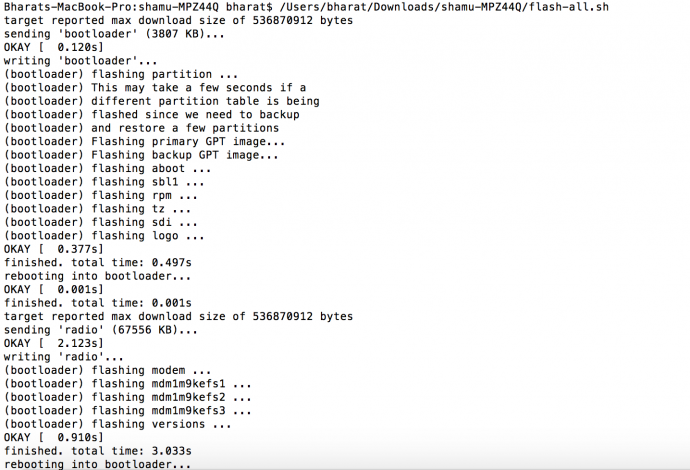
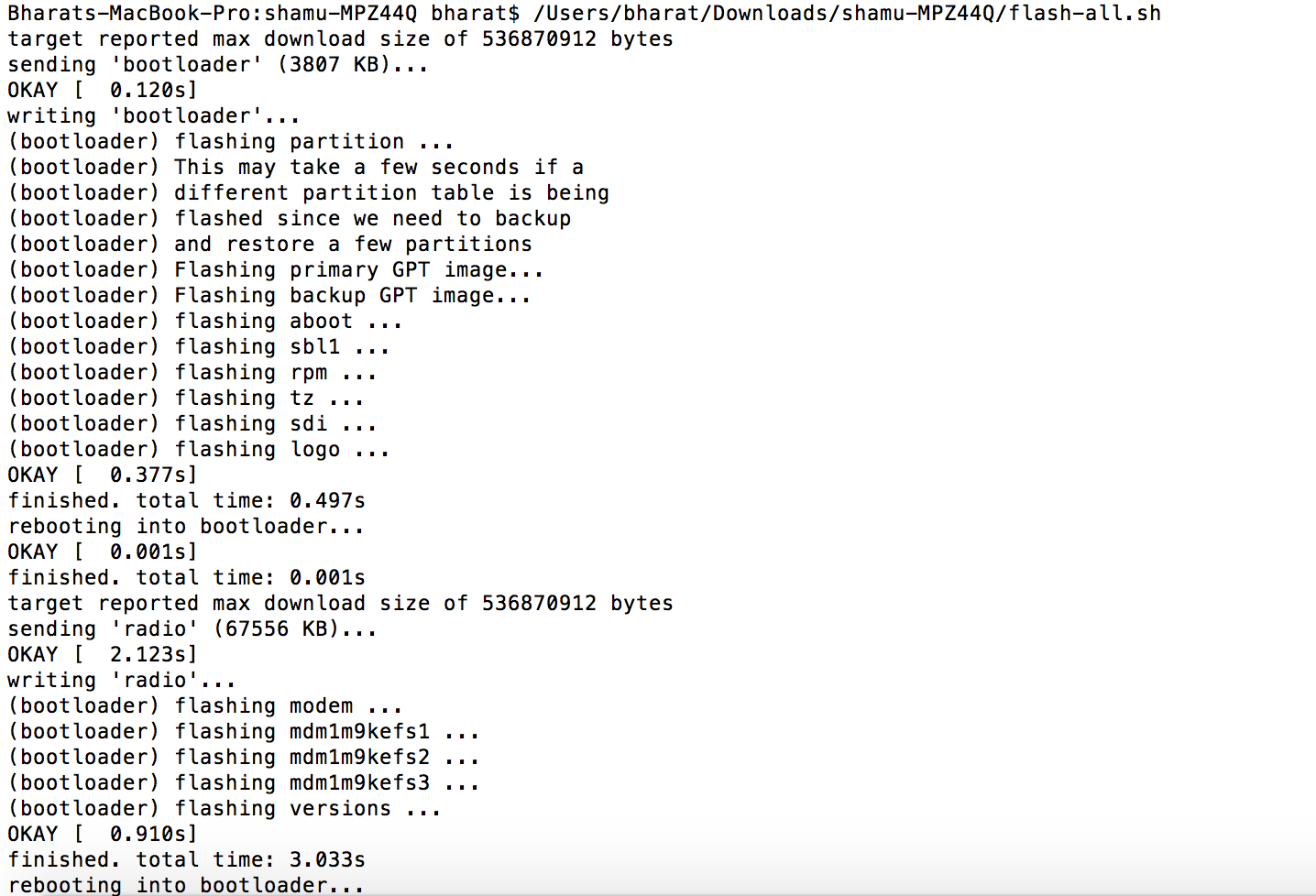
    • Now on the ADB command line, enter ‘flash-all’ to run the installation. This is the final step and it will initiate the process, as seen below: android M 2

    You will now have to wait till it gets installed. It took us approximately 5 minutes.

    Now you can enjoy fiddling around. To read more about Android M, click here.

  • Here is Why Uber has Become Uber Safe

    Here is Why Uber has Become Uber Safe

    It is shocking when one of the largest cab services in the world suffer a blow like Uber did in 2014, in India. The rape unnerved thousands and the company’s fortunes sank in a country where they had the largest following, after the US.

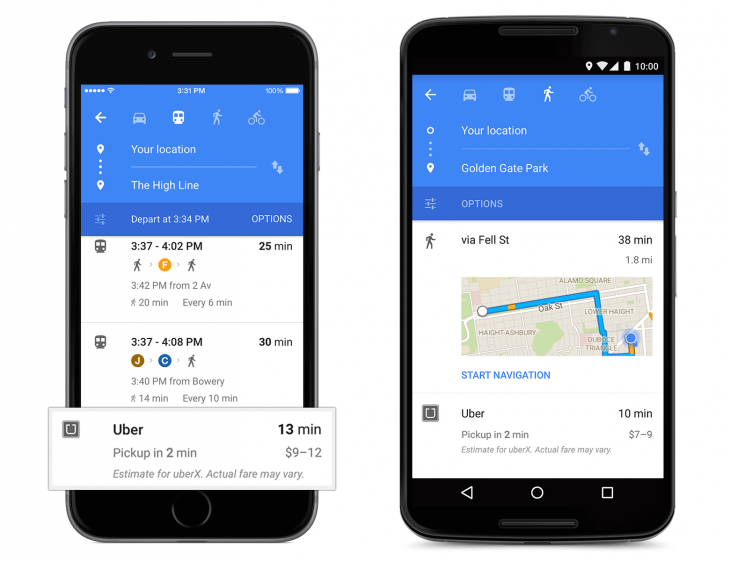
    Uber-card-in-Google-Maps-730x561

    A year later, Uber has recovered and has come a long way from having a marred reputation. They recently revised their privacy policies and have resolved to tighten their riders security. There’s no room for worry because here’s why Uber just got safer and hence, cooler.

    We care deeply about the privacy of our riders and drivers.  It’s why we’re always looking at ways to improve our practices.

    [pullquote_right] the driver can access your personal data and past rides only if you wish. [/pullquote_right] Recently, Uber’s Katherine Tassi, who manages the Counsel of Data Privacy at Uber Technologies, announced that Uber has doubled the size of their privacy team and tightened the leash on their policies. That means three important benefits:

    • Uber will now make sharing background information of the rider, optional. This means that the driver can access your personal data and past rides only if you wish.
    • The texts that have been shared between the driver and rider will be accessible to the company so there is a limited scope of malicious activities.
    • It will also have an option to share your contacts with the app. This means that your friends and family can receive exciting new offers, if you wish to give Uber that information.

    With their privacy and security in place, the app is likely to be updated on July 15th.

    [tw-divider][/tw-divider]

    uber-spotify

    Unfortunately, India isn’t going to experience the other updates that have taken place. Uber has partnered with Spotify to bring your type of music to your cab ride, when you’re party hopping or just heading home on a regular day. It would’ve been great to have this feature as one can just connect their Spotify account to the music tab of their Uber app and listen to their favourite tracks, instead of balmy item numbers or loud Radio Jockeys. Hopefully, Uber will develop an alternative for their growing number of riders in India.

    Lastly, many might not know that one can only book an Uber minutes or half an hour before they want a ride. This is very tricky for nervous travellers who want to be organised and book a cab at least a day in advance. You don’t want to bank on it if you have an early morning flight to catch. Nevertheless, if you do trust Uber showing up on time and if you’re a disorganised traveller, this feature wouldn’t bother you too much.

  • Here’s How to Fight the ‘Bug’ Infestation That Has Taken Over iPhones

    Here’s How to Fight the ‘Bug’ Infestation That Has Taken Over iPhones

    As of yesterday, the internet was in a frenzy with people saying how fed up they were with a code that shuts down their iPhones, Macs and Apple Watches. The hardy giant that is known for its immunity against any virus, witnessed an obstinate bug take over its OS.

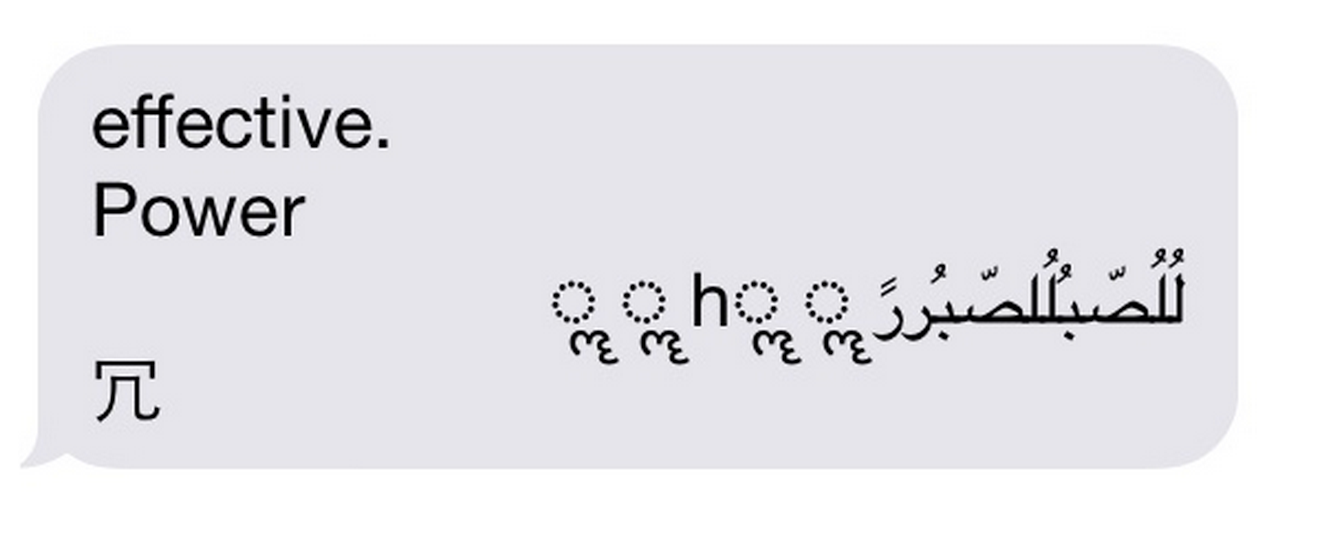
    The ‘Unicode of Death’ as it is called, is said to have a code that contains Marathi and Arabic symbols. When sent as a text message, it shuts down your iPhone, causing it to reboot without prior notice and even crashes apps. The bug is so effective that it can even work when the message shows up on your home screen. code

    The crashing seems to occur in iOS 8.1, iOS 8.2 and iOS 8.3 versions and can be transferred from Android to iOS.

    We are aware of an iMessage issue caused by a specific series of unicode characters and we will make a fix available in a software update.

    While Apple issued a statement acknowledging the problem, they also gave tips for a temporary solution.The company even promised that an upcoming software update will fix the problem permanently. Until then, here are the official instructions from the company:

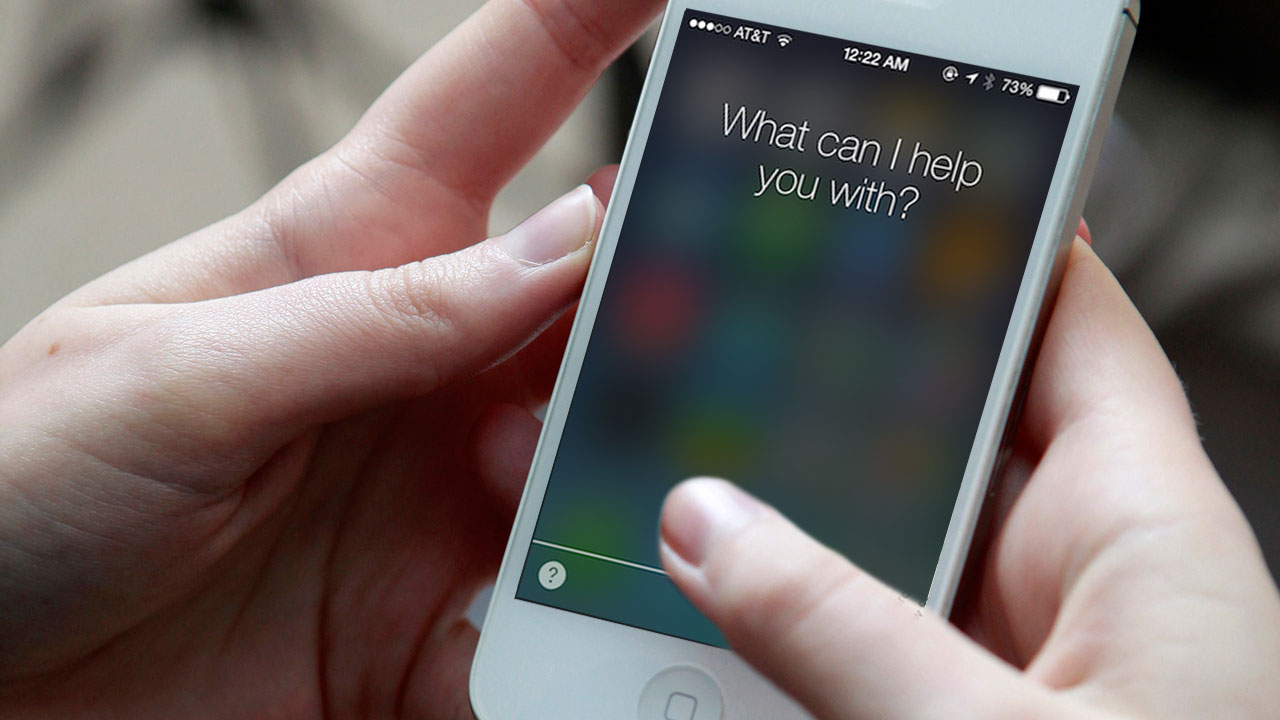
    1. Ask Siri to “read unread messages.”
    2. Use Siri to reply to the malicious message. After you reply, you’ll be able to open Messages again.
    3. In Messages, swipe left to delete the entire thread. Or tap and hold the malicious message, tap More, and delete the message from the thread.

    9to5Mac, an online magazine dedicated to Apple, also suggested three more ways to combat the bug. Keep yourself armed with these tips:

    1. Tell the offender to immediately send another message thereby cancelling the effect of the initial strand.

    2. Send yourself a message via Siri, the share sheet or your Mac.

    3. Some users said that sending a photo via the photo app can allow them to access the message history and delete the conversation.

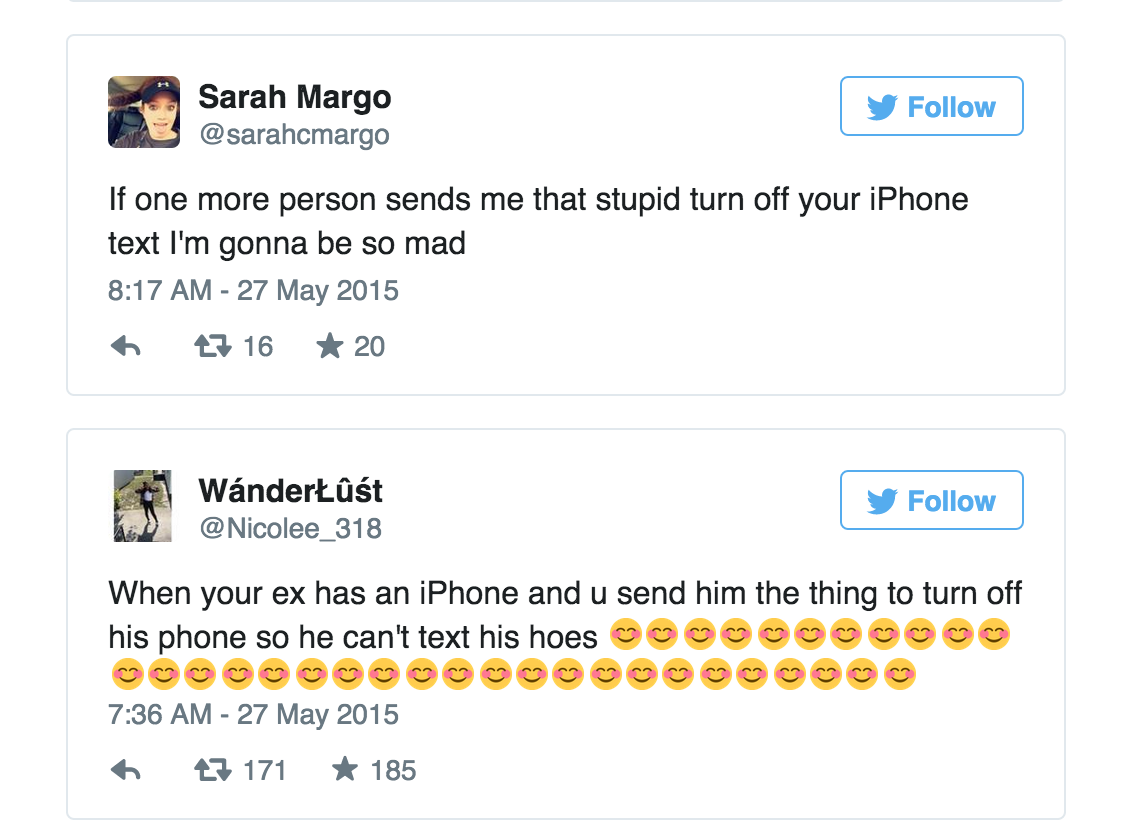
    Most people are using the code as a revenge tool against their ex-boyfriends and girlfriends and some are enjoying pranking their friends. While the problem seems to annoy some, it’s leaving others amused.

    tweet

    However, The ‘Unicode of Death’ can adversely affect your device if not handled with caution. Beware.

  • How to Effectively Block Someone on Facebook

    How to Effectively Block Someone on Facebook

    In the physical world, it may be difficult for you to cut some annoying people from your life. And admit it, we’ve all been in that situation where we wish we could ‘block’ that obnoxious boss, a lecherous acquaintance or maybe a spiteful ex, without confrontation. Facebook understands this and makes it super easy to shut someone out, without being harassed. Here is a three-step process to severe ties, instantly. Just virtually, of course.

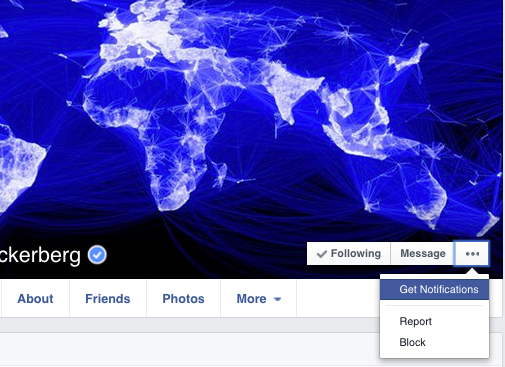
    1. Go to the profile of the person you wish to block.

    Screen Shot 2015-05-29 at 4.44.05 PM

    2. Click the three dots “…” alongside Message and a list will appear

    Screen Shot 2015-05-29 at 4.42.56 PM

    3. Select ‘Block’ to restrict the person from sharing things with you.

    How Does Facebook Blocking Help?

    As soon as you confirm, the user will be blocked from receiving any notifications from you. Blocking is not permanent and you may choose to unblock anyone, anytime. It’s extremely efficient and the person will not be notified about the blocking. He/She can’t even find you on the social networking site, even if they try. If that sounds a bit harsh, then there are options to unfriend them or hide the particular post which you don’t want to see on your wall.

    Let the blocking begin.

  • Everything You Need to Know About Google I/O 2015 Launches

    Everything You Need to Know About Google I/O 2015 Launches

    Google kicked off its annual developers’ conference, the 2015 I/O yesterday in San Francisco, California. As anticipated, the search engine giant threw light on the much-awaited version of Android OS, disclosing functions of Android M in fine detail. Along with some anticipated features like app permissions, Photo app, Android Pay; there are many more additions to the Google ecosystem.

    Here are all the important announcements by the company:

    1. App Permissions
    android m

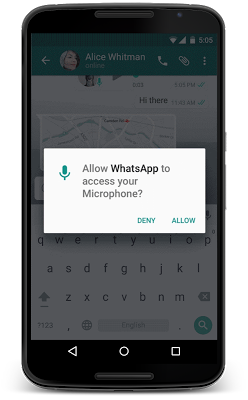
    Google has tweaked Android M to terminate the traditional way of gaining app permissions. Unlike the current practice, users can permit apps to use a particular function and can also revoke its use. Google has defined eight parameters to give apps permission. These include camera, location, contacts, calendar and few more. With Android M, users can now easily understand the different parameters an app is accessing.

    2. Resolved Battery Issue
    andorid m 2

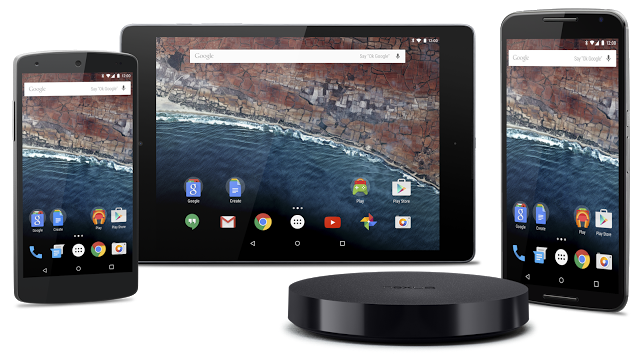
    With Android Lollipop, Battery drain was one of the major issues that ticked off Android users to a large extent. The tech giant has introduced a new feature that helps the phone battery run for an extended period of time. Dubbed as Doze, the feature uses motion detection to check if the smartphone is left unattended for a while. The screen then automatically goes to sleep, reducing the background activity; hence giving the phone a longer battery life.

    3. Chrome Custom Tabs to Switch Between Apps

    android m custom tabs

    Android M comes with an interesting feature called Chrome Custom Tabs that appear like an in-app Chrome browser. It loads pages faster, filling vital information like email and password. Another important function is that it allows developers to add custom features on top of the apps. For example, Twitter can provide a tweet on any app, which will direct the user to the Twitter app loading it automatically. It allows for quick movements between two applications.

    4. New Google Photos App
    google photo app

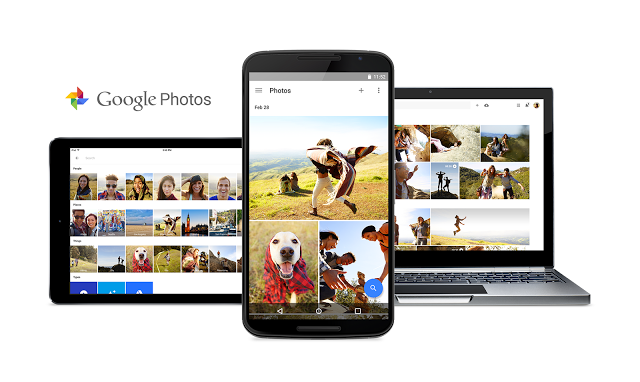
    Google Photo app is a refurbished app with an ability to back up photos and videos, and that too free of cost. However, there is a restriction on their size, but you can upload as many as you wish. These images can be segregated on the basis of location, people, time interval and more. Besides the new app, some interface tools were also introduced for the purpose of sharing and making collages and turning them into movies. As per the company, the app is now available on Android, iOS and web.

    5. Maps and Chrome Go Offline
    Google-Chrome-Offline-Support

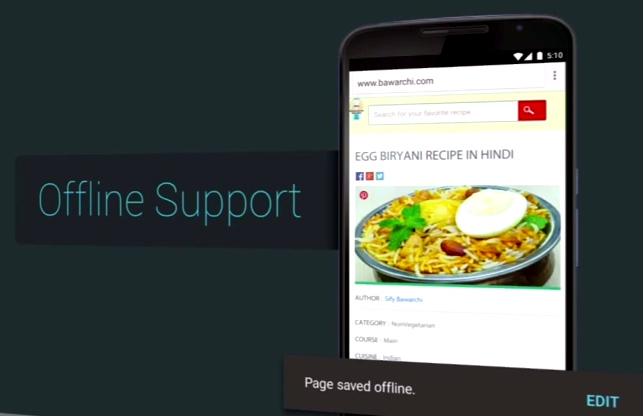
    This new feature by Google will help internet users access its products in every corner of the world. A dedicated search results page is built for faster loading by showing fewer images. Users will be able to save web pages offline just like YouTube videos. Along with that, Google Maps has been given a push offline where users can access a bunch of features with no internet connectivity like reviews and information, and give turn-by-turn directions offline. The feature will work in areas with poor internet connectivity.

    6. Revamped Android Wear
    moto-360-3

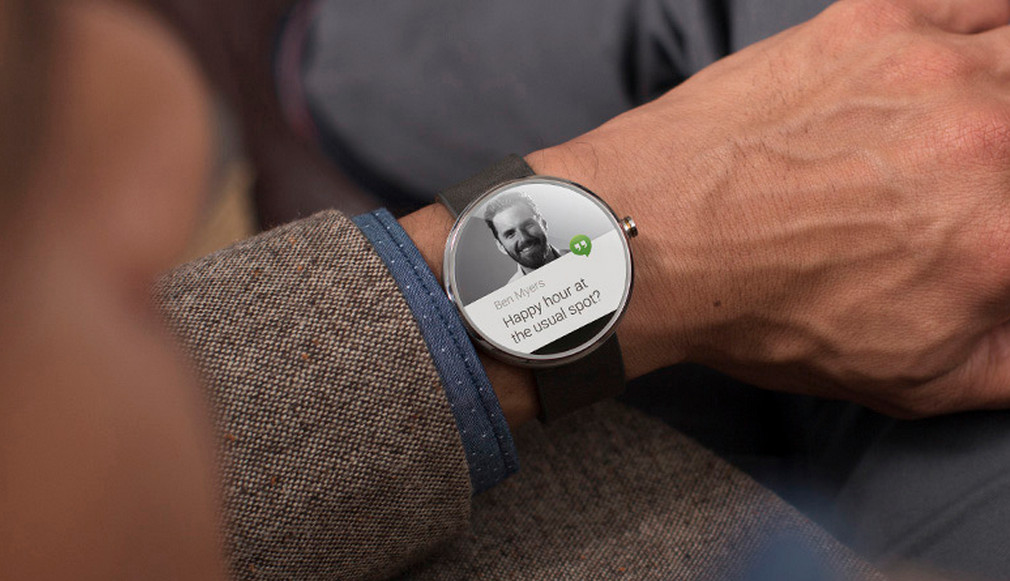
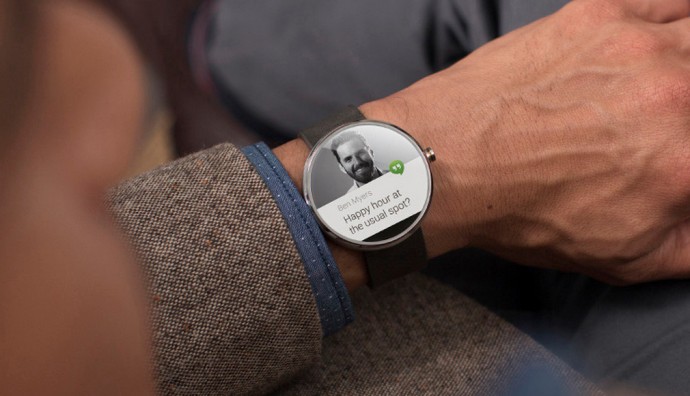
    Android Wear has been updated with a slew of new apps and features. There will be a convenient option to call Uber cabs now. Just like the always-on screen, apps will also remain on always showing information in black and white mode, taking care of the battery. Navigating through Google Maps to get constant direction status and many more features that requires the screen to be on, will be a lot easier. A new app launcher is inculcated as well, along with a feature to convert drawings to emojis.

    7. Smart Home
    android m smart homes

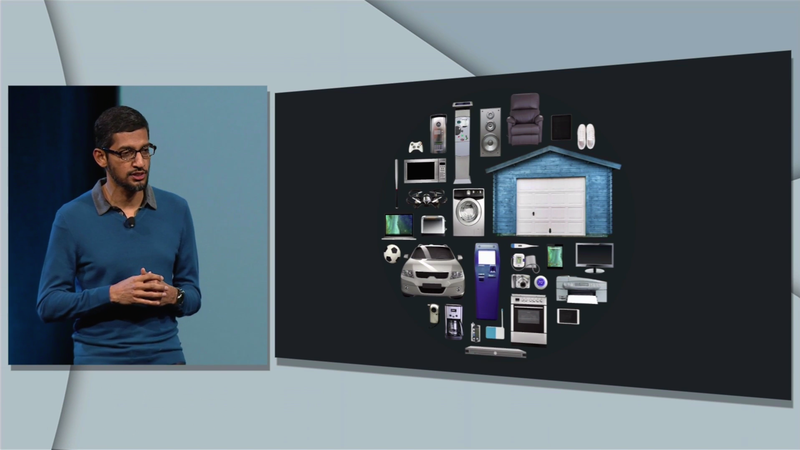
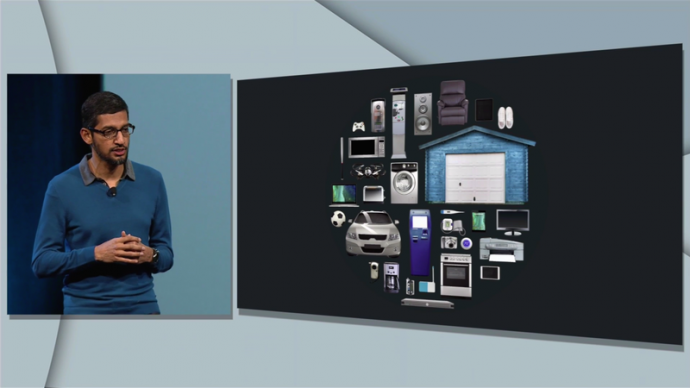
    Another expected update was the Smart Home launched along with an operating system Project Brillo and a communication system Weave. Brillo is a trimmed down version of Android, while the latter is Google’s IoT that allows devices to communicate with each other. Both the softwares work together to make your homes truly smart homes. Once both Brillo and Weave are installed on the smart devices, Weave can command devices like refrigerators, ovens, lift bulbs, door locks, etc. The system has build-in Wi-Fi and Bluetooth support.

    8. HBO Now on Android

    hbo now

    Far from our anticipation, Google announced the arrival of the streaming-only service HBO Now on Android and Chromecast. There is no definite time of its launch on the platform, but speculations are rife about it coming in June this year. Surprisingly, there are no fresh Chromecast or Android TV this time.

    9. Redesigned Google Cardboard

    google cardboard

    Seeing the current trends of bigger phones, the tech major decided to reconstruct its affordable VR headset, Google Cardboard. The new version of Google Cardboard can hold phones with six inch displays. A cardboard button will appear on the new version instead of the original magnet clicker that is said to work with any phone. Google has launched a dedicated Cardboard app, along with a virtual reality education tool Expeditions for educational purpose. The bigger VR headset can be acquired through Google’s partners.

    10. Google VR Camera Rig

    google-camera-rig

    The company seems to have given a deeper thought to the recently explored virtual reality domain. VR headsets have been available for quite a while, but the content for them was missing. Google in partnership with GoPro has built a VR camera rig, Jump, that is a 16-camera array designed to shoot 3D VR content. The VR camera rig will shoot content and the assembler of Google will weave them together figuring out the depth of different images. It can build content for the VR headsets as well as video-sharing websites like YouTube.
  • Why Windows is Giving Up its Best Card to Android and iOS

    Why Windows is Giving Up its Best Card to Android and iOS

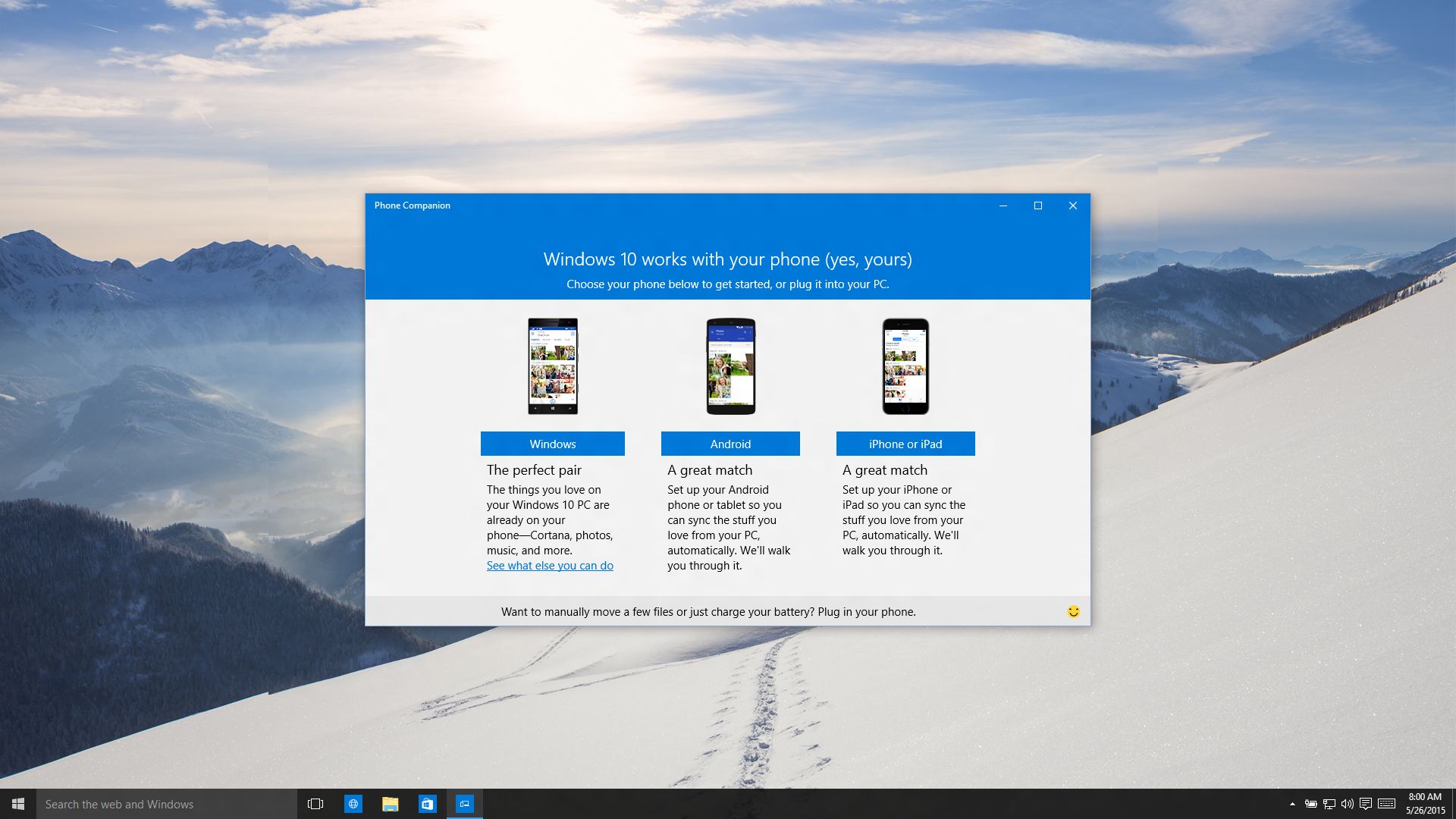
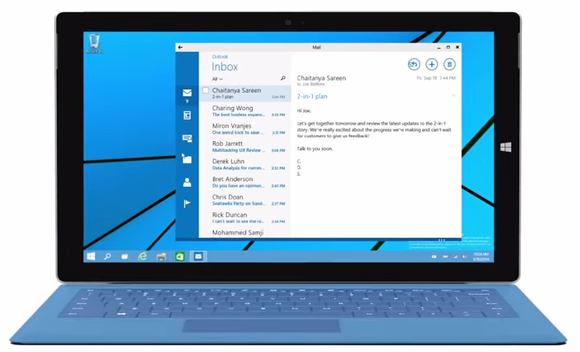
    Catching up with the ground-breaking innovations of Google and Apple, Microsoft updated its latest Windows OS with the delayed but functional voice assistant Cortana. Windows’ personal virtual companion was rightly named after the fictional character of Halo game series as it had similar personality traits like intelligence and wittiness. But recently, Microsoft made an announcement that dilutes the exclusive rights of Windows Phone users. The Redmond-based tech behemoth launched an app called ‘Phone Companion’ that will make Cortana and many other apps privileged to Windows Phone users across platforms. It means users will soon be able to download Cortana and Music apps on their Android and iOS smartphones.

    phone companion

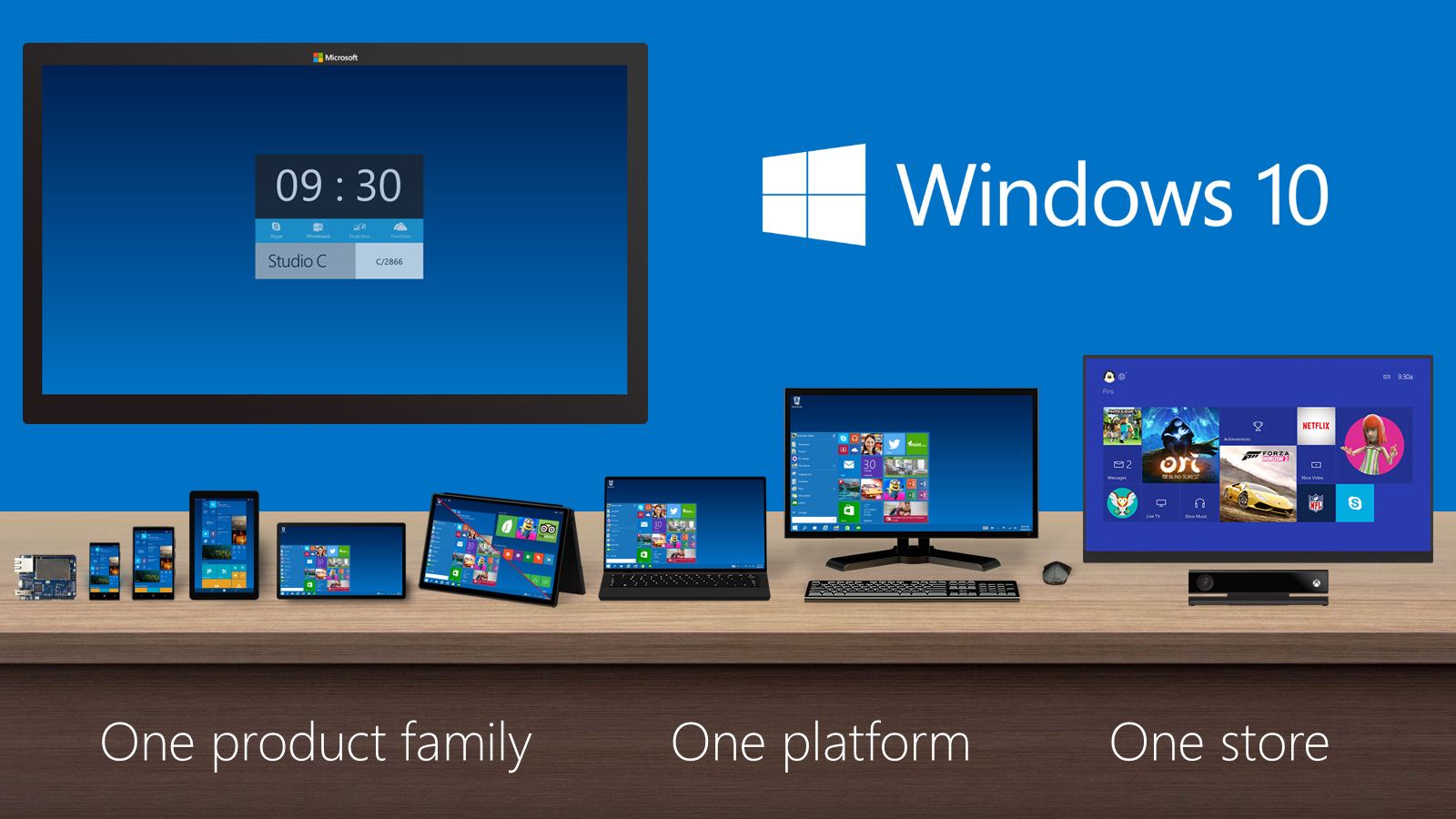
    As soon as a user plugs in the iOS or Android device to a Windows 10 running machine with Phone Companion pre-installed, a slew of apps become available to the user for installation. The list includes Microsoft Office, OneDrive, Skype, OneNote, Outlook, Cortana and Music. Phone Companion will help set up your phone to work seamlessly with Windows 10. Although, the Cortana functionality would be limited on iOS and Android platforms, the most basic feature of questioning Cortana would be there for all operating systems. Along with that, users will receive flight notifications, alerts including geographical ones, pre-set reminders and much more. The apps will be available in late June on Android and later this year, on iOS.
    Cortana was one exceptional feature that caught hold of everybody’s attention. Even with the presence of Apple’s Siri and Google’s virtual assistant Google Now, tech critics were compelled to accolade Cortana for its humorous responses, exceptional performance and being an all time companion. With Cortana invading the two major operating systems, it is likely to corner Siri and Google Now to a certain extent. The content on the devices will be more synchronized with the aforementioned set of apps. Photos, files and songs saved on your handset, will automatically transfer to your PC for easy accessibility.

    Here’s the video demonstrating how the Phone Companion app will work:

    https://youtu.be/lXREpLEwgOY

    According to Microsoft, the company “set up with the goal to make Windows 10 for everyone” and this led to the release of the Phone Companion app. But does this move really favour Microsoft? The firm is dropping its unconventional invention in the wide ecosystem of Android and iOS, which it could have cashed in on. The exclusivity of Cortana on a Windows Phone could have given a push to the company in the smartphone segment, which Microsoft is in dire need of. The recent move can further plunge the demand of Windows Phones in the market as users now have the option to activate voice assistance on their handsets.

    If you examine Microsoft’s current trend with respect to its apps and softwares, you’ll see that Microsoft is making its distinctive tools, omnipresent. It started with Microsoft Office, earlier exclusively available to Windows Phone users, and Skype and many other apps soon added to the universal apps listing. It’s a plus for Windows’ antagonists, Android and iOS, but it is uncertain if this move turns out to be profitable for Microsoft. The tech firm could have easily tapped on Cortana and Continuum features to convert them into increased market shares. Seems like Microsoft is opting for a different approach to make a higher podium for itself in the flooded smartphone market. But if the strategy fails to work, Microsoft’s smartphone division may soon face a similar situation to Nokia.

  • This App Replicates Apple’s Continuity Features for Samsung Devices

    This App Replicates Apple’s Continuity Features for Samsung Devices

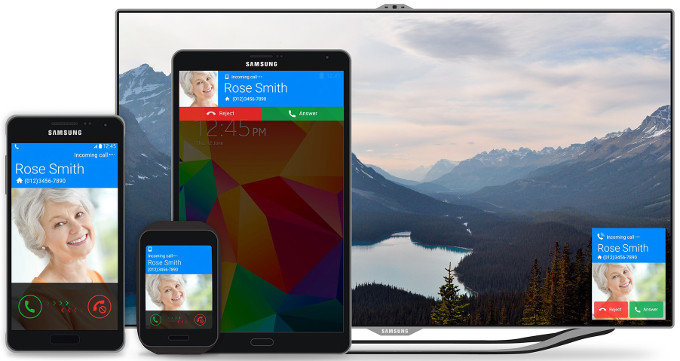
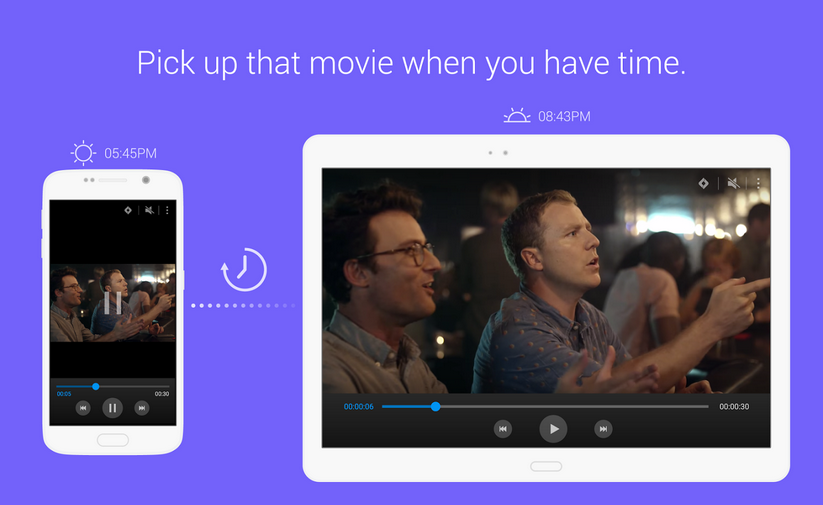
    Apple has an edge over other smartphone brands for its unique Continuity feature that lets iPhone partner with other iOS devices. Samsung is not falling behind to give its users the distinctive tool and has launched a Continuity clone for Samsung devices. Titled Flow, the application integrates all Samsung devices like smartphones, tablets and laptops, allowing applications to seamlessly transit your activities across devices. The application in Beta version is available for download on Play Store.

    Just like Continuity, the tool allows transfer of any activity from one device to another. Flow uses Android’s built-in Share feature, which makes it easy for developers to lend support to third-party apps. Since users have to tap on the share button, the feature should work with most apps, according to the company.

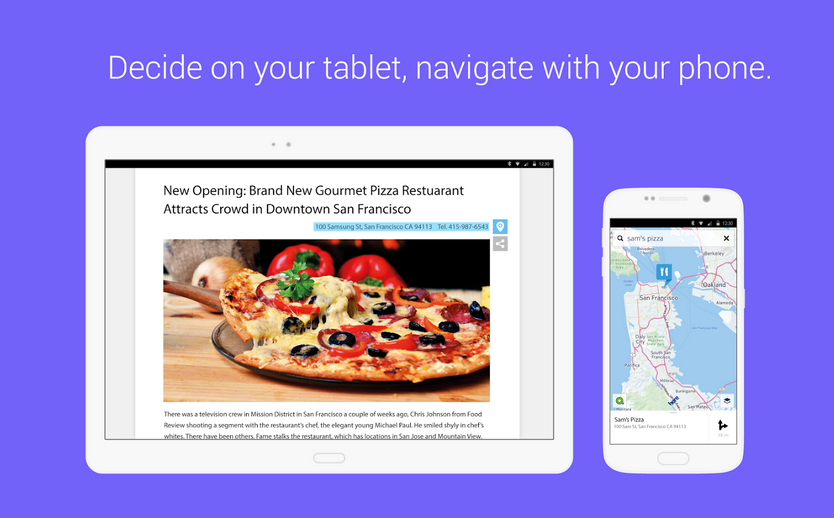
    samsung flowAccording to the promotional video released by Samsung, Flow can send a link from say a mobile to a tablet, so that you can pick up on the tablet where you left. One can also move a call to any of the Samsung devices without any interruption. This includes video chat as well. Flow doesn’t offer transferring activities only, but also allows you to set reminders of a particular activity to resume it later. Just select the right device and tap Remind later for later viewing. You can resume editing of share images, Office files, and can share directions, movies and more.

    samsung flow 1Users have to set the Flow app on all of their Samsung gizmos once, and then they can continue transporting the activities. It can be activated by using the share button within the app, and some apps also come with a dedicated Flow button. The app compatibility is limited to a handful of devices running on Android 4.4 and above. These include Samsung Galaxy S5, Galaxy S6, Galaxy S6 Edge, Galaxy Note 4, Galaxy Note Edge, Galaxy Alpha and Galaxy Tab S.

    The app is no doubt remarkable, and such efforts will give a push to Samsung’s market. A fraction of people who consider Apple the best for its unconventional features like Continuity, will definitely take a second to switch.

    Here’s the video narrating its features:

  • Apple’s Latest Acquisition May Finally Help it Compete Against Google Maps

    Apple’s Latest Acquisition May Finally Help it Compete Against Google Maps

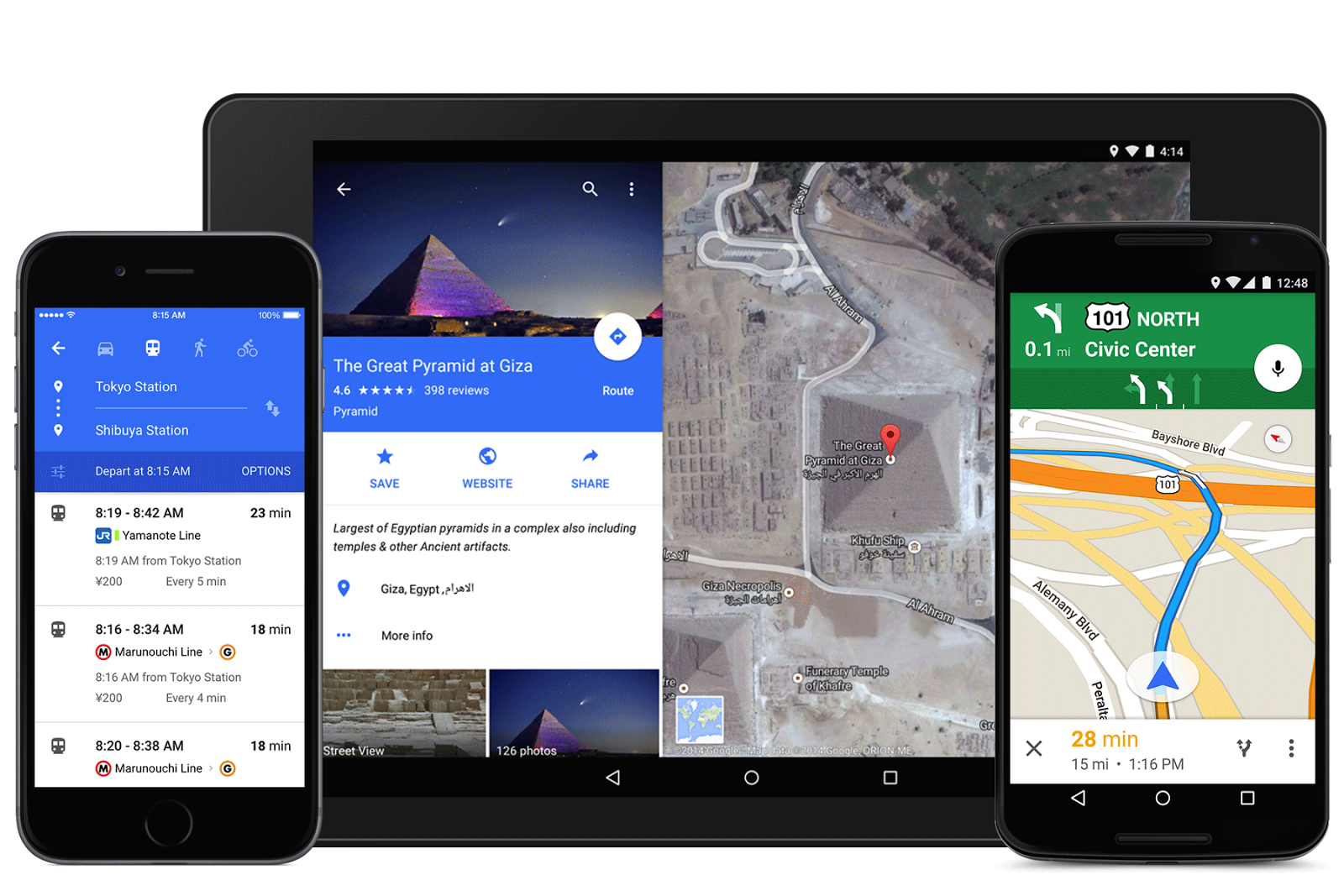
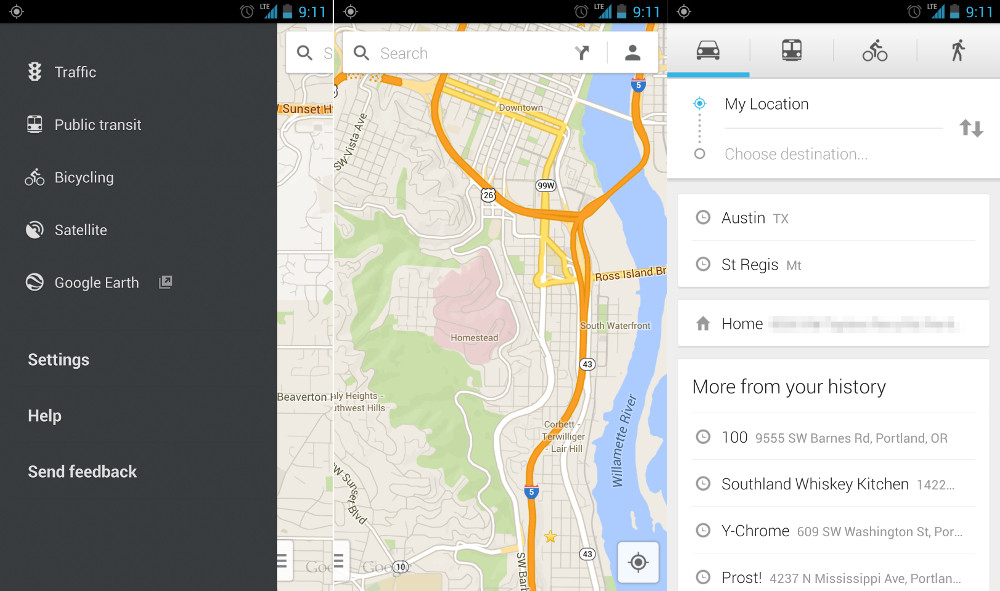
    Apple has been facing stiff competition on its Maps services from Google Maps. But, according to MacRumors, one company has been added to Apple’s roster to help it improve its Mapping service exponentially. The Silicon Valley technology company has confirmed the purchase of Coherent Navigation, a Bay Area global positioning company that will help Apple to further boost its location technology and services.

    Google maps has always been ahead of the game
    Google maps has always been ahead of the game

    Coherent Navigation was formed back in 2008 and focused on creating commercial navigation services that were based on partnerships with companies like Boeing and Iridium, a satellite network operator. This company has worked on highly precise navigation technologies, which are accurate to up to 3-5 metres. Coherent Navigation had also worked on autonomous navigation and robotics previously. The company is known for its High Integrity GPS system, which combined signals from mid-earth orbit GPS satellites with low-earth satellites to offer improved precision and accuracy.

    According to MacRumors, some key employees have started working for Apple, including CEO Paul Lego in January and co-founders William Bencze and Brett Ledvina in April. Their Linkedin profile also confirmed that they are working at Apple. The company’s website is currently offline but was updated to Apple servers on 30th April.

    For now, neither Apple nor Coherent Navigation has provided any information about how this partnership will be moved forward or what technology would be used. It is likely that Apple may show off the new navigation system at the WWDC next month. Watch out, Google Maps!

  • This App ‘Shuffles’ the Spam Out of Your Life

    This App ‘Shuffles’ the Spam Out of Your Life

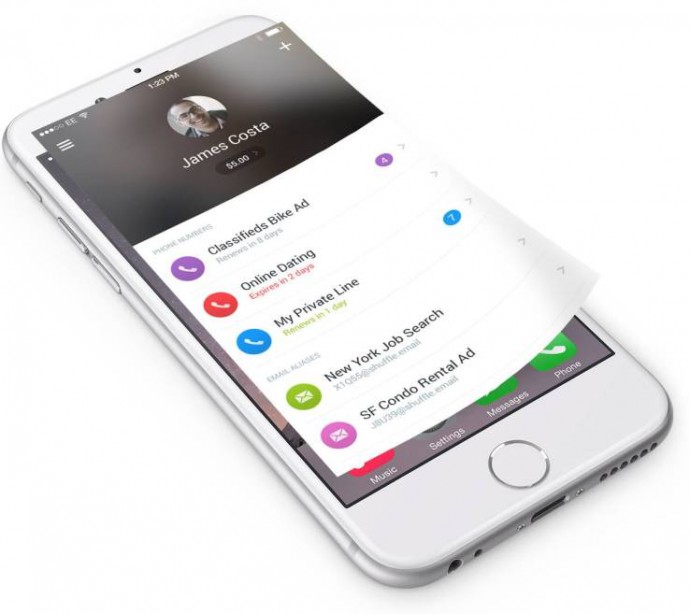
    Tired of picking up spam calls and receiving undesired emails? We’ve all had unwanted calls and emails. As a solution, a new mobile app has been developed by Shuffle Ventures, Inc. for filtering out such problems.

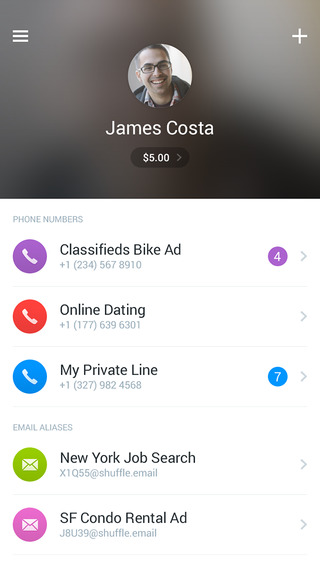
    This app, called Shuffle, lets you create additional and temporary phone numbers that is directly integrated with your iPhone and can be used to call, text or receive voicemails. The virtual number works in harmony with the native phone number, thus allowing you to call or text from both without any hassle.

    shuffle 1

    If a phone number became discredited by spammers or telemarketers, you could just delete it, and no one can reach you on that number again.

    The newest update of this app is the ability to create your email aliases that can filter your spam mail from your main inbox. The ID can easily be used for public mail subscriptions.

    Primarily, you can set up different “shuffle” numbers and emails for your personal and social connections, work colleagues, other secondary businesses, dating services, job searches, social networking sites, etc.

    Charges for a single number per month are $1.99, and you have the option of renewing it. If yes, then the number is charged per call transaction.

    For now, this app can be downloaded on iTunes, and we can expect an Android version in the coming few months. Worth the wait!

  • Microsoft Backtracks, Announces Pirated Softwares Will Not Receive Free Windows 10 Upgrade

    The arrival of Windows 10 is the next big thing every Windows OS user is looking forward to. Of course, the latest Windows version has many distinctive features, but Microsoft’s promise to provide free Windows 10 upgrade to everyone is another major cause of wait for users running pirated copies.Unexpectedly, Microsoft has pulled back its support for the non-genuine versions of Windows 7 and 8.1.

    Microsoft responded to all customer queries regarding how this will work for genuine and non-genuine Windows. The hardware and software giant commented on its blog post stating that Genuine Windows 7 and Windows 8.1 customers will be upgraded to Windows 10 for free and will continue receiving ongoing Windows innovation and security updates for the supported lifetime of that device.

    continuum windows 10

    On the other hand, Non-Genuine users are suggested to purchase a licensed copy of the ubiquitous Windows to save their personal data from getting exposed publicly. Microsoft said that the Windows 10 update will not be free for Non-Genuine Windows devices and customers have to pay a certain cost depending on what the offer is. As per the company statement, some offers would be run by Microsoft to shift users from the pirated version to the original. The new version will be accessible on devices running pirated copies, but that will again be a non-genuine version. It will come with a watermark notifying its piracy.

    Microsoft hasn’t clarified the pricing scheme and has asked to stay tuned for further announcements. Windows 10 is scheduled to release this summer. It will release in 190 countries and will support 111 languages. The fresh Windows OS will bring major upgrades and innovative features like Cortana, Continuum and many more. Read more about the same here.

  • Google Rolls Out Android 5.1 Lollipop Update for Moto E (Gen 2) Users

    Google Rolls Out Android 5.1 Lollipop Update for Moto E (Gen 2) Users

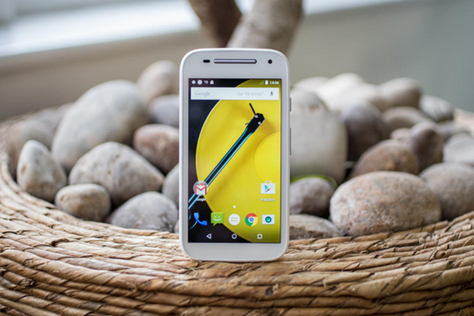
    Launched a few weeks back with Android 5.0 Lollipop on-board, Motorola’s Moto E second-gen is now receiving the software update. Google is rolling out the latest version of its Android OS, Android 5.1 Lollipop for its newest budget contender worldwide. The update will appear on your screen via an OTA update and may take some time to hit your device.

    The new Android 5.1 will occupy 259MB of space on your new Moto E. Although it’s a minor upgrade, but will bring a lot of bug fixes and performance updates that the earlier version was missing out on. The new OS version includes features like multiple SIM slot, Device Protection, HD Voice calling, Quick Settings and few more. Everything about Android 5.1 can be read here.

    At a time when more than 75% of the Android devices still don’t have the first version of Android Lollipop 5.0, it is a big announcement for a low-end device like Moto E (Gen 2). A few Motorola devices have already received the update; more handsets are likely to get the notification soon.

  • Google’s ‘Android M’ Likely to Hand Over Privacy Controls to Users: Report

    Google’s ‘Android M’ Likely to Hand Over Privacy Controls to Users: Report

    Google’s upcoming Android OS is the next big thing everybody is looking forward to. There are speculations of the tech giant gearing to unveil the mysterious ‘Android M‘ in the Google I/O conference 2015. Bloomberg has surfaced another vital fact about the forthcoming Android version that would bring data apps control in the hands of users.

    According to a report by the global business and financial information portal, Google is planning to provide users with privacy controls that would allow users grant permissions to a particular app. This way, users themselves can decide what apps can penetrate more into the content and which can’t. These may include photos, contacts or location. The privacy controls would bring Android OS closer to Apple’s iOS that furnish users with the freedom to apps permission.

    Google Messenger 1

    For now, Android users cannot decide permissions for the app. Whenever a user wishes to download a new application, he/she is directed to the setting page to provide the app with required permissions. Refusing to the permissions leads to cancellation of the app download. Presently, the customization option is available on Cyanogen and Xiaomi’s MIUI 6.

    The demand for privacy on Android devices is being made for quite a while. Paying a little attention to the rising voices, Google has lost 3 percent share in Europe’s five largest countries, coming down to 69 percent. On the other hand, the share of iOS has increased from 18.6 percent to 20.3 percent in those five countries.

    However, there is no confirmation from the company, but the mounting pressure may force Google to come up with the advanced Android version this time. Google’s annual I/O developers’ conference is scheduled for 28th of this month.

  • Windows 10 is the Last Version of Windows OS, Confirms Microsoft

    Windows 10 is the Last Version of Windows OS, Confirms Microsoft

    Microsoft has been enriching Windows OS with every version. The recent Windows 10 is the finest upgrade made by Microsoft, which incorporates all significant alternations needed on a Windows platform along with a brand new technology called Cortana. The American consumer electronics firm is quitting the revision of Windows operating system and confirmed there will be no Windows 11.

    At the Ignite tech conference, the developer evangelist of Microsoft Jerry Nixon said in the press conference –

    Right now we’re releasing Windows 10, and because Windows 10 is the last version of Windows, we’re all still working on Windows 10.

    Microsoft will be presenting a consumer preview of Windows 10 on January 21

    Nixon also mentioned that Windows 10 was in works since the launch of Windows 8.1. The company wanted perfection in the latest Windows as it aims to standardize Windows 10. Microsoft intends to make Windows a service. That means, instead of releasing versions of Windows every couple of years, they will be sending out regular updates to Windows just like Apple’s OS X. The software and hardware giant is radically changing the way we upgrade Windows.

    This being said, it is certain that there won’t be any major change coming up to Windows 10. The company will regularly revise some features and send an update for Windows upgradation. It’s a big move by the company, but it sounds great as Microsoft has extended its reach to different platforms with the new Windows OS.

    The latest version hasn’t come out for public yet. It’s due to release this summer. It will first land on the desktop and later on Windows-powered smartphones, as per Microsoft. There have been rumours of Microsoft already working on its next update, but it is expected to release by 2016.

  • In-built Data Saving Feature on Your Phone’s Browser is Just a Few Clicks Away

    In-built Data Saving Feature on Your Phone’s Browser is Just a Few Clicks Away

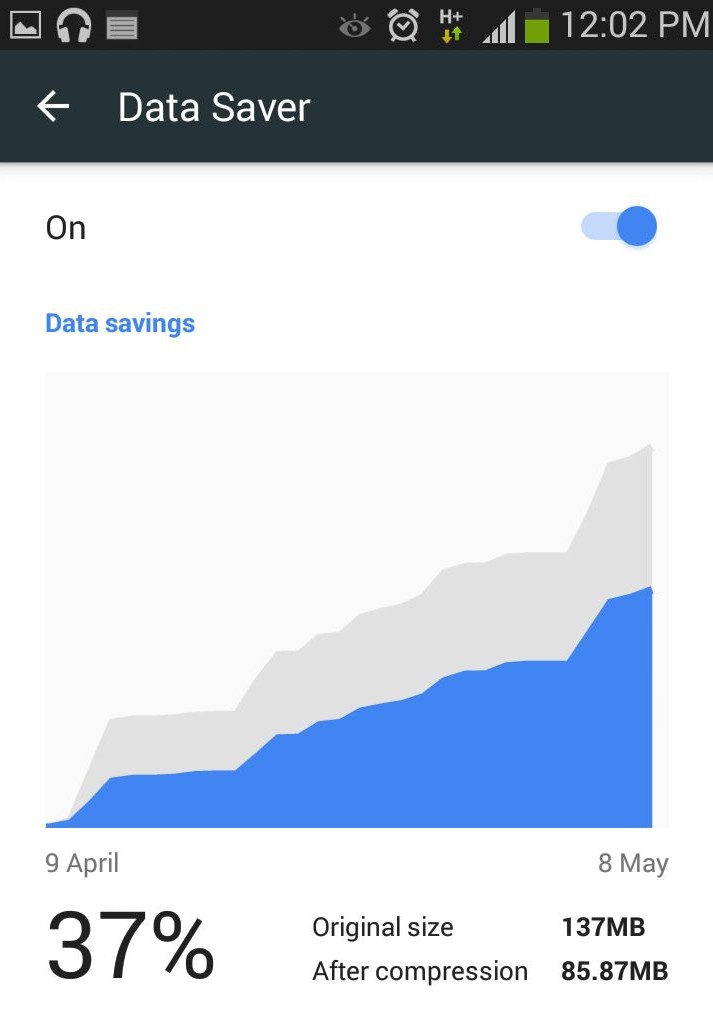
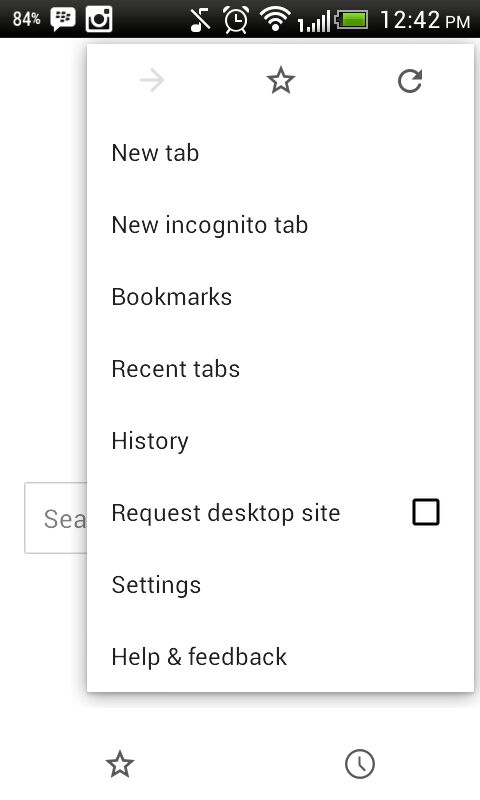
    Your smartphone is concealing a secret tool under the hood that can save the browsing data to a large extent. The feature is already available for the desktop version of Chrome as an extension called Data Saver (Beta). The nifty data saving feature in the Setting menu of Chrome compresses the pages and allows quick access to websites.

    With this feature on, Chrome uses Google servers to compress pages you visit before downloading them. Users can make extended use of their internet data pack by spending the same amount. The feature is available on Android and iOS both. Here’s how you can activate it:

    1. Go to your Chrome Web Browser and tap on the left touch-sensitive button.

    AuKyO7zHU-nDtesUdLqBzwIGMUgE6p6DHfVWAG3J767c

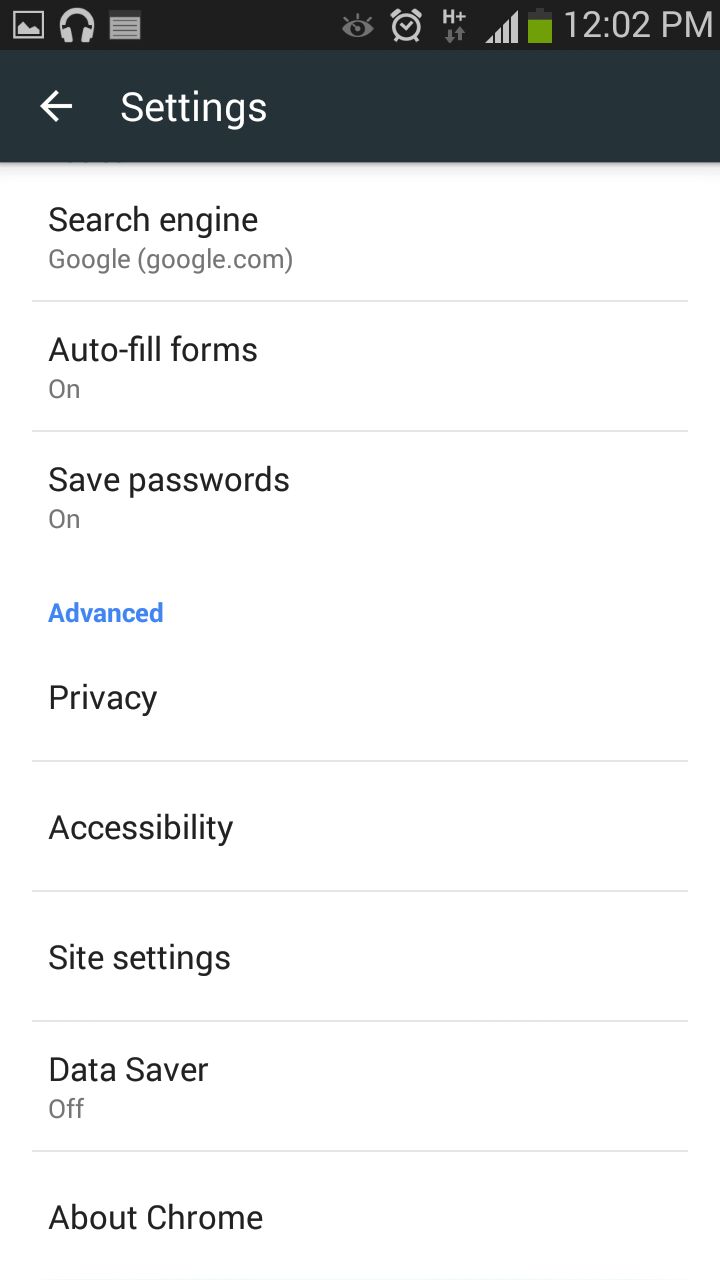
    2. Tap on Settings and you will see a few options under Basic and Advanced category.

    AuerDxhLESTj1OCvKse7RtjETAg5_ExGvvjOrodX_TIP

    3. In the Advanced section, search for Data Saver and turn it on.

    ApmTaNI2dmNYkhPMZwE1otyzzioxft6ejw0tGx42Zjhi

    Chrome will now start compressing pages for you to load it fast and will also save the data.

  • Report: Apple to Offer Free Exclusive Tracks on its Upcoming Music Streaming Service

    Report: Apple to Offer Free Exclusive Tracks on its Upcoming Music Streaming Service

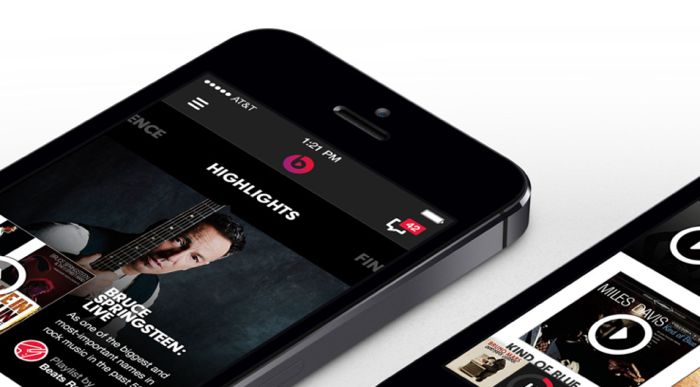
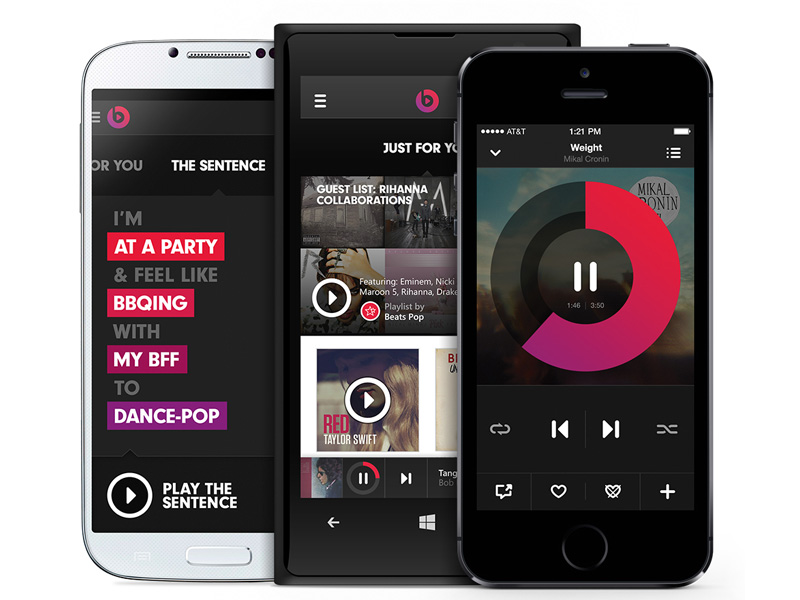
    Time and again, we are hearing about Apple’s refurbished music streaming service ‘Beats Music’. Earlier we heard of it pairing up with renowned American bands and artists like Taylor Swift, Florence and the Machine, but Apple has a couple of surprises before it makes Beats Music public. It was widely reported that the Cupertino-based tech firm will charge $8 for a monthly subscription, but it seems like now Beats Music users will find a free streaming option as well.

    According to a report by Recode, some industry sources have confirmed a free trial period where users can listen to some tracks without paying for it. This testing period may range from one to three months depending on the negotiating deals with music labels. Under these negotiations, the music owners will be free to upload a sampling of their tracks, which users can listen for free without subscribing. It will be somewhat like SoundCloud which offers free music as YouTube offers video. There will also be a new version of iTunes Radio featuring human-curated playlist.

    180661-beatsmusictitle

    Apple also clarified it would never be like other free music streaming services like Spotify and Pandora that offer unlimited tracks without any charge. It is against advertising programme as promotion-supported free streaming doesn’t make much money, as per the company.

    Last year, Apple acquired Beats Electronics and Beats Music for $3 billion. The service was launched only a few months earlier. The world’s most valuable company is gearing to tweak the service and release it sometime this year. Apple already enjoys a dominance in music downloads from its iTunes, now it aims to kick out the newly formed Tidal founded by Jay Z and several other music titans.

    The Beats Music is scheduled to launch this summer at a competitive price of $9.99/month for individuals, while a family plans will cost $14.99/month. It is speculated that Apple might opt for a different name for its streaming service.

iGyaan Network
Privacy Overview

This website uses cookies so that we can provide you with the best user experience possible. Cookie information is stored in your browser and performs functions such as recognising you when you return to our website and helping our team to understand which sections of the website you find most interesting and useful.