By developing a new tool called PlayDrone, Jason Nieh, professor of computer science at Columbia Engineering, and PhD candidate Nicolas Viennot reported that they have discovered a crucial security problem in Google Play – the official Android app store where millions of Android users get their apps.
PlayDrone uses hacking techniques to find a way around Google’s security to download Google Play apps, and then recover and analyse their sources. It scales down by simply adding more servers and in this way, it manages to compile over 880,000 of the 1.1 million free apps it downloads.
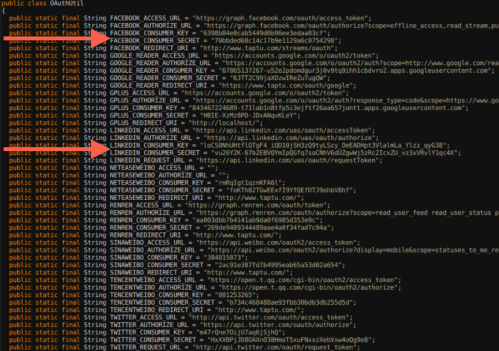
An image of the secret keys discovered by PlayDrone
While analyzing this, it was found that developers often store their secret keys of their app’s software similar to username and password data, which can be further used to steal user data or resources from entities such as Amazon and Facebook.
Even the “Top Developers” promoted by Google Play have included these vulnerabilities in their apps. These vulnerabilities can affect users even if they are not actively running the Android apps.
This tool, Playdrone, not only revealed this security loophole but also used it to provide insight into Android apps and improve the quality of Google Play. For example, the tool also found that roughly 25 percent of all free apps on Google Play are clones of other apps. This information could be used to help Google crack down on cloned content, which would be great news for developers who are creating original apps. Google Play has more than one million apps and over 50 billion app downloads.
It also performed an analysis of the 10 best rated and 10 worst rated apps on the Google Play store, and found that even the worst-rated app has over a million downloads. Google is now using the techniques to scan all the apps for such problems to prevent this from happening again in the future.
We’ve known that Facebook has been working on Slingshot for the last six months. The app has just went live on Google Play. Along with that, they officially announced it on their Facebook page and also released a new promo video announcing availability of Slingshot for both Android and iOS.
If there were any doubt that Facebook will be taking on Snapchat, the public launch and availability of its new Slingshot app has now confirmed it.
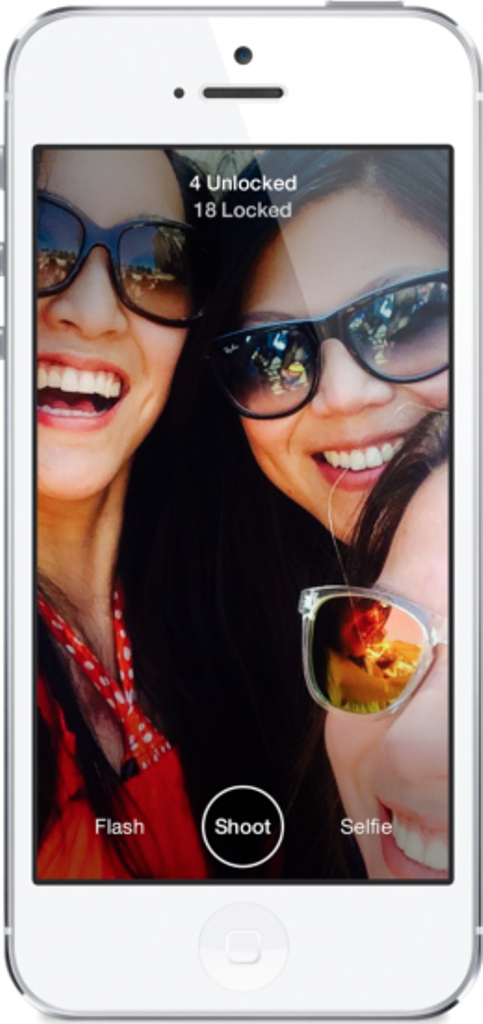
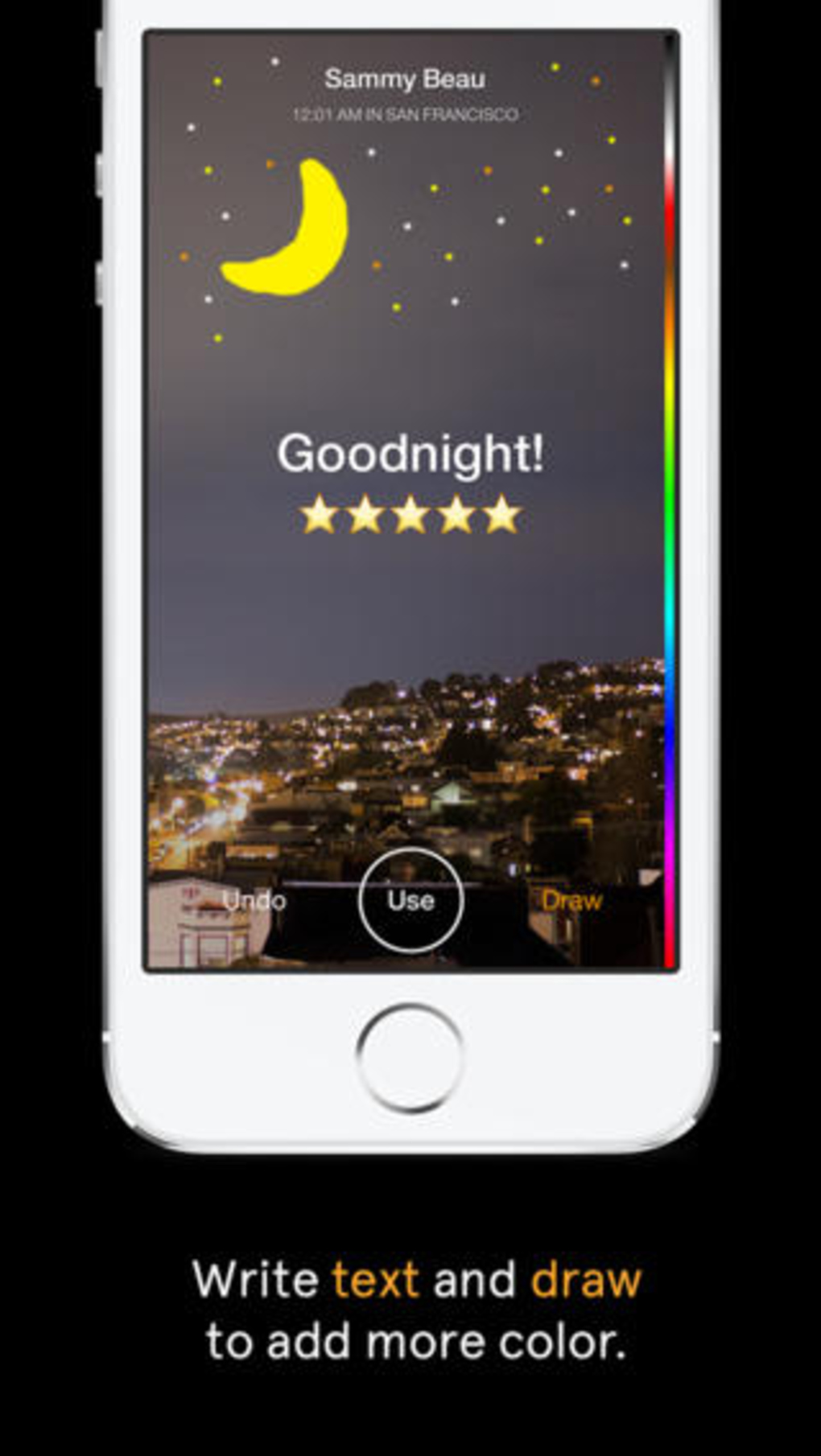
The free app lets you take a quick photo or video, mark it up with colorful drawings, caption it with big white text, and then send it off to your chosen contacts. But when you receive your first message, you realize that this app is something completely different. Rather than just copying Snapchat feature by feature, Facebook is putting in a rather intriguing twist to the messaging trend by focusing on a more social aspect. So, we decided to list 5 things that make Slingshot different from Snapchat.
1. The Social Factor
When an app comes out of the Facebook oven, there is not even a slight chance that there can be anything lacking in its social media element. Slingshot does not solely rely on your Facebook friends list for contacts. Accounts are tied to your phone number, which you must verify before you can start using the app. Once you have verified your account, you can search for friends from your contacts list, Facebook or look up individuals by user name.
2. No Approval Needed
Slingshot allows you to search for people you know and there isn’t one central contacts menu where you can easily view all your connections. And, unlike Snapchat, there is no approval process for adding connections. Anyone can send messages to anyone whose information they might have. Facebook says an approval process is necessary because users can simply choose to ignore the message they don’t want to see. You can also choose to ignore all messages from individual users by hiding them.
3. No One-Sided Sharing
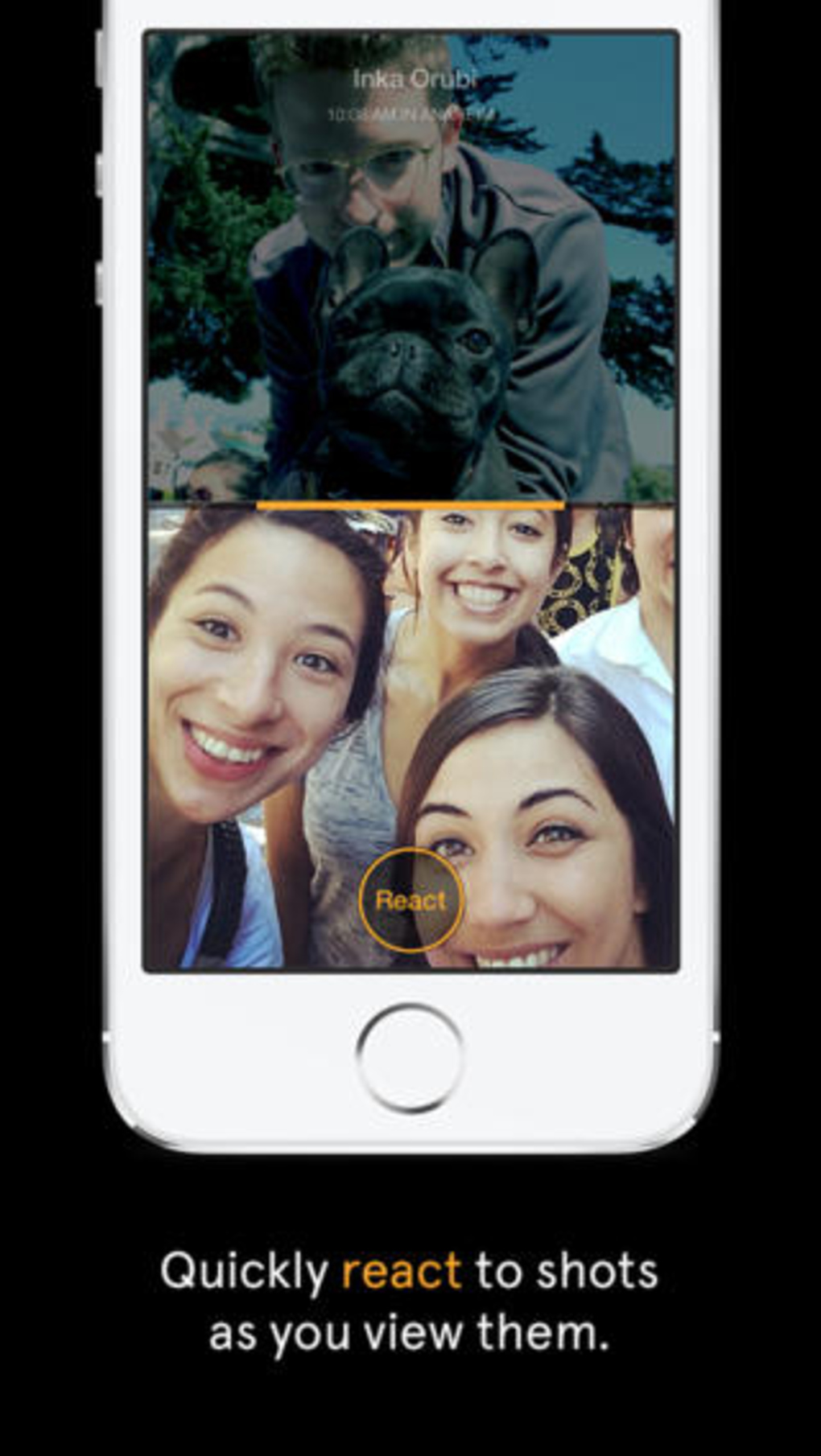
One noteworthy aspect of the app is that it won’t allow you to see a new picture messages unless you send one of your own back. Facebook says the reason behind this is to take the pressure off users to constantly read and send messages. With so many mobile apps competing for people’s attention, Slingshot’s ability to self-perpetuate engagement could be the key to traction. One friend doesn’t have to do all the work to entertain others, who consume without creating, breaking the chain. With Slingshot, the conversation never dies because the last message is always waiting to be unlocked.
4. Better Camera quality
Launching Slingshot immediately takes you to the app’s camera. The selfie button toggles between the device’s front and rear-facing cameras, and holding down the shutter button allows you to record a video. Slingshot’s overall camera quality is better than Snapchat’s, even when you zoom in. As with Snapchat, you can add drawings and text to the photos and videos you send in Slingshot but both features feel far more elegant and give you much more control in the latter.
5. Customized Text
Text is limited to 140 characters, but can be repositioned on the image. Unlike Snapchat’s text, which always remains the same size and at the same place, Slingshot’s text will get bigger when you drag it down from the top of the screen. The drawing tool is also far more advanced than Snapchat’s — you can adjust both the color and the size of the brush. Dragging along the color bar selects a color, dragging left or right changes the brush size, moving the tool right makes the brush smaller and moving it left makes it larger.
Many people use Google Chrome as their major web-browser on their PCs, tablets and phones these days. It’s a great, swift and feature-packed cross-platform browser that’s easy. Google Chrome also provides abundant apps and extensions to make your internet experience even more pleasant. Though picking the ones you need may be tricky. Most people never even hear about the extensions that may work extremely well for them. Well, we’ve listed 5 really useful Google Chrome extensions for you to check out:
‘Cleary’ by Evernote is a very helpful extension, particularly if you’re a student, writer or just someone who spends a lot of time doing research on the internet. It helps you focus only on the reading the important part of the article, blog or news; blocking out everything that is redundant. You can even save the sources to Evernote for later study. ‘Clearly’ also makes it probable to put in order the saved articles by tags, add footnotes or even let the extension read the material back to you. You can even change the background or font size of the materials. It is a very useful app, but you should know that it might not work on all websites.
This handy little tool brings Chat Heads to the desktop, enabling you to keep track of your Facebook messages in the simplest manner. It offers you notifications with small, modest head popups like the mobile app. And when they do show up , this could simply mean a new Facebook message is pending. The pop up circle displays your friend’s photo just like the Messenger app, their name, and recent message they sent when you hover the mouse pointer over their photo.
If you want to get the most out of your money, then use this comparison shopping service. Agora for Chrome aims to provide a clever solution. It gives you your personal workstation where you can append products to your dashboard, put them in order and make comparisons in order to make the best purchasing choice. Although still in early beta, the service works absolutely flawlessly.
TL;DR (Too Long; Didn’t Read) is a clever extension, it creates a summary of any web article you don’t have time to read fully. It allows you to choose between four different summary lengths, depending on the amount of time you have. With the summaries found on tl;dr, you can easily select what you really want to read and save precious time. Read only what matters, skim the rest.
It is an online spelling and grammar checker extension. Ginger proofreads your typing and cleans up your mistakes with a simple click. The extension integrates itself with the browser’s interface and works in text input fields. Whether you type in a misspelled word or use bad grammar, the extension underlines the mistake. Right-click the word, and a small popup will open, listing alternate word suggestions for incorrectly spelled words or the correct word itself, in the event that you’ve used the wrong tense.
Choosing the right app, for whatever reason, is a headache these days. App Store and Google play is flooded with a range of apps, most of which don’t function as desired or are filled with unnecessary ads. Previously we listed our favorite photo-editing apps and people wanted us to list video-editors too. So, because on popular demand, we picked the best video editors for Android and iOS users.
Video editor apps, when it comes to phone, are most likely limited to basic trimming, filters and editing. But, there are some which could be useful. Keeping this in mind, check out our list of the best 5 user-friendly video editing apps:
VivaVideo
This app tops the list because it is one the most simple and fun phone video editors available in market. The app gives the option of creating photo movie, pro editing, simple video editing and PIP(Video trimming). The design is so simple that even first time user can use it like a Pro. The app provides you with range of themes, filters, transitions and also the option of adding text. You can add music from your personal library or choose from the VivaVideo’s music library. Even better, you can dub your voice in real-time while you’re editing the video.
VIDEOFX Live
VideoFx Live is rammed with awesome real-time effects. It is perfect for a DIY music video or if you’re planning on compiling messages for your friends birthday. You can even sync devices, shoot the same scene from different angles and fade between different videos. Video Fx is a simple app to handle, with minimal options. VideoFX Live records both video and audio. It automatically stores the shot videos within the app, skipping on the phone’s gallery. It offers you a wide range of Instagram-like real-time effects. But the problem is that it can only shoot upto 10 seconds, which makes it similar to Vine (but with better effects). Through VideoFX Live you can save your creations in a camera roll, upload directly it to Facebook or YouTube, or send it via email.
KineMaster Pro
This app is actually for the professorial editors. KineMaster Pro gives you a multi-tracked timeline with full drag-and-drop support. You can import multiple videos, images and audio clips, and then move them around with your finger. The app gradually picks up on your choices and adjusts its functions accordingly. Select the element you want to tweak and then tap the scissor icon above the timeline. You can then drag your finger to trim the clip or tap a “Split” option to divide the clip into two separate pieces for further manipulation. KineMaster has tons of options for improving the quality of the video, ranging from sliders for adjusting a clip’s brightness, contrast and color saturation to a range of filter-like color effects. The app also has one-touch tools for rotating videos or images and an impressive selection of professional-looking transitions to give your project a more refined look.
VidTrim
VidTrim is less of a full-fledged video editor and more of a collection of tools for basic video manipulation. The app doesn’t give you a standard timeline for editing; rather, you just select a video clip from your device and then tap one of a few options available. Tapping the scissor icon opens up the app’s Trimmer tool, which gives you a simple slider for selecting a small portion of your clip and trimming it down to only that section. It also allows you to save your selection as an MP3, should that need ever arise. Tapping a tools icon, meanwhile, gives you the ability to change the video’s size and quality. It also allows you to add a supplementary audio track into the clip. Though there’s no way to fine-tune where exactly the audio will play or how loud it’ll be. Last but not least, an overflow menu icon holds the option to grab a still frame from a video as well as to apply a variety of different filters — standard stuff like black and white, vignette and vintage modes.
Magisto
Don’t take this one seriously, it is just for fun. You actually don’t edit the video here. butt the app does it for you. Though it creates the video with great effect, it takes too much time to generate it. All you have to do is shoot the video or upload it from gallery to the app, select the theme and then select the sound track and you’re done. The app will automatically create your video for you. It selects the best parts of the video and creates a short movie with it. Magisto has its own music library too. Though you can choose your own track for the movie.
Friday, June 6, 2014 is going to mark the start of the the 20th FIFA World Cup 2014. The world has been in a frenzy, counting down days to its start. With the tournament coming to an end on 7th July. It’s going to be an entire month of madness. That and, 32 teams and 3 matches a day during the world cup is lot of news to keep track of. But as always, smartphones make our lives easier.
There are loads of apps this time to keep track of the news, matches, conferences and what not. So, we thought we would test a few of the applications to try to find the best World Cup application and save you the bother. Here are the ones that deserved a mention:
Onefootball Brasil
Onefootball Brasil is our pick for the best World Cup app for a number of reasons.The app’s game pages are second to none. You can get notifications for goals as well as check line-ups, see live match data and chat with other fans while watching the game in real-time. The app also has sections where you can read related tweets, watch videos and see live tables and standings.
Brazil 2014 Countdown
Can’t pass the time while waiting for the World Cup to start? Are you counting the days until the first match? How about the minutes? Well, if you crave to really get keyed up for the event, this free app provides a running countdown until the World Cup begins—down to the last second.
ESPN FC Soccer & World Cup
The official football app from ESPN offers the in-depth coverage “the worldwide leader in sports” is known for. The app features live video highlights of key plays, feedback and breakdown from ESPN’s team of top analysts and commentators, and breaking news. Also, even after the World Cup has ended, this free app can help you keep up on the action in the English Premiere League, La Liga, MLS, the Bundesliga, and much more.
Official FIFA app
FIFA’s official app is a upright effort with a satisfying design. It doesn’t offer as many features as the other apps mentioned, and is somewhat slow to load and navigate, even on WiFi. Available in five languages, the FIFA app does however include news from the FIFA site, a match centre and a table of the official FIFA country rankings. The FIFA app also has video and photo sections, but at present there are only two videos, and the photo section loads a blank page.
365Scores
It is an unofficial app offering scores, news, tweets, and standings information. 365Scores has good squad listings and photos for each of the teams at the tournament in great design and format. If you are going to Brazil to fulfill your World cup dream, this is one must-have app on your smartphone. 365Scores also provides you with stadium guides, displays a map of Brazil where you can click on each stadium to get information about each stadium and the matches to be held there.
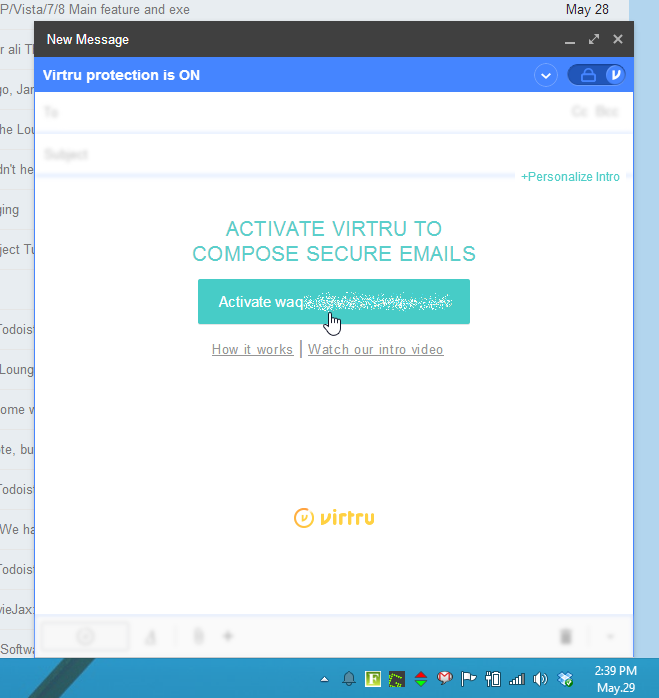
You may have come across a situation when you need to send some personal information to someone, but wondered if email is a secure enough channel? In that case, Virtru can help you out.
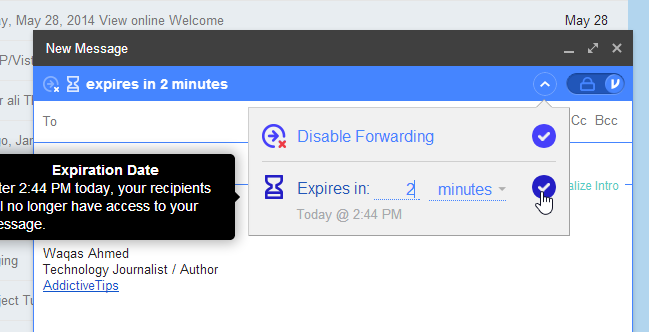
Identity theft is huge problem on the internet. You don’t know when and from where your confidential information can be hacked. Be it your credit card payment, bank details or just an address, hackers find way to get it. An email message may only be virtual but if it falls in immoral hands, the cost and damages can be very fatal. The service offers encryption, message tracking, and the option to delete sent messages after the work is done.
With Virtru, you can decide when to keep your digital content private and secure even after it’s shared online. You can manage and revoke access to emails, photos, files and other content at any time, right from within your favorite programs like Gmail, Outlook, and Mac Mail on your desktop or smartphone.
There are ample of ways to encrypt your email much like a full PGP encryption, but all of them can be difficult and complicated to set up and use. Virtru took this seriously and created an add-on that makes encryption automatic—every message you send and choose to be secure is encrypted before it leaves your computer.
Setting it up is easy as well, and doesn’t require as many of the hoops as other tools do. The service provides you a dashboard which can be used to see if your messages have been forwarded to others or read by the recipient. You get access to files or recall messages at any time.
Virtru provides you a multi-platform service. At present it supports Firefox and Chrome, while Internet Explorer and Safari versions are not available yet. Apps are available for Android and iOS, which give you most of the same options as their web browser equivalent.
When you send email through Virtru, it by design encrypts your email message and transfers it through its own server instead of that of your email provider. The original email message is replaced with a link to the Virtru website where the message can be then read.
It is a great way for securing your emails while not bothering about PGP encryption, which mostly goes over your head. It’s compatibility and multi-platform service makes it one of the best software for encrypted Emails.
WWDC 2014 unveiled some of the most important upgrades since the introduction of the App Store. One of the most highlighted upgrade was the iOS 8. The company added tons of developer tools for home mechanization, heavy gaming performance and extensions in abundance. There’s a lot of polished new apps and add-ons that will earn rave reviews from fans, once it drops later this fall.
Let us introduce you to the Apple iOS 8. We tested out the Beta version on iPhone 5, and like they’ve said – it’s quicker, more productive and more integrated than ever before. Here’s what’s new on board:
Photo Library and Photography
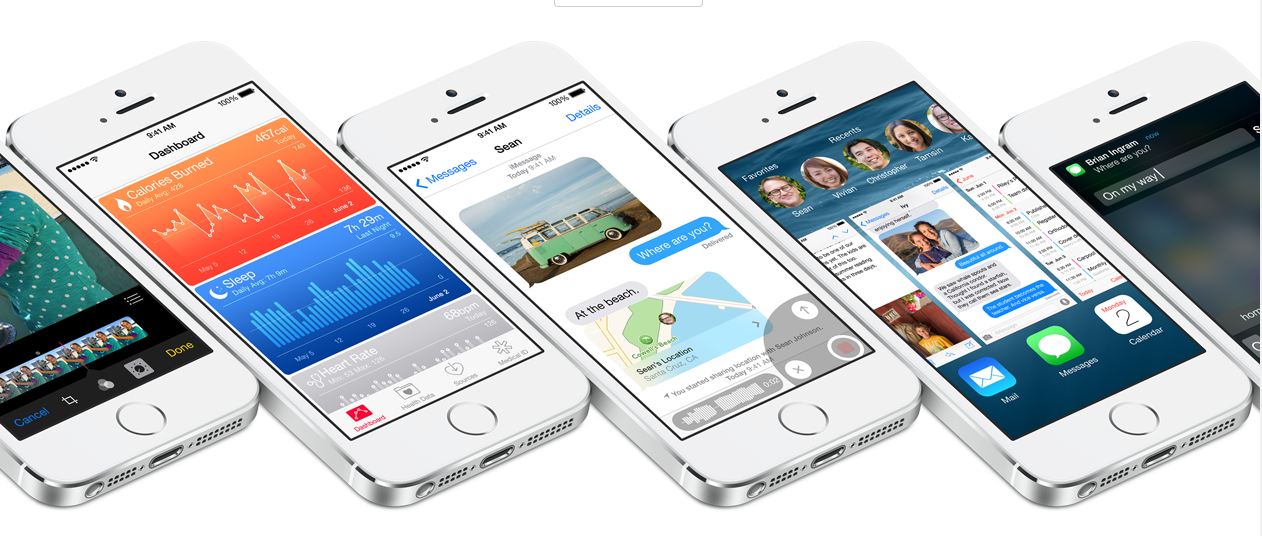
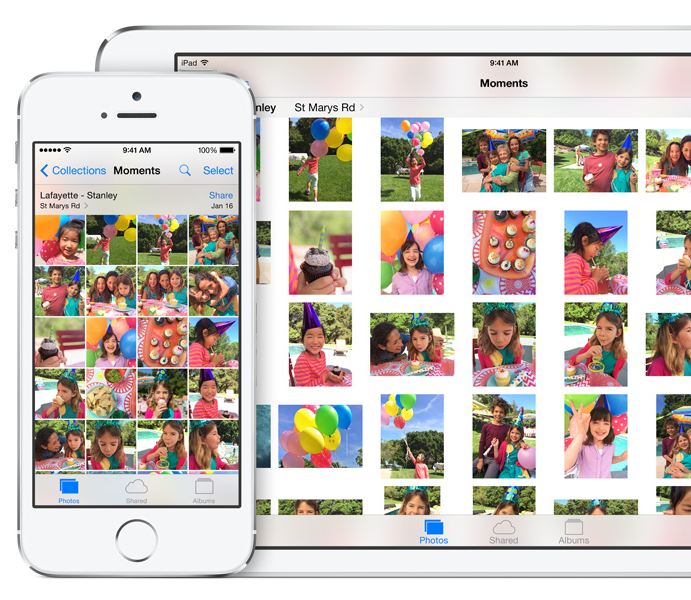
Apple added the powerful iCloud Photo Library which ensures all your edits are automatically synced between devices. The new iOS 8 also includes new photo editing tools which give users manual control over the exposure, shadows and color of the photograph. If a user is focusing on clicking an overly bright object, the brightness can be directly reduced by swiping the screen and reducing the exposure. Along with the new editing functions, Apple has made the Photo Library more user-friendly by adding the ability to search based on location, time or albums.
Bye-Bye Snapchat
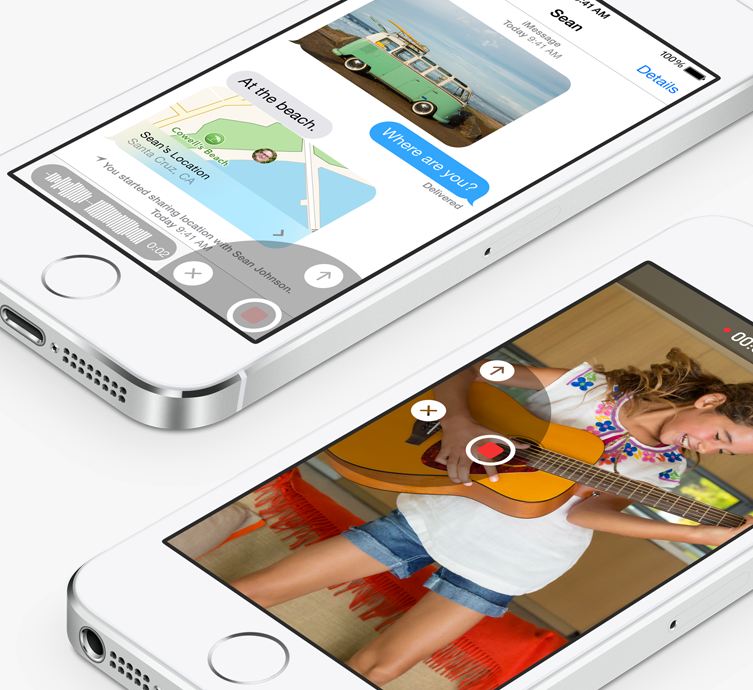
Apple has taken a great leap with the iMessage by including features such as ability to not only send quick video and voice messages, but also the option to make them expire. The Tap to Talk feature lets you share video and photos with a simple gesture, option to leave a conversation, label threads and add/remove contacts mid-convo. The option to add DND to specific threads will put all the leading chatting apps to shame.
QuickType and Third-party Keyboards
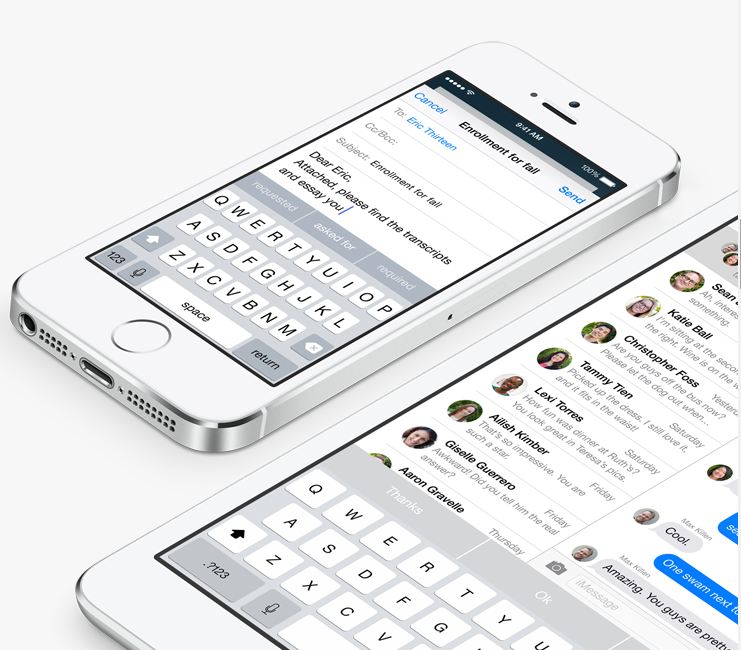
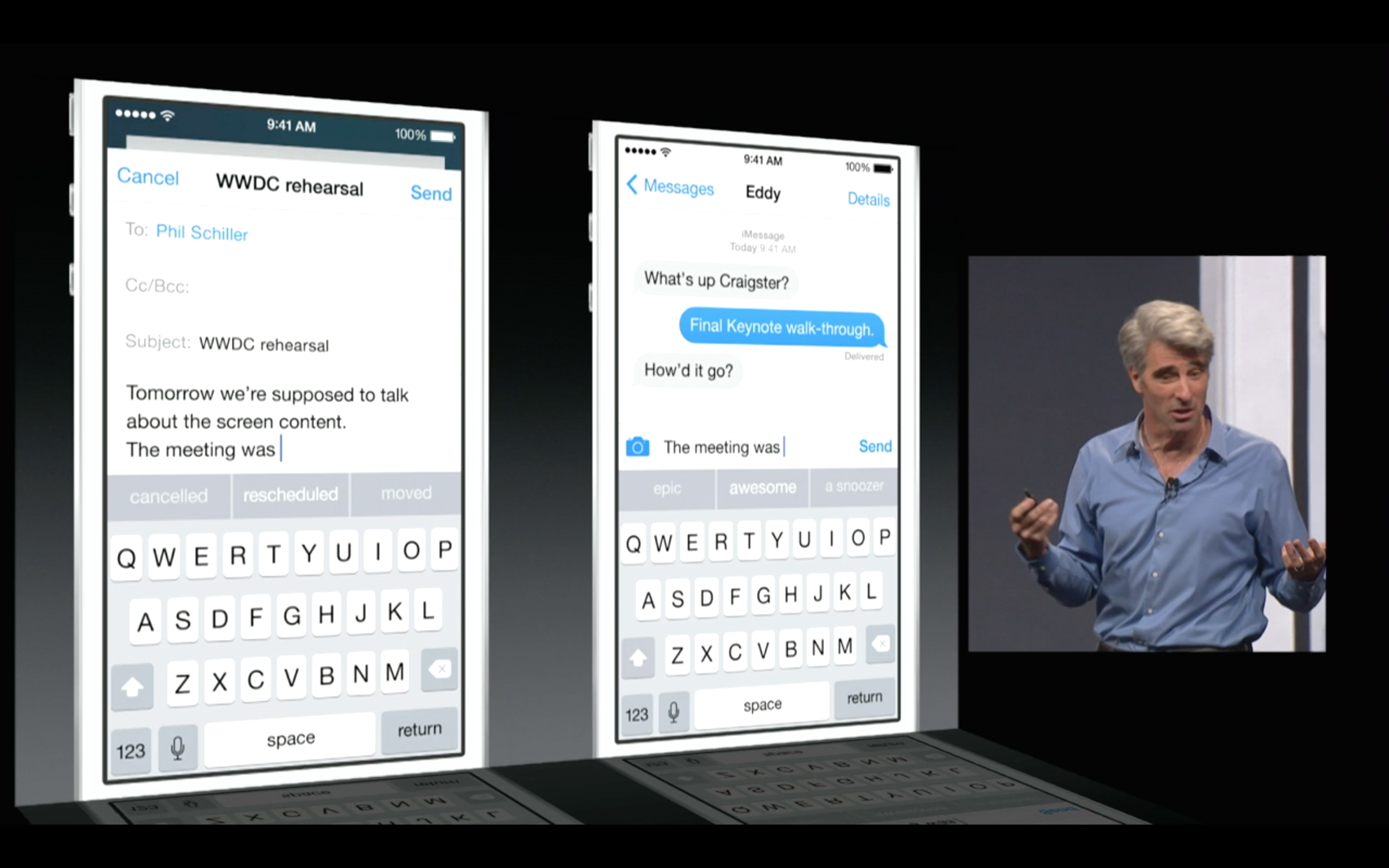
Apple is including third-party keyboards to the new update as well, so you can Swype with the best of them, or you can find a keyboard where you actually understand when the Shift key is on. They have also introduced the new predictive typing feature called QuickType which gives personalized suggestions while taking content in the context. It not only helps while you’re tying out a message, but when you receive a message, it understands it and offers possible responses. As the name suggests QuickType is quicker and easier than ever.
Health Connect
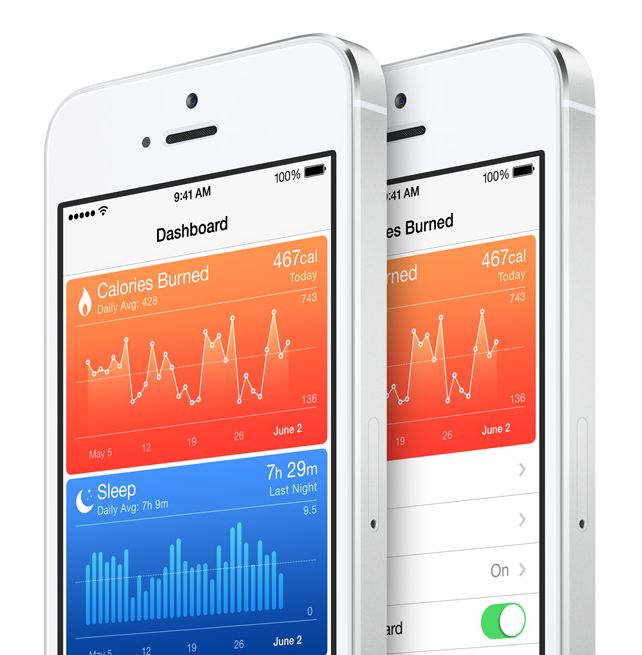
Apple introduced a new integrated programming system called HealthKit. Through this, users will be able to connect applications and develop a central database of all their health data. It has an extensive list of functions. The fitness tab has integrated Nike Fuel and can monitor and record your fitness numbers which includes your Body Fat Index, distance that you run, calorie intake, the steps climbed and the hours you’ve slept.
The new Health feature will also include the information from other apps you have purchased in the app store, as well as connect with your personal doctor through a dedicated application. If you get your blood pressure or your sugar blood checked from your hospital, your iPhone will receive a notification and store the results. You will be able to store it privately or share this information easily with other doctors. So essentially, a combination of your entire medical and fitness history will be in your hands, all the time.
Sharing is Caring
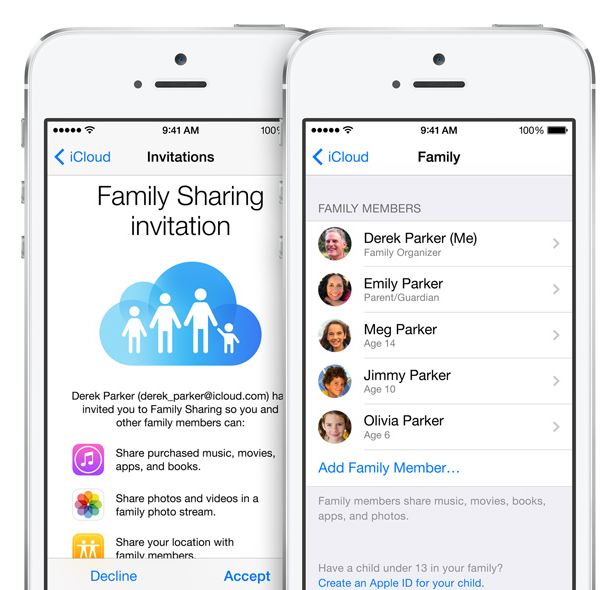
Apple’s innovative Family Sharing lets you share your apps with up to 6 different people so they can enjoy all your apps without buying them on their own. The new feature will be connected through your credit card to their account. But don’t fret about the privacy settings, iOS 8 will require a consent from you before anyone cause use the privy information.
App Store Makeover
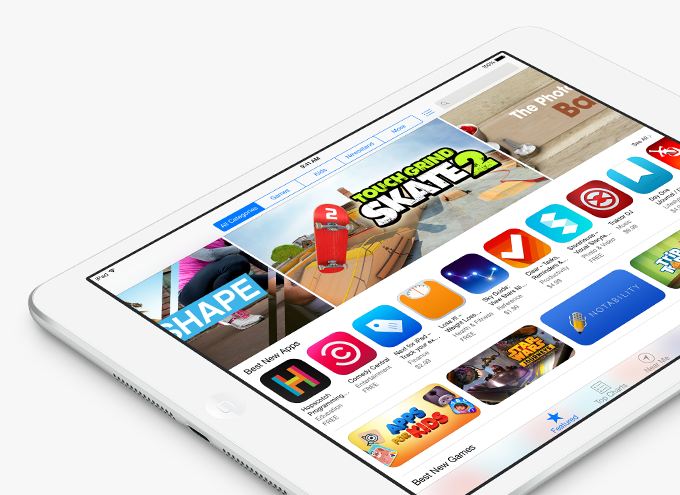
One of the most exciting new feature in iOS 8 is the updated App Store. It has new searching features and they’ve also added categories for easy excess. They’ve added the facility to create video previews of their apps, so you get a better idea what you’re buying, and if you’d like to test new apps, the new TestFlight feature gives developers the ability to propel you access. And yes, there’s finally providing “App Bundling”, so you can get big deals on a number of apps at once.
Siri Becomes Cooler
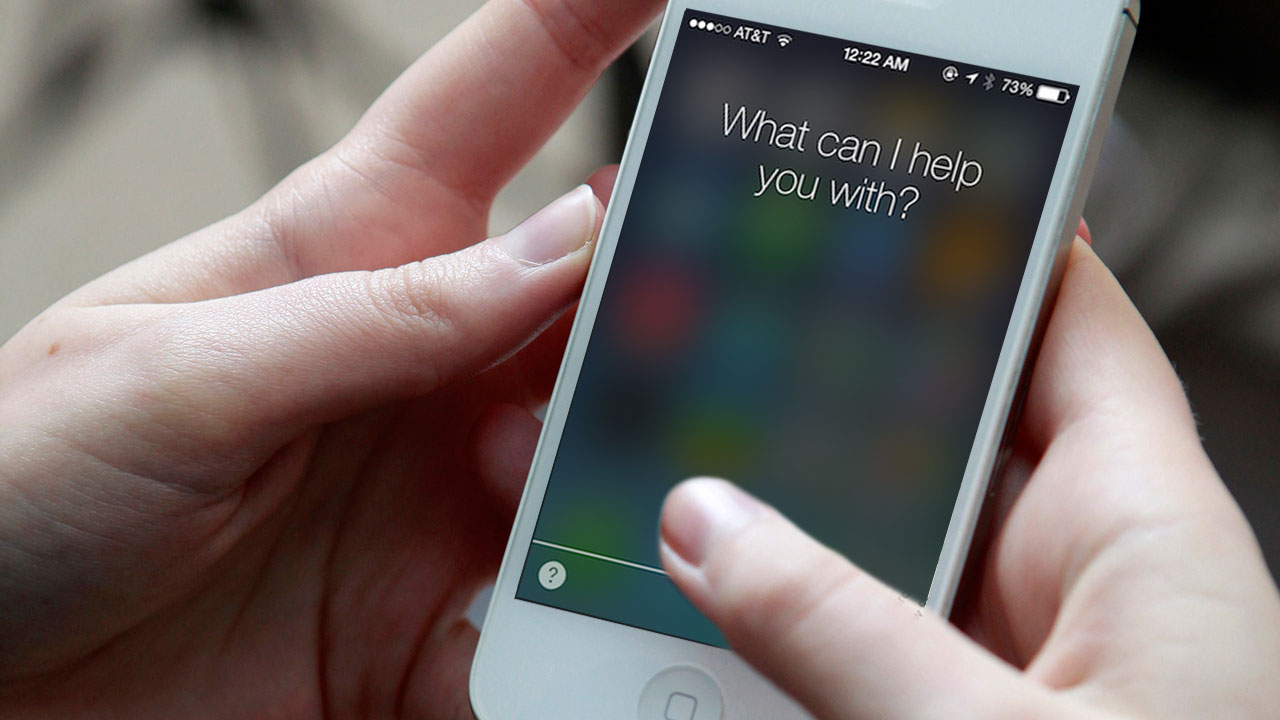
Siri can now be activated by saying “hey Siri,” rather than pressing the home button. She can now understand more languages and accents. The best part? Apple has gone ahead to integrate a music-recognition feature, so you can know which tune is being played instantly, without wasting time to open an app. You have the option to download the song instantly from the iTunes, and if you’ve installed Shazam, you can save the song in your tabs.
Last Bits of Improvements
Some of the last bits of new features include: iOS 8 allows you to directly reply to your messages from the NC panel, Touch ID can now be used with third-party apps so you not at all have to enter your password again, phone calls can be answered from your Mac, and AirDrop is now attuned with iPhones and Macs.
Like it always happens, the features of iOS 8 Beta 1 are subject to change, but based on the specification of WWDC’s offerings and the added APIs for developers, iOS 8 will be an exciting update once it’s accessible for users later this fall.
The Mac OS X Yosemite is out and for the first time mobile devices and computers can interact seamlessly across the Apple universe. You can trust Apple to learn from existing technology and create a refined version, with some sweet graphics and names added to it.
The possibilities on the Yosemite may be revolutionary. Of course they took their “inspirations” from existing technologies, but what they have come out with is indeed progressive for the entire industry.
After taking a departure from naming OS X after the big feline family, the naming conventions for the OS X will now be based cities of California, starting with the Mavericks. BTW, we do agree that OS X Weed was a pretty chill name for an OS but Yosemite does just fine.
We will now tell you why you should get really excited about the OS X Yosemite’s connection capabilities.
Seamless Interconnectivity Between Yosemite and iOS
Connectivity never seen before
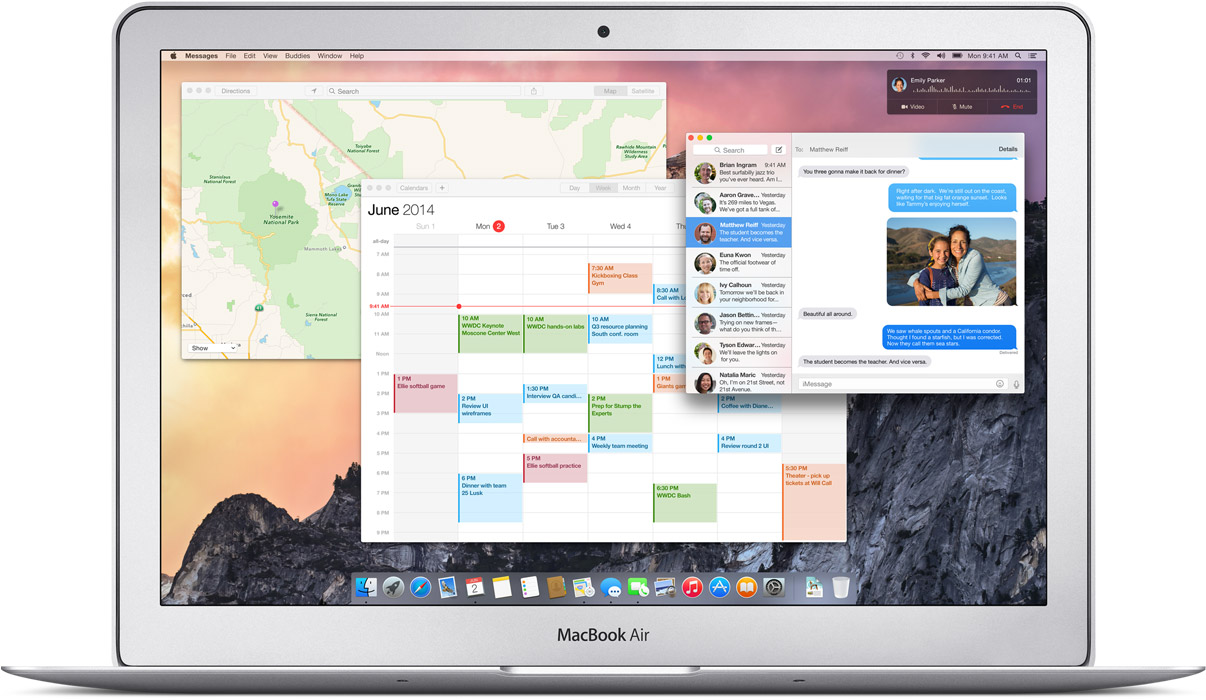
Apple has absorbed the value of “Continuity” based apps and has given it the Apple spin. Using the benefit of their conformed device ideology they are able to do multi device interconnection way more easily than others. Apart from giving Airdrop the ability to work between the iOS and the Mac they have added an ingenious new feature called the Handoff.
Handoff:
Handoff set a milestone in terms of inter-connectivity
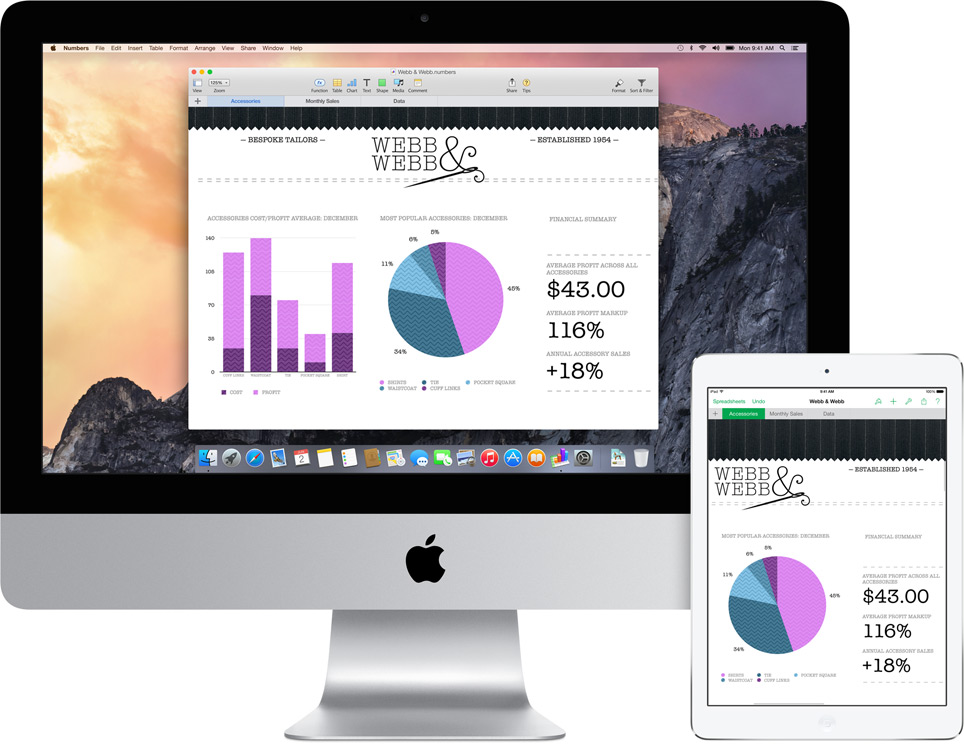
This is definitely a feature that will shut up the critics of Apple’s proprietary controlled devices. It gives you mirrored access across all Apple platforms for instant access. For example, the iPad recognizes what you’ve been working on and prompts you about it. You can stop working on the Mac, pick up your iPad and start working on your project right way without a second of lag.
There is no need for third party apps. There is no need to open a cloud app and download the file, it’s always there.
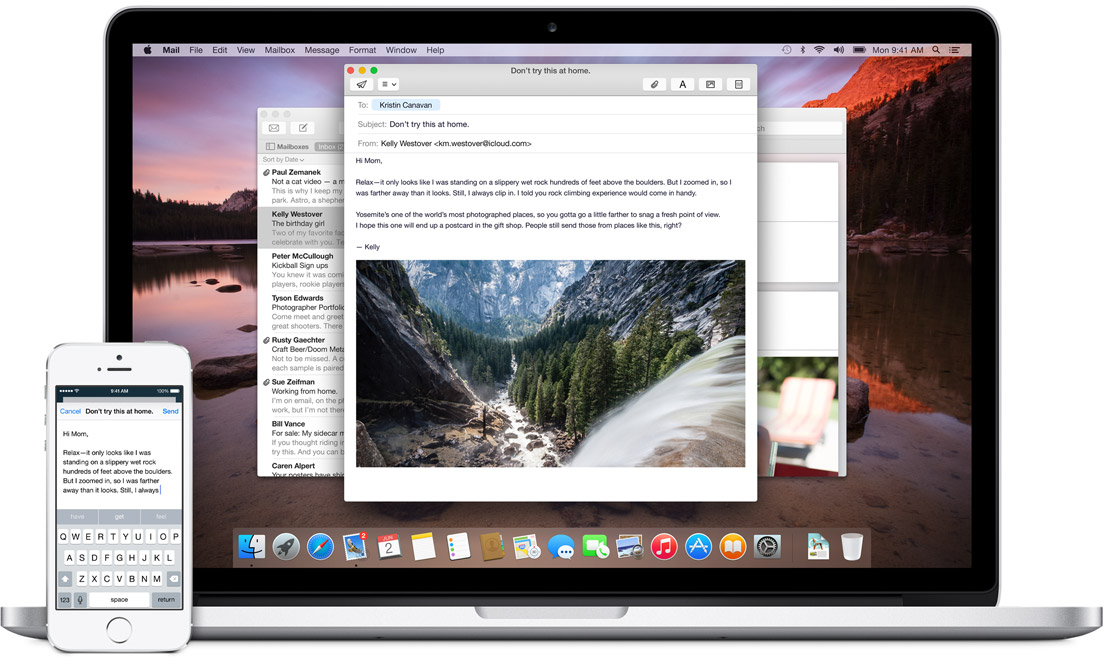
Not impressed yet? then check this out; you can start working on an email on your iOS phone and your Mac will recognize it and ask you if you want to work on its bigger keyboard. Who would not love that?
It is this ease of access that other hardware and software manufacturers should aspire to achieve.
Instant Hotspot:
Effortless Wifi tethering through the iPhone
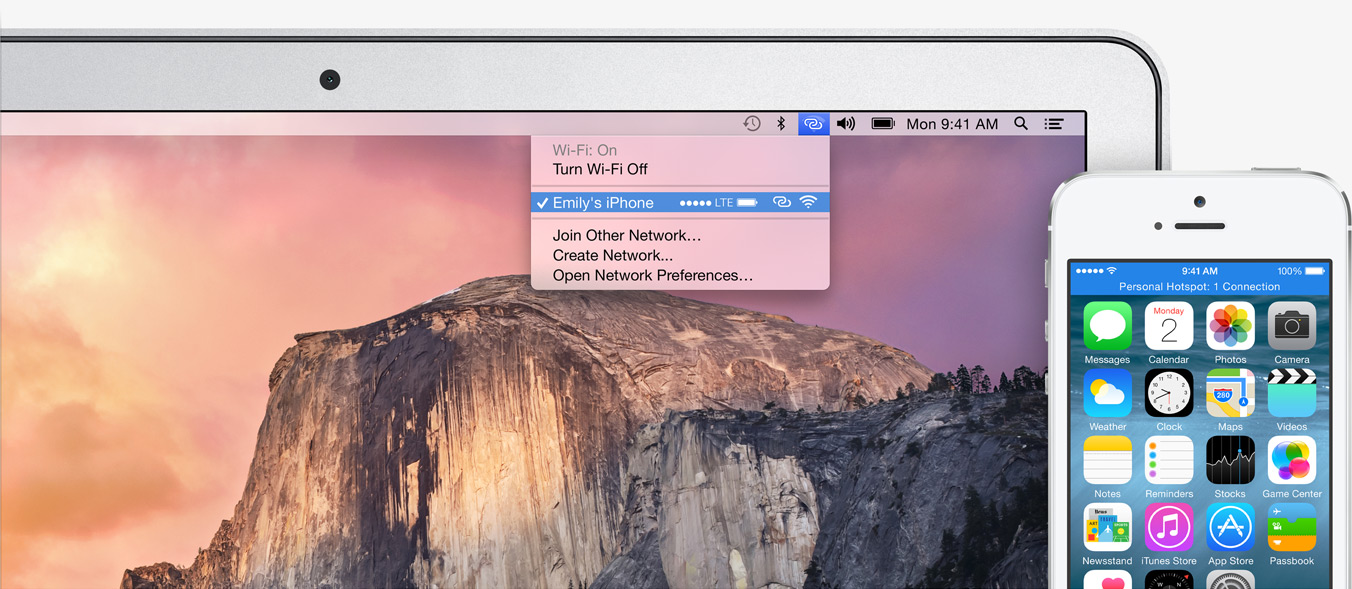
This will be a rather helpful feature for folks constantly on the move or have irregular access to a Wifi connection. The Mac’s wifi identifies your phone and without any configurations sets up a hotspot with the phone and voila, you are connected.
SMS and Phone Access from Mac’s:
This is definitely the future of interlinked digital devices. Apple definitely was to be the first company to benefit from this because of its enormous hardware ecosystem.
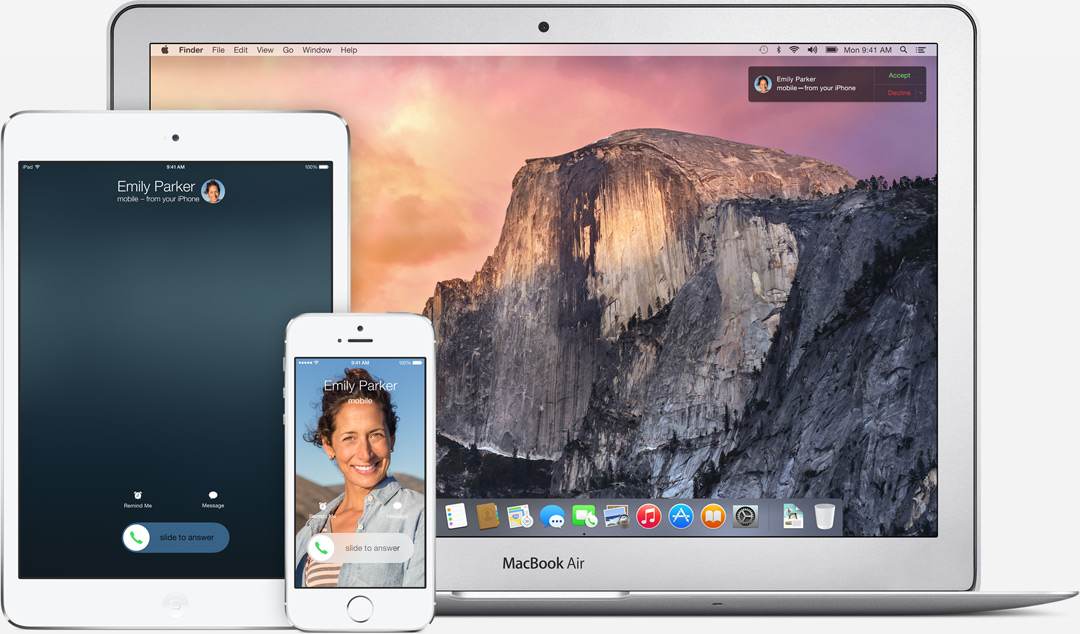
SMS can now be answered from all Apple devicesPhone calls can now be received and answered from all Apple devices
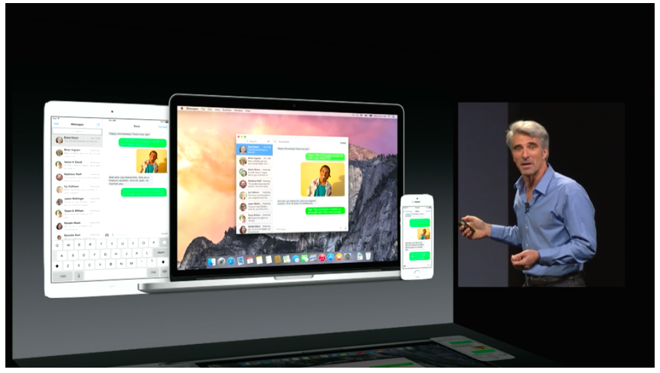
With the SMS and Phone integration in the Yosemite, you can send and receive text messages as well as phone calls across all Apple devices. Not just that, you can also dial a number you see on a website right away from your macs.
iCloud Drive:
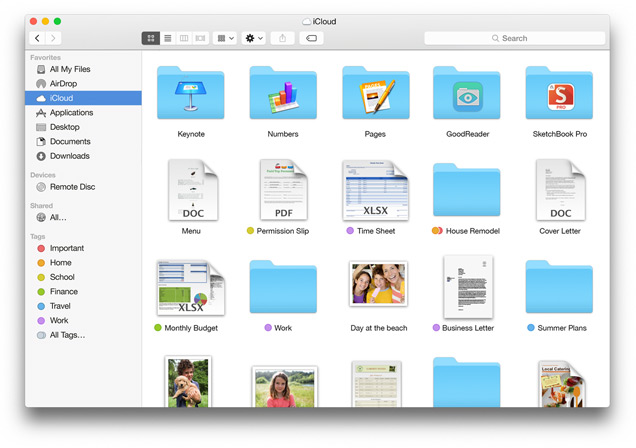
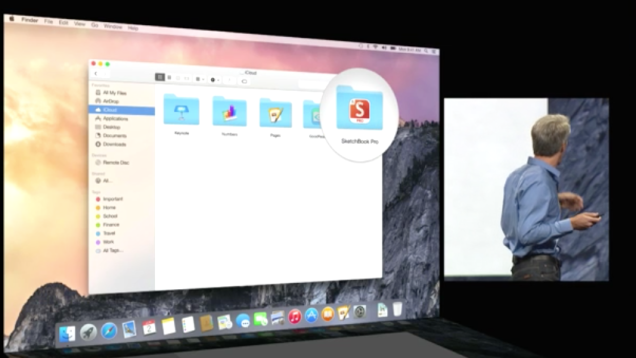
The iCloud is built in the Finder itself so you don’t need third party apps like Dropbox or Google drive. These apps and files will appear in the exact form you have customized it on any of your devices. Here is something to cheer for the iCloud drive, it works on Windows too (Truly Winning.) The apps you use also get individual folders on the drive.
Cloud to the next level
This update has the potential to fulfill Steve Jobs dream of destroying the Dropbox. (First the Android and then the Dropbox, Jobs sure wanted to kill a lot of jobs.)
Mail:
Maildrop is an interesting feature. It allows you to instantly send up to 5 GB(yes, you heard that right) from one Apple account to another. What it really does is use the iCloud as a transfer medium for the attachment to bypass size restriction on the mail server on receivers end. It will simply show up as an attachment may whatever be the size on the mail app. On a non-Apple PC, you will receive a link to securely download the file from iCloud.
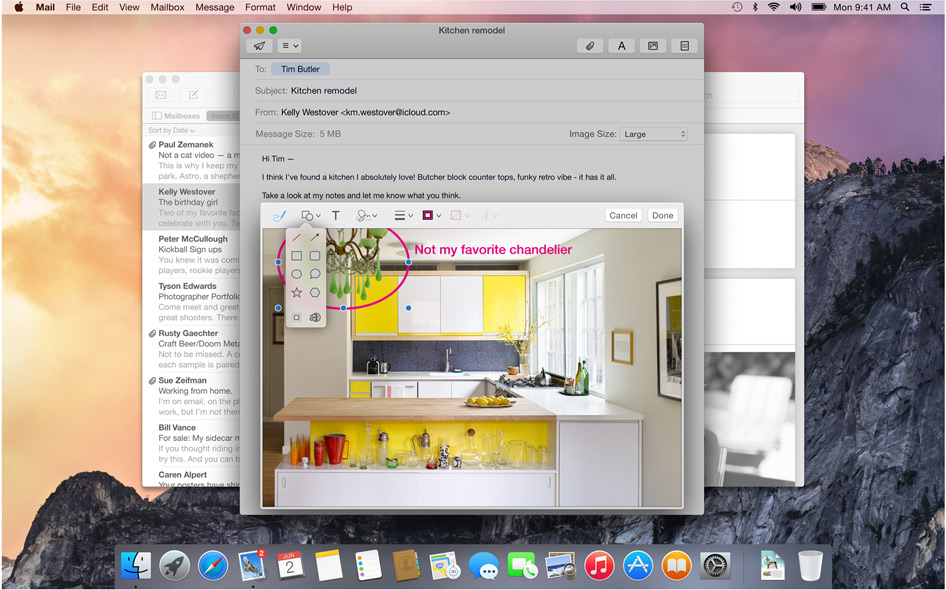
We needed Markup, we just didn’t know
Markup feature allows you to add annotations or write texts on Jpegs. It even lets you sign PDF’s right in the mail itself. The feature also recognizes the hand drawn symbols and gives them a digital look instantly.
Safari:
Visual and Functional Reconstruction of Safari
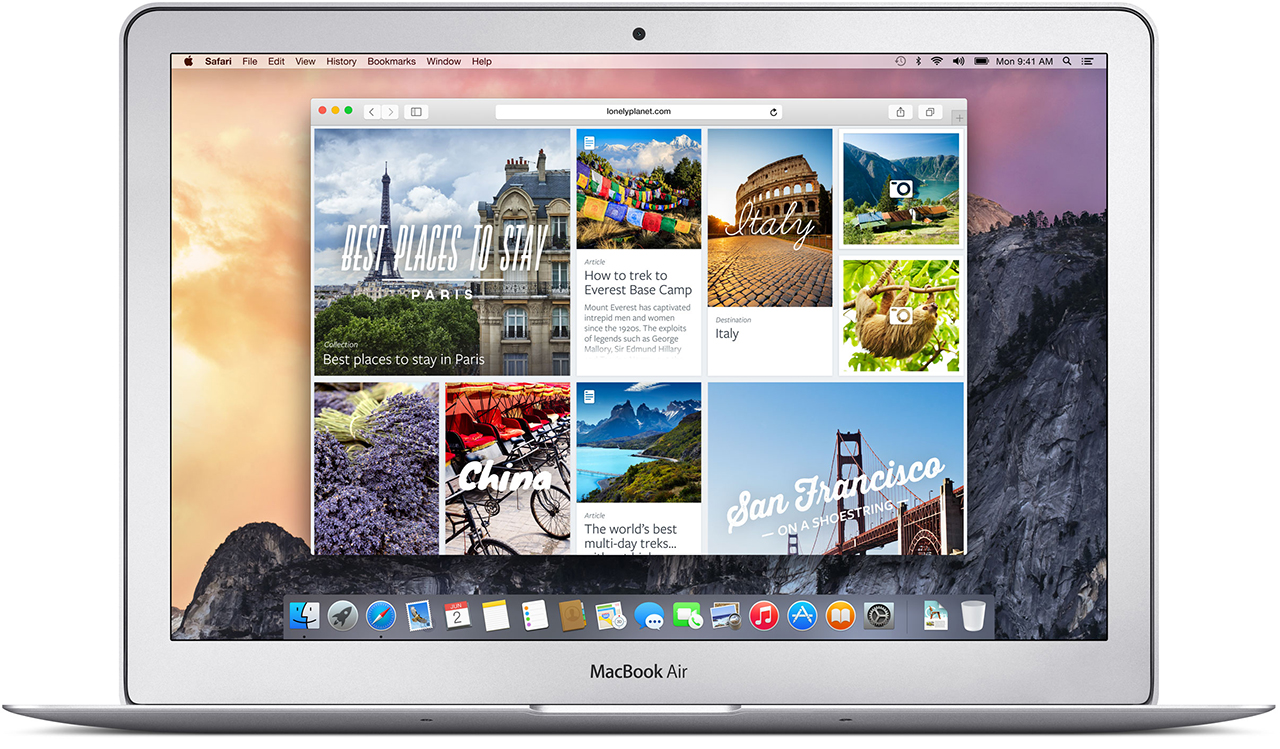
Safari has got a visual renovation with a sleeker look. The browser now has a slimmer address bar to maximize browsing area. The favorites links can be accessed by clicking on the search bar. Safari is now integrated with spotlight searches to give better results and undermine Google even in the browser where it has thrived since its inception.
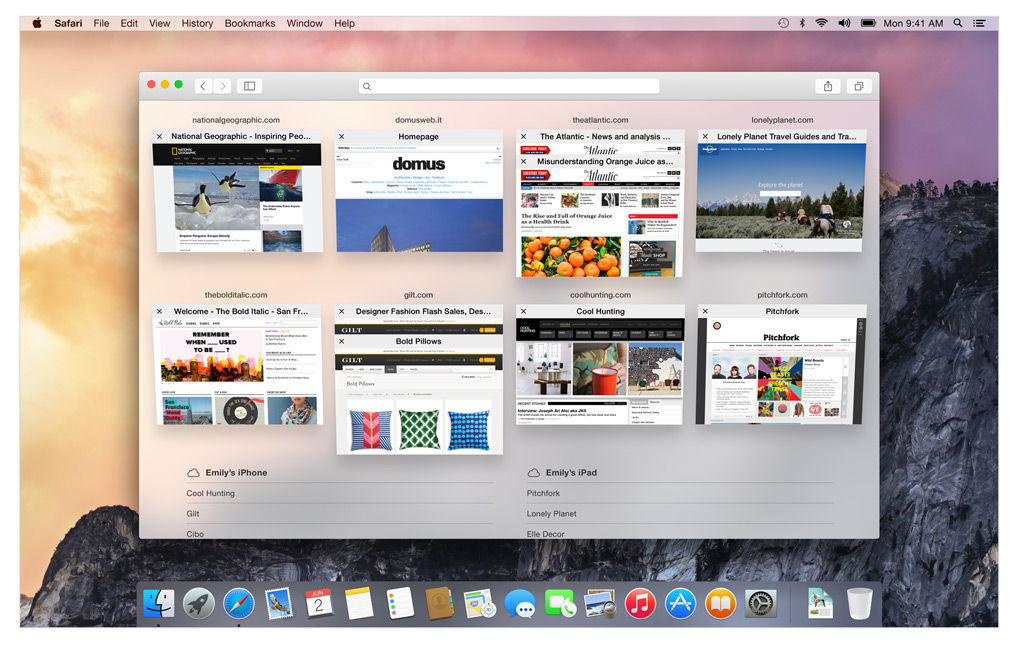
Tab view makes internet browsing simpler
The Tab View is without a doubt the best feature on the new Safari. This gives a bird’s eye view of all the tabs and by organizing each tab according to its corresponding website it gives a cleaner and more efficient browsing experience. As has been with Apple, the animations are impressive.
Spotlight:
The only search you’ll need
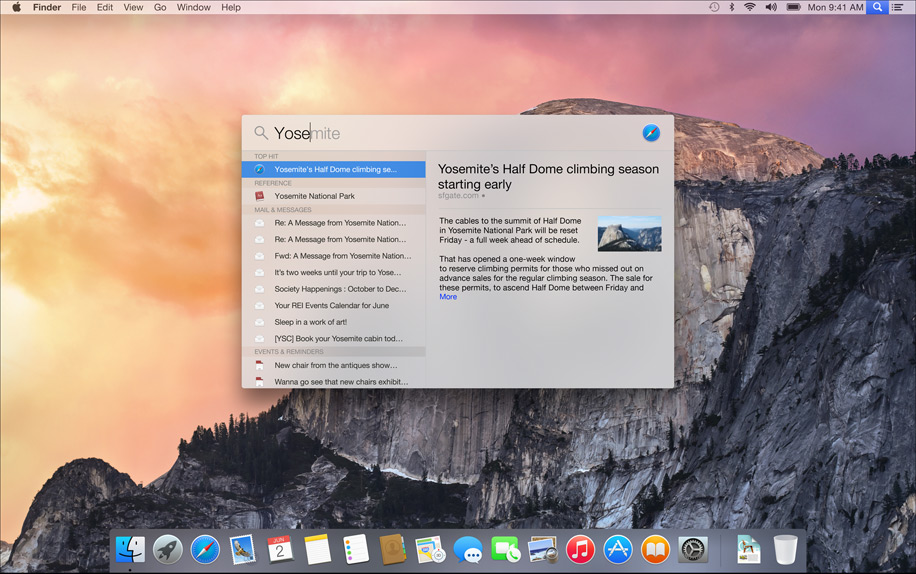
This is also where things got interesting, its almost like Spotlight got an adrenaline shot. When the magnifying glass icon is clicked a search bar opens in the middle of the screen. It is a fast and convenient way of opening Apps and files. While searching for a file, spotlight gives a preview of the content of the document.
Not just that Apple has integrated the internet sourcing ability on the Spotlight. This allows more in-depth search results for your query and would completely make Google obsolete on the Mac.
Spotlight can also be used for instant conversions and much more. This added utility will be really easy to get hands on and quite possibly make you wish your other systems had it too. It is essentially a one-stop shop for instant information.
Design:
Clarity is added through Translucence
Translucency is the key element inducted into the Yosemite. From the Docks, it is especially noticeable in the drop down menus and the finder. New toolbars and windows are giving it a fresh new look. The dark mode indeed looks enticing to start using right away.
The clean and consistent design throughout the OS gives a sense of, dare I say it again, continuity which will be really appreciated during extended uses.
The new Today view in Notification Center gives you a quick look at everything you need to know now — upcoming events, reminders, stocks, weather, and more. It is really handy and reminds you of the notification panel on the iOS 6 and 7. You can extend the panel to add widgets from the Mac App Store to customize according to your needs.
ITS FREE:
Yes, it is free, the most featured packed Apple OS is releasing this fall and it is for FREE. Not just that, there is also an update that’s gonna get a lot of people excited. Apple will let you be a part of the Public Beta program for the OS X Yosemite. Though there will be some glitches, but it will give the fan-boy a feel of being an Apple developer.
Conclusion:
In the 25th installment of the WWDC, Apple made a good bet of focusing only on its two operating systems and interlinking them together. This was one of the most feature intensive update in a long while. This will be a revolutionary idea and we will probably see all the Apple competitors trying to provide better integration across multiple platforms on the lines of the Yosemite. It’s time that the Apple naysayers should take a break and introspect about what they are doing with their lives.
Simply clicking a photo and posting it? That’s an old story now. Smartphones are becoming smarter and so are our day to day lives with it. These days, app stores are flooded with photo editing apps that offer you range of filters and smart editing options. But choosing the best one from these option is a hard task. So, we have assembled a list of the best photo-editing apps for you to use on your smartphones.
Photoshop Touch
What a surprise, Photoshop tops the list. But before you get your hopes up too high, you should know that this app doesn’t come close to the power of its desktop counterpart. You can do some of the basic Photoshop things like working with layers. However, it’s mixed in with more conventional mobile photo editing features like filters and mild adjustments like color correction. There are some cool features like camera fill and using Adobe Creative Cloud, it is compatible with the desktop version Photoshop.
VSCO Cam
If you’re looking for a smooth app that has gorgeous effects and features, VSCO is the one for you. VSCO has great presets, cool features like viewing before and after photos, and a wide range of filters. A lot of people seem to prefer it over Instagram. The app uses a grid scheme that allows you to publish your photos. It is sleek and easy to use. It only launched on Android recently, after premiering as an iPhone app, so there is still certain adjustments to be made. Features like separate exposure and focus locking are not yet included. Everything here is simple and works well, even if they don’t have a million extra features.
Photoshop Express
Another one from Adobe, this app is one of the most user-friendly photo-editors I have used. Simple and spontaneous, Photoshop Express lets you make the essential adjustments to crop, exposure, color, tint, hue, saturation, contrast and levels with ease. You can add many of the classic filters from Photoshop, including “Lens zoom,” “Grain” and “Glow.” And it’s free so, if you don’t already have it, you should be downloading it now.
Cupslice Photo Editor
Cupslice is a photo editor with a little more skill and buff, even if the features aren’t as heavy as some of the others I have listed. It comes with over 50 effects to start along with your basic editing tools. It also includes a number of stickers you can add to photos and that number gets updated every week. It’s a nice, simple app that should suit the needs of most people.
Photo Editor by Aviary
Photo Editor by Aviary is a very specific and composed photo editor. In addition to the most popular features such as filters, stickers, frames etc. This photo editor by Aviary provides you with addition features such as red-eye correction, tooth whitening and many more. It’s fairly amazing app providing solution to pretty much every problem with your clicks. This straightforward app would be useful addition to your smartphone.
Apple’s new iOS 8 comes with a brand new keyboard that will predict content and learns the phrases you use most and fills them in. The new Keyboard isn’t actually new, and Android users have been enjoying this with SwiftKey and many other forms of Android Keyboards.
However, for iOS users this is something people have been asking for a very long time. the keyboard studies your messages and conversation patterns and delivers options based on that. Its about time we say!
Update: Apple has also announced that 3rd Party keyboards will be allowed to be installed onto your iPhone/ iPad (Finally!). So you can now finally get the Swype keyboard you always wanted.
Apple has just announced a new Mac OS at WWDC 2014, dubbed Yosemite, with great new feature and visual enhancements. However one new feature in the new redesigned Mail for Mac is taking a straight dig at Dropbox. Now with MailDrop every time you send an email with a file larger than the recipients server can accept, apple will automatically upload the large file to iCloud and create a download link for the user on the other end.
Unless the recipient is on a Mac, who will then see the attachment in MailDrop like a regular attachment, if you open it on a PC you will get a simple download link. The attachments can be unto 5 Gb in size and the service comes free.
The new iCloud drive lets you dump images or whatever files you want to to your online cloud, with access available on iOS and Mac. Basically urging all iDevice users to dump third party services (aka dropbox).
Your health is in your hands. Seriously, it’s right there—or it can be, in the form of flashy petite apps downloaded to your smartphone. But with so many options to select from, it can be hard to know which apps really facilitate desirable results. At a time when storage space is dear and your vigor even more so, we’ve hand-selected fitness apps and games intended to help you facilitate a healthier you. Here is to using our phones to get fit!
Fitness Point Pro: Is a simple app, made for gym rats who are dedicated to follow a fitness regime. A paid app, this would a super cheap replacement of your trainer. By downloading the app, you get access to a database full of exercises as well as a detailed description of each exercise with animation. The animations being the main selling point.They ensure you follow exercises correctly, steering clear of injuries. This app also encourages you to create new workouts, as well as suggests combinations. And you receive a calendar view of each and every log, not to mention both day and month views for training and exercises.
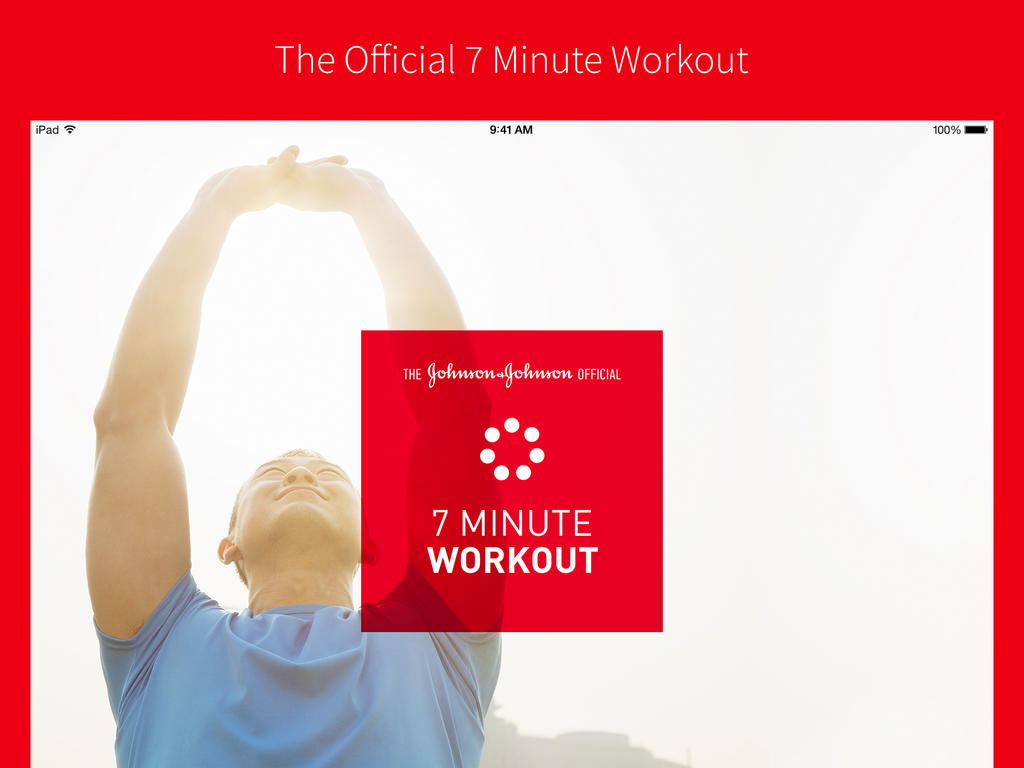
Johnson & Johnson Official 7-Minute Workout App: This app is one of most user-friendly app you would ever use – it has 36 exercises, 13 pre-designed workouts, and a custom workout feature to help you design your own 7-minute workout. You can choose the length of rest intervals, the number of times you want to run through a particular circuit, and tunes from your personal music library to further personalize your session. And with audio and visual instruction, you’re sure to get in a good workout anywhere there’s a floor, wall, and a chair.
Zombies, Run! 5K Trainer: This app is one of my favorite app in this list, nothing related to it’s name. Okay, we’re lying. The app works exactly the way it reads. Can you think of any better way to train for that 5K than to flee from hordes of zombies? Part interactive horror flick, part personal trainer, this app guides you through interval training while involving you in an apocalyptic story through which you’re meant to save humanity over the course of eight weeks. It’s a great way to keep yourself motivated, while having a little flesh-eating fun on your way to a win.
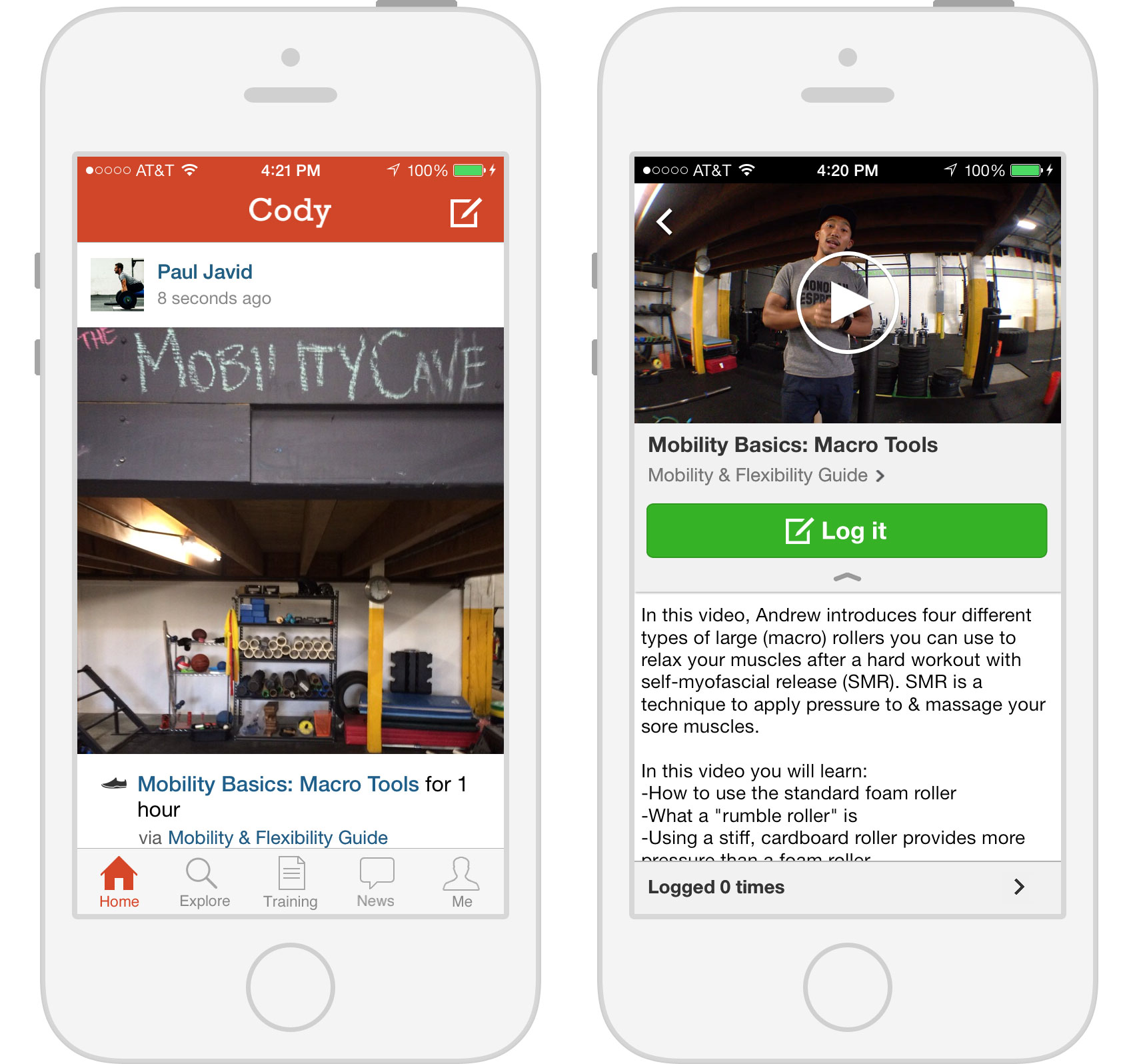
Cody: This one uses a strong social element to motivate its users to stay fit. Why do get fit alone when you can get fit with friends? Cody offers users inside connections to a fitness community where they can share and discover workouts (complete with video, photo, and text instructions) by following new and old friends. Users get their own cheering section! Friends can like and comment on each other’s workout activity. Cody also allows users to track their progress via a timeline packed with stats and highlights.
Fitocracy Macros: It’s way more than just a regular calorie-counting app. Fitocracy Macros tracks the calories you take in from macronutrients (protein, fat, and carbs). This macro-centered strategy is supposed to help prevent the low energy, hunger, and crankiness that other diets cause. Plug in your stats, body type, fit goal, and you’re set! The only downside is that you’ll have to research how many calories are actually in the macros you munch on, but that aside, it’s a simple and easy app that helps you reach your dieting goals.
Music games are great for parties with close friends who won’t judge you when you totally tear down that one riff in David Bowies’ Let’s Dance. But they do have one weak spot: you can’t play them without all the plastic instrument accessories, making impulsive sessions at a friend’s place somewhat of a chore. The creators of Sony’s SingStar series have found a solution for that.
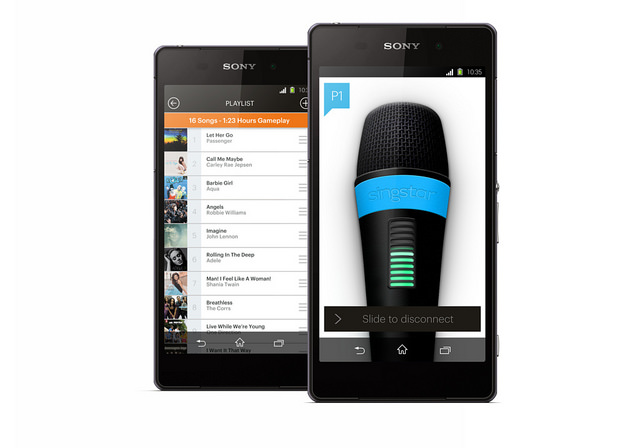
To celebrate it’s 10th anniversary, the SingStar franchise is launching a new app that enables you to turn your phone into a microphone. SingStar Director Chris Bruce wrote on the playstation blog, “We’re really pleased to announce that SingStar will be coming to PS4 later this year. Not only that but we will also be launching a free SingStar app that will transform your smartphone into a microphone. That’s right, no more mics required!”
The app works with both PS3 and PS4 versions and is also compatible with most iOS and Android smartphones and devices. The app also lets you create your own personal playlists.
The karaoke party game series previously required players to use USB microphones to sing along and compete against friends. Later this year they have promised SingStar: Ultimate Party on PS3 and PS4, which will host a collection of 30 tracks, which represents great value for anyone new to SingStar. Players will be able to select playlists directly from their phones as well.
With its improved scoring system, you can also build up your XP and get rewarded for game activity, or challenge your friends online and entertain them with renditions of your favorite songs,
SCE London Studio is working to expand SingStar’s social features by making it easier to share the best bits of your night on Twitter and Facebook straight from the game. They have also promised to continue adding new tracks to the SingStore. Though the release date for its forthcoming upgrade has not been announced.
Check out the new trailer featuring Carly Rae Jepsen’s Call Me Maybe.
Mark Zuckerberg, Facebook’s chief, has been supervising a top-secret project after failing to woe Snapchat’s creators Evan Spiegel and Bobby Murphy to sell. Facebook knew Snapchat had an edge and wanted to pick up the startup last year for a reported $3 billion. But that number didn’t affect Snapchat as it continued adding features to the app that made people want it more.
Last month, it updated the app (with wild success) to include video chatting and text-based messaging as well, thereby fully deploying its messaging store without losing its core feature – all communication from Snapchat still get deleted after a short period.
Facebook is now working on its own private sharing app called “SlingShot”, which would primarily be a video-based service. But can it dethrone Snapchat, which already has a big user base, longer market exposure and exciting features?
The one area where Facebook can truly capitalize is by going after Snapchat’s weaknesses. One of them is that the app had to pay a large settlement in a lawsuit which alleged messages don’t get destroyed permanently or immediately. Snapchat agreed to the charges and decided to settle with the FTC. Currently it’s credibility is lost and there’s definitely a bit of stink attached to the app at the moment. Facebook has this moment’s window to make their play, by releasing a completely secure, self-destructing chat service.
Facebook’s supposed SlingShot app will upset Snapchat’s growth course, but to what degree is presently unknown. Facebook could do maximum damage by bundling it with its Messenger, rather than releasing it as a standalone app. This added feature would go a long way towards ensuring more engaged users.
Slingshot takes a different approach. It is said to resemble TapTalk, a new video-messaging app from Berlin-based Wit Dot Media released last month, in which users tap or hold a contact’s profile picture to instantly send a photo or short video, which can be viewed only once by the recipient.
Private messaging is a big portion of all smartphone usage. One thing is certain: Facebook will have a enormous user base to tap into with SlingShot and the numbers dwarfs Snapchat’s active user base. So if SlingShot is any good at all, it may be worrying days for Snapchat.
There’s a slight possibility that in next five years, we will not need pins and passwords to access any of our accounts. Instead, we simply need to look into cameras or speak into the device’s microphone and the work is done.
While we wait for that, we are stuck trying to manage multiple passwords. There’s a way out – thank god for companies attempting to providing us password managing apps to make our life much easier. This way you only need to remember one complex password to excess your secure website, credit card information and even documents that you keep inside encrypted data. Here are some of the best password manager available in market that can make your life easier:
LastPass
If you’re starting from scratch, chances are good you’ve used your browser’s built-in password management feature. LastPass will import those passwords, delete them from the browser, and turn off the browser’s password management. It provides various in-app features like automated form fill-out, allows for import and export, and permits sharing of passwords through the Internet (a better alternative than using plain text email, which is insecure). It also lets you create and keep simple notes, generate complex passwords, and create a USB key using Google Authenticator Support.
Price: Free for desktop, $12/year for mobile
Password Genie
Password Genie extends beyond passwords and PINs, serving as an information management app. It is especially useful for travelers. It can be installed on up to five PCs or Macs and can sync between devices, including Android and (soon) iOS. It automatically saves login credentials and replays as needed. It have option to lock automatically after inactivity and very effectively handles password change and new account signup.Password Ginie can stores a wide variety of personal data and automatically fills web forms. Built in live-chat and remote-control support is also available.
Price: $19.95/year (free 30-day trial)
Dashlane
Dashlane promises instant logins and checkouts. Offering many features that extend beyond password management, Dashlane incorporates social into its product by use of a points system that rewards you for securing passwords or storing online receipts. You can then use the points to unlock premium features, get free iOS apps and more. Dashlane facilitates online shopping through use of easy-to-understand color-coded information, enabling users to complete online transactions by clicking a few tabs. The basic version offers all the features of premium, but with limited support, a limited number of notes, and no mobile help. The premium account also includes all future premium features. Version 1.6 introduced Dashlane Courier, a secure way to transfer confidential data.
Price:$4.99/month or $39.99/year
Security Everywhere
Security Everywhere, made by mSeven Software, is a sync and security architecture that integrates with third-party cloud storage services. Currently, it only integrates with Dropbox, but according to the company’s website, support for iCloud is in development and other cloud systems are under consideration. Security Everywhere uses industry-standard 256-bit Blowfish encryption, 256-bit SHA password hash, file compression and enforcement of minimum sync passwords to keep data safe even if your Dropbox account is compromised. mSecure’s password manager comes with 17 standard templates for Web logins, credit cards, email accounts and frequent flyer numbers. You can also create custom templates with an unlimited number of fields. The app allows you to categorize records into groups and mark favorite records for fast access. The password generator creates stronger passwords that include symbols, upper- and lower-case, alpha-numeric combinations and more.
Price: Desktop: $19.99, Android and iOS: $9.99
Norton’s Identity Safe
Well-known security tool vendor Norton offers Identity Safe. Along with standard features such as support for multiple browsers, iOS and Android support, a form filler and unlimited notes, Identity Safe includes Safe Web, a browser extension that alerts you when a site might not be what it appears to be. Norton Identity Safe is a free download, with no premium upgrade, but you’ll need to link it to a new or existing Norton account.
Price: Free for desktop, iOS and Android
1Password
1Password is perhaps one of the most widely used password managing apps. It captures and replays passwords in IE, Firefox, Chrome, and Safari and can generate strong passwords. It manages many categories of personal information while syncing with multiple devices by storing password database in Dropbox. It has a very effective password rating security. 1Password stores more personal data than most password managers, but only some of that data is available for form filling. It handles password capture and playback well, but differently from browser to browser. It’s works decently well, but you can get the same functionality from popular free tools.






 It is an online spelling and grammar checker extension. Ginger proofreads your typing and cleans up your mistakes with a simple click. The extension integrates itself with the browser’s interface and works in text input fields. Whether you type in a misspelled word or use bad grammar, the extension underlines the mistake. Right-click the word, and a small popup will open, listing alternate word suggestions for incorrectly spelled words or the correct word itself, in the event that you’ve used the wrong tense.









 365Scores