Tag: Android

  • App of the Week: Pintasking

    App of the Week: Pintasking

    Move over, Apple, Android has arrived with its own multitasking app called Pintasking, that creates bubble shortcuts on the homescreen allowing users to switch between favorite apps and webpages, quicker. The app was launched last month and has since seen positive reviews.

    Pintasking

    Pintasking uses Facebook Messenger-like bubbles which will stay in the corner of your screen or anywhere else according to your preference. You can pin apps and documents of your choice and switch between them with ease. You can even pin an app by pulling down the notification drawer and tapping on the “Tap to Pin” option. Once you choose the apps and websites you want pinned to your homescreen, the bubbles will appear on the right edge which you can reposition to your choice.

    Basically, the app works like a Windows taskbar that allows you to quickly access those applications that you use most often. You can have apps like Google Hangouts and Android Messenger pinned right there for you to switch back and forth. Another way to pin apps is by tapping and holding the Home button and dragging it up (an action that usually launches Google Now). You then open the setting of Pintasking and customize your pins. Once you’ve set it up, you can switch between two or more apps by pulling up the Home button. It works kind of like the Alt-Tab on Windows.
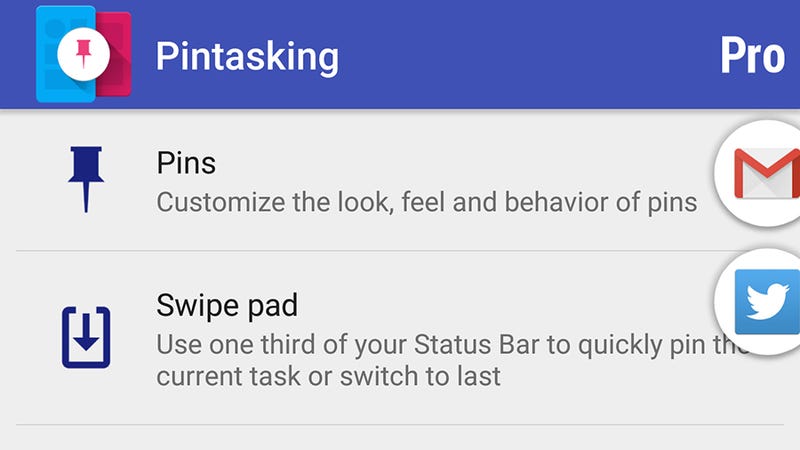
    Pintasking Gives Your Android Device a Shortcut Taskbar

    While the free version allows for only two pins and limits the way you want them to appear on your screen, it’s still enough for you to check out whether the app is worth your time and money in case you wish to go for the full features. Though Android already has a fast app switcher, we think this app adds an extra bit of speed which is always welcomed for smartphone users. You can download the app here and let us know whether it eases the way you use your phone or not. The app works on Android 4.1 and above.
  • HTC is Working on a Smartwatch Codenamed ‘Halfbeak’

    HTC is Working on a Smartwatch Codenamed ‘Halfbeak’

    Latest rumors suggest that HTC is working on an Android Wear smartwatch codenamed ‘Halfbeak’. The company has been associated with Android Wear from the very beginning. However, they have never entered into the smartwatch game, which has already been played by Apple, Samsung and LG, to name a few.

    From what we’ve gathered so far, the smartwatch will come with a round display, with a 360×360 resolution. HTC has shown keen interest in wearable tech since it showed off the HTC Grip earlier this year. The Grip is a sports band and watch, but does not run Android Wear.

    We have mentioned earlier on HTC’s big ‘dual-flagship’ launch scheduled to take place on the 29th of September. Chances are that the company may take some time out to introduce the watch on that day as well. Given that HTC delivers on beautiful smartphone designs, the watch could follow suit. We’ll just have to wait and see.

  • Micromax to Create Its Own Forked Android OS Soon

    Micromax to Create Its Own Forked Android OS Soon

    Micromax is now the newest company to start its own operating services and apps. Taking a cue from Xiaomi, Microsoft and Samsung the new OS, as reported, will run on all of Micromax’s devices.

    This project has been started by the new technology head at Micromax, Ashish Agarwal. This OS is said to be a platform developed on Google’s Android. The first few smartphones that will come with this OS are expected to arrive by the end of the financial year and will be affordable.

    Micromax co-founder Vikas Jain told ET:

    “We’re excellent with partnerships and we don’t want to reinvent the wheel,”

    The above statement has confirmed the fact that the new OS will not break away from Android. Micromax’s goal is to invest in software in order to differentiate itself without alienating its consumers and developers.

    Previously, we have seen Micromax tie up with Cyanogen for the Yu range, through a fully owned subsidiary. They are also investing in start-ups such as Healthifyme and MiMedia – services that can be integrated into their devices.

    Final reports suggest that the new forked Android OS is being developed in Bengaluru. Stay tuned for more updates.

  • Here’s a List of Handy Android Codes That  Show You Hidden Information

    Here’s a List of Handy Android Codes That Show You Hidden Information

    Our Android devices have a lot of information stored within itself which we need to access frequently. Knowing some shortcodes would definitely save your time,and also give you secret information like hidden camera details. You can even factory reset your device and backup all your data with one-click.

    The below given codes can be accessed through your dial pad very easily. While most of the codes would work on all Android devices, some of the codes are carrier-specific. So, it is not sure which one would work on your device, although most of them should.

    Check out the list below:

    Codes Function
     *#06# IMEI (International Mobile Station Equipment Identity) number – essential in case your device is stolen, and you want to block the thief from accessing your network
    *#*#7594#*#* Make Power button turn off your device without displaying menu
    *#*#4636#*#* Display information about phone, battery, usage and WiFi
    *#*#7780#*#* Factory reset (deletes app data and apps, not firmware)
    *2767*3855# Complete phone wipe, including firmware
    *#*#273283*255*663282*#*#* Back up all your photos and videos
    *#*#1472365#*#* Test your GPS
    *#*#1234#*#* Display phone firmware and PDA info
    *#*#232338#*#* Show WiFi Mac address
    *#*#8255#*#* Access GTalk Service Monitor
    *#*#36245#*#* Access Email debug info Email
    *#*#225#*#* Events Calendar
    *#*#426#*#* Debug info for Google Play Service
    *#*#759#*#* Access Google Partner Setup
    Android code
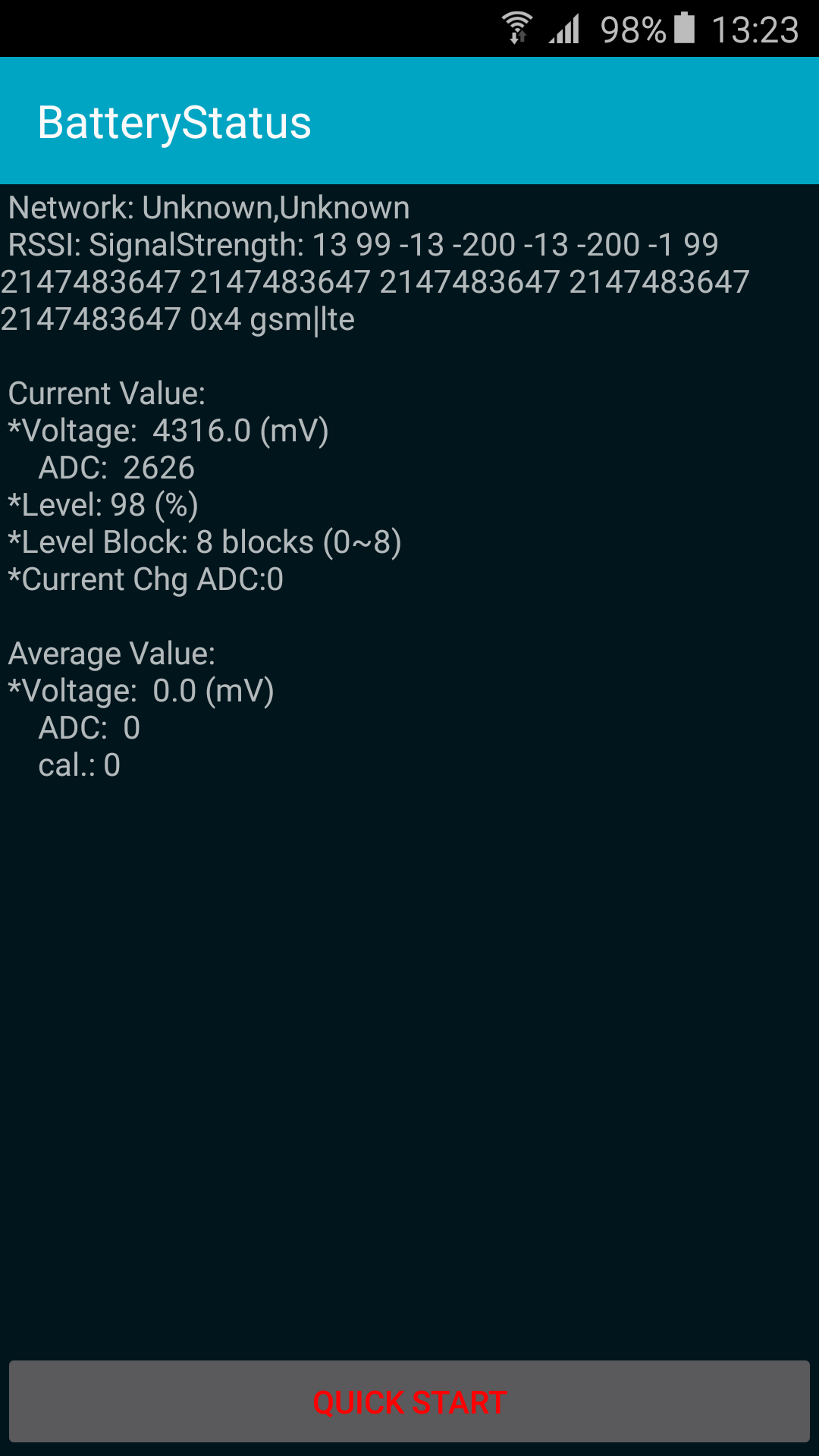
    By typing *#0228#, you can access the battery status of your Android device.

    While most of the codes are universal, some codes are very specific. You can check out codes for Samsung or HTC devices below:

    Samsung

    Codes Function
    *#*#34971539#*#* Show all camera information
    *#*#197328640#*#* Enable test mode for services
    *#*#232339#*#* Wireless LAN test
    *#*#1575#*#* Test your GPS (alternative to generic Android GPS test)
    *#*#0*#*#* Test your LCD
    *#*#4986*2650468#*#* Display crucial phone information (PDA, Hardware, firmware, etc.)
    android code
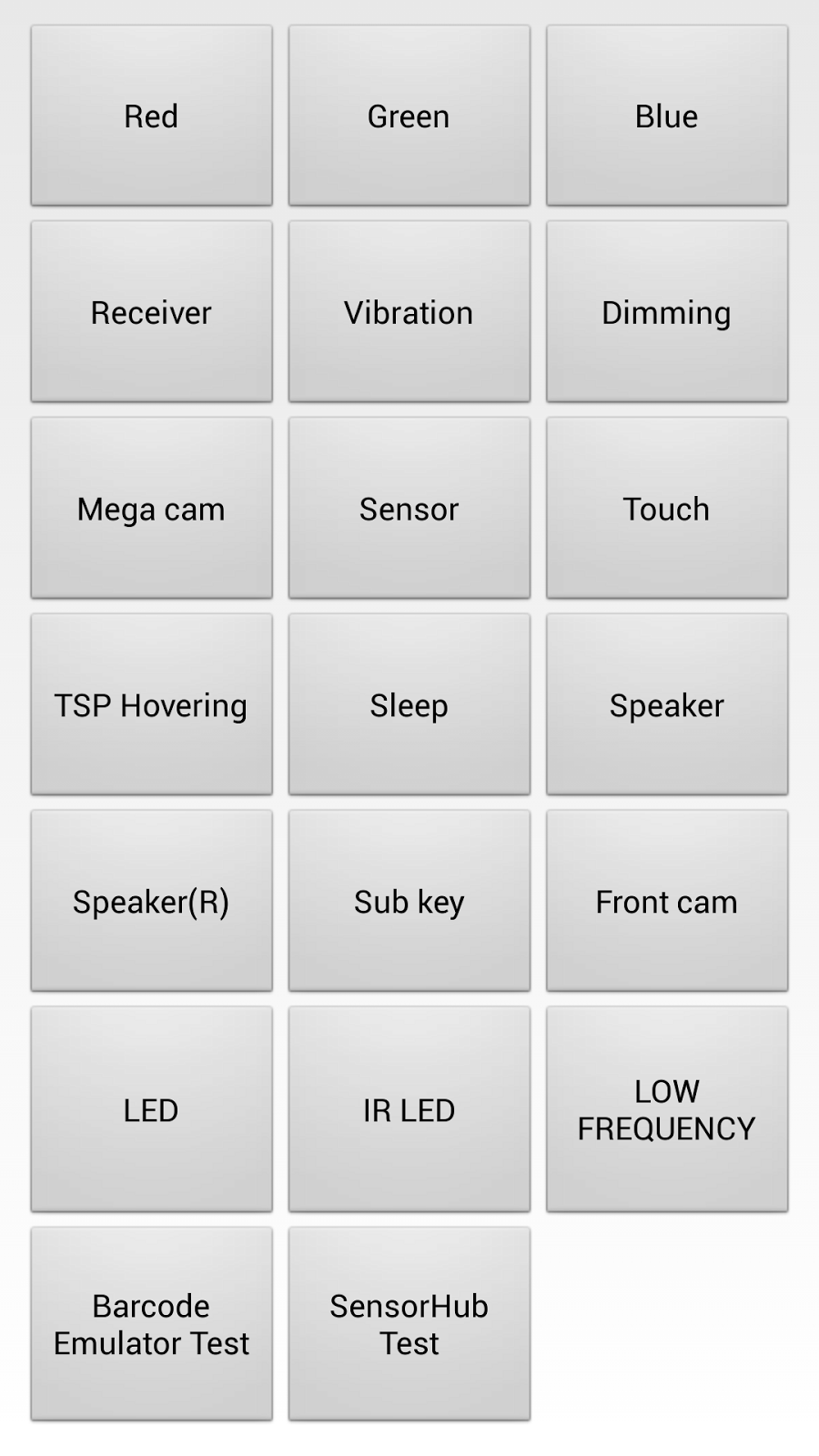
    Typing *#*#0*#*#* will test your LCD

    HTC

    Codes Function
    *#*#3424#*#* HTC function test Program
    *#*# HTC Info menu
    *#*#8255#*#* Launch GTalk Service Monitor
    ##3424# Diagnostic mode
    ##3282# EPST menu
    ##8626337# VOCODER
    ##33284# Field trial menu
    ##786# Reverse Logistics Support
    ##7738# Protocol Revision
  • Research : Almost All Fingerprint Sensors on Android Mobiles Can Be Hacked

    Research : Almost All Fingerprint Sensors on Android Mobiles Can Be Hacked

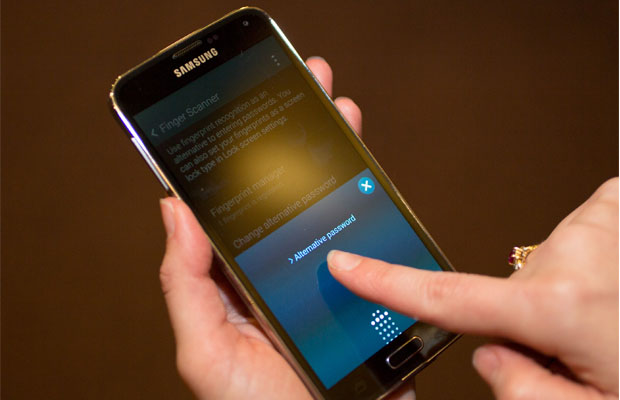
    New reports suggest that our fingerprints are not as unique and safe for security, as we might have otherwise believed. This makes almost all Android smartphones in the future susceptible to getting hacked. Studies by FireEye researchers Tao Wei and Yulong Zhang have outlined new ways to attack an Android device to extract the user’s fingerprint.

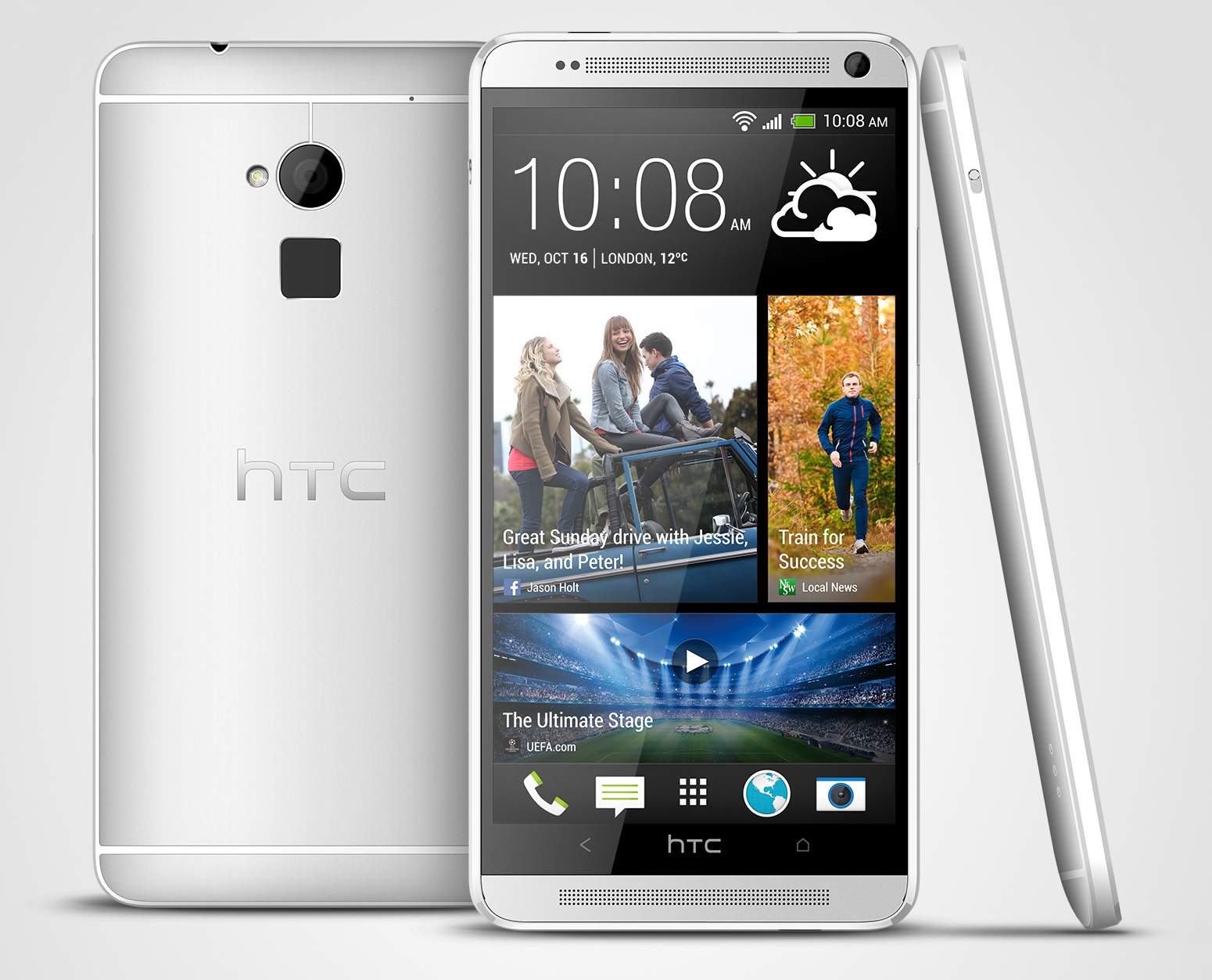
    HTC One Max

    As of now, this threat is said to be confined to Android devices like Samsung, Huawei and HTC devices. The research shows four outlines for these hacks, and one them called the “fingerprint sensor spying attack”, is said to be able to “remotely harvest fingerprints on a large scale,” says Zhang.

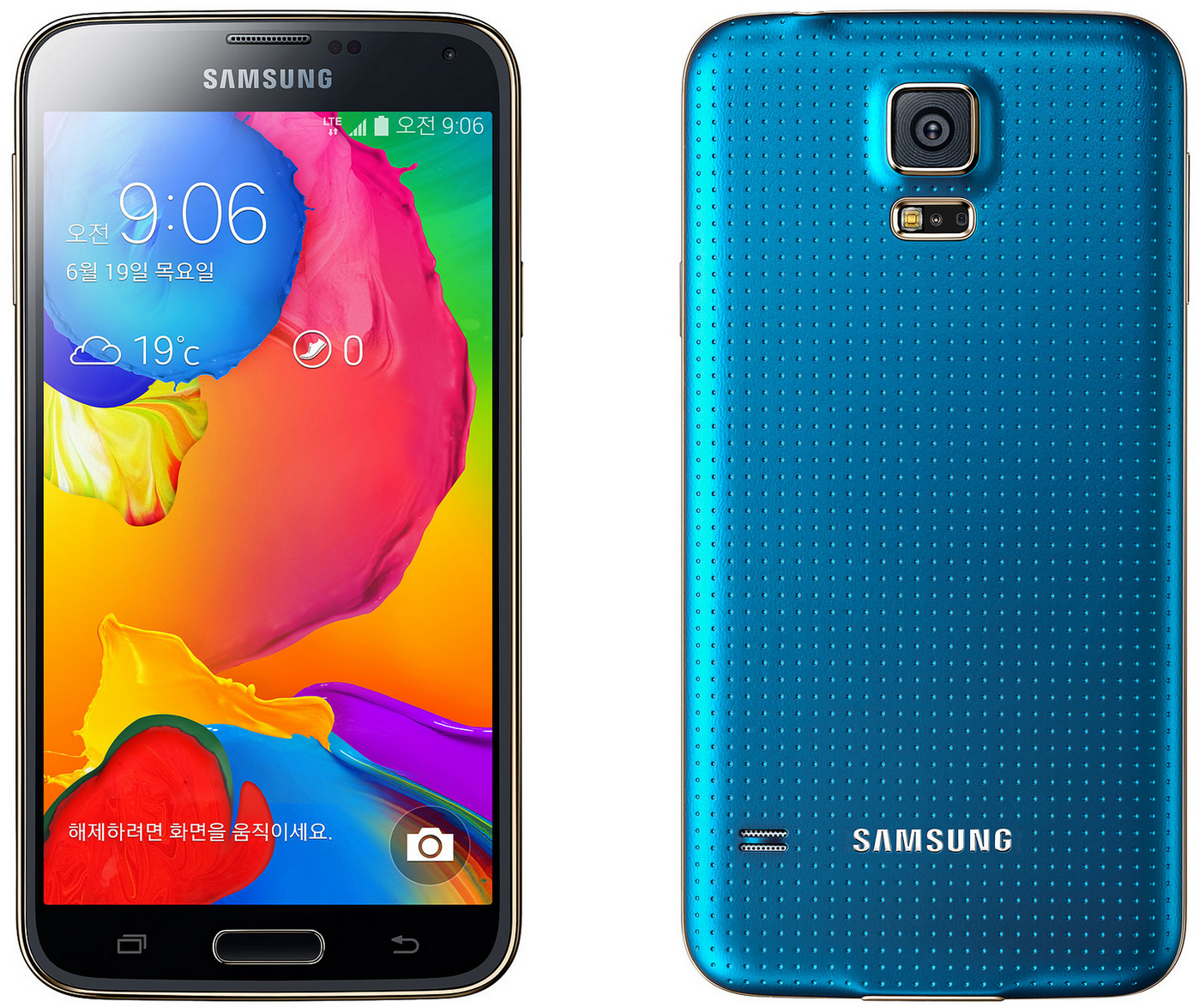
    Reports suggest that the two devices that have been hacked are – the HTC One Max and Samsung’s Galaxy S5. This happens because the device doesn’t fully lock down the sensor, allowing the hacker to acquire a fingerprint image.

    “In this attack, victims’ fingerprint data directly fall into attacker’s hand. For the rest of the victim’s life, the attacker can keep using the fingerprint data to do other malicious things,” Zhang said.

    As we know before fingerprint technology was used for mobile payments and unlocking devices, it had been previously used for identity, immigration, and for criminal records. However, researchers have not mentioned which device is more secure than the other, although they have mentioned that the iPhone is “quite secure” as it is encrypted by a fingerprint data from the scanner. So, “even if the attacker can directly read the sensor, without obtaining the crypto key, [the attacker] still cannot get the fingerprint image,” he said.

    Galaxy S5

    Research also says that this hack is susceptible to high-end laptop users with fingerprint sensors and advice users to use devices that are regularly updated and install apps only from reliable sources.

    Source:[tw-button size=”medium” background=”#07ABE2″ color=”” target=”_blank” link=”http://www.zdnet.com/article/hackers-can-remotely-steal-fingerprints-from-android-phones/”] Zdnet[/tw-button]

  • This Android Bug Can Make Your Phone Unresponsive

    This Android Bug Can Make Your Phone Unresponsive

    A security firm has found a bug in Android that can result in the death of your phone – you won’t be able to access it as the bug will make your phone unresponsive to the extent that you won’t be able to receive any notifications or calls. According to Trend Micro, the security firm behind the discovery, the bug is present in phones running on Android 4.3 Jelly Bean and above, meaning that even your newly purchased Moto G (Gen 3) is vulnerable.

    The new bug causes your phone to crash through Android’s mediaserver service, which indexes all the media files located on your Android device. The service crashes when it processes a distorted Matroska video file (.mkv), thus effectively shutting down the phone. The company notes that the bug can be exploited in two ways – by embedding the corrupted .mkv file in an app or a web page/website.

    The glitch was reported by Trend Micro to Google in May this year, which was labelled as low-priority. According to a Google spokesperson (via Engadget), a security flaw will be made available in a “future version of Android.”

    Source: [tw-button size=”small” background=”” color=”” target=”_blank” link=”http://blog.trendmicro.com/trendlabs-security-intelligence/trend-micro-discovers-vulnerability-that-renders-android-devices-silent/”]Trend Micro[/tw-button]

    Via: [tw-button size=”small” background=”” color=”” target=”_blank” link=”http://www.engadget.com/2015/07/29/android-matroska-video-security-flaw/”]Engadget[/tw-button]

  • 5 Apps That Will Allow You to Exchange Files Between iOS and Android

    5 Apps That Will Allow You to Exchange Files Between iOS and Android

    Thanks to apps like WhatsApp and Hike, sharing images, music and videos between iOS and Android devices has become easy. Still, there are some files that cannot be sent over through WhatsApp and even if we e-mail the files, the large size of the file will eat most of the internet data. There are some apps which will allow you to send files between Android and iOS devices without any hassles:

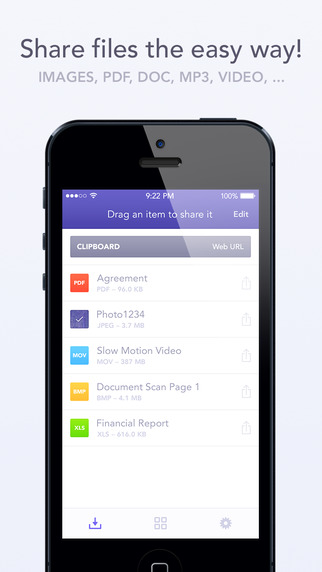
    1. Instashare:

    instashare

    The Instashare app works on a simple principle- drag and drop the file onto your nearby contacts list and the app takes care of the rest. It works on the same principle of Apple’s AirDrop. Instashare supports all types of file formats and works easily on both Android and iOS.

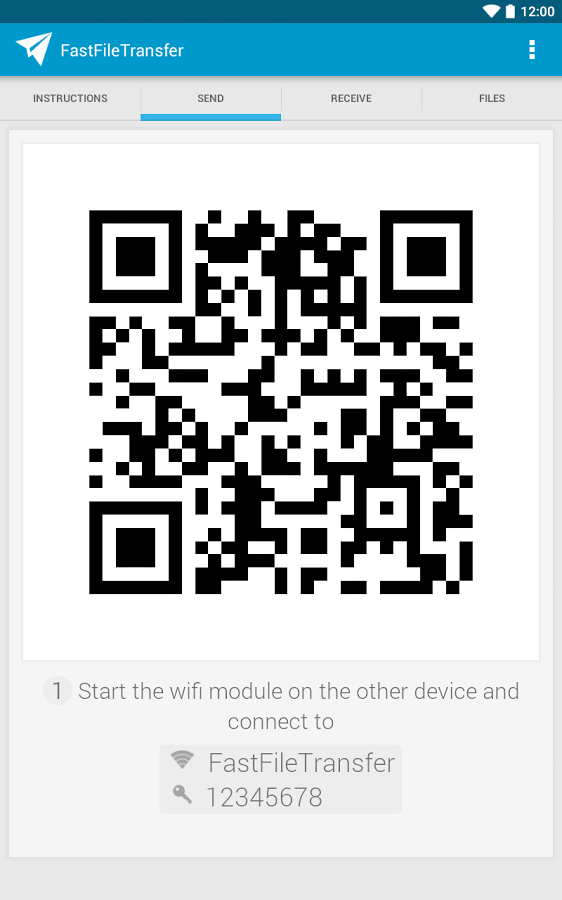
    2. Fast File Transfer:

    file fast transfer

    The app, available for Android users, creates a local Wi-fi network and allows iOS devices to log into them. The user can then send large files over small distances through the local Wi-Fi network created. The network is unique to the Android device and allows the iOS device to log into it. It’s faster than Bluetooth and easy to use.

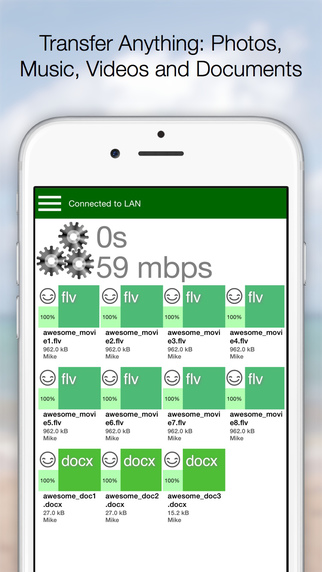
    3. Feem:

    feem

    Feem works just like Fast File Transfer, sending files over locally created wi-fi networks. The app has to be installed in both iOS and Android devices, though. Once the users enter their partner’s username, they can easily exchange the files.

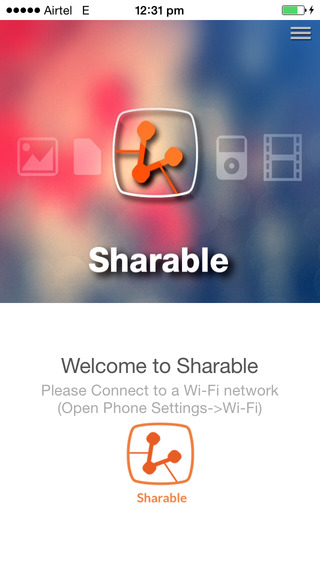
    4. Sharable:

    sharable

    Sharable works just like Instashare, except it’s completely free, without any advertisements and restrictions on file size. The device connects users through their device’s local wi-fi.

    5. File Transfer For iOS / Android:

    file transfer for iOS

    File Transfer for iOS, along with the companion app File Transfer for Android, allows users to transfer files between their different devices. It uses Bluetooth when possible, making the process of sending files through Wi-Fi, unnecessary. The software automatically detects nearby devices.

  • Microsoft Office Apps Now Officially Available for Android Smartphones

    Microsoft Office Apps Now Officially Available for Android Smartphones

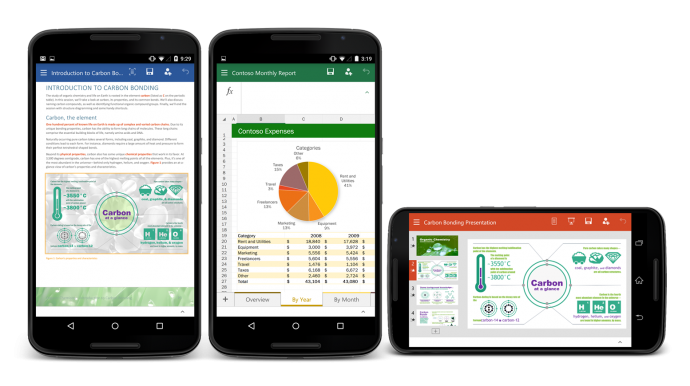
    From today, Android users can create and edit documents on-the-go using the Microsoft Office on their smartphones. Microsoft has released Office for Android smartphones and it is available for free on the Play store. Last year, Microsoft released a version of its popular productive suite for iOS platform and in January, it released a version of Android tablets.

    Like the tablet version, Ofiice for Android will only support KitKat and above.The app’s interface is similar to its iOS counterpart, due to the cross-platform approach adopted by Microsoft. Users can make simple edits to documents, spreadsheets and presentations. Unlike Office 365, which requires subscription, Office for Android hasn’t been designed to handle full workload. Microsoft has also introduced full Dropbox and One Drive support for the Android version.

    Office For Android

    In April this year, CEO Satya Nadella revealed that Microsoft Office for iOS and Android was downloaded approximately more than 100 million times. For the past few months, Microsoft has been ensuring that its products are available across all platforms. Microsoft is trying to retain the MS Office customers by offering them a free version of its popular software on Android, iOS and Windows phone platforms. The move is seen as a counter against the various free productivity suites available on iOS and Android.

  • Android Might be Just What BlackBerry Needs to Get Back in the Game

    Android Might be Just What BlackBerry Needs to Get Back in the Game

    BlackBerry was synonymous with BBM and had the reputation of being a reliable business phone. This  had loyalists from all over the world, tied to its device, despite all the ups and downs the company went through. However, the market soon saw a wave of smartphone companies like Apple, Samsung and Motorola, which ultimately washed away the resilient giant.

    Sales dropped and profits dwindled because let’s face it, there are more options now, that overshadowed BBM and we also underwent a touch screen revolution. Thus, Blackberry has allegedly come up with a solution to get back on track. We might see them collaborating with Android in a bid to increase revenues and turn a new leaf.

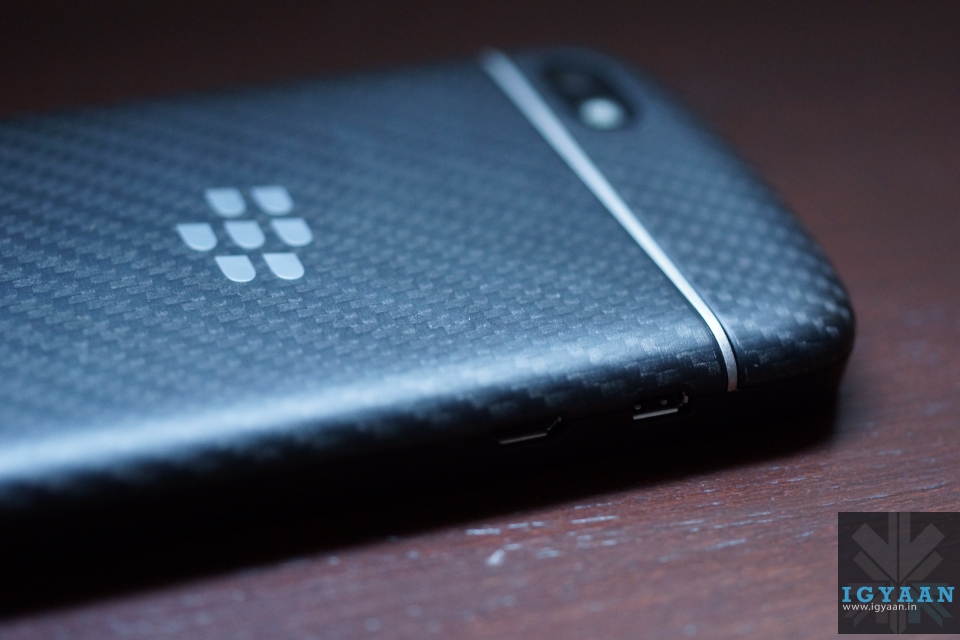
    Blackberry Q10 42

    BlackBerry is known for its strong security system and that was something that Android was lacking. Therefore, the collaboration will benefit both these parties. Yes, this means that BlackBerry will have to vouch for not just their own platform but also for Android. However, the gain is more than the loss they might go through. Reuters reported:

    “From the standpoint of marketing, this is a great way for BlackBerry to get visibility. It really doesn’t hurt them much, and the upside is high,” said Rob Enderle, who runs technology consulting firm Enderle Group.

    BlackBerry has been focussing on its software and device management system as its market share dropped to less that 1% due to its low demand of the devices. In order to execute this turnaround then, the company will have to come up with a strong and efficient device, that will be able to collaborate with Android. “BlackBerry doesn’t have much to lose. There’s little downside and they just need one hit phone to justify the handset business,” said Brian Colello, Morningstar analyst.

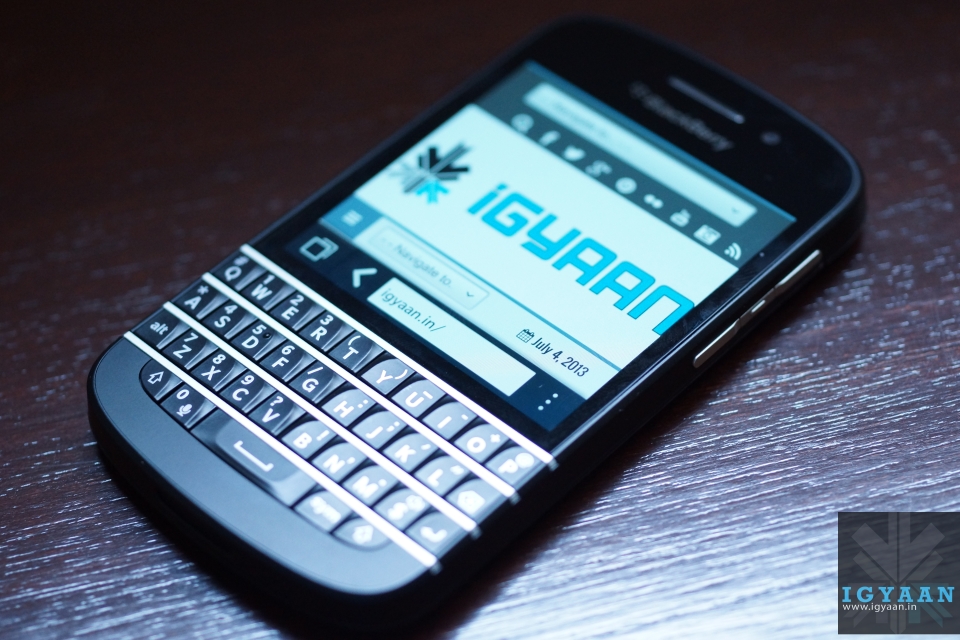
    blackberry q10

    The company has said that it is ready to have a test run with Android. Its upcoming device, the BES12 will be able to secure not just BlackBerry devices, but also others that run on Android, iOS and Windows operating systems. This attribute should impress potential corporate and government clients. Ramon Llamas, an analyst with technology research firm IDC told Reuters:

    “In order for BES12 to succeed it has to be viewed by all as platform agnostic, and what better way to demonstrate that other than by doing it yourself.”

    BlackBerry has a history of delivering outdated hardware at a premium cost. While the Android partnership will help, BlackBerry needs to ensure it stays with the times and gives customers a product which is worth their money.

    Let’s hope this change spells good fortune to the company that once created its own era and revolution.

  • Microsoft Launches Office Preview Apps for Android Phones

    Microsoft Launches Office Preview Apps for Android Phones

    Android phones were the only devices that were left for Office apps. Following the roll out of Office preview apps for iPhone, Windows Phone and Android tablets, Microsoft has today launched Word, Excel and Powerpoint apps for Android devices. This release will only see the beta, or preview version available. Microsoft said in its statement:

    The Office for Android phone apps are modern, optimised for touch and designed to work on the go.

    Users will be able to create, open, save files from their Android devices and access them through services like OneDrive, SharePoint, Dropbox and Google Drive. Collaboration within a group project will become easier as Office for Android allows users to track changes, comment and markup documents. These apps are optimised for touch and smaller screens, with the Menu button at the bottom of the screen instead of the top for user-friendly thumb use.

    To download the apps, users will have to join the Office for Android community on Google+. Once users have joined, they will receive links for downloading each app separately, for Word, Excel and Powerpoint. But be warned, users will not be able to access these links unless they are approved. Microsoft also recommends a device with at least 1GB of RAM and Android 4.4 or later versions.

  • Fresh Round of Rumours Emerge About Google’s Android M

    Fresh Round of Rumours Emerge About Google’s Android M

    Google is restlessly dispatching the Lollipop version of its Android operating system to maximum number of devices. Some smartphones are enjoying the sweetness of the Android Lollipop, but there is a huge per cent patiently waiting to for an OTA update on their handsets. Google is simultaneously working on bringing out a fresh version of Android OS, temporarily titled as Android M, that is estimated to see a launch in the forthcoming Google I/O conference. Rumours have been rife about Android M for quite a while. Let’s see what they have to say about the upcoming mobile OS.

    Much to our surprise, the next Android OS won’t have any special design aspects to wait for, as per a report by Android PIT. It is reported to be a minor upgrade of the present Android version with slight changes in design and features. The report by Android PIT cites that the upcoming version will not be a major overhaul in terms of design. It said to “expect evolutionary change and refinement rather than a gee-whiz new look.”

    211-android-apple

    If we talk about the features, the Android M is speculated to bring a major improvement that will bring Android OS closer to Windows OS and iOS, by a step. If rumours are to be believed, the forthcoming Android M will have a revamped notifications setting where alerts are unified across different platforms. That means, the notifications will appear on your smartphone, the tablet and the PC as well.

    Connected devices will be another area of focus on Android M. The Smart Home feature will be tweaked majorly to improve wireless control over connected devices.

    Meanwhile, there were reports of the new OS handling over the privacy policy to users, which was needed since quite long. However, there has been no confirmation on any of these reports as yet. Know more about Android M here.

  • In-built Data Saving Feature on Your Phone’s Browser is Just a Few Clicks Away

    In-built Data Saving Feature on Your Phone’s Browser is Just a Few Clicks Away

    Your smartphone is concealing a secret tool under the hood that can save the browsing data to a large extent. The feature is already available for the desktop version of Chrome as an extension called Data Saver (Beta). The nifty data saving feature in the Setting menu of Chrome compresses the pages and allows quick access to websites.

    With this feature on, Chrome uses Google servers to compress pages you visit before downloading them. Users can make extended use of their internet data pack by spending the same amount. The feature is available on Android and iOS both. Here’s how you can activate it:

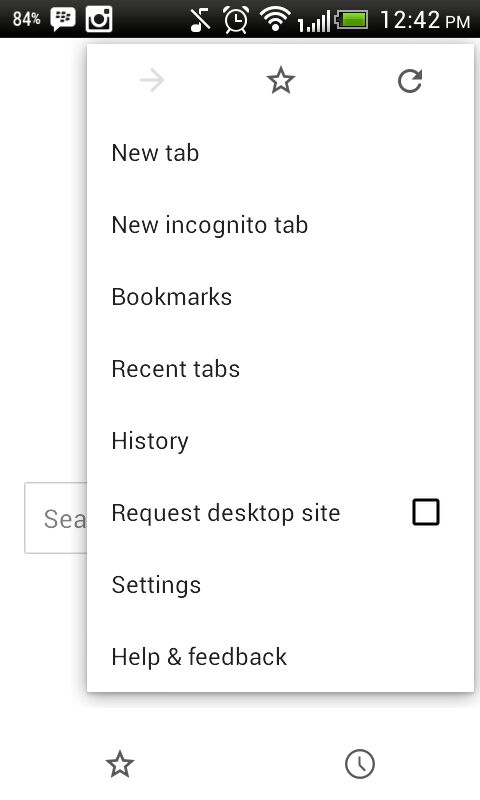
    1. Go to your Chrome Web Browser and tap on the left touch-sensitive button.

    AuKyO7zHU-nDtesUdLqBzwIGMUgE6p6DHfVWAG3J767c

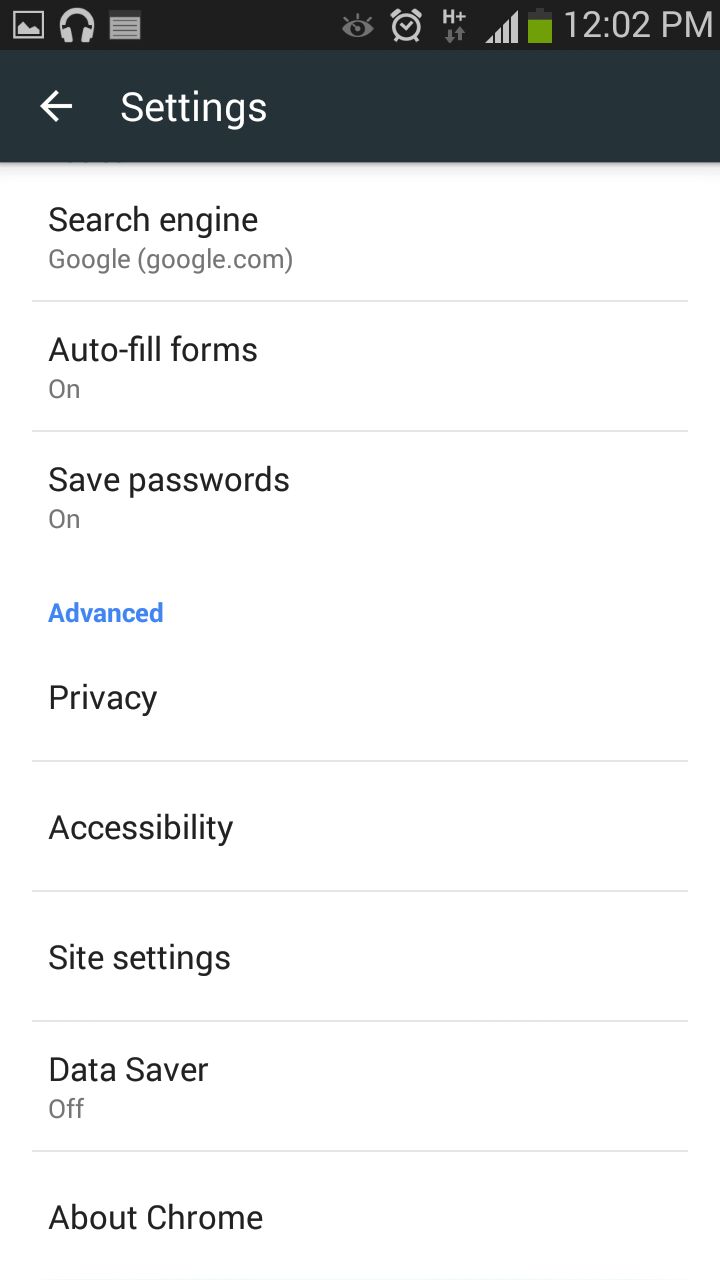
    2. Tap on Settings and you will see a few options under Basic and Advanced category.

    AuerDxhLESTj1OCvKse7RtjETAg5_ExGvvjOrodX_TIP

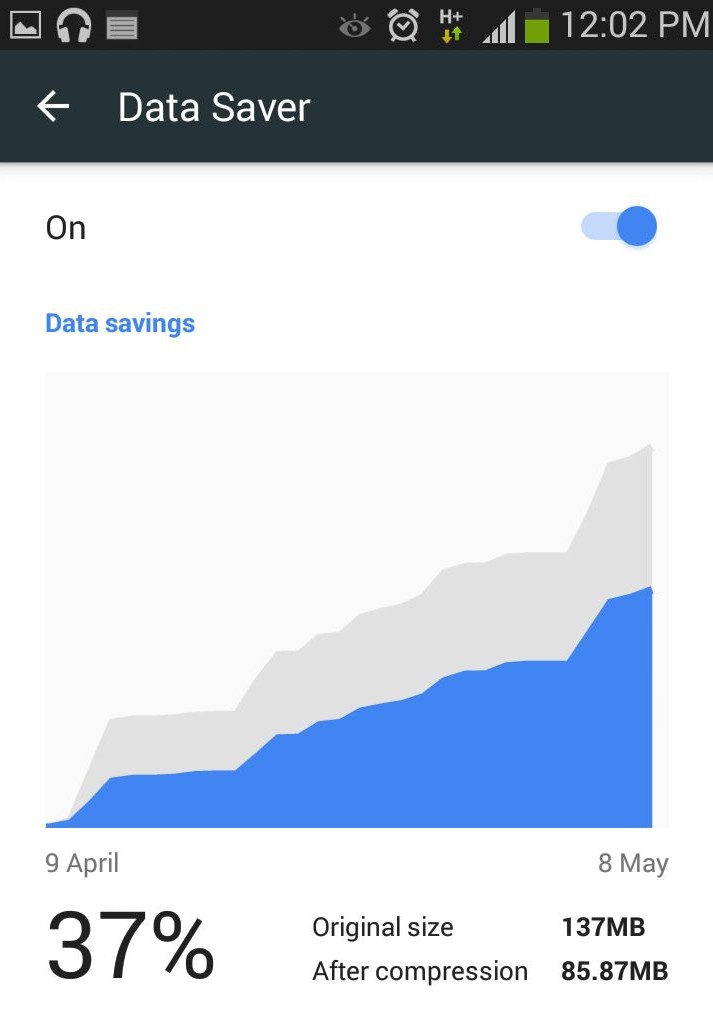
    3. In the Advanced section, search for Data Saver and turn it on.

    ApmTaNI2dmNYkhPMZwE1otyzzioxft6ejw0tGx42Zjhi

    Chrome will now start compressing pages for you to load it fast and will also save the data.

  • Truecaller Will Soon Come Pre-Installed on Cyanogen Handsets

    Truecaller Will Soon Come Pre-Installed on Cyanogen Handsets

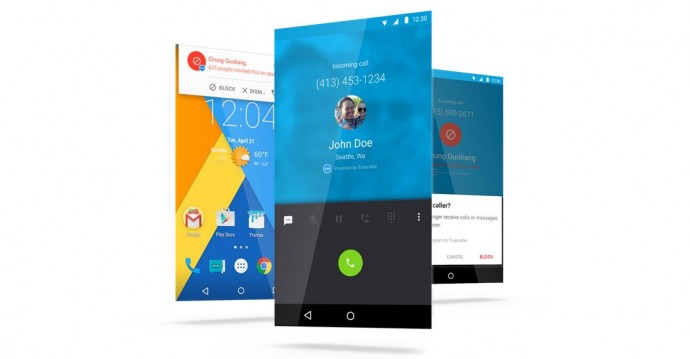
    Truecaller gained huge popularity when it first launched in 2009. This was due to the fact that the integrated caller ID service was among the first of its kind that displayed the name of the person calling from an unknown number and provided a call-blocking facility. This app has achieved 100 million downloads till now. Now, Truecaller has decided to raise up its stakes of removing spam phone calls by collaborating with Cyanogen and pre-installing its technology on Android handsets.

    Truecaller recently announced their partnership with Cyanogen OS. The app aims at eliminating spam calls and improving the overall calling experience for Android device users. All future mobile devices will have Truecaller pre-installed and it will be made available to existing users by over-the-air update in the next few months.

    [quote text_size=”small” author=”Dave Herman” author_title=”VP of Product Development at Cyanogen Inc.”]

    Truecaller shares our vision of enabling an open platform that gives users the ultimate choice in their core app experiences. The new integrated dialer experience is a seamless, frictionless way for users to screen calls and block unwanted spam without ever leaving the native dialer.

    [/quote]

    Truecaller previously had signed up deals with Nokia/Microsoft, Lenovo, Airtel that let its users pre-load the app via a third party. With Cyanogen, it will be the first time the technology will be integrated with the operating system directly.

  • Report: Android Apps Might Soon Be Available for Windows Users

    Report: Android Apps Might Soon Be Available for Windows Users

    Windows Phones have been in the smartphone race since long, but their App Store is still remains constrained. Microsoft is committed to eliminating the glitch and is ready to offer its users the luxury of the Android app ecosystem. The company is reportedly working on a feature that will open the doors of the Android app store for Windows users.

    A trusted blogger Paul Thurrot has commented on Microsoft’s plans that they might come out with at the BUILD conference scheduled for tonight. He revealed that Microsoft is likely to introduce a feature that will let users run Android apps on Windows 10 devices like smartphones, tablets and PCs.

    Android-Apps-Games

    This means the confined app network will now grow to the maximum by encompassing all the apps that are developed for Android till date. It will give a major push to the Windows Phone market, which was till date lagging because of its limited App Store.

    It is still unclear how Microsoft will integrate the change. It remains to be seen if it will create a new app store for Android apps or allow support for Android stores by third-party developers. The move will help the company in the long run, but it is dubious how it will go with Microsoft’s Universal App strategy.

iGyaan Network
Privacy Overview

This website uses cookies so that we can provide you with the best user experience possible. Cookie information is stored in your browser and performs functions such as recognising you when you return to our website and helping our team to understand which sections of the website you find most interesting and useful.