Tag: Android

  • Microsoft Brings Document Scanning App ‘Office Lens’ to Android and iOS

    Microsoft Brings Document Scanning App ‘Office Lens’ to Android and iOS

    Microsoft’s last year release ‘Office Lens’ was a big hit in the Windows app arena – and for good reason. The mobile scanning app is a handy tool that lets users take picture of a document and convert it into a editable file format. The same application has now arrived for Android and iOS smartphones, as confirmed by Microsoft.

    The hardware and software firm announced through its official blog post that it has released an Android Preview of the Office Lens on Google Play Store and a full-fledged version of the app for iOS users on the Apple Store. The app is free for download on both the platforms and one can start editing their pictures once the scanning tool is installed on the device.
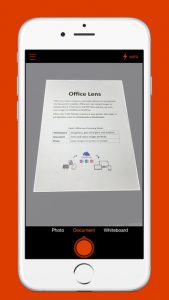
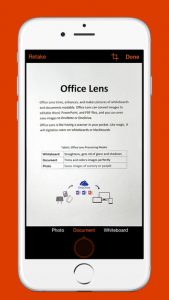
    The uses of Office Lens are varied. As mentioned above, the tool turns a phone into a scanner and scans the picture of the required document, such as menus, receipts or business cards. The cropping feature is pre-installed within the app through which users can cut the required image and discard the rest. The desired image then converts into an editable file which can be saved it in any format of your choice, i.e. Word, PowerPoint presentation or PDF.
    Untitled1

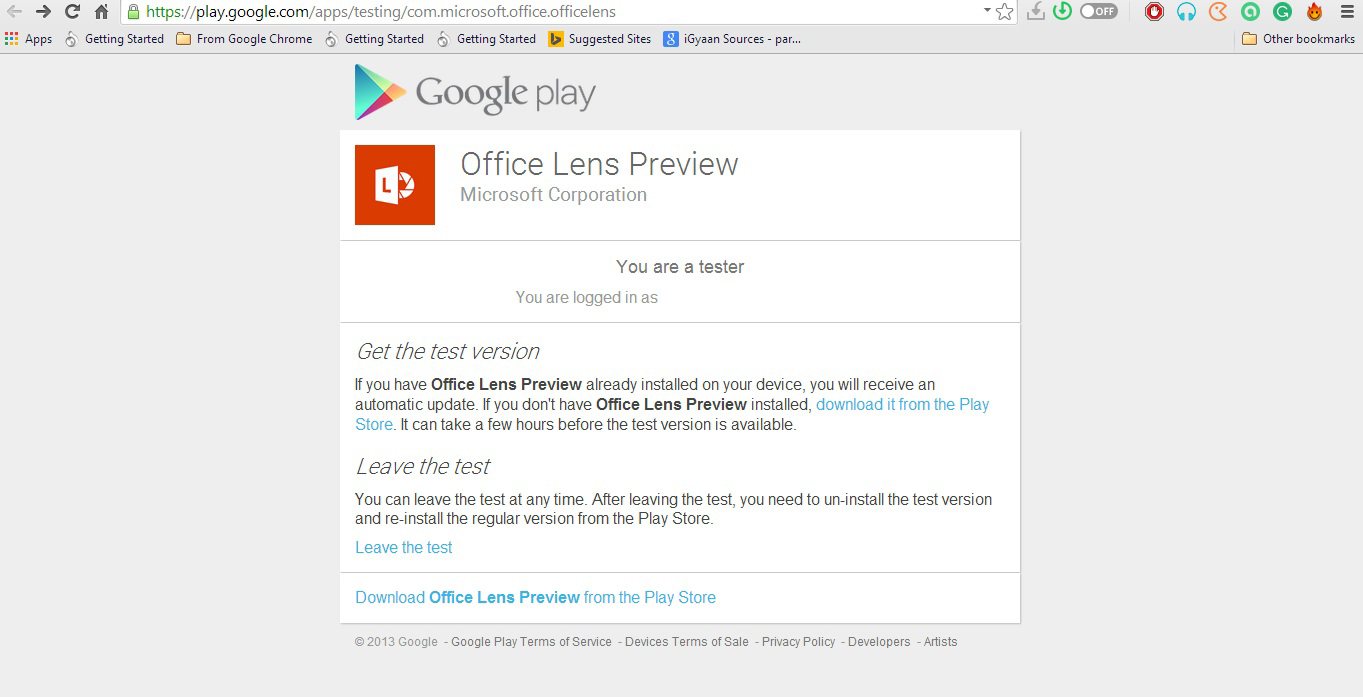
    Meanwhile, Android users have only received a preview of the app. Users can experience the amazing features of the app only when they join Microsoft Office Lens Android Preview community on Google+. However it’s easy to get the application, but the company could have shrinked the process to one-click download, as they have done for iOS users. For now, Android users have to follow these three steps: Join Community > Become a Tester > Download ‘Office Lens Preview’ from Play Store.

    Microsoft has made Office Lens a cross-platform productivity tool from a Windows-only app. The company is well aware of the reach of the Android and iOS platforms and, hence, is pushing the largely appreciated feature from the minute share of the Windows market to the colossal app communities.
  • Karbonn Announces the Titanium Mach Two, Priced at Rs. 10,490

    Karbonn Announces the Titanium Mach Two, Priced at Rs. 10,490

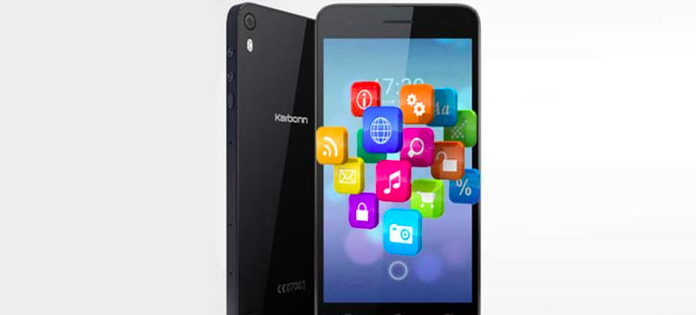
    Aiming to expand the Titanium series, Karbonn has launched its latest handset, the Titanium Mach Two. The phone weighs a mere 112 gms and is sleek at 6.3 mm.

    The device is encased with Corning Gorilla Glass 3, which makes it resistant to scratches. The device holds a 5-inch HD IPS display and is powered by a 1.4GHz octa-core processor with 1GB of RAM. It consists of 8 GB of internal storage, which is expandable up to 32 GB via microSD card. An 8MP camera with BSI sensor is equipped at its front and back.
    Running on Android OS 4.4 KitKat, the Mach Two offers some interesting features like the Smart Eye function, Swipe and Shake for music player, Face Beauty Mode, and few more.

    The device is currently available only in deep blue colour and can be purchased at a price of Rs. 10,490. It comes with a free protective silicon case.
    With so many reliable, affordable smartphones in the market, Karbonn’s present offering doesn’t seem to stand out. We have a strong feeling it will get lost in the crowd. Xiaomi recently came out with its new Redmi 2, and Motorola too has released its next-gen Moto E. Both these devices hold a similar set of specs and are priced significantly lesser. Other gadgets that can be pitted against the Mach Two are Lava X5 and Yu Yureka.

    Check out the specifications of the Titanium Mach Two below:

    Specs Titanium Mach Two
    Display 5-inch HD IPS display
    Processor 1.4GHz Octa-Core processor
    RAM 1GB
    Inbuilt Memory 8GB
    Expandable Up to 32GB
    Rear Camera 8MP
    Front Camera 8MP
    Operating Stystem Android 4.4 KitKat
    Price Rs 10,490
  • Pebble Time is the First Coloured e-Paper Smartwatch with 7-Day Battery Support

    Pebble Time is the First Coloured e-Paper Smartwatch with 7-Day Battery Support

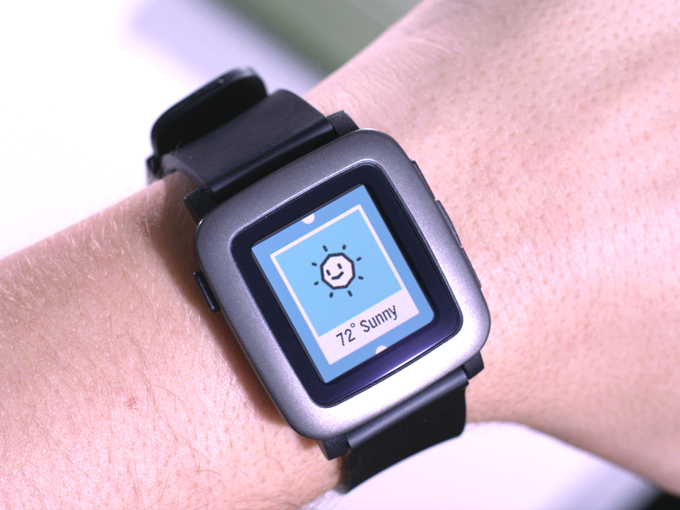
    Smartwatches are the current hottest trend everyone wants to cash in on. The biggest problem with certain wearables is that they are only compatible with particular handsets. Meet the new smartwatch by Pebble Technologies that is smart in a real sense and can adjust with any smartphone, whether iOS or Android.

    With Pebble Time, users don’t have compromise, and the watch itself adjusts meeting the needs of the user. The screen of Pebble Time is an e-paper display, just like new YotaPhone 2 and Kindle – a first for any smartwatch. The screen is covered with Gorilla Glass, and the coloured display enhances the overall appeal of the smartwatch. Pebble claims that the battery of the smartwatch can last up to 7 days. However, there’s a catch, and that is that the Pebble timepiece is not touchscreen.

    pebble time3

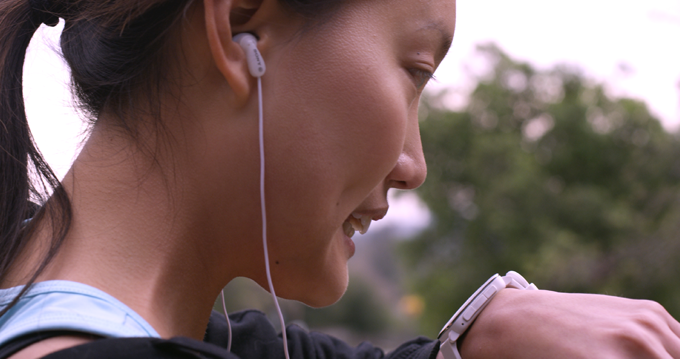
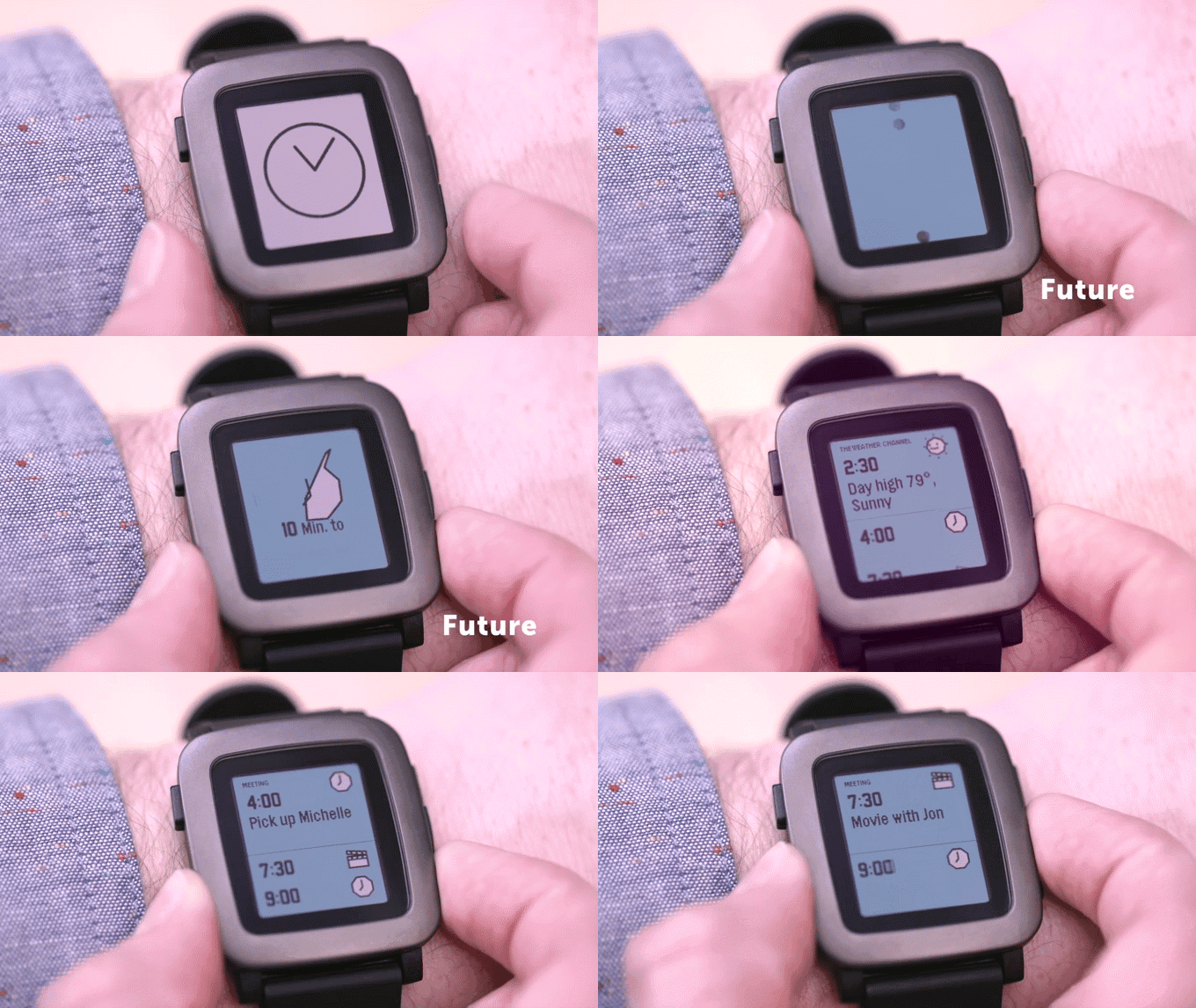
    So how do you operate the device? There is a microphone onboard making it convenient to have a phone-like conversation. Users can reply to the messages by pushing  keys, and there’s also a gyroscope for motion sensing. The new user interface (UI) is focused on a timeline that highlights what’s important over the course of the day. There’s a new app menu, which loads and cache apps as required. You can connect these apps to the timeline, organising all relevant information.

    pebble

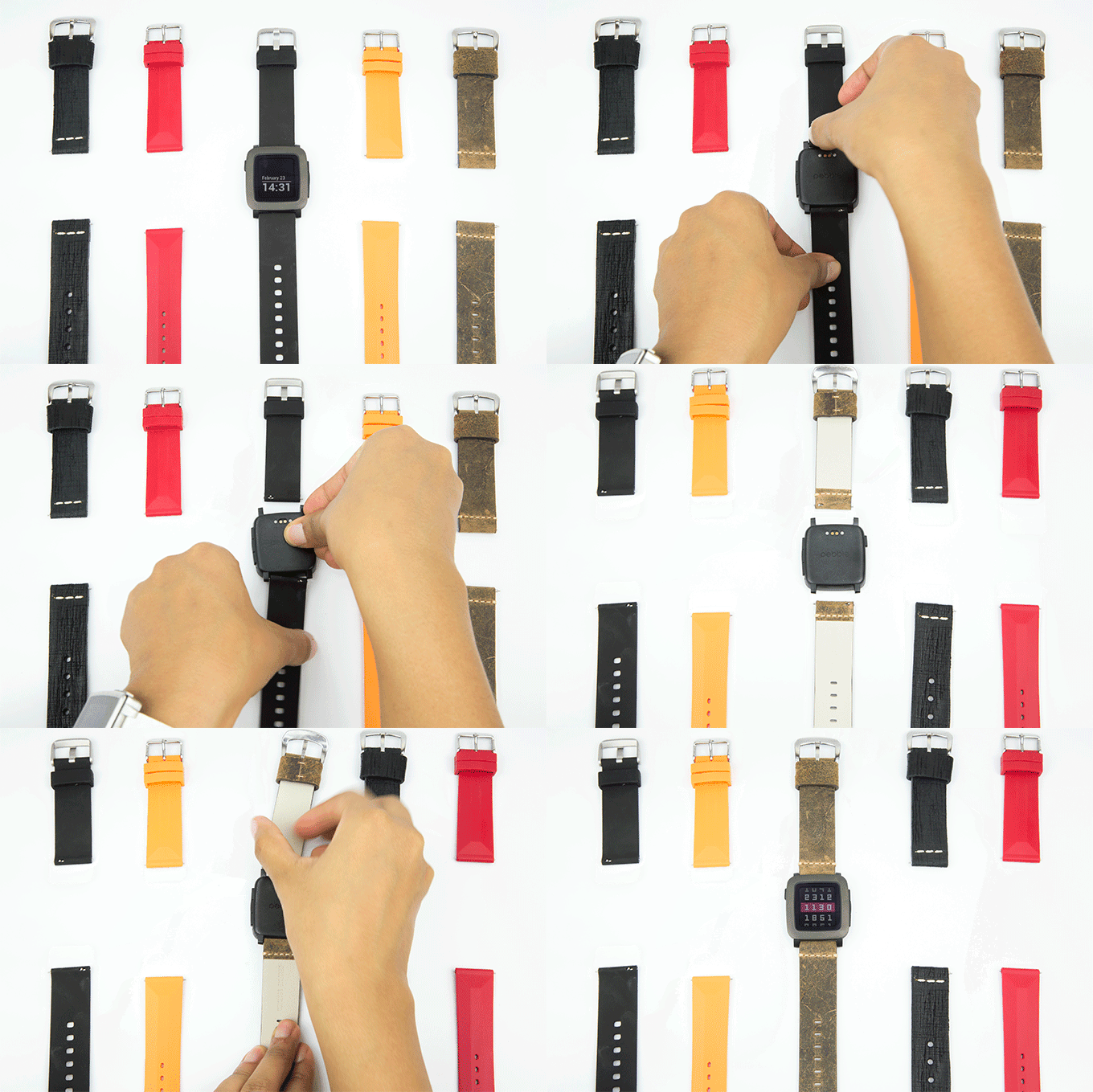
    There are three buttons on the right-hand side of the screen and one on the left. The buttons have been adjusted to easy grip, and one can push each of them effortlessly without any unintentional pressing of the other ones. The top button is for check past events, the middle for present and the third one refers to the future. The smartwatch offers hassle-free customization options, and one can affix any band to the core machinery having 22mm pin.

    pebble time1

    Pebble Time is a $179 smartwatch that is on Kickstarter as of now. It is the fastest project to raise $1 million on Kickstarter in approximately 30 minutes.

    There are many good smartwatches out there, but the Time stands apart. It’s affordable, and the USP is its cross-platform functionality that would have attracted the numerous backers. Early investors can get the Time for $159, but the concession is for supporters only. The watch will retail at a price of $199 once the campaign completes.

  • Switching From Android to iOS? This iGyaan Guide Will Help You Out

    Switching From Android to iOS? This iGyaan Guide Will Help You Out

    Switching phones with different operating system is easy, but transferring data between the two can be a task. If you are an Android user and are planning to switch to iOS, then you might be concerned about your contacts, music, calendar, photos and videos. This guide will assist you in making a smoother and effortless shift between the two ecosystems.

    The first rule of safe data transfer is backing your device. This way, even if you are stuck at any step, you will have the data with you. Once all your data is backed up, follow the directions below and get started:

    Shift Contacts, Mail and Calendar

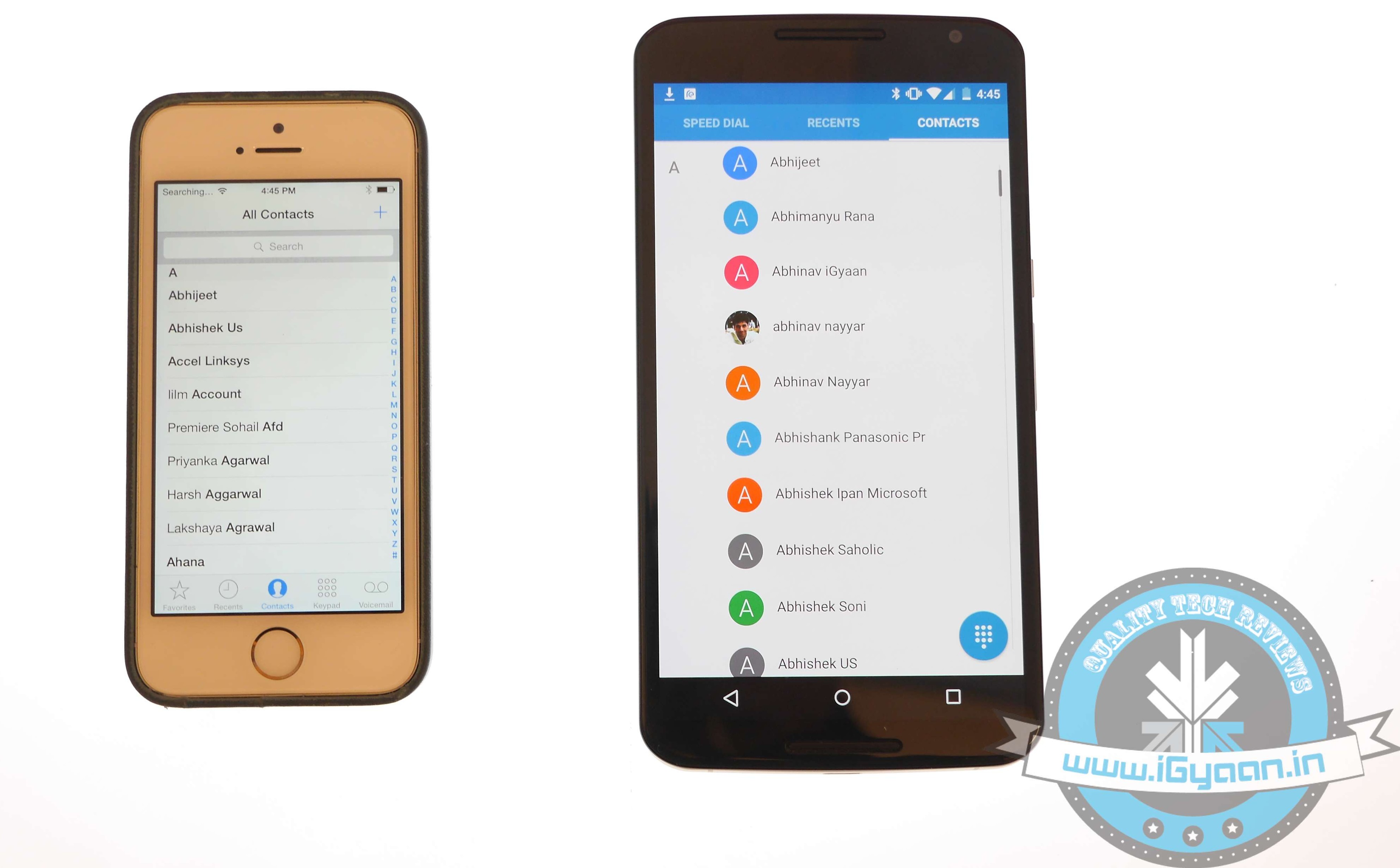
    iOS vs Android 11

    One of the easy and quick methods to transfer contacts, emails, and calendar to the iOS is by syncing your Gmail account. Go for the below-mentioned steps on your Android:

    • Go to Settings > Accounts > Google
    • Click on your Gmail account and tap on Sync Gmail, Sync Calendar and Sync Contacts
    • This will sync your selected information to your Gmail account. Now open your iPhone and perform the following steps:
    • Choose Settings > Mail, Contacts, Calendars and add your Gmail account
    • Enable all the options like Mail, Contacts, Calendar and Notes if you wish.

    Transfer Photos and Videos

    iOS vs Android 7

    If you don’t wish to lose the pictures and videos on your Android, then Copy My Data or PhotoSync would be the best option to go for. Perform the below-mentioned method to transfer photos, as well as videos:

    • Download and install PhotoSync (or Copy My Data) on both iOS and Android.
    • Open PhotoSync on Android and make a selection of the pictures
    • Tap on the minuscule, Refresh-like red button on the top and select Phone in the next window that will appear
    • Tap on the iPhone name in the other window or type in IP address in case it doesn’t appear automatically
    • The transfer will begin.

    Transfer Music

    iOS vs Android 13

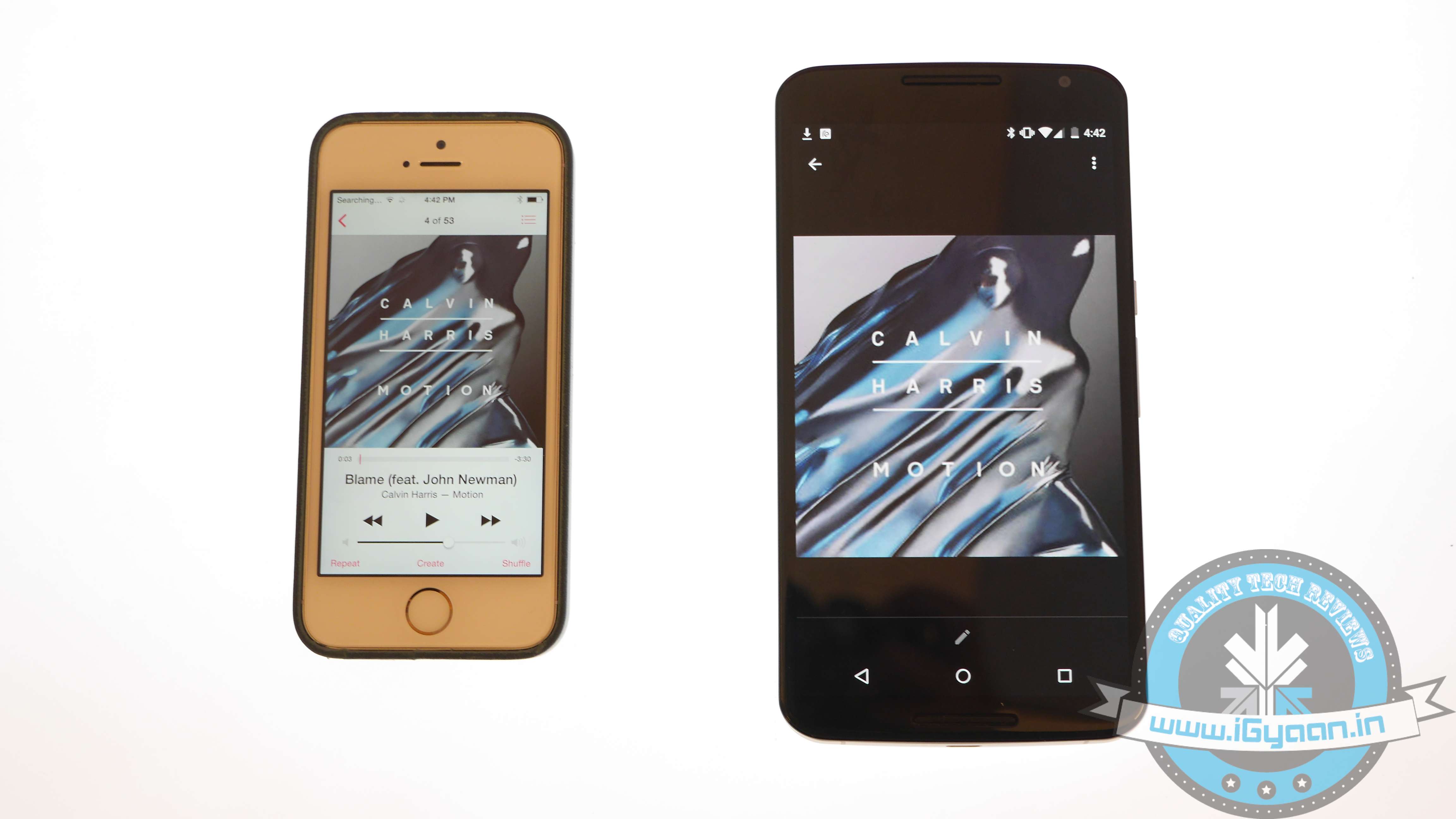
    Music transfer from Android to iOS conveniently through iTunes. Read and replicate the steps below:

    • Plug in the Android device to a computer and copy your collection to it
    • Install iTunes and go to Library > Music > File > Add Folder to Library.
    • Copy all audio files you want to have on your device
    • Now without closing the iTunes, attach your iPhone to the computer
    • Click Sync on the dialogue box that appears on attaching the iPhone

    All your songs will now appear on your iOS device.

    Transfer Messages

    iOS vs Android 2

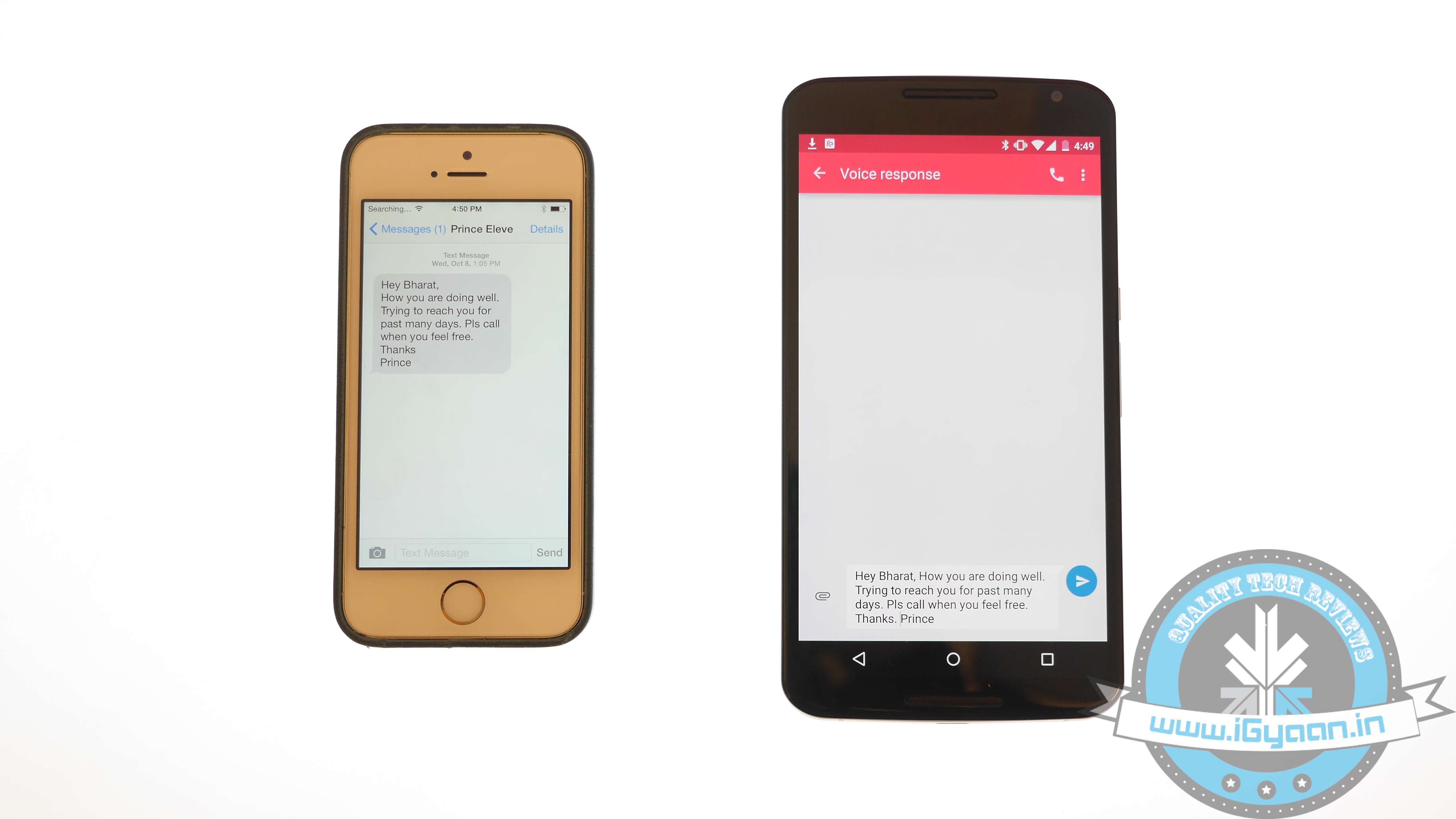
    There are moments your messages carry important information and losing them is no option. Well, this means that you have to shift your messages to the new iOS device. Message transfer is a stressful task, but we have figured out the easiest way for you.

    • Download the Phone Transfer app on your computer
    • Connect both Android and iOS via USB to the PC.
    • A window will appear with Android device on left and iOS on the right. Flip the two if it’s not the case as the destination phone has to be on right.
    • Click on Text messages and deselect the rest and press Start Copy

    You can now read the transferred messages on the iOS devices.

    If you want to know how to transfer data from an iOS device to your Android device, then follow this easy guide.

  • Only 2% Android Devices are Running on Lollipop After Three Months of Launch

    Only 2% Android Devices are Running on Lollipop After Three Months of Launch

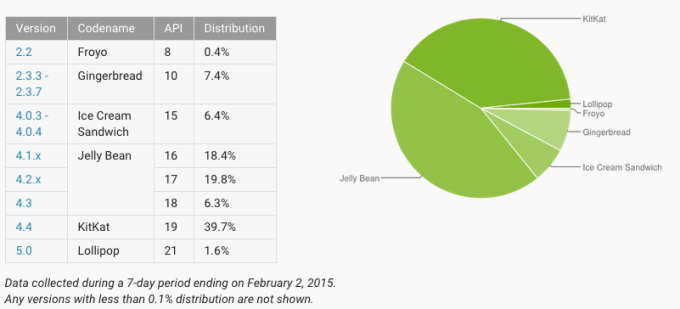
    After 15 months of its release, KitKat has been running on 40% of the Android devices. But Android Lollipop, which has been released 3 months back, has been running on only 2% of the Android devices.

    Google has updated its official version-by-version chart which displays the amount of Android market shares each release has. Android 4.1, 4.2 and 4.3 (JellyBean) has the highest market share, with 44.5%, while the Android 4.4 (KitKat) is behind with 39.7%. The latest update, Android 5.0 (Lollipop) has managed to engage only 2% of its total users.

    android-chart-february

    According to ZDNet, the slow pace of updates means the users of the older versions of Android are left vulnerable to malware and data theft due to bugs in the code not being patched.

    If compared with iOS 8, which is nearly on 70% of the Apple devices, the rate of upgrading is particularly slow.

    The positive side of this is that Google has distributed updates for apps built directly into Android, like Gmail, Google Maps, etc. The user can upgrade these apps without a full OS update, implying that the user won’t experience the new OS features like the looks or the security tweaks, but most of the apps would work out fine.

    – Rishi Baruah

  • Switching from iOS to Android? Then This Guide is For You

    Switching from iOS to Android? Then This Guide is For You

    Apple has garnered a reputation for being the most genuine and reliable brand for many years. Its iOS smartphones, Macbooks and the upcoming Apple smartwatch have seized the attention of the audience. In spite of this, the fact also stands true that there are also some dissatisfactory customers who wish to switch from iOS to Android.

    For those who have been using the iOS platform from the beginning may find it hard to switch to Android. The operating system may intimidate first-time users as it works quite differently. Use this guide and transfer music, contacts, messages, videos and other relevant documents to your new Android smartphone.

    Transfer Contacts

    Before you land on to the Android platform, the first thing you need to do is back up your iOS device. Contacts are important need to be saved in top priority. Transferring data through iCloud is extremely easy. Just keep in mind these simple steps:

    1. Sign into iCloud and click Contacts.
    2. Select all contacts by pressing Command+A.
    3. Go to the cog wheel icon and tap Export vCard; a VCF file with all the contacts will download.
    4. Plug in the Android device and copy the VCF file onto your Android.
    5. Import the copied contacts from the Contacts or People app.iOS vs Android 11

    Another way to copy contacts is through iTunes:

    1. Plug your iPhone via USB and open iTunes.
    2. On the Info tab on the Menu bar, tick Sync Contacts with.
    3. Choose Google Contacts.
    4. Type in your Gmail Username and Password in the new window and click Apply.
    5. All your contacts information along with numbers and email addresses will store on Gmail and Apple alike.

    As the contacts are now on your Gmail account. Your new Android smartphone will ask you for an option to sync on the first boot. Just add the Gmail account and your contacts will automatically appear in a list on the device.

    Sync Calendar

    iOS vs Android 1

    Syncing Calendar is not an easy job, but SmoothSync for Cloud Calendar will make it convenient for you. Get started with these few easy steps on your iOS device:

    1. Open SmoothSync for Cloud Calendar and login to your iCloud account.
    2. On the next window, select calendars you wish to sync.

    Now, it will take care of the rest. All the important events and notifications will now come on your Android device.

    Transport Music

    iOS vs Android 8

    Building a music library of your choice is a hard done effort of many years. You cannot afford to lose it. The easiest possible way to transfer music files from iOS to Android is to download Music Manager on a system that has both Google Music and iTunes.

    1. Sign in to Google Music.
    2. Once the Music Manger is downloaded and installed, select iTunes option as the present music storage option.
    3. Choose Upload all songs and playlist. The songs will then be uploaded on the app apart from your iOS handset.
    4. You can now transfer your music library to your Android device.

    Shift videos and photos

    iOS vs Android 3

    Out of many ways of transferring pictures and videos from iOS handset to Android, the easiest one is to connect your iOS handset and Android device to a computer via USB cable.

    1. Locate both the devices in My Computer folder.
    2. Open the storage of both the devices.
    3. Locate DCIM on the iOS device.
    4. Select the images and drop them into the Android storage folder.
    5. Images of the iOS phone will now appear on your Android device.

    This drag-and-drop method is the simplest and least time consuming than the wireless transfer option.

    Relocate text messages

    iOS vs Android 0

    Some of you might find it useless, but for some others messages are as important as contacts, music and photos. The transferring of iMessages to Android is not an easy job; it’s a three-step process, which is simplified below:

    1. Connect iPhone to your computer and open iTunes.
    2. On the bar at left, right click on your phone name and choose Backup.
    3. A file with random name will save on your system.
    4. Transfer this file to your Android device storage.

    The messages are in your Android device but are not yet readable. Convert them to a readable format through iSMS2droid.

    1. Download iSMS2droid and install it.
    2. Open the application and choose Select iPhone SMS Database.
    3. Locate the backup file just transferred to your phone.
    4. A pop-up will ask you for your permission to load SMS.
    5. Tap All and the conversion will start.

    Post the conversion, another app needs to be installed – SMS Backup & Restore.

    1. Open the app and choose Restore.
    2. Select the converted file from the directory and click Restore All Messages; the restoration will commence.
    3. A pop-up will show the restored message number along with those that cannot be restored.

    Once you are done with relocating your stuff, visit Google Play Store. A whole new world of apps is waiting for you!

  • XOLO One Confirmed to Receive Lollipop Update 16th January Onwards

    XOLO One Confirmed to Receive Lollipop Update 16th January Onwards

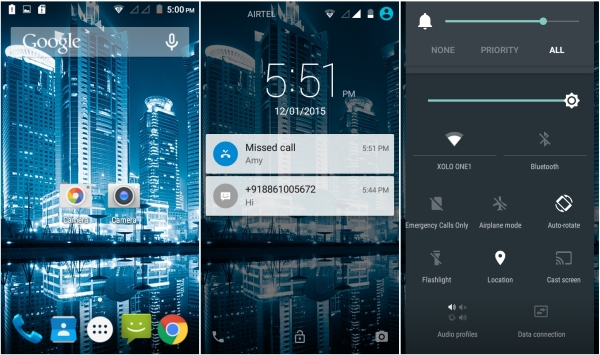
    Even though it has been a while since Google officially brought out the Android 5.0 Lollipop Update, barely 50% devices have received the update. Many smartphone manufacturers are still struggling to update their devices. Now XOLO has has made an announcement that its budget device XOLO One will be getting the Lollipop update. According to the company, the update will officially roll out on the 16th of this month.

    xolo one lollipop

    XOLO One flaunts a 4.5-inch LCD display and is powered by a quad-core Cortex-A7 processor clocked at 1.3 GHz. In terms of memory, the device features 2 GB of RAM along with 8 GB of internal storage capacity that can be expanded up to 32 GB via MicroSD card. It has a 5 MP rear camera and houses a 1700mAh battery.

    XOLO One is priced for Rs. 6,599 in India. Motorola too announced of its devices getting the Lollipop update today. All the handsets released in 2013 and 2014 are said to get the upgrade really soon.

  • Top 5 Time Lapse Alternatives For Android Users

    Top 5 Time Lapse Alternatives For Android Users

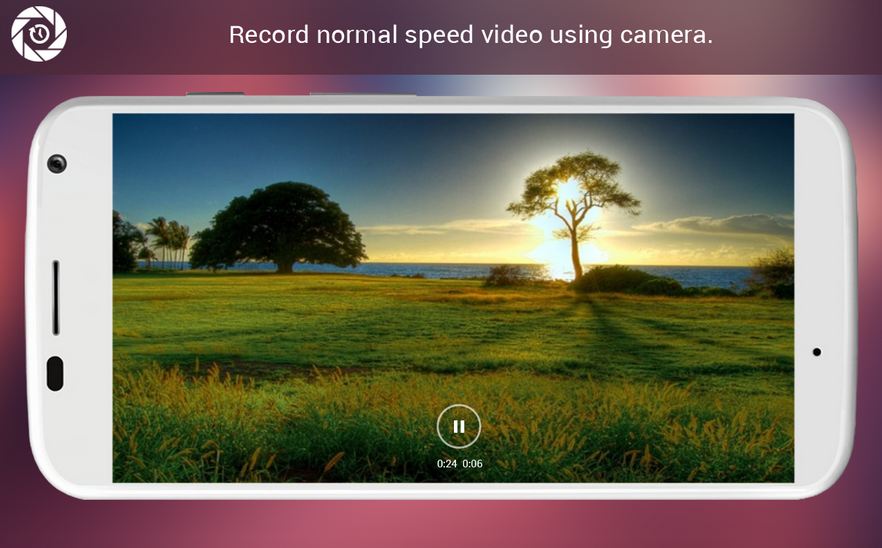
    Time-lapse video mode is is one of the coolest feature in iOS 8. Timelapse videos, which take frames at slow speeds to give the illusion that time is speeding up, have always been difficult to create, and required expensive equipment. However, there are a handful of apps that combines the simplicity of the photo sharing service and an image stabiliser to put time lapse photography in everyone’s hands. And, yes! There are some for Android users too.

    This is a list of the Top 5 iOS’s time lapse mode alternatives for Android users.

    1. Framelapse

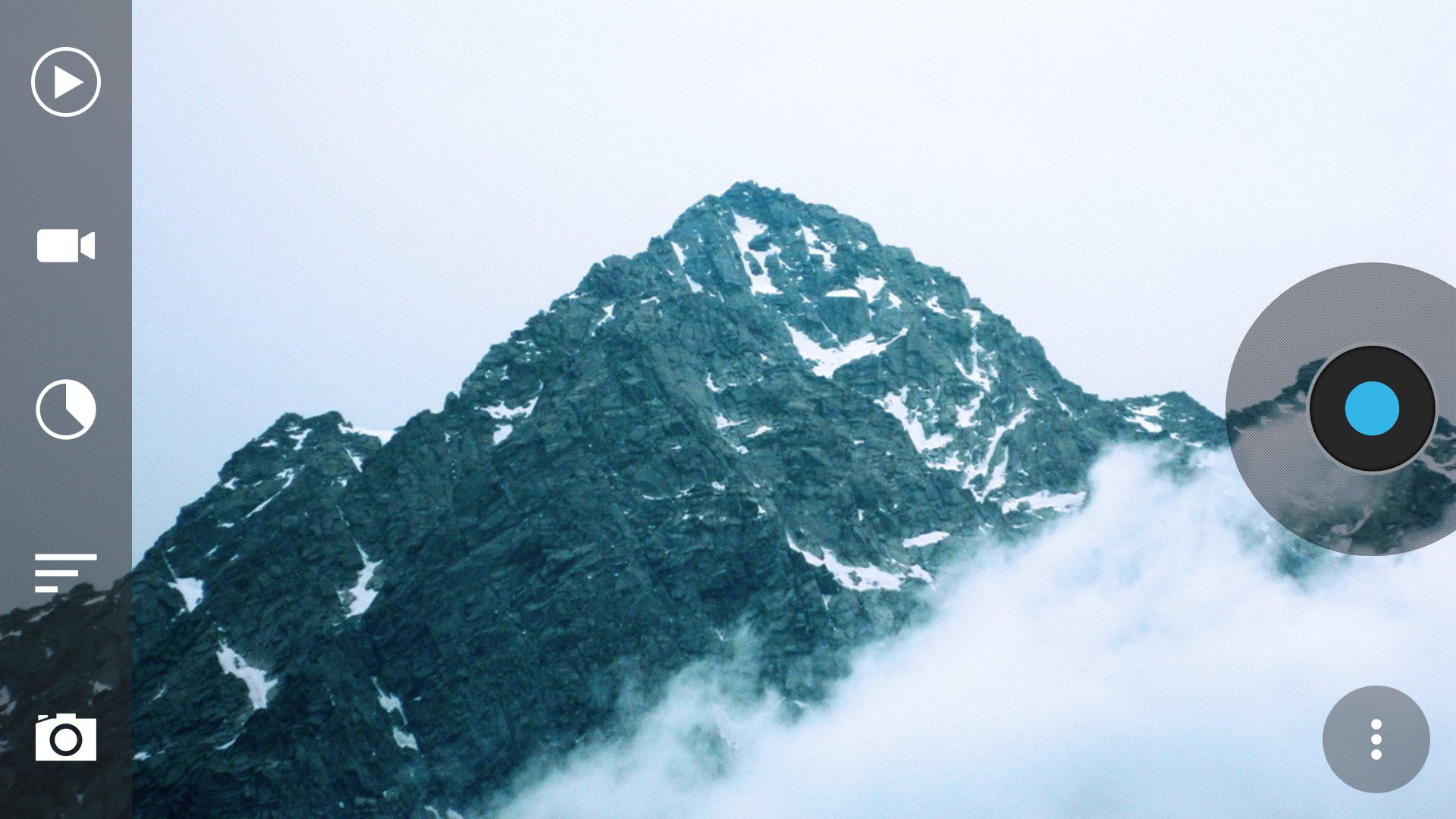
    If you want something similar to iOS 8’s automatic time lapse mode, Framelapse is the one app you are looking for. A “simple, fast and intuitive interface” lets you control frame interval, video duration, zoom, autofocus, white balance, color effects, exposure compensation and more, and that’s all in the free version. If you upgrade to pro for $3, you get exposure locking, white balance locking, Sleep Mode (screen off) while recording to significantly reduce battery drain, Wizard Mode that sets the frame interval automatically, and a few other features as well.

    Download : Play Store

    2. LapseIt

    Arguably, one of the most popular time lapse app for both Android and iOS, LapseIt gives users the most control of any of the apps but trades in the super-simple “just point-and-shoot” capability. Among LapseIt’s popular features are the ability to import and speed up video, the ability to import image sequences from DSLRs or GoPros, the ability to attach music from your library to your finished time-lapse and more. You can also use it to create stop motion sequences.

    Download : Play Store

    3. Hyper TimeLapse

    hyperlapse

    It is, in true sense, quite an efficient alternative to Instagrams highly-popular Hyperlapes app.  It even describes itself as a Hyperlapse alternative in the Google Play store. It’s really easy to use, and has a great interface. Just push the record button to record the video, and then speed it up using customizable frame rate up to 8x as per your preference. It is quite simple, however, there are some functionalities that are missing.

    Download : Play Store

    4. EasyLapse

    Similar to Hyper TimeLapse it is quite simple to use, as the name itself suggests. The app provides you with basic functions and runs quite smoothly. The best thing about the app is its social media integration. You can share your wonderful time lapse video easily, upload it to Instagram or Facebook with a few taps.

    Download : Play Store

    5. Droid Timelapse

    droid timelapse

    This free app comes with the single purpose of recording time-lapse videos on Android devices, and it has no ads. It supports the highest resolution of your camera (up to 1080p), has a recording delay timer, so you can control the speed of your time-lapse and the resulting video is of high MP4 quality. You also have both manual and auto-focusing modes, as well as the option to fine-tune white balance and color effects.

  • 5 Weather Apps That Offer Much More Than Just a Climate Update

    5 Weather Apps That Offer Much More Than Just a Climate Update

    Gone are those days when weather apps were used just to forecast climatic conditions. With the technological advancements today, we can fetch much more information than finding out if it would be cloudy today or it’s going to rain.

    We are listing top 5 weather apps that are worth some space in your clustered app collection.

    1. Swackett

    swackett

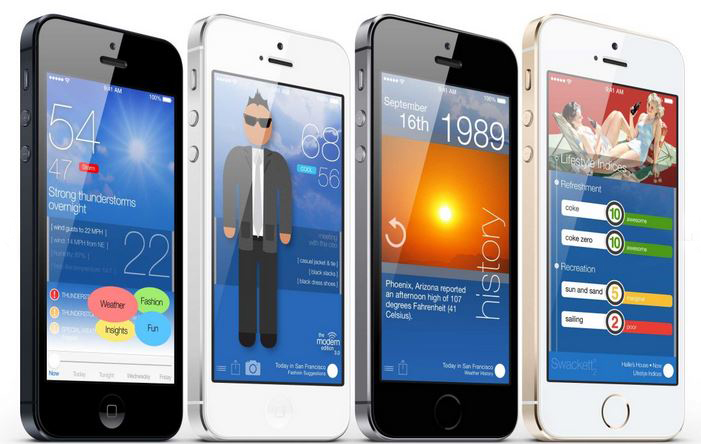
    This is a fun new app that puts to use the general weather data into information that is specific and useful if you are planning for outdoor games. It rates the climate from excellent to poor for activities like golf, ski, tennis, etc. Also, it facilitates a visual weather reporter suggesting you how to dress in accordance with the environment through crafted people symbols called peeps. These swackett peeps sometimes carry an umbrella and the other times a jacket, depending upon the weather outside.

    Platform: Swackett is compatible with both iOS and Android devices.

    2. Weather and Clock Widget

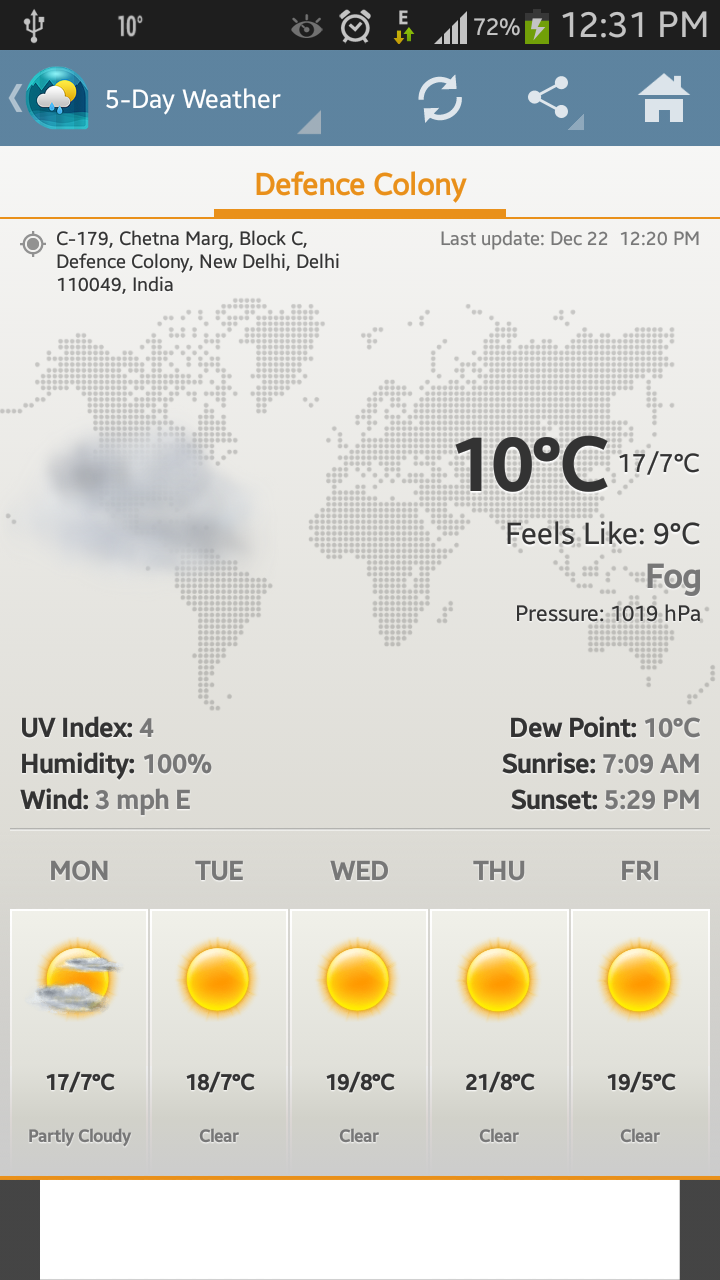
    Screenshot_2014-12-22-12-31-44

    Weather and Clock Widget is a must-have app in our collection. Like other weather apps, it keeps users updated with the climate outside along with informative sunrise and sunset timings. Additionally, it supplements operators with other important facts like humidity, pressure, wind speed and direction. Along with the recorded temperature, the app gives precise weather notification with ‘feel like’ temperature. Besides that, the app assists users locate the exact position that they are presently at. That means, it acts like a map as well.

    Platform: The app is supported by Android phones only and is absolutely free.

    3. WeatherBug

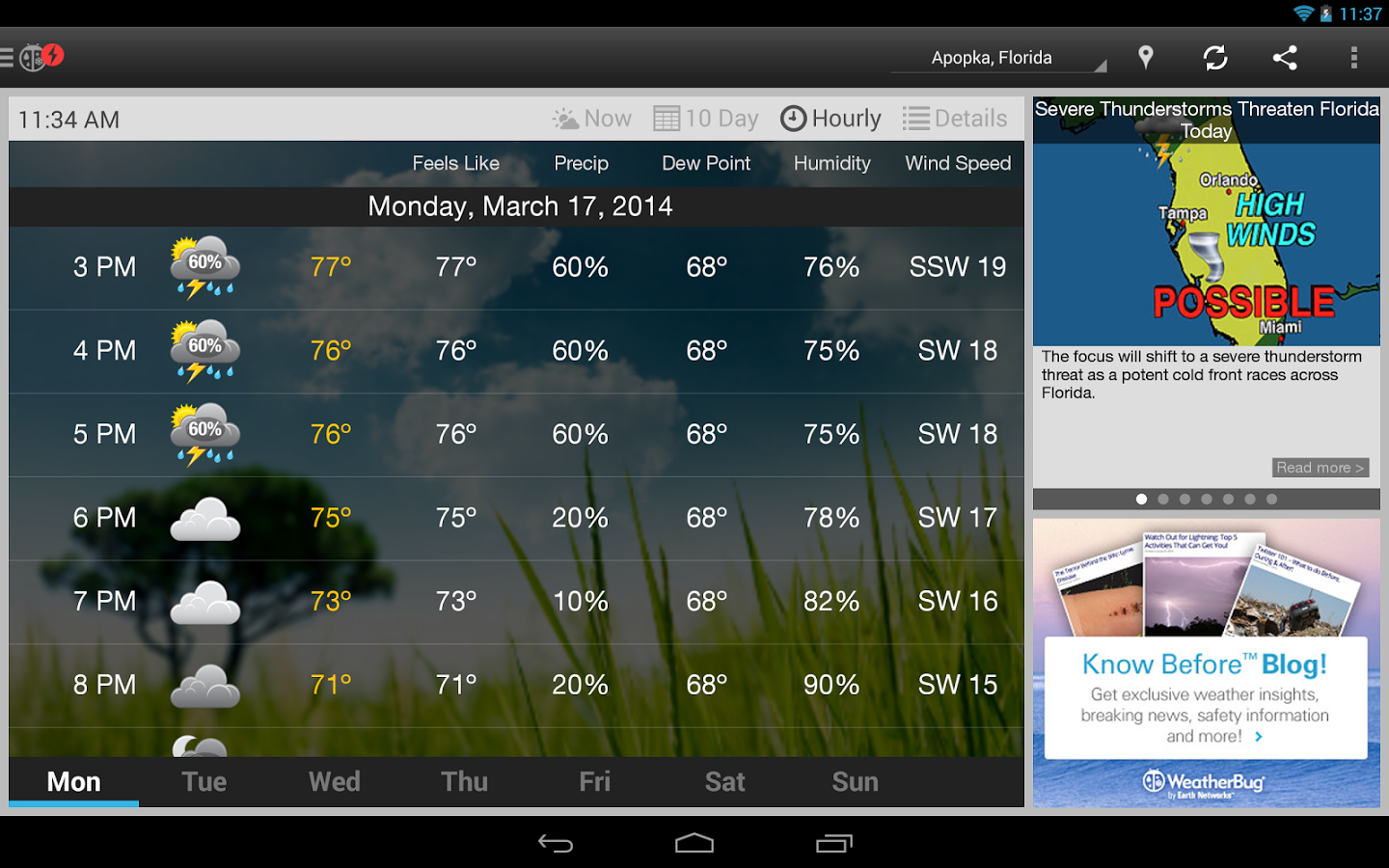
    weatherbug

    WeatherBug is an easy-to-use application to keep a check on weather. Together with basic temperature notifications, the app comes with build-in alert system to warn operators if any significant change in weather can be felt in next few hours. It informs users about hurricanes, floods and other severe weather conditions. The USP of the application is that it displays a playable radar image of the forecast. This enables one to see from where the weather is coming from and in which direction it is moving. This app has one of the best radar features. Also, the warning system will alert you if you’re actively tracking that region.

    Platform: It goes with both iOS and Android platforms.

    4. The Weather Channel

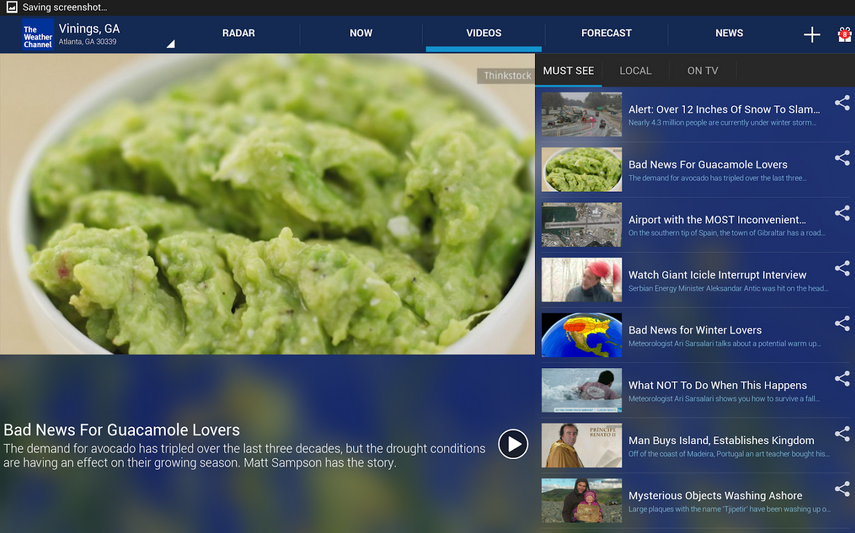
    Screen Shot 2014-12-22 at 12.44.28 PM

    The Weather Channel is among the highly downloaded weather apps. It provides accurate and up-to-date information about the temperature outside. Its features include usual gamut of weather conditions like wind speed, dew point, pressure, humility and more along with 36 hours and 10 days forecast options. Other features include options like Radar, Now, Videos, Forecast and News.

    Platform: It is compatible with iOS and Android devices.

    5. Yahoo! Weather

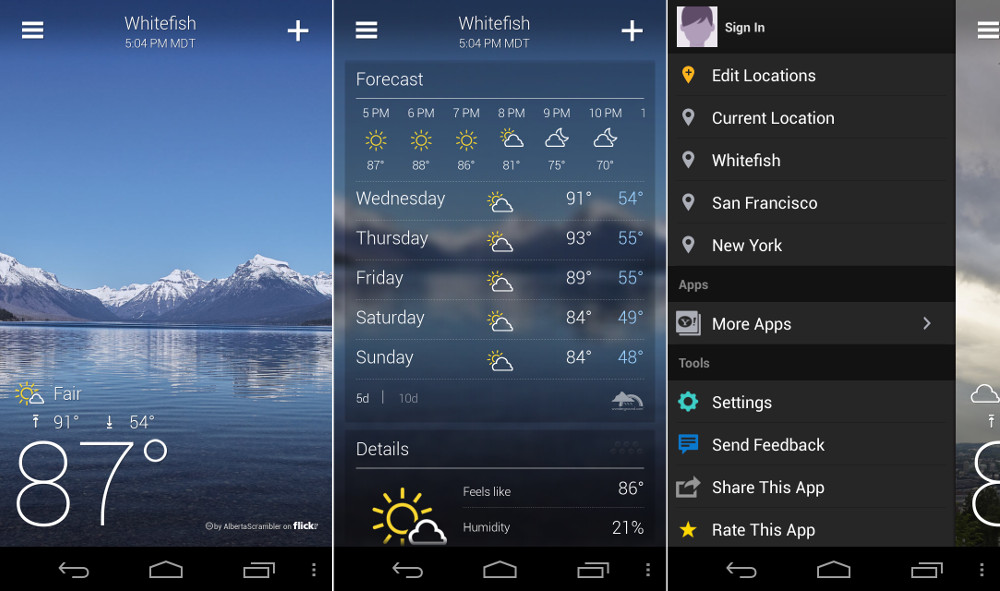
    yahoo-weather

    The winner of 2013 Design Awards by Apple, Yahoo! Weather is an app that will make your home screen gorgeous. It displays the image of users’ location along with weather notification, time and other specifications. It exhibits interactive radar, heat and satellite maps, which are neat. Also, one can get detailed weather forecast of up to 5 days to plan things accordingly.

    Platform:Both iPhone and Android devices support the app.

  • Android Devices Vulnerable to Lurking Malware That Sends Out Private Data

    Android Devices Vulnerable to Lurking Malware That Sends Out Private Data

    Google’s mobile operating system Android is used in many devices such as tablets, smartphones, smartwatches and more. The OS is convenient to use and for that reason, its sale is recorded more than the combined sales of Windows, iOS and Mac OS X in 2012, 2013 and 2014. However, this is also true that Android is the weakest OS and an prey to malware and Trojans.

    A new discovery has showcased that a Trojan named ‘Android SMSSEND’ is lurking. It is a threatening Trojan virus that steals essential data from your Android smartphone and leaks confidential information to all those in your contact list. This is done by sending messages to your contacts. The sensitive information that it dispatches illegally includes IMEI number, device ID, device type, contacts, pictures, passwords and personal banking information.

    android malware

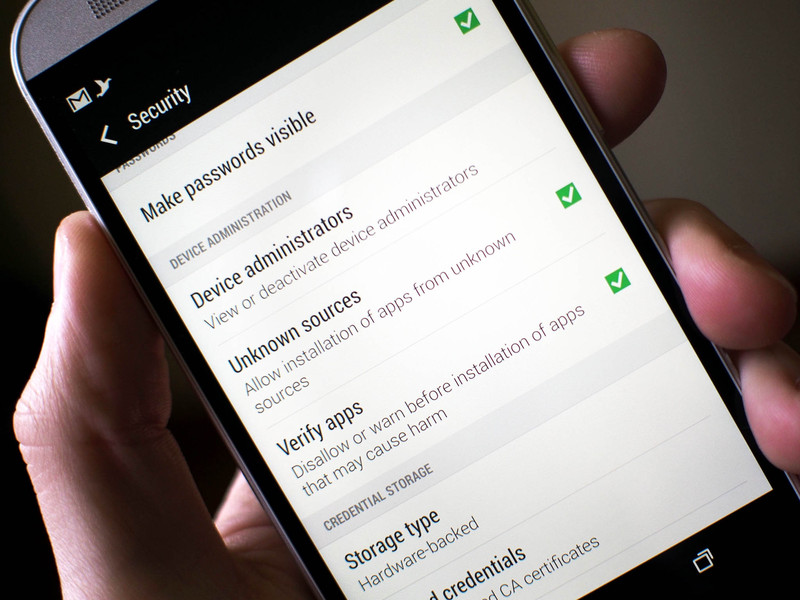
    It is estimated that Android SMSSEND can install spyware, track your phone location, illegally access text messages and harm your system. Although, Google uses a malware scanner Google Bouncer to keep a close watch at these viruses, but the scanner seems inadequate. Whenever a user installs a third-party app, a warning message appears on screen to alert the user about the suspicious app.

    It’s highly advisable not to download and install applications from untrusted sources. Also, one should run full system scan after every 3-4 days. In case, you are installing an application, read all the permissions beforehand. To save your data, it is recommended to take regular backup of the device. Last but not the least, one should avoid using unknown Wi-Fi networks as they may not be secure.

  • Top 5 Apps That Already Feature Android’s Material Design

    Top 5 Apps That Already Feature Android’s Material Design

    Back in Google I/O 2014, we first learned about Google’s Material Design language. Since then, we have slowly but surely seen bits and pieces of it rolling out to various Google and 3rd-party apps. And now with Lollipop rolling out gradually, Google has been pushing hard to bring Material Design to all its possible apps while encouraging developers to do the same. Third-party developers are already moving forward with the help of Google’s guidelines.

    We are listing top 5 apps that already feature Material Design.

    1. Wally

    wally

    One of the first to adopt Material Design, Wally offers a database of wallpapers, which is sorted by category and colours. This app has provided an example how Material Design can be achieved without the Android 5.0 Lollipop update, after which many developers adopted this strategy.

    2. Androidify

    Google recently updated the Androidify app to version 2.0. The update has more to do with branding and avatars related to the Lollipop version of the Android. The surface of the app has also been improved with a flatter design that Material Design inspires.

    3. Numix Calculator

    Yes, even calculators have been given a makeover with Material Design. The updated Numix Calculator will make you love Algebra more. Well, we guess so.

    4. Local Cast

    local-cast-material-design

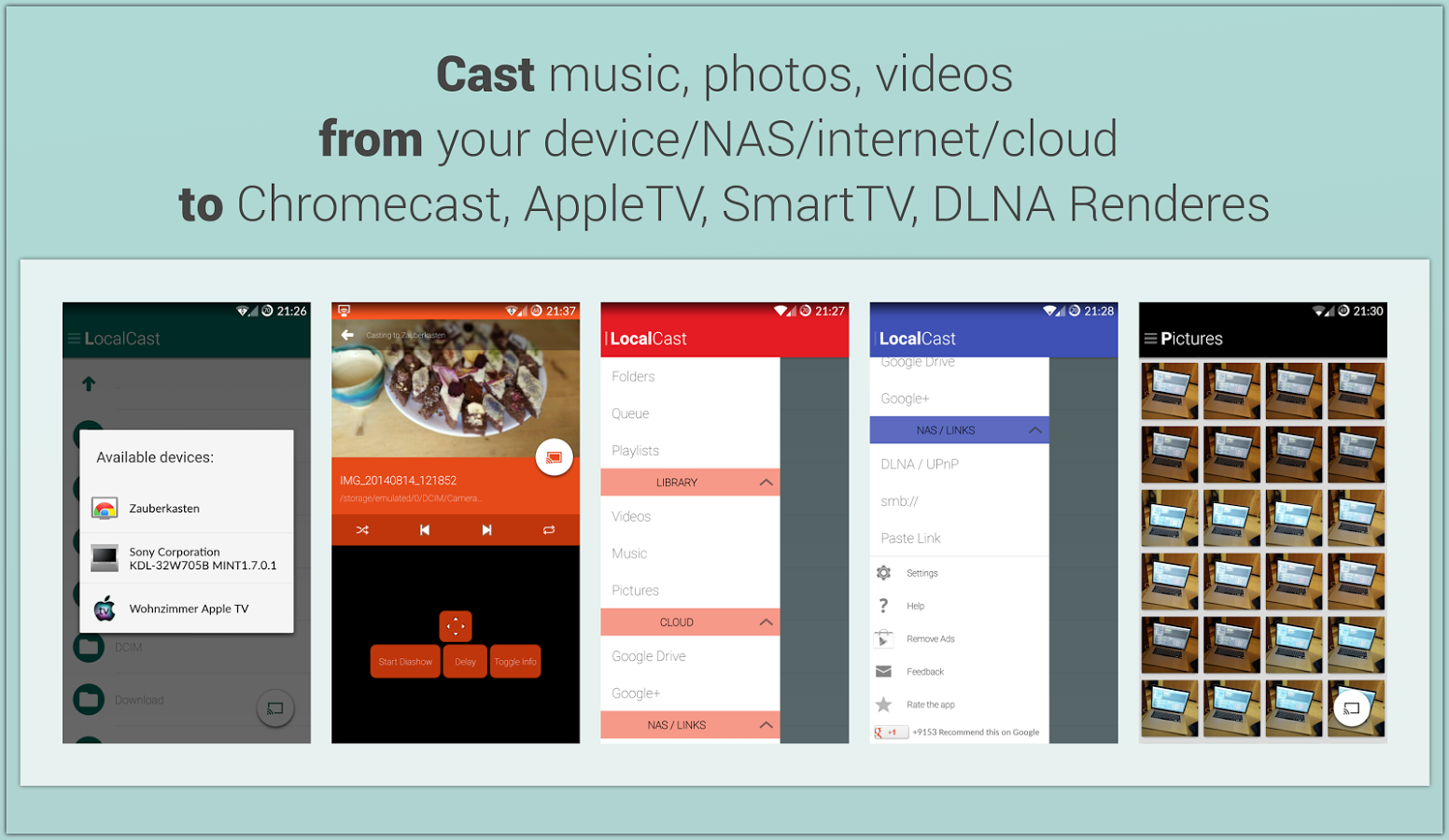
    This free ad and donation-supported app offers services of streaming PDFs, images, videos and music locally from one Android device to other. The developers are clearly paying close attention to not only the Material Design, but also to the current Google+ app, which shares the ever-present floating circular button. This button gives it a very Google-like look.

    5. Reddit News Free

    redditnewsscreencap-850x560

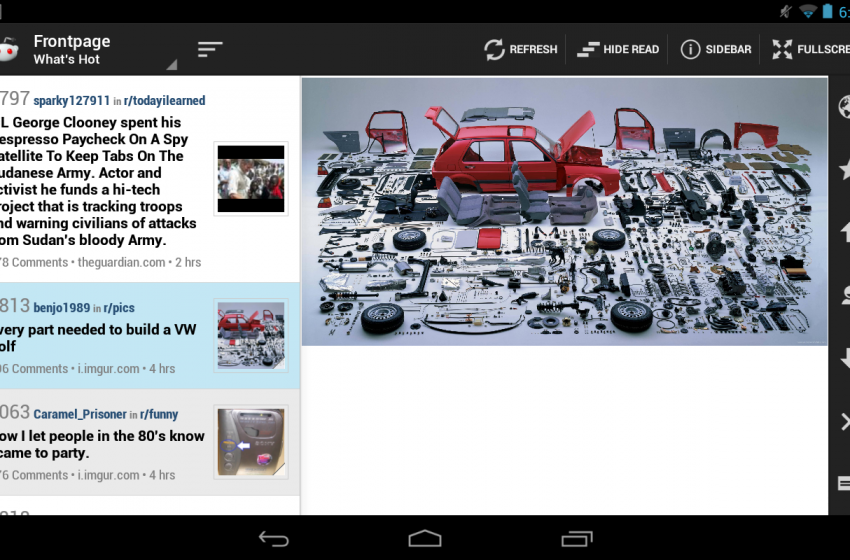
    Reddit News Free has updated their app to include Material Design elements and it has been for the best so far. It’s a highly-rated Reddit app with a bunch of features and a lot of happy users. If you’re looking for a modern Reddit experience, this is it!

  • Top 5 Android Lollipop Features That Will Change the Way You Use Your Smartphone

    Top 5 Android Lollipop Features That Will Change the Way You Use Your Smartphone

    Google’s new Android platform Lollipop 5.0 has already got rave reviews. The OS has begun rolling out to select Nexus and Motorola handsets and tablets. You must be preparing yourself for your Android Lollipop update, or you’re just getting the grip of the OS on your new tablet or smartphone. Let us tell you, the new update makes you feel like you own a new device altogether.

    We are listing top 5 features of Android 5.0 Lollipop that will change the way you use your smartphone.

    1. Project Volta

    2014_07_03_12_49_50

    Android smartphones have a bad reputation for short battery life. The amount of juice sucked by the apps and screen has forced Android phone makers to fit larger batteries than iPhone and other rivals to get through the day, but all that may change, thanks to ‘Project Volta’. At its core, Volta represents a concerted effort by Google to address one of the biggest problems affecting smartphones today: battery life. Project Volta is Google’s new initiative for improving battery life. It’s weaved deep into the Lollipop coding. It reorganises background app activity into batches to save unnecessary battery drain. It also automatically detects when you are in an area of weak or no signal to stop the continual network data requests, which is a major source through which your phone’s battery churns out.

    2. Interactive Notification

    google-android-lollipop-9093-010

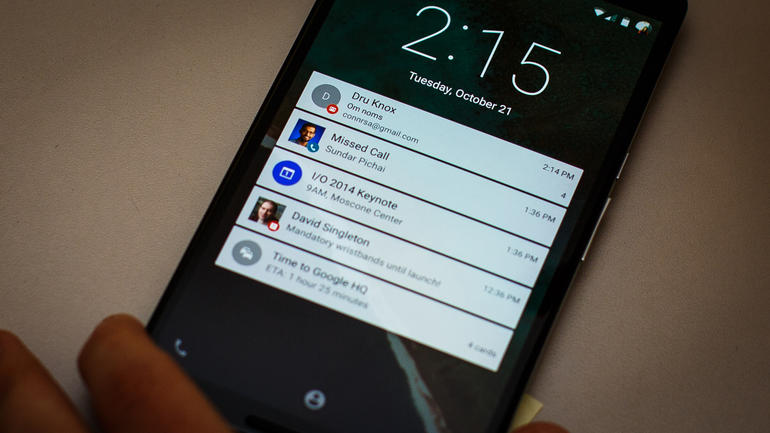
    With the new Material Design, notifications do look different. But, the change is not just a cosmetic accessing your updates and interacting with alerts from emails, your social feeds have become more intuitive. It also brings notifications to the lock screen and lets you use them right there, so you can perform tasks without even unlocking your phone. And if you don’t want some of them to bother you every second, you can just put them to your ‘redacted’ list of private notifications. Alerts not only offer quick actions and quick access to settings, but they are incredibly dynamic. They can be expanded or contracted to see more or less information, individually muted for a specific period (e.g. stop Facebook Messages, but not SMS) and prioritised according to your privacy requests.

    3. Super Easy Multi-tasking

    2014-11-07-14-08-50-1940x1455121111111111

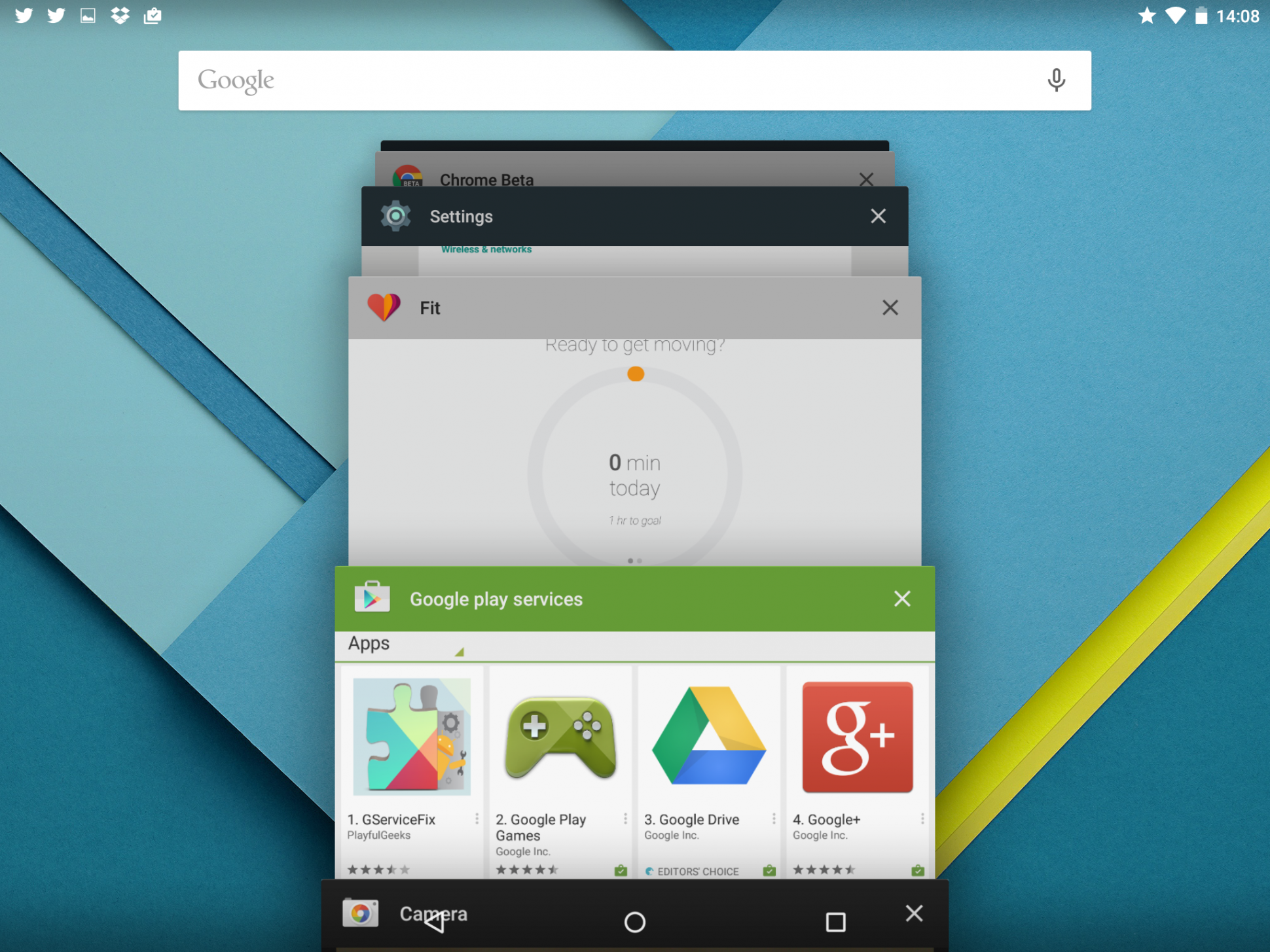
    With the new update, multi-tasking feature in Android has gone some fundamental changes. Mostly, the new changes catch up with the trends set by iOS. However, this time around, Google has actually stepped ahead of Apple. Now, instead of just switching between apps, your phone can now switch between operations within the same app. This means you can now switch between two different documents you were working on and also between different browser tabs in Chrome. This basically changes the fundamentals how you use your Android device.

    4. Pin Apps

    image

    If your phone is borrowed several times a day by friends and family, then this feature will be your favourite one. Pin Apps mode is a simple and very useful addition to Android Lollipop that lets you add an extra layer of security to your phone when somebody borrows it. When enabled, you can lock down your device so that the person using it only has access to one app. Undoubtedly, a convenient feature for those who often offer a device to a child to play games or  a friend to check his or her e-mails. Once the app is pinned, the user can navigate anywhere within the app, but he or she can’t leave it. So if you pin Chrome, the user will be able to browse the Internet, but that’s it. Exiting a pinned app requires you to touch and hold the back and overview buttons at the same time. After a couple of seconds, your device will switch to the overview screen.

    5. Faster App Response – ART

    Android RunTime (ART)

    Earlier, Android used the Dalvik engine to run third-party and core Google applications. Now, the company has switched to ART with Android Lollipop. ART provides larger install footprint and can, as Google says, operate in an ‘always ready’ mode. So when you select it, the application will spring into life faster than it would with the old engine. According to the company, ART is 4x faster than Dalvik and will improve the performance of any Android handset it runs on.

  • Here’s How You Can Get Android Lollipop 5.0 Right Now on Your Nexus 5

    Here’s How You Can Get Android Lollipop 5.0 Right Now on Your Nexus 5

    Google has started rolling out Android Lollipop 5.0 update for Nexus 5. You can expect the new update soon on your device via OTA in the coming days. However, there are some of us who don’t want to wait anymore. It is true that the OTA method is the most convenient way to upgrade your phone. However, we don’t mind doing some hard work to get the new upgrade.

    So, here is how you can get Android Lollipop 5.0 right now on your Nexus 5.

     Things you’ll need:

    • A Windows computer installed with ADB and Fastboot.
    • Android Lollipop ROM for the Indian version of the Nexus 5. Download it Here.
    • USB drivers for Nexus 5. Download it Here.

     How to do it:

    1. Go to the phone Settings and make sure the Developer mode is enabled.

    2. Put the downloaded Lollipop Zip file into a new folder in the desktop and rename it according to your preference.

    3. Make sure the USB debugging option is on; you can find it under Developers option in your phone’s ‘Setting’ window.

    Nexus 5 Lollipop3

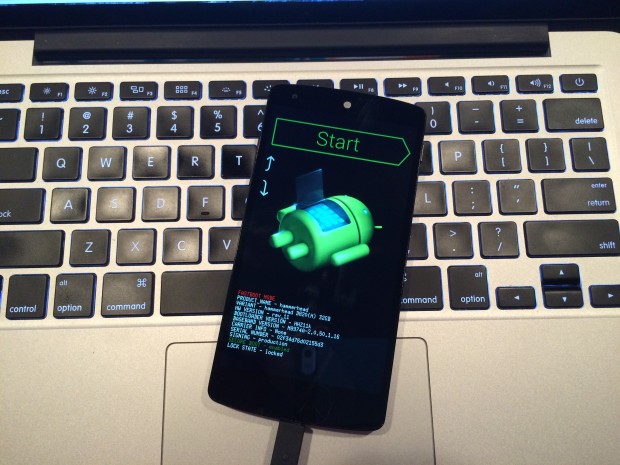
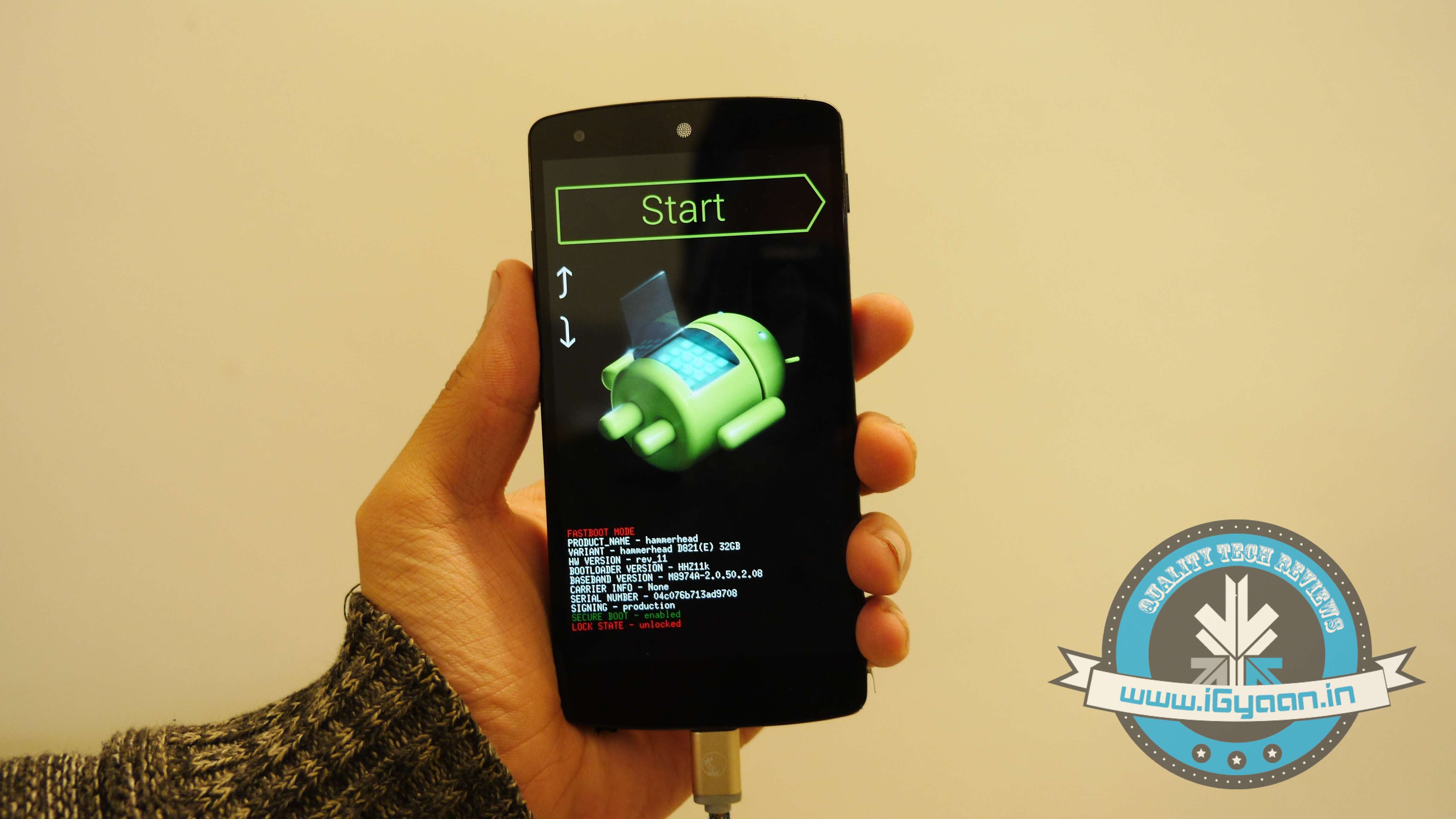
    4. Switch off your phone. Now press Volume Down + Power button simultaneously. This will switch on the phone in Fastboot. You will see Start written in big letters on the top of the screen. Use volume buttons to navigate to Recovery Mode. Once found, select it using the Power button.

    Nexus 5 Lollipop2

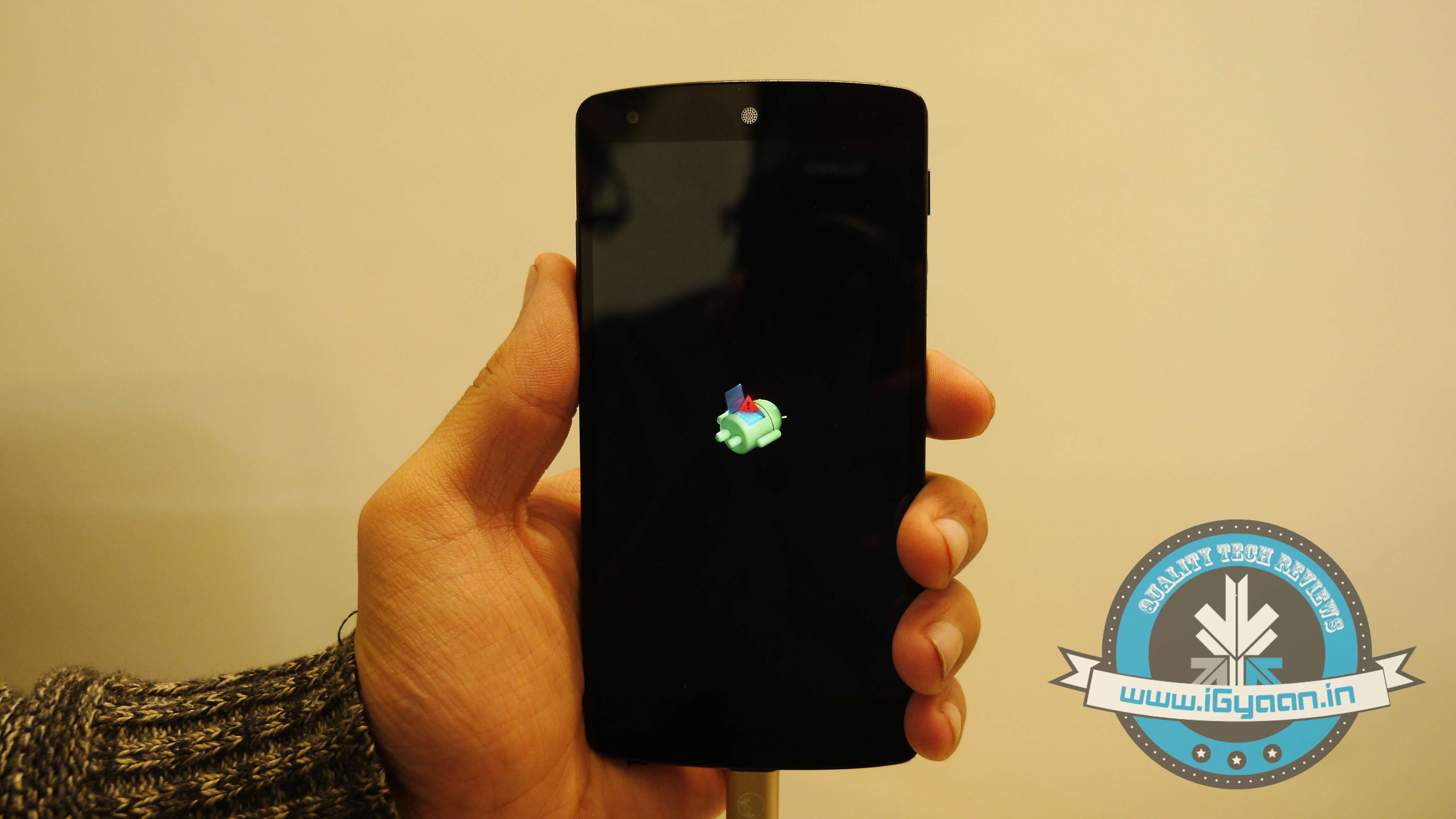
    5. You’ll see small Android robot lying flat with a red mark over its belly. Now press the Power button for a couple of seconds and press the Volume Up button once while holding the power button. This will turn on the ADB mode in your device. If it doesn’t, try it again starting from step 4.

    6. Once the phone is in Recovery Mode, use volume buttons to highlight ‘apply update from ADB’ and press Power button to select it.

    Nexus 5 Lollipop5

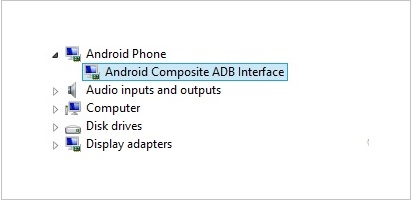
    7. Connect your phone with the PC via USB. Make sure the PC recognises the device as Android phone with Android Composite ADB Interface functionality in your computer’s Device Manager. If not, uninstall the drivers and install them again.

    Nexus-5-Driver-Installation-Completed

    8. Now press ‘Windows+R’ on you keyboard to launch RUN and type ‘cmd’ to open the Command window.

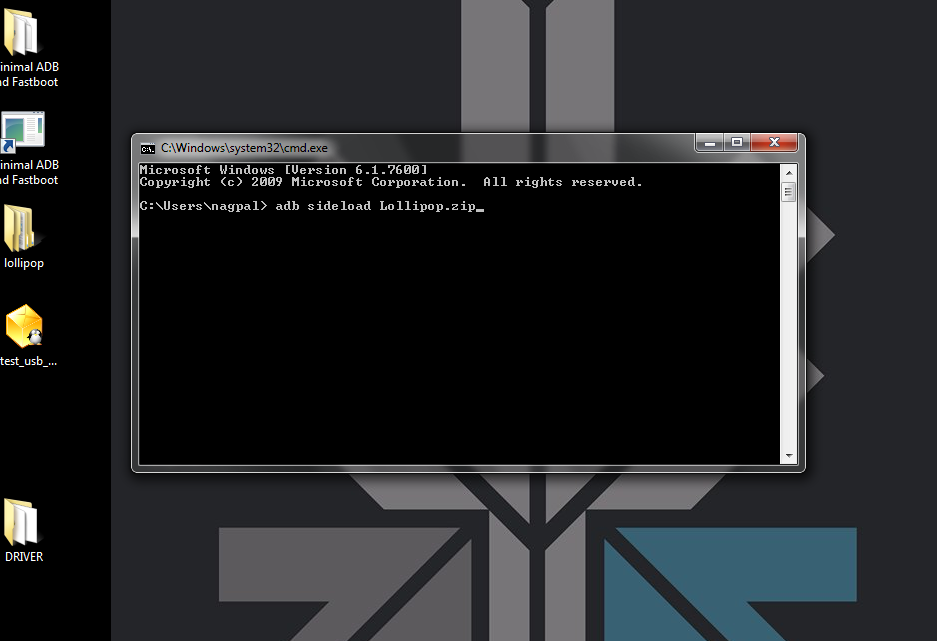
    9. Type ‘adb sideload <name of the Lollipop zip file>’. For example, if your file name is Lollipop.zip, then write: adb sideload lollipop.zip and press Enter.

    cdm

    10. Now,  you will see that the ROM will be copied onto your phone. This way, Lollipop will be installed. The whole process will take around 10 minutes.

    lollipop

    TIP: If you get confused or lose the track somewhere in between, press the Volume Up, Volume Down and Power buttons together to reboot the phone. And remember, never ever pull it off charging.

  • To Strengthen Android Security, Samsung Partners With Blackberry

    To Strengthen Android Security, Samsung Partners With Blackberry

    Smartphones are not just a communication device anymore. They are business gadgets and a storage for tons of personal information. With the number of revelations of hacking and stealing content from users phones and cloud account, security of the smartphones has become an important topic of discussion amongst all stakeholders. Samsung has decided to step up its game on security and has partnered with Blackberry for the effort.

    Samsung’s own Knox was reported to have a flaw that apparently left the system ‘completely compromised.’ Here Blackberry can come really useful as it has been unanimously praised for having one of the best enterprise security.

    This will also be a good opportunity for Blackberry to share the limelight with the global consumer electronics giant. Blackberry has had serious issues in the recent past with the rapid decline in sales.

    Blackberry will provide its expertise to enhance the performance of Samsung’s Knox system. It will integrate its BES12 end-to-end encryption system with Samsung’s Knox. The offspring of this alliance will be introduced early next year.

    The security option is essential for corporate and government sectors as they deal in sensitive information. These sectors also consume massive inventories from the companies so it would be important for Samsung to convince them of its security standard.

  • Facebook Plans to Take on Apple’s Monopoly Over the App Business

    Facebook Plans to Take on Apple’s Monopoly Over the App Business

    It is no secret that Apple has dominated the $45 billion market with its App Store. Even though Android ecosystem has proliferated to almost 80% of the market globally, iOS has taken over the major chunk of the app store revenue on its side.

    The main reason being iOS users are more than ready to spend money on apps than Android users. Android being an open source OS comprises of users that may or may not like to spend money on apps, hence, the revenue differs. So the best apps are developed first for Apple’s iOS mobile operating system. Only if they are successful do companies produce an Android version, often months or years later. However, Facebook is planning to change this game.

    According to the folks at Facebook Europe, the dominance of Apple is about to weaken soon. Facebook’s Europe, Middle East, and Africa platform director Julien Codorniou while talking to Business Insider suggested that the new trend he is seeing is going to favour Android. According to him, Android is very rapidly catching up iOS in terms of revenue generation. He also mentioned that there days, many developers, especially game developers, are going for Android first in the European market.

    Parse
    Facebook is planning to tap into situation with its own Parse app development platform, and favour Android big time.

    “There is a pattern coming from Eastern Europe. The Russian developers develop on Android first because of a big audience, and it maybe being easier to develop. They liked the fact that they could submit a new version of the app every day. [With Apple, you have to get each new version of the app approved before it hits the App Store. There is no version approval for Android.] This is a trend that I see and I think it is going to accelerate.”

    Facebook is planning to tap into the situation with its own Parse app development platform and favour Android big time. Codorniou believes that Parse virtually erases the two-step iOS/Android development process, letting companies release new apps on both platforms at the same time. If apps are released at the same time on Android, it erases one of the key selling points of the iPhone, which is users who want the cool new apps must be Apple users in order to get them.

    Codorniou has a team of promoters for spreading the word: “As of today, I have four guys from my team in Paris talking to Android developers about the greatness of Parse, Facebook login, app links, app events, all of these things we introduced at f8. It’s a very important bet for us.”

iGyaan Network
Privacy Overview

This website uses cookies so that we can provide you with the best user experience possible. Cookie information is stored in your browser and performs functions such as recognising you when you return to our website and helping our team to understand which sections of the website you find most interesting and useful.