Tag: apple

  • HTC Trolls Apple With its Latest Commercial

    HTC Trolls Apple With its Latest Commercial

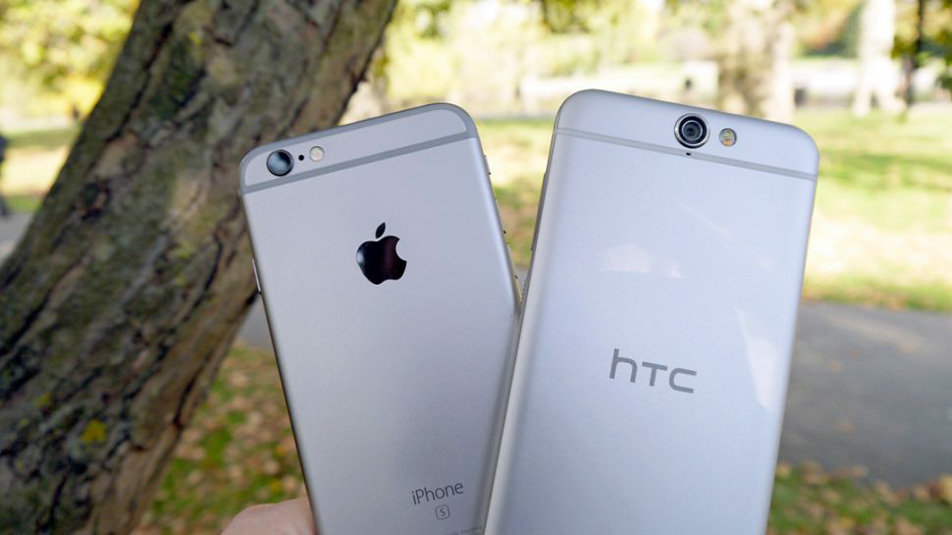
    HTC received a truckload of criticism for coming out with an iPhone look alike with the One A9. Yes, HTC did not hesitate in ripping off the most notable iPhone characteristics. The company later came out with a defence stating that Apple copied them first.

    This is fine and all, but now HTC has come out with a commercial titled ‘Be Different’, which blatantly copies (read: parodies) Apple’s ‘1984’ advertisement. More than the actual device, the commercial relies heavily on symbolism.

    The theme is a familiar one. Back in 1984, Apple launched the Macintosh with a commercial that showed a woman (representing Macintosh) saving humanity from conformity (Big Brother). The idea was based on George Orwells dystopian novel , ‘1984’. Apple’s commercial became iconic for its timing, poetic spirit, and the fact that it truly ushered in personal computing.

    Jump to 2015 and we see HTC pulling a ‘1984’. The commercial for the One A9 is eerily similar to Apple’s commercial. It follows the same dystopic theme. Here we have a man running through a dystopian environment with his HTC One A9, while scores of expressionless men and women (all dressed alike) march around him. But because he carries a One A9, he’s “Different” and “Bold”.

    HTC CommercialThe symbolism doesn’t just end there. The true punch comes when the man finds himself at the creepiest looking dinner ever. He proceeds to jump on the table and literally kicks a pile of ‘apples’. Why does he do it? Because the apples have become boring, grey, and generic. And that’s what HTC wants you to ‘break’ away from.

    As one would expect, the internet is seeing mixed responses to the commercial. While some are just cringing over how HTC has ripped of iPhone and doesn’t even deny it, others feel that the company is playing it very smart coming out with an iPhone-like phone and commercial.


  • Apple Removes Over 250 Apps That Accessed Personal Information of Users

    Apple Removes Over 250 Apps That Accessed Personal Information of Users

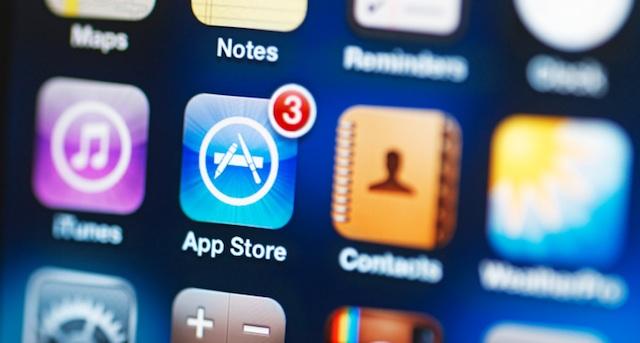
    In an attempt to up its security, Apple got rid of over 250 apps from its App Store. These apps were using a software developed by a Chinese firm called Youmi which allowed them access to the user’s personal details like email address and the serial number of their smartphone. According to sources, the apps received a total of 1 million downloads.apple

    The apps which relied on Youmi’s SDK, mostly made by companies and firms based in China, may not have willingly or knowingly violated Apple’s secutrity. As is backed by SourceDNA’s blog post:

    “We believe the developers of these apps aren’t aware of this since the SDK is delivered in binary form, obfuscated, and user info is uploaded to Youmi’s server, not the app’s. We recommend developers stop using this SDK until this code is removed.”

    This security issue was brought to light by SourceDNA when they were updating their own product called Searchlight. Searchlight inspects the security and checks apps for security violations. SourceDNA later on went ahead to comment in their blog post, “We’re concerned other published apps may be using different but related approaches to hide their malicious behavior.”

    Apple on the other hand, issued the following statement:

    “We’ve identified a group of apps that are using a third-party advertising SDK, developed by Youmi, a mobile advertising provider, that uses private APIs to gather private information, such as user email addresses and device identifiers, and route data to its company server. This is a violation of our security and privacy guidelines. The apps using Youmi’s SDK will be removed from the App Store and any new apps submitted to the App Store using this SDK will be rejected. We are working closely with developers to help them get updated versions of their apps that are safe for customers and in compliance with our guidelines back in the App Store quickly.”

    Source: [tw-button size=”medium” background=”#07ABE2″ color=”” target=”_blank” link=”https://sourcedna.com/blog/20151018/ios-apps-using-private-apis.html”]SourceDNA[/tw-button]

  • Travellers Asked to Declare iPhone 6s on Arrival in India

    Travellers Asked to Declare iPhone 6s on Arrival in India

    Those trying to get their hands on the latest iPhones from abroad via the grey route market could land in deep trouble. Also, those who bring in the phones from outside into India without paying duty are likely to be fined.

    Mumbai Customs has seen a growth in the number of iPhones 6s and iPhone 6s Plus smuggled into the country. Since the 25th of last September, around 200 handsets have been seized at Chhatrapati Shivaji International Airport in Mumbai from foreign returning passengers.

    iPhone 6s 0

    “We seized 200 of the latest iPhone models, valued at Rs 1.23 crore, over the last week. They were being smuggled into India by fliers from Singapore, Hong Kong, London, Dubai, etc. We have increased screening of baggage, besides profiling of passengers,” said Milind Lanjewar, Additional Commissioner, Customs.

    Customs has issued a press release informing fliers to “voluntarily declare iPhones to customs on arrival.” They also warned that passengers picked up from the Green Channel will be liable to pay a fine, and those carrying iPhones in commercial quantities are likely to be arrested.

    “For goods above Rs 45,000, technically passengers have to declare but most people are not aware of it. A duty of 36% is levied on the amount above this limit,” Lanjewar said. This means that duty will be levied if a passenger is carrying even a single iPhone, if the value of it exceeds Rs. 45,000.

    India prices released by Apple distributor Ingram Micro on Tuesday pegged the 16 GB iPhone 6s at Rs 62,000 and the 16 GB iPhone 6s Plus at Rs 72,000 with successive variants having higher price tags. Basically, all the prices exceed the permissible free duty limit.

    iPhone 6s 7

    “As the models are still to be launched in India, passengers are trying to smuggle these iPhones for monetary benefit by sale through grey market,” the authorities have said.

    Other parts of the country are also tightening the noose and are on the look out for more such cases, which is expected to rise with only 10 days to go before the official launch in India. Apple has sold over 13 million units of these phones since the launch across US, UK, Australia, Canada, China, France, Germany, Hong Kong, Japan, New Zealand, Puerto Rico and Singapore.


  • Apple iOS 9 Update Fixes Lock Screen Privacy Bug, Improves Performance

    Apple iOS 9 Update Fixes Lock Screen Privacy Bug, Improves Performance

    The iOS 9.0.2 comes only a week after the release of iOS 9.0.1, the first update of iOS 9 which was released to buyers on 16th September. This update promises users a smoother, glitch free experience and boasts of various features. The list of new things in the update are, as revealed by Apple in an official statement, are as follows:ios-9-logo1

    “This update contains bug fixes and improvements including:- Fixes an issue with the setting to turn on or off app cellular data usage
    – Resolves an issue that prevented iMessage activation for some users
    – Resolves an issue where an iCloud backup could be interrupted after starting a manual backup
    – Fixes an issue where the screen could incorrectly rotate when receiving notifications
    – Improves the stability of Podcasts.”

    The most important feature of this new update is fixing the lock screen vulnerability. Earlier, hackers had come up with a basic seven step procedure to use Siri to gain access to the user’s contacts and photographs. The latest iOS 9 update has taken care of this security threat.

    iOS 9

    iOS 9 had rolled out last month with some significant changes to Siri and the entire user interface experience. It includes not only some major updates to the App store and all Apple-based apps but also allows for a multi-tasking feature for the iPad screen.iPhone 6s

    This update, which comes within a week of the last one, fixes bugs related to iMessage, iCloud, Podcasts and security on the latest iPhones. Let’s hope the new iOS offers the smoothness Apple promises, and not lands the company in another series of update fails, system glitches and hacking trouble that seems to have plagued the company recently.

  • 9 New Features of the OS X El Capitan

    9 New Features of the OS X El Capitan

    Apple released the latest upgrade to its desktop operating system on Wednesday. The OS X El Capitan is now available as a free upgrade for all Mac users using a 2009 model or newer, and also for some 2007 models as well.

    Apple has tried to redefine the Mac experience with a host of new improvements, both big and small, that adds a little something extra to your Mac. From Notes and Safari to Spotlight and Split View, there’s something to be found everywhere.

    Find the cursor

    This is perhaps the smallest improvement, but an improvement nonetheless. Mac users have found it a bit of problem when it comes to locating the little mouse on the screen. However, with the new upgrade, all you have to do is quickly move your fingers across the trackpad or shake the mouse quickly and the cursor grows in size so that you can spot it easily on screen.

    Split View

    splitview-mac

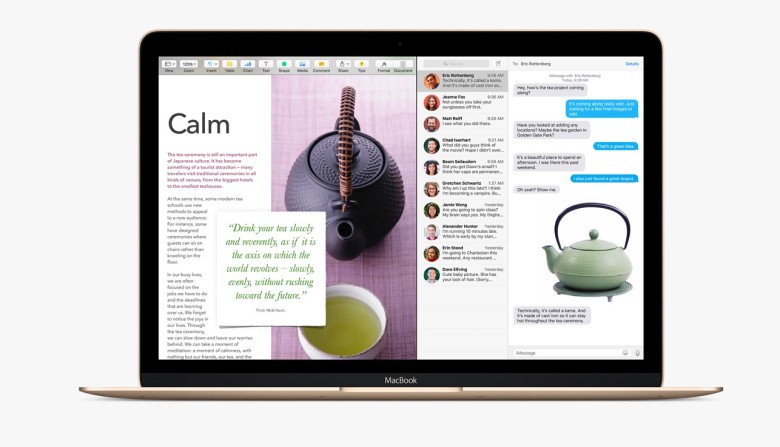
    Apple has already introduced the Split View feature with the iOS 9 for the iPads, now El Capitan OS follows suit. Split view allows two applications to run side by side. There are two ways you can get the split screen activated. You can click and hold the green zoom button of a window and then drag it into place, or open up Mission Control (F3) and drag the two apps of your choice into the same thumbnail at the top.

    Spotlight search with natural language

    By natural language we mean the way you would naturally speak when looking up something. For example, you could enter “find mail from Sam regarding flight details” and you will get exactly what you were looking for. Basically, Spotlight now has a better grasp of language.

    New Mail gestures

    mail-gestures

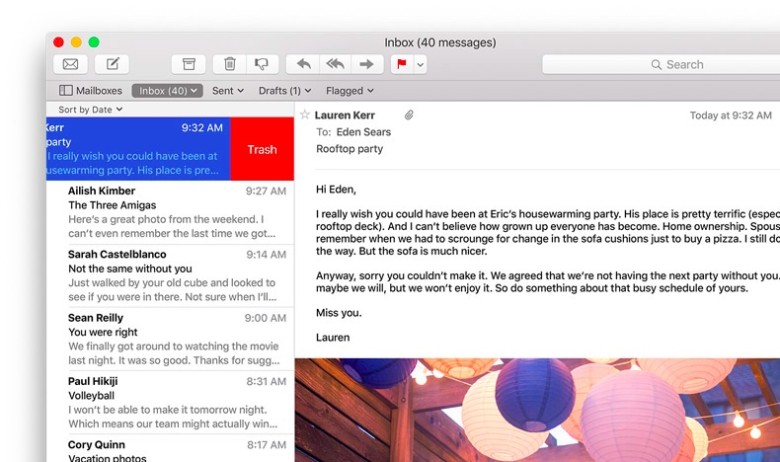
    Like the Split View, Apple has borrowed from iOS for the Mail app as well. OS X El Capitan can now allow you to delete mails and access other options by using two fingers to swipe on an item. Mail also recognizes contacts and events in you messages and helps you call or add events to your calendar.

    More to do with Notes

    The latest iOS 9 brought a whole bunch of changes to the Notes app. The same changes can now be found in the Mac. You can create checklists, import maps and pictures, or insert text formatting. The improvements are still short of Evernote, but the company is getting close.

    Send individual videos via AirPlay

    Earlier, if you wanted to send a video from Safari to your friends or to the AppleTV, you would have had to share your entire browser window for that. With the new upgrade you can now send just the video. In Safari, click on the AirPlay option just below a YouTube video and you can select your desired destination. It works with YouTube right away, with support for other services to come soon.

    Pin tabs in Safari

    pintab-safari

    You can now pin sites that are most frequently visited to a new browser tab at the left-hand side of the tab bar. This allows you to quickly access them with just a click. Pinned sites automatically open when the browser is opened.

    Skip the Trash

    Trash-Mac

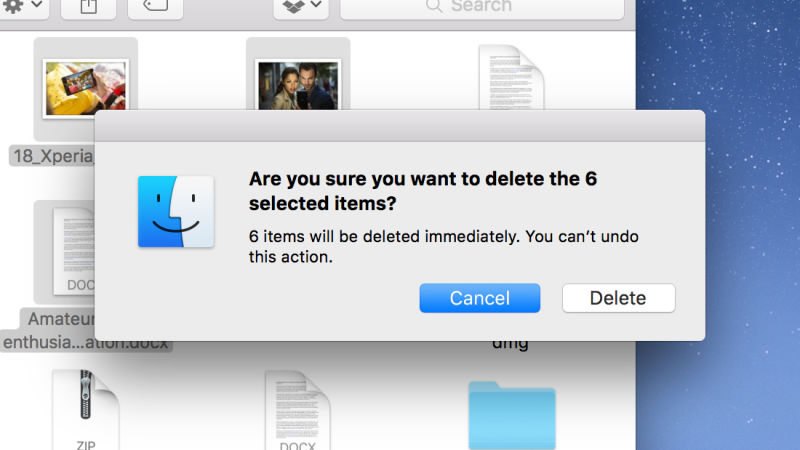
    This gives you the option to permanently delete any file you like rather than temporarily deleting them. It saves you the trip of having to go to the trash bin. Press Option+Cmd+Delete to erase files immediately. You can find the option in the Files menu once you select the files you want deleted.

    Hide menu bar

    The new update gives you more screen space by making the menu bar disappear at the top of your interface automatically the same way as the bottom dock. Go to System Preferences via Apple menu, then go to General heading, and select Automatically hide and show the menu bar.

  • Apple Set to Create New Sales Record with iPhone 6s

    Apple Set to Create New Sales Record with iPhone 6s

    Apple is all set to create another record with the launch of the iPhone 6s that began on Friday. The sale of the latest device is estimated to fall between 11 to 13 million this weekend. Foursquare and Swarm are working together to find out the foot traffic at Apple retail stores across the world based on the information from their apps.

    “Based off of early indicators, we predict that launch day traffic will be about 360 percent higher than preceding weeks. This likely means that iPhone sales will surpass previous records, in the 11 to 13 million range.” A report cited.

    iPhone 6s 1

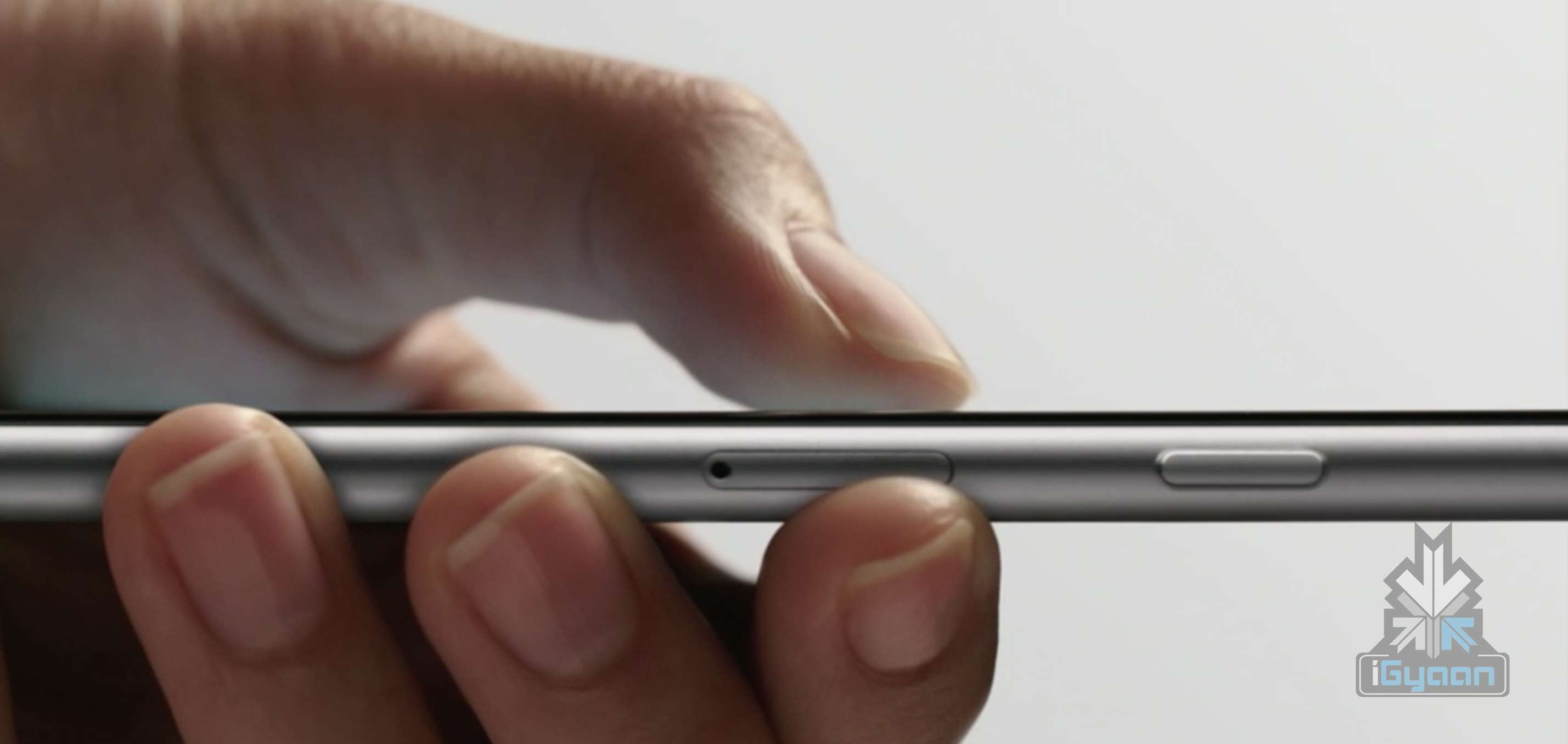
    Sometimes it takes only one new feature to get Apple loyalists around the world excited about a launch. And the Force Touch feature in the latest iPhone devices is the clear winner. This feature, among others, is set to take the sales of the iPhone to an unprecedented new high. Other features also include iOS 9, hugely improved camera (both front and back), faster processors and better connectivity.

    Other than a robot in Sydney, the general crowd lining up are pretty much all human. Meanwhile, Apple stores around the world are readying their shops for the potential crowd lining up outside. Here’s a video of store employees setting up iPhone displays in Japan on Thursday night.

    If Apple does manage to sell between 11 to 13 million units this weekend, they would top last year’s iPhone 6 that managed 10 million units in its opening weekend. Furthermore, a 13 million sales weekend would represent a 30% increase in sales.

    The pre-orders for the iPhone 6s has already seen a major increase since the last year, with the Rose Gold colour being the most popular choice, accounting for 30 to 40 percent of total units pre-ordered.

    Source : [tw-button size=”medium” background=”#07ABE2″ color=”” target=”_blank” link=”http://www.computerworld.com/article/2986321/apple-ios/apple-s-iphone-6s-is-setting-new-sales-records.html”]Computer World [/tw-button]

  • Apple Releases Bug Fixes For iOS 9

    Apple Releases Bug Fixes For iOS 9

    Last week, Apple released its latest operating system which came with its fair share of bugs and glitches to the annoyance of many. This is not a new phenomenon as last year’s iOS 8 saw perhaps the most number of bugs. However, Apple is now working quickly to remove the issues with its new update. The new iOS 9.0.1 update is ready to be installed today and it removes some, not all, of the bugs that Apple users have been facing.

    Issues such as broken alarms and timers, distorted paused videos in Safari and Photos, and one the left users stuck on the ‘Slide to Upgrade’ screen, preventing them from using their device unless they rolled back to iOS 8, have been fixed with the latest update. Despite the bugs, the iOS 9 has seen the highest adoption rate so far with more than 50 percent of devices already on the latest OS. Clearly, Apple fans have not been deterred by news of users having issues downloading the OS on the first day.

    iPhone 6

    The release of iOS 9.0.1 mirrors that of iOS 8.0.1 which also came out just a week after the release of OS 8, though to much ire as the second update to iOS 8 did not seem to fix bugs but rather created more. Users reported that iOS 8.0.1 was breaking cellular reception and other features like Touch ID. Apple is not looking to make the same mistakes again with this latest update.

    For those who haven’t updated your iPhone or iPads yet can do so today (and after midnight in India). Do not expect all your troubles to disappear right away. Let us know if the latest iOS 9.0.1 has made your life more easier.

  • 11 Hidden iOS 9 Features That Everyone Should Know

    11 Hidden iOS 9 Features That Everyone Should Know

    By now most iPhone and iPad users must have updated their device to the new iOS 9. With the update users would have also found some changes and features that are brand new.

    We recently spoke about a few of the more visible changes that came with the new update. Today, we’ll look at some other new hidden additions that you might not have noticed as yet.

    Drag and select multiple pictures

    iOS 9 Photos

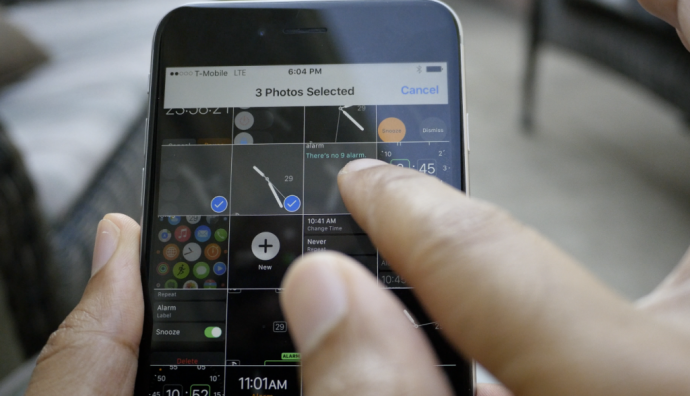
    Now, before you start thinking that the multiple select option already existed, we are not denying that. But now with the iOS 9, users can select multiple photos from within the Photos app more easily. After you tap on “Select” you can hold and drag around your finger to select as many photos as you wish without having to select every photo individually. Along with this is the ability to hide multiple photos at once.

    Siri can now recognize your voice

    Hey-Siri-640x557

    If you like to command Siri from a distance when your iPhone or iPad is on charge then you can enable the Allow “Hey Siri” option in General > Siri settings. However, this is not the new feature we’re talking about. Now, when you newly activate “Hey Siri” on iOS 9, you’ll be taken through a couple of steps which requires you to speak aloud a few sentences so that Siri can recognize your voice. Once you’ve finished the steps, Siri will now be able to recognize you and will respond to your voice when you say “Hey Siri”.

    Siri has a new audio wave

    Siri


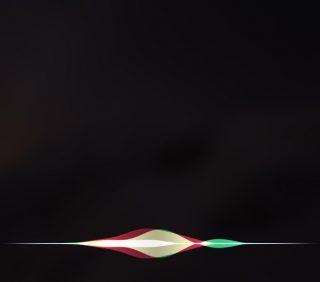
    Not only has Siri become smarter, but it’s groovier as well. The audio wave that shows up when you talk to Siri is now a lot more colorful and way cooler than the simple, old white colored waves. This little change does a lot more for the aesthetics of Siri rather than functionality. It’s simply a fashion change for Siri and we’re loving the new look.

    Quickly call and message people via Proactive

    iOS 9


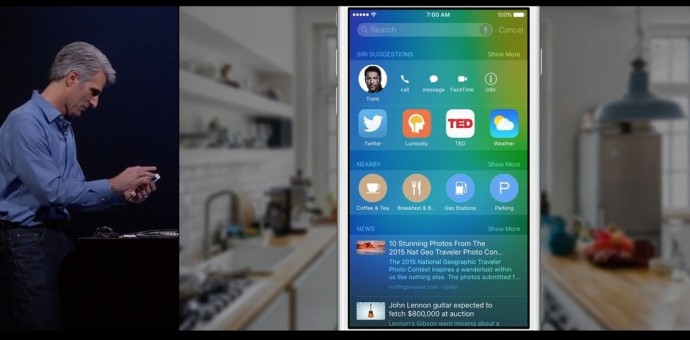
    Have you tried swiping right on your Home screen yet? You’ll find a new Siri Suggestions page with a search bar on top. Siri has indeed become more useful than ever. Type the name in the bar and you’ll find multiple options such as message, call, or mail for that person. This is also a neat way of finding emails of the person without having to search for it in the Mail app. Siri suggests just about everything you would want to find.

    Hidden iCloud Drive app

    018b0c4cb9e68560a1e287709c121ed320c06cd6fe

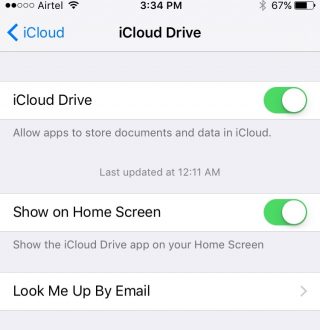
    You can now have an iCloud Drive icon on your home screen. The setting is switched off by default at first, so you’ll have to enable it by going to Settings > iCloud > iCloud Drive and turning on the “Show on Home Screen” option.

    Silence Siri using Ringer (mute button)

    01d7e79679173cc2ddeb973a1e1943235a79d4ac5f

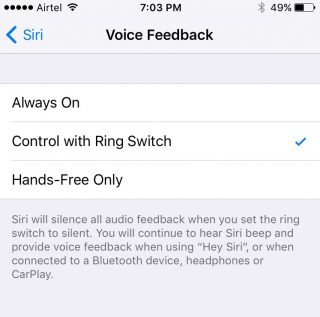
    If you don’t want Siri to talk and would rather just read the info text on screen, you have the option of muting it by simply flipping the Ringer switch. To activate it, you need to go to Setting > General > Siri, click on Voice Feedback and switch from “Always” to “Control with Ringer Switch”.

    Quick Reply for almost all apps


    iOS 9

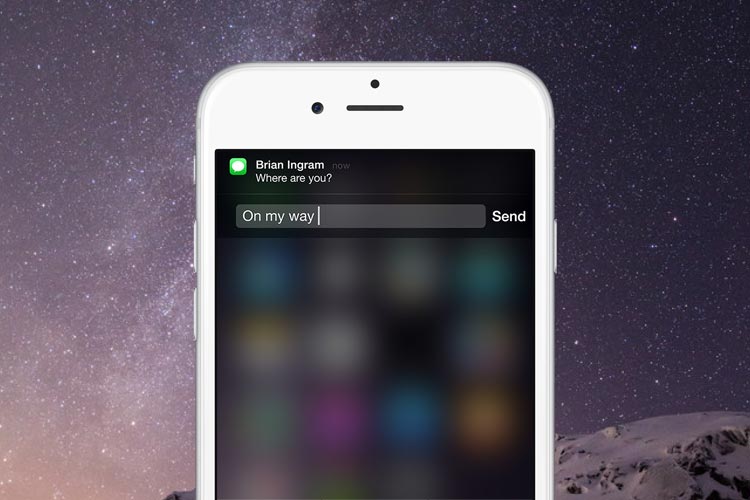
    You can now Quick Reply for most third-party messaging apps. Earlier you could only Quick Reply for Mail and stock messenger, but now you can pull on the notification you’ve received from mostly any third-party app (including Twitter) and the option to quickly reply will be available.

    Larger multi tasking screen

    0165f852c5f9ca2274ec91c4cd5350c309e204ab4a

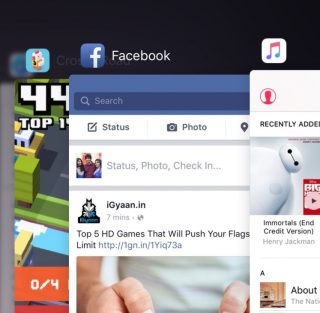
    When you double click the Home button, you’ll find that all your active apps are larger and more easily readable, taking up a good amount of screen space so that you can see what’s showing on the app without having to open it. It’s the little things that make life easier.

    Audio app suggestions

    iOS 9 Lock Screen


    When you plug in your headphone into the jack, you’ll notice that the music player opens up automatically in your lock screen or suggests the audio app you are most likely to use in the bottom left. The suggestion is not only based on the app you use most but also takes factors such as location into account.

    Search through Settings

    01c459edca1eb0abbc0501f0183f14913b8edb9718

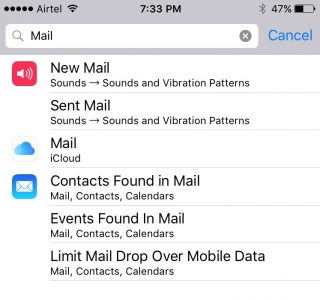
    If you have a particular setting in mind that you want to change, you don’t have to look through the entire Settings app. There is now a search bar on top of Settings where you can type in a particular query (e.g. “Mail”) and everything matching that query will appear in a list below.

    Wi-Fi Assist

    0147536242f5fe0da826e4b2a6f53bd41f8c528df1

    Another helpful addition is the Wi-Fi Assist option that is enabled by default once you update your device to iOS 9. This feature is for situations where your mobile data may be more powerful than your Wi-Fi. When enabled the feature will switch you to mobile data if your Wi-Fi connection shows some trouble.

    Along with our previous post on iOS 9, we’ve covered quite a few new hidden features, and yet the latest update offers a whole lot more. Keep exploring and tell us what new feature you’ve discovered in the comments below.

    Image Source : [tw-button size=”medium” background=”#07ABE2″ color=”” target=”_blank” link=”http://www.imore.com/ios-9-faq”]iMore[/tw-button]

    [tw-button size=”medium” background=”#07ABE2″ color=”” target=”_blank” link=”http://www.igeeksblog.com/quick-reply-from-lockscreen-on-iphone-and-ipad/”]iGeeksBlog.com[/tw-button]

  • 5 Cool Features of iOS 9

    5 Cool Features of iOS 9

    iOS 9 is finally out, and those of you who haven’t updated your iPhones and iPads yet can do so while we tell you some of the neat new features of the latest operating system.

    New icons

    011ed5879fb24339be3910d11b899362dbe85caca7

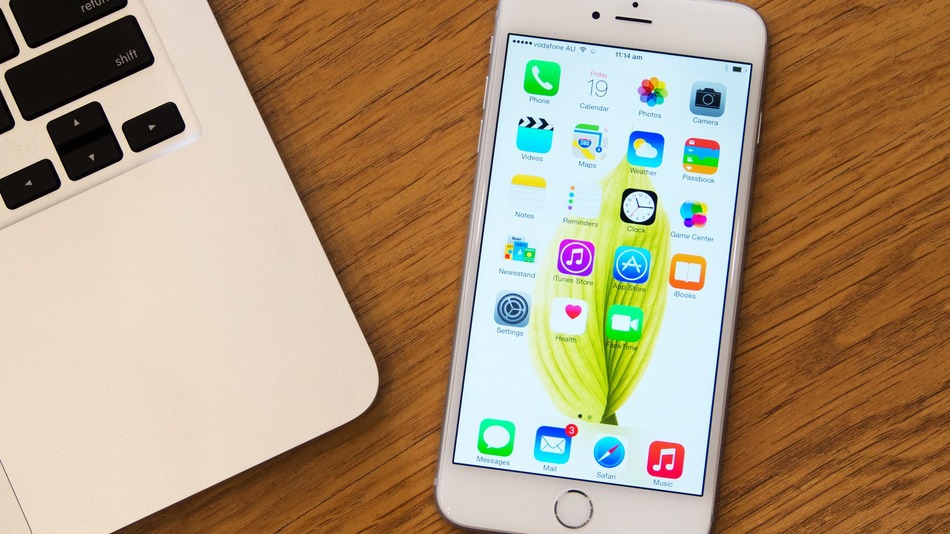
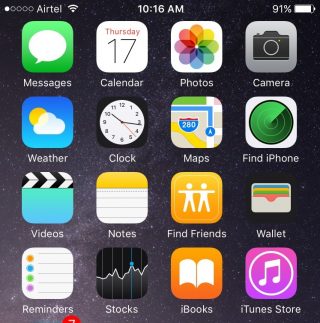
    Whenever we do an update it’s obvious our eyes are going to search for something new from the get go. While the iOS 9 is mostly the same as the iOS 8 in terms of the look of it, users will find three brand new icons in their home screen (Well, two actually and one revamped). The two new default apps are called Find iPhone and Find Friends. Both these apps were already available for download in the App Store. Find Friends/iPhone is pretty useful if you want to know if a friend is nearby for a cup of coffee, or if you’ve suffered a mini heart-attack from losing your iPhone.

    The Passbook has been renamed as Wallet, which is a cleaner name and suits that fact that the app can now store all your credit cards, reward cards and membership cards.

    A back button


    0119e9620c5dde814972d8d7fd656a5d8bf3cd8f13


    The iOS 9 has plenty of new features that are hidden away from the usual ones. Once you start using your device as you normally would, you’ll find subtle changes and additions in your iPhone that really make a difference to your usability.

    Take for instance the new back button that appears on the top-left corner of your screen when you switch from one app to another. And if you open a link from your Mail that takes you to Safari, the back button will appear that will take you back to Mail. Now you won’t have to double-click the Home button every time you want to go back to the previous app.

    New Low Power Mode


    0166c8c88067dc3e5379a40cde8644836efd09e44f

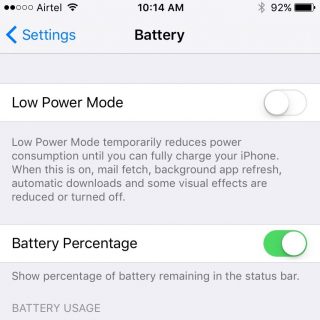
    This is perhaps one of the best new features Apple could have provided. The new Battery settings comes with The Low Power Mode which promises to give you an additional 3 hours of battery life, if you find yourself on really low power and still need the phone to stay alive for a few more hours.

    The Low Power Mode disables background app refresh, automatic downloads, mail fetch and visual effects to give you as much extra battery life as it possibly can. Battery information will be displayed in the Notification Center for the iOS device and the Apple Watch.

    Changes to the shift key

    0176c86e7956390bad0ac2100fd11fdc647ce80d25


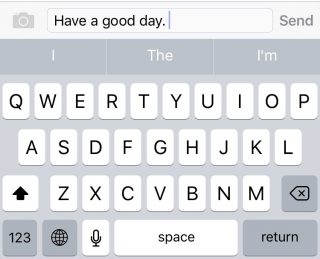
    Apple has made another subtle but much needed change to the keyboard. You can actually see the capitalized letters when you turn on the caps lock. The letters change to upper case when ‘shift’ is on and change back to lower case when ‘shift’ is turned off.

    New Notes app

    01fa1ab0a97825190ae34c2a65ce175ca6c905631f

    Notes has undergone some major changes. You now have the feature to add Photos to your notes, make a checklist, and draw and doodle using your fingers. The Notes app also allows you to embed websites, photos, maps, and more without having to leave the app.

    You can take a photo from within the Notes app as well. Finally, you can arrange the items attached to your notes with the new Attachment Browser.

    These are but a few of the subtle and not-so-subtle changes that come with the new iOS 9. Other features also include split-screen multitasking and picture-in-picture for the iPad, a new and improved Siri, with a Proactive feature when you swipe right on the homescreen, transit directions in Maps, new search bar in Settings, and much more. Though some of these features are yet to work well in India.

    What are your favorite updates from the new iOS 9? Let us know in the comments below.

  • Top 4 Ways to Get Your Apple Device Ready For iOS 9

    Top 4 Ways to Get Your Apple Device Ready For iOS 9

    Those of you who were up-to-date with the Apple event that took place last week will remember that the new iOS 9 update is scheduled for a September 16 release, which is today. The update is compatible for all current iPhones and iPads.

    However, before you press that ‘Download and Install’ button, here are a few things you can do to prepare your phone for the update.

    Check Compatibility

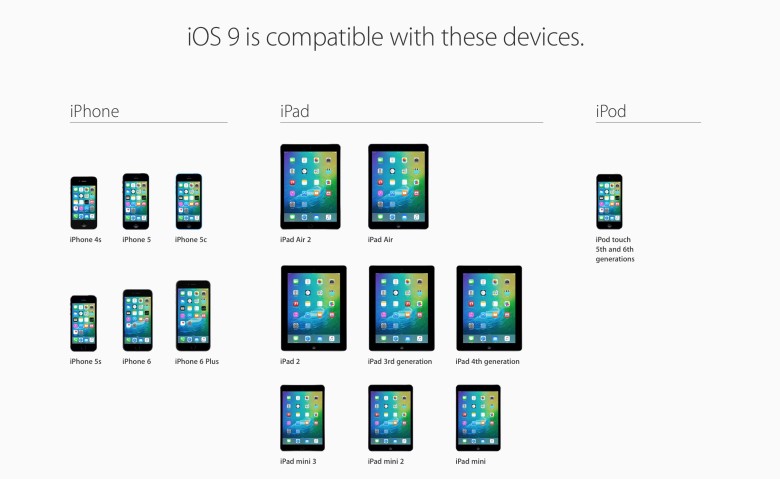
    All the way back to iPhone 4s and iPad 2.

    Before you get too excited, you should check whether you iPhone is compatible for an iOS 9 update. This is especially the case for those who are using really old Apple devices (we’re talking almost ancient). The new iOS 9 is compatible devices as old as the iPhone 4s, iPad 2, and 5th generation iPod touch, but will not work for the iPhone 4.

    Free up some storage

    The new iOS 9 comes as a huge relief for 16 GB users as it will take up only 1.3 GB of space compared to iOS 8’s massive 4.58 GB. We can almost here the cries of joy over this news. However, before you can enjoy all that extra free space chances are that you’ve already filled up your 16 GB device to the brim. Any update requires some free space, so now would be a good time to delete some of the really old apps that you no longer use. You can press and hold on an icon till it does its little jig and then tap the X on the upper left to delete it, or you can go to the Usage option in Settings to find out which app is taking the most space and delete it from there.

    Back-up your data

    There’s always that hint of fear when you go for a new update. Sometimes due to some bugs, your device may crash a lot like it did with iOS 8 in its initial months, or you may find that some of your data missing. Hence, we suggest you back-up your data using either iCloud or iTunes to be on the safe side.

    If you’re backing up using iCloud simply go to Settings > iCloud > Storage & Backup and toggle iCloud Backup to ON and finally tap on Back Up Now.

    If you wish to back up using iTunes simply open iTunes and go to File > Devices > Transfer Purchases and once that is done go to File > Devices > Back Up.

    Clean up your media

    iPhone 6s 8

    The iOS 8 recently introduced the Apple Music in which you can stream unlimited music for a monthly subscription. Those who have subscribed to it most likely stream all their music freeing up a lot of space. However, those who still have a lot of music or videos saved to their devices should take some time out and delete the ones you no longer listen to or watch.

    Once you’ve sufficiently freed up your space, you can go ahead and download the new iOS 9. Wait for your Settings app to show a little red circle on the top-right corner sometime today, and update away.

  • 5 Features the iPhone 6s Should Have Had

    5 Features the iPhone 6s Should Have Had

    Now that Apple has revealed its latest flagships, the iPhone 6s and 6s Plus, it is time to talk about whether Apple delivered the goods customers have been waiting for or not. While some have raved over the upgraded camera features and Force Touch functionality, others were disappointed with some of the announcements, or the lack thereof.

    We’ll look at some of the features and upgrades the iPhone 6s should have had:

    Minimum 32 GB Storage

    Knowing before hand that Apple was going to upgrade its camera to 12 megapixels, loyalists around the world also hoped that the iPhone would stop the 16 GB variant (which really helped no one) and have the 32 GB as its new minimum. With the new 12 megapixel camera and the ability to shoot 4K video, and a new feature that takes live photos, having a storage as limited as 16 GB makes little or no sense and a 32 GB variant would have been hugely welcomed. Alas, the iPhone 6s will only come in 16 GB/ 64 GB/ 128 GB variants. So those seeking a larger storage will need to burn their pockets.

    iphone-6-11-100413699-large

    Longer Battery Life

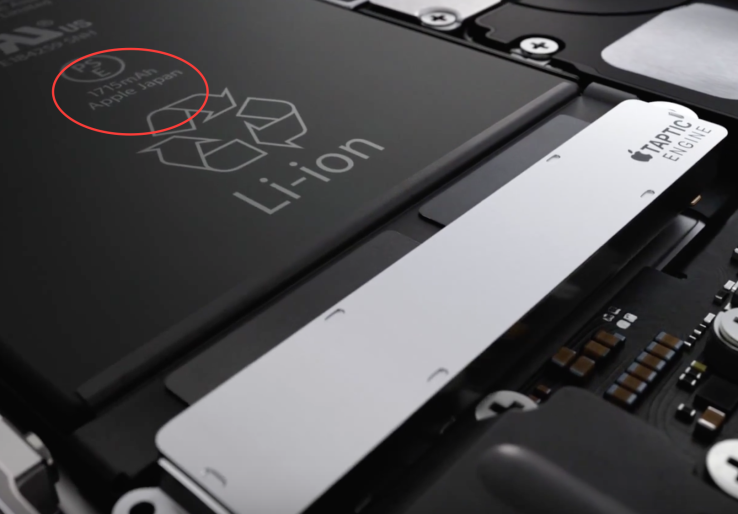
    One of the most important concerns for every smartphone user today is the battery life and this proved to be a huge disappointment on Apple’s part. At the launch, audiences did not receive any information on the new iPhone’s battery capacity. However, stills from the Apple promo video show that the iPhone 6s will have a 1715 mAh capacity, which is smaller than the 1810 mAh of the iPhone 6. Given all the new and upgraded features, one expects the phone to have enough juice to allow users to make full use of the various applications. Apple should have delivered on that.

    screen-shot-2015-09-09-at-8-35-35-pm

    User Friendly Design

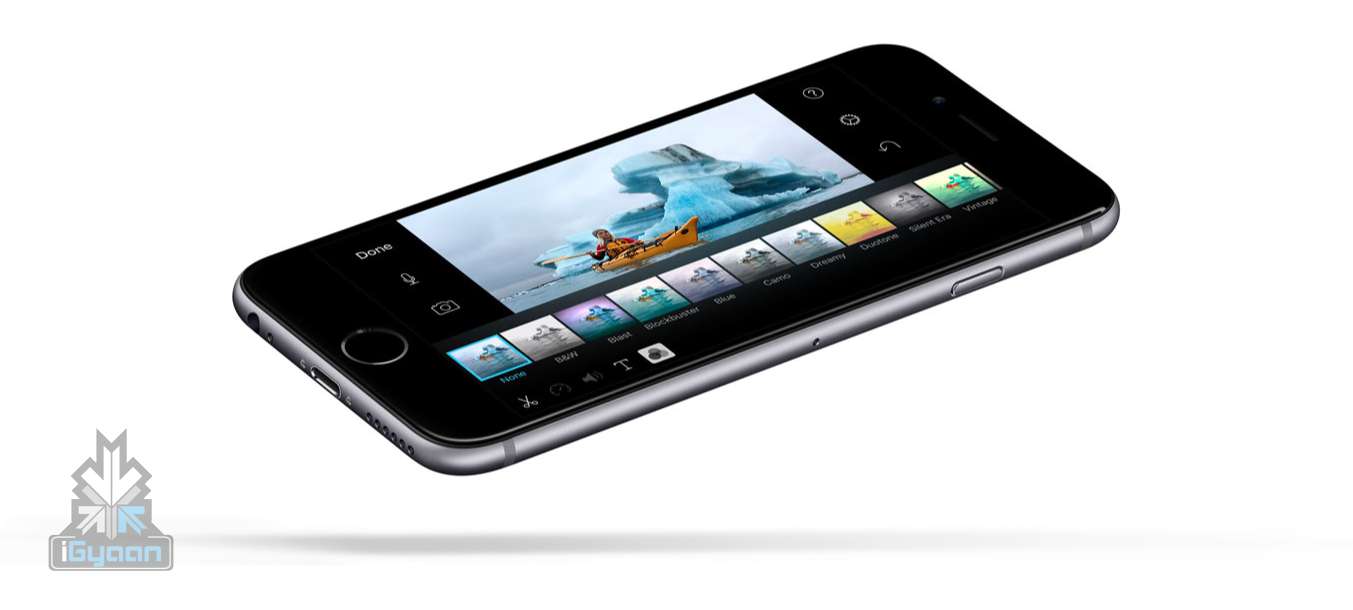
    The new iPhone 6s and 6s Plus look visually identical to the current iPhones, but made from a custom 7000 series aluminum. This will solve the ‘bendgate’ issue that plagued the iPhone 6. However, with a new, smooth aluminum body, users are likely to find it harder to hold as it is lacking proper grip. Users will have to buy a separate cover, which would not have been needed if the makers had toyed with the design a little.

    iPhone 6s 6

    Improved Resolution

    The iPhone 6s has the same 750 x 1334 resolution as the current iPhone 6. Apart from the added 3D Touch, the new iPhones do not offer a better display, which is puzzling when combined with the fact that they have upgraded their camera. Again, Apple should have offered a higher resolution seeing that its rival Samsung has raced ahead in that area already, offering a 1440 x 2560 resolution for its Galaxy S6.

    iphone_6s_iphone_6s_plus_ap_01

    Better Performance

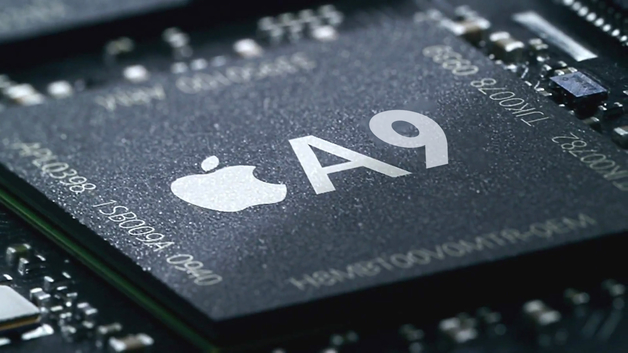
    Apple announced that the iPhone 6s Series will come with the latest A9X 3rd Generation 64-bit chipset. According to Apple, the A9 chipset is 70% faster at CPU tasks and 90% more graphic power than the A8. However, the core- count and speed were factors that weren’t discussed which is what decides the performance of the iPhone 6s and 6s Plus.

    iphone-7-release-date-a9_0

  • 6 Things You May Have Missed During the Apple Launch

    6 Things You May Have Missed During the Apple Launch

    The iPhone 6s and 6s Plus have finally been revealed. After whispered talks for weeks, Apple has delivered its latest offering and is out to be judged. While the world was watching in anticipation as to whether the rumored features and upgrades to the phone – such as camera and Force Touch – were delivered or not, we’ve decided to highlight some details and features about the other products from the launch that you may have missed out on.

    1. Apple Watch to come with Facebook Messenger, iTranslate and AirStrip:

    COeiFQIWEAAmYUv


    COeiE10WEAAI2-Y

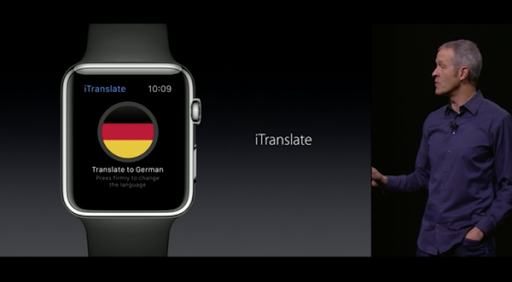
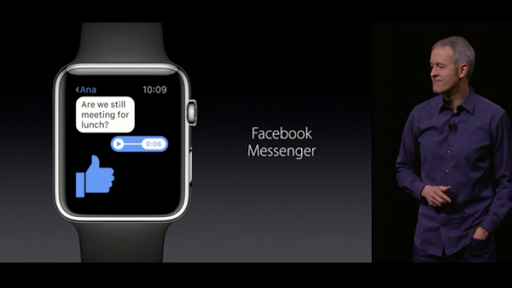
    Apple has introduced the Messenger app on the watch along with an app that translates one language to another, and an app called Airstrip for healthcare providers that receives information and can differentiate between a baby and mother’s heart rate during pregnancy.

    Apple has also tied up with Hermes to design new gold leather bands for the watch, which will cost the same as the Sports. WatchOS2 will release on the 16th of September.

    2. iPad Pro will include the 3D4Medical app:

    iPad Pro Pencil Keyboard 2

    This will allows users to see 3D models of the body in real-time. This app will be particularly useful for patients and medical professionals as it allows users to view 3D images of injuries and can plan out surgeries as well. Are you willing to trust a doctor with an iPad?

    3. The iPad Pro will come with an Apple Pencil and keyboard:

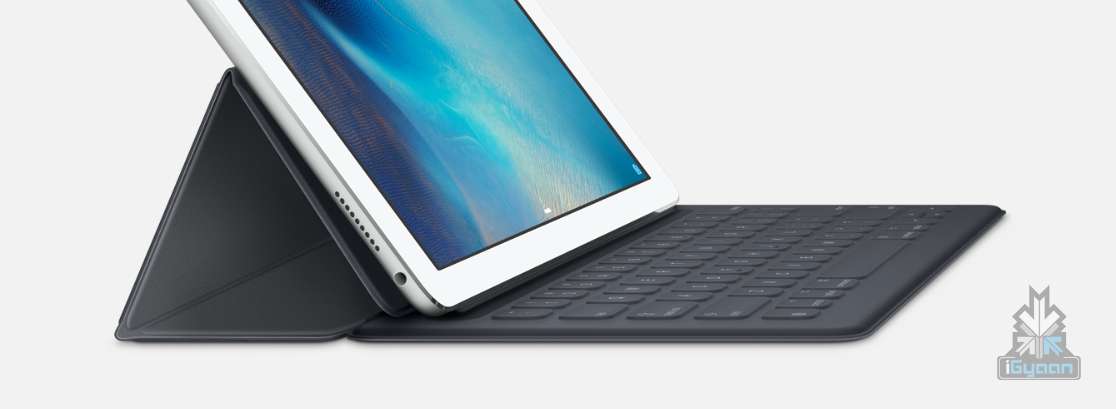
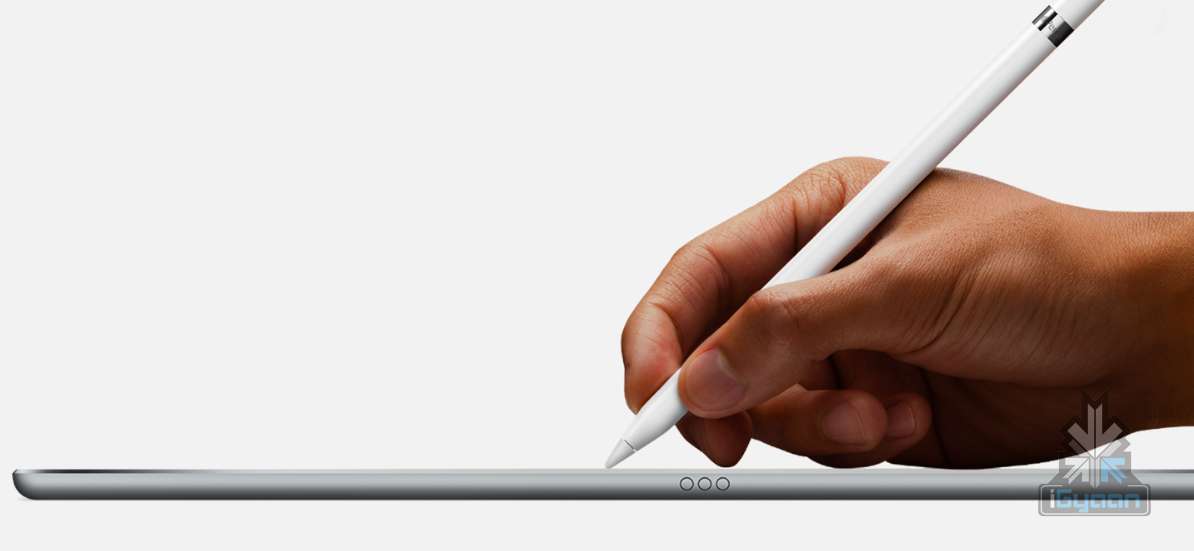
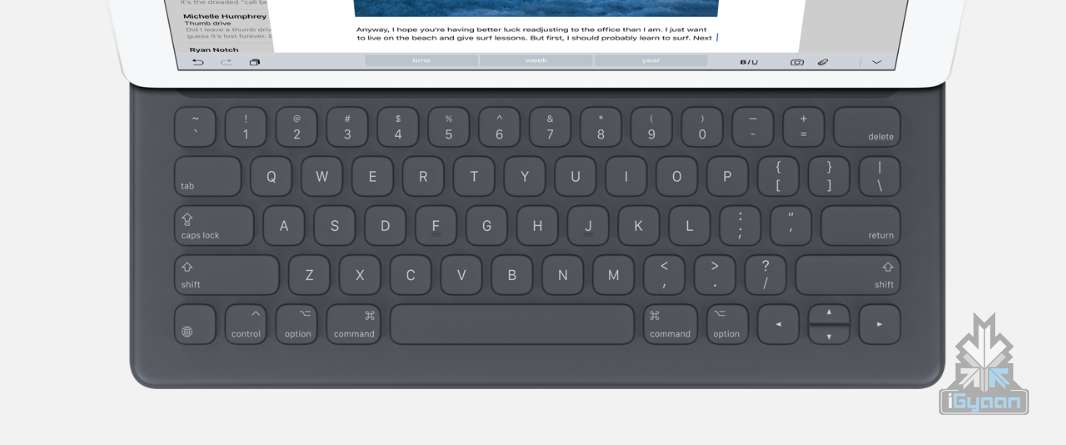
    The new iPad Pro will feature a stylus called the Apple Pencil and so far this addition has received lukewarm reception. It also comes with a keyboard sold separately for $169,  which  magnetically attaches to the iPad.

    iPad Pro Pencil Keyboard 8 iPad Pro Pencil Keyboard 0

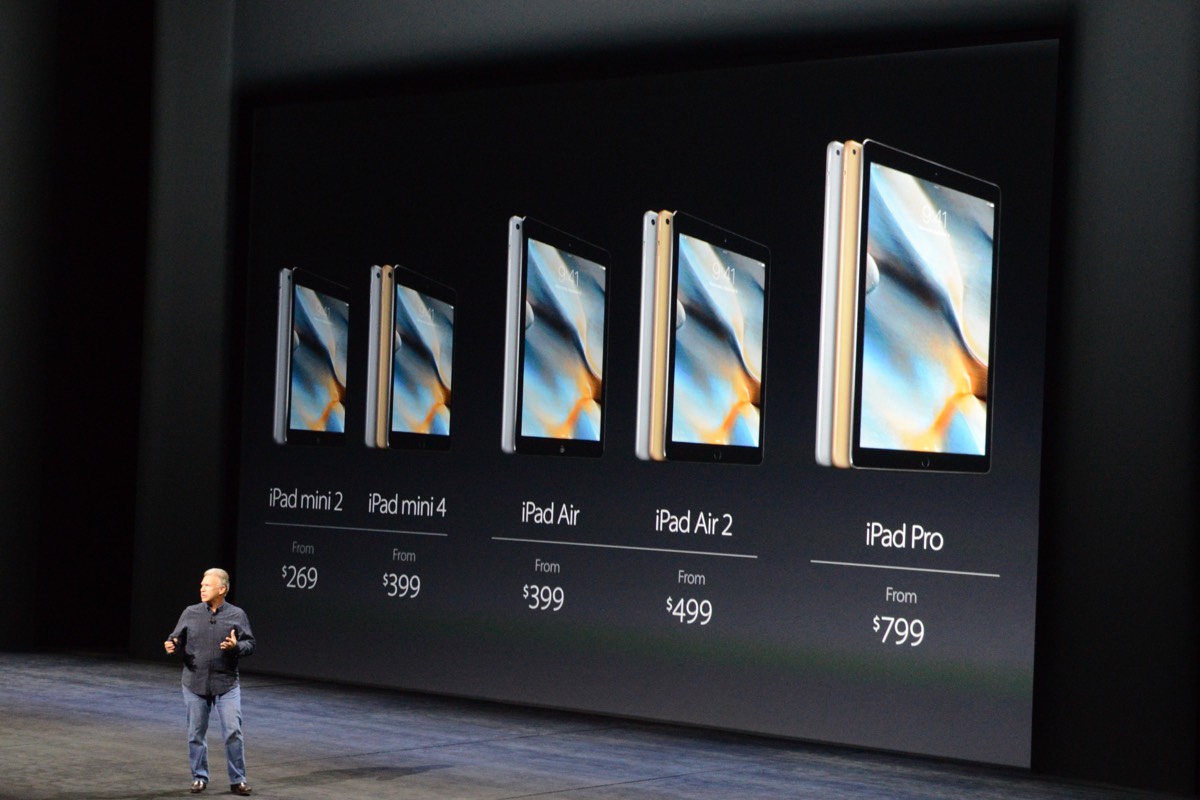
    4.The iPad Mini 2 becomes cheaper while iPad Mini 4 will come with an upgraded A8x processor:

    This means that it will be able to run all of the iOS 9’s multitasking features. With an upgraded 8 megapixel rear camera, the iPad mini 4 is now very much at par with the iPad Air 2.

    dsc2149

    5. Apple TV will have a voice and touch enabled remote:

    It also introduces iOS features such as weather and sports scores to the TV. It’s called TV OS “Based on iOS and built for the living room”. The TV also allows you to quick rewind 15 seconds by asking “what did she say?”. A great feature if one tends to miss out on a scene. The remote will also feature an accelerometer and a gyroscope that will detect body motions, similar to the Wii.

    6. Harmonix introduced a game called Beat Sports for the Apple TV:

    You hit pitches by swinging the remote, which means the remote indeed has motion control. “Beat Sports combines the joy of hitting balls with the joy of hitting notes” and can be played using the iPhone and iPod Touch as well.

    BEATS

    Now that we’ve got the big and small covered, you can decide for yourselves whether Apple has indeed paid attention to the finer details or not. Expected to roll out their devices next month i.e, October, one will have to wait and find out if the new products are a hit. And if the past is any indication, they will be.

  • The iPhone 6s Finally Makes Its Tech Carpet Entry

    The iPhone 6s Finally Makes Its Tech Carpet Entry

    The moment has arrived, when Apple finally reveals its iPhone 6s smartphone. We have been covering all sorts of rumours and reports about this handset the moment we got wind of it. Price, display, specifications and software – we’ve heard it all, and now is that moment of truth where we find out what this hype is all about and most importantly, whether it’s been worth it. Their opening statement is this:

    “The only thing that’s changed is everything.”

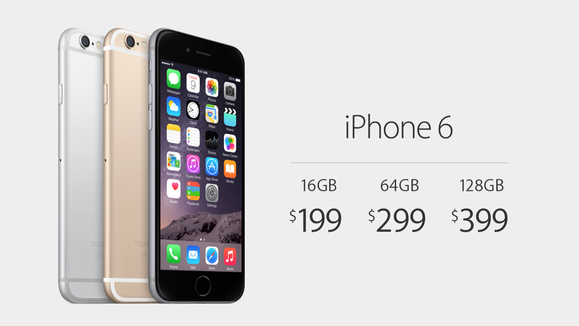
    Let’s start with the most obvious – the price. Earlier reports suggested that the iPhone 6s would arrive at around 699 euros which is Rs.52,084 approximately, for the 16GB version, 799 euros which is Rs.59,529 approximately, for the 64GB version and 899 euros which is Rs.66,980 approximately for the 128GB version. Here are the final numbers: the 16GB version is priced at $199, the 64GB version is $299 and the 128GB version is $399.
    x iPhone 6s 3

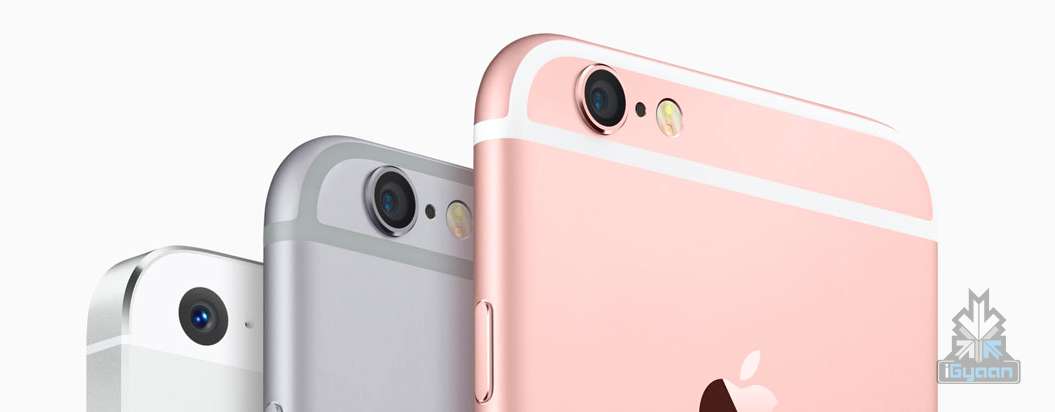
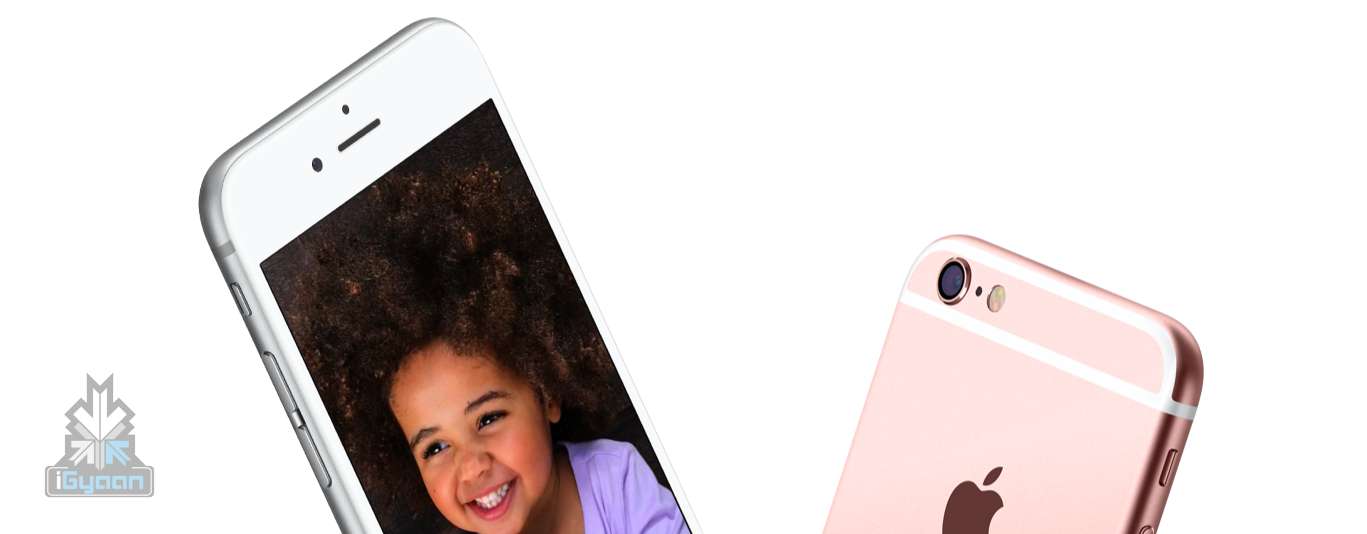
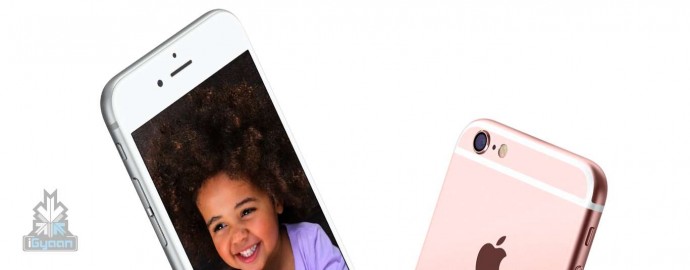
    Few exciting things we now know about the new iPhone is that they will feature animated wallpapers and that the Rose Gold colour variant we were anticipating is here! Now it’s up to you if you think rose gold is fashionable enough for you, because the ‘cool’ new iPhone definitely thinks it is.

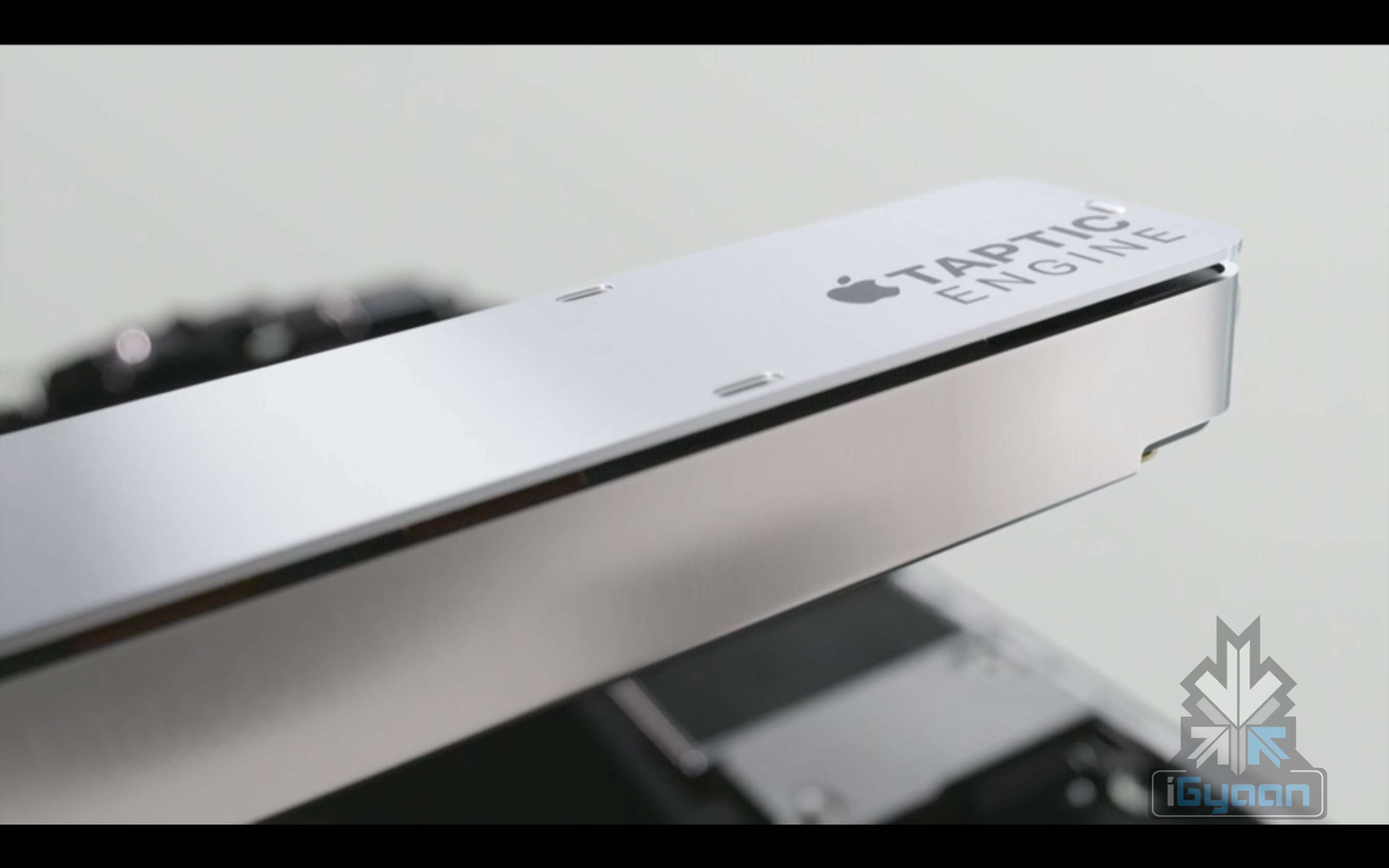
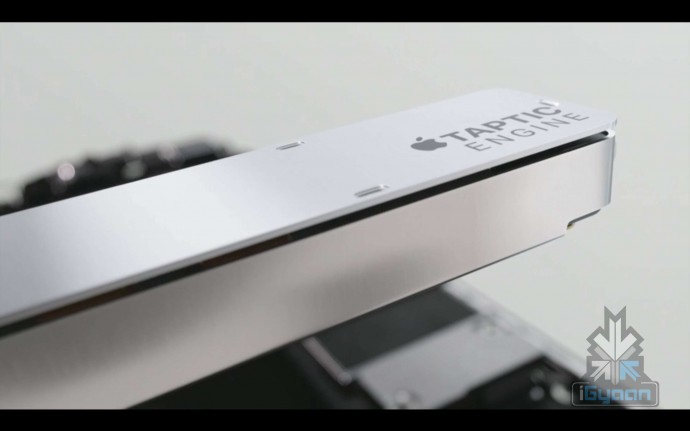
    It comes with a brand new glass encasing this time, with the Ion-X and not the usual Sapphire Glass, and a new Taptic Engine which can be used to navigate the UI.
    iPhone 6s 15

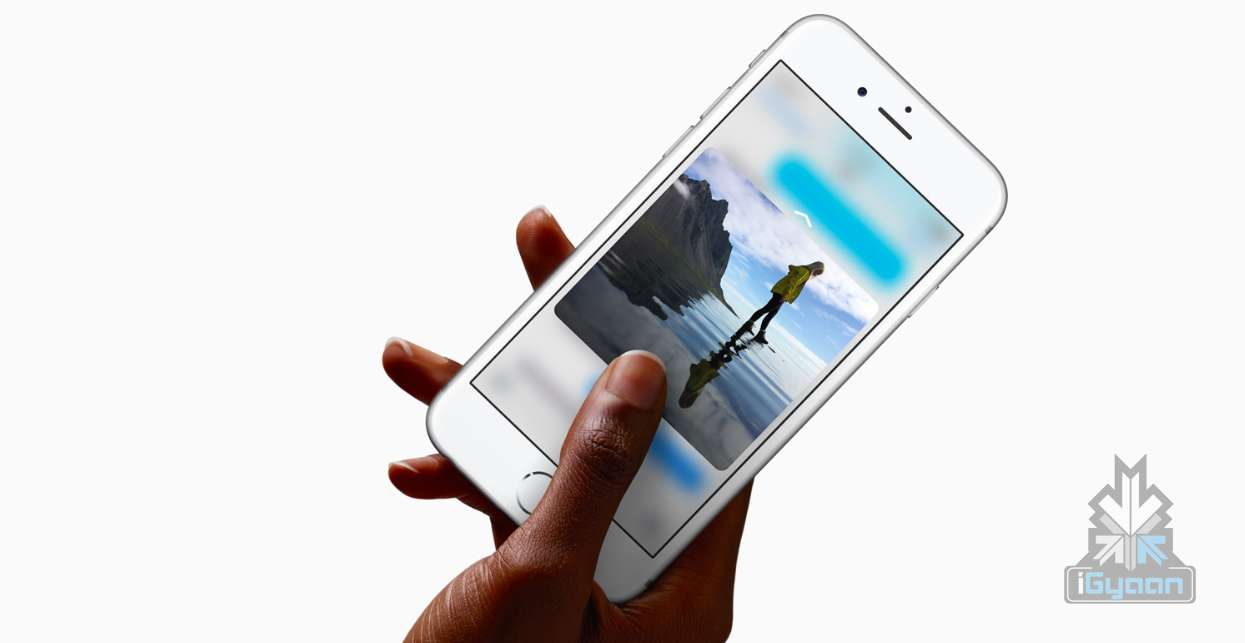
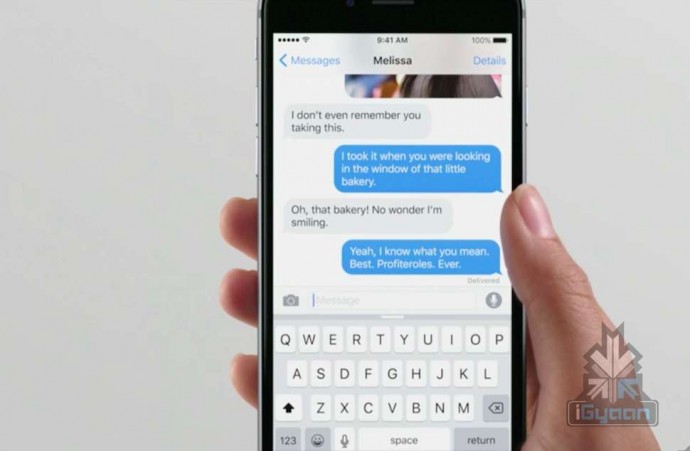
    So, it was said that the new iPhone will have an updated 3D Force Touch technology – meaning that the sensors would be taking into account three different types of touch rather than two. This is also true. Apple has confirmed the 3D Force Touch feature, that makes  photos, emails, Messages, etc pop up on your display. You just need to press on an app to jump right into a feature. This feature also allows you to use apps and be active on them without even opening them.

    They’ve also mentioned that the phone will be running on the new iOS 9 and the smartphone will come integrated with the new A9 chip.

    iPhone 6s 12

    Let’s talk about something that the iPhone is most applauded for – its camera. The iPhone 6 Plus has had an 8MP camera with an optical image stabilization feature that made it the phone with game changing photography abilities. Well, the iPhone 6s is better than that – it has an all new iSight 12MP camera with deep trench isolation. That’s it. iPhone just won. The 12MP camera will now allow you to record videos in 4K resolution.
    iPhone 6s 5

    That was the rear camera, but the iPhone’s front camera, which is as big a star as the primary camera, now comes at 5 megapixels and full HD resolution, allowing better FaceTime and selfie opportunities to users. The front camera also comes with a true tone Retina Flash feature. The 3D Touch feature also extends itself into the still camera pictures by animating the photos into video, called Live Photos, which can also have sound.

    “These are regular photos — we extend the capture moment just before and after.”

    Speaking about connectivity the iPhone 6s comes with 2X faster WiFi and 23 LTE bands. They’ve also mentioned that the new iCloud storage pricing will be as follows: 50gb for 99 cents a months, 200GB for 2.99/mot 1TB for 9.99/mo.
    iPhone 6s 20

    Now in the midst of all this they’ve also announced a small little ‘neighborly app’ that allows Android users to switch to the iPhone’s iOS.

    “You can recycle your Android phone for free at any Apple Store,” says the app.

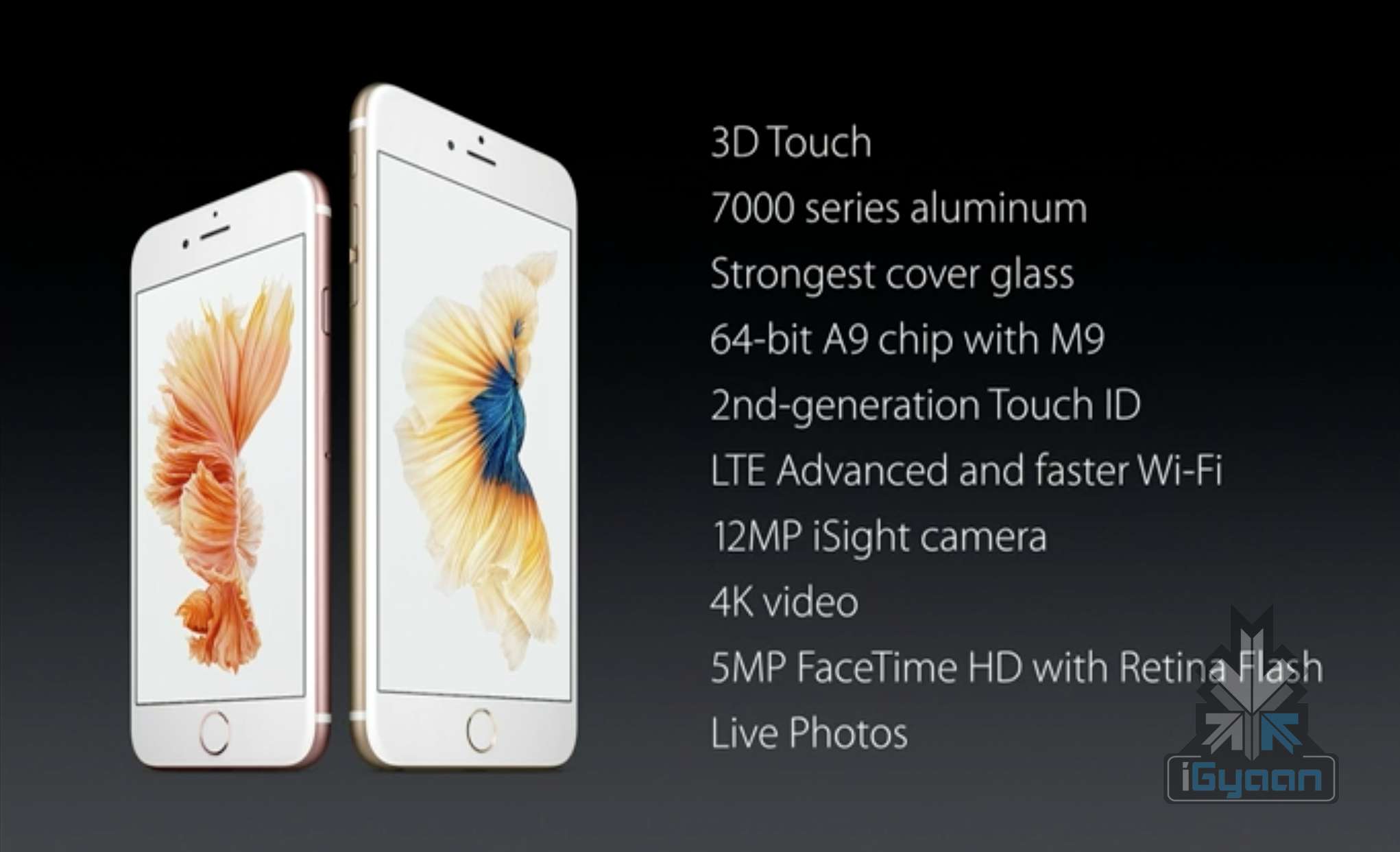
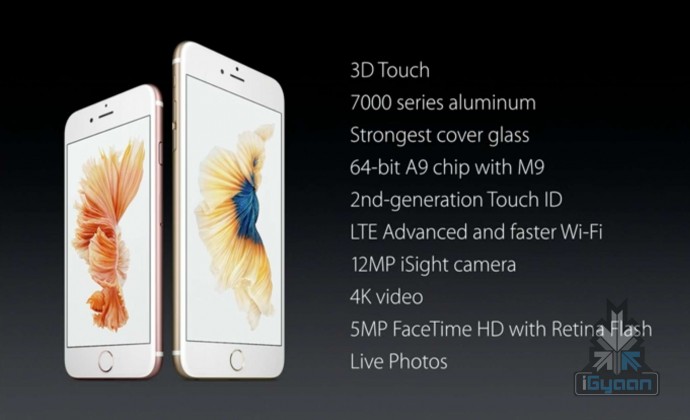
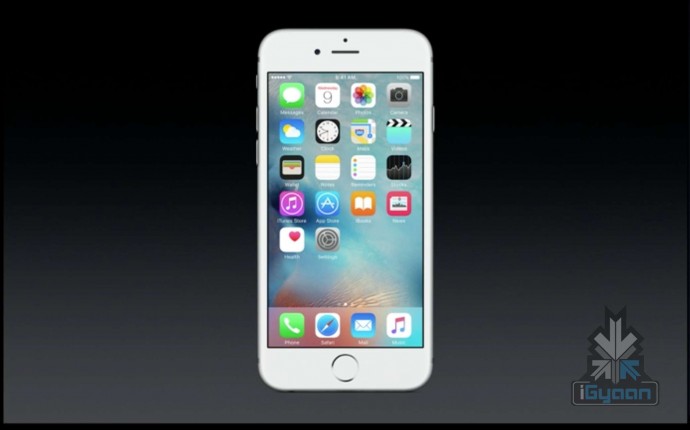
    To conclude, we can accumulate all the major features and say that the iPhone 6s comes with the 3D Force Touch technology, is made with a 7000 series aluminum body and a new cover glass, a 64 bit A9 chip with M9, a second gen touch ID, has an advanced LTE and faster Wi-Fi, 12MP iSight camera with 4K Video, 5MP FaceTime HD resolution with retina flash and Live Photos. Phew.
    x iPhone 6s 2

    The iOS 9 will be available next week starting on the 16th of September 2015 and for Pre Order on the 12th of September.
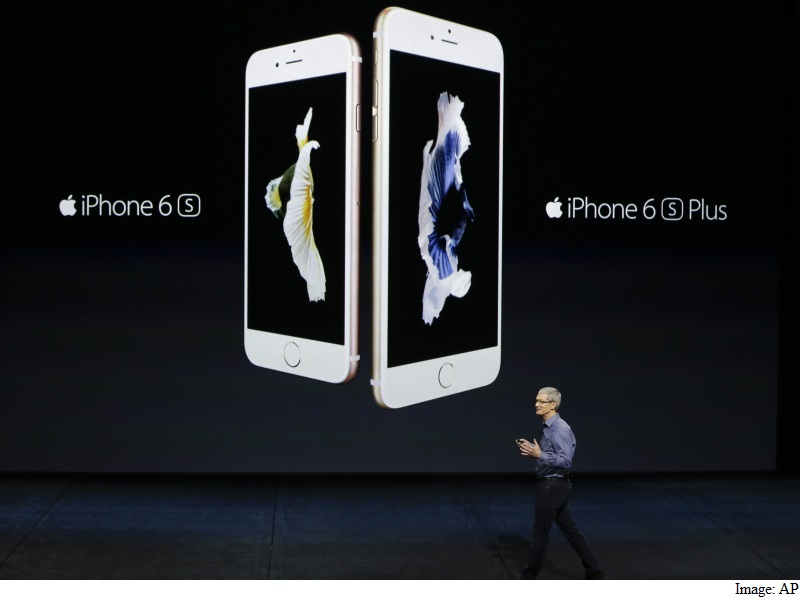
    For now, that’s that about the iPhone 6s. Stay tuned. Here are the specifications:

    Specifications iPhone 6s
    Display Retina HD display with 3D Touch, 4.7-inch (diagonal) LED-backlit widescreen
    Resolution  1334 X 750-pixel resolution at 326 ppi
    Processor

     Embedded M9 motion coprocessor

    GPU  –
    Chipset A9 chip with 64-bit architecture,
    OS  iOS 9
    Internal Storage 16GB/64GB/128GB
    RAM  –
    Exapandibility  N/A
    Rear camera  12-megapixel iSight camera with 1.22µ pixels, ƒ/2.2 aperture
    Rear Camera Video  4K video recording (3840 by 2160) at 30 fps
    Front Camera  5-megapixel photos, ƒ/2.2 aperture, Retina Flash
    Front Camera Video  720p HD video recording
    Body Dimensions  143 grams,
    Special Features

    Fingerprint sensor, force touch, live photo

    Connectivity  23 LTE and faster Wi-Fi
    Variants Silver, Gold, Space Gray, Rose Gold
    USB  –
    Battery  –
    Price  $199, $299 and $399 respectively.


  • Apple Store Goes Down Hours Before iPhone 6s Event

    Apple Store Goes Down Hours Before iPhone 6s Event

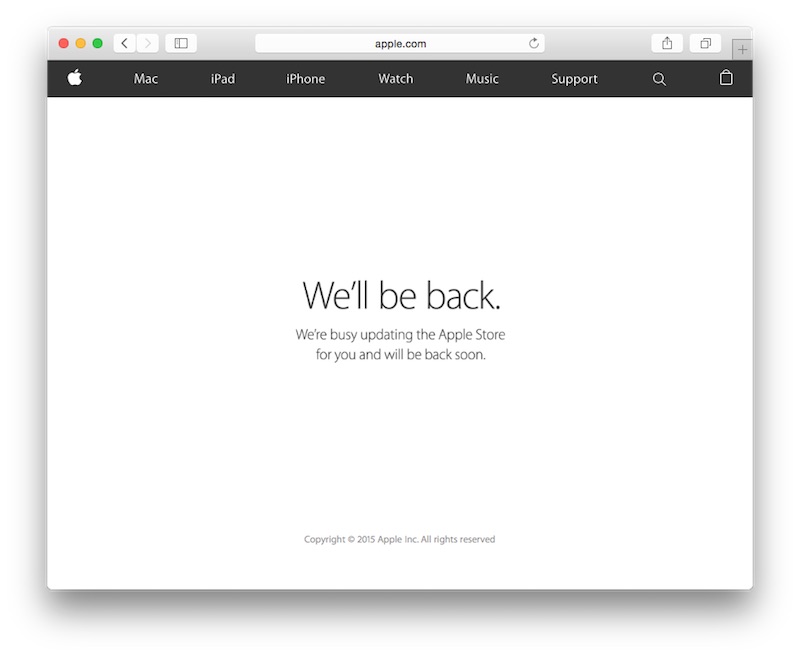
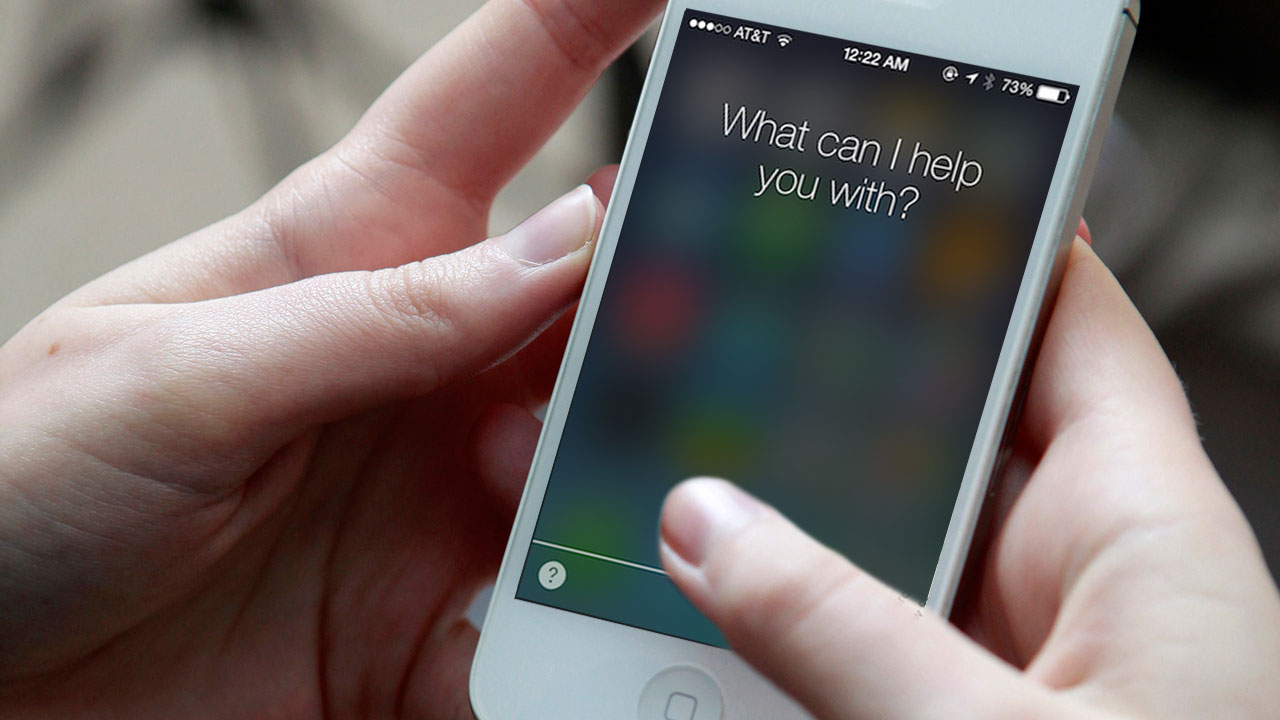
    It happens every year and this year is no different. The Apple store has gone down thus paving way for the announcement of the iPhone 6s and 6s Plus that will be made in San Francisco today. The store went offline 6 hours before and that too, is adding to the excitement of the most awaited devices of the year.Apple-Store-Down-Hey-Siri

    Apart from the phones, we also expect to see the iPad Pro, iPad mini 4, fourth-generation Apple TV and new Apple Watch bands.

    The event is set to go live at 10 AM Pacific time, which is approximately 10:30 PM for apple enthusiasts in India. Stay tuned and sit tight because we are just three hours away!

  • Apple Hires Artificial Intelligence Experts to Up Siri’s Game

    Apple Hires Artificial Intelligence Experts to Up Siri’s Game

    As Apple closes in on the much talked about launch on the 9th of September, the company is already busy searching for artificial-intelligence experts to help improve Siri’s functionality that has become stale in comparison to Google Now and Microsoft’s Cortana. Both competitors believe that the customers want an AI system that provides information catered specifically to their time and location, something Siri has failed to deliver.

    siri-ios-7

    To up their game, Apple has decided to hire at least 86 AI experts to work on machine learning alone, as well as employees with doctorates specializing in AI. According to a report by Reuters, the company’s user privacy that limits the amount of data sent from the iPhone to the servers, which makes it a challenge to improve Siri’s AI.

    As part of its push, the company is currently trying to hire at least 86 more employees with expertise in the branch of artificial intelligence known as machine learning, according to a recent analysis of Apple job postings. The company has also stepped up its courtship of machine-learning PhD’s, joining Google, Amazon, Facebook and others in a fierce contest, leading academics say.” – Reuters

    The major problems for Siri, at the moment, are that it is lacking in both personal touch and information. Responses provided by Siri are far too rigid, allowing for only a simple user-requested reply. Limited data to the servers mean a limited knowledge of individual users and tastes. While trying to maintain the same level of user privacy, Apple Inc. is looking for solutions that will go around it and still deliver a smarter, personal Siri.

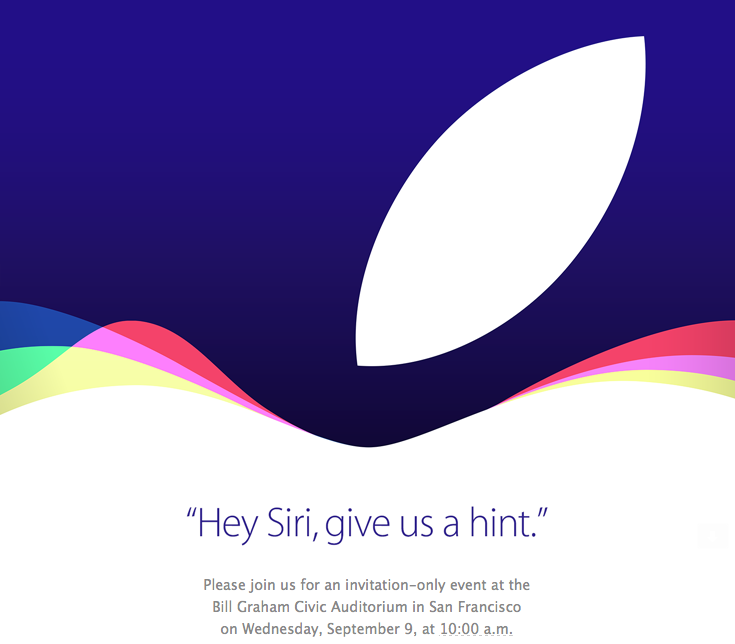
    In the upcoming launch on the 9th of September, Apple hopes to bring a faster, smarter version of Siri with its iOS 9 upgrade, which will provide users with information based on time and location using a feature called Proactive. Commenting on the iOS 9, Craig Federighi, Apple’s SVP of software engineer said that it was “adding intelligence throughout the user experience in a way that enhances how you use your device but without compromising your privacy.”  Though one may have to wait for the iPhone 7 (expected next year) for a fully improved Siri, the Apple has been teasing with a number of coy and witty replies when asked “Hey Siri, give us a hint” as part of Apple’s invites for the launch on the 9th of September.

    And with smarter, more cryptic replies such as:  

    A photo posted by iGyaan Network (@igyaan) on

    These various responses hint at the possibility that a new and improved Siri might be here sooner than expected. Until then, you can poke Siri for more hints.

iGyaan Network
Privacy Overview

This website uses cookies so that we can provide you with the best user experience possible. Cookie information is stored in your browser and performs functions such as recognising you when you return to our website and helping our team to understand which sections of the website you find most interesting and useful.