Tag: apps

  • Top 5 Photo Filters and Editing Apps Available For iPhones

    Top 5 Photo Filters and Editing Apps Available For iPhones

    Today’s smartphones offer image quality that is at par with point and shoot cameras. With high megapixel sensors and optical image stabilization, more and more people are taking photos with their smartphones and leaving their digital cameras behind. This has created greater demand for picture enhancement before you share them on social media or print. Having a top-notch photo editing apps in your arsenal can help you brighten your shots, crop away unnecessary details, fine tune colour and apply innovative special effects. With this massive influx of photo sharing ushered in by the iPhone and social media, photo editing and filter apps have massively grown in popularity.

    We are listing 5 of the best photo filters and editing apps available for the iPhone.

    1. Afterlight
    Afterlight

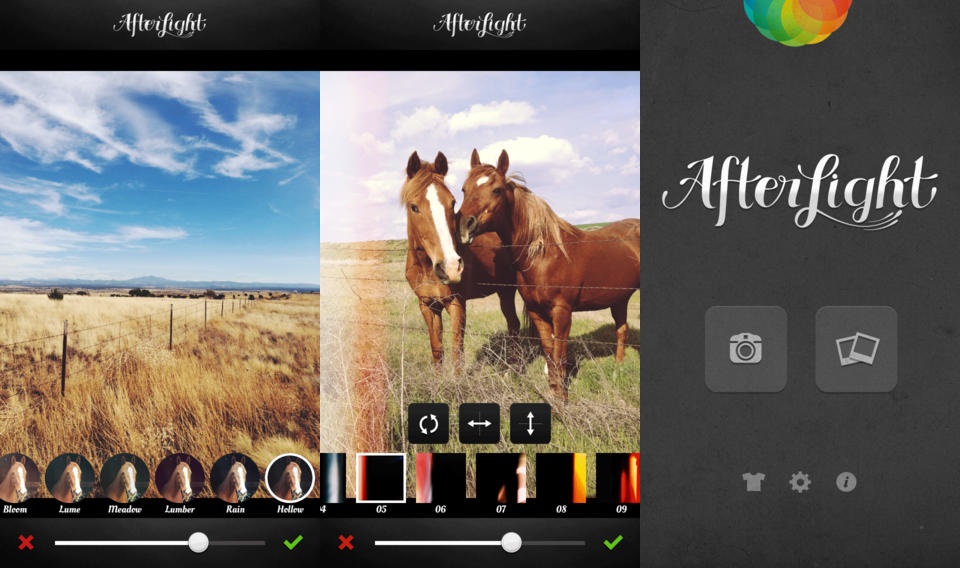
    Afterlight is a photo editing app aimed directly at the Instagram user, featuring easy to use, smooth and adjustable filters, photo frames, and other useful photo editing tools like the double exposure editor. In addition, users can also apply textures and light leaks, slider-adjustable filters, transformantion and straightening tools.

    2. FaceTune

    carousel-1-bg

    Rather than providing a powerful set of all around photo editing features, FaceTune focuses on making your selfies and portraits look as beautiful as possible. FaceTune offers users a variety of tools for touching up your photos, which include tools for whitening stained teeth, red-eye adjustment, colourizing greying hair, and pimple and blemish removal. In addition to the photo touch ups, the app also comes with a variety of tools for tweaking lighting and focus, adding filters, rotating and flipping photos, as well as more extreme photo transformations.

    3. Retrica

    10658730_587626291360557_159281701511843000_o

    Retrica provides a slightly different take on a photo filter’s app. The app starts up in camera mode, but right from the camera you can customize your picture before you even take it. This enables you to perfectly match your photo with filters, frames, tilt shift and more. From there, you share your photo in the manner  you like.

    4. PicLab HD

    0925piclabhd

    If motivational posters or funny Internet memes are your thing, then PicLab HD is the perfect app for you. PicLab HD makes it a snap for users to edit photographs and add slick decorations and captions for your own custom image. Filters allow for quick photo effects, while fine tuning brightness, saturation etc. Layer-based editing, multiple text styles and packs, as well as numerous overlays, illustrations and other art effects then allow you to get your message across with artistic or quirky typography.

    5. Cymera

    banner-cymera-app-review

    Cymera is a multi-purpose app that is designed to be used as both a camera and photo editor. It has everything you need in a Smartphone camera and photo editor to help you capture and edit images. Cymera offers huge variety of hand-picked filters, shooting modes, face detection, collage effects and many decoration options.

  • Here Are 5 Podcatchers You Need to Check Out

    Here Are 5 Podcatchers You Need to Check Out

    Podcasting apps aka podcatchers have become an important part of popular culture. Be it music, fashion, tech or food, you can find millions of podcasts online. The app ecosystem is blessed with a strong selection of podcast apps to choose from, but there are some more worth your time and money than others. The best-in-class examples automatically download and sort the newest episodes of your subscribed podcasts, help manage your subscriptions and also include a variety of other features.

    Here are the top 5 of our favorite podcasting apps for iOS and Android devices.

    1. Pocket Casts (iOS and Android)


    If you are even remotely familiar with podcatchers, you must have heard this name. It has been a crowd-favorite, however, the latest update has risen it to the top. The new update has added amazing mix of style and function in the app. Some of the features that make it the best are cloud sync, a huge library, video support, variable speed playback and unforgettable Chromecast support. It is the only app which provides a widget, full controls in the notification tray, auto download and delete, a sleep timer and OPML import and export support. This one of the best and one of the most full featured podcast apps is available in the app ecosystem. It is available on Android  for Rs. 199 and on iOS for Rs. 250.

    2. Instacast (iOS)

    It is one of those apps that like to re-invent itself from time to time, which include frequent in-app purchases. However, these updates are quite useful and it’s hard to deny that the Instacast team works continuously to improve the app with each generation. The latest Instacast 5 comes with a redesigned media player with easy swipe access to an episode’s chapters, a Night mode that can be toggled or set to automatically trigger based on time of the day, keyword search tools and more have been added to an already feature-packed podcast app. The app is free, however, there are some important in-app purchases hat better you experience such as previously mentioned night mode.

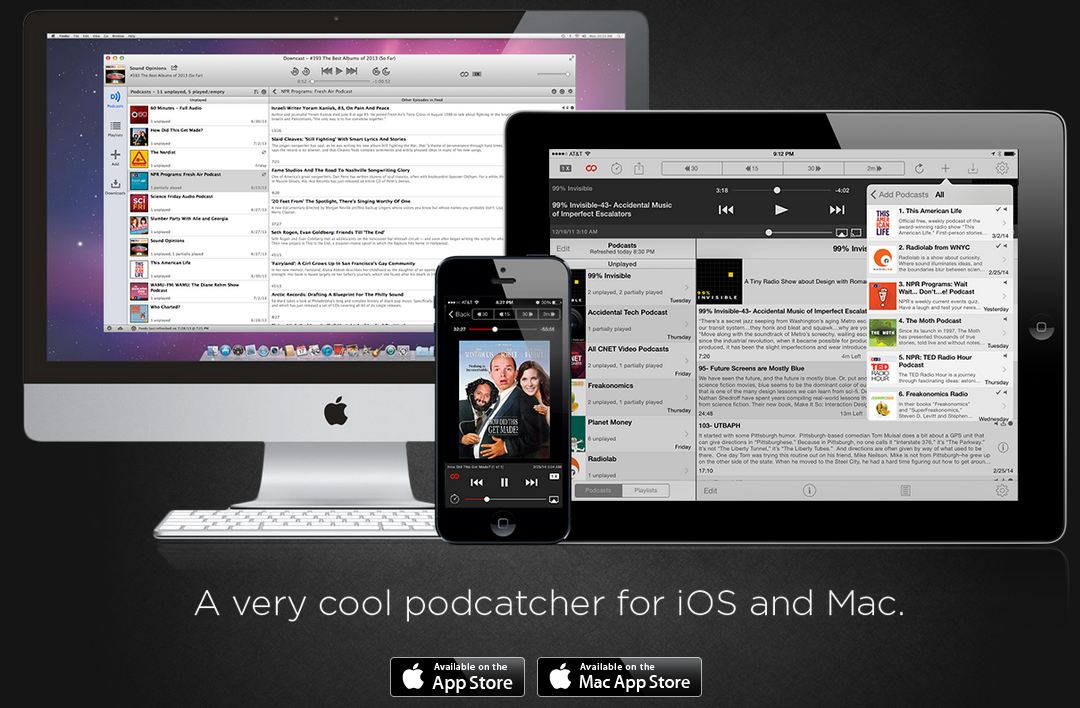
    3. Downcast (iOS)

    downcast

    One of the most critically acclaimed podcast app, this app will provide you a robust online search for podcast subscriptions, auto-downloading and the ability to import and export OMPL podcast feeds help you ensure your podcasts stay up-to-date. The playlist can be customized which lets you tinker and selectively build your playlists on the go, while numerous playback options (such as episode streaming, variable speed playback, video podcast support and more) allow you to play your content however you like. Available on iOS for Rs. 190.

    4. Doggcatcher (Android)

    Doggcatcher-podcast-app

    This one is for power users. Doggcatcher gives you uncountable number of functions including advanced search, variable playback speeds, auto-downloading, feed customization, auto-cleanup, UI customization and even the ability to run episode diagnostics and send logs to the developer. Although it lacks a bit in user interface but it makes up for everywhere else. essentially, this app will let you do so much  than you could ever want with your podcasts, and constant updates keep it on front row. Doggcatcher also comes with a full 7-day free trial too. Available on Android for Rs. 183 (approx.)

    5. AntennaPod (Android)

    Listen-High-Quality-Podcasts-With-Ads-Free-Using-AntennaPod-For-Android

    AntennaPod is essentially a free open-sourced podcatcher. It offers all the basic features you expect from a podcatcher, like streaming and downloading episodes, refreshing all feeds automatically or adding them to a queue to listen to them late. AntennaPod gives you solid podcatcher functionality without costing you a cent. Access to the Gpodder.net podcast directory gives you access to a large network of podcasts, while OPML, Atom and RSS support allows users to quickly import their favorite feeds into AntennaPod. Home and lock screen widgets allow users to quickly start, pause and resume playback without having to bring up the full app.

  • Twitter Says it’s Tracking Your Mobile Apps But Won’t Invade Privacy

    Twitter Says it’s Tracking Your Mobile Apps But Won’t Invade Privacy

    Twitter, the micro-blogging social media platform, has announced that it has started collecting data on the apps its users download and install on their smartphones.

    It is no secret that Twitter is looking into stuff to increase targeted ads in your social feed, however, their latest approach is an issue with users concerned about their privacy. The service has revealed that its app will start tracking the list of applications you have installed on your device in order to improve the relevance of both ads and other content that slips into your tweet stream, such as Favorites. The feature is named as ‘App Graph’. Twitter is adamant that it’s not collecting data from within the apps, and will let you know when the monitoring kicks in.

    Twitter has been working to personalise users’ timelines with better content as it struggles to convert its numerous passive users, meaning those who don’t sign in or those who have accounts but rarely tweet into active, more engaged users. Twitter has been testing ways to make its service more usable from the initial sign-in, even if you don’t have a network of friends to follow or aren’t sure how to get started. For instance, Twitter’s recently added ‘Instant Timeline’ feature for new users will give people something to see as soon as they sign in for the first time.

    Twitter has ensured that the data will be strictly business-oriented and won’t be invading your privacy in any way. However, the mere official statement is not enough for some users and they are opting third-party clients like Tweetbot or Talon who are not facing this problem, at least for now.

  • Google Maps 9.1 Update Adds Destination Info, Alternate Routes and More

    Google Maps 9.1 Update Adds Destination Info, Alternate Routes and More

    A month ago, Google Map received the Material Design makeover and revamped the in-app restaurant reservations for good measure (only in the US). Now, a new version is rolling out with much-needed new navigation tools.

    Earlier, the update to Google Play services was rolled out by the company. This update brought Play services to version 6.5 and added improvements to Google Maps, Google Wallet, Google Drive and Google Fit. The majority of the update was aimed at Maps, bringing additional features which allowed third-party apps to take advantage of a more seamless integration with Maps.

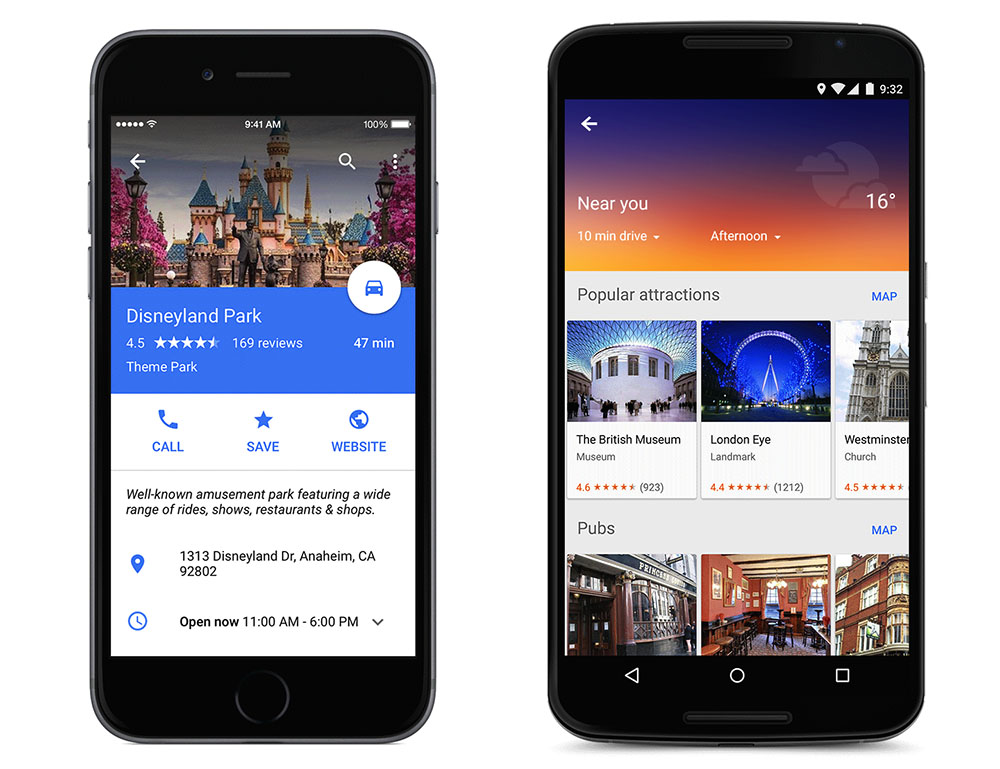
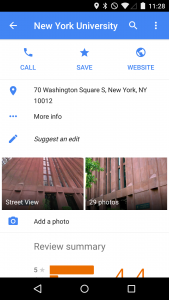
    Now, in addition to letting you know exactly how much time that alternate route will save, the app will display estimated time, weather and a smattering of facts about your destination. Google has also added the ability to show and hide traffic with a simple voice command. Of course, there are also some features hiding under the surface and to know that, you have to juggle with the app yourself.

    Google Maps 9.1 will also offer improved rerouting options, telling users how much time can be saved by rerouting, and offering ‘route-around’ alerts for closed roads. The application will also offer transit schedule changes for early or late arrivals.

    If Google Maps is your go-to app for checking out hotels, restaurants, or scanning other cool stuff, then these new features could save a couple of steps by putting them all in one app. Google is working to make Maps the all-in-one travel and destination tool so that you don’t have to check out competitors like Yelp for information.

    The 9.1 version will be rolling out soon to your device, however, the apk for the new version is available here.

  • IBM Verse Integrates with Social Media to Declutter Your Inbox

    IBM Verse Integrates with Social Media to Declutter Your Inbox

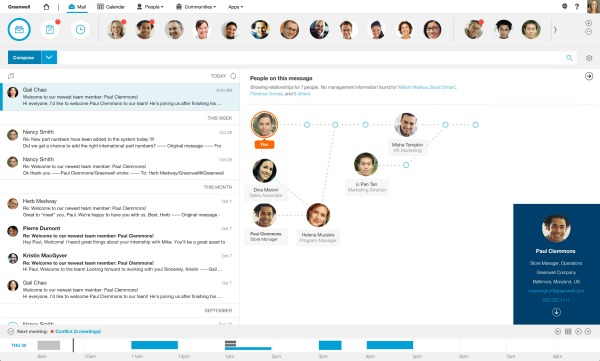
    IBM has launched a new e-mail application, for its enterprise customers, that integrates social media, file sharing and analytics to learn a user’s behavior and predict interactions with co-workers.

    Verse e-mail application is built to eliminate as much clutter as possible. The app learns your habits and puts the highest priority people and tasks at the top level. You’ll know if a key team member e-mails you during lunch hours, or that you have a meeting in 10 minutes.

    In fact, IBM Verse is said to have a certain level of sentience. Since it is capable of picking up your e-mail habits, and at the same time sends the highest priority people and tasks right to the very top, it minimizes the chance of you missing out on an important e-mail.

    2014-18-November-IBM Mail Verse

    It also allows users to transform e-mail content into a list of blogs and social media, view the relationships between different employees in an e-mail, mute a chain and search through attachments. The e-mail’s interface pins a user’s most frequent contacts, schedule and lists of assignments to a dashboard for easy access.

    “We came at this from the perspective that this is about changing the game, not just incremental improvements in e-mail,” said Jeff Schick, IBM’s General Manager of Social Solutions. “Guided by analytics, IBM Verse learns your behaviors to adapt to the way you work, wherever you work. And because it’s built for business, it understands you have special security and privacy needs, too.”
    IBM Verse runs on IBM’s SoftLayer cloud with the company’s enterprise-grade security. IBM officials say that a beta release will be available to select clients and partners this month. A freemium version delivered via the IBM Cloud marketplace will be available in the first quarter of 2015. IBM Verse will also be offered as an app for both iOS and Android.

  • Top 5 Apps That Already Feature Android’s Material Design

    Top 5 Apps That Already Feature Android’s Material Design

    Back in Google I/O 2014, we first learned about Google’s Material Design language. Since then, we have slowly but surely seen bits and pieces of it rolling out to various Google and 3rd-party apps. And now with Lollipop rolling out gradually, Google has been pushing hard to bring Material Design to all its possible apps while encouraging developers to do the same. Third-party developers are already moving forward with the help of Google’s guidelines.

    We are listing top 5 apps that already feature Material Design.

    1. Wally

    wally

    One of the first to adopt Material Design, Wally offers a database of wallpapers, which is sorted by category and colours. This app has provided an example how Material Design can be achieved without the Android 5.0 Lollipop update, after which many developers adopted this strategy.

    2. Androidify

    Google recently updated the Androidify app to version 2.0. The update has more to do with branding and avatars related to the Lollipop version of the Android. The surface of the app has also been improved with a flatter design that Material Design inspires.

    3. Numix Calculator

    Yes, even calculators have been given a makeover with Material Design. The updated Numix Calculator will make you love Algebra more. Well, we guess so.

    4. Local Cast

    local-cast-material-design

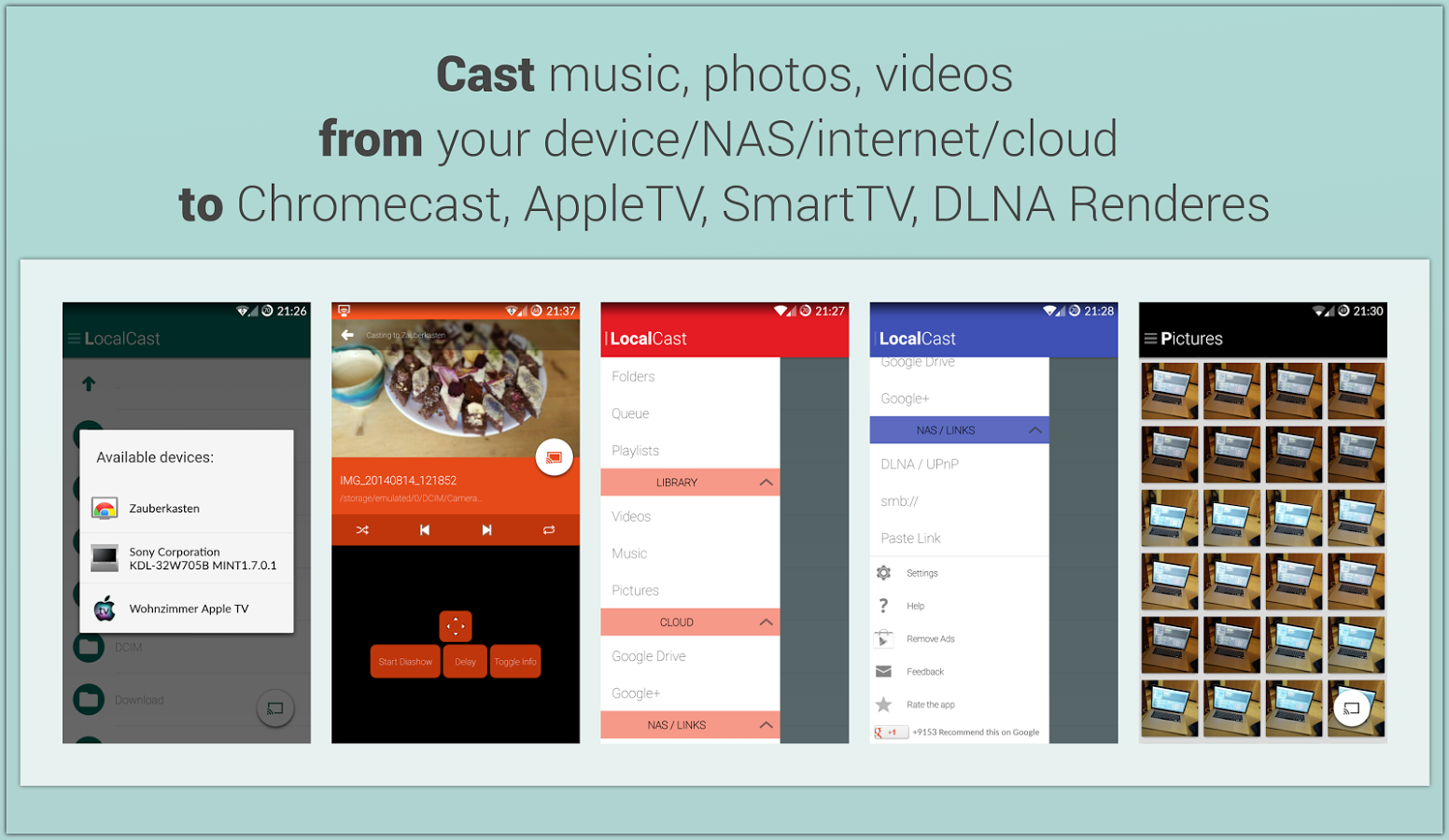
    This free ad and donation-supported app offers services of streaming PDFs, images, videos and music locally from one Android device to other. The developers are clearly paying close attention to not only the Material Design, but also to the current Google+ app, which shares the ever-present floating circular button. This button gives it a very Google-like look.

    5. Reddit News Free

    redditnewsscreencap-850x560

    Reddit News Free has updated their app to include Material Design elements and it has been for the best so far. It’s a highly-rated Reddit app with a bunch of features and a lot of happy users. If you’re looking for a modern Reddit experience, this is it!

  • Facebook Brings Out an App for Anonymous Chatting Called ‘Rooms’

    Facebook Brings Out an App for Anonymous Chatting Called ‘Rooms’

    Facebook seems to be in the mood for experimenting with mobile applications. After bringing out Mentions, Slingshot, Paper and most recently, their independent messaging app, they’ve now brought out ‘Rooms’. Although they’re sticking to their key philosophy of connecting people, this time they’re going to be keeping their identities discreet.
    We had earlier reported that Facebook was working on building a standalone app that will let its users interact and communicate under the cloak of anonymity. This was said to be the outcome of recent criticism for Facebook’s stance on real names. Facebook’s policies require verified email addresses. Those policies clashed with drag queens, some of whom had their profiles removed from Facebook by algorithms.

    Facebook Rooms

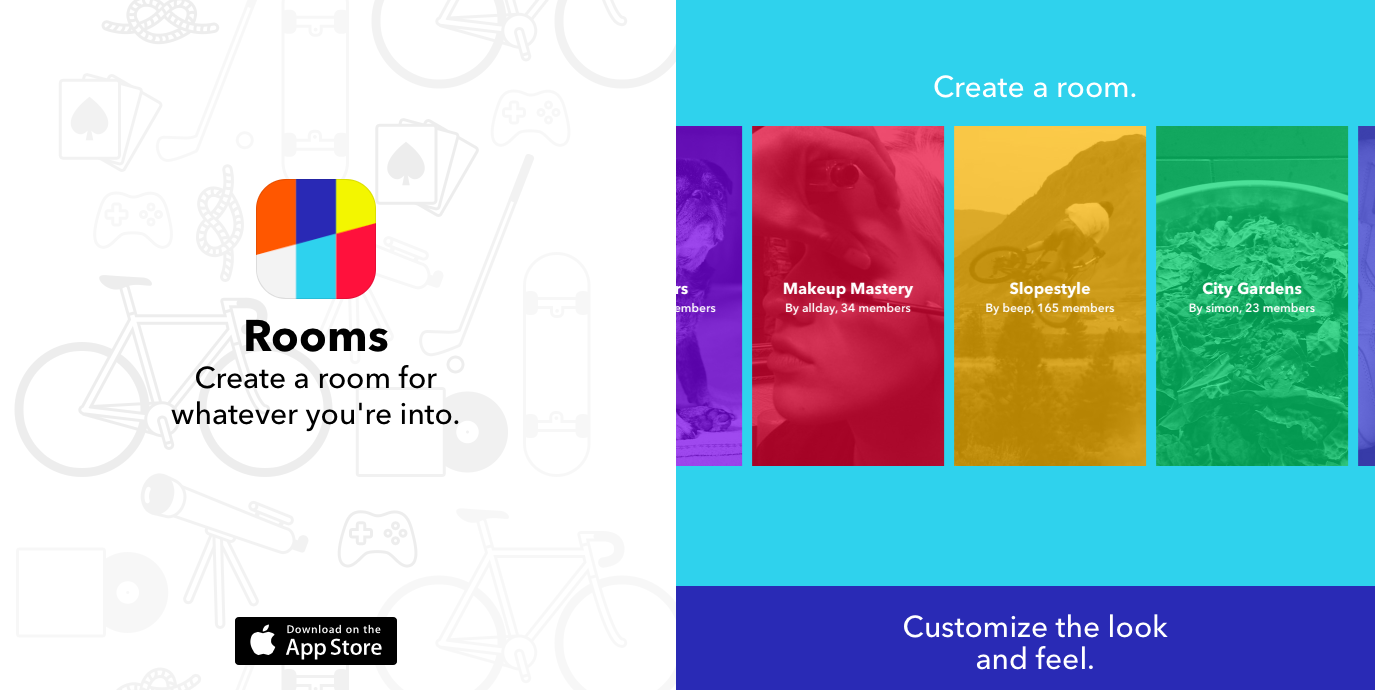
    On the other hand, Rooms doesn’t require the user to reveal any personal information and allows them to create chat rooms based of common interests (think fashion, photography, automobiles, gardering etc.)  These chat rooms can be made public or private. The private chat rooms are then made invite only, requiring a QR code that can be scanned with a smartphone. These Codes can also be shared on social media or via e-mail. Facebook’s new app doesn’t even allow you to import your contacts, it is entirely independant. Chat room creators or chosen moderators can customize the look, ban people from the room or set the room to be 18+.

    Currently the app is free and available on the app store, you can download it here.

  • Top 5 Android Tablet Apps That You Should Download Today

    Top 5 Android Tablet Apps That You Should Download Today

    Android tablets have evolved to become full-featured devices. But these tablets have been criticized for not having a mature ecosystem, they require good apps to take advantage of everything they have to offer.

    We are listing Top 5 tablet-specific apps to make your Android tablet work well for both professional and leisure activities.

    1. Adobe Photoshop Touch

    photoshopThis app certainly won’t replace its powerful desktop counterpart, but for the more serious designer, Photoshop Touch offers a plethora of tools that no other photo editing app suites can think of touching on Android, such as Layered images, magic wand selections, clone stamps and plenty more. You can also integrate it into Adobe’s Creative Cloud, which means that you can do minor editing on your tablet and then sync a file to your desktop to continue working on it on Photoshop.

    2. Pocket

    pocket

    One of the most comfortable uses of a tablet is sitting on the couch and reading. Pocket lets you set aside articles for casual browse later. Also, it automatically downloads saved articles for offline reading and is particularly handy if you want to load up a Wi-Fi-only tablet and take it with you when you leave home.

    3. AirDroid

    airdroid

    AirDroid is the only app on the list which is not specifically designed for a tablet. However, it is one of the best apps to work on a tablet. AirDroid allows you to access your files and data on your tablet remotely without having to plug it in to your desktop. You can even reply to text messages or update applications. If you spend a lot of time at your desk with your devices plugged in, AirDroid is a must-have.
    4. Dashclock Widget

    widget

    Dashclock widgets is one of the best suited widget app for tablets. With a variety of extensions that you can plug in, you can use this widget to keep updated of everything in your digital life. There are a ton of extensions available to customise the Dashclock and on a larger tablet, you can turn this widget into a veritable control panel, which is not available on any other widget app until now.

    5. Hipmunk

    hipmunk

    Hipmunk has raised the expectations from travel search every other travel app, offering a unique “misery index” algorithm for evaluating flights. Hotels get similar treatment, making this an ideal app for travel research.

  • IRCTC Launches its Official Android App

    IRCTC Launches its Official Android App

    Indian Railway Catering and Tourism Corporation Limited (IRCTC), which is responsible for online train ticket bookings in the country, has finally released its official Android application on Google Play, called ‘IRCTC Connect’.

    There are already quite a few third-party IRCTC apps available for Android, but they don’t offer the full functionality that’s available on IRCTC’s website. The official IRCTC Connect App can now be downloaded for free from Google Play India, and is about 12MB in size. The app is compatible with devices running Android 4.1 and above.

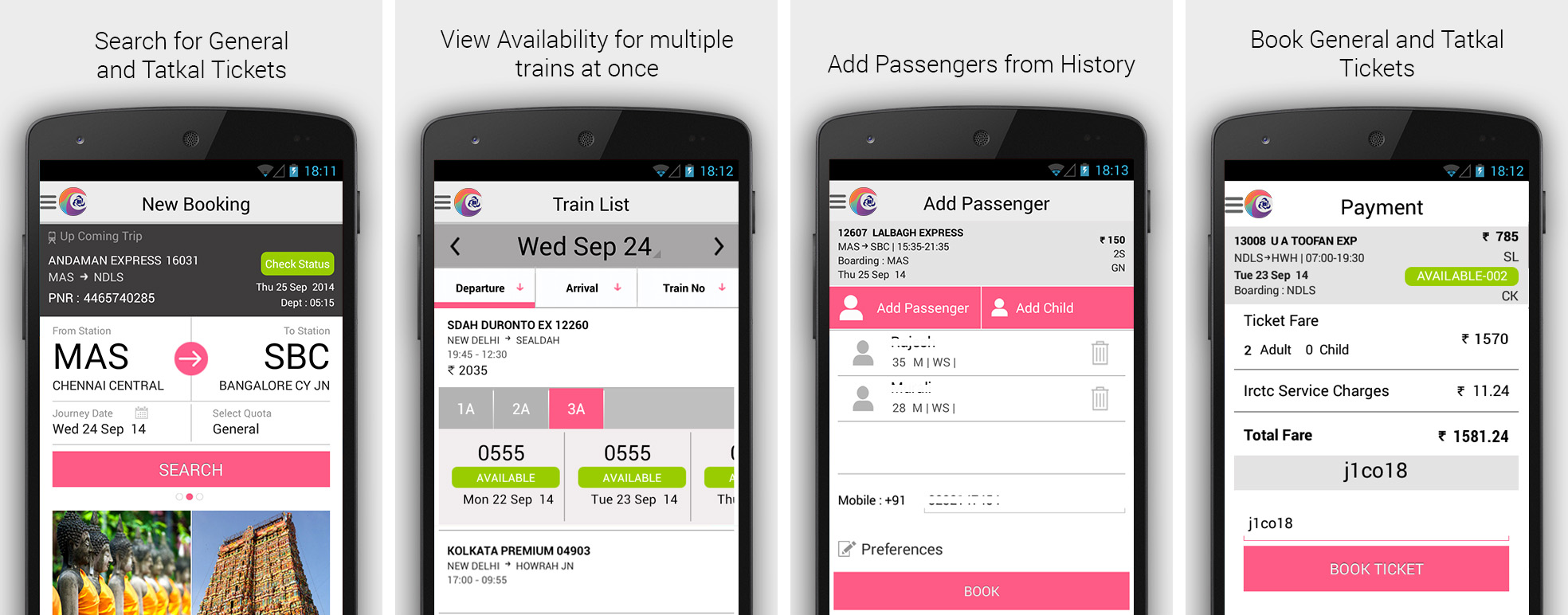
    The travellers will be able to search and book Indian rail tickets, check out their existing reservations or cancel them, and get upcoming journey alerts in the IRCTC Connect application.

    irctc-connect

    According to IRCTC, the app uses the existing IRCTC website login credentials to work and also allows the users to create new account directly within the app. In addition, the IRCTC Connect retains the passenger details for the recently booked train tickets, so that the travellers don’t have to enter their details again and again.

    The app listing says, “Rail ticketing now made simpler just by swipe and shuffle, select and book. Install the newly launched IRCTC android app and book a railway ticket anywhere in India at your fingertips.”

    Back in August, IRCTC launched its official ticket booking app for BlackBerry 10 smartphone users. The IRCTC app was available for download on BlackBerry World under the Navigation & Travel section, and was a 5MB download.

  • Tips For a Happy Traveler: 5 Best Websites to Check and Apps to Download

    Tips For a Happy Traveler: 5 Best Websites to Check and Apps to Download

    All great travel apps have one thing in common: they all solve problems you don’t even realise you have. Whether they’re helping you in easy and quick navigation, pointing you in the direction of authentic local nosh or simply showing you how to ask after a toilet in Japanese, you need to pick and choose which one works for you best.

    Here are our picks of apps and websites for the best travel experience you can have:

    Ultimate Travel Packing Guide

    Ultimate-Travel-Packing-List

    Do you travel often, reach your destination, unpack your things, and ask yourself, ‘Where is my toothbrush?’. It happens to the best of us because it’s far easier to create a mental list of things to pack in the week leading up to your departure than it is to actually remember them all when you’re packing. The logical thing to do would be to create a small travel pack or make a list of things to pack as you remember them. Ultimate Travel Packing List is a little web app that generates a list of things you should pack based on your gender, the length of your trip, the climate you’ll be experiencing, and the nature of your trip. 

    Seatguru

    seatgurucom1

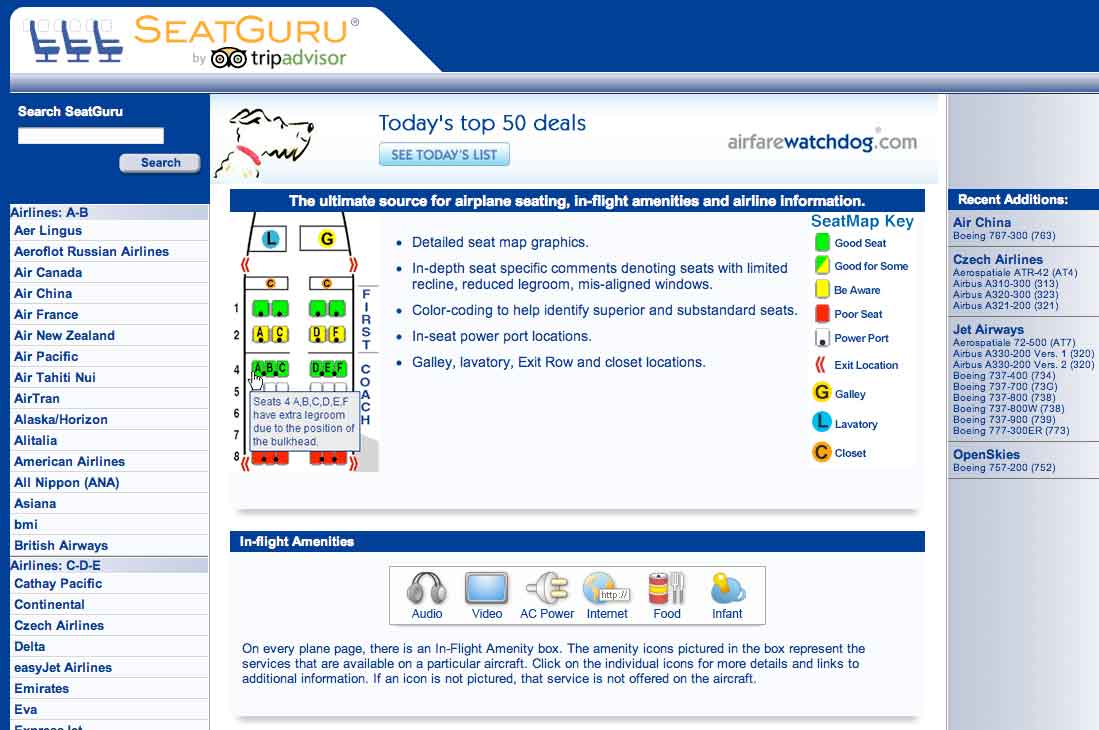
    Which seats are the best seats on the plane? Since airlines began charging for everything from a checked bag to a bag of peanuts, the answer is, “Whichever ones I don’t have to pay extra for.” SeatGuru provides commercial cabin seat maps, advising travelers which seats in the cabin to select or not select when booking a flight. The free app lets you access over 700 seat maps from over 100 airlines. It features advice and insights drawn from over 45,000 passenger reviews, so you can always find the best seat before you fly. Plus, the new app now helps you compare and find great low airfares from low-cost carriers, big online travel agencies, and the airlines themselves. You can even set up real-time flight alerts that monitor your flight arrival time and other information.

    Bing Travel App

    Screenshot.216116.1000004

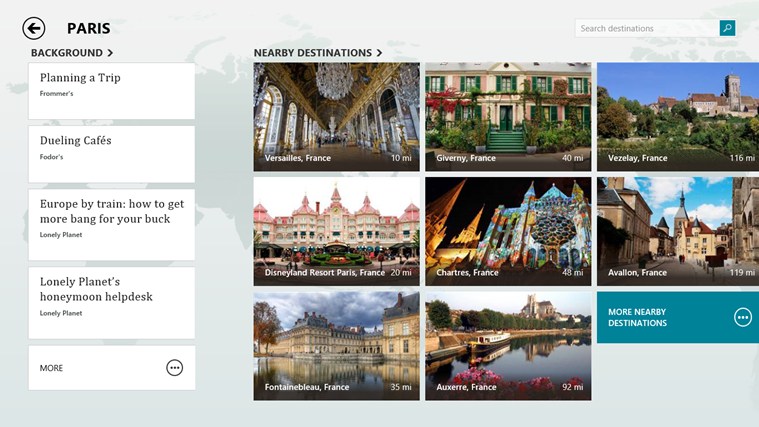
    The Bing Travel app lets you explore over 2,000 destinations from all over the world through beautiful photos and panoramas. Travel guides, booking tools, real time currency conversion, and weather provide everything you need to turn travel inspiration into your next great trip. Enable location services for Bing Travel Beta, so they can have more specific recommendations. For example, the destinations section recommends several places near New York. Each destination displays a summary syndicated from Frommer’s, traveler photos, attractions, restaurants, and hotels. Prices for hotel rooms are displayed by the app, grabbing rates from services like Booking, Kayak, Travelocity, Expedia, and more. Click on the rate you like and the web browser opens for you to continue the booking on that particular site.
    Tripit

    flight

    The iPhone app TripIt offers a unique service to travelers. It automatically connects to your email accounts, finds travel-confirmation emails, and turns them into a neat, complete itineraries. TripIt is familiar with purchases you make on all the major search and booking sites, such as Orbitz and Kayak, as well as airlines, car rental services, hotels, restaurant reservations, and much more. If TripIt misses an important travel email, you can forward it along, and the service will either figure out what to do with info or stick it to the side until you can review and type in the details manually.

    Uber

    Uber-Taxi

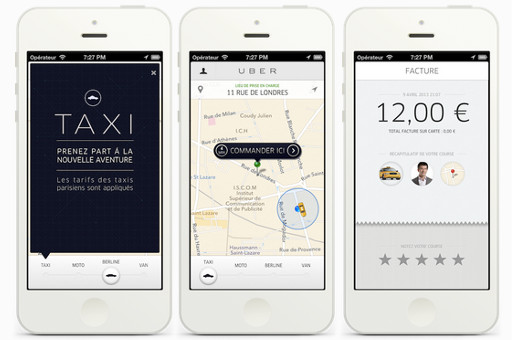
    Uber hit 100 cities recently, and what many call the fastest growing cab company in the world is adding more cities fast. When you open the app in any of the 100-plus Uber cities and order a car, the app will estimate the arrival time and send a text saying your driver is on the way. A small photo with the driver’s name and phone number pops up on the app, while a car icon on the map shows you in real time where the car is located. Cash isn’t an issue, Uber bills your credit card at the end of the ride. Both users and drivers can rate each other at the end of the ride using the app for other users to view. Rather than a cheap taxi app with prices similar to local cabs, in Asia Uber provides a luxury experience, with much higher prices and limo chauffeurs.

  • Google’s Play Newsstand App Comes to iOS

    Google’s Play Newsstand App Comes to iOS

    Today the Google Play Newsstand replaced the iOS app ‘Current’ on the Apple Play Store. If you use the Current app on your iOS device, you’ll be prompted to update to Newsstand.

    The app offers a central place for reading articles from select newspapers, magazines, and websites. The offering includes support from hundreds of publishers covering news, sports, business, entertainment, and other topics, and you can also add in RSS feeds for any blogs or sites that don’t yet have a dedicated Newsstand page.

    newsstand ios

    The app also supports video and audio content from some publishers, and you can bookmark it to read later if you don’t have time to finish them on the spot. Essentially Google Play Newsstand is an integrated app that combines the features of Flipboard and Pocket.

    The app is amazingly user friendly, running on iPhones as well as iPads with equal efficiency and ease. The Google Play Newsstand is available on iOS App store for free.

  • Twitter for New iOS 8 Gets a Major Makeover

    Twitter for New iOS 8 Gets a Major Makeover

    With the new Apple iOS 8 update, Twitter app for the iPhone just got slicker. Earlier layout of the Twitter app for iOS was clustered and has been criticised for not being user friendly. With the new updated look, Twitter seems have used the earlier feedback to make the new and improver interface more user friendly and declustered.

    The updated app has got  a brand new design for profiles, which brings your bio front and center. Earlier users had to swipe the user name window to see the bio. Also, the company has added different timelines for tweets, pictures/GIF uploaded and favorite tweets for easy reading.

    The new profile layout will show up on both iOS 7 and iOS 8. So, if you haven’t upgraded yet to the new iOS, you can still enjoy the new layout in your iPhone. However, you get some extra perks with iOS 8 such as the power to retweet, follow and favorite posts right from the notification center.

  • Top 5 Third-Party Keyboard Apps for iOS 8

    Top 5 Third-Party Keyboard Apps for iOS 8

    iOS is finally here! According to Apple, the iOS 8 is the biggest iOS upgrade since Apple store’s origin. The new upgrade includes better photo-centric features with Photos app for the smarter shutterbug; messages with capability to share video and audio messages directly. However, the best feature to debut with iOS 8 is third-party keyboard apps support.

    There will be a wave of new Keyboard software apps in coming months but ahead of them some app already made their debut. We have rounded up 5 keyboard apps for iOS 8, to let you decide which one suits you better.

    1. Swype

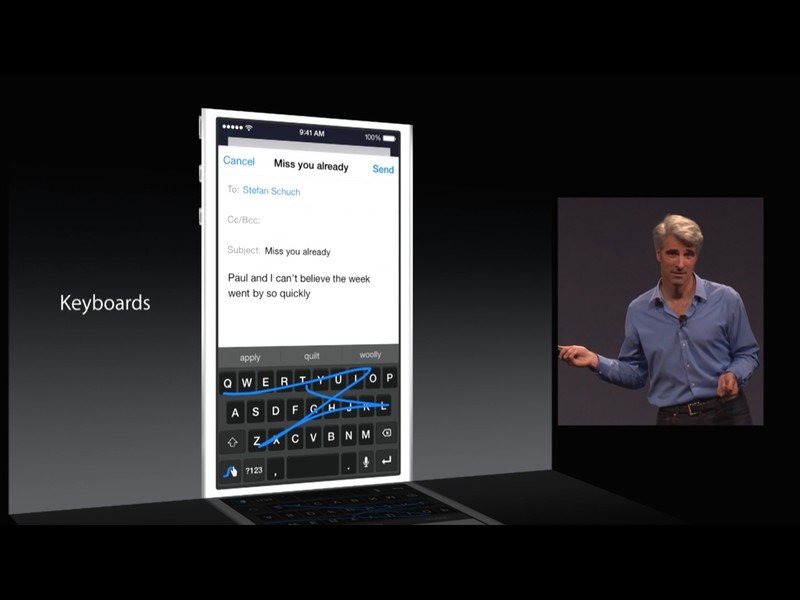
    Swype is already very popular with the Android community, with some manufacturers use Swype for their devices’ default keyboard. It was one of the first keyboards to let you drag your finger around on the screen, connecting the letters in a word, to type, instead of pecking at the screen. The app costs you 99 cents, and is also available for iPad, provides further customization options with five different themes.

    2. Swiftkey

    Swiftkey is another keyboard app which has been a favorite of Android users. The app is loved for its predictive-typing, adaptability and getting smarter the more you use it. It also incorporates a lot of flair with colorful skins, emojis, and multiple keyboard layouts.  It also supports swipe-style input (called SwiftKey Flow). The free app is cloud-connected, so it can remember your personal language patterns and preferences across devices.

    3. Fleksy

    Fleksy almost same as the Swiftkey with its predictive-typing features, which try to understand what you want to type before you even tap the screen. In Android community, Fleksy is known as “world’s fastest keyboard”. It supports gesture-based typing, but also allows users to choose between small- or large-size keyboards.The $0.99 app comes with 800 of its own emojis, and amazing 40 languages support.

    4. Ginger

    Well, Ginger is little bit different from others in this list. It helps you improve your grammar and writing style as you type. Apart from basic text prediction, it is packed with tools to proofread, check your grammar, find synonyms, rephrase awkward sentences, and translate texts into other languages. There’s also a dictionary that you can customize with names, locations, slang, and unique words. It comes with a colourful theme, which is customisable too. However, the app is still in its process to come to the App Store.

    5. PopKey

    PopKey is one of a kind emoji-style keyboard app which is solely dedicated to GIFs. The app will allow users to quickly find and message their favorite GIFs with just a few taps. The GIFs will include dozens of themed categories that get updated in real-time with the latest trending topics and events.

  • Whatsapp’s New Voice Calling Feature May Arrive Sooner Than Expected

    Whatsapp’s New Voice Calling Feature May Arrive Sooner Than Expected

    Whatsapp, the popular messaging app, has given a hard time to telecom operators by eating up their revenue. However, Whatsapp’s arsenal had been missing one big feature, Voice calling. Talks about the new voice calling feature on Whatsapp have been on since February. It all started when WhatsApp CEO, Jan Kuom, announced that the voice calling feature would be added to Android and iPhones first, followed by BlackBerry, Nokia and Microsoft platforms.

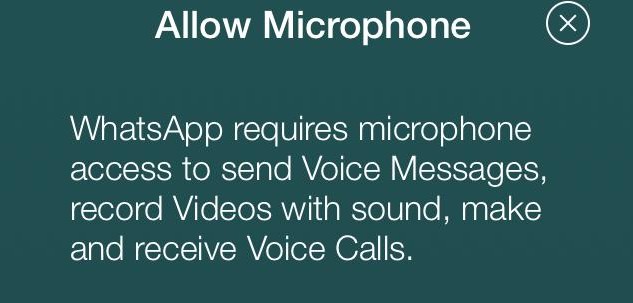
    Now, it seems that the long-awaited feature will come to the app sooner than expected. A pop-up has been spotted on the app window that seeks user’s permission to use the microphone, hinting the voice-calling feature to be a part of their next update. The latest WhatsApp update was released for the iPhone on September 8. With it, WhatsApp added several features such as improved location sharing and fast camera access.

    whatsapp_iphone_voice_calling_635_153514_113518_6223

    However, the release notes never mentioned about a pop-up, which requests access to the microphone every time the app is opened. The pop-up will only appear to those people who have not already allowed the app to access their device’s microphone.

    WhatsApp is the world’s most popular messaging app with over 600 million users. The messaging app was acquired by Facebook earlier this year in a deal worth $19 billion.

  • Google Play Store Increases its Return Window to a Fair 2 hours

    Google Play Store Increases its Return Window to a Fair 2 hours

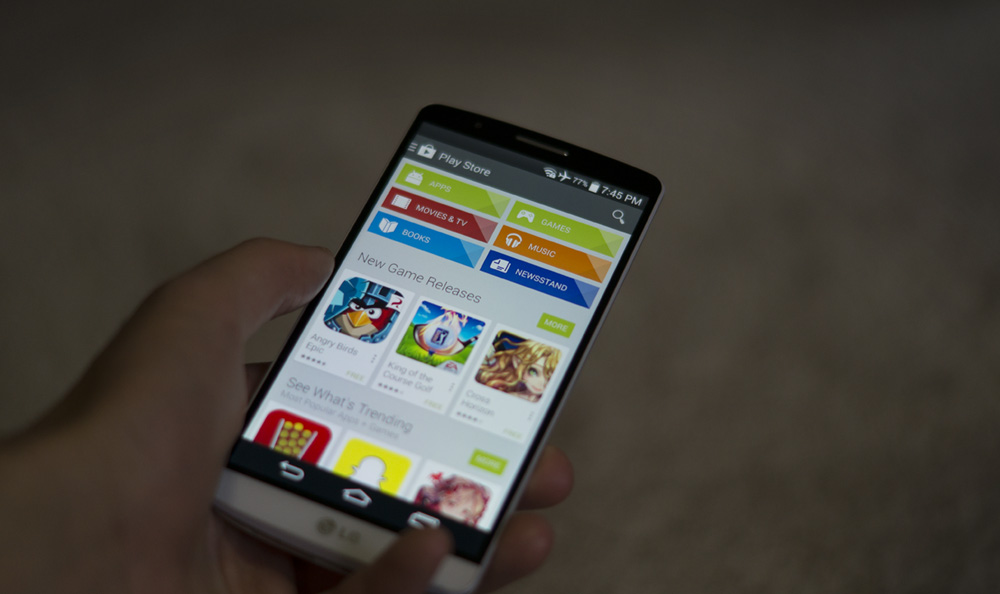
    Google’s Play Store return policy is one of the best feature the company provides. It has been appreciated by Android community a great deal. The service offers you the option of returning an app you’ve just paid for and downloaded. You can do this by simply heading back into the Google’s store, hit the refund tab, and you’re done.

    Obviously, there is a time limit for the refund policy which has been fluctuating since it started because of the reluctant developers who were worried about the loss. Earlier, when the service started Google offered 24 hours to initiate a refund which was bit extreme according to the developers. Then the company pulled down the timeframe to 15 mins where it stood until now.

    playstore

    Google has once again changed its refund policy and increased the return window to a fair 2 hours timeframe. The new 2-hour window strikes a happy medium between the old 24 hours options, giving you a decent length of time to try out an app but not so much that you’d be able to fully utilize an app or finish a game and then return it.

    Windows Phone lets willing developers give users a trial period for apps before purchase but mostly you don’t get to play with all the features of the app which defeats the point all together.  Apple’s App store in comparison, offers no refund or trial options for the apps and games. Guess it’s time to get apps from Google directly instead of looking for APK files from untrustworthy websites.

iGyaan Network
Privacy Overview

This website uses cookies so that we can provide you with the best user experience possible. Cookie information is stored in your browser and performs functions such as recognising you when you return to our website and helping our team to understand which sections of the website you find most interesting and useful.