Tag: apps

  • Top 5 Android Games that you Should Download Right Away

    Top 5 Android Games that you Should Download Right Away

    Android app market (Play Store) is flooded with both paid and free game apps. Whether you want games that will last the length of a commute, or want to be lost in a port of GTA where you spend hours mowing down pedestrians and making money out of murder, there is a game on here for you. In the recent time most of the apps that are free usually feature in-app purchases adding premium offerings, which in some cases are not half bad e.g. Smash it!

    We are listing top 5 Android games that you should download right away.

    5. The Room Two ( Rs. 190)

    room two

    The Room Two, a sumptuously strange but an amazing puzzle game. You spend minutes at a time examining a series of locked boxes, hunting for keys and mechanisms, deciphering puzzles, searching for signs through your sinister revelatory eyeglass. When you find the right one and put it in the right place, what follows is gorgeously rewarding: keys turn, doors unlock, boxes impossibly unpack themselves and become different, weirder boxes, always with the exact perfect sounds for the movements as they happen. This is a game of incredible polish wonderfully suspenseful sound and graphic design.

    4. Injustice : God Among Us (Free)

    Injustice

    Not every type of game can make the seamless transition from a console or computer onto the touch screen of your Android device. Injustice: Gods Among Us being no exception to this. However, if you compare it with other android games, it is one of the best game out there. The graphics of Injustce: Gods Among Us are, without doubt, quite stunning. The characters are the highlight of the game. It’s amazing to get to  fight with some of your favorite superheroes (and villains).

     3.  Apparatus (Free)

    appuratus

    It is one of the most addictive game you will ever play. Developers have done a good job by providing the Android world with such a creative and addictive game. You can create a complex structure from small parts and build a machine which can outclass other competitors in every respective field. Once you get hold of this game you won’t be able to put down your phone even for a second.

    2. Chaos Rings II (Rs. 750)

    chaos ring 2

     An amazingly beautiful fantastical world where life is at the brink of destruction, as usual, and the chosen one has to kill five people to save the world, and one of the five is an innocent child. Whether this hero can carry out his duty is the decision that lies in your hands. It is an exhilarating adventure ample for players of all ages who are devotees of science fiction and futuristic scenery. The game requires 1 GB of memory, so make sure you have it available before proceeding to download.

    1 Modern Combat 5: Blackout (Rs. 390)
    mordern combact

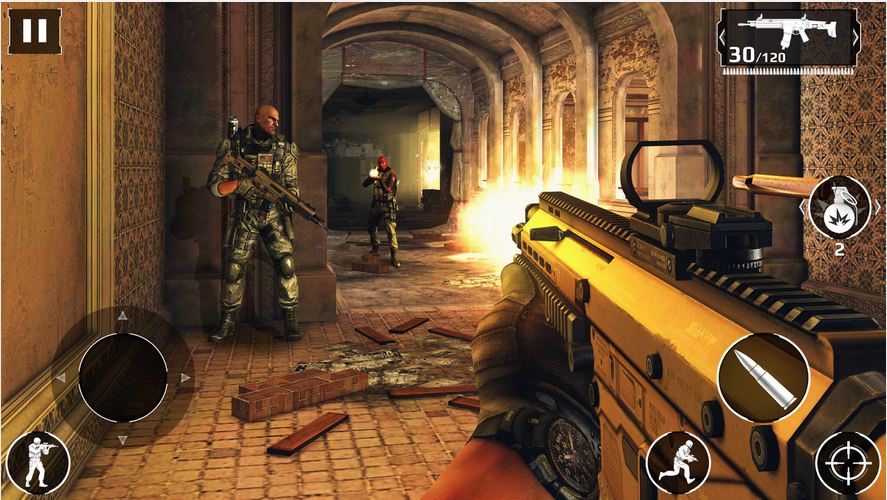
    Modern Combat 5: Blackout is the best first-person shooter on smartphones and tablets. You can create a squad, add your friends and test your individual and team skills against other squads in dynamic multiplayer warfare. Modern Combat 5 steals the show when it come to customization. Before a fight, or after dying, you can choose from Assault, Sniper, Heavy Assault, or Recon. Each of the classes has a number of weapons and accessories you can unlock by playing the game and gaining experience.

  • Top 5 Apps to Help Boost Your Creativity

    Top 5 Apps to Help Boost Your Creativity

    Using smartphones and tablets is a big help for every creative person. A quick note of an idea that popped out of no where or to save blueprints that are worth checking out, apps these days not only help you save ideas but also allow you to share them with your friends. Even better, they inspire you to bring your creative insight out in the light.

    We are listing top 5 apps to help you inspire and manage your creative endeavours.

    1. Evernote

    Evernote

    The first recommendation for a creatively inclined person is a cross-device easy-to-use app which stores your notes, photos and to-do lists. Evernote is an easy-to-use, free app that helps you remember everything across all of the devices you use. It lets you stay organized, save your ideas and improve your productivity. Evernote lets you take notes, snap photos, create to-do lists, scan business cards, record voice reminders. Best part? It makes everything searchable, whether you are at home, at work, or on the go.

    2. TED

    unnamed

    If you are not familiar with TedTalks then, we don’t know which planet you are from. TedTalks believe in power of ideas to change attitudes, lives and, ultimately, the world.  The official app as simply as it can be named is called TED. It even sports a button called “Inspire.” Press it and get an earful from the geniuses, mavens, and rule-breakers who are changing the world.

    3. Paper Essential 

    paper-app-square

    This amazing drawing app has won numerous awards like  Apple’s App of the Year award, a Verge interaction-design award, and a Fast Company Crunchy for best design. Furthermore, it’s not all about drawing, you can start with just jotting down ideas, sketching, and outlining. If you want to see all the awesomeness it has to offer, there are loads of tutorials online that are very much worth checking out.

    4. Creative Whack Pack 

    icon_340

     The Whack Pack is a great tool for establishing innovative thinking as a daily habit or for pulling fresh ideas out of one’s subconscious. The app features the 64 cards offered in the physical deck – divided into 4 suits: Explorer, Artist, Judge and Warrior. Each card features a whimsical drawing by Von Oech and a snappy yet detailed explanation of the concept behind the card. For the app, Von Oech has also added 20 cards that illuminate the wisdom of the Greek sage Heraclitus, whom Von Oech refers to as “the world’s first creativity teacher.”

    5. Clear

    flat-clear

    Clear is a nice-looking list-keeping app that is really simple, quick and easy to use, no matter if you are creating notes or to-do lists. Clear’s playful and clutter-free interface makes it easier than ever to stay organized. It’s as easy to use as pen and paper: pull down to add a new item and swipe right to complete a task – it’s that simple.

  • 5 Cool Messaging Apps You Could Use Other Than Whatsapp

    5 Cool Messaging Apps You Could Use Other Than Whatsapp

    Staying connected in a meaningful way makes us happy and sharing our thoughts, emotions and stories is what makes these connections rich and real. In a world where everything is moving too fast, messaging services offer you a way to connect and express yourself instantaneously.

    We are listing 5 messaging apps that might change the way you stay connected with your loved ones:

    1. Path Talk

    The new app includes a handful of features that are not available on most of the popular messaging apps, including one called ‘Ambient Status’ that automatically detects what you’re doing and shares that with others in your network. For example, the app uses geo-location on your phone to determine when you’re nearby another friend, in transit, or even working out. The app will also alert friends if you’re listening to music and what song you’re playing. All of these Ambient Status updates happen automatically, and can be altered in settings if users don’t feel comfortable with the app sharing on their behalf.

    2. Telegram

    unnamed

    Telegram is a messaging service combining the speed of WhatsApp with Snapchat’s ephemerality and advanced new security measures. Telegram feels in many ways like a straight-up clone of WhatsApp, from its green double-checkmark read receipts to its cartoonish wallpapers. There’s also the usual gamut of messaging app features including the ability to see a friend’s online status and attach photos, videos, your location, contacts, and documents to messages. But where it lacks in originality, Telegram makes up for it in speed and security features.

    3. MessageMe

    MessageMeLogo

    Message Me is a mobile free messaging app with a lot of visual features and personalization. It allows people to send SMS text messages and make voice calls to their friends for free, same as most instant messaging apps. One of its more popular features is the ability to draw or “doodle” on photos, making it easy to annotate and share images. When someone shares an image with you, you can draw right on top of it, dashing off a hand-scrawled comment or caption before passing it along to your own pals. That feature, plus the ability to grab images and other media from the Web and quickly share them in an SMS message to your friends and family, has made MessageMe a popular download since its launch.

    4. Mezy

    Mezy-Icon

     Mezy is a new social messaging app where friends post messages (photos/videos/text) to a location on a map. When a user’s followers go to the location chosen by the user, the message is unlocked and able to be seen and commented on by others who have discovered it.  Users can post a mezy anywhere in the world – not just their current location. When a follower enters the geographic location, the mezy then appears in their feed. No one else can see a mezy unless they have been granted access.

    5. Voxer

    Voxer-logo

    Voxer is commonly known as a “walkie-talkie” or “push-to-talk” app because when you click on its little talk button, you can send an instant voice message or multimedia message to a pal. The message is either instantly played through your friend’s phone speakers if their phone is turned on and the app is running, or it is received as a recorded message like voicemail. Voxer also enables text and photo messaging, like most mobile messaging apps do. It also enables VOIP voice calling like Skype does, and group messaging. Voxer is free for individuals and works with Android and iOS devices. A business version also is available with extra features for a fee.

  • Top 6 Apps Exclusively Available For Android Users

    Top 6 Apps Exclusively Available For Android Users

    1. Swift Keyboard

    Swype

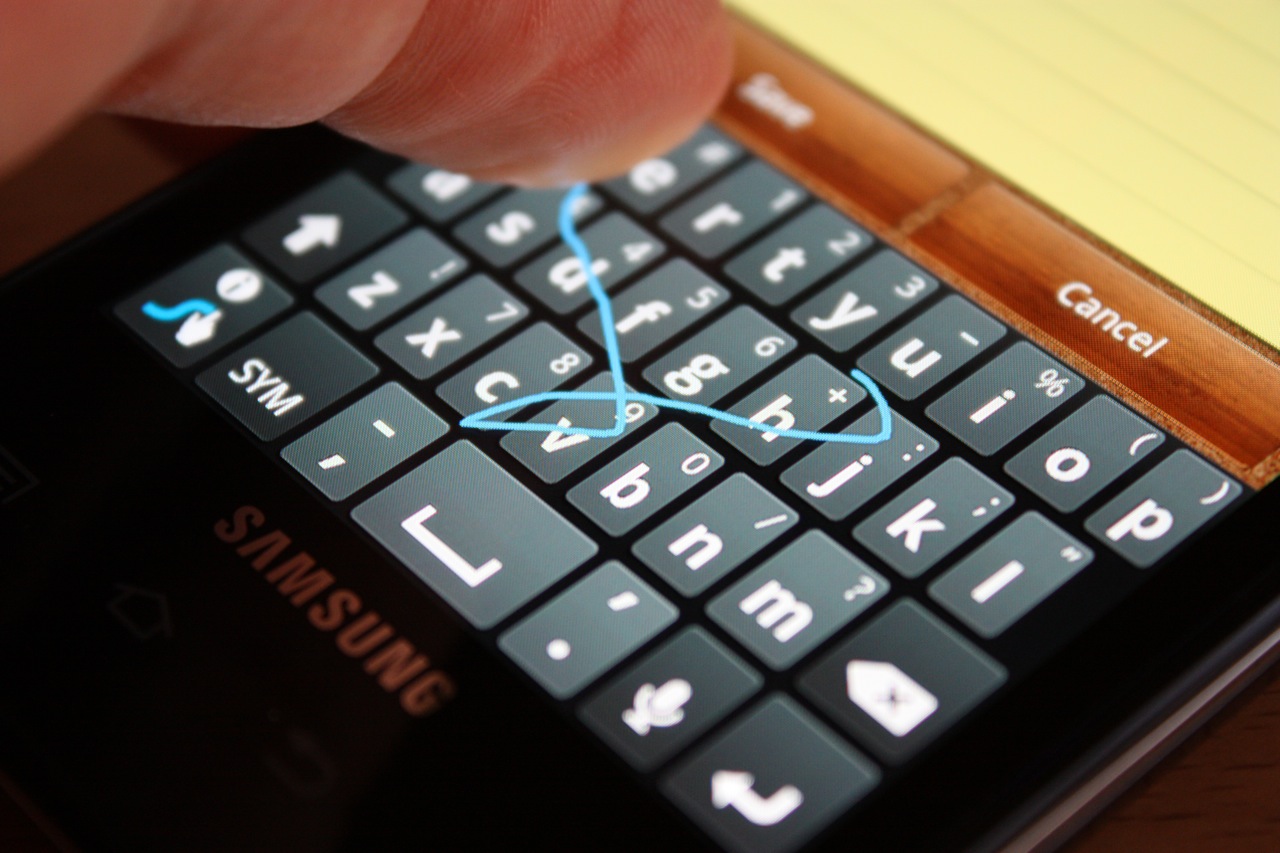
    Don’t like Apple’s on-screen keyboard? Tough luck, you can’t change it! Most flagship Android phones are coming out with the swype keyboard; however if not available the swift keyboard app can be downloaded. This feature enables you to swipe across the keyboard; and once you get the hang of it, it’s incredibly fast. It is however, expected that iOS 8 will be launched with this feature.

    2. ES File Explorer

    ES-File-Explorer

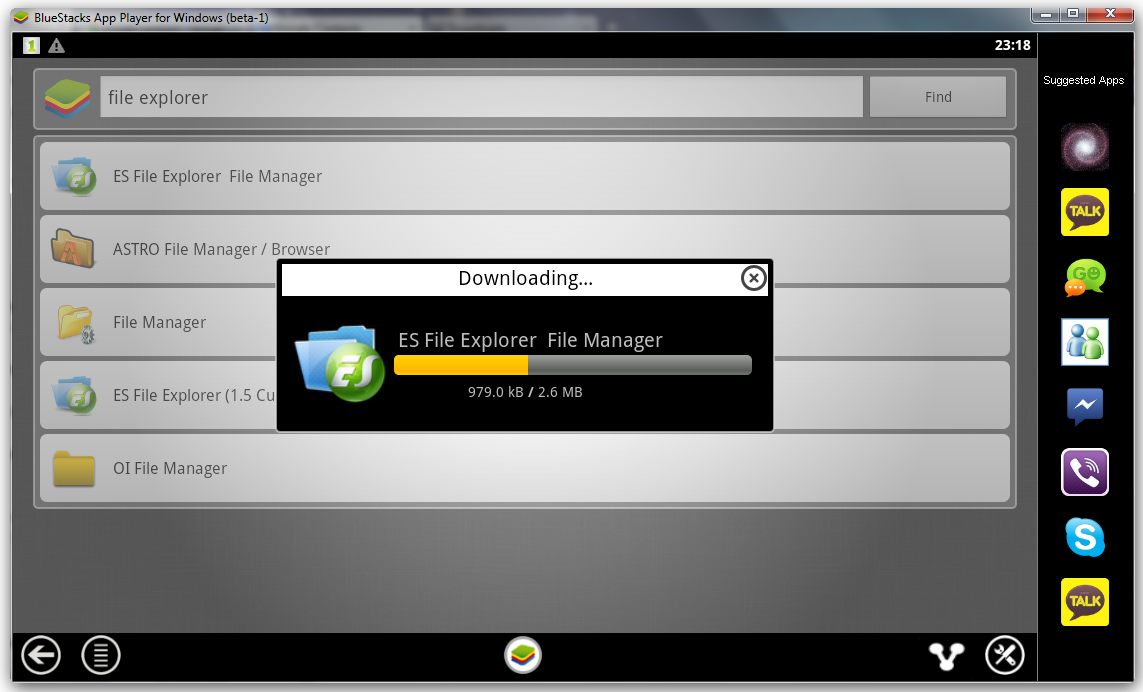
    ES File Explorer gives you the ability to control your Android device just like a PC. You can manage your files and applications, kill unwanted tasks and upload files and folders to your favorite cloud service. This app however is not available on iOS

    3. Cover Lock Pattern

    pattern lock

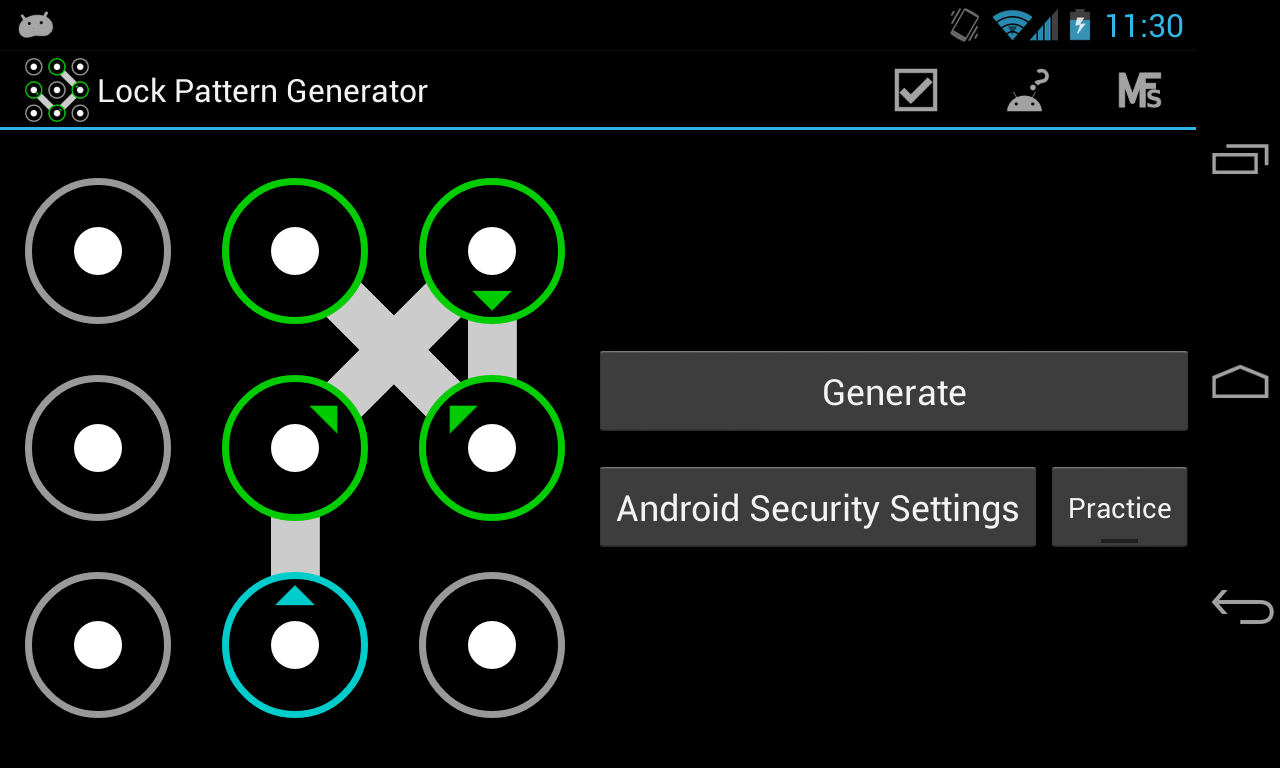
    The Lock Screen is another bit of iOS many people would like to customize, and once again on Android there are all kinds of apps that Apple owners can only envy.

    4. Link Bubble

    link_bubble

    Imagine you find an interesting link on Twitter. Link Bubble will let you click on it and then load it in the background while you continue using Twitter. Once you close the app, the link will be available for your viewing pleasure. It can be tough to remember all the cool stuff you see online, so Link Bubble makes it easier for you to keep track of everything.

    5. Tasker

    Tasker

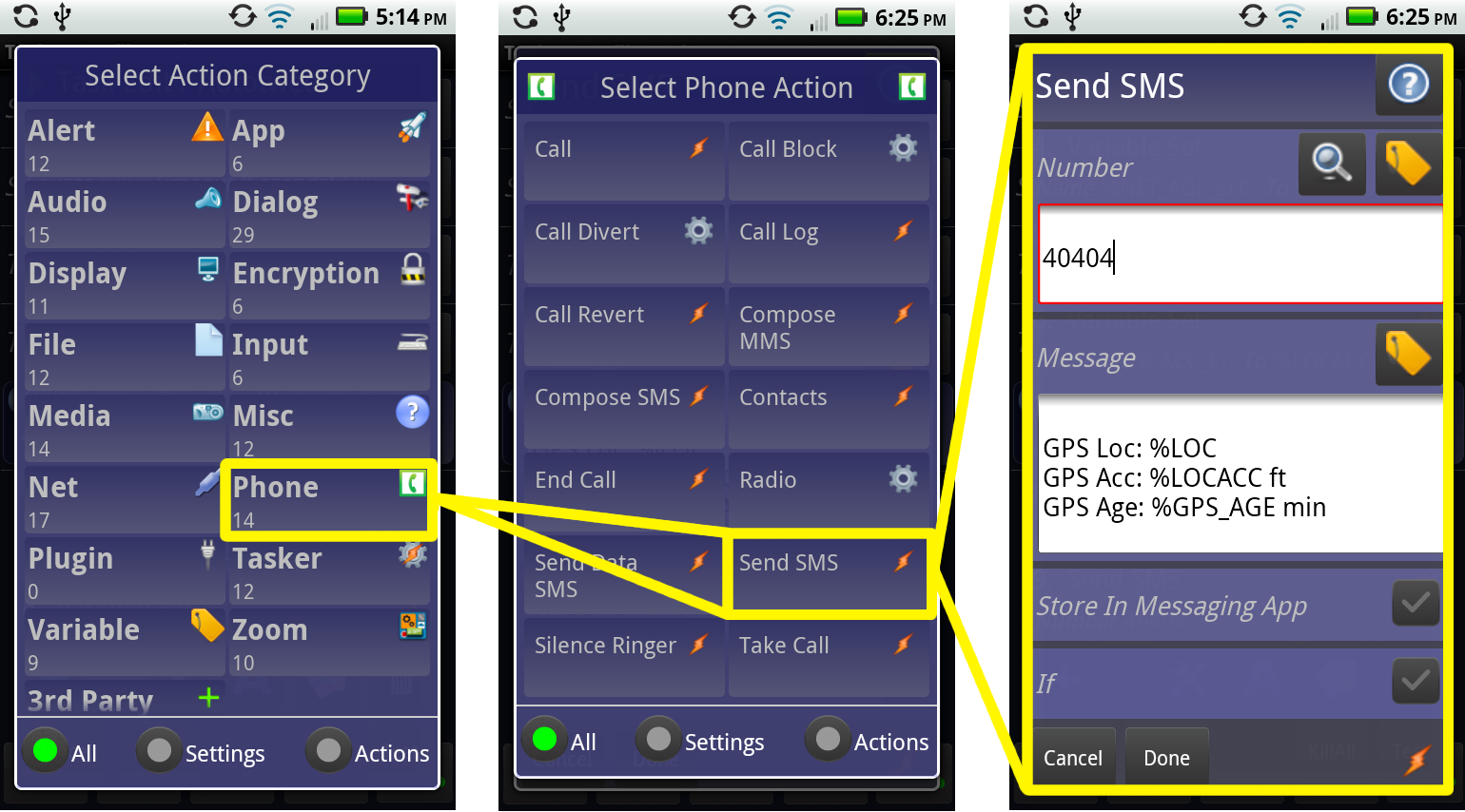
    Tasker contains more than 200 actions and triggers that let you control various aspects of your device. Tasker could well be the poster child for Android apps: it’s a little intimidating at first, but the things it can do are incredible.

    6. Avast Mobile Security

    Avast Security

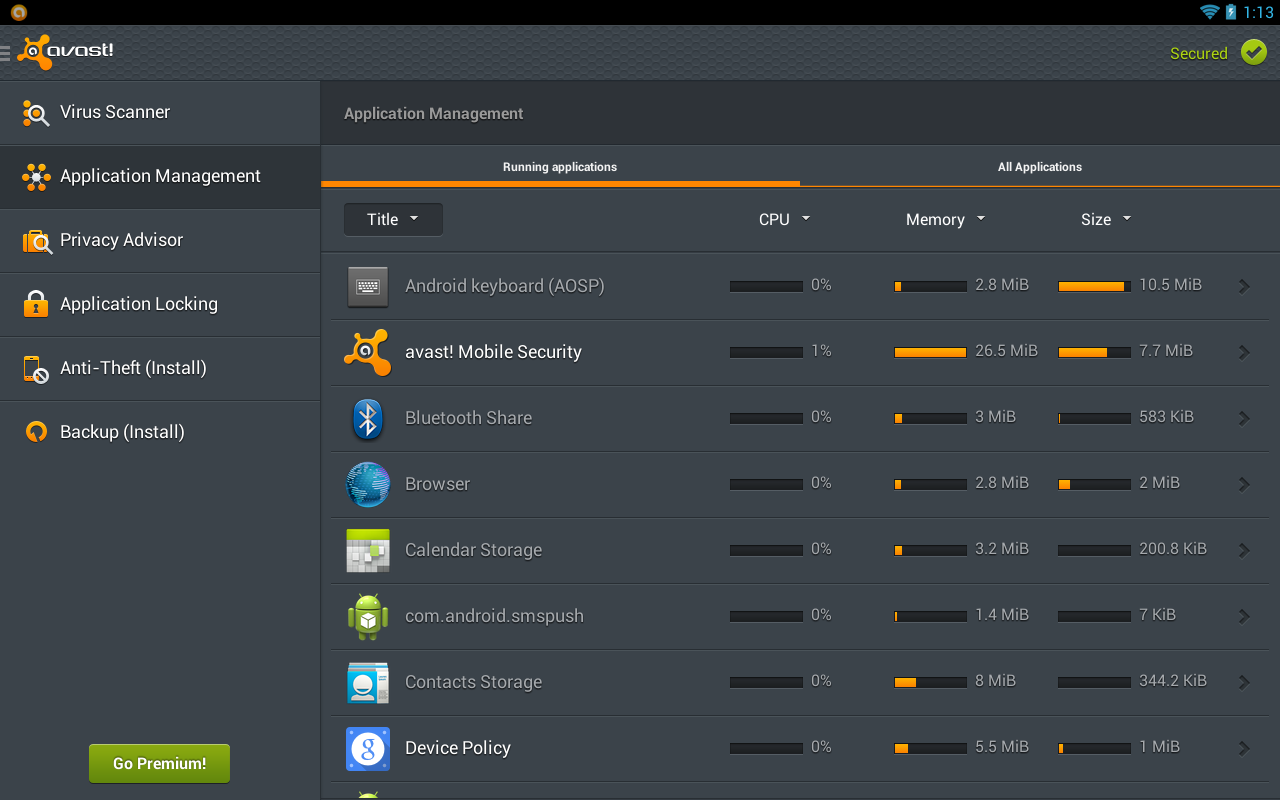
    In addition to keeping your Android handset free of malware, Avast Mobile Security and Antivirus lets you lock specific apps so other users can access them without your permission. It is one of the best security software for your phone.

  • Top 5 Useful Apps Made For Android Wear Smartwatches

    Top 5 Useful Apps Made For Android Wear Smartwatches

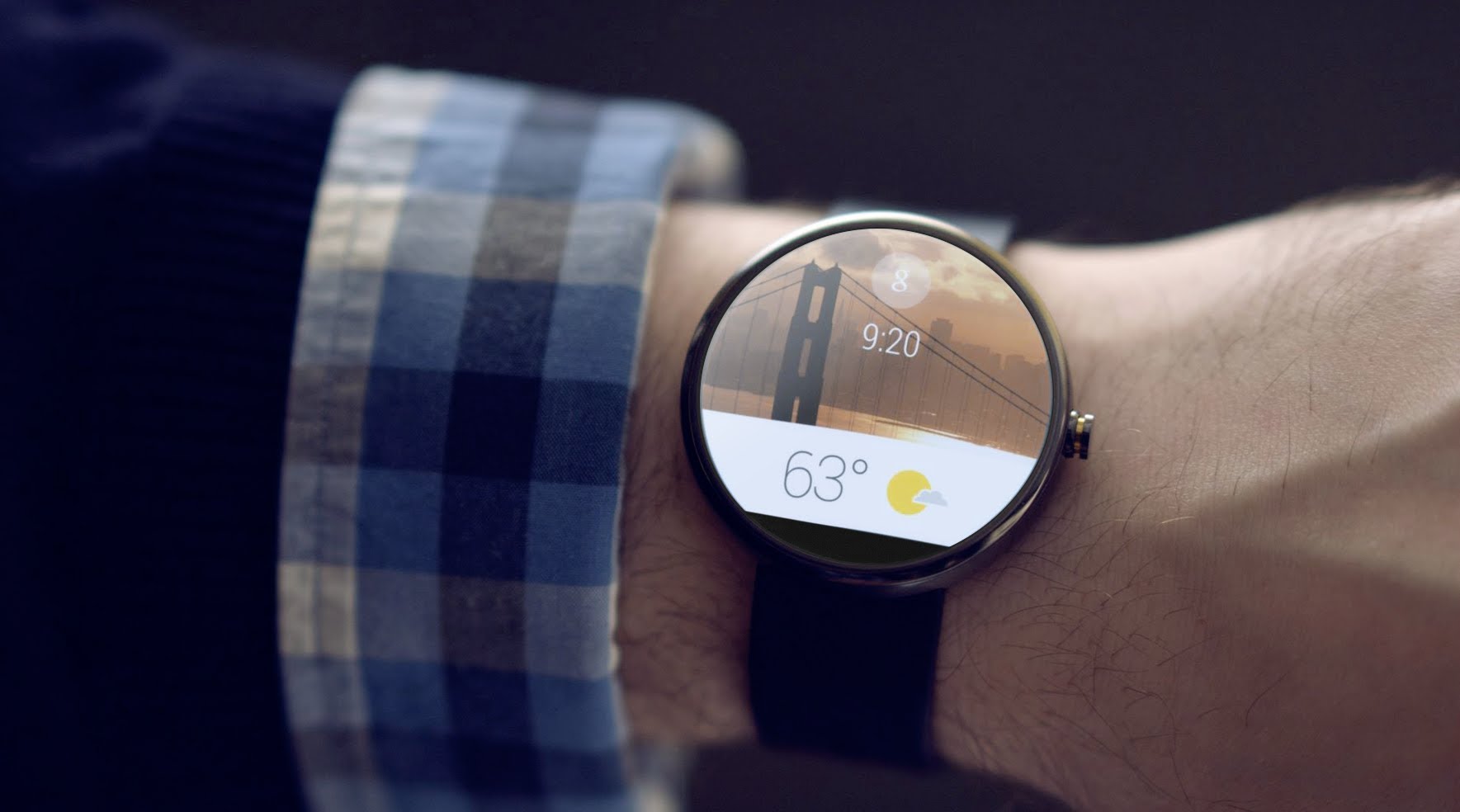
    Android Wear is the darling of wearable technology these days. We can’t wait to put smartwatches around our wrists and find out all their capabilities. Android Wear smartwatches do a good job of delivering notifications and other alerts to your wrist, but the fun really starts when you start downloading apps that add additional functionality.

    Although the selection of Android Wear apps is small for now, there are already some pretty useful options in the Google Play store.

    We are listing 5 of the these amazing app that you will love to use on your Android smartwatch.

    1. IFTTT

    Nest_Thermostat_Home_Away_Android_Wear-640x426

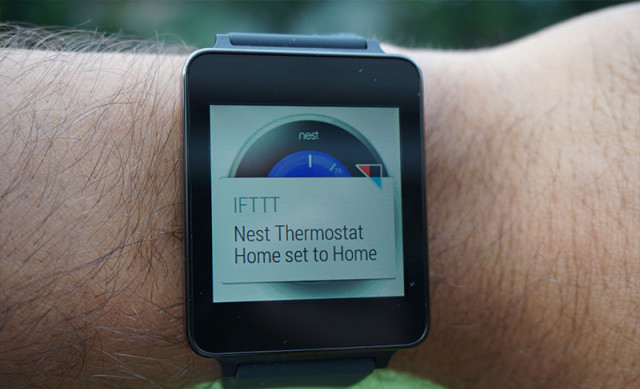
    IFTTT, acronym for If This Then That, connects events into a simple statement that triggers an action. It performs a set action if an event happens, like firing off a text message to your phone if you receive an email or automatically uploading photos to Dropbox that you post to Instagram. On the wrist IFTTT gives users a big button that triggers some user configurable action. IFTTT is probably the most powerful app available yet on the smartwatch.

    2. Binary Watch Face

    yD2bytc

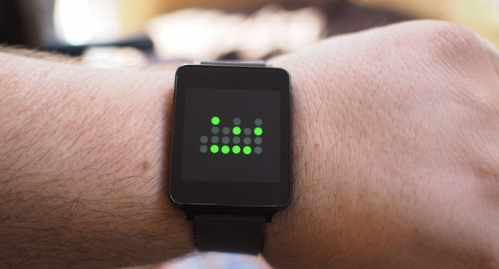
    The Binary Watch Face is a very clean and good looking binary clock for the smartwatch. One thing that does come up with regards to these custom watch faces is that whenever a notification pops up, they end up covering a part of the watch face design, which is something to look out for, especially if there is task with a persistent notification. The companion app installs on your smartphone with the Watch Face allowing you to configure the colors to your liking.

    3. Evernote

    286c10db-3410-44bf-a7ae-35b7418e102e-460x276

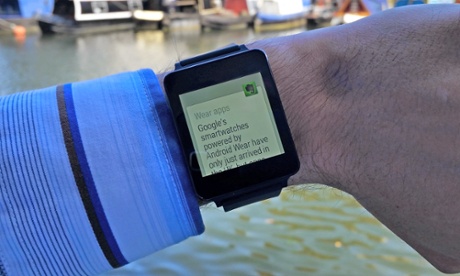
    With this you can dictate voice notes to your watch. The Android Wear extension of Evernote allows users to pull up recent notes on their smartwatch which is more useful than it sounds if you’re travelling and have to book references and other things on your wrist. Dictating new notes without having to pull out a smartphone does make life a lot simpler.

    4. Bunting

    ae41using-android-wear-aa-4-of-20-710x399

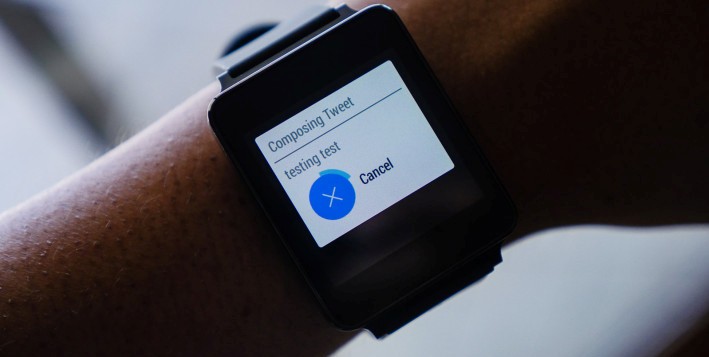
    Bunting is a simple Twitter client for Android Wear with a clean and sleek interface, that allows you to tweet messages directly from your Android Wear smartwatch. The set up is very easy. All you have to do is log into Bunting using your Twitter account, and once that’s done, you can start tweeting by dictating your message directly to the watch. If you tweet on a regular basis and own an Android Wear device, Bunting is a quick and easy way for microbloging on the go.

    5. Flopsy Droid

    53bd68ca7c9049.46120521

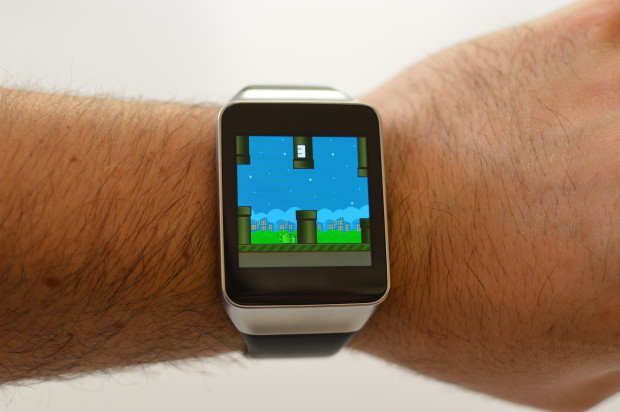
    Well you must be wondering how pathetic it would be to play games on your Android wear with its small screen. But Flopsy Droid will amaze you. Created by the makers of Blunting, the game is a clone of Flappy Bird with similar gameplay. The bird is gone and has been replaced with the green Bugdroid we all know and love. But the big difference is the fact that this game is now playable from your smart-watch. If you’re looking to while away some time, Flopsy Bird is great way to do so.

  • Google with Udacity Offers You a Course in Android App Development

    Google with Udacity Offers You a Course in Android App Development

    Android is going places. There is no other operating system that has been integrated simultaneously in so many multiple platforms. From Mobiles, Tablets, Gaming Consoles to Television and Cars, Android seems like it’s taking over everything. Now all this integration requires apps and developers who make that app. With over a billion devices activated, Android is here to stay for a considerable while. A lot many people have shown interest in making apps but they don’t have the skill sets for it. Google understands that and has tied up with Udacity.

    Install-Android-L-Beta-on-Nexus-5-620x465
    You can be a part of the Android ecosystem with this course

    The program is called “Developing Android Apps: Android Fundamentals” and the course is exactly what the name suggests. The program aims at giving assistance to programmers who don’t have the skillsets to make android apps.

    Google Developer Reto Meier, Dan Galpin, and Katherine Kuan will train potential Android developers. Their curriculum gives step by step instructions in building an app. The course will also teach the basics of mobile app development in general and Android development in particular. The best part, you can get personalized support and feedback from the instructor.

    By the end of the 8 week course, programmers would be able to build a cloud-connected Android app, and understand the tools, principles, and patterns that underlie all Android development.

    For applying to this course you need a strong working knowledge of Java or another object-oriented programming language. Access to an Android device is not compulsory but is advisable for this course.

    The program on Udacity is free for a 2 week trial after which the course costs $150/month, which is pretty reasonable as it comes with verified certificates on completion. So if you have an idea for a brilliant app but were limited by your programming capability, this is an opportunity for you. Most importantly, just remember that there is no stupid idea, the living proof for that is an app called YO (yeah, that exists.) So go ahead, maybe your app will be the next silly app to be valued at $10 million, this one is harder to believe but is true too.

  • 5 Ridiculous Apps That You Won’t Believe Exist

    5 Ridiculous Apps That You Won’t Believe Exist

    App stores offers the plethora of programs that can do everything from turning your iPhone into a gaming console and a TV remote to software that helps you scout out the best restaurants. But for every useful app, there are ten fairly pointless ones. Let’s face it, stupid apps are becoming commonplace on the smartphones. So which are the worst of the worst? Narrowing them down was tough, but we’ve dug up 5 of the most painfully pointless apps:

    1. Hair Clinic for Man and Woman

    264439_larger

    Your iPhone holds the power to make sure your hair looks good. Seriously? Hair Clinic For Man and Woman claims to be the “World’s First Mobile Hair Clinic System”. Its makers say the app generates inaudible frequencies that “promote blood circulation around hair root..” All you have to do is move the handset around your scalp while the app sends the frequencies. Um, hopefully nobody is stupid enough to believe that.

    2. Pocket Girlfriend

    Parental-Advisory-psd20206

    Who needs a real girlfriend when you can have a pocket girlfriend. Customize her with hundreds of different options so that she’ll respond and converse with you, fulfilling your every need. The only person who would find comfort in a ‘Pocket Girlfriend’ would be Dr Rajesh Koothrappali from the TV show Big Bang Theory. 


    3. Yo!

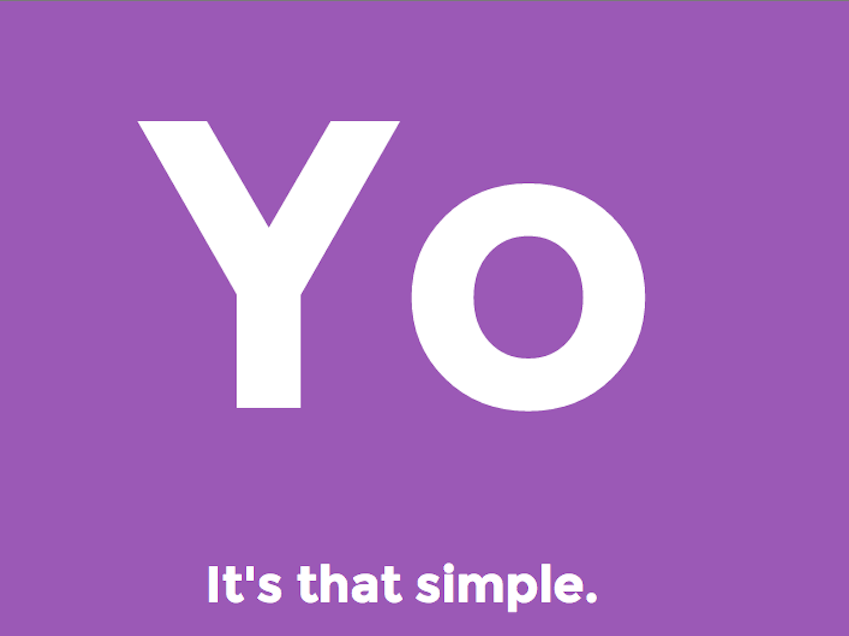
    yo-app-2Twitter with 140 words is so cliche, Yo! is the the new scene. This app doesn’t do anything apart from sending the message ‘Yo!’ to your friends. The way it works is: You choose a username. You “add friends” by typing in their usernames. Then, when you want to message them, you hit their name. It sends a “Yo”. If they hit your name, they send a Yo back. That’s all you can do with this app, it has no other use. The fact that this app has around 800,000 users makes it even more bizarre.

    4. Drunk Dialer

    drunk-dialer-t-shirt-1344971065

    This one was made in hoped of avoiding the embarrassment that comes with drunk dialing. Drunk Dialer is like a sobriety test: If you can type the numbers that keep jumping around on your screen, hit the Call button and you’re good to go. But if you’re not quick enough, the harder it is to hit the right key. Do we really need an app that protects us from drunk dialing?


    5. Beer Opener

    d6fbc8c3-761a-4bf8-aa3e-b63e0490d4cc

    I can best describe the problem with Beer Opener by quoting its App Store description: “Experience the joy of opening a cold refreshing beer bottle without the inconvenience of actually consuming beer!”. Beer Opener lets you pretend to open a real-world bottle. You hold your iPhone over the bottle, grab the virtual cap that pops up on the screen, and open away – without the terrible hassle of having to drink the thing. Are we missing something?
  • Top 5 Reminder Apps a Forgetful Person Should Download Now

    Top 5 Reminder Apps a Forgetful Person Should Download Now

    Say goodbye to the outdated sticky notes and reminder boards and say hello to the Reminder Apps. With a hectic schedule and countless things to remember these could be your lifeline.

    With millions using smartphones today, we have compiled a list of our favourite for Notices and Reminders to simplify your day.

     5. DO-It (Tomorrow)

    Do-it-tomorrowDo you love procrastinating? Is your motto: ‘Why do it today what you can do it tomorrow?’ That’s the spirit! This is the  perfect app for you. Tasks not ticked off the previous day are automatically carried forward. Do It  (Tomorrow) makes it easy for users to postpone their tasks to the next day, which makes it a very  pragmatic and realistic app. The app also supports cloud syncing and has a pretty neat user interface. Though some people may face problems with the interface as the view sometimes freezes in the middle of  two pages.

    4. Any Do

    Any DoAny DO is among the most popular reminder apps for both iOS and Android, and for good reason. Not only  does it have a very neat user interface, it offers a lot of different ways of creating reminders and triggering  alerts. The app supports location-based reminders, tasks that don’t have a specific time associated with  them and even folders that can be helpful in keeping things well-organized. Any DO allows you to  create reminders both via text input and voice commands.

    This is a great app for personal as well as  business use.

    3. Astrid To Do List

    AstridIf you’re looking for an app with a little more options, Astrid is the app to get. It’s easy to set up and also throws in some more “advanced” options like Google task sync, priority levels, tags, timed reminders, and calendar integration. Astrid Tasks is intuitive and compact, but doesn’t skimp on flexibility or options. It has a home-screen widget, quick add function, alarms, reminders, a back-up function, tags and even a timer. Despite these multiple functions, Astrid couldn’t be simpler to use. Perhaps the only drawback is its limited widget options.

    2.To Do Reminder

    To Do ReminderTo Do Reminder App is quick and easy to use; you can set a task in the reminder list in mere seconds. It has  an easy-to-use interface with a voice handling feature available. Additional attractive features include  Synchronising birthdays from Facebook, daily-weekly or monthly repetition of a task.

    Being quicker and relatively easier to use however limits the customization options and functionalities available in  this app.

    1. Evernote

    EvernoteThe Top app and one of the most popularly used one when it comes to Reminders is Evernote. Evernote lets you take  notes, capture photos, create to-do lists, record voice reminders and makes these notes completely  searchable, whether you are at home, at work, or on the go. Its key features include -In-app and email  alarms, pinning notes to the top of your note list and even a web clipper (which allows you to save  anything you see online).

    Exceeding the limit of its download, Evernote requires a payment of a subscription fees which perhaps is its only dis-advantage.

  • Top 5 App that Every Movie Buff Should Download

    Top 5 App that Every Movie Buff Should Download

     Being a movie buff is not an easy task, your desktop usually overflows with new downloads and it’s hard to keep track of every movie you watch. I used to juggle with my movie collection and all the film-related stuff.  Until now. I have found a perfect solution: my Smartphone. There are loads of apps that let you manage films, watch trailers, play games etc. I have listed 5 of my favorite apps that I think every movie-buff should have:

    1. Flixster

    flixster

    Flixster is a very popular app that gives you an on-hand experience of equally popular website of same name. The app enables you to compare movie ratings and tastes with film buffs around the net. In addition to user ratings, Flixster grants you instant access to a flick’s freshness rating at aggregator Rotten Tomatoes, which it owns. You can also use it to find movie information, showtimes, maps and ticket prices, or to watch trailers. The app is well suited for both; a one-stop shop for planning a night out or as an app that will help you brag about your film knowledge.

    2. Scene it?

    mzl.kstsafix.175x175-75

    This one is one of my favorite movie apps of all time. Makers of the app, Screenlife, started out with DVD and card-based party games for film buffs. Which then evolved and spread to consoles such as Xbox 360, PlayStation and Wii, social media sites such as Facebook, and now to the mobile platforms of iPhone and iPad.  The app serves up trivia, images and video optimized for mobile devices. It’s designed for party play, and the iPad hi-def version is amazing. Available genre packs include comedy, romance and horror, as well as the Twilight series, the Harry Potter series and the TV show “30 Rock.”

    3. My Movies

    MyMovies

    My Movies is just the right app for a typical movie buff. Simply add your movies manually or scan their bar codes using your phone’s camera, and you’re off and running. You can browse details about your flicks, watch trailers for movies in your collection and search and filter by type (DVD, Blu-ray, HD DVD), genre, watched, parental rating levels, production years, personal categories and online status. It’s also a handy way to keep track of which movies you’ve loaned out and it might prevent you from buying a movie you already own on VHS, Beta, DVD, special edition and Blu-ray.

    4. RunPee

    138388286

     Well it’s true, nobody can make it through the Lord of the Rings trilogy without making a trip to the bathroom. As an unfortunate consequence you sometimes miss most important part of movie. Well, RunPee is an app that will solve this problem. This app lists slow times in each film best suited for taking care of business, it also tells you how long you can be away (usually four minutes) and what you’ll miss. The app also lists what happens in the first five minutes of the film, and whether there’s a teaser clip waiting for you after the credits roll.

    5. BookMyShow

    unnamed (1)

    We couldn’t complete the list without mentioning the most useful one for India. The mobile counterpart of the popular ticketing website BookMyShow is as effective as its web version. It provides every possible option you get in desktop version. It’s the mere simplicity and clean interface of this app that makes ticket booking very easy.The interesting thing is it shows if any of your friends on Facebook are also gonna watch the same movie.

  • Top 5 Apps That Will Help You Adjust To a New City

    Top 5 Apps That Will Help You Adjust To a New City

    Fresh out of college, moving to a new city and living alone for the first time? Well, it happens to most of us at some point of time in our lives. Moving to a city you are unfamiliar with can be super stressful. You know that the only way you are going to find your way around, stagger across the local hotspots, and make friends is to leave your home and attempt to embrace the city head on. Still, as nervous and excited as you may be, it does not take away the fear of getting lost, being alone, or totally missing out on things because you are not visiting the right places on the best days.

    But, thanks to the modern technology, there are an abundance of apps that will do everything from guide you around the city to help you make dinner reservations or find a park with trails. You may even feel a little less “alone” while exploring when you have an app to reference. And yes, if you have Google Now or Siri, they won’t let you feel alone, at least you will have someone to talk to. We have come up with a list of 5 apps that will help you blend in and enjoy the stay when you relocate in a new city.
    1. HopStop

    7wbswvugub3hruaxzx3zThis app is available for Android, iPhone, iPad, and Mobile Web. It has been named an essential by both “Travel” and “Time” magazine. HopStop gives you door-to-door directions, but unlike most apps that focus on driving directions, this one gives you a lot more. You can get biking, walking, and taxi directions in more than 300 cities. This will be your heartfelt companion while you’re stressed about the change in your life.
    2. BrightNest

    BrightNest_iconWhether you’re moving from your college hostel to your first apartment or you’re just looking for a fresh start, BrightNest has tons of home improvement and organization tips that will impress your guests. This app essentially helps create and maintain a customized to-do list for your home. BrightNest is especially handy for renters who are moving to an entirely new and unfamiliar city.

    3. Around Me

    iconAround me is a GPS-based app that will take your exact location and tell you everything that is close by. This app is a great way to find new restaurants, ATM machines, grocery stores, gas station, or anything for that matter. Especially when you are craving for your favorite donuts from Dunkin’s or M.O.D. It’ll tell you exactly the direction you need to be moving in.

    4. Happy Houred

    best-apps-for-the-iphone-beer-apps-happy-houredWell, how are you going to find out the right places to buy beer on a Friday night, if you don’t have any local friends in the city? Happy Houred does just this. It could take you months to discover which bar has the specials you are interested in on any given day. This app tells you where to find the best shot specials, cheaper brews, half-off pizza, and so much more. Happy Houred has listings for more than 22,000 cities and continuously adding on the list.

    5. Fan Finder

    588622_largerIt is the easiest way to make friends. Football season is going on, and we all want to cheer for our favorite team. The trick is figuring out exactly where you should do this. FanFinder from the iTunes store locates US sports bars where fans of your favorite team are watching the big game. It covers almost all, it has special sections for NHL, NFL, MLB, NBA, football and basketball.

  • PlayDrone Discovers a Serious Security Breach in Google Play

    PlayDrone Discovers a Serious Security Breach in Google Play

    By developing a new tool called PlayDrone, Jason Nieh, professor of computer science at Columbia Engineering, and PhD candidate Nicolas Viennot reported that they have discovered a crucial security problem in Google Play – the official Android app store where millions of Android users get their apps.

    PlayDrone uses hacking techniques to find a way around Google’s security to download Google Play apps, and then recover and analyse their sources. It scales down by simply adding more servers and in this way, it manages to compile over 880,000 of the 1.1 million free apps it downloads.

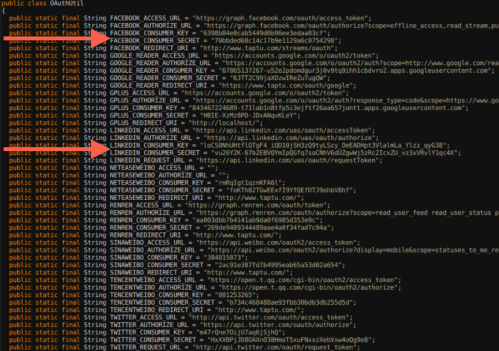
    columbiaengi
    An image of the secret keys discovered by PlayDrone

    While analyzing this, it was found that developers often store their secret keys of their app’s software similar to username and password data, which can be further used to steal user data or resources from entities such as Amazon and Facebook.

    Even the “Top Developers” promoted by Google Play have included these vulnerabilities in their apps. These vulnerabilities can affect users even if they are not actively running the Android apps.

    This tool, Playdrone, not only revealed this security loophole but also used it to provide insight into Android apps and improve the quality of Google Play. For example, the tool also found that roughly 25 percent of all free apps on Google Play are clones of other apps. This information could be used to help Google crack down on cloned content, which would be great news for developers who are creating original apps. Google Play has more than one million apps and over 50 billion app downloads.

    It also performed an analysis of the 10 best rated and 10 worst rated apps on the Google Play store, and found that even the worst-rated app has over a million downloads. Google is now using the techniques to scan all the apps for such problems to prevent this from happening again in the future.

  • The 5 Major Differences Between Slingshot and Snapchat

    The 5 Major Differences Between Slingshot and Snapchat

    We’ve known that Facebook has been working on Slingshot for the last six months. The app has just went live on Google Play. Along with that, they officially announced it on their Facebook page and also released a new promo video announcing availability of Slingshot for both Android and iOS. 

    If there were any doubt that Facebook will be taking on Snapchat, the public launch and availability of its new Slingshot app has now confirmed it.

    The free app lets you take a quick photo or video, mark it up with colorful drawings, caption it with big white text, and then send it off to your chosen contacts. But when you receive your first message, you realize that this app is something completely different. Rather than just copying Snapchat feature by feature, Facebook is putting in a rather intriguing twist to the messaging trend by focusing on a more social aspect. So, we decided to list 5 things that make Slingshot different from Snapchat.

    1. The Social Factor

    screen568x568-5_verge_super_wide

    When an app comes out of the Facebook oven, there is not even a slight chance that there can be anything lacking in its social media element.  Slingshot does not solely rely on your Facebook friends list for contacts. Accounts are tied to your phone number, which you must verify before you can start using the app. Once you have verified your account, you can search for friends from your contacts list, Facebook or look up individuals by user name.

    2. No Approval Needed

    facebook-

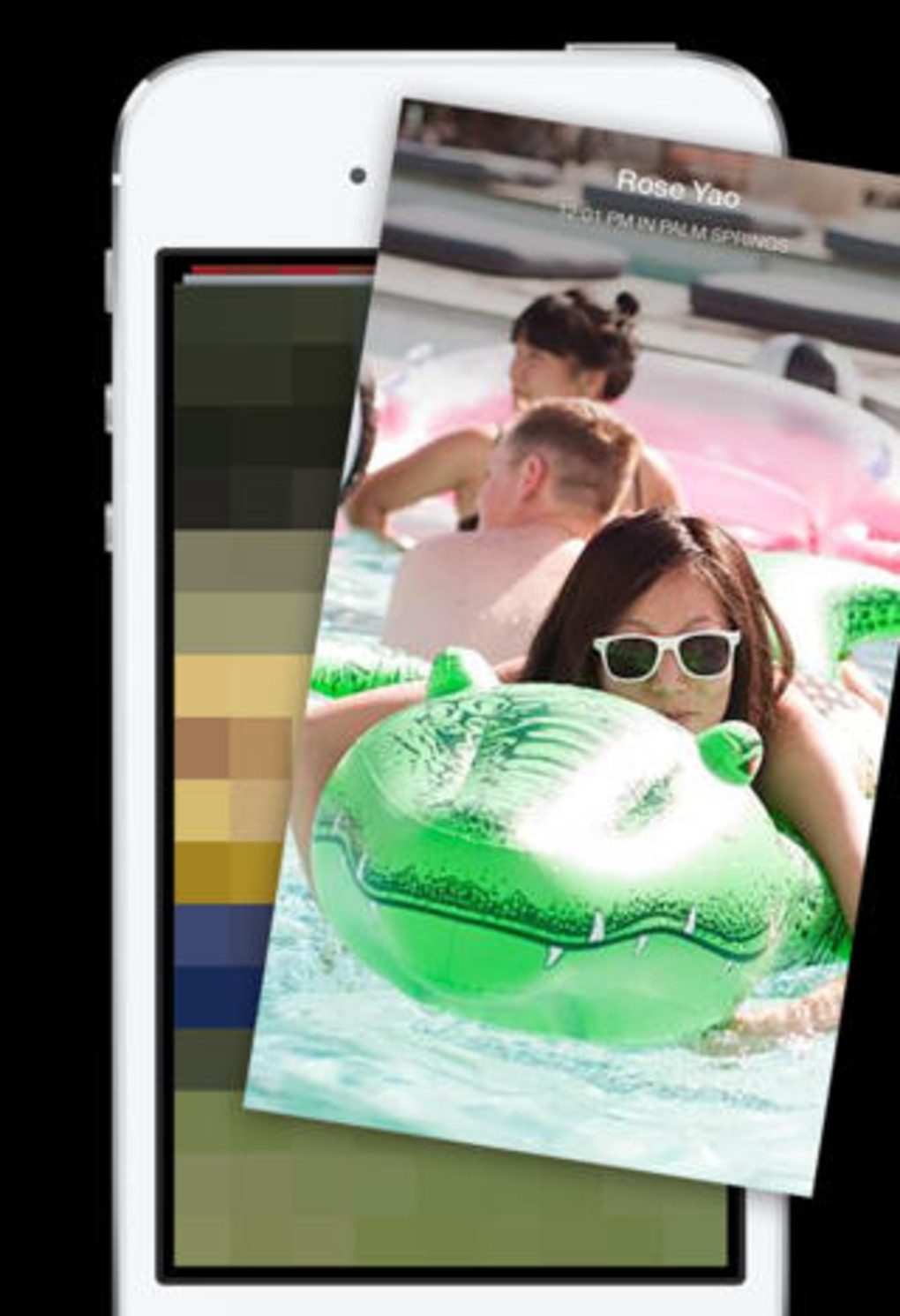
    Slingshot allows you to search for people you know and there isn’t one central contacts menu where you can easily view all your connections. And, unlike Snapchat, there is no approval process for adding connections. Anyone can send messages to anyone whose information they might have. Facebook says an approval process is necessary because users can simply choose to ignore the message they don’t want to see. You can also choose to ignore all messages from individual users by hiding them.

    3. No One-Sided Sharing

    screen568x568-7_verge_super_wide

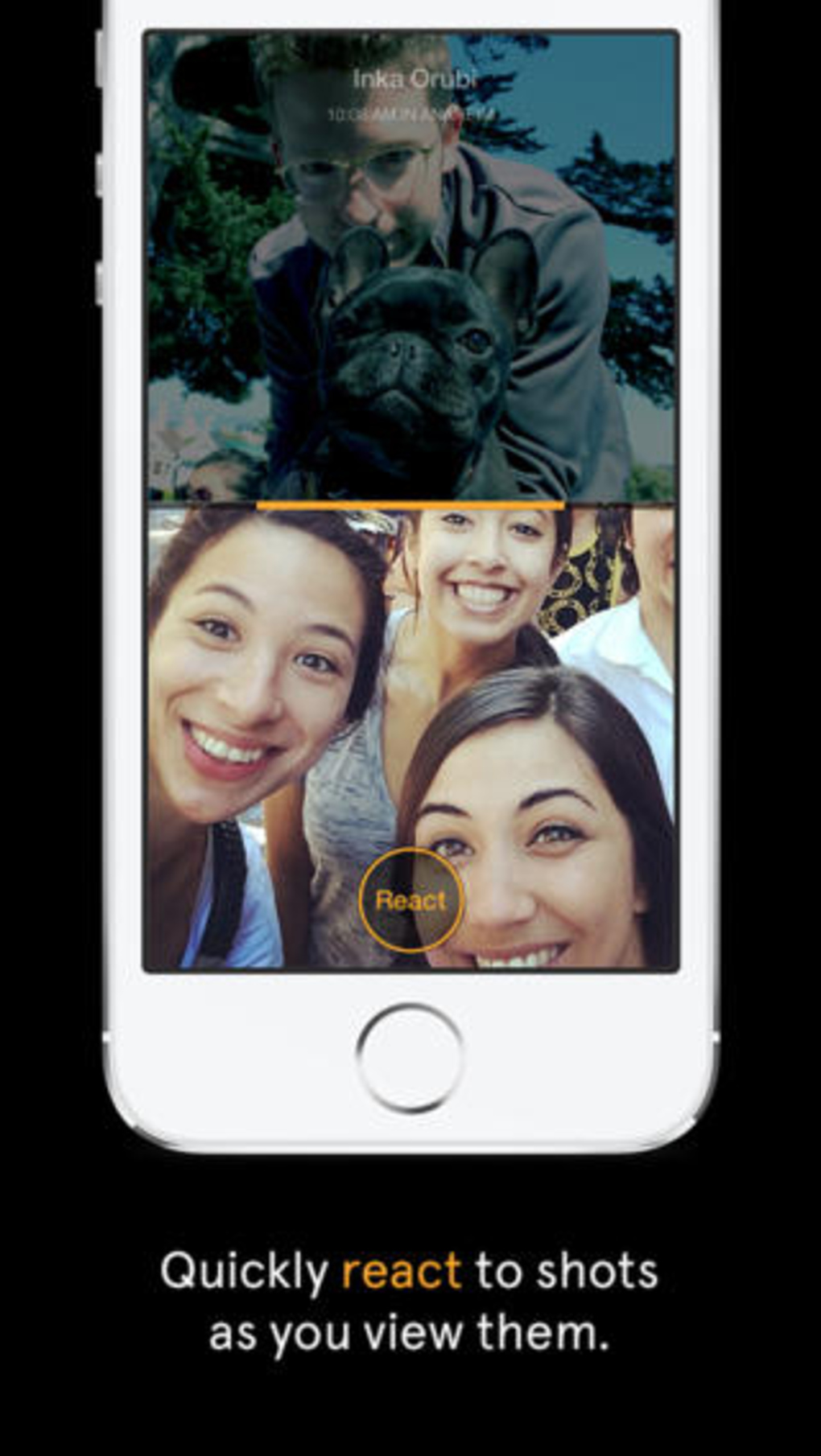
    One noteworthy aspect of the app is that it won’t allow you to see a new picture messages unless you send one of your own back. Facebook says the reason behind this is to take the pressure off users to constantly read and send messages. With so many mobile apps competing for people’s attention, Slingshot’s ability to self-perpetuate engagement could be the key to traction. One friend doesn’t have to do all the work to entertain others, who consume without creating, breaking the chain. With Slingshot, the conversation never dies because the last message is always waiting to be unlocked.

    4. Better Camera quality

    screen568x568-6_verge_super_wide

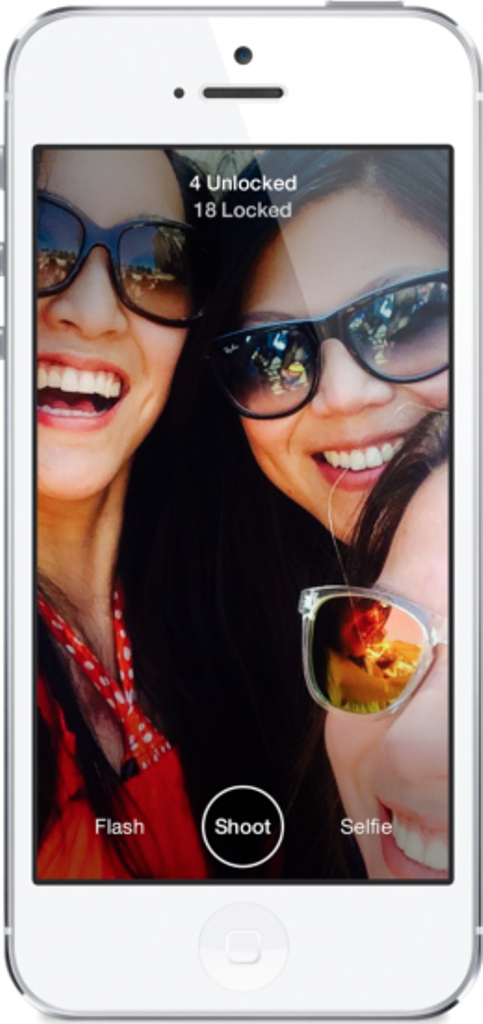
    Launching Slingshot immediately takes you to the app’s camera. The selfie button toggles between the device’s front and rear-facing cameras, and holding down the shutter button allows you to record a video. Slingshot’s overall camera quality is better than Snapchat’s, even when you zoom in. As with Snapchat, you can add drawings and text to the photos and videos you send in Slingshot but both features feel far more elegant and give you much more control in the latter.

    5. Customized Text

    screen568x568-4_verge_super_wide

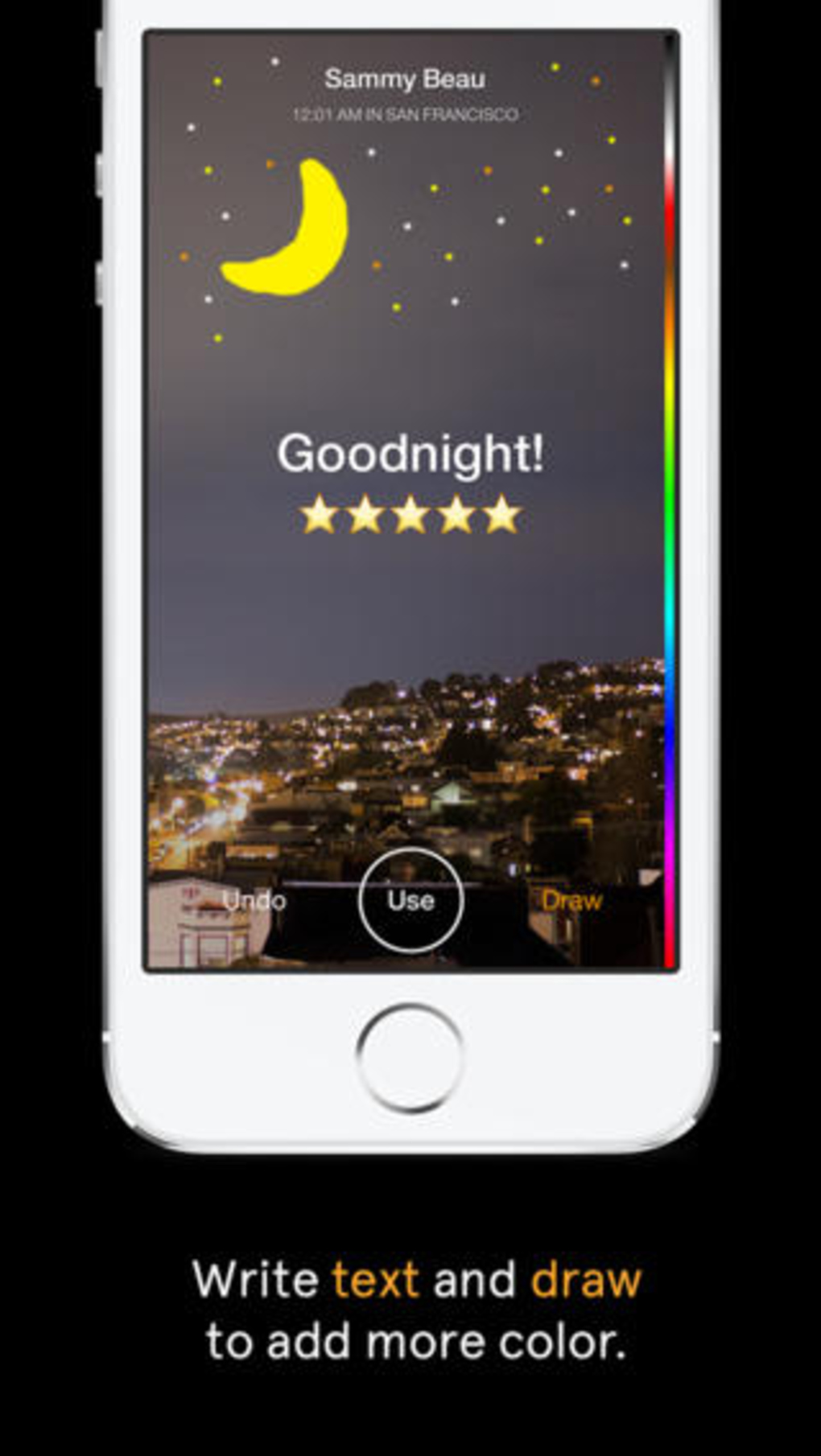
     Text is limited to 140 characters, but can be repositioned on the image. Unlike Snapchat’s text, which always remains the same size and at the same place, Slingshot’s text will get bigger when you drag it down from the top of the screen. The drawing tool is also far more advanced than Snapchat’s — you can adjust both the color and the size of the brush. Dragging along the color bar selects a color, dragging left or right changes the brush size, moving the tool right makes the brush smaller and moving it left makes it larger.

  • Our List of Top 5 Video Editor Apps Available

    Our List of Top 5 Video Editor Apps Available

    Choosing the right app, for whatever reason, is a headache these days. App Store and Google play is flooded with a range of apps, most of which don’t function as desired or are filled with unnecessary ads. Previously we listed our favorite photo-editing apps and people wanted us to list video-editors too. So, because on popular demand, we picked the best video editors for Android and iOS users.

    Video editor apps, when it comes to phone, are most likely limited to basic trimming, filters and editing. But, there are some which could be useful. Keeping this in mind, check out our list of the best 5 user-friendly video editing apps:

    unnamedVivaVideo

    This app tops the list because it is one the most simple and fun phone video editors available in market. The app gives the option of creating photo movie, pro editing, simple video editing and PIP(Video trimming). The design is so simple that even first time user can use it like a Pro. The app provides you with  range of themes, filters, transitions and also the option of adding text. You can add music from your personal library or choose from the VivaVideo’s music library. Even better, you can dub your voice in real-time while you’re editing the video.

    mzl.yqwerkzw.175x175-75VIDEOFX Live

    VideoFx Live is rammed with awesome real-time effects. It is perfect for a DIY music video or if you’re planning on compiling messages for your friends birthday. You can even sync devices, shoot the same scene from different angles and fade between different videos. Video Fx is a simple app to handle, with minimal options. VideoFX Live records both video and audio. It automatically stores the shot videos within the app, skipping on the phone’s gallery. It offers you a wide range of Instagram-like real-time effects. But the problem is that it can only shoot upto 10 seconds, which makes it similar to Vine (but with better effects). Through VideoFX Live you can save your creations in a camera roll, upload directly it to Facebook or YouTube, or send it via email.

    1394986186_unnamedKineMaster Pro

    This app is actually for the professorial editors. KineMaster Pro gives you a multi-tracked timeline with full drag-and-drop support. You can import multiple videos, images and audio clips, and then move them around with your finger. The app gradually picks up on your choices and adjusts its functions accordingly. Select the element you want to tweak and then tap the scissor icon above the timeline. You can then drag your finger to trim the clip or tap a “Split” option to divide the clip into two separate pieces for further manipulation. KineMaster has tons of options for improving the quality of the video, ranging from sliders for adjusting a clip’s brightness, contrast and color saturation to a range of filter-like color effects. The app also has one-touch tools for rotating videos or images and an impressive selection of professional-looking transitions to give your project a more refined look.

    w300VidTrim

    VidTrim is less of a full-fledged video editor and more of a collection of tools for basic video manipulation. The app doesn’t give you a standard timeline for editing; rather, you just select a video clip from your device and then tap one of a few options available. Tapping the scissor icon opens up the app’s Trimmer tool, which gives you a simple slider for selecting a small portion of your clip and trimming it down to only that section. It also allows you to save your selection as an MP3, should that need ever arise. Tapping a tools icon, meanwhile, gives you the ability to change the video’s size and quality. It also allows you to add a supplementary audio track into the clip. Though there’s no way to fine-tune where exactly the audio will play or how loud it’ll be. Last but not least, an overflow menu icon holds the option to grab a still frame from a video as well as to apply a variety of different filters — standard stuff like black and white, vignette and vintage modes.

    Magisto_iPhone_LogoMagisto

    Don’t take this one seriously, it is just for fun. You actually don’t edit the video here. butt the app does it for you. Though it creates the video with great effect, it takes too much time to generate it. All you have to do is shoot the video or upload it from gallery to the app, select the theme and then select the sound track and you’re done. The app will automatically create your video for you. It selects the best parts of the video and creates a short movie with it. Magisto has its own music library too. Though you can choose your own track for the movie.


  • Top 5 Apps To Keep Up With The FIFA World Cup

    Top 5 Apps To Keep Up With The FIFA World Cup

    Friday, June 6, 2014 is going to mark the start of the the 20th FIFA World Cup 2014. The world has been in a frenzy, counting down days to its start. With the tournament coming to an end on 7th July. It’s going to be an entire month of madness. That and, 32 teams and 3 matches a day during the world cup is lot of news to keep track of. But as always, smartphones make our lives easier.

    There are loads of apps this time to keep track of the news, matches, conferences and what not. So, we thought we would test a few of the applications to try to find the best World Cup application and save you the bother. Here are the ones that deserved a mention:

    unnamed (1)Onefootball Brasil

    Onefootball Brasil is our pick for the best World Cup app for a number of reasons.The app’s game pages are second to none. You can get notifications for goals as well as check line-ups, see live match data and chat with other fans while watching the game in real-time. The app also has sections where you can read related tweets, watch videos and see live tables and standings.

    brazil-2014-countdownBrazil 2014 Countdown

    Can’t pass the time while waiting for the World Cup to start? Are you counting the days until the first match? How about the minutes? Well, if you crave to really get keyed up for the event, this free app provides a running countdown until the World Cup begins—down to the last second.

    unnamedESPN FC Soccer & World Cup

    The official football app from ESPN offers the in-depth coverage “the worldwide leader in sports” is known for. The app features live video highlights of key plays, feedback and breakdown from ESPN’s team of top analysts and commentators, and breaking news. Also, even after the World Cup has ended, this free app can help you keep up on the action in the English Premiere League, La Liga, MLS, the Bundesliga, and much more.

    FIFA official app ios - CopyOfficial FIFA app

    FIFA’s official app is a upright effort with a satisfying design. It doesn’t offer as many features as the other apps mentioned, and is somewhat slow to load and navigate, even on WiFi. Available in five languages, the FIFA app does however include news from the FIFA site, a match centre and a table of the official FIFA country rankings. The FIFA app also has video and photo sections, but at present there are only two videos, and the photo section loads a blank page.

    unnamed (2)365Scores

    It is an unofficial app offering  scores, news, tweets, and standings information. 365Scores has good squad listings and photos for each of the teams at the tournament in great design and format. If you are going to Brazil to fulfill your World cup dream, this is one must-have app on your smartphone. 365Scores also provides you with stadium guides, displays a map of Brazil where you can click on each stadium to get information about each stadium and the matches to be held there.

  • 5 Cool Photo Editing Apps you Should Download

    5 Cool Photo Editing Apps you Should Download

     Simply clicking a photo and posting it? That’s an old story now. Smartphones are becoming smarter and so are our day to day lives with it. These days, app stores are flooded with photo editing apps that offer you range of filters and smart editing options. But choosing the best one from these option is a hard task. So, we have assembled a list of the best photo-editing apps for you to use on your smartphones.

    unnamedPhotoshop Touch

    What a surprise, Photoshop tops the list.  But before you get your hopes up too high, you should know that this app doesn’t come close to the power of its desktop counterpart.  You can do some of the basic Photoshop things like working with layers. However, it’s mixed in with more conventional mobile photo editing features like filters and mild adjustments like color correction.  There are some cool features like camera fill and using Adobe Creative Cloud, it is compatible with the desktop version Photoshop.

    vsco_camVSCO Cam

    If you’re looking for a smooth app that has gorgeous effects and features, VSCO is the one for you. VSCO has great presets, cool features like viewing before and after photos, and a wide range of filters. A lot of people seem to prefer it over Instagram. The app uses a grid scheme that allows you to publish your photos. It is sleek and easy to use. It only launched on Android recently, after premiering as an iPhone app, so there is still certain adjustments to be made. Features like separate exposure and focus locking are not yet included. Everything here is simple and works well, even if they don’t have a million extra features.


    photoshop expressPhotoshop Express

    Another one from Adobe, this app is one of the most user-friendly photo-editors I have used. Simple and spontaneous, Photoshop Express lets you make the essential adjustments to crop, exposure, color, tint, hue, saturation, contrast and levels with ease. You  can add many of the classic filters from Photoshop, including “Lens zoom,” “Grain” and “Glow.” And it’s free so, if you don’t already have it, you should be downloading it now.

    cup sliceCupslice Photo Editor

    Cupslice is a photo editor with a little more skill and buff, even if the features aren’t as heavy as some of the others I have listed. It comes with over 50 effects to start along with your basic editing tools. It also includes a number of stickers you can add to photos and that number gets updated every week. It’s a nice, simple app that should suit the needs of most people.


    aviary

    Photo Editor by Aviary

    Photo Editor by Aviary is a very specific and composed photo editor. In addition to the most popular features such as filters, stickers, frames etc. This photo editor by Aviary provides you with addition features such as red-eye correction, tooth whitening and many more. It’s fairly amazing app providing solution to pretty much every problem with your clicks. This straightforward app would be useful addition to your smartphone.

iGyaan Network
Privacy Overview

This website uses cookies so that we can provide you with the best user experience possible. Cookie information is stored in your browser and performs functions such as recognising you when you return to our website and helping our team to understand which sections of the website you find most interesting and useful.