Tag: mac

  • Apple Hires Ex ARM CPU Architect, Could Launch ARM Based Mac By 2020

    Apple Hires Ex ARM CPU Architect, Could Launch ARM Based Mac By 2020

    Claims in the past have suggested that Apple is developing ARM based Mac computers which will replace Intel processors. The company has hired one of ARM’s top CPU architect, Mike Filippo who led the development of several chips at the latter corporation between 2009 and 2019.

    With the wealth of chip making the new Apple recruit brings, reports about the aforementioned ARM based Mac computers may soon turn into a reality. Users who are unaware, ARM is the company responsible for developing Cortex cores which are found on most Android mobile chipsets.

    As previously mentioned, Apple designing its own ARM-based processors will allow the company to move away from Intel processors which are currently seen on all its offerings. Besides, sources within Intel have confirmed to Axios ( an American News Website) that Apple plans to transition to ARM architecture based Macs starting 2020.

    As of now, the A series chipsets found on the iPhone and iPad are developed in house by Apple. Furthermore, the custom T2 security chip present in the latest Mac models is also developed in house. Some benefits that Apple will reap upon switching to self-developed ARM processors are as follows: 

    • Due to the same underlying hardware architecture, applications designed for iOS i.e iPhone, iPad or iPod will be compatible with Mac computers. Furthermore, Apple in the past has showcased ‘Project Catalyst’ which is intended toward unifying and cross compatibility between MacOS and iOS apps. 
    • It won’t be wrong to assume that this move will help the company to save up production costs as in house developed components are generally more economical. Besides if the company decides to pass on the benefit to customers by lowering prices of its offerings. This will result in a sales boost for Mac computers.
    • Apple iPhones are generally considered more secure than its Android counterparts, because of a closed ecosystem between software and hardware which are both developed by the same company. Likewise, Mac computers which are already regarded for a high level of security will become even more secure with a combination of proprietary software and hardware.
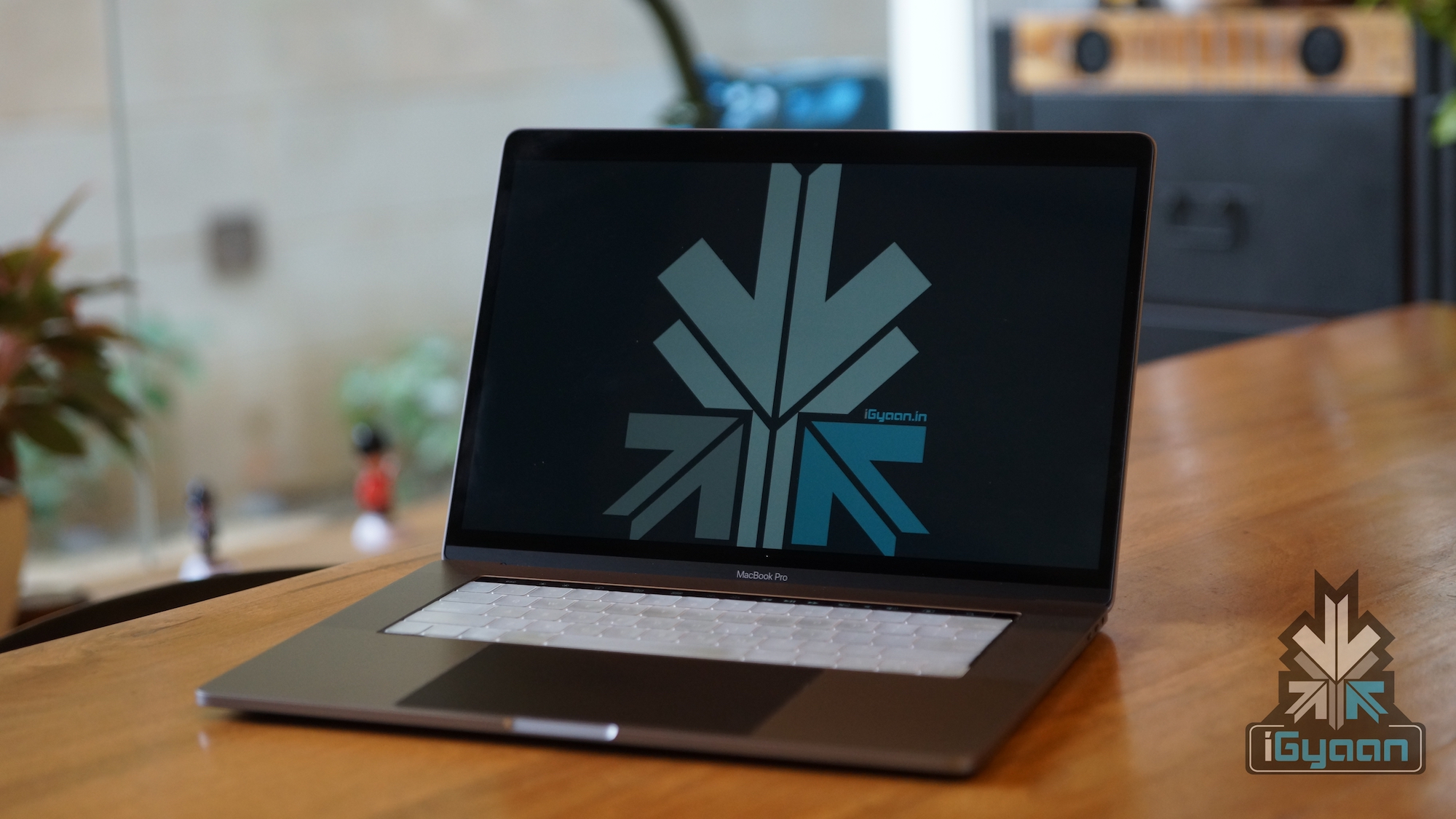
    All in all, the idea of a Mac computer with ARM processor doesn’t seem farfetched at all. Aside from the fact, the current gen iPad Pro with A12x Bionic SoC is regarded as powerful as a MacBook Pro with an i7 processor. With the high end tablet computer,  Apple has proved that ARM computers can not only provide a better battery backup, they are on par in terms of processing with dektop grade CPUs.

    Also Read: Lenovo India Introduces “Made To Order” Customisable Laptops

    Even though Apple has not revealed a launch date for an ARM based Mac, as mentioned previously, they could be expected in the year 2020. 

    What are your thoughts on Apple’s departure from Team Blue’s offering to its own chipsets? Do let us know what is your take on this!
     

  • Apple to Bring Siri for Mac with OS X 10.12 Launch

    Apple to Bring Siri for Mac with OS X 10.12 Launch

    It has always been clear that Apple’s main focus has been towards its iPhones. Yes, the Cupertino giant has a bunch of other products as well that sometimes tend to get pushed  into the background, like its Macs. But that won’t be the case four months from now when Apple launches the OS X 10.12 that will introduce Siri for Mac.

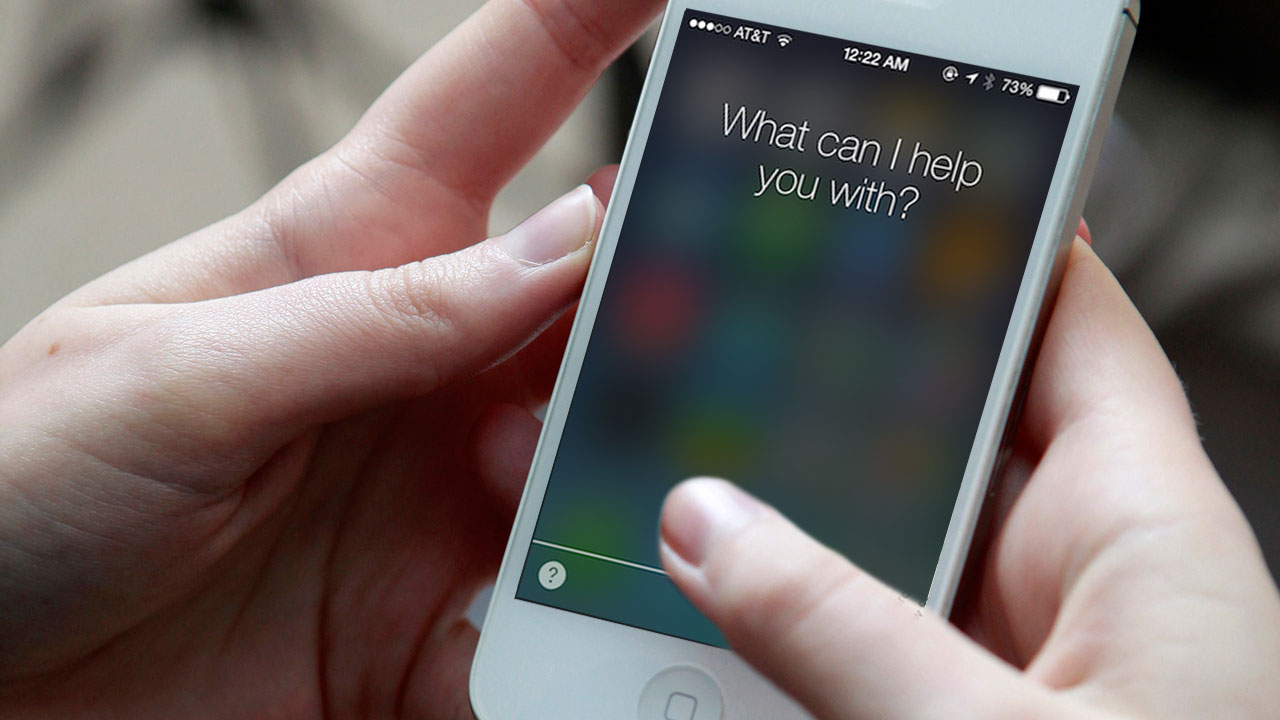
    Siri, the personal voice assistant for the iPhone, iPad and Apple Watch will now come to the Mac as well. Apple has been busy testing versions of OS X with Siri for the past 3 years. After working out and polishing the interface, Apple will be ready to launch the feature publicly. Over the years, Apple has improved Siri’s functionality a lot, making it faster, smarter, more responsive and more personalised.

    Siri for Mac

    Back in September, news about Apple hiring Artificial Intelligence experts to improve Siri’s functionality made the rounds. Apple had hired at least 86 AI experts to work on machine learning alone, as well as employees with doctorates specializing in AI. It turned out that Apple’s effort did pay off as it launched a new and improved Siri during its September event. In terms of accuracy, Siri beats Google Now and Cortana, according to reports that came out in November.

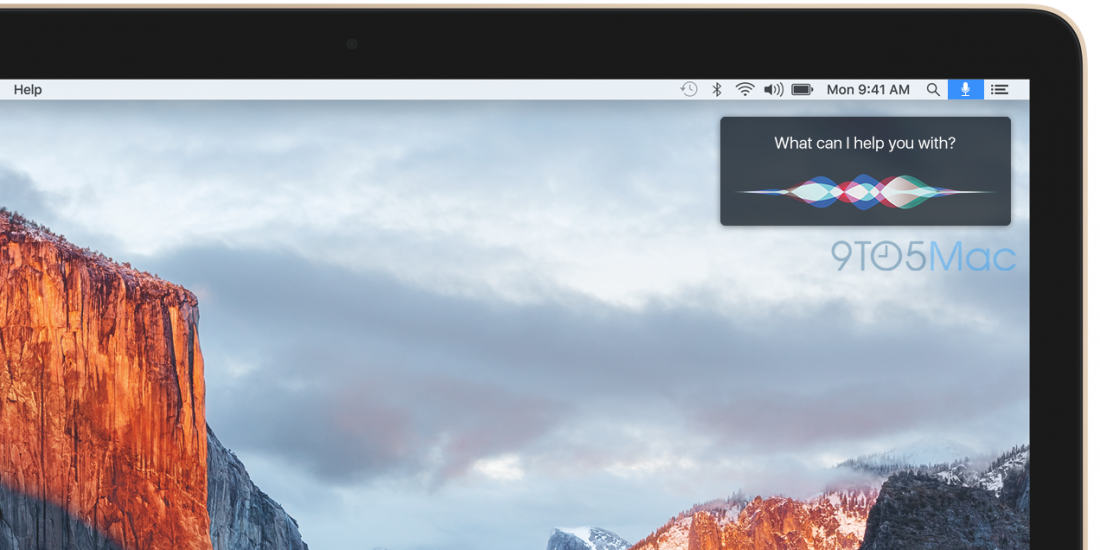
    Coming back to Siri for Mac, the voice assistant will have an icon placed in the OS X menu bar (next to the Spotlight magnifying glass icon) that will activate once clicked. Similar to the way it works on the iPhone, the Siri interface with the trippy colored sound waves will appear on the top right of the screen to indicate speech command.

    Siri on the Mac will also have its own option in System Preferences. Siri will be able to respond to “Hey Siri” when the Mac is plugged to a power source, much like it is with the iPhone 6. The upcoming update to OS X is not likely to feature too many changes, but will rather come with some performance tweaks and minor software updates. It is also rumoured that Apple has begun development of iOS 10, and details on that may start pouring in, in the weeks to come.

    Source

  • Safari Crashing on iPhones and Macs World Over

    Safari Crashing on iPhones and Macs World Over

    Just this morning Apple couldn’t stop talking about its quarterly profits. But now comes another update from the company which it would try its best to shove under the carpet. The Safari browser is crashing all over the world when the user tries to run a search from the address bar in both iOS and OS X.

    We hate to say it but a glitch like this would have been unthinkable when Steve Jobs was around. But ah, gone are the good old days as users struggle with crashing browsers globally.Safari on iPhone

    Steven Troughton-Smith, an iOS developer, says Safari’s search engine suggestion feature is to be blamed for this. The problem can be taken care of by disabling this feature or by using the browser in private mode for now, according to Smith. Additionally, not everyone has faced this problem because some users have the search suggestions cached locally or they’re still able to reach Apple’s servers owing to a DNS cache.

    Apple is yet to release an official comment -we’ll update you as soon as it does.

  • EmojiWorks Creates the World’s First Emoji Keyboard

    EmojiWorks Creates the World’s First Emoji Keyboard

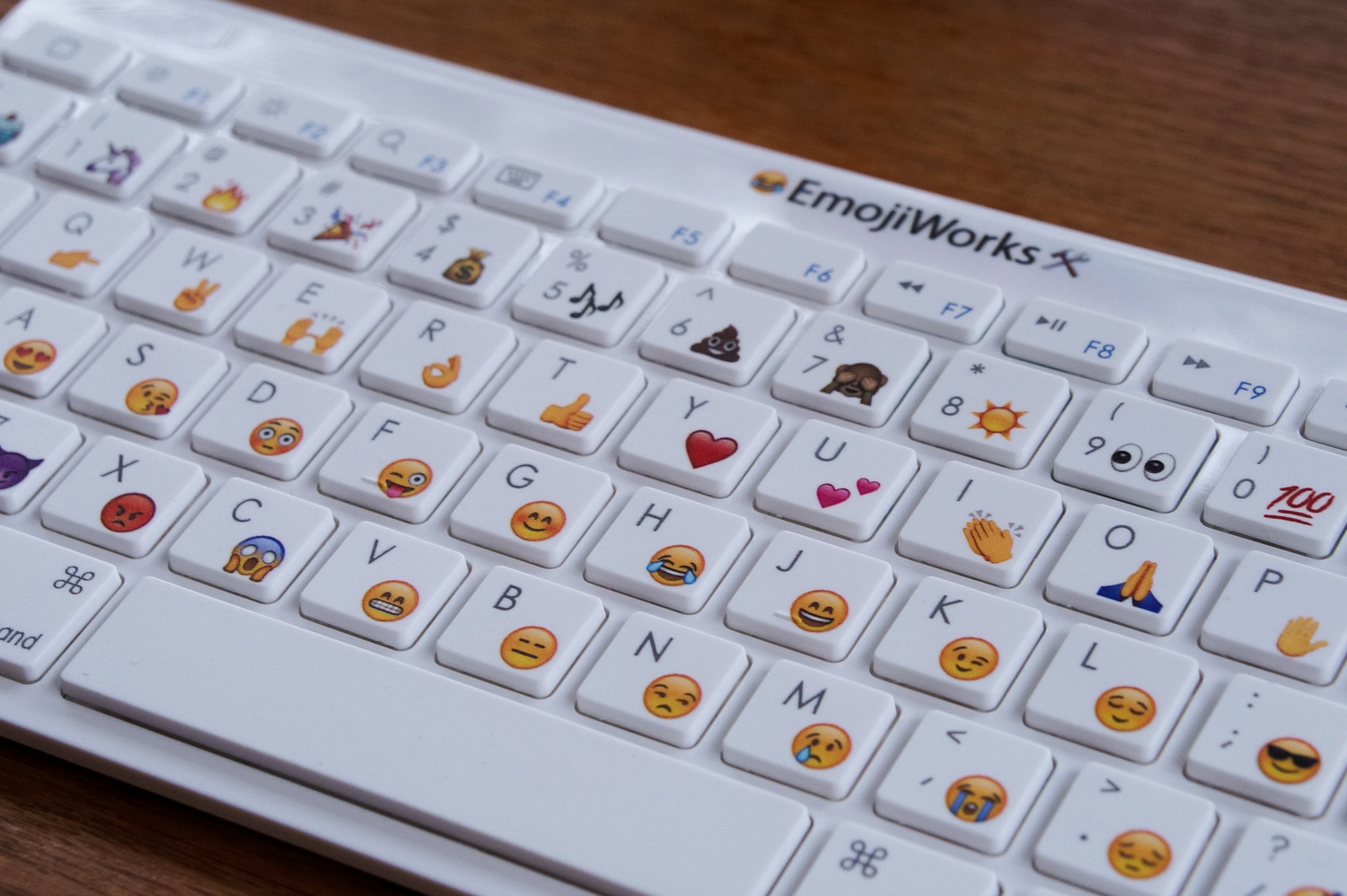
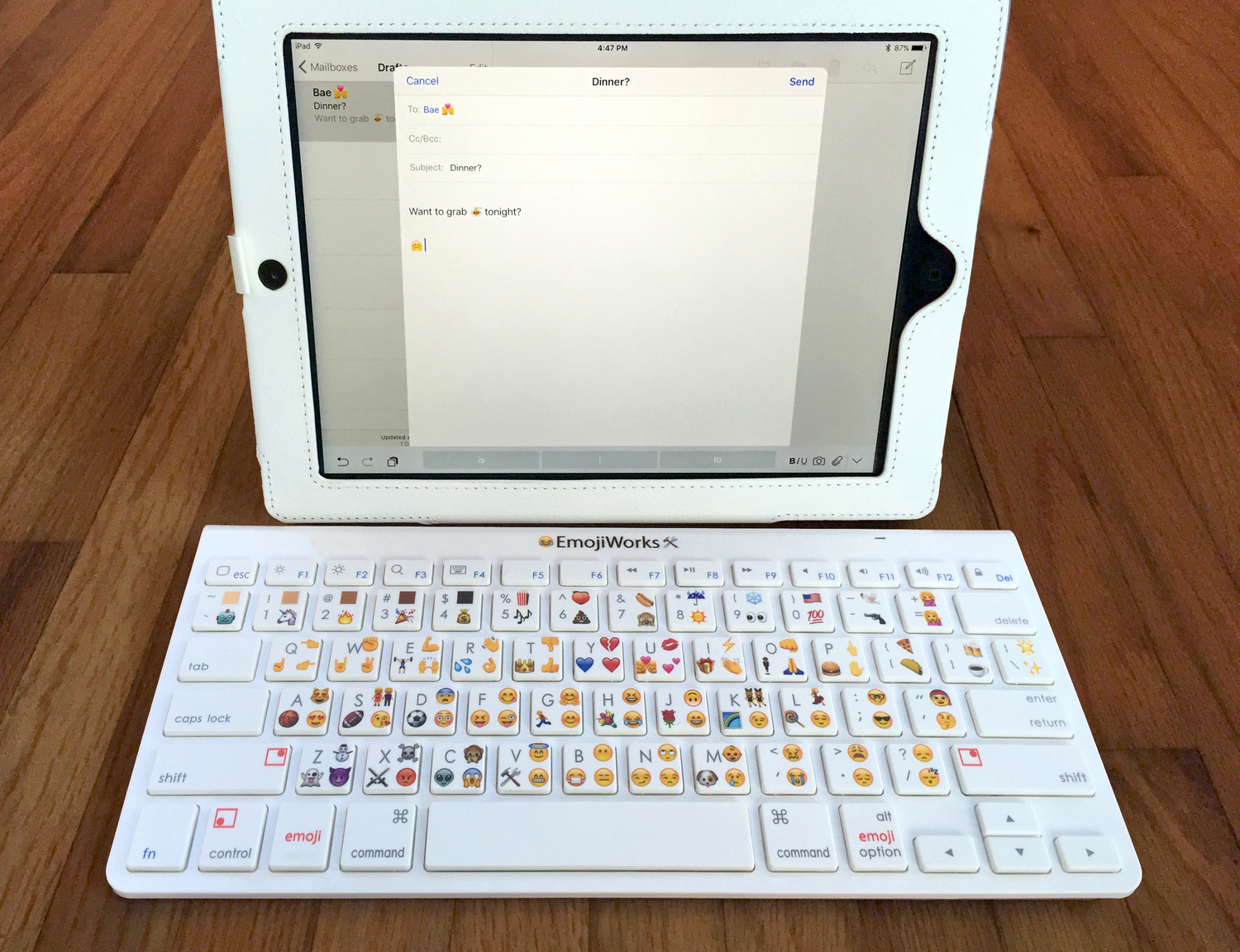
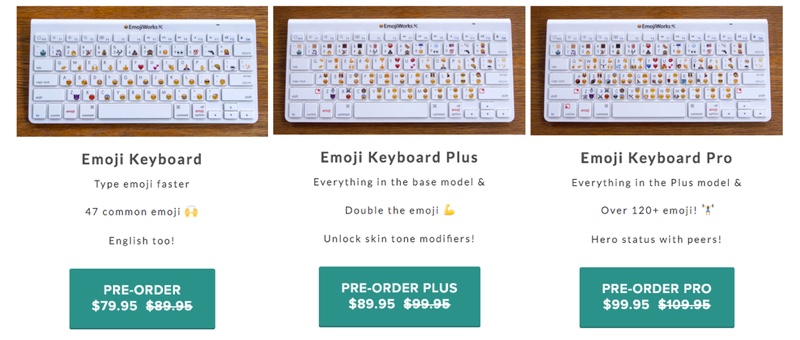
    We are all aware how important emoticons are nowadays. Nobody wants to type ‘okay’ anymore, just a thumbs up emoticon will do. The process is supposed to save time, but we still have to press an extra key to open our emoji options. These troubles will however soon be in the past, because EmojiWorks has debuted its first hardware based emoji keyboard. So now, with the help of a built-in shortcut, you can immediately just type in your preferred emoji.

    Emoji keyboard

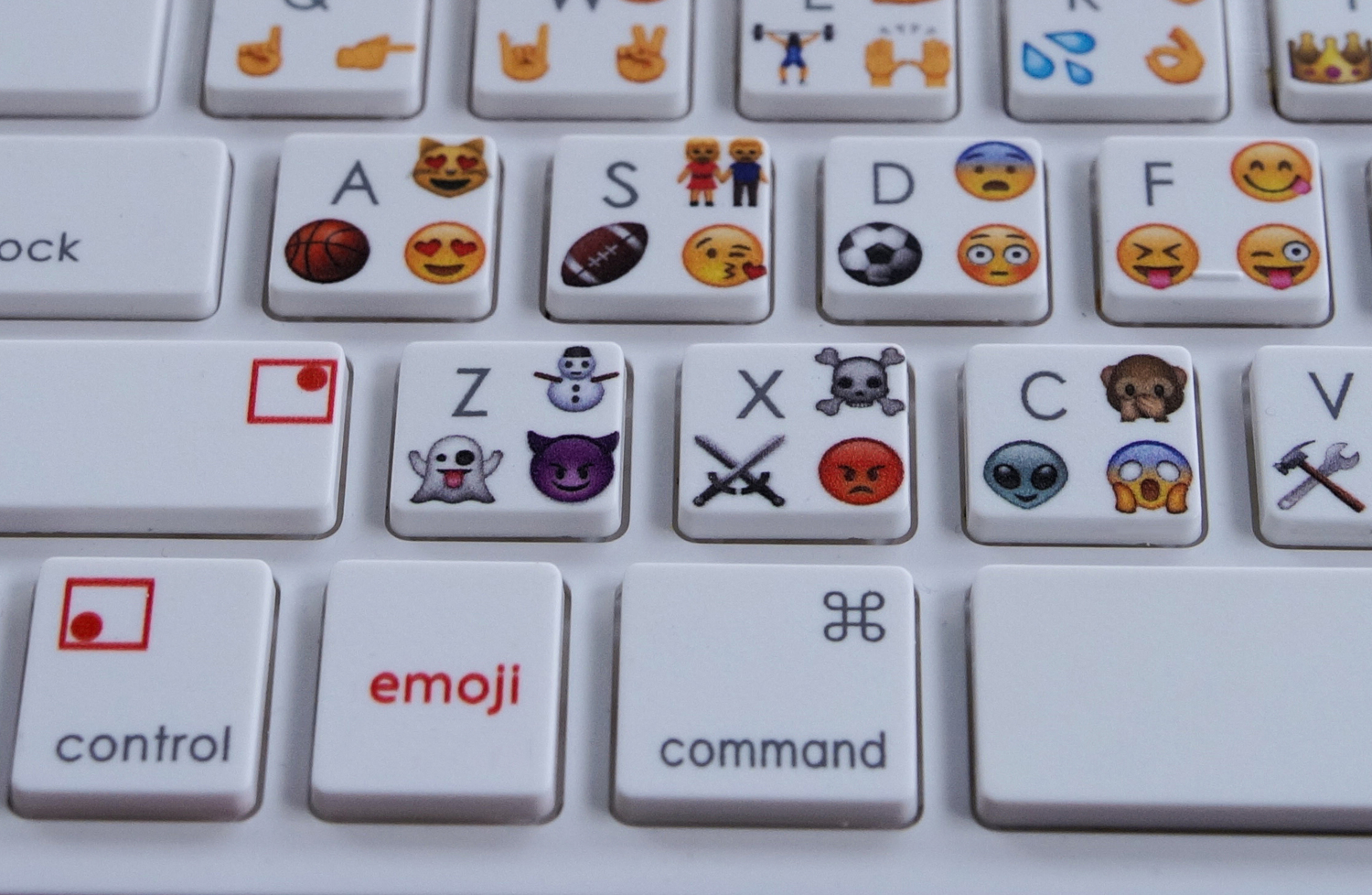
    Design wise it looks like an Apple keyboard with emoji symbols and each key has an emoji along with a character. Just like the shift key we use in order to type in a letter in capitals, there is an additional ’emoji’ button which you need to press in order to insert the specific emoji.

    Emoji Button

    EmojiWorks has been very careful so as to include all your favourite emoji, including the poop emoji. They also claim that the emoji keyboard is up to 10 times faster than a standard keyboard and is Bluetooth enabled; this feature in turn makes it compatible with Mac and iOS devices. The only con that comes with this keyboard is that it cannot be customized as it comes pre-printed with emoji on the keys along with pre-programmed emoji shortcuts. Here is a short video:

    https://youtu.be/Hvm3B6kXPK0

    Speaking of its availability, the emoji keyboards come in three different models: the Emoji Keyboard at $79.95 (approx Rs.5,175), the Emoji Keyboard Plus at $89.95 (Rs.5,830), and the Emoji Keyboard Pro at $99.95 (Rs.6,485). The difference between these keyboards is that the number of emoji shortcuts differ, so basically, the cheapest one will have one emoji per key, the emoji plus will have a total of 94 emoji and the emoji plus will have more than 120 emoji, with three shortcuts per key.

    Emoji Keyboards

    Click here for your pre-order and more information.

  • Mac Malware Reaches an All-Time High

    Mac Malware Reaches an All-Time High

    It’s a myth that your Mac is the most malware-free PC out there. That perhaps used to be the case, and one reason behind it was that hackers were more attracted to Windows due to their larger presence in the market. But not anymore. Over the years there has been a change. Apple’s share of the PC has grown and, of course, hackers are all too aware of that.

    3-ways-to-protect-your-mac-from-malware-ffc0cae69b

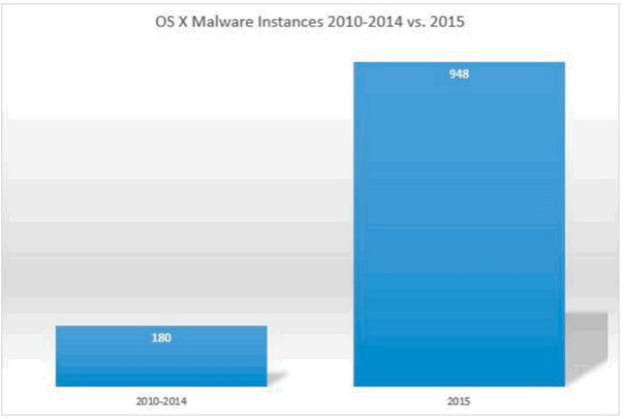
    There has been an increase in malware specifically targeting Apple’s Mac platform. What’s more is that the malware is a lot more dangerous and sophisticated than one would think. According to reports from BleepingComputer, 2015 was the most malware-ridden year for the Mac. The reports summarised the findings from Bit9 and Carbon Black that state that OS X malware this year was five times more prevalent than the preceding five years combined.

    Bit9 and Carbon Black also released a chart that leaves everything quite clear.

    os-x-malware-growth

    According to the chart, there was about 180 instances of malware during the period of 2010-2014, while 2015 saw a whopping 948 instances, and there’s still a couple of months to the end of this year.

    BleepingComputer also listed some of the most common OS X malware found this year. This is based on a 10 week study with over 1400 unique malware samples collected and analysed. The common ones are narrowed down were:

    Lamadai – backdoor Trojan targeting a Java vulnerability.
    Kitm – ran commands on machines for victims at the Oslo Freedom Forum
    Hackback – ran commands on machines for victims at the Oslo Freedom Forum
    LaoShu – spam via undelivered mail parcels
    Appetite – Trojan targeting government organizations
    Coin Thief – stole bitcoin login credentials via cracked AngryBird applications.

    Another point to note is that while there are a number of malware being floating around these days, not all are dangerous. Apple has protected itself from most. The issue is, however, that there is a rise in the number of malware targeting Macs. The onus is on Apple to take this into serious consideration and work to make its future OS X updates safer.

  • 9 New Features of the OS X El Capitan

    9 New Features of the OS X El Capitan

    Apple released the latest upgrade to its desktop operating system on Wednesday. The OS X El Capitan is now available as a free upgrade for all Mac users using a 2009 model or newer, and also for some 2007 models as well.

    Apple has tried to redefine the Mac experience with a host of new improvements, both big and small, that adds a little something extra to your Mac. From Notes and Safari to Spotlight and Split View, there’s something to be found everywhere.

    Find the cursor

    This is perhaps the smallest improvement, but an improvement nonetheless. Mac users have found it a bit of problem when it comes to locating the little mouse on the screen. However, with the new upgrade, all you have to do is quickly move your fingers across the trackpad or shake the mouse quickly and the cursor grows in size so that you can spot it easily on screen.

    Split View

    splitview-mac

    Apple has already introduced the Split View feature with the iOS 9 for the iPads, now El Capitan OS follows suit. Split view allows two applications to run side by side. There are two ways you can get the split screen activated. You can click and hold the green zoom button of a window and then drag it into place, or open up Mission Control (F3) and drag the two apps of your choice into the same thumbnail at the top.

    Spotlight search with natural language

    By natural language we mean the way you would naturally speak when looking up something. For example, you could enter “find mail from Sam regarding flight details” and you will get exactly what you were looking for. Basically, Spotlight now has a better grasp of language.

    New Mail gestures

    mail-gestures

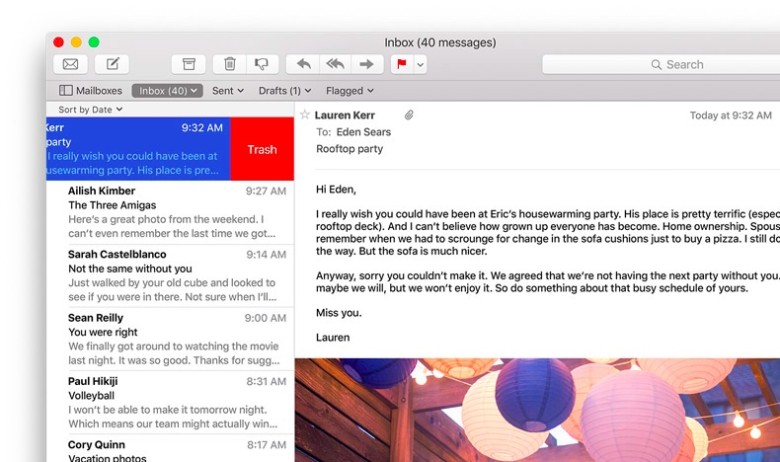
    Like the Split View, Apple has borrowed from iOS for the Mail app as well. OS X El Capitan can now allow you to delete mails and access other options by using two fingers to swipe on an item. Mail also recognizes contacts and events in you messages and helps you call or add events to your calendar.

    More to do with Notes

    The latest iOS 9 brought a whole bunch of changes to the Notes app. The same changes can now be found in the Mac. You can create checklists, import maps and pictures, or insert text formatting. The improvements are still short of Evernote, but the company is getting close.

    Send individual videos via AirPlay

    Earlier, if you wanted to send a video from Safari to your friends or to the AppleTV, you would have had to share your entire browser window for that. With the new upgrade you can now send just the video. In Safari, click on the AirPlay option just below a YouTube video and you can select your desired destination. It works with YouTube right away, with support for other services to come soon.

    Pin tabs in Safari

    pintab-safari

    You can now pin sites that are most frequently visited to a new browser tab at the left-hand side of the tab bar. This allows you to quickly access them with just a click. Pinned sites automatically open when the browser is opened.

    Skip the Trash

    Trash-Mac

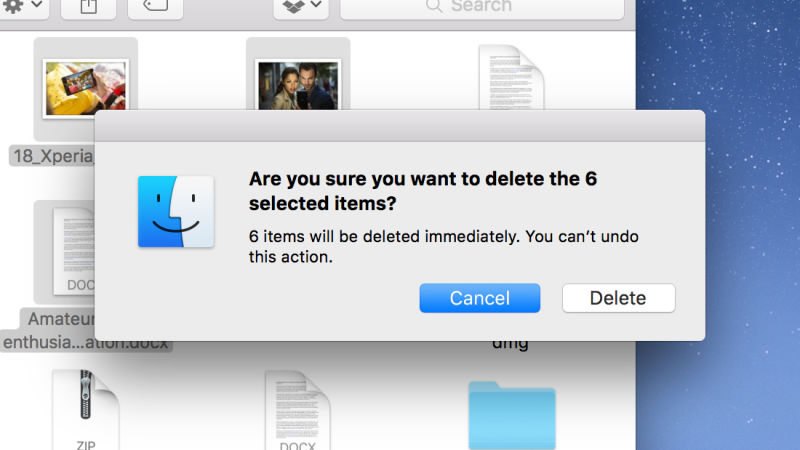
    This gives you the option to permanently delete any file you like rather than temporarily deleting them. It saves you the trip of having to go to the trash bin. Press Option+Cmd+Delete to erase files immediately. You can find the option in the Files menu once you select the files you want deleted.

    Hide menu bar

    The new update gives you more screen space by making the menu bar disappear at the top of your interface automatically the same way as the bottom dock. Go to System Preferences via Apple menu, then go to General heading, and select Automatically hide and show the menu bar.

  • There is a Way You Can Get Cortana On Your Mac

    There is a Way You Can Get Cortana On Your Mac

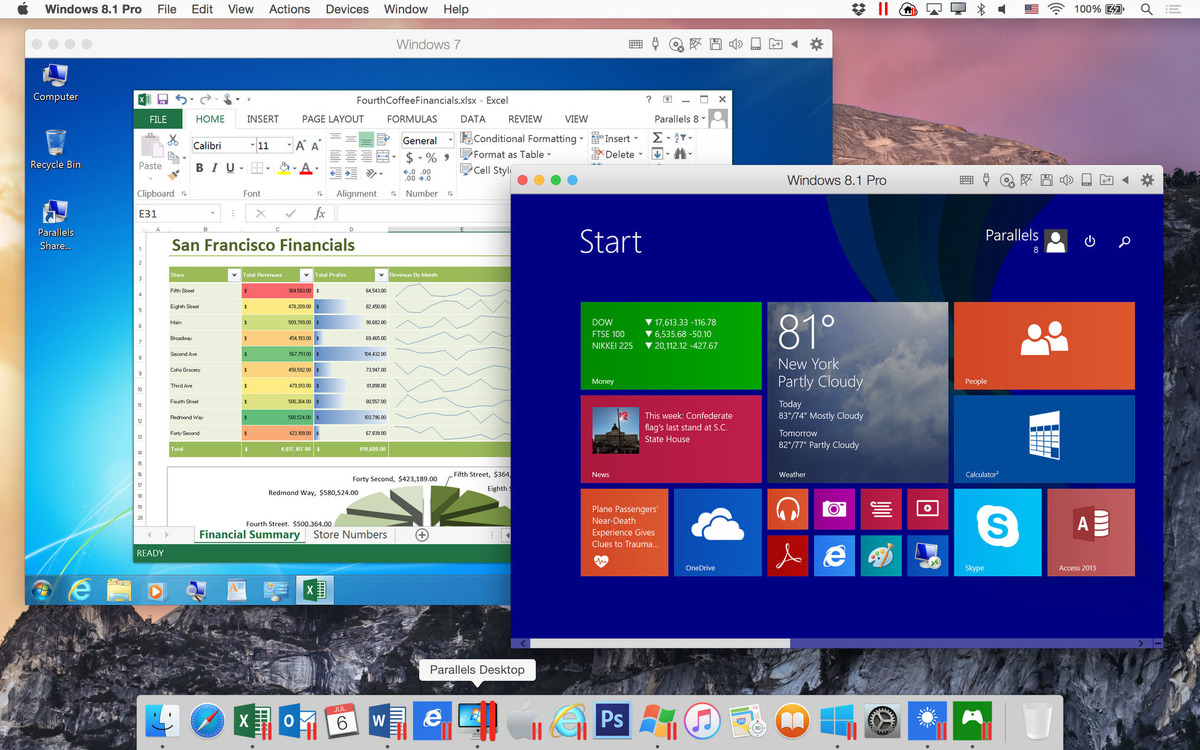
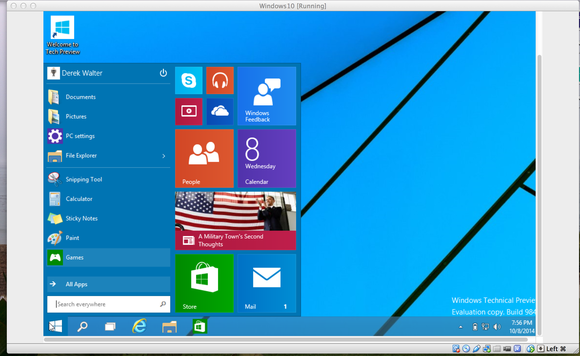
    Parallels is a software that is now putting a fully virtualized Windows 10 on a Mac OS X Yosemite system. This gives you the ability to run a licensed version of the OS on a Mac while also being able to access all the apps that would normally run only in Windows.

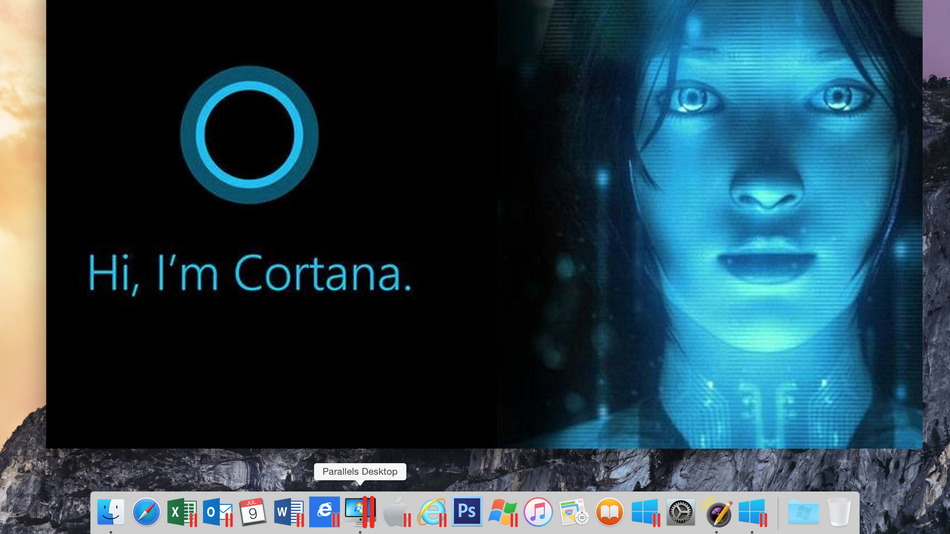
    The twist that the Parallels Desktop 11 for Mac brings is that it introduces Microsoft’s digital assistant, Cortana to the OS X desktop. As reported, it also goes on to blend the Windows 10 elements into the OS X; for example – Cortana can appear on the OS X dock when you say “Hey Cortana”. One can also use the Cortana to launch Mac apps apart from its usual functions.

    Win10 Yosemite cortana

    The Windows notification center has also been added to the Mac desktop just like how it is on the Windows 10 desktop. But, the Parallels Desktop also brings Mac features to the virtualized Windows system, such as – Quick Look, and Force Touch-supporting touchpad (if your macBook already has it).

    According to further reports, one can also transfer files between both operating systems easily. For example, if one prints a windows file, you will also have full access to the Mac print dialog box.

    Win 7 and Win 8.1 in Parallels Desktop

    The Parallels Desktop 11 for Mac is said to be available and will support all the new licensed Windows 10 installations and migrations from existing machines. Standalone Parallels Desktop 11 for the Mac is priced at $79.99 (aprrox Rs.5220) while the price for an upgrade for those using the 9 or 11 version is $49.99 (approx Rs.3262). The Pro edition is priced at $49.99 a year.

    You can buy or upgrade here.

    Here’s what it looks like:


  • Here’s How  Windows 10 Can Be Installed On Your Mac

    Here’s How Windows 10 Can Be Installed On Your Mac

    After getting tremendous positive reviews, Windows 10 makes itself available even to Mac users. However, if you want to use it after the 30 day trial period, then you will have to buy it. You will require two things in order to complete this process – a 5GB pen drive and a second computer that runs on Windows 10.

    Windows on Mac 1

    Step 1: Download Windows 10 from the Windows run laptop and copy it on to your pen drive. You can copy it from the media creation tool on Windows; there are two versions, a 34 bit and a 64 bit version, pick the one that’s compatible with your computer.

    Step 2: Go to the downloaded media creation tool and choose ‘Create installation media for another PC’ and click Next.

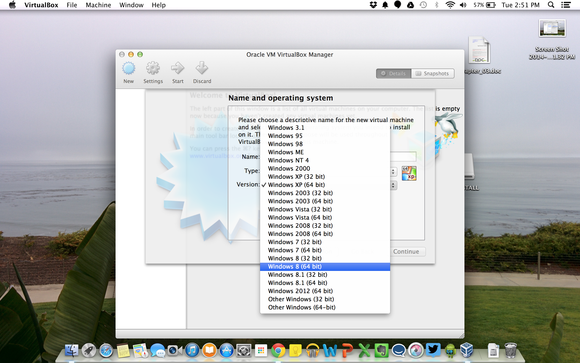
    virtualbox windows selection

    Step 3: Then select Language, edition and the 64 bit architecture for Windows 10.

    Step 4: Save the Windows 10 installer as an ISO file. It is suggested that you avoid using the USB flash drive option.

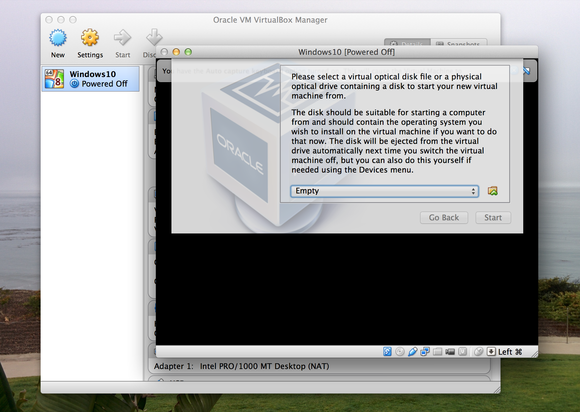
    Step 5: Save the Windows ISO file on your pen drive and then insert it into the Mac.

    virtualbox optical disk

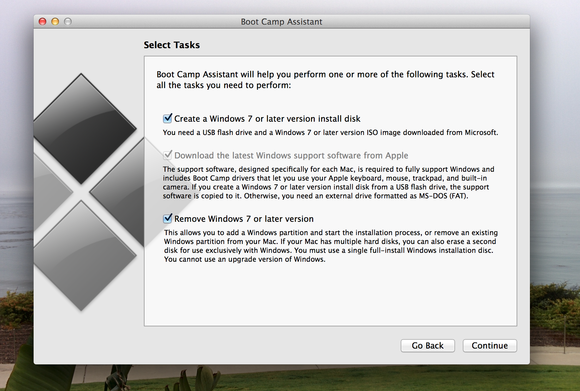
    Step 6: With the pen drive still attached to your Mac, run the ‘Boot camp assistant’, which is located in the Applications folder.

    Step 7: After the above procedure is complete, download the latest Windows support software from Apple and try installing windows 7 or a later version.


    screenshot

    Step 8: If you have copied the Windows ISO on to the desktop then you can automatically locate it, otherwise you will have to click on Choose and look for it. After selecting the pen drive as the install disk, verify everything and Continue.

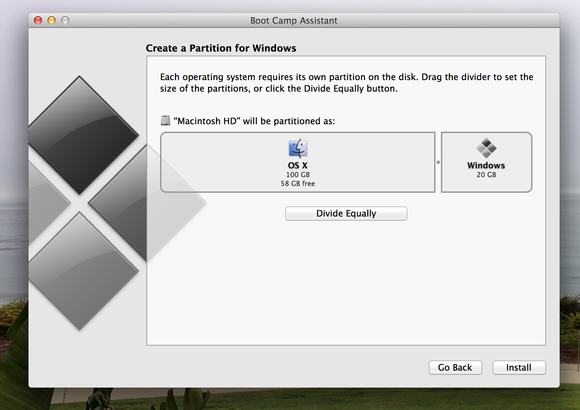
    Step 9: You will then be asked to choose the size of the partition required for Windows usage; use the slider to select the size. You will need 20GB of space to install the software. Then click Install.

    Step 10: The Mac should boot up from the flash drive automatically and start the Windows set up process. However, in case the Mac doesn’t automatically boot up, you can restart it and “hold down the Option Key after the Apple startup sound and then choose to boot from the flash drive.”

    boot camp partition

    Step 11: After agreeing to the installation term and conditions, you may proceed further.

    Step 12: After this, your will be shown all the existing partitions; pick the one marked ‘Bootcamp’ and click on Format.

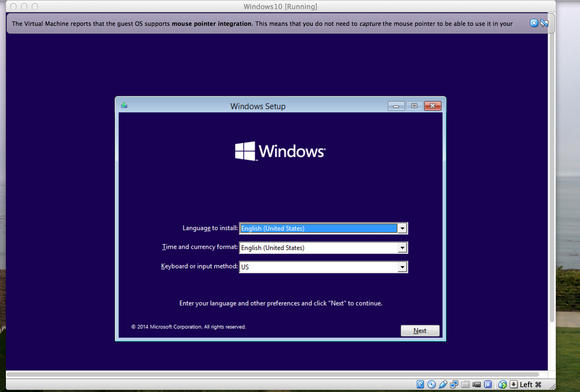
    Step 13: Confirm Windows setup

    boot camp launch

    Step 14: Windows Setup will complete the rest of the process for you, after which your mac should start back up with Windows 10. The process for creating a Windows user account will be the same as in all other Windows computers.

    Step 15: You will be greeted with a Boot Camp installation message, click on Next and follow up on the rest, reboot your computer. And Voila.

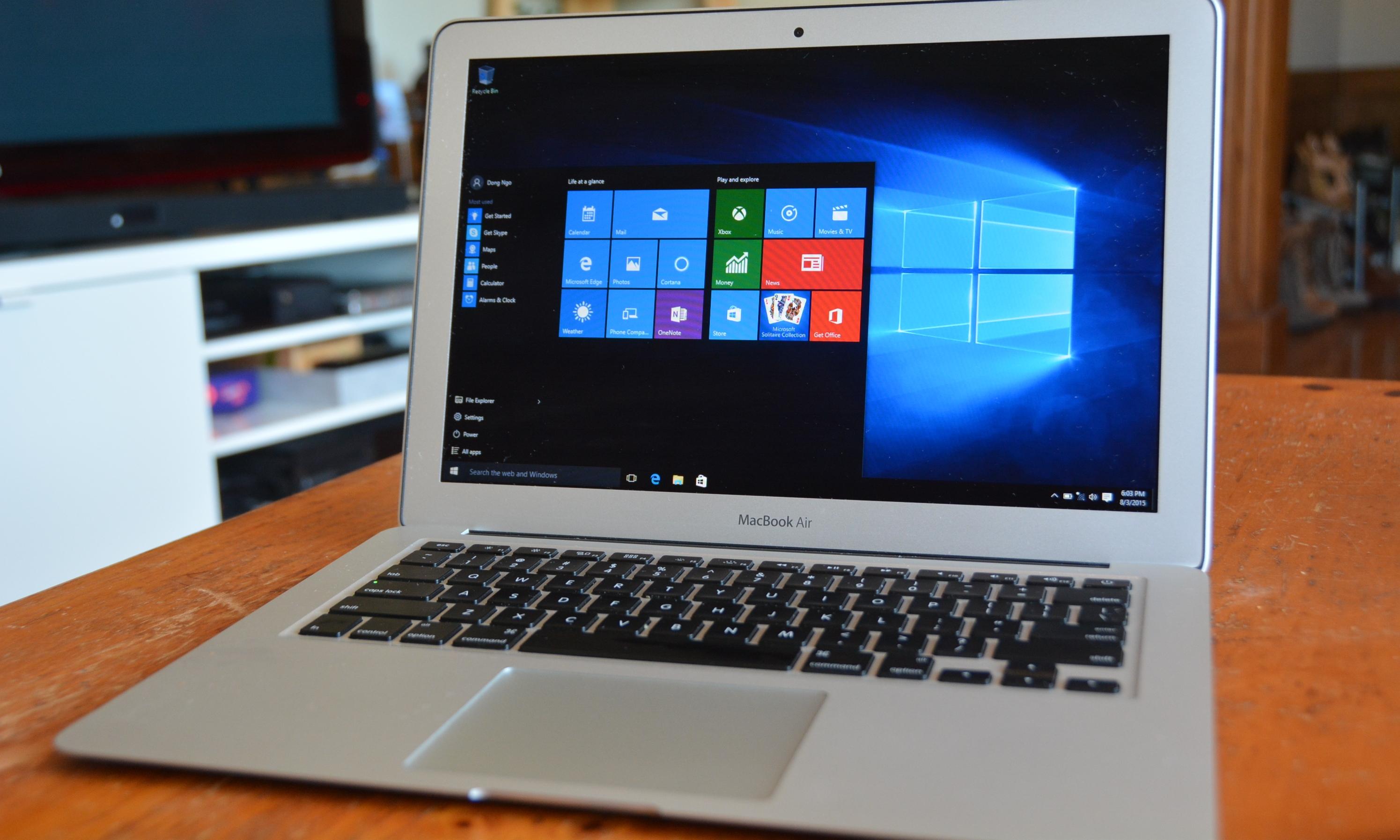
    This entire process will now allow you to have both the Mac OS and Windows 10 running on the same machine. However, you can only run one at a time. You can also manually select which operating system to run – hold down the Option key after the Apple startup sound and use the left and right keys to select which one you want to run.

    windows 10 mac start menu

    One can also permanently remove Windows by booting into the Mac OS and running the Boot Camp Assistant again.

    Clearly, this is a long process, and takes up time, energy, and your peace of mind. However, having both of the most efficient operating systems on your device and being able to choose which one you want, seems to be worth the trouble.

    For more information : [tw-button size=”medium” background=”#07ABE2″ color=”” target=”_blank” link=”http://www.cnet.com/how-to/how-to-install-windows-10-on-a-mac/”]Cnet[/tw-button]

    [tw-button size=”medium” background=”#07ABE2″ color=”” target=”_blank” link=”http://www.pcworld.com/article/2824227/how-to-install-the-windows-10-technical-preview-on-a-mac.html”]PC World[/tw-button]

  • Beware Mac Users, Mac’s First Firmware Virus is On the Loose

    Beware Mac Users, Mac’s First Firmware Virus is On the Loose

    We all have an impression that Apple’s ecosystem is supported by the most secure operating system in the world. But, this statement may not be considered true anymore. The myth has been broken today by a team of hackers who have developed the world’s first virus for Mac and named it Thunderstrike 2.

    This virus can be transferred via USB sticks or even email phishing. This then bypasses the Mac’s Operating System and directly attacks the BIOS – the software that appears before the main operating system after the system boots up. The worm then targets a machine’s option ROM or lives in the option ROM of peripherals.

    Worse, because of living within the ROM of peripherals, the Thunderstrike 2 can spread from one Mac to another without even having to connect to a network. Anti-Virus programs are useless as the malware cannot be detected at the hardware’s BIOS level. Thus, checking for infection is very difficult.

    The only way to remove this virus is to open up the hardware parts of the Mac and manually re-flash the chip. Xeno Kovah, co-founder of a security training firm called LegbaCore, who developed the worm says:

    For most users, that is really a throw-your-machine-away kind of situation. Most people and organisations don’t have the wherewithal to physically open up their machine and electrically reprogram the chip.

    Kovah and his partner Corey Kallenberg uncovered a series of firmware vulnerabilities that affected 80% of the systems they had, including HP, Dell, Lenovo and Samsung. These vulnerabilities, as found by the researchers, allowed them to bypass the firmware and reflash the BIOS to plant malicious code within the firmware. Kovah and Kallenberg tried to test the same vulnerabilities on MacBook boot flash firmware and found out that almost all the attacks on PCs and laptops could be replicated for Mac too.

    The first version was fixed with OS X 10.10.2 and required the hacker to have physical access to the computer. The new version is incorrigible because the malware can be transferred via a link. The latest OS X security update (10.10.4) seems to try and resist the bug to a certain extent, instead of being engulfed by it completely.

    So, what can you do to protect your Mac? All we can do right now is hope Apple rolls out a BIOS update soon.

  • 5 Nifty Tricks Every Mac Owner Should Know

    5 Nifty Tricks Every Mac Owner Should Know

    Do you think you’re taking full advantage of using one of the best computer systems in the world? Apple has hidden a few interesting hacks on your Apple MacBook, which are worth taking note of.

    Here’s a list of 5 fun things you could do with your MacBook:

    1. Have Your Emails Read to You, in an English Accent

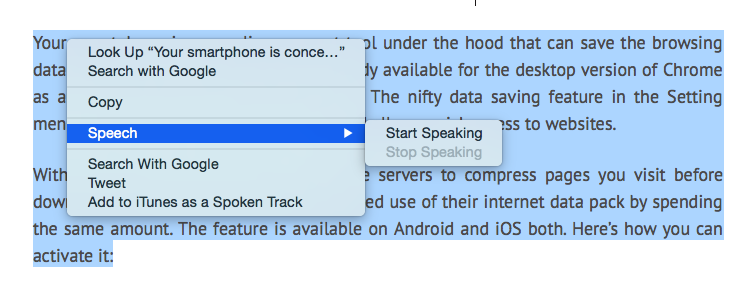
    Not only is it super simple to get your Mac to read out text for you, you can even pick and choose the voice/accent you like. To have text read out to you, highlight the text, right click and pick the ‘Speech’ option, followed by ‘Start Speaking’. To change the voice, visit ‘Diction and Speech’ in System Preferences. Since we’re partial towards English accents, we like ‘Daniel’ from United Kingdom read out our articles to us.

    mac reader

    2. No, you don’t need to print a document to sign it.

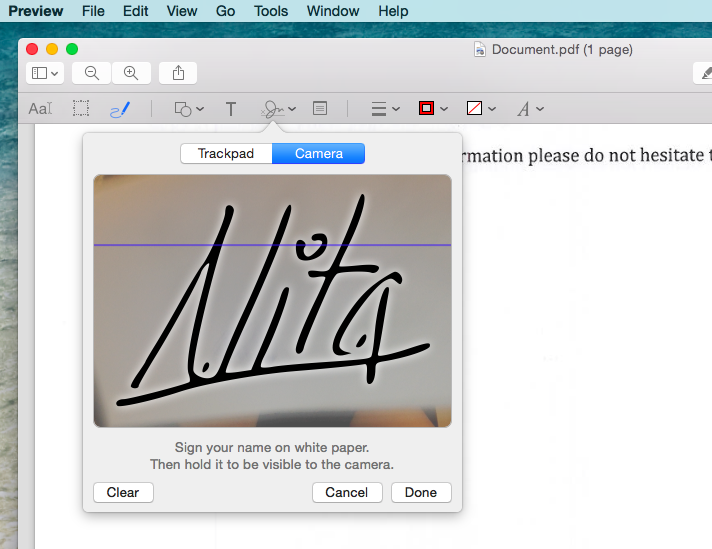
    In this age of technology, did you really think you had to print a document, sign it, and then scan it again? No. Those days are long gone. You can have signatures saved up on your Mac for quickly sending out a document.

    To save your signature, launch the Adobe Reader, pick ‘Tools’ from the top bar and then ‘Annote’. Which will then give you the option to manage your signatures. Now ‘Create Your Signature’ by signing a white piece of paper and holding it up for the camera which has been launched.

    This might sound like a tedious procedure, but it’s way better than relying on your printer/scanner in the future. Not just that, you can save multiple signatures at the same time.

    mac sign

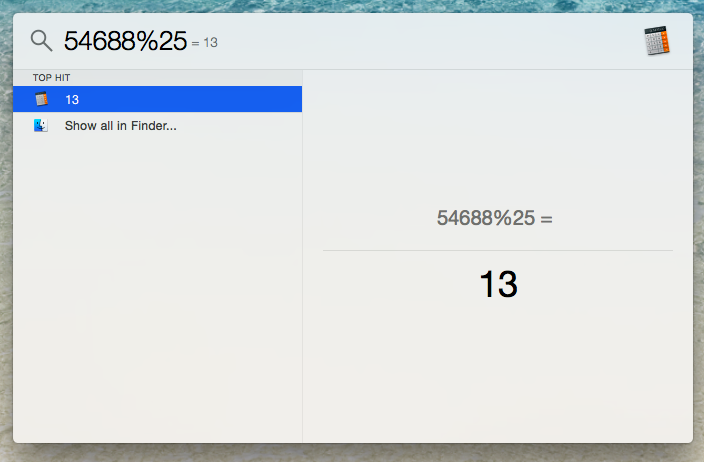
    3. Too Lazy to Open the Calculator? No Problem.

    You can use the search bar of your computer to work out a quick calculation. It isn’t too hard to locate a calculator on your desktop, but this trick saves that extra second.

    mac calculator

    4. Selective Screenshot

    We’re all aware that by using Command + 3, you can screenshot the entire screen, but have to tested out Command + 4? You can pick and choose exactly the area of the screen you’d like to grab, without getting the unnecessary background of your desktop.

    5. Quickly hide your browser

    For times when you’re sneakily keeping up with the Kardashians, this is a nifty trick everyone should know. Command + H, and your browser is instantly hidden. We suggest you keep an official looking document in the background, just to add authenticity.

  • German Guy Finds an Awesome Use of His Retired Power Mac G5

    German Guy Finds an Awesome Use of His Retired Power Mac G5

    If you ever had to deal with the pain of parting with an electronic device, then you must know how hard it is. Laptops and desktops are especially hard to say goodbye to. You spend a lot of time trying to figure out which device to buy and then you spend countless moments with it. But some people find it so hard to bid them farewell that it leads them to create something amazing.

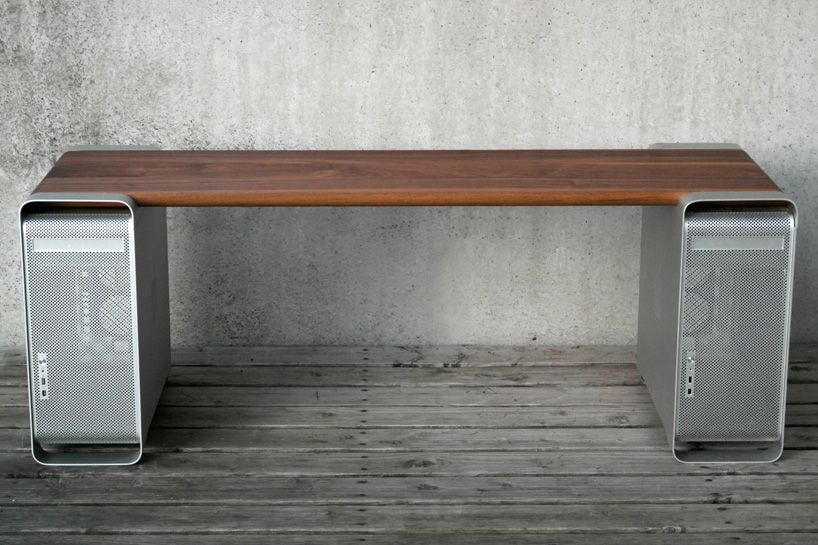
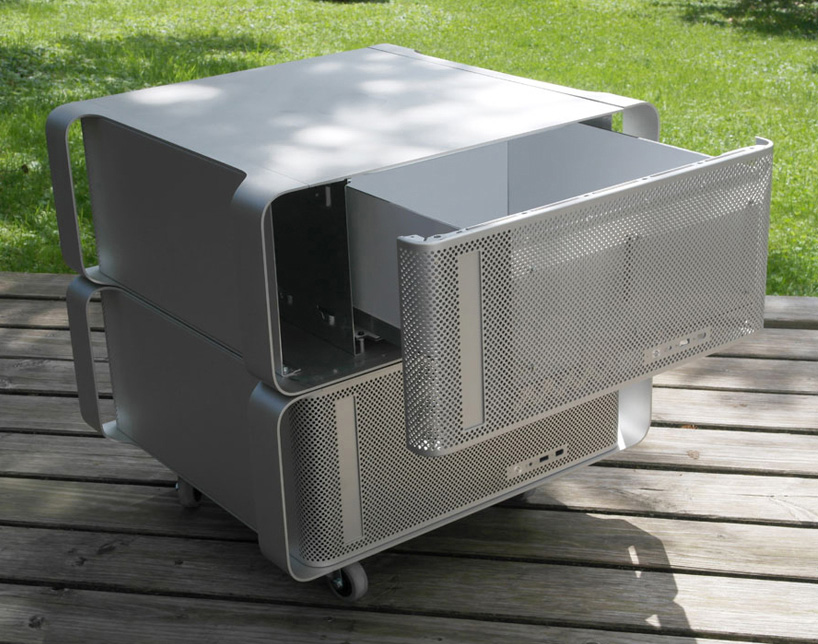
    Meet Klaus Geiger who gave a second life to his Power Mac G-5. It is so cool; you might ask why hasn’t this been done before. Klaus uses two shells of the Power Mac’s and lays classy wooden slabs on them.

    If you think about it, it’s a great homage to the first 64-bit architecture. It is also a great way of taking care of the exponentially growing e-wastes. With the access to technology getting cheaper and the devices getting updated at a faster rate, discarding of old technology has also increased. For a cleaner planet, it is essential that we find effective solutions to dump the e-waste. What Klaus has done is one great example of fixing the new generation trash.

    Check out the images here:

    Klaus Power Mac Furniture (3)

    Klaus Power Mac Furniture (4)

    Klaus Power Mac Furniture

    Klaus Power Mac Furniture (5)

  • Apple May Bring Siri-like Personal Assistant to the Mac

    Apple May Bring Siri-like Personal Assistant to the Mac

    In a development similar to the movie ‘Her’, Apple is planning to bring a voice based personal assistant to their desktop systems that run on Mac OSX platform. The company had filed a patent application back in February which was released yesterday.

    The patent doesn’t exclusively mention Siri, but instead uses the term Apple’s “digital assistant”. The new personal assistant or what some may call desktop Siri, will be able to deliver Siri’s functions with added features. It can be conjured up using predetermined gestures on the touchpad or through an icon on screen.

    Apple’s patent application also states that the digital assistant will be capable of performing tasks of operating systems like moving files, type and send emails, access internet and look for files, photos or play videos on YouTube. The biggest issue though will be people not just screaming at their phones, but their computers too.

    The Yosemite beta has no Siri like feature as of yet so it most probably will be up and running in the next outing of the OSX. It will be a welcome surprise though if Apple includes the assistant in this release itself. But Apple thrives to perfecting its offerings to its best capabilities before bringing it out for its users, so this feature may still be a distant dream.

    In the end, this seems like the natural order of things. Maybe the future where we bid farewell to keyboards and mouse is around the corner.

  • Twitter For Mac Users Gets Updated to Version 3.0, Brings Detailed Tweets and More

    Twitter For Mac Users Gets Updated to Version 3.0, Brings Detailed Tweets and More

    Not very long ago, Twitter updated its mobile application with in-line media previews. And now, the company is doing the same with Mac computers. The Twitter application for Mac users gets updated with some new features.

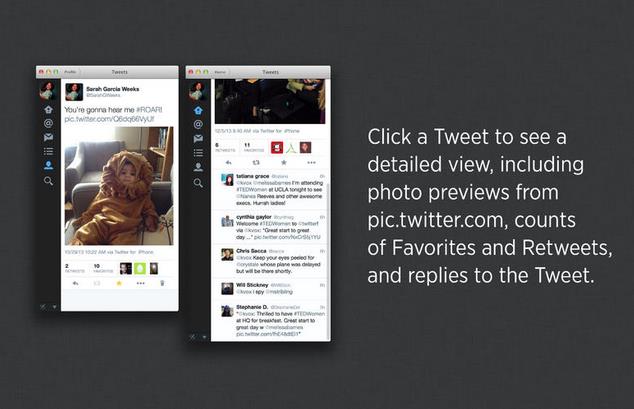
    The Twitter 3.0 for Mac users bring in-line photo views and detailed tweets. The Timelines now display previews for Twitter photos, making it easier to go through new Tweets. Whereas, now when you click a Tweet, you’ll be taken to a detailed view that includes photos, favorite and retweets , and other Tweets in the conversation.

    Other than adding new features and some tweaks the company has also changed the design of the application to make it cleaner and more modern.  

    [App Store]

  • Has Apple Ended it for Paid Operating Systems with OS X Mavericks

    Has Apple Ended it for Paid Operating Systems with OS X Mavericks

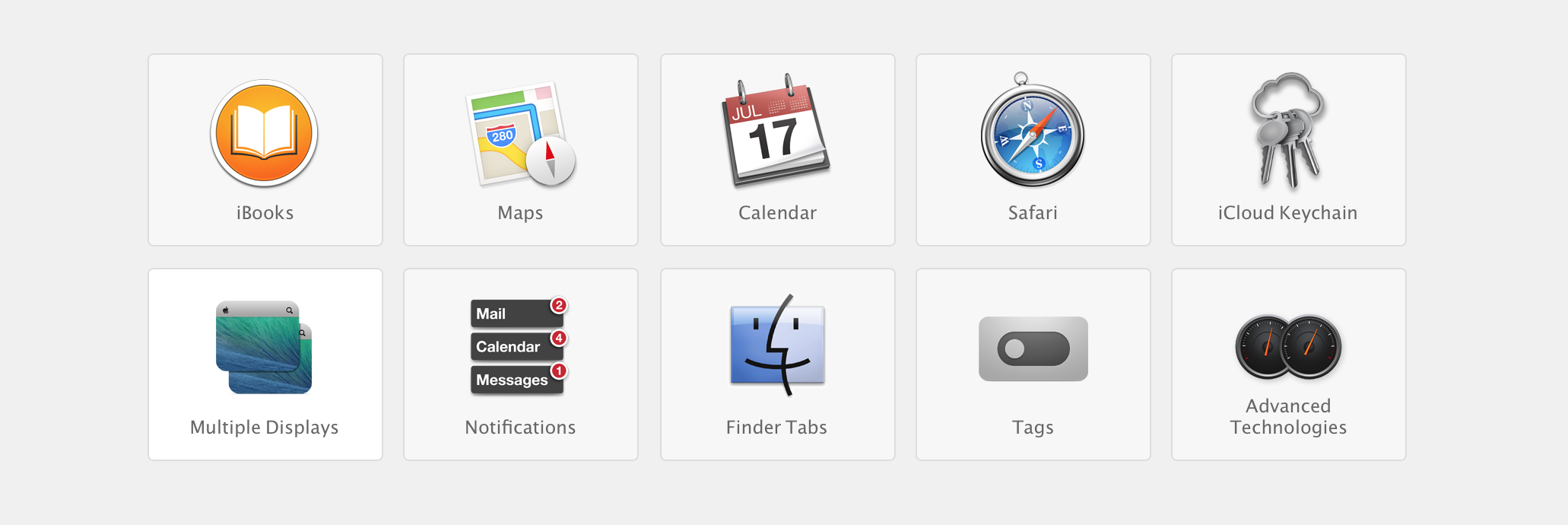
    Apple yesterday announced a flurry of new products from the new iPad Air to the iPad Mini with Retina Display, brand new Mac Pro and a revamped Macbook Pro with retina display. Possibly the most subtle and less talked about are the software launches. Apple launched the new Mac OS X 10.9 Mavericks and 7 new applications including a revamp of popular iMovie, iPhoto and Garage Band which made the iLife suite and work based Pages, Numbers and Keynote which made the iWork suite. The best part being the fact that all of the above comes free to Mac owners. 

    Logically all these Apps and Operating System updates are meant for consumption on Apple products, and by making these crucial applications and a major Operating System update free, Apple may have stirred the industry and the likes of Microsoft who basically survive by selling their operating systems and apps.

    Highlights
    Highlights

    Prices of Apple’s Mac OS X have dropped in cost considerably over the years. Apple charged users US $129 for four main OS updates, then Apple dropped the operating system’s upgrade price to $29 with 2009’s OS X 10.6 Snow Leopard, and then to $19 with last year’s OS X 10.8 Mountain Lion. 

    Microsoft was forced to lower the price of its expensive Windows 8 to a mere US $ 29 to compete with Apple last year, where the Redmond company offered its previous OS owners a cheaper upgrade to the new Operating System. However post a golden period the price was returned to a whopping US $ 199 which the company charges for their PRO variant of Windows 8. Microsoft this year however offered Windows 8.1 as a free upgrade to Windows 8 owners, and while many may call it an incremental upgrade, Microsoft continues to claim that Windows 8.1 is a major software overhaul which is “worthy of a price tag”.

    Back in the 80’s software was a part of commuters as a vertically integrated product. Apple with OS X Mavericks has suddenly sprung that era into present day. Since Apple is the only company that manufactures hardware for their software or vice versa, it makes sense for the company to gain profit from hardware sales and make the software free. In essence the user sees it as a freebie especially since it had a price tag prior to it being free. 

    Apple has also ensured that anyone with a Mac computer upto 4 years ago can update to the new Mac OS X Mavericks, which will make old owners of Apple computers happy, since they won’t need to spend money for new operating systems each year. 

    What’s more, Apple has also enabled users to get Apple own apps like the iLIfe suite and iWork suite free of cost, making it a boon for students and daily users. Apple used to drive huge profits from selling applications and operating system upgrades. Most people don’t upgrade their Operating Systems till they buy a new computer, Apple however has sort of changed that, or has tried to change it. Just like software updates on the iPhone that drove more than 80% iPhone owners to upgrade to iOS 7, it is expected that a whole chunk of Mac owners have probably already upgraded to Mac OS X 10.9 Mavericks, or plan to over the weekend. 

    Installer
    Installer

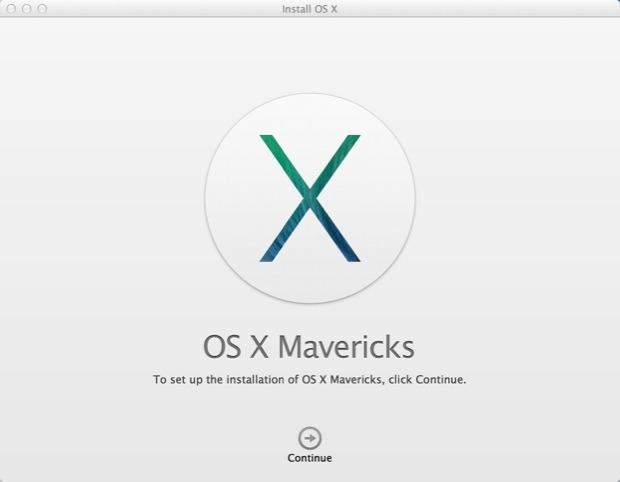
    The upgrade process is simple, hit the Mac App Store download the Mavericks installer, run the installer and about 20 minutes later you are upgraded. As Steve Jobs would say “It just Works!”,  exactly how upgrading a modern operating system should feel like. It gets done with the minimal of fuss and fanfare, and then the operating system steps aside and lets the user get back to work. 

    For Apple owners this may not seem as a big deal, however the folks over at Microsoft are probably festering out new plans as we speak to keep their investors happy. Do you think OS should be free? Let us know below!
  • Apple’s iCloud now Lets Windows users Sync Bookmarks With Chrome and Firefox

    Apple’s iCloud now Lets Windows users Sync Bookmarks With Chrome and Firefox

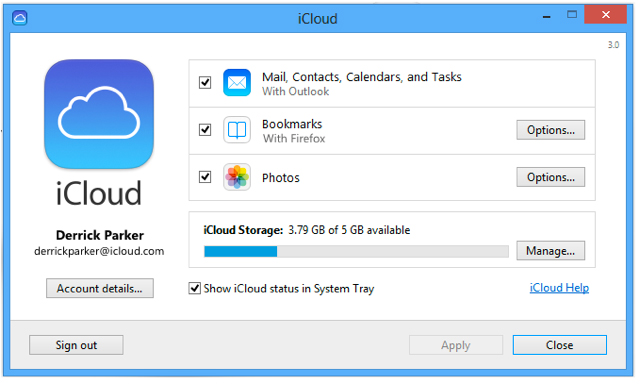
    Apple’s iCloud previosuly allowed Windows users to sync mobile Safari bookmarks with Internet Explorer, but now Apple is opening this functionality up to more web browsers

    The additional functionality comes by an update to Apple’s iCloud Control Panel for Windows, a small app designed to keep contacts, calendars and bookmarks up-to-date between iOS devices, Mac and PC.

    As reported by Apple Insider, the extra options mean the majority of Windows users will be able to take their bookmarks with them without resorting to using a third-party browser like Chrome for iOS. It also means that PC users can enjoy far greater freedom of browsers than those with Macs can.

    Apple notes that the appropriate iCloud Bookmarks extensions for Chrome and Firefox must be installed for the system to work. Apple has yet to add iCloud bookmark syncing support for the Mac versions of Chrome and Firefox.

    iCloud Control Panel 3.0 for Windows can be downloaded for free from Apple’s Support Downloads webpage.

iGyaan Network
Privacy Overview

This website uses cookies so that we can provide you with the best user experience possible. Cookie information is stored in your browser and performs functions such as recognising you when you return to our website and helping our team to understand which sections of the website you find most interesting and useful.