Tag: microsoft

  • Microsoft May Invest in Custom Android ROM Maker Cyanogen

    Microsoft May Invest in Custom Android ROM Maker Cyanogen

    In a surprising round of rumors, The Wall Street Journal has reported that Microsoft is putting money into Cyanogen. According to the report, Microsoft may invest in Cyanogen and strike a commercial partnership. While the companies are discussing the deal, Microsoft has not committed to an investment.

    Bloomberg also reported that the two companies are in negotiations to create a version of CyanogenOS that features Microsoft’s services. The deal seems quite similar to what Nokia did with the X series (smartphones running a heavily customised version of Android), which Microsoft killed back in July, 2014.

    The investment would be unusual, because Microsoft offers its own Windows Phone operating system. But Windows Phone has only about 3% market share, which may be prompting Microsoft to consider unconventional steps.

    Back in October 2014, some reports claimed that the Cyanogen CEO Kirt McMaster shrugged off Google Senior Vice President of Android, Sundar Pichai’s interest in purchasing the company. The interest of these tech giants in the hot start-up is natural, considering the popularity and enormous community associated with the company.

  • Microsoft Office for Android Tablets is Out Now

    Microsoft Office for Android Tablets is Out Now

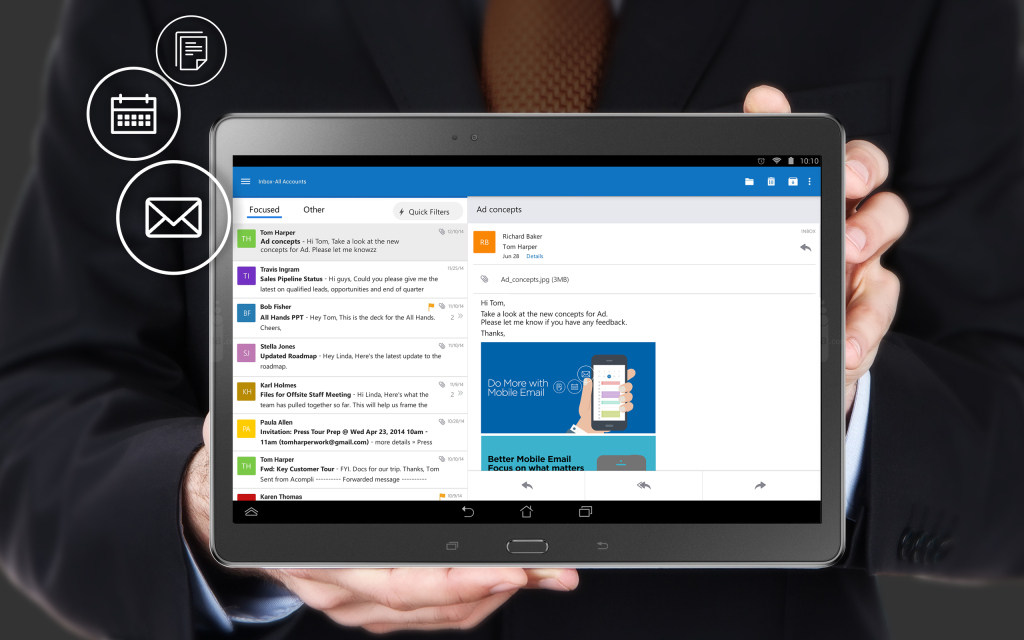
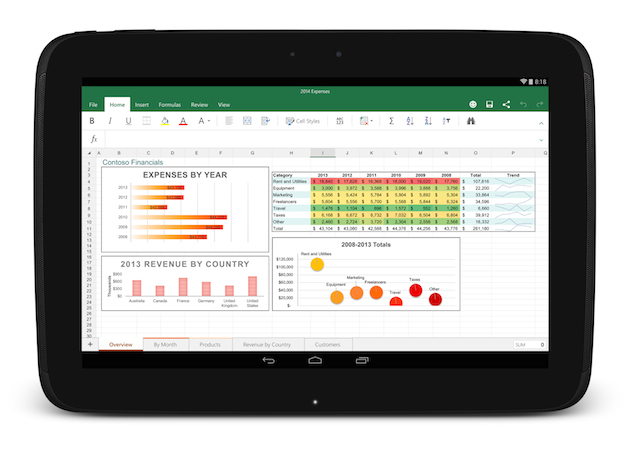
    After two months of beta testing, Microsoft has released the final version of Office for Android tablets. As with the iOS apps launched last year, Office is essentially free to use on Android for most consumers, though certain premium features and business functionality require an Office 365 subscription.

    The list of requirements to use the app include having a tablet that’s 7-inches or larger that’s also running Android 4.4 KitKat or newer. They also need to have to have an ARM-based processor and 1GB of RAM or above.

    office foe android

    All of the Office apps have a similar home screen. You can store your files either locally on your device, on your Microsoft OneDrive account, at a SharePoint location or on Dropbox. Once you sign in you’ll automatically be signed into OneDrive so you can sync files between devices, but the apps also feature Dropbox integration if that’s the file syncing solution you prefer.

    The one thing the new Android version of Office lacks is support for phones, which are still stuck with the older, more limited Office Mobile. The recent flood of Microsoft apps is a part of the company’s plan to put Office apps on all the popular devices whether they are running on Microsoft’s OS or not.

  • Microsoft Finally Brings Out an Outlook App That is Worth it

    Microsoft Finally Brings Out an Outlook App That is Worth it

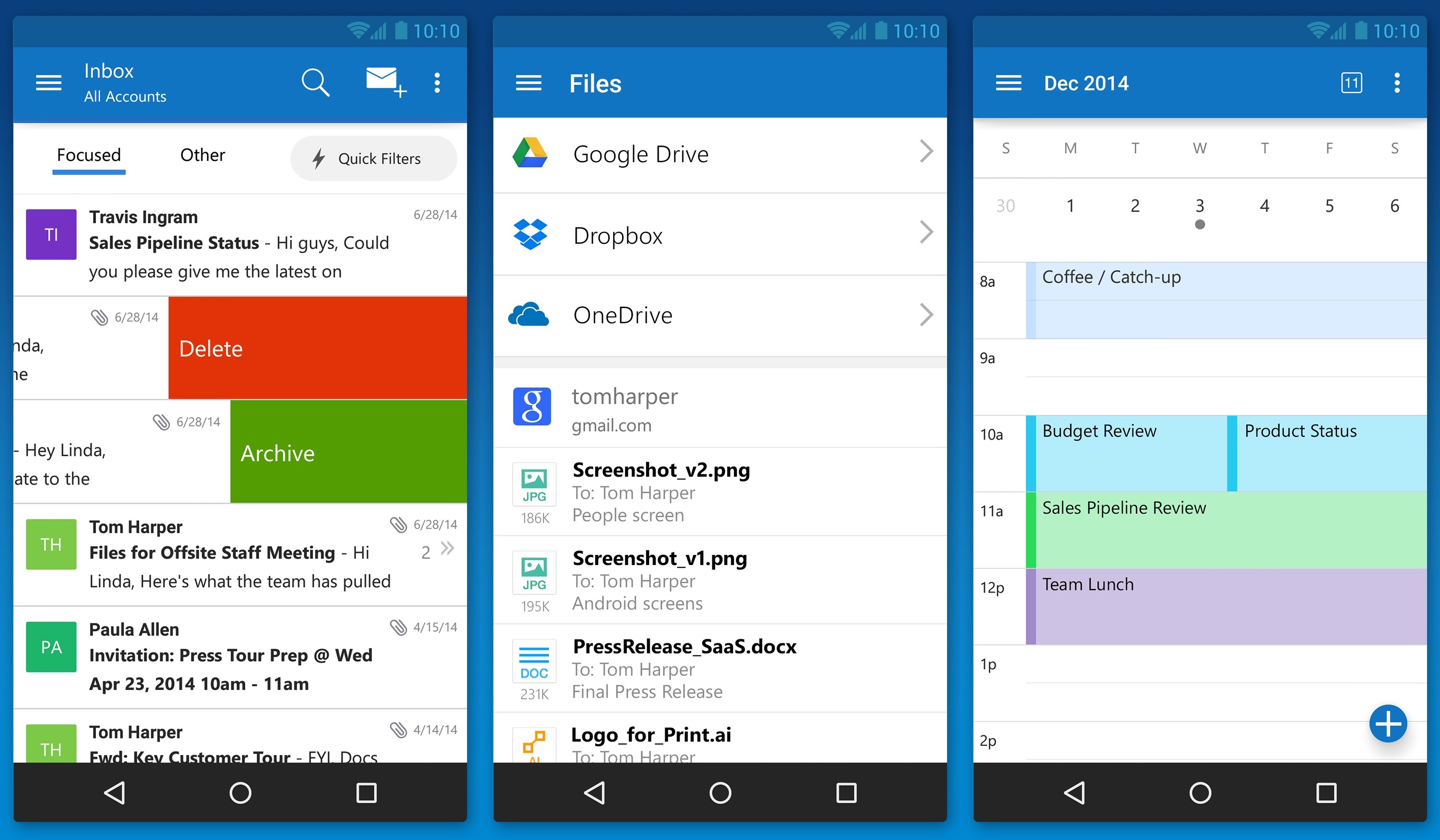
    Matching Google at its best game, Microsoft has brought a fully featured version of Outlook to iOS and Android today. The new app is based on the application it acquired, called Acompli, last December.

    outlook_android_phone

    Julia White, General Manager of Microsoft Office said that the Acompli team has already been integrated into the Outlook team, and today’s launch is a direct result of that. Acompli aimed to set itself apart from other email clients by focusing on multitasking. The app included a built-in calendar and features that made it easier to find attachments and contact information without digging through your inbox, all of which have now been carried over to the new Outlook-branded apps.

    Surprisingly, Microsoft is keeping powerful features such as integration with Google Drive and Dropbox. This ensures the same quick access to calendar, contacts, mail, and files; just like the desktop variant of Outlook. In the long run, these new apps will replace all of Microsoft’s current range of Outlook apps such as Outlook.com app for Android and OWA apps for Android and iOS.

    The new Outlook app experience will also carry over to the touch-optimized version of Outlook for Windows 10. As with Microsoft’s previous Android app releases, the first version of Outlook for Android will come with a “preview” label as Microsoft looks for feedback from users with different types of devices.

  • Microsoft Announces “The Next Chapter of Office”, Due Later This Year

    Microsoft Announces “The Next Chapter of Office”, Due Later This Year

    Amongst all the chatter regarding the Windows 10 event, Microsoft announced yesterday that it will be releasing its next big Office suite this year.

    Called the Office 2016, it will be generally released in the second half of this year. The company didn’t announce much more about Office 2016 , however, it is not hard to guess what to expect, given the history of the product.

    Microsoft has been focusing more and more on optimizing Office for mobile, but Office 2016 will be best for desktop computers. The platform will include “compelling new experiences” that will be highlighted more in the coming months. So for now, details remain vague.

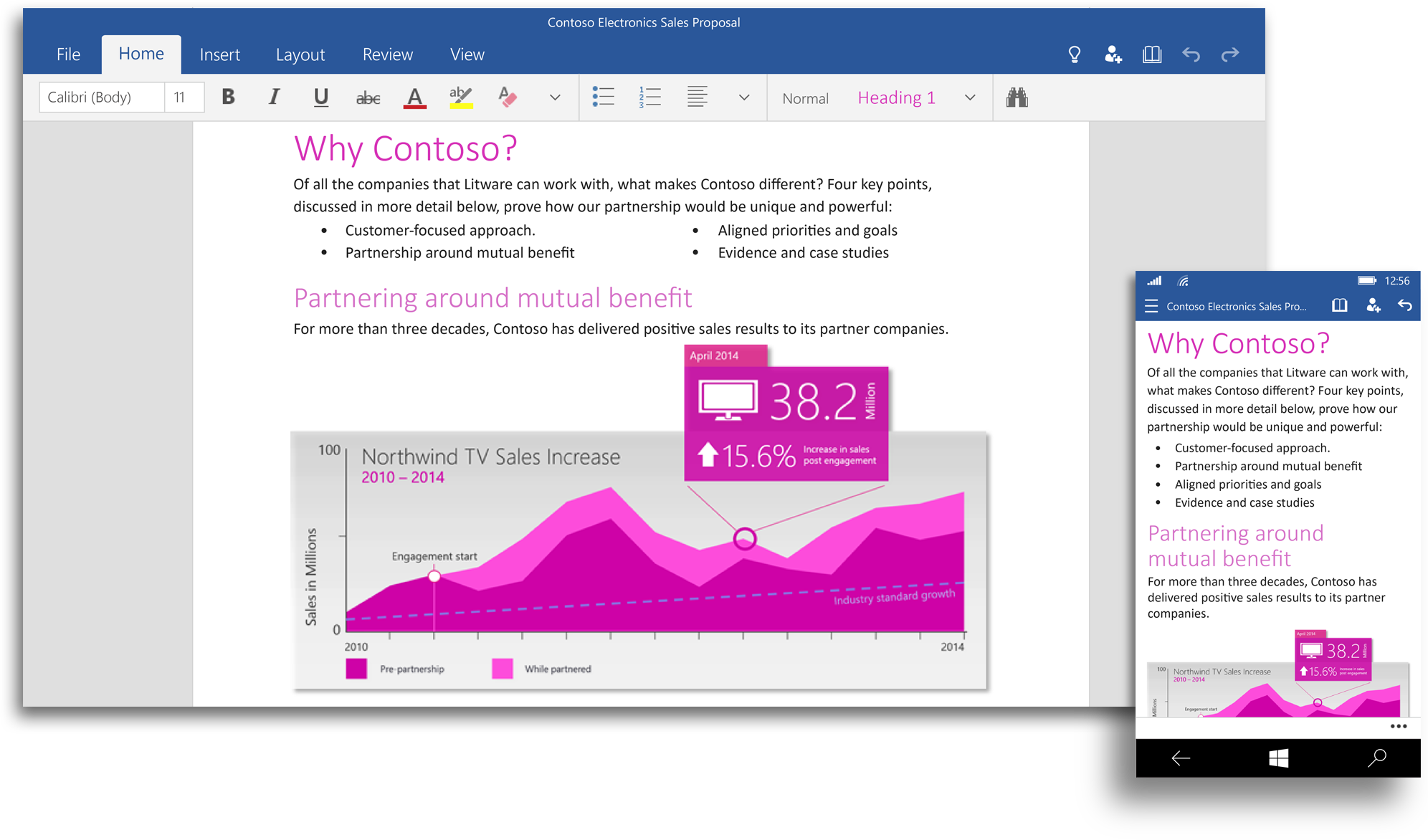
    office 2016Microsoft is also building a set of Office apps for Windows, designed to accept touch input, the company calls it “Office for Windows 10.” Office for Windows 10 offers touch-optimized versions of Word, Excel, PowerPoint, OneNote and Outlook that work great on small screen devices like your phone and tablet, as well as with the Microsoft’s giant Surface Hub.

    However, Office 2016 will be different from the unified Office for Windows 10. According to the company, the Office 2016 will remain the comprehensive Office experience we’re long familiar with, best suited for a PC with a keyboard and a mouse.

    The touch optimized Office apps will be pre-installed for free on phones and small tablets running Windows 10 and available to download from the Windows Store for other devices. The Office universal apps will be available with the Windows 10 Technical Preview in the coming weeks and general availability is on the cards for later this year.

    Watch below for the preview of Office for Windows 10:

  • 9 Super Cool Features of Windows 10

    9 Super Cool Features of Windows 10

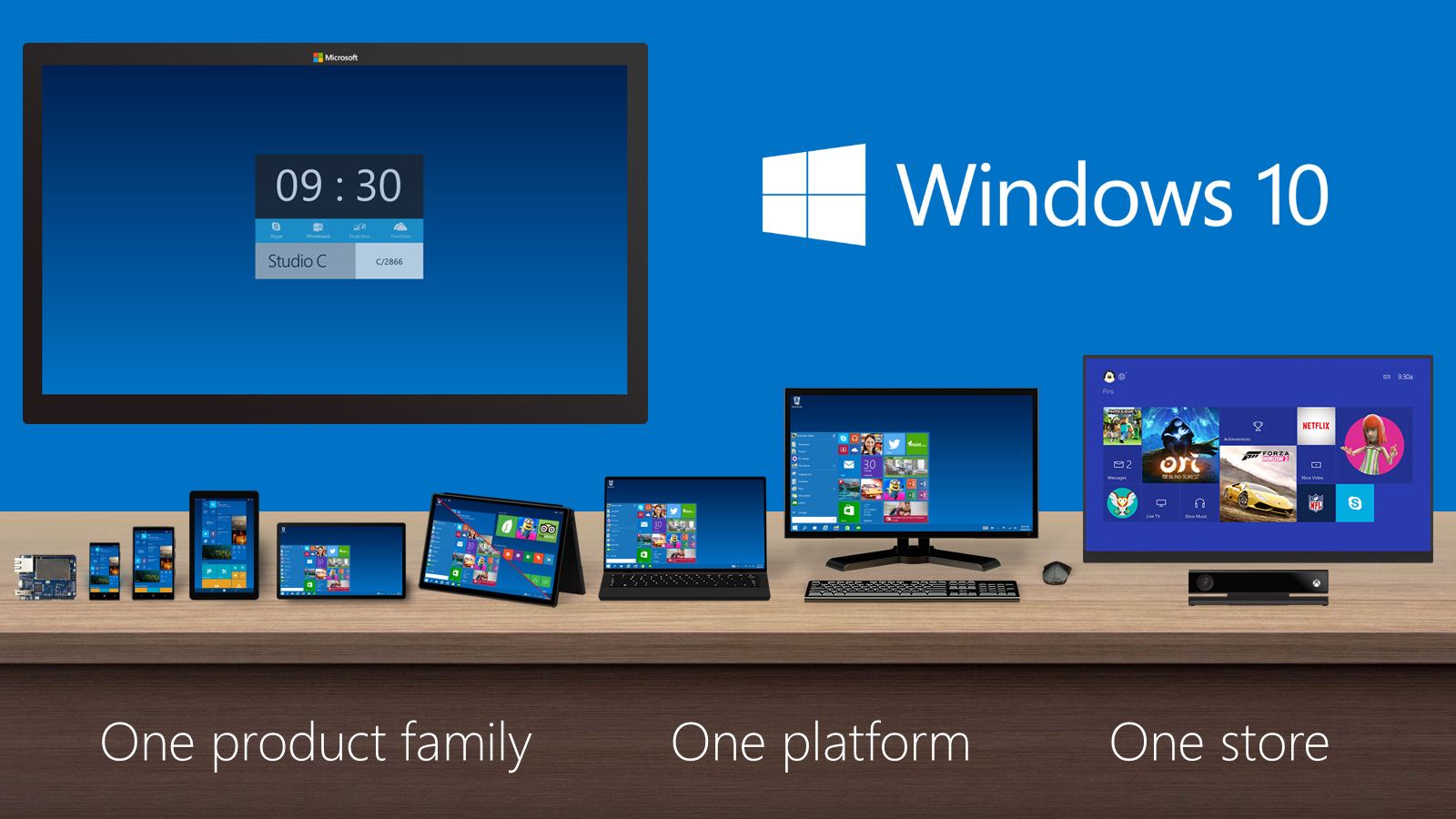
    Last night, Microsoft lifted the veil off the consumer version of its much-anticipated operating system Windows 10. The event saw some amazing offerings that were absent in the business version of Windows 10, launched in September the preceding year. Microsoft announced that its new upgrade would be same on all platforms and would be more user-friendly and impressive that ever before.

    We have summed up Top 9 features that make Windows 10 unique-:

    1. Start Menu
    Start-screen-in-Windows-10

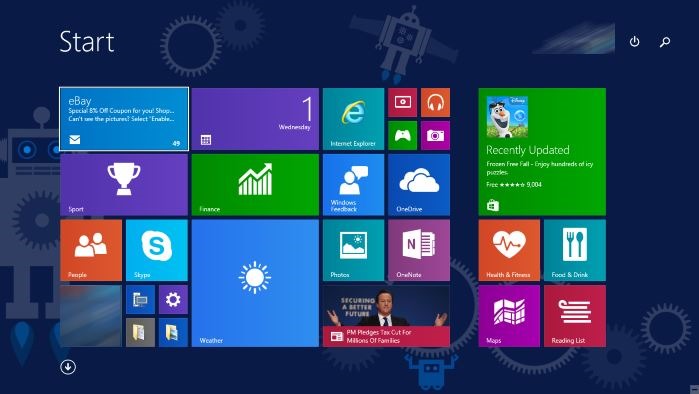
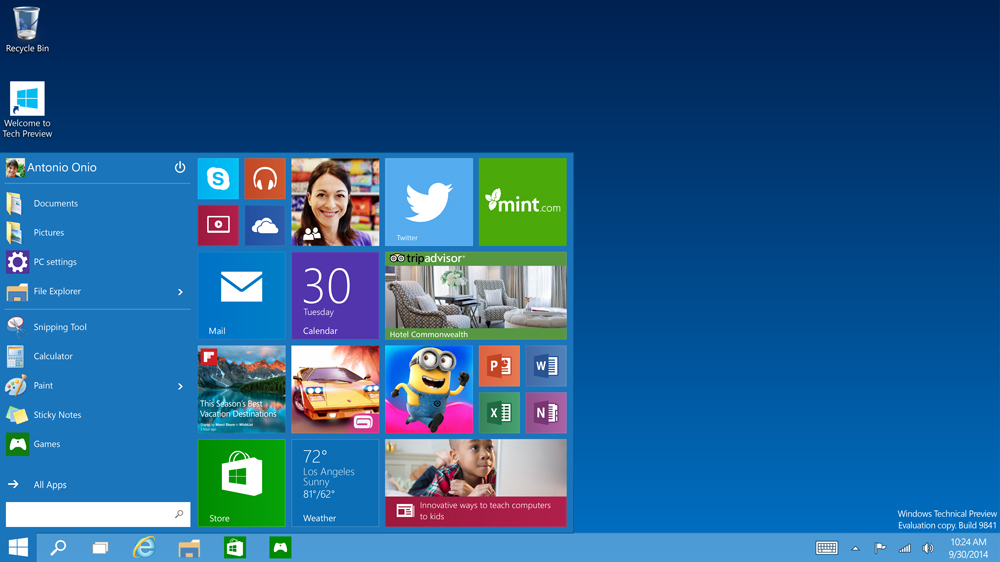
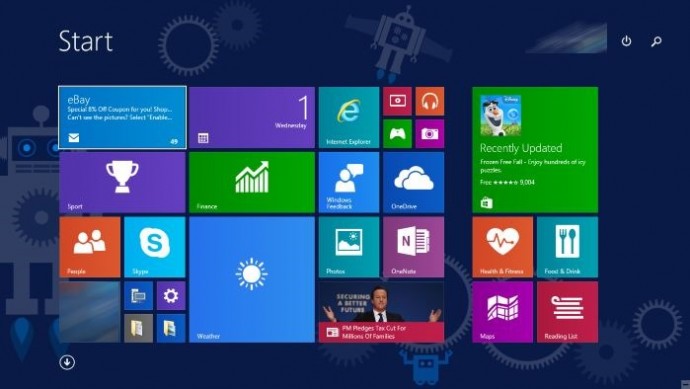
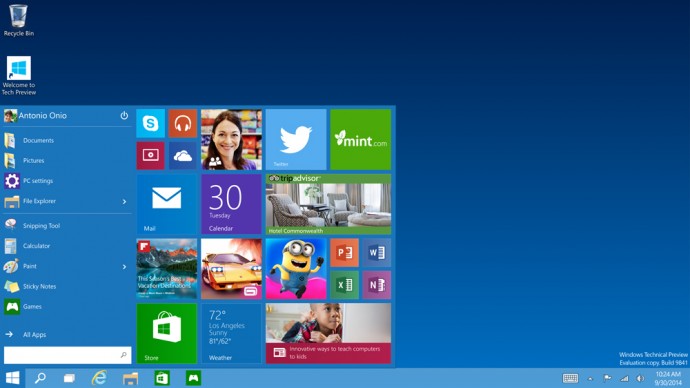
    To start off, Microsoft has added the much-needed tool that was absent from Windows 8 and 8.1 – the Start Menu. People longed to see this on their desktop for past three years, and finally Microsoft has put it back. The new Start menu combines the old-school start icon along with the modern user interface that makes it more comfortable for users to go through.

    2. Action Center
    Windows-10-Action-Center

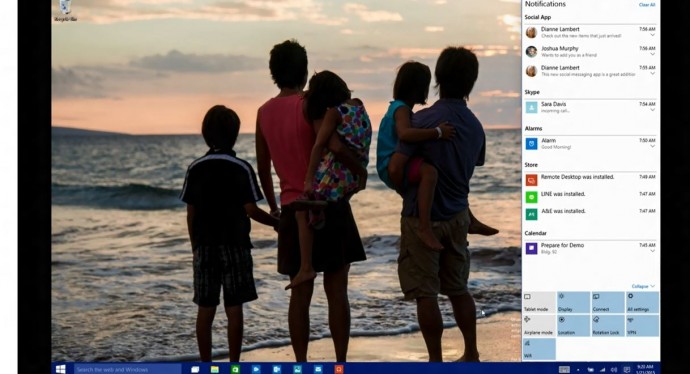
    Settings have tweaked, to give a cleaner and more understandable look. Windows 10 pushed the fragmented Settings menu and Control Panel out to encompass a unified settings menu called Action Center. Action Center brings together all the frequently used options like Wi-Fi, Bluetooth and more. The refreshed settings shelter all the regular buttons, through which one can instantly switch the Wi-Fi, Bluetooth and other selections on and off.

    3. Continuum
    continuum windows 10

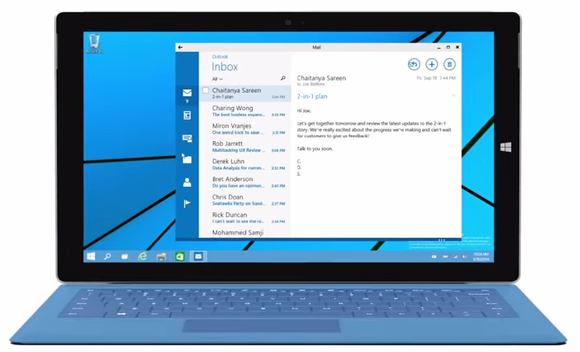
    Continuum is a highly anticipated addition to the Windows 10. Continuum is just like Apple’s Continuity feature that allows you to switch from PC to mobile or tablet from where you left. The feature is designed specifically for convertible devices, switching almost instantly from a mouse and keyboard to a tablet screen.

    4. Notifications Sync
    windows 10 sync

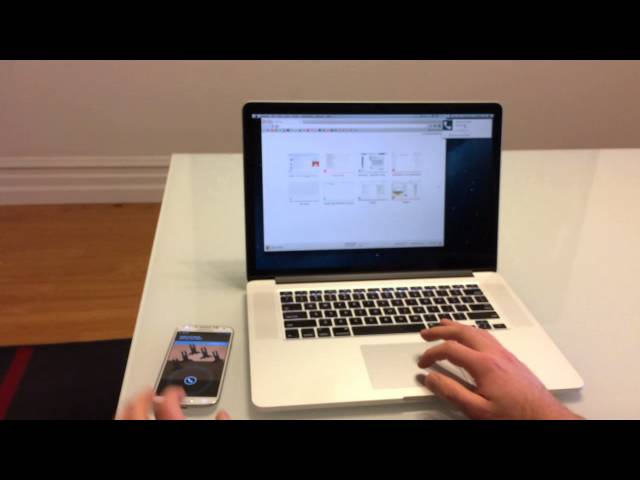
    Microsoft has made full use of its ‘common interface for all platforms’ and has included the notifications syncing feature. With this new tool, notifications will get synced across devices, and once you have dismissed some notifications on a mobile, it will not obstinately pop up again when you switch on your laptop or tablet. Now that’s something really thoughtful by Microsoft.

    5. Cortana
    cortana pc

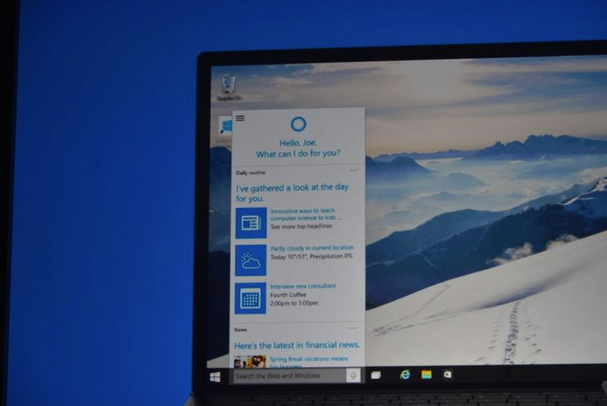
    The special feature that separates Windows 10 from its predecessors is the intelligent personal assistant Cortana. Cortana will serve as a primary search tool that will look for you. Its reminder capabilities are unparalleled. Not only this, Cortana is much more than a simple robot. Through Cortana you can interact with the device making lif very easy on the go.

    6. Universal Windows Apps
    Windows_10_universal app

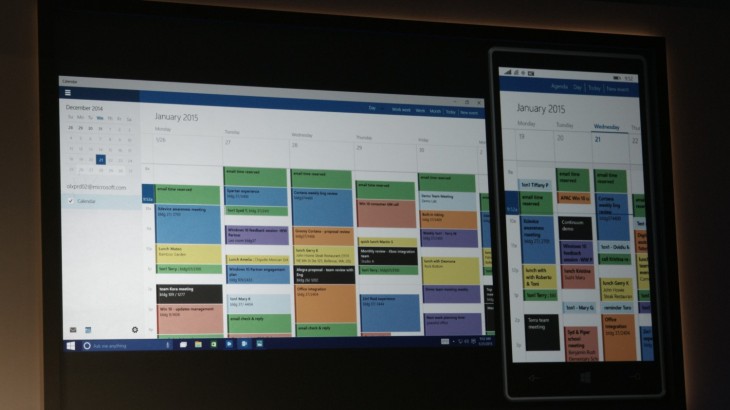
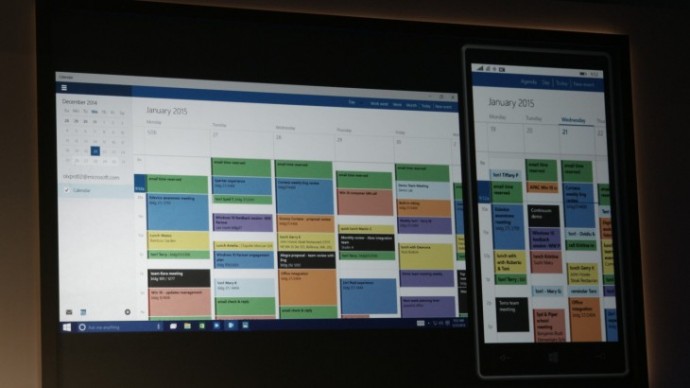
    One thing that will benefit Window Phone users is the universal Windows apps. The company has added some new apps that will run on computers, mobile, tablet and as well as on the Xbox One, and has improved the already existing apps. The list of new adoptions includes Outlook that has been modernised to cover comprehensive styling and extra formatting capabilities. Calendar app has been made consistent on all the platforms and Photos has been pinched to remove duplicates.

    7. Project Spartan
    spartan

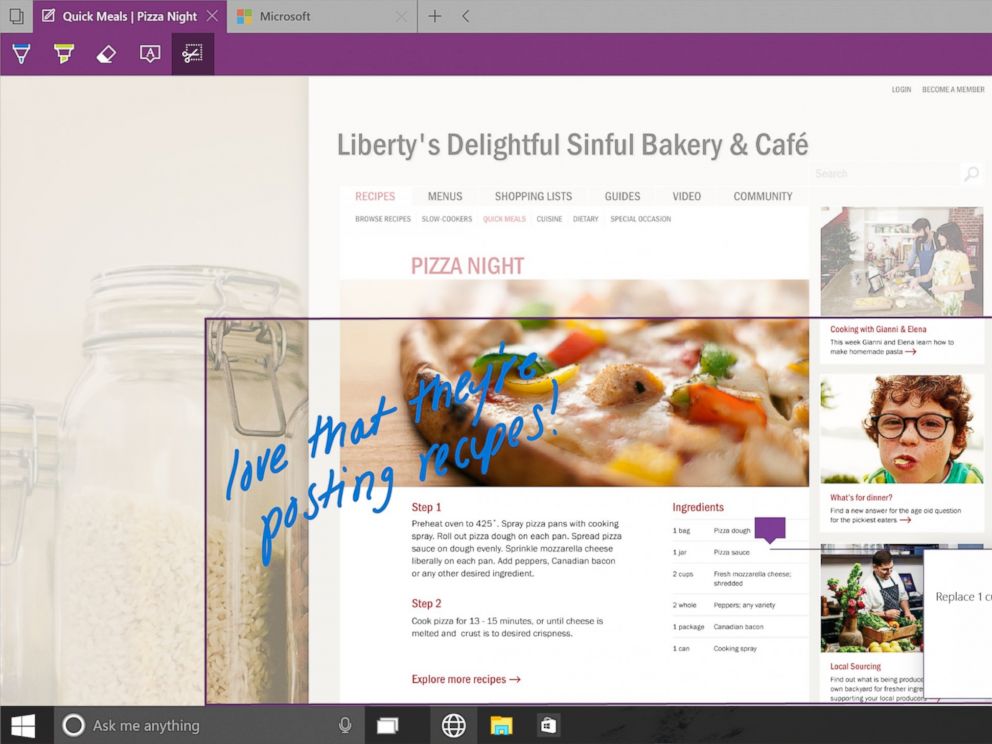
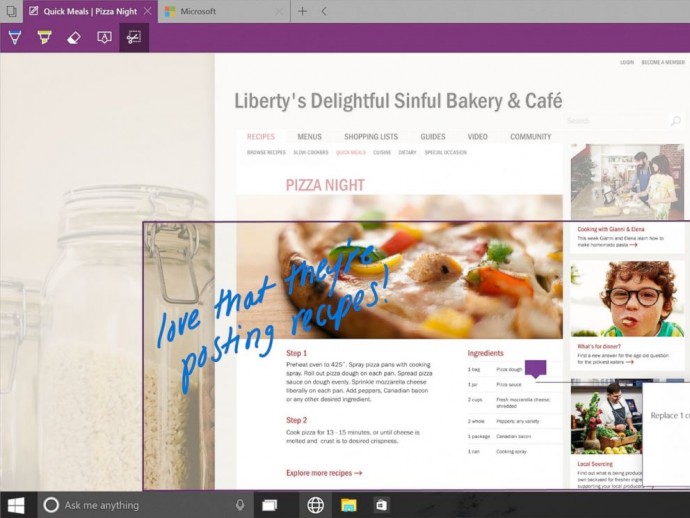
    The new browser that’s launched with Windows 10 is dubbed Project Spartan. The main highlight of this browser is its use in social networking. With Spartan, users can send websites with highlights and annotations added to them, something which is not available in any web browser right now. Also, Cortana is deeply integrated with Spartan to make life easier for the non savvy folk.

    8. Xbox Live
    xbox live windows 10

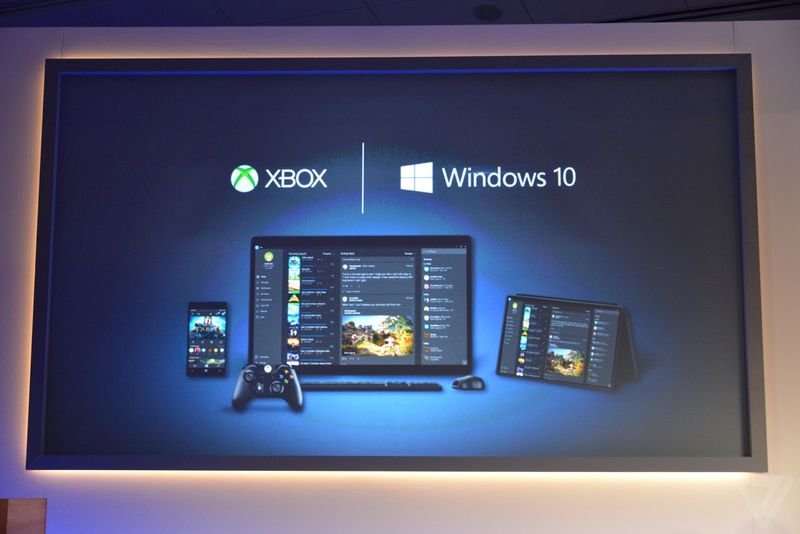
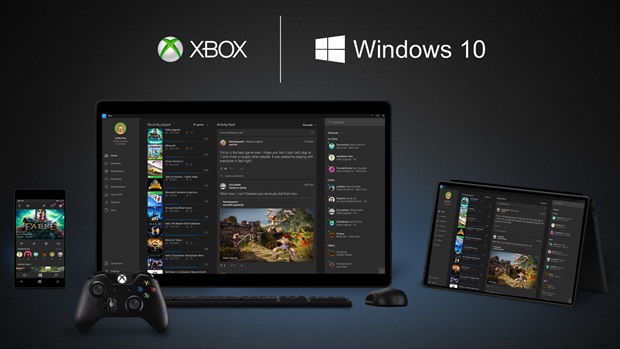
    There is something for hardcore gamers as well. With the new Xbox app, Xbox Live, on Windows 10, gamers can chat with their pals, share browsed video game clips and can record their games as well. The app also enables you to edit videos as per your willing.

    9. Improved Design and Interface
    windows_10

    Microsoft has proved that it has an eye for details. Users will notice the modern touch given to the icons. With fully-adjustable keyboard, integrated Message and Skype app, Windows 10 is more clean and swift.

  • The 7 Most Important Announcements Made at Microsoft’s Windows 10 Event

    The 7 Most Important Announcements Made at Microsoft’s Windows 10 Event

    Microsoft was serious when it called yesterday’s Windows 10 event as the unveiling of the ‘next chapter’ for the software giant. The company not only showed that it’s slowly moving away from its past failures but also managed to introduce some wildly futuristic concepts.

    We are listing the top 7 announcements from yesterday’s Windows 10 event.

    1. Cortana Comes to the desktop

    cortana pc

    Microsoft’s sassy virtual assistance has become first amongst others to get a desktop support. As rumored earlier, you can find Cortana just next to the task bar on your Windows 10 desktop. Cortana will be able to answer your typed or spoken questions and open documents from your local library or OneDrive. The PC version of Cortana can also take notes and tailor your experience. For example, Cortana is also integrated with a new Maps app which enables her to remind you where you have parked your car or how much time will it take to reach home. Along with this, Cortana will regularly pop-in with the latest updates on flights, football scores, stocks or whatever she understands you like, with course of time.

    2. Gamers Delight

    microsoft-xbox

    This is the announcement that made us exclaim in delight. We have been ranting about the defunct PC gaming network and Games for Windows Live being inadequate. Well, Microsoft changed it with yesterday. The company announced a new Xbox app on every Windows device allowing you to view your games collection and chat with people on Xbox Live. And the bigger news is that with Windows 10, you can stream Xbox One games to any PC or tablet. You’re no longer restricted to the gaming console. Streaming will require a one-time set up to establish a relationship between the devices, after which Xbox One games can be accessed on a Windows 10 device by clicking on the game’s name in the Windows 10 Xbox App.

    3. Goodbye Internet Explorer, Hello Spartan!

    spartan

    Spartan has been in the news for sometime now. Microsoft’s new browsing app is a cleaner browser with a lot of shiny new features. There’s a “note-taking mode” that lets you draw over pages with a stylus or add comments with a keyboard, then save the results on OneNote. A clean “reading mode” formats a page like a book and adds a syncable reading list that’s basically “Pocket for Microsoft” or Safari’s page-saving feature. Another added bonus – Spartan has Cortana built into it.

    4. Return Of the Start Menu

    Start-screen-in-Windows-10

    The new OS update is so radical it prompted Microsoft to skip straight from Windows 8 to 10. One of the biggest iterations in Windows 10 is the return of Start Menu. It not only made its come back with the new upgrade but is also said be better than ever. Windows 10’s Start Menu will now expand to a full-screen view that looks like Windows 8.1’s home screen. A new Android-style Action Center provides quick access to Wi-Fi options, Bluetooth, and other settings. Along with this Microsoft has also added the Continuum feature which is designed specifically for convertible devices, switching almost instantly from a mouse and keyboard to a tablet screen.

    5. Giant Display For Enterprise

    surfaceHub

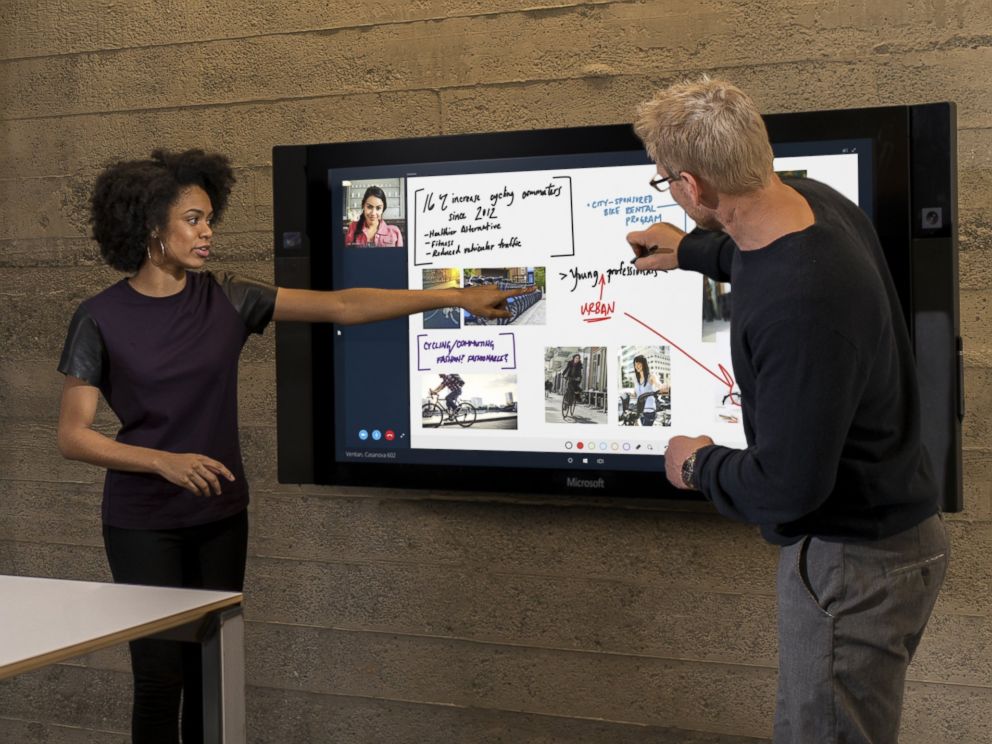
    Surface hub is a giant 84-inch 4K screen meant for the workplace.The 4K display has a built-in camera, speakers, mics, Bluetooth and NFC along with a stylus as a main input device for its touchscreen interface. The new display is the outcome of Microsoft’s acquisition of Perceptive Pixel, a research company it acquired in 2012. The idea is to provide enterprises with a one stop solution for meetings with members – appearing via Skype, drawing on screen and easily sharing work between everyone’s devices.

    6. HoloLens

    MSHoloLens_MixedWorld_LivingRoom_LongBrowser_RGB-500x333

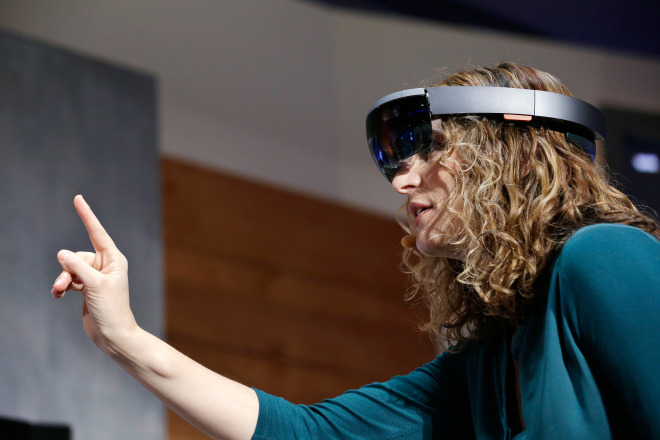
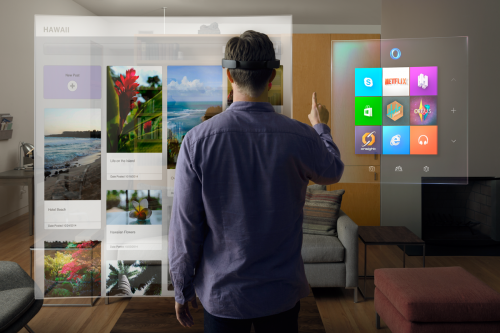
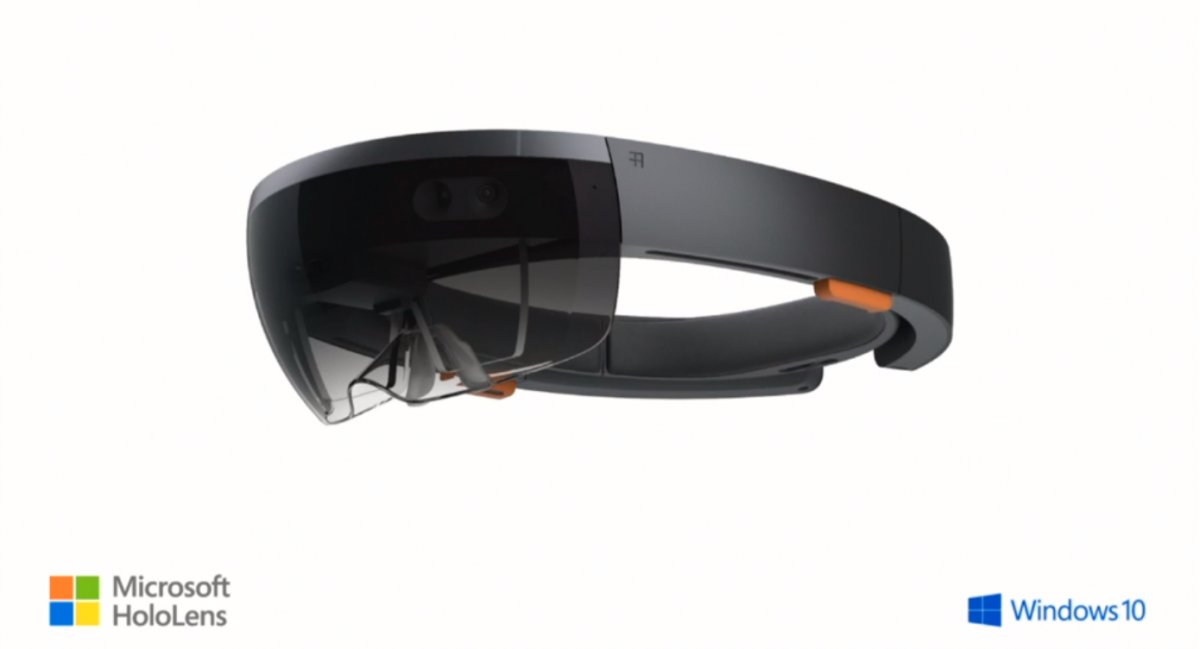
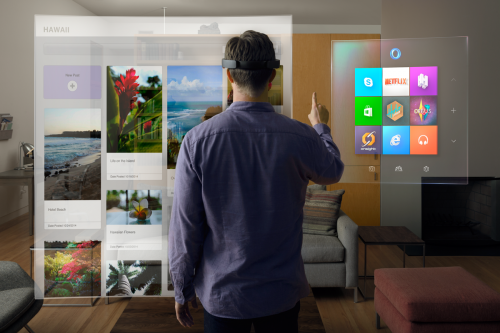
    As mentioned above, the company has also announced a wild and futuristic hardware. We were talking about HoloLens. The Microsoft HoloLens is a see-through visor that overlays holographic imagery over the real world. Born as the project codenamed as Project Baraboo, or sometimes just “B”, Hologram is powered by a new processor, what the company called a holographic processing unit. It’s equipped with sensors to detect the real world and gestures of the users, as well as holographic sound. It has no wires and doesn’t need to connect to phones or PCs.

    7. Unified Role of OneDrive

    microsoft_onedrive

    With Windows 10, OneDrive will become an important aspect of the unified app system. It will allow documents to sync across devices. Cortana has also been integrated with OneDrive and now can search documents in your cloud storage through your PC. OneDrive will also play a bigger role in photo and music section with Windows 10. For example, music will sync between devices using OneDrive. Up until now, OneDrive was focused on just photo and document sharing.

  • Check Out Microsoft’s New Browser ‘Project Spartan’

    Check Out Microsoft’s New Browser ‘Project Spartan’

    Anyone who has been a fan of Windows, has also made fun of Internet Explorer. With the rise of new and lighter internet browsers like Google Chrome and Mozilla Firefox, Internet Explorer lost the race miserably. The main reason was the heavy size of the browser and its inability to catch up with the latest trends such as extension support, tools and much more.

    However, with an exciting new announcement at yesterday’s event, Microsoft has taken its first step to change all that. At the Windows 10 event, Microsoft announced the much-talked about browser app which is codenamed Project Spartan. Microsoft’s new browsing app is a clean browser with a lot of shiny new features and convenient integrations with other Microsoft services.

    There’s a “note-taking mode” that lets you draw over the pages with a stylus or add comments with a keyboard, then save the results on OneNote. So picture this, while you’re browsing through a webpage, you spot an important sentence; you can use this tool to highlight the section and then share it further.

     A clean “reading mode” formats a page like a book and adds a syncable reading.

    spartan
    Note Taking Mode

    But these are not the major features of the new browser app. Just like everything else Microsoft announced yesterday, Spartan has Cortana built into it. Microsoft has taken a big leap with Cortana for Windows 10. Considering that the company joined the race much later than rivals Apple and Google, it’s good to see that Cortana has been deeply integrated in the company’s offering.

    With a slew of interesting new features, Spartan seem like a great replacement for the Internet Explorer. It promises to be a simple, fast and smart browser that efficiently ditches Internet Explorer’s dismissal brand image.

  • Microsoft Holo Lens will bring Holographs to Life on PC

    Microsoft Holo Lens will bring Holographs to Life on PC

    Microsoft is banking big on its new piece of technology which will bring holographic imagery to the end consumer.

    Holo Lens is a mere headset which when connected with any PC running Windows 10  will merge and blur the lines between the digital and the physical. The kit will come complete with a set of APIs that enable developers to create holographic experiences in the real world.

    ms holo lens

    With Windows 10, holograms are Windows universal apps and Windows universal apps can work as holograms, making it possible to place three-dimensional holograms in the world around you to communicate, create and explore in a manner that is far more personal and human.

    The Holo Lens is wireless and will project the holograms in high definition and allow for a surround sound audio experience. Built directly into the hardware is a dedicated Holographic Processing Unit “HPU” ensuring a smooth transition between the software to the virtual world.

    https://www.youtube.com/watch?v=aThCr0PsyuA


  • Microsoft’s New Prototype Can Charge a Smartphone Wirelessly Using Lasers

    Microsoft’s New Prototype Can Charge a Smartphone Wirelessly Using Lasers

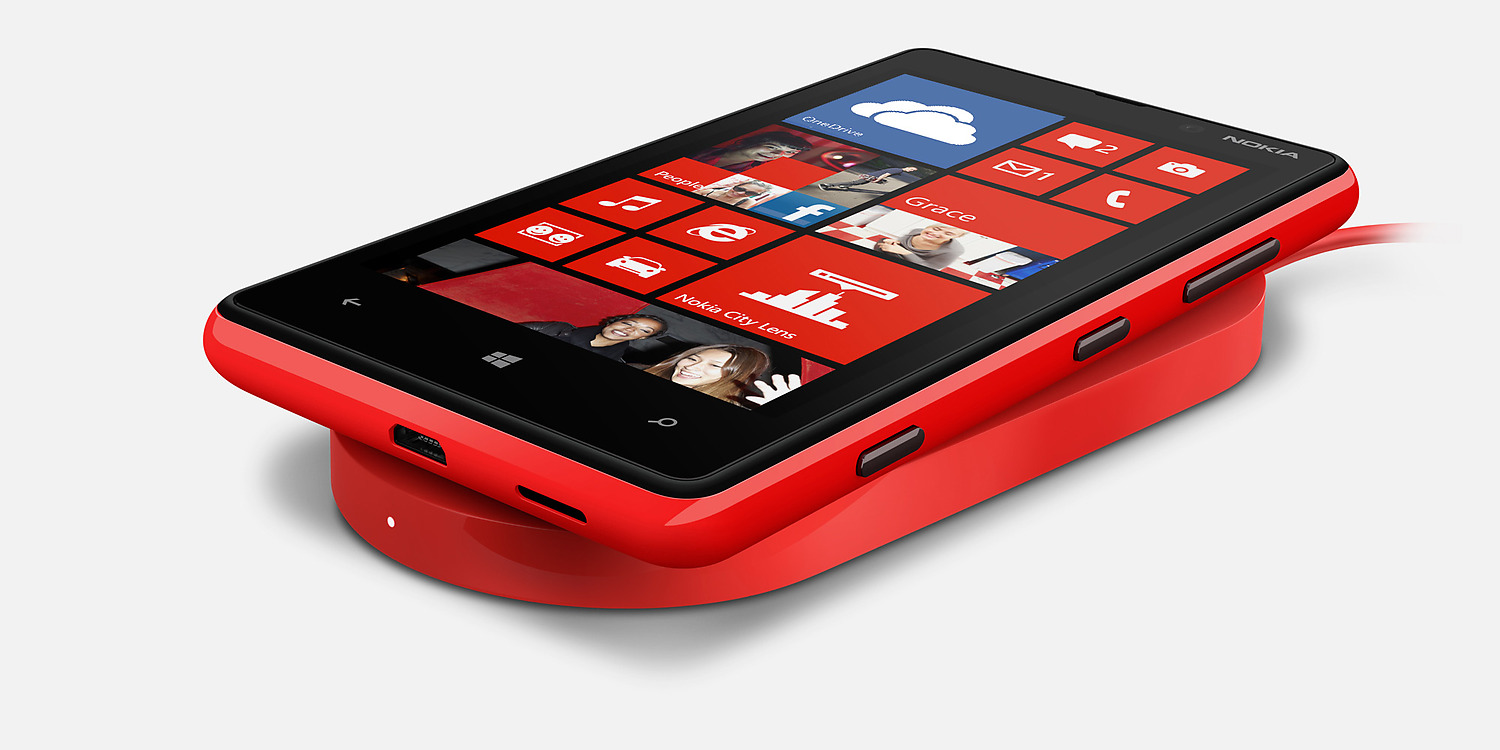
    Wireless charging is efficient and convenient but it requires you to keep the phone on a particular surface. Microsoft wants to make your life even easier. The company has created a prototype device that can charge your device without the need of a charging dock or surface.

    The technology is called AutoCharge and for now it uses Microsoft’s motion sensor, Kinect. The AutoCharge setup is placed overhead from where it constantly scans the surface of smartphone shaped objects. Once it recognises that the smartphone is in view it, sends out a beam of light on the surface of the phone. The phone surface is made of photovoltaic panel that will absorb the light to generate electricity.

    AutoCharge uses Kinect to detect the phone that needs to be charged.
    AutoCharge uses Kinect to detect the phone that needs to be charged.

    To make sure that AutoCharge recognises the smartphone and assess if the device needs charge, the device is provided with a microcontroller and a LED light. The light blinks in a specific pattern to indicate the amount of charge in the device. Once the device is all juiced up the LED, blinks in a different pattern and tells AutoCharge to cease charging.

    The team behind the project has agreed in their paper that this technology will take a while to reach the hands of the consumer. There aren’t many devices either which have photovoltaic films on them yet. The biggest disadvantage of wireless charging is that you need to keep it on the specific surface. A system that lets you use the device however you choose, while charging, would really help the customers. But you have to agree that the good old wired charger works great. Wireless charging has a long way to go before it matches up to the convenience like that.

  • Microsoft Patents New Tech Which Senses When You Don’t Want to Be Disturbed

    Microsoft Patents New Tech Which Senses When You Don’t Want to Be Disturbed

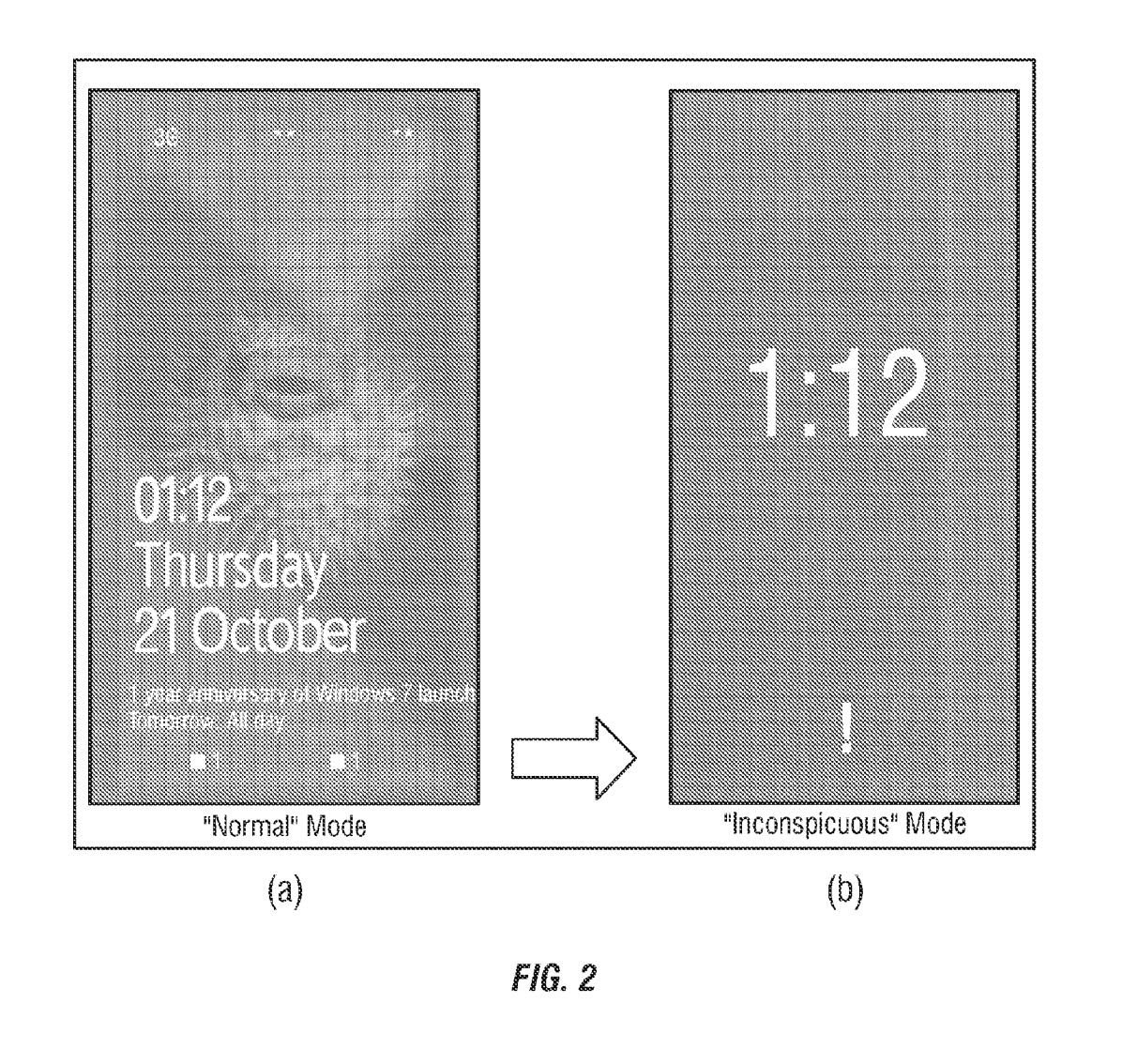
    A smartphone’s loud ring is highly distracting when you’re in the middle of something important. In spite of the available do-not-disturb mode, there’s no feature that is intelligent enough to sense your presence at different places and function accordingly. However, Microsoft has found a solution for this – the inconspicuous mode – which transforms your smartphone smart enough to turn down your device when necessary.

    inconspicuous mode

    As per the latest patent granted to Microsoft this week, the ‘inconspicuous mode’ on the smartphone detects when the user is in a meeting, theatre or is going to bed. Once detected, it automatically turns on and adjusts the brightness and volume level of the device. The mode also reduces the number of notifications on the lock screen so the user does not get distracted from the ongoing happening.

    This intelligent  feature works using the internet. The application checks when the mode is required and detects using GPS, sound, NFC, Wi-Fi  and other data. It also syncs with your Calendar and picks up information that can be of use. For e.g. meeting schedules, movie plans, bedtime, wake up time, etc. If the application finds a meeting schedule, it automatically enters the inconspicuous mode to avoid outside interruptions. The feature is extremely handy and can be turned off when required. Also, it exits the mode on its own as soon as the event that triggered it, finishes.

    If this feature lands on the Windows Phone platform, it will be the next big thing for the brand. Meanwhile, there are bigger announcements by Microsoft coming up soon.

  • What to Expect from Microsoft’s 21st January Windows Event

    What to Expect from Microsoft’s 21st January Windows Event

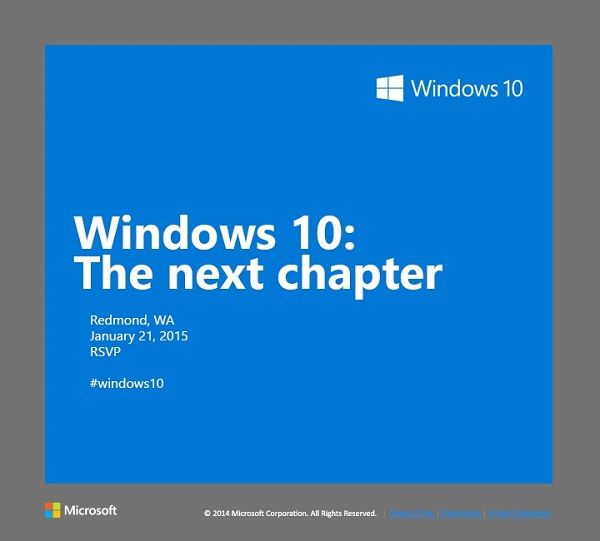
    Microsoft is holding a special Windows 10 event in Redmond on January 21st. The software giant has already rolled out invites to members of the press, asking them to be a part of the unveiling of “the next chapter.” The new OS is expected to bring new advancements in the consumer-end of the software. The 21st will give us the first glimpse into how Microsoft plans to compete in the consumer field of tablets and phones.

    Let’s look at what we can expect for Microsoft’s January 21st event:

    windows10invite.0

    Windows Phone 10

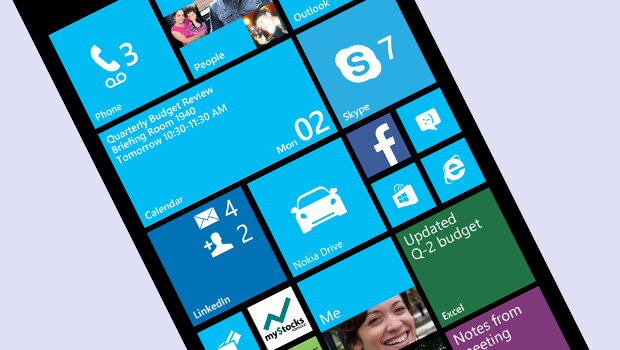
    It is no secret that Windows Phones so far has been a failure, with Android and iOS giving it a tough competition. According to IDC, Windows Phone holds petty 3% of market share which is the result of drastic dip in 2014. With Windows Phone 10, Microsoft is betting to change this scenario. The company is expected to take wraps off the first version of Windows Phone 10 on January 21. According to the reports, the next mobile OS will be a combination of the Windows Phone and Windows RT operating systems. Microsoft is aiming to take advantage of its universal applications model to align its tablet and phone software to run the same apps across tablets and phones.

    Windows-Phone-8-Update-3

    Windows 10

    Windows 10, in particular, is a crucial tipping point for the company. It’s first and foremost an opportunity for the company to follow through on its promise to make good with consumers, many of whom were turned off by the company’s last version, Windows 8. The most important change in the next installment will be the unification of the OS’s touch and traditional software. Another significant change is the return of Start Menu which was eliminated in Windows 8.

    In a recent tweet, Microsoft teased Windows 10’s ability to handle multiple desktops on a single device – saying that more is coming 1.21.15. Multiple desktops allows users to open a number of “virtual desktops” and spread their work out amongst them all – imagine them as virtual monitors you can flip between.

    Microsoft will be presenting a consumer preview of Windows 10 on January 21

    ‘Spartan’ Internet Browser

    Microsoft’s new Windows 10 internet browser, codenamed Spartan, is expected to debut with Windows 10 as a separate app along with Internet Explorer. Various leaks and rumors suggest that Spartan will be one of the major elements of Microsoft’s upcoming Windows 10 operating system and will come with some ground-breaking features which are currently missing in competing browsers such as Chrome and Firefox.

    spartan-browser

    According to the reports, Spartan will include digital inking support which allows Windows 10 users to annotate a web page with a stylus and send the notes and annotations to a friend or colleague. It is also said that Spartan web browser will be heavily linked to Microsoft’s Cortana digital assistant.

    PC Gaming

    A post on Xbox Wire noted that Phil Spencer, head of Microsoft’s Xbox unit, will be shedding light on Windows 10’s consumer experience, by including the role of gaming in consumer products.  According to the post, the company’s goal is “to help PC gaming flourish”, part of which will involve extending the Xbox experience across Windows 10 gaming PCs and other devices.

    Microsoft-PC-gaming

    The company previously announced that Windows 10 will ship with DirectX 12, which promises to help developers deliver better performance from hardware, in addition to bringing benefits to integrated graphics solutions such as Intel’s HD Graphics series.

  • Microsoft Suspends Support, No Further Updates and Assistance for Windows 7 Users

    Microsoft Suspends Support, No Further Updates and Assistance for Windows 7 Users

    Microsoft’s former version Windows 7 is an addictive one. It has all the necessary features and most important of all, it’s user-friendly. Even after the roll out of Windows 8 a couple of years ago, there are many people across the globe who still rely on updates and support for Windows 7. However, Microsoft seems to think otherwise. The US-based company has decided to retire the 5-year-old operating system still prominent on more than half of the desktop population running Windows.

    The announcement read that Windows 7 users will neither get new updates nor any help related to the OS. Nevertheless, according to a publishing daily, the company will continue to patch security vulnerabilities until 2020. The suspension of support to Windows 7 will make way for the forthcoming Windows 10.

    The up and coming Windows 10 is one of the most anticipated operating systems by the company. The new OS is expected to come with a ton of features and is said to integrate Cortana onto the desktop. The update will release late summer this year.

  • The Simpsons Are Back! This Time, on Minecraft

    The Simpsons Are Back! This Time, on Minecraft

    Fox Broadcasting Company’s hit satirical family sitcom, the Simpsons has become a household name all over the world.  The show depicts the American Suburban lifestyle through frenzied family of Simpson family which includes Homer, Marge, Bart, Lisa and Maggie.

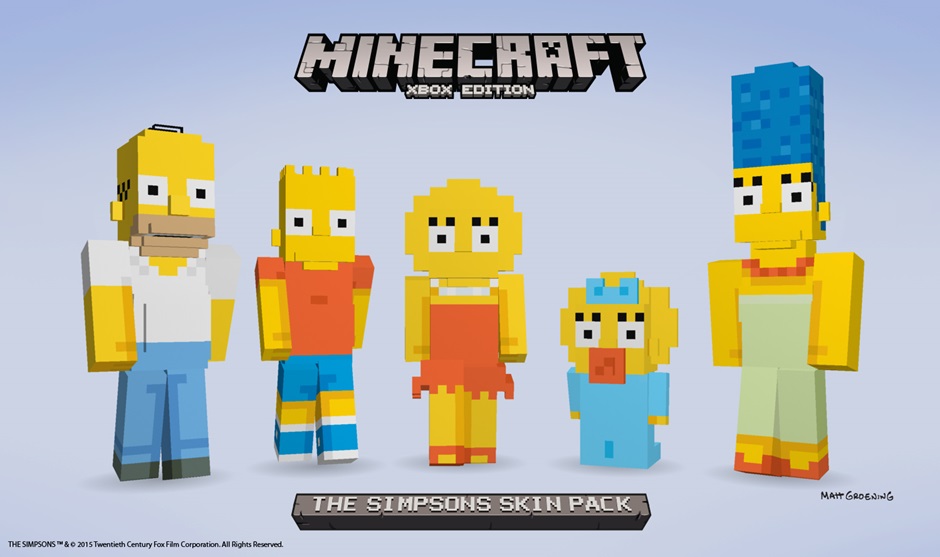
    Now, Microsoft is preparing to bring Simpson family, as well as 19 more characters to life in Minecraft’s cubic world next month. The pack contains the playable characters which will be released in late February for $1.99. The customizable models of the characters lets Homer keep his trademark potbelly and Marge her blue, beehive hair in the pixelated, polygonal forms.

    SkinPack_The SimpsonsB

    Microsoft acquired Minecraft for $2.5 billion in September and has teamed up with Twentieth Century Fox to transform the characters of Springfield to textured cubic blocks for Xbox 360 and Xbox One.

    Minecraft is an award winning sandbox independent video game originally created by Swedish programmer Markus “Notch” Persson and later developed and published by the Swedish company Mojang since 2009. Minecraft has become one of the most popular video games in history, with over 100 million downloads since its launch.

  • Microsoft’s Denim Update is Coming To Lumia Soon

    Microsoft’s Denim Update is Coming To Lumia Soon

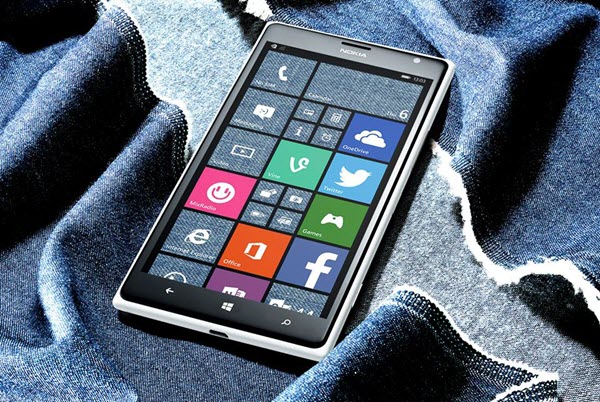
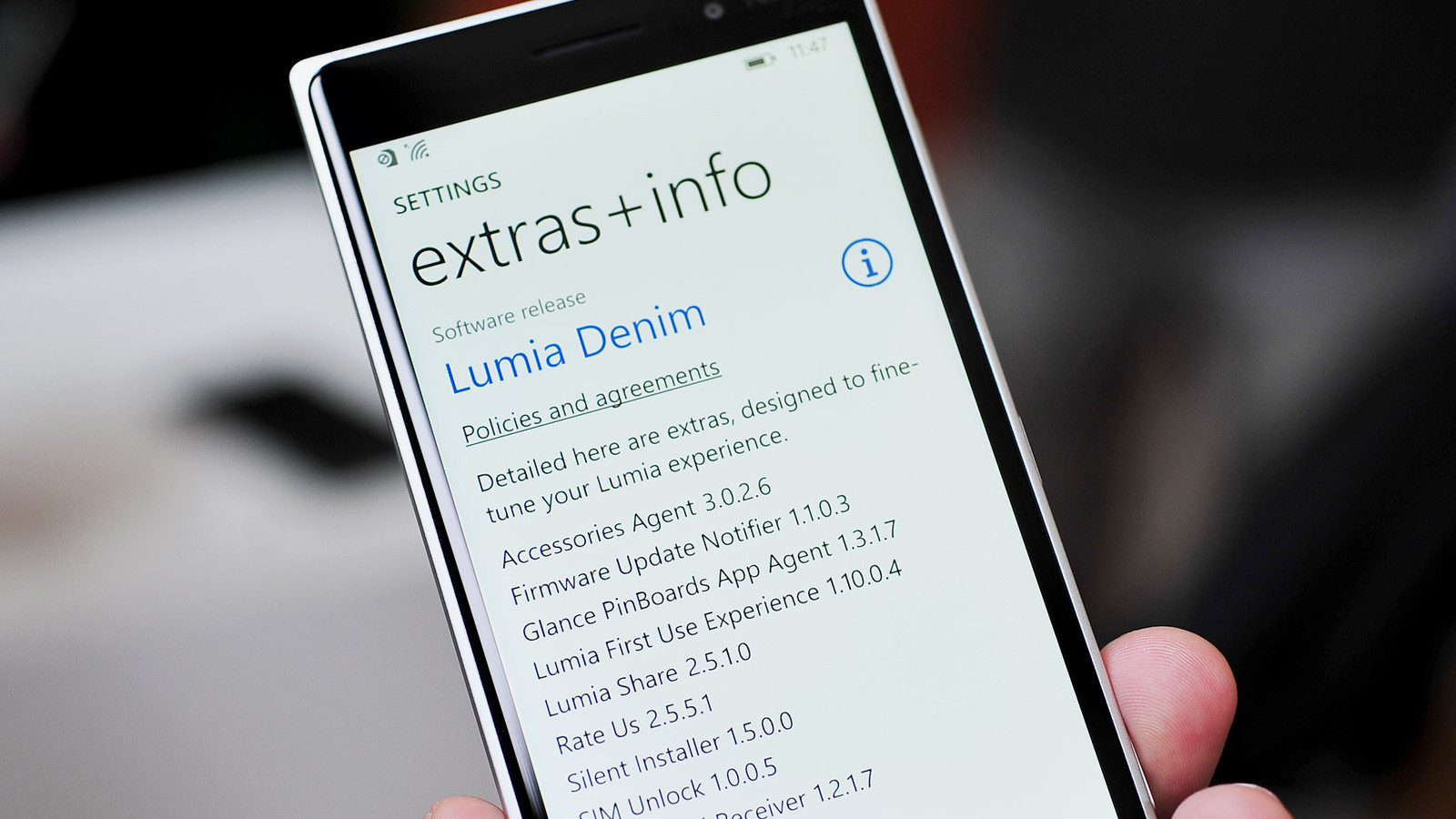
    The much-talked about Microsoft’s ‘Lumia Denim’ update for Windows 8.1 operating system has begun to roll out to Lumia devices, globally.

    According to the company, they are starting the wider roll out of Lumia Denim, a Windows Phone 8.1 Update 1 upgrade that packs a lot of improvements to both imaging and Cortana voice commands and new features like live folders on your start screen and an enhanced glance screen.

    Lumia_Denim_lede_0

    The Denim update has already debut in US through Verizon with 822 and 928 back in December, but the broader deployment suggests that other Lumias are due relatively soon. If you own new handsets like the Lumia 830, 930 or 1520 , you’ll get faster shooting, Rich Capture (high dynamic range, dynamic exposure and dynamic flash) and better image quality.

    Apart from the 830, these phones can also handle 4K video and hands-free Cortana commands. Everyone gets features like Start screen folders, a better web browser and Cortana refinements that include support for in-car speech. Denim is the fourth update to Windows Phone 8.1-equipped Lumia phones, after Lumia Amber, Black and Cyan.

    It’s arriving in waves by country and device, and a wider roll out will commence within the month, according to the company. There is still uncertainity as to whether Indian Lumias will be included in latest wave of update or not.

  • Top 5 Expected Features of Microsoft’s Windows 10 Browser, Spartan

    Top 5 Expected Features of Microsoft’s Windows 10 Browser, Spartan

    Microsoft’s new Windows 10 internet browser, codenamed Spartan, has started to garner attention. Various leaks and rumors suggest that Spartan will be one of the major elements of Microsoft’s upcoming Windows 10 operating system and will come with some ground-breaking features which are currently missing in competing browsers such as Chrome and Firefox.

    We’ve listed the top 5 expected features of the Windows 10 internet browser, Spartan.

    1. Digital Inking Support

    Spartan-Microsoft

    Word has it that Spartan will include digital inking support which allows Windows 10 users to annotate a web page with a stylus and send the notes and annotations to a friend or colleague. According to The Verge, the annotated Web pages will be capable to be stored on OneDrive, “which can be accessed by any browser across multiple platforms”.

    2. Cortana Integration

    cortana-03

    The recent rumors claim that the Spartan web browser will be heavily linked to Microsoft’s Cortana digital assistant. Moreover, current features that work with Bing on Internet Explorer will be used on the Cortana interface in Spartan. Given that the company has already revealed that Cortana will form an integral part of the Windows 10 operating system, this speculation makes sense.

    3. Group Tabs

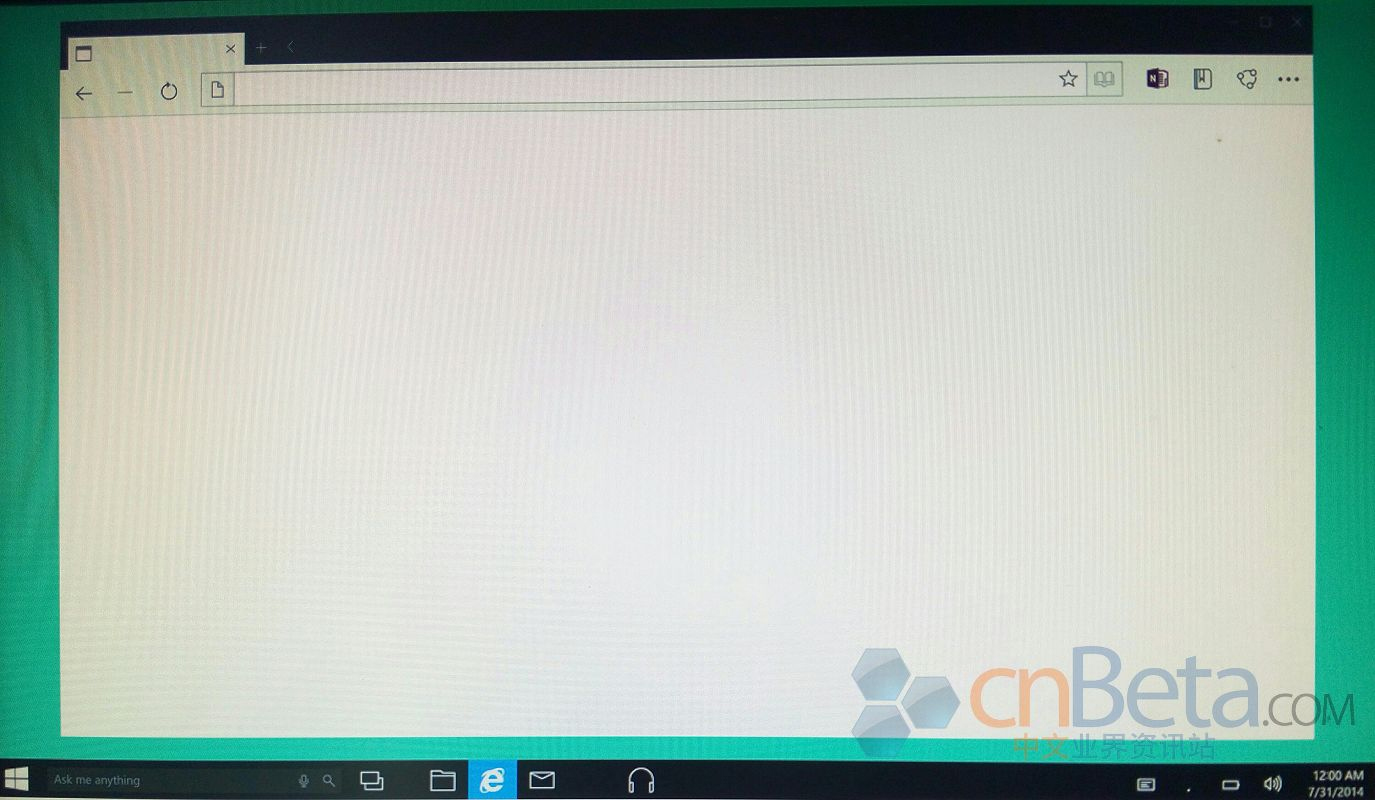
    Leaked images of Spartan  by Cnbeta
    Leaked images of Spartan by Cnbeta

    A third major feature of Spartan will be a new way to group tabs together which will help declutter the occasionally messy interface of multiple browser tabs. Spartan may allow users to open multiple sites in grouped tabs together, so they can do things like compare prices of a new phone without having to switch between tabs or split up personal tabs from work ones.

    4. Fast Updates

    spartan-browser

    According to leaks, Microsoft is planning to feature Spartan as an app in order to facilitate smooth and faster updates. Right now, Internet Explorer isn’t an app that Windows 8 or Windows Phone users get via the Windows Store or Windows Phone Store; it’s part of the OS platform. By making Spartan an app, Microsoft should be able to update it more quickly.

    5. Minimalistic Design

    cortanaspartan.0

    Spartan will use the Trident rendering engine and the Chakra JavaScript engine that are a part of the Internet Explorer. It is expected to look and work more like lightweight browsers such as Google’s Chrome and Mozilla’s Firefox. It will allegedly support extensions. Also, the company originally was expected to add custom themes to the new browser. It appears that will not be the case at launch. However, it is possible custom themes may come in future updates.

    Microsoft has said that the browser is not just a newer version of the Internet Explorer but a different browser altogether. Microsoft is expected to show off and discuss Spartan during the 21st January Windows 10 preview event it is hosting in Redmond, Wash.

iGyaan Network
Privacy Overview

This website uses cookies so that we can provide you with the best user experience possible. Cookie information is stored in your browser and performs functions such as recognising you when you return to our website and helping our team to understand which sections of the website you find most interesting and useful.