Author: Parul Ritvik Sood

  • Top 5 Chrome Extensions Everyone Should Add

    Top 5 Chrome Extensions Everyone Should Add

    Many people use Google Chrome as their major web-browser on their PCs, tablets and phones these days. It’s a great, swift and feature-packed cross-platform browser that’s easy. Google Chrome also provides abundant apps and extensions to make your internet experience even more pleasant. Though picking the ones you need may be tricky. Most people never even hear about the extensions that may work extremely well for them. Well, we’ve listed 5 really useful Google Chrome extensions for you to check out:

    1. Clearly
    clearly‘Cleary’ by Evernote is a very helpful extension, particularly if you’re a student, writer or just someone who spends a lot of time doing research on the internet. It helps you focus only on the reading the important part of the article, blog or news; blocking out everything that is redundant. You can even save the sources to Evernote for later study. ‘Clearly’ also makes it probable to put in order the saved articles by tags, add footnotes or even let the extension read the material back to you. You can even change the background or font size of the materials. It is a very useful app, but you should know that it might not work on all websites.

    2. Faces.im

    Get-Facebook-Chat-Head-Notifications-To-Google-Chrome-With-Faces.im-ExtensionThis handy little tool brings Chat Heads to the desktop, enabling you to keep track of your Facebook messages in the simplest manner. It offers you notifications with small, modest head popups like the mobile app. And when they do show up , this could simply mean a new Facebook message is pending. The pop up circle displays your friend’s photo just like the Messenger app, their name, and recent message they sent when you hover the mouse pointer over their photo.

    3. Agora

    unnamed (1)If you want to get the most out of your money, then use this comparison shopping service. Agora for Chrome aims to provide a clever solution. It gives you your personal workstation where you can append products to your dashboard, put them in order and make comparisons in order to make the best purchasing choice. Although still in early beta, the service works absolutely flawlessly.

    4.TL;DR

    tldr-tldrlogo-2TL;DR (Too Long; Didn’t Read) is a clever extension, it creates a summary of any web article you don’t have time to read fully. It allows you to choose between four different summary lengths, depending on the amount of time you have. With the summaries found on tl;dr, you can easily select what you really want to read and save precious time. Read only what matters, skim the rest.

    5. Ginger

    Ginger_Software_LogoIt is an online spelling and grammar checker extension. Ginger proofreads your typing and cleans up your mistakes with a simple click. The extension integrates itself with the browser’s interface and works in text input fields. Whether you type in a misspelled word or use bad grammar, the extension underlines the mistake. Right-click the word, and a small popup will open, listing alternate word suggestions for incorrectly spelled words or the correct word itself, in the event that you’ve used the wrong tense.

  • Top Tech-Toys For a Perfect Father’s Day Gift

    Top Tech-Toys For a Perfect Father’s Day Gift

    Father’s Day is only a couple of days away, so this should act as the perfect reminder. If you aren’t already, then you really should be thinking about what to gift your father this year. If your dad is as tech-savvy as mine, you have come to the right place. Gifting your dad a gadget is a great idea especially when he loves his tech-toys more than anything. So,we have come up with a list of gadgets that cover all budgets and which make for excellent gifts for your dad this Father’s day.

    Smartphones

    Smartphones are an essentials these day, be it a house wife or student or your dad, everyone depends on their smartphones. Gifting one is a great idea but which one? If you’re willing to empty your pockets, then there is a range of Smartphones. Click on the links and read our full reviews.

    Gionee S5.5 13

    • HTC Desire 816:  The HTC Desire 816 is a good mix of looks, brain and brawn. It’s powerful processor and beautiful screen will make it your dad’s best gadget. Price- INR 25,000 (approx)
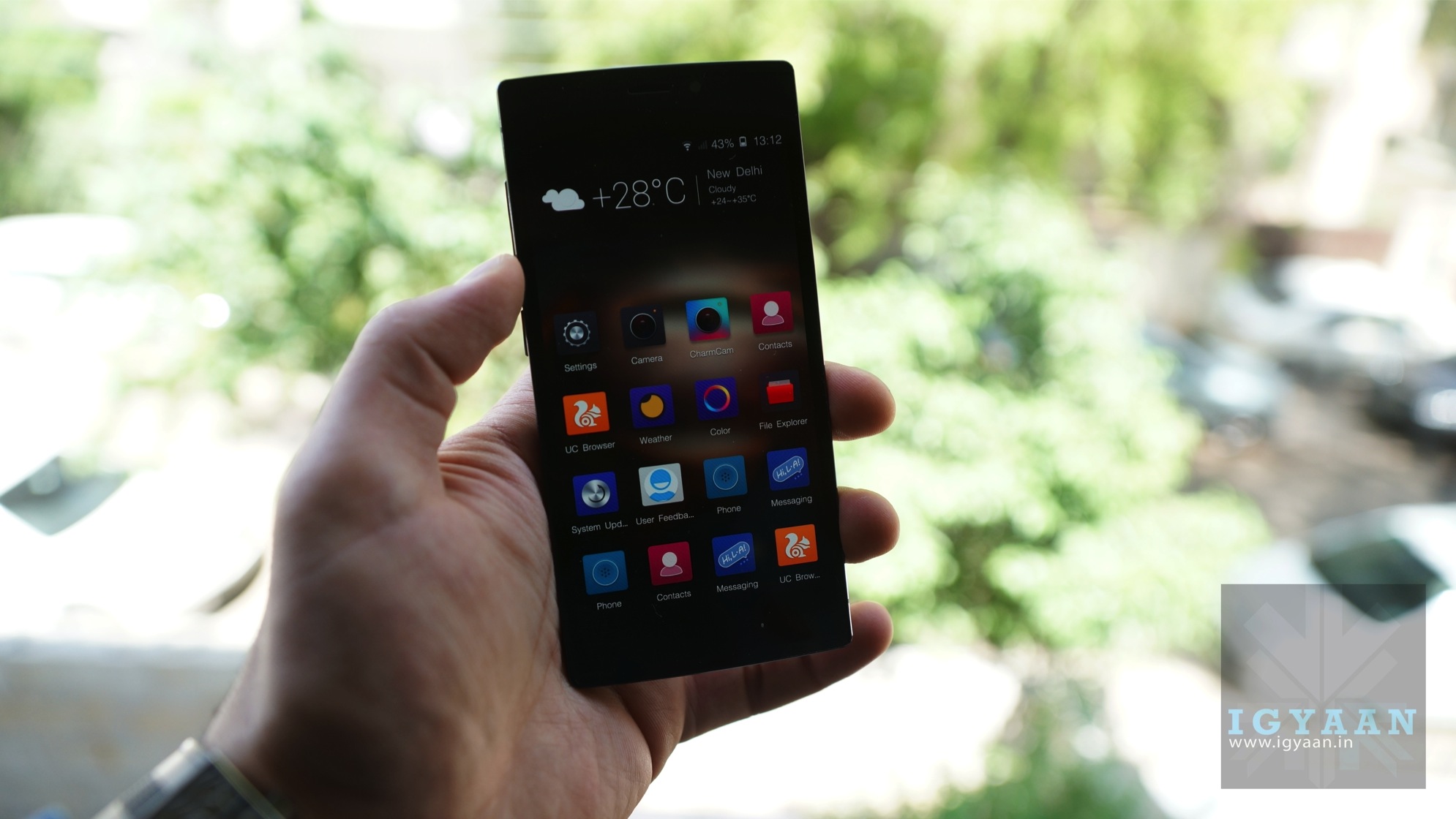
    • Gionee Elife S5.5:  If your dad goed for looks than performance, then the Slimmest Phone in the world will be a perfect gift for your father. It is a decent phone with exceptionally good look. Price- INR 20,000 (approx)
    • HTC One M8:  It’s metal and splash proof body is perfect if your dad is little clumsy and seems to destroy every piece of hardware he owns. Price- INR 46,000 (approx)
    • Galaxy S5:  It has water and dust resistant body and rocking two Quad Core processors, making it one of the best buys. Price- INR 38,000 (approx)

    And if your budget doesn’t allow you to spend a lot, you can also gift him smartphones which fall under under Rs15,000

    • Moto E  It is the one of the best budget phone available in market. It comes with a wide range of colored back panels options. At the price, it is so awesome that you can always have this one as a backup phone. But it is one of the fastest selling phone in India, so hurry up! Price- 7,000 (approx)
    • Moto G Another Motorola budget phone with best features in it’s segment. The phone have everything for a professional dad. In fact it is the most bang for buck phone out there. Price- INR 12,500 (approx)

    Cameras

    canon_powershot_g16_007-580-90

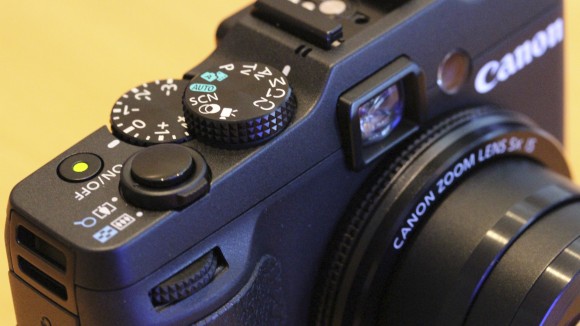
    If your dad is a photography enthusiast then what is a better gift than a camera. If not then you can encourage him to take up photography by gifting him one, it will be a hobby which will relieve him from his daily stress. Check out our of list best pocket camera that are worth gifting you dad on Father’s day. We’ve picked the best onen available in the market these days. Some of them maybe be a little pricey but the quality is incomparable.

    Tablet

    ipad

    Add tablet to your dad’s gadget collection, your dad would love you for it. Gift him the best tablet available in market and that, without any doubt,  is Apple’s iPad. Apple provides you with various variants of iPad like Retina display, iPad Air and iPad mini.

  • Google ‘Accidentally’ Leaks Their Next Android Phone

    Google ‘Accidentally’ Leaks Their Next Android Phone

    Google Nexus 5 was one of the best phones in the market in 2013. Recently, there has been quite a few of rumors regarding Google’s plans of discarding the Nexus for a new Silver program. But a tweet by Android’s official account shows an unknown smartphone, which looks almost like the Nexus 5 with minute changes.

    This promotional tweet was intended to endorse a new feature in Google Now (the ability to see recipe checklists while shopping), exposed a new-looking phone. The photo shows that the alleged Nexus 6 doesn’t have the speaker grill or the camera on the front. The screen also appears to be larger and the bezels are slightly smaller.

    This is not the first time Google has “accidentally” leaked a photo of a yet impromptu device either. Back in November last year, Google posted a promotional photo of a new Nexus tablet and it created a lot of talk about the Nexus 8 tablet. More recently, a header on Google’s micro website revealed an unknown tablet, which subsequently sparked Nexus 8 rumors. Infact, the first look of the Nexus 5 was accidentally revealed when Google posted and subsequently deleted a video on YouTube.

    Seems like we have enough reasons to believe that this may be the Google’s next Android phone. We’re just not sure if this was an intentional move or just a goof-up.

  • Microsoft’s Xbox One Finally Set to Launch in India

    Microsoft’s Xbox One Finally Set to Launch in India

    Well the wait is over, Microsoft has officially confirmed that Xbox One will be available in India on 23rd Sept 2014 starting at INR 39,990. They will also launch Xbox One with Kinect at INR 45,990. Both bundles will include the Xbox One console with a 500GB hard drive, Xbox One Wireless Controller, and a free 14-day trial of Xbox Live Gold for new members.

    Xbox-One-Box-ArtMicrosoft had announced a rough September timeline for India launch (along with 25 other countries) back in March. Conspicuously, Sony launched the PS4 in India (at the same Rs. 39,990 price) in January making Microsoft lag behind by 9 months.

    The owners of Xbox One with Kinect will be able to experience a number of games and entertainment experiences special to Xbox such as gesture controls, biometric sign-in, controller paring, Skype video calls, direct personalization, instant scanning of QR codes, and improved features only available with Kinect in games such “Kinect Sports Rivals,” “Dead Rising 3,” and “Project Spark.”

    Both the Microsoft Xbox One and Sony PlayStation 4 use an incorporated CPU-GPU design by AMD, including an 8-core low power x86-64 AMD “Jaguar” CPU. The Xbox One’s CPU cores runs at 1.75GHz, compared to the Sony PlayStation 4’s 1.6GHz. Although, it doesn’t make any tangible difference.

    Xbox One is packed with features like the Game DVR/Upload which lets you capture and record your greatest game moments and through ‘Upload Studio’ you can easily edit and share clips with your friends and  community. It also offers many apps such as Skype which is specially designed for Xbox One, Internet Explorer,  OneDrive, Twitch, Machinima and IGN integrated flawlessly with your games and TV experience.

    Back in 2013 when it was launched in USA, Microsoft sold approximately 2 million units of Xbox One gaming consoles in its first 18 days on sale. It is too early to say that Microsoft will match its success in India, but it surely will give a tough competition to Sony’s PS 4.

  • Rumor : iPhone 6 to Have Wireless Charging and a Bigger Screen

    Rumor : iPhone 6 to Have Wireless Charging and a Bigger Screen

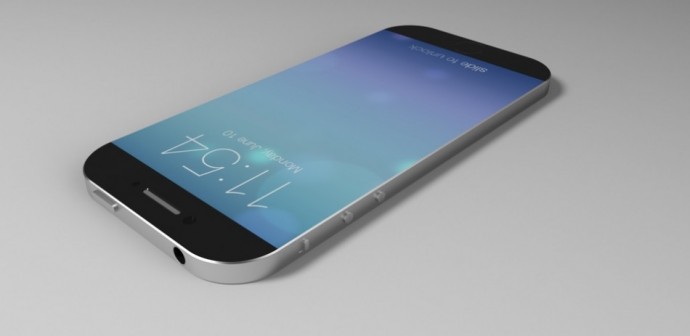
    Apple’s much talked iPhone 6 has developing rumors which need updating almost everyday. The recent leaked pictures and  supply chain chatter has revealed that iPhone 6 is going to carry some awesome new features.

    The latest claims states that the next iPhone is now in the testing stage and the handset is tipped to deliver some mobile device capabilities that were absent from the previous models.

    It is said to feature a significantly larger screen that will take up relatively more area on the front of the phone. The hardware border around the screen will be smaller than on previous iPhones. There is also a possibility that iPhone 6 will be equipped with wireless charging. Venture Beat reported that the back panel of the device is equipped with an inductive charging component that likely will pair with a companion plate for charging it up.

    According to VentureBeat, the iPhone 6 will contain several highly-anticipated features, including near field communication (NFC), wireless charging, a better 4G antenna, and a much bigger screen. Apple is nearly finished creating its next iPhone and is now testing the handset for qualities such as “speed, durability, and network performance,” wrote VentureBeat, which claims to have spoken with a source close to the situation.

    417449-awesome-iphone-6-render-with-wraparound-screen-touch-id-surface-as-mor

    Apple was already including Near Field Communication (NFC) radio in its previous iPhones, but the company decided against it because the emerging mobile payments ecosystem was too stratified and still in its infant stage. Apple is now ready to include NFC in their devices. An NFC radio has been designed into the iPhone 6 which will enable mobile payments in the way that Android phones using Google Wallet already do.

    Headlining the fresh batch of iPhone 6 rumors is the latest wireless internet technology that will be known as Category 6 LTE radio chip. It will be an upgrade of Category 4 LTE that came with the iPhone 5S. This upgrade means that from a maximum wireless broadband speed of 150 megabits per second (mbps) that previous iPhone offers, its descendant will boast of twice the bandwidth capacity, at 300mbps.

    Also, some new allegedly leaked pictures of the iPhone 6 back panel appeared to expose a cut-out Apple logo that in the final cut of the device will set off flashing light patterns to indicate specific notifications.

    The iPhone 6 is expected to debut around the September, perhaps initially with the rumored 4.7-inch model while an even larger 5.5-inch model may arrive after several months. Apple is said to be releasing iOS 8 to the public at around the same time, while the Apple’s iWatch is tentatively targeted for an October unveiling.

  • More Rumors Fly In About The iWatch

    More Rumors Fly In About The iWatch

    Last week, we told you about production of iWatch starting. Now there are several new stories emerging regarding the device. The company has begun accelerating work on the project as it tries to expand its family of mobile devices to the wrist.

    Apple has already started work on trademarking the name in a number of countries in preparation for a late 2014 launch, perhaps in October, and the device was said to be in production as of the second quarter.

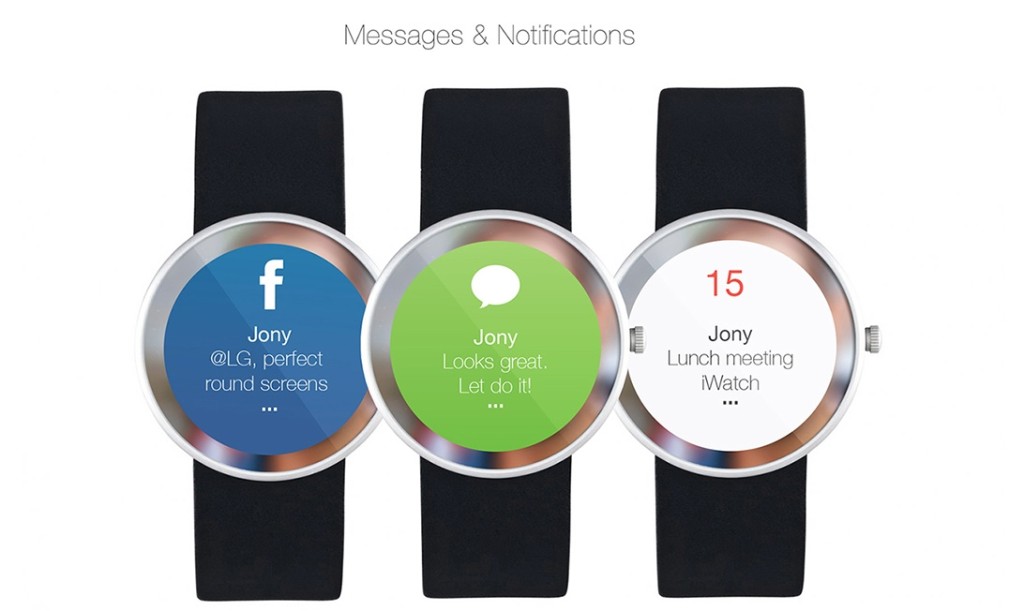
    iwatch-messages-1024x611

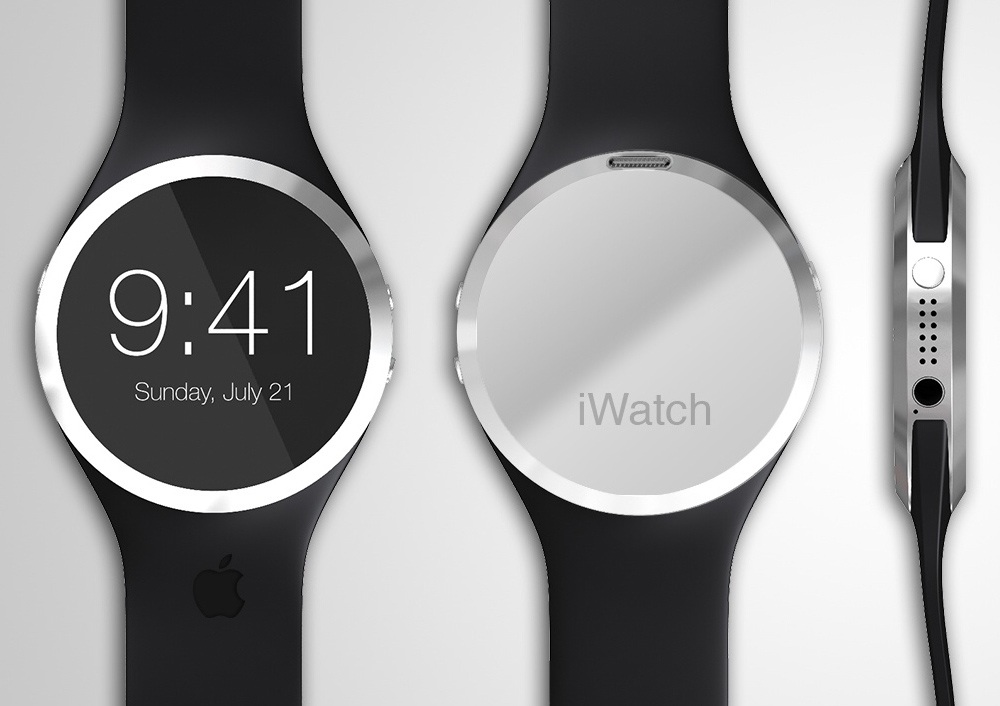
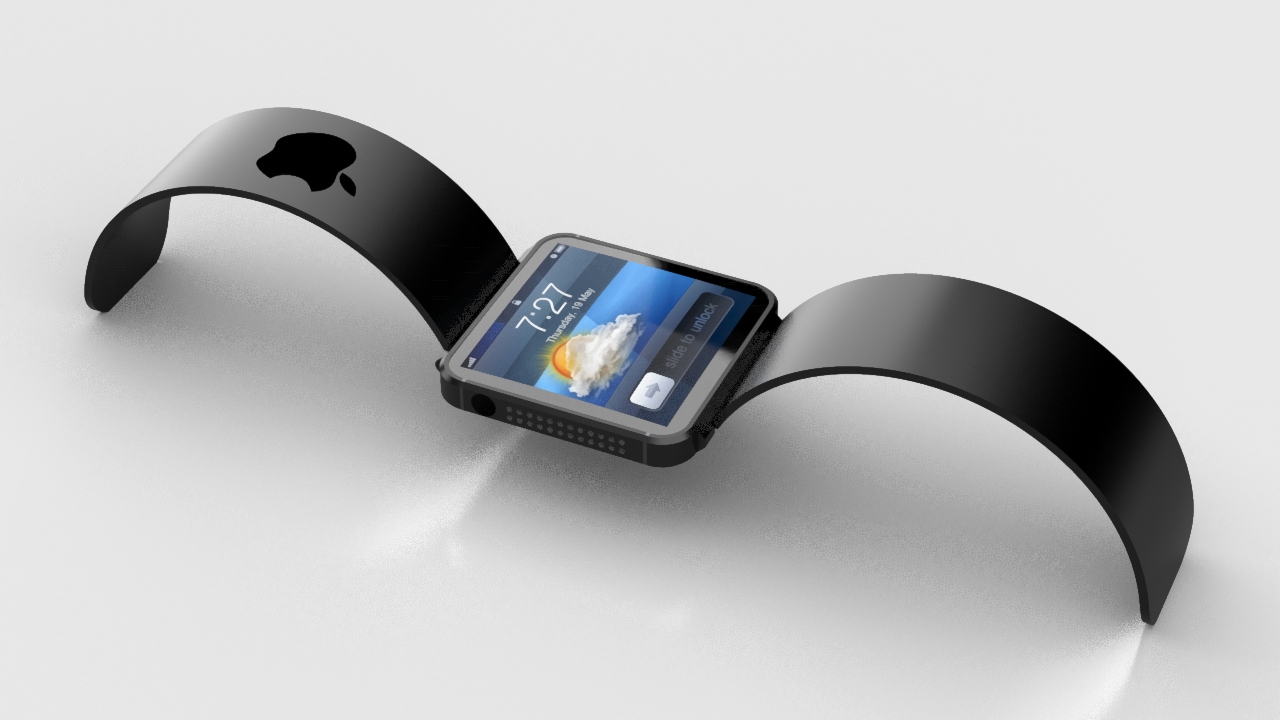
    The Rumors illustrate that the new iWatch will be a round device similar to Moto 360 smart watch. Apple is also said to be using a capacitive touch screen making it smooth to function. The earlier report told us that this smart watch’s screen will be made of rounded organic light-emitting diode (OLED) which will help the iWatch track our important body functions like calorie consumption, blood glucose, sleep activity and blood oxygen levels.

    As Apple ventures into a new territory, hopes since the iWatch might be launched along with much-awaited iPhone 6 and iOS 8.

  • Our List of Top 5 Video Editor Apps Available

    Our List of Top 5 Video Editor Apps Available

    Choosing the right app, for whatever reason, is a headache these days. App Store and Google play is flooded with a range of apps, most of which don’t function as desired or are filled with unnecessary ads. Previously we listed our favorite photo-editing apps and people wanted us to list video-editors too. So, because on popular demand, we picked the best video editors for Android and iOS users.

    Video editor apps, when it comes to phone, are most likely limited to basic trimming, filters and editing. But, there are some which could be useful. Keeping this in mind, check out our list of the best 5 user-friendly video editing apps:

    unnamedVivaVideo

    This app tops the list because it is one the most simple and fun phone video editors available in market. The app gives the option of creating photo movie, pro editing, simple video editing and PIP(Video trimming). The design is so simple that even first time user can use it like a Pro. The app provides you with  range of themes, filters, transitions and also the option of adding text. You can add music from your personal library or choose from the VivaVideo’s music library. Even better, you can dub your voice in real-time while you’re editing the video.

    mzl.yqwerkzw.175x175-75VIDEOFX Live

    VideoFx Live is rammed with awesome real-time effects. It is perfect for a DIY music video or if you’re planning on compiling messages for your friends birthday. You can even sync devices, shoot the same scene from different angles and fade between different videos. Video Fx is a simple app to handle, with minimal options. VideoFX Live records both video and audio. It automatically stores the shot videos within the app, skipping on the phone’s gallery. It offers you a wide range of Instagram-like real-time effects. But the problem is that it can only shoot upto 10 seconds, which makes it similar to Vine (but with better effects). Through VideoFX Live you can save your creations in a camera roll, upload directly it to Facebook or YouTube, or send it via email.

    1394986186_unnamedKineMaster Pro

    This app is actually for the professorial editors. KineMaster Pro gives you a multi-tracked timeline with full drag-and-drop support. You can import multiple videos, images and audio clips, and then move them around with your finger. The app gradually picks up on your choices and adjusts its functions accordingly. Select the element you want to tweak and then tap the scissor icon above the timeline. You can then drag your finger to trim the clip or tap a “Split” option to divide the clip into two separate pieces for further manipulation. KineMaster has tons of options for improving the quality of the video, ranging from sliders for adjusting a clip’s brightness, contrast and color saturation to a range of filter-like color effects. The app also has one-touch tools for rotating videos or images and an impressive selection of professional-looking transitions to give your project a more refined look.

    w300VidTrim

    VidTrim is less of a full-fledged video editor and more of a collection of tools for basic video manipulation. The app doesn’t give you a standard timeline for editing; rather, you just select a video clip from your device and then tap one of a few options available. Tapping the scissor icon opens up the app’s Trimmer tool, which gives you a simple slider for selecting a small portion of your clip and trimming it down to only that section. It also allows you to save your selection as an MP3, should that need ever arise. Tapping a tools icon, meanwhile, gives you the ability to change the video’s size and quality. It also allows you to add a supplementary audio track into the clip. Though there’s no way to fine-tune where exactly the audio will play or how loud it’ll be. Last but not least, an overflow menu icon holds the option to grab a still frame from a video as well as to apply a variety of different filters — standard stuff like black and white, vignette and vintage modes.

    Magisto_iPhone_LogoMagisto

    Don’t take this one seriously, it is just for fun. You actually don’t edit the video here. butt the app does it for you. Though it creates the video with great effect, it takes too much time to generate it. All you have to do is shoot the video or upload it from gallery to the app, select the theme and then select the sound track and you’re done. The app will automatically create your video for you. It selects the best parts of the video and creates a short movie with it. Magisto has its own music library too. Though you can choose your own track for the movie.


  • Rumor : Apple’s iWatch Production May Have Started

    Rumor : Apple’s iWatch Production May Have Started

    Rumors have been flying since the beginning of this year that Apple is getting set to launch a watch-like device. The iWatch which consumers can connect with their smartphones.

     The fact that Apple didn’t announce any hardware during WWDC 2014 disappointed everyone. We now have to wait a few more months before we can get any new hardware from the company. Hopes are high as everyone is buzzing about how iWatch might be launched along with much-awaited iPhone 6 and iOS 8.

    The reports further tell us that this smart watch’s screen will be made of rounded organic light-emitting diode (OLED). The device will be able to track most of our important body functions like calorie consumption, blood glucose, sleep activity and blood oxygen levels. It may also use Apple’s new HealthKit platform for health and fitness tracking.

    Since it will be connected to your iPhone, you will also get phone notifications on the watch. It is predicted to come with a sapphire glass display, which was one of the biggest investments of Apple recently. It seems like it’s the new go-to material for Apple, since one of the major rumors for the upcoming iPhone 6 includes the same screen.

    Samsung had tried its hand at something similar. But the Samsung Galaxy Gear Watch didn’t quite attract the eye of users. The iWatch might come with wireless charging, which Samsung failed to deliver in its smart watch. Now, since Apple is all set to launch its smart watch, we’re curious to see how the users will respond to this device. Is this gadget going to be the next big game-changer?

  • Top 5 Apps To Keep Up With The FIFA World Cup

    Top 5 Apps To Keep Up With The FIFA World Cup

    Friday, June 6, 2014 is going to mark the start of the the 20th FIFA World Cup 2014. The world has been in a frenzy, counting down days to its start. With the tournament coming to an end on 7th July. It’s going to be an entire month of madness. That and, 32 teams and 3 matches a day during the world cup is lot of news to keep track of. But as always, smartphones make our lives easier.

    There are loads of apps this time to keep track of the news, matches, conferences and what not. So, we thought we would test a few of the applications to try to find the best World Cup application and save you the bother. Here are the ones that deserved a mention:

    unnamed (1)Onefootball Brasil

    Onefootball Brasil is our pick for the best World Cup app for a number of reasons.The app’s game pages are second to none. You can get notifications for goals as well as check line-ups, see live match data and chat with other fans while watching the game in real-time. The app also has sections where you can read related tweets, watch videos and see live tables and standings.

    brazil-2014-countdownBrazil 2014 Countdown

    Can’t pass the time while waiting for the World Cup to start? Are you counting the days until the first match? How about the minutes? Well, if you crave to really get keyed up for the event, this free app provides a running countdown until the World Cup begins—down to the last second.

    unnamedESPN FC Soccer & World Cup

    The official football app from ESPN offers the in-depth coverage “the worldwide leader in sports” is known for. The app features live video highlights of key plays, feedback and breakdown from ESPN’s team of top analysts and commentators, and breaking news. Also, even after the World Cup has ended, this free app can help you keep up on the action in the English Premiere League, La Liga, MLS, the Bundesliga, and much more.

    FIFA official app ios - CopyOfficial FIFA app

    FIFA’s official app is a upright effort with a satisfying design. It doesn’t offer as many features as the other apps mentioned, and is somewhat slow to load and navigate, even on WiFi. Available in five languages, the FIFA app does however include news from the FIFA site, a match centre and a table of the official FIFA country rankings. The FIFA app also has video and photo sections, but at present there are only two videos, and the photo section loads a blank page.

    unnamed (2)365Scores

    It is an unofficial app offering  scores, news, tweets, and standings information. 365Scores has good squad listings and photos for each of the teams at the tournament in great design and format. If you are going to Brazil to fulfill your World cup dream, this is one must-have app on your smartphone. 365Scores also provides you with stadium guides, displays a map of Brazil where you can click on each stadium to get information about each stadium and the matches to be held there.
  • Using Virtru To Secure Confidential Emails

    Using Virtru To Secure Confidential Emails

    You may have come across a situation when you need to send some personal information to someone, but wondered if email is a secure enough channel? In that case, Virtru can help you out.

    Identity theft is huge problem on the internet. You don’t know when and from where your confidential information can be hacked. Be it your credit card payment, bank details or just an address, hackers find way to get it. An email message may only be virtual but if it falls in immoral hands, the cost and damages can be very fatal. The service offers encryption, message tracking, and the option to delete sent messages after the work is done.

    Secure-Email-Digital-Privacy-for-Consumers-Enterprise-_-Virtru

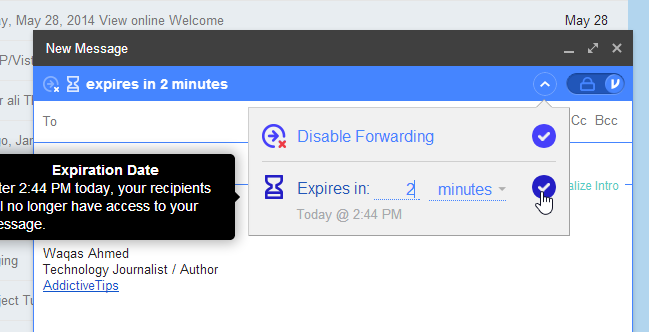
    With Virtru, you can decide when to keep your digital content private and secure even after it’s shared online. You can manage and revoke access to emails, photos, files and other content at any time, right from within your favorite programs like Gmail, Outlook, and Mac Mail on your desktop or smartphone.

    Virtru-Activate

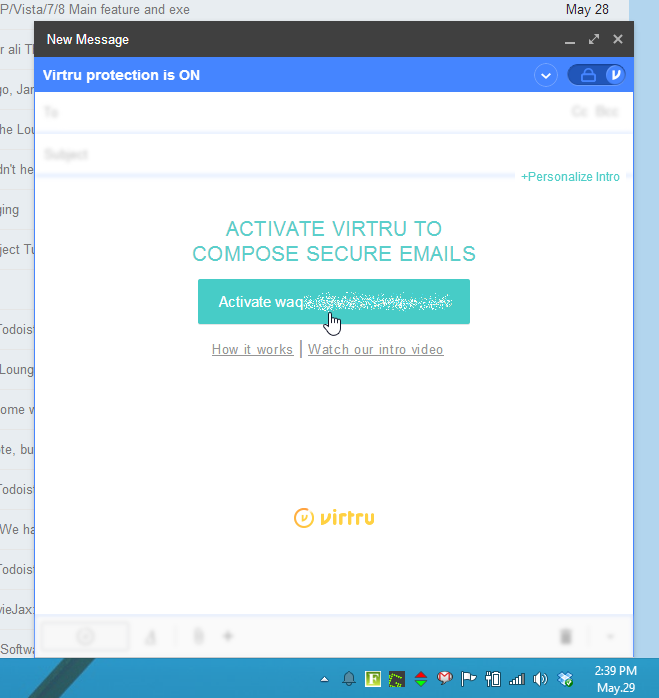
    There are ample of ways to encrypt your email much like a full PGP encryption, but all of them can be difficult and complicated to set up and use. Virtru took this seriously and created an add-on that makes encryption automatic—every message you send and choose to be secure is encrypted before it leaves your computer.

    Setting it up is easy as well, and doesn’t require as many of the hoops as other tools do. The service provides you a dashboard which can be used to see if your messages have been forwarded to others or read by the recipient. You get access to files or recall messages at any time.

    Virtru provides you a multi-platform service. At present it supports Firefox and Chrome, while Internet Explorer and Safari versions are not available yet. Apps are available for Android and iOS, which give you most of the same options as their web browser equivalent.

    Virtru_Options

    When you send email through Virtru, it by design encrypts your email message and transfers it through its own server instead of that of your email provider. The original email message is replaced with a link to the Virtru website where the message can be then read.

    It is a great way for securing your emails while not bothering about PGP encryption, which mostly goes over your head. It’s compatibility and multi-platform service makes it one of the best software for encrypted Emails.

  • All You Need to Know About The New iOS 8

    All You Need to Know About The New iOS 8

    WWDC 2014 unveiled some of the most important upgrades since the introduction of the App Store. One of the most highlighted upgrade was the iOS 8. The company added tons of developer tools for home mechanization, heavy gaming performance and extensions in abundance. There’s a lot of polished new apps and add-ons that will earn rave reviews from fans, once it drops later this fall.

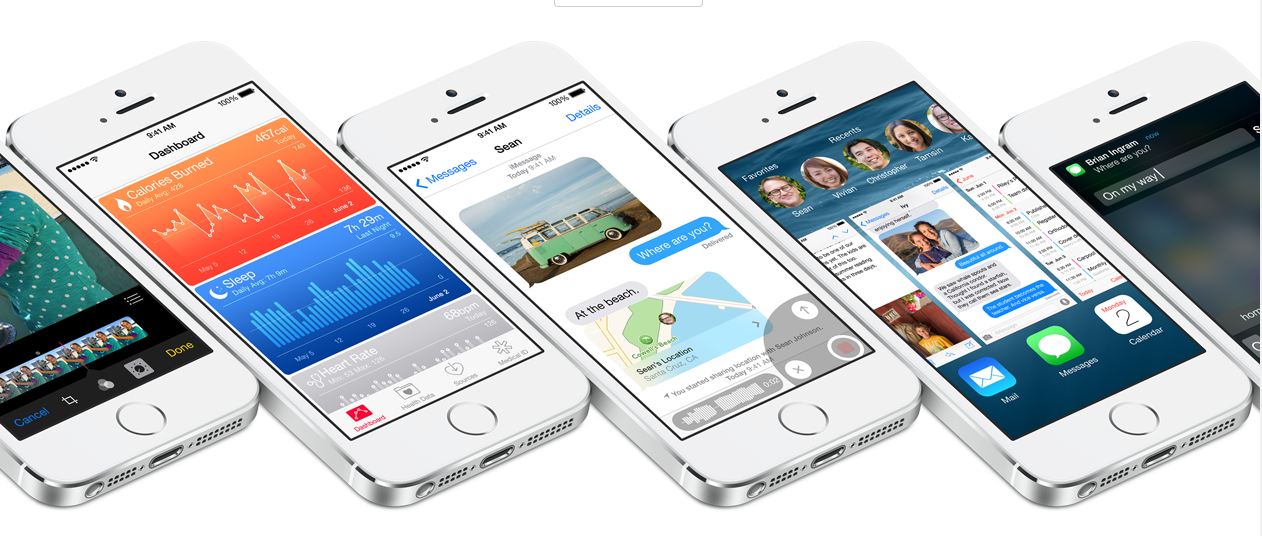
    Let us introduce you to the Apple iOS 8. We tested out the Beta version on iPhone 5, and like they’ve said – it’s quicker, more productive and more integrated than ever before. Here’s what’s new on board:

    Photo Library and Photography

    photo apple

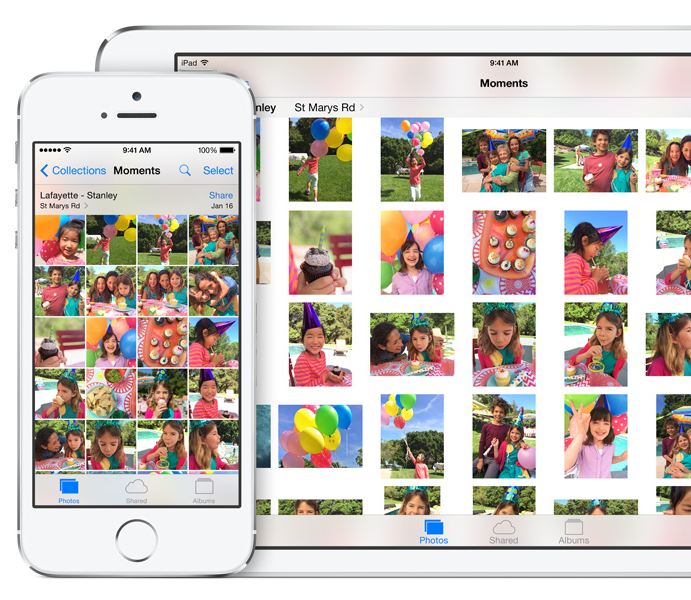
    Apple added the powerful iCloud Photo Library which ensures all your edits are automatically synced between devices. The new iOS 8 also includes new photo editing tools which give users manual control over the exposure, shadows and color of the photograph. If a user is focusing on clicking an overly bright object, the brightness can be directly reduced by swiping the screen and reducing the exposure. Along with the new editing functions, Apple has made the Photo Library more user-friendly by adding the ability to search based on location, time or albums.

    Bye-Bye Snapchat

    mesage

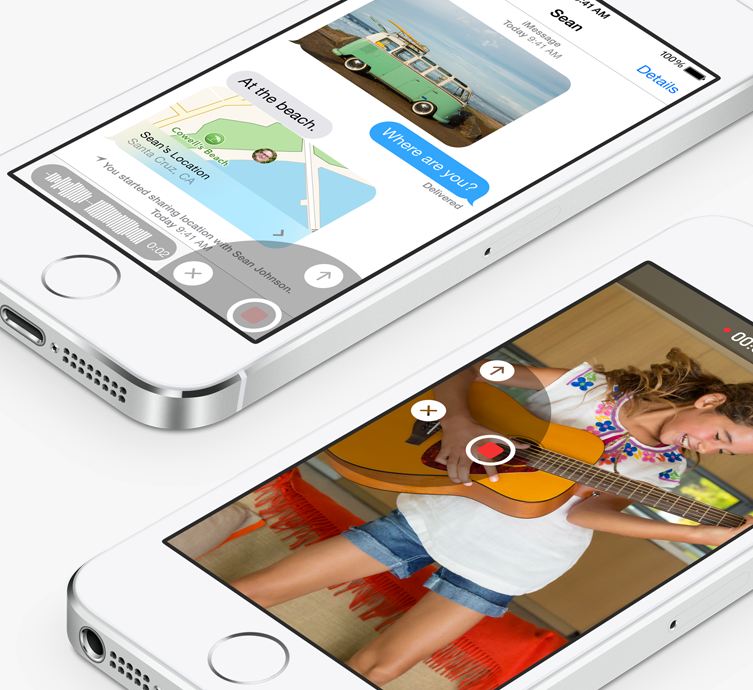
    Apple has taken a great leap with the iMessage by including features such as ability to not only send quick video and voice messages, but also the option to make them expire. The Tap to Talk feature lets you share video and photos with a simple gesture, option to leave a conversation, label threads and add/remove contacts mid-convo. The option to add DND to specific threads will put all the leading chatting apps to shame.

    QuickType and Third-party Keyboards

    keyboard

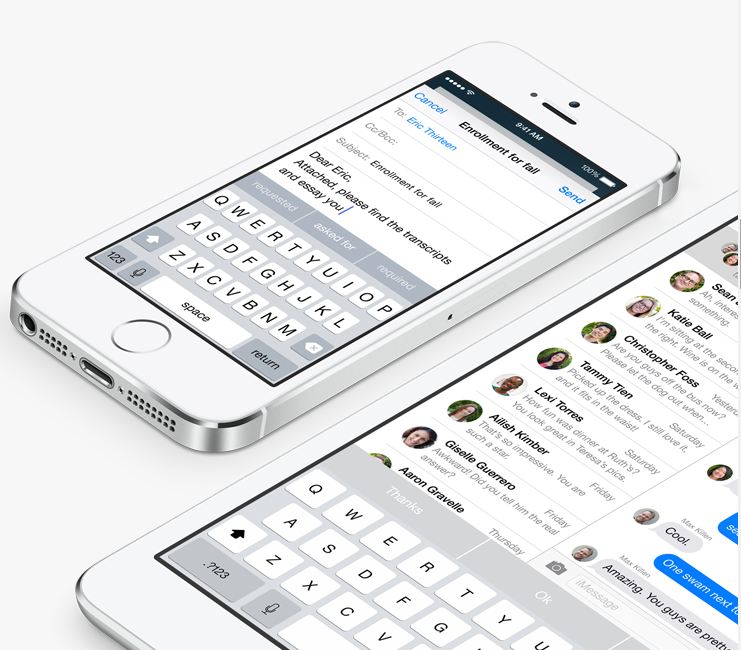
    Apple is including third-party keyboards to the new update as well, so you can Swype with the best of them, or you can find a keyboard where you actually understand when the Shift key is on. They have also introduced the new predictive typing feature called QuickType which gives personalized suggestions while taking content in the context. It not only helps while you’re tying out a message, but when you receive a message, it understands it and offers possible responses. As the name suggests QuickType is quicker and easier than ever.

    Health Connect

    health

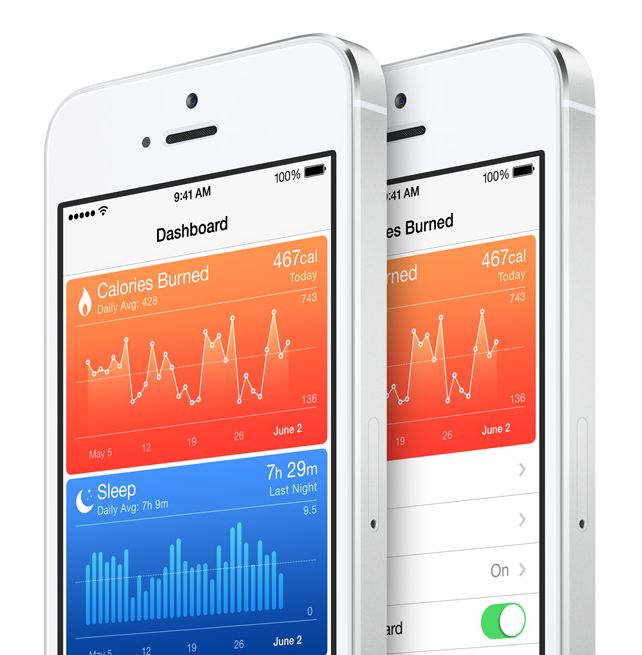
    Apple introduced a new integrated programming system called HealthKit. Through this, users will be able to connect applications and develop a central database of all their health data. It has an extensive list of functions. The fitness tab has integrated Nike Fuel and can monitor and record your fitness numbers which includes your Body Fat Index, distance that you run, calorie intake, the steps climbed and the hours you’ve slept.

     The new Health feature will also include the information from other apps you have purchased in the app store, as well as connect with your personal doctor through a dedicated application. If you get your blood pressure or your sugar blood checked from your hospital, your iPhone will receive a notification and store the results. You will be able to store it privately or share this information easily with other doctors. So essentially, a combination of your entire medical and fitness history will be in your hands, all the time.

    Sharing is Caring

    sharing

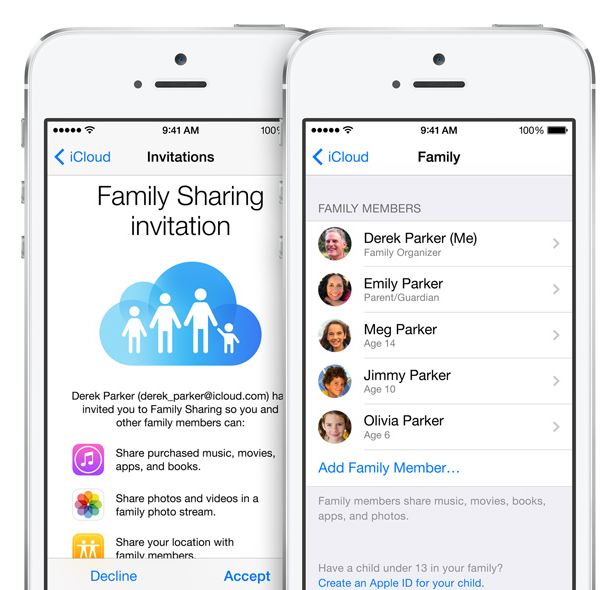
    Apple’s innovative Family Sharing lets you share your apps with up to 6 different people so they can enjoy all your apps without buying them on their own. The new feature will be connected through your credit card to their account. But don’t fret about the privacy settings, iOS 8 will require a consent from you before anyone cause use the privy information.

     App Store Makeover

    app

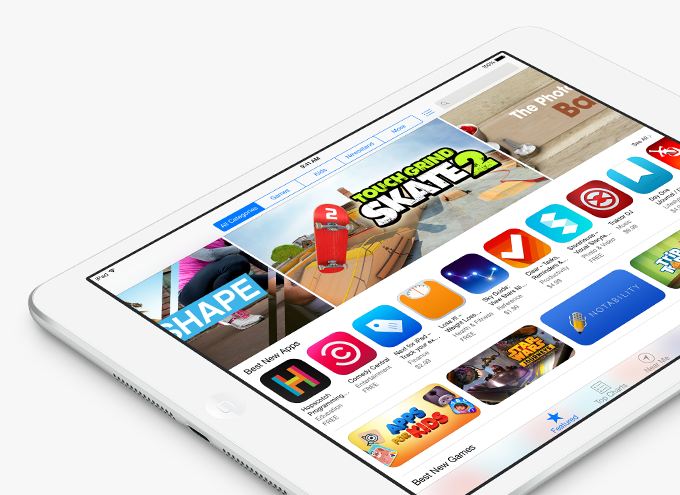
     One of the most exciting new feature in iOS 8 is the updated App Store. It has new searching features and they’ve also added categories for easy excess. They’ve added the facility to create video previews of their apps, so you get a better idea what you’re buying, and if you’d like to test new apps, the new TestFlight feature gives developers the ability to propel you access. And yes, there’s finally providing “App Bundling”, so you can get big deals on a number of apps at once.

    Siri Becomes Cooler

    siri-ios-7

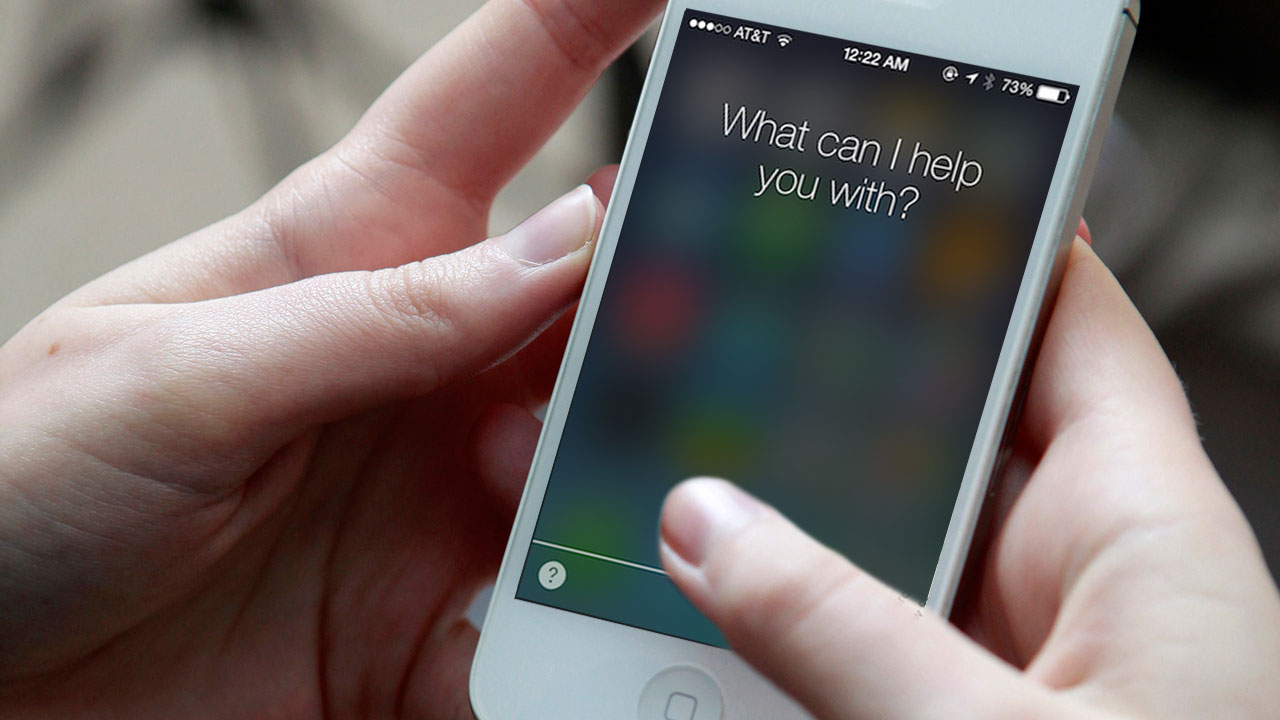
    Siri can now be activated by saying “hey Siri,” rather than pressing the home button. She can now understand more languages and accents. The best part? Apple has gone ahead to integrate a music-recognition feature, so you can know which tune is being played instantly, without wasting time to open an app. You have the option to download the song instantly from the iTunes, and if you’ve installed Shazam, you can save the song in your tabs.

    Last Bits of Improvements

     Some of the last bits of new features include: iOS 8 allows you to directly reply to your messages from the NC panel, Touch ID can now be used with third-party apps so you not at all have to enter your password again, phone calls can be answered from your Mac, and AirDrop is now attuned with iPhones and Macs.

    Like it always happens, the features of iOS 8 Beta 1 are subject to change, but based on the specification of WWDC’s offerings and the added APIs for developers, iOS 8 will be an exciting update once it’s accessible for users later this fall.

  • More Jobs Thanks To The Battle Of E-Commerce

    More Jobs Thanks To The Battle Of E-Commerce

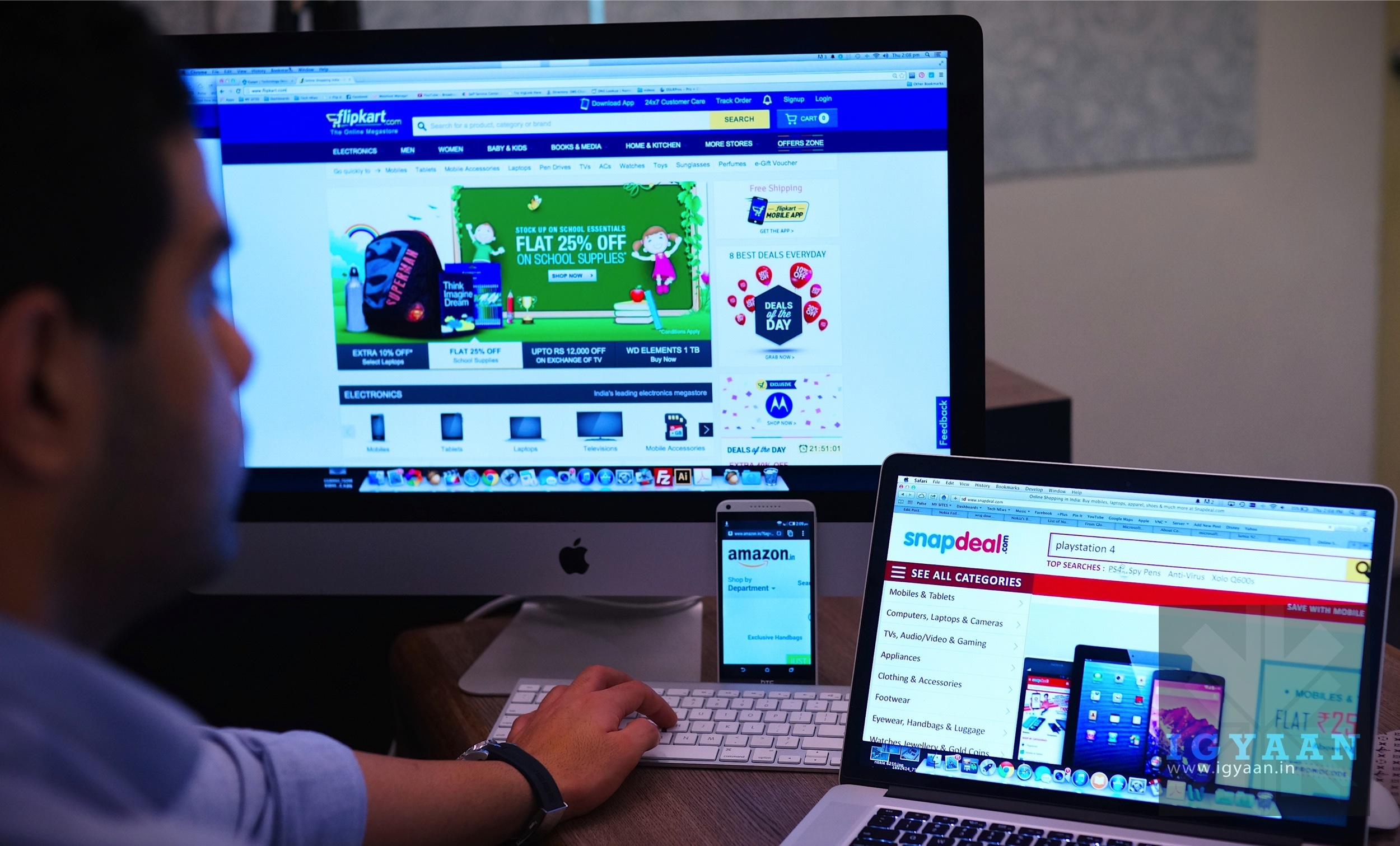
    Flipkart, India’s largest online retail portal, took a great leap this year when it bought Myntra for $330 Million. It was the largest acquisition in the Indian E-commerce sector since last two years. Flipkart is now in battle with Amazon.in and they are locked in competition for the throne of the biggest e-commerce website in India. The invasion of giants like Ebay and Amazon is forcing Indian online retailers to get critical masses to compete.

    E-commerce-money-1

    Founded by two ex-employees of Amazon, Flipkart is expanding day by day and is introducing new categories to their site. They also grabbed an exclusive deal with Motorola Mobility for the sales of Moto X, Moto G and Moto E which has been a phenomenal success. The company immediately rand out of pieces after the release of Moto G and E, even though they had prepared and kept a massive stock.

    Flipkart’s merger with Myntra created an entity with annual sales of $1.5 billion, which is over half of the country’s emerging online shopping market. Venture capitalists have been bucketing money into the sector, scenting potential.

    So far, $497 million worth of deals have been struck already this year, in comparison to the $592 million for all of last year. Most are small in value but significant stepping stones as retailers put together critical mass.

    This battle of the e-throne is also giving a boost to the number of jobs in the sector. The new websites are going live and old ones are expanding. As foreign and domestic e-retail giants are swelling up their businesses antagonistically against each other, hiring activities are expected to grow by over 30 per cent in the sector and may help create up to 50,000 jobs in the coming years.

    Since 2012, considering the growth vista of the E-commerce sector in India, major venture capital firms such as Accel Partners have invested significantly. In one of the principal fund raising, Flipkart.com, in August 2012, raised about INR 822 crore (US$140 million). Entertainment ticketing website BookMyShow.com raised INR 100 crore (US$17 million) asset by Accel Partners. On July 10, 2013, Flipkart announced it had received $200 million from existing investors Tiger Global, Naspers, Accel Partners, and ICONIQ Capital. New investors who are making up the additional $160 million include Dragoneer Investment Group, Morgan Stanley Wealth Management, Sofina, Vulcan Inc. and more from Tiger Global.

    blog_ecommerceHiring has been rather slow in the e-commerce space over last couple of years, but recruitments are expected to rapidly grow by 33 per cent, over the previous year as various retail brands are also bringing in their business online.

    According to Amazon, the industry is growing at a fast rate and there is still a huge potential for growth. They have grown exponentially over the last 11 months and chances are they will continue to see growth.

    To match the rise and pace of the sector, there will be an explosion of new jobs and recruitment’s soon. The scenario of the sector can  be compared with the BPO explosion in early 2000’s which employs approximately 1 Million professionals at present. Nevertheless, BPO offered jobs to people from all walks of life, from housewives to high school graduates, while E-commerce sector need skilled employs which restrict their hiring process.

    Driving sales growth is India’s fast-growing number of Internet connections which was triggered by exploding sales of affordable smartphones and data plans. Internet users, total of 175 million, expected to grow to 429 million by 2019. Up to 30 per cent of e-shopping now is done using mobile devices. About three-quarters of online shoppers are aged 15-to-34. This broad consumer market and the fact that e-commerce websites in India are constantly trying to up their game is creating a huge potential for an jobs in the industry.

    Important Update: Last night Reuters reported that the Indian Government is planning to ease the restrictions on foreign e-commerce sites like Amazon. Another good development since this will allow them to sell their own products in the Indian market.

  • Top 5 Websites to Get You Thinking Again

    Top 5 Websites to Get You Thinking Again

    Maybe it’s just us, but we miss classroom education. To be in awe of a professor who manages everytime to open your eyes to ideas and blow your mind with new concepts. The thrill of preparing for a test and the anxiety before the results are out.  Maybe it’s just us, but they truth is that the monotony of life and work stagnates our thinking. We can’t stress upon how important it is to keep adding and refreshing information.

    The concept of self-education and distance learning is widely accepted these days. Sitting at home, taking video lessons and earning degree from an international university may sound unfeasible, but we’re lucky that the power of internet has made it possible. Somehow, a power that not enough people are utilizing.

    It’s more practical in India where most of the colleges don’t provide specialized courses you want to do. Solving this problem, there are some website which provide free education and degrees for small fee. We are listing amazing educational websites which provide you with variety of courses and help to strengthen your CV.

    coursera logo

    Coursrea

    Coursera is an education platform that partners with top universities and organizations worldwide, to offer courses online for anyone to take, for free. The aim of Corsera is to provide everyone with world-class education.  The website provides free courses online from top universities, including Princeton University and the University of Michigan. The topics are varied, and lectures are formatted into series of 15-minute-long clips.

    Udacity

    Udacity

    Udacity’s mission is to bring accessible, affordable, engaging, and highly effective higher education to the world. They believe that higher education is a basic human right, and seek to empower students all over the world to advance their education and careers. Udacity at present offers 11 courses , all of which are in science and math-related topics. According to the website, plans are in progress to spread out the set of courses. Udacity is free of deadlines, free of quizzes and other annoying school stuff. Needless to say, courses are also free of charge.

    big_white_logo

    Open Culture

    Open Culture brings together high-quality cultural & educational media for the worldwide lifelong learning community. The website’s mission is to centralize the  content which is ‘scattered across the web, and not easy to find’, curate it, and give you access to this high quality content whenever and wherever you want it. Open Culture offers you incredible compilation of 400 courses for free, from Ivy League universities, such as Stanford, UCLA, Columbia and Oxford University. Courses ranges from science and art to math and economics.

    screenshot-large-khan

    Khan Academy

    The Khan Academy has a large library of videos covering math, biology, chemistry, physics and even the humanities, finance and history. Khan videos aren’t so much recorded lectures as short 10 minute long tutorials with an instructor narrating explanations and working things out on a board by hand on your computer screen.

    ted-ed-icon

    Ted-Ed

    Ted-Ed is a powerhouse of really fascinating and amazing lectures combining expert educators, screenwriters and animators. A riches of amazingly animated and gripping videos on a wide collection of subjects, such as The Power of Simple Words  and How Many Universes are There.  All videos are under 10-minutes-long. Ted-Ed videos are already very popular all over internet with huge amount of viewers on Youtube. Ted-Ed also provide supplemental  materials such as quizzes, books, e-books etc.

  • New Sony Xperia T3 Joins the Slim Phone Race

    New Sony Xperia T3 Joins the Slim Phone Race

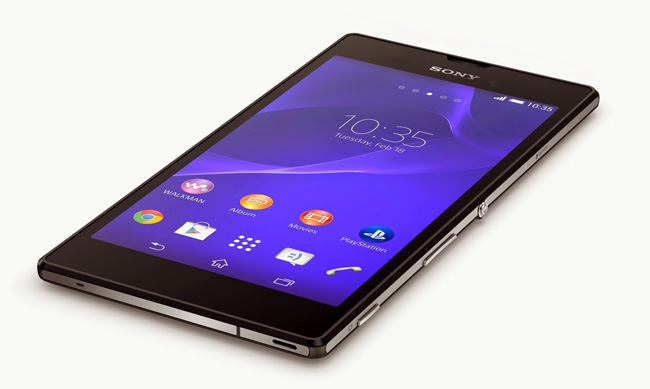
    Sony has just announced the new phone in its slim phone category, Xperia T3.

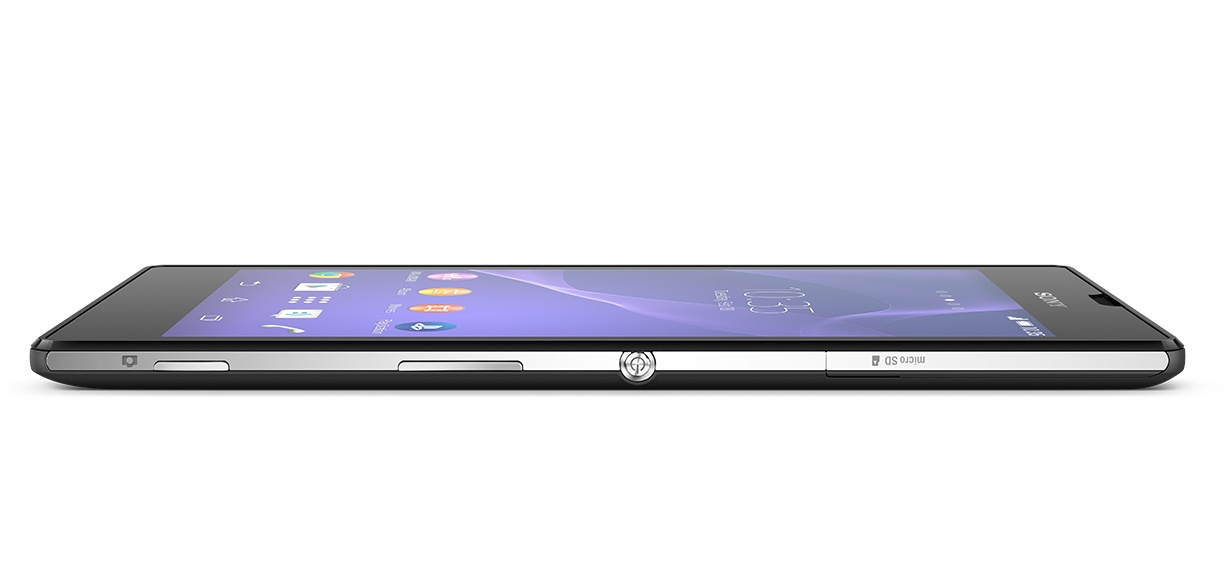
    The slimmest LTE phone in the world weighs around 148 grams and is 7mm thick. It will be competing with Gionee Elife S5.5 which is the slimmest phone available in the market at just 5.5mm thickness.

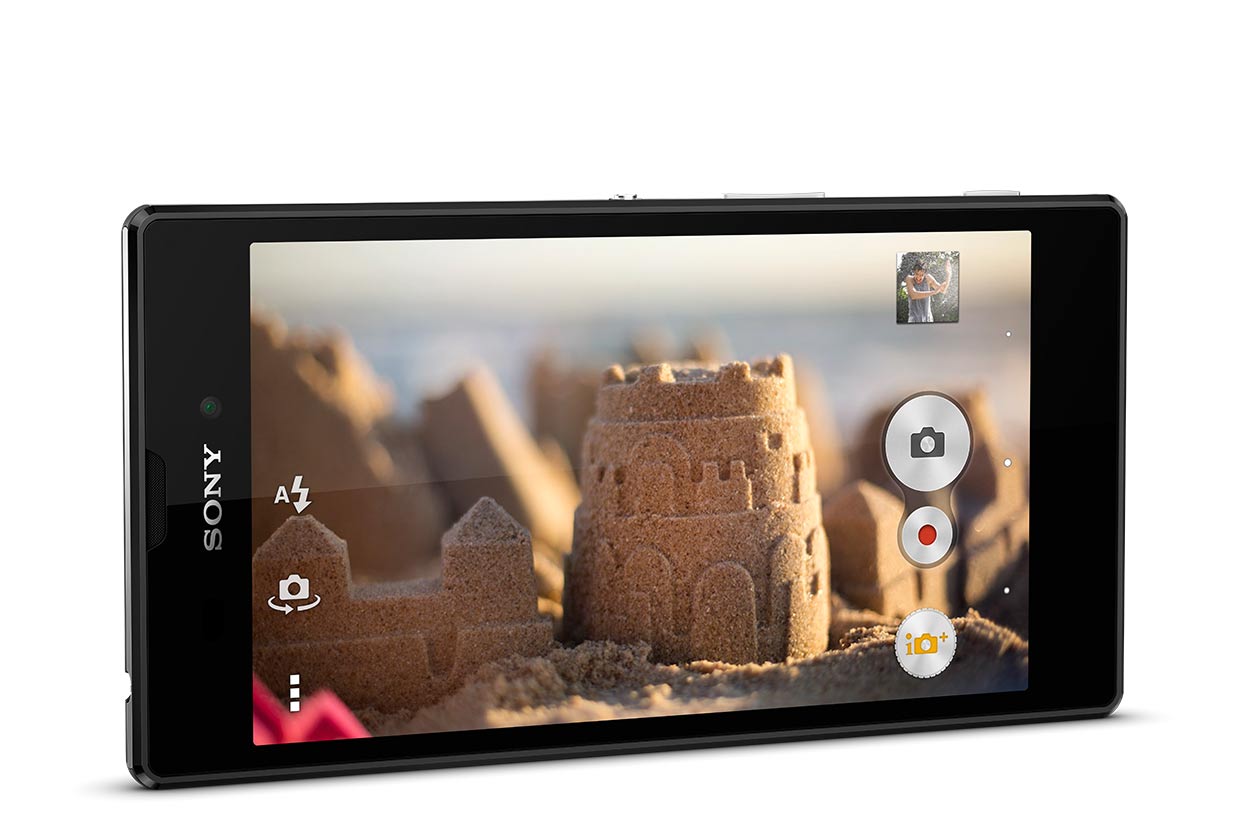
    The Sony Xperia T3 has IPS-LCD Triluminos screen with 720×1280 pixels resolution. It is powered by a 1.4 GHz quad-core Qualcomm Snapdragon 400 (MSM8228) processor and runs on Android 4.4 KitKat. It comes with a 8-megapixel rear camera with Sony Exmor RS sensor, LED flash and 1080p video recording. It has a  1.1-megapixel HD front-facing camera.

    xperia-i4-gallery-05-1240x840-18cdc407aa7be115f2d332bf94bdbf5e

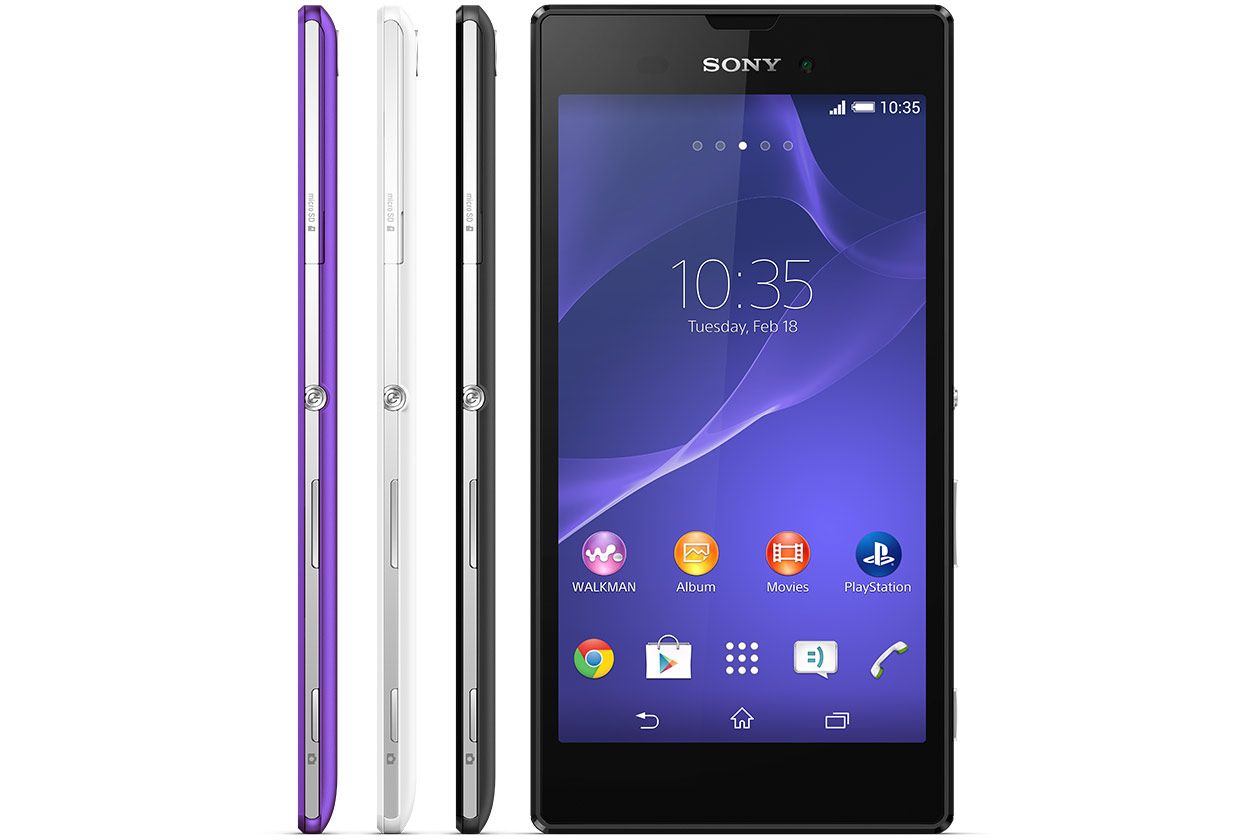
    The framework is made by following the customary OmniBalance design with a metal frame that is uncovered on the sides. The back is a lusterless plastic available in three colors: white, black or purple. The Sony Xperia T3 has affluent connectivity options for a mid-range device, starting with the usual 2G/3G, LTE Cat. 4 for up to 150Mbps download speeds, Wi-Fi with Miracast and DLNA, Bluetooth 4.0, NFC and A-GPS.

    xperia-i4-gallery-04-1240x840-218f1ea3811221501a57ad9b1c7fe9a0

    The relatively small 2,500mAh battery promises up to almost 13 hours of talking, plus there’s Stamina mode to reduce power usage when you need more out of the battery. Sony has announced that the device will be launched globally in the end of July. The price has not been announced yet.

    xperia-i4-gallery-03-1240x840-0fdeaa3e05ed3540299652a15568b69c

    Sony Xperia T3 major specifications:

    • 5.3-inch (1280 x 720 pixels) HD TRILUMINOS Display with Mobile BRAVIA Engine 2
    • 1.4 GHz quad-core Qualcomm Snapdragon 400 (MSM8928) processor with Adreno 305 GPU
    • Android 4.4 (KitKat)
    • 8MP rear camera with Sony Exmor RS sensor, LED flash, 1080p video recording
    • 1.1MP HD front-facing camera
    • 7mm thick and weighs 148 grams
    • 3.5mm audio jack, FM Radio with RDS
    • 1GB RAM, 8GB internal memory, Upto 32GB expandable memory via microSD card
    • 4G LTE / 3G HSPA+, WiFi 820.11 a/b/g/n ( 2.4 GHz/5 GHz), Bluetooth 4.0 with APT-X, GPS/ GLONASS, NFC
    • 2500 mAh Battery with STAMINA mode
  • 5 Cool Photo Editing Apps you Should Download

    5 Cool Photo Editing Apps you Should Download

     Simply clicking a photo and posting it? That’s an old story now. Smartphones are becoming smarter and so are our day to day lives with it. These days, app stores are flooded with photo editing apps that offer you range of filters and smart editing options. But choosing the best one from these option is a hard task. So, we have assembled a list of the best photo-editing apps for you to use on your smartphones.

    unnamedPhotoshop Touch

    What a surprise, Photoshop tops the list.  But before you get your hopes up too high, you should know that this app doesn’t come close to the power of its desktop counterpart.  You can do some of the basic Photoshop things like working with layers. However, it’s mixed in with more conventional mobile photo editing features like filters and mild adjustments like color correction.  There are some cool features like camera fill and using Adobe Creative Cloud, it is compatible with the desktop version Photoshop.

    vsco_camVSCO Cam

    If you’re looking for a smooth app that has gorgeous effects and features, VSCO is the one for you. VSCO has great presets, cool features like viewing before and after photos, and a wide range of filters. A lot of people seem to prefer it over Instagram. The app uses a grid scheme that allows you to publish your photos. It is sleek and easy to use. It only launched on Android recently, after premiering as an iPhone app, so there is still certain adjustments to be made. Features like separate exposure and focus locking are not yet included. Everything here is simple and works well, even if they don’t have a million extra features.


    photoshop expressPhotoshop Express

    Another one from Adobe, this app is one of the most user-friendly photo-editors I have used. Simple and spontaneous, Photoshop Express lets you make the essential adjustments to crop, exposure, color, tint, hue, saturation, contrast and levels with ease. You  can add many of the classic filters from Photoshop, including “Lens zoom,” “Grain” and “Glow.” And it’s free so, if you don’t already have it, you should be downloading it now.

    cup sliceCupslice Photo Editor

    Cupslice is a photo editor with a little more skill and buff, even if the features aren’t as heavy as some of the others I have listed. It comes with over 50 effects to start along with your basic editing tools. It also includes a number of stickers you can add to photos and that number gets updated every week. It’s a nice, simple app that should suit the needs of most people.


    aviary

    Photo Editor by Aviary

    Photo Editor by Aviary is a very specific and composed photo editor. In addition to the most popular features such as filters, stickers, frames etc. This photo editor by Aviary provides you with addition features such as red-eye correction, tooth whitening and many more. It’s fairly amazing app providing solution to pretty much every problem with your clicks. This straightforward app would be useful addition to your smartphone.

iGyaan Network
Privacy Overview

This website uses cookies so that we can provide you with the best user experience possible. Cookie information is stored in your browser and performs functions such as recognising you when you return to our website and helping our team to understand which sections of the website you find most interesting and useful.